PT Bank Mega Tbk · IDX:MEGA
PT Bank Mega Tbk — Format Slide Presentasi Cara Registrasi,Download & Install Mega Mobile (Versi Logo Bank Mega Baru)
4 slides from PT Bank Mega Tbk's investor presentation, August 2013
Slide 1: Cara Registrasi, Download & Install Aplikasi Mega Mobile
Click to edit Master title style CARA REGISTRASI, DOWNLOAD & INSTALL APLIKASI MEGA MOBILE
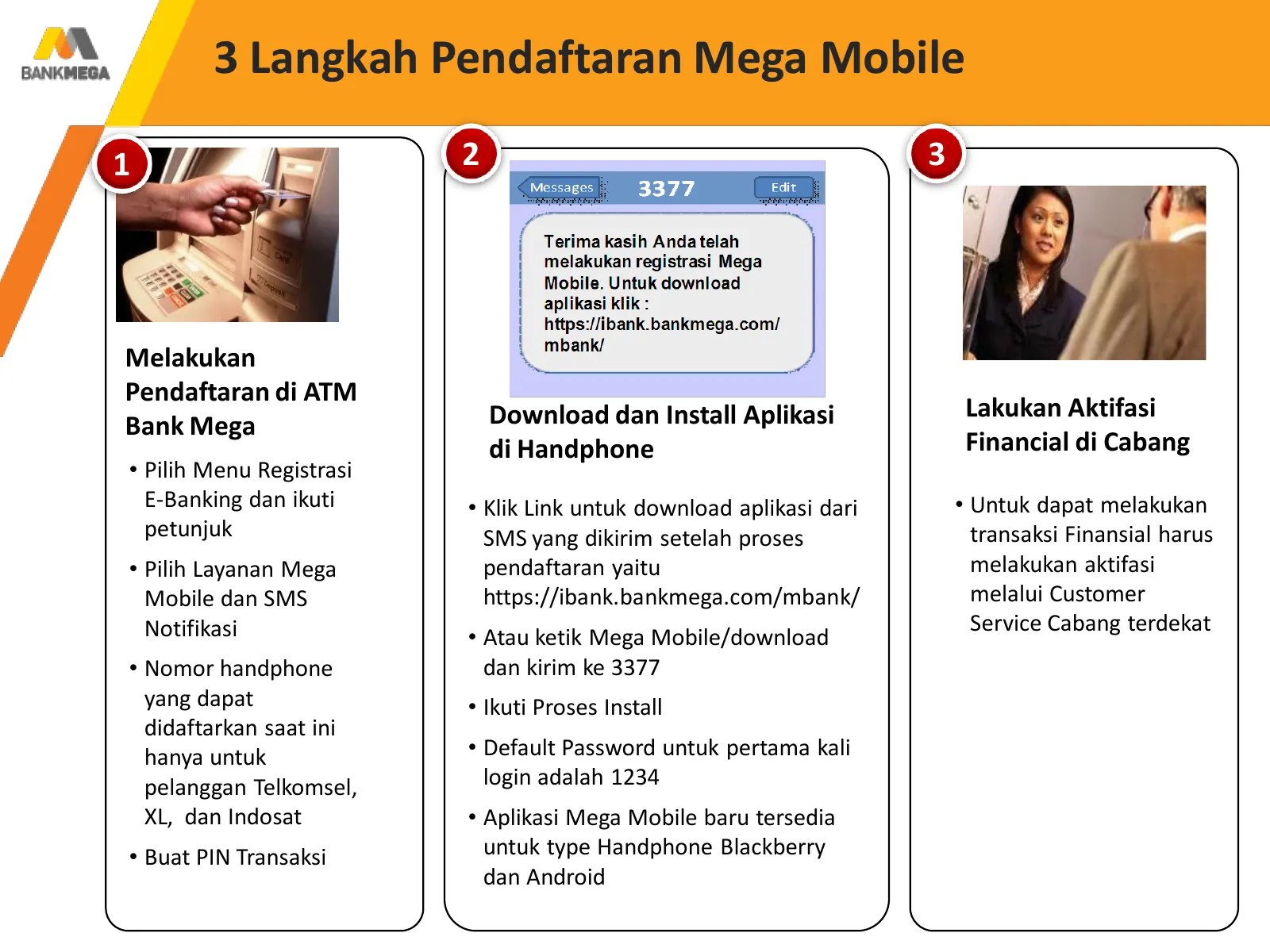
Slide 2: 3 Langkah Pendaftaran Mega Mobile
Click 3 Langkah to editPendaftaran Master titleMega style Mobile 1 2 3 Melakukan Pendaftaran di ATM Download dan Install Aplikasi Lakukan Aktifasi Bank Mega di Handphone Financial di Cabang • Pilih Menu Registrasi E-Banking dan ikuti • Klik Link untuk download aplikasi dari • Untuk dapat melakukan p
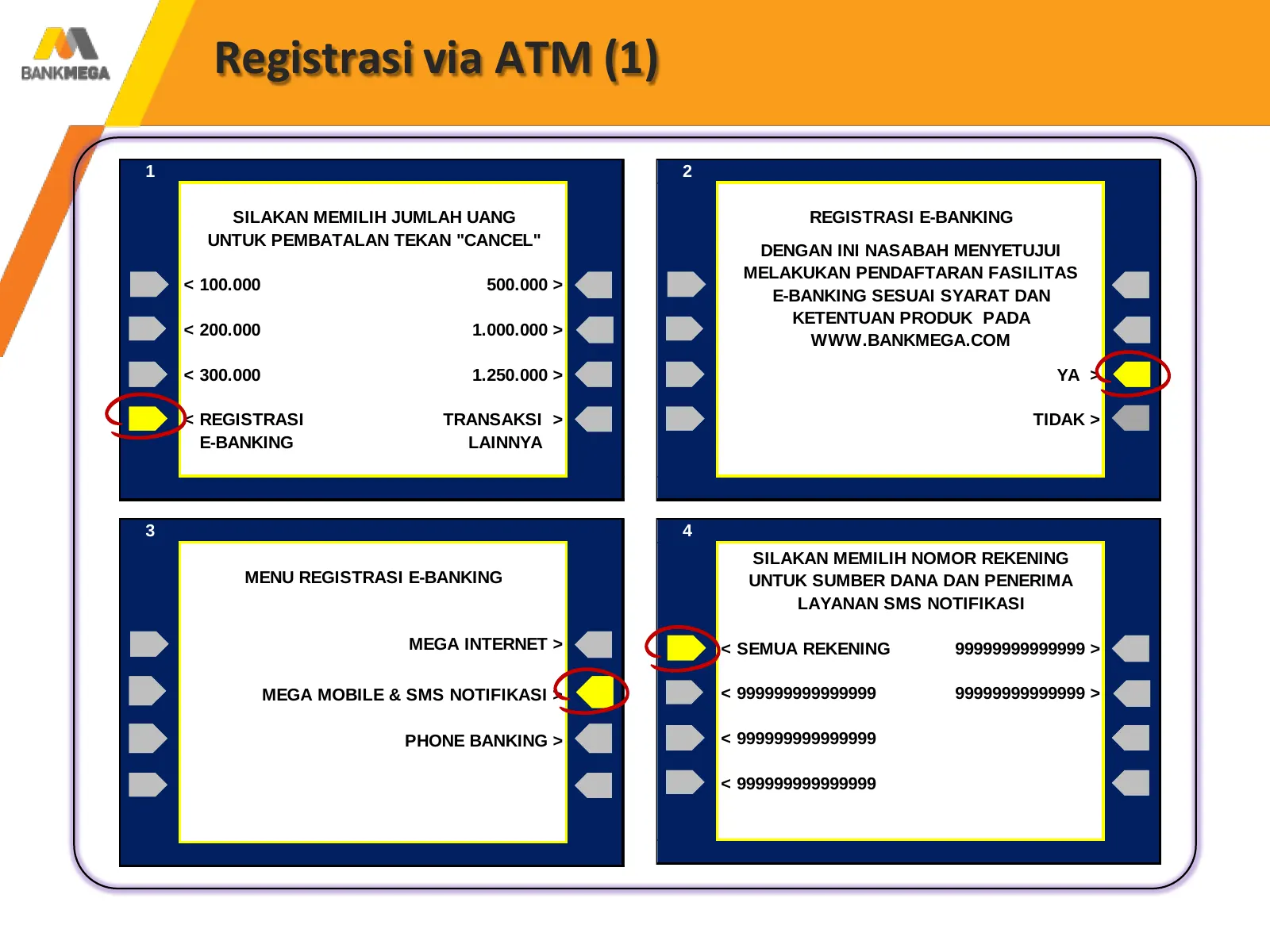
Slide 3: Registrasi via ATM (1)
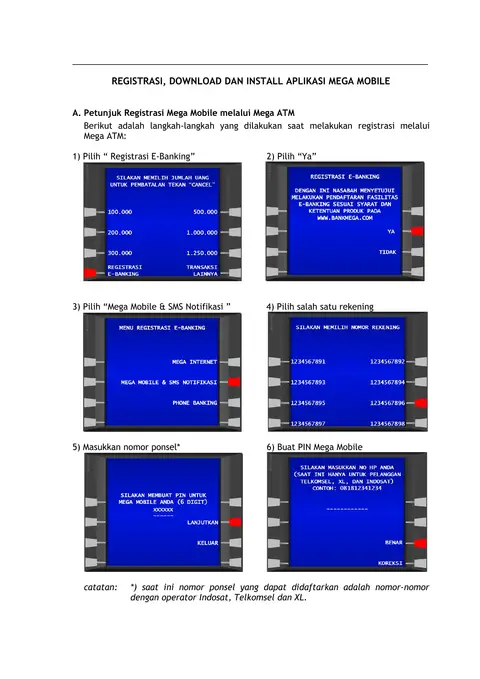
Click to edit Registrasi viaMaster ATM (1) title style 1 2 SILAKAN MEMILIH JUMLAH UANG REGISTRASI E-BANKING UNTUK PEMBATALAN TEKAN "CANCEL" DENGAN INI NASABAH MENYETUJUI MELAKUKAN PENDAFTARAN FASILITAS < 100.000 500.000 > E-BANKING SESUAI SYARAT DAN KETENTUAN PRODUK PADA < 200.000 1.000.000 > WWW.BA
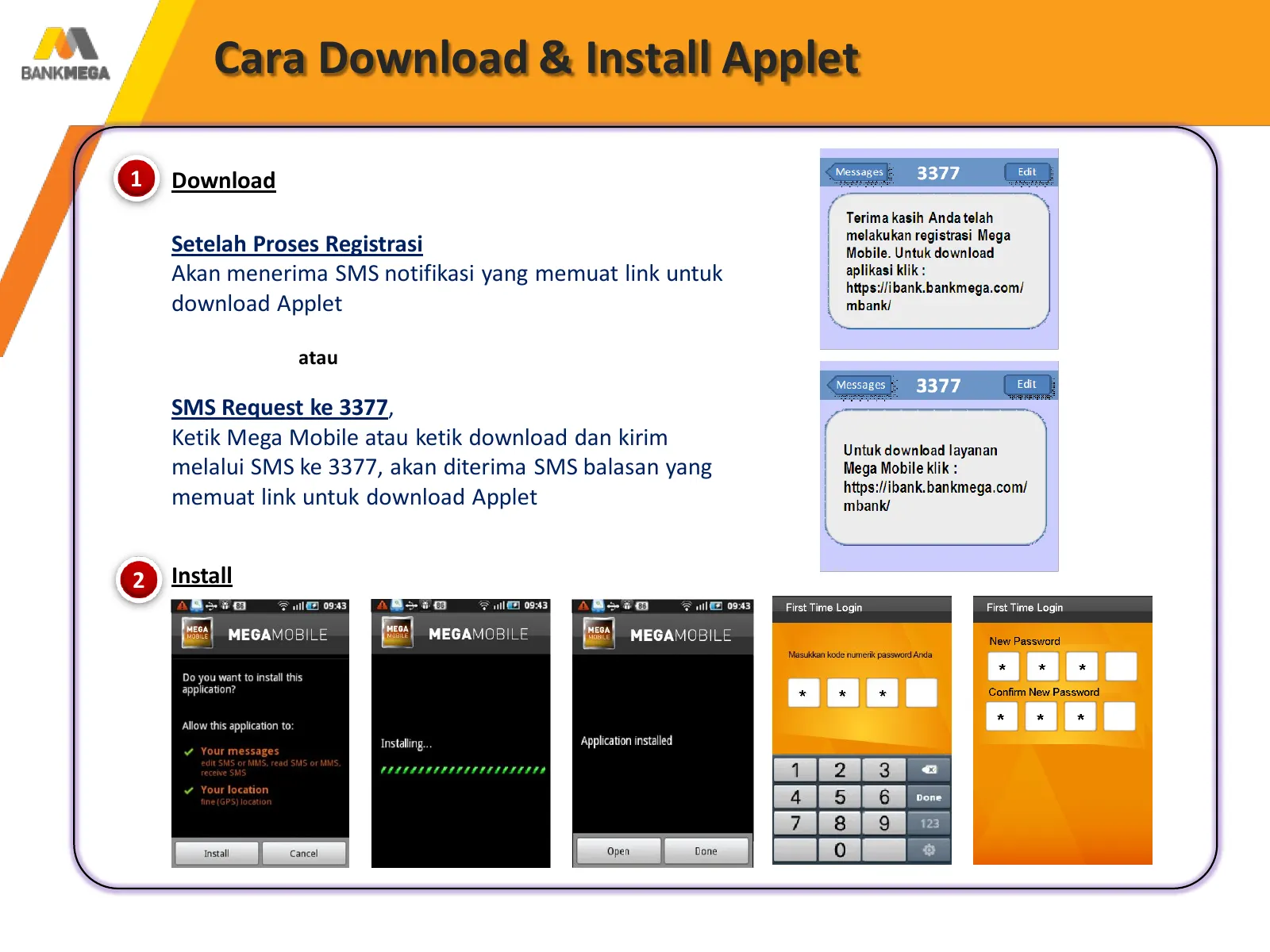
Slide 4: Cara Download & Install Applet
Click Download Cara to edit Master & Install title style Applet 1 Download Setelah Proses Registrasi Akan menerima SMS notifikasi yang memuat link untuk download Applet atau SMS Request ke 3377, Ketik Mega Mobile atau ketik download dan kirim melalui SMS ke 3377, akan diterima SMS balasan yang memua
Source: Internet Archive copy of bankmega.com