Senstar Technologies Corporation · NASDAQ:SNT
Senstar Technologies — Investor Presentation (August 2021)
58 slides from Senstar Technologies's investor presentation, August 2021
Slide 1: Physical Security Technologies for Electrical Utility Infrastructure
Physical Security Technologies for Electrical Utility Infrastructure Intelligent. Innovative. Integrated.
Slide 2: Agenda
PHYSICAL SECURITY TECHNOLOGIES FOR ELECTRICAL UTILITY INFRASTRUCTURE Agenda About Senstar Security Challenges Application Solutions Senstar Products Deployment Example System Integration Q&A
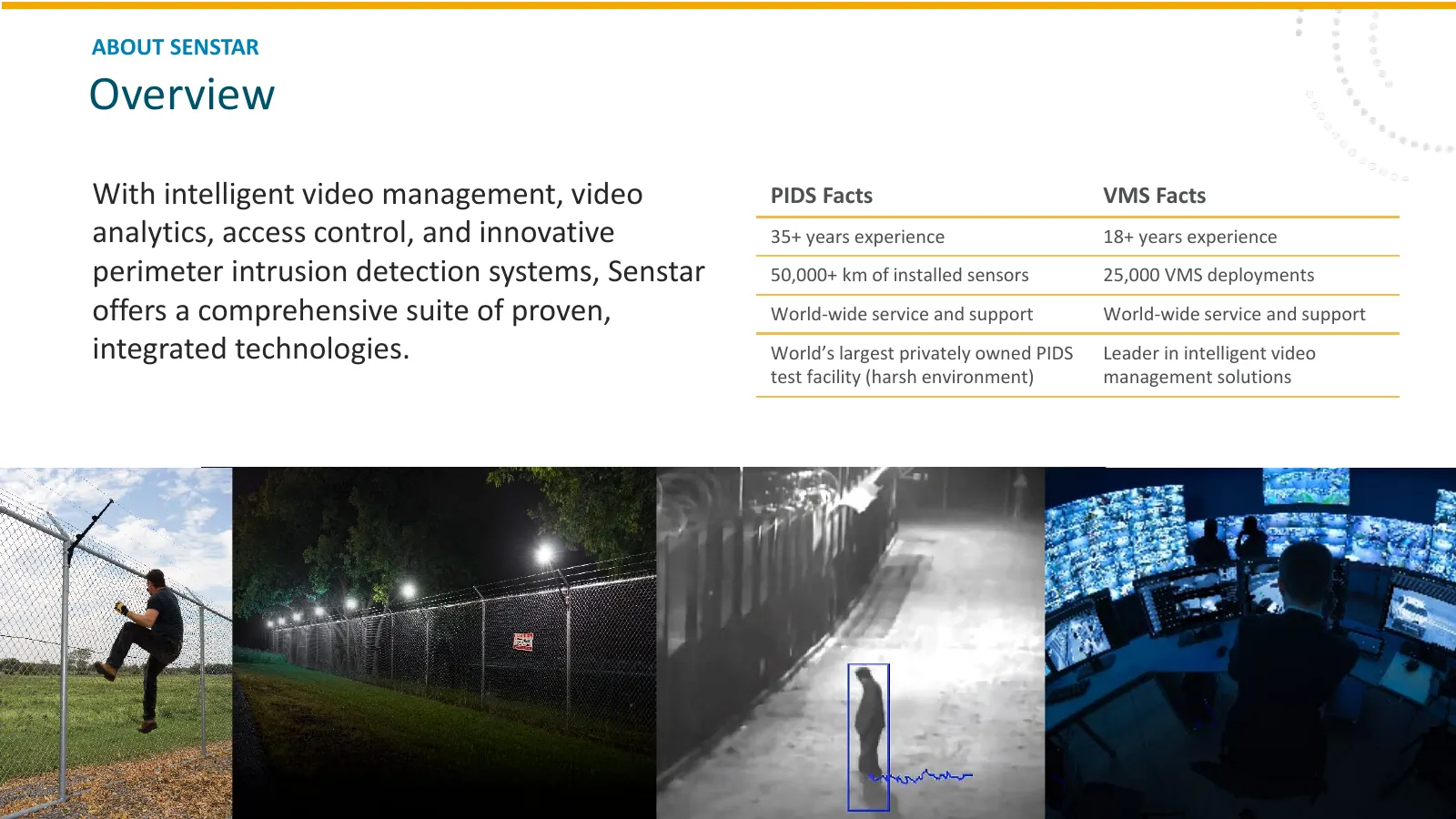
Slide 3: Overview
ABOUT SENSTAR Overview With intelligent video management, video PIDS Facts VMS Facts analytics, access control, and innovative 35+ years experience 18+ years experience perimeter intrusion detection systems, Senstar 50,000+ km of installed sensors 25,000 VMS deployments offers a comprehensive suite
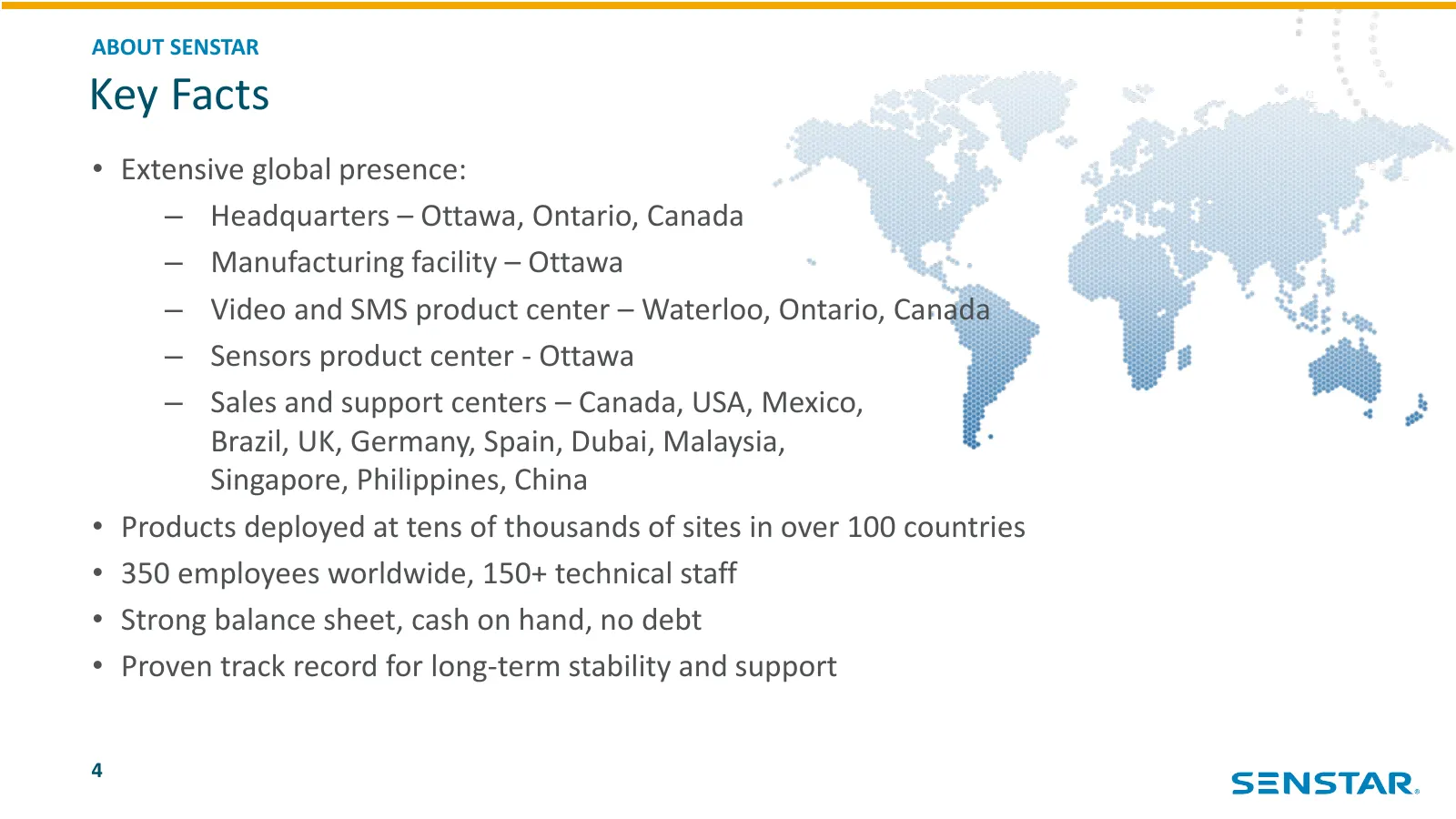
Slide 4: Key Facts
ABOUT SENSTAR Key Facts • Extensive global presence: – Headquarters – Ottawa, Ontario, Canada – Manufacturing facility – Ottawa – Video and SMS product center – Waterloo, Ontario, Canada – Sensors product center - Ottawa – Sales and support centers – Canada, USA, Mexico, Brazil, UK, Germany, Spain,
Slide 5: Security Challenges
ELECTRICAL UTILITY INFRASTRUCTURE Security Challenges

Slide 6: The Physical Security Challenge
SECURITY CHALLENGES The Physical Security Challenge • Ensure the continuity of a critical resource that underlines modern society • Ensure workplace safety and safety of the general public • Support conformance to government regulations • Minimize direct losses to theft and vandalism • Complement op
Slide 7: Physical Security Threats
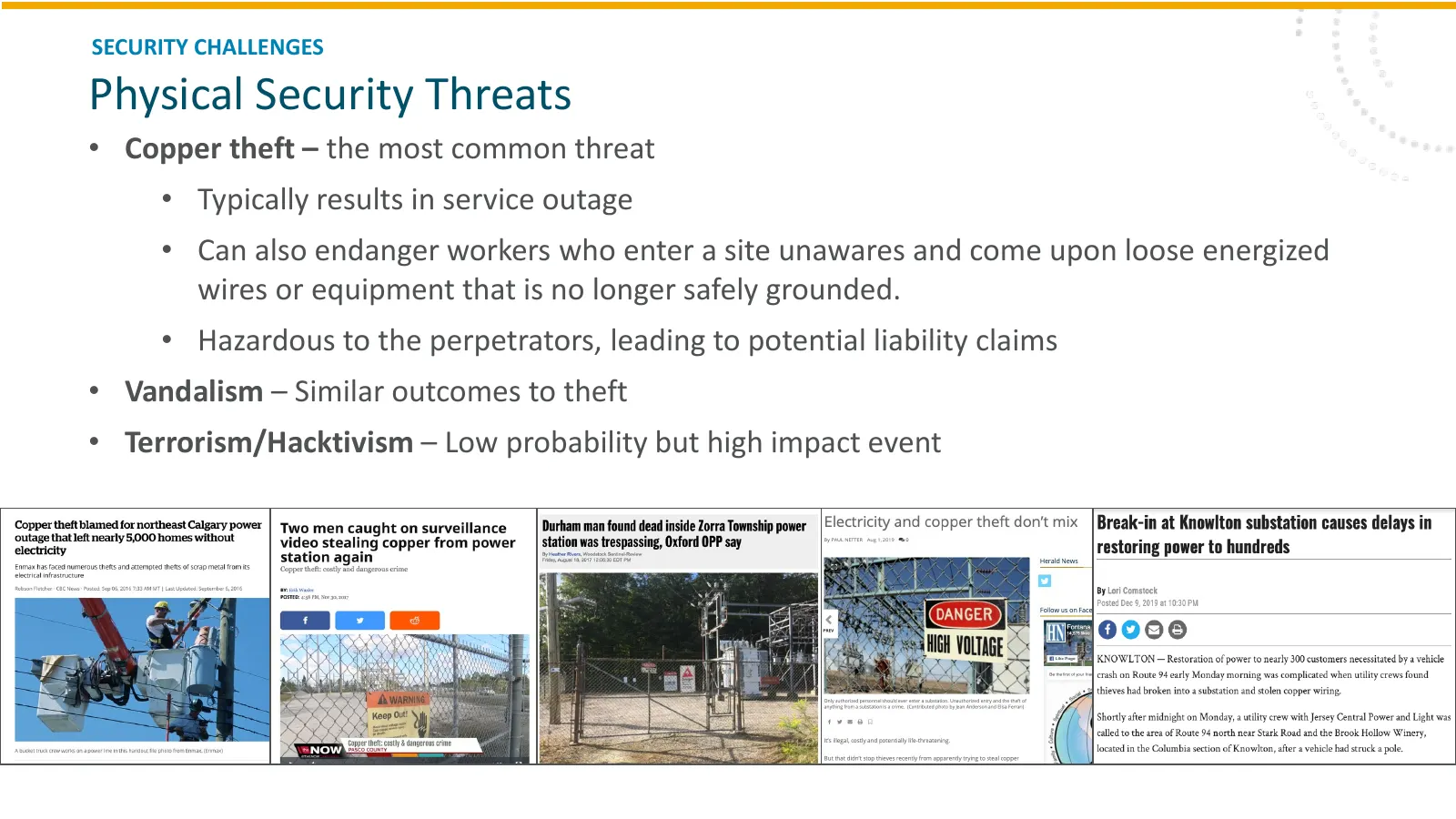
SECURITY CHALLENGES Physical Security Threats • Copper theft – the most common threat • Typically results in service outage • Can also endanger workers who enter a site unawares and come upon loose energized wires or equipment that is no longer safely grounded. • Hazardous to the perpetrators, leadi
Slide 8: Why Consider Security Technology?
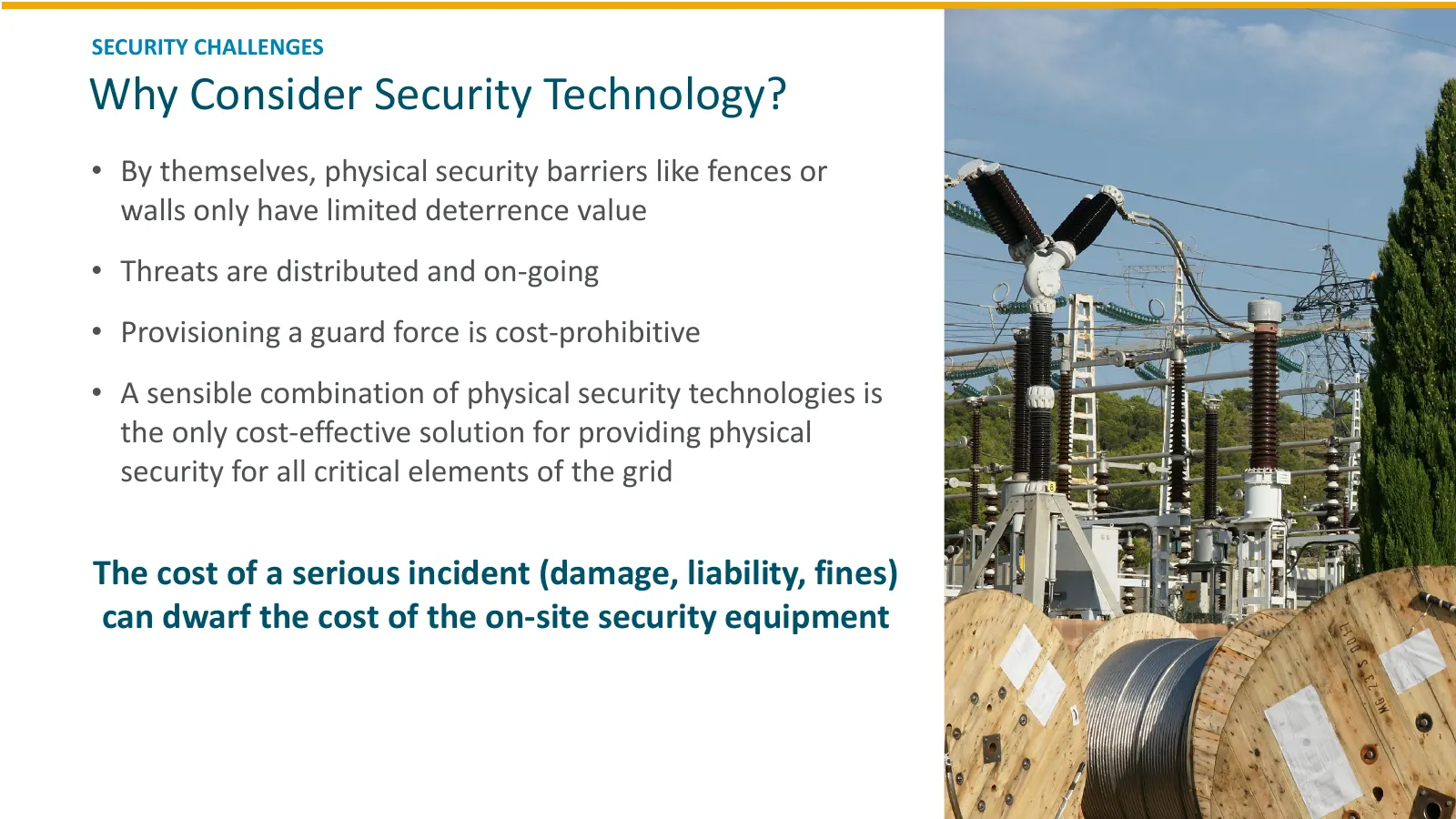
SECURITY CHALLENGES Why Consider Security Technology? • By themselves, physical security barriers like fences or walls only have limited deterrence value • Threats are distributed and on-going • Provisioning a guard force is cost-prohibitive • A sensible combination of physical security technologies
Slide 9: Physical Security – A Systematic Approach
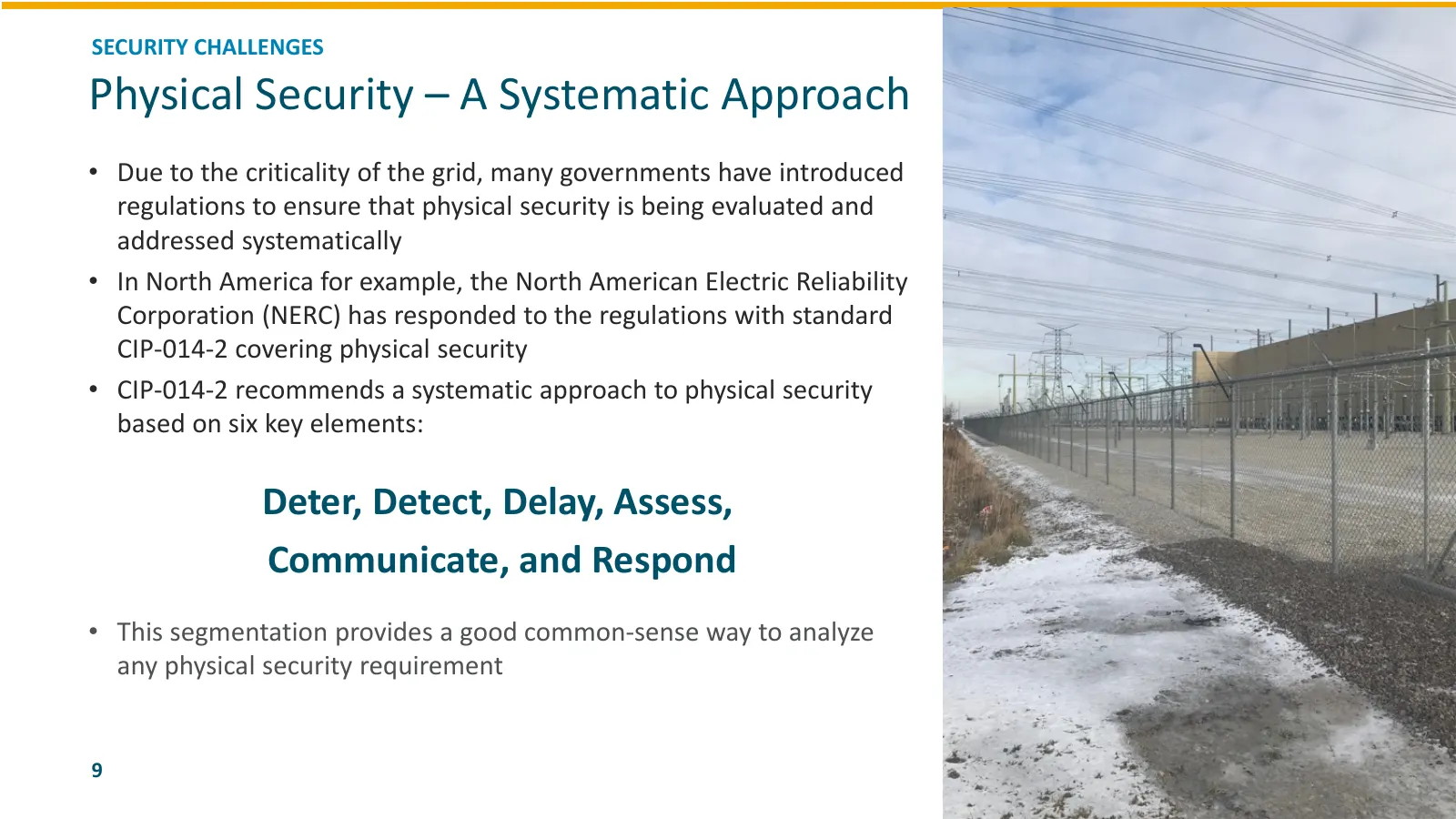
SECURITY CHALLENGES Physical Security – A Systematic Approach • Due to the criticality of the grid, many governments have introduced regulations to ensure that physical security is being evaluated and addressed systematically • In North America for example, the North American Electric Reliability Co
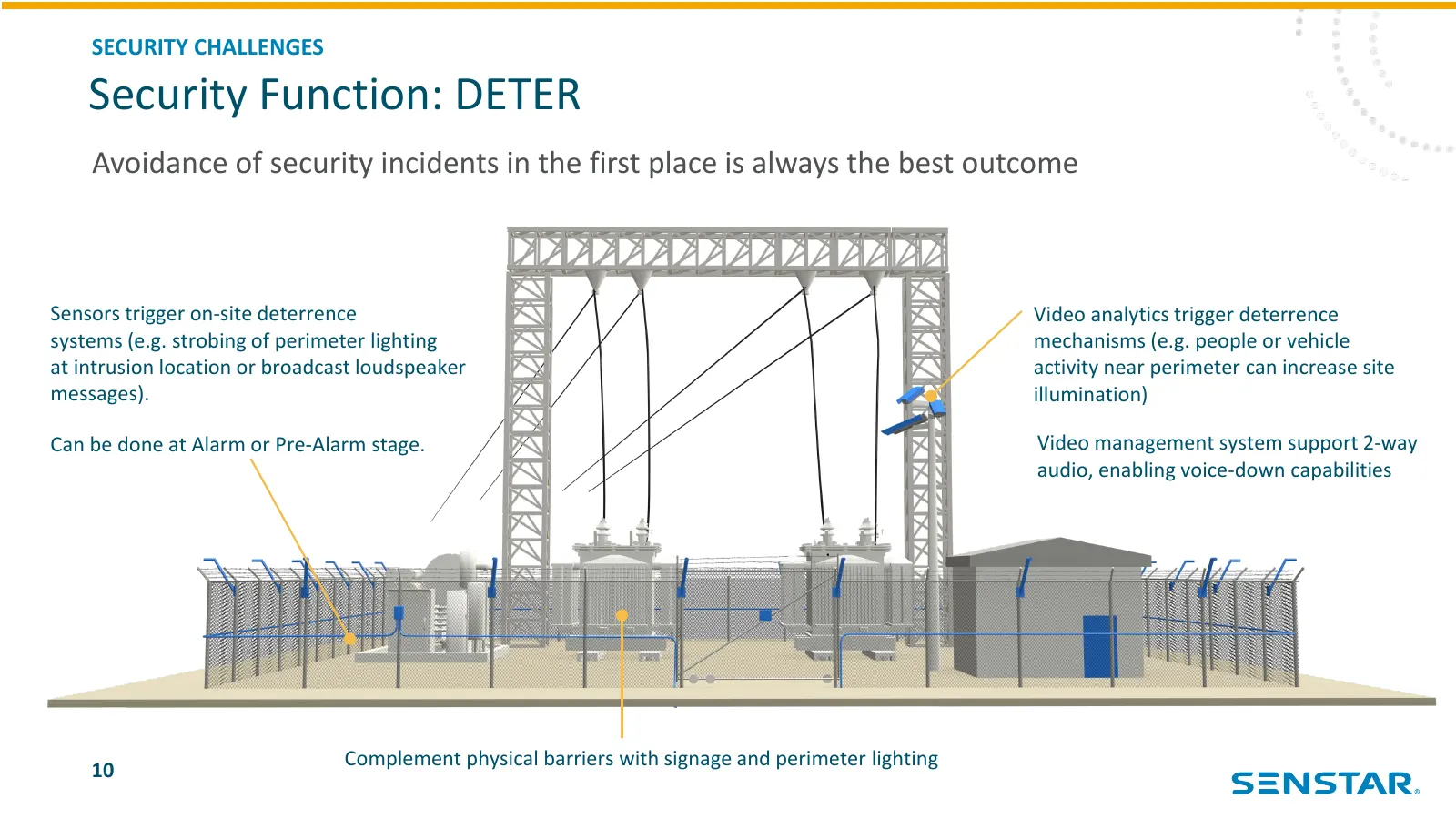
Slide 10: Security Function: DETER
SECURITY CHALLENGES Security Function: DETER Avoidance of security incidents in the first place is always the best outcome Sensors trigger on-site deterrence Video analytics trigger deterrence systems (e.g. strobing of perimeter lighting mechanisms (e.g. people or vehicle at intrusion location or br
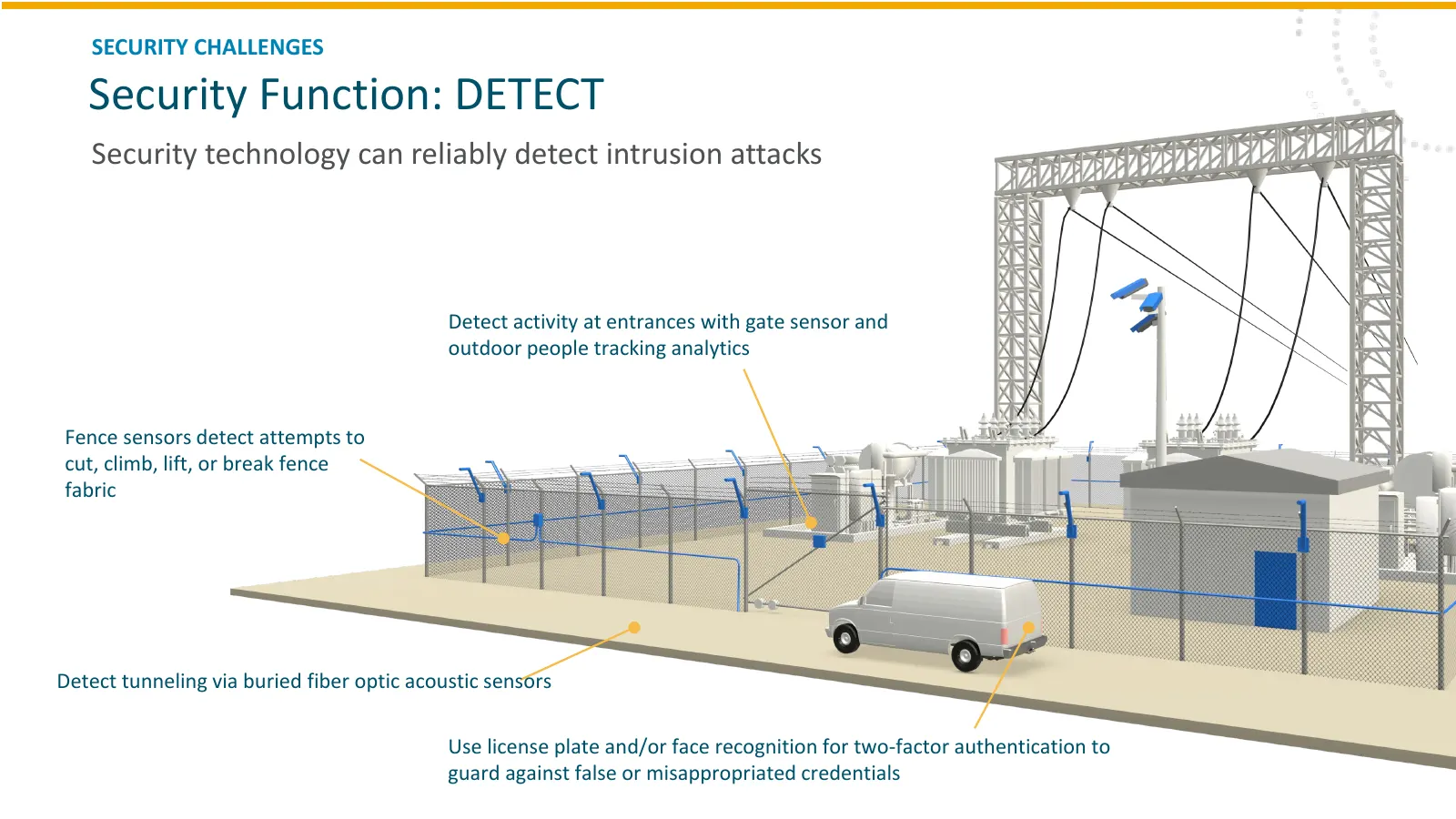
Slide 11: Security Function: DETECT
SECURITY CHALLENGES Security Function: DETECT Security technology can reliably detect intrusion attacks Detect activity at entrances with gate sensor and outdoor people tracking analytics Fence sensors detect attempts to cut, climb, lift, or break fence fabric Detect tunneling via buried fiber optic
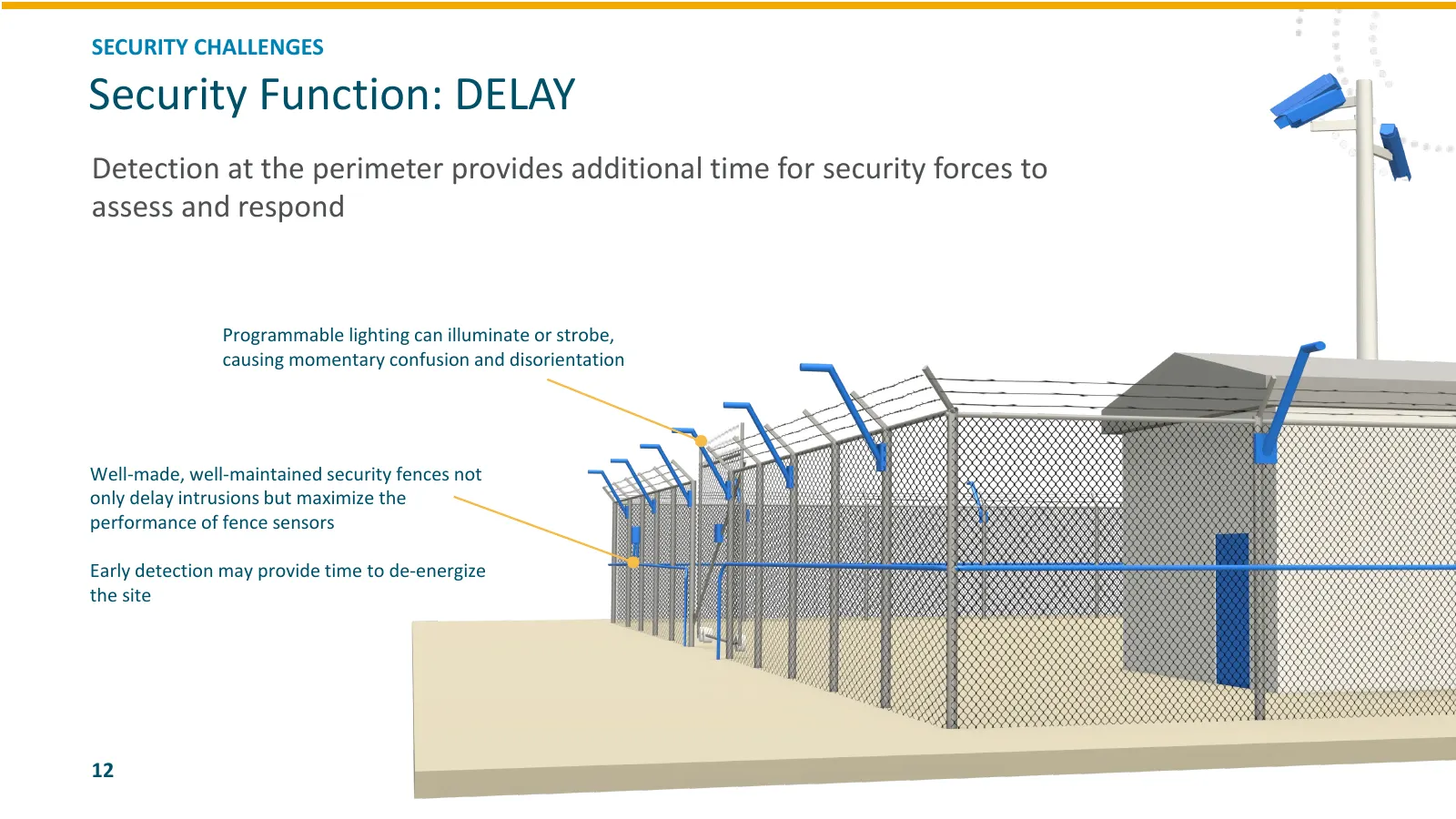
Slide 12: Security Function: DELAY
SECURITY CHALLENGES Security Function: DELAY Detection at the perimeter provides additional time for security forces to assess and respond Programmable lighting can illuminate or strobe, causing momentary confusion and disorientation Well-made, well-maintained security fences not only delay intrusio
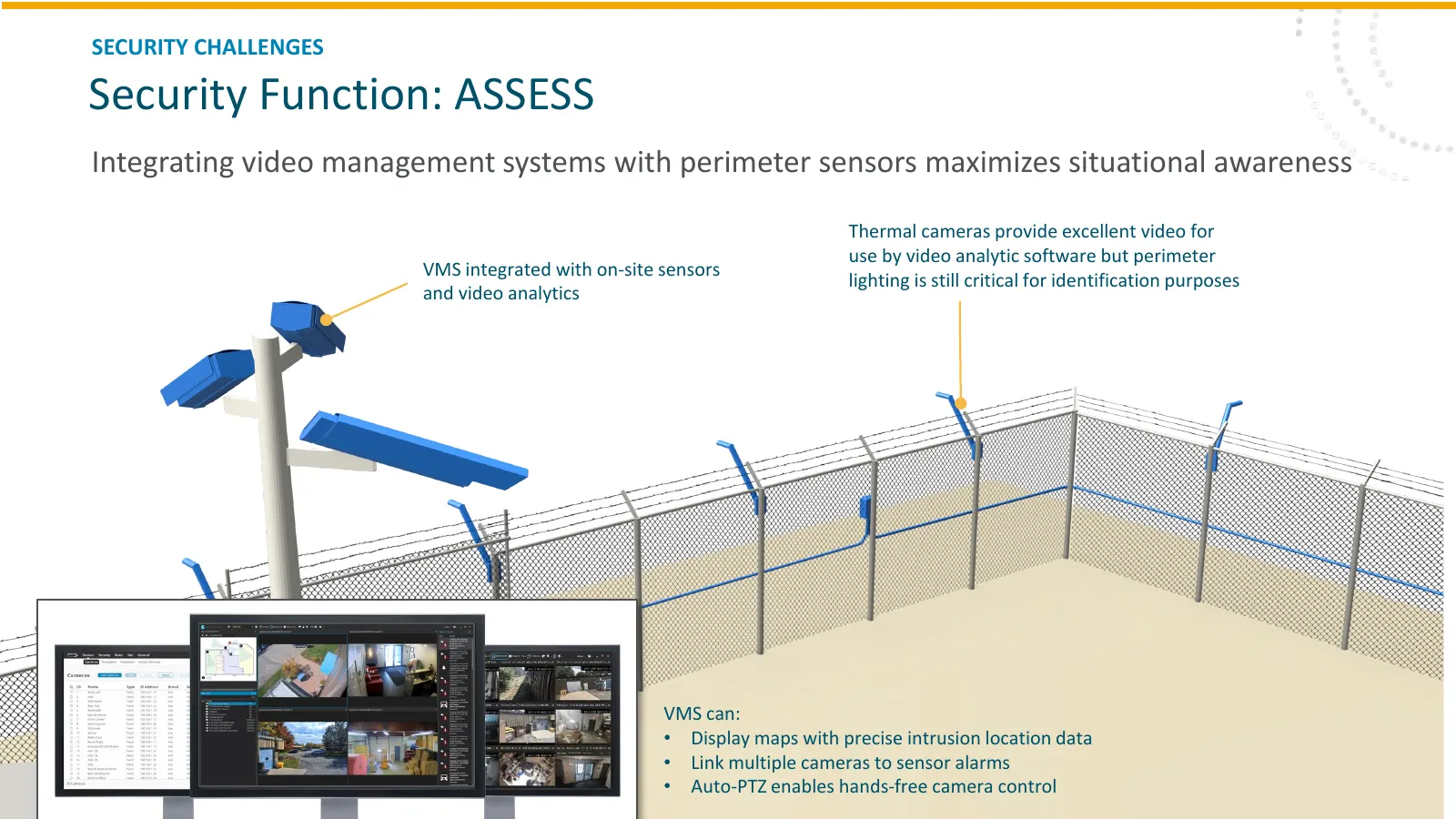
Slide 13: Security Function: ASSESS
SECURITY CHALLENGES Security Function: ASSESS Integrating video management systems with perimeter sensors maximizes situational awareness Thermal cameras provide excellent video for use by video analytic software but perimeter VMS integrated with on-site sensors lighting is still critical for identi
Slide 14: Security Function: COMMUNICATE
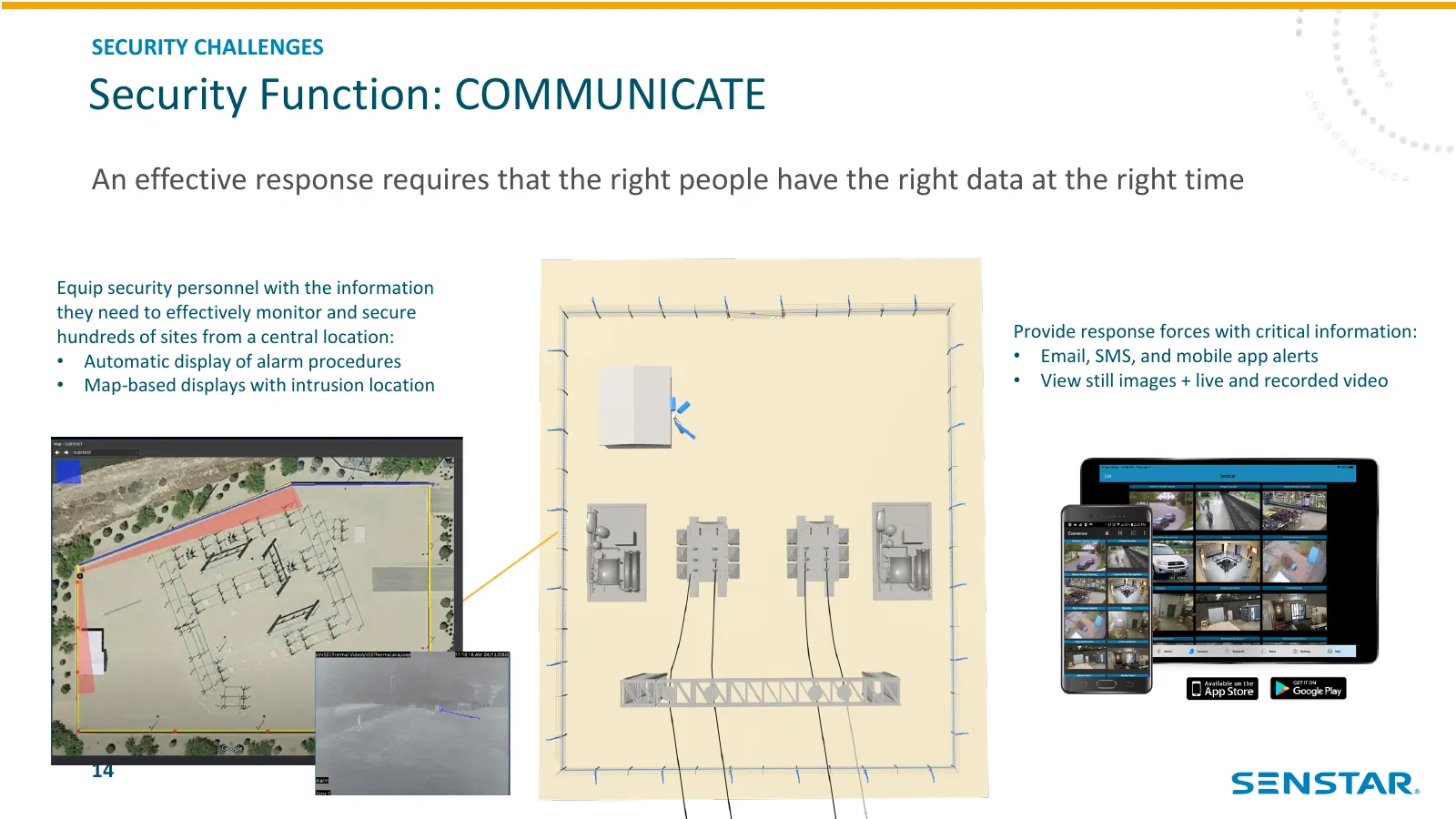
SECURITY CHALLENGES Security Function: COMMUNICATE An effective response requires that the right people have the right data at the right time Equip security personnel with the information they need to effectively monitor and secure hundreds of sites from a central location: Provide response forces w
Slide 15: Security Function: RESPOND
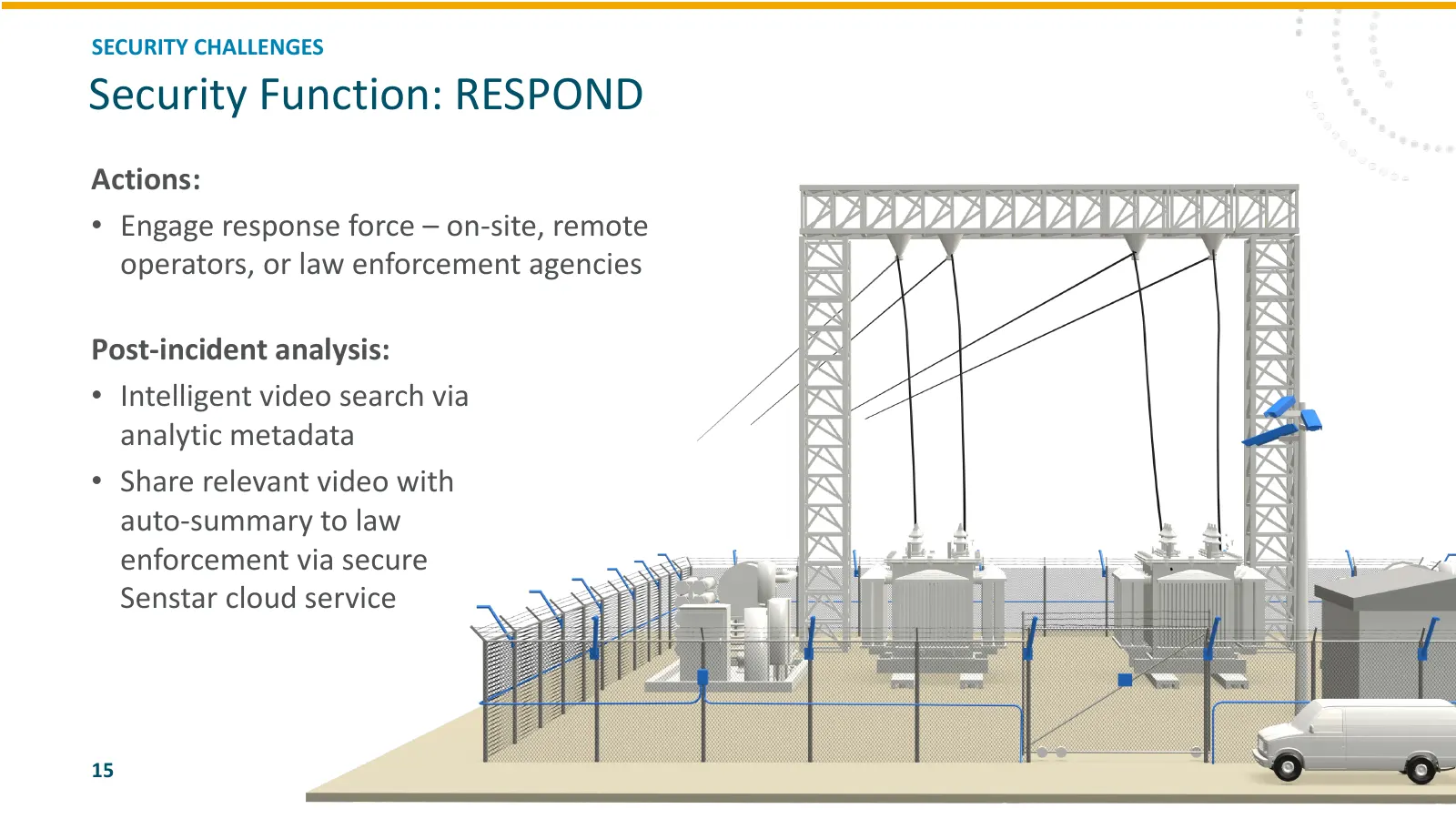
SECURITY CHALLENGES Security Function: RESPOND Actions: • Engage response force – on-site, remote operators, or law enforcement agencies Post-incident analysis: • Intelligent video search via analytic metadata • Share relevant video with auto-summary to law enforcement via secure Senstar cloud servi
Slide 16: Application Solutions
ELECTRICAL UTILITY INFRASTRUCTURE Application Solutions
Slide 17: Nuclear Power Plants
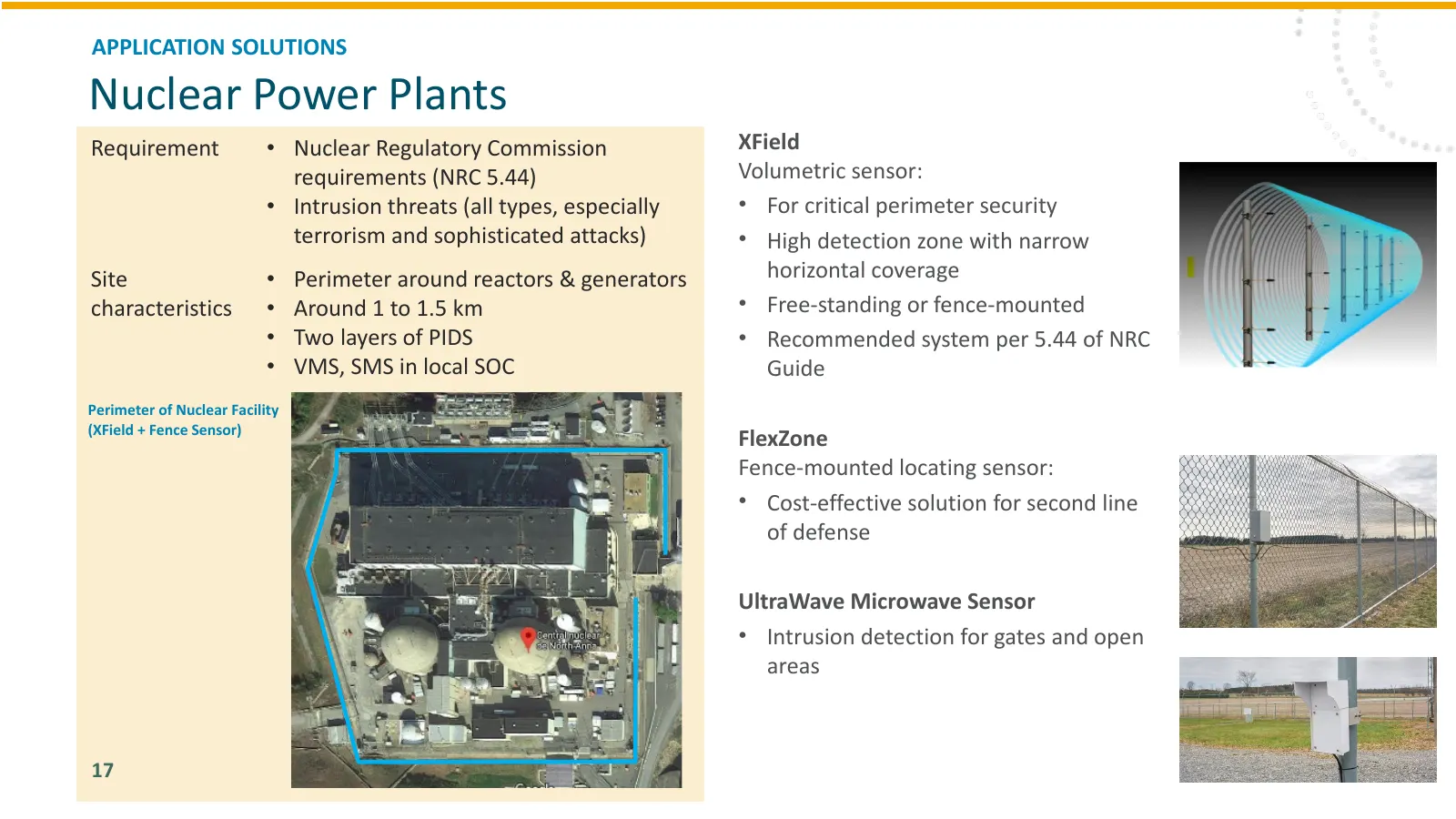
APPLICATION SOLUTIONS Nuclear Power Plants Requirement • Nuclear Regulatory Commission XField requirements (NRC 5.44) Volumetric sensor: • Intrusion threats (all types, especially • For critical perimeter security terrorism and sophisticated attacks) • High detection zone with narrow Site • Perimete
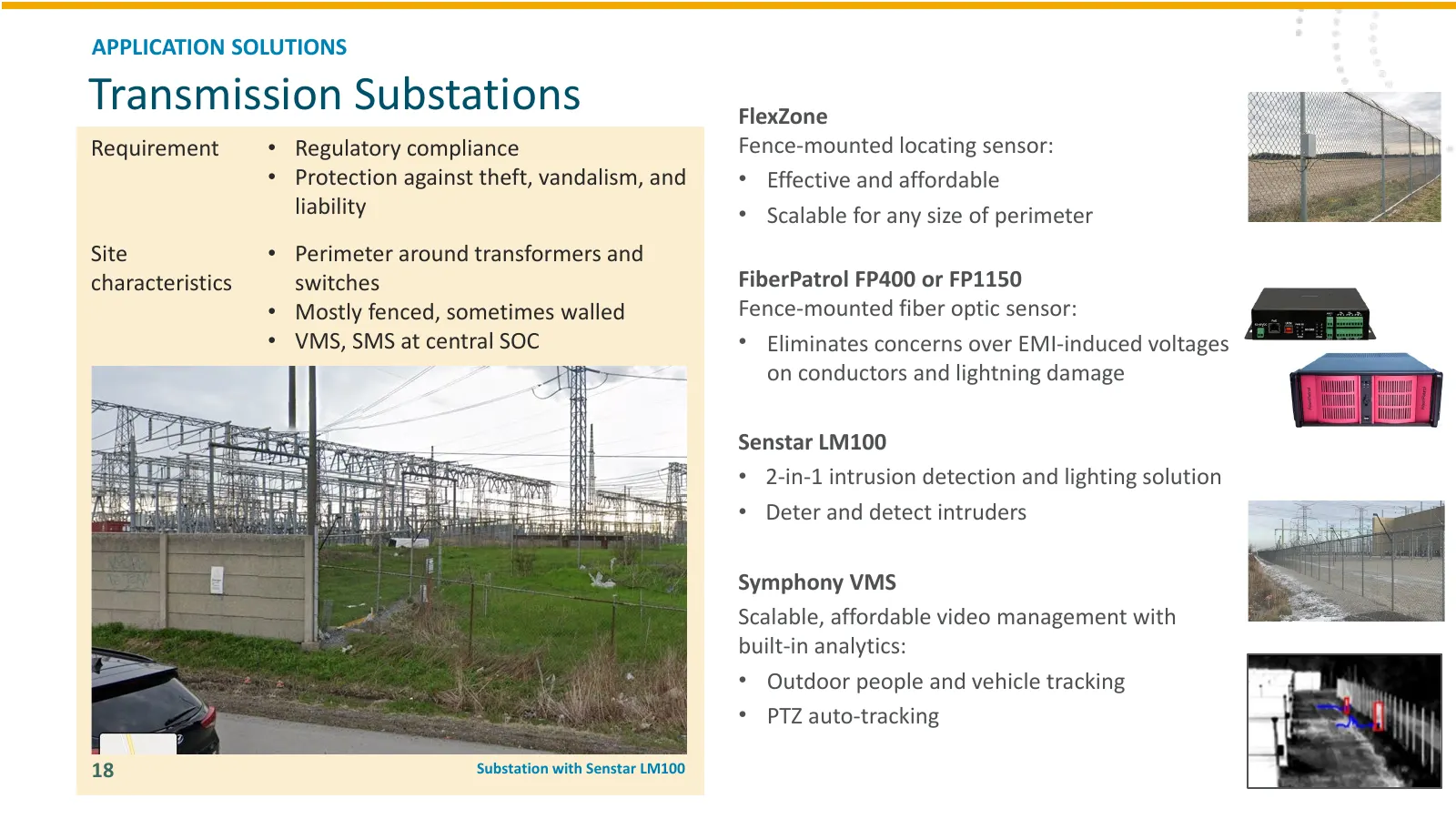
Slide 18: Transmission Substations
APPLICATION SOLUTIONS Transmission Substations FlexZone Requirement • Regulatory compliance Fence-mounted locating sensor: • Protection against theft, vandalism, and • Effective and affordable liability • Scalable for any size of perimeter Site • Perimeter around transformers and characteristics swi
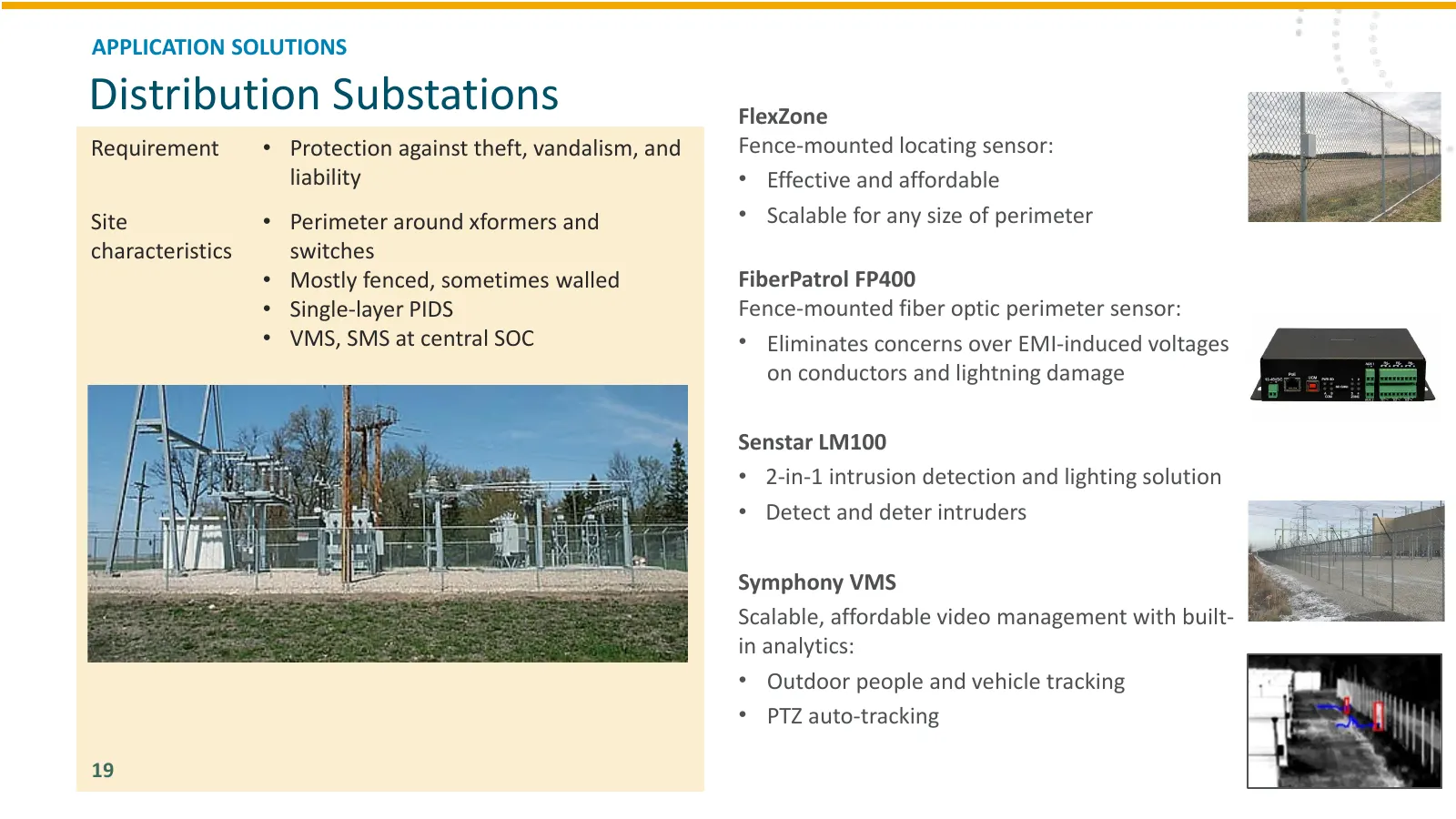
Slide 19: Distribution Substations
APPLICATION SOLUTIONS Distribution Substations FlexZone Requirement • Protection against theft, vandalism, and Fence-mounted locating sensor: liability • Effective and affordable Site • Perimeter around xformers and • Scalable for any size of perimeter characteristics switches • Mostly fenced, somet
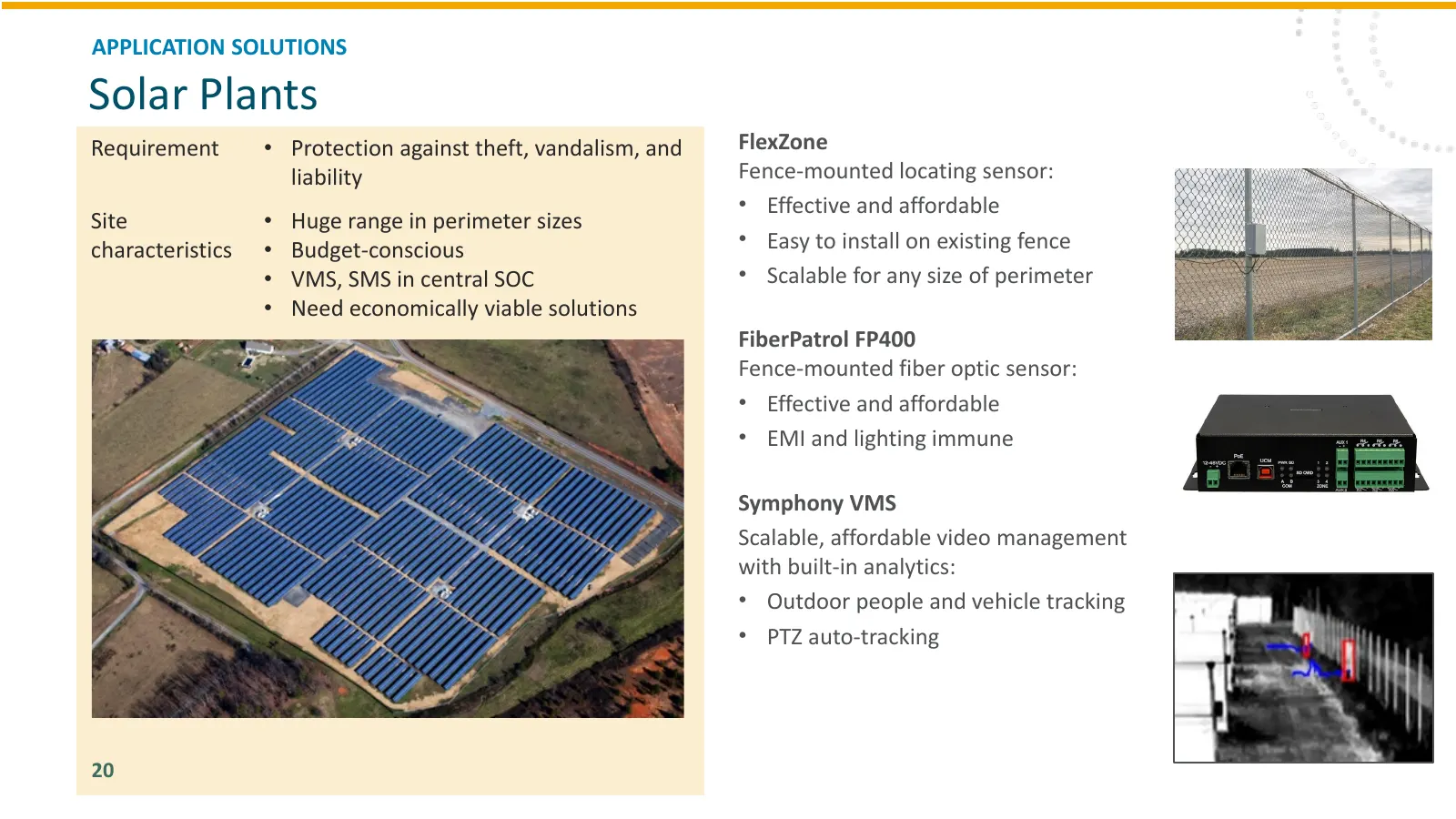
Slide 20: Solar Plants
APPLICATION SOLUTIONS Solar Plants Requirement • Protection against theft, vandalism, and FlexZone liability Fence-mounted locating sensor: • Effective and affordable Site • Huge range in perimeter sizes characteristics • Budget-conscious • Easy to install on existing fence • VMS, SMS in central SOC
Slide 21: Senstar Products
ELECTRICAL UTILITY INFRASTRUCTURE Senstar Products
Slide 22: Senstar LM100
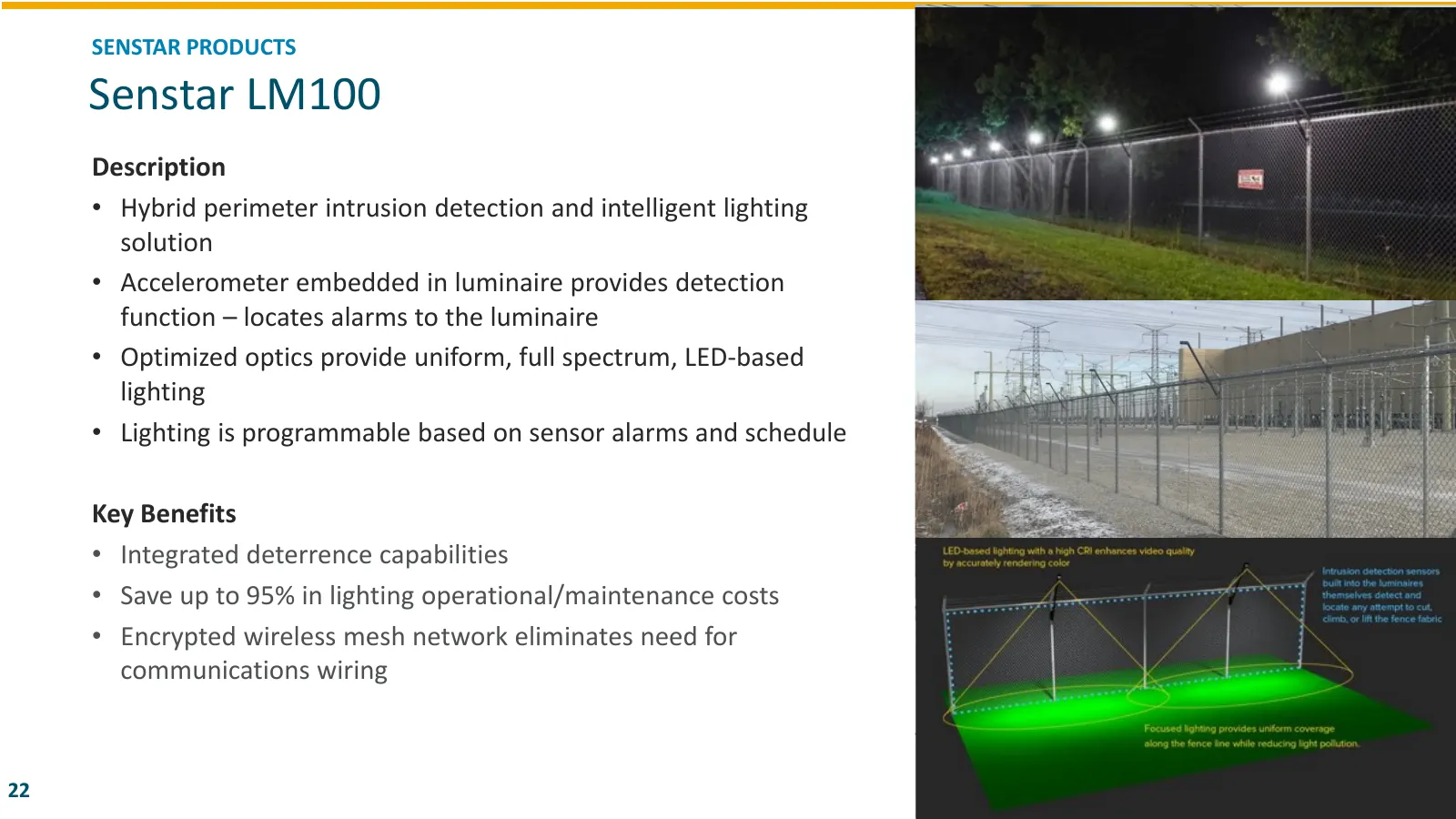
SENSTAR PRODUCTS Senstar LM100 Description • Hybrid perimeter intrusion detection and intelligent lighting solution • Accelerometer embedded in luminaire provides detection function – locates alarms to the luminaire • Optimized optics provide uniform, full spectrum, LED-based lighting • Lighting is
Slide 23: Senstar LM100 Technical Details
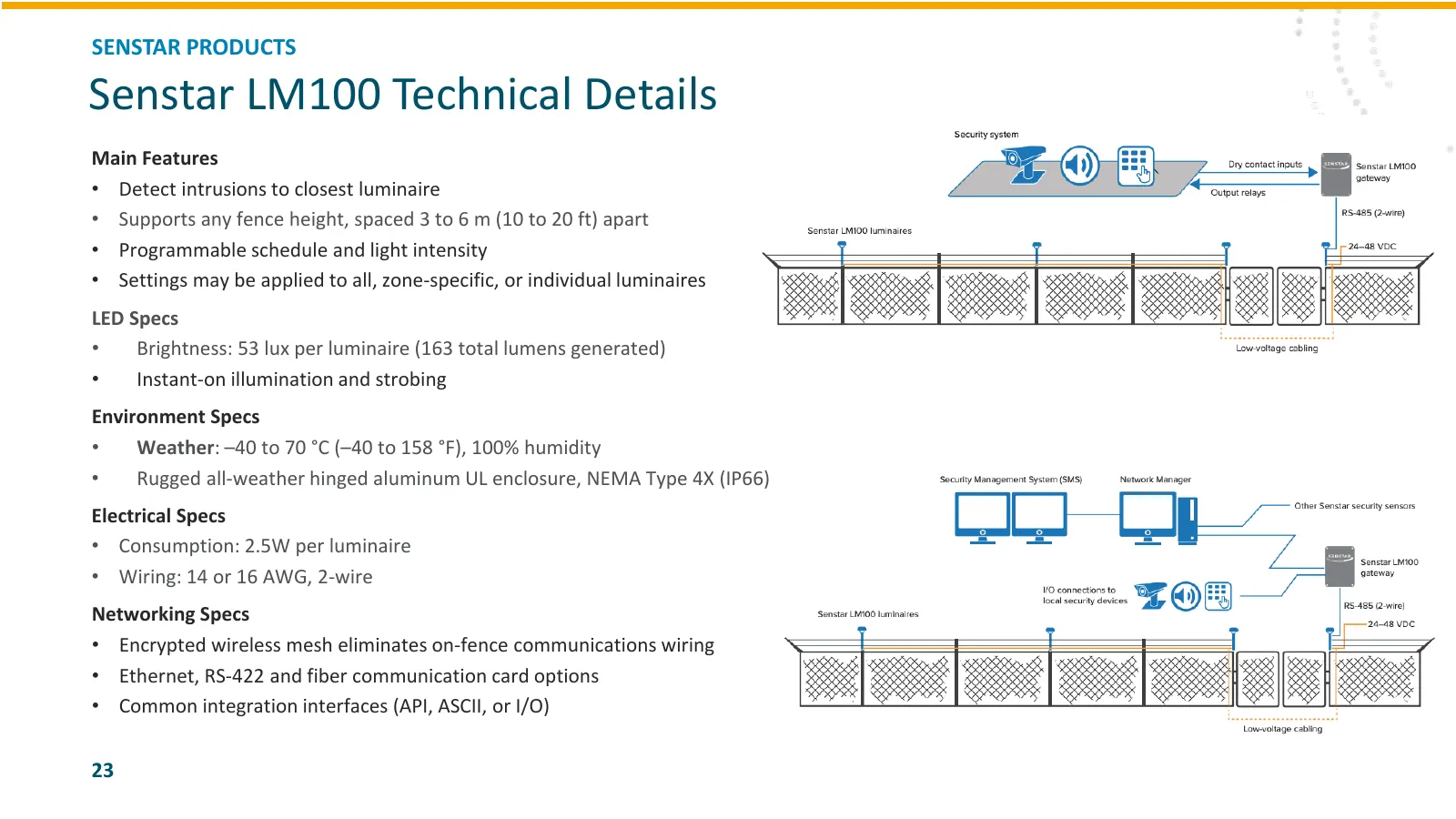
SENSTAR PRODUCTS Senstar LM100 Technical Details Main Features • Detect intrusions to closest luminaire • Supports any fence height, spaced 3 to 6 m (10 to 20 ft) apart • Programmable schedule and light intensity • Settings may be applied to all, zone-specific, or individual luminaires LED Specs • B
Slide 24: FlexZone
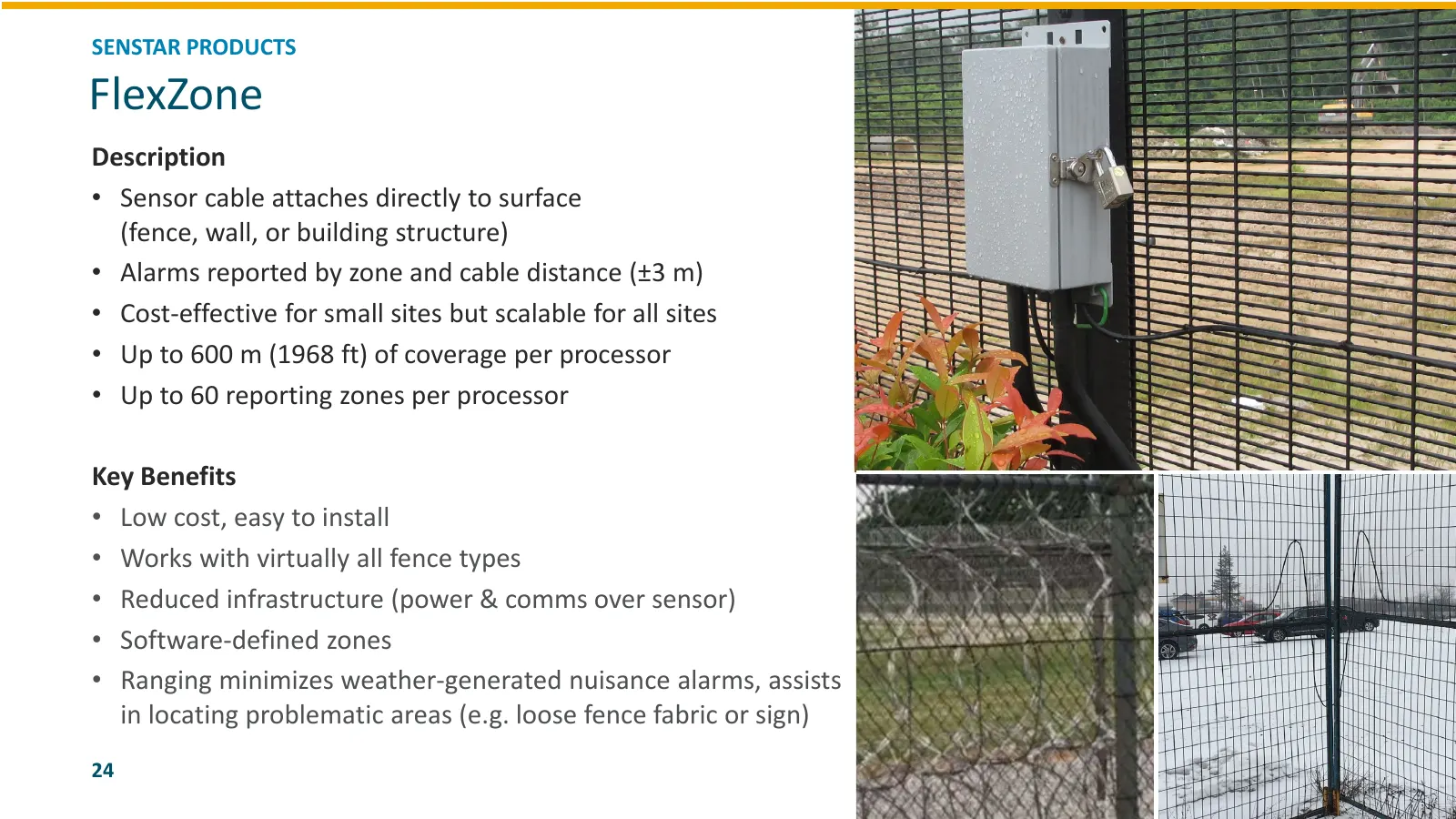
SENSTAR PRODUCTS FlexZone Description • Sensor cable attaches directly to surface (fence, wall, or building structure) • Alarms reported by zone and cable distance (±3 m) • Cost-effective for small sites but scalable for all sites • Up to 600 m (1968 ft) of coverage per processor • Up to 60 reportin
Slide 25: FlexZone Technical Details
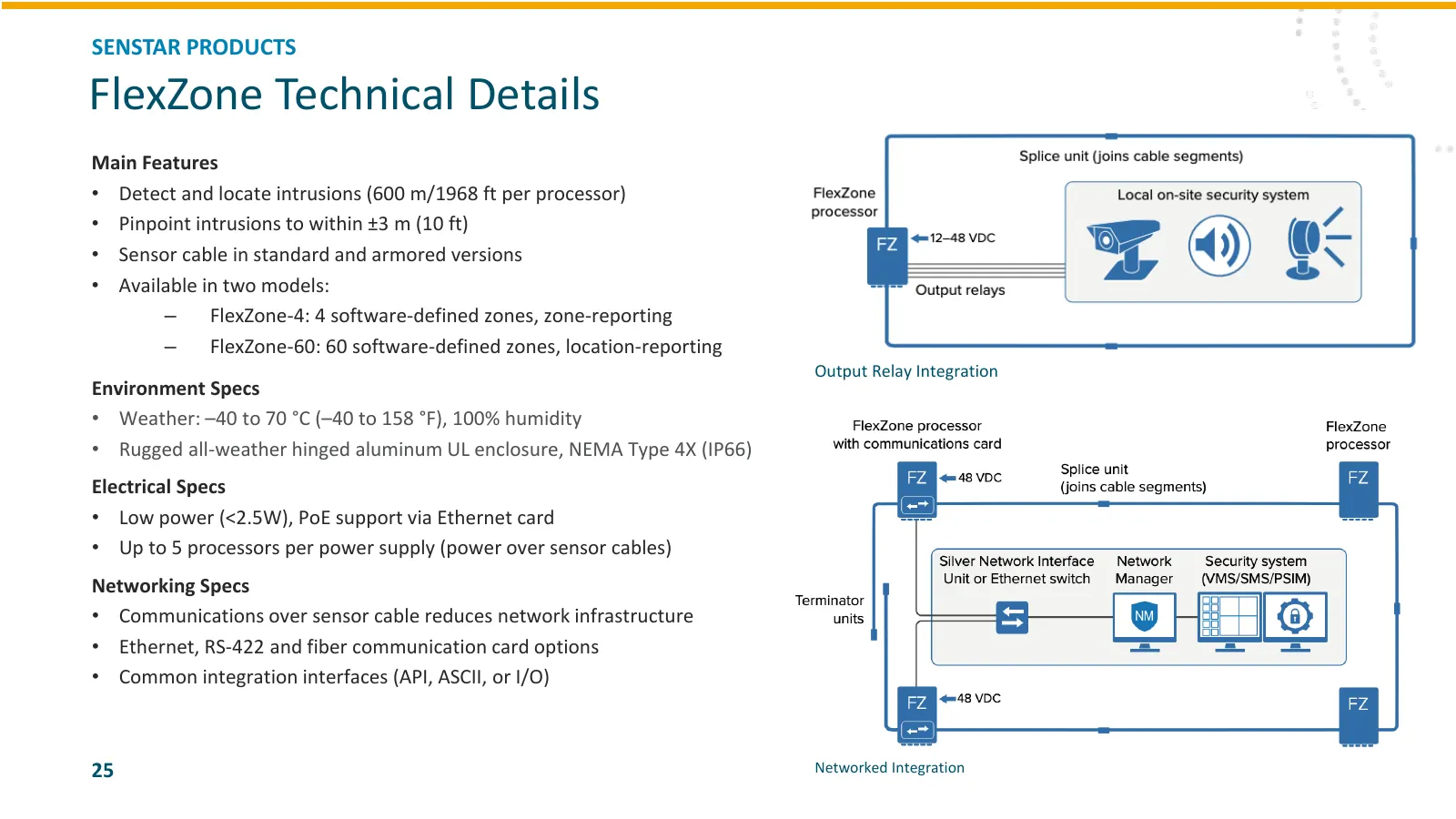
SENSTAR PRODUCTS FlexZone Technical Details Main Features • Detect and locate intrusions (600 m/1968 ft per processor) • Pinpoint intrusions to within ±3 m (10 ft) • Sensor cable in standard and armored versions • Available in two models: – FlexZone-4: 4 software-defined zones, zone-reporting – Flex
Slide 26: FiberPatrol FP1150
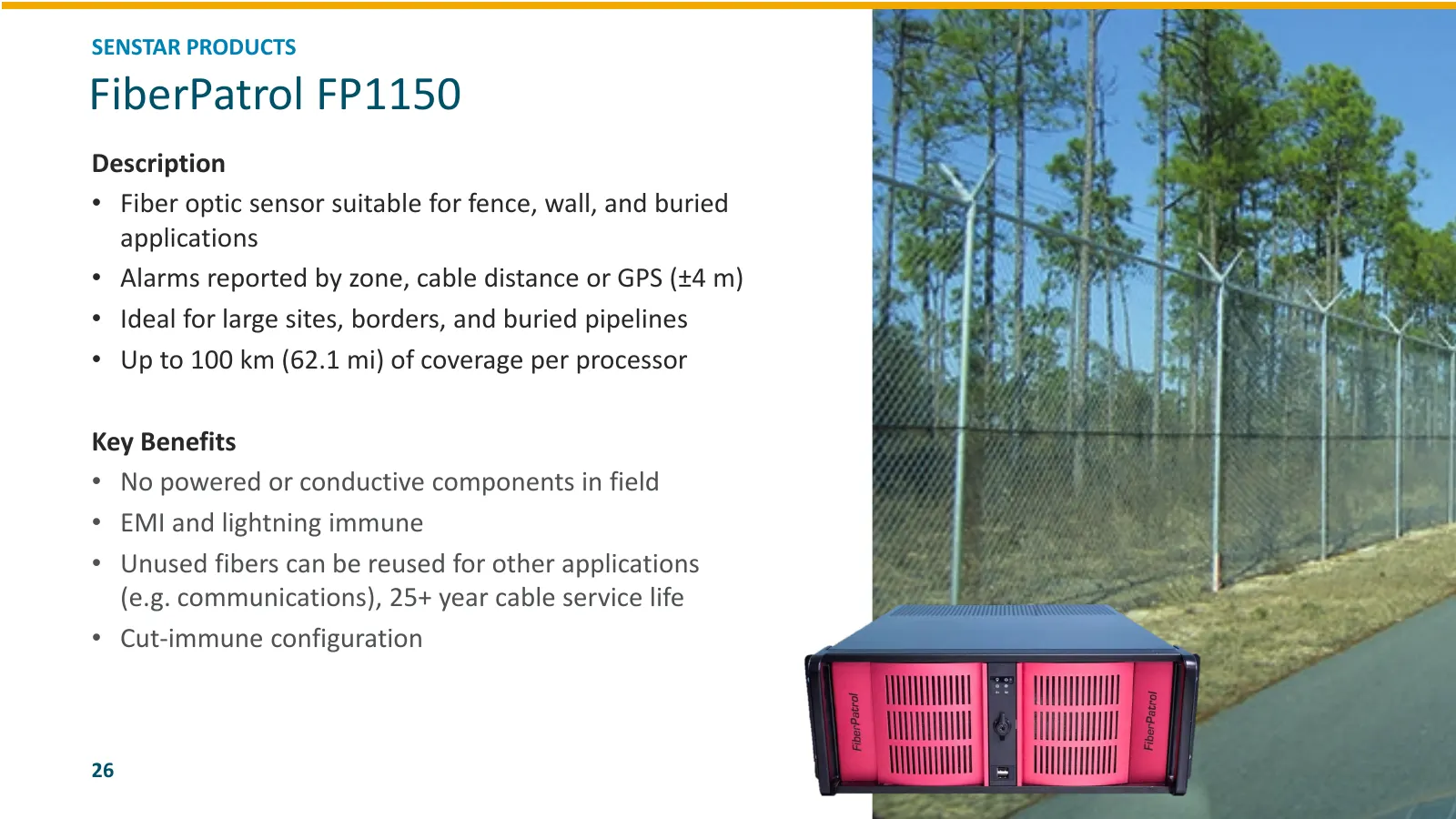
SENSTAR PRODUCTS FiberPatrol FP1150 Description • Fiber optic sensor suitable for fence, wall, and buried applications • Alarms reported by zone, cable distance or GPS (±4 m) • Ideal for large sites, borders, and buried pipelines • Up to 100 km (62.1 mi) of coverage per processor Key Benefits • No p
Slide 27: FiberPatrol FP1150 Technical Details
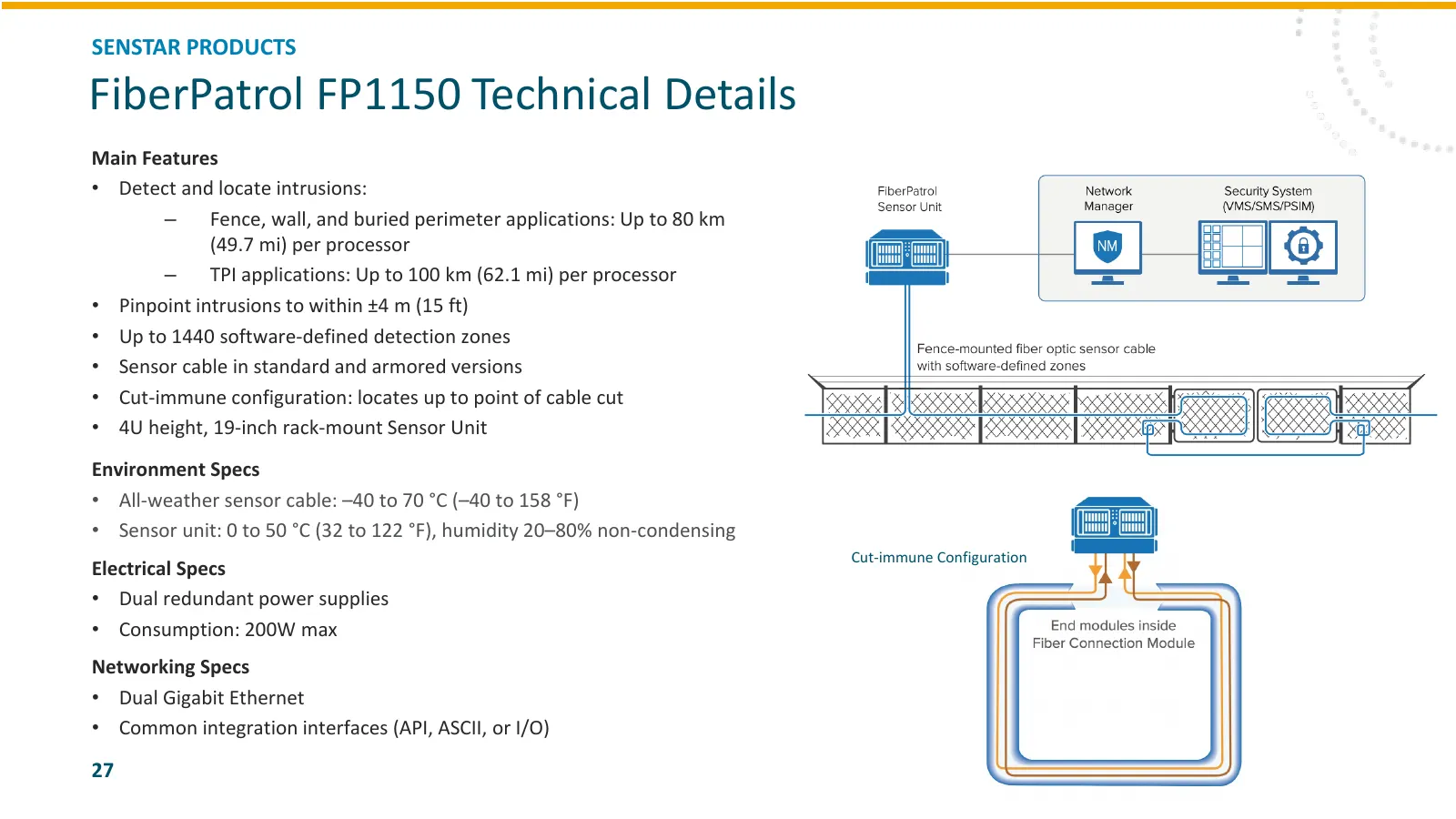
SENSTAR PRODUCTS FiberPatrol FP1150 Technical Details Main Features • Detect and locate intrusions: – Fence, wall, and buried perimeter applications: Up to 80 km (49.7 mi) per processor – TPI applications: Up to 100 km (62.1 mi) per processor • Pinpoint intrusions to within ±4 m (15 ft) • Up to 1440
Slide 28: FiberPatrol FP400
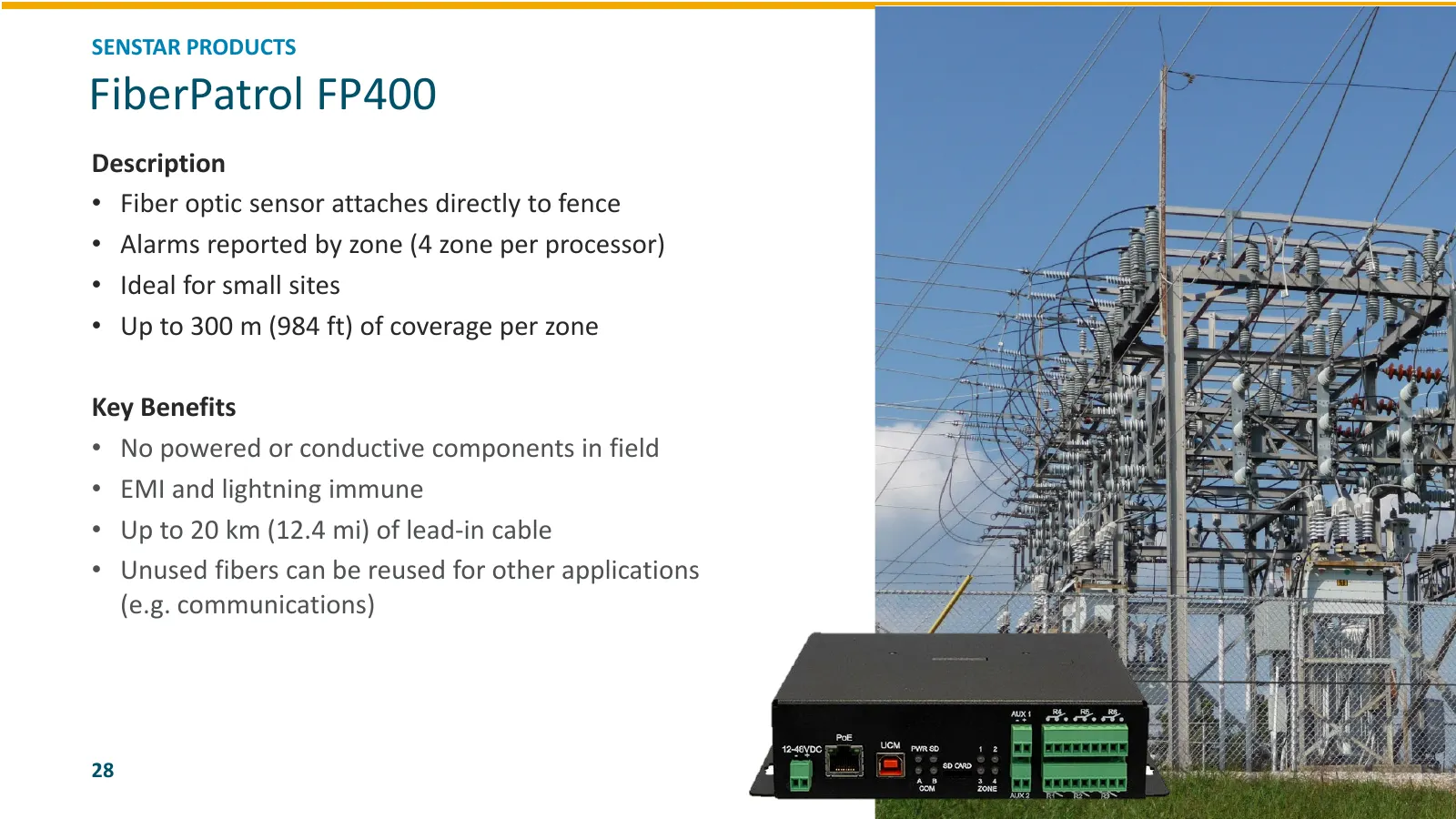
SENSTAR PRODUCTS FiberPatrol FP400 Description • Fiber optic sensor attaches directly to fence • Alarms reported by zone (4 zone per processor) • Ideal for small sites • Up to 300 m (984 ft) of coverage per zone Key Benefits • No powered or conductive components in field • EMI and lightning immune •
Slide 29: FiberPatrol FP400 Technical Details
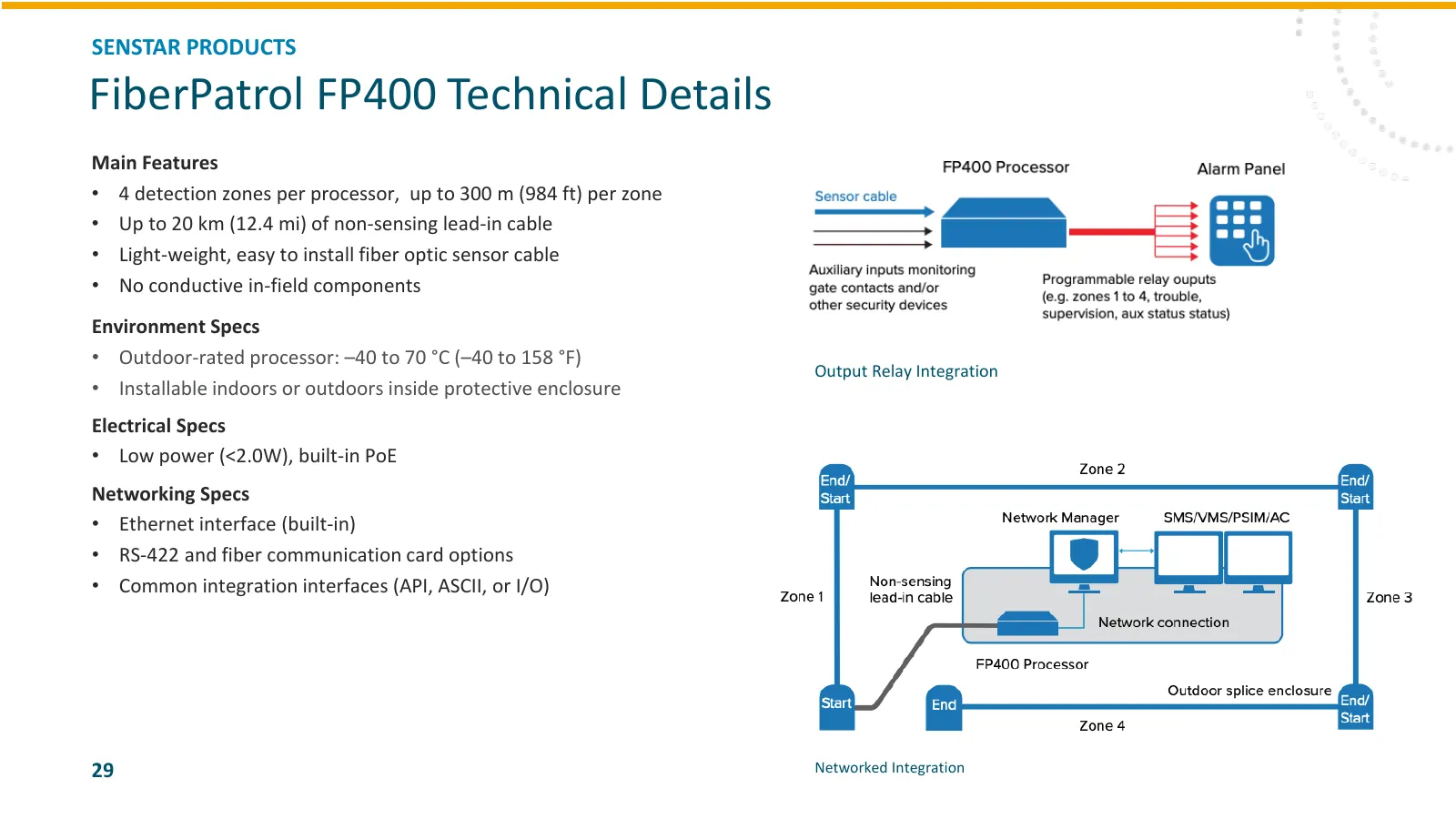
SENSTAR PRODUCTS FiberPatrol FP400 Technical Details Main Features • 4 detection zones per processor, up to 300 m (984 ft) per zone • Up to 20 km (12.4 mi) of non-sensing lead-in cable • Light-weight, easy to install fiber optic sensor cable • No conductive in-field components Environment Specs • Ou
Slide 30: XField
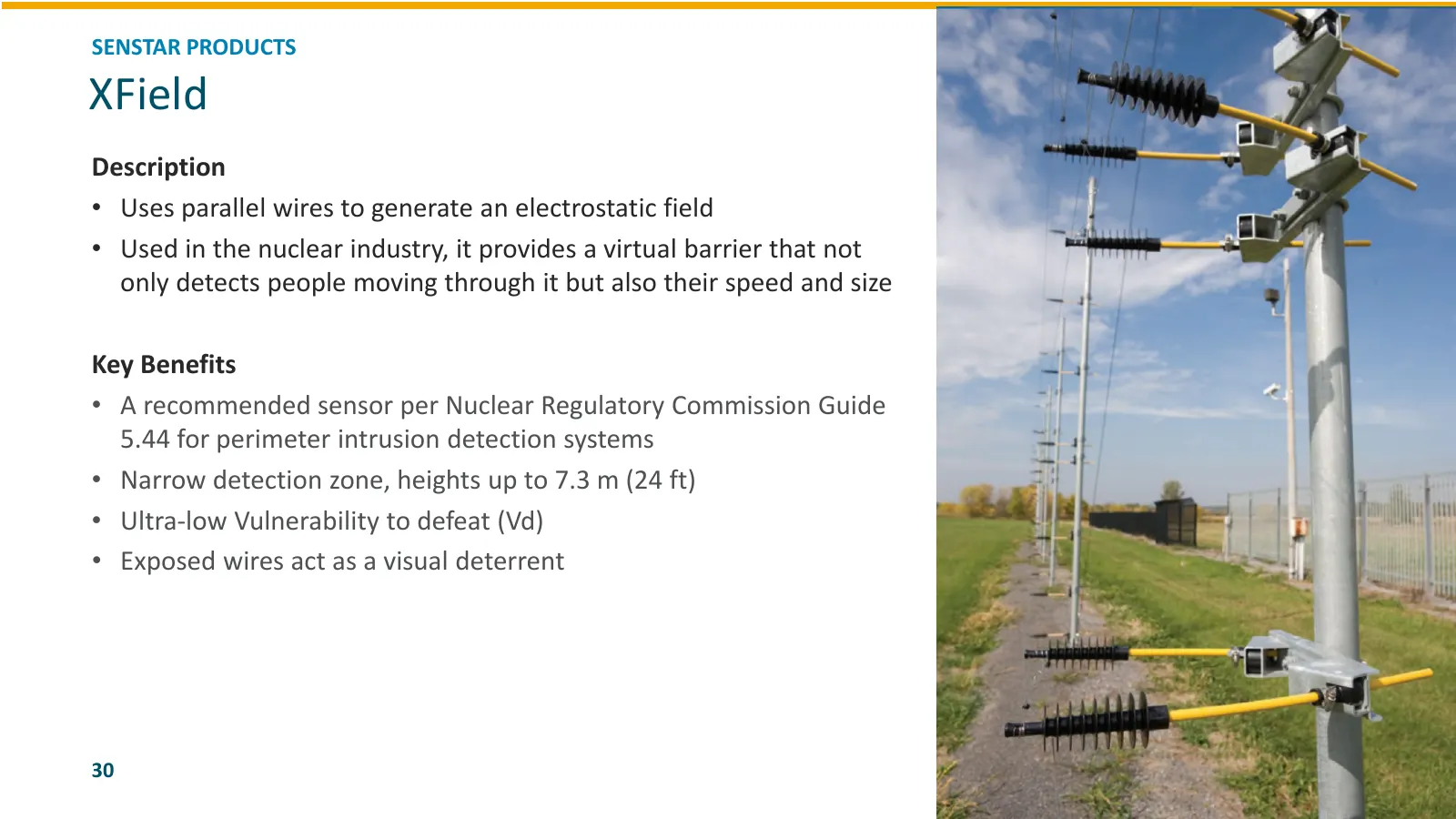
SENSTAR PRODUCTS XField Description • Uses parallel wires to generate an electrostatic field • Used in the nuclear industry, it provides a virtual barrier that not only detects people moving through it but also their speed and size Key Benefits • A recommended sensor per Nuclear Regulatory Commissio
Slide 31: XField Technical Details
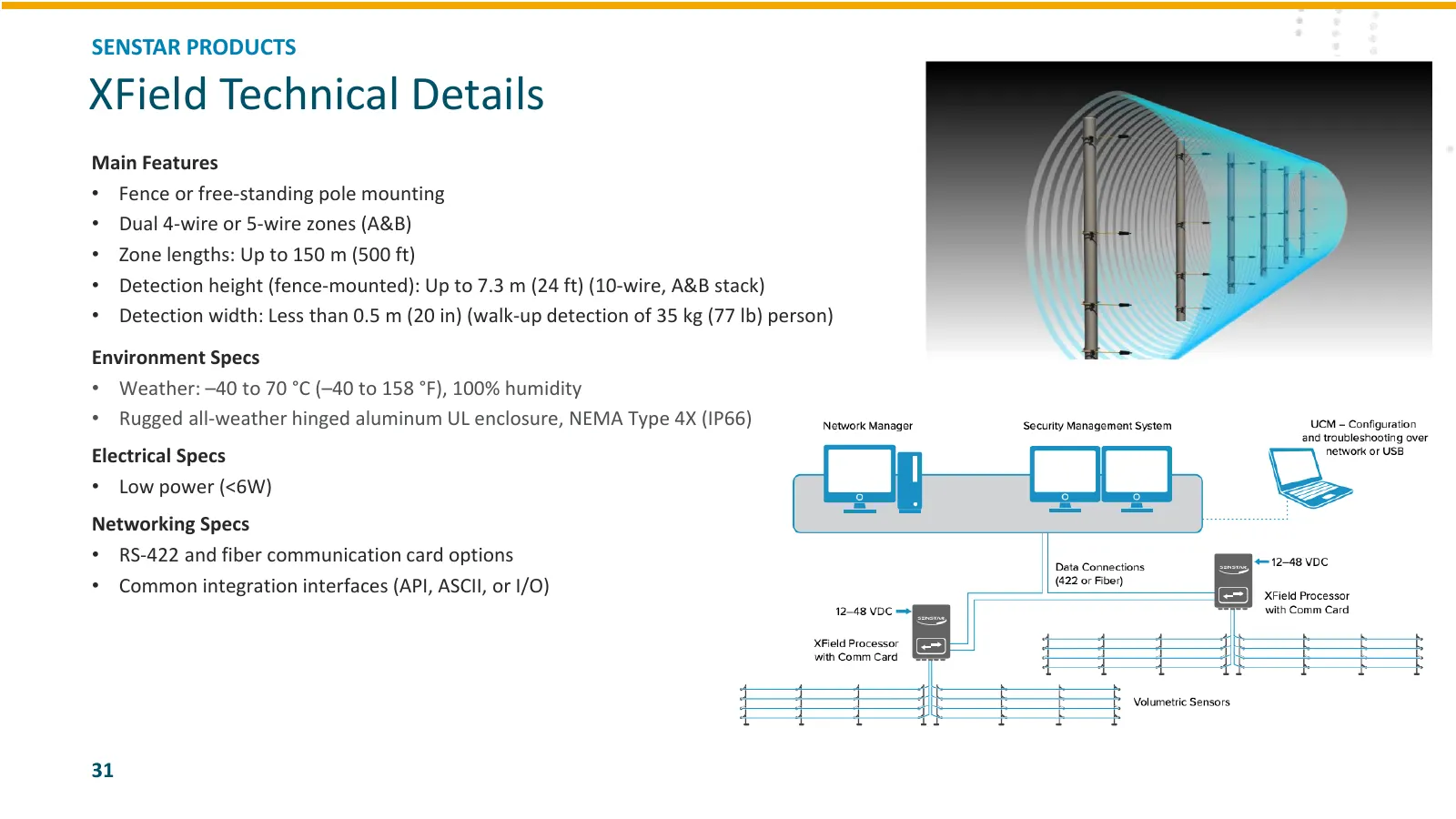
SENSTAR PRODUCTS XField Technical Details Main Features • Fence or free-standing pole mounting • Dual 4-wire or 5-wire zones (A&B) • Zone lengths: Up to 150 m (500 ft) • Detection height (fence-mounted): Up to 7.3 m (24 ft) (10-wire, A&B stack) • Detection width: Less than 0.5 m (20 in) (walk-up det
Slide 32: Gate and Gap-Fill Solutions
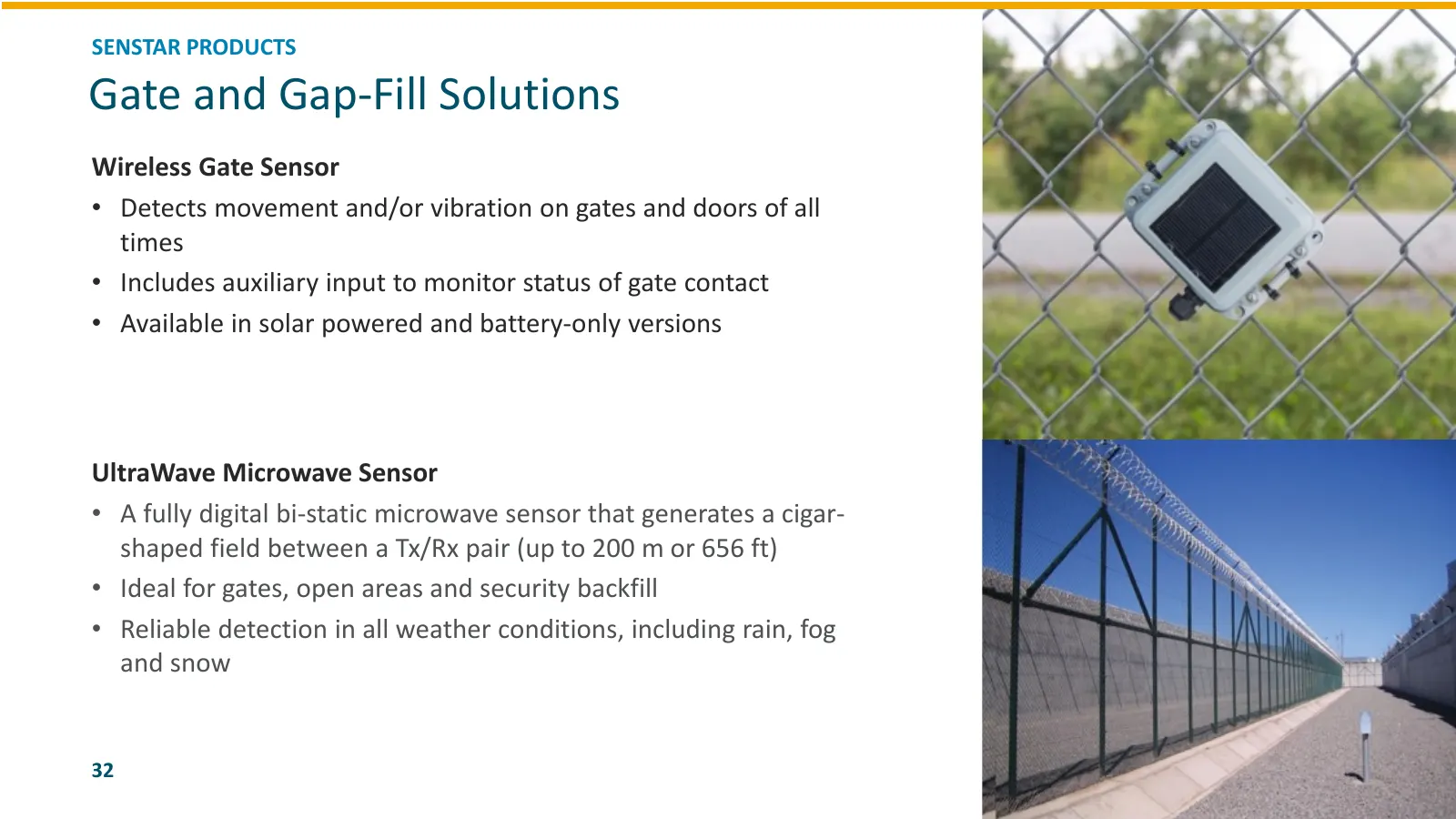
SENSTAR PRODUCTS Gate and Gap-Fill Solutions Wireless Gate Sensor • Detects movement and/or vibration on gates and doors of all times • Includes auxiliary input to monitor status of gate contact • Available in solar powered and battery-only versions UltraWave Microwave Sensor • A fully digital bi-st
Slide 33: Wireless Gate Sensor Technical Details
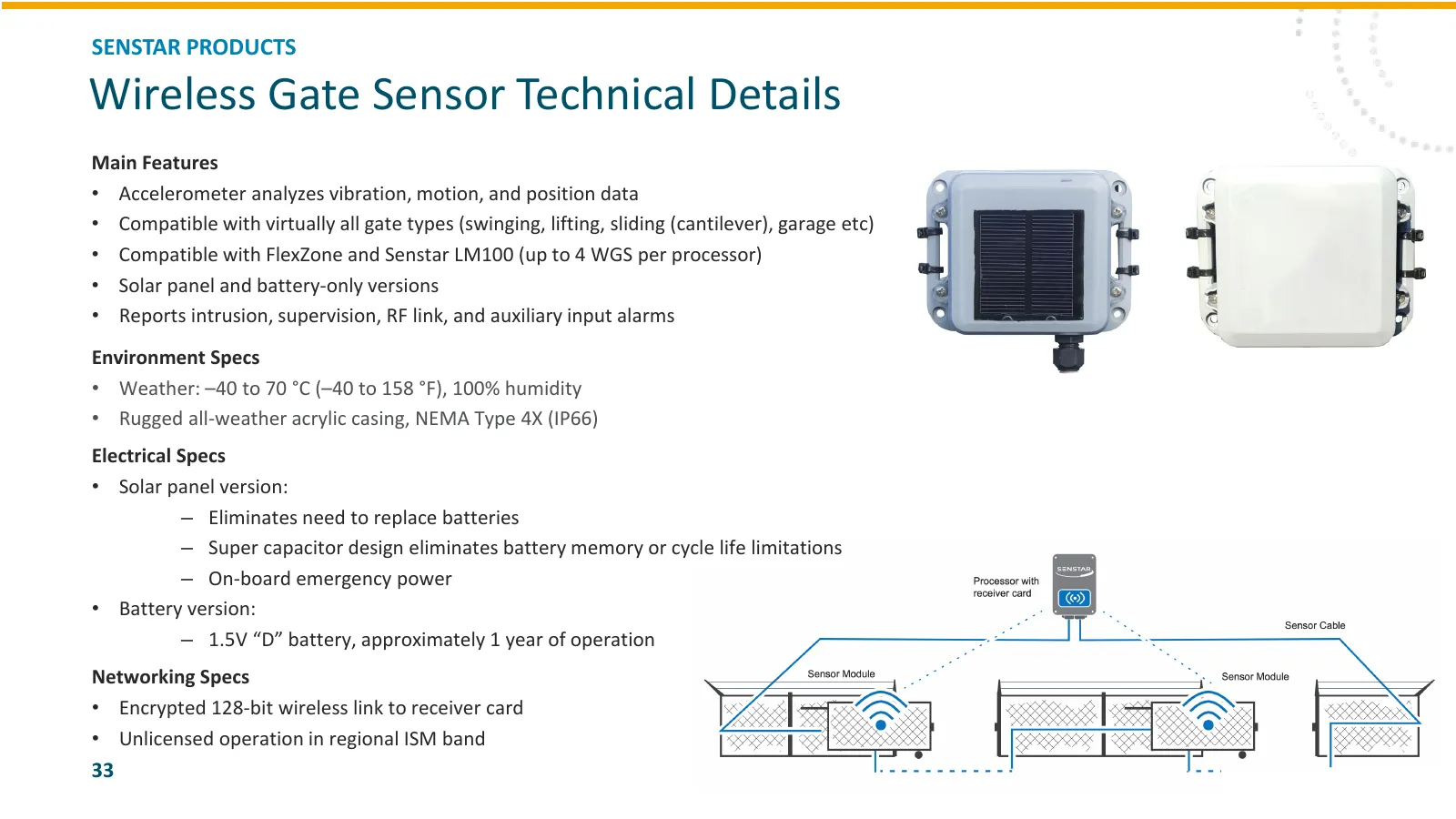
SENSTAR PRODUCTS Wireless Gate Sensor Technical Details Main Features • Accelerometer analyzes vibration, motion, and position data • Compatible with virtually all gate types (swinging, lifting, sliding (cantilever), garage etc) • Compatible with FlexZone and Senstar LM100 (up to 4 WGS per processor
Slide 34: UltraWave Technical Details
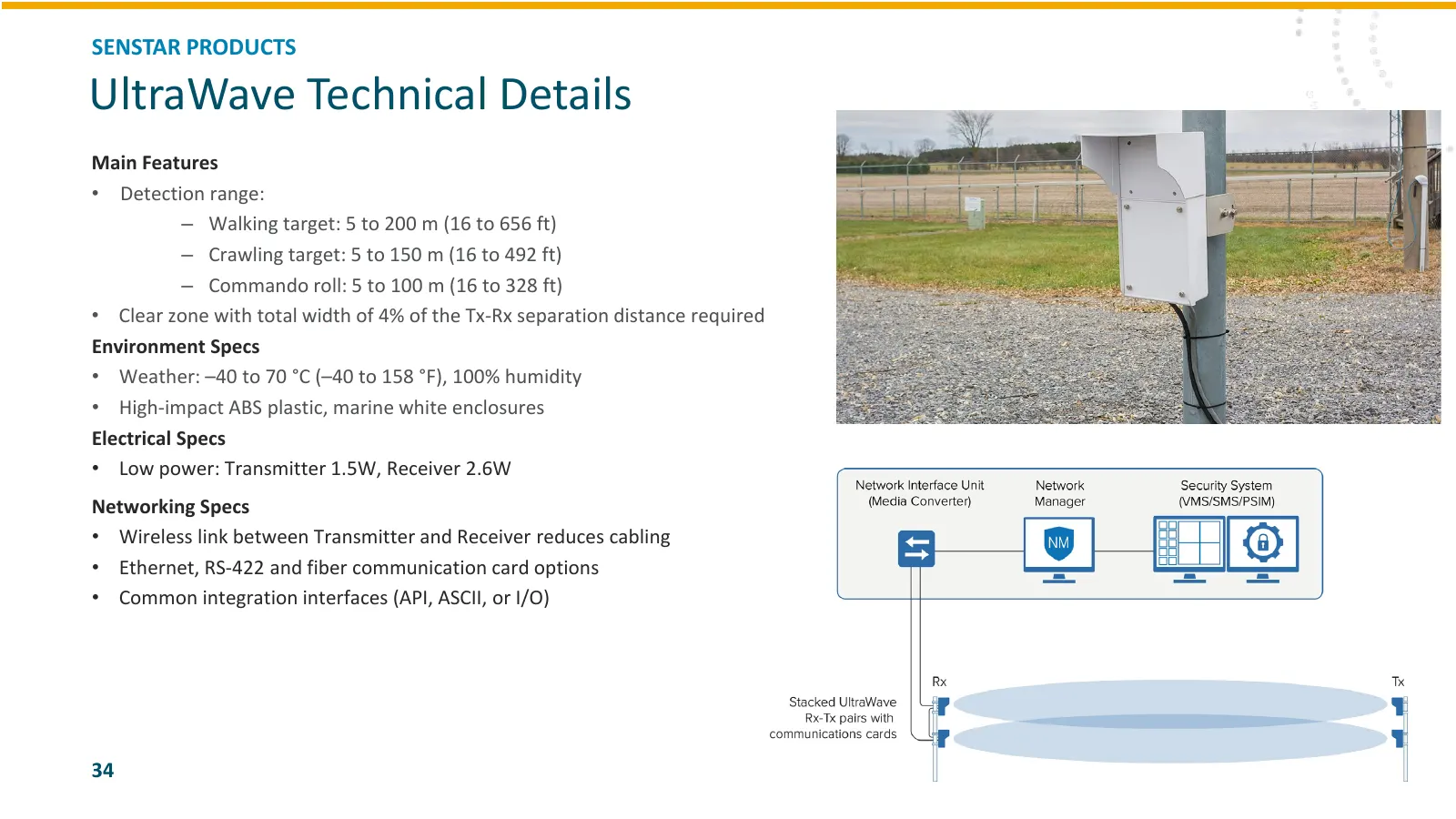
SENSTAR PRODUCTS UltraWave Technical Details Main Features • Detection range: – Walking target: 5 to 200 m (16 to 656 ft) – Crawling target: 5 to 150 m (16 to 492 ft) – Commando roll: 5 to 100 m (16 to 328 ft) • Clear zone with total width of 4% of the Tx-Rx separation distance required Environment
Slide 35: Symphony Common Operating Platform
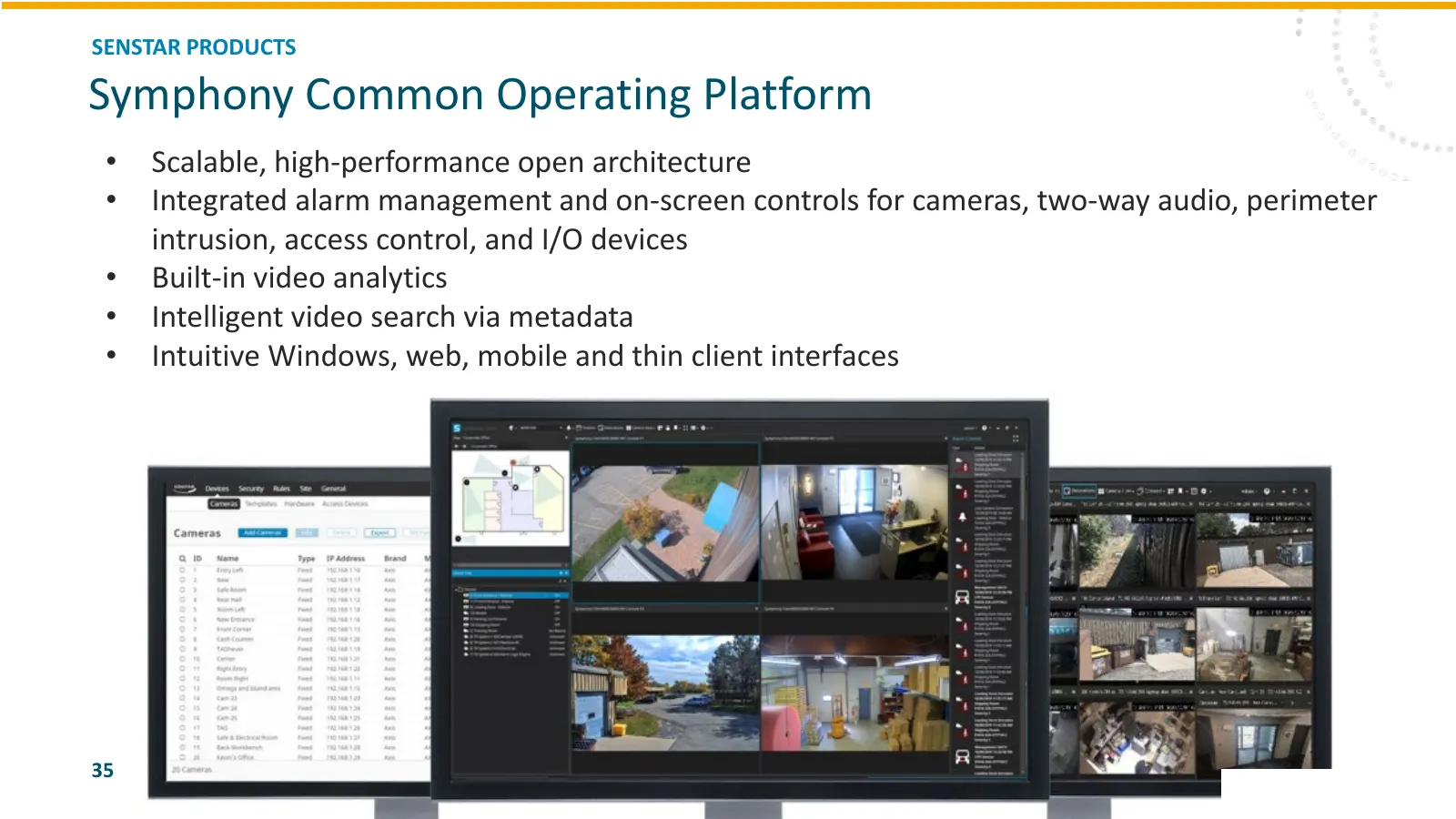
SENSTAR PRODUCTS Symphony Common Operating Platform • Scalable, high-performance open architecture • Integrated alarm management and on-screen controls for cameras, two-way audio, perimeter intrusion, access control, and I/O devices • Built-in video analytics • Intelligent video search via metadata
Slide 36: Symphony Architecture: Scalable and Open
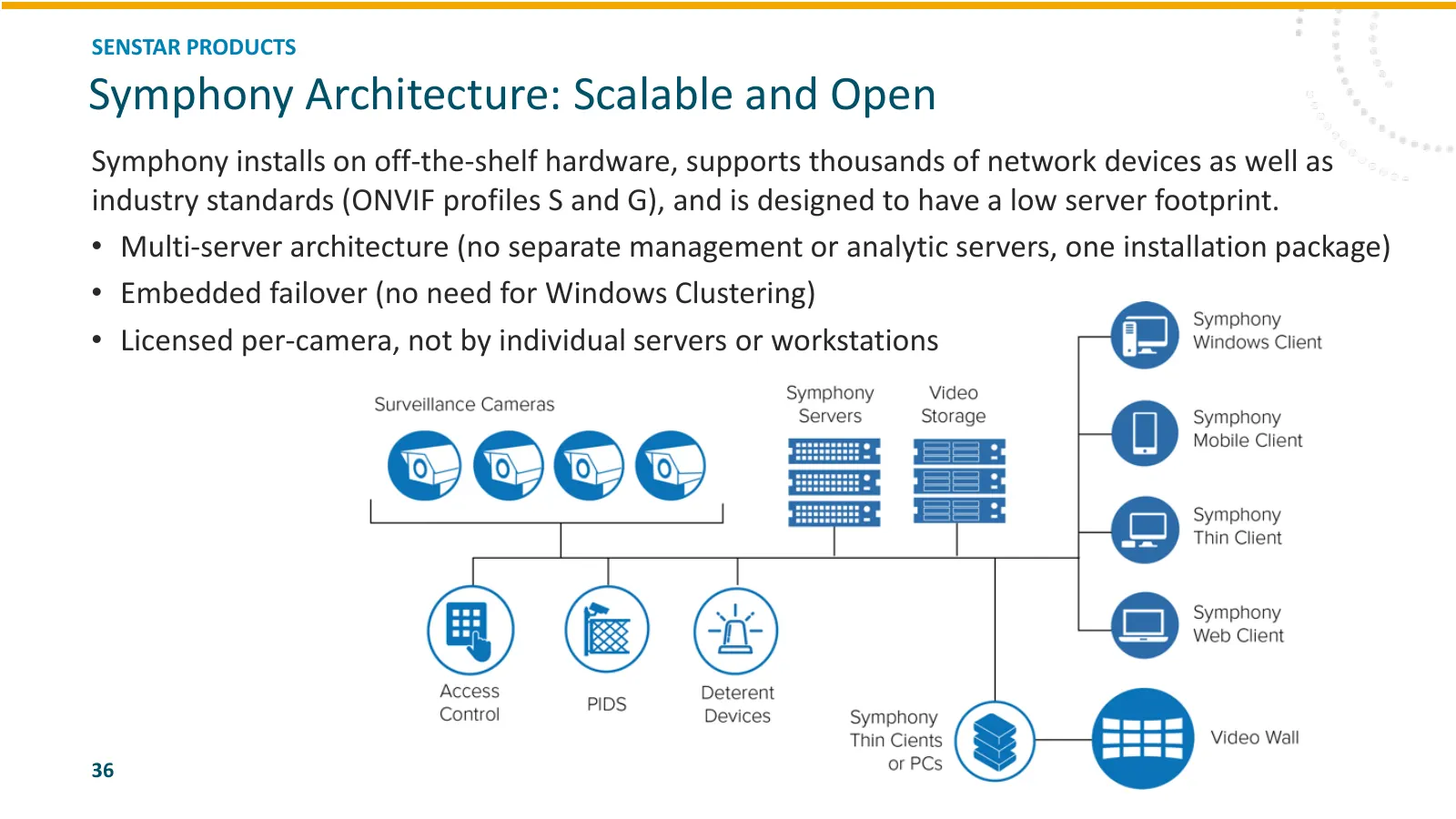
SENSTAR PRODUCTS Symphony Architecture: Scalable and Open Symphony installs on off-the-shelf hardware, supports thousands of network devices as well as industry standards (ONVIF profiles S and G), and is designed to have a low server footprint. • Multi-server architecture (no separate management or
Slide 37: Video Analytics
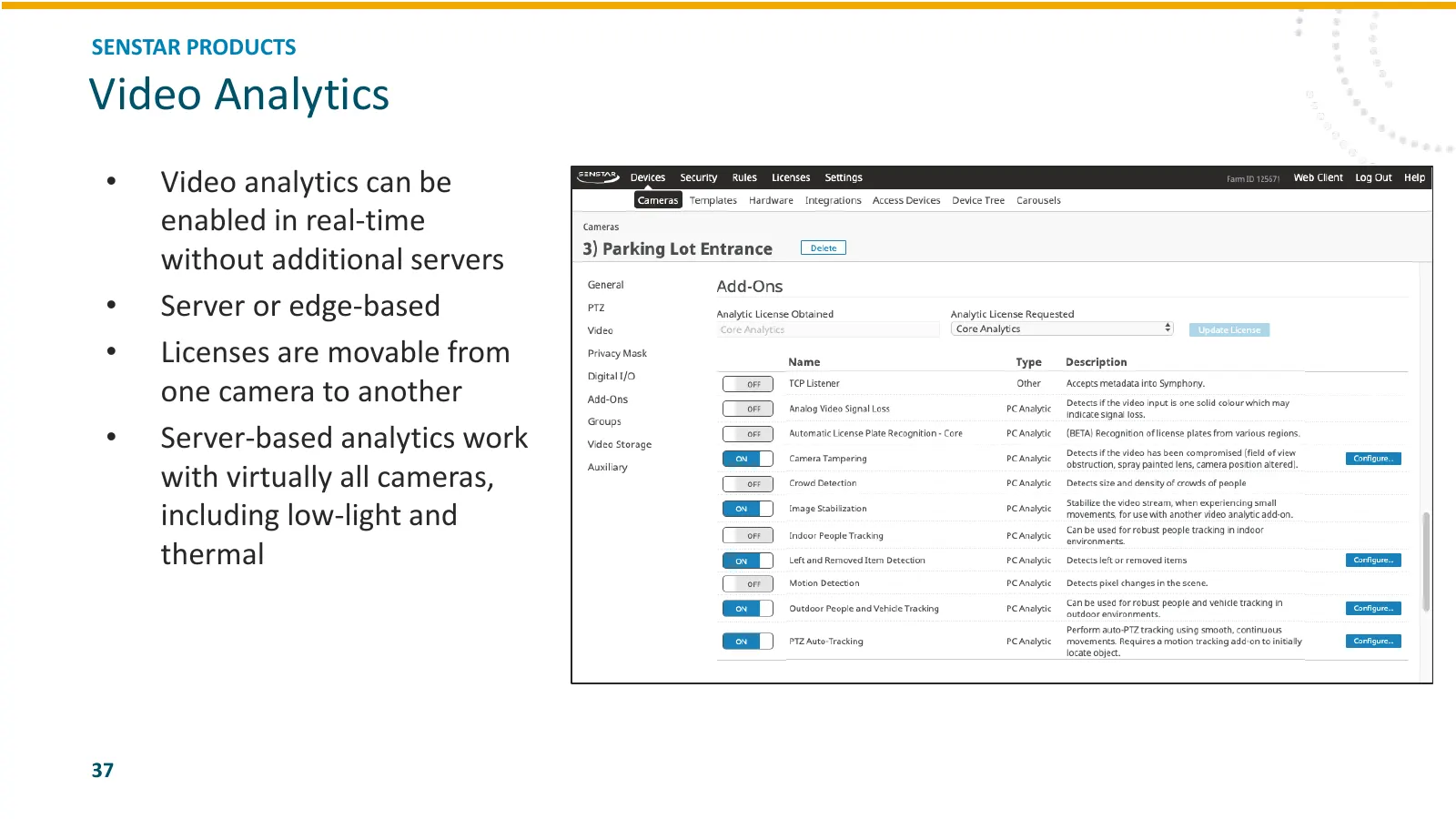
SENSTAR PRODUCTS Video Analytics • Video analytics can be enabled in real-time without additional servers • Server or edge-based • Licenses are movable from one camera to another • Server-based analytics work with virtually all cameras, including low-light and thermal 37
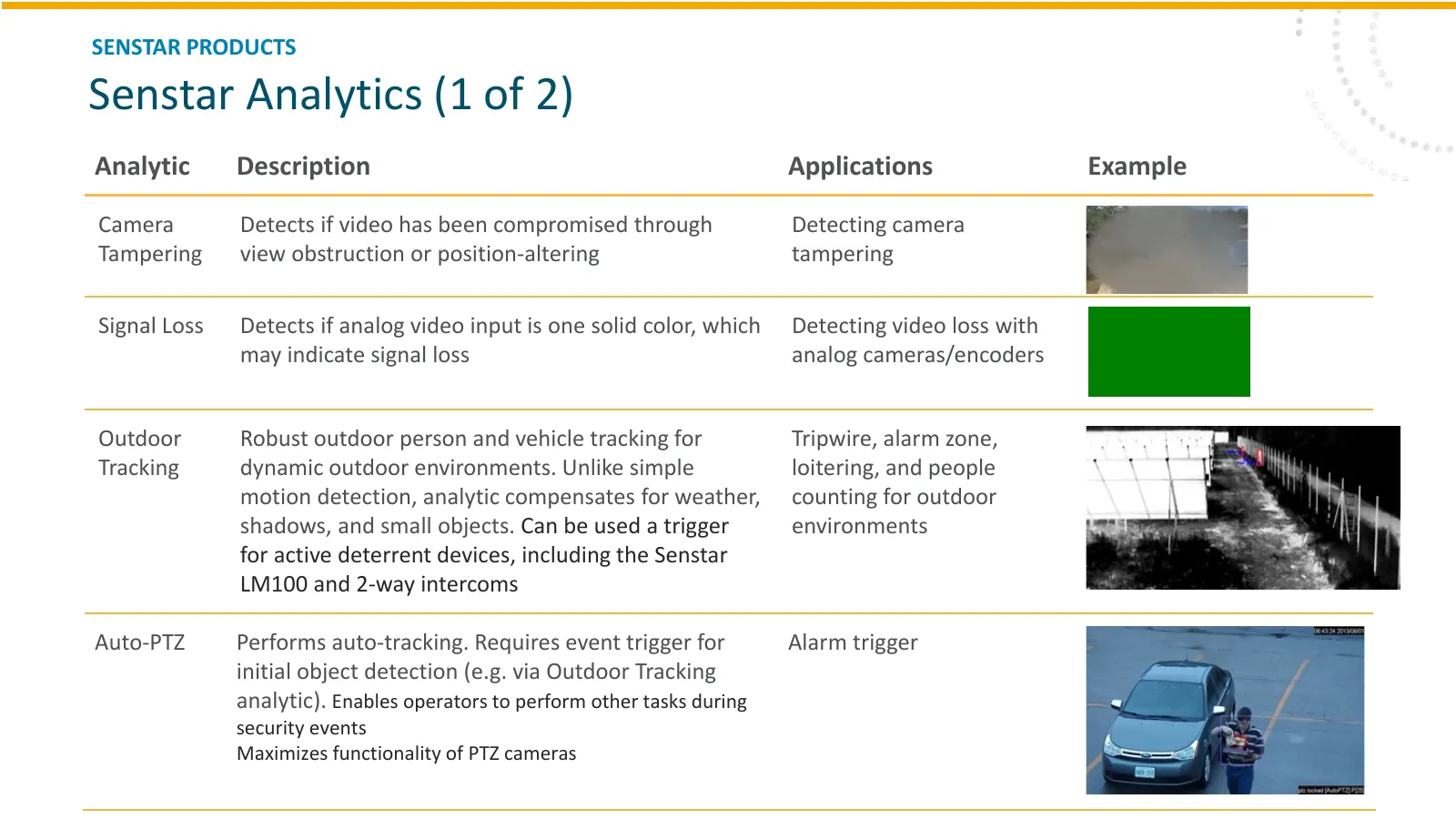
Slide 38: Senstar Analytics (1 of 2)
SENSTAR PRODUCTS Senstar Analytics (1 of 2) Analytic Description Applications Example Camera Detects if video has been compromised through Detecting camera Tampering view obstruction or position-altering tampering Signal Loss Detects if analog video input is one solid color, which Detecting video lo
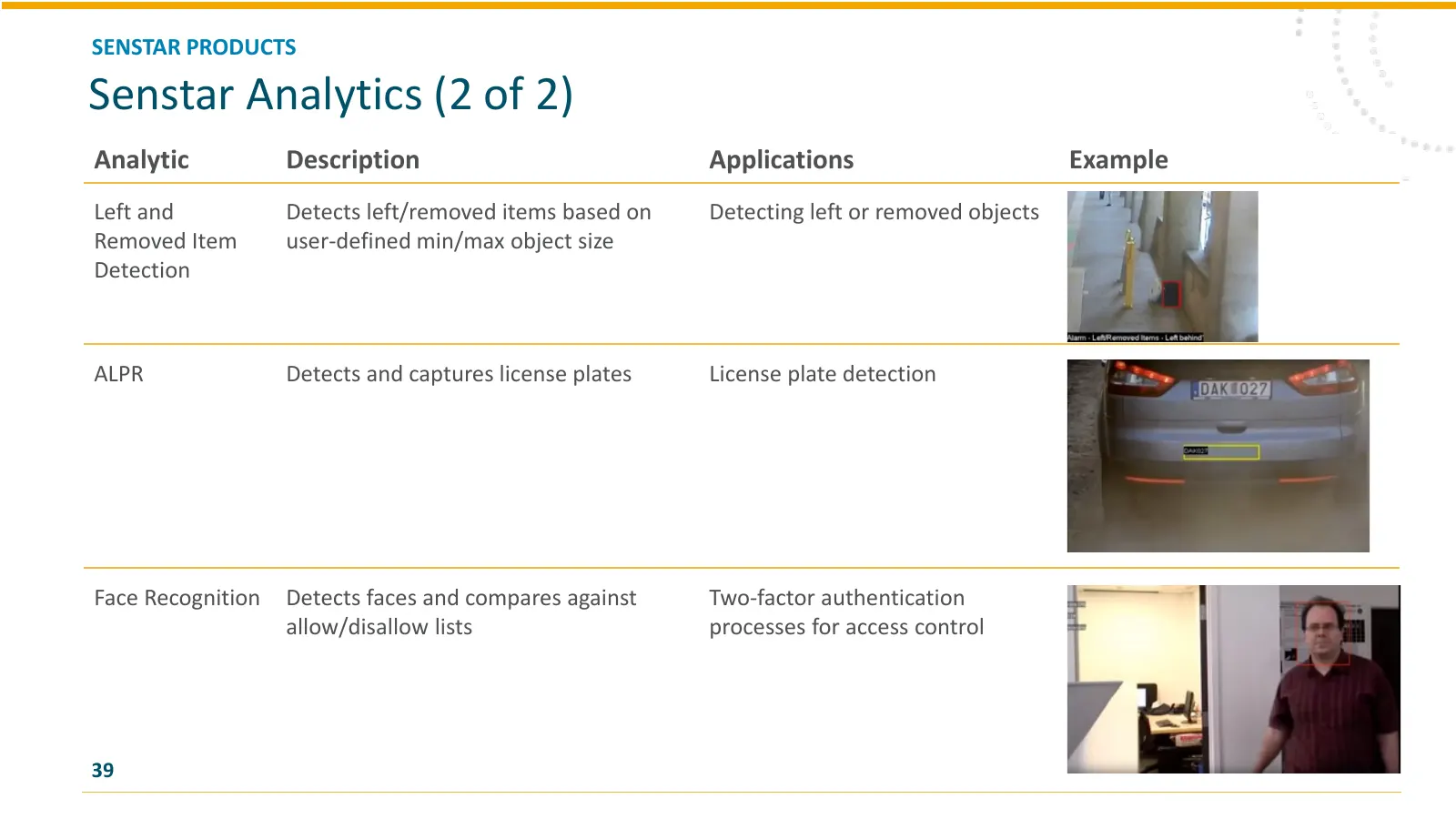
Slide 39: Senstar Analytics (2 of 2)
SENSTAR PRODUCTS Senstar Analytics (2 of 2) Analytic Description Applications Example Left and Detects left/removed items based on Detecting left or removed objects Removed Item user-defined min/max object size Detection ALPR Detects and captures license plates License plate detection Face Recogniti
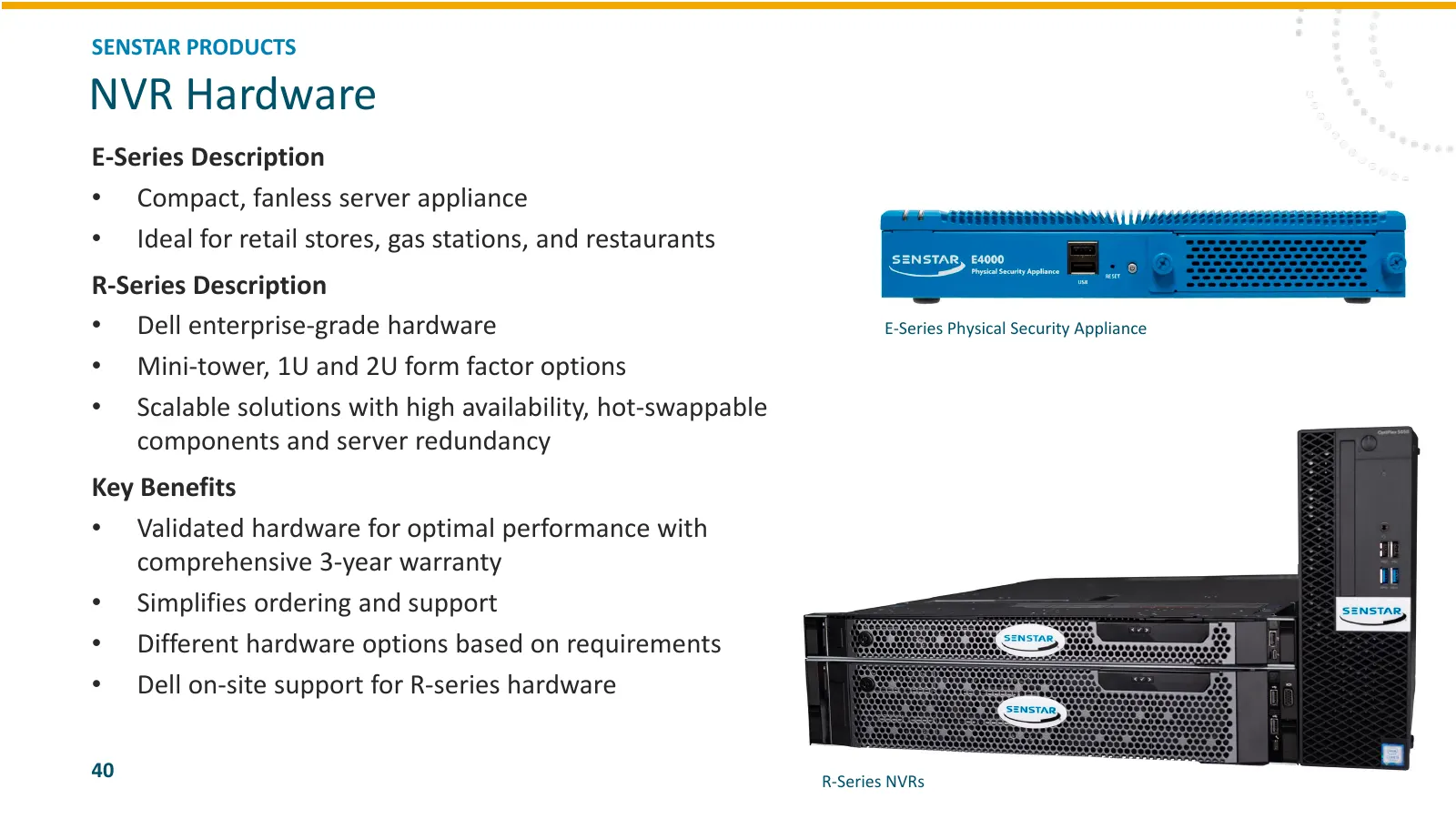
Slide 40: NVR Hardware
SENSTAR PRODUCTS NVR Hardware E-Series Description • Compact, fanless server appliance • Ideal for retail stores, gas stations, and restaurants R-Series Description • Dell enterprise-grade hardware E-Series Physical Security Appliance • Mini-tower, 1U and 2U form factor options • Scalable solutions
Slide 41: Deployment Example: Electrical Storage Yard
ELECTRICAL UTILITY INFRASTRUCTURE Deployment Example: Electrical Storage Yard
Slide 42: Overview
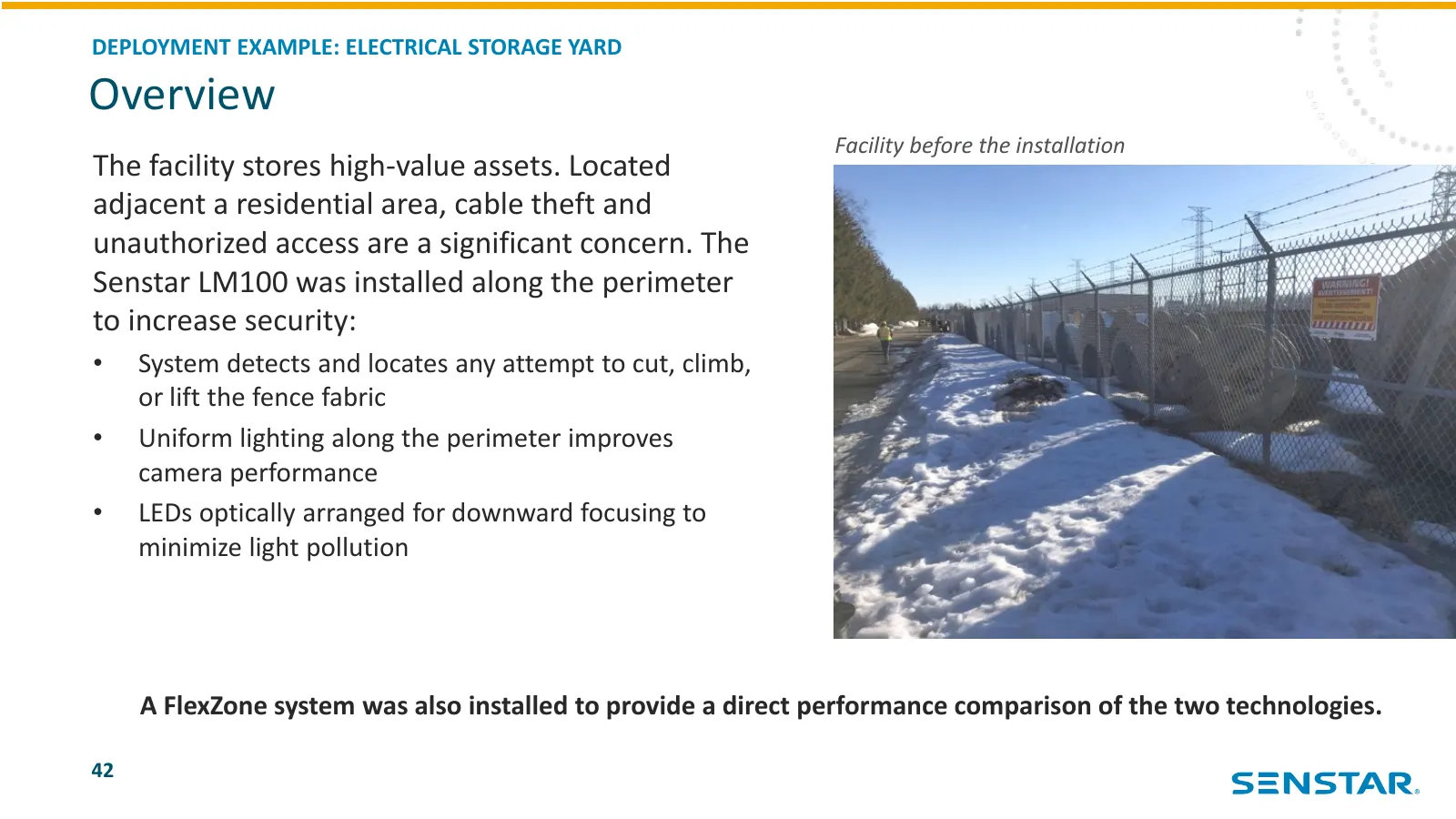
DEPLOYMENT EXAMPLE: ELECTRICAL STORAGE YARD Overview Facility before the installation The facility stores high-value assets. Located adjacent a residential area, cable theft and unauthorized access are a significant concern. The Senstar LM100 was installed along the perimeter to increase security: •
Slide 43: Site Installation
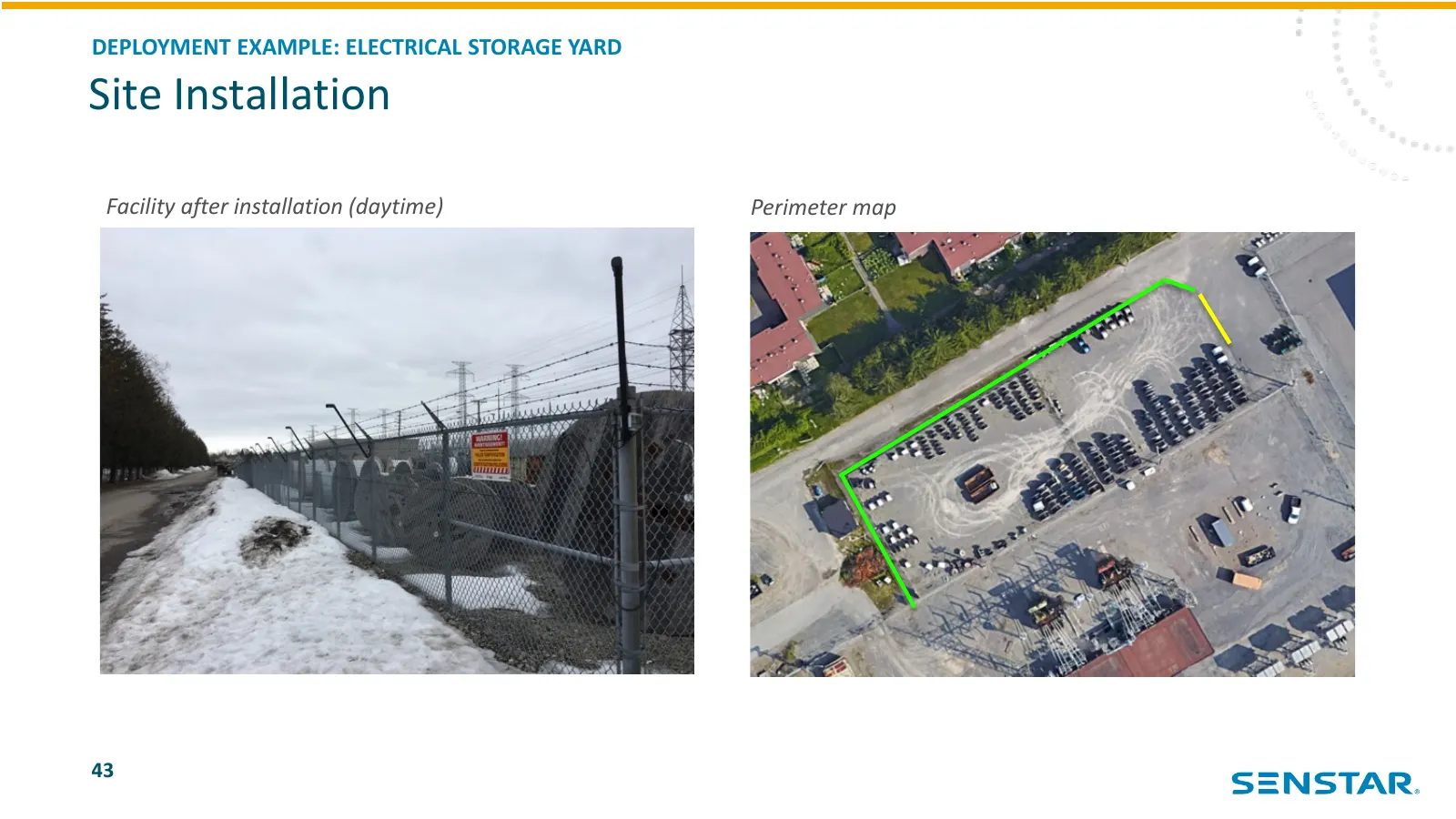
DEPLOYMENT EXAMPLE: ELECTRICAL STORAGE YARD Site Installation Facility after installation (daytime) Perimeter map 43
Slide 44: LM100 Illumination Performance
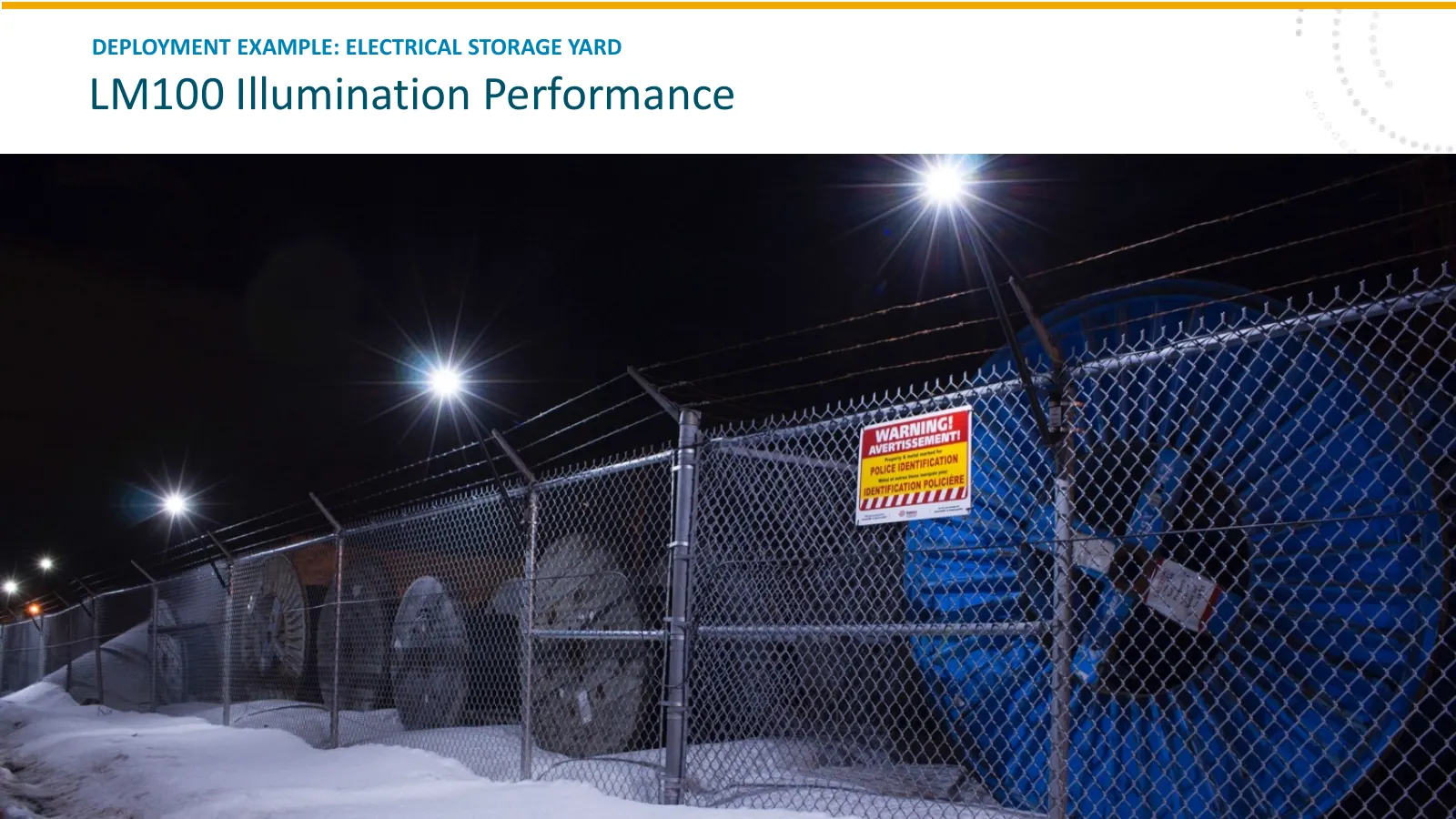
DEPLOYMENT EXAMPLE: ELECTRICAL STORAGE YARD LM100 Illumination Performance 44
Slide 45: LM100 Illumination Comparison
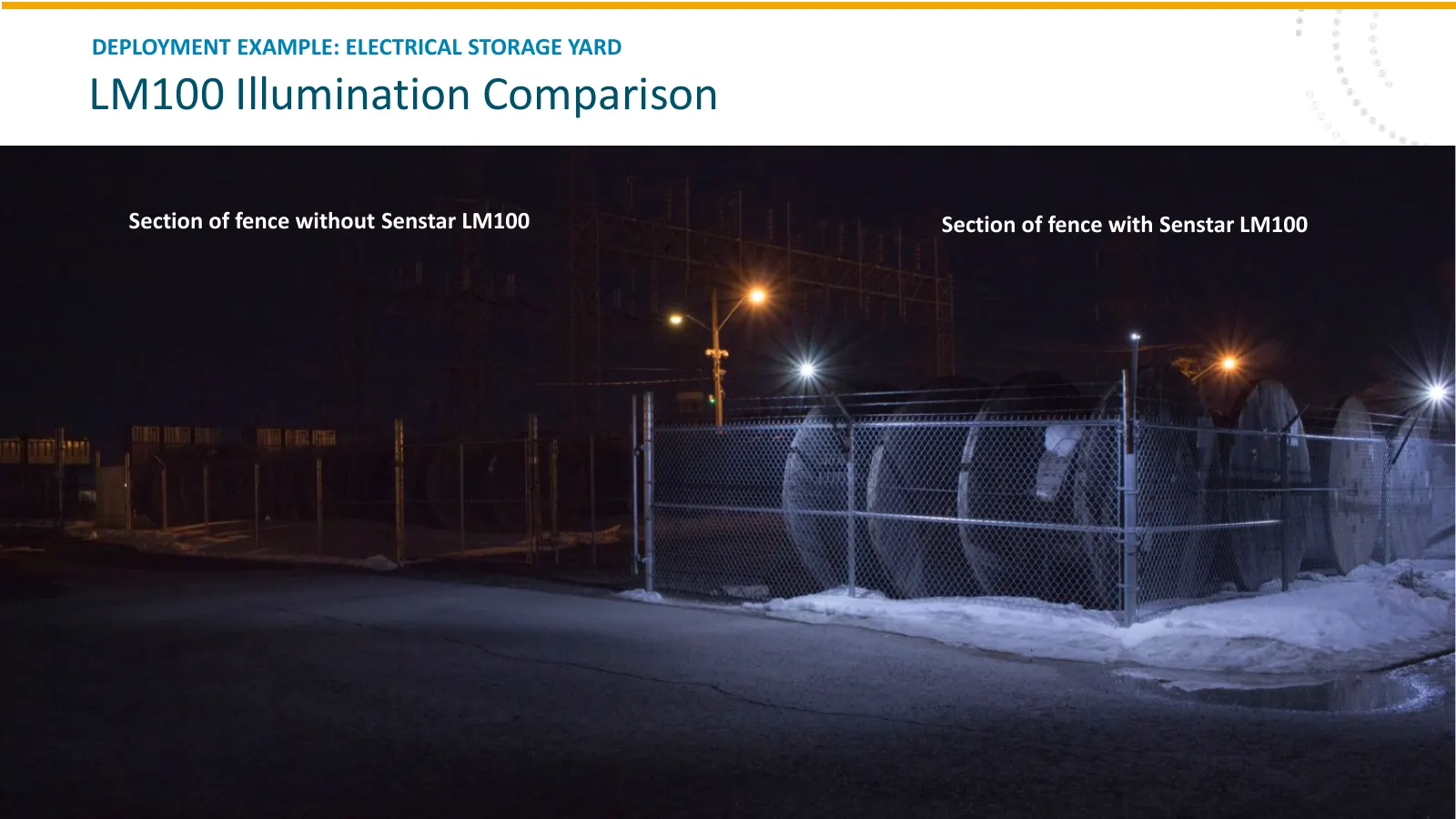
DEPLOYMENT EXAMPLE: ELECTRICAL STORAGE YARD LM100 Illumination Comparison Section of fence without Senstar LM100 Section of fence with Senstar LM100 45
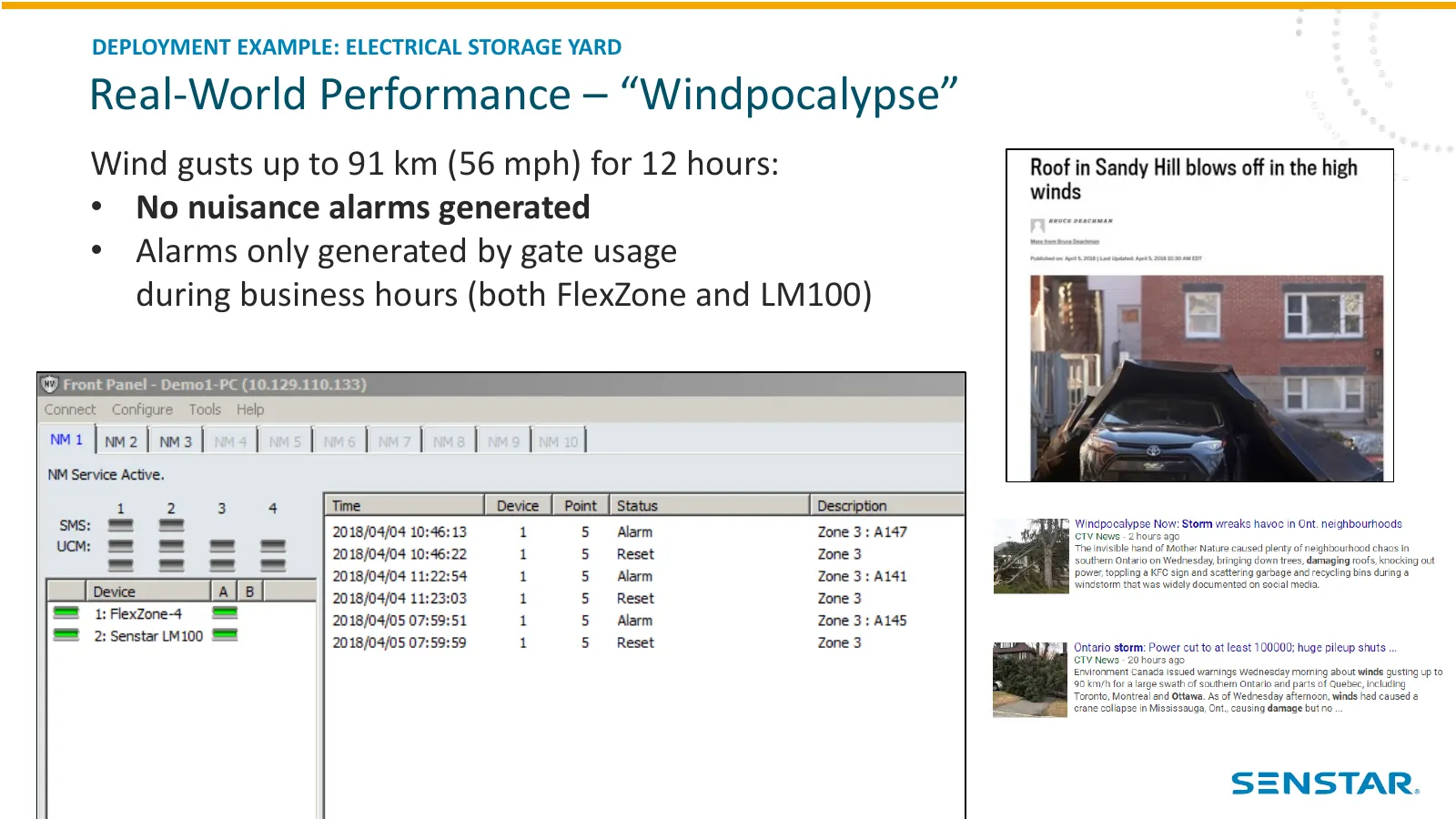
Slide 46: Real-World Performance – “Windpocalypse”
DEPLOYMENT EXAMPLE: ELECTRICAL STORAGE YARD Real-World Performance – “Windpocalypse” Wind gusts up to 91 km (56 mph) for 12 hours: • No nuisance alarms generated • Alarms only generated by gate usage during business hours (both FlexZone and LM100) 46
Slide 47: System Integration Options
ELECTRICAL UTILITY INFRASTRUCTURE System Integration Options
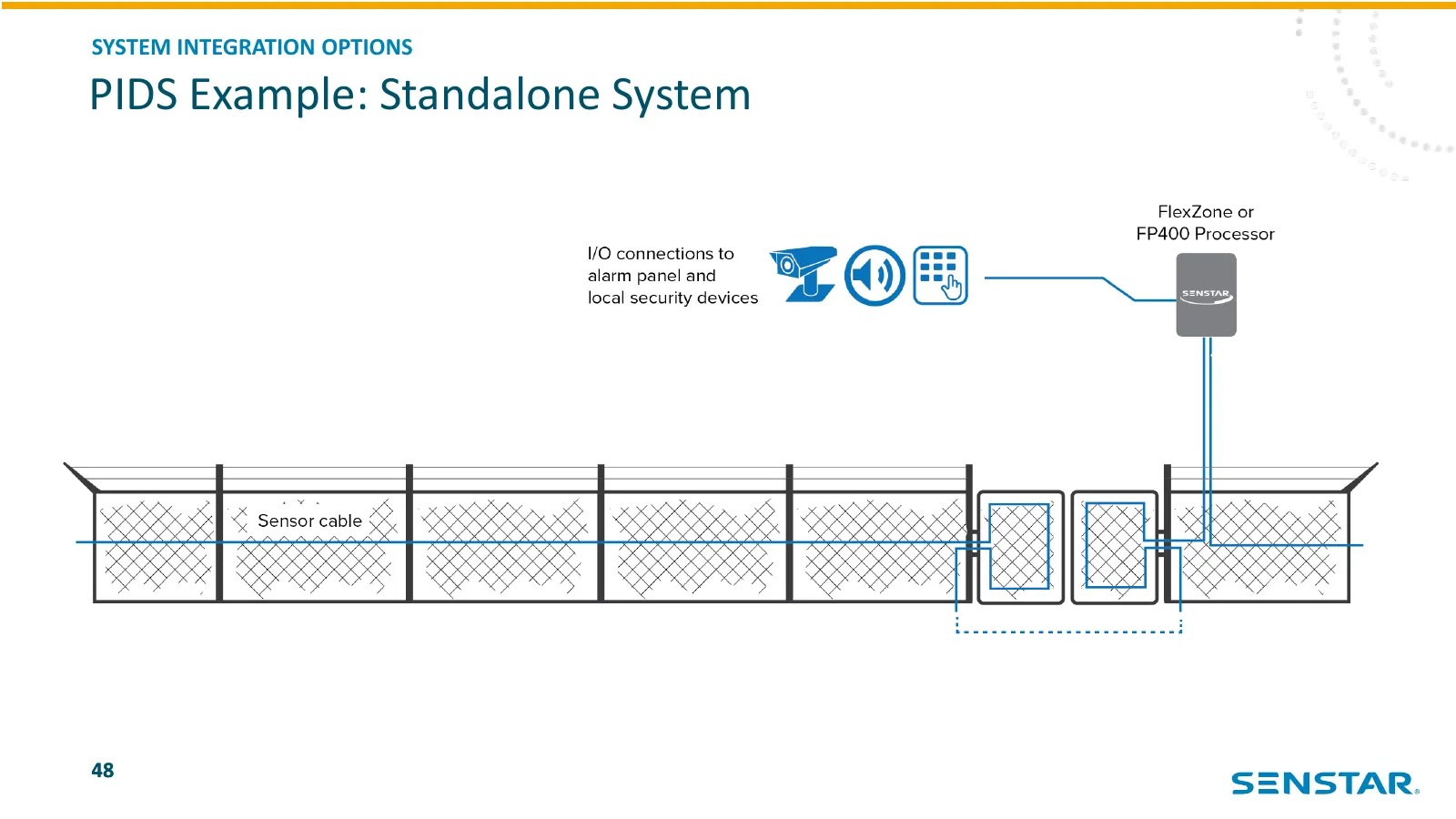
Slide 48: PIDS Example: Standalone System
SYSTEM INTEGRATION OPTIONS PIDS Example: Standalone System 48
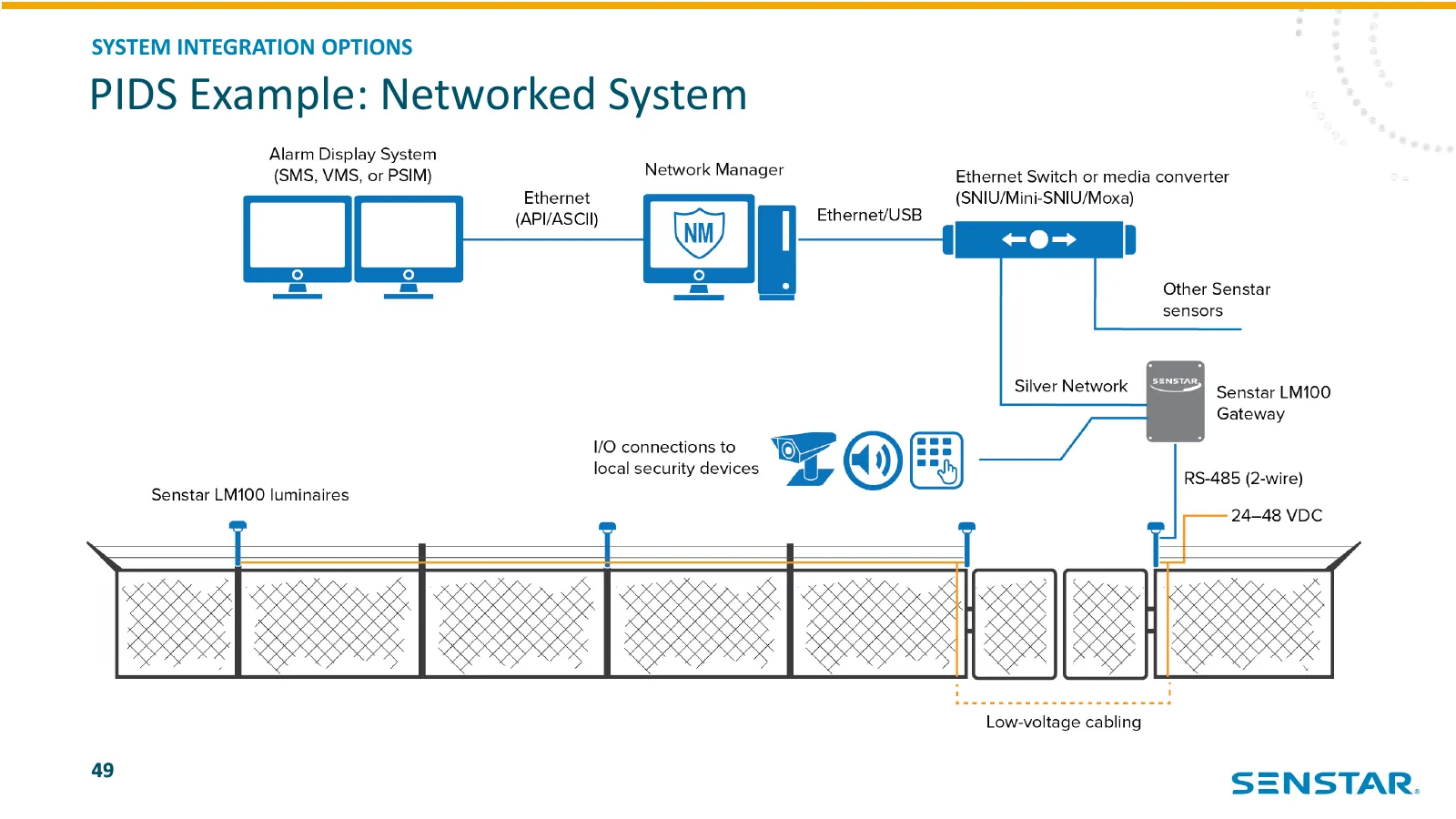
Slide 49: PIDS Example: Networked System
SYSTEM INTEGRATION OPTIONS PIDS Example: Networked System 49
Slide 50: Senstar Network Manager
SYSTEM INTEGRATION OPTIONS Senstar Network Manager The Senstar Network Manager software is an intelligent gateway that provides an interface between the perimeter sensors, other connected security devices, and Senstar/third-party security software (VMS, SMS, PSIM etc). Sensor connectivity Network Ma
Slide 51: PIDS + VMS + Senstar Access Control
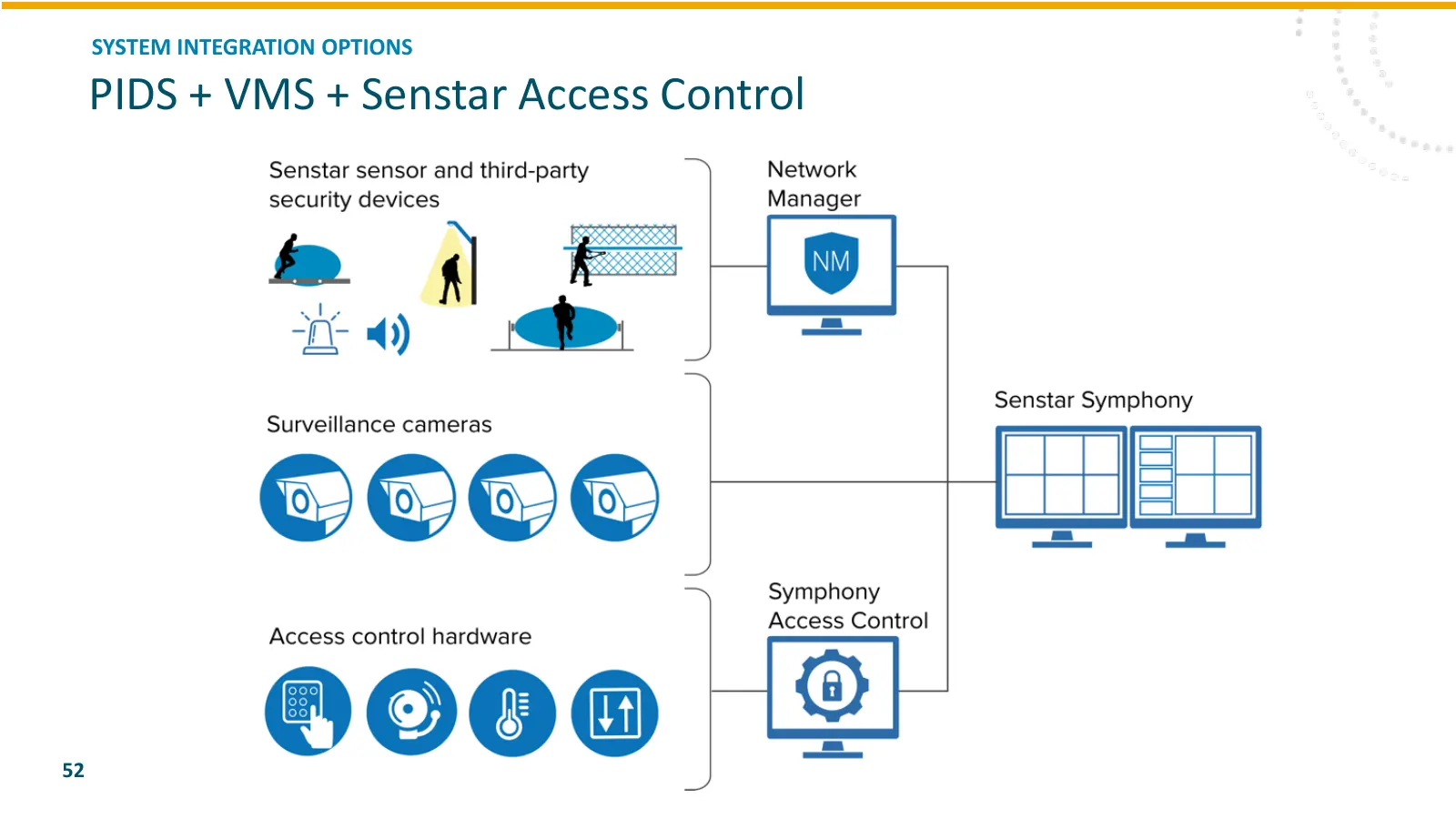
SYSTEM INTEGRATION OPTIONS PIDS + VMS + Senstar Access Control 52
Slide 52: Symphony Integration – Alarm Console
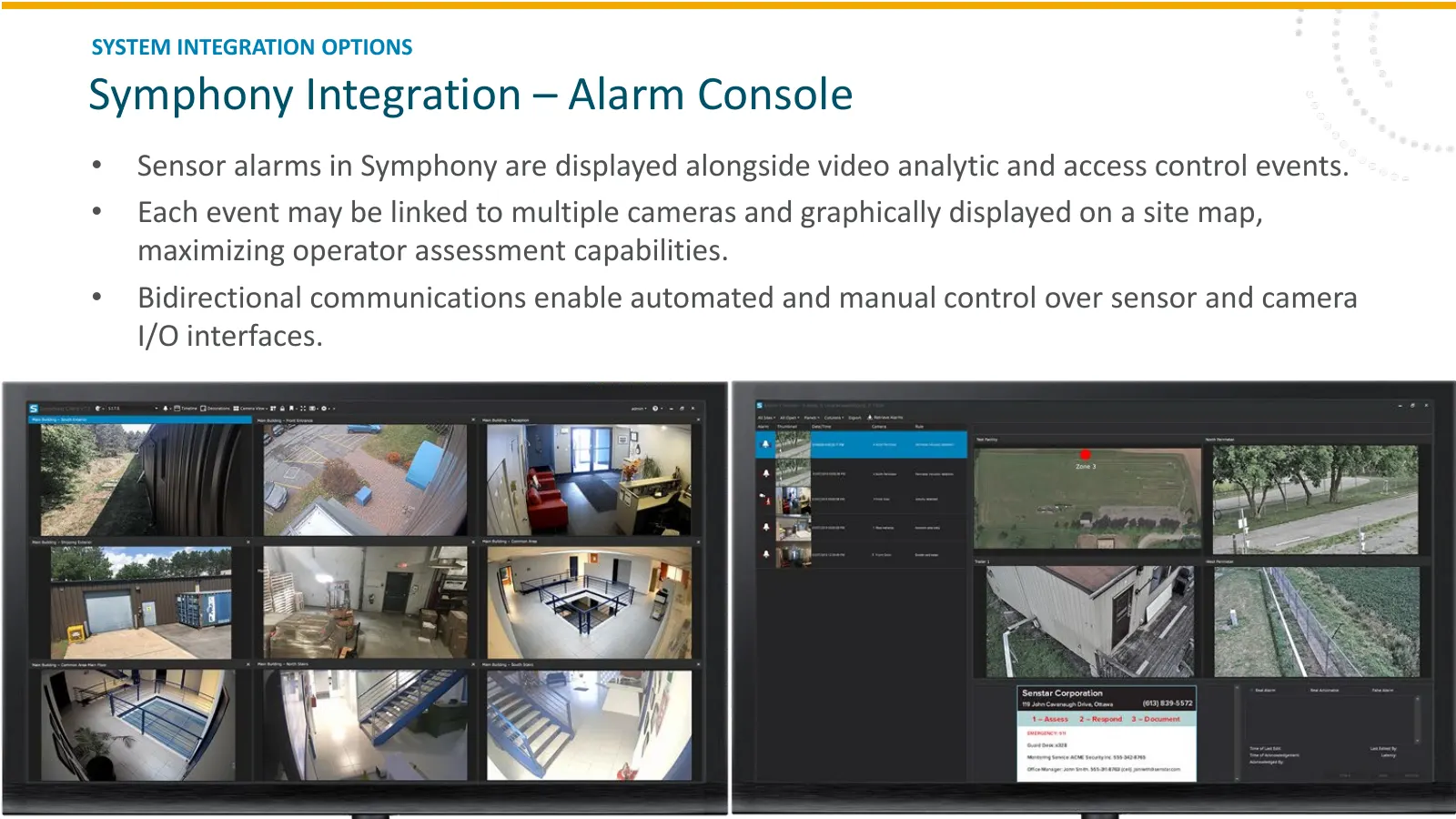
SYSTEM INTEGRATION OPTIONS Symphony Integration – Alarm Console • Sensor alarms in Symphony are displayed alongside video analytic and access control events. • Each event may be linked to multiple cameras and graphically displayed on a site map, maximizing operator assessment capabilities. • Bidirec
Slide 53: Benefits of Integrating PIDS with VMS and Video Analytics
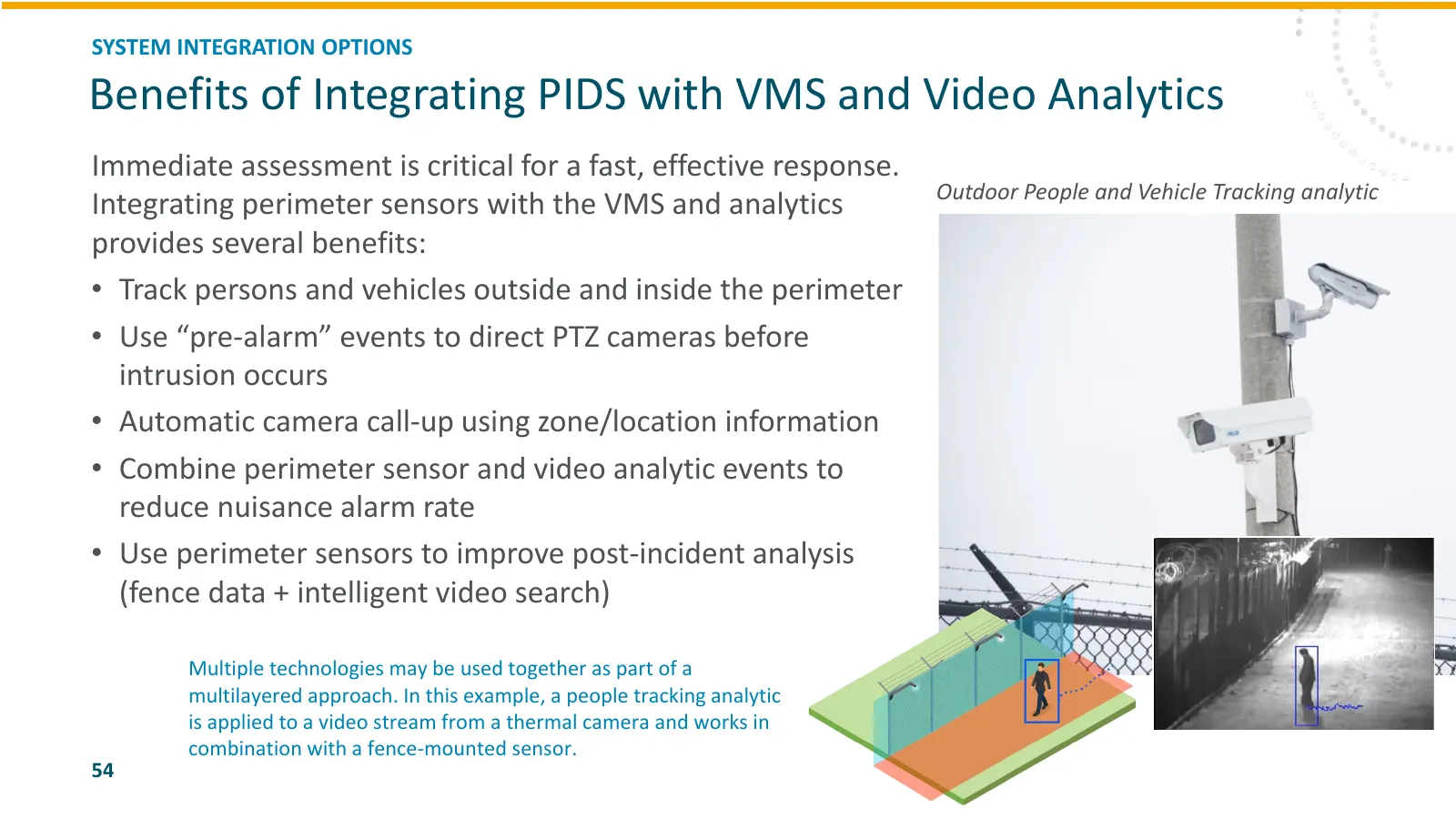
SYSTEM INTEGRATION OPTIONS Benefits of Integrating PIDS with VMS and Video Analytics Immediate assessment is critical for a fast, effective response. Outdoor People and Vehicle Tracking analytic Integrating perimeter sensors with the VMS and analytics provides several benefits: • Track persons and v
Slide 54: Third-Party Integrations
SYSTEM INTEGRATION OPTIONS Third-Party Integrations Senstar has extensive experience integrating with a wide range of third parties. For information on a specific integration, including the products supported (e.g. Senstar PIDS, Symphony VMS, video analytics) and the scope of features, contact Senst
Slide 55: Looking to the Future – A Deeper Integration
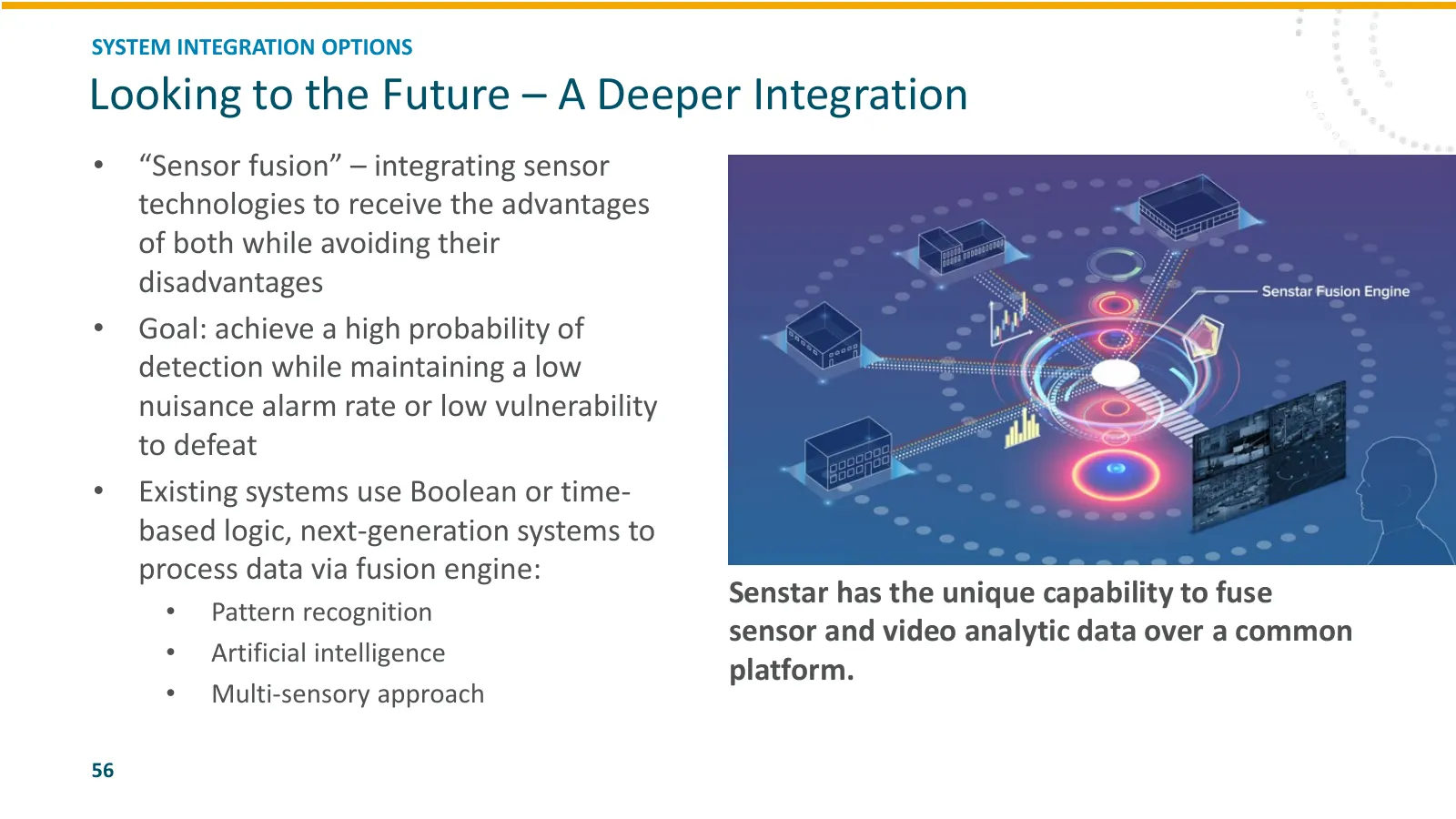
SYSTEM INTEGRATION OPTIONS Looking to the Future – A Deeper Integration • “Sensor fusion” – integrating sensor technologies to receive the advantages of both while avoiding their disadvantages • Goal: achieve a high probability of detection while maintaining a low nuisance alarm rate or low vulnerab
Slide 56: Senstar Common Operating Platform
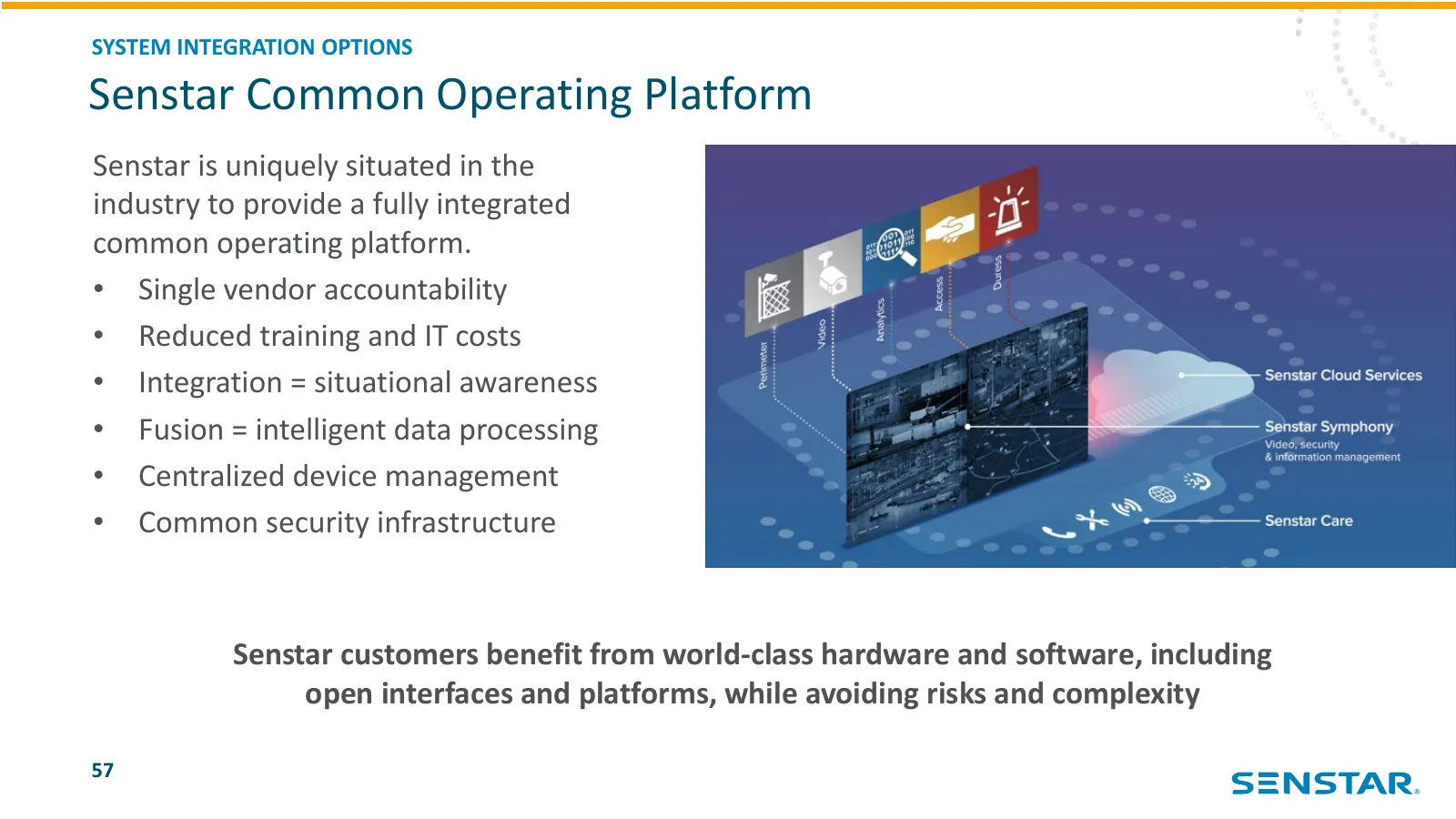
SYSTEM INTEGRATION OPTIONS Senstar Common Operating Platform Senstar is uniquely situated in the industry to provide a fully integrated common operating platform. • Single vendor accountability • Reduced training and IT costs • Integration = situational awareness • Fusion = intelligent data processi
Slide 57: Q&A
ELECTRICAL UTILITY INFRASTRUCTURE Q&A
Slide 58: Key Points
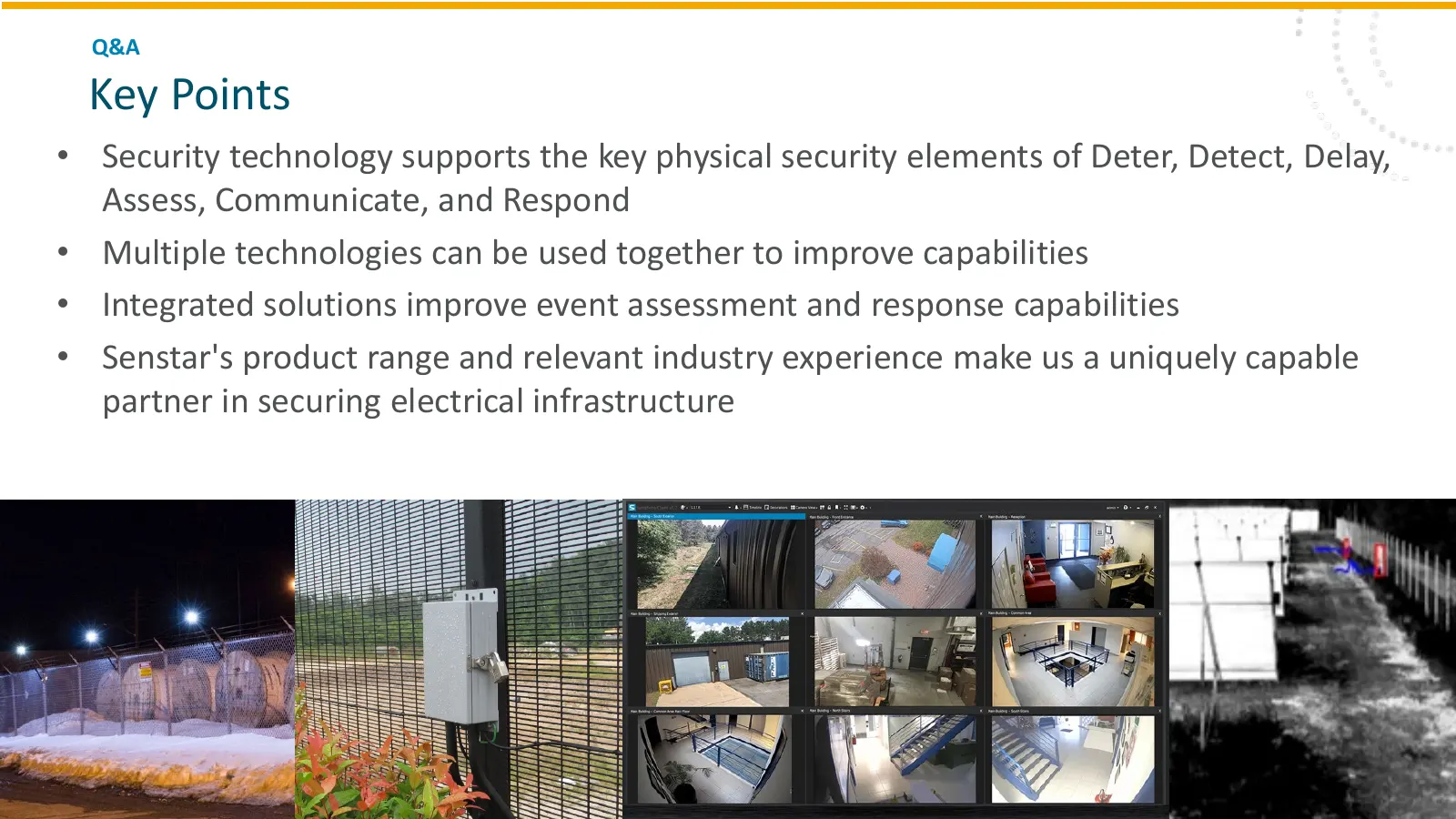
Q&A Key Points • Security technology supports the key physical security elements of Deter, Detect, Delay, Assess, Communicate, and Respond • Multiple technologies can be used together to improve capabilities • Integrated solutions improve event assessment and response capabilities • Senstar's produc
Source: Internet Archive copy of senstar.com
More decks from Senstar Technologies Corporation
 Investor Presentation (August 2025)21 slides · August 2025
 Investor Presentation (December 2024)19 slides · December 2024
 Investor Presentation (August 2024)21 slides · August 2024
 Investor Presentation (December 2023)27 slides · December 2023
 Investor Presentation (August 2021)48 slides · August 2021
 Investor Presentation40 slides