Sangoma Technologies Corporation · TSX:STC
Sangoma Technologies — Technical Presentation (October 2009)
37 slides from Sangoma Technologies's technical presentation, Oct 1, 2009
Slide 1: Intro to Sangoma Webinar
Intro to Sangoma Webinar Konrad Hammel Field Applications Engineer
Slide 2: Outline
Outline • Who is Sangoma • Sangoma’s AFT Series • Sangoma Cards A to B • Intro to Asterisk Architecture • Installing/Configuring Sangoma Cards • Asterisk Distros • Sangoma Cheat Sheet • Q&A (please save all questions for this period) Intro To Sangoma Technologies 2
Slide 3: Who is Sangoma?
Who is Sangoma? • Founded in 1984 by David Mandelstam (CEO) • Located in Markham (Greater Toronto Area), Ontario, Canada and Montreal, Quebec, Canada • Linux based routing in early/mid 90s • Asterisk started out on a Sangoma Frame Relay card…but the project needed quality interface cards • Design an
Slide 4: Sangoma's AFT Series
SANGOMA’S AFT SERIES Intro To Sangoma Technologies 4
Slide 5: AFT Series
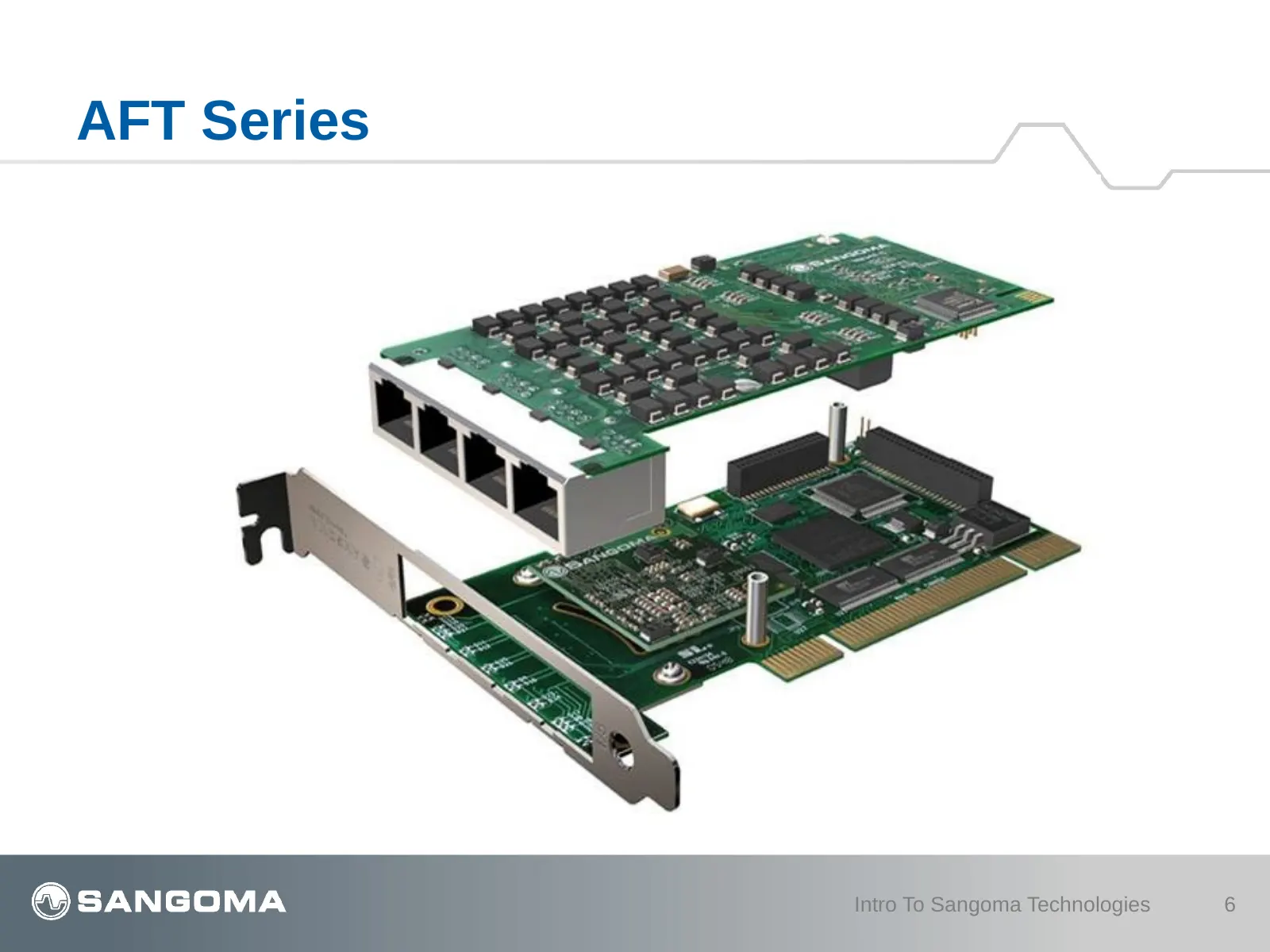
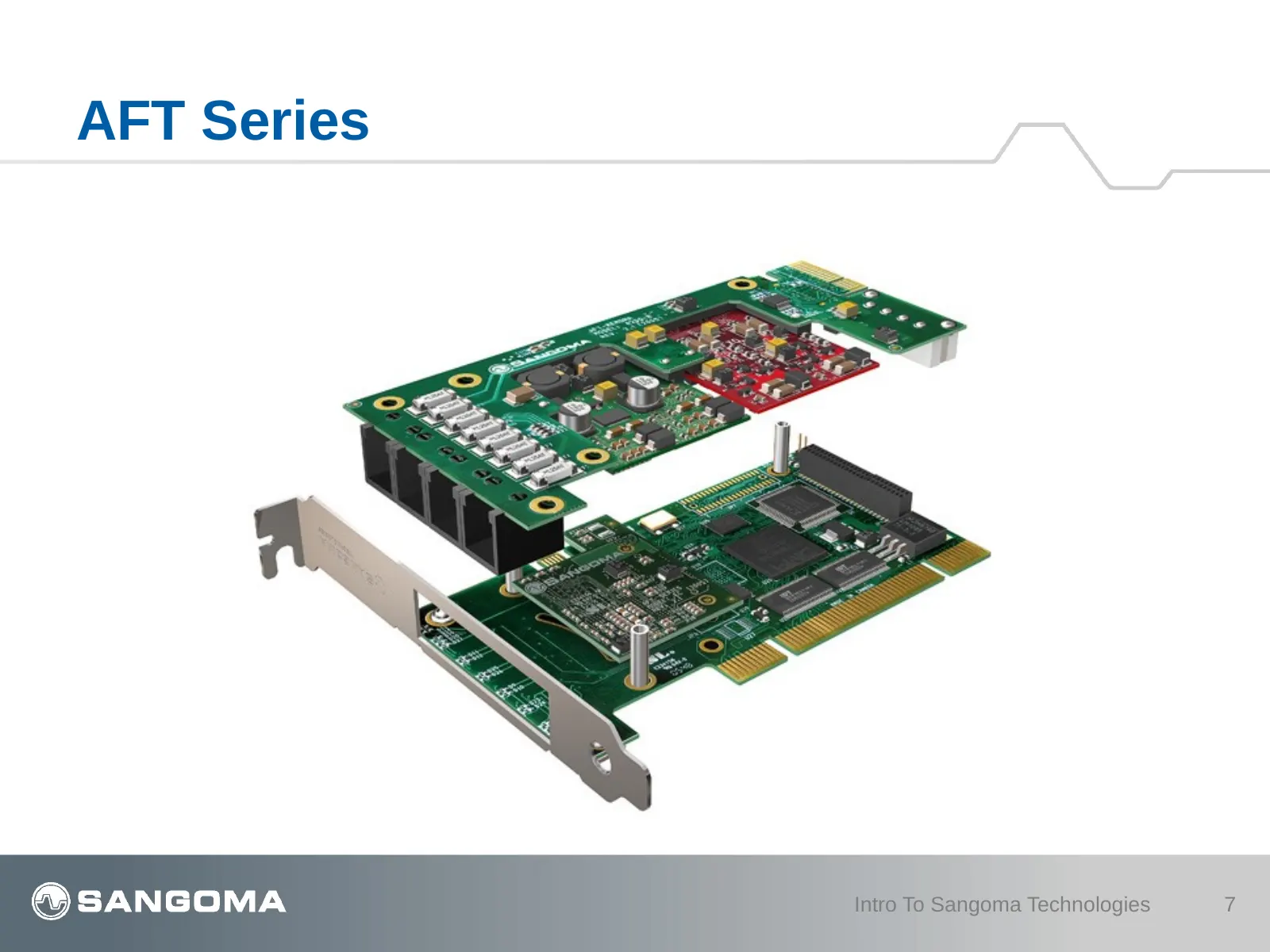
AFT Series • Modularity, Inheritance, Abstraction: – Split the host interface, telephone interface, and DSPs • Common PCI and PCIe interface for all cards – All cards use one core driver to interface with PC • Telephony interfaces are designed to scale • Expensive DSP modules are optional but don’t
Slide 6: AFT Series
AFT Series Intro To Sangoma Technologies 6
Slide 7: AFT Series
AFT Series Intro To Sangoma Technologies 7
Slide 8: AFT Series
AFT Series • Does this design cost more then Dedicated designs….YES – Extra circuit boards – Extra connectors – Extra pieces – Intelligent assembly required – FPGAs need security Intro To Sangoma Technologies 8
Slide 9: AFT Series
AFT Series • BUT… – Lower support costs • One PCI or PCIe interface for 30+ cards • Modularity makes troubleshooting easier – Lower maintenance costs • If 1 section breaks, the other sections are re- usable – Lower cost of stocking cards • Shared circuit boards = more boards per manufacturing run In
Slide 10: AFT Series
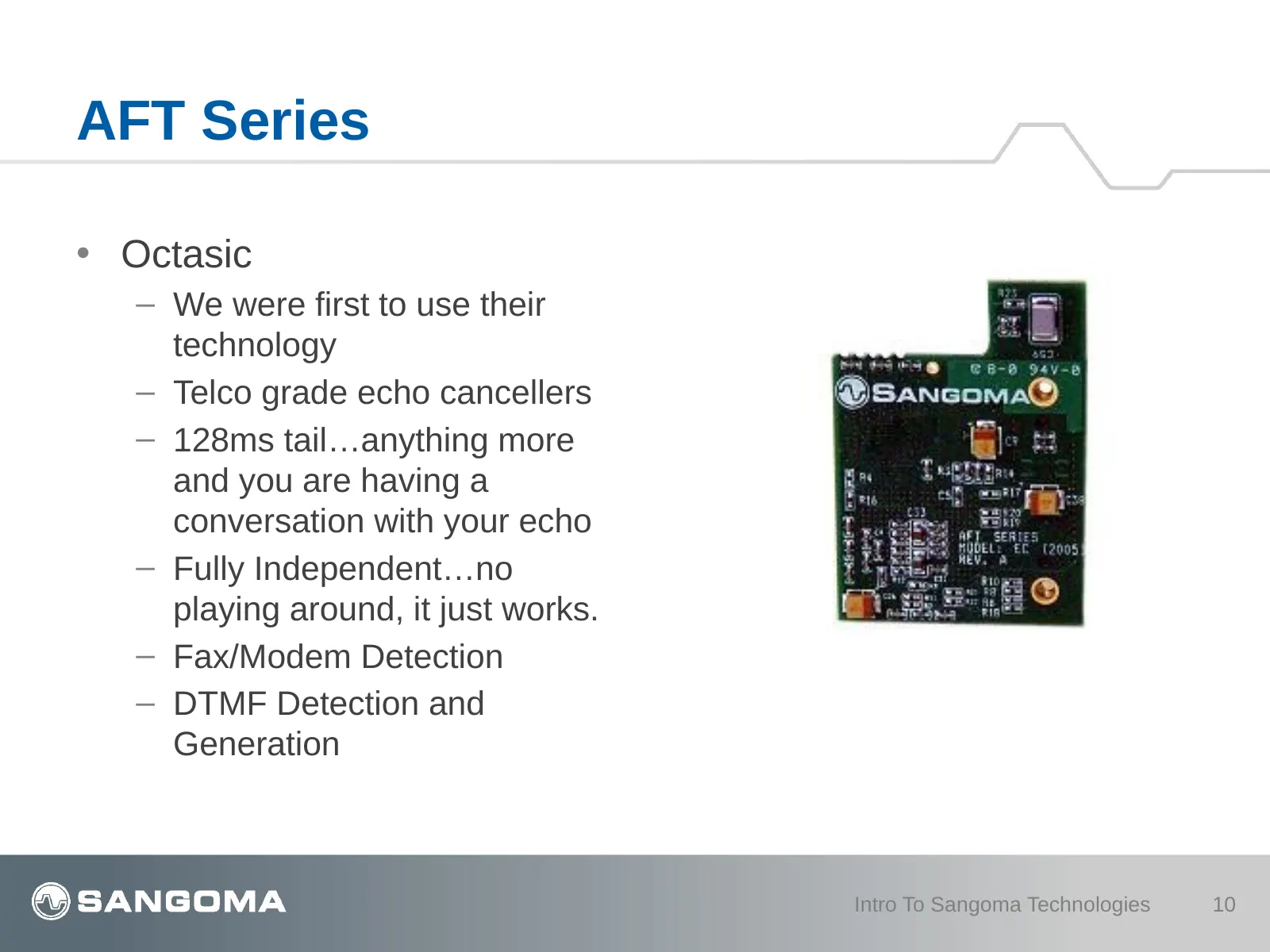
AFT Series • Octasic – We were first to use their technology – Telco grade echo cancellers – 128ms tail…anything more and you are having a conversation with your echo – Fully Independent…no playing around, it just works. – Fax/Modem Detection – DTMF Detection and Generation Intro To Sangoma Technolo
Slide 11: AFT Series
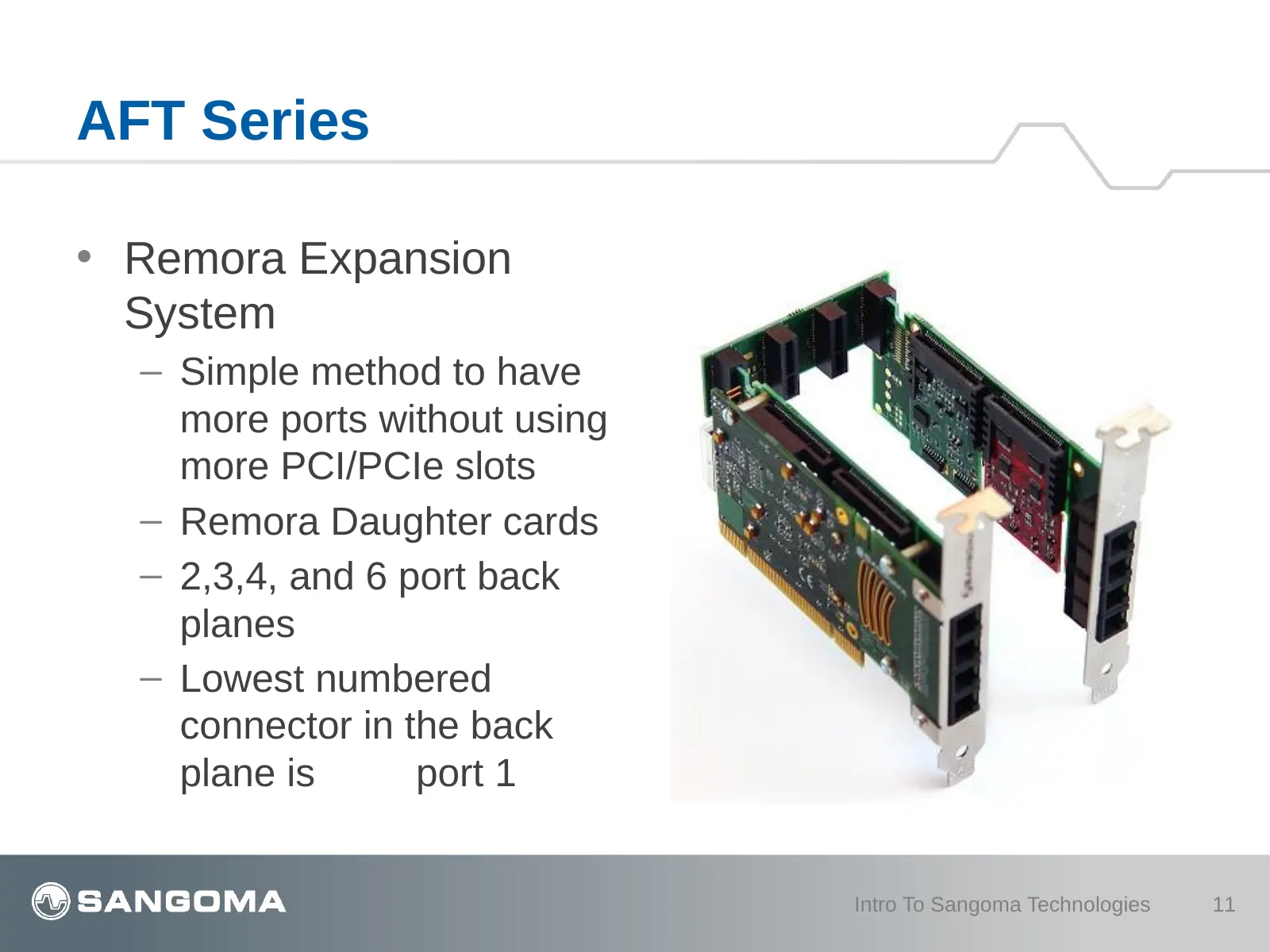
AFT Series • Remora Expansion System – Simple method to have more ports without using more PCI/PCIe slots – Remora Daughter cards – 2,3,4, and 6 port back planes – Lowest numbered connector in the back plane is port 1 Intro To Sangoma Technologies 11
Slide 12: AFT Series
AFT Series • Field Upgradable Firmware – New features can be added in the field – No ones perfect…fixes bugs too • Crash Proof Firmware – Primary and Backup firmware – Select via only jumper on card • Insert Jumper, start computer, flash firmware, remove jumper, restart computer…you just saved a “br
Slide 13: AFT Series
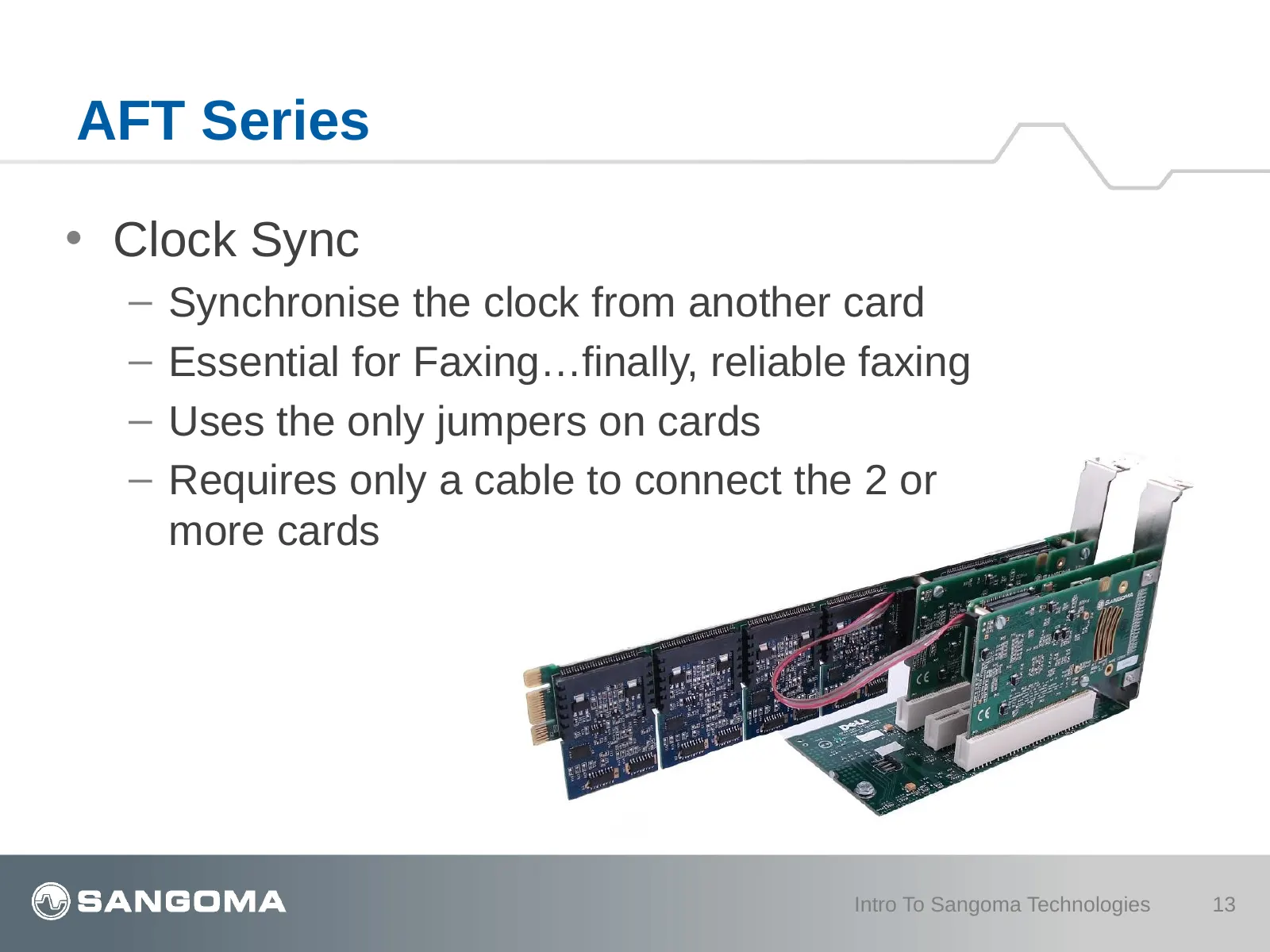
AFT Series • Clock Sync – Synchronise the clock from another card – Essential for Faxing…finally, reliable faxing – Uses the only jumpers on cards – Requires only a cable to connect the 2 or more cards Intro To Sangoma Technologies 13
Slide 14: Sangoma Hardware Products
SANGOMA HARDWARE PRODUCTS Intro To Sangoma Technologies 14
Slide 15: A200 2-4 port Analog Card
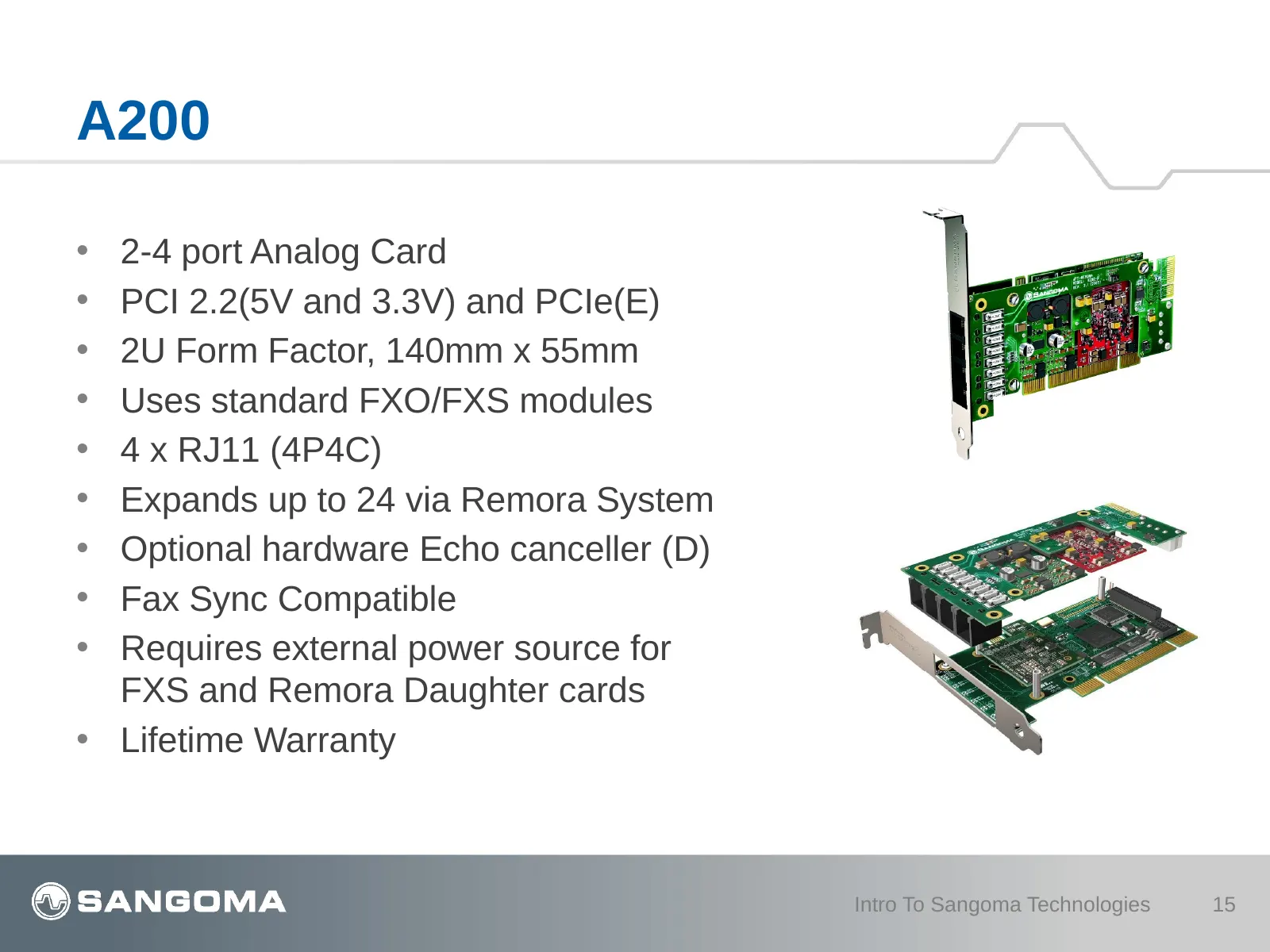
A200 • 2-4 port Analog Card • PCI 2.2(5V and 3.3V) and PCIe(E) • 2U Form Factor, 140mm x 55mm • Uses standard FXO/FXS modules • 4 x RJ11 (4P4C) • Expands up to 24 via Remora System • Optional hardware Echo canceller (D) • Fax Sync Compatible • Requires external power source for FXS and Remora Daught
Slide 16: A400 2-12 port Analog Card
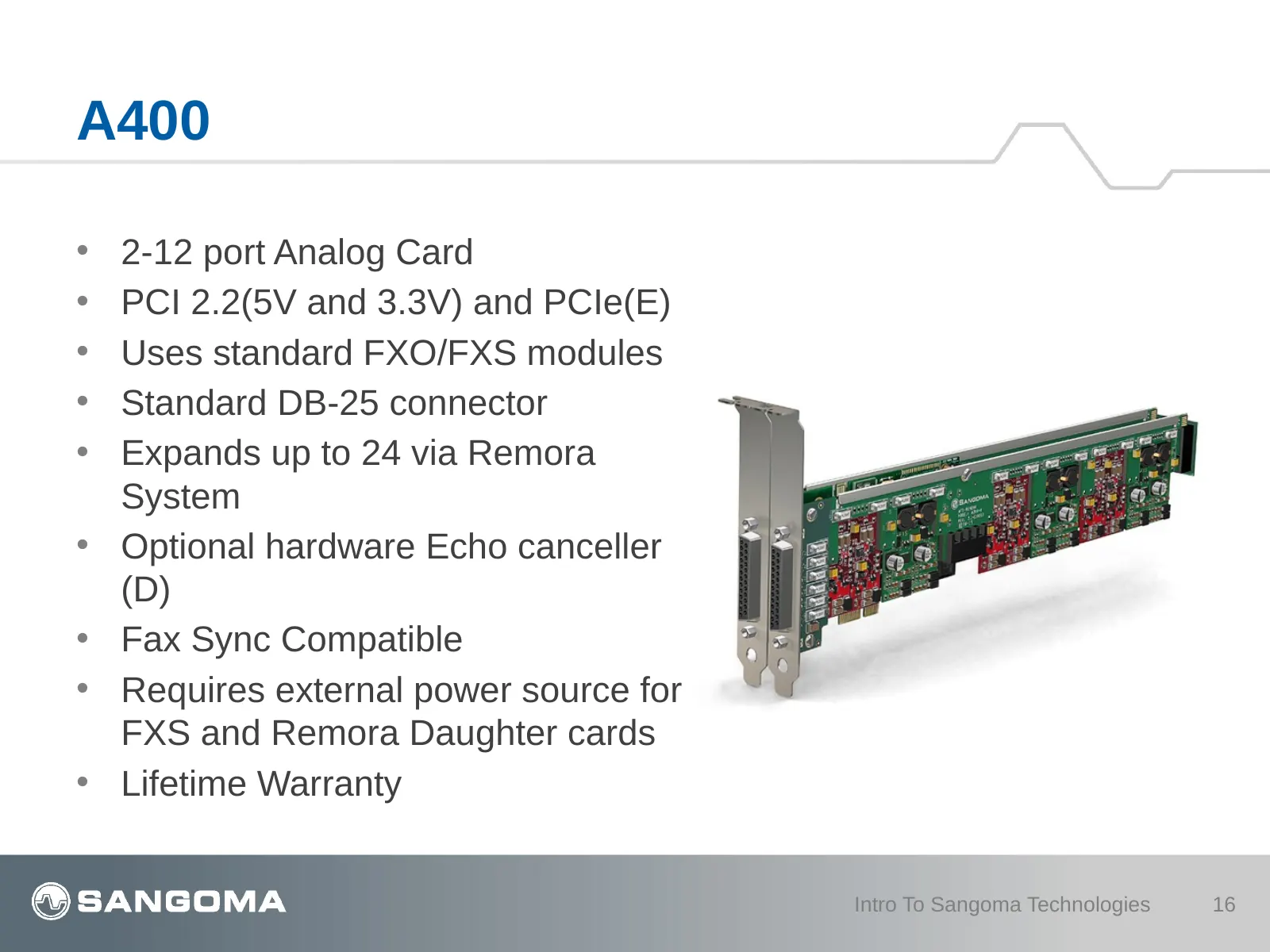
A400 • 2-12 port Analog Card • PCI 2.2(5V and 3.3V) and PCIe(E) • Uses standard FXO/FXS modules • Standard DB-25 connector • Expands up to 24 via Remora System • Optional hardware Echo canceller (D) • Fax Sync Compatible • Requires external power source for FXS and Remora Daughter cards • Lifetime W
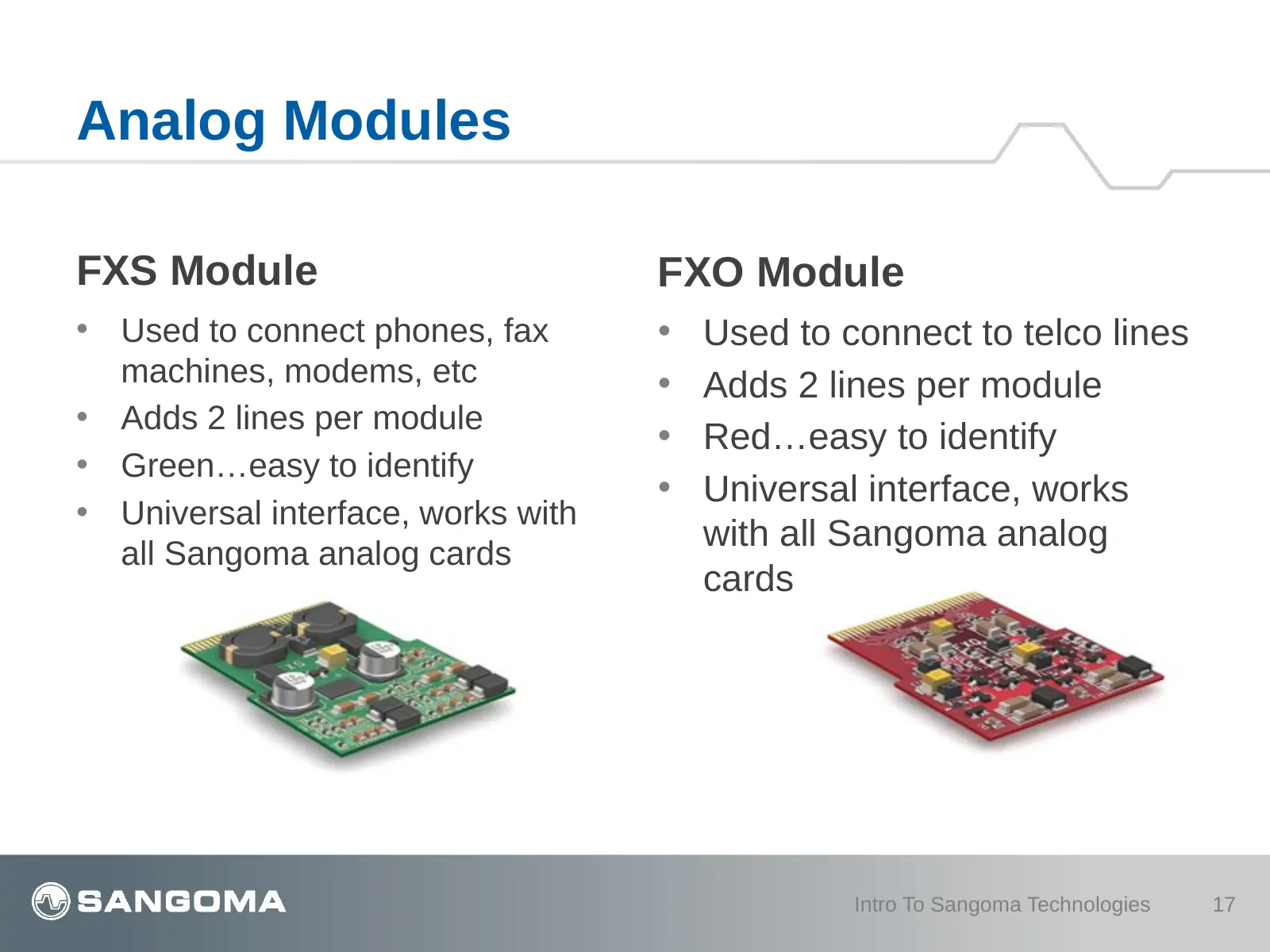
Slide 17: Analog Modules
Analog Modules FXS Module FXO Module • Used to connect phones, fax • Used to connect to telco lines machines, modems, etc • Adds 2 lines per module • Adds 2 lines per module • Red…easy to identify • Green…easy to identify • Universal interface, works • Universal interface, works with with all Sangom
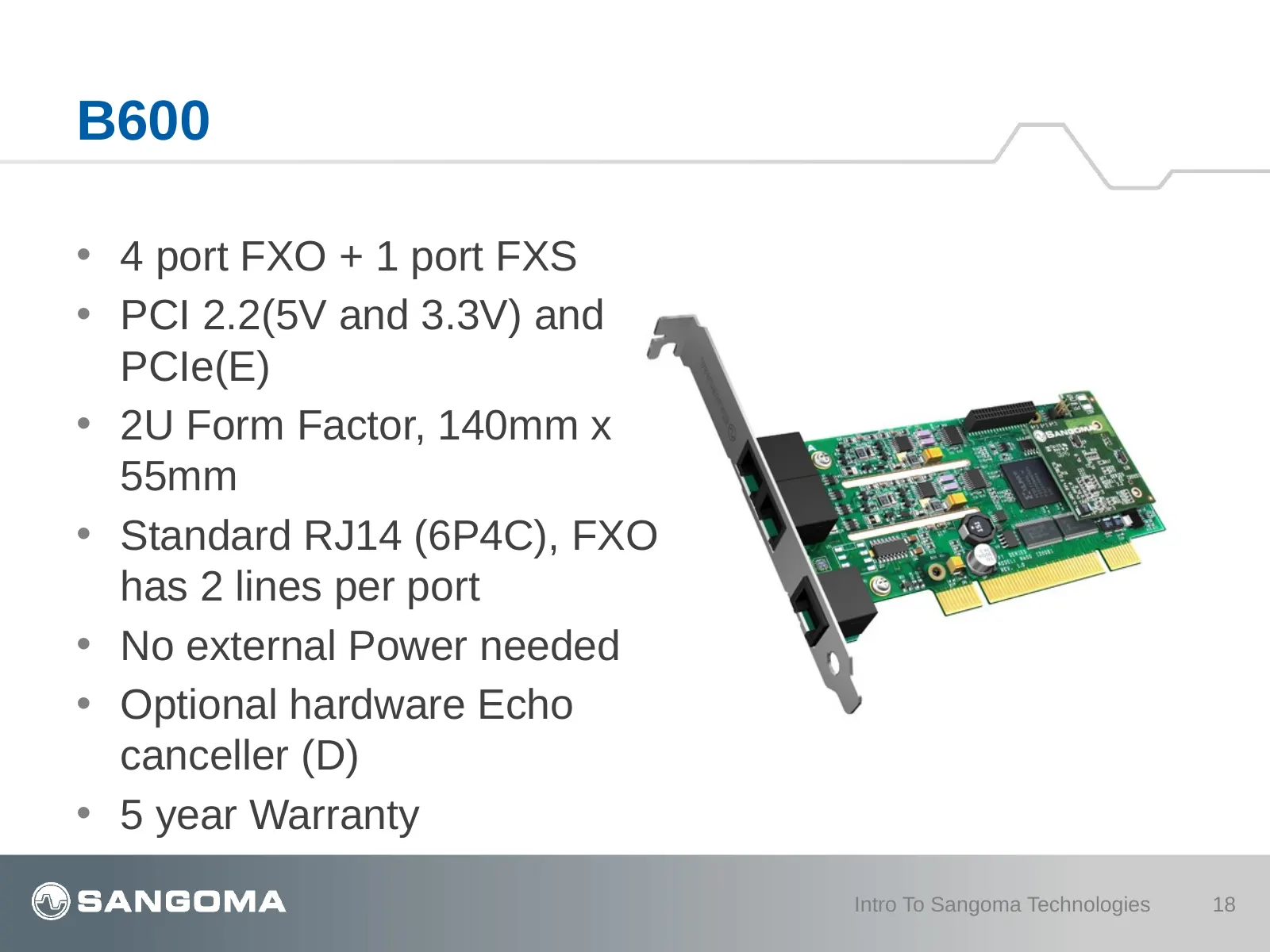
Slide 18: B600 FXO + FXS Card
B600 • 4 port FXO + 1 port FXS • PCI 2.2(5V and 3.3V) and PCIe(E) • 2U Form Factor, 140mm x 55mm • Standard RJ14 (6P4C), FXO has 2 lines per port • No external Power needed • Optional hardware Echo canceller (D) • 5 year Warranty Intro To Sangoma Technologies 18
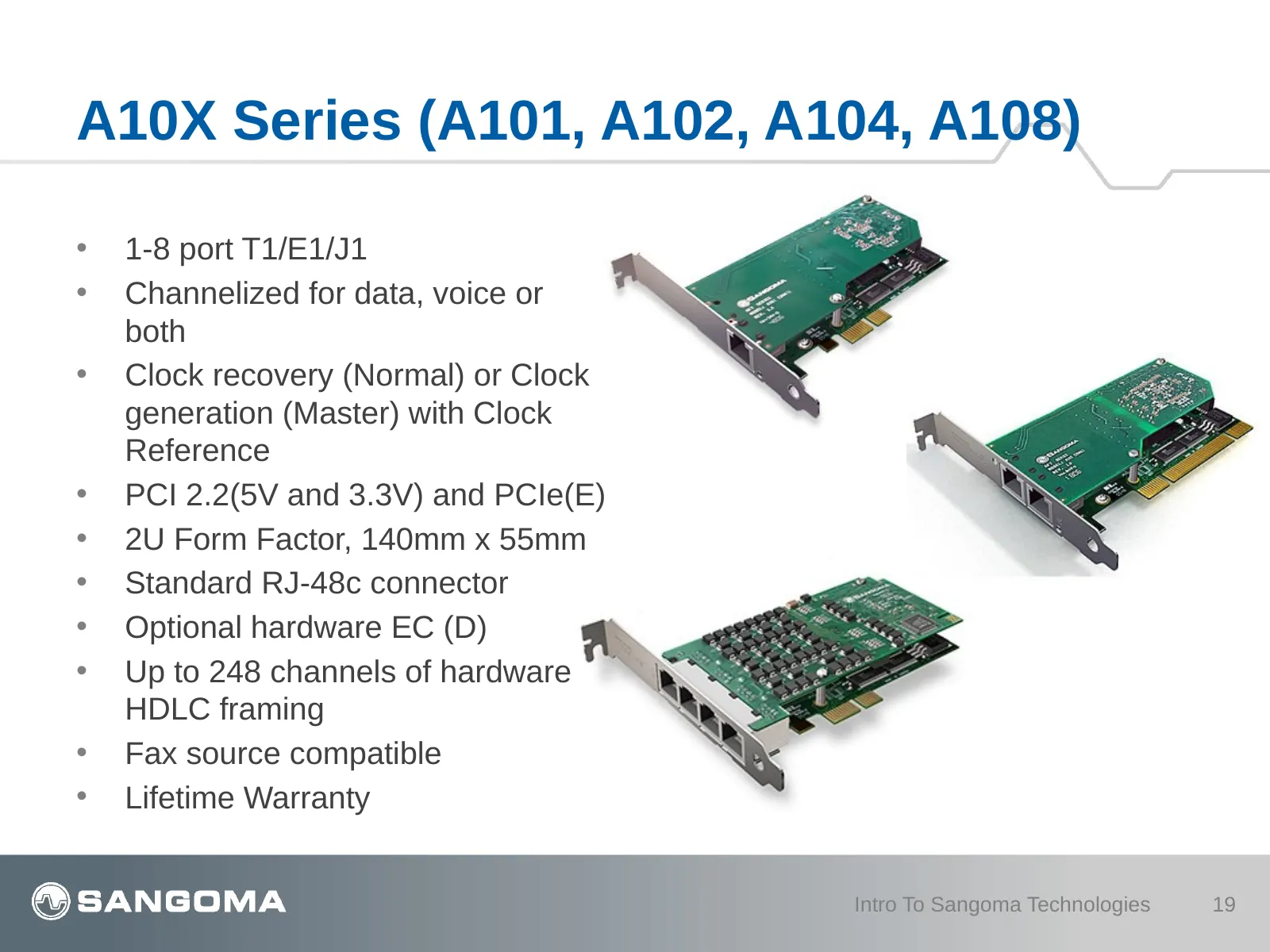
Slide 19: A10X Series (A101, A102, A104, A108)
A10X Series (A101, A102, A104, A108) • 1-8 port T1/E1/J1 • Channelized for data, voice or both • Clock recovery (Normal) or Clock generation (Master) with Clock Reference • PCI 2.2(5V and 3.3V) and PCIe(E) • 2U Form Factor, 140mm x 55mm • Standard RJ-48c connector • Optional hardware EC (D) • Up to
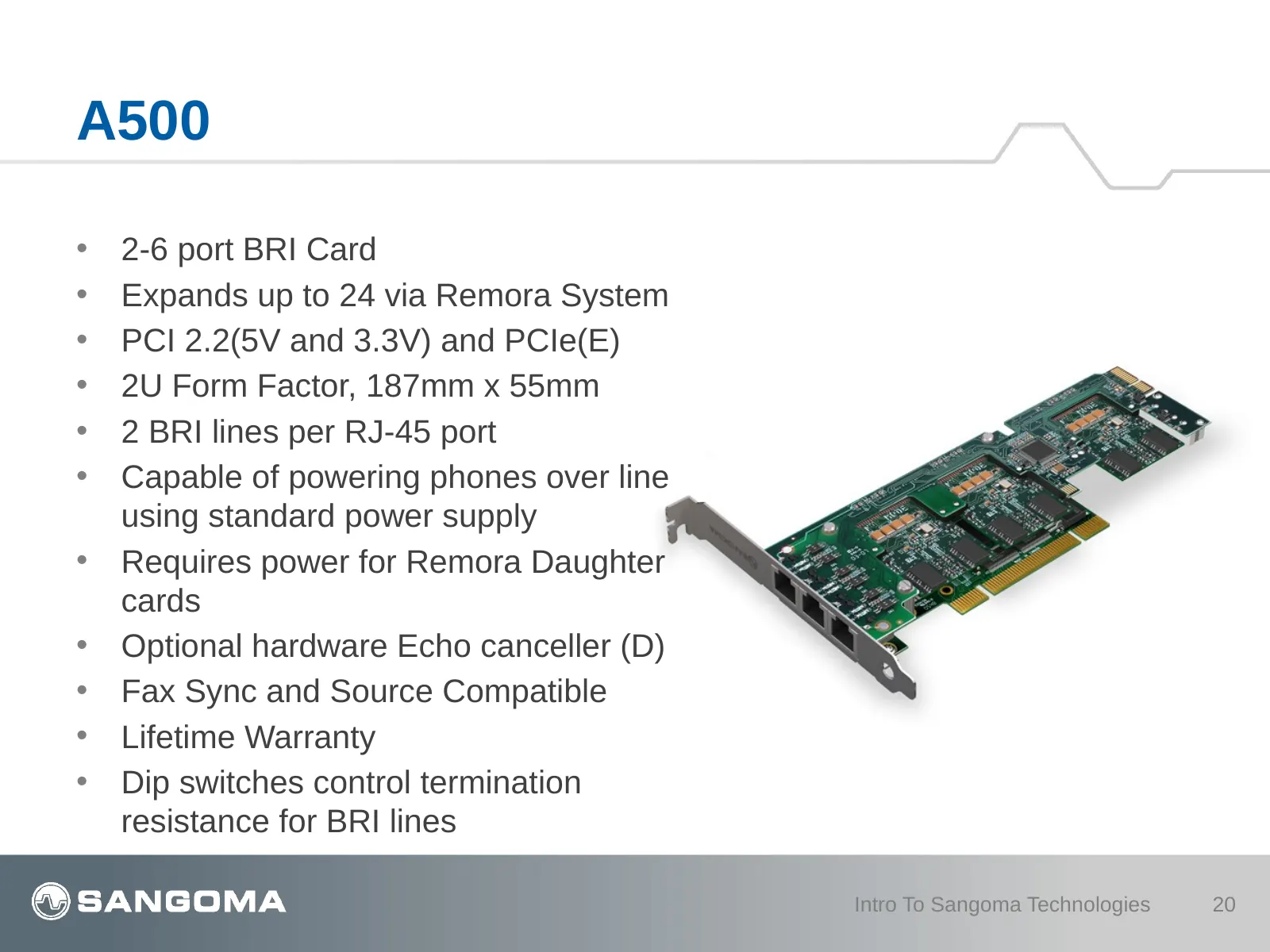
Slide 20: A500 2-6 port BRI Card
A500 • 2-6 port BRI Card • Expands up to 24 via Remora System • PCI 2.2(5V and 3.3V) and PCIe(E) • 2U Form Factor, 187mm x 55mm • 2 BRI lines per RJ-45 port • Capable of powering phones over line using standard power supply • Requires power for Remora Daughter cards • Optional hardware Echo cancelle
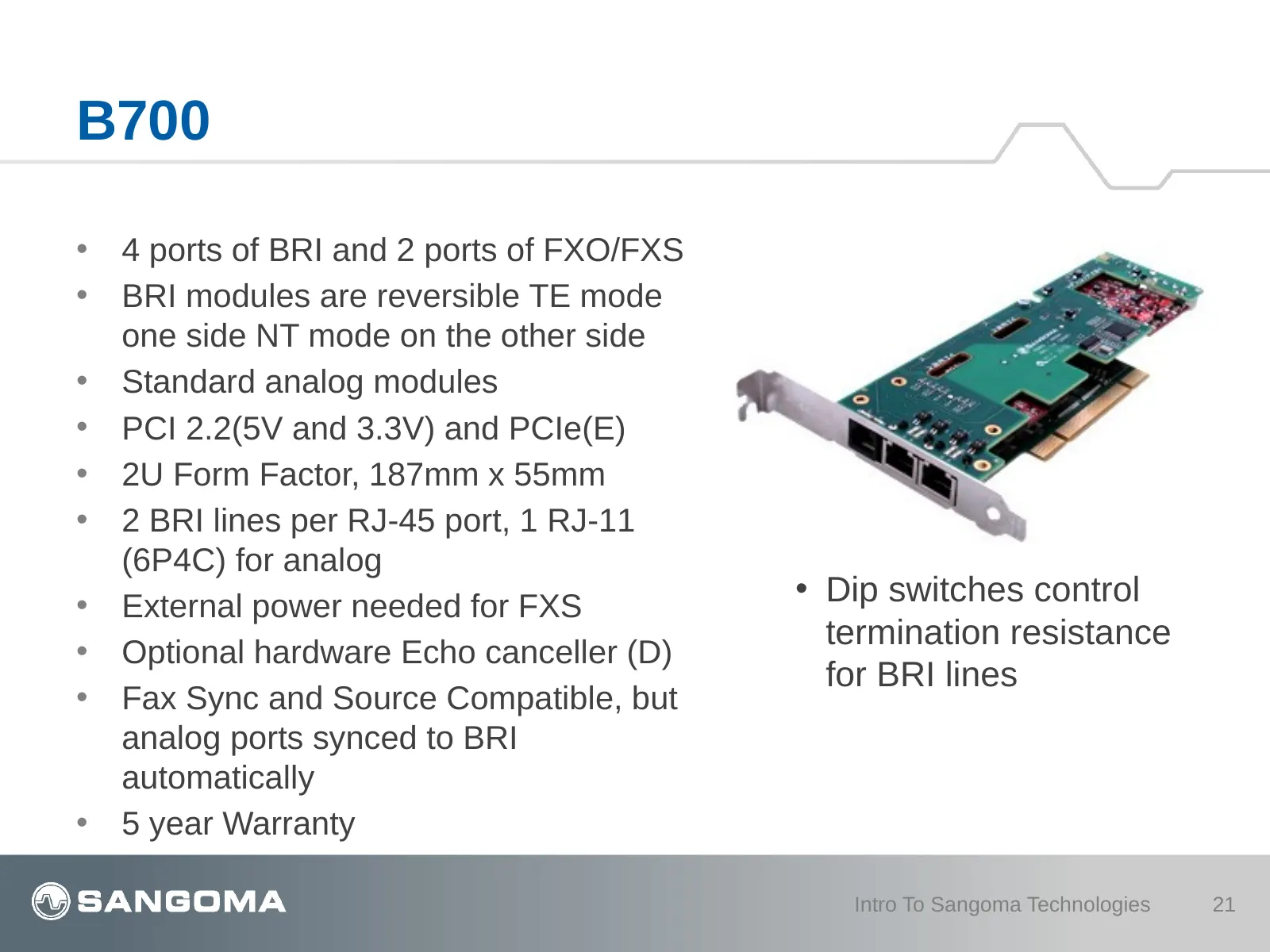
Slide 21: B700 BRI and FXO/FXS Card
B700 • 4 ports of BRI and 2 ports of FXO/FXS • BRI modules are reversible TE mode one side NT mode on the other side • Standard analog modules • PCI 2.2(5V and 3.3V) and PCIe(E) • 2U Form Factor, 187mm x 55mm • 2 BRI lines per RJ-45 port, 1 RJ-11 (6P4C) for analog • External power needed for FXS • D
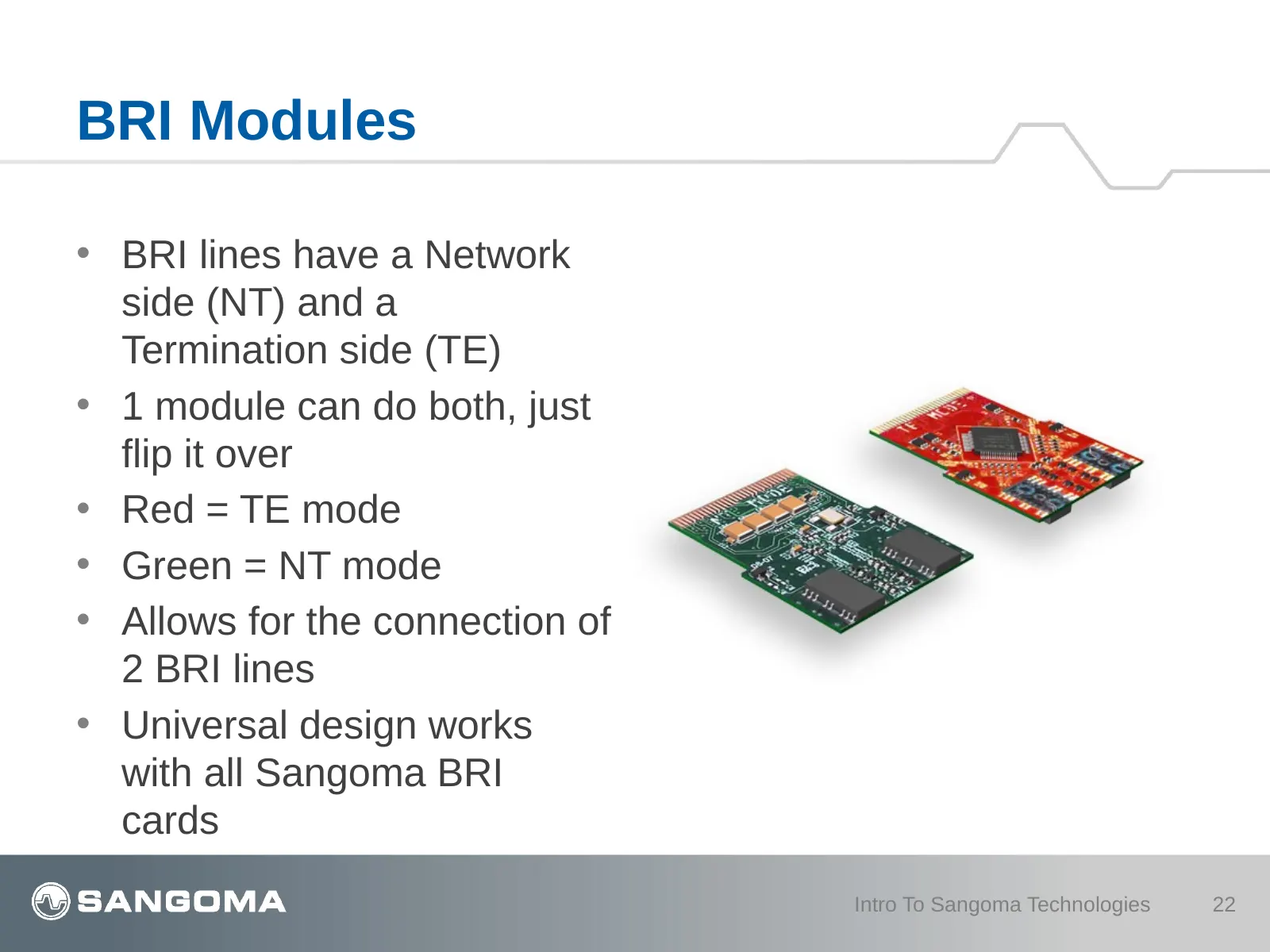
Slide 22: BRI Modules
BRI Modules • BRI lines have a Network side (NT) and a Termination side (TE) • 1 module can do both, just flip it over • Red = TE mode • Green = NT mode • Allows for the connection of 2 BRI lines • Universal design works with all Sangoma BRI cards Intro To Sangoma Technologies 22
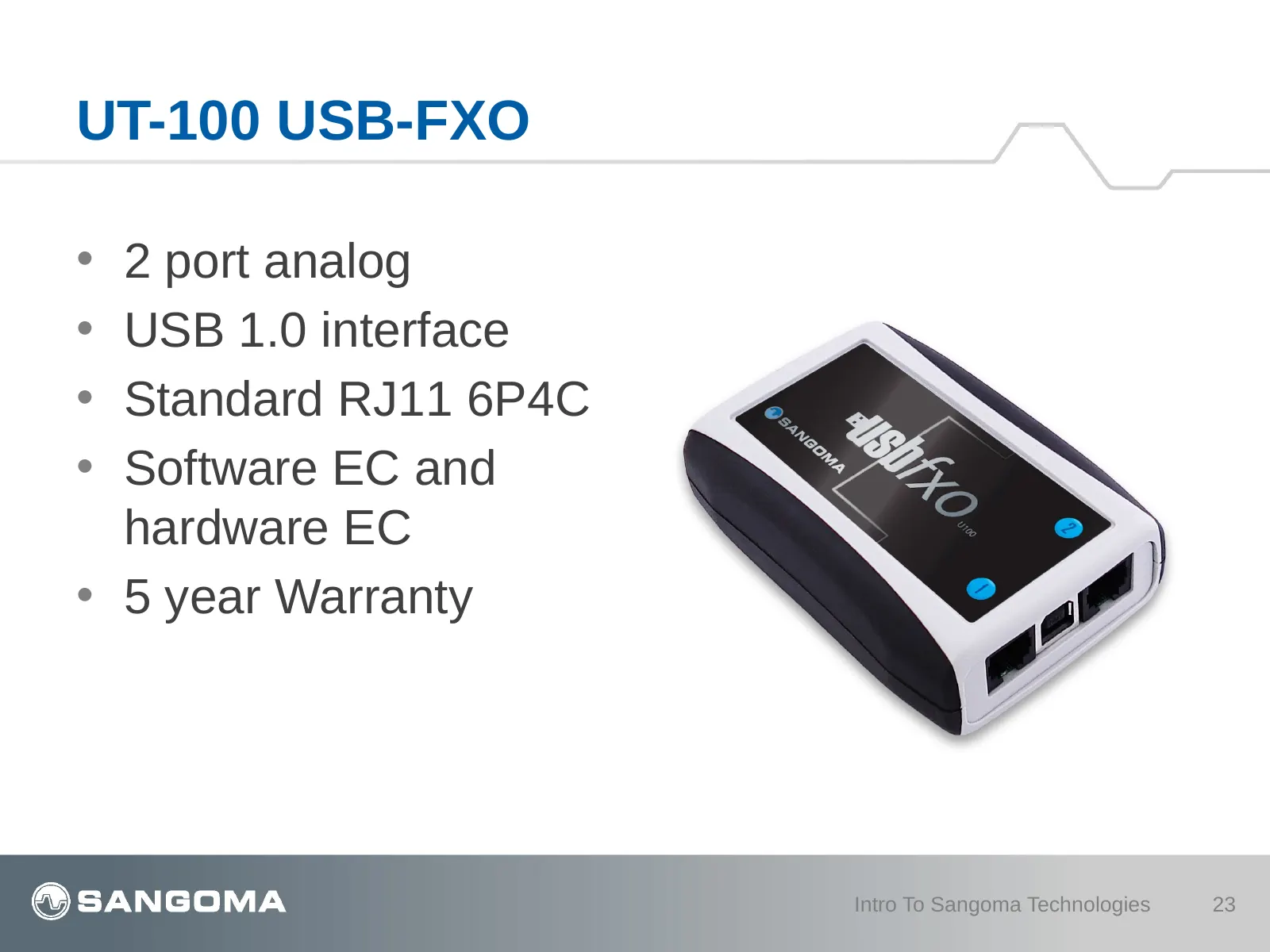
Slide 23: UT-100 USB-FXO
UT-100 USB-FXO • 2 port analog • USB 1.0 interface • Standard RJ11 6P4C • Software EC and hardware EC • 5 year Warranty Intro To Sangoma Technologies 23
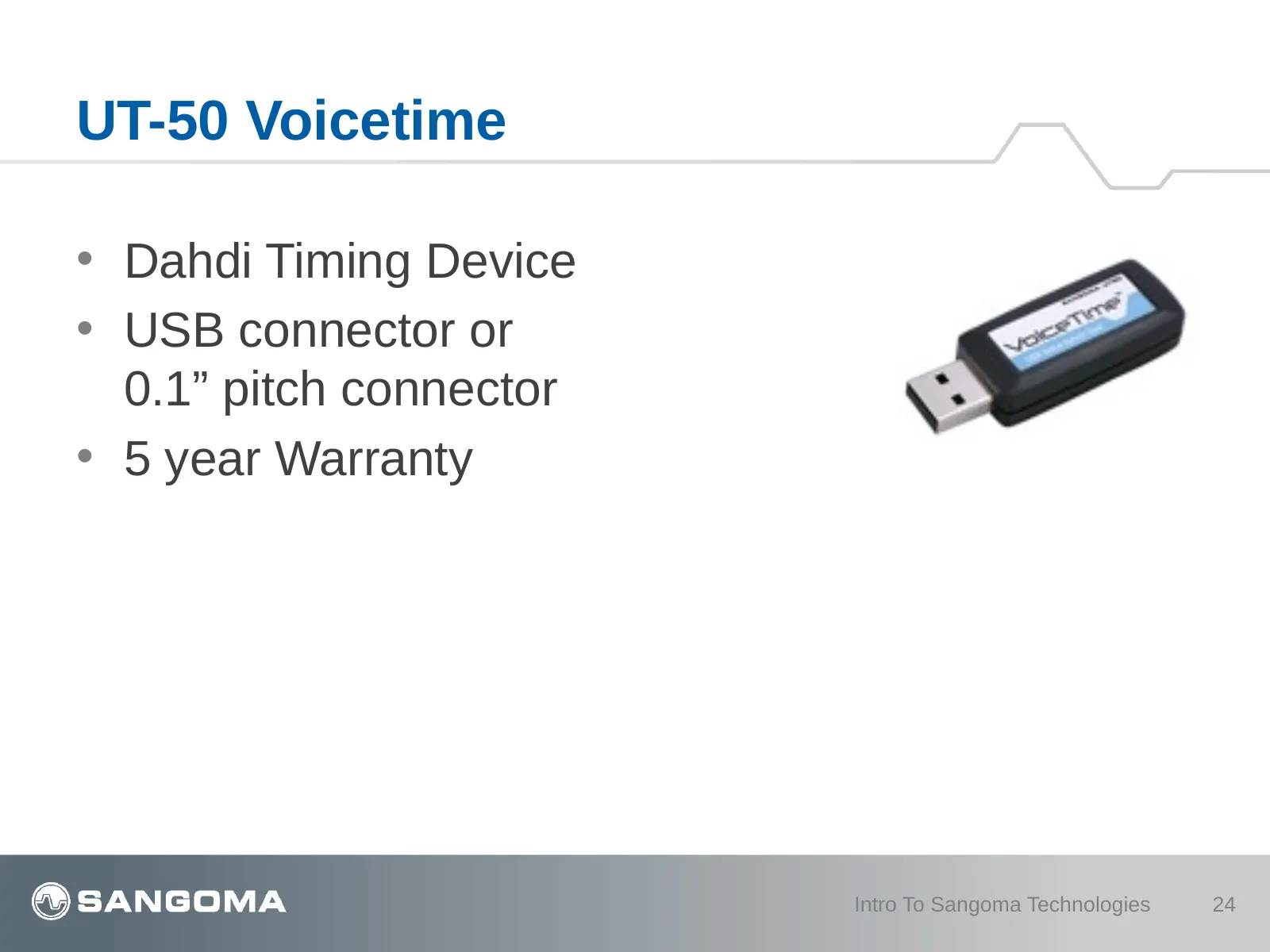
Slide 24: UT-50 Voicetime
UT-50 Voicetime • Dahdi Timing Device • USB connector or 0.1” pitch connector • 5 year Warranty Intro To Sangoma Technologies 24
Slide 25: Intro to Asterisk Architecture
INTRO TO ASTERISK ARCHITECTURE Intro To Sangoma Technologies 25
Slide 26: Asterisk Architecture
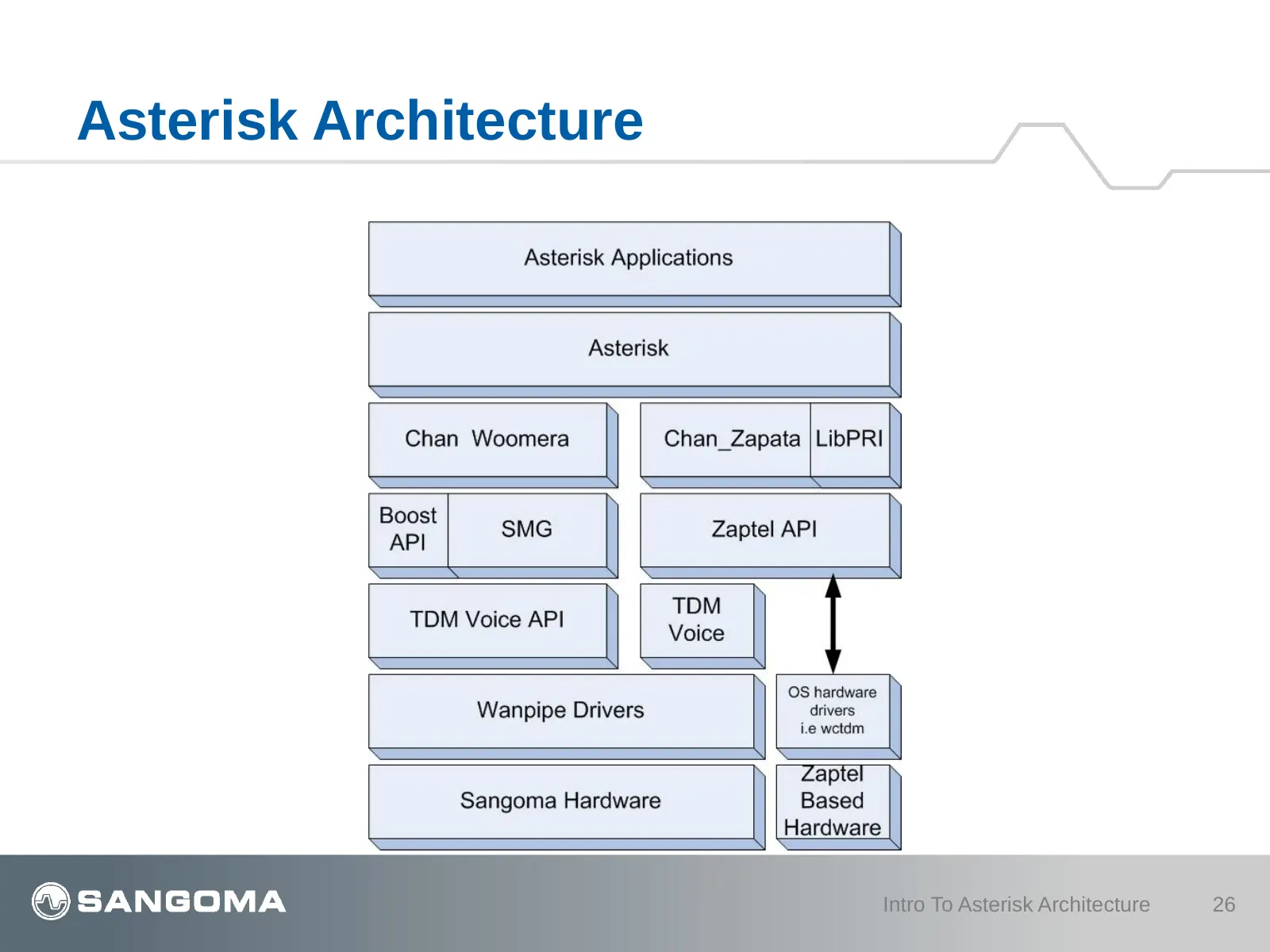
Asterisk Architecture Intro To Asterisk Architecture 26
Slide 27: Asterisk Architecture
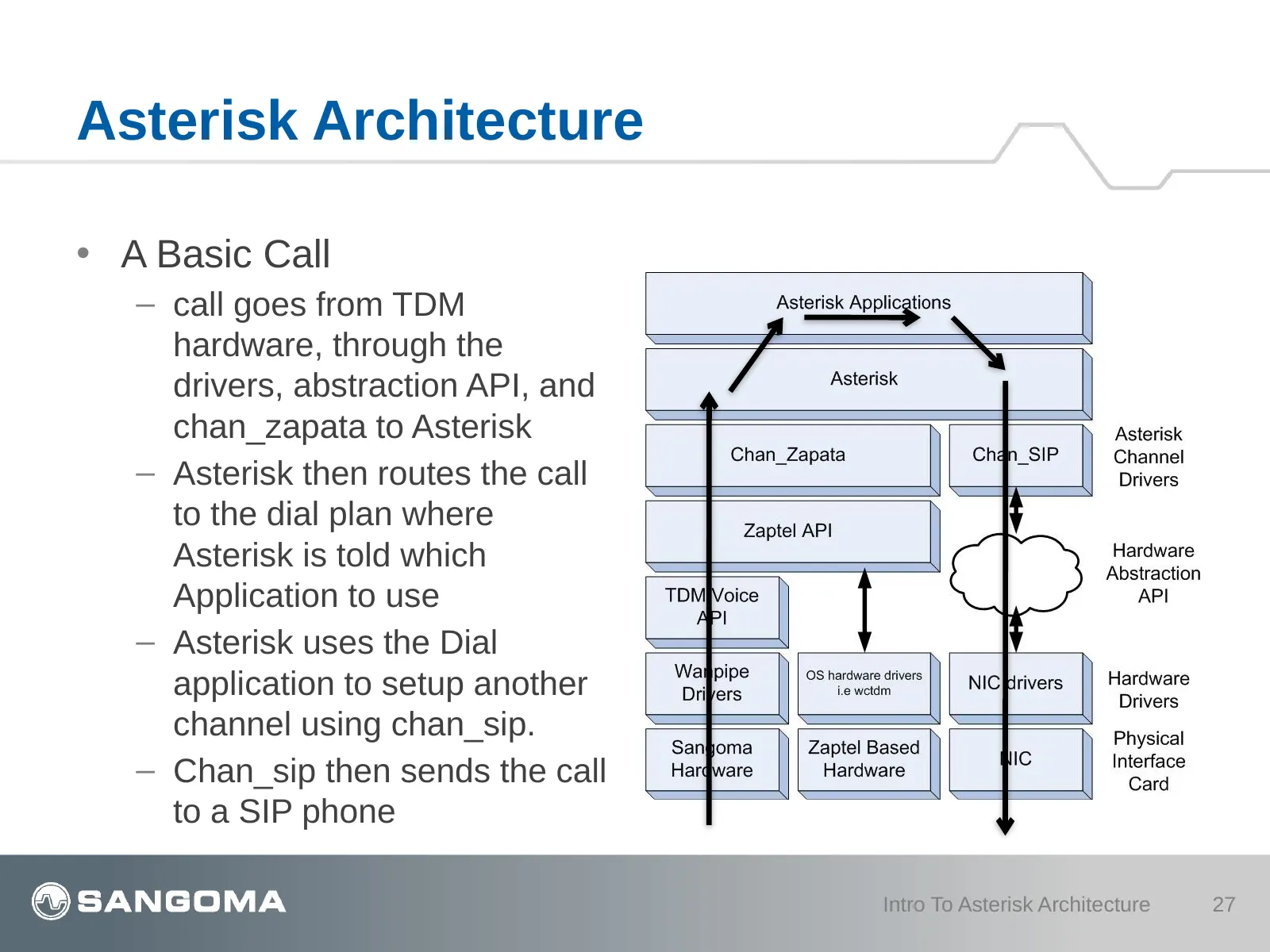
Asterisk Architecture • A Basic Call – call goes from TDM hardware, through the drivers, abstraction API, and chan_zapata to Asterisk – Asterisk then routes the call to the dial plan where Asterisk is told which Application to use – Asterisk uses the Dial application to setup another channel using c
Slide 28: Installing and Configuring a Sangoma Card
INSTALLING AND CONFIGURING A SANGOMA CARD Intro To Sangoma Technologies 28
Slide 29: Installing and Configuring
Installing and Configuring • Install the card into your system • Install Dahdi, signalling stack (LibPRI) and then Asterisk • Download the latest “feature frozen” driver – ftp://ftp.sangoma.com/linux/current_wanpipe/current-stable.tgz • Start the installer script “Setup” – “./Setup install” • Config
Slide 30: Installing Sangoma Cards
Installing Sangoma Cards • Installing an A200 – http://wiki.sangoma.com/files/HardwareInstallationManuals/A200_Manual_Web.p df • Installing an A400 – http://wiki.sangoma.com/files/HardwareInstallationManuals/A400_Manual_Web_r 2.pdf • Installing an A500 – http://wiki.sangoma.com/files/HardwareInstall

Slide 31: Asterisk Distros
ASTERISK DISTROS Intro To Sangoma Technologies 31
Slide 32: Asterisk Distros
Asterisk Distros • Trixbox Community Edition – RPMs available • Elastix – RPMs available • PBX in a Flash – Source install • Trixbox PRO / PBXtra – Supported by Fonality Intro To Sangoma Technologies 32
Slide 33: Sangoma Cheat Sheet
SANGOMA CHEAT SHEET Intro To Sangoma Technologies 33
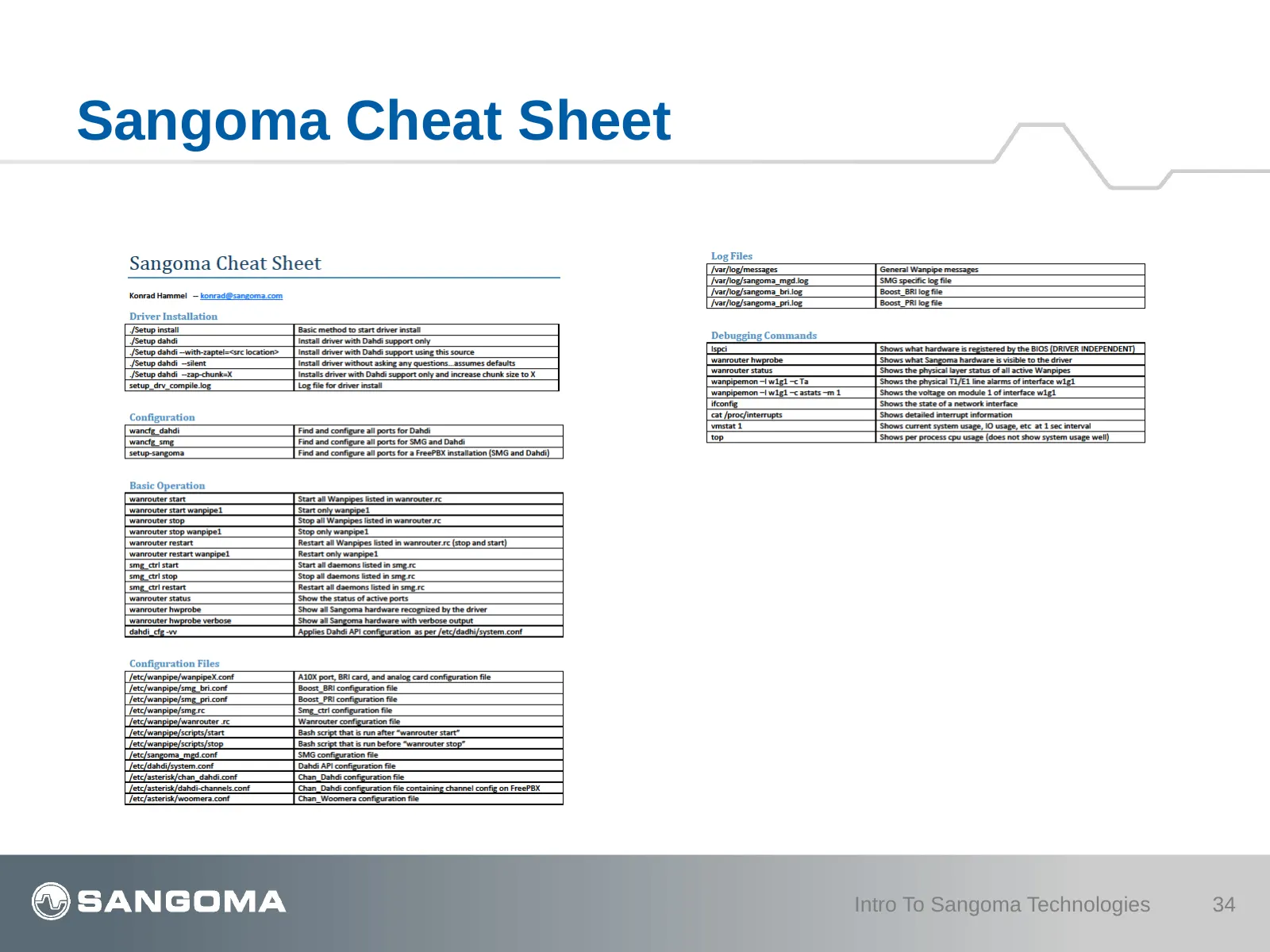
Slide 34: Sangoma Cheat Sheet
Sangoma Cheat Sheet Intro To Sangoma Technologies 34

Slide 35: Questions?
QUESTIONS? Intro To Sangoma Technologies 35

Slide 36: Thank You.
THANK YOU. Konrad Hammel Intro To Sangoma Technologies 36

Slide 37
Source: Internet Archive copy of ftp.sangoma.com
More decks from Sangoma Technologies Corporation
 Investor Presentation (February 2026)24 slides · February 2026
 Investor Presentation (February 2026)26 slides · February 2026
 Q1 2026 Earnings Presentation24 slides · Nov 10, 2025
 Investor Presentation (November 2025)23 slides · November 2025
 Investor Presentation (September 2025)24 slides · September 2025
 Investor Presentation (May 2025)28 slides · May 2025