Sangoma Technologies Corporation · TSX:STC
Sangoma Technologies — Technical Presentation (December 2013)
56 slides from Sangoma Technologies's technical presentation, Dec 5, 2013
Slide 1: Extend the Life of Your Legacy PBX while Benefiting from SIP Trunks
Extend the Life of Your Legacy PBX while Benefiting from SIP Trunks December 5, 2013
Slide 2: Agenda
© 2013 Sangoma Technologies Agenda • About Sangoma • VoIP Gateways Defined • Sangoma Gateway Features • Gateways Product Specifications • Business Applications and Use Cases • Configuration & Management • Closing 2
Slide 3: Introduction to Sangoma
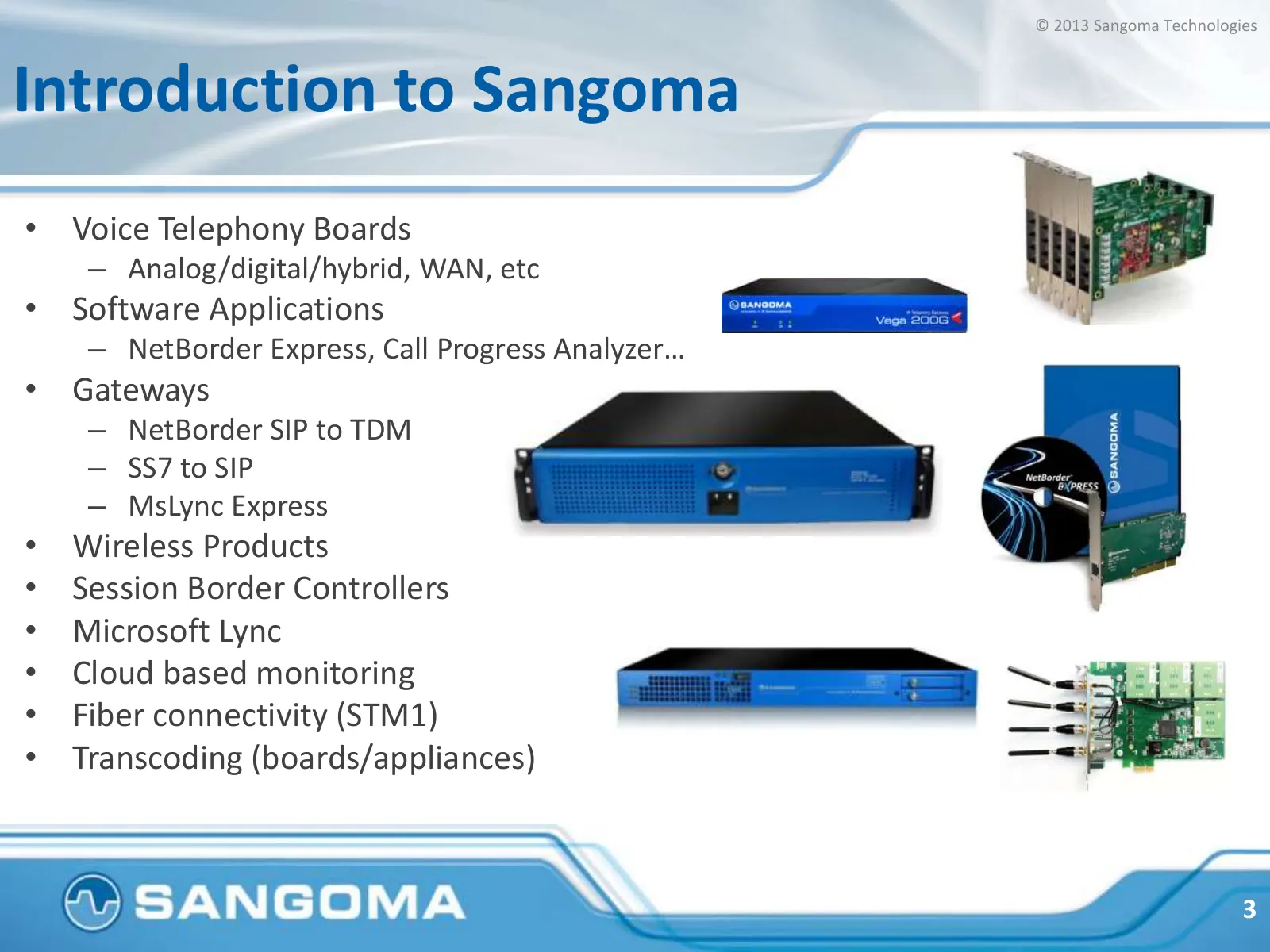
© 2013 Sangoma Technologies Introduction to Sangoma • Voice Telephony Boards – Analog/digital/hybrid, WAN, etc • Software Applications – NetBorder Express, Call Progress Analyzer… • Gateways – NetBorder SIP to TDM – SS7 to SIP – MsLync Express • Wireless Products • Session Border Controllers • Micro
Slide 4: VoIP Media Gateways Defined
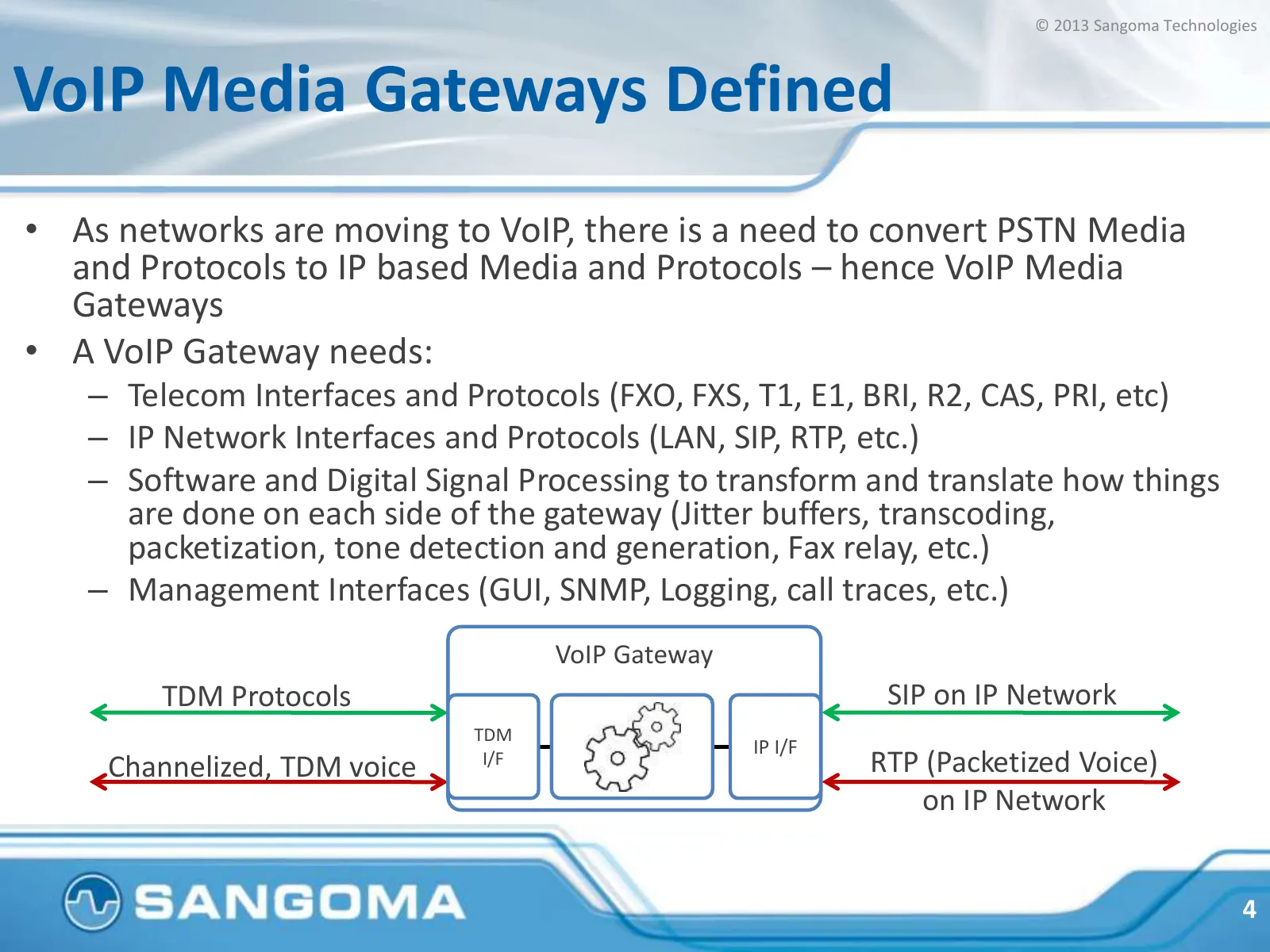
© 2013 Sangoma Technologies VoIP Media Gateways Defined • As networks are moving to VoIP, there is a need to convert PSTN Media and Protocols to IP based Media and Protocols – hence VoIP Media Gateways • A VoIP Gateway needs: – Telecom Interfaces and Protocols (FXO, FXS, T1, E1, BRI, R2, CAS, PRI, e
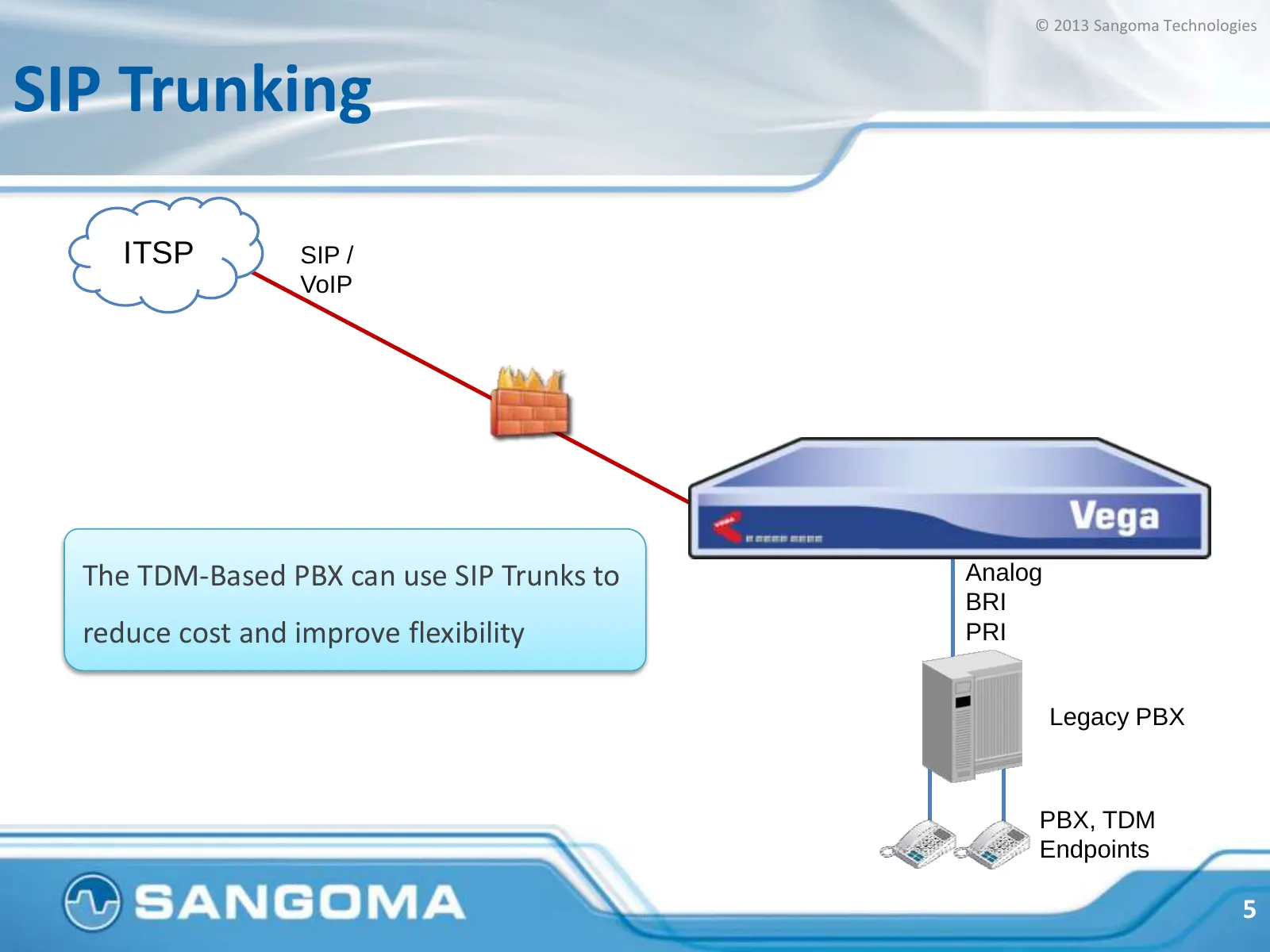
Slide 5: SIP Trunking
© 2013 Sangoma Technologies SIP Trunking ITSP SIP / VoIP The TDM-Based PBX can use SIP Trunks to Analog BRI reduce cost and improve flexibility PRI Legacy PBX PBX, TDM Endpoints 5
Slide 6: Vega Product Line
— VEGA PRODUCT LINE 6) SANGOMA CONNECT WITH SANGOMA
Slide 7: Most Resilient VoIP Gateway in its Class
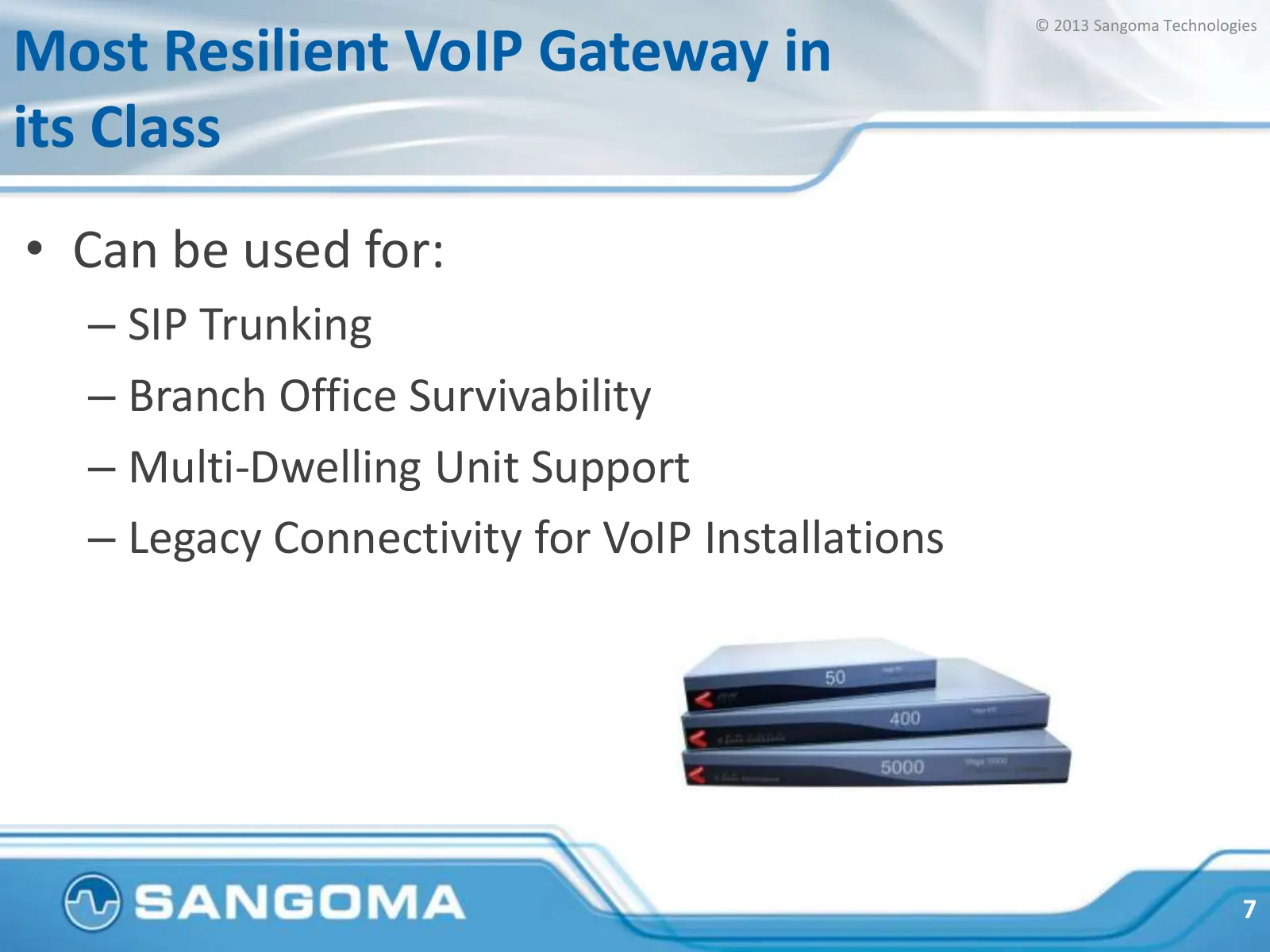
© 2013 Sangoma Technologies Most Resilient VoIP Gateway in its Class • Can be used for: – SIP Trunking – Branch Office Survivability – Multi-Dwelling Unit Support – Legacy Connectivity for VoIP Installations 7
Slide 8: Vega Gateways Product Highlights
Vega Gateways PRODUCT HIGHLIGHTS
Slide 9: Sangoma Resilience Enablement Suite (SRES)
© 2013 Sangoma Technologies Sangoma Resilience Enablement Suite (SRES) • Bypass - Creates physical links between devices connected to the gateway in the event that power to the gateway is lost • Failover- Advanced dialplan capabilities that can select a route based on real-time network conditions •
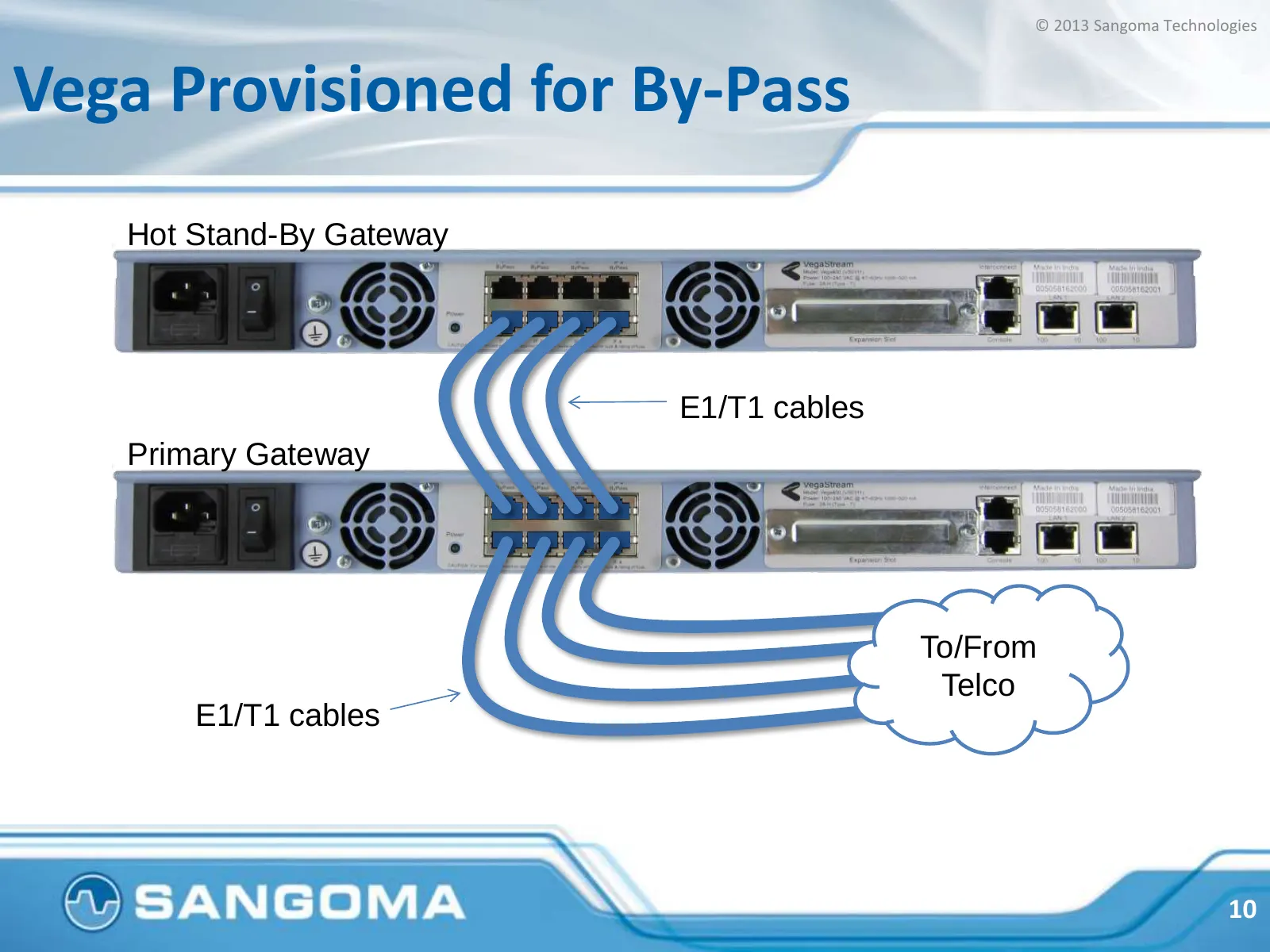
Slide 10: Vega Provisioned for By-Pass
© 2013 Sangoma Technologies Vega Provisioned for By-Pass Hot Stand-By Gateway E1/T1 cables Primary Gateway To/From Telco E1/T1 cables 10
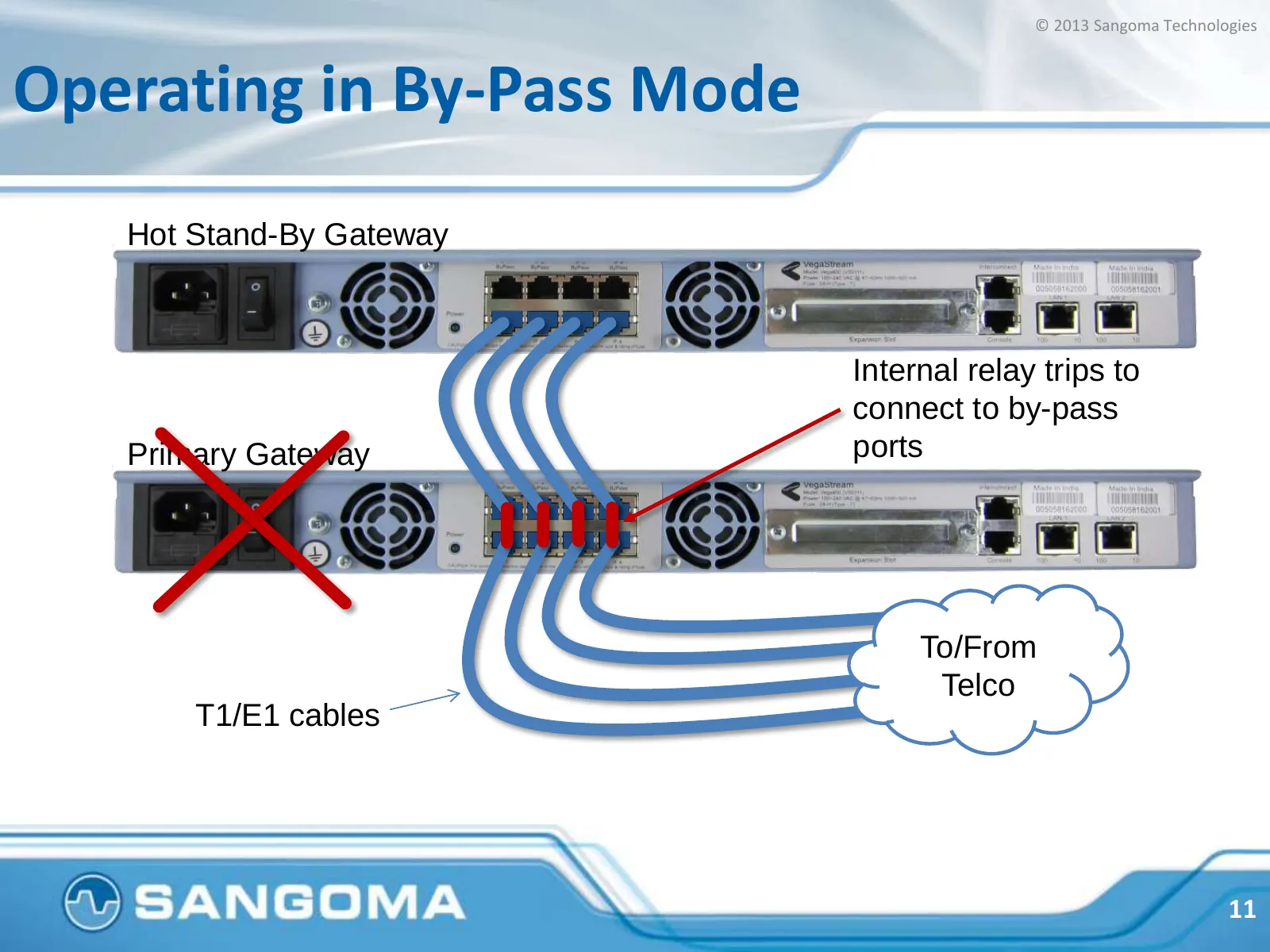
Slide 11: Operating in By-Pass Mode
© 2013 Sangoma Technologies Operating in By-Pass Mode Hot Stand-By Gateway Internal relay trips to connect to by-pass Primary Gateway ports To/From Telco T1/E1 cables 11
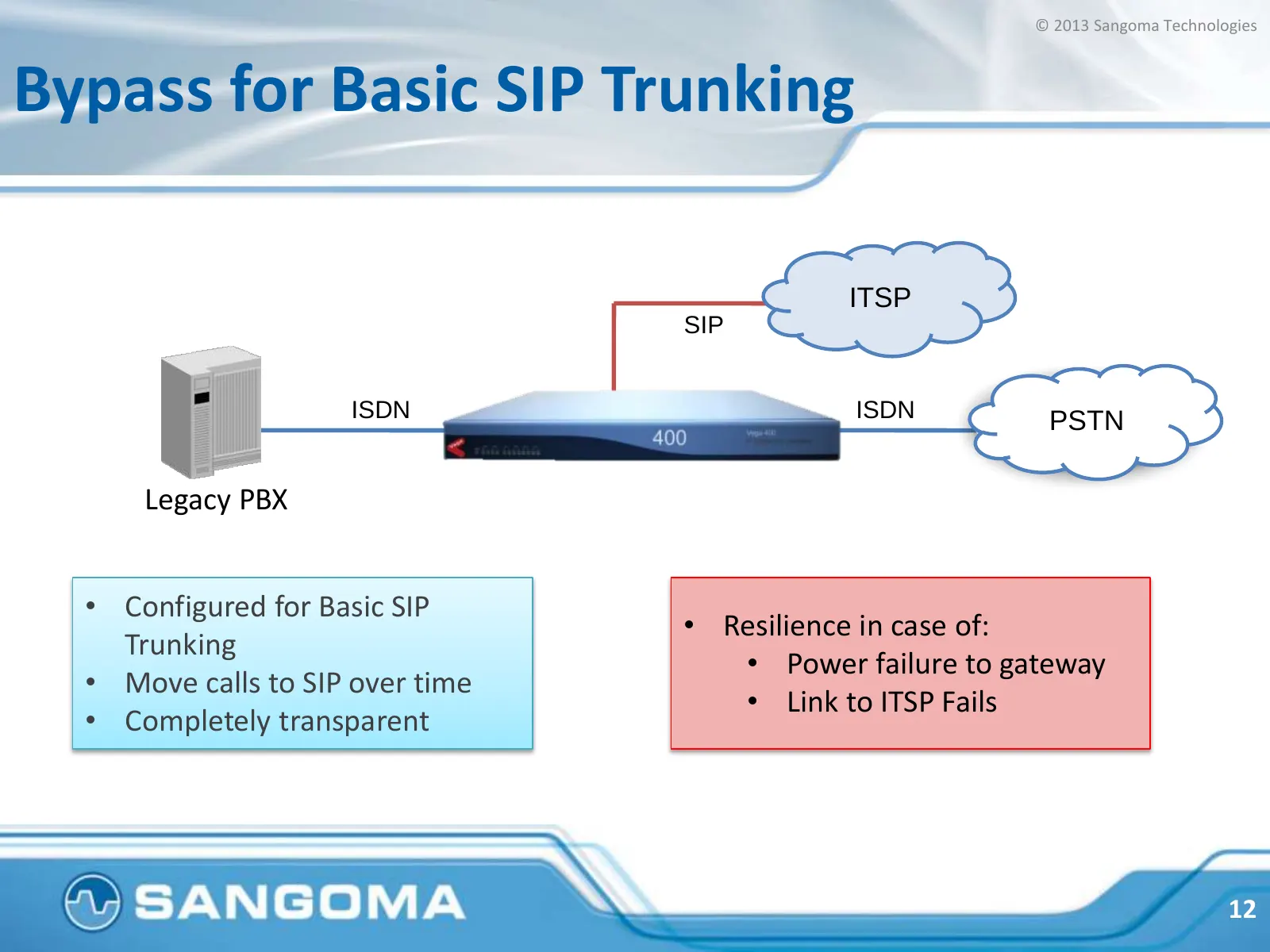
Slide 12: Bypass for Basic SIP Trunking
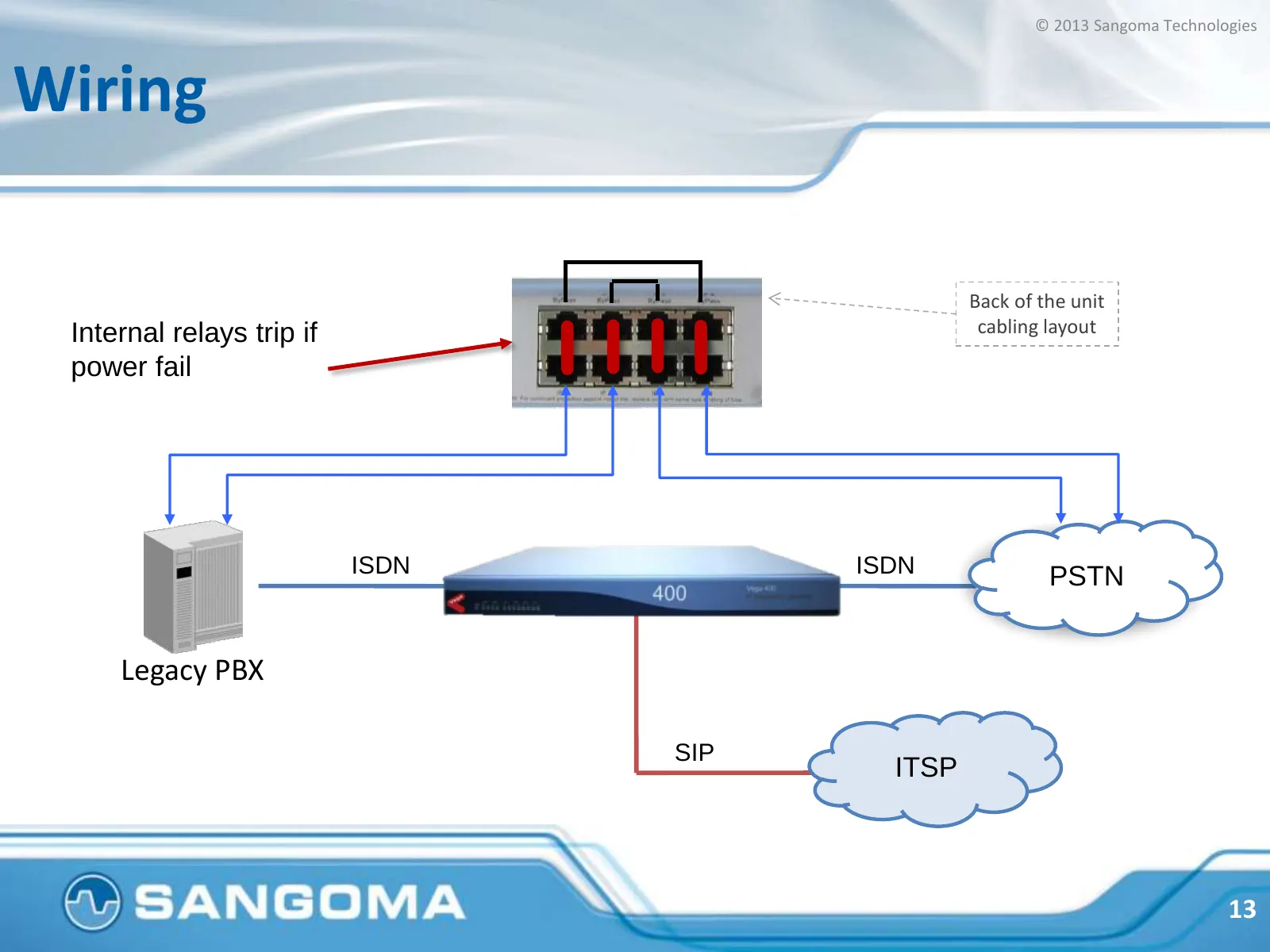
© 2013 Sangoma Technologies Bypass for Basic SIP Trunking ITSP ITSP SIP ISDN ISDN PSTN Legacy PBX • Configured for Basic SIP • Resilience in case of: Trunking • Power failure to gateway • Move calls to SIP over time • Link to ITSP Fails • Completely transparent 12
Slide 13: Wiring
© 2013 Sangoma Technologies Wiring Back of the unit Internal relays trip if cabling layout power fail ISDN ISDN PSTN Legacy PBX SIP ITSP 13
Slide 14: Failover
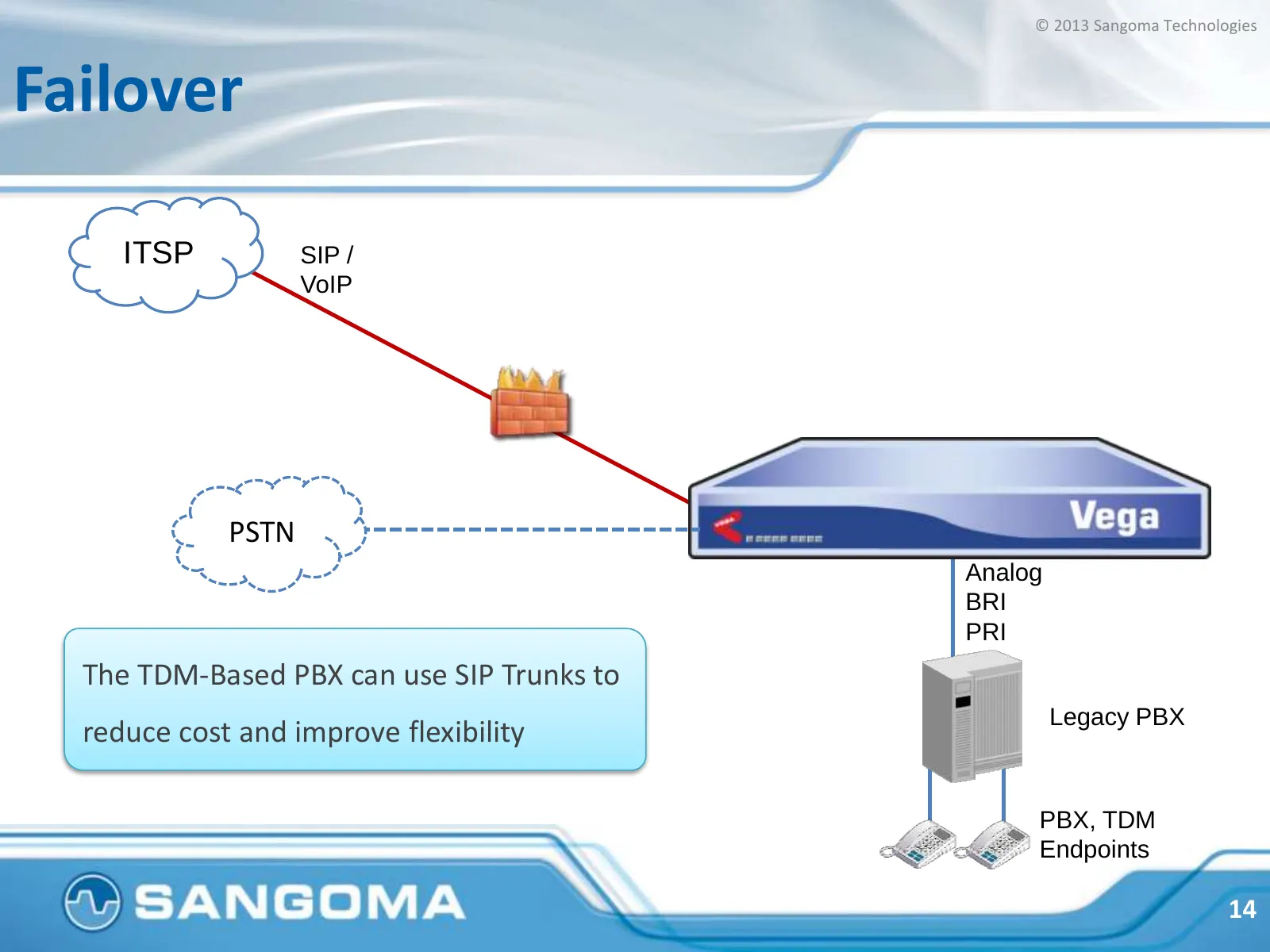
© 2013 Sangoma Technologies Failover ITSP SIP / VoIP PSTN Analog BRI PRI The TDM-Based PBX can use SIP Trunks to Legacy PBX reduce cost and improve flexibility PBX, TDM Endpoints 14
Slide 15: Failover
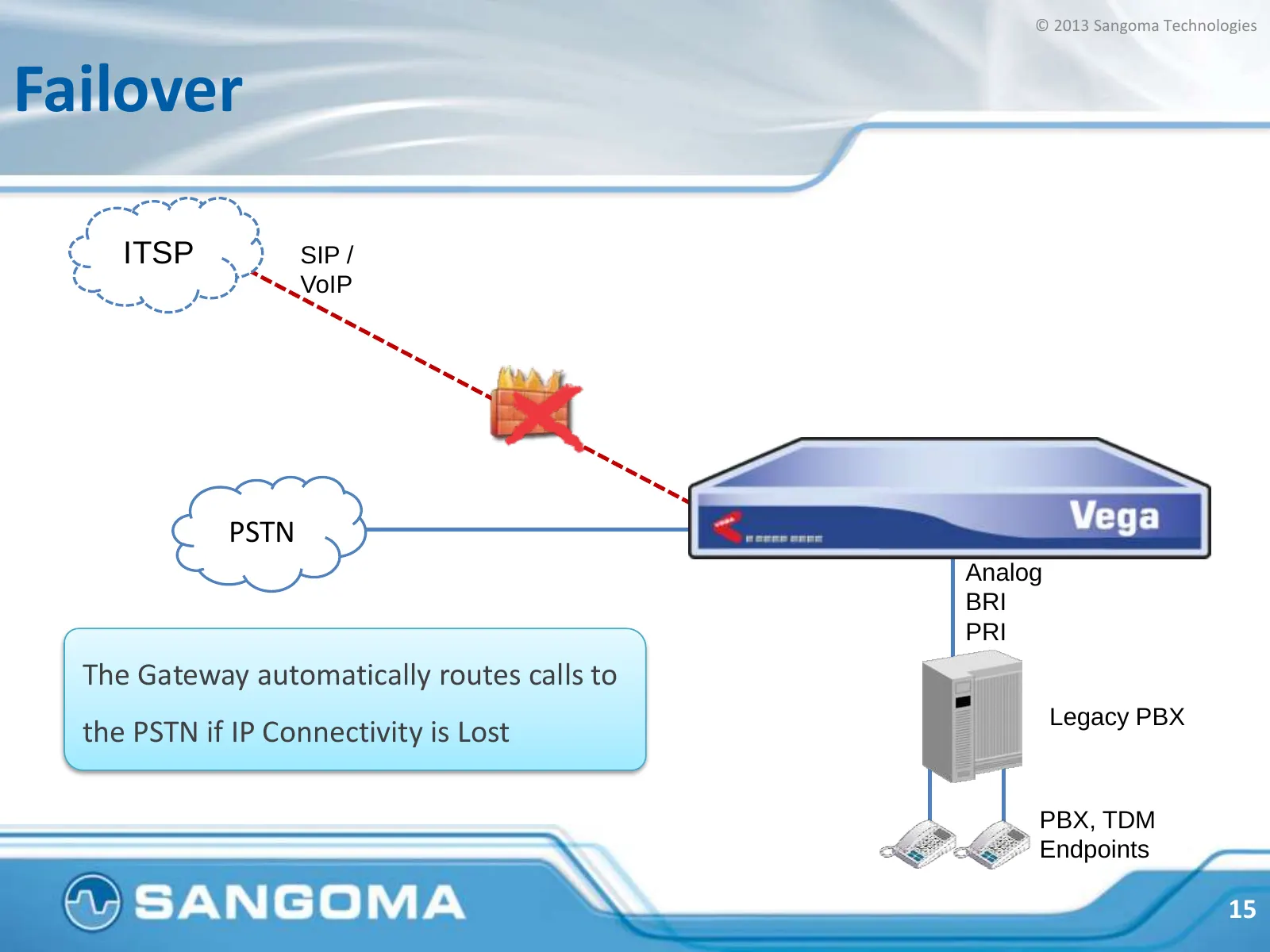
© 2013 Sangoma Technologies Failover ITSP SIP / VoIP PSTN Analog BRI PRI The Gateway automatically routes calls to Legacy PBX the PSTN if IP Connectivity is Lost PBX, TDM Endpoints 15
Slide 16: Failover
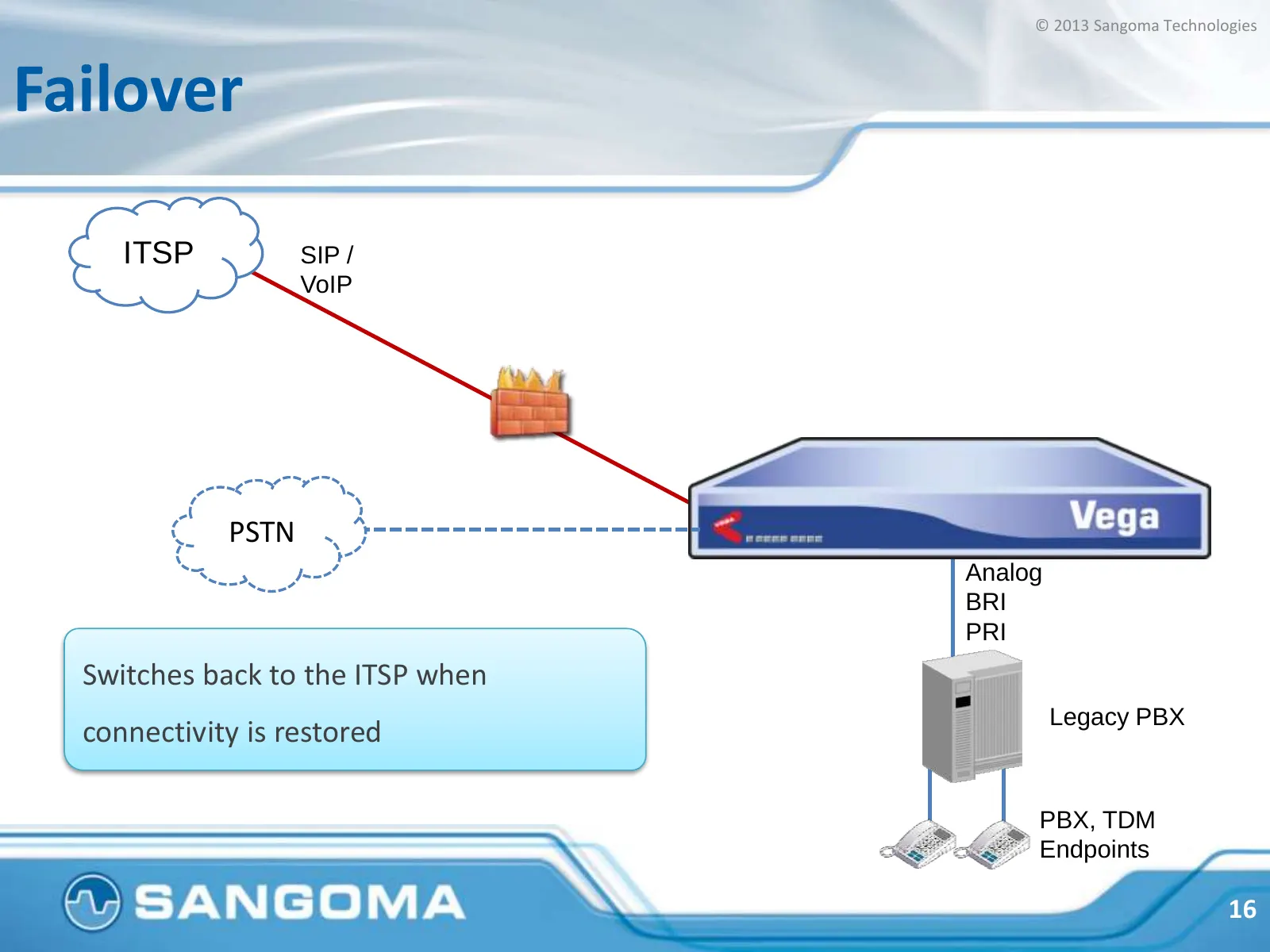
© 2013 Sangoma Technologies Failover ITSP SIP / VoIP PSTN Analog BRI PRI Switches back to the ITSP when Legacy PBX connectivity is restored PBX, TDM Endpoints 16
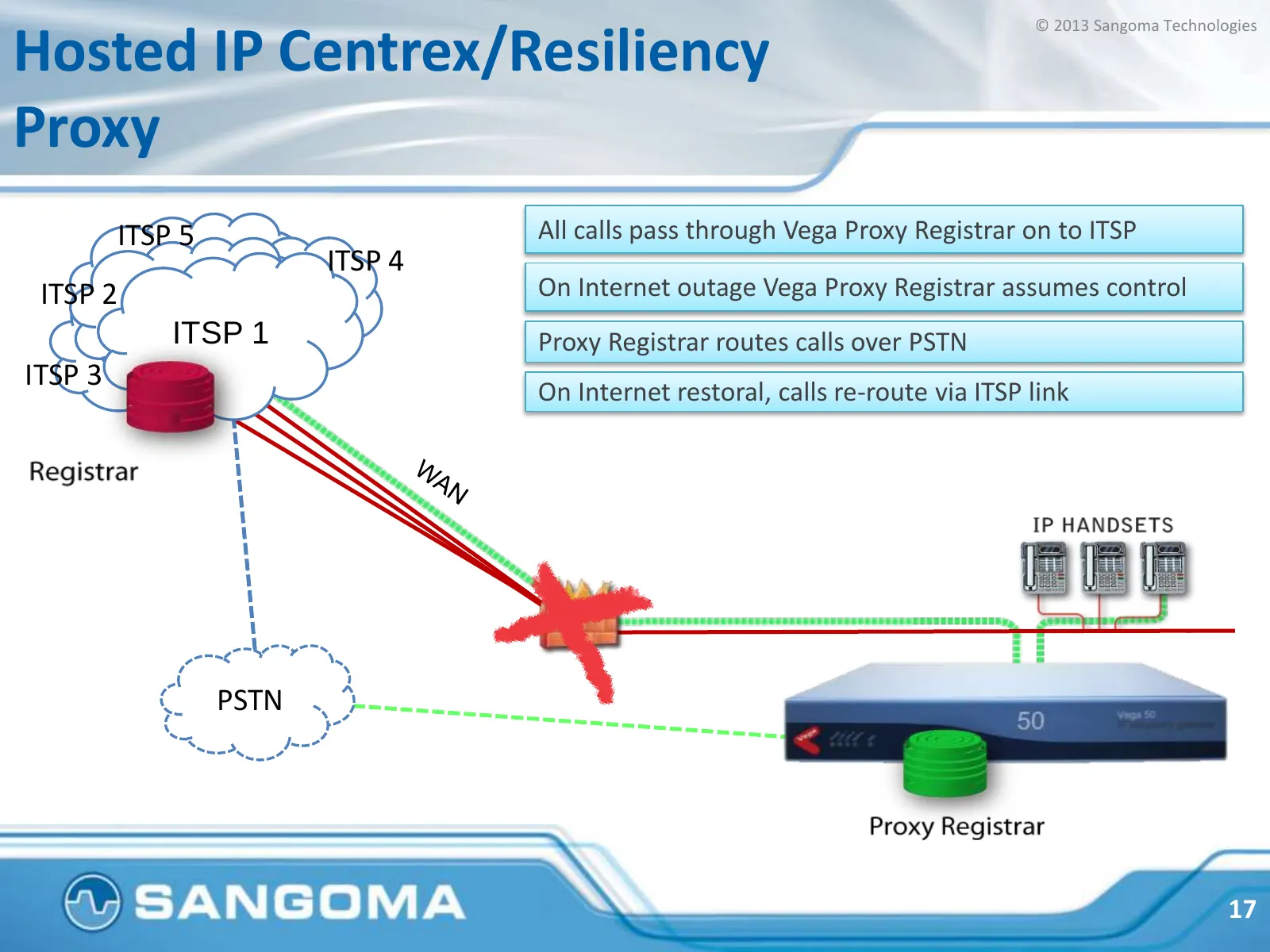
Slide 17: Hosted IP Centrex/Resiliency Proxy
© 2013 Sangoma Technologies Hosted IP Centrex/Resiliency Proxy ITSP 5 All calls pass through Vega Proxy Registrar on to ITSP ITSP 4 ITSP 2 On Internet outage Vega Proxy Registrar assumes control ITSP 1 Proxy Registrar routes calls over PSTN ITSP 3 On Internet restoral, calls re-route via ITSP link P
Slide 18: Vega Product Line
— VEGA PRODUCT LINE 6) SANGOMA CONNECT WITH SANGOMA
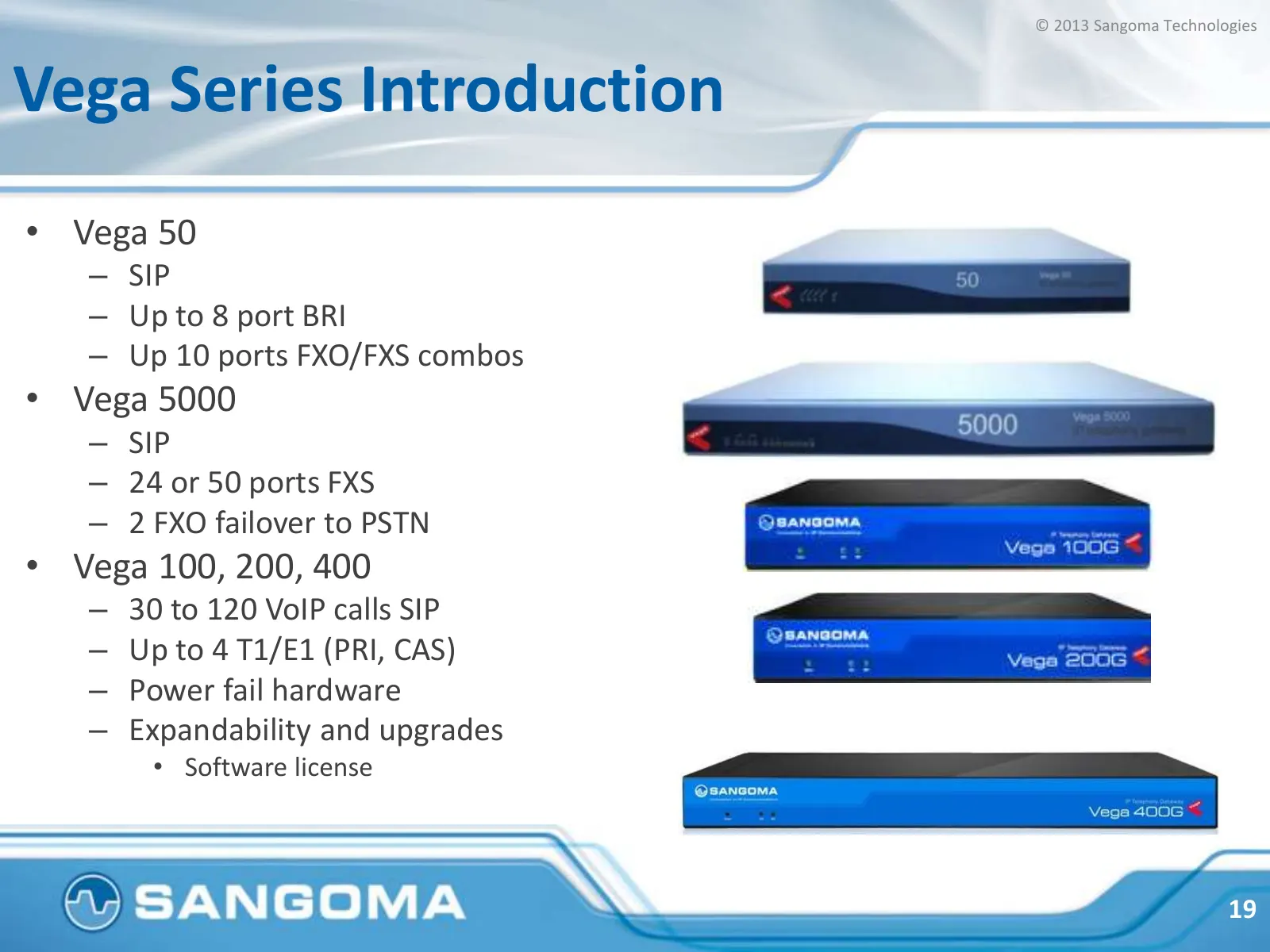
Slide 19: Vega Series Introduction
© 2013 Sangoma Technologies Vega Series Introduction • Vega 50 – SIP – Up to 8 port BRI – Up 10 ports FXO/FXS combos • Vega 5000 – SIP – 24 or 50 ports FXS – 2 FXO failover to PSTN • Vega 100, 200, 400 – 30 to 120 VoIP calls SIP – Up to 4 T1/E1 (PRI, CAS) – Power fail hardware – Expandability and up
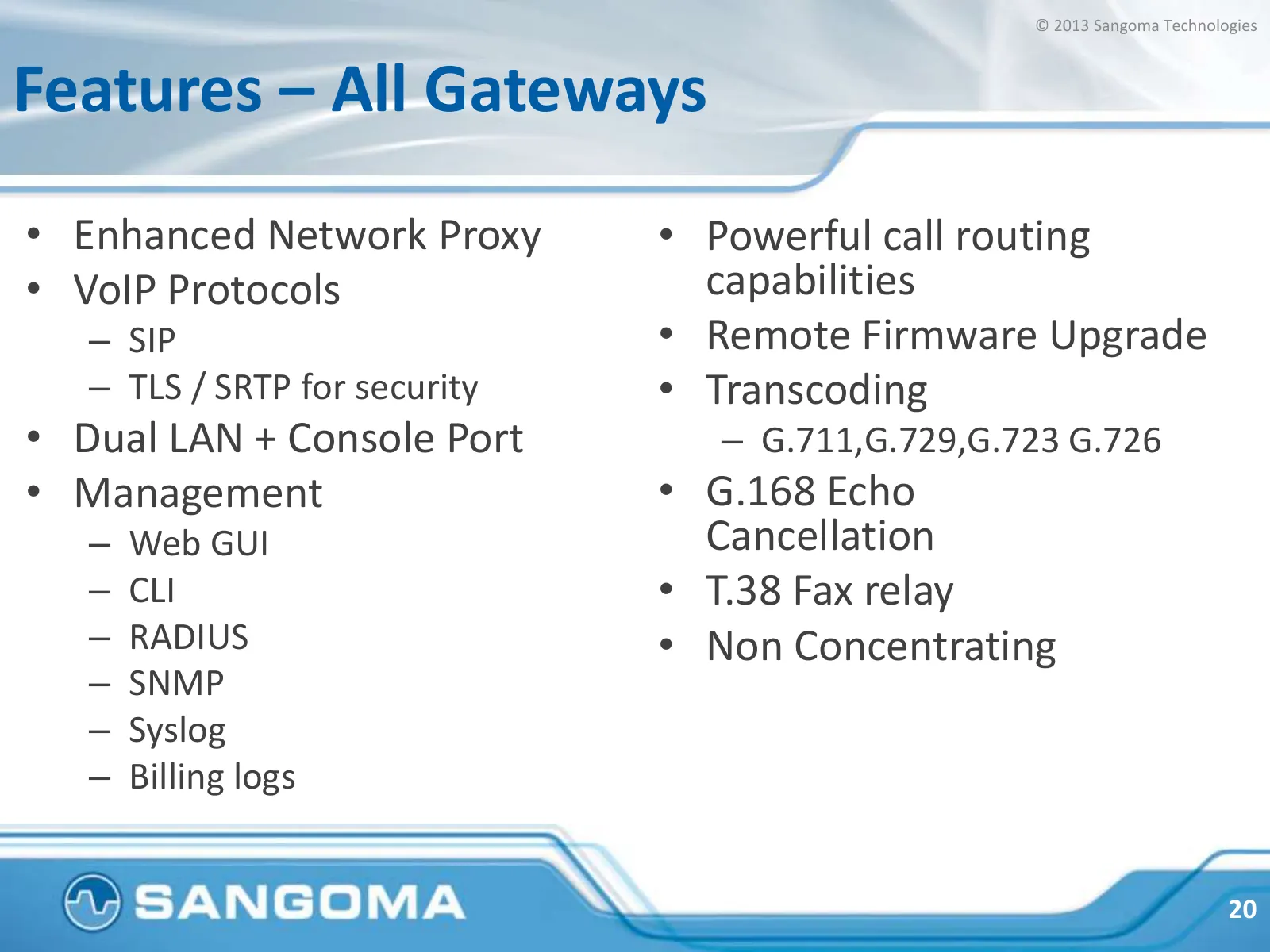
Slide 20: Features – All Gateways
© 2013 Sangoma Technologies Features – All Gateways • Enhanced Network Proxy • Powerful call routing • VoIP Protocols capabilities – SIP • Remote Firmware Upgrade – TLS / SRTP for security • Transcoding • Dual LAN + Console Port – G.711,G.729,G.723 G.726 • Management • G.168 Echo – Web GUI Cancellat
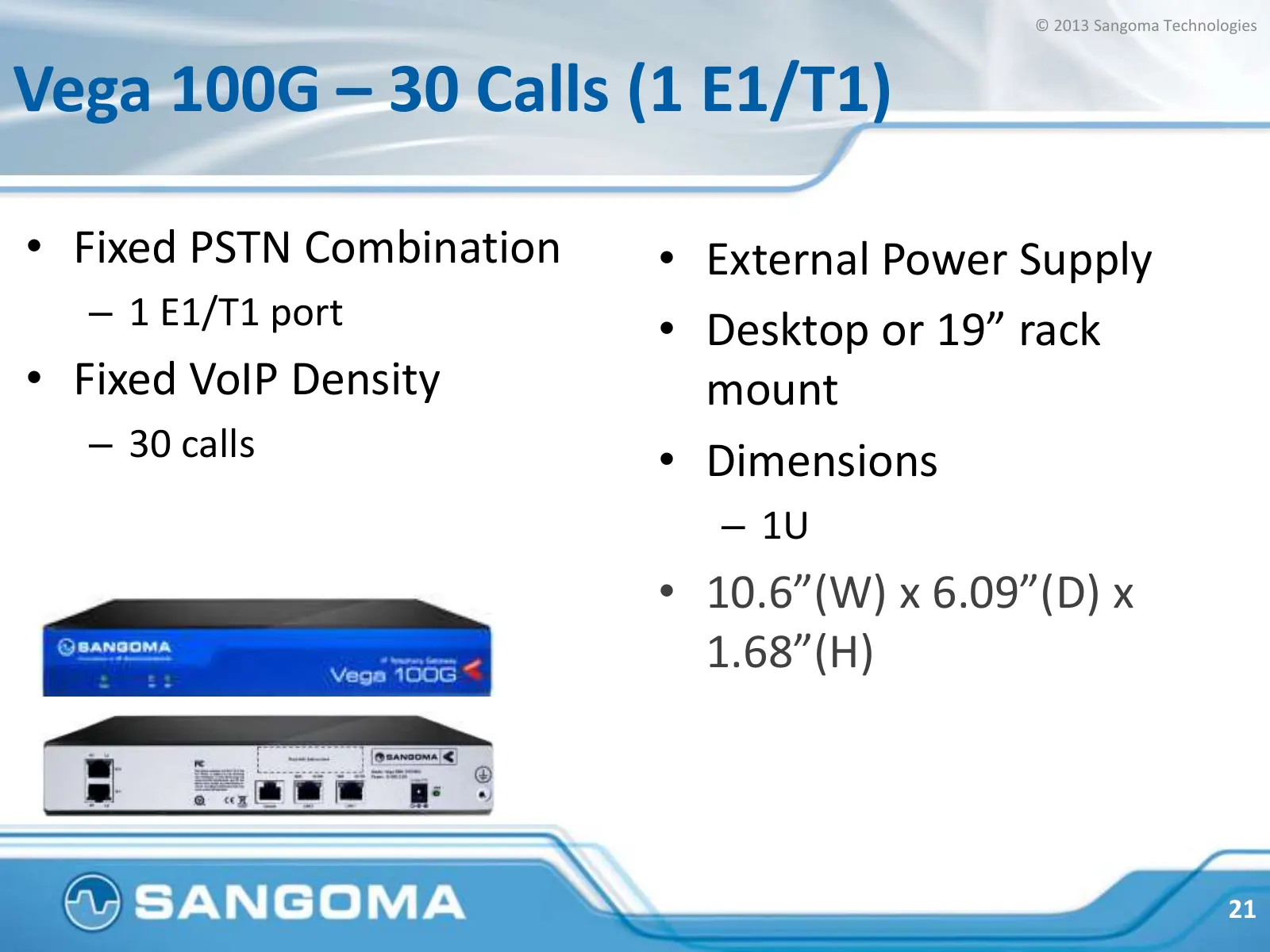
Slide 21: Vega 100G – 30 Calls (1 E1/T1)
© 2013 Sangoma Technologies Vega 100G – 30 Calls (1 E1/T1) • Fixed PSTN Combination • External Power Supply – 1 E1/T1 port • Desktop or 19” rack • Fixed VoIP Density mount – 30 calls • Dimensions – 1U • 10.6”(W) x 6.09”(D) x 1.68”(H) 21
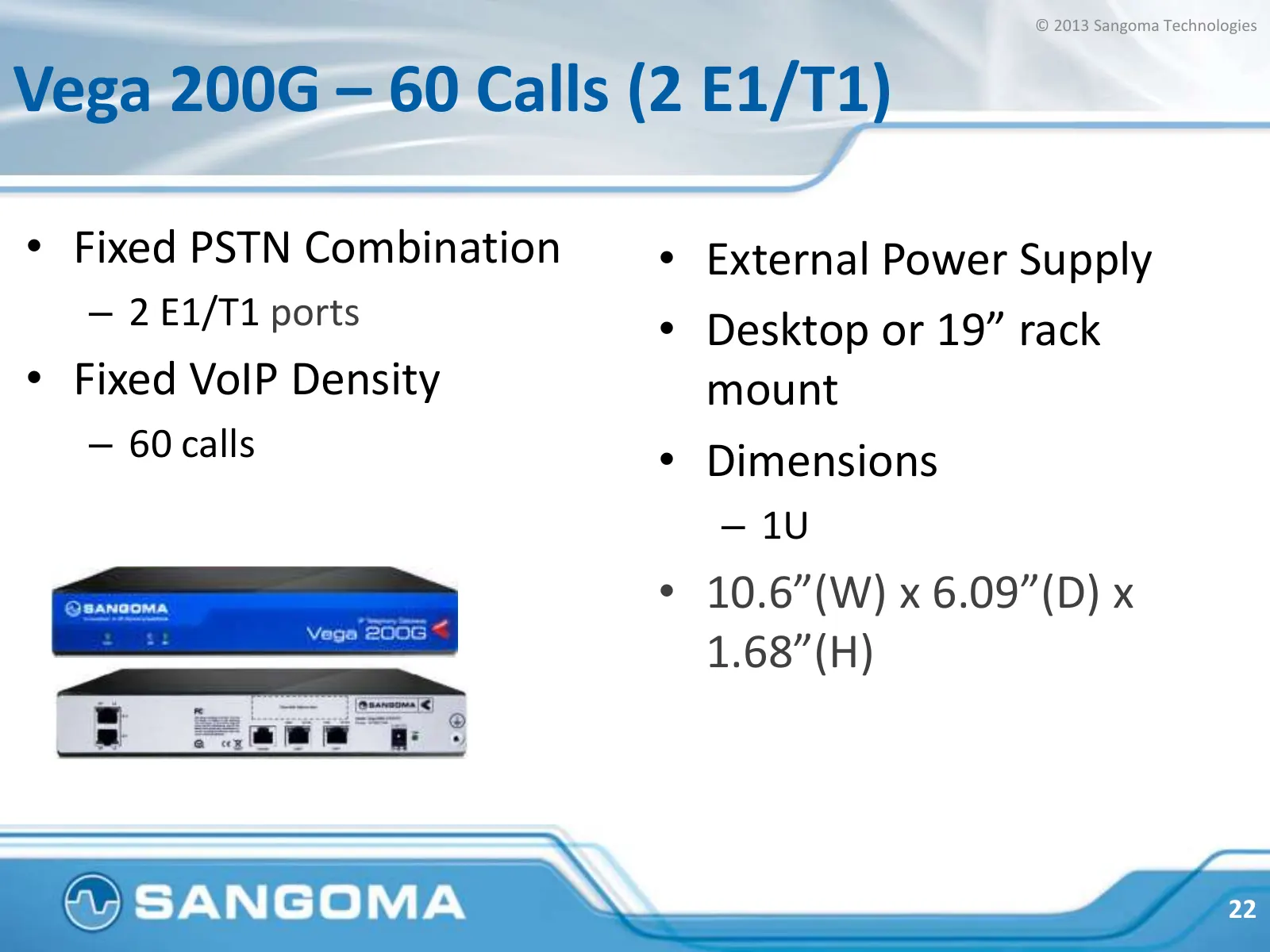
Slide 22: Vega 200G – 60 Calls (2 E1/T1)
© 2013 Sangoma Technologies Vega 200G – 60 Calls (2 E1/T1) • Fixed PSTN Combination • External Power Supply – 2 E1/T1 ports • Desktop or 19” rack • Fixed VoIP Density mount – 60 calls • Dimensions – 1U • 10.6”(W) x 6.09”(D) x 1.68”(H) 22
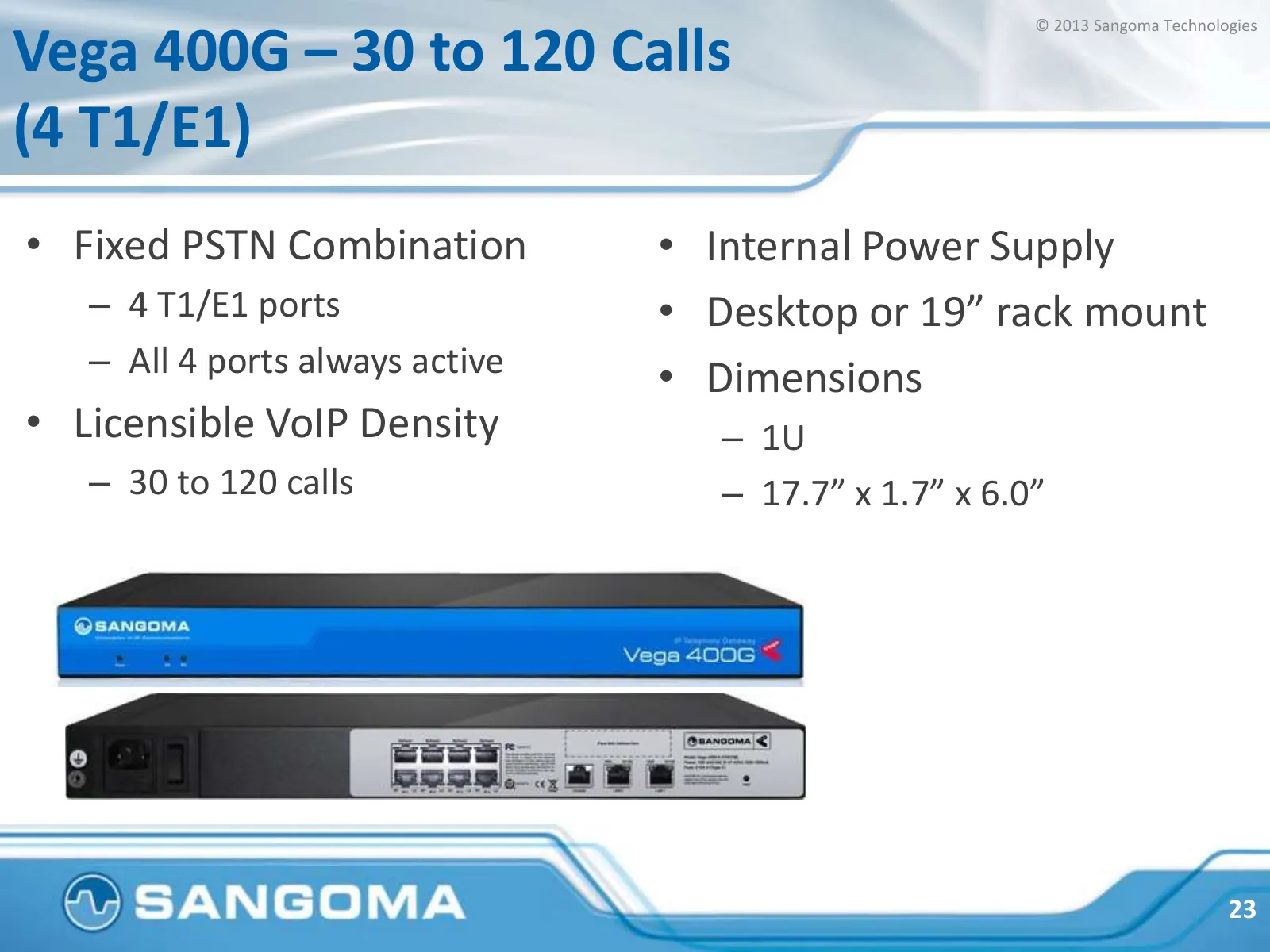
Slide 23: Vega 400G – 30 to 120 Calls (4 T1/E1)
© 2013 Sangoma Technologies Vega 400G – 30 to 120 Calls (4 T1/E1) • Fixed PSTN Combination • Internal Power Supply – 4 T1/E1 ports • Desktop or 19” rack mount – All 4 ports always active • Dimensions • Licensible VoIP Density – 1U – 30 to 120 calls – 17.7” x 1.7” x 6.0” 23
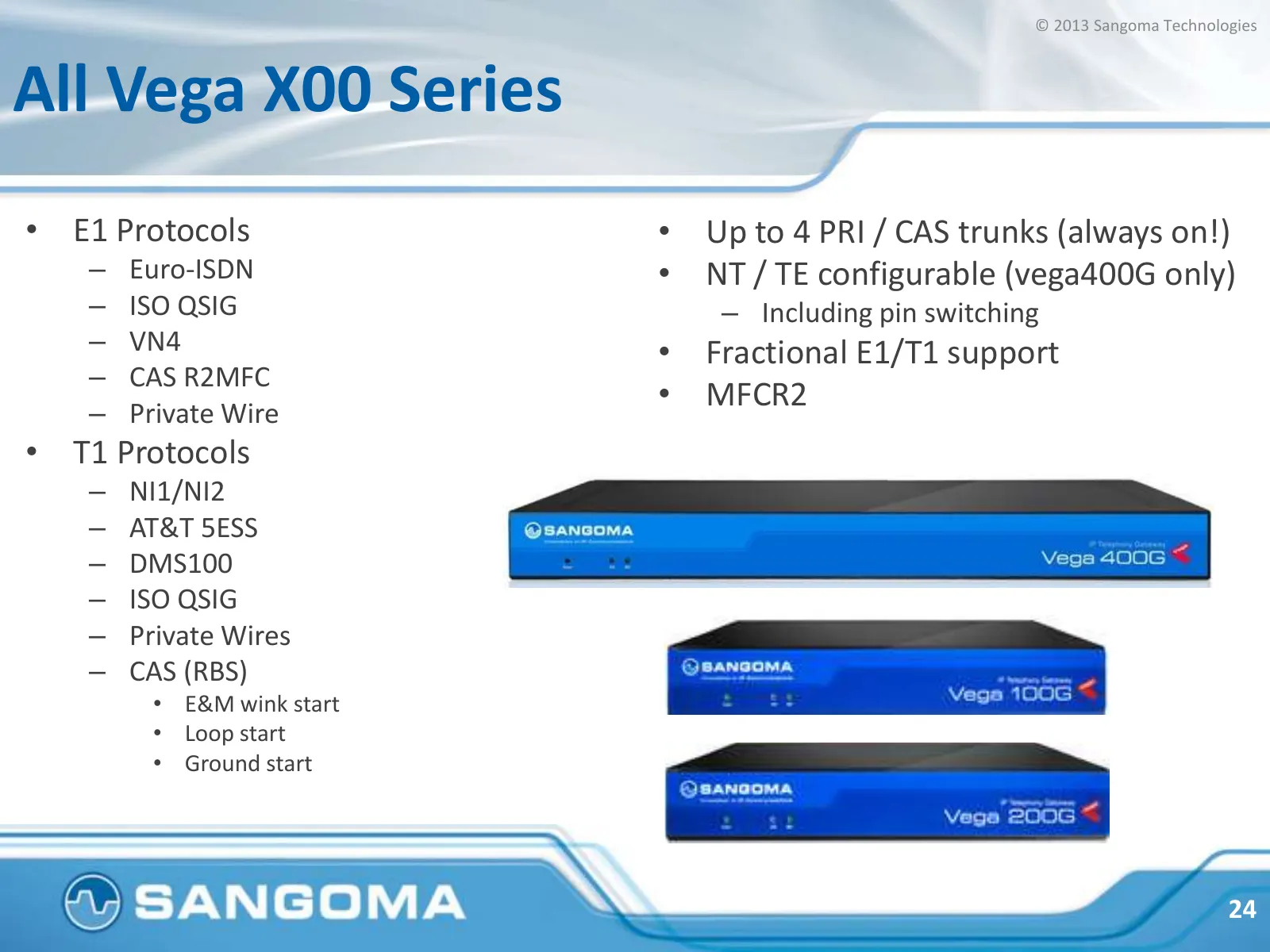
Slide 24: All Vega X00 Series
© 2013 Sangoma Technologies All Vega X00 Series • E1 Protocols • Up to 4 PRI / CAS trunks (always on!) – Euro-ISDN • NT / TE configurable (vega400G only) – ISO QSIG – Including pin switching – VN4 • Fractional E1/T1 support – CAS R2MFC – Private Wire • MFCR2 • T1 Protocols – NI1/NI2 – AT&T 5ESS – DM
Slide 25: Vega 50 – Low Density Gateway
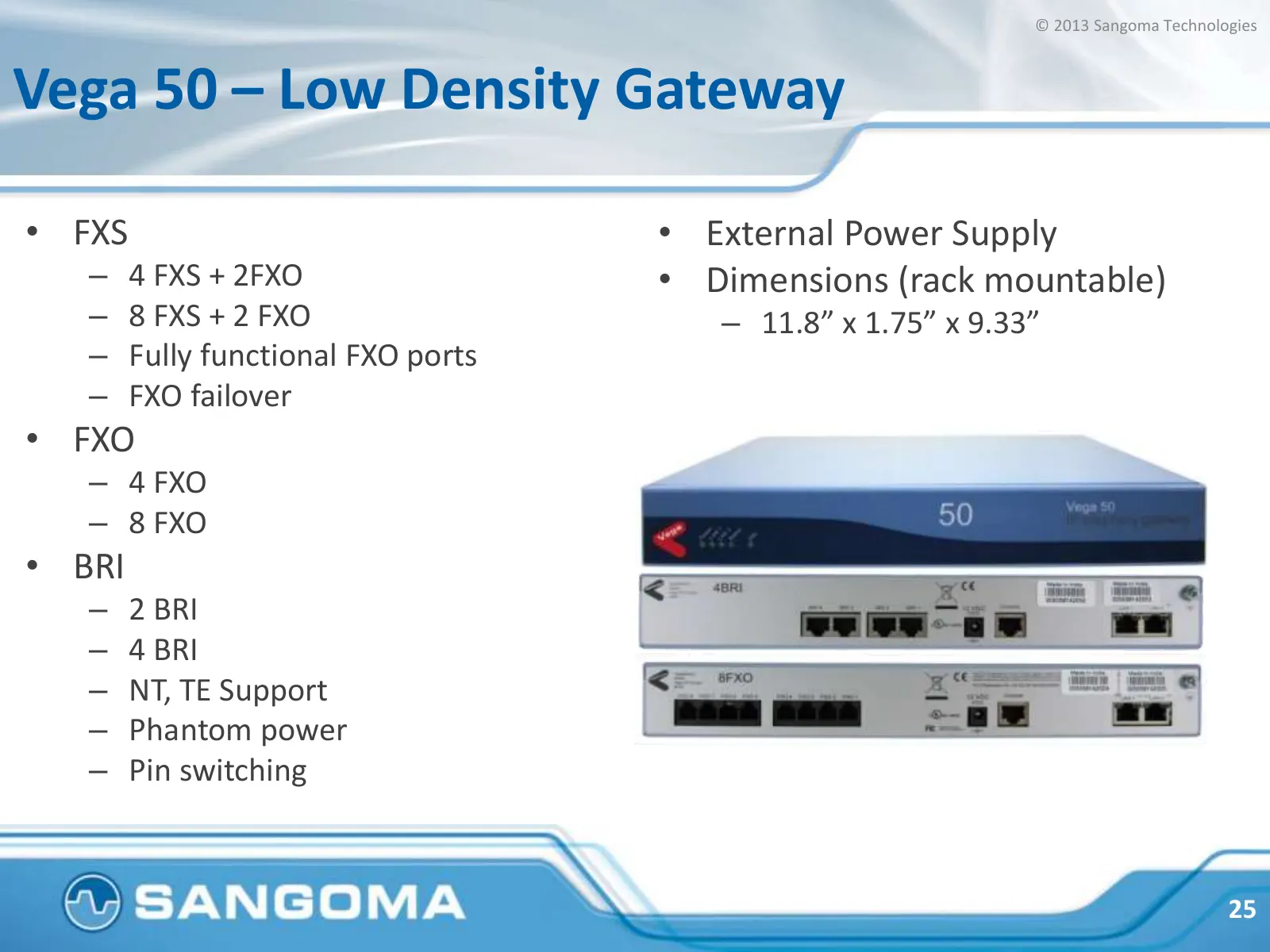
© 2013 Sangoma Technologies Vega 50 – Low Density Gateway • FXS • External Power Supply – 4 FXS + 2FXO • Dimensions (rack mountable) – 8 FXS + 2 FXO – 11.8” x 1.75” x 9.33” – Fully functional FXO ports – FXO failover • FXO – 4 FXO – 8 FXO • BRI – 2 BRI – 4 BRI – NT, TE Support – Phantom power – Pin
Slide 26: Vega 5000 – High Density FXS Gateway
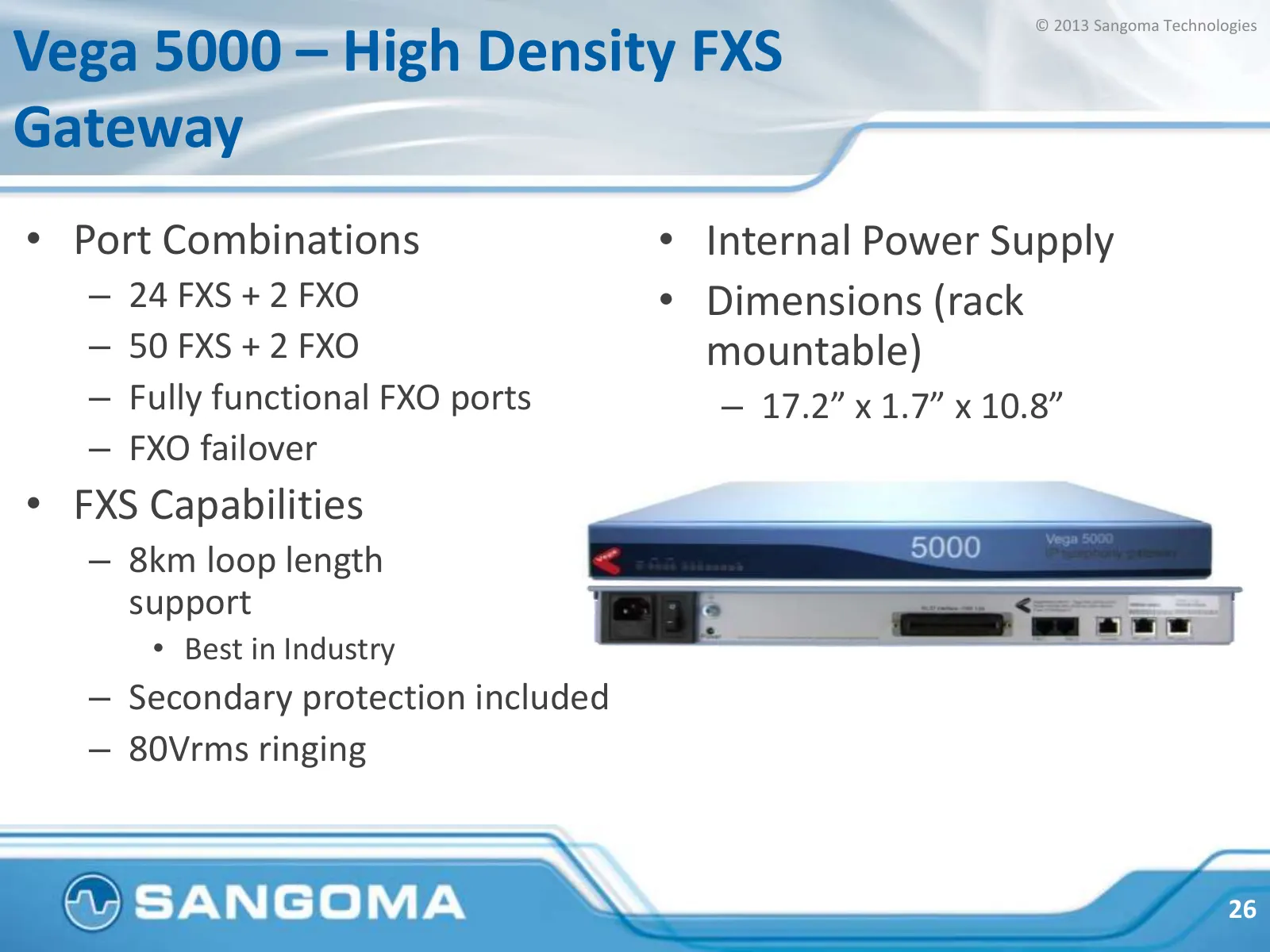
© 2013 Sangoma Technologies Vega 5000 – High Density FXS Gateway • Port Combinations • Internal Power Supply – 24 FXS + 2 FXO • Dimensions (rack – 50 FXS + 2 FXO mountable) – Fully functional FXO ports – 17.2” x 1.7” x 10.8” – FXO failover • FXS Capabilities – 8km loop length support • Best in Indus
Slide 27: Business Applications and Use Cases
Vega Series BUSINESS APPLICATIONS AND USE CASES
Slide 28: SIP Trunking
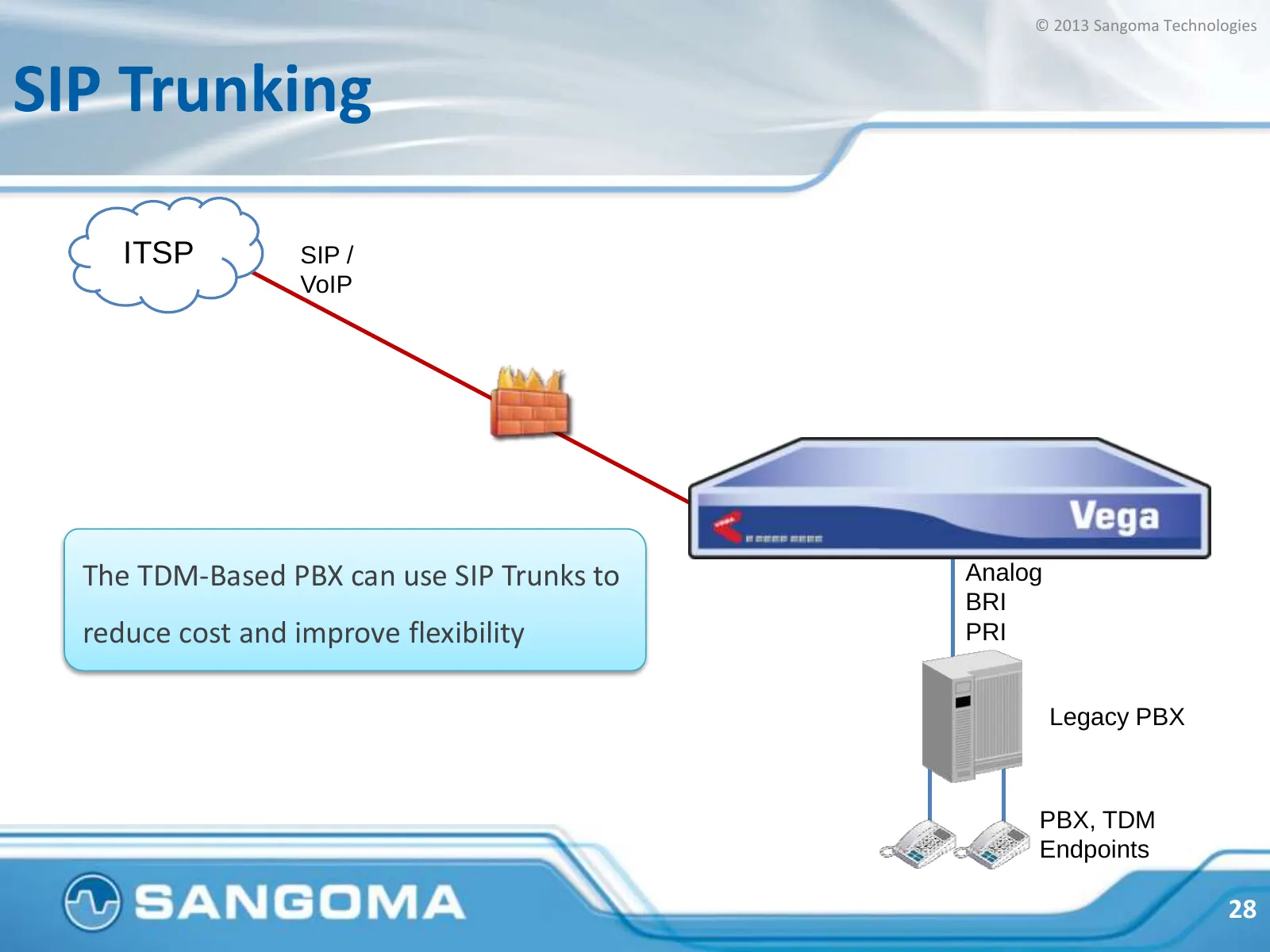
© 2013 Sangoma Technologies SIP Trunking ITSP SIP / VoIP The TDM-Based PBX can use SIP Trunks to Analog BRI reduce cost and improve flexibility PRI Legacy PBX PBX, TDM Endpoints 28
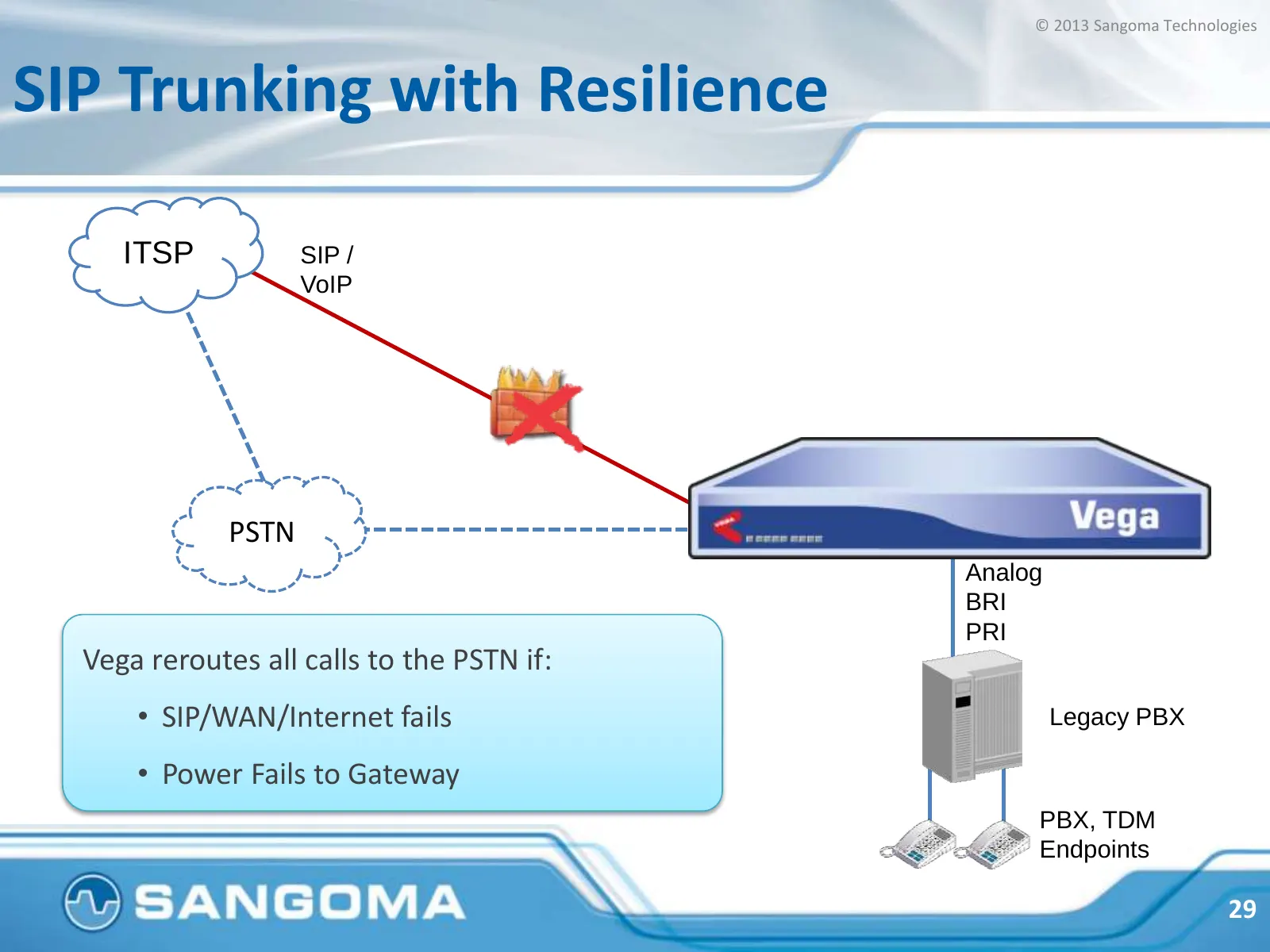
Slide 29: SIP Trunking with Resilience
© 2013 Sangoma Technologies SIP Trunking with Resilience ITSP SIP / VoIP PSTN Analog BRI PRI Vega reroutes all calls to the PSTN if: • SIP/WAN/Internet fails Legacy PBX • Power Fails to Gateway PBX, TDM Endpoints 29
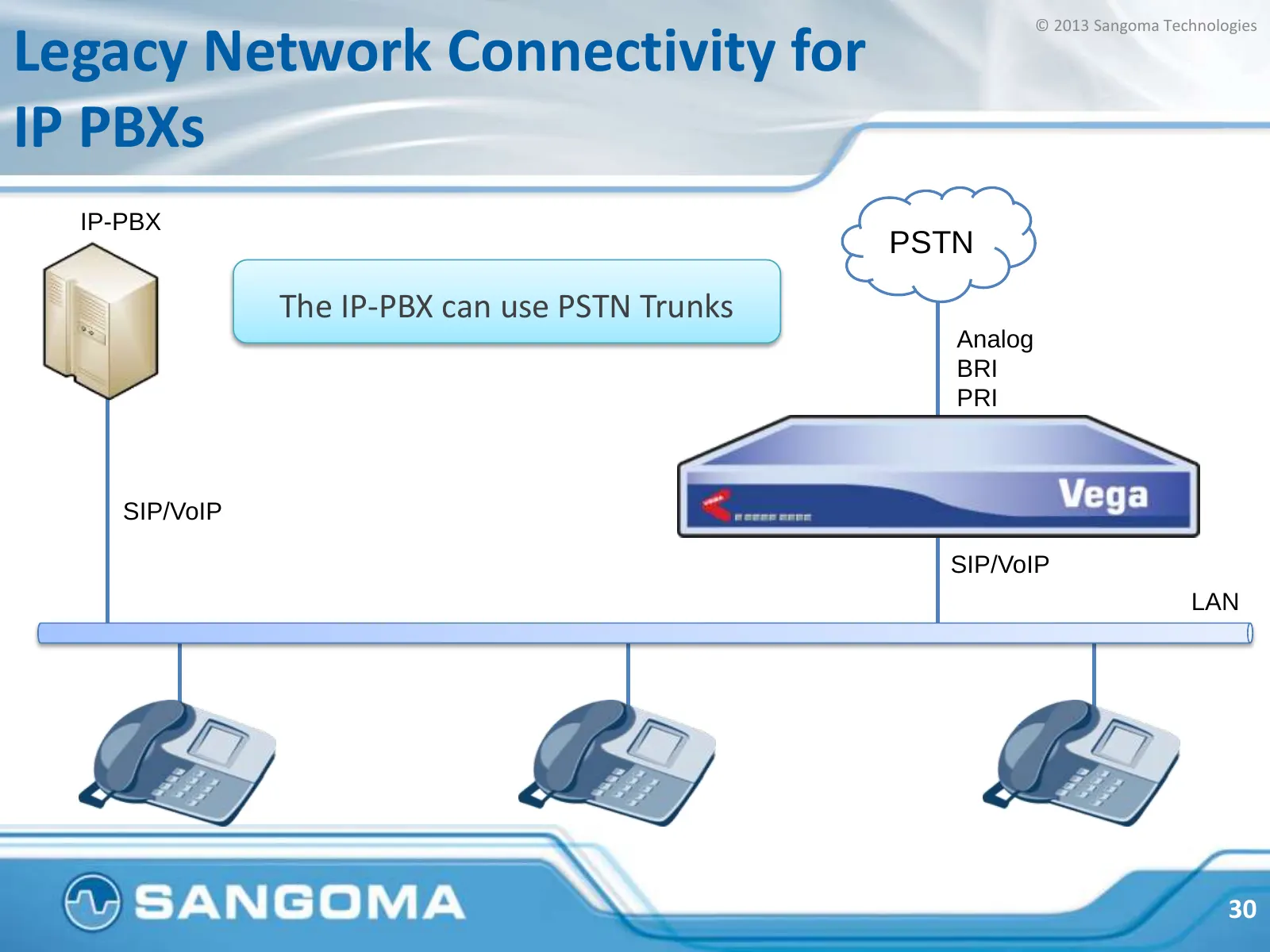
Slide 30: Legacy Network Connectivity for IP PBXs
© 2013 Sangoma Technologies Legacy Network Connectivity for IP PBXs IP-PBX PSTN The IP-PBX can use PSTN Trunks Analog BRI PRI SIP/VoIP SIP/VoIP LAN 30
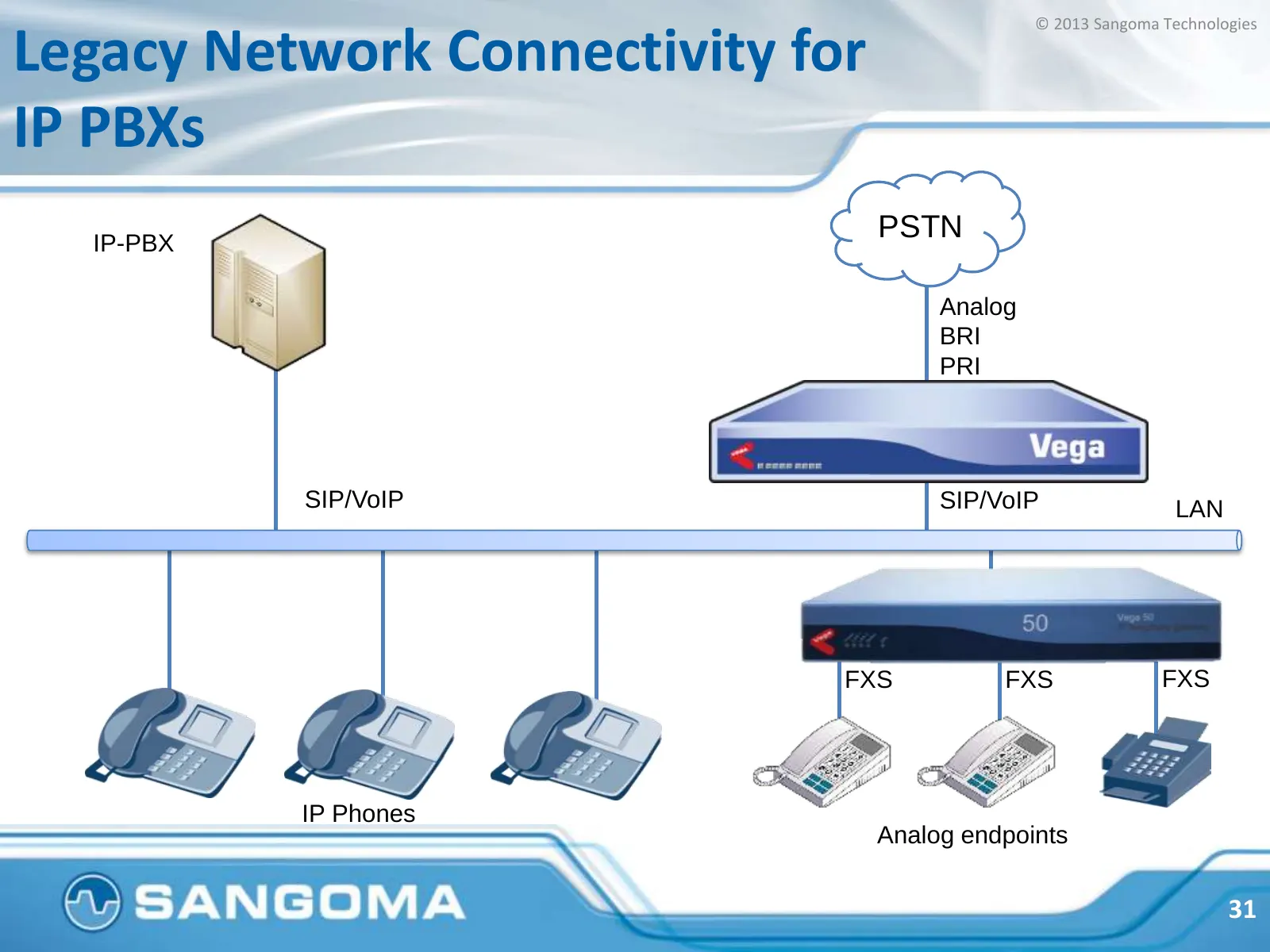
Slide 31: Legacy Network Connectivity for IP PBXs
© 2013 Sangoma Technologies Legacy Network Connectivity for IP PBXs IP-PBX PSTN Analog BRI PRI SIP/VoIP SIP/VoIP LAN FXS FXS FXS IP Phones Analog endpoints 31
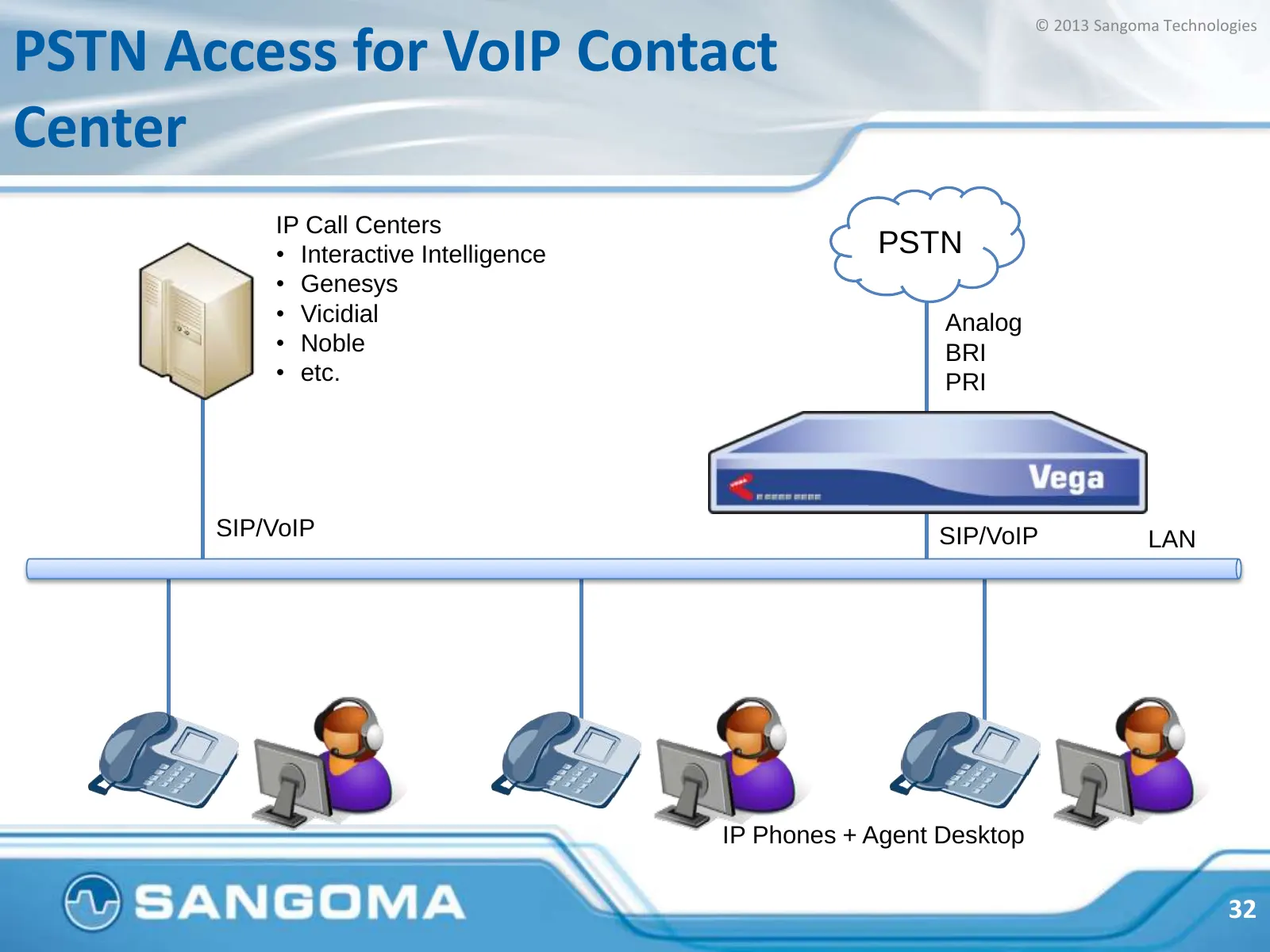
Slide 32: PSTN Access for VoIP Contact Center
© 2013 Sangoma Technologies PSTN Access for VoIP Contact Center IP Call Centers • Interactive Intelligence PSTN • Genesys • Vicidial Analog • Noble BRI • etc. PRI SIP/VoIP SIP/VoIP LAN IP Phones + Agent Desktop 32
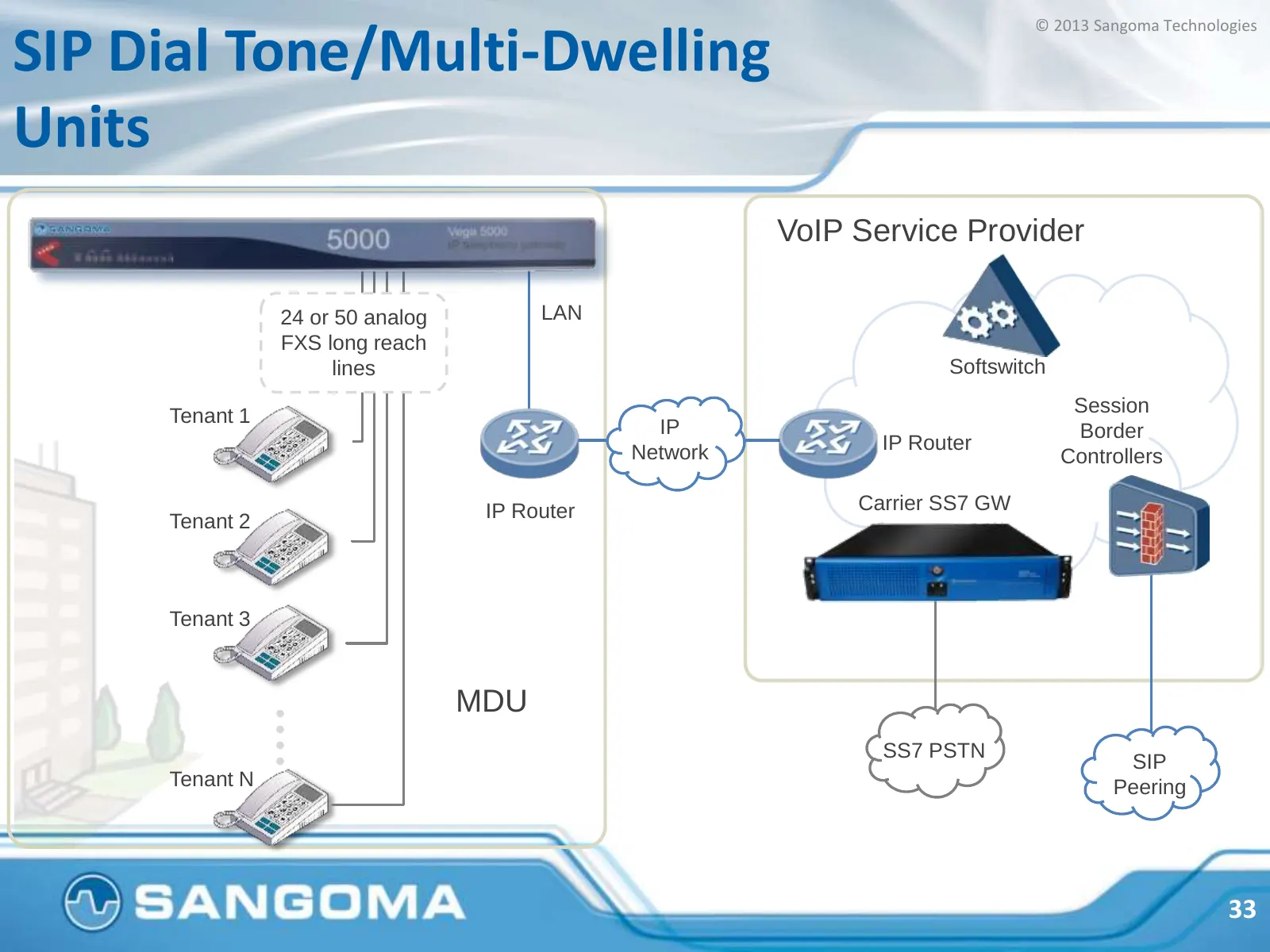
Slide 33: SIP Dial Tone/Multi-Dwelling Units
© 2013 Sangoma Technologies SIP Dial Tone/Multi-Dwelling Units VoIP Service Provider 24 or 50 analog LAN FXS long reach lines Softswitch Tenant 1 Session IP Border Network IP Router Controllers IP Router Carrier SS7 GW Tenant 2 Tenant 3 MDU SS7 PSTN SIP Tenant N Peering 33
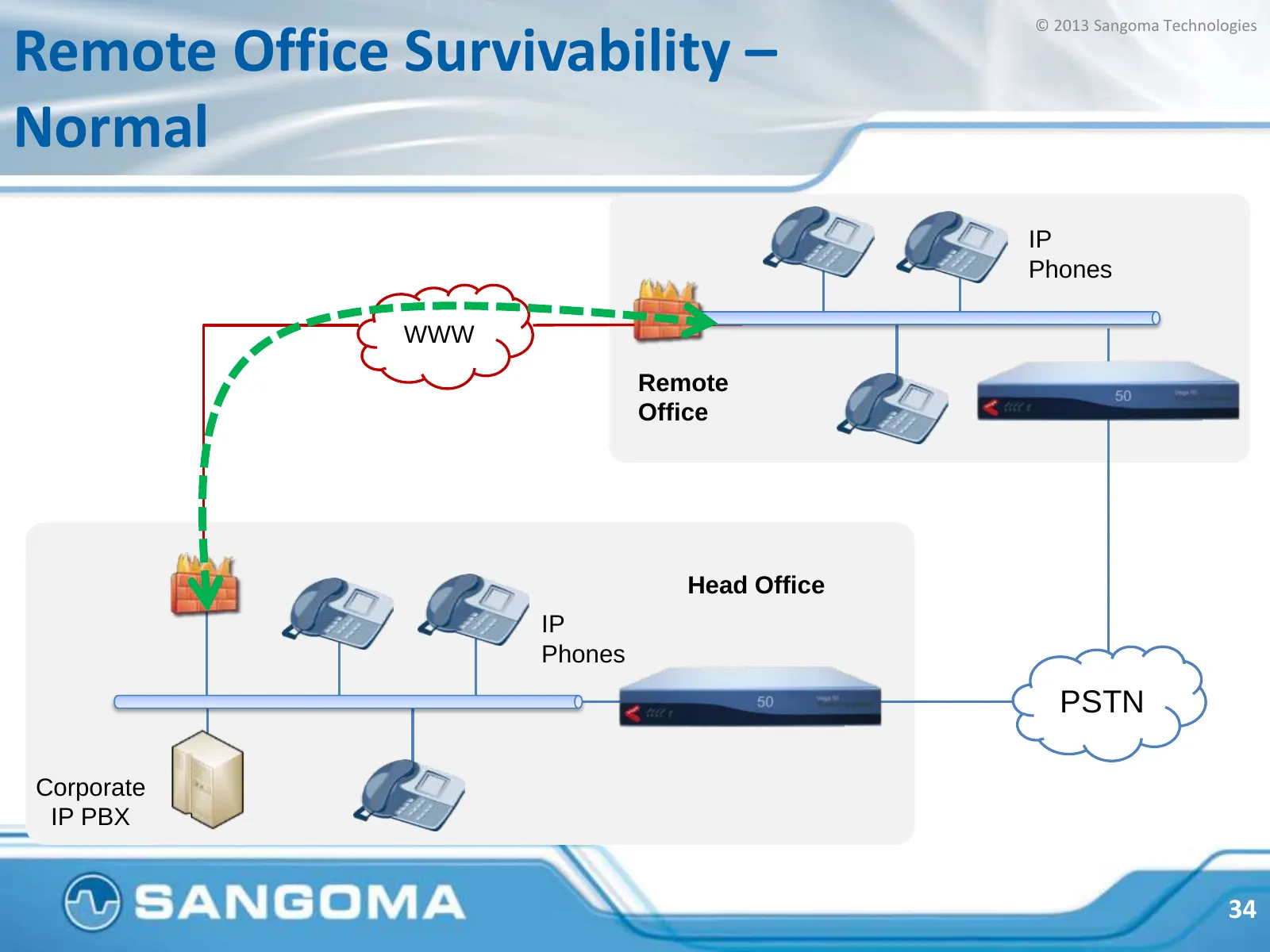
Slide 34: Remote Office Survivability – Normal
© 2013 Sangoma Technologies Remote Office Survivability – Normal IP Phones WWW Remote Office Head Office IP Phones PSTN Corporate IP PBX 34
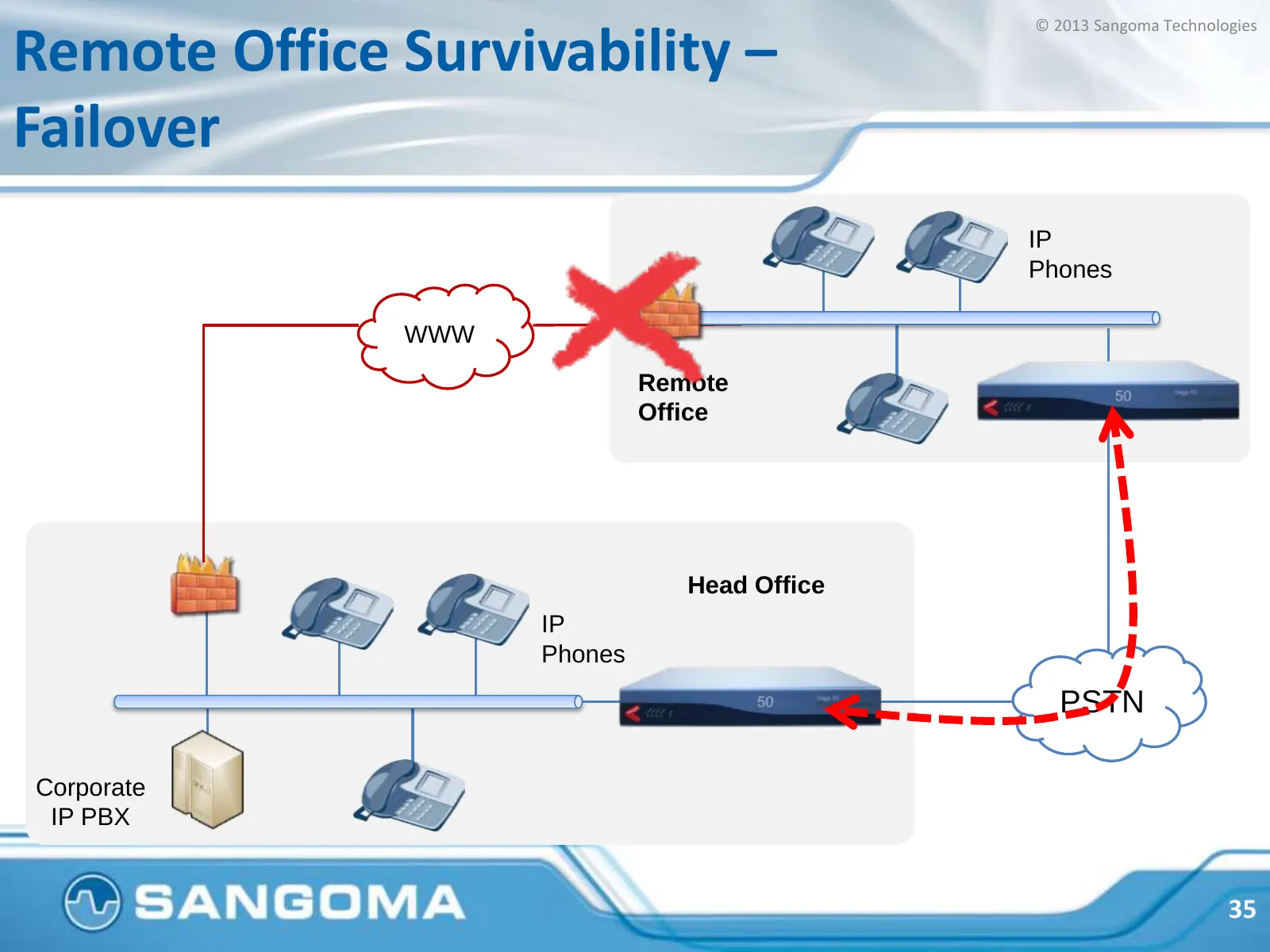
Slide 35: Remote Office Survivability – Failover
© 2013 Sangoma Technologies Remote Office Survivability – Failover IP Phones WWW Remote Office Head Office IP Phones PSTN Corporate IP PBX 35
Slide 36: Poll
POLL 6) SANGOMA CONNECT WITH SANGOMA
Slide 37: Configuration & Management
— CONFIGURATION & MANAGEMENT 6) SANGOMA CONNECT WITH SANGOMA
Slide 38: Configuration with Browser-Based GUI Interface
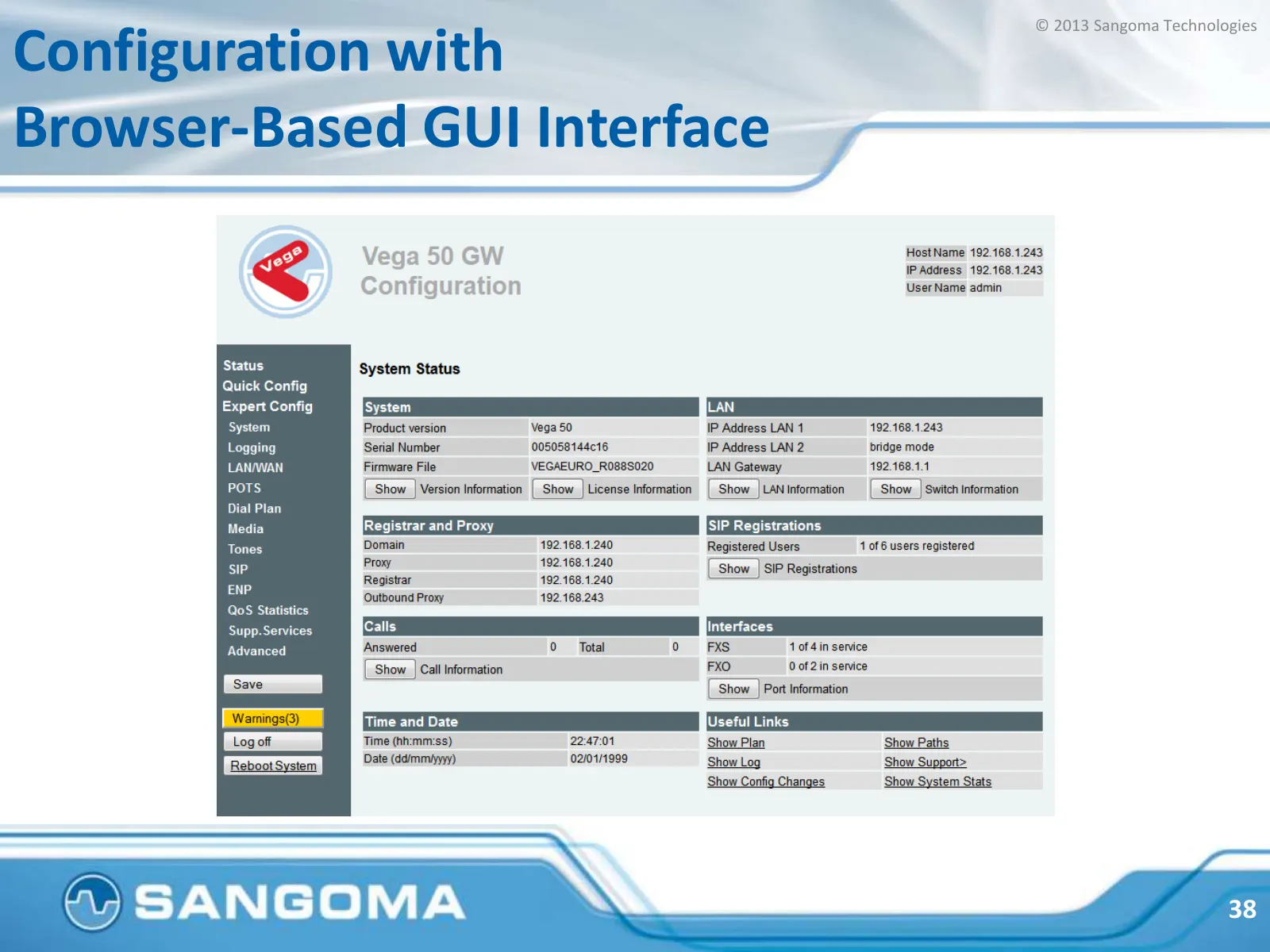
© 2013 Sangoma Technologies Configuration with Browser-Based GUI Interface 38
Slide 39: Configuration with Browser-Based GUI Interface
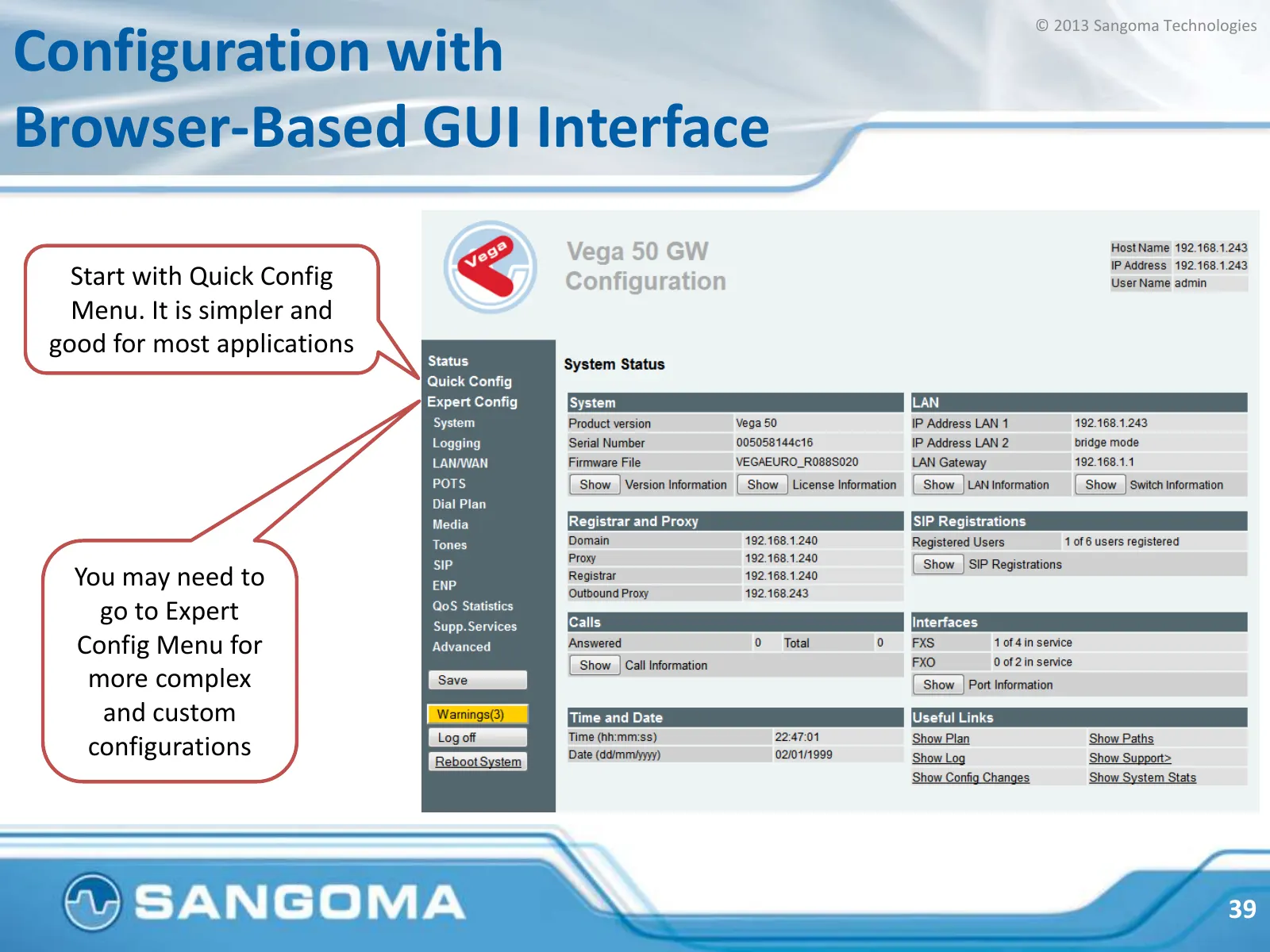
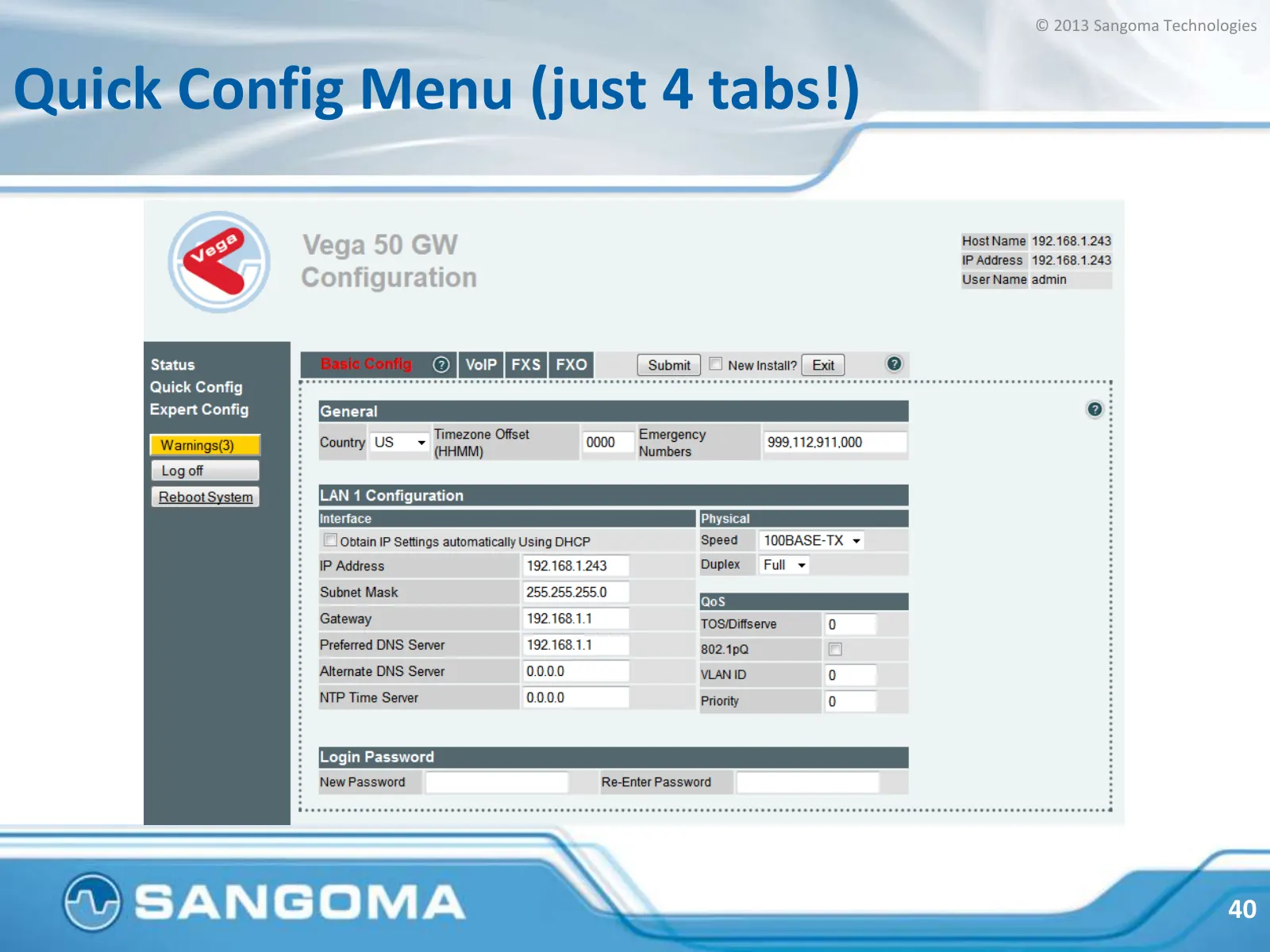
© 2013 Sangoma Technologies Configuration with Browser-Based GUI Interface Start with Quick Config Menu. It is simpler and good for most applications You may need to go to Expert Config Menu for more complex and custom configurations 39
Slide 40: Quick Config Menu (just 4 tabs!)
© 2013 Sangoma Technologies Quick Config Menu (just 4 tabs!) 40
Slide 41: Advanced Management Tools
© 2013 Sangoma Technologies Advanced Management Tools • Selection of interfaces – Browser Based Interface: HTTP, HTTPS – Command Line Interface: Serial (RS-232), Telnet, SSH • Built in logging functions – Realtime Debug – Syslog • SNMP • Automated Configuration – Autoexec – Cron – SIP NOTIFY 41
Slide 42: Documentation
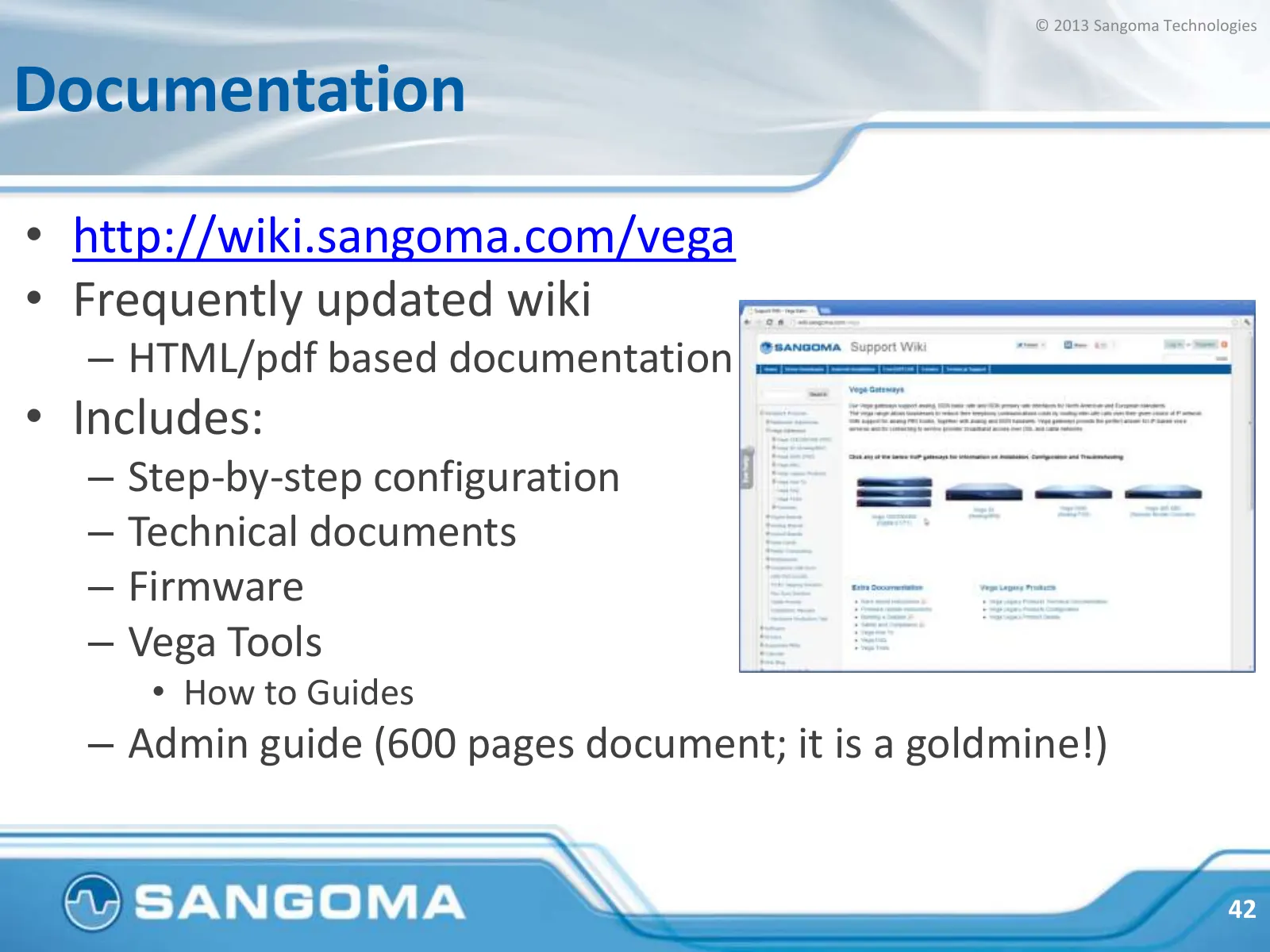
© 2013 Sangoma Technologies Documentation • http://wiki.sangoma.com/vega • Frequently updated wiki – HTML/pdf based documentation • Includes: – Step-by-step configuration – Technical documents – Firmware – Vega Tools • How to Guides – Admin guide (600 pages document; it is a goldmine!) 42
Slide 43: SNAP Tool
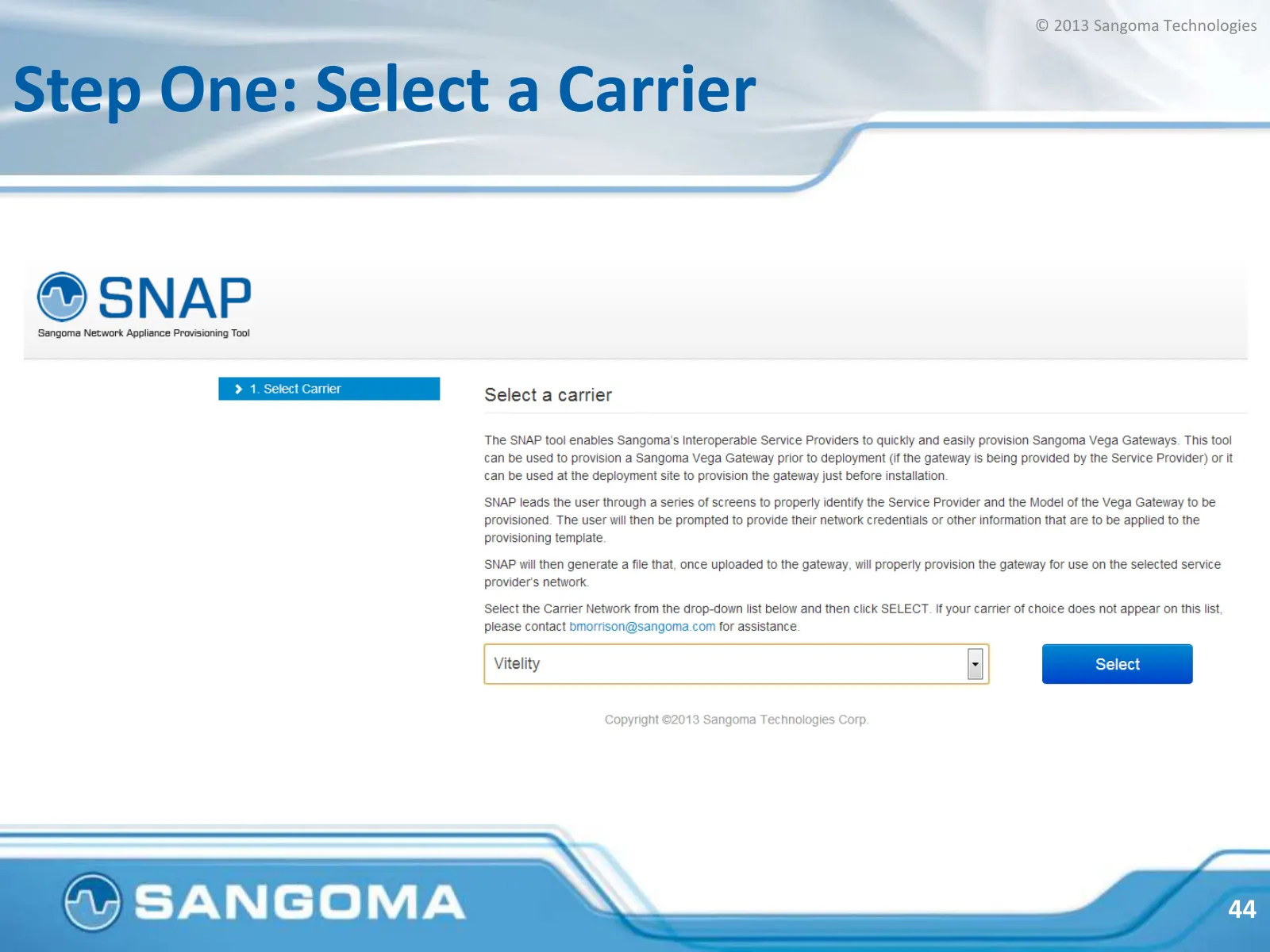
© 2013 Sangoma Technologies SNAP TOOL • Sangoma Network Appliance Provisioning Tool simplifies provisioning and deployment of gateways for use on Interoperability Partners’ networks – Sangoma builds standard configuration files for an Interoperability Partner – Through the SNAP Tool, user provides i
Slide 44: Step One: Select a Carrier
© 2013 Sangoma Technologies Step One: Select a Carrier 44
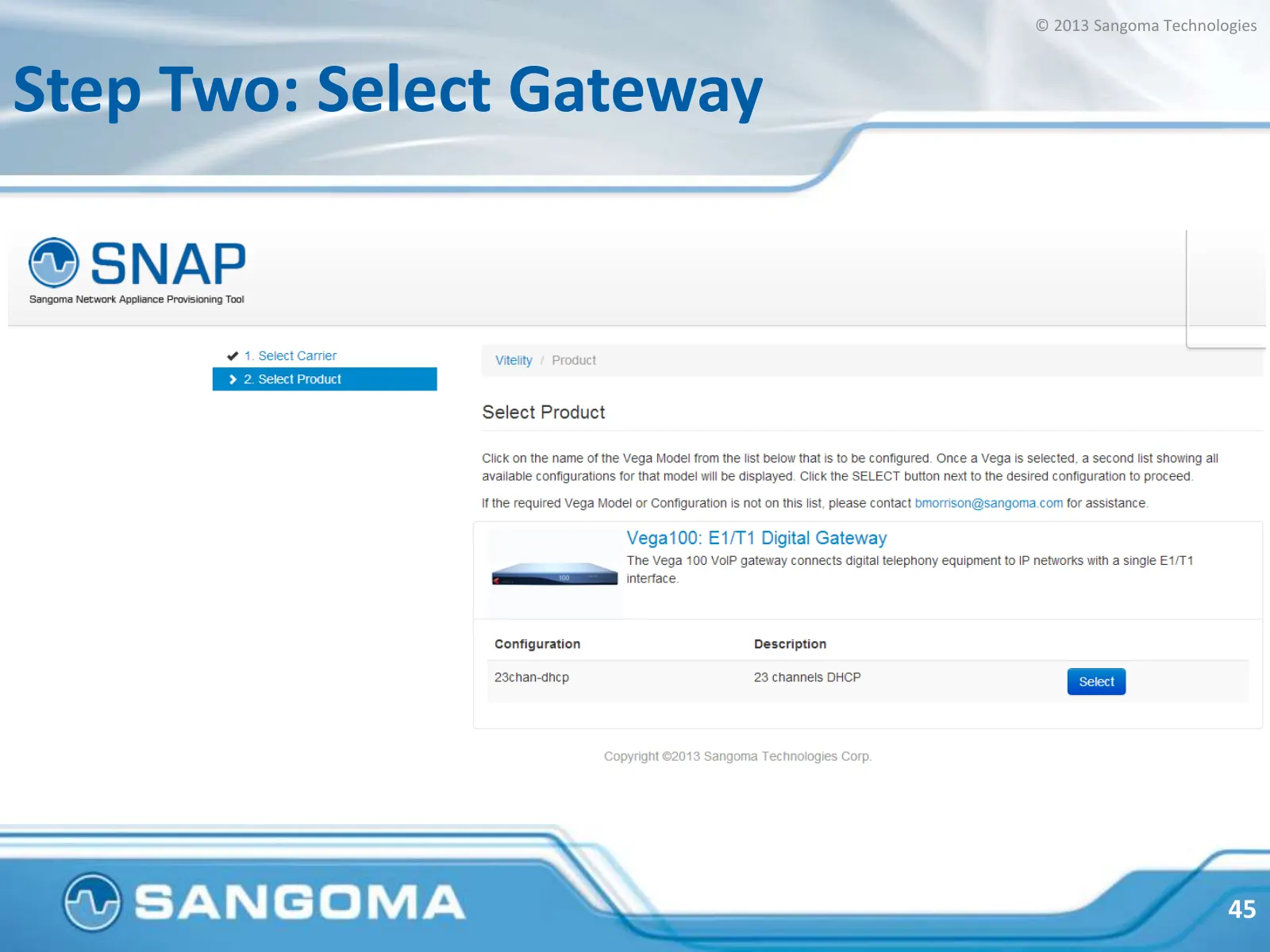
Slide 45: Step Two: Select Gateway
© 2013 Sangoma Technologies Step Two: Select Gateway 45
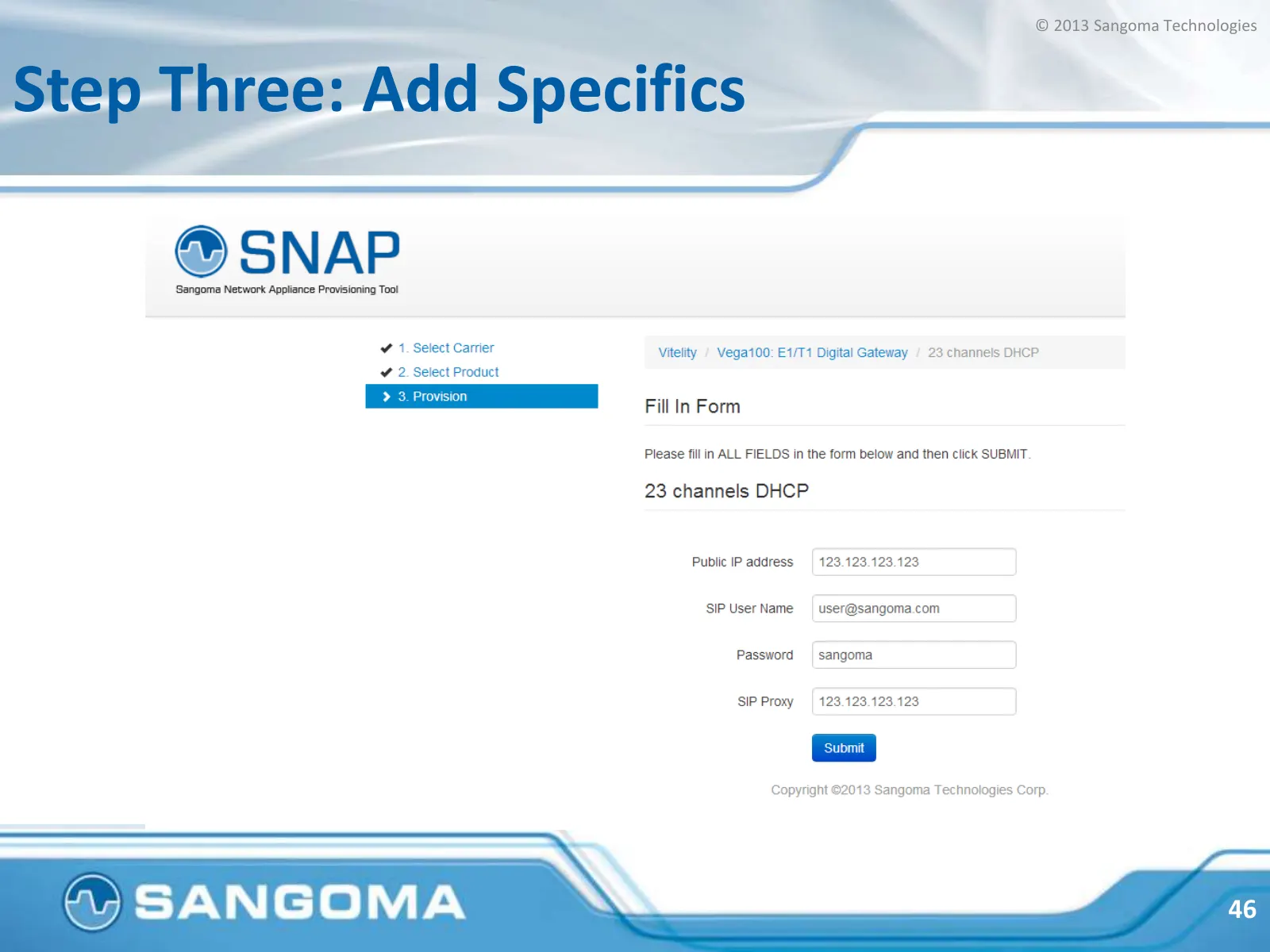
Slide 46: Step Three: Add Specifics
© 2013 Sangoma Technologies Step Three: Add Specifics 46
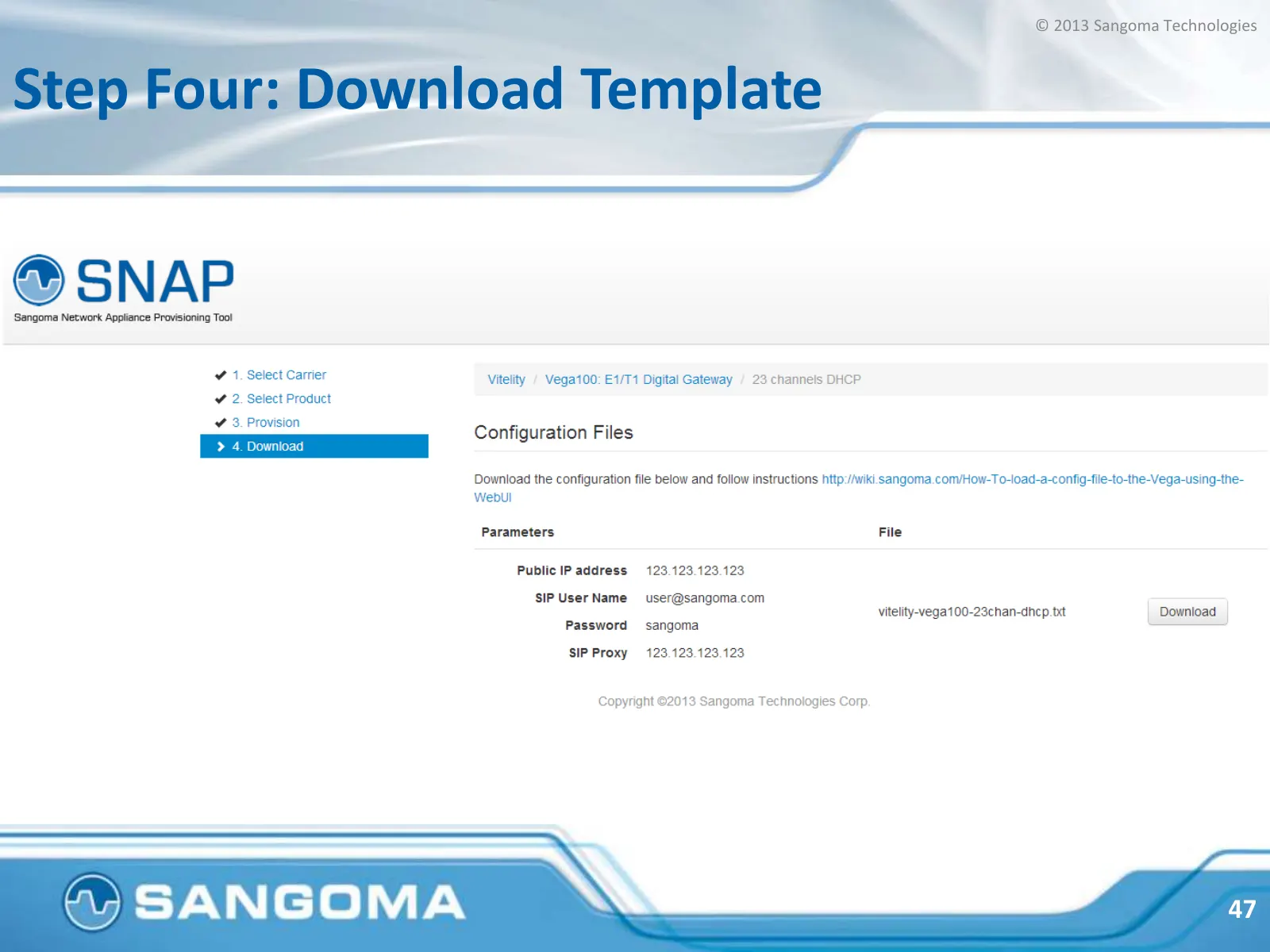
Slide 47: Step Four: Download Template
© 2013 Sangoma Technologies Step Four: Download Template 47
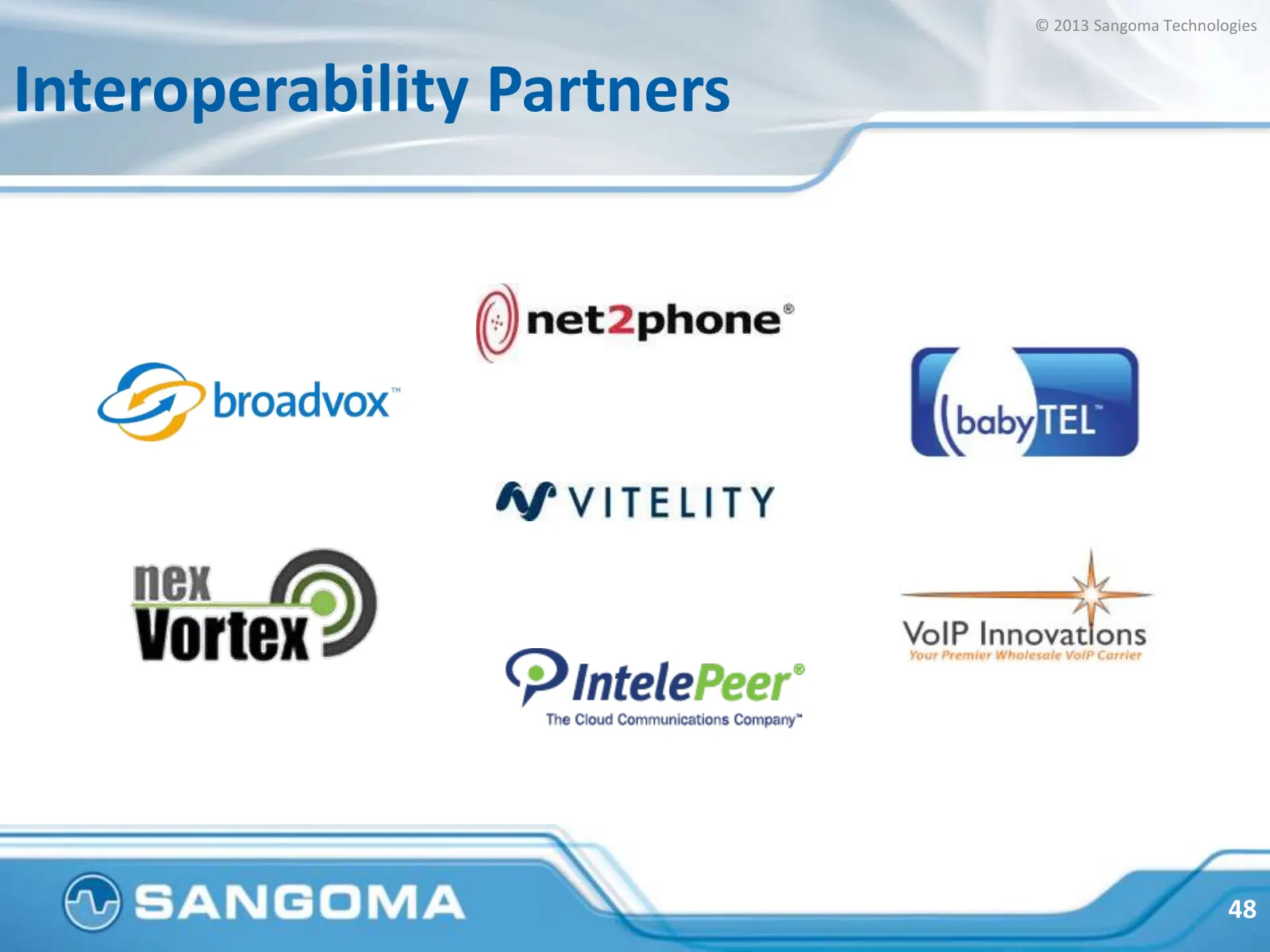
Slide 48: Interoperability Partners
© 2013 Sangoma Technologies Interoperability Partners 48
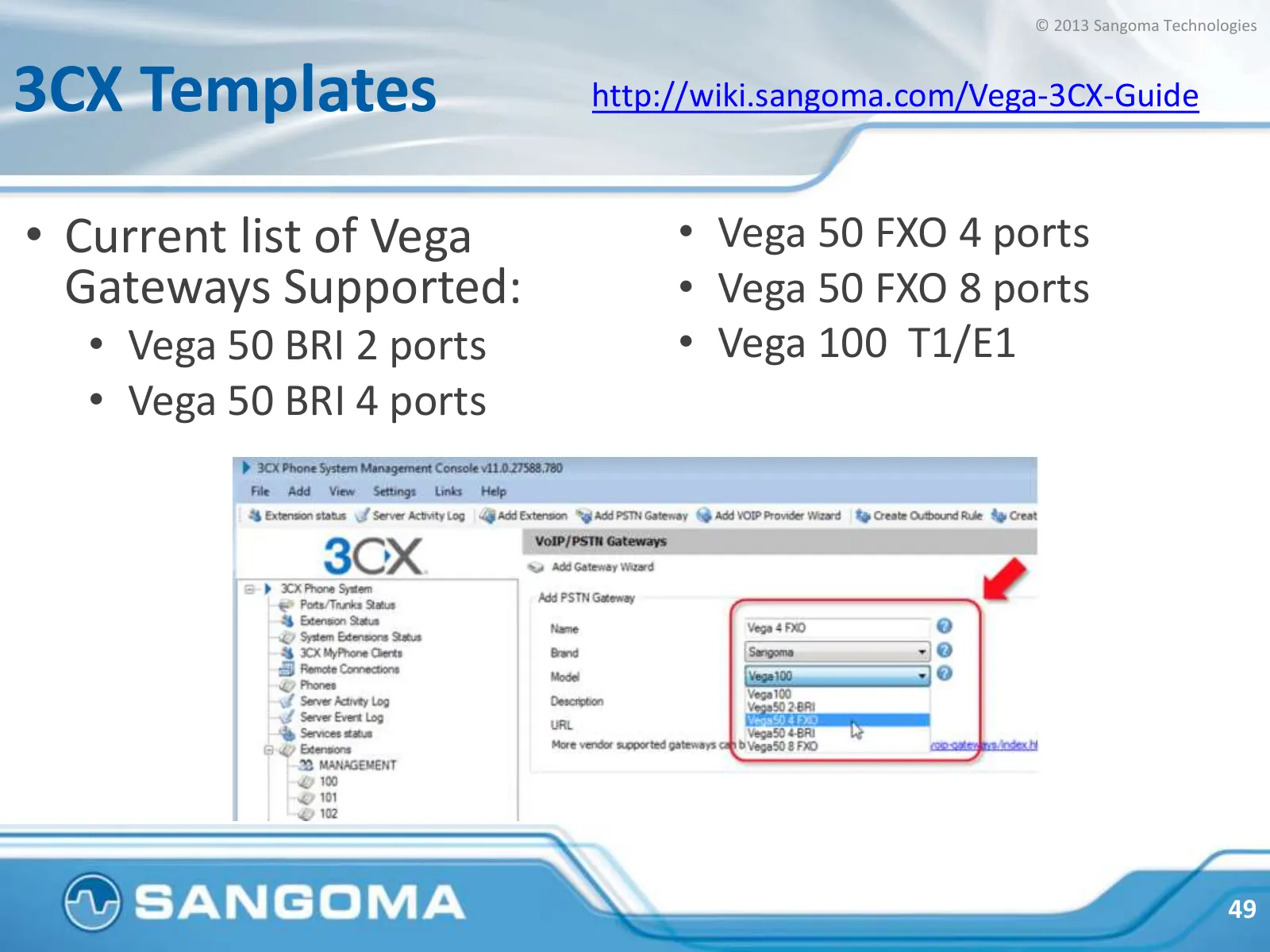
Slide 49: 3CX Templates
© 2013 Sangoma Technologies 3CX Templates http://wiki.sangoma.com/Vega-3CX-Guide • Current list of Vega • Vega 50 FXO 4 ports Gateways Supported: • Vega 50 FXO 8 ports • Vega 50 BRI 2 ports • Vega 100 T1/E1 • Vega 50 BRI 4 ports 49
Slide 50: Poll
POLL 6) SANGOMA CONNECT WITH SANGOMA
Slide 51: Closing
— CLOSING 6) SANGOMA CONNECT WITH SANGOMA
Slide 52: Summary
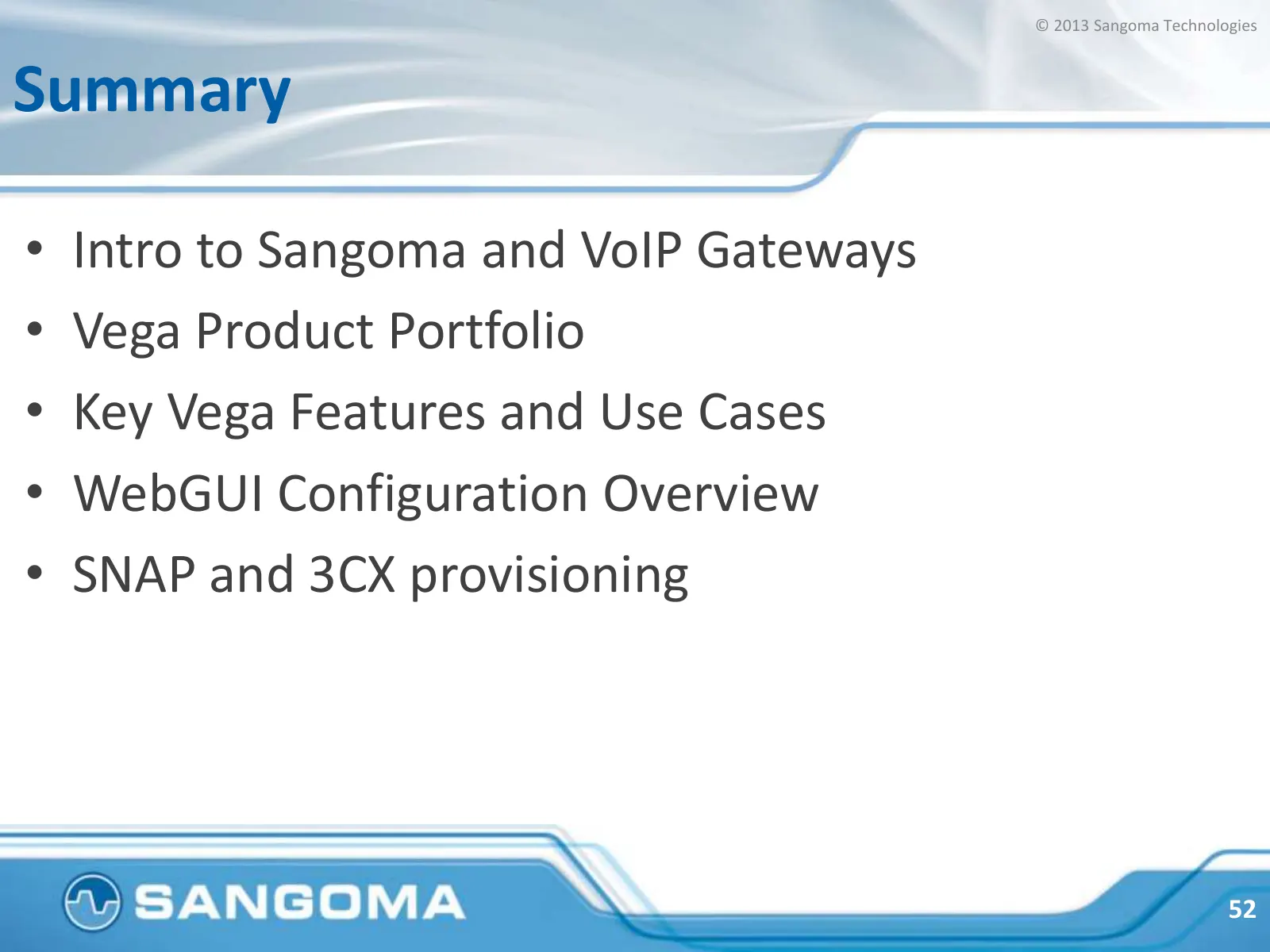
© 2013 Sangoma Technologies Summary • Intro to Sangoma and VoIP Gateways • Vega Product Portfolio • Key Vega Features and Use Cases • WebGUI Configuration Overview • SNAP and 3CX provisioning 52
Slide 53: For More Info
© 2013 Sangoma Technologies For More Info • Guide to Vega Gateways http://wiki.sangoma.com/vega • For future training, visit http://sangoma.com/resources/training • Join our next Webinar on Dec. 10 http://www.sangoma.com/events/event/sangoma-webinar-add-telephony-to-microsoft-lync-with- office-365-a
Slide 54: Contact Us
© 2013 Sangoma Technologies Contact Us • Sangoma Technologies 100 Renfrew Drive, Suite 100 Markham, Ontario L3R 9R6 Canada • Website http://www.sangoma.com/ • Telephone +1 905 474 1990 x2 (for Sales) • Email sales@sangoma.com 54
Slide 55: Questions
— QUESTIONS 6) SANGOMA CONNECT WITH SANGOMA
Slide 56: Thank You
— THANK YOU 6) SANGOMA CONNECT WITH SANGOMA
Source: Internet Archive copy of sangoma.com
More decks from Sangoma Technologies Corporation
 Investor Presentation (February 2026)24 slides · February 2026
 Investor Presentation (February 2026)26 slides · February 2026
 Q1 2026 Earnings Presentation24 slides · Nov 10, 2025
 Investor Presentation (November 2025)23 slides · November 2025
 Investor Presentation (September 2025)24 slides · September 2025
 Investor Presentation (May 2025)28 slides · May 2025