Analog Devices, Inc. · NASDAQ:ADI
Analog Devices — Technical Presentation (December 2008)
32 slides from Analog Devices's technical presentation, December 2008
Slide 1: Blackfin System Services
The World Leader in High Performance Signal Processing Solutions Blackfin System Services Presented By: David Lannigan
Slide 2: About this Module
About this Module This module discusses the System Services software available for the Blackfin family of processors. It is recommended that users should have some understanding of the Blackfin architecture, a basic knowledge of software terminology and experience in embedded systems. 2
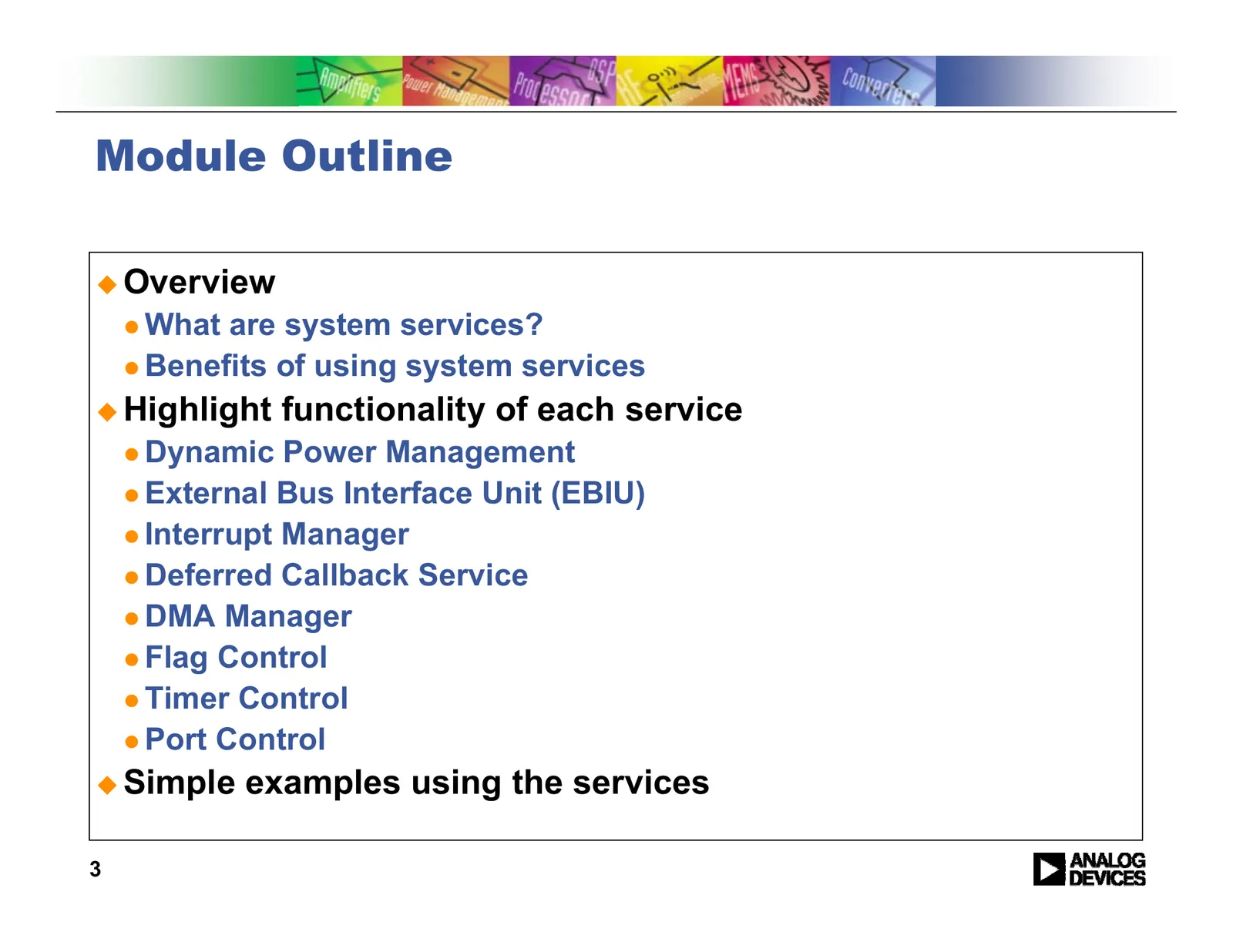
Slide 3: Module Outline
Module Outline Overview z What are system services? z Benefits of using system services Highlight functionality of each service z Dynamic Power Management z External Bus Interface Unit (EBIU) z Interrupt Manager z Deferred Callback Service z DMA Manager z Flag Control z Timer Control z Port Cont
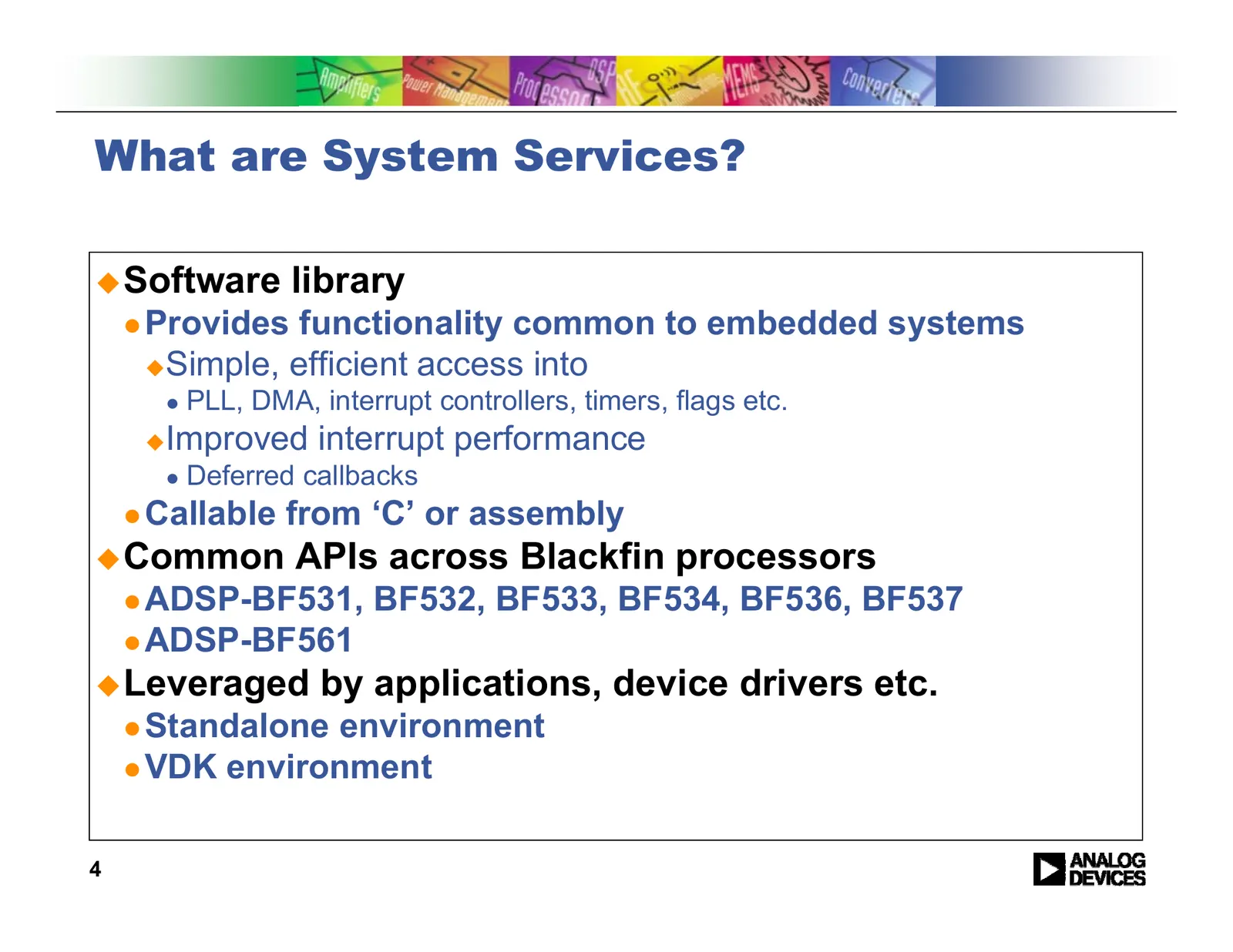
Slide 4: What are System Services?
What are System Services? Software library z Provides functionality common to embedded systems Simple, efficient access into z PLL, DMA, interrupt controllers, timers, flags etc. Improved interrupt performance z Deferred callbacks z Callable from ‘C’ or assembly Common APIs across Blackfin p
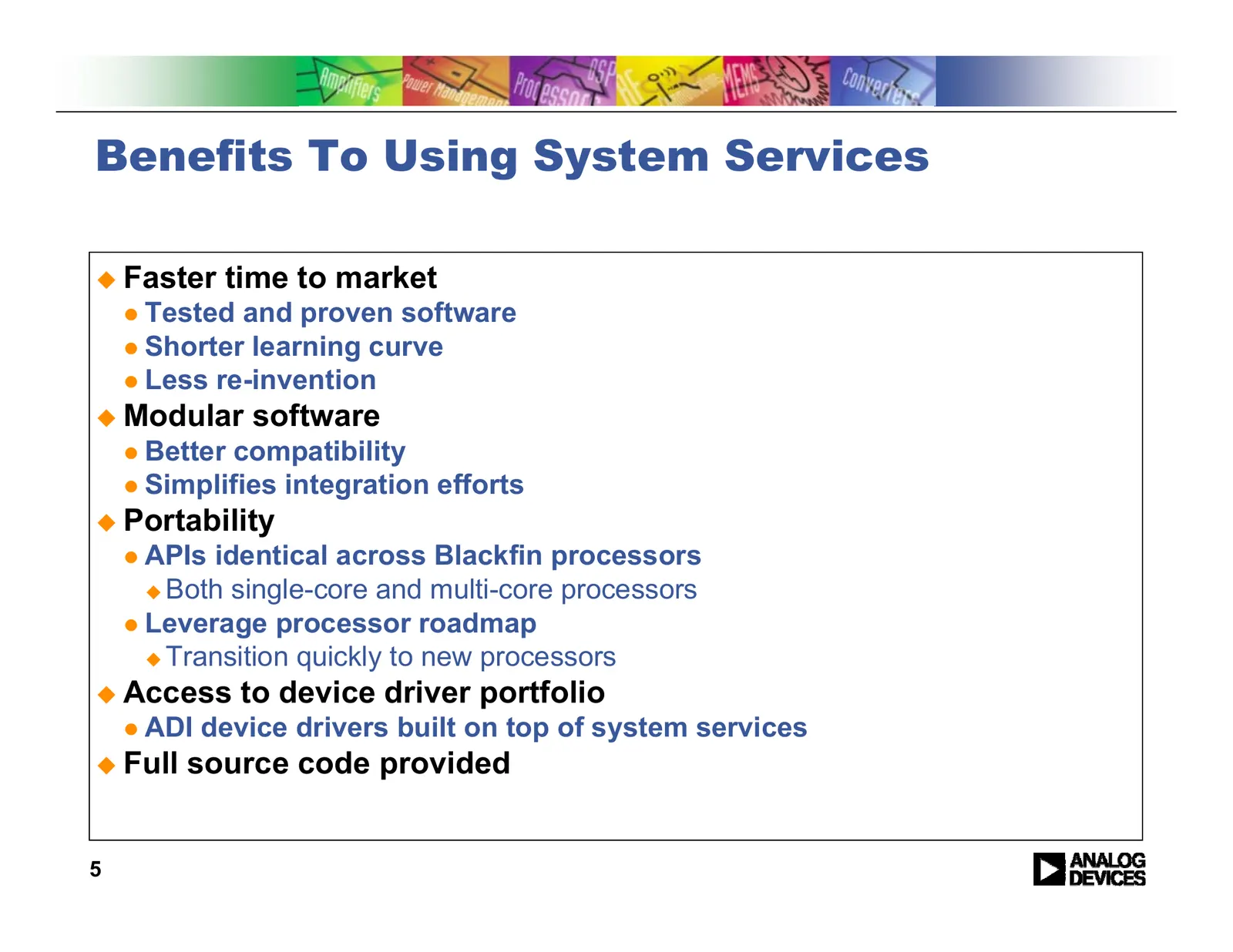
Slide 5: Benefits To Using System Services
Benefits To Using System Services Faster time to market z Tested and proven software z Shorter learning curve z Less re-invention Modular software z Better compatibility z Simplifies integration efforts Portability z APIs identical across Blackfin processors Both single-core and multi-core p
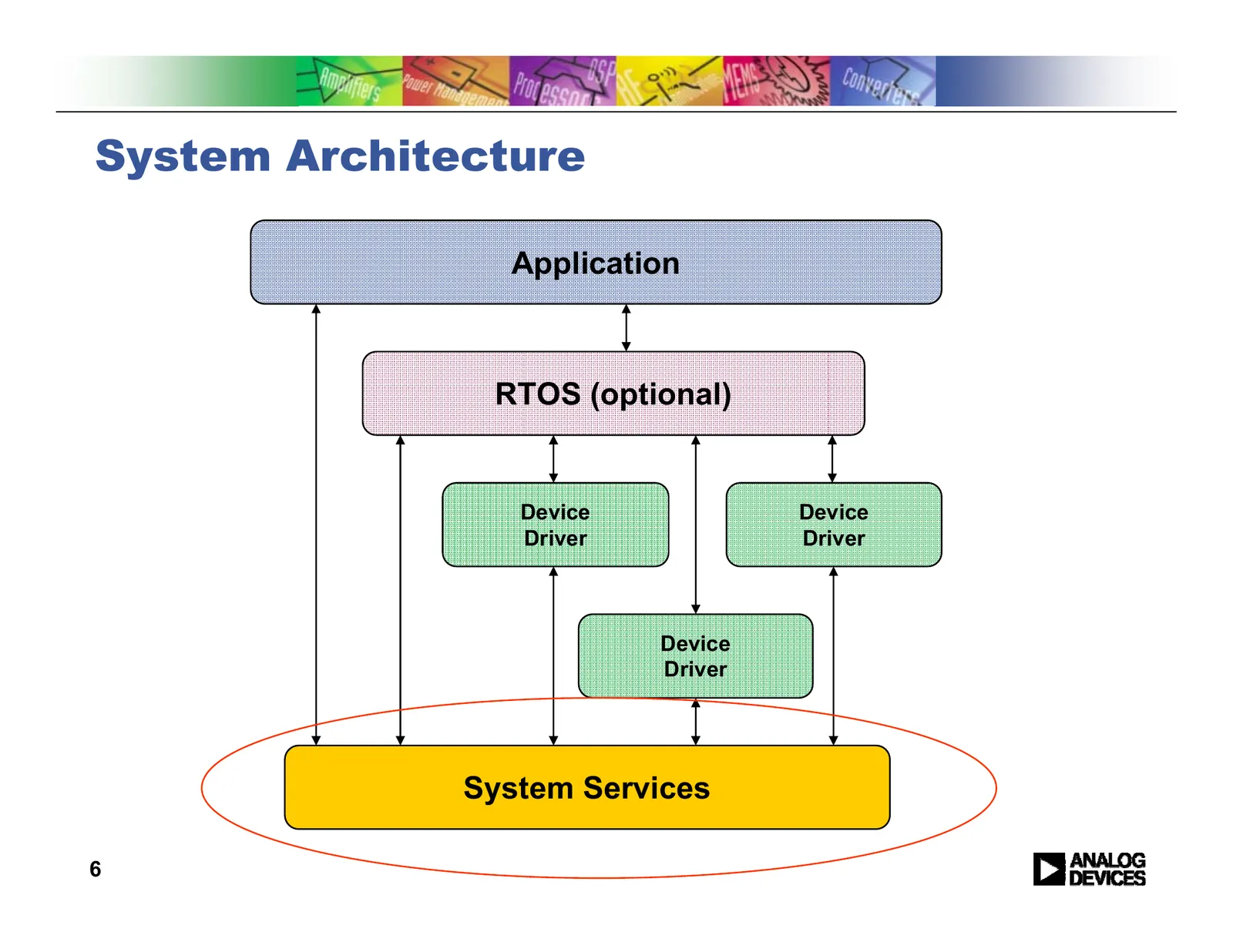
Slide 6: System Architecture
System Architecture Application RTOS (optional) Device Device Driver Driver Device Driver System Services 6
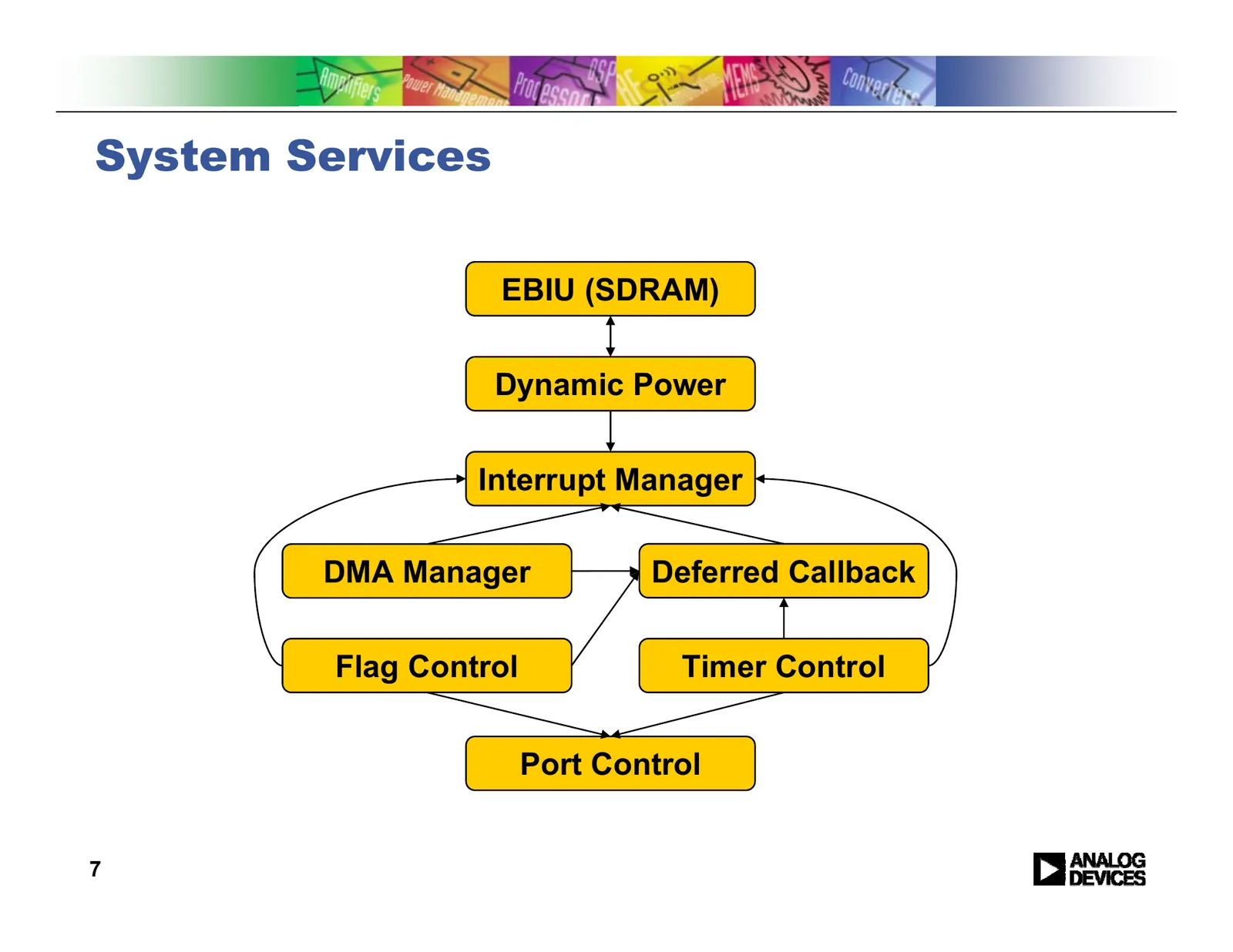
Slide 7: System Services
System Services EBIU (SDRAM) Dynamic Power Interrupt Manager DMA Manager Deferred Callback Flag Control Timer Control Port Control 7
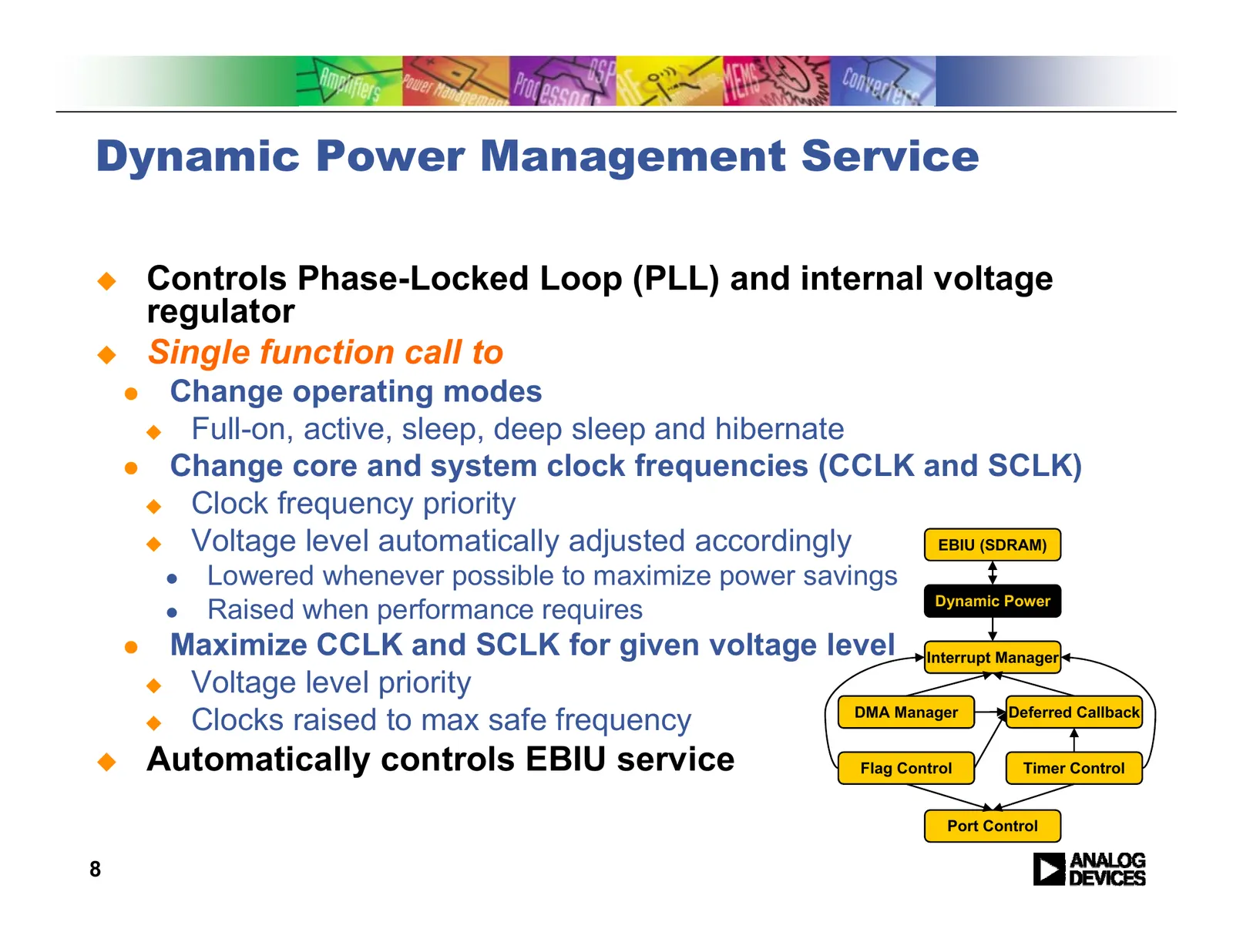
Slide 8: Dynamic Power Management Service
Dynamic Power Management Service Controls Phase-Locked Loop (PLL) and internal voltage regulator Single function call to z Change operating modes Full-on, active, sleep, deep sleep and hibernate z Change core and system clock frequencies (CCLK and SCLK) Clock frequency priority Voltage lev
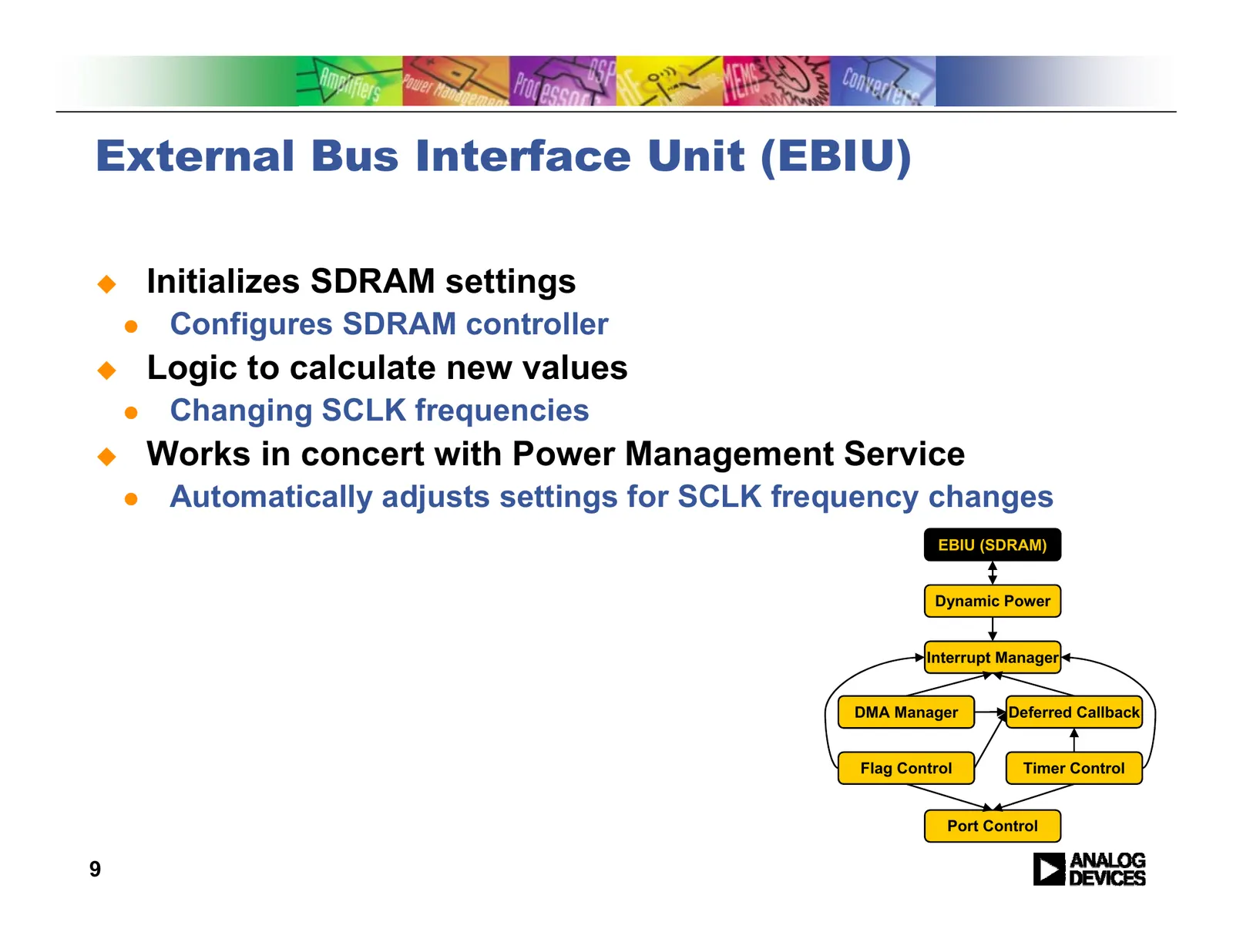
Slide 9: External Bus Interface Unit (EBIU)
External Bus Interface Unit (EBIU) Initializes SDRAM settings z Configures SDRAM controller Logic to calculate new values z Changing SCLK frequencies Works in concert with Power Management Service z Automatically adjusts settings for SCLK frequency changes EBIU (SDRAM) Dynamic Power Interrupt
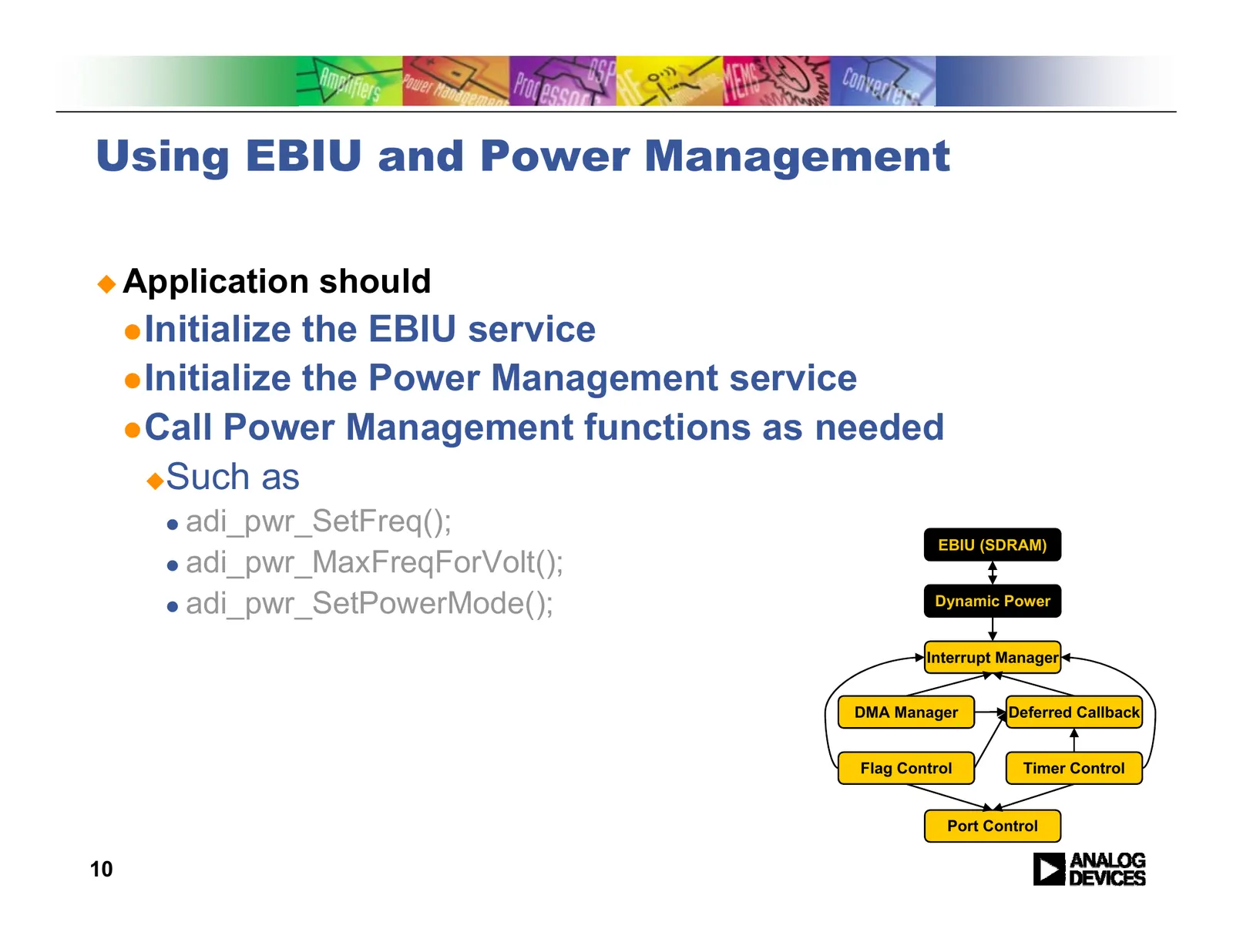
Slide 10: Using EBIU and Power Management
Using EBIU and Power Management Application should z Initialize the EBIU service z Initialize the Power Management service z Call Power Management functions as needed Such as z adi_pwr_SetFreq(); EBIU (SDRAM) z adi_pwr_MaxFreqForVolt(); z adi_pwr_SetPowerMode(); Dynamic Power Interrupt Manager DM
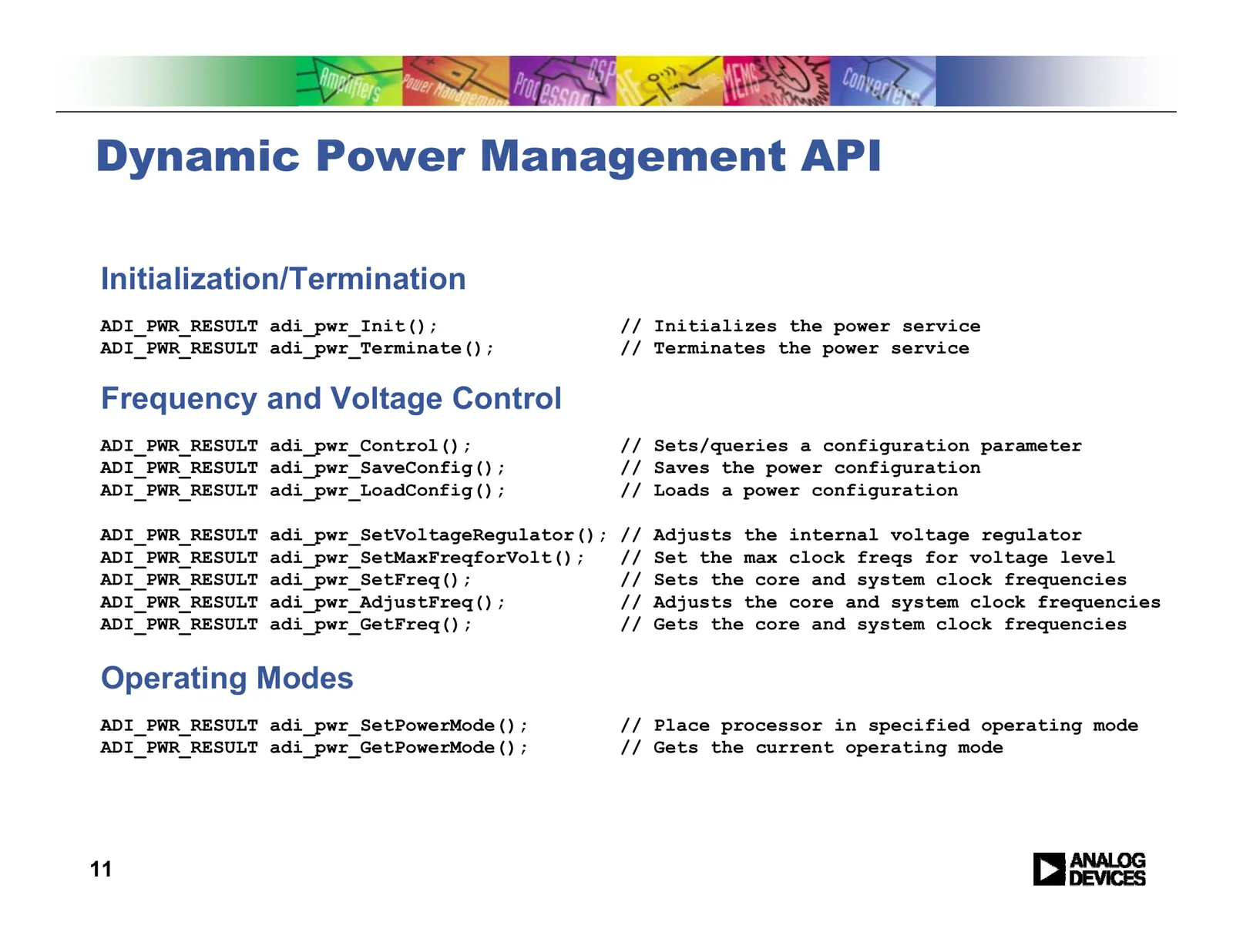
Slide 11: Dynamic Power Management API
Dynamic Power Management API Initialization/Termination ADI_PWR_RESULT adi_pwr_Init(); // Initializes the power service ADI_PWR_RESULT adi_pwr_Terminate(); // Terminates the power service Frequency and Voltage Control ADI_PWR_RESULT adi_pwr_Control(); // Sets/queries a configuration parameter ADI_PW
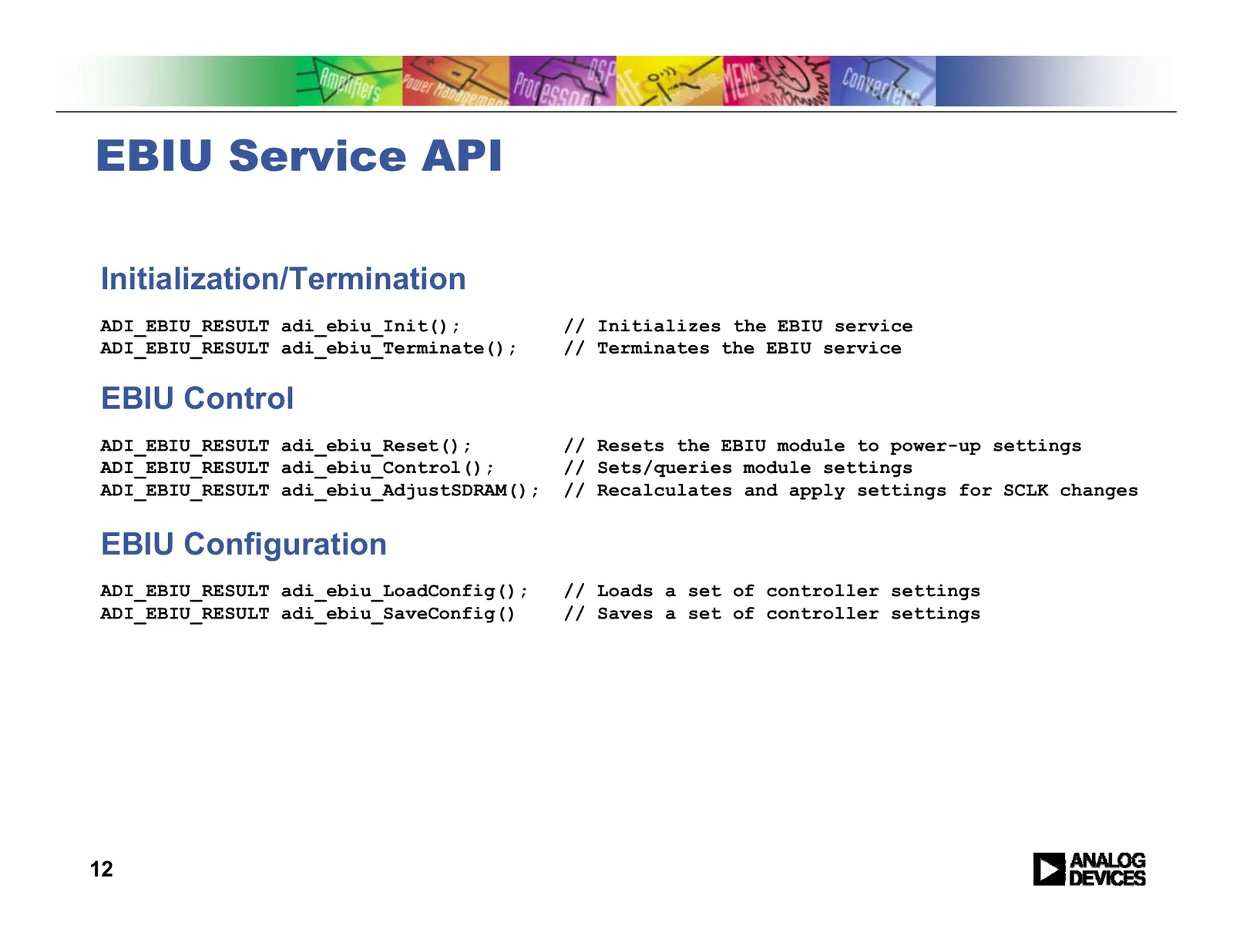
Slide 12: EBIU Service API
EBIU Service API Initialization/Termination ADI_EBIU_RESULT adi_ebiu_Init(); // Initializes the EBIU service ADI_EBIU_RESULT adi_ebiu_Terminate(); // Terminates the EBIU service EBIU Control ADI_EBIU_RESULT adi_ebiu_Reset(); // Resets the EBIU module to power-up settings ADI_EBIU_RESULT adi_ebiu_Con
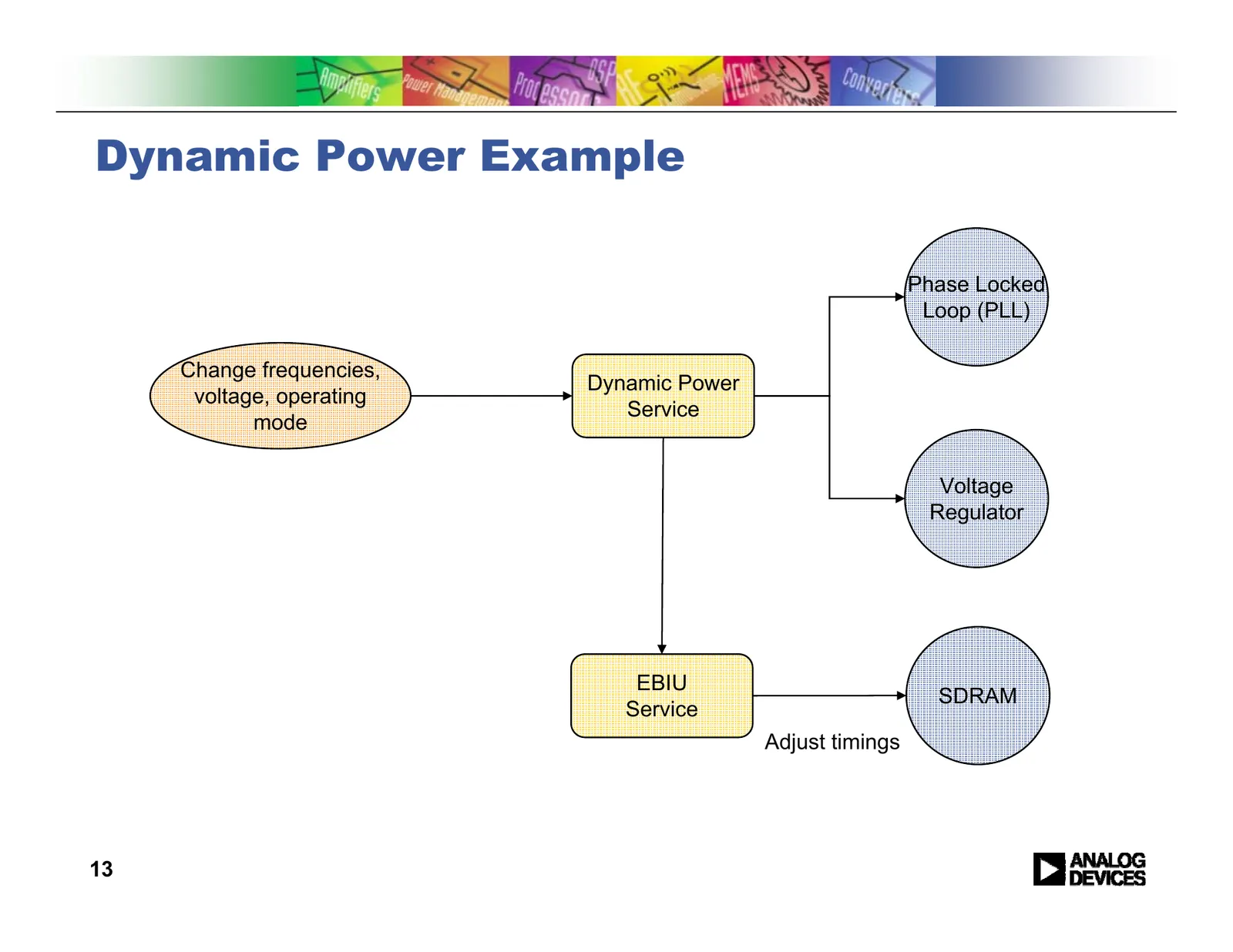
Slide 13: Dynamic Power Example
Dynamic Power Example Phase Locked Loop (PLL) Change frequencies, Dynamic Power voltage, operating Service mode Voltage Regulator EBIU SDRAM Service Adjust timings 13
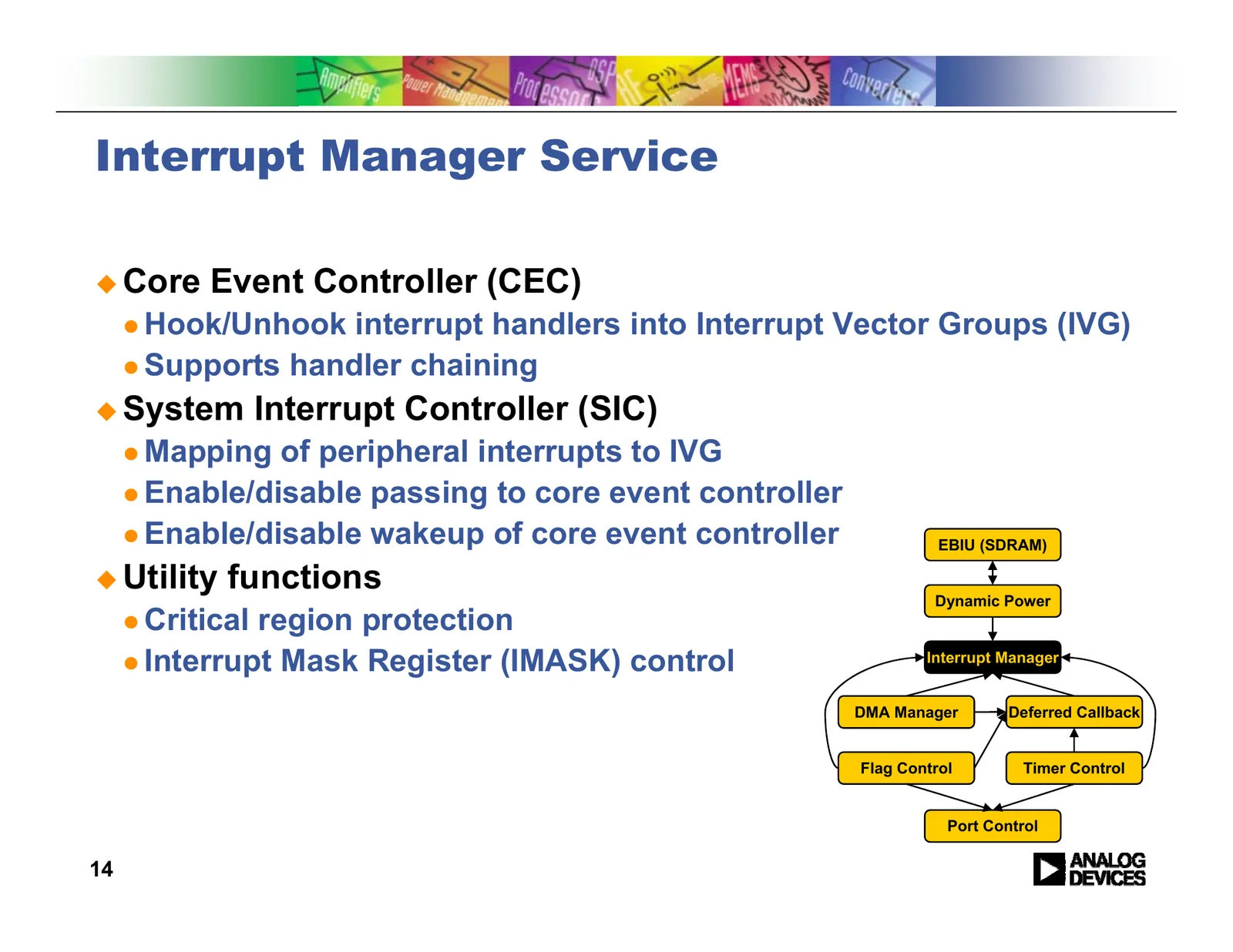
Slide 14: Interrupt Manager Service
Interrupt Manager Service Core Event Controller (CEC) z Hook/Unhook interrupt handlers into Interrupt Vector Groups (IVG) z Supports handler chaining System Interrupt Controller (SIC) z Mapping of peripheral interrupts to IVG z Enable/disable passing to core event controller z Enable/disable wak
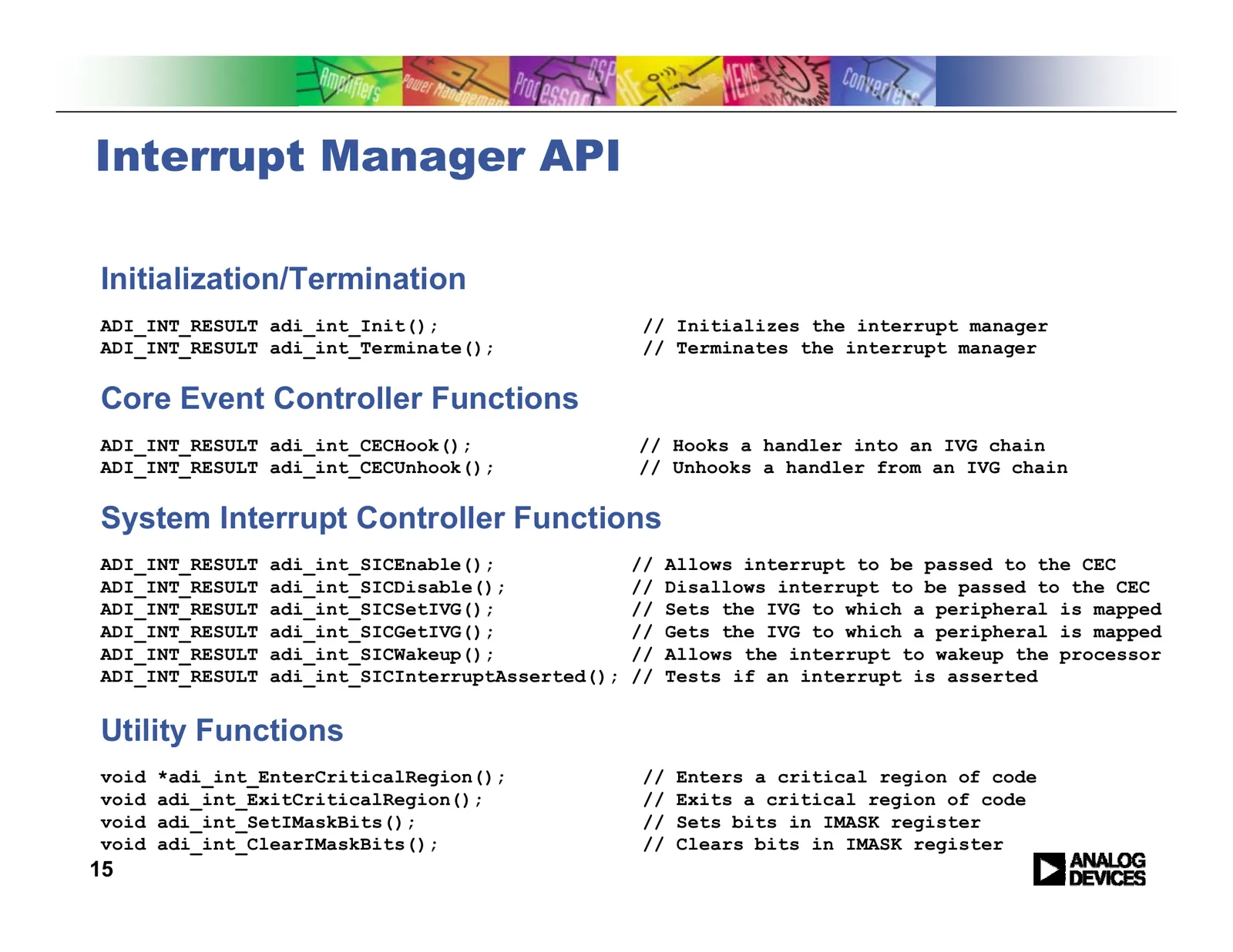
Slide 15: Interrupt Manager API
Interrupt Manager API Initialization/Termination ADI_INT_RESULT adi_int_Init(); // Initializes the interrupt manager ADI_INT_RESULT adi_int_Terminate(); // Terminates the interrupt manager Core Event Controller Functions ADI_INT_RESULT adi_int_CECHook(); // Hooks a handler into an IVG chain ADI_INT_
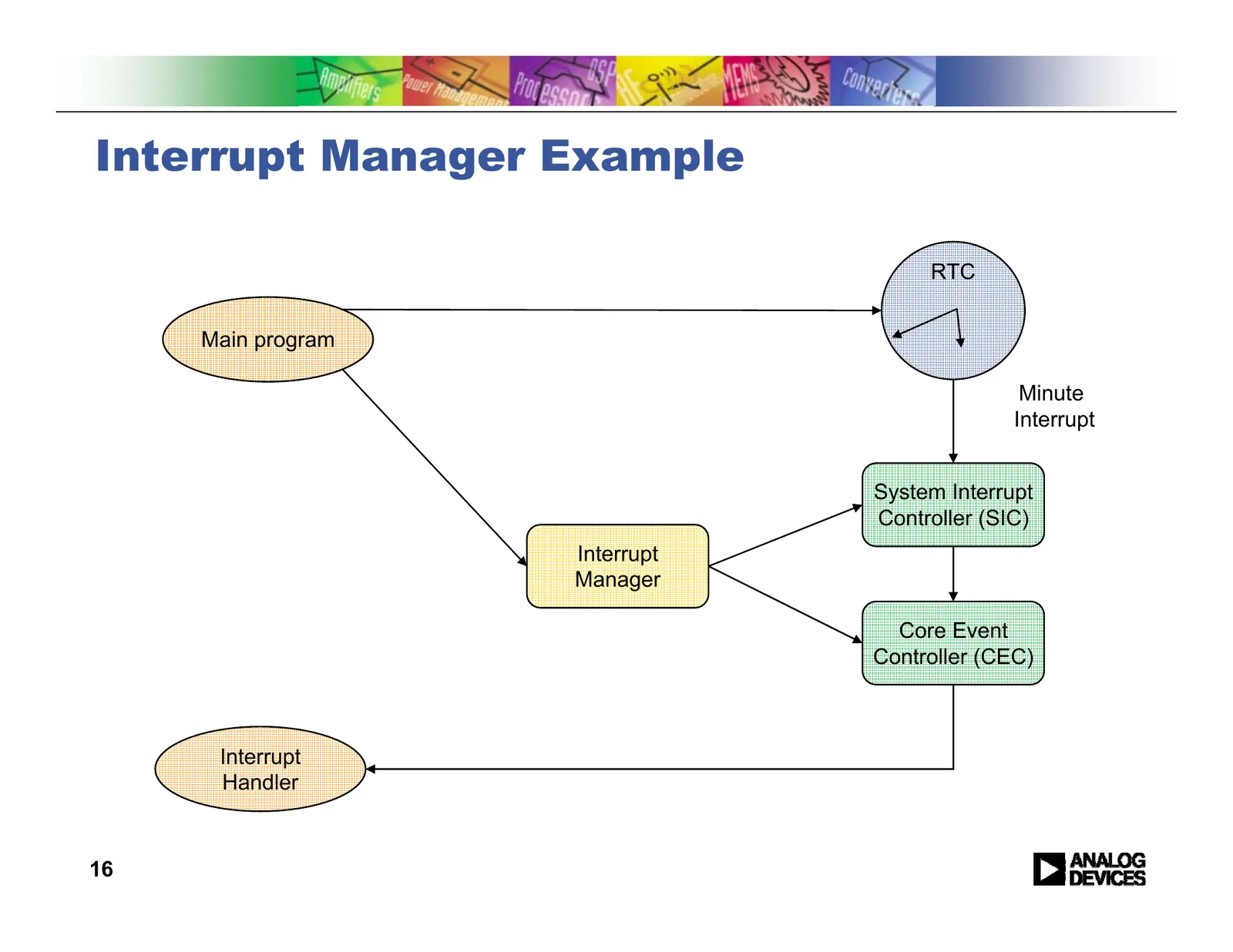
Slide 16: Interrupt Manager Example
Interrupt Manager Example RTC Main program Minute Interrupt System Interrupt Controller (SIC) Interrupt Manager Core Event Controller (CEC) Interrupt Handler 16
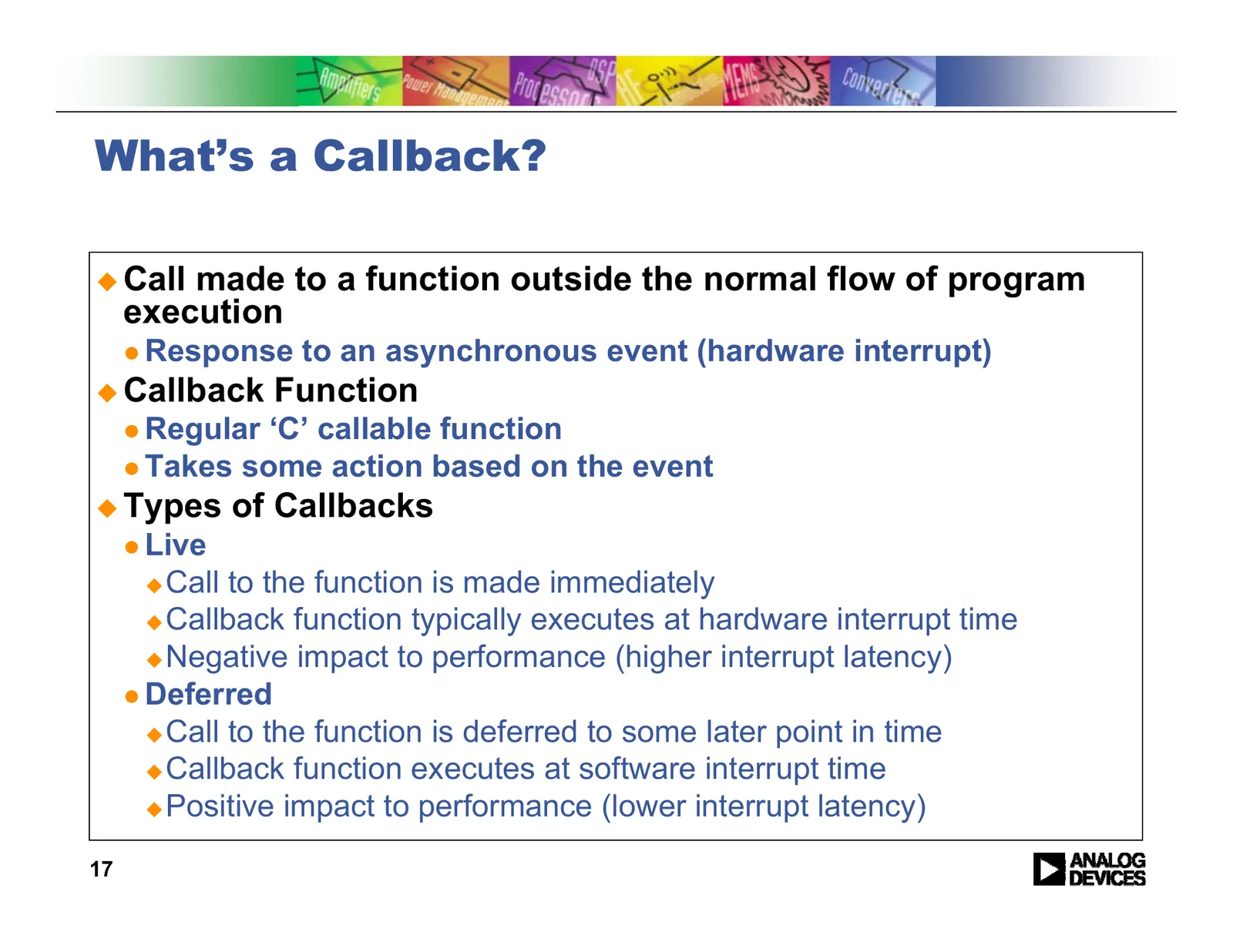
Slide 17: What’s a Callback?
What’s a Callback? Call made to a function outside the normal flow of program execution z Response to an asynchronous event (hardware interrupt) Callback Function z Regular ‘C’ callable function z Takes some action based on the event Types of Callbacks z Live Call to the function is made imm
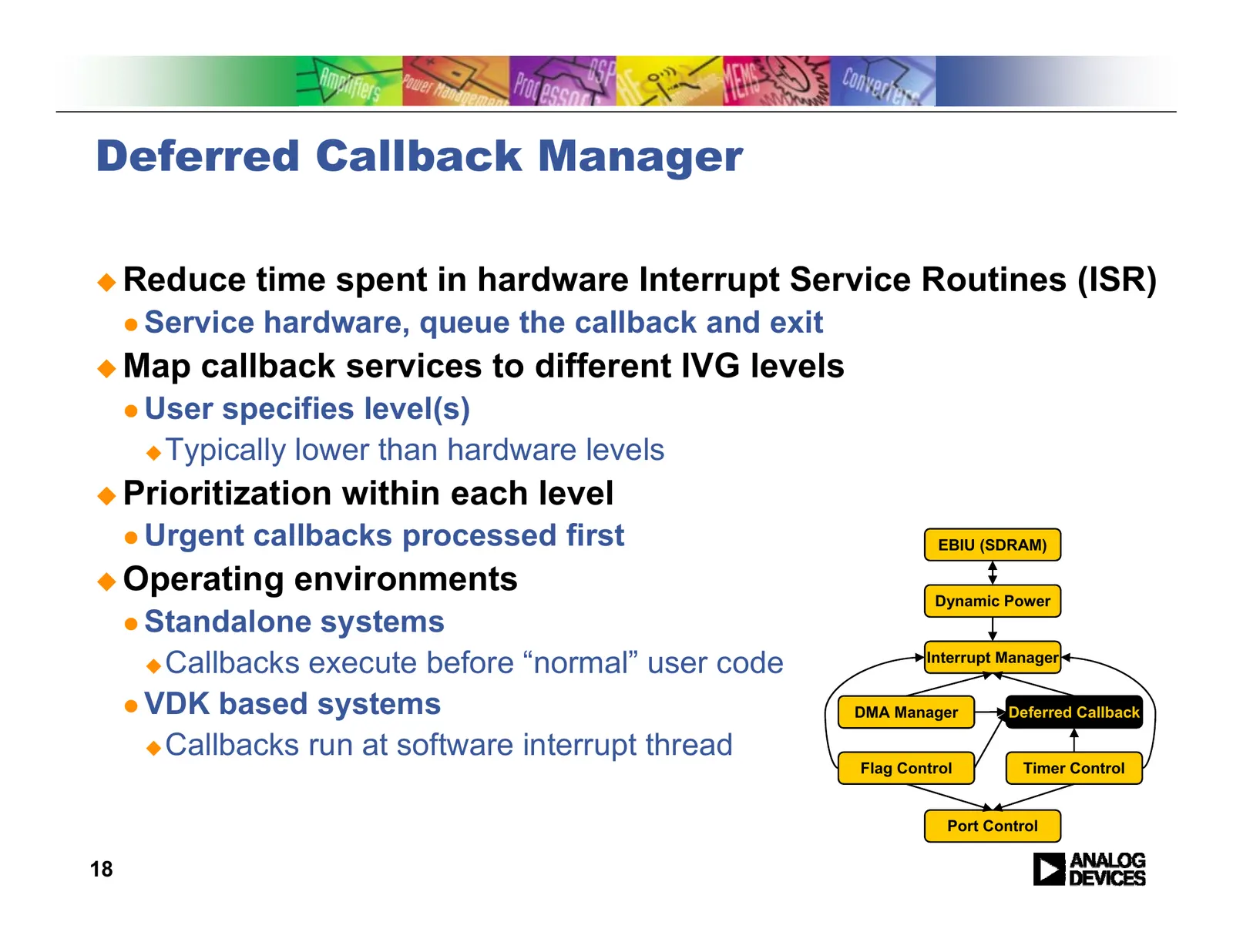
Slide 18: Deferred Callback Manager
Deferred Callback Manager Reduce time spent in hardware Interrupt Service Routines (ISR) z Service hardware, queue the callback and exit Map callback services to different IVG levels z User specifies level(s) Typically lower than hardware levels Prioritization within each level z Urgent call
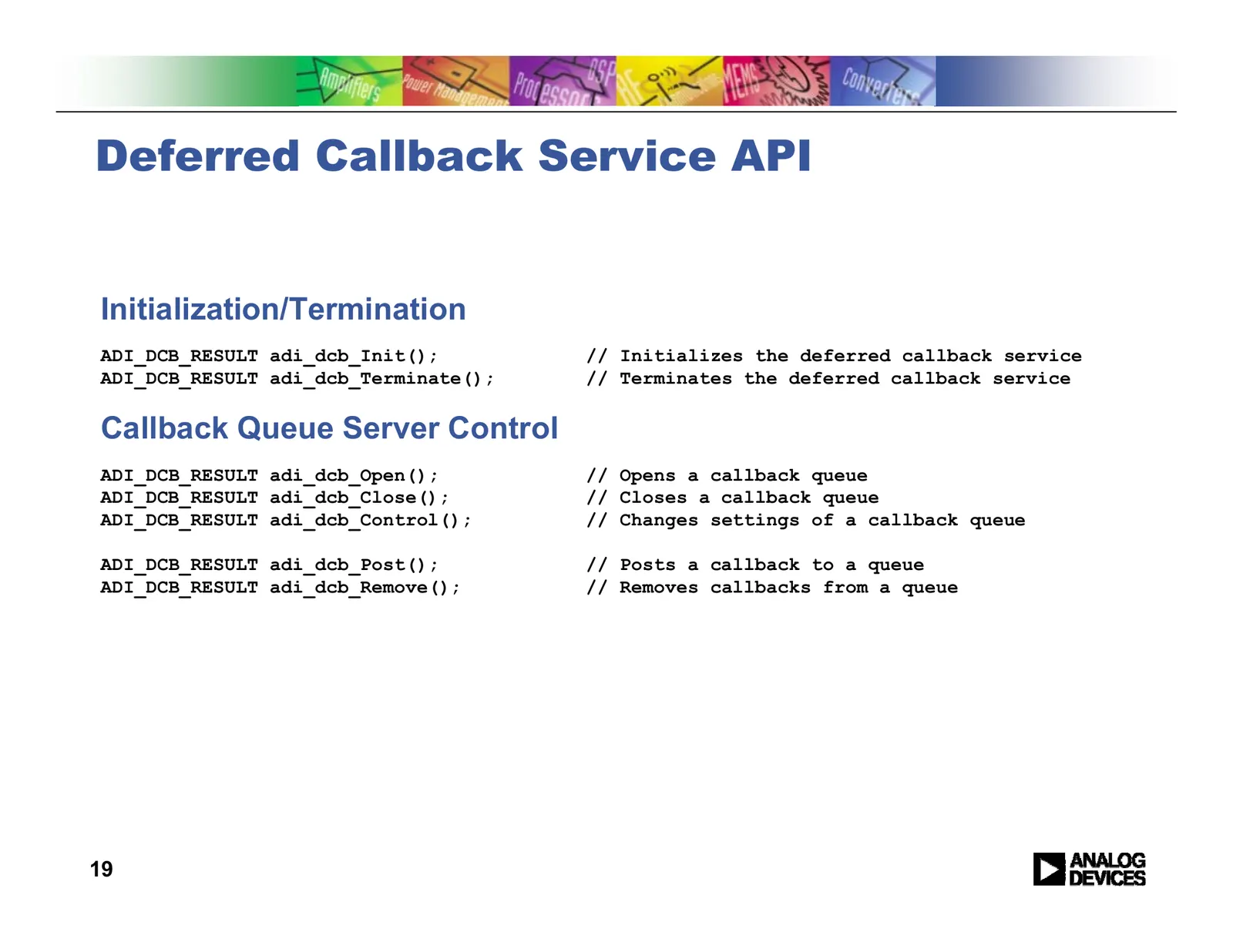
Slide 19: Deferred Callback Service API
Deferred Callback Service API Initialization/Termination ADI_DCB_RESULT adi_dcb_Init(); // Initializes the deferred callback service ADI_DCB_RESULT adi_dcb_Terminate(); // Terminates the deferred callback service Callback Queue Server Control ADI_DCB_RESULT adi_dcb_Open(); // Opens a callback queue
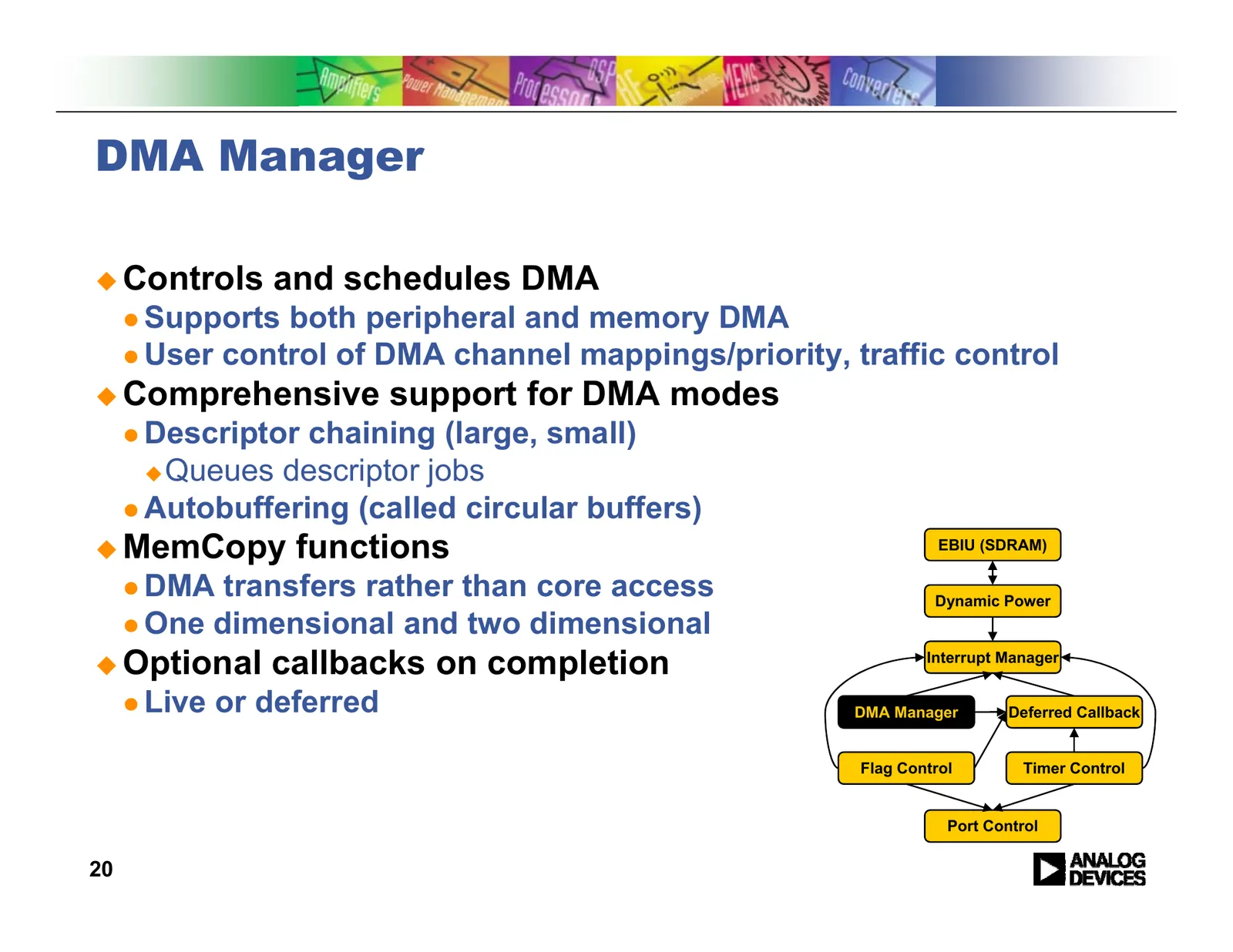
Slide 20: DMA Manager
DMA Manager Controls and schedules DMA z Supports both peripheral and memory DMA z User control of DMA channel mappings/priority, traffic control Comprehensive support for DMA modes z Descriptor chaining (large, small) Queues descriptor jobs z Autobuffering (called circular buffers) MemCopy
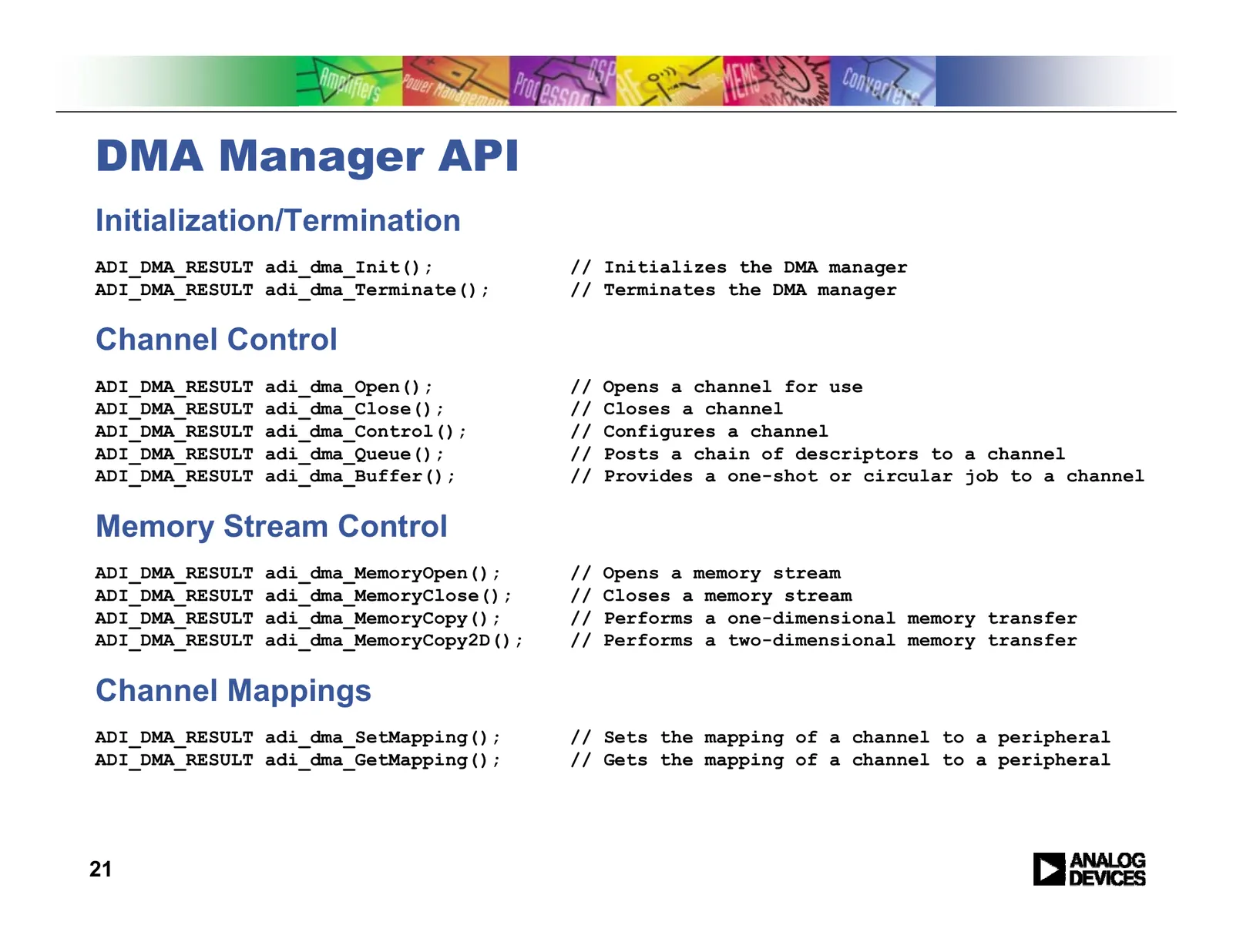
Slide 21: DMA Manager API
DMA Manager API Initialization/Termination ADI_DMA_RESULT adi_dma_Init(); // Initializes the DMA manager ADI_DMA_RESULT adi_dma_Terminate(); // Terminates the DMA manager Channel Control ADI_DMA_RESULT adi_dma_Open(); // Opens a channel for use ADI_DMA_RESULT adi_dma_Close(); // Closes a channel ADI
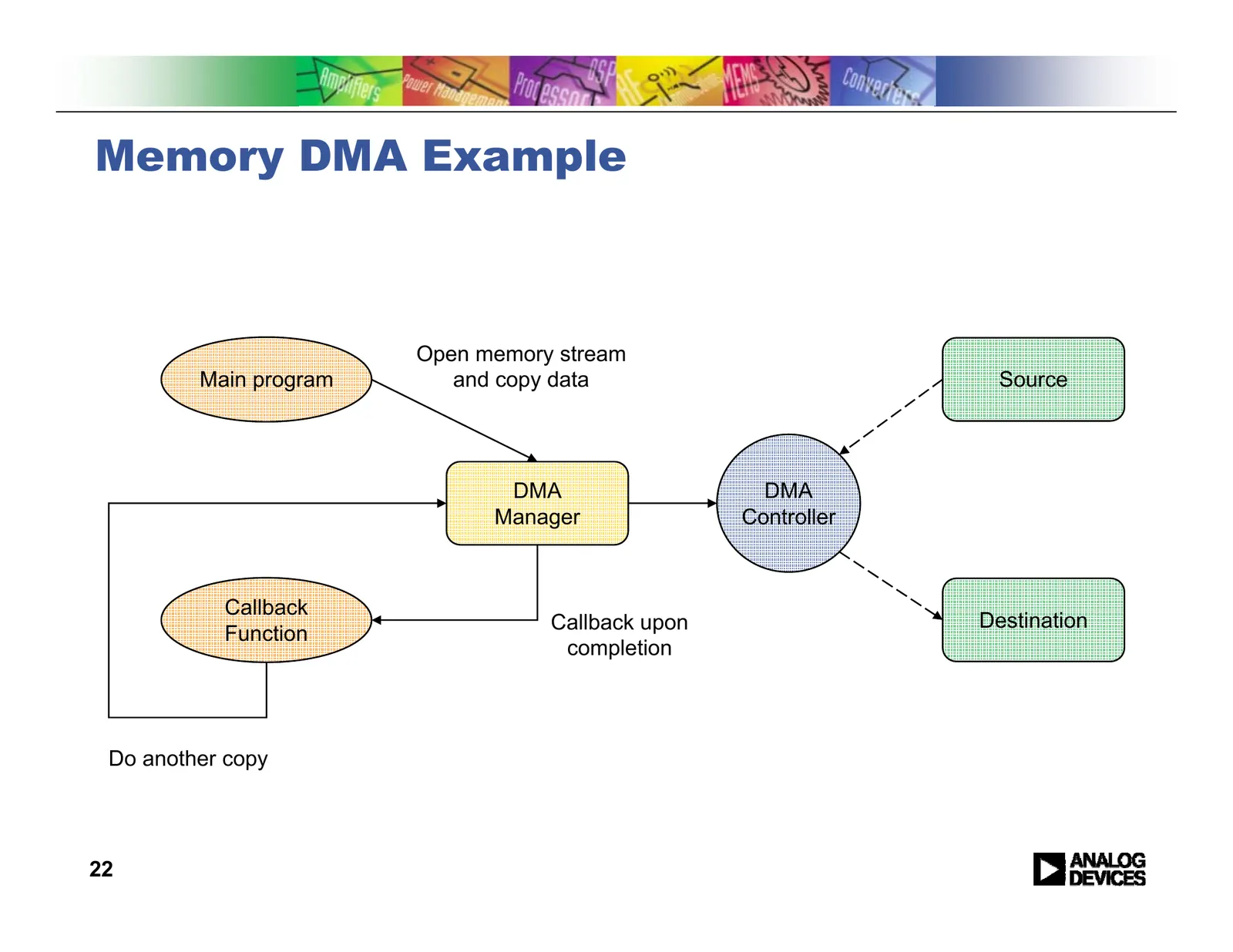
Slide 22: Memory DMA Example
Memory DMA Example Open memory stream Main program and copy data Source DMA DMA Manager Controller Callback Callback upon Destination Function completion Do another copy 22
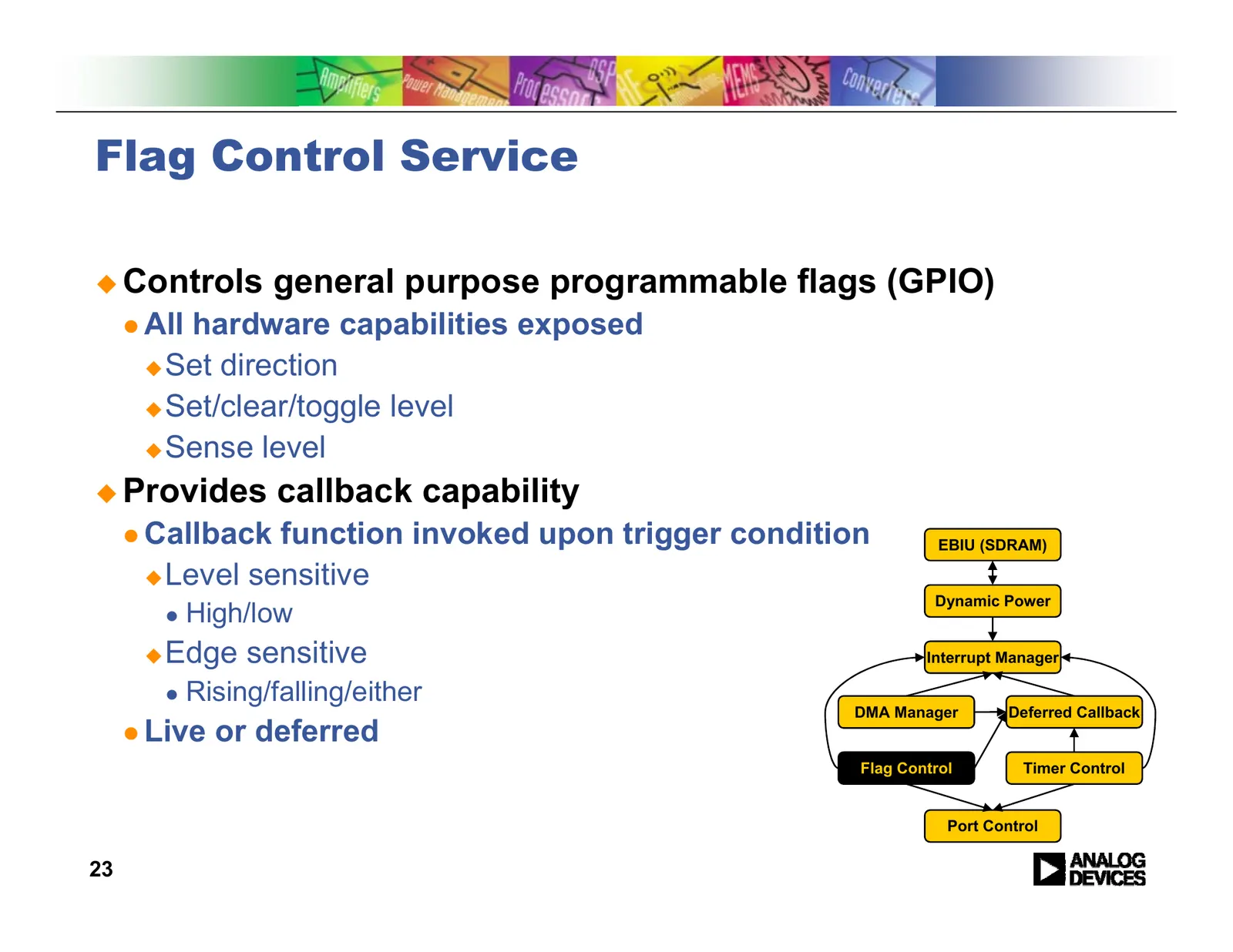
Slide 23: Flag Control Service
Flag Control Service Controls general purpose programmable flags (GPIO) z All hardware capabilities exposed Set direction Set/clear/toggle level Sense level Provides callback capability z Callback function invoked upon trigger condition EBIU (SDRAM) Level sensitive Dynamic Power z High/l
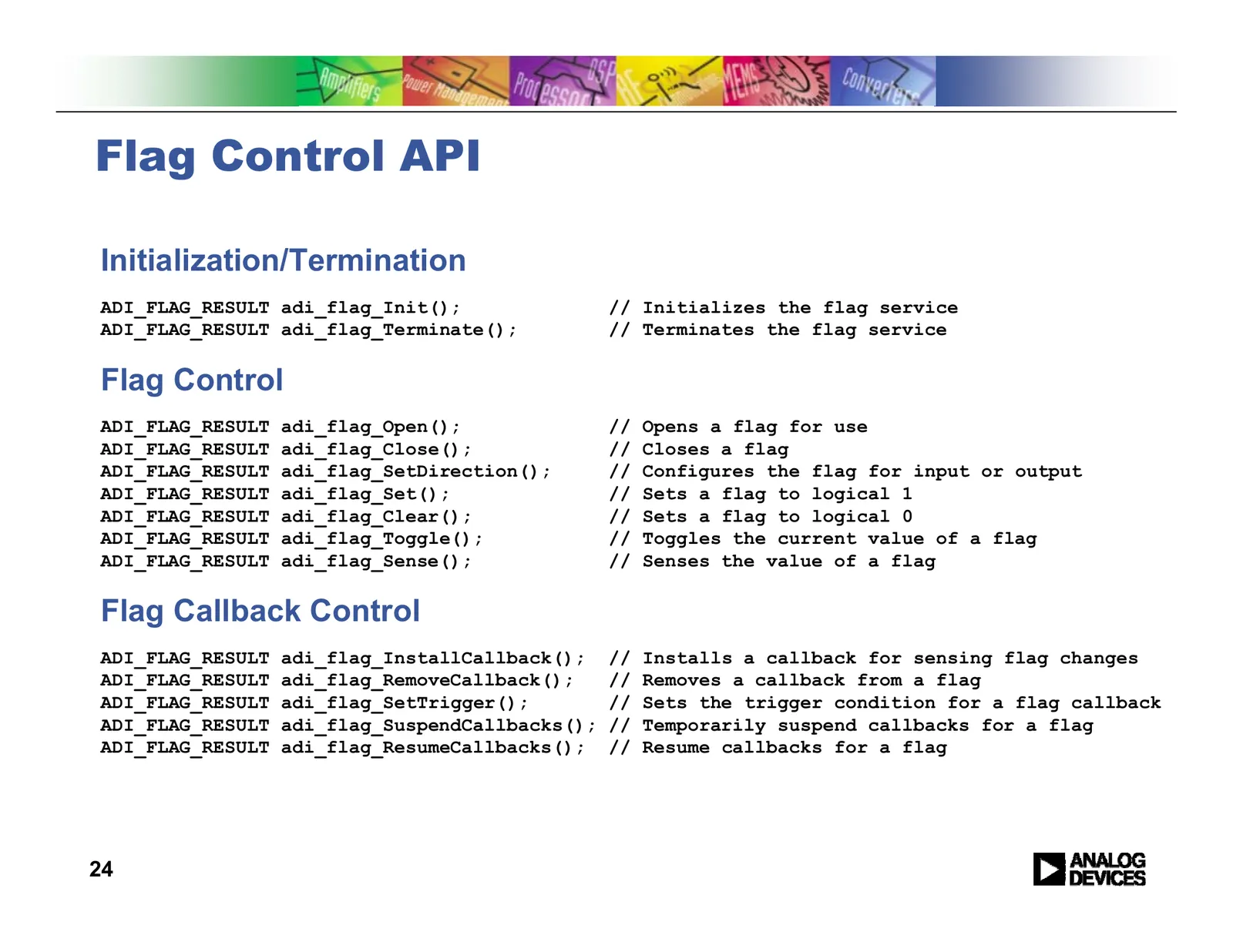
Slide 24: Flag Control API
Flag Control API Initialization/Termination ADI_FLAG_RESULT adi_flag_Init(); // Initializes the flag service ADI_FLAG_RESULT adi_flag_Terminate(); // Terminates the flag service Flag Control ADI_FLAG_RESULT adi_flag_Open(); // Opens a flag for use ADI_FLAG_RESULT adi_flag_Close(); // Closes a flag A
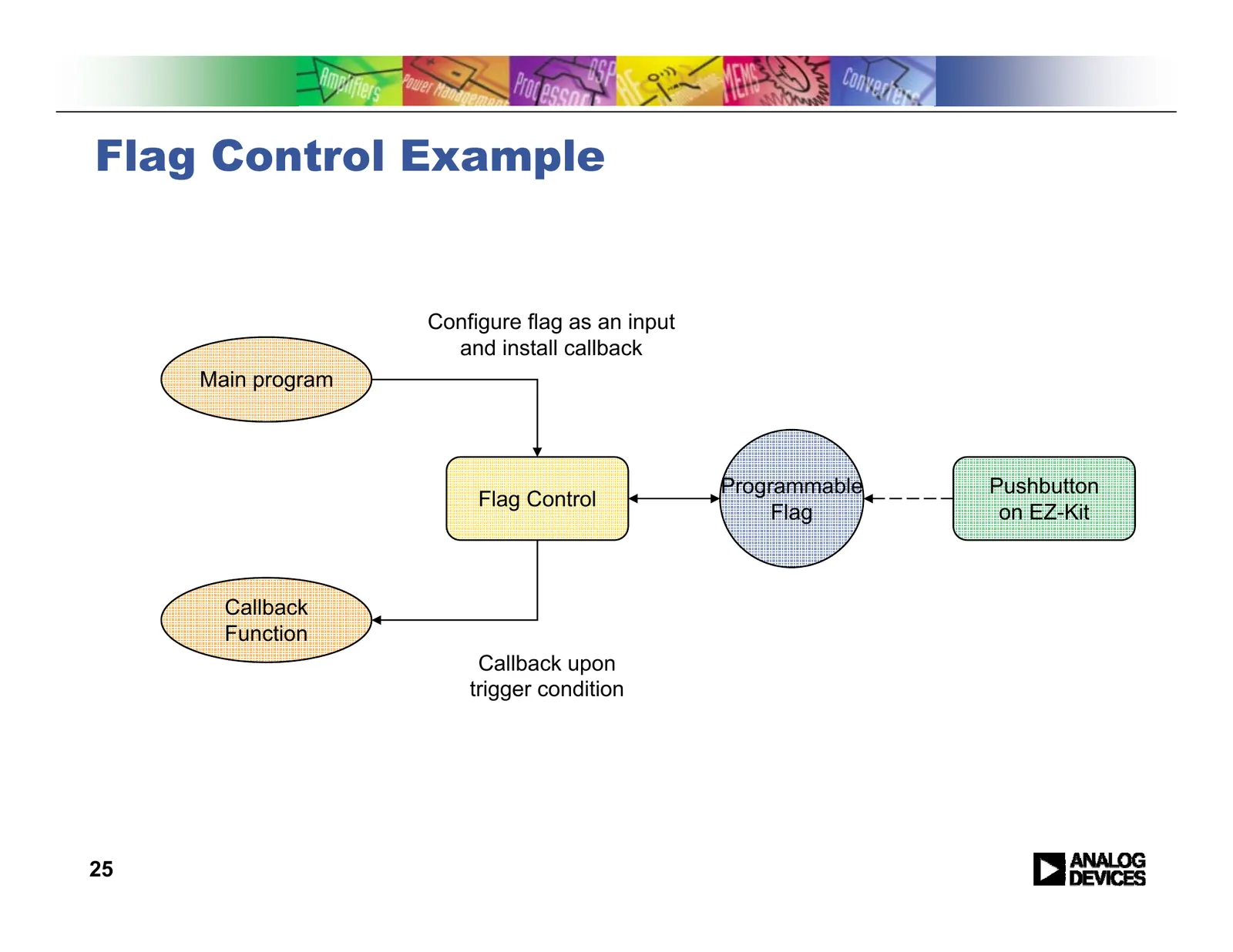
Slide 25: Flag Control Example
Flag Control Example Configure flag as an input and install callback Main program Programmable Pushbutton Flag Control Flag on EZ-Kit Callback Function Callback upon trigger condition 25
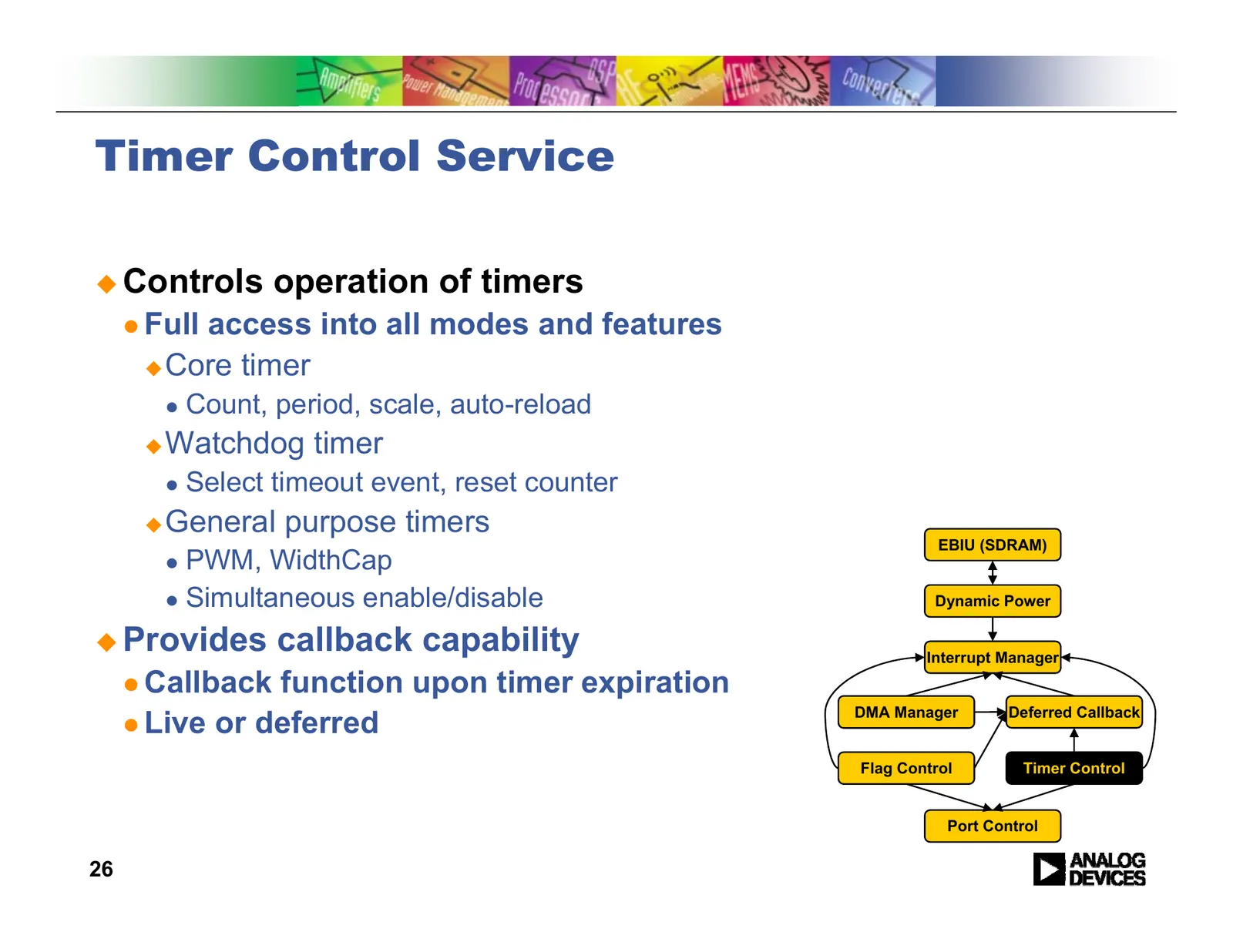
Slide 26: Timer Control Service
Timer Control Service Controls operation of timers z Full access into all modes and features Core timer z Count, period, scale, auto-reload Watchdog timer z Select timeout event, reset counter General purpose timers EBIU (SDRAM) z PWM, WidthCap z Simultaneous enable/disable Dynamic Power P
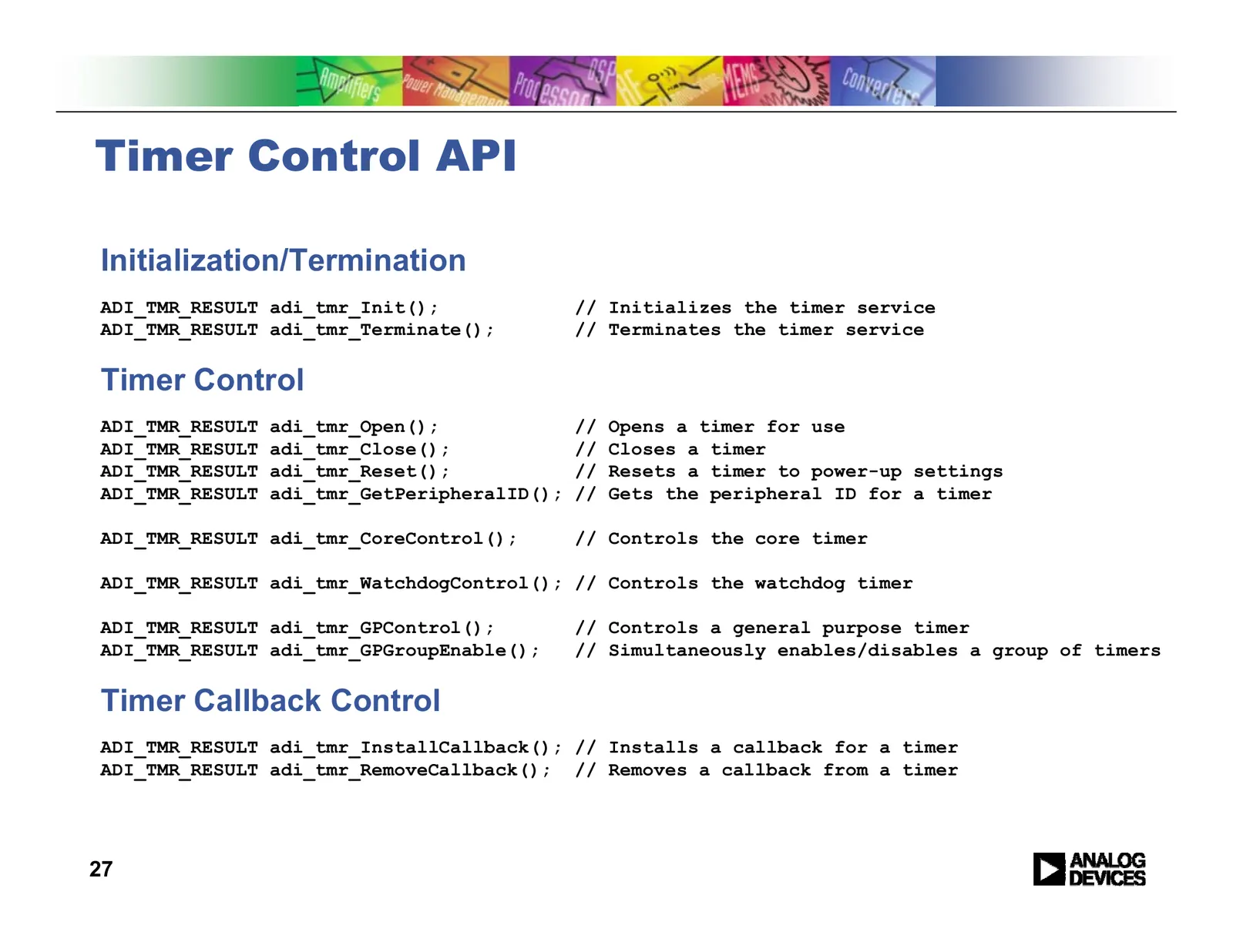
Slide 27: Timer Control API
Timer Control API Initialization/Termination ADI_TMR_RESULT adi_tmr_Init(); // Initializes the timer service ADI_TMR_RESULT adi_tmr_Terminate(); // Terminates the timer service Timer Control ADI_TMR_RESULT adi_tmr_Open(); // Opens a timer for use ADI_TMR_RESULT adi_tmr_Close(); // Closes a timer ADI
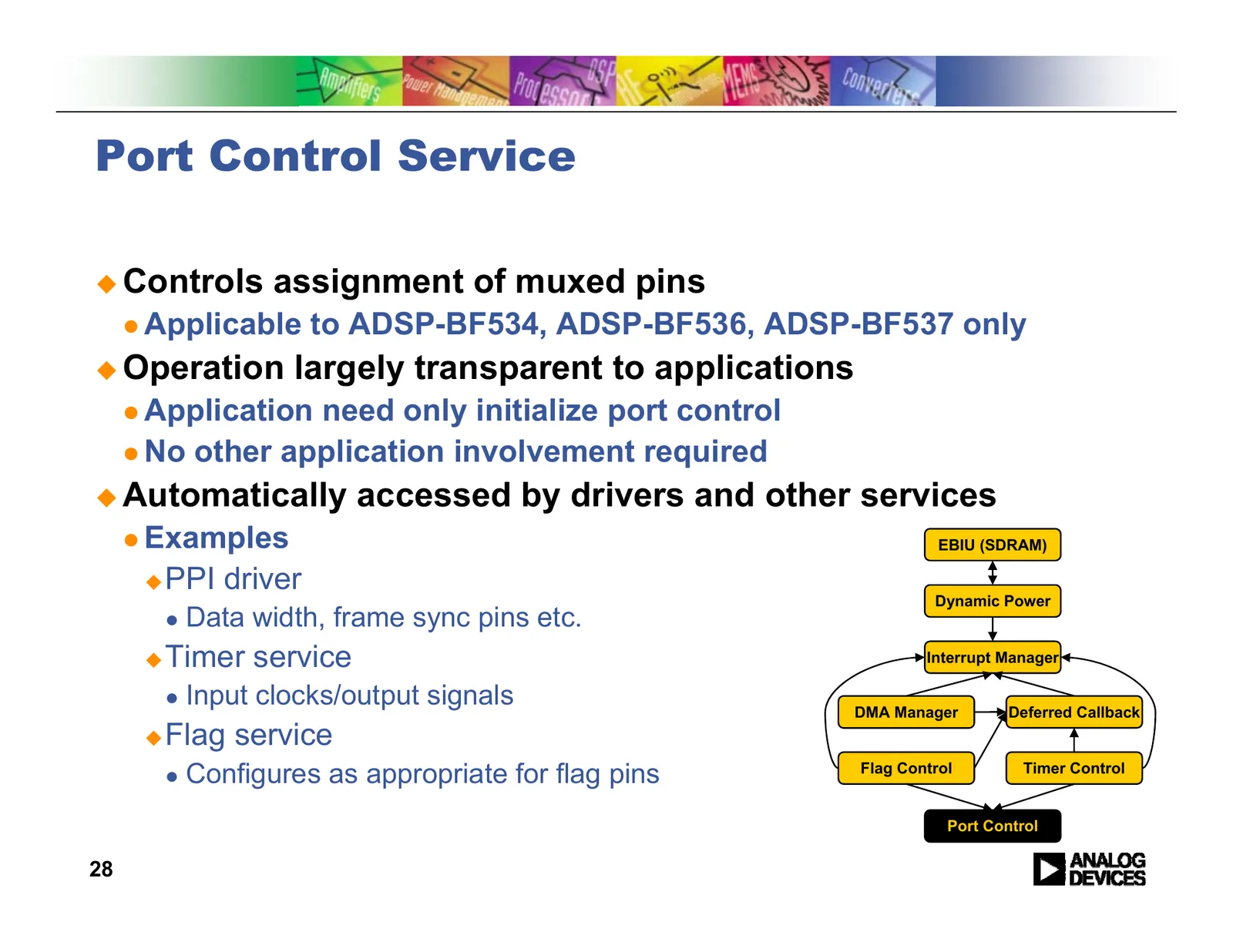
Slide 28: Port Control Service
Port Control Service Controls assignment of muxed pins z Applicable to ADSP-BF534, ADSP-BF536, ADSP-BF537 only Operation largely transparent to applications z Application need only initialize port control z No other application involvement required Automatically accessed by drivers and other s
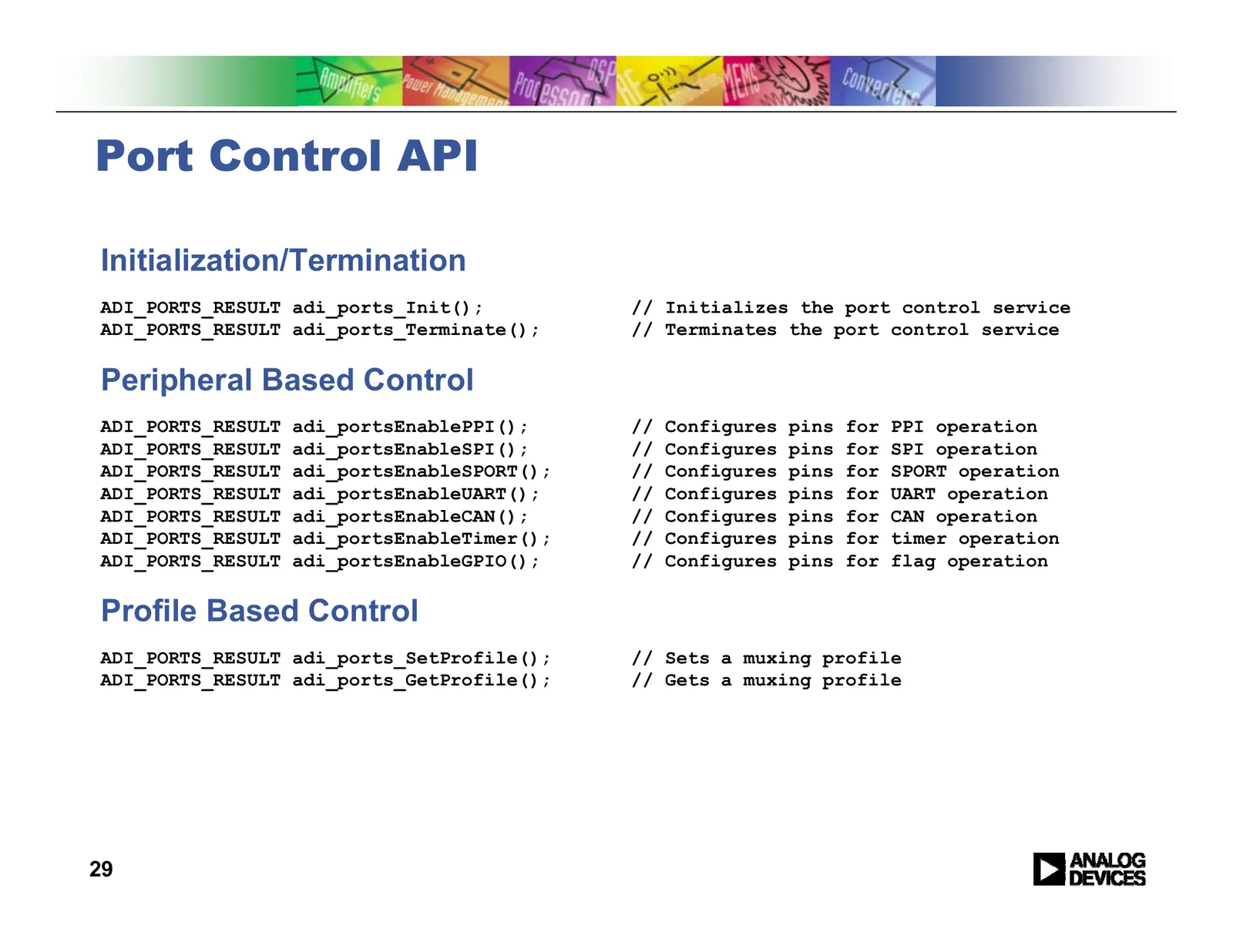
Slide 29: Port Control API
Port Control API Initialization/Termination ADI_PORTS_RESULT adi_ports_Init(); // Initializes the port control service ADI_PORTS_RESULT adi_ports_Terminate(); // Terminates the port control service Peripheral Based Control ADI_PORTS_RESULT adi_portsEnablePPI(); // Configures pins for PPI operation A
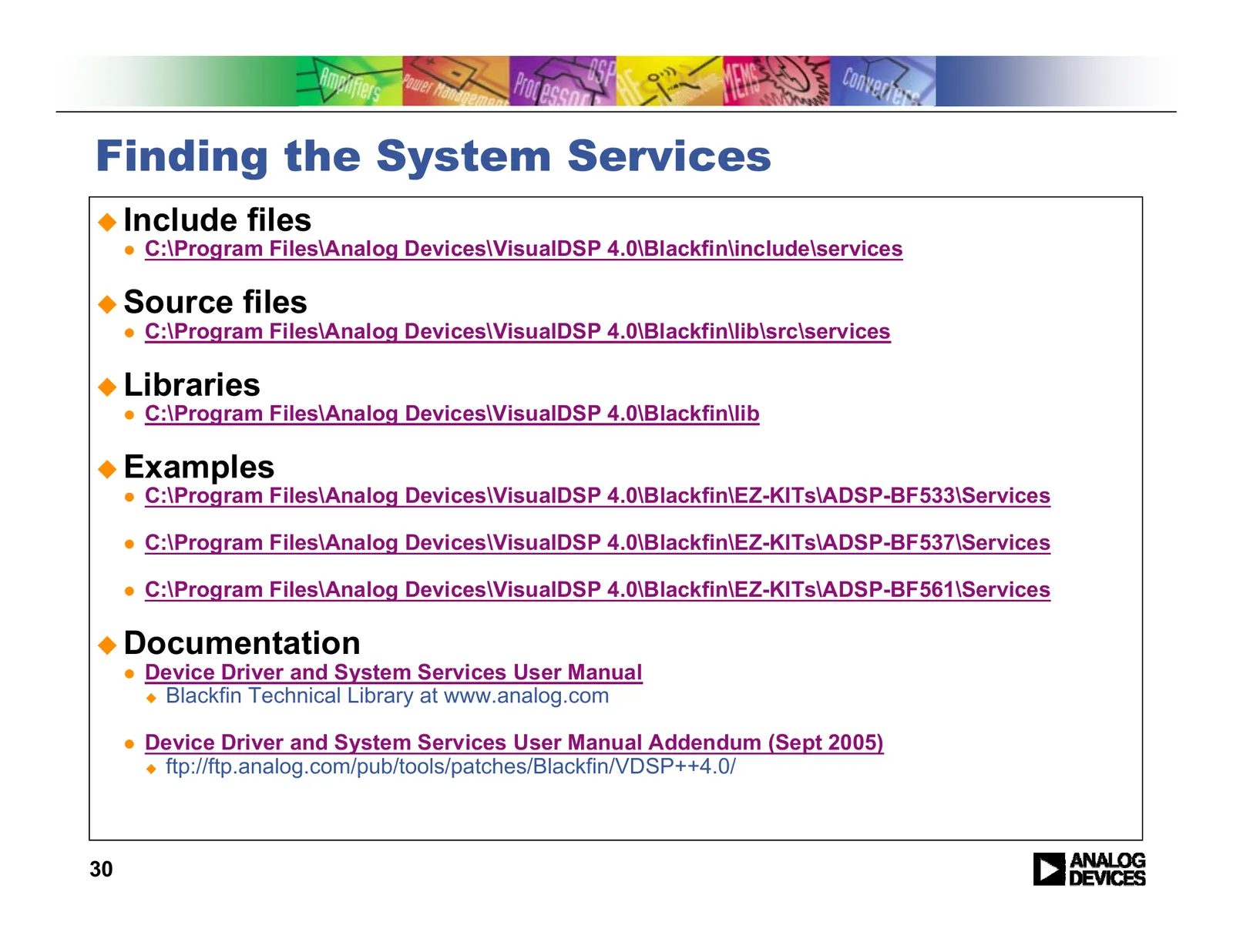
Slide 30: Finding the System Services
Finding the System Services Include files z C:\Program Files\Analog Devices\VisualDSP 4.0\Blackfin\include\services Source files z C:\Program Files\Analog Devices\VisualDSP 4.0\Blackfin\lib\src\services Libraries z C:\Program Files\Analog Devices\VisualDSP 4.0\Blackfin\lib Examples z C:\Prog
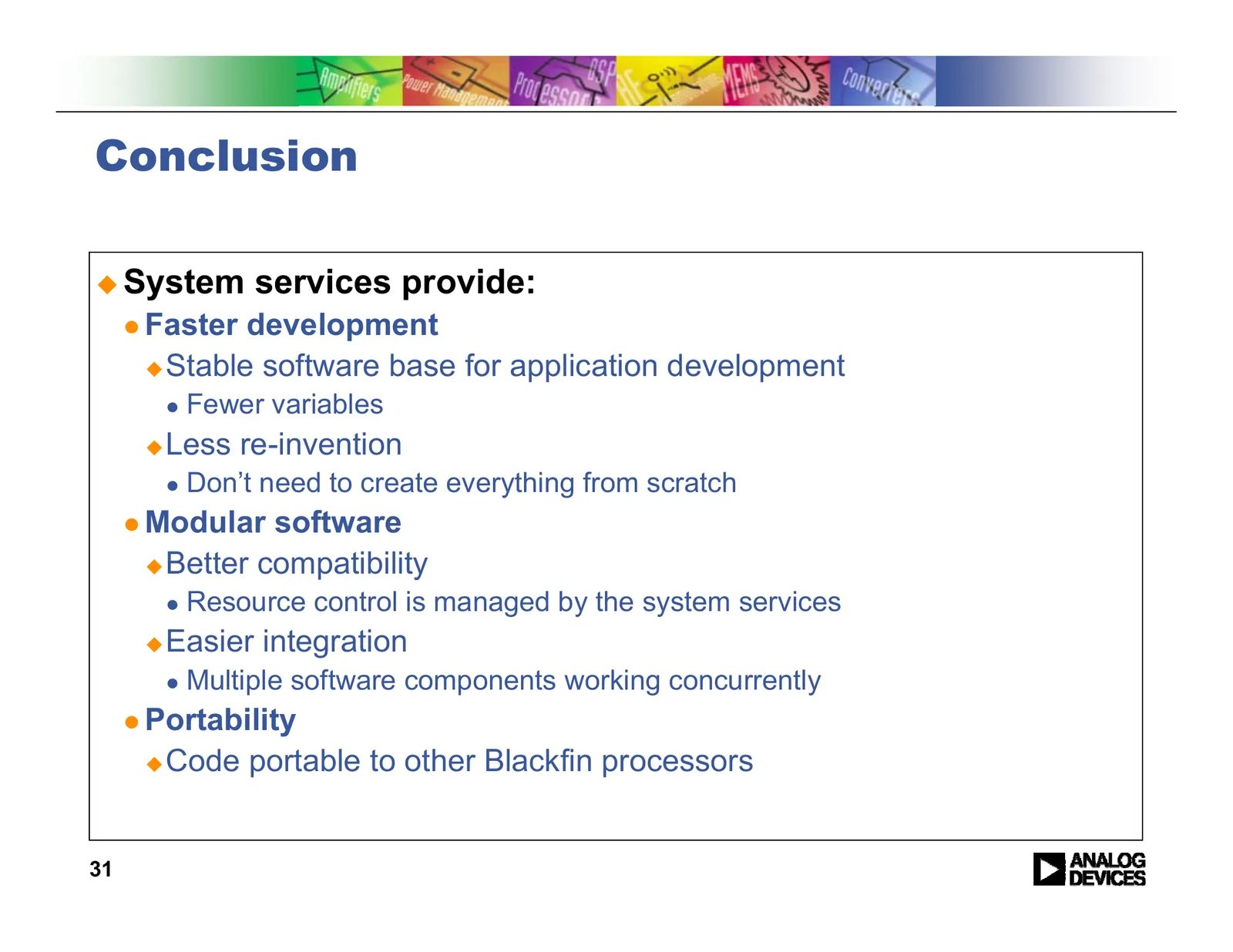
Slide 31: Conclusion
Conclusion System services provide: z Faster development Stable software base for application development z Fewer variables Less re-invention z Don’t need to create everything from scratch z Modular software Better compatibility z Resource control is managed by the system services Easier i
Slide 32: Additional Information
Additional Information Documentation z Device Drivers and System Services Manual for Blackfin Processors − http://www.analog.com/processors/resources/technicalLibrary/manuals/index.html z Device Drivers and System Services Addendum (Sept 2005) − ftp://ftp.analog.com/pub/tools/patches/Blackfin/VDSP
Source: Internet Archive copy of analog.com
More decks from Analog Devices, Inc.
 Proxy Contest (February 2026)6 slides · Feb 9, 2026
 Investor Presentation (September 2025)11 slides · Sep 19, 2025
 Investor Presentation (September 2024)14 slides · Sep 27, 2024
 Technical Presentation (May 2024)97 slides · May 30, 2024
 Shareholder Meeting (February 2024)18 slides · Feb 29, 2024
 Investor Presentation (October 2023)12 slides · October 2023