Huron Consulting Group Inc. · NASDAQ:HURN
Huron Consulting — May 2010 Webinar
15 slides from Huron Consulting's conference presentation, May 2010
Slide 1: May 2010 Webinar
May 2010 Webinar © Huron Consulting Group Inc. All rights reserved. Huron is a management consulting firm and not a CPA firm, and does not provide attest services, audits, or other engagements in accordance with the AICPA’s Statements on Auditing Standards.
Slide 2: Huron Consulting Group: Health & Education Consulting
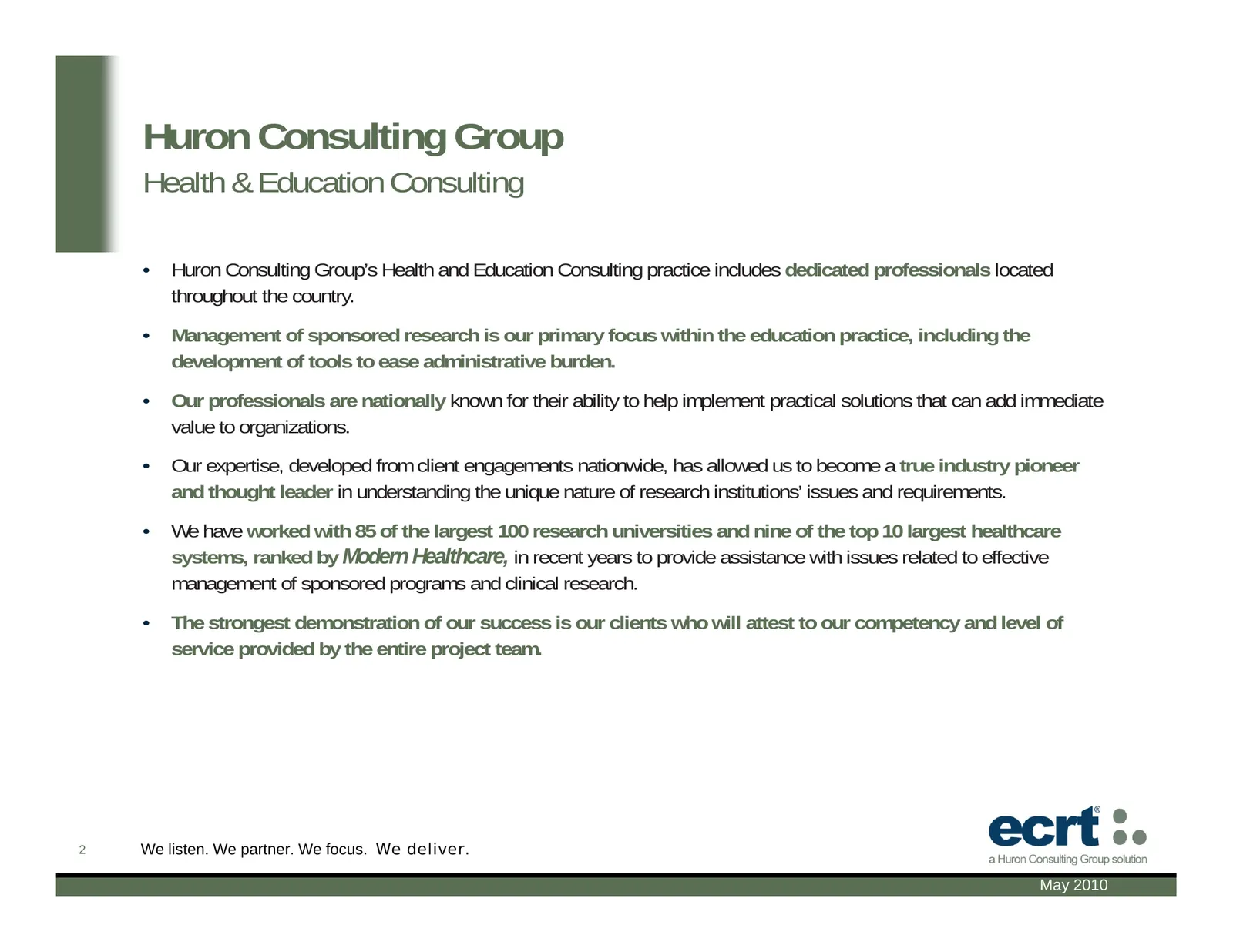
Huron Consulting Group Health & Education Consulting • Huron Consulting Group’s Health and Education Consulting practice includes dedicated professionals located throughout the country. • Management of sponsored research is our primary focus within the education practice, including the development o
Slide 3: Application Evolution
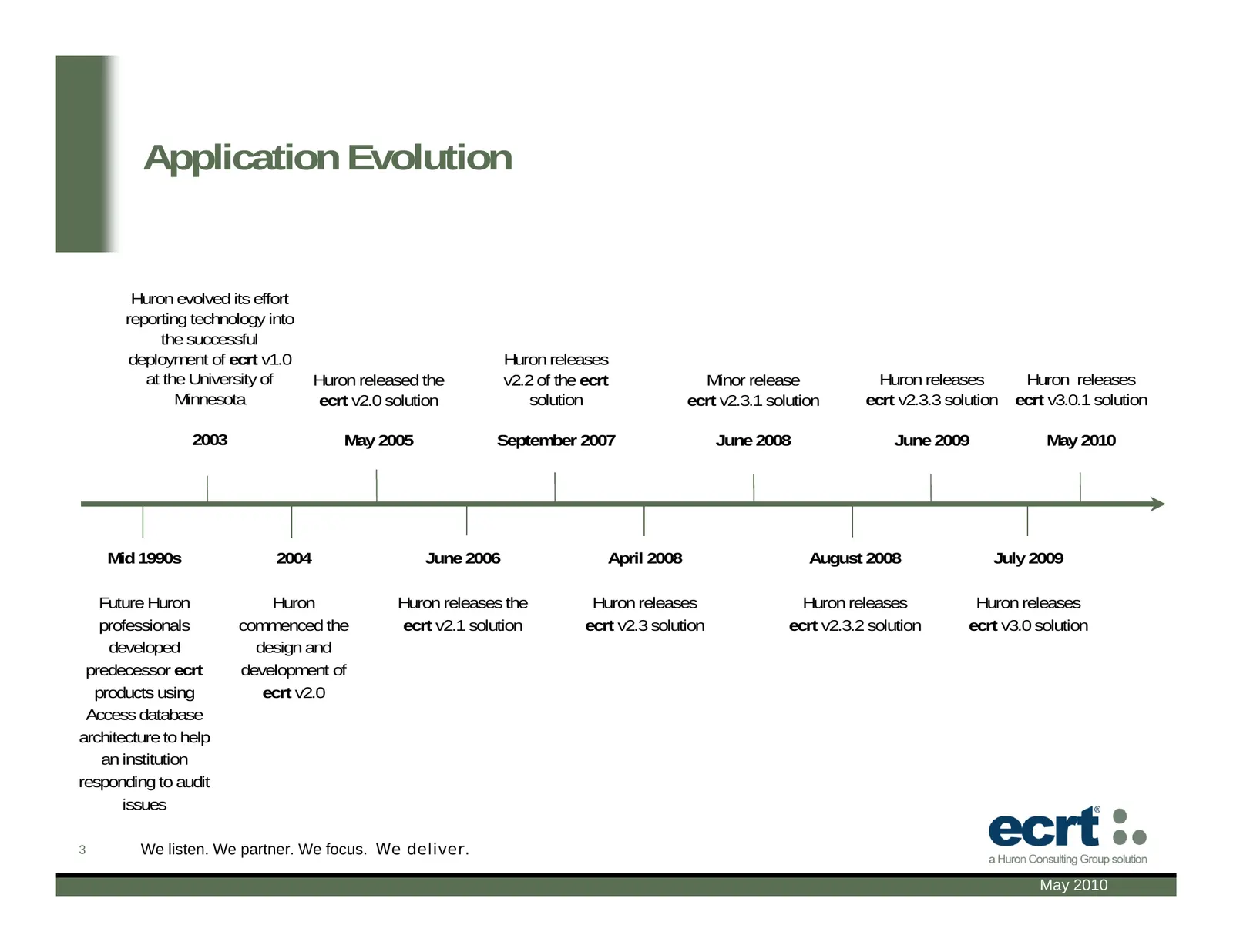
Application Evolution Huron evolved its effort reporting technology into the successful deployment of ecrt v1.0 Huron releases at the University of Huron released the v2.2 of the ecrt Minor release Huron releases Huron releases Minnesota ecrt v2.0 solution solution ecrt v2.3.1 solution ecrt v2.3.3 s
Slide 4: Guiding Principles
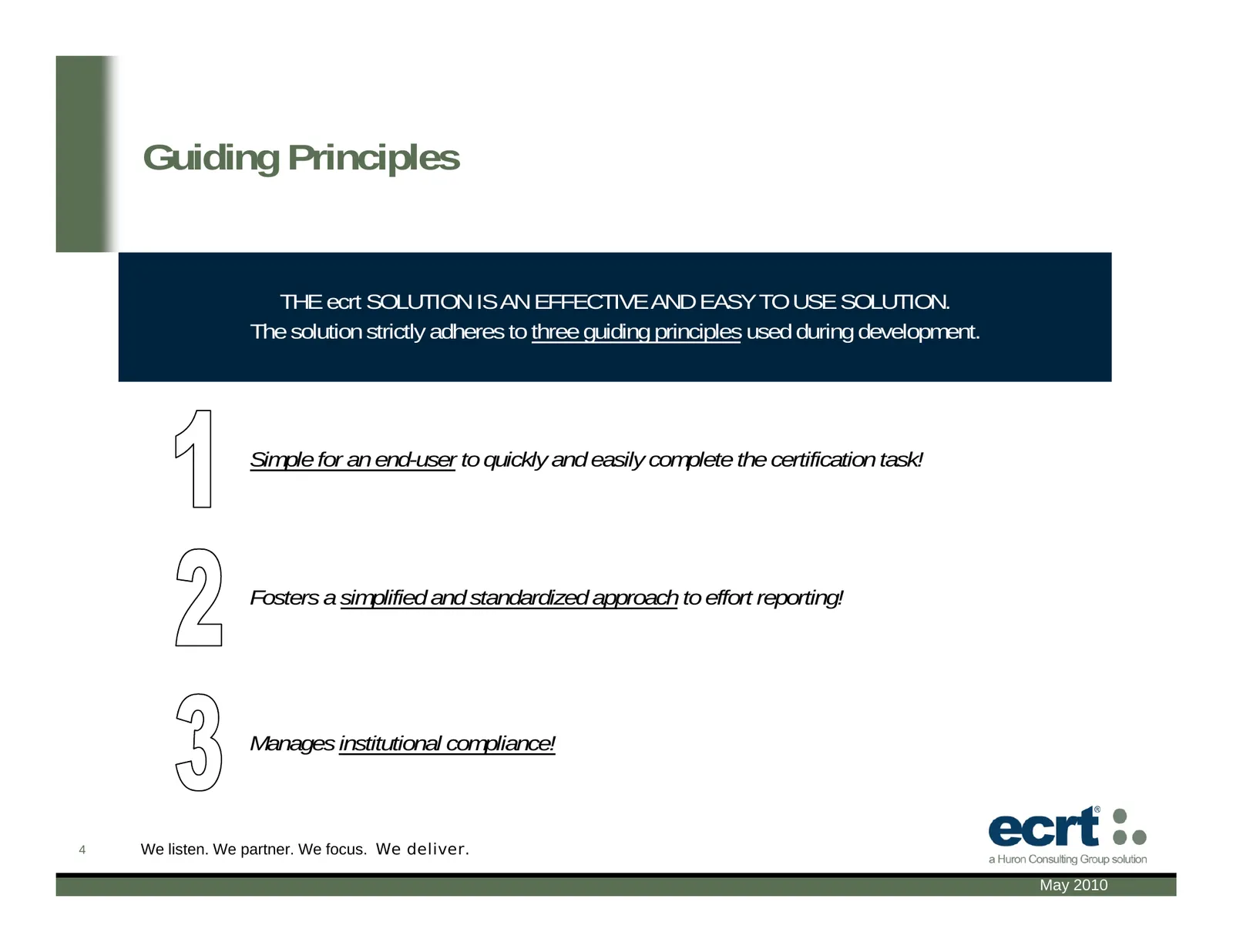
Guiding Principles THE ecrt SOLUTION IS AN EFFECTIVE AND EASY TO USE SOLUTION. The solution strictly adheres to three guiding principles used during development. Simple for an end-user to quickly and easily complete the certification task! Fosters a simplified and standardized approach to effort rep
Slide 5: Functionality Highlights
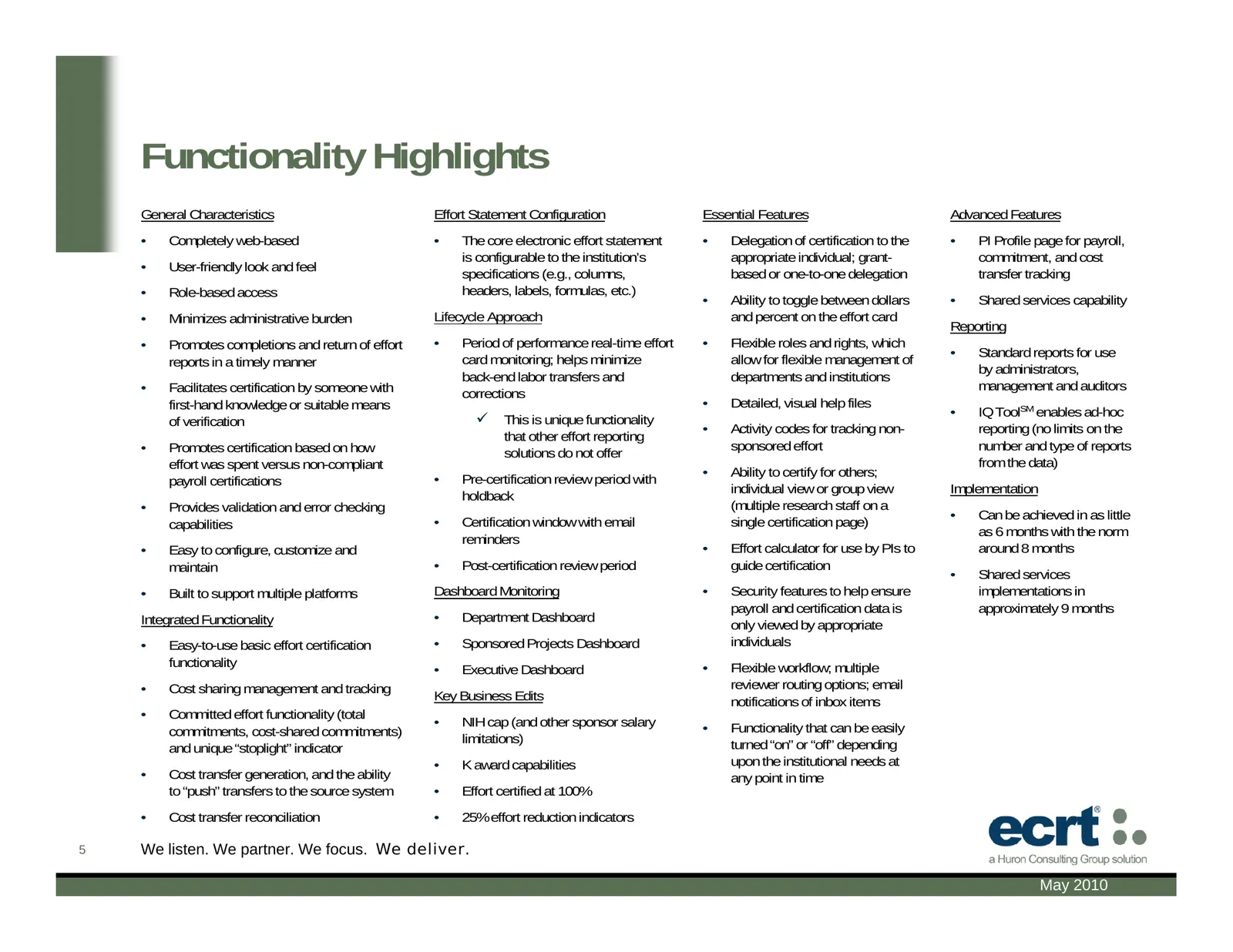
Functionality Highlights General Characteristics Effort Statement Configuration Essential Features Advanced Features • Completely web-based • The core electronic effort statement • Delegation of certification to the • PI Profile page for payroll, is configurable to the institution’s appropriate indi
Slide 6: Functionality Highlights: Sample v3.0 Enhancements
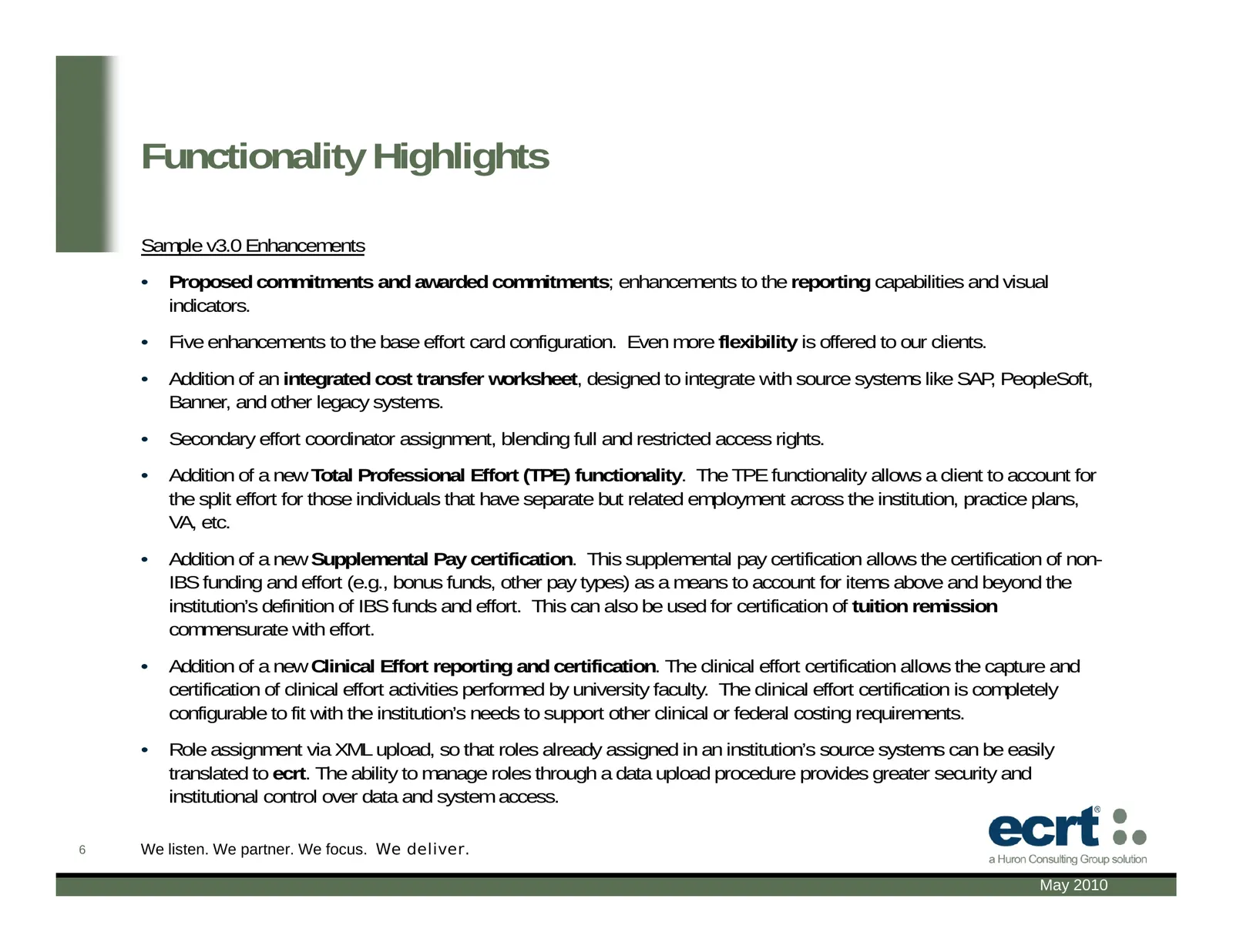
Functionality Highlights Sample v3.0 Enhancements • Proposed commitments and awarded commitments; enhancements to the reporting capabilities and visual indicators. • Five enhancements to the base effort card configuration. Even more flexibility is offered to our clients. • Addition of an integrated
Slide 7: Background for demo: Sample ecrt Process Timeline
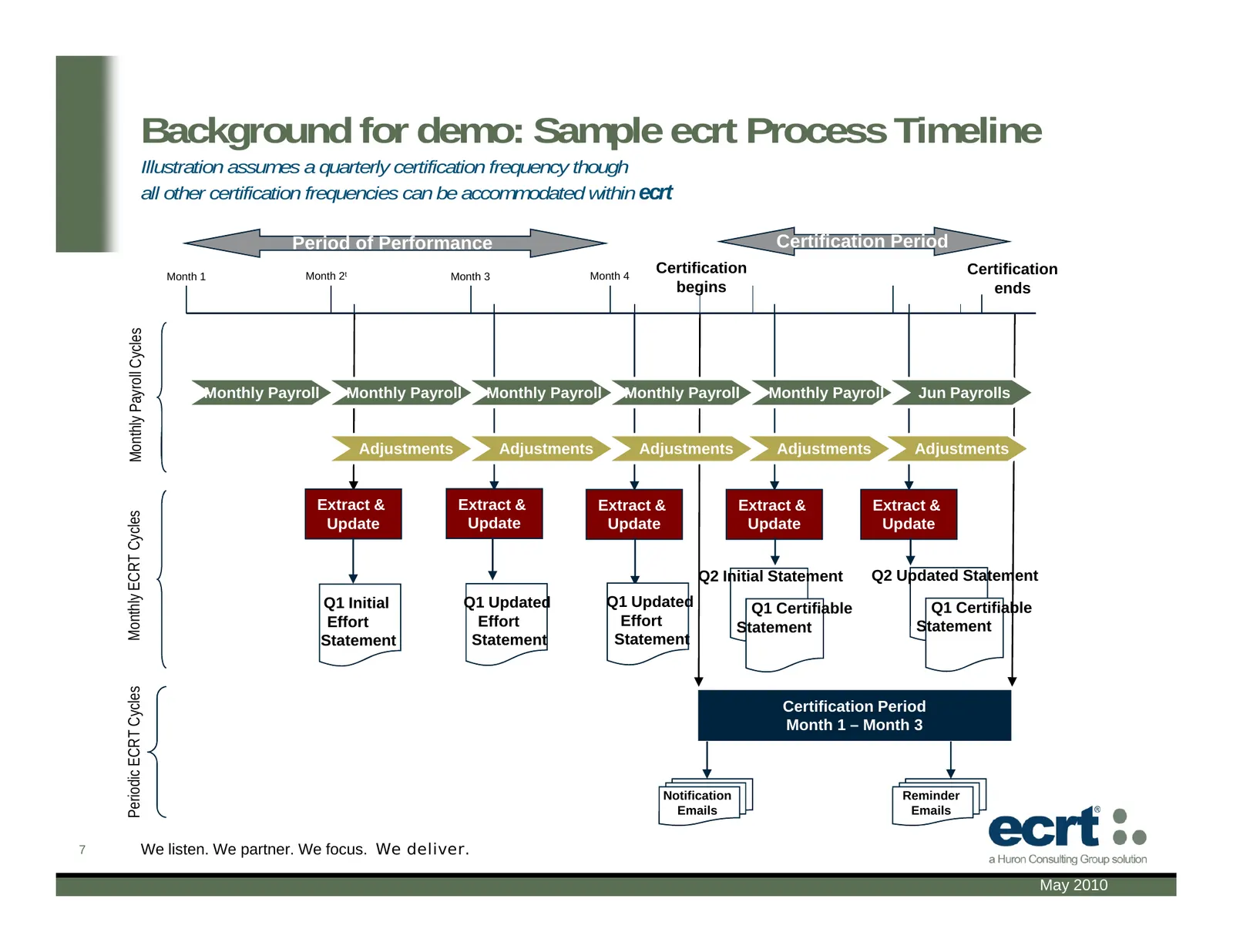
Background for demo: Sample ecrt Process Timeline Illustration assumes a quarterly certification frequency though all other certification frequencies can be accommodated within ecrt Period of Performance Certification Period Month 1 Month 2t Month 3 Month 4 Certification Certification begins ends Mo
Slide 8: Representative Screen Shots: Login Screen
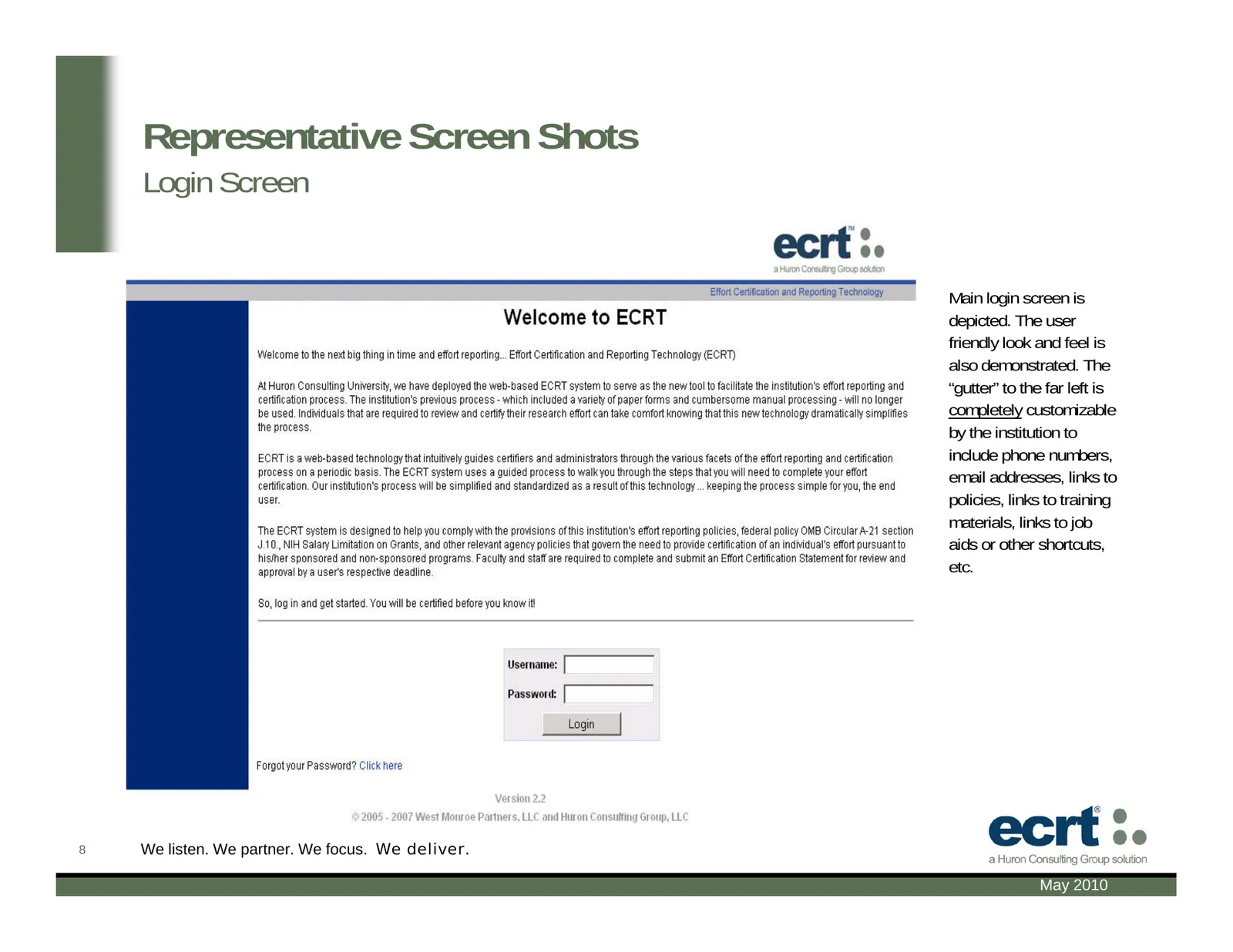
Representative Screen Shots Login Screen Main login screen is depicted. The user friendly look and feel is also demonstrated. The “gutter” to the far left is completely customizable by the institution to include phone numbers, email addresses, links to policies, links to training materials, links to
Slide 9: Representative Screen Shots: The Effort Lifecycle
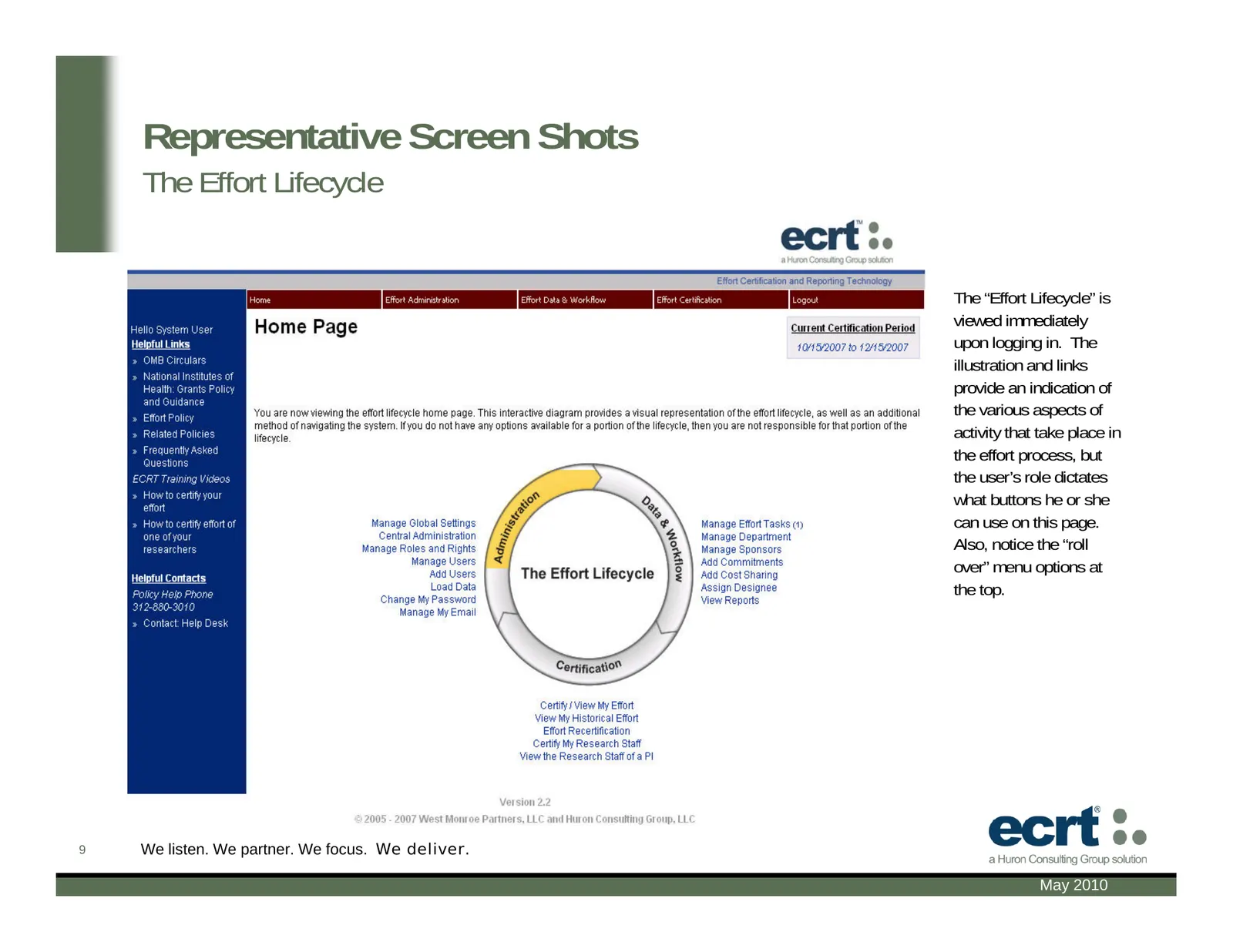
Representative Screen Shots The Effort Lifecycle The “Effort Lifecycle” is viewed immediately upon logging in. The illustration and links provide an indication of the various aspects of activity that take place in the effort process, but the user’s role dictates what buttons he or she can use on thi
Slide 10: Representative Screen Shots: Certification Preview Screen
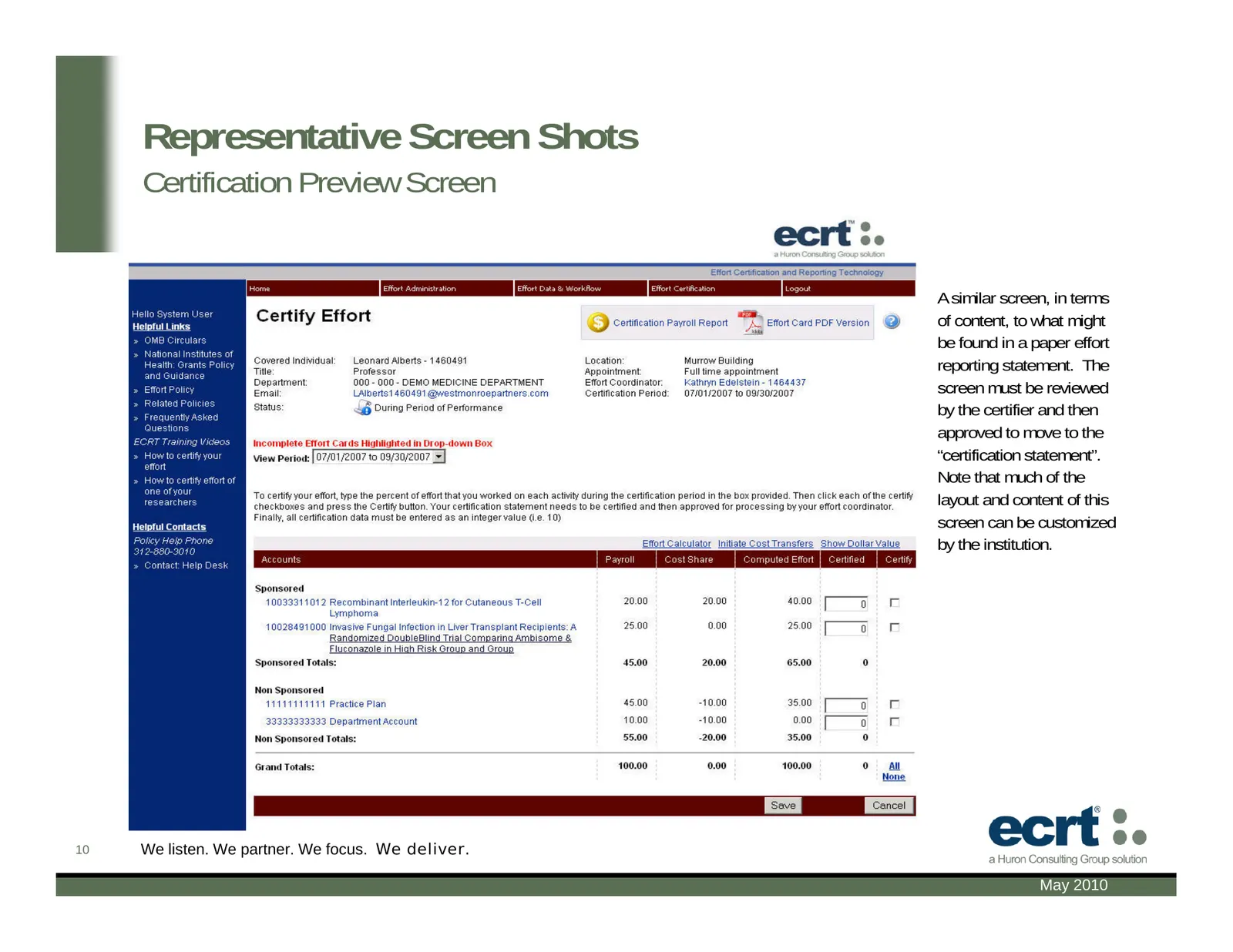
Representative Screen Shots Certification Preview Screen A similar screen, in terms of content, to what might be found in a paper effort reporting statement. The screen must be reviewed by the certifier and then approved to move to the “certification statement”. Note that much of the layout and cont
Slide 11: Representative Screen Shots: Certification Confirmation
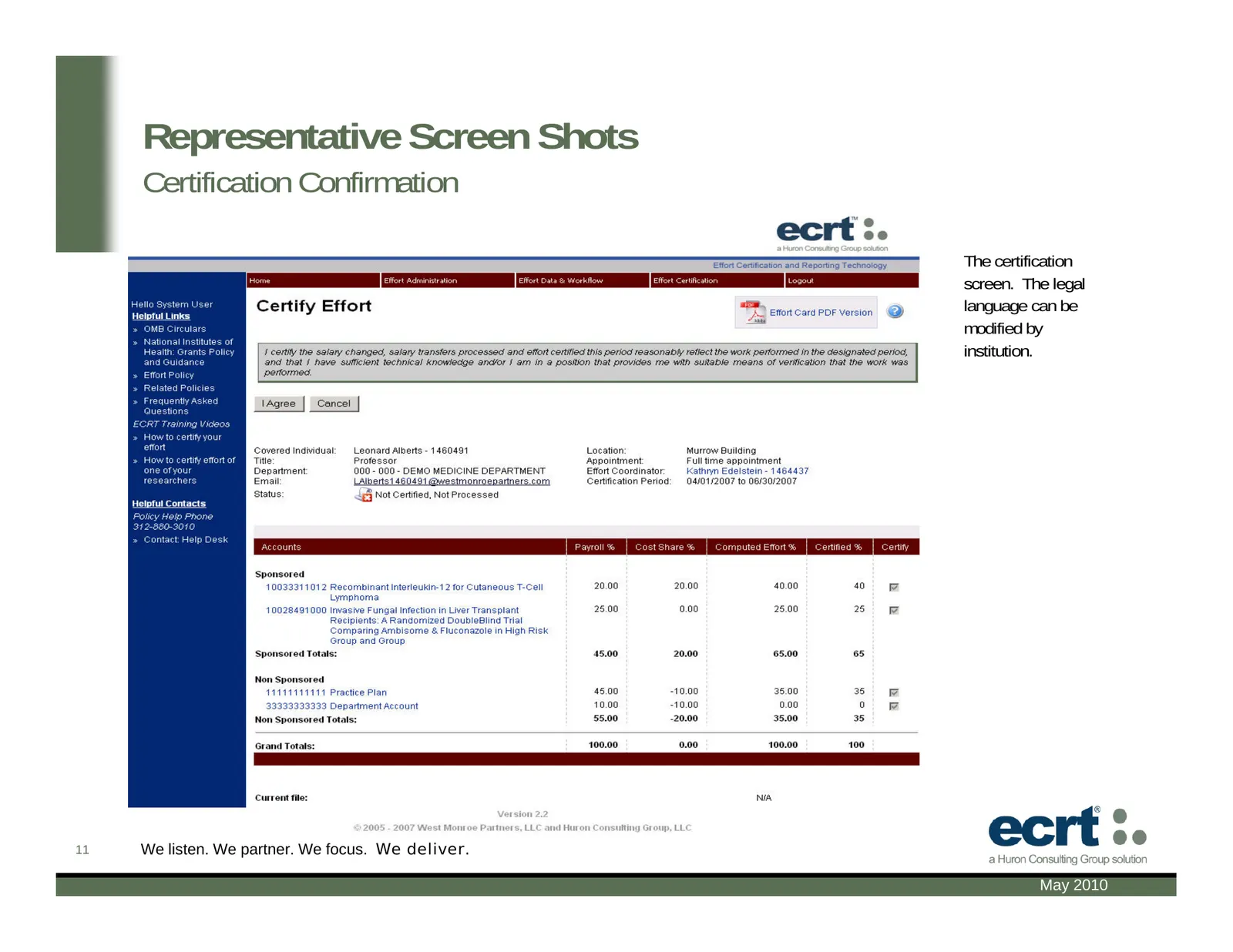
Representative Screen Shots Certification Confirmation The certification screen. The legal language can be modified by institution. 11 We listen. We partner. We focus. We deliver. May 2010
Slide 12: Representative Screen Shots: Certify my Researchers
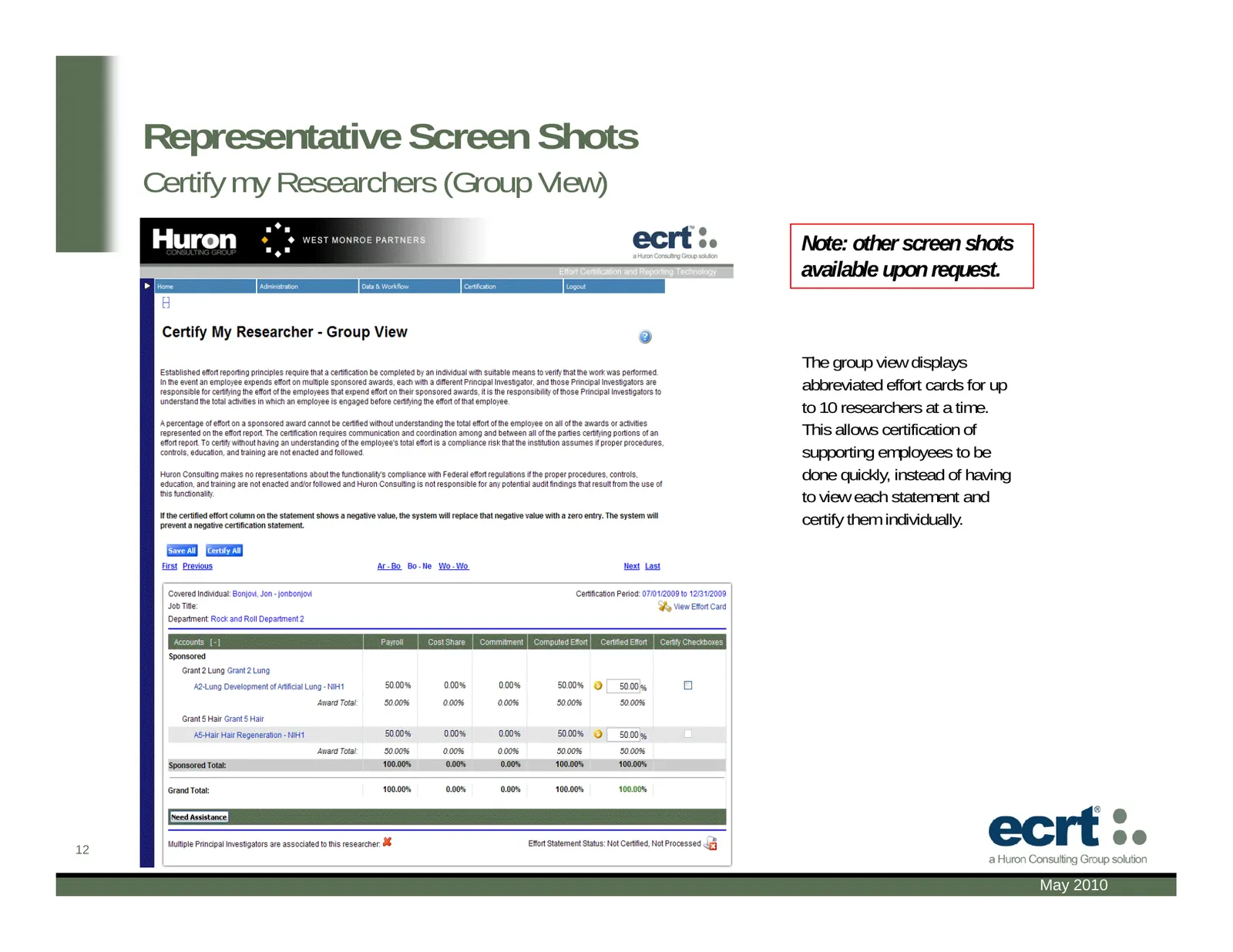
Representative Screen Shots Certify my Researchers (Group View) Note: other screen shots available upon request. The group view displays abbreviated effort cards for up to 10 researchers at a time. This allows certification of supporting employees to be done quickly, instead of having to view each s
Slide 13: Huron Consulting Group: The Difference
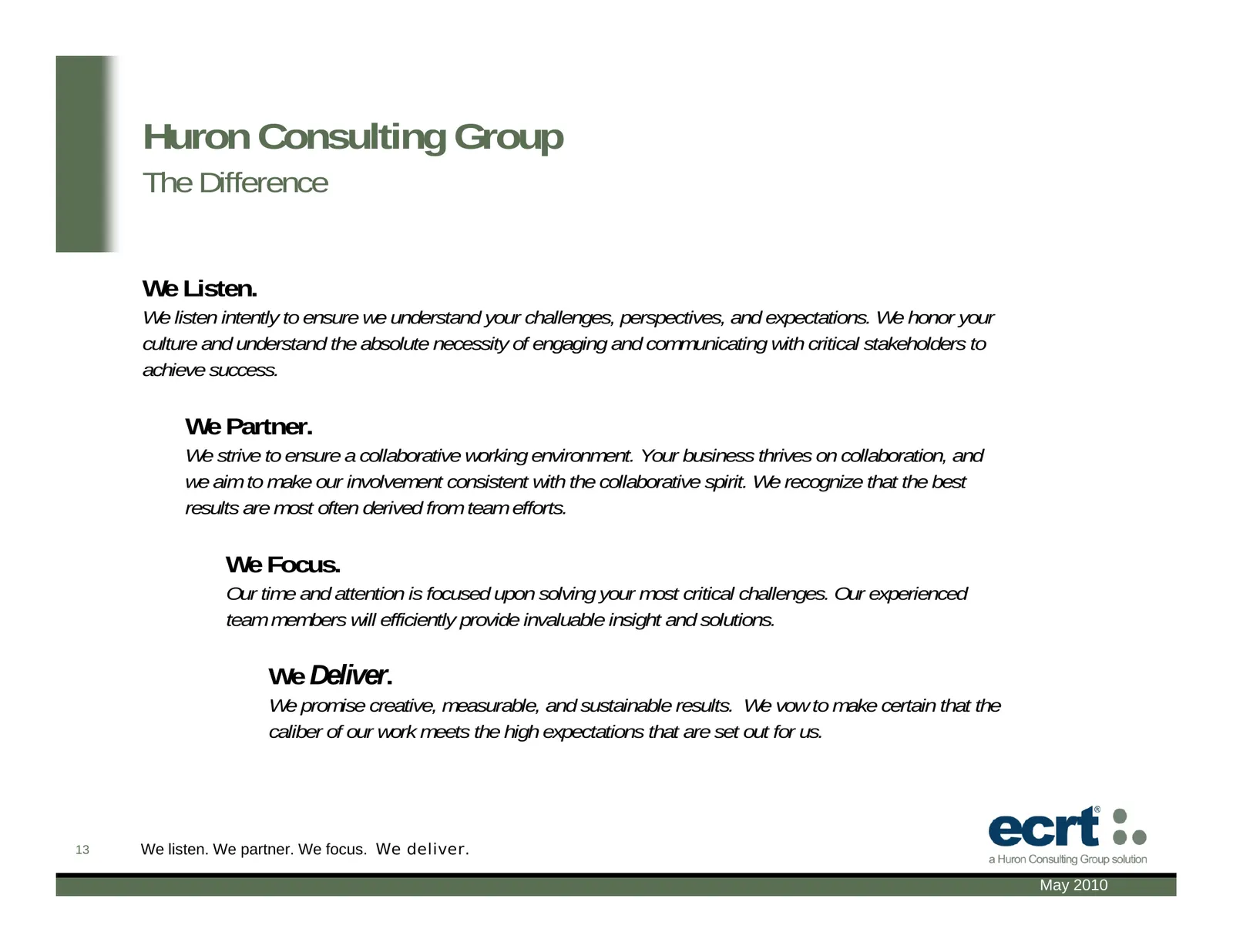
Huron Consulting Group The Difference We Listen. We listen intently to ensure we understand your challenges, perspectives, and expectations. We honor your culture and understand the absolute necessity of engaging and communicating with critical stakeholders to achieve success. We Partner. We strive
Slide 14: Contact Information
Contact Information Greg Bedell Nick Long Managing Director Director 312-880-3010 312-880-3285 gbedell@huronconsultinggroup.com nlong@huronconsultinggroup.com Jennifer Hubert Marty Bergerson Director Manager 678-672-6085 312-731-5714 jhubert@huronconsultinggroup.com mbergerson@huronconsultinggroup.c

Slide 15: We listen. We partner. We focus. We deliver.
15 We listen. We partner. We focus. We deliver. May 2010
Source: Internet Archive copy of huronconsultinggroup.com
More decks from Huron Consulting Group Inc.
 Investor Presentation (July 2026)49 slides · July 2026
 Investor Presentation (March 2026)49 slides · March 2026
 Q4 2025 Earnings Presentation12 slides · Feb 24, 2026
 Investor Presentation (July 2025)44 slides · July 2025
 Shareholder Meeting (March 2025)13 slides · Mar 28, 2025
 Investor Day (March 2025)77 slides · Mar 25, 2025