Sangoma Technologies Corporation · TSX:STC
Sangoma Technologies — Technical Presentation (May 2011)
45 slides from Sangoma Technologies's technical presentation, May 5, 2011
Slide 1: Webinar Training Series: NetBorder Express Version 4.0
Webinar Training Series NetBorder Express Version 4.0 May 5, 2011
Slide 2: Today's Speakers
Today’s Speakers Julien Nephtali Costa Chatjiantoniou Product Manager BDM – Voice and Unified Sangoma Technologies Communications Specialist Interwork Technologies Tel: +1.514.288.7111 x236 @: julien.nephtali@sangoma.com Tel: 1-800-461-8649 x4235 @: CostaC@interwork.com 2
Slide 3: Agenda
Agenda • VoIP Gateways Explained • NetBorder Express Introduction • New Features with Version 4 • Obtaining NetBorder Express • Interwork Technologies Partner Presentation • Closing • Q&A 3
Slide 4: The role of VoIP Gateways in today's networks
The role of VoIP Gateways in today’s networks • The world of telecom is moving to VoIP – IVRs, Conferencing Servers, PBX, Call Centers, etc. • Very large installed base of Legacy Networks (aka the PSTN) • As the transition to VoIP occurs, New and Legacy networks need to co-exist and communicate • Vo
Slide 5: Required functions of a VoIP Gateway
Required functions of a VoIP Gateway • Connect to PSTN and support various line interfaces and protocols: – Lines: FXO/FXS, BRI, Digital T1/E1 – Protocols: Analog (loop start, line supervision), ISDN, MFC/R2 • Connect to VoIP network and support Ethernet interface and protocols – Lines: Ethernet – P
Slide 6: Agenda
Agenda • VoIP Gateways Explained • NetBorder Express Introduction • New Features with Version 4 • Obtaining NetBorder Express • Interwork Technologies Partner Presentation • Closing • Q&A 6
Slide 7: Introducing NetBorder Express
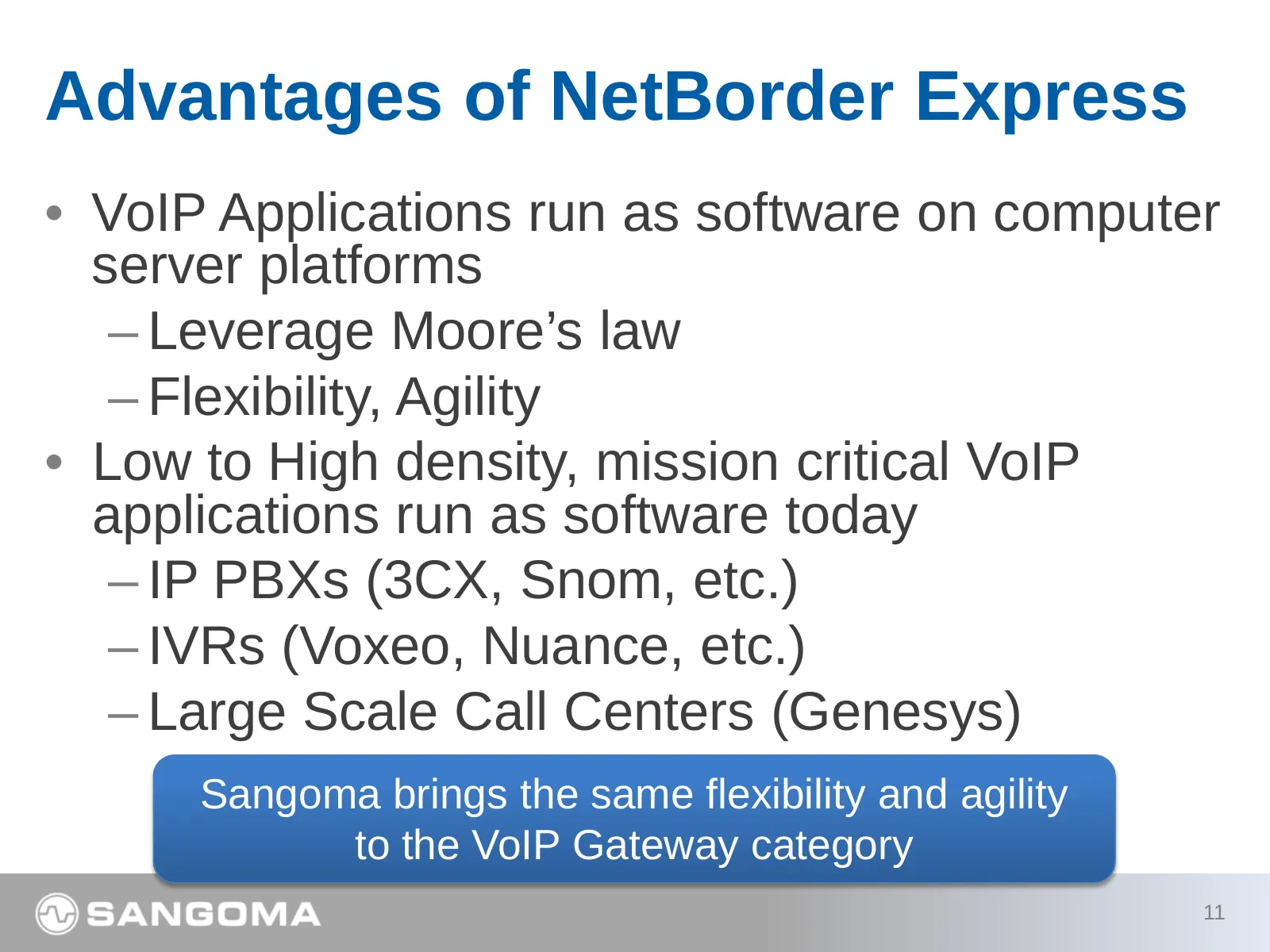
Introducing NetBorder Express • It is Sangoma’s Enterprise Class PSTN to SIP VoIP Gateway product • NetBorder Express is a Software Application • It leverages off-the-shelf computer servers components to operate as a full-featured VoIP Gateway: – Computer Server and an OS – Add Sangoma Telephony Boa
Slide 8: NetBorder Express Illustrated: Get a server
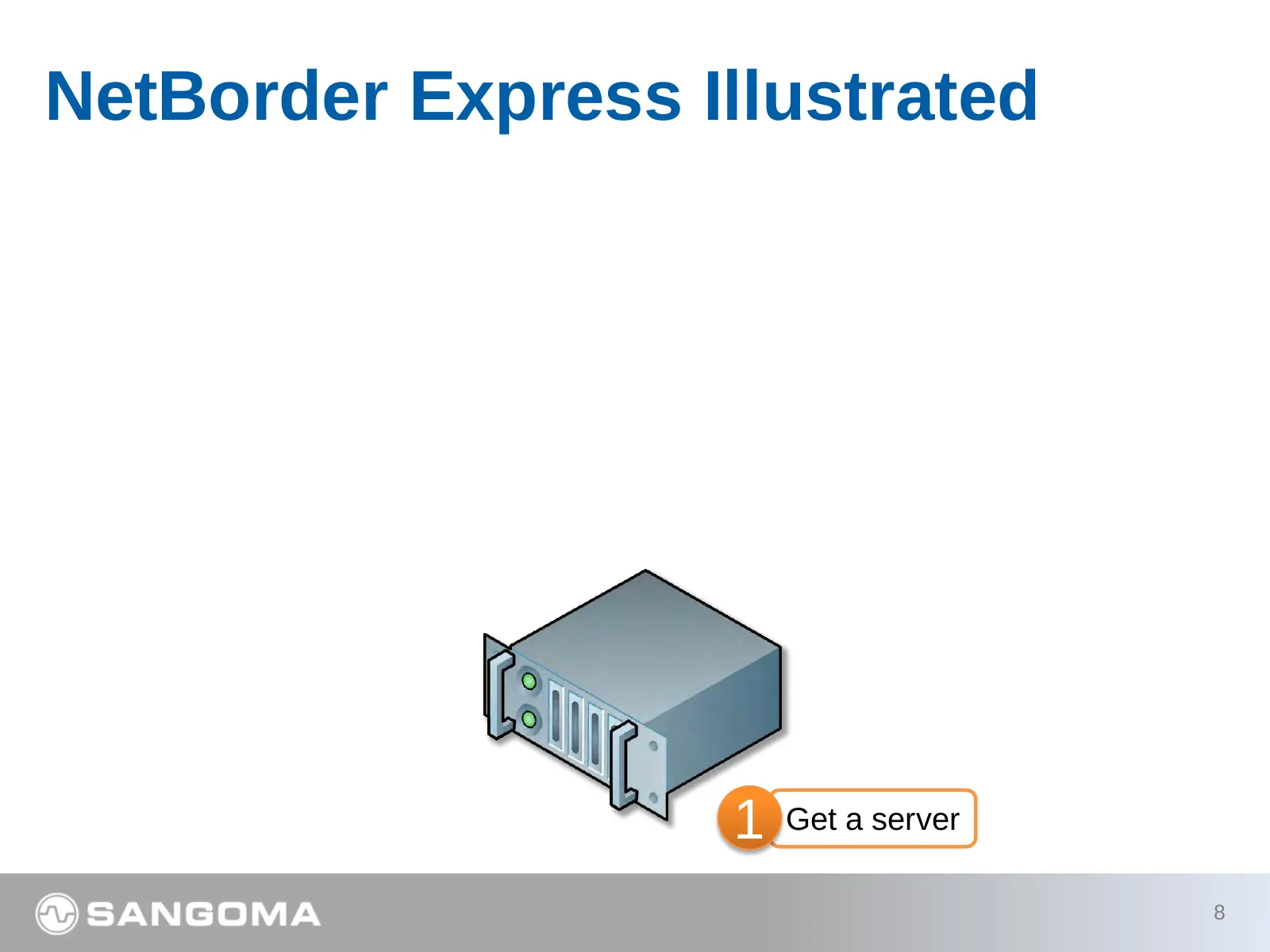
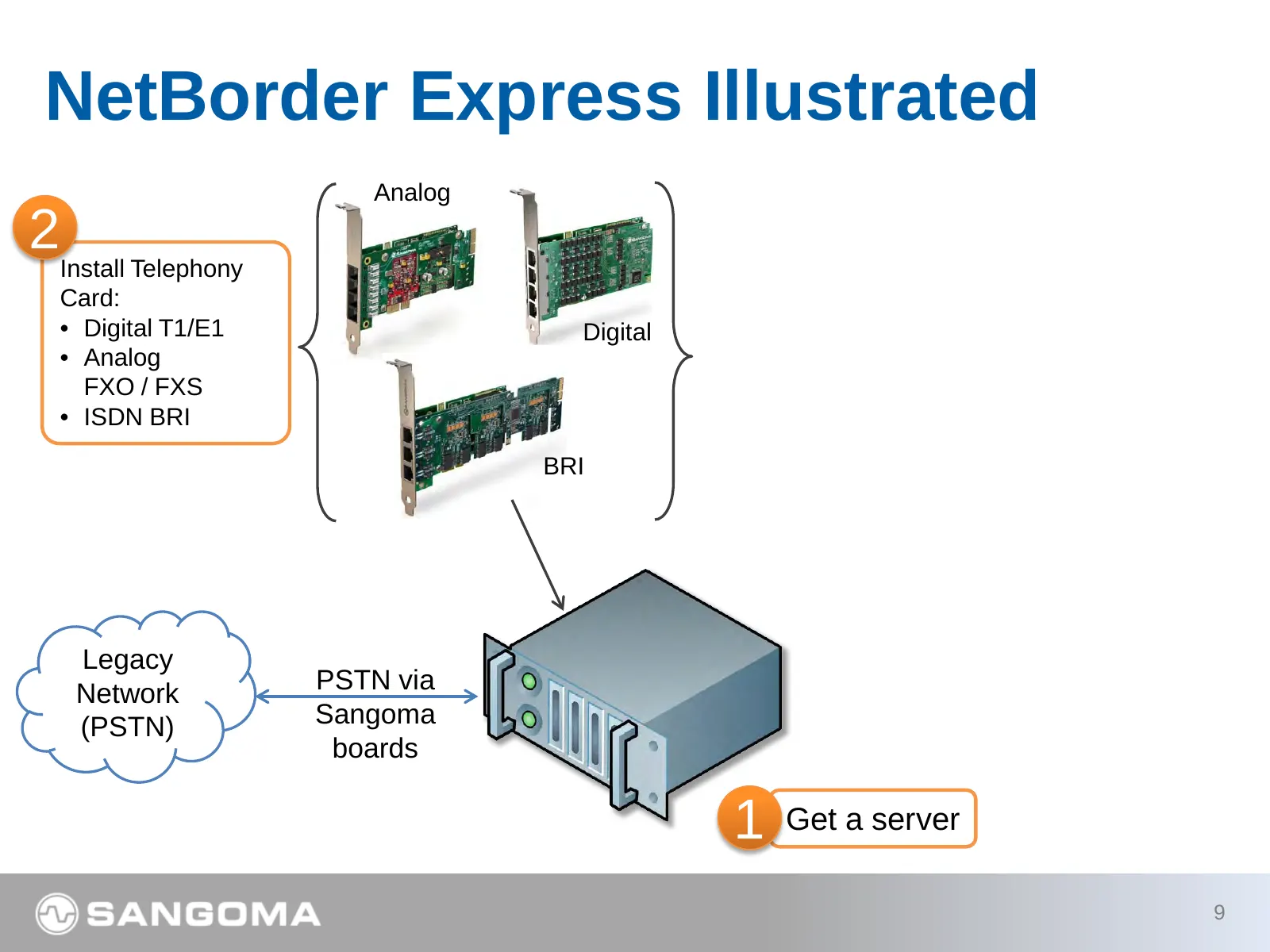
NetBorder Express Illustrated 1 Get a server 8
Slide 9: NetBorder Express Illustrated
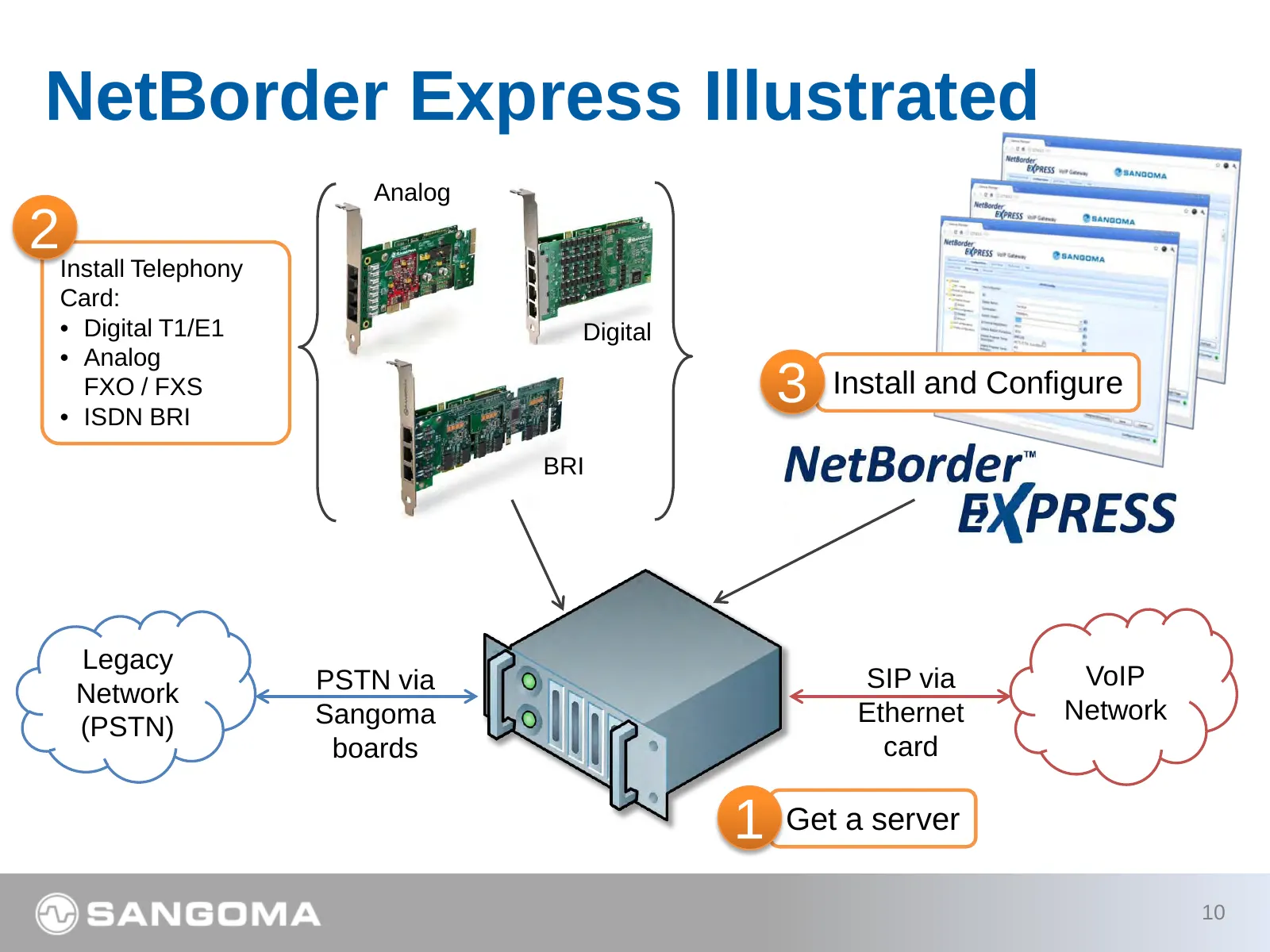
NetBorder Express Illustrated Analog 2 Install Telephony Card: • Digital T1/E1 Digital • Analog FXO / FXS • ISDN BRI BRI Legacy Network PSTN via (PSTN) Sangoma boards 1 Get a server 9
Slide 10: NetBorder Express Illustrated
NetBorder Express Illustrated Analog 2 Install Telephony Card: • Digital T1/E1 Digital • Analog FXO / FXS • ISDN BRI 3 Install and Configure BRI Legacy PSTN via SIP via VoIP Network Sangoma Ethernet Network (PSTN) boards card 1 Get a server 10
Slide 11: Advantages of NetBorder Express
Advantages of NetBorder Express • VoIP Applications run as software on computer server platforms – Leverage Moore’s law – Flexibility, Agility • Low to High density, mission critical VoIP applications run as software today – IP PBXs (3CX, Snom, etc.) – IVRs (Voxeo, Nuance, etc.) – Large Scale Call C
Slide 12: Advantages of NetBorder Express
Advantages of NetBorder Express • Can be installed and integrated with the VoIP application on the same server – Tight level of integration • Configuration, Installation, Management, Web GUI, etc. – More efficient installation – Improved power usage – More cost effective NetBorder Express is a uniqu
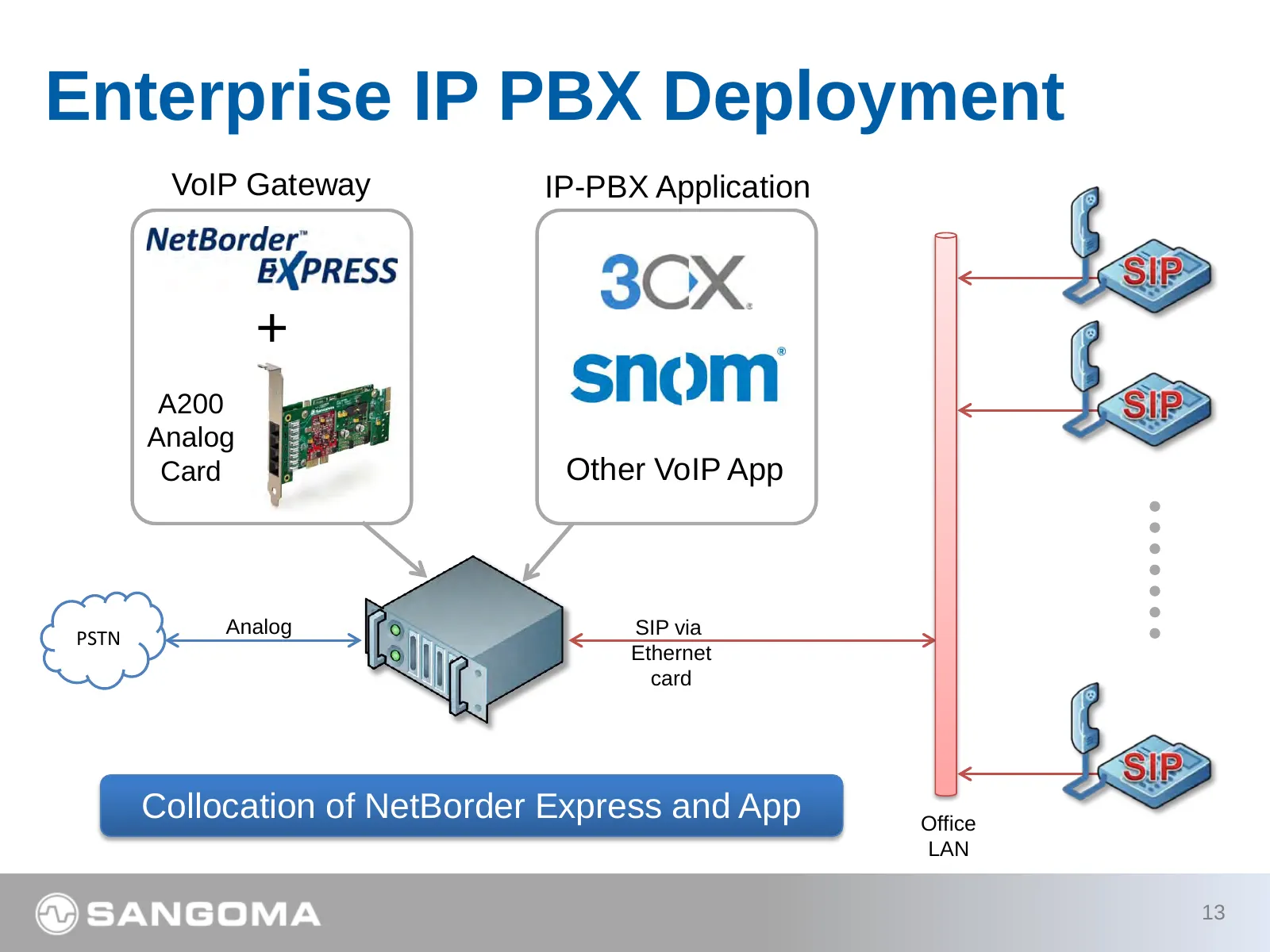
Slide 13: Enterprise IP PBX Deployment
Enterprise IP PBX Deployment VoIP Gateway IP-PBX Application + A200 Analog Card Other VoIP App Analog SIP via PSTN Ethernet card Collocation of NetBorder Express and App Office LAN 13
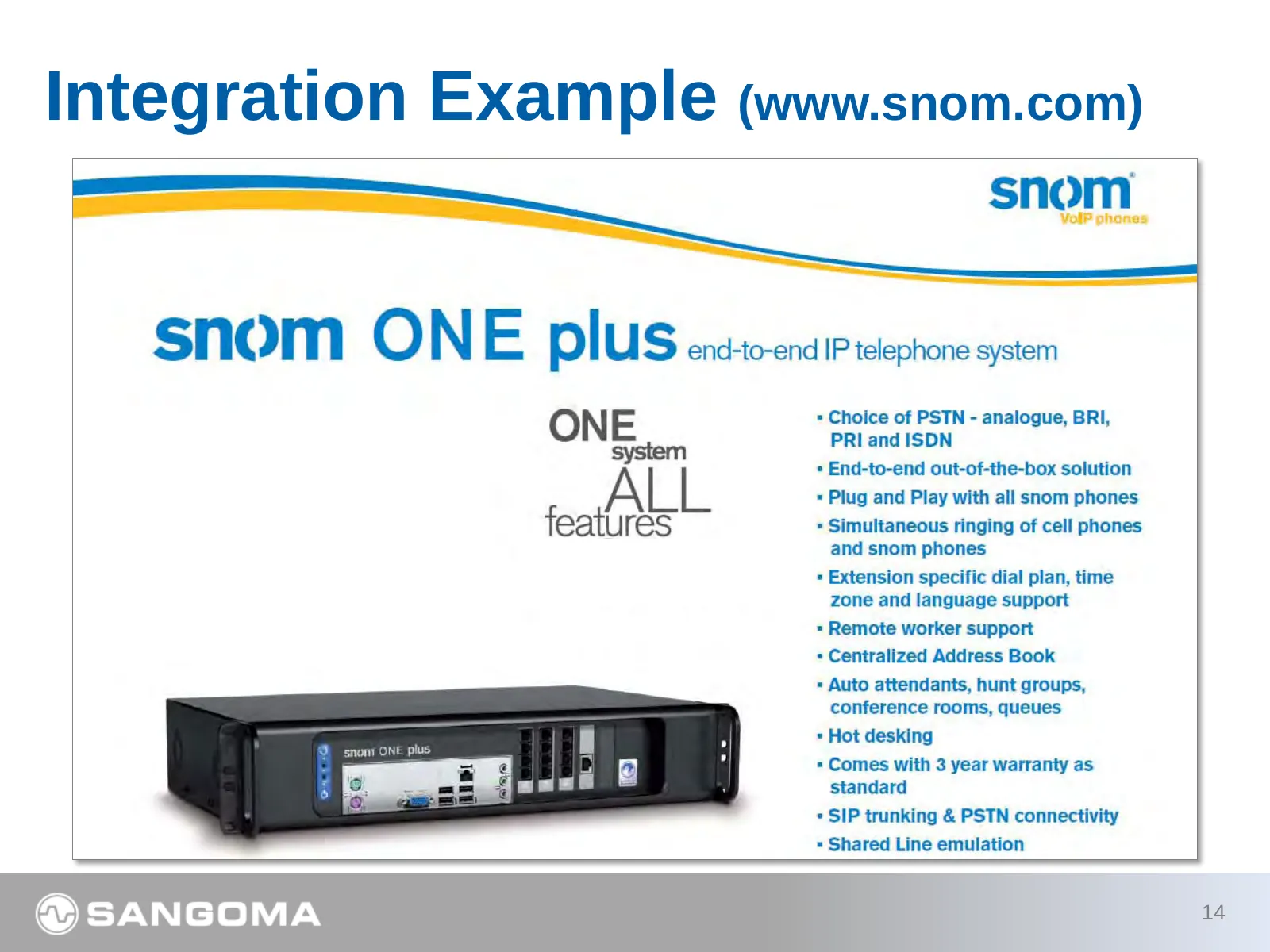
Slide 14: Integration Example (www.snom.com)
Integration Example (www.snom.com) 14
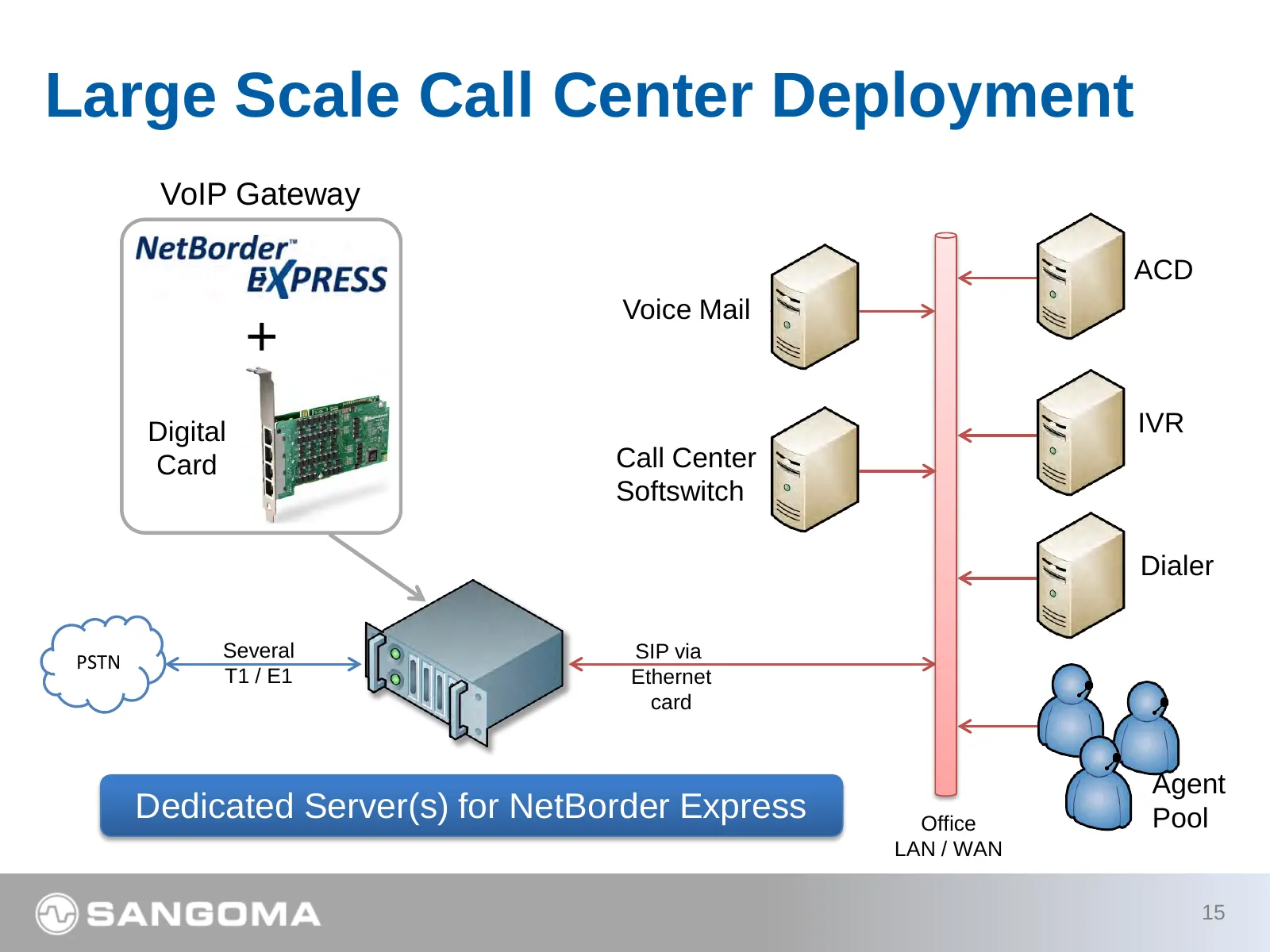
Slide 15: Large Scale Call Center Deployment
Large Scale Call Center Deployment VoIP Gateway ACD Voice Mail + Digital IVR Card Call Center Softswitch Dialer Several SIP via PSTN T1 / E1 Ethernet card Agent Dedicated Server(s) for NetBorder Express Office Pool LAN / WAN 15
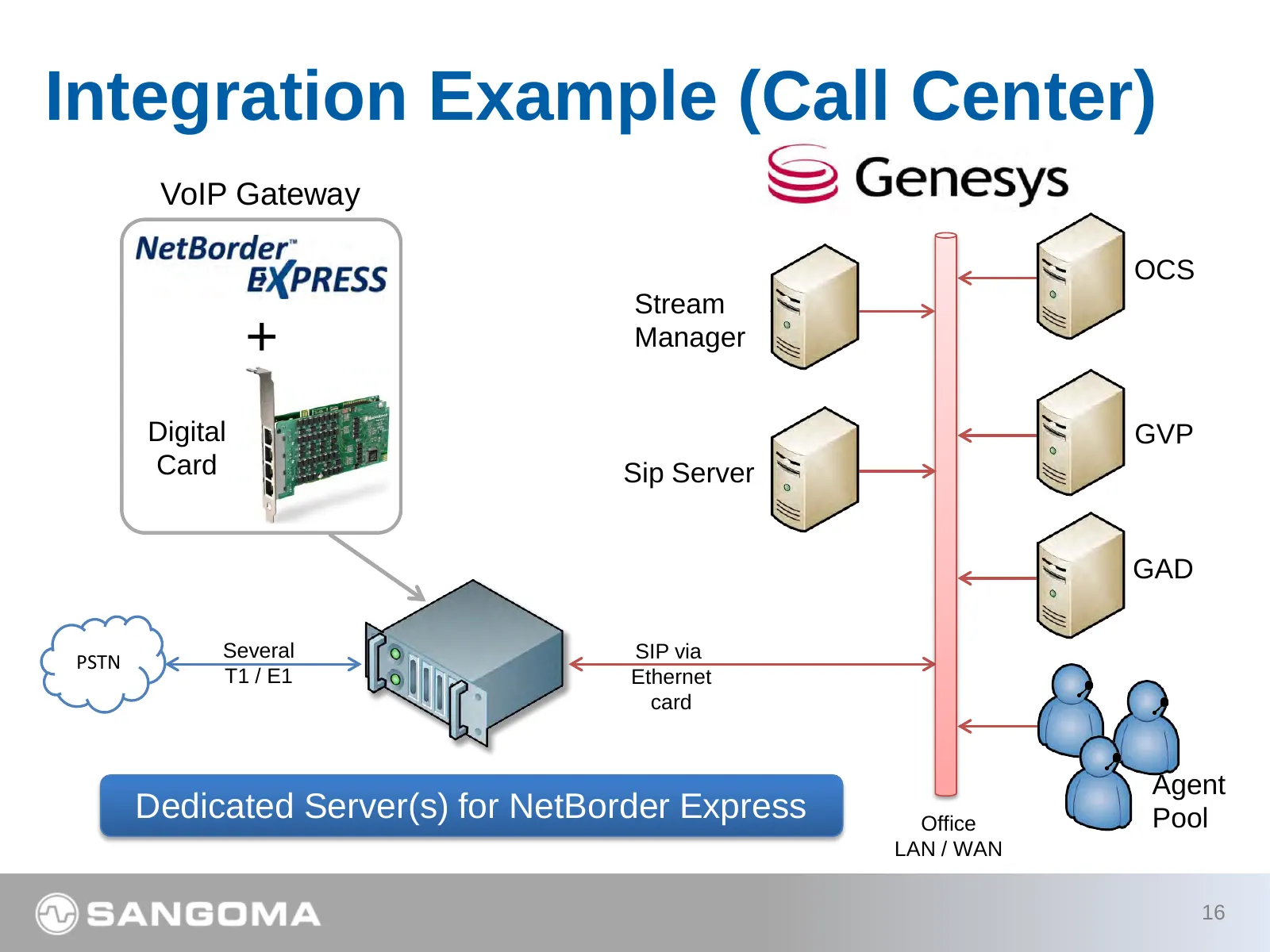
Slide 16: Integration Example (Call Center)
Integration Example (Call Center) VoIP Gateway OCS Stream + Manager Digital GVP Card Sip Server GAD Several SIP via PSTN T1 / E1 Ethernet card Agent Dedicated Server(s) for NetBorder Express Office Pool LAN / WAN 16
Slide 17: Agenda
Agenda • VoIP Gateways Explained • NetBorder Express Introduction • New Features with Version 4 • Obtaining NetBorder Express • Interwork Technologies Partner Presentation • Closing • Q&A 17
Slide 18: NetBorder Express (NBE) Features
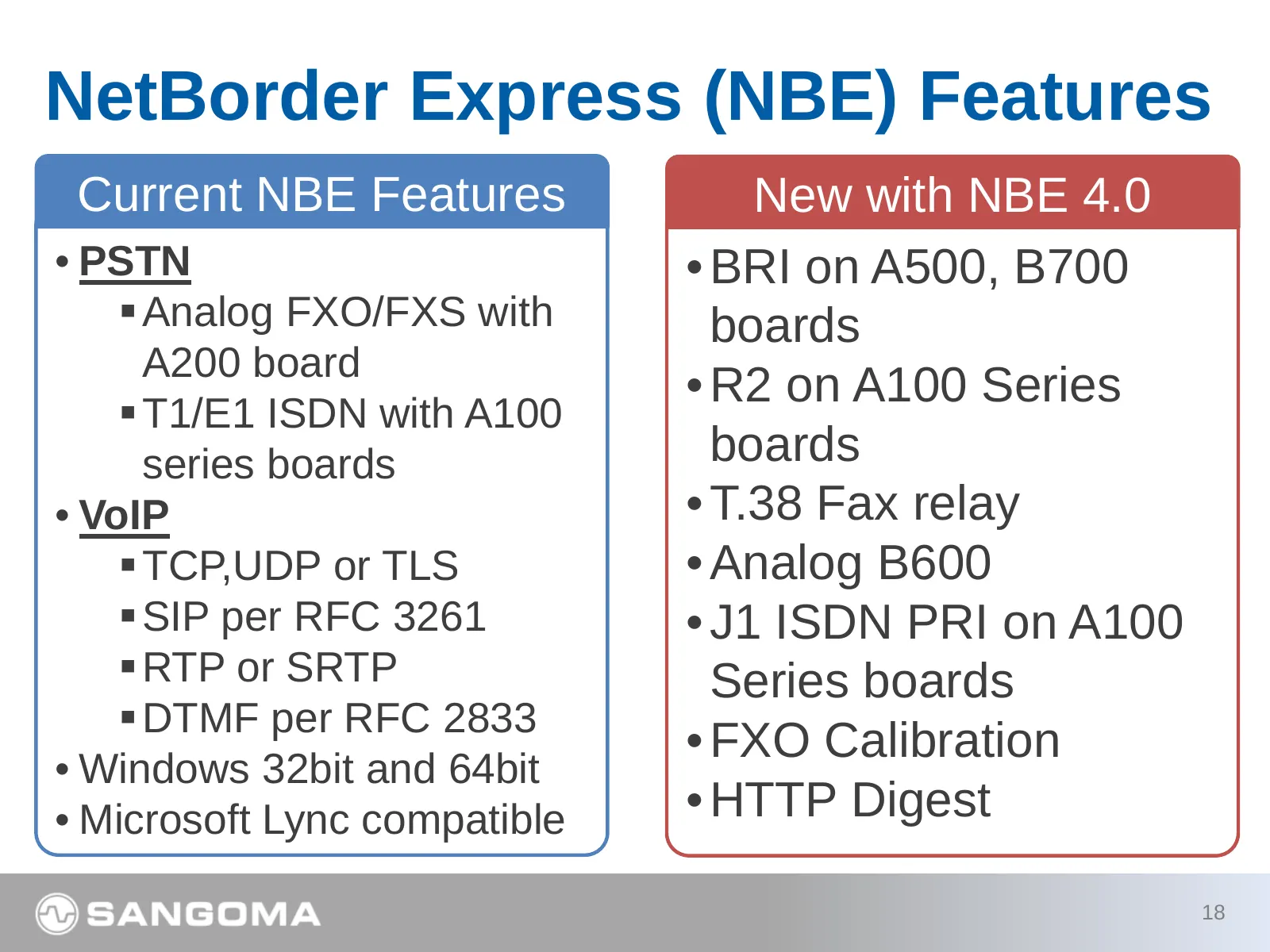
NetBorder Express (NBE) Features Current NBE Features New with NBE 4.0 • PSTN • BRI on A500, B700 Analog FXO/FXS with boards A200 board • R2 on A100 Series T1/E1 ISDN with A100 series boards boards • VoIP • T.38 Fax relay TCP,UDP or TLS • Analog B600 SIP per RFC 3261 • J1 ISDN PRI on A100
Slide 19: New PTSN Interface and Protocols
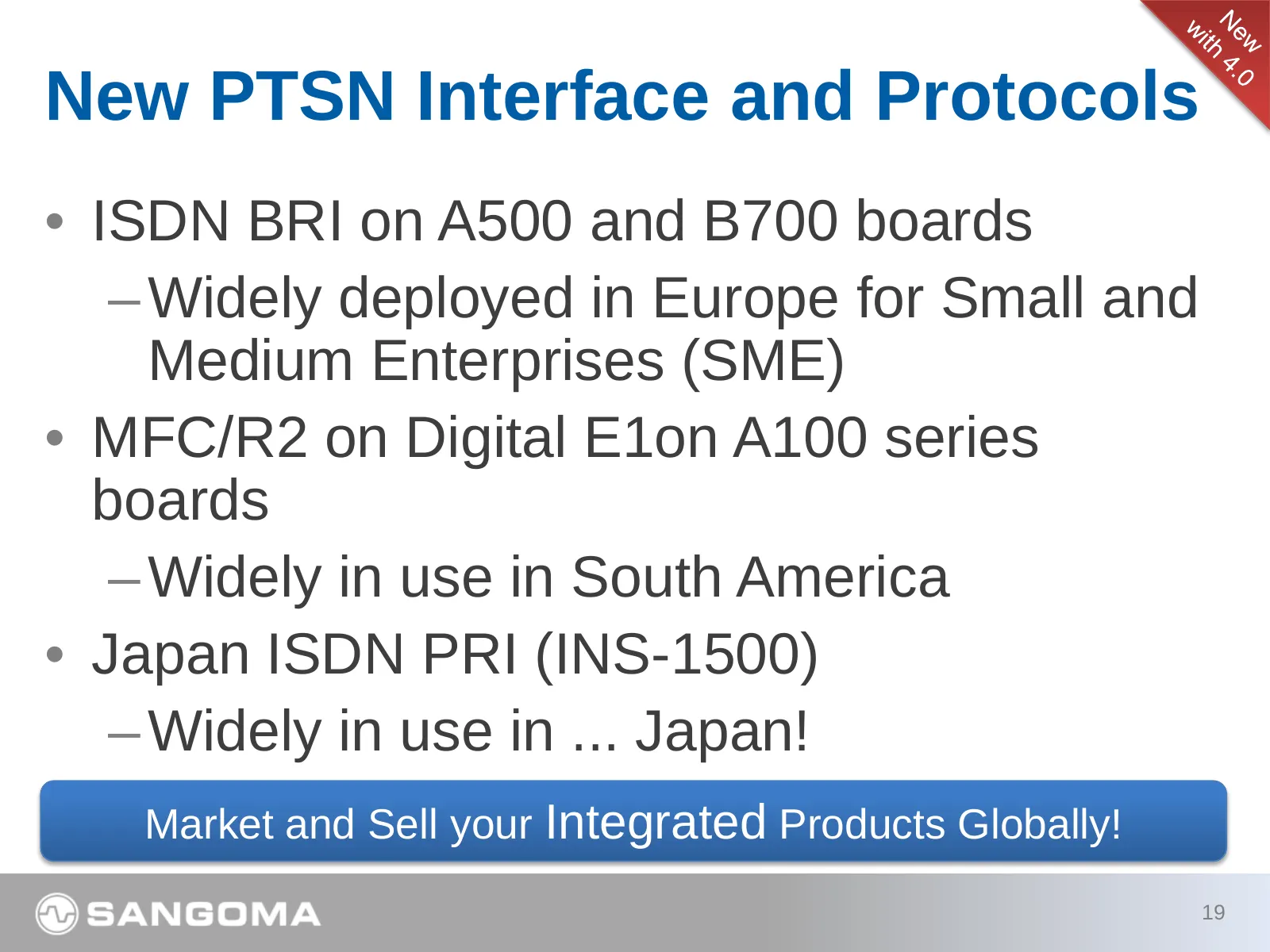
New PTSN Interface and Protocols • ISDN BRI on A500 and B700 boards – Widely deployed in Europe for Small and Medium Enterprises (SME) • MFC/R2 on Digital E1on A100 series boards – Widely in use in South America • Japan ISDN PRI (INS-1500) – Widely in use in ... Japan! Market and Sell your Integrate
Slide 20: Support for B600 Boards
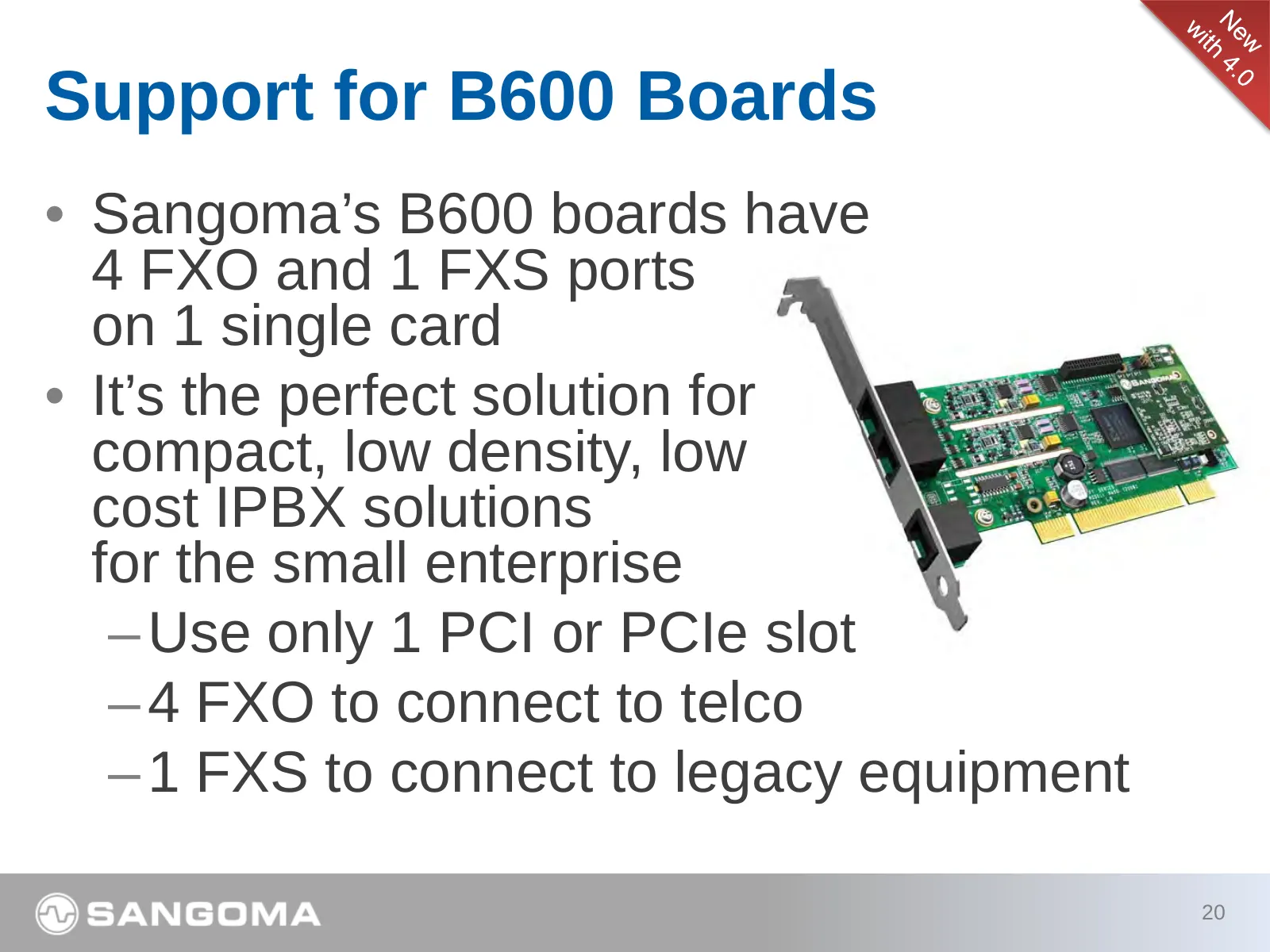
Support for B600 Boards • Sangoma’s B600 boards have 4 FXO and 1 FXS ports on 1 single card • It’s the perfect solution for compact, low density, low cost IPBX solutions for the small enterprise – Use only 1 PCI or PCIe slot – 4 FXO to connect to telco – 1 FXS to connect to legacy equipment 20
Slide 21: T.38 Fax Relay
T.38 Fax Relay • Sending and Receiving Faxes is still very important for a lot of businesses today • T.38 protocol is required to send faxes reliably over a VoIP Network • NBE 4.0 converts PSTN faxes to T.38 faxes (also called fax relay) • A T.38 fax server application receives and converts back to
Slide 22: Other Features
Other Features • FXO Line Calibration – Not all FXO lines from telcos are created equal, when there is a mismatch between the Sangoma board settings and the telco. Voice quality suffers. – WEB GUI in NBE 4.0 incorporates a button to automate the configuration of the Sangoma board to match the FXO li
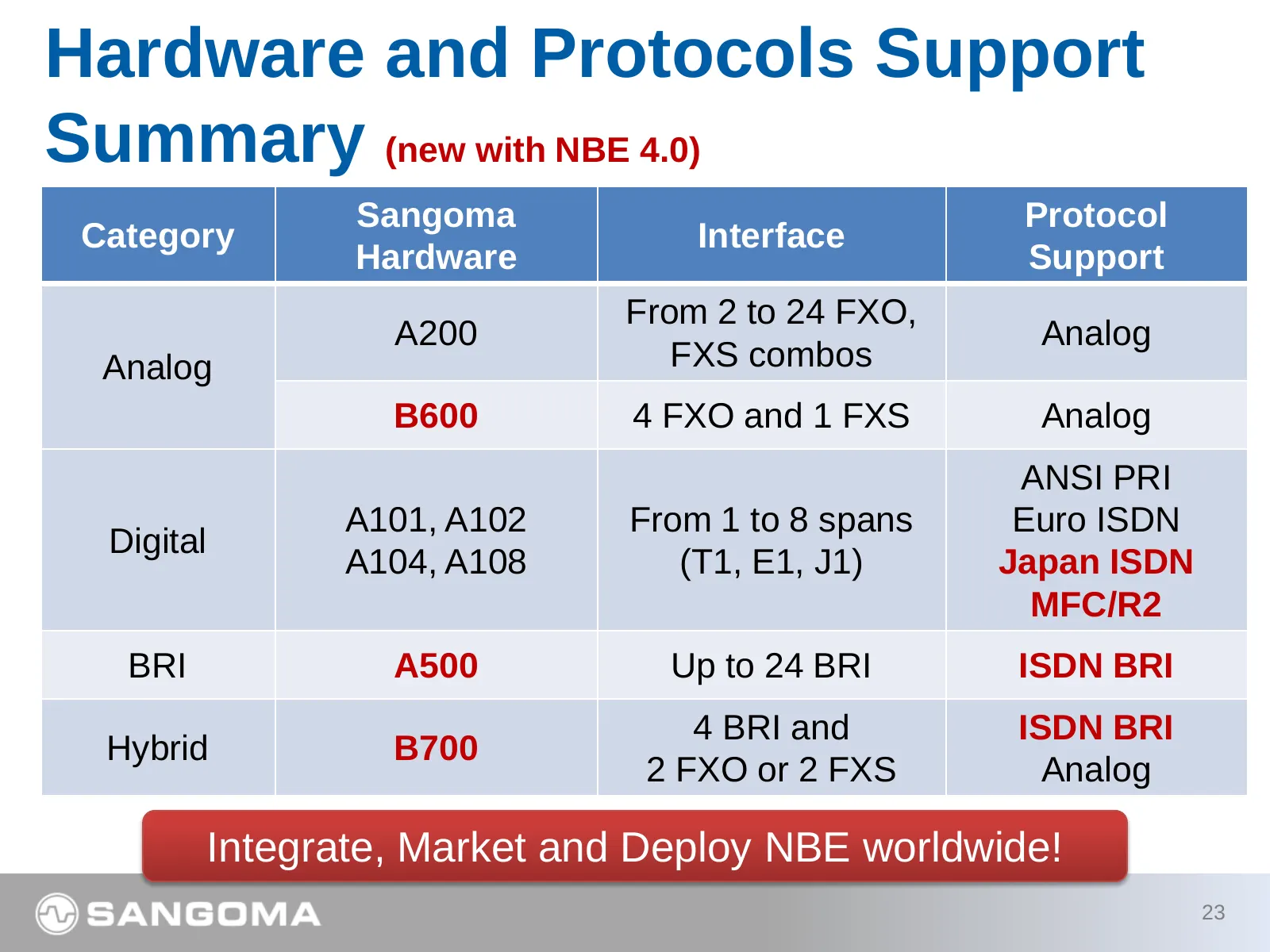
Slide 23: Hardware and Protocols Support Summary (new with NBE 4.0)
Hardware and Protocols Support Summary (new with NBE 4.0) Sangoma Protocol Category Interface Hardware Support From 2 to 24 FXO, A200 Analog Analog FXS combos B600 4 FXO and 1 FXS Analog ANSI PRI A101, A102 From 1 to 8 spans Euro ISDN Digital A104, A108 (T1, E1, J1) Japan ISDN MFC/R2 BRI A500 Up to
Slide 24: Sangoma H/W requirements
Sangoma H/W requirements • All Sangoma Cards have the option/or not to include Hardware Echo Cancellation • Hardware Echo Cancellation option is required with NetBorder Express – Delivers Superior Voice Quality – Relieves Server CPU to perform other more important tasks related to the VoIP applicati
Slide 25: Coming with NBE 4.1 (May '11)
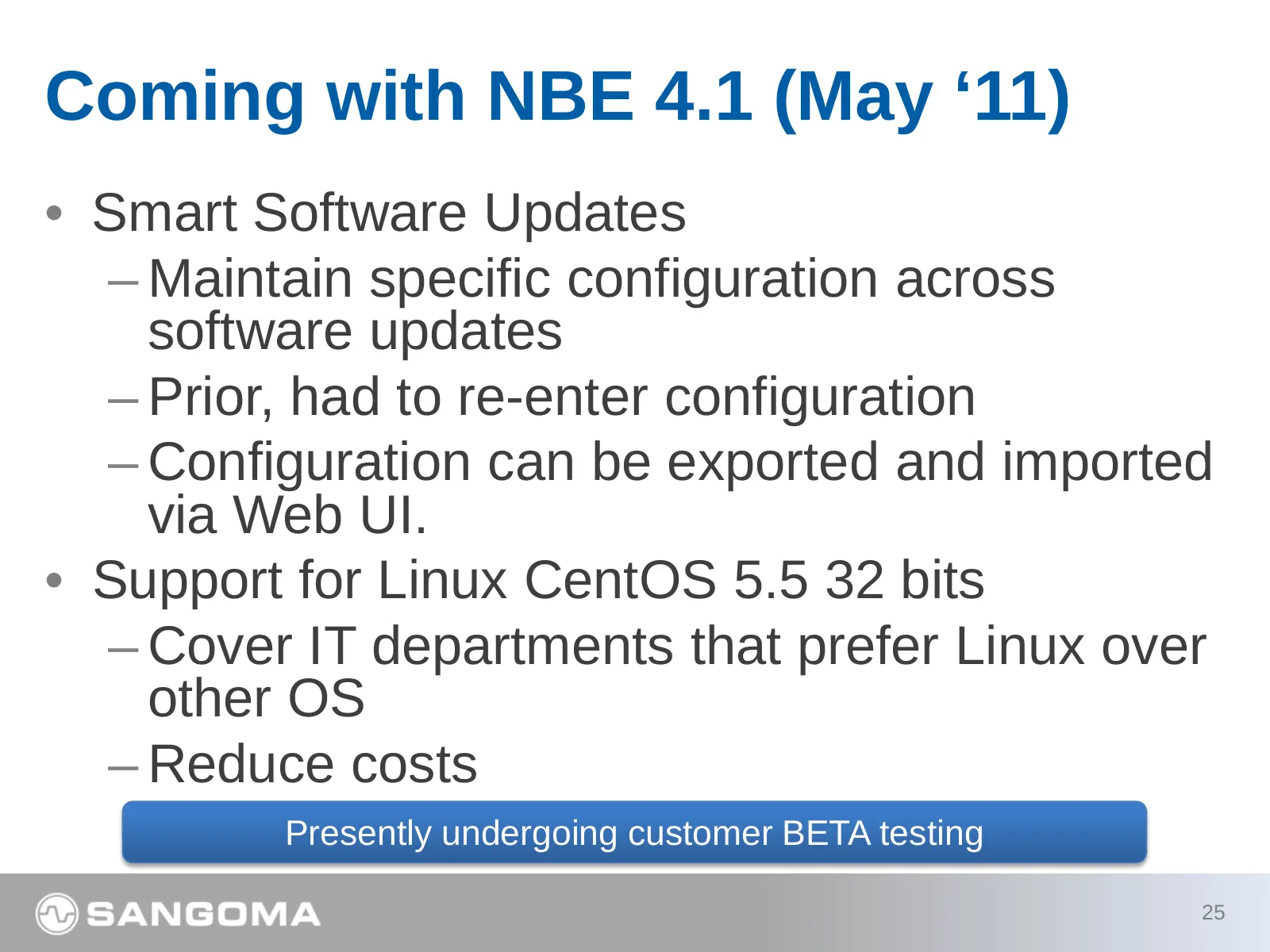
Coming with NBE 4.1 (May ‘11) • Smart Software Updates – Maintain specific configuration across software updates – Prior, had to re-enter configuration – Configuration can be exported and imported via Web UI. • Support for Linux CentOS 5.5 32 bits – Cover IT departments that prefer Linux over other
Slide 26: Operating Systems Support Summary
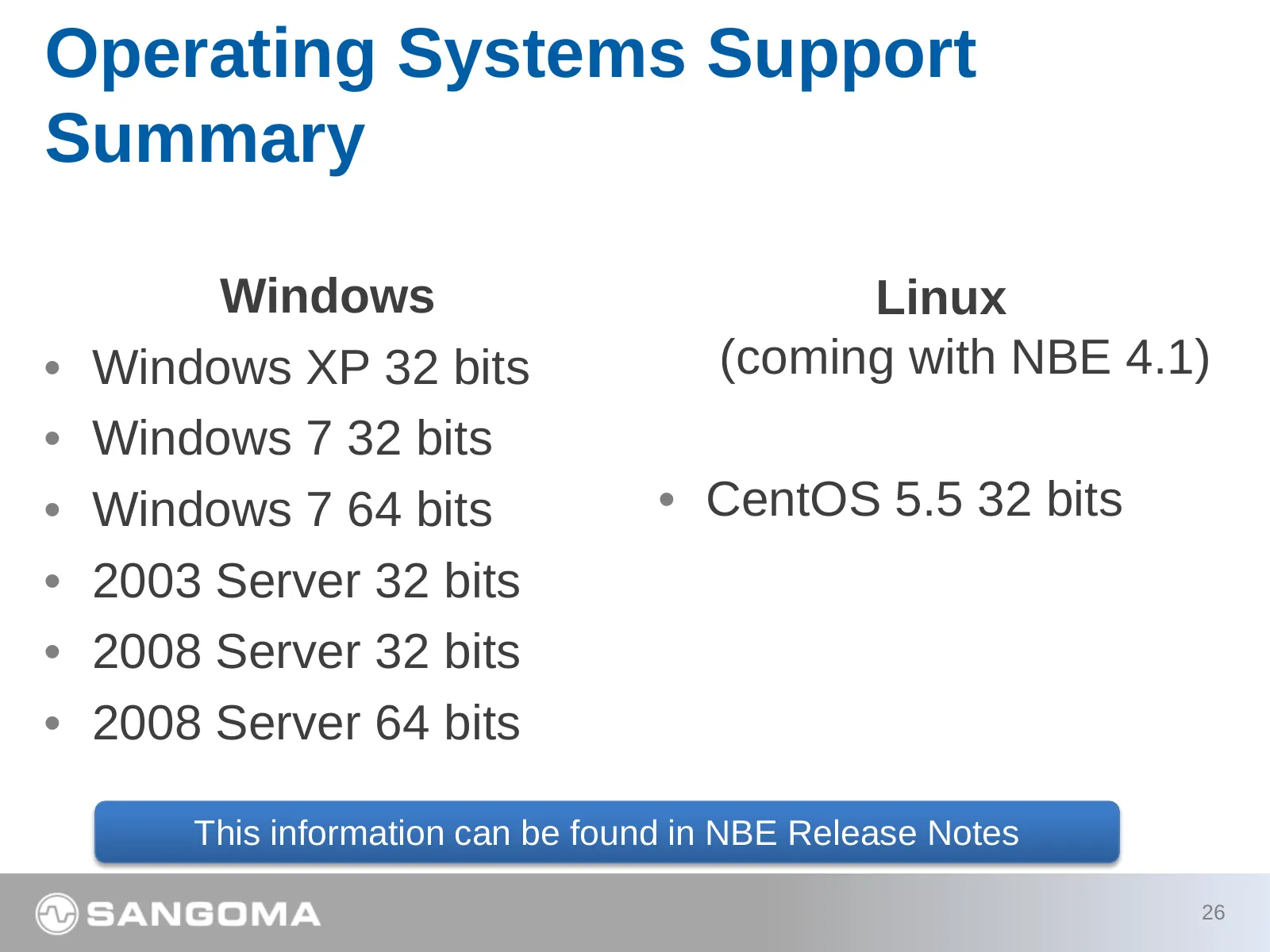
Operating Systems Support Summary Windows Linux • Windows XP 32 bits (coming with NBE 4.1) • Windows 7 32 bits • Windows 7 64 bits • CentOS 5.5 32 bits • 2003 Server 32 bits • 2008 Server 32 bits • 2008 Server 64 bits This information can be found in NBE Release Notes 26
Slide 27: Agenda
Agenda • VoIP Gateways Explained • NetBorder Express Introduction • New Features with Version 4 • Obtaining NetBorder Express • Interwork Technologies Partner Presentation • Closing • Q&A 27
Slide 28: New Licensing Model
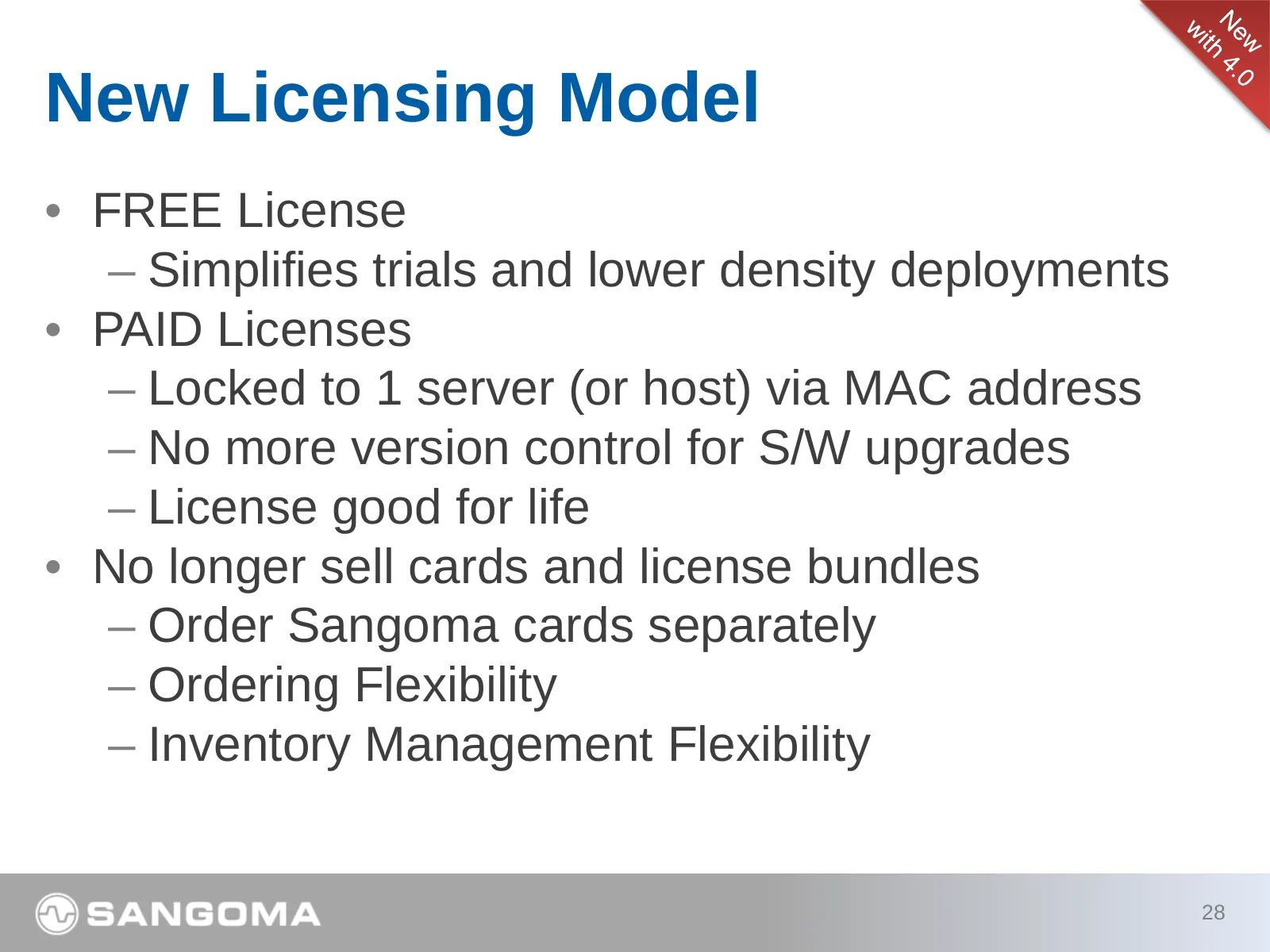
New Licensing Model • FREE License – Simplifies trials and lower density deployments • PAID Licenses – Locked to 1 server (or host) via MAC address – No more version control for S/W upgrades – License good for life • No longer sell cards and license bundles – Order Sangoma cards separately – Orderin
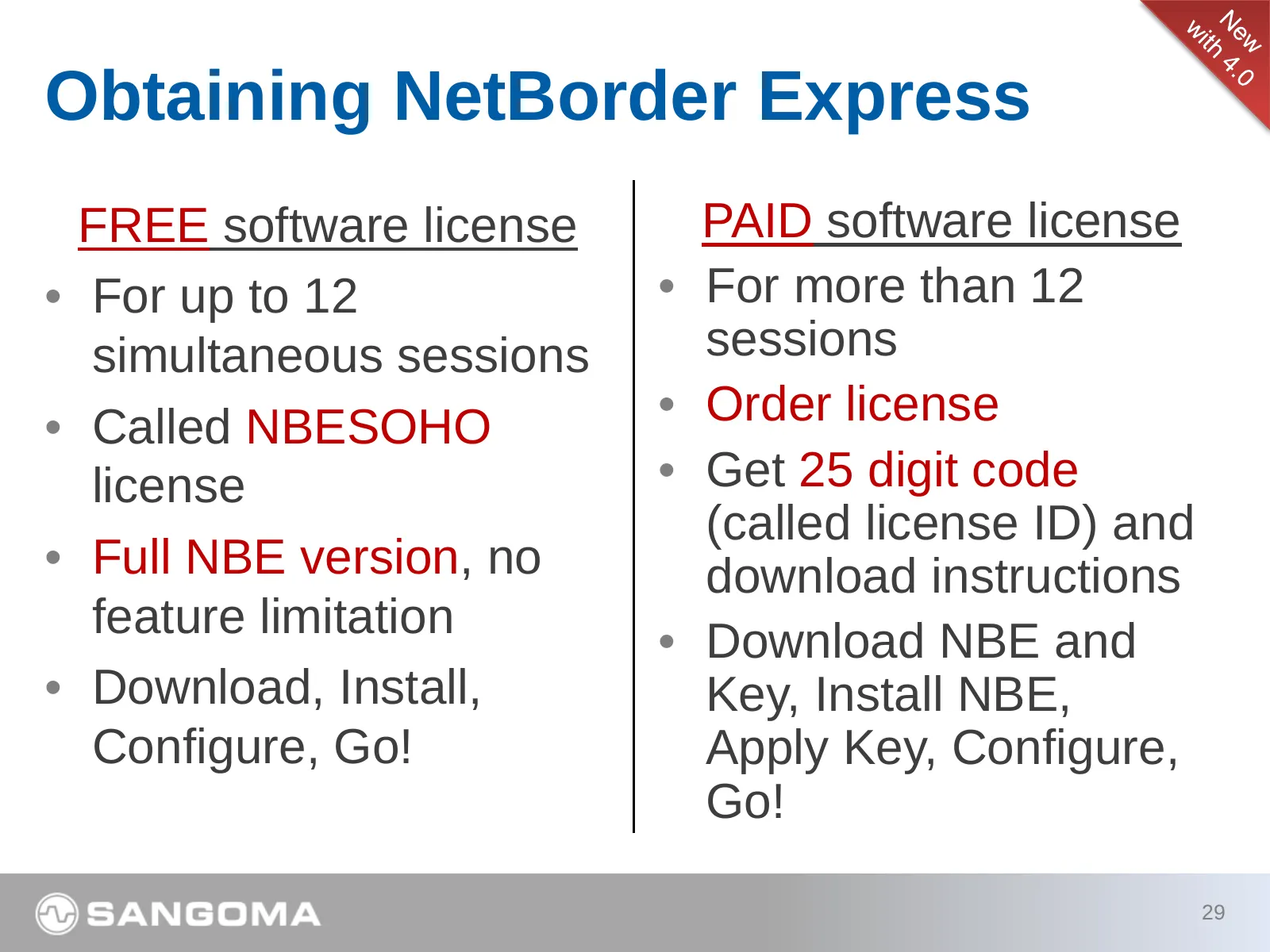
Slide 29: Obtaining NetBorder Express
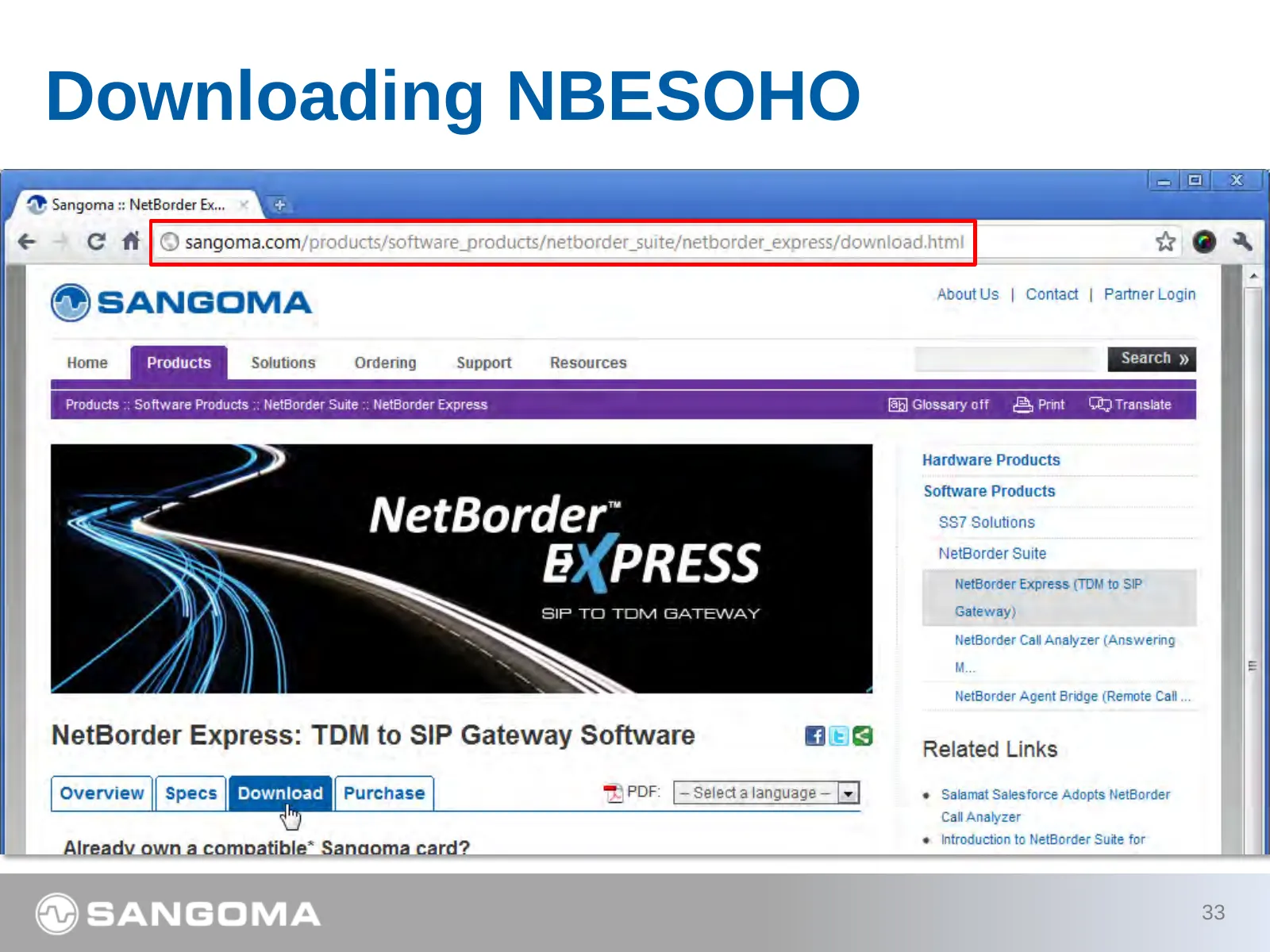
Obtaining NetBorder Express FREE software license PAID software license • For up to 12 • For more than 12 simultaneous sessions sessions • Called NBESOHO • Order license license • Get 25 digit code (called license ID) and • Full NBE version, no download instructions feature limitation • Download NBE
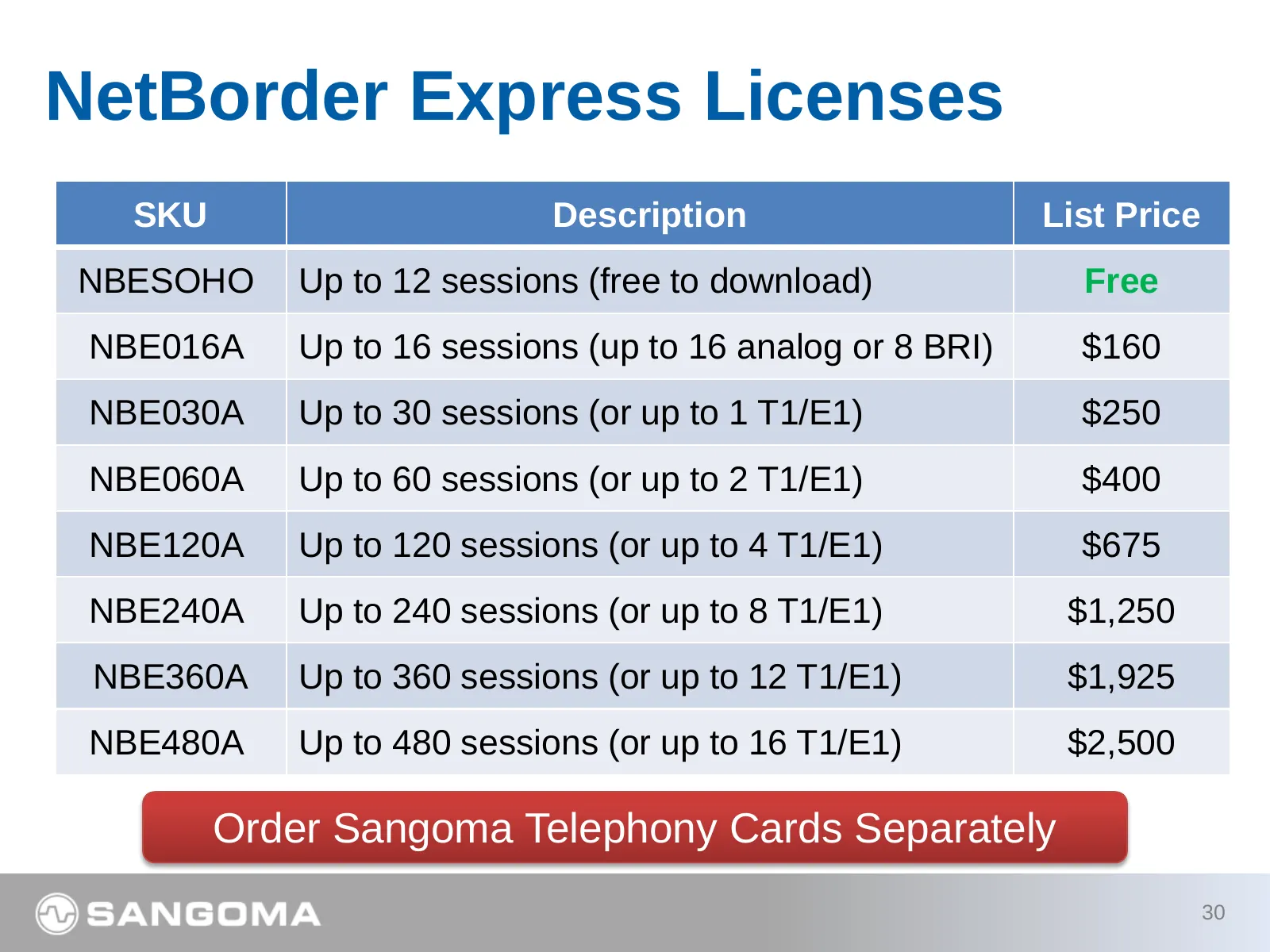
Slide 30: NetBorder Express Licenses
NetBorder Express Licenses SKU Description List Price NBESOHO Up to 12 sessions (free to download) Free NBE016A Up to 16 sessions (up to 16 analog or 8 BRI) $160 NBE030A Up to 30 sessions (or up to 1 T1/E1) $250 NBE060A Up to 60 sessions (or up to 2 T1/E1) $400 NBE120A Up to 120 sessions (or up to 4
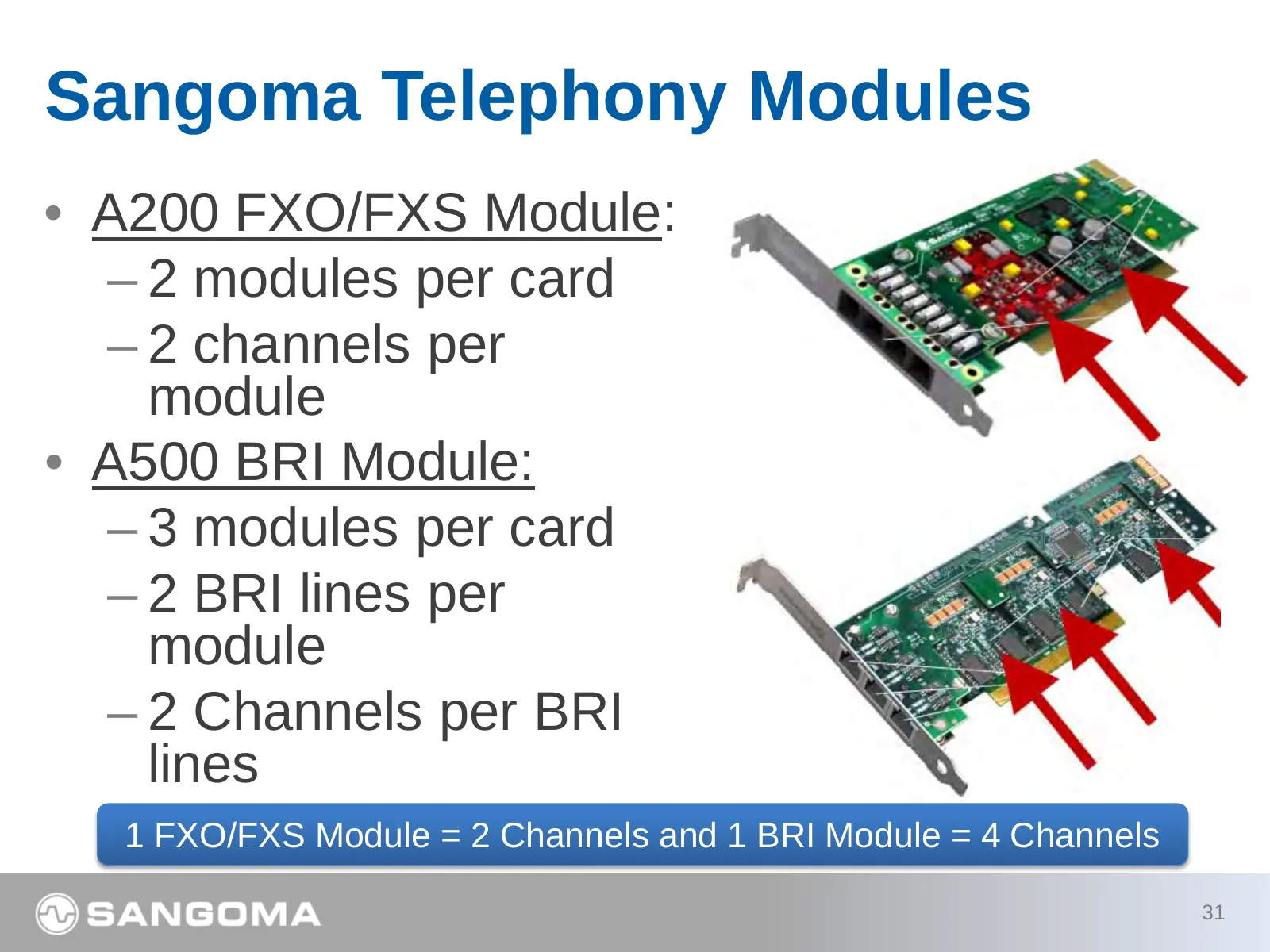
Slide 31: Sangoma Telephony Modules
Sangoma Telephony Modules • A200 FXO/FXS Module: – 2 modules per card – 2 channels per module • A500 BRI Module: – 3 modules per card – 2 BRI lines per module – 2 Channels per BRI lines 1 FXO/FXS Module = 2 Channels and 1 BRI Module = 4 Channels 31
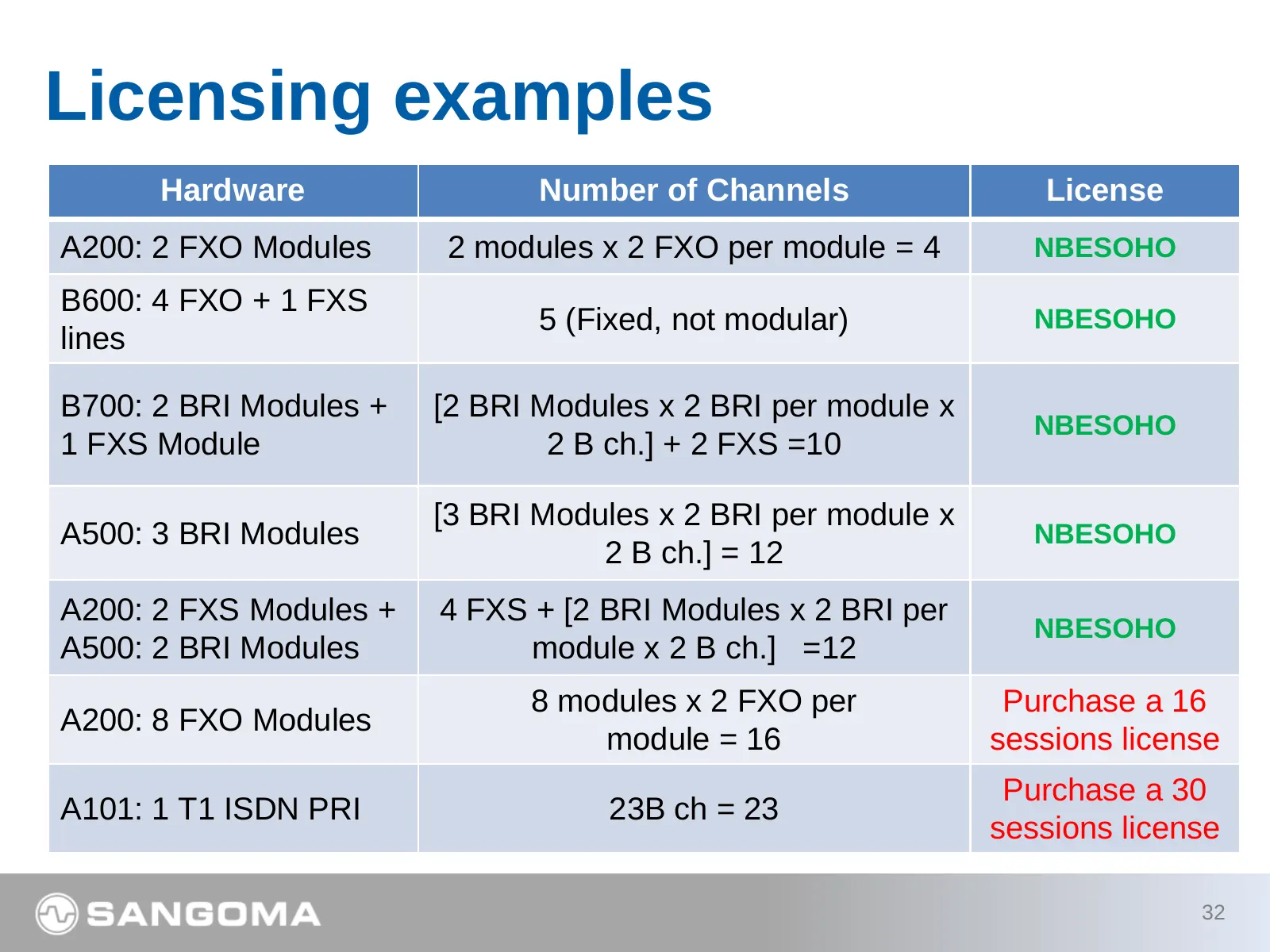
Slide 32: Licensing examples
Licensing examples Hardware Number of Channels License A200: 2 FXO Modules 2 modules x 2 FXO per module = 4 NBESOHO B600: 4 FXO + 1 FXS 5 (Fixed, not modular) NBESOHO lines B700: 2 BRI Modules + [2 BRI Modules x 2 BRI per module x NBESOHO 1 FXS Module 2 B ch.] + 2 FXS =10 [3 BRI Modules x 2 BRI per
Slide 33: Downloading NBESOHO
Sangoma :: NetBorder Ex... € Cc fi sangoma.com t t S ih WwW e@ a Home F c Solutions Ordering Support Resources Search » NetBorder~™ BX PRESS SIP TO TOM GATEWAY SS NetBorder Express: TDM to SIP Gateway Software f] Related Links Alp por: [Selecta language —[~] = cl Ey Already own a comnatible* Sanaoma
Slide 34: For More Information
For More Information • Web Site : http://sangoma.com/nbe • Wiki : http://wiki.sangoma.com/nbe • Sales : sales@sangoma.com • Support : techdesk@sangoma.com 34
Slide 35: Agenda
Agenda • VoIP Gateways Explained • NetBorder Express Introduction • New Features with Version 4 • Obtaining NetBorder Express • Interwork Technologies Partner Presentation • Closing • Q&A 35
Slide 36: Costa Chatjiantoniou, BDM Voice & UC – Interwork Technologies
4.0 Costa Chatjiantoniou BDM Voice & UC – Interwork Technologies May 5th, 2011
Slide 37: Interwork Product Solutions and NetBorder Express
Interwork Product Solutions and NetBorder Express Leverage the features and power of trixbox Pro, with the ability to connect to the TDM network with Sangoma. The snom ONE family – is aimed at fulfilling the complex requirements of a corporate business telephone system at high scalability, reliabili
Slide 38: Leveraging our solution expertise
Leveraging our solution expertise • Interwork Technologies is a solution focused distributor. Our Reseller Partners leverage our technical expertise to help them grow their knowledge as well their business.
Slide 39: The right people to talk to
The right people to talk to • Experienced Voice Solution Architects • Pre and Post Sales support for all solutions • Additions - 3rd party add-on products to complete the whole solution • Leverage our staff with over 10 years of industry experience
Slide 40: Making parts into a solutions
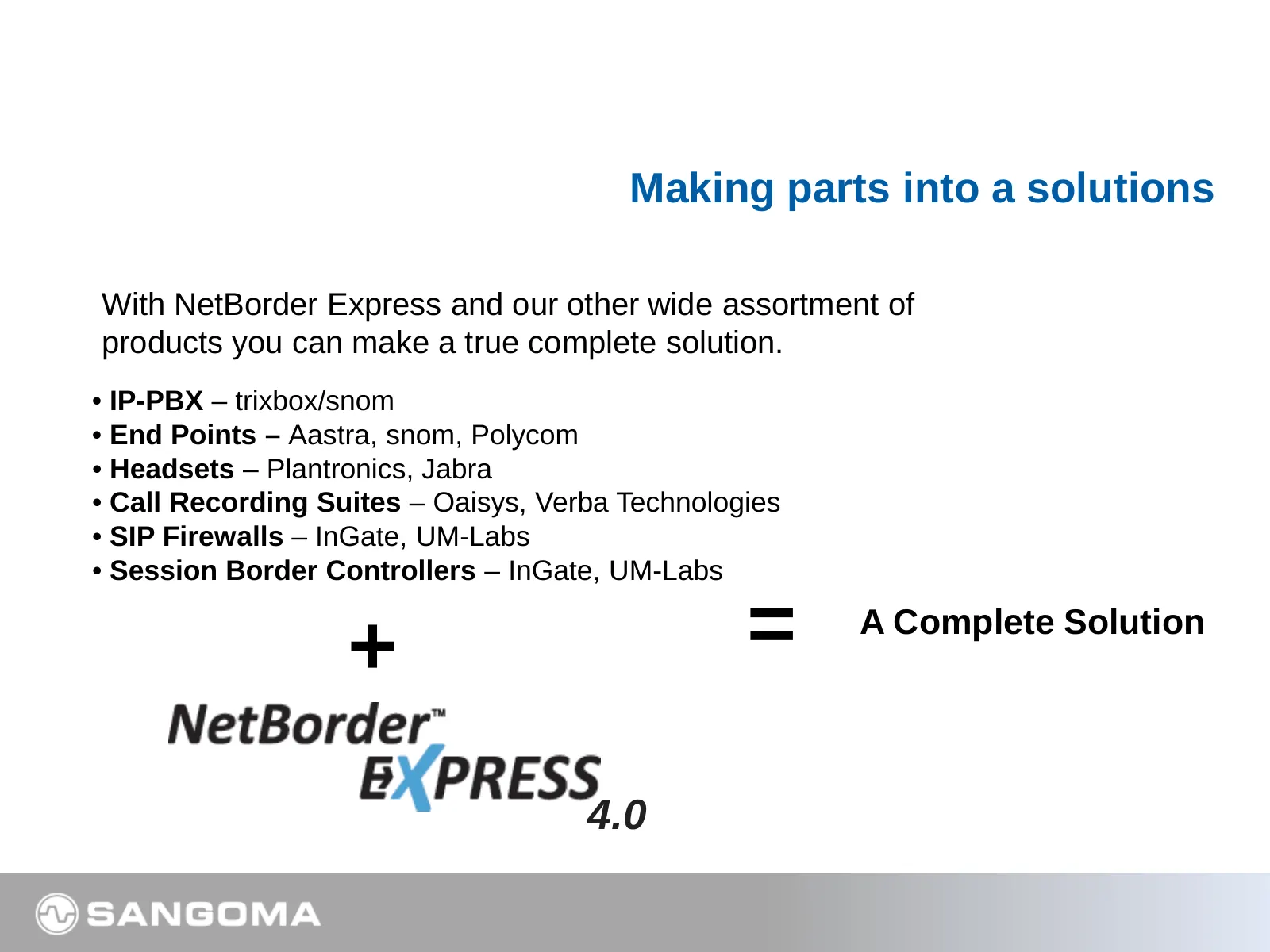
Making parts into a solutions With NetBorder Express and our other wide assortment of products you can make a true complete solution. • IP-PBX – trixbox/snom • End Points – Aastra, snom, Polycom • Headsets – Plantronics, Jabra • Call Recording Suites – Oaisys, Verba Technologies • SIP Firewalls – In
Slide 41: Contact Me
Contact Me Costa Chatjiantoniou BDM - Voice and Unified Communications Specialist Interwork Technologies CostaC@interwork.com 1-800-461-8649 x4235
Slide 42: Closing
Closing • VoIP Gateways are essential elements in the transition from Legacy to VoIP networks • NetBorder Express is Sangoma’s Enterprise Class VoIP Gateway – Leverages Sangoma Telephony H/W – Runs on Standard Computer Servers – Brings Software Application Agility – High Level of Integration for OEM
Slide 43: Follow us on:
Follow us on: http://twitter.com/Sangoma http://www.facebook.com/SangomaTech 43
Slide 44: Stay Connected!
Stay Connected! • Be sure to check back regularly to see other training events: http://sangoma.com/resources/training.htm • Follow us on: http://twitter.com/Sangoma http://www.facebook.com/SangomaTech 44

Slide 45
Source: Internet Archive copy of sangoma.com
More decks from Sangoma Technologies Corporation
 Investor Presentation (February 2026)24 slides · February 2026
 Investor Presentation (February 2026)26 slides · February 2026
 Q1 2026 Earnings Presentation24 slides · Nov 10, 2025
 Investor Presentation (November 2025)23 slides · November 2025
 Investor Presentation (September 2025)24 slides · September 2025
 Investor Presentation (May 2025)28 slides · May 2025