HMS Networks AB · OMXSTO:HMS
HMS Networks AB — Fact Sheet (April 2023)
2 slides from HMS Networks AB's fact sheet, April 2023
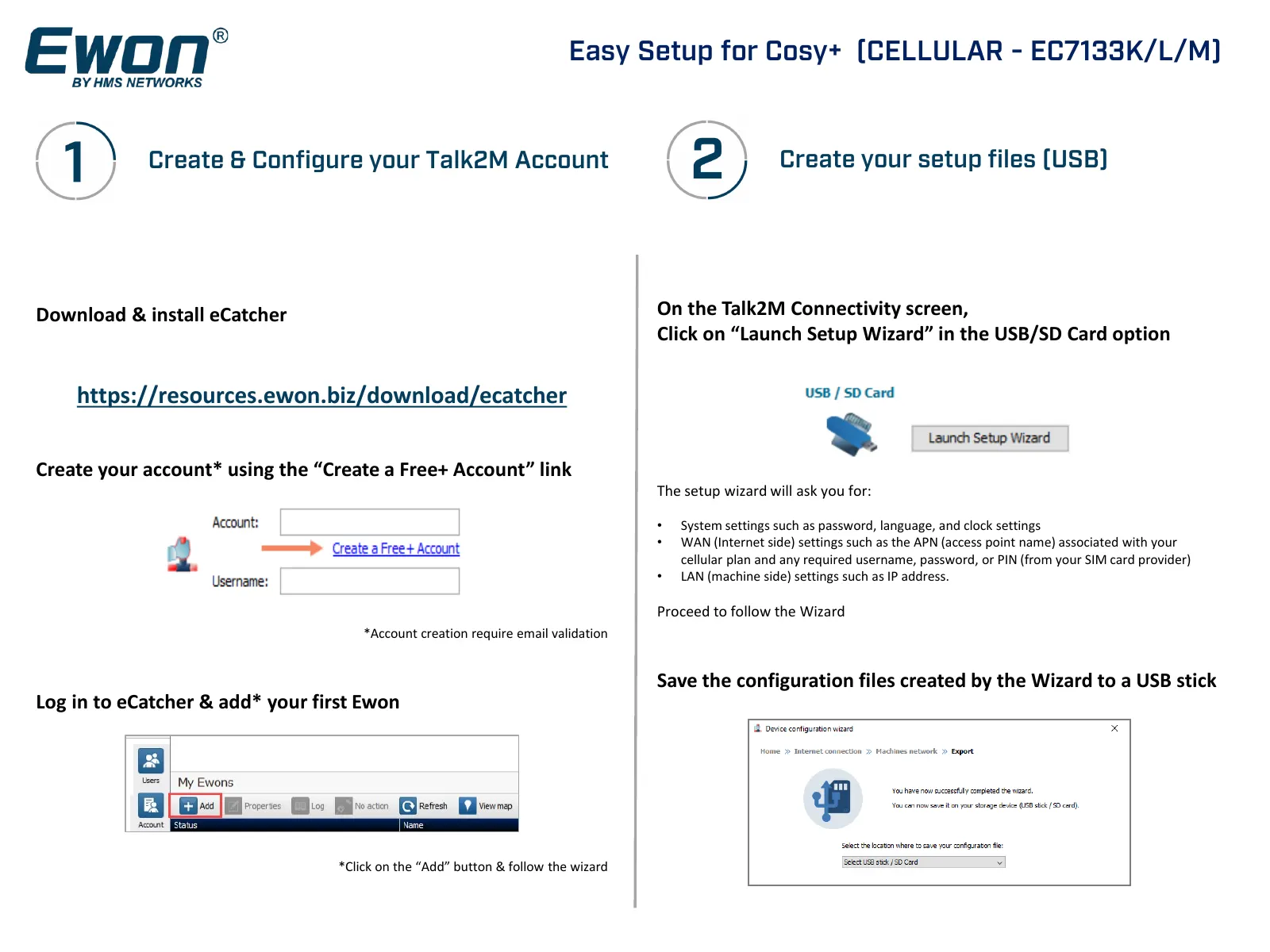
Slide 1: Easy Setup for Cosy+ (CELLULAR - EC7133K/L/M)
Easy Setup for Cosy+ (CELLULAR - EC7133K/L/M) Create & Configure your Talk2M Account Create your setup files (USB) B. Create your setup files (USB) Download & install eCatcher On the Talk2M Connectivity screen, Click on “Launch Setup Wizard” in the USB/SD Card option https://resources.ewon.biz/downl
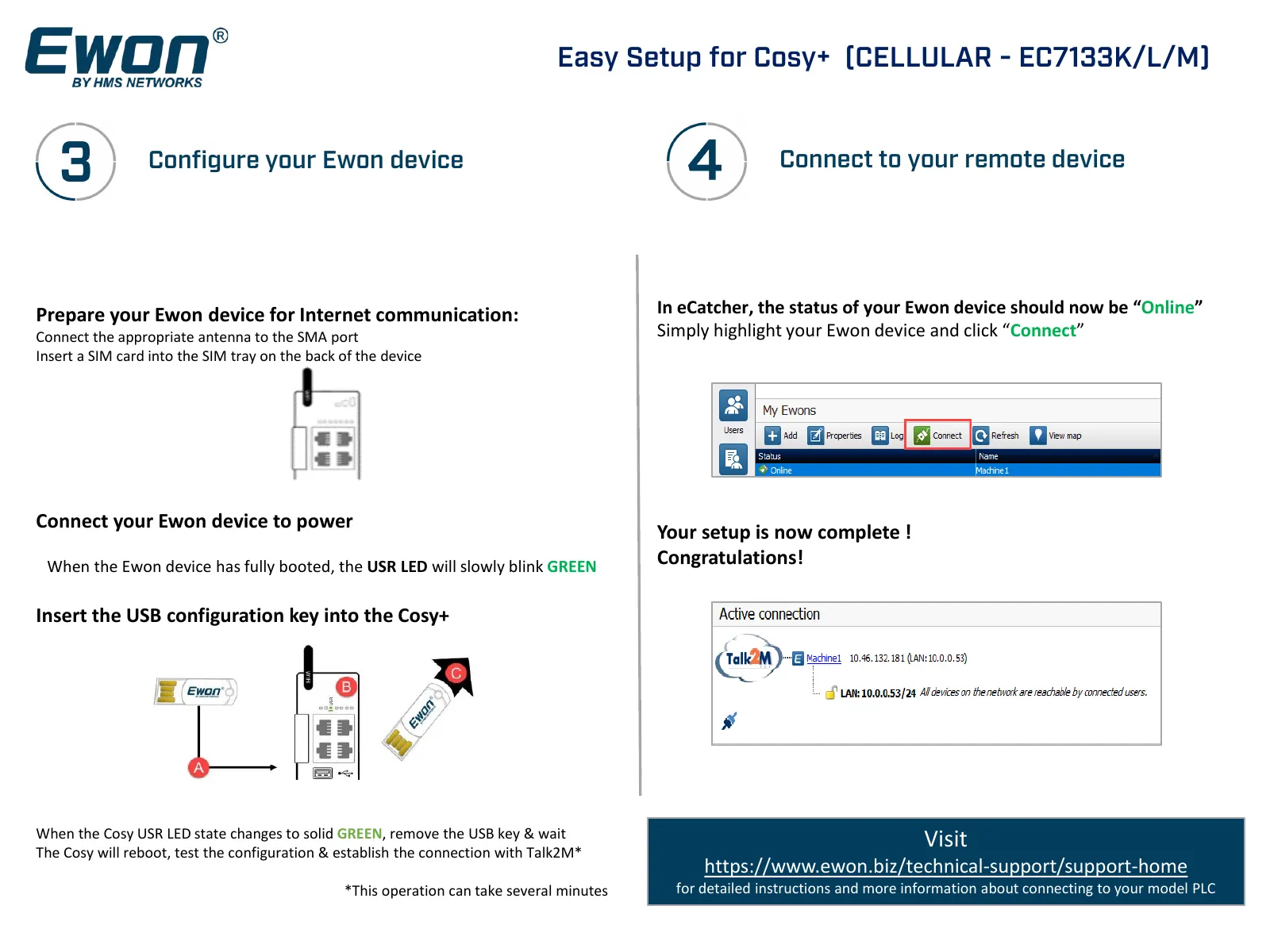
Slide 2: Easy Setup for Cosy+ (CELLULAR - EC7133K/L/M)
Easy Setup for Cosy+ (CELLULAR - EC7133K/L/M) Configure your Ewon device Connect to your remote device B. Create your setup files (USB) Prepare your Ewon device for Internet communication: In eCatcher, the status of your Ewon device should now be “Online” Connect the appropriate antenna to the SMA p
Source: Internet Archive copy of hmsnetworks.blob.core.windows.net
More decks from HMS Networks AB
 Q3 2026 Earnings Presentation17 slides · Oct 21, 2026
 Q2 2026 Earnings Presentation16 slides · Jul 14, 2026
 Q4 2025 Earnings Presentation18 slides · Jan 27, 2026
 Q3 2025 Earnings Presentation23 slides · Oct 21, 2025
 Q2 2025 Earnings Presentation18 slides · Jul 11, 2025
 Q1 2025 Earnings Presentation19 slides · Apr 23, 2025