Quess Corp. Ltd. · NSE:QUESS
Quess — Investor Presentation (December 2021)
16 slides from Quess's investor presentation, December 2021
Slide 1: Quess Central
Quess Central Social Enterprise
Slide 2: Why Quess Central
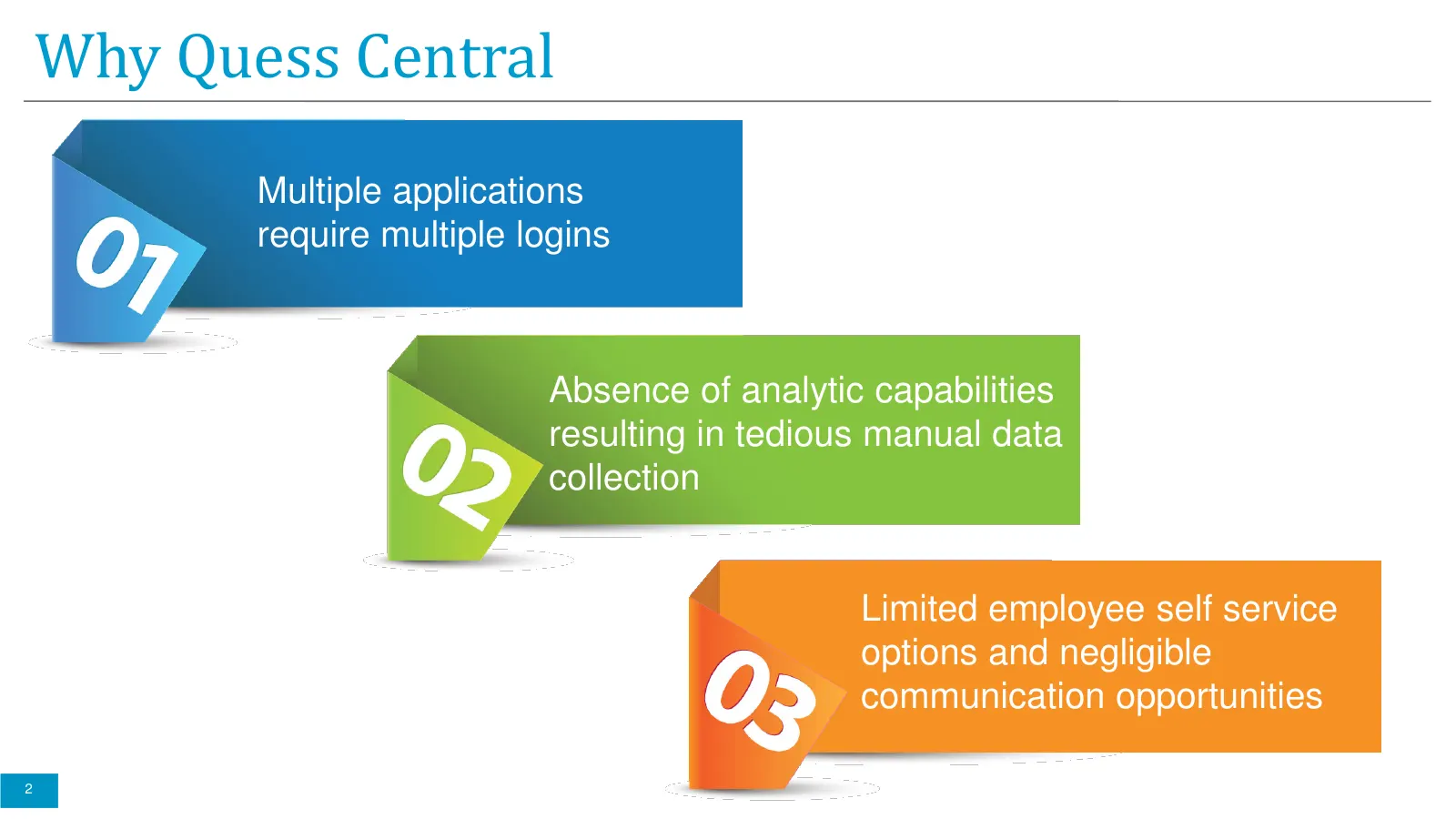
Why Quess Central Multiple applications require multiple logins Absence of analytic capabilities resulting in tedious manual data collection Limited employee self service options and negligible communication opportunities 2
Slide 3: What’s New
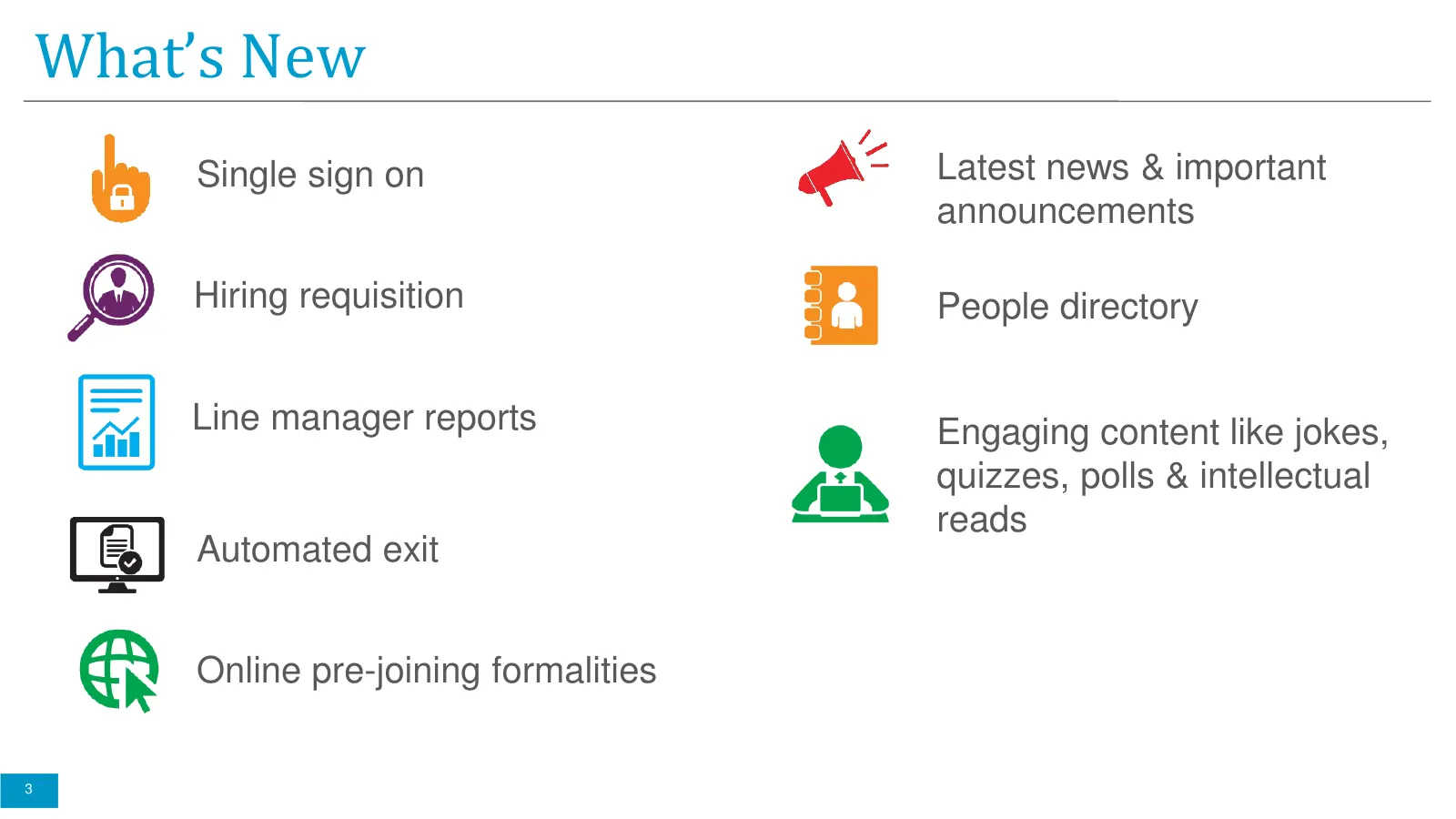
What’s New Single sign on Latest news & important announcements Hiring requisition People directory Line manager reports Engaging content like jokes, quizzes, polls & intellectual reads Automated exit Online pre-joining formalities 3
Slide 4: Features
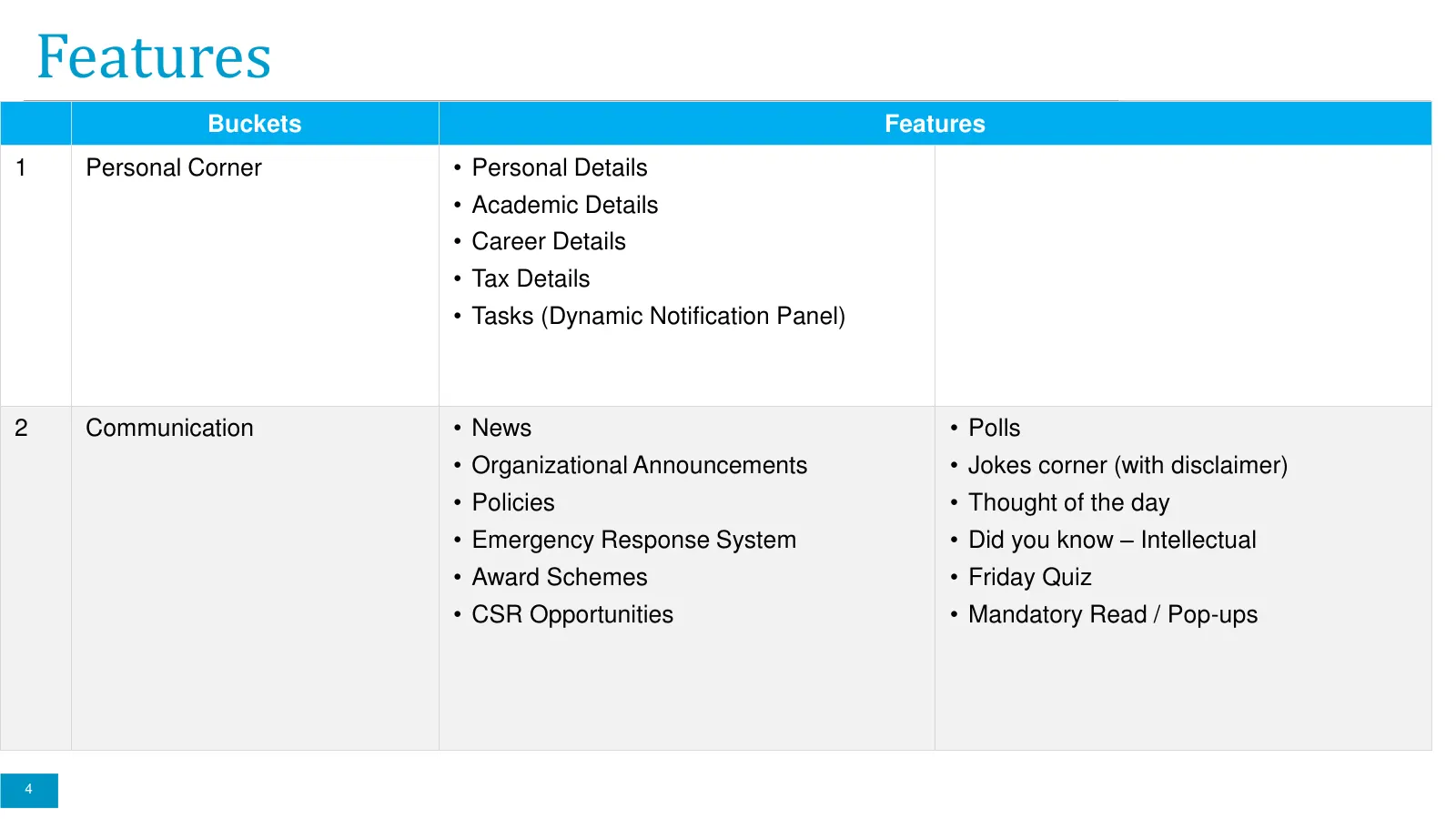
Features Buckets Features 1 Personal Corner • Personal Details • Academic Details • Career Details • Tax Details • Tasks (Dynamic Notification Panel) 2 Communication • News • Polls • Organizational Announcements • Jokes corner (with disclaimer) • Policies • Thought of the day • Emergency Response Sy
Slide 5: Features
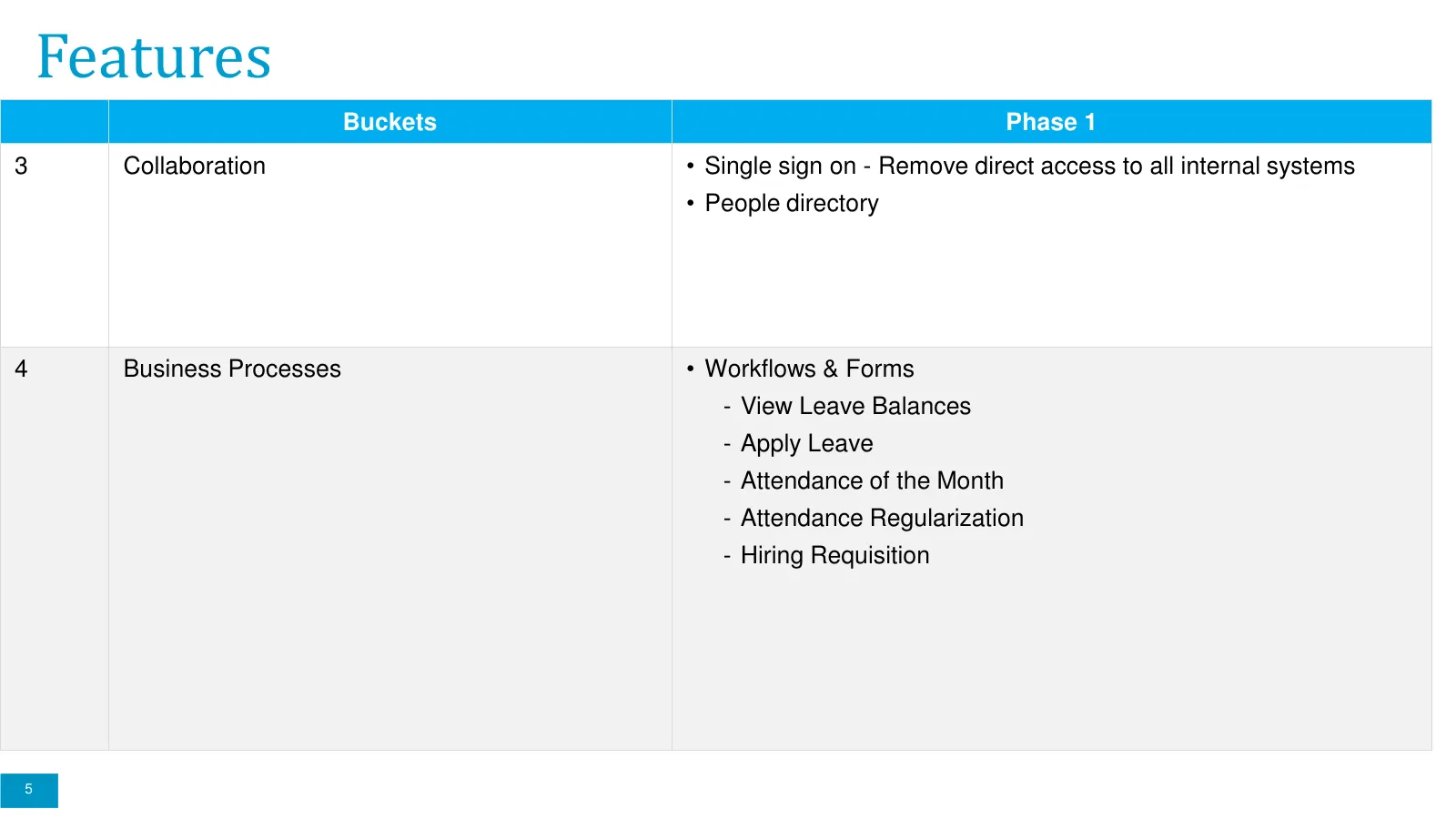
Features Buckets Phase 1 3 Collaboration • Single sign on - Remove direct access to all internal systems • People directory 4 Business Processes • Workflows & Forms - View Leave Balances - Apply Leave - Attendance of the Month - Attendance Regularization - Hiring Requisition 5
Slide 6: Features
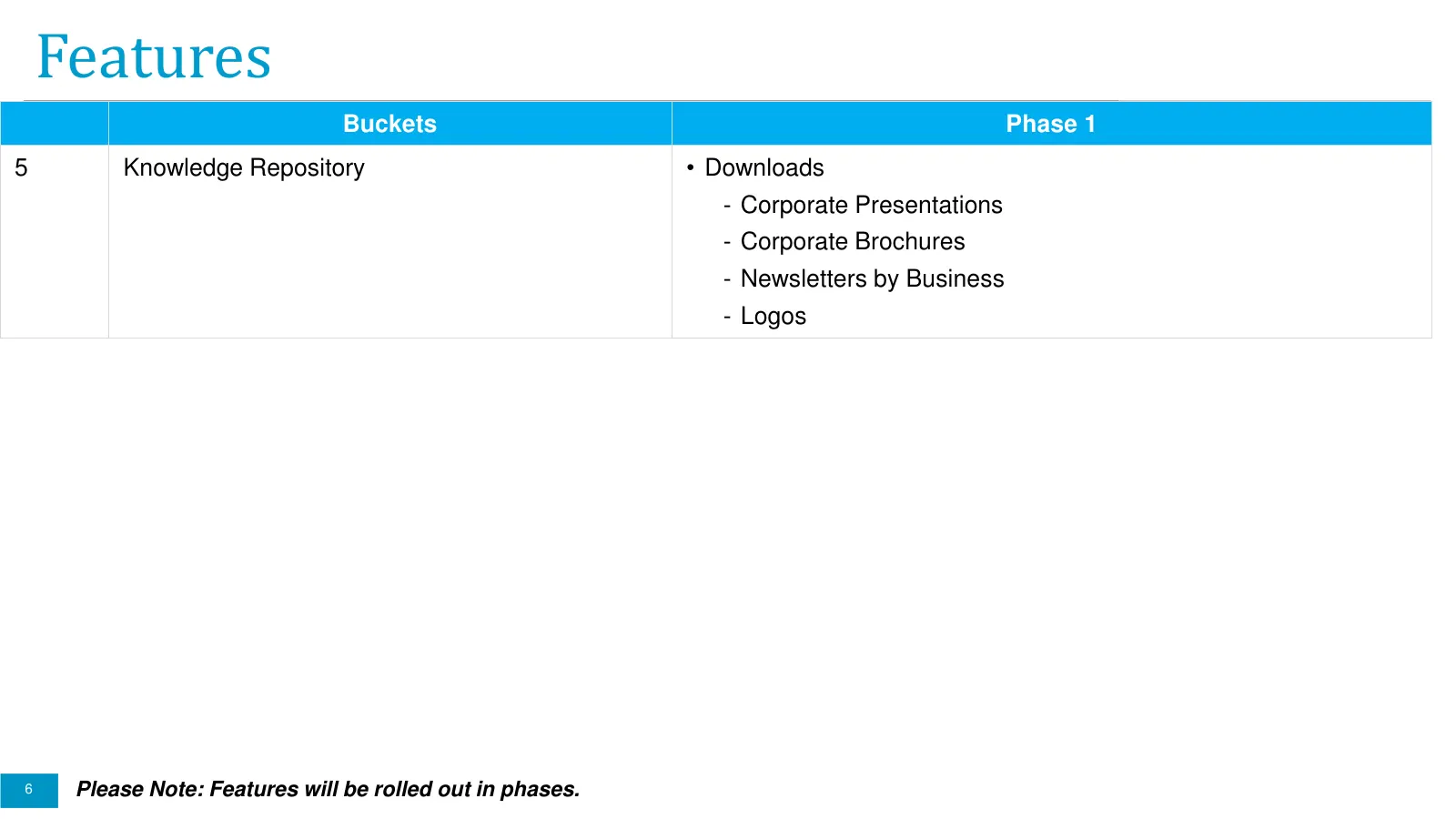
Features Buckets Phase 1 5 Knowledge Repository • Downloads - Corporate Presentations - Corporate Brochures - Newsletters by Business - Logos 6 Please Note: Features will be rolled out in phases.
Slide 7: How do I comprehend the tool?
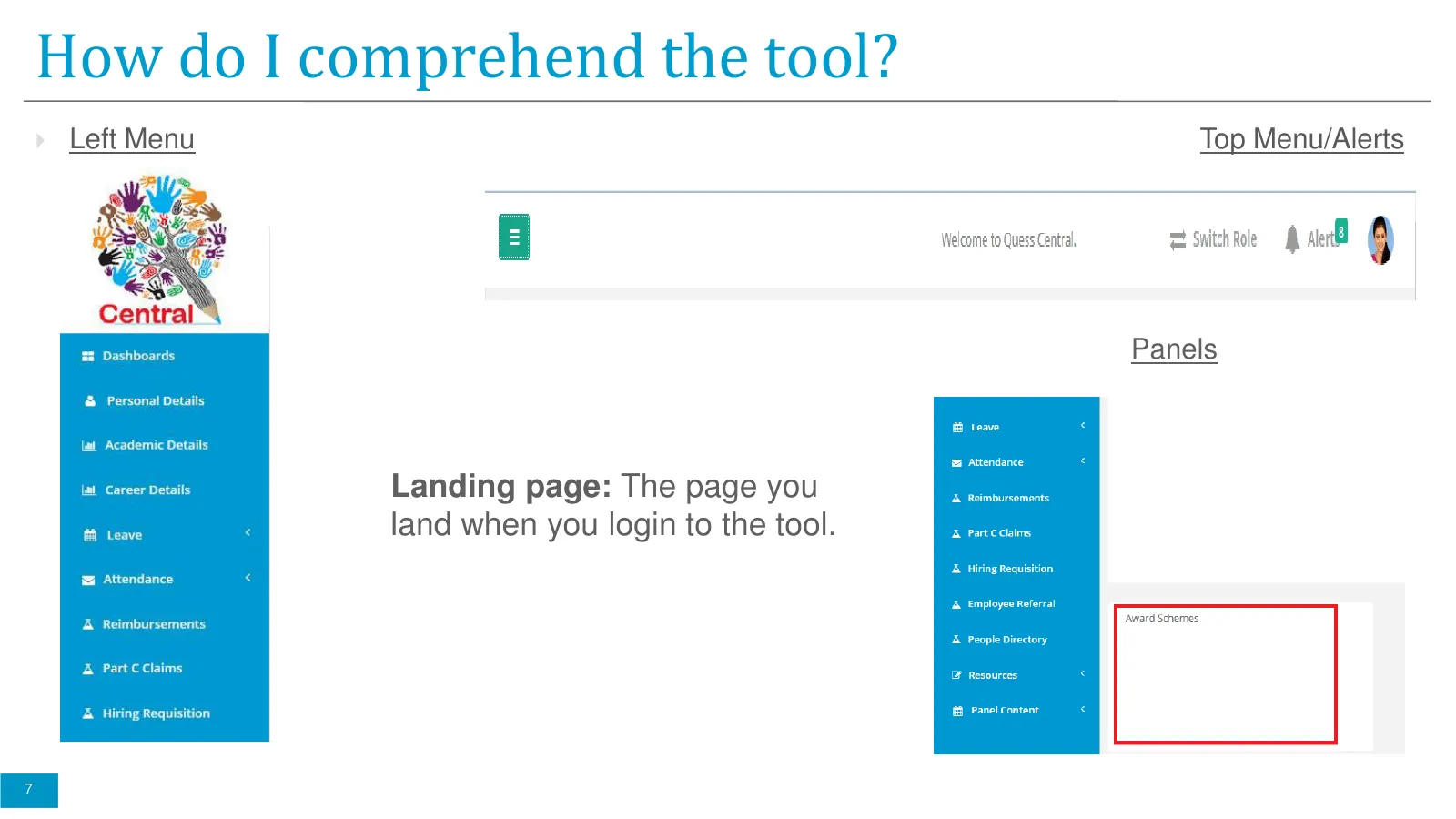
How do I comprehend the tool? Left Menu Top Menu/Alerts Panels Landing page: The page you land when you login to the tool. 7
Slide 8: Updating Details in ESS- Address Change
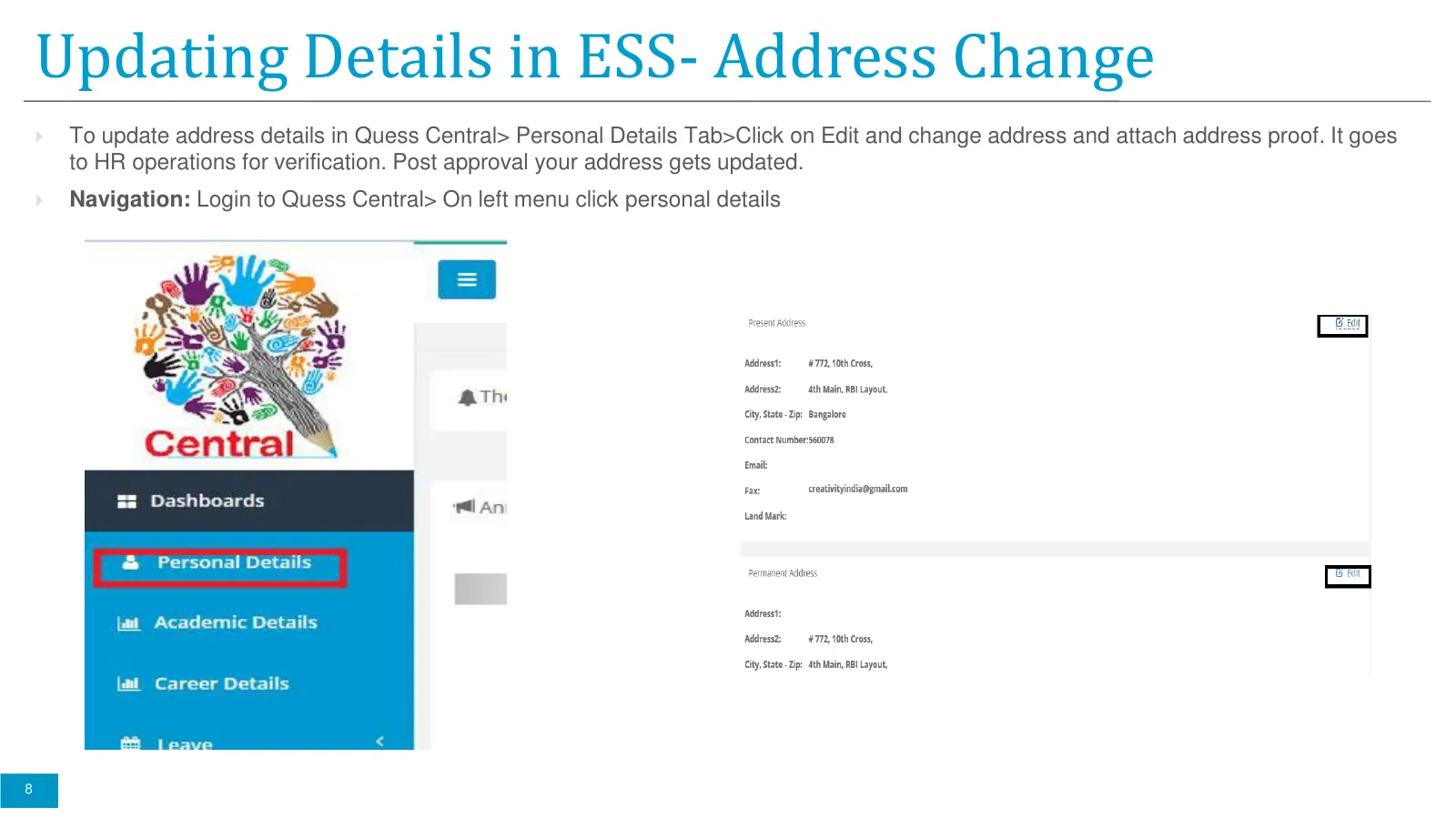
Updating Details in ESS- Address Change To update address details in Quess Central> Personal Details Tab>Click on Edit and change address and attach address proof. It goes to HR operations for verification. Post approval your address gets updated. Navigation: Login to Quess Central> On left menu
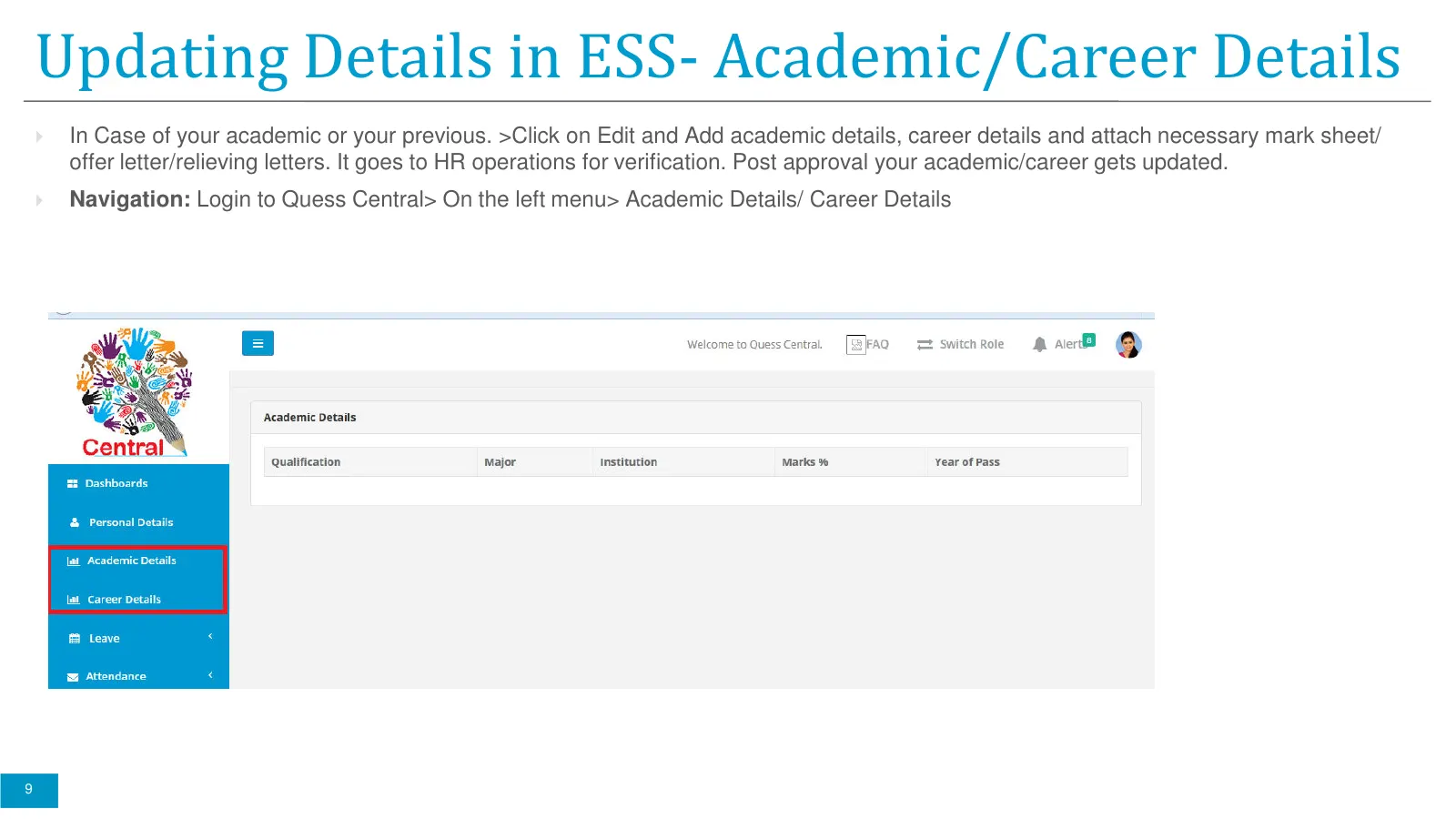
Slide 9: Updating Details in ESS- Academic/Career Details
Updating Details in ESS- Academic/Career Details In Case of your academic or your previous. >Click on Edit and Add academic details, career details and attach necessary mark sheet/ offer letter/relieving letters. It goes to HR operations for verification. Post approval your academic/career gets up
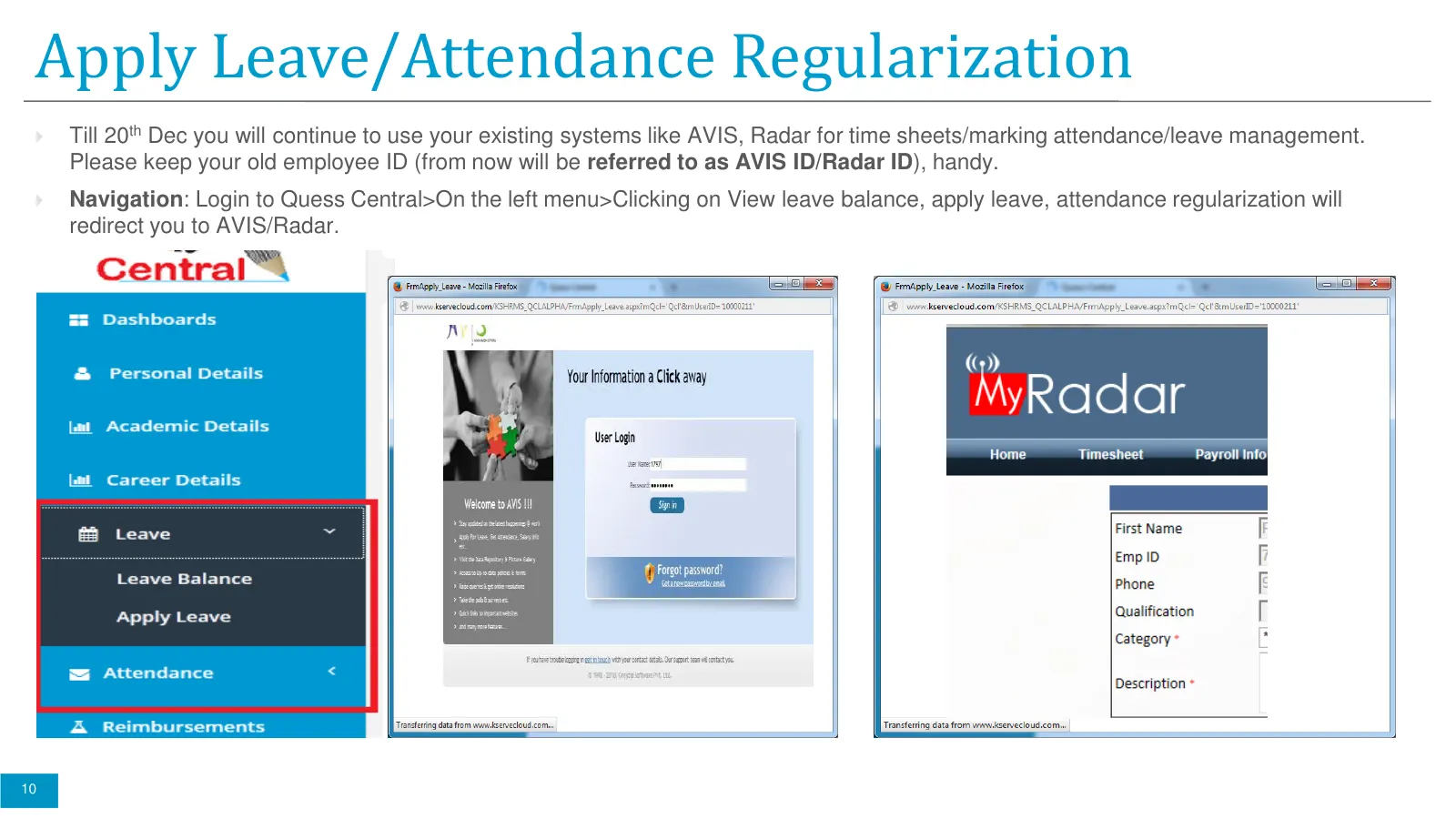
Slide 10: Apply Leave/Attendance Regularization
Apply Leave/Attendance Regularization Till 20th Dec you will continue to use your existing systems like AVIS, Radar for time sheets/marking attendance/leave management. Please keep your old employee ID (from now will be referred to as AVIS ID/Radar ID), handy. Navigation: Login to Quess Central>
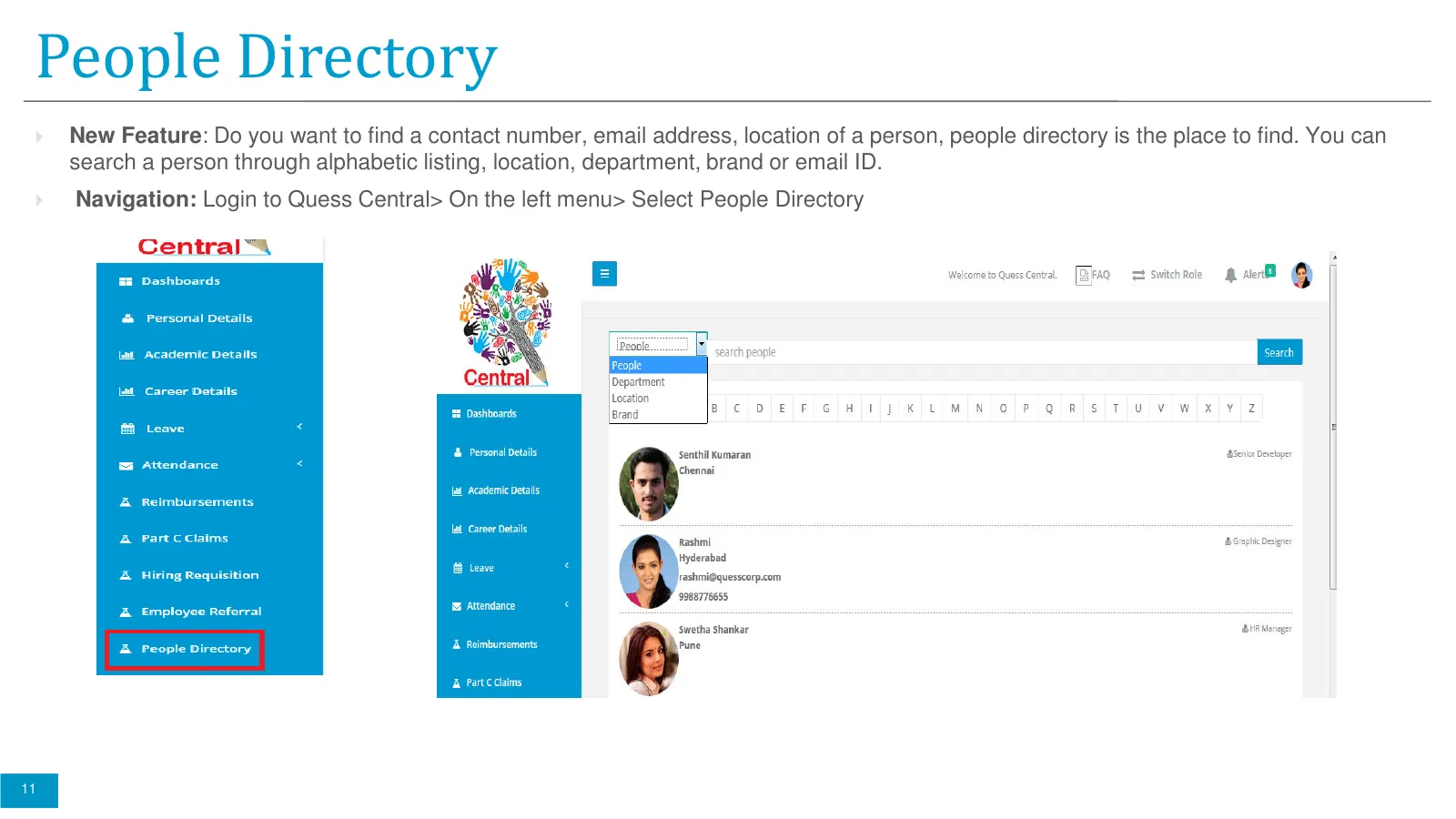
Slide 11: People Directory
People Directory New Feature: Do you want to find a contact number, email address, location of a person, people directory is the place to find. You can search a person through alphabetic listing, location, department, brand or email ID. Navigation: Login to Quess Central> On the left menu> Selec
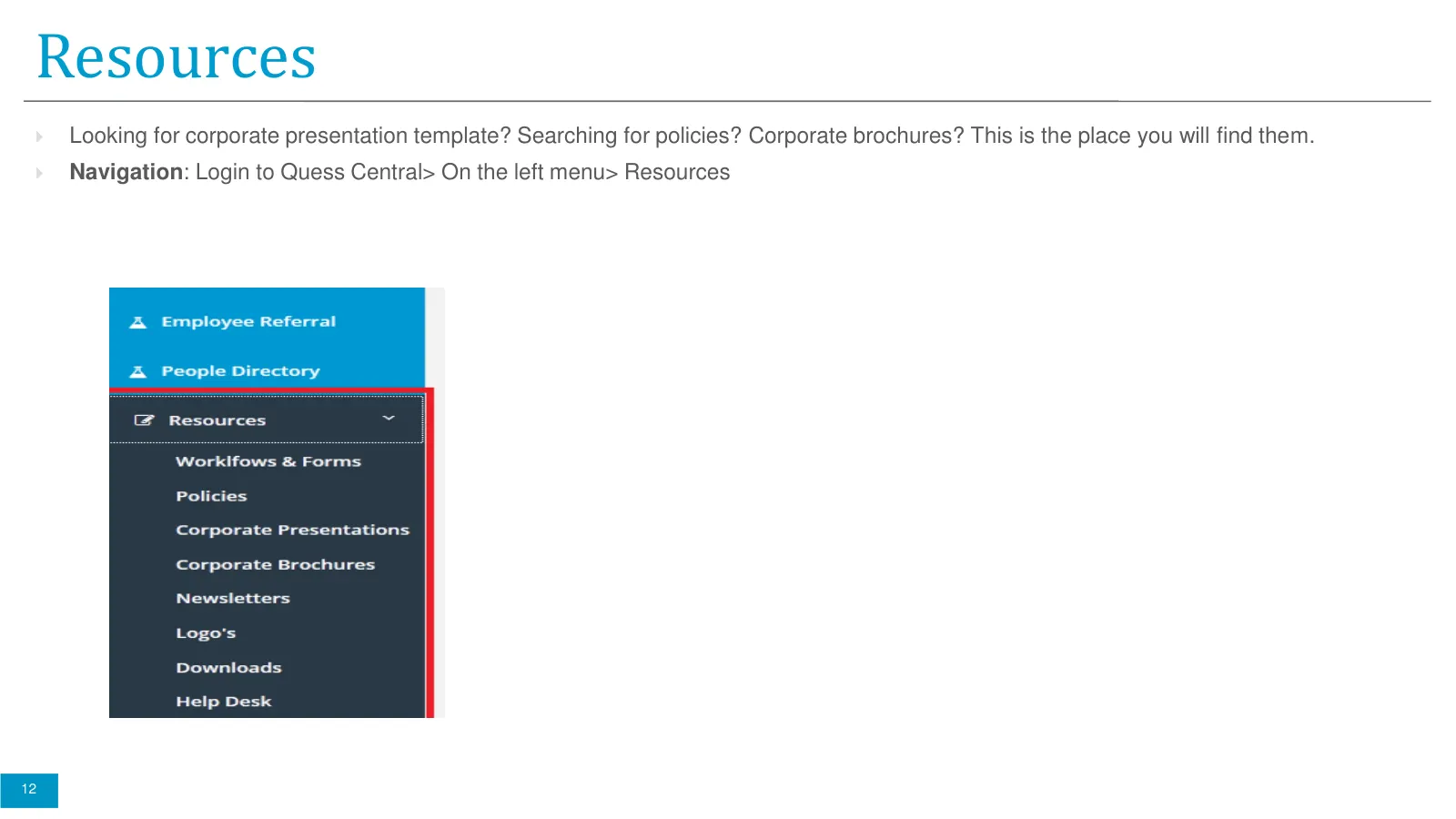
Slide 12: Resources
Resources Looking for corporate presentation template? Searching for policies? Corporate brochures? This is the place you will find them. Navigation: Login to Quess Central> On the left menu> Resources 12
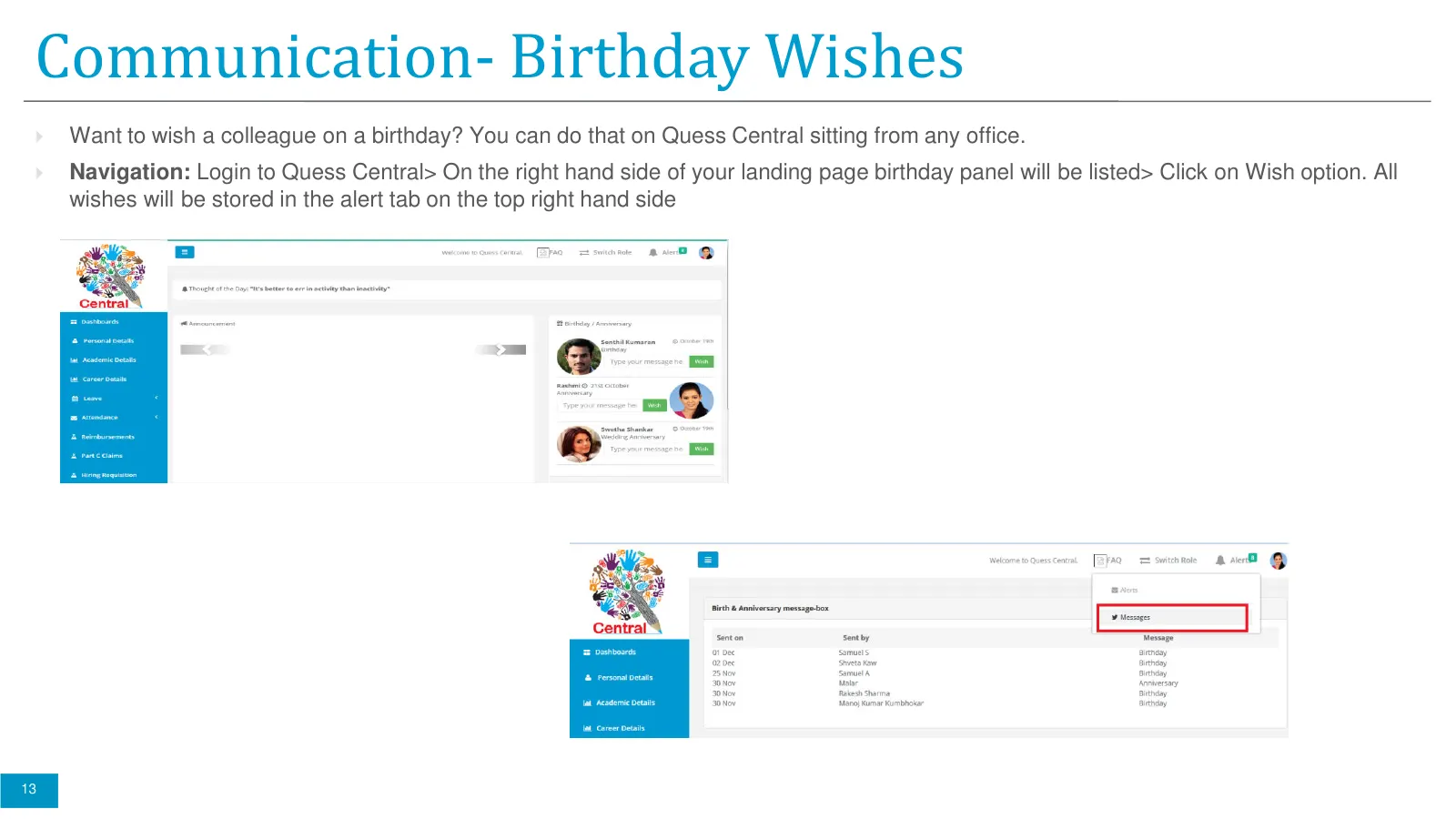
Slide 13: Communication- Birthday Wishes
Communication- Birthday Wishes Want to wish a colleague on a birthday? You can do that on Quess Central sitting from any office. Navigation: Login to Quess Central> On the right hand side of your landing page birthday panel will be listed> Click on Wish option. All wishes will be stored in the a
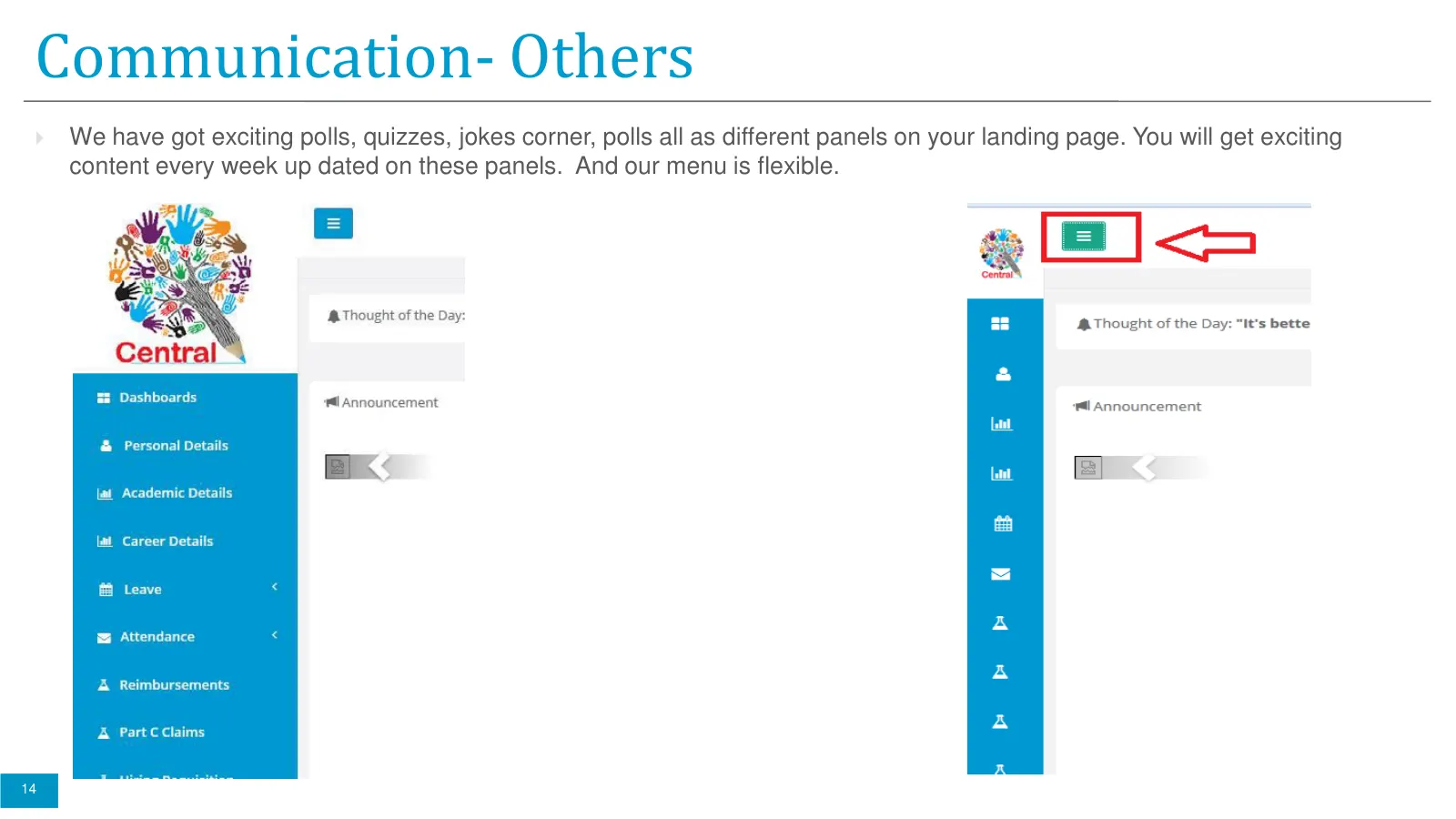
Slide 14: Communication- Others
Communication- Others We have got exciting polls, quizzes, jokes corner, polls all as different panels on your landing page. You will get exciting content every week up dated on these panels. And our menu is flexible. 14
Slide 15: What next?
What next? This is not the entire tool. While you use the existing application, we will continue to enhance the features. We still have more features coming soon. Attendance & Leave Management. Exit Module. Reimbursements and Claims. Helpdesk, to name a few. 15
Slide 16: Thank You!
Thank You! Quess Corp Ltd Prepared By: Anand Chandrasekaran Email ID: anand.c@quesscorp.com
Source: Internet Archive copy of quesscentral.quesscorp.com
More decks from Quess Corp. Ltd.
 Q2 FY27 Earnings Presentation43 slides · Oct 30, 2026
 Shareholder Meeting (August 2026)13 slides · Aug 25, 2026
 Investor Presentation (August 2026)36 slides · August 2026
 Q1 FY27 Earnings Presentation45 slides · Jul 29, 2026
 Q4 FY26 Earnings Presentation29 slides · May 4, 2026
 Investor Presentation (May 2026)33 slides · May 2026