Analog Devices, Inc. · NASDAQ:ADI
Analog Devices — Technical Presentation (2008)
24 slides from Analog Devices's technical presentation, Dec 30, 2008
Slide 1: Introduction to VisualAudio
The World Leader in High Performance Signal Processing Solutions Introduction to VisualAudio Presented by: Paul Beckmann Analog Devices CPSG
Slide 2: About this Module
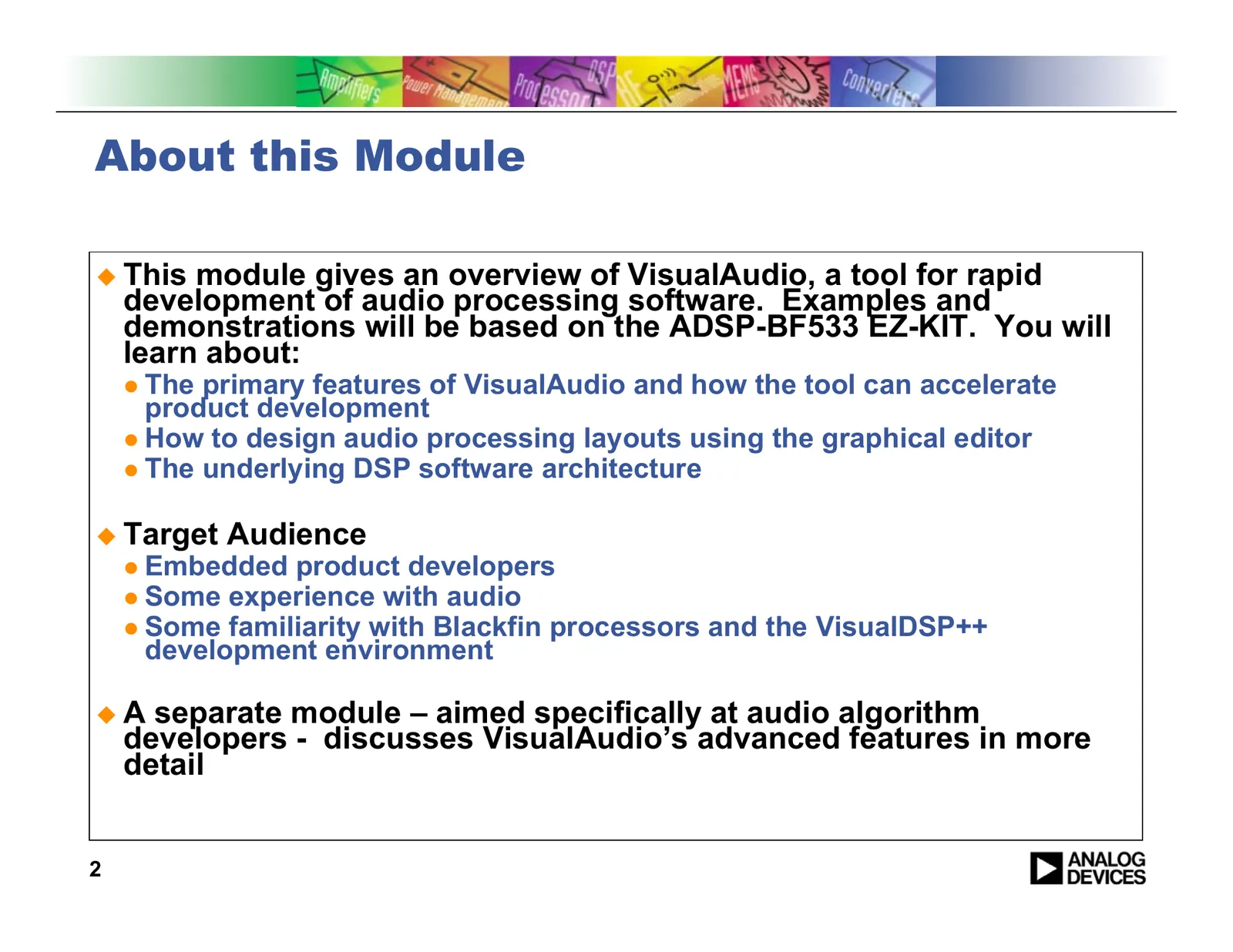
About this Module This module gives an overview of VisualAudio, a tool for rapid development of audio processing software. Examples and demonstrations will be based on the ADSP-BF533 EZ-KIT. You will learn about: z The primary features of VisualAudio and how the tool can accelerate product develop
Slide 3: Module Outline
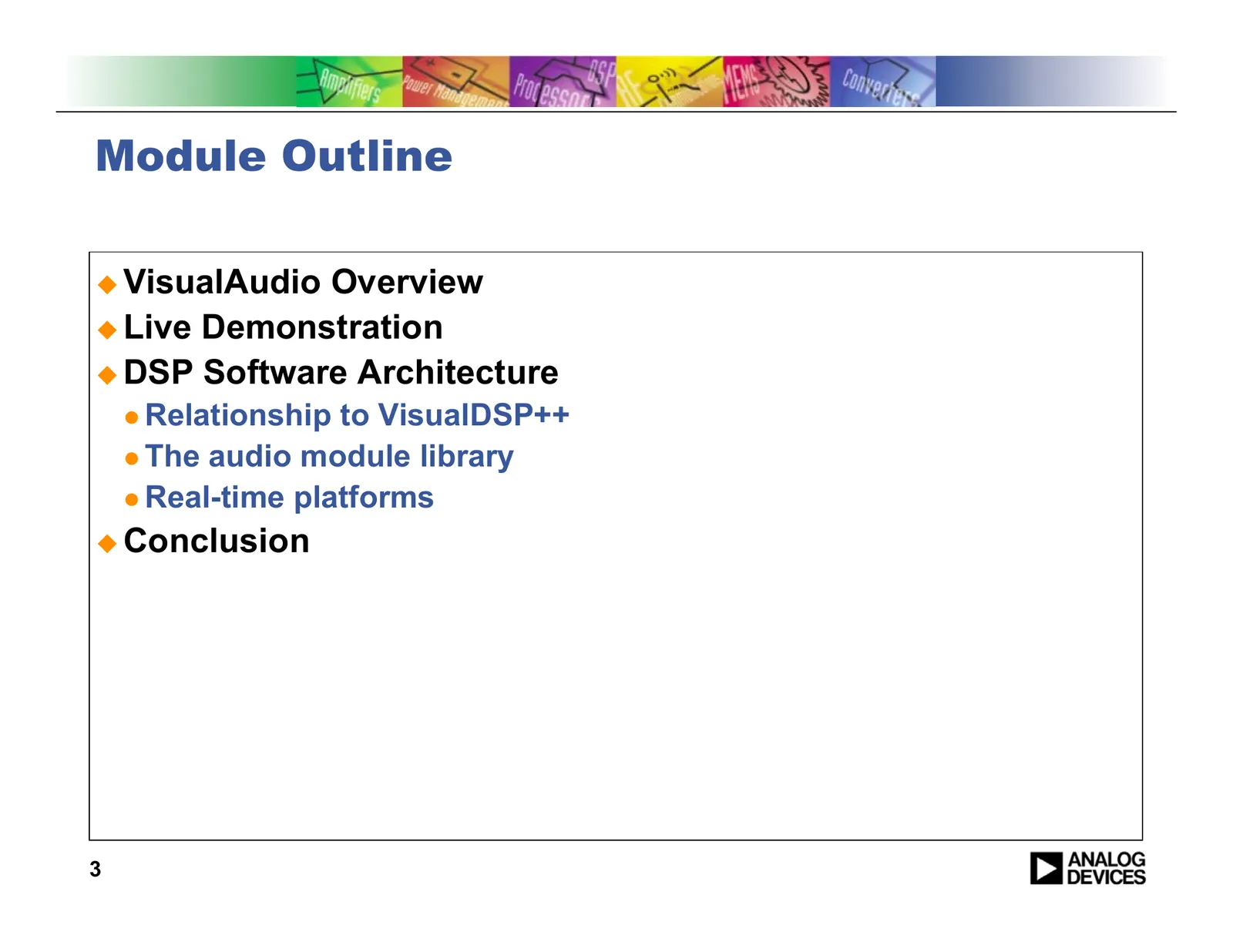
Module Outline VisualAudio Overview Live Demonstration DSP Software Architecture z Relationship to VisualDSP++ z The audio module library z Real-time platforms Conclusion 3
Slide 4: VisualAudio Overview
VisualAudio Overview co DEVICES
Slide 5: What Is VisualAudio?
What Is VisualAudio? A tool for streamlining audio product development Consists of: z The VisualAudio Designer - graphical audio processing design application z Audio Module Library - commonly used audio functions z Example Platforms - real-time frameworks with audio I/O Designed for product d
Slide 6: Supports Both Blackfin and SHARC Processor Families from ADI
Supports Both Blackfin and SHARC Processor Families from ADI Blackfin z 2x16-bit SIMD fixed-point DSP (VisualAudio uses 32-bit fixed-point for all audio) z Rich set of microcontroller features z Full external memory interface SHARC z 32-bit floating-point DSP with SIMD capabilities z External me
Slide 7: Blackfin vs. SHARC Selection Guide
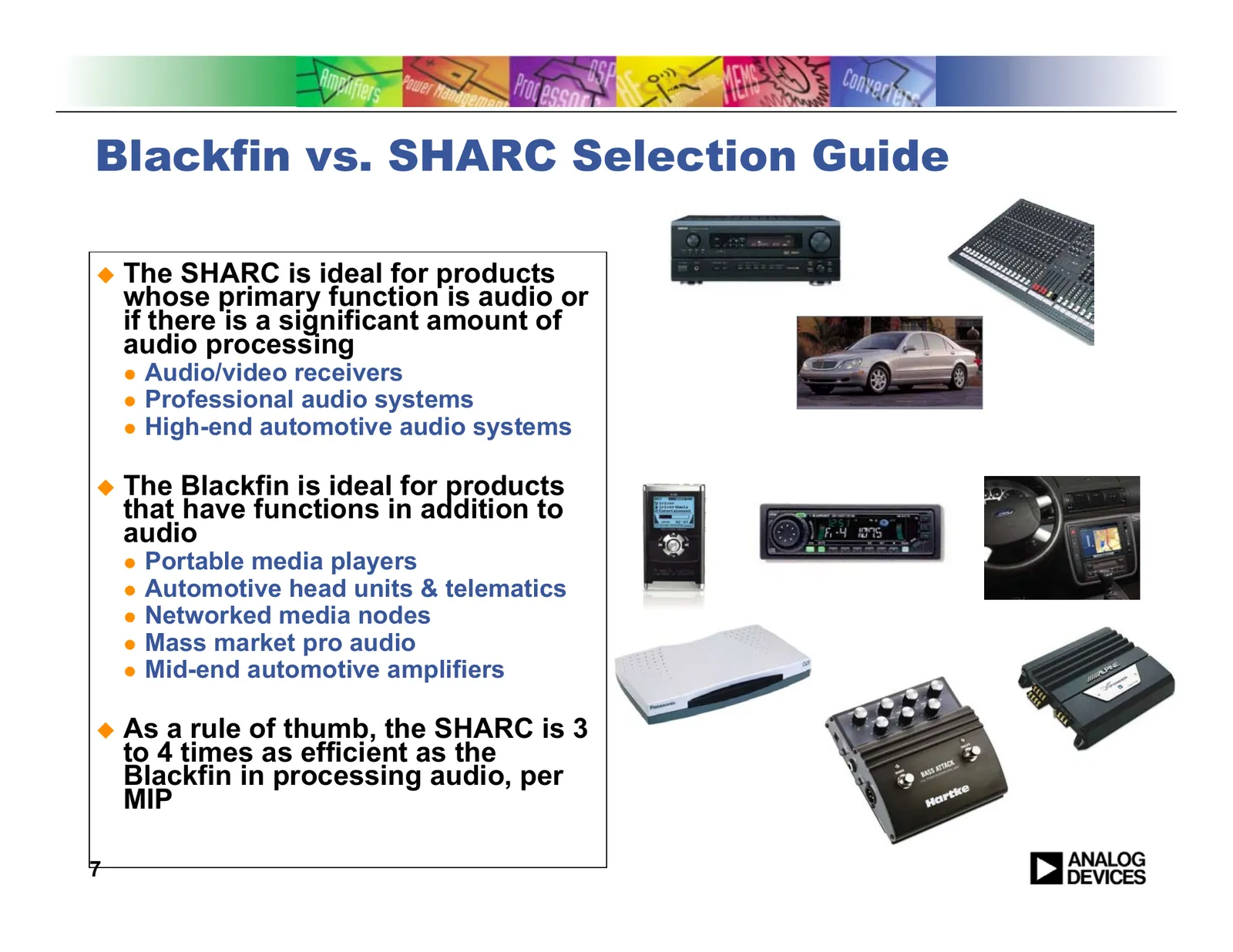
Blackfin vs. SHARC Selection Guide The SHARC is ideal for products whose primary function is audio or if there is a significant amount of audio processing z Audio/video receivers z Professional audio systems z High-end automotive audio systems The Blackfin is ideal for products that have functio
Slide 8: EZ-KIT Evaluation Hardware Supported by VisualAudio
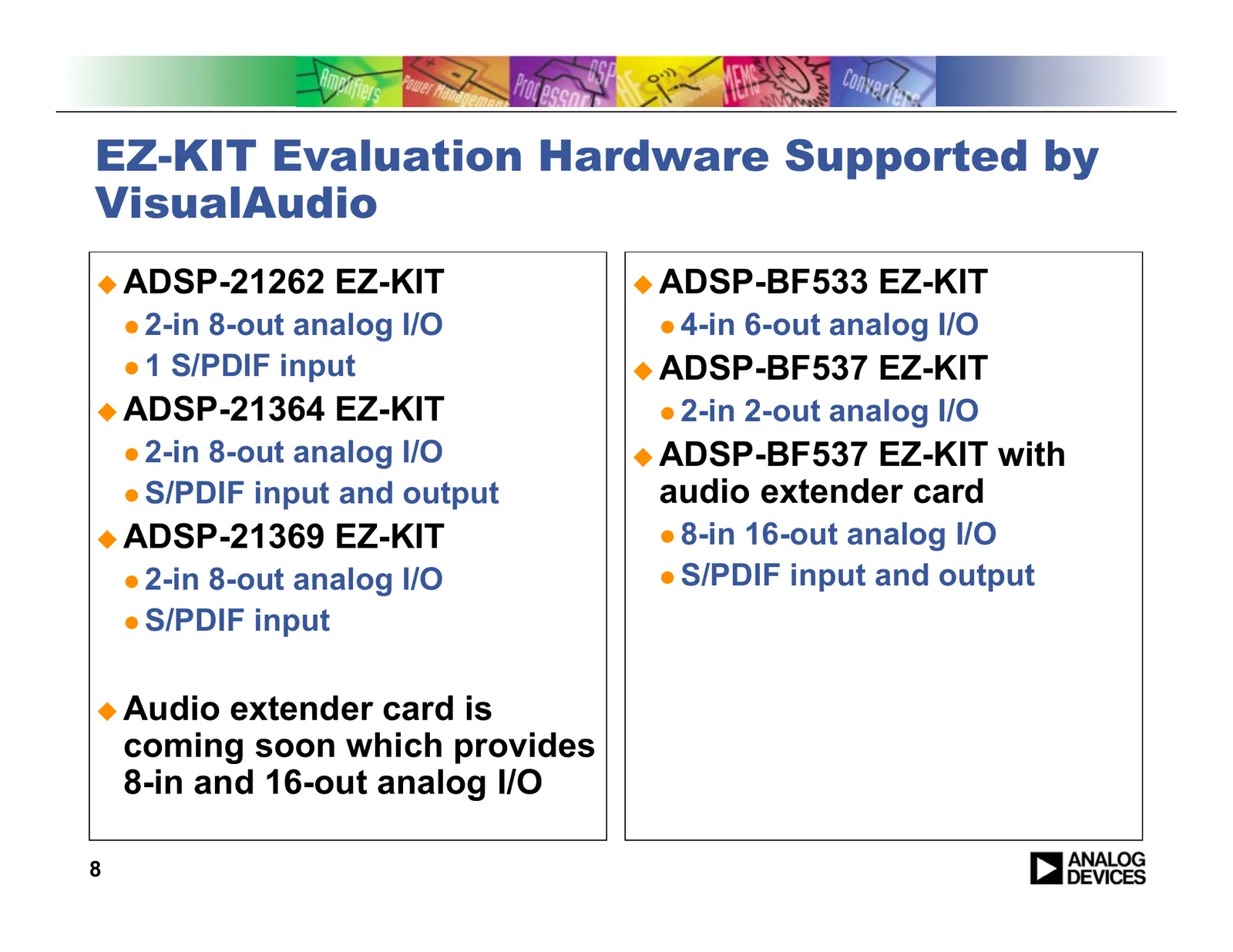
EZ-KIT Evaluation Hardware Supported by VisualAudio ADSP-21262 EZ-KIT ADSP-BF533 EZ-KIT z 2-in 8-out analog I/O z 4-in 6-out analog I/O z 1 S/PDIF input ADSP-BF537 EZ-KIT ADSP-21364 EZ-KIT z 2-in 2-out analog I/O z 2-in 8-out analog I/O ADSP-BF537 EZ-KIT with z S/PDIF input and output audi
Slide 9: Key Benefits
Key Benefits For product developers z Provides a starting point and methodology for audio product development z Reduces development time, cost, and risk z Allows engineers to focus on differentiating their products rather than implementing standard features z Provides access to audio IP in a consi
Slide 10: Live Demo
Live Demo Creating a New System Designing the Layout Generating Code Building the Executable Real-time Tuning 10
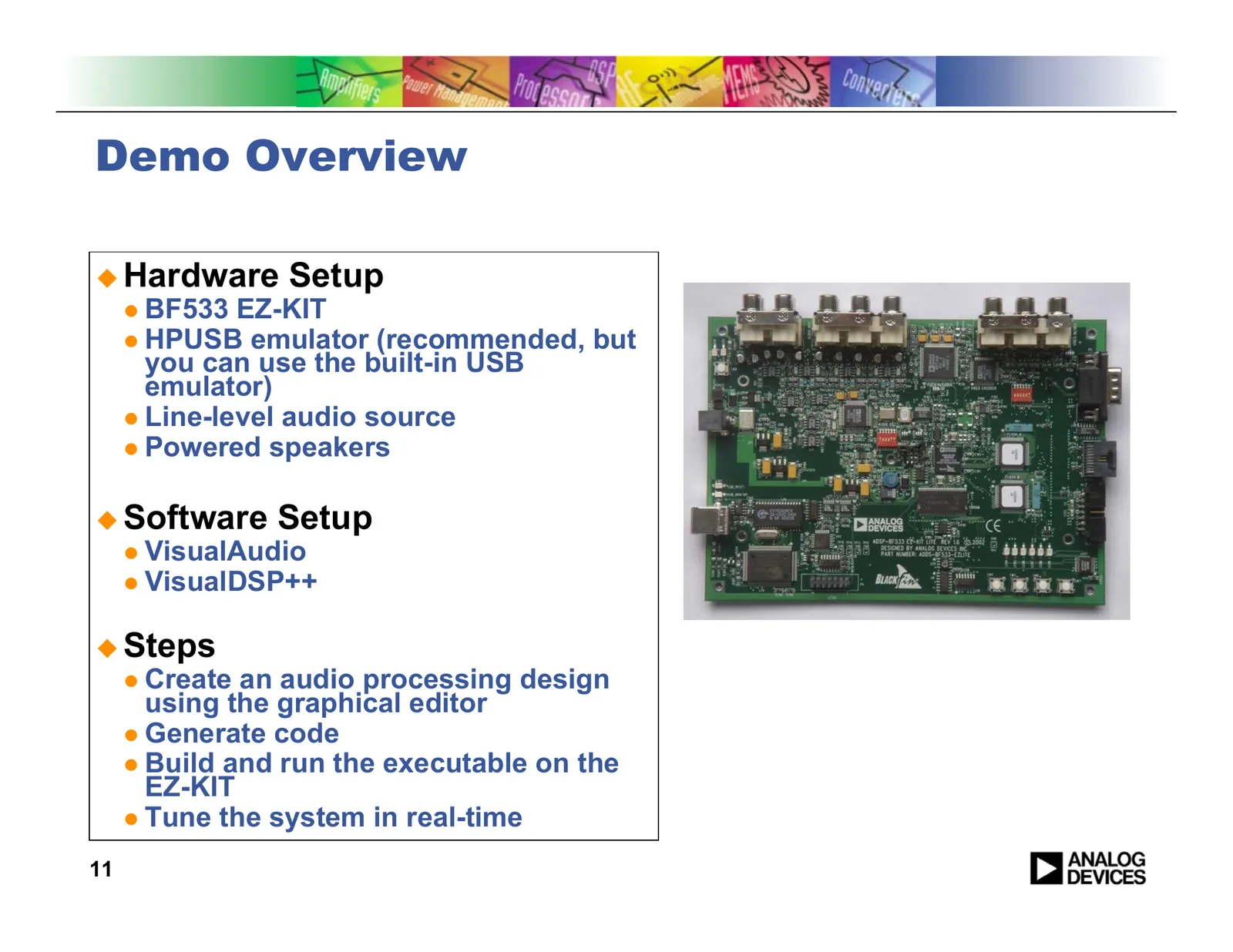
Slide 11: Demo Overview
Demo Overview Hardware Setup z BF533 EZ-KIT z HPUSB emulator (recommended, but you can use the built-in USB emulator) z Line-level audio source z Powered speakers Software Setup z VisualAudio z VisualDSP++ Steps z Create an audio processing design using the graphical editor z Generate code z B
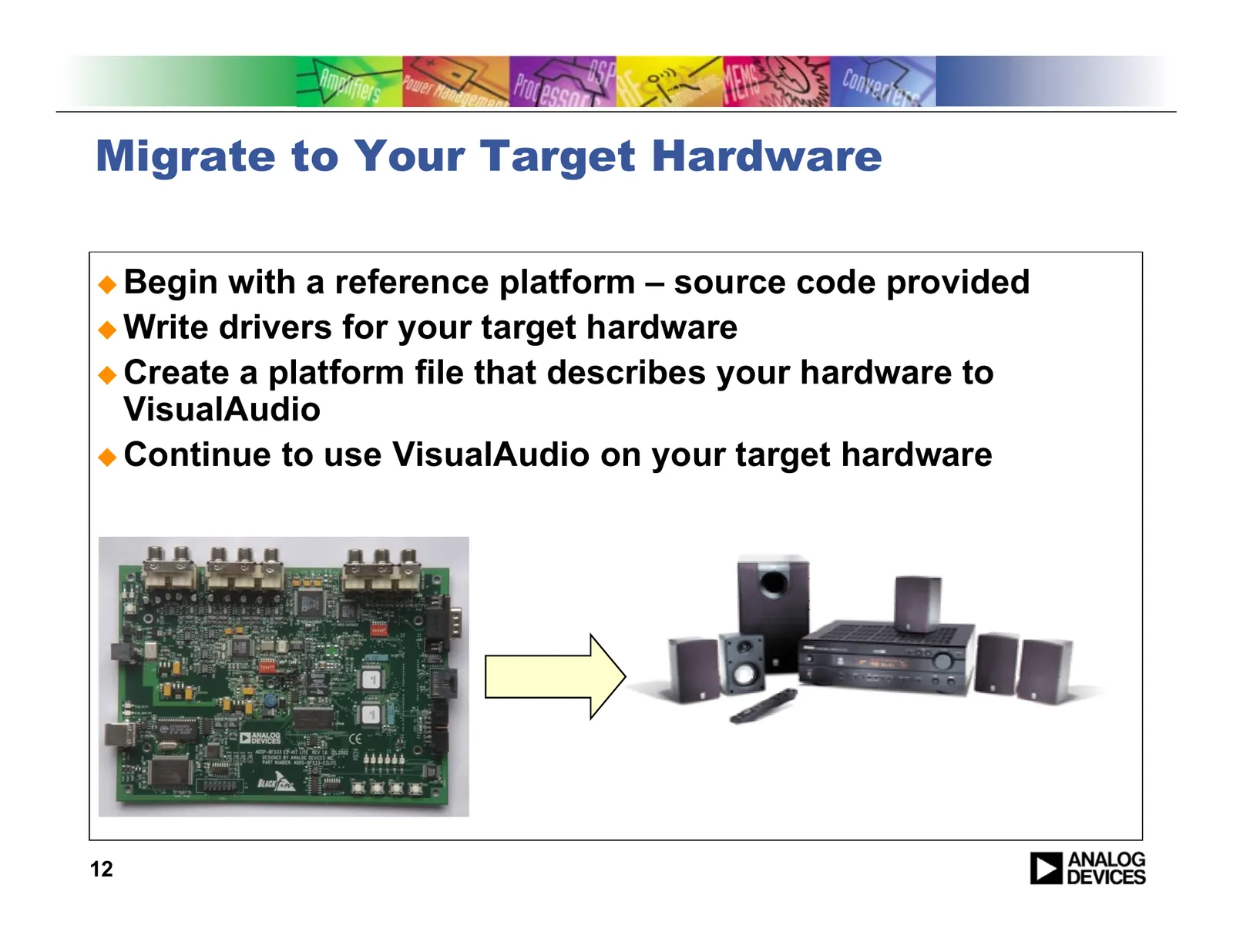
Slide 12: Migrate to Your Target Hardware
Migrate to Your Target Hardware Begin with a reference platform – source code provided Write drivers for your target hardware Create a platform file that describes your hardware to VisualAudio Continue to use VisualAudio on your target hardware 12
Slide 13: DSP Software Architecture
DSP Software Architecture 13
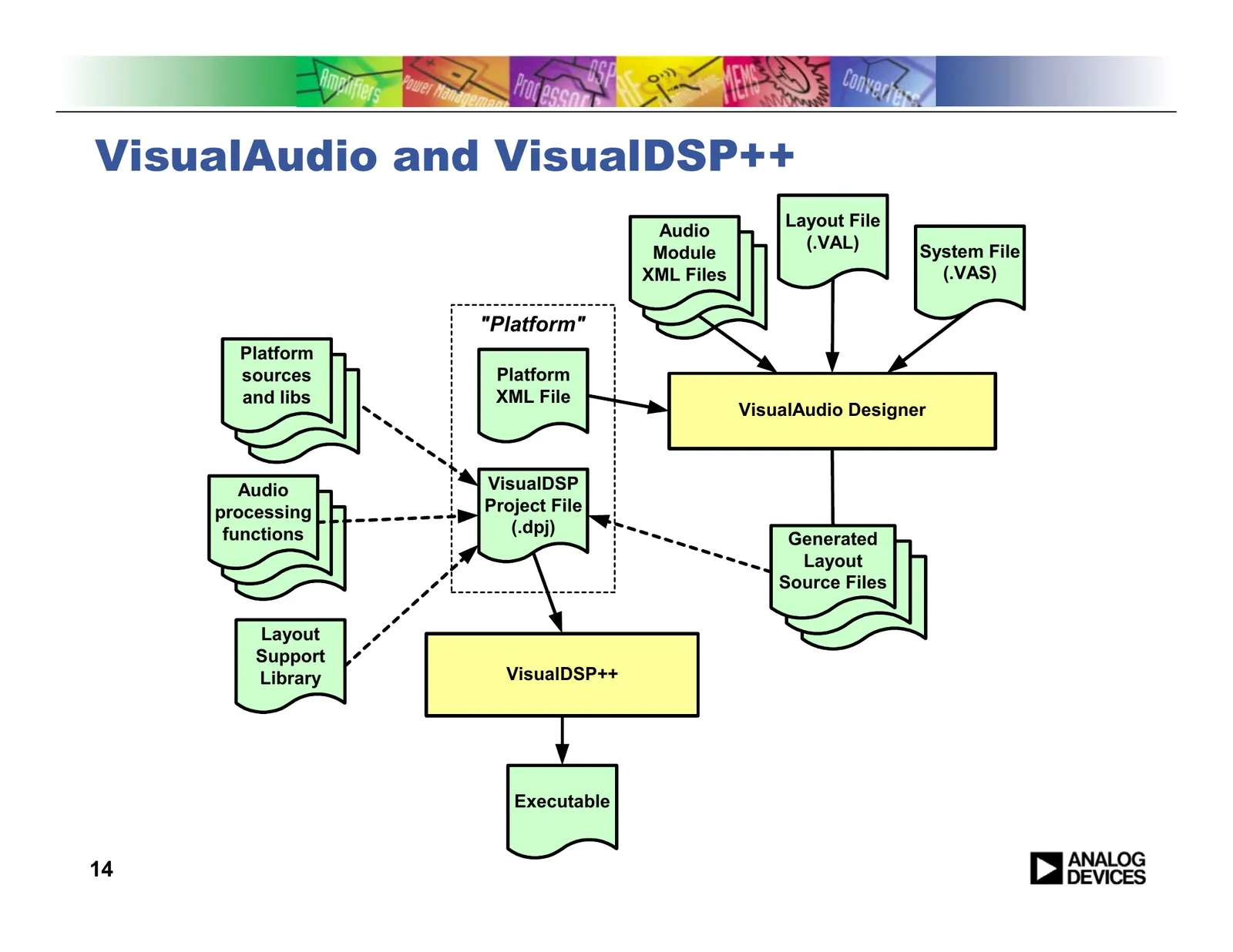
Slide 14: VisualAudio and VisualDSP++
VisualAudio and VisualDSP++ Layout File Audio (.VAL) System File Module XML Files (.VAS) "Platform" Platform sources Platform and libs XML File VisualAudio Designer Audio VisualDSP processing Project File functions (.dpj) Generated Layout Source Files Layout Support Library VisualDSP++ Executable 14
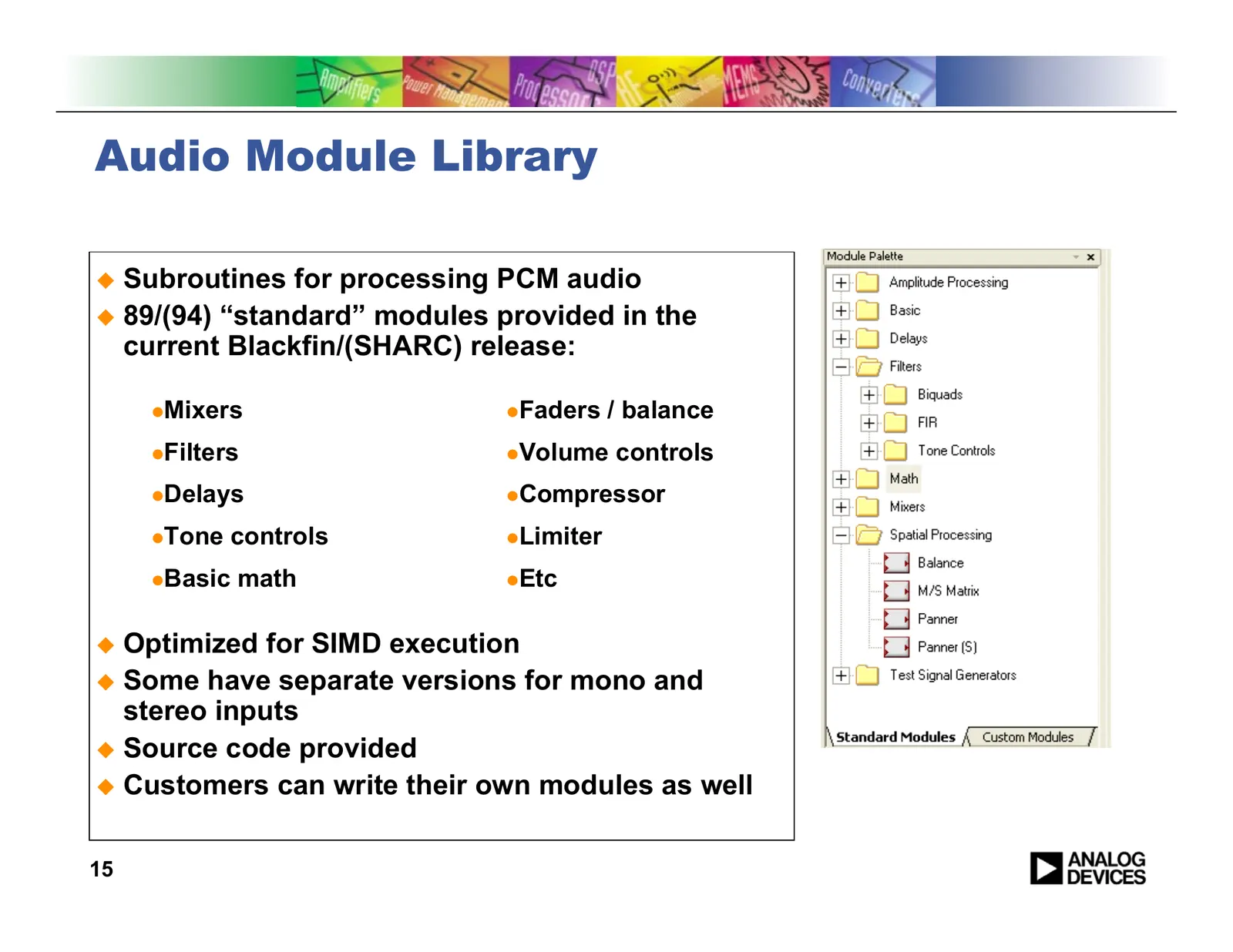
Slide 15: Audio Module Library
Audio Module Library Subroutines for processing PCM audio 89/(94) “standard” modules provided in the current Blackfin/(SHARC) release: zMixers zFaders / balance zFilters zVolume controls zDelays zCompressor zTone controls zLimiter zBasic math zEtc Optimized for SIMD execution Some have separ
Slide 16: Block Processing
Block Processing Each audio module operates on a block of data – rather than sample-by-sample The number of samples per block is fixed and is called the “TickSize” All modules operate at the same TickSize. The TickSize is adjustable through the User Interface Block processing is a natural
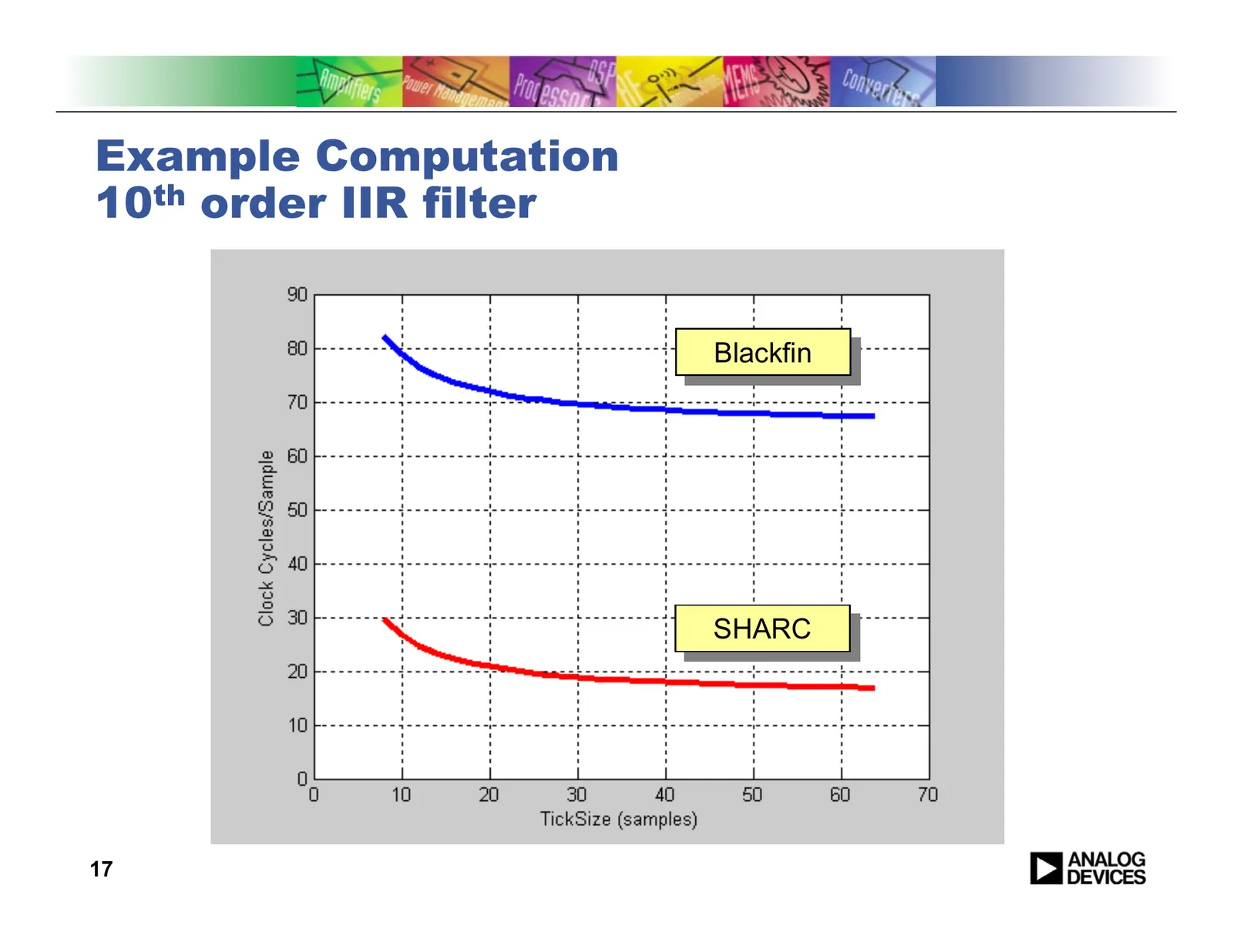
Slide 17: Example Computation: 10th order IIR filter
Example Computation 10th order IIR filter Blackfin Blackfin SHARC SHARC 17
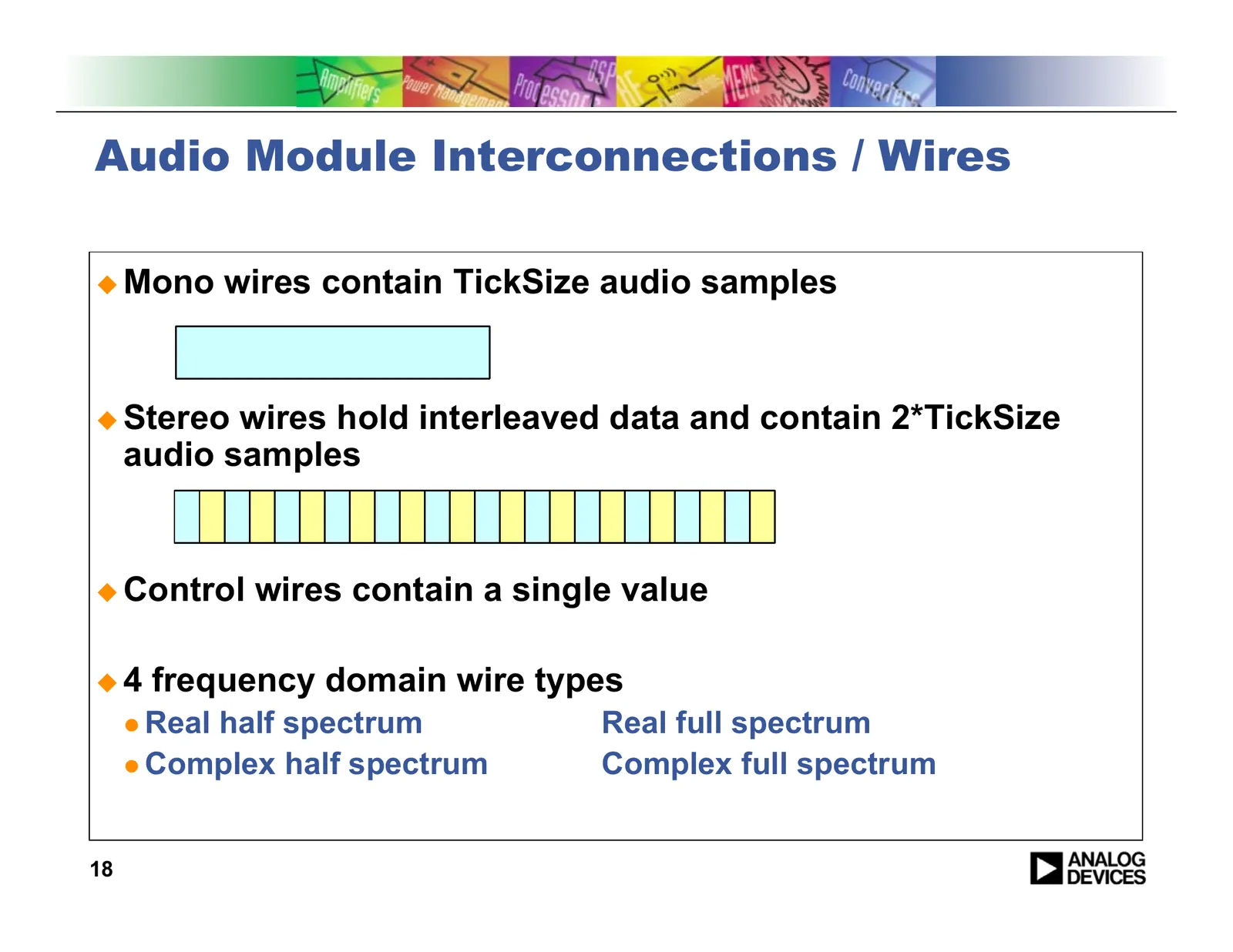
Slide 18: Audio Module Interconnections / Wires
Audio Module Interconnections / Wires Mono wires contain TickSize audio samples Stereo wires hold interleaved data and contain 2*TickSize audio samples Control wires contain a single value 4 frequency domain wire types z Real half spectrum Real full spectrum z Complex half spectrum Complex f
Slide 19: VisualAudio Platforms
VisualAudio Platforms Lightweight interrupt driven real-time frameworks Platforms provide z Double-buffered DMA-driven audio I/O z An interface to VisualAudio generated audio processing z A separate non-real-time control thread z Tuning z Communication with a host micro-controller (if any) Sev
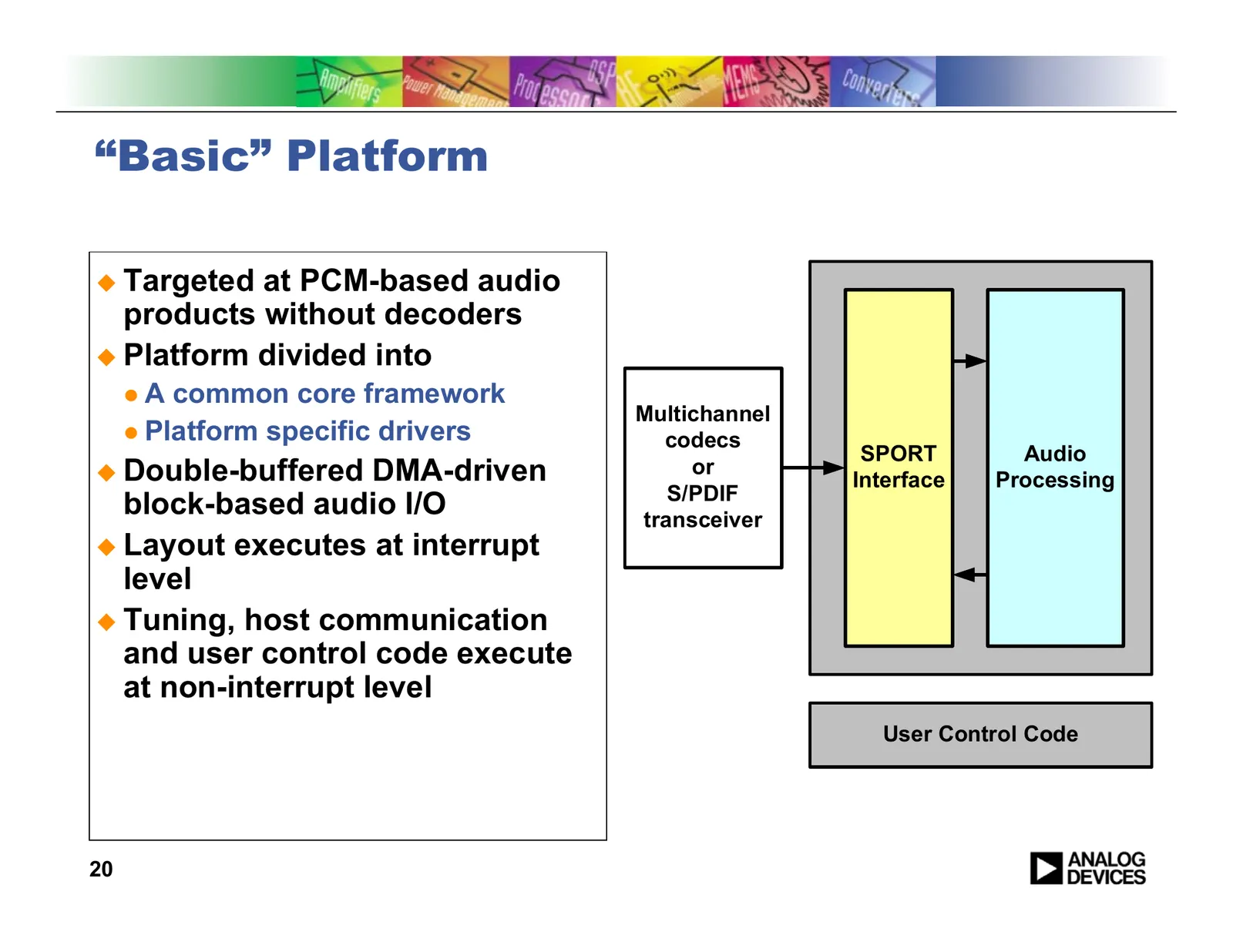
Slide 20: "Basic" Platform
“Basic” Platform Targeted at PCM-based audio products without decoders Platform divided into z A common core framework Multichannel z Platform specific drivers codecs SPORT Audio Double-buffered DMA-driven or Interface Processing S/PDIF block-based audio I/O transceiver Layout executes at in
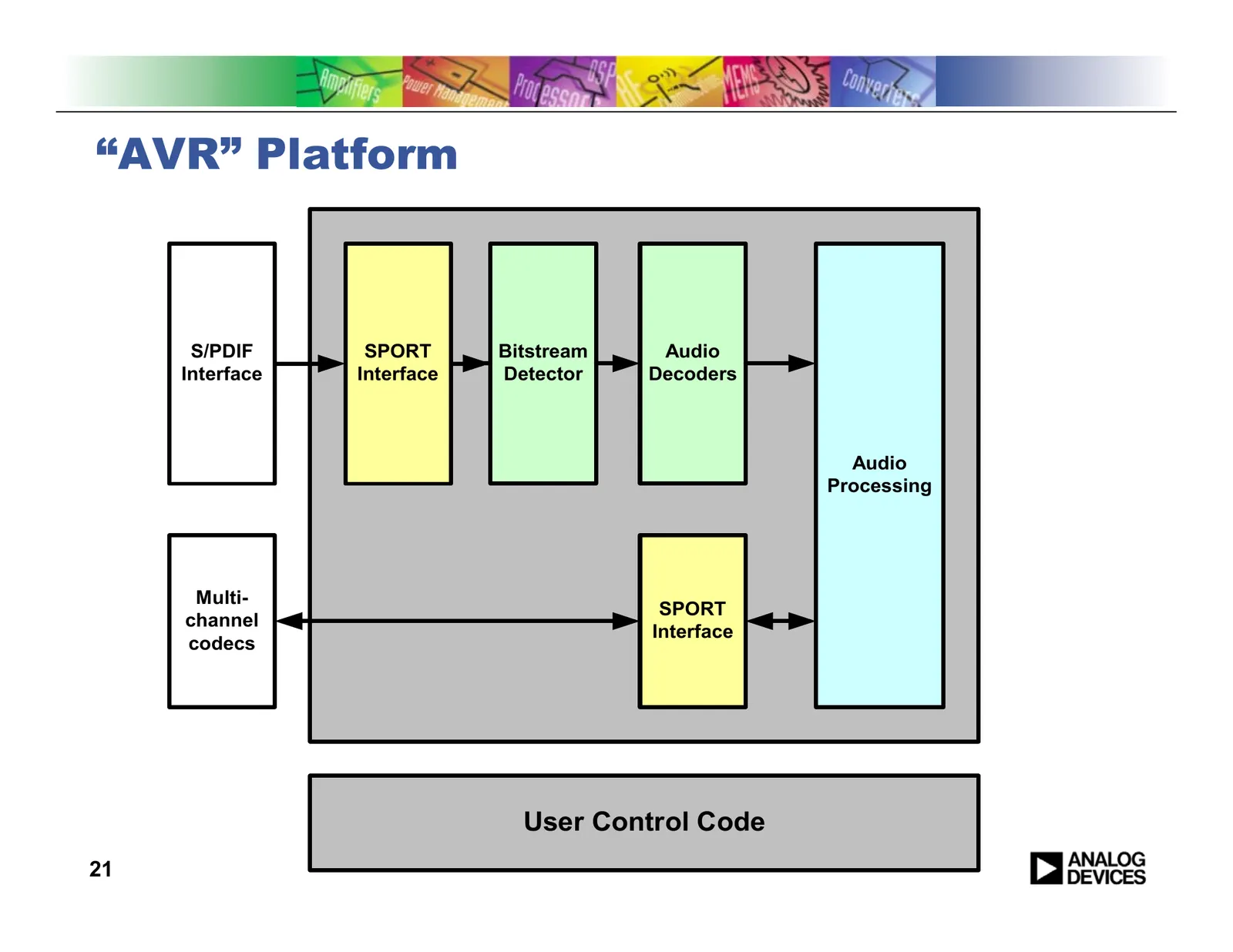
Slide 21: "AVR" Platform
“AVR” Platform S/PDIF SPORT Bitstream Audio Interface Interface Detector Decoders Audio Processing Multi- SPORT channel Interface codecs User Control Code 21
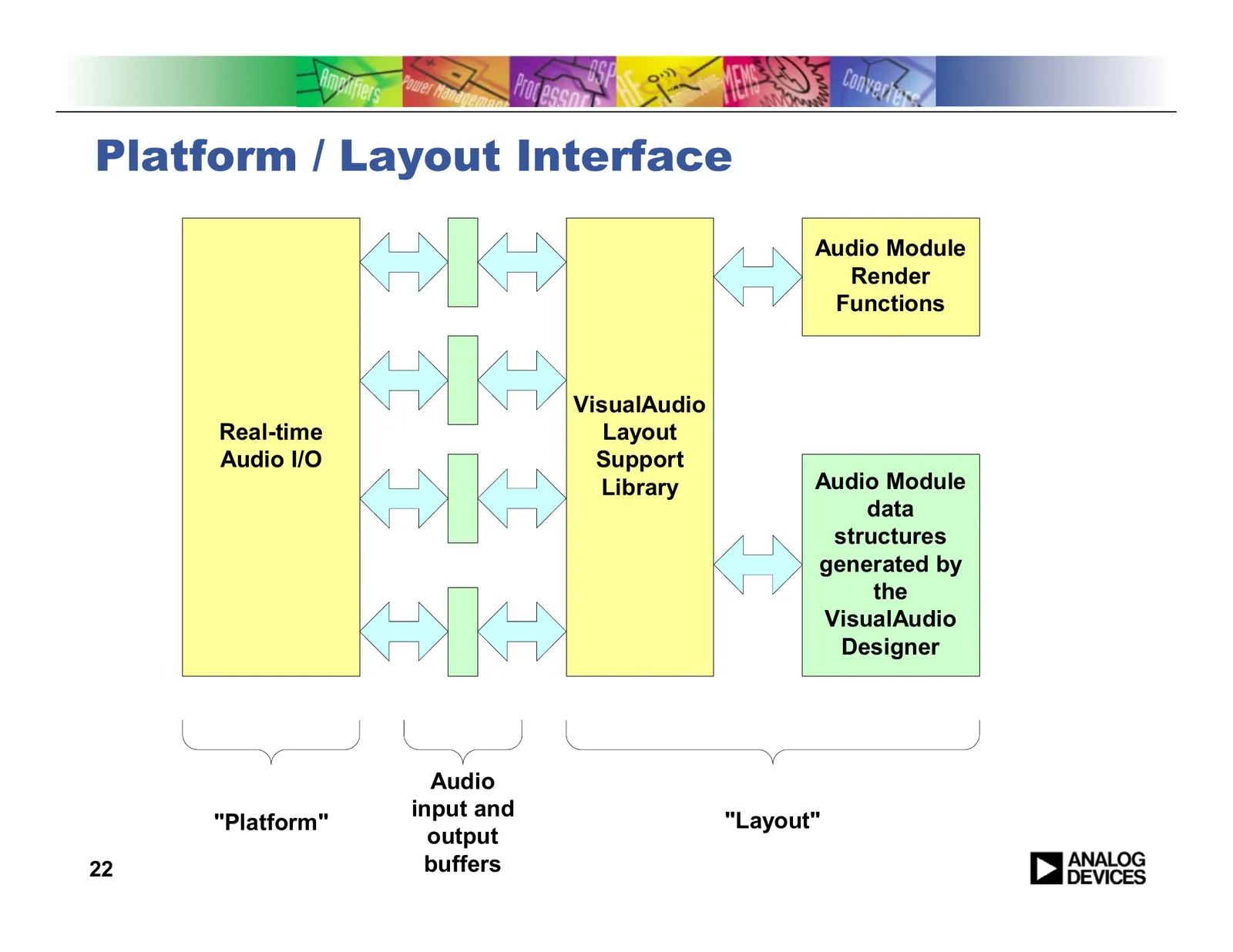
Slide 22: Platform / Layout Interface
Platform / Layout Interface Audio Module Render Functions VisualAudio Real-time Layout Audio I/O Support Library Audio Module data structures generated by the VisualAudio Designer Audio input and "Platform" "Layout" output 22 buffers
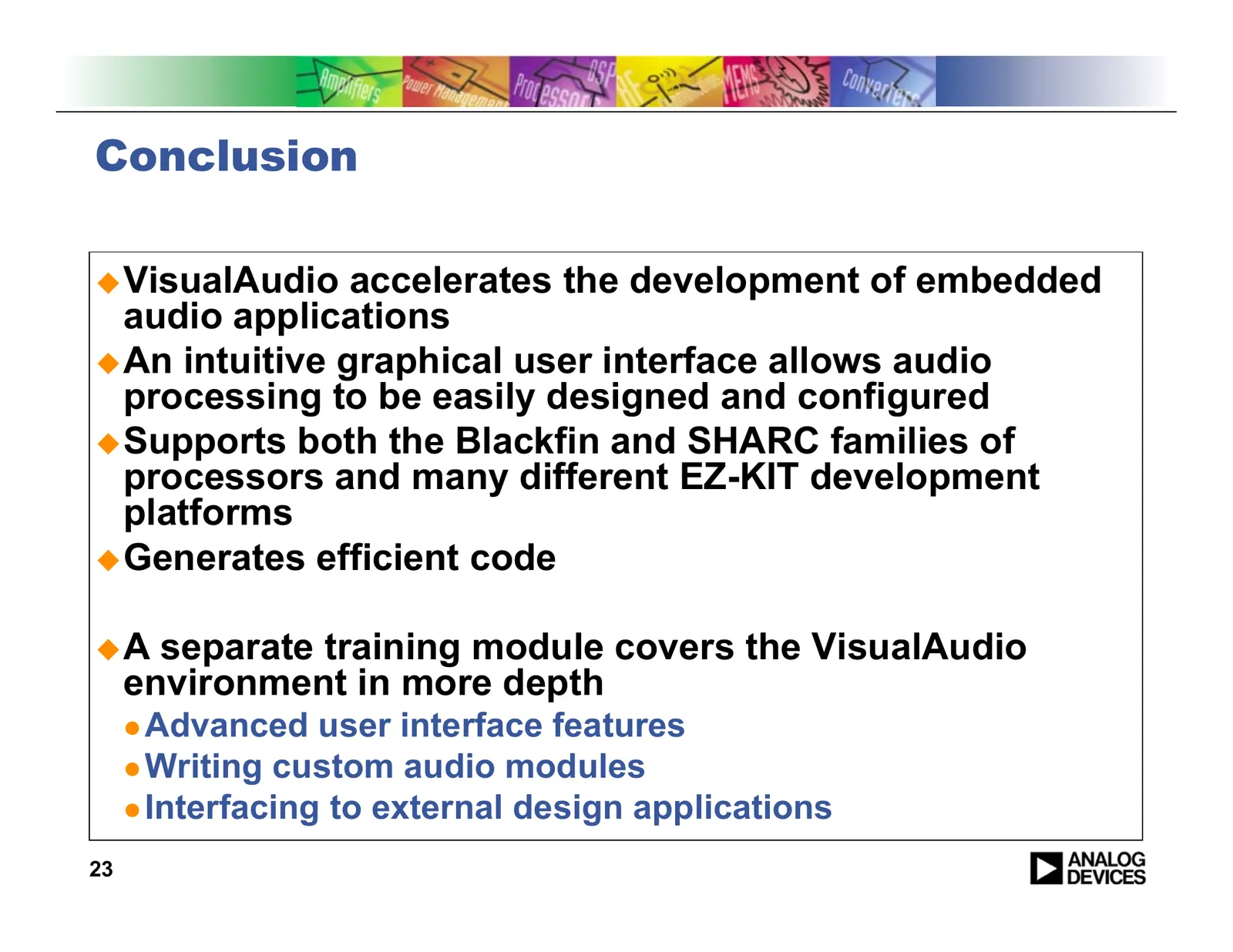
Slide 23: Conclusion
Conclusion VisualAudio accelerates the development of embedded audio applications An intuitive graphical user interface allows audio processing to be easily designed and configured Supports both the Blackfin and SHARC families of processors and many different EZ-KIT development platforms Gen
Slide 24: For Additional Information
For Additional Information A free download is available at the VisualAudio product page z http://www.analog.com/en/prod/0,2877,VISUALAUDIO,00.html Additional examples and tutorials can be found at the VisualAudio Developer’s Web site: z www.visualaudiodeveloper.com Specific technical questions
Source: Internet Archive copy of analog.com
More decks from Analog Devices, Inc.
 Proxy Contest (February 2026)6 slides · Feb 9, 2026
 Investor Presentation (September 2025)11 slides · Sep 19, 2025
 Investor Presentation (September 2024)14 slides · Sep 27, 2024
 Technical Presentation (May 2024)97 slides · May 30, 2024
 Shareholder Meeting (February 2024)18 slides · Feb 29, 2024
 Investor Presentation (October 2023)12 slides · October 2023