ScanSource, Inc. · NASDAQ:SCSC
ScanSource — NCR — Investor Presentation (November 2021)
20 slides from ScanSource's investor presentation, November 2021
Slide 1: NCRU Partner Training
NCRU Partner Training …powerful things come in small packages… NCR Confidential

Slide 2: Getting Started
Ss Getting Started
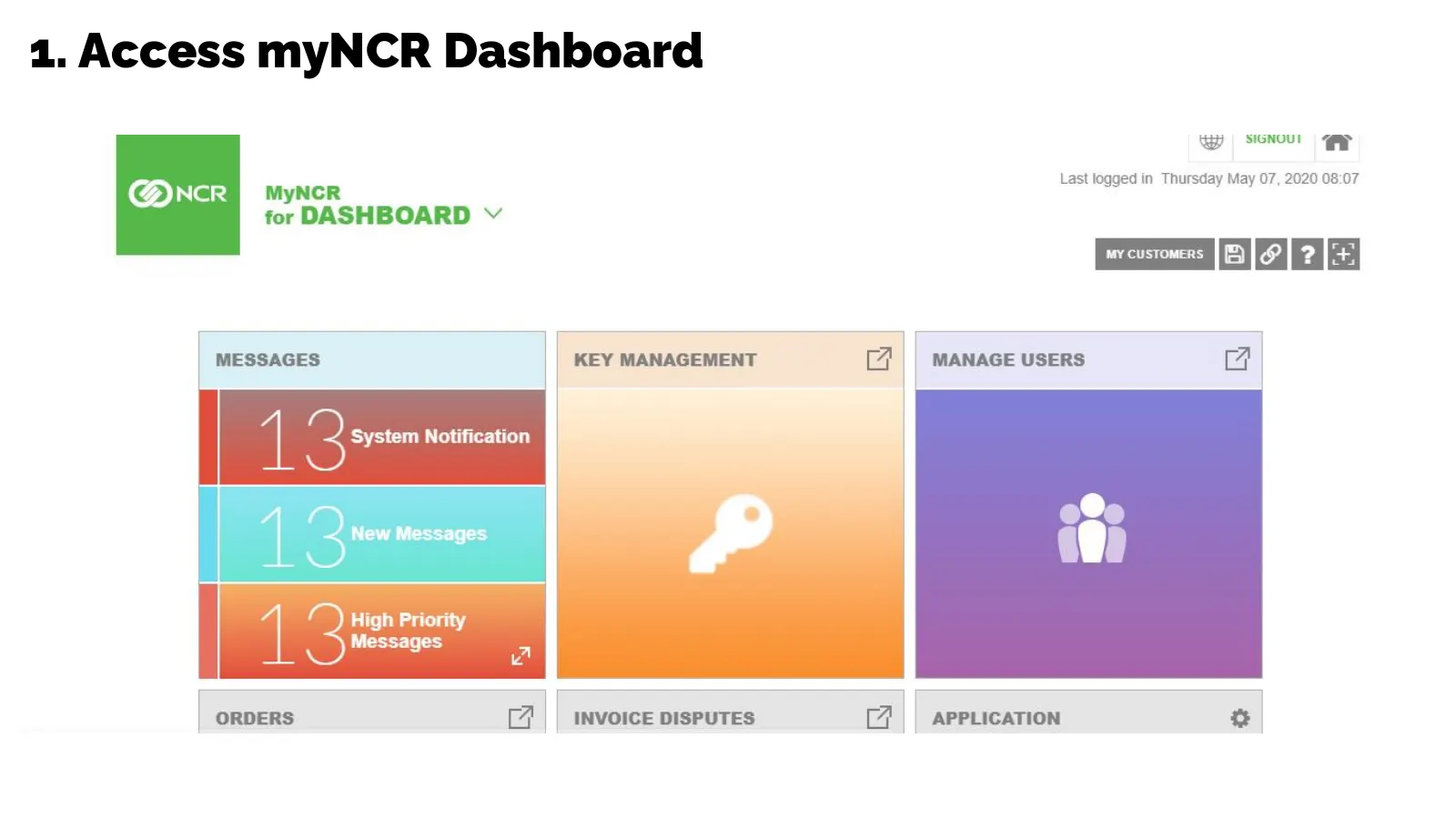
Slide 3: Access myNCR Dashboard
2. Access myNCR Dashboard ay | SIGNOU! | gp Last logged in Thursday May 07, 2020 08:07 NCR BOL @ for DASHBOARD Vv Pavcncmns [E]] 2] | MESSAGES KEY MANAGEMENT eA) MANAGE USERS eA High Priority Messages [7 APPLICATION Fe]
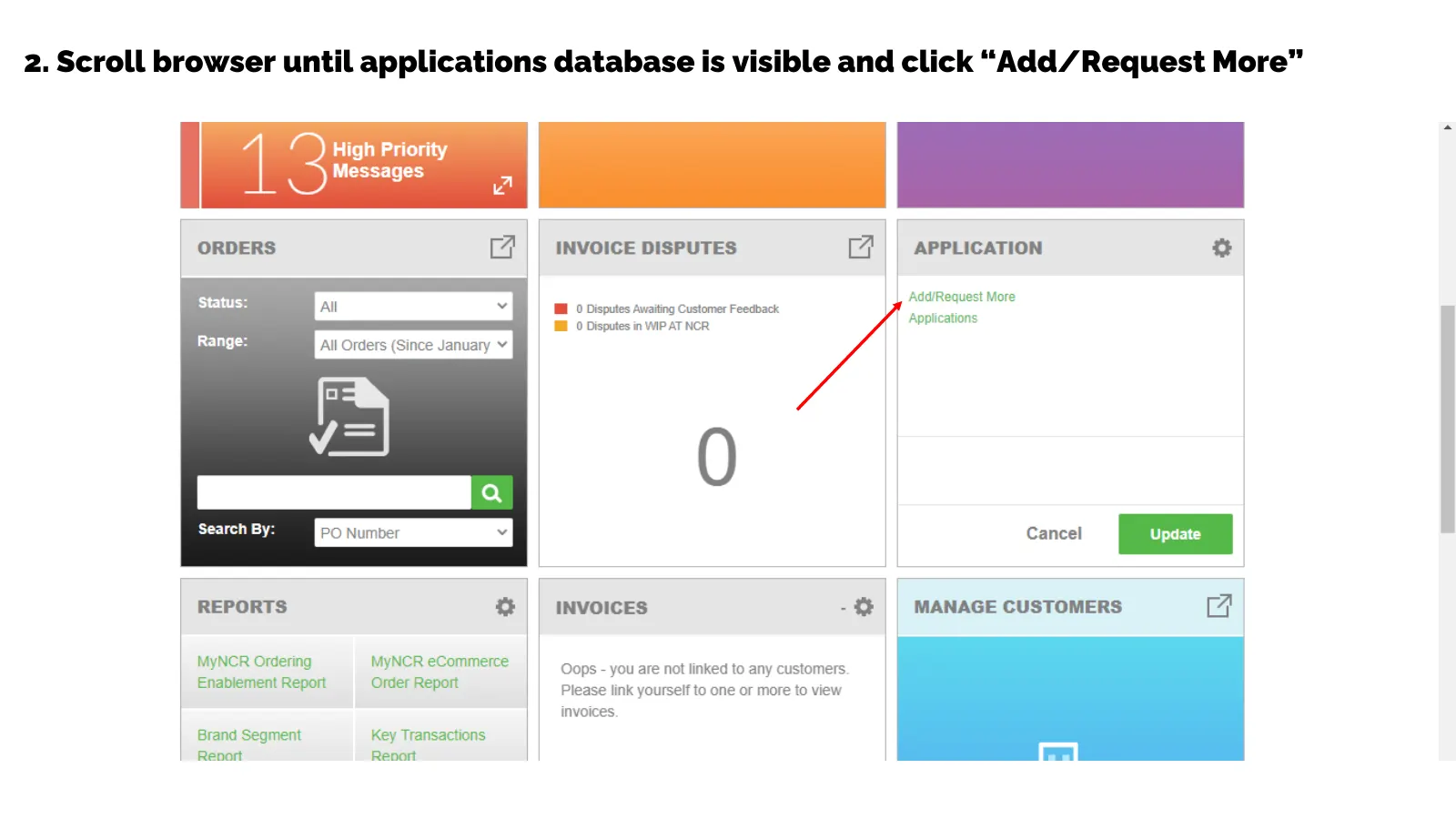
Slide 4: Scroll browser until applications database is visible and click Add/Request More
2. Scroll browser until applications database is visible and click “Add/Request More”
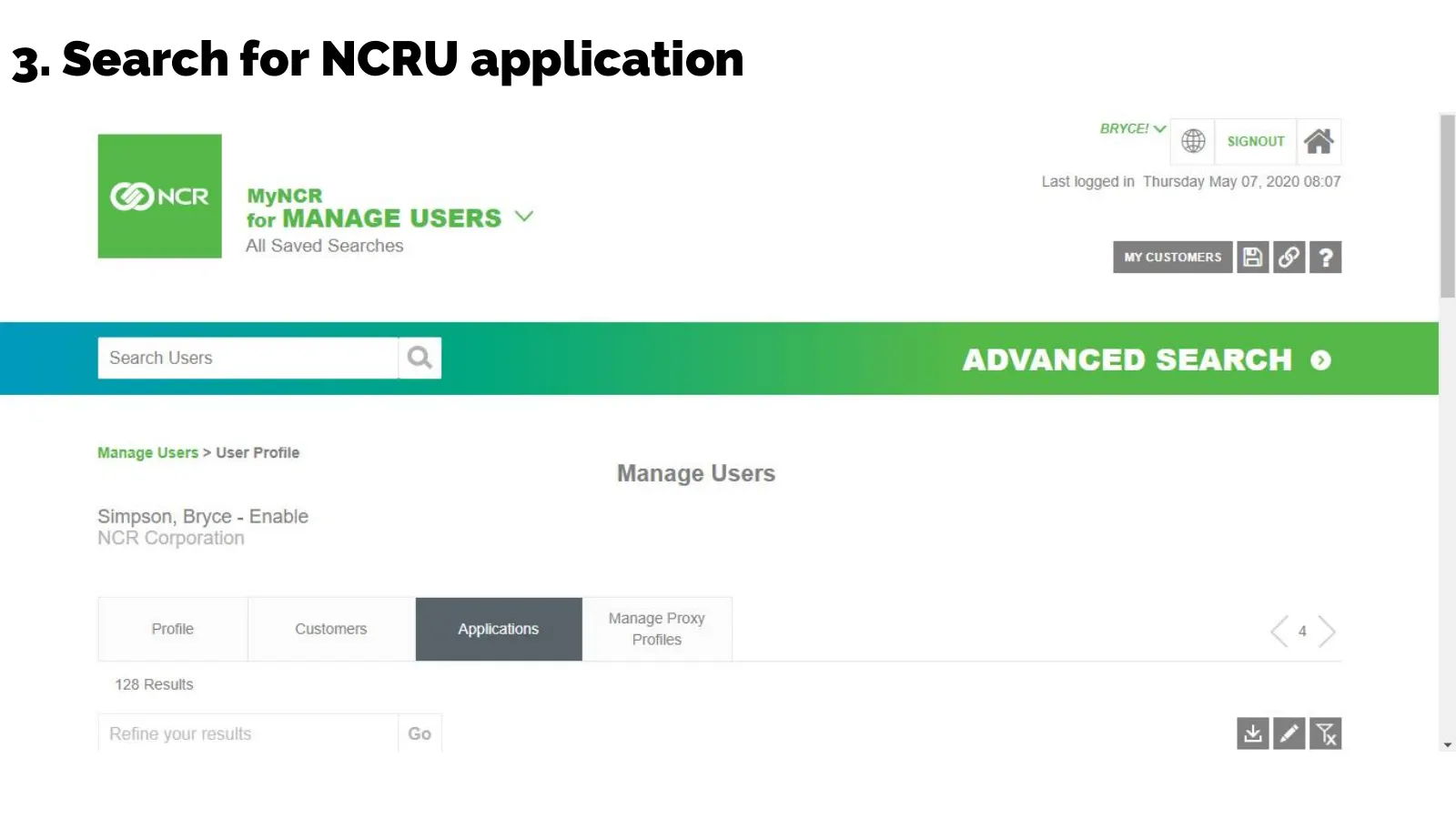
Slide 5: Search for NCRU application
3. Search for NCRU application
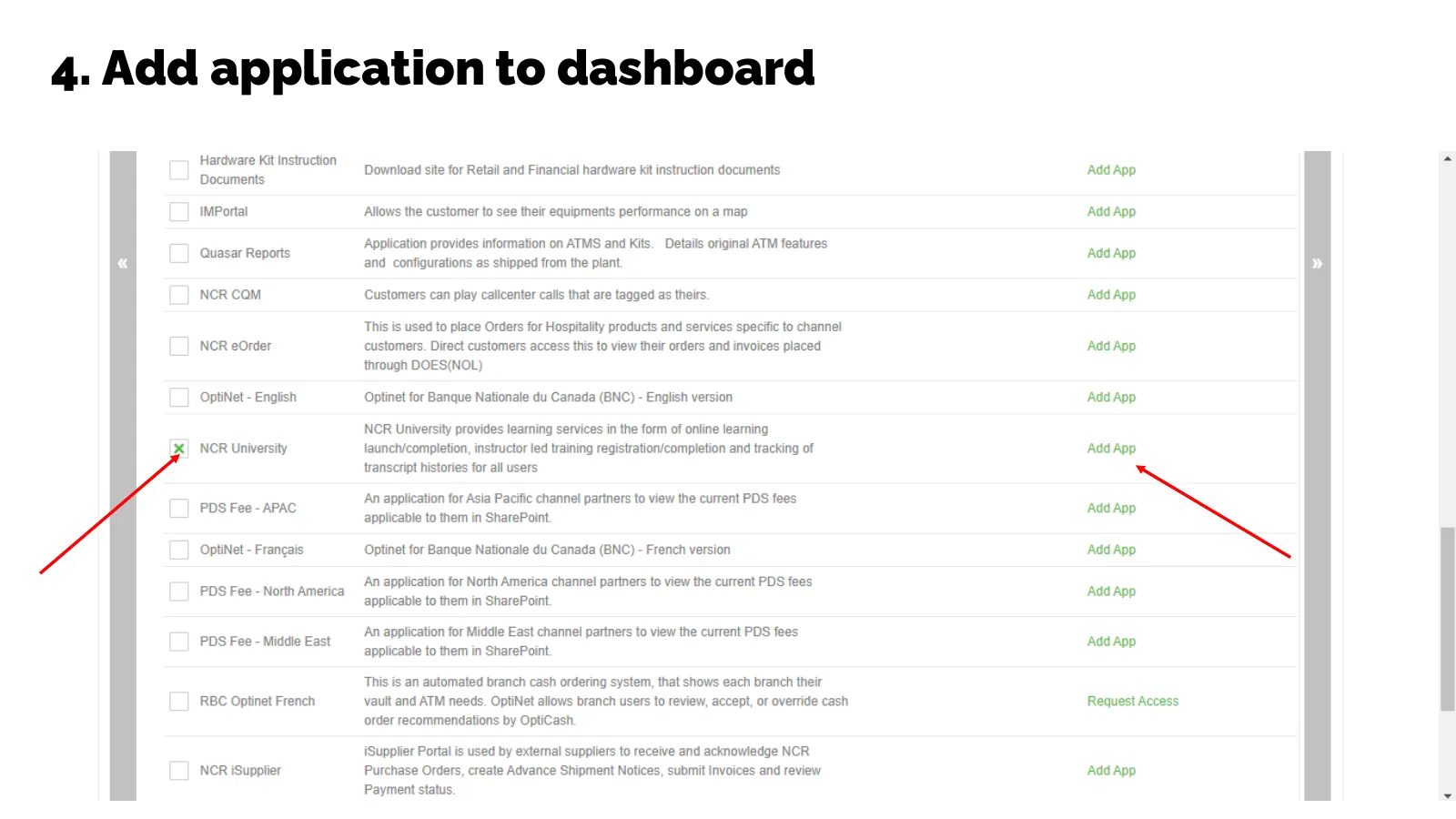
Slide 6: Add application to dashboard
4. Add application to dashboard
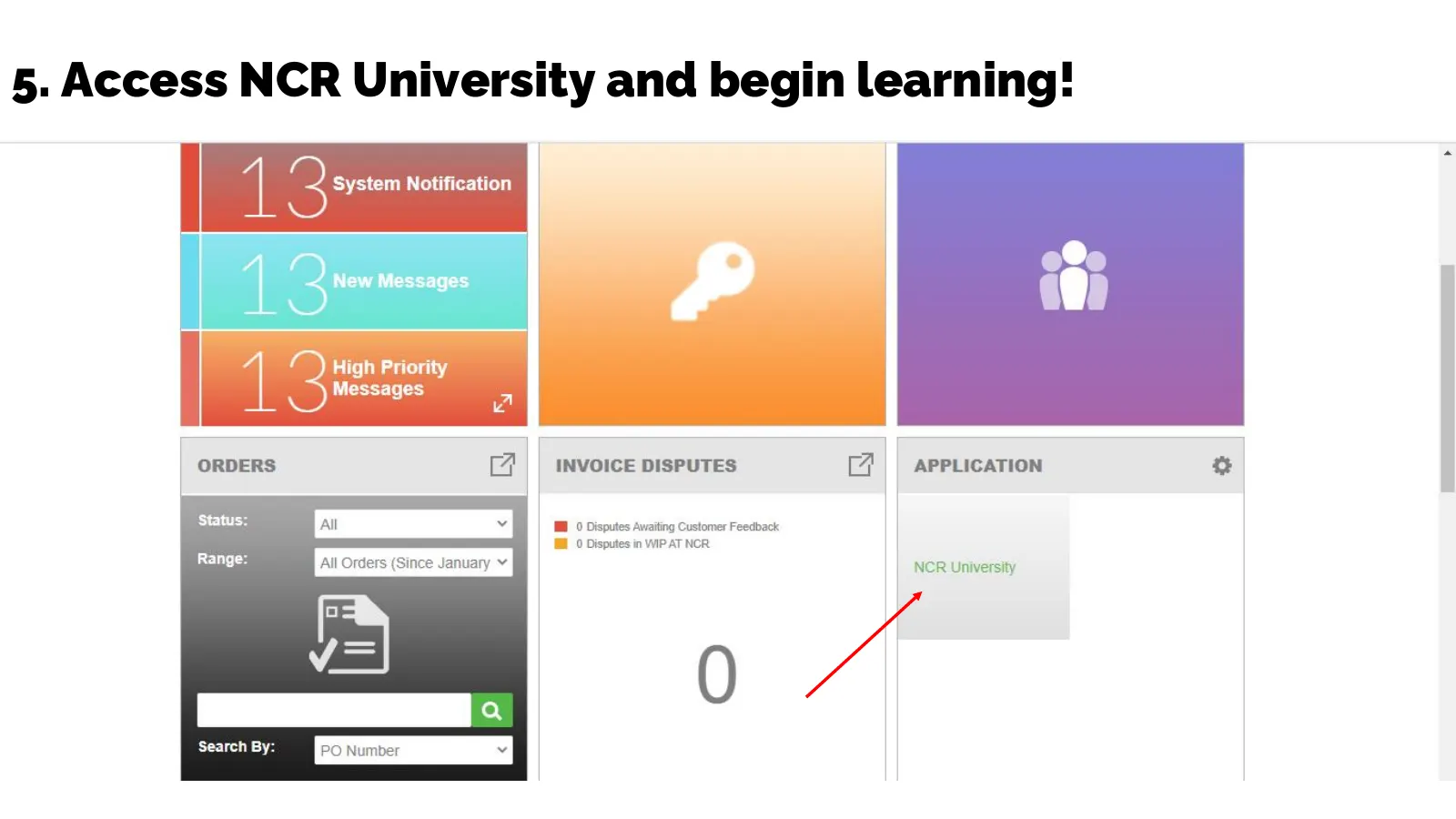
Slide 7: Access NCR University and begin learning!
5. Access NCR University and begin learning!
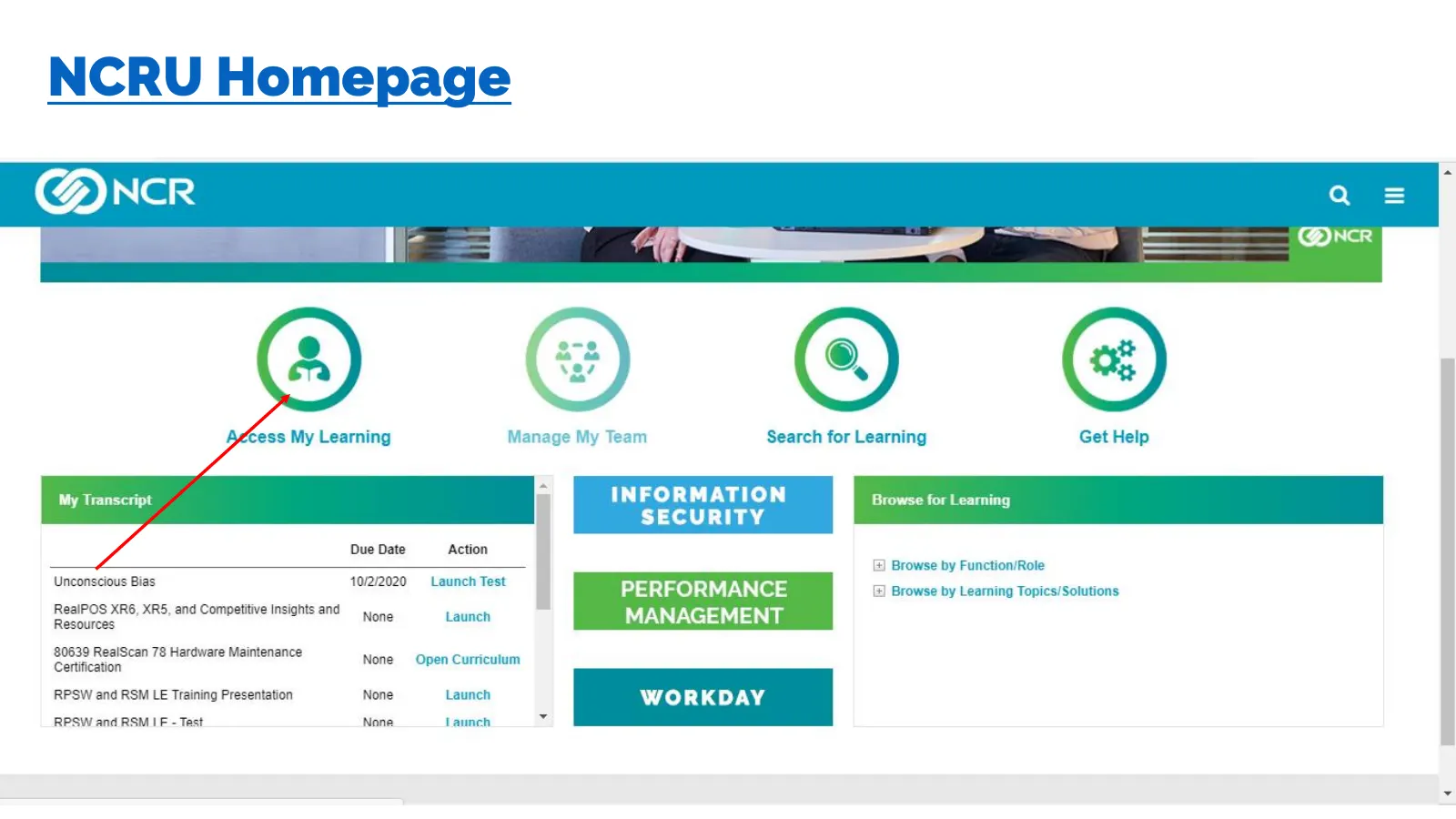
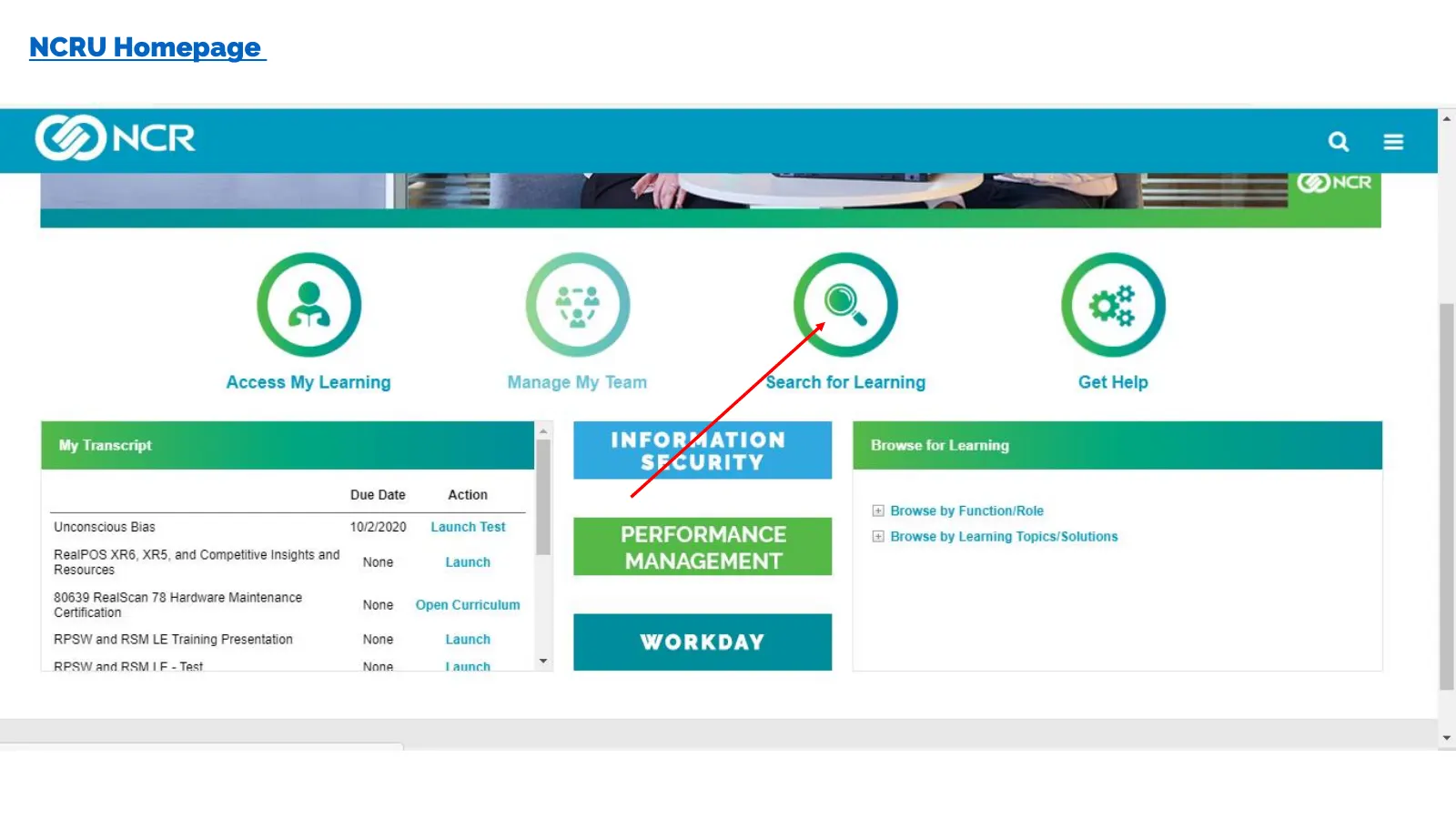
Slide 8: NCRU Homepage
NCRU Homepage Agcess My Learning Manage My Team Search for Learning Get Help INFORMATION SECURITY My Transcript e for Learning Due Date Action Browse by Function/Role Unconscious Biss meee ee PERFORMANCE Browse by Learning Topics/Solutions Re Race COMME TEEN cee Launch MANAGEMENT 80639 RealScan 78 H
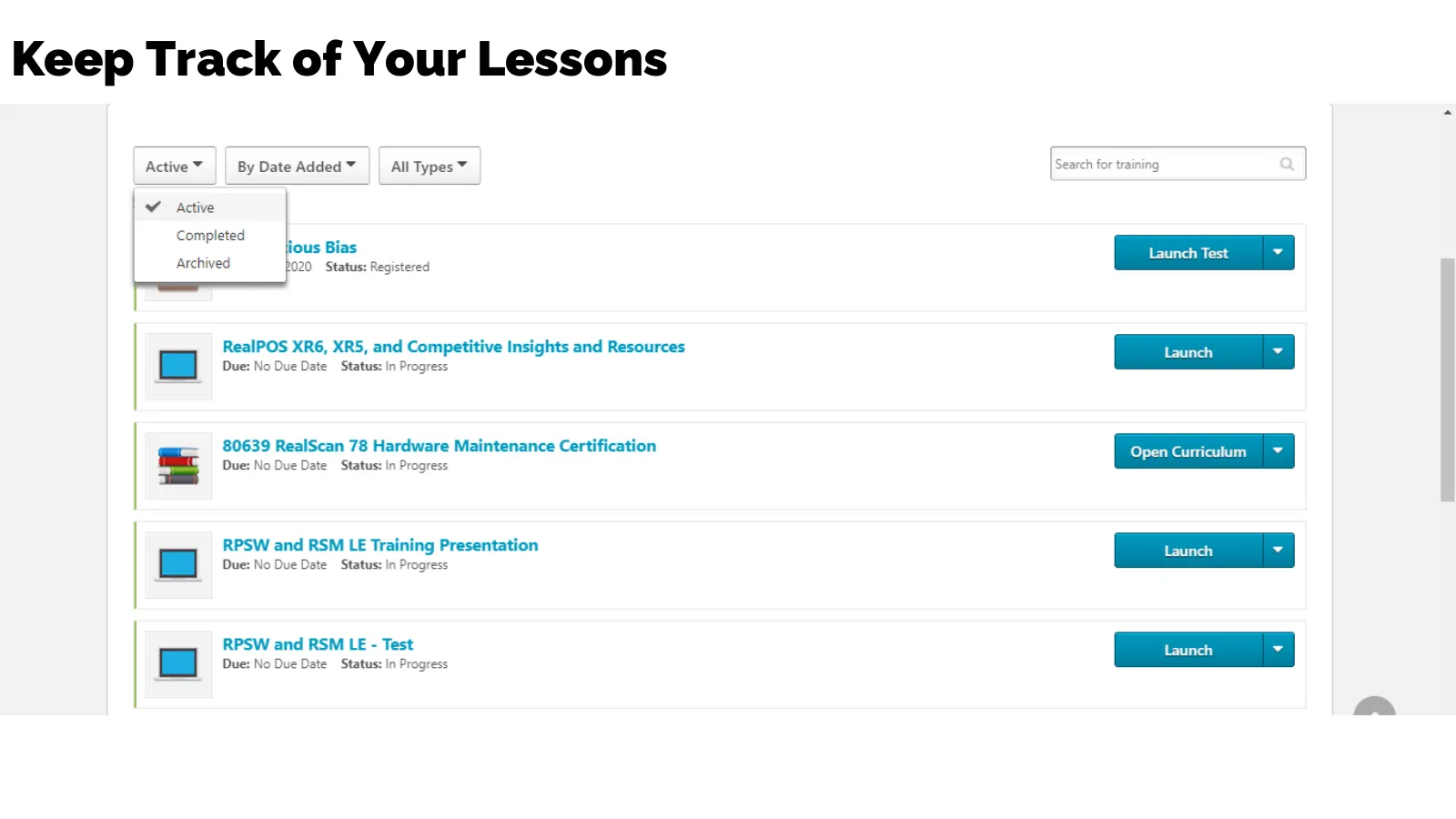
Slide 9: Keep Track of Your Lessons
Keep Track of Your Lessons Active¥ || By Date Added || All Types ¥ Y Active Completed L. . fious Bias Archived 1020 Status: Registered RealPOS XR6, XR5, and Competitive Insights and Resources Due: No Due Date Status: In Progress 80639 RealScan 78 Hardware Maintenance Certification Due: No Due Date S
Slide 10: NCRU Homepage
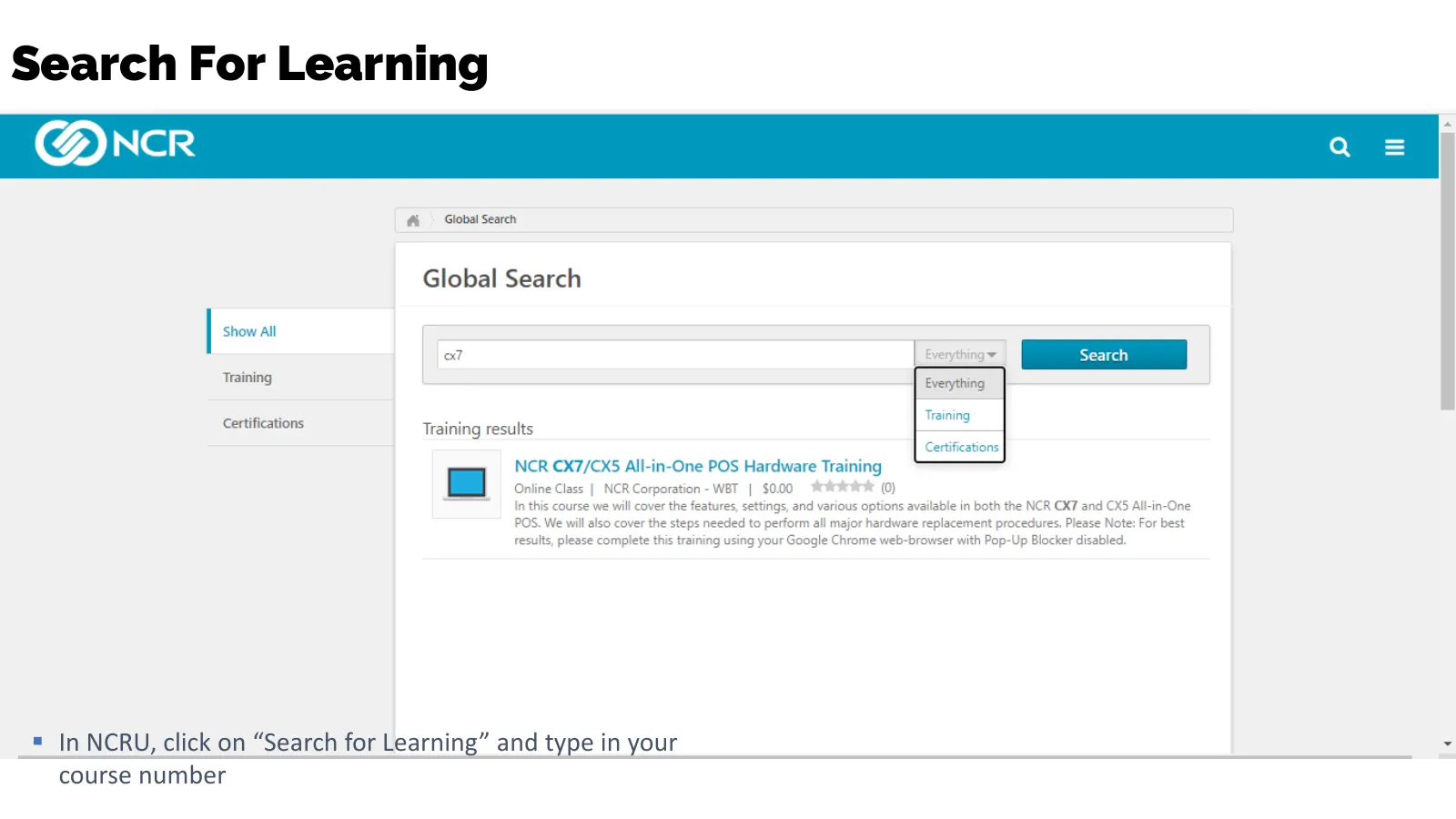
NCRU Homepage Access My Learning Manage My Team earch for Learning Get Help en INFOR4ATION emeed ee eaten SFCURITY Due Date Action Browse by Function/Role Unconscious Bias inzeezn; eee PERFORMANCE Browse by Learning Topics/Solutions RealPOS XR6, XR5, and Competitive Insights and R Noo! MANAGEMENT 80
Slide 11: Search For Learning
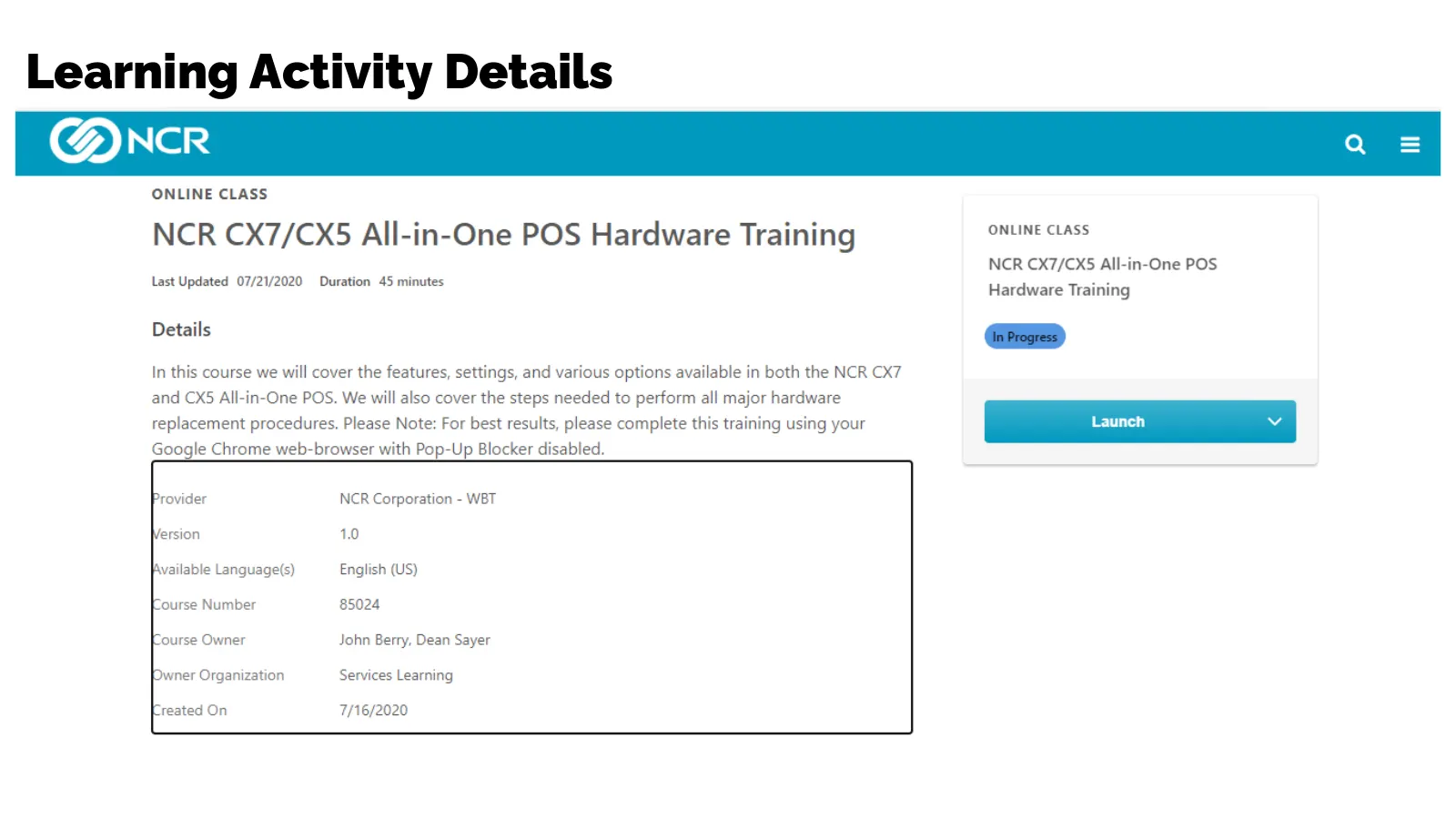
Search For Learning ▪ In NCRU, click on “Search for Learning” and type in your course number
Slide 12: Learning Activity Details
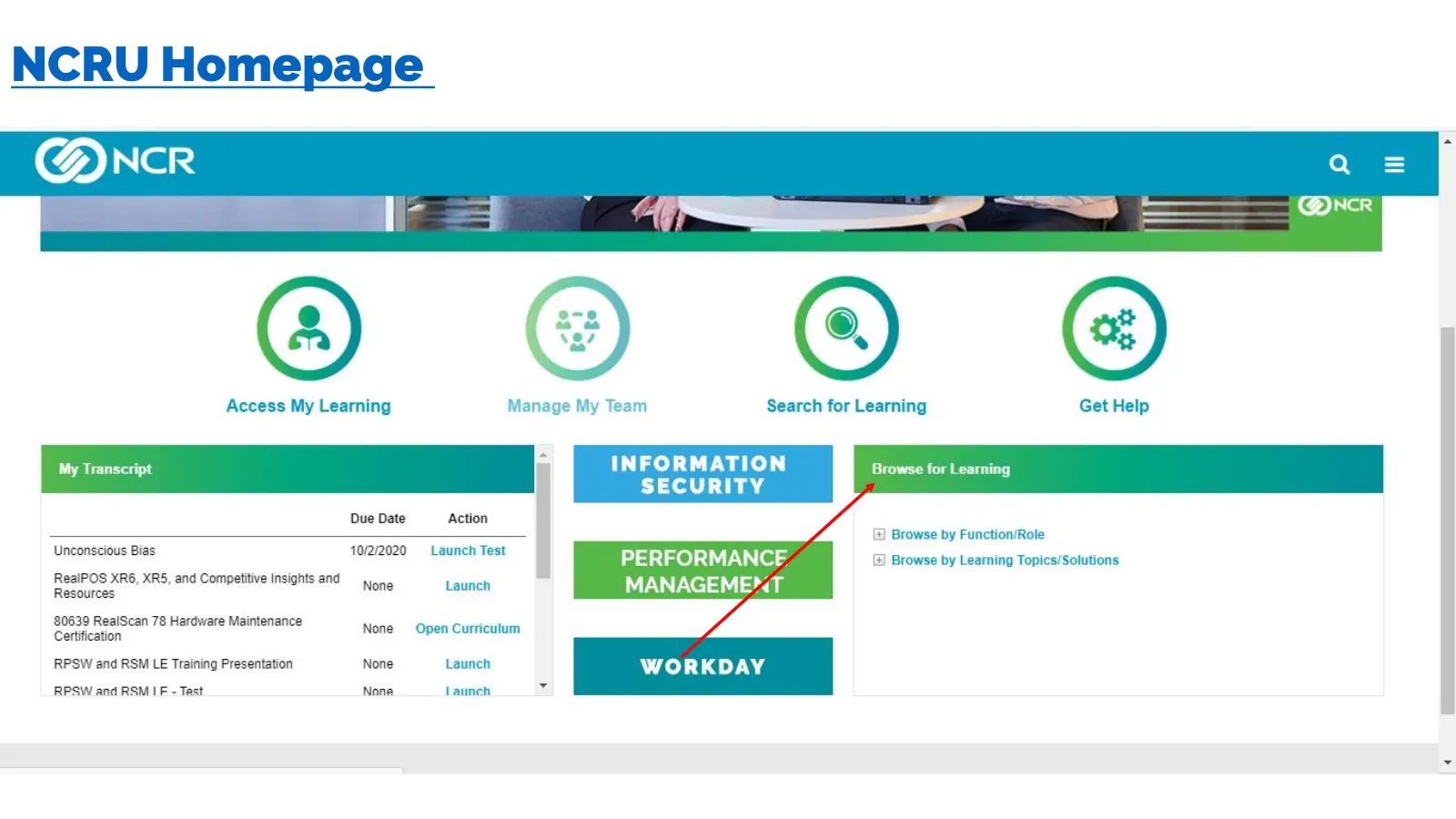
Learning Activity Details ® ONLINE CLASS NCR CX7/CX5 All-in-One POS Hardware Training ONLINE CLASS NCR CX7/CXS All-in. Hardware Training Details “In Progress In this course we will cover the features, settings, and various options available in both the NCR CX7 and CXS All-in-One POS. We will also co
Slide 13: NCRU Homepage
NCRU Homepage ® © © ®@ Access My Learning Manage My Team Search for Learning Get Help NFORMATION Browse for Learning SECURITY Due Date Action Browse by Function/Role PERFORMANCE Browse by Learning Topics/Solutions MANAGEME*«T Unconscious Bias 40/2/2020 Launch Test RealPOS XR6, XR5, and Competitive I
Slide 14: NCRU Homepage
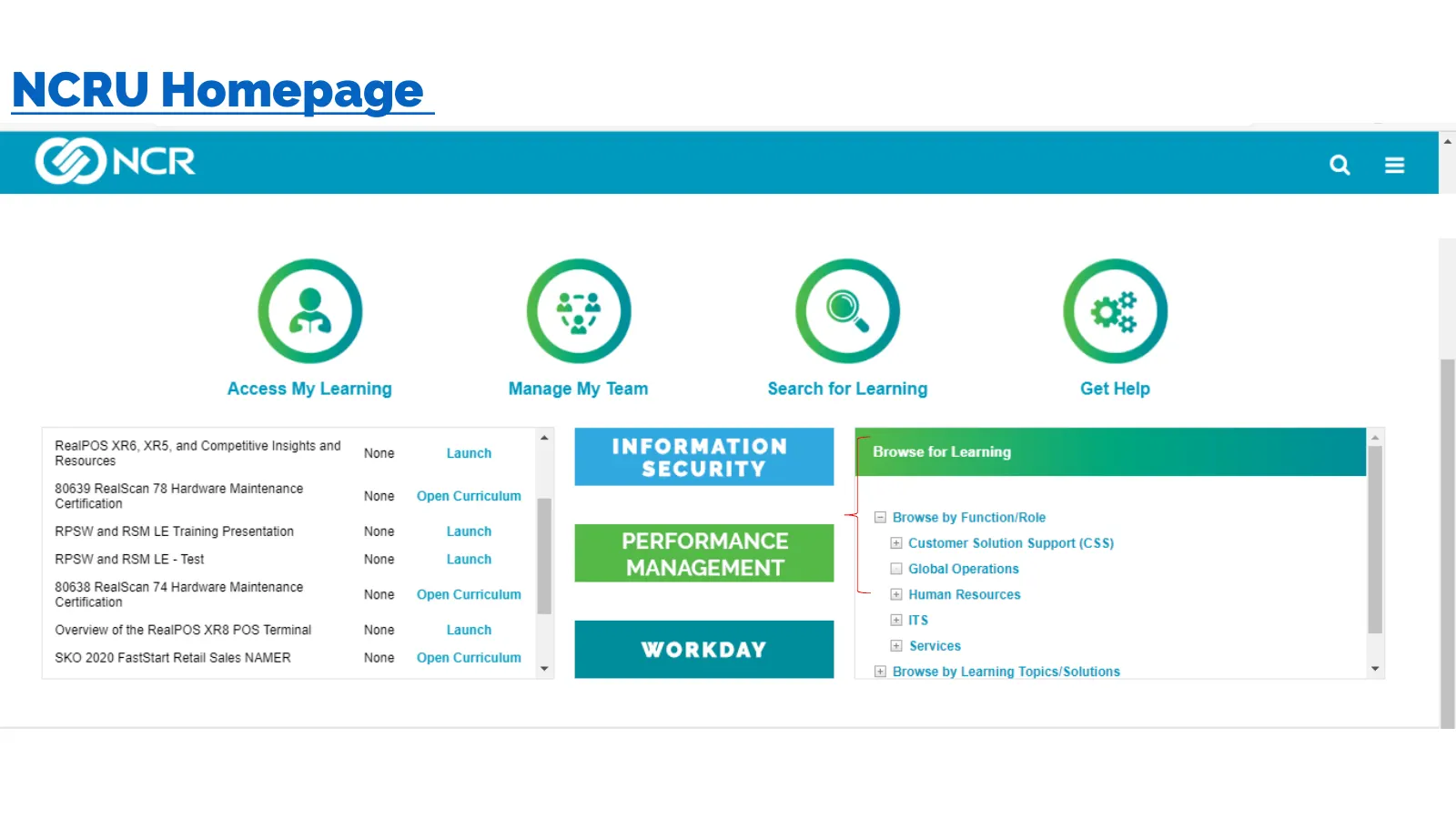
NCRU Homepage ® © © ® Access My Learning Manage My Team Search for Learning Get Help a ee! INFORMATION Fossa for Lanning SECURITY 20639 ReaiScan 78 Haroware Maintenance None Open Cuntculum - ; El Browse by Function/Role RESW and RSM LE Training Presentation Nong fauinen PERFORMANCE ustomer Solution
Slide 15: Hardware Appendix – Certification Guide May 2020
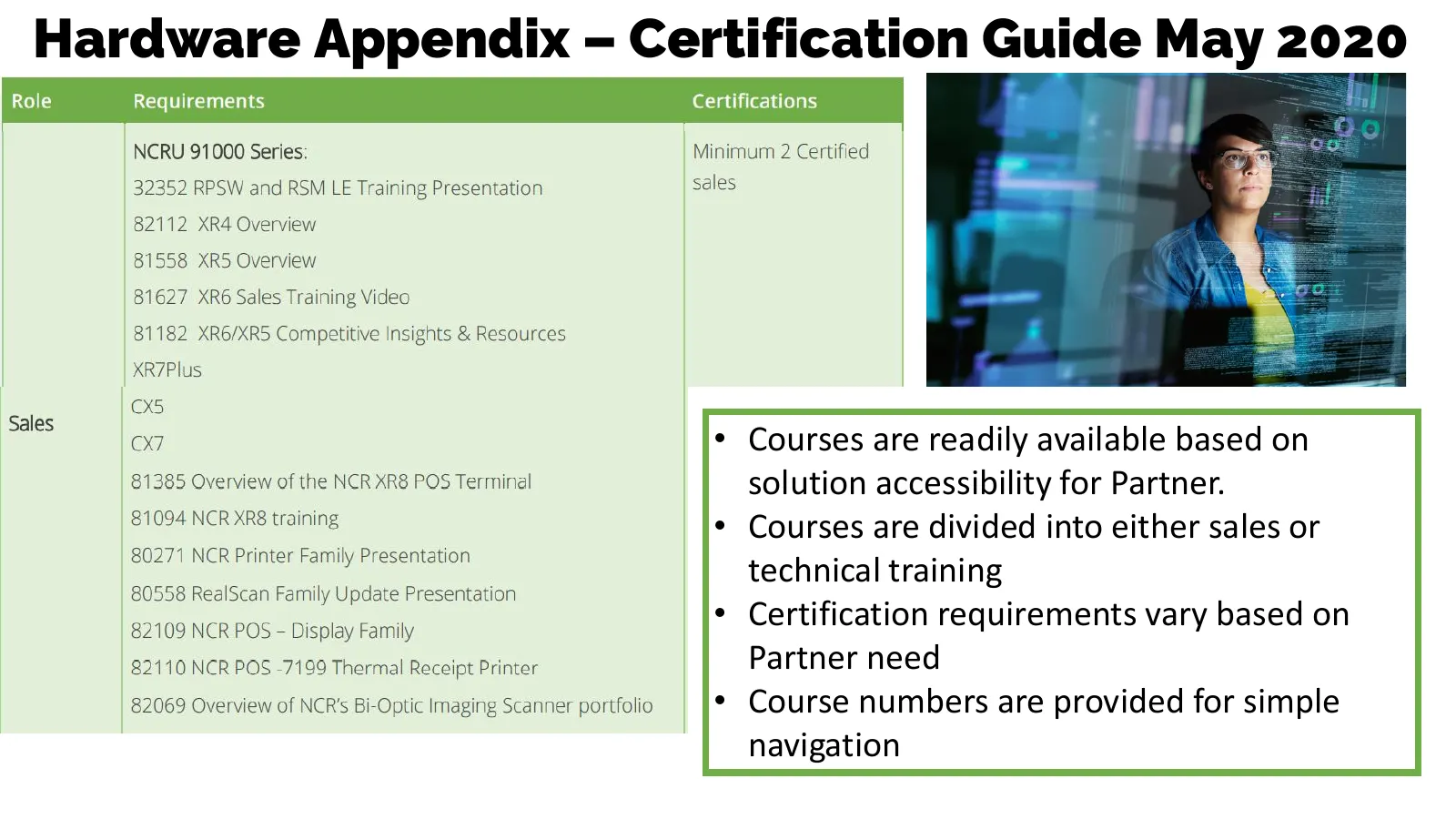
Hardware Appendix – Certification Guide May 2020 • Courses are readily available based on solution accessibility for Partner. • Courses are divided into either sales or technical training • Certification requirements vary based on Partner need • Course numbers are provided for simple navigation
Slide 16: Hardware Appendix – Certification Guide May 2020
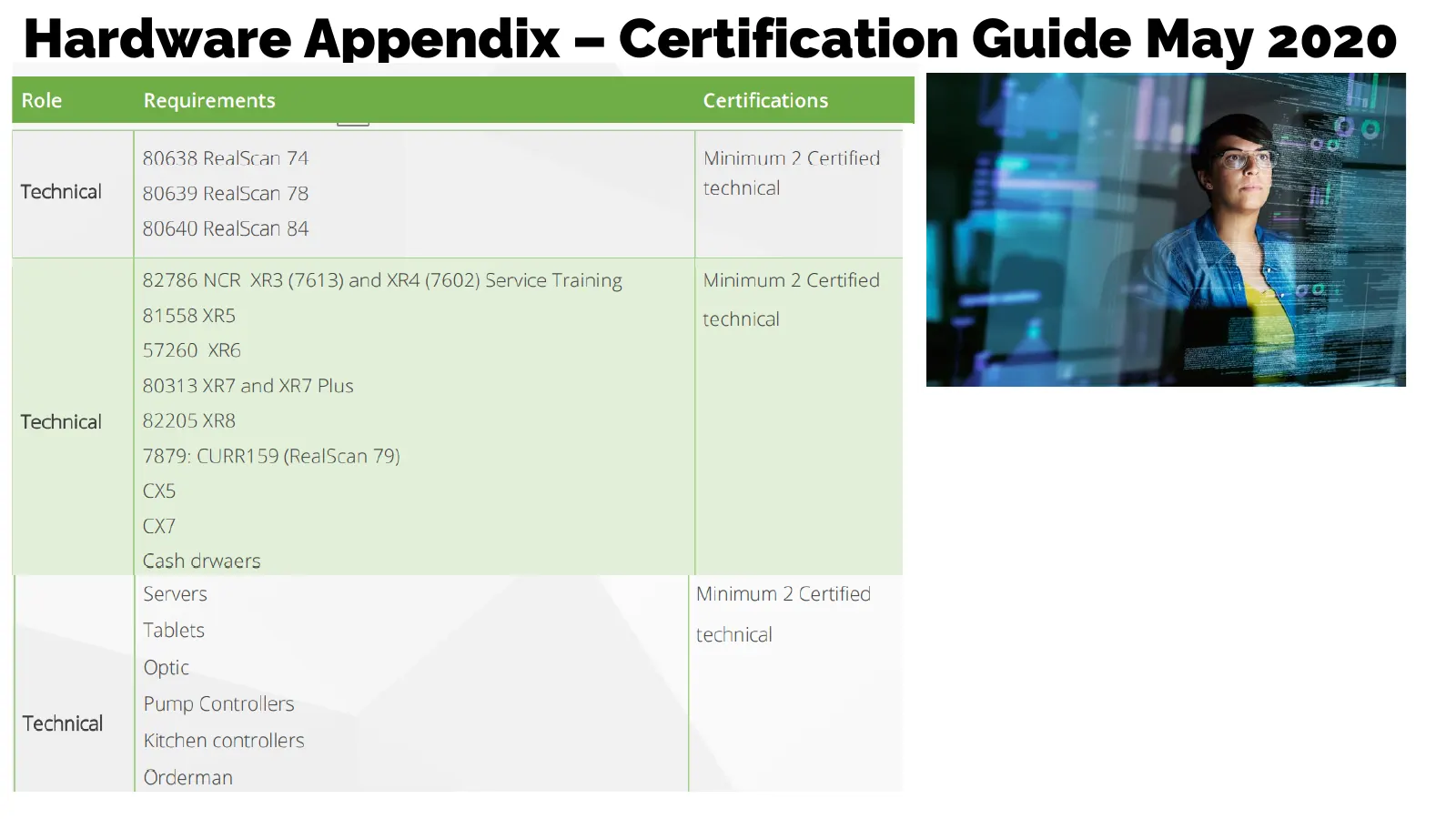
Hardware Appendix – Certification Guide May 2020

Slide 17: Training Value
Ss Training Value
Slide 18: Training Value
Training Value • NCR has hundreds of courses available to partners on sales, software and services across NCR’s solutions that can be found on NCR University. • Courses are available in a variety of formats: live classroom training and web-based courses. • Each partner company will only get access t
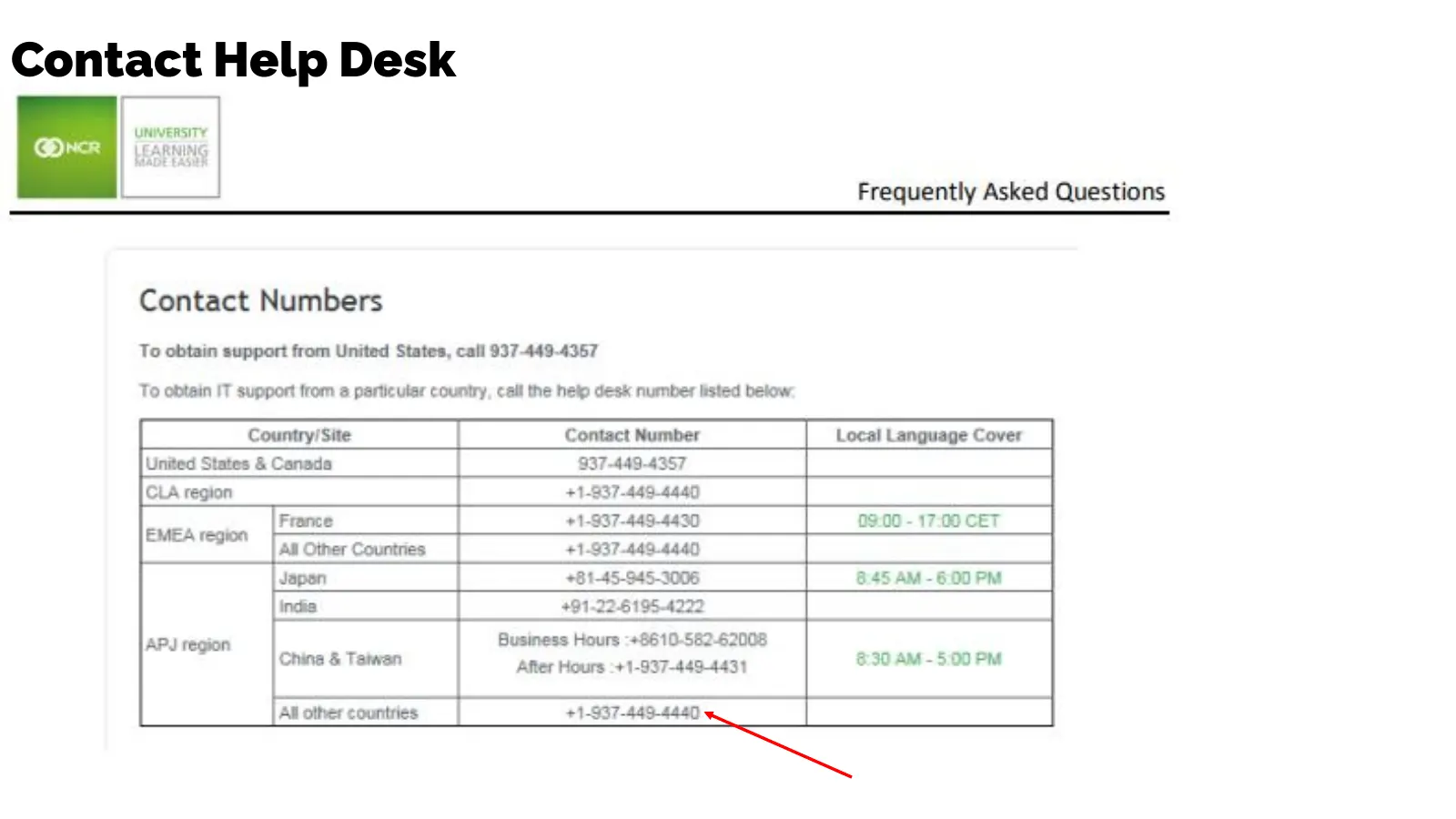
Slide 19: Contact Help Desk
Contact Help Desk @w UNIVERSITY Frequently Asked Questions Contact Numbers To obtain support from United States, call 937-449-4357 To obtain IT support from 3 particular country, call the help desk number listed below Country! Site Contact Number Local Language Cover United States & Canada 937-449-4

Slide 20: THANK YOU
THANK YOU
Source: Internet Archive copy of scansource.com
More decks from ScanSource, Inc.
 Investor Presentation (November 2026)33 slides · November 2026
 Investor Presentation (August 2026)34 slides · August 2026
 Investor Presentation (May 2026)37 slides · May 2026
 Investor Presentation (February 2026)36 slides · February 2026
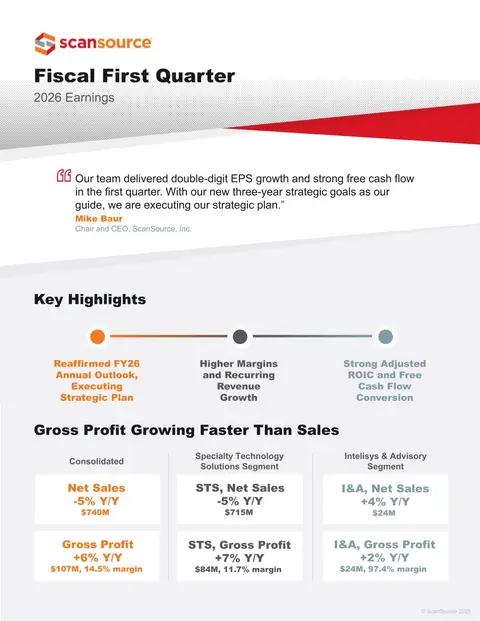 Q1 FY2026 Earnings Presentation16 slides · Nov 6, 2025
 Investor Presentation (November 2025)36 slides · November 2025