Progress Software Corporation · NASDAQ:PRGS
Progress Software — Technical Presentation (2019)
45 slides from Progress Software's technical presentation, Sep 29, 2019
Slide 1: High-Performing Salesforce Connectors
High-Performing Salesforce Connectors Nishanth Kadiyala Avadhoot Kulkarni Product Marketing Product Engineering, Manager Product Owner
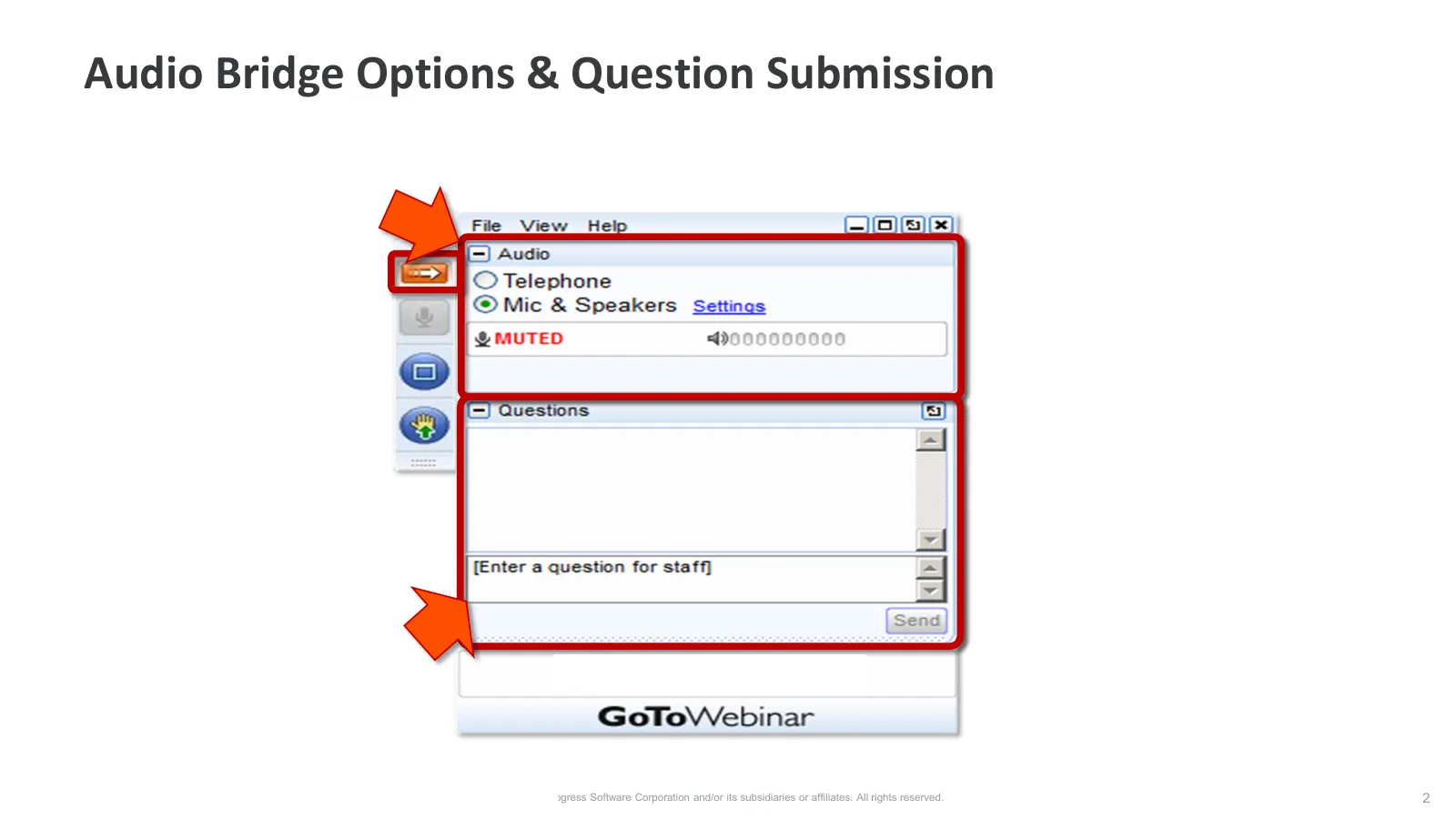
Slide 2: Audio Bridge Options & Question Submission
Audio Bridge Options & Question Submission © 2019 Progress Software Corporation and/or its subsidiaries or affiliates. All rights reserved. 2
Slide 3: Agenda
Agenda Overview of Salesforce Connector SQL vs SOQL vs SAQL Anatomy of a Salesforce Connector Build vs Buy Demo © 2019 Progress Software Corporation and/or its subsidiaries or affiliates. All rights reserved. 3
Slide 4: Overview of Salesforce Connector
Overview of Salesforce Connector © 2019 Progress Software Corporation and/or its subsidiaries or affiliates. All rights reserved. 4
Slide 5: Salesforce is the #1 CRM
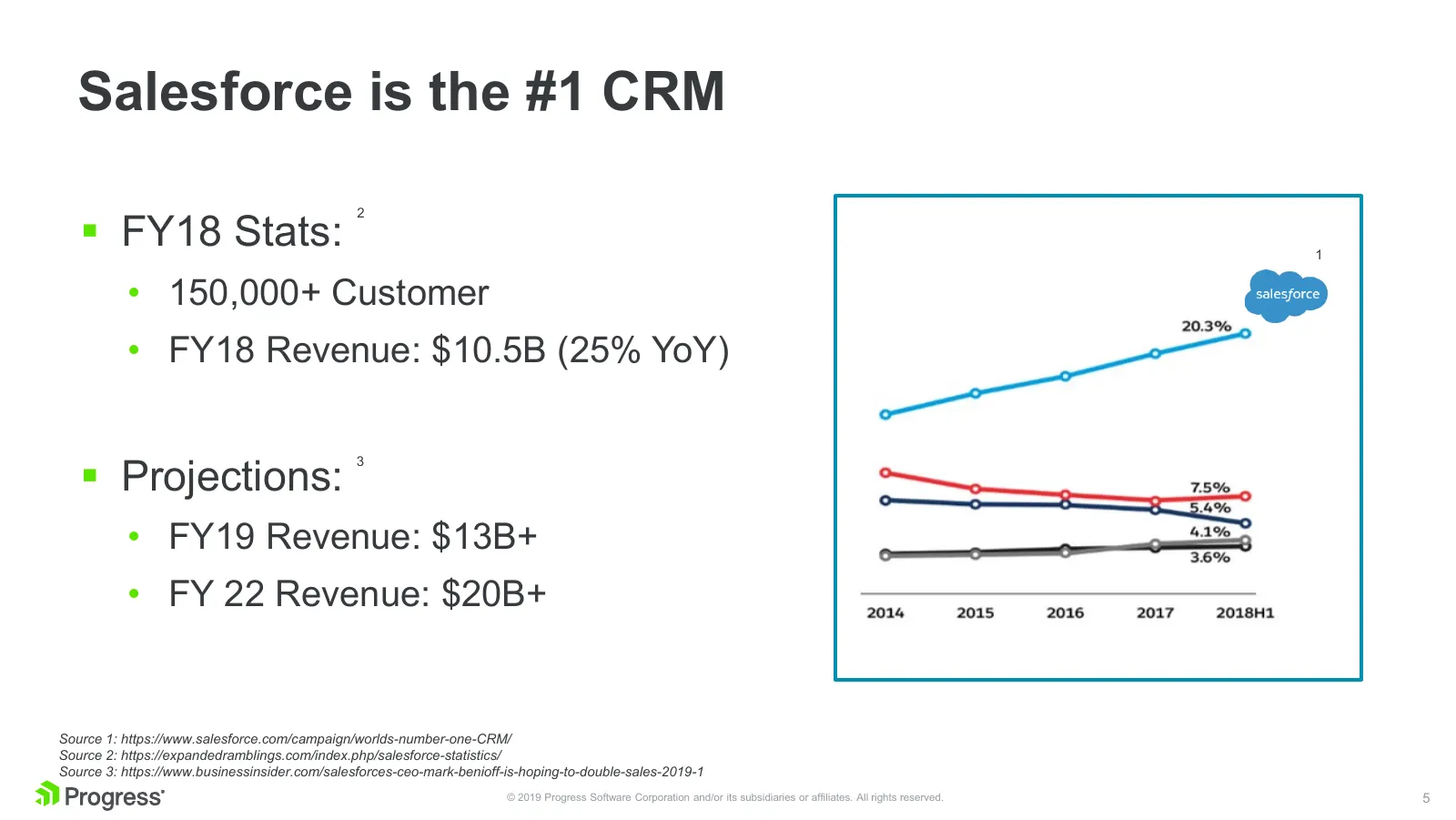
Salesforce is the #1 CRM FY18 Stats: 2 1 • 150,000+ Customer • FY18 Revenue: $10.5B (25% YoY) Projections: 3 • FY19 Revenue: $13B+ • FY 22 Revenue: $20B+ Source 1: https://www.salesforce.com/campaign/worlds-number-one-CRM/ Source 2: https://expandedramblings.com/index.php/salesforce-statistics/
Slide 6: Sample Salesforce Workflow
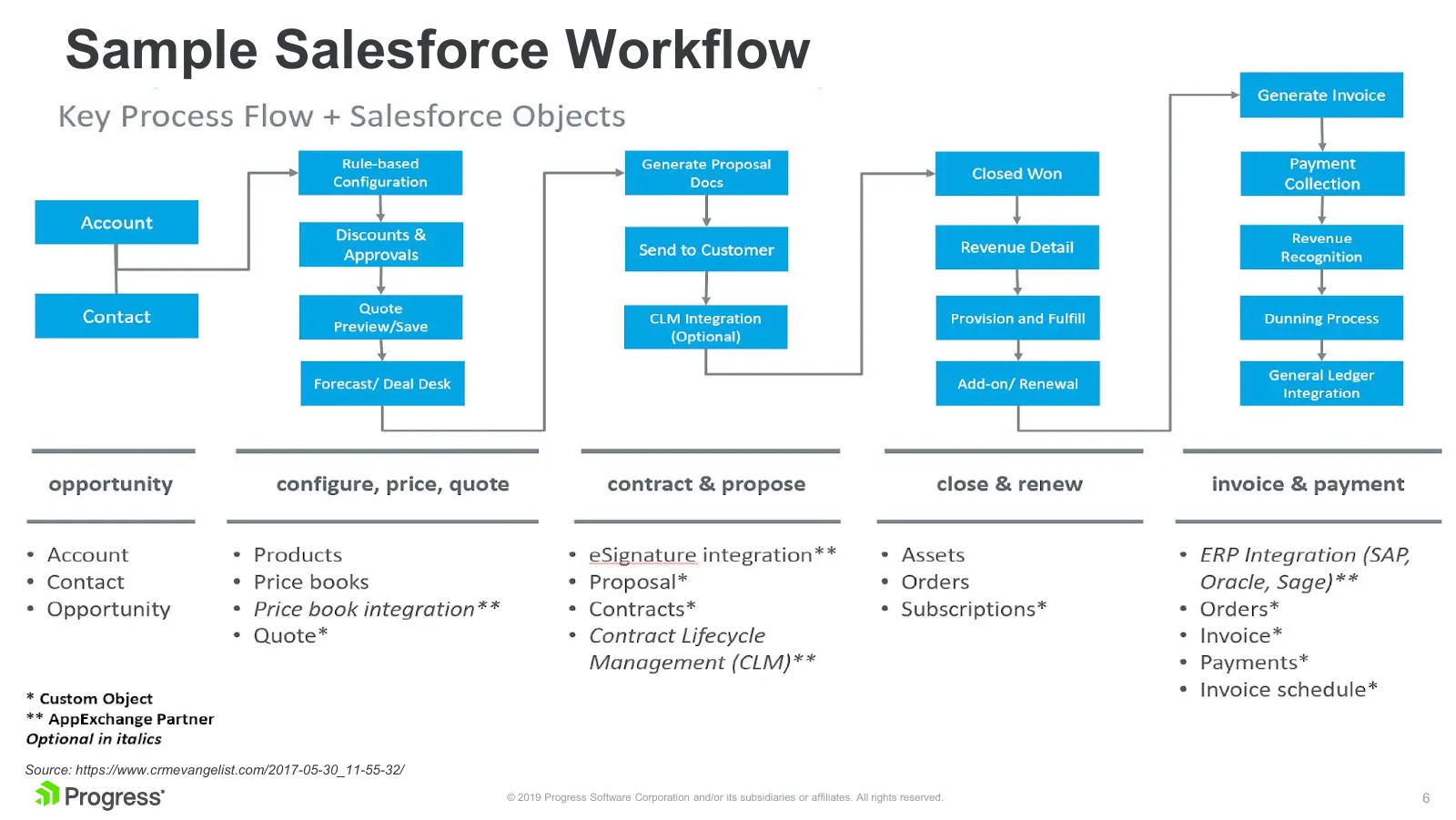
Sample Salesforce Workflow Source: https://www.crmevangelist.com/2017-05-30_11-55-32/ © 2019 Progress Software Corporation and/or its subsidiaries or affiliates. All rights reserved. 6
Slide 7: Source: http://www.cubiccompass.com/blog
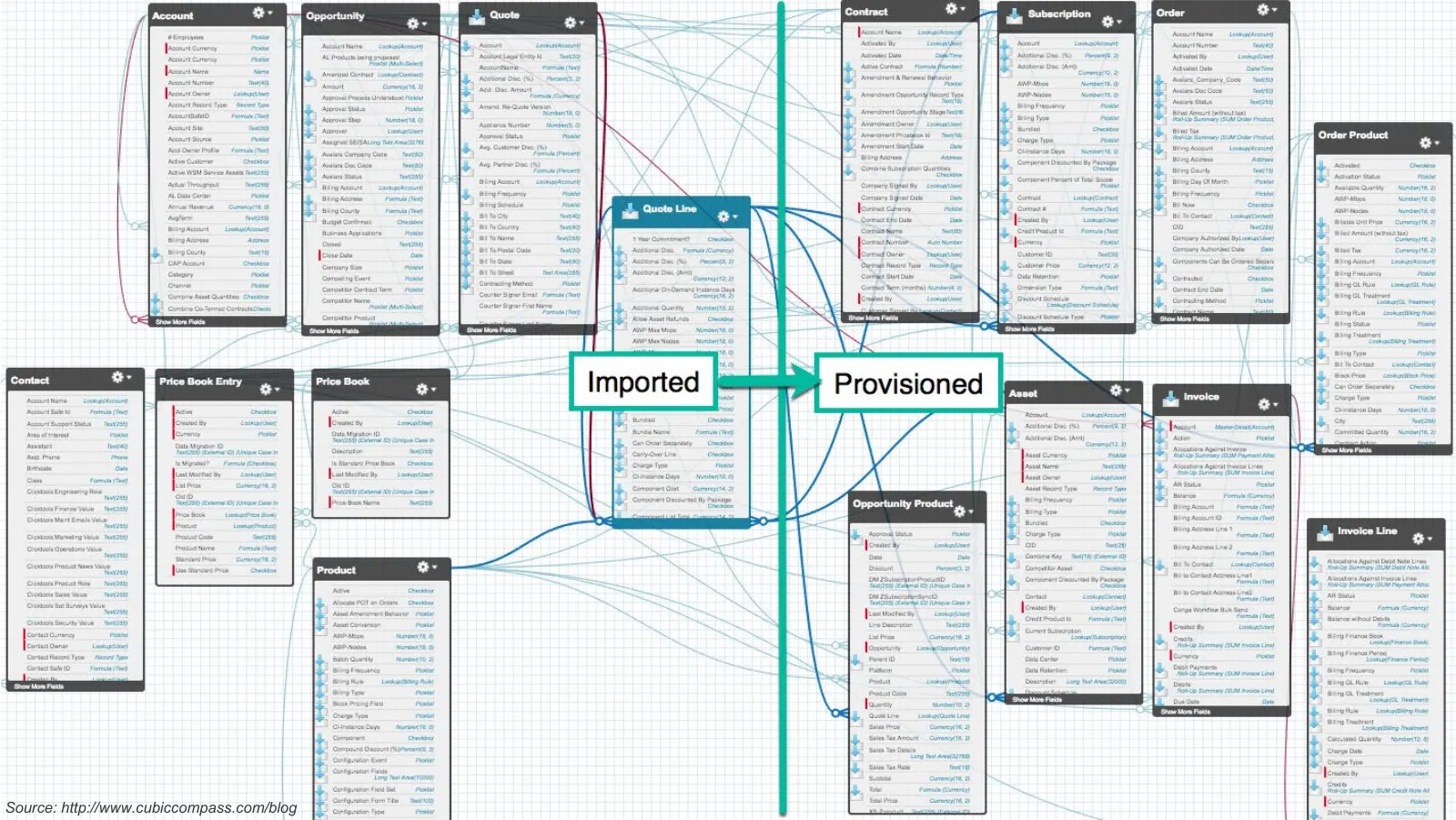
© 2019 Progress Software Corporation and/or its subsidiaries or affiliates. All rights reserved. 7 Source: http://www.cubiccompass.com/blog
Slide 8: Built-in Reporting and Analytics
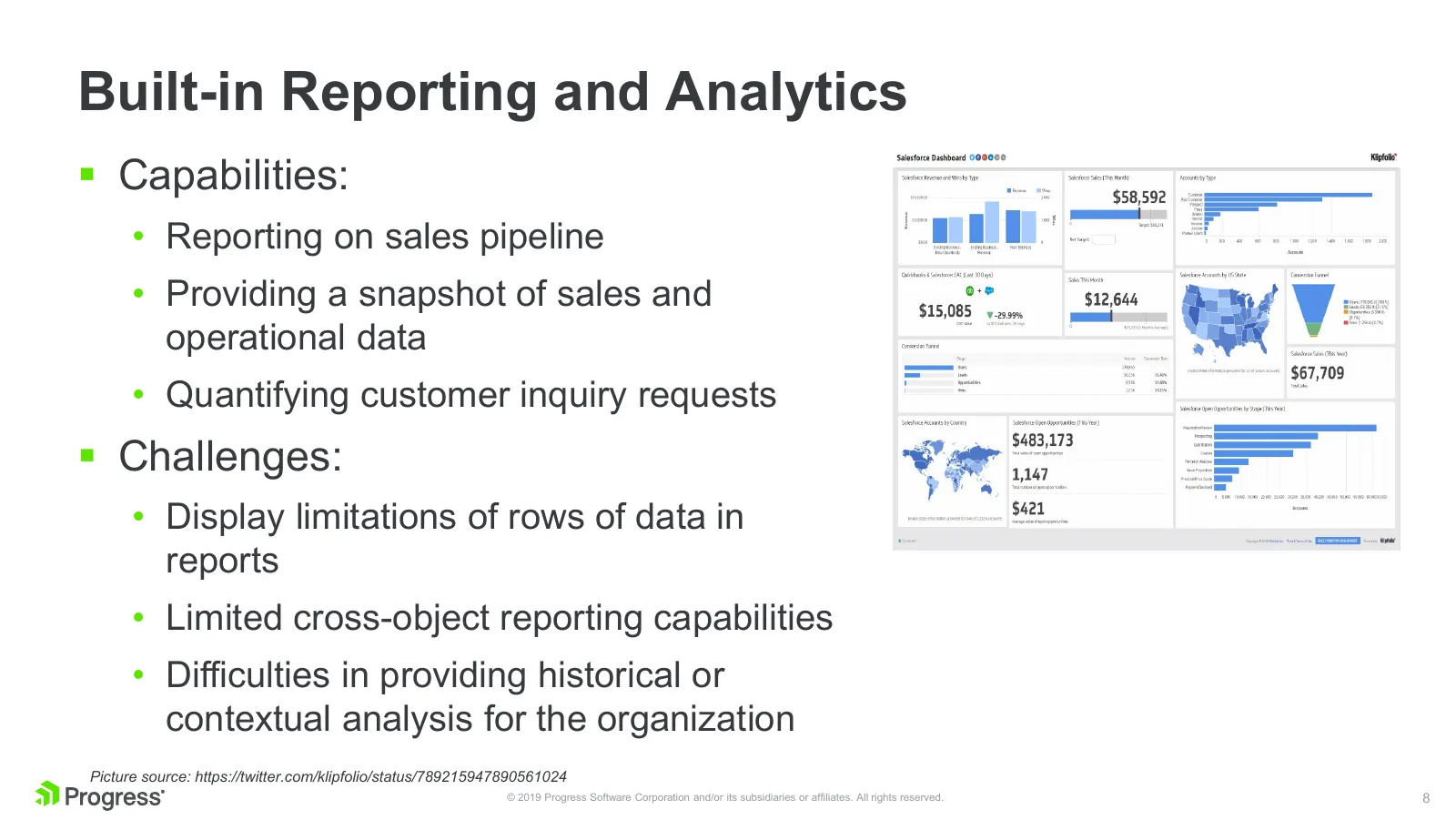
Built-in Reporting and Analytics Capabilities: • Reporting on sales pipeline • Providing a snapshot of sales and operational data • Quantifying customer inquiry requests Challenges: • Display limitations of rows of data in reports • Limited cross-object reporting capabilities • Difficulties in p
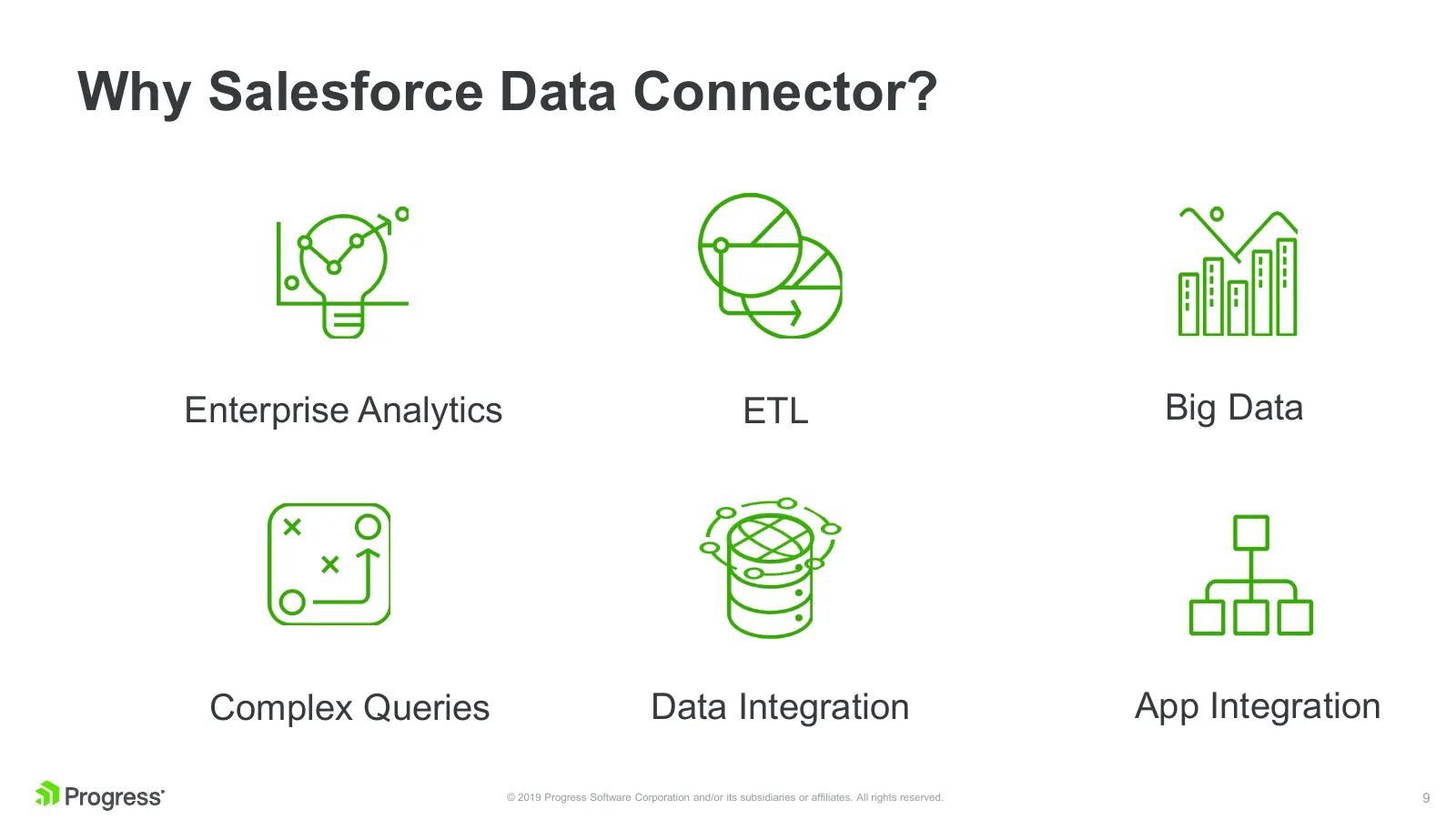
Slide 9: Why Salesforce Data Connector?
Why Salesforce Data Connector? Enterprise Analytics ETL Big Data Complex Queries Data Integration App Integration © 2019 Progress Software Corporation and/or its subsidiaries or affiliates. All rights reserved. 9

Slide 10: Source: Ice Age
Source: Ice Age © 2019 Progress Software Corporation and/or its subsidiaries or affiliates. All rights reserved. 10

Slide 11: Source: Ice Age
Source: Ice Age © 2019 Progress Software Corporation and/or its subsidiaries or affiliates. All rights reserved. 11
Slide 12: SQL vs SOQL / SAQL
SQL vs SOQL / SAQL © 2019 Progress Software Corporation and/or its subsidiaries or affiliates. All rights reserved. 12
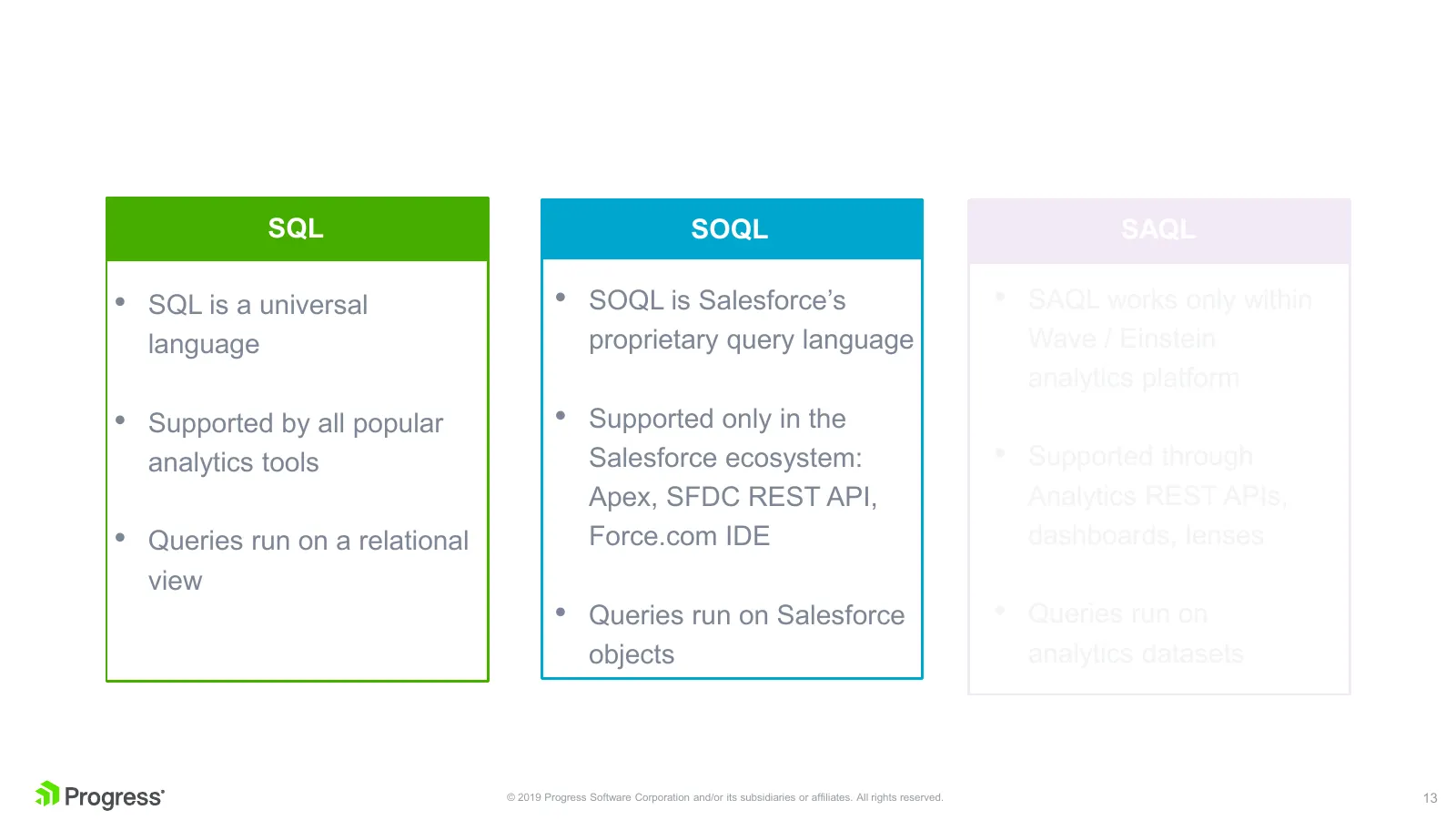
Slide 13: SQL vs SOQL vs SAQL
SQL SOQL SAQL • SQL is a universal • SOQL is Salesforce’s • SAQL works only within language proprietary query language Wave / Einstein analytics platform • Supported by all popular • Supported only in the analytics tools Salesforce ecosystem: • Supported through Apex, SFDC REST API, Analytics REST A
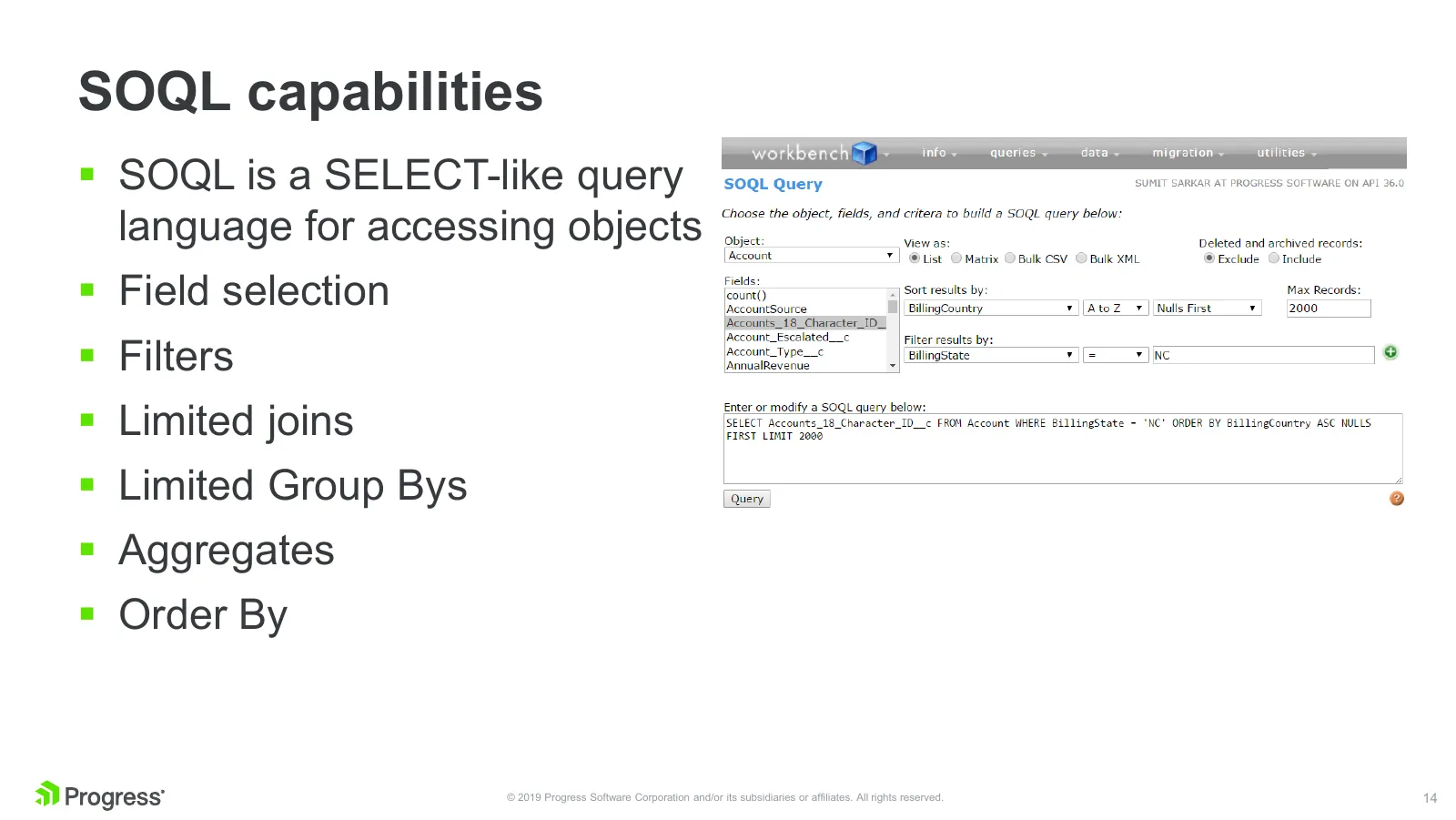
Slide 14: SOQL capabilities
SOQL capabilities SOQL is a SELECT-like query language for accessing objects Field selection Filters Limited joins Limited Group Bys Aggregates Order By © 2019 Progress Software Corporation and/or its subsidiaries or affiliates. All rights reserved. 14
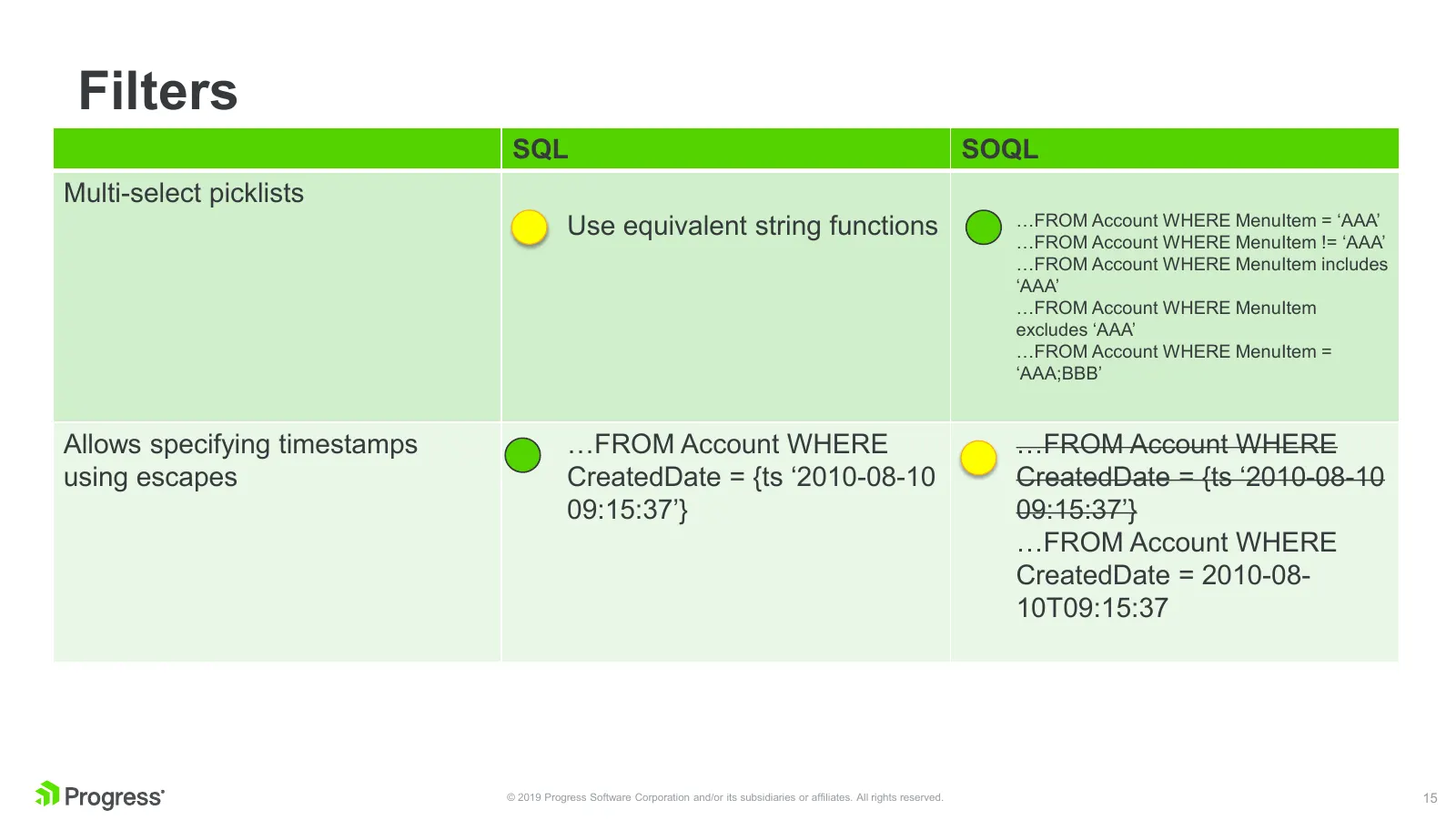
Slide 15: Filters
Filters SQL SOQL Multi-select picklists Use equivalent string functions …FROM Account WHERE MenuItem = ‘AAA’ …FROM Account WHERE MenuItem != ‘AAA’ …FROM Account WHERE MenuItem includes ‘AAA’ …FROM Account WHERE MenuItem excludes ‘AAA’ …FROM Account WHERE MenuItem = ‘AAA;BBB’ Allows specifying timest
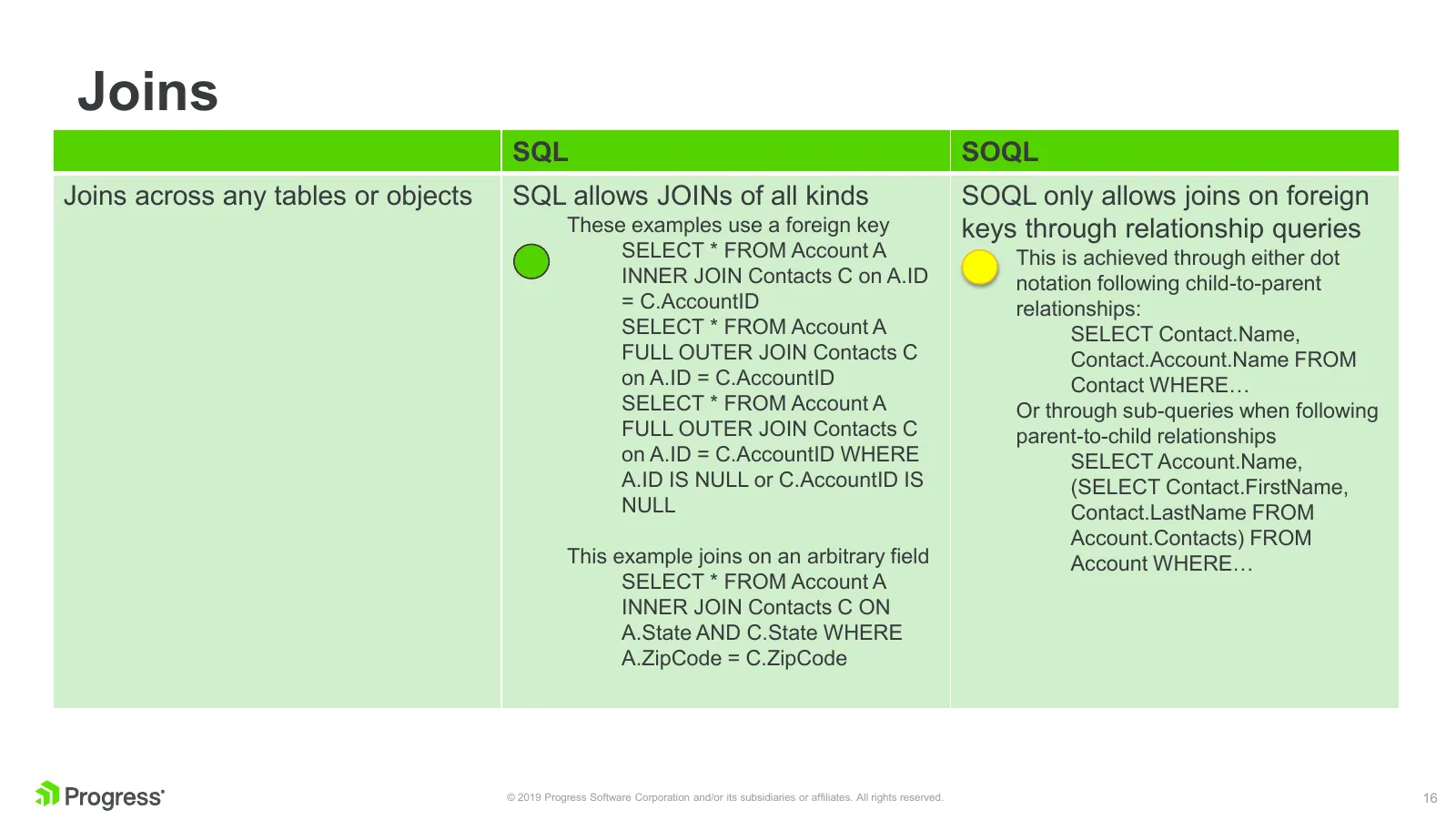
Slide 16: Joins
Joins SQL SOQL Joins across any tables or objects SQL allows JOINs of all kinds SOQL only allows joins on foreign These examples use a foreign key keys through relationship queries SELECT * FROM Account A This is achieved through either dot INNER JOIN Contacts C on A.ID notation following child-to-p
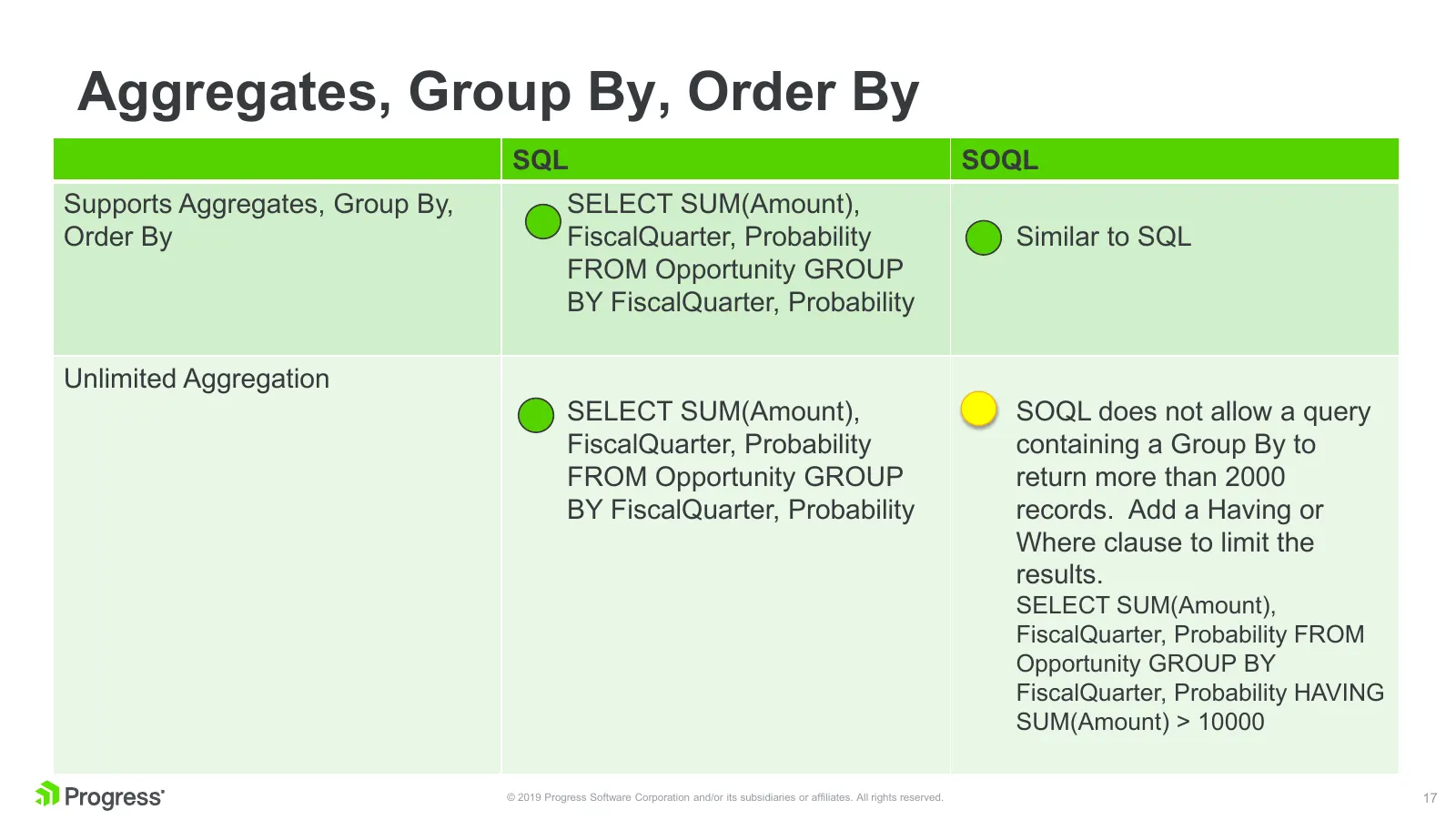
Slide 17: Aggregates, Group By, Order By
Aggregates, Group By, Order By SQL SOQL Supports Aggregates, Group By, SELECT SUM(Amount), Order By FiscalQuarter, Probability Similar to SQL FROM Opportunity GROUP BY FiscalQuarter, Probability Unlimited Aggregation SELECT SUM(Amount), SOQL does not allow a query FiscalQuarter, Probability containi
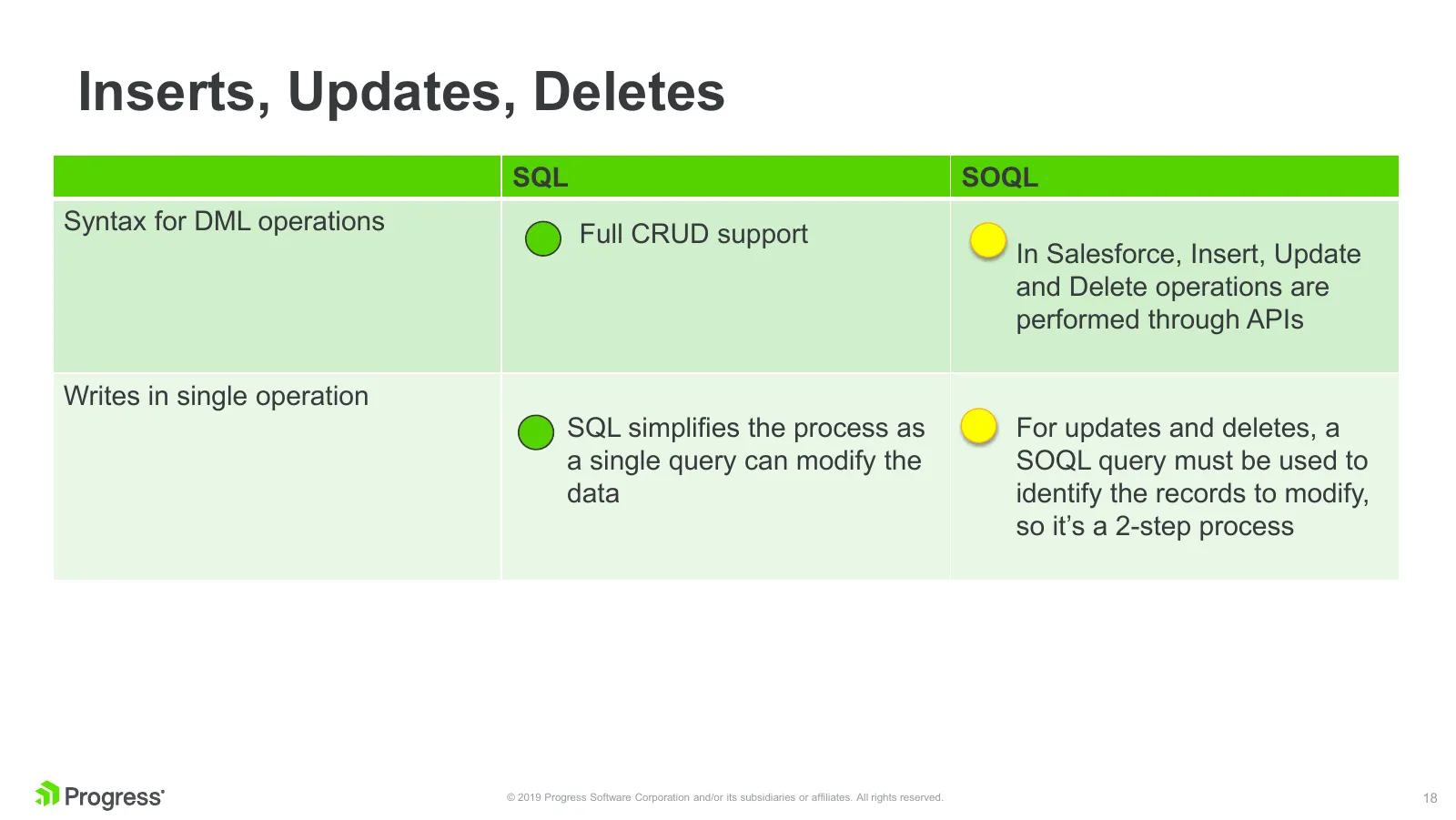
Slide 18: Inserts, Updates, Deletes
Inserts, Updates, Deletes SQL SOQL Syntax for DML operations Full CRUD support In Salesforce, Insert, Update and Delete operations are performed through APIs Writes in single operation SQL simplifies the process as For updates and deletes, a a single query can modify the SOQL query must be used to d

Slide 19: Source: Ice Age
Source: Ice Age © 2019 Progress Software Corporation and/or its subsidiaries or affiliates. All rights reserved. 19
Slide 20: Anatomy of a Salesforce SQL Connector
Anatomy of a Salesforce SQL Connector © 2019 Progress Software Corporation and/or its subsidiaries or affiliates. All rights reserved. 20
Slide 21: Why SQL – Go Generic
Why SQL – Go Generic If you have app which need to connect to multiple sources • Flexibility • Scale Providing Salesforce connectivity to your customers • The kind of operations and queries scale very fast • No two use cases are exactly same © 2019 Progress Software Corporation and/or its subsid
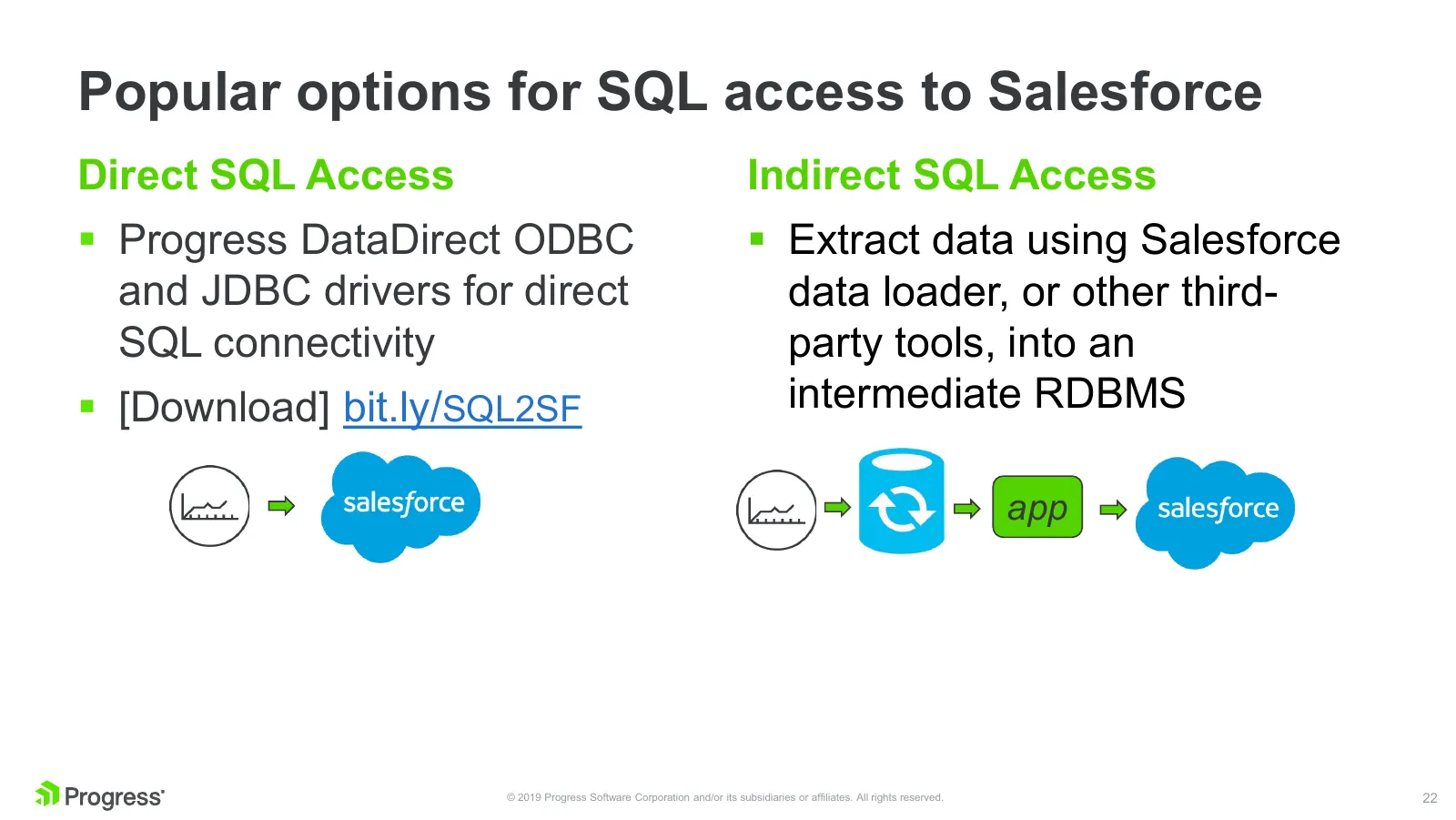
Slide 22: Popular options for SQL access to Salesforce
Popular options for SQL access to Salesforce Direct SQL Access Indirect SQL Access Progress DataDirect ODBC Extract data using Salesforce and JDBC drivers for direct data loader, or other third- SQL connectivity party tools, into an [Download] bit.ly/SQL2SF intermediate RDBMS app © 2019 Progre
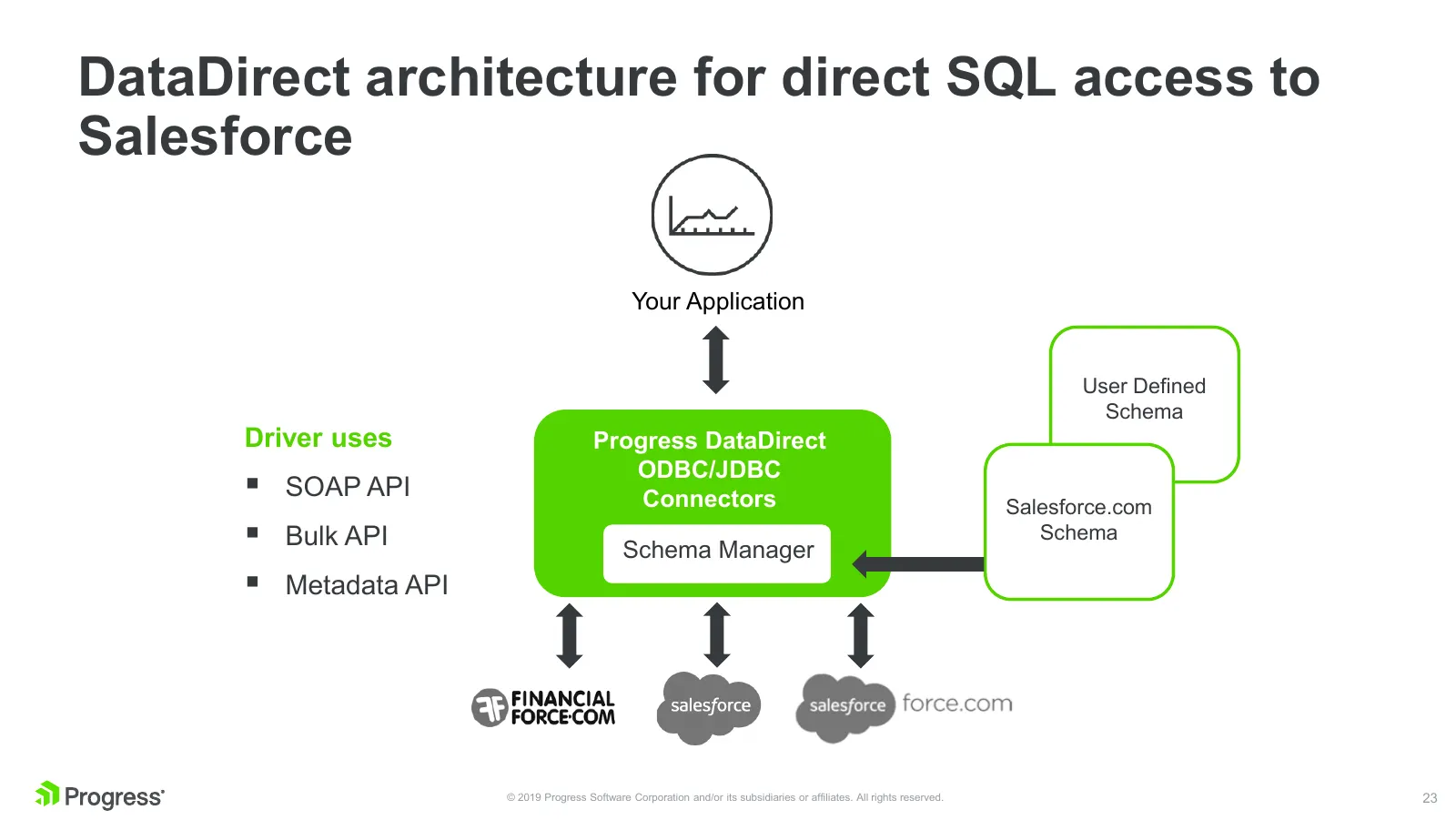
Slide 23: DataDirect architecture for direct SQL access to Salesforce
DataDirect architecture for direct SQL access to Salesforce Your Application User Defined Schema Driver uses Progress DataDirect ODBC/JDBC SOAP API Connectors Salesforce.com Bulk API Schema Manager Schema Metadata API © 2019 Progress Software Corporation and/or its subsidiaries or affiliates.
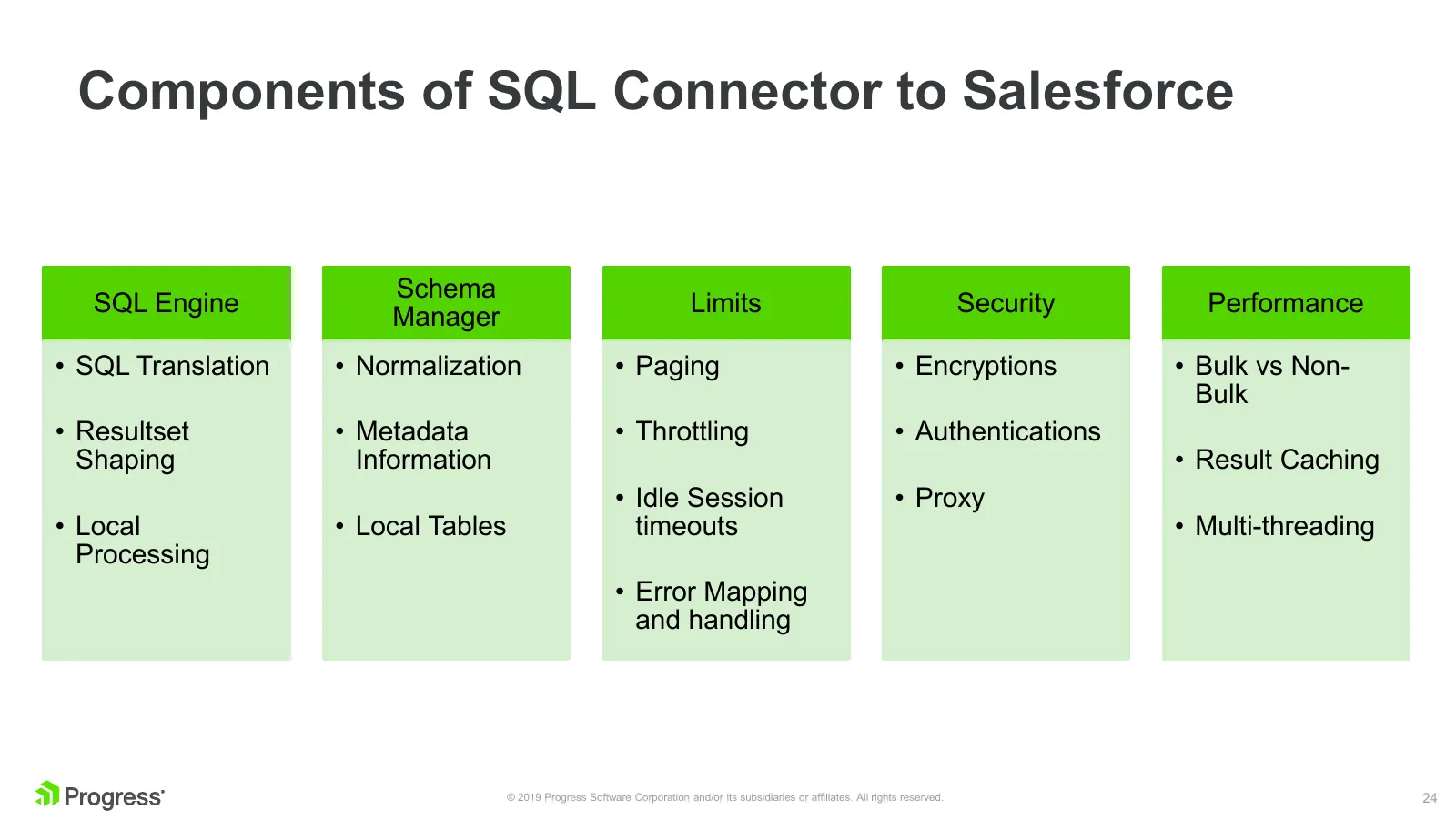
Slide 24: Components of SQL Connector to Salesforce
Components of SQL Connector to Salesforce Schema SQL Engine Limits Security Performance Manager • SQL Translation • Normalization • Paging • Encryptions • Bulk vs Non- Bulk • Resultset • Metadata • Throttling • Authentications Shaping Information • Result Caching • Idle Session • Proxy • Local • Loc
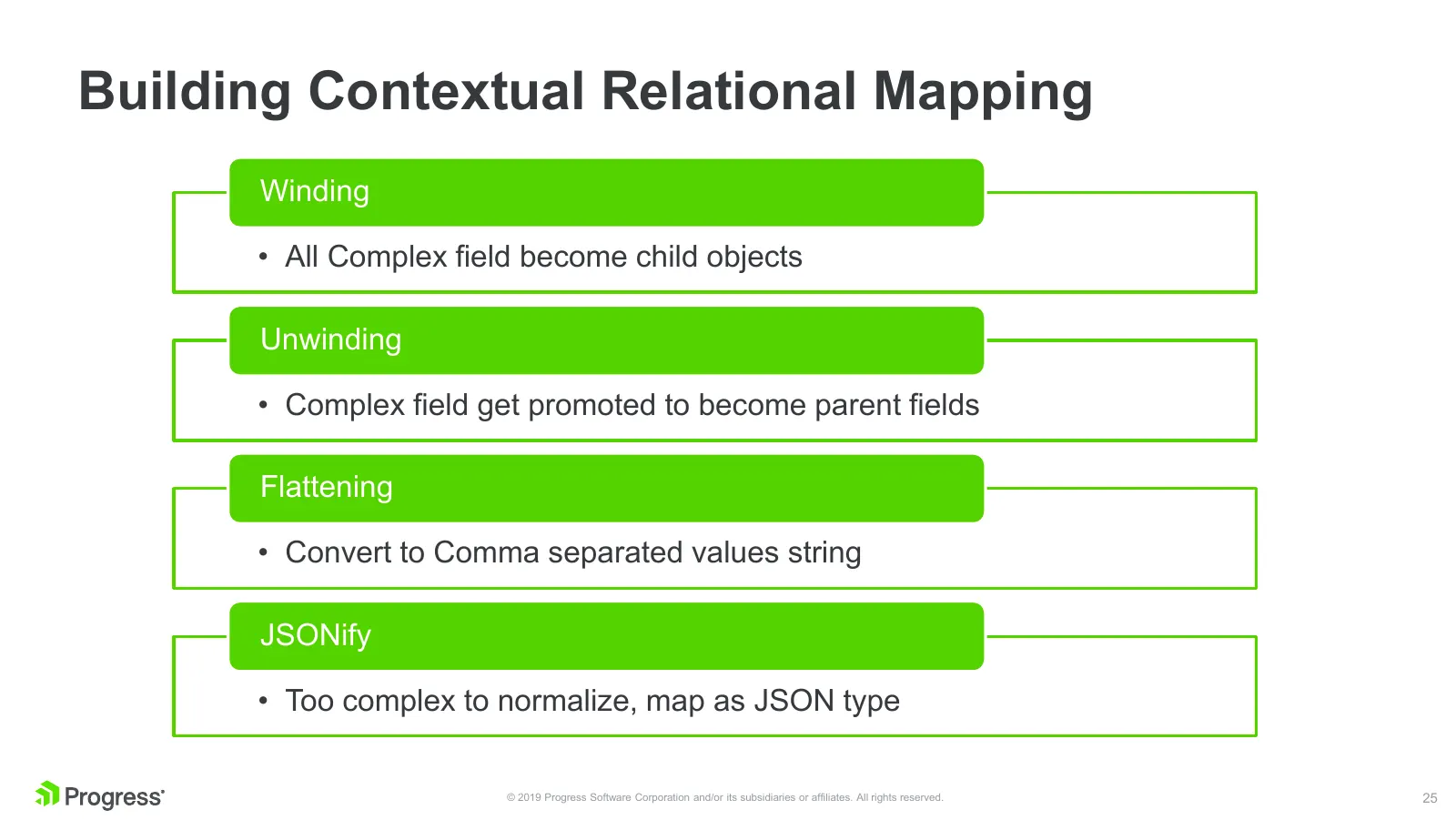
Slide 25: Building Contextual Relational Mapping
Building Contextual Relational Mapping Winding • All Complex field become child objects Unwinding • Complex field get promoted to become parent fields Flattening • Convert to Comma separated values string JSONify • Too complex to normalize, map as JSON type © 2019 Progress Software Corporation and/o
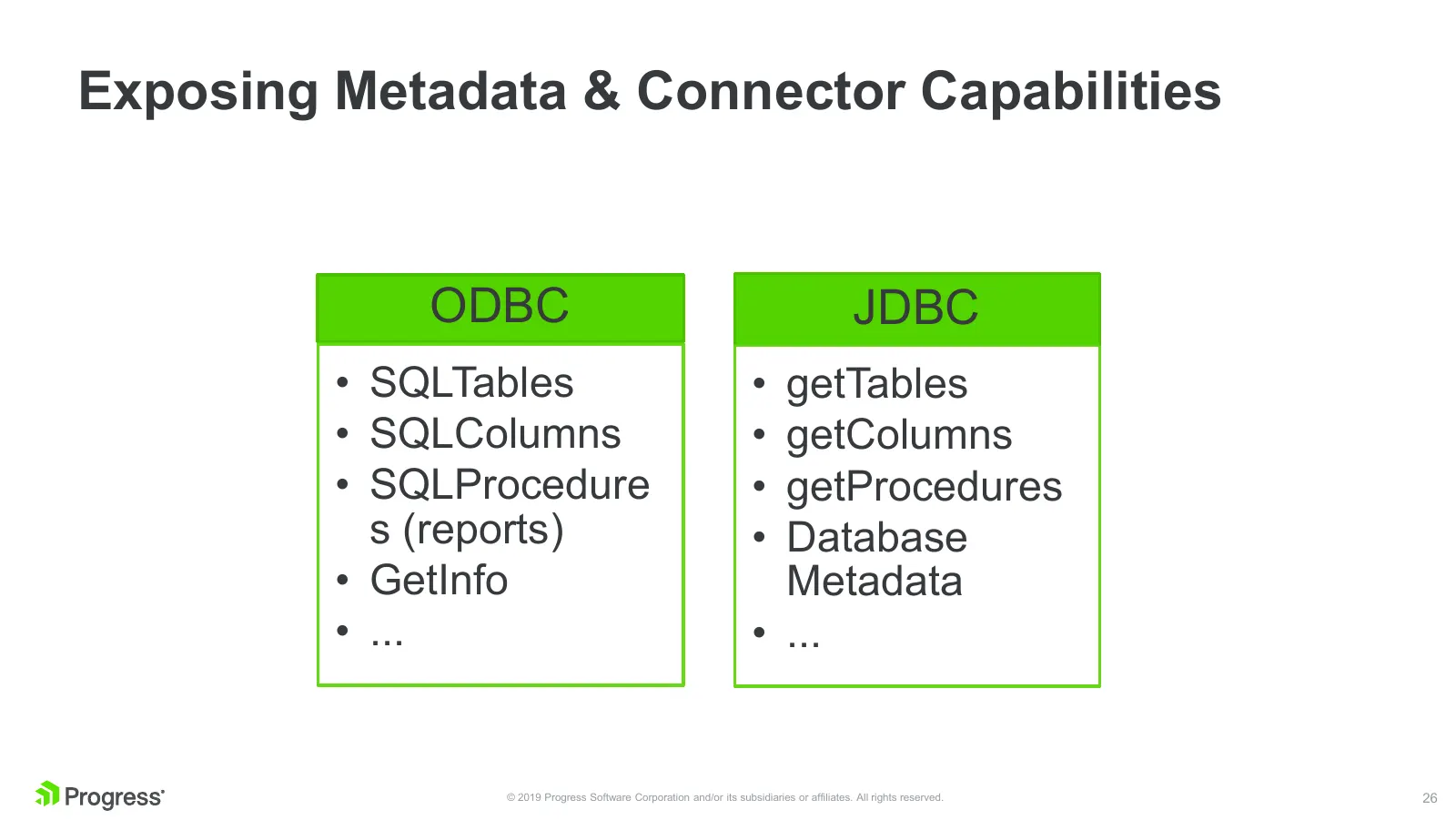
Slide 26: Exposing Metadata & Connector Capabilities
Exposing Metadata & Connector Capabilities ODBC JDBC • SQLTables • getTables • SQLColumns • getColumns • SQLProcedure • getProcedures s (reports) • Database • GetInfo Metadata • ... • ... © 2019 Progress Software Corporation and/or its subsidiaries or affiliates. All rights reserved. 26
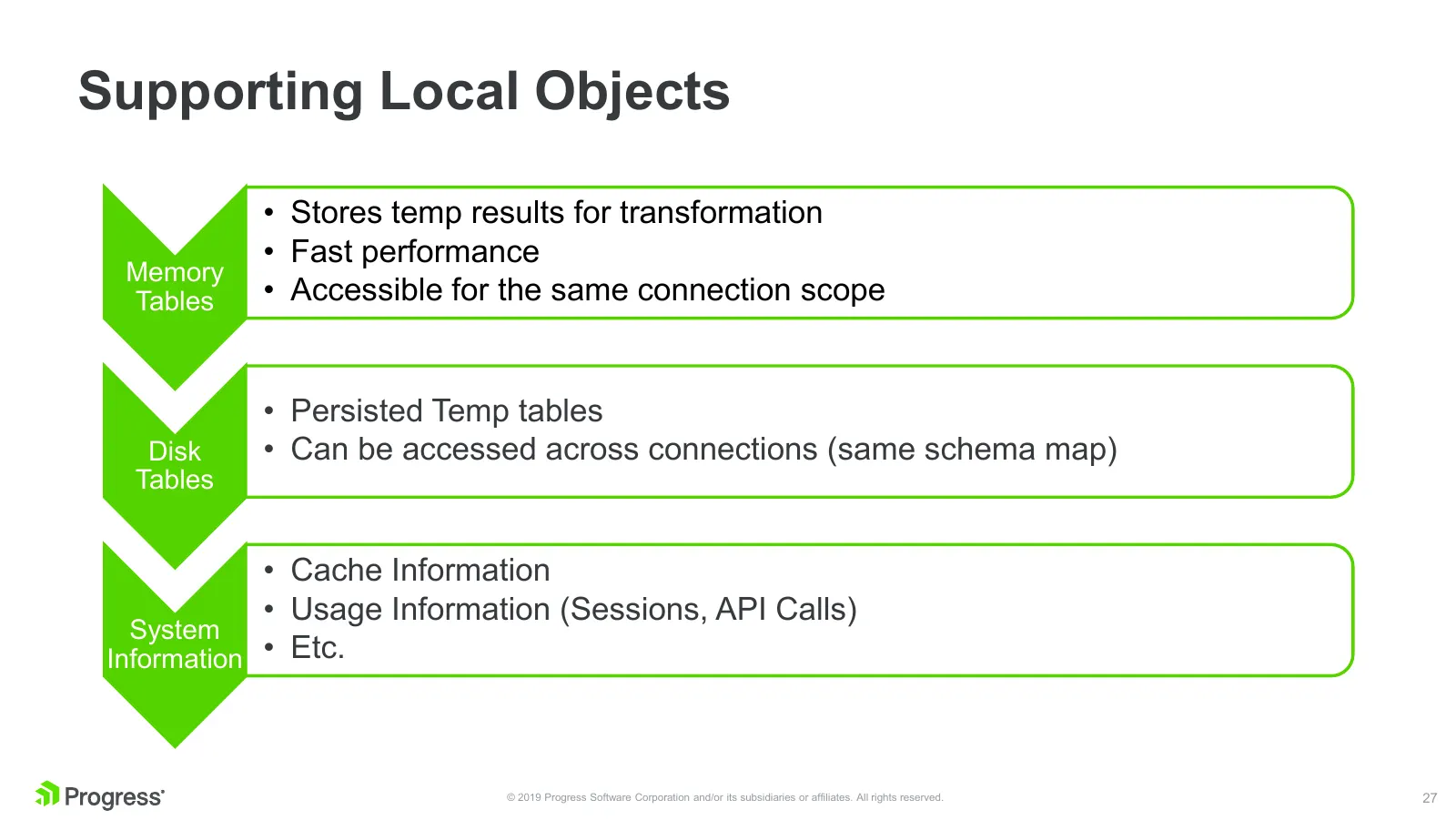
Slide 27: Supporting Local Objects
Supporting Local Objects • Stores temp results for transformation • Fast performance Memory Tables • Accessible for the same connection scope • Persisted Temp tables Disk • Can be accessed across connections (same schema map) Tables • Cache Information • Usage Information (Sessions, API Calls) Syste
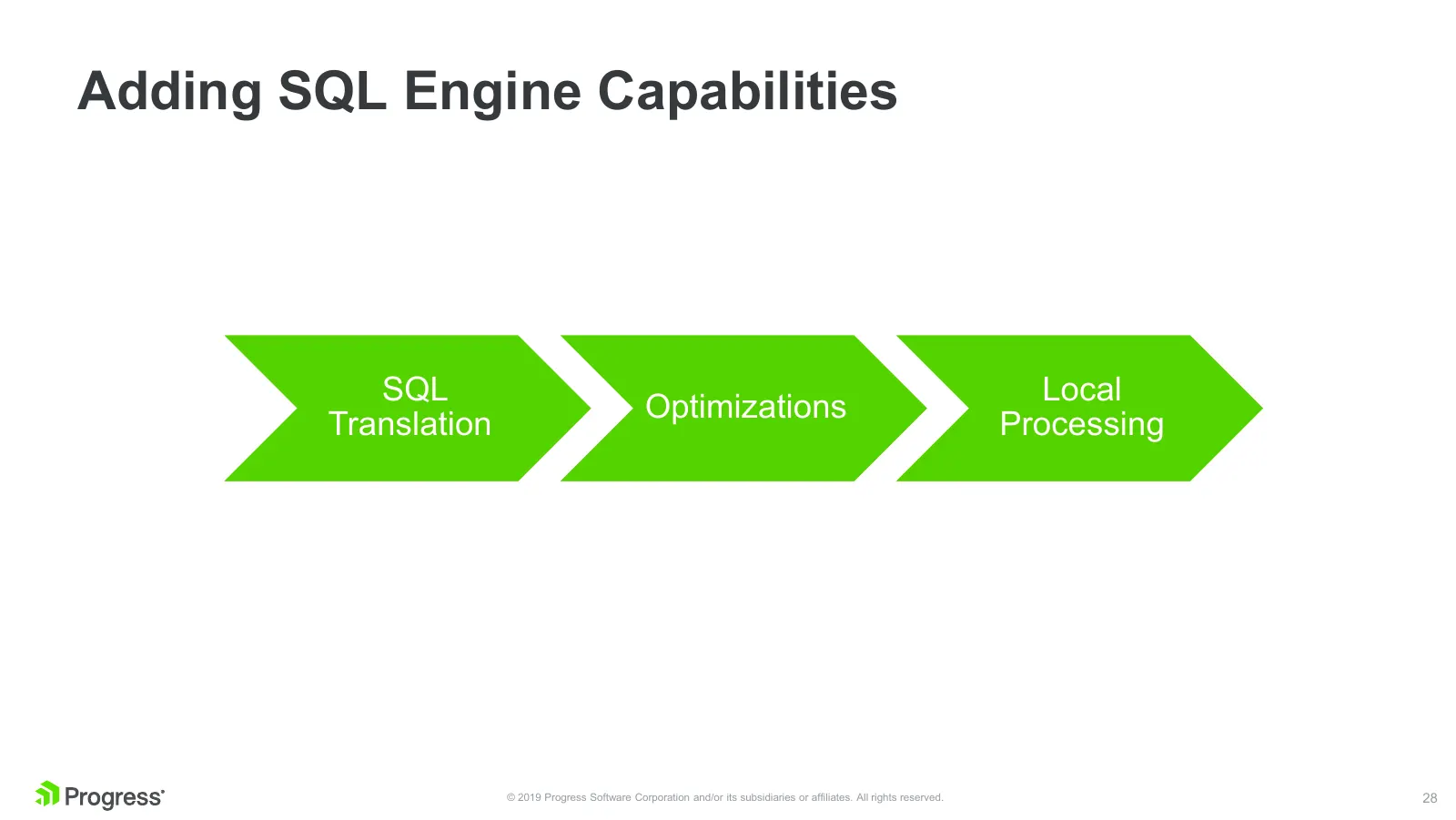
Slide 28: Adding SQL Engine Capabilities
Adding SQL Engine Capabilities SQL Local Optimizations Translation Processing © 2019 Progress Software Corporation and/or its subsidiaries or affiliates. All rights reserved. 28
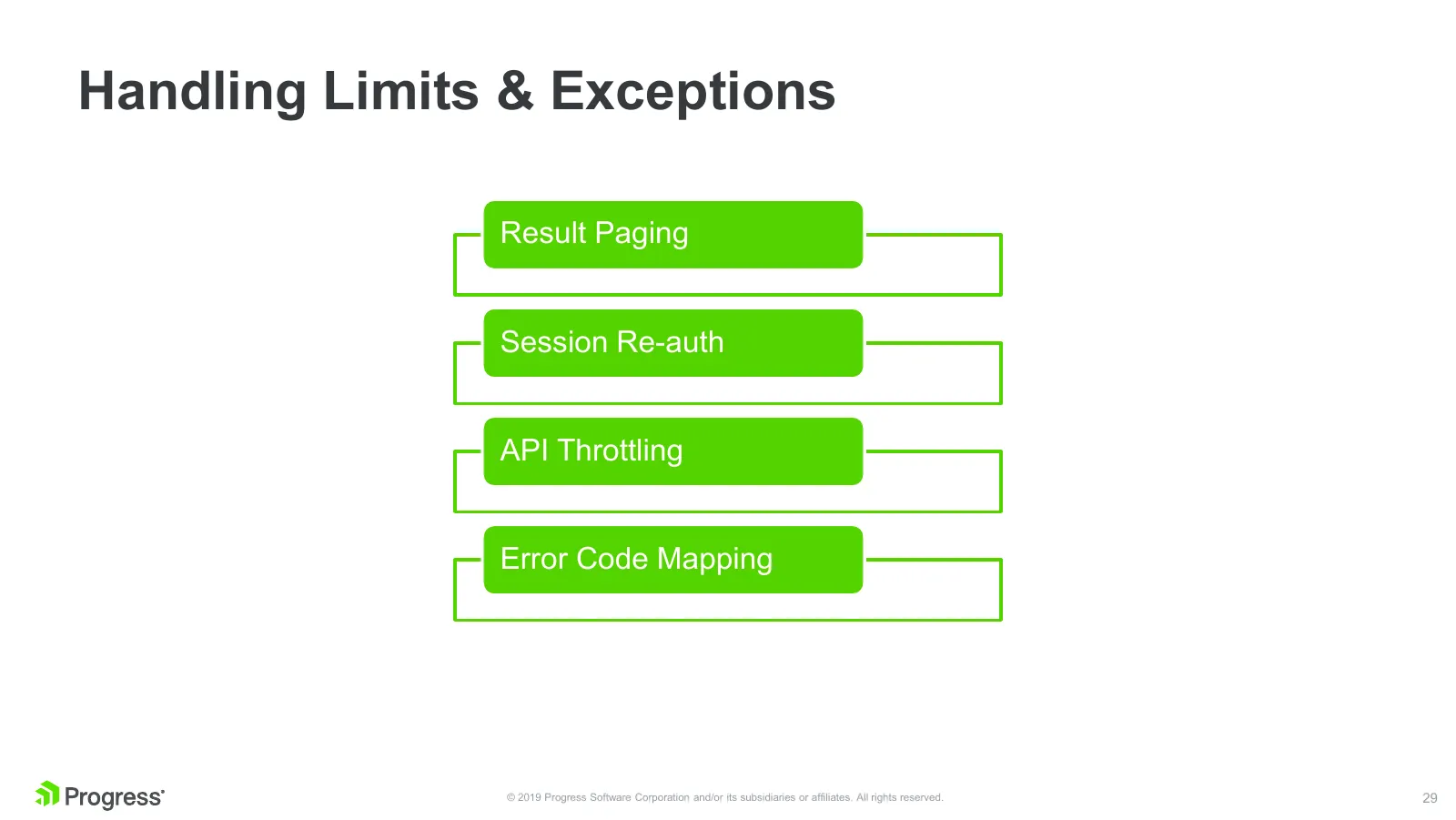
Slide 29: Handling Limits & Exceptions
Handling Limits & Exceptions Result Paging Session Re-auth API Throttling Error Code Mapping © 2019 Progress Software Corporation and/or its subsidiaries or affiliates. All rights reserved. 29
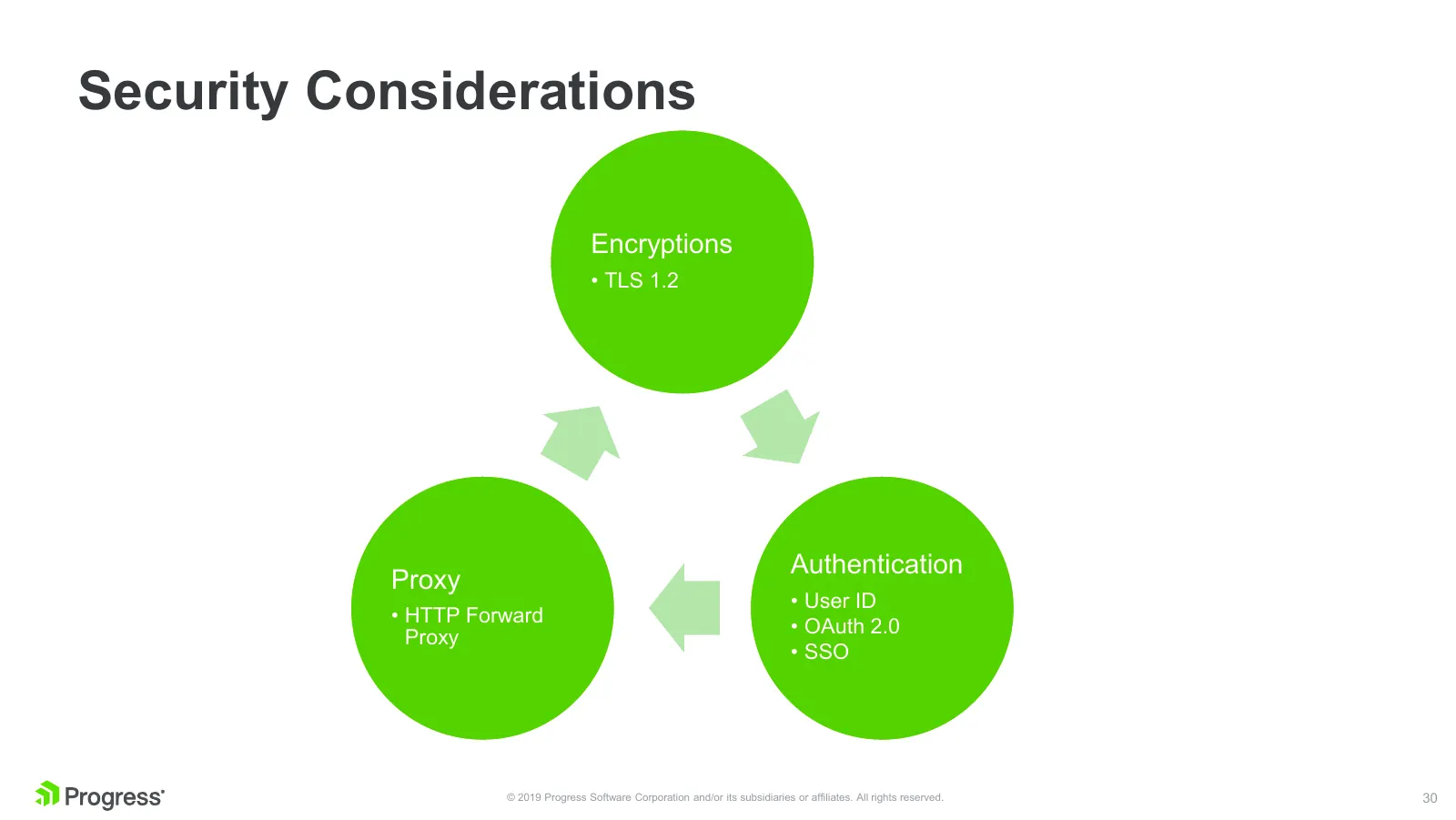
Slide 30: Security Considerations
Security Considerations Encryptions • TLS 1.2 Authentication Proxy • User ID • HTTP Forward • OAuth 2.0 Proxy • SSO © 2019 Progress Software Corporation and/or its subsidiaries or affiliates. All rights reserved. 30
Slide 31: Performance
Performance Bulk vs Non-Bulk • Bulk is not always performant. As its name suggests its only for bulk job. Intelligence should be in the connector to decide what is the most optimal way to complete the user request. Result Caching • Cache results whenever required and fetch incrementally to fur

Slide 32: Build vs Buy
Build vs Buy © 2019 Progress Software Corporation and/or its subsidiaries or affiliates. All rights reserved. 32

Slide 33: Faster time to Market
Faster time to Market © 2019 Progress Software Corporation and/or its subsidiaries or affiliates. All rights reserved. 33

Slide 34: Day-1 Support Policy
Day-1 Support Policy © 2019 Progress Software Corporation and/or its subsidiaries or affiliates. All rights reserved. 34

Slide 35: Enterprise-ready Connectors Built by Experts
Enterprise-ready Connectors Built by Experts © 2019 Progress Software Corporation and/or its subsidiaries or affiliates. All rights reserved. 35
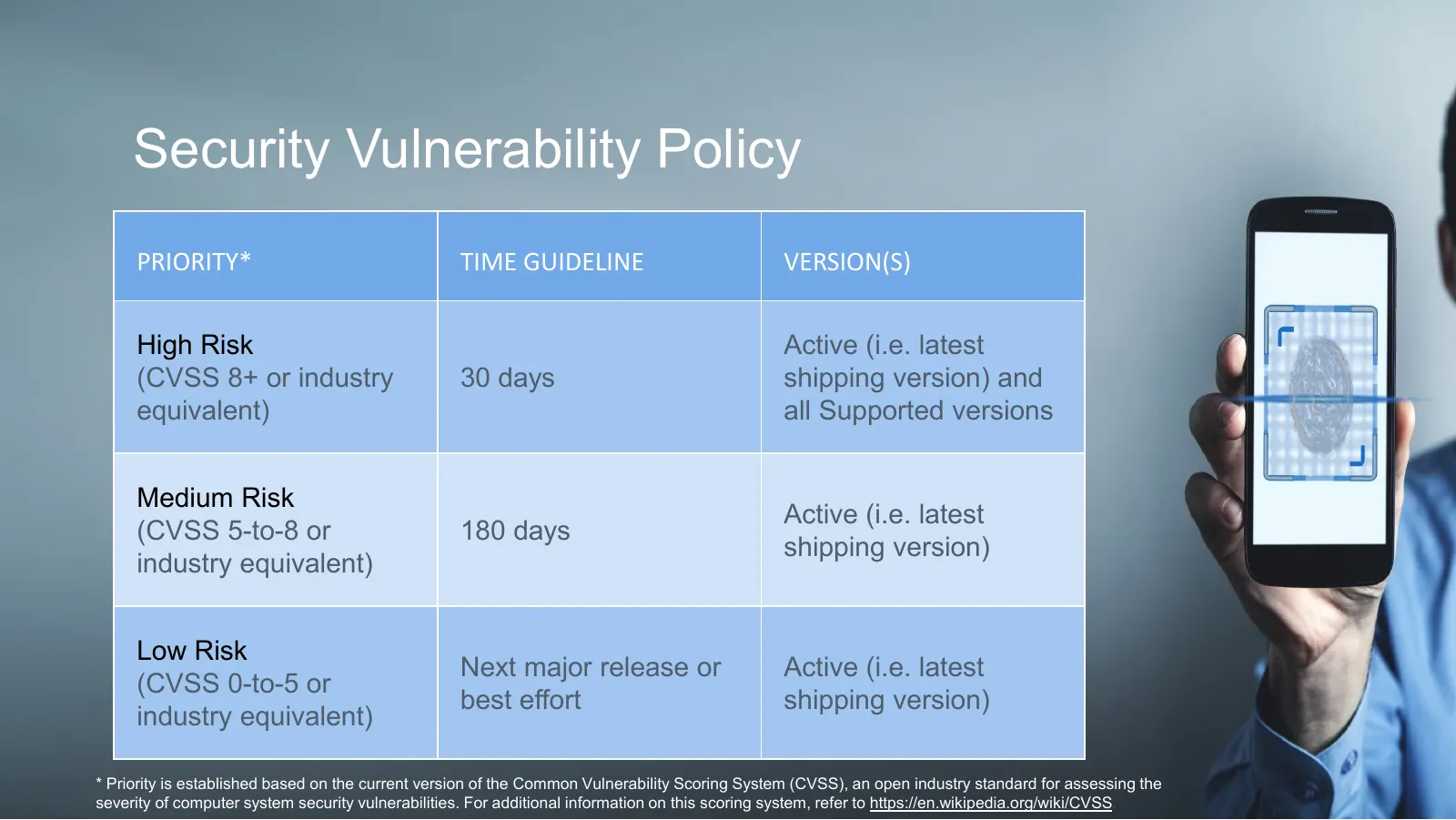
Slide 36: Security Vulnerability Policy
Security Vulnerability Policy PRIORITY* TIME GUIDELINE VERSION(S) High Risk Active (i.e. latest (CVSS 8+ or industry 30 days shipping version) and equivalent) all Supported versions Medium Risk Active (i.e. latest (CVSS 5-to-8 or 180 days shipping version) industry equivalent) Low Risk Next major re

Slide 37: Trusted Partner for All Connectivity Challenges
Trusted Partner for All Connectivity Challenges © 2019 Progress Software Corporation and/or its subsidiaries or affiliates. All rights reserved. 37
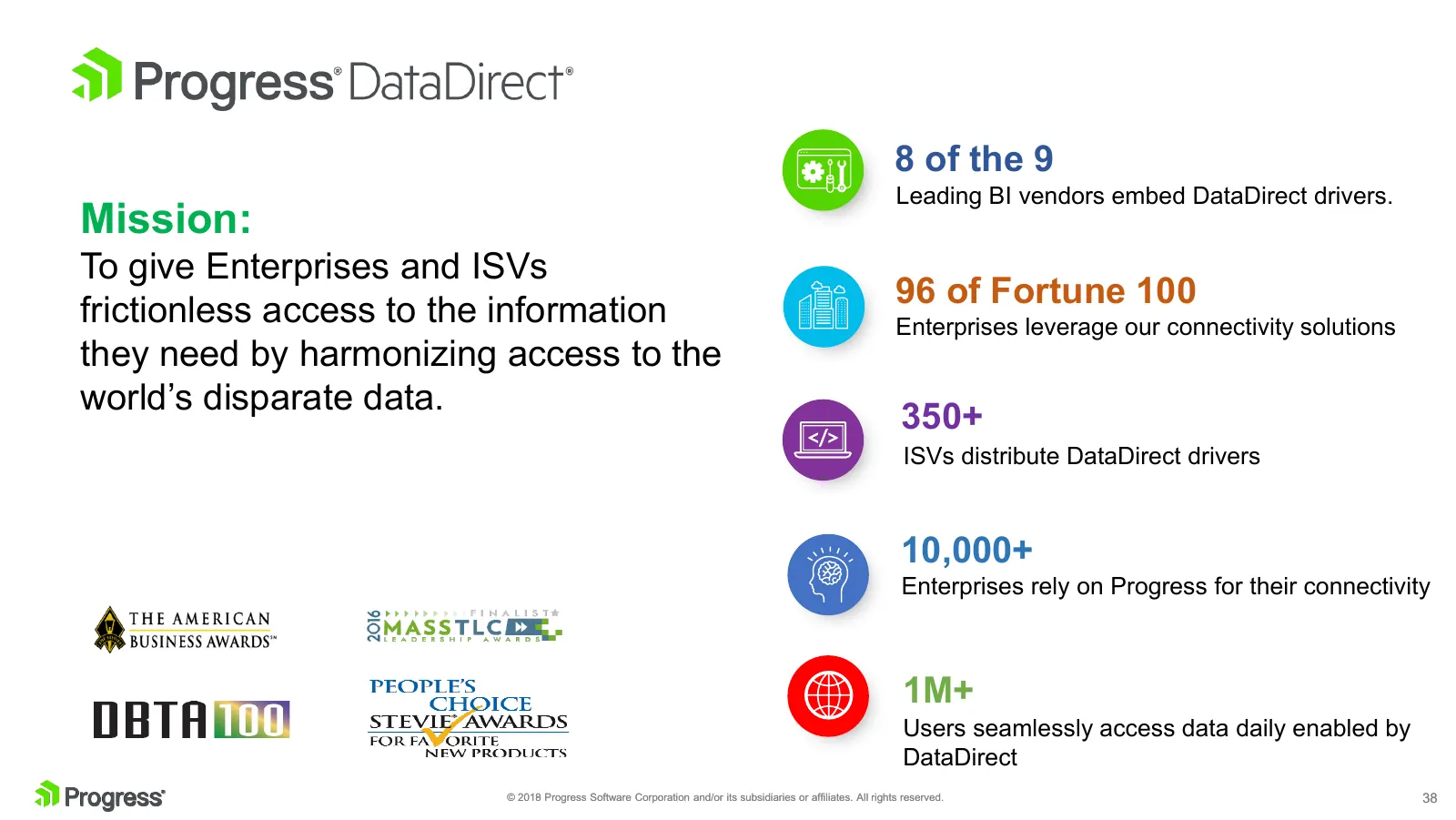
Slide 38: Mission
8 of the 9 Leading BI vendors embed DataDirect drivers. Mission: To give Enterprises and ISVs 96 of Fortune 100 frictionless access to the information Enterprises leverage our connectivity solutions they need by harmonizing access to the world’s disparate data. 350+ ISVs distribute DataDirect driver
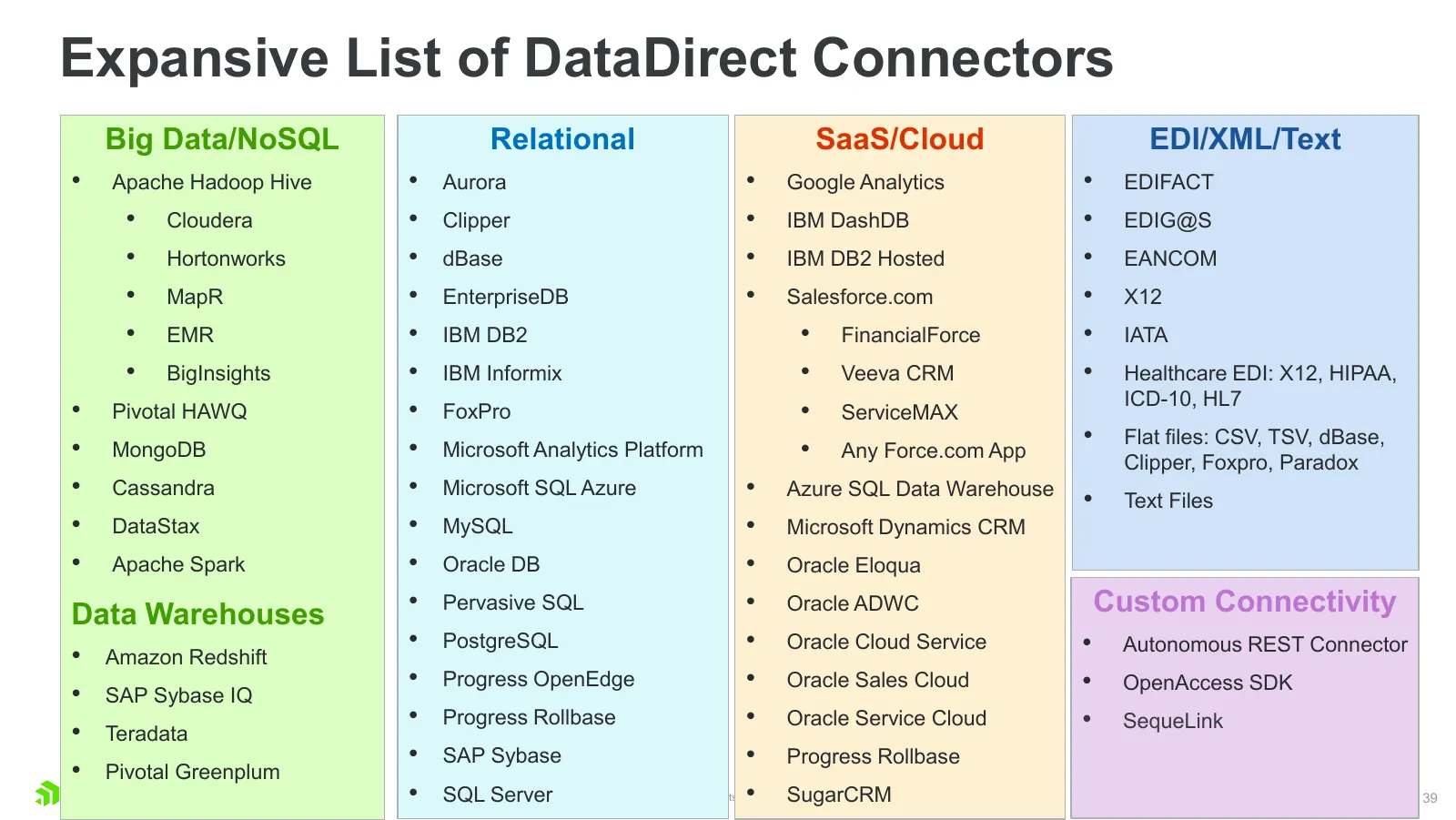
Slide 39: Expansive List of DataDirect Connectors
Expansive List of DataDirect Connectors Big Data/NoSQL Relational SaaS/Cloud EDI/XML/Text • Apache Hadoop Hive • Aurora • Google Analytics • EDIFACT • Cloudera • Clipper • IBM DashDB • EDIG@S • Hortonworks • dBase • IBM DB2 Hosted • EANCOM • MapR • EnterpriseDB • Salesforce.com • X12 • EMR • IBM DB2

Slide 40: Source: Ice Age
Source: Ice Age © 2019 Progress Software Corporation and/or its subsidiaries or affiliates. All rights reserved. 40
Slide 41: Demo
Demo © 2019 Progress Software Corporation and/or its subsidiaries or affiliates. All rights reserved. 41
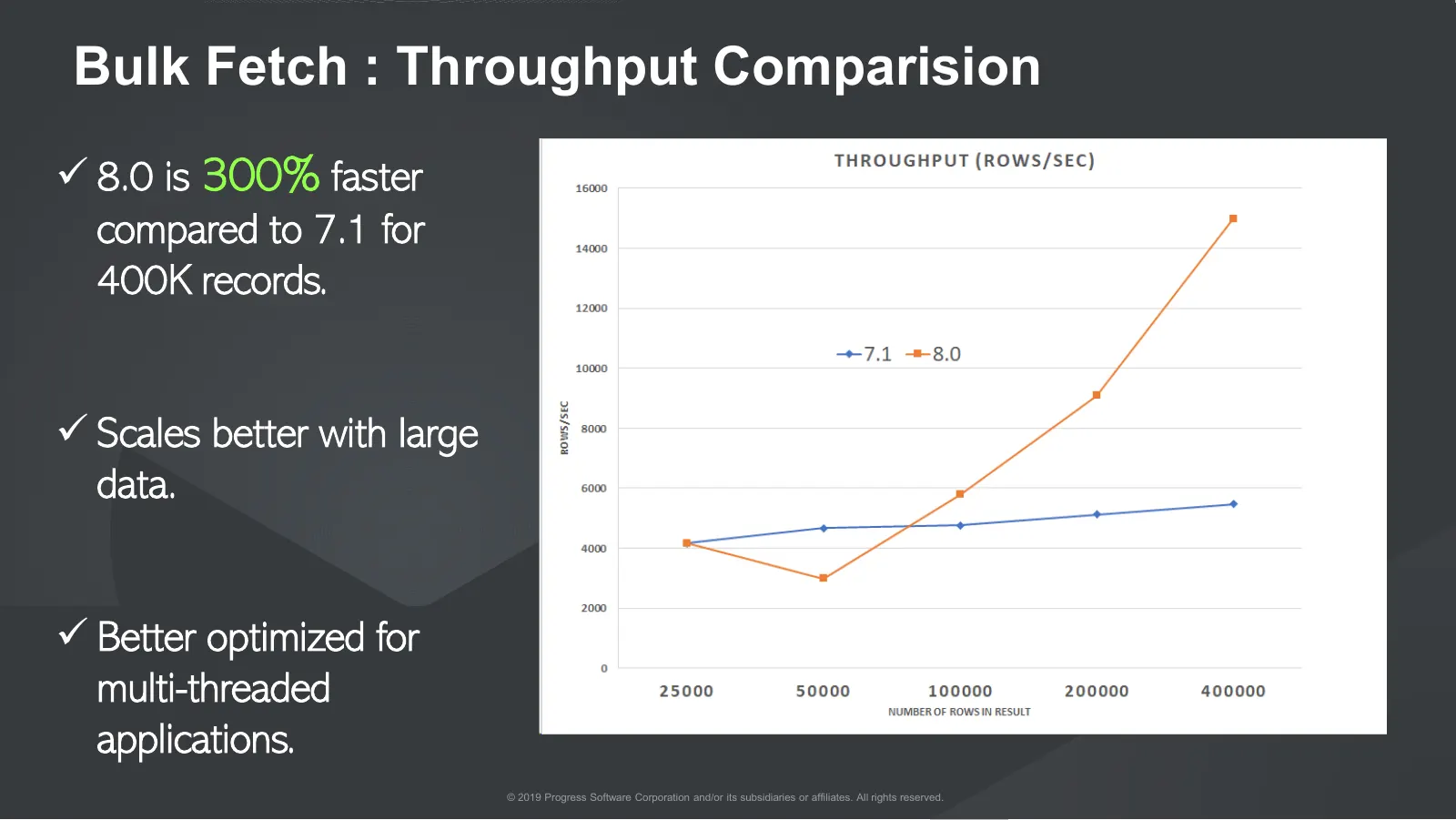
Slide 42: Bulk Fetch: Throughput Comparison
Bulk Fetch : Throughput Comparision 8.0 is 300% faster compared to 7.1 for 400K records. Scales better with large data. Better optimized for multi-threaded applications. © 2019 Progress Software Corporation and/or its subsidiaries or affiliates. All rights reserved. 42
Slide 43: Resources
Resources Downloads: https://www.progress.com/connectors/salesforce Tutorials: • ODBC – https://www.progress.com/blogs/sas-odbc-access-to-salesforce-sql-server-and-marketo – https://www.progress.com/blogs/python-connectivity-to-salesforce-eloqua-or-google • JDBC – https://www.progress.com/tutori
Slide 44: QnA
QnA © 2019 Progress Software Corporation and/or its subsidiaries or affiliates. All rights reserved. 44
Slide 45: Progress
Dv Progress’
Source: Internet Archive copy of progress.com
More decks from Progress Software Corporation
 Q3 2026 Earnings Presentation26 slides · Sep 30, 2026
 Merger or Acquisition (July 2026)9 slides · Jul 22, 2026
 Q2 2026 Earnings Presentation21 slides · Jun 30, 2026
 Q1 2026 Earnings Presentation23 slides · Mar 30, 2026
 Q4 2025 Earnings Presentation21 slides · Jan 20, 2026
 Q3 2025 Earnings Presentation21 slides · Sep 29, 2025