Sangoma Technologies Corporation · TSX:STC
Sangoma Technologies — Technical Presentation (July 2013)
52 slides from Sangoma Technologies's technical presentation, Jul 18, 2013
Slide 1: Wanpipe and the A116
Wanpipe and the A116 Leo D’Alessandro Customer Engineer July 18, 2013
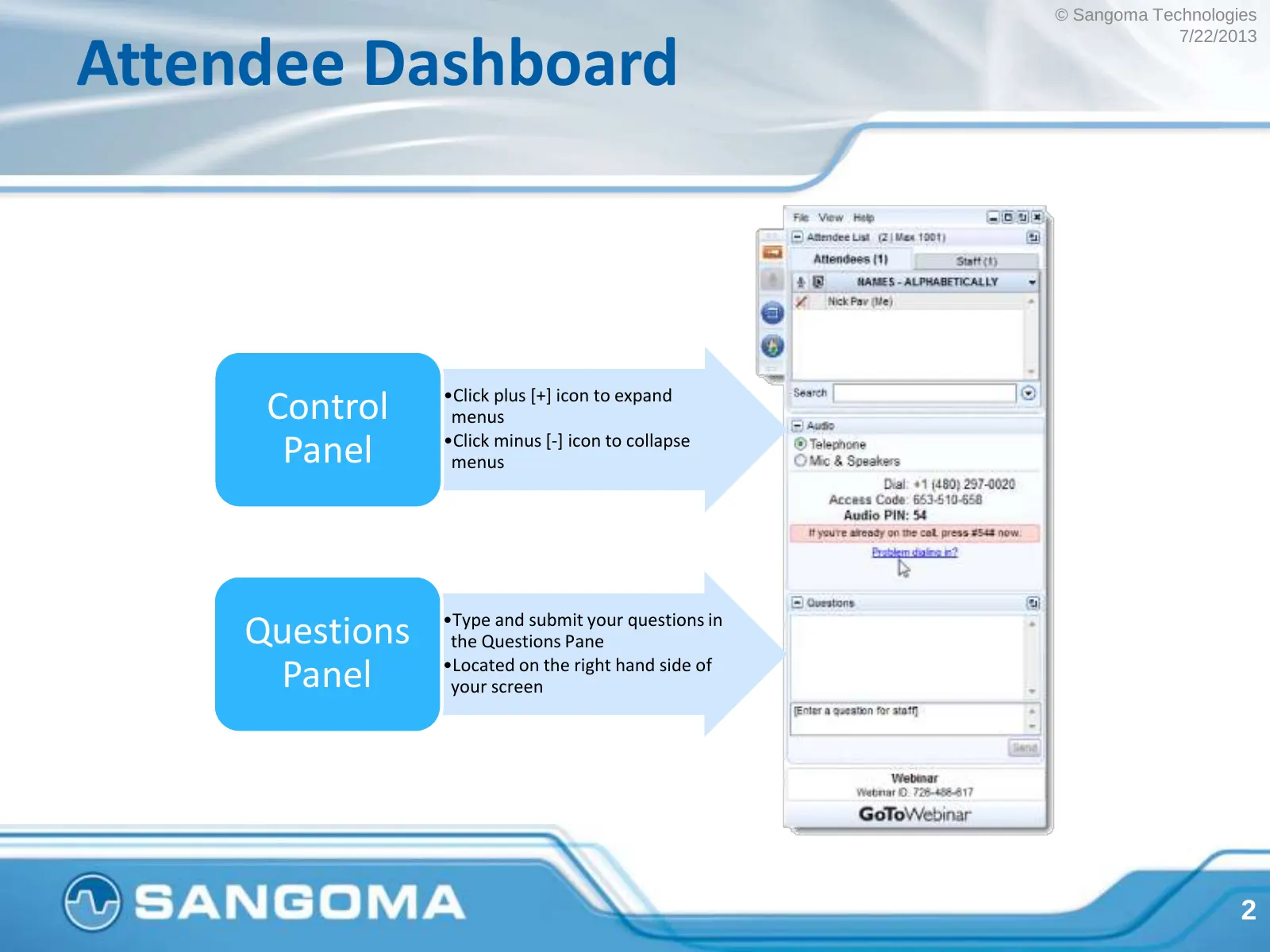
Slide 2: Attendee Dashboard
© Sangoma Technologies 7/22/2013 Attendee Dashboard •Click plus [+] icon to expand Control menus Panel •Click minus [-] icon to collapse menus •Type and submit your questions in Questions the Questions Pane Panel •Located on the right hand side of your screen 2
Slide 3: Agenda
© Sangoma Technologies 7/18/2013 Agenda • Introduction to Sangoma • A116 Board Overview • Wanpipe Driver Installation • System Design Considerations • Self Help and Technical Support • Closing 3
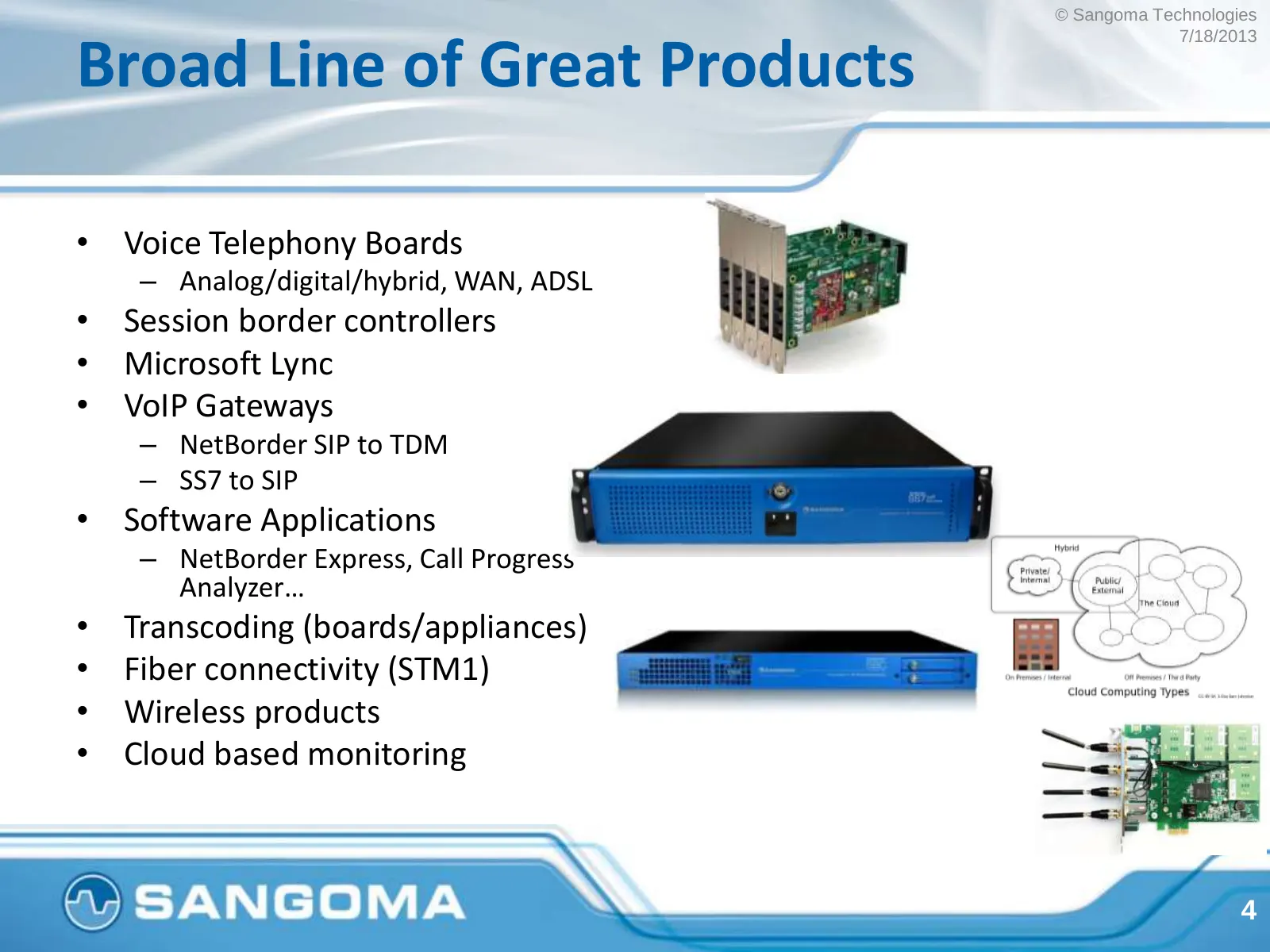
Slide 4: Broad Line of Great Products
© Sangoma Technologies 7/18/2013 Broad Line of Great Products • Voice Telephony Boards – Analog/digital/hybrid, WAN, ADSL • Session border controllers • Microsoft Lync • VoIP Gateways – NetBorder SIP to TDM – SS7 to SIP • Software Applications – NetBorder Express, Call Progress Analyzer… • Transcodi
Slide 5: Vibrant Ecosystem of Clients & Partners
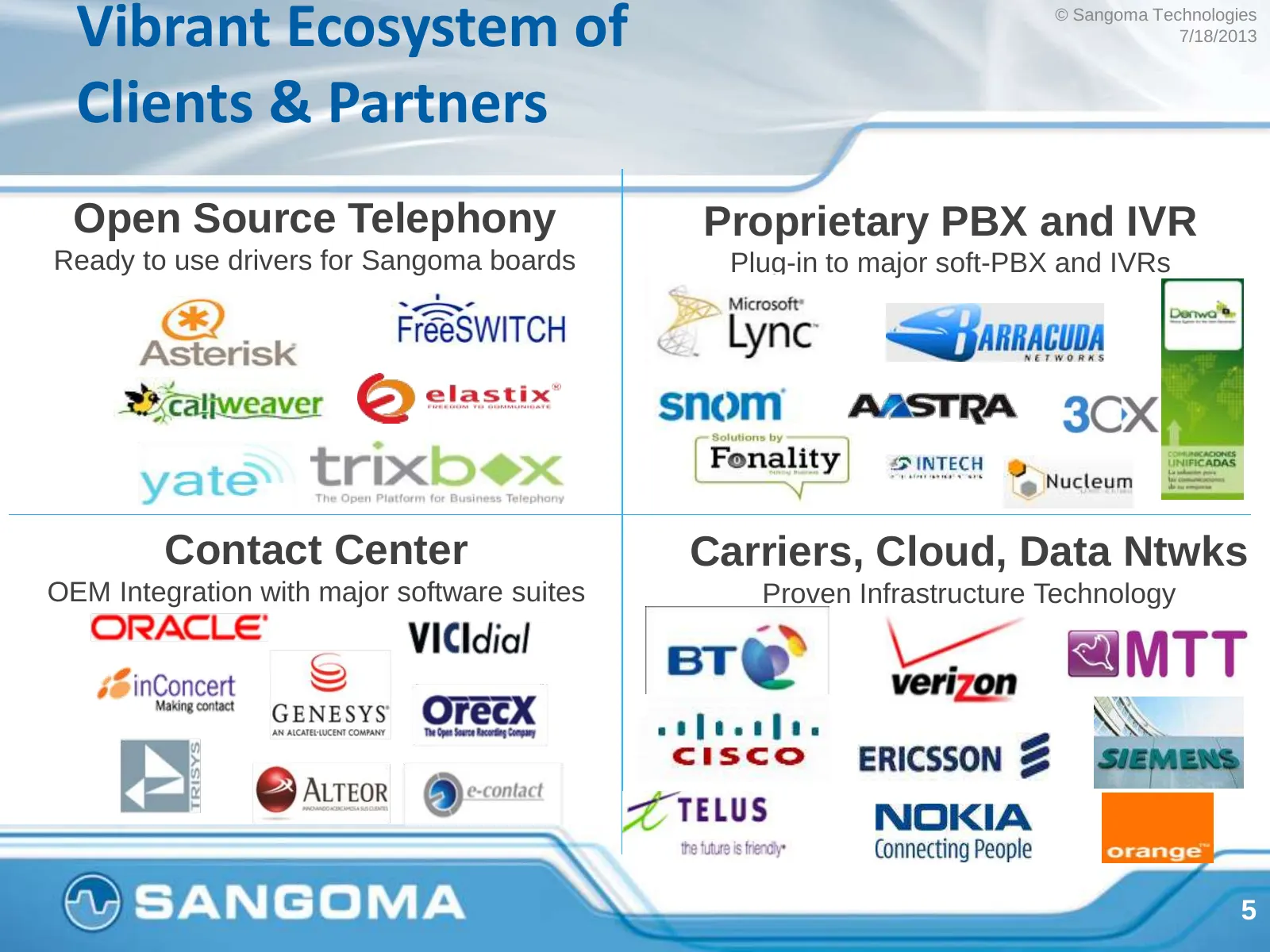
Vibrant Ecosystem of © Sangoma Technologies 7/18/2013 Clients & Partners Open Source Telephony Proprietary PBX and IVR Ready to use drivers for Sangoma boards Plug-in to major soft-PBX and IVRs Contact Center Carriers, Cloud, Data Ntwks OEM Integration with major software suites Proven Infrastructur
Slide 6: The Most Complete Range of Telecom Interface Boards
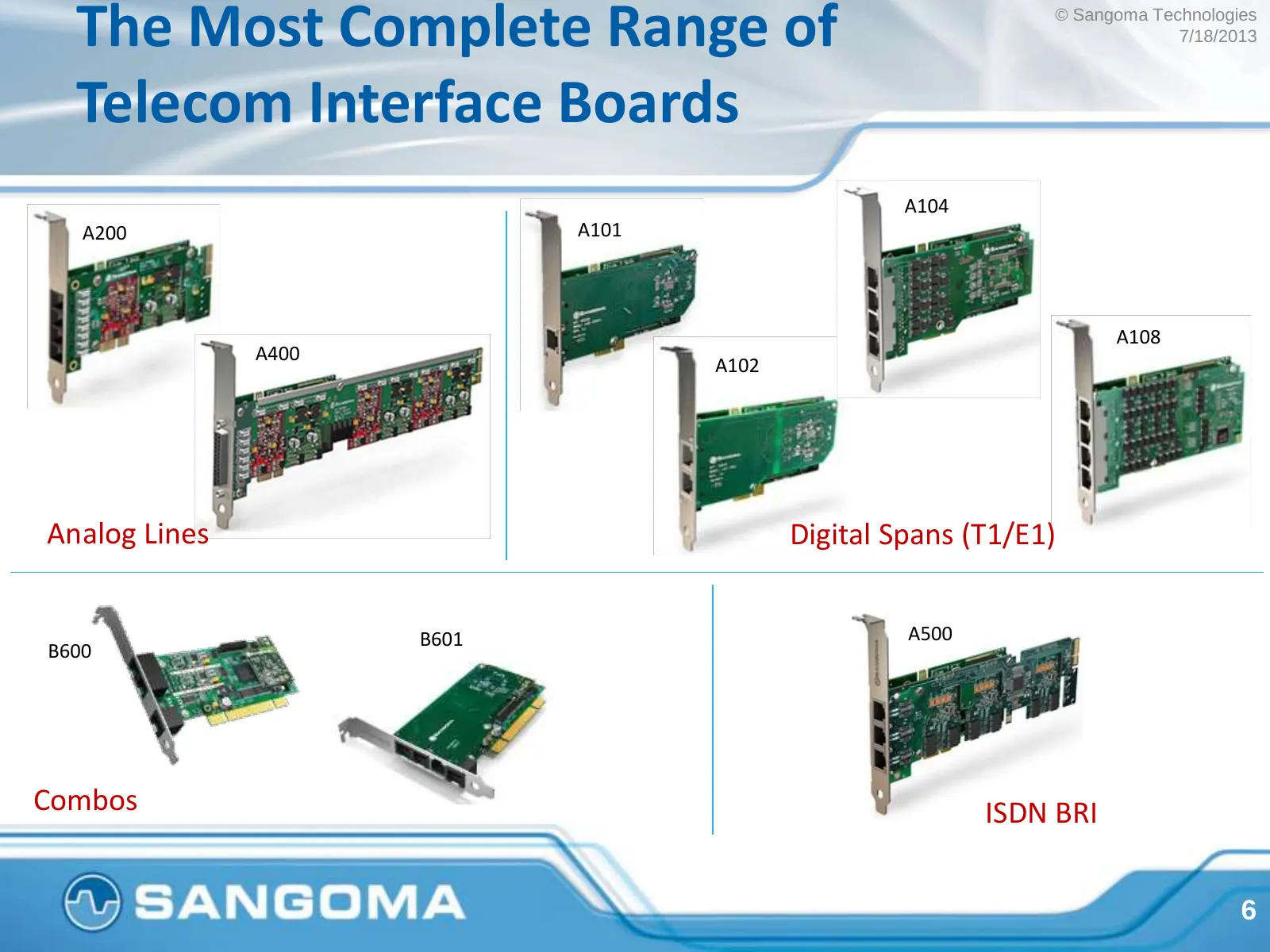
The Most Complete Range of © Sangoma Technologies 7/18/2013 Telecom Interface Boards A104 A200 A101 A108 A400 A102 Analog Lines Digital Spans (T1/E1) B601 A500 B600 Combos ISDN BRI 6
Slide 7: Recent Addition – W400
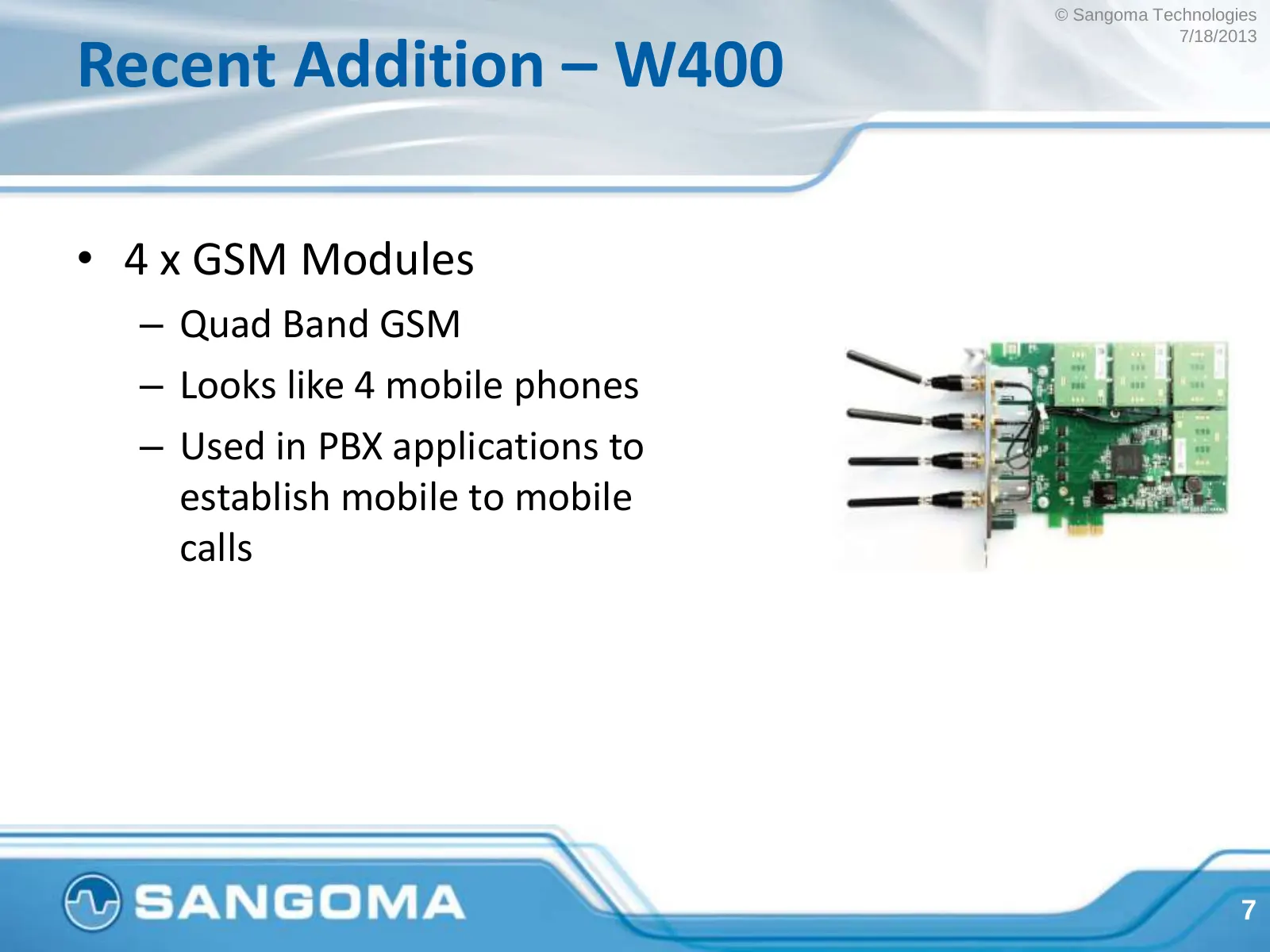
© Sangoma Technologies 7/18/2013 Recent Addition – W400 • 4 x GSM Modules – Quad Band GSM – Looks like 4 mobile phones – Used in PBX applications to establish mobile to mobile calls 7
Slide 8: A116 Overview
— A116 OVERVIEW 6) SANGOMA CONNECT WITH SANGOMA
Slide 9: Today's Focus: A116
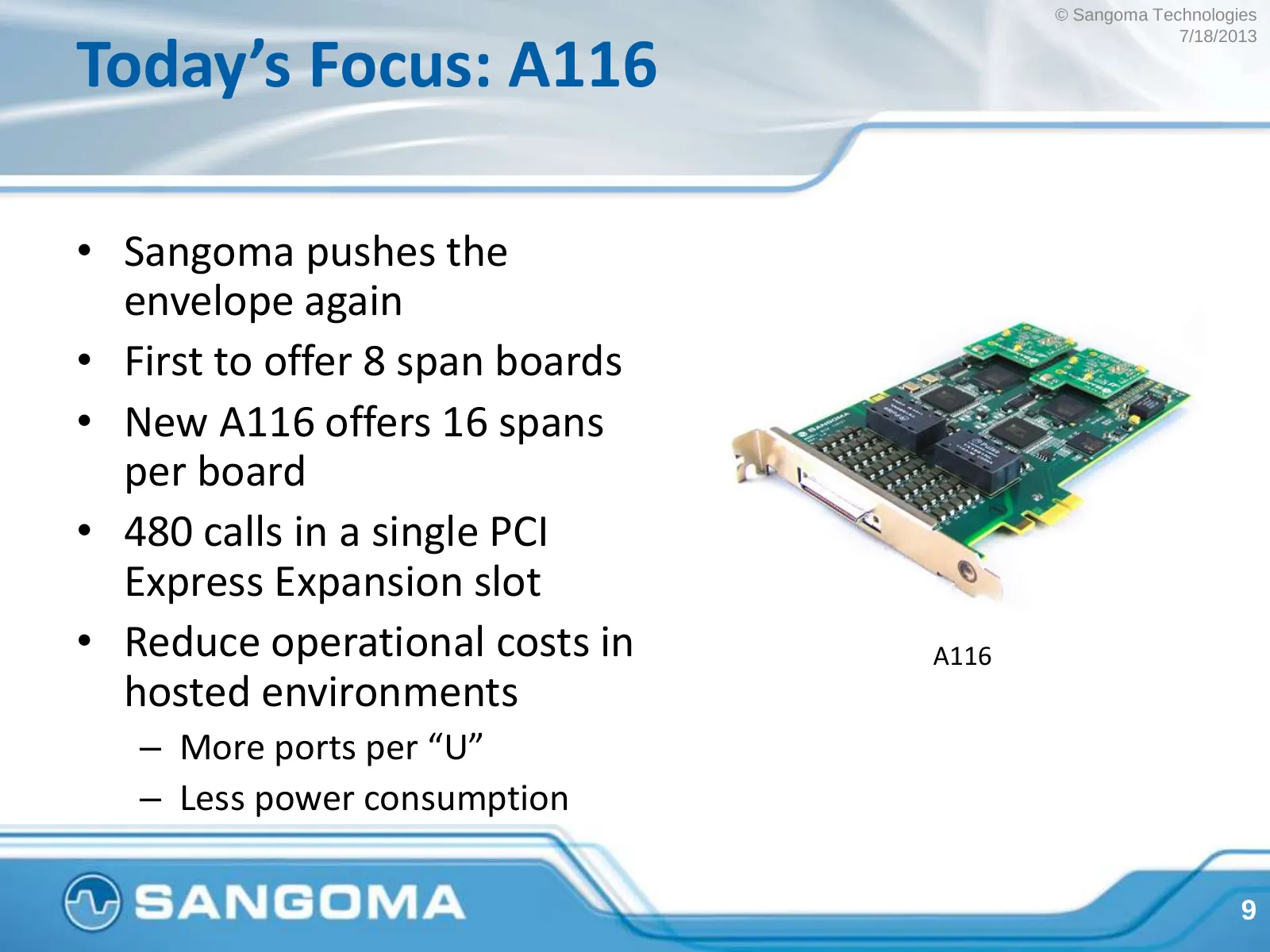
© Sangoma Technologies 7/18/2013 Today’s Focus: A116 • Sangoma pushes the envelope again • First to offer 8 span boards • New A116 offers 16 spans per board • 480 calls in a single PCI Express Expansion slot • Reduce operational costs in A116 hosted environments – More ports per “U” – Less power con
Slide 10: Product Highlights
© Sangoma Technologies 7/18/2013 Product Highlights • 16 T1/E1 on a single PCI Express interface, Data and Voice usage can co-exist within the same board • Compatible with all commercially available motherboards • Optional Echo Cancellation provides carrier grade echo cancellers • Complete Asterisk
Slide 11: Product Highlights
© Sangoma Technologies 7/18/2013 Product Highlights • Supports up to 32.8 Mbps of full duplex data throughout 480 voice calls using 16 T1/E1/J1 spans • Dimensions: Full height by half length (107mm x 176mm) • Line decoding: HDB3, AMI, B8ZS • Framing: CRC-4, Non CRC4, ESF, SF, D4, J1 (Japan) • Suppor
Slide 12: Adjustable Packet Size
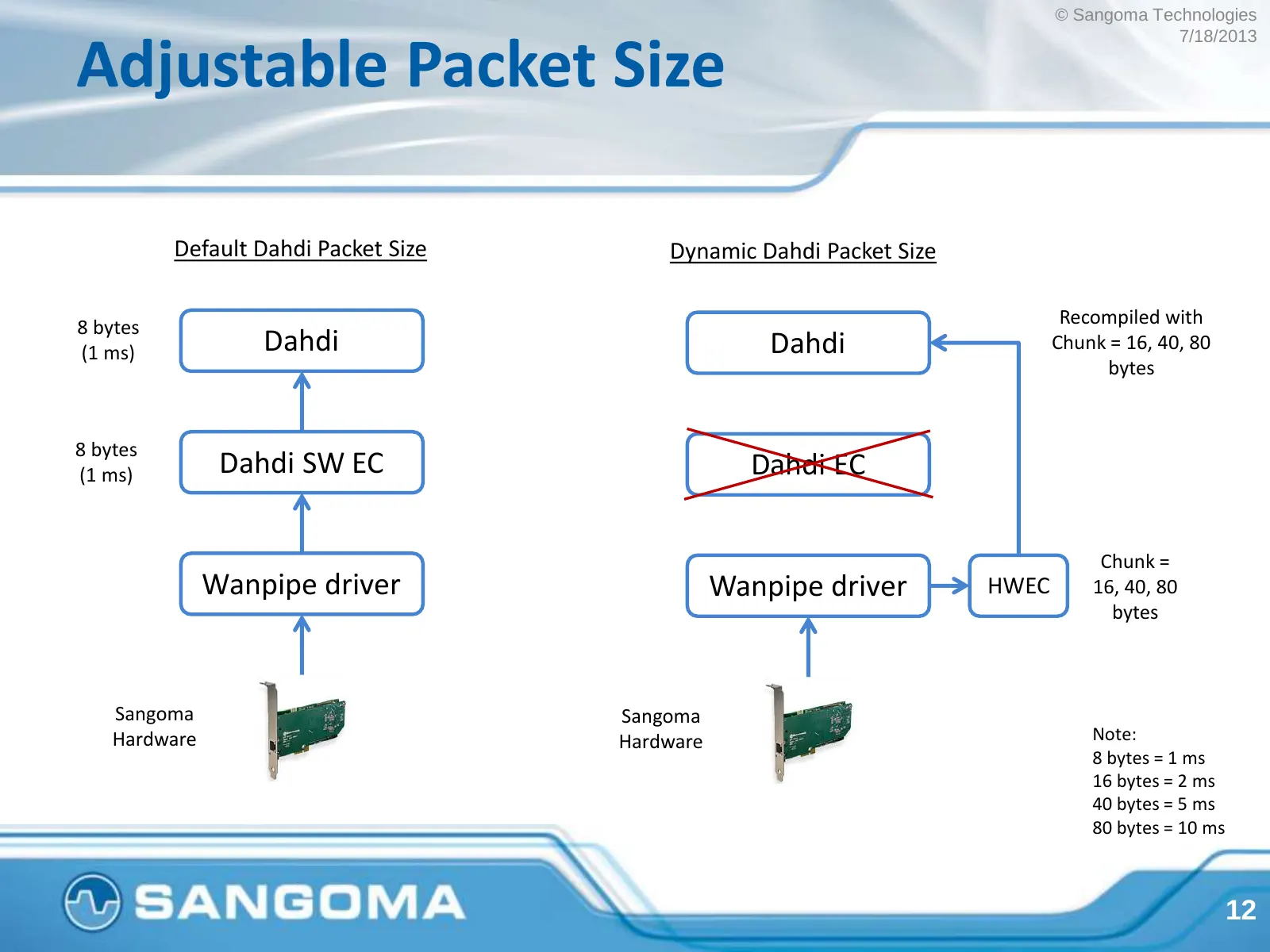
© Sangoma Technologies 7/18/2013 Adjustable Packet Size Default Dahdi Packet Size Dynamic Dahdi Packet Size 8 bytes Recompiled with (1 ms) Dahdi Dahdi Chunk = 16, 40, 80 bytes 8 bytes (1 ms) Dahdi SW EC Dahdi EC Chunk = Wanpipe driver Wanpipe driver HWEC 16, 40, 80 bytes Sangoma Sangoma Hardware Har
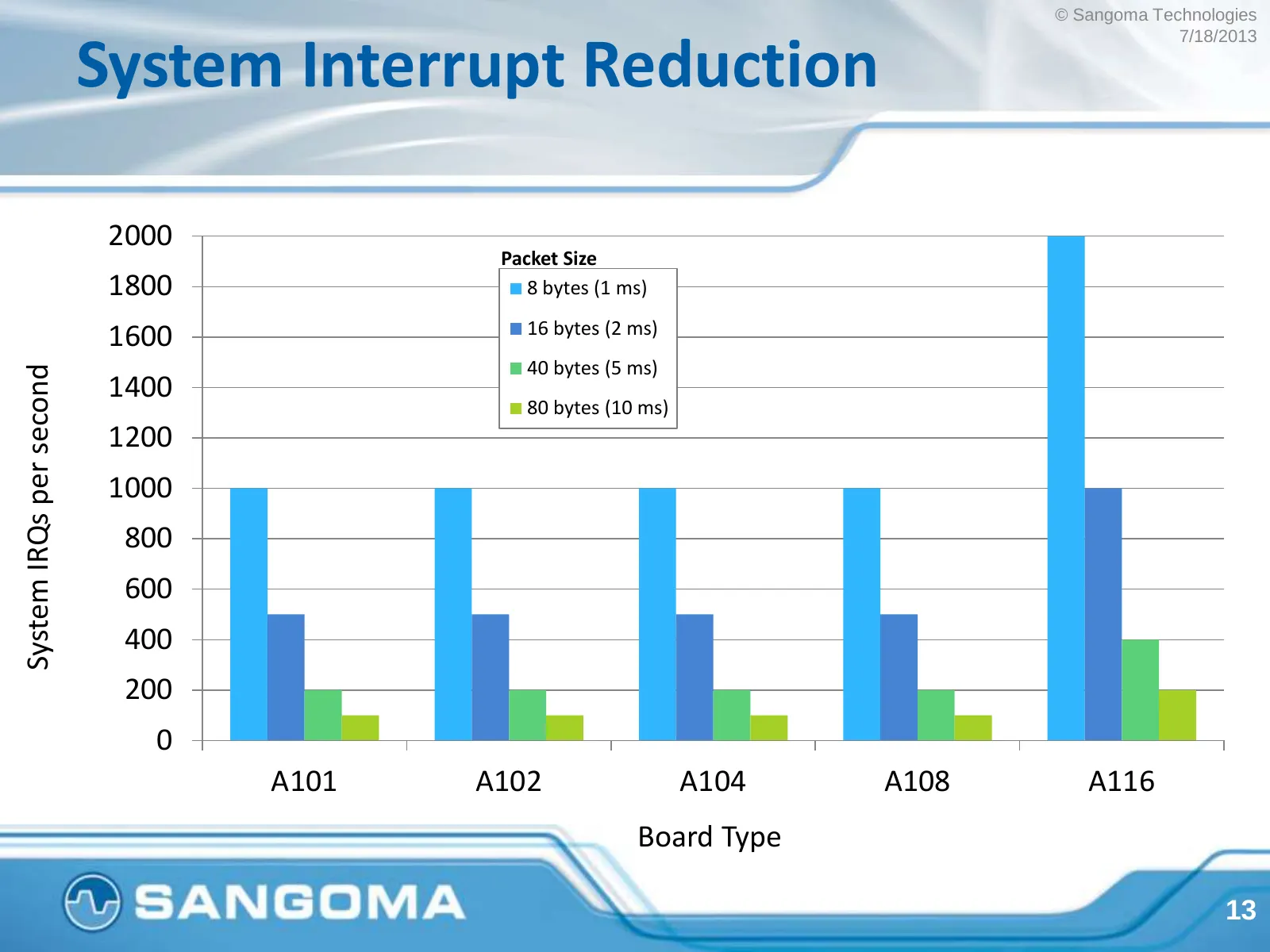
Slide 13: System Interrupt Reduction
© Sangoma Technologies 7/18/2013 System Interrupt Reduction 2000 Packet Size 1800 8 bytes (1 ms) 16 bytes (2 ms) 1600 40 bytes (5 ms) System IRQs per second 1400 80 bytes (10 ms) 1200 1000 800 600 400 200 0 A101 A102 A104 A108 A116 Board Type 13
Slide 14: More details on Interrupts and Packet Sizes
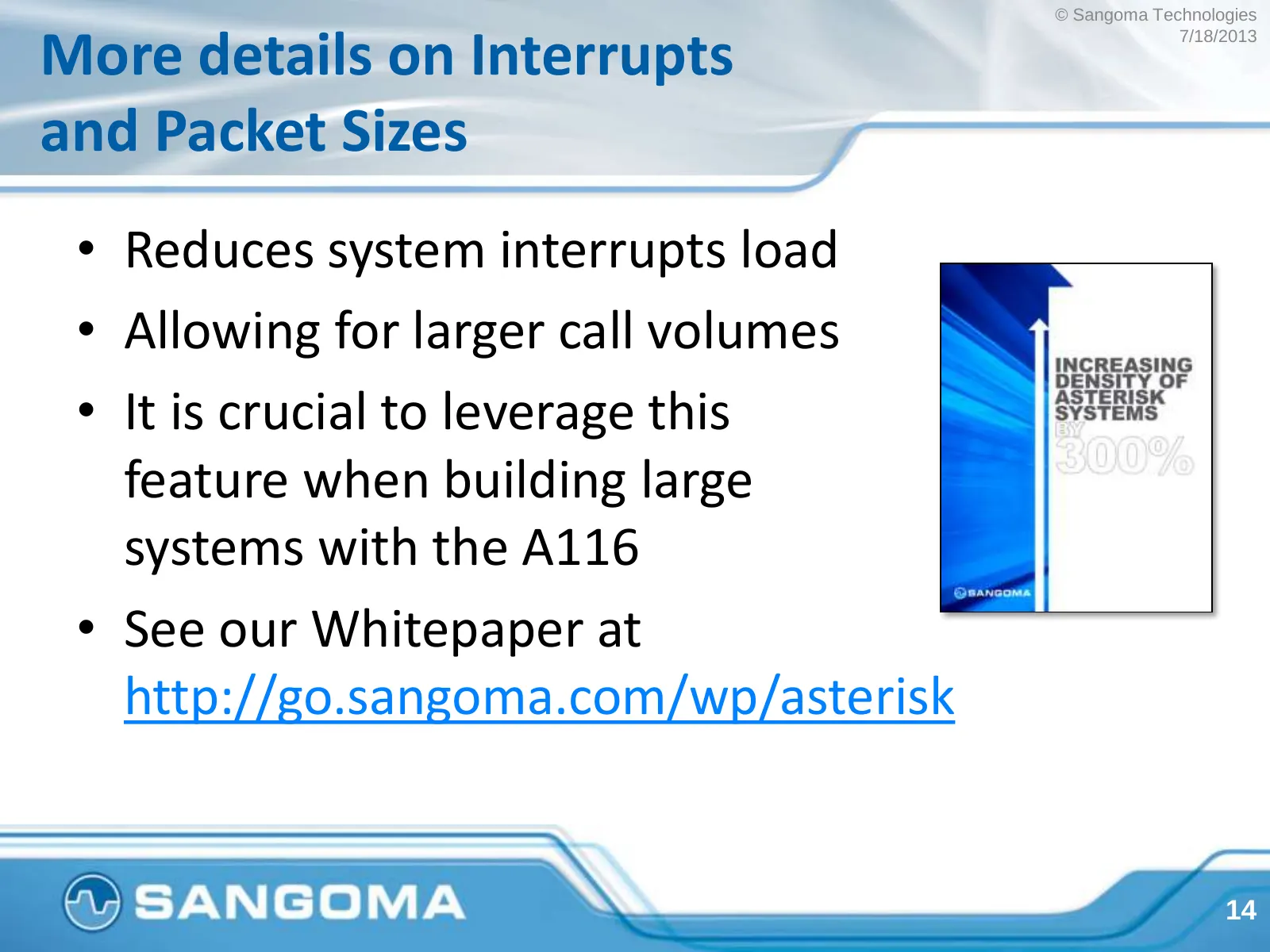
© Sangoma Technologies More details on Interrupts 7/18/2013 and Packet Sizes • Reduces system interrupts load • Allowing for larger call volumes • It is crucial to leverage this feature when building large systems with the A116 • See our Whitepaper at http://go.sangoma.com/wp/asterisk 14
Slide 15: A116 Cabling and Accessories
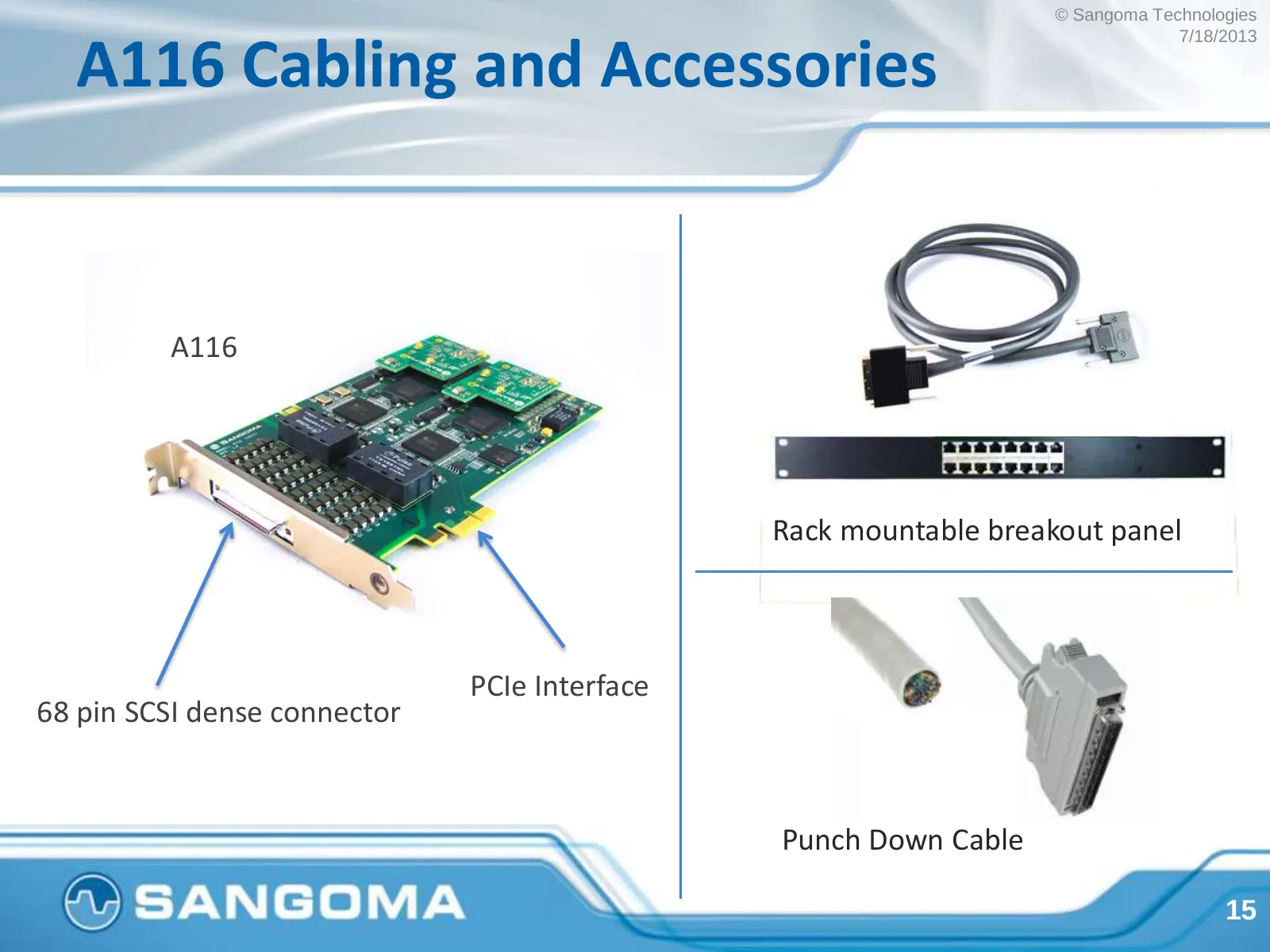
© Sangoma Technologies 7/18/2013 A116 Cabling and Accessories A116 Rack mountable breakout panel PCIe Interface 68 pin SCSI dense connector Punch Down Cable 15

Slide 16: Lifetime Warranty
© Sangoma Technologies 7/18/2013 Lifetime Warranty • As with all Sangoma boards 16
Slide 17: It all runs on WANPIPE
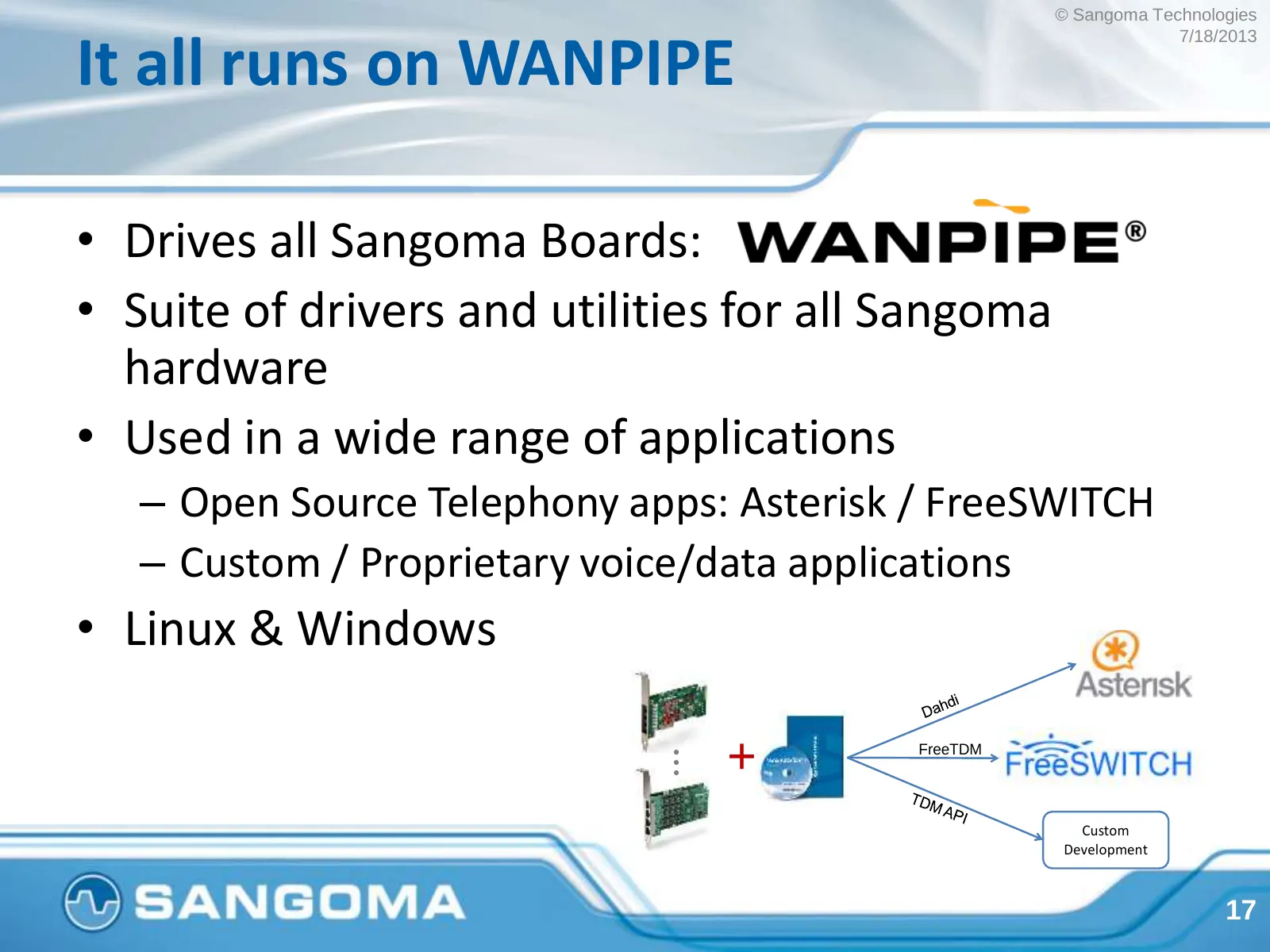
© Sangoma Technologies 7/18/2013 It all runs on WANPIPE • Drives all Sangoma Boards: • Suite of drivers and utilities for all Sangoma hardware • Used in a wide range of applications – Open Source Telephony apps: Asterisk / FreeSWITCH – Custom / Proprietary voice/data applications • Linux & Windows +
Slide 18: A116 Pricing and SKUs
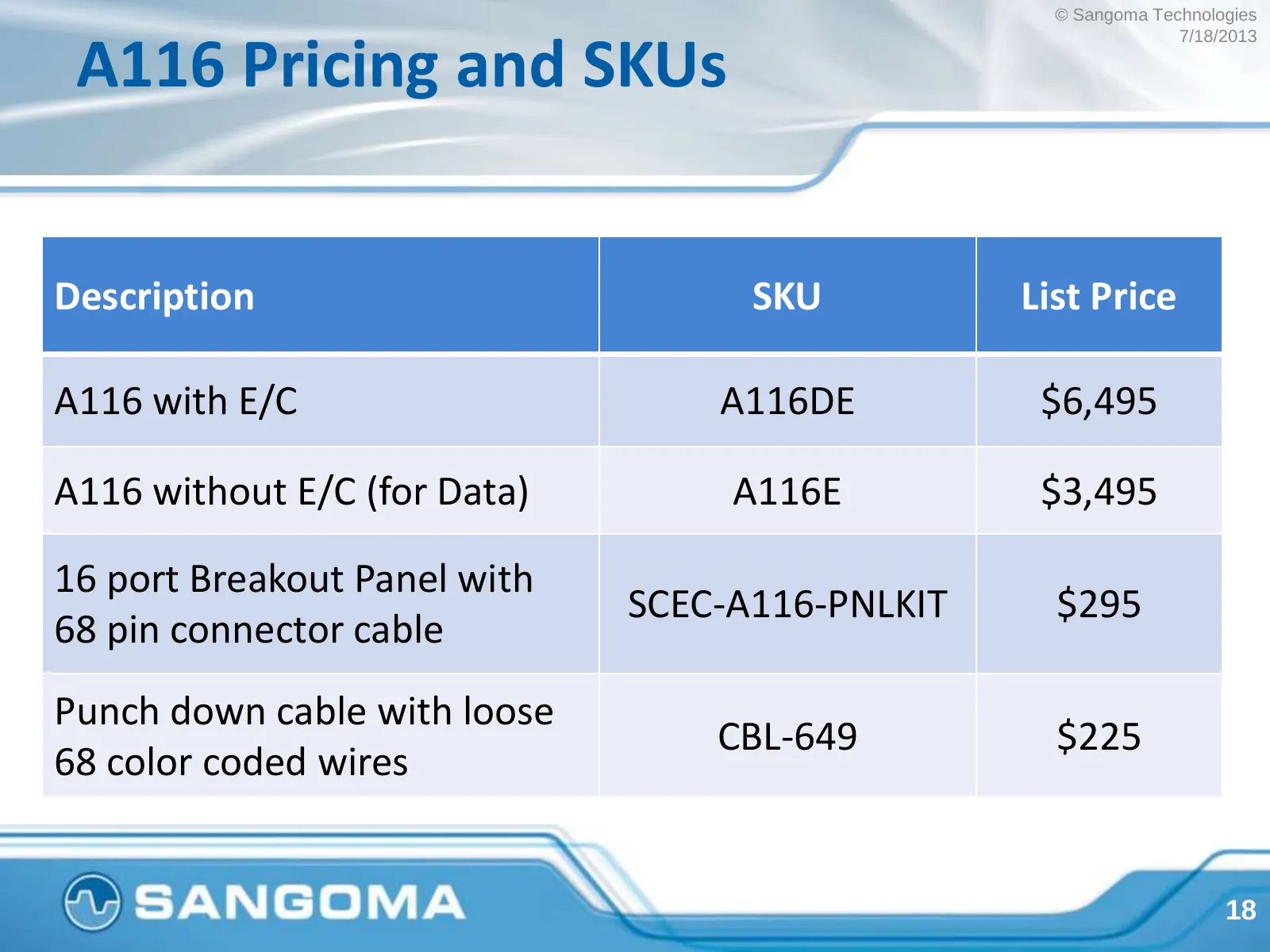
© Sangoma Technologies 7/18/2013 A116 Pricing and SKUs Description SKU List Price A116 with E/C A116DE $6,495 A116 without E/C (for Data) A116E $3,495 16 port Breakout Panel with SCEC-A116-PNLKIT $295 68 pin connector cable Punch down cable with loose CBL-649 $225 68 color coded wires 18
Slide 19: Board and Driver Installation
BOARD AND DRIVER INSTALLATION
Slide 20: WANPIPE
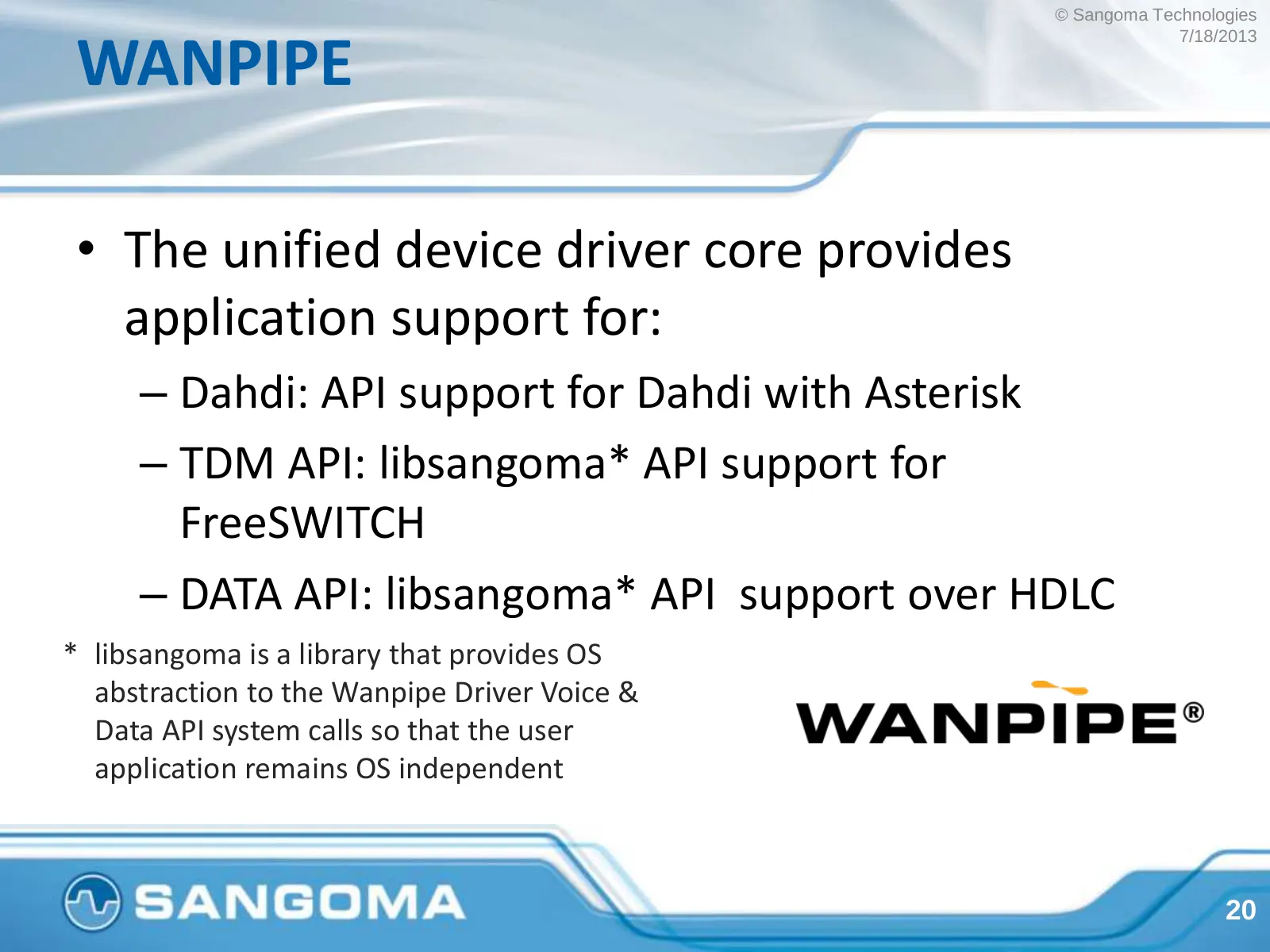
© Sangoma Technologies 7/18/2013 WANPIPE • The unified device driver core provides application support for: – Dahdi: API support for Dahdi with Asterisk – TDM API: libsangoma* API support for FreeSWITCH – DATA API: libsangoma* API support over HDLC * libsangoma is a library that provides OS abstract
Slide 21: WANPIPE for Dahdi
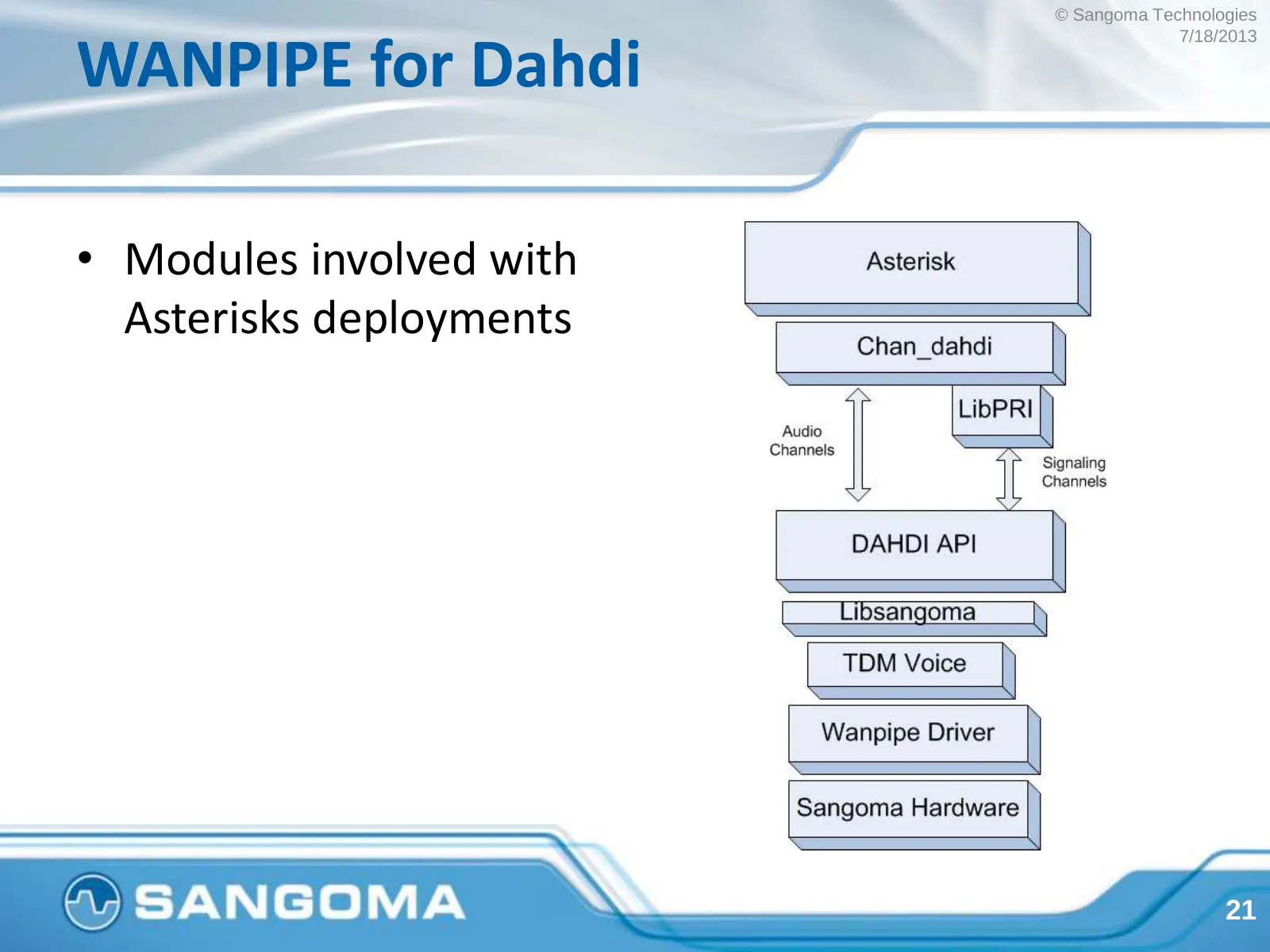
© Sangoma Technologies 7/18/2013 WANPIPE for Dahdi • Modules involved with Asterisks deployments 21
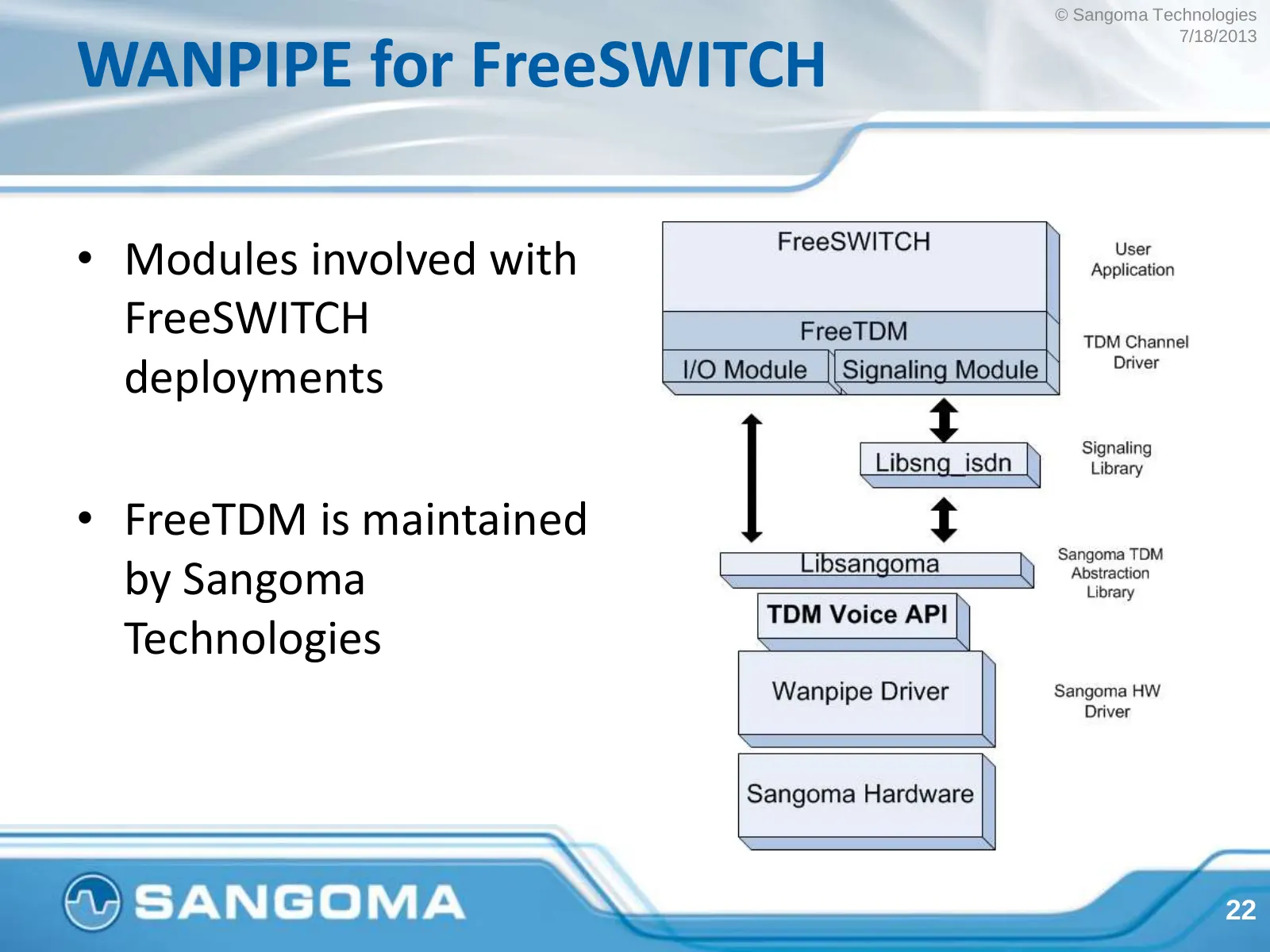
Slide 22: WANPIPE for FreeSWITCH
© Sangoma Technologies 7/18/2013 WANPIPE for FreeSWITCH • Modules involved with FreeSWITCH deployments • FreeTDM is maintained by Sangoma Technologies 22
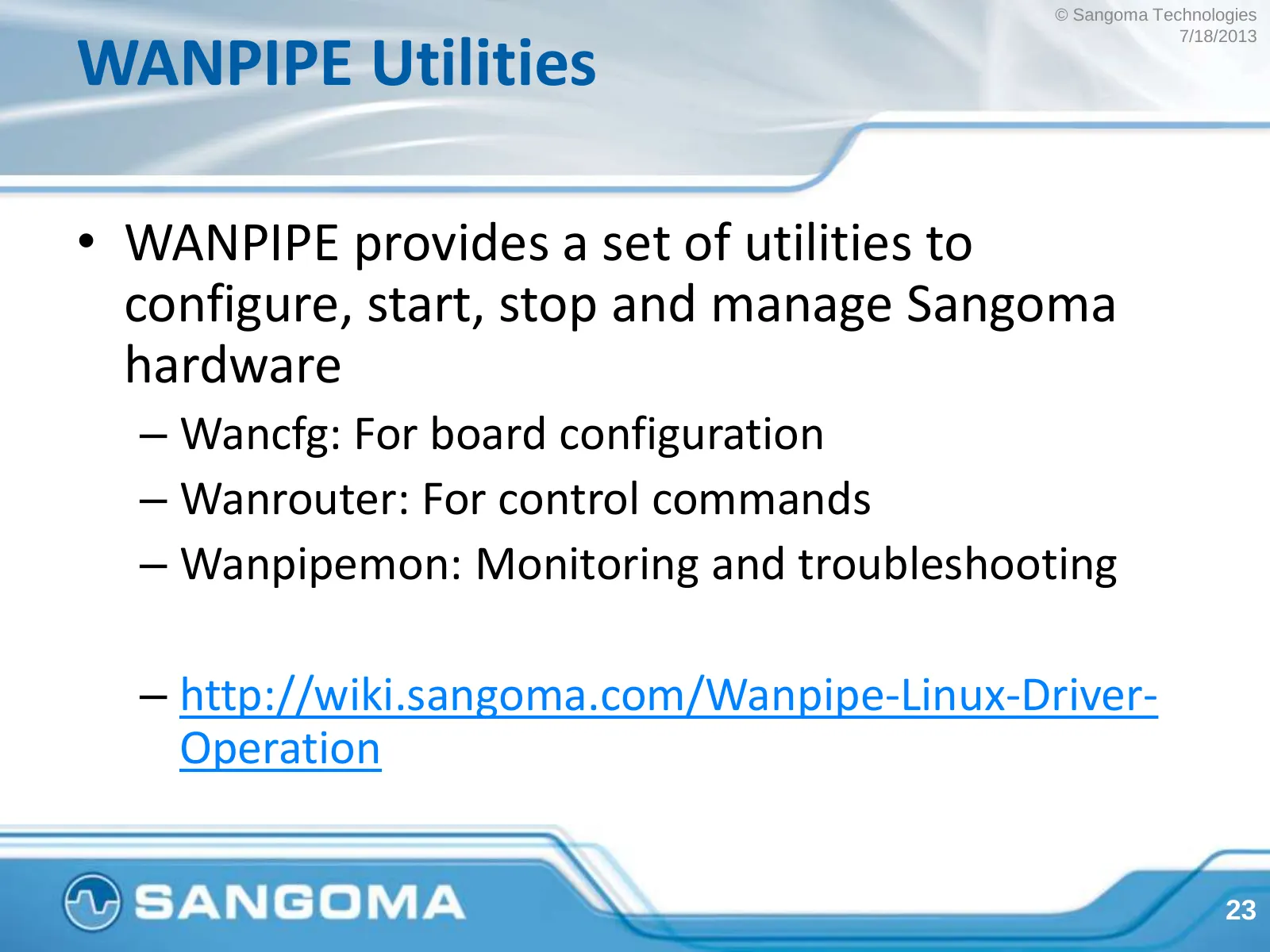
Slide 23: WANPIPE Utilities
© Sangoma Technologies 7/18/2013 WANPIPE Utilities • WANPIPE provides a set of utilities to configure, start, stop and manage Sangoma hardware – Wancfg: For board configuration – Wanrouter: For control commands – Wanpipemon: Monitoring and troubleshooting – http://wiki.sangoma.com/Wanpipe-Linux-Driv
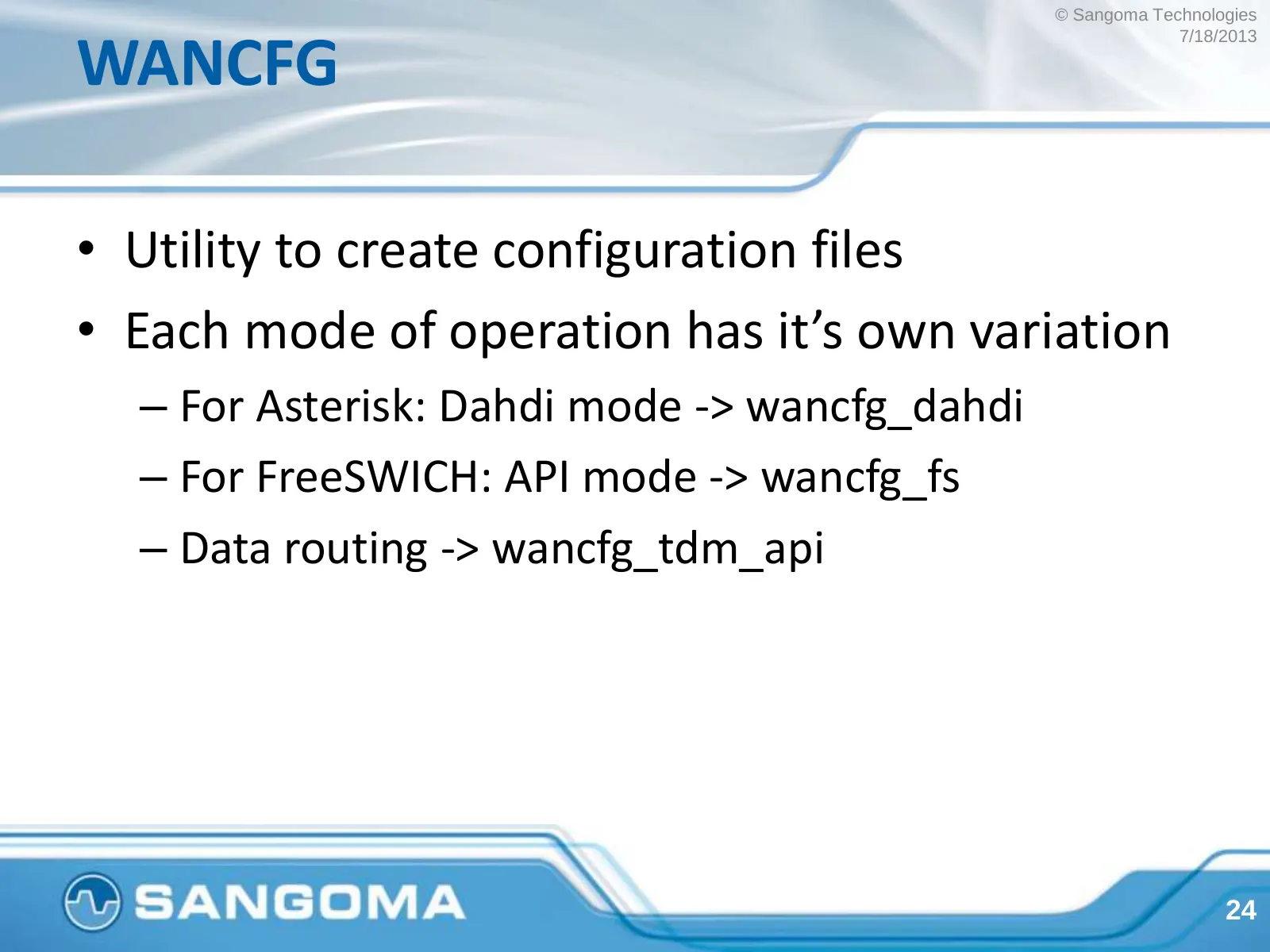
Slide 24: WANCFG
© Sangoma Technologies 7/18/2013 WANCFG • Utility to create configuration files • Each mode of operation has it’s own variation – For Asterisk: Dahdi mode -> wancfg_dahdi – For FreeSWICH: API mode -> wancfg_fs – Data routing -> wancfg_tdm_api 24
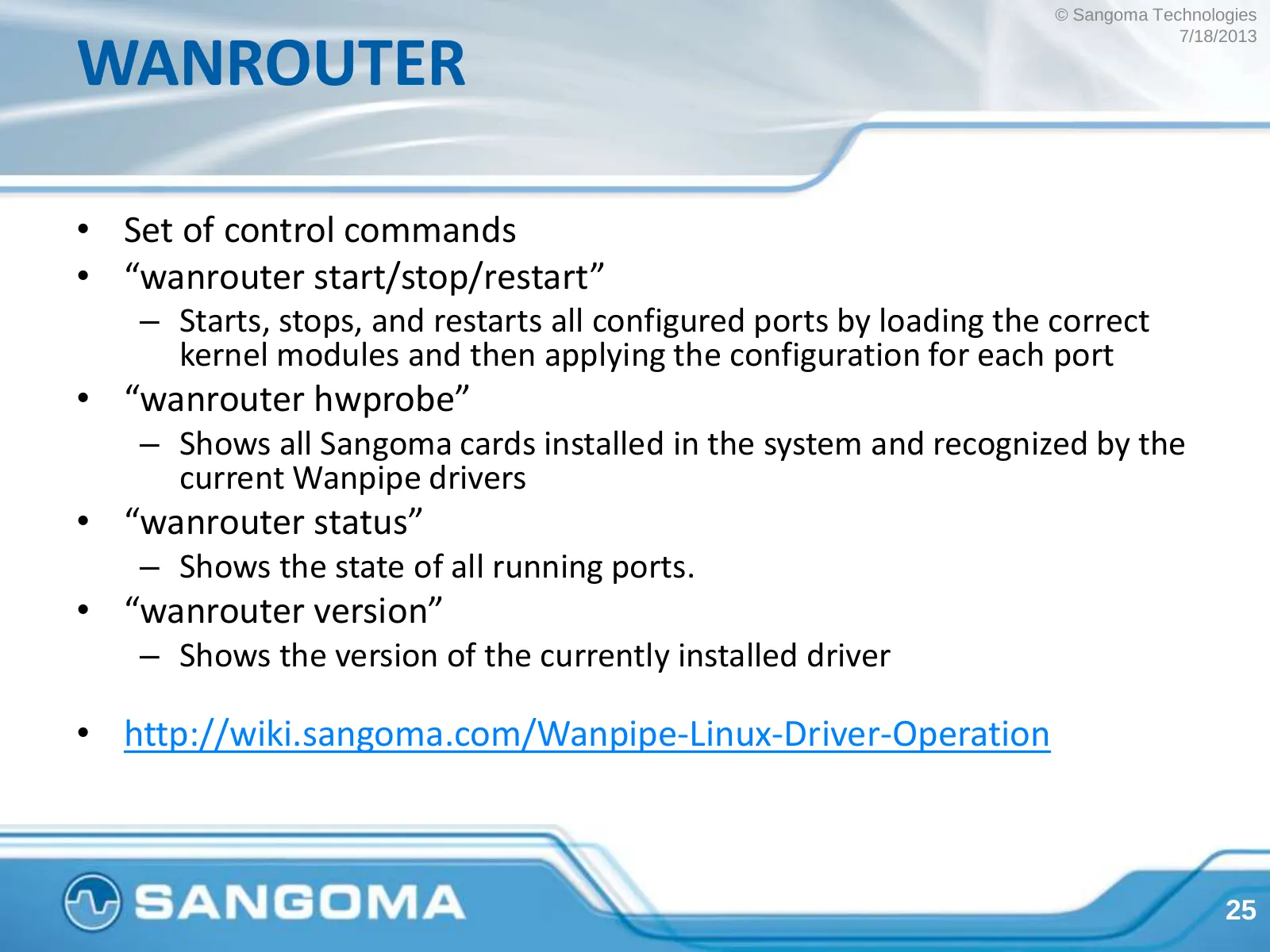
Slide 25: WANROUTER
© Sangoma Technologies 7/18/2013 WANROUTER • Set of control commands • “wanrouter start/stop/restart” – Starts, stops, and restarts all configured ports by loading the correct kernel modules and then applying the configuration for each port • “wanrouter hwprobe” – Shows all Sangoma cards installed i
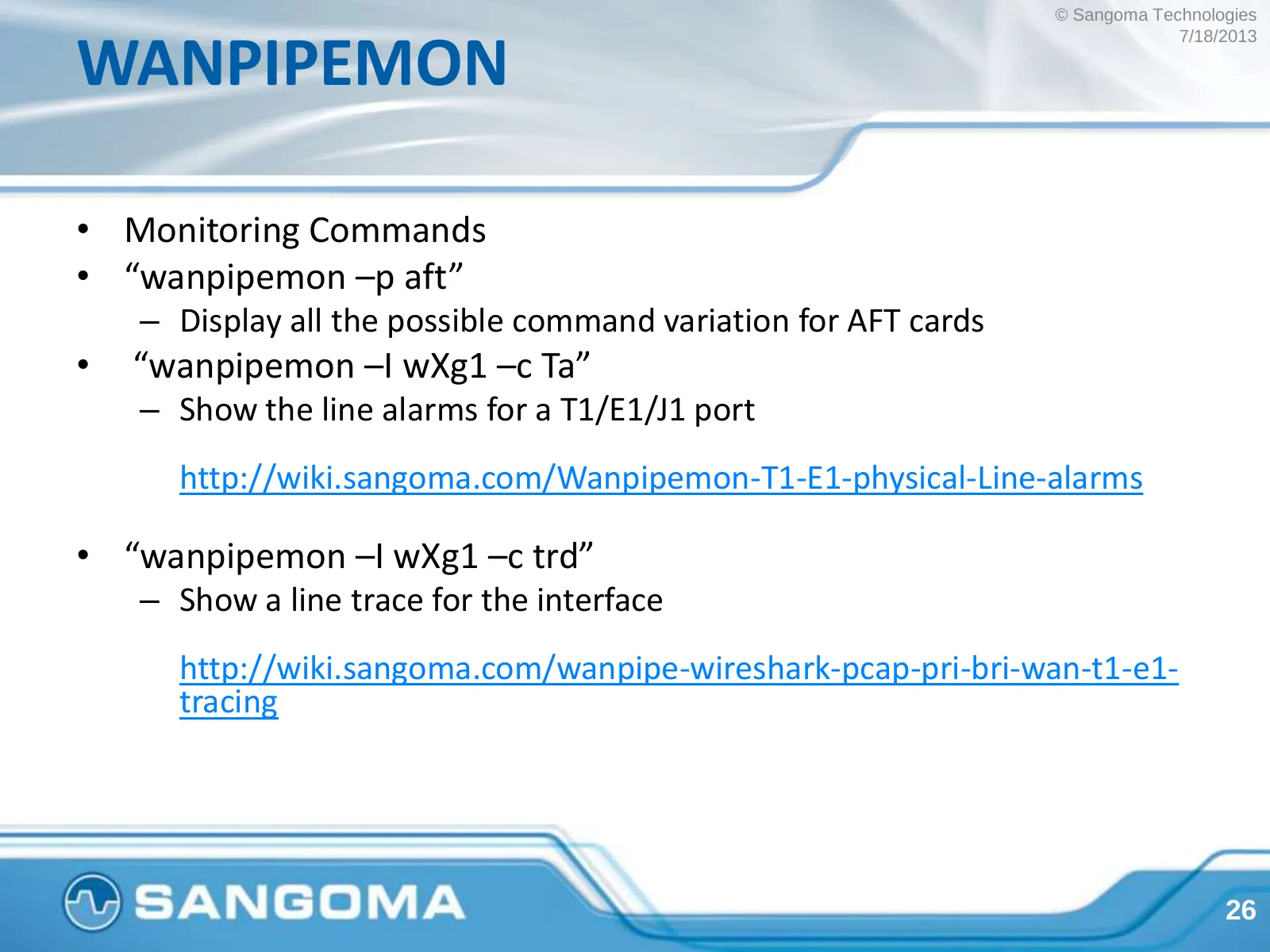
Slide 26: WANPIPEMON
© Sangoma Technologies 7/18/2013 WANPIPEMON • Monitoring Commands • “wanpipemon –p aft” – Display all the possible command variation for AFT cards • “wanpipemon –I wXg1 –c Ta” – Show the line alarms for a T1/E1/J1 port http://wiki.sangoma.com/Wanpipemon-T1-E1-physical-Line-alarms • “wanpipemon –I wX
Slide 27: WANPIPE Installation
© Sangoma Technologies 7/18/2013 WANPIPE Installation • Asterisk systems • FreeSWITCH systems • API development 27
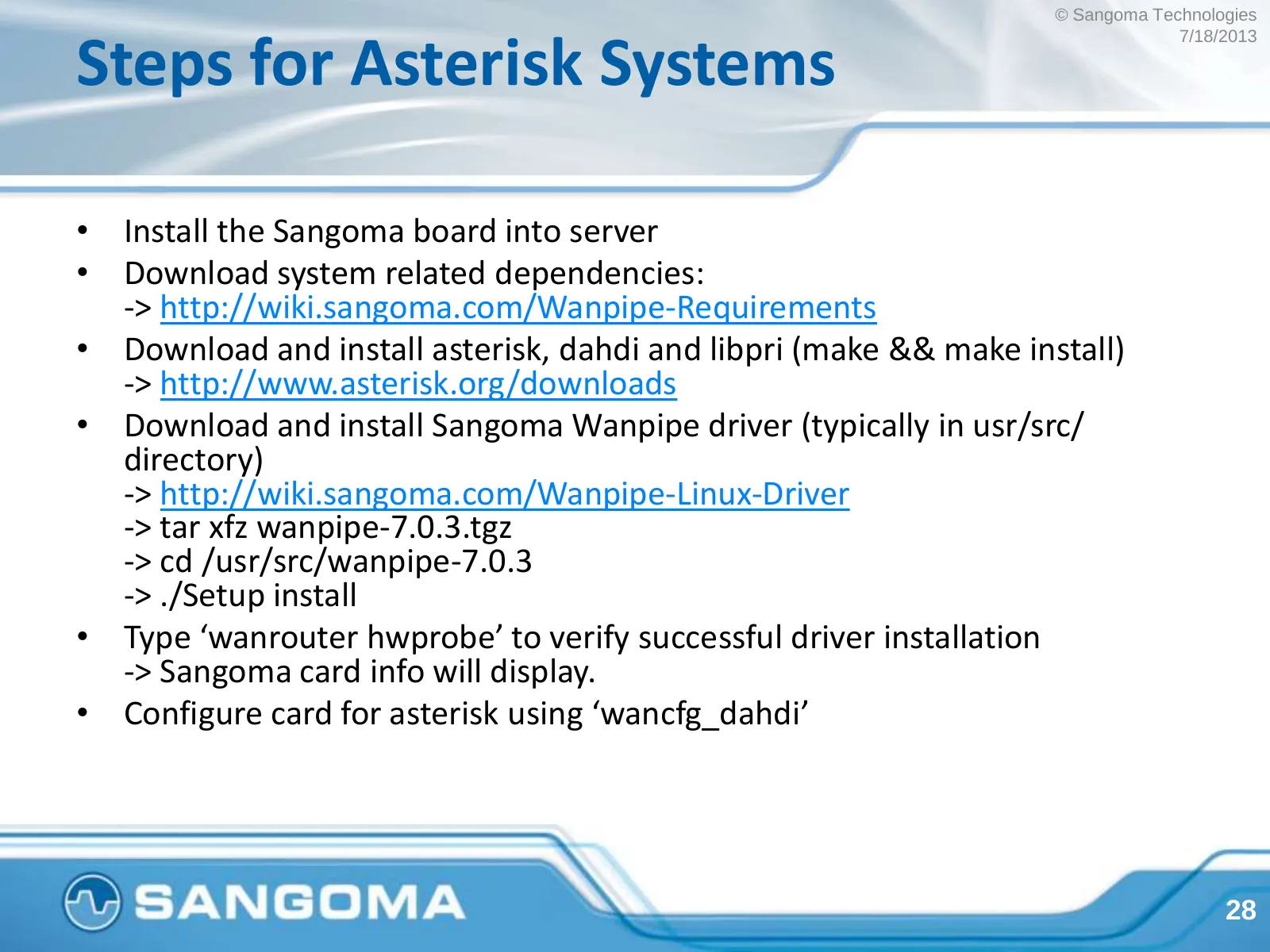
Slide 28: Steps for Asterisk Systems
© Sangoma Technologies 7/18/2013 Steps for Asterisk Systems • Install the Sangoma board into server • Download system related dependencies: -> http://wiki.sangoma.com/Wanpipe-Requirements • Download and install asterisk, dahdi and libpri (make && make install) -> http://www.asterisk.org/downloads •
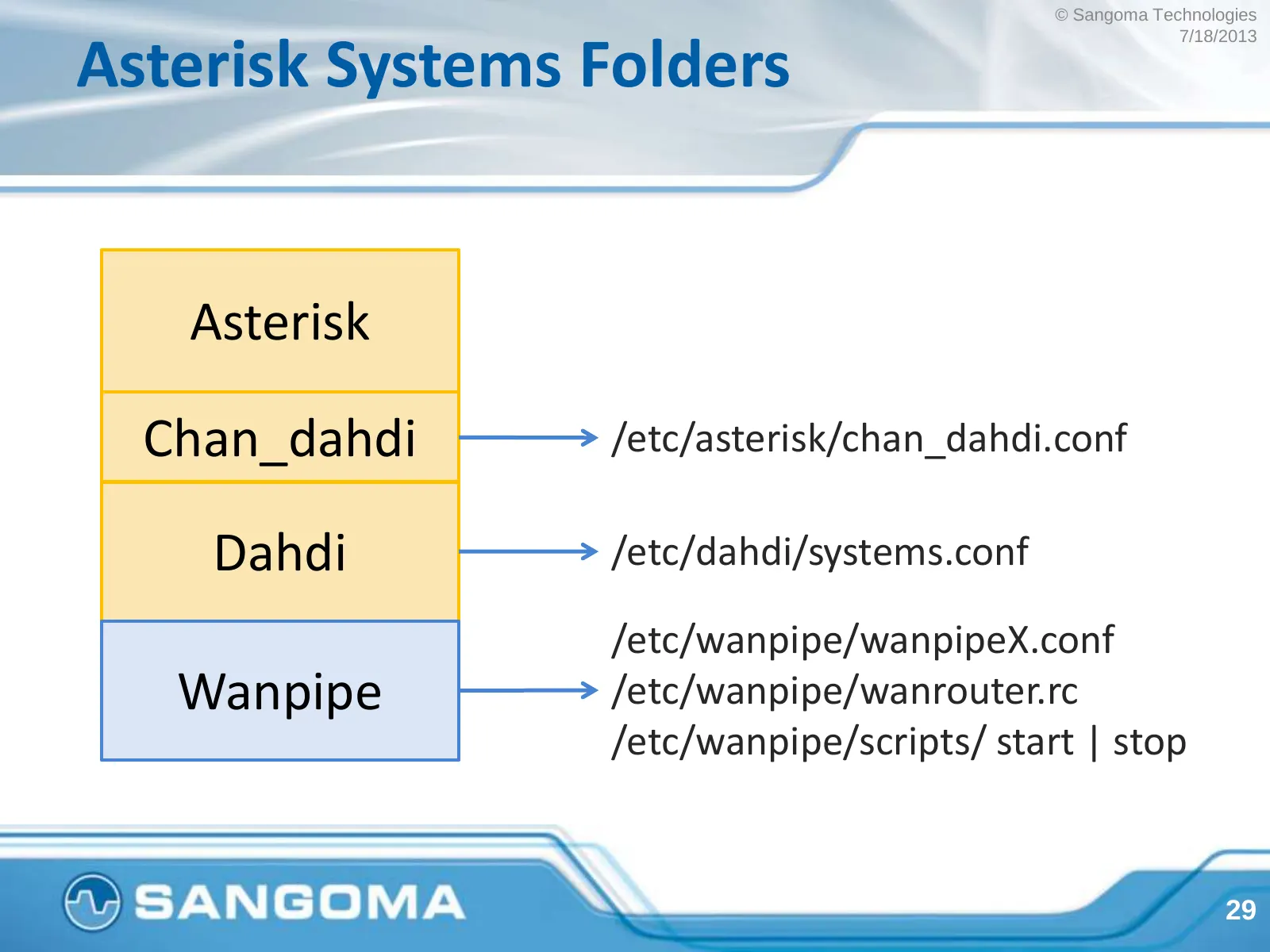
Slide 29: Asterisk Systems Folders
© Sangoma Technologies 7/18/2013 Asterisk Systems Folders Asterisk Chan_dahdi /etc/asterisk/chan_dahdi.conf Dahdi /etc/dahdi/systems.conf /etc/wanpipe/wanpipeX.conf Wanpipe /etc/wanpipe/wanrouter.rc /etc/wanpipe/scripts/ start | stop 29
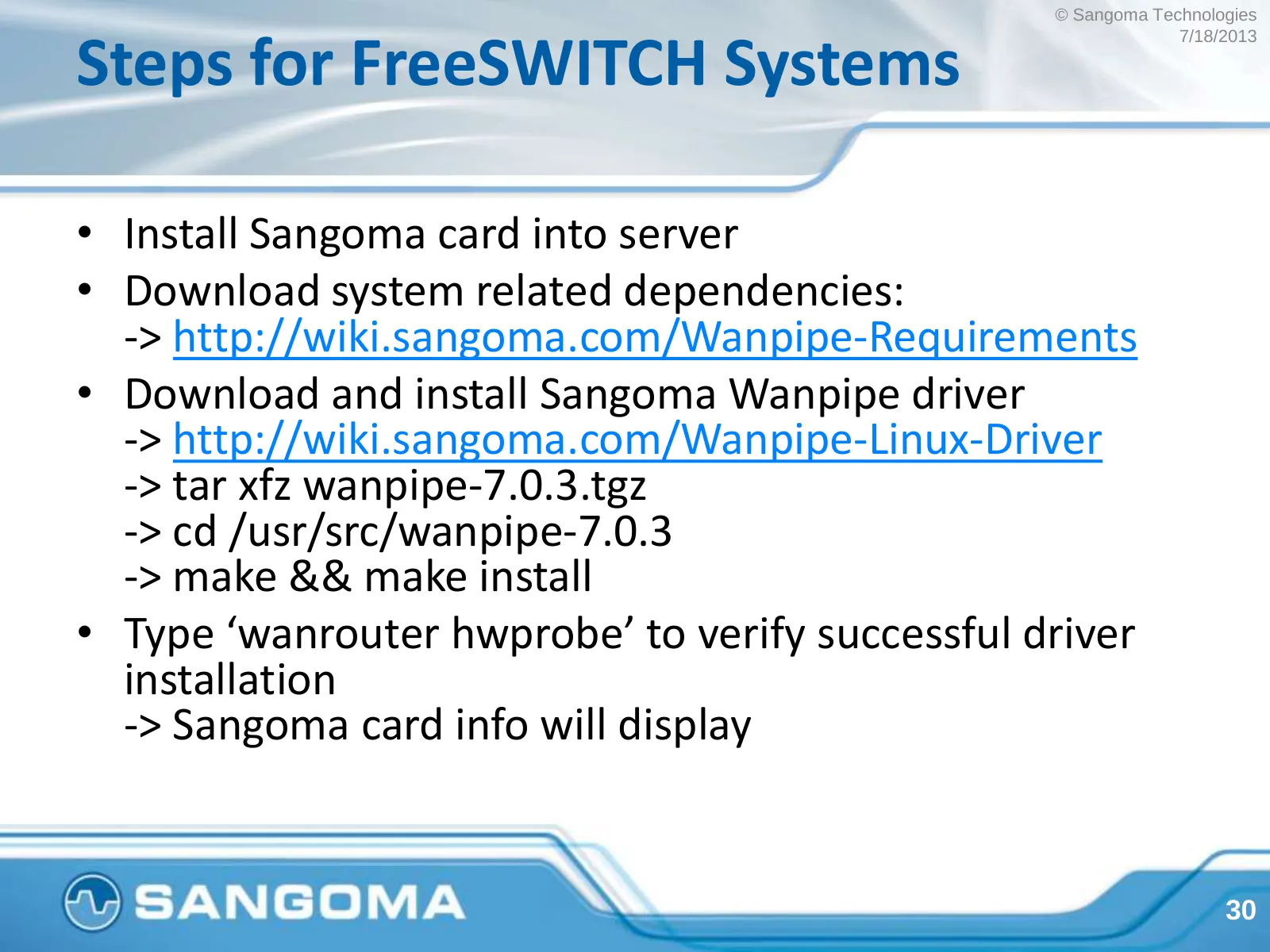
Slide 30: Steps for FreeSWITCH Systems
© Sangoma Technologies 7/18/2013 Steps for FreeSWITCH Systems • Install Sangoma card into server • Download system related dependencies: -> http://wiki.sangoma.com/Wanpipe-Requirements • Download and install Sangoma Wanpipe driver -> http://wiki.sangoma.com/Wanpipe-Linux-Driver -> tar xfz wanpipe-7.
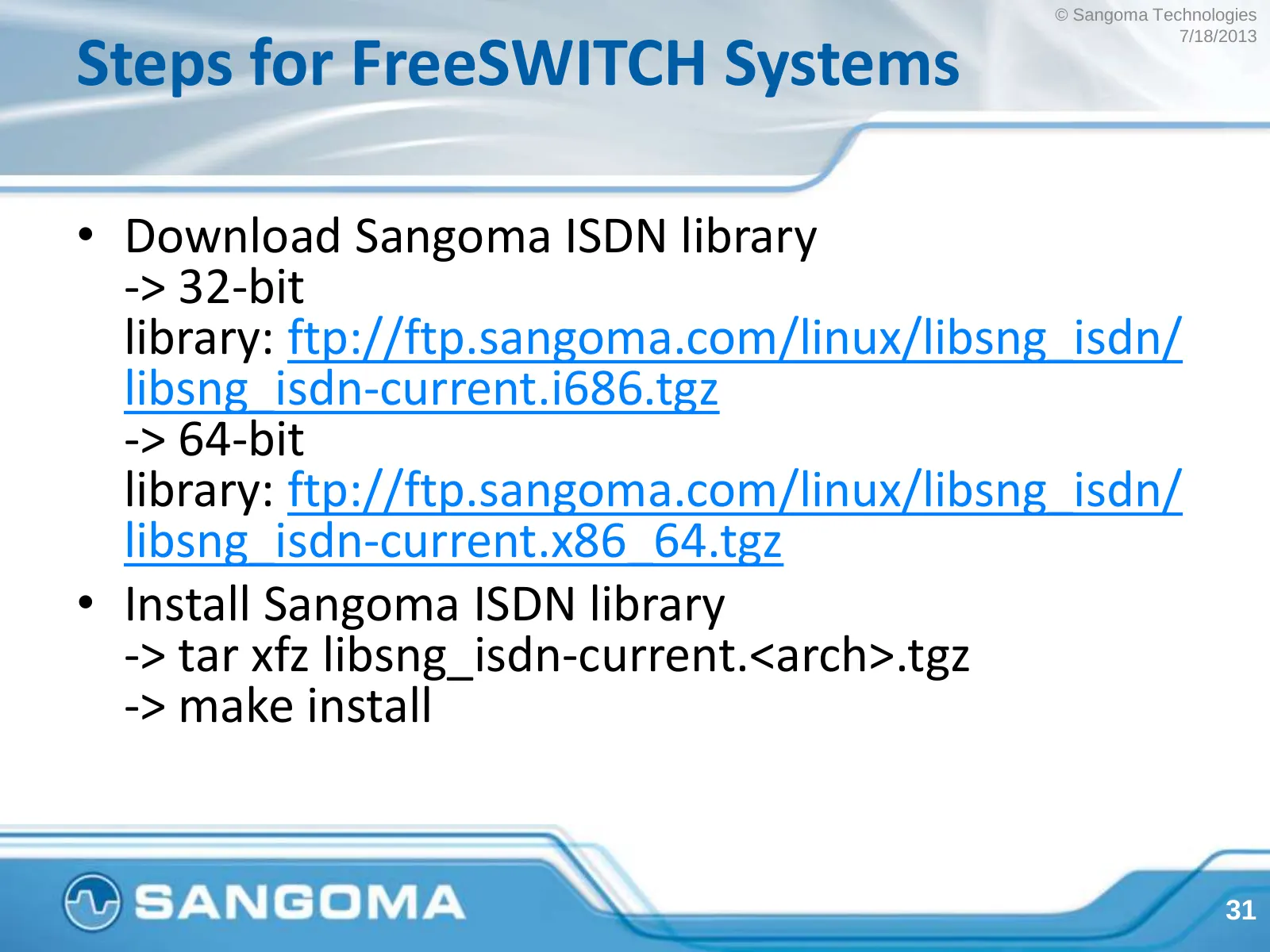
Slide 31: Steps for FreeSWITCH Systems
© Sangoma Technologies 7/18/2013 Steps for FreeSWITCH Systems • Download Sangoma ISDN library -> 32-bit library: ftp://ftp.sangoma.com/linux/libsng_isdn/ libsng_isdn-current.i686.tgz -> 64-bit library: ftp://ftp.sangoma.com/linux/libsng_isdn/ libsng_isdn-current.x86_64.tgz • Install Sangoma ISDN lib
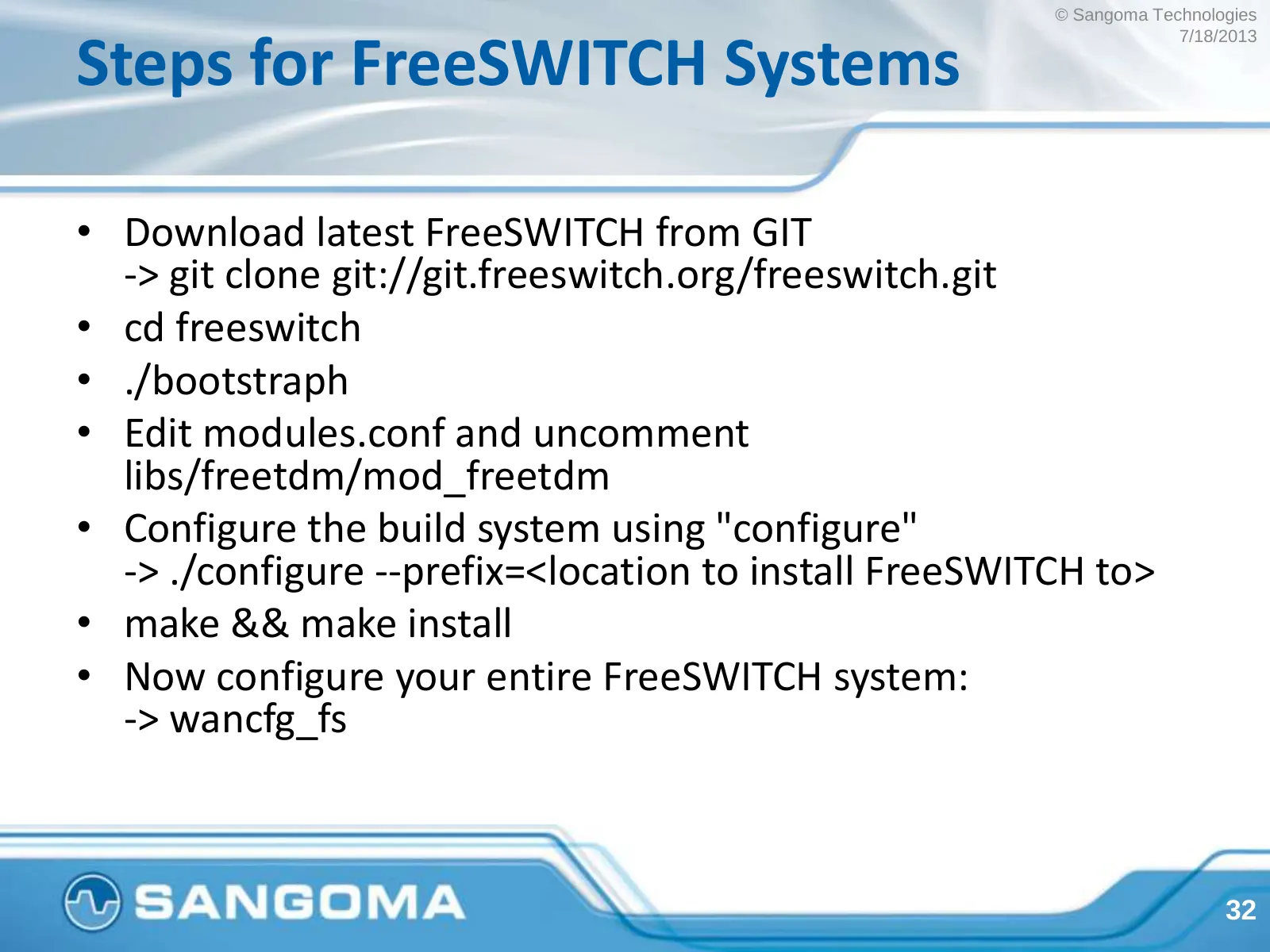
Slide 32: Steps for FreeSWITCH Systems
© Sangoma Technologies 7/18/2013 Steps for FreeSWITCH Systems • Download latest FreeSWITCH from GIT -> git clone git://git.freeswitch.org/freeswitch.git • cd freeswitch • ./bootstraph • Edit modules.conf and uncomment libs/freetdm/mod_freetdm • Configure the build system using "configure" -> ./confi
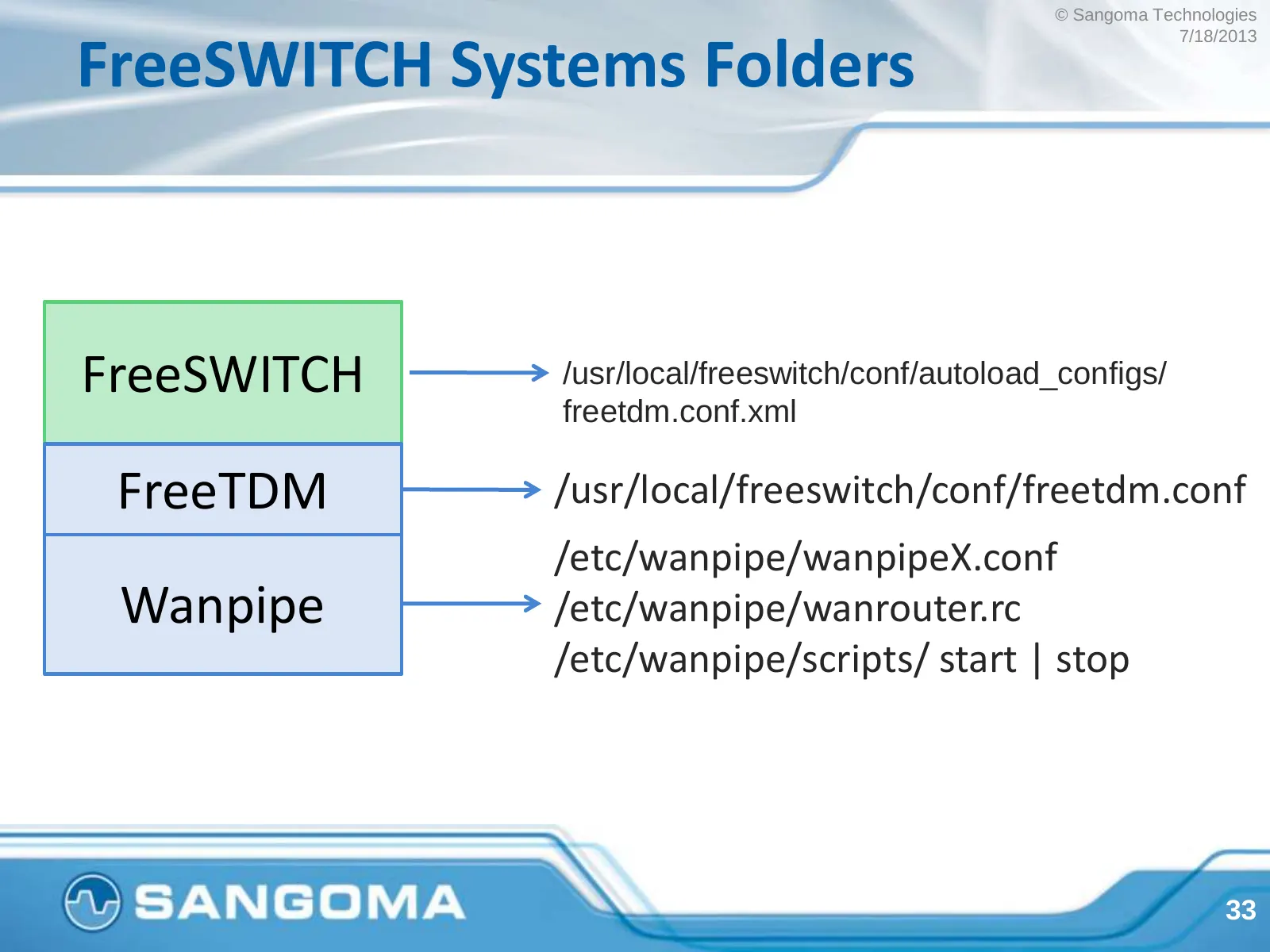
Slide 33: FreeSWITCH Systems Folders
© Sangoma Technologies 7/18/2013 FreeSWITCH Systems Folders FreeSWITCH /usr/local/freeswitch/conf/autoload_configs/ freetdm.conf.xml FreeTDM /usr/local/freeswitch/conf/freetdm.conf /etc/wanpipe/wanpipeX.conf Wanpipe /etc/wanpipe/wanrouter.rc /etc/wanpipe/scripts/ start | stop 33
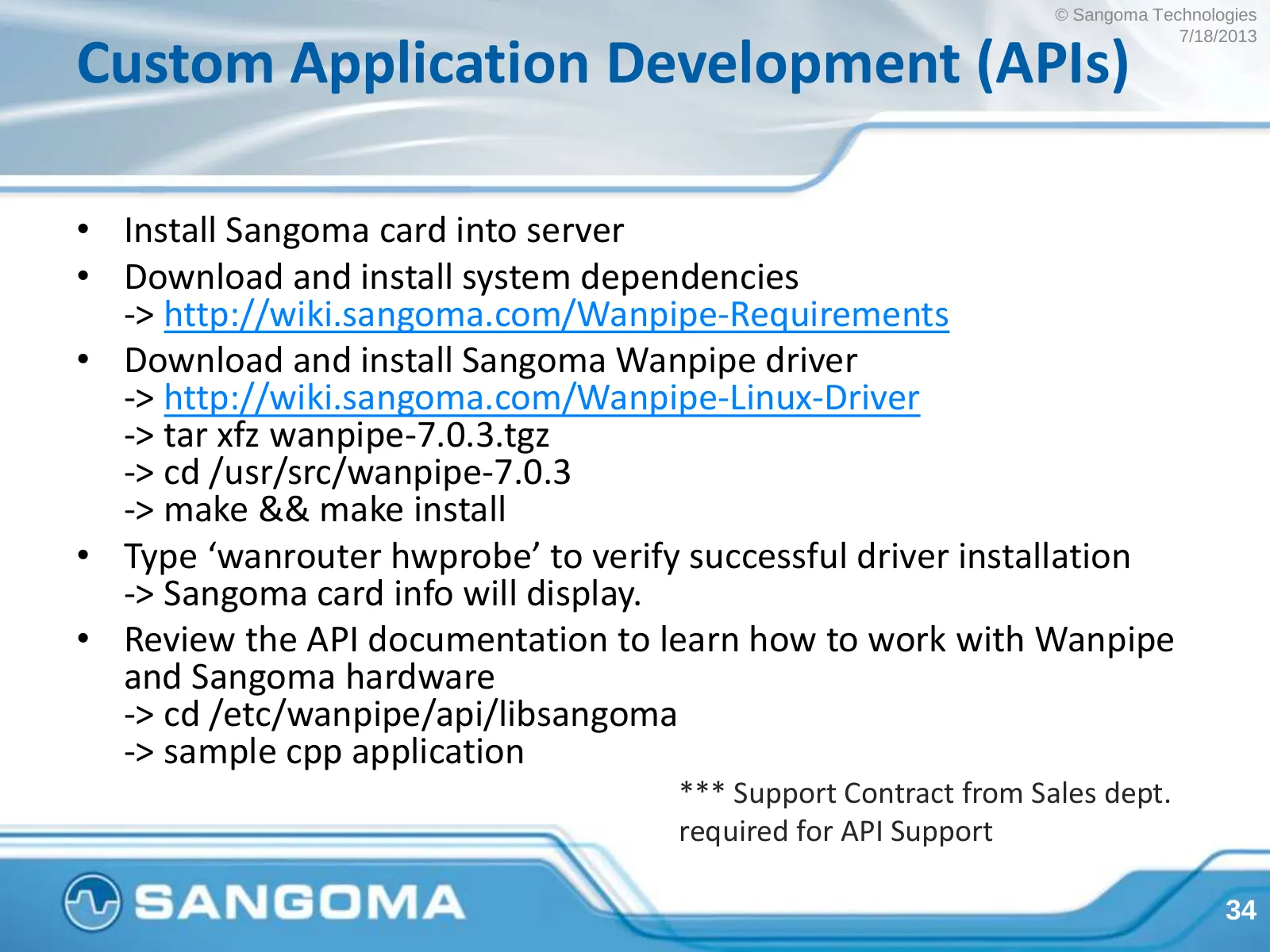
Slide 34: Custom Application Development (APIs)
© Sangoma Technologies 7/18/2013 Custom Application Development (APIs) • Install Sangoma card into server • Download and install system dependencies -> http://wiki.sangoma.com/Wanpipe-Requirements • Download and install Sangoma Wanpipe driver -> http://wiki.sangoma.com/Wanpipe-Linux-Driver -> tar xf

Slide 35: Poll
POLL 6) SANGOMA CONNECT WITH SANGOMA
Slide 36: System Design Considerations
SYSTEM DESIGN CONSIDERATIONS
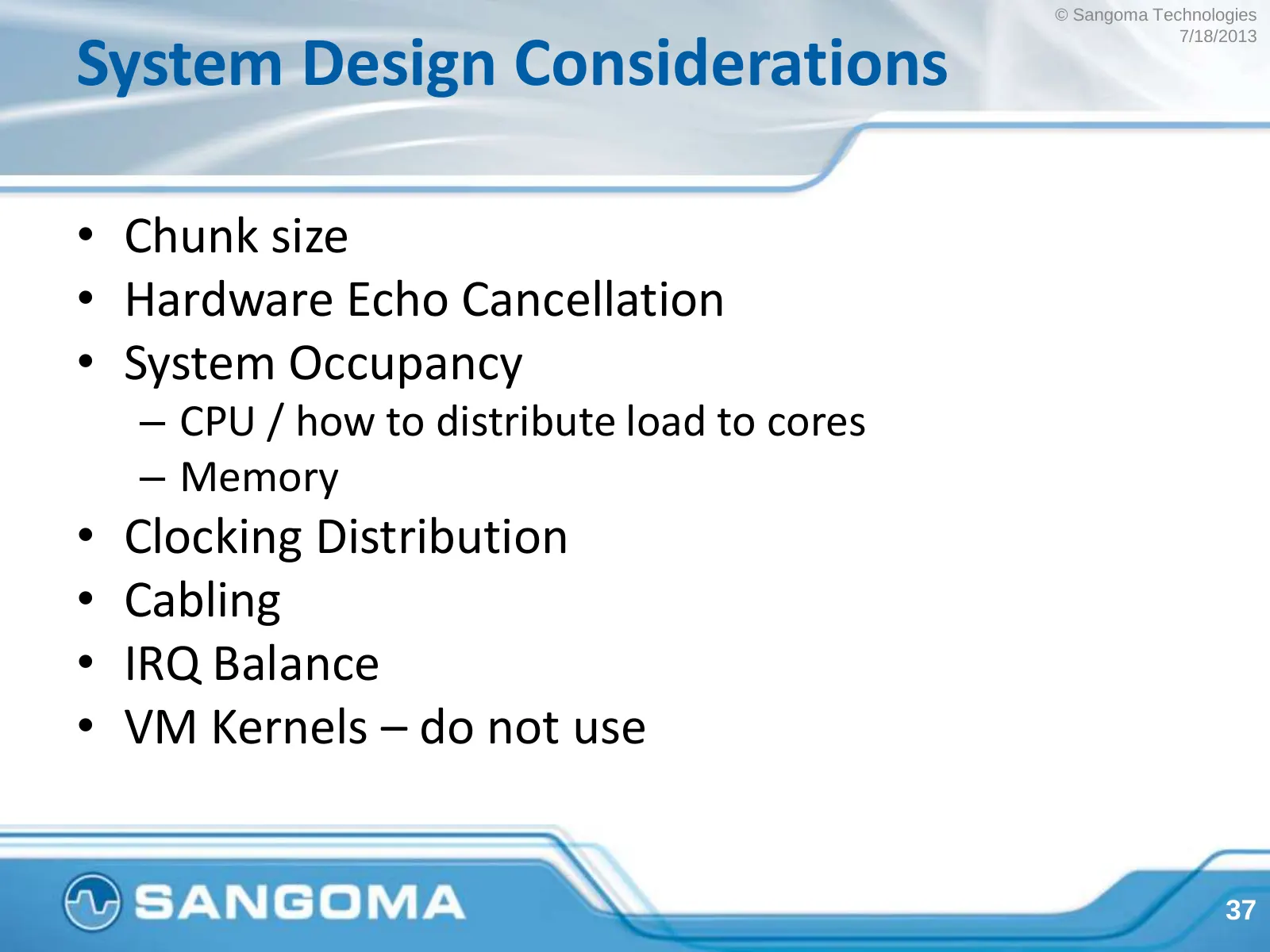
Slide 37: System Design Considerations
© Sangoma Technologies 7/18/2013 System Design Considerations • Chunk size • Hardware Echo Cancellation • System Occupancy – CPU / how to distribute load to cores – Memory • Clocking Distribution • Cabling • IRQ Balance • VM Kernels – do not use 37
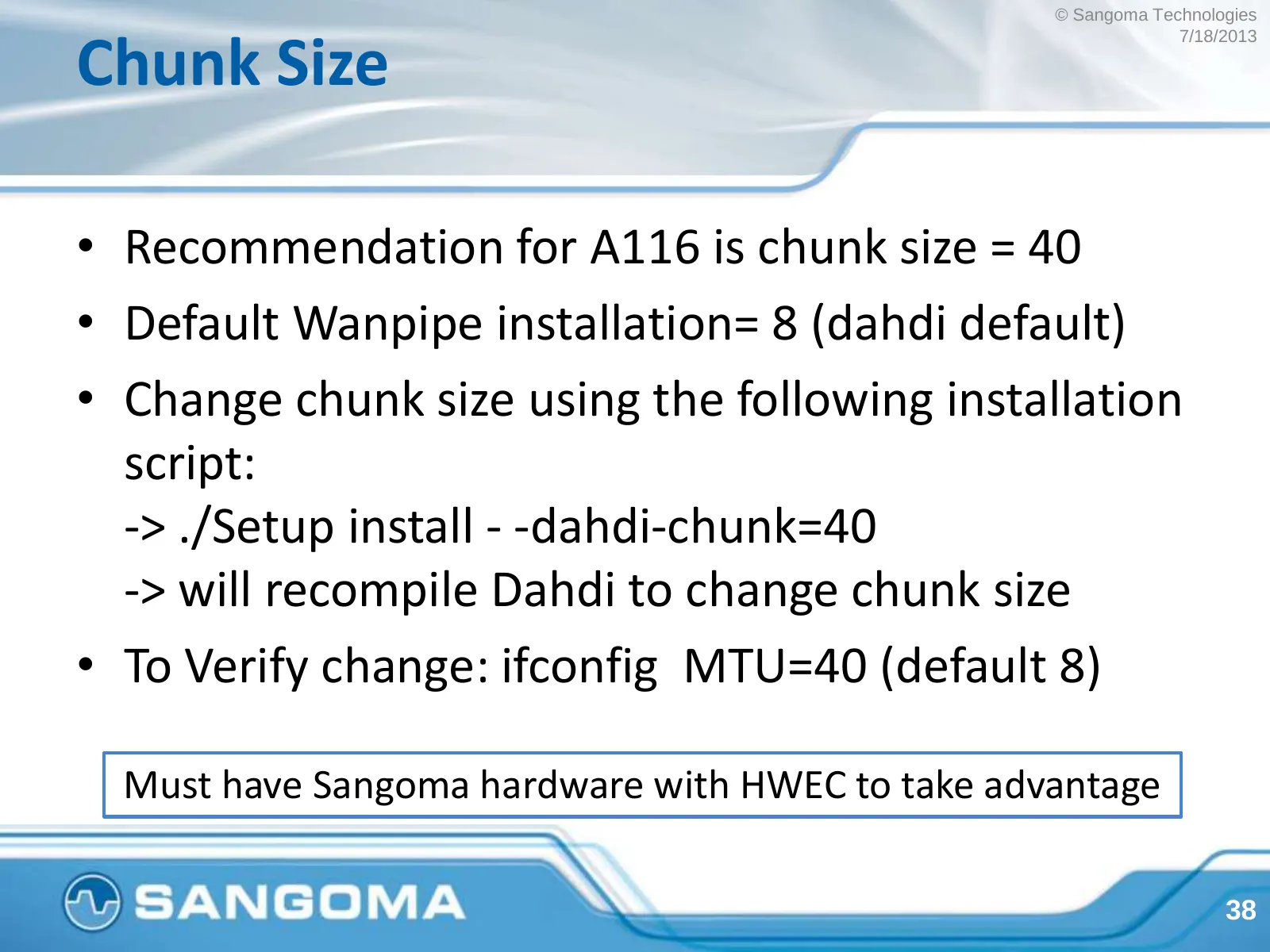
Slide 38: Chunk Size
© Sangoma Technologies 7/18/2013 Chunk Size • Recommendation for A116 is chunk size = 40 • Default Wanpipe installation= 8 (dahdi default) • Change chunk size using the following installation script: -> ./Setup install - -dahdi-chunk=40 -> will recompile Dahdi to change chunk size • To Verify change
Slide 39: Hardware Echo Cancellation
© Sangoma Technologies 7/18/2013 Hardware Echo Cancellation • Echo Cancellation is key for any VoIP Systems • Cannot be done in software – CPU of your host system will not be able to support call density • Sometimes interconnection service say they do EC for you, but who would you really trust to de
Slide 40: System/Server Considerations
© Sangoma Technologies 7/18/2013 System/Server Considerations • Use at least Quad Core I7 or Quad Core Xeon • At least 4GB RAM • CPU at load should never peak over 80%, average 60% • Similar for Memory 40
Slide 41: Clocking Distribution
© Sangoma Technologies 7/18/2013 Clocking Distribution • Digital telecom systems needs to work off the same clock source • Generally derived from Telco interconnect • For the A116 – Ports 1-8: must have same clock source – Ports 9-16: must have same clock source • To configure for all ports connecte
Slide 42: Cabling
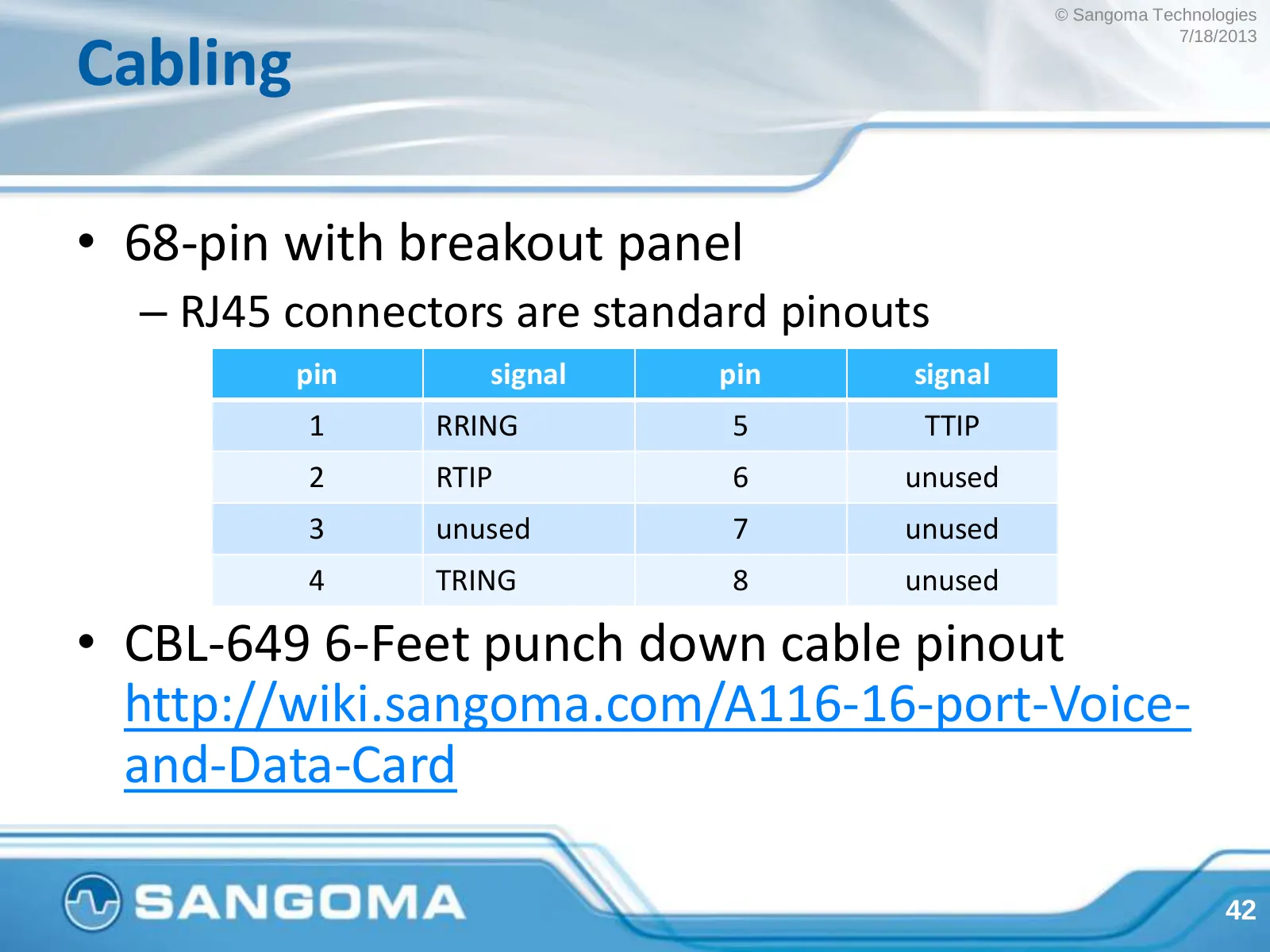
© Sangoma Technologies 7/18/2013 Cabling • 68-pin with breakout panel – RJ45 connectors are standard pinouts pin signal pin signal 1 RRING 5 TTIP 2 RTIP 6 unused 3 unused 7 unused 4 TRING 8 unused • CBL-649 6-Feet punch down cable pinout http://wiki.sangoma.com/A116-16-port-Voice- and-Data-Card 42
Slide 43: IRQ Balance
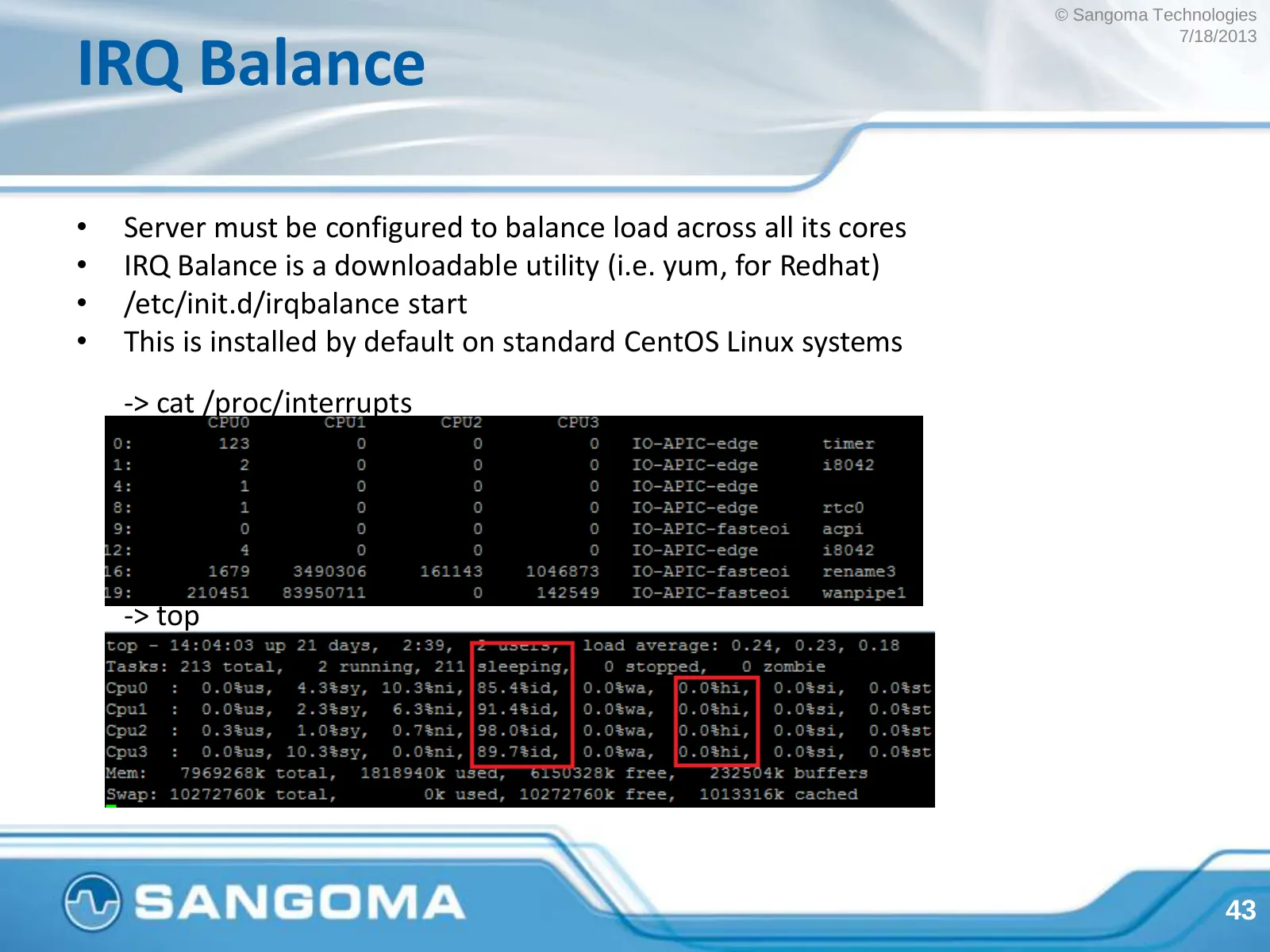
© Sangoma Technologies 7/18/2013 IRQ Balance • Server must be configured to balance load across all its cores • IRQ Balance is a downloadable utility (i.e. yum, for Redhat) • /etc/init.d/irqbalance start • This is installed by default on standard CentOS Linux systems -> cat /proc/interrupts -> top 4
Slide 44: VM Kernels
© Sangoma Technologies 7/18/2013 VM Kernels • Sangoma boards do not run in a virtualized environment • Should not use virtualized kernels even if you are not using virtualization – Adds latency, latency is not good for real time systems • Best to use Standard CentOS distribution of Linux – This is t
Slide 45: Self Help and Technical Support
SELF HELP AND TECHNICAL SUPPORT
Slide 46: Getting Help
© Sangoma Technologies 7/18/2013 Getting Help • Wiki -> wiki.sangoma.com -> http://wiki.sangoma.com/Boards-Self-Help -> http://wiki.sangoma.com/A116-16-port-Voice- and-Data-Card • Support.sangoma.com – Open ticket, under ‘Sangoma Boards’ – Upload configuration using ‘Support logger’ -> collects conf
Slide 47: Competition
— COMPETITION 6) SANGOMA CONNECT WITH SANGOMA
Slide 48: Competition – Digium
© Sangoma Technologies 7/18/2013 Competition – Digium • Only recently came up with 8 spans board • Does not have 16 spans offering • Drivers limited to Asterisk and Linux – No windows, no FreeSWITCH, no APIs • More costly to build large systems – More servers required – More investment • Cannot alte
Slide 49: Closing
— CLOSING 6) SANGOMA CONNECT WITH SANGOMA
Slide 50: Closing
© Sangoma Technologies 7/18/2013 Closing • Highest density OST board in the market • Adjustable Packet Size scales much better • Optional On-board Echo Cancellation • Lifetime warranty • Asterisk and FreeSWITCH support via Wanpipe • 2 connection options: – Rack mountable breakout panel with cable –

Slide 51: Contact Us
© Sangoma Technologies 7/18/2013 Contact Us • Sangoma Technologies 100 Renfrew Drive, Suite 100 Markham, Ontario L3R 9R6 Canada • Website: http://www.sangoma.com/ • Telephone: +1.905.474.1990 x2 (for Sales) • Email: sales@sangoma.com 51
Slide 52: Thank You!
— THANK YOU! 6) SANGOMA CONNECT WITH SANGOMA
Source: Internet Archive copy of sangoma.com
More decks from Sangoma Technologies Corporation
 Investor Presentation (February 2026)24 slides · February 2026
 Investor Presentation (February 2026)26 slides · February 2026
 Q1 2026 Earnings Presentation24 slides · Nov 10, 2025
 Investor Presentation (November 2025)23 slides · November 2025
 Investor Presentation (September 2025)24 slides · September 2025
 Investor Presentation (May 2025)28 slides · May 2025