Audinate Group Ltd. · ASX:AD8
Audinate — Technical Presentation (May 2020)
52 slides from Audinate's technical presentation, May 2020
Slide 1: Clocking
Clocking Visit Us Online: www.audinate.com/ddm Audinate 1
Slide 2: Introduction
Introduction Audinate 2
Slide 3: Questions?
Questions? • Please ask any questions via the Q&A function • We will try to get to as many relevant questions as possible • There will be a short Q&A after each section and a longer Q&A at the end of the presentation 5
Slide 4: Resources
Resources Post this webinar you will receive an email containing: • PDF version of the presentation • Recording of the presentation available for 90 days • Link to Q&A 6
Slide 5: Where can I get a free trial of Dante Domain Manager?
Where can I get a free trial of Dante Domain Manager? audinate.com/contact/sales Audinate 7
Slide 6: Dante Domain Manager
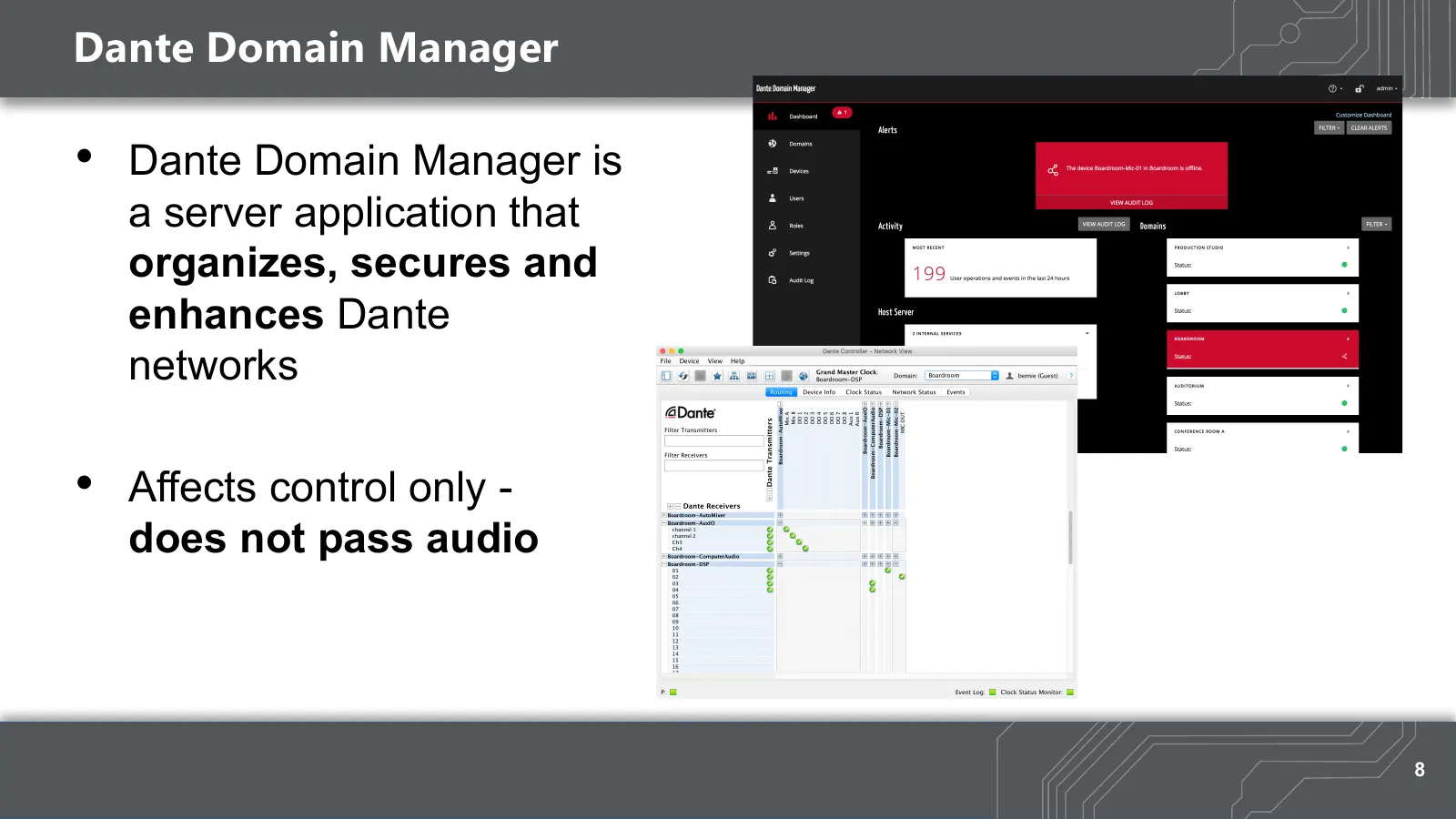
Dante Domain Manager • Dante Domain Manager is a server application that organizes, secures and enhances Dante networks • Affects control only - does not pass audio 8
Slide 7: Do More With Dante Domain Manager: Organize
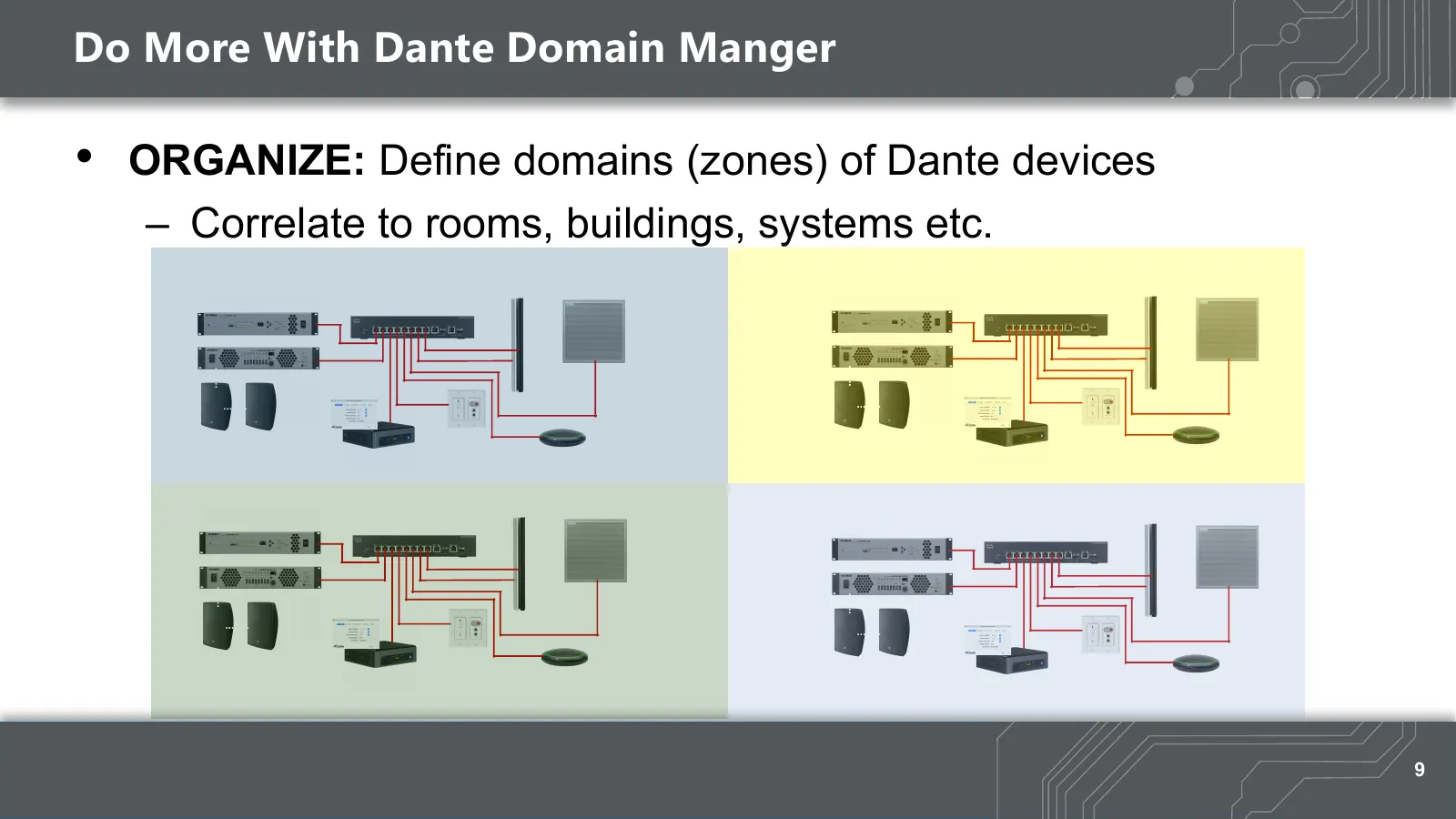
Do More With Dante Domain Manger • ORGANIZE: Define domains (zones) of Dante devices – Correlate to rooms, buildings, systems etc. 9
Slide 8: Do More With Dante Domain Manager: Secure
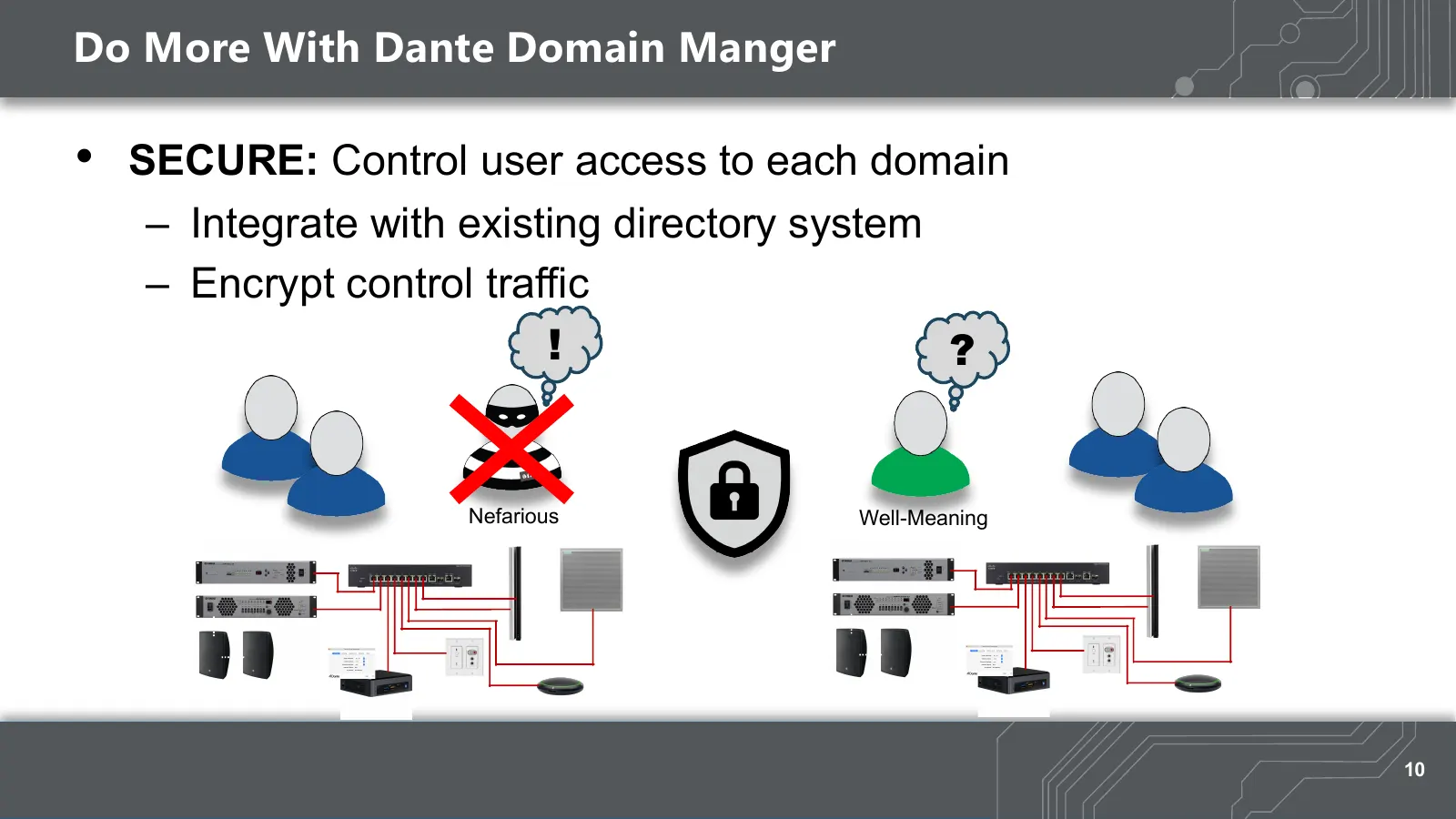
Do More With Dante Domain Manger • SECURE: Control user access to each domain – Integrate with existing directory system – Encrypt control traffic ! ? Nefarious Well-Meaning 10
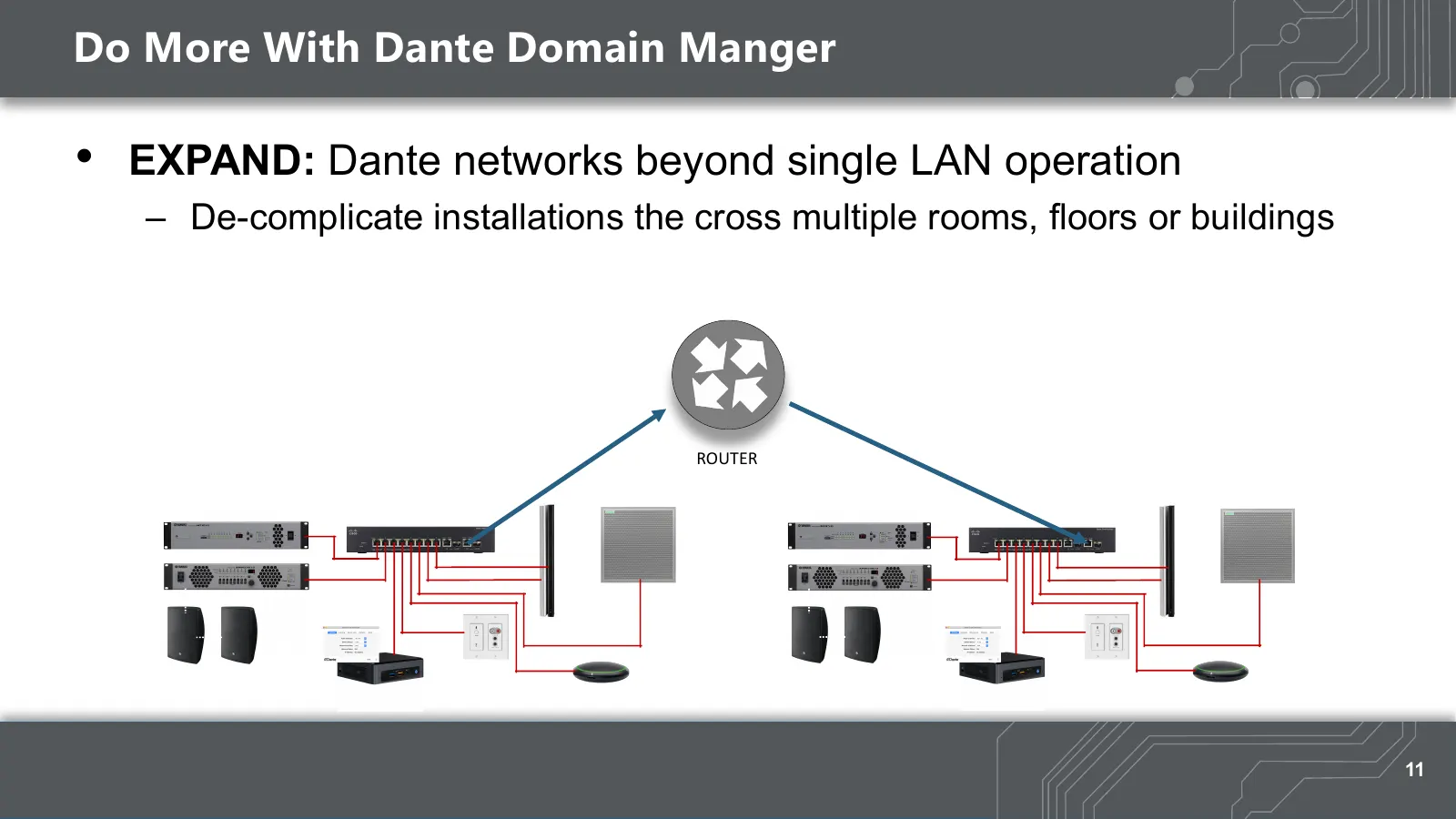
Slide 9: Do More With Dante Domain Manager: Expand
Do More With Dante Domain Manger • EXPAND: Dante networks beyond single LAN operation – De-complicate installations the cross multiple rooms, floors or buildings ROUTER 11
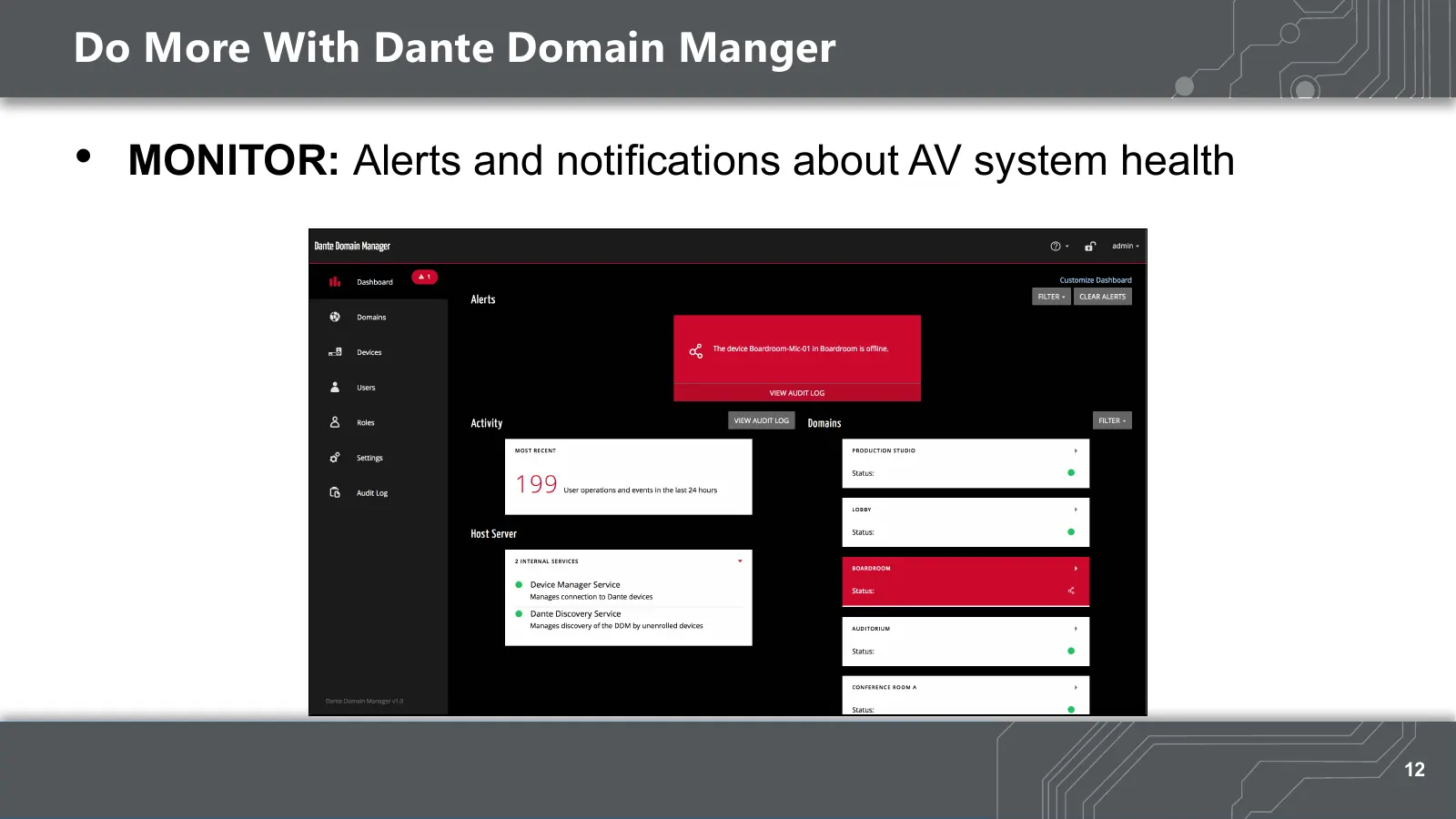
Slide 10: Do More With Dante Domain Manager: Monitor
Do More With Dante Domain Manger • MONITOR: Alerts and notifications about AV system health 12
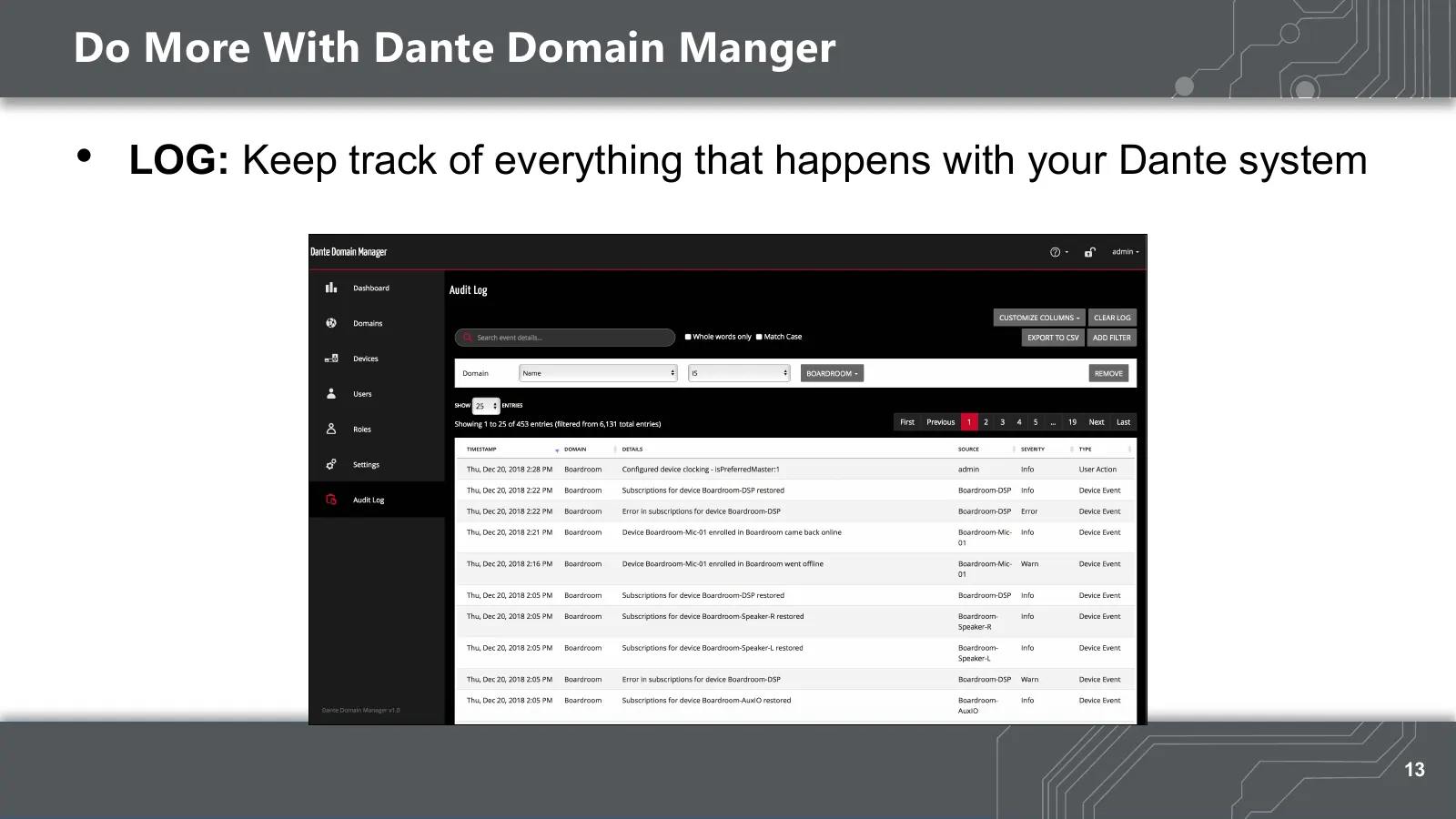
Slide 11: Do More With Dante Domain Manager: Log
Do More With Dante Domain Manger • LOG: Keep track of everything that happens with your Dante system 13
Slide 12: Review How Dante Does Clocking
Review How Dante Does Clocking Audinate 14
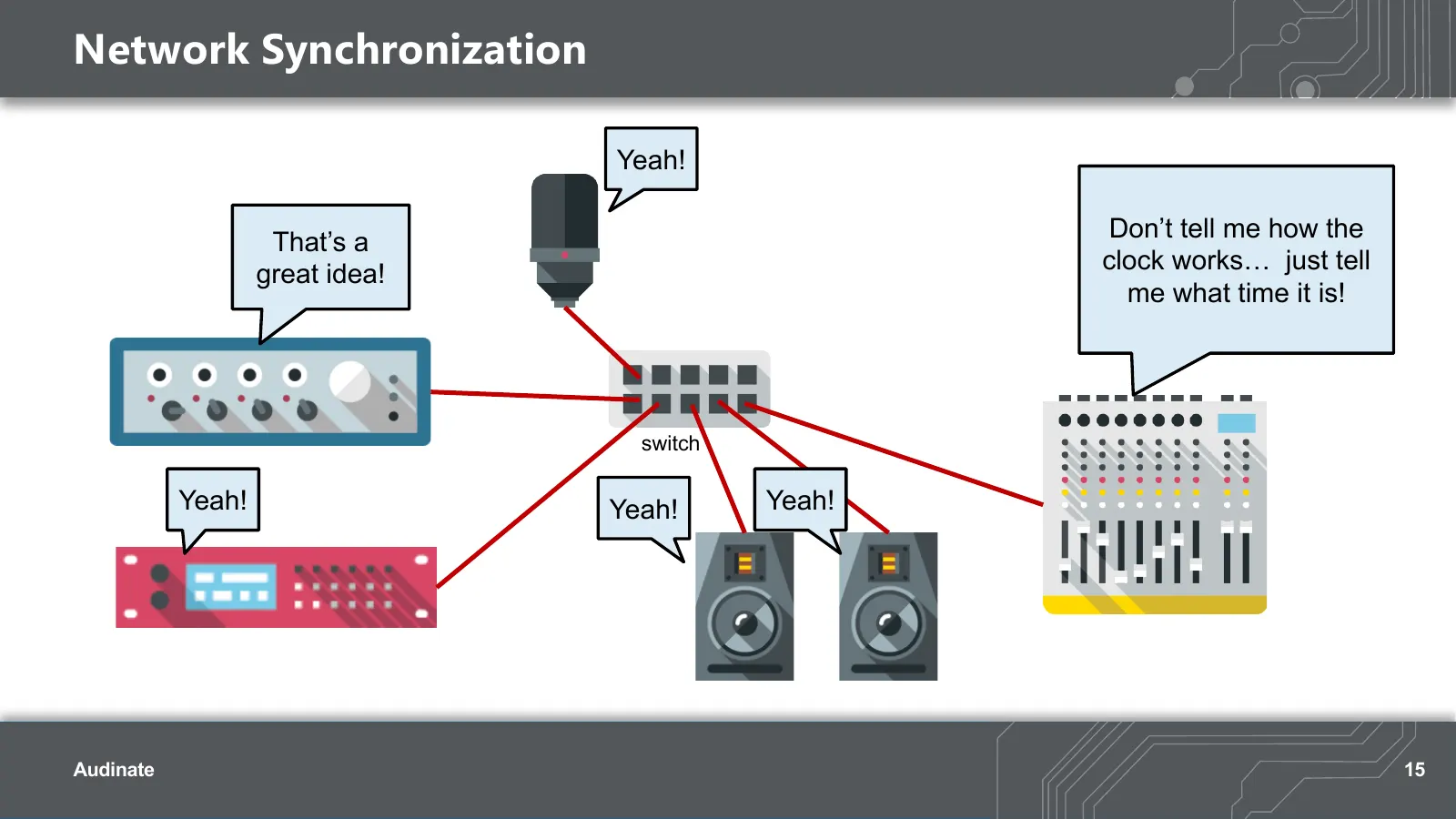
Slide 13: Network Synchronization
Network Synchronization Yeah! Don’t tell me how the That’s a clock works… just tell great idea! me what time it is! switch Yeah! Yeah! Yeah! Audinate 15
Slide 14: Dante Clocking
Dante Clocking • Dante use PTP (IEEE 1588) for clocking • Resolution in nanoseconds • One device gets elected as a Master clock • Every device has a clock • All devices get sync’d to Master Audinate 16
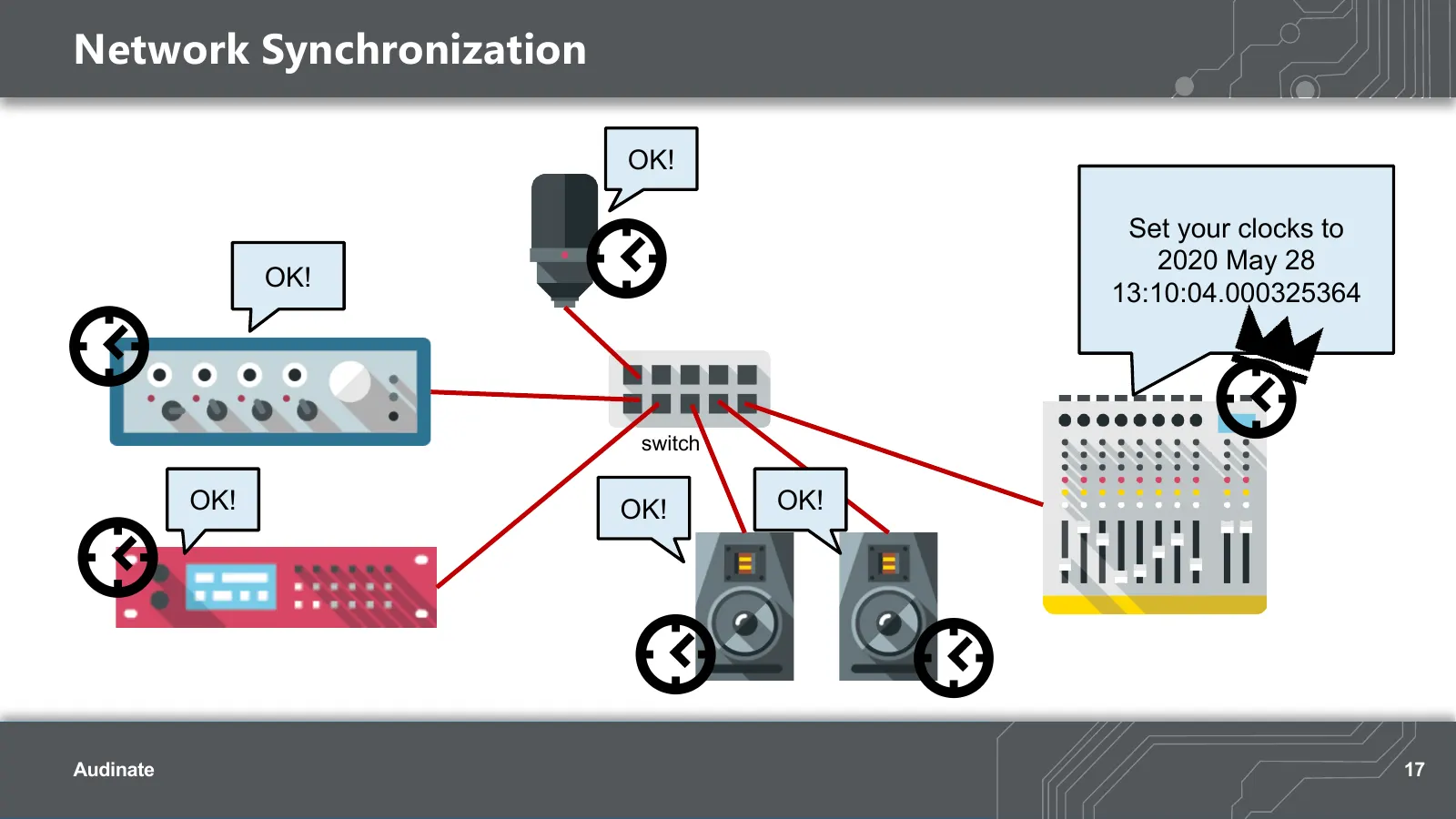
Slide 15: Network Synchronization
Network Synchronization OK! Set your clocks to 2020 May 28 OK! 13:10:04.000325364 switch OK! OK! OK! Audinate 17
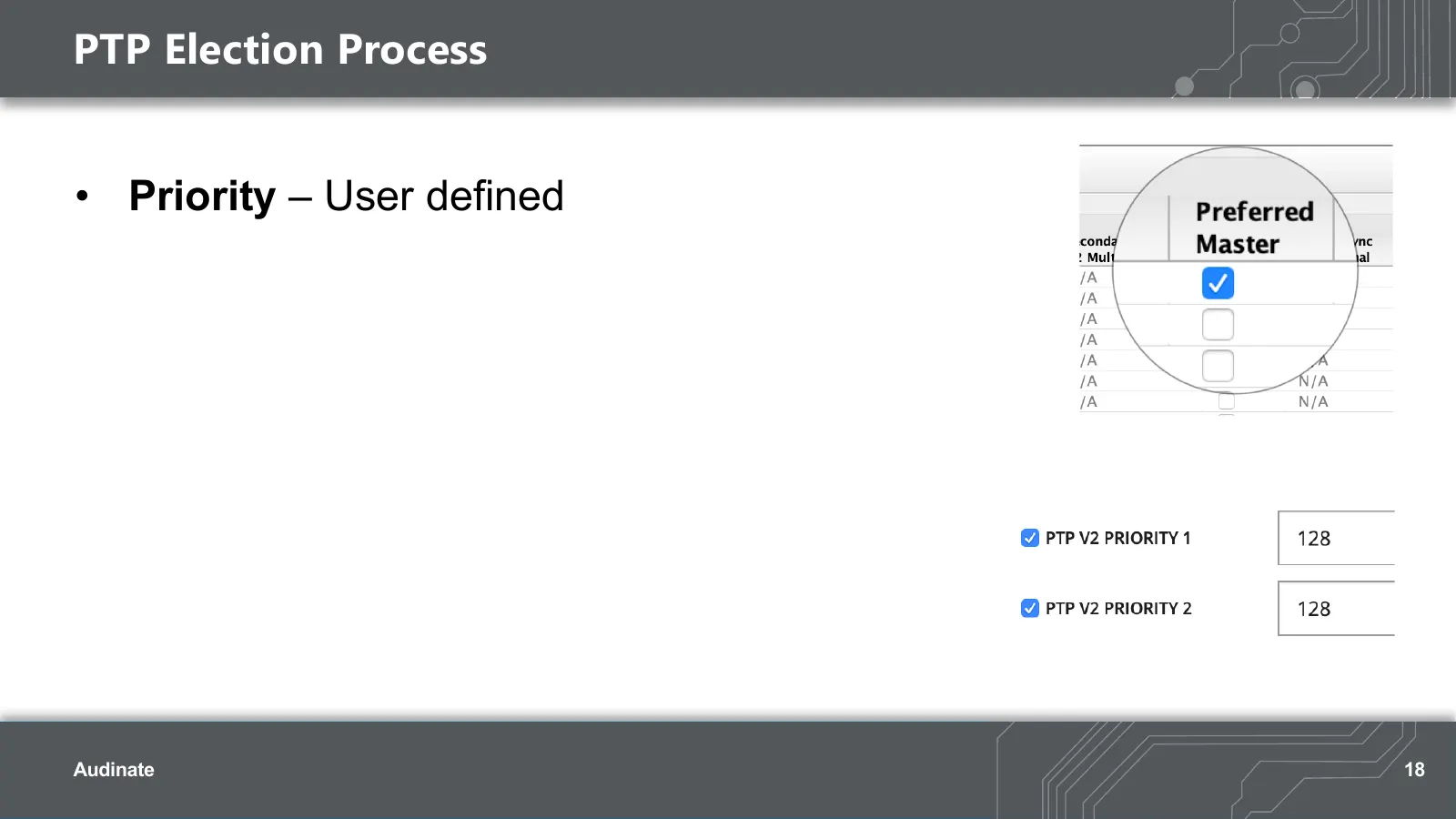
Slide 16: PTP Election Process
PTP Election Process • Priority – User defined Audinate 18
Slide 17: PTP Election Process
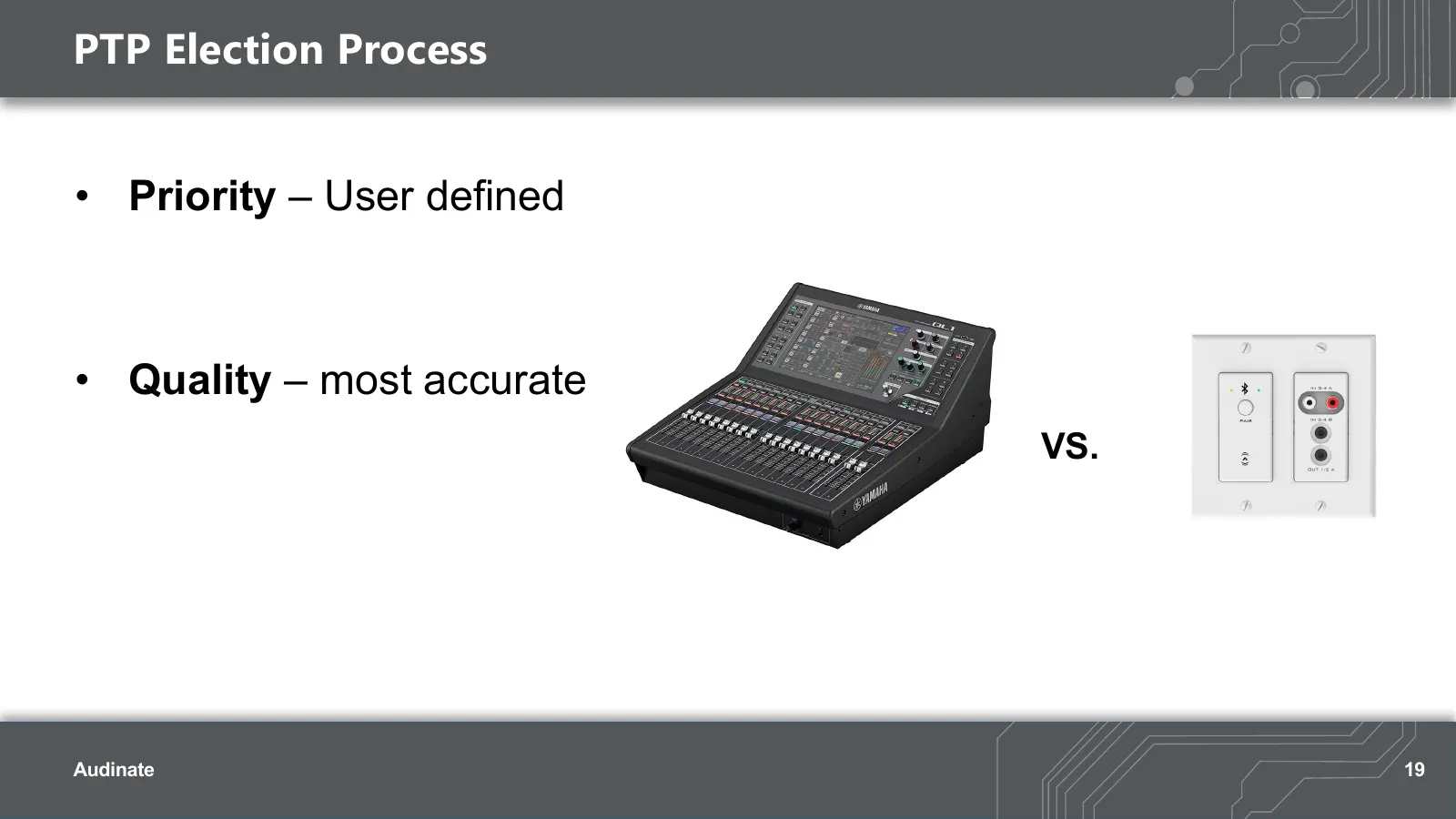
PTP Election Process • Priority – User defined • Quality – most accurate VS. Audinate 19
Slide 18: PTP Election Process
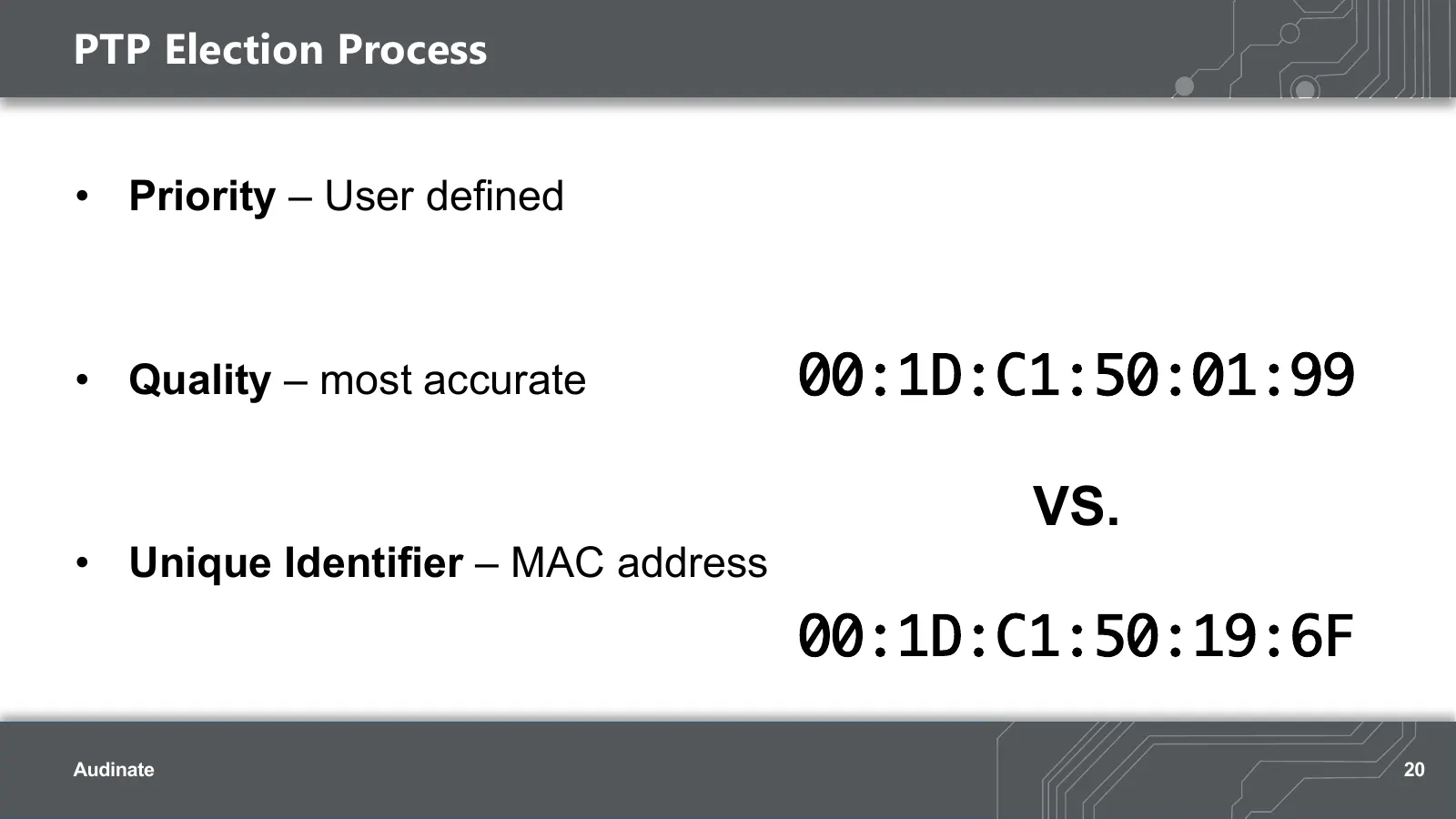
PTP Election Process • Priority – User defined • Quality – most accurate 00:1D:C1:50:01:99 VS. • Unique Identifier – MAC address 00:1D:C1:50:19:6F Audinate 20
Slide 19: PTP: Sync (Time) and Follow-ups (Speed)
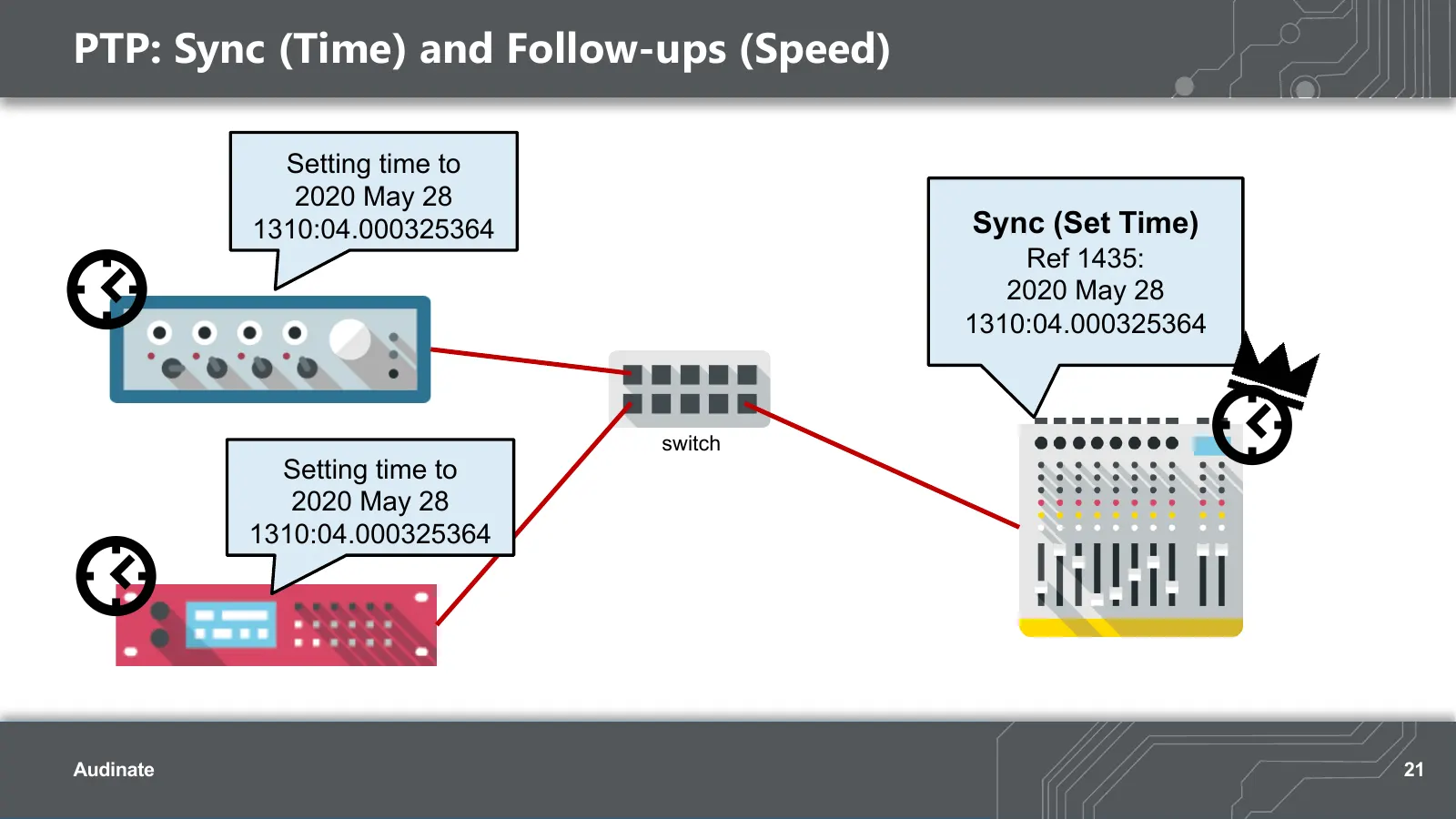
PTP: Sync (Time) and Follow-ups (Speed) Setting time to 2020 May 28 1310:04.000325364 Sync (Set Time) Ref 1435: 2020 May 28 1310:04.000325364 switch Setting time to 2020 May 28 1310:04.000325364 Audinate 21
Slide 20: PTP: Sync (Time) and Follow-ups (Speed)
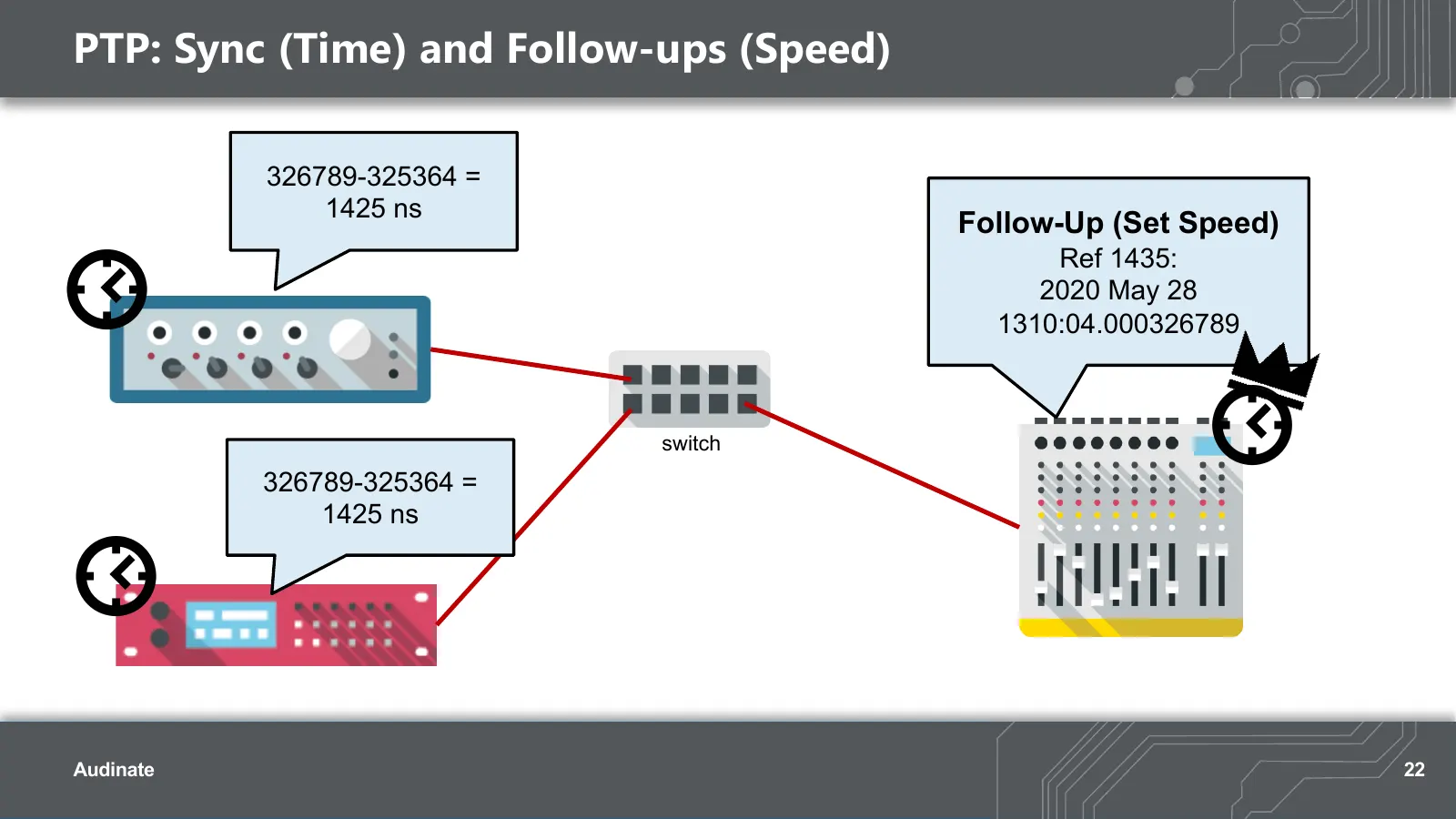
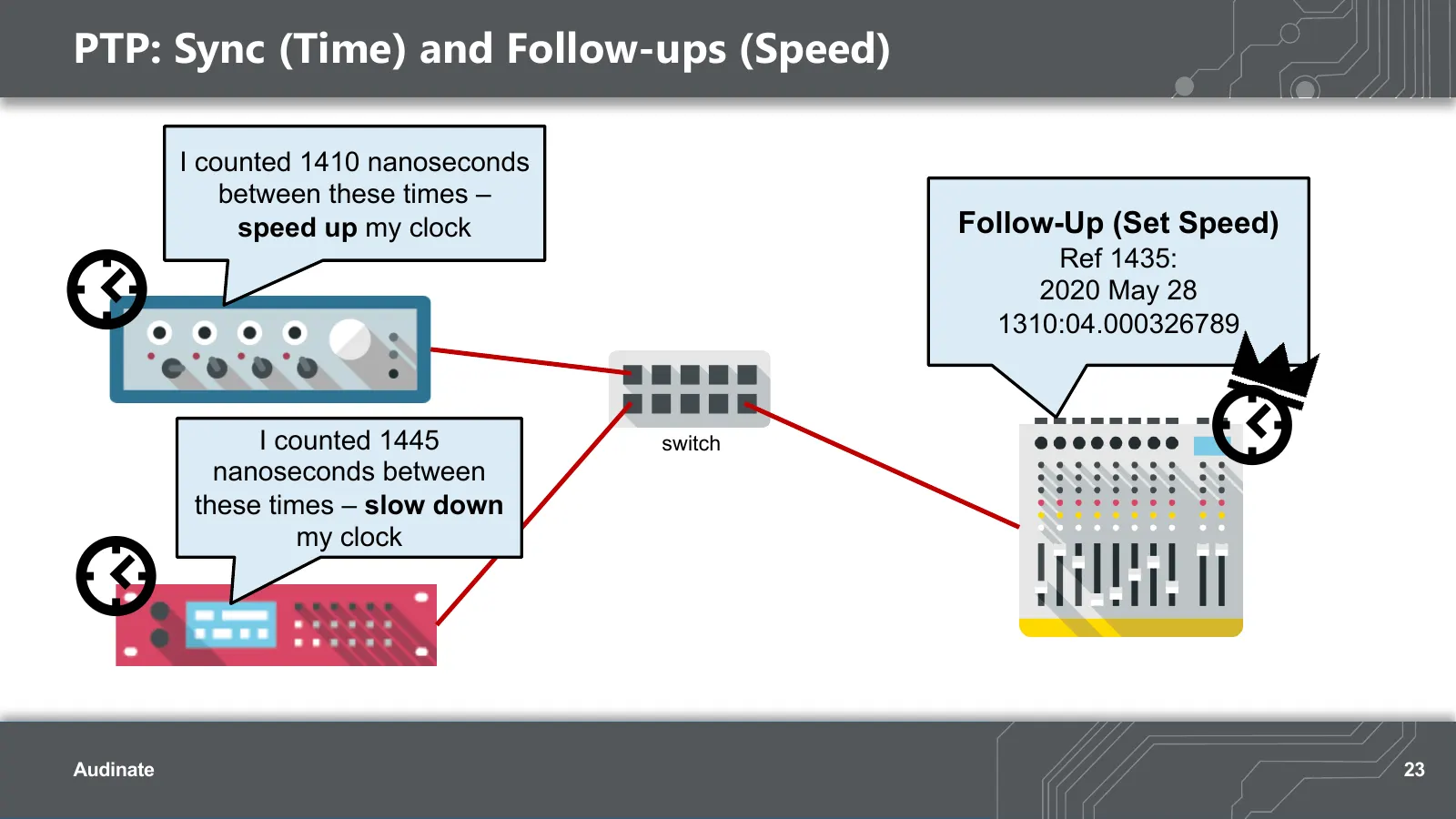
PTP: Sync (Time) and Follow-ups (Speed) 326789-325364 = 1425 ns Follow-Up (Set Speed) Ref 1435: 2020 May 28 1310:04.000326789 switch 326789-325364 = 1425 ns Audinate 22
Slide 21: PTP: Sync (Time) and Follow-ups (Speed)
PTP: Sync (Time) and Follow-ups (Speed) I counted 1410 nanoseconds between these times – speed up my clock Follow-Up (Set Speed) Ref 1435: 2020 May 28 1310:04.000326789 I counted 1445 switch nanoseconds between these times – slow down my clock Audinate 23
Slide 22: PTP Delay Requests (Propagation Delay)
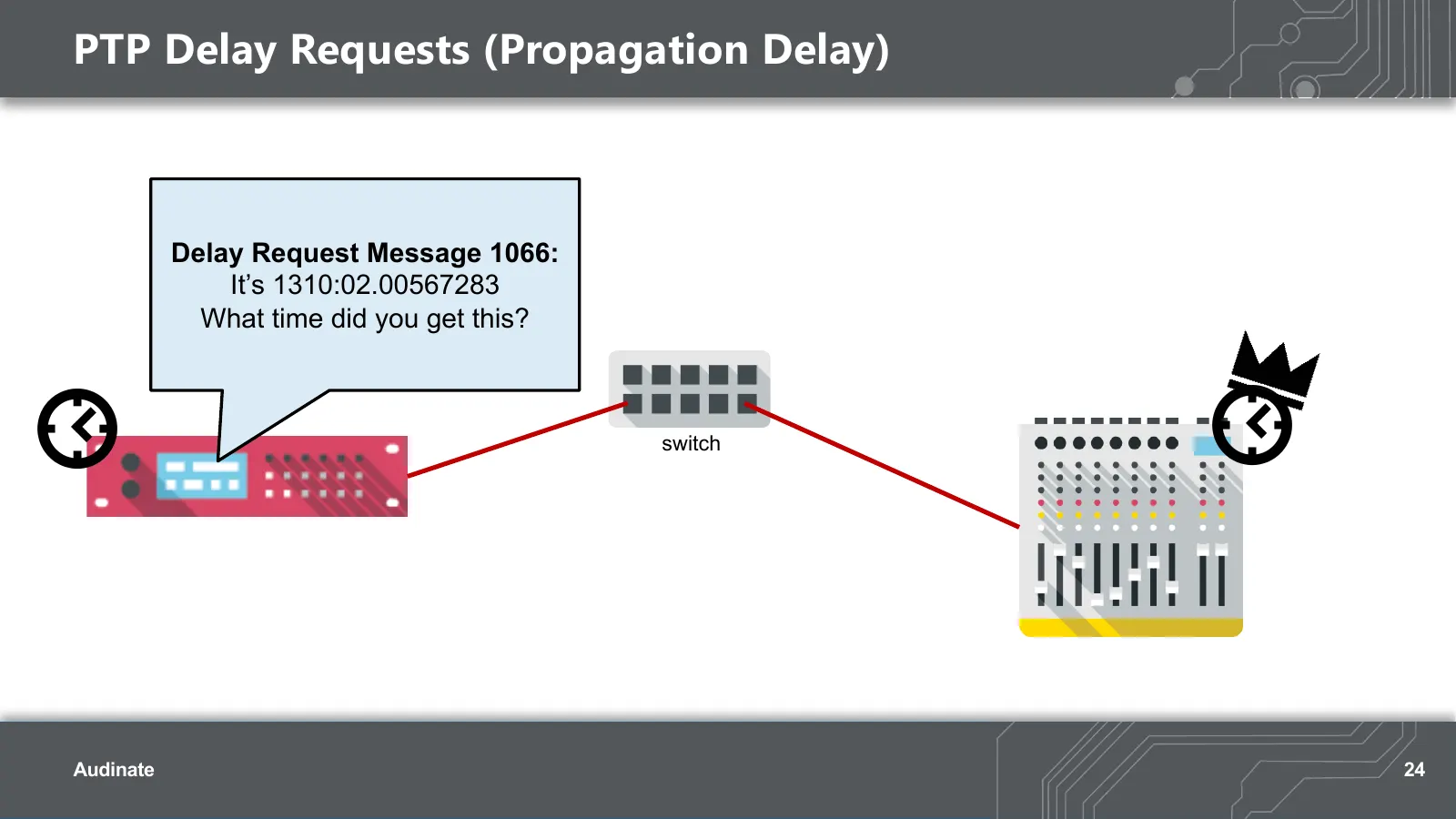
PTP Delay Requests (Propagation Delay) Delay Request Message 1066: It’s 1310:02.00567283 What time did you get this? switch Audinate 24
Slide 23: PTP Delay Requests (Propagation Delay)
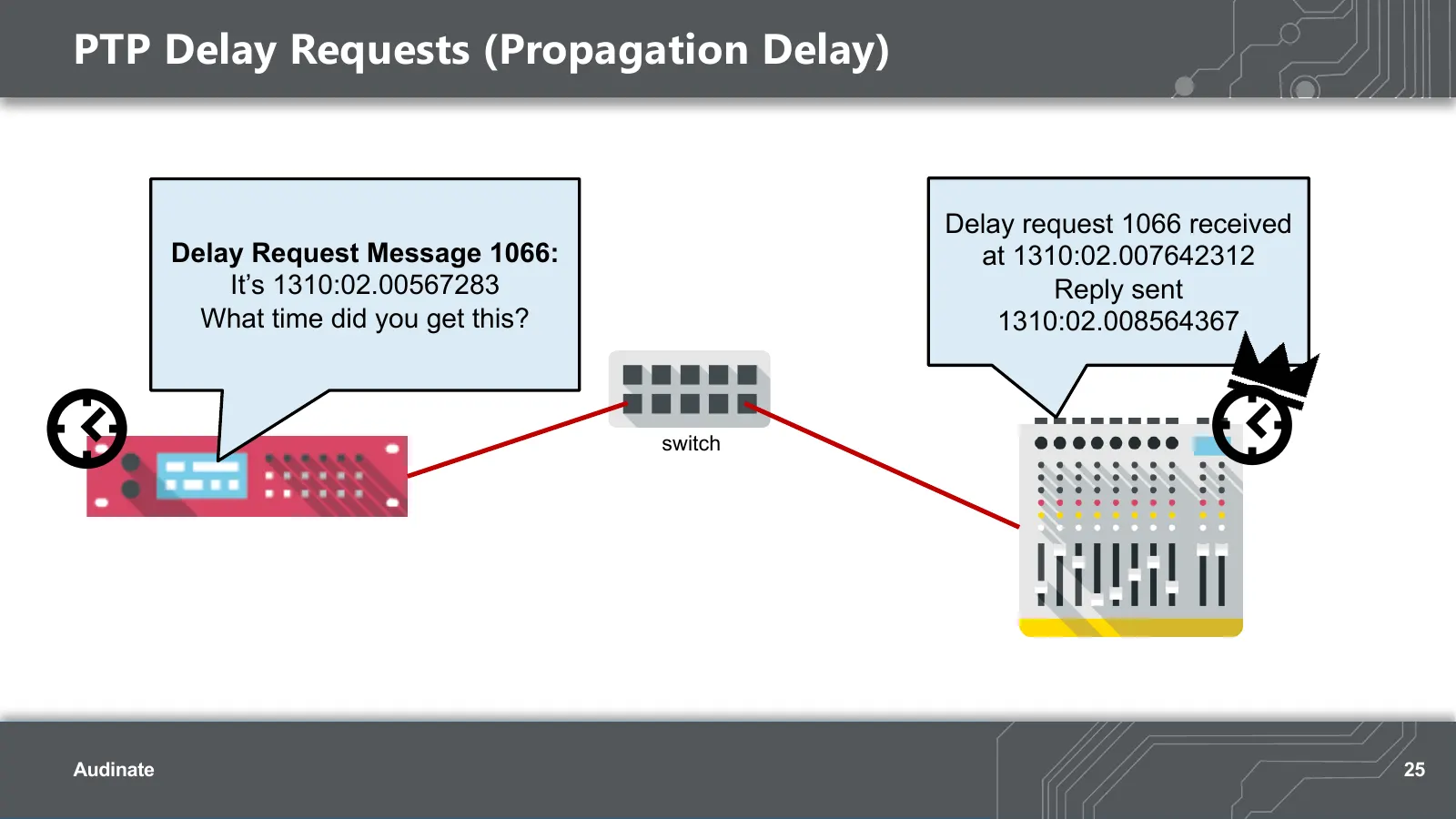
PTP Delay Requests (Propagation Delay) Delay request 1066 received Delay Request Message 1066: at 1310:02.007642312 It’s 1310:02.00567283 Reply sent What time did you get this? 1310:02.008564367 switch Audinate 25
Slide 24: Dante Controller Clock Histogram View - Good
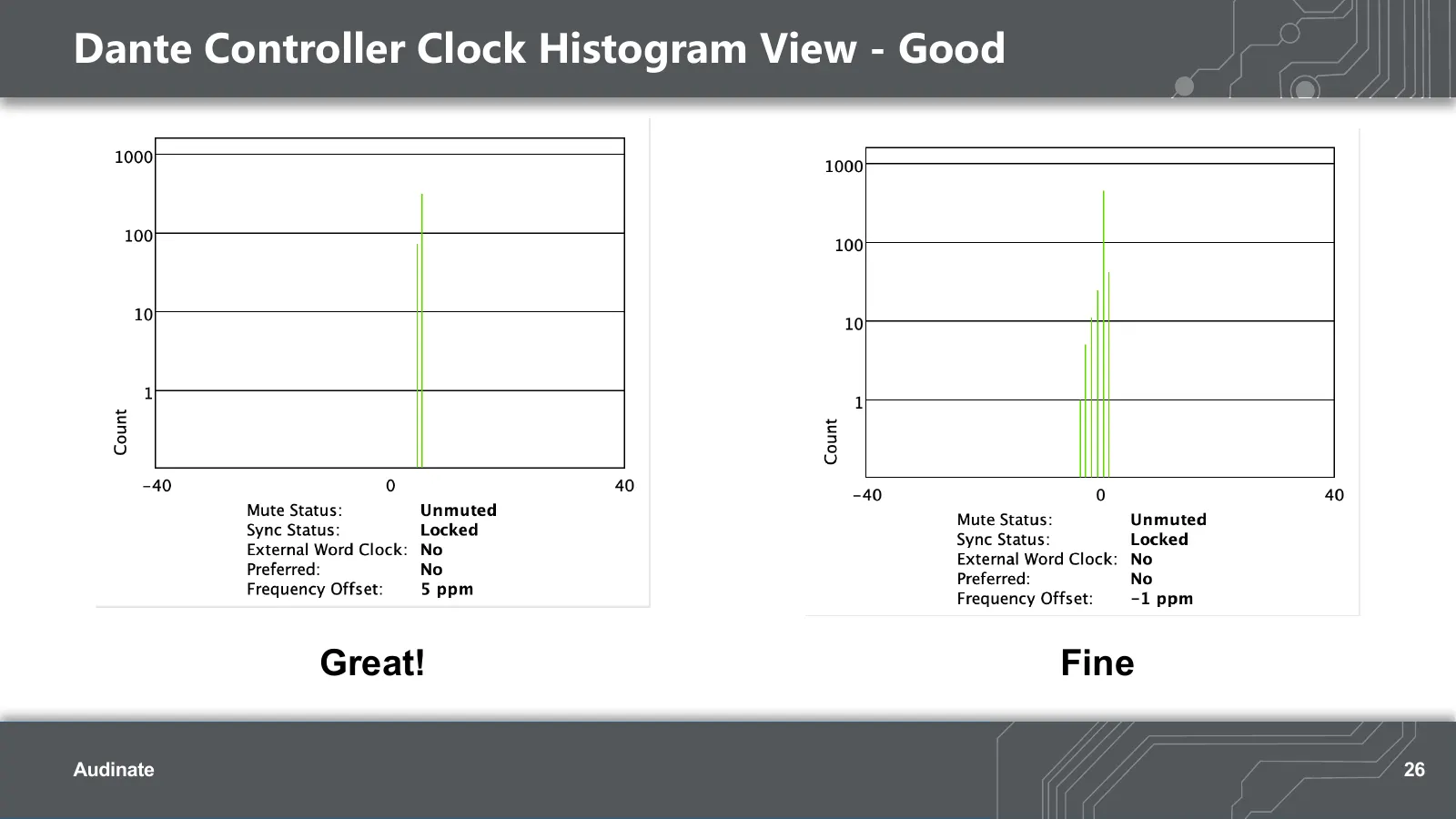
Dante Controller Clock Histogram View - Good Great! Fine Audinate 26
Slide 25: Dante Controller Clock Histogram View - Bad
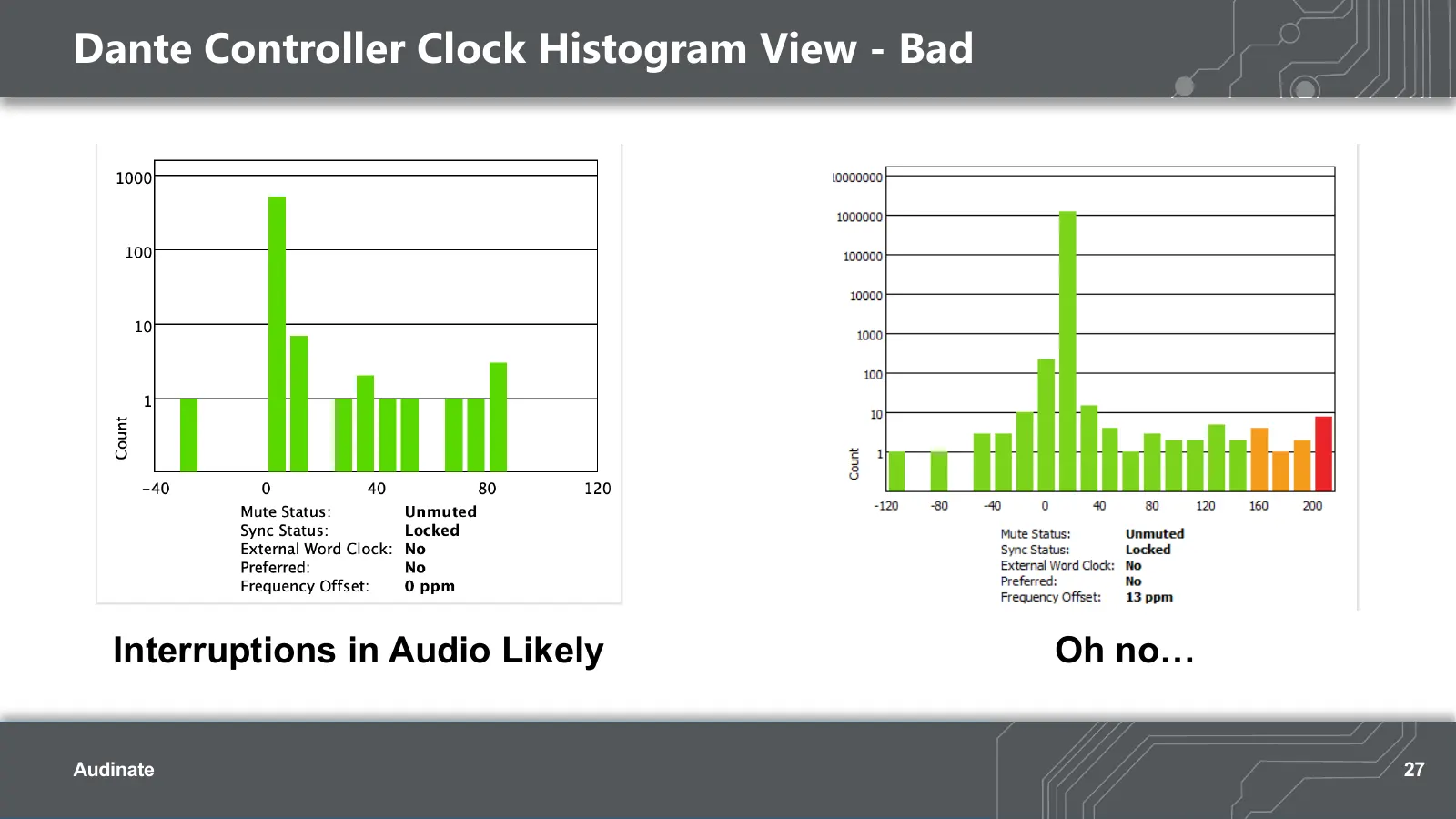
Dante Controller Clock Histogram View - Bad Interruptions in Audio Likely Oh no… Audinate 27
Slide 26: Syncing to External Word Clocks
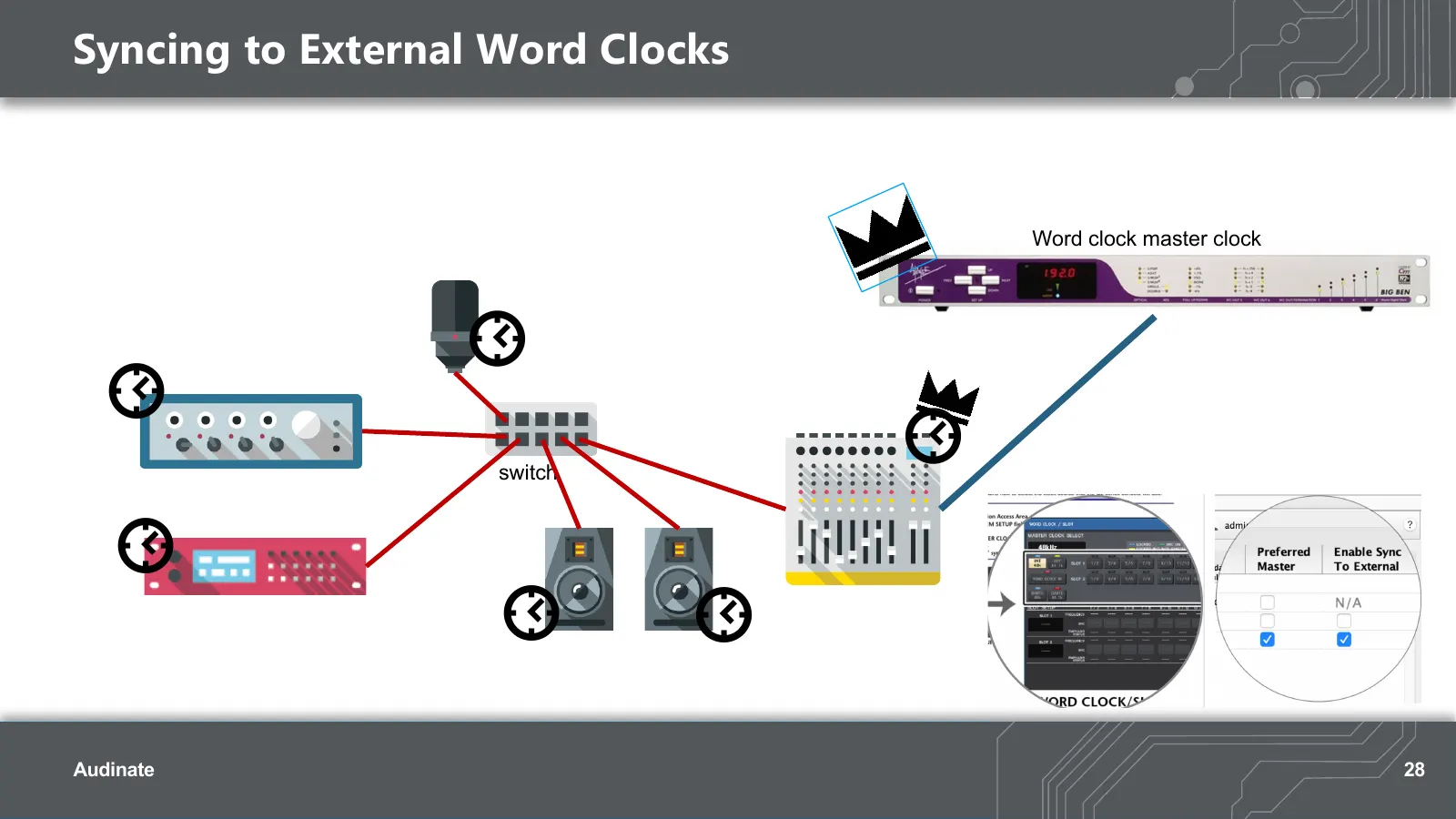
Syncing to External Word Clocks Word clock master clock switch Audinate 28
Slide 27: Syncing to External Word Clocks
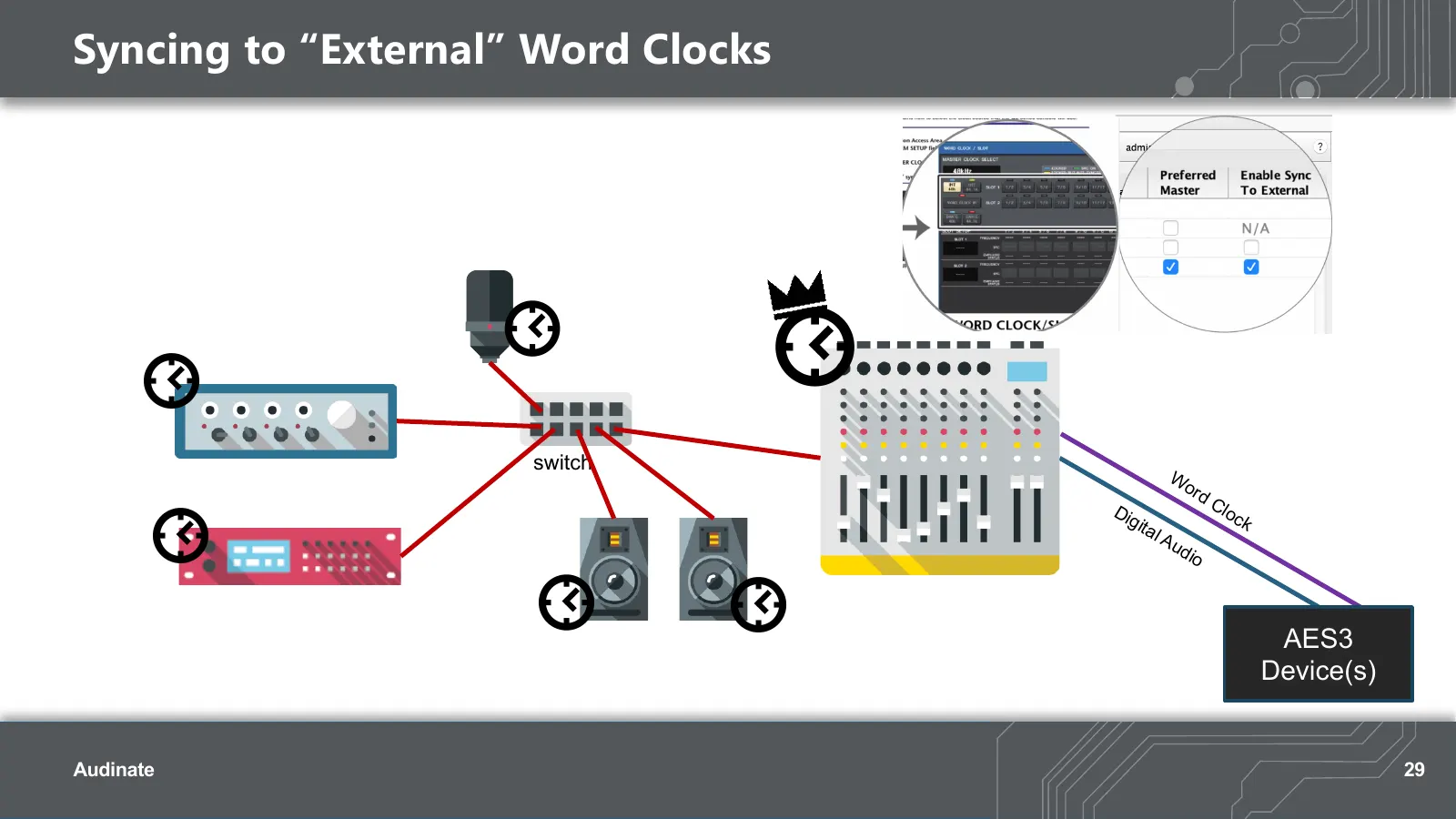
Syncing to “External” Word Clocks switch Wo rd Dig Cl oc ita k l Au dio AES3 Device(s) Audinate 29
Slide 28: PTP v1 and PTP v2
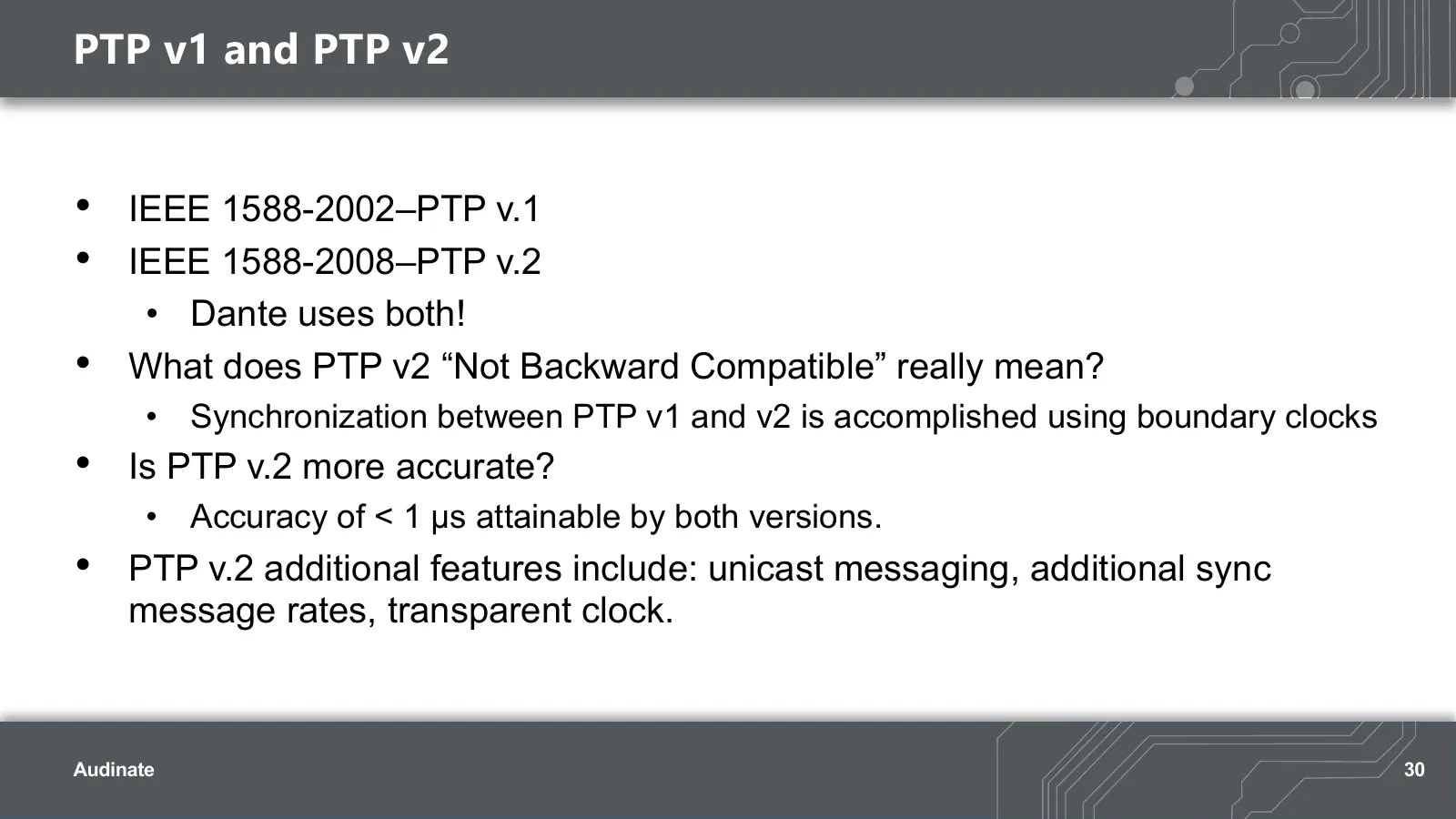
PTP v1 and PTP v2 • IEEE 1588-2002–PTP v.1 • IEEE 1588-2008–PTP v.2 • Dante uses both! • What does PTP v2 “Not Backward Compatible” really mean? • Synchronization between PTP v1 and v2 is accomplished using boundary clocks • Is PTP v.2 more accurate? • Accuracy of < 1 µs attainable by both versions.
Slide 29: Dante Domain Manager Default Dante Clocking
Dante Domain Manager Default Dante Clocking Audinate 31
Slide 30: Clocking in DDM
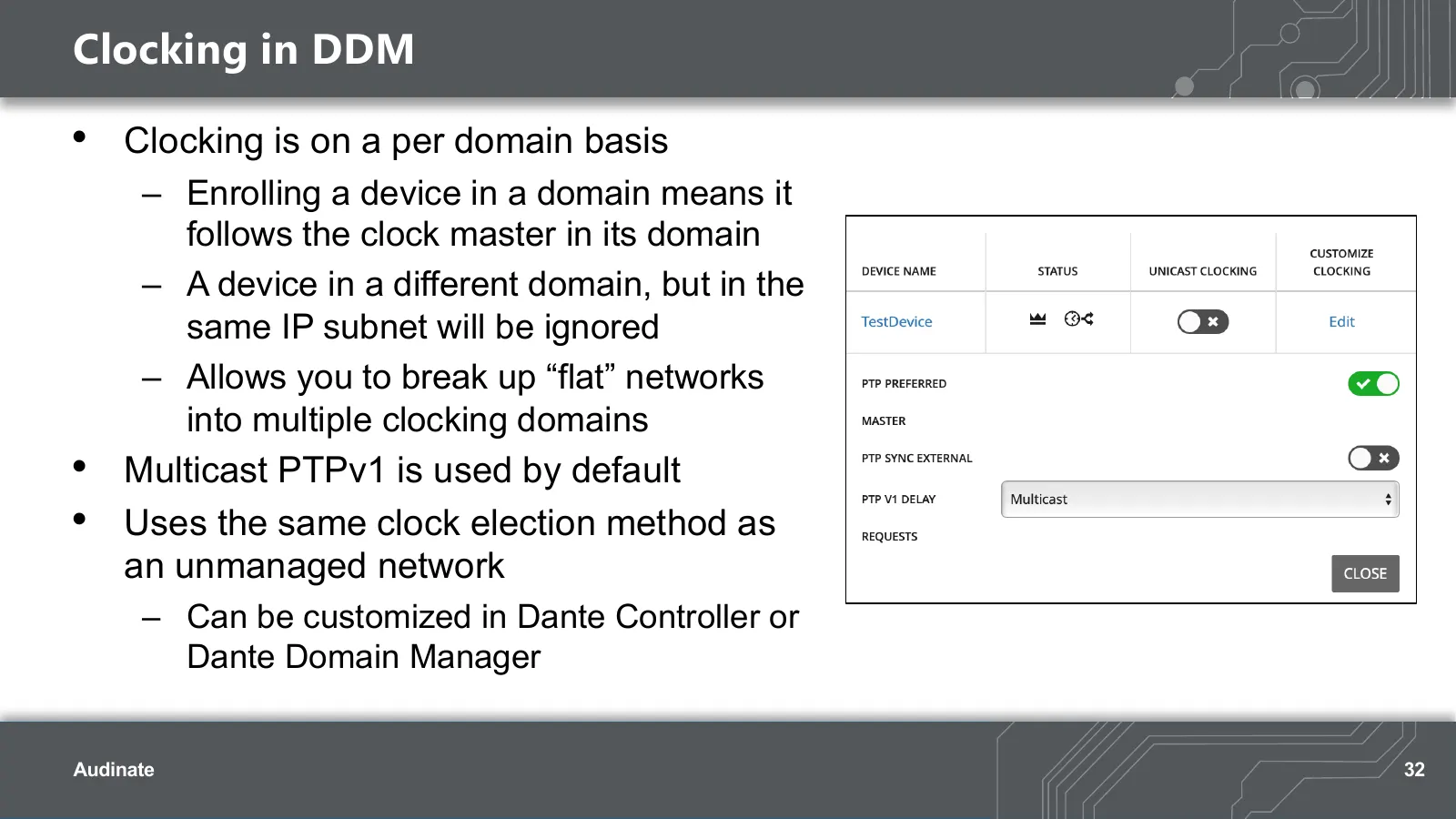
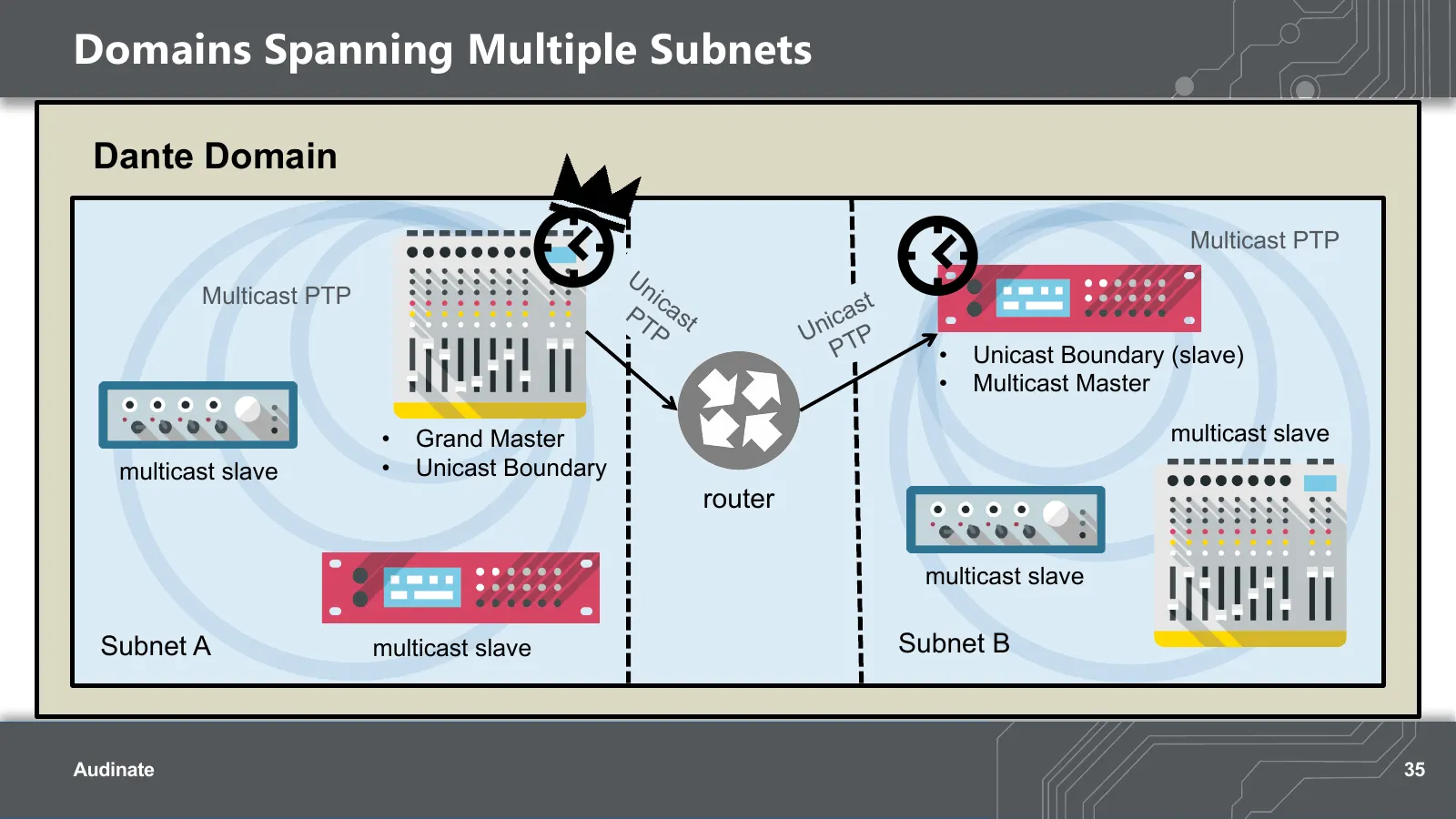
Clocking in DDM • Clocking is on a per domain basis – Enrolling a device in a domain means it follows the clock master in its domain – A device in a different domain, but in the same IP subnet will be ignored – Allows you to break up “flat” networks into multiple clocking domains • Multicast PTPv1 i
Slide 31: Single Subnet Domains
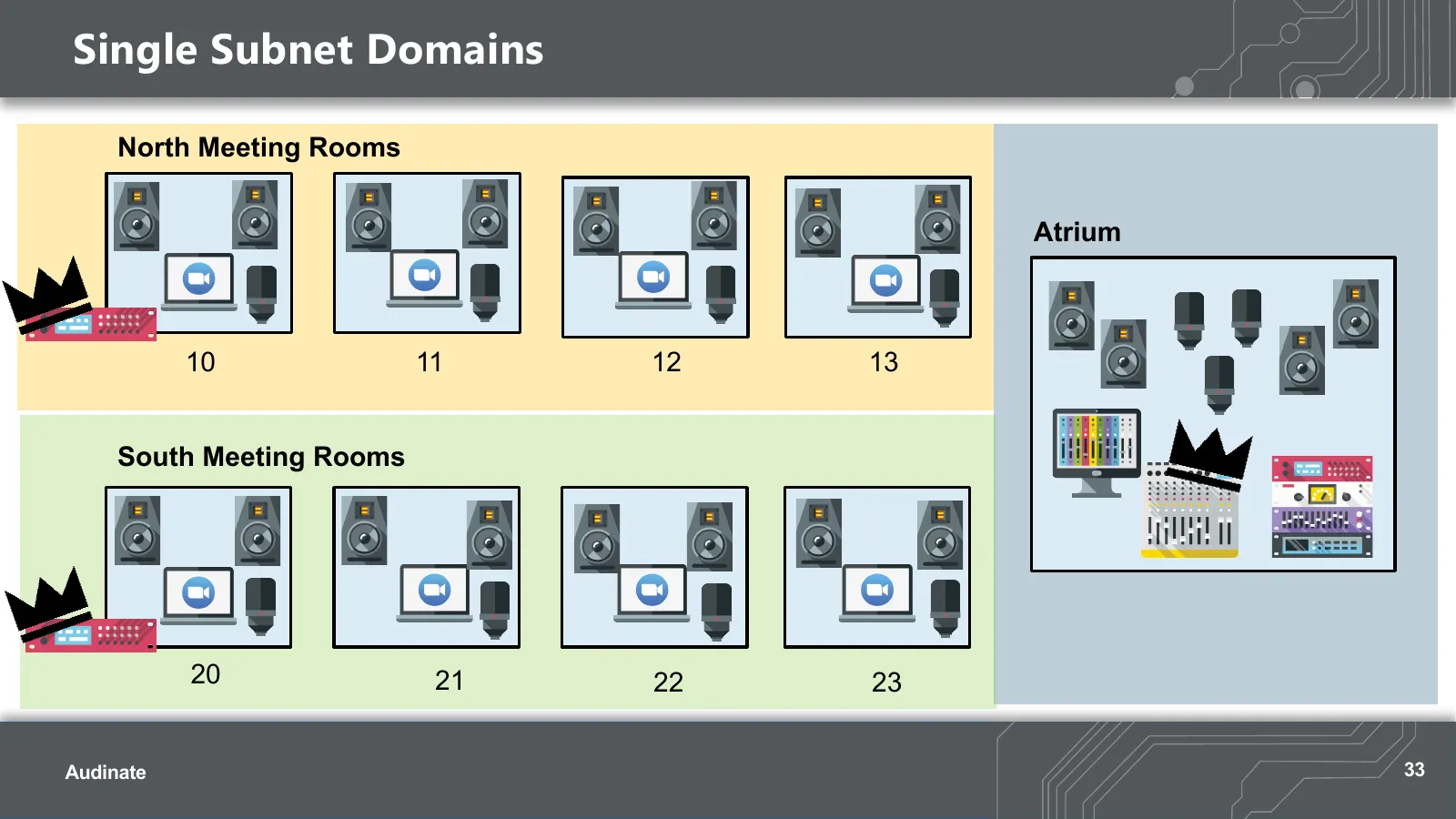
Single Subnet Domains North Meeting Rooms Atrium 10 11 12 13 South Meeting Rooms 20 21 22 23 Audinate 33
Slide 32: Single Subnet Domains – Slide with DDM/Controller Views
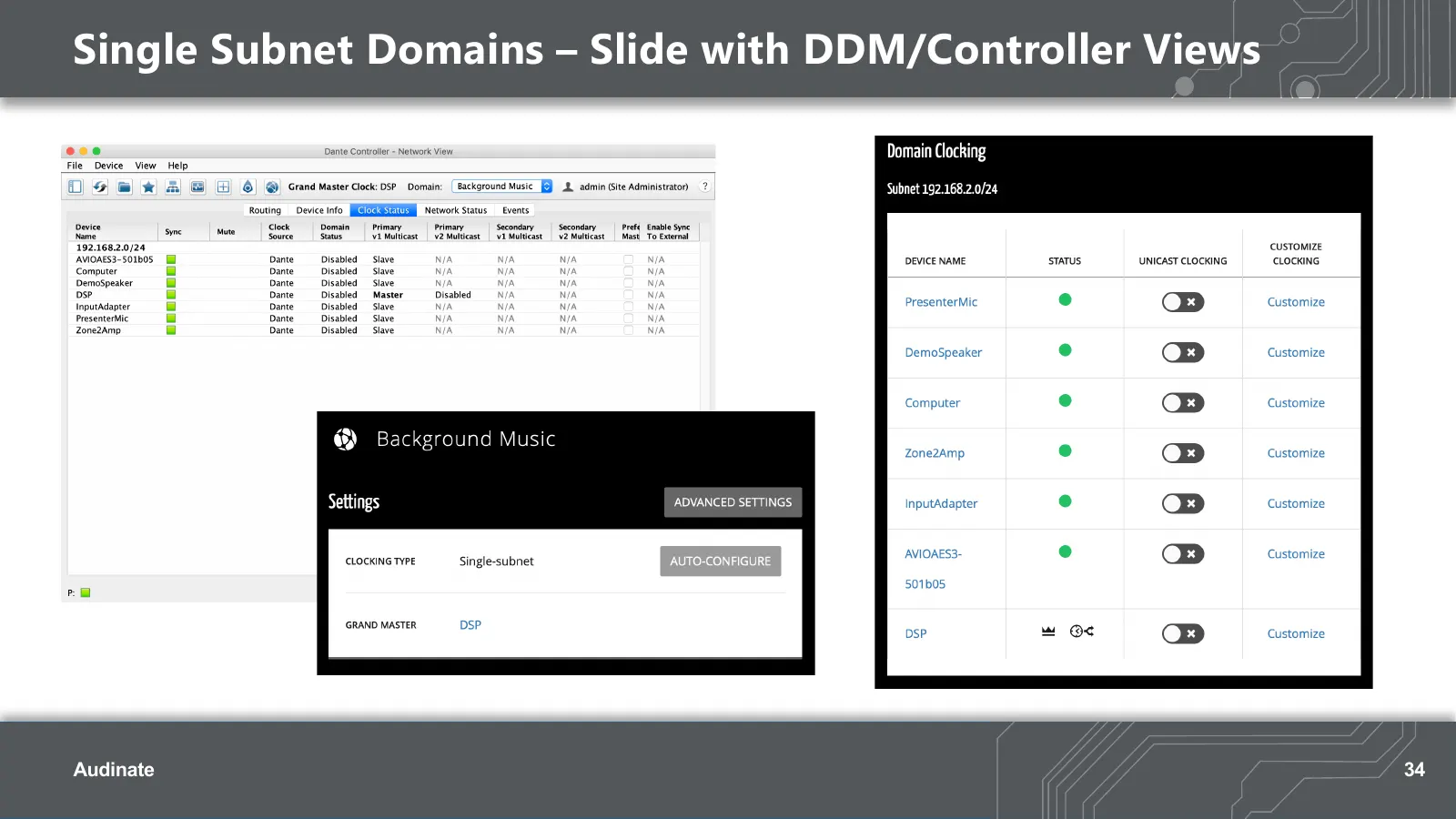
Single Subnet Domains – Slide with DDM/Controller Views Audinate 34
Slide 33: Domains Spanning Multiple Subnets
Domains Spanning Multiple Subnets Dante Domain Multicast PTP Un Multicast PTP ic st PT ast ic a P Un TP P • Unicast Boundary (slave) • Multicast Master • Grand Master multicast slave multicast slave • Unicast Boundary router multicast slave Subnet A multicast slave Subnet B Audinate 35
Slide 34: Domains Spanning Multiple Subnets
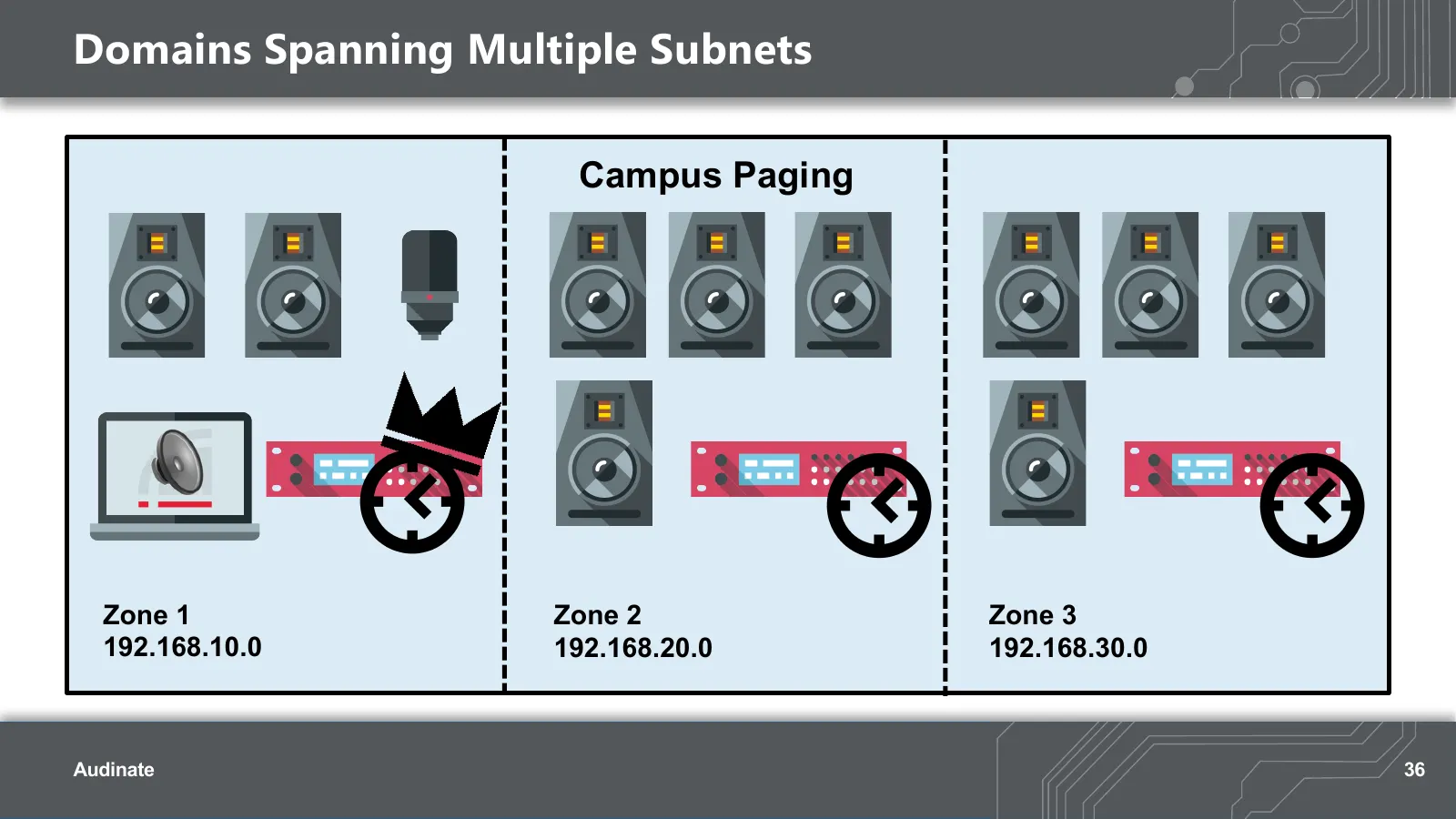
Domains Spanning Multiple Subnets Campus Paging Zone 1 Zone 2 Zone 3 192.168.10.0 192.168.20.0 192.168.30.0 Audinate 36
Slide 35: Domains Spanning Multiple Subnets
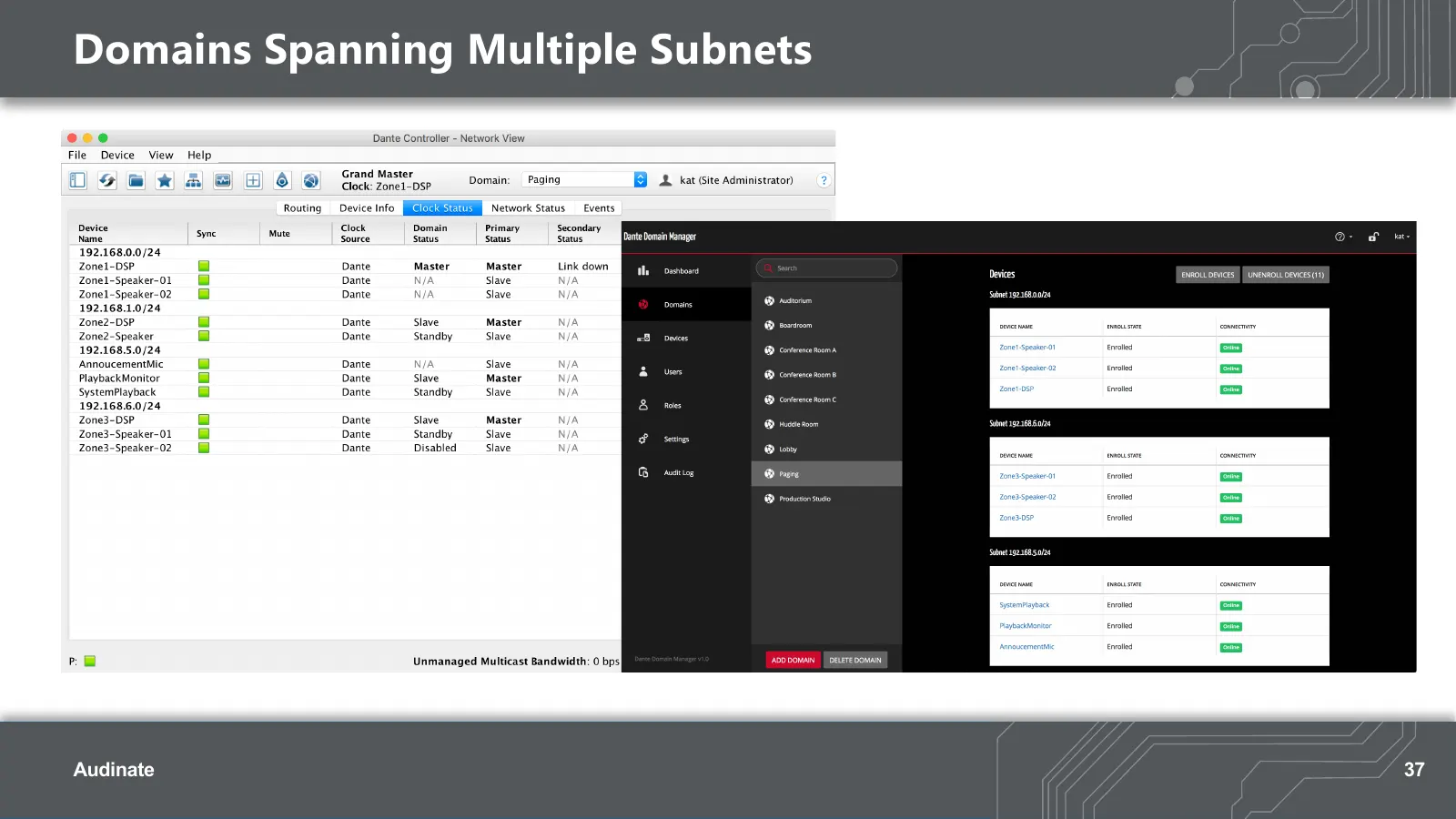
Domains Spanning Multiple Subnets Audinate 37
Slide 36: Auto Configure Clocking
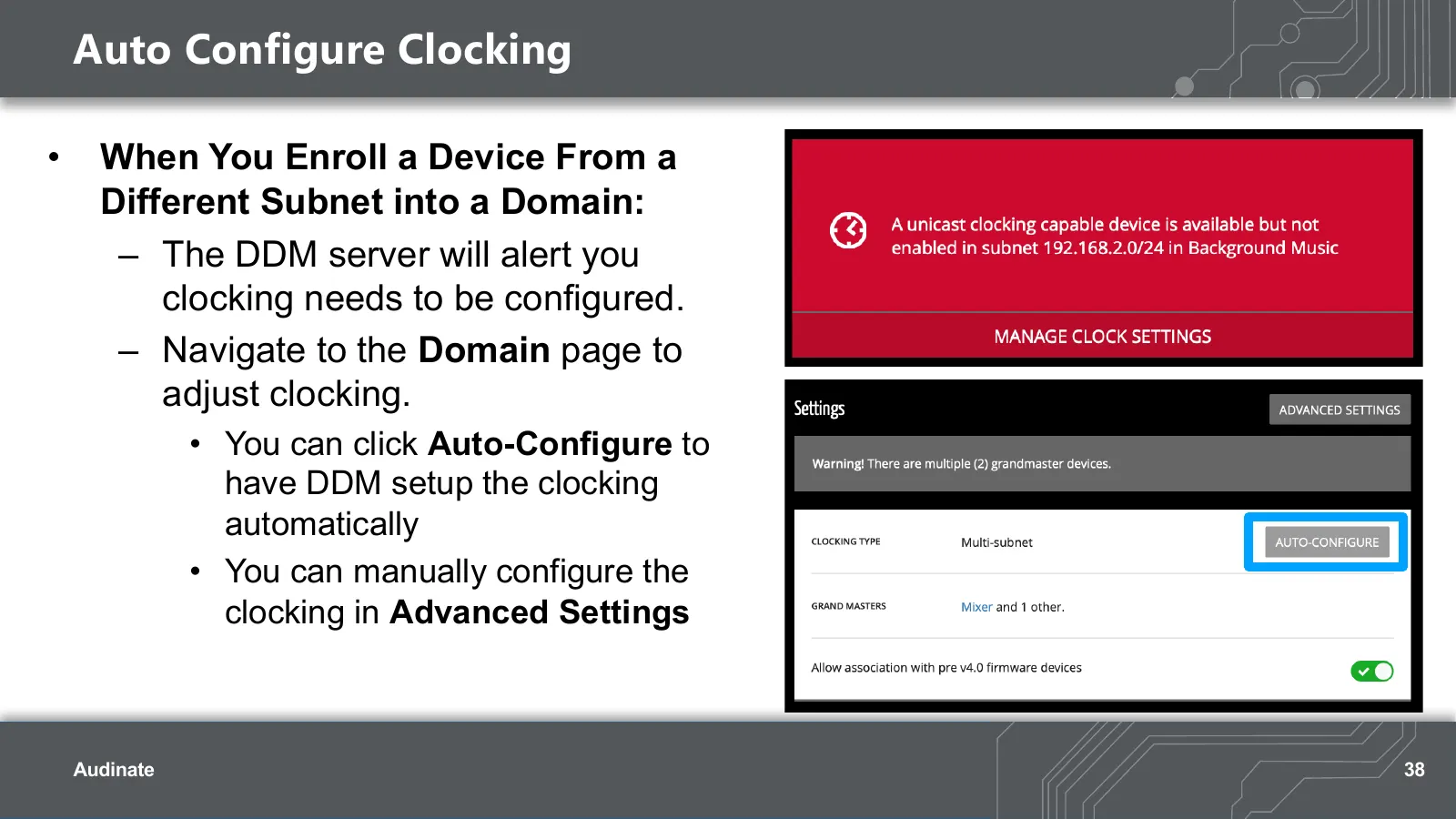
Auto Configure Clocking • When You Enroll a Device From a Different Subnet into a Domain: – The DDM server will alert you clocking needs to be configured. – Navigate to the Domain page to adjust clocking. • You can click Auto-Configure to have DDM setup the clocking automatically • You can manually
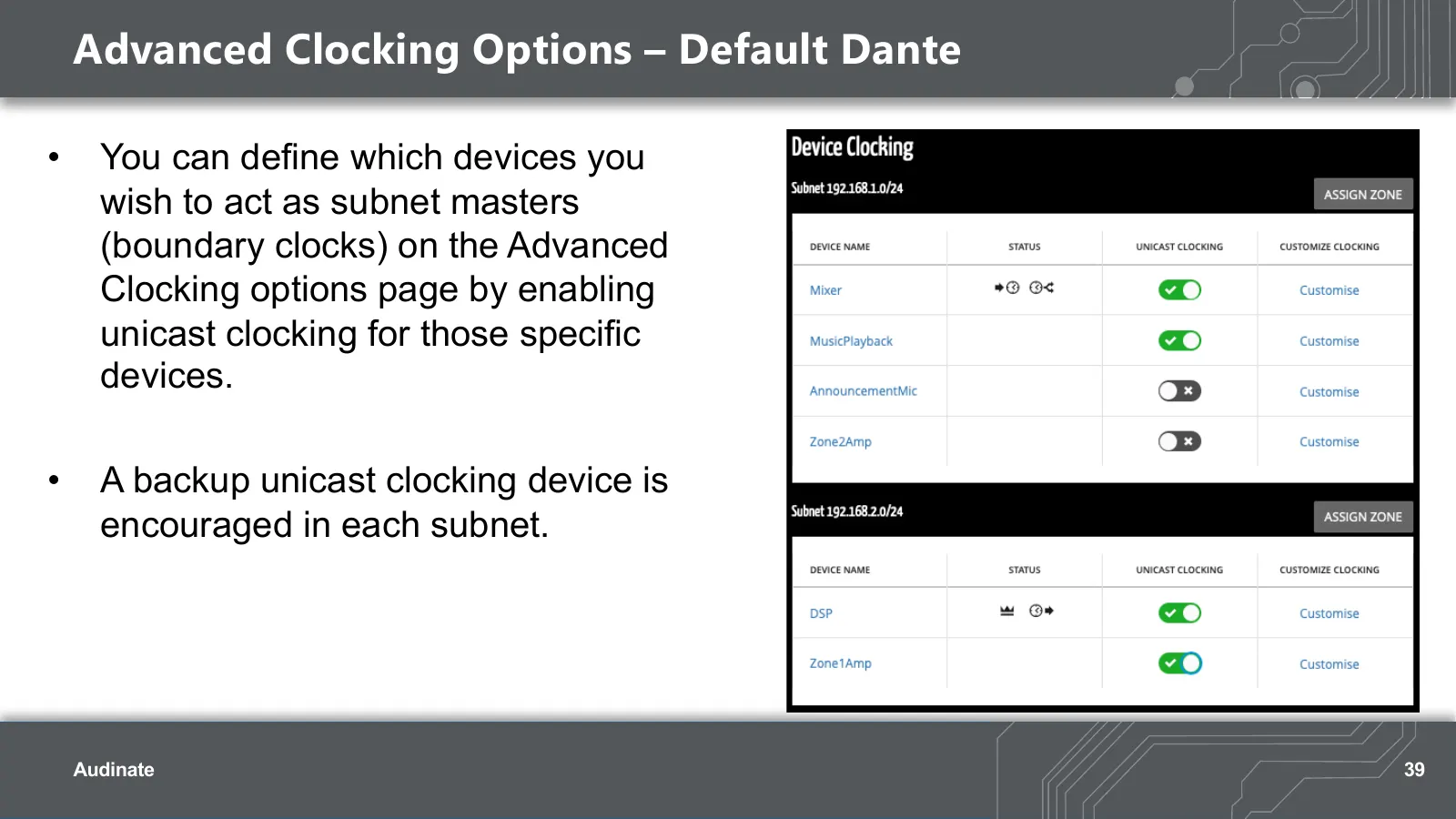
Slide 37: Advanced Clocking Options – Default Dante
Advanced Clocking Options – Default Dante • You can define which devices you wish to act as subnet masters (boundary clocks) on the Advanced Clocking options page by enabling unicast clocking for those specific devices. • A backup unicast clocking device is encouraged in each subnet. Audinate 39
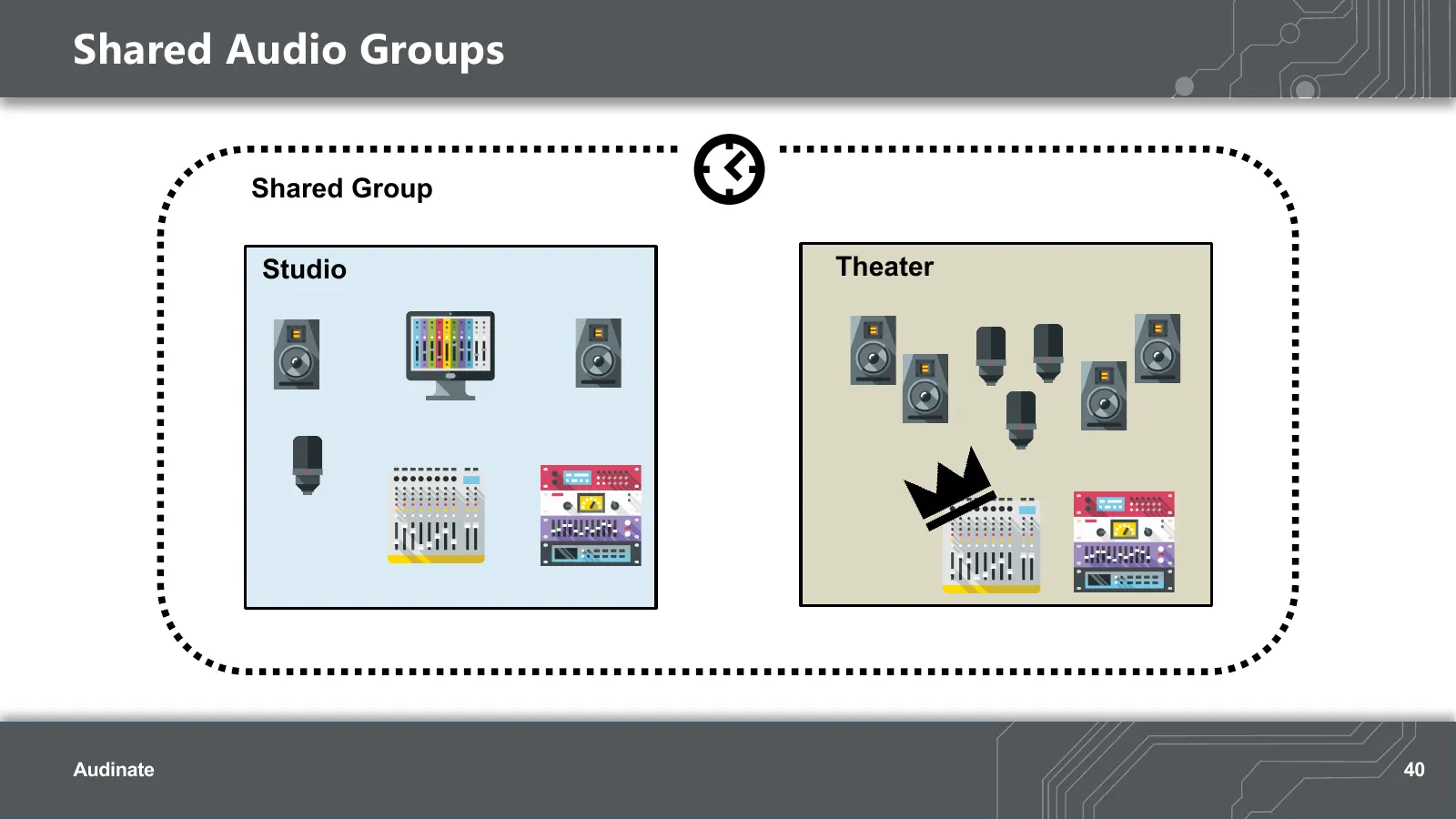
Slide 38: Shared Audio Groups
Shared Audio Groups Shared Group Studio Theater Audinate 40
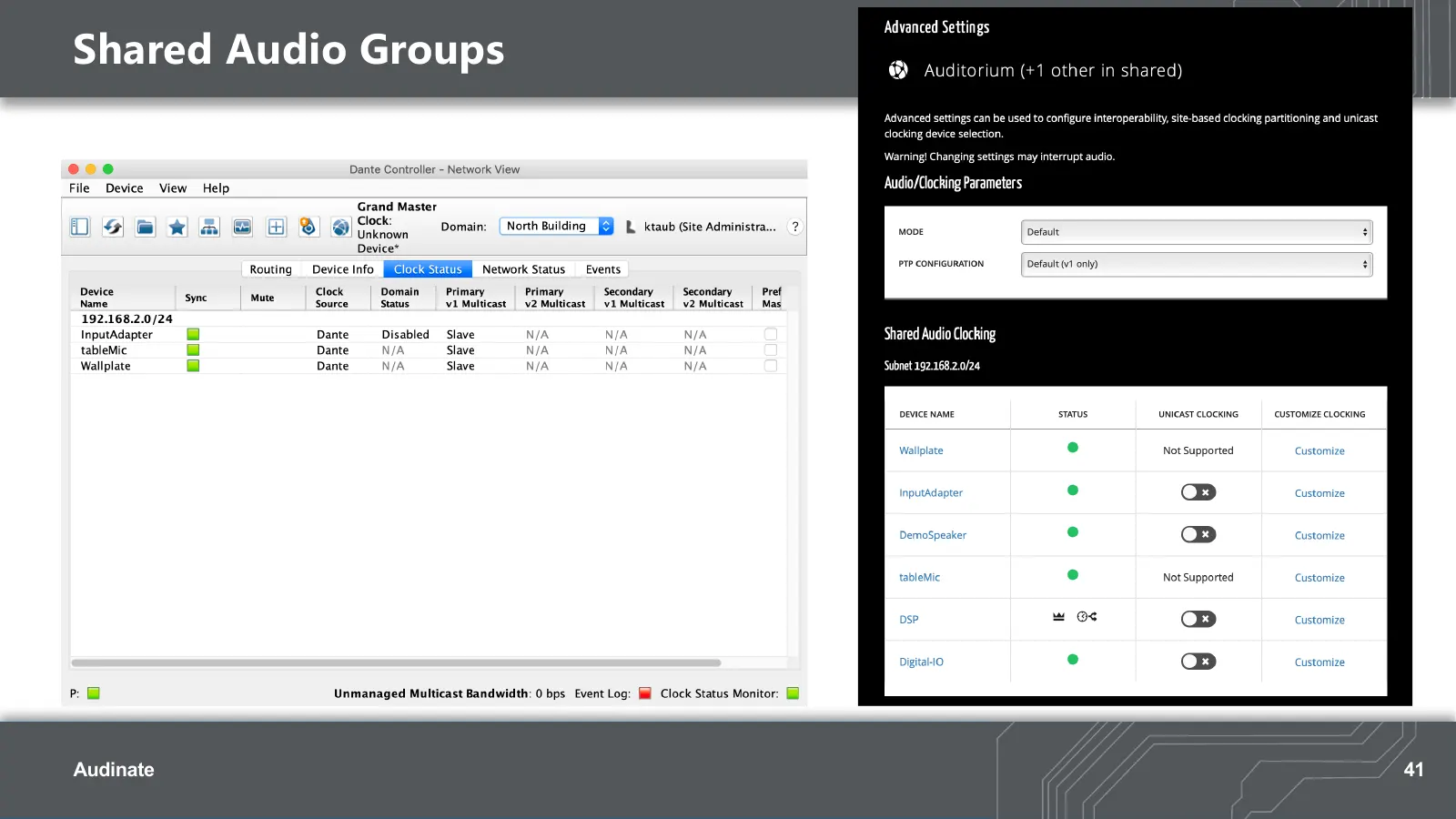
Slide 39: Shared Audio Groups
Shared Audio Groups Audinate 41
Slide 40: Dante Domain Manager Custom Dante Clocking
Dante Domain Manager Custom Dante Clocking Audinate 42
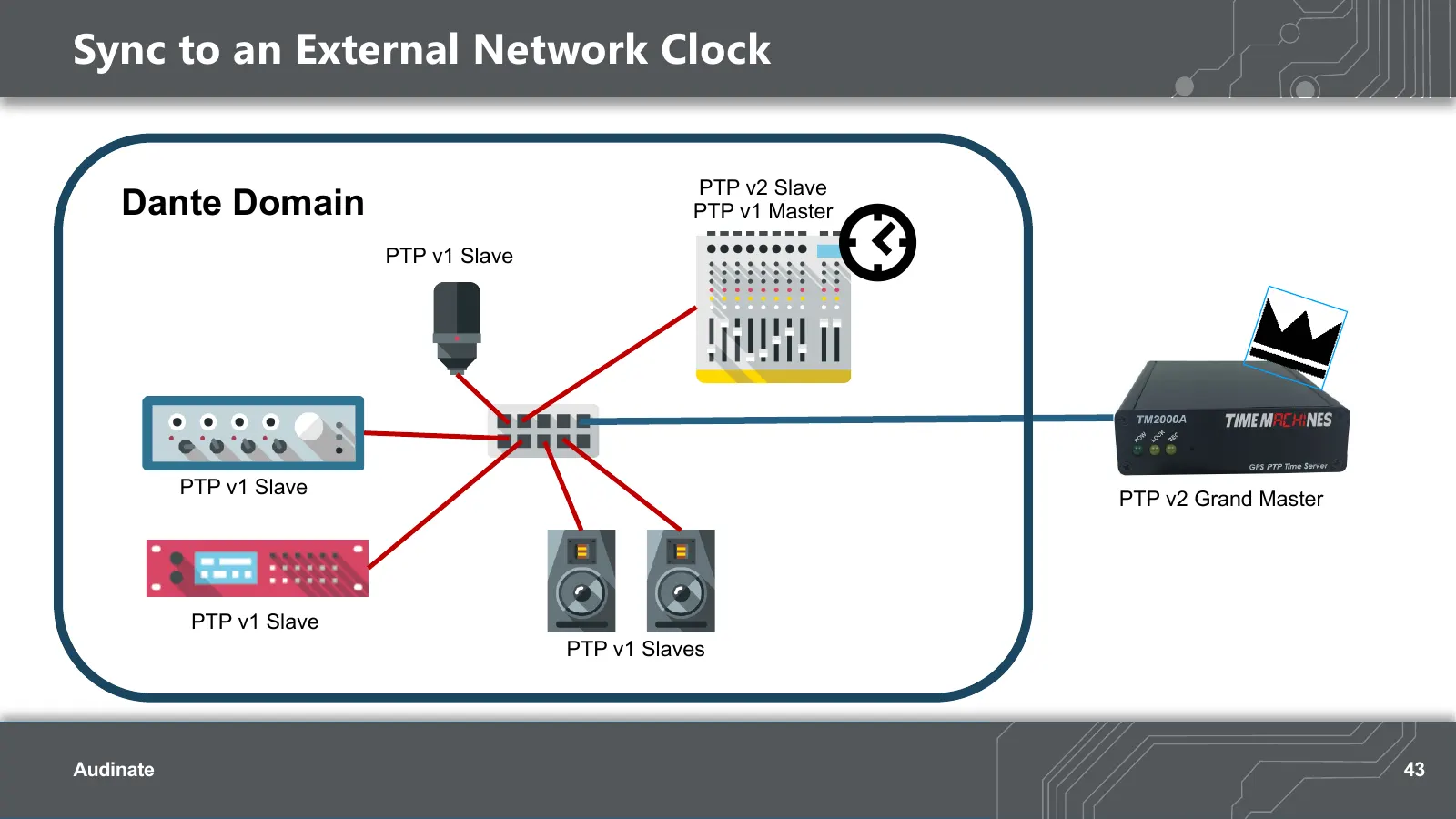
Slide 41: Sync to an External Network Clock
Sync to an External Network Clock PTP v2 Slave Dante Domain PTP v1 Master PTP v1 Slave PTP v1 Slave PTP v2 Grand Master PTP v1 Slave PTP v1 Slaves Audinate 43
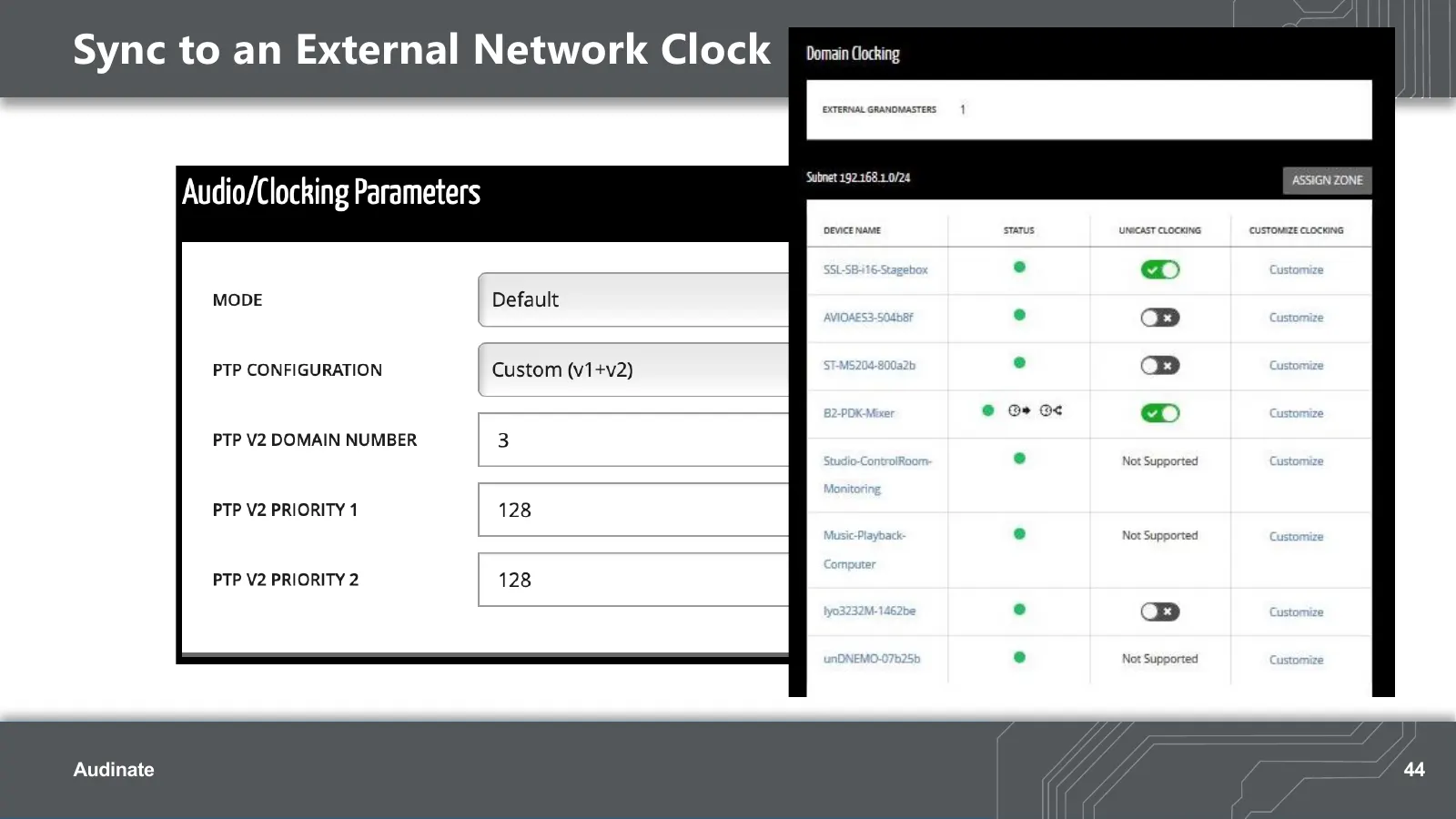
Slide 42: Sync to an External Network Clock
Sync to an External Network Clock Audinate 44
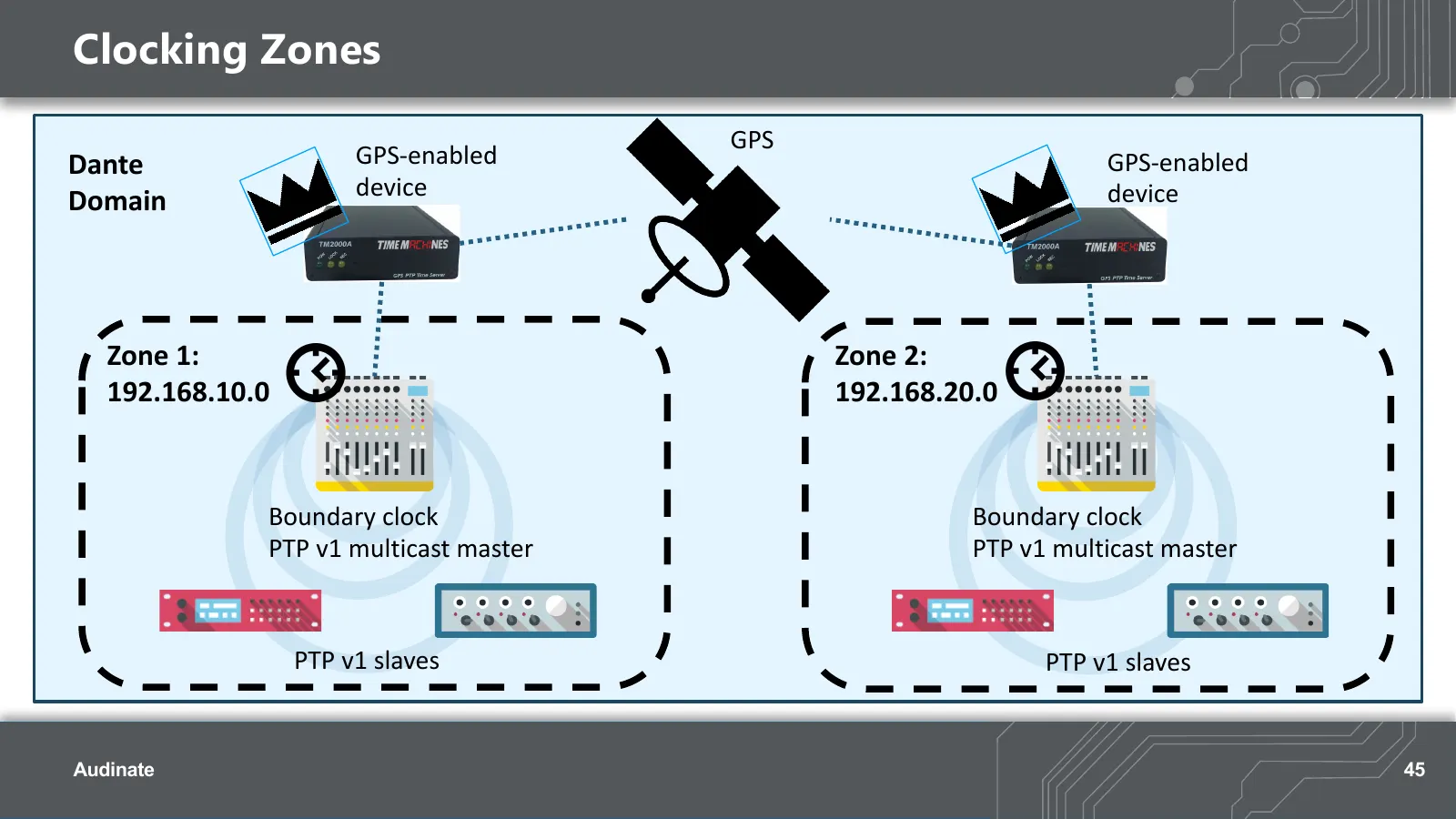
Slide 43: Clocking Zones
Clocking Zones GPS Dante GPS-enabled GPS-enabled device device Domain Zone 1: Zone 2: 192.168.10.0 192.168.20.0 Boundary clock Boundary clock PTP v1 multicast master PTP v1 multicast master PTP v1 slaves PTP v1 slaves Audinate 45
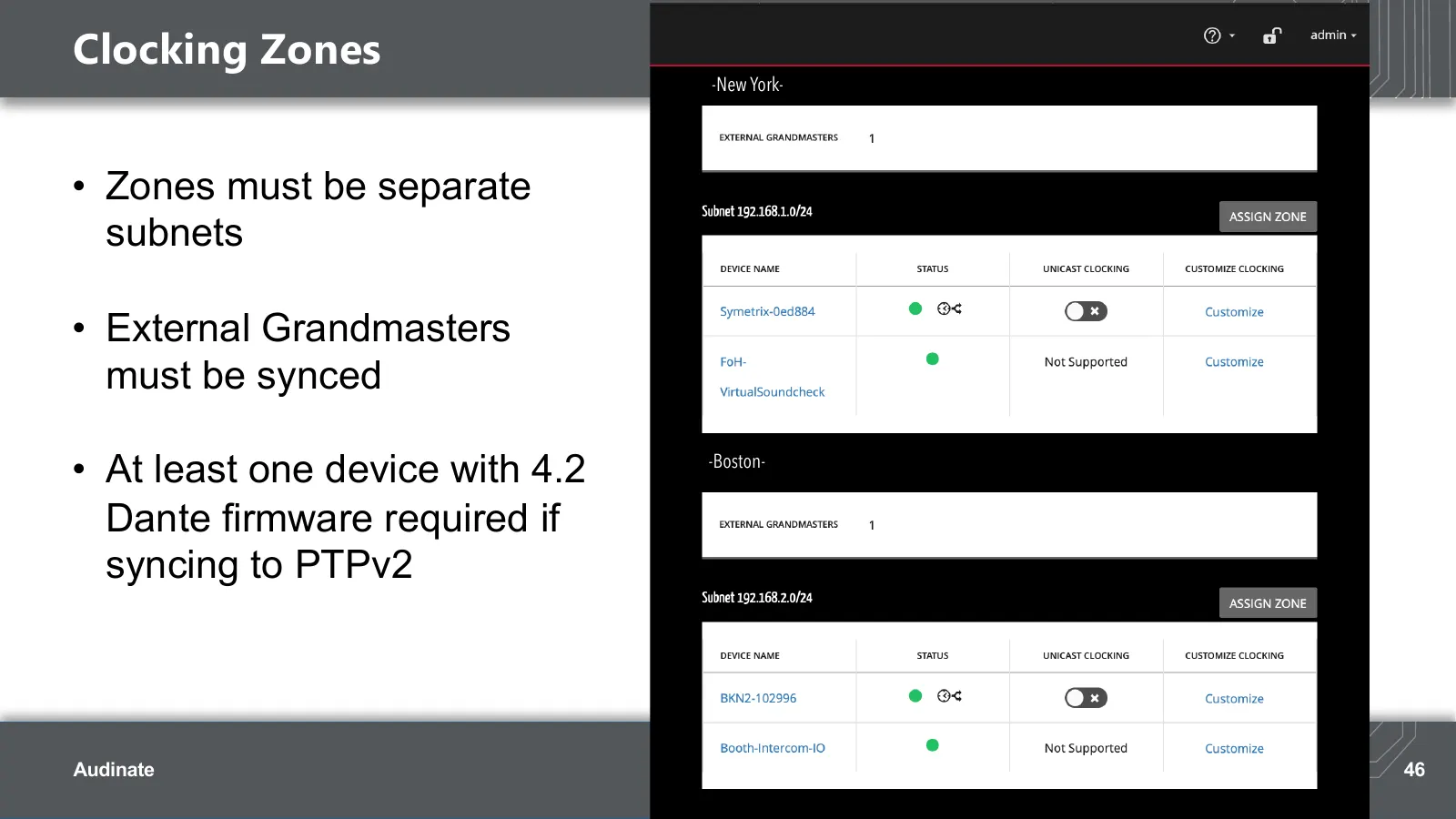
Slide 44: Clocking Zones
Clocking Zones -New York- • Zones must be separate subnets • External Grandmasters must be synced • At least one device with 4.2 -Boston- Dante firmware required if syncing to PTPv2 Audinate 46
Slide 45: AES67 & SMPTE 2110 Clocking
AES67 & SMPTE 2110 Clocking Audinate 47
Slide 46: Unmanaged AES67
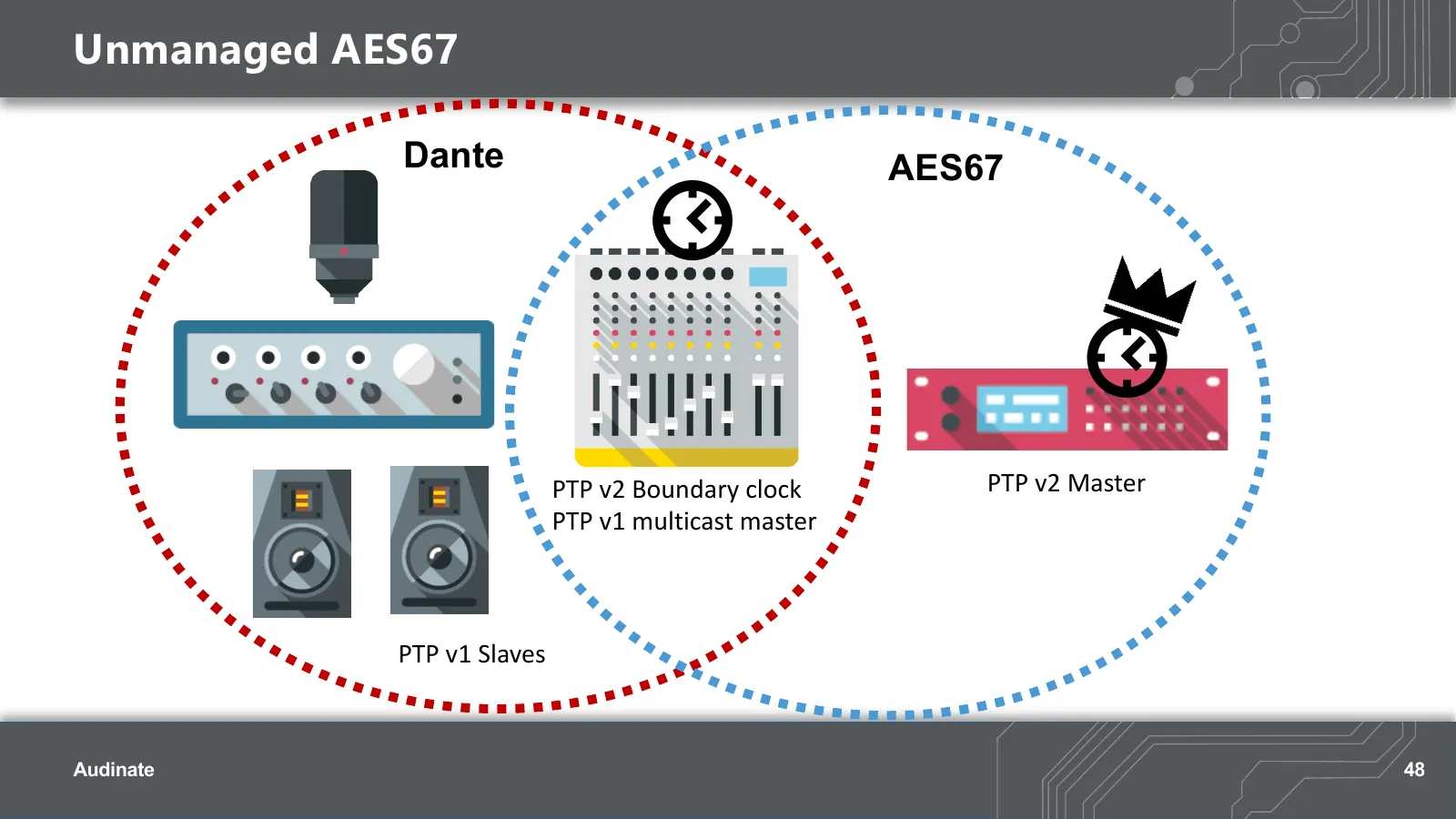
Unmanaged AES67 Dante AES67 PTP v2 Boundary clock PTP v2 Master PTP v1 multicast master PTP v1 Slaves Audinate 48
Slide 47: Unmanaged AES67
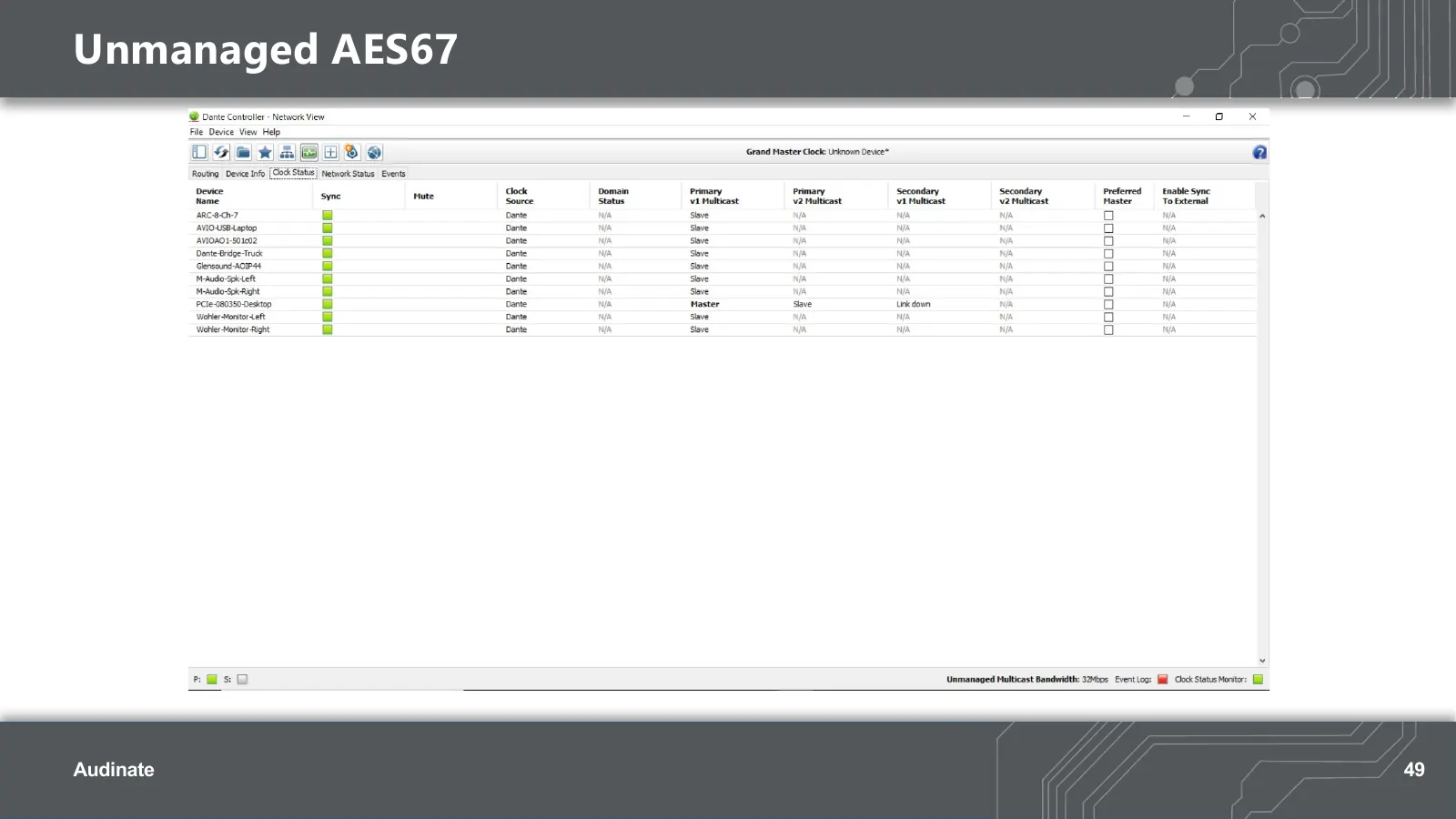
Unmanaged AES67 @ Dente Controller - Network View - o x Fle Device View Hebe Osa x ASD ‘rand Haster lc Union Dee a ving Davee ino (SOAS Netwok Stabs Evens Dewce me dock Domain Primary Pemary Secondary Secondary refered canbe ye tame Source Same Vinlast Womalast wtacast earucast fuser Totatersal aace
Slide 48: AES67 with Dante Domain Manager
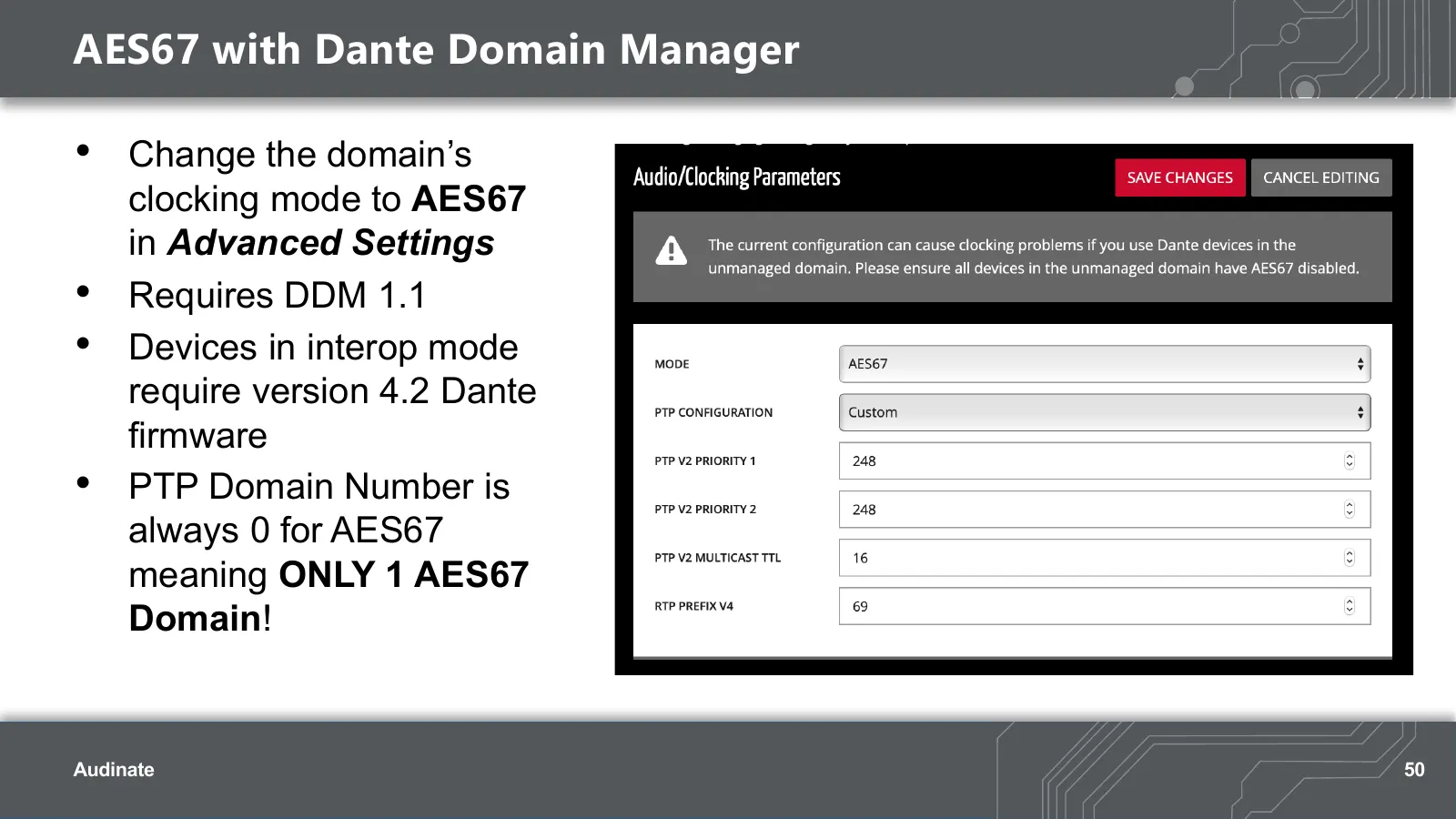
AES67 with Dante Domain Manager • Change the domain’s clocking mode to AES67 in Advanced Settings • Requires DDM 1.1 • Devices in interop mode require version 4.2 Dante firmware • PTP Domain Number is always 0 for AES67 meaning ONLY 1 AES67 Domain! Audinate 50
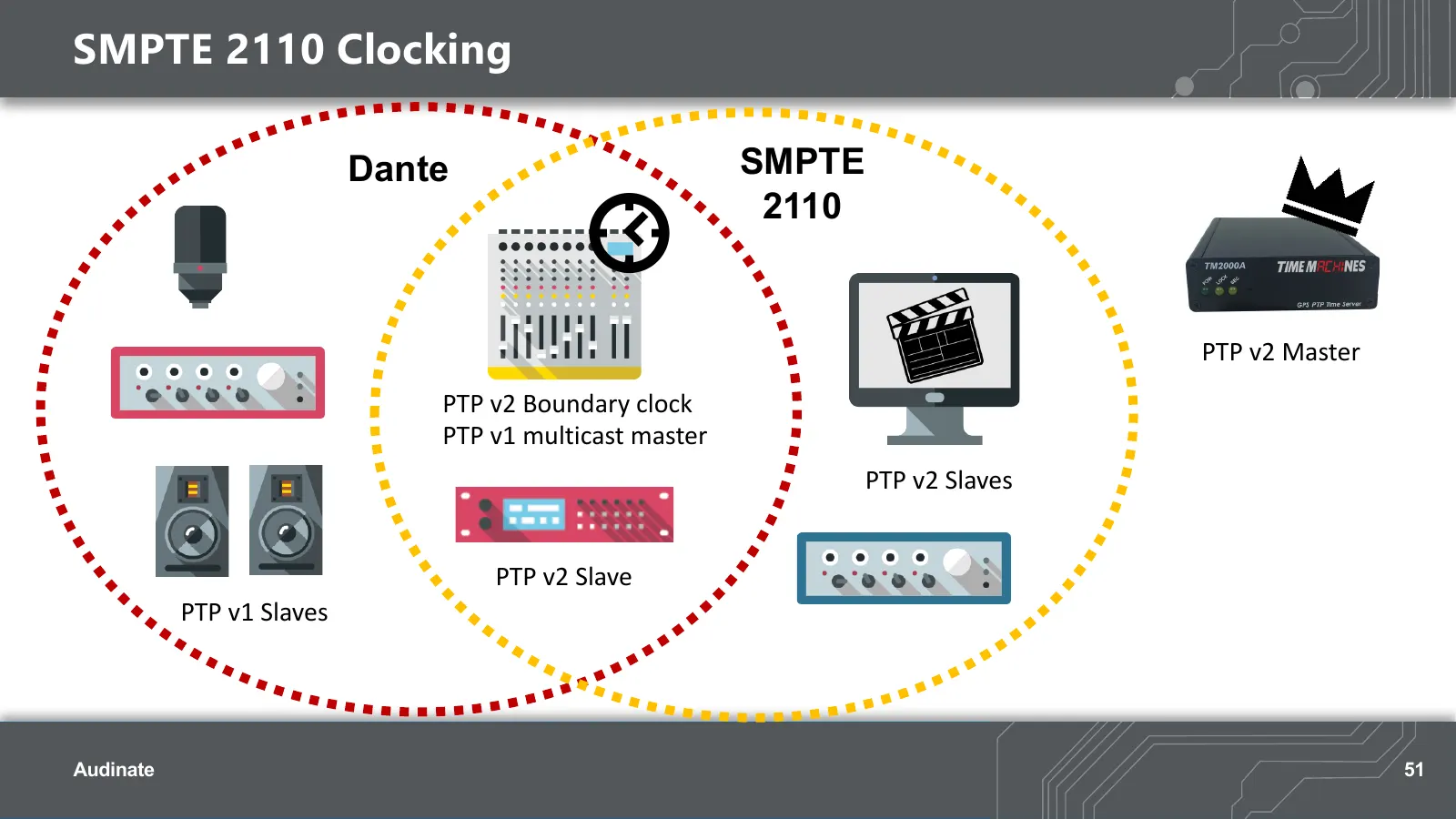
Slide 49: SMPTE 2110 Clocking
SMPTE 2110 Clocking Dante SMPTE 2110 PTP v2 Master PTP v2 Boundary clock PTP v1 multicast master PTP v2 Slaves PTP v2 Slave PTP v1 Slaves Audinate 51
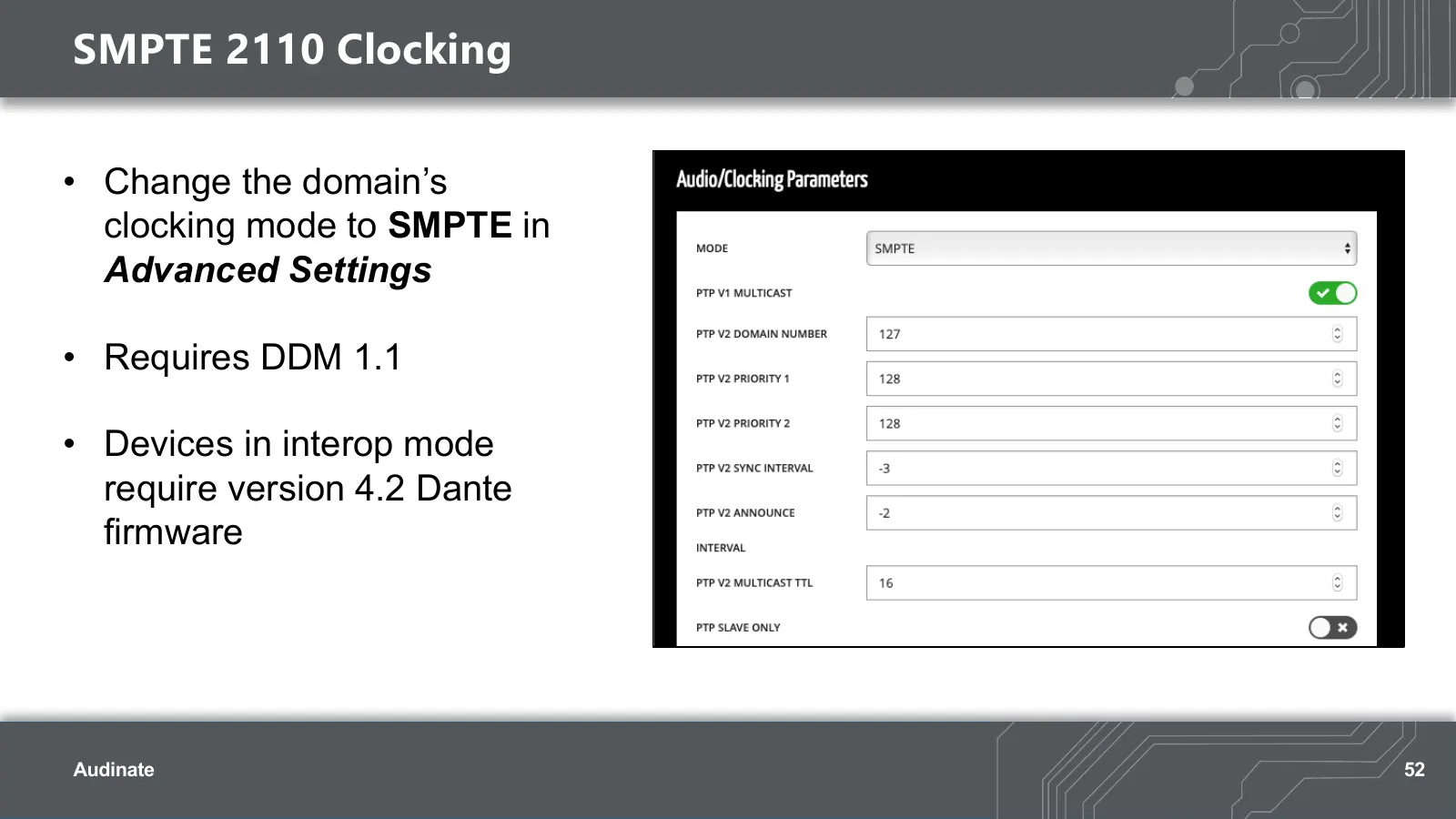
Slide 50: SMPTE 2110 Clocking
SMPTE 2110 Clocking • Change the domain’s clocking mode to SMPTE in Advanced Settings • Requires DDM 1.1 • Devices in interop mode require version 4.2 Dante firmware Audinate 52
Slide 51: Q&A
Q&A Audinate 53
Slide 52: Clocking
Clocking Visit Us Online: www.audinate.com/ddm Audinate 54
Source: Internet Archive copy of assets.audinate.com
More decks from Audinate Group Ltd.
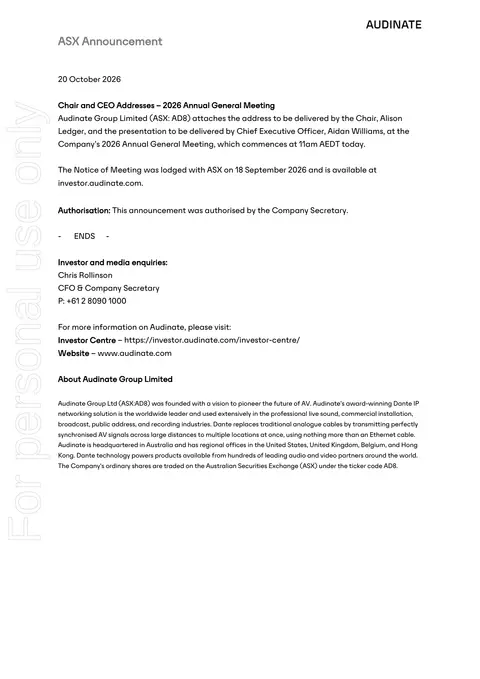 Shareholder Meeting (October 2026)12 slides · Oct 20, 2026
 Investor Presentation (August 2026)27 slides · Aug 17, 2026
 H1 2026 Earnings Presentation24 slides · Feb 16, 2026
 Shareholder Meeting (October 2025)12 slides · Oct 21, 2025
 Investor Presentation (August 2025)36 slides · Aug 18, 2025
 Merger or Acquisition (June 2025)9 slides · Jun 25, 2025