Analog Devices, Inc. · NASDAQ:ADI
Analog Devices — Technical Presentation (August 2008)
18 slides from Analog Devices's technical presentation, Aug 12, 2008
Slide 1: iSensor Evaluation Tool Overview
The World Leader in High Performance Signal Processing Solutions iSensor TM Evaluation Tool Overview August 12, 2008
Slide 2: iSensor Evaluation Tool Overview
iSensor™ Evaluation Tool Overview Purpose – Why these tools? 1. Simplify iSensor integration into existing digital processor platforms such as uC, DSP, FPGA, CPLD, etc. Which would approach would get you writing code and making measurements quicker? Designing a custom PCB, having it fabricated, an
Slide 3: iSensor Evaluation Tools: Evaluation Boards
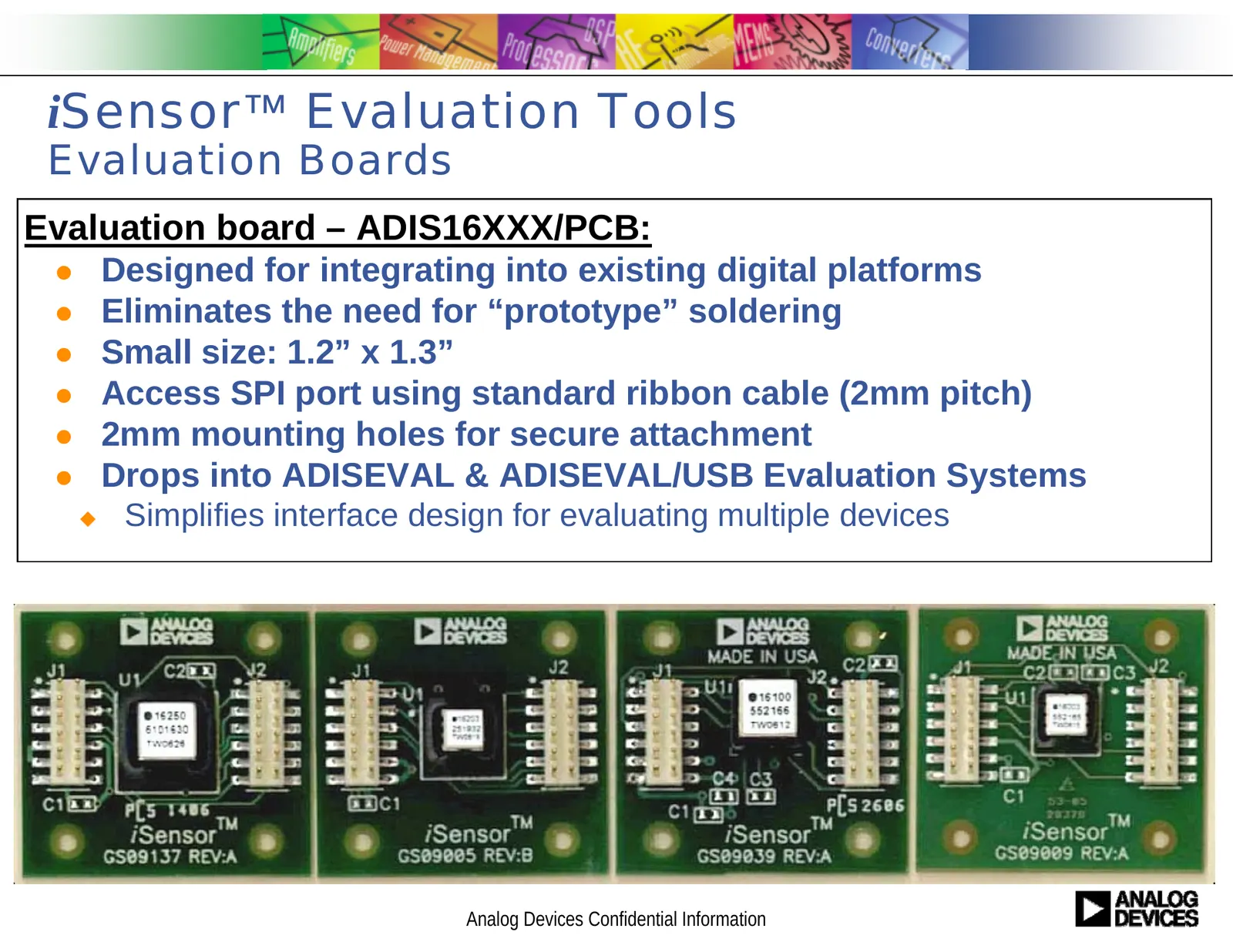
iSensor™ Evaluation Tools Evaluation Boards Evaluation board – ADIS16XXX/PCB: z Designed for integrating into existing digital platforms z Eliminates the need for “prototype” soldering z Small size: 1.2” x 1.3” z Access SPI port using standard ribbon cable (2mm pitch) z 2mm mounting holes for secure
Slide 4: Evaluation Boards – Triple Axis Interface
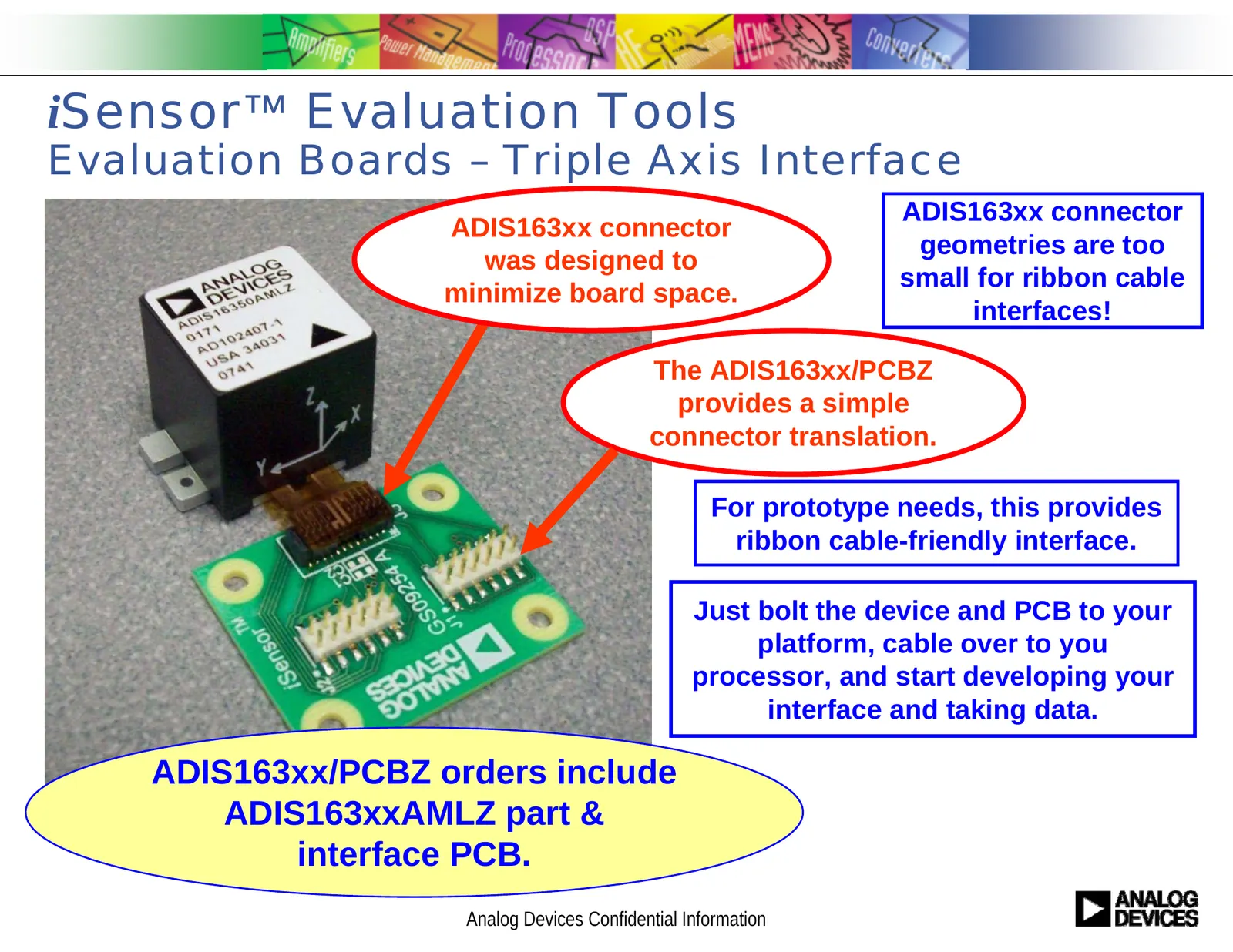
iSensor™ Evaluation Tools Evaluation Boards – Triple Axis Interface ADIS163xx connector ADIS163xx connector geometries are too was designed to small for ribbon cable minimize board space. interfaces! The ADIS163xx/PCBZ provides a simple connector translation. For prototype needs, this provides ribbo
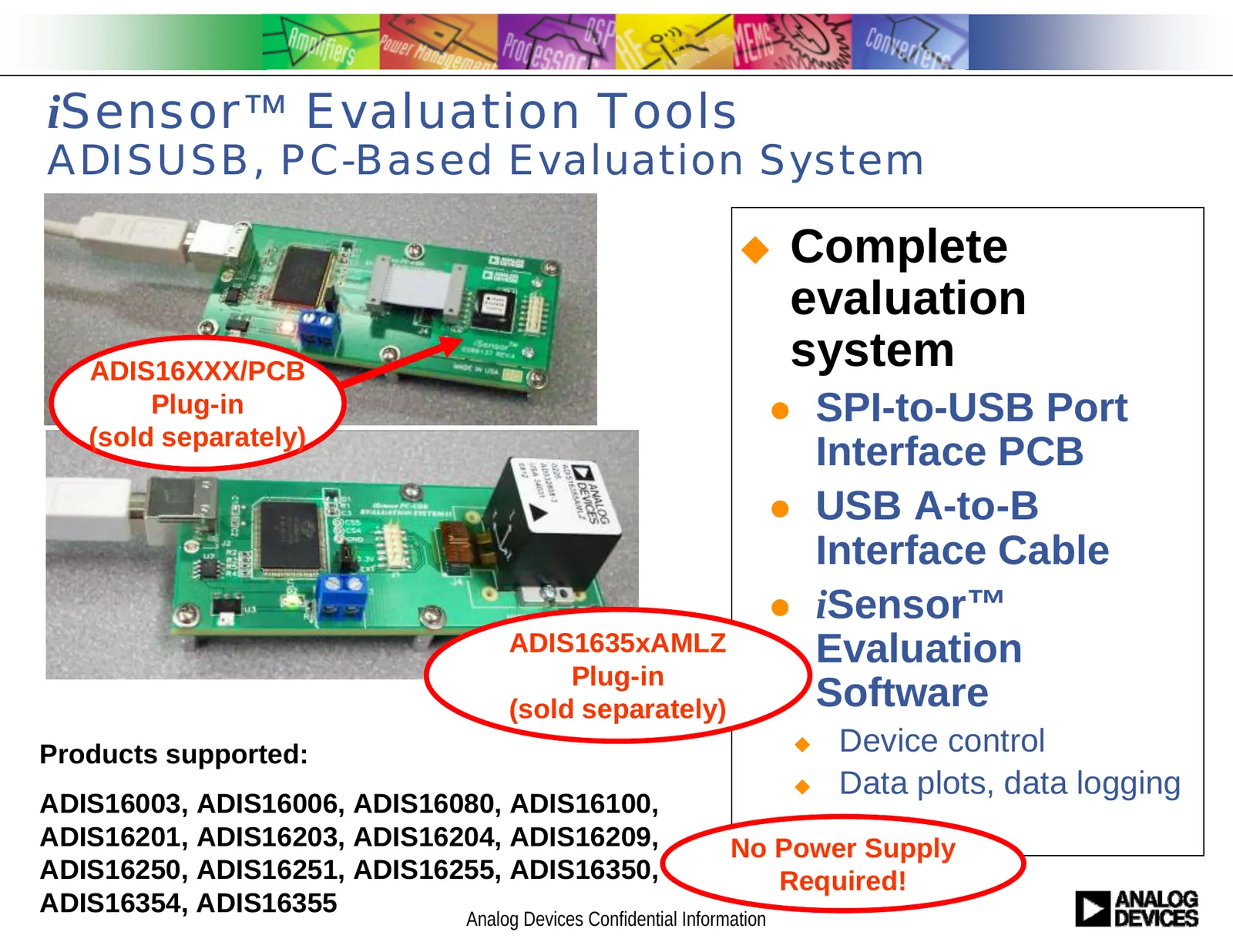
Slide 5: ADISUSB, PC-Based Evaluation System
iSensor™ Evaluation Tools ADISUSB, PC-Based Evaluation System Complete evaluation ADIS16XXX/PCB system Plug-in z SPI-to-USB Port (sold separately) Interface PCB z USB A-to-B Interface Cable z iSensor™ ADIS1635xAMLZ Evaluation Plug-in (sold separately) Software Products supported: Device control
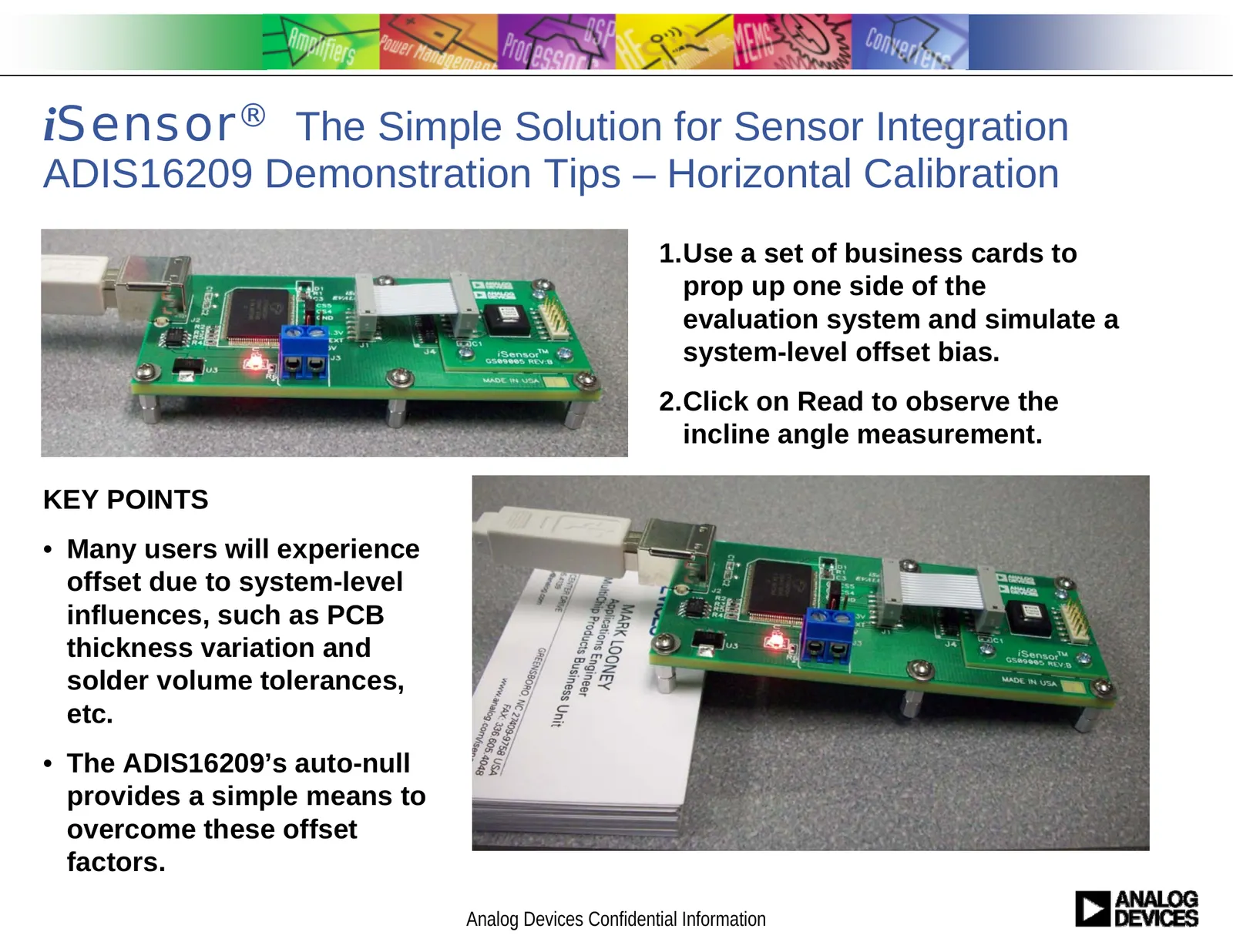
Slide 6: ADIS16209 Demonstration Tips – Horizontal Calibration
iSensor® The Simple Solution for Sensor Integration ADIS16209 Demonstration Tips – Horizontal Calibration 1.Use a set of business cards to prop up one side of the evaluation system and simulate a system-level offset bias. 2.Click on Read to observe the incline angle measurement. KEY POINTS • Many us
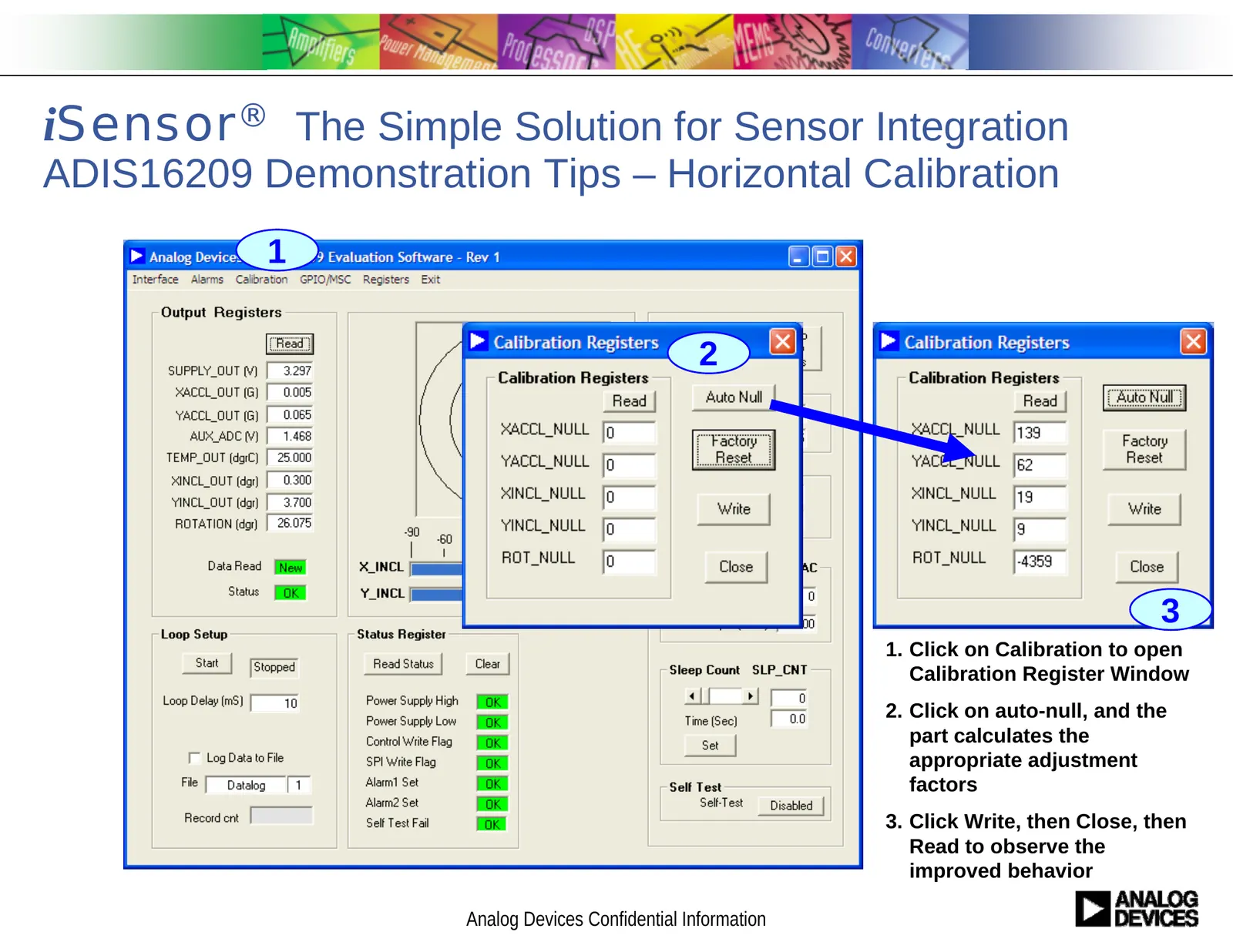
Slide 7: ADIS16209 Demonstration Tips – Horizontal Calibration
iSensor® The Simple Solution for Sensor Integration ADIS16209 Demonstration Tips – Horizontal Calibration 1 2 3 1. Click on Calibration to open Calibration Register Window 2. Click on auto-null, and the part calculates the appropriate adjustment factors 3. Click Write, then Close, then Read to obser
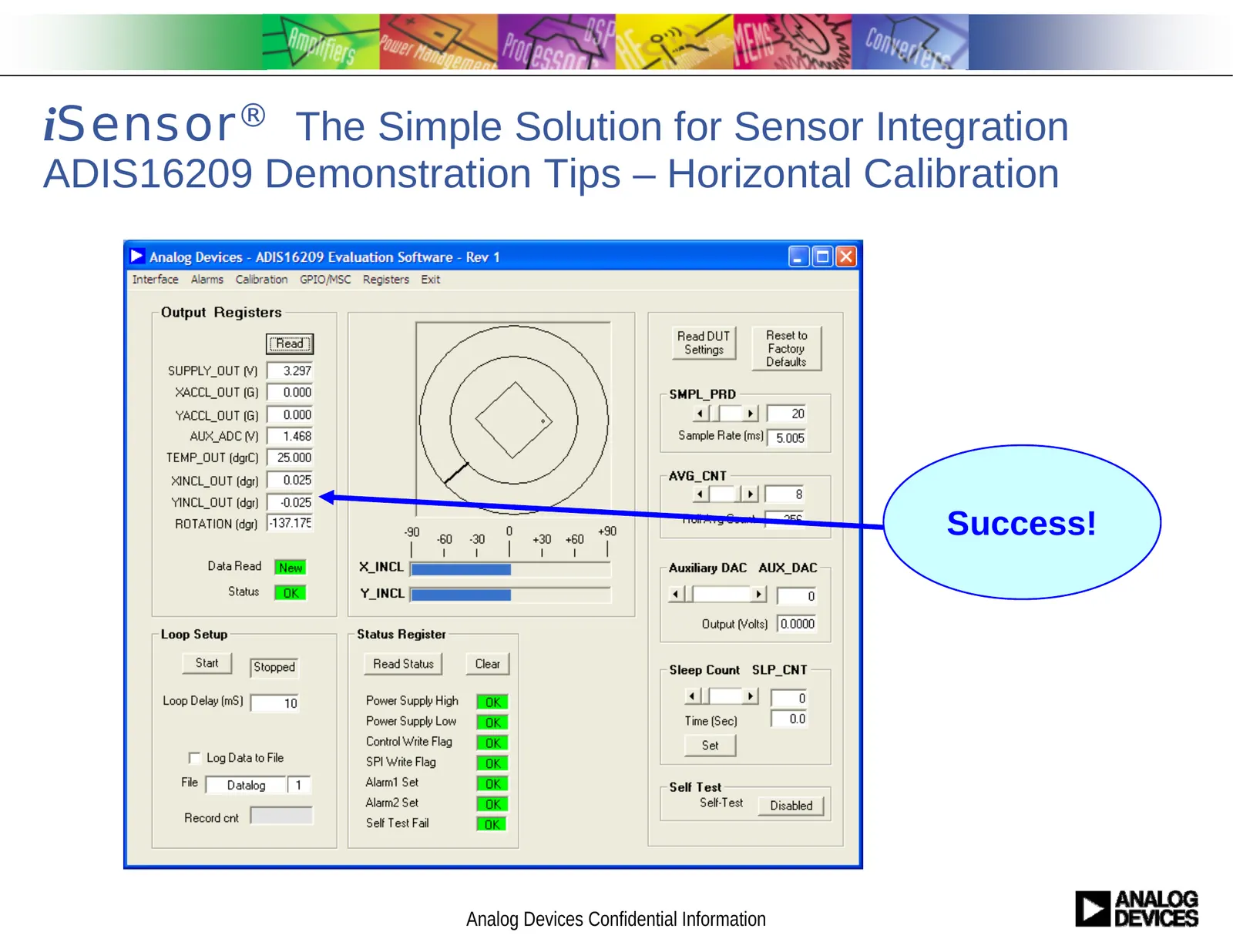
Slide 8: ADIS16209 Demonstration Tips – Horizontal Calibration
iSensor® The Simple Solution for Sensor Integration ADIS16209 Demonstration Tips – Horizontal Calibration Success! Analog Devices Confidential Information
Slide 9: ADIS16350 Demonstration Tips – Look at each axis
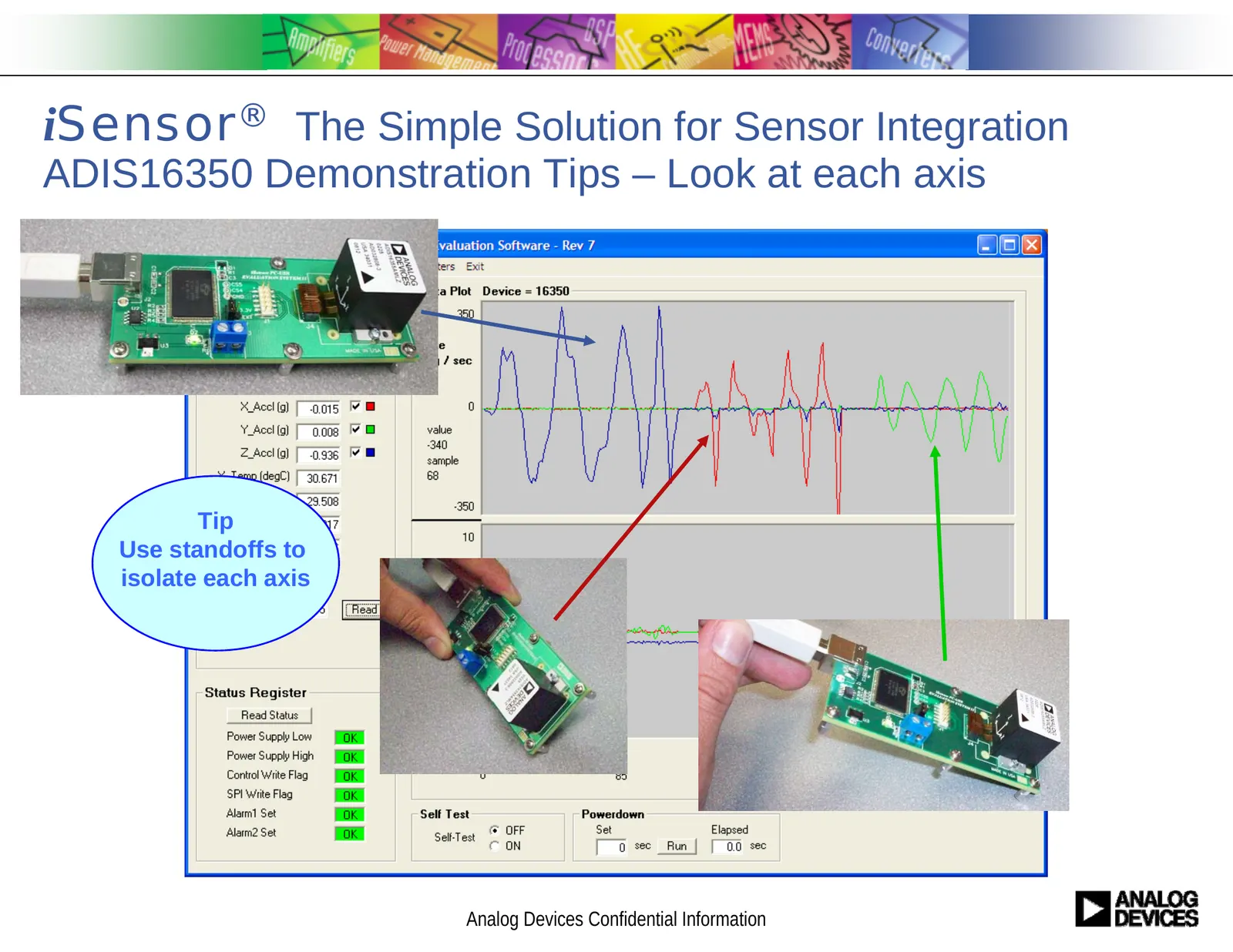
iSensor® The Simple Solution for Sensor Integration ADIS16350 Demonstration Tips – Look at each axis Tip Use standoffs to isolate each axis Analog Devices Confidential Information
Slide 10: ADISEVAL, PC-Based Evaluation System
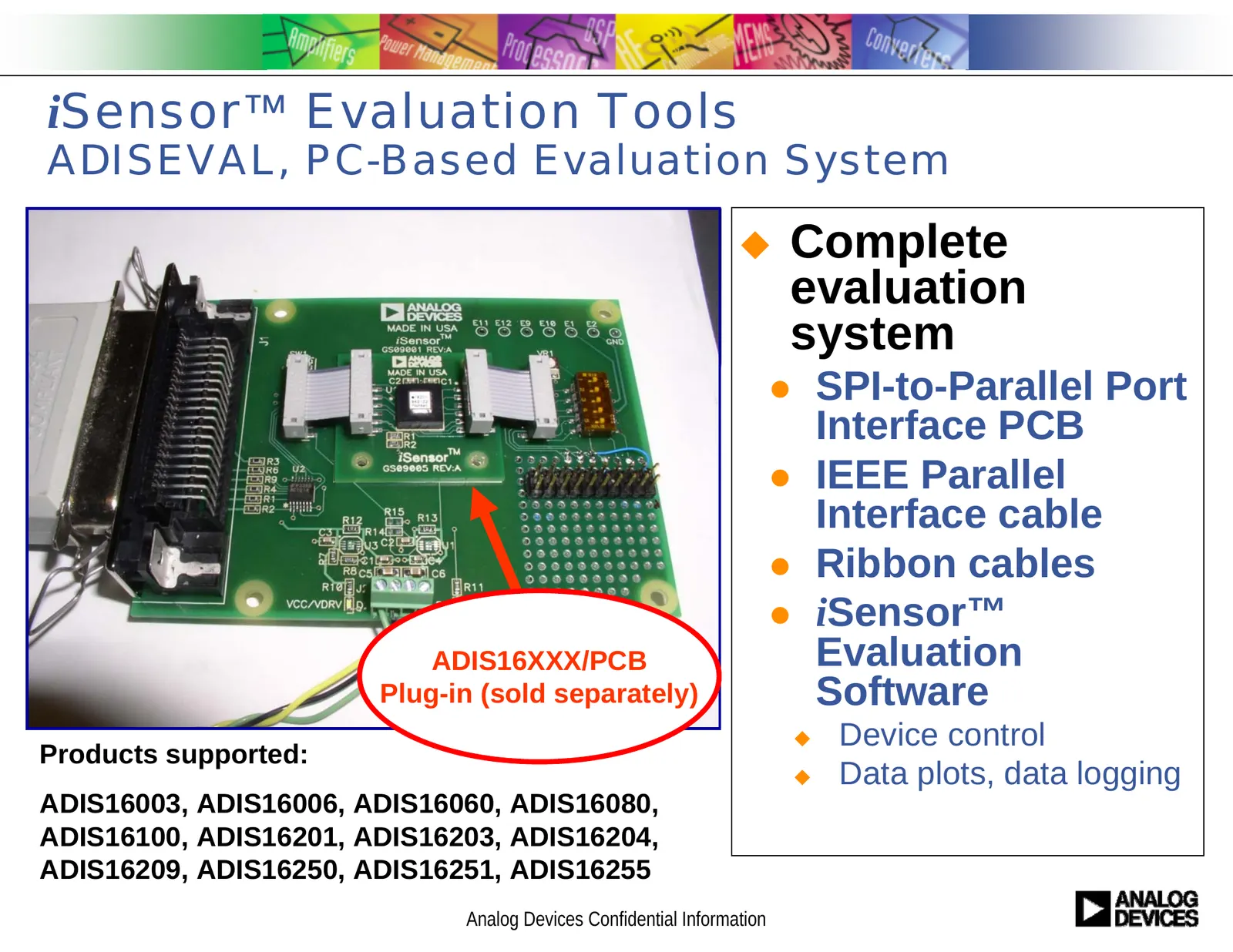
iSensor™ Evaluation Tools ADISEVAL, PC-Based Evaluation System Complete evaluation system z SPI-to-Parallel Port Interface PCB z IEEE Parallel Interface cable z Ribbon cables z iSensor™ ADIS16XXX/PCB Evaluation Plug-in (sold separately) Software Device control Products supported: Data plots, d
Slide 11: ADIS16350/4/5 Evaluation Software
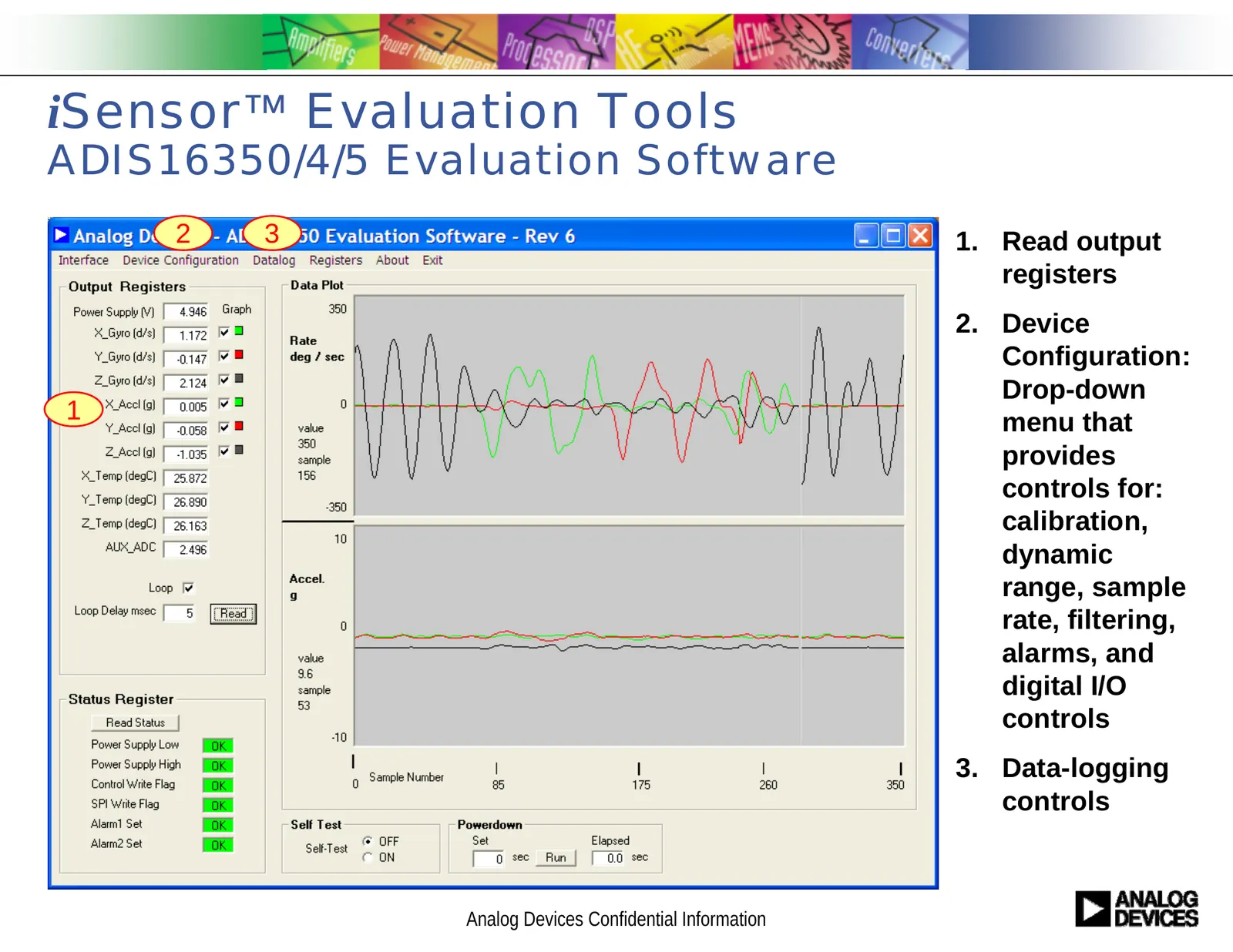
iSensor™ Evaluation Tools ADIS16350/4/5 Evaluation Software 2 3 1. Read output registers 2. Device Configuration: Drop-down 1 menu that provides controls for: calibration, dynamic range, sample rate, filtering, alarms, and digital I/O controls 3. Data-logging controls Analog Devices Confidential Inf
Slide 12: ADIS16209 Evaluation Software
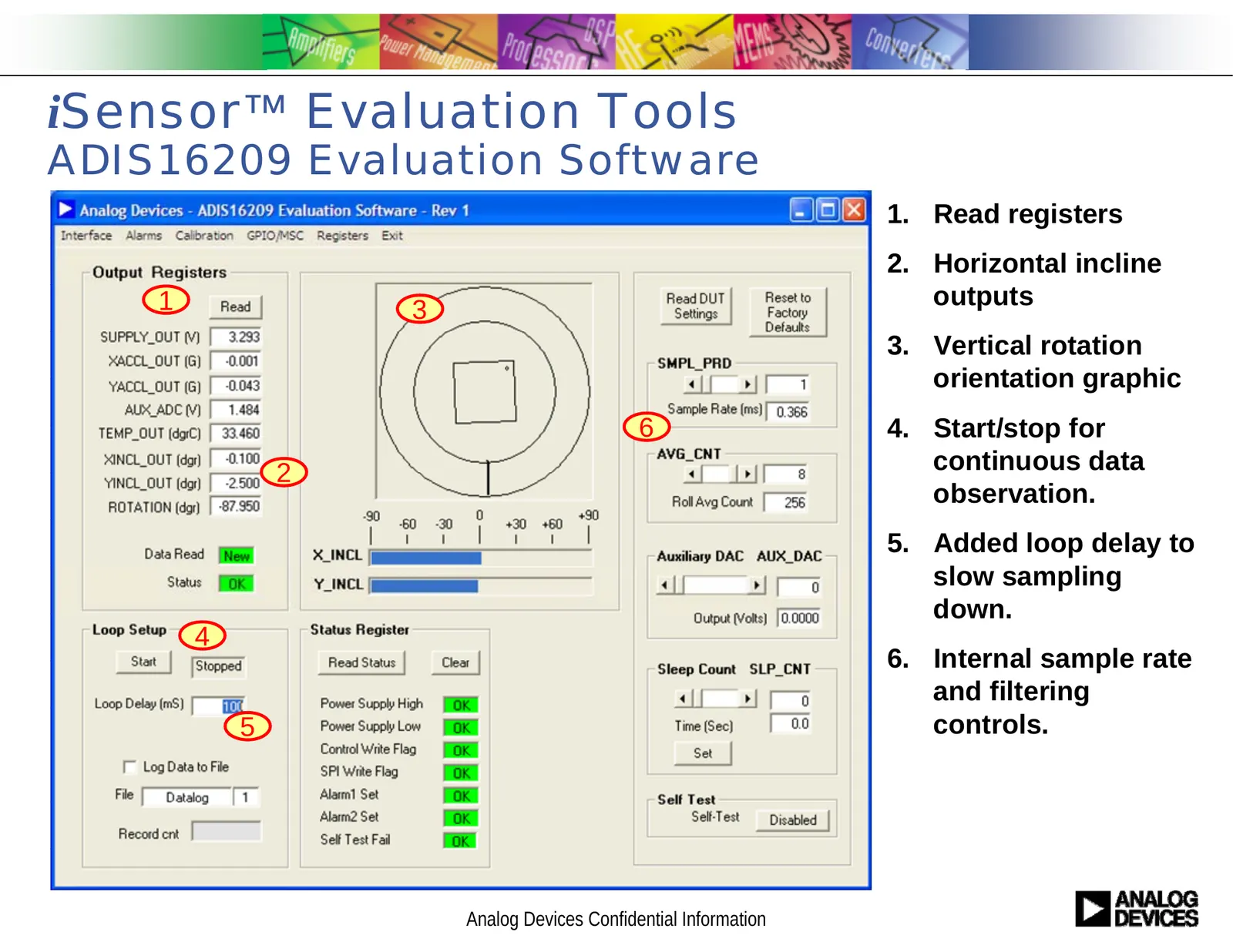
iSensor™ Evaluation Tools ADIS16209 Evaluation Software 1. Read registers 2. Horizontal incline 1 3 outputs 3. Vertical rotation orientation graphic 6 4. Start/stop for 2 continuous data observation. 5. Added loop delay to slow sampling down. 4 6. Internal sample rate and filtering 5 controls. Analo
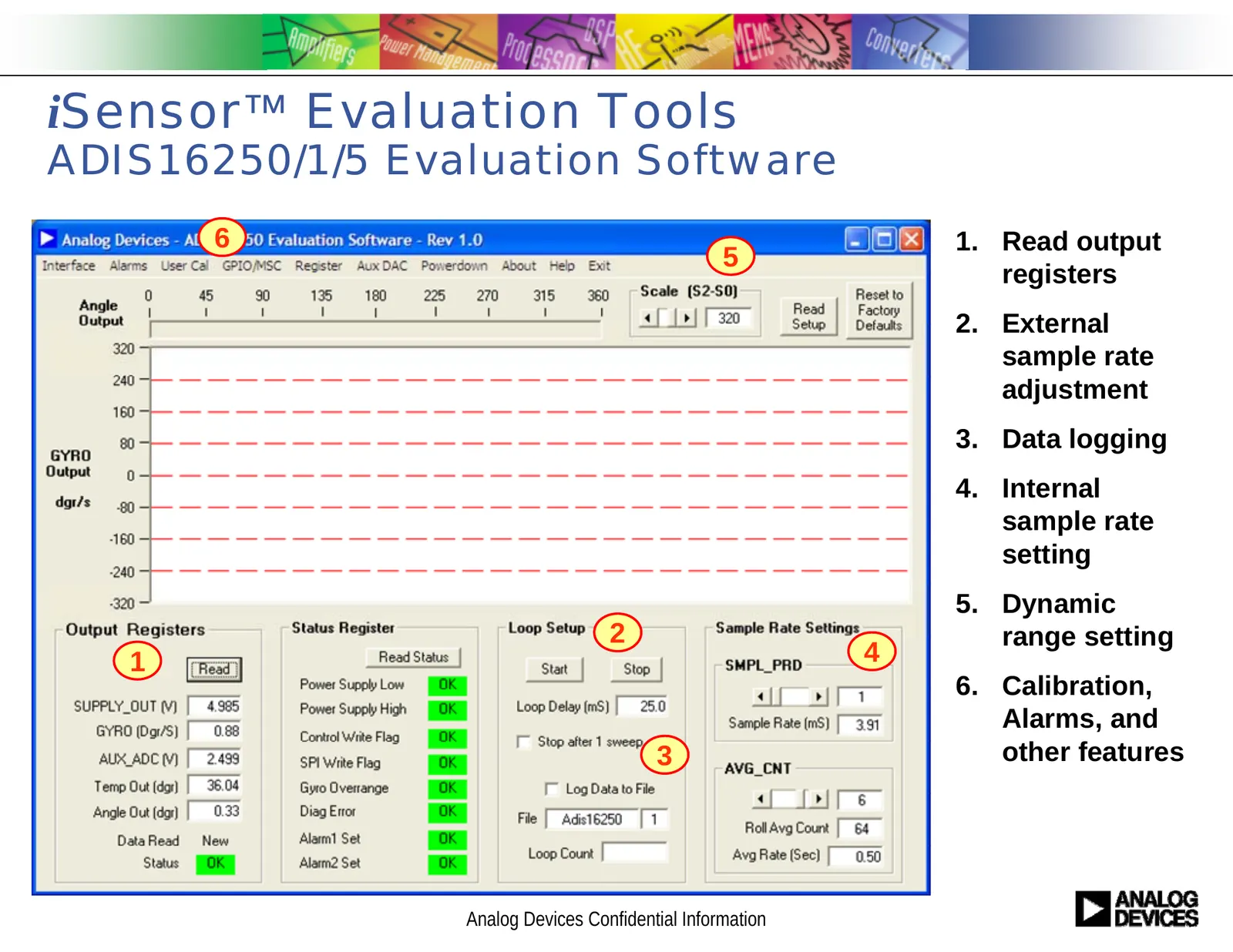
Slide 13: ADIS16250/1/5 Evaluation Software
iSensor™ Evaluation Tools ADIS16250/1/5 Evaluation Software 6 1. Read output 5 registers 2. External sample rate adjustment 3. Data logging 4. Internal sample rate setting 5. Dynamic 2 range setting 1 4 6. Calibration, Alarms, and 3 other features Analog Devices Confidential Information
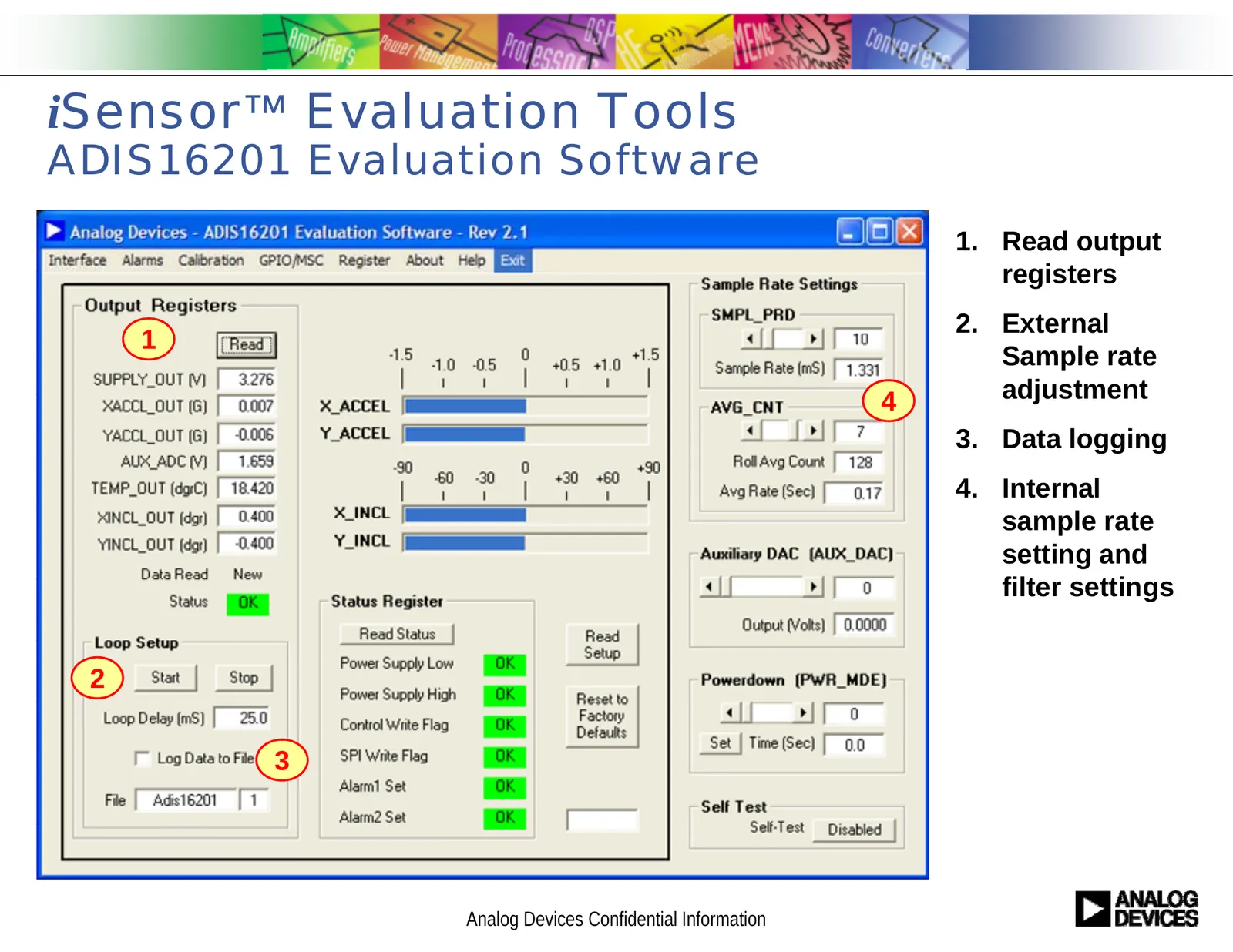
Slide 14: ADIS16201 Evaluation Software
iSensor™ Evaluation Tools ADIS16201 Evaluation Software 1. Read output registers 2. External 1 Sample rate 4 adjustment 3. Data logging 4. Internal sample rate setting and filter settings 2 3 Analog Devices Confidential Information
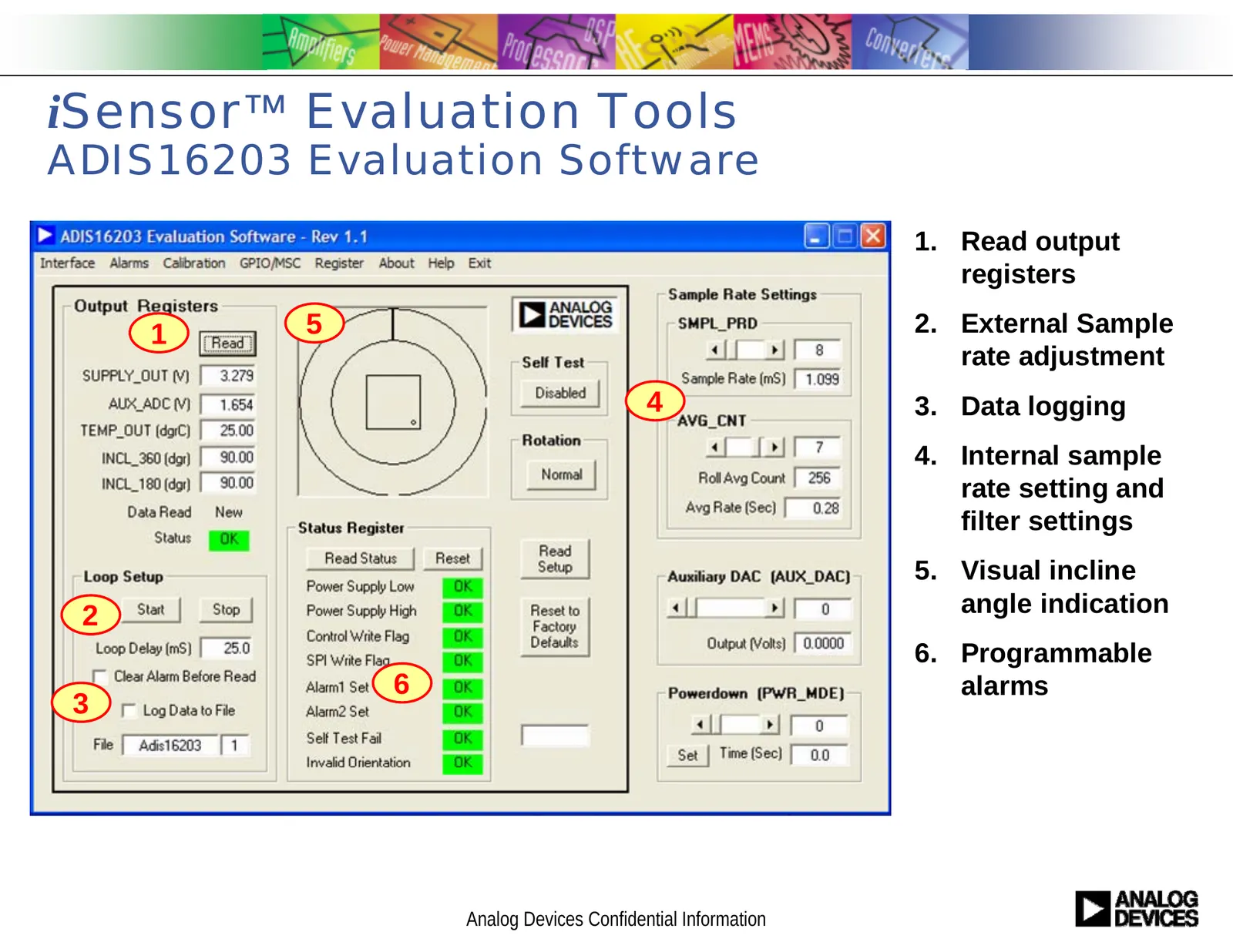
Slide 15: ADIS16203 Evaluation Software
iSensor™ Evaluation Tools ADIS16203 Evaluation Software 1. Read output registers 1 5 2. External Sample rate adjustment 4 3. Data logging 4. Internal sample rate setting and filter settings 5. Visual incline 2 angle indication 6. Programmable 6 alarms 3 Analog Devices Confidential Information
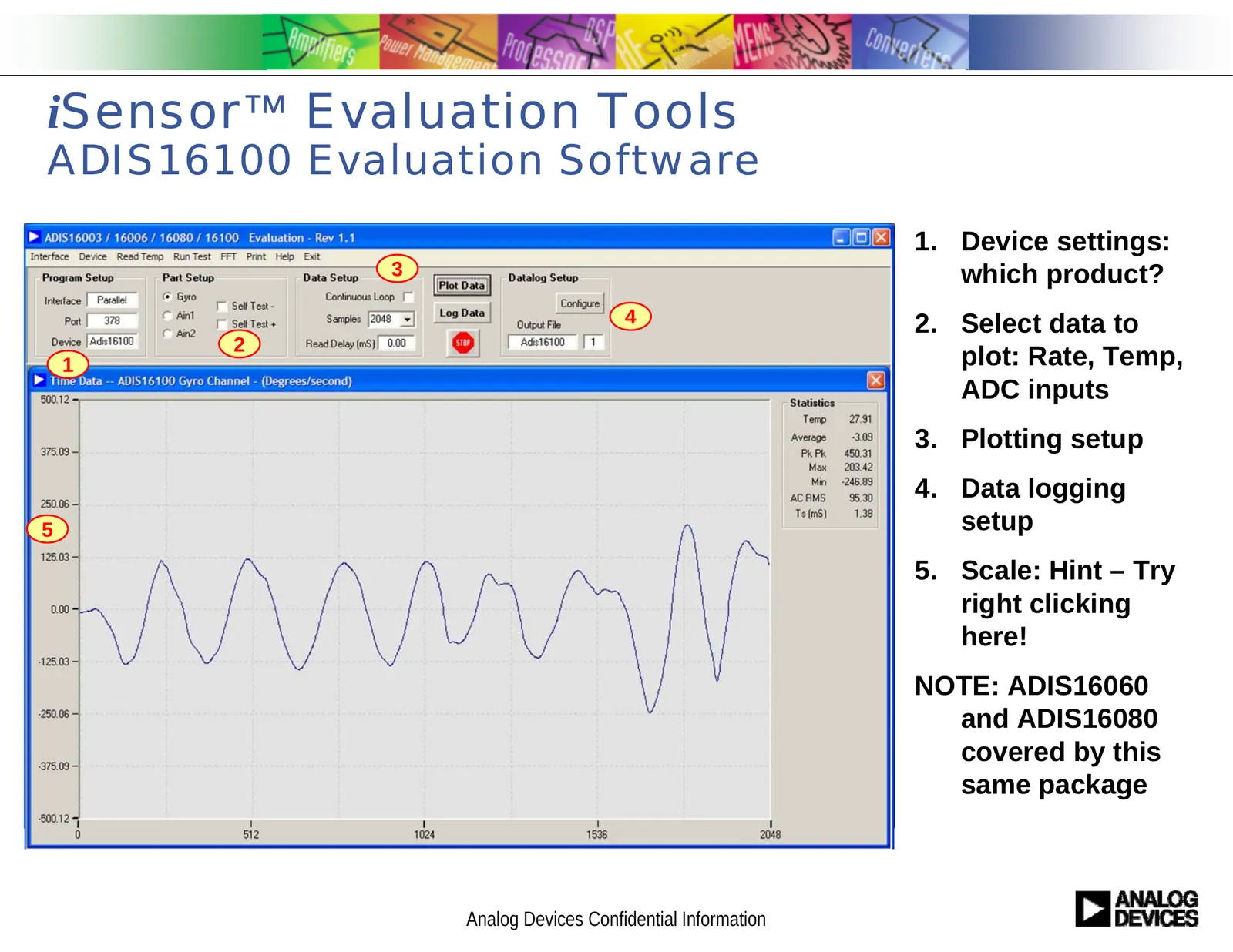
Slide 16: ADIS16100 Evaluation Software
iSensor™ Evaluation Tools ADIS16100 Evaluation Software 1. Device settings: 3 which product? 4 2. Select data to 2 1 plot: Rate, Temp, ADC inputs 3. Plotting setup 4. Data logging 5 setup 5. Scale: Hint – Try right clicking here! NOTE: ADIS16060 and ADIS16080 covered by this same package Analog Devi
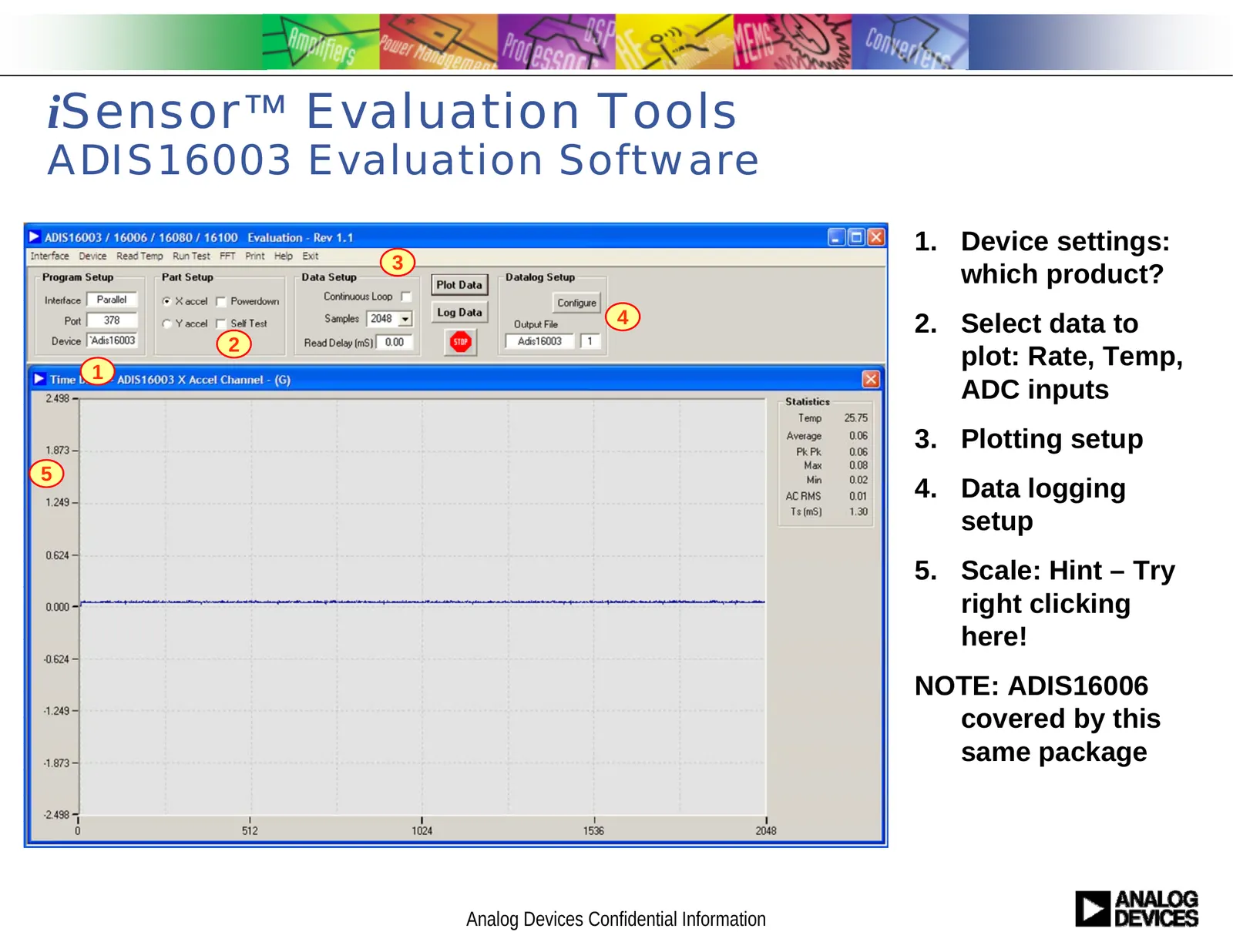
Slide 17: ADIS16003 Evaluation Software
iSensor™ Evaluation Tools ADIS16003 Evaluation Software 1. Device settings: 3 which product? 4 2. Select data to 2 1 plot: Rate, Temp, ADC inputs 3. Plotting setup 5 4. Data logging setup 5. Scale: Hint – Try right clicking here! NOTE: ADIS16006 covered by this same package Analog Devices Confidenti
Slide 18: Presented By: Mark Looney
Presented By: Mark Looney Analog Devices, Inc. 7910 Triad Center Drive Greensboro, NC 27409 PHONE 1-336-605-4139 Mark.looney@analog.com Additional Information is available at: www.analog.com/isensor Applications Questions: Contact Mark Looney at 1-336-605-4139 mark.looney@analog.com Analog Devices C
Source: Internet Archive copy of analog.com
More decks from Analog Devices, Inc.
 Proxy Contest (February 2026)6 slides · Feb 9, 2026
 Investor Presentation (September 2025)11 slides · Sep 19, 2025
 Investor Presentation (September 2024)14 slides · Sep 27, 2024
 Technical Presentation (May 2024)97 slides · May 30, 2024
 Shareholder Meeting (February 2024)18 slides · Feb 29, 2024
 Investor Presentation (October 2023)12 slides · October 2023