VP Bank AG Class A · SIX:VPBN
VP Bank AG Class A — Fact Sheet (August 2019)
2 slides from VP Bank AG Class A's fact sheet, Aug 30, 2019
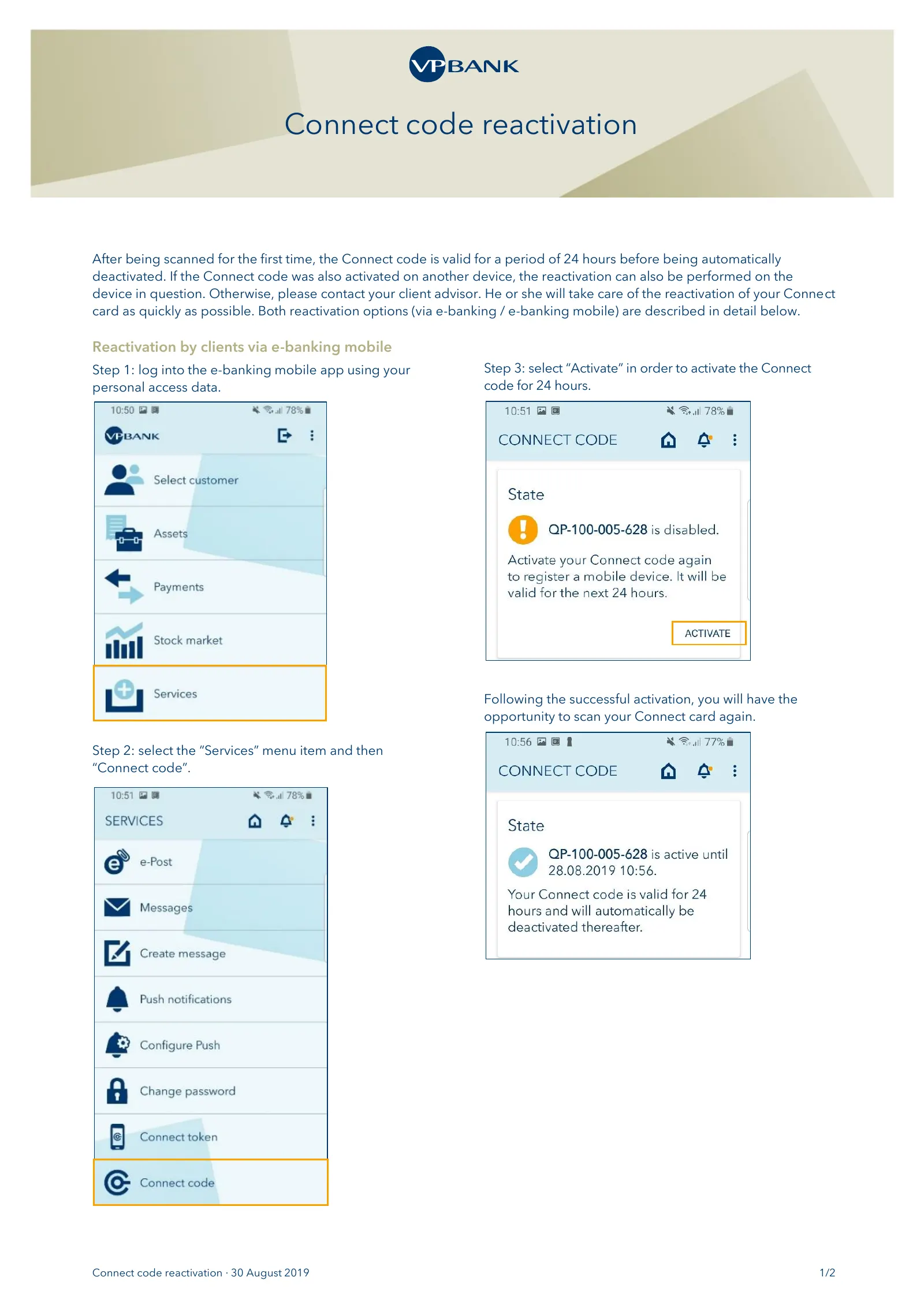
Slide 1: Connect code reactivation
Connect code reactivation After being scanned for the first time, the Connect code is valid for a period of 24 hours before being automatically deactivated. If the Connect code was also activated on another device, the reactivation can also be performed on the device in question. Otherwise, please c
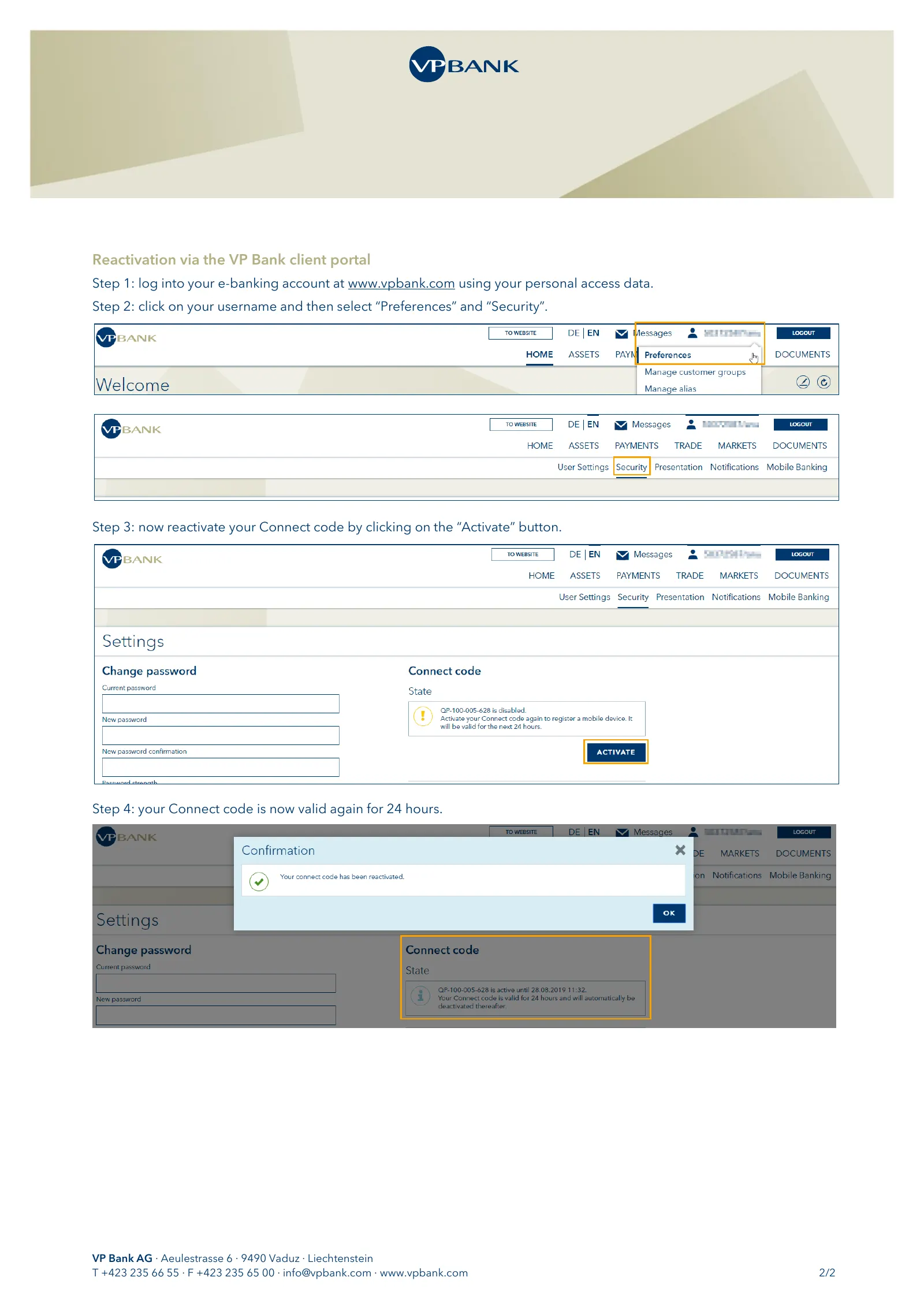
Slide 2: Reactivation via the VP Bank client portal
Reactivation via the VP Bank client portal Step 1: log into your e-banking account at www.vpbank.com using your personal access data. Step 2: click on your username and then select “Preferences” and “Security”. Step 3: now reactivate your Connect code by clicking on the “Activate” button. Step 4: yo
Source: Internet Archive copy of lu.vpbank.com
More decks from VP Bank AG Class A
 VP Bank Gruppe — H1 2024 Earnings Presentation21 slides · Aug 20, 2024
 H1 2024 Earnings Presentation21 slides · Aug 20, 2024
 H1 2023 Earnings Presentation19 slides · Aug 17, 2023
 VP Bank Gruppe — H1 2023 Earnings Presentation20 slides · Aug 17, 2023
 Shareholder Meeting (April 2023)22 slides · Apr 28, 2023
 H1 2022 Earnings Presentation25 slides · Aug 17, 2022