Solteq Oyj · OMXHEX:SOLTEQ
Solteq Oyj — Investor Presentation (June 2001)
17 slides from Solteq Oyj's investor presentation, June 2001
Slide 1: Solteq NaviGate
Solteq NaviGate Innovative communication and data transfer platform
Slide 2: Solteq NaviGate - history
Solteq NaviGate - history While deploying comprehensive systems we noticed that: · the time needed for conversions and integration between new and old is about 25% of the total time of the project · data is in differents formats and it is not easy to transfer · daily data transfers take too much tim
Slide 3: Solteq NaviGate - a product for growing markets
Solteq NaviGate - a product for growing markets Our experience and the development of new revolutionary technologies makes it possible to make whole different data transfer and electronic communication.
Slide 4: Solteq NaviGate - new technology
Solteq NaviGate - new technology Revolutionary product for global markets · Open platform for data communication and data transfer · all actions can be centralized in organisations · International marketing, distribution and support through internet · New generation portal services · reselling of el
Slide 5: www.navigate.solteq.com
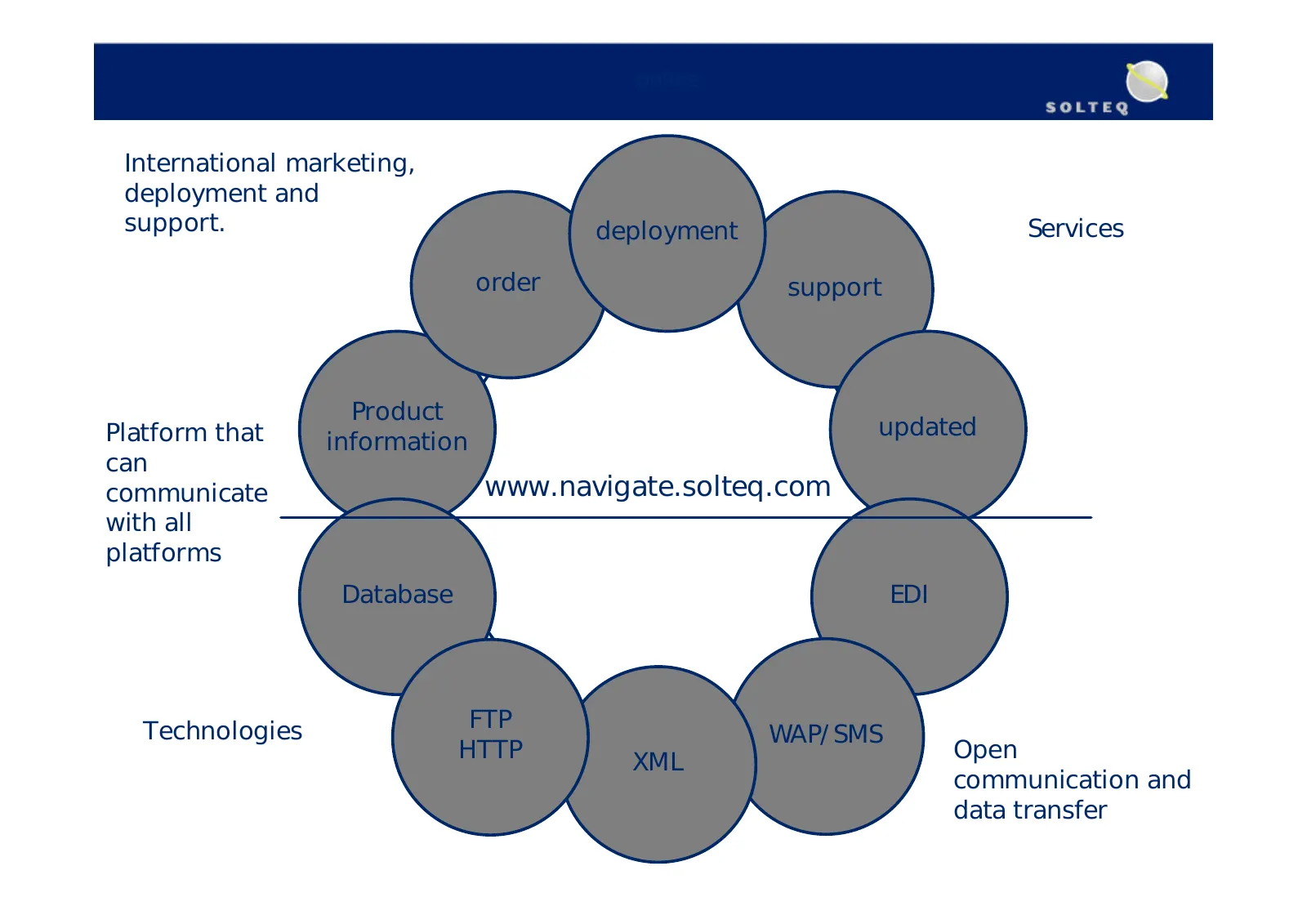
online International marketing, deployment and support. deployment Services order support Product Platform that updated information can communicate www.navigate.solteq.com with all platforms Database EDI Technologies FTP WAP/SMS HTTP Open XML communication and data transfer
Slide 6: What does it mean?
Solteq NaviGate What does it mean ?
Slide 7: Solteq NaviGate in general
Solteq NaviGate in general · Solteq Oyj’s has developed the applicatioons · 100% Windows ® applications · Windows 95/98 · Windows NT4.0 · Windows 2000 · Component based application · application developers can develop their own components
Slide 8: Solteq NaviGate for the user
Solteq NaviGate for the user · Solteq NaviGate is easy to use · Even persons with no IT-experience can use the porduct · It is easy to make even complex data transfers · Solteq NaviGate does not tie people · you can get error messages by email or to your mobile phone · scheduling is possible
Slide 9: Solteq NaviGate in IT architecture
Solteq NaviGate in IT architecture · Data and communication tasks are shown in a “easy to use”-console · all tasks can be controlled centrally · Data and communication tasks can be scheduled · Tasks and tracked · all events are stored · you can integrat Solteq NaviGate with 3th party management soft
Slide 10: Datatransfer and communication possibilities
Solteq NaviGate datatransfer and communication possibilities · Data transfer · ascii <-> data source, data source <-> data source (DB/2, SQL-Server, Oracle, Excel, Sybase, Ingres etc.) · Commands (AS/400, Unix tai NT) · Email (send and receive) · FTP (client <-> server, server <-> client) · HTTP · X
Slide 11: Examples
Solteq NaviGate examples © SOLTEQ SOLTEQ
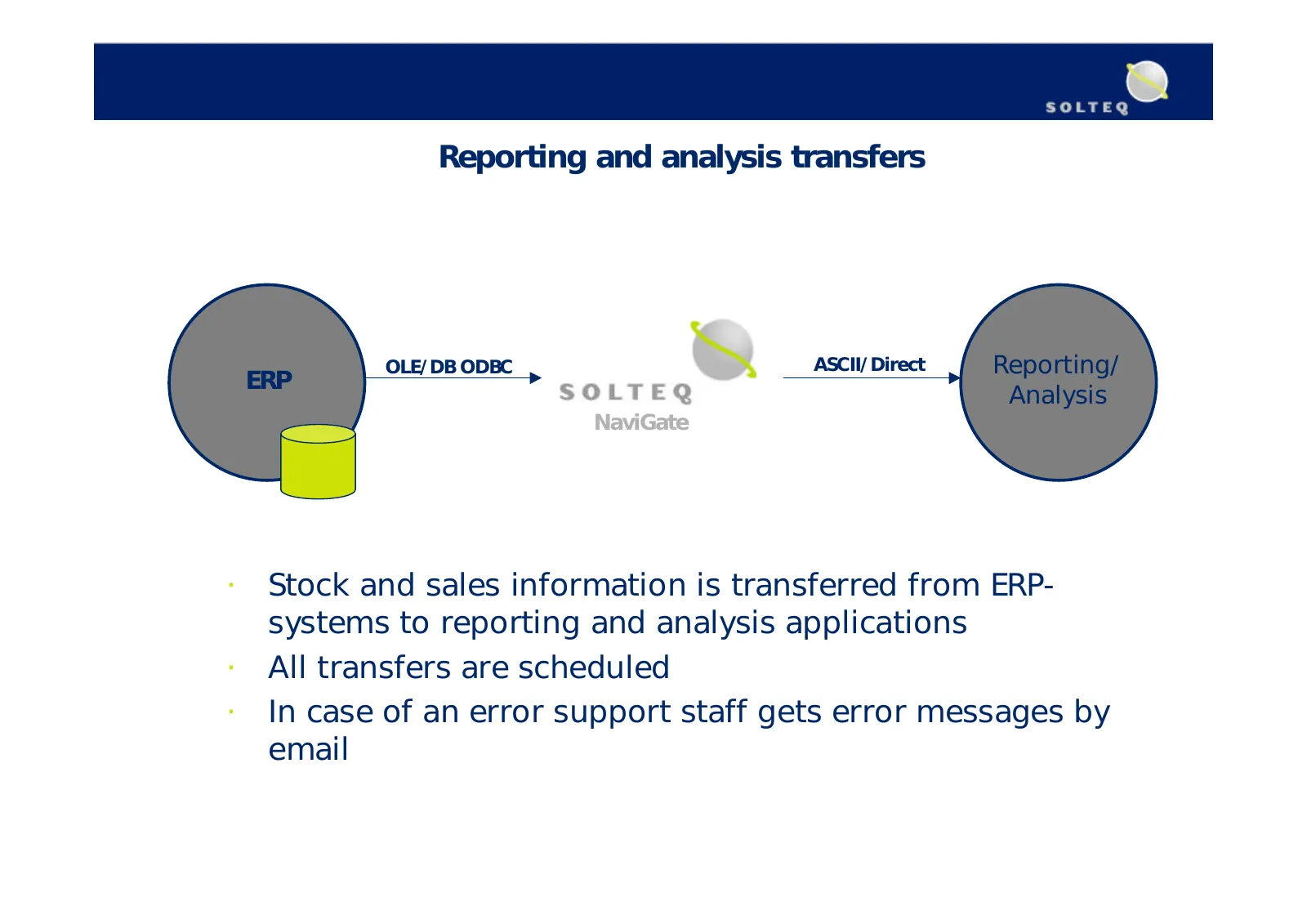
Slide 12: Reporting and analysis transfers
Reporting and analysis transfers OLE/DB ODBC ASCII/Direct Reporting/ ERP Analysis NaviGate · Stock and sales information is transferred from ERP- systems to reporting and analysis applications · All transfers are scheduled · In case of an error support staff gets error messages by email
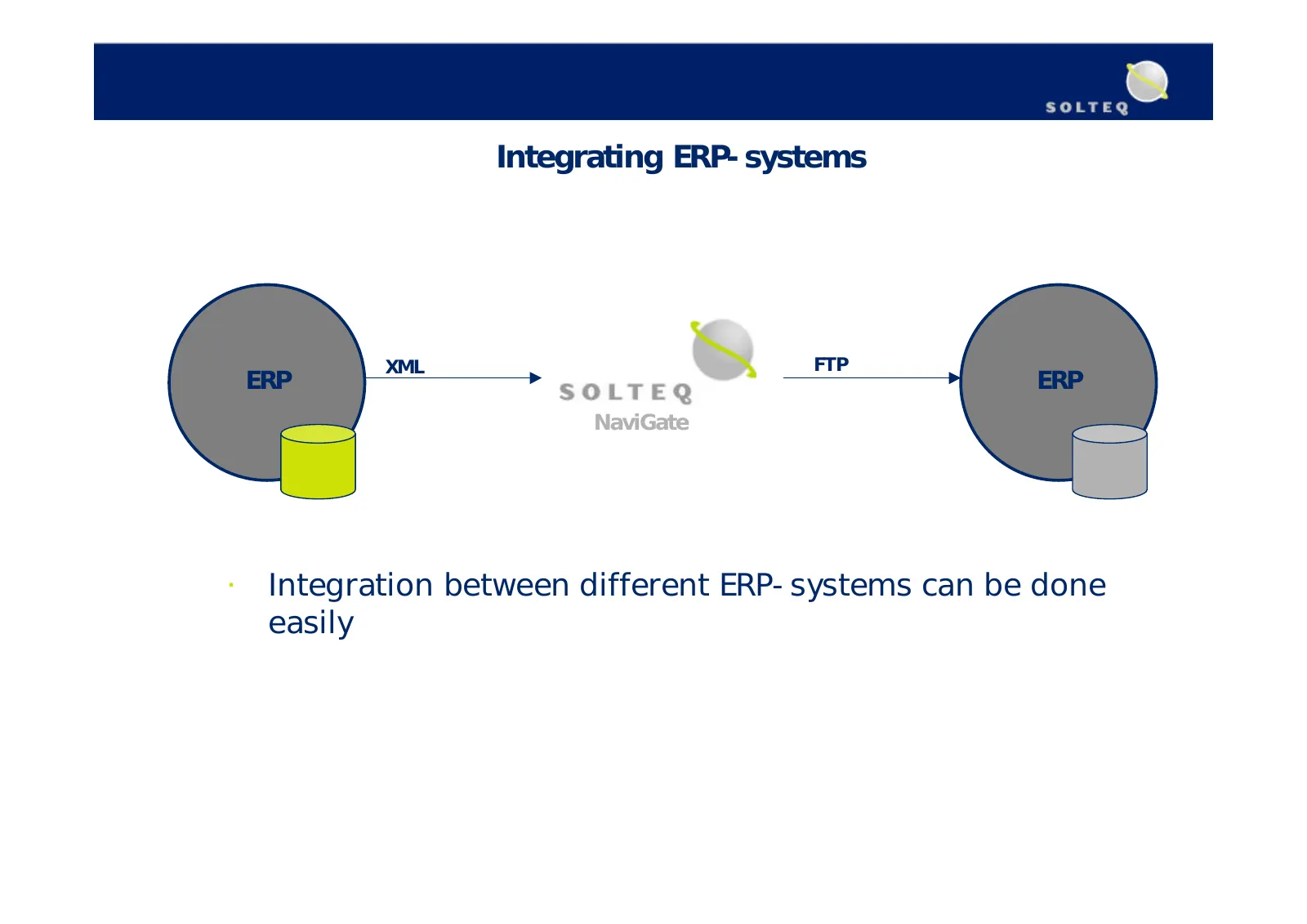
Slide 13: Integrating ERP-systems
Integrating ERP-systems XML FTP ERP ERP NaviGate · Integration between different ERP-systems can be done easily
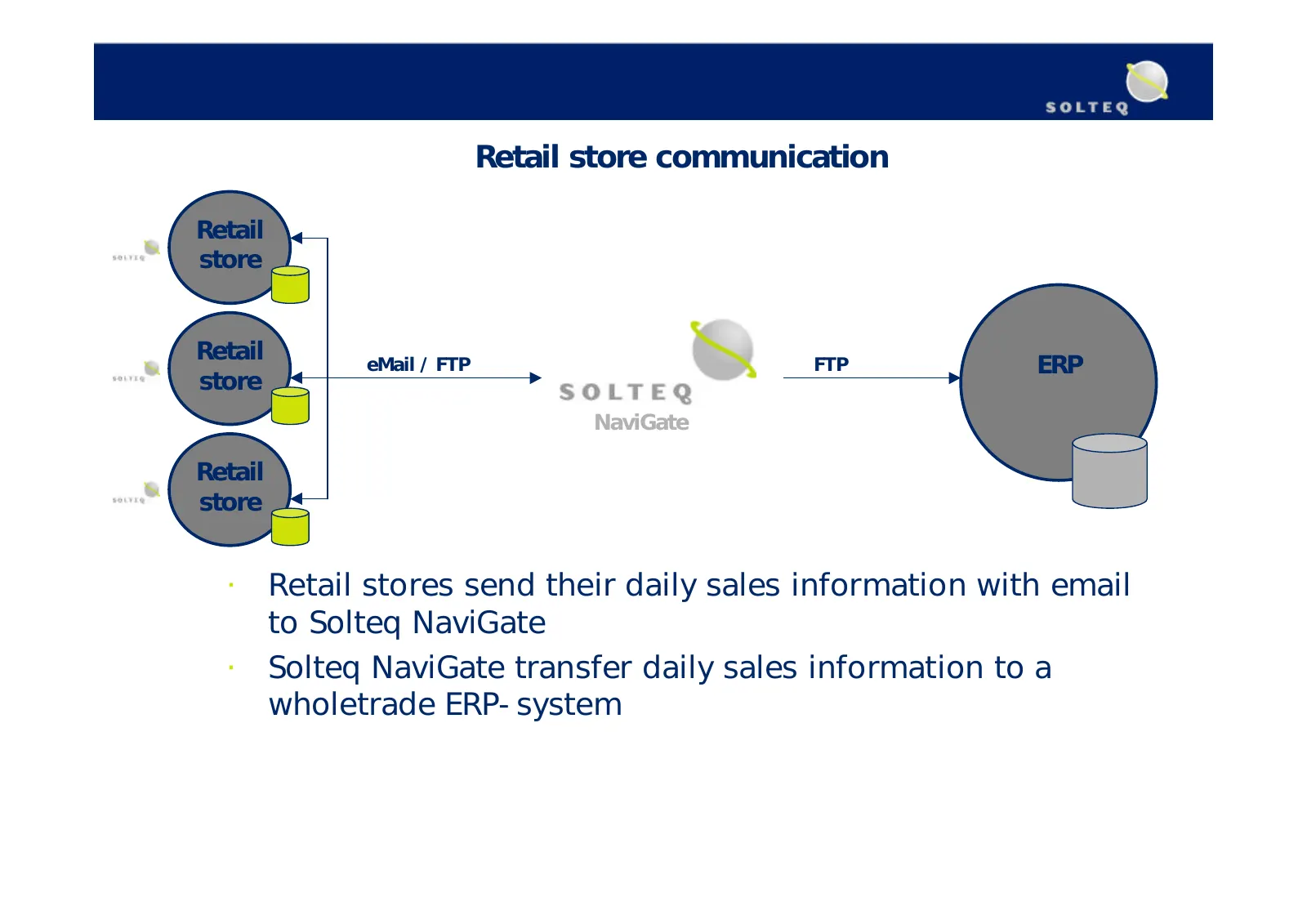
Slide 14: Retail store communication
Retail store communication Retail store Retail eMail / FTP FTP ERP store NaviGate Retail store · Retail stores send their daily sales information with email to Solteq NaviGate · Solteq NaviGate transfer daily sales information to a wholetrade ERP-system
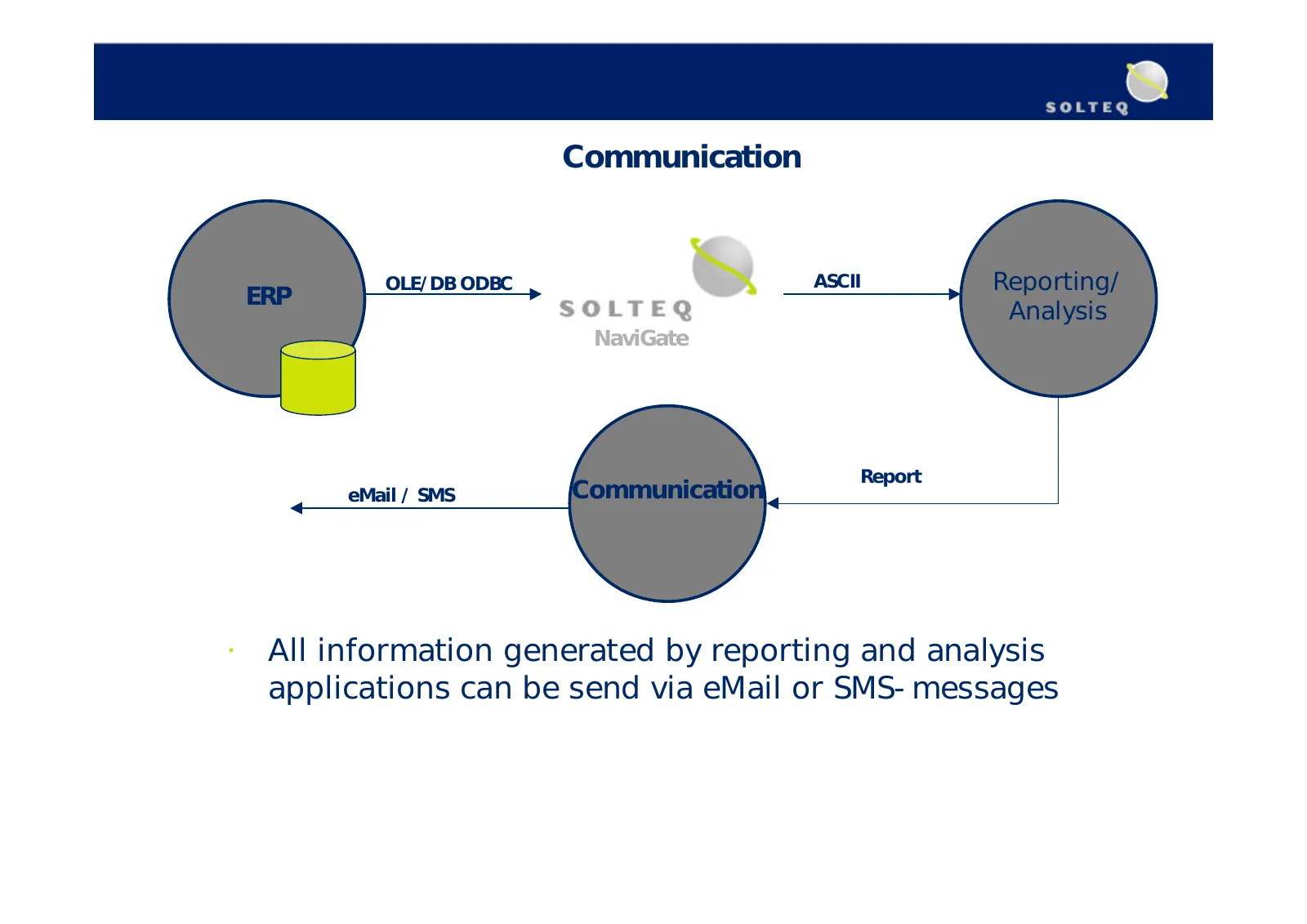
Slide 15: Communication
Communication OLE/DB ODBC ASCII Reporting/ ERP Analysis NaviGate Report eMail / SMS Communication · All information generated by reporting and analysis applications can be send via eMail or SMS-messages
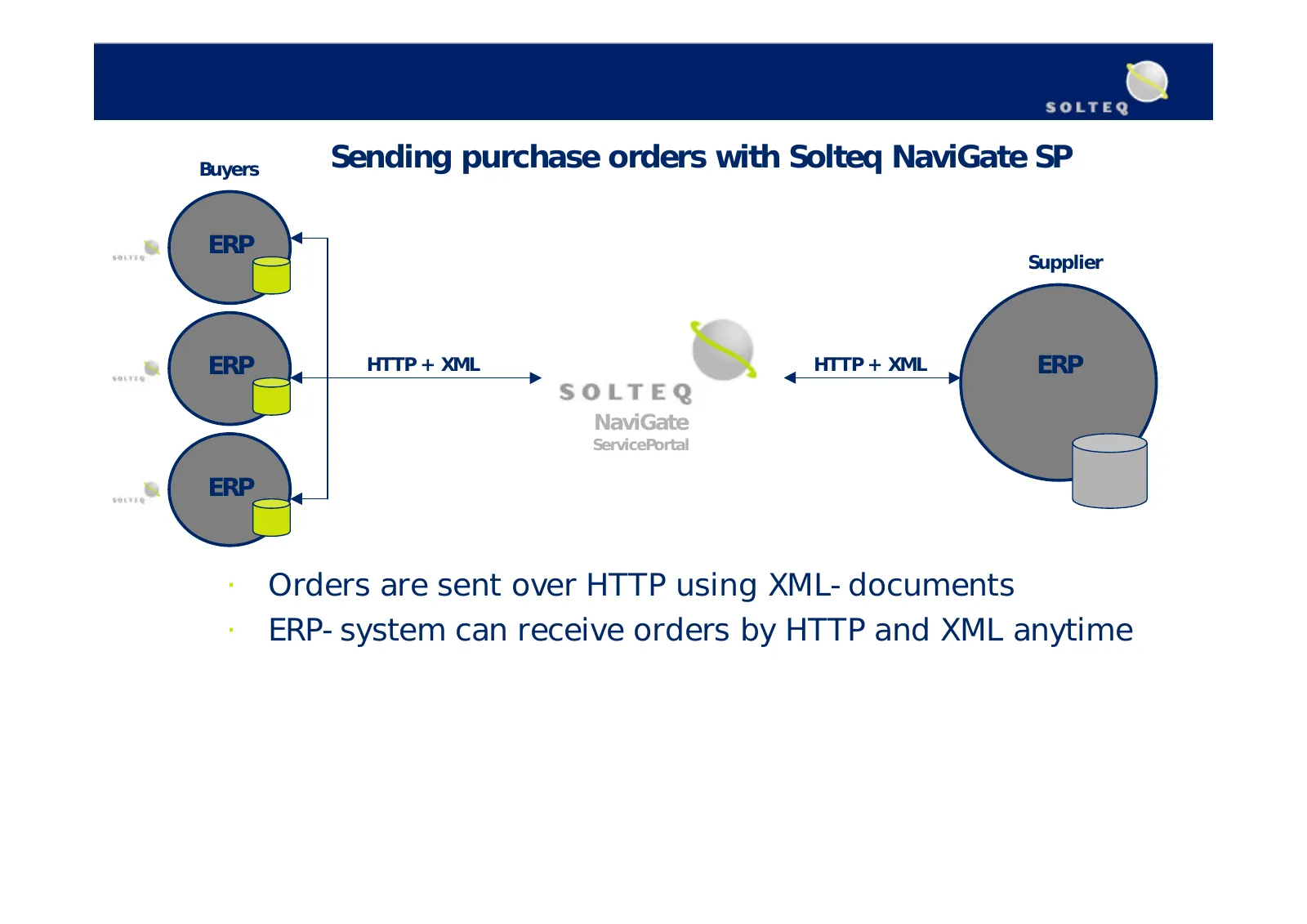
Slide 16: Sending purchase orders with Solteq NaviGate SP
Buyers Sending purchase orders with Solteq NaviGate SP ERP Supplier ERP HTTP + XML HTTP + XML ERP NaviGate ServicePortal ERP · Orders are sent over HTTP using XML-documents · ERP-system can receive orders by HTTP and XML anytime

Slide 17: Solteq NaviGate moves IT-professionals from daily tasks
Solteq NaviGate moves it-professionals from daily tasks to developing your company!
Source: Internet Archive copy of navigate.solteq.com