Waters Corporation · NYSE:WAT
Waters — Technical Presentation (2020)
4 slides from Waters's technical presentation, 2020
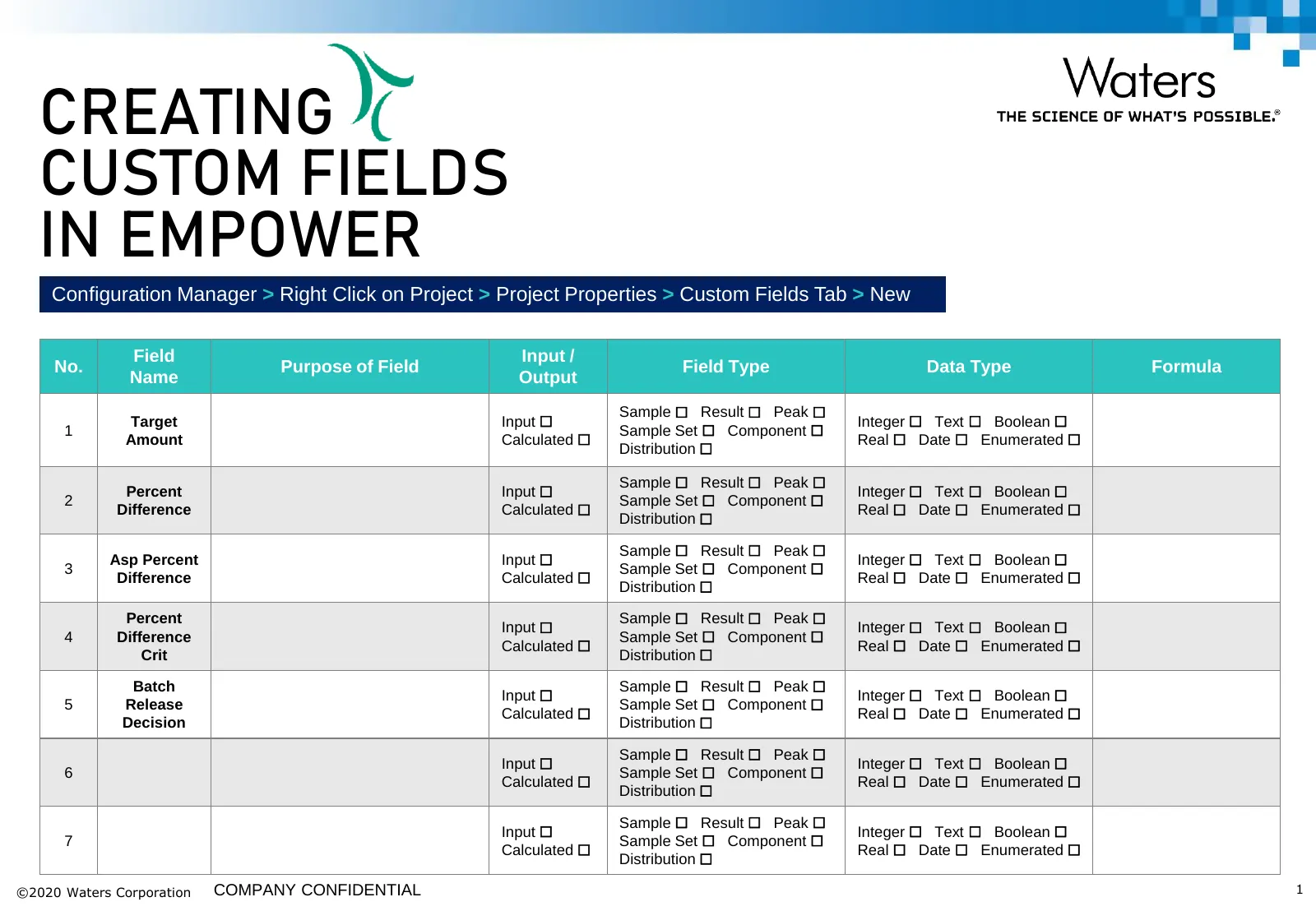
Slide 1: Creating Custom Fields in Empower
CUSTOM CREATING CUSTOM FIELDS IN EMPOWER Configuration Manager > Right Click on Project > Project Properties > Custom Fields Tab > New Field Input / No. Purpose of Field Field Type Data Type Formula Name Output Sample ☐ Result ☐ Peak ☐ Target Input ☐ Integer ☐ Text ☐ Boolean ☐ 1 Sample Set ☐ Compone
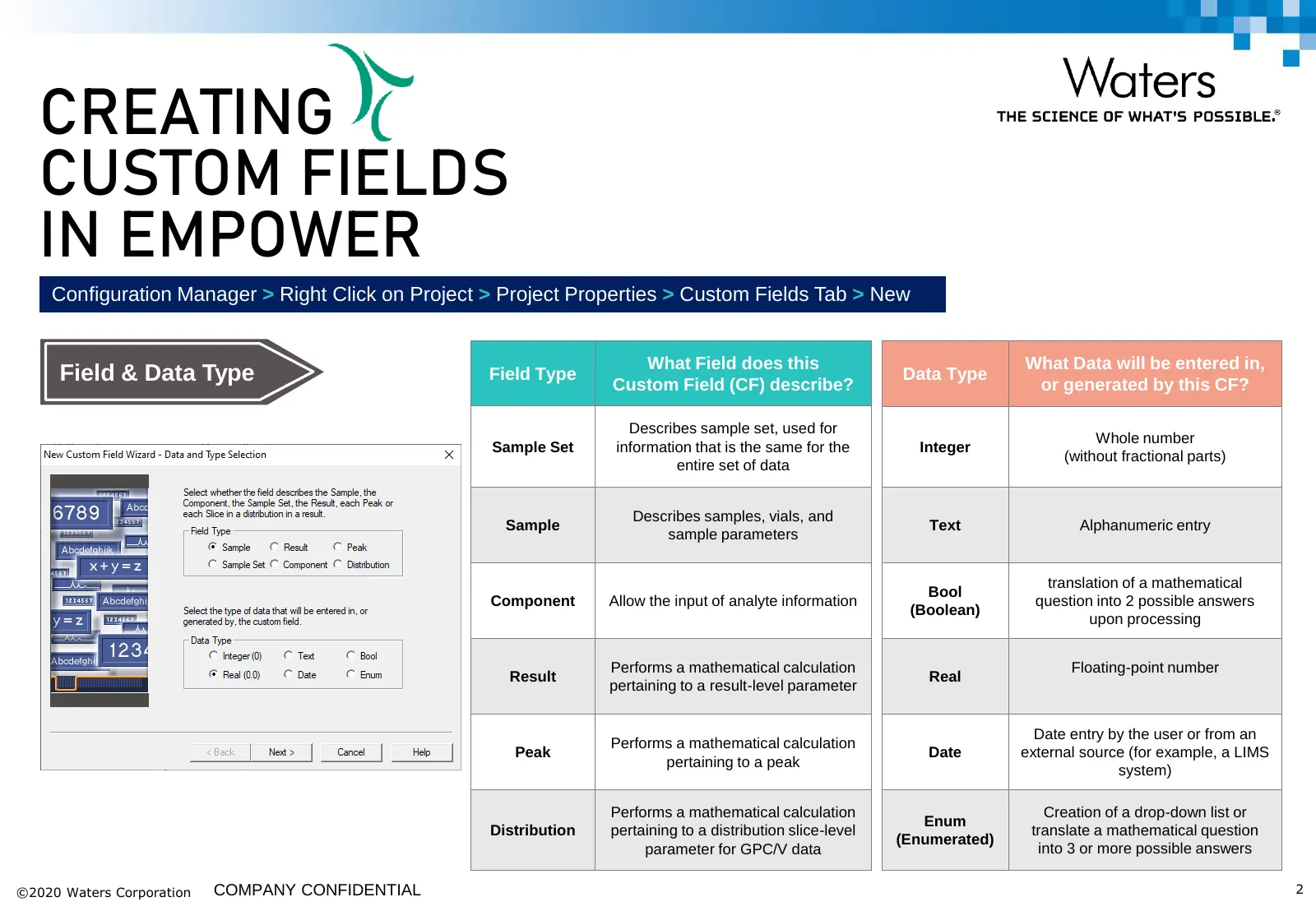
Slide 2: Creating Custom Fields in Empower: Field & Data Types
CUSTOM CREATING CUSTOM FIELDS IN EMPOWER Configuration Manager > Right Click on Project > Project Properties > Custom Fields Tab > New What Field does this What Data will be entered in, Field & Data Type Field Type Custom Field (CF) describe? Data Type or generated by this CF? Describes sample set,
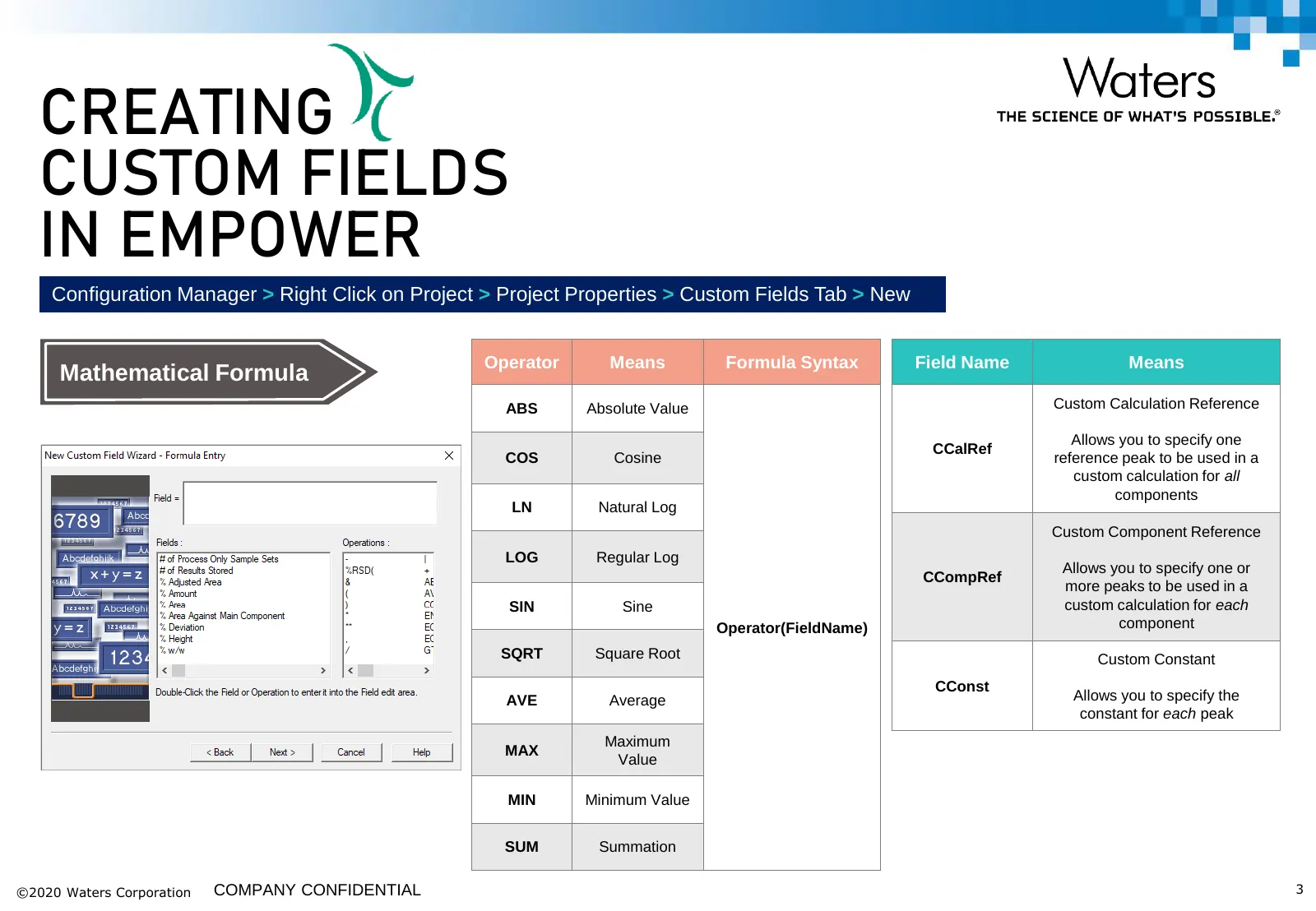
Slide 3: Creating Custom Fields in Empower: Mathematical Formulas
CUSTOM CREATING CUSTOM FIELDS IN EMPOWER Configuration Manager > Right Click on Project > Project Properties > Custom Fields Tab > New Operator Means Formula Syntax Field Name Means Mathematical Formula ABS Absolute Value Custom Calculation Reference Allows you to specify one CCalRef COS Cosine refe
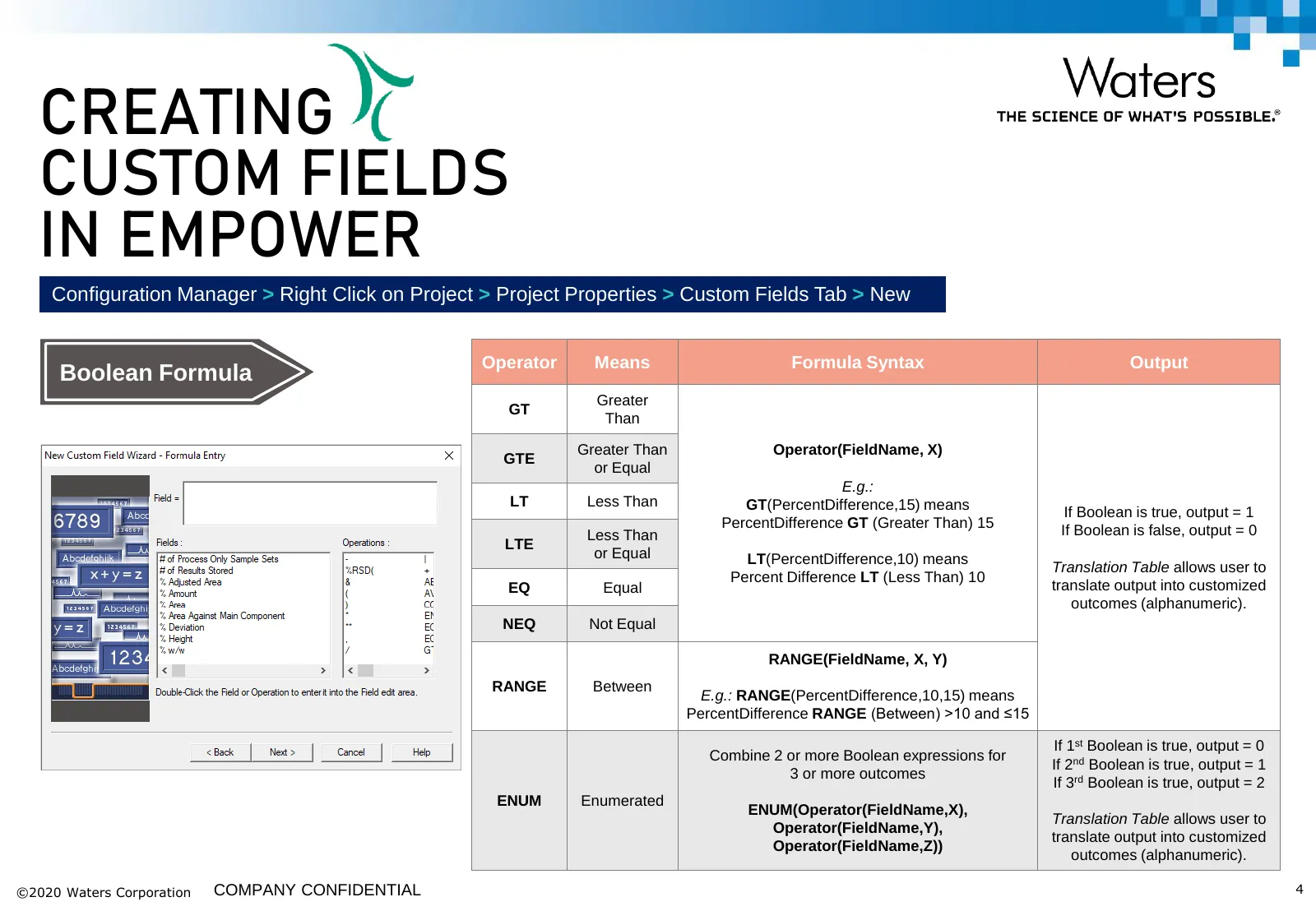
Slide 4: Creating Custom Fields in Empower: Boolean Formulas
CUSTOM CREATING CUSTOM FIELDS IN EMPOWER Configuration Manager > Right Click on Project > Project Properties > Custom Fields Tab > New Operator Means Formula Syntax Output Boolean Formula Greater GT Than Greater Than Operator(FieldName, X) GTE or Equal E.g.: LT Less Than GT(PercentDifference,15) mea
Source: Internet Archive copy of waters.com
More decks from Waters Corporation
 Q3 2026 Earnings Presentation30 slides · Nov 3, 2026
 Q2 2026 Earnings Presentation33 slides · Aug 4, 2026
 Q1 2026 Earnings Presentation29 slides · May 5, 2026
 Q4 2025 Earnings Presentation22 slides · Feb 9, 2026
 J.P. Morgan 44th Annual Healthcare Conference (January 2026)29 slides · Jan 12, 2026
 J.P. Morgan 43rd Annual Healthcare Conference (November 2025)38 slides · Nov 11, 2025