QNAP Systems, Inc. · TPEX:7805
QNAP Systems — Investor Presentation
24 slides from QNAP Systems's investor presentation
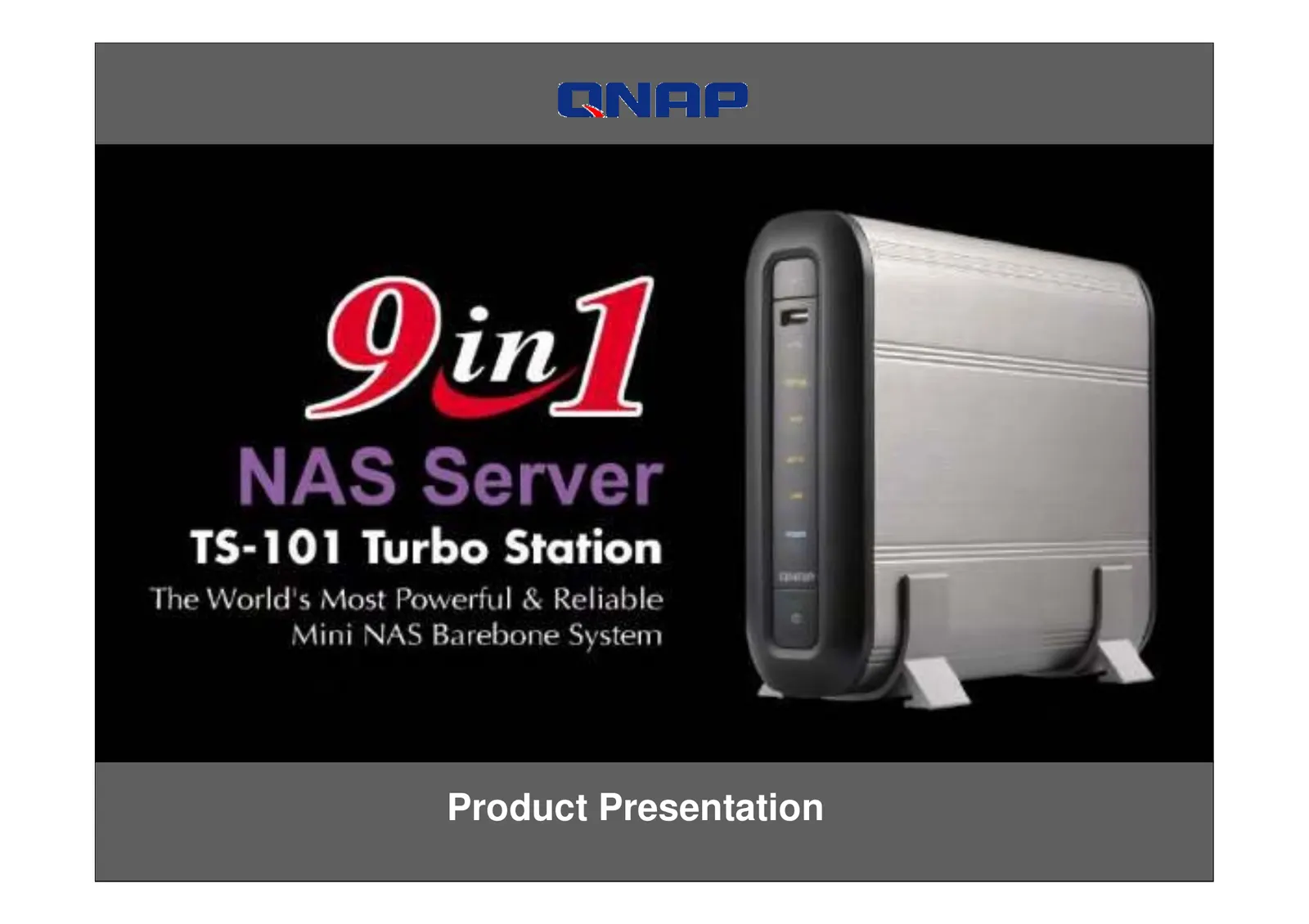
Slide 1: TS-101 Turbo Station Product Presentation
Din]| TS-101 Turbo Station The World's Most Powerful & Reliable Mint NAS Barebone System Product Presentation
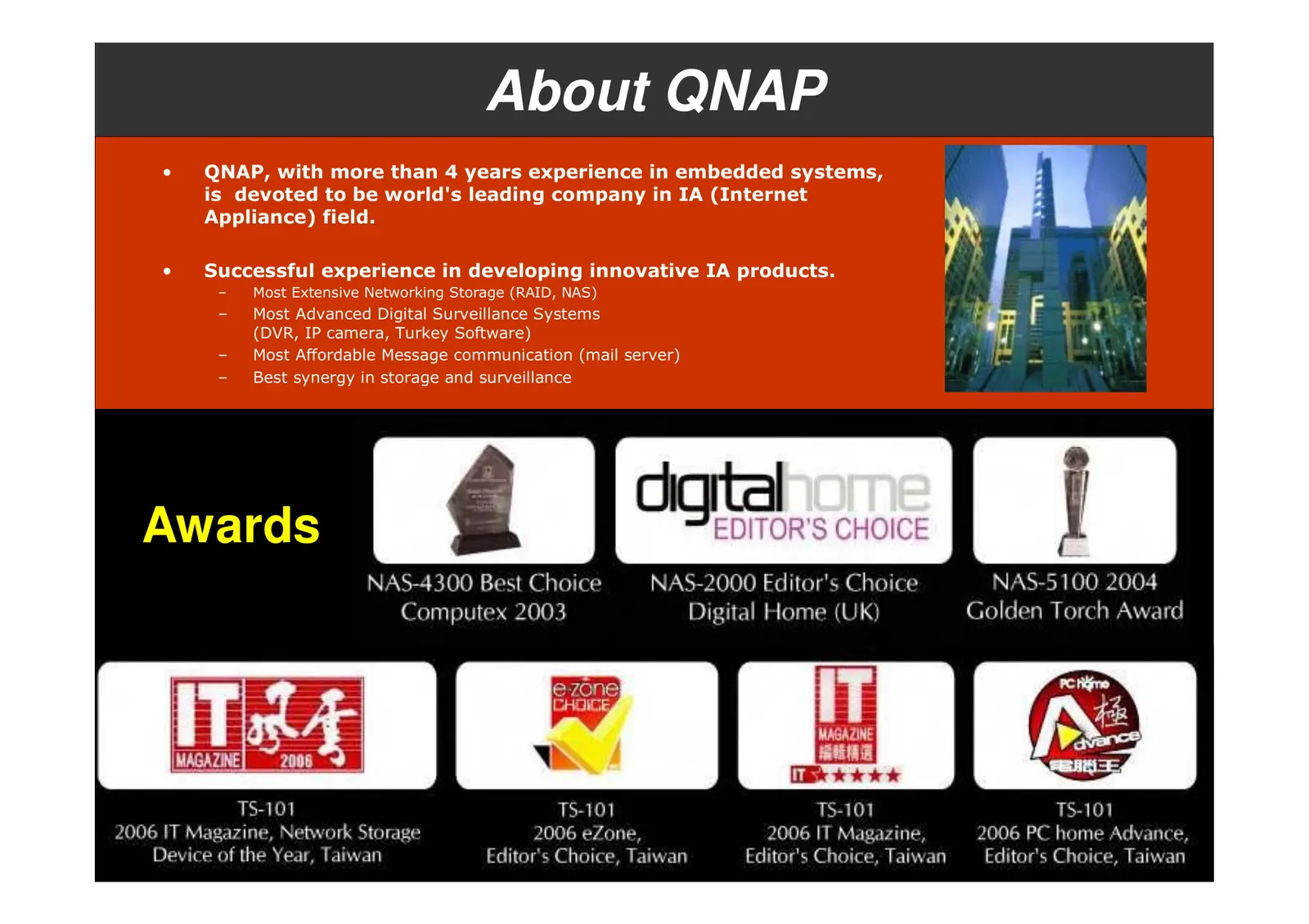
Slide 2: About QNAP
About QNAP • QNAP, with more than 4 years experience in embedded systems, is devoted to be world's leading company in IA (Internet Appliance) field. • Successful experience in developing innovative IA products. – Most Extensive Networking Storage (RAID, NAS) – Most Advanced Digital Surveillance Syst
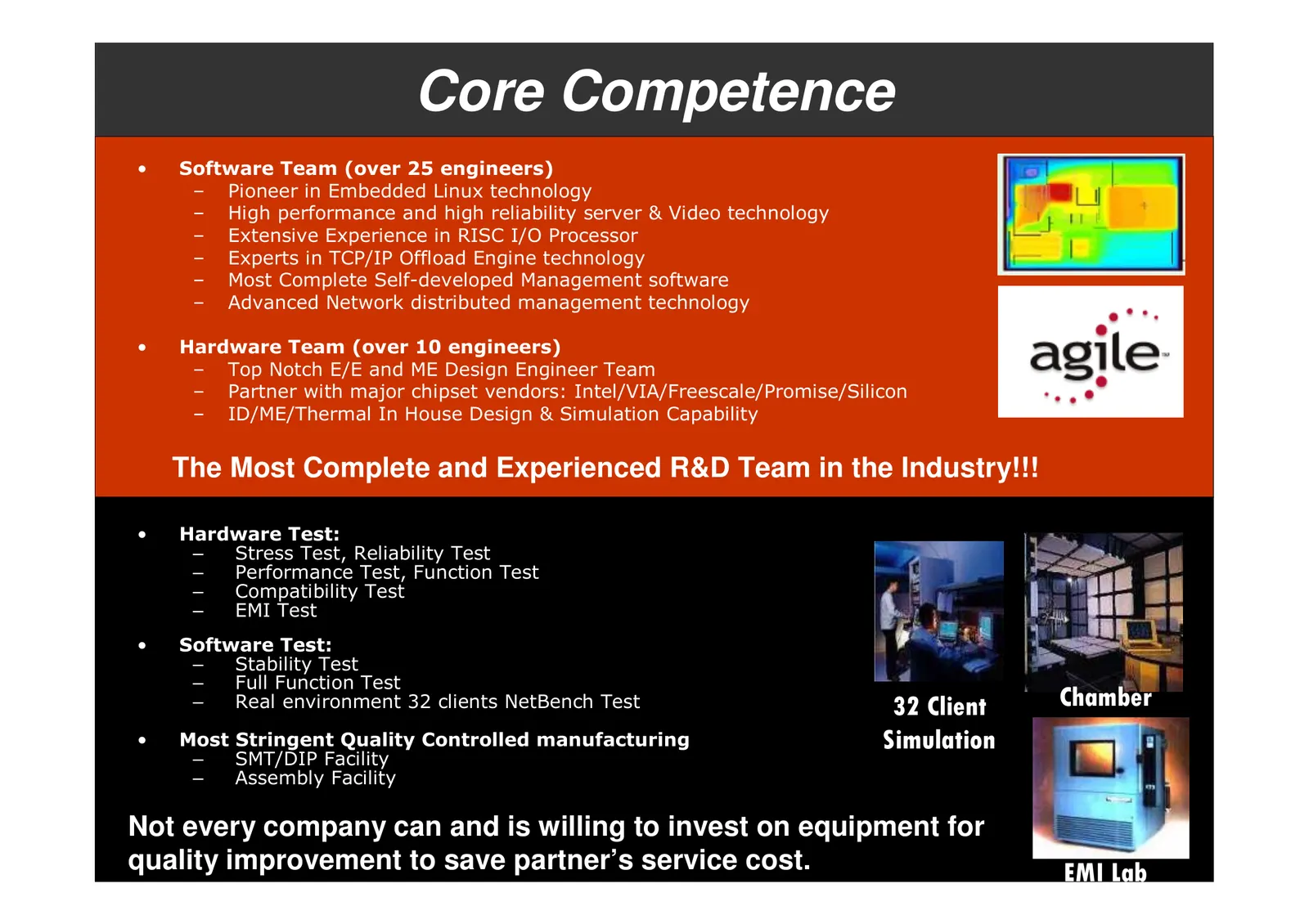
Slide 3: Core Competence
Core Competence • Software Team (over 25 engineers) – Pioneer in Embedded Linux technology – High performance and high reliability server & Video technology – Extensive Experience in RISC I/O Processor – Experts in TCP/IP Offload Engine technology – Most Complete Self-developed Management software –
Slide 4: Complete Internet Appliance Solutions
Complete Internet Appliance Solutions QNAP Stands in the Most Potential Segment in Post-PC Era!!! With the popularity of broadband Internet, business activity continues to move online. Thus, the need to move, manage, access, copy, back up, protect, and store data is more important than ever. Small b
Slide 5: Target Market & Needs
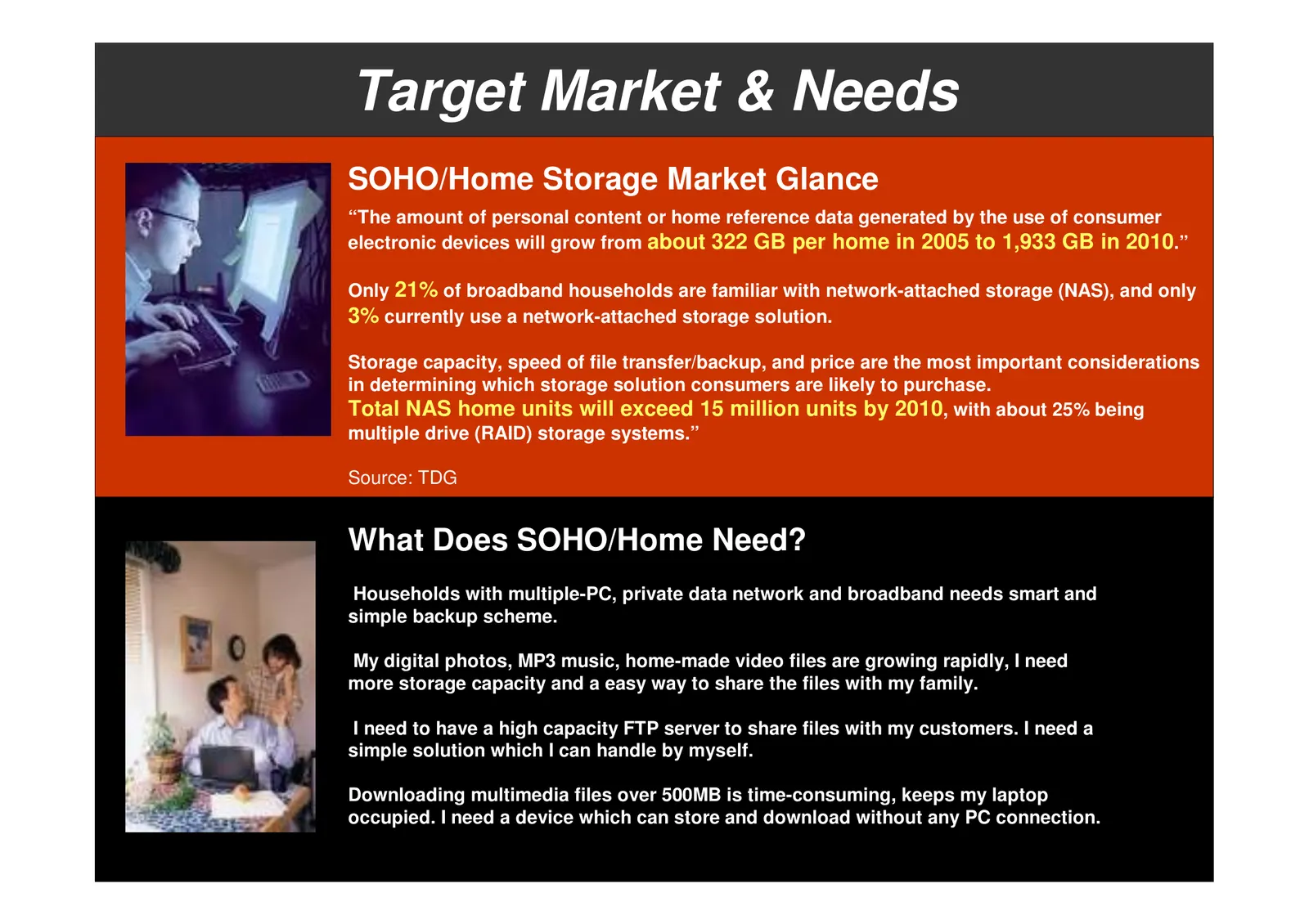
Target Market & Needs SOHO/Home Storage Market Glance “The amount of personal content or home reference data generated by the use of consumer electronic devices will grow from about 322 GB per home in 2005 to 1,933 GB in 2010.” Only 21% of broadband households are familiar with network-attached stor
Slide 6: QNAP 9 in 1 Server
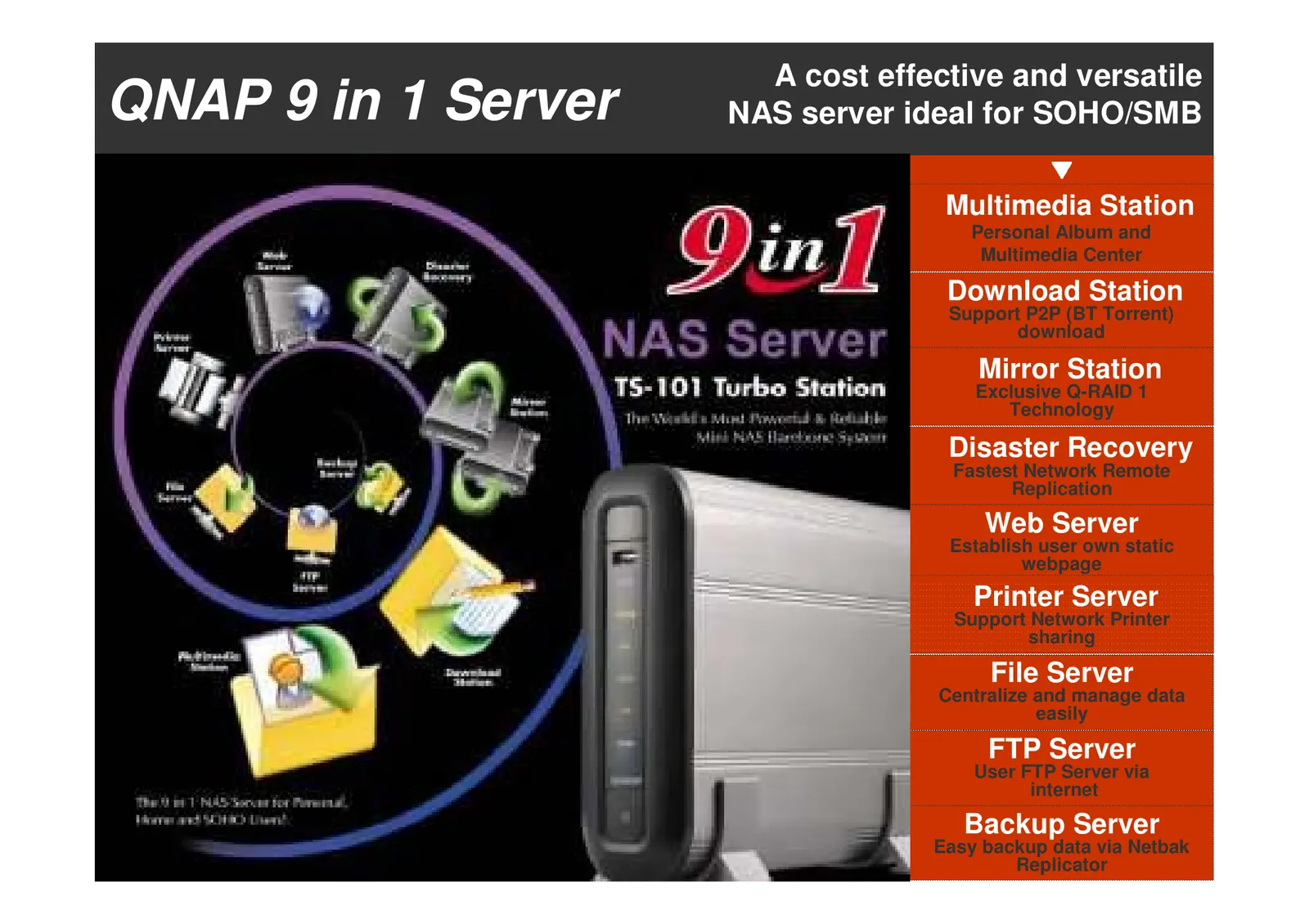
A cost effective and versatile QNAP 9 in 1 Server NAS server ideal for SOHO/SMB ▼ Multimedia Station Personal Album and Multimedia Center Download Station Support P2P (BT Torrent) download Mirror Station Exclusive Q-RAID 1 Technology Disaster Recovery Fastest Network Remote Replication Web Server Es
Slide 7: Multimedia Station
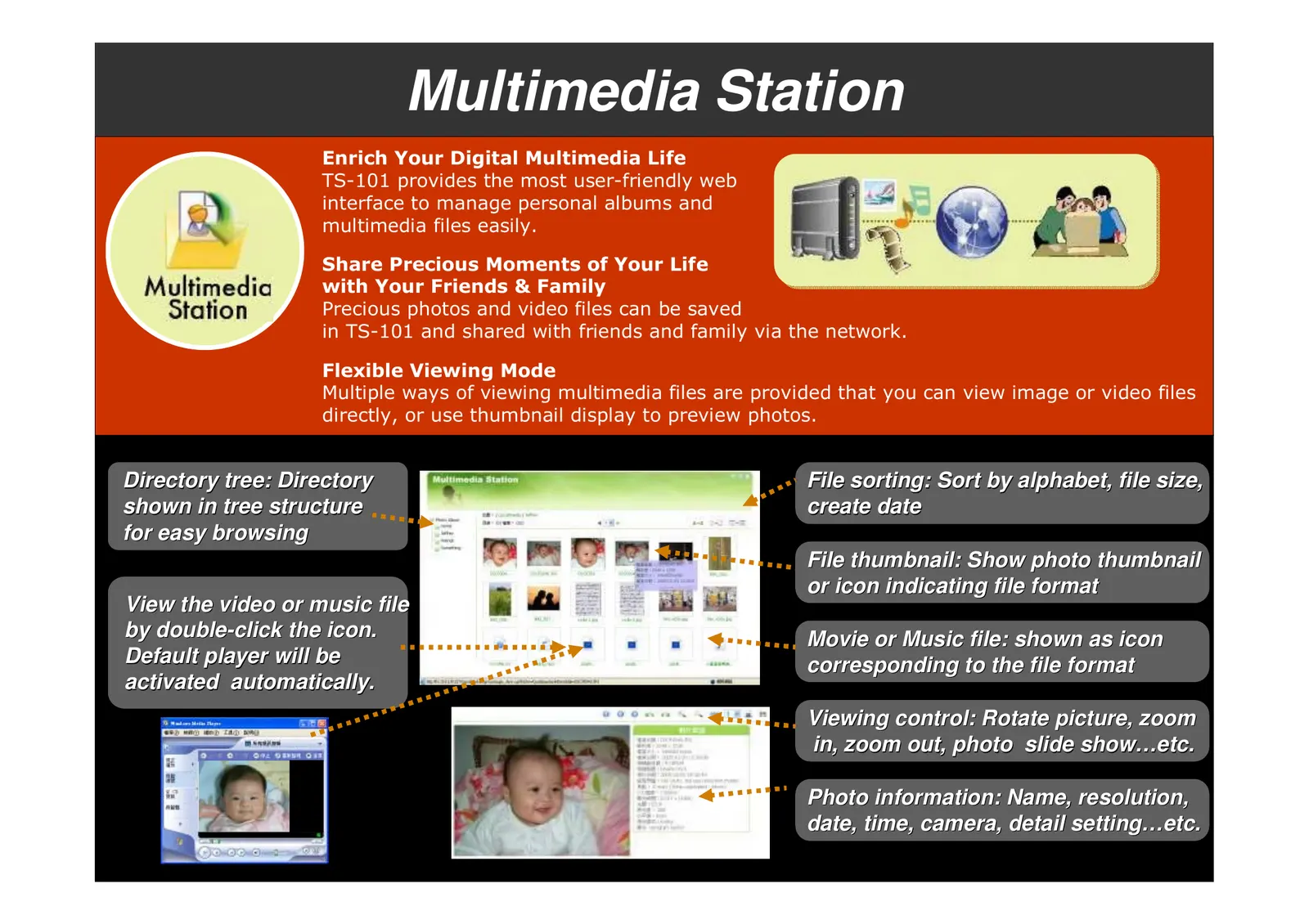
Multimedia Station Enrich Your Digital Multimedia Life TS-101 provides the most user-friendly web interface to manage personal albums and multimedia files easily. Share Precious Moments of Your Life with Your Friends & Family Precious photos and video files can be saved in TS-101 and shared with fri
Slide 8: Download Station
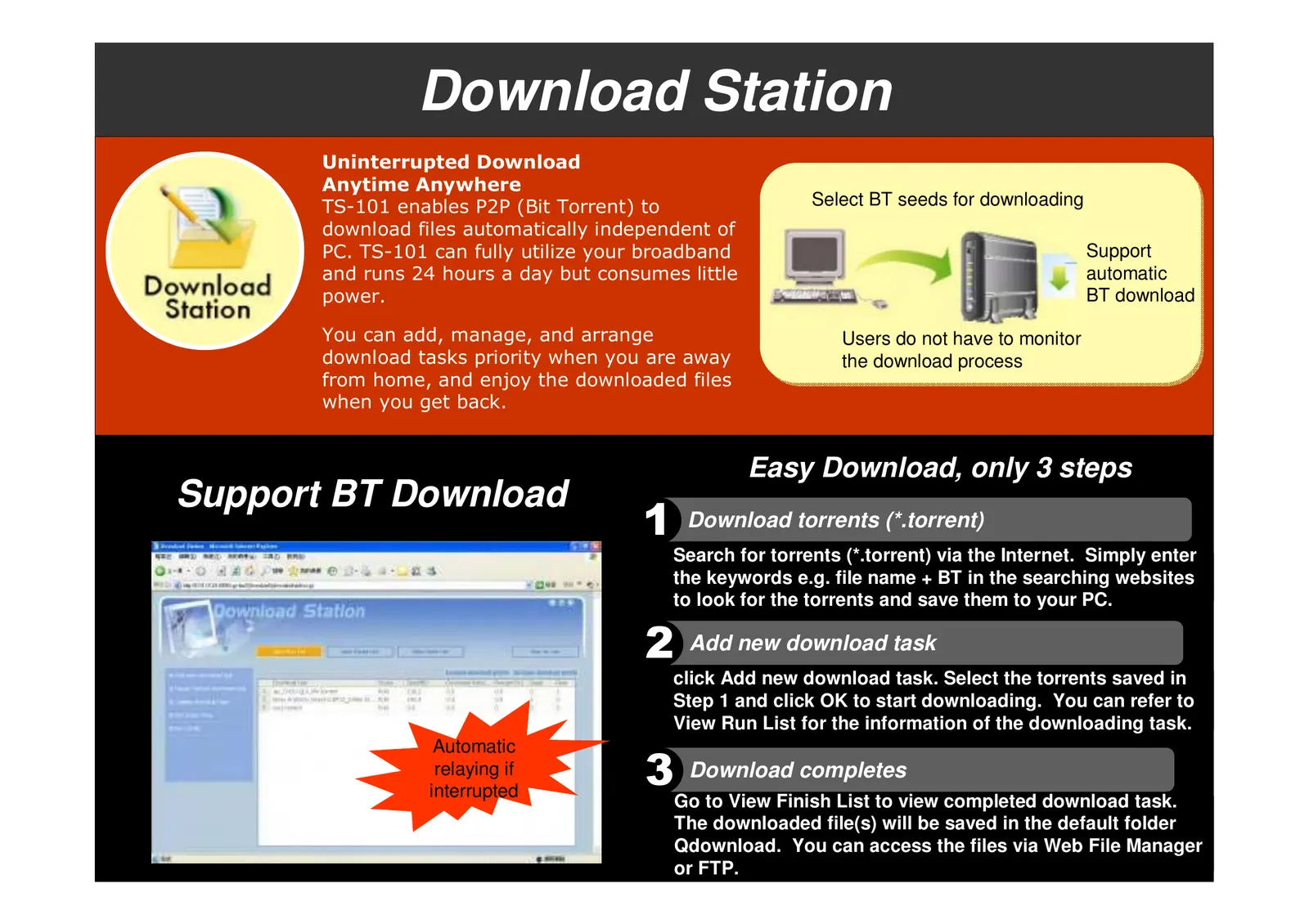
Download Station Uninterrupted Download Anytime Anywhere TS-101 enables P2P (Bit Torrent) to Select BT seeds for downloading download files automatically independent of PC. TS-101 can fully utilize your broadband Support and runs 24 hours a day but consumes little automatic power. BT download You ca
Slide 9: Mirror Station
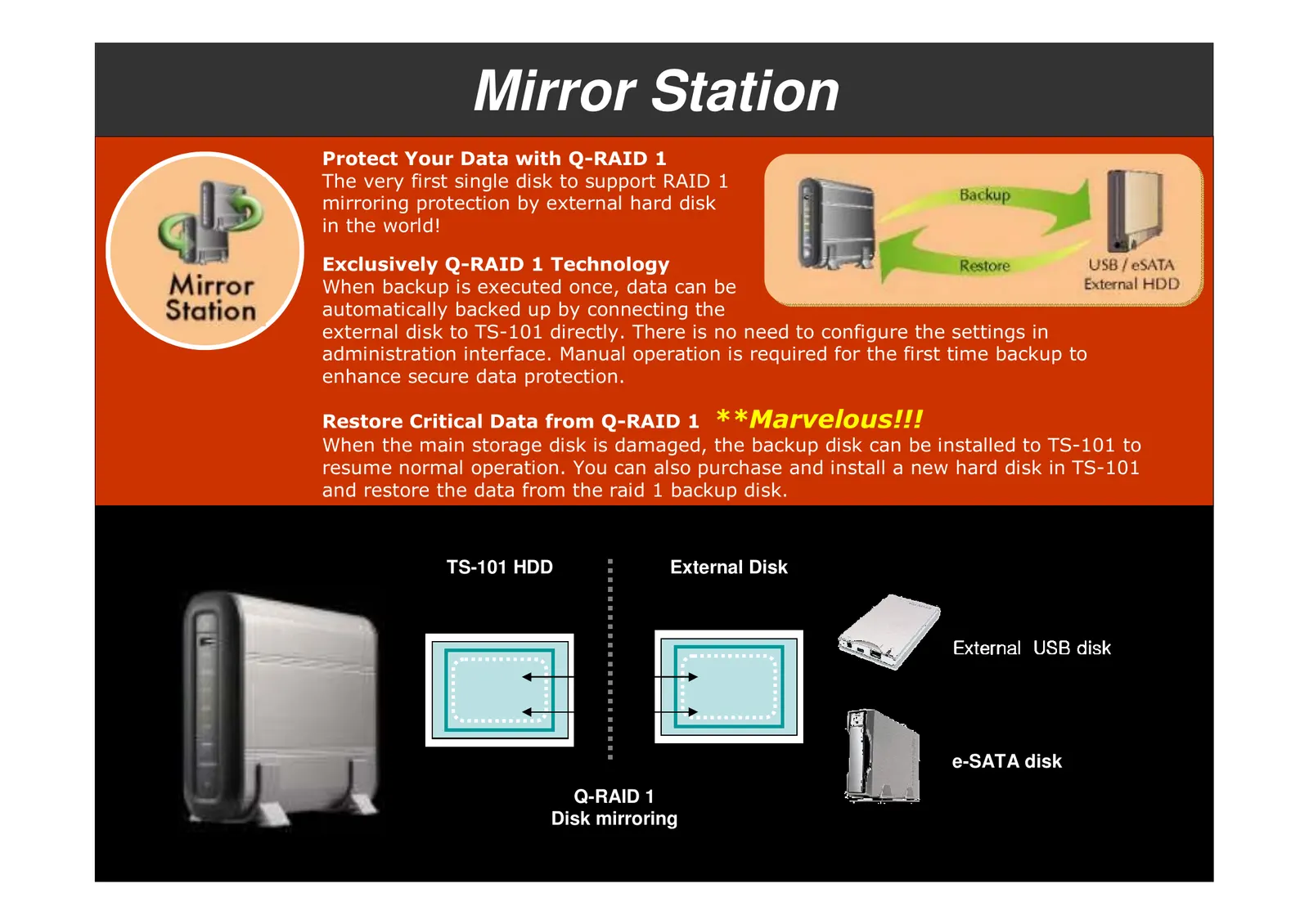
Mirror Station Protect Your Data with Q-RAID 1 The very first single disk to support RAID 1 mirroring protection by external hard disk in the world! Exclusively Q-RAID 1 Technology When backup is executed once, data can be automatically backed up by connecting the external disk to TS-101 directly. T
Slide 10: Disaster Recovery
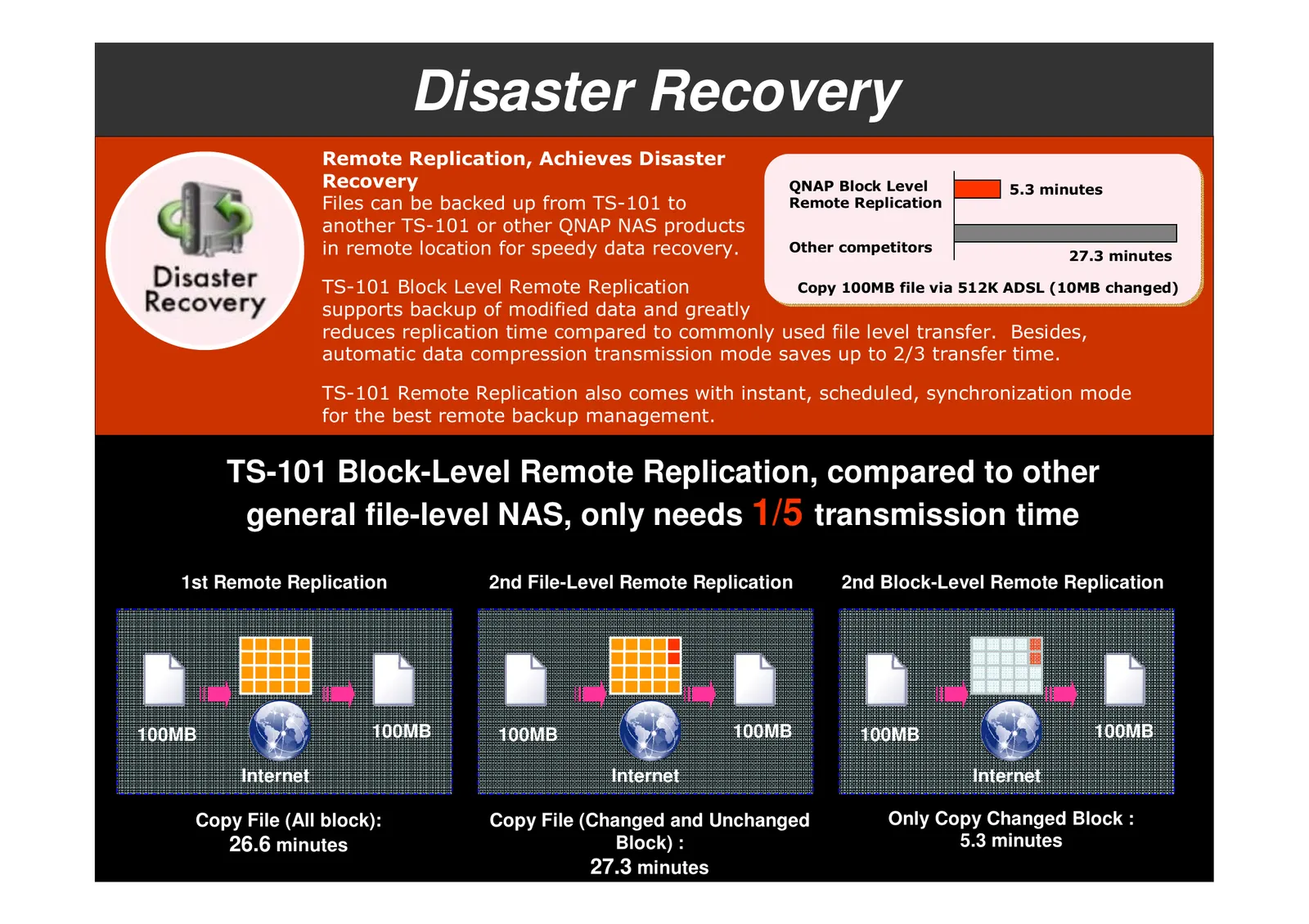
Disaster Recovery Remote Replication, Achieves Disaster Recovery QNAP Block Level 5.3 minutes Files can be backed up from TS-101 to Remote Replication another TS-101 or other QNAP NAS products in remote location for speedy data recovery. Other competitors 27.3 minutes TS-101 Block Level Remote Repli
Slide 11: Backup Server
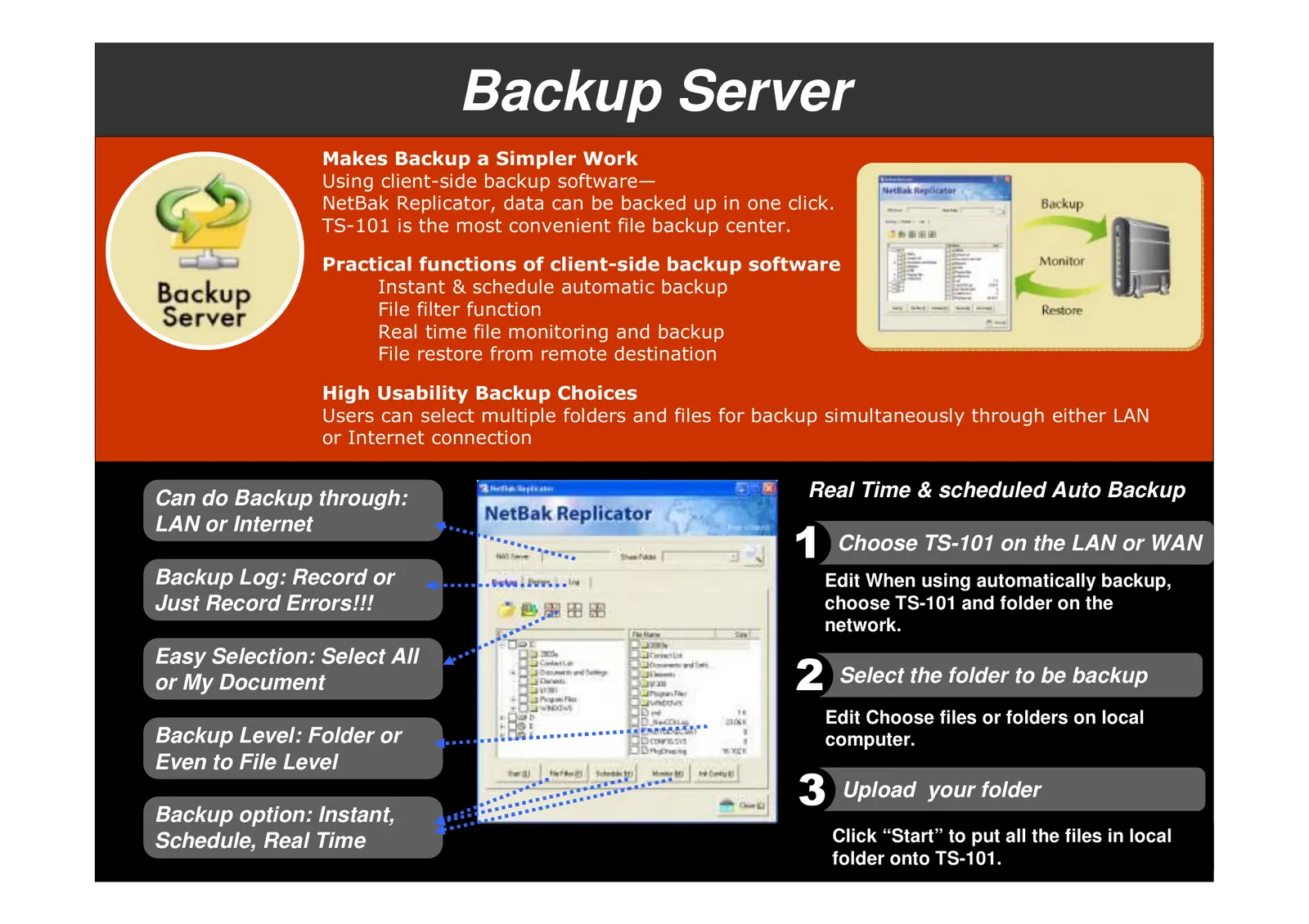
Backup Server Makes Backup a Simpler Work Using client-side backup software— NetBak Replicator, data can be backed up in one click. TS-101 is the most convenient file backup center. Practical functions of client-side backup software Instant & schedule automatic backup File filter function Real time
Slide 12: Printer Server
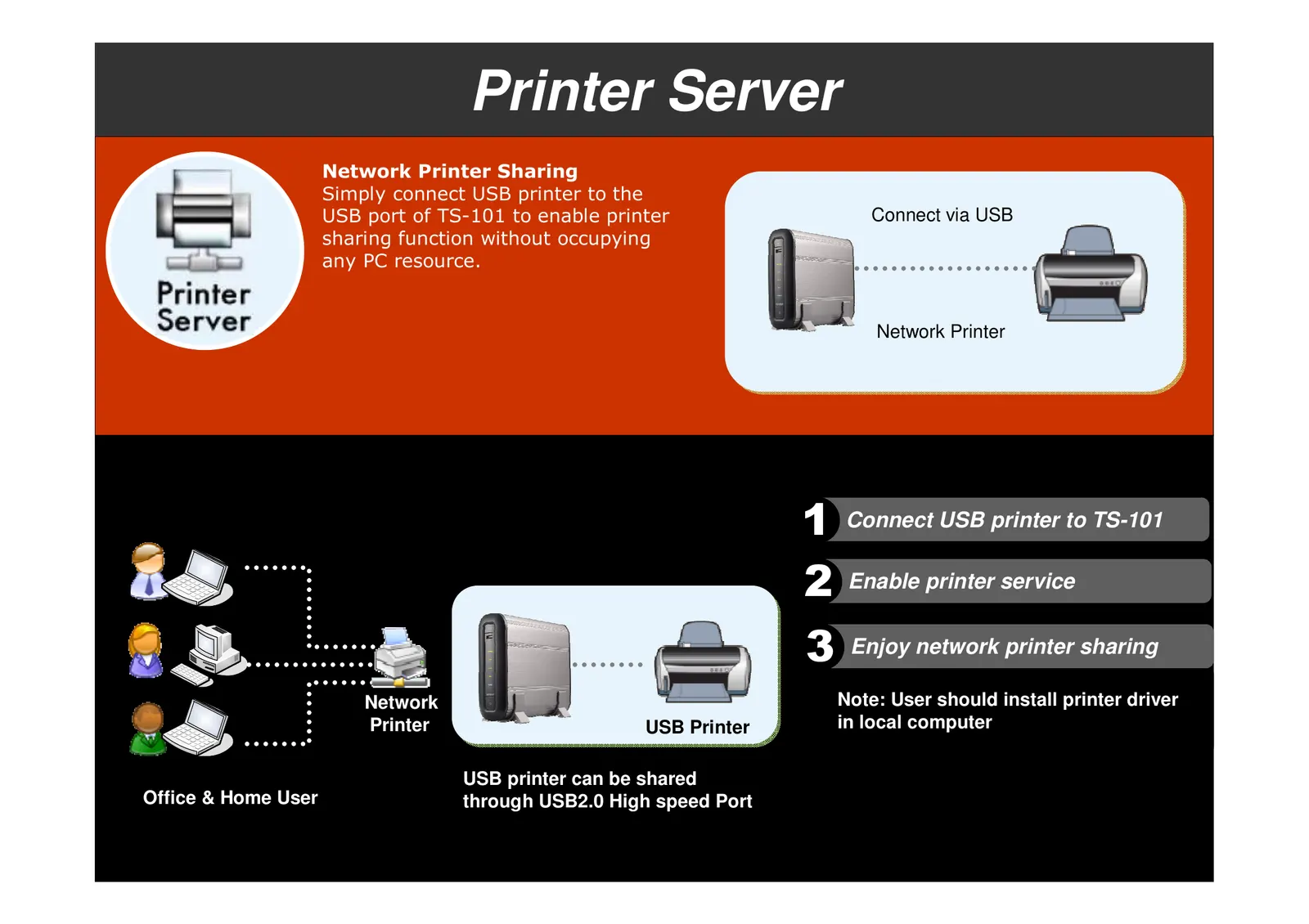
Printer Server Network Printer Sharing Simply connect USB printer to the USB port of TS-101 to enable printer Connect via USB sharing function without occupying any PC resource. Network Printer 1 Connect USB printer to TS-101 2 Enable printer service 3 Enjoy network printer sharing Network Note: Use
Slide 13: Web Server
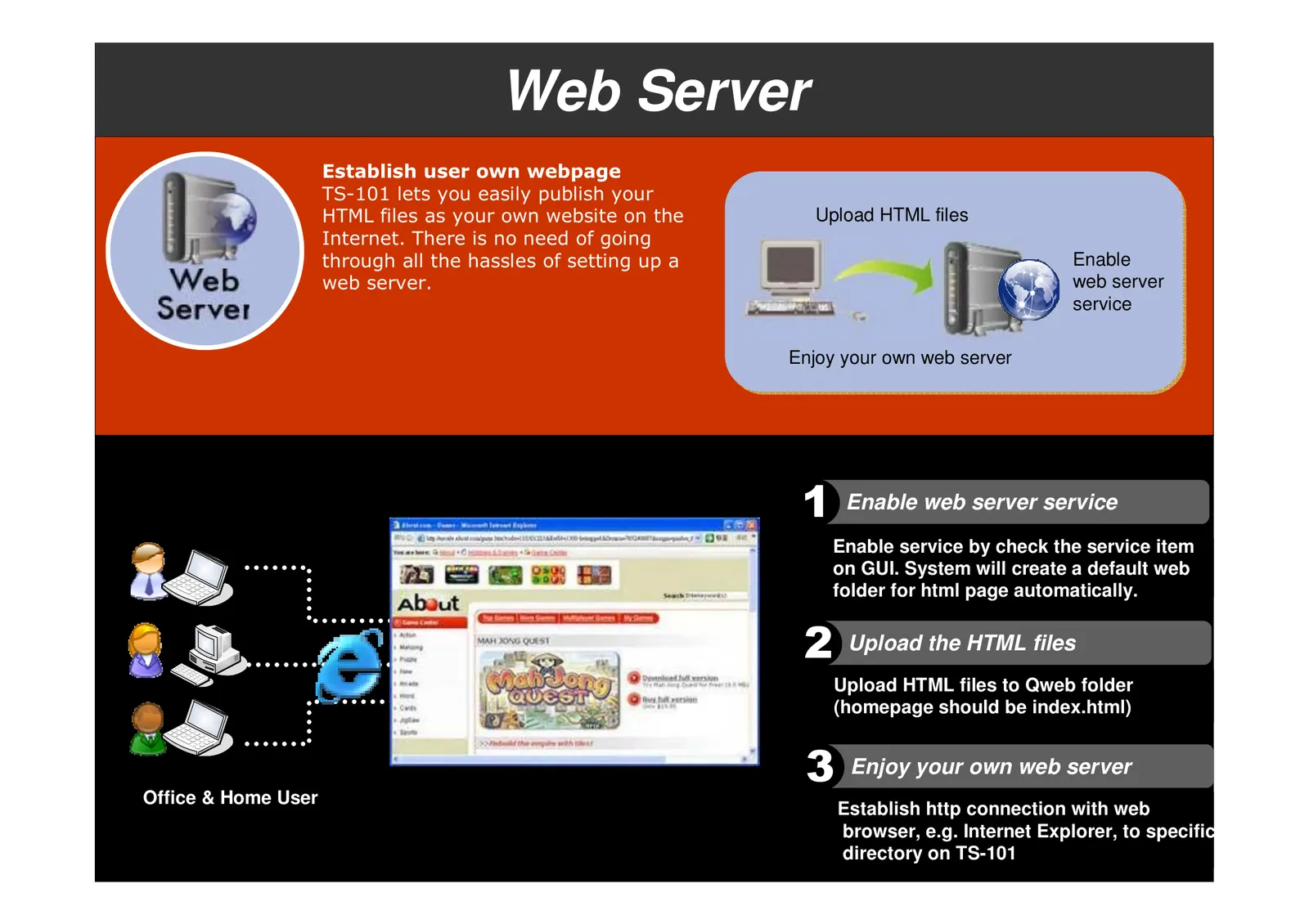
Web Server Establish user own webpage TS-101 lets you easily publish your HTML files as your own website on the Upload HTML files Internet. There is no need of going through all the hassles of setting up a Enable web server. web server service Enjoy your own web server 1 Enable web server service En
Slide 14: File Server
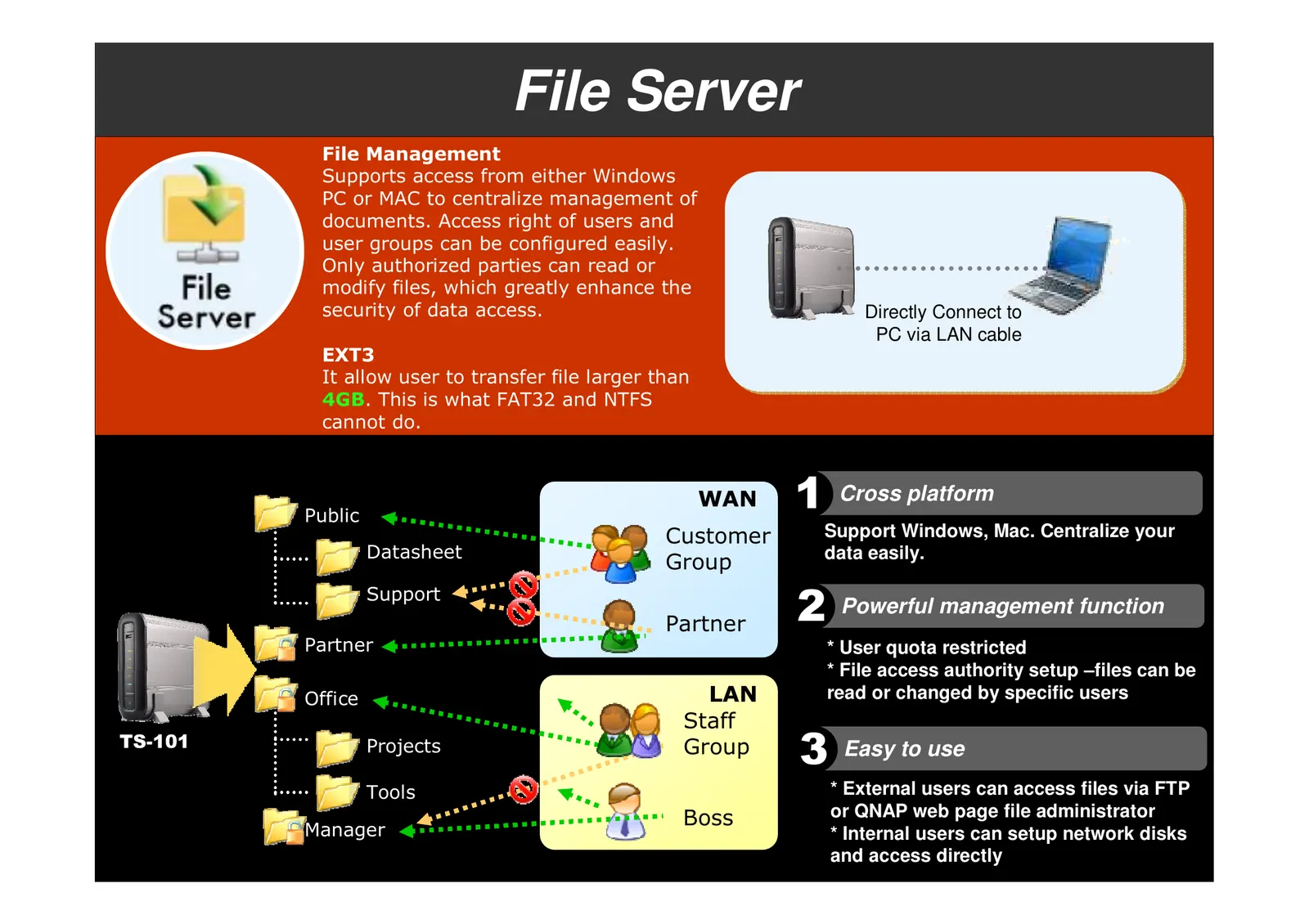
File Server File Management Supports access from either Windows PC or MAC to centralize management of documents. Access right of users and user groups can be configured easily. Only authorized parties can read or modify files, which greatly enhance the security of data access. Directly Connect to PC
Slide 15: FTP Server
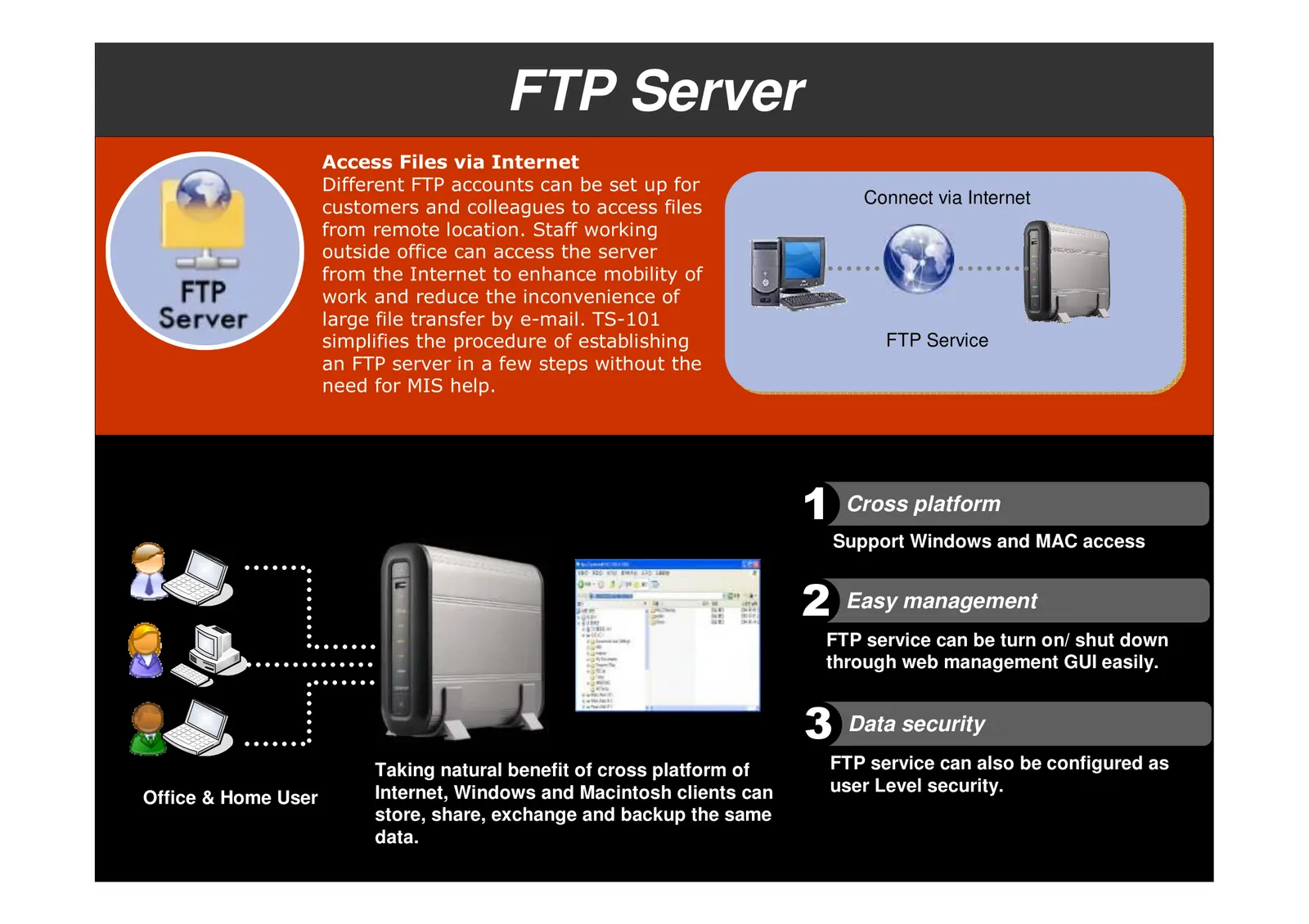
FTP Server Access Files via Internet Different FTP accounts can be set up for Connect via Internet customers and colleagues to access files from remote location. Staff working outside office can access the server from the Internet to enhance mobility of work and reduce the inconvenience of large fil
Slide 16: Designed for SOHO & Home User
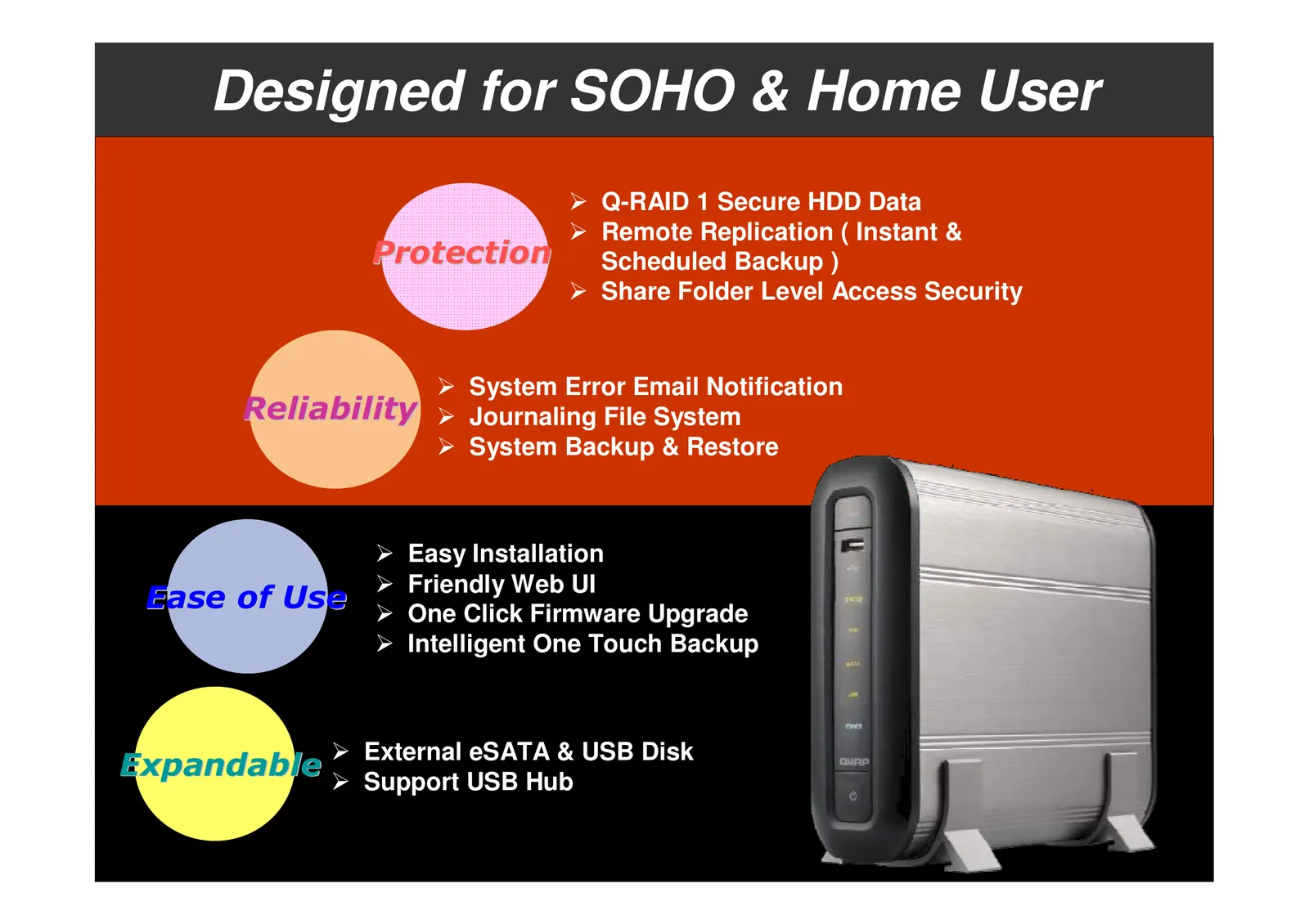
Designed for SOHO & Home User Q-RAID 1 Secure HDD Data Remote Replication ( Instant & Protection Scheduled Backup ) Share Folder Level Access Security System Error Email Notification Reliability Journaling File System System Backup & Restore Easy Installation Friendly Web UI Ease of Use One Click Fi
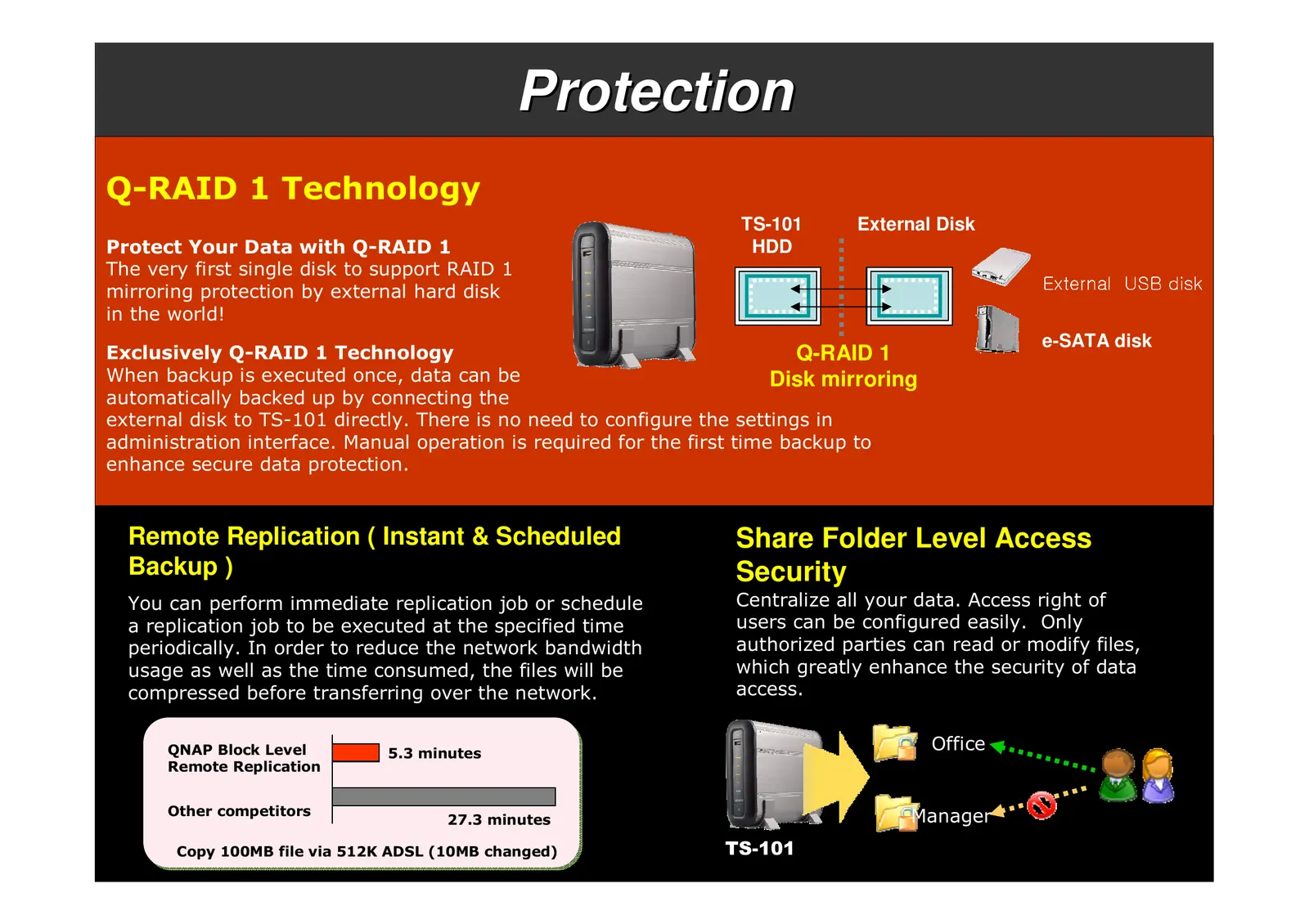
Slide 17: Protection
Protection Q-RAID 1 Technology TS-101 External Disk Protect Your Data with Q-RAID 1 HDD The very first single disk to support RAID 1 mirroring protection by external hard disk External USB disk in the world! e-SATA disk Exclusively Q-RAID 1 Technology Q-RAID 1 When backup is executed once, data can
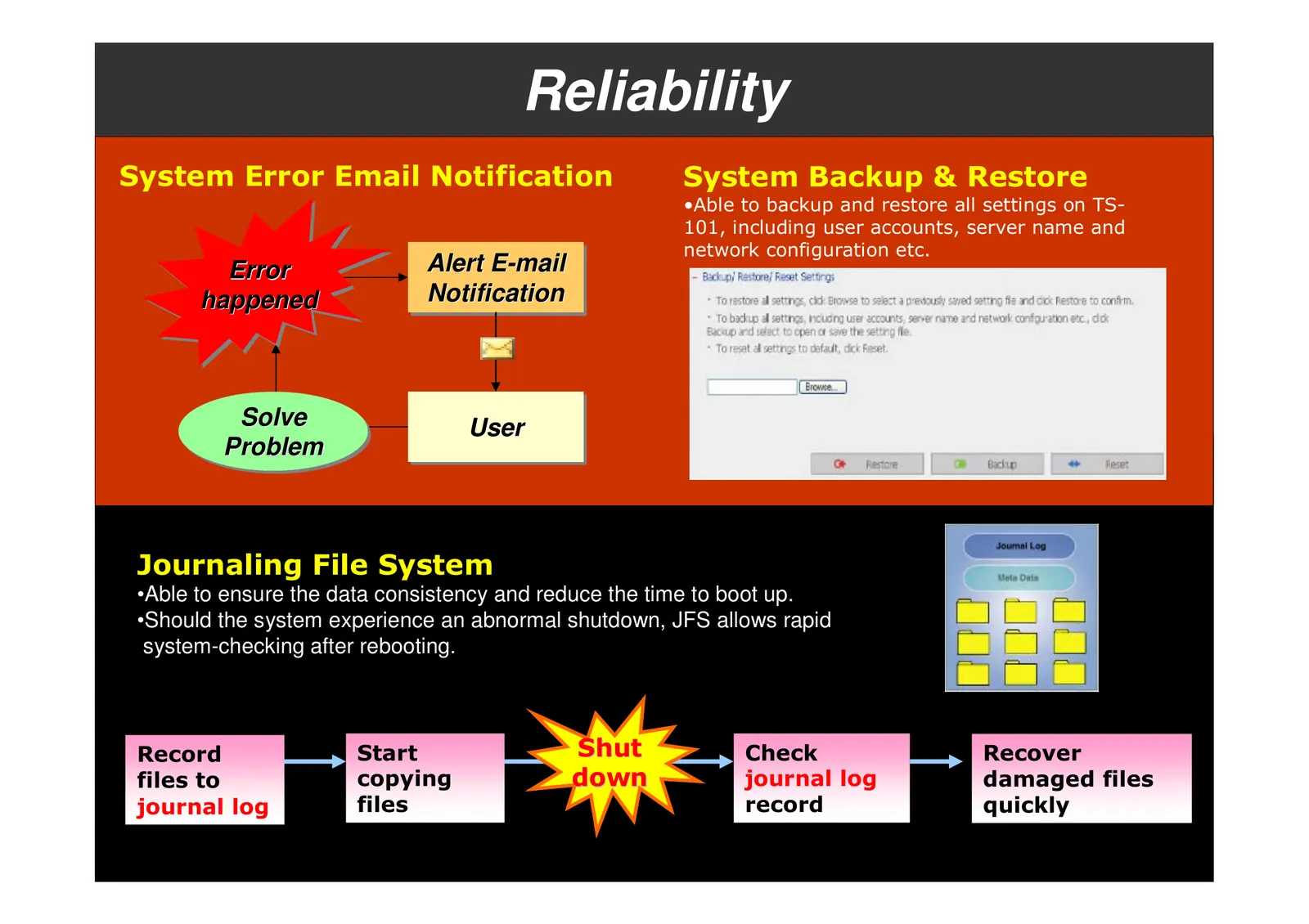
Slide 18: Reliability
Reliability System Error Email Notification System Backup & Restore •Able to backup and restore all settings on TS- 101, including user accounts, server name and network configuration etc. Error Error Alert Alert E- E-mail E-mail happened happened Notification Notification Solve Solve User User Prob
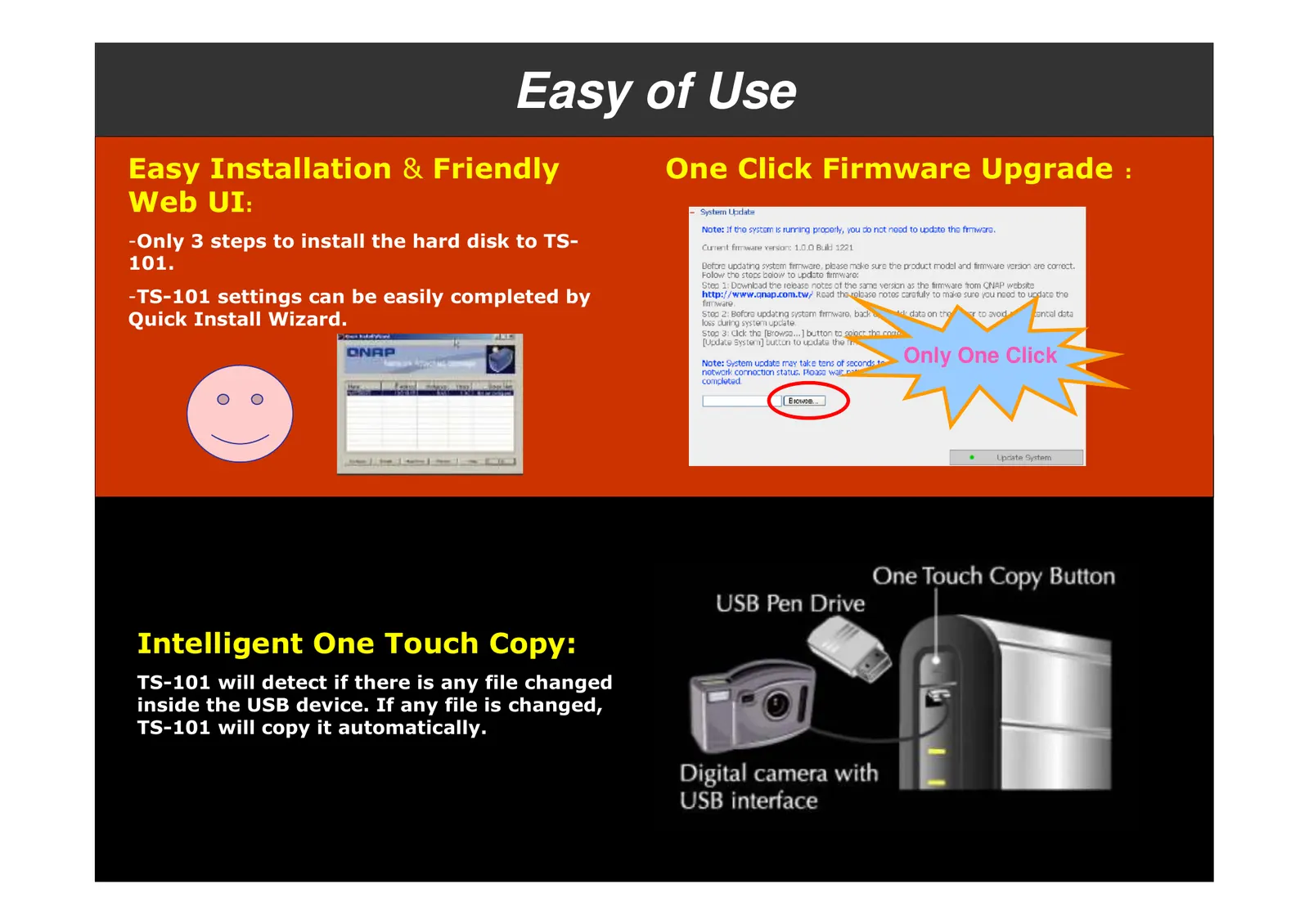
Slide 19: Easy of Use
Easy of Use Easy Installation & Friendly One Click Firmware Upgrade : Web UI: -Only 3 steps to install the hard disk to TS- 101. -TS-101 settings can be easily completed by Quick Install Wizard. Only One Click Intelligent One Touch Copy: TS-101 will detect if there is any file changed inside the USB
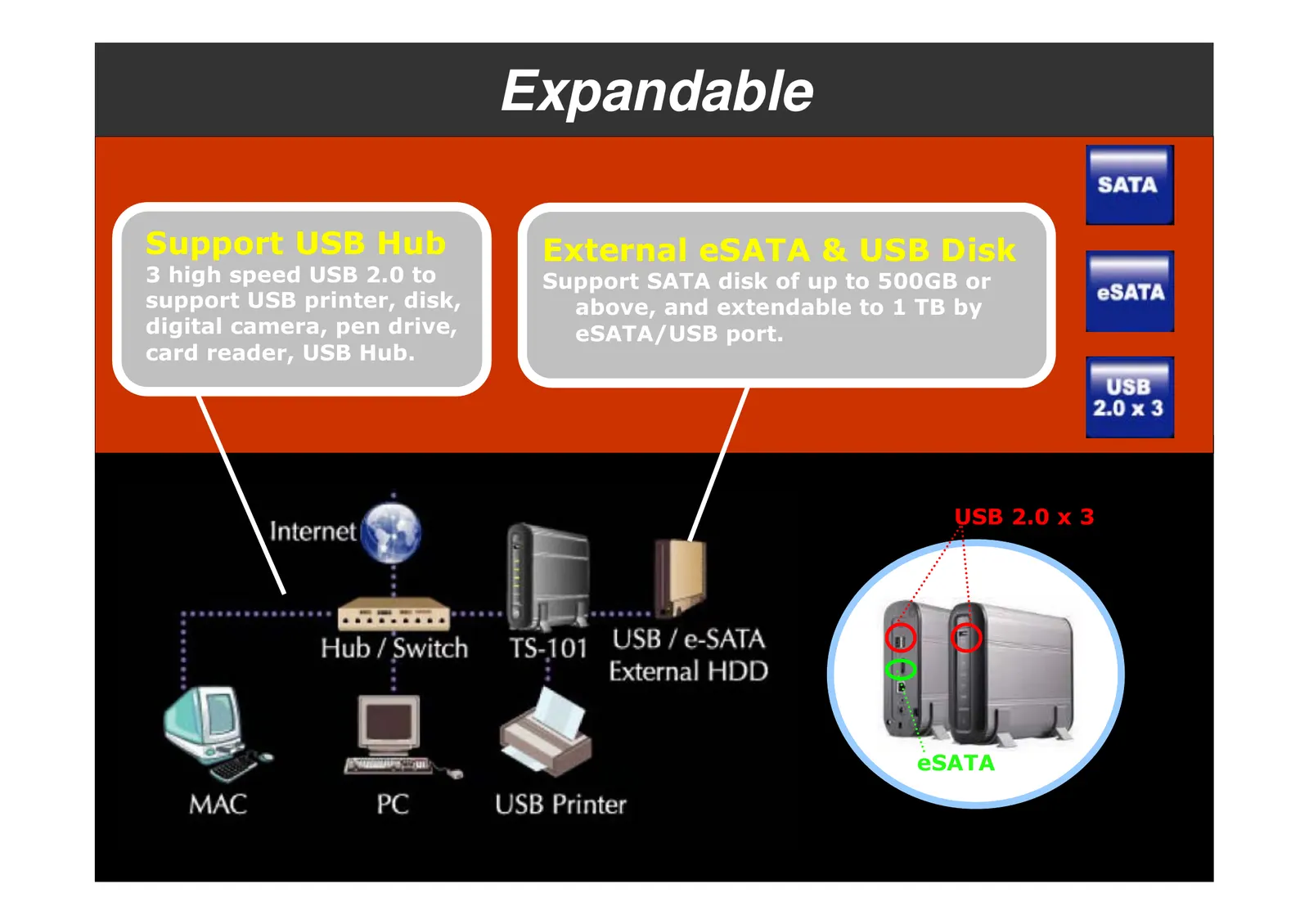
Slide 20: Expandable
Expandable Support USB Hub External eSATA & USB Disk 3 high speed USB 2.0 to Support SATA disk of up to 500GB or support USB printer, disk, above, and extendable to 1 TB by digital camera, pen drive, eSATA/USB port. card reader, USB Hub. USB 2.0 x 3 eSATA
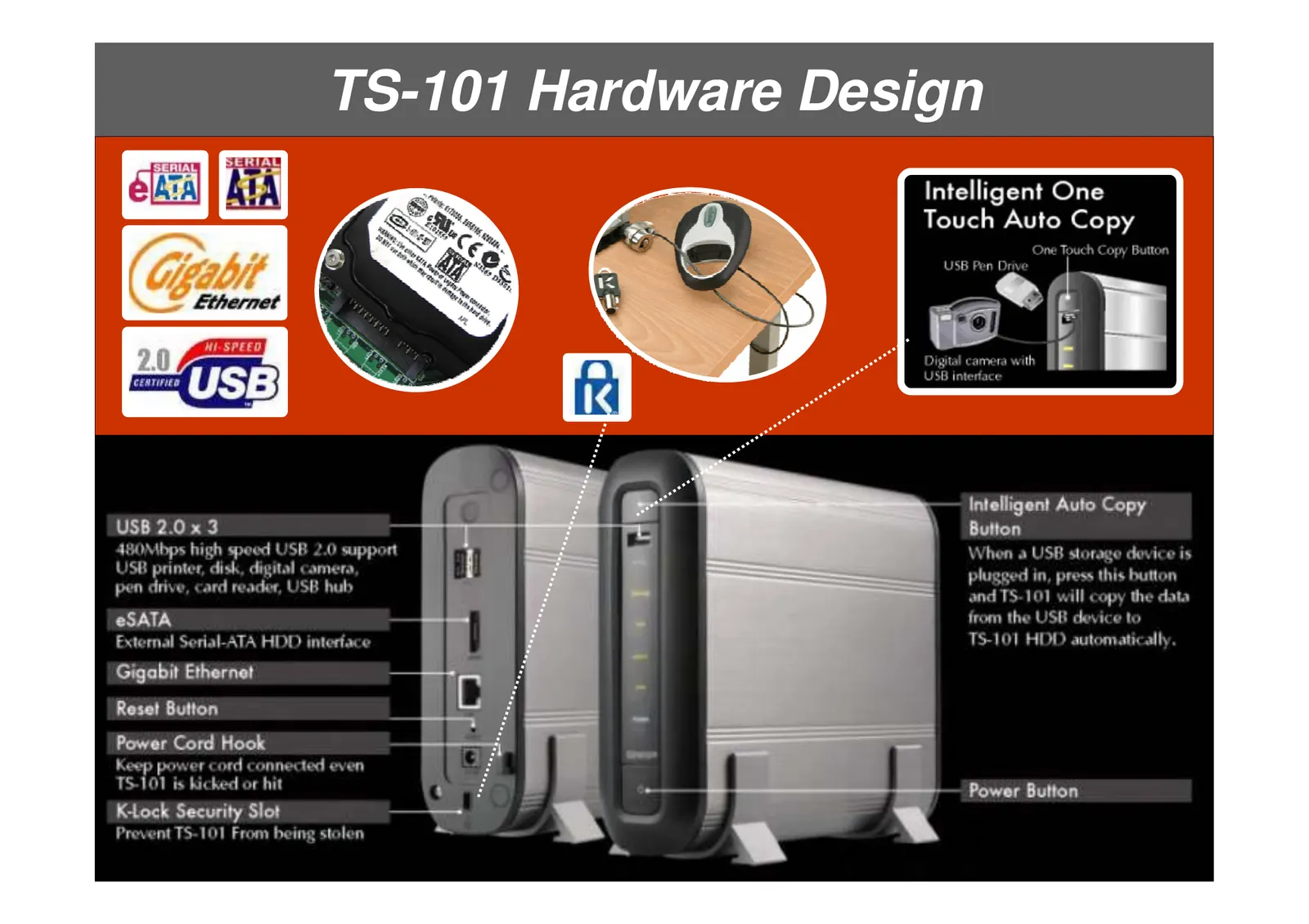
Slide 21: TS-101 Hardware Design
TS-101 Hardware Design EY USB USB 2.0x3 480Mbps high speed USB 2.0 support USB printer, disk, digital camera pen drive, card reader, USB hub eSATA External Serial-ATA HDD interface Gigabit Ethernet Reset Button Power Cord Hook Keep power ord connected eve TS-101 is kicked or hit K-Lock Security Slot
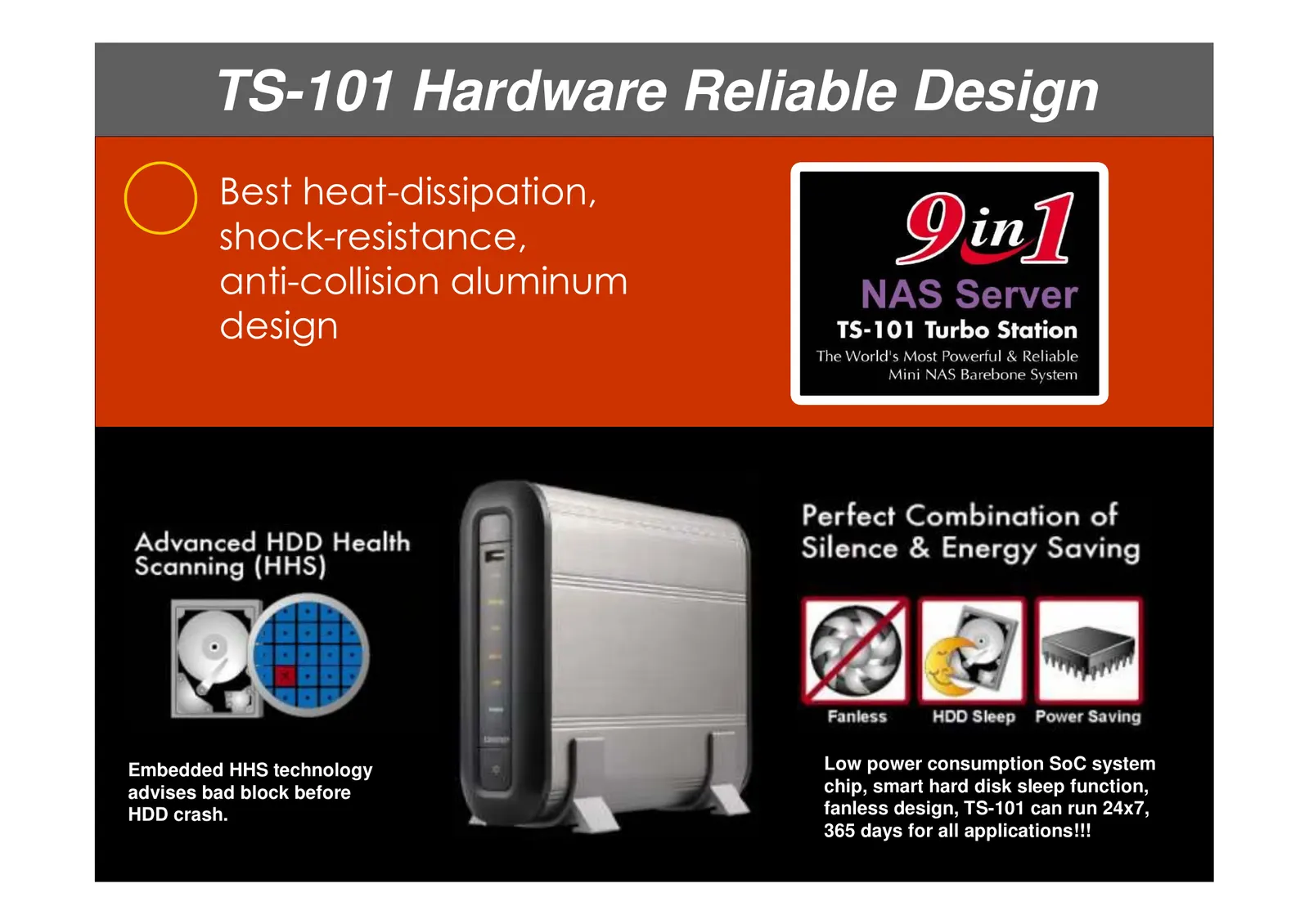
Slide 22: TS-101 Hardware Reliable Design
TS-101 Hardware Reliable Design Best heat-dissipation, shock-resistance, anti-collision aluminum design Embedded HHS technology Low power consumption SoC system advises bad block before chip, smart hard disk sleep function, HDD crash. fanless design, TS-101 can run 24x7, 365 days for all application
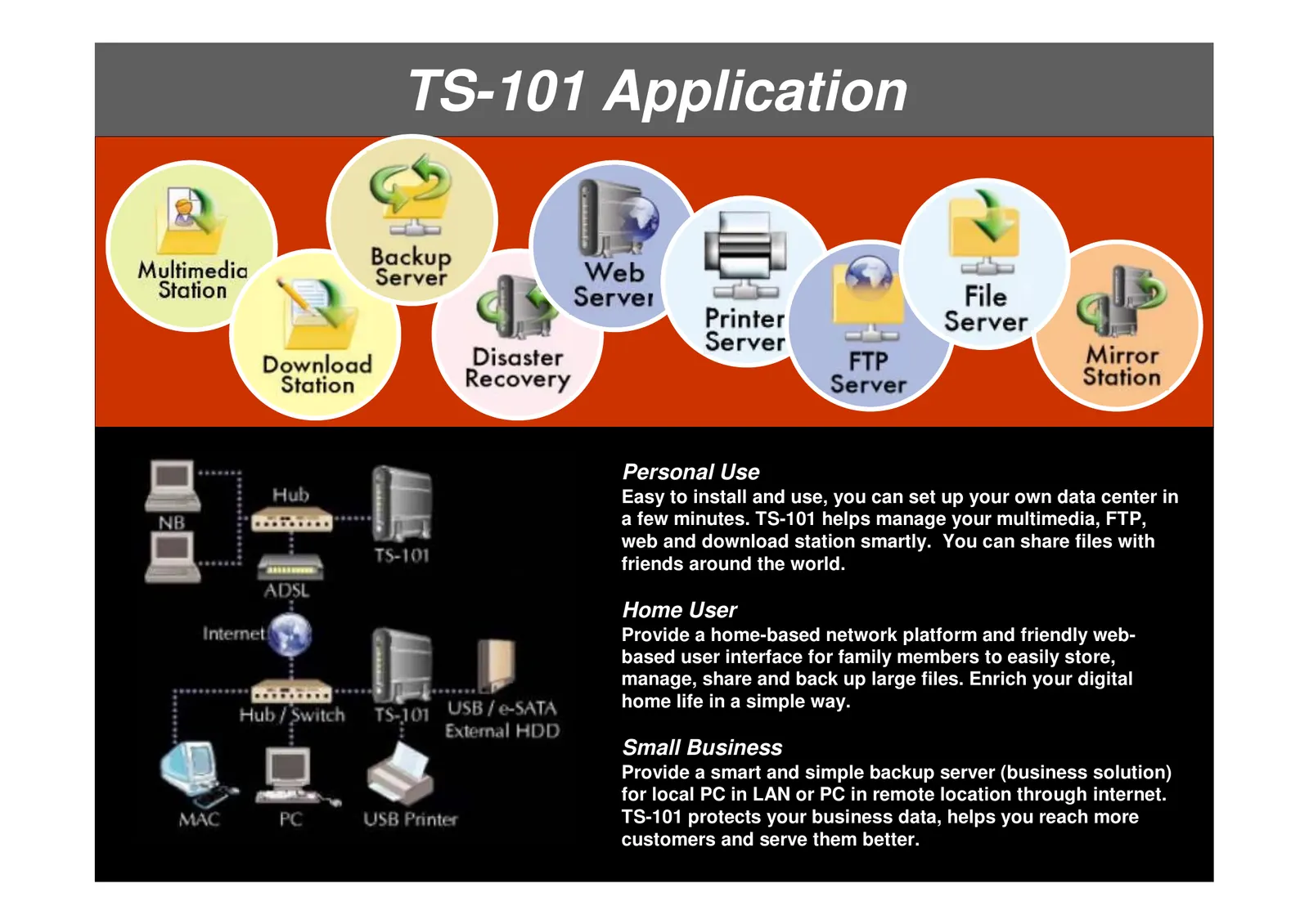
Slide 23: TS-101 Application
TS-101 Application Personal Use Easy to install and use, you can set up your own data center in a few minutes. TS-101 helps manage your multimedia, FTP, web and download station smartly. You can share files with friends around the world. Home User Provide a home-based network platform and friendly w
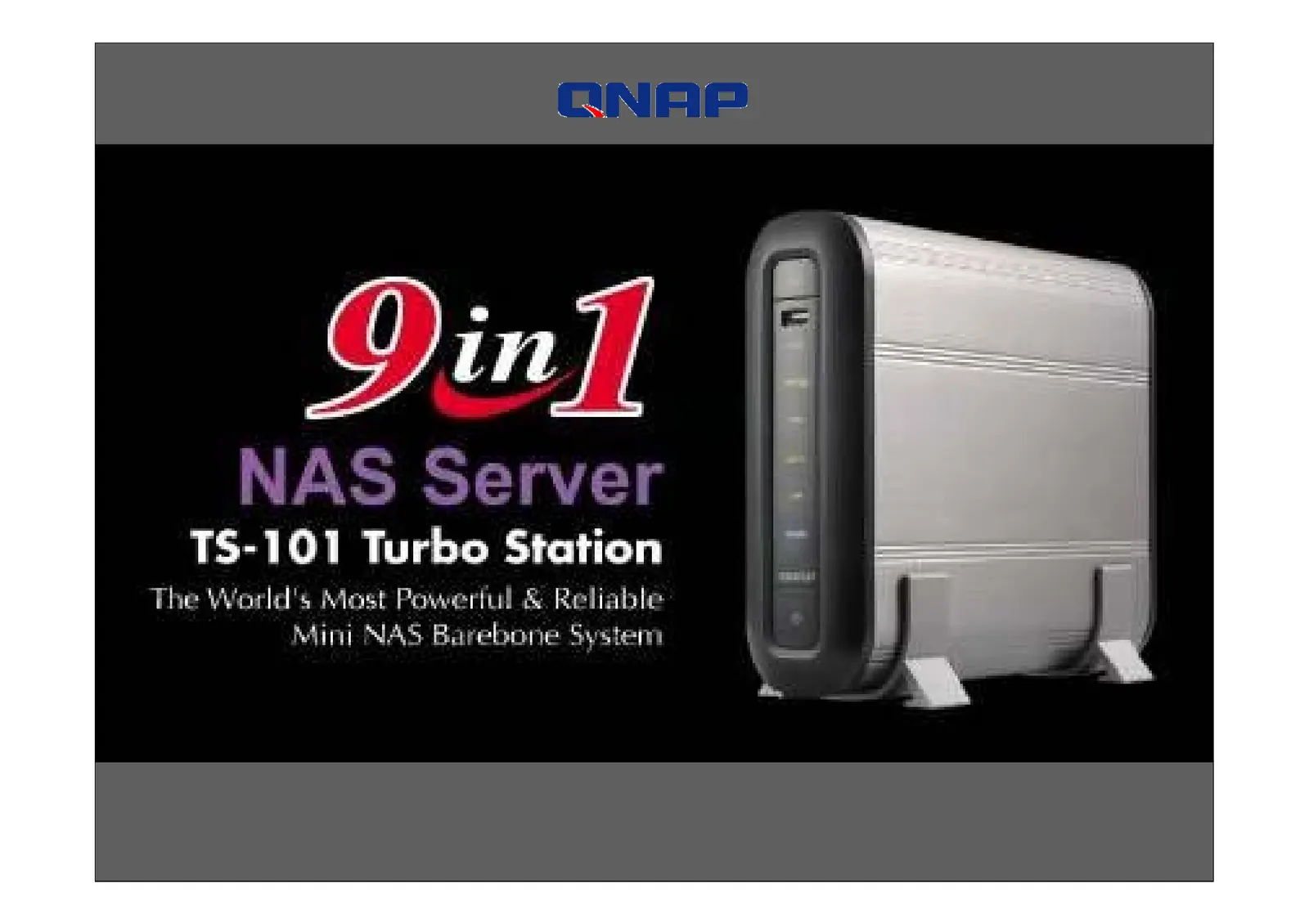
Slide 24: TS-101 Turbo Station
Qin] TS-101 Turbo Station The VWiorle's Most Powertul & Reliable Mini NAS Barebone Svstenna
Source: company website
More decks from QNAP Systems, Inc.
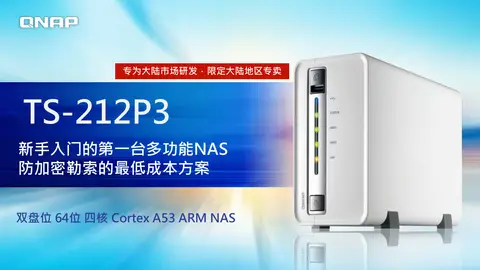 Investor Presentation (March 2018)32 slides · Mar 26, 2018
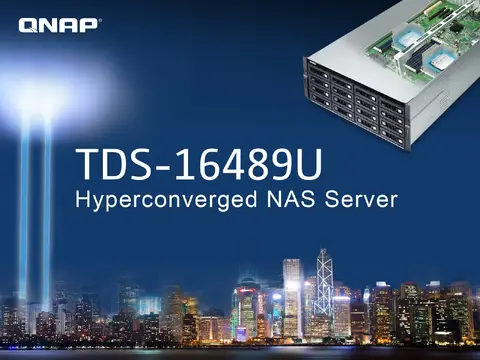 Technical Presentation (November 2016)40 slides · Nov 15, 2016
 Investor Presentation (June 2016)5 slides · June 2016
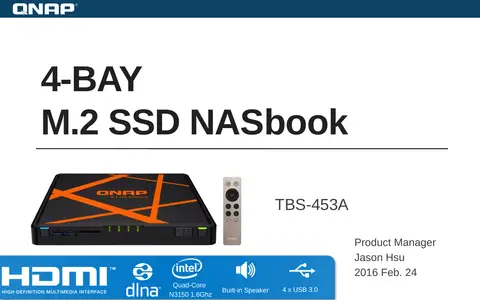 Conference Presentation (February 2016)23 slides · Feb 24, 2016
 Technical Presentation (February 2016)14 slides · Feb 3, 2016
 Technical Presentation (January 2016)15 slides · Jan 22, 2016