Mastek Limited · NSE:MASTEK
Mastek — Evosys — Technical Presentation (October 2022)
48 slides from Mastek's technical presentation, October 2022
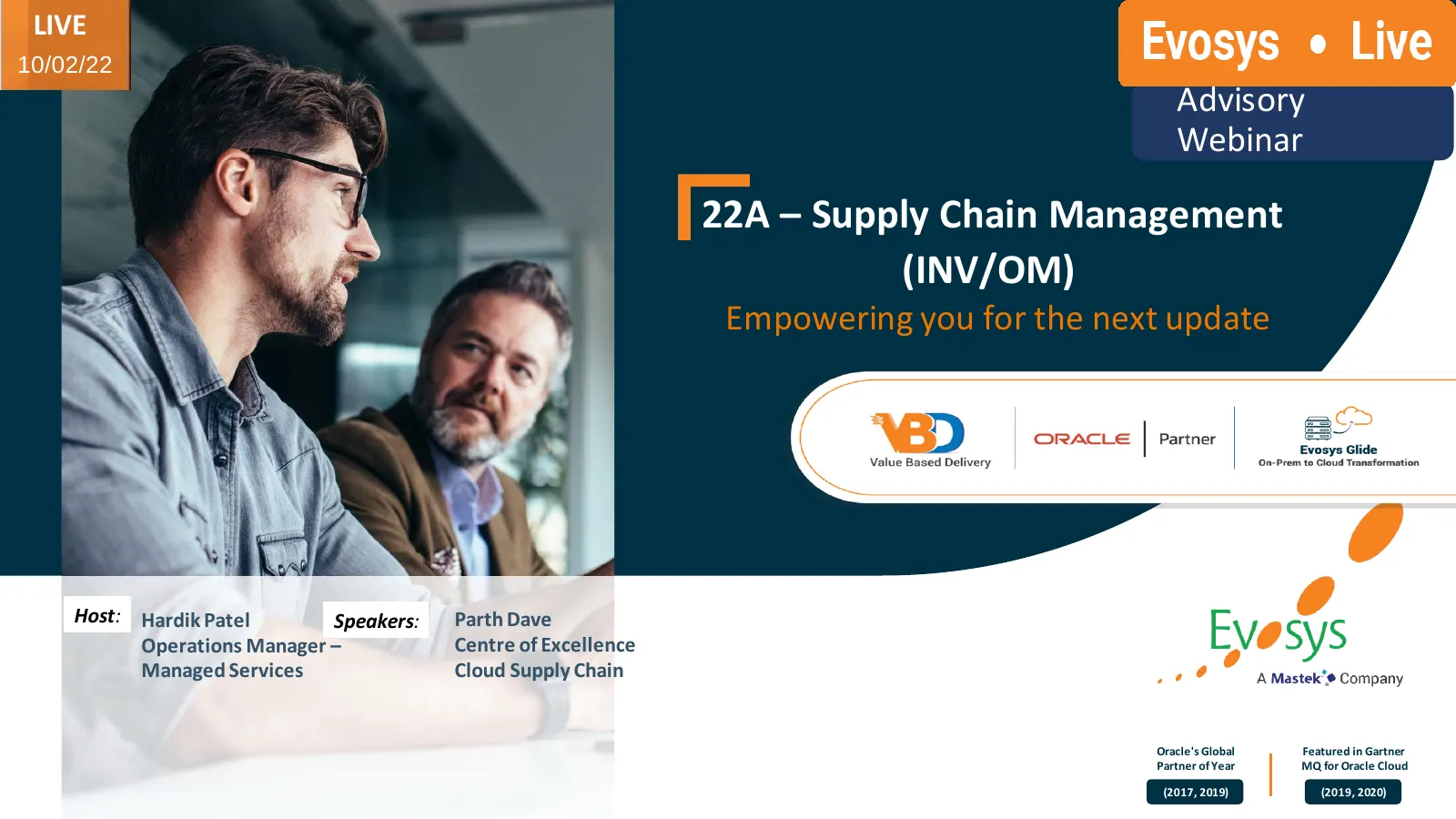
Slide 1: 22A – Supply Chain Management (INV/OM)
LIVE 10/02/22 Advisory Webinar 22A – Supply Chain Management (INV/OM) Empowering you for the next update Host: Hardik Patel Speakers: Parth Dave Operations Manager – Centre of Excellence Managed Services Cloud Supply Chain Oracle's Global Featured in Gartner Partner of Year MQ for Oracle Cloud (2017
Slide 2: Disclaimer
These advisory webinars are organized to equip you with the latest updates. The content of this session is based on the interpretation of the material and documentation that Oracle has released and is a general guideline/recommendation only. For the release 22A expected in Feb-22, we have noticed th
Slide 3: Agenda
AGENDA Our Approach to Oracle Update Our Analysis of Latest Release - New Features Closing - Q&A
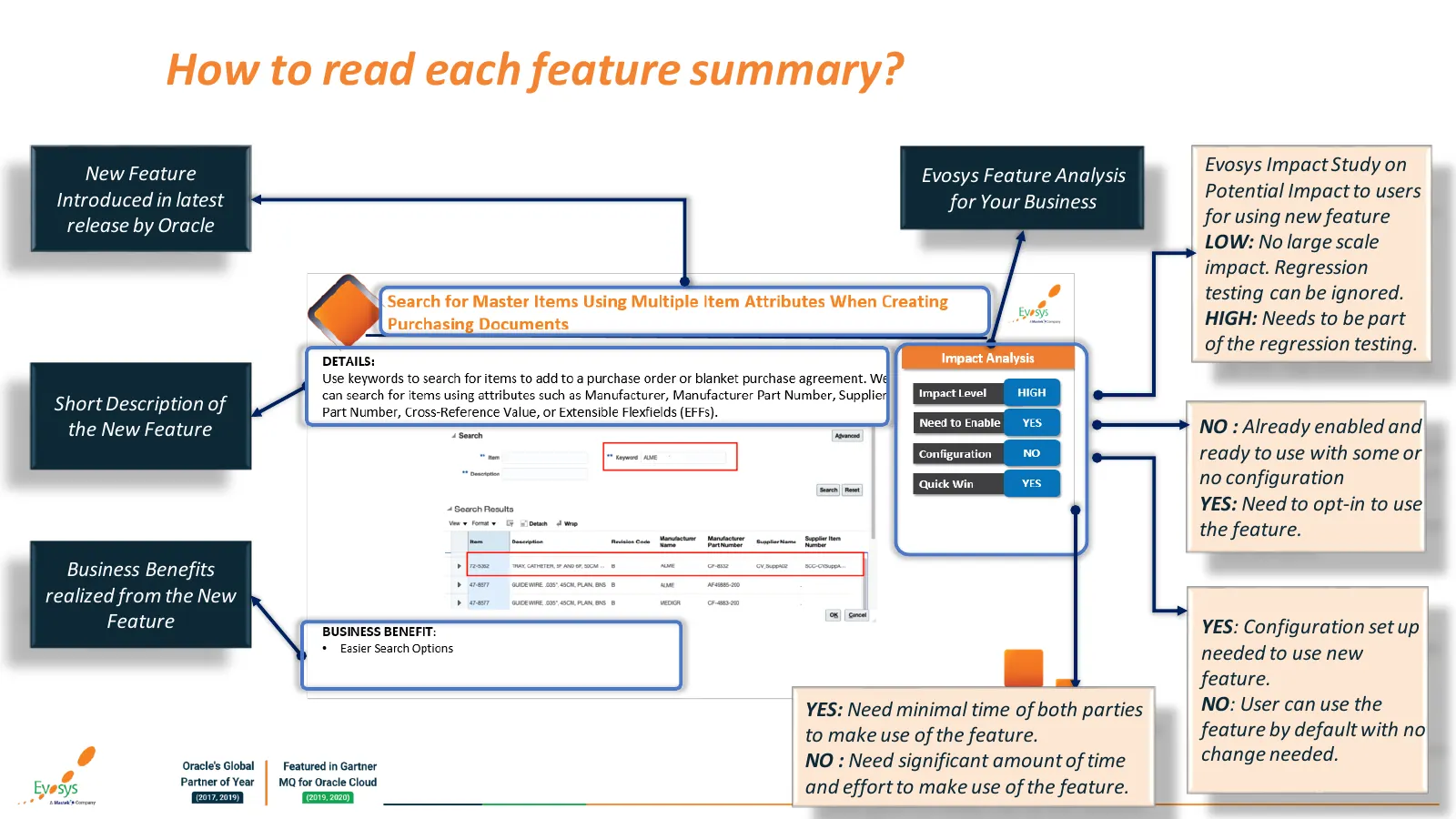
Slide 4: How to read each feature summary?
How to read each feature summary? New Feature Evosys Feature Analysis Evosys Impact Study on Introduced in latest for Your Business Potential Impact to users release by Oracle for using new feature LOW: No large scale impact. Regression testing can be ignored. HIGH: Needs to be part of the regressio
Slide 5: Our Analysis of Latest Release: New Features
Our Analysis of Latest Release New Features
Slide 6: Evosys Analysis - Statistics
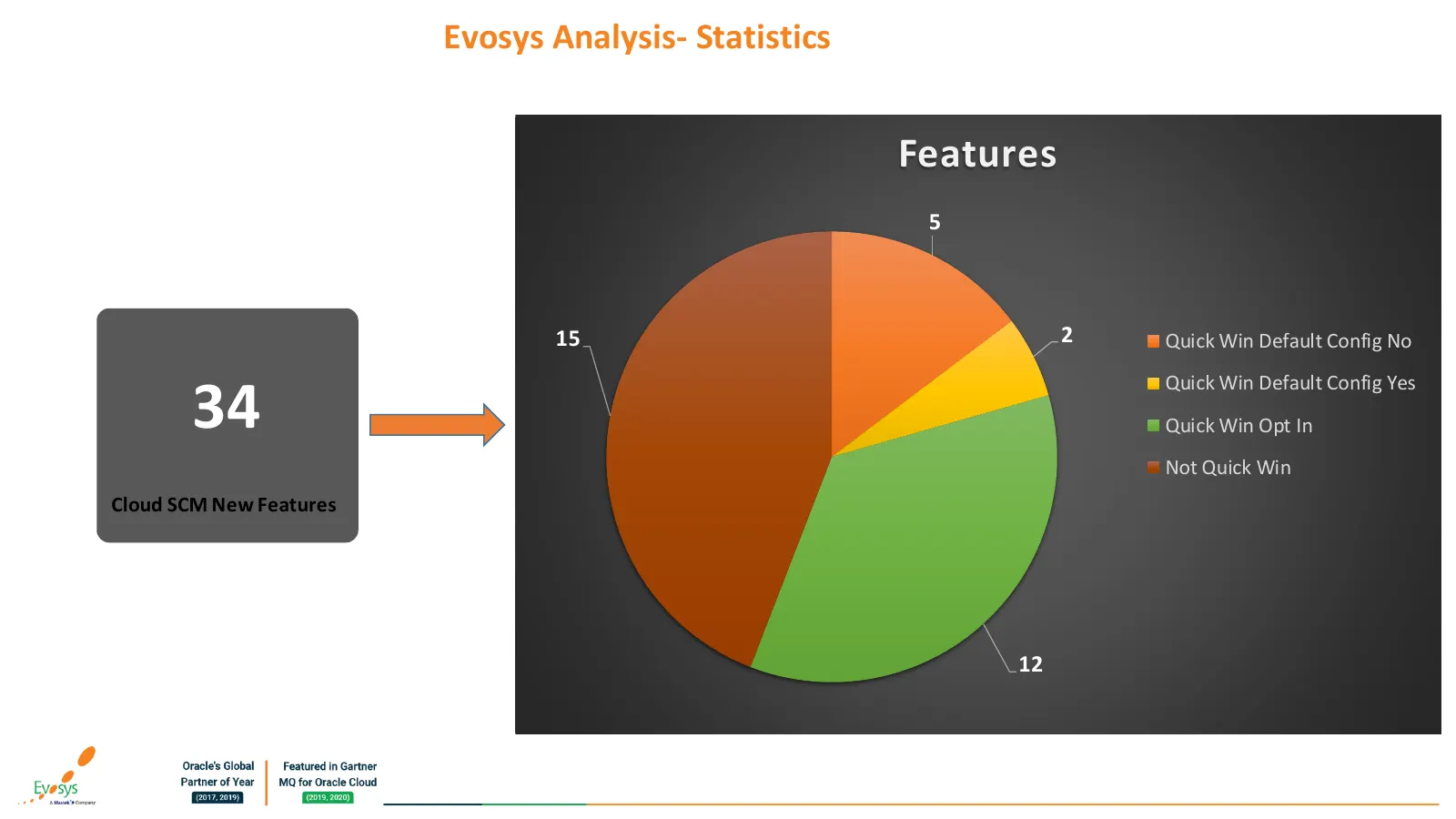
Evosys Analysis- Statistics Features 5 15 2 Quick Win Default Config No Quick Win Default Config Yes 34 Quick Win Opt In Not Quick Win Cloud SCM New Features 12
Slide 7: Evosys Analysis
Evosys Analysis Oracle's Global Featured in Gartner Partner of Year MQ for Oracle Cloud
Slide 8: Quick Wins – Default with No Configuration
New Features Quick Wins – Default with No Configuration
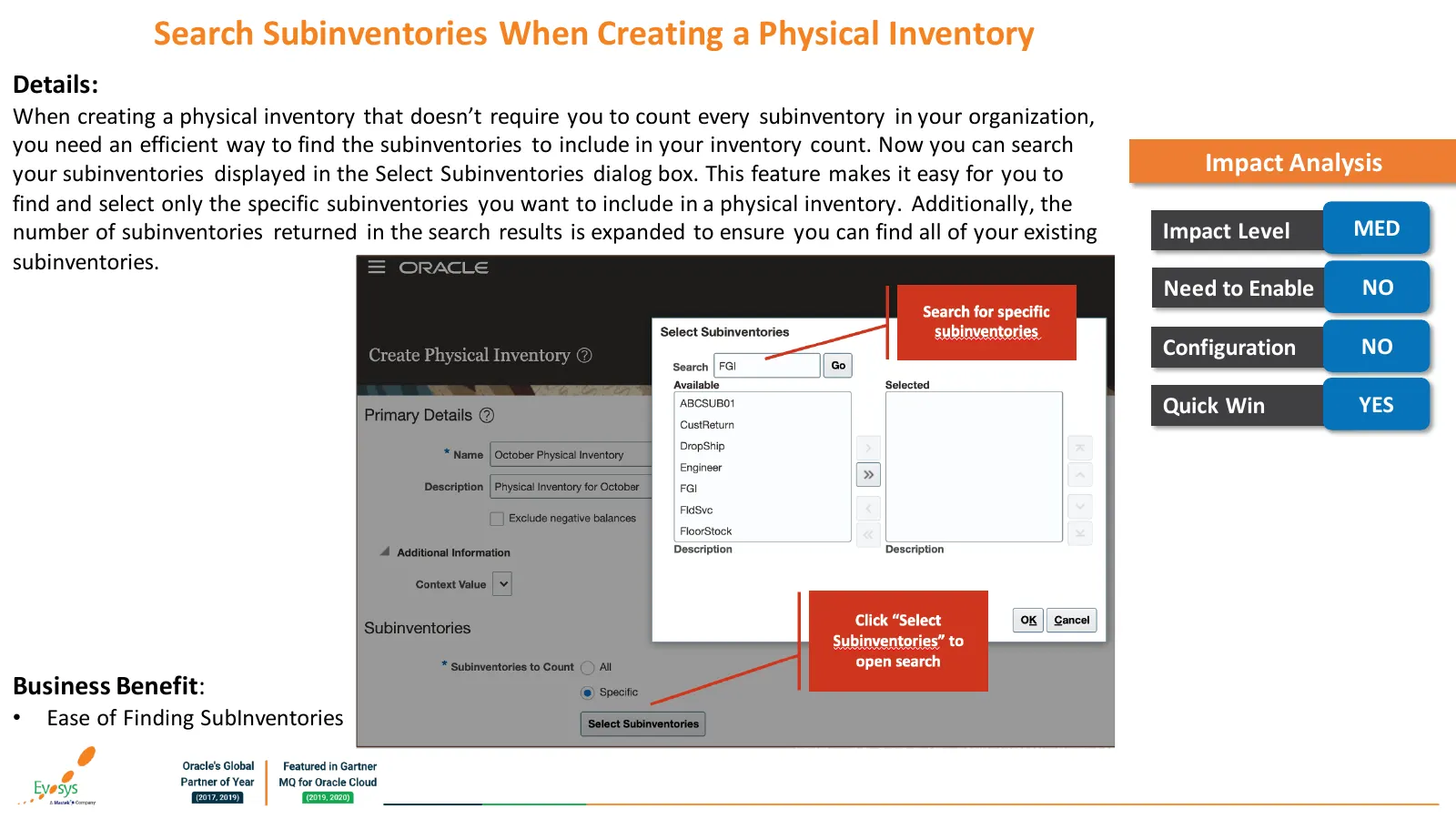
Slide 9: Search Subinventories When Creating a Physical Inventory
Search Subinventories When Creating a Physical Inventory Details: When creating a physical inventory that doesn’t require you to count every subinventory in your organization, you need an efficient way to find the subinventories to include in your inventory count. Now you can search your subinventor
Slide 10: Create Transit Times for Customer Ship-To Addresses
Create Transit Times for Customer Ship-To Addresses Details: Transit times can now refer to a customer address that is associated with the usage of ship-to address. For Impact Analysis example, your transit times may differ based on item characteristics, such as the size of the item. You can set up
Slide 11: Manage Processing Errors Efficiently with Enhanced Error Handling
Manage Processing Errors Efficiently with Enhanced Error Handling Details: The Purge Cost Accounting Process Errors process automatically runs after the Period End Validations process Impact Analysis and the Create Cost Accounting Distributions process to clear validation errors from prior runs. Thi
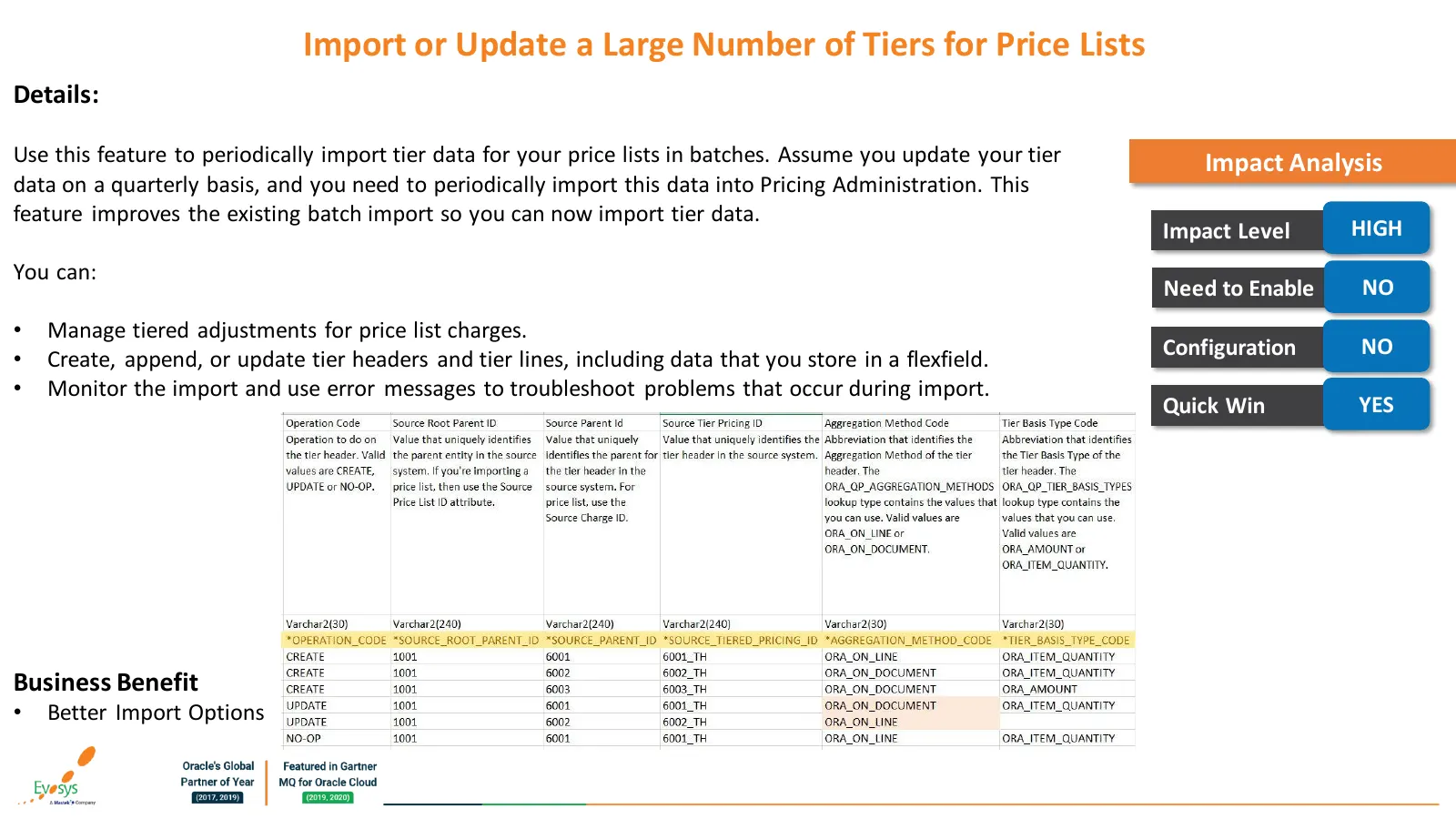
Slide 12: Import or Update a Large Number of Tiers for Price Lists
Import or Update a Large Number of Tiers for Price Lists Details: Use this feature to periodically import tier data for your price lists in batches. Assume you update your tier Impact Analysis data on a quarterly basis, and you need to periodically import this data into Pricing Administration. This
Slide 13: Consider Earliest Acceptable Date Attribute as a Constraint While Promising
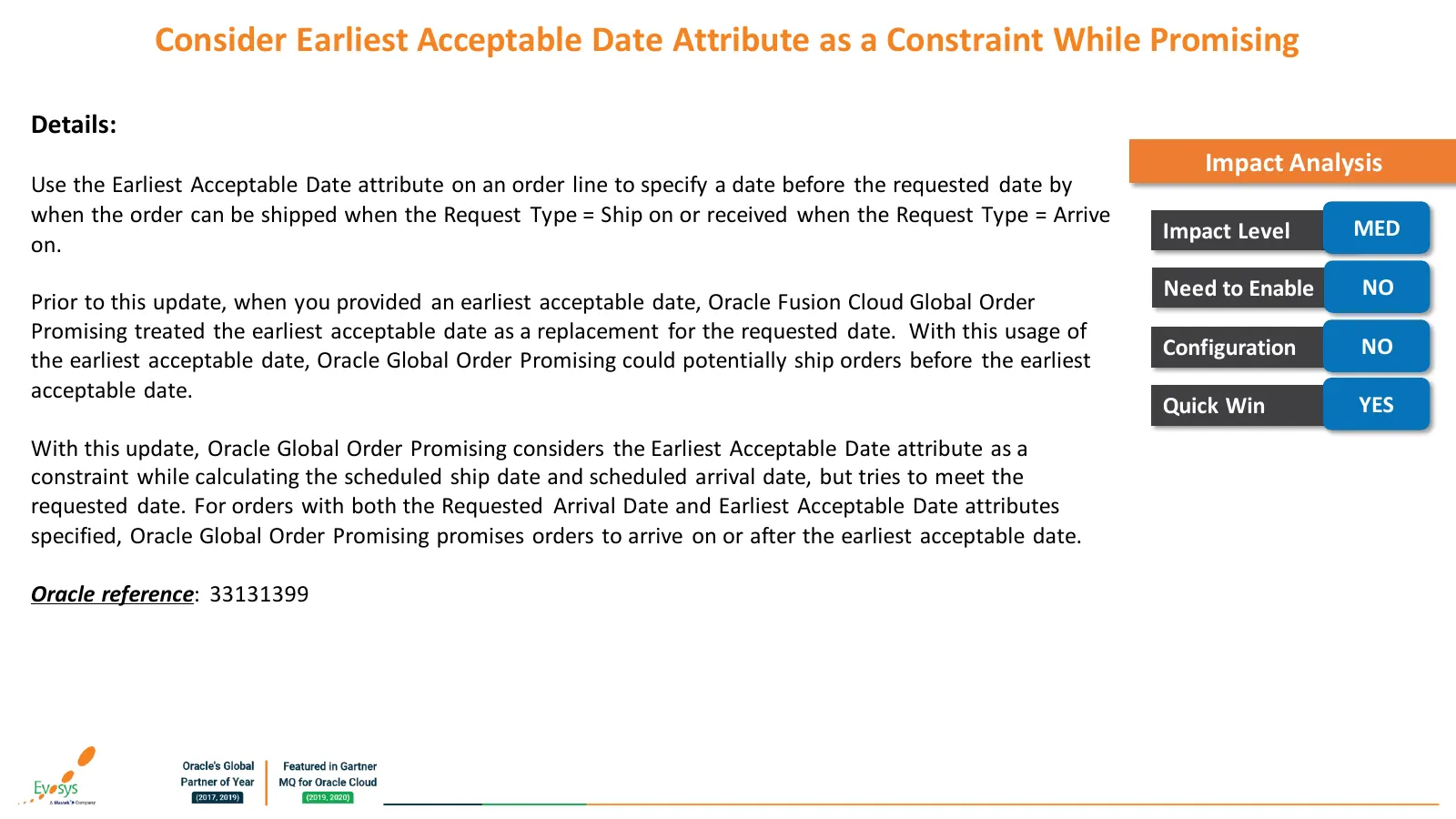
Consider Earliest Acceptable Date Attribute as a Constraint While Promising Details: Impact Analysis Use the Earliest Acceptable Date attribute on an order line to specify a date before the requested date by when the order can be shipped when the Request Type = Ship on or received when the Request T
Slide 14: Quick Wins – Default with Configuration
New Features Quick Wins – Default with Configuration
Slide 15: Receive Order Forecasts from Customers
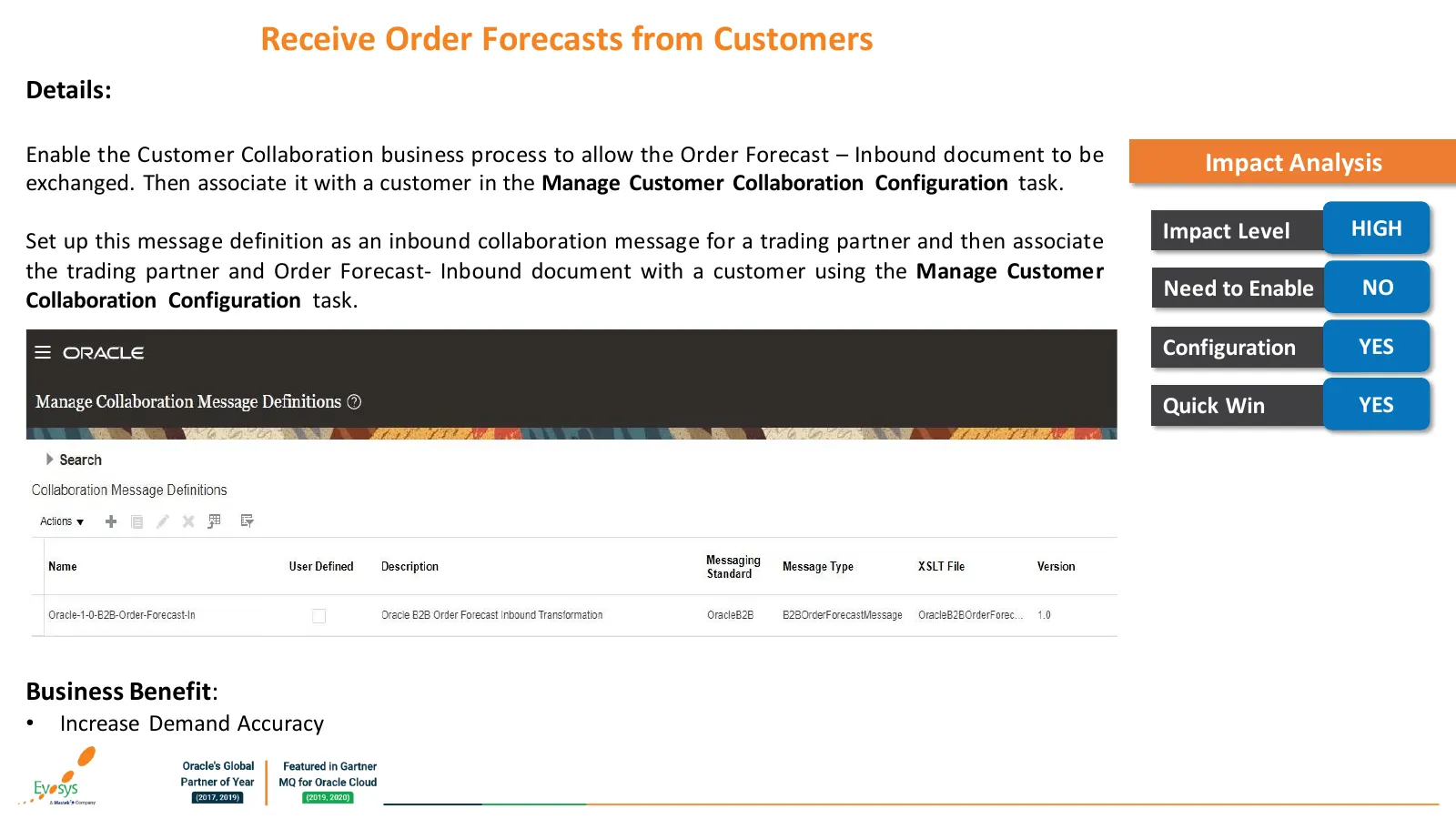
Receive Order Forecasts from Customers Details: Enable the Customer Collaboration business process to allow the Order Forecast – Inbound document to be Impact Analysis exchanged. Then associate it with a customer in the Manage Customer Collaboration Configuration task. Impact Level HIGH Set up this
Slide 16: Improve Approval Processing with Additional Attributes
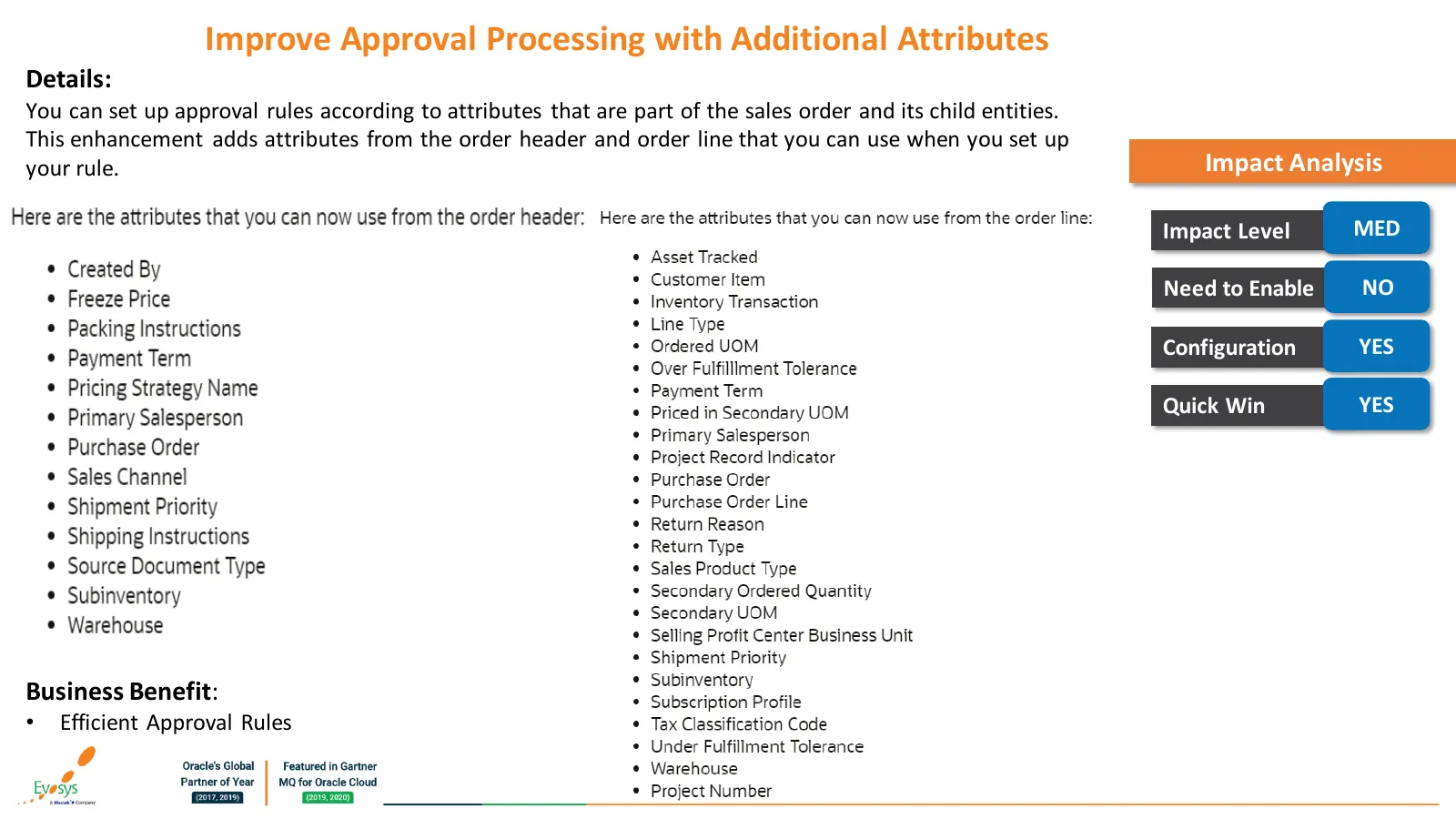
Improve Approval Processing with Additional Attributes Details: You can set up approval rules according to attributes that are part of the sales order and its child entities. This enhancement adds attributes from the order header and order line that you can use when you set up your rule. Impact Anal
Slide 17: Quick Wins – opt ins
New Features Quick Wins – opt ins
Slide 18: Substitute Items During Pick Release for Transfer Orders
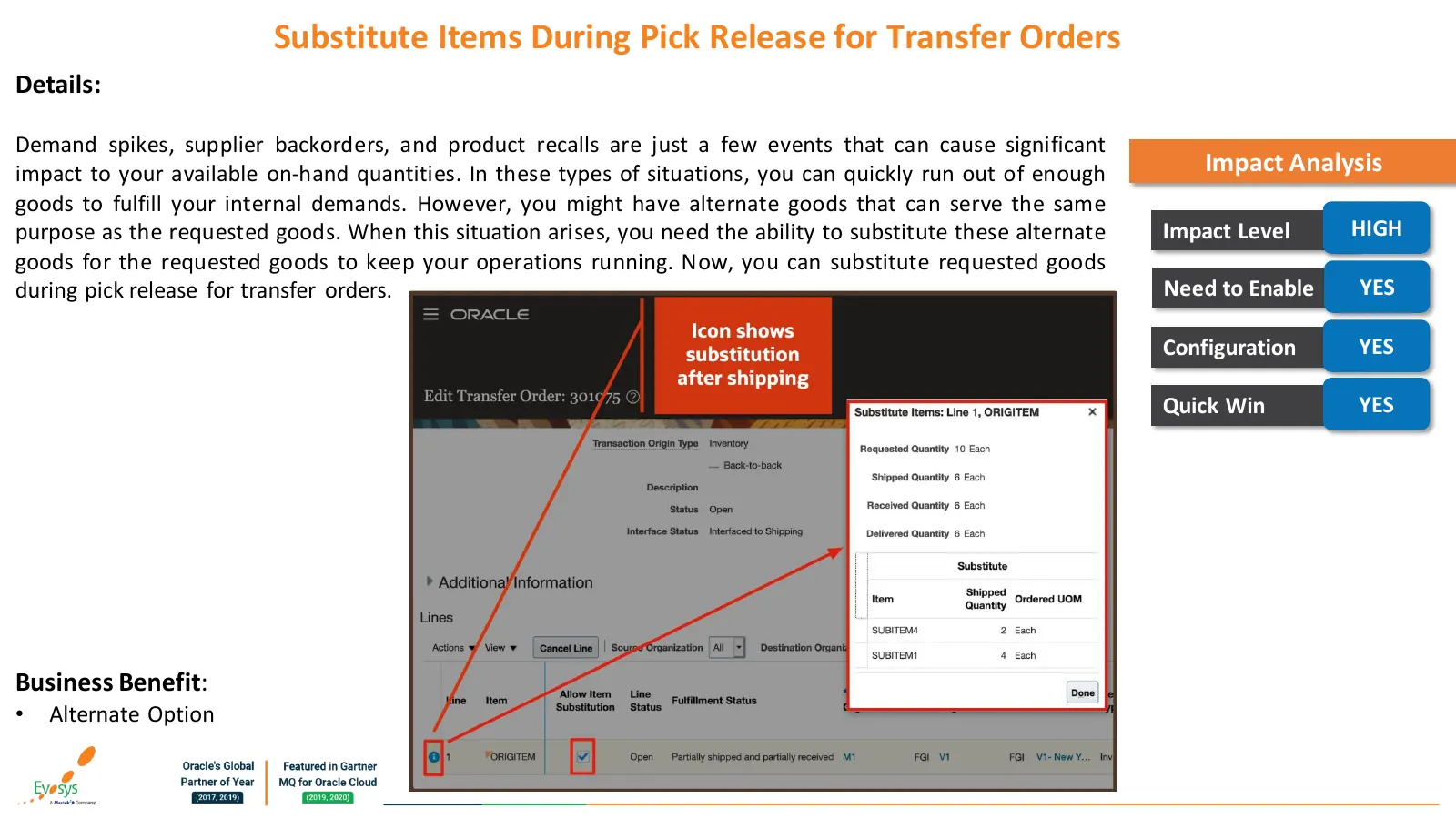
Substitute Items During Pick Release for Transfer Orders Details: Demand spikes, supplier backorders, and product recalls are just a few events that can cause significant impact to your available on-hand quantities. In these types of situations, you can quickly run out of enough Impact Analysis good
Slide 19: Default Transaction History DFF Context Value
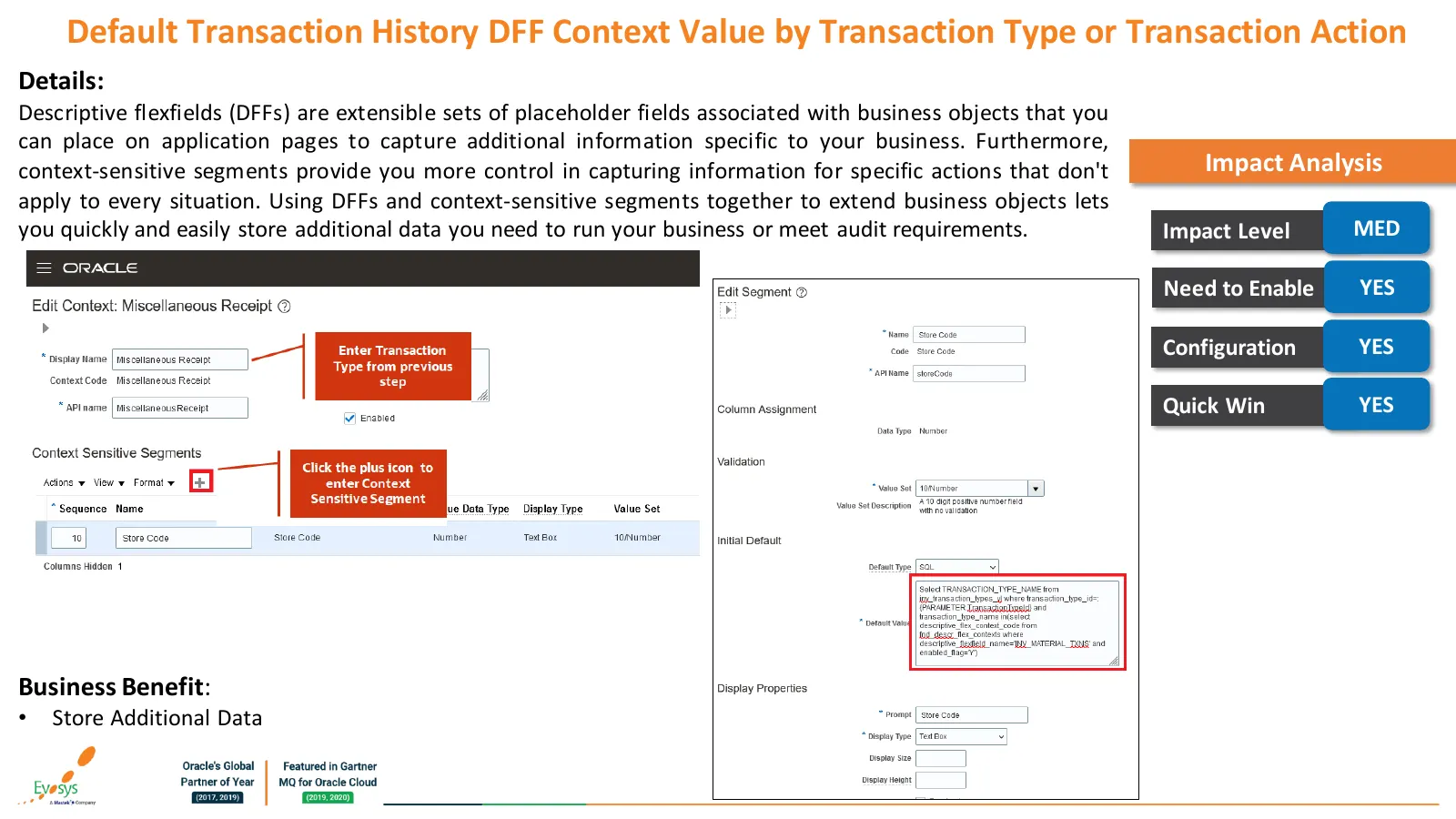
Default Transaction History DFF Context Value by Transaction Type or Transaction Action Details: Descriptive flexfields (DFFs) are extensible sets of placeholder fields associated with business objects that you can place on application pages to capture additional information specific to your busines
Slide 20: Raise a Business Event When Transfer Orders Are Updated or Canceled
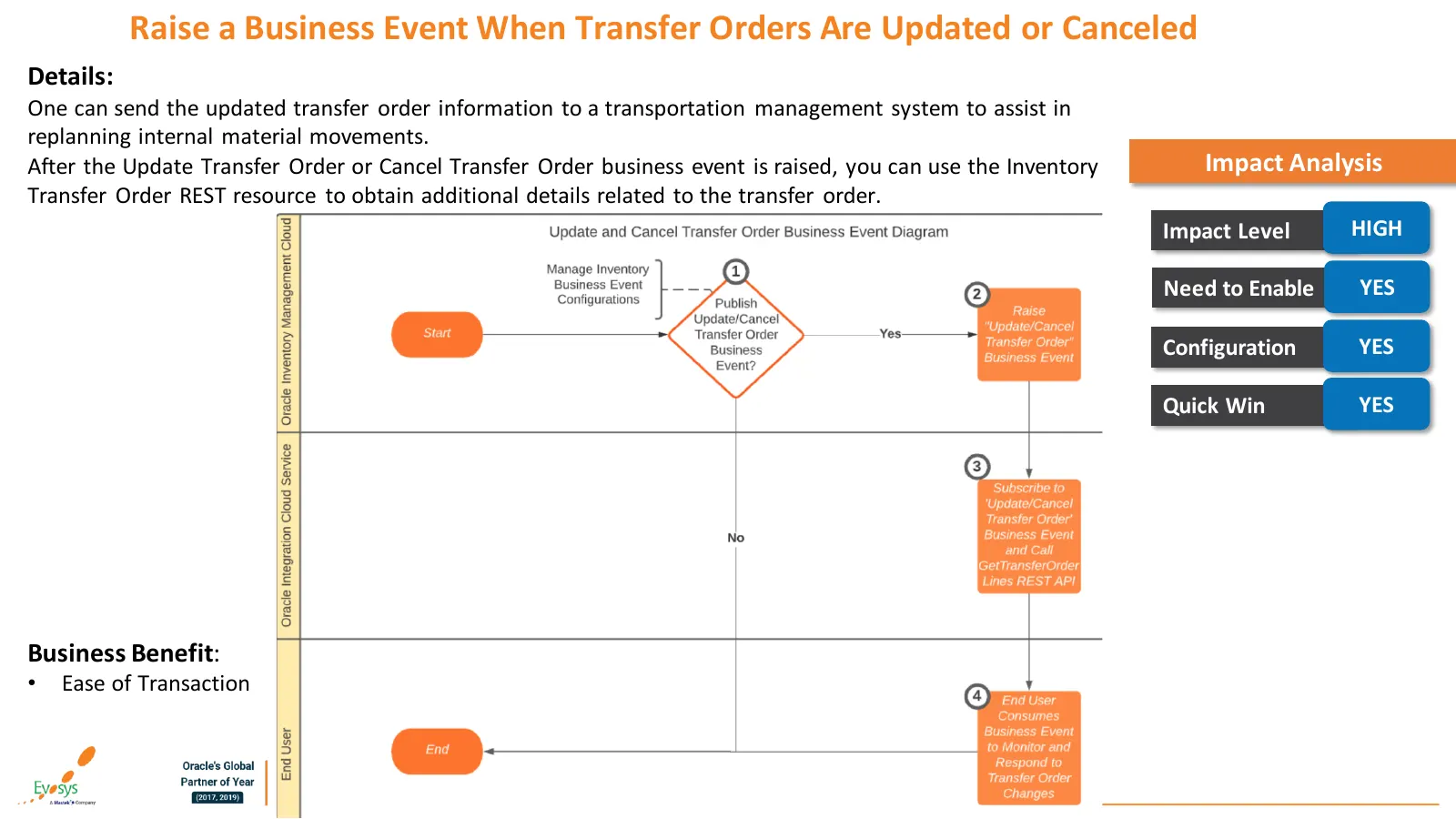
Raise a Business Event When Transfer Orders Are Updated or Canceled Details: One can send the updated transfer order information to a transportation management system to assist in replanning internal material movements. After the Update Transfer Order or Cancel Transfer Order business event is raise
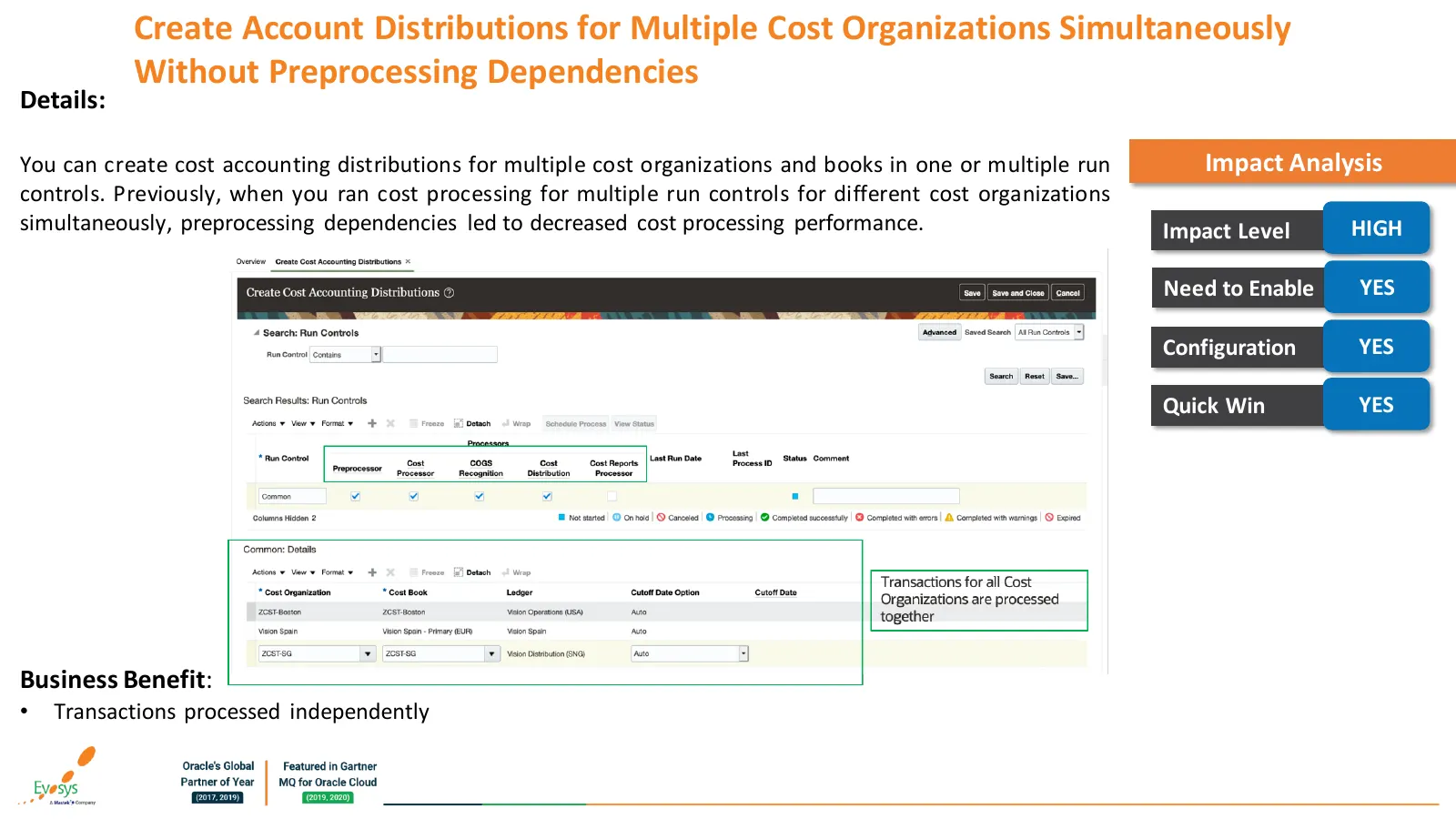
Slide 21: Create Account Distributions for Multiple Cost Organizations Simultaneously
Create Account Distributions for Multiple Cost Organizations Simultaneously Without Preprocessing Dependencies Details: You can create cost accounting distributions for multiple cost organizations and books in one or multiple run Impact Analysis controls. Previously, when you ran cost processing for
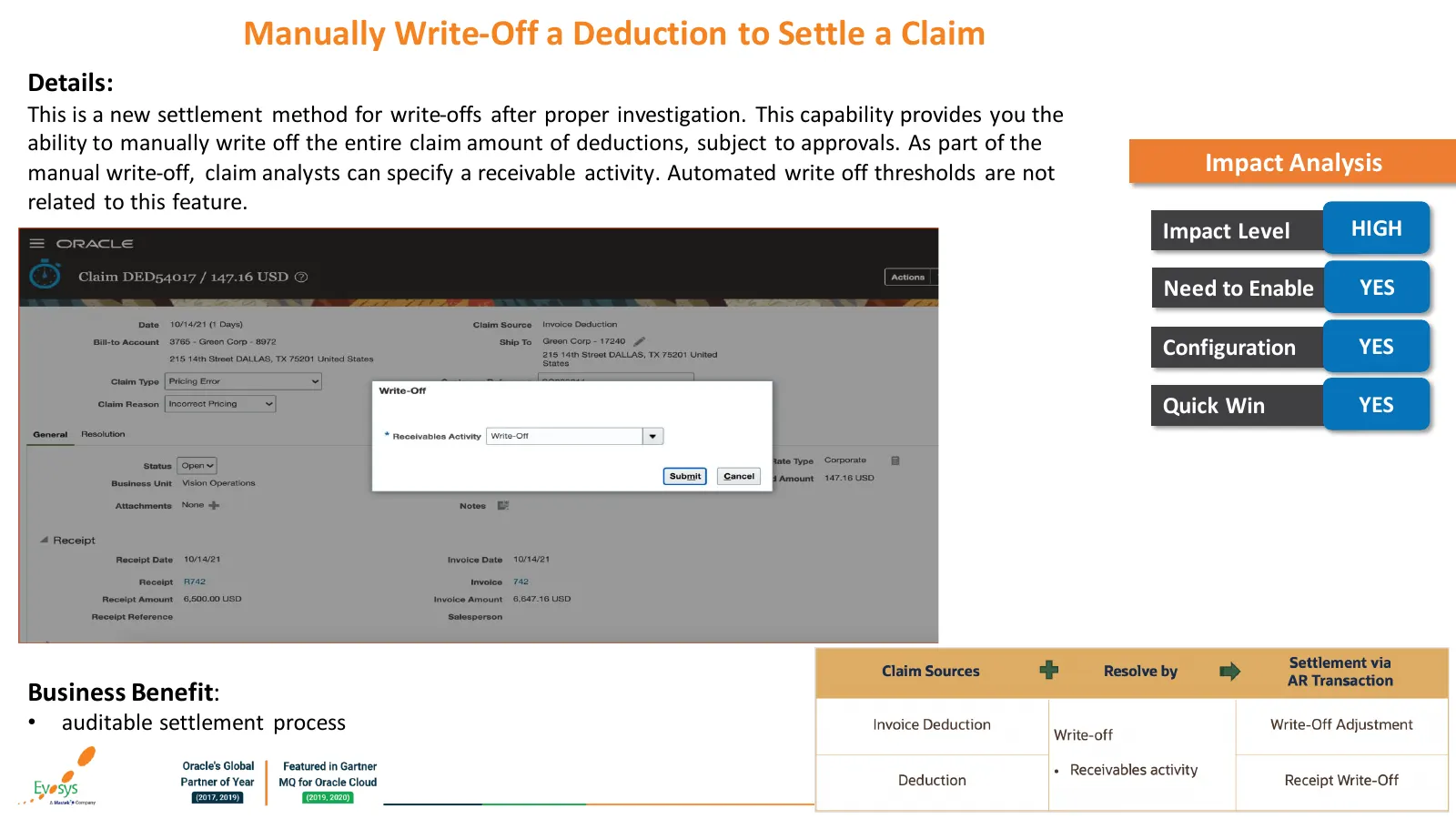
Slide 22: Manually Write-Off a Deduction to Settle a Claim
Manually Write-Off a Deduction to Settle a Claim Details: This is a new settlement method for write-offs after proper investigation. This capability provides you the ability to manually write off the entire claim amount of deductions, subject to approvals. As part of the manual write-off, claim anal
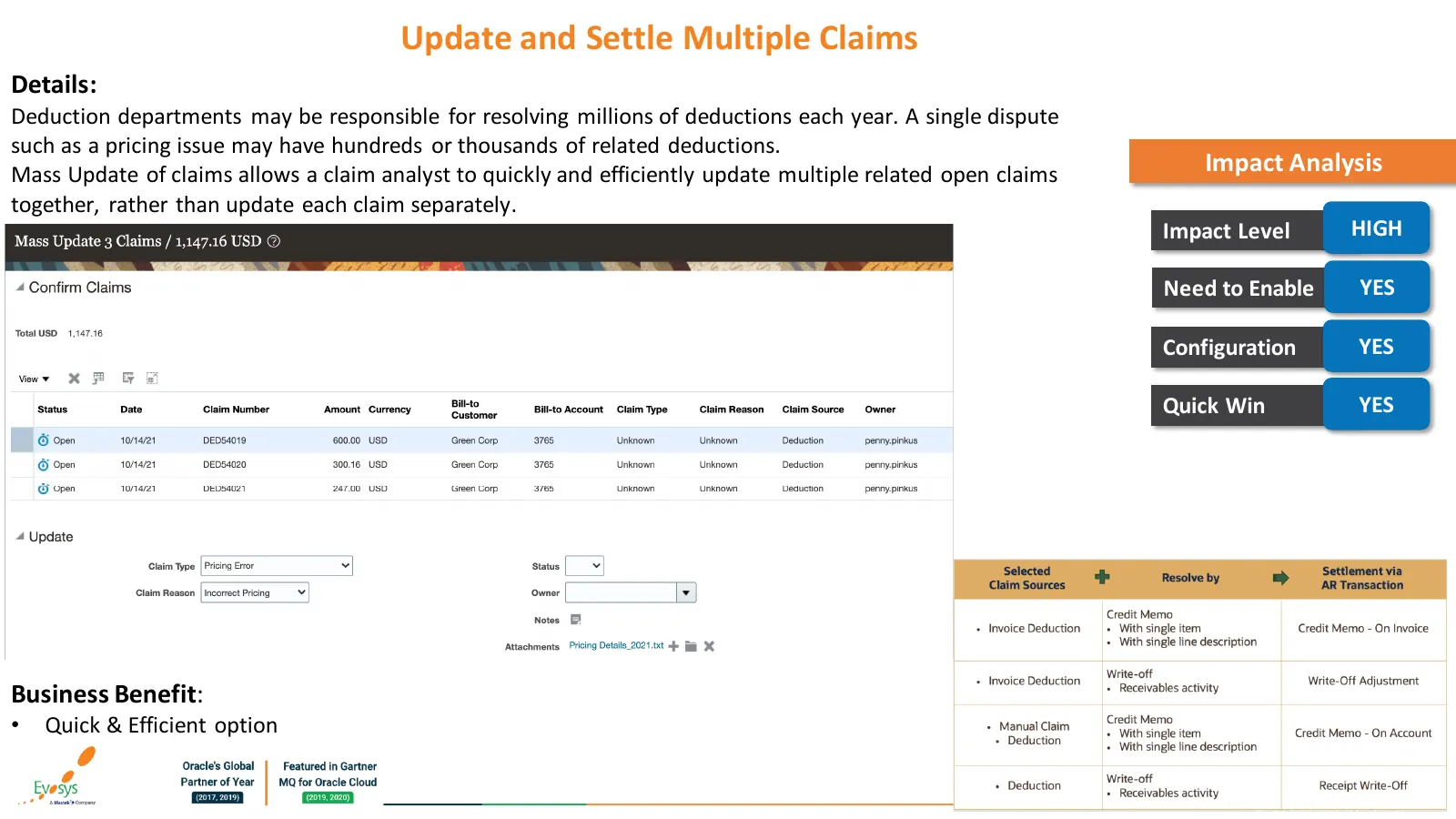
Slide 23: Update and Settle Multiple Claims
Update and Settle Multiple Claims Details: Deduction departments may be responsible for resolving millions of deductions each year. A single dispute such as a pricing issue may have hundreds or thousands of related deductions. Mass Update of claims allows a claim analyst to quickly and efficiently u
Slide 24: Configure Flexfields on a Customer Claim Header
Configure Flexfields on a Customer Claim Header Details: Configure descriptive flexfields at the header level for customer claims. • Expose configured flexfields in the claim user interface for data entry. Impact Analysis • Expose configured flexfields in the ChannelCustomerClaims REST service. Impa
Slide 25: Create a Transfer Supply Request That Includes Project Details
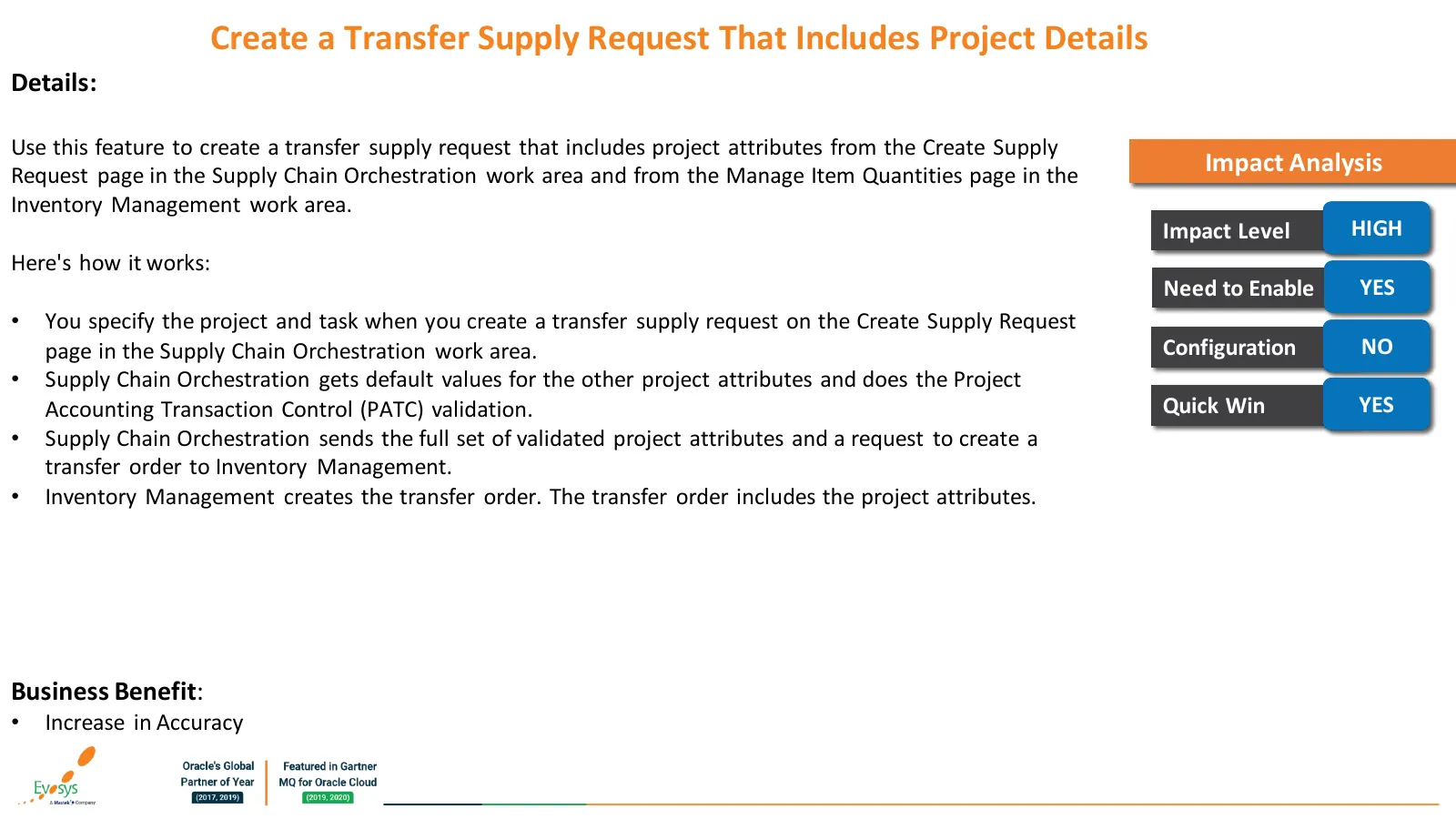
Create a Transfer Supply Request That Includes Project Details Details: Use this feature to create a transfer supply request that includes project attributes from the Create Supply Request page in the Supply Chain Orchestration work area and from the Manage Item Quantities page in the Impact Analysi
Slide 26: Use Service Mappings to Extend Supply Chain Orchestration's Integration with Procurement
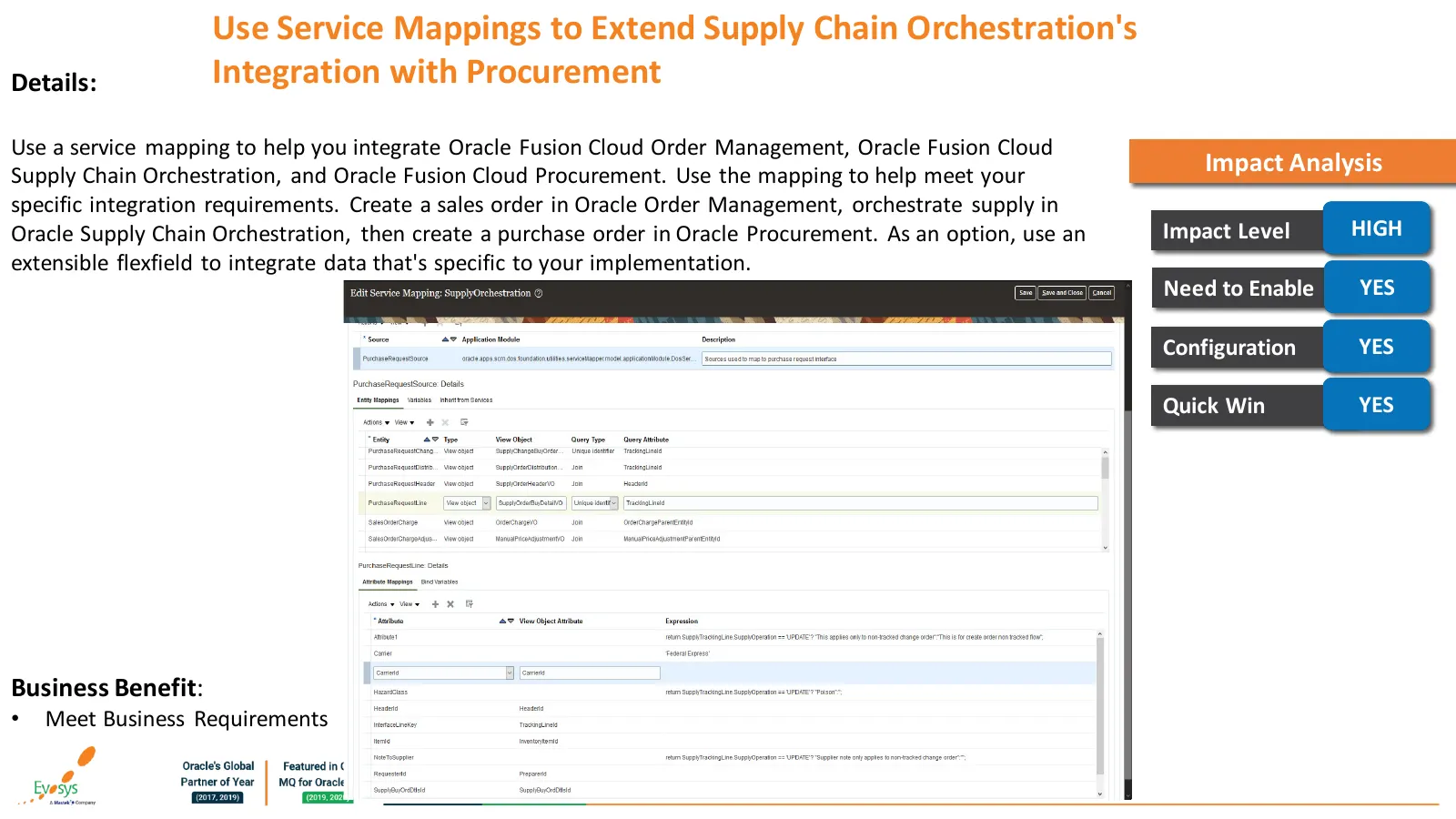
Use Service Mappings to Extend Supply Chain Orchestration's Details: Integration with Procurement Use a service mapping to help you integrate Oracle Fusion Cloud Order Management, Oracle Fusion Cloud Supply Chain Orchestration, and Oracle Fusion Cloud Procurement. Use the mapping to help meet your I
Slide 27: High-Volume Order Promising
High-Volume Order Promising Details: Order promising is a critical business process that must scale with demand and continue to operate even if hardware failures occur. Recent changes to Oracle Fusion Cloud Global Order Promising provide a scale-out Impact Analysis architecture for availability chec
Slide 28: Schedule Multiple Order Lines for Delivery on the Same Date
Schedule Multiple Order Lines for Delivery on the Same Date Details: Some orders must be planned so that multiple items arrive at the customer’s site on the same day, regardless of their source or transit method. For example, a rack-based computer might need to be delivered on the Impact Analysis sa
Slide 29: Automatically Generate Bills of Resources for Capable to Promise
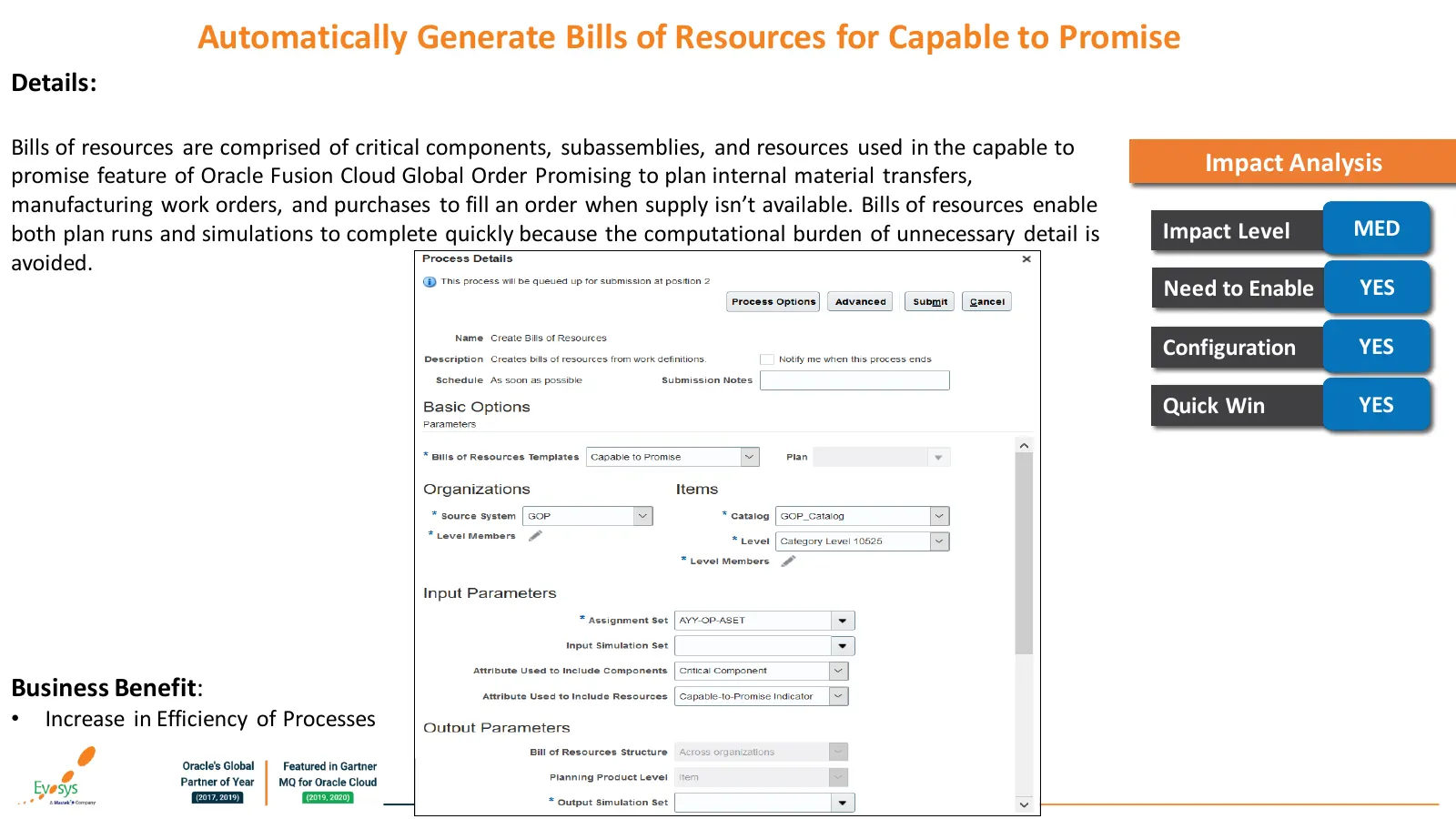
Automatically Generate Bills of Resources for Capable to Promise Details: Bills of resources are comprised of critical components, subassemblies, and resources used in the capable to promise feature of Oracle Fusion Cloud Global Order Promising to plan internal material transfers, Impact Analysis ma
Slide 30: New Features
Oracle's Global Partner of Year (20172019) Featured in Gartner MQ for Oracle Cloud "2019, 7020)
Slide 31: View Open Pick Details Using a REST Resource
View Open Pick Details Using a REST Resource Details: You can use the Open Pick Lines list of values REST resource to query and view data for your goods awaiting picking. This new list of values REST resource returns key data for open picks such Impact Analysis as such as organization, item, quantit
Slide 32: View Item Substitution Columns in the Inventory Transfer Order Subject Area in OTBI
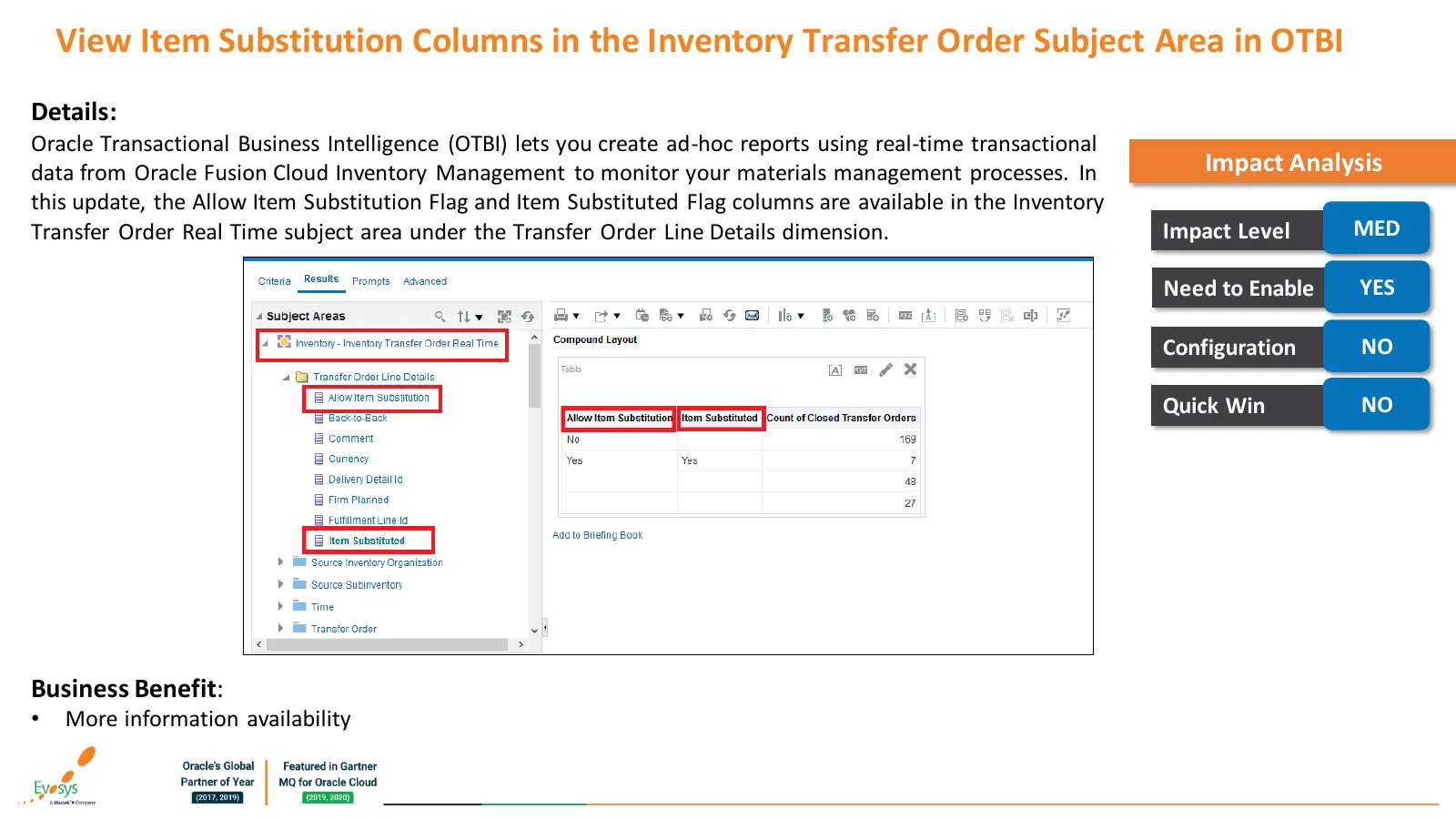
View Item Substitution Columns in the Inventory Transfer Order Subject Area in OTBI Details: Oracle Transactional Business Intelligence (OTBI) lets you create ad-hoc reports using real-time transactional data from Oracle Fusion Cloud Inventory Management to monitor your materials management processe
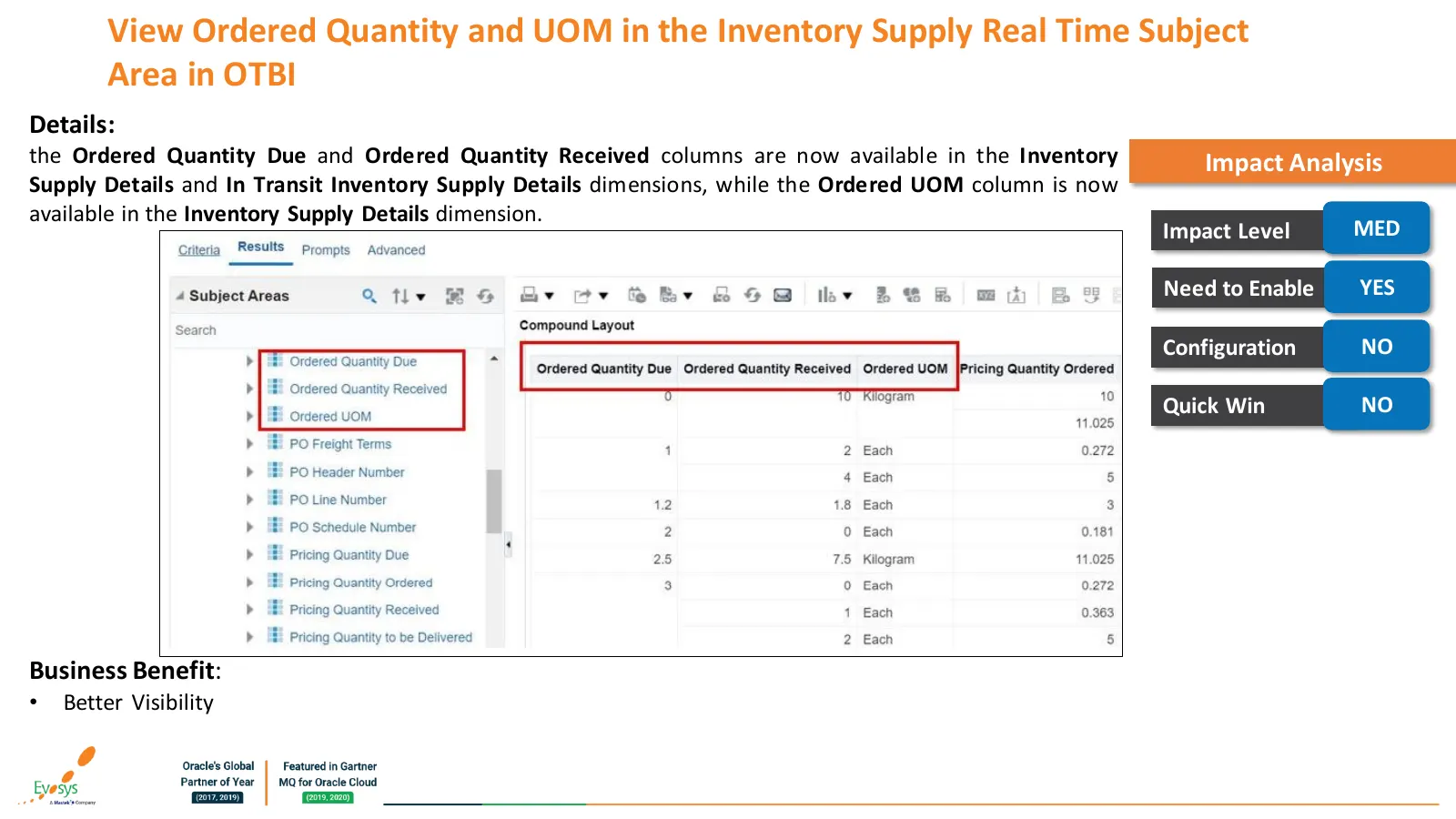
Slide 33: View Ordered Quantity and UOM in the Inventory Supply Real Time Subject Area
View Ordered Quantity and UOM in the Inventory Supply Real Time Subject Area in OTBI Details: the Ordered Quantity Due and Ordered Quantity Received columns are now available in the Inventory Impact Analysis Supply Details and In Transit Inventory Supply Details dimensions, while the Ordered UOM col
Slide 34: Get Receiving Quantity Transactions Using a REST Resource
Get Receiving Quantity Transactions Using a REST Resource Details: To facilitate three-way and four-way matching approval levels, Oracle Fusion Cloud Inventory Management passes Oracle Fusion Cloud Financials the quantities of goods received, inspected, rejected, delivered, Impact Analysis returned,
Slide 35: View Ordered Quantity and UOM in the Receiving Subject Areas in OTBI
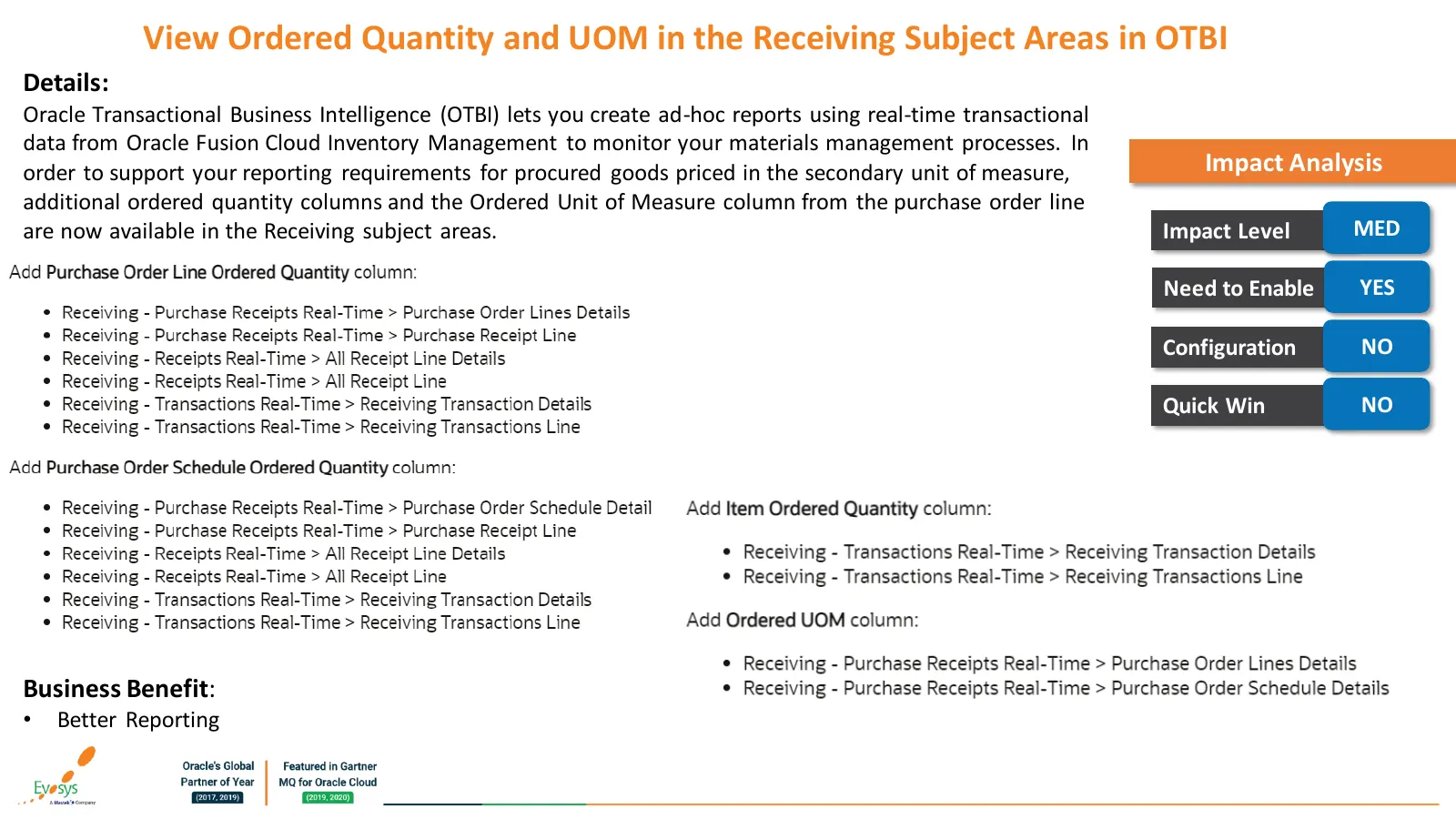
View Ordered Quantity and UOM in the Receiving Subject Areas in OTBI Details: Oracle Transactional Business Intelligence (OTBI) lets you create ad-hoc reports using real-time transactional data from Oracle Fusion Cloud Inventory Management to monitor your materials management processes. In order to
Slide 36: View Item Substitution Columns in the Shipping Subject Area in OTBI
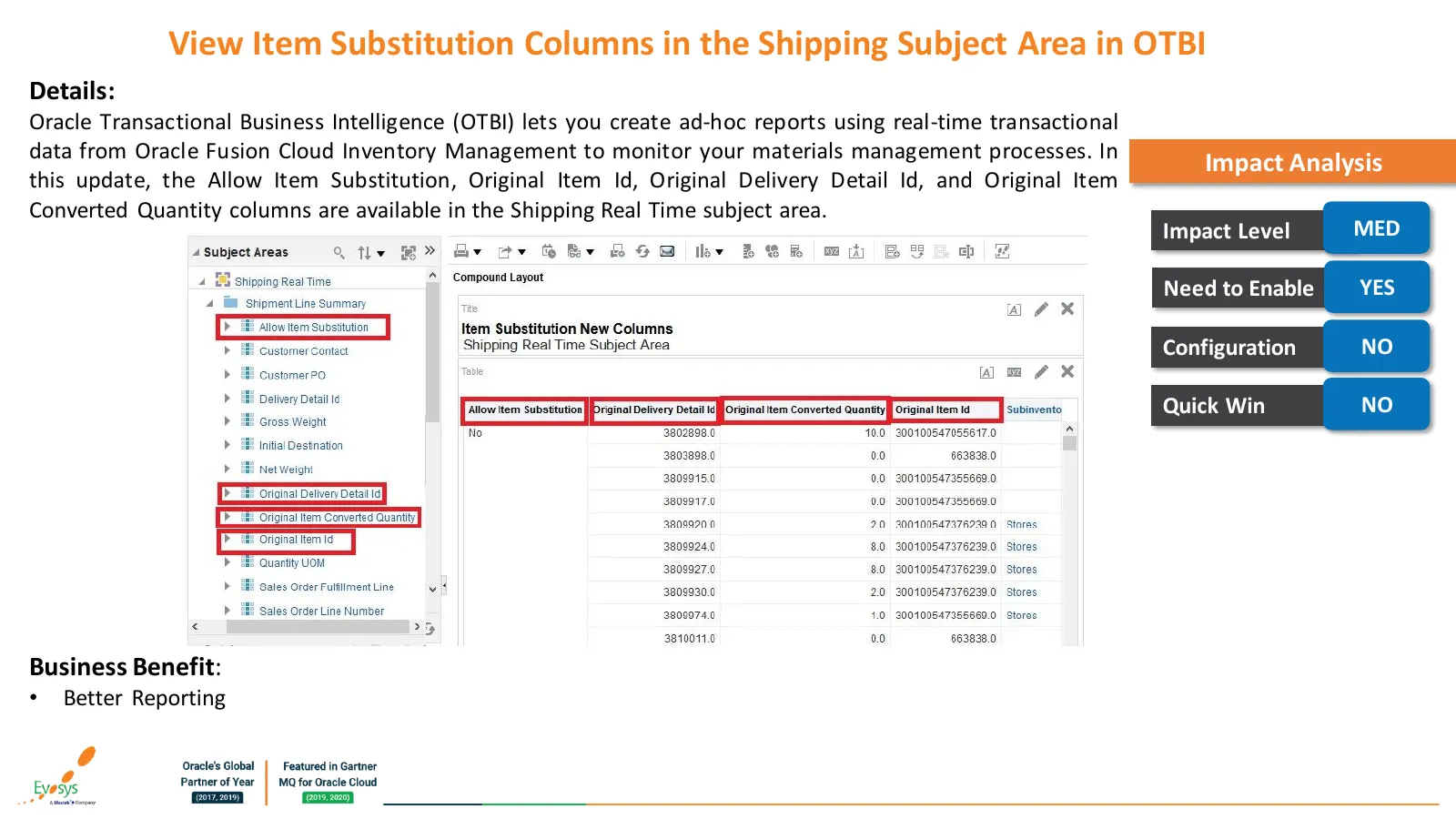
View Item Substitution Columns in the Shipping Subject Area in OTBI Details: Oracle Transactional Business Intelligence (OTBI) lets you create ad-hoc reports using real-time transactional data from Oracle Fusion Cloud Inventory Management to monitor your materials management processes. In Impact Ana
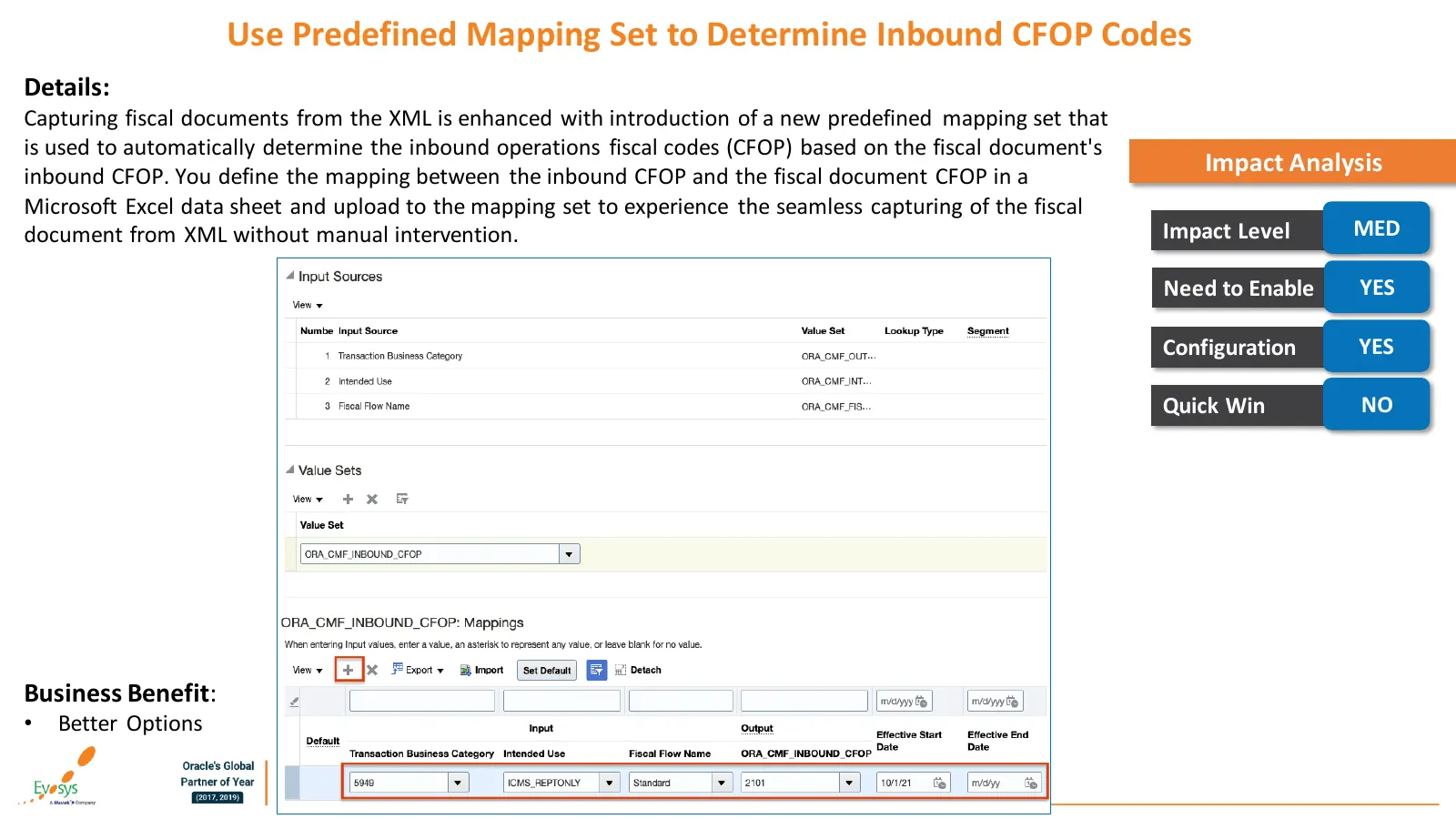
Slide 37: Use Predefined Mapping Set to Determine Inbound CFOP Codes
Use Predefined Mapping Set to Determine Inbound CFOP Codes Details: Capturing fiscal documents from the XML is enhanced with introduction of a new predefined mapping set that is used to automatically determine the inbound operations fiscal codes (CFOP) based on the fiscal document's inbound CFOP. Yo
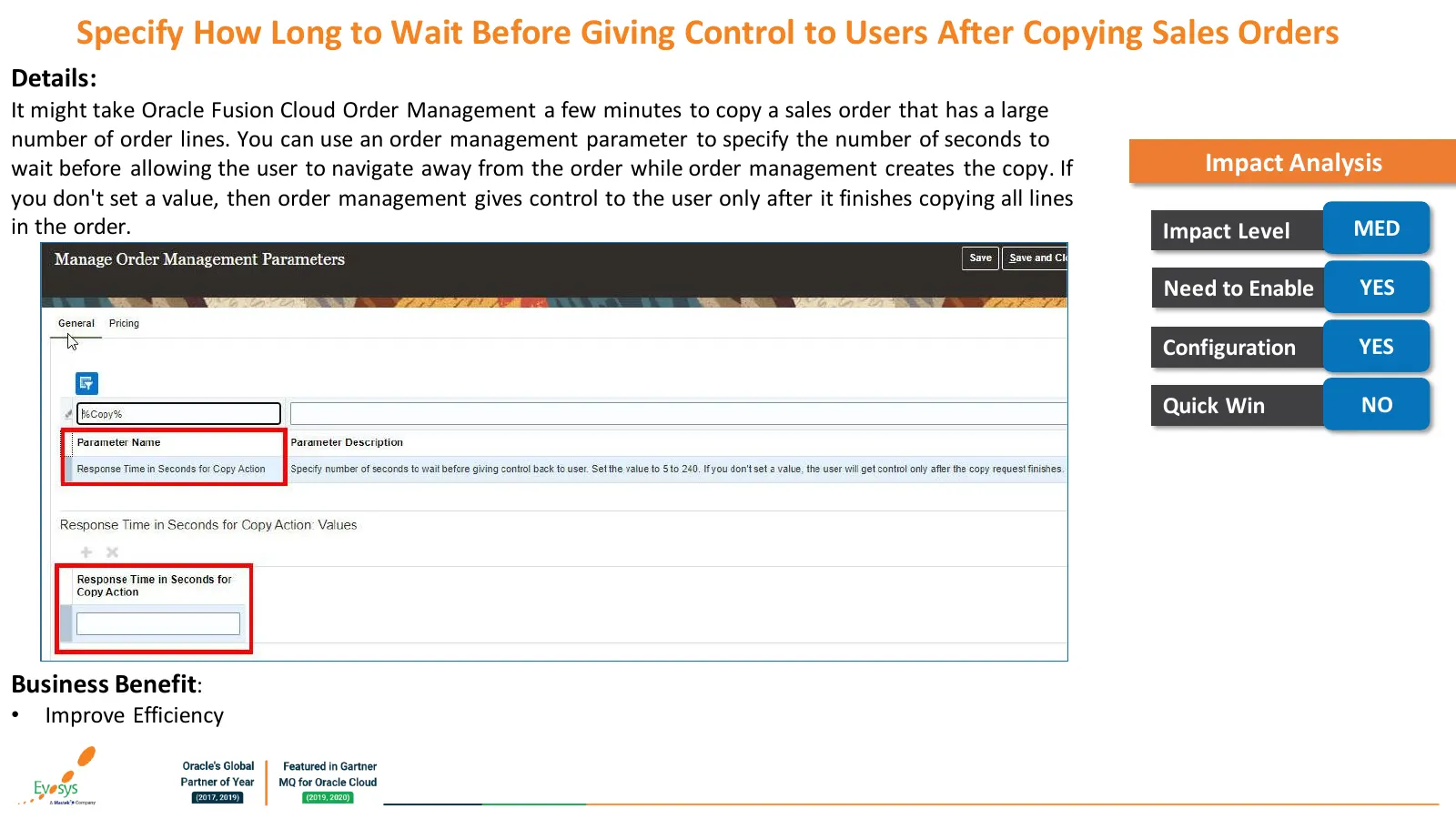
Slide 38: Specify How Long to Wait Before Giving Control to Users After Copying Sales Orders
Specify How Long to Wait Before Giving Control to Users After Copying Sales Orders Details: It might take Oracle Fusion Cloud Order Management a few minutes to copy a sales order that has a large number of order lines. You can use an order management parameter to specify the number of seconds to wai
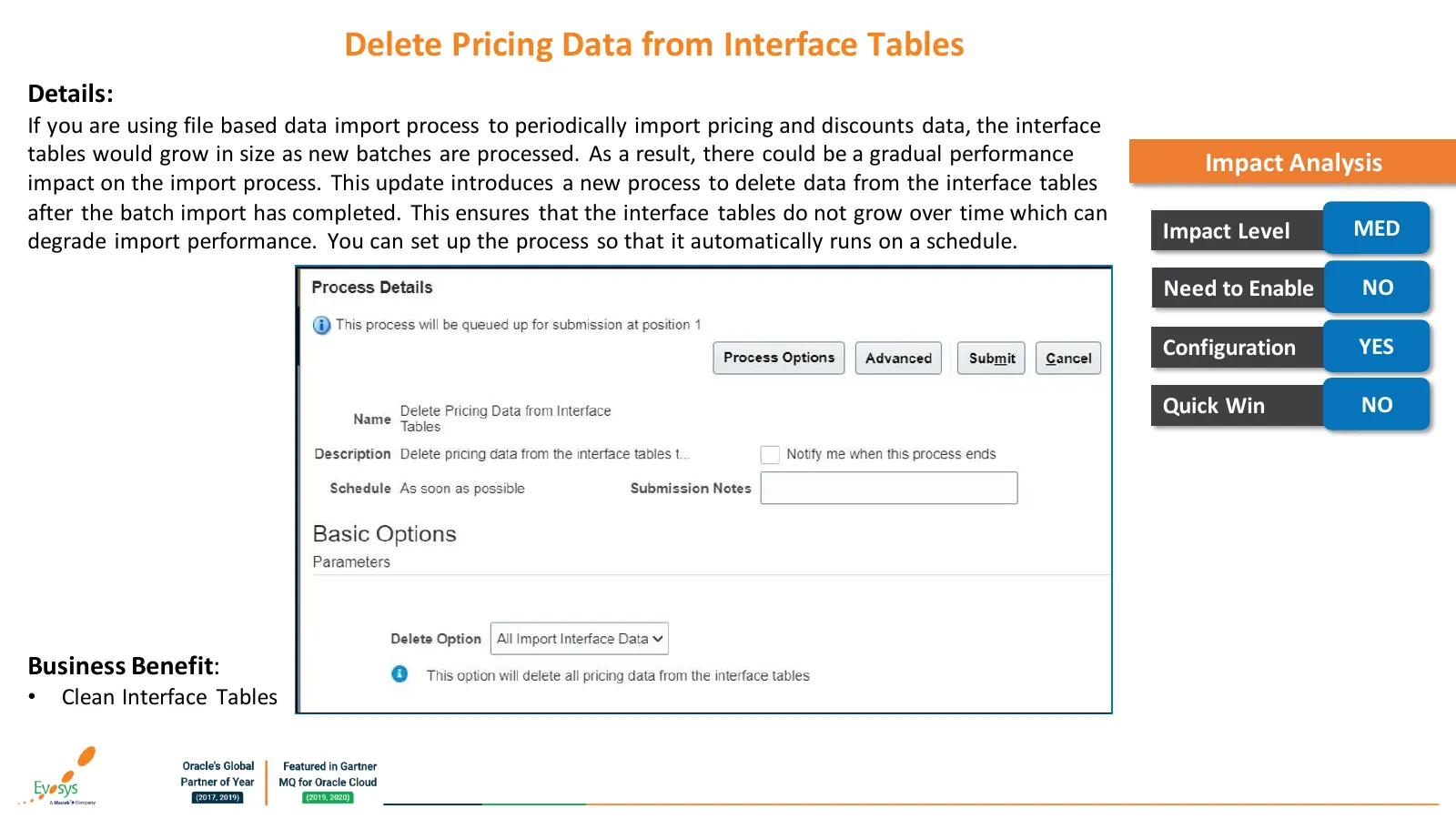
Slide 39: Delete Pricing Data from Interface Tables
Delete Pricing Data from Interface Tables Details: If you are using file based data import process to periodically import pricing and discounts data, the interface tables would grow in size as new batches are processed. As a result, there could be a gradual performance Impact Analysis impact on the
Slide 40: Apply Taxes from Partner Tax Applications When Settling Manual Claims
Apply Taxes from Partner Tax Applications When Settling Manual Claims, Deductions, and Overpayments Details: Use the integration between Receivables and Oracle Fusion Tax to apply taxes from partner tax applications, Impact Analysis in the settlement of customer claims. Impact Level MED The benefit
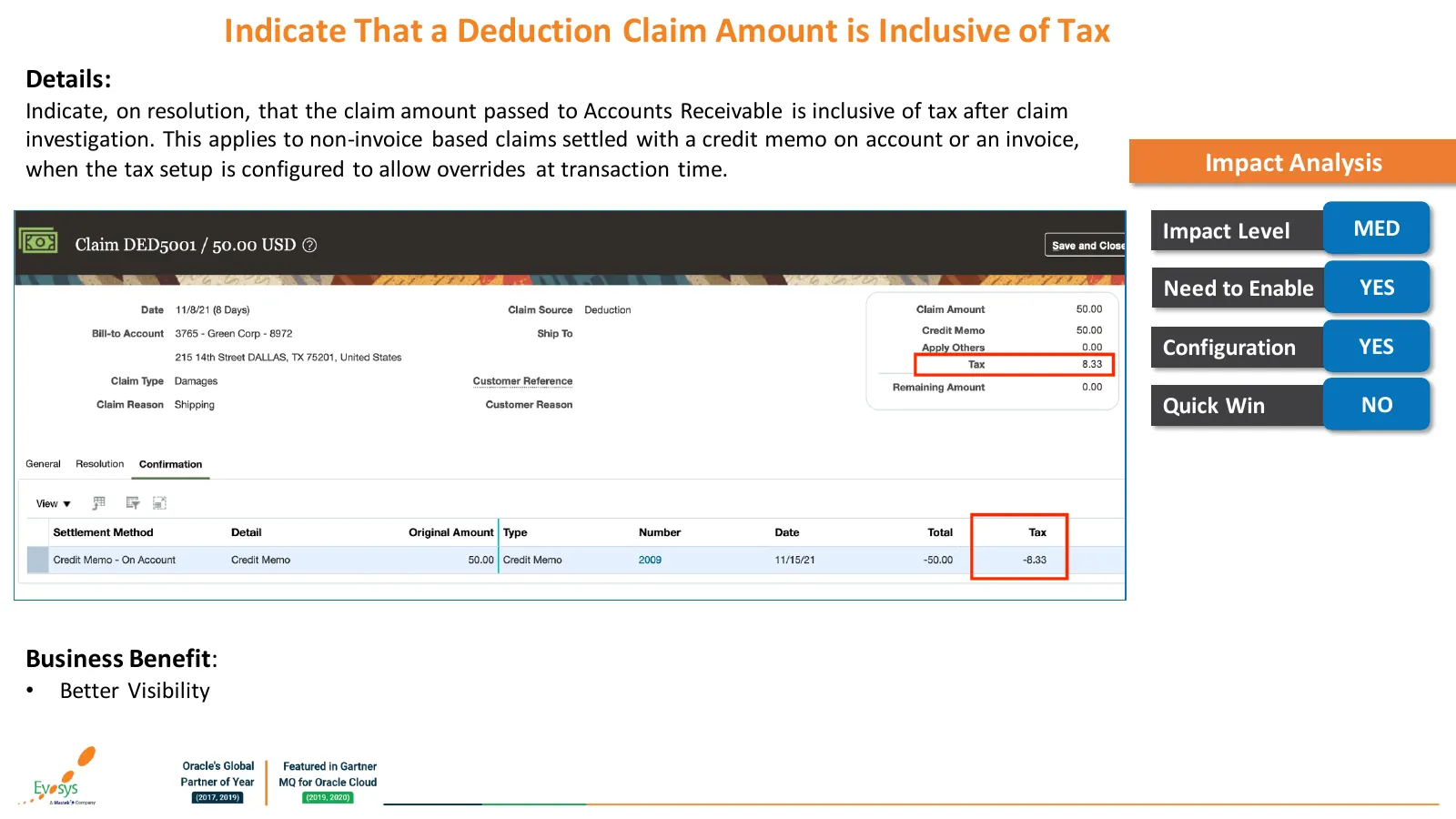
Slide 41: Indicate That a Deduction Claim Amount is Inclusive of Tax
Indicate That a Deduction Claim Amount is Inclusive of Tax Details: Indicate, on resolution, that the claim amount passed to Accounts Receivable is inclusive of tax after claim investigation. This applies to non-invoice based claims settled with a credit memo on account or an invoice, when the tax s
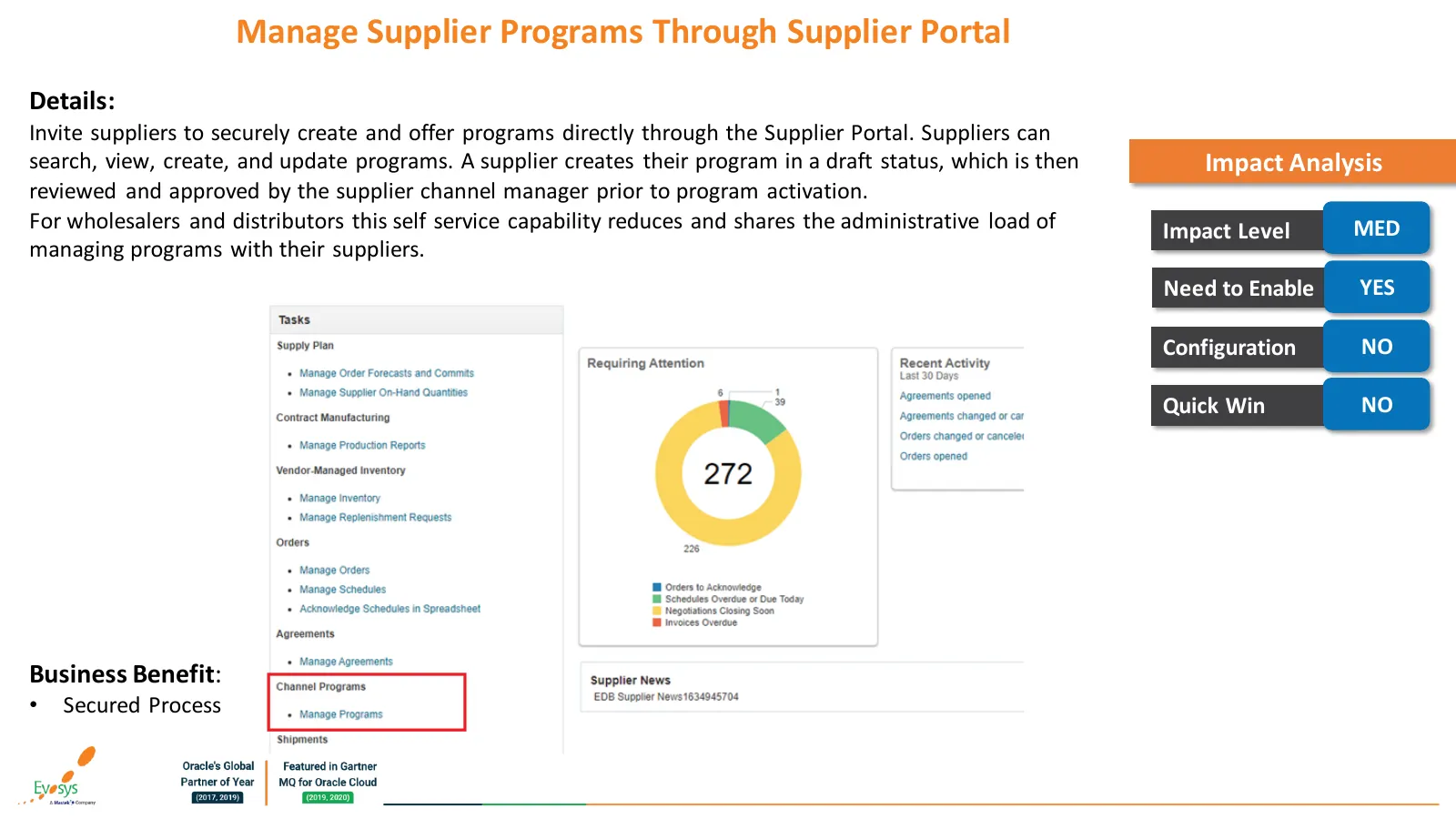
Slide 42: Manage Supplier Programs Through Supplier Portal
Manage Supplier Programs Through Supplier Portal Details: Invite suppliers to securely create and offer programs directly through the Supplier Portal. Suppliers can search, view, create, and update programs. A supplier creates their program in a draft status, which is then Impact Analysis reviewed a
Slide 43: Capture Notes and Attachments for Supplier Claims
Capture Notes and Attachments for Supplier Claims Details: Impact Analysis Add notes and attachments to supplier claims to capture additional information about the claim. Impact Level MED The benefit of this feature helps to justify a resolution during approvals and audit. Need to Enable YES Configu
Slide 44: Use Active Source and Destination Organizations for Transfer Requests
Use Active Source and Destination Organizations for Transfer Requests Details: Before update 22A, if you created a transfer request but the source organization or the destination Impact Analysis organization wasn't active, Oracle Supply Chain Orchestration still sent the request to Oracle Fusion Clo
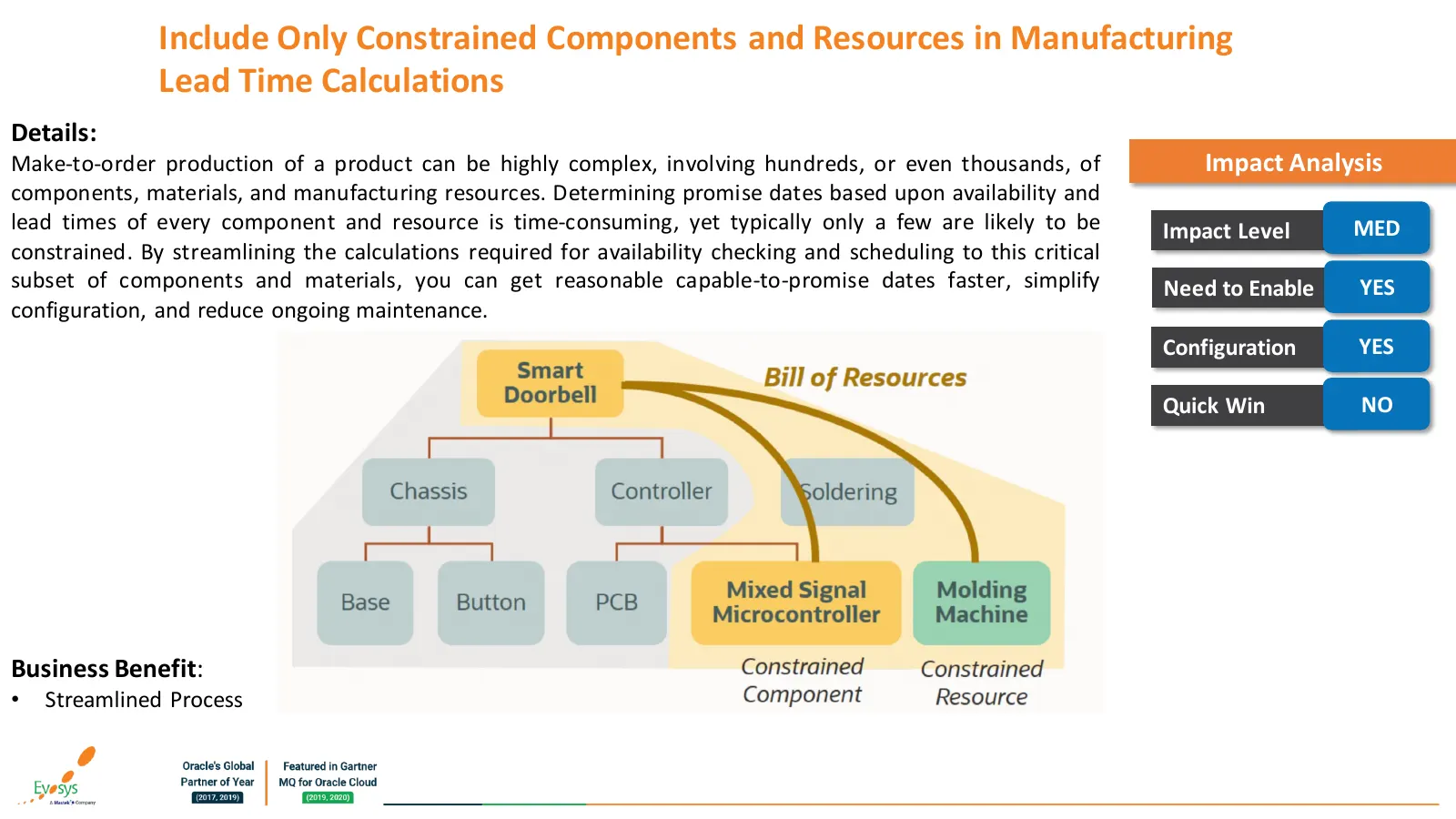
Slide 45: Include Only Constrained Components and Resources in Manufacturing Lead Time Calculations
Include Only Constrained Components and Resources in Manufacturing Lead Time Calculations Details: Make-to-order production of a product can be highly complex, involving hundreds, or even thousands, of Impact Analysis components, materials, and manufacturing resources. Determining promise dates base
Slide 46: Closing
Oracle's Global | Featured in Gartner Partner of Year | MQ for Oracle Cloud (20172019) (2019, 2020)
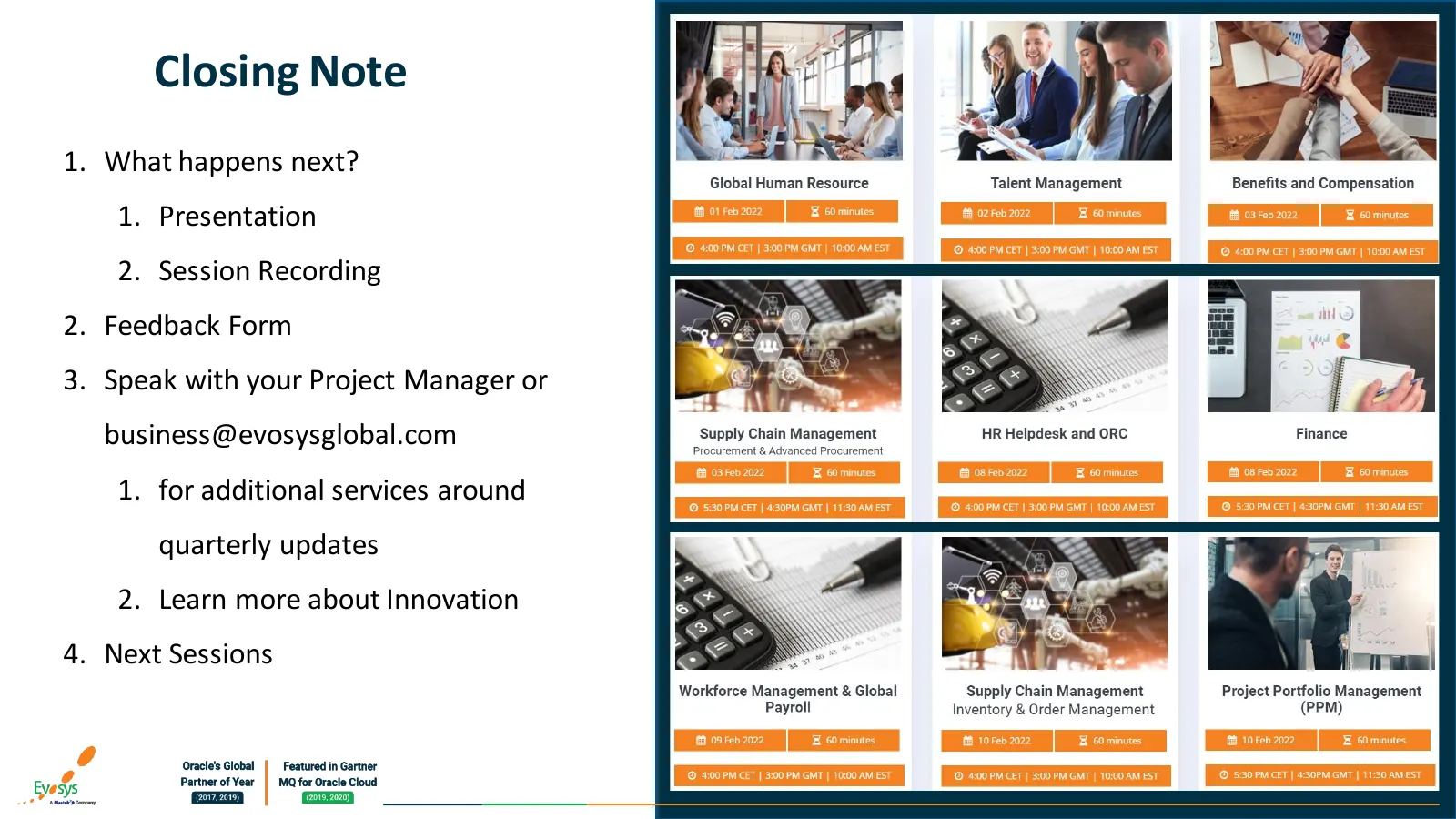
Slide 47: Closing Note
Closing Note 1. What happens next? 1. Presentation 2. Session Recording 2. Feedback Form 3. Speak with your Project Manager or business@evosysglobal.com 1. for additional services around quarterly updates 2. Learn more about Innovation 4. Next Sessions

Slide 48: Evosys is here to help you!
EVOSYS is here to help you! It is always best to clear your doubts Thank You! Contact Us +44 7984 783981 www.evosysglobal.com business@evosysglobal.com
Source: Internet Archive copy of mastek.com
More decks from Mastek Limited
 Q2 FY2027 Earnings Presentation18 slides · Oct 23, 2026
 Q2 FY2027 Earnings Presentation25 slides · Oct 23, 2026
 Q1 FY27 Earnings Presentation31 slides · Jul 21, 2026
 Q1 FY2027 Earnings Presentation23 slides · Jul 21, 2026
 Q4 FY26 Earnings Presentation37 slides · Apr 18, 2026
 Q4 FY26 Earnings Presentation28 slides · Apr 17, 2026