Mastek Limited · NSE:MASTEK
Mastek — Technical Presentation (October 2022)
120 slides from Mastek's technical presentation, October 2022
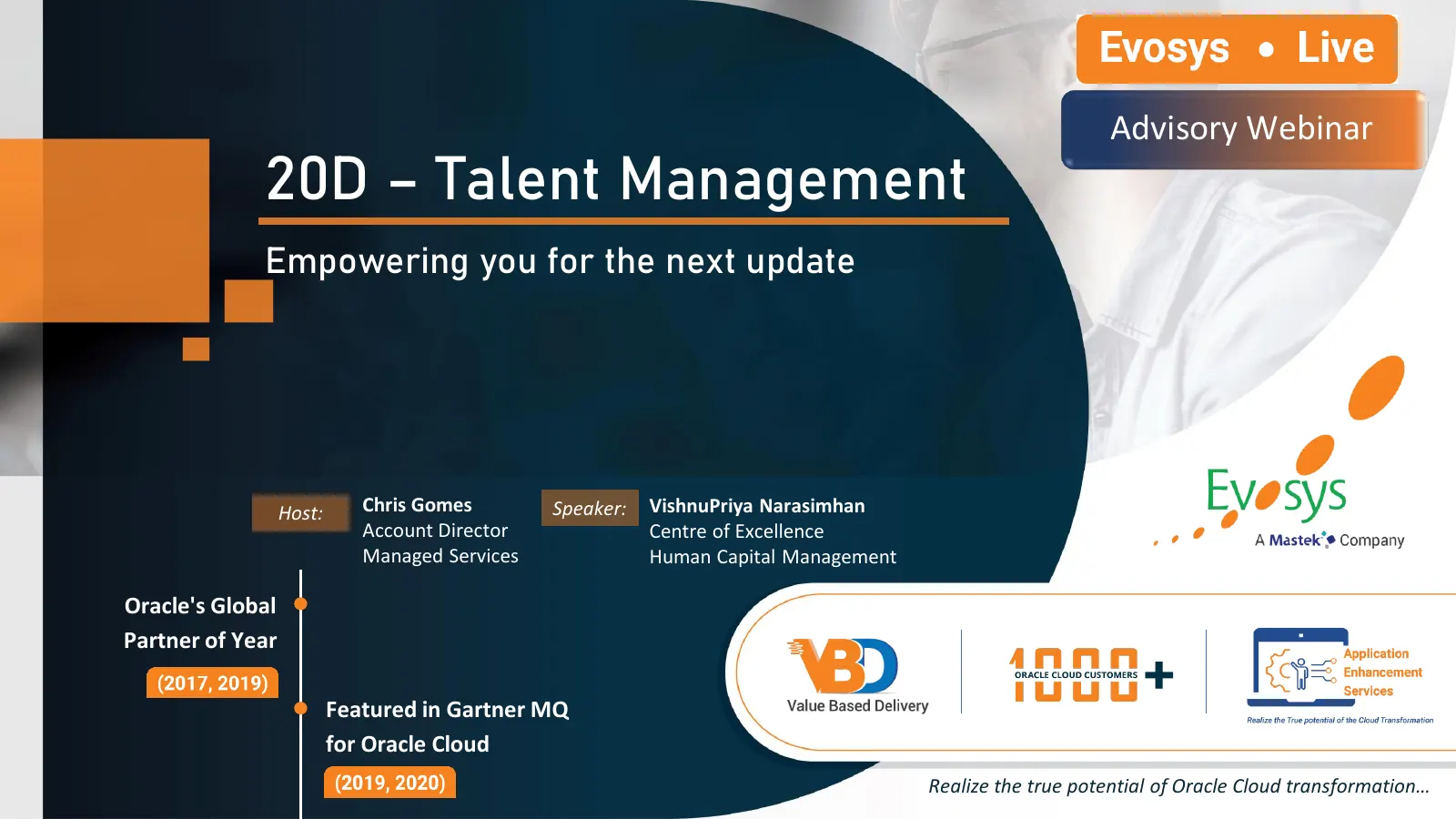
Slide 1: 20D – Talent Management
Advisory Webinar 20D – Talent Management Empowering you for the next update Host: Chris Gomes Speaker: VishnuPriya Narasimhan Account Director Centre of Excellence Managed Services Human Capital Management Oracle's Global Partner of Year Featured in Gartner MQ for Oracle Cloud Realize the true poten
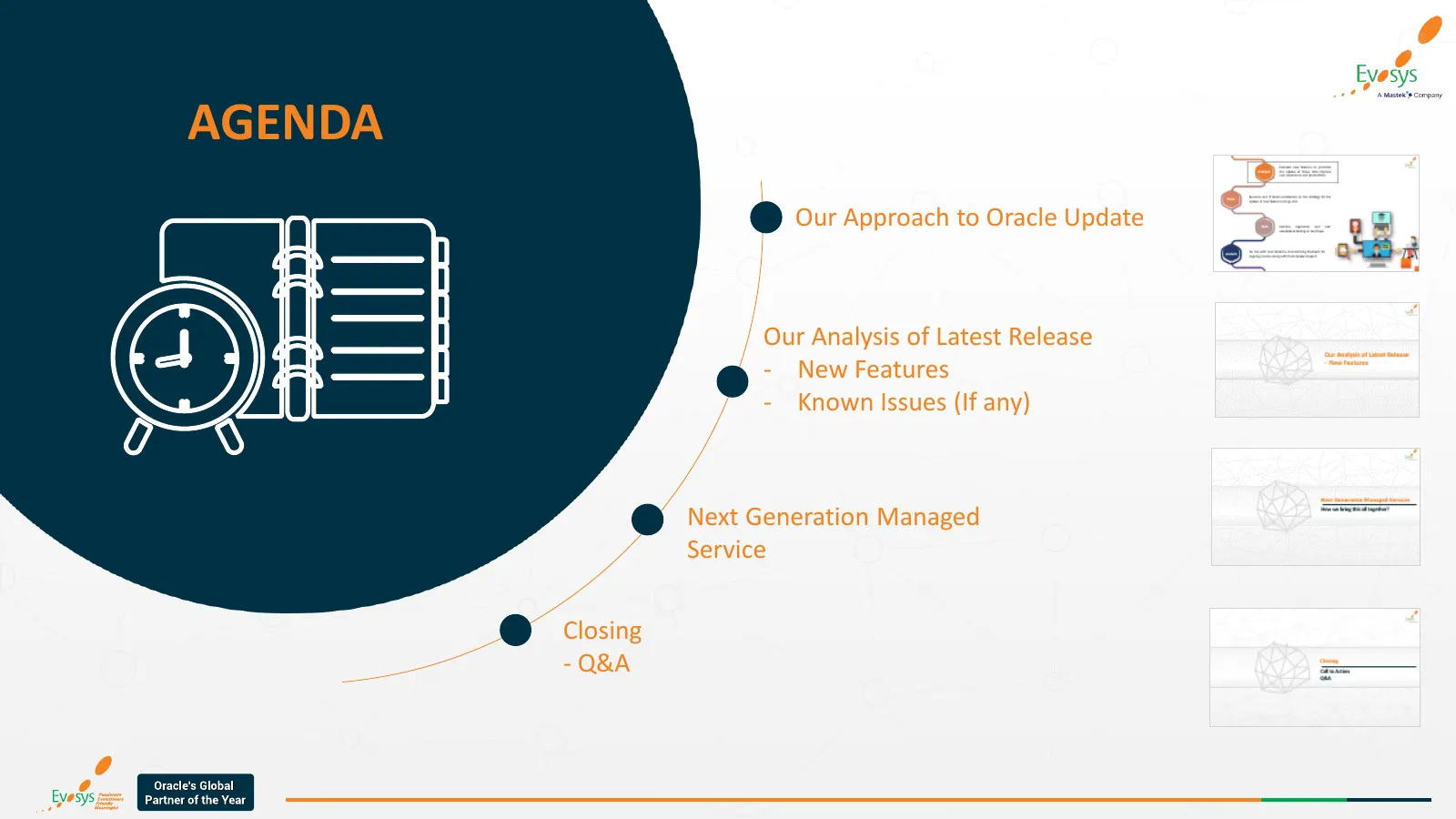
Slide 2: Agenda
AGENDA Our Approach to Oracle Update Our Analysis of Latest Release - New Features - Known Issues (If any) Next Generation Managed Service Closing - Q&A
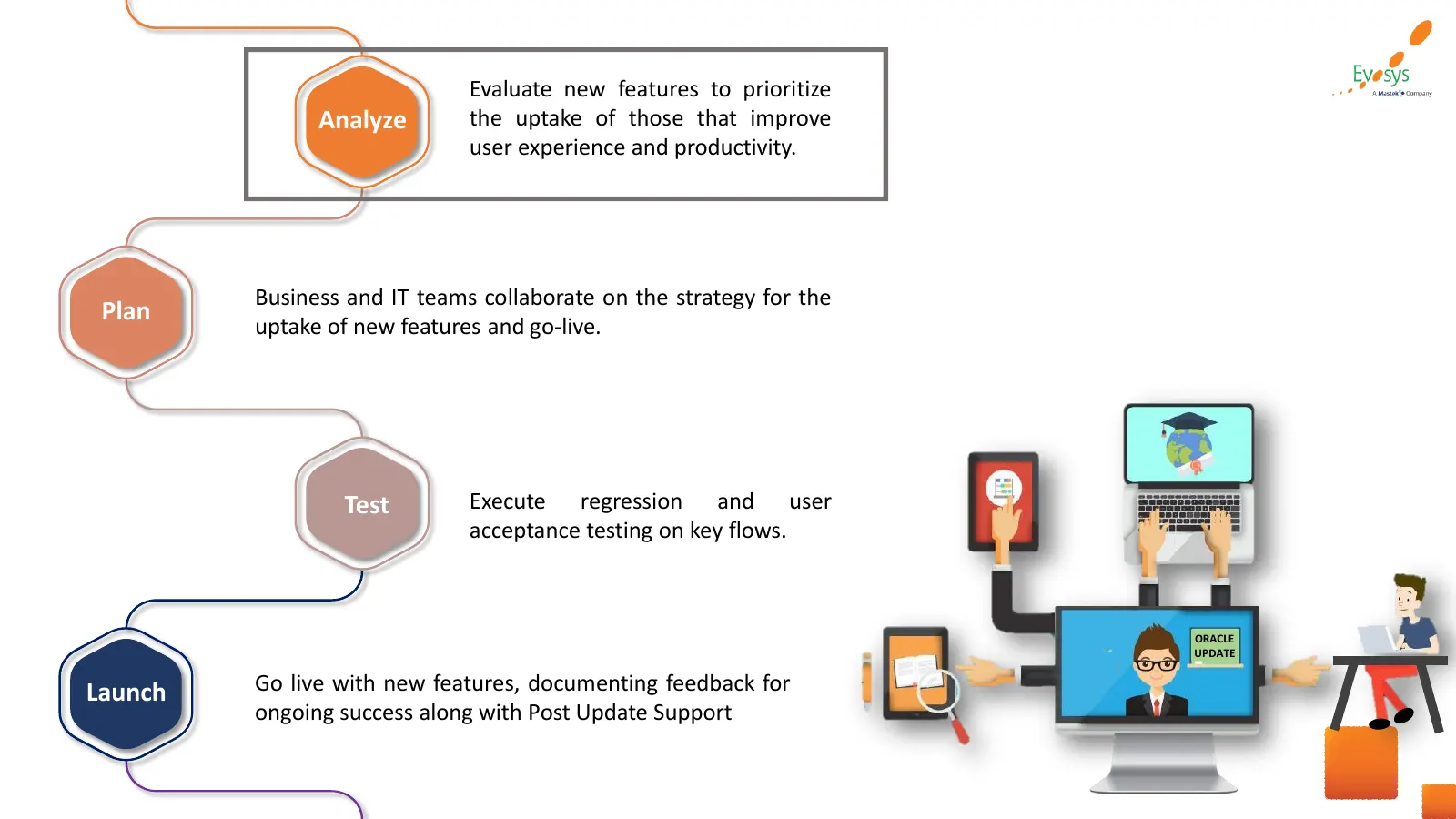
Slide 3: Analyze Plan Test Launch: Oracle update approach
Evaluate new features to prioritize Analyze the uptake of those that improve user experience and productivity. Business and IT teams collaborate on the strategy for the Plan uptake of new features and go-live. Test Execute regression and user acceptance testing on key flows. ORACLE UPDATE Launch Go
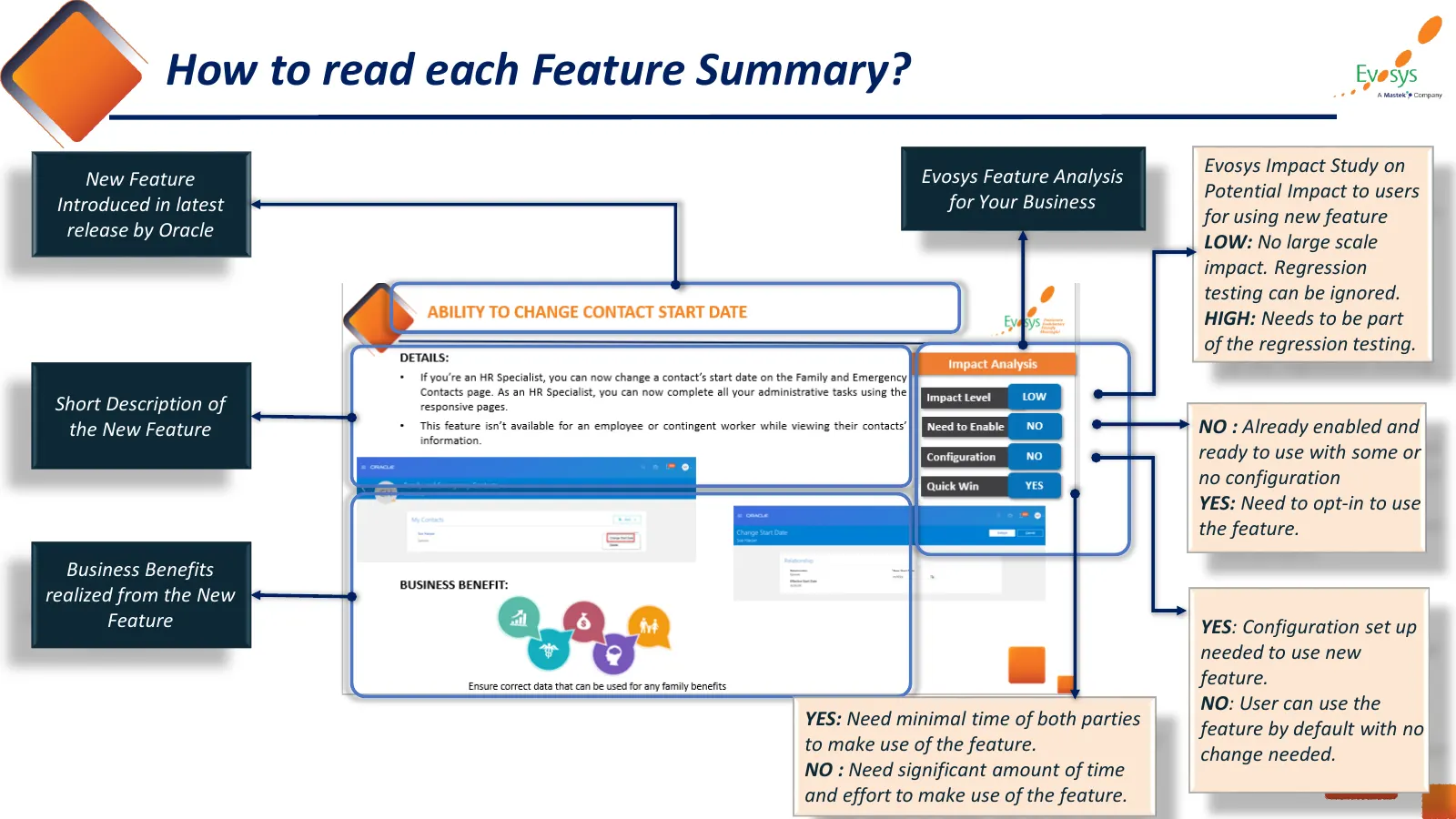
Slide 4: How to read each Feature Summary?
How to read each Feature Summary? Evosys Impact Study on New Feature Evosys Feature Analysis Potential Impact to users Introduced in latest for Your Business for using new feature release by Oracle LOW: No large scale impact. Regression testing can be ignored. HIGH: Needs to be part of the regressio
Slide 5: Our Analysis of Latest Release - New Features
Our Analysis of Latest Release - New Features
Slide 6: Evosys Analysis - Statistics
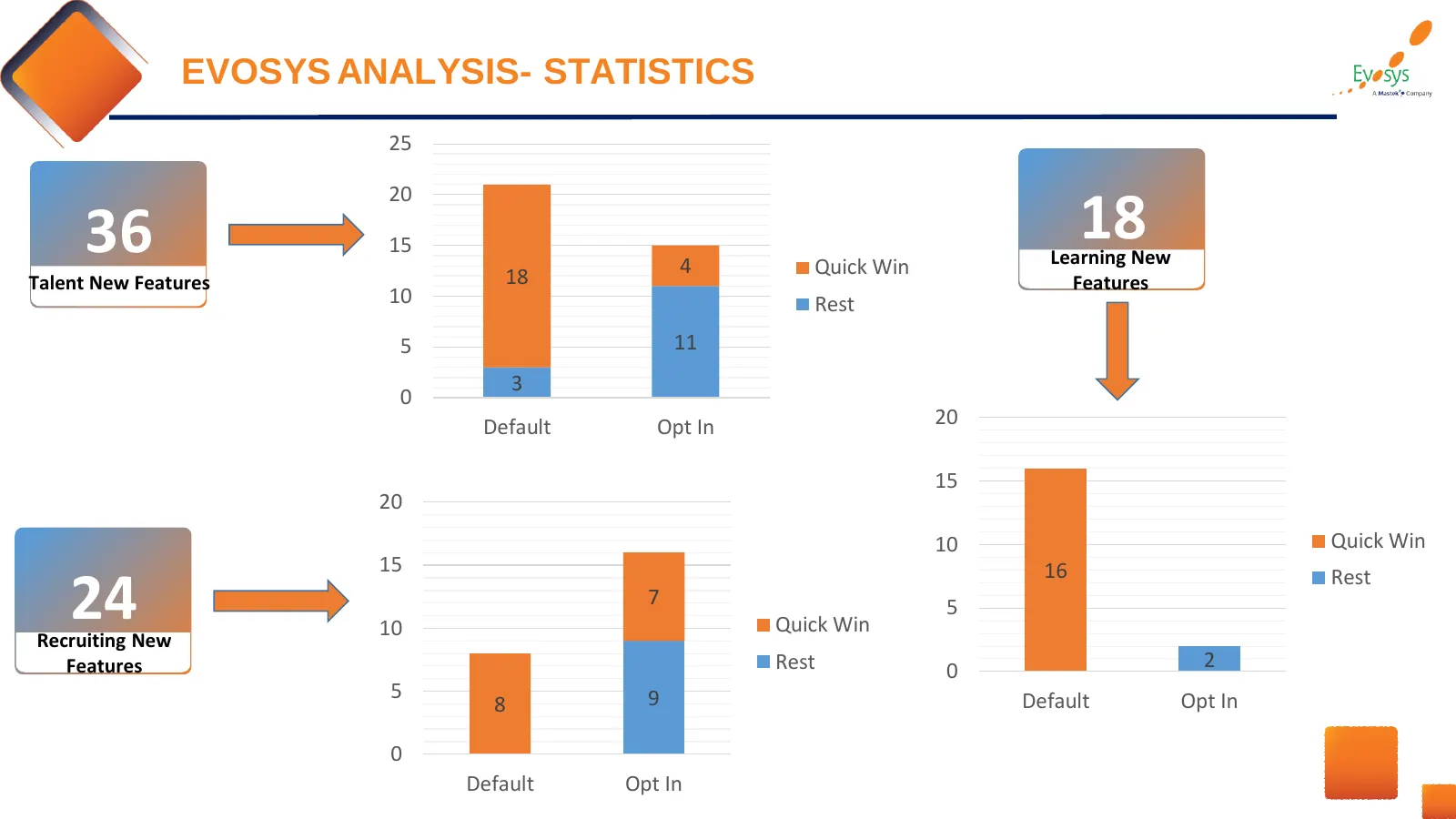
EVOSYS ANALYSIS- STATISTICS 25 20 36 15 18 Learning New 18 4 Quick Win Talent New Features Features 10 Rest 5 11 3 0 Default Opt In 20 15 20 10 Quick Win 15 16 Rest 24 Recruiting New 10 7 Quick Win 5 Features Rest 0 2 5 9 Default Opt In 8 0 Default Opt In
Slide 7: Evosys Analysis
EVOSYS ANALYSIS Bes REPLACED OR REMOVED, NEW FEATURES —
Slide 8: New Features: Talent
NEW FEATURES ess TALENT
Slide 9: Talent Analysis
TALENT ANALYSIS Bes
Slide 10: Quick Wins – Default with No Configuration
NEW FEATURES QUICK WINS – Default with NO Configuration
Slide 11: Randomize Answer Choices for a Question in a Questionnaire
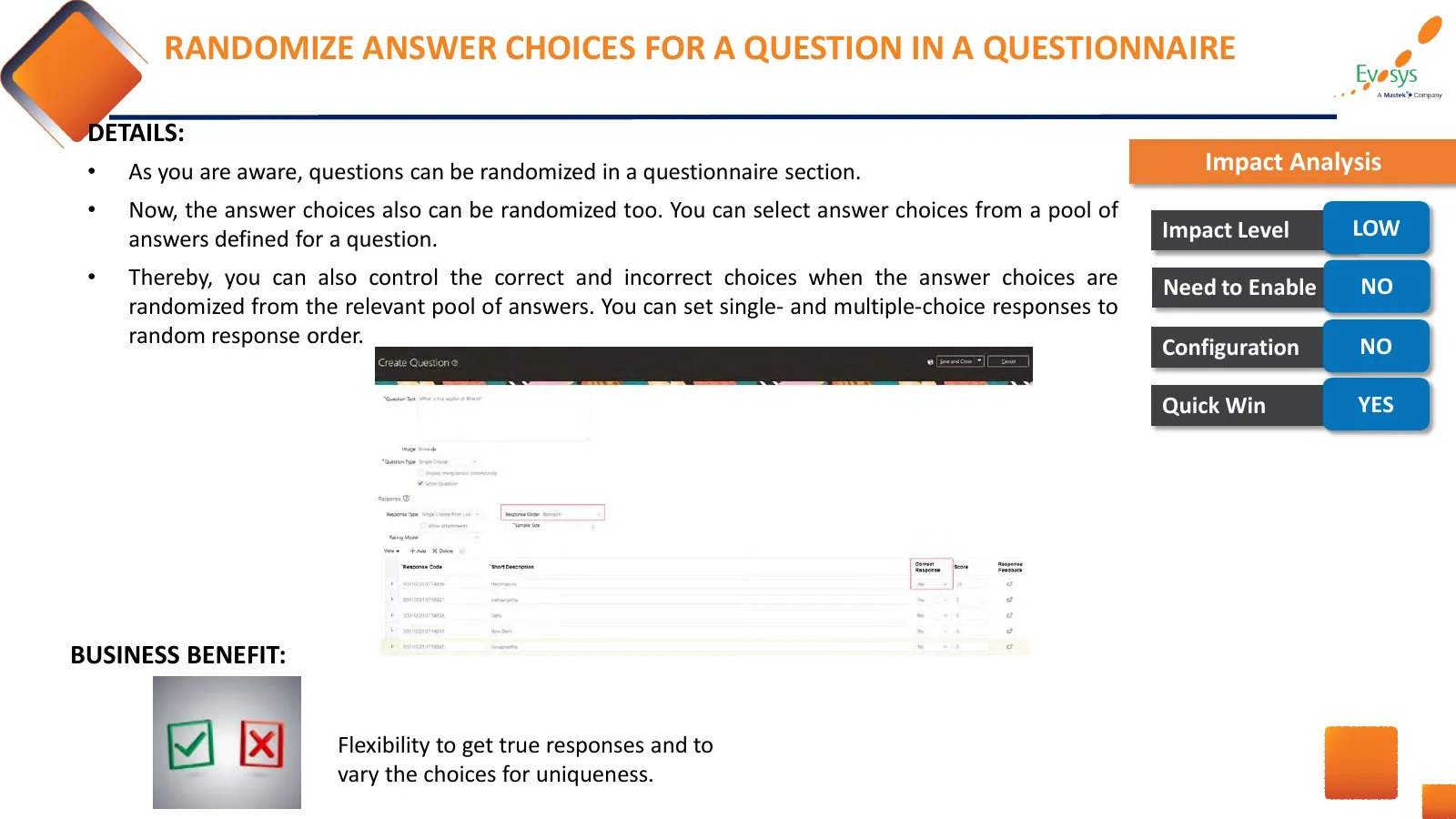
RANDOMIZE ANSWER CHOICES FOR A QUESTION IN A QUESTIONNAIRE DETAILS: • As you are aware, questions can be randomized in a questionnaire section. Impact Analysis • Now, the answer choices also can be randomized too. You can select answer choices from a pool of answers defined for a question. Impact Le
Slide 12: Check Person Eligibility When Mass Assigning a Development Goal
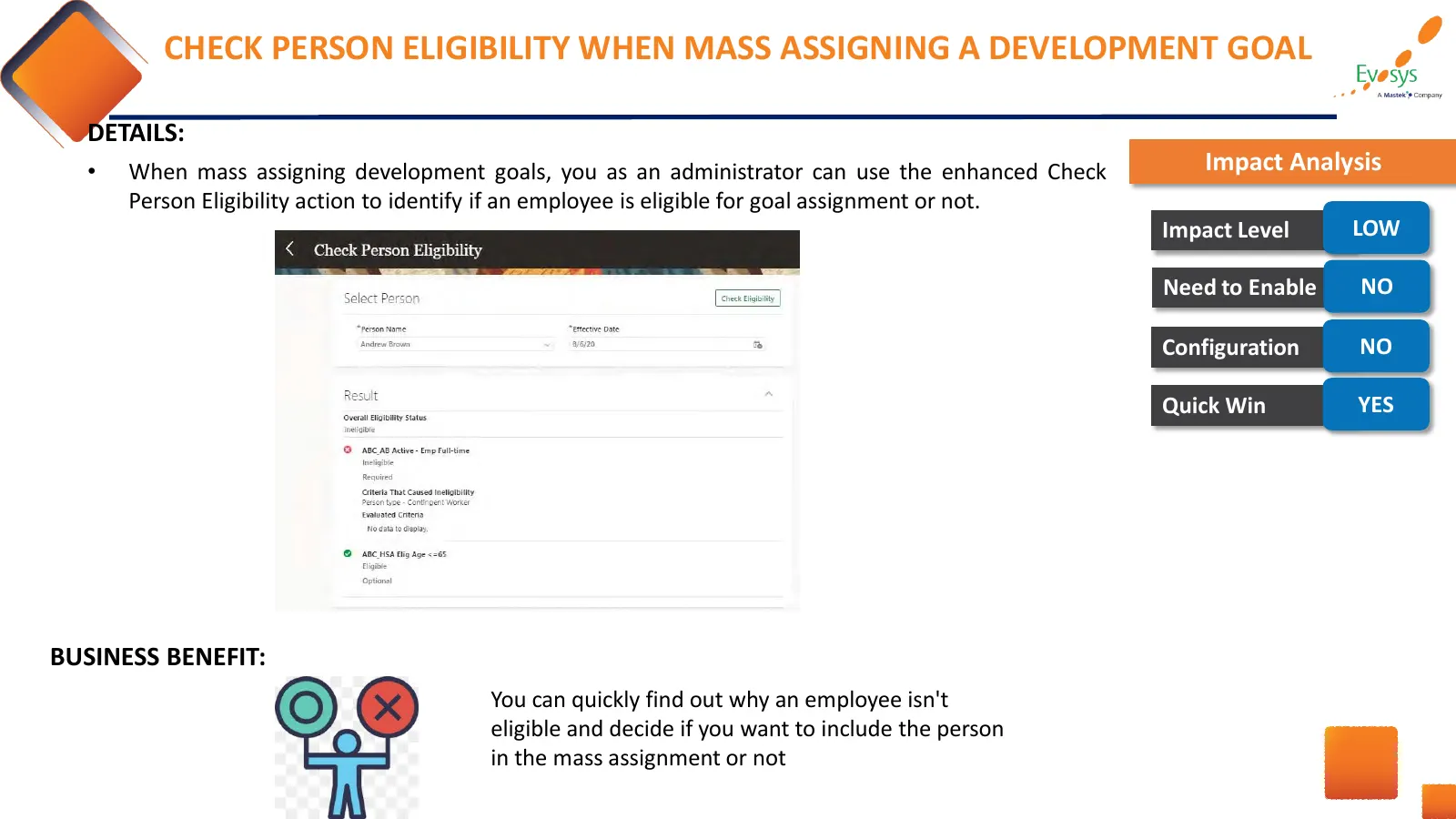
CHECK PERSON ELIGIBILITY WHEN MASS ASSIGNING A DEVELOPMENT GOAL DETAILS: • When mass assigning development goals, you as an administrator can use the enhanced Check Impact Analysis Person Eligibility action to identify if an employee is eligible for goal assignment or not. Impact Level LOW Need to E
Slide 13: Succession Plan Alerts
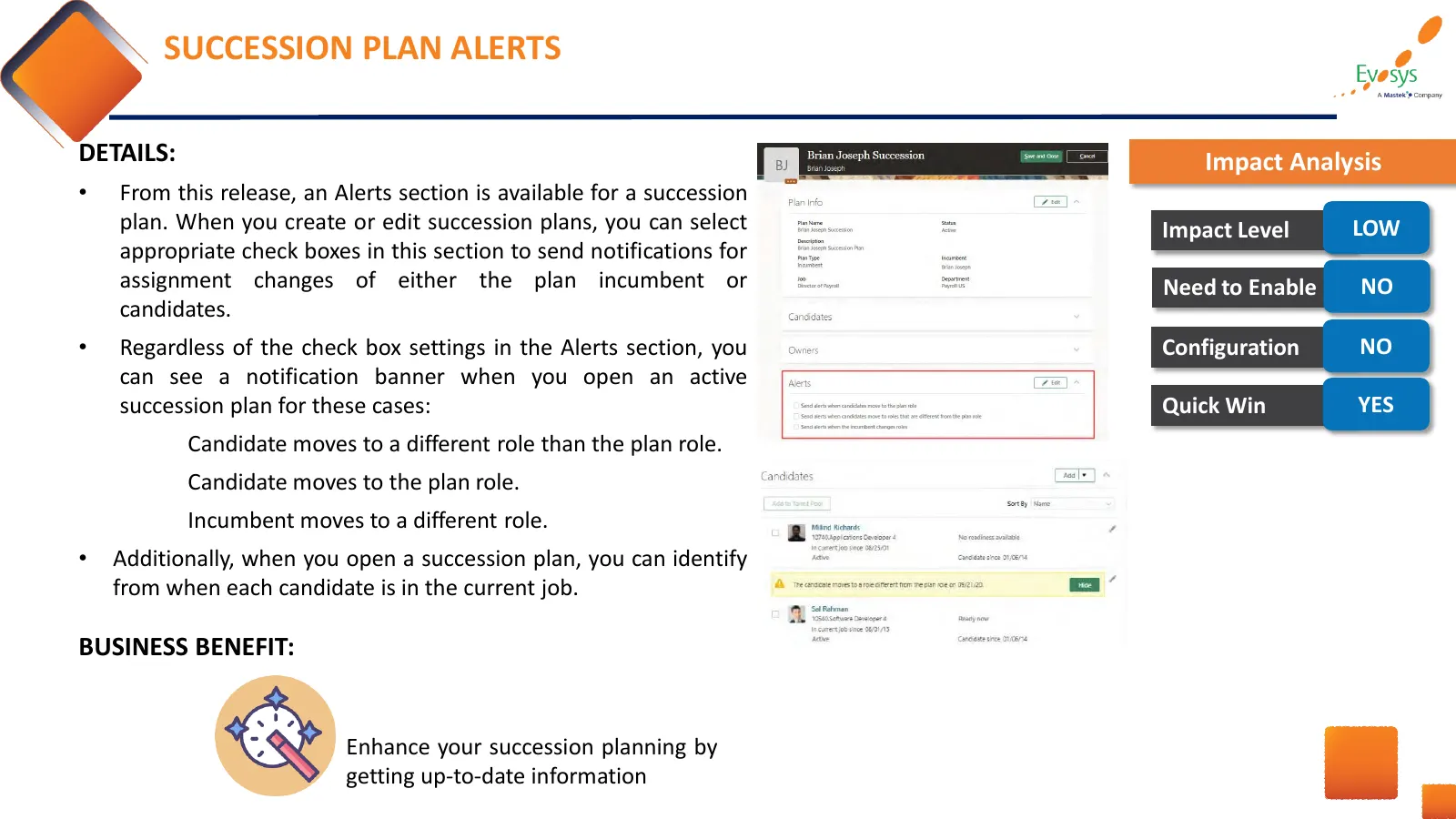
SUCCESSION PLAN ALERTS DETAILS: Impact Analysis • From this release, an Alerts section is available for a succession plan. When you create or edit succession plans, you can select Impact Level LOW appropriate check boxes in this section to send notifications for assignment changes of either the plan
Slide 14: Best Fit in Succession Plans and Talent Pools
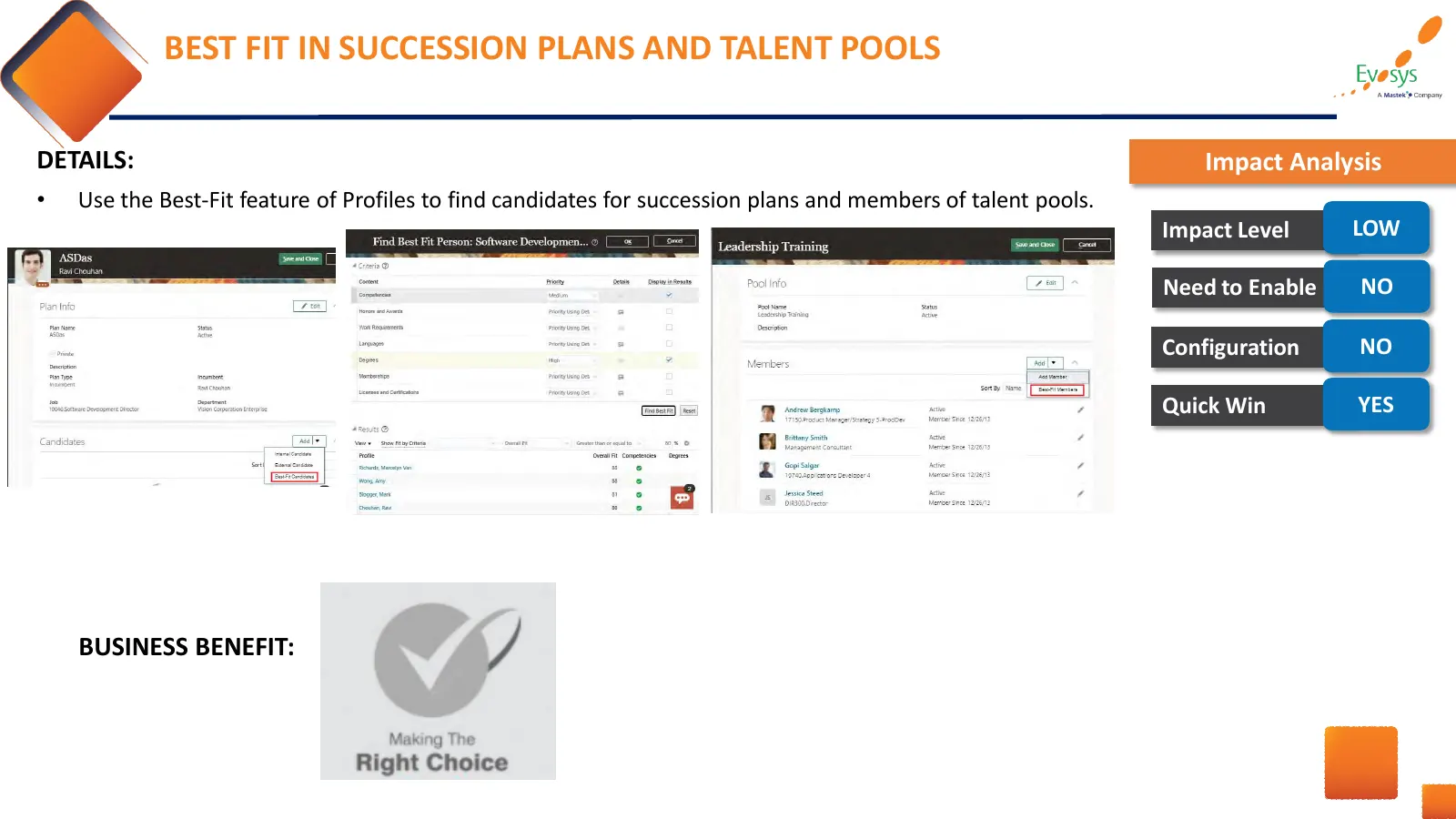
BEST FIT IN SUCCESSION PLANS AND TALENT POOLS DETAILS: Impact Analysis • Use the Best-Fit feature of Profiles to find candidates for succession plans and members of talent pools. Impact Level LOW Need to Enable NO Configuration NO Quick Win YES BUSINESS BENEFIT:
Slide 15: Display Candidate's List of Plans
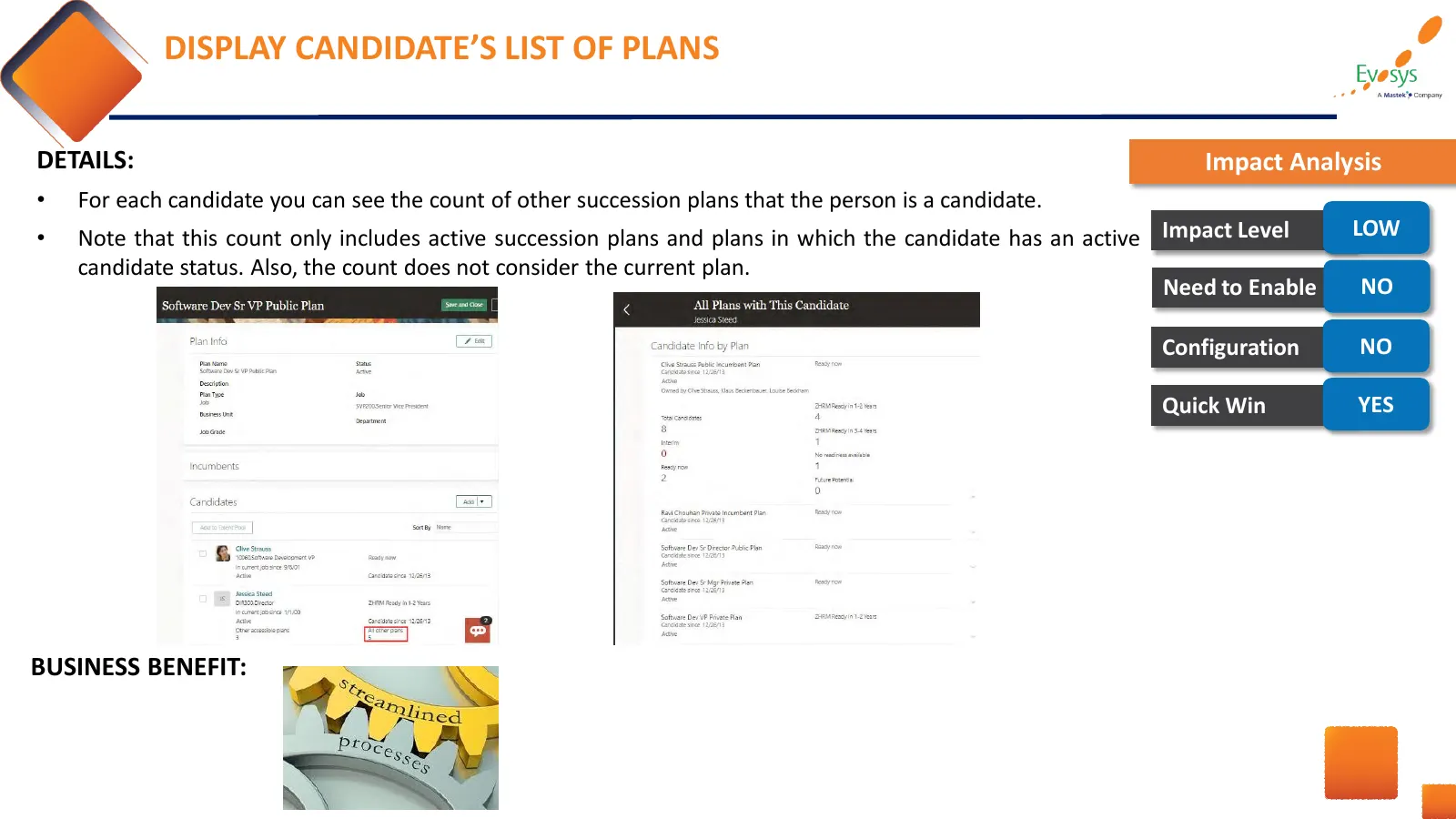
DISPLAY CANDIDATE’S LIST OF PLANS DETAILS: Impact Analysis • For each candidate you can see the count of other succession plans that the person is a candidate. • Note that this count only includes active succession plans and plans in which the candidate has an active Impact Level LOW candidate statu
Slide 16: Talent Profile Strength Indicator
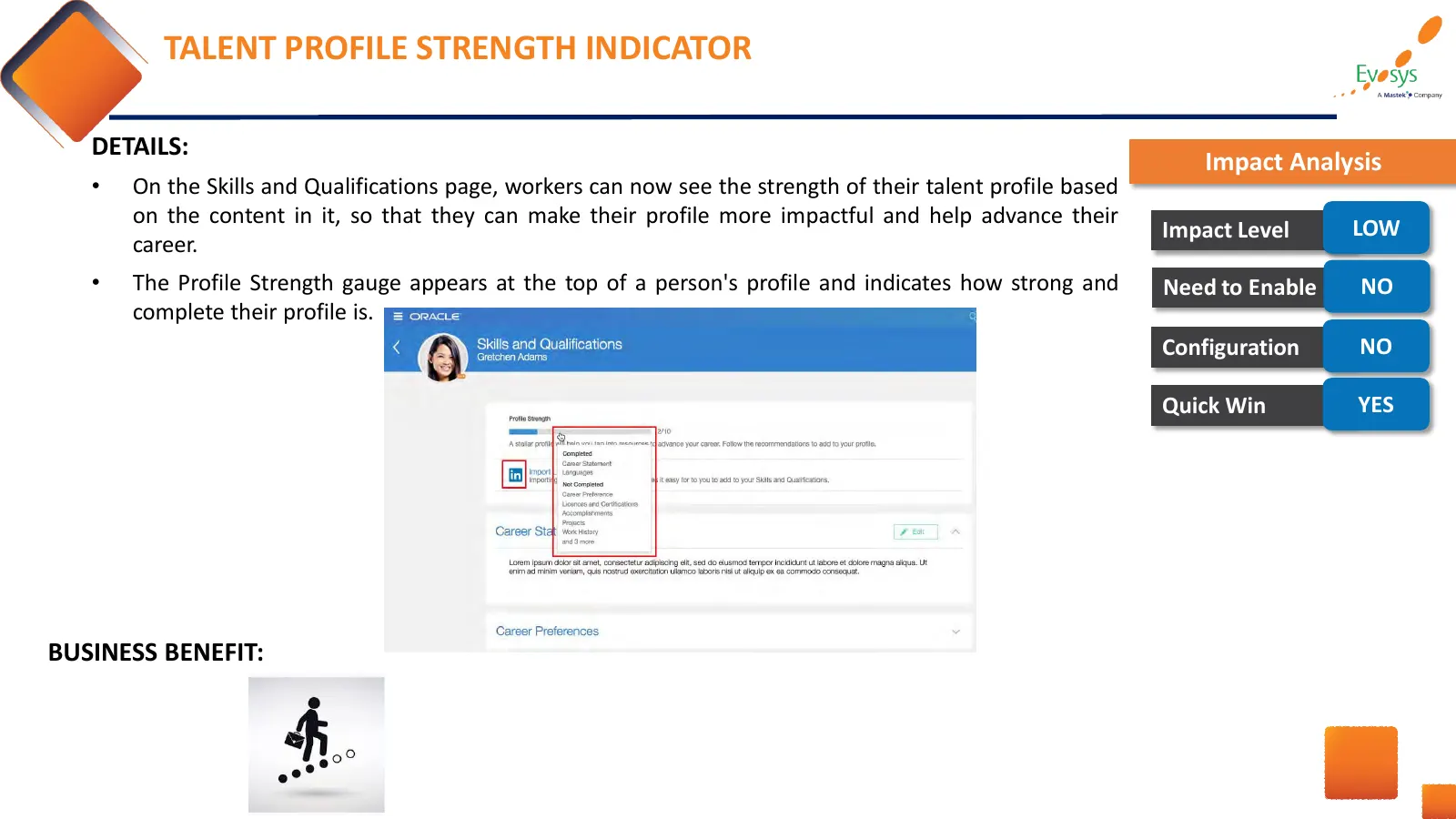
TALENT PROFILE STRENGTH INDICATOR DETAILS: Impact Analysis • On the Skills and Qualifications page, workers can now see the strength of their talent profile based on the content in it, so that they can make their profile more impactful and help advance their Impact Level LOW career. • The Profile St
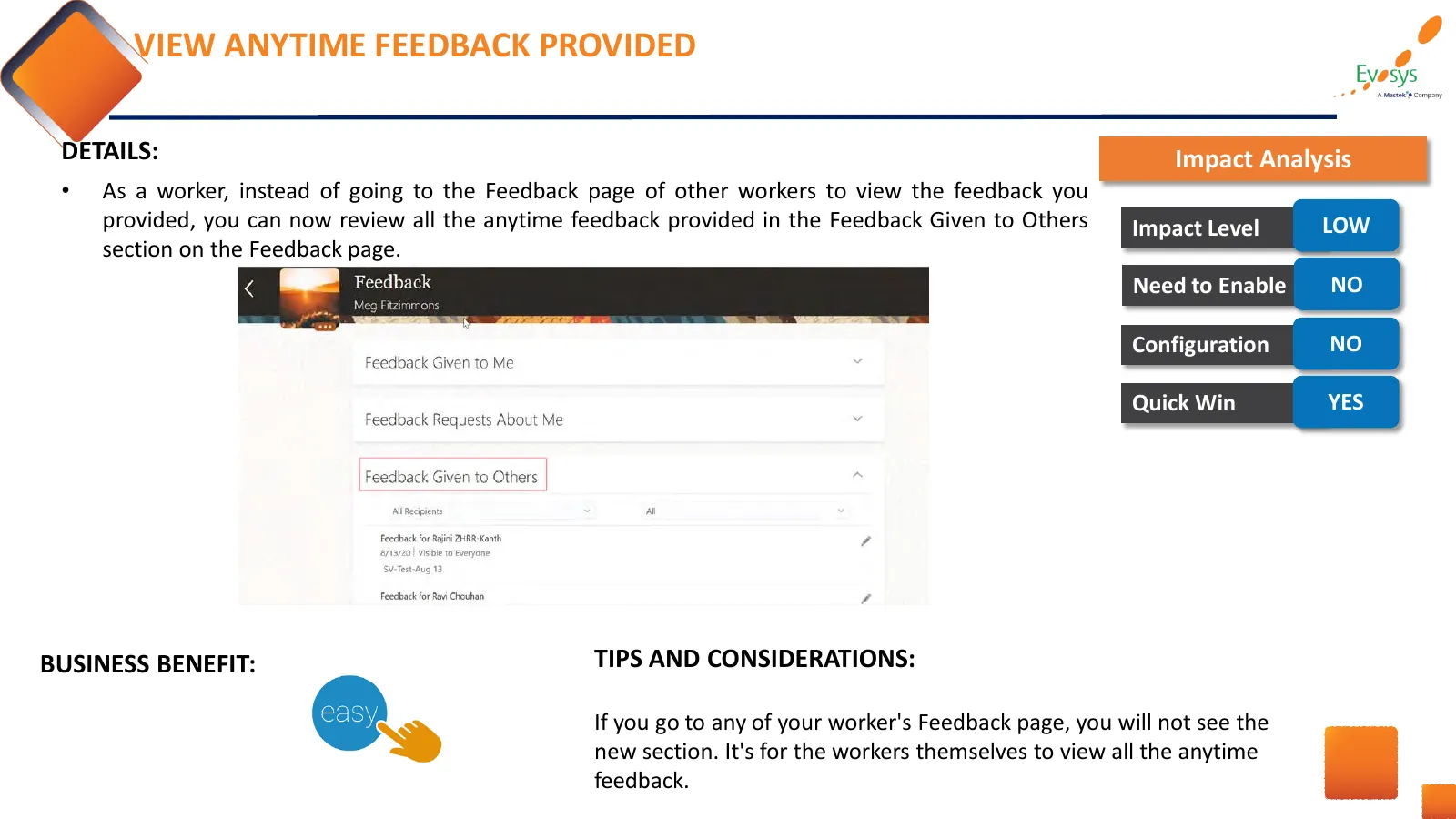
Slide 17: View Anytime Feedback Provided
VIEW ANYTIME FEEDBACK PROVIDED DETAILS: Impact Analysis • As a worker, instead of going to the Feedback page of other workers to view the feedback you provided, you can now review all the anytime feedback provided in the Feedback Given to Others Impact Level LOW section on the Feedback page. Need to
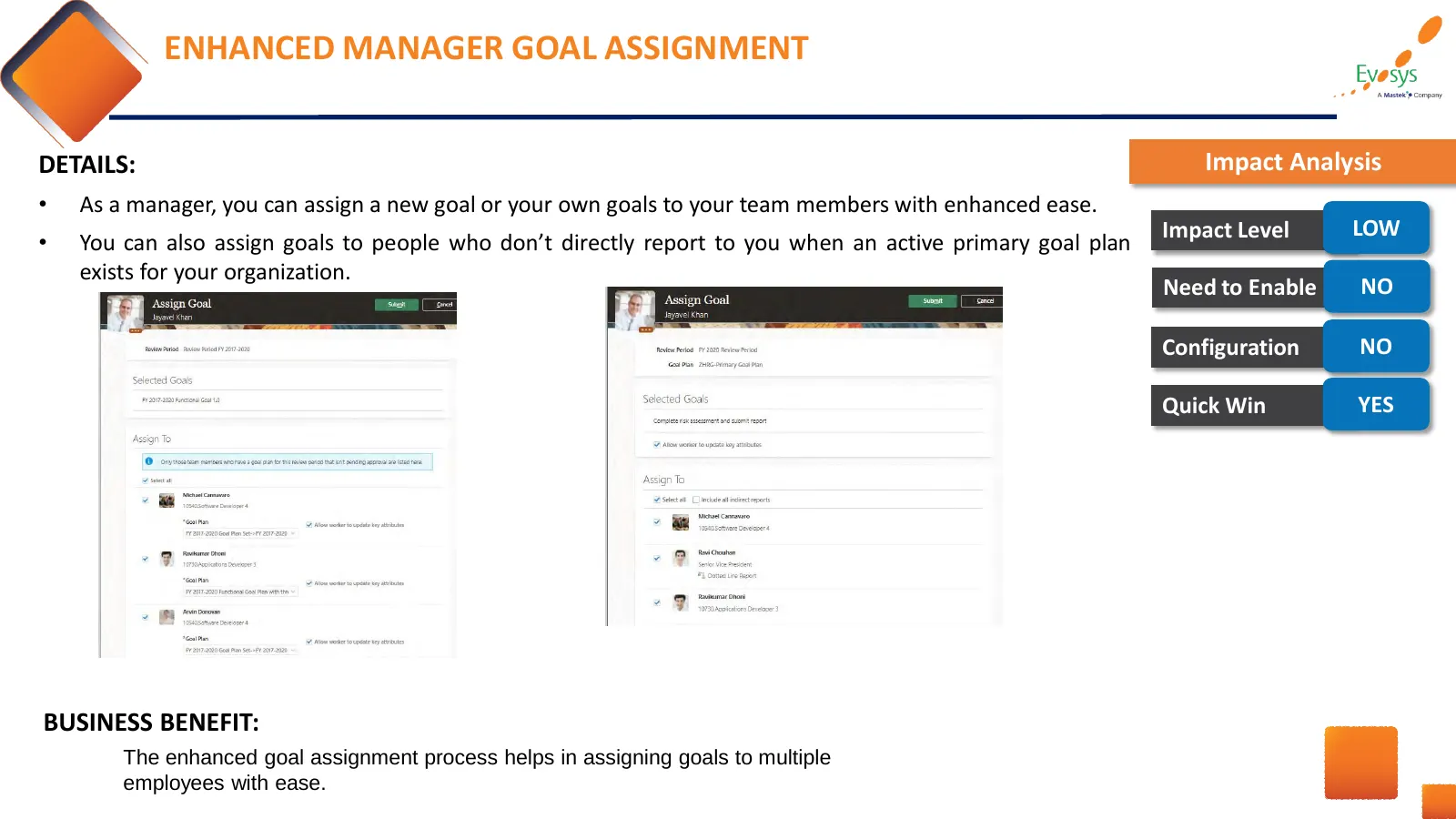
Slide 18: Enhanced Manager Goal Assignment
ENHANCED MANAGER GOAL ASSIGNMENT DETAILS: Impact Analysis • As a manager, you can assign a new goal or your own goals to your team members with enhanced ease. Impact Level LOW • You can also assign goals to people who don’t directly report to you when an active primary goal plan exists for your orga
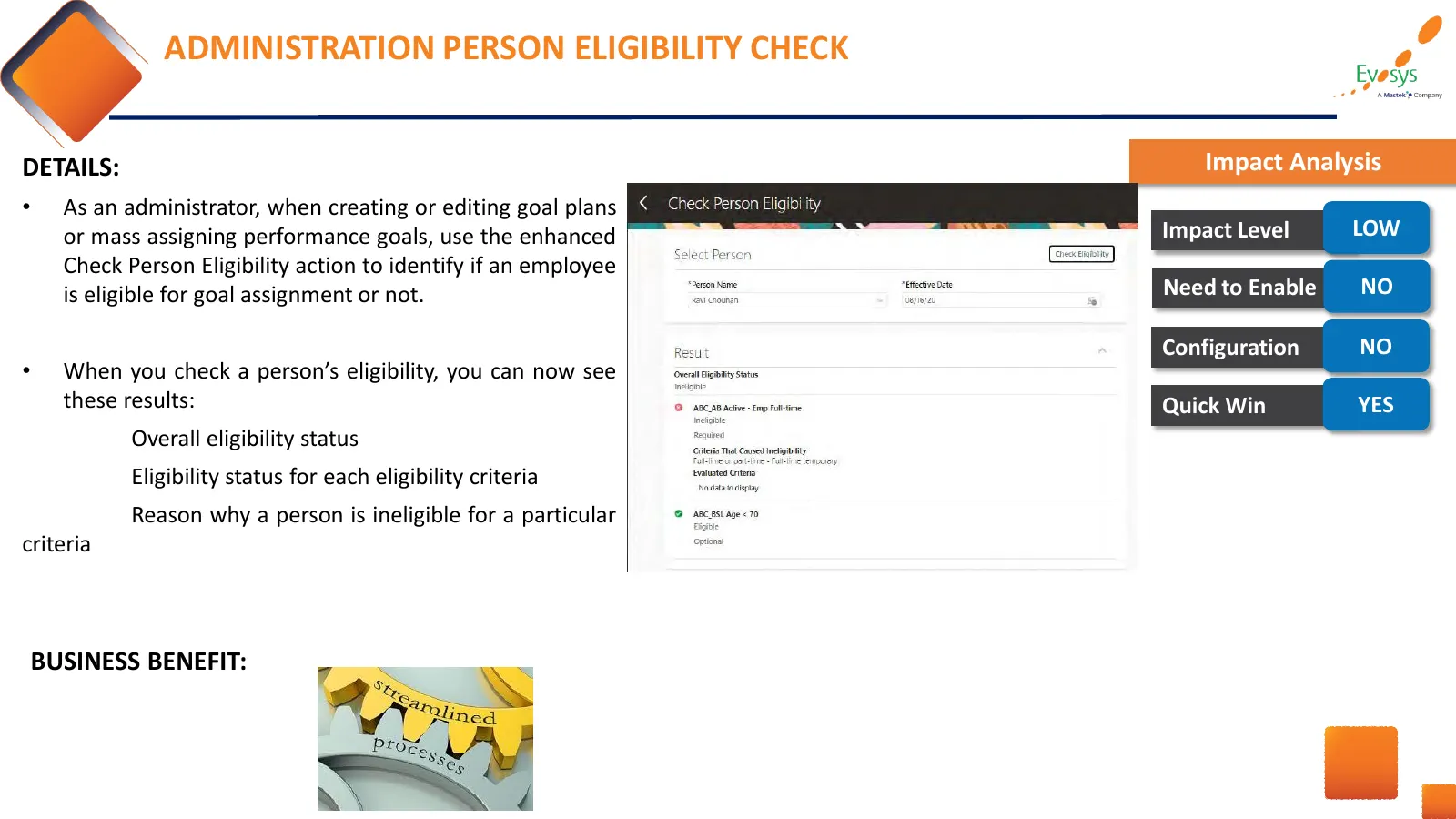
Slide 19: Administration Person Eligibility Check
ADMINISTRATION PERSON ELIGIBILITY CHECK DETAILS: Impact Analysis • As an administrator, when creating or editing goal plans or mass assigning performance goals, use the enhanced Impact Level LOW Check Person Eligibility action to identify if an employee is eligible for goal assignment or not. Need t
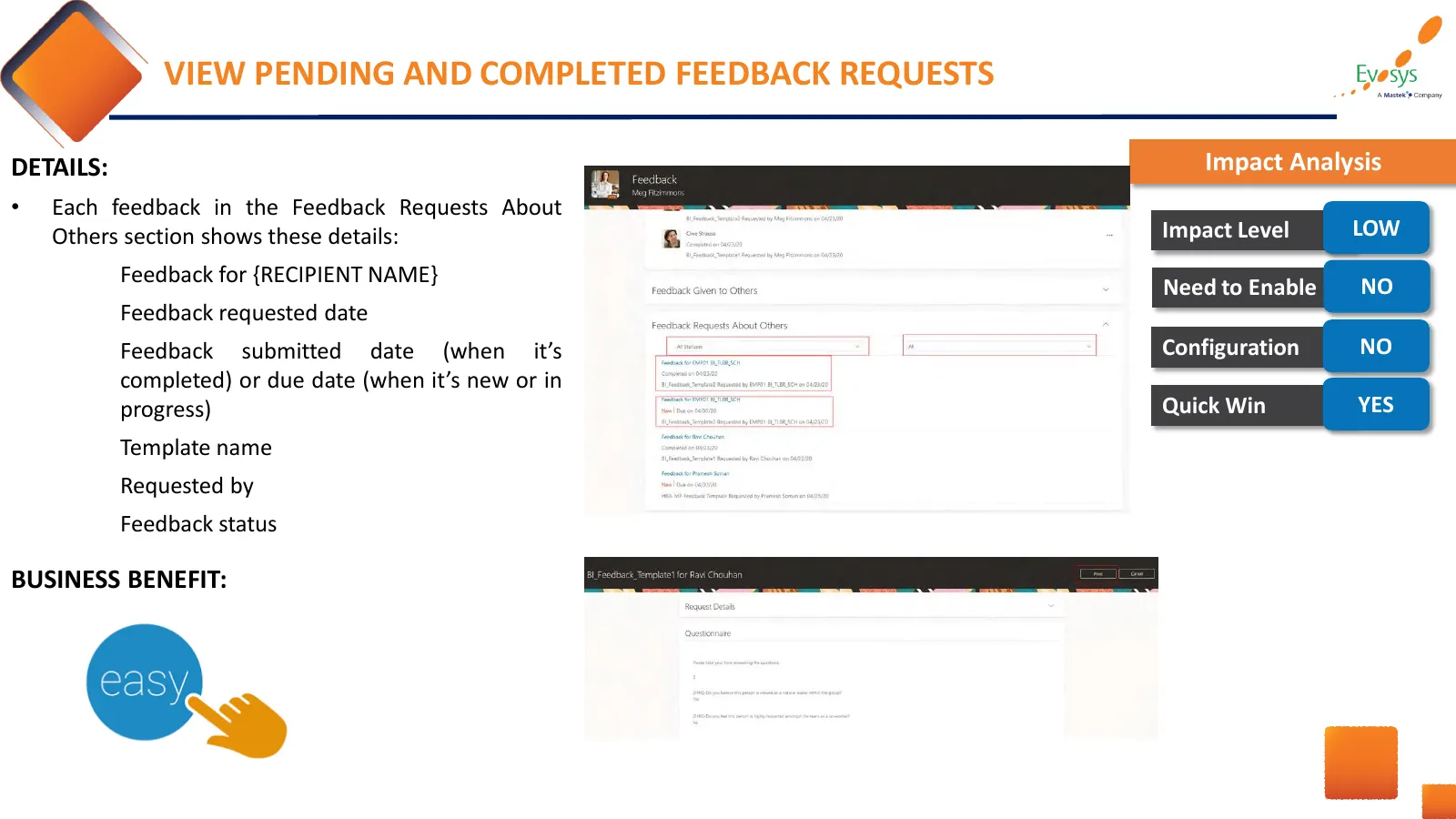
Slide 20: View Pending and Completed Feedback Requests
VIEW PENDING AND COMPLETED FEEDBACK REQUESTS DETAILS: Impact Analysis • Each feedback in the Feedback Requests About Others section shows these details: Impact Level LOW Feedback for {RECIPIENT NAME} Need to Enable NO Feedback requested date Feedback submitted date (when it’s Configuration NO comple
Slide 21: Indirect Managers View Feedback Responses
INDIRECT MANAGERS VIEW FEEDBACK RESPONSES DETAILS: Impact Analysis • As an indirect manager, you can now view the requested feedback responses for your indirect workers in your organization. Impact Level LOW • You can search for the indirect worker in your organization (who doesn’t report directly t
Slide 22: HR Specialist to Delete Feedback Requests in Any Status
HR SPECIALIST TO DELETE FEEDBACK REQUESTS IN ANY STATUS Impact Analysis DETAILS: • HR Specialists can now delete any feedback requests (New, In progress, and Completed status) for the Impact Level LOW workers in their organization. Need to Enable NO • Navigation: Home > Me > Directory > My Organizat
Slide 23: Mass Change Current Performance Task
MASS CHANGE CURRENT PERFORMANCE TASK Impact Analysis DETAILS: • You can use the Change Current Task in Performance Document process to perform a mass change to Impact Level LOW start a specific task even if previous tasks are incomplete. Need to Enable NO • For example, you want the ratings calibrat
Slide 24: Lock Manager Share Task to Support Calibration
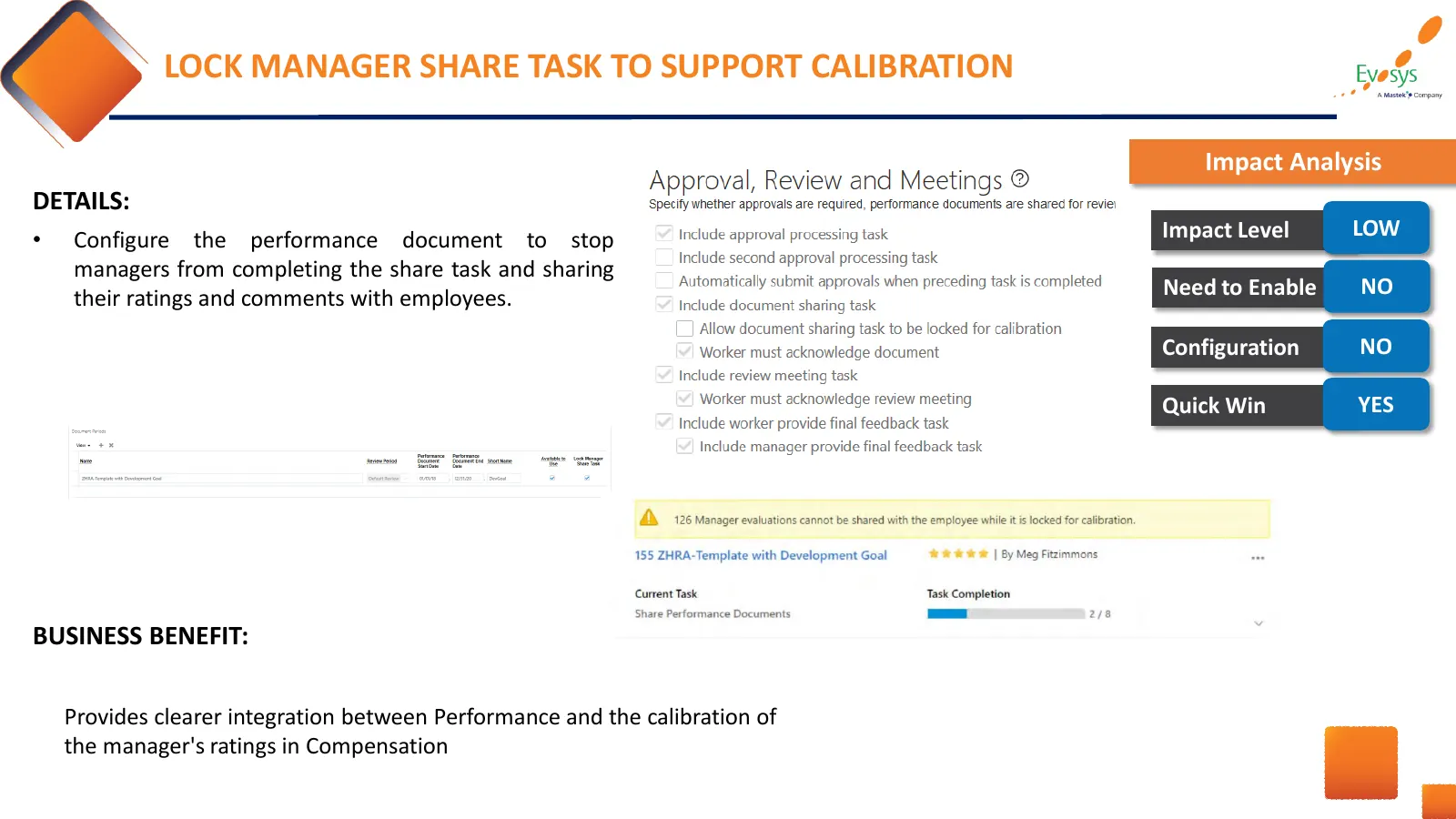
LOCK MANAGER SHARE TASK TO SUPPORT CALIBRATION Impact Analysis DETAILS: Impact Level LOW • Configure the performance document to stop managers from completing the share task and sharing their ratings and comments with employees. Need to Enable NO Configuration NO Quick Win YES BUSINESS BENEFIT: Prov
Slide 25: Simplified Check-In Creation Process
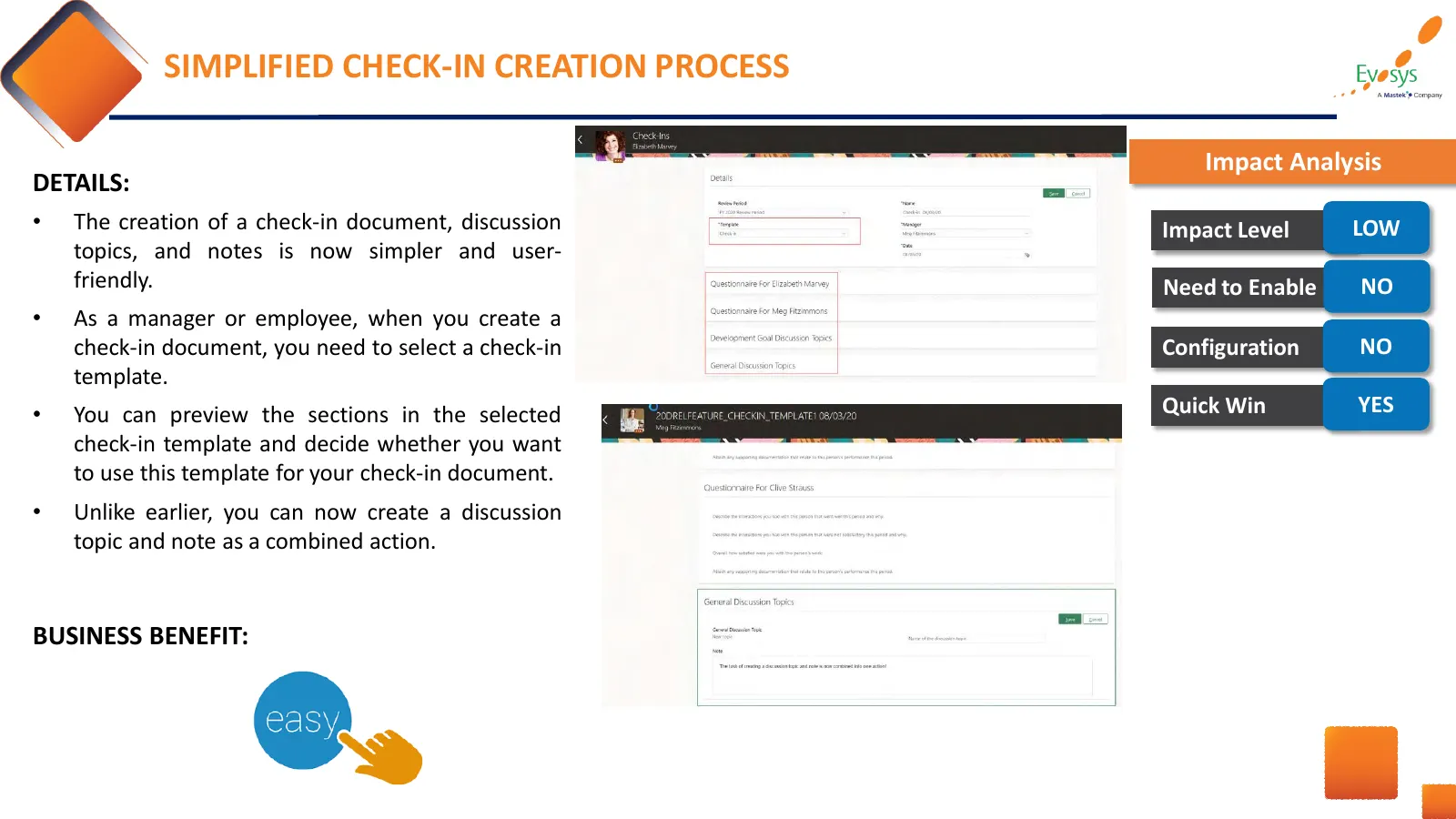
SIMPLIFIED CHECK-IN CREATION PROCESS Impact Analysis DETAILS: • The creation of a check-in document, discussion Impact Level LOW topics, and notes is now simpler and user- friendly. Need to Enable NO • As a manager or employee, when you create a check-in document, you need to select a check-in Confi
Slide 26: Search Enhancements to Manager Evaluate Performance Page
SEARCH ENHANCEMENTS TO MANAGER EVALUATE PERFORMANCE PAGE Impact Analysis DETAILS: • Start work quicker on the manage Evaluate Performance page which expands all the filters by default. Impact Level LOW • Other changes include the All Evaluatees and Direct Reports options are now both links, selectin
Slide 27: Transfer Performance Document to Participant as New Manager
TRANSFER PERFORMANCE DOCUMENT TO PARTICIPANT AS NEW MANAGER Impact Analysis DETAILS: • HR specialists and performance document managers can now assign a participant, who previously Impact Level LOW provided feedback for the employee's performance document, as the performance document manager. • This
Slide 28: Quick Wins – Default with YES Configuration
NEW FEATURES QUICK WINS – Default with YES Configuration
Slide 29: Purge Historic Performance Eligibility Status Data
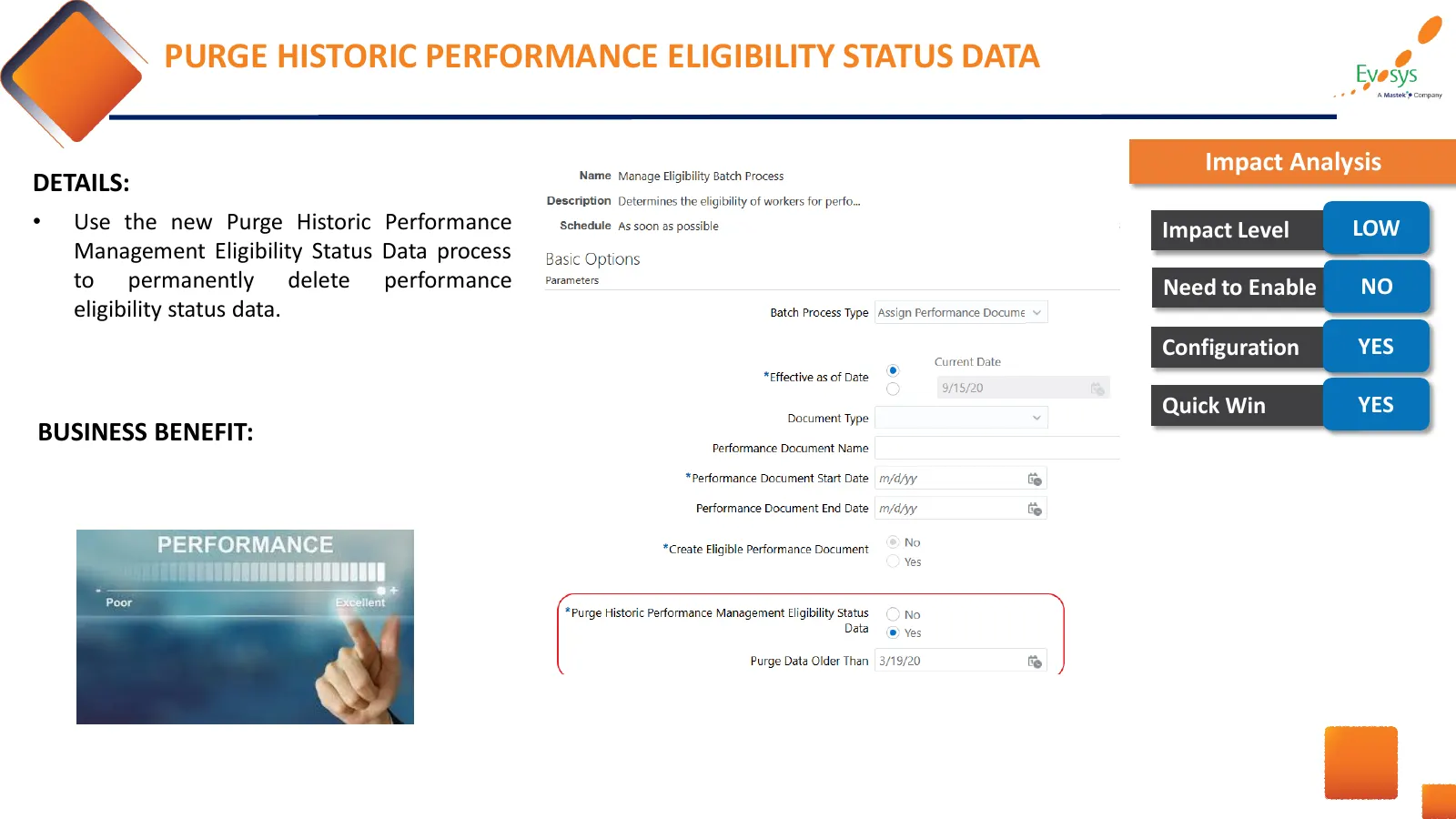
PURGE HISTORIC PERFORMANCE ELIGIBILITY STATUS DATA Impact Analysis DETAILS: • Use the new Purge Historic Performance Impact Level LOW Management Eligibility Status Data process to permanently delete performance Need to Enable NO eligibility status data. Configuration YES Quick Win YES BUSINESS BENEF
Slide 30: Quick Wins – Opt Ins
NEW FEATURES QUICK WINS – Opt Ins
Slide 31: View and Apply to Open Jobs Related to Your Careers of Interest
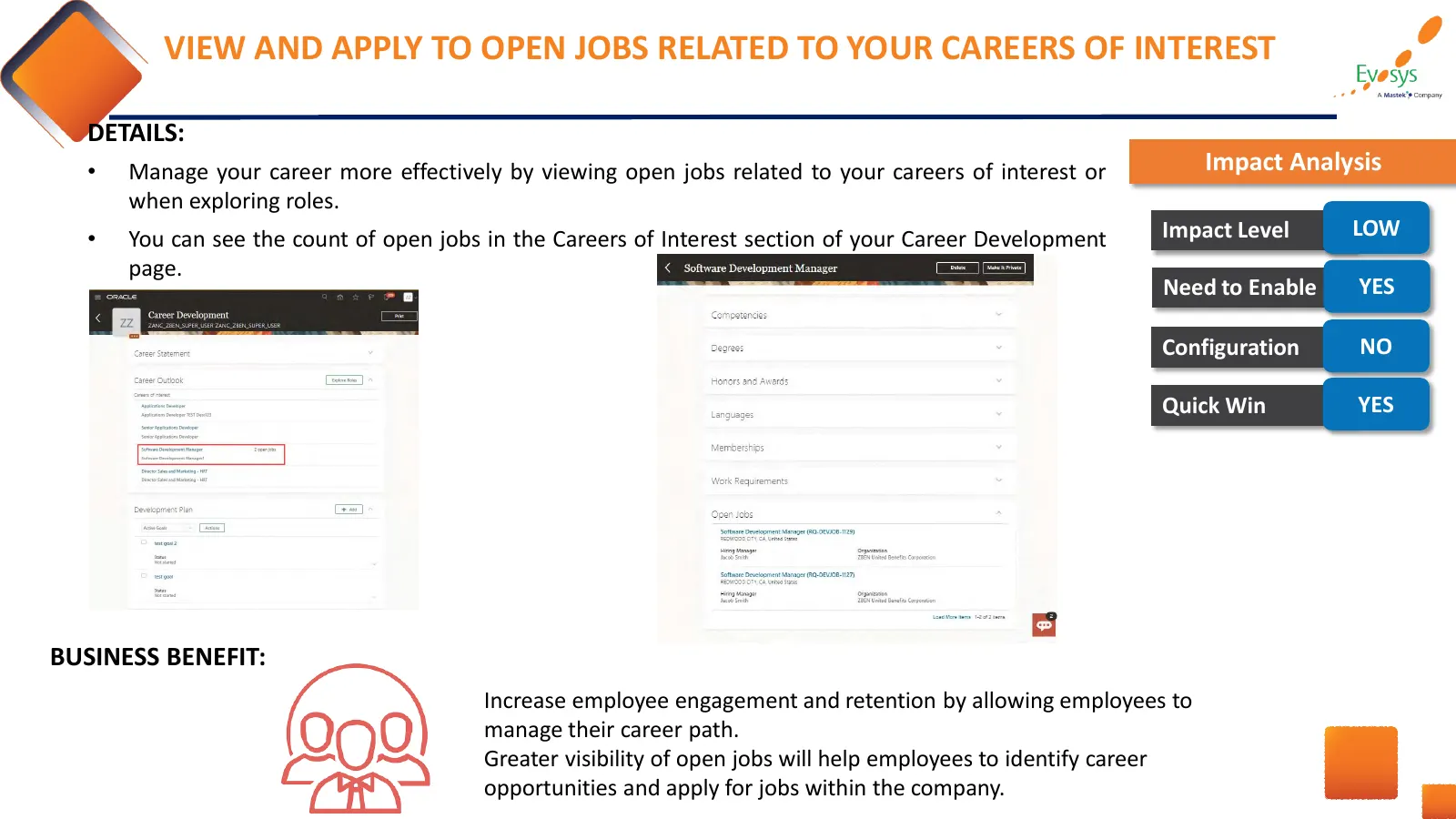
VIEW AND APPLY TO OPEN JOBS RELATED TO YOUR CAREERS OF INTEREST DETAILS: • Manage your career more effectively by viewing open jobs related to your careers of interest or Impact Analysis when exploring roles. • You can see the count of open jobs in the Careers of Interest section of your Career Deve
Slide 32: Content Section Description Displayed in Profile Content Sections
CONTENT SECTION DESCRIPTION DISPLAYED IN PROFILE CONTENT SECTIONS Impact Analysis DETAILS: • The section description defined in the person profile content sections can now be displayed to users Impact Level LOW when they edit or add profile items on the Skills and Qualifications page. Need to Enable
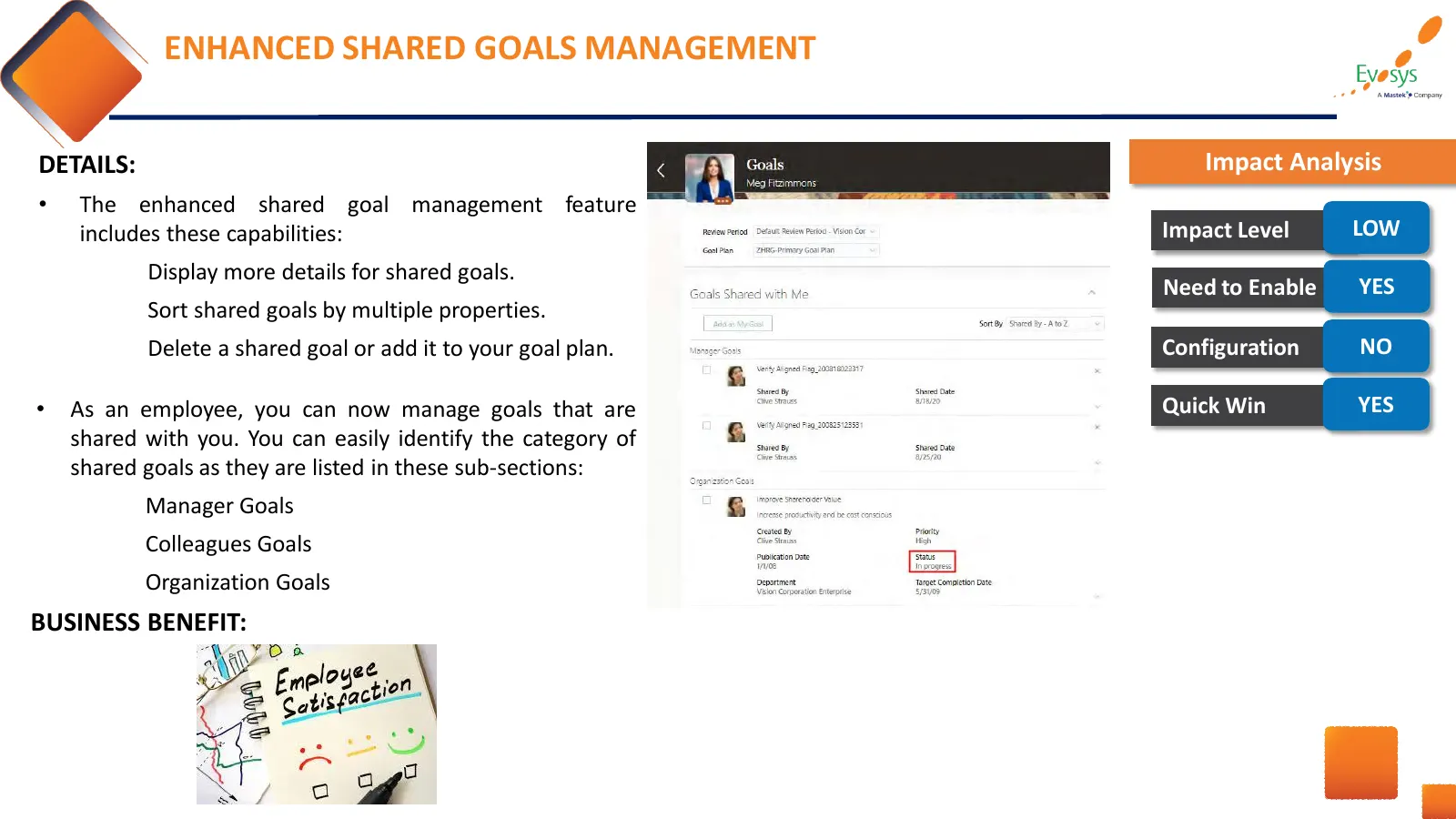
Slide 33: Enhanced Shared Goals Management
ENHANCED SHARED GOALS MANAGEMENT DETAILS: Impact Analysis • The enhanced shared goal management feature includes these capabilities: Impact Level LOW Display more details for shared goals. Need to Enable YES Sort shared goals by multiple properties. Delete a shared goal or add it to your goal plan.
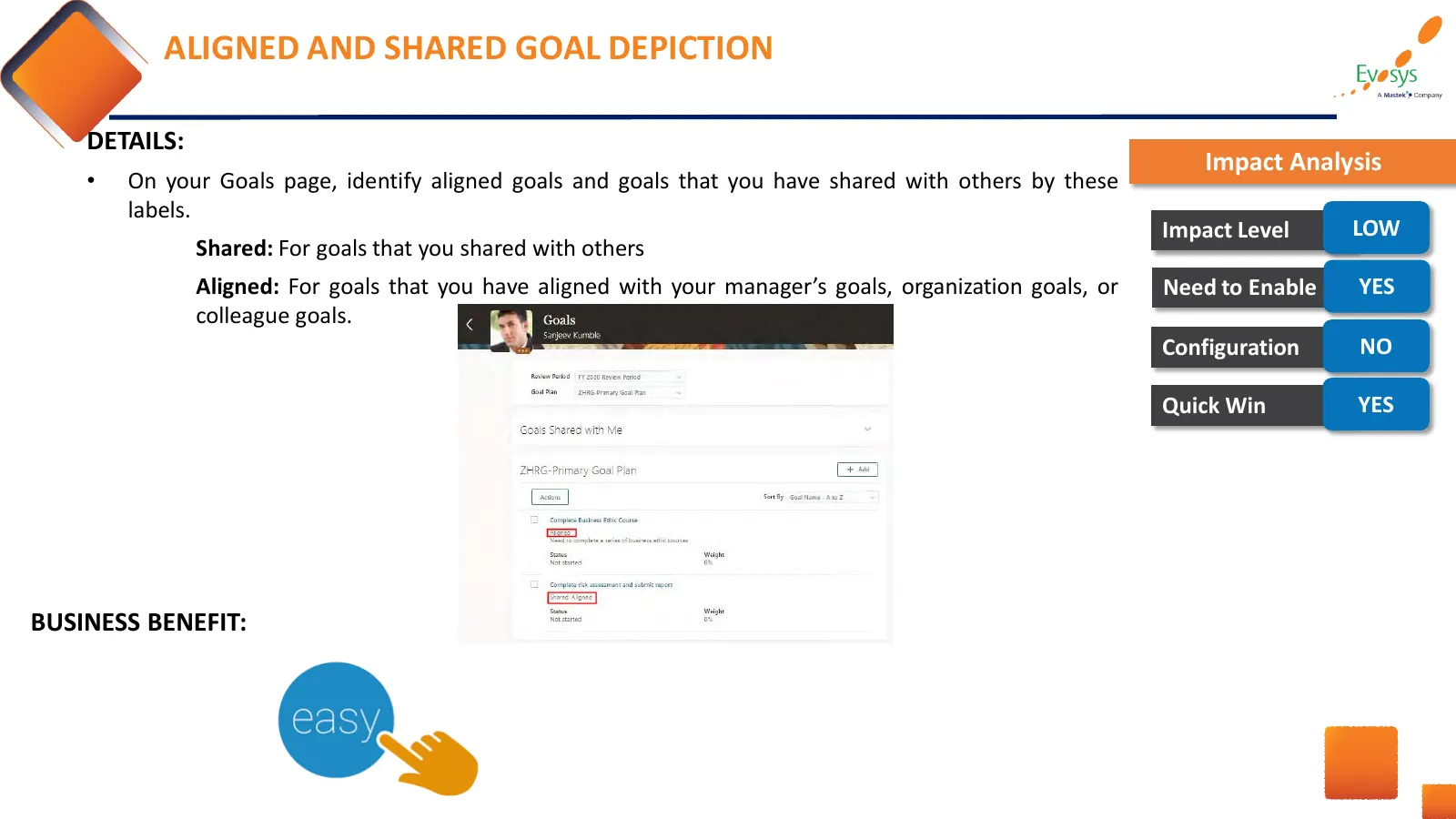
Slide 34: Aligned and Shared Goal Depiction
ALIGNED AND SHARED GOAL DEPICTION DETAILS: Impact Analysis • On your Goals page, identify aligned goals and goals that you have shared with others by these labels. Impact Level LOW Shared: For goals that you shared with others Aligned: For goals that you have aligned with your manager’s goals, organ
Slide 35: New Features: The Rest
NEW FEATURES ess The Rest
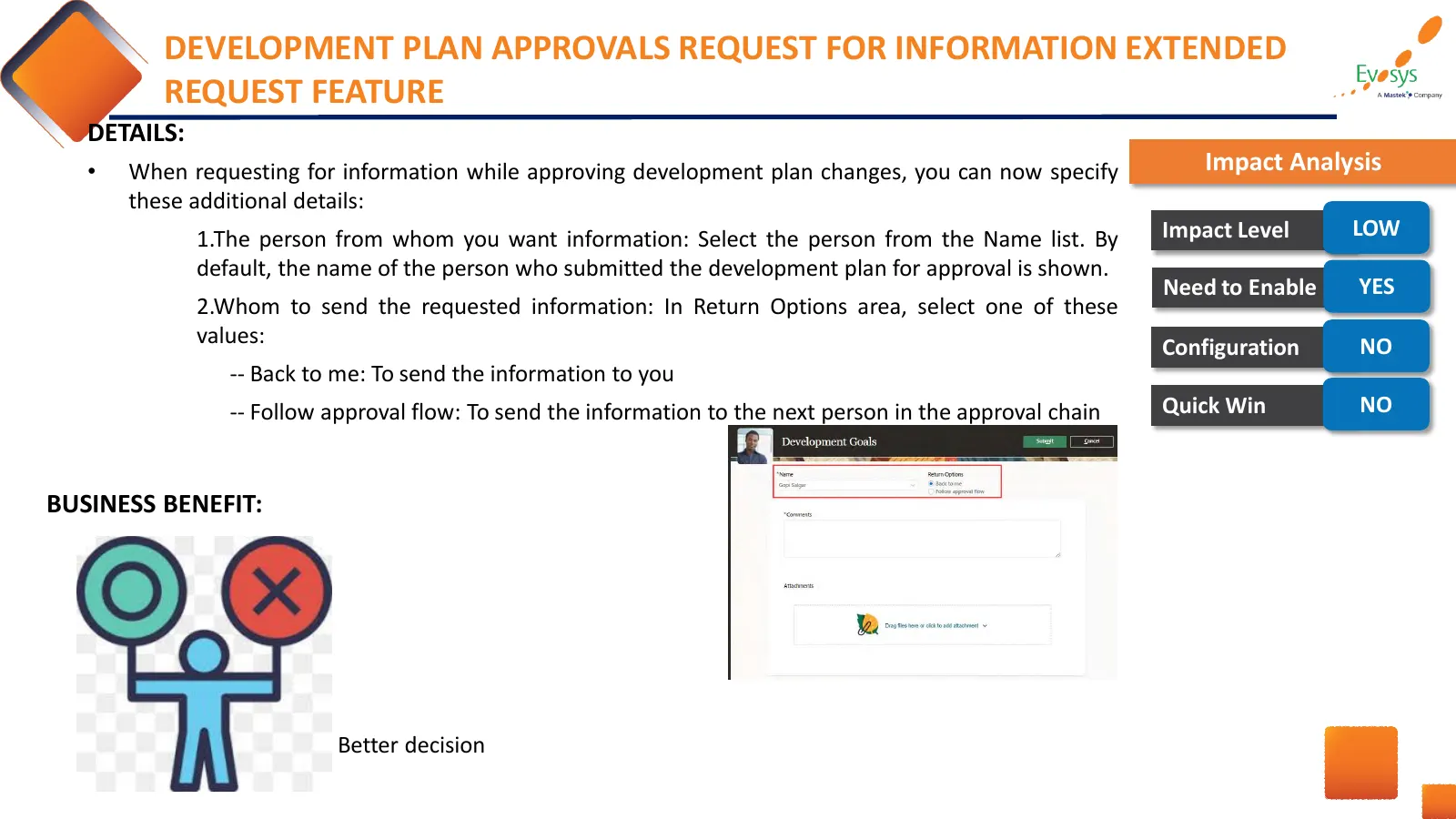
Slide 36: Development Plan Approvals Request for Information Extended
DEVELOPMENT PLAN APPROVALS REQUEST FOR INFORMATION EXTENDED REQUEST FEATURE DETAILS: • When requesting for information while approving development plan changes, you can now specify Impact Analysis these additional details: 1.The person from whom you want information: Select the person from the Name
Slide 37: Compare Action Dependent on Hide Person Compare Flow Profile Option
COMPARE ACTION DEPENDENT ON HIDE PERSON COMPARE FLOW PROFILE OPTION Impact Analysis DETAILS: • Compare action of Talent Review is now controlled by the Hide Person Compare Flow profile option Impact Level LOW of Human Resources. Need to Enable NO Configuration NO Quick Win NO BUSINESS BENEFIT: Consi
Slide 38: Super User for Talent Pools
SUPER USER FOR TALENT POOLS DETAILS: Impact Analysis • Create a talent pools super user who can access all talent pools in your organization. • A super user can perform these actions for a talent pool without being a named owner: Impact Level LOW Add any person that the super user has access to as
Slide 39: Succession Plans and Talent Pools Deep Links
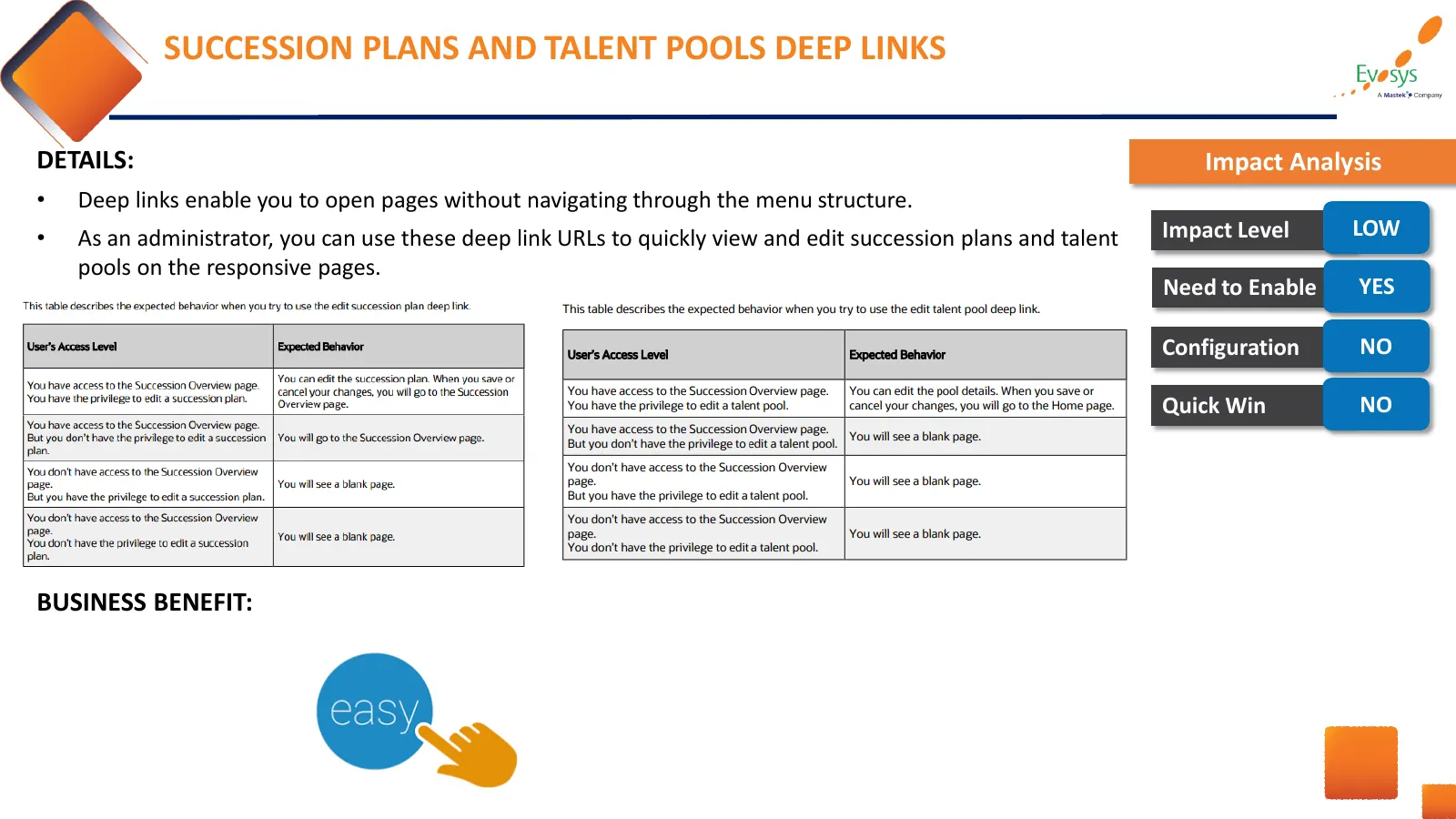
SUCCESSION PLANS AND TALENT POOLS DEEP LINKS DETAILS: Impact Analysis • Deep links enable you to open pages without navigating through the menu structure. • As an administrator, you can use these deep link URLs to quickly view and edit succession plans and talent Impact Level LOW pools on the respon
Slide 40: Securing Access for Employees with Multiple Assignments in Succession Plan
SECURING ACCESS FOR EMPLOYEES WITH MULTIPLE ASSIGNMENTS IN SUCCESSION PLAN AND TALENT POOL QUICK ACTIONS Impact Analysis DETAILS: • Leverage assignment-level security in the Add to Plan and Add to Pool Quick Actions. Impact Level LOW Need to Enable YES • Your organization can uptake assignment-based
Slide 41: REST Service for Worker Talent Profiles
REST SERVICE FOR WORKER TALENT PROFILES Impact Analysis DETAILS: Impact Level LOW • Now you can use the talentPersonProfiles REST Service to insert and update worker person profiles in Profile Management. YES Need to Enable Configuration NO Quick Win NO BUSINESS BENEFIT: The new REST API provides ea
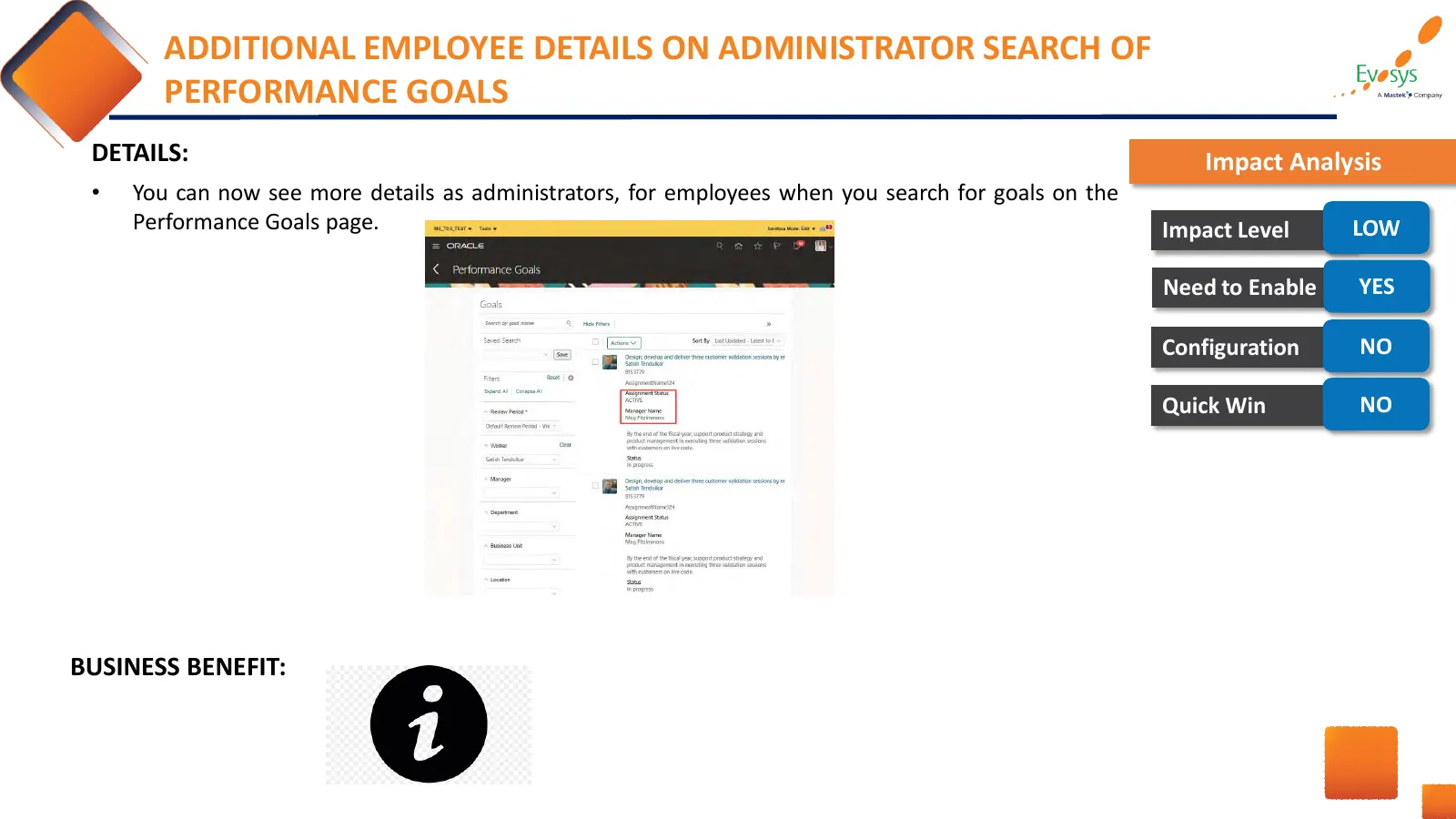
Slide 42: Additional Employee Details on Administrator Search of Performance Goals
ADDITIONAL EMPLOYEE DETAILS ON ADMINISTRATOR SEARCH OF PERFORMANCE GOALS DETAILS: Impact Analysis • You can now see more details as administrators, for employees when you search for goals on the Performance Goals page. Impact Level LOW Need to Enable YES Configuration NO Quick Win NO BUSINESS BENEFI
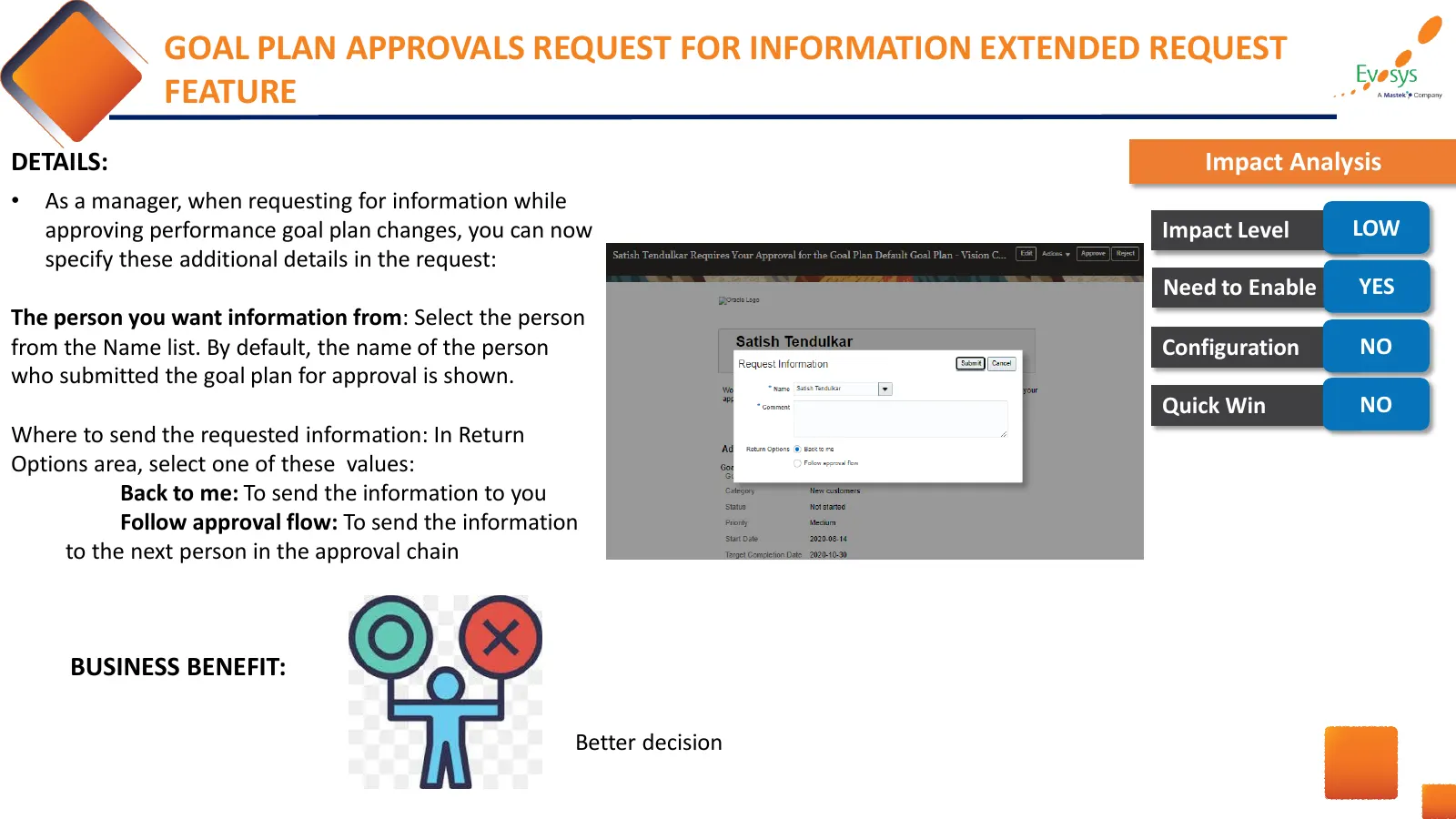
Slide 43: Goal Plan Approvals Request for Information Extended
GOAL PLAN APPROVALS REQUEST FOR INFORMATION EXTENDED REQUEST FEATURE DETAILS: Impact Analysis • As a manager, when requesting for information while approving performance goal plan changes, you can now Impact Level LOW specify these additional details in the request: Need to Enable YES The person you
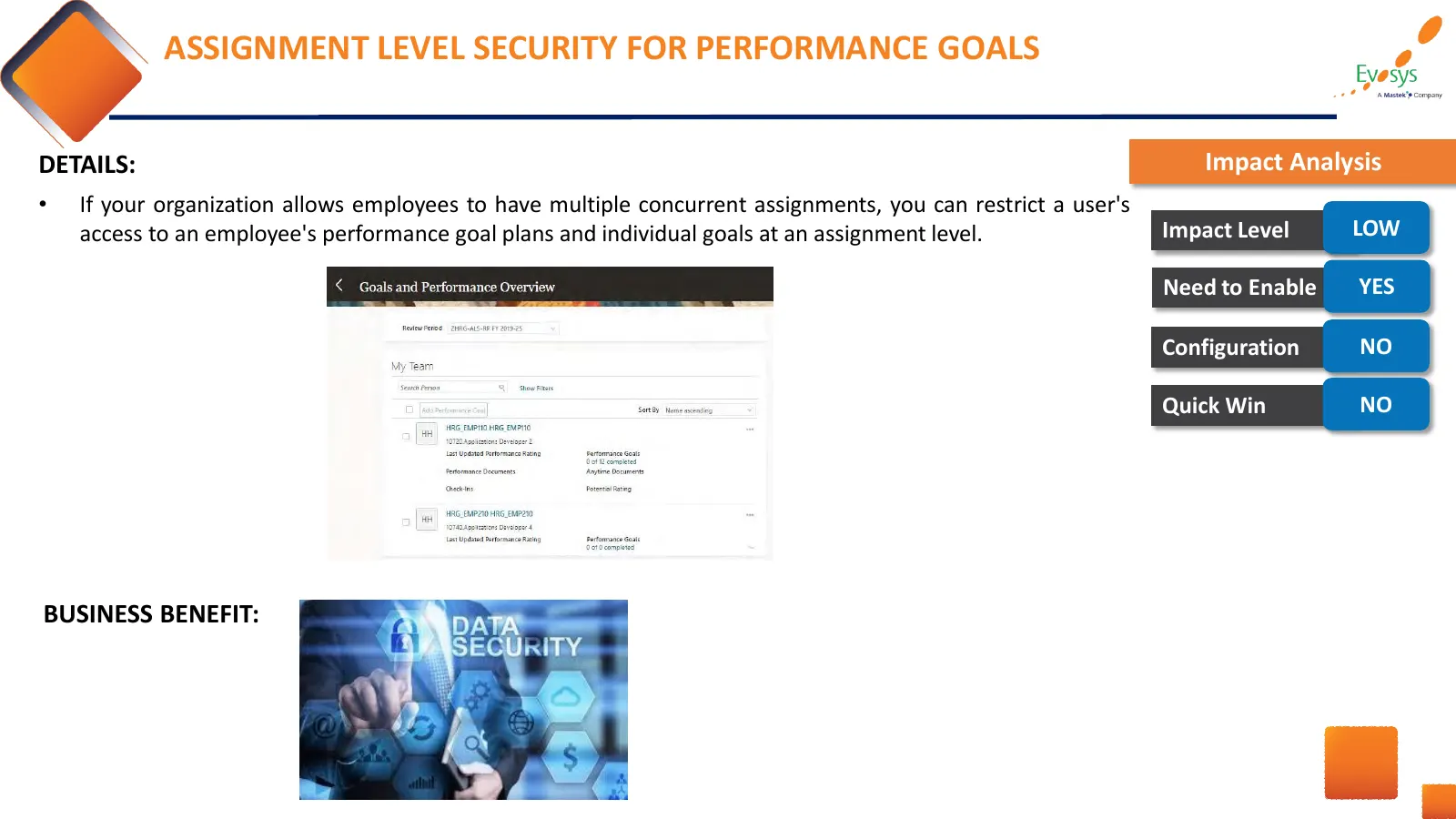
Slide 44: Assignment Level Security for Performance Goals
ASSIGNMENT LEVEL SECURITY FOR PERFORMANCE GOALS DETAILS: Impact Analysis • If your organization allows employees to have multiple concurrent assignments, you can restrict a user's access to an employee's performance goal plans and individual goals at an assignment level. Impact Level LOW Need to Ena
Slide 45: Workforce Goals - Goal Plan Assignments Real Time Subject Area Security
WORKFORCE GOALS - GOAL PLAN ASSIGNMENTS REAL TIME SUBJECT AREA SECURITY Impact Analysis DETAILS: • Use the Workforce Goals - Goal Plan Assignments Real Time subject area to restrict goal plan Impact Level LOW assignment reporting to only the goal plan assignments of the employees that a user can acc
Slide 46: Data Loader Support to Transfer Performance Documents to New Managers
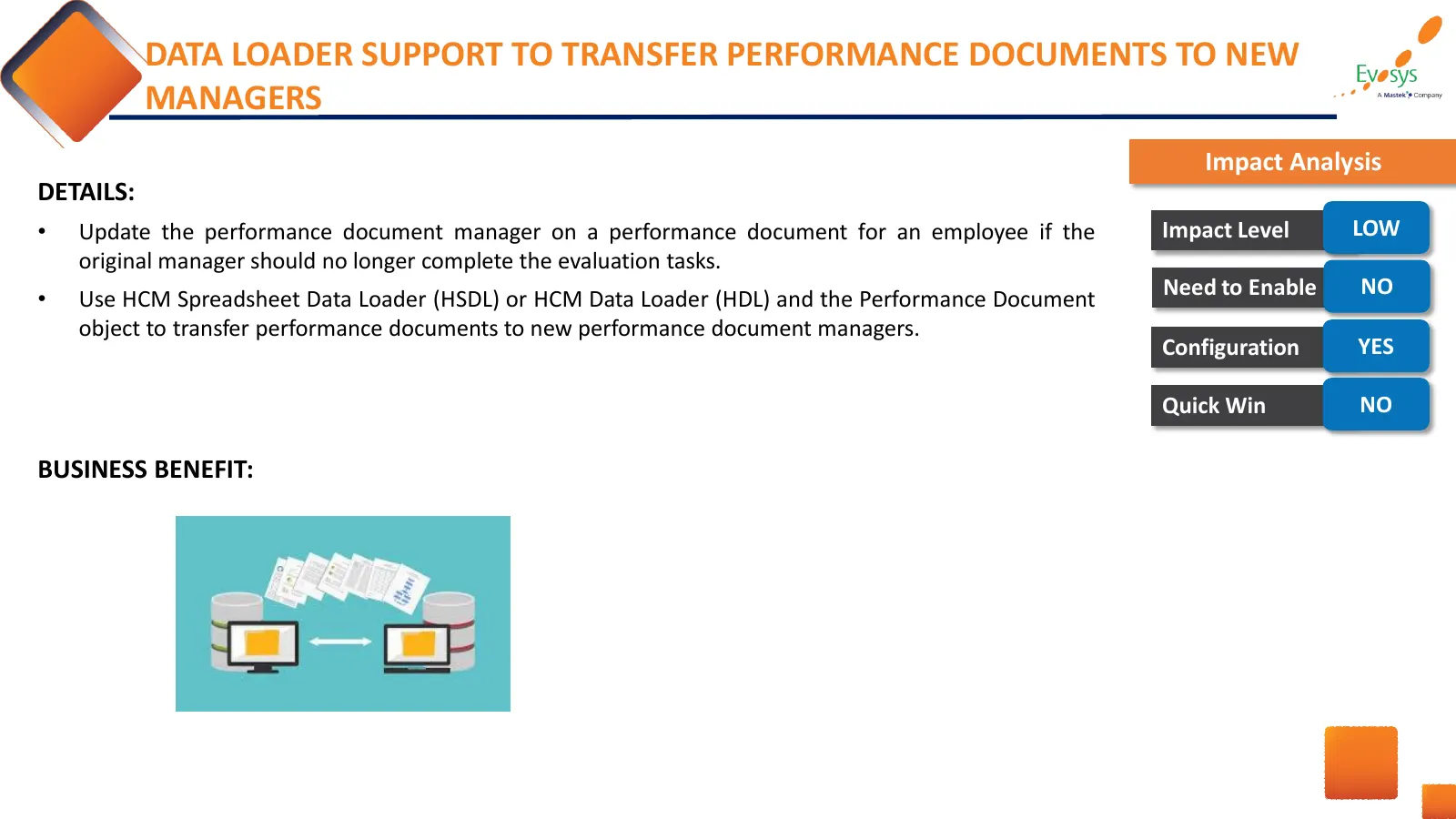
DATA LOADER SUPPORT TO TRANSFER PERFORMANCE DOCUMENTS TO NEW MANAGERS Impact Analysis DETAILS: • Update the performance document manager on a performance document for an employee if the Impact Level LOW original manager should no longer complete the evaluation tasks. Need to Enable NO • Use HCM Spre
Slide 47: Enhancements to HR Admin Pages
ENHANCEMENTS TO HR ADMIN PAGES Impact Analysis DETAILS: • Hide or show attributes on the HR admin pages in HCM Transaction Design Studio for a more simple user Impact Level LOW experience for the HR specialist. Need to Enable NO Configuration YES Quick Win NO BUSINESS BENEFIT:
Slide 48: Enhanced Performance Management Security for Workers with Multiple Assignments
ENHANCED PERFORMANCE MANAGEMENT SECURITY FOR WORKERS WITH MULTIPLE ASSIGNMENTS Impact Analysis DETAILS: • For managers and HR specialists, if this assignment-level security is enabled, then they can see and have Impact Level LOW access to the assignments that are in their security profile. Need to E
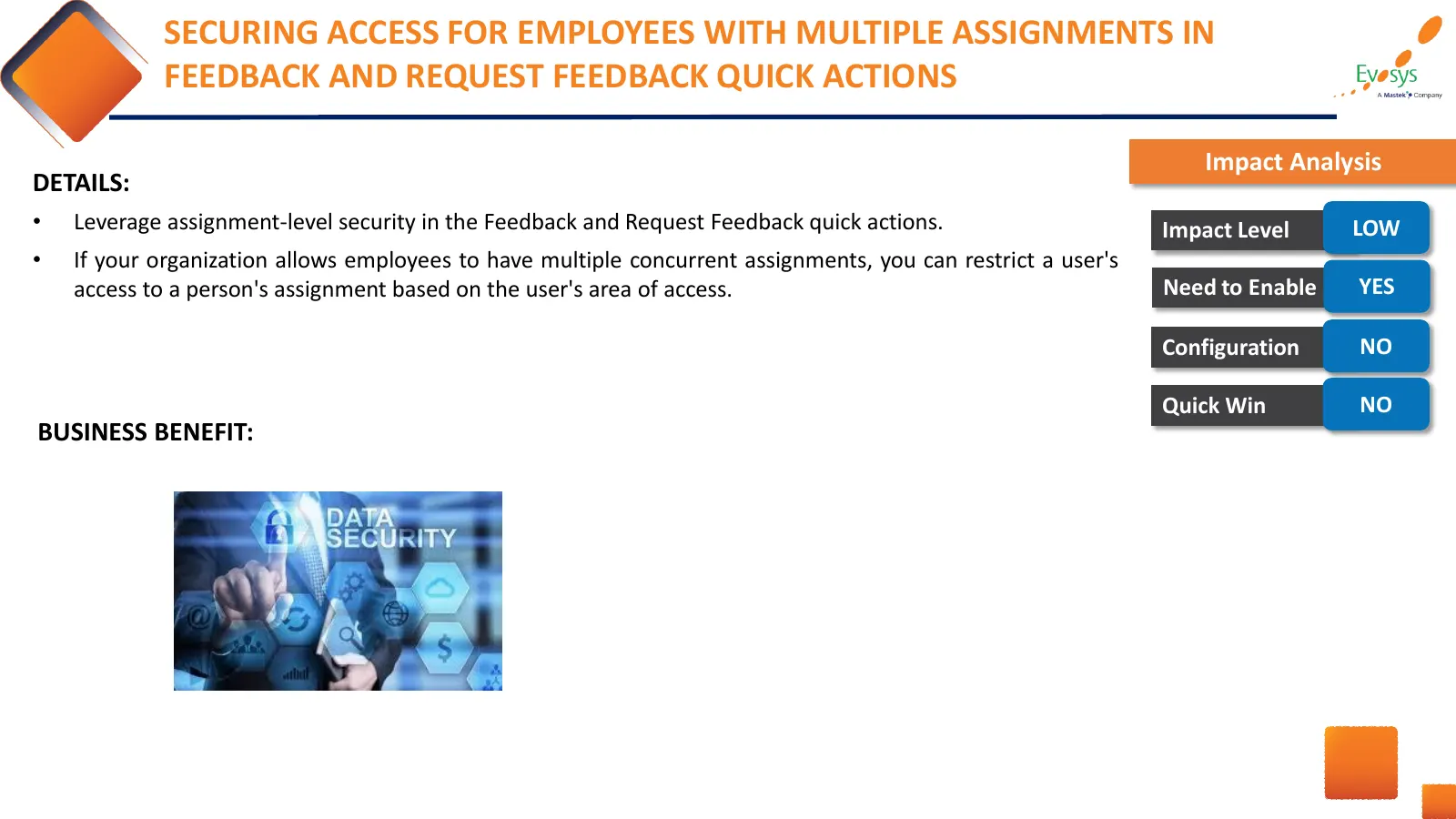
Slide 49: Securing Access for Multiple Assignments in Feedback Quick Actions
SECURING ACCESS FOR EMPLOYEES WITH MULTIPLE ASSIGNMENTS IN FEEDBACK AND REQUEST FEEDBACK QUICK ACTIONS Impact Analysis DETAILS: • Leverage assignment-level security in the Feedback and Request Feedback quick actions. Impact Level LOW • If your organization allows employees to have multiple concurren
Slide 50: New Features: Learning Cloud
NEW FEATURES ess LEARNING CLOUD
Slide 51: Learning Analysis
LEARNING ANALYSIS eS
Slide 52: Quick Wins – Default with No Configuration
NEW FEATURES QUICK WINS – Default with NO Configuration
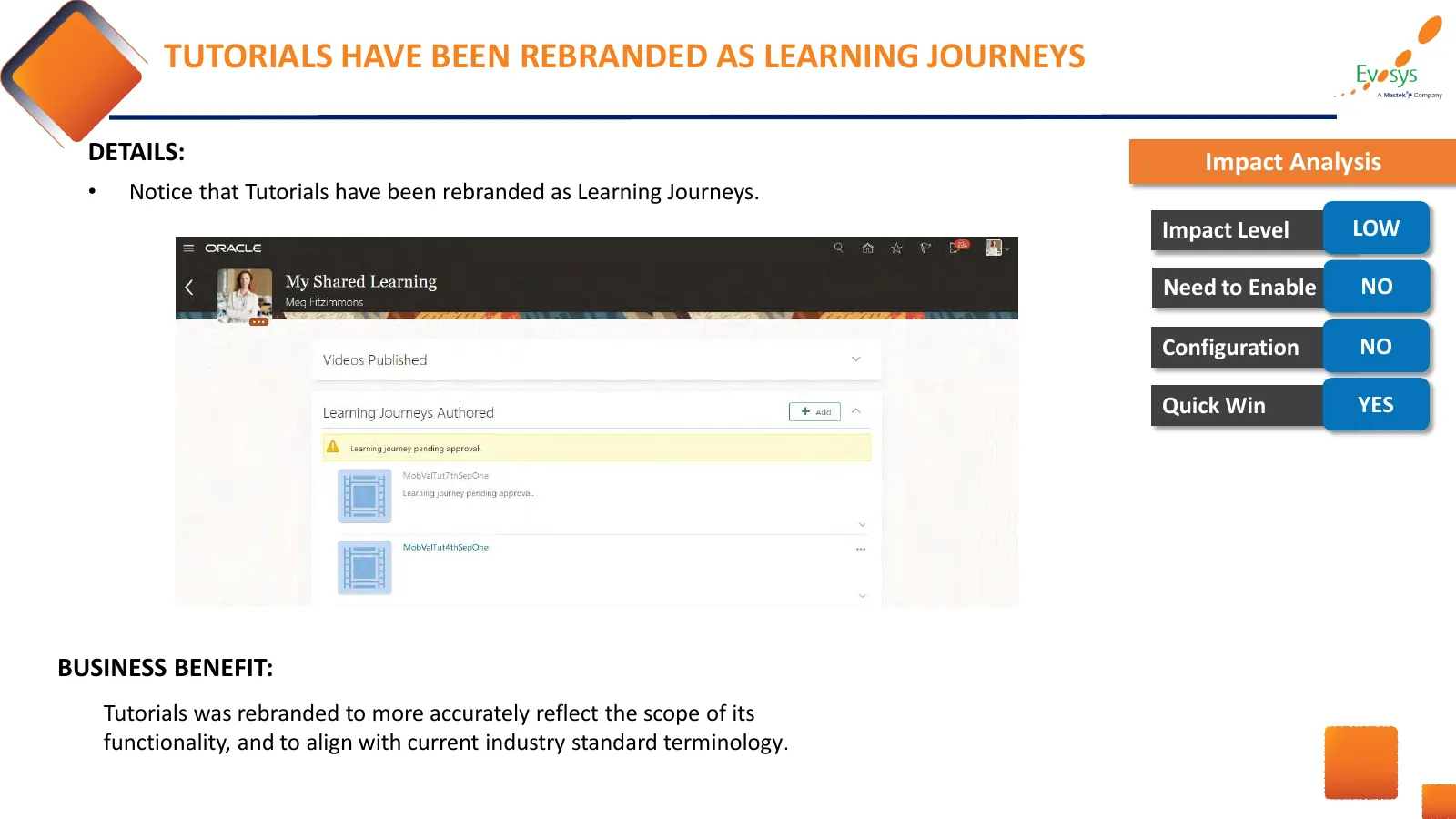
Slide 53: Tutorials Have Been Rebranded as Learning Journeys
TUTORIALS HAVE BEEN REBRANDED AS LEARNING JOURNEYS DETAILS: Impact Analysis • Notice that Tutorials have been rebranded as Learning Journeys. Impact Level LOW Need to Enable NO Configuration NO Quick Win YES BUSINESS BENEFIT: Tutorials was rebranded to more accurately reflect the scope of its functi
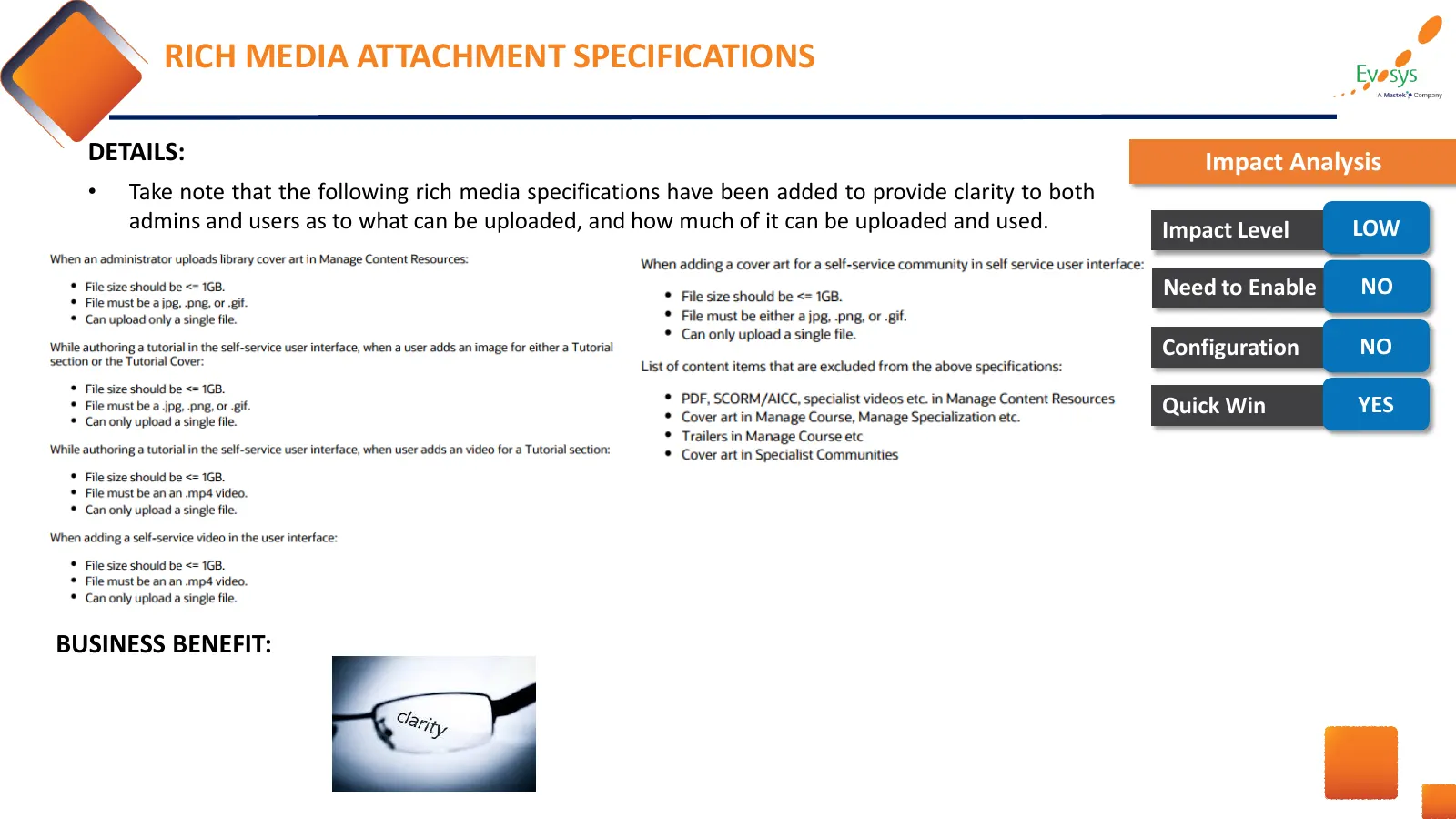
Slide 54: Rich Media Attachment Specifications
RICH MEDIA ATTACHMENT SPECIFICATIONS DETAILS: Impact Analysis • Take note that the following rich media specifications have been added to provide clarity to both admins and users as to what can be uploaded, and how much of it can be uploaded and used. Impact Level LOW Need to Enable NO Configuration
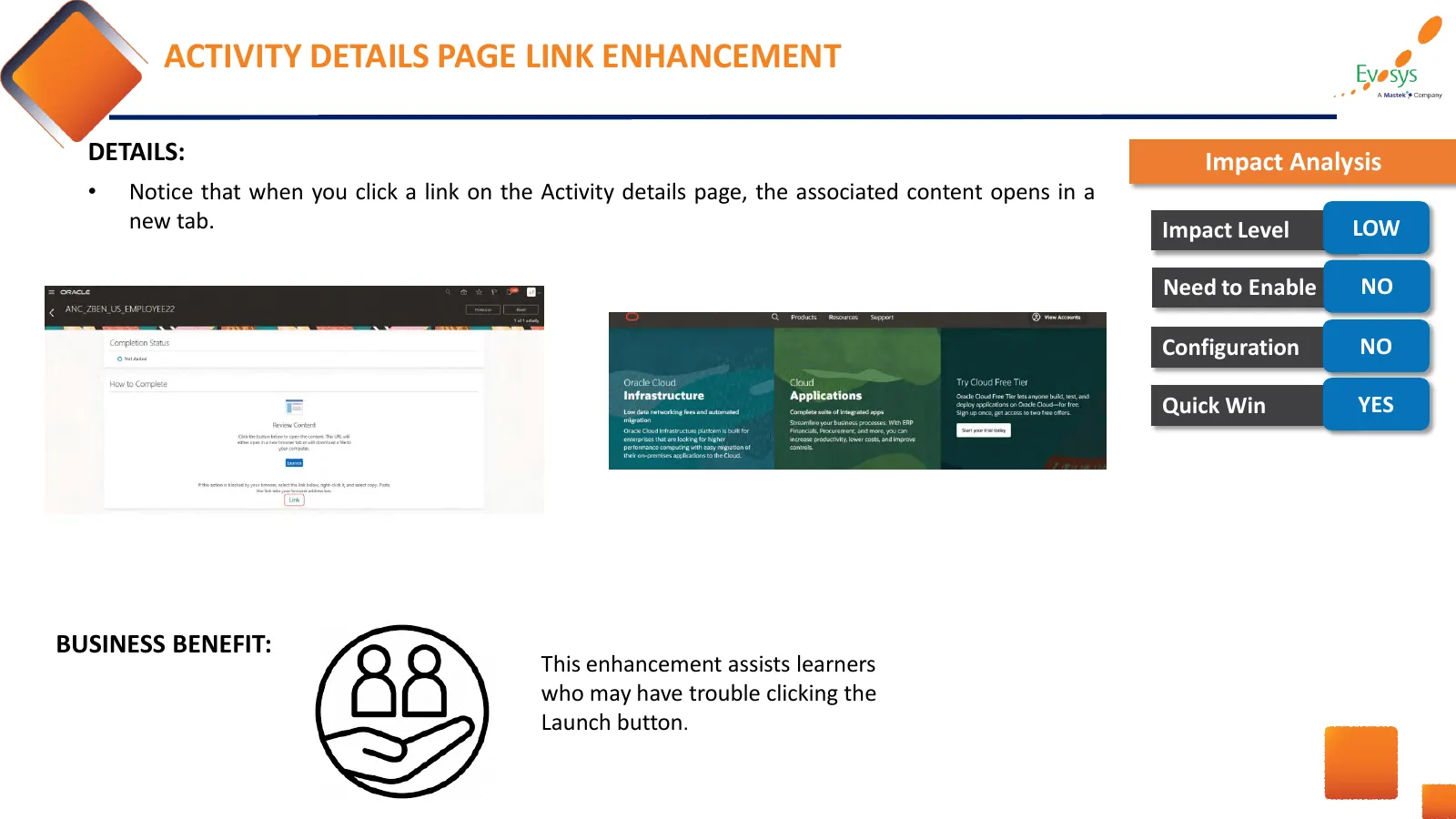
Slide 55: Activity Details Page Link Enhancement
ACTIVITY DETAILS PAGE LINK ENHANCEMENT DETAILS: Impact Analysis • Notice that when you click a link on the Activity details page, the associated content opens in a new tab. Impact Level LOW Need to Enable NO Configuration NO Quick Win YES BUSINESS BENEFIT: This enhancement assists learners who may h
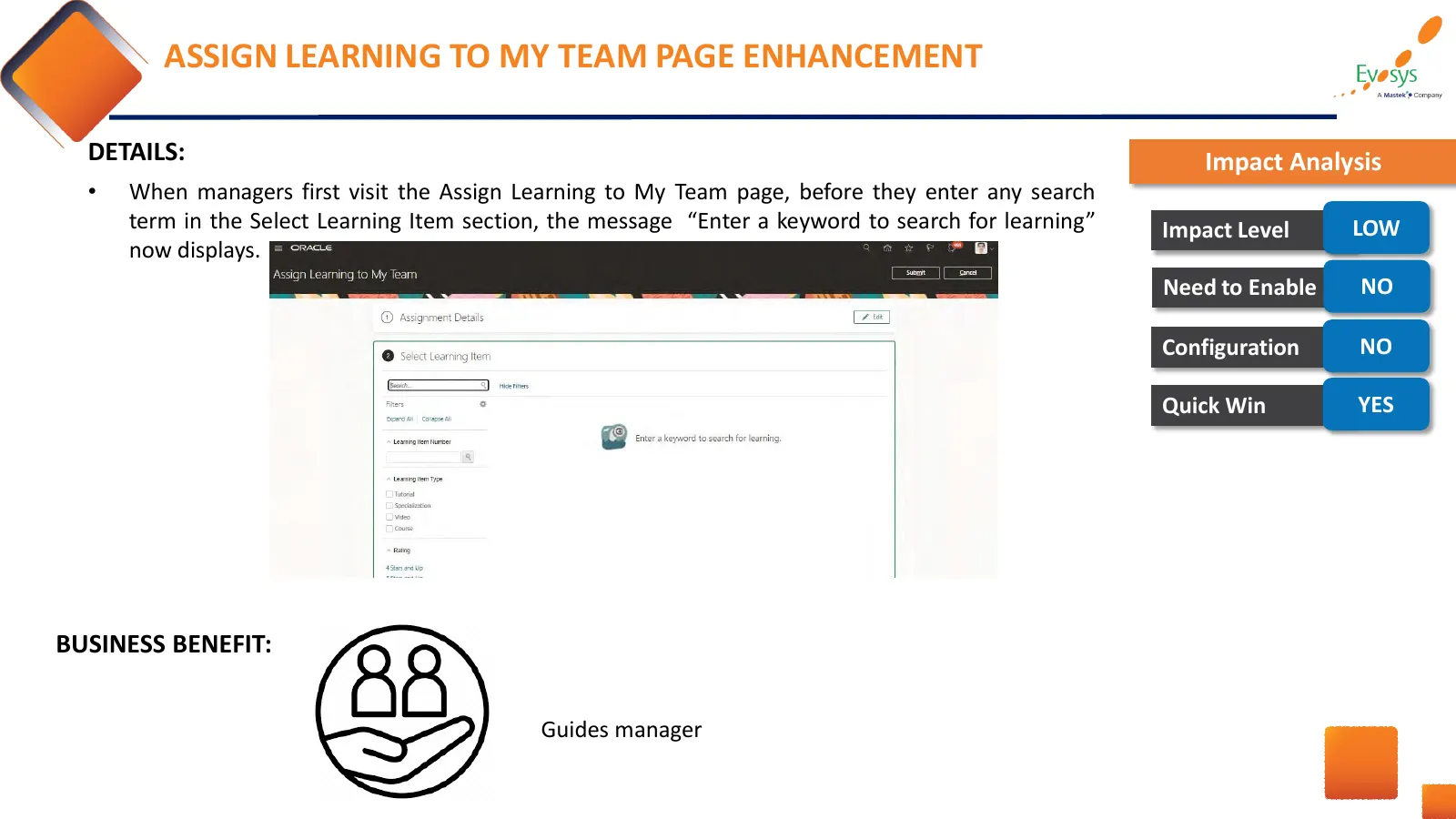
Slide 56: Assign Learning to My Team Page Enhancement
ASSIGN LEARNING TO MY TEAM PAGE ENHANCEMENT DETAILS: Impact Analysis • When managers first visit the Assign Learning to My Team page, before they enter any search term in the Select Learning Item section, the message “Enter a keyword to search for learning” Impact Level LOW now displays. Need to Ena
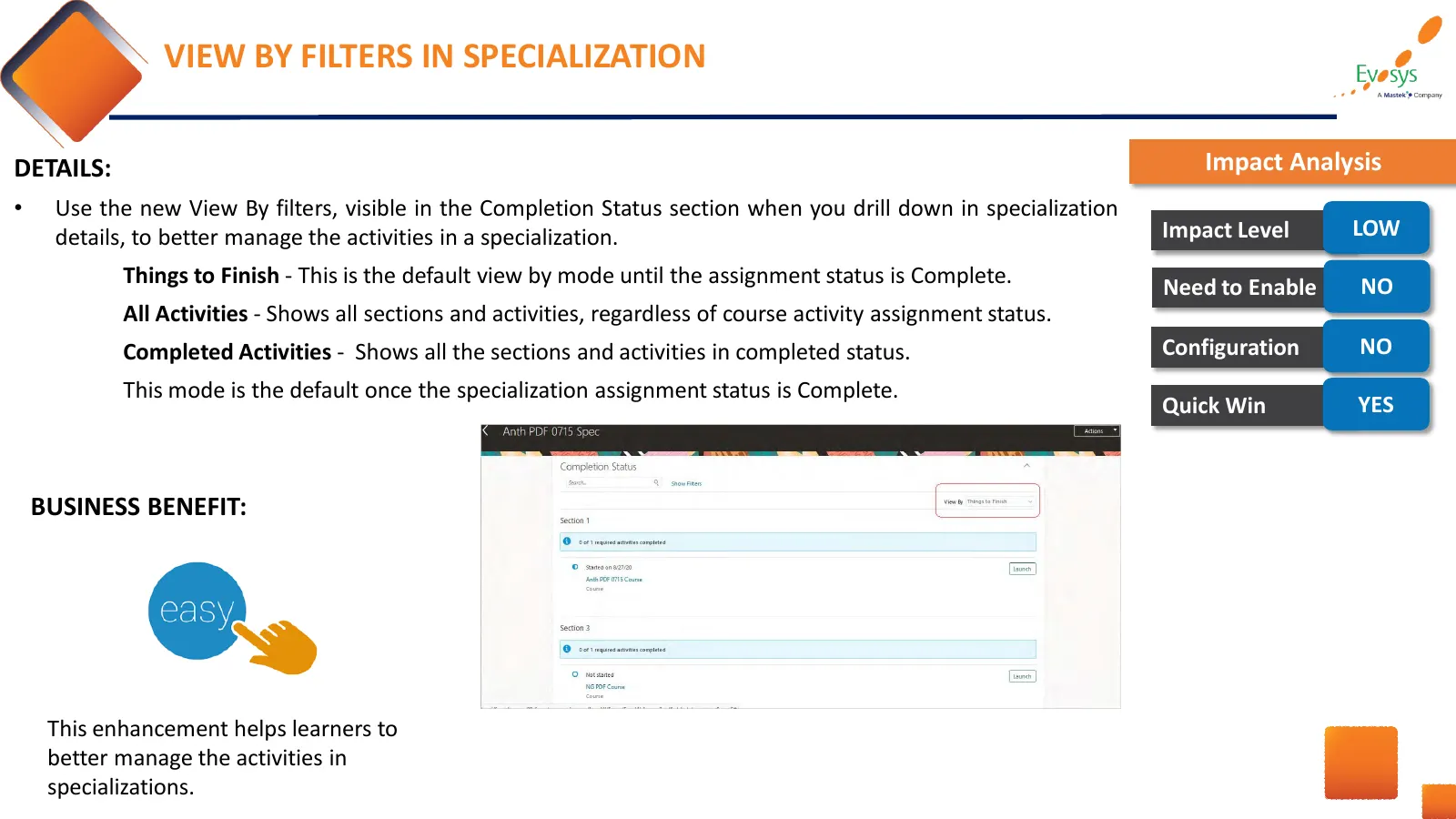
Slide 57: View By Filters in Specialization
VIEW BY FILTERS IN SPECIALIZATION DETAILS: Impact Analysis • Use the new View By filters, visible in the Completion Status section when you drill down in specialization details, to better manage the activities in a specialization. Impact Level LOW Things to Finish - This is the default view by mode
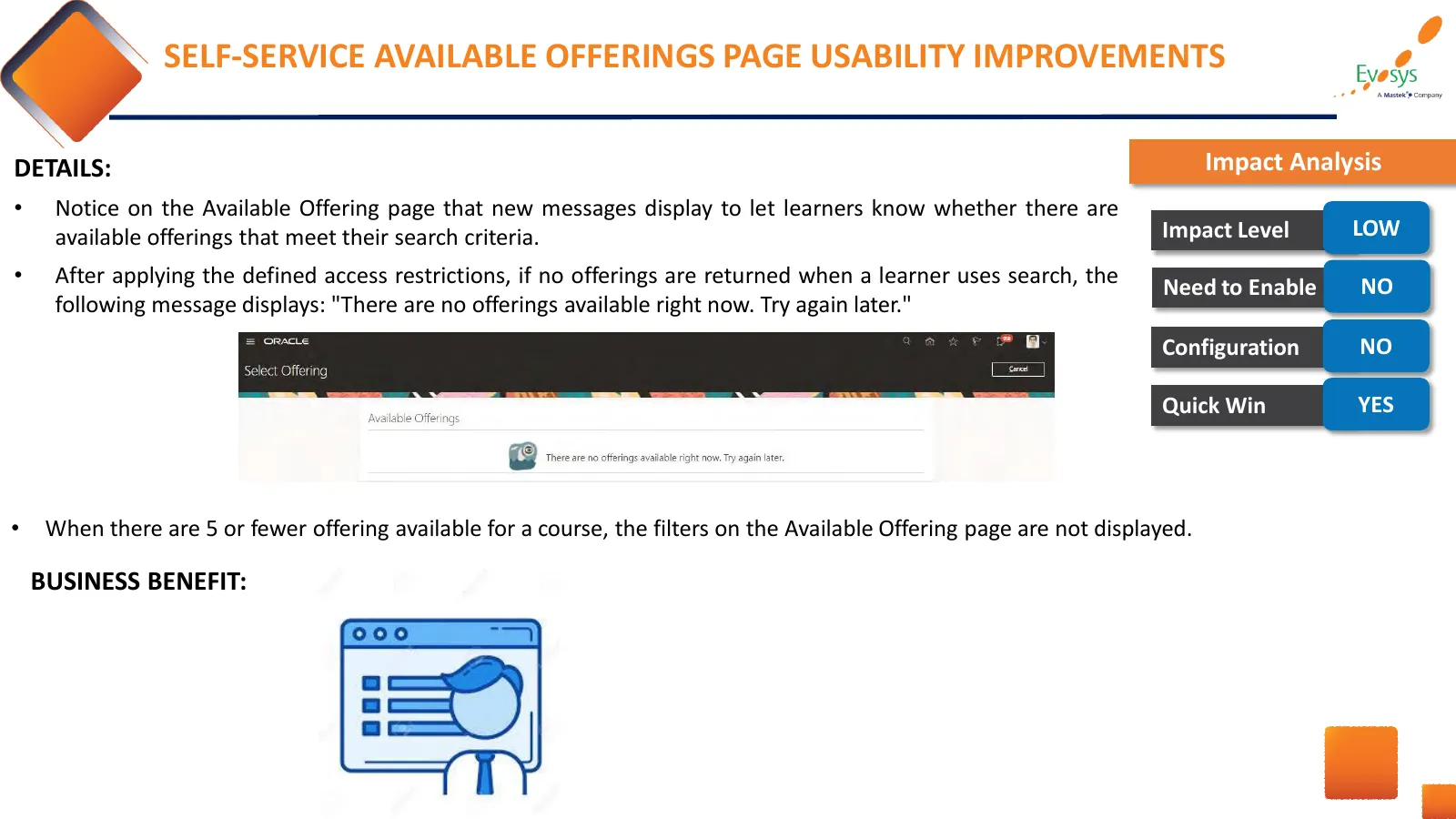
Slide 58: Self-Service Available Offerings Page Usability Improvements
SELF-SERVICE AVAILABLE OFFERINGS PAGE USABILITY IMPROVEMENTS DETAILS: Impact Analysis • Notice on the Available Offering page that new messages display to let learners know whether there are available offerings that meet their search criteria. Impact Level LOW • After applying the defined access res
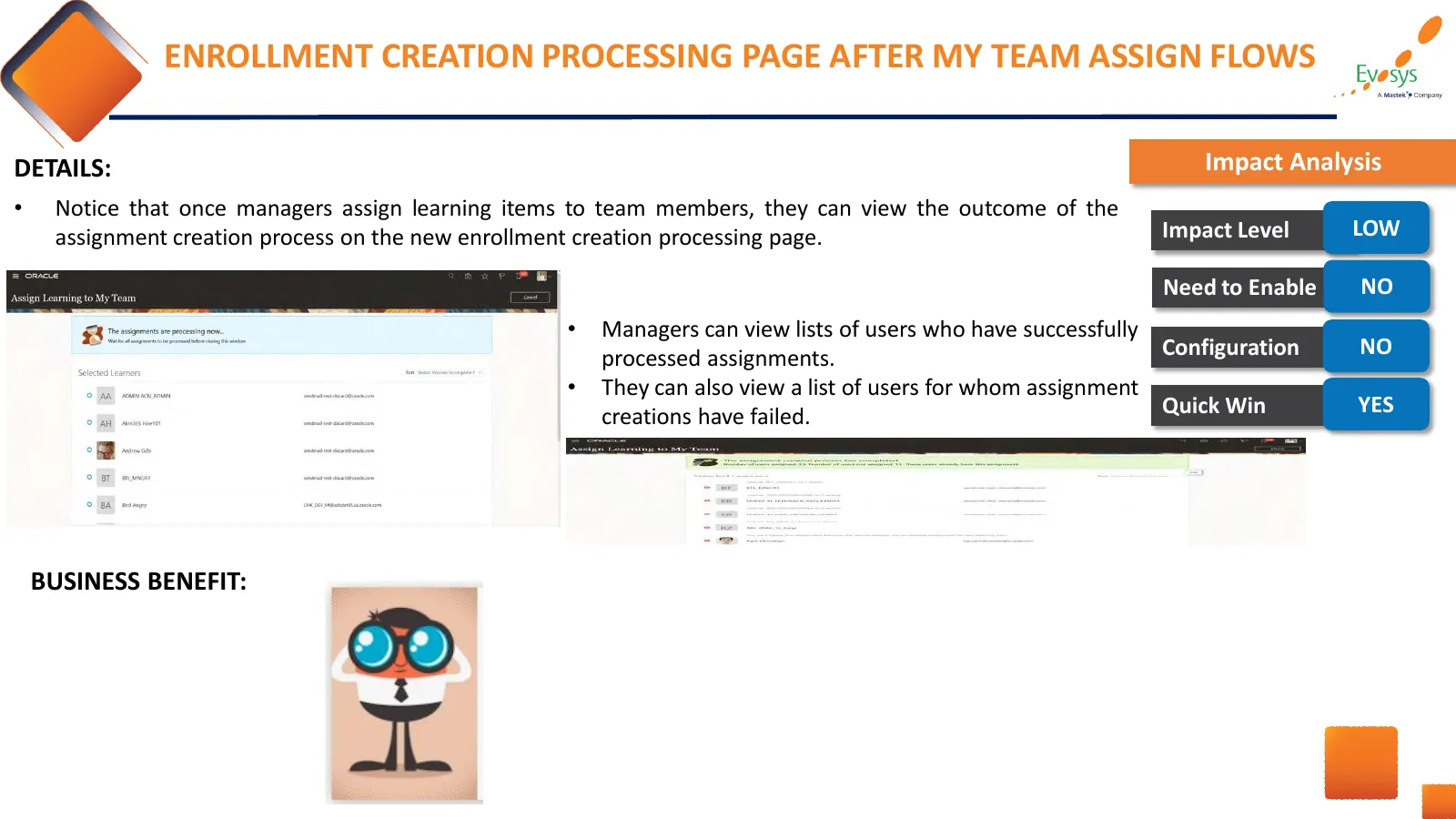
Slide 59: Enrollment Creation Processing Page After My Team Assign Flows
ENROLLMENT CREATION PROCESSING PAGE AFTER MY TEAM ASSIGN FLOWS DETAILS: Impact Analysis • Notice that once managers assign learning items to team members, they can view the outcome of the assignment creation process on the new enrollment creation processing page. Impact Level LOW Need to Enable NO •
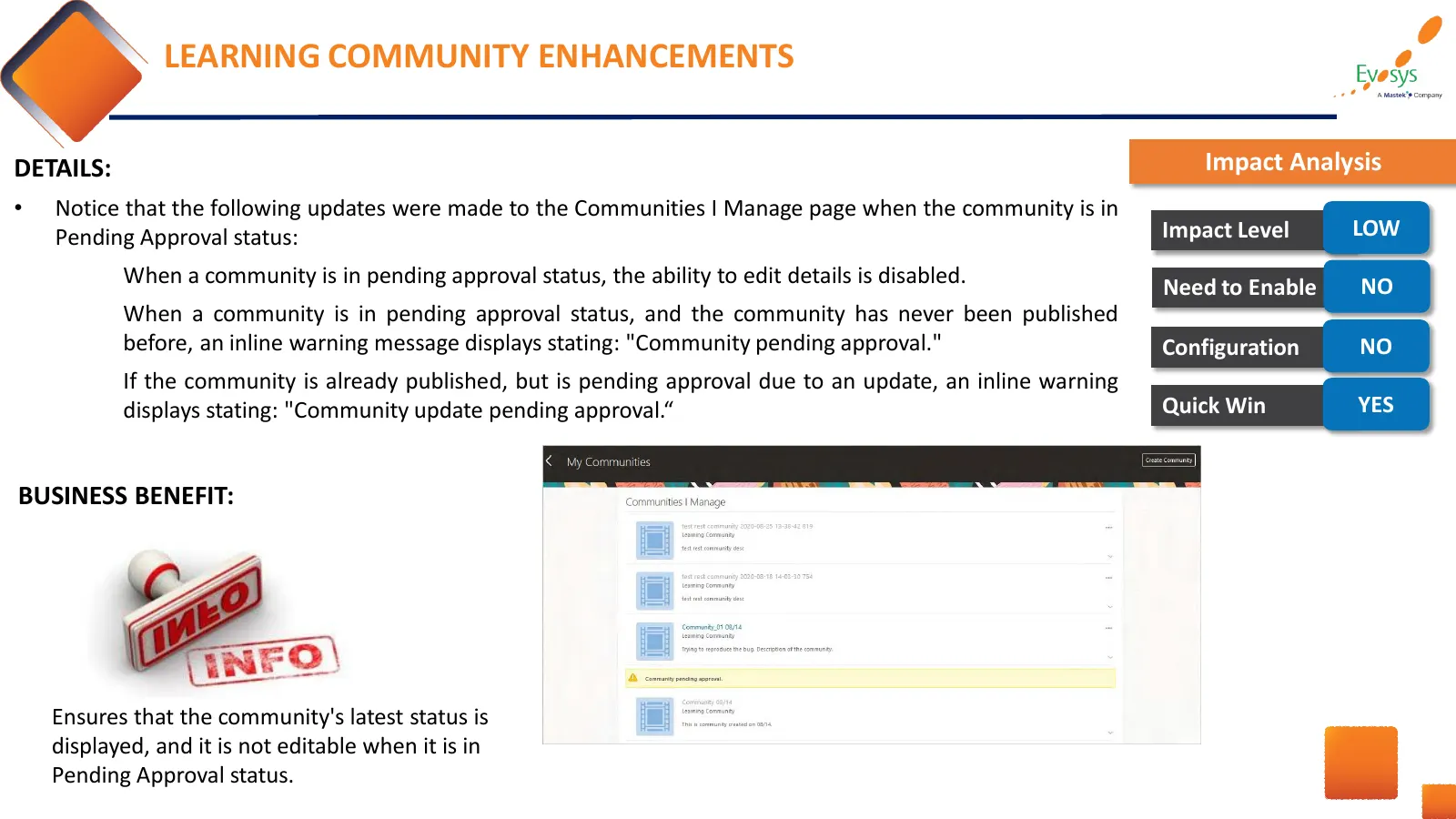
Slide 60: Learning Community Enhancements
LEARNING COMMUNITY ENHANCEMENTS DETAILS: Impact Analysis • Notice that the following updates were made to the Communities I Manage page when the community is in Pending Approval status: Impact Level LOW When a community is in pending approval status, the ability to edit details is disabled. Need to
Slide 61: Community Manager Enhancement
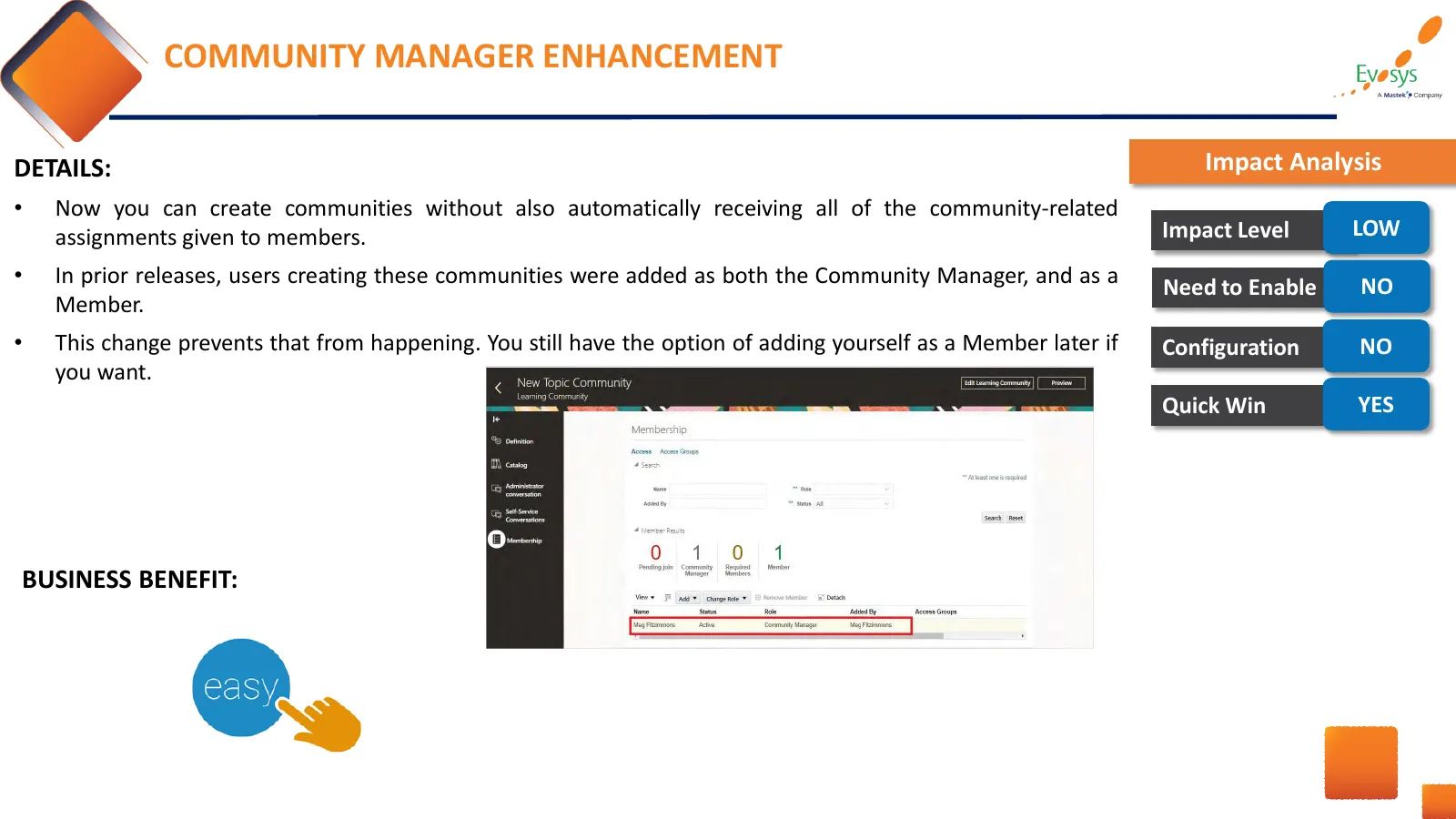
COMMUNITY MANAGER ENHANCEMENT DETAILS: Impact Analysis • Now you can create communities without also automatically receiving all of the community-related assignments given to members. Impact Level LOW • In prior releases, users creating these communities were added as both the Community Manager, and
Slide 62: Recommend Admin Communities via Learning Assignments and Initiatives
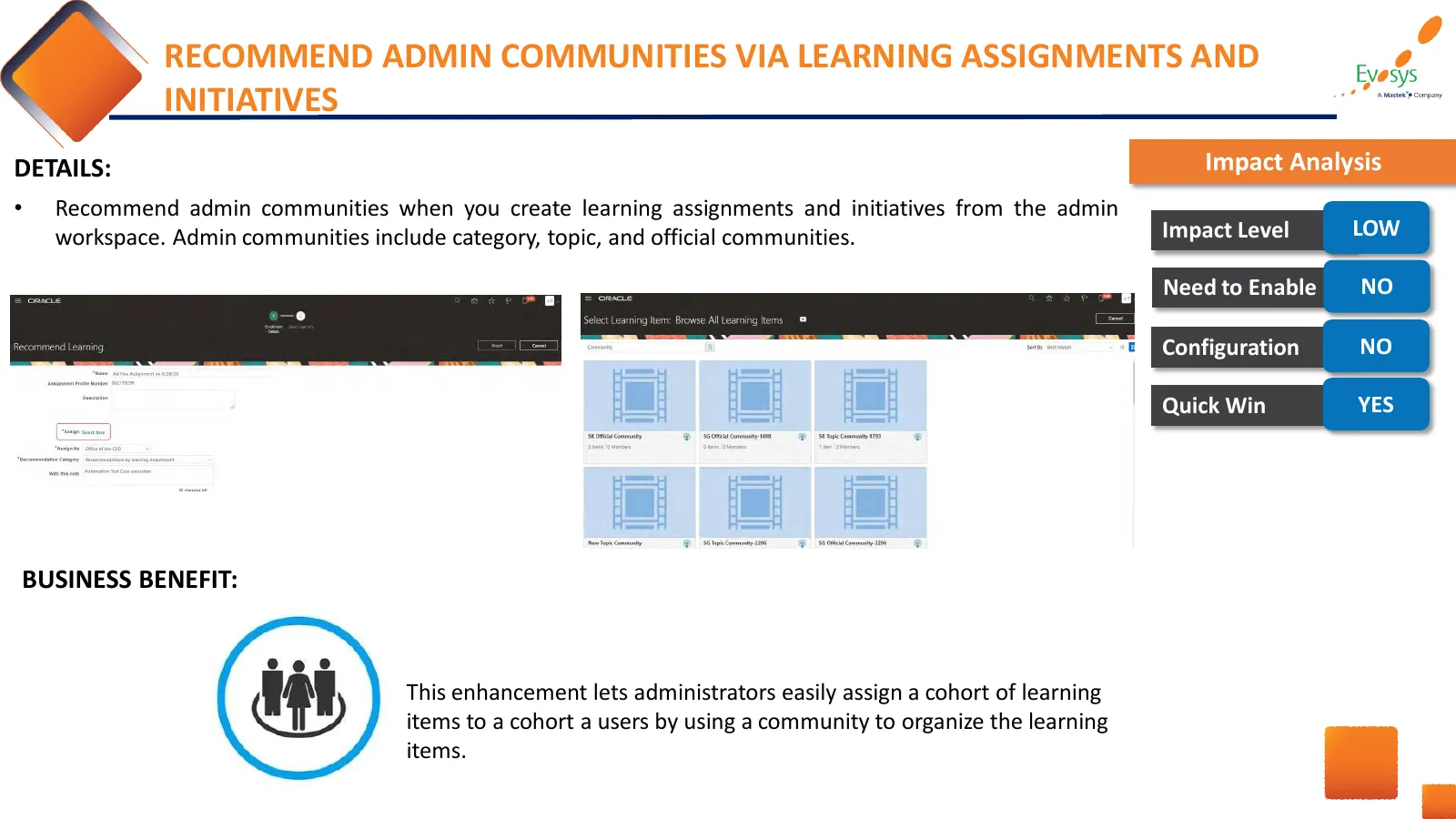
RECOMMEND ADMIN COMMUNITIES VIA LEARNING ASSIGNMENTS AND INITIATIVES DETAILS: Impact Analysis • Recommend admin communities when you create learning assignments and initiatives from the admin workspace. Admin communities include category, topic, and official communities. Impact Level LOW Need to Ena
Slide 63: Learning Items Display in Community Learning Catalog
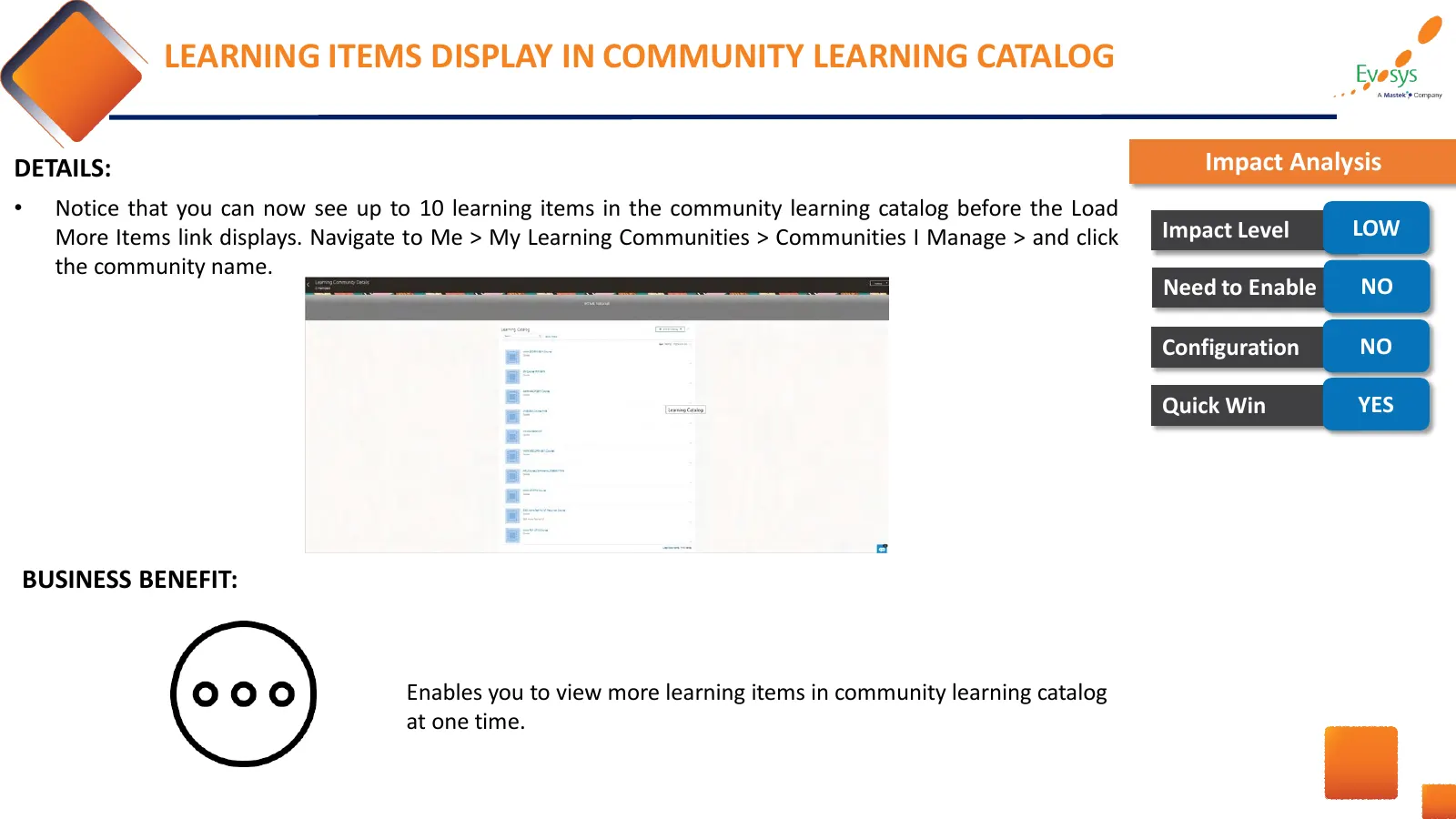
LEARNING ITEMS DISPLAY IN COMMUNITY LEARNING CATALOG DETAILS: Impact Analysis • Notice that you can now see up to 10 learning items in the community learning catalog before the Load More Items link displays. Navigate to Me > My Learning Communities > Communities I Manage > and click Impact Level LOW
Slide 64: Manage Community Action Added to Communities I Manage
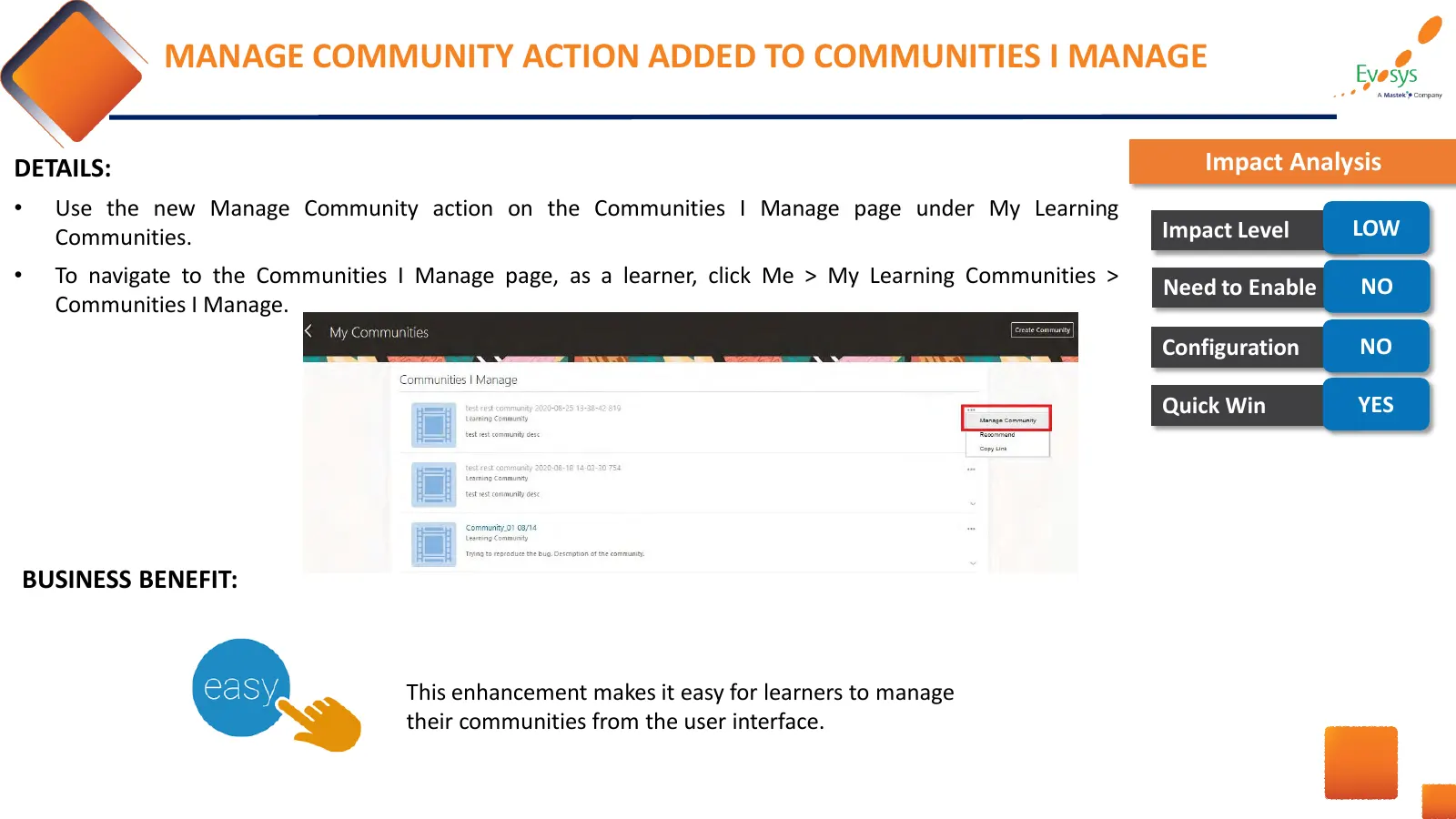
MANAGE COMMUNITY ACTION ADDED TO COMMUNITIES I MANAGE DETAILS: Impact Analysis • Use the new Manage Community action on the Communities I Manage page under My Learning Communities. Impact Level LOW • To navigate to the Communities I Manage page, as a learner, click Me > My Learning Communities > Nee
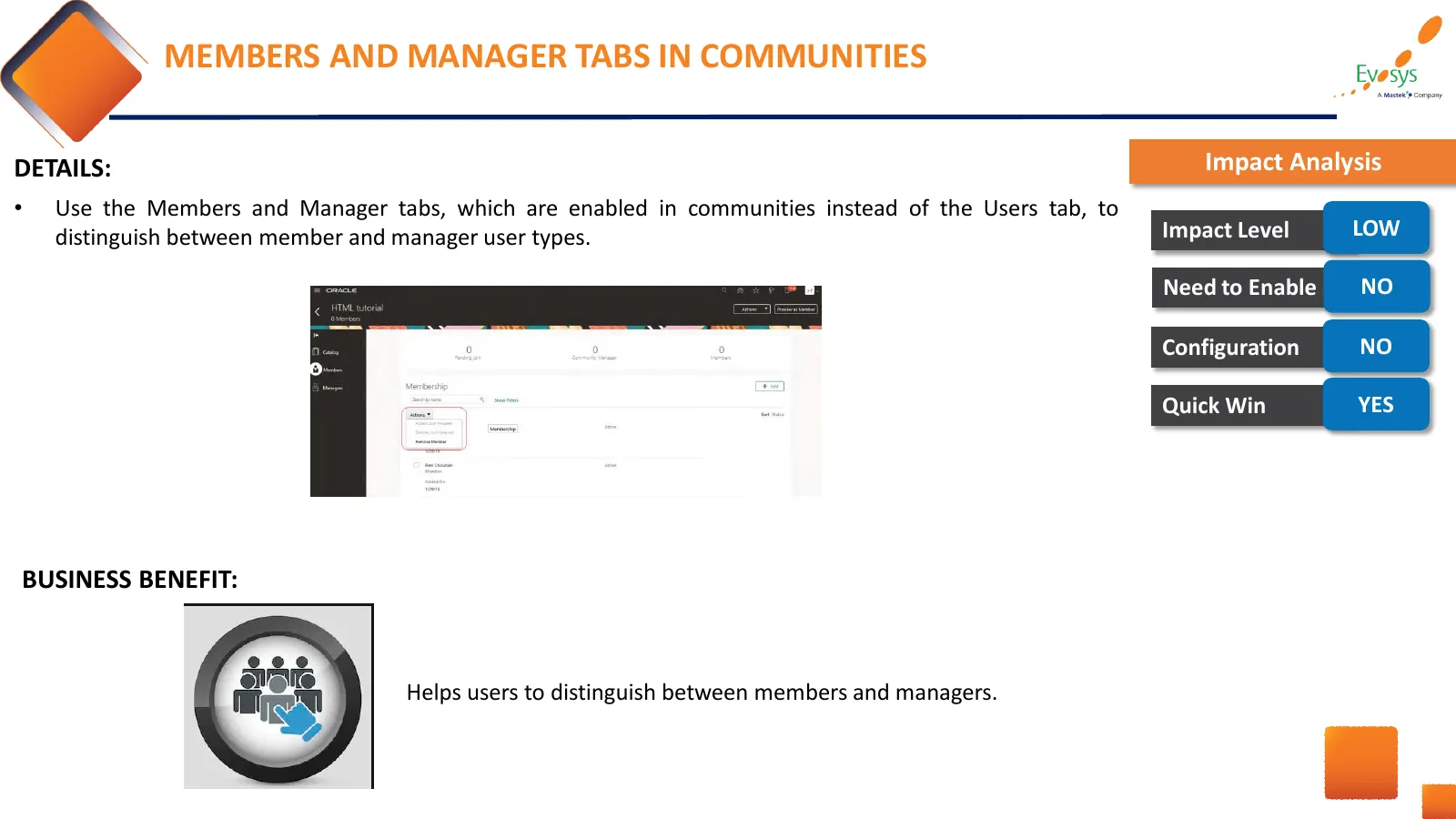
Slide 65: Members and Manager Tabs in Communities
MEMBERS AND MANAGER TABS IN COMMUNITIES DETAILS: Impact Analysis • Use the Members and Manager tabs, which are enabled in communities instead of the Users tab, to distinguish between member and manager user types. Impact Level LOW Need to Enable NO Configuration NO Quick Win YES BUSINESS BENEFIT: He
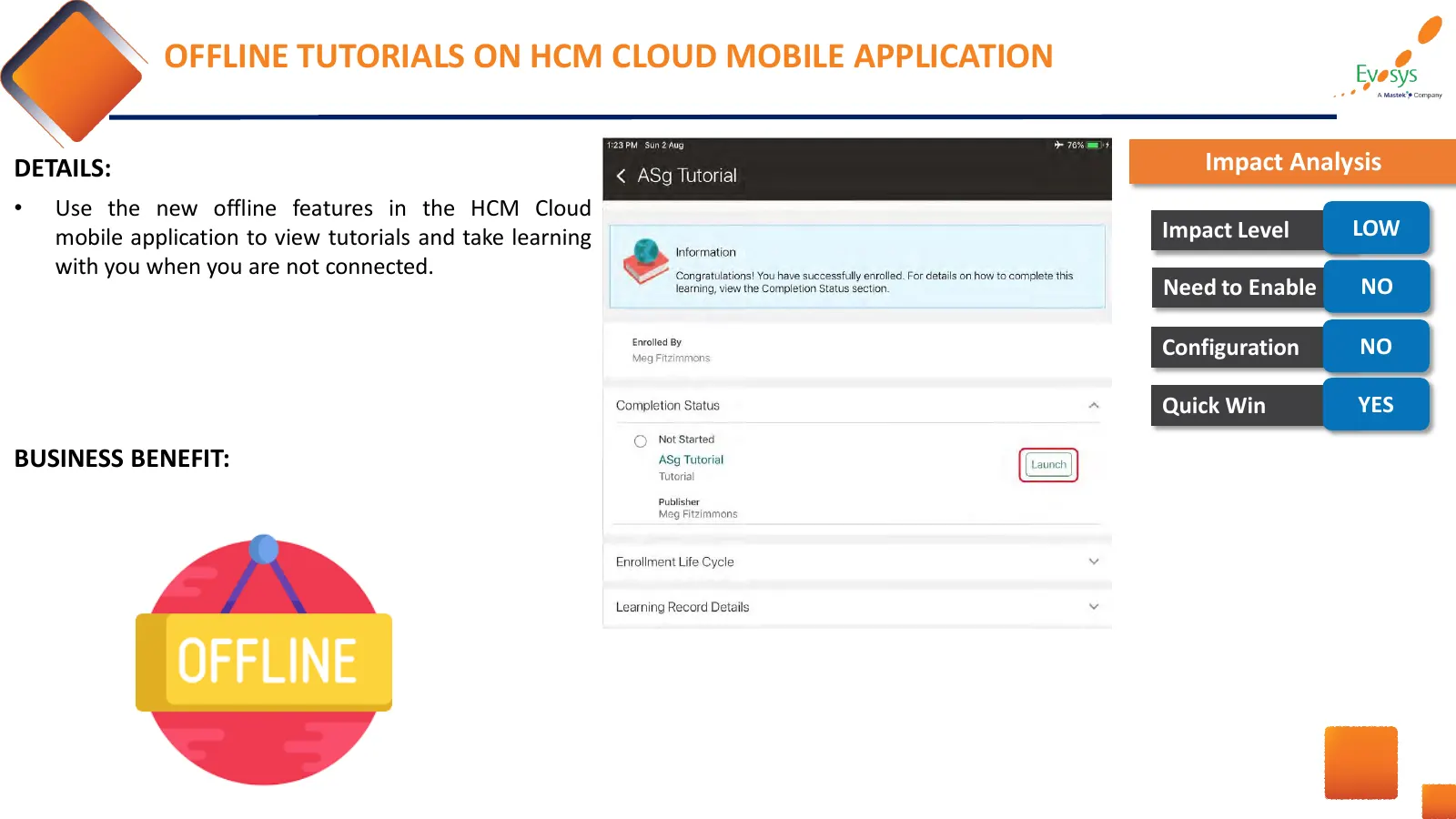
Slide 66: Offline Tutorials on HCM Cloud Mobile Application
OFFLINE TUTORIALS ON HCM CLOUD MOBILE APPLICATION DETAILS: Impact Analysis • Use the new offline features in the HCM Cloud mobile application to view tutorials and take learning Impact Level LOW with you when you are not connected. Need to Enable NO Configuration NO Quick Win YES BUSINESS BENEFIT:
Slide 67: Quick Wins – Default with YES Configuration
NEW FEATURES QUICK WINS – Default with YES Configuration
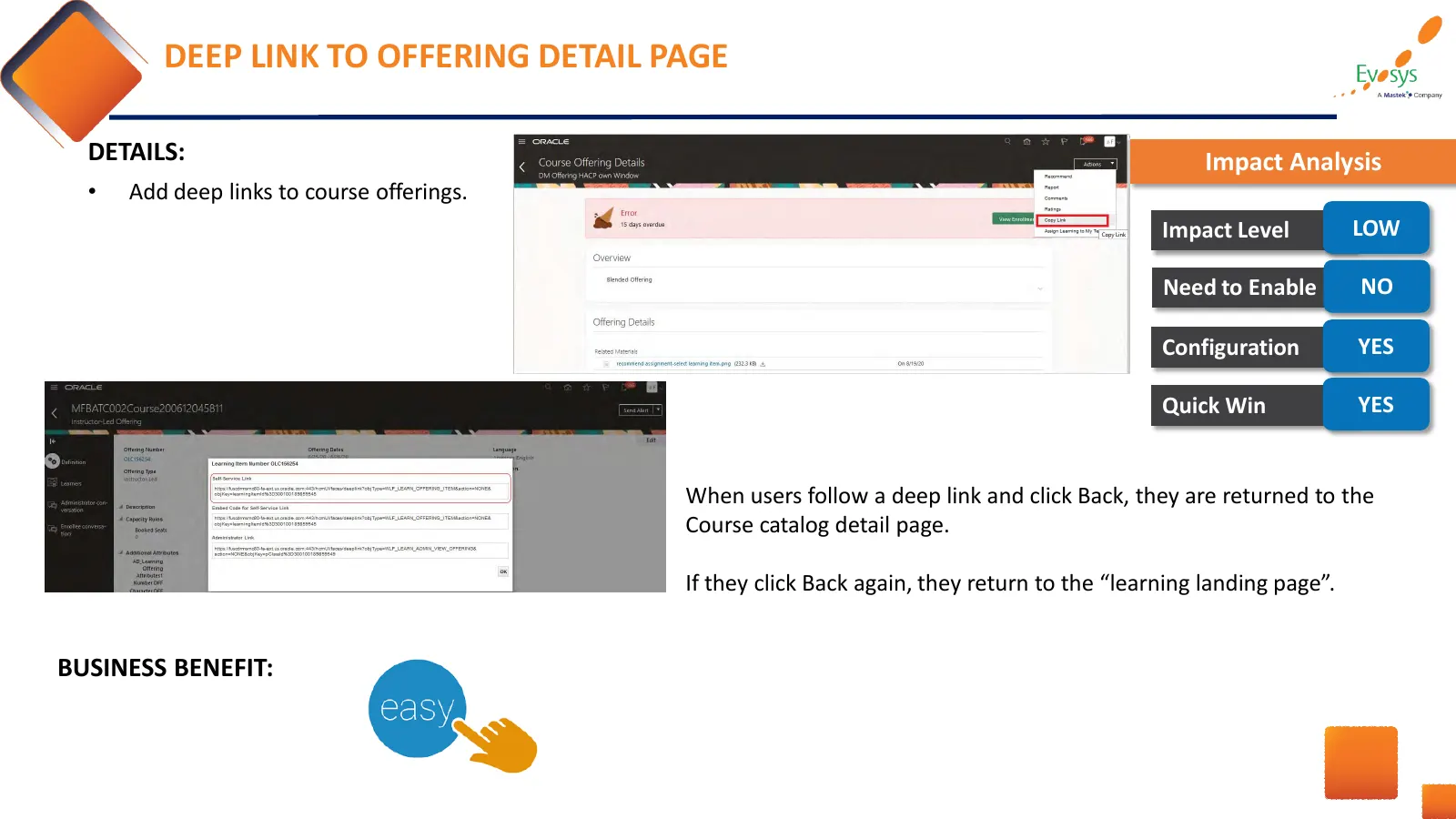
Slide 68: Deep Link to Offering Detail Page
DEEP LINK TO OFFERING DETAIL PAGE DETAILS: Impact Analysis • Add deep links to course offerings. Impact Level LOW Need to Enable NO Configuration YES Quick Win YES When users follow a deep link and click Back, they are returned to the Course catalog detail page. If they click Back again, they return
Slide 69: Enrollment Summary Page Enhancement
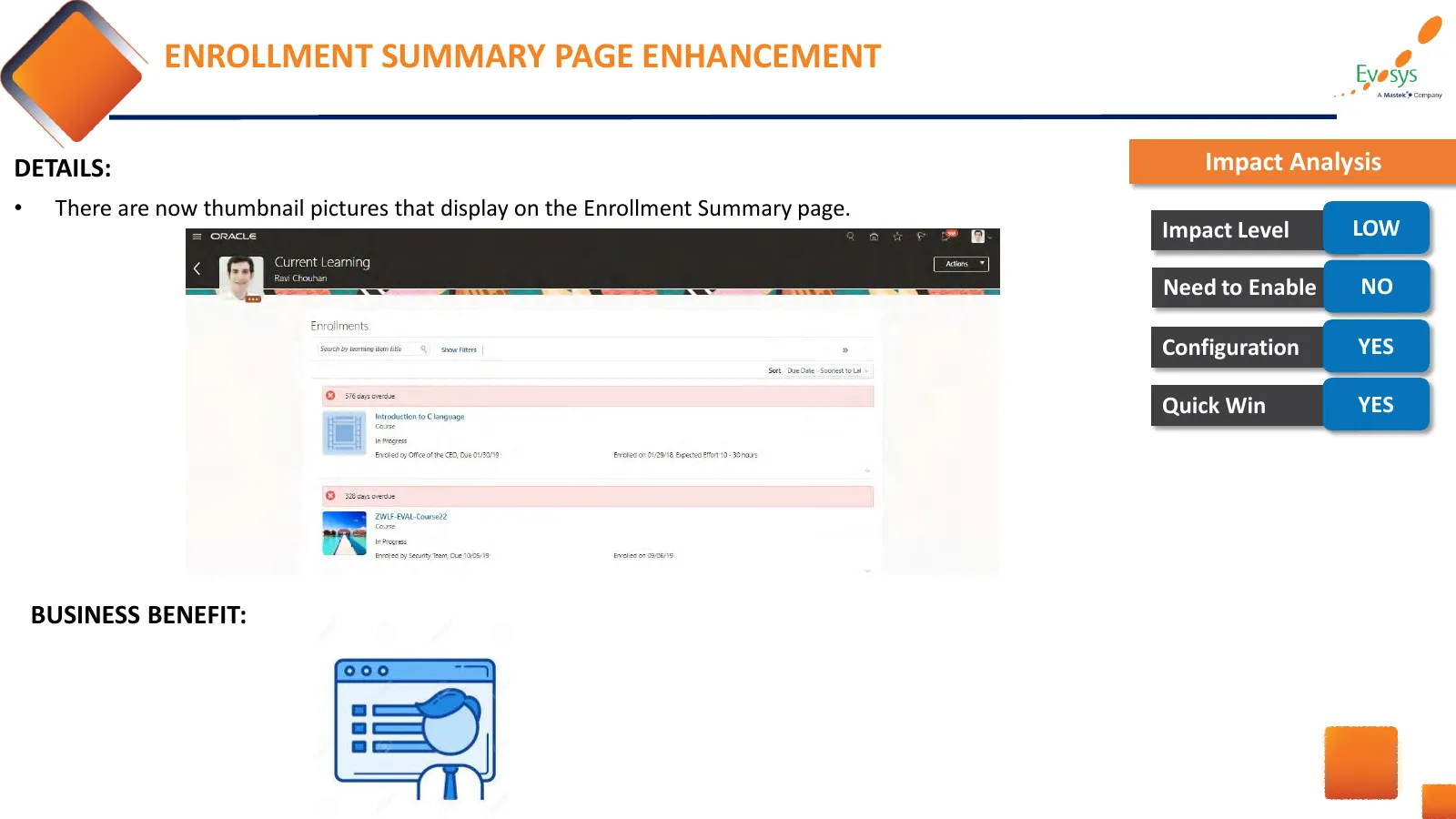
ENROLLMENT SUMMARY PAGE ENHANCEMENT DETAILS: Impact Analysis • There are now thumbnail pictures that display on the Enrollment Summary page. Impact Level LOW Need to Enable NO Configuration YES Quick Win YES BUSINESS BENEFIT:
Slide 70: New Features: The Rest
NEW FEATURES ess The Rest
Slide 71: Adobe Connect: Virtual ILT Activity Completion Rules
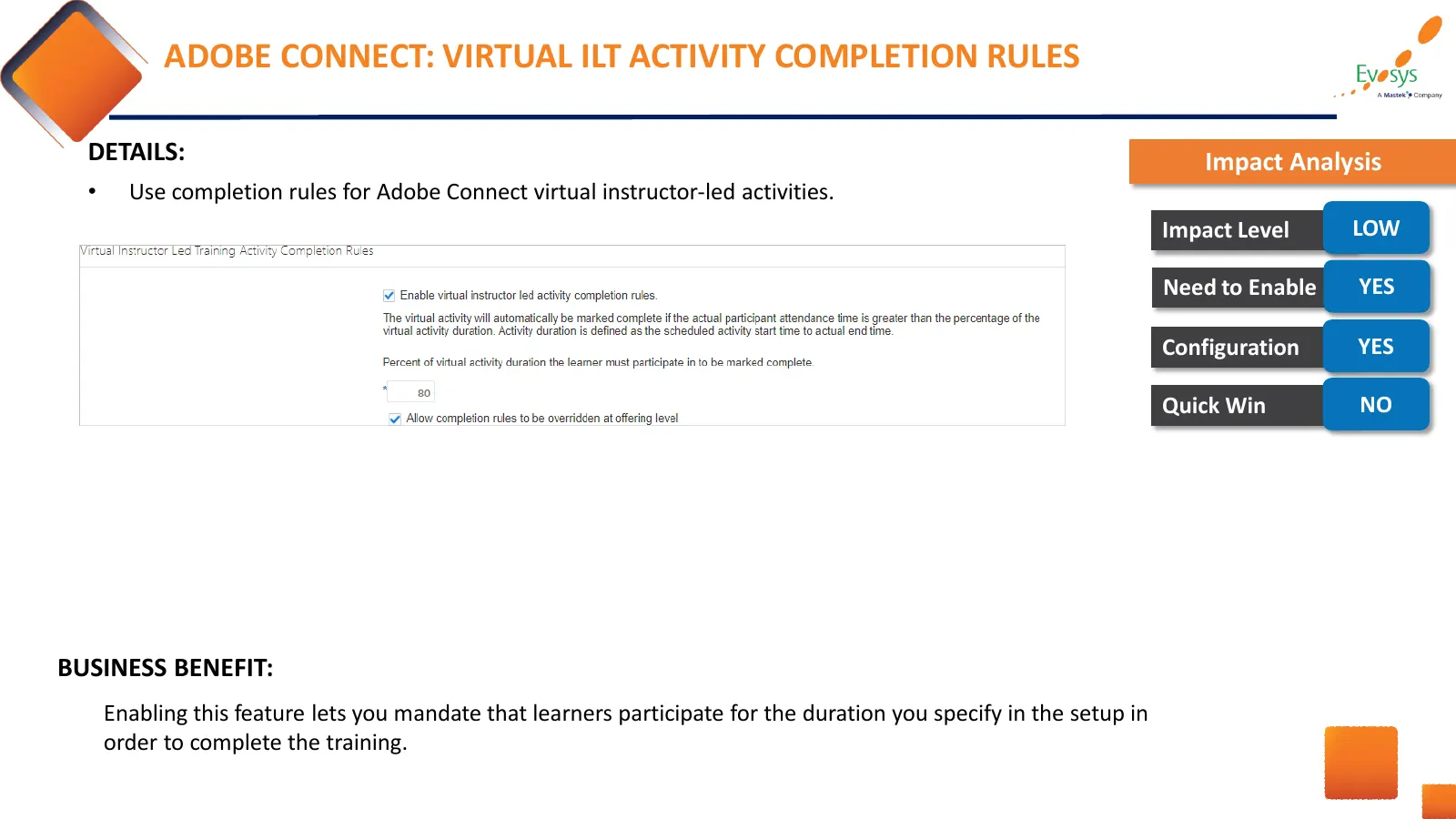
ADOBE CONNECT: VIRTUAL ILT ACTIVITY COMPLETION RULES DETAILS: Impact Analysis • Use completion rules for Adobe Connect virtual instructor-led activities. Impact Level LOW Need to Enable YES Configuration YES Quick Win NO BUSINESS BENEFIT: Enabling this feature lets you mandate that learners particip
Slide 72: Language Filter on the Available Offering Page
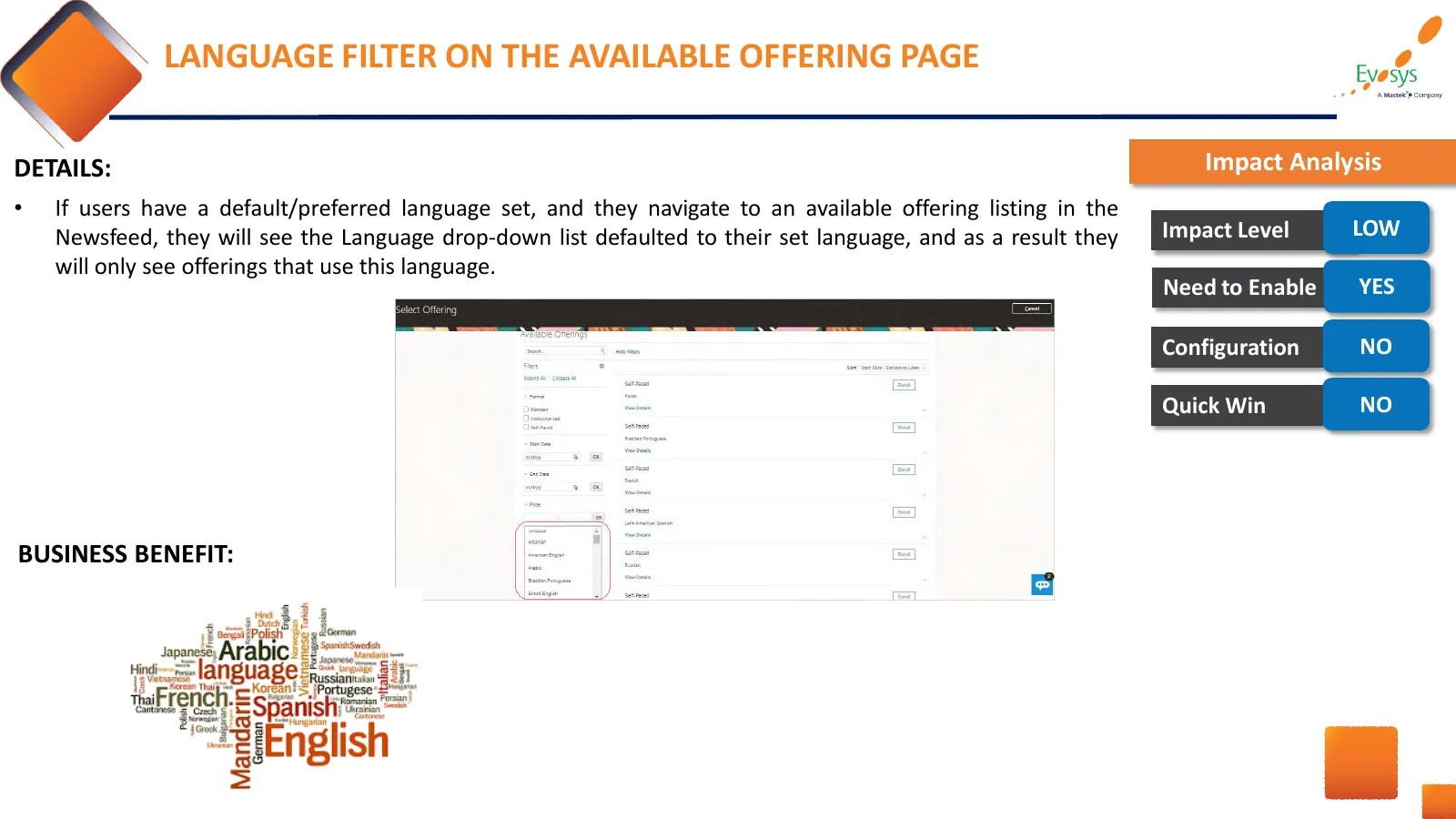
LANGUAGE FILTER ON THE AVAILABLE OFFERING PAGE DETAILS: Impact Analysis • If users have a default/preferred language set, and they navigate to an available offering listing in the Newsfeed, they will see the Language drop-down list defaulted to their set language, and as a result they Impact Level L
Slide 73: New Features: Recruiting
NEW FEATURES ess RECRUITING
Slide 74: Recruiting Analysis
RECRUITING ANALYSIS ae f . 7 NEW FEATURES a Gen Wa — Data with NO Contain “| 4 NEW FEATURES a NEW FEATURES a (QUNcK Was = Opt Tenet _ =»
Slide 75: Quick Wins – Default with No Configuration
NEW FEATURES QUICK WINS – Default with NO Configuration
Slide 76: Preview Attachments on Job Applications
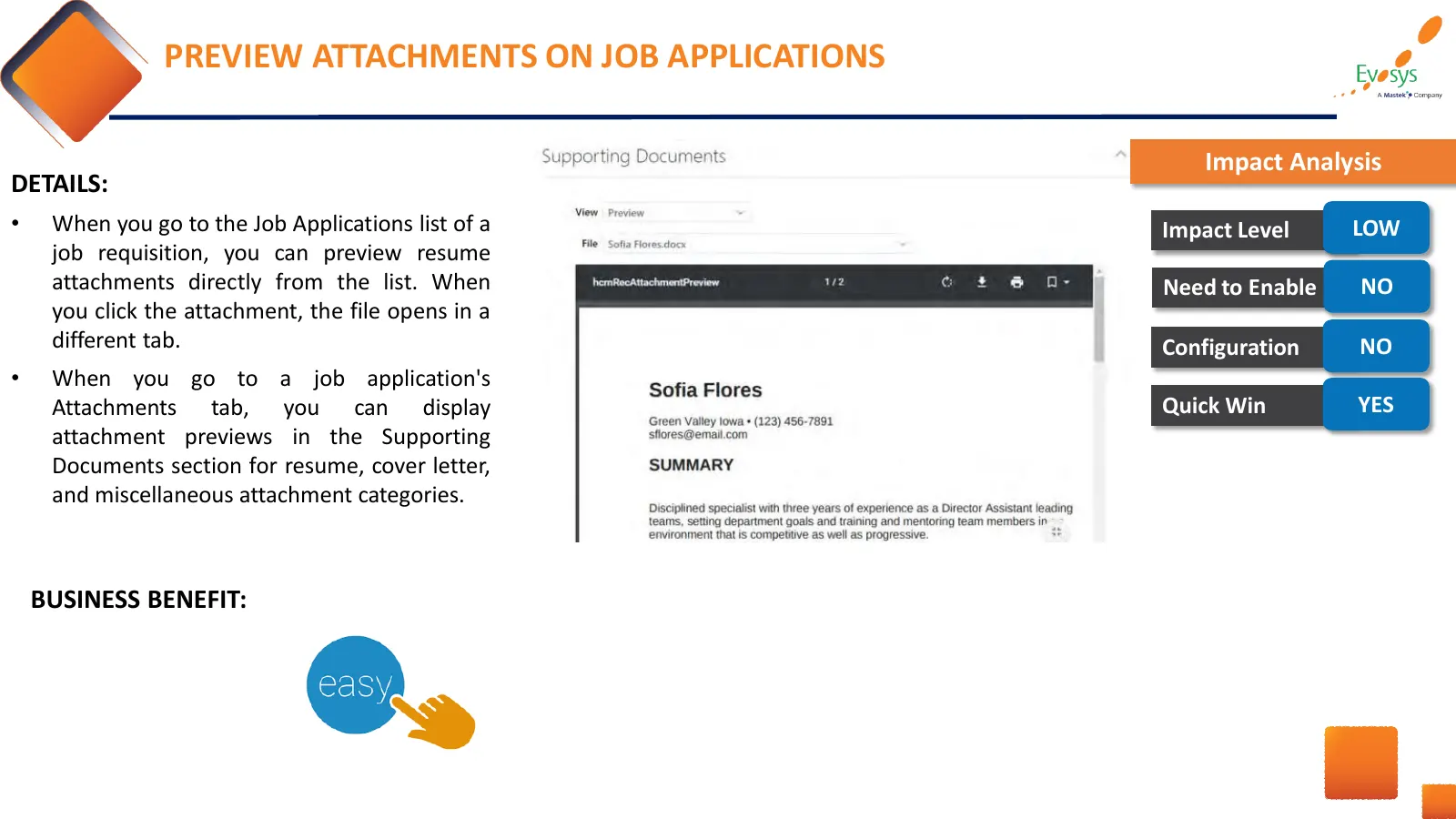
PREVIEW ATTACHMENTS ON JOB APPLICATIONS Impact Analysis DETAILS: • When you go to the Job Applications list of a Impact Level LOW job requisition, you can preview resume attachments directly from the list. When Need to Enable NO you click the attachment, the file opens in a different tab. Configurat
Slide 77: Improved Candidate Self Service Accessibility
IMPROVED CANDIDATE SELF SERVICE ACCESSIBILITY Impact Analysis DETAILS: • The candidate self service background color is now lighter to ensure the elements contrast ratio guarantees Impact Level LOW accessibility. You can modify the color using a custom CSS. Need to Enable NO • Improve the candidate
Slide 78: Posting Expiration Date Displayed to Internal Candidates
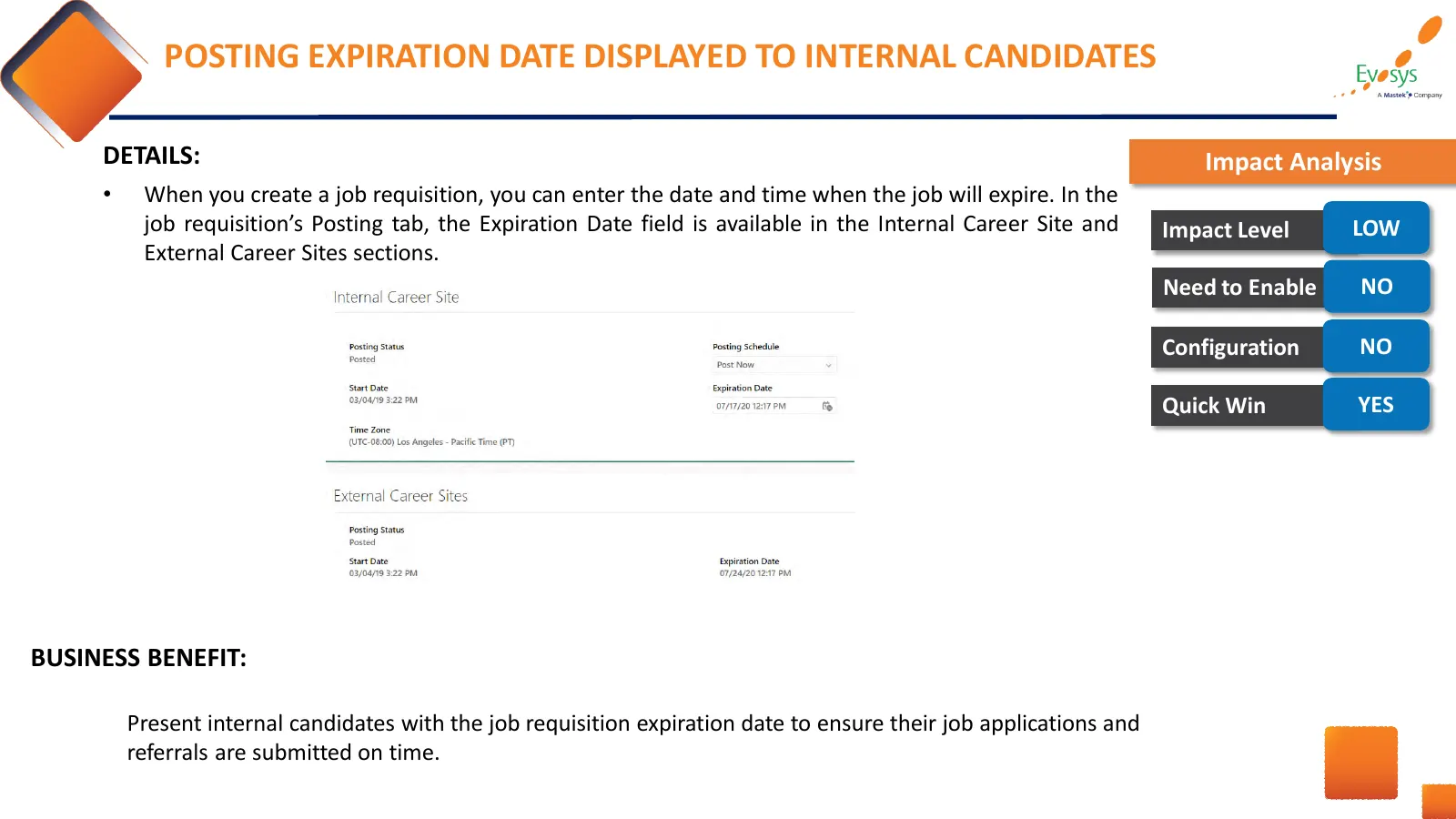
POSTING EXPIRATION DATE DISPLAYED TO INTERNAL CANDIDATES DETAILS: Impact Analysis • When you create a job requisition, you can enter the date and time when the job will expire. In the job requisition’s Posting tab, the Expiration Date field is available in the Internal Career Site and Impact Level L
Slide 79: Save Draft Request Information Flow Data
SAVE DRAFT REQUEST INFORMATION FLOW DATA Impact Analysis DETAILS: Impact Level LOW • External candidates can save draft data they entered while completing a request information flow. • External candidates can drop off when filling out a request information flow and start over when ready Need to Enab
Slide 80: Disqualifying Candidates Based on Individual Negative Answer
DISQUALIFYING CANDIDATES BASED ON INDIVIDUAL NEGATIVE ANSWER Impact Analysis DETAILS: Impact Level LOW • For disqualification questions, a single answer to a negative score of a disqualification question will disqualify a candidate. Need to Enable NO • You will no longer need to enter a big negative
Slide 81: Fill Job Requisitions with Large Number of Active Job Applications
FILL JOB REQUISITIONS WITH LARGE NUMBER OF ACTIVE JOB APPLICATIONS DETAILS: Impact Analysis • You can fill job requisitions manually or automatically when the required number of candidates was hired for the job, regardless of the number of active candidates on the requisition. Impact Level LOW • In
Slide 82: Maximum Possible Score Adjusted While Updating Question's Score
MAXIMUM POSSIBLE SCORE ADJUSTED WHILE UPDATING QUESTION'S SCORE DETAILS: Impact Analysis • You can change questions added to questionnaires not being used. Changes are reflected right away in questionnaires, with the exception of any overwritten score at the questionnaire level. Impact Level LOW • I
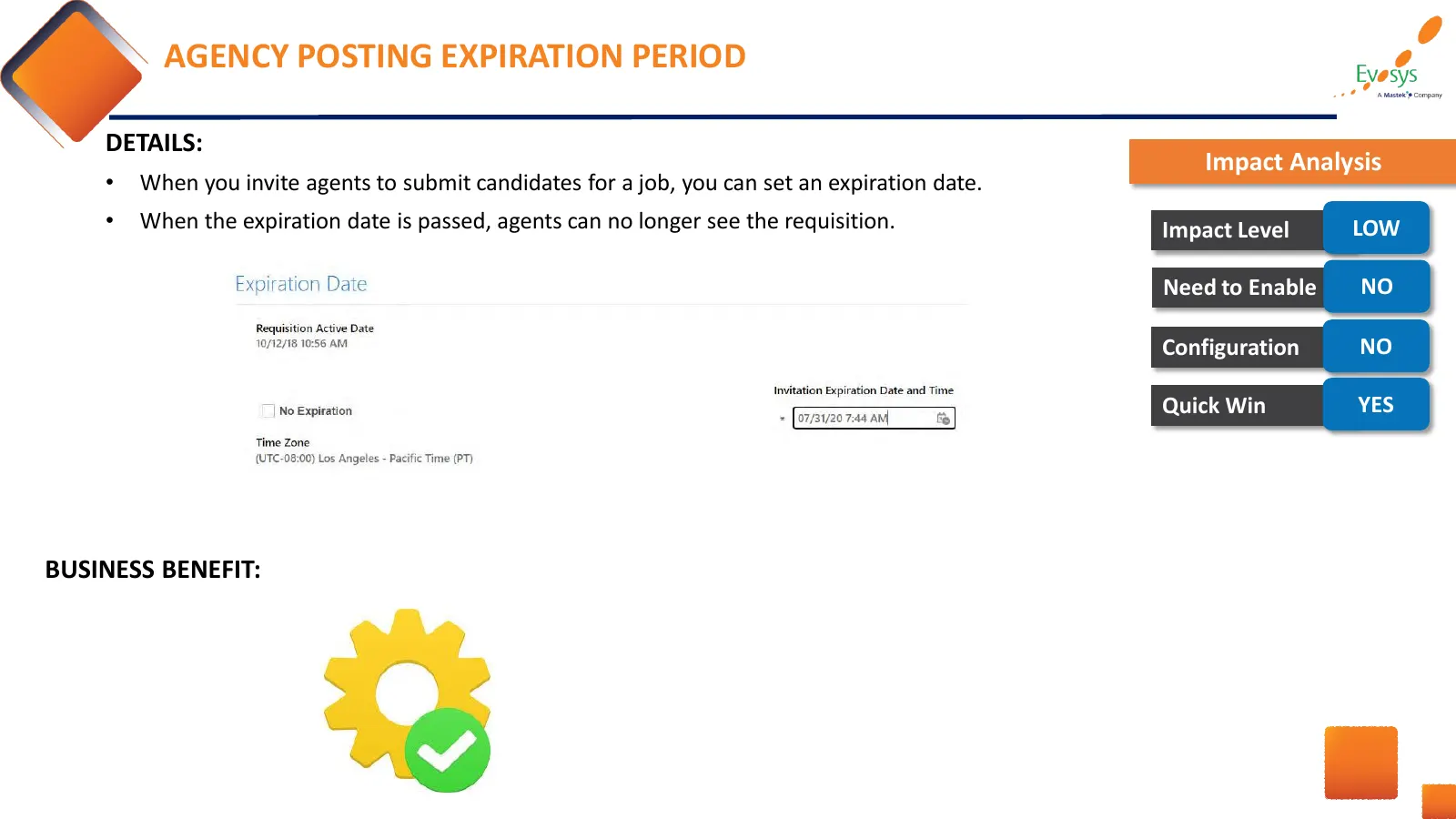
Slide 83: Agency Posting Expiration Period
AGENCY POSTING EXPIRATION PERIOD DETAILS: Impact Analysis • When you invite agents to submit candidates for a job, you can set an expiration date. • When the expiration date is passed, agents can no longer see the requisition. Impact Level LOW Need to Enable NO Configuration NO Quick Win YES BUSINES
Slide 84: Quick Wins – Opt Ins
NEW FEATURES QUICK WINS – Opt Ins
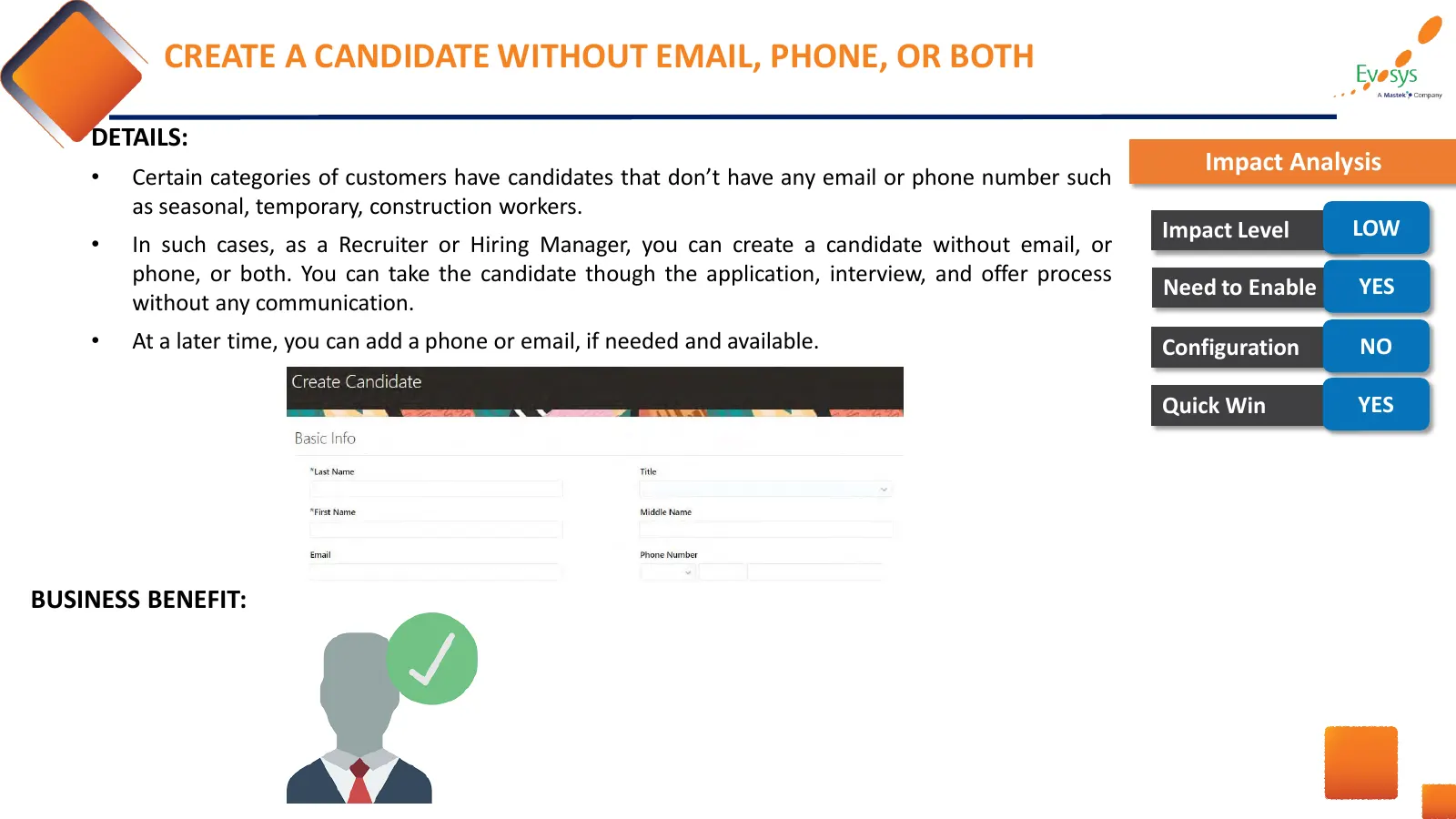
Slide 85: Create a Candidate Without Email, Phone, or Both
CREATE A CANDIDATE WITHOUT EMAIL, PHONE, OR BOTH DETAILS: Impact Analysis • Certain categories of customers have candidates that don’t have any email or phone number such as seasonal, temporary, construction workers. Impact Level LOW • In such cases, as a Recruiter or Hiring Manager, you can create
Slide 86: Reuse Phone Numbers
REUSE PHONE NUMBERS Impact Analysis DETAILS: • You can allow external candidates to reuse the phone number that was used by another candidate Impact Level LOW in the past. Candidates can claim a phone number as genuinely being their own. Need to Enable YES • This feature also allows to create new ca
Slide 87: Email Address and Phone Number as Mandatory Fields in Application Flows
EMAIL ADDRESS AND PHONE NUMBER AS MANDATORY FIELDS IN APPLICATION FLOWS Impact Analysis DETAILS: Impact Level LOW • As an administrator, you can create rules in Transaction Design Studio to make the Email Address and Phone Number fields as mandatory in apply flows, request information flows, and tal
Slide 88: Miscellaneous File Attachments in Request Information Flows
MISCELLANEOUS FILE ATTACHMENTS IN REQUEST INFORMATION FLOWS Impact Analysis DETAILS: Impact Level LOW • As an administrator, you can configure your Request Information flow so that candidates can add multiple file attachments of different types to their job applications. YES Need to Enable • This is
Slide 89: Create Job Requisitions When Requesting New Positions
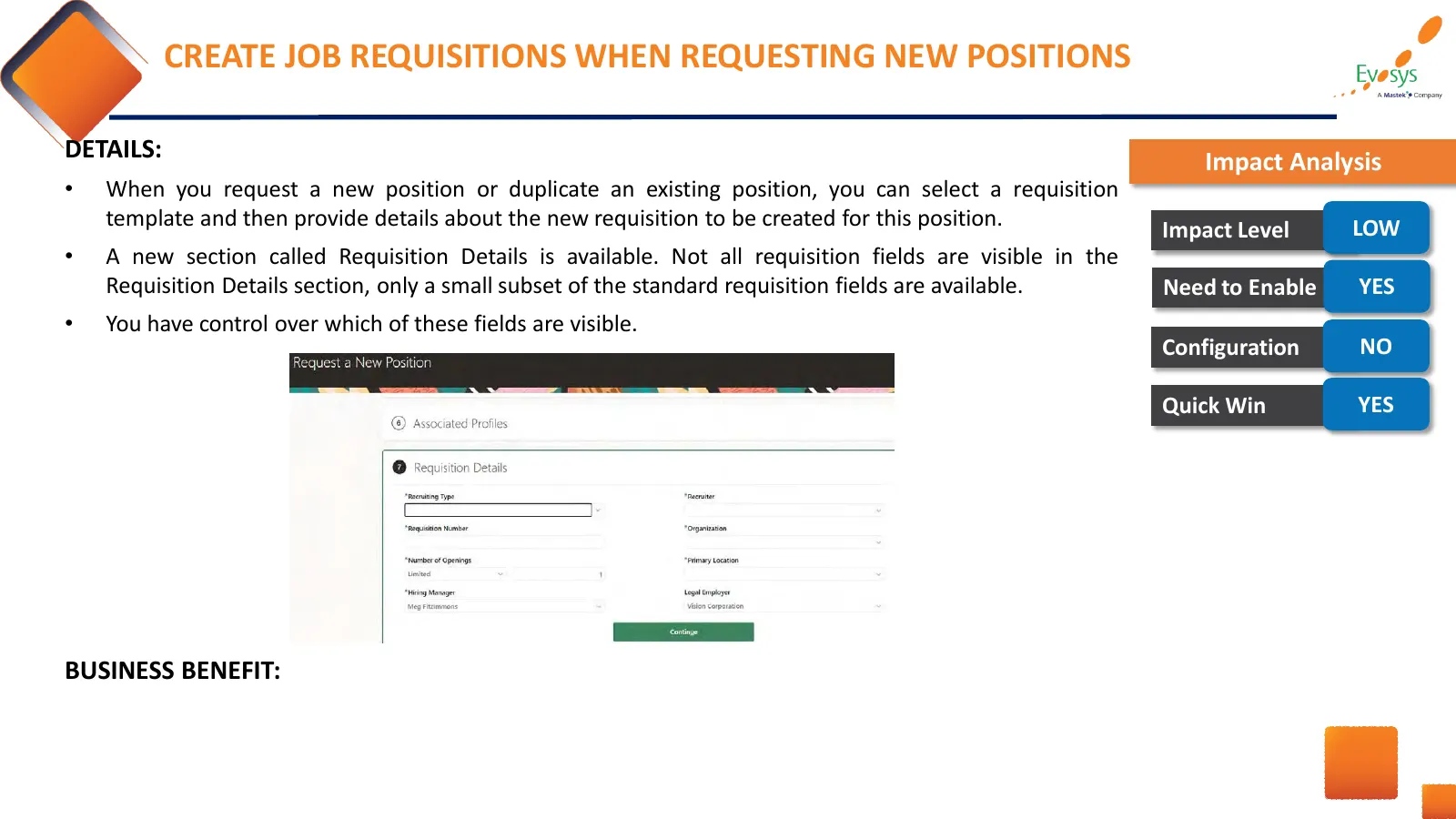
CREATE JOB REQUISITIONS WHEN REQUESTING NEW POSITIONS DETAILS: Impact Analysis • When you request a new position or duplicate an existing position, you can select a requisition template and then provide details about the new requisition to be created for this position. Impact Level LOW • A new secti
Slide 90: Define Collaborator Types for Requisitions and Offers
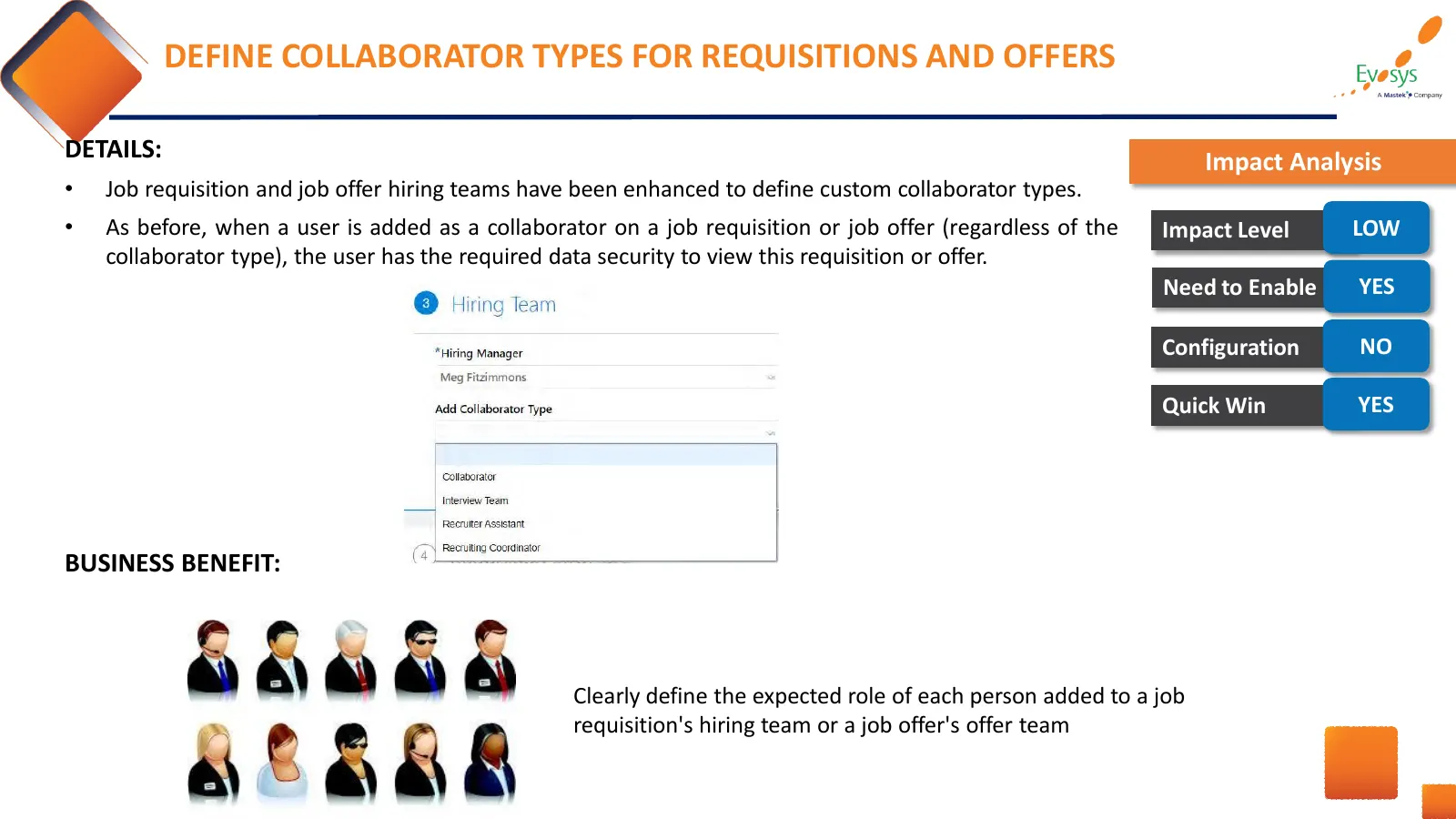
DEFINE COLLABORATOR TYPES FOR REQUISITIONS AND OFFERS DETAILS: Impact Analysis • Job requisition and job offer hiring teams have been enhanced to define custom collaborator types. • As before, when a user is added as a collaborator on a job requisition or job offer (regardless of the Impact Level LO
Slide 91: Full 1 Click Export Support for LinkedIn Recruiter
FULL 1 CLICK EXPORT SUPPORT FOR LINKEDIN RECRUITER Impact Analysis DETAILS: • Recruiters are now able to use the 1-Click Export in LinkedIn Recruiter to export a candidate that isn't in Impact Level LOW Oracle Recruiting Cloud and create a prospect for a specific job requisition. • Until now, only t
Slide 92: New Features: The Rest
NEW FEATURES ess The Rest
Slide 93: Candidate Security
CANDIDATE SECURITY Impact Analysis DETAILS: • In previous releases, when a recruiter or member of the Hiring Team was searching for candidates, all Impact Level LOW confirmed candidates would show up in search results. Need to Enable YES • With this release, recruiters and Hiring Team members can se
Slide 94: Pixel Tracking
PIXEL TRACKING Impact Analysis DETAILS: • You can use pixel tracking to track your external candidates when they click apply, start applying, and submit Impact Level LOW job applications. • You can use third party tools to track candidates and measure how many candidates who initiate a job Need to E
Slide 95: Search Jobs on Map
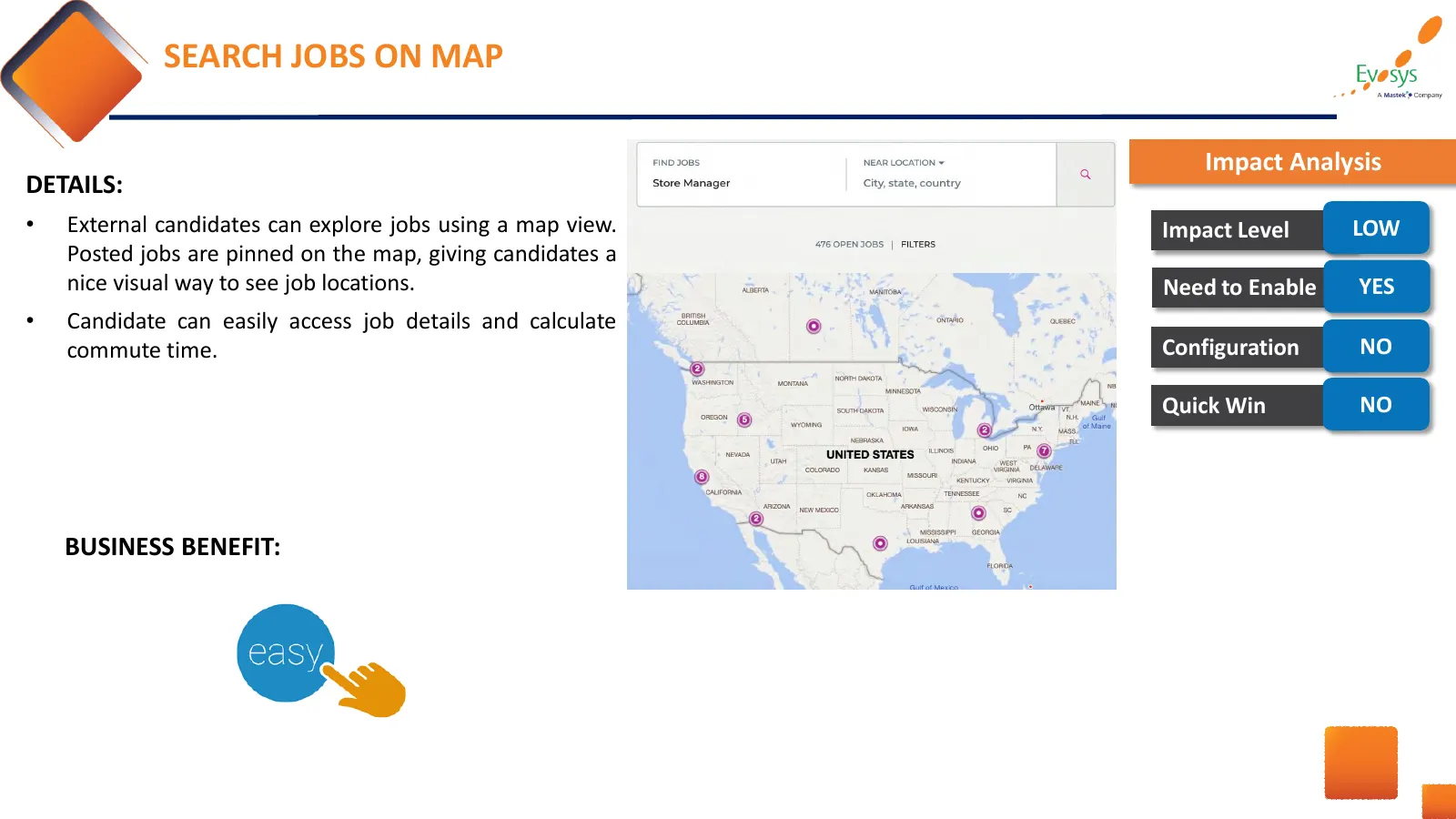
SEARCH JOBS ON MAP Impact Analysis DETAILS: • External candidates can explore jobs using a map view. Impact Level LOW Posted jobs are pinned on the map, giving candidates a nice visual way to see job locations. Need to Enable YES • Candidate can easily access job details and calculate commute time.
Slide 96: Automatically Initiate a Candidate Duplicate Check
AUTOMATICALLY INITIATE A CANDIDATE DUPLICATE CHECK Impact Analysis DETAILS: Impact Level LOW • The candidate selection process can be configured to automatically initiate a candidate duplicate check. • Automatic initiation can be configured at multiple points in the candidate selection process. When
Slide 97: Job Application EFFs and Question Answers Database Items for CSP Fast Formulas
JOB APPLICATION EFFS AND QUESTION ANSWERS DATABASE ITEMS FOR CSP FAST FORMULAS Impact Analysis DETAILS: Impact Level LOW • You can define fast formulas and use them as conditions for candidate selection process automated actions using answers to prescreening questions, answers to YES Need to Enable
Slide 98: Use Fast Formula Conditions at the Beginning of Candidate Selection Processes
USE FAST FORMULA CONDITIONS AT THE BEGINNING OF CANDIDATE SELECTION PROCESSES Impact Analysis DETAILS: Impact Level LOW • As an administrator, when you configure actions in a candidate selection process, you can use fast formulas as conditions, even if the action is at the beginning of the candidate
Slide 99: Hiring Team Notifications
HIRING TEAM NOTIFICATIONS DETAILS: Impact Analysis • You can send messages to hiring team members to notify them of actions they need to take on job requisitions, job applications, or job offers and keep them informed through the hiring process. Impact Level LOW • You can track the messages that wer
Slide 100: Adjust Offer Letter Content
ADJUST OFFER LETTER CONTENT DETAILS: Impact Analysis There are two methods to adjust offer letters: Impact Level LOW • Original method: When you download a candidate’s selected offer letter while in the state Offer-Draft, you get a document that shows all of the tokens that will represent the variou
Slide 101: Background Check Package Selection Within Recruiting
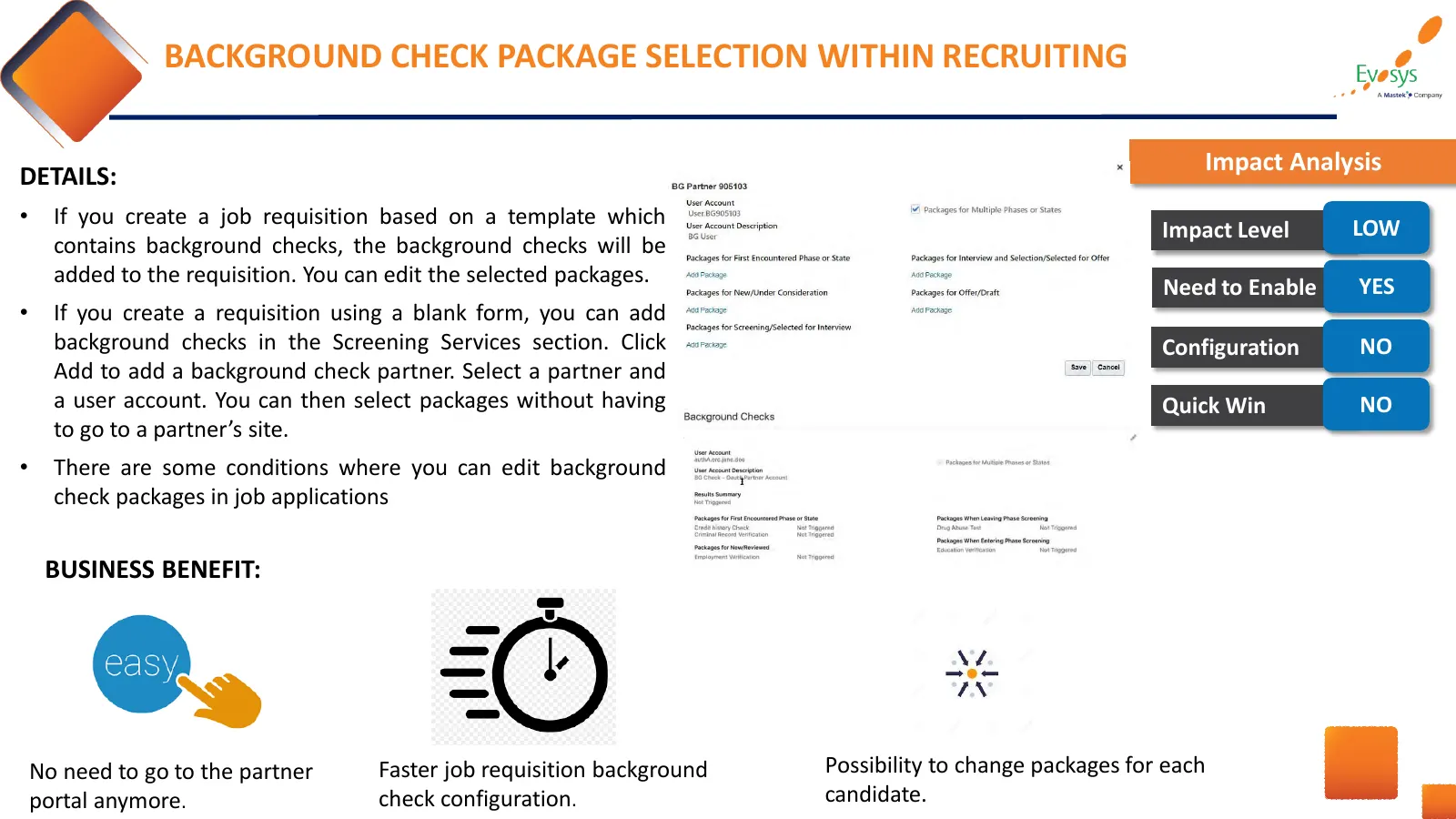
BACKGROUND CHECK PACKAGE SELECTION WITHIN RECRUITING Impact Analysis DETAILS: • If you create a job requisition based on a template which LOW Impact Level contains background checks, the background checks will be added to the requisition. You can edit the selected packages. YES Need to Enable • If y
Slide 102: New Features: OTBI Enhancements
NEW FEATURES OTBI ENHANCEMENTS
Slide 103: External Candidates in Succession Management
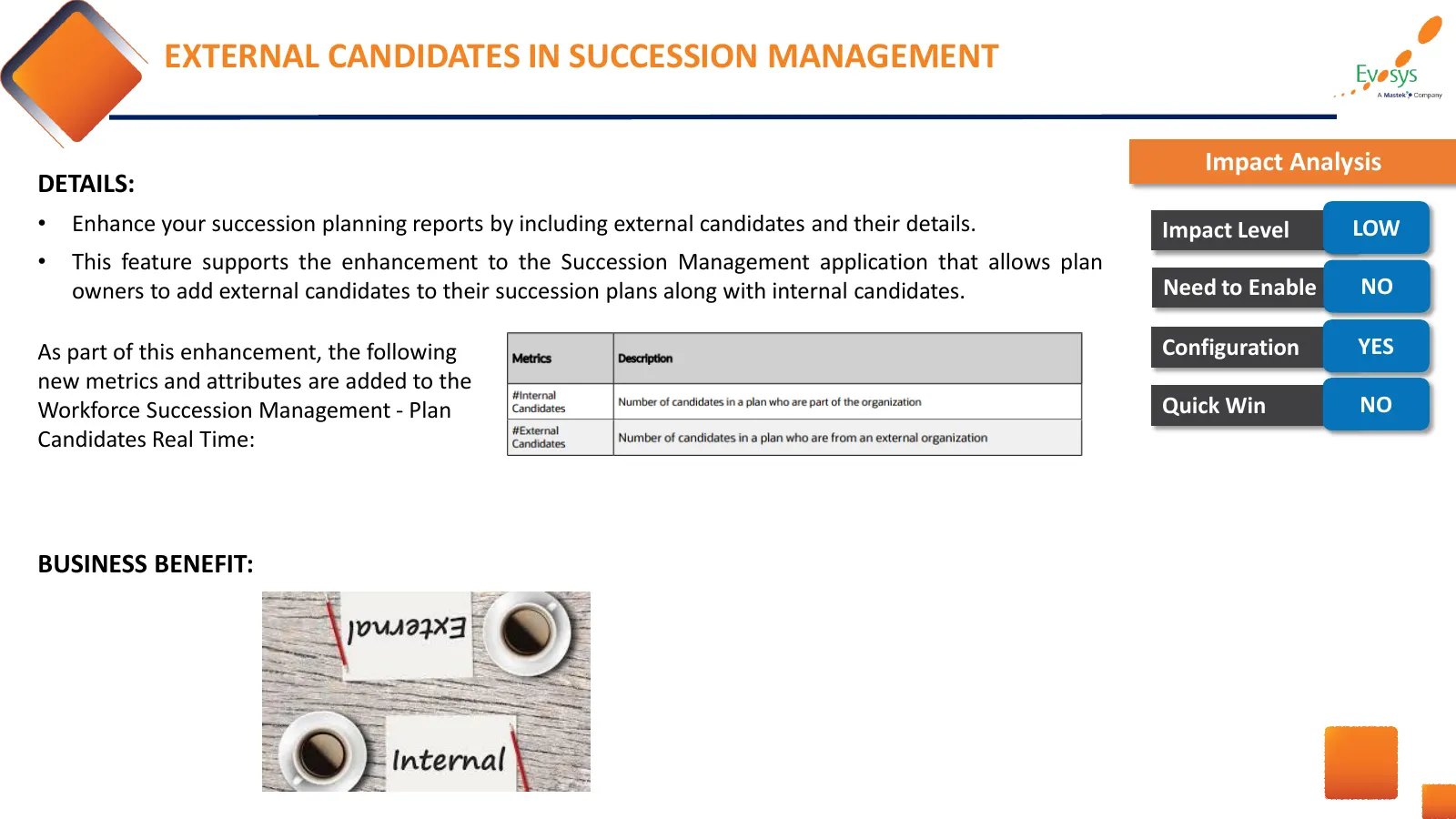
EXTERNAL CANDIDATES IN SUCCESSION MANAGEMENT Impact Analysis DETAILS: • Enhance your succession planning reports by including external candidates and their details. Impact Level LOW • This feature supports the enhancement to the Succession Management application that allows plan owners to add extern
Slide 104: Super User in Talent Pools Subject Area
SUPER USER IN TALENT POOLS SUBJECT AREA Impact Analysis DETAILS: • The Workforce Succession Management - Talent Pools real time subject area was previously secured by Impact Level LOW the ownership model in its VO to which customers did not have access. • Now, this has been moved to data security al
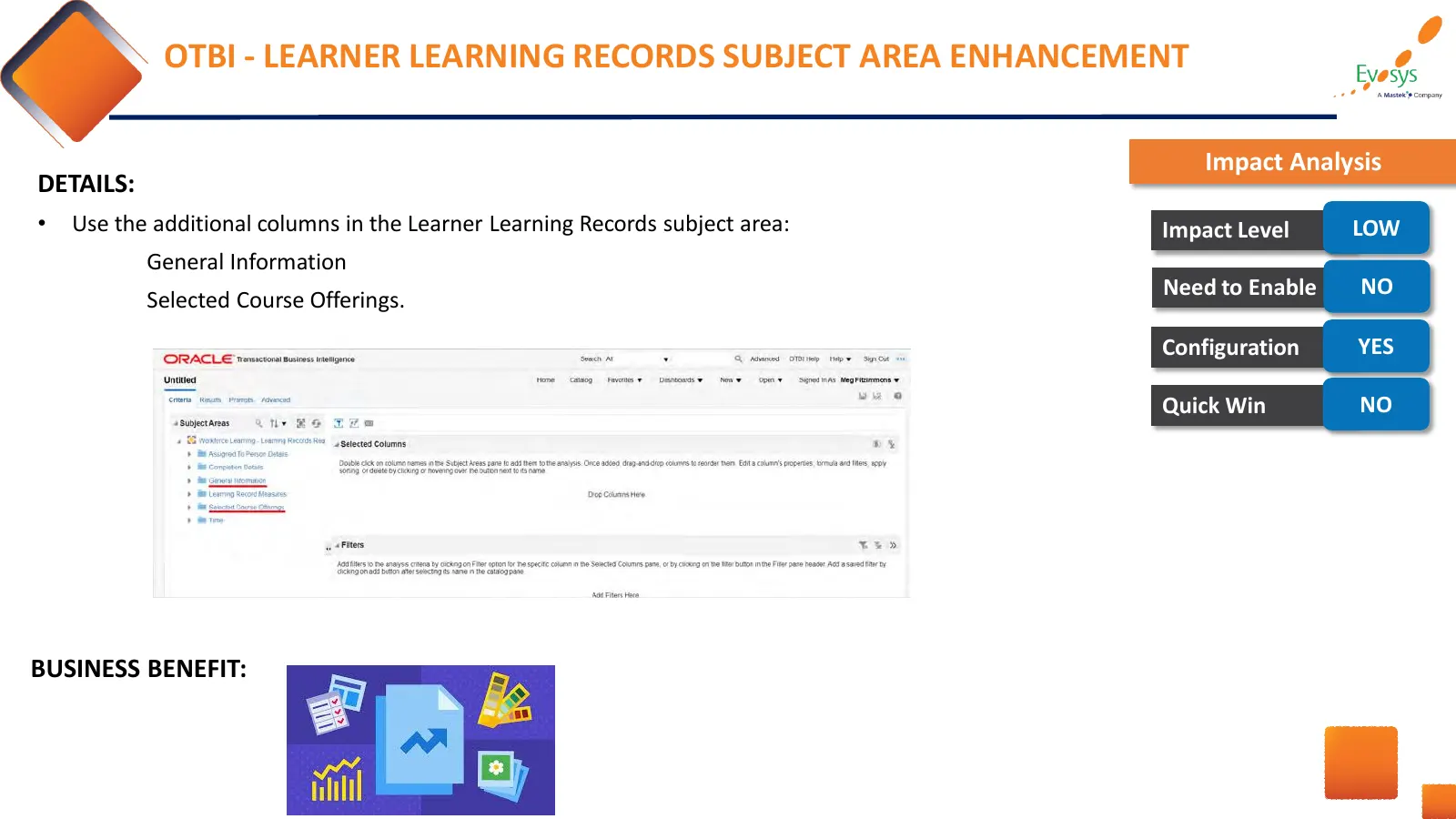
Slide 105: OTBI - Learner Learning Records Subject Area Enhancement
OTBI - LEARNER LEARNING RECORDS SUBJECT AREA ENHANCEMENT Impact Analysis DETAILS: • Use the additional columns in the Learner Learning Records subject area: Impact Level LOW General Information Need to Enable NO Selected Course Offerings. Configuration YES Quick Win NO BUSINESS BENEFIT:
Slide 106: OTBI - Completion Details in Learning Records
OTBI - COMPLETION DETAILS IN LEARNING RECORDS Impact Analysis DETAILS: Impact Level LOW • Use the Completion Details dimension in the Learning Records Subject Area. This folder resolves data for offering completions only. Need to Enable NO Configuration YES BUSINESS BENEFIT: Quick Win NO
Slide 107: OTBI - Rich Media Revisions
OTBI - RICH MEDIA REVISIONS DETAILS: Impact Analysis • Use the new and modified attributes of Rich Media architecture. Impact Level LOW Need to Enable NO Configuration YES Quick Win NO BUSINESS BENEFIT:
Slide 108: Goal Plan Assignment Security Enhancements
GOAL PLAN ASSIGNMENT SECURITY ENHANCEMENTS Impact Analysis DETAILS: • Augment your reporting with the relevant data security of the logged in user while reporting on the Goal Impact Level LOW Plan Assignment Real Time subject area. • The subject area Workforce Goals - Goal Plan Assignment Real Time
Slide 109: Recruiting OTBI
RECRUITING OTBI Impact Analysis JOB APPLICATION CREATOR IN REPORTING DETAILS: Impact Level LOW • The name, identifier, number, and context where the job application was created were added to the Job Application- Basic Information dimension of the Recruiting - Recruiting Real Time subject area. Need
Slide 110: Recruiting OTBI
RECRUITING OTBI PERSON NUMBER IN REPORTING Impact Analysis DETAILS: • You can use the person number attribute in your recruiting reports. This attribute was added to the Impact Level LOW subject areas where the person name attribute was available. Need to Enable NO • This attribute was added to alig
Slide 111: Replaced or Removed Features
REPLACED OR REMOVED FEATURES
Slide 112: Self-Service Classic and Fuse Pages to Be Removed in 20D
SELF-SERVICE CLASSIC AND FUSE PAGES TO BE REMOVED IN 20D DETAILS: Impact Analysis • The employee and manager classic and FUSE self-service pages will be removed in 20D. The employees and managers will not have access to these pages starting in Update 20D. Impact Level LOW • Users automatically will
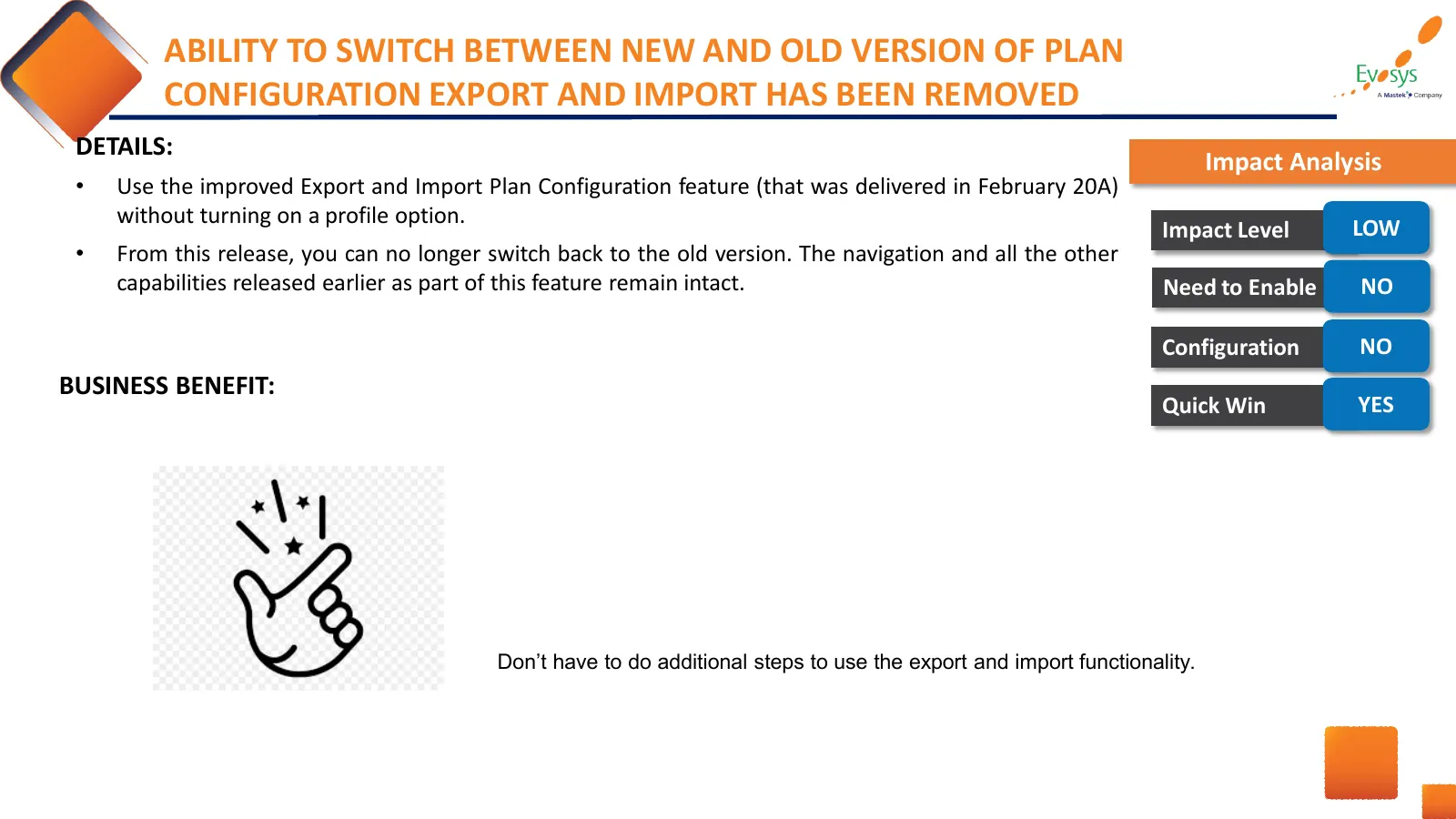
Slide 113: Plan Configuration Export and Import Version Switch Removed
ABILITY TO SWITCH BETWEEN NEW AND OLD VERSION OF PLAN CONFIGURATION EXPORT AND IMPORT HAS BEEN REMOVED DETAILS: Impact Analysis • Use the improved Export and Import Plan Configuration feature (that was delivered in February 20A) without turning on a profile option. Impact Level LOW • From this relea
Slide 114: Next Generation Managed Services
Next Generation Managed Services How we bring this all together?
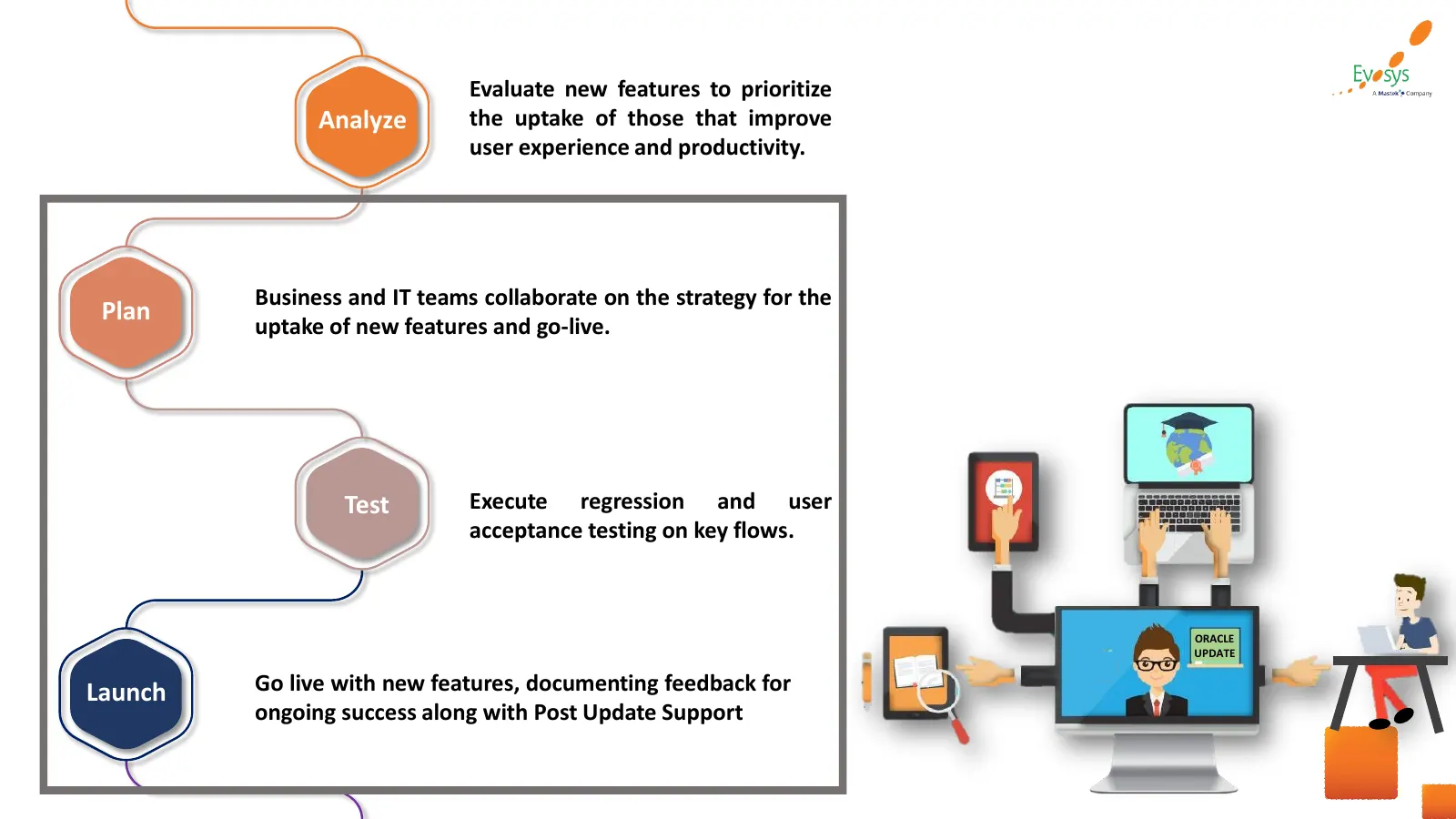
Slide 115: Analyze Plan Test Launch: Oracle update approach
Evaluate new features to prioritize Analyze the uptake of those that improve user experience and productivity. Business and IT teams collaborate on the strategy for the Plan uptake of new features and go-live. Test Execute regression and user acceptance testing on key flows. ORACLE UPDATE Launch Go
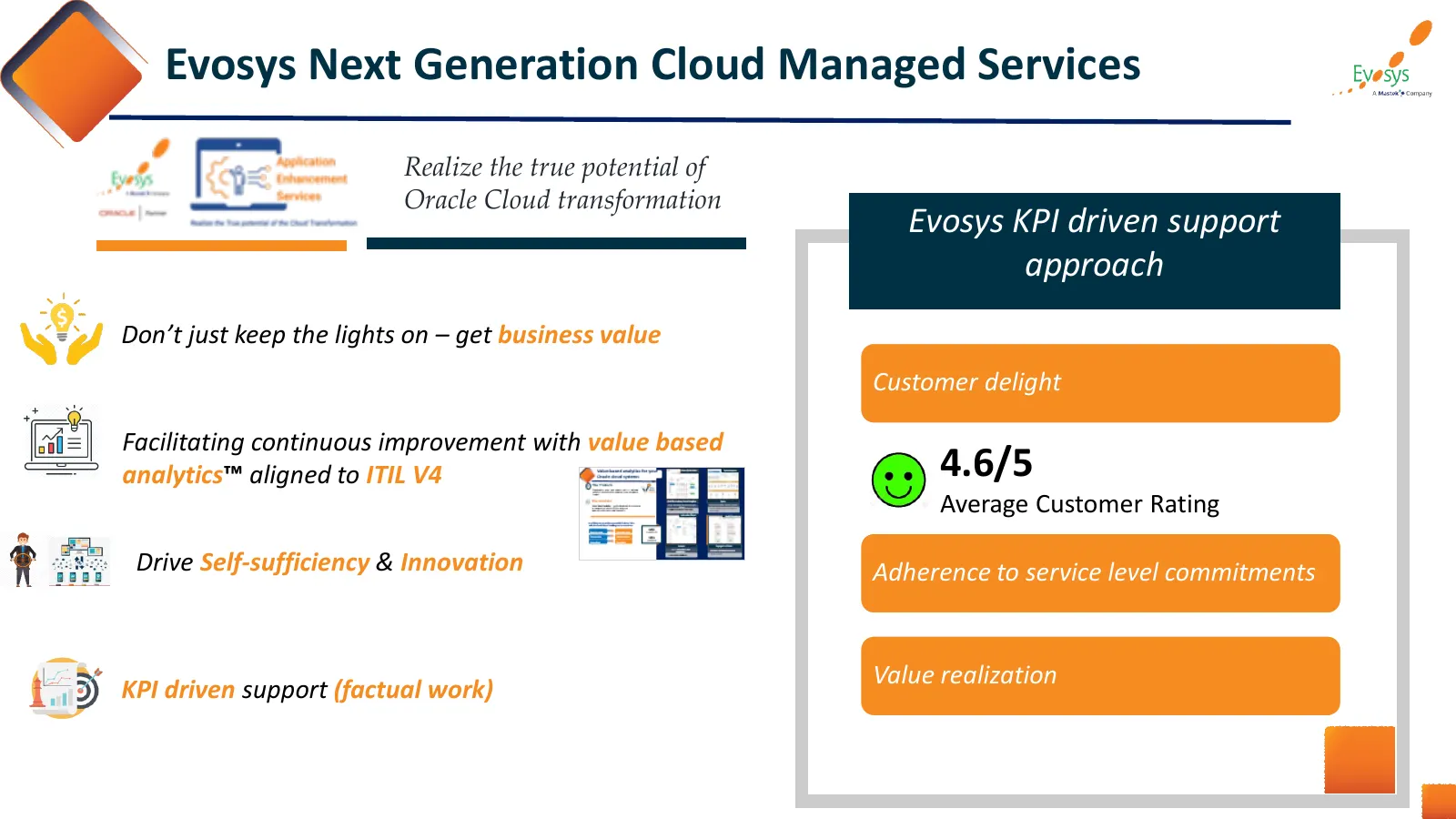
Slide 116: Evosys Next Generation Cloud Managed Services
Evosys Next Generation Cloud Managed Services Realize the true potential of Oracle Cloud transformation Evosys KPI driven support approach Don’t just keep the lights on – get business value Customer delight Facilitating continuous improvement with value based analytics™ aligned to ITIL V4 4.6/5 Aver
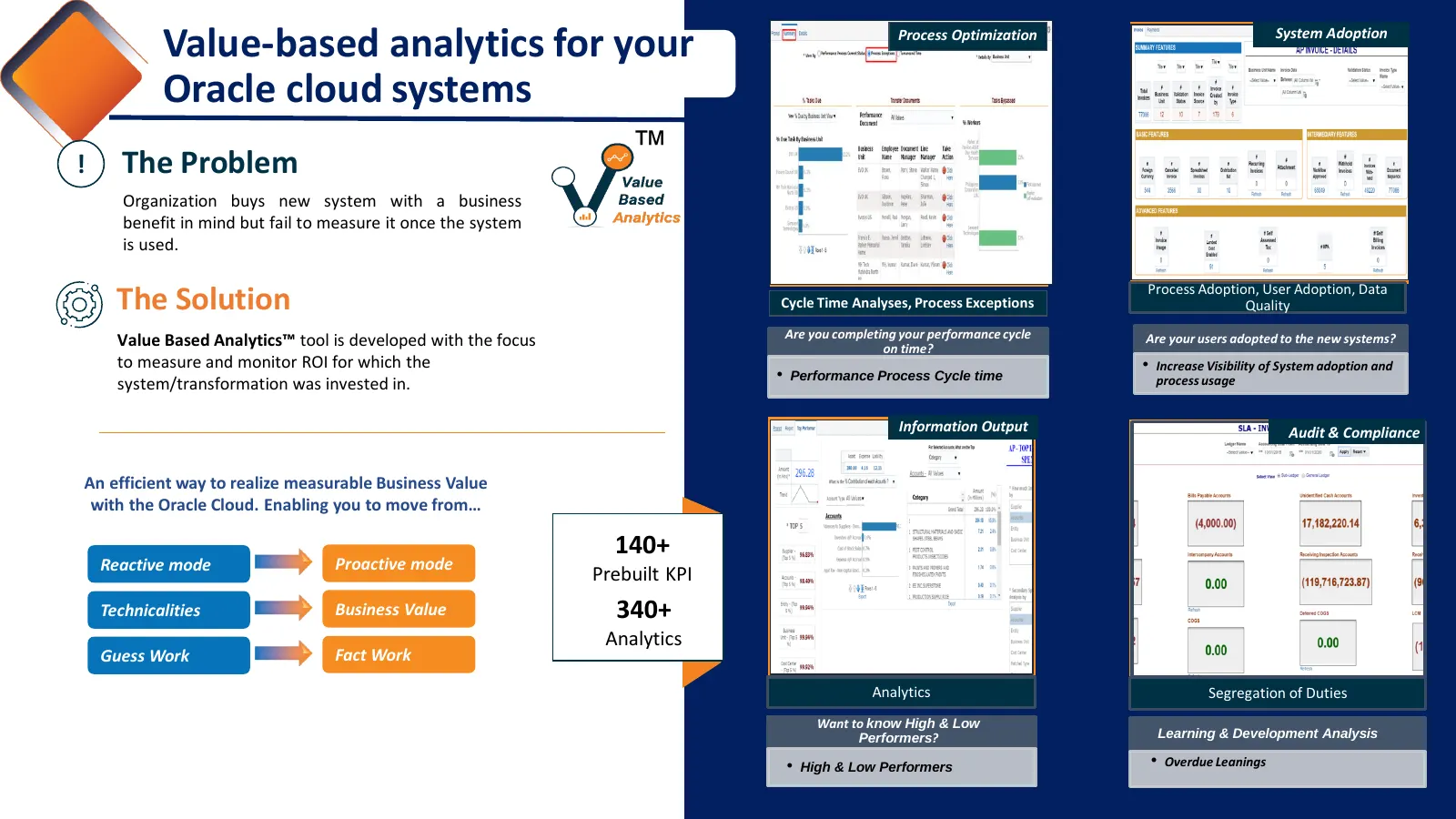
Slide 117: Value-based analytics for your Oracle cloud systems
Value-based analytics for your Process Optimization System Adoption Oracle cloud systems ! The Problem ™ Organization buys new system with a business benefit in mind but fail to measure it once the system is used. Process Adoption, User Adoption, Data The Solution Cycle Time Analyses, Process Except
Slide 118: Closing
Closing Call to Action Q&A
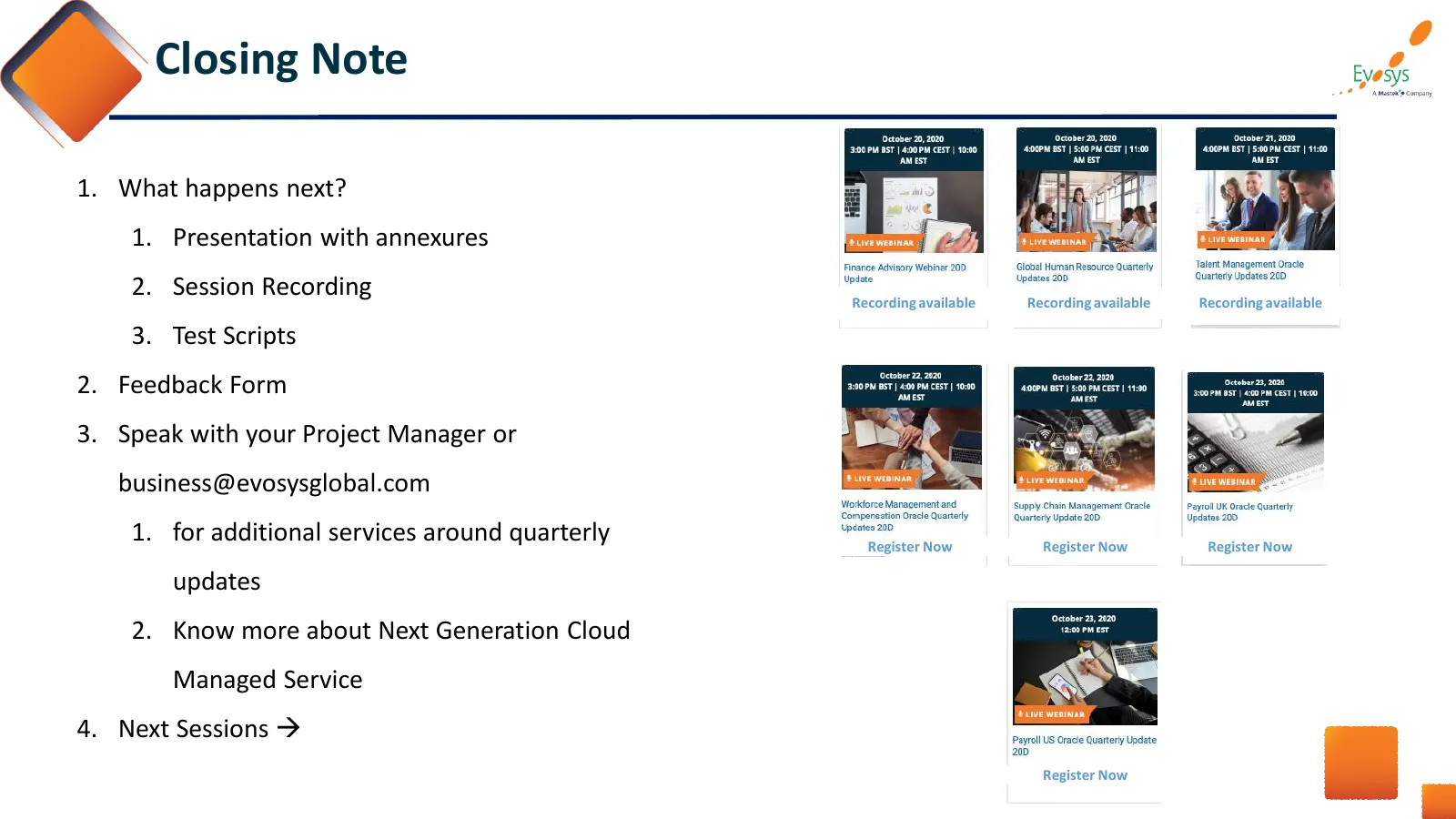
Slide 119: Closing Note
Closing Note 1. What happens next? 1. Presentation with annexures 2. Session Recording Recording available Recording available Recording available 3. Test Scripts 2. Feedback Form 3. Speak with your Project Manager or business@evosysglobal.com 1. for additional services around quarterly Register Now

Slide 120: Thank you!
Evosys … is here to help you! It is always best to clear your doubts. Contact Us Contact : Address: Email: Your Project Manager www.evosysglobal.com business@evosysglobal.com Q&A Thank you !
Source: Internet Archive copy of mastek.com
More decks from Mastek Limited
 Q2 FY2027 Earnings Presentation18 slides · Oct 23, 2026
 Q2 FY2027 Earnings Presentation25 slides · Oct 23, 2026
 Q1 FY27 Earnings Presentation31 slides · Jul 21, 2026
 Q1 FY2027 Earnings Presentation23 slides · Jul 21, 2026
 Q4 FY26 Earnings Presentation37 slides · Apr 18, 2026
 Q4 FY26 Earnings Presentation28 slides · Apr 17, 2026