Palo Alto Networks, Inc. · NASDAQ:PANW
Palo Alto Networks — Technical Presentation (November 2025)
131 slides from Palo Alto Networks's technical presentation, Nov 4, 2025
Slide 1: Secure Private Applications with Zero Trust Network Access (ZTNA)
Secure Private Applications with Zero Trust Network Access (ZTNA) Faisal Mohammed November 04-05, 2025 © 2025 Palo Alto Networks, Inc. All rights reserved. Proprietary and confidential information.
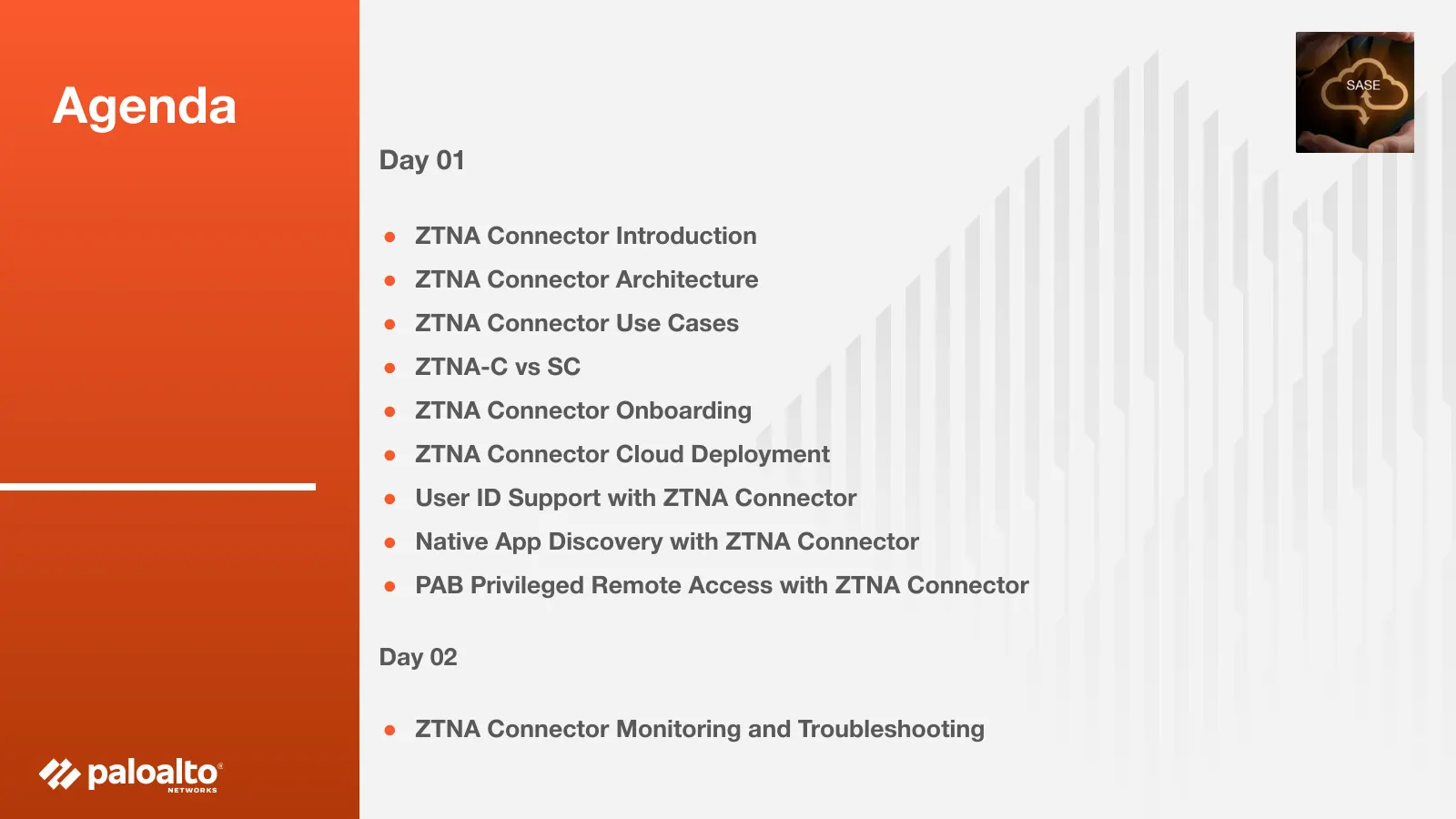
Slide 2: Agenda
Agenda Day 01 ● ZTNA Connector Introduction ● ZTNA Connector Architecture ● ZTNA Connector Use Cases ● ZTNA-C vs SC ● ZTNA Connector Onboarding ● ZTNA Connector Cloud Deployment ● User ID Support with ZTNA Connector ● Native App Discovery with ZTNA Connector ● PAB Privileged Remote Access with ZTNA
Slide 3: ZTNA Connector Introduction
ZTNA Connector Introduction © 2025 Palo Alto Networks, Inc. All rights reserved. Proprietary and confidential information.
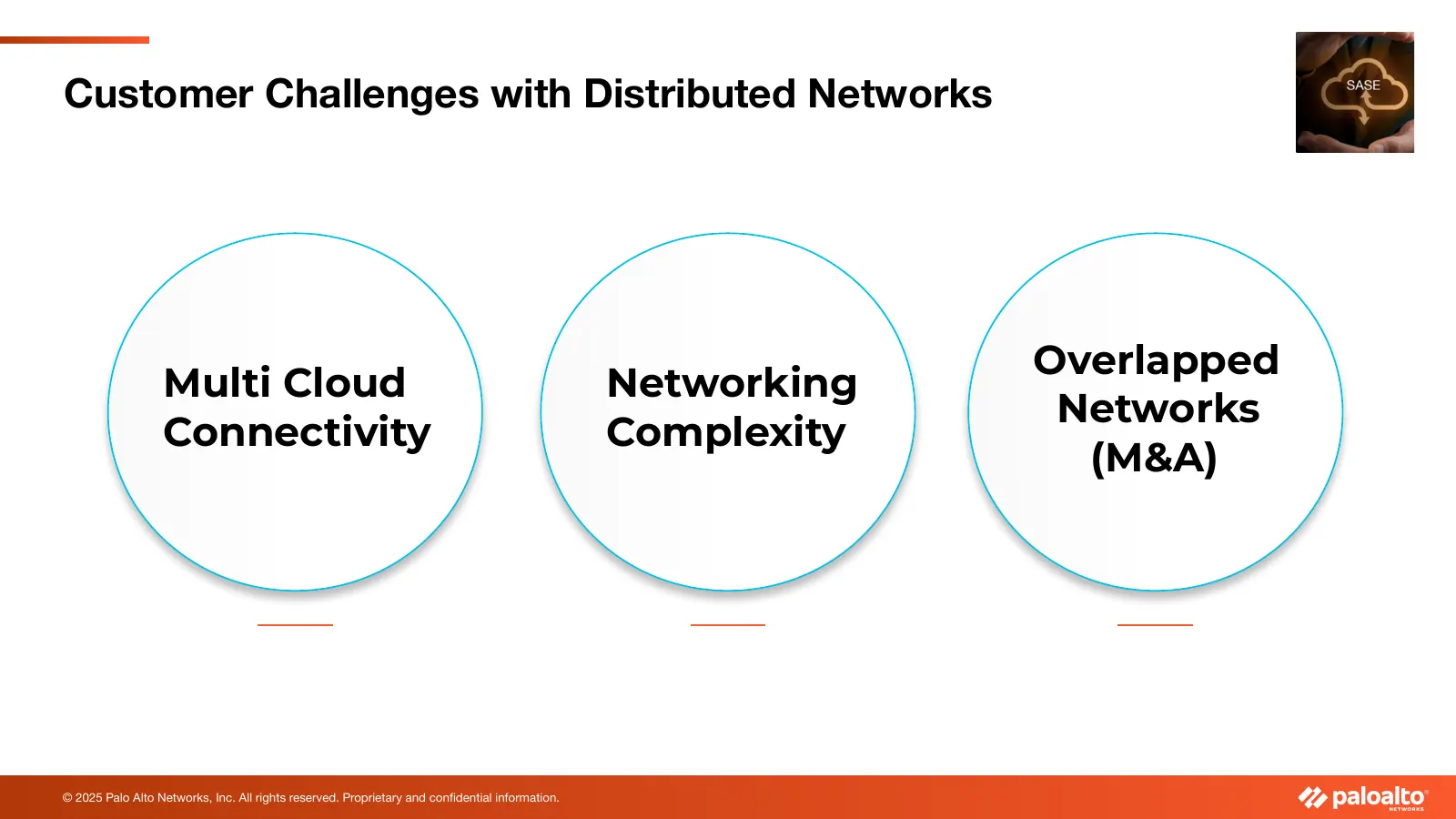
Slide 4: Customer Challenges with Distributed Networks
Customer Challenges with Distributed Networks Overlapped Multi Cloud Networking Networks Connectivity Complexity (M&A) © 2025 Palo Alto Networks, Inc. All rights reserved. Proprietary and confidential information.
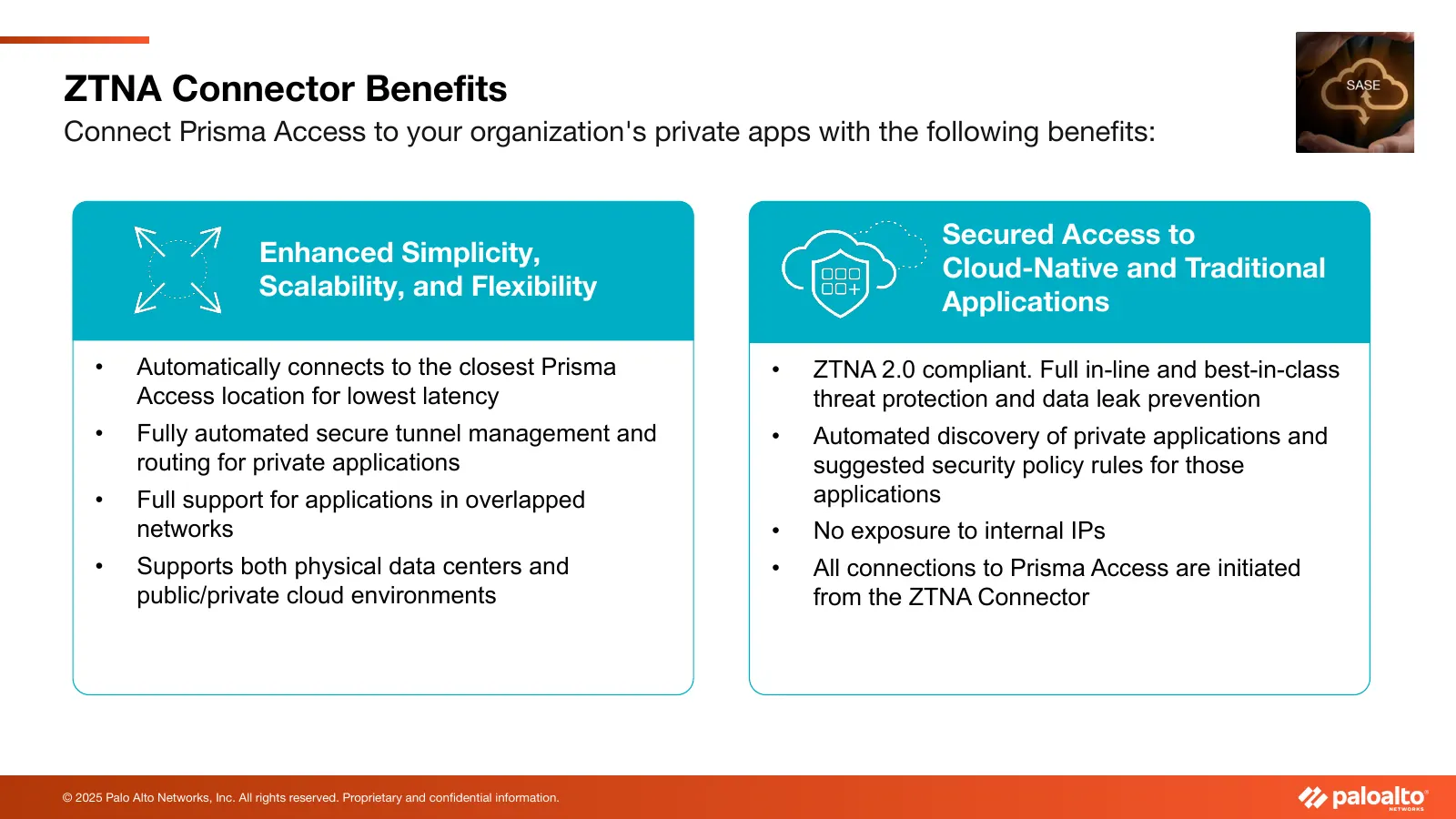
Slide 5: ZTNA Connector Benefits
ZTNA Connector Benefits Connect Prisma Access to your organization's private apps with the following benefits: Secured Access to Enhanced Simplicity, Cloud-Native and Traditional Scalability, and Flexibility Applications • Automatically connects to the closest Prisma • ZTNA 2.0 compliant. Full in-line

Slide 6: ZTNA Connector Architecture
ZTNA Connector Architecture © 2025 Palo Alto Networks, Inc. All rights reserved. Proprietary and confidential information.
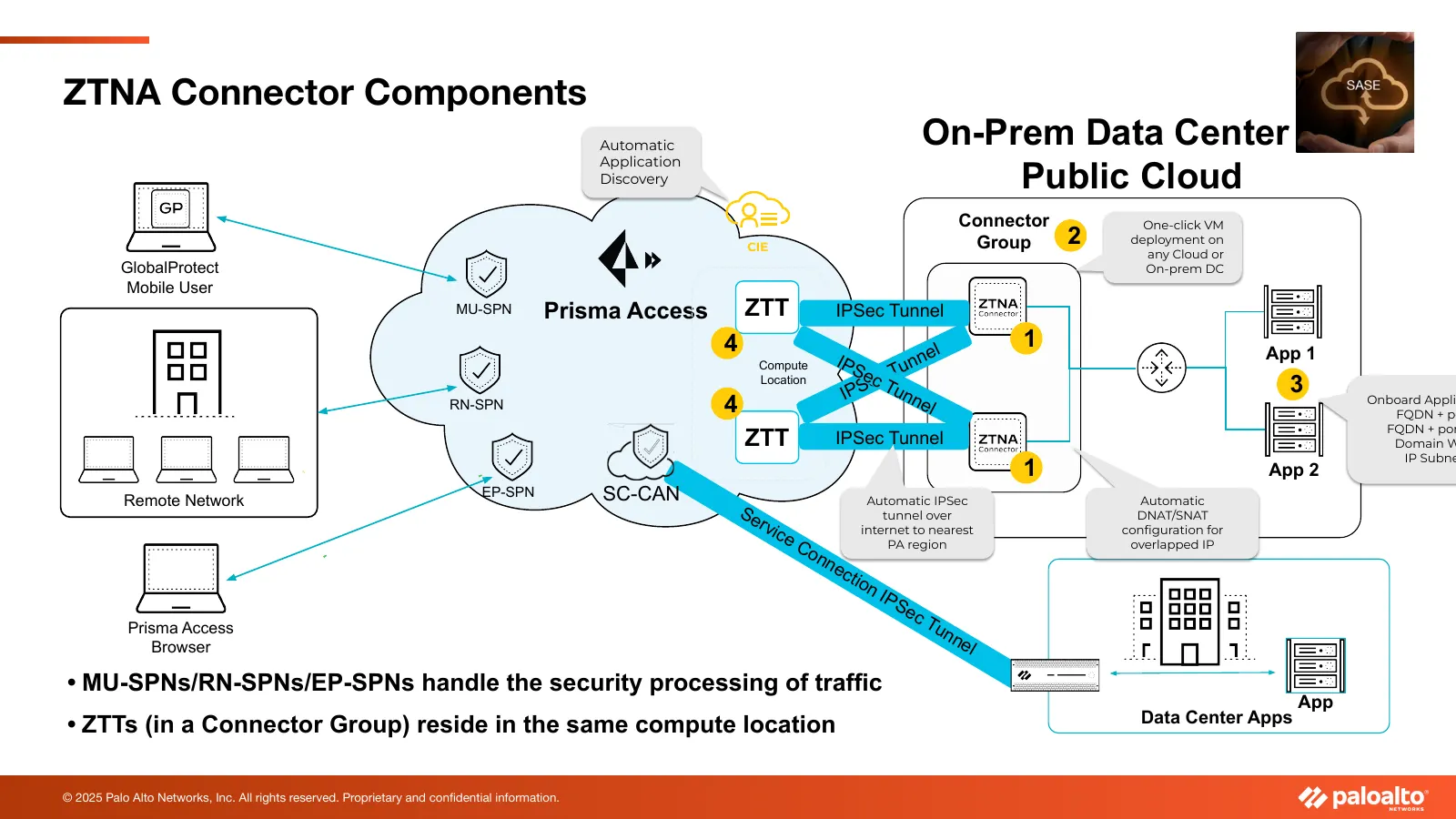
Slide 7: ZTNA Connector Components
ZTNA Connector Components Automatic On-Prem Data Center Or Application Discovery Public Cloud Connector One-click VM CIE Group 2 deployment on any Cloud or GlobalProtect On-prem DC Mobile User MU-SPN Prisma Access ZTT IPSec Tunnel 4 1 IPS n nel App 1 eecc Tu Compute Location T IPS unne 3 Onboard App
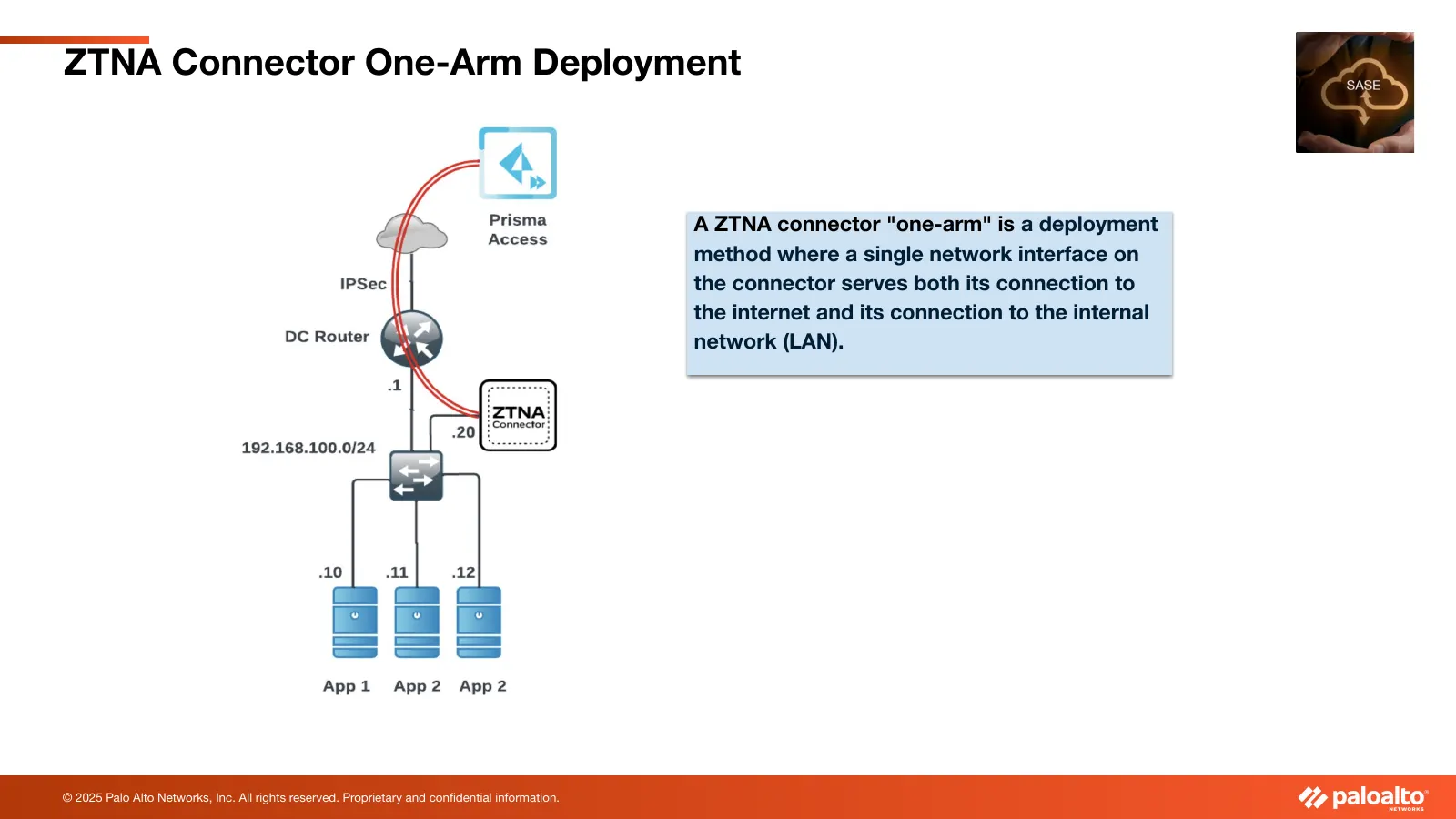
Slide 8: One-Arm Deployment
ZTNA Connector One-Arm Deployment A ZTNA connector "one-arm" is a deployment method where a single network interface on the connector serves both its connection to the internet and its connection to the internal network (LAN). © 2025 Palo Alto Networks, Inc. All rights reserved. Proprietary and confi
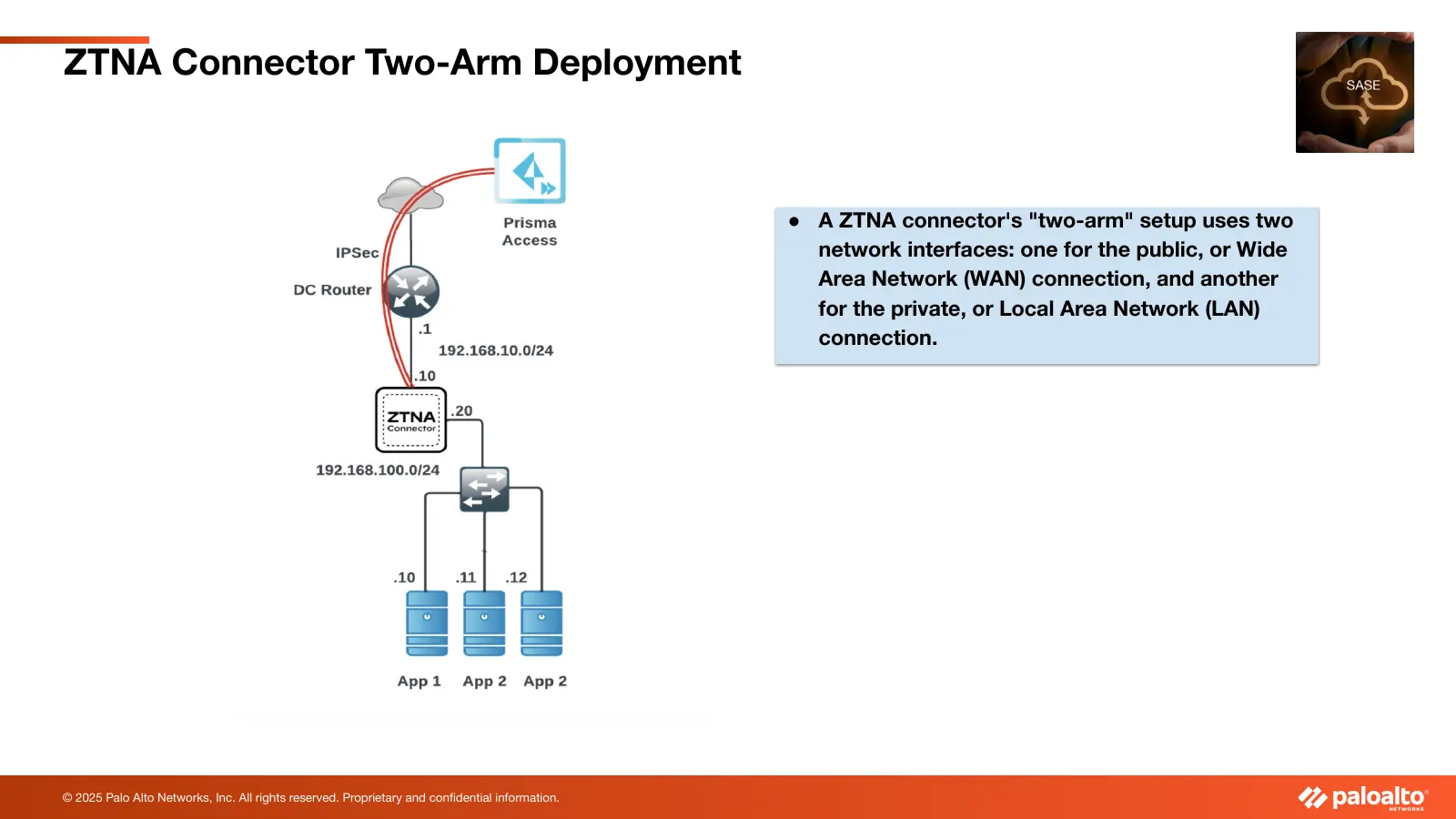
Slide 9: Two-Arm Deployment
ZTNA Connector Two-Arm Deployment ● A ZTNA connector's "two-arm" setup uses two network interfaces: one for the public, or Wide Area Network (WAN) connection, and another for the private, or Local Area Network (LAN) connection. © 2025 Palo Alto Networks, Inc. All rights reserved. Proprietary and con
Slide 10: ZTNA Connector Use Cases
ZTNA Connector Use Cases © 2025 Palo Alto Networks, Inc. All rights reserved. Proprietary and confidential information.
Slide 11: Use Case: Access to Private Apps in Overlapped Networks
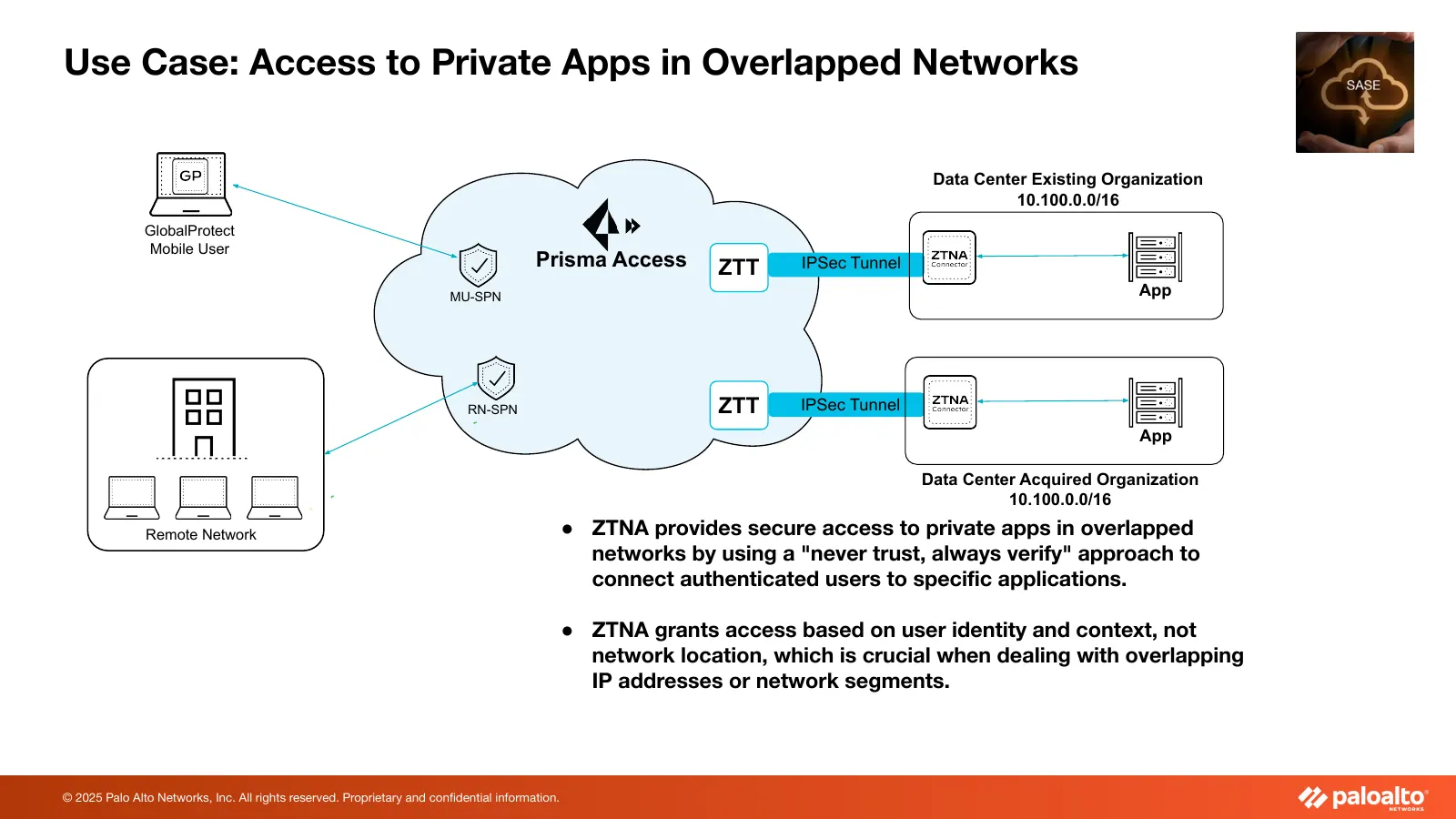
Use Case: Access to Private Apps in Overlapped Networks Data Center Existing Organization 10.100.0.0/16 GlobalProtect Mobile User Prisma Access ZTT IPSec Tunnel MU-SPN App RN-SPN ZTT IPSec Tunnel App Data Center Acquired Organization 10.100.0.0/16 Remote Network ● ZTNA provides secure access to priv
Slide 12: Use Case: Data Center to Cloud Migration
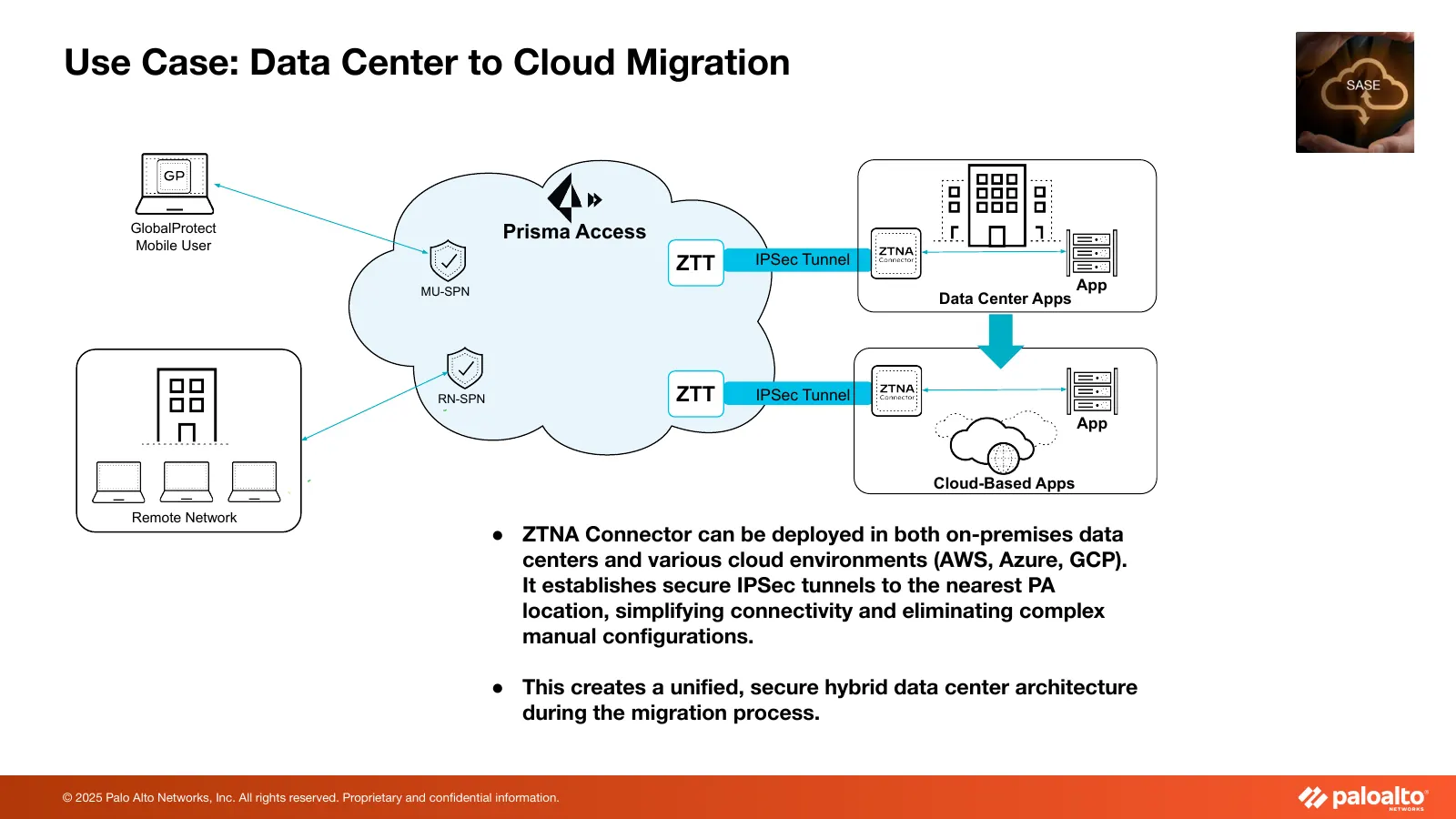
Use Case: Data Center to Cloud Migration GlobalProtect Prisma Access Mobile User ZTT IPSec Tunnel MU-SPN App Data Center Apps RN-SPN ZTT IPSec Tunnel App Cloud-Based Apps Remote Network ● ZTNA Connector can be deployed in both on-premises data centers and various cloud environments (AWS, Azure, GCP)
Slide 13: Use Case: Applications in Partner Network
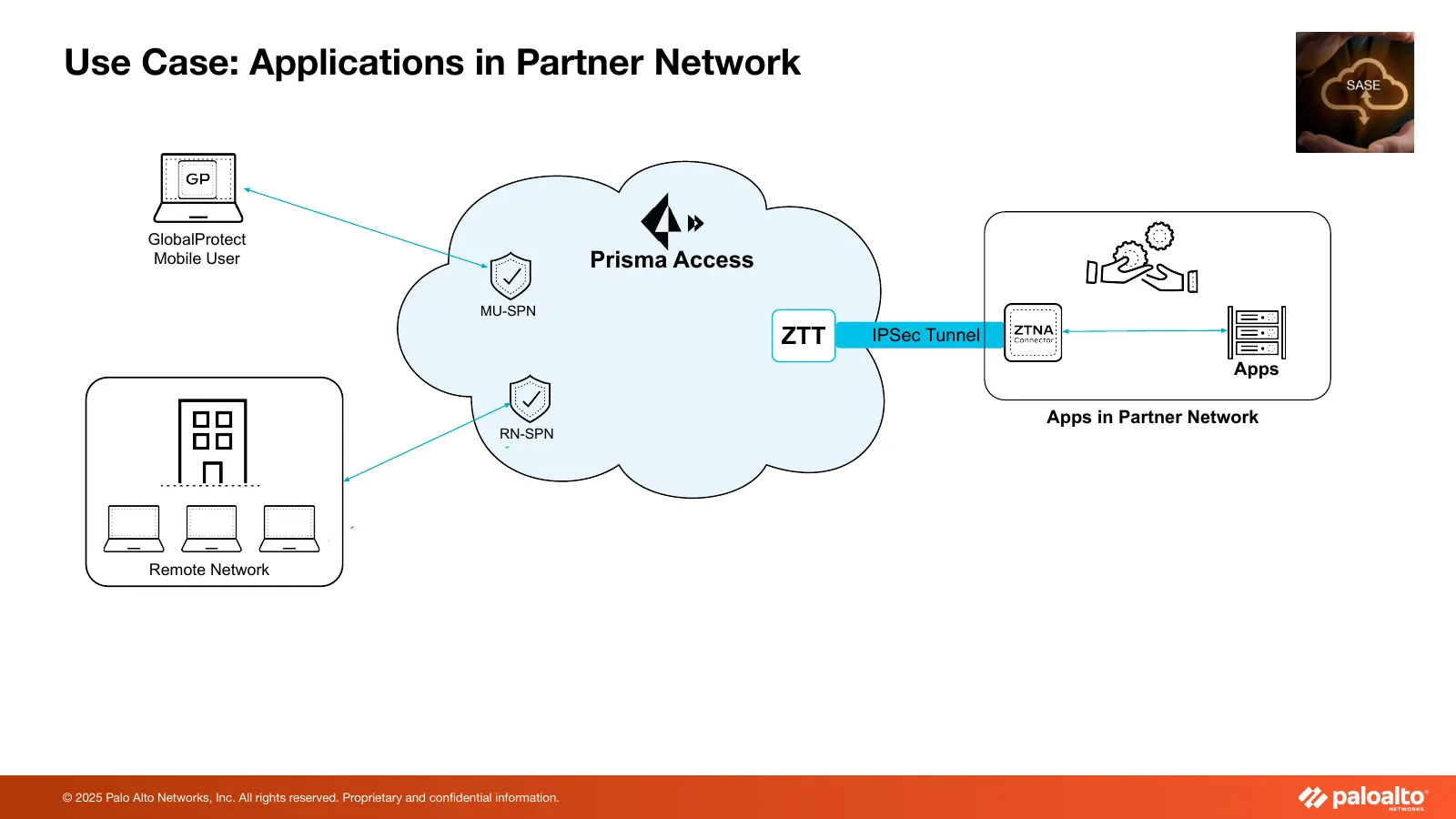
Use Case: Applications in Partner Network GlobalProtect Mobile User Prisma Access MU-SPN ZTT IPSec Tunnel Apps Apps in Partner Network RN-SPN Remote Network © 2025 Palo Alto Networks, Inc. All rights reserved. Proprietary and confidential information.
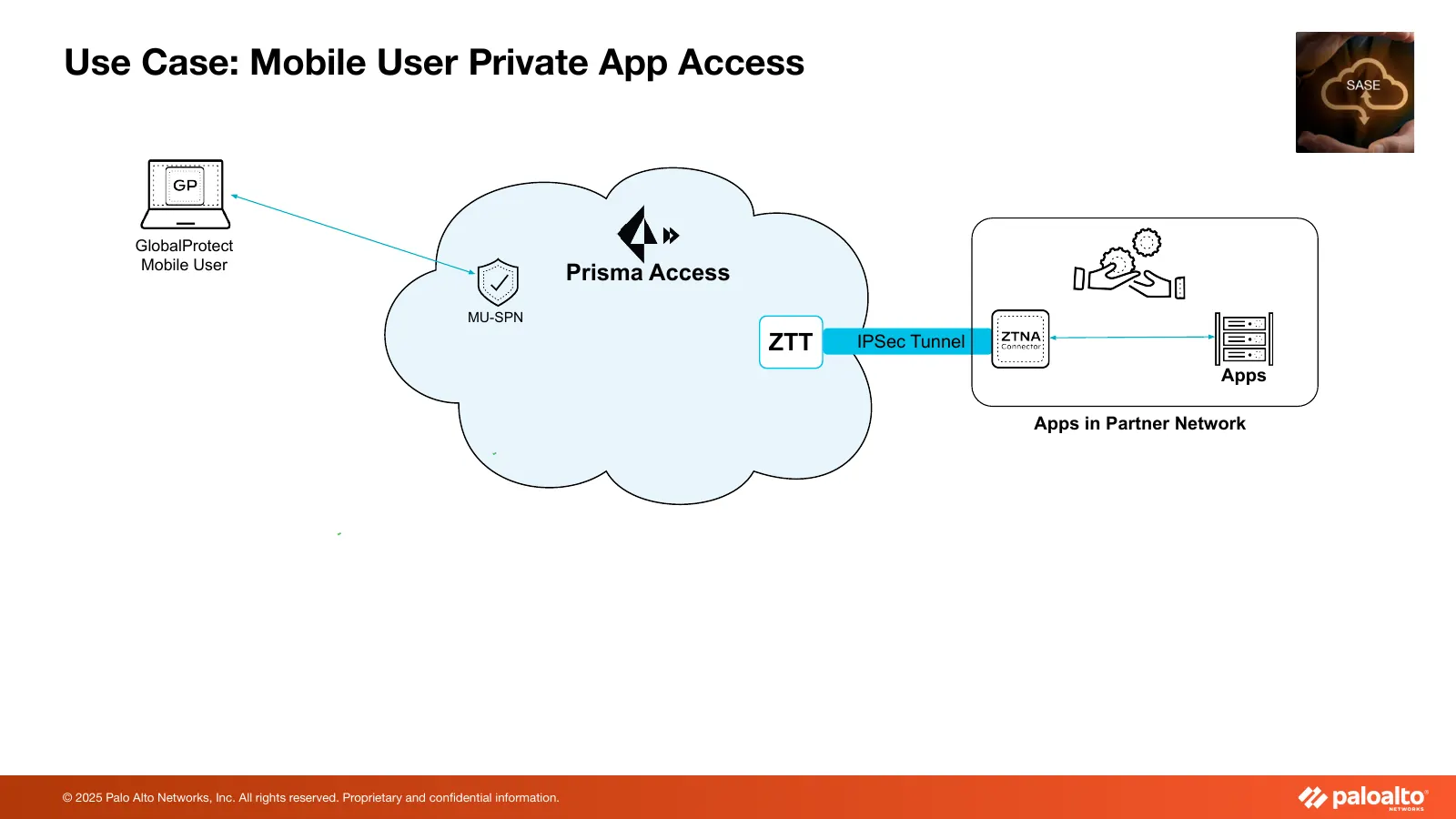
Slide 14: Use Case: Mobile User Private App Access
Use Case: Mobile User Private App Access GlobalProtect Mobile User Prisma Access MU-SPN ZTT IPSec Tunnel Apps Apps in Partner Network © 2025 Palo Alto Networks, Inc. All rights reserved. Proprietary and confidential information.
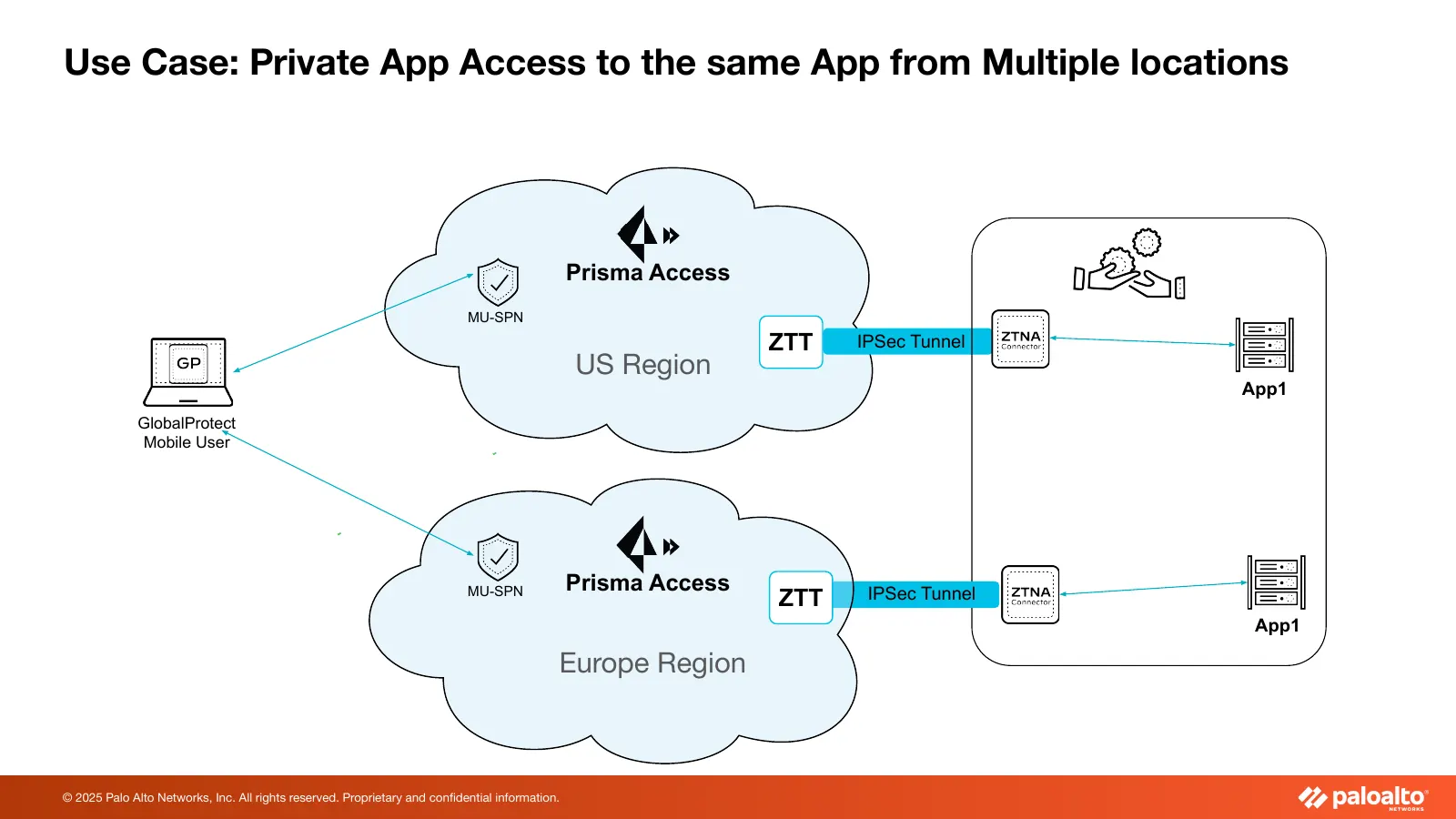
Slide 15: Use Case: Private App Access to the same App from Multiple locations
Use Case: Private App Access to the same App from Multiple locations Prisma Access MU-SPN ZTT IPSec Tunnel US Region App1 GlobalProtect Mobile User MU-SPN Prisma Access IPSec Tunnel ZTT App1 Europe Region © 2025 Palo Alto Networks, Inc. All rights reserved. Proprietary and confidential information.
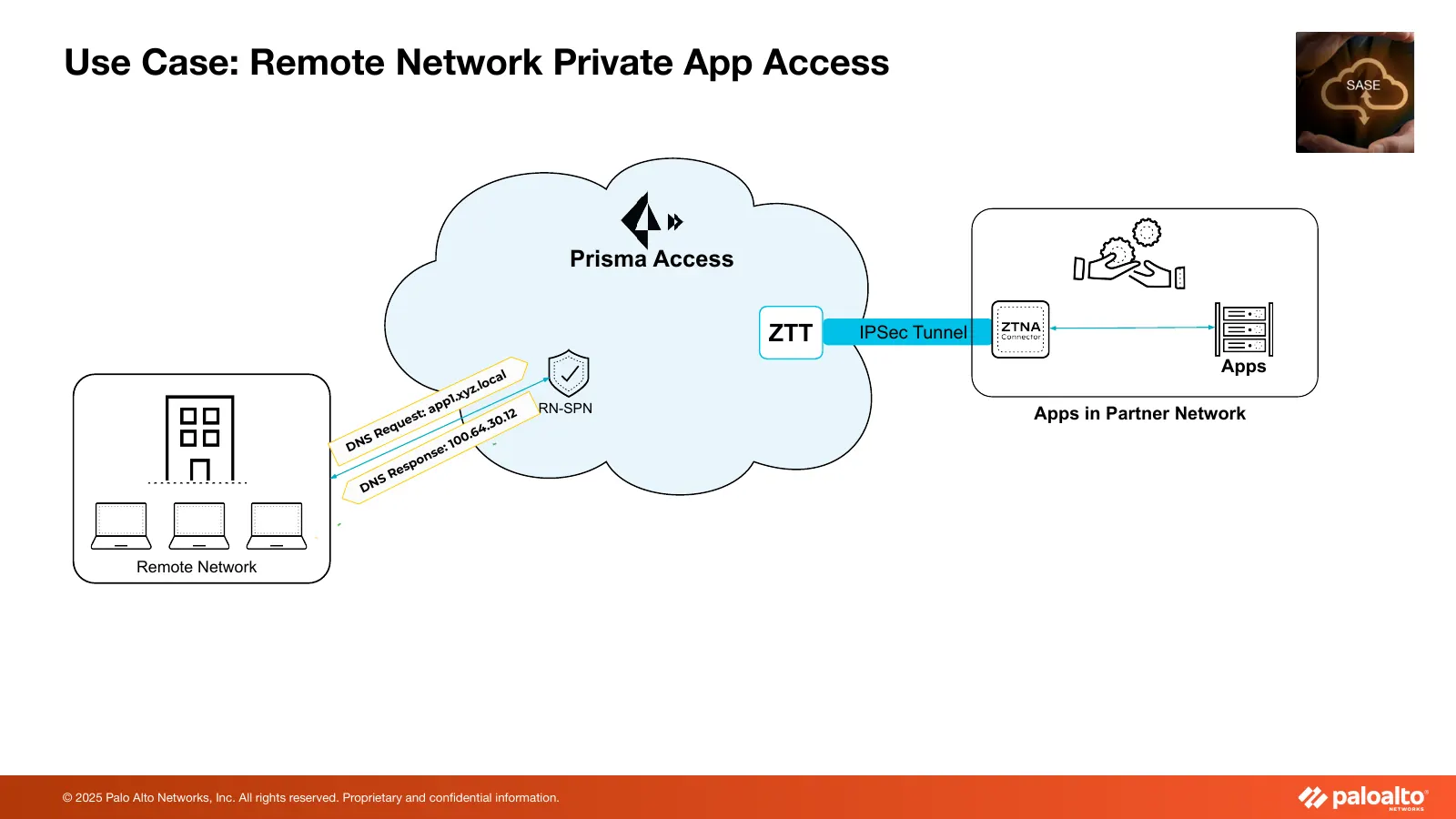
Slide 16: Use Case: Remote Network Private App Access
Use Case: Remote Network Private App Access Prisma Access ZTT IPSec Tunnel Apps al . loc 1 .xyz p st: ap .12 RN-SPN Apps in Partner Network ue . 30 eq 4 S R 0 0.6 DN e : 1 o ns e sp SR DN Remote Network © 2025 Palo Alto Networks, Inc. All rights reserved. Proprietary and confidential information.
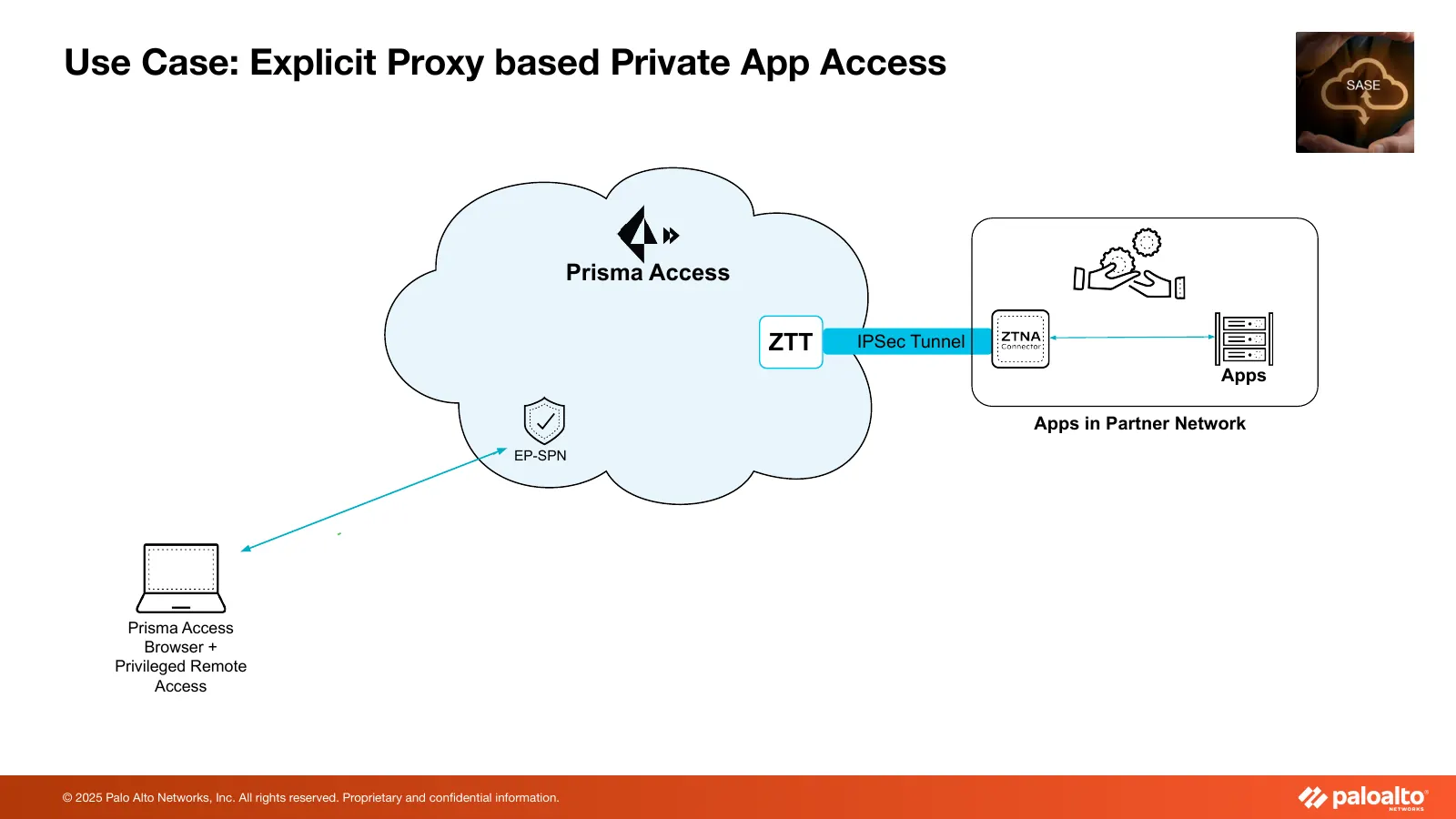
Slide 17: Use Case: Explicit Proxy based Private App Access
Use Case: Explicit Proxy based Private App Access Prisma Access ZTT IPSec Tunnel Apps Apps in Partner Network EP-SPN Prisma Access Browser + Privileged Remote Access © 2025 Palo Alto Networks, Inc. All rights reserved. Proprietary and confidential information.
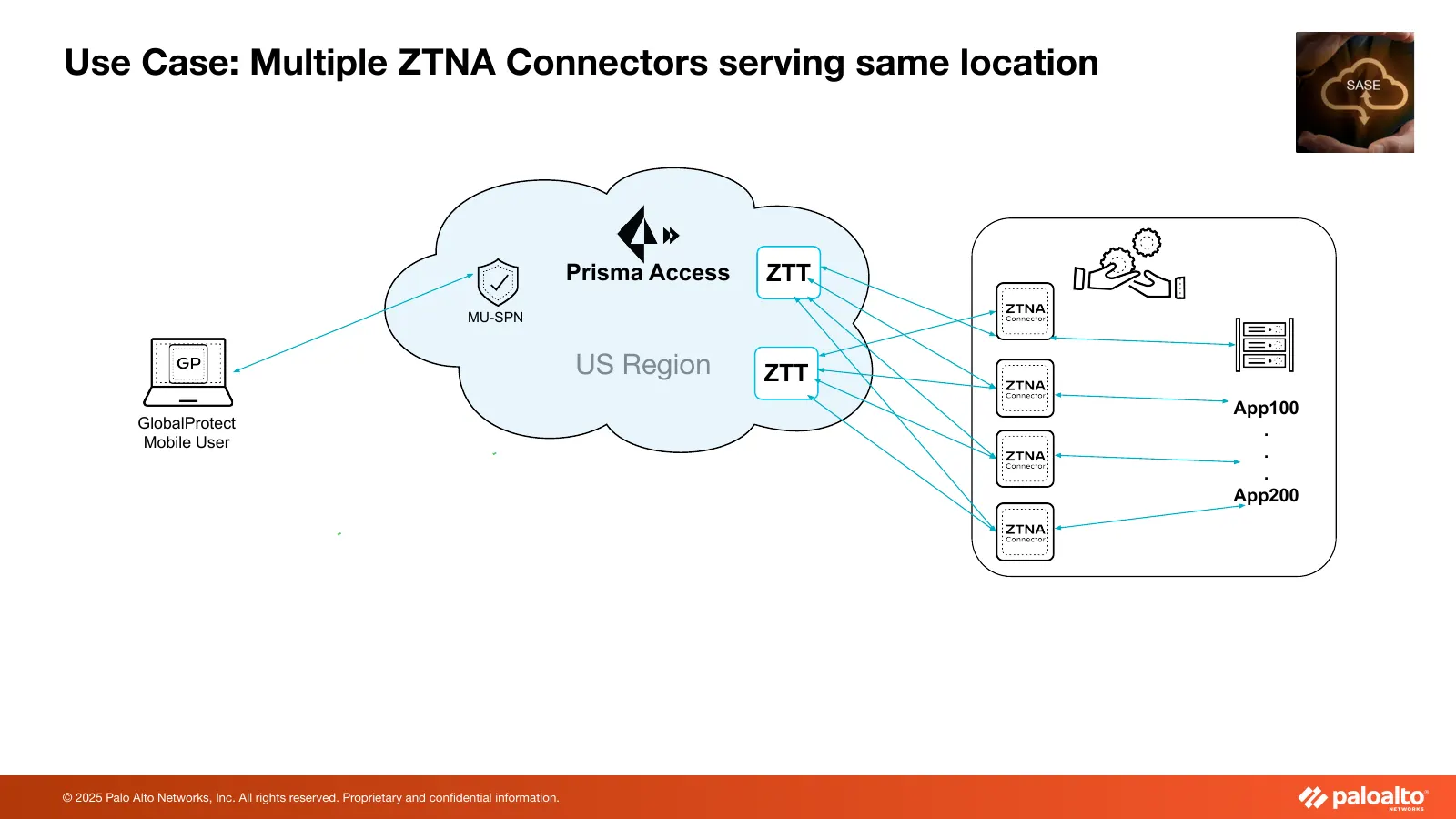
Slide 18: Use Case: Multiple ZTNA Connectors serving same location
Use Case: Multiple ZTNA Connectors serving same location Prisma Access ZTT MU-SPN US Region ZTT App100 GlobalProtect . Mobile User . . App200 © 2025 Palo Alto Networks, Inc. All rights reserved. Proprietary and confidential information.
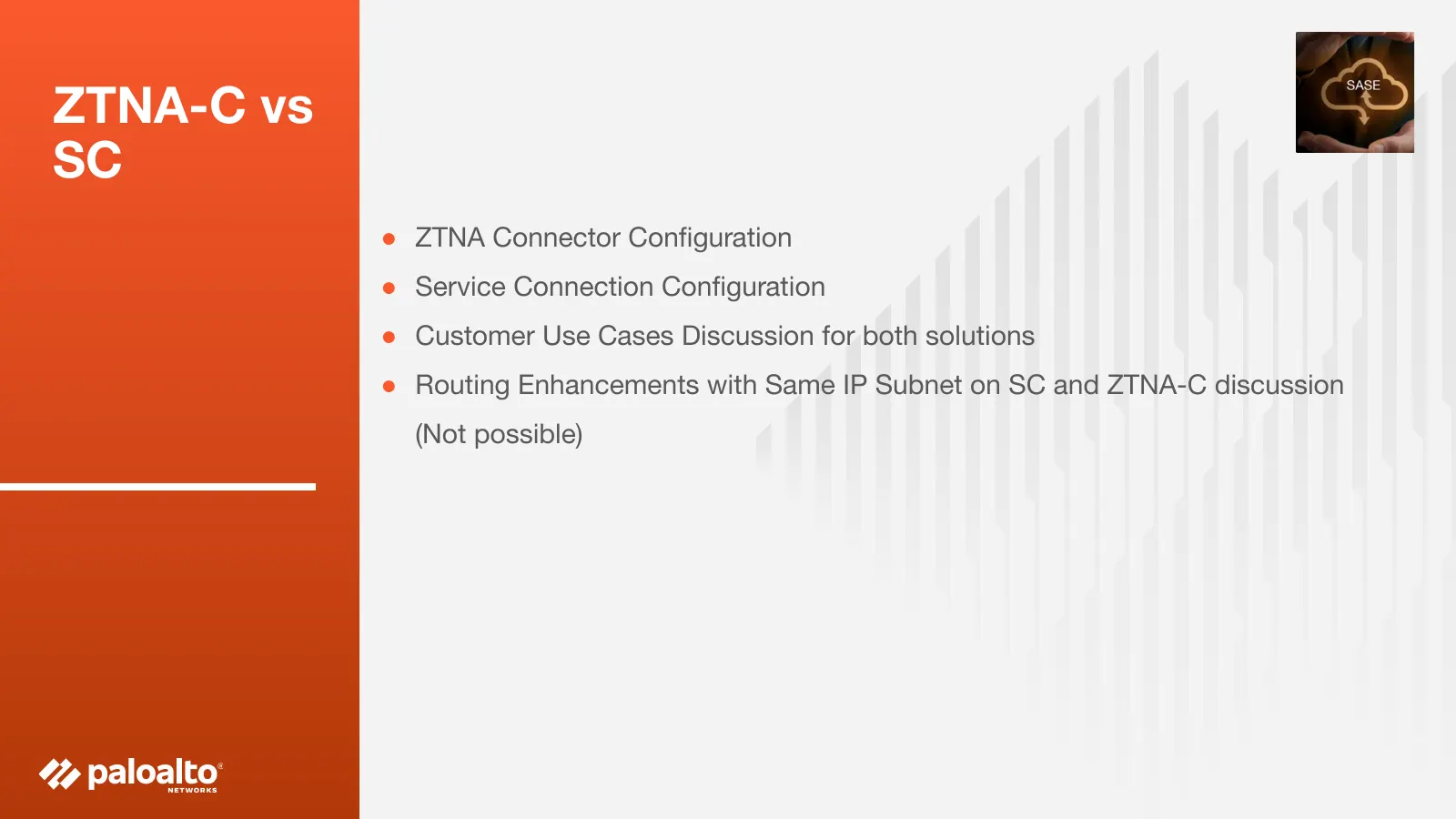
Slide 19: ZTNA-C vs SC
ZTNA-C vs SC ● ZTNA Connector Configuration ● Service Connection Configuration ● Customer Use Cases Discussion for both solutions ● Routing Enhancements with Same IP Subnet on SC and ZTNA-C discussion (Not possible) © 2025 Palo Alto Networks, Inc. All rights reserved. Proprietary and confidential infor
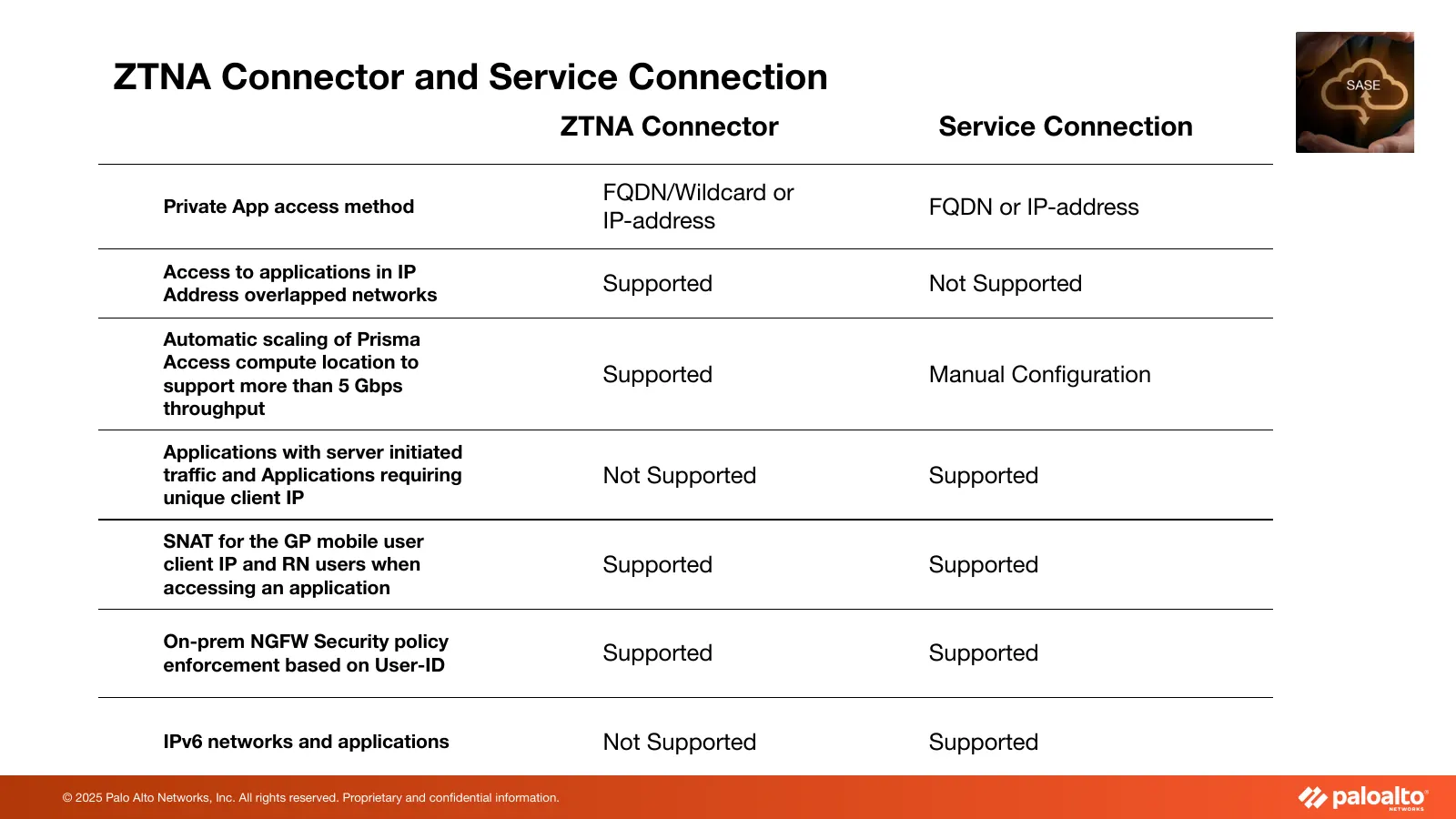
Slide 20: ZTNA Connector and Service Connection
ZTNA Connector and Service Connection ZTNA Connector Service Connection FQDN/Wildcard or Private App access method FQDN or IP-address IP-address Access to applications in IP Address overlapped networks Supported Not Supported Automatic scaling of Prisma Access compute location to support more than 5
Slide 21: ZTNA Connector Onboarding
ZTNA Connector Onboarding © 2025 Palo Alto Networks, Inc. All rights reserved. Proprietary and confidential information.
Slide 22: ZTNA Connector Onboarding
ZTNA Connector Onboarding ● High-Level Steps for ZTNA Configuration and Application Onboarding ● Constraints ● ZTNA Connector Templates ● Application & Connector Address Pool Configuration ● Create Connector Group ● Create Connector ● Onboard Application ● Test FQDN Target Application ● Test IP Subnet
Slide 23: High-Level Steps for ZTNA Configuration and Application Onboarding
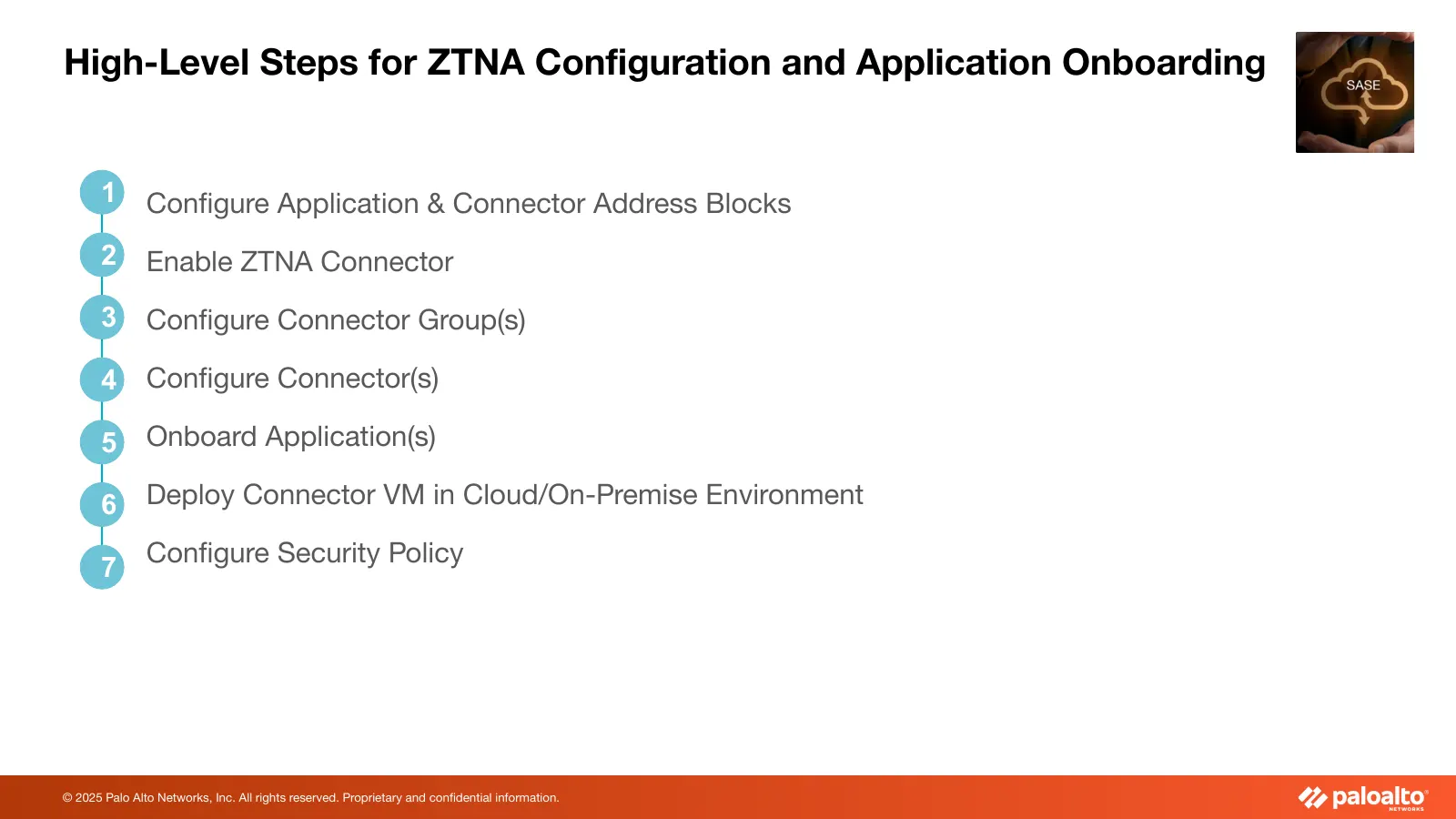
High-Level Steps for ZTNA Configuration and Application Onboarding 1 Configure Application & Connector Address Blocks 2 Enable ZTNA Connector 3 Configure Connector Group(s) 4 Configure Connector(s) 5 Onboard Application(s) 6 Deploy Connector VM in Cloud/On-Premise Environment Configure Security Policy 7
Slide 24: Constraints
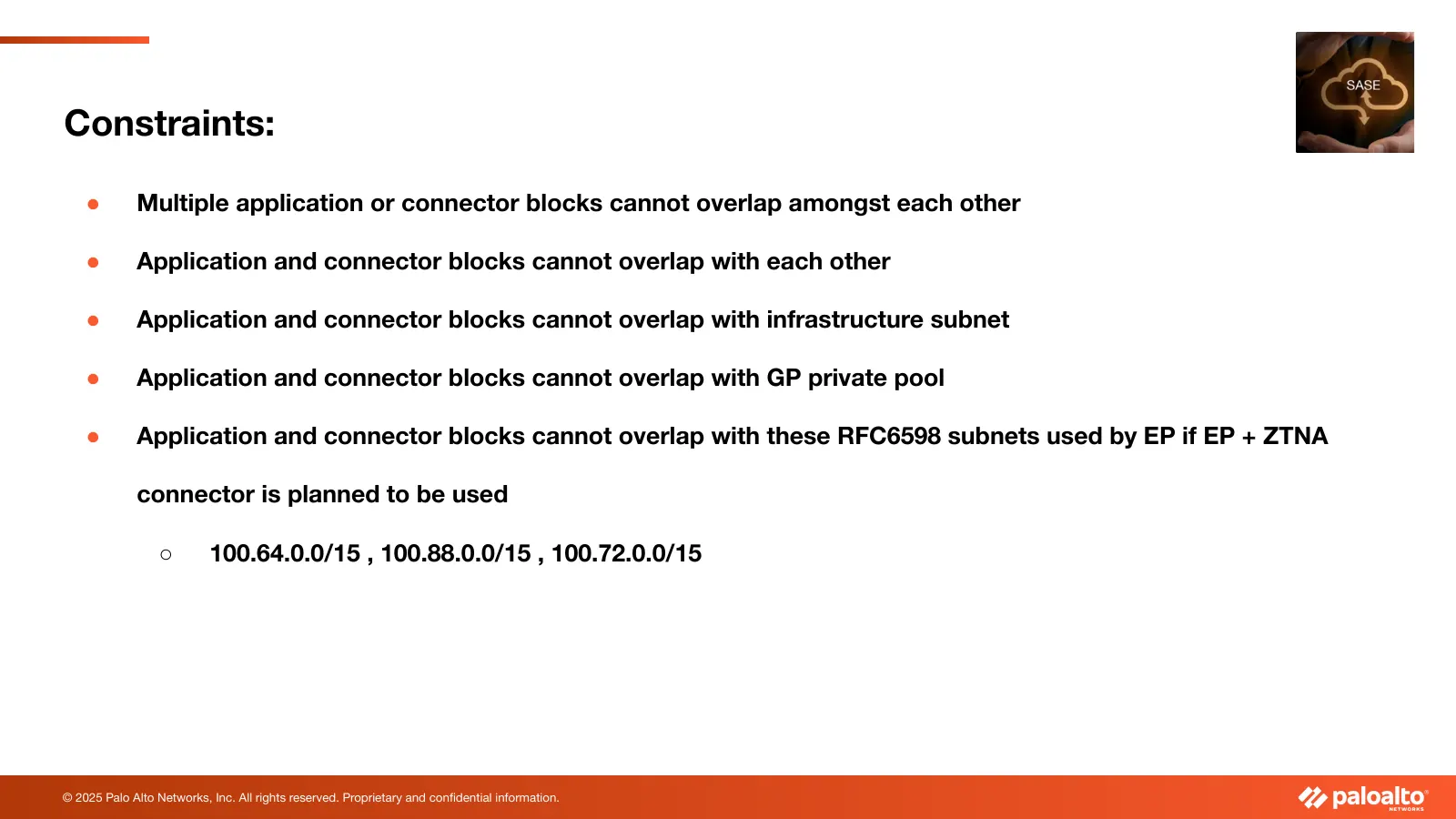
Constraints: ● Multiple application or connector blocks cannot overlap amongst each other ● Application and connector blocks cannot overlap with each other ● Application and connector blocks cannot overlap with infrastructure subnet ● Application and connector blocks cannot overlap with GP private p
Slide 25: ZTNA Connector Templates
ZTNA Connector Templates © 2025 Palo Alto Networks, Inc. All rights reserved. Proprietary and confidential information.
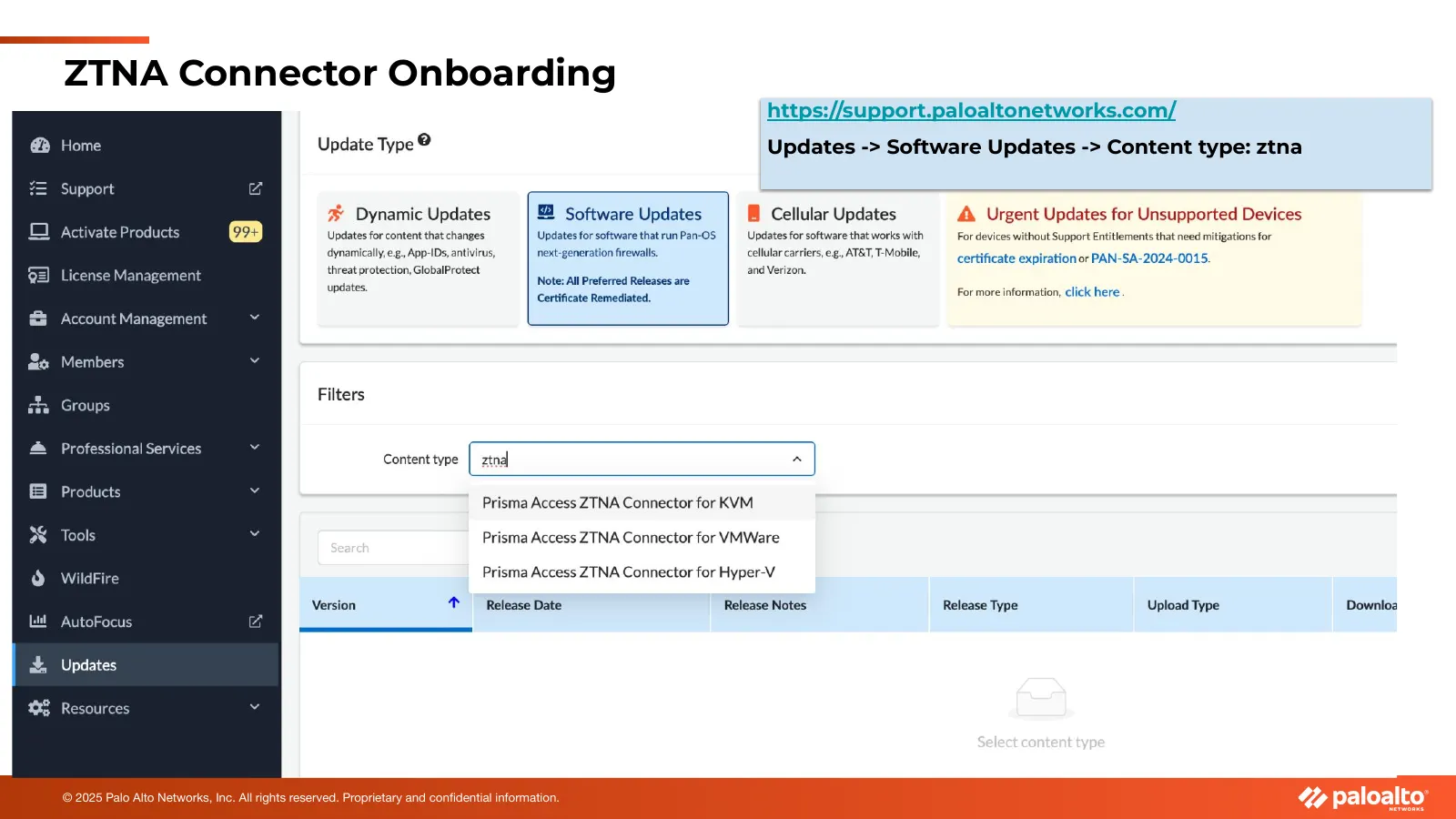
Slide 26: ZTNA Connector Onboarding
ZTNA Connector Onboarding https://support.paloaltonetworks.com/ Updates -> Software Updates -> Content type: ztna © 2025 Palo Alto Networks, Inc. All rights reserved. Proprietary and confidential information.
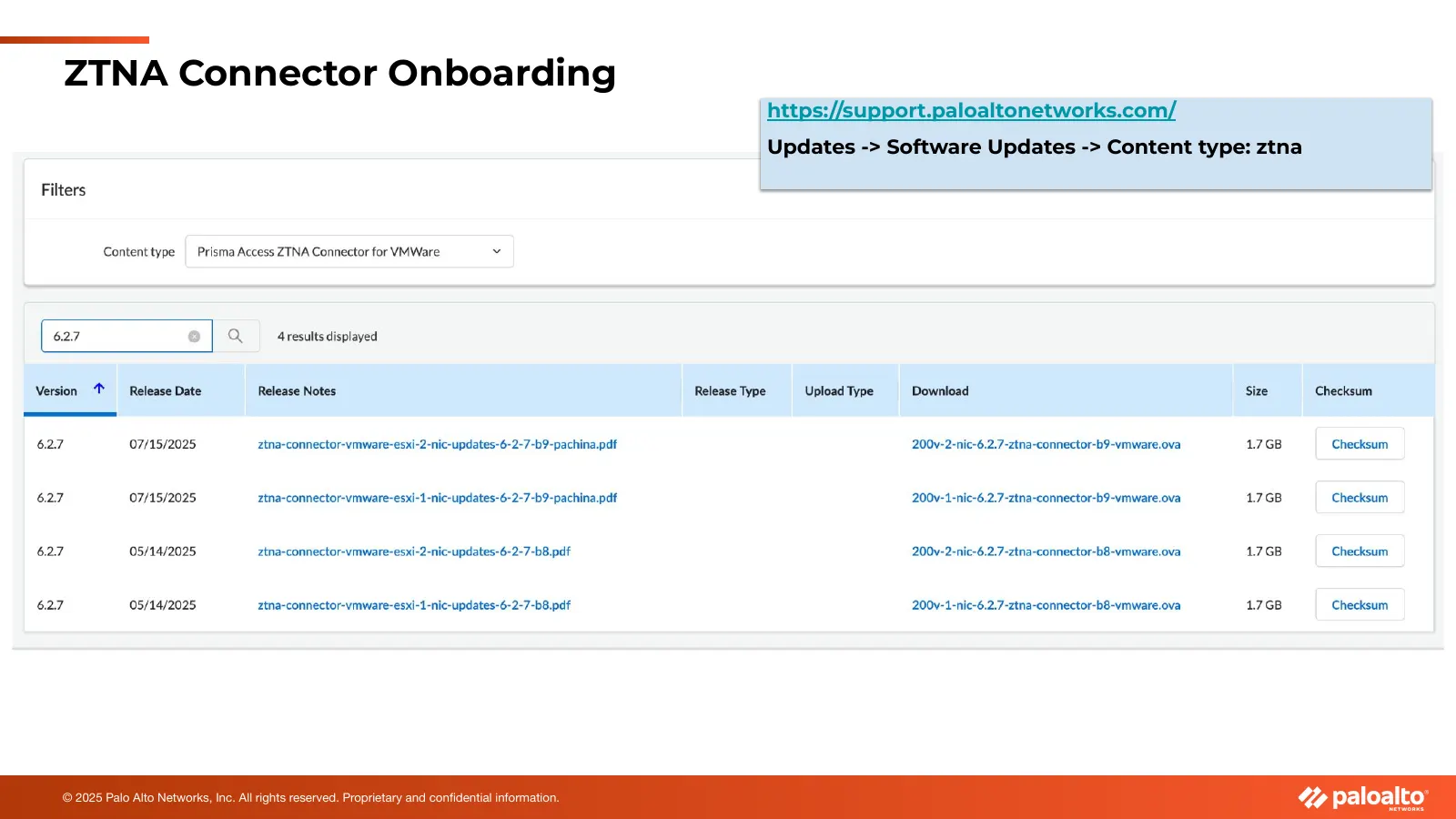
Slide 27: ZTNA Connector Onboarding
ZTNA Connector Onboarding https://support.paloaltonetworks.com/ Updates -> Software Updates -> Content type: ztna © 2025 Palo Alto Networks, Inc. All rights reserved. Proprietary and confidential information.
Slide 28: Application & Connector Address Pool Configuration
Application & Connector Address Pool Configuration © 2025 Palo Alto Networks, Inc. All rights reserved. Proprietary and confidential information.
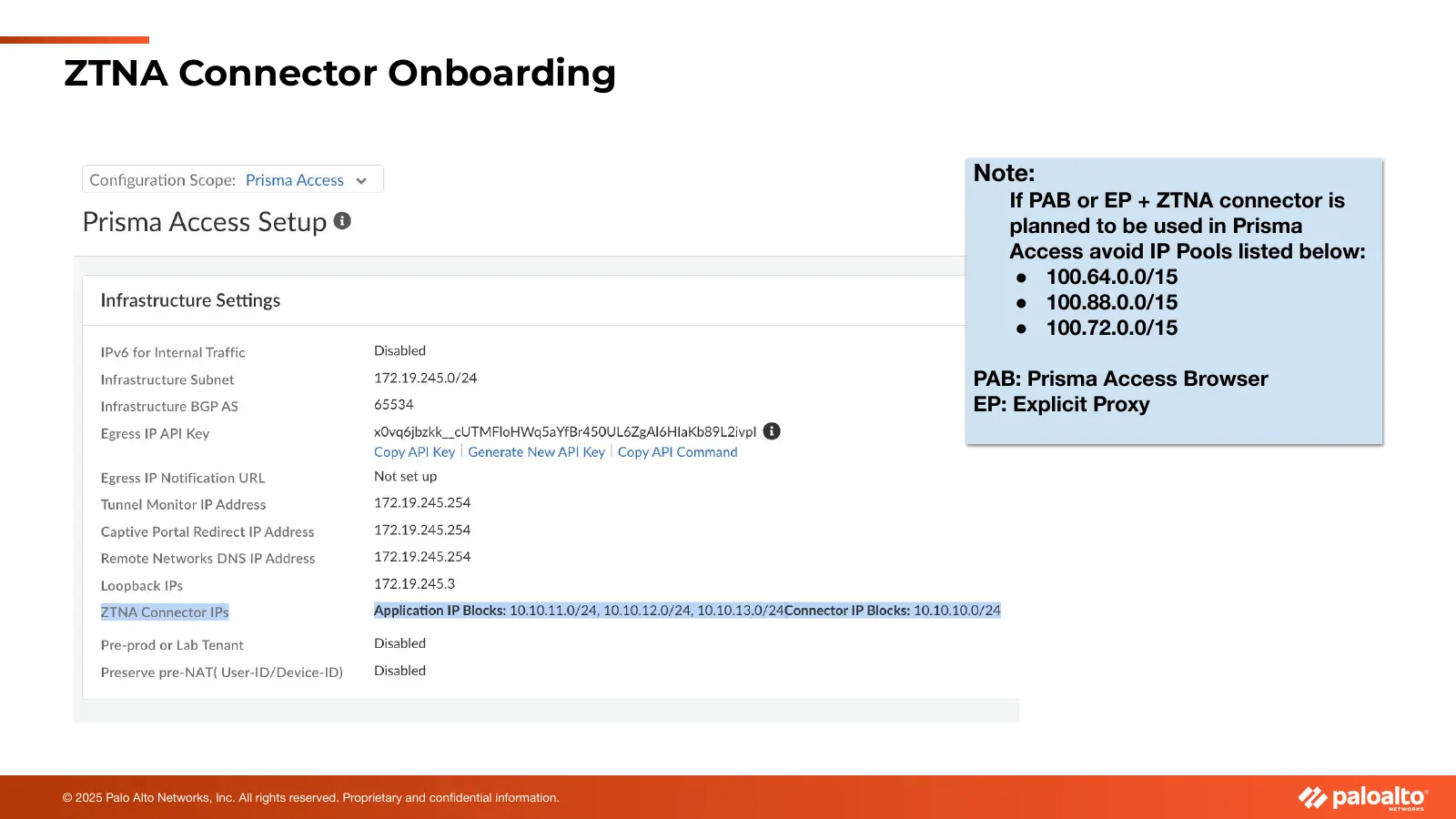
Slide 29: ZTNA Connector Onboarding
ZTNA Connector Onboarding Note: If PAB or EP + ZTNA connector is planned to be used in Prisma Access avoid IP Pools listed below: ● 100.64.0.0/15 ● 100.88.0.0/15 ● 100.72.0.0/15 PAB: Prisma Access Browser EP: Explicit Proxy © 2025 Palo Alto Networks, Inc. All rights reserved. Proprietary and confiden

Slide 30: Create Connector Group
Create Connector Group © 2025 Palo Alto Networks, Inc. All rights reserved. Proprietary and confidential information.
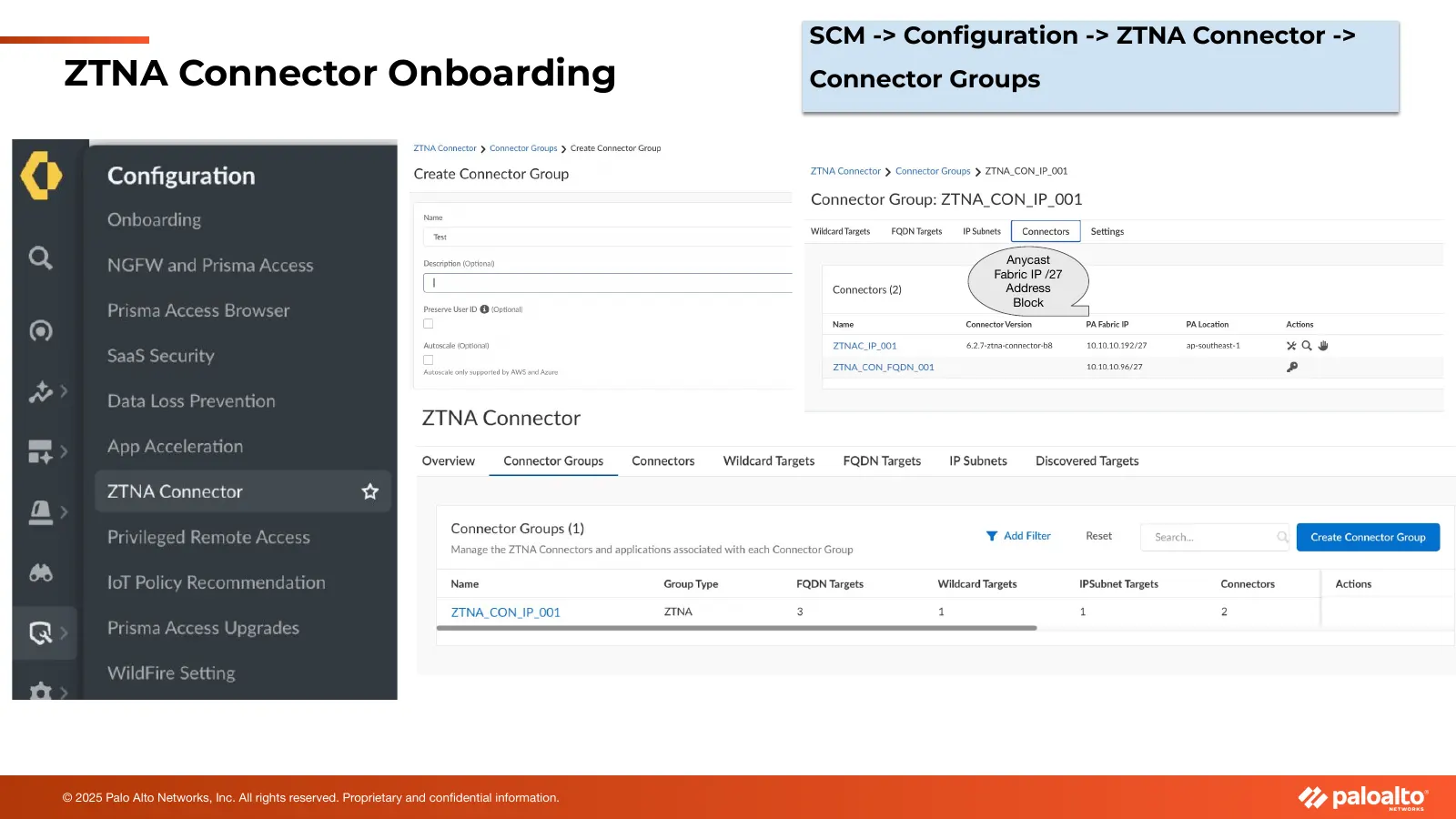
Slide 31: ZTNA Connector Onboarding
SCM -> Configuration -> ZTNA Connector -> ZTNA Connector Onboarding Connector Groups Anycast Fabric IP /27 Address Block © 2025 Palo Alto Networks, Inc. All rights reserved. Proprietary and confidential information.

Slide 32: Create Connector
Create Connector © 2025 Palo Alto Networks, Inc. All rights reserved. Proprietary and confidential information.
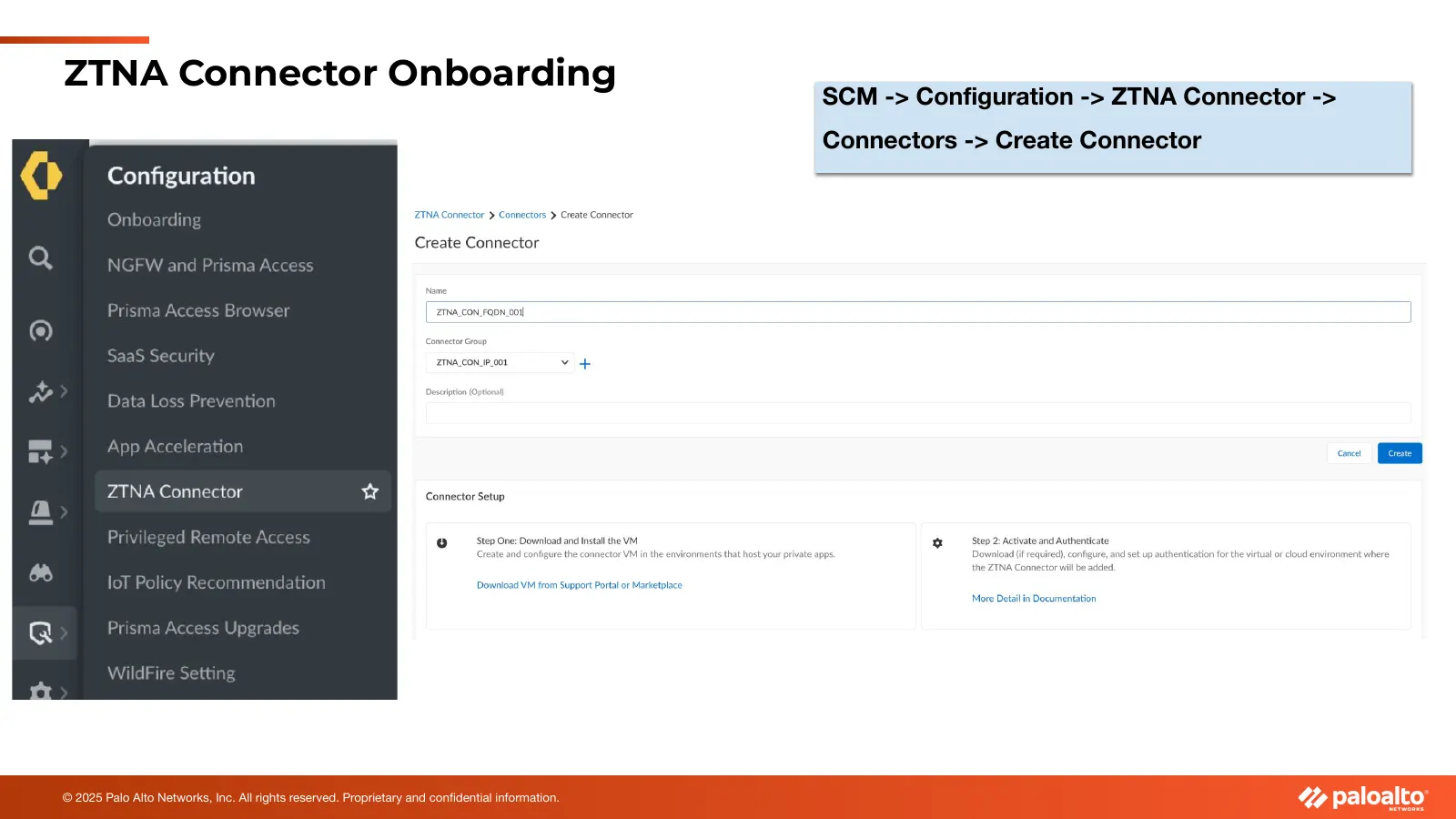
Slide 33: ZTNA Connector Onboarding
ZTNA Connector Onboarding SCM -> Configuration -> ZTNA Connector -> Connectors -> Create Connector © 2025 Palo Alto Networks, Inc. All rights reserved. Proprietary and confidential information.
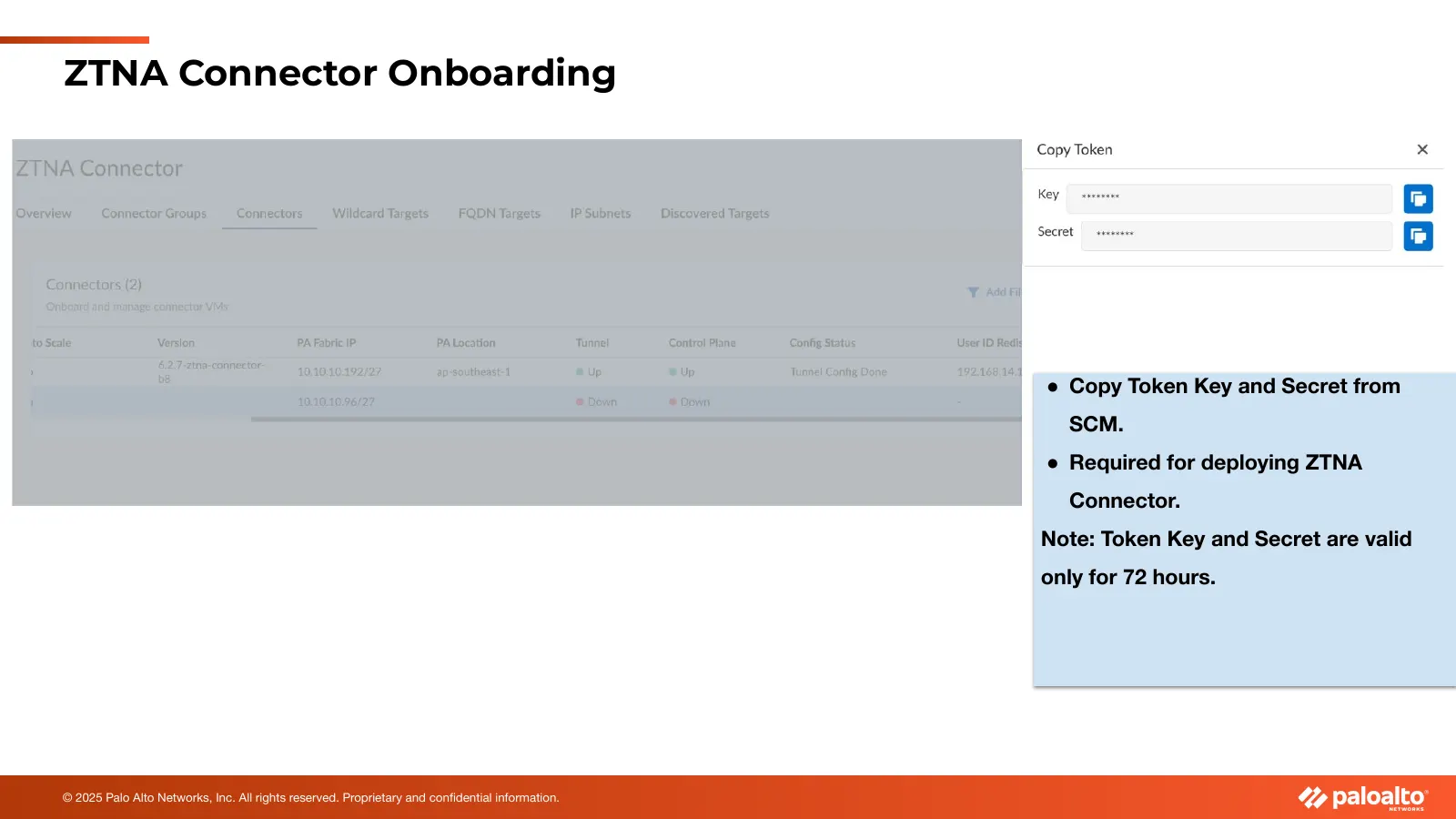
Slide 34: ZTNA Connector Onboarding
ZTNA Connector Onboarding ● Copy Token Key and Secret from SCM. ● Required for deploying ZTNA Connector. Note: Token Key and Secret are valid only for 72 hours. © 2025 Palo Alto Networks, Inc. All rights reserved. Proprietary and confidential information.
Slide 35: Install Onprem- ESX Hypervisor
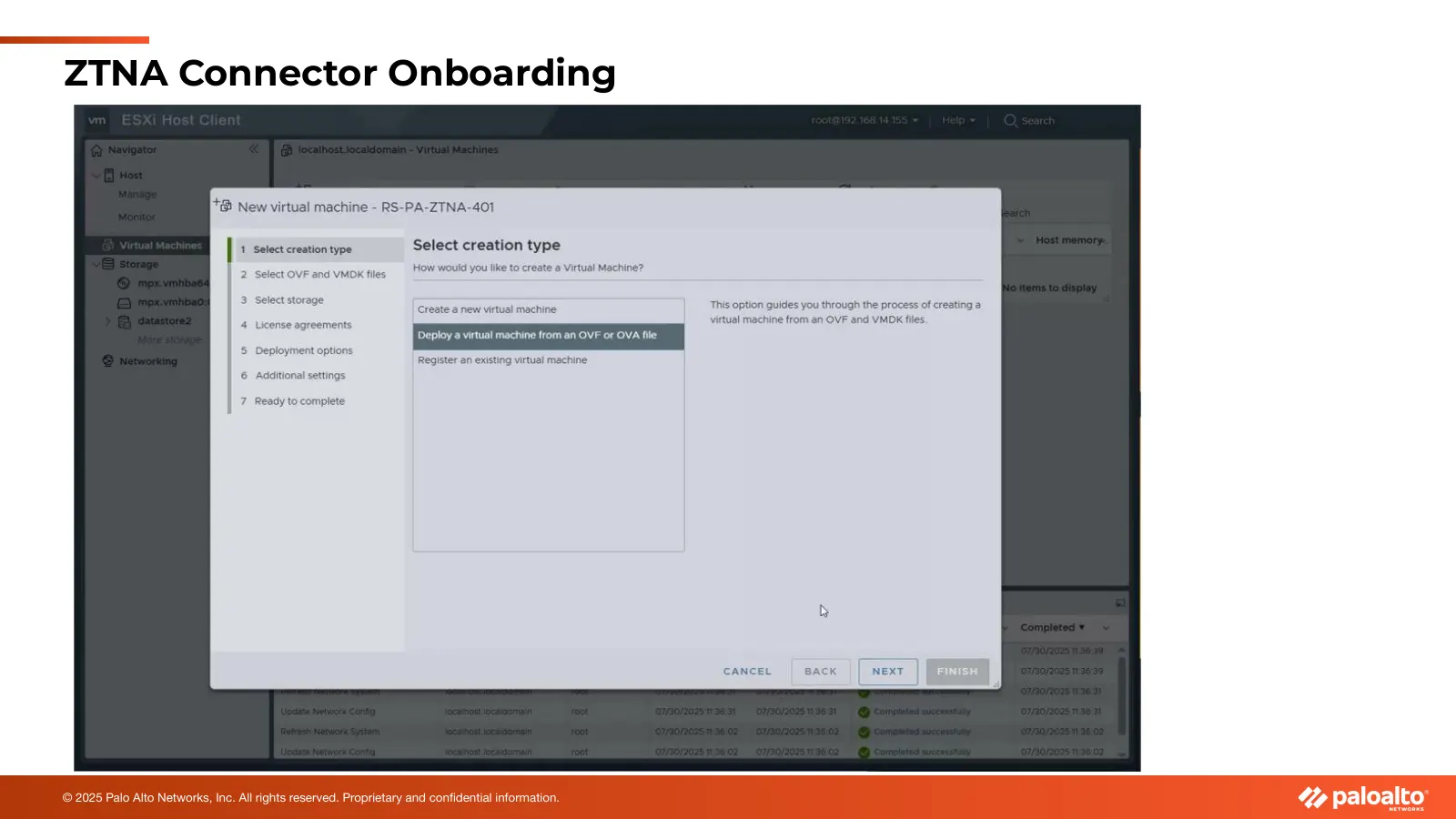
ZTNA Connector Install Onprem- ESX Hypervisor © 2025 Palo Alto Networks, Inc. All rights reserved. Proprietary and confidential information.
Slide 36: ZTNA Connector Onboarding
ZTNA Connector Onboarding © 2025 Palo Alto Networks, Inc. All rights reserved. Proprietary and confidential information.
Slide 37: ZTNA Connector Onboarding
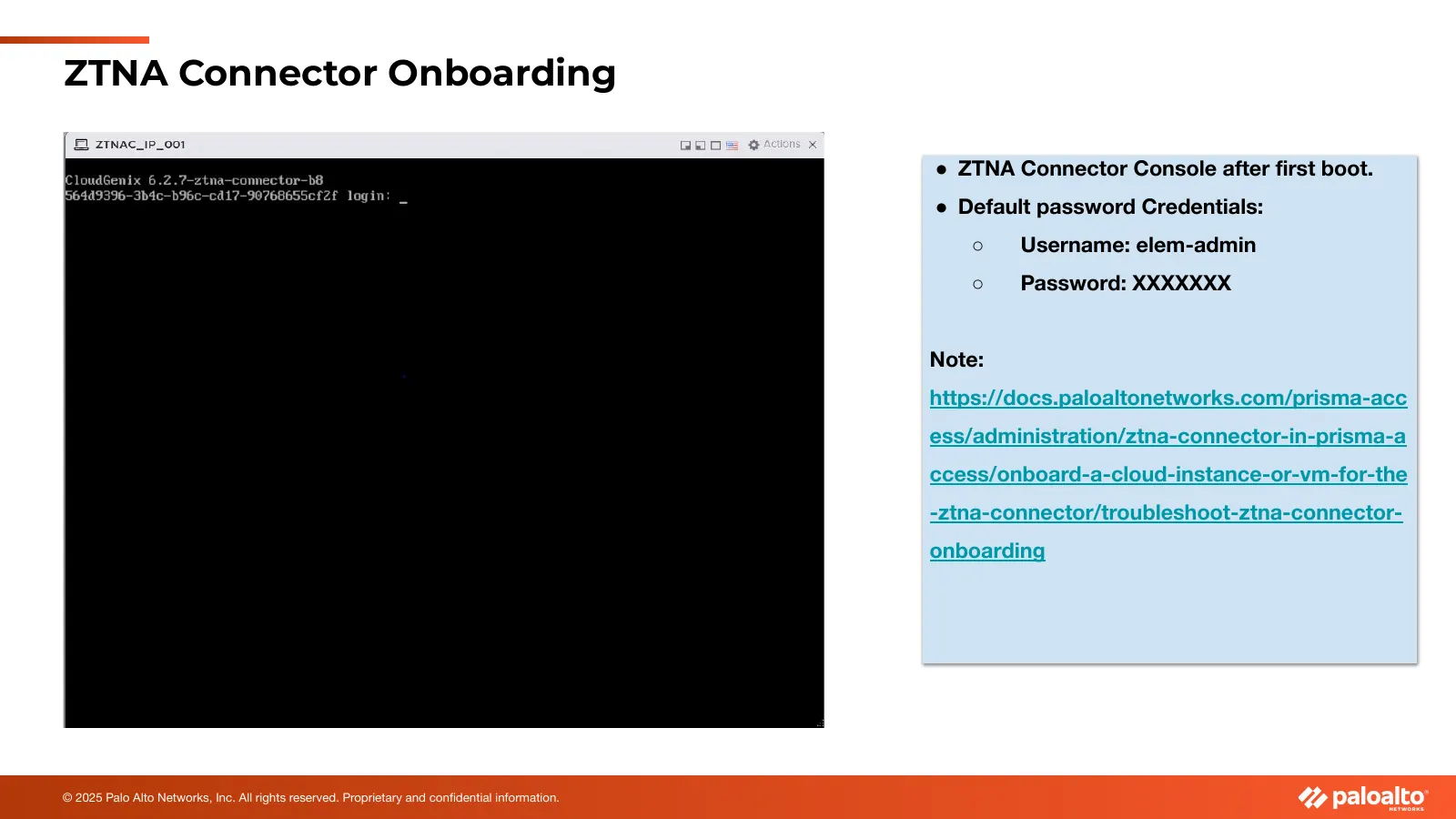
ZTNA Connector Onboarding ● ZTNA Connector Console after first boot. ● Default password Credentials: ○ Username: elem-admin ○ Password: XXXXXXX Note: https://docs.paloaltonetworks.com/prisma-acc ess/administration/ztna-connector-in-prisma-a ccess/onboard-a-cloud-instance-or-vm-for-the -ztna-connector
Slide 38: ZTNA Connector Onboarding
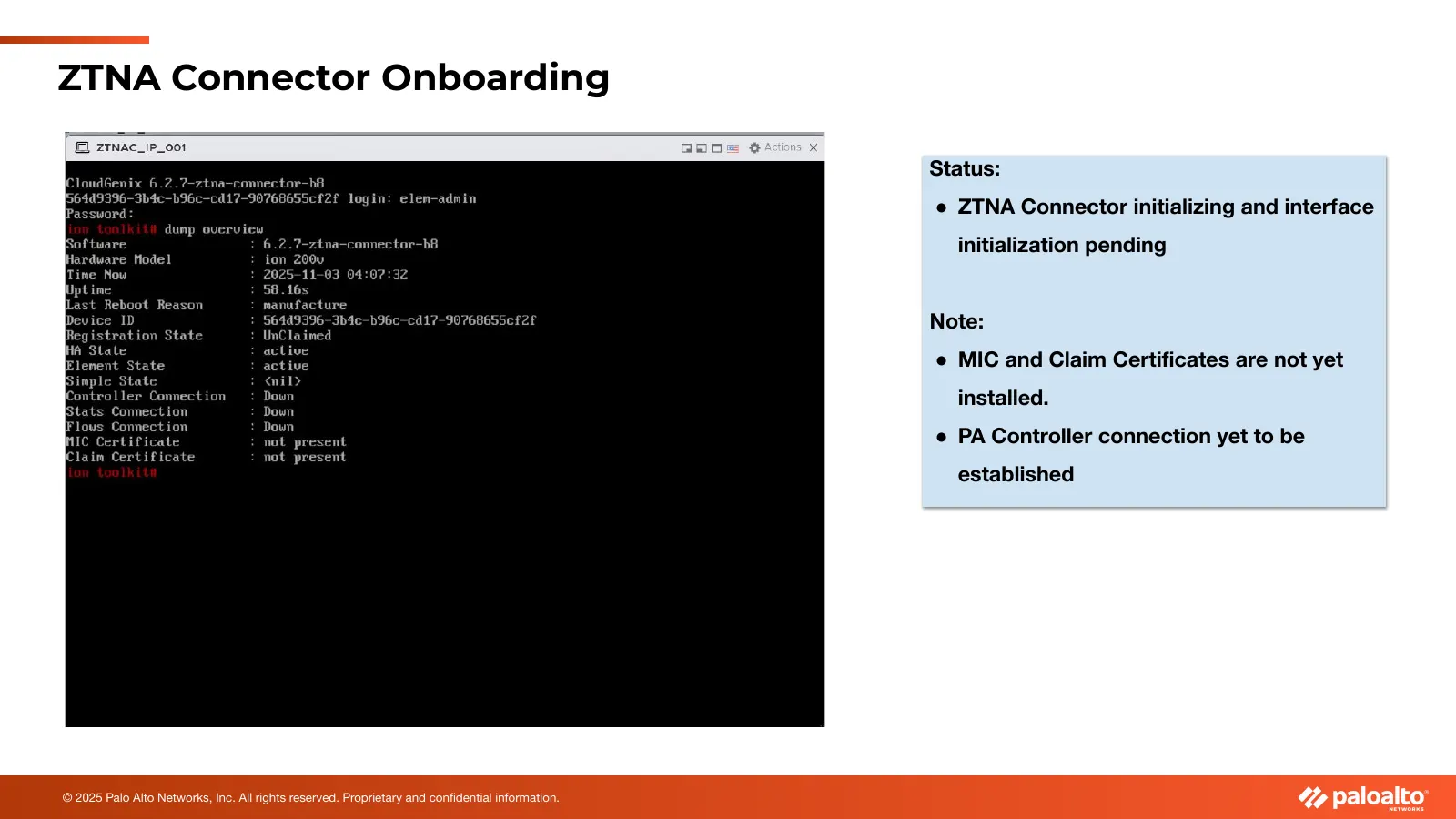
ZTNA Connector Onboarding Status: ● ZTNA Connector initializing and interface initialization pending Note: ● MIC and Claim Certificates are not yet installed. ● PA Controller connection yet to be established © 2025 Palo Alto Networks, Inc. All rights reserved. Proprietary and confidential information.
Slide 39: ZTNA Connector Onboarding
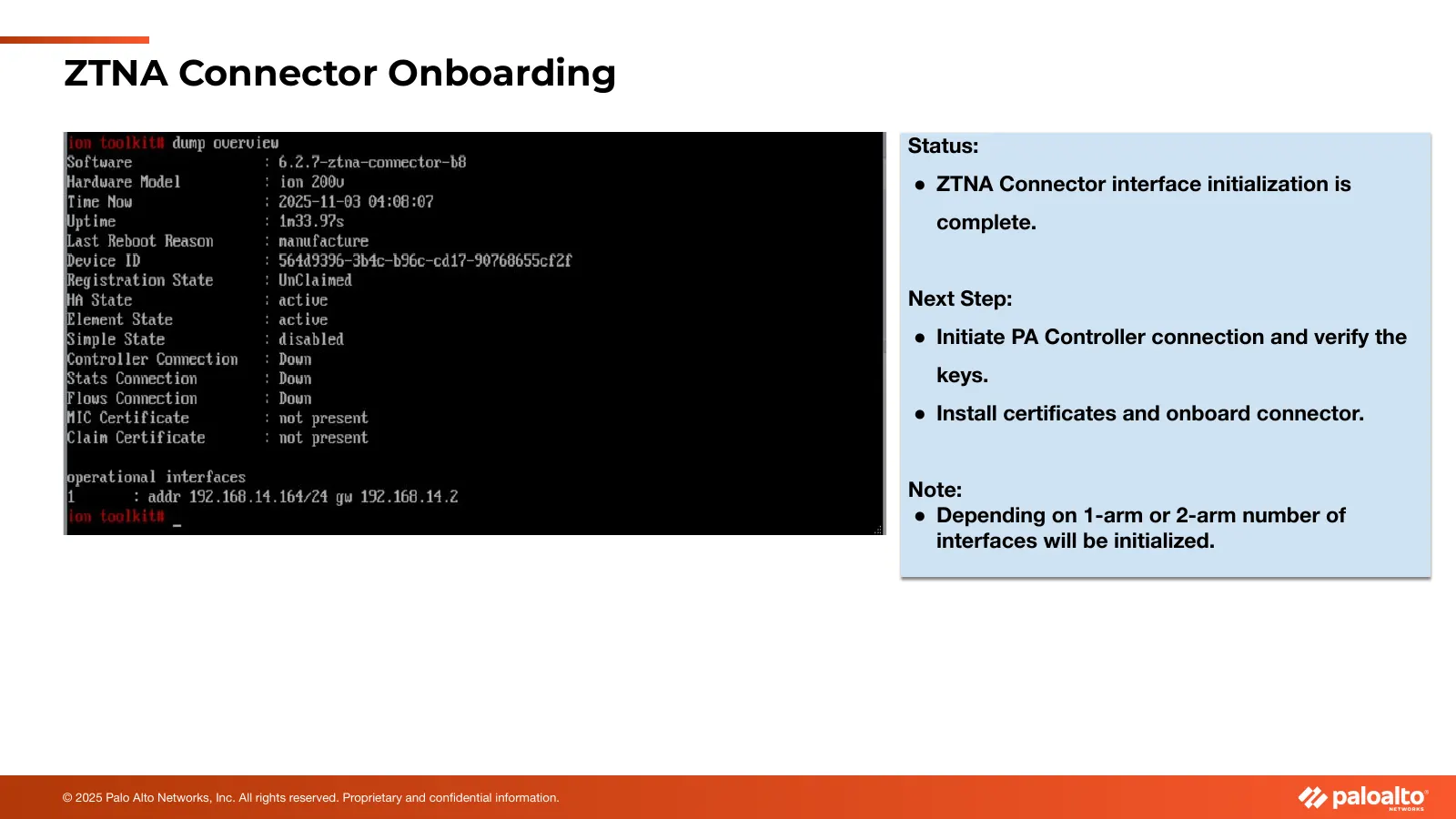
ZTNA Connector Onboarding Status: ● ZTNA Connector interface initialization is complete. Next Step: ● Initiate PA Controller connection and verify the keys. ● Install certificates and onboard connector. Note: ● Depending on 1-arm or 2-arm number of interfaces will be initialized. © 2025 Palo Alto Net
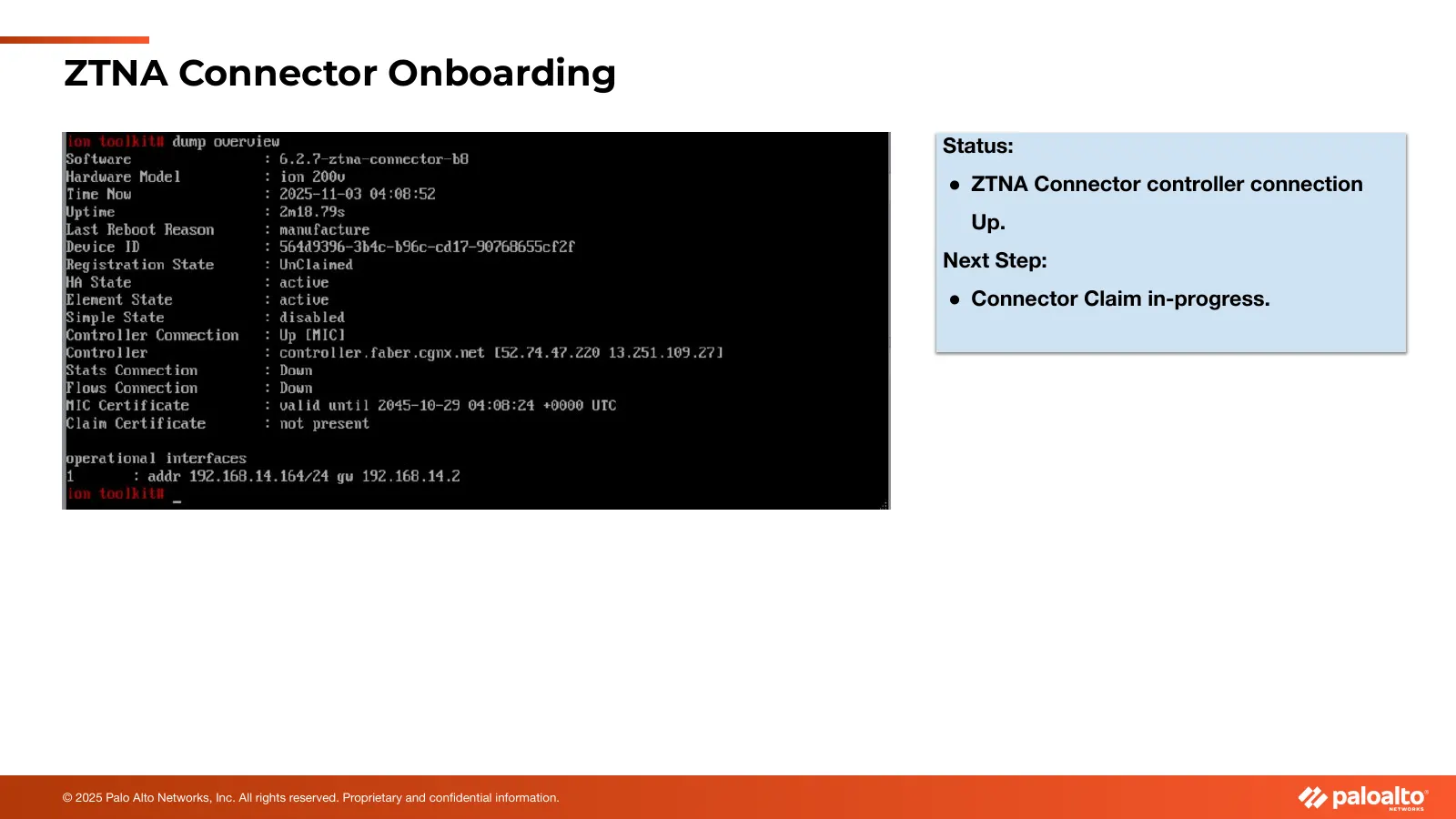
Slide 40: ZTNA Connector Onboarding
ZTNA Connector Onboarding Status: ● ZTNA Connector controller connection Up. Next Step: ● Connector Claim in-progress. © 2025 Palo Alto Networks, Inc. All rights reserved. Proprietary and confidential information.
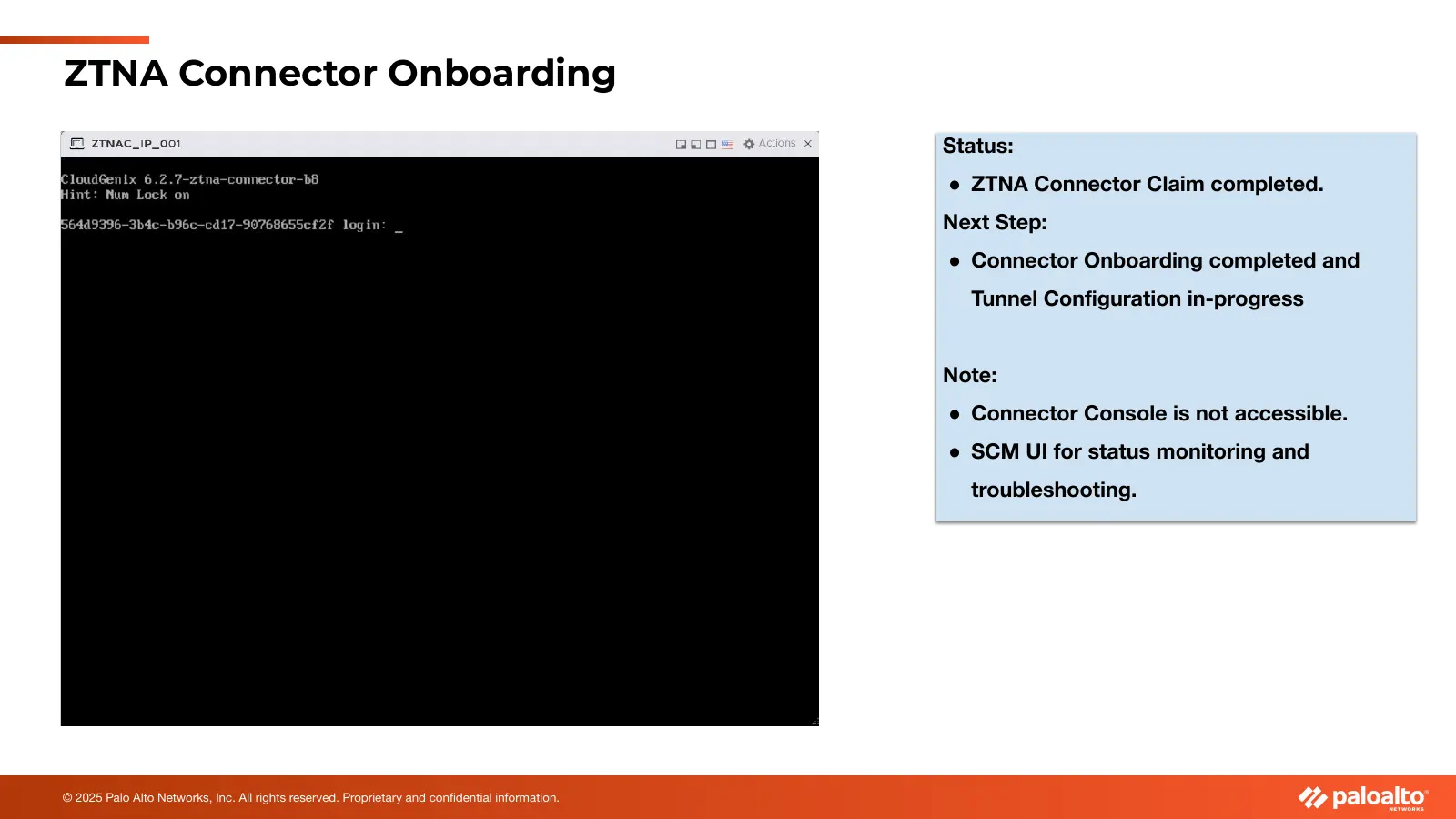
Slide 41: ZTNA Connector Onboarding
ZTNA Connector Onboarding Status: ● ZTNA Connector Claim completed. Next Step: ● Connector Onboarding completed and Tunnel Configuration in-progress Note: ● Connector Console is not accessible. ● SCM UI for status monitoring and troubleshooting. © 2025 Palo Alto Networks, Inc. All rights reserved. Pr
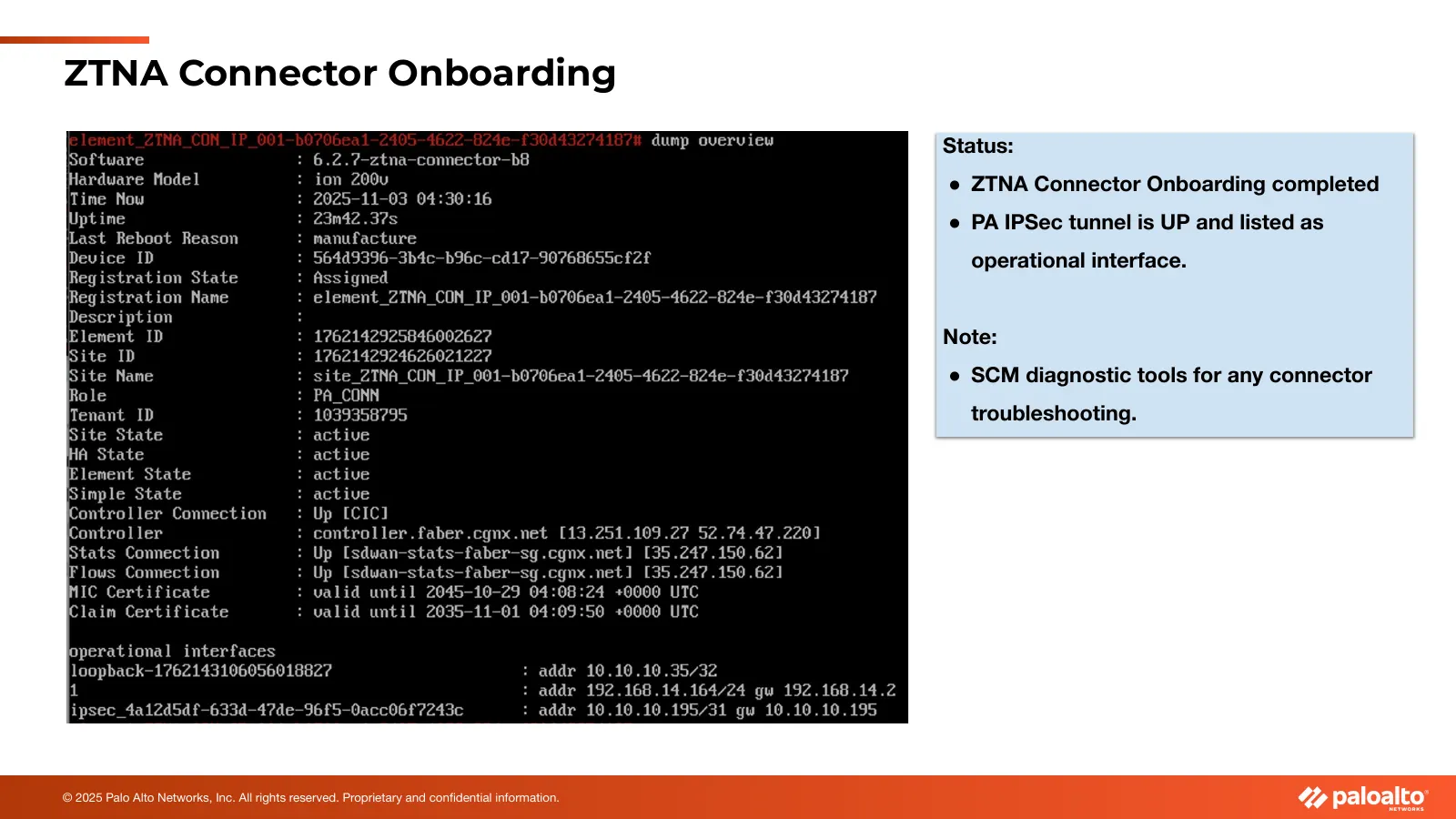
Slide 42: ZTNA Connector Onboarding
ZTNA Connector Onboarding Status: ● ZTNA Connector Onboarding completed ● PA IPSec tunnel is UP and listed as operational interface. Note: ● SCM diagnostic tools for any connector troubleshooting. © 2025 Palo Alto Networks, Inc. All rights reserved. Proprietary and confidential information.
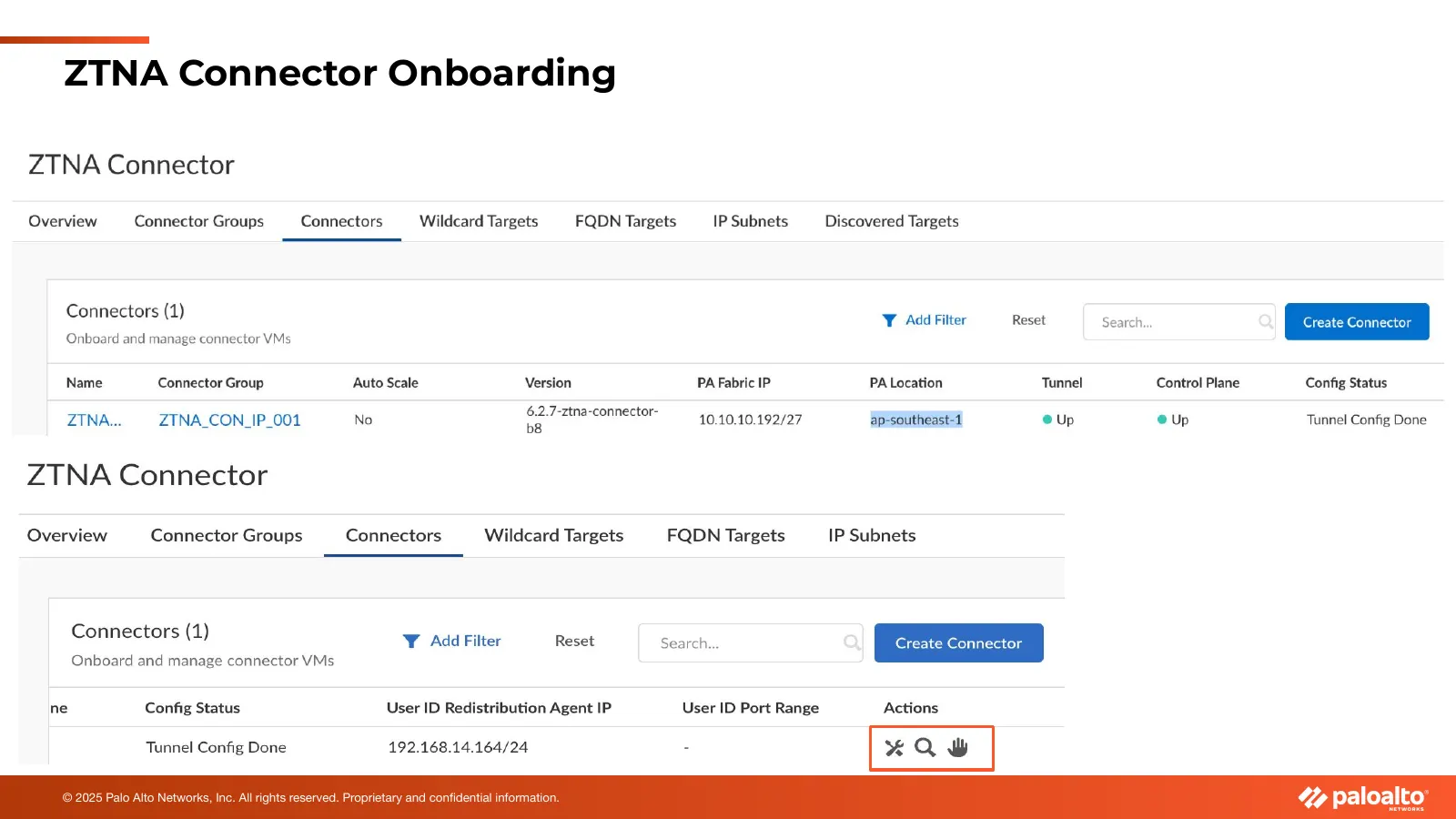
Slide 43: ZTNA Connector Onboarding
ZTNA Connector Onboarding © 2025 Palo Alto Networks, Inc. All rights reserved. Proprietary and confidential information.
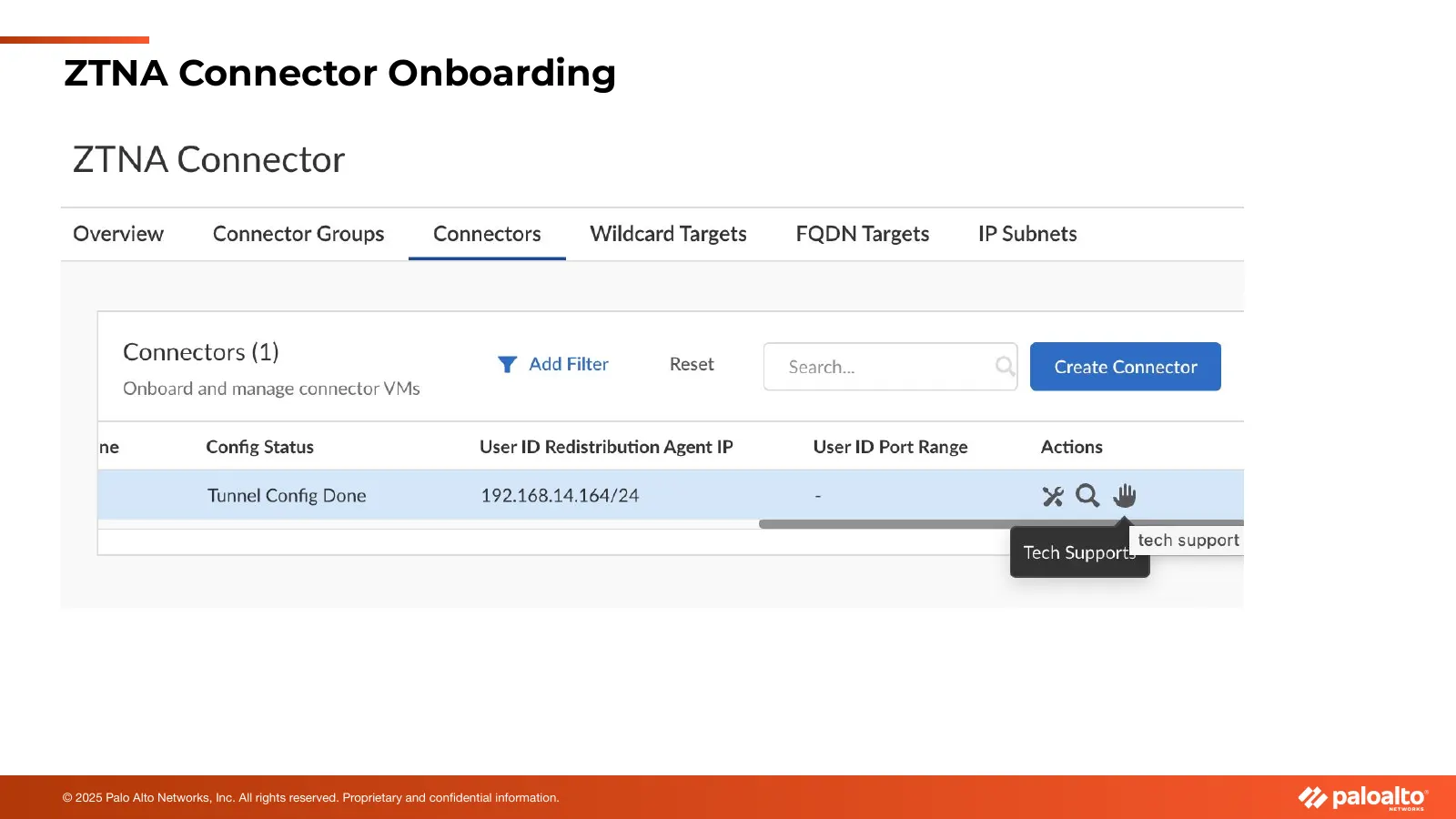
Slide 44: ZTNA Connector Onboarding
ZTNA Connector Onboarding © 2025 Palo Alto Networks, Inc. All rights reserved. Proprietary and confidential information.
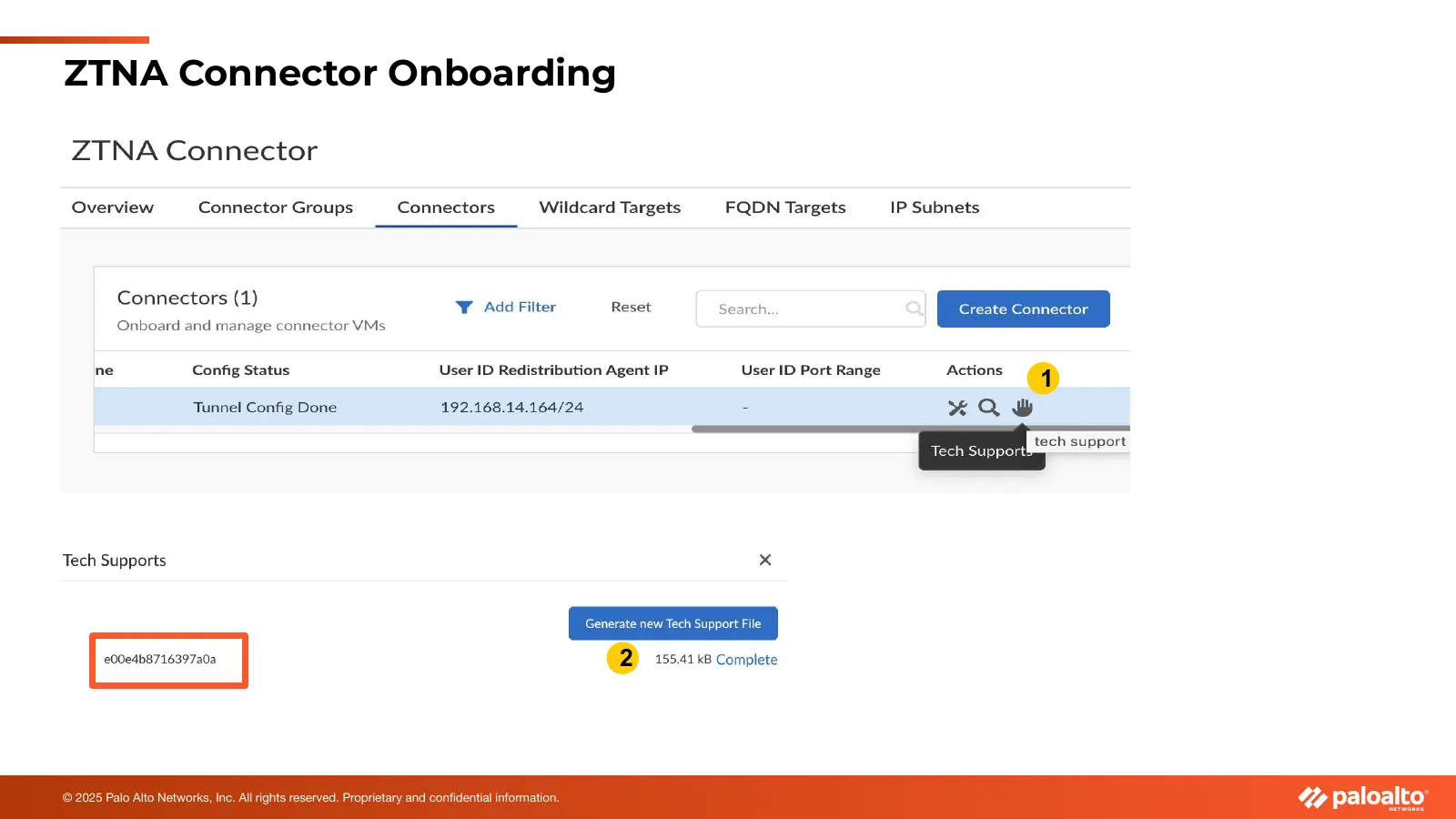
Slide 45: ZTNA Connector Onboarding
ZTNA Connector Onboarding 1 2 © 2025 Palo Alto Networks, Inc. All rights reserved. Proprietary and confidential information.
Slide 46: Onboarding Sample Tech Support File
ZTNA Connector Onboarding Sample Tech Support File © 2025 Palo Alto Networks, Inc. All rights reserved. Proprietary and confidential information.

Slide 47: Onboard Application
Onboard Application © 2025 Palo Alto Networks, Inc. All rights reserved. Proprietary and confidential information.
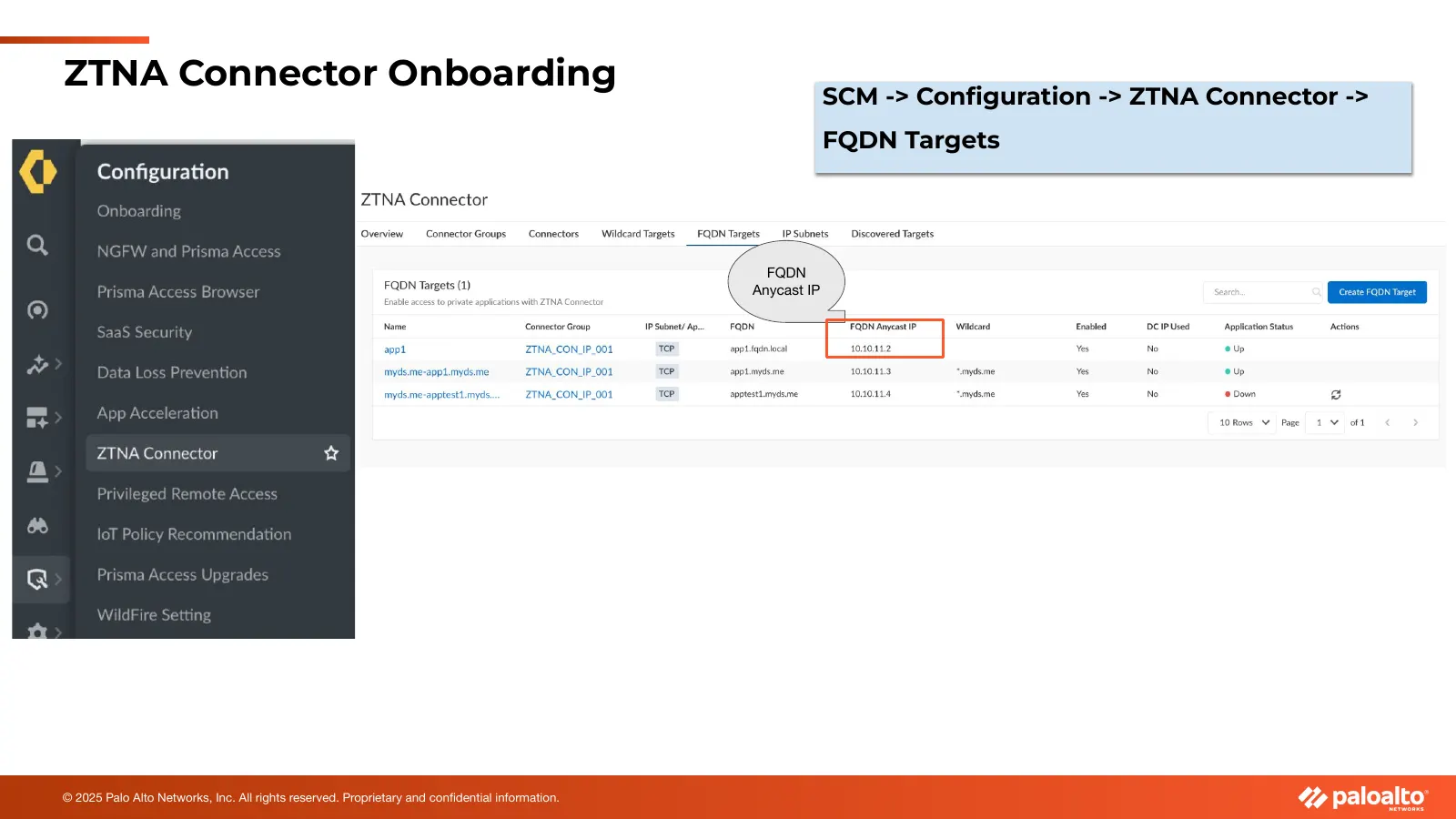
Slide 48: ZTNA Connector Onboarding
ZTNA Connector Onboarding SCM -> Configuration -> ZTNA Connector -> FQDN Targets FQDN Anycast IP © 2025 Palo Alto Networks, Inc. All rights reserved. Proprietary and confidential information.
Slide 49: ZTNA Connector Onboarding
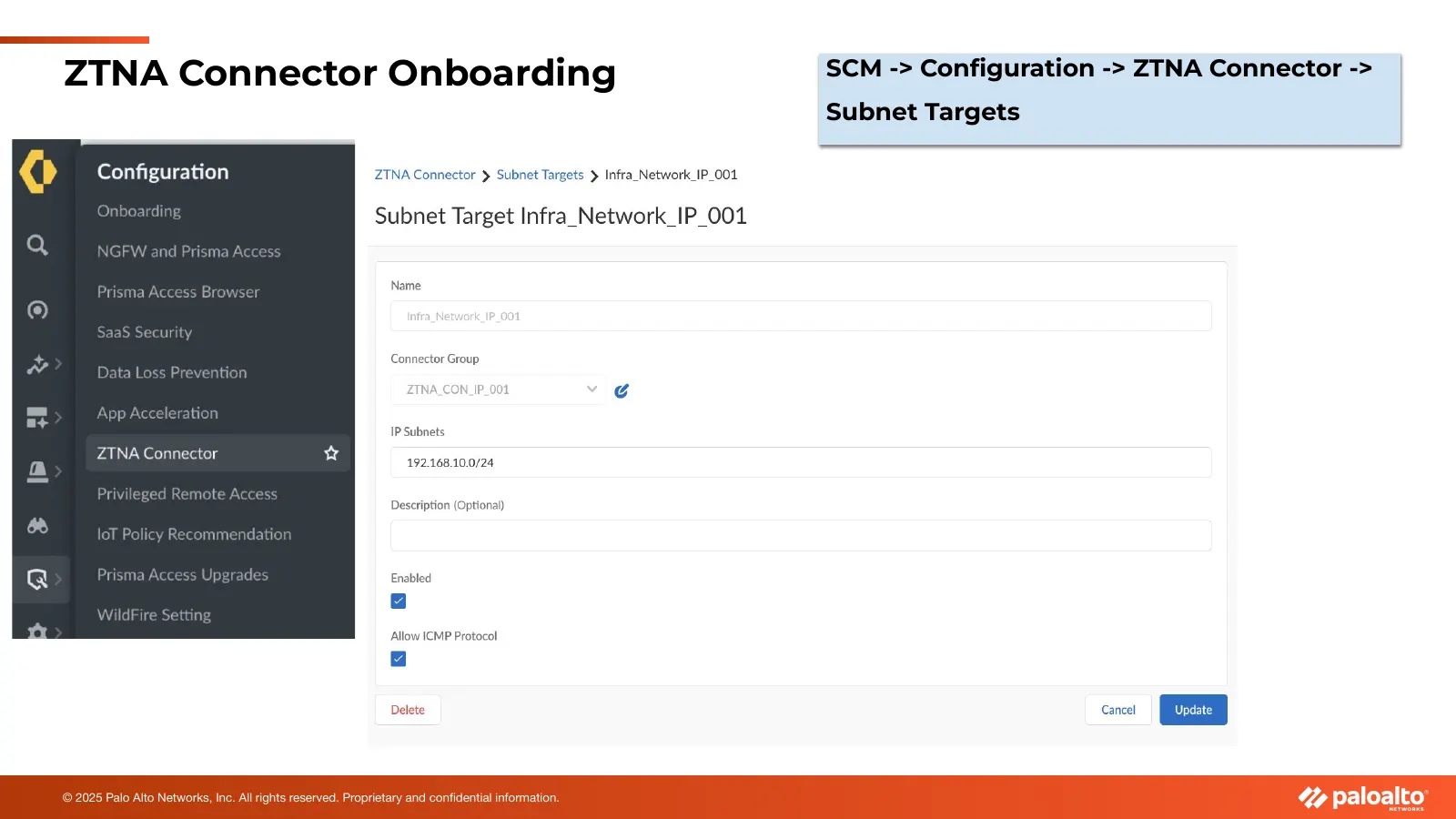
ZTNA Connector Onboarding SCM -> Configuration -> ZTNA Connector -> Subnet Targets © 2025 Palo Alto Networks, Inc. All rights reserved. Proprietary and confidential information.
Slide 50: ZTNA Connector Onboarding
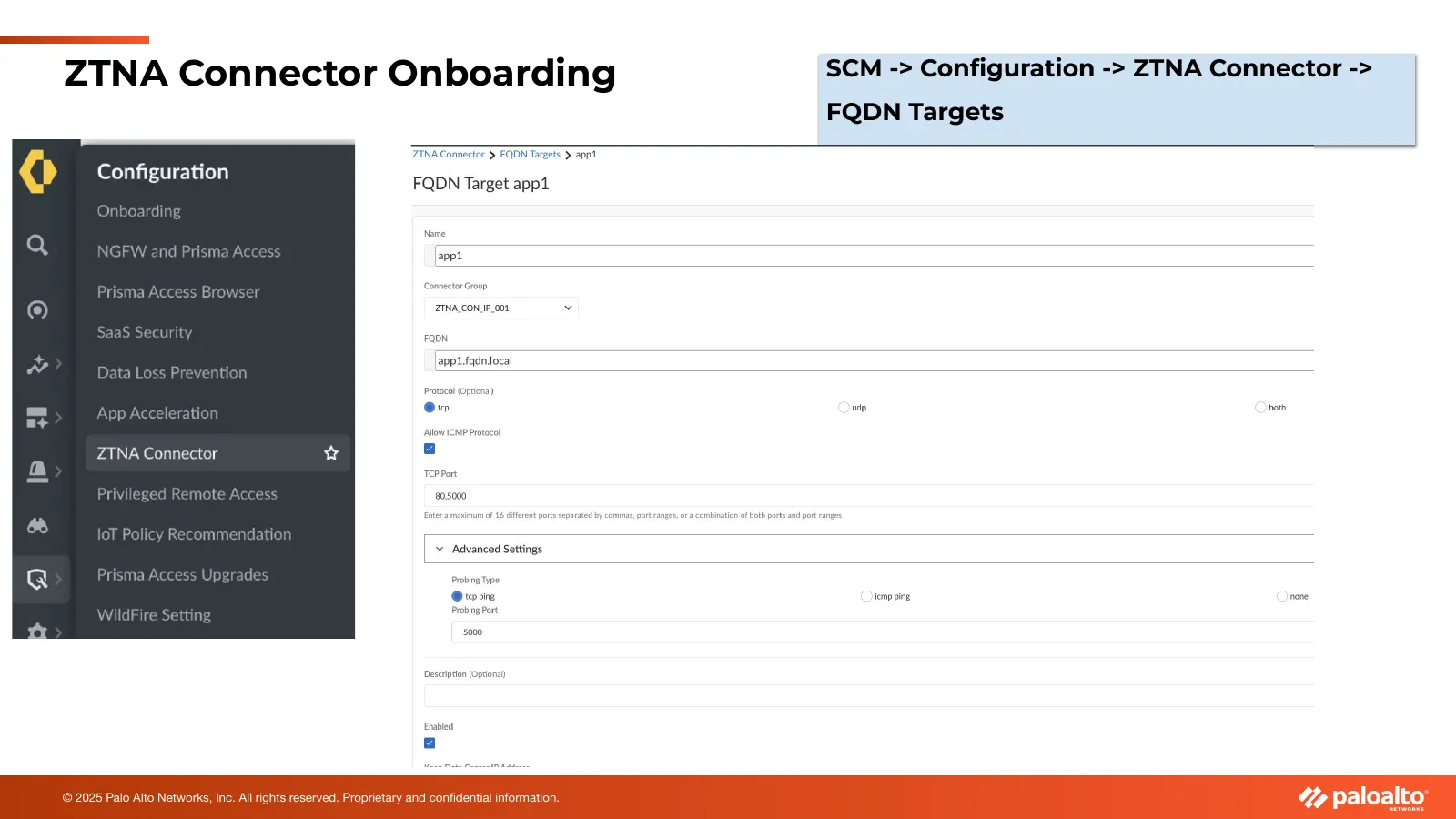
ZTNA Connector Onboarding SCM -> Configuration -> ZTNA Connector -> FQDN Targets © 2025 Palo Alto Networks, Inc. All rights reserved. Proprietary and confidential information.
Slide 51: Test FQDN Target Application
Test FQDN Target Application © 2025 Palo Alto Networks, Inc. All rights reserved. Proprietary and confidential information.
Slide 52: Test FQDN Target with GP Agent Client
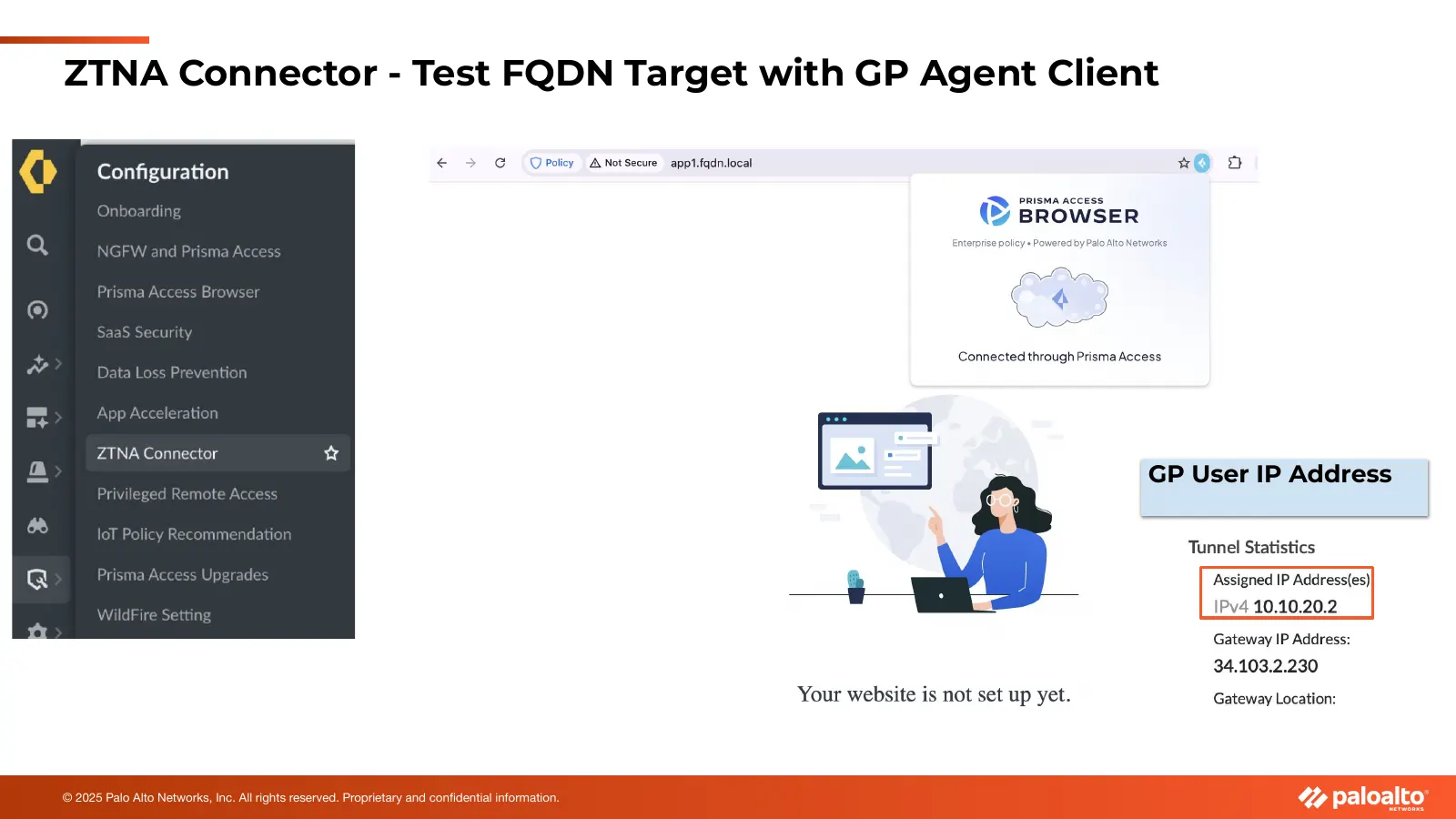
ZTNA Connector - Test FQDN Target with GP Agent Client GP User IP Address © 2025 Palo Alto Networks, Inc. All rights reserved. Proprietary and confidential information.
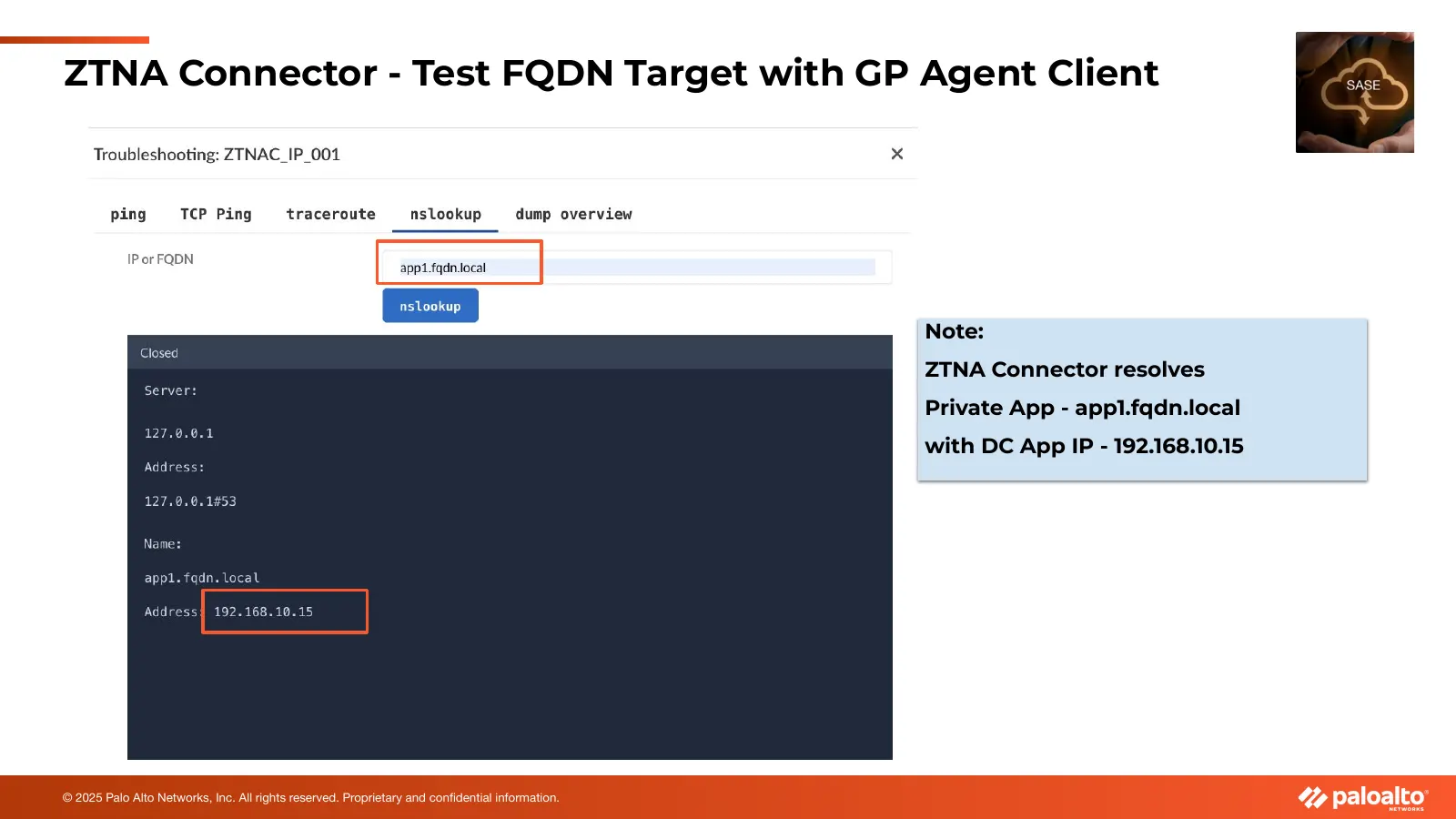
Slide 53: Test FQDN Target with GP Agent Client
ZTNA Connector - Test FQDN Target with GP Agent Client Note: ZTNA Connector resolves Private App - app1.fqdn.local with DC App IP - 192.168.10.15 © 2025 Palo Alto Networks, Inc. All rights reserved. Proprietary and confidential information.
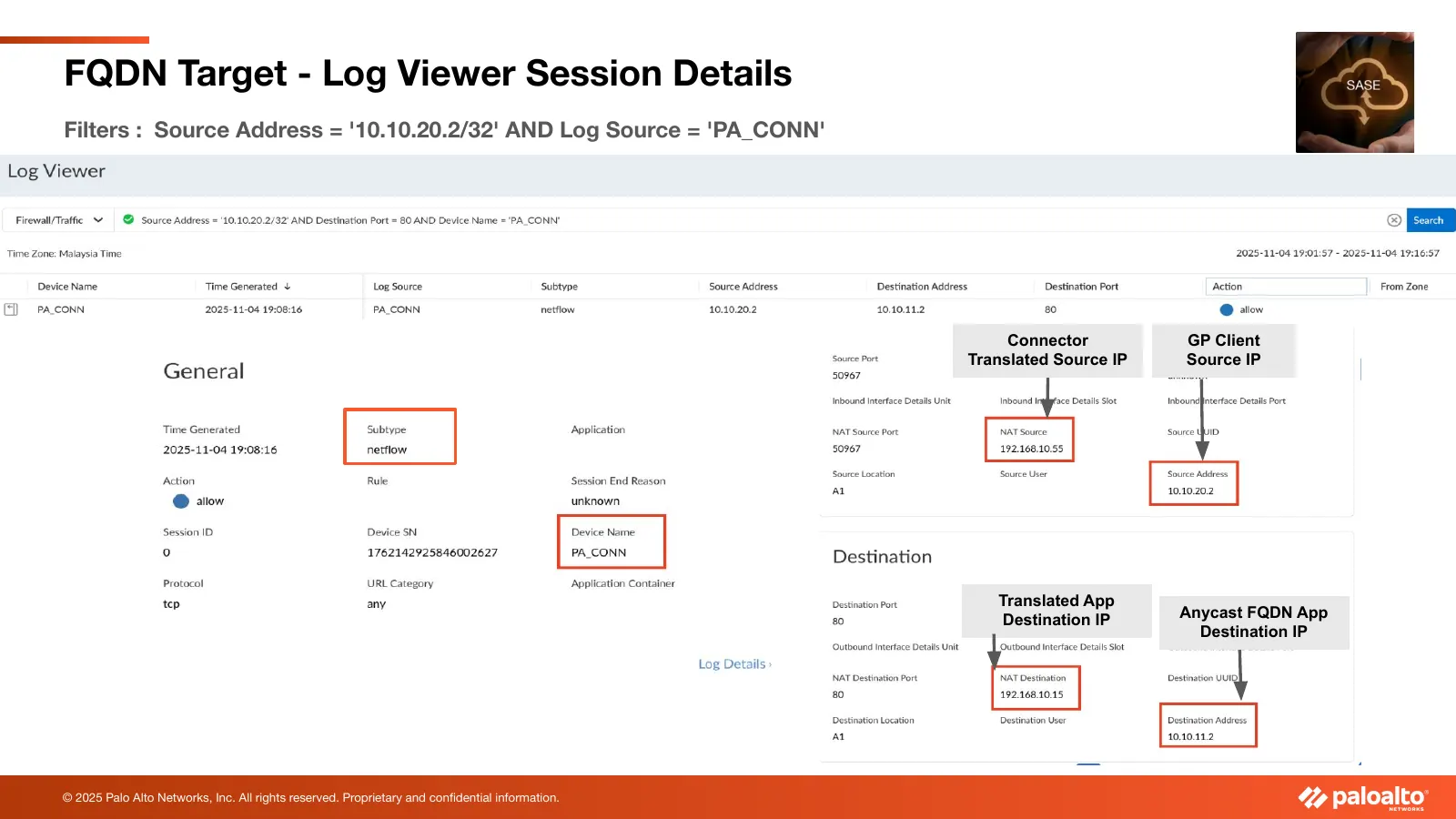
Slide 54: FQDN Target - Log Viewer Session Details
FQDN Target - Log Viewer Session Details Filters : Source Address = '10.10.20.2/32' AND Log Source = 'PA_CONN' Connector GP Client Translated Source IP Source IP Translated App Destination IP Anycast FQDN App Destination IP © 2025 Palo Alto Networks, Inc. All rights reserved. Proprietary and confiden
Slide 55: Test IP Subnet Target Application
Test IP Subnet Target Application © 2025 Palo Alto Networks, Inc. All rights reserved. Proprietary and confidential information.
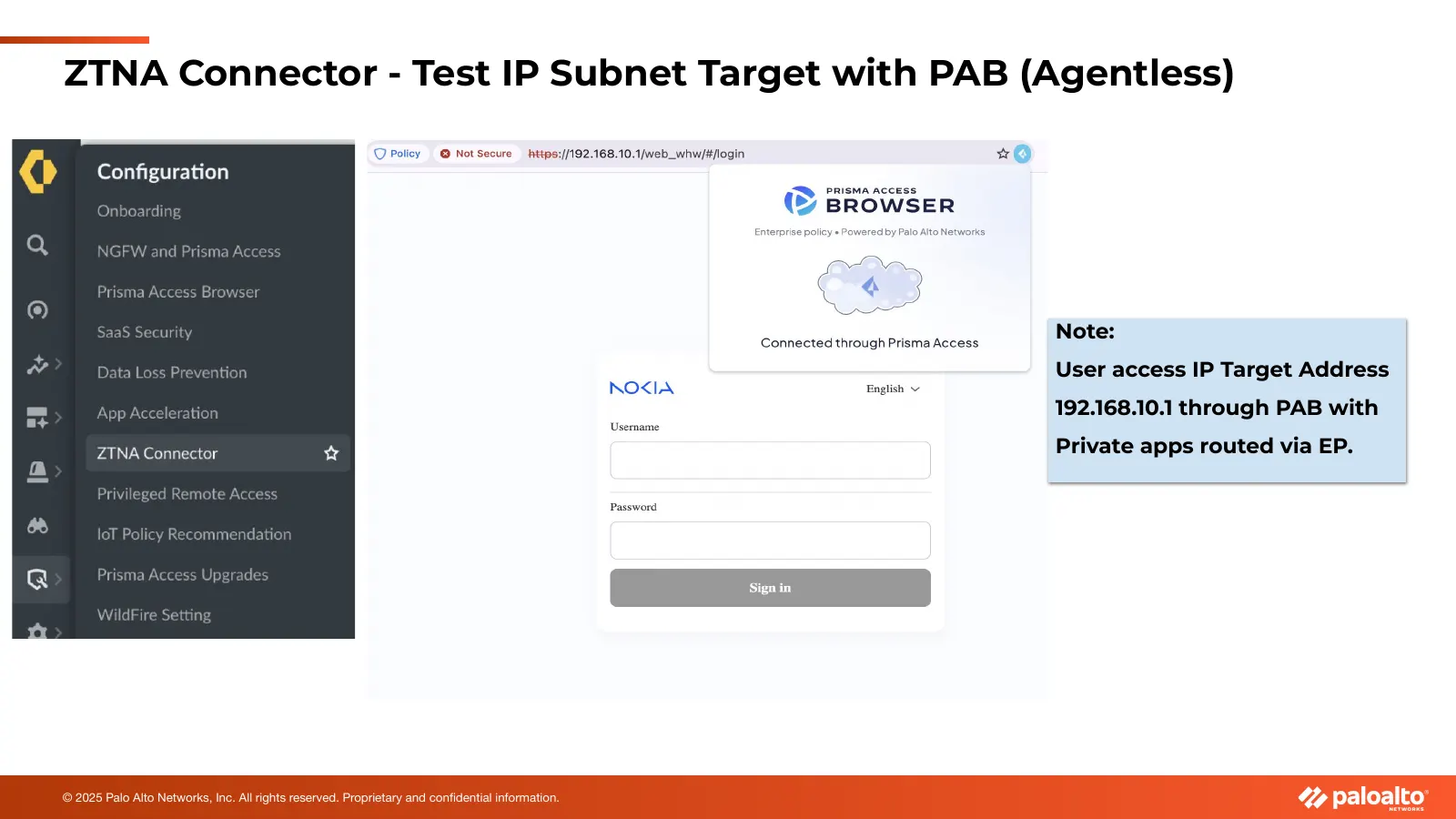
Slide 56: Test IP Subnet Target with PAB (Agentless)
ZTNA Connector - Test IP Subnet Target with PAB (Agentless) Note: User access IP Target Address 192.168.10.1 through PAB with Private apps routed via EP. © 2025 Palo Alto Networks, Inc. All rights reserved. Proprietary and confidential information.
Slide 57: Test FQDN Target with PAB (Agentless)
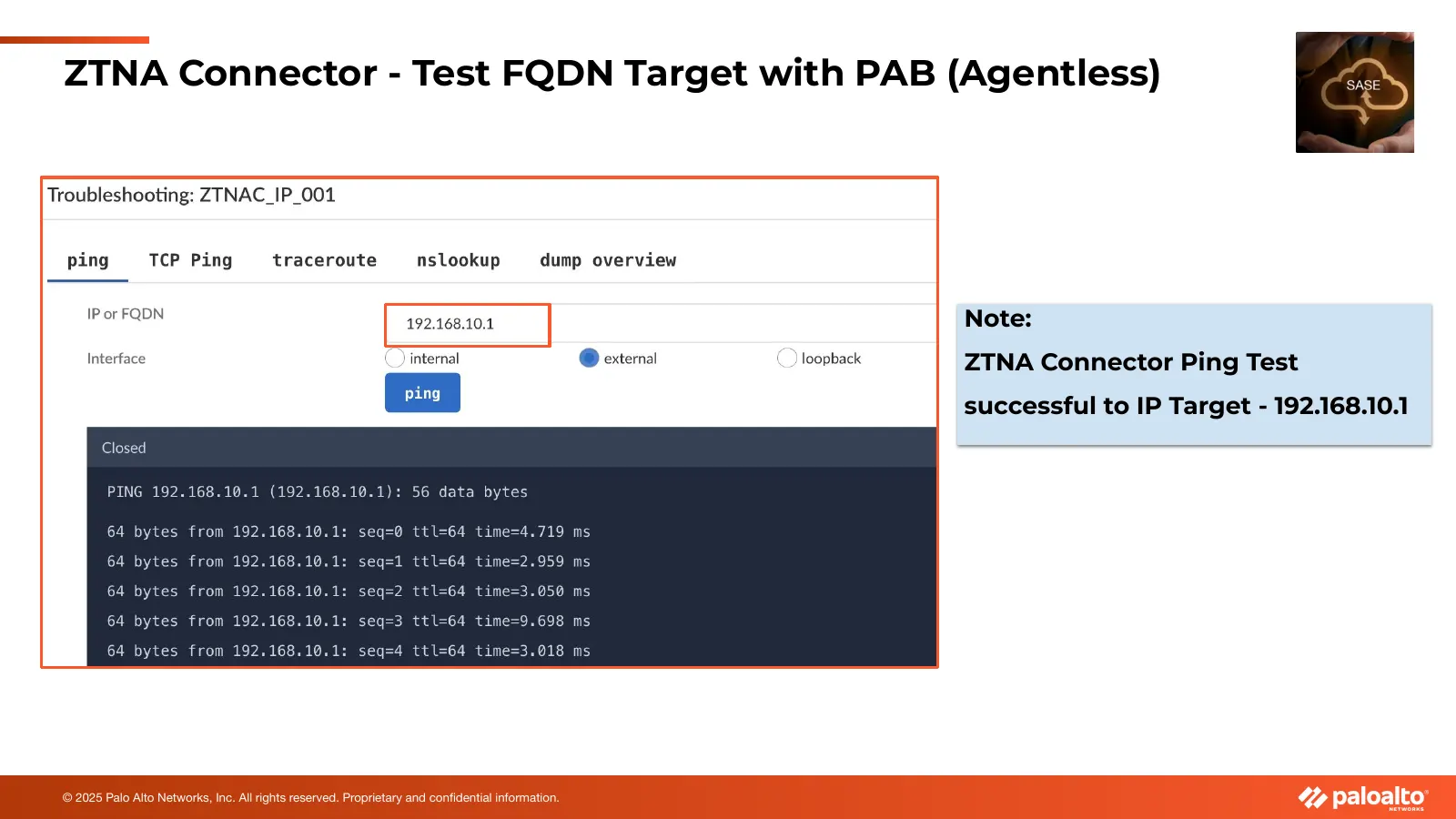
ZTNA Connector - Test FQDN Target with PAB (Agentless) Note: ZTNA Connector Ping Test successful to IP Target - 192.168.10.1 © 2025 Palo Alto Networks, Inc. All rights reserved. Proprietary and confidential information.
Slide 58: IP Subnet Target - Log Viewer Session Details
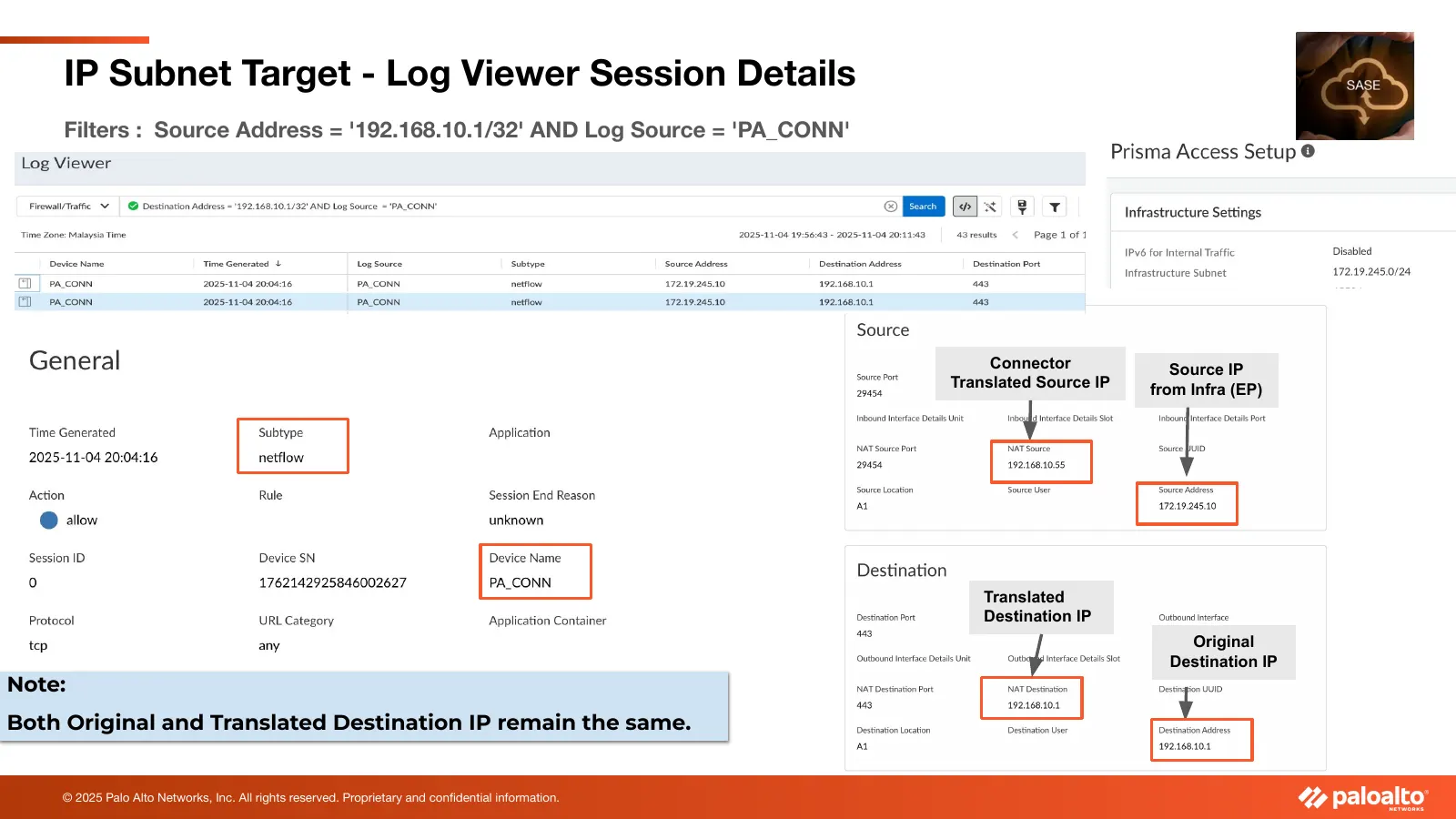
IP Subnet Target - Log Viewer Session Details Filters : Source Address = '192.168.10.1/32' AND Log Source = 'PA_CONN' Connector Source IP Translated Source IP from Infra (EP) Translated Destination IP Original Destination IP Note: Both Original and Translated Destination IP remain the same. © 2025 P

Slide 59: Demo
Demo © 2025 Palo Alto Networks, Inc. All rights reserved. Proprietary and confidential information.
Slide 60: Onboarding Demo
ZTNA Connector Onboarding Demo © 2025 Palo Alto Networks, Inc. All rights reserved. Proprietary and confidential information.
Slide 61: ZTNA Connector Cloud Deployment
ZTNA Connector Cloud Deployment © 2025 Palo Alto Networks, Inc. All rights reserved. Proprietary and confidential information.
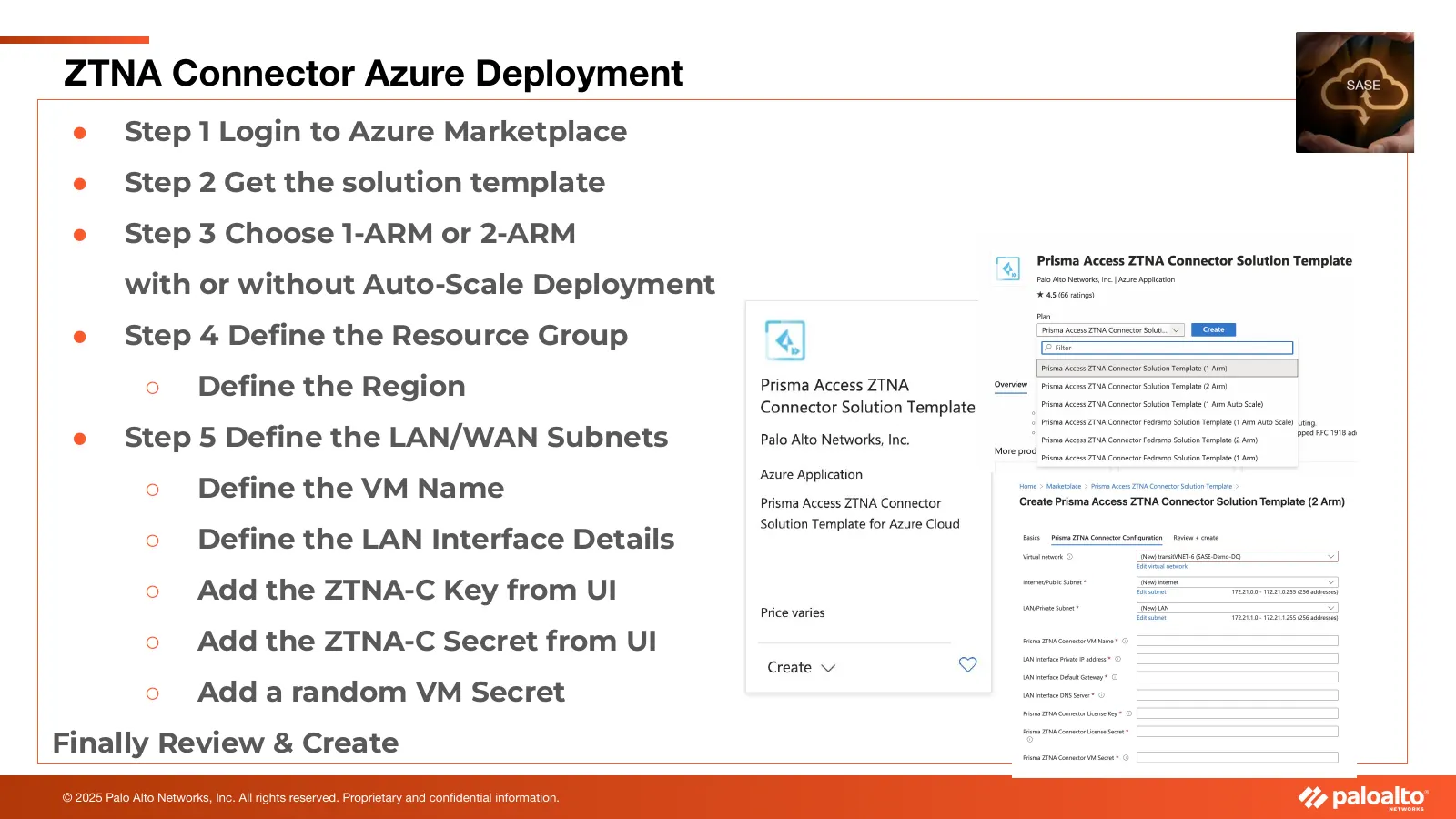
Slide 62: Azure Deployment
ZTNA Connector Azure Deployment ● Step 1 Login to Azure Marketplace ● Step 2 Get the solution template ● Step 3 Choose 1-ARM or 2-ARM with or without Auto-Scale Deployment ● Step 4 Define the Resource Group ○ Define the Region ● Step 5 Define the LAN/WAN Subnets ○ Define the VM Name ○ Define the LAN Inte
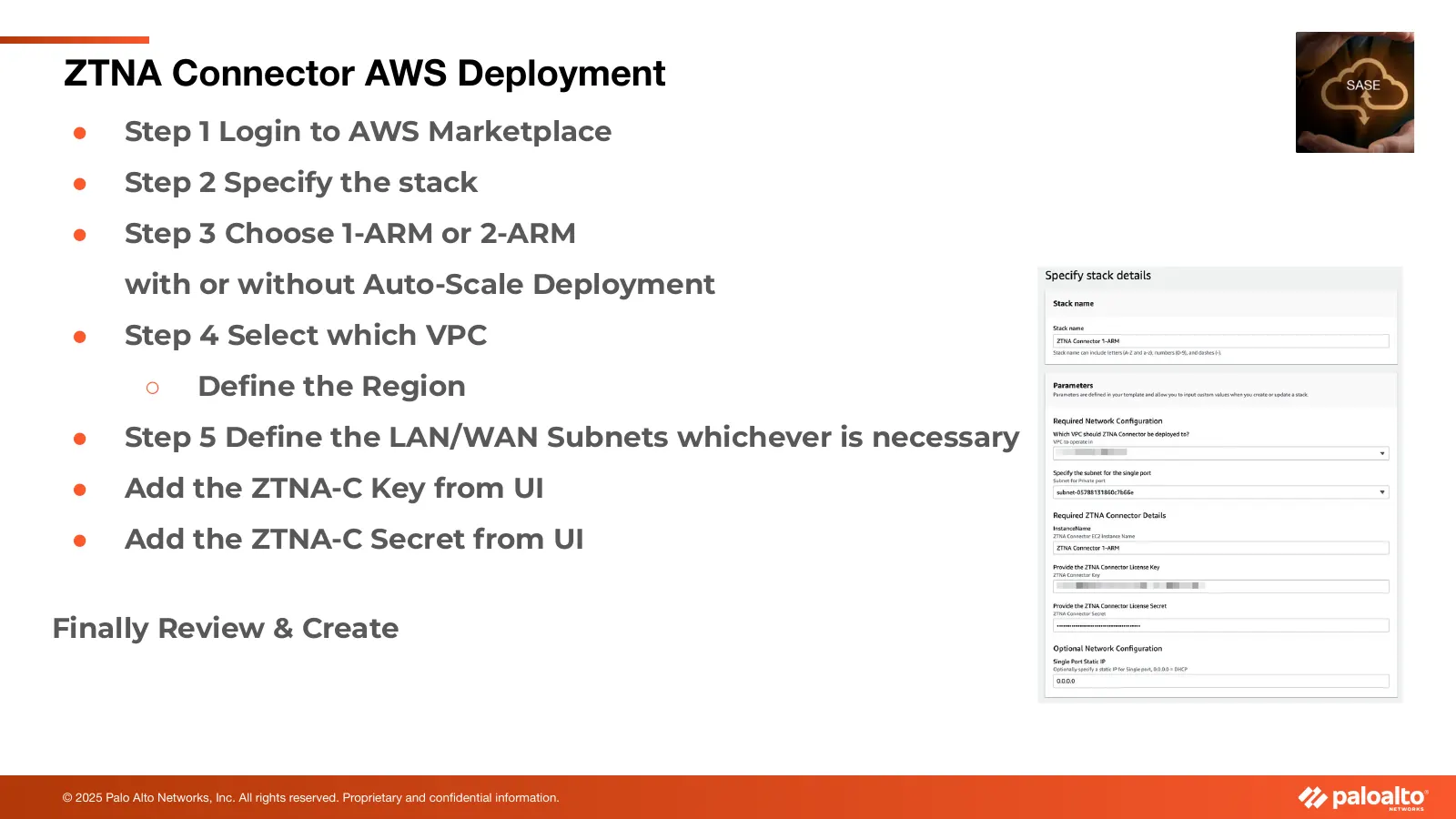
Slide 63: AWS Deployment
ZTNA Connector AWS Deployment ● Step 1 Login to AWS Marketplace ● Step 2 Specify the stack ● Step 3 Choose 1-ARM or 2-ARM with or without Auto-Scale Deployment ● Step 4 Select which VPC ○ Define the Region ● Step 5 Define the LAN/WAN Subnets whichever is necessary ● Add the ZTNA-C Key from UI ● Add th
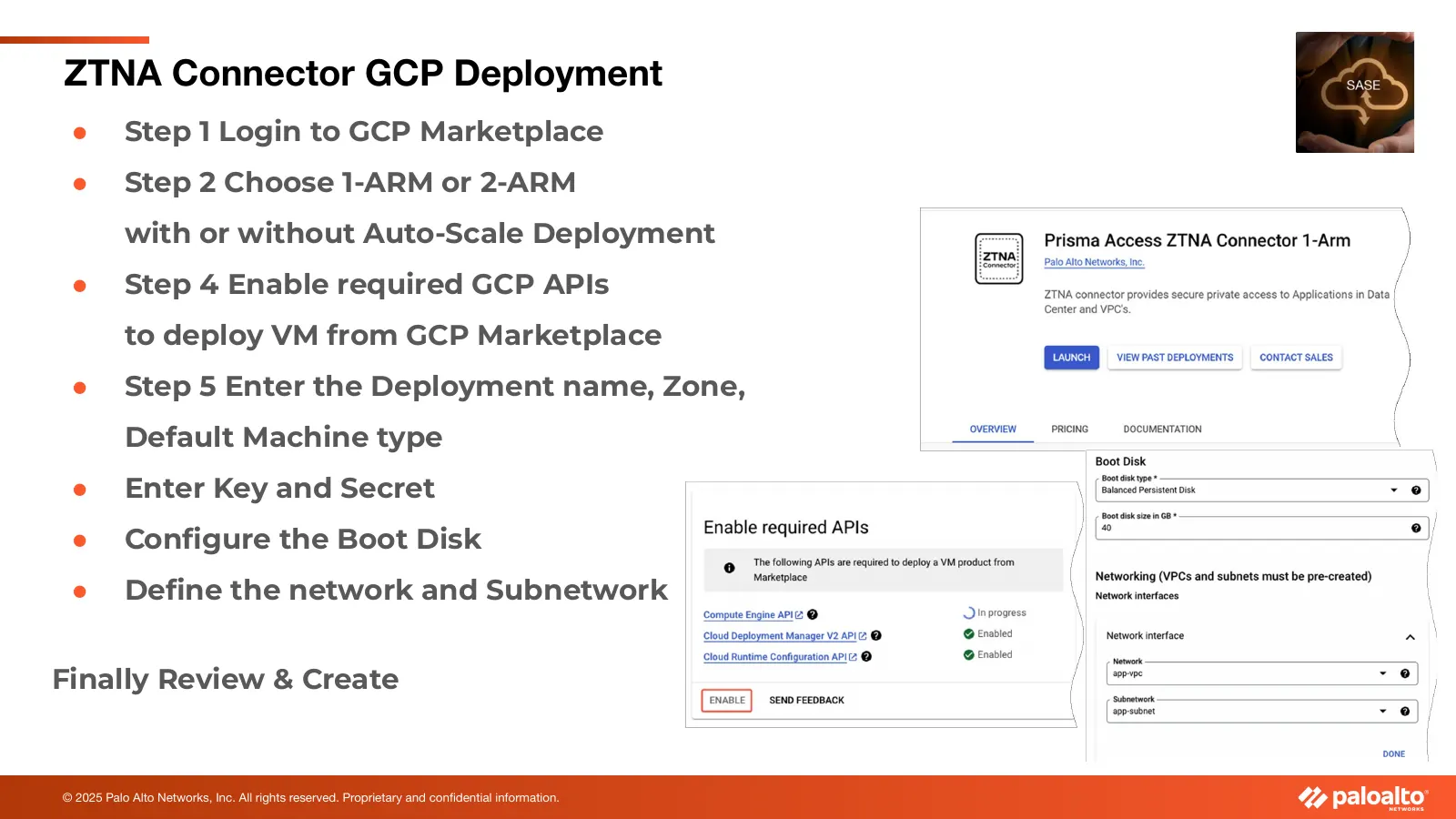
Slide 64: GCP Deployment
ZTNA Connector GCP Deployment ● Step 1 Login to GCP Marketplace ● Step 2 Choose 1-ARM or 2-ARM with or without Auto-Scale Deployment ● Step 4 Enable required GCP APIs to deploy VM from GCP Marketplace ● Step 5 Enter the Deployment name, Zone, Default Machine type ● Enter Key and Secret ● Configure th
Slide 65: ZTNA Connector Demo
ZTNA Connector Demo © 2025 Palo Alto Networks, Inc. All rights reserved. Proprietary and confidential information.
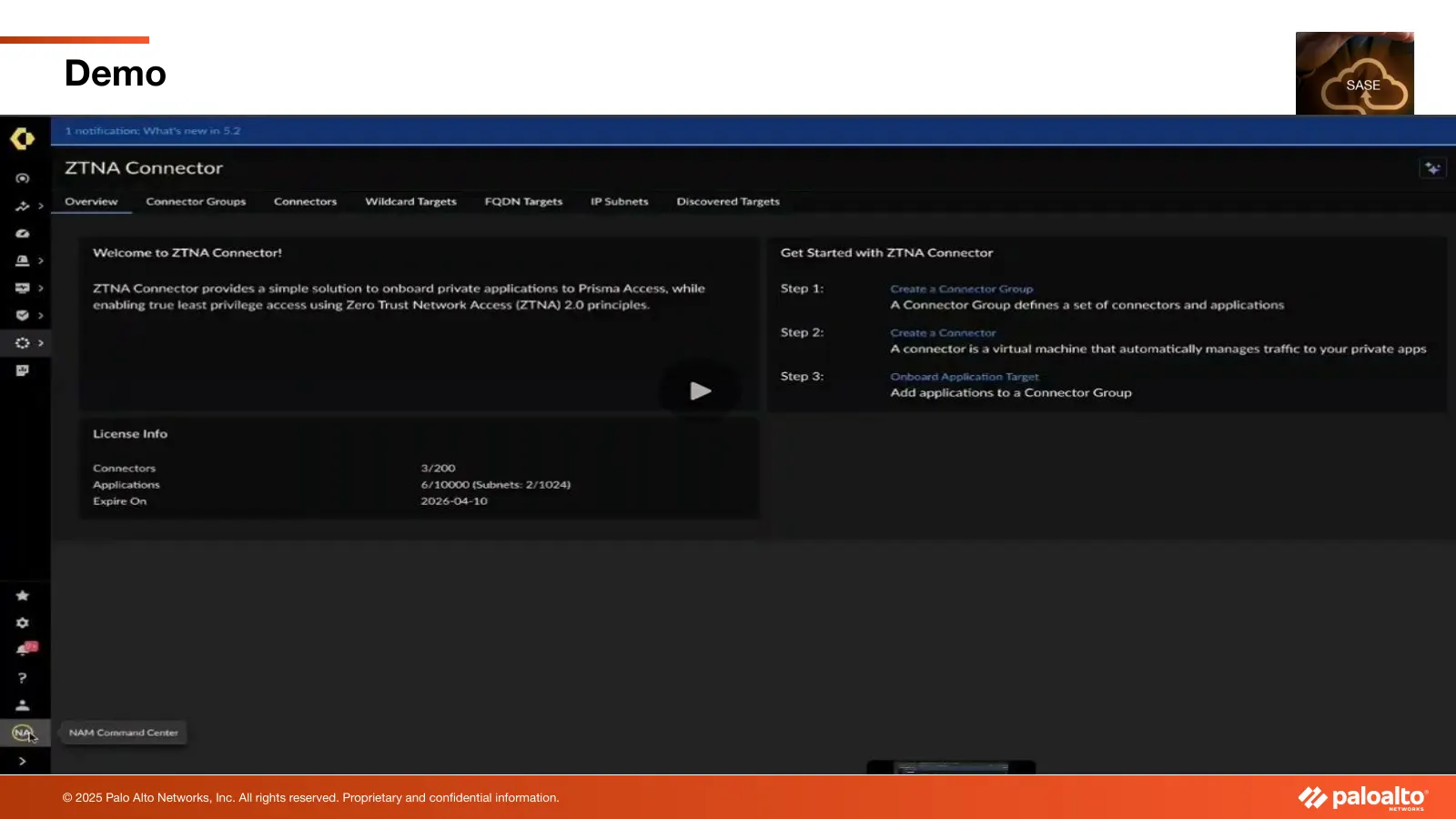
Slide 66: Demo
Demo © 2025 Palo Alto Networks, Inc. All rights reserved. Proprietary and confidential information.
Slide 67: User ID Support with ZTNA Connector
User ID Support with ZTNA Connector © 2025 Palo Alto Networks, Inc. All rights reserved. Proprietary and confidential information.
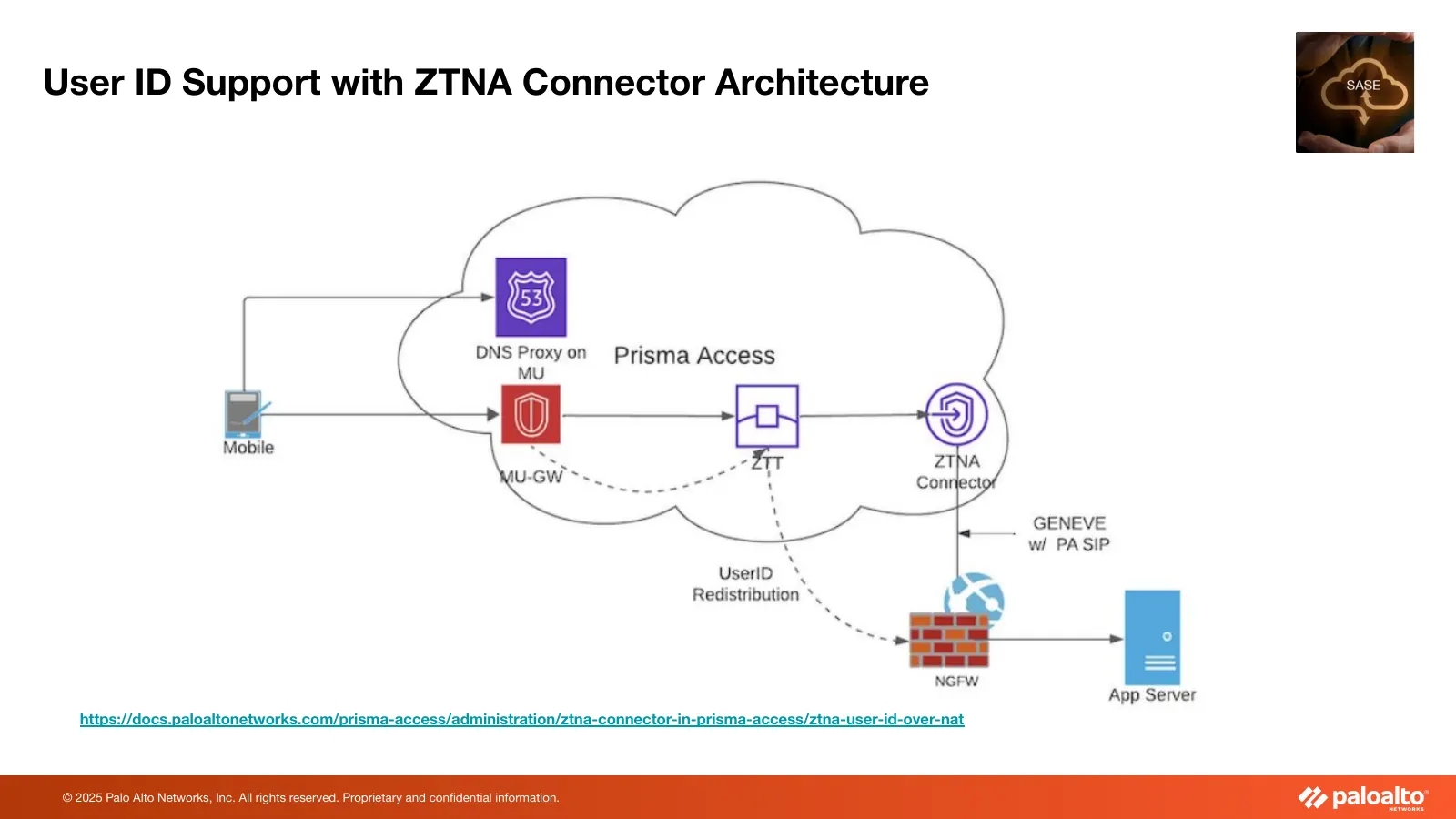
Slide 68: User ID Support with ZTNA Connector Architecture
User ID Support with ZTNA Connector Architecture https://docs.paloaltonetworks.com/prisma-access/administration/ztna-connector-in-prisma-access/ztna-user-id-over-nat © 2025 Palo Alto Networks, Inc. All rights reserved. Proprietary and confidential information.
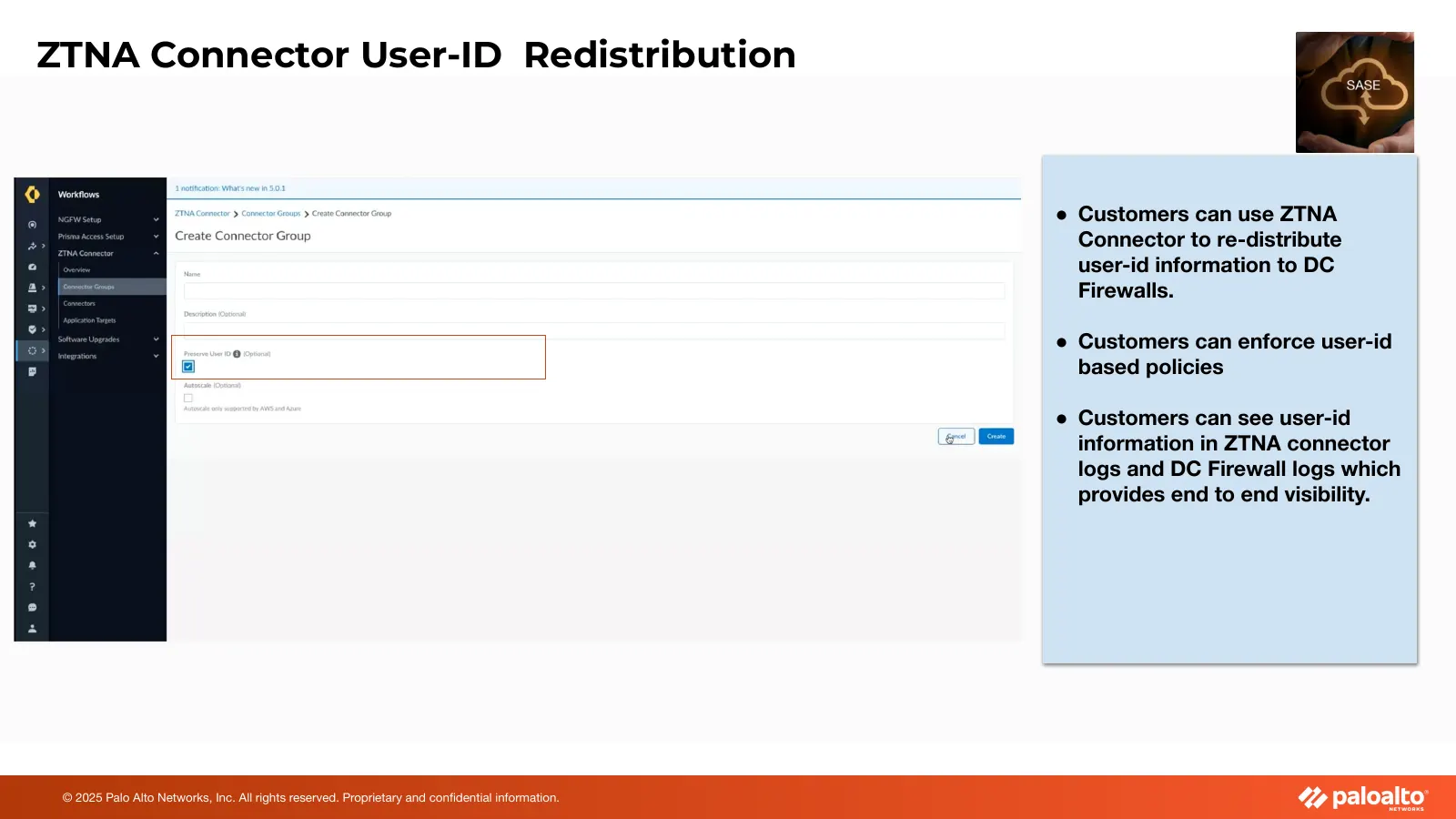
Slide 69: User-ID Redistribution
ZTNA Connector User-ID Redistribution ● Customers can use ZTNA Connector to re-distribute user-id information to DC Firewalls. ● Customers can enforce user-id based policies ● Customers can see user-id information in ZTNA connector logs and DC Firewall logs which provides end to end visibility. © 20
Slide 70: Native App Discovery with ZTNA Connector
Native App Discovery with ZTNA Connector © 2025 Palo Alto Networks, Inc. All rights reserved. Proprietary and confidential information.
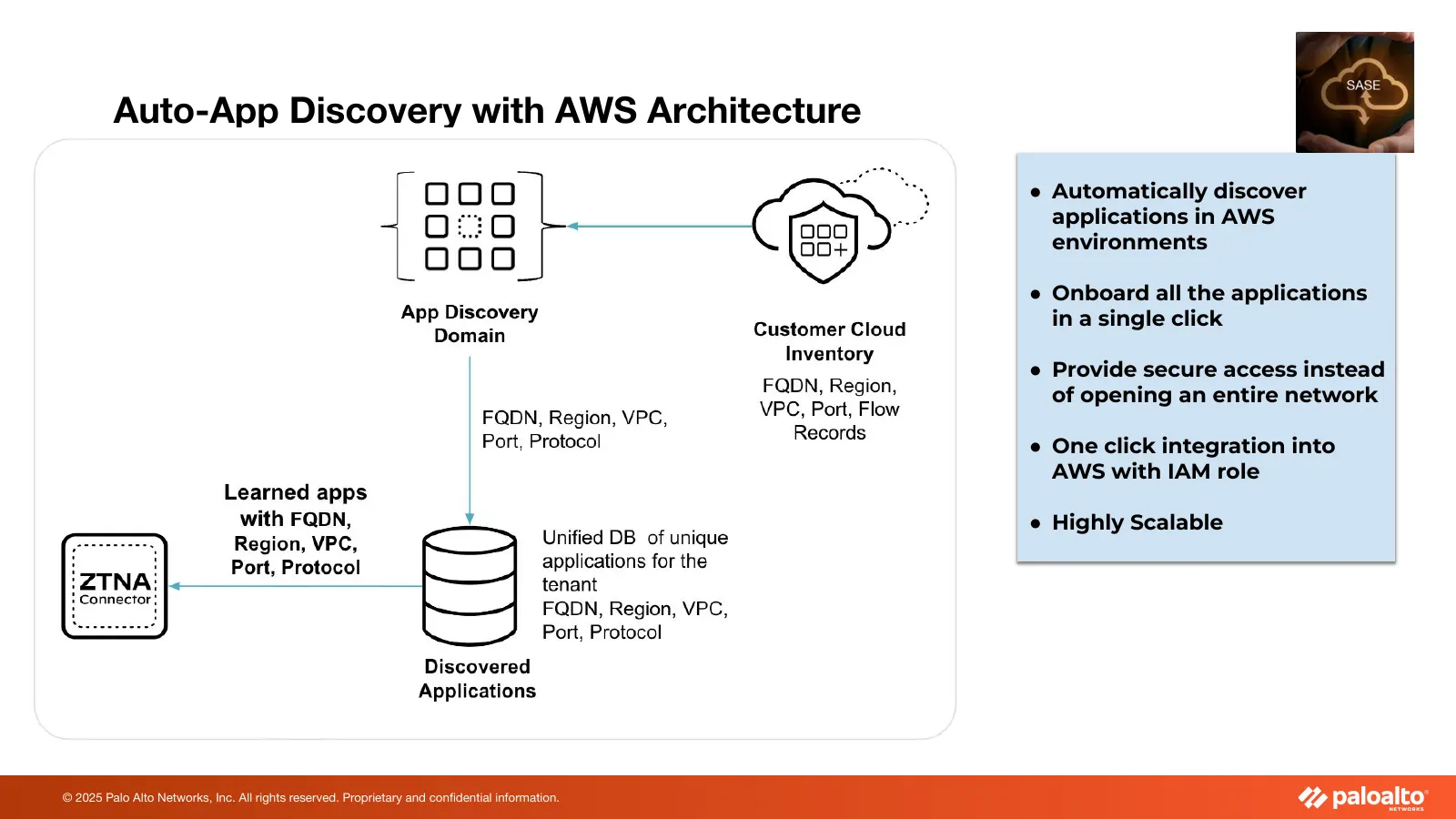
Slide 71: Auto-App Discovery with AWS Architecture
Auto-App Discovery with AWS Architecture ● Automatically discover applications in AWS environments ● Onboard all the applications in a single click ● Provide secure access instead of opening an entire network ● One click integration into AWS with IAM role ● Highly Scalable © 2025 Palo Alto Networks,
Slide 72: PAB Privileged Remote Access (PRA) with ZTNA Connector
PAB Privileged Remote Access (PRA) with ZTNA Connector © 2025 Palo Alto Networks, Inc. All rights reserved. Proprietary and confidential information.
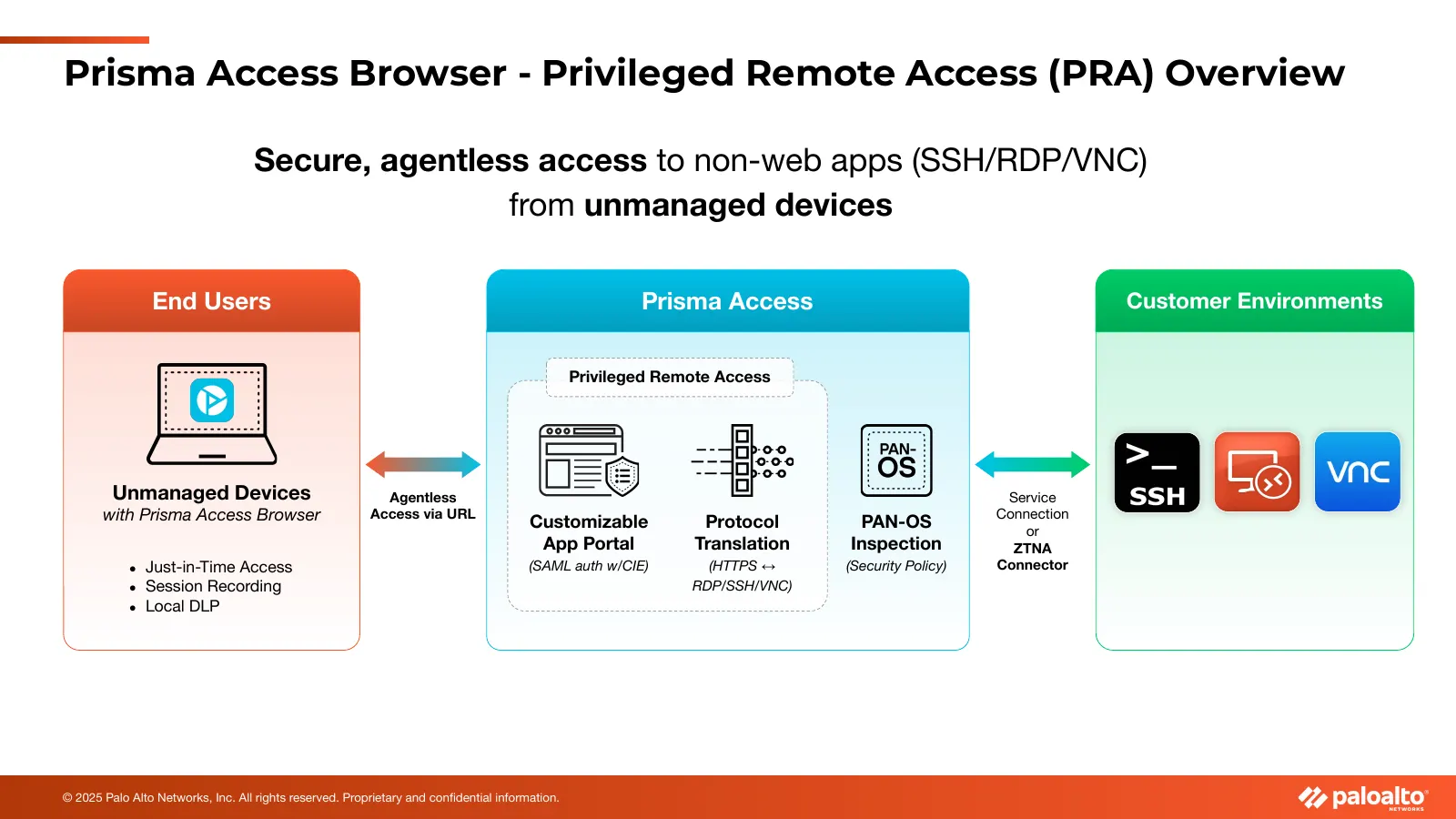
Slide 73: Prisma Access Browser - Privileged Remote Access (PRA) Overview
Prisma Access Browser - Privileged Remote Access (PRA) Overview Secure, agentless access to non-web apps (SSH/RDP/VNC) from unmanaged devices End Users Prisma Access Customer Environments Privileged Remote Access Unmanaged Devices Agentless Service with Prisma Access Browser Access via URL Customiza
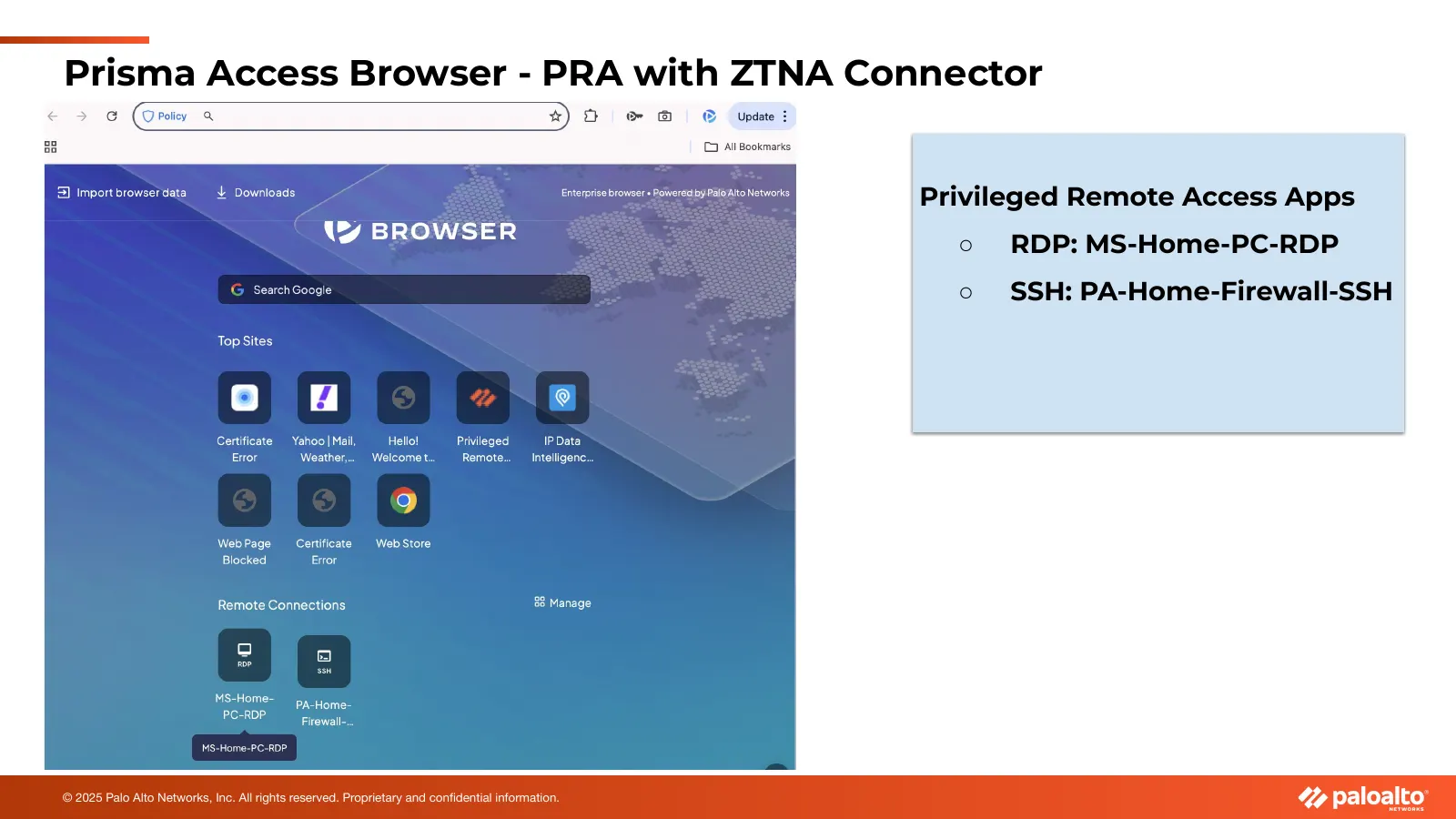
Slide 74: Prisma Access Browser - PRA with ZTNA Connector
Prisma Access Browser - PRA with ZTNA Connector Privileged Remote Access Apps ○ RDP: MS-Home-PC-RDP ○ SSH: PA-Home-Firewall-SSH © 2025 Palo Alto Networks, Inc. All rights reserved. Proprietary and confidential information.
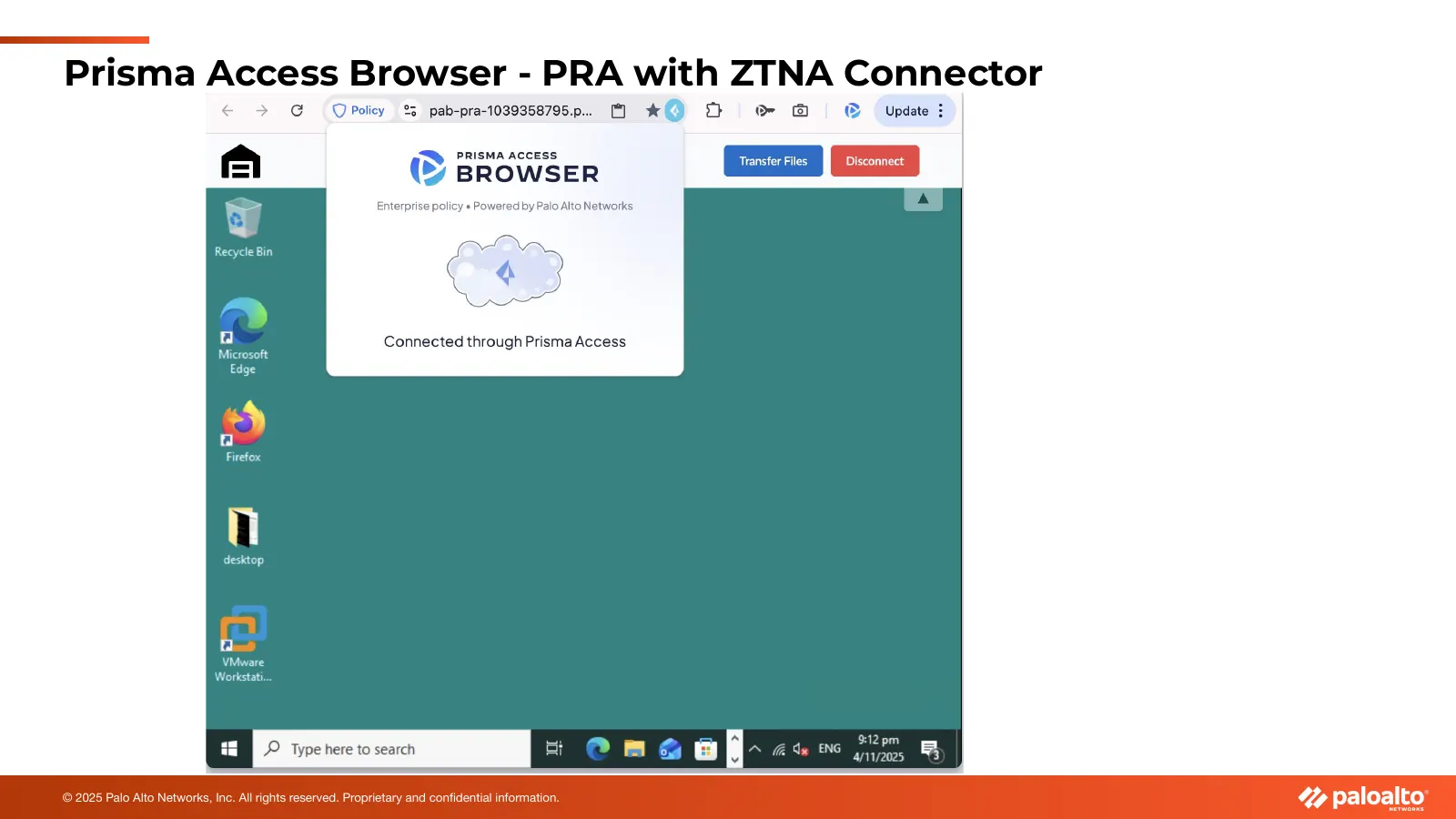
Slide 75: Prisma Access Browser - PRA with ZTNA Connector
Prisma Access Browser - PRA with ZTNA Connector © 2025 Palo Alto Networks, Inc. All rights reserved. Proprietary and confidential information.
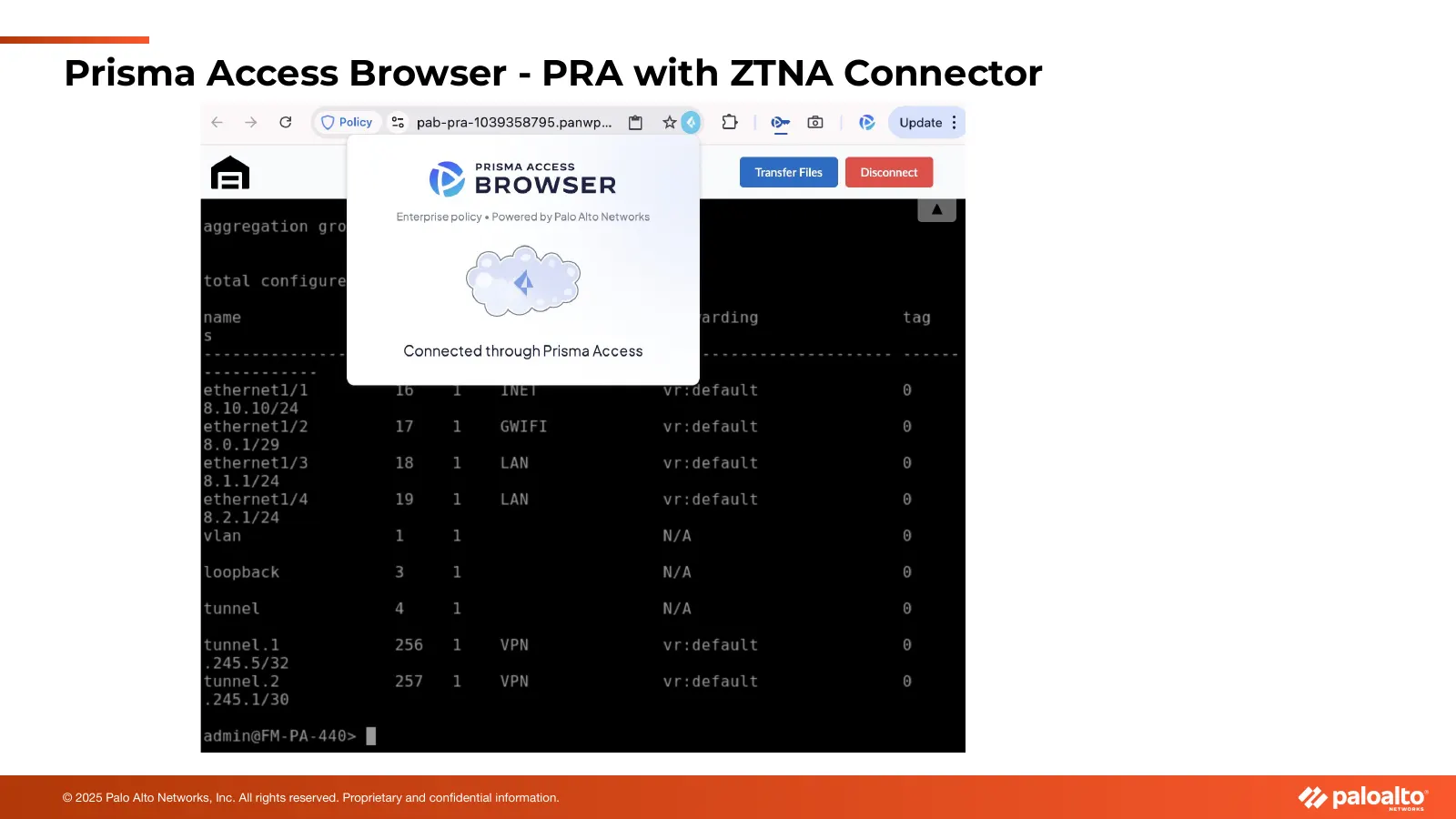
Slide 76: Prisma Access Browser - PRA with ZTNA Connector
Prisma Access Browser - PRA with ZTNA Connector © 2025 Palo Alto Networks, Inc. All rights reserved. Proprietary and confidential information.
Slide 77: Demo
Prisma Access Browser - PRA with ZTNA Connector Demo © 2025 Palo Alto Networks, Inc. All rights reserved. Proprietary and confidential information.
Slide 78: Q&A Session
ZTNA Connector Q&A Session © 2025 Palo Alto Networks, Inc. All rights reserved. Proprietary and confidential information.

Slide 79: Thank You
Thank You paloaltonetworks.com © 2025 Palo Alto Networks, Inc. All rights reserved. Proprietary and confidential information.
Slide 80: Day 02: Secure Private Applications with Zero Trust Network Access (ZTNA)
Day 02 Secure Private Applications with Zero Trust Network Access (ZTNA) © 2025 Palo Alto Networks, Inc. All rights reserved. Proprietary and confidential information.
Slide 81: Monitoring & Troubleshooting
ZTNA Monitoring & Troubleshooting © 2025 Palo Alto Networks, Inc. All rights reserved. Proprietary and confidential information.
Slide 82: SCM Insights
ZTNA SCM Insights © 2025 Palo Alto Networks, Inc. All rights reserved. Proprietary and confidential information.
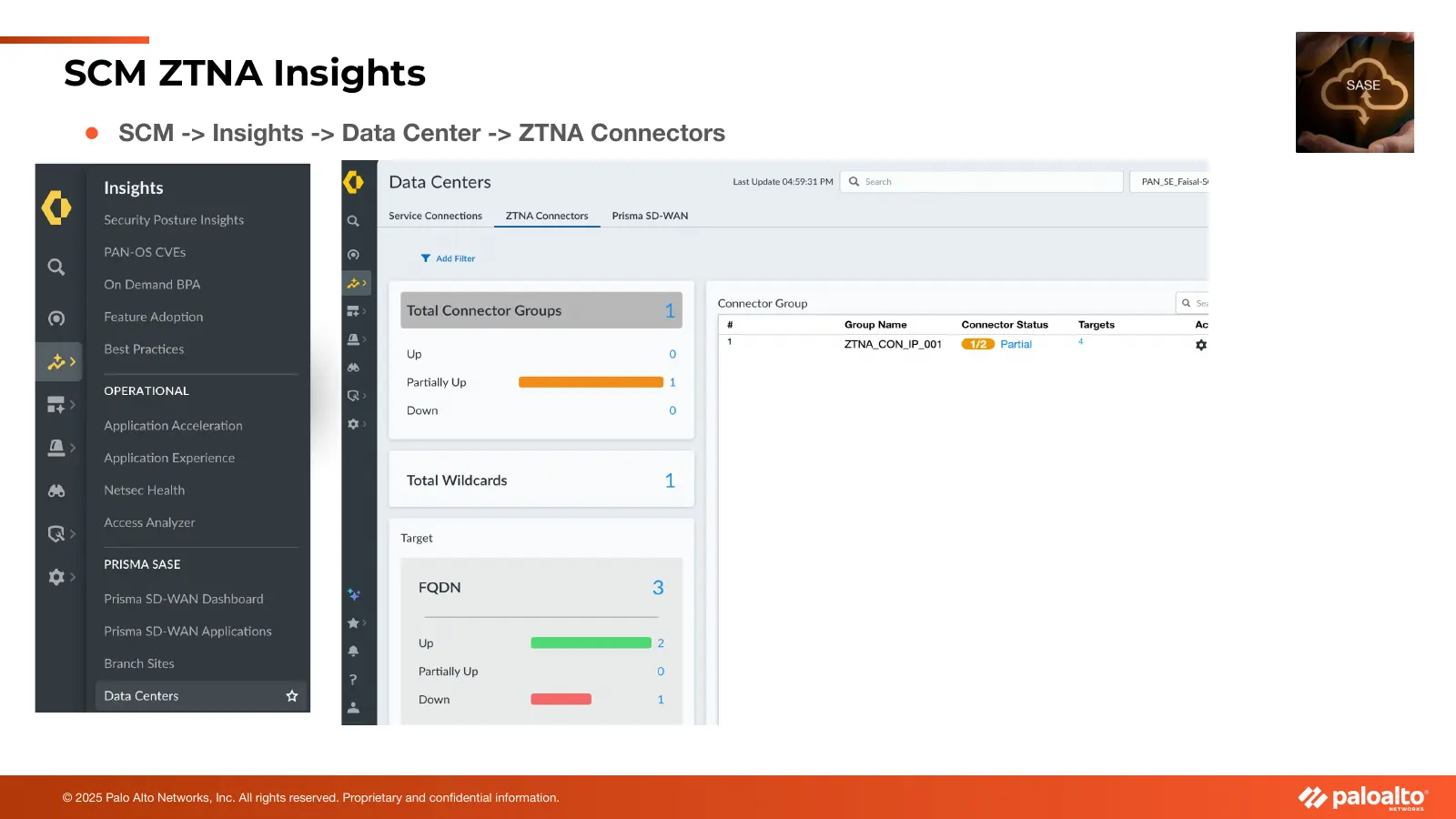
Slide 83: SCM ZTNA Insights
SCM ZTNA Insights ● SCM -> Insights -> Data Center -> ZTNA Connectors © 2025 Palo Alto Networks, Inc. All rights reserved. Proprietary and confidential information.
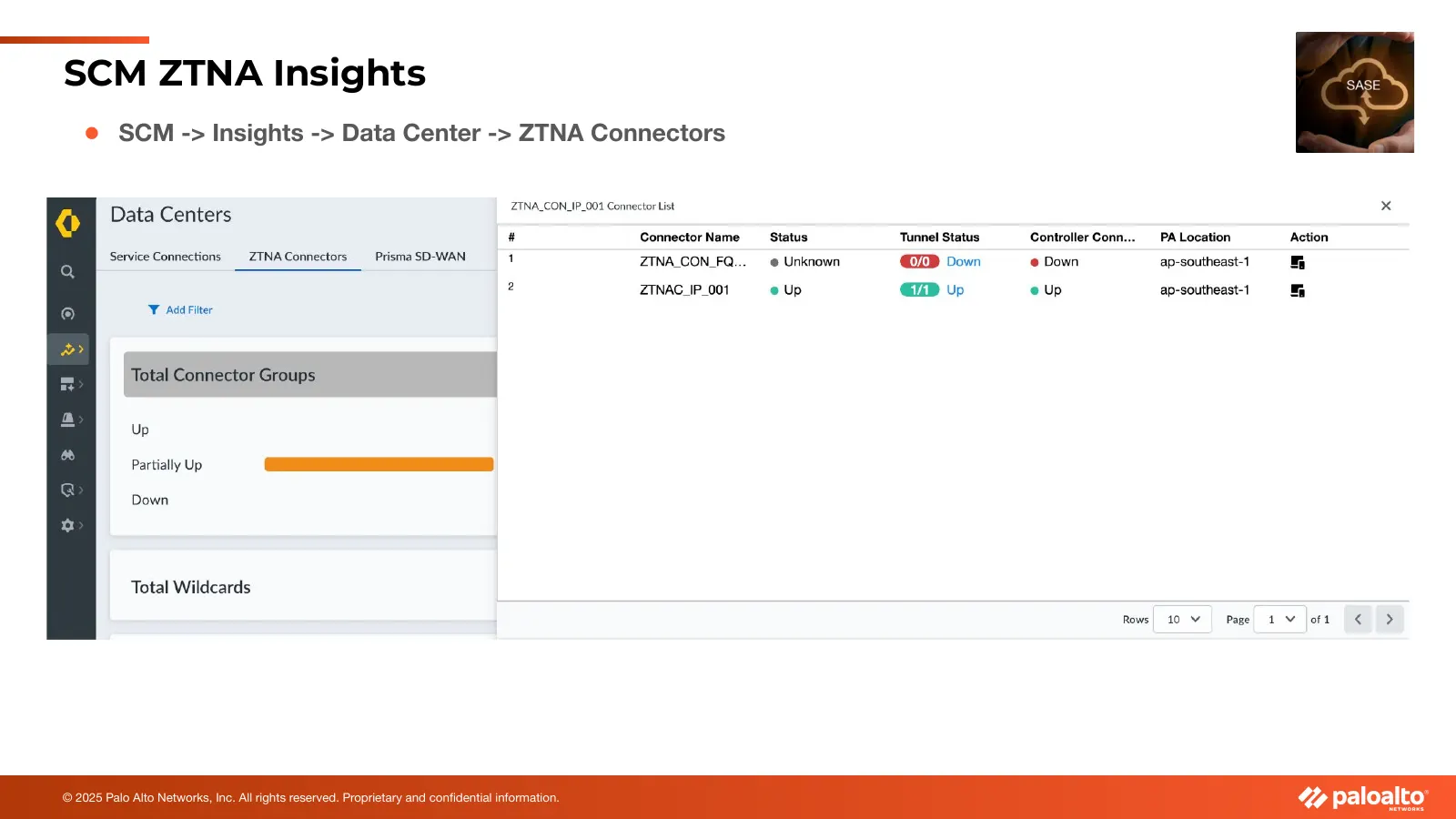
Slide 84: SCM ZTNA Insights
SCM ZTNA Insights ● SCM -> Insights -> Data Center -> ZTNA Connectors © 2025 Palo Alto Networks, Inc. All rights reserved. Proprietary and confidential information.
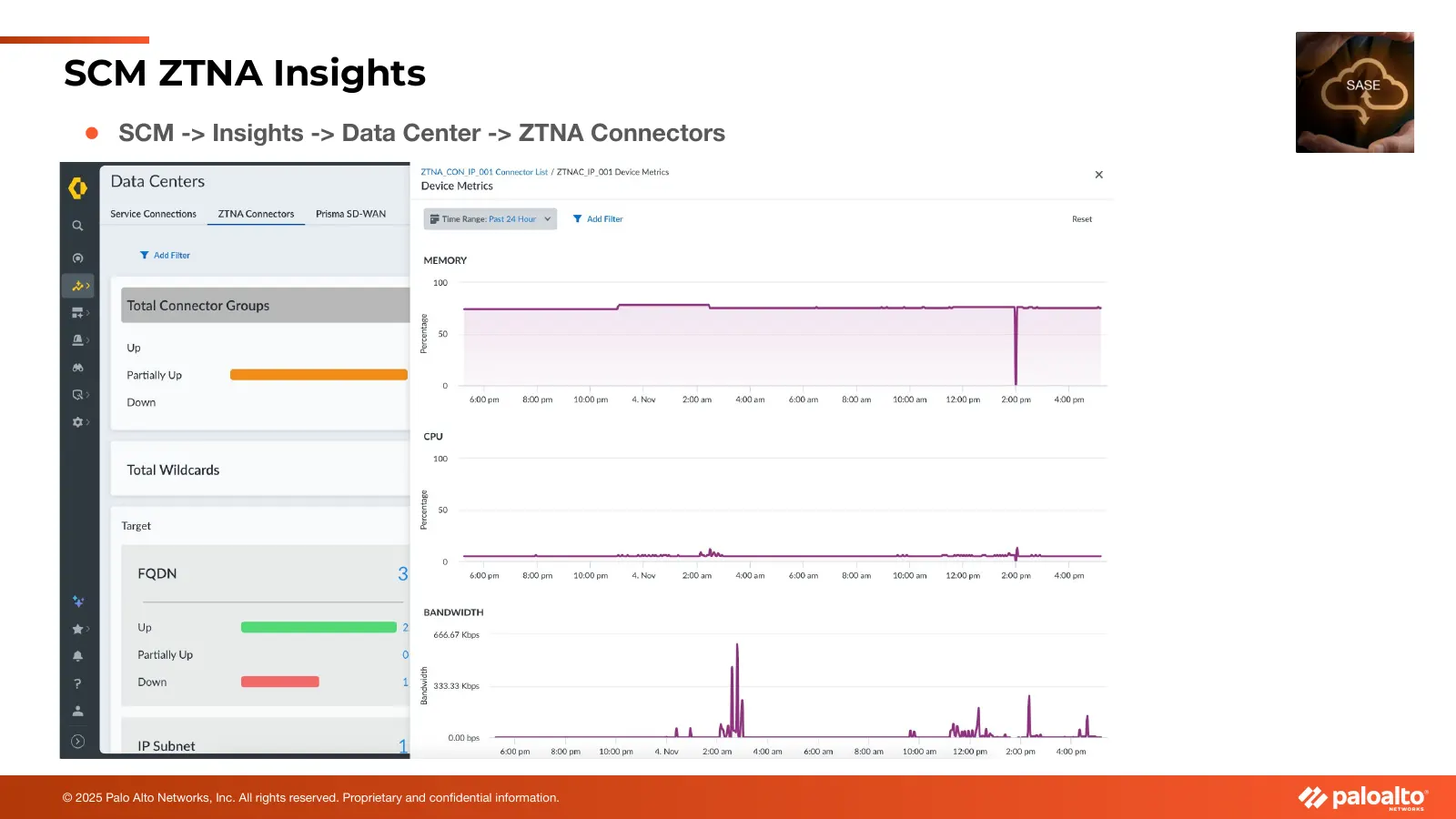
Slide 85: SCM ZTNA Insights
SCM ZTNA Insights ● SCM -> Insights -> Data Center -> ZTNA Connectors © 2025 Palo Alto Networks, Inc. All rights reserved. Proprietary and confidential information.
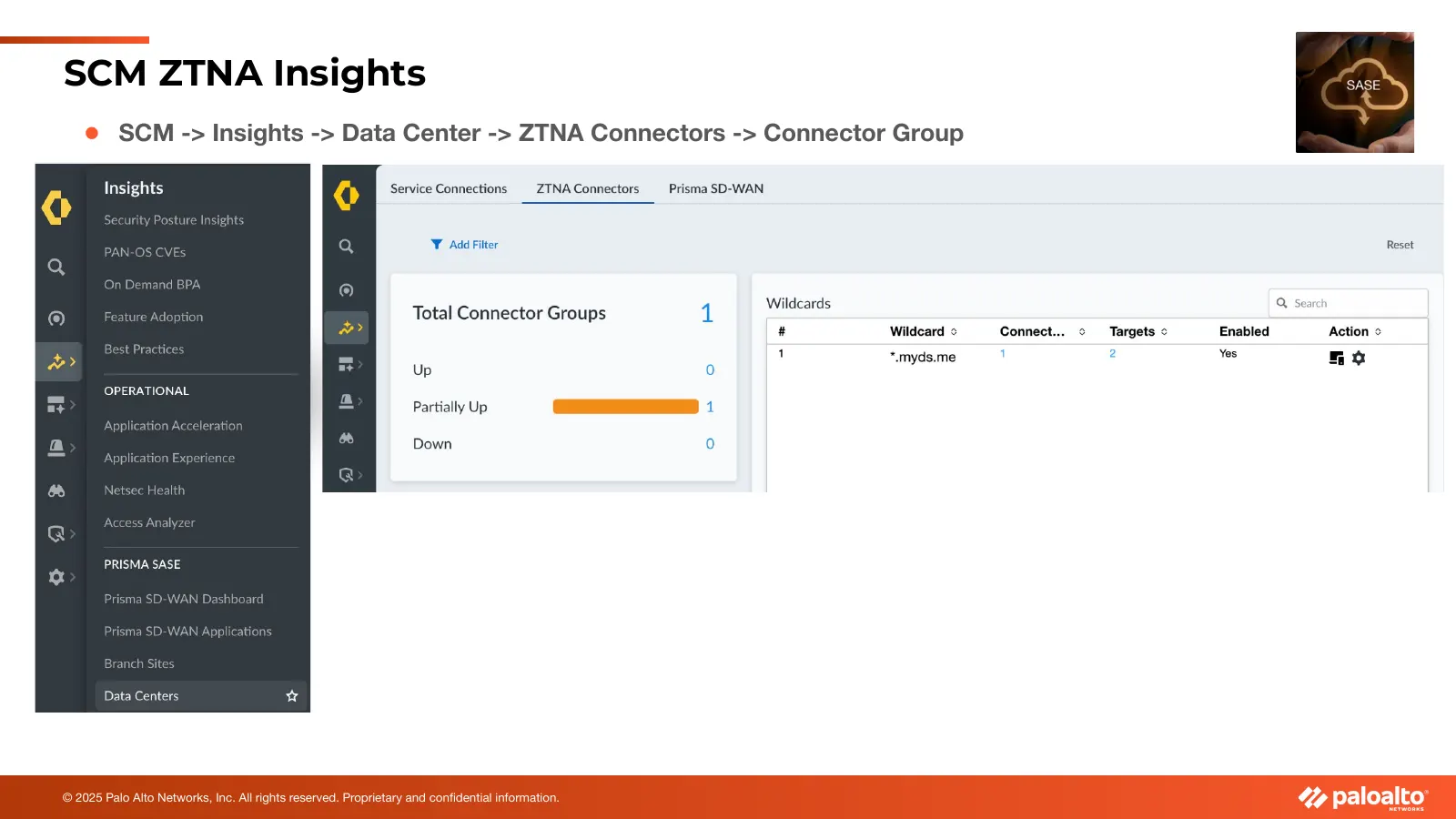
Slide 86: SCM ZTNA Insights
SCM ZTNA Insights ● SCM -> Insights -> Data Center -> ZTNA Connectors -> Connector Group © 2025 Palo Alto Networks, Inc. All rights reserved. Proprietary and confidential information.
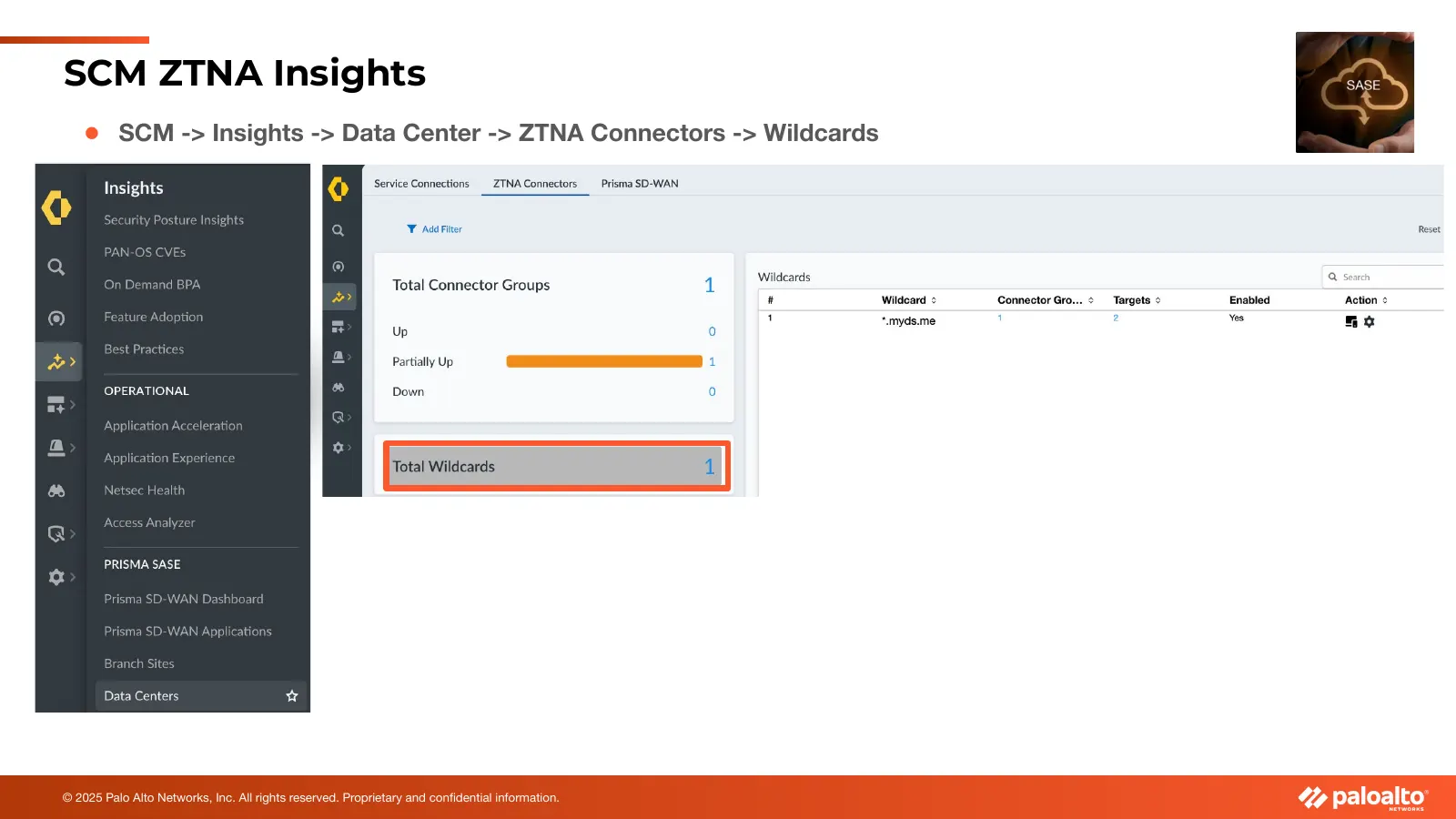
Slide 87: SCM ZTNA Insights
SCM ZTNA Insights ● SCM -> Insights -> Data Center -> ZTNA Connectors -> Wildcards © 2025 Palo Alto Networks, Inc. All rights reserved. Proprietary and confidential information.
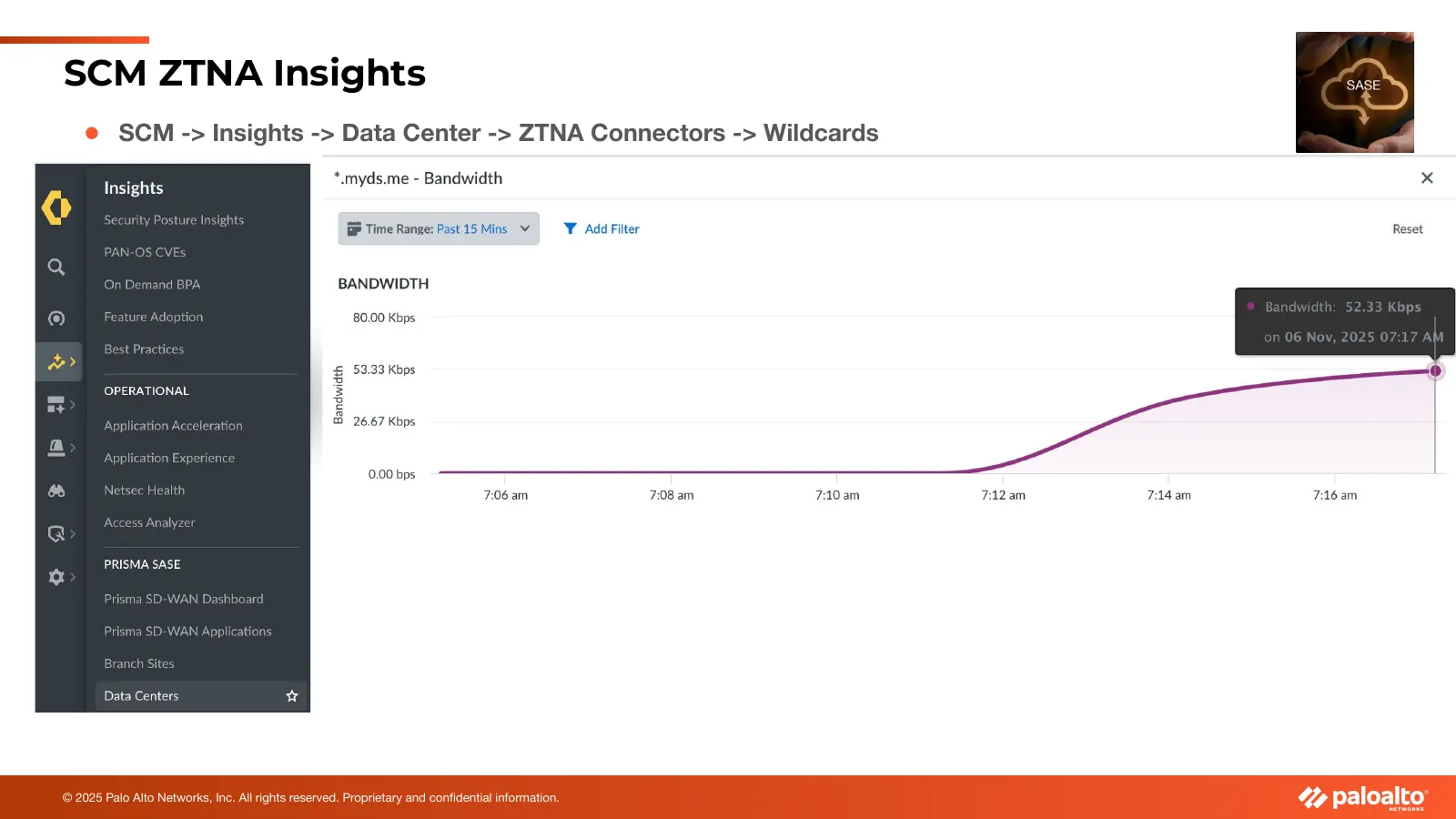
Slide 88: SCM ZTNA Insights
SCM ZTNA Insights ● SCM -> Insights -> Data Center -> ZTNA Connectors -> Wildcards © 2025 Palo Alto Networks, Inc. All rights reserved. Proprietary and confidential information.
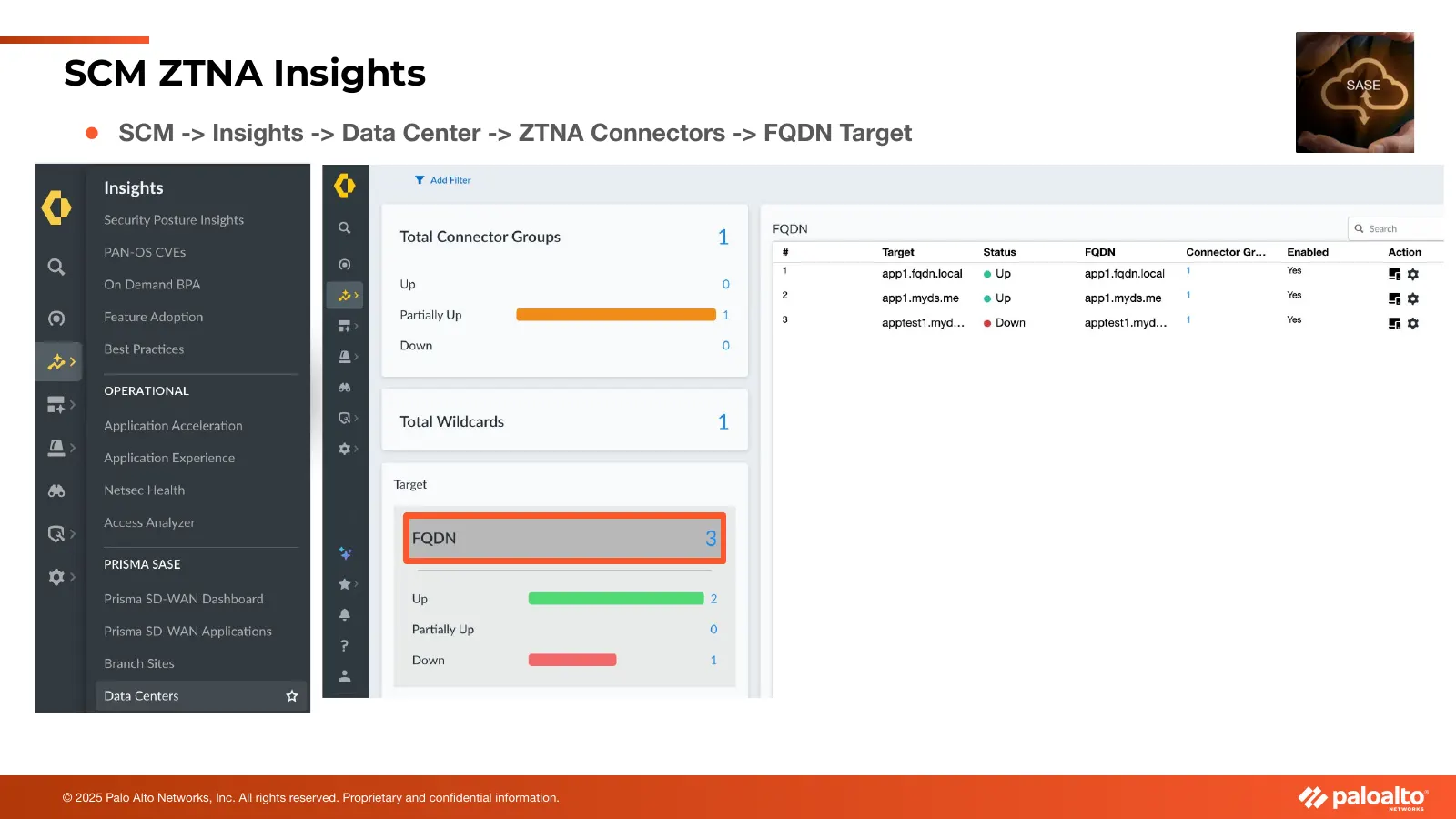
Slide 89: SCM ZTNA Insights
SCM ZTNA Insights ● SCM -> Insights -> Data Center -> ZTNA Connectors -> FQDN Target © 2025 Palo Alto Networks, Inc. All rights reserved. Proprietary and confidential information.
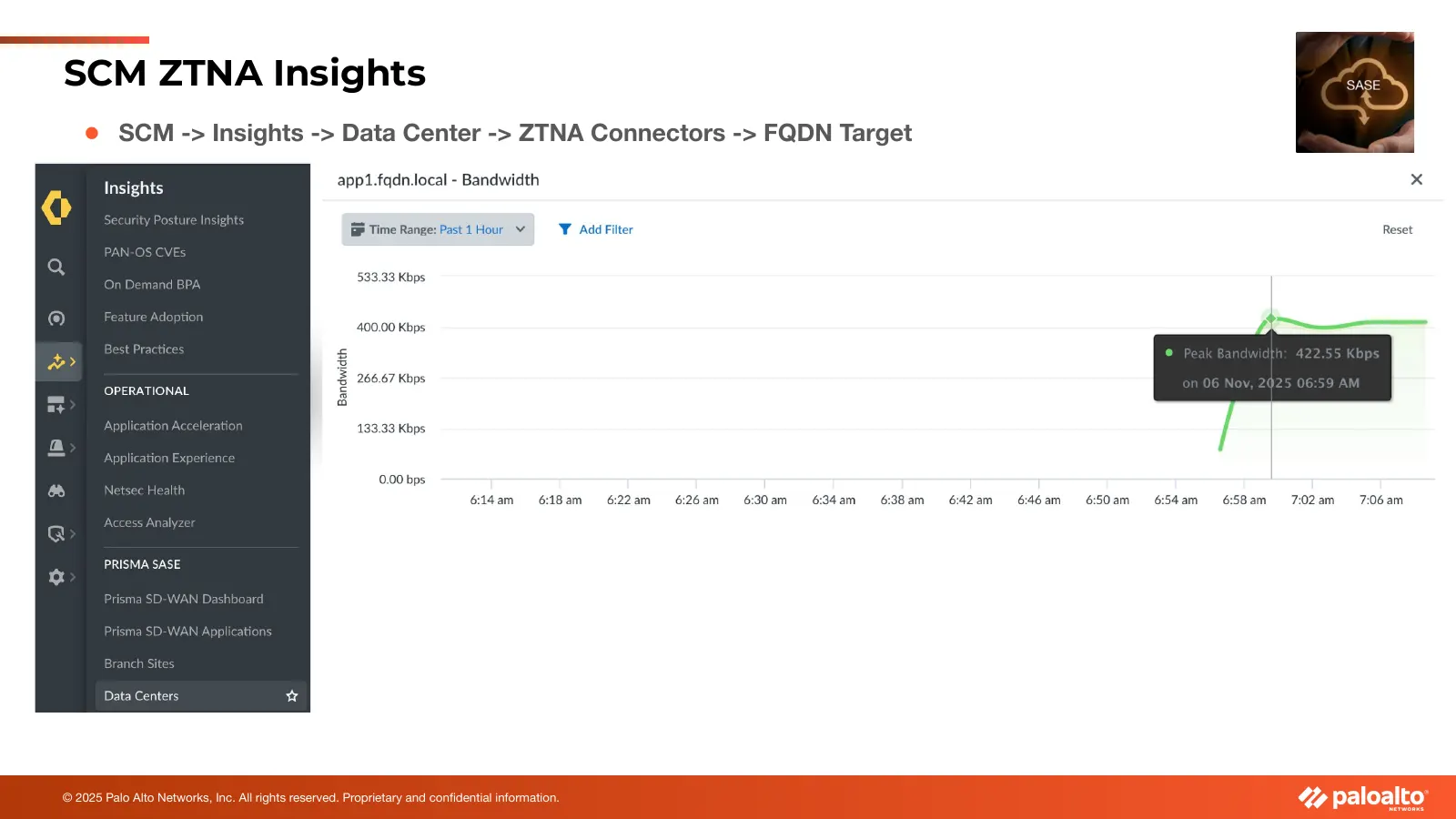
Slide 90: SCM ZTNA Insights
SCM ZTNA Insights ● SCM -> Insights -> Data Center -> ZTNA Connectors -> FQDN Target © 2025 Palo Alto Networks, Inc. All rights reserved. Proprietary and confidential information.
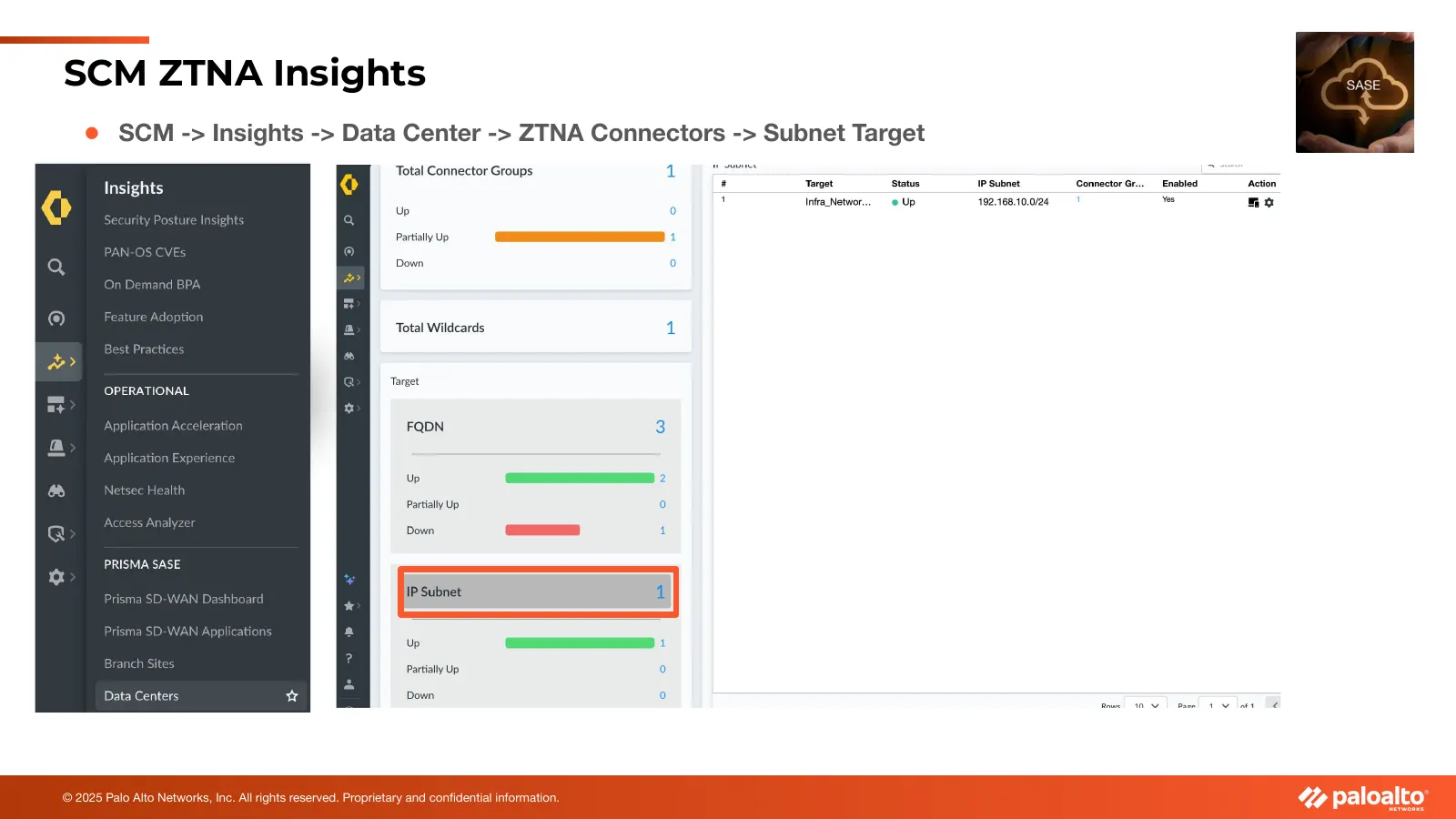
Slide 91: SCM ZTNA Insights
SCM ZTNA Insights ● SCM -> Insights -> Data Center -> ZTNA Connectors -> Subnet Target © 2025 Palo Alto Networks, Inc. All rights reserved. Proprietary and confidential information.
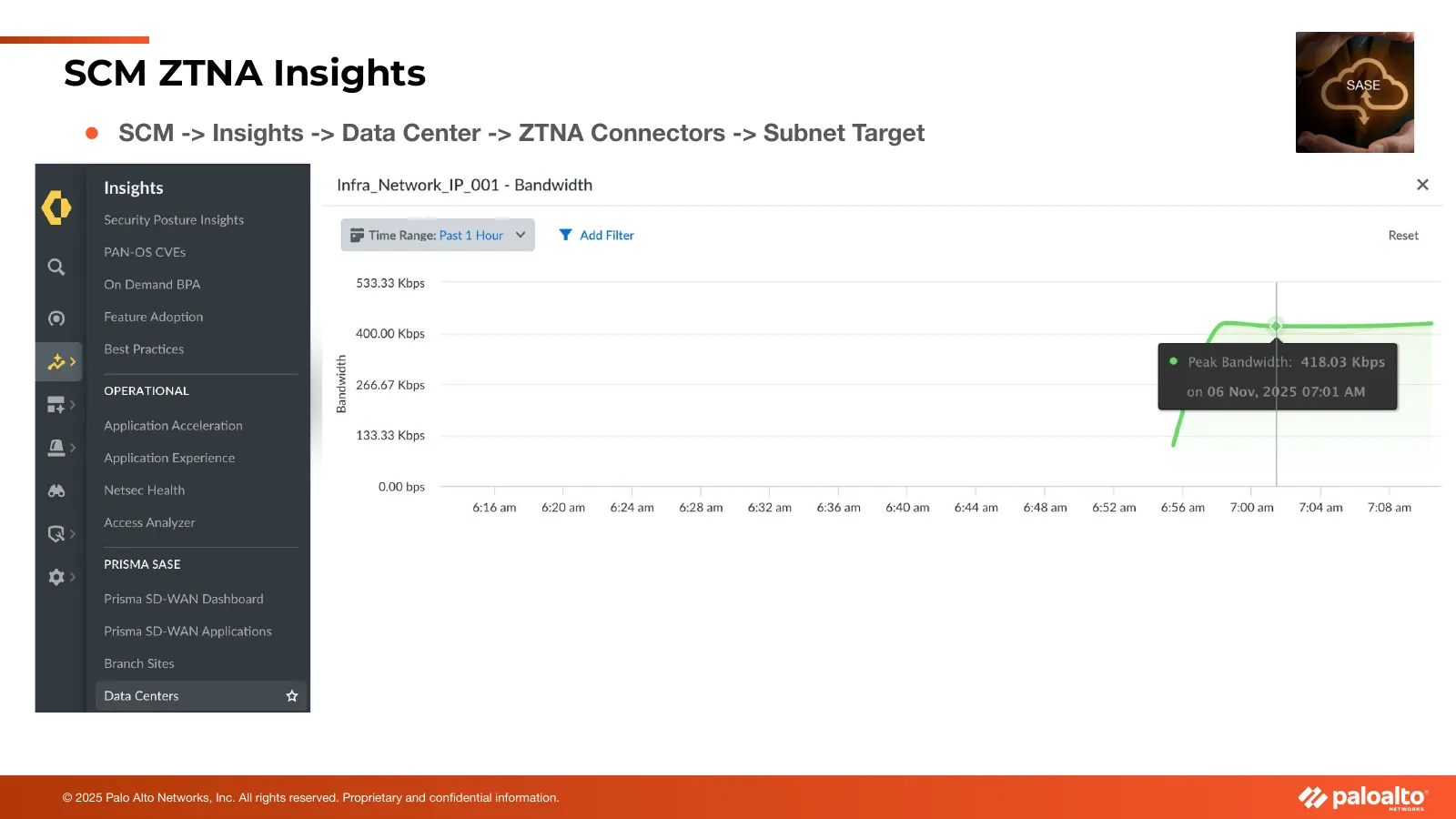
Slide 92: SCM ZTNA Insights
SCM ZTNA Insights ● SCM -> Insights -> Data Center -> ZTNA Connectors -> Subnet Target © 2025 Palo Alto Networks, Inc. All rights reserved. Proprietary and confidential information.
Slide 93: SCM Configuration
ZTNA SCM Configuration © 2025 Palo Alto Networks, Inc. All rights reserved. Proprietary and confidential information.
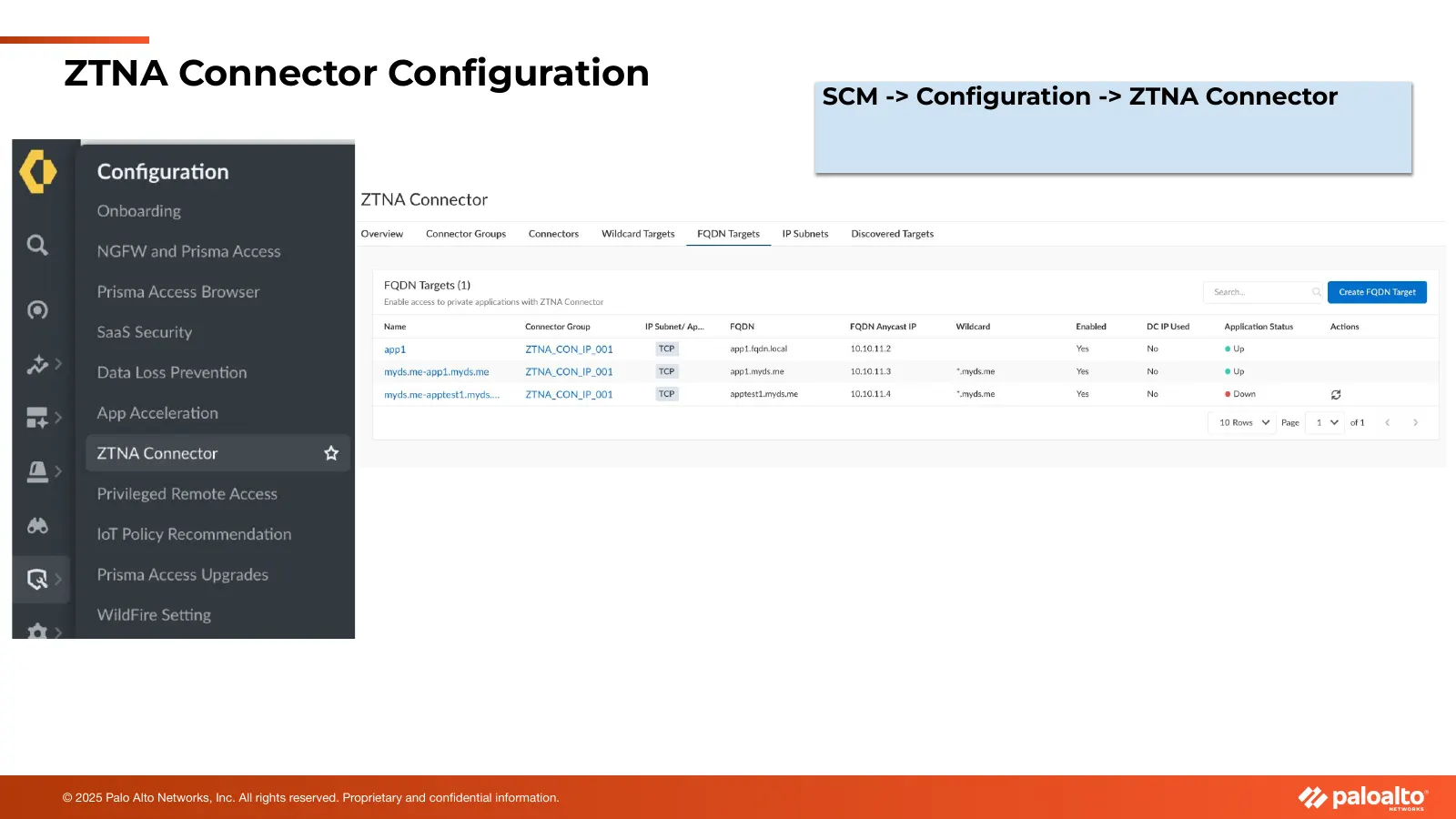
Slide 94: ZTNA Connector Configuration
ZTNA Connector Configuration SCM -> Configuration -> ZTNA Connector © 2025 Palo Alto Networks, Inc. All rights reserved. Proprietary and confidential information.
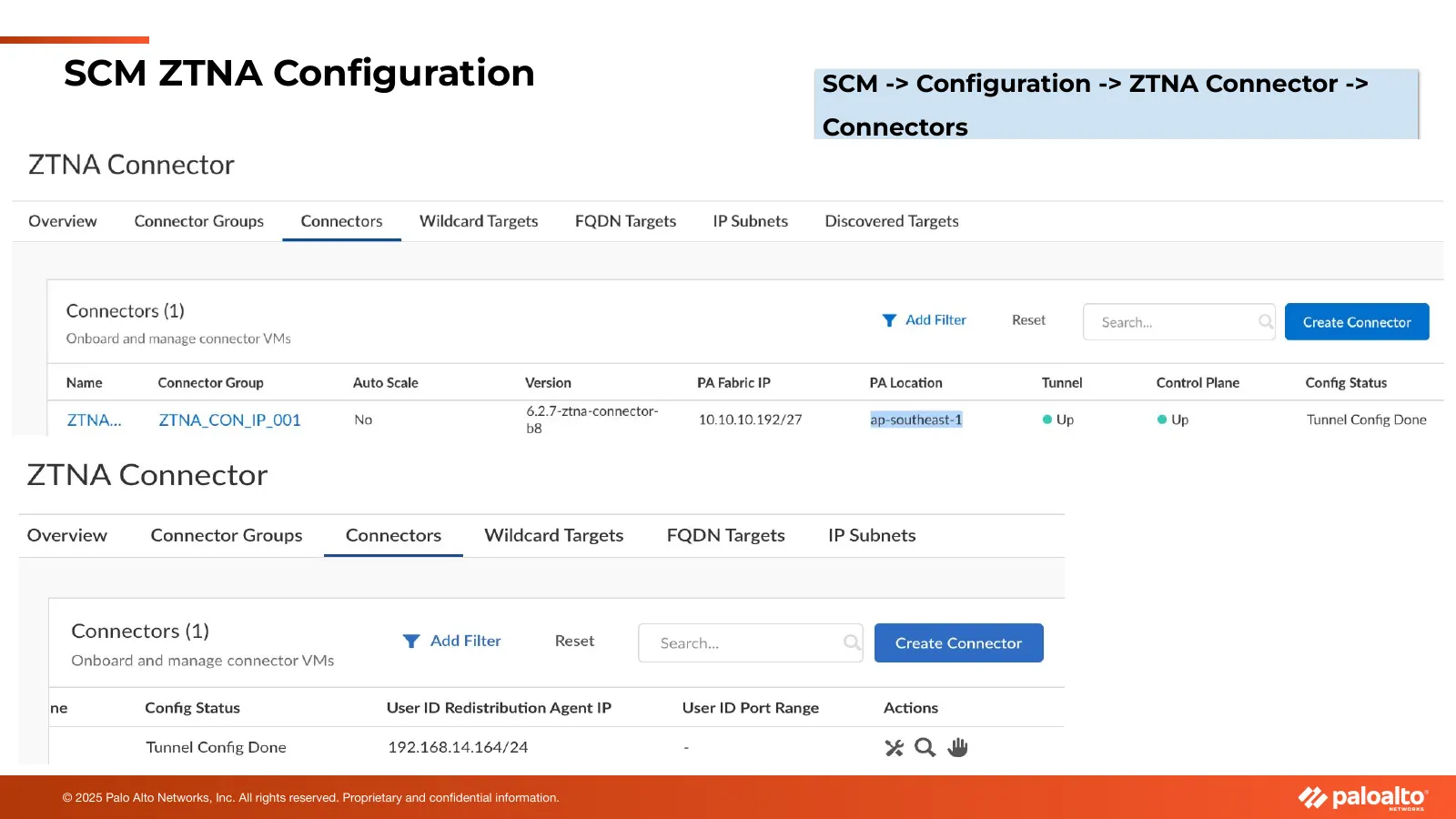
Slide 95: SCM ZTNA Configuration
SCM ZTNA Configuration SCM -> Configuration -> ZTNA Connector -> Connectors © 2025 Palo Alto Networks, Inc. All rights reserved. Proprietary and confidential information.
Slide 96: Log Viewer
ZTNA Log Viewer © 2025 Palo Alto Networks, Inc. All rights reserved. Proprietary and confidential information.
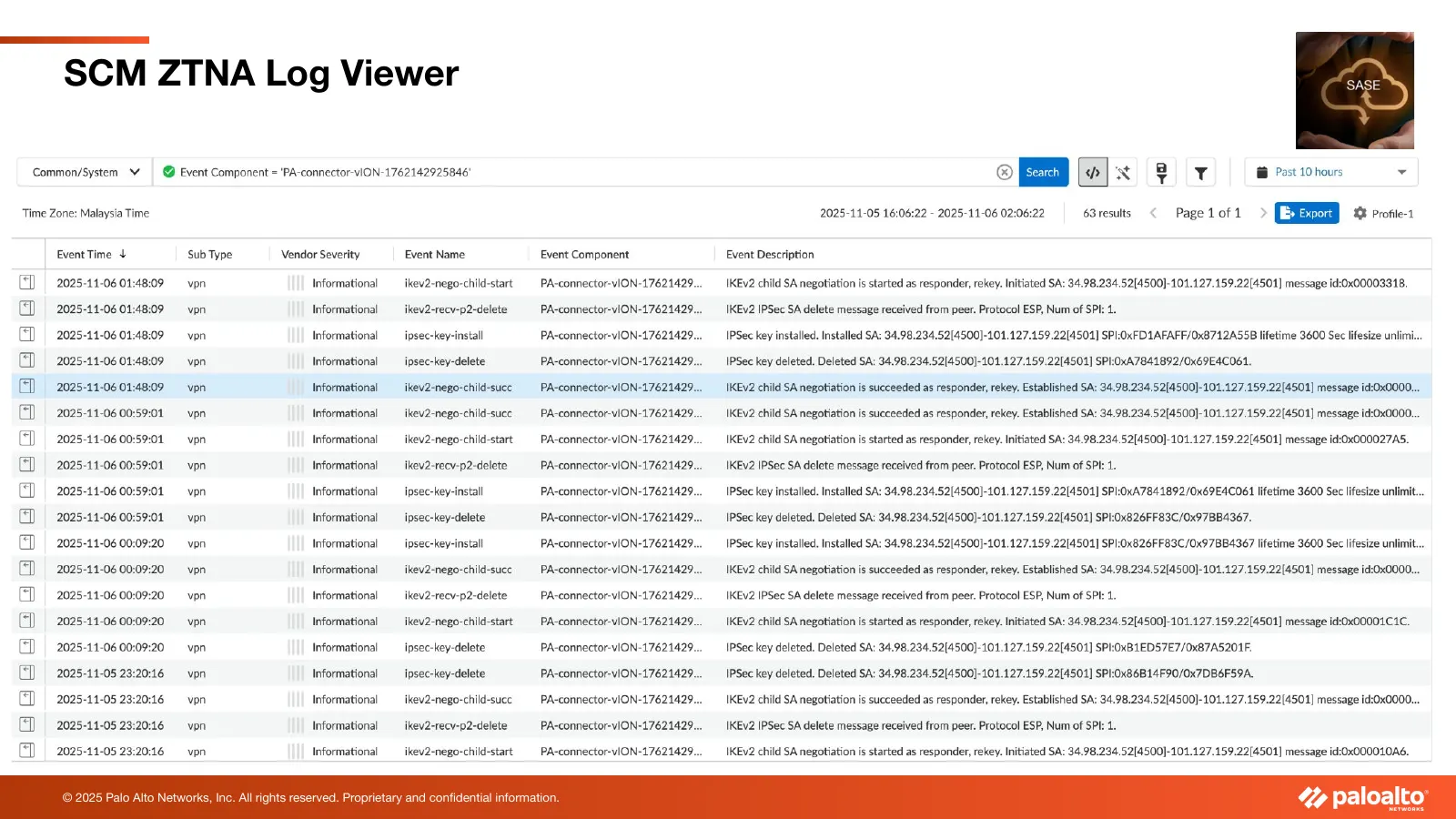
Slide 97: SCM ZTNA Log Viewer
SCM ZTNA Log Viewer © 2025 Palo Alto Networks, Inc. All rights reserved. Proprietary and confidential information.
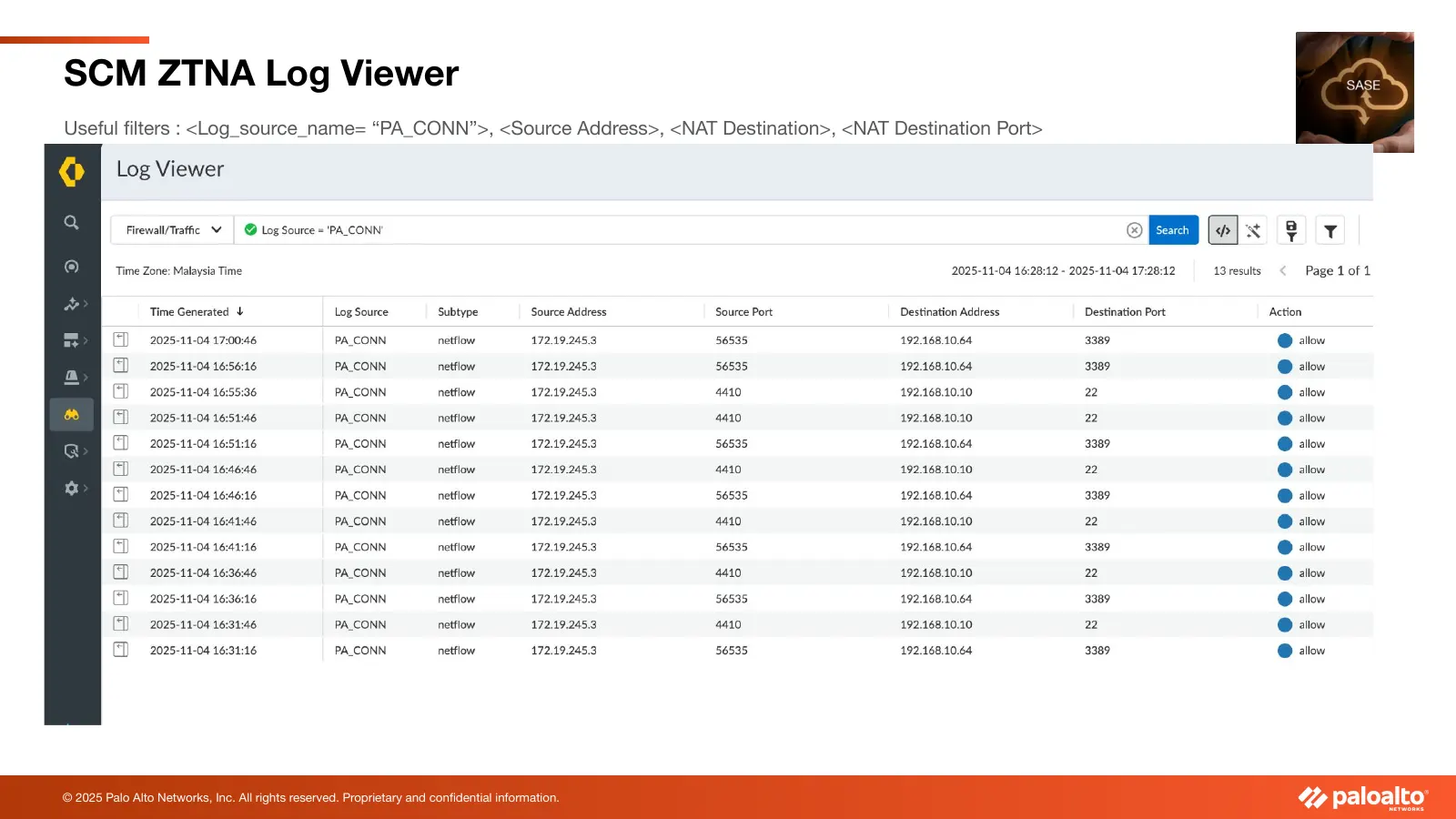
Slide 98: SCM ZTNA Log Viewer
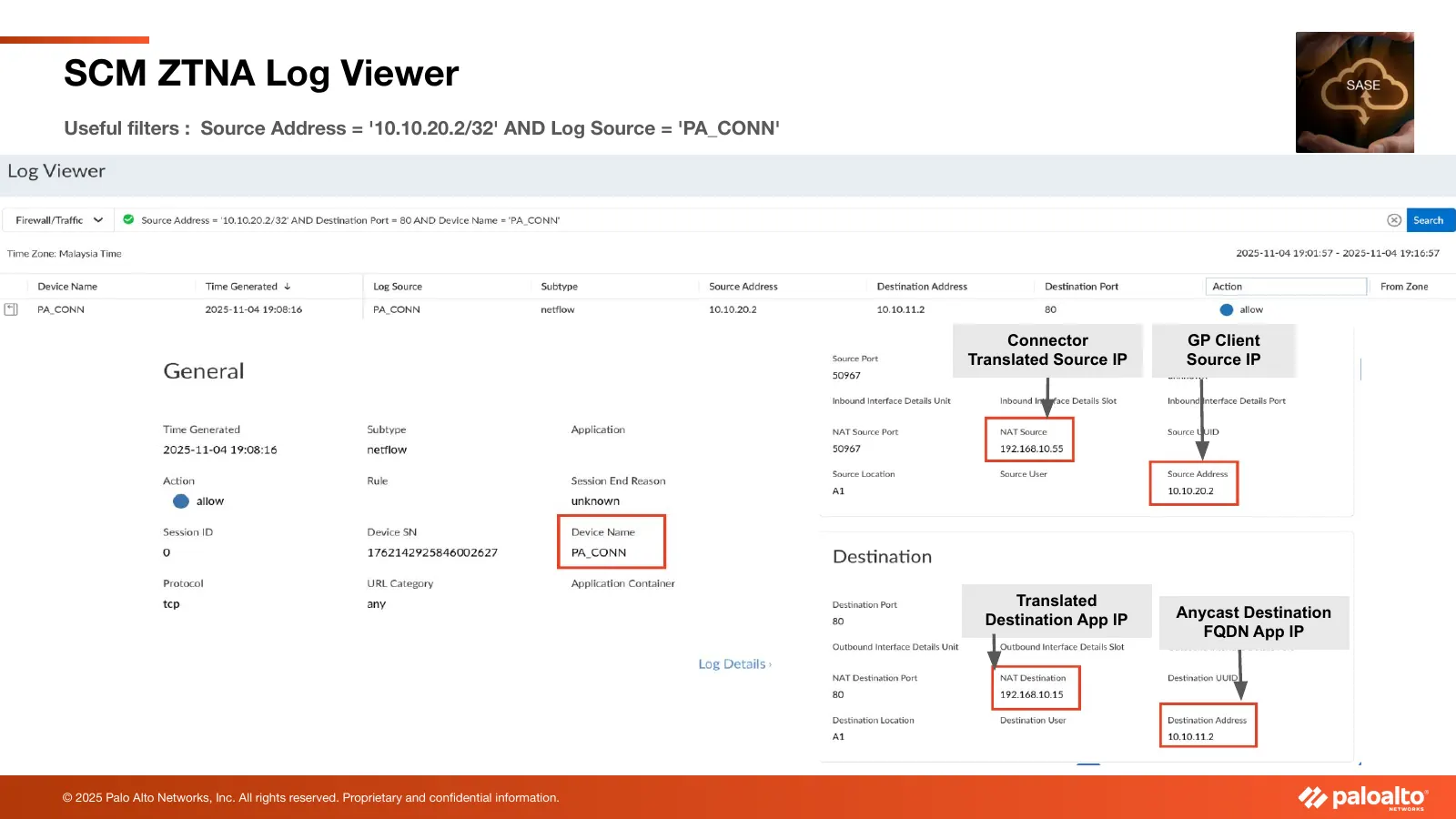
SCM ZTNA Log Viewer Useful filters : <Log_source_name= “PA_CONN”>, <Source Address>, <NAT Destination>, <NAT Destination Port> © 2025 Palo Alto Networks, Inc. All rights reserved. Proprietary and confidential information.
Slide 99: SCM ZTNA Log Viewer
SCM ZTNA Log Viewer Useful filters : Source Address = '10.10.20.2/32' AND Log Source = 'PA_CONN' Connector GP Client Translated Source IP Source IP Translated Destination App IP Anycast Destination FQDN App IP © 2025 Palo Alto Networks, Inc. All rights reserved. Proprietary and confidential informatio
Slide 100: SCM Troubleshooting Tools
ZTNA Connector SCM Troubleshooting Tools © 2025 Palo Alto Networks, Inc. All rights reserved. Proprietary and confidential information.
Slide 101: Troubleshooting Tools - Ping
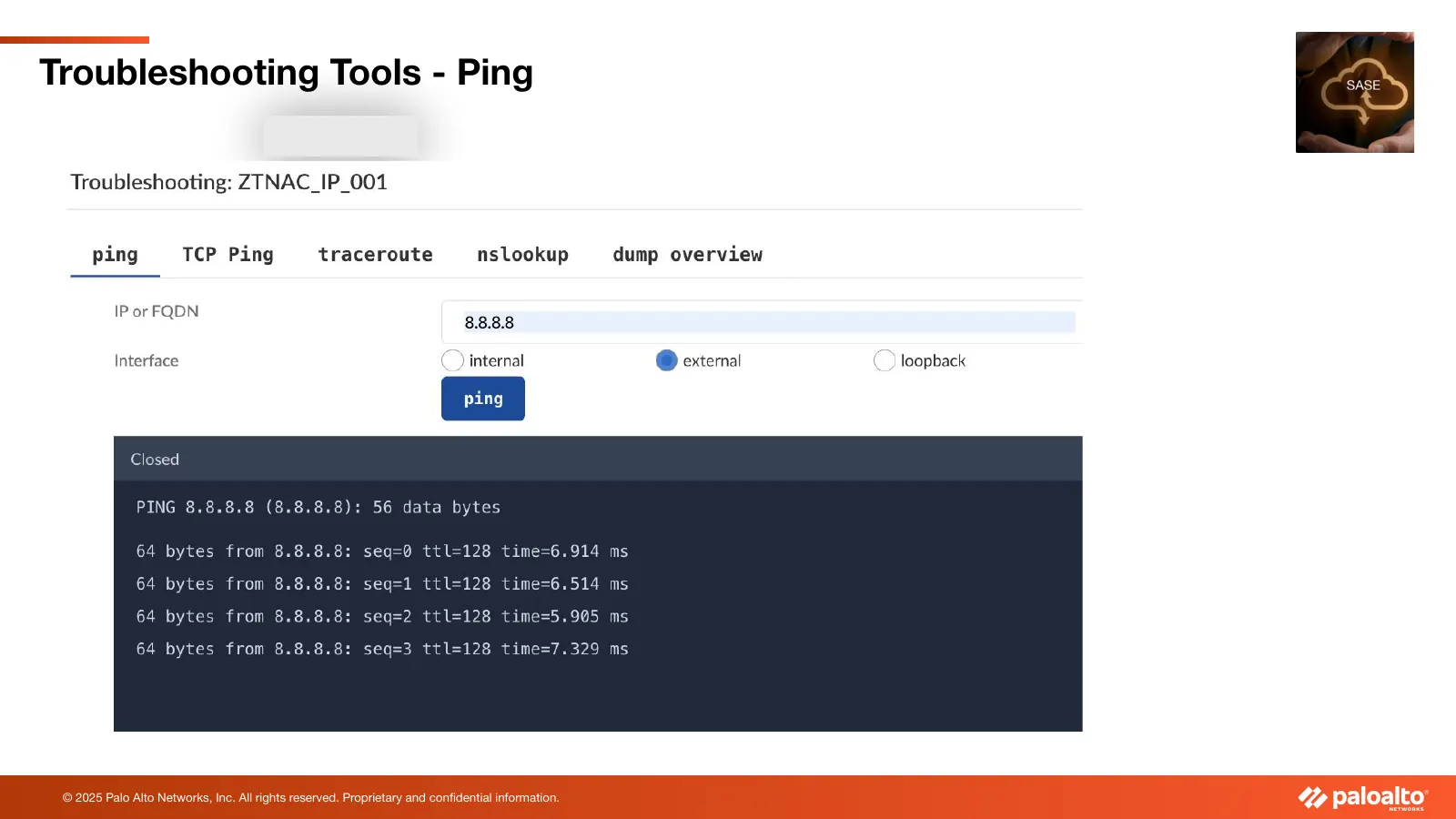
Troubleshooting Tools - Ping © 2025 Palo Alto Networks, Inc. All rights reserved. Proprietary and confidential information.
Slide 102: Troubleshooting Tools - TCPPing
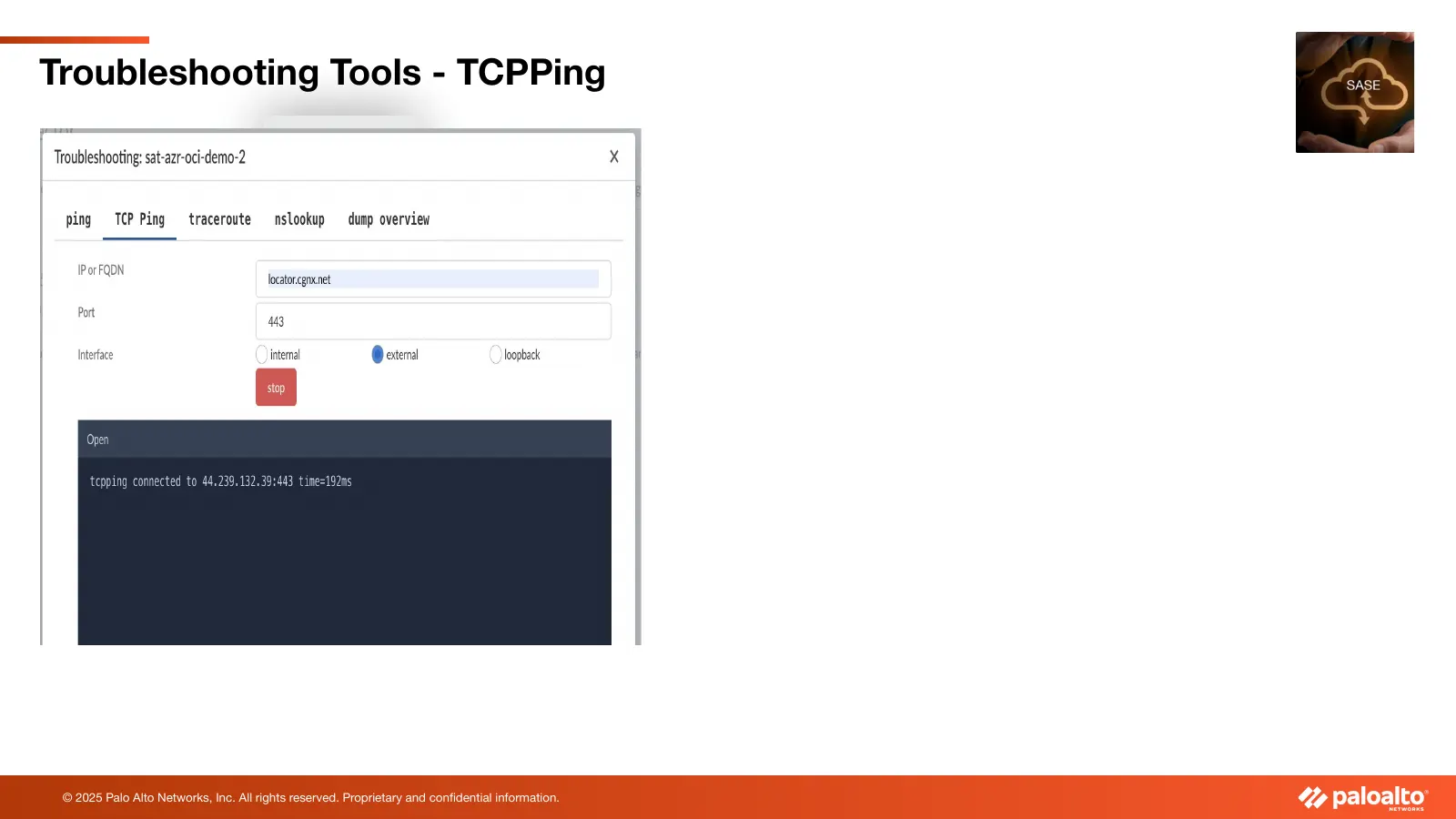
Troubleshooting Tools - TCPPing © 2025 Palo Alto Networks, Inc. All rights reserved. Proprietary and confidential information.
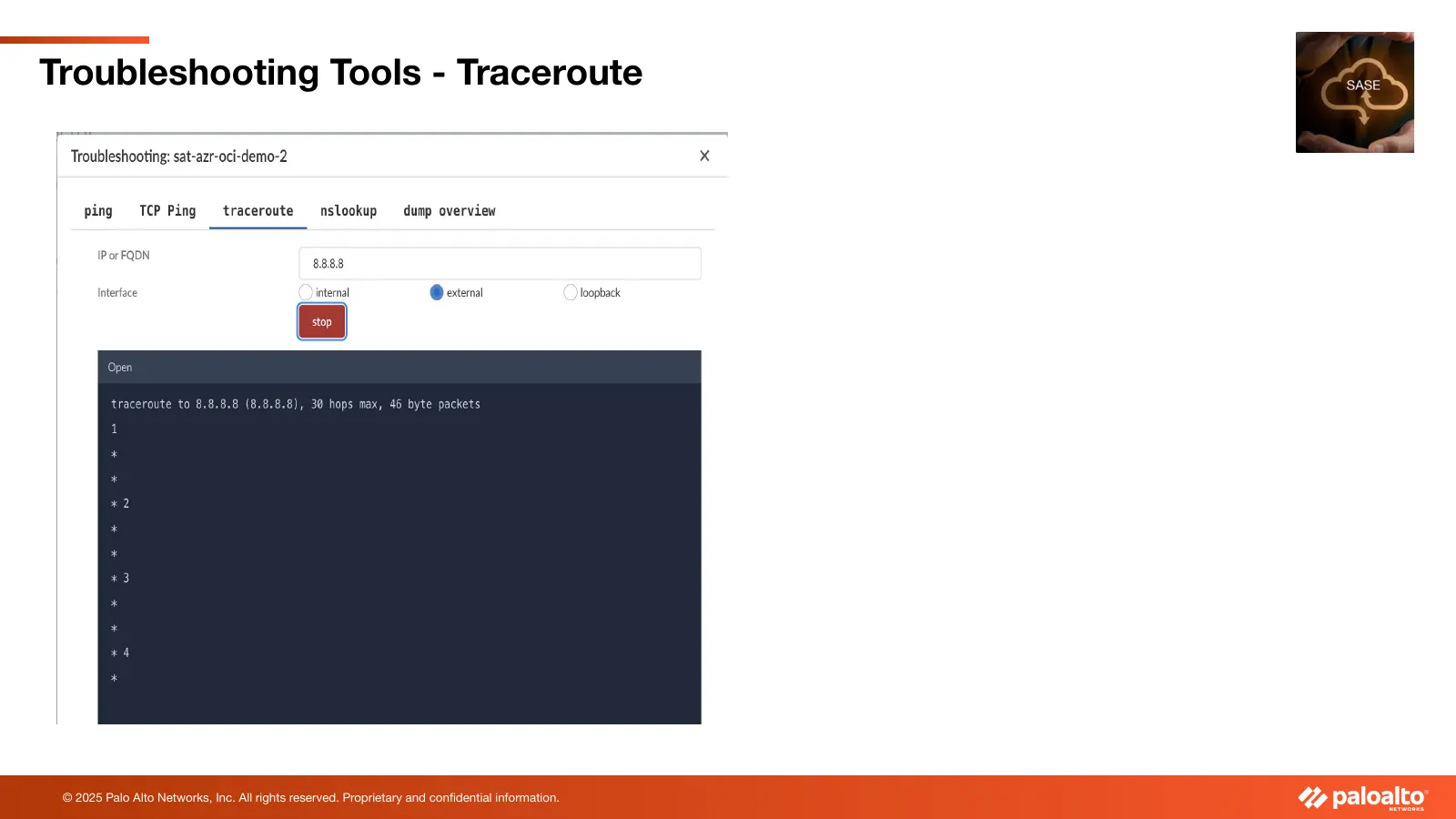
Slide 103: Troubleshooting Tools - Traceroute
Troubleshooting Tools - Traceroute © 2025 Palo Alto Networks, Inc. All rights reserved. Proprietary and confidential information.
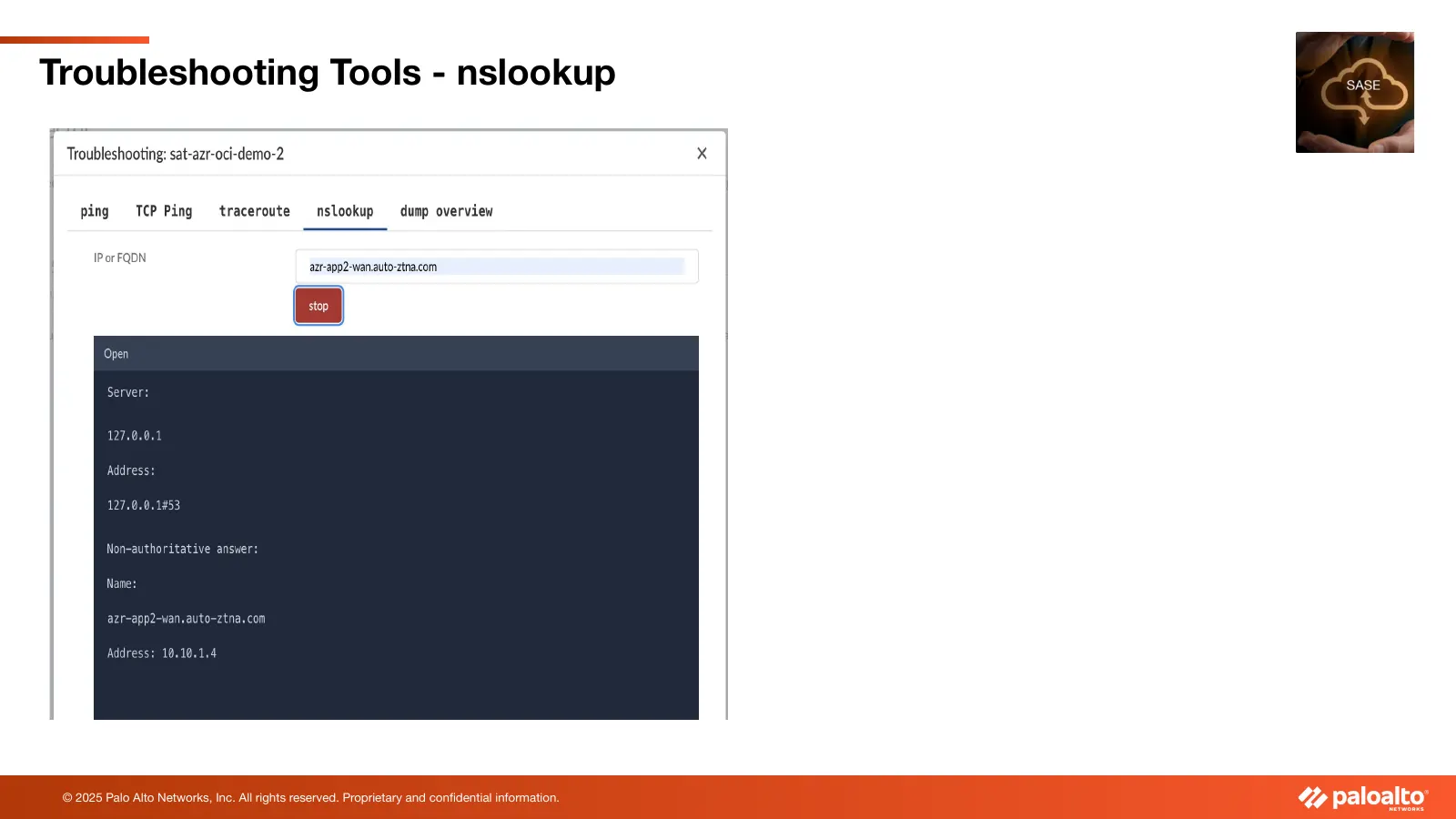
Slide 104: Troubleshooting Tools - nslookup
Troubleshooting Tools - nslookup © 2025 Palo Alto Networks, Inc. All rights reserved. Proprietary and confidential information.
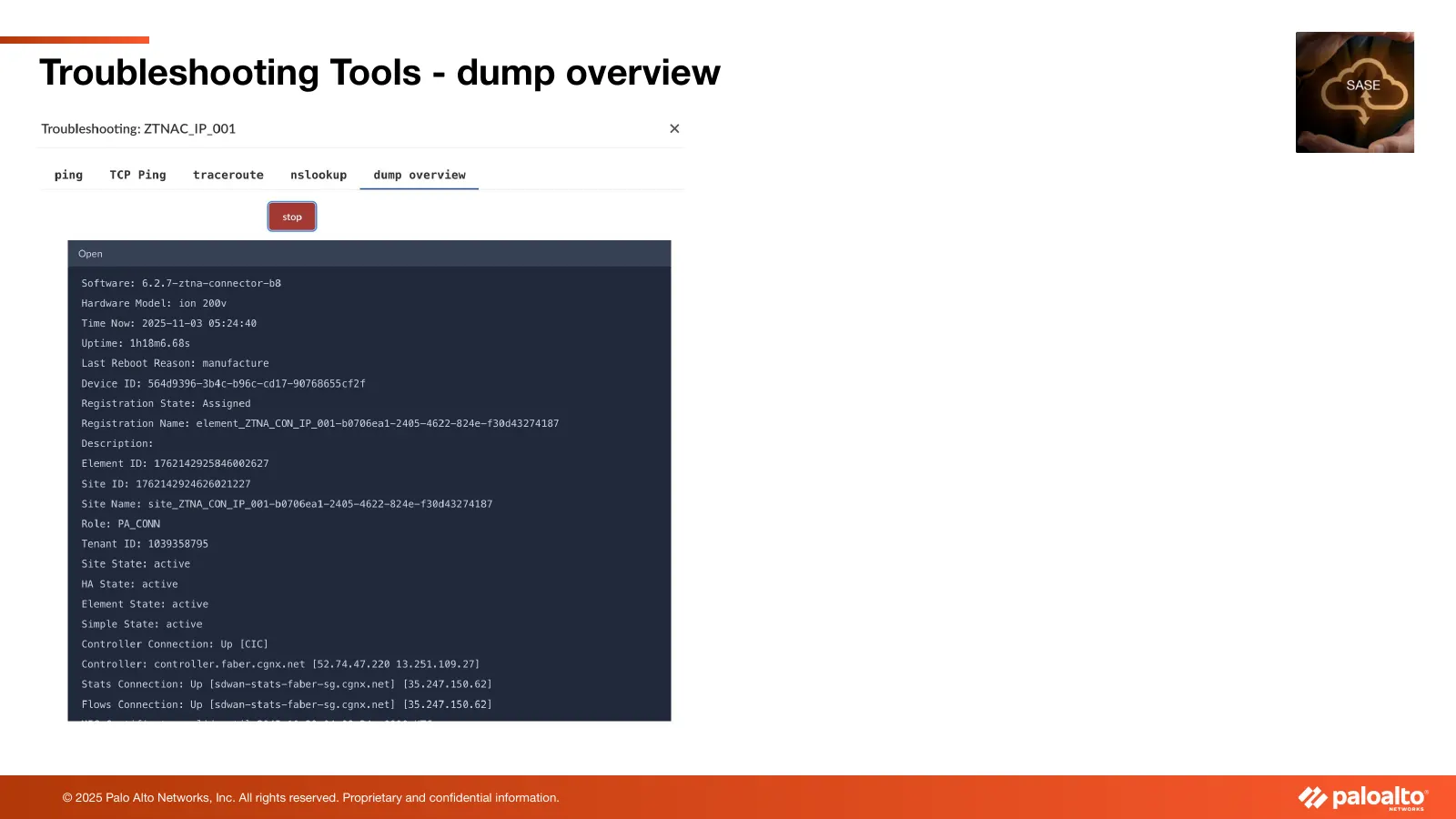
Slide 105: Troubleshooting Tools - dump overview
Troubleshooting Tools - dump overview © 2025 Palo Alto Networks, Inc. All rights reserved. Proprietary and confidential information.
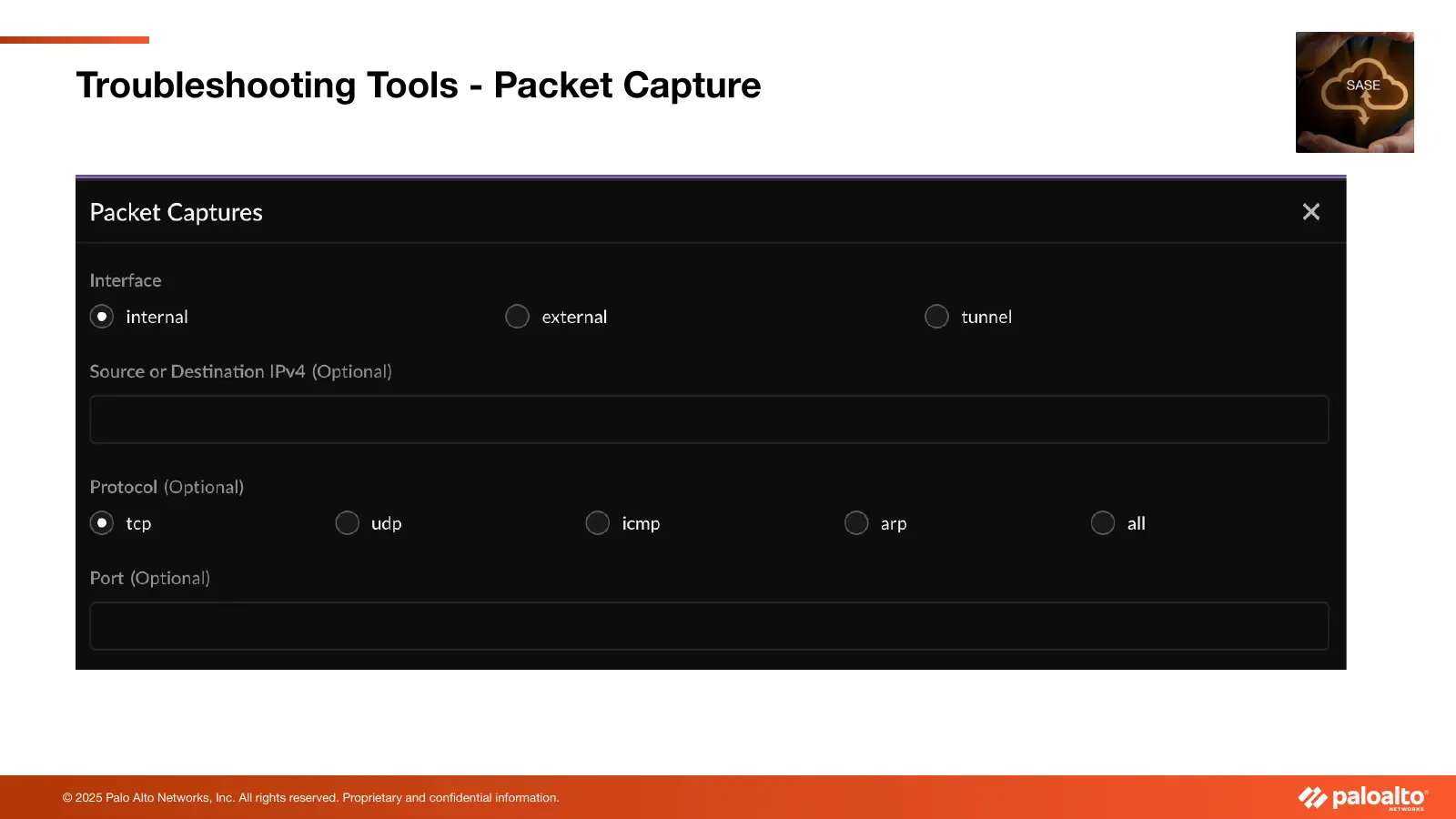
Slide 106: Troubleshooting Tools - Packet Capture
Troubleshooting Tools - Packet Capture © 2025 Palo Alto Networks, Inc. All rights reserved. Proprietary and confidential information.
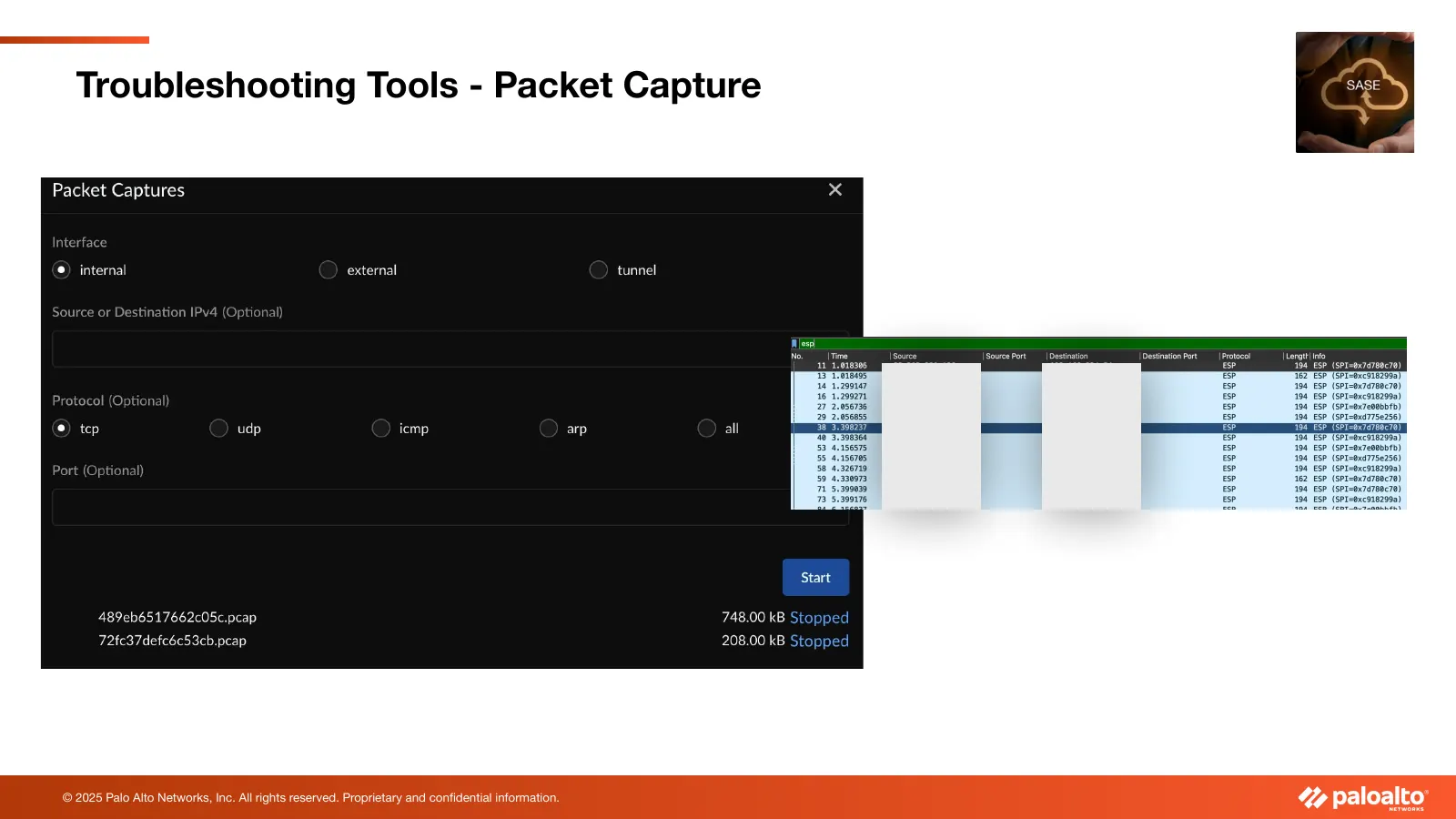
Slide 107: Troubleshooting Tools - Packet Capture
Troubleshooting Tools - Packet Capture © 2025 Palo Alto Networks, Inc. All rights reserved. Proprietary and confidential information.
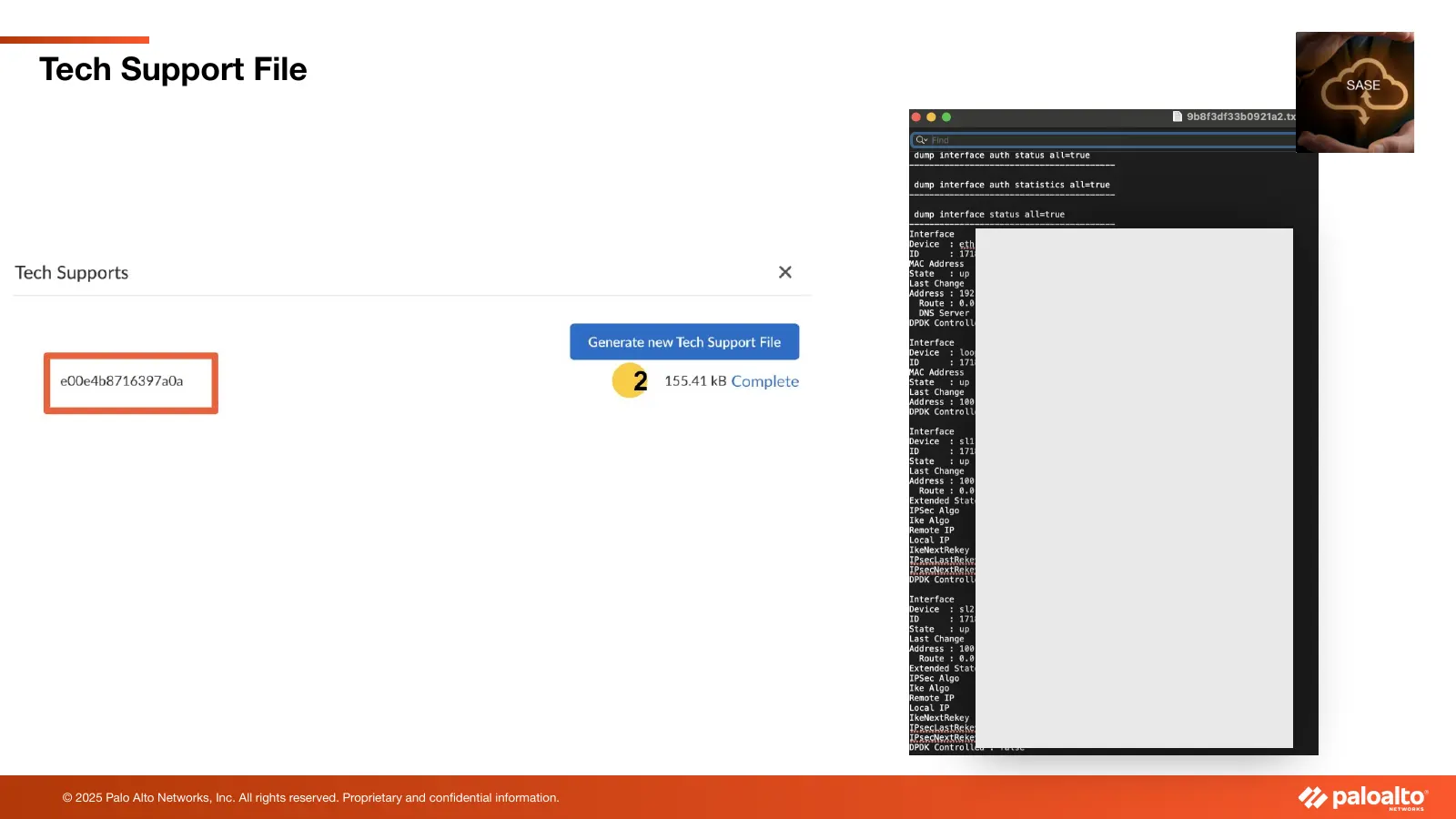
Slide 108: Tech Support File
Tech Support File © 2025 Palo Alto Networks, Inc. All rights reserved. Proprietary and confidential information.
Slide 109: Onboarding Tech Support File Deep Dive
ZTNA Connector Onboarding Tech Support File Deep Dive © 2025 Palo Alto Networks, Inc. All rights reserved. Proprietary and confidential information.
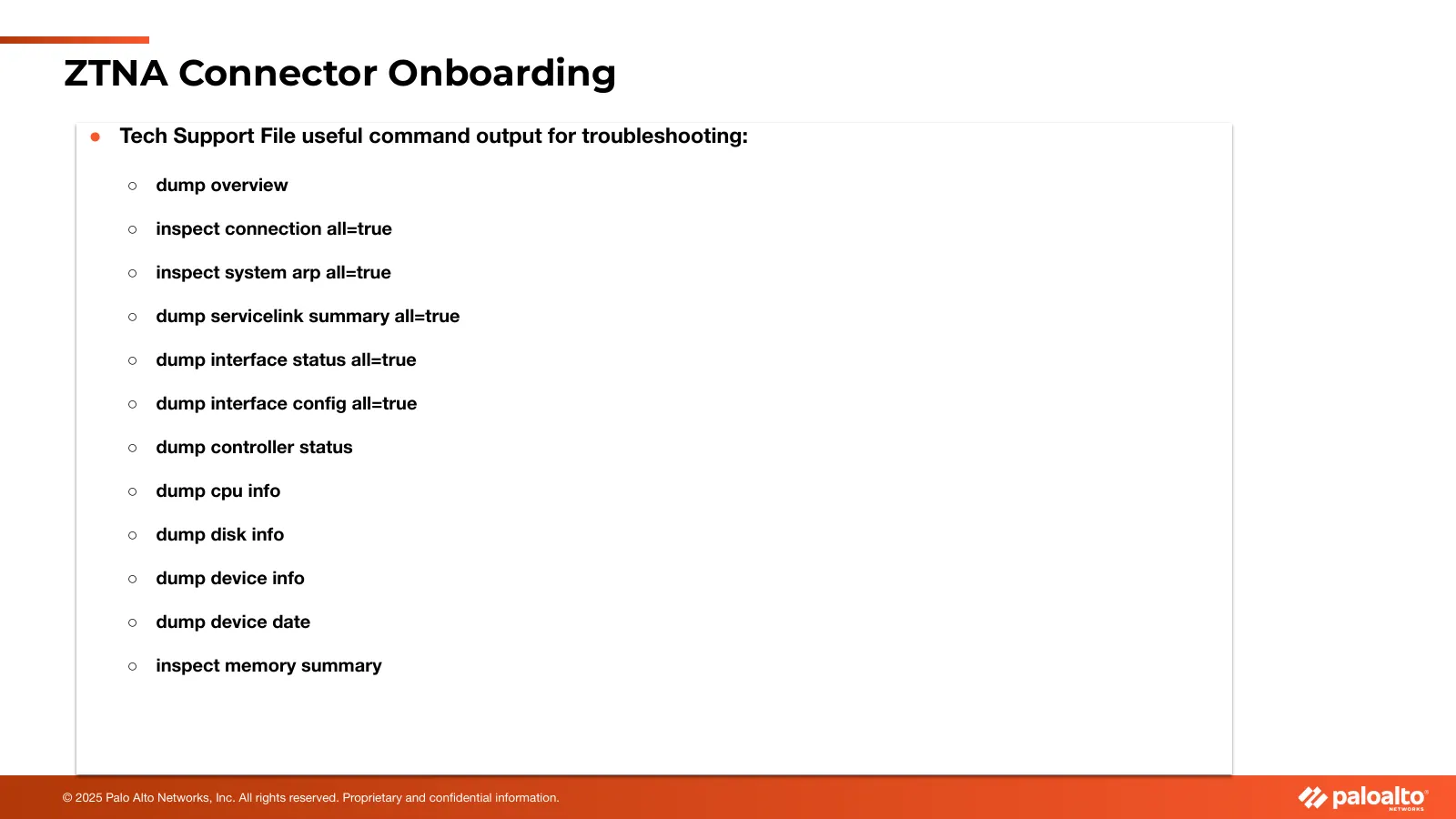
Slide 110: Tech Support File useful command output
ZTNA Connector Onboarding ● Tech Support File useful command output for troubleshooting: ○ dump overview ○ inspect connection all=true ○ inspect system arp all=true ○ dump servicelink summary all=true ○ dump interface status all=true ○ dump interface config all=true ○ dump controller status ○ dump cp
Slide 111: Troubleshooting ZTNA Connector
Troubleshooting ZTNA Connector © 2025 Palo Alto Networks, Inc. All rights reserved. Proprietary and confidential information.
Slide 112: Onboarding Issues
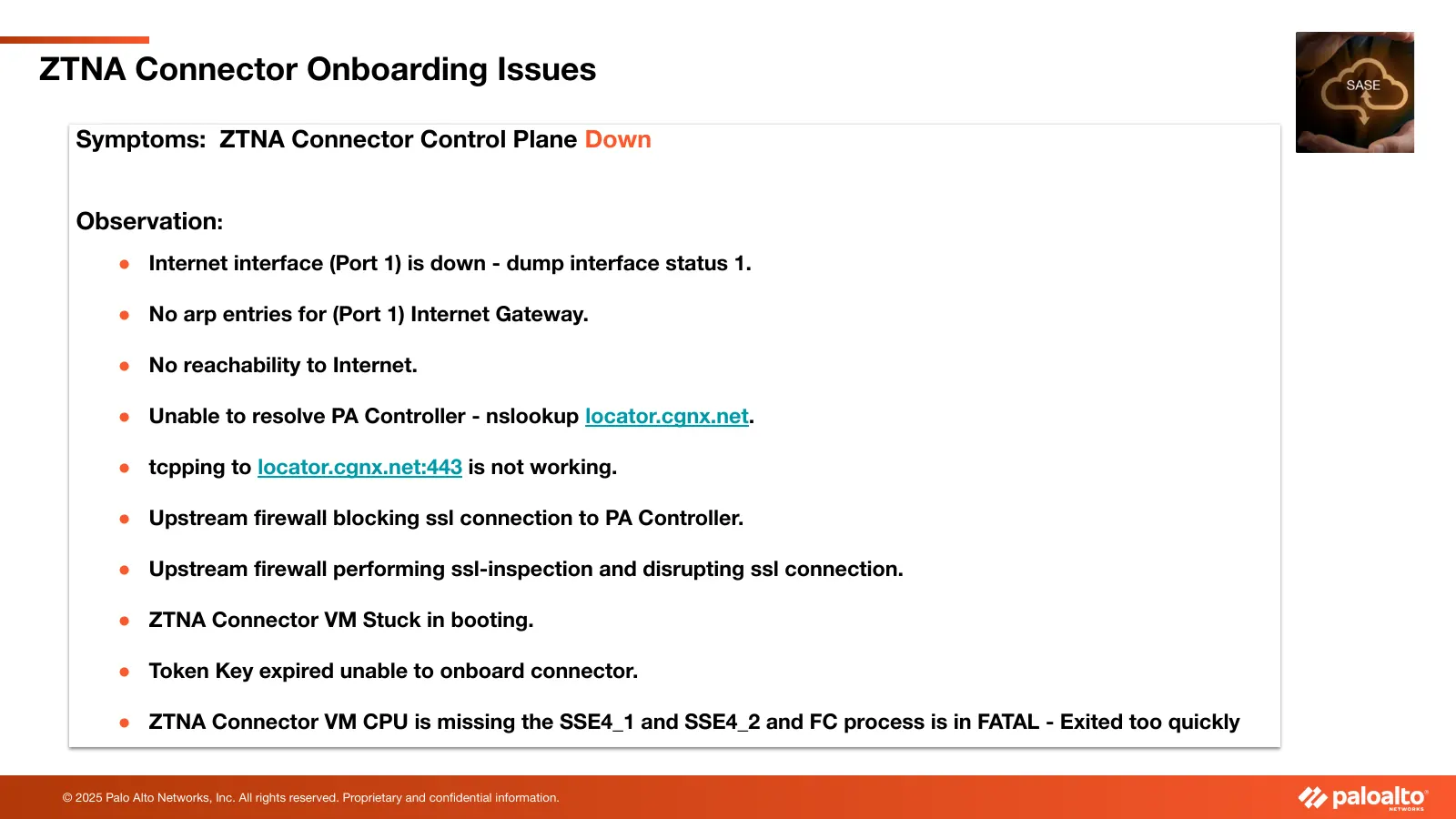
ZTNA Connector Onboarding Issues Symptoms: ZTNA Connector Control Plane Down Observation: ● Internet interface (Port 1) is down - dump interface status 1. ● No arp entries for (Port 1) Internet Gateway. ● No reachability to Internet. ● Unable to resolve PA Controller - nslookup locator.cgnx.net. ● t
Slide 113: Onboarding Issues
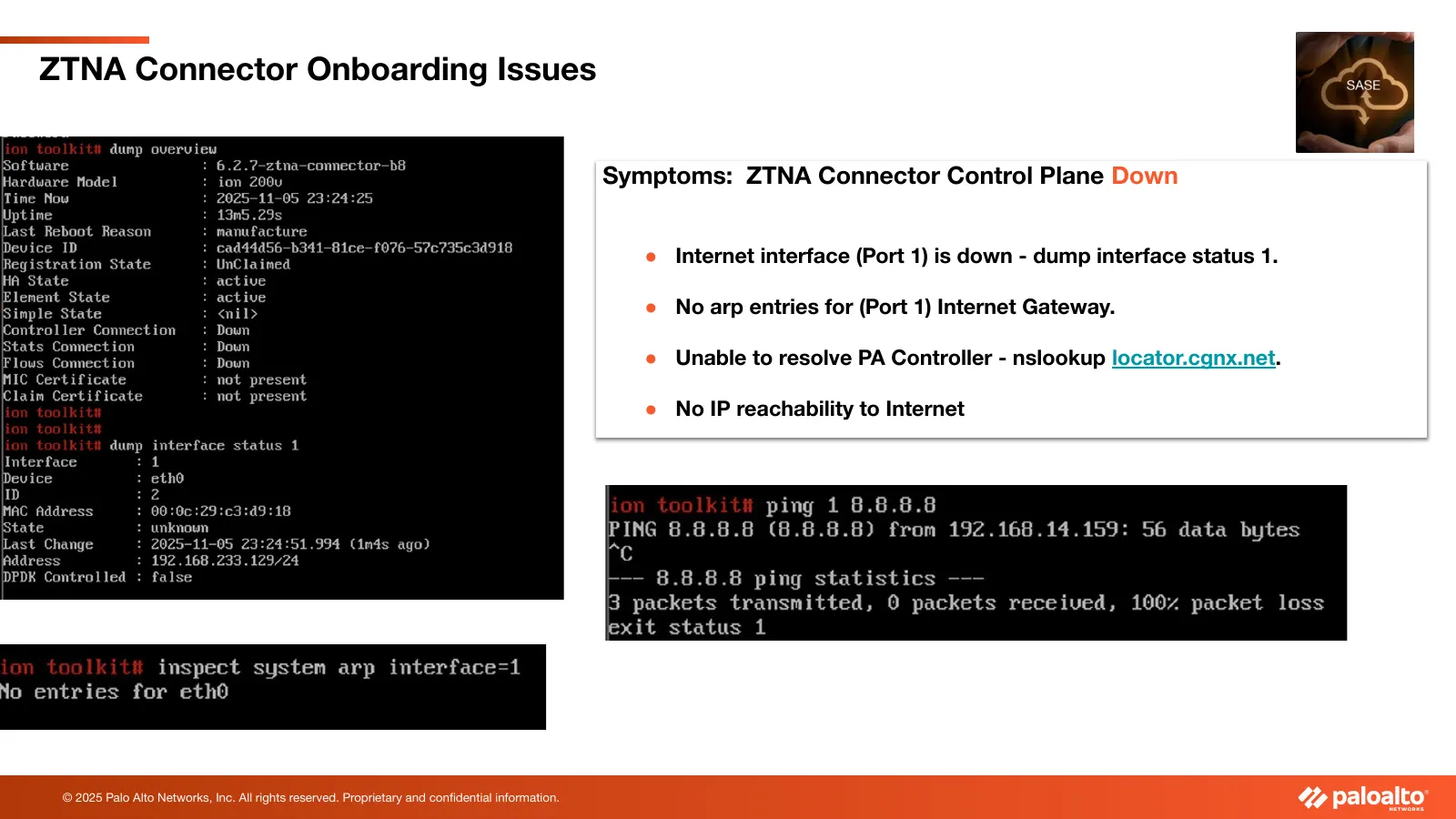
ZTNA Connector Onboarding Issues Symptoms: ZTNA Connector Control Plane Down ● Internet interface (Port 1) is down - dump interface status 1. ● No arp entries for (Port 1) Internet Gateway. ● Unable to resolve PA Controller - nslookup locator.cgnx.net. ● No IP reachability to Internet © 2025 Palo Al
Slide 114: Onboarding Issues
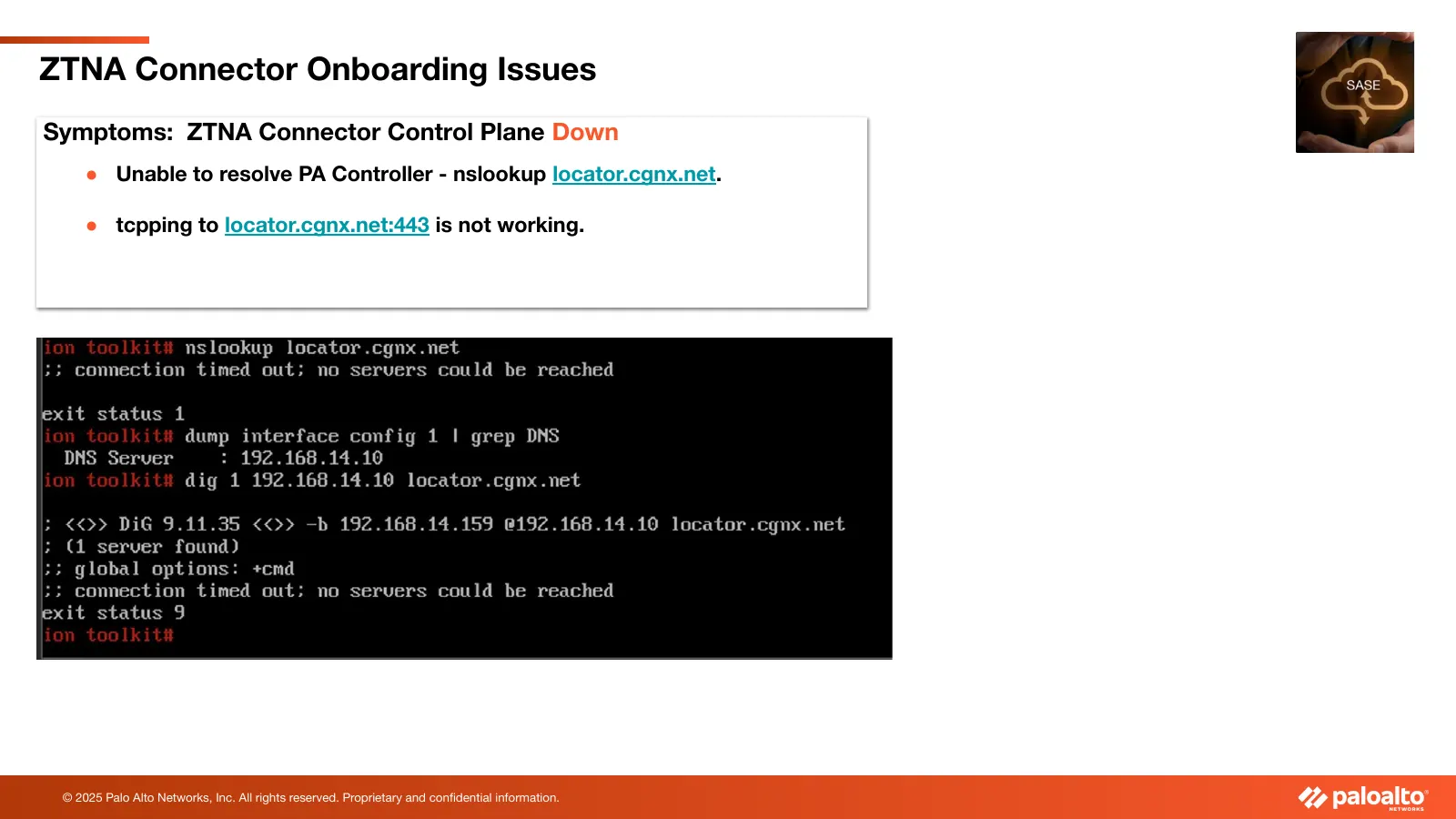
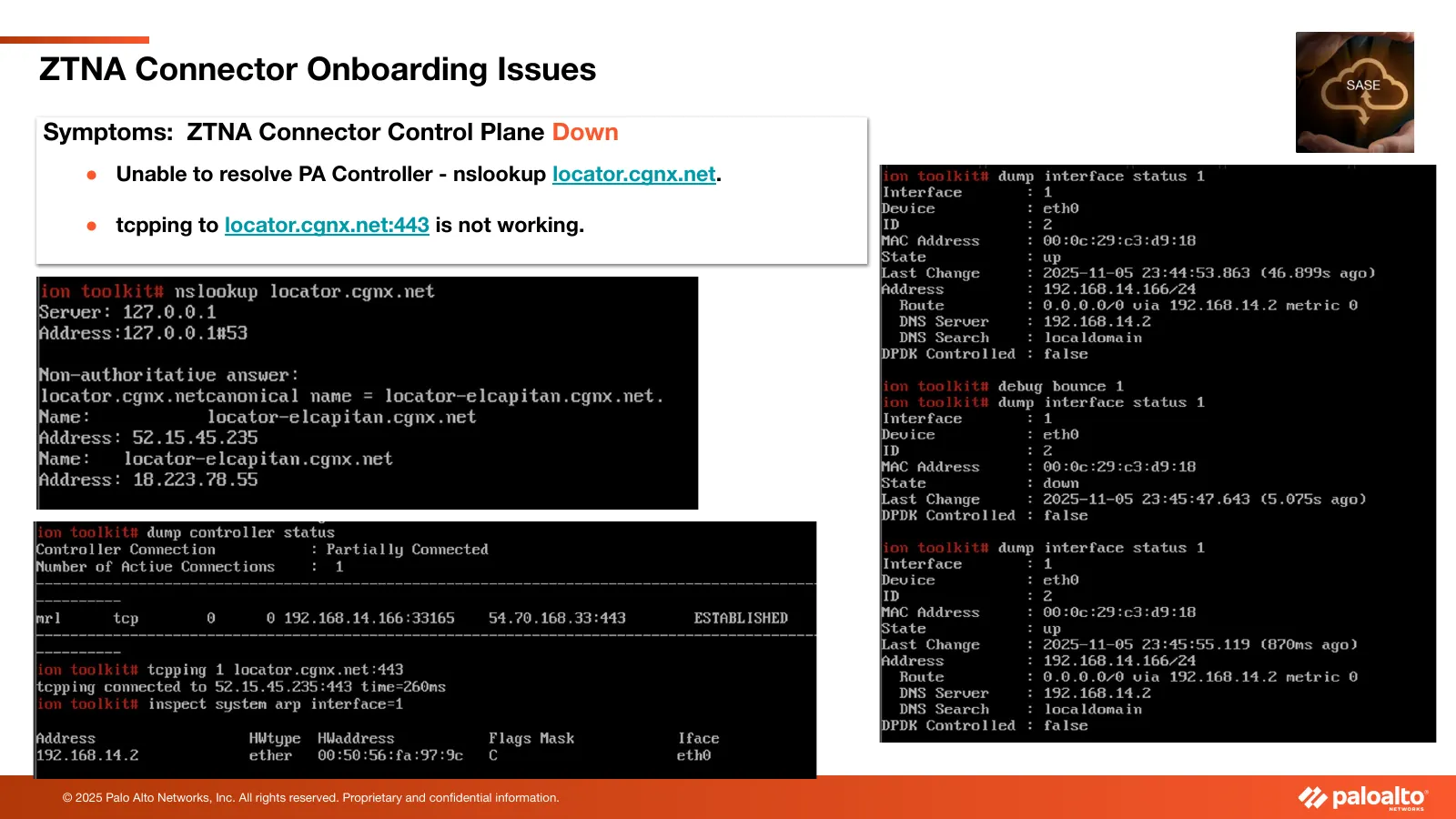
ZTNA Connector Onboarding Issues Symptoms: ZTNA Connector Control Plane Down ● Unable to resolve PA Controller - nslookup locator.cgnx.net. ● tcpping to locator.cgnx.net:443 is not working. © 2025 Palo Alto Networks, Inc. All rights reserved. Proprietary and confidential information.
Slide 115: Onboarding Issues
ZTNA Connector Onboarding Issues Symptoms: ZTNA Connector Control Plane Down ● Unable to resolve PA Controller - nslookup locator.cgnx.net. ● tcpping to locator.cgnx.net:443 is not working. © 2025 Palo Alto Networks, Inc. All rights reserved. Proprietary and confidential information.
Slide 116: Onboarding Issues
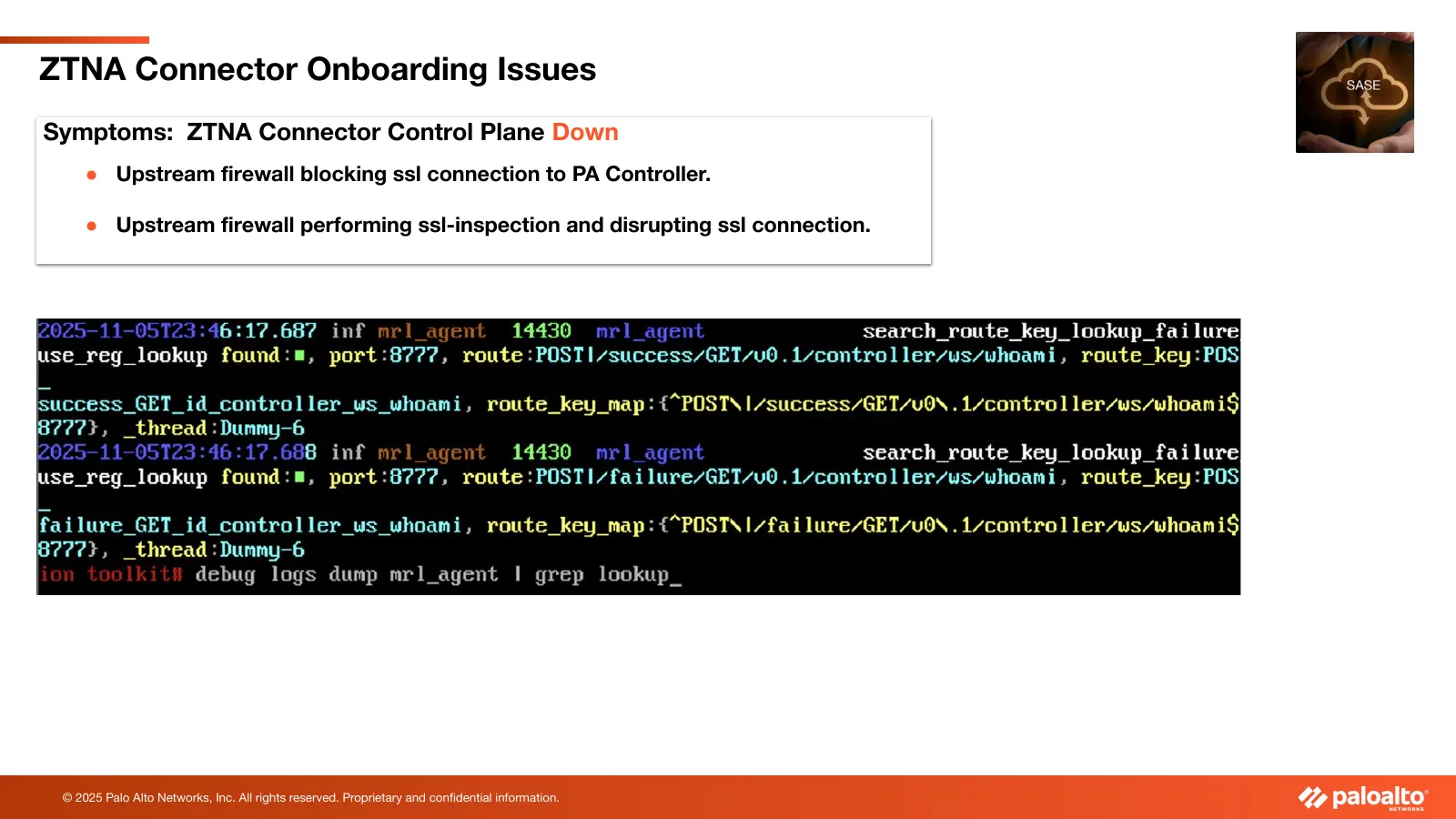
ZTNA Connector Onboarding Issues Symptoms: ZTNA Connector Control Plane Down ● Upstream firewall blocking ssl connection to PA Controller. ● Upstream firewall performing ssl-inspection and disrupting ssl connection. © 2025 Palo Alto Networks, Inc. All rights reserved. Proprietary and confidential infor
Slide 117: Onboarding Issues
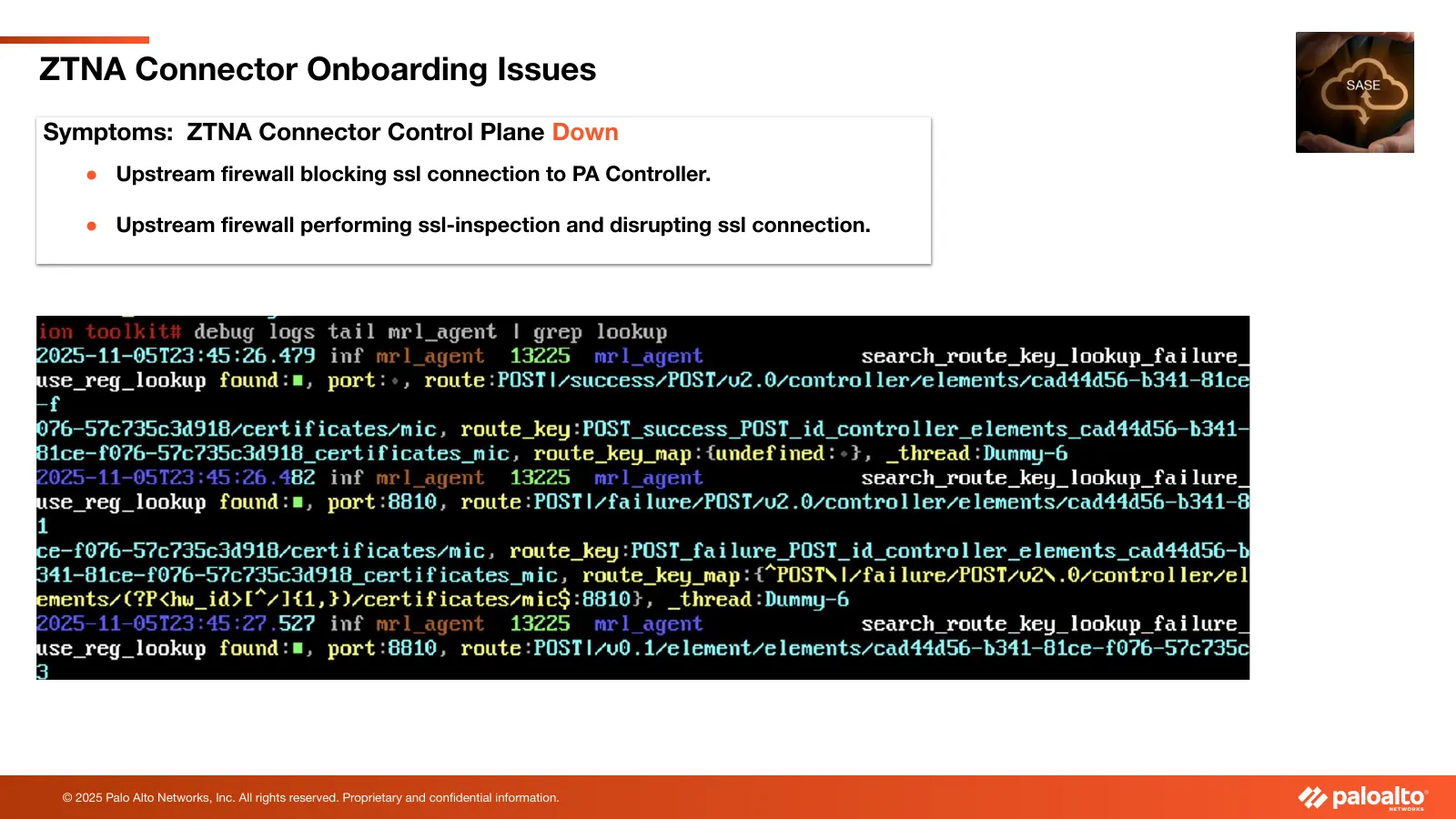
ZTNA Connector Onboarding Issues Symptoms: ZTNA Connector Control Plane Down ● Upstream firewall blocking ssl connection to PA Controller. ● Upstream firewall performing ssl-inspection and disrupting ssl connection. © 2025 Palo Alto Networks, Inc. All rights reserved. Proprietary and confidential infor
Slide 118: Onboarding Issues
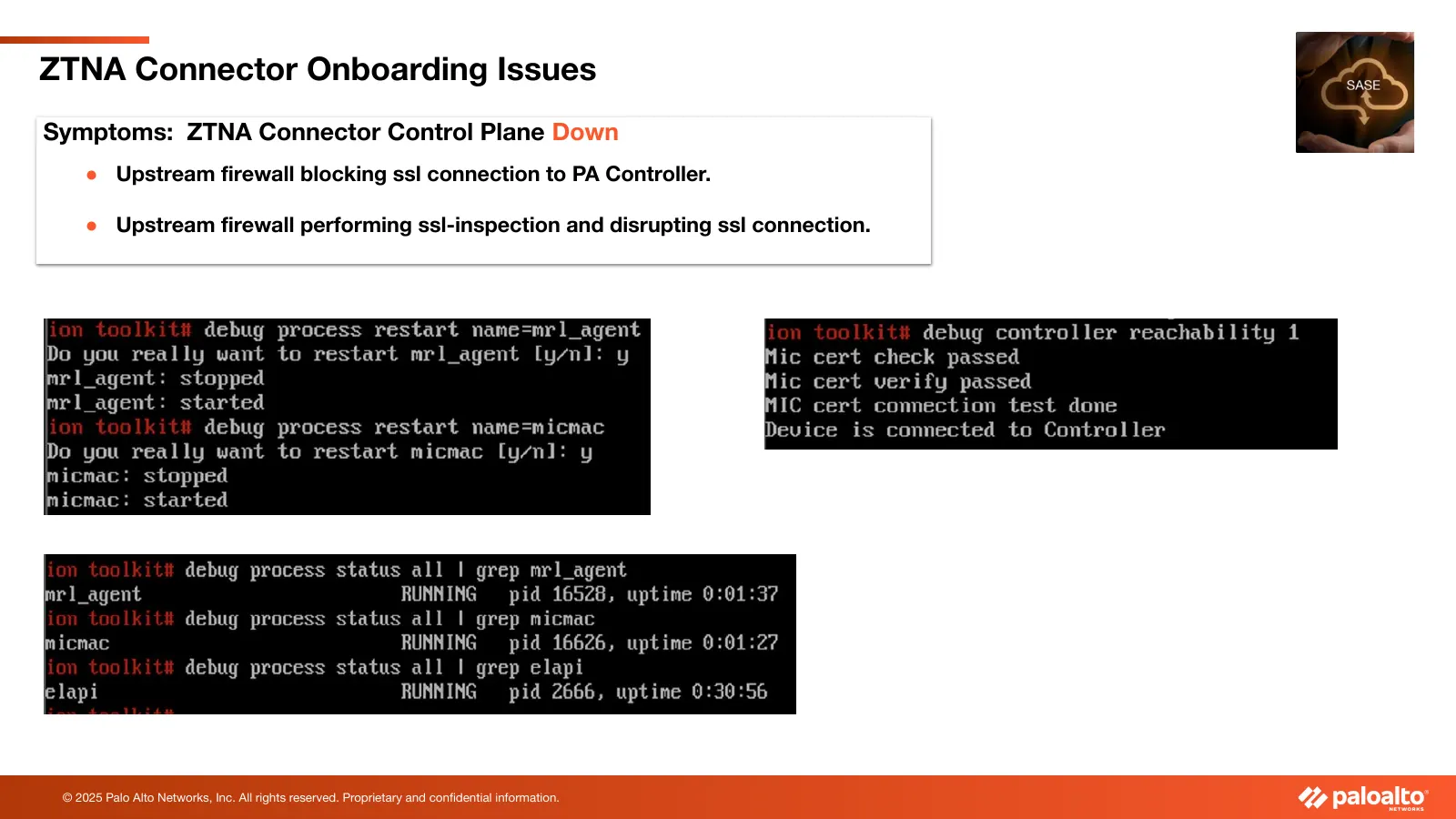
ZTNA Connector Onboarding Issues Symptoms: ZTNA Connector Control Plane Down ● Upstream firewall blocking ssl connection to PA Controller. ● Upstream firewall performing ssl-inspection and disrupting ssl connection. © 2025 Palo Alto Networks, Inc. All rights reserved. Proprietary and confidential infor
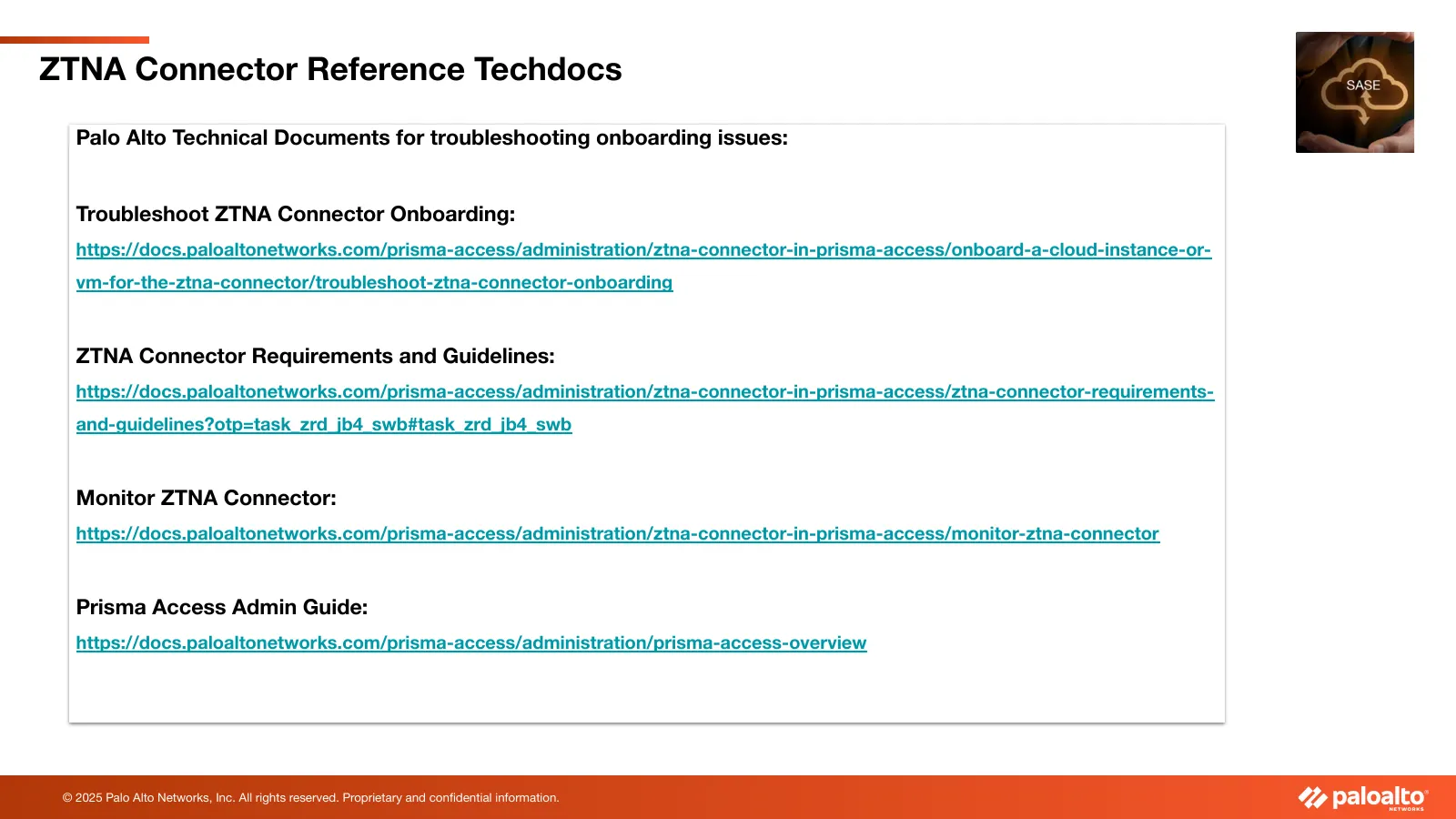
Slide 119: Reference Techdocs
ZTNA Connector Reference Techdocs Palo Alto Technical Documents for troubleshooting onboarding issues: Troubleshoot ZTNA Connector Onboarding: https://docs.paloaltonetworks.com/prisma-access/administration/ztna-connector-in-prisma-access/onboard-a-cloud-instance-or- vm-for-the-ztna-connector/trouble
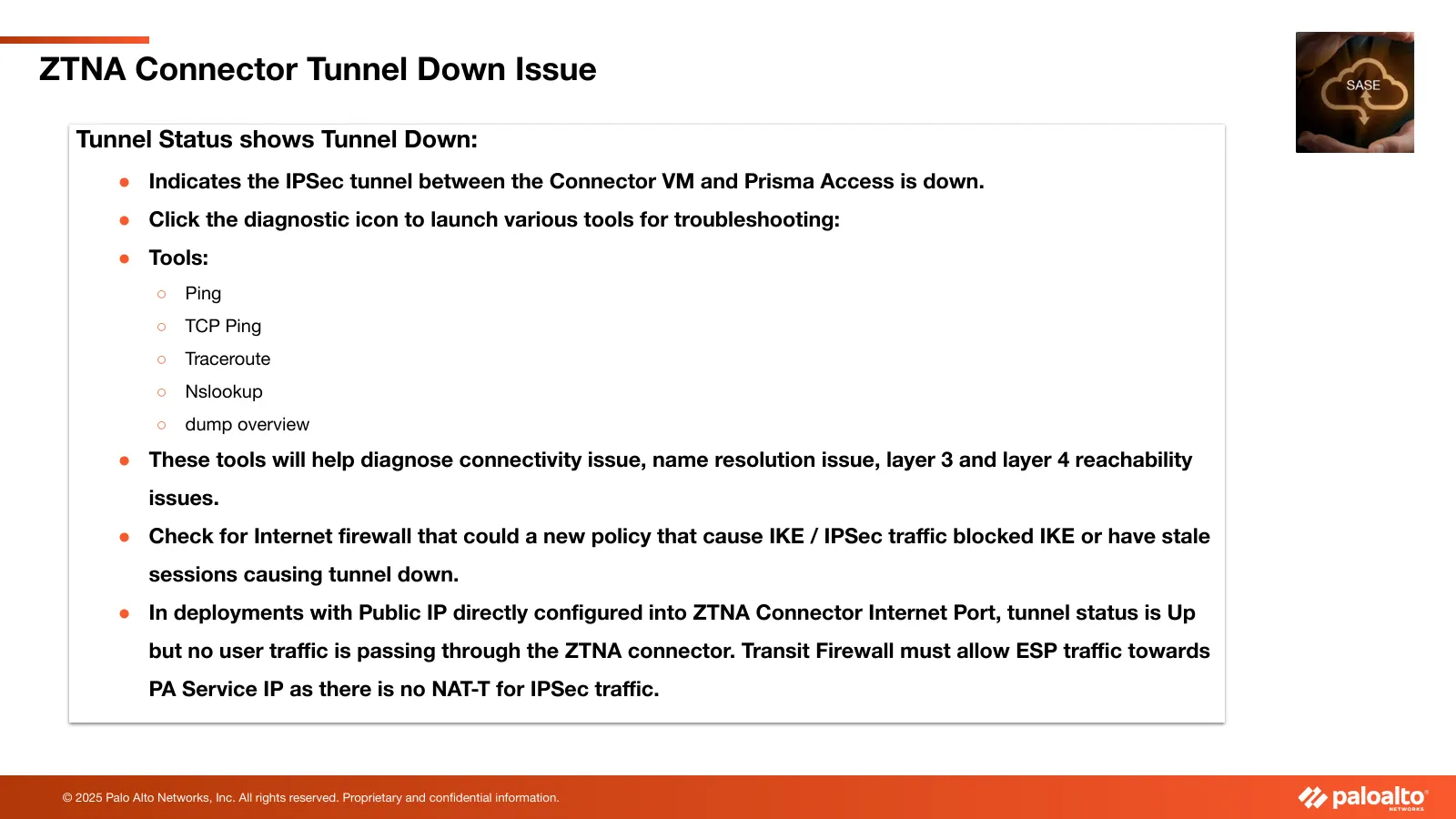
Slide 120: Tunnel Down Issue
ZTNA Connector Tunnel Down Issue Tunnel Status shows Tunnel Down: ● Indicates the IPSec tunnel between the Connector VM and Prisma Access is down. ● Click the diagnostic icon to launch various tools for troubleshooting: ● Tools: ○ Ping ○ TCP Ping ○ Traceroute ○ Nslookup ○ dump overview ● These tools
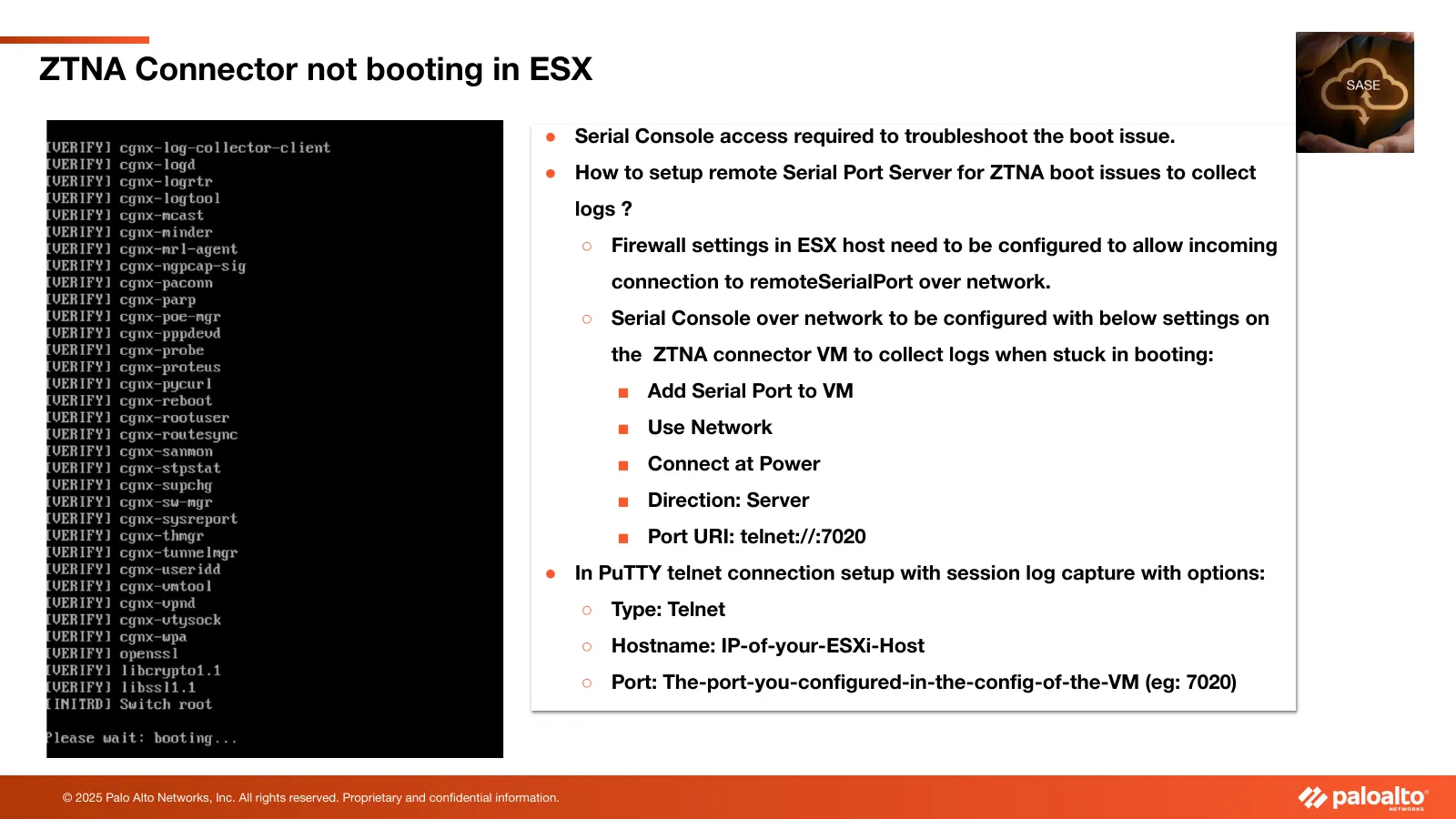
Slide 121: ZTNA Connector not booting in ESX
ZTNA Connector not booting in ESX ● Serial Console access required to troubleshoot the boot issue. ● How to setup remote Serial Port Server for ZTNA boot issues to collect logs ? ○ Firewall settings in ESX host need to be configured to allow incoming connection to remoteSerialPort over network. ○ Ser
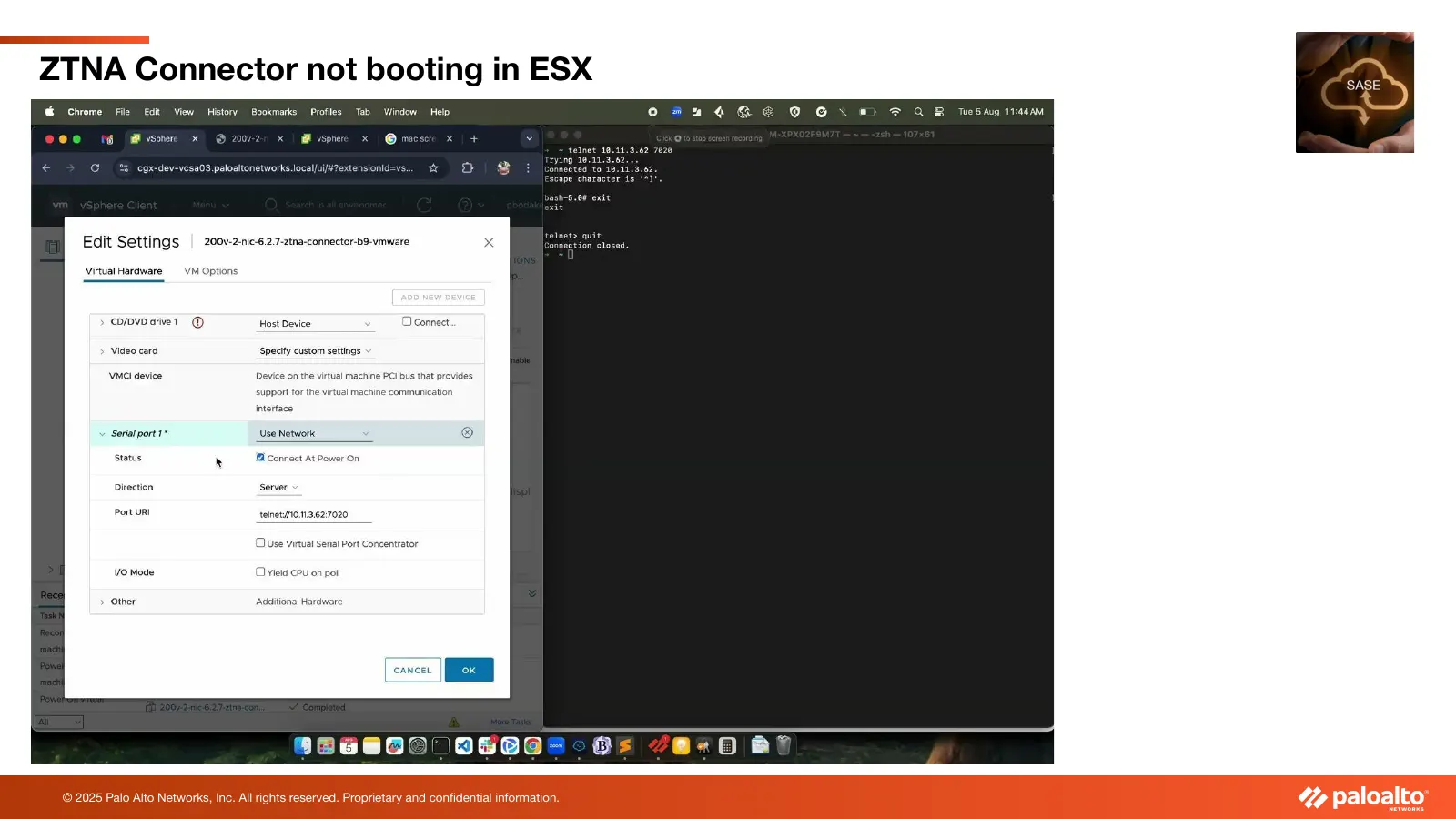
Slide 122: ZTNA Connector not booting in ESX
ZTNA Connector not booting in ESX © 2025 Palo Alto Networks, Inc. All rights reserved. Proprietary and confidential information.
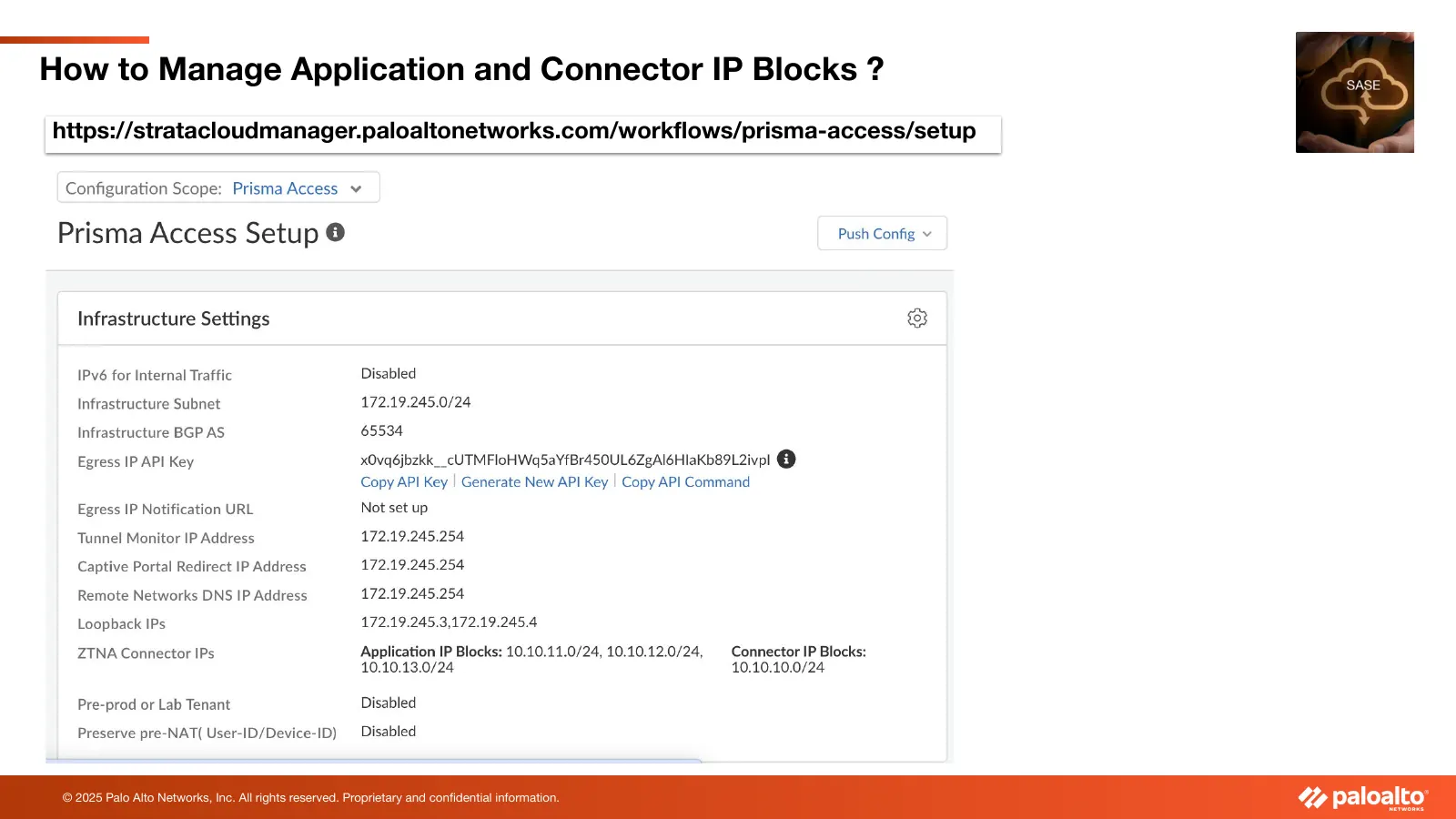
Slide 123: How to Manage Application and Connector IP Blocks?
How to Manage Application and Connector IP Blocks ? https://stratacloudmanager.paloaltonetworks.com/workflows/prisma-access/setup © 2025 Palo Alto Networks, Inc. All rights reserved. Proprietary and confidential information.
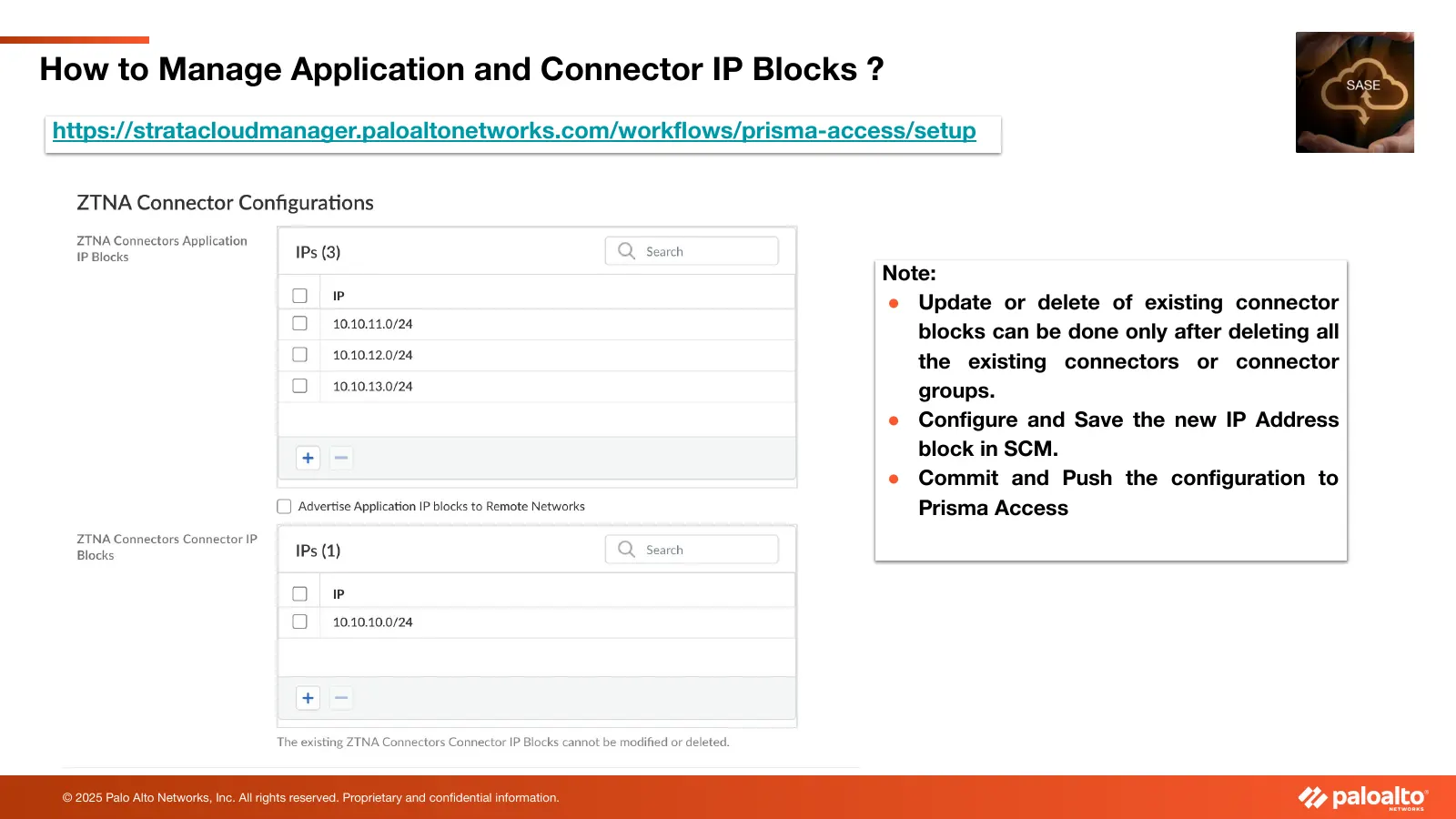
Slide 124: How to Manage Application and Connector IP Blocks?
How to Manage Application and Connector IP Blocks ? https://stratacloudmanager.paloaltonetworks.com/workflows/prisma-access/setup Note: ● Update or delete of existing connector blocks can be done only after deleting all the existing connectors or connector groups. ● Configure and Save the new IP Addre
Slide 125: ZTNA Connector FAQ
ZTNA Connector FAQ © 2025 Palo Alto Networks, Inc. All rights reserved. Proprietary and confidential information.
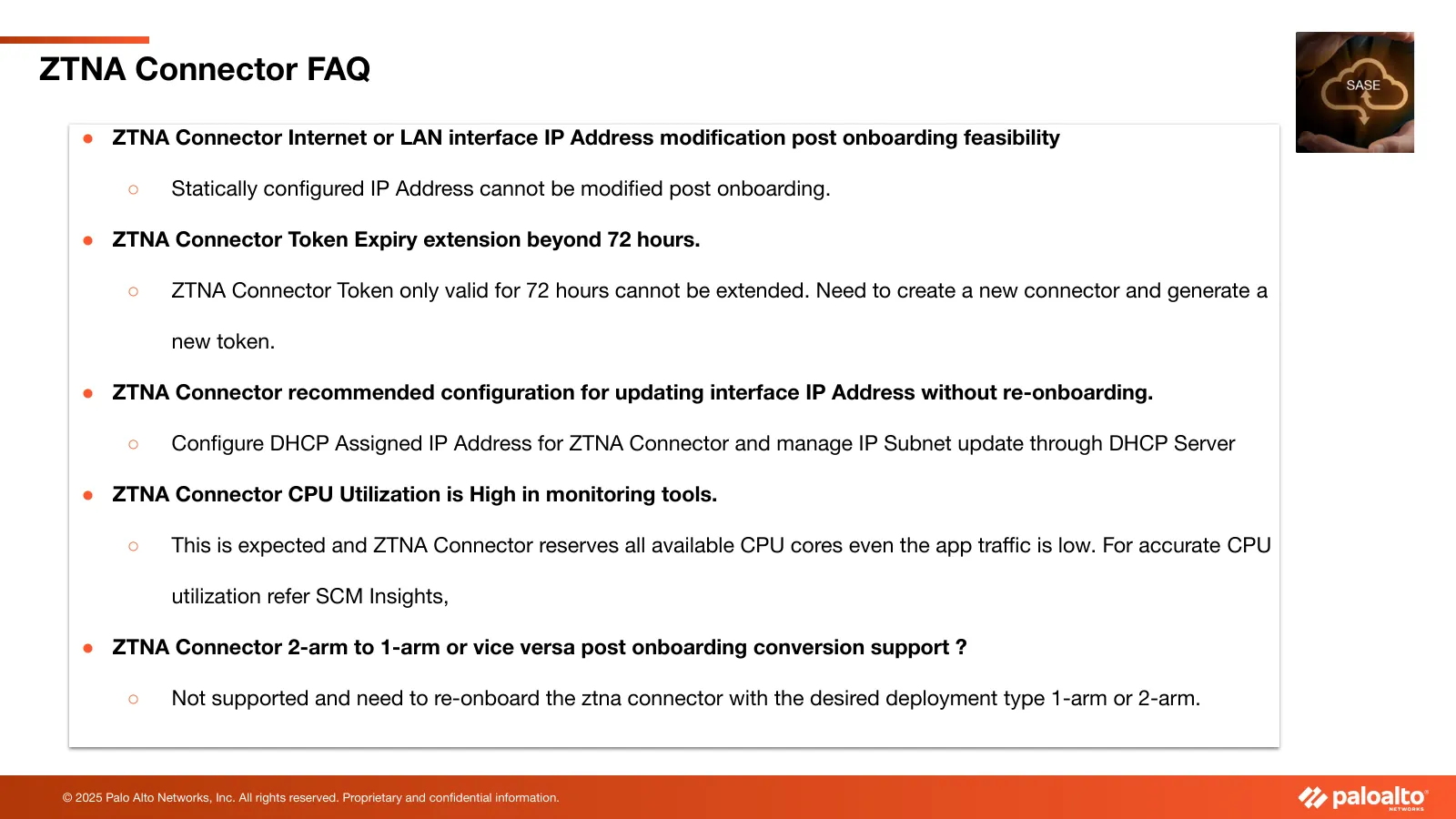
Slide 126: ZTNA Connector FAQ
ZTNA Connector FAQ ● ZTNA Connector Internet or LAN interface IP Address modification post onboarding feasibility ○ Statically configured IP Address cannot be modified post onboarding. ● ZTNA Connector Token Expiry extension beyond 72 hours. ○ ZTNA Connector Token only valid for 72 hours cannot be exte
Slide 127: ZTNA Connector FAQ
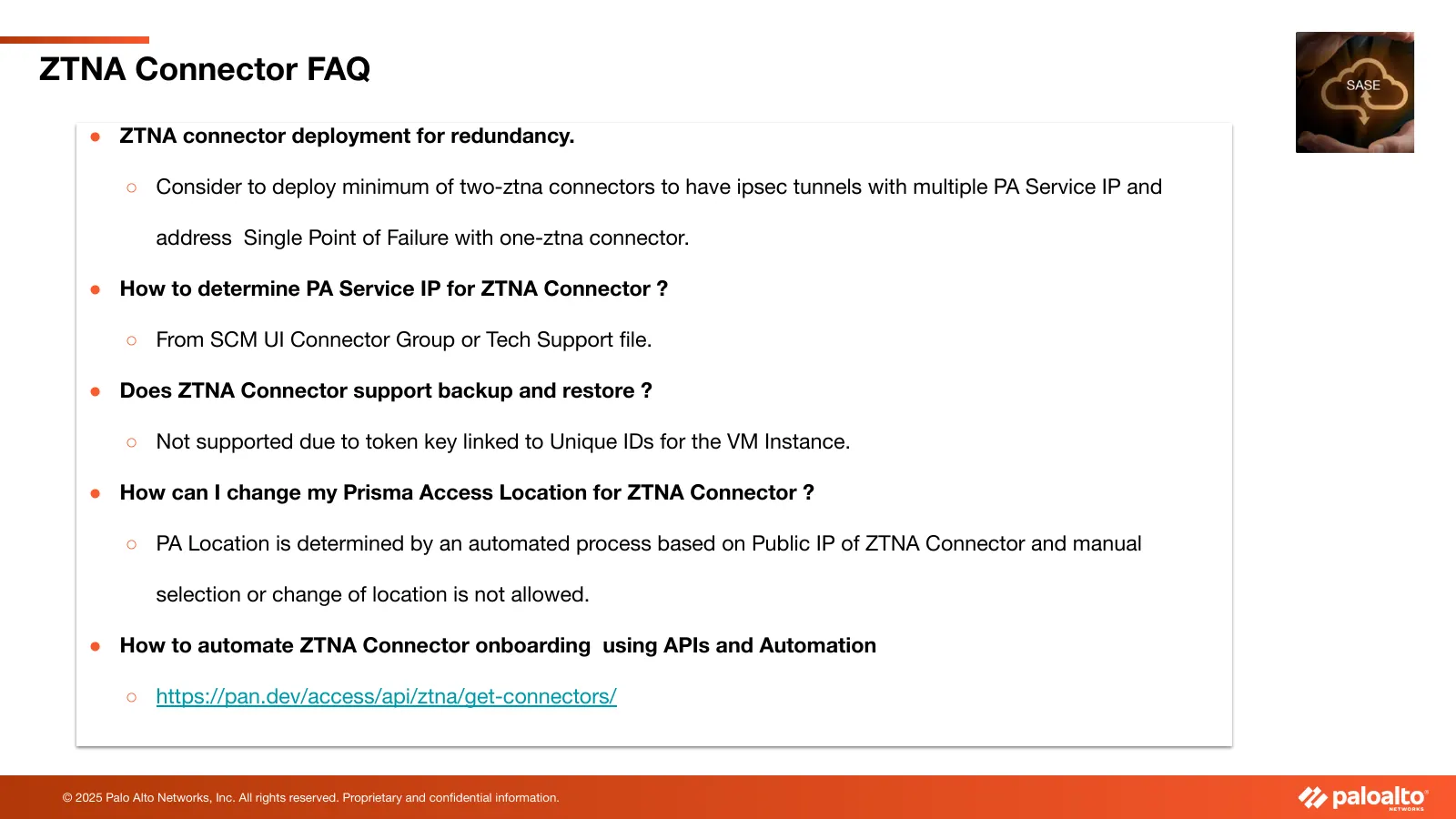
ZTNA Connector FAQ ● ZTNA connector deployment for redundancy. ○ Consider to deploy minimum of two-ztna connectors to have ipsec tunnels with multiple PA Service IP and address Single Point of Failure with one-ztna connector. ● How to determine PA Service IP for ZTNA Connector ? ○ From SCM UI Connec
Slide 128: ZTNA Connector FAQ
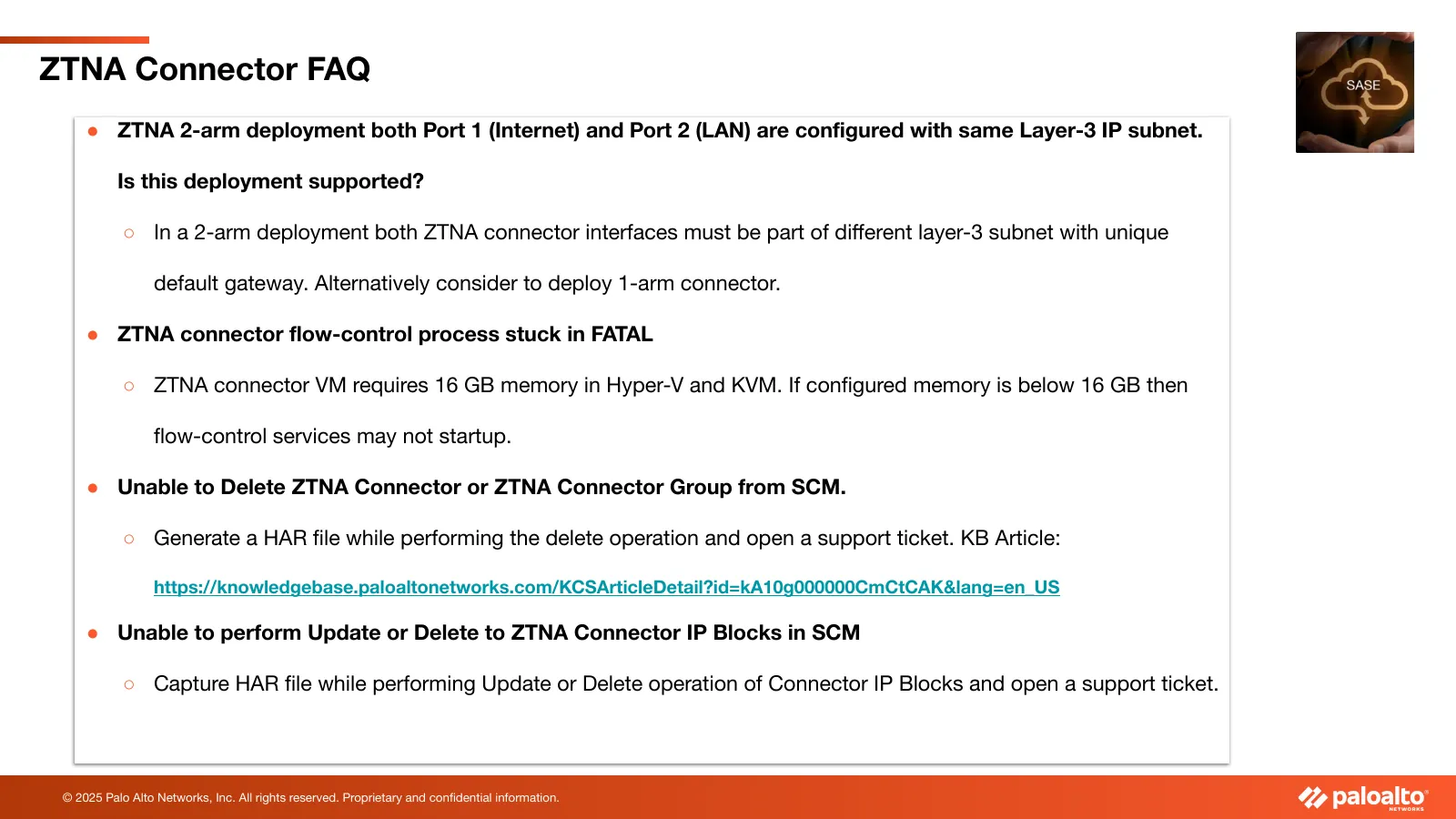
ZTNA Connector FAQ ● ZTNA 2-arm deployment both Port 1 (Internet) and Port 2 (LAN) are configured with same Layer-3 IP subnet. Is this deployment supported? ○ In a 2-arm deployment both ZTNA connector interfaces must be part of different layer-3 subnet with unique default gateway. Alternatively consid
Slide 129: ZTNA Connector FAQ
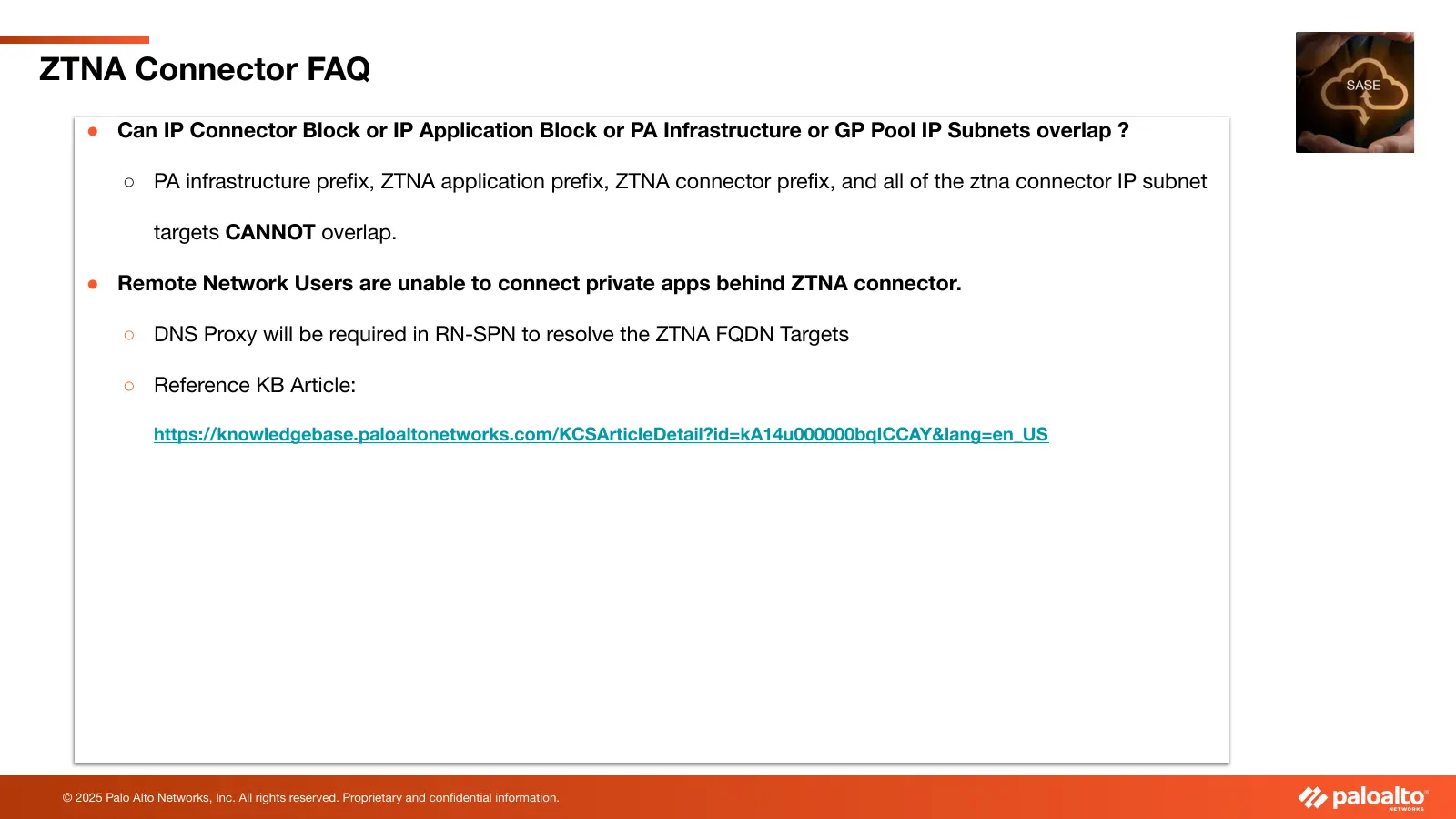
ZTNA Connector FAQ ● Can IP Connector Block or IP Application Block or PA Infrastructure or GP Pool IP Subnets overlap ? ○ PA infrastructure prefix, ZTNA application prefix, ZTNA connector prefix, and all of the ztna connector IP subnet targets CANNOT overlap. ● Remote Network Users are unable to conne
Slide 130: Q&A Session
ZTNA Connector Q&A Session © 2025 Palo Alto Networks, Inc. All rights reserved. Proprietary and confidential information.

Slide 131: Thank You
Thank You paloaltonetworks.com © 2025 Palo Alto Networks, Inc. All rights reserved. Proprietary and confidential information.
Source: company website
More decks from Palo Alto Networks, Inc.
 Q1 2027 Earnings Presentation34 slides · Nov 18, 2026
 Q4 2026 Earnings Presentation32 slides · Sep 1, 2026
 Technical Presentation (June 2026)46 slides · Jun 2, 2026
 Q3 2026 Earnings Presentation30 slides · Jun 2, 2026
 Tufin — Palo Alto Networks Fuel User Group (April 2026)16 slides · April 2026
 Technical Presentation (March 2026)43 slides · Mar 17, 2026