Mastek Limited · NSE:MASTEK
Mastek — Technical Presentation (October 2022)
72 slides from Mastek's technical presentation, October 2022
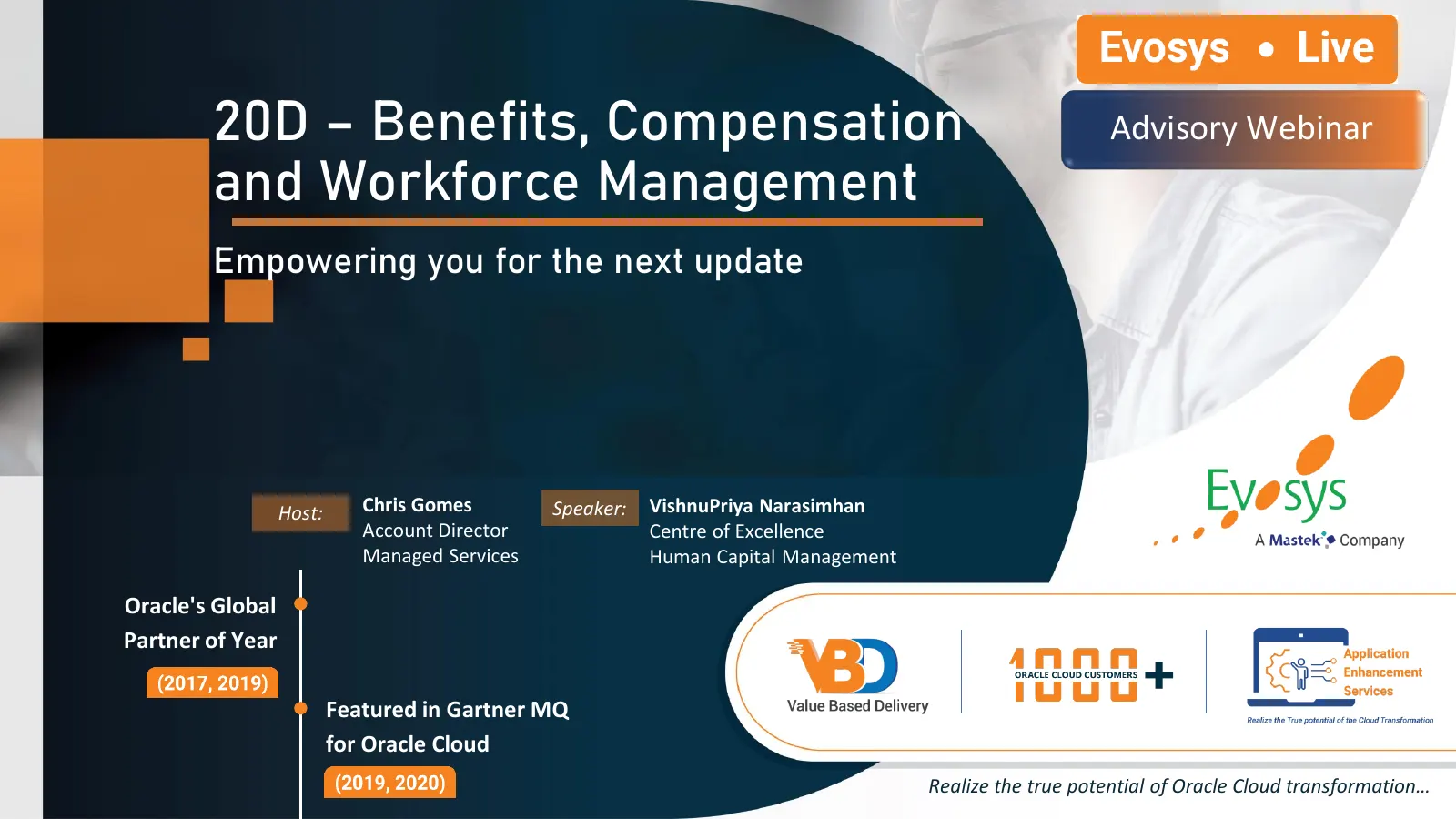
Slide 1: 20D – Benefits, Compensation and Workforce Management Advisory Webinar
20D – Benefits, Compensation Advisory Webinar and Workforce Management Empowering you for the next update Host: Chris Gomes Speaker: VishnuPriya Narasimhan Account Director Centre of Excellence Managed Services Human Capital Management Oracle's Global Partner of Year Featured in Gartner MQ for Oracl
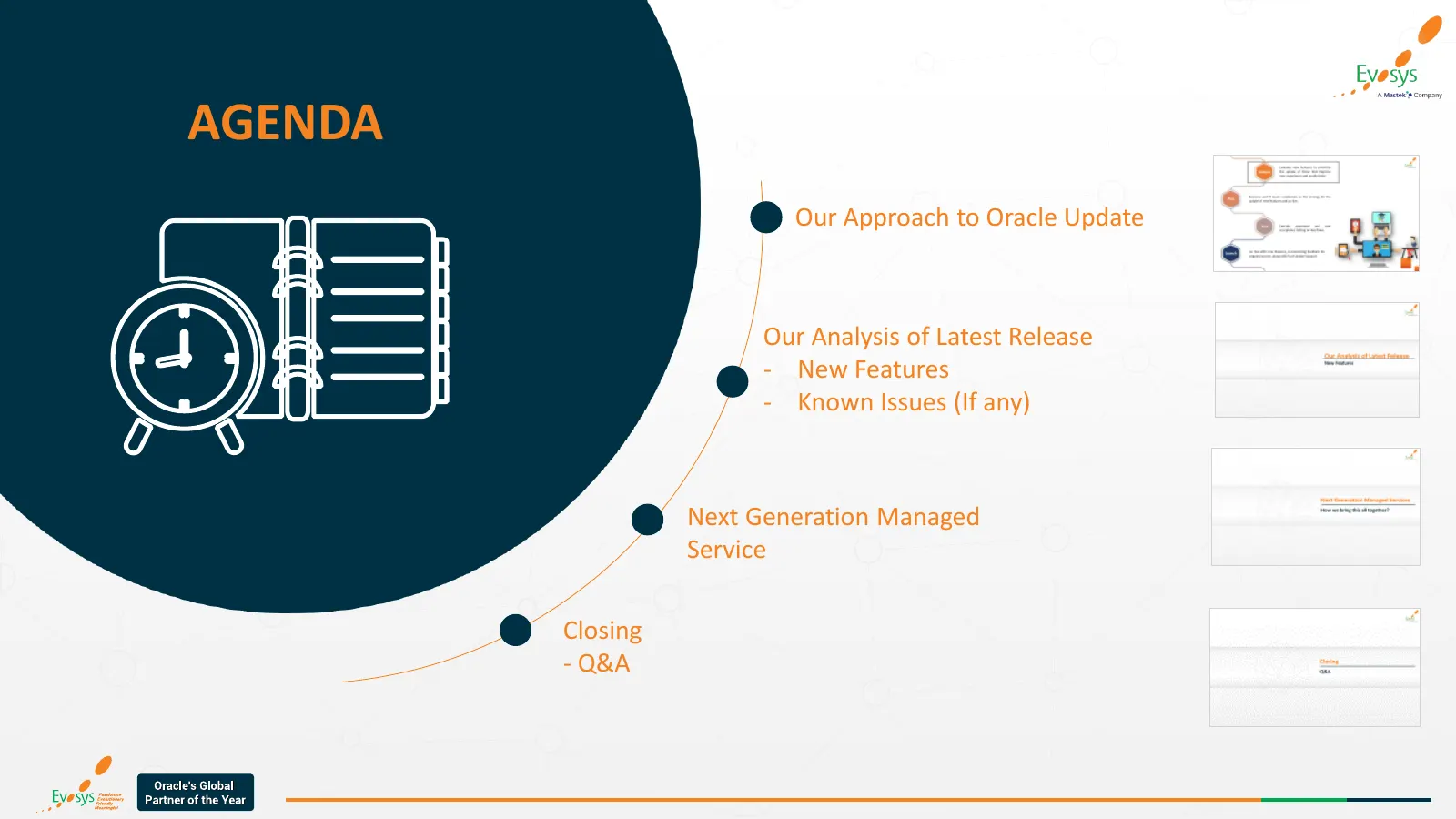
Slide 2: Agenda
AGENDA Our Approach to Oracle Update Our Analysis of Latest Release - New Features - Known Issues (If any) Next Generation Managed Service Closing - Q&A
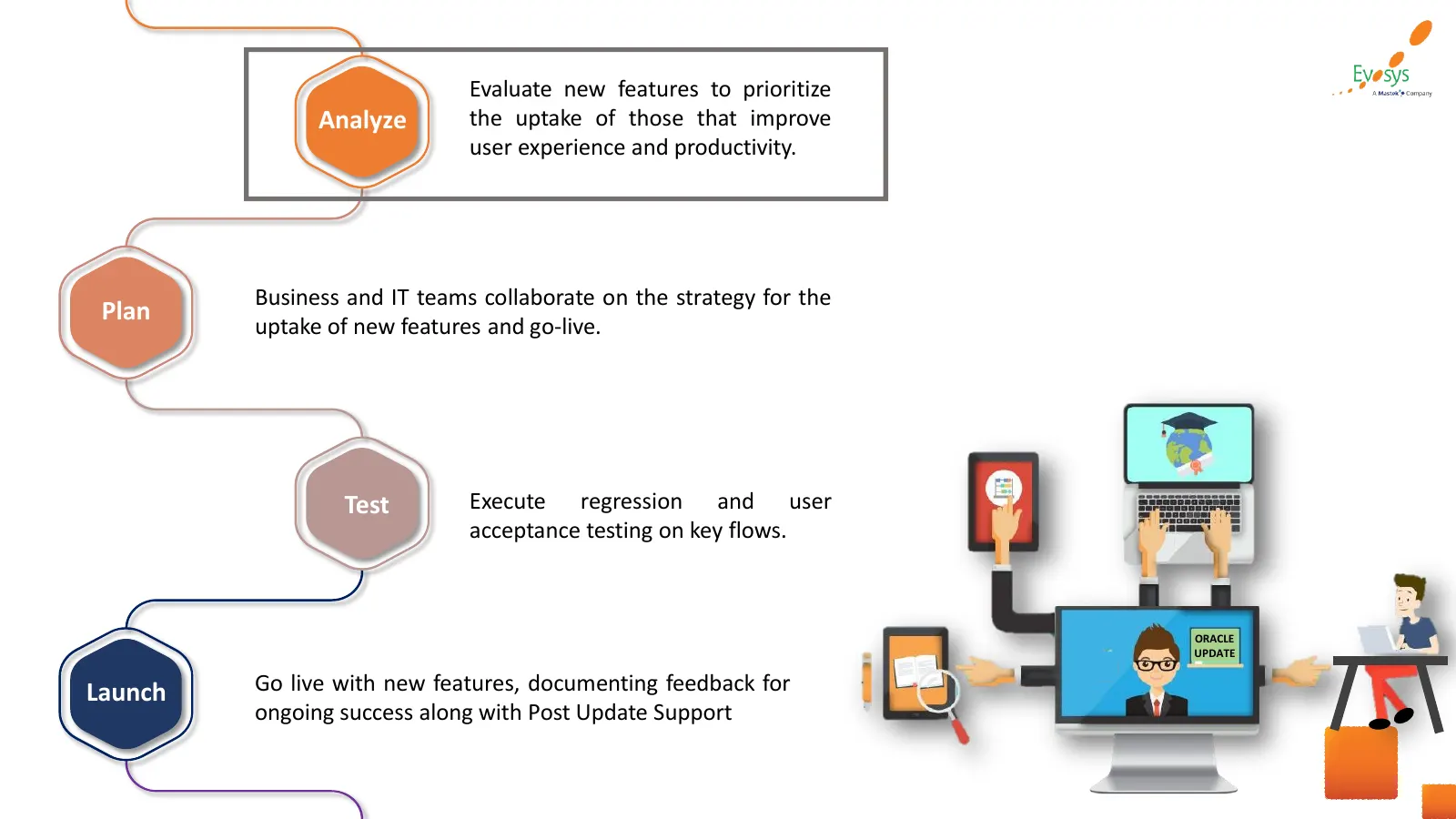
Slide 3: Oracle Update approach: Analyze, Plan, Test, Launch
Evaluate new features to prioritize Analyze the uptake of those that improve user experience and productivity. Business and IT teams collaborate on the strategy for the Plan uptake of new features and go-live. Test Execute regression and user acceptance testing on key flows. ORACLE UPDATE Launch Go
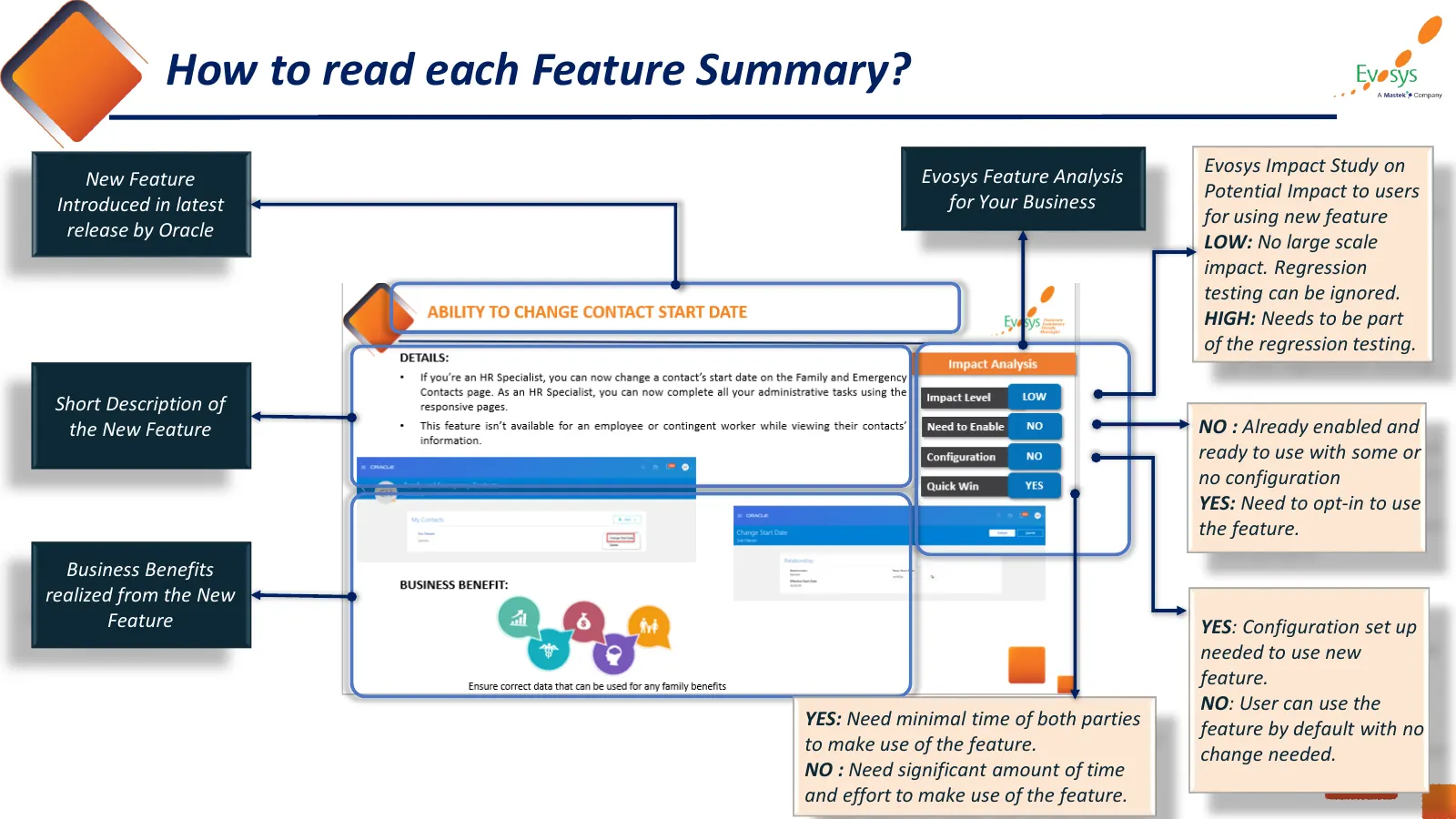
Slide 4: How to read each Feature Summary?
How to read each Feature Summary? Evosys Impact Study on New Feature Evosys Feature Analysis Potential Impact to users Introduced in latest for Your Business for using new feature release by Oracle LOW: No large scale impact. Regression testing can be ignored. HIGH: Needs to be part of the regressio
Slide 5: Our Analysis of Latest Release
Our Analysis of Latest Release New Features
Slide 6: Evosys Analysis - Statistics
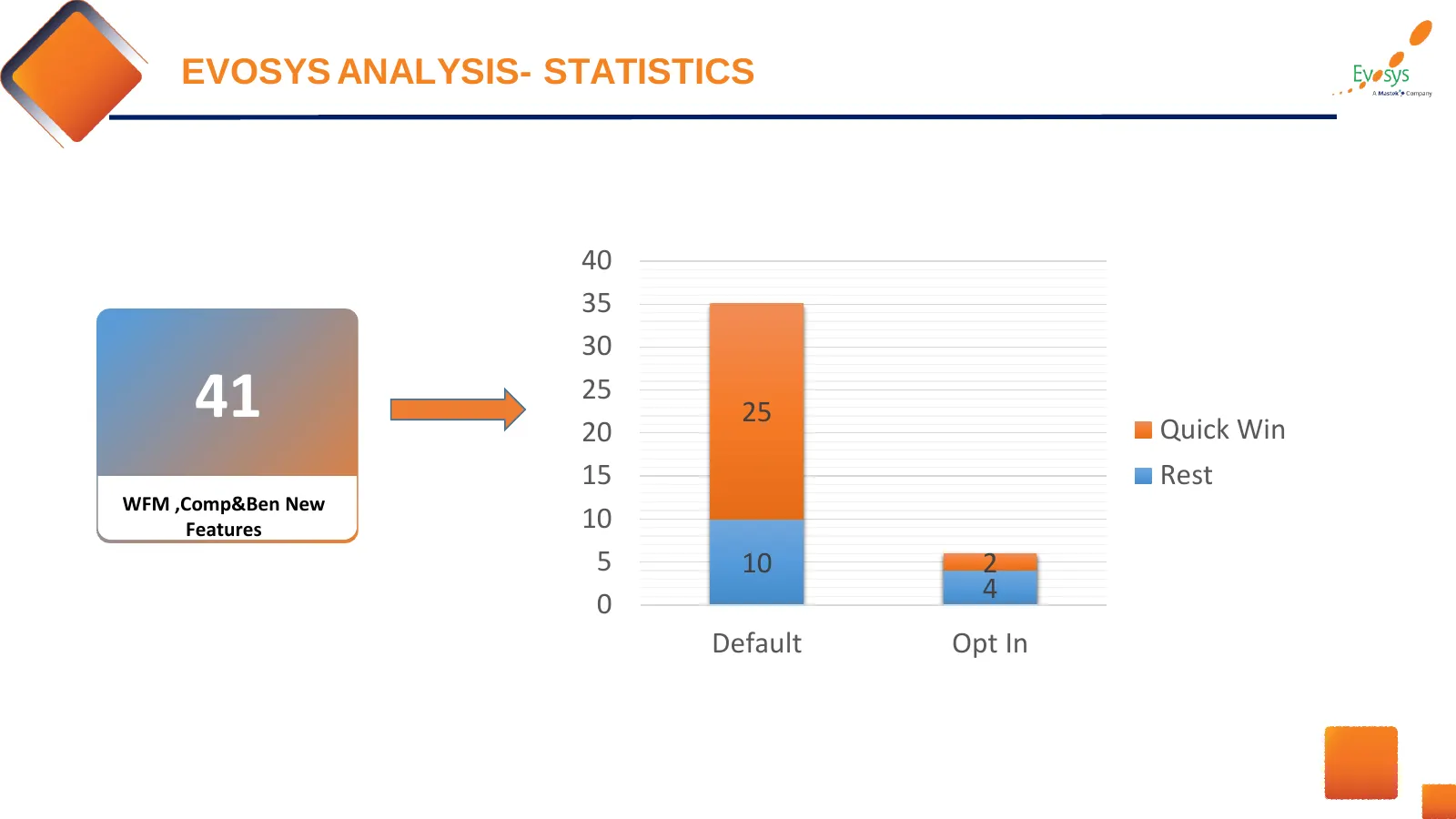
EVOSYS ANALYSIS- STATISTICS 40 35 30 41 25 20 25 Quick Win 15 Rest WFM ,Comp&Ben New Features 10 5 10 2 4 0 Default Opt In
Slide 7: Evosys Analysis
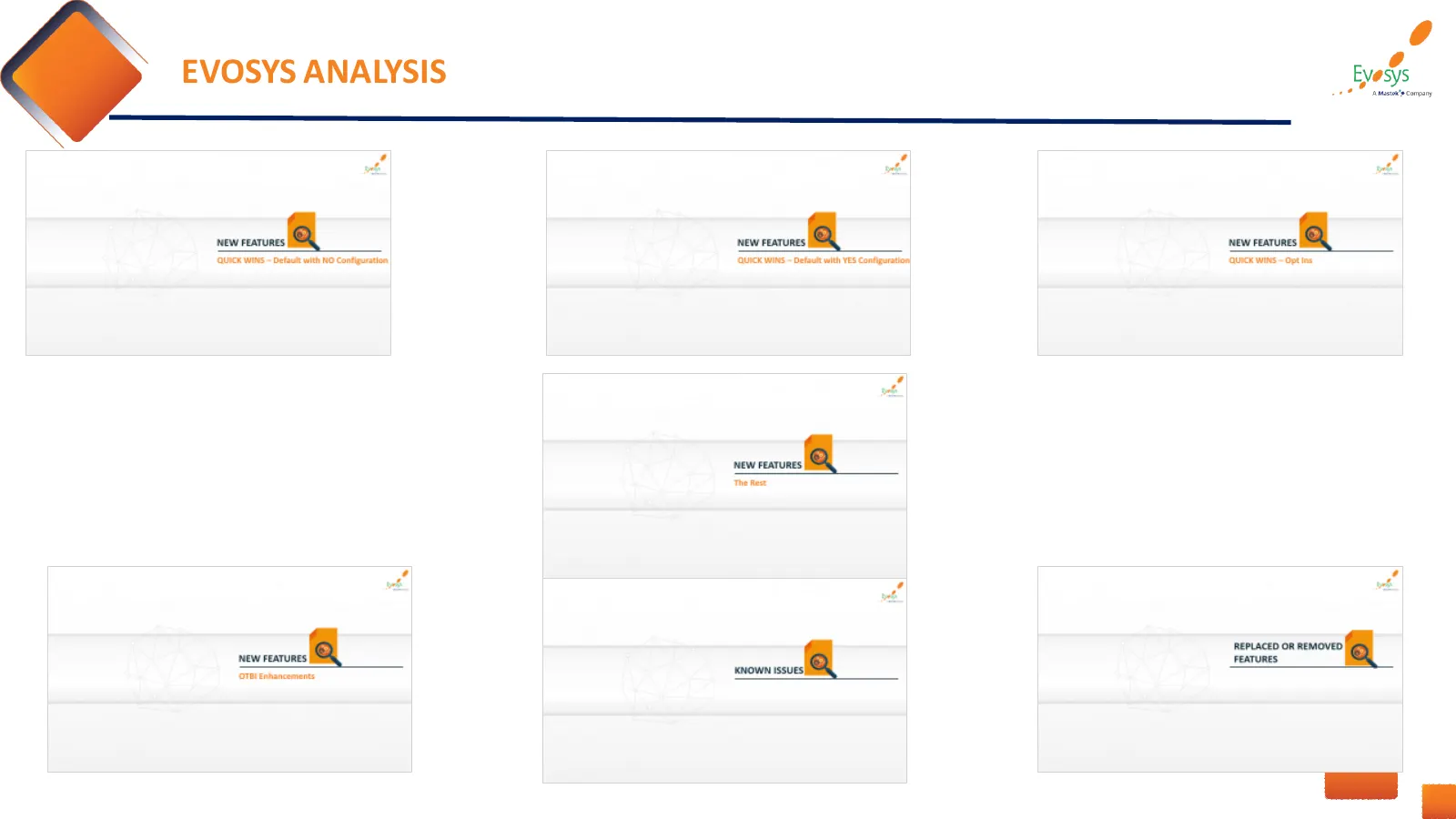
EVOSYS ANALYSIS
Slide 8: New Features: Quick Wins – Default with No Configuration
NEW FEATURES QUICK WINS – Default with NO Configuration
Slide 9: Integration with Third-Party Calendars
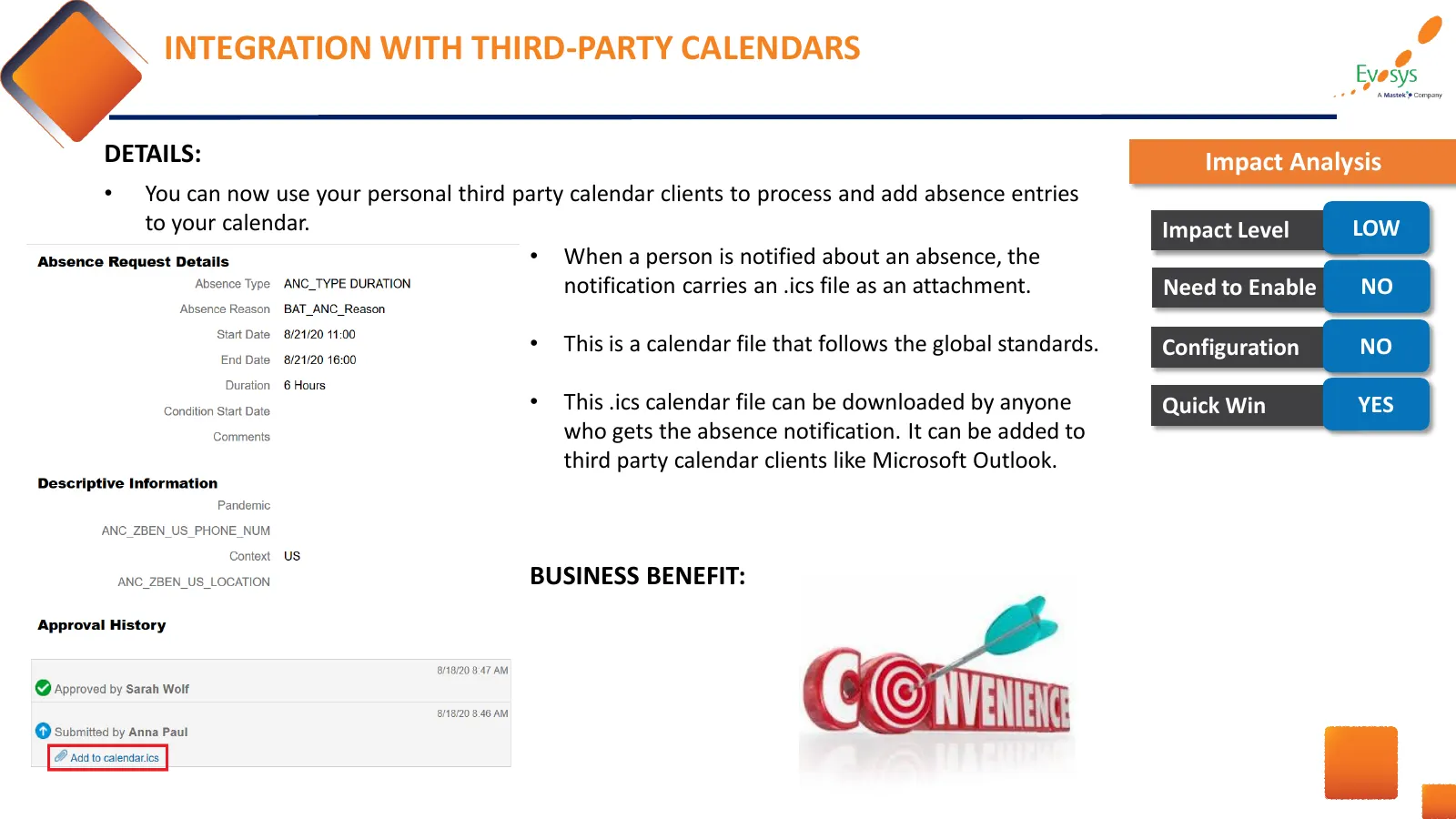
INTEGRATION WITH THIRD-PARTY CALENDARS DETAILS: Impact Analysis • You can now use your personal third party calendar clients to process and add absence entries to your calendar. Impact Level LOW • When a person is notified about an absence, the notification carries an .ics file as an attachment. Nee
Slide 10: Keyword Search Added to Existing Absence
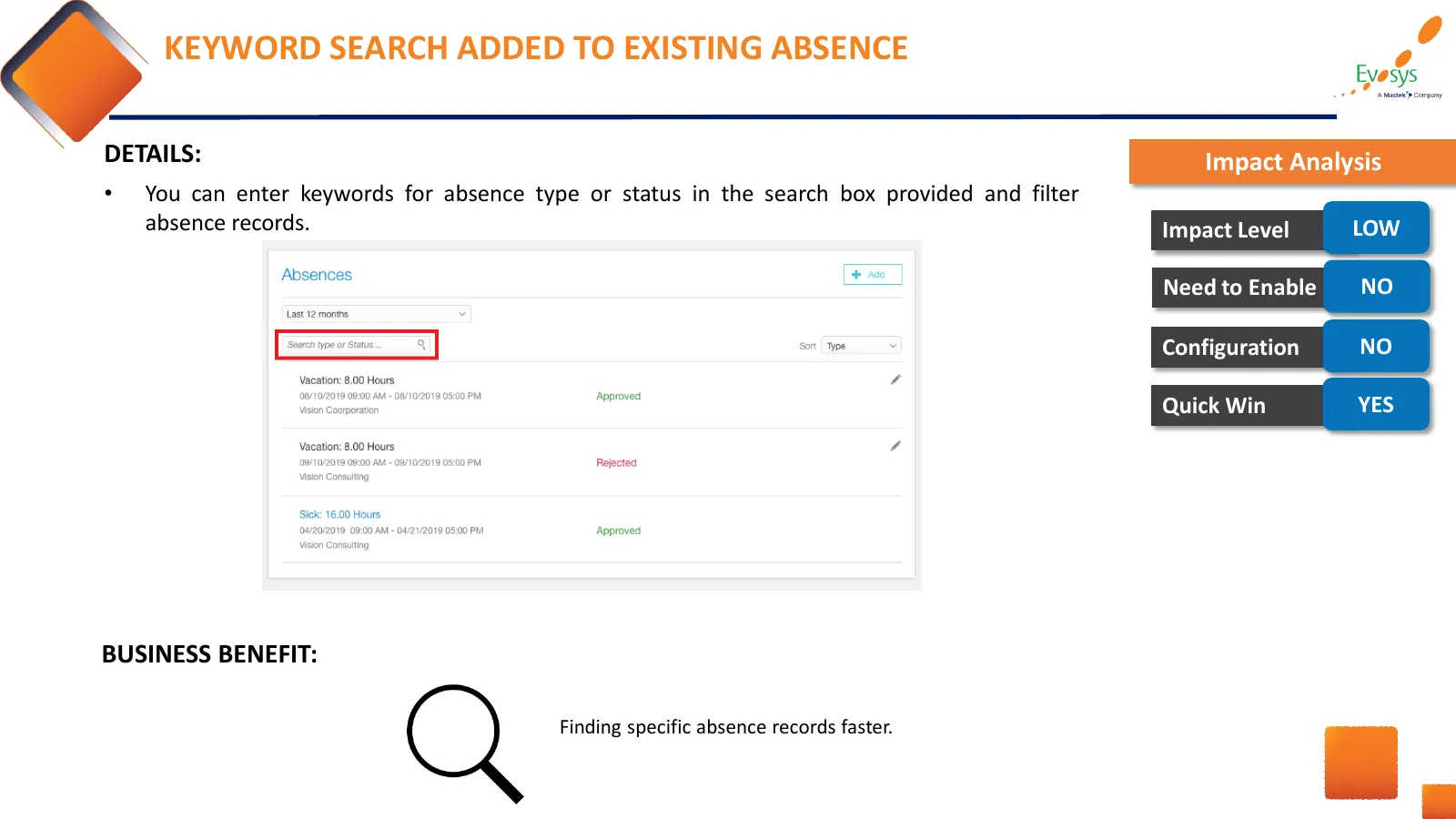
KEYWORD SEARCH ADDED TO EXISTING ABSENCE DETAILS: Impact Analysis • You can enter keywords for absence type or status in the search box provided and filter absence records. Impact Level LOW Need to Enable NO Configuration NO Quick Win YES BUSINESS BENEFIT: Finding specific absence records faster.
Slide 11: More Improvements in Accrual Plan Enrollment and Plan Balance Copy
MORE IMPROVEMENTS IN ACCRUAL PLAN ENROLLMENT AND PLAN BALANCE COPY DURING LOCAL AND GLOBAL INDIVIDUAL AND MASS TRANSFERS Impact Analysis DETAILS: • The process of local and global transfers now includes automation of accrual plan enrollment LOW Impact Level and copying of plan balances for accrual p
Slide 12: Override Payment Percentage Action Has Been Removed
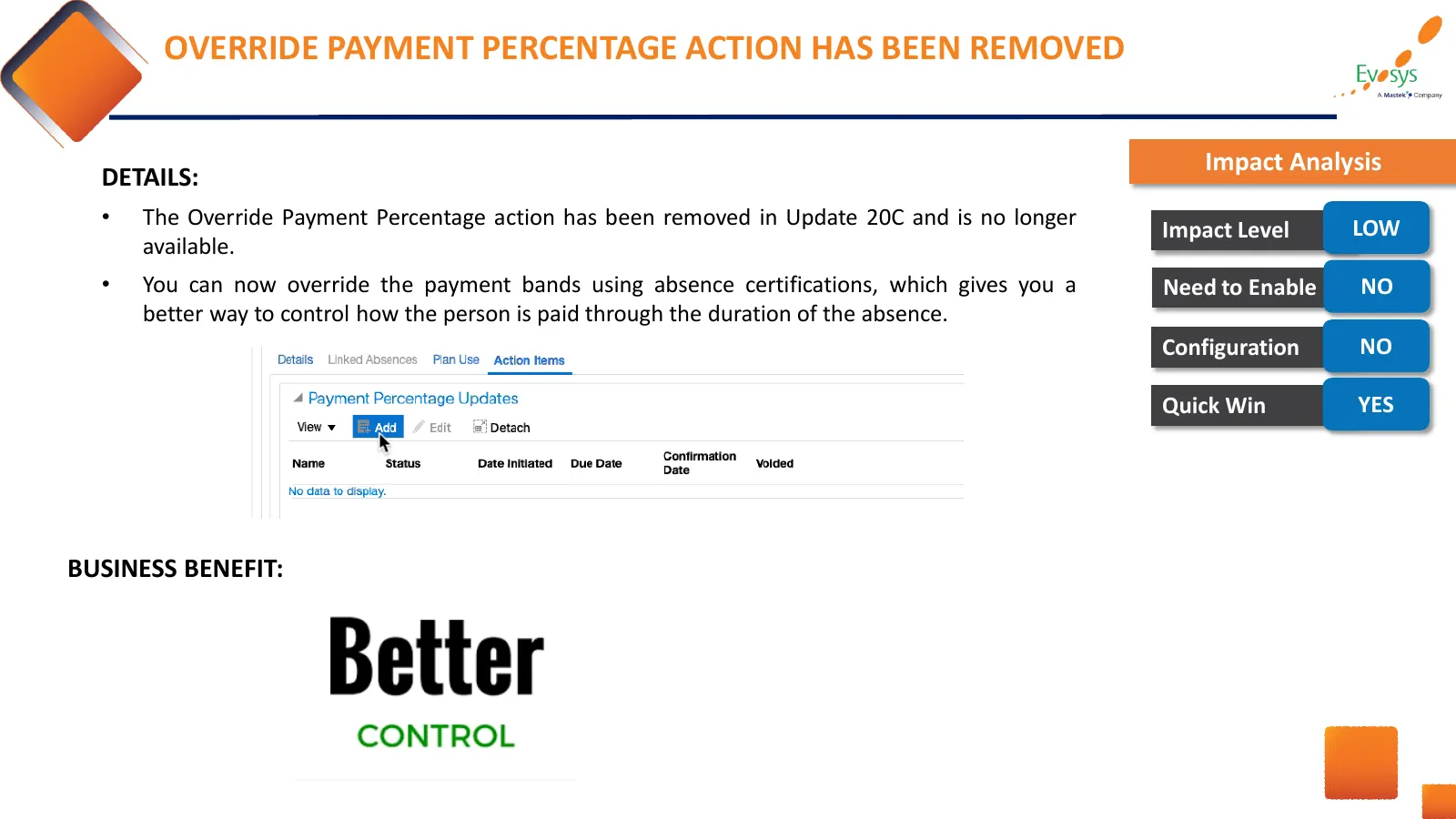
OVERRIDE PAYMENT PERCENTAGE ACTION HAS BEEN REMOVED Impact Analysis DETAILS: • The Override Payment Percentage action has been removed in Update 20C and is no longer LOW Impact Level available. • You can now override the payment bands using absence certifications, which gives you a Need to Enable NO
Slide 13: Multi-Assignment Enhancement - Assignment Change Processes
MULTI-ASSIGNMENT ENHANCEMENT - ENHANCED HANDLING OF ASSIGNMENT CHANGE PROCESSES Impact Analysis DETAILS: • The absence processing has been enhanced to address any impact on existing absences when LOW Impact Level an employee’s assignment is ended or a new assignment is added to the employee. Need to
Slide 14: Multi-Assignment Enhancement - Overlap Checks Limited to Same Assignment
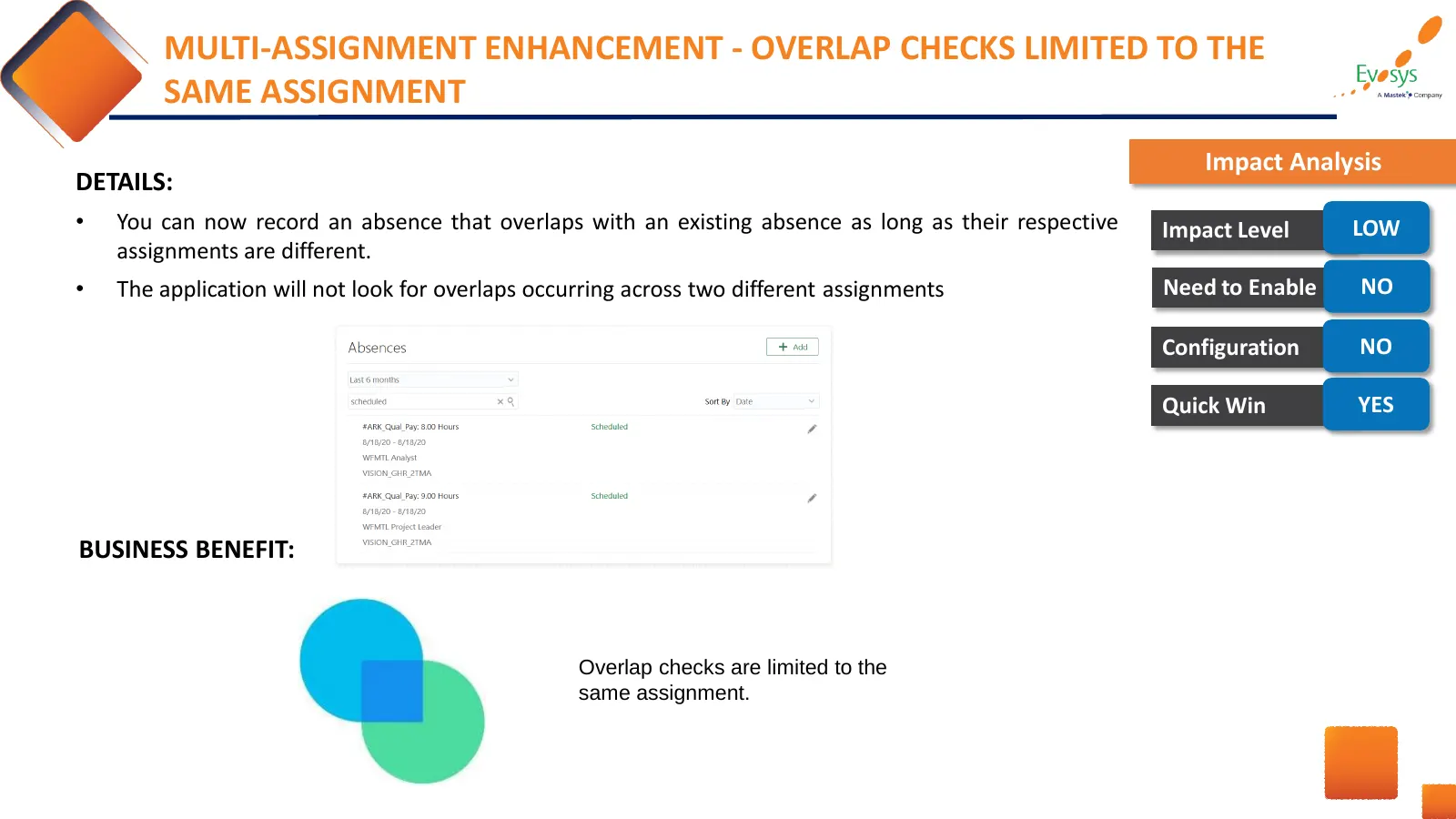
MULTI-ASSIGNMENT ENHANCEMENT - OVERLAP CHECKS LIMITED TO THE SAME ASSIGNMENT Impact Analysis DETAILS: • You can now record an absence that overlaps with an existing absence as long as their respective Impact Level LOW assignments are different. • The application will not look for overlaps occurring
Slide 15: Multi-Assignment Support for Cash Disbursements and Donations
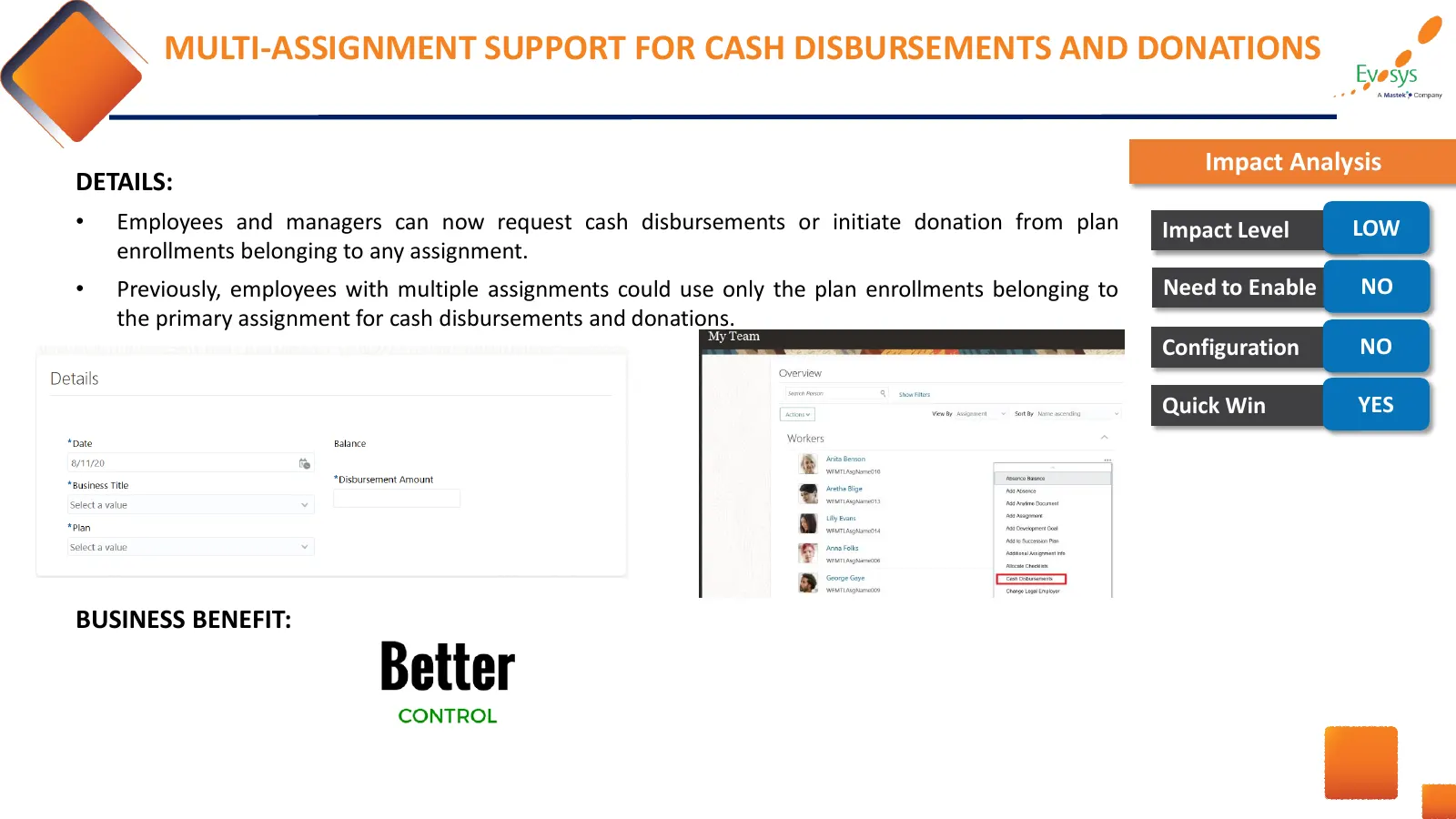
MULTI-ASSIGNMENT SUPPORT FOR CASH DISBURSEMENTS AND DONATIONS Impact Analysis DETAILS: • Employees and managers can now request cash disbursements or initiate donation from plan Impact Level LOW enrollments belonging to any assignment. • Previously, employees with multiple assignments could use only
Slide 16: Multi-Assignment Enhancement - Enhanced Balance Transfer Page
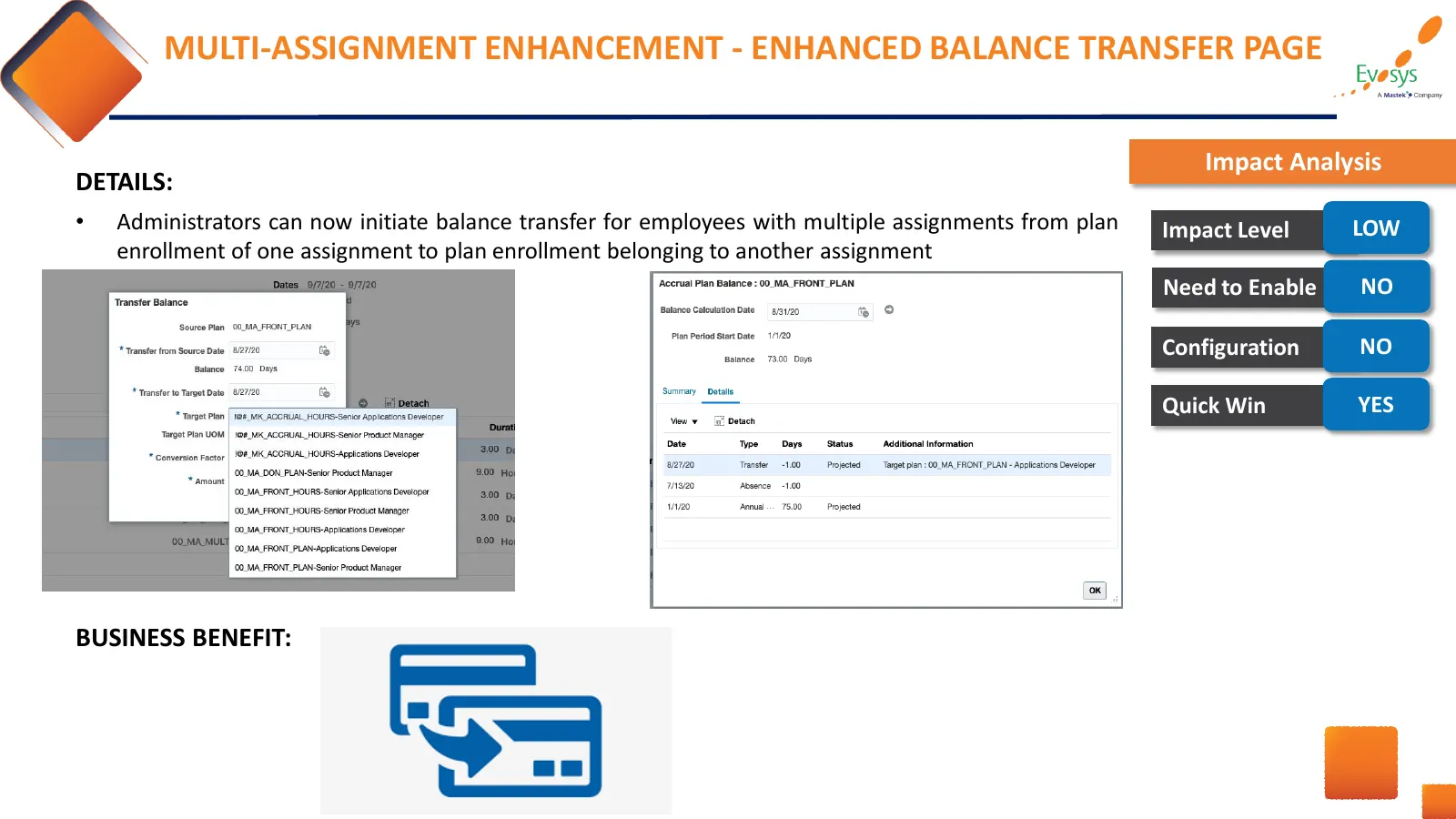
MULTI-ASSIGNMENT ENHANCEMENT - ENHANCED BALANCE TRANSFER PAGE Impact Analysis DETAILS: • Administrators can now initiate balance transfer for employees with multiple assignments from plan Impact Level LOW enrollment of one assignment to plan enrollment belonging to another assignment Need to Enable
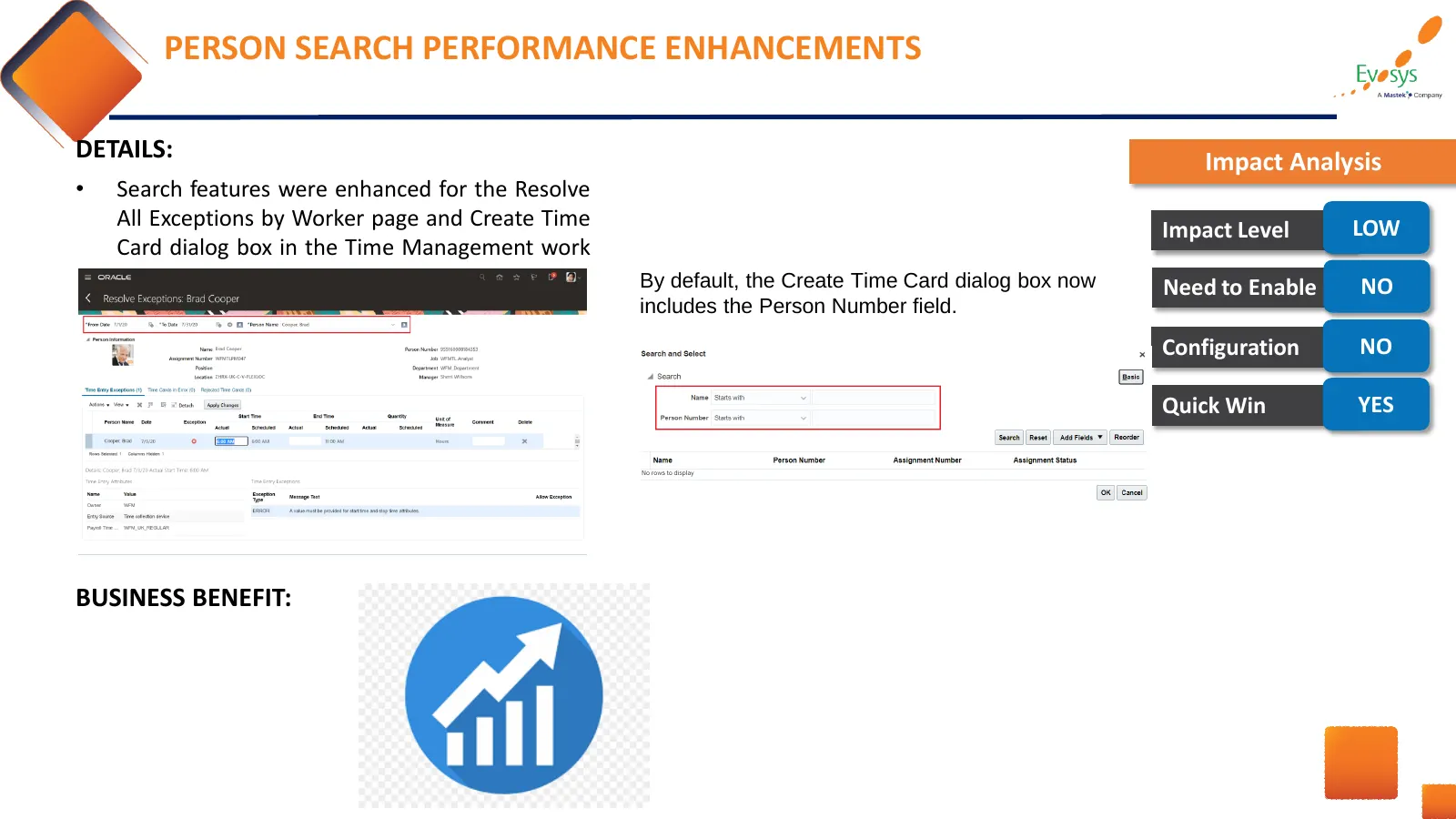
Slide 17: Person Search Performance Enhancements
PERSON SEARCH PERFORMANCE ENHANCEMENTS DETAILS: Impact Analysis • Search features were enhanced for the Resolve All Exceptions by Worker page and Create Time Impact Level LOW Card dialog box in the Time Management work area. By default, the Create Time Card dialog box now Need to Enable NO includes
Slide 18: Work Day Definition Enhancements
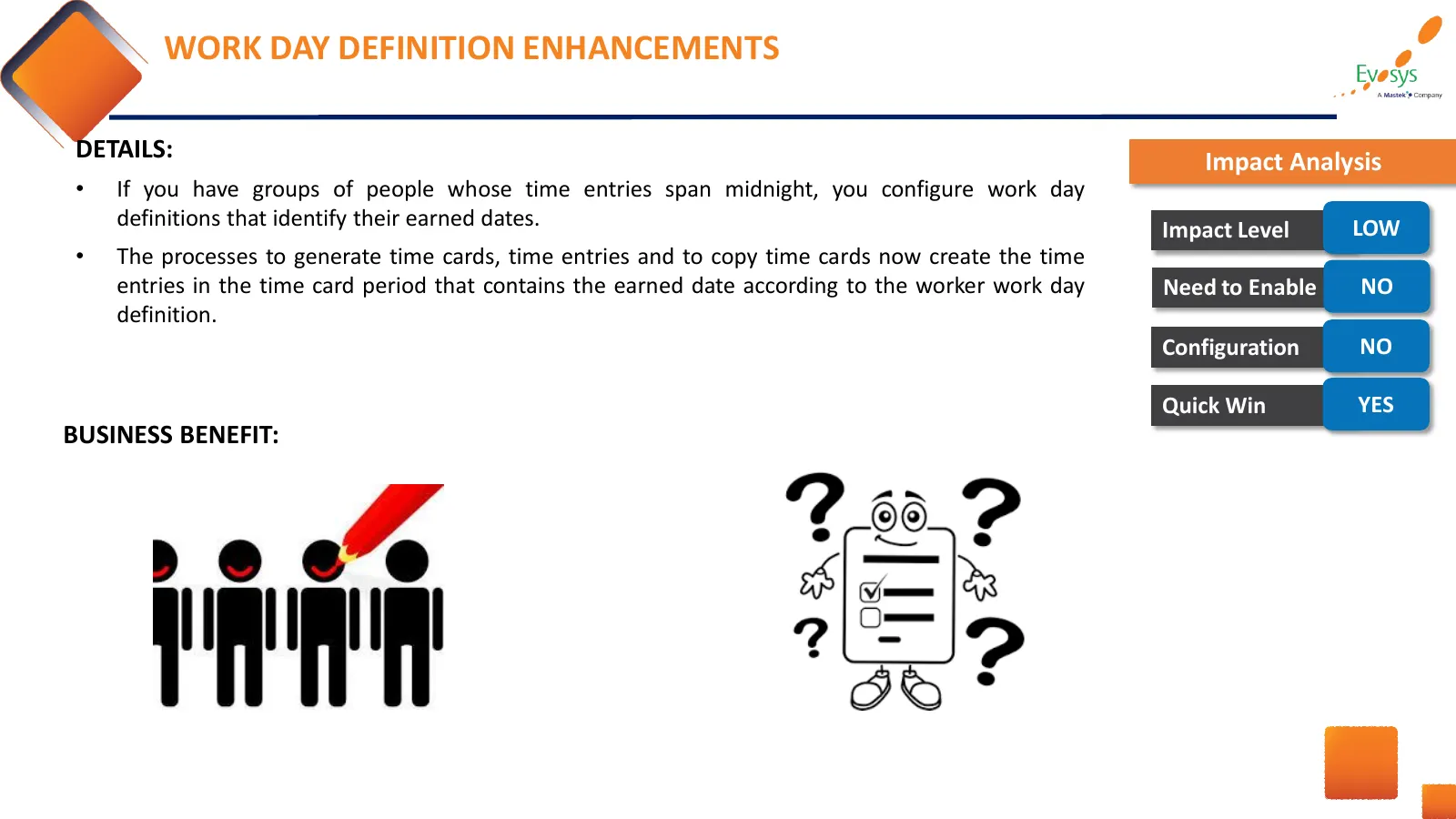
WORK DAY DEFINITION ENHANCEMENTS DETAILS: Impact Analysis • If you have groups of people whose time entries span midnight, you configure work day definitions that identify their earned dates. Impact Level LOW • The processes to generate time cards, time entries and to copy time cards now create the
Slide 19: Enhancement to Benefits Service Center, Element Information
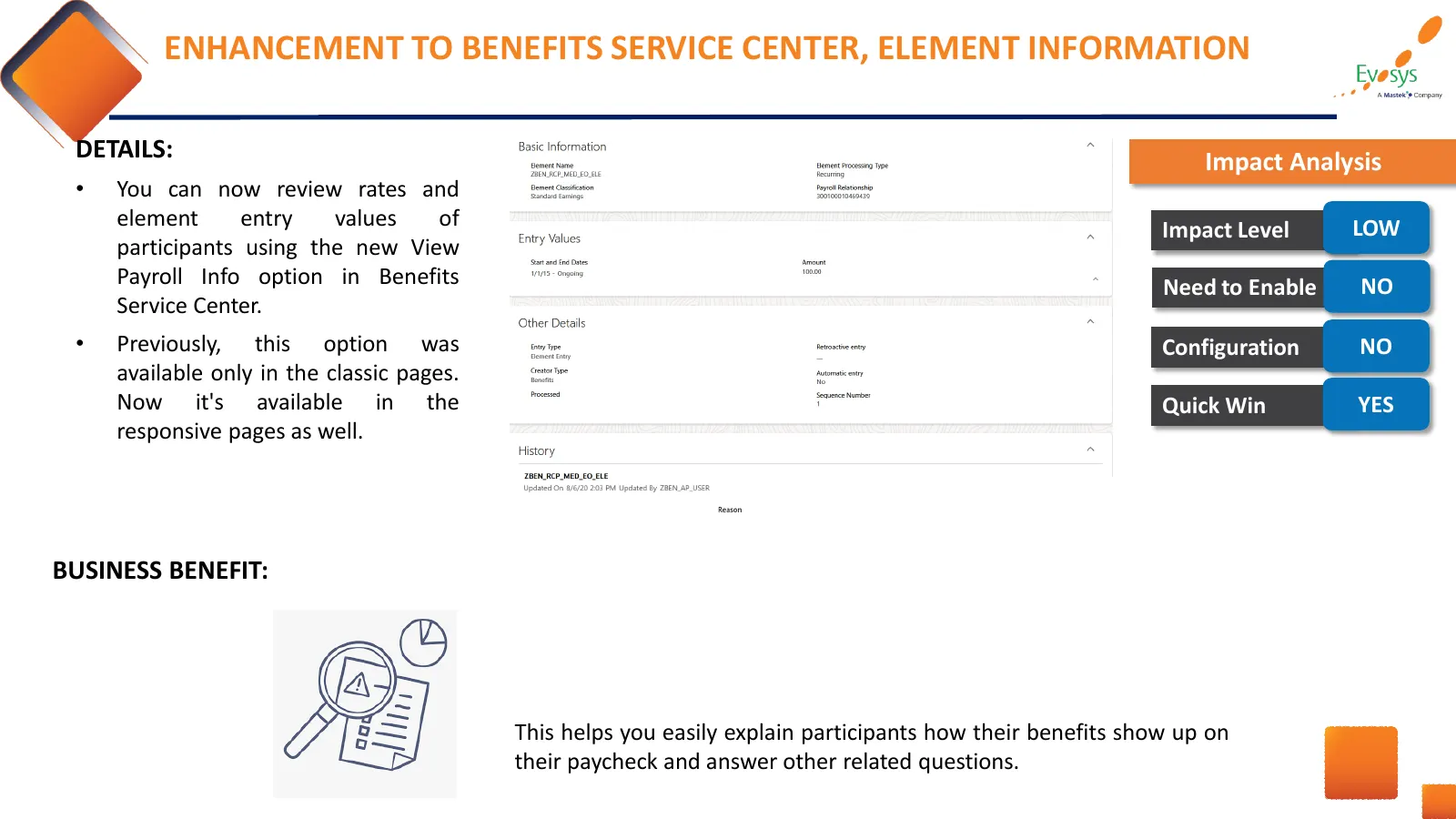
ENHANCEMENT TO BENEFITS SERVICE CENTER, ELEMENT INFORMATION DETAILS: Impact Analysis • You can now review rates and element entry values of Impact Level LOW participants using the new View Payroll Info option in Benefits Need to Enable NO Service Center. • Previously, this option was Configuration N
Slide 20: Consolidated Employment Bargaining Eligibility on One Tab
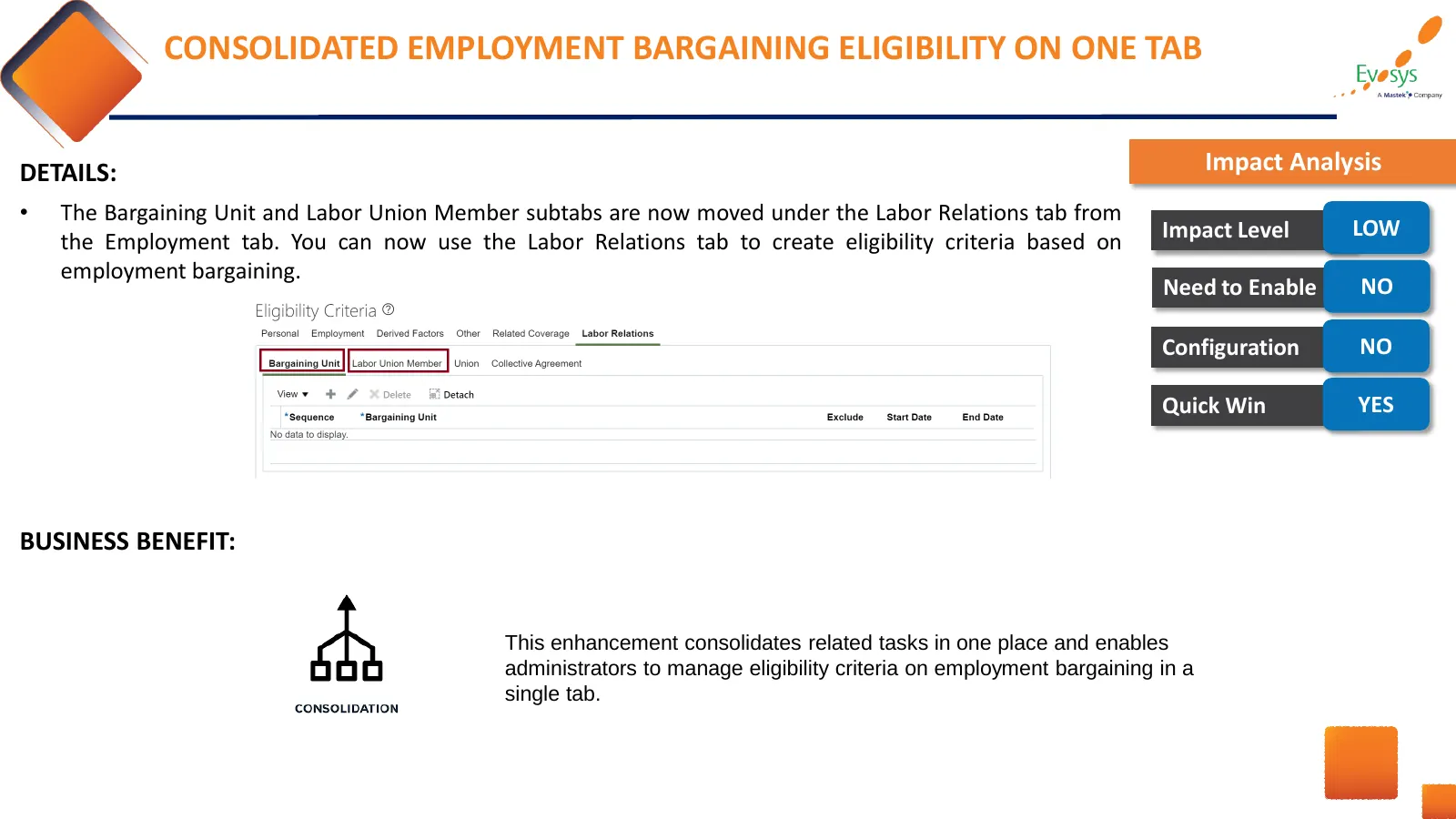
CONSOLIDATED EMPLOYMENT BARGAINING ELIGIBILITY ON ONE TAB DETAILS: Impact Analysis • The Bargaining Unit and Labor Union Member subtabs are now moved under the Labor Relations tab from Impact Level LOW the Employment tab. You can now use the Labor Relations tab to create eligibility criteria based o
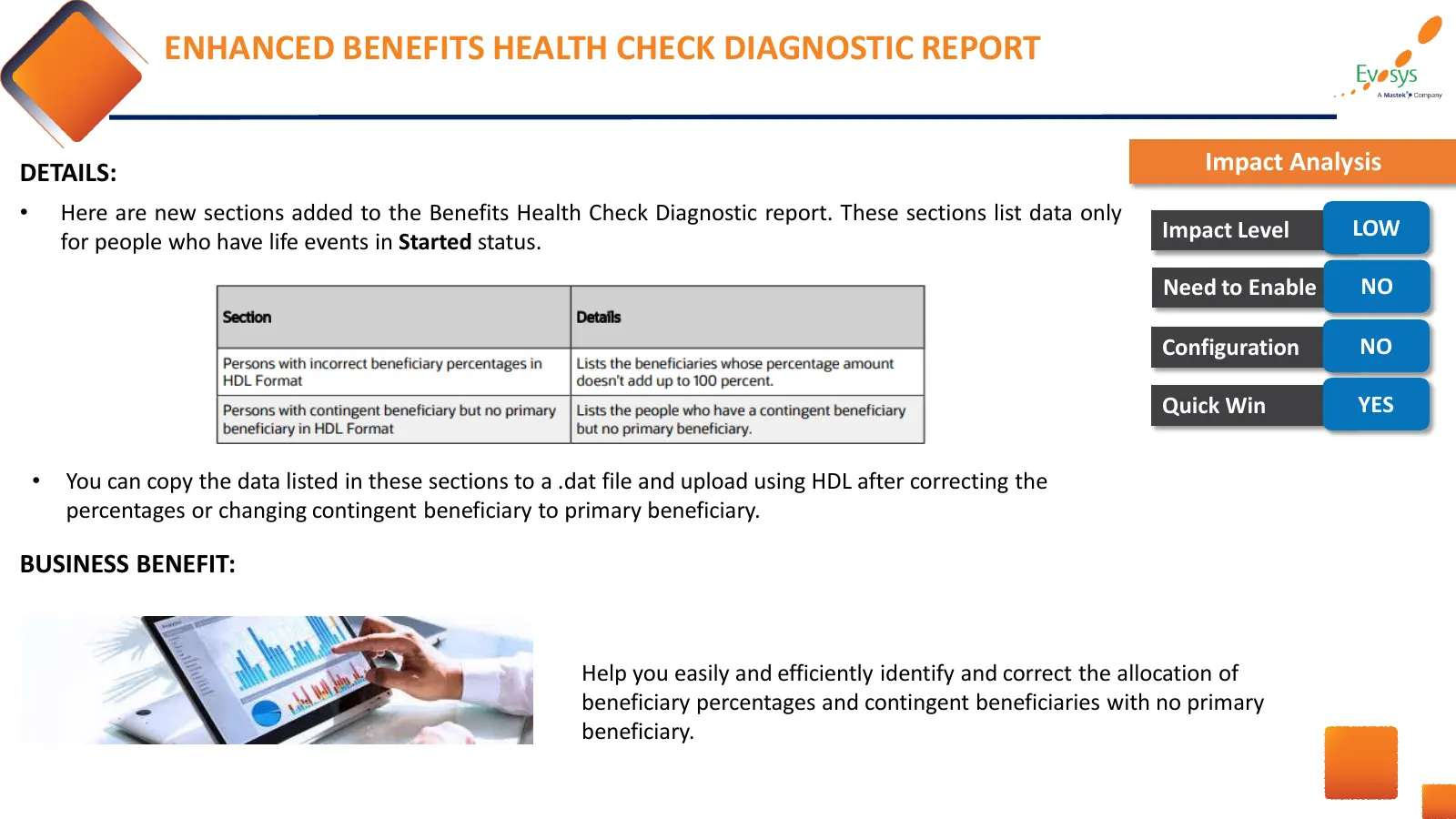
Slide 21: Enhanced Benefits Health Check Diagnostic Report
ENHANCED BENEFITS HEALTH CHECK DIAGNOSTIC REPORT DETAILS: Impact Analysis • Here are new sections added to the Benefits Health Check Diagnostic report. These sections list data only Impact Level LOW for people who have life events in Started status. Need to Enable NO Configuration NO Quick Win YES •
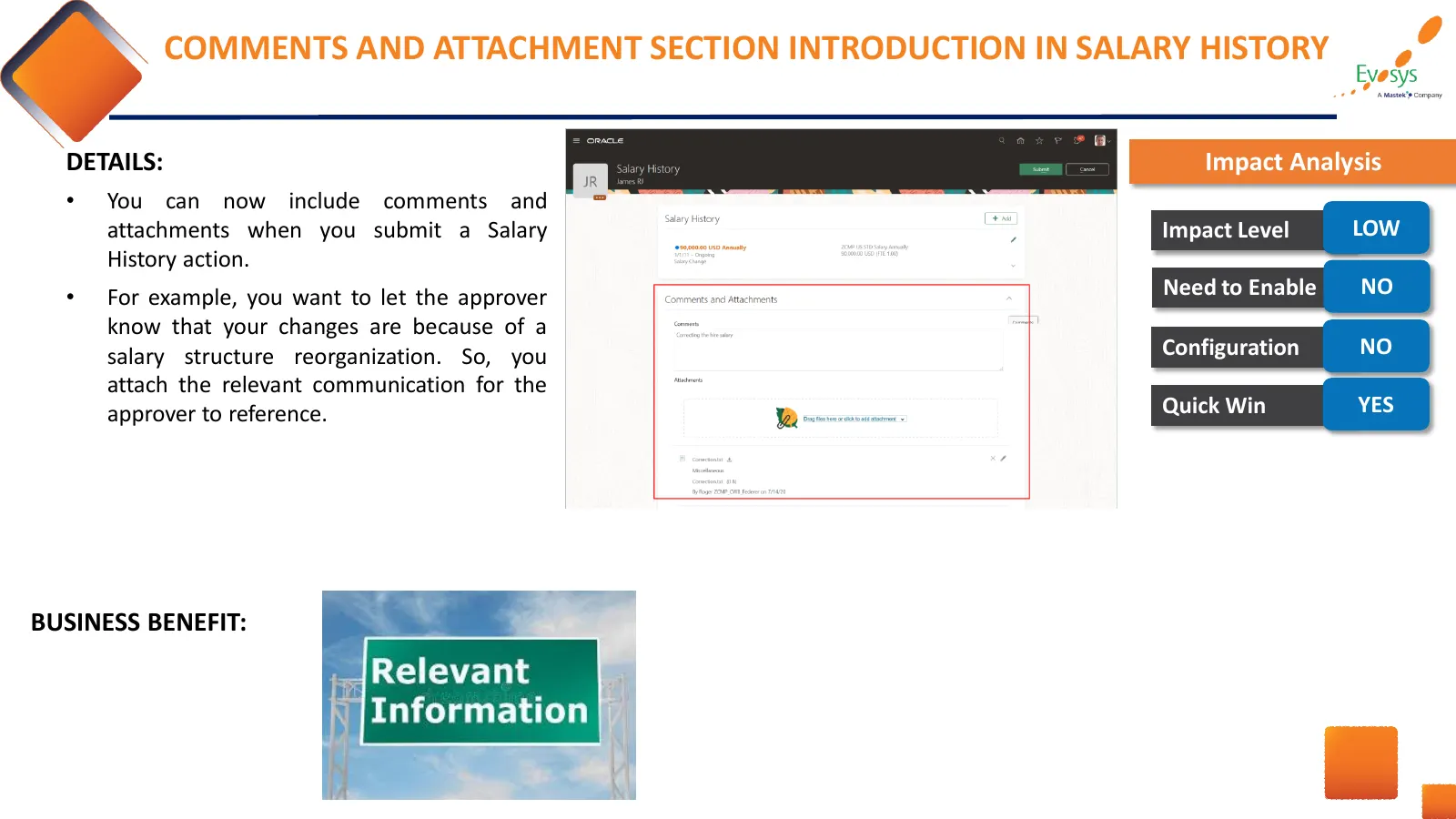
Slide 22: Comments and Attachment Section in Salary History
COMMENTS AND ATTACHMENT SECTION INTRODUCTION IN SALARY HISTORY DETAILS: Impact Analysis • You can now include comments and attachments when you submit a Salary Impact Level LOW History action. • For example, you want to let the approver Need to Enable NO know that your changes are because of a salar
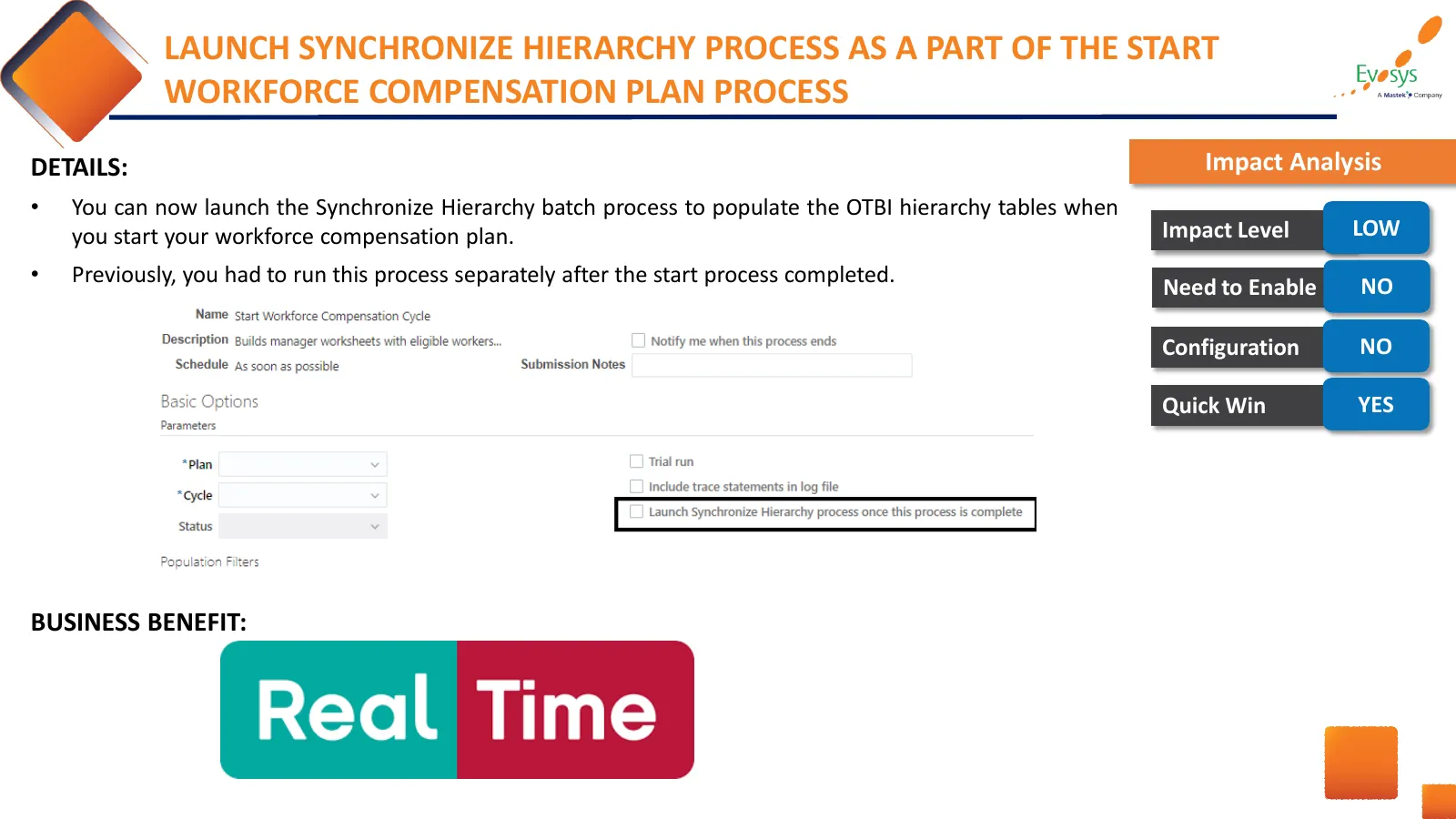
Slide 23: Launch Synchronize Hierarchy in Start Workforce Compensation Plan
LAUNCH SYNCHRONIZE HIERARCHY PROCESS AS A PART OF THE START WORKFORCE COMPENSATION PLAN PROCESS DETAILS: Impact Analysis • You can now launch the Synchronize Hierarchy batch process to populate the OTBI hierarchy tables when you start your workforce compensation plan. Impact Level LOW • Previously,
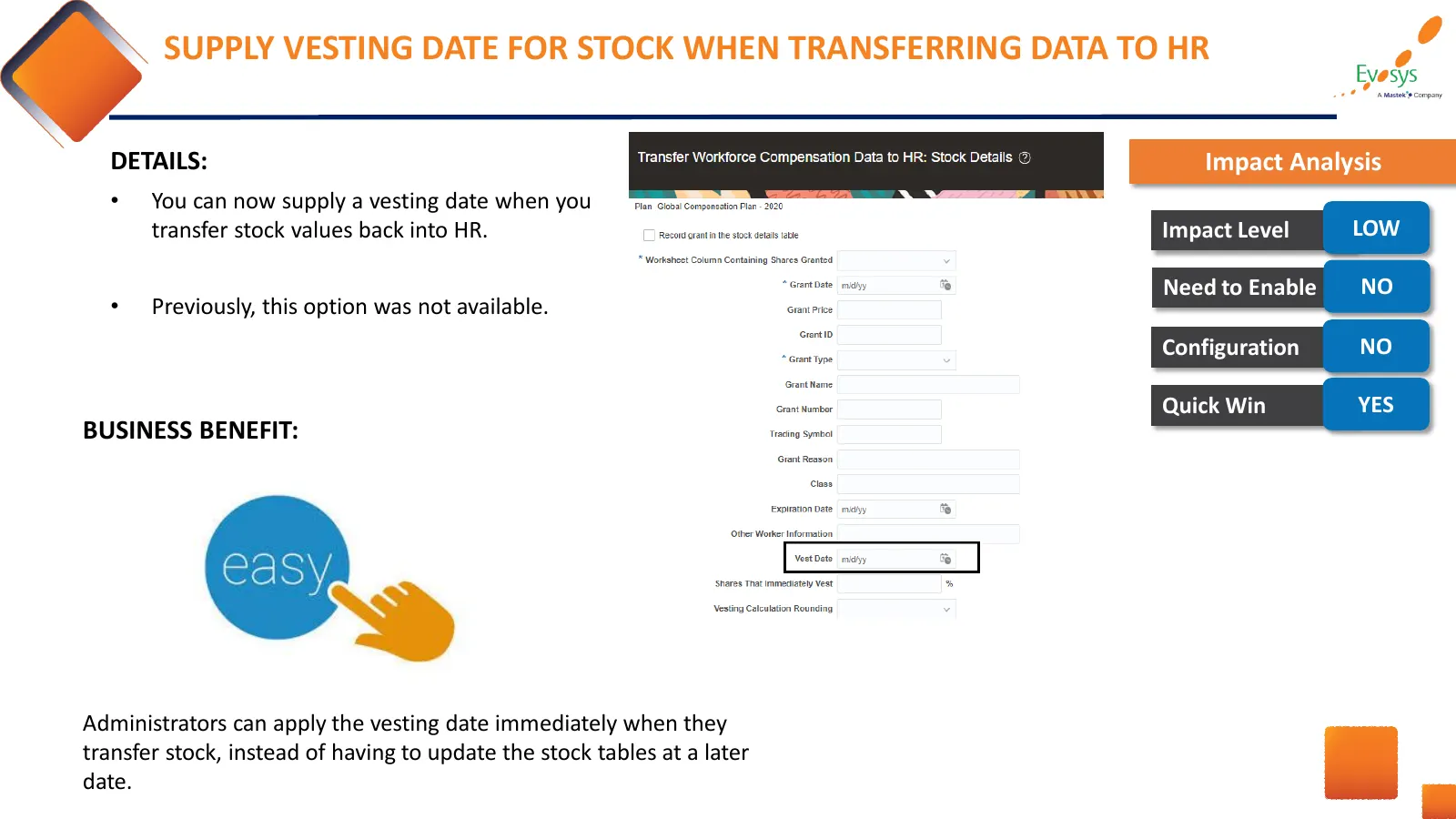
Slide 24: Supply Vesting Date for Stock When Transferring Data to HR
SUPPLY VESTING DATE FOR STOCK WHEN TRANSFERRING DATA TO HR DETAILS: Impact Analysis • You can now supply a vesting date when you transfer stock values back into HR. Impact Level LOW Need to Enable NO • Previously, this option was not available. Configuration NO Quick Win YES BUSINESS BENEFIT: Admini
Slide 25: Updated Link in Workforce Compensation Notifications
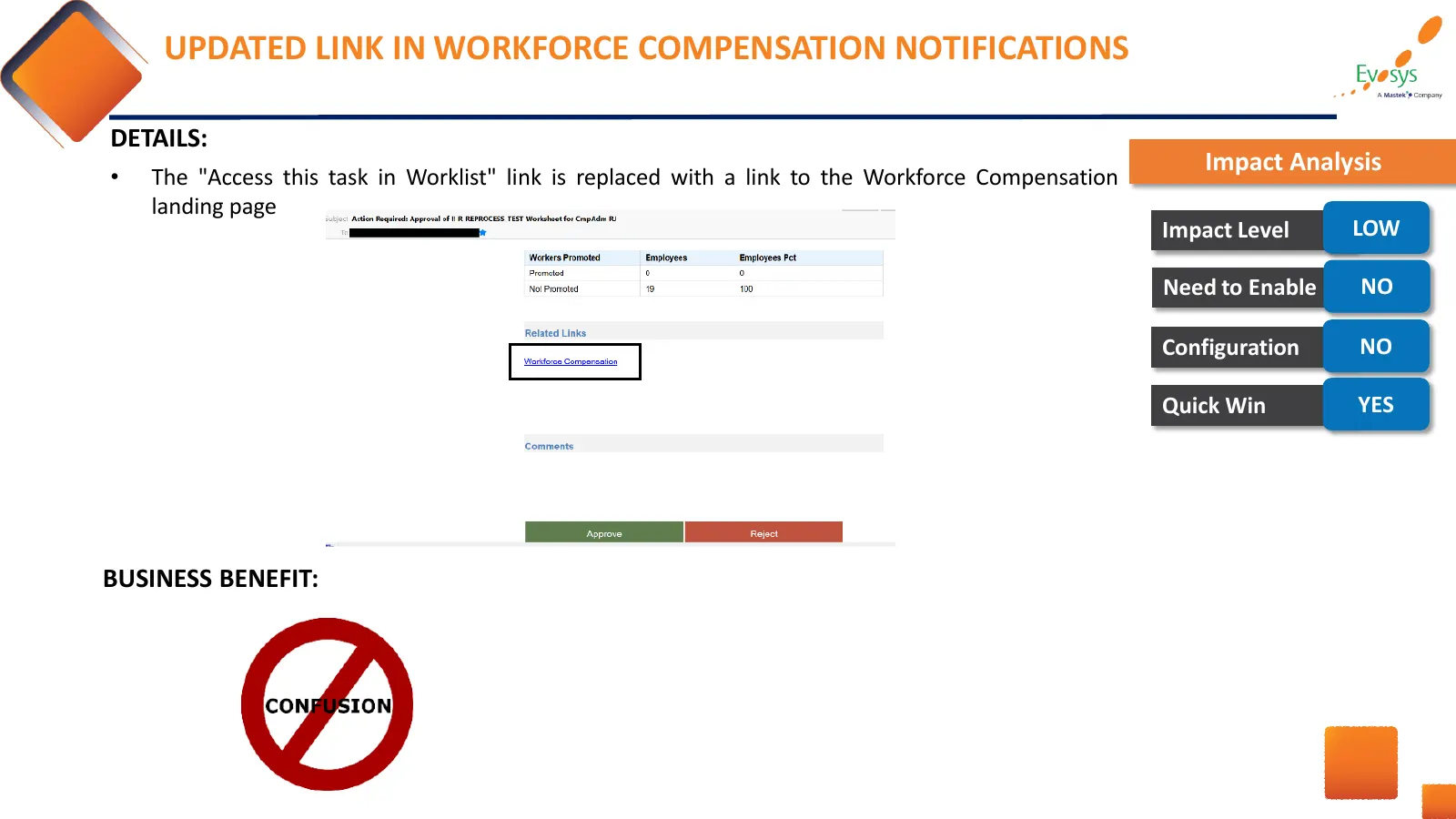
UPDATED LINK IN WORKFORCE COMPENSATION NOTIFICATIONS DETAILS: Impact Analysis • The "Access this task in Worklist" link is replaced with a link to the Workforce Compensation landing page Impact Level LOW Need to Enable NO Configuration NO Quick Win YES BUSINESS BENEFIT:
Slide 26: Use Assignment Segments to Display Prorated Data in Worksheet
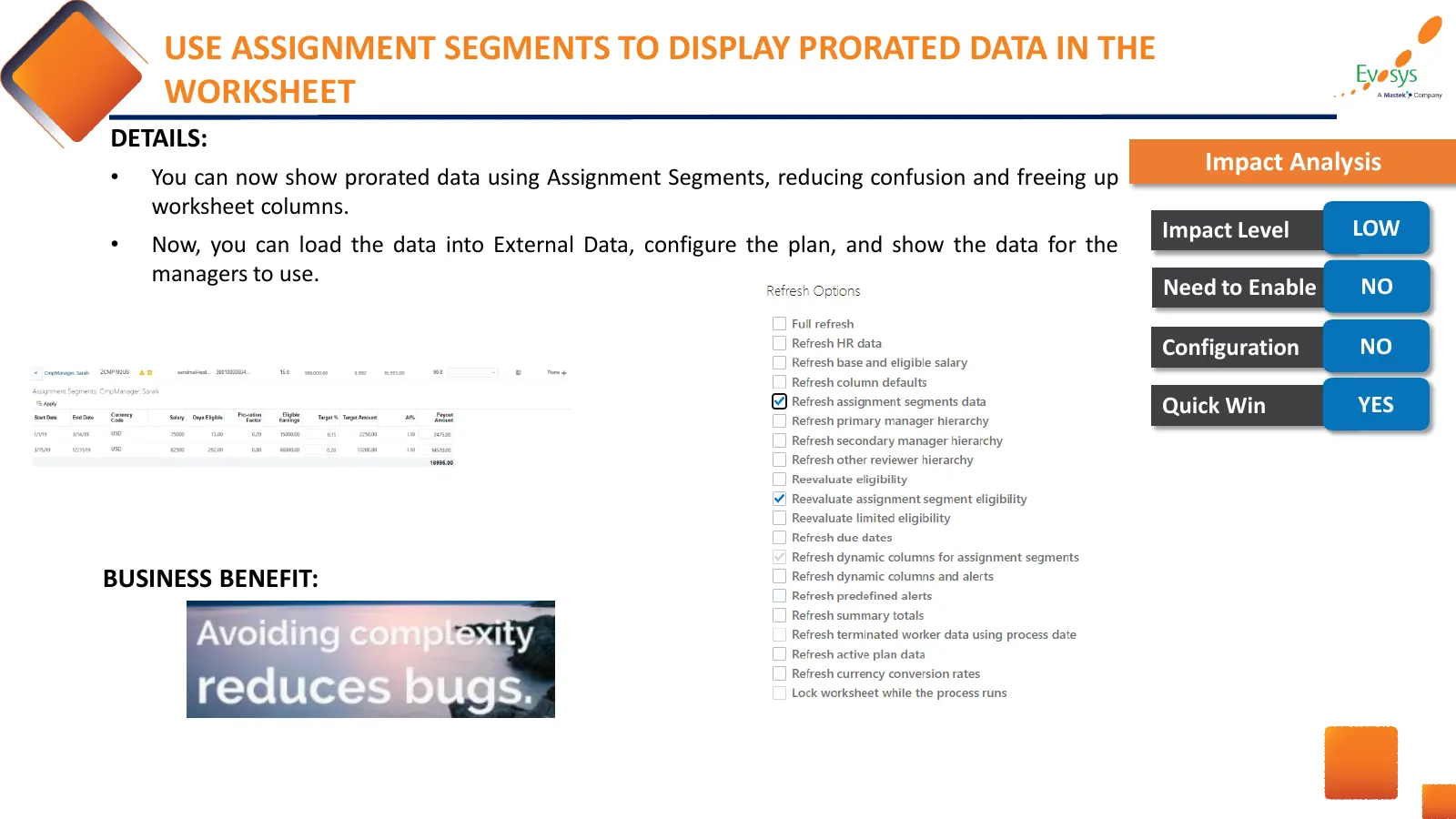
USE ASSIGNMENT SEGMENTS TO DISPLAY PRORATED DATA IN THE WORKSHEET DETAILS: Impact Analysis • You can now show prorated data using Assignment Segments, reducing confusion and freeing up worksheet columns. Impact Level LOW • Now, you can load the data into External Data, configure the plan, and show t
Slide 27: Additional Search Options in Grade Step Progression Review Page
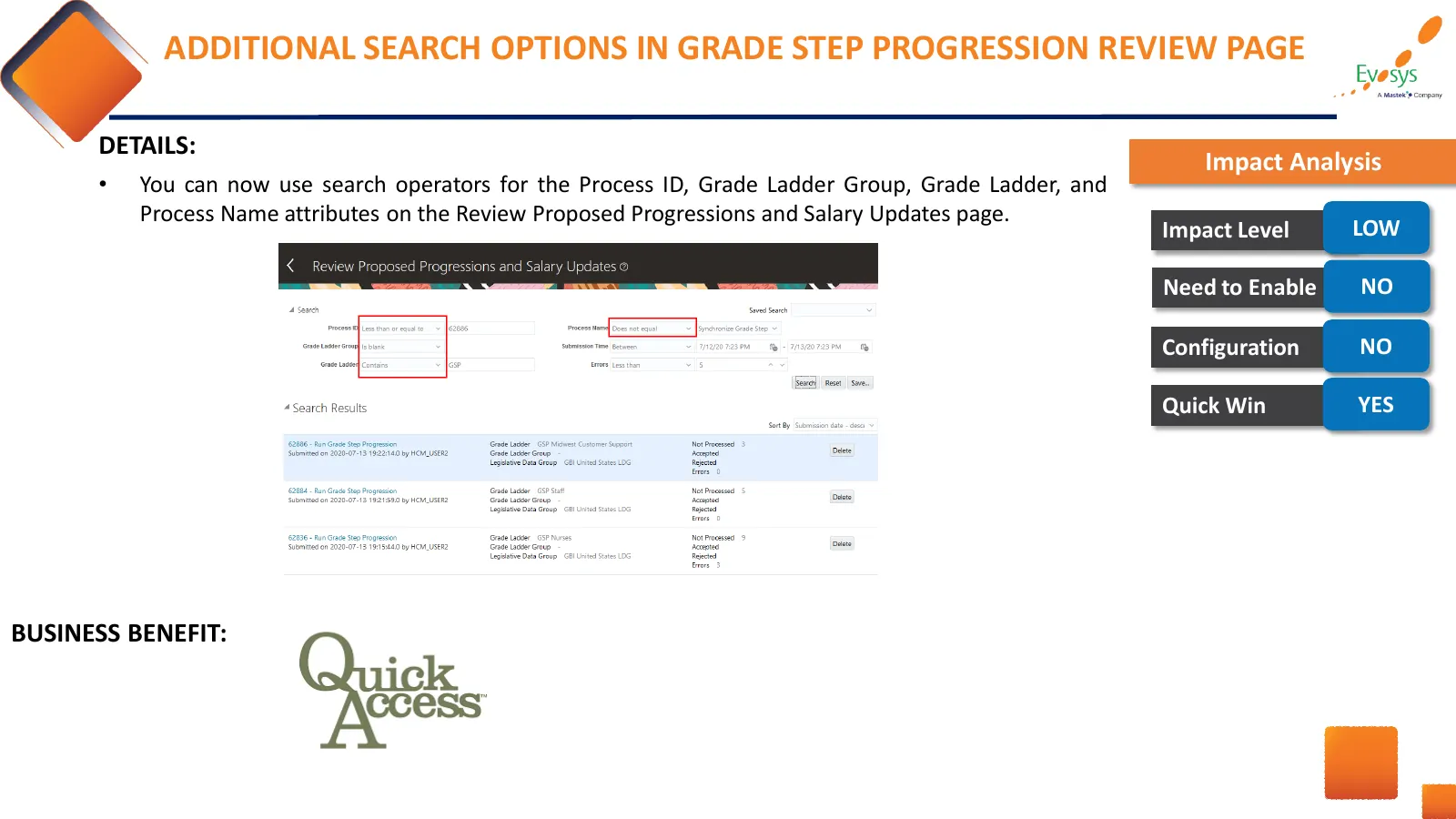
ADDITIONAL SEARCH OPTIONS IN GRADE STEP PROGRESSION REVIEW PAGE DETAILS: Impact Analysis • You can now use search operators for the Process ID, Grade Ladder Group, Grade Ladder, and Process Name attributes on the Review Proposed Progressions and Salary Updates page. Impact Level LOW Need to Enable N
Slide 28: Total Compensation - Monitor Process Logs
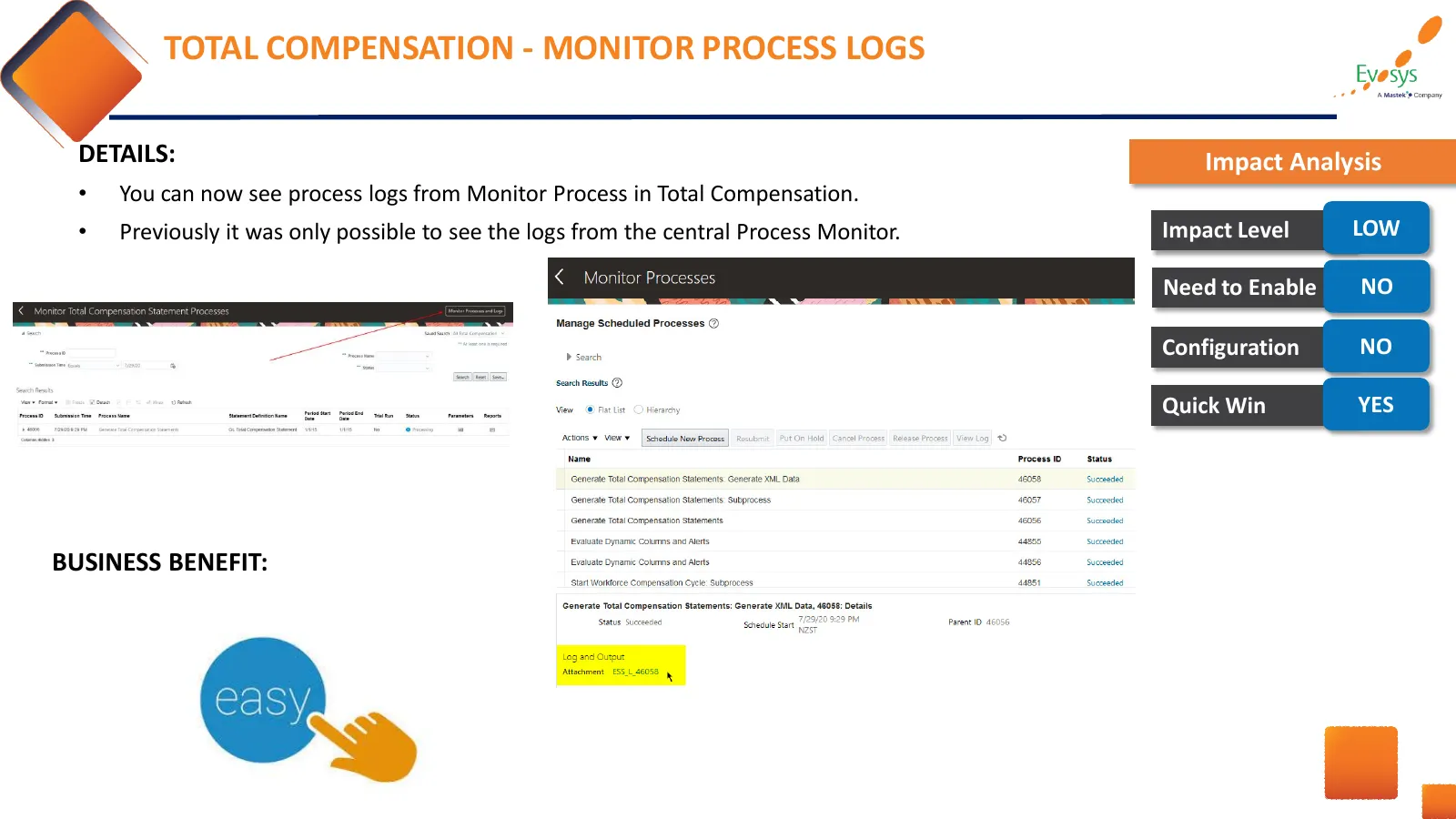
TOTAL COMPENSATION - MONITOR PROCESS LOGS DETAILS: Impact Analysis • You can now see process logs from Monitor Process in Total Compensation. • Previously it was only possible to see the logs from the central Process Monitor. Impact Level LOW Need to Enable NO Configuration NO Quick Win YES BUSINESS
Slide 29: Total Compensation - Printable Statement Templates
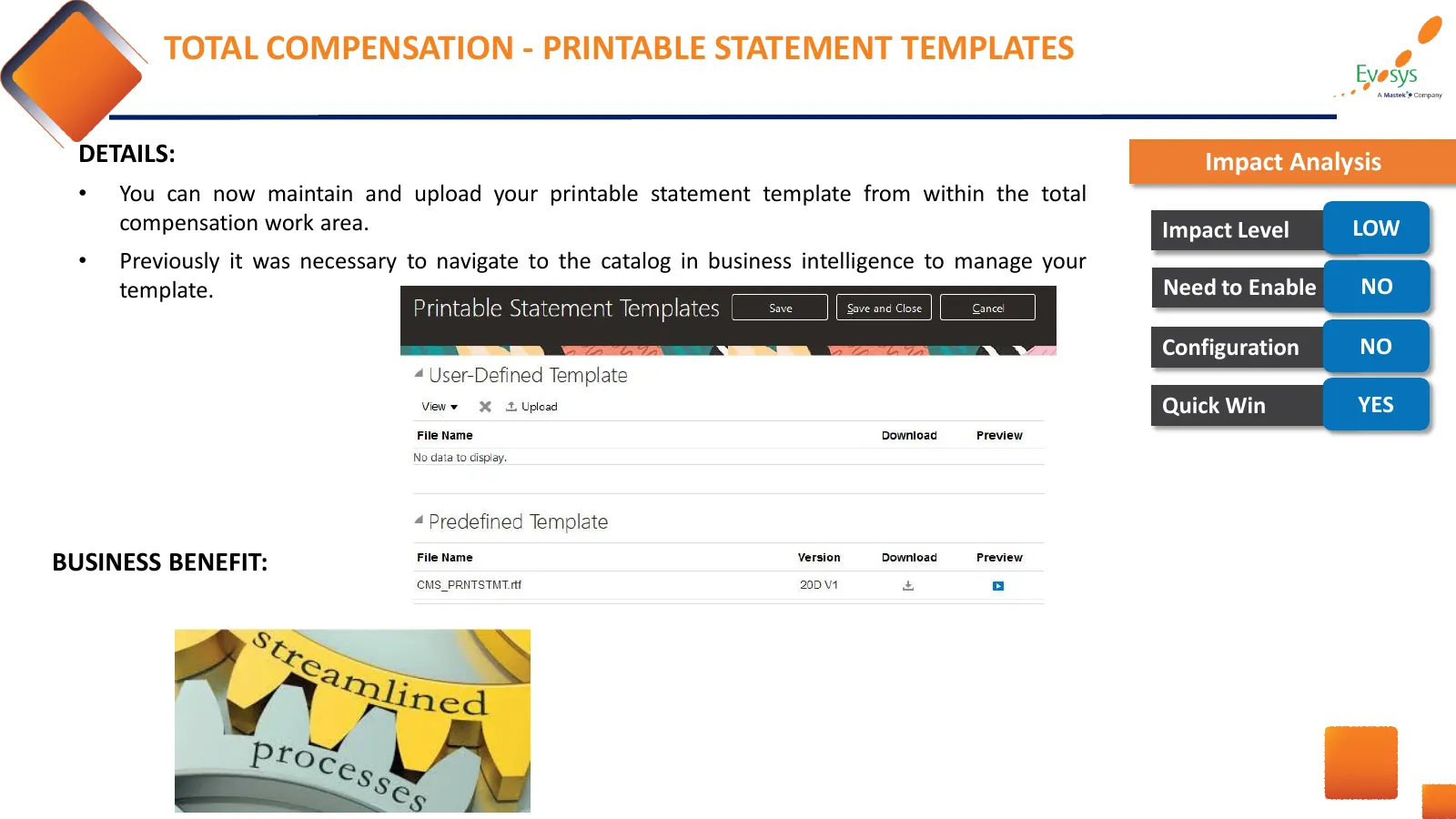
TOTAL COMPENSATION - PRINTABLE STATEMENT TEMPLATES DETAILS: Impact Analysis • You can now maintain and upload your printable statement template from within the total compensation work area. Impact Level LOW • Previously it was necessary to navigate to the catalog in business intelligence to manage y
Slide 30: New Features: Quick Wins – Default with Yes Configuration
NEW FEATURES QUICK WINS – Default with YES Configuration
Slide 31: Future-Dated Contacts Appear in the People to Cover Page
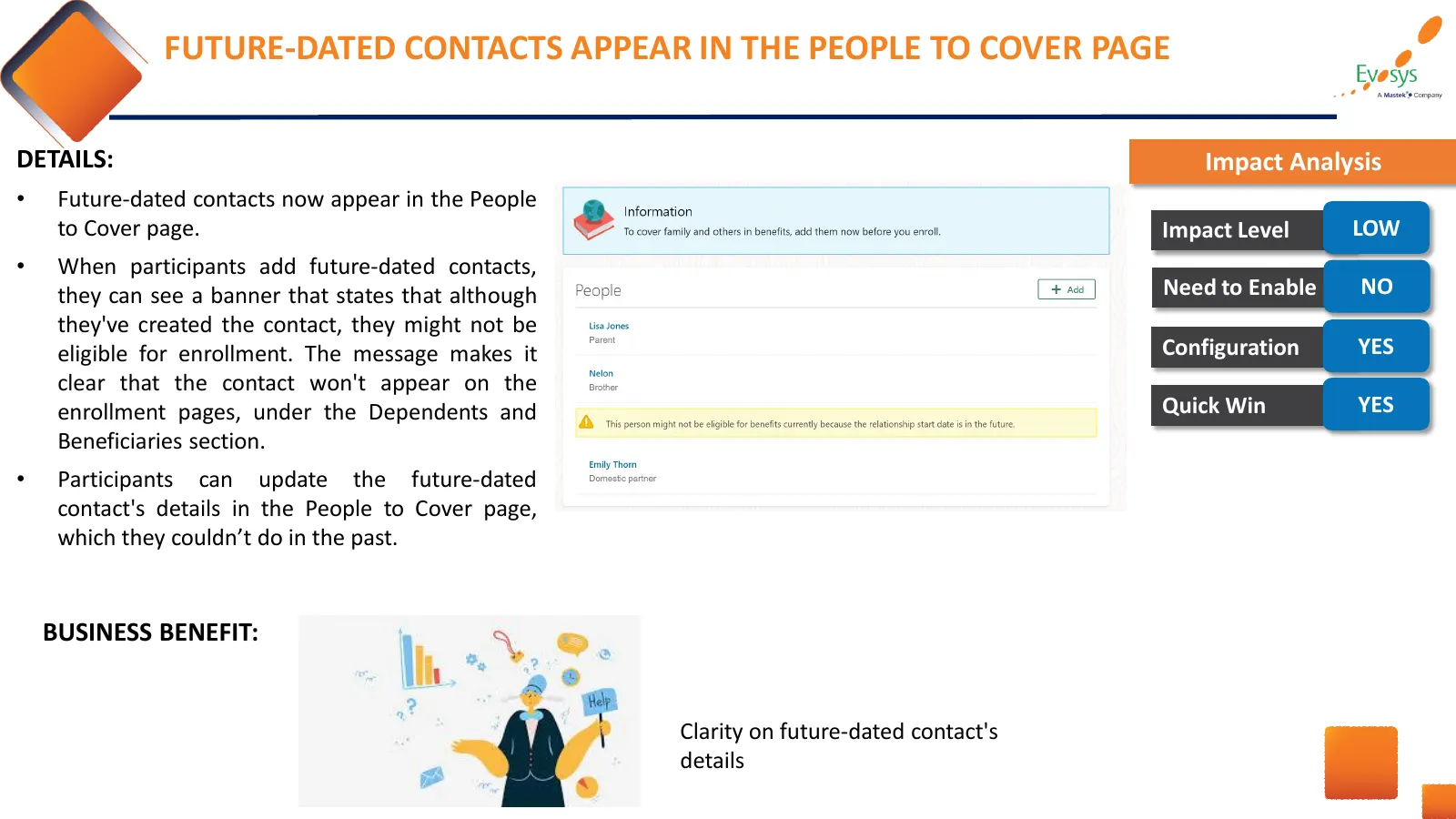
FUTURE-DATED CONTACTS APPEAR IN THE PEOPLE TO COVER PAGE DETAILS: Impact Analysis • Future-dated contacts now appear in the People to Cover page. Impact Level LOW • When participants add future-dated contacts, they can see a banner that states that although Need to Enable NO they've created the cont
Slide 32: Manage Rate or Coverage Start Dates
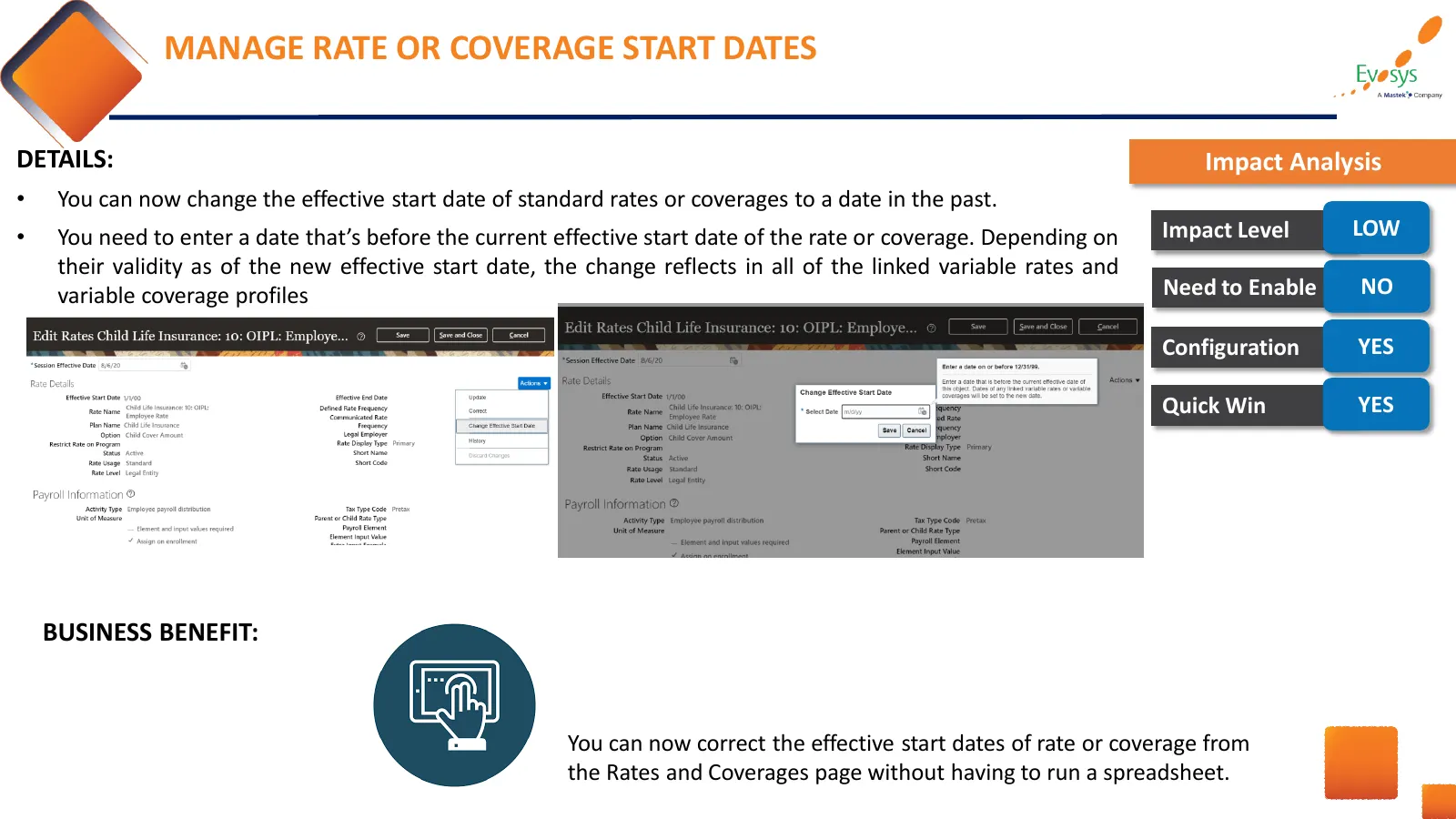
MANAGE RATE OR COVERAGE START DATES DETAILS: Impact Analysis • You can now change the effective start date of standard rates or coverages to a date in the past. • You need to enter a date that’s before the current effective start date of the rate or coverage. Depending on Impact Level LOW their vali
Slide 33: Assignment-Level Security in Salary and Individual Compensation
ASSIGNMENT-LEVEL SECURITY IN SALARY AND INDIVIDUAL COMPENSATION Impact Analysis DETAILS: • You can now secure salary and individual compensation data access by assignment. Impact Level LOW • The Change Salary, Salary History, Individual Compensation, Administer Compensation, View Compensation Histor
Slide 34: Process Worker Statements by Manager Hierarchy
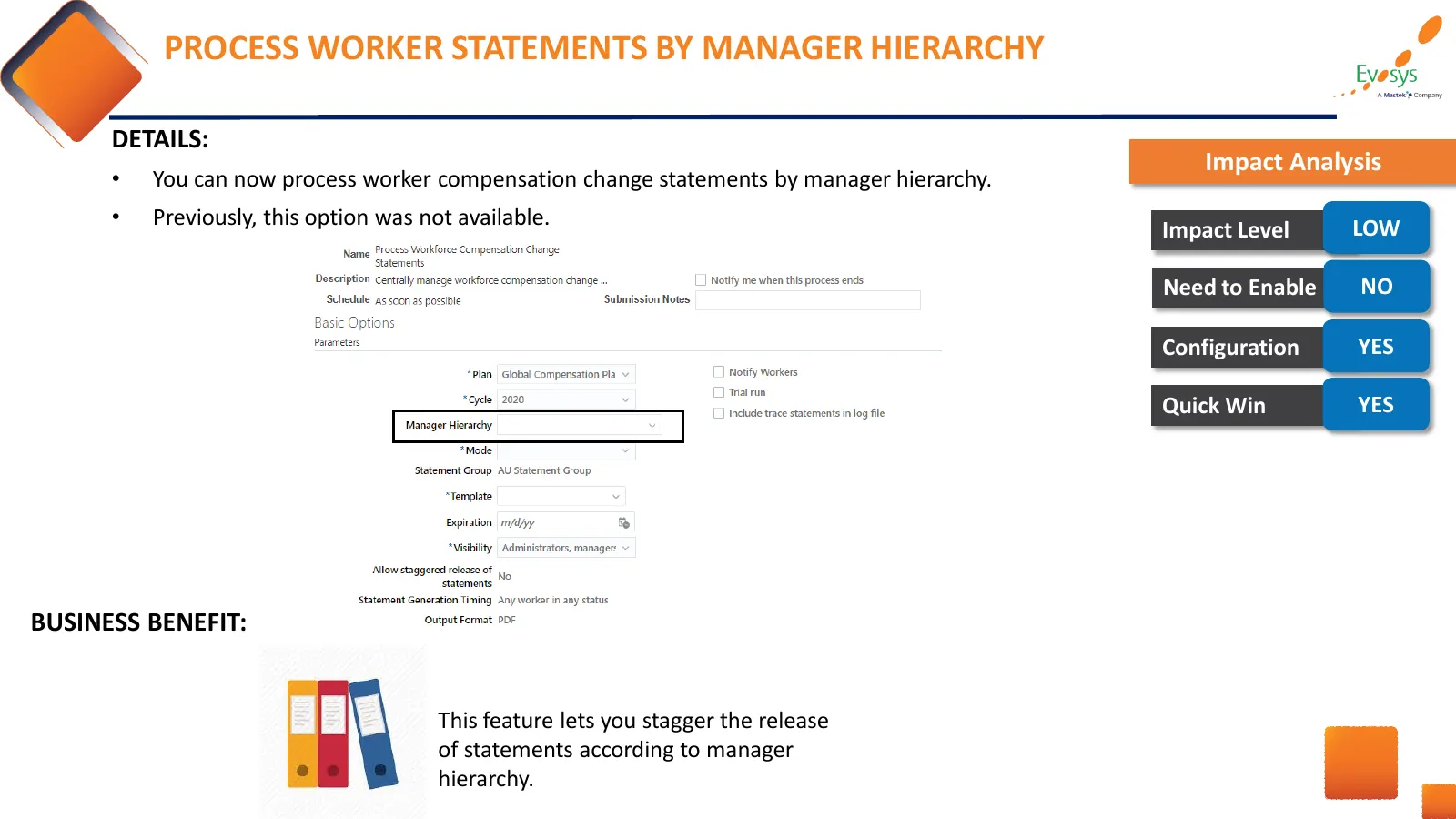
PROCESS WORKER STATEMENTS BY MANAGER HIERARCHY DETAILS: Impact Analysis • You can now process worker compensation change statements by manager hierarchy. • Previously, this option was not available. LOW Impact Level Need to Enable NO Configuration YES Quick Win YES BUSINESS BENEFIT: This feature let
Slide 35: New Features: Quick Wins – Opt Ins
NEW FEATURES QUICK WINS – Opt Ins
Slide 36: Multi-Assignment Enhancement - Enter Absences for Specific Assignments
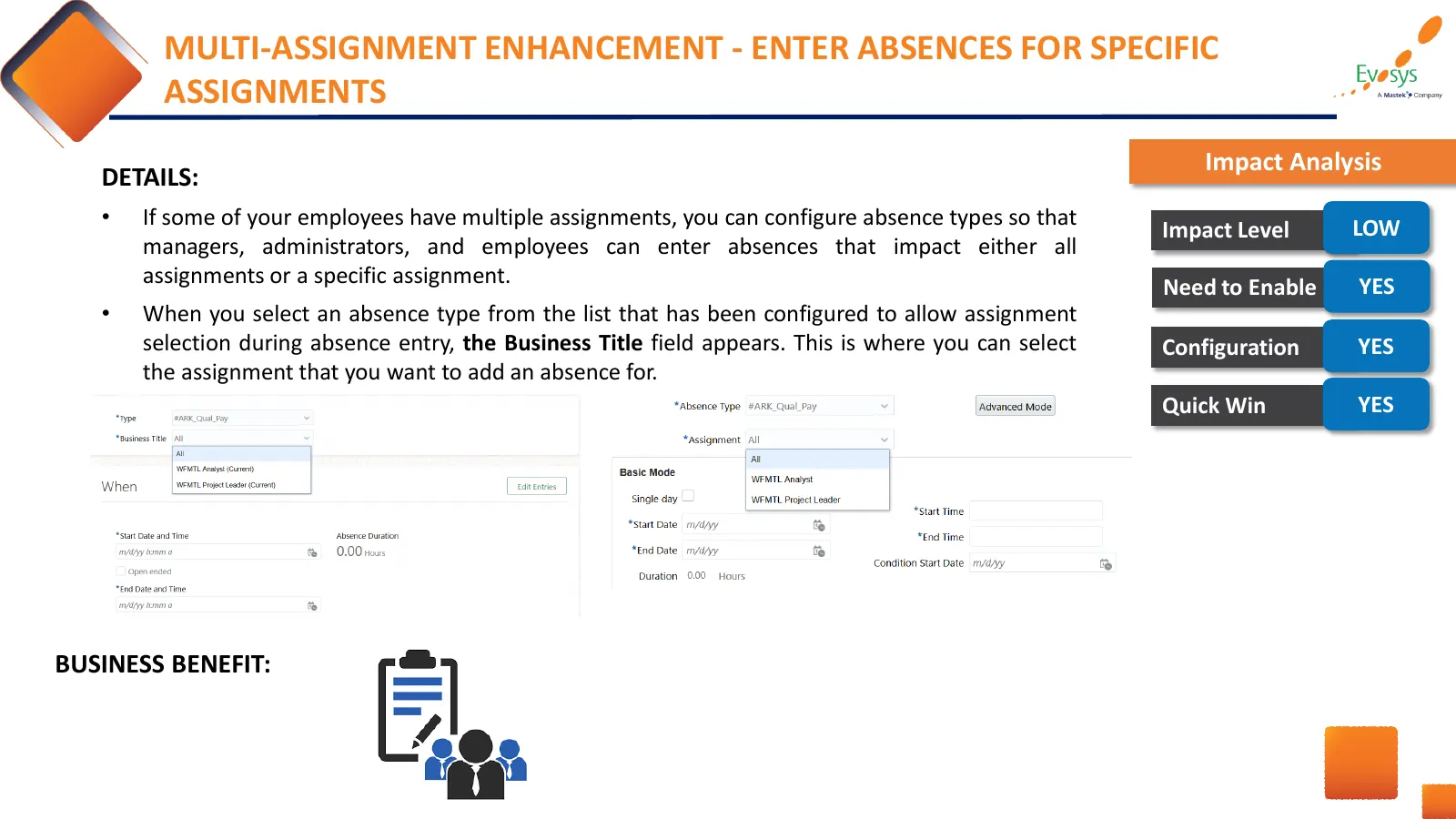
MULTI-ASSIGNMENT ENHANCEMENT - ENTER ABSENCES FOR SPECIFIC ASSIGNMENTS Impact Analysis DETAILS: • If some of your employees have multiple assignments, you can configure absence types so that LOW Impact Level managers, administrators, and employees can enter absences that impact either all assignment
Slide 37: Identify Details of Salary Record Changes
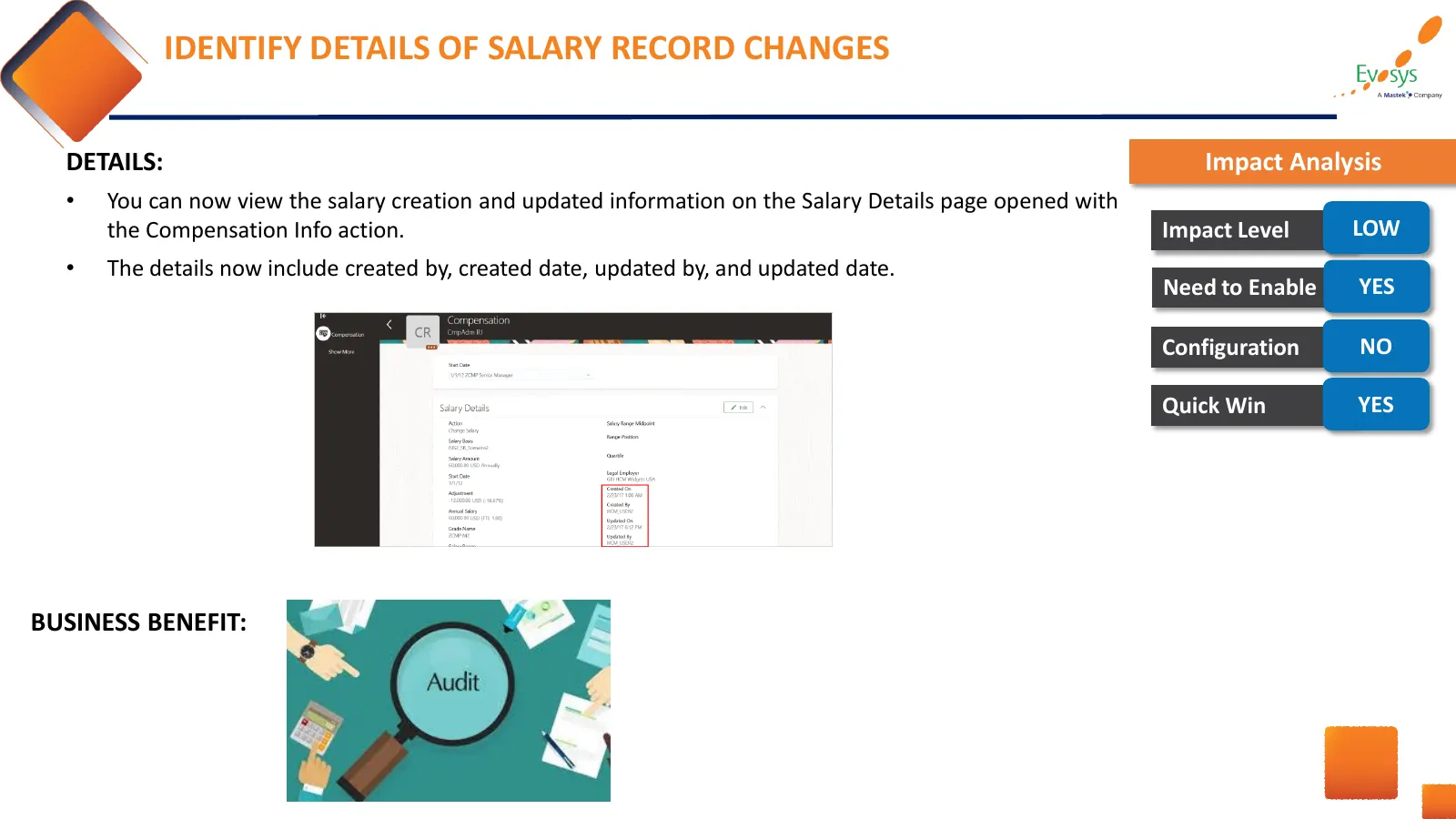
IDENTIFY DETAILS OF SALARY RECORD CHANGES DETAILS: Impact Analysis • You can now view the salary creation and updated information on the Salary Details page opened with the Compensation Info action. Impact Level LOW • The details now include created by, created date, updated by, and updated date. Ne
Slide 38: New Features: The Rest
NEW FEATURES ess The Rest
Slide 39: Multi-Assignment Enhancement - Calculate Accruals by Assignment
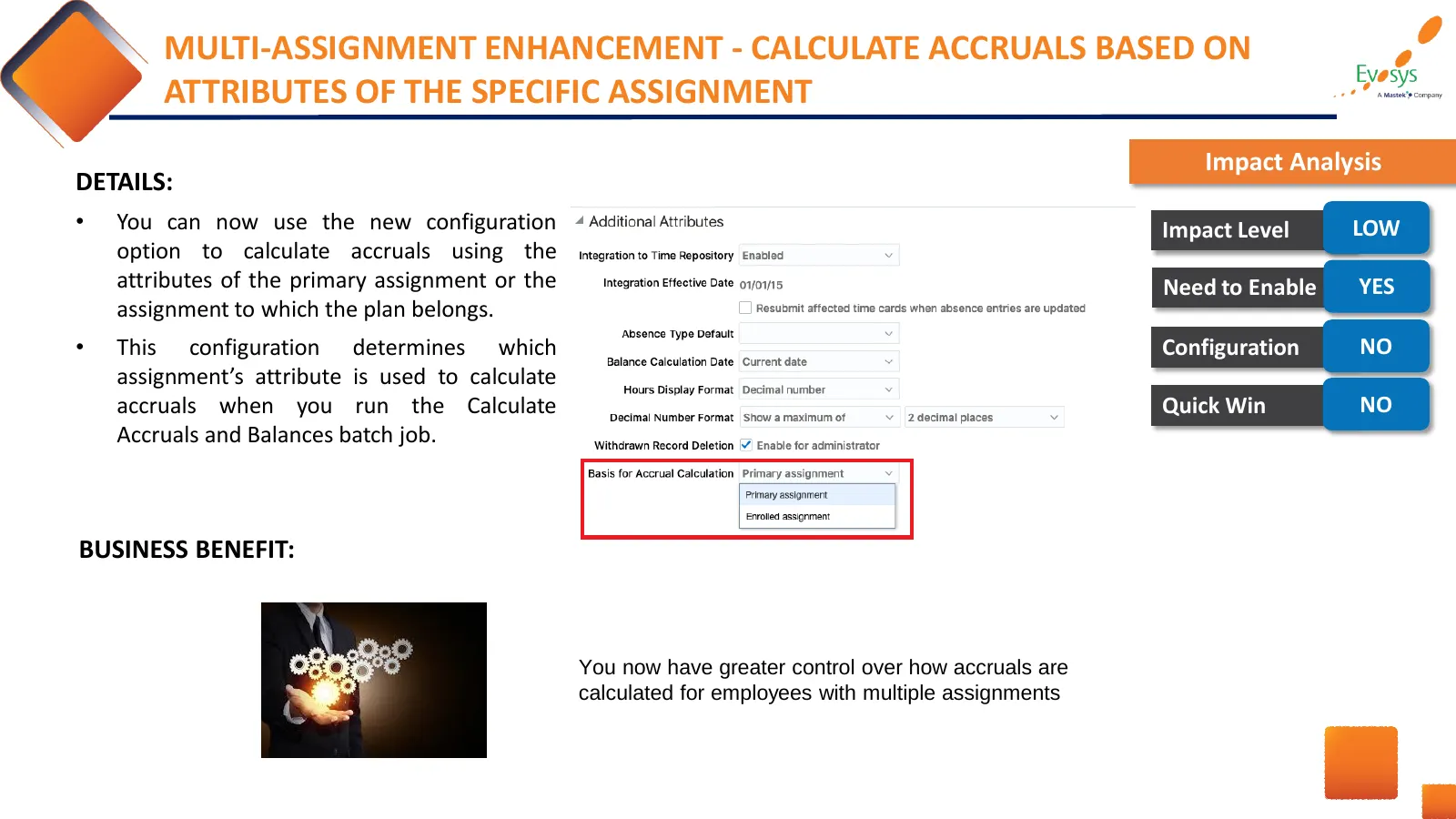
MULTI-ASSIGNMENT ENHANCEMENT - CALCULATE ACCRUALS BASED ON ATTRIBUTES OF THE SPECIFIC ASSIGNMENT Impact Analysis DETAILS: • You can now use the new configuration Impact Level LOW option to calculate accruals using the attributes of the primary assignment or the Need to Enable YES assignment to which
Slide 40: Direct Addition of Group Members Enhancement
DIRECT ADDITION OF GROUP MEMBERS ENHANCEMENT DETAILS: Impact Analysis • Now time and labor administrators can define and assign data security policies for who can access and edit the two bundled audit and exclude member groups. Impact Level LOW • For example, create an Organization Security Profile
Slide 41: Team Schedule for Manager Self-Service Pages Enhancement
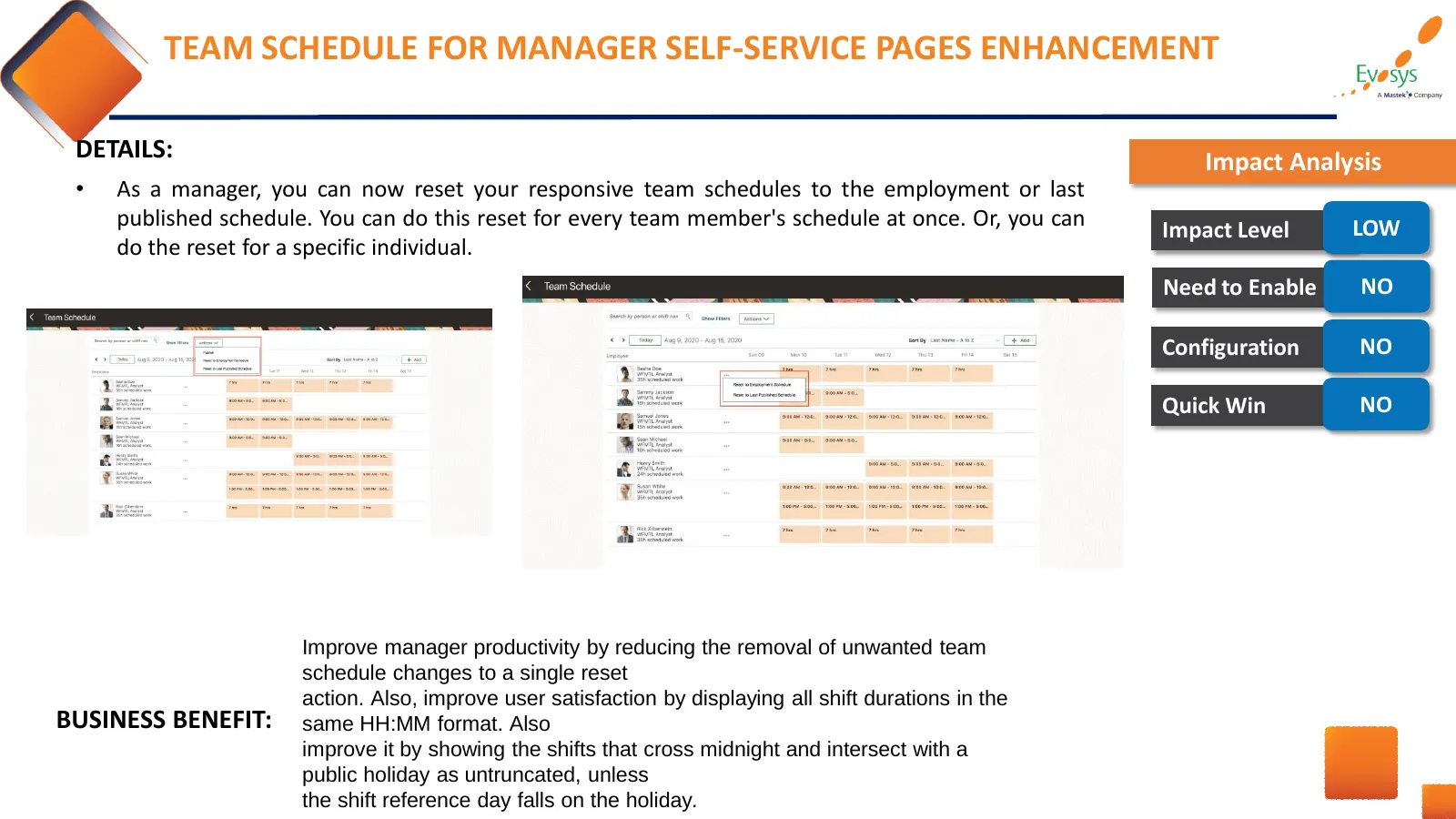
TEAM SCHEDULE FOR MANAGER SELF-SERVICE PAGES ENHANCEMENT DETAILS: Impact Analysis • As a manager, you can now reset your responsive team schedules to the employment or last published schedule. You can do this reset for every team member's schedule at once. Or, you can Impact Level LOW do the reset f
Slide 42: Route Approvals Using Launching Assignment Hierarchy
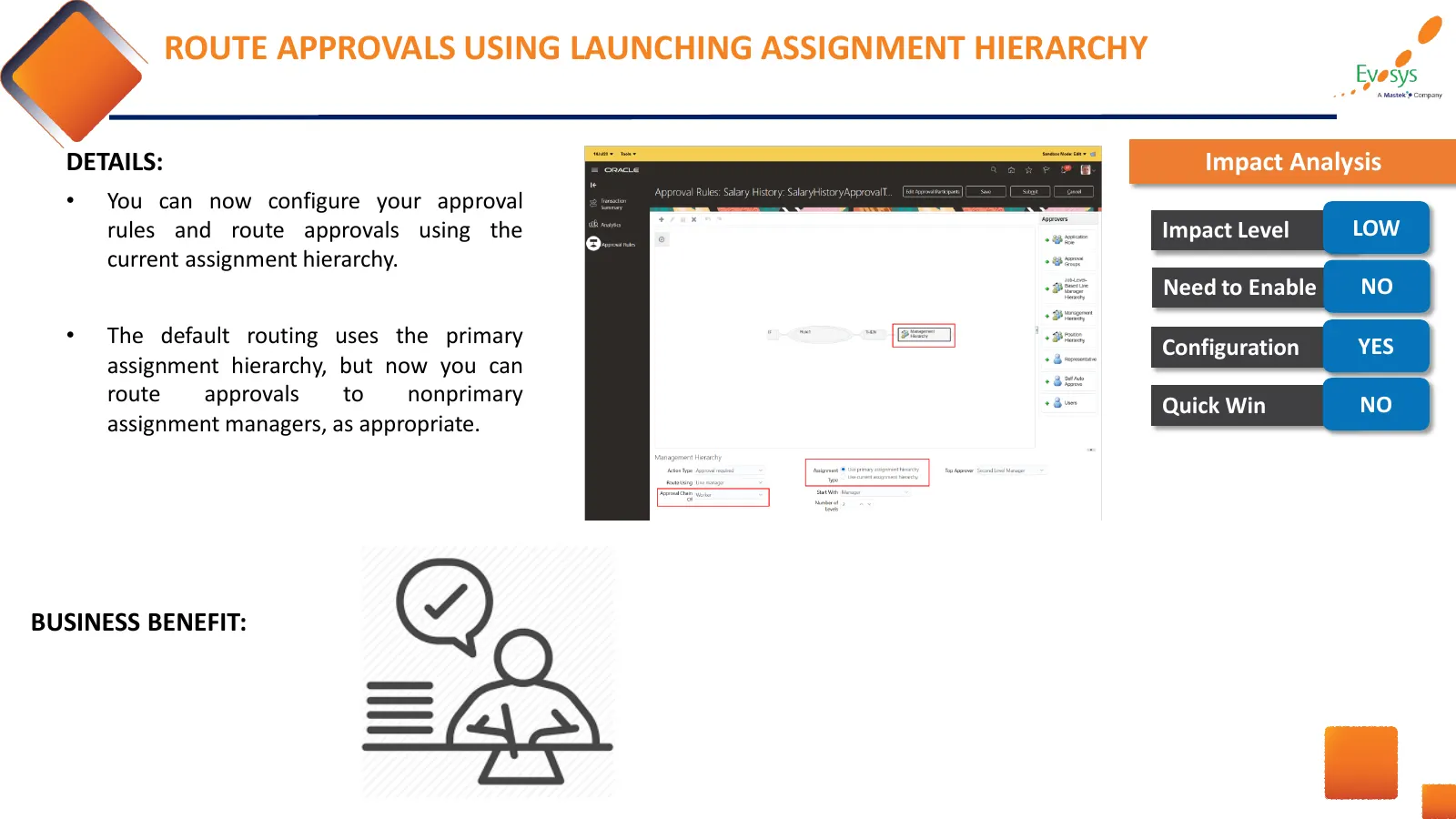
ROUTE APPROVALS USING LAUNCHING ASSIGNMENT HIERARCHY DETAILS: Impact Analysis • You can now configure your approval rules and route approvals using the Impact Level LOW current assignment hierarchy. Need to Enable NO • The default routing uses the primary Configuration YES assignment hierarchy, but
Slide 43: Assignment-Level Security in Workforce Compensation
ASSIGNMENT-LEVEL SECURITY IN WORKFORCE COMPENSATION Impact Analysis DETAILS: • You can now secure access to Administer Workers, Act as Proxy, and View Administration Reports by Impact Level LOW assignment. • These pages restrict access to assignments according to a person's security profile, if you
Slide 44: Grade Step Progression: Assignment Effective Date on Eligibility
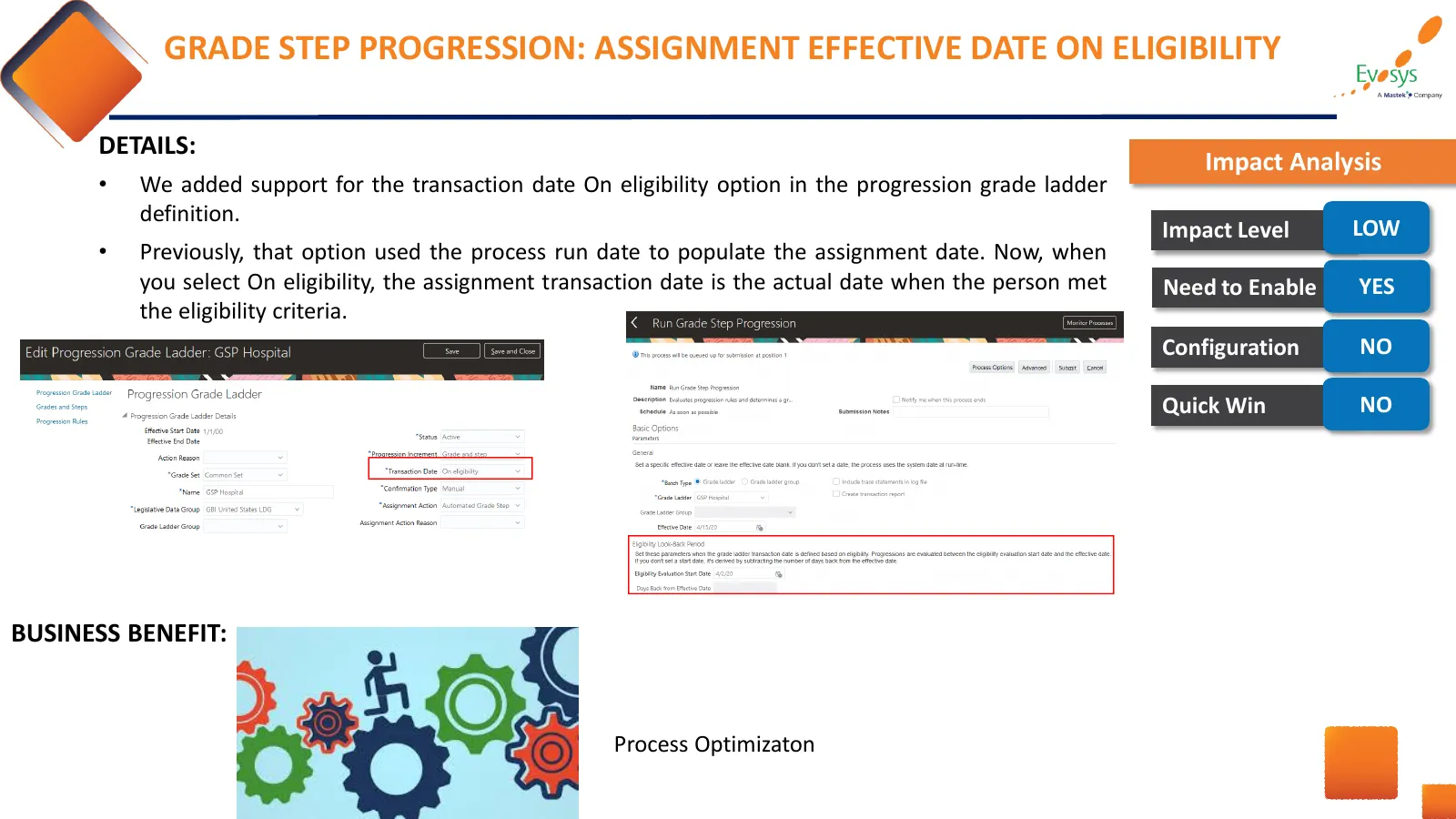
GRADE STEP PROGRESSION: ASSIGNMENT EFFECTIVE DATE ON ELIGIBILITY DETAILS: Impact Analysis • We added support for the transaction date On eligibility option in the progression grade ladder definition. Impact Level LOW • Previously, that option used the process run date to populate the assignment date
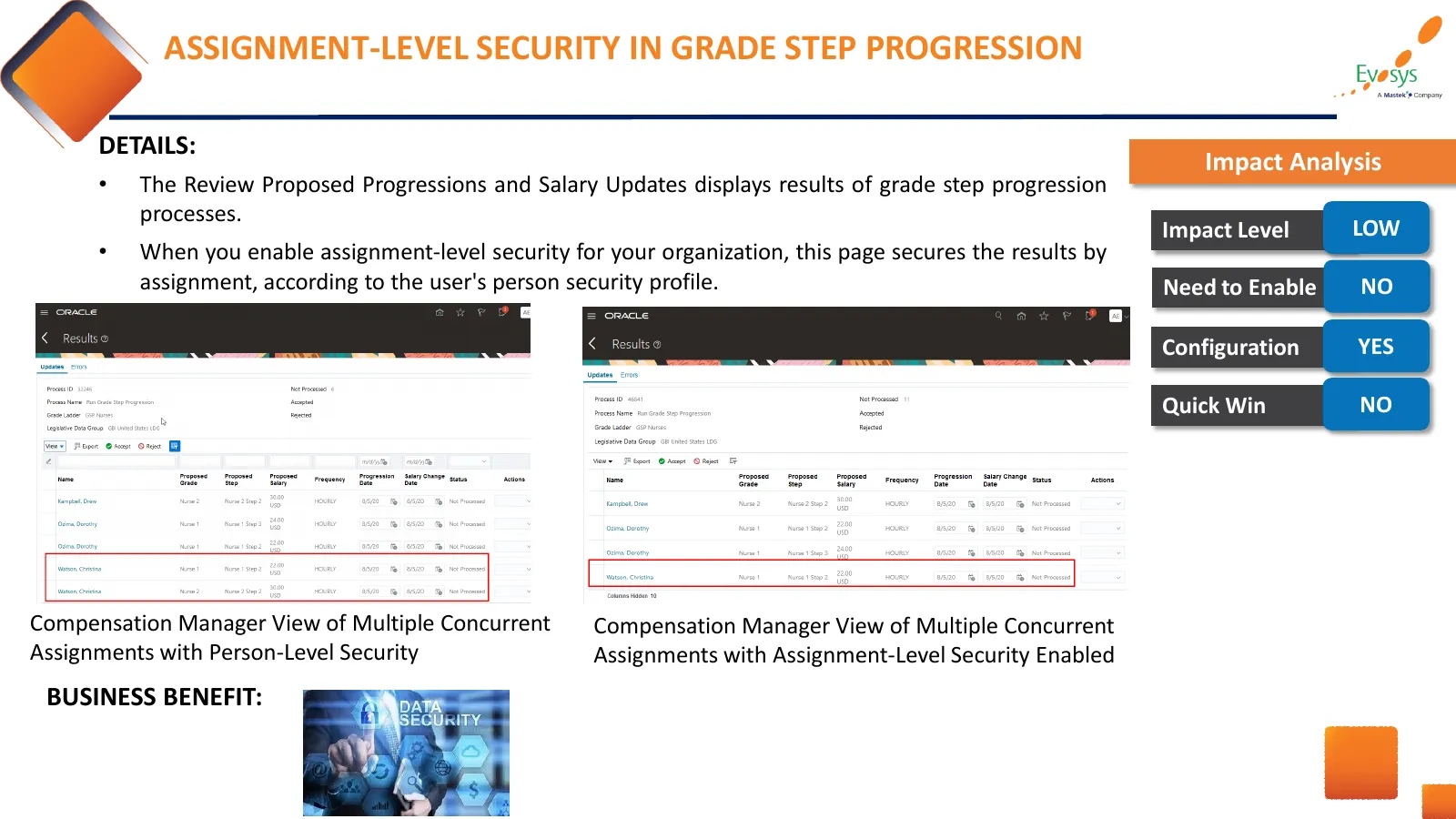
Slide 45: Assignment-Level Security in Grade Step Progression
ASSIGNMENT-LEVEL SECURITY IN GRADE STEP PROGRESSION DETAILS: Impact Analysis • The Review Proposed Progressions and Salary Updates displays results of grade step progression processes. Impact Level LOW • When you enable assignment-level security for your organization, this page secures the results b
Slide 46: Stock and External Data HSDL
STOCK AND EXTERNAL DATA HSDL Impact Analysis DETAILS: • You can now upload stock details and external data with the new HSDL. This adds to your loading Impact Level LOW capabilities and doesn't replace the traditional stock spreadsheet loader. • Formerly you could only load using HDL or the spreadsh
Slide 47: Assignment-Level Security in External Data and Stock
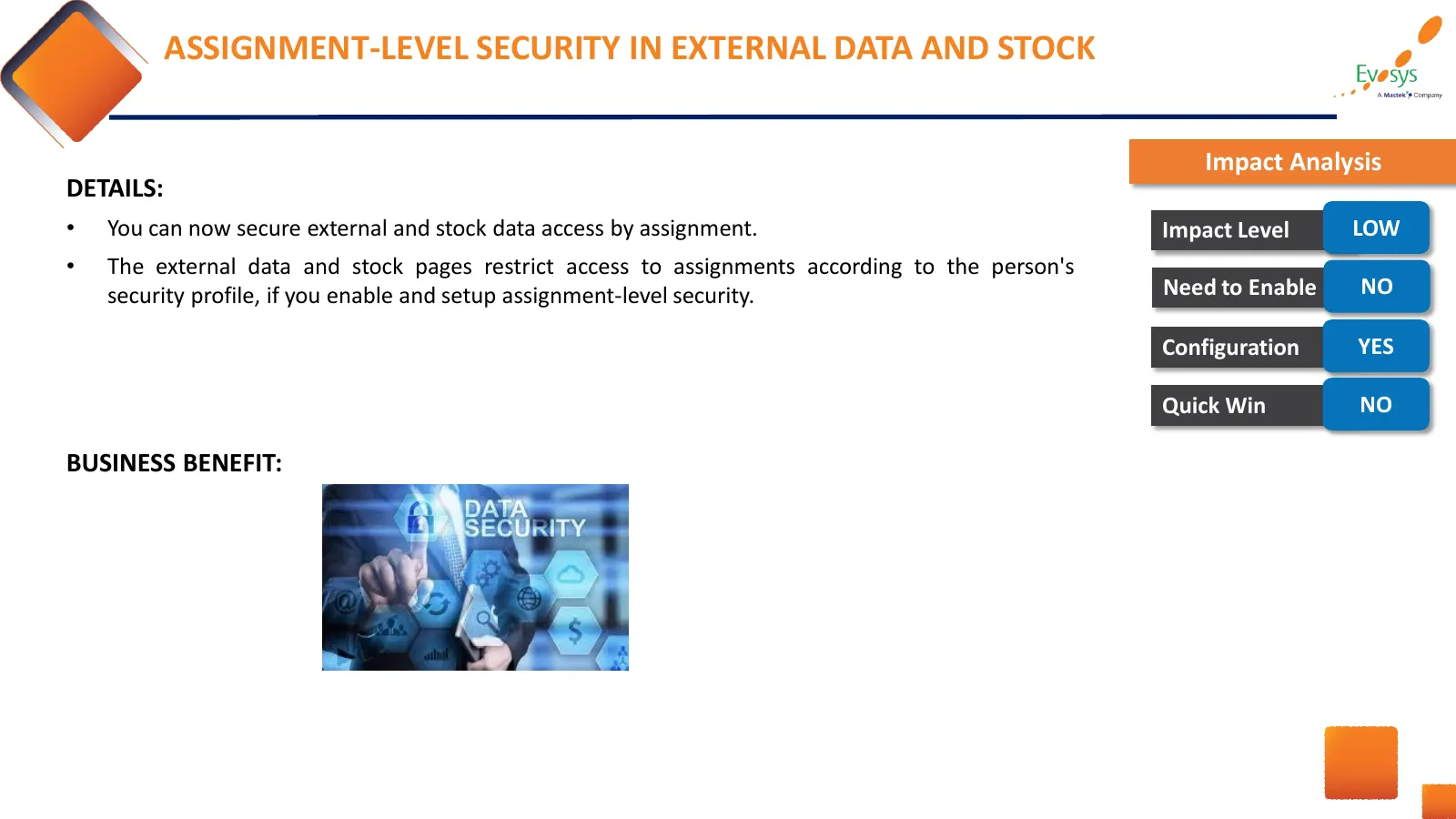
ASSIGNMENT-LEVEL SECURITY IN EXTERNAL DATA AND STOCK Impact Analysis DETAILS: • You can now secure external and stock data access by assignment. Impact Level LOW • The external data and stock pages restrict access to assignments according to the person's security profile, if you enable and setup ass
Slide 48: New Features: OTBI Enhancements
NEW FEATURES OTBI Enhancements
Slide 49: New Subject Area - Benefits - Person Information Real Time
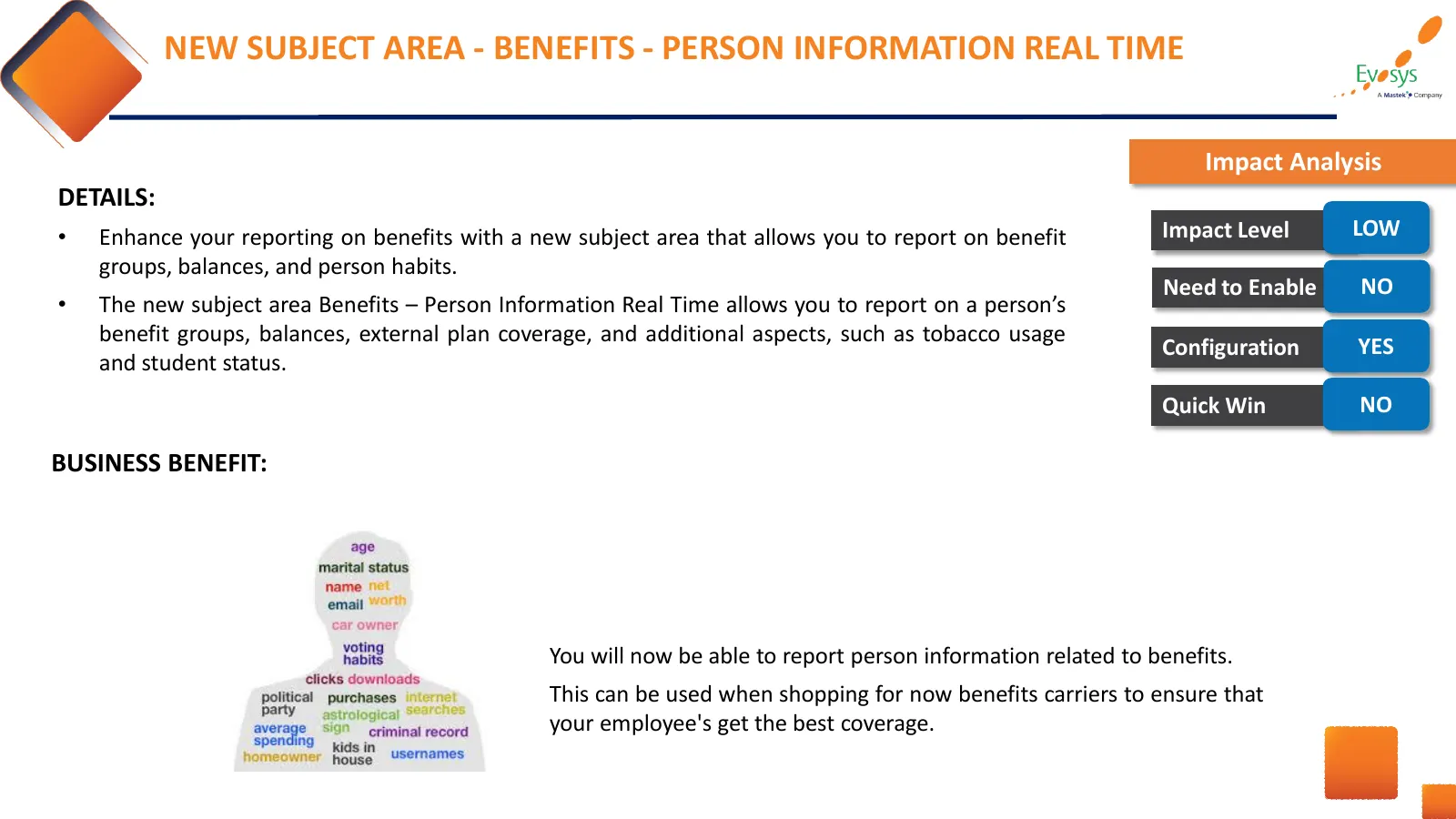
NEW SUBJECT AREA - BENEFITS - PERSON INFORMATION REAL TIME Impact Analysis DETAILS: • Enhance your reporting on benefits with a new subject area that allows you to report on benefit Impact Level LOW groups, balances, and person habits. Need to Enable NO • The new subject area Benefits – Person Infor
Slide 50: Workforce Compensation Subject Area - Compensation Action History
WORKFORCE COMPENSATION SUBJECT AREA - COMPENSATION ACTION HISTORY Impact Analysis DETAILS: • This enhancement now allows you to report on Workforce Compensation action history. Impact Level LOW • You can report on the action code, comments made by the manager, and date from compensation Need to Enab
Slide 51: Workforce Compensation Subject Area - Worksheet Audit Details
WORKFORCE COMPENSATION SUBJECT AREA - COMPENSATION WORKSHEET AUDIT DETAILS Impact Analysis DETAILS: • Enhance your reporting on data related to the audit details of the compensation worksheet. Impact Level LOW • The enhancements allows you to report on who made changes to the worksheet, along with w
Slide 52: Salary Range Differential by Compensation Zone Data Reporting
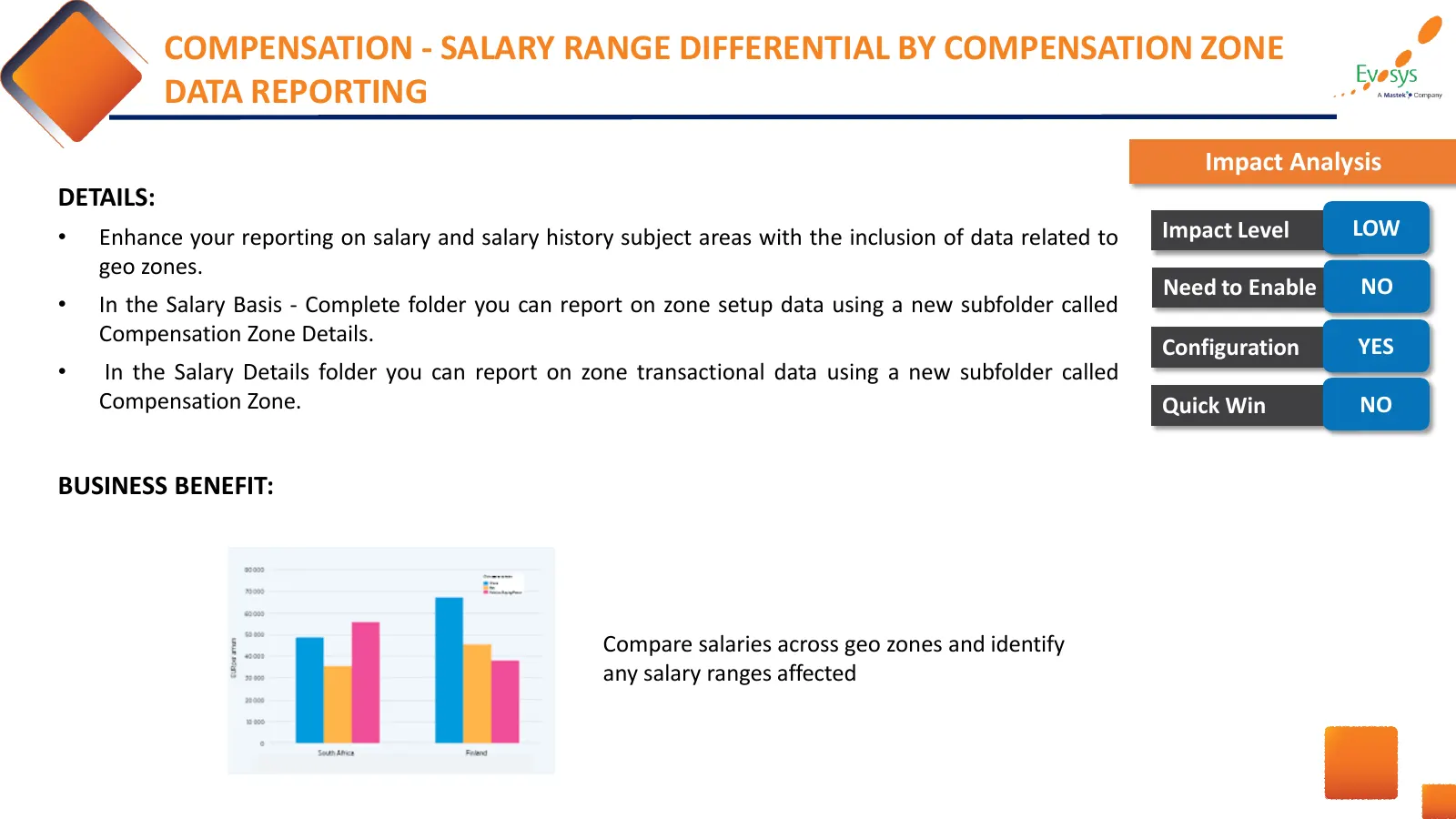
COMPENSATION - SALARY RANGE DIFFERENTIAL BY COMPENSATION ZONE DATA REPORTING Impact Analysis DETAILS: • Enhance your reporting on salary and salary history subject areas with the inclusion of data related to Impact Level LOW geo zones. Need to Enable NO • In the Salary Basis - Complete folder you ca
Slide 53: Attribute Changes for the Stock Details Subject Area
ATTRIBUTE CHANGES FOR THE STOCK DETAILS SUBJECT AREA Impact Analysis DETAILS: • The following changes are done in Compensation - Stock Details Real Time subject area: Impact Level LOW Datatype of "Stock Details"."Grant ID" column is modified from numeric to character. Renamed the following folders:
Slide 54: Known Issues
KNOWN ISSUES ess
Slide 55: HCM Calendars Can't Display Overlapping Resource Exceptions
HCM CALENDARS CAN'T DISPLAY OVERLAPPING RESOURCE EXCEPTIONS DETAILS: • When you assign multiple, overlapping resource exceptions to an employee at the same level, they will not show correctly on the HCM calendar pages. WORKAROUND: • This issue won't be resolved, because there isn't a functional reas
Slide 56: PlanBalances REST Service Can't Retrieve Balance Summary and Detail
PLANBALANCES REST SERVICE CAN'T BE USED TO RETRIEVE BALANCE SUMMARY AND DETAIL DETAILS: • The Absence Plan Balances REST service (PlanBalances) includes links to two enclosures. • Accessing these links should return summary and detailed records for the plan balances. • The summaryBalances enclosure
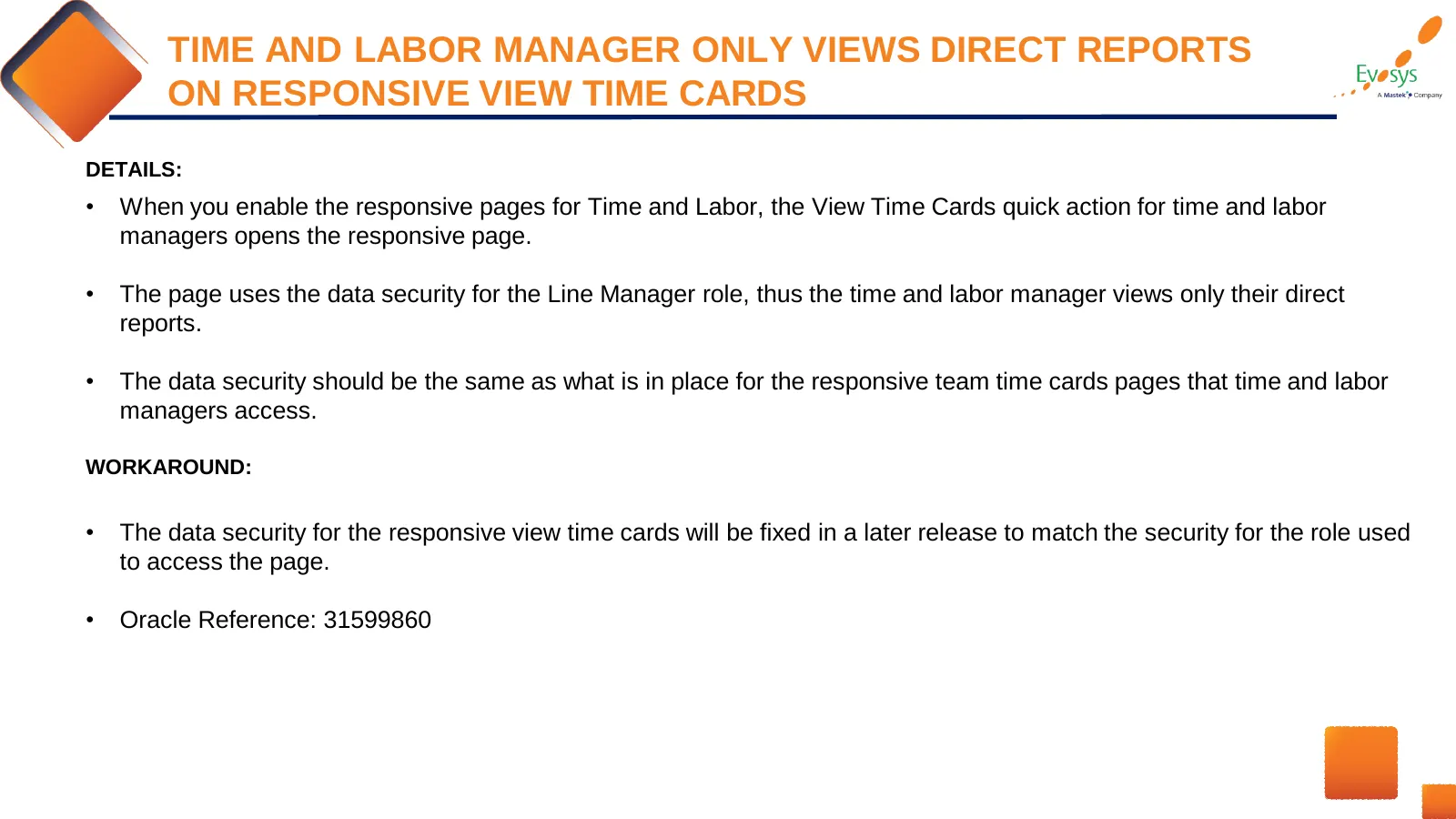
Slide 57: Time and Labor Manager Only Views Direct Reports
TIME AND LABOR MANAGER ONLY VIEWS DIRECT REPORTS ON RESPONSIVE VIEW TIME CARDS DETAILS: • When you enable the responsive pages for Time and Labor, the View Time Cards quick action for time and labor managers opens the responsive page. • The page uses the data security for the Line Manager role, thus
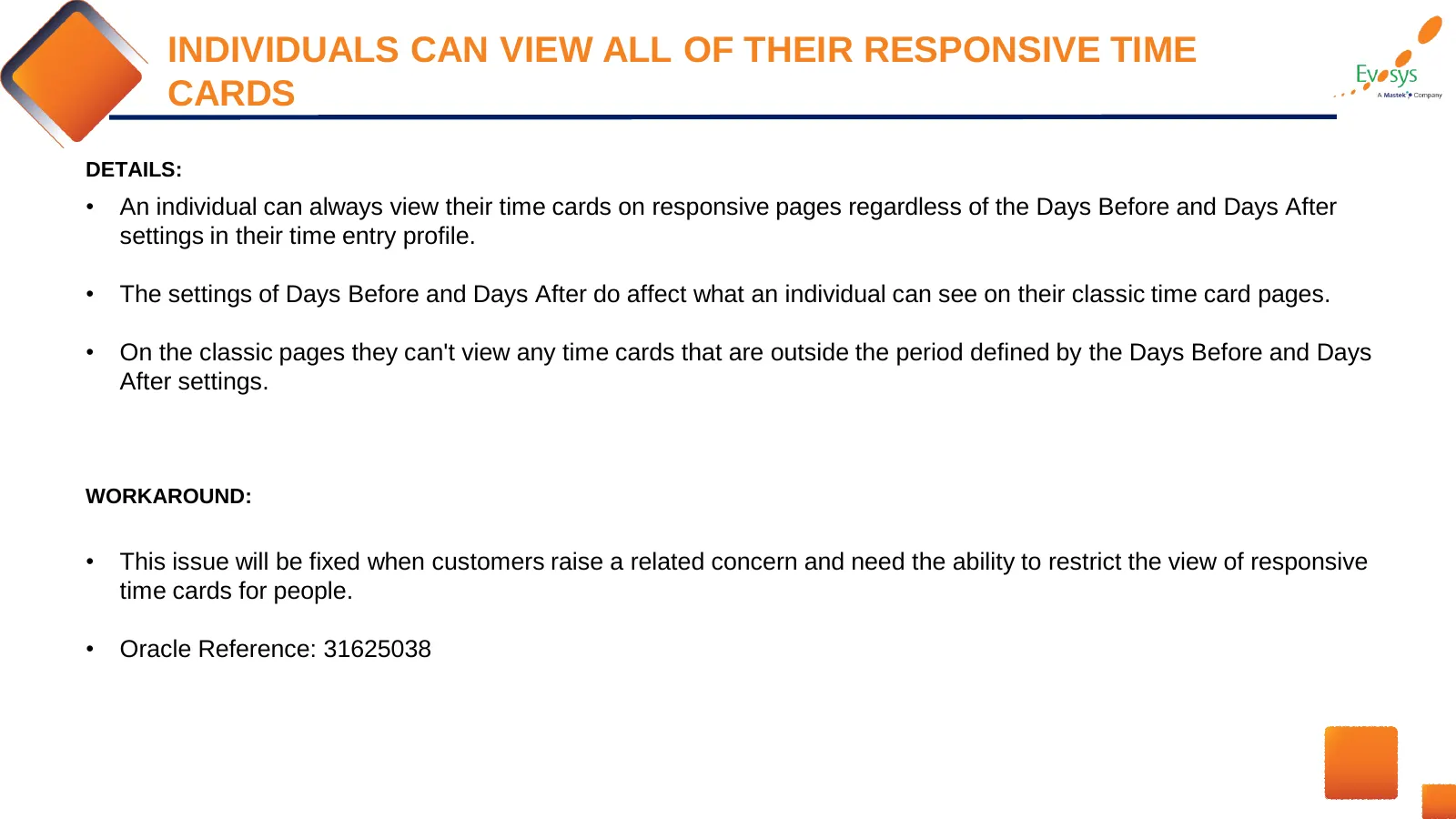
Slide 58: Individuals Can View All of Their Responsive Time Cards
INDIVIDUALS CAN VIEW ALL OF THEIR RESPONSIVE TIME CARDS DETAILS: • An individual can always view their time cards on responsive pages regardless of the Days Before and Days After settings in their time entry profile. • The settings of Days Before and Days After do affect what an individual can see o
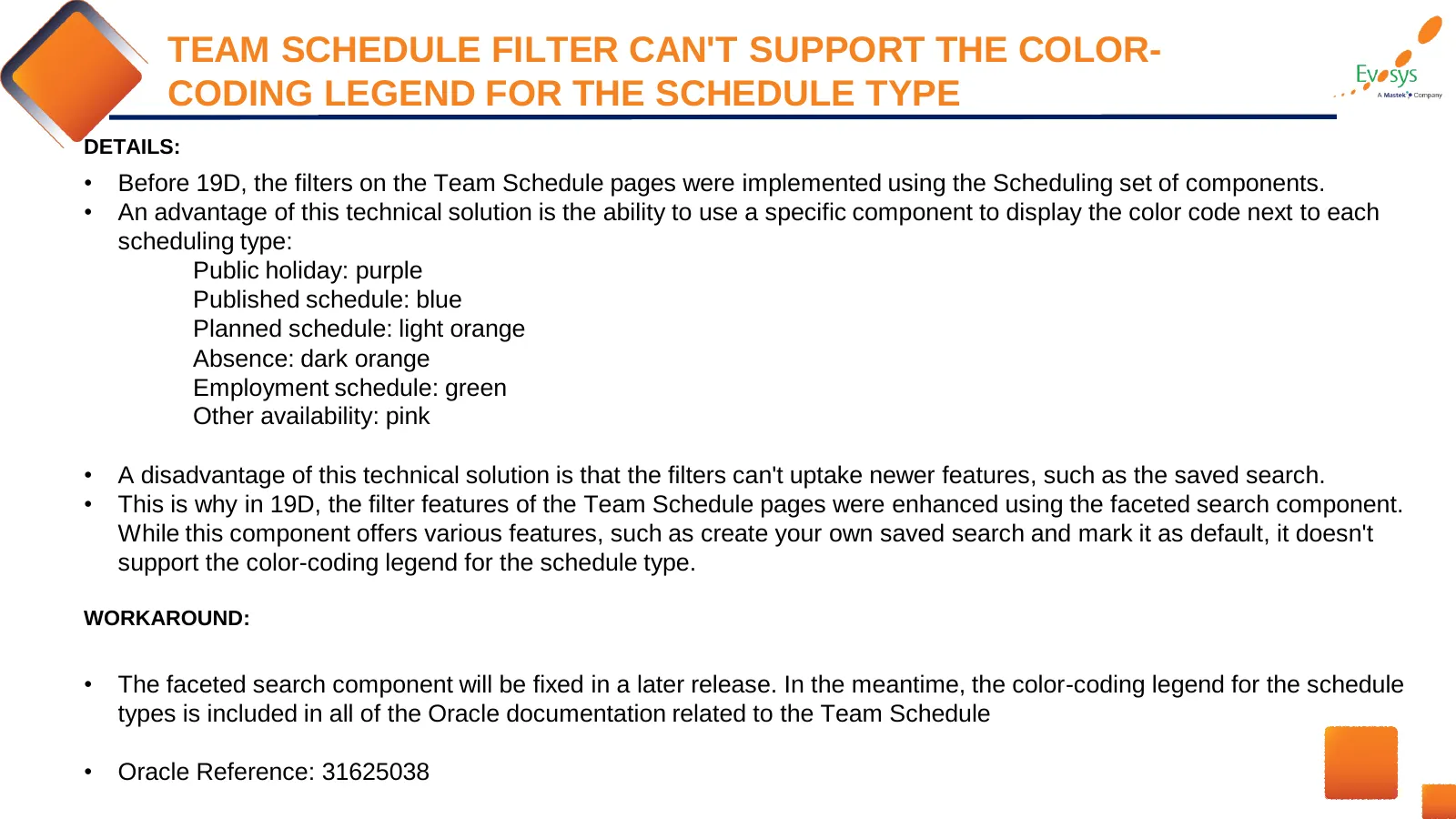
Slide 59: Team Schedule Filter Can't Support Color-Coding Legend
TEAM SCHEDULE FILTER CAN'T SUPPORT THE COLOR- CODING LEGEND FOR THE SCHEDULE TYPE DETAILS: • Before 19D, the filters on the Team Schedule pages were implemented using the Scheduling set of components. • An advantage of this technical solution is the ability to use a specific component to display the
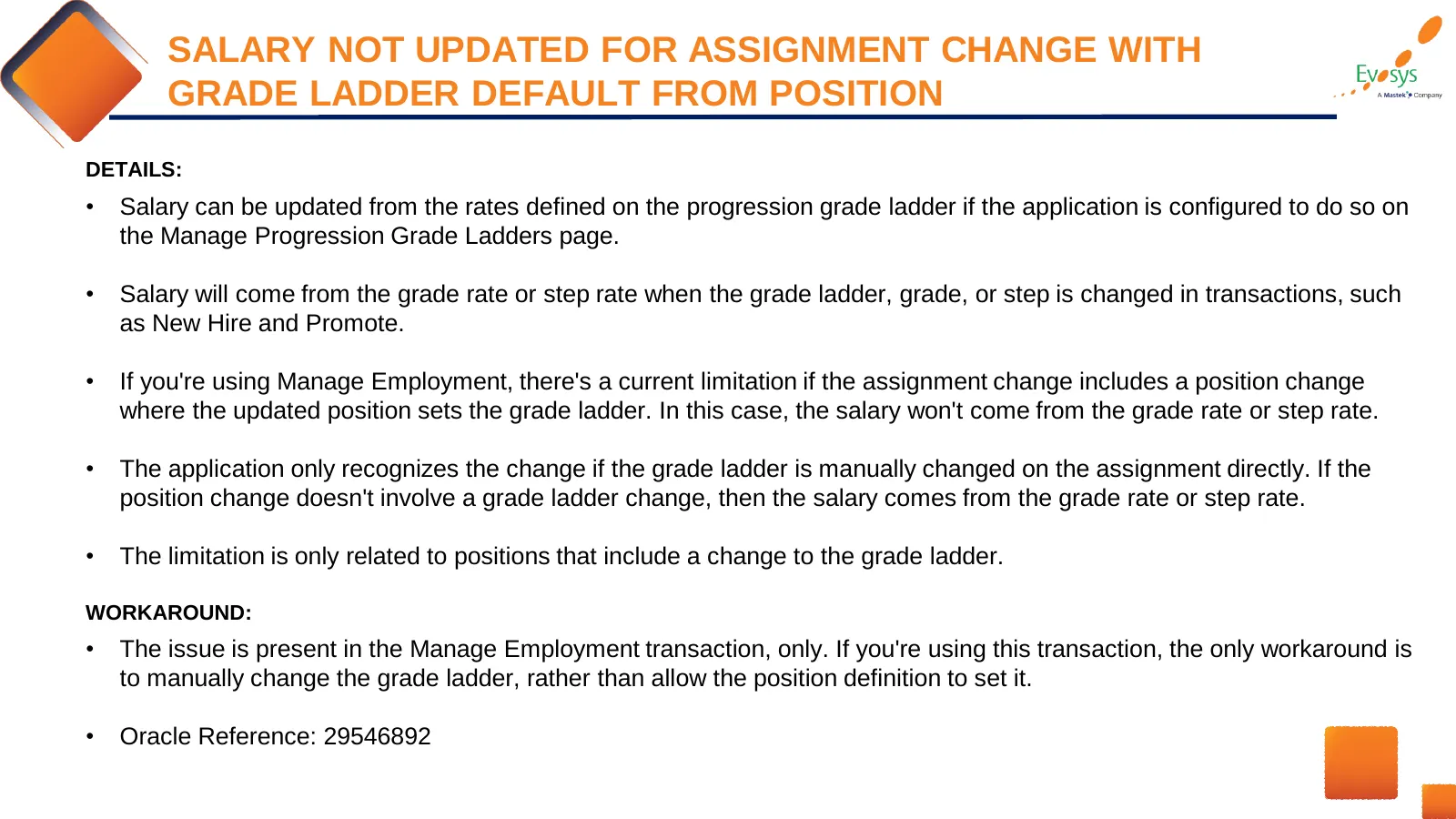
Slide 60: Salary Not Updated for Assignment Change with Grade Ladder Default
SALARY NOT UPDATED FOR ASSIGNMENT CHANGE WITH GRADE LADDER DEFAULT FROM POSITION DETAILS: • Salary can be updated from the rates defined on the progression grade ladder if the application is configured to do so on the Manage Progression Grade Ladders page. • Salary will come from the grade rate or s
Slide 61: Salary Populated from Grade Ladder Incorrect if Frequency Is Payroll Period
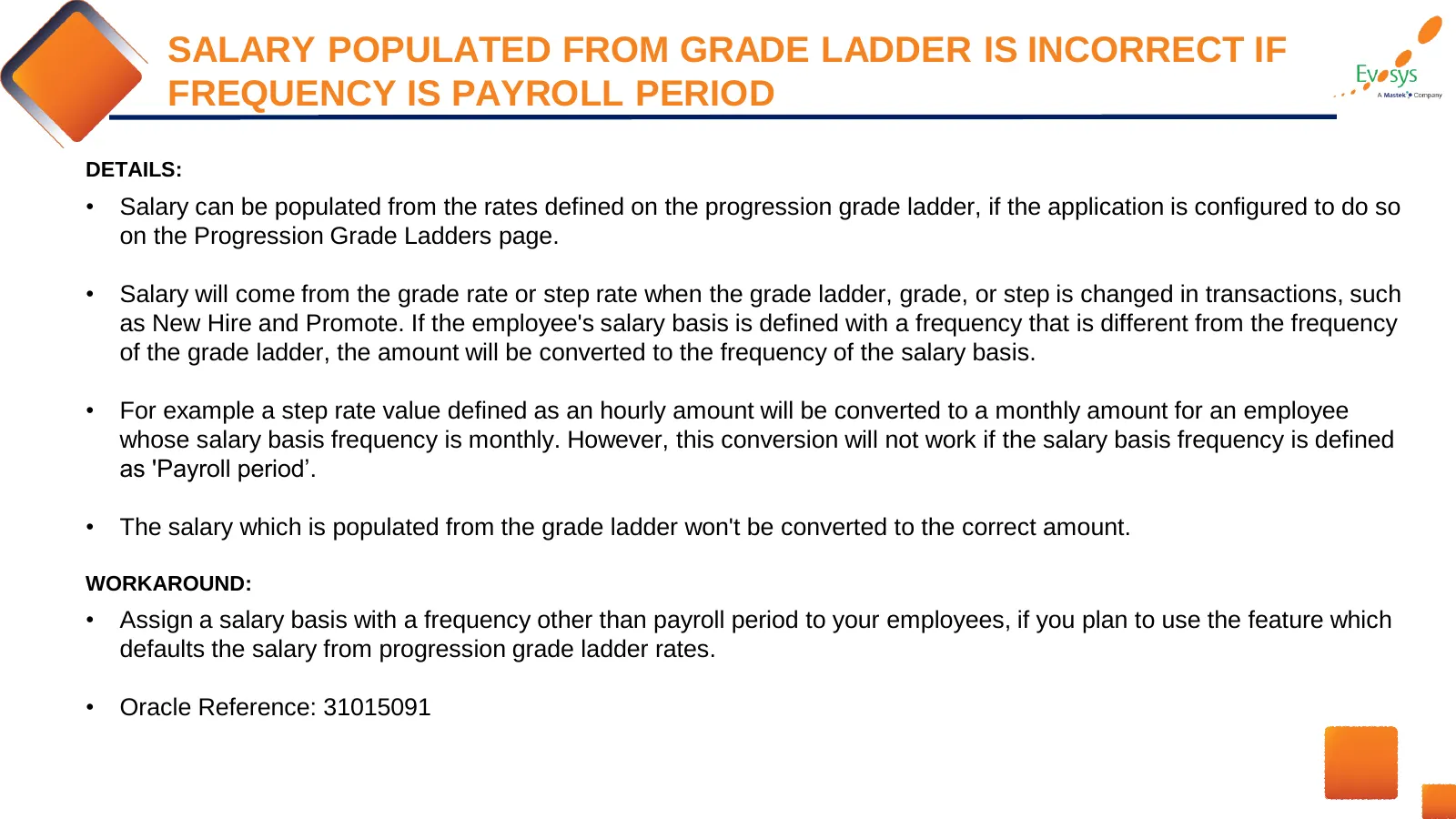
SALARY POPULATED FROM GRADE LADDER IS INCORRECT IF FREQUENCY IS PAYROLL PERIOD DETAILS: • Salary can be populated from the rates defined on the progression grade ladder, if the application is configured to do so on the Progression Grade Ladders page. • Salary will come from the grade rate or step ra
Slide 62: End-Date Proposed for Recurring Compensation Plans Doesn't Copy
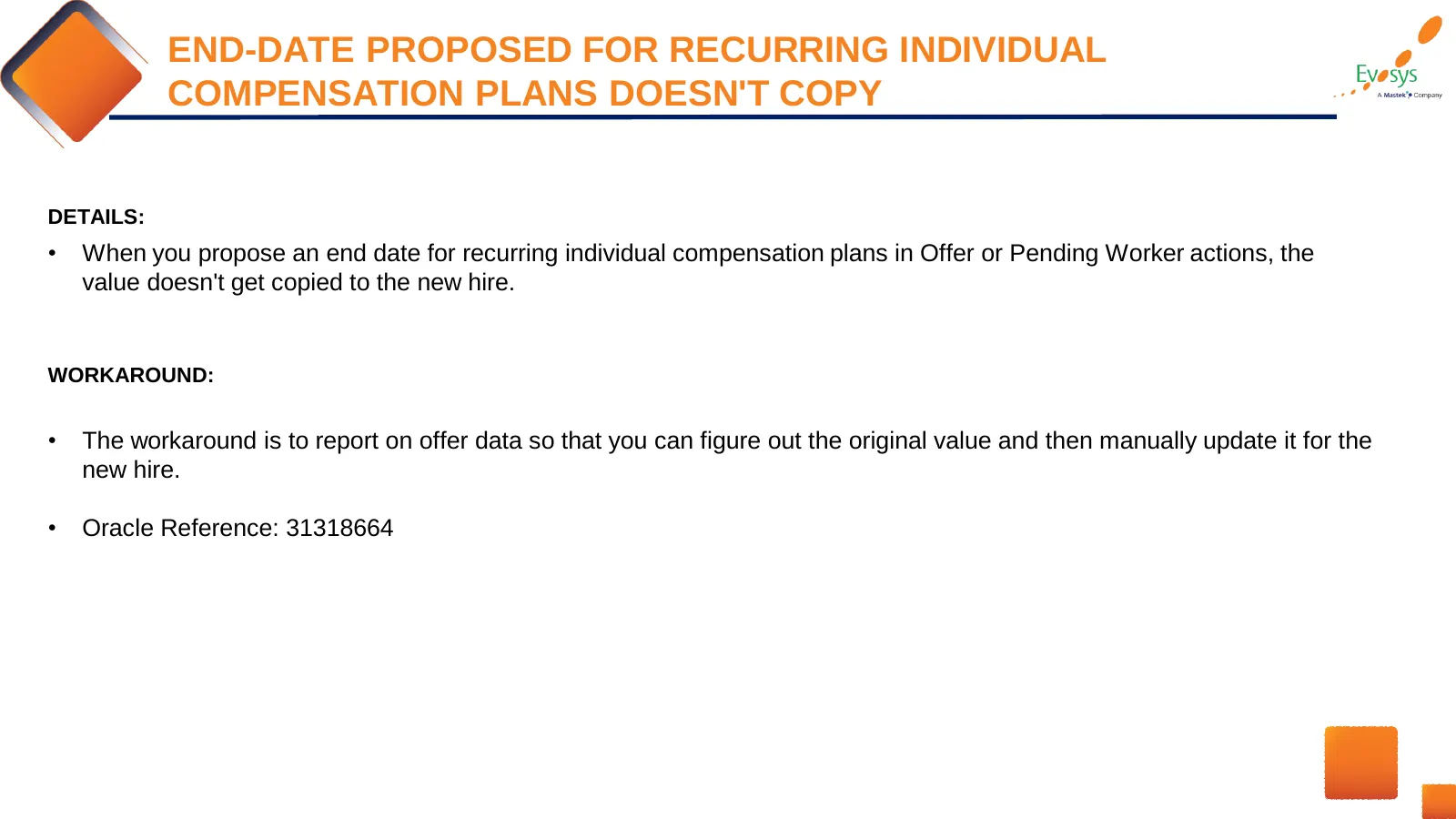
END-DATE PROPOSED FOR RECURRING INDIVIDUAL COMPENSATION PLANS DOESN'T COPY DETAILS: • When you propose an end date for recurring individual compensation plans in Offer or Pending Worker actions, the value doesn't get copied to the new hire. WORKAROUND: • The workaround is to report on offer data so
Slide 63: Replaced or Removed Features
REPLACED OR REMOVED FEATURES
Slide 64: Self-Service Classic and Fuse Pages to Be Removed in 20D
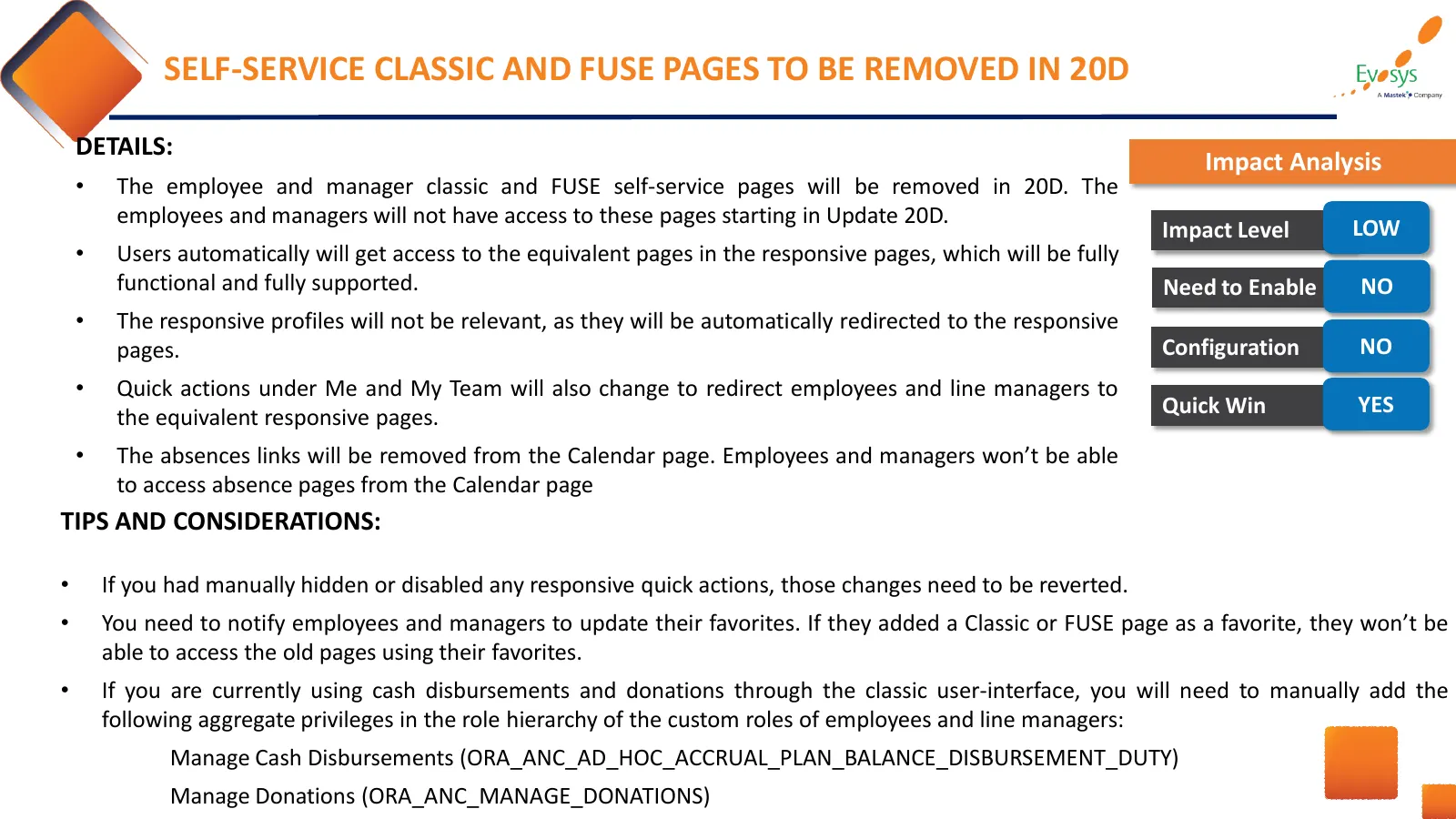
SELF-SERVICE CLASSIC AND FUSE PAGES TO BE REMOVED IN 20D DETAILS: Impact Analysis • The employee and manager classic and FUSE self-service pages will be removed in 20D. The employees and managers will not have access to these pages starting in Update 20D. Impact Level LOW • Users automatically will
Slide 65: Switch Between New and Old Plan Configuration Export/Import Removed
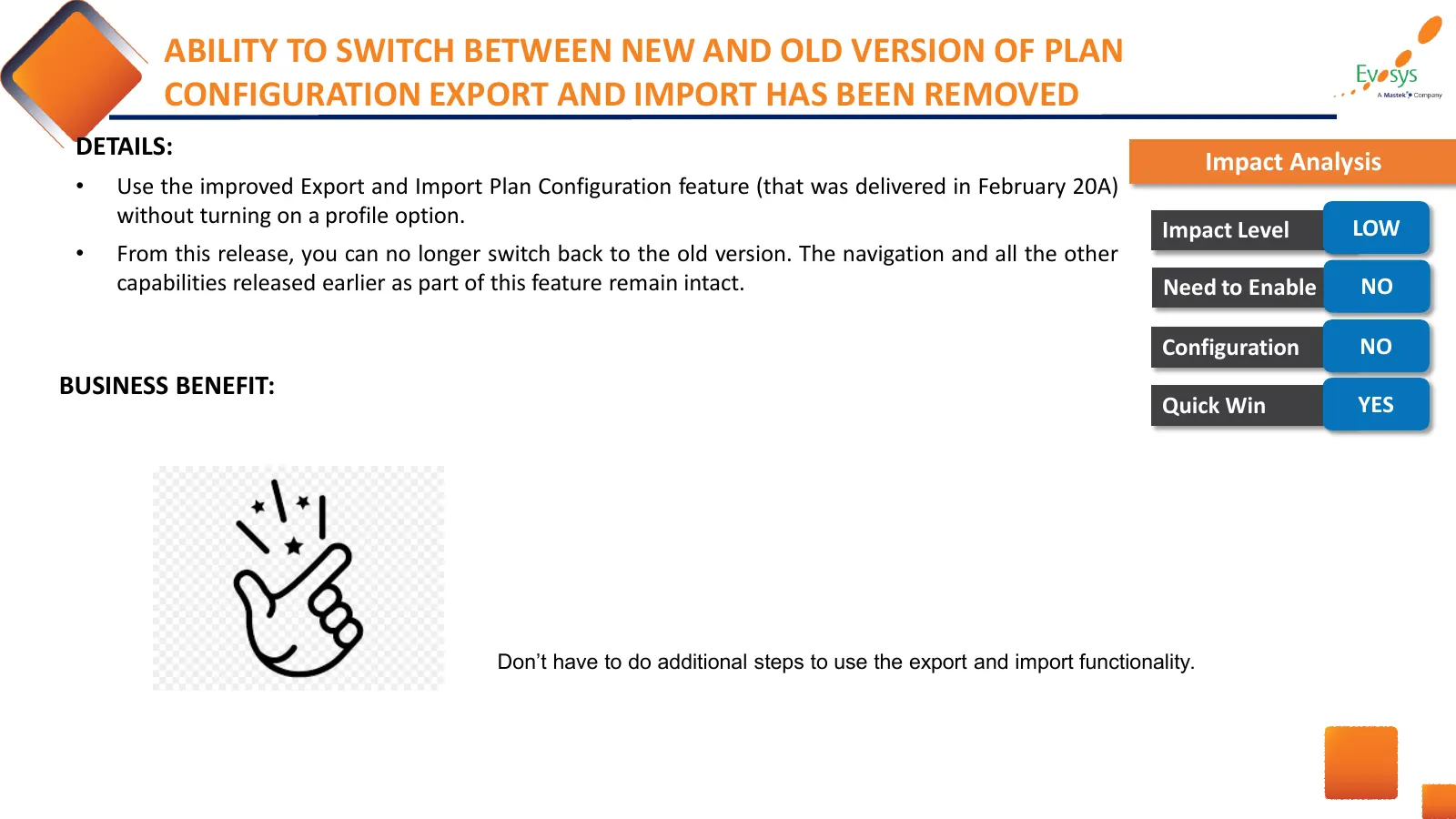
ABILITY TO SWITCH BETWEEN NEW AND OLD VERSION OF PLAN CONFIGURATION EXPORT AND IMPORT HAS BEEN REMOVED DETAILS: Impact Analysis • Use the improved Export and Import Plan Configuration feature (that was delivered in February 20A) without turning on a profile option. Impact Level LOW • From this relea
Slide 66: Next Generation Managed Services
Next Generation Managed Services How we bring this all together?
Slide 67: Analyze, Plan, Test, Launch Oracle Update
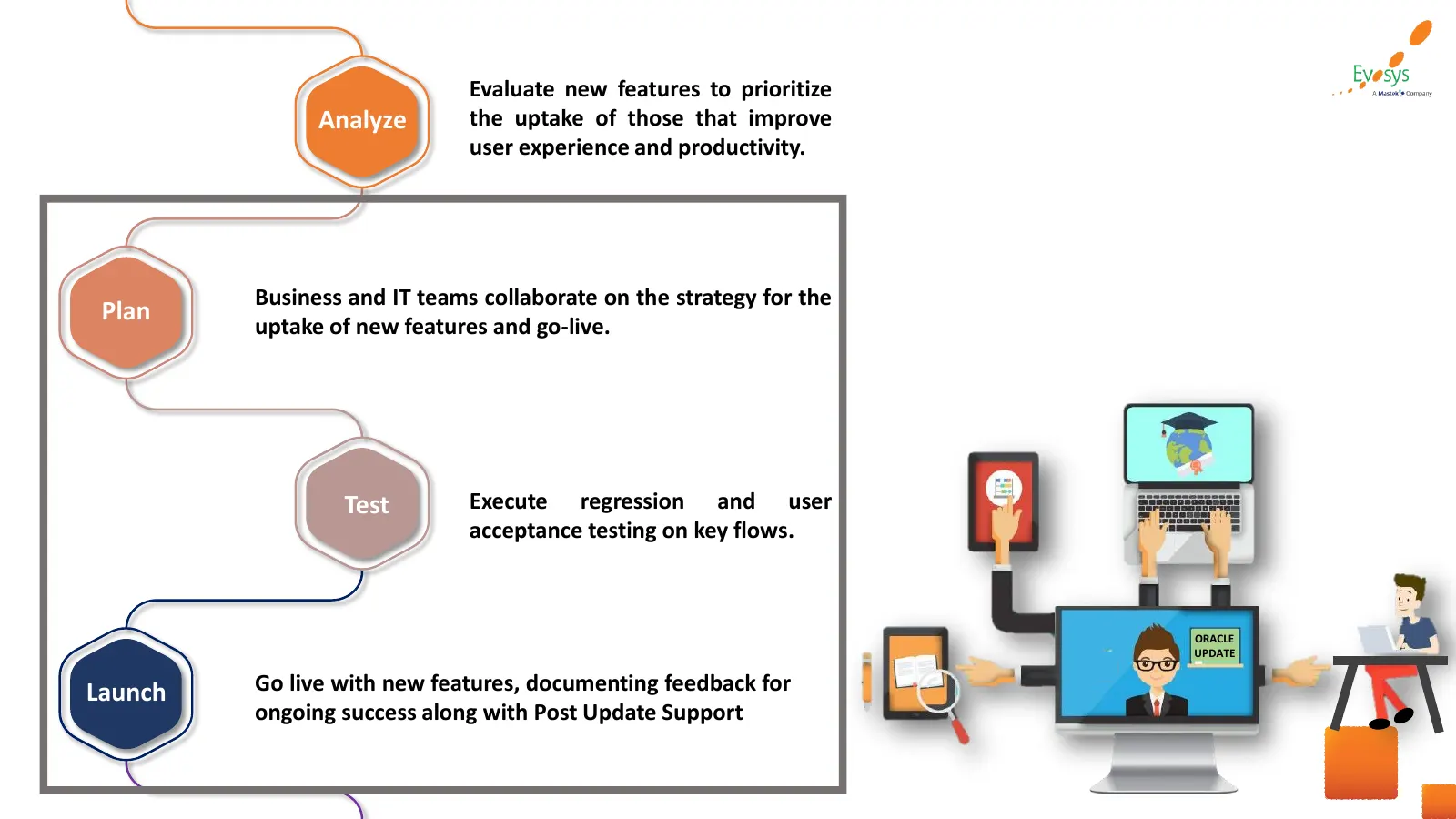
Evaluate new features to prioritize Analyze the uptake of those that improve user experience and productivity. Business and IT teams collaborate on the strategy for the Plan uptake of new features and go-live. Test Execute regression and user acceptance testing on key flows. ORACLE UPDATE Launch Go
Slide 68: Evosys Next Generation Cloud Managed Services
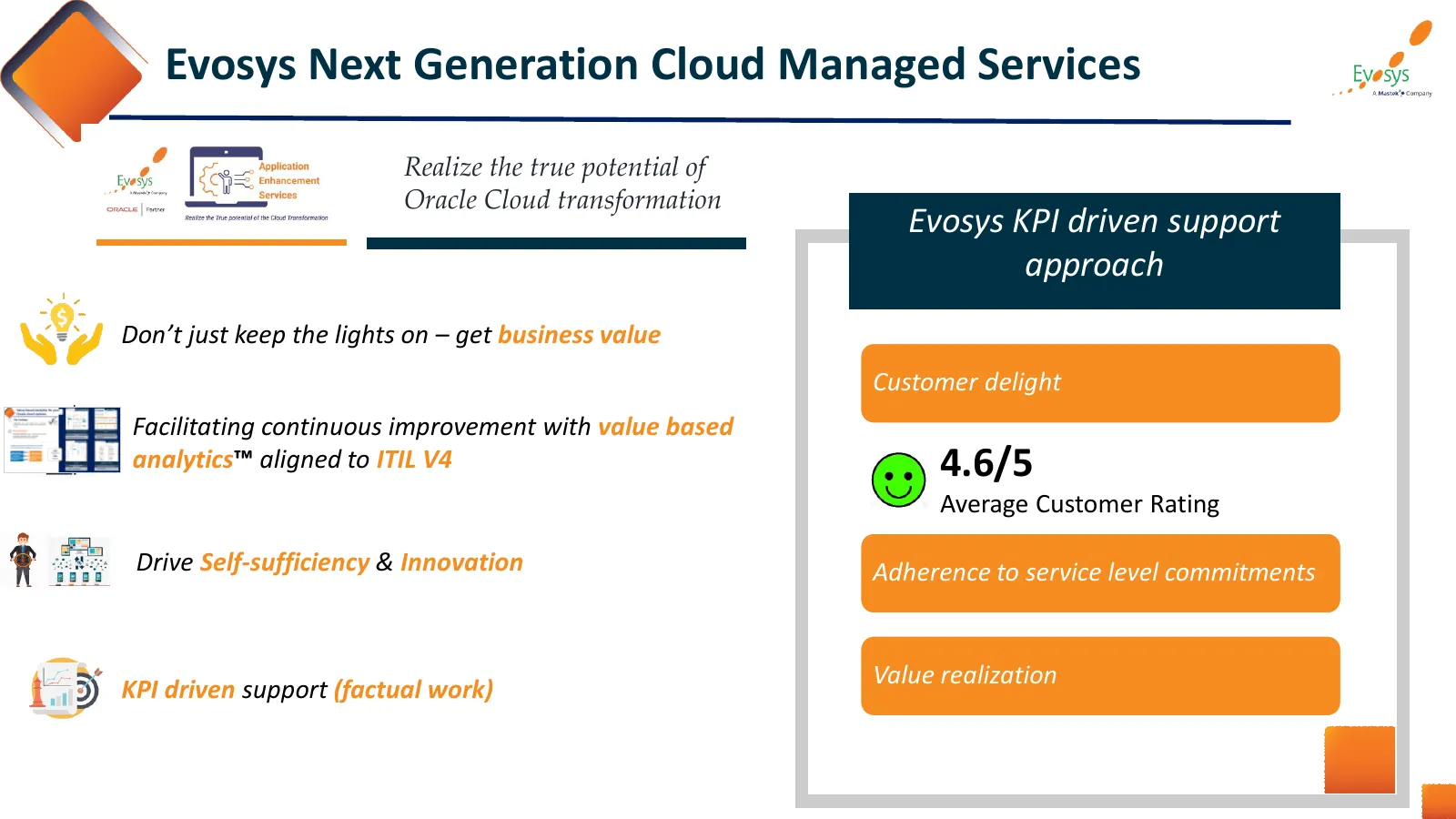
Evosys Next Generation Cloud Managed Services Realize the true potential of Oracle Cloud transformation Evosys KPI driven support approach Don’t just keep the lights on – get business value Customer delight Facilitating continuous improvement with value based analytics™ aligned to ITIL V4 4.6/5 Aver
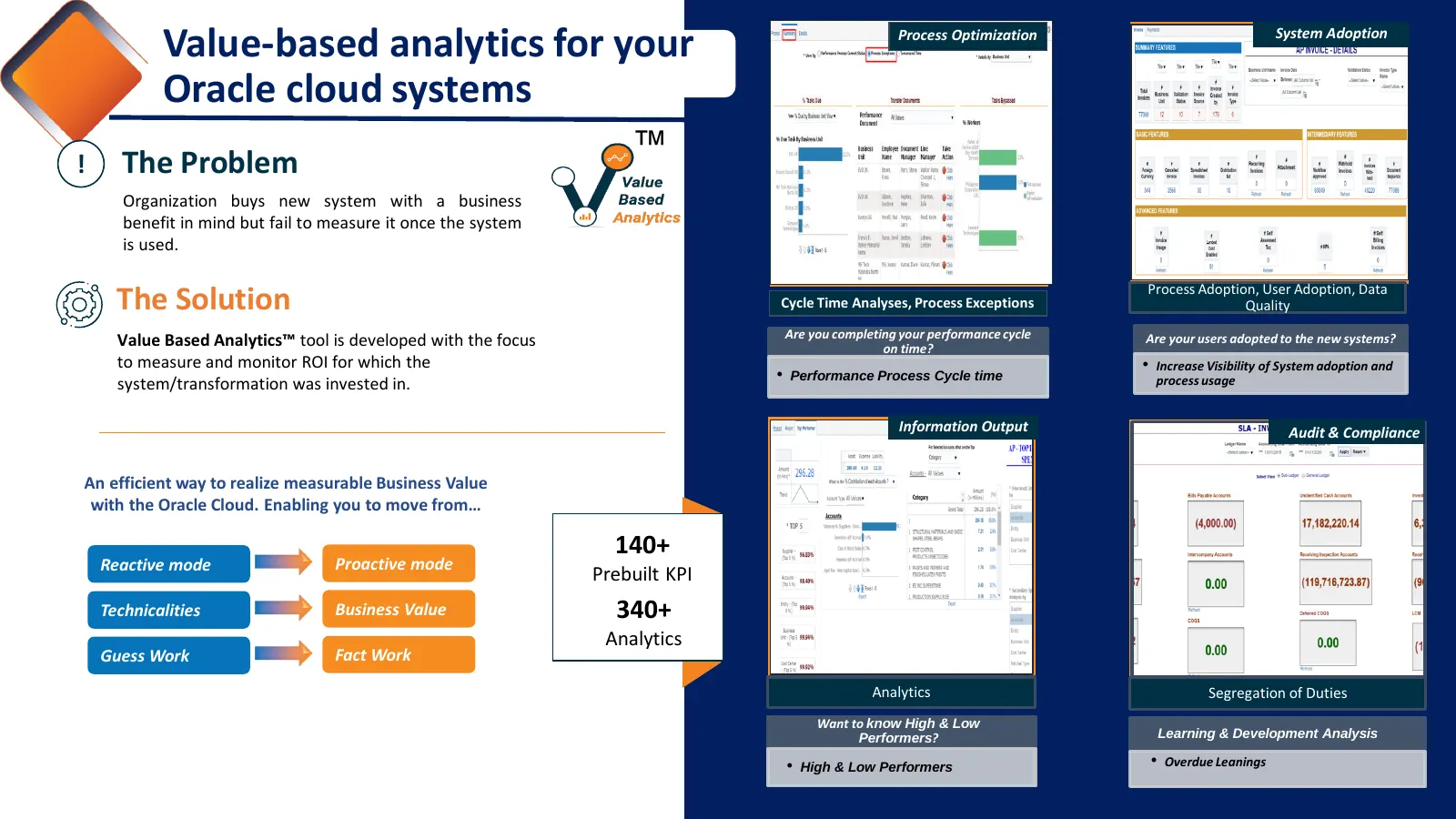
Slide 69: Value-based analytics for your Oracle cloud systems
Value-based analytics for your Process Optimization System Adoption Oracle cloud systems ! The Problem ™ Organization buys new system with a business benefit in mind but fail to measure it once the system is used. Process Adoption, User Adoption, Data The Solution Cycle Time Analyses, Process Except
Slide 70: Closing: Q&A
ae Closing Q&A
Slide 71: Closing Note
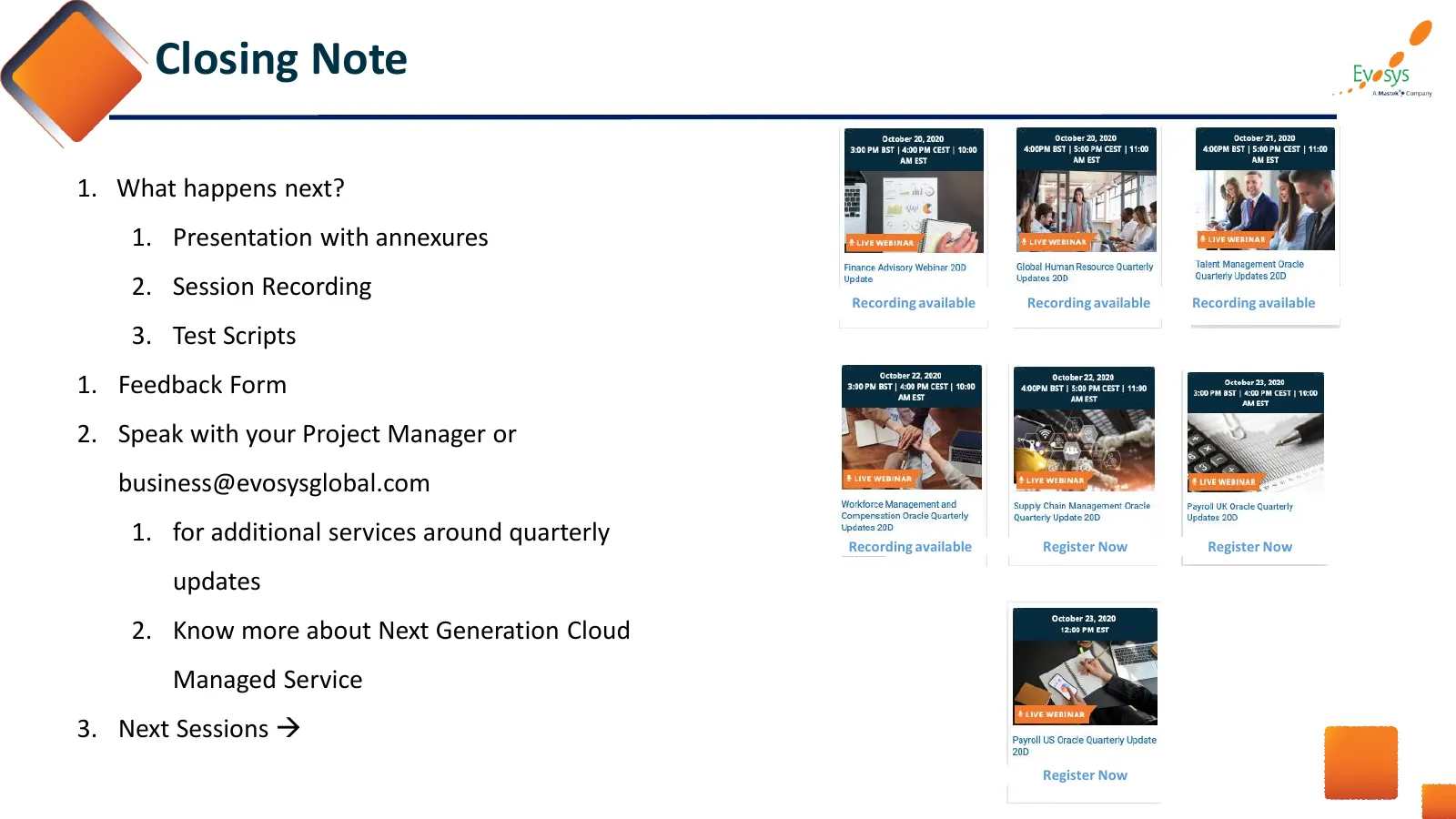
Closing Note 1. What happens next? 1. Presentation with annexures 2. Session Recording Recording available Recording available Recording available 3. Test Scripts 1. Feedback Form 2. Speak with your Project Manager or business@evosysglobal.com 1. for additional services around quarterly Recording av

Slide 72: Thank you!
Evosys … is here to help you! It is always best to clear your doubts. Contact Us Contact : Address: Email: Your Project Manager www.evosysglobal.com business@evosysglobal.com Q&A Thank you !
Source: Internet Archive copy of mastek.com
More decks from Mastek Limited
 Q2 FY2027 Earnings Presentation18 slides · Oct 23, 2026
 Q2 FY2027 Earnings Presentation25 slides · Oct 23, 2026
 Q1 FY27 Earnings Presentation31 slides · Jul 21, 2026
 Q1 FY2027 Earnings Presentation23 slides · Jul 21, 2026
 Q4 FY26 Earnings Presentation37 slides · Apr 18, 2026
 Q4 FY26 Earnings Presentation28 slides · Apr 17, 2026