Mastek Limited · NSE:MASTEK
Mastek — Technical Presentation (January 2023)
59 slides from Mastek's technical presentation, January 2023
Slide 1: Live Webinar 23A – Talent & OLC
Cloud Enhancement Services Live Webinar 23A – TALENT & OLC Empowering you for the next update Host: Hardik Patel Operations Manager, CES Speaker: Charu Vohra Sr. Principal Consultant, HCM
Slide 2: Disclaimer
These advisory webinars are organized to equip you with the latest updates. The content of this session is based on the interpretation of the material and documentation that Oracle has released and is a general DISCLAIMER guideline/recommendation only.
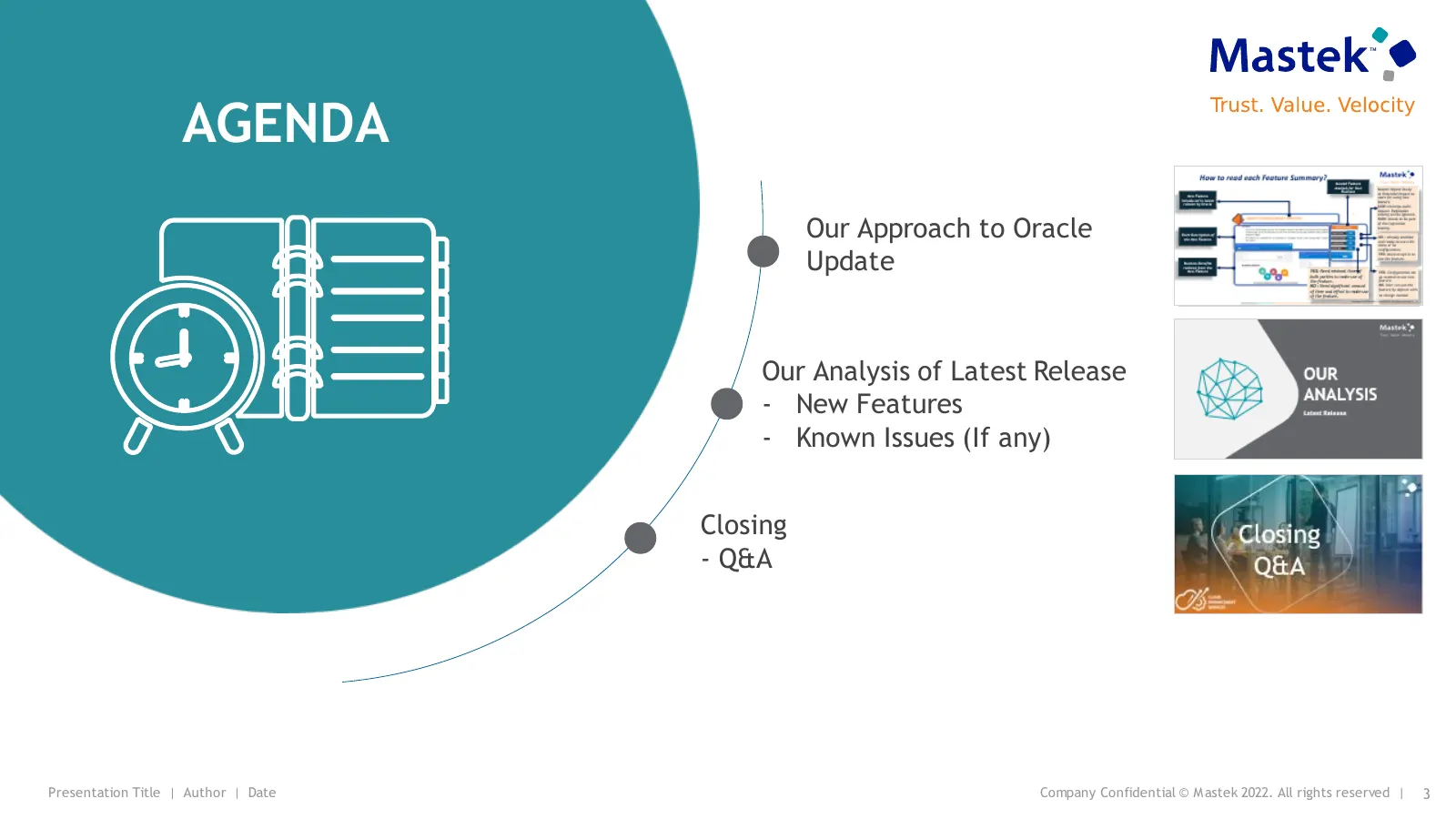
Slide 3: Agenda
AGENDA Our Approach to Oracle Update Our Analysis of Latest Release - New Features - Known Issues (If any) Closing - Q&A Presentation Title | Author | Date Company Confidential © M astek 2022. All rights reserved | 3
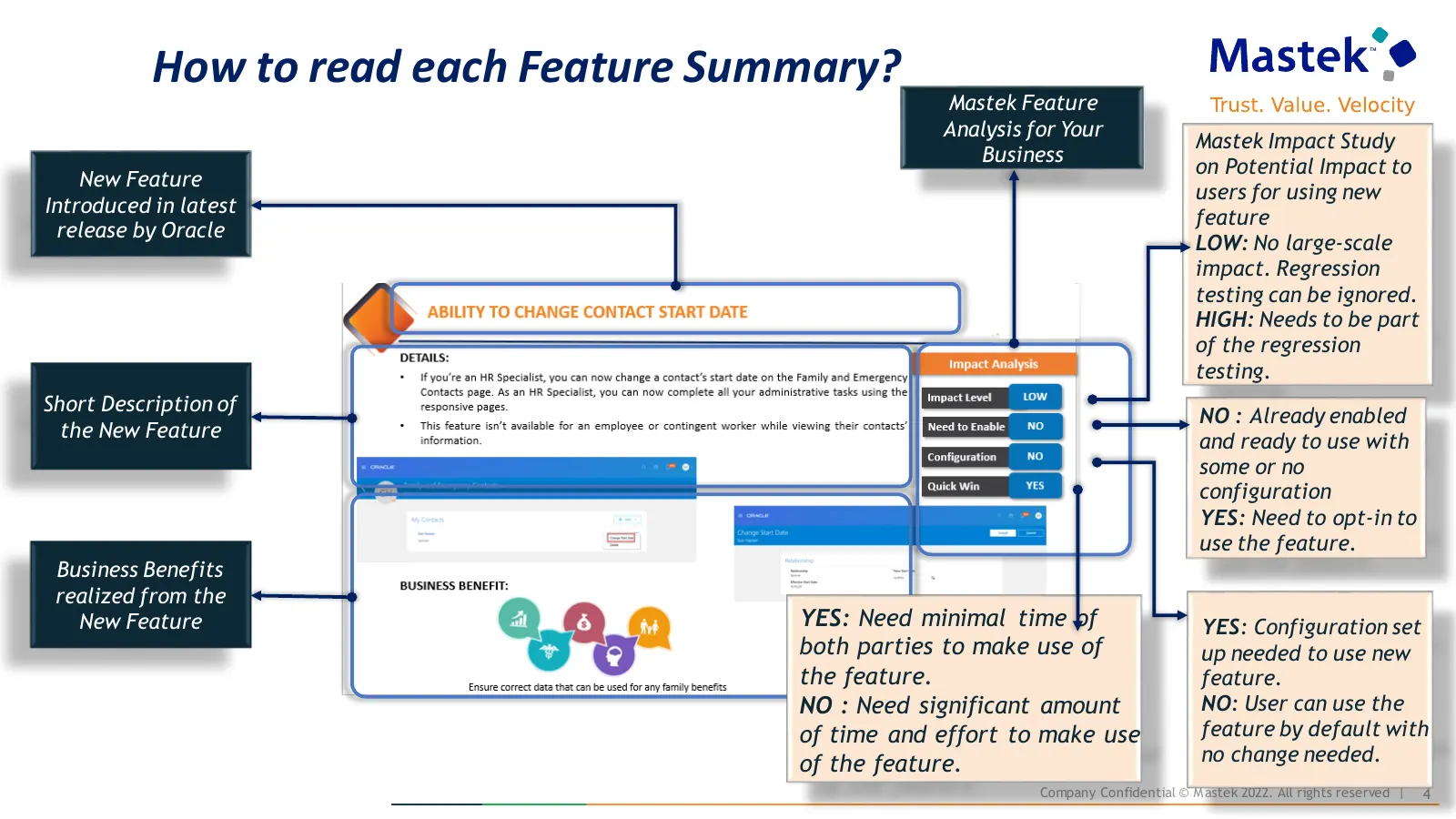
Slide 4: How to read each Feature Summary?
How to read each Feature Summary? Mastek Feature Analysis for Your Mastek Impact Study Business on Potential Impact to New Feature users for using new Introduced in latest feature release by Oracle LOW: No large-scale impact. Regression testing can be ignored. HIGH: Needs to be part of the regressio

Slide 5: Our Analysis: Latest Release
Mastek*@ Trust. Value. Velocity OUR ANALYSIS Latest Release
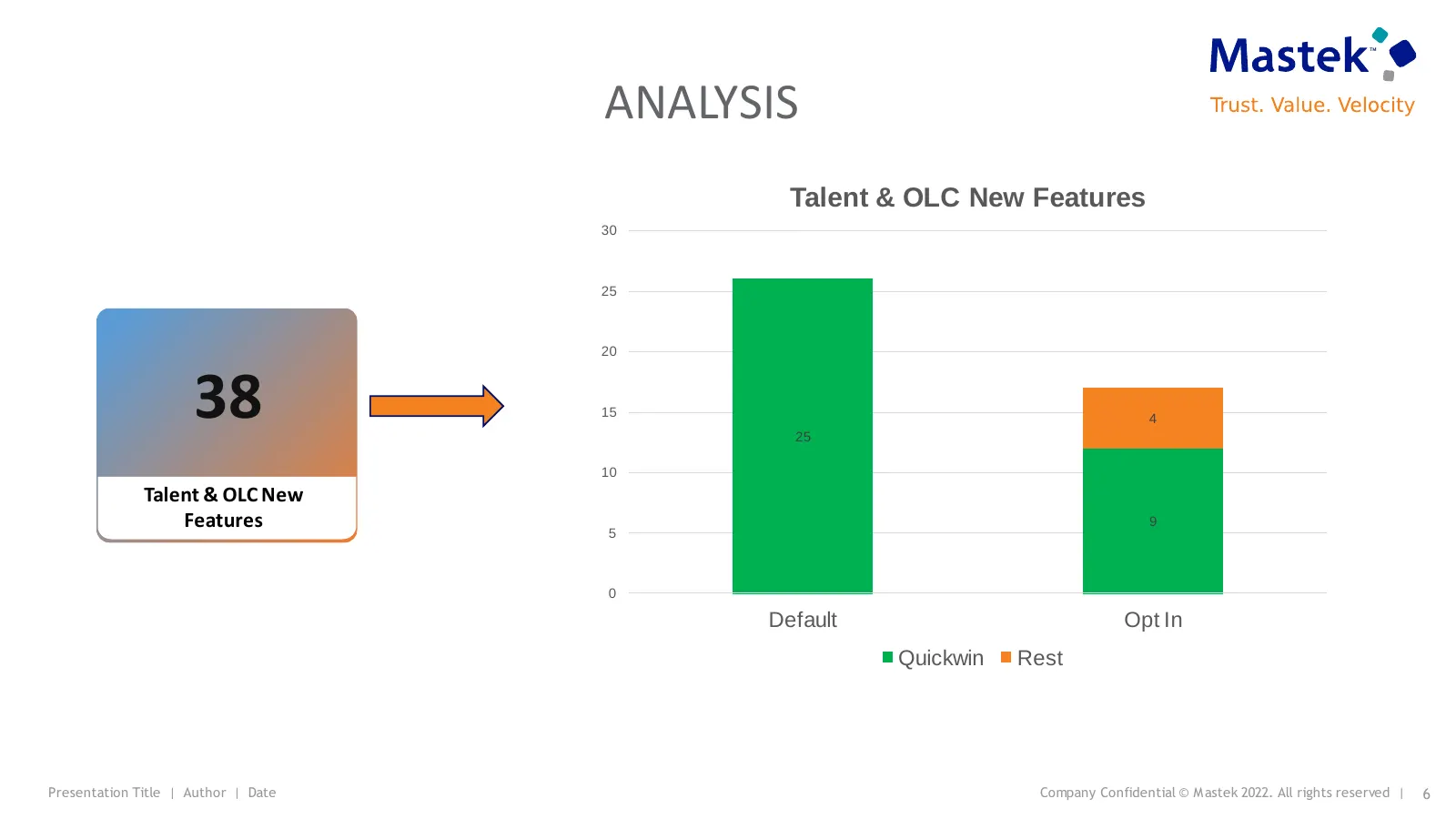
Slide 6: Analysis: Talent & OLC New Features
ANALYSIS Talent & OLC New Features 30 25 20 38 15 25 4 10 Talent & OLC New Features 5 9 0 Default Opt In Quickwin Rest Presentation Title | Author | Date Company Confidential © M astek 2022. All rights reserved | 6
Slide 7: New Features
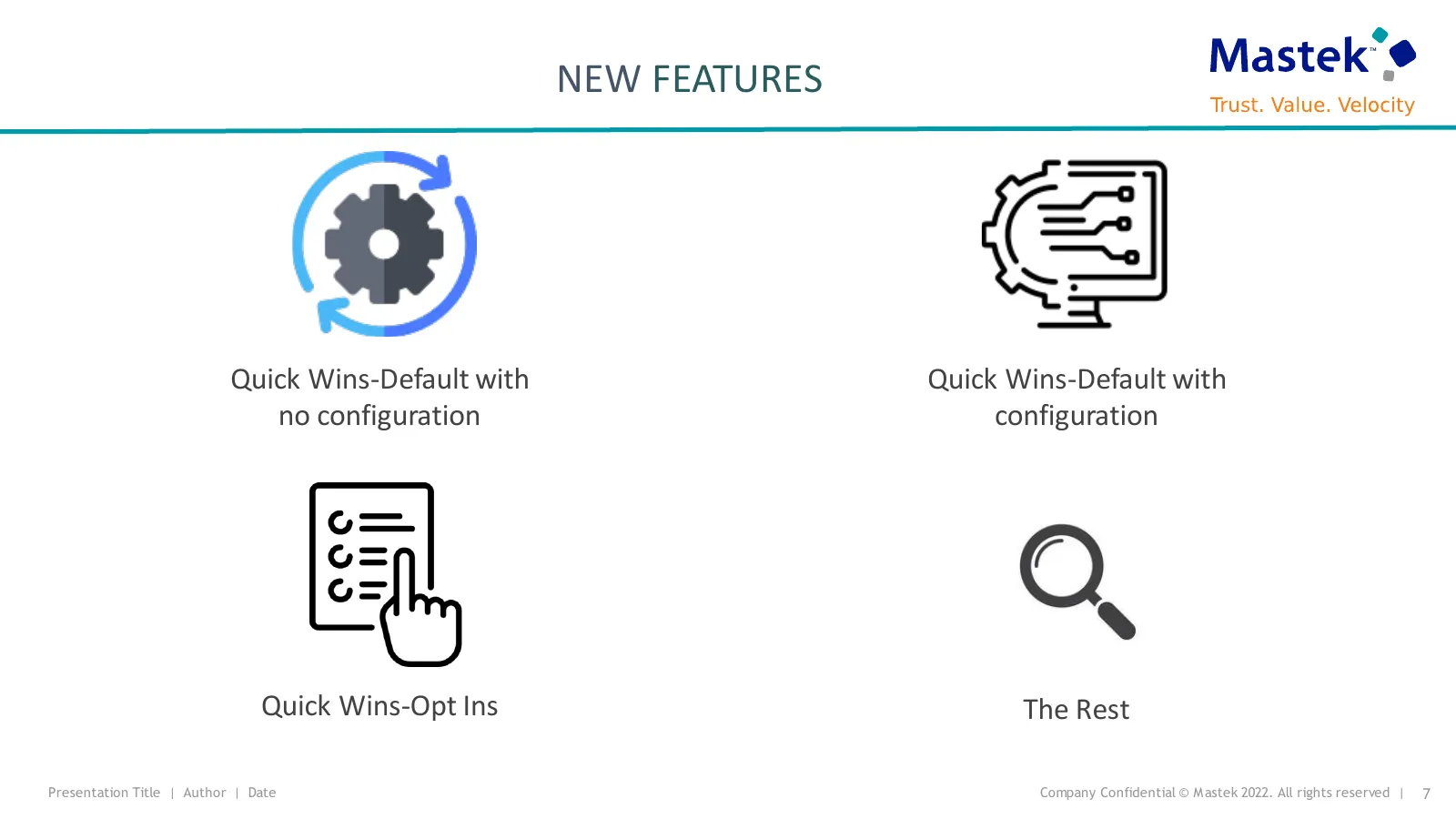
NEW FEATURES Quick Wins-Default with Quick Wins-Default with no configuration configuration Quick Wins-Opt Ins The Rest Presentation Title | Author | Date Company Confidential © M astek 2022. All rights reserved | 7
Slide 8: Quick Wins - Default with No Configuration
NEW FEATURES QUICK WINS-DEFAULT WITH NO CONFIGURATION Presentation Title | Author | Date Company Confidential © M astek 2022. All rights reserved | 8
Slide 9: Deleting Specific HR-Assigned Goals
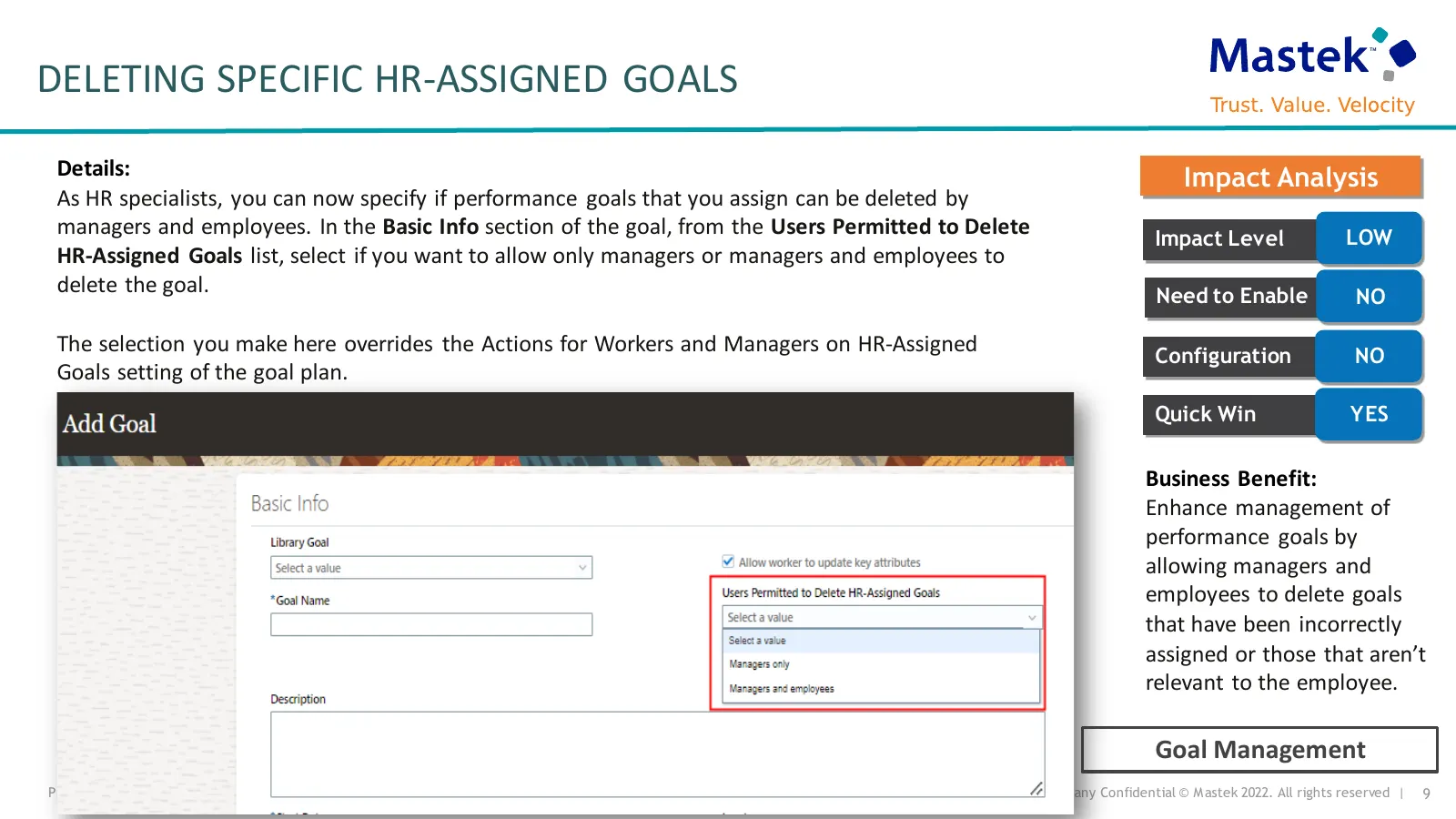
DELETING SPECIFIC HR-ASSIGNED GOALS Details: Impact Analysis As HR specialists, you can now specify if performance goals that you assign can be deleted by managers and employees. In the Basic Info section of the goal, from the Users Permitted to Delete LOW Impact Level HR-Assigned Goals list, select
Slide 10: Enhanced Restrictions on Maximum Number of Performance Goals in Goal Plan
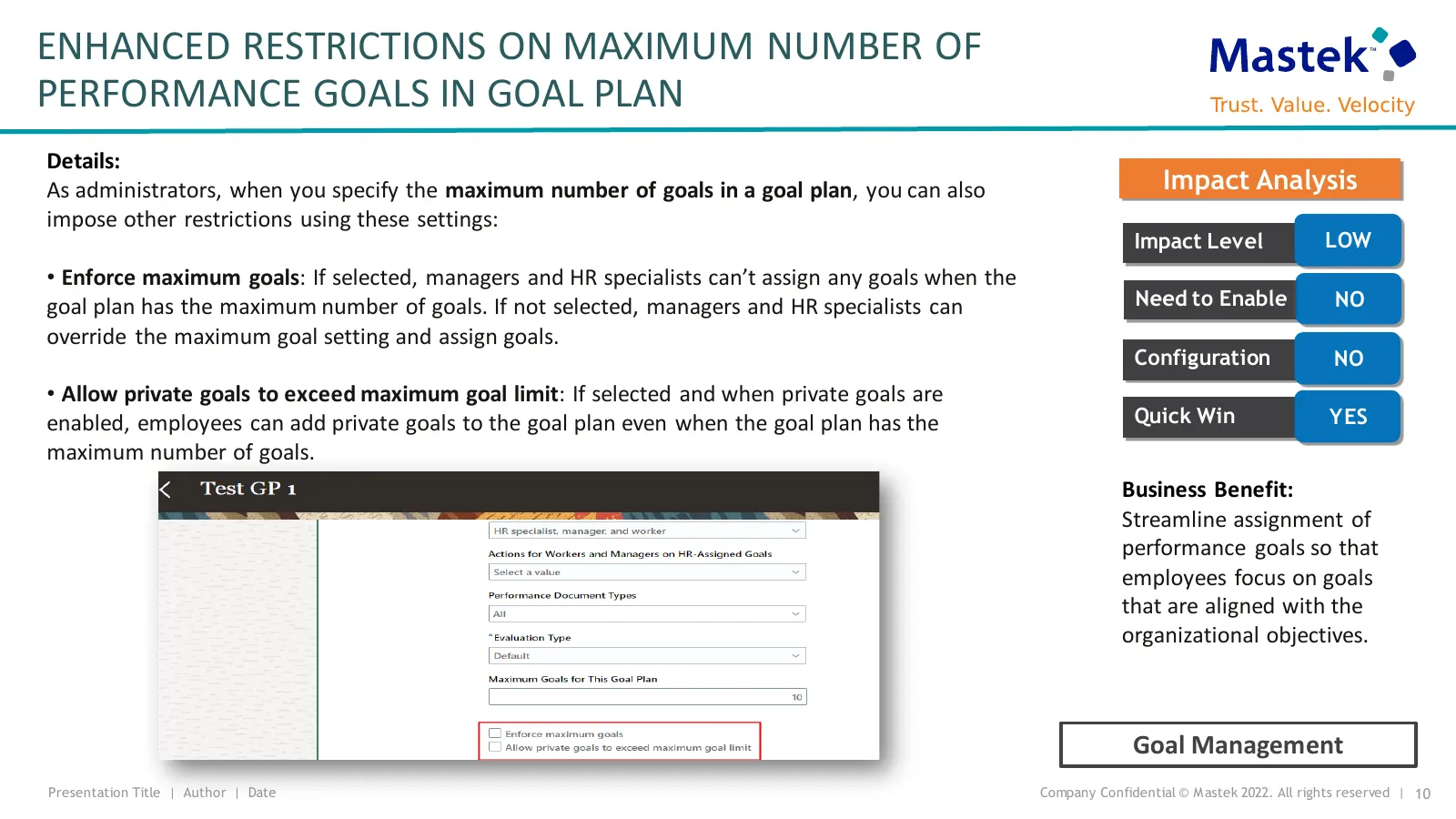
ENHANCED RESTRICTIONS ON MAXIMUM NUMBER OF PERFORMANCE GOALS IN GOAL PLAN Details: As administrators, when you specify the maximum number of goals in a goal plan, you can also Impact Analysis impose other restrictions using these settings: Impact Level LOW • Enforce maximum goals: If selected, manag
Slide 11: Restriction on Goal Delete
RESTRICTION ON GOAL DELETE Details: Impact Analysis As managers, you can’t delete goals that you assigned to your team members if they have added any note to the goal. Impact Level LOW Need to Enable NO Business Benefit: Enhance employee satisfaction by ensuring that employees don’t lose performance
Slide 12: Add and Remove Person Profile Competencies in Performance Documents
ADD AND REMOVE PERSON PROFILE COMPETENCIES IN PERFORMANCE DOCUMENTS Details: Impact Analysis Employees and managers can now add or remove competencies for person profile competency sections directly in the performance document instead of in the employee’s talent profile. Impact Level LOW When an emp
Slide 13: Competency Target Proficiencies and Ratings in All-in-One Evaluations
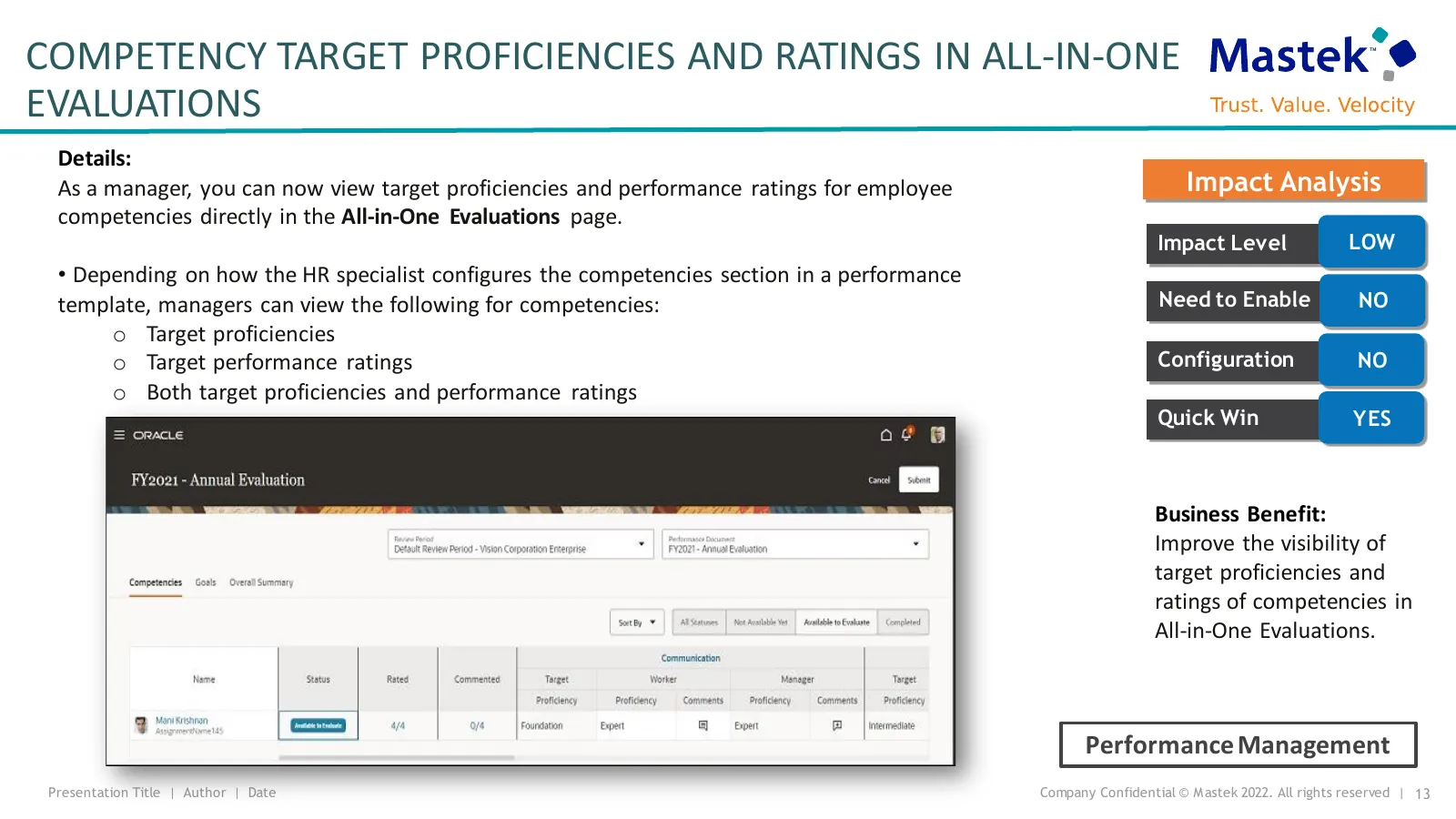
COMPETENCY TARGET PROFICIENCIES AND RATINGS IN ALL-IN-ONE EVALUATIONS Details: As a manager, you can now view target proficiencies and performance ratings for employee Impact Analysis competencies directly in the All-in-One Evaluations page. Impact Level LOW • Depending on how the HR specialist conf
Slide 14: Substitute Performance Document Evaluators Support in All-in-One Evaluations
SUBSTITUTE PERFORMANCE DOCUMENT EVALUATORS SUPPORT IN ALL-IN-ONE EVALUATIONS Details: Impact Analysis Substitute performance document evaluators can complete multiple manager evaluations on behalf of managers using All-in-One Evaluations. Simply select the manager you want to evaluate on behalf of I
Slide 15: Synchronize Person Profile Competencies in Performance Documents Process
SYNCHRONIZE PERSON PROFILE COMPETENCIES IN PERFORMANCE DOCUMENTS PROCESS Details: Impact Analysis If competencies in an employee’s Talent person profile are missing from their performance document, you can run the Synchronize Person Profile Competencies in Performance Documents process to identify I
Slide 16: Requested Feedback for Touchpoints
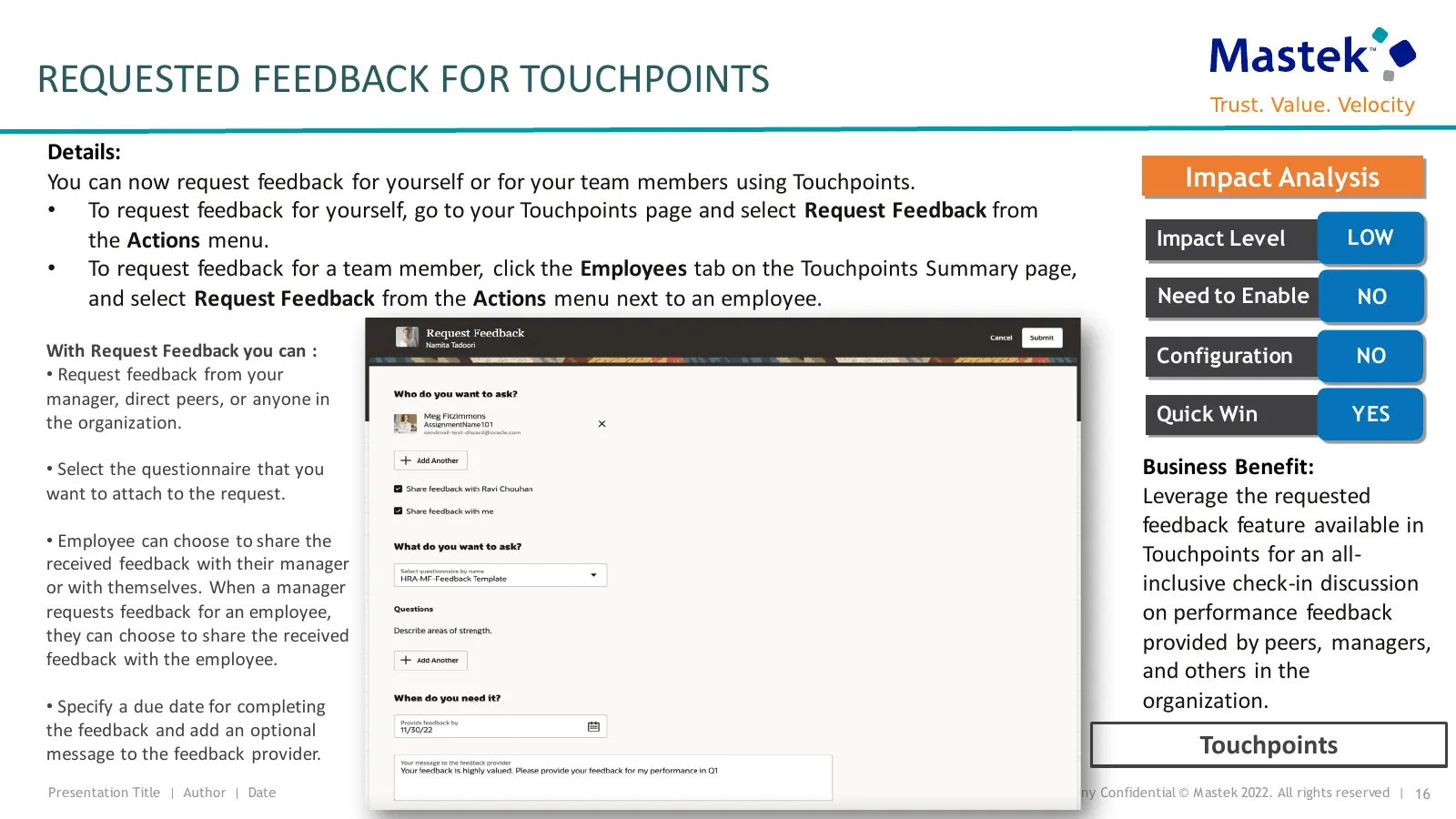
REQUESTED FEEDBACK FOR TOUCHPOINTS Details: You can now request feedback for yourself or for your team members using Touchpoints. Impact Analysis • To request feedback for yourself, go to your Touchpoints page and select Request Feedback from the Actions menu. Impact Level LOW • To request feedback
Slide 17: Requested Feedback for Touchpoints
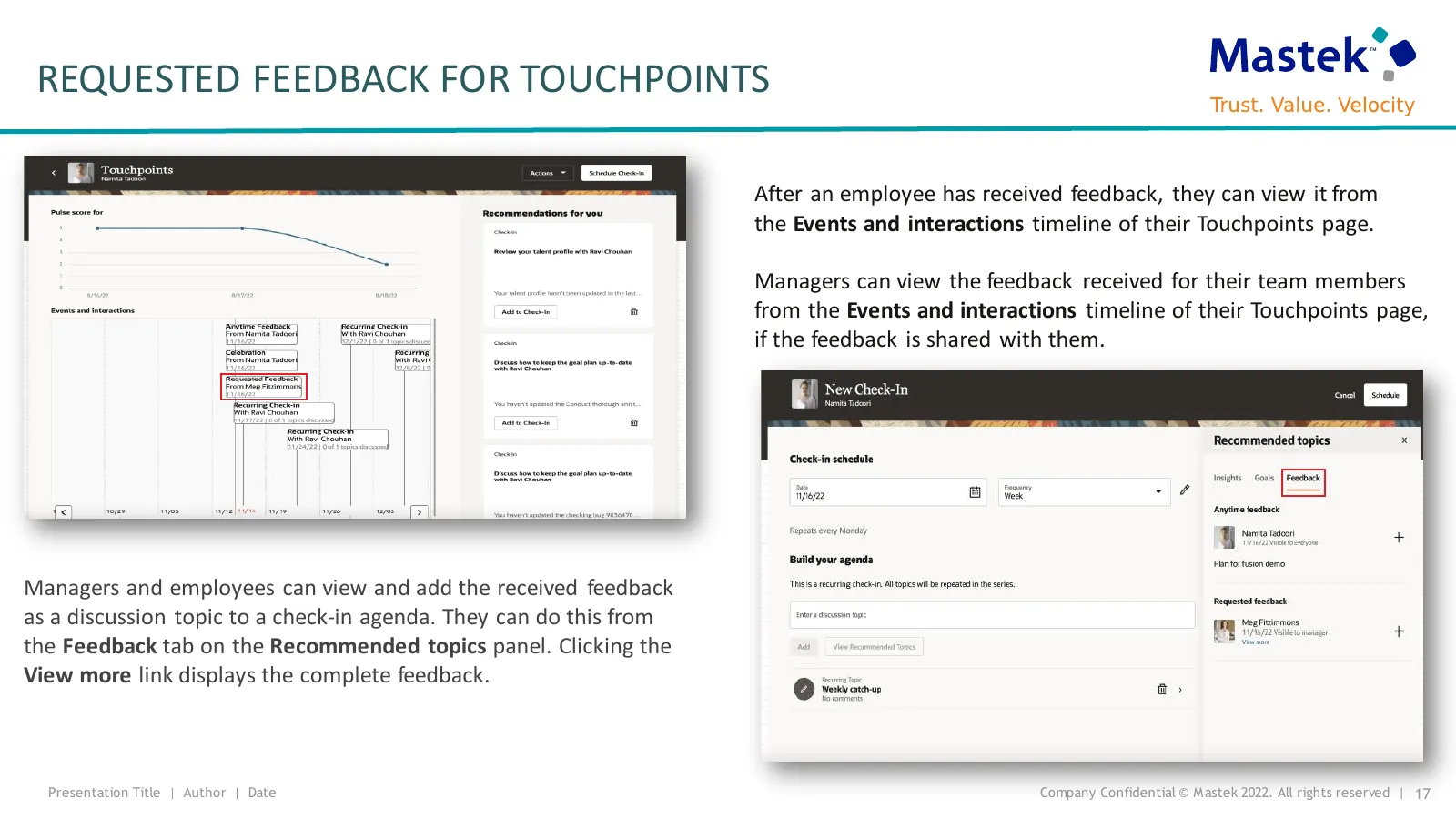
REQUESTED FEEDBACK FOR TOUCHPOINTS After an employee has received feedback, they can view it from the Events and interactions timeline of their Touchpoints page. Managers can view the feedback received for their team members from the Events and interactions timeline of their Touchpoints page, if the
Slide 18: Accepting a Waitlisted Seat
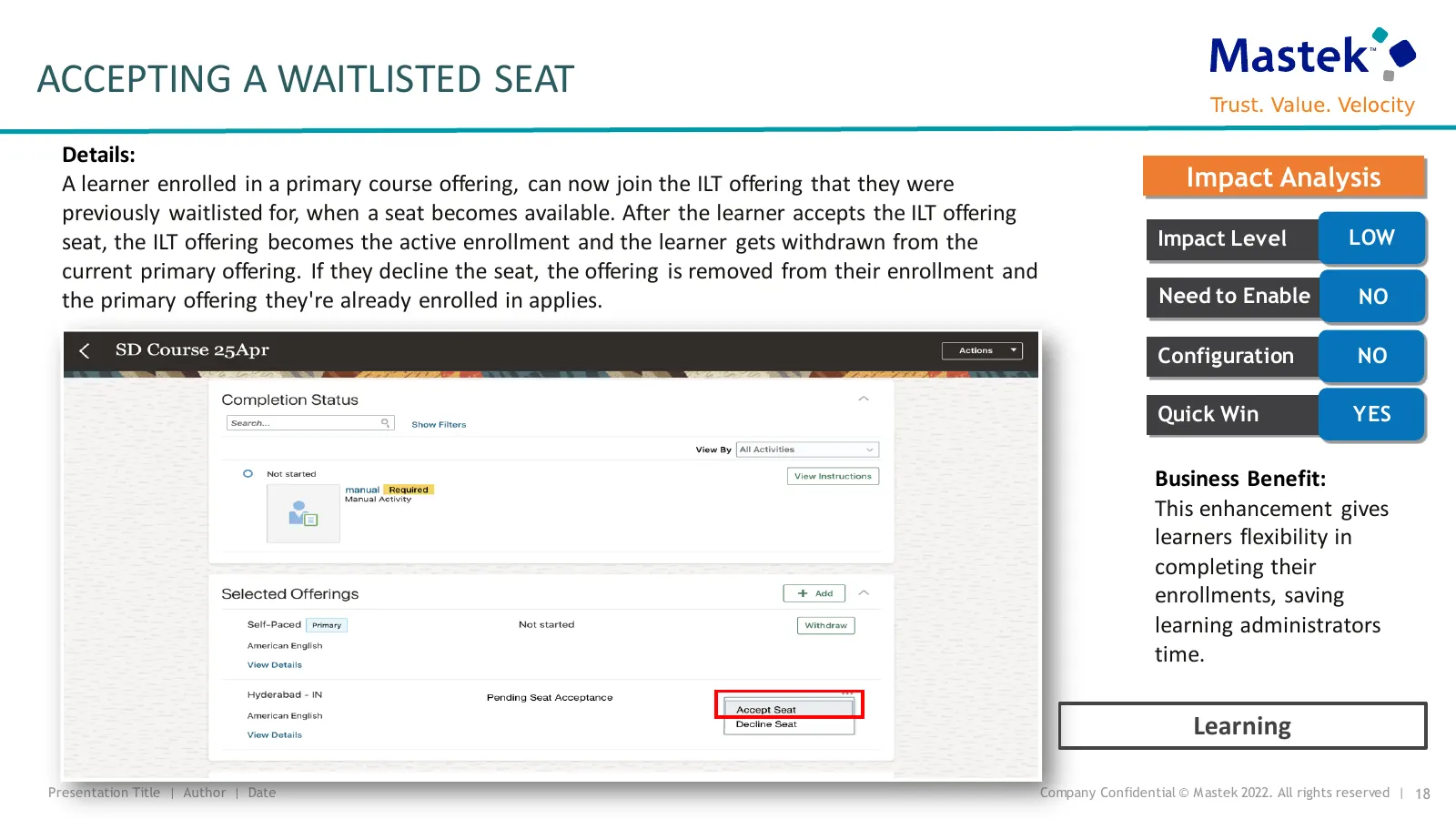
ACCEPTING A WAITLISTED SEAT Details: A learner enrolled in a primary course offering, can now join the ILT offering that they were Impact Analysis previously waitlisted for, when a seat becomes available. After the learner accepts the ILT offering seat, the ILT offering becomes the active enrollment
Slide 19: 'Communities I Manage' Page Enhancements
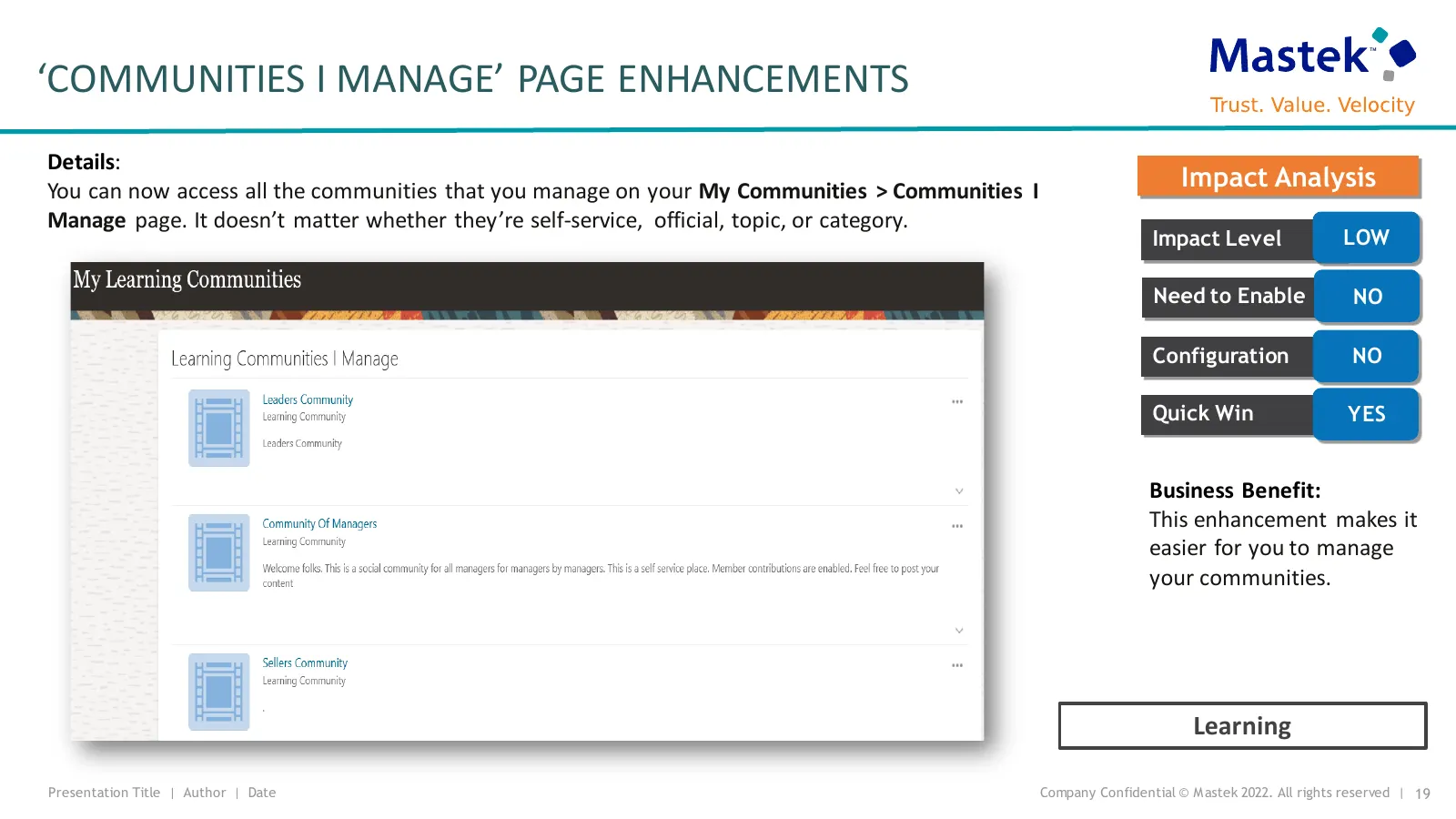
‘COMMUNITIES I MANAGE’ PAGE ENHANCEMENTS Details: You can now access all the communities that you manage on your My Communities > Communities I Impact Analysis Manage page. It doesn’t matter whether they’re self-service, official, topic, or category. Impact Level LOW Need to Enable NO Configuration
Slide 20: Learn Community and Learn Enrollment Task Types in HCM Journeys
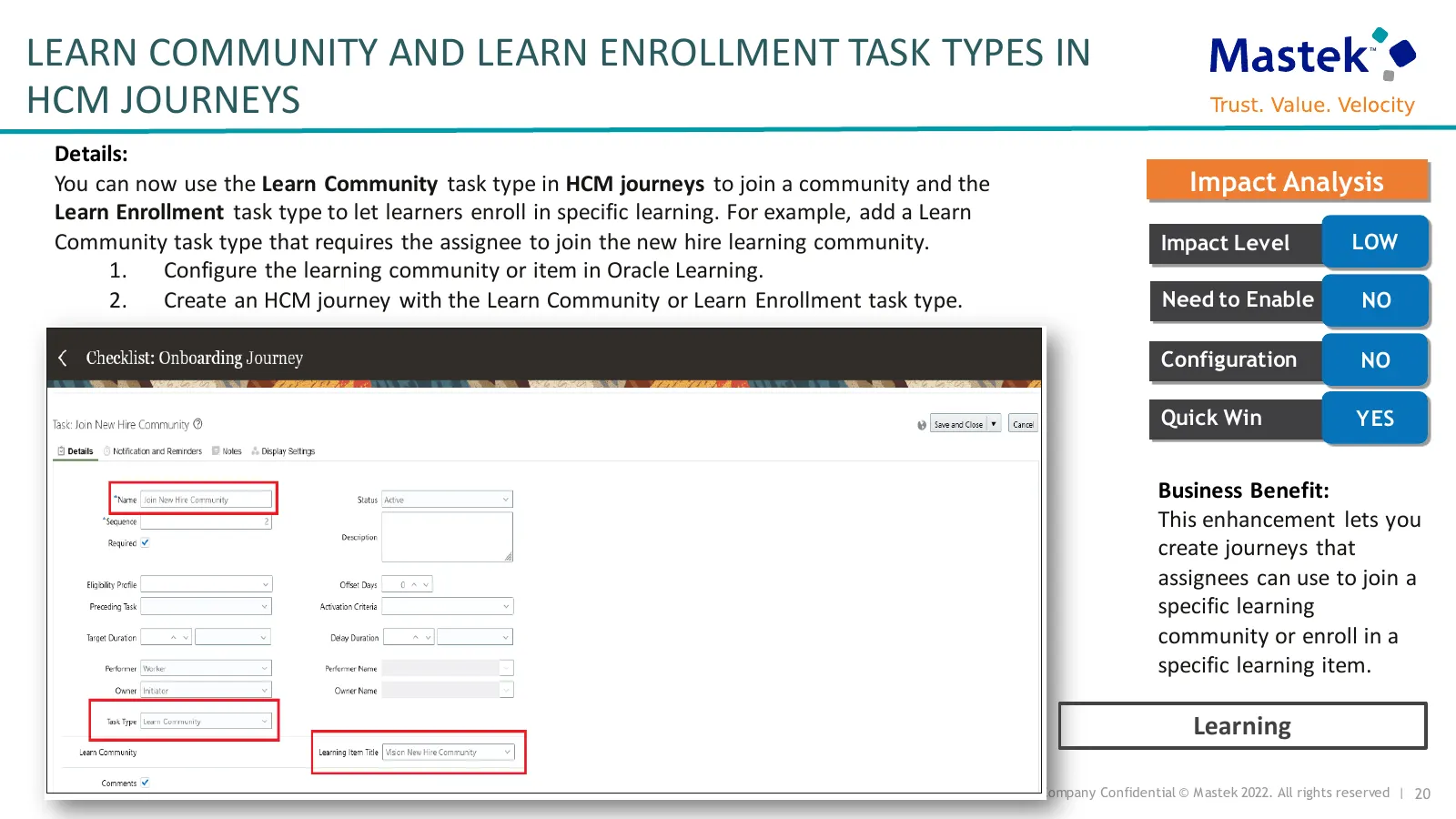
LEARN COMMUNITY AND LEARN ENROLLMENT TASK TYPES IN HCM JOURNEYS Details: You can now use the Learn Community task type in HCM journeys to join a community and the Impact Analysis Learn Enrollment task type to let learners enroll in specific learning. For example, add a Learn Community task type that
Slide 21: Learn Community and Learn Enrollment Task Types in HCM Journeys
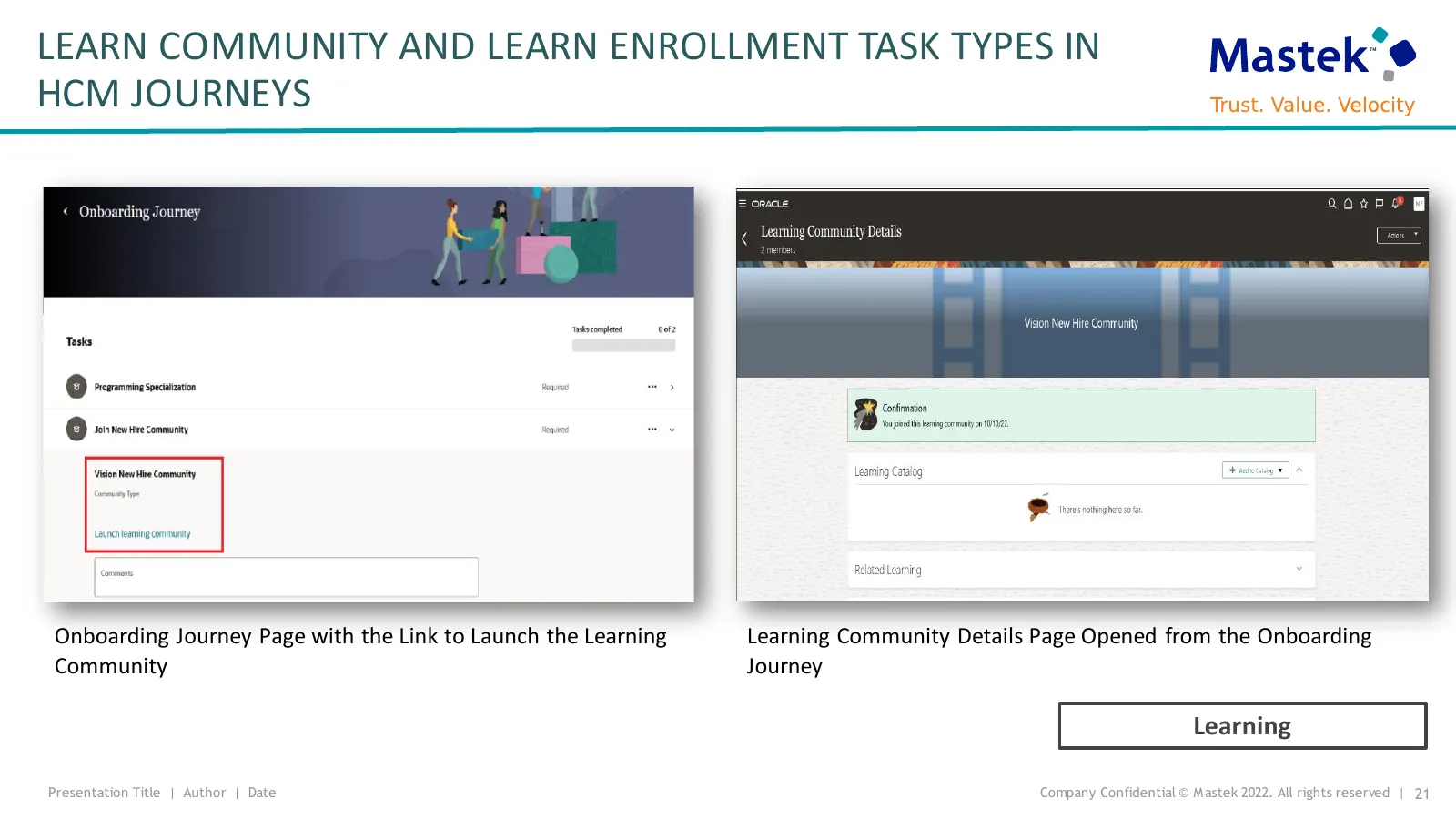
LEARN COMMUNITY AND LEARN ENROLLMENT TASK TYPES IN HCM JOURNEYS Onboarding Journey Page with the Link to Launch the Learning Learning Community Details Page Opened from the Onboarding Community Journey Learning Presentation Title | Author | Date Company Confidential © M astek 2022. All rights reserv
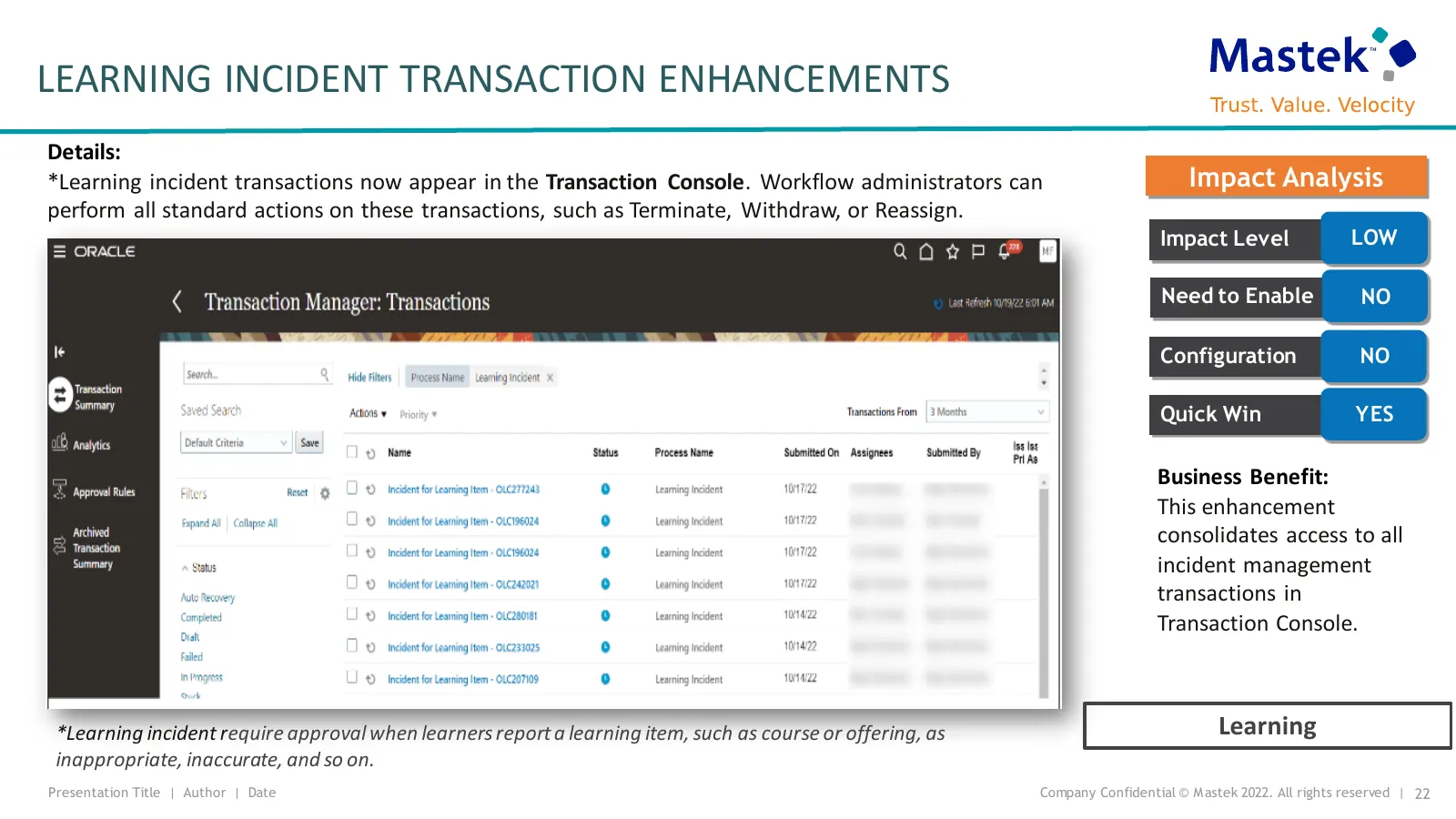
Slide 22: Learning Incident Transaction Enhancements
LEARNING INCIDENT TRANSACTION ENHANCEMENTS Details: *Learning incident transactions now appear in the Transaction Console. Workflow administrators can Impact Analysis perform all standard actions on these transactions, such as Terminate, Withdraw, or Reassign. Impact Level LOW Need to Enable NO Conf
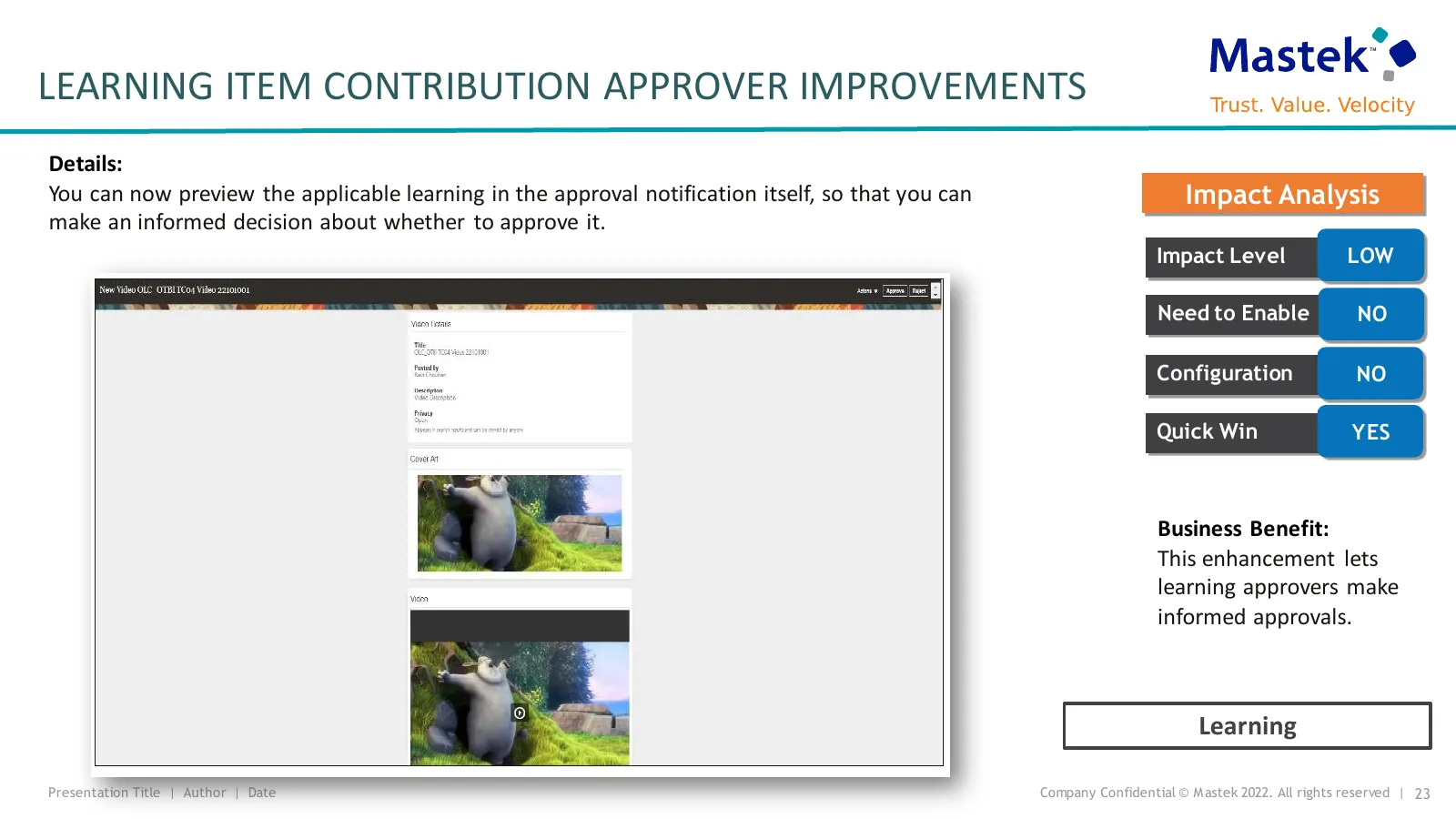
Slide 23: Learning Item Contribution Approver Improvements
LEARNING ITEM CONTRIBUTION APPROVER IMPROVEMENTS Details: You can now preview the applicable learning in the approval notification itself, so that you can Impact Analysis make an informed decision about whether to approve it. Impact Level LOW Need to Enable NO Configuration NO Quick Win YES Business
Slide 24: Waitlist Management Automation
WAITLIST MANAGEMENT AUTOMATION Details: After the offering end date is past for instructor-led (ILT) and blended learning offerings, the Impact Analysis new Change the Status of Offering Assignments with Any Pre-Active Status to Delete process automatically sets the status to Deleted for all offerin
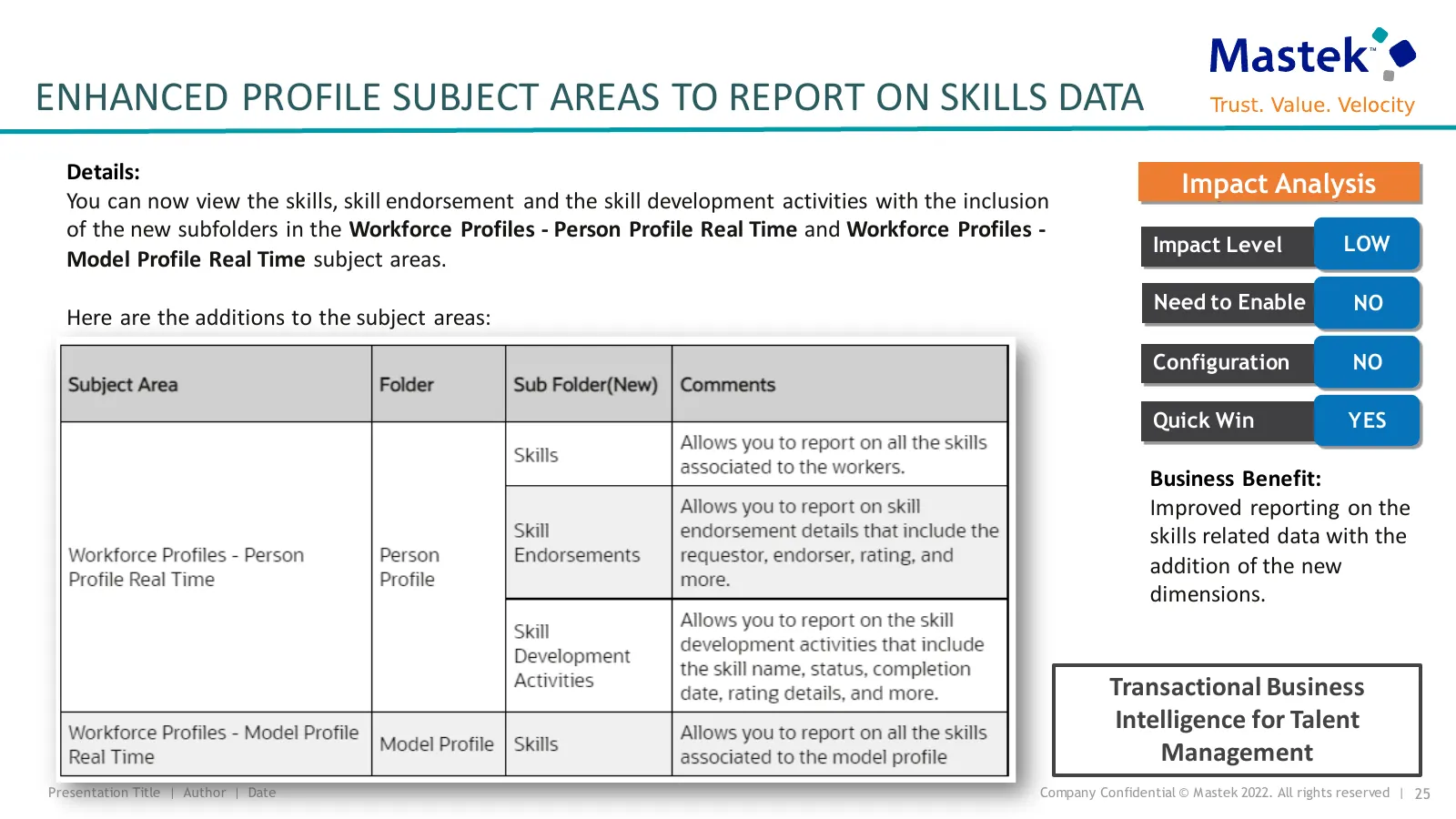
Slide 25: Enhanced Profile Subject Areas to Report on Skills Data
ENHANCED PROFILE SUBJECT AREAS TO REPORT ON SKILLS DATA Details: Impact Analysis You can now view the skills, skill endorsement and the skill development activities with the inclusion of the new subfolders in the Workforce Profiles - Person Profile Real Time and Workforce Profiles - Impact Level LOW
Slide 26: Enhanced Succession Subject Areas
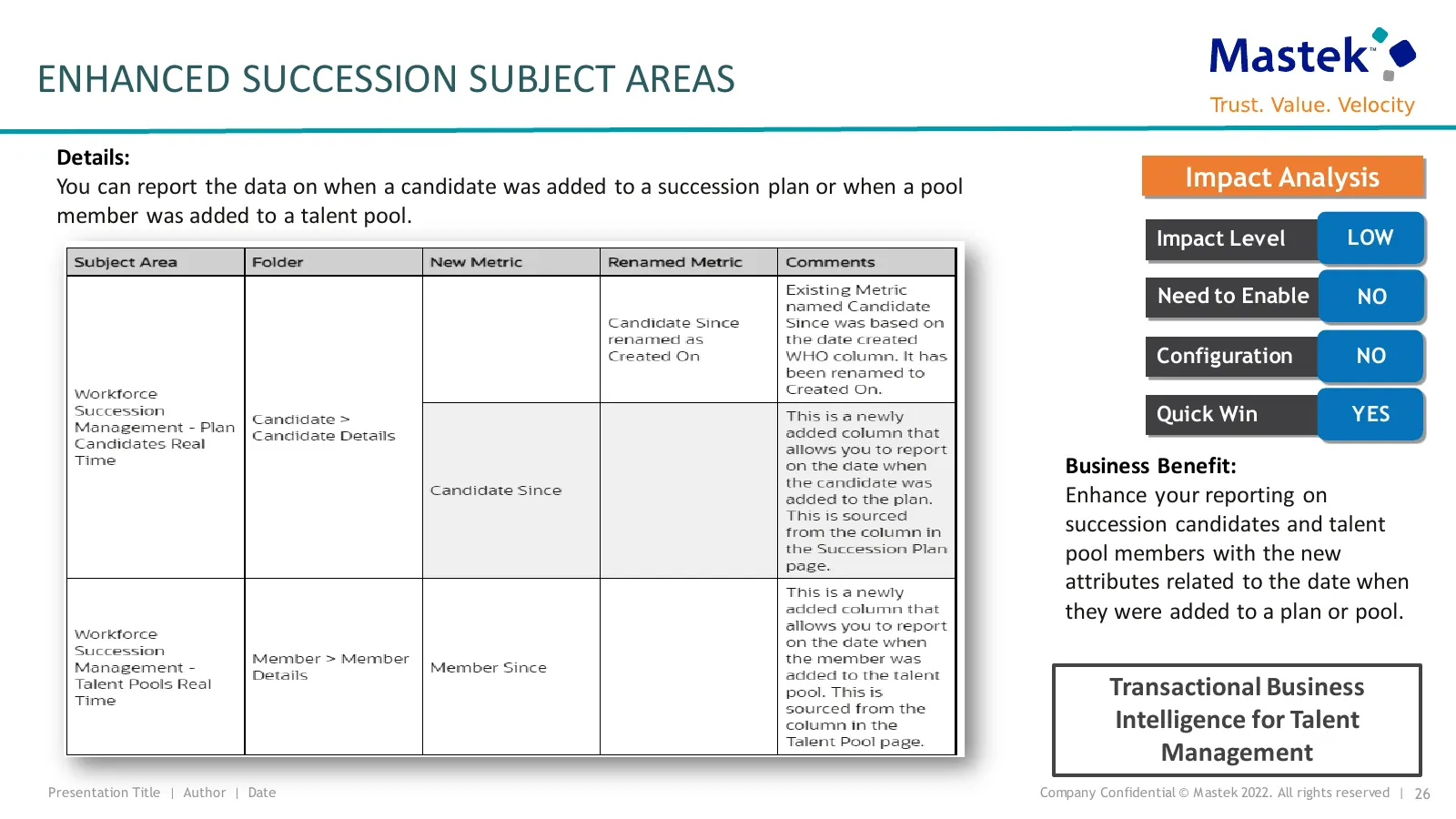
ENHANCED SUCCESSION SUBJECT AREAS Details: You can report the data on when a candidate was added to a succession plan or when a pool Impact Analysis member was added to a talent pool. Impact Level LOW Need to Enable NO Configuration NO Quick Win YES Business Benefit: Enhance your reporting on succes
Slide 27: Reporting on Data Submission Status in Talent Review Meetings
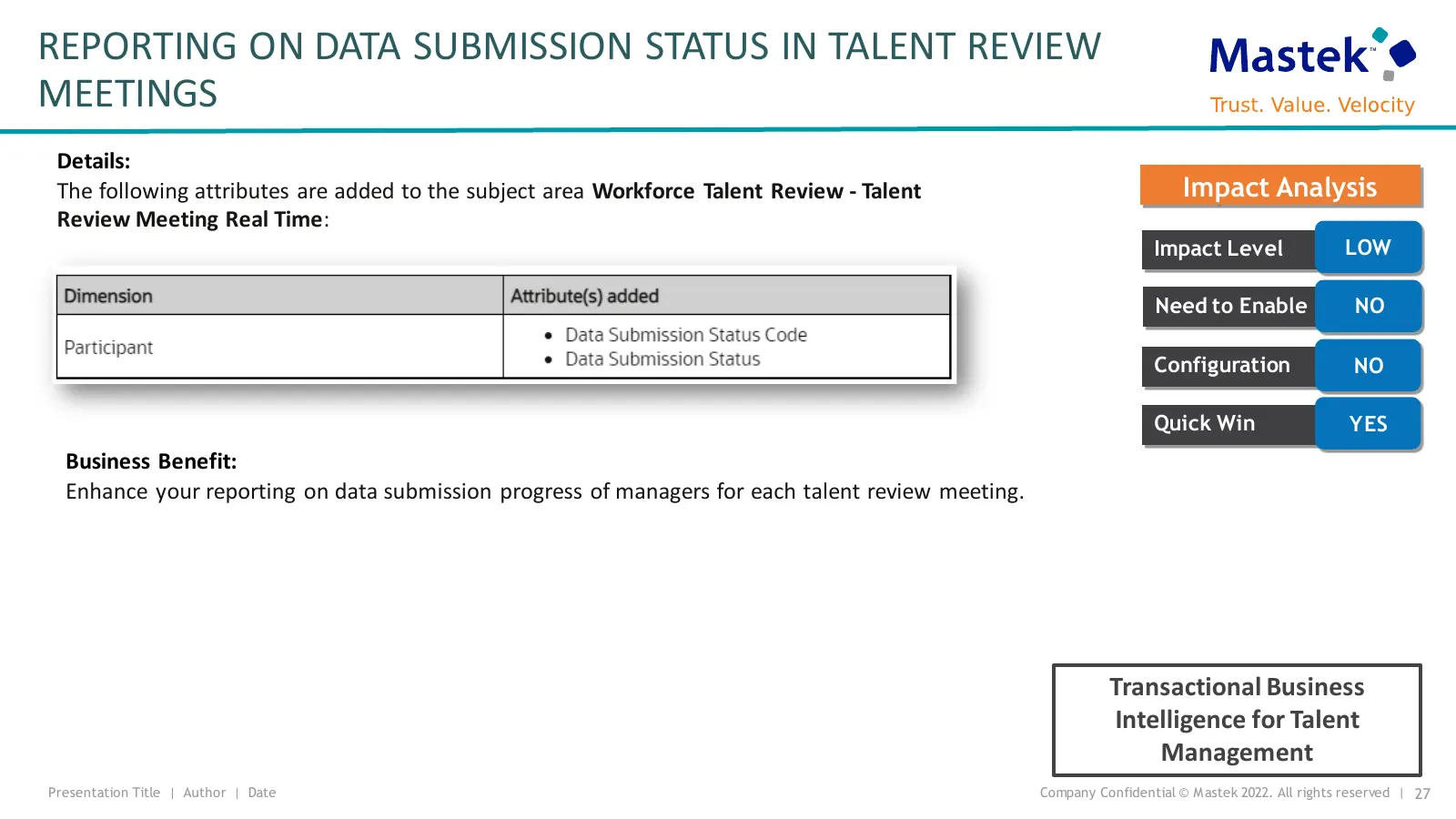
REPORTING ON DATA SUBMISSION STATUS IN TALENT REVIEW MEETINGS Details: The following attributes are added to the subject area Workforce Talent Review - Talent Impact Analysis Review Meeting Real Time: Impact Level LOW Need to Enable NO Configuration NO Quick Win YES Business Benefit: Enhance your re

Slide 28: Quick Wins - Default with Configuration
NEW FEATURES QUICK WINS-DEFAULT WITH CONFIGURATION Presentation Title | Author | Date Company Confidential © M astek 2022. All rights reserved | 28
Slide 29: Configure Notification for Automatically Populated Matrix Manager Participants
CONFIGURE NOTIFICATION FOR AUTOMATICALLY POPULATED MATRIX MANAGER PARTICIPANTS IN PERFORMANCE DOCUMENTS Details: Impact Analysis You can enable a new notification for Participant Feedback to notify automatically populated matrix manager participants in performance documents when new performance docu
Slide 30: Control Sort Options for Displaying Performance Documents
CONTROL SORT OPTIONS FOR DISPLAYING PERFORMANCE DOCUMENTS TO EMPLOYEES AND MANAGERS Details: Impact Analysis Determine the default value and sort order options for displaying performance documents. You can now change the default value and sort order options on the employee Performance Spotlight page
Slide 31: Subscriber Security in Questionnaires
SUBSCRIBER SECURITY IN QUESTIONNAIRES Details: Impact Analysis By configuring this data security, users can view the subscribers they have access to based on their assigned roles. If the subscriber doesn’t have any assigned roles, then they’re available to all users. Impact Level HIGH So, you need t
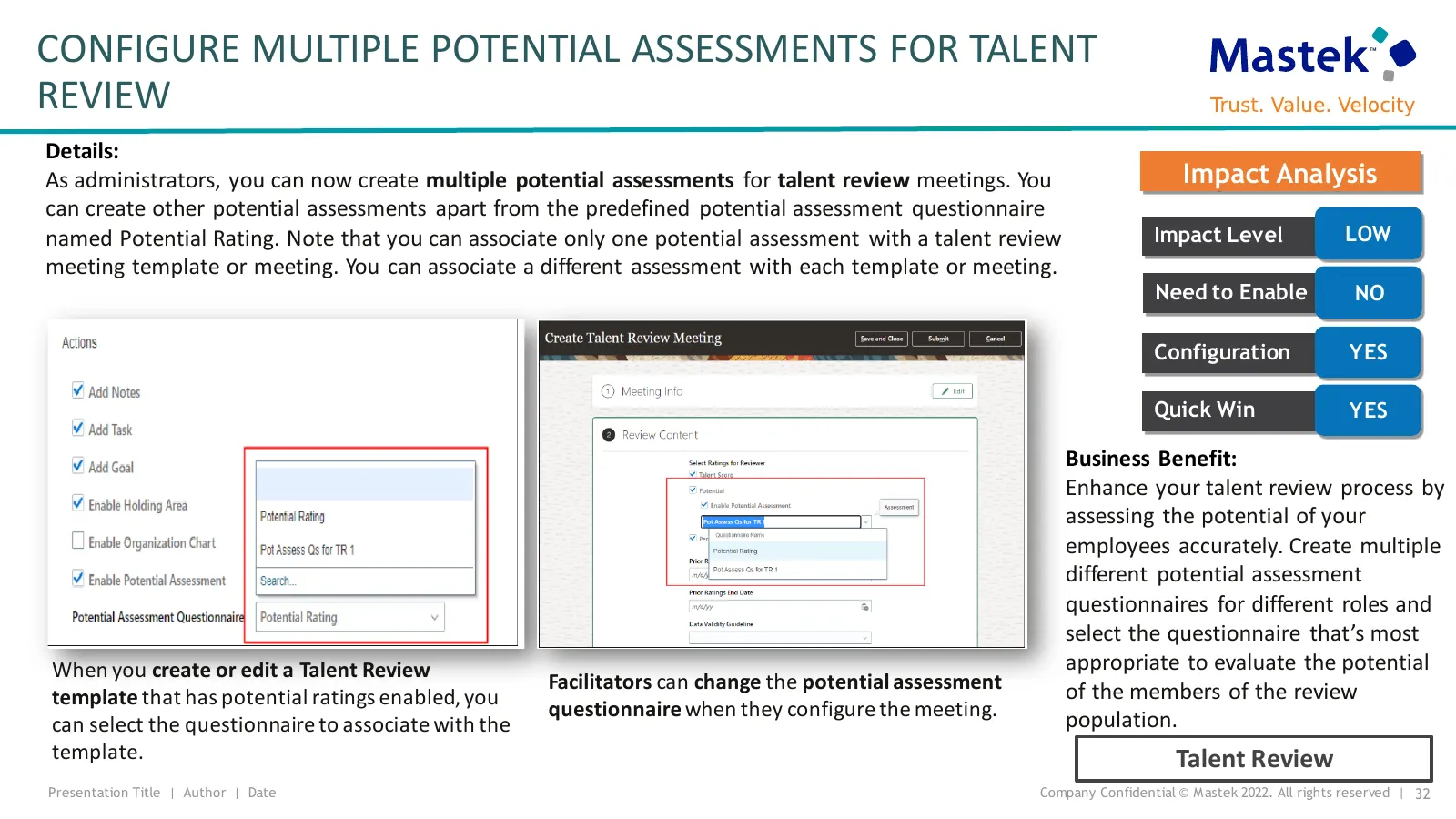
Slide 32: Configure Multiple Potential Assessments for Talent Review
CONFIGURE MULTIPLE POTENTIAL ASSESSMENTS FOR TALENT REVIEW Details: As administrators, you can now create multiple potential assessments for talent review meetings. You Impact Analysis can create other potential assessments apart from the predefined potential assessment questionnaire named Potential
Slide 33: Design Studio Support for Talent Review Meeting Configuration
DESIGN STUDIO SUPPORT FOR TALENT REVIEW MEETING CONFIGURATION Details: As an administrator, you can use Transaction Design Studio (TDS) to configure the fields shown on the Impact Analysis Create or Edit Talent Review Meeting pages. Use the Talent Review Meetings actions in TDS and add a Impact Leve
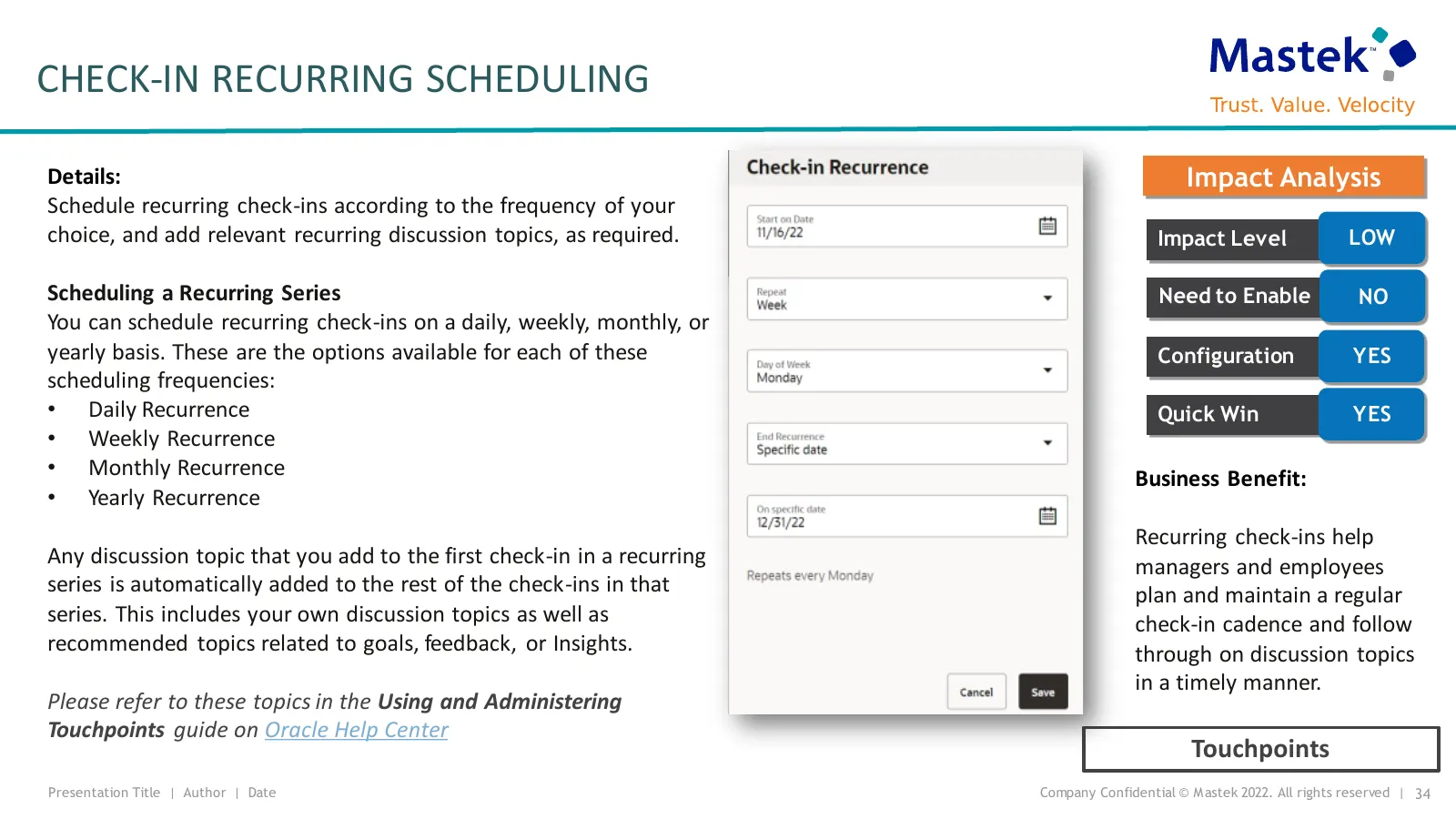
Slide 34: Check-in Recurring Scheduling
CHECK-IN RECURRING SCHEDULING Details: Impact Analysis Schedule recurring check-ins according to the frequency of your choice, and add relevant recurring discussion topics, as required. Impact Level LOW Scheduling a Recurring Series Need to Enable NO You can schedule recurring check-ins on a daily,
Slide 35: Check-in Recurring Scheduling
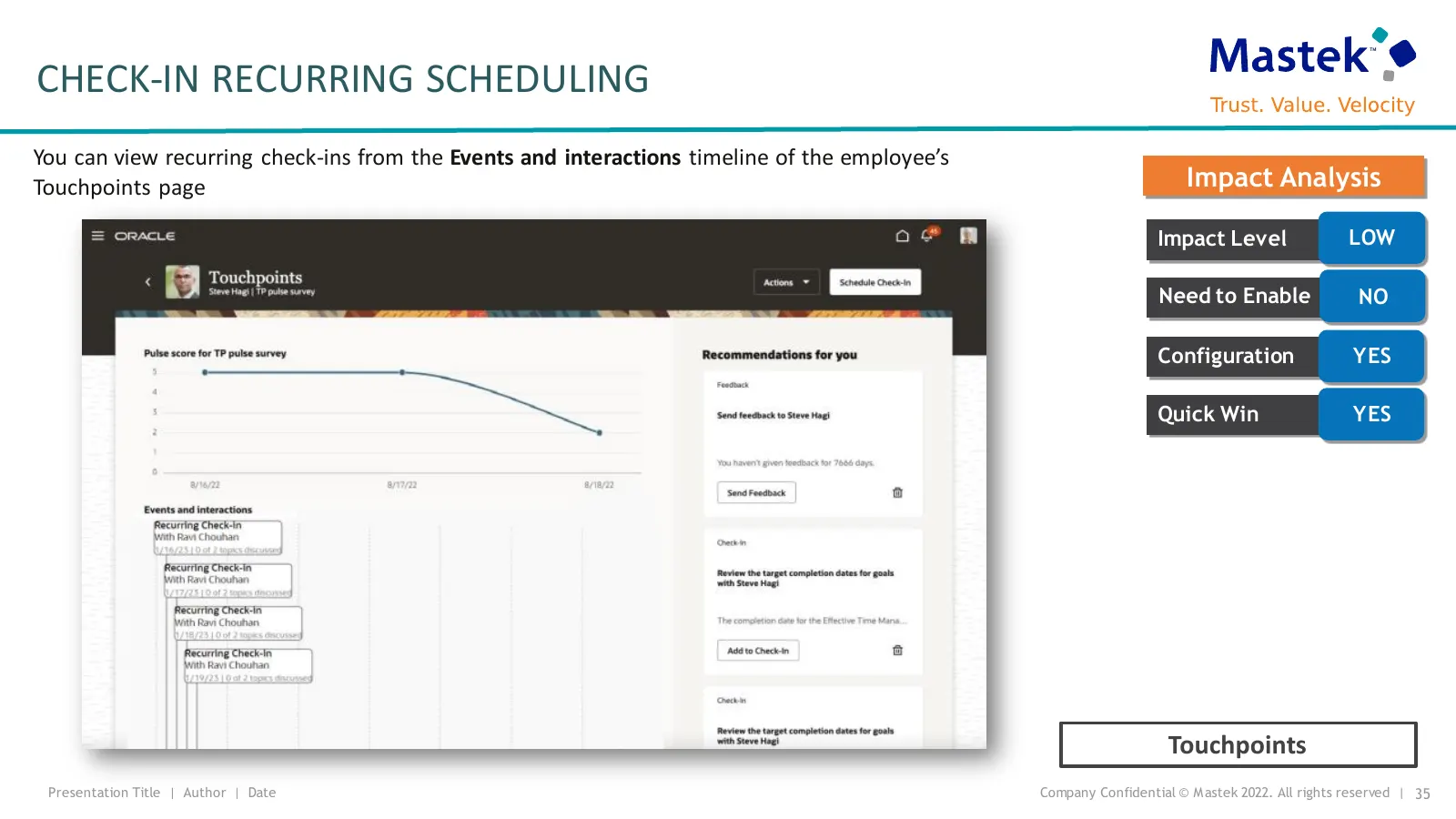
CHECK-IN RECURRING SCHEDULING You can view recurring check-ins from the Events and interactions timeline of the employee’s Touchpoints page Impact Analysis Impact Level LOW Need to Enable NO Configuration YES Quick Win YES Touchpoints Presentation Title | Author | Date Company Confidential © M astek
Slide 36: Enhanced Touchpoints Nudges
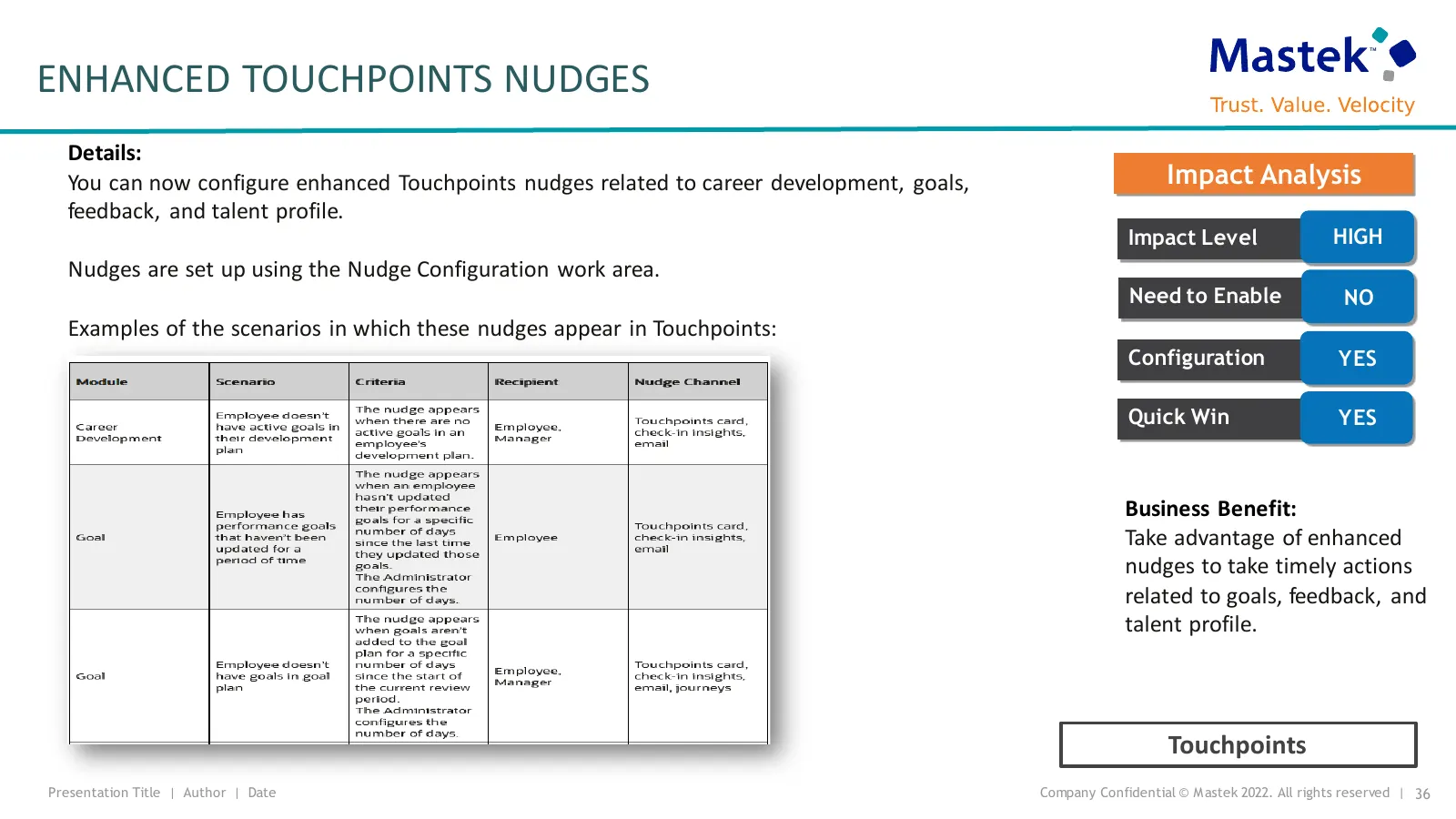
ENHANCED TOUCHPOINTS NUDGES Details: You can now configure enhanced Touchpoints nudges related to career development, goals, Impact Analysis feedback, and talent profile. Impact Level HIGH Nudges are set up using the Nudge Configuration work area. Need to Enable NO Examples of the scenarios in which
Slide 37: Time Based Reminders When Worker Has Not Updated Talent Profile
TIME BASED REMINDERS WHEN A WORKER HAS NOT UPDATED THE TALENT PROFILE FOR CERTAIN NUMBER OF DAYS Details: Enable time-based notifications for workers who have not updated their talent profiles. This is Impact Analysis configured using the nudge and the notifications can be sent in the form of journe

Slide 38: Quick Wins - Opt-Ins
NEW FEATURES QUICK WINS-OPT-INS Presentation Title | Author | Date Company Confidential © M astek 2022. All rights reserved | 38
Slide 39: Consistent Use of Location Name in Succession Management
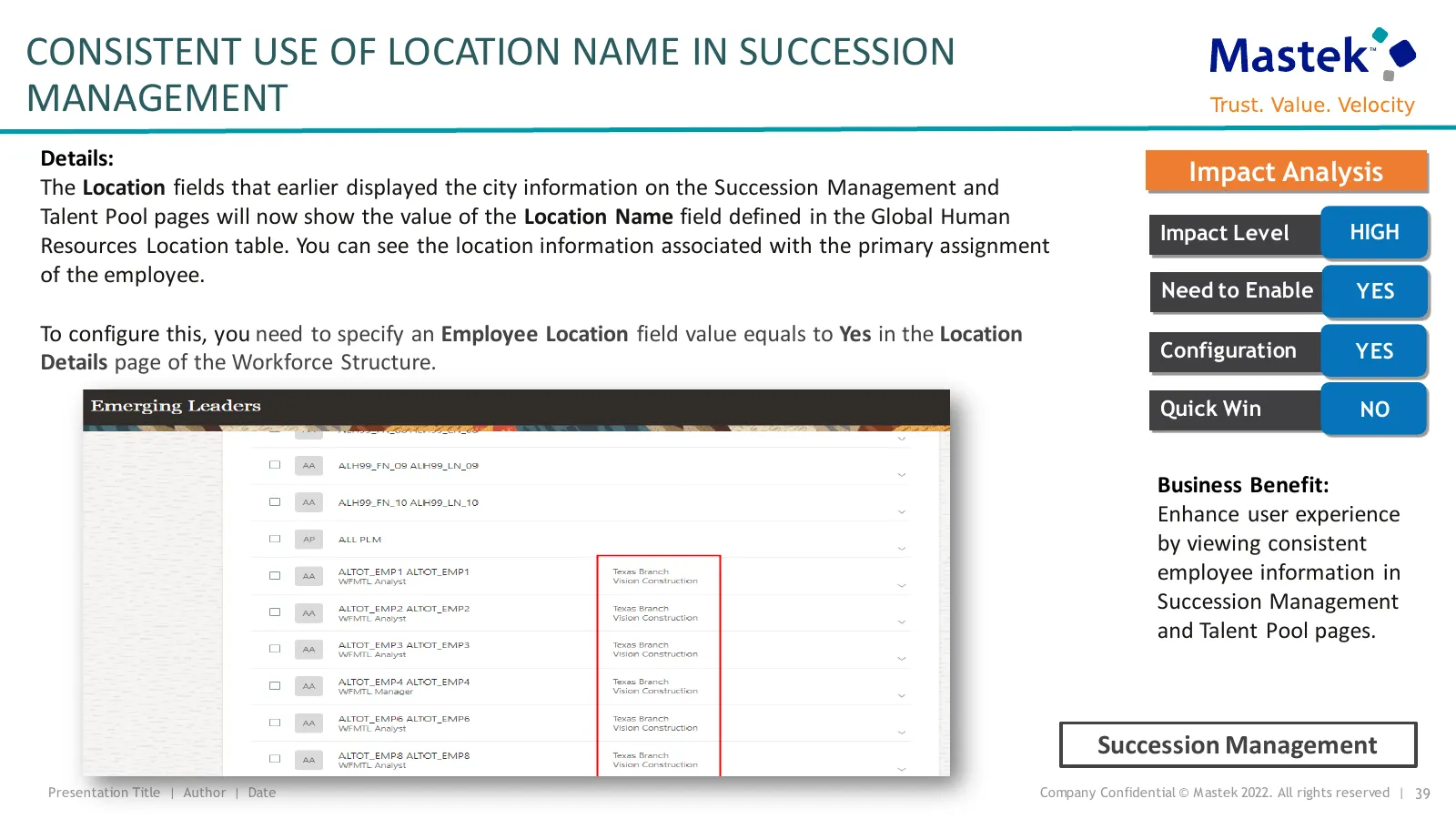
CONSISTENT USE OF LOCATION NAME IN SUCCESSION MANAGEMENT Details: The Location fields that earlier displayed the city information on the Succession Management and Impact Analysis Talent Pool pages will now show the value of the Location Name field defined in the Global Human Impact Level HIGH Resour
Slide 40: Consistent Use of Location Name in Talent Review
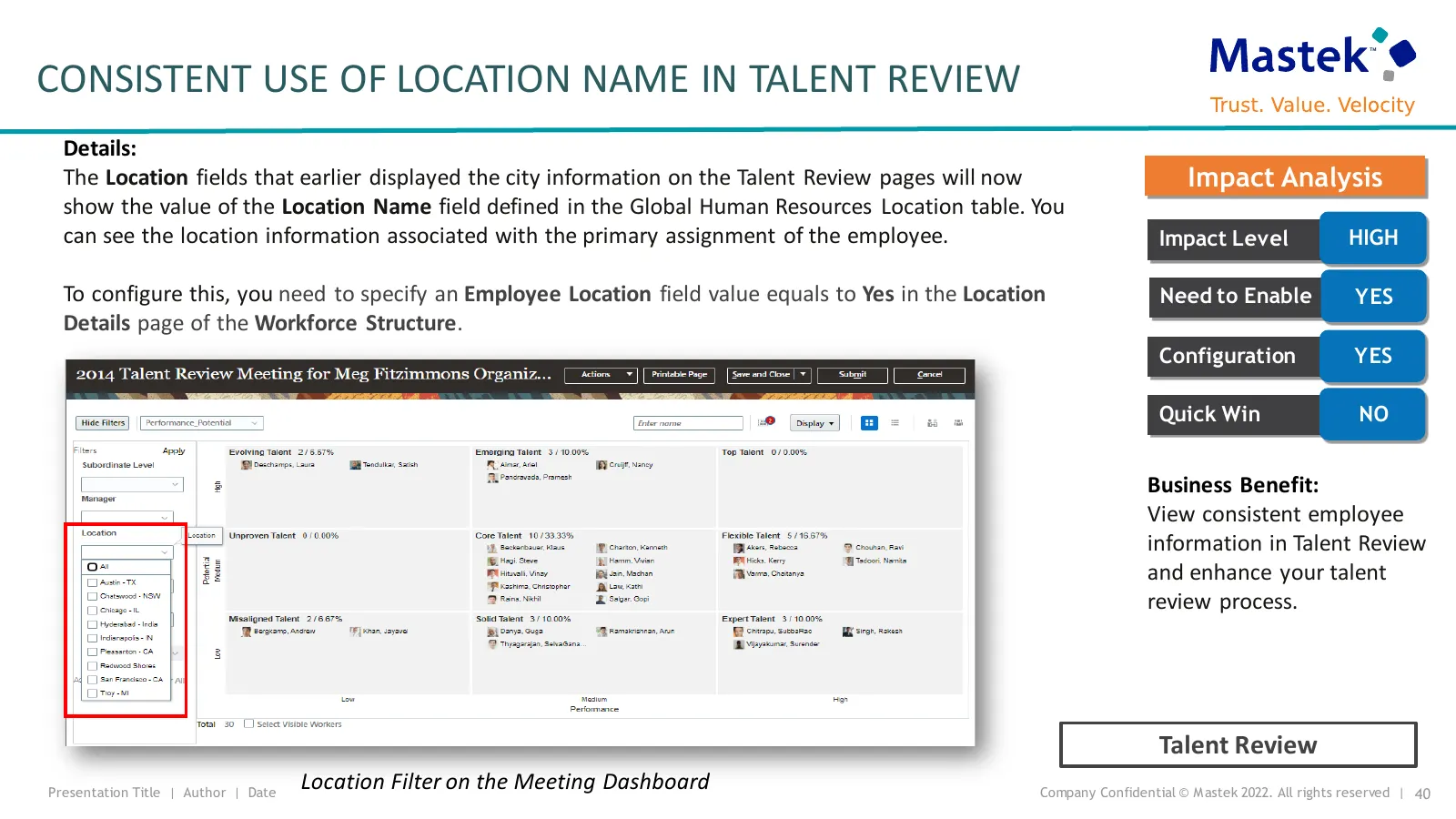
CONSISTENT USE OF LOCATION NAME IN TALENT REVIEW Details: The Location fields that earlier displayed the city information on the Talent Review pages will now Impact Analysis show the value of the Location Name field defined in the Global Human Resources Location table. You can see the location infor
Slide 41: Talent Pools Security
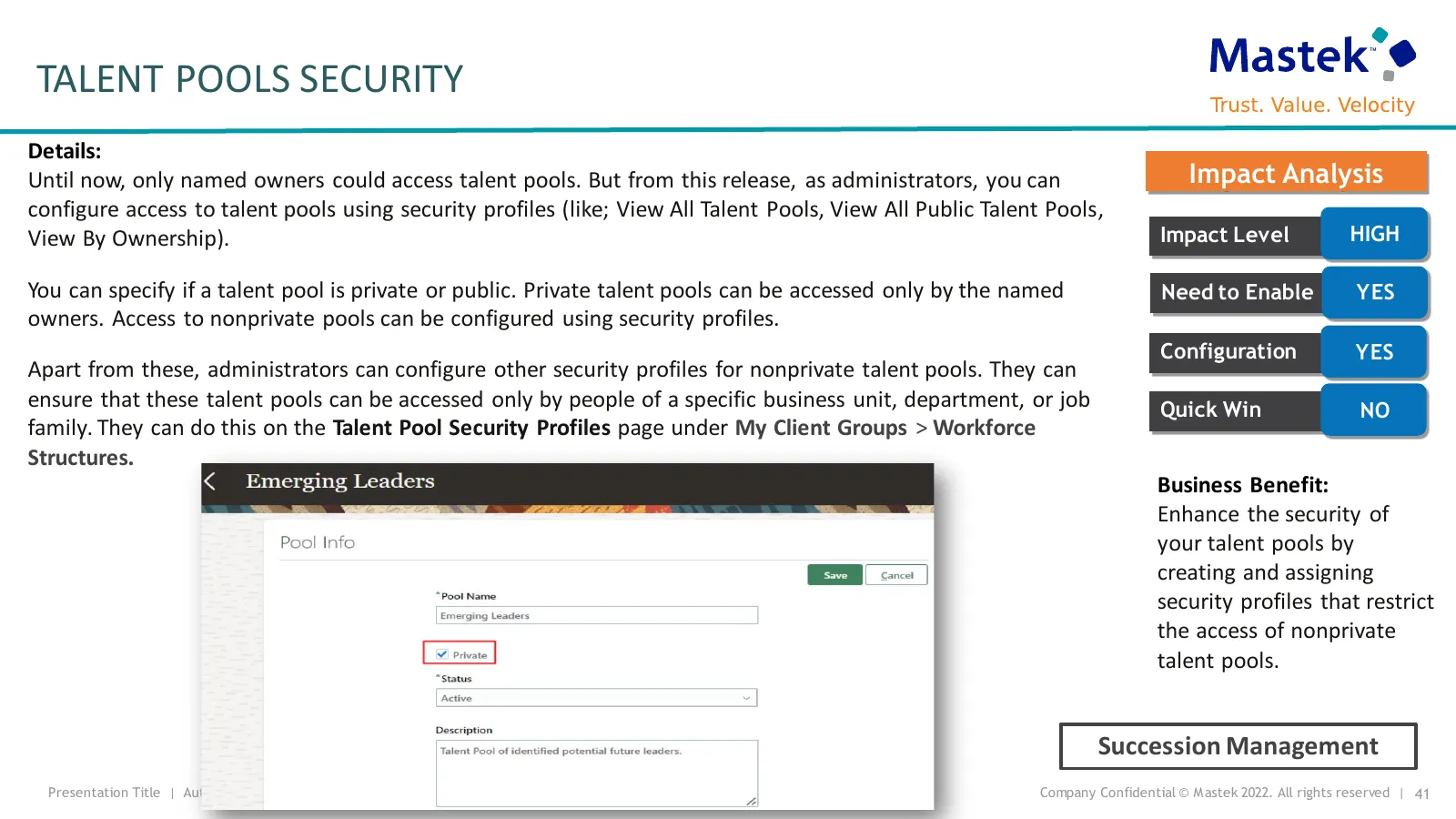
TALENT POOLS SECURITY Details: Until now, only named owners could access talent pools. But from this release, as administrators, you can Impact Analysis configure access to talent pools using security profiles (like; View All Talent Pools, View All Public Talent Pools, View By Ownership). Impact Lev
Slide 42: Talent Review Meeting Configuration Guided Journey Option
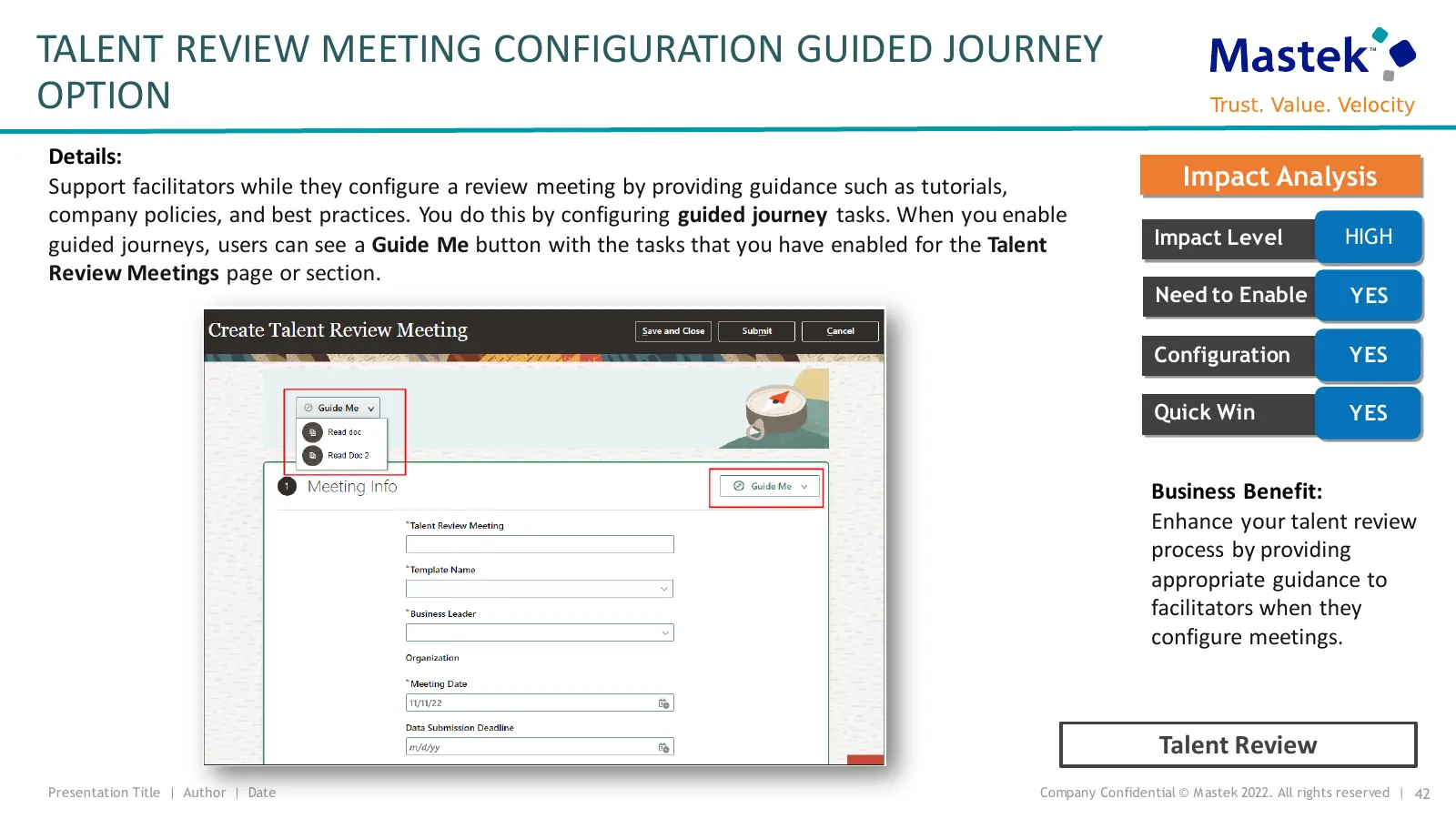
TALENT REVIEW MEETING CONFIGURATION GUIDED JOURNEY OPTION Details: Support facilitators while they configure a review meeting by providing guidance such as tutorials, Impact Analysis company policies, and best practices. You do this by configuring guided journey tasks. When you enable guided journey
Slide 43: Activity Sequencing
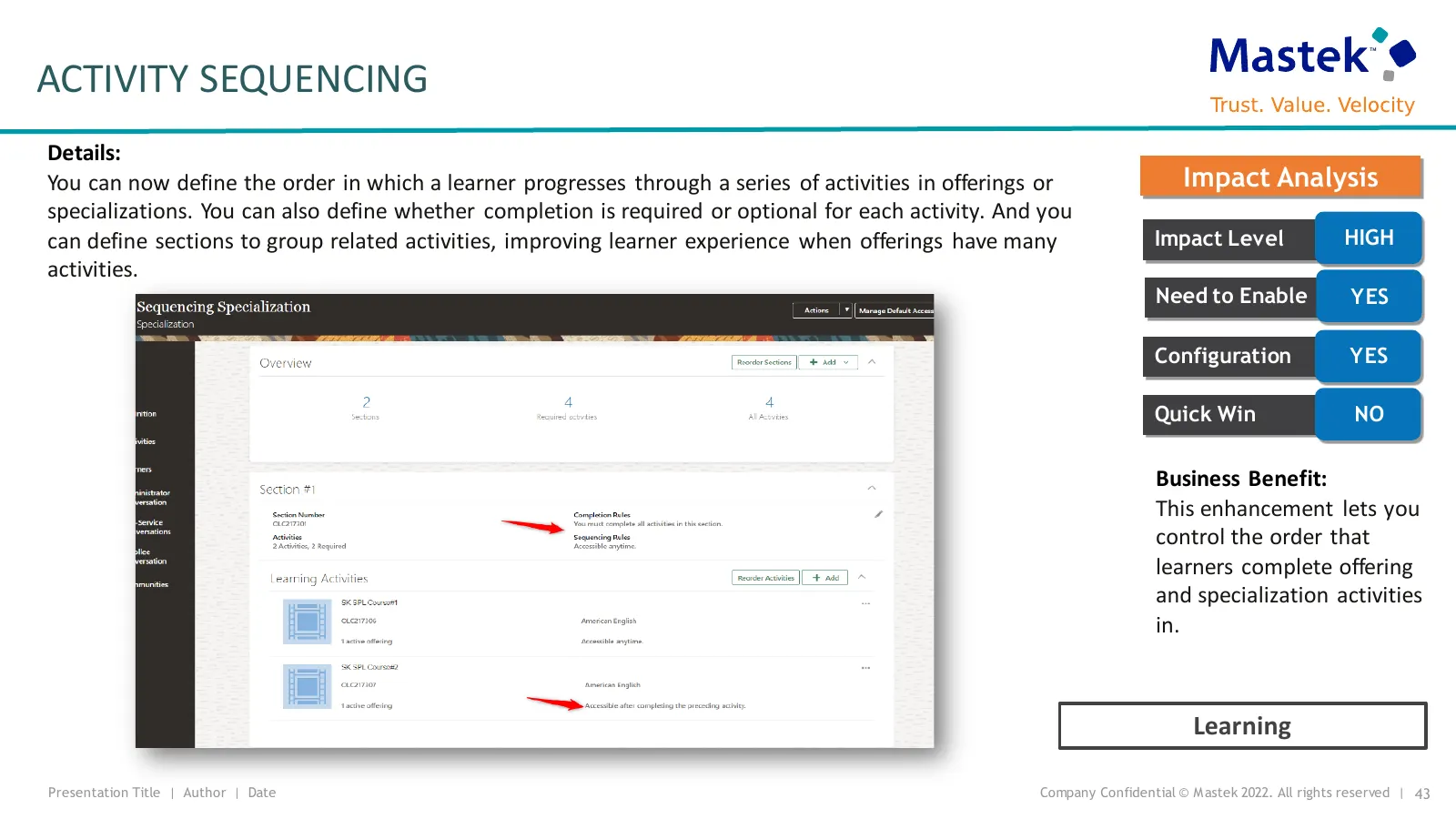
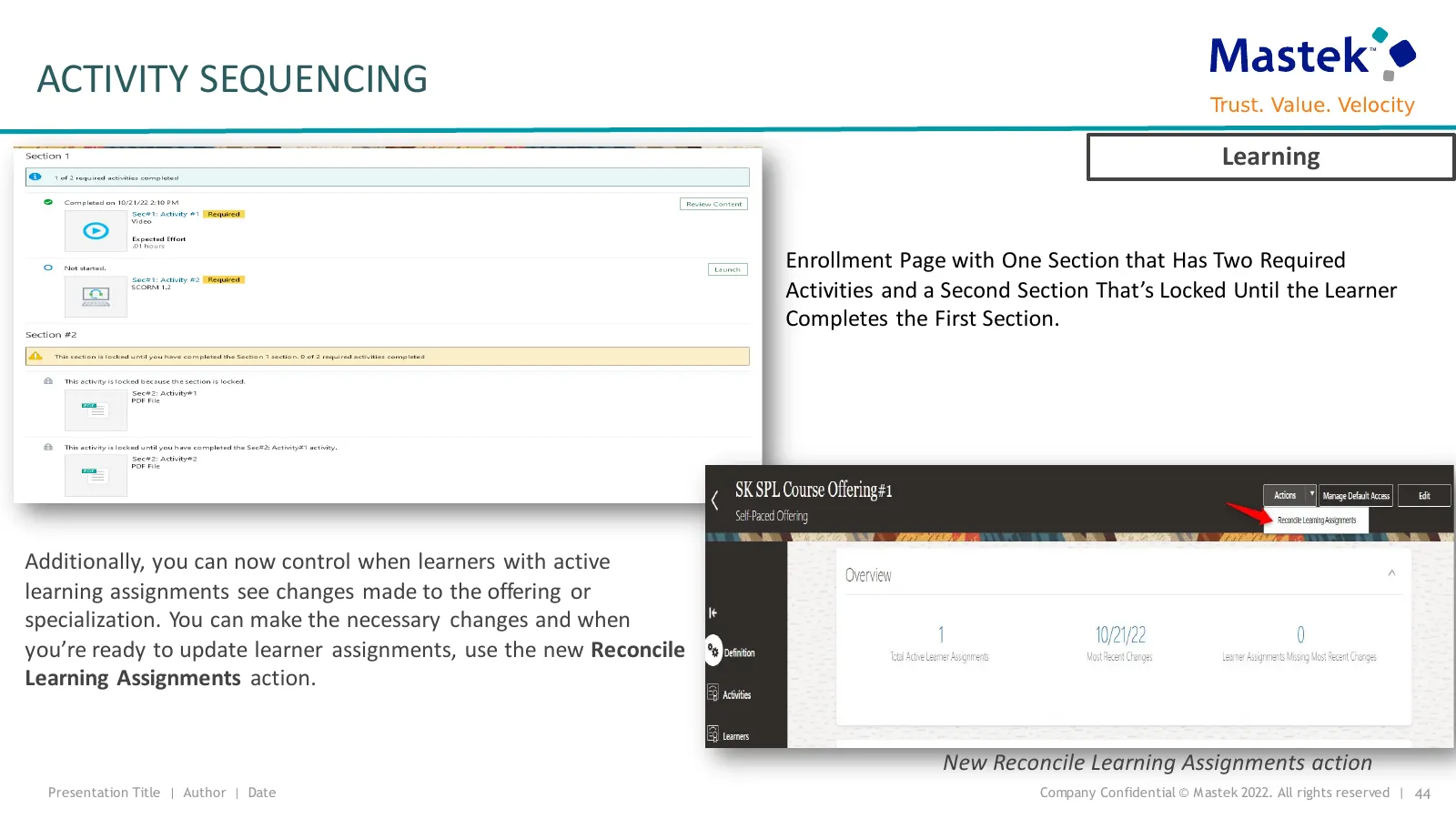
ACTIVITY SEQUENCING Details: You can now define the order in which a learner progresses through a series of activities in offerings or Impact Analysis specializations. You can also define whether completion is required or optional for each activity. And you can define sections to group related activ
Slide 44: Activity Sequencing
ACTIVITY SEQUENCING Learning Enrollment Page with One Section that Has Two Required Activities and a Second Section That’s Locked Until the Learner Completes the First Section. Additionally, you can now control when learners with active learning assignments see changes made to the offering or specia
Slide 45: Observation Checklists
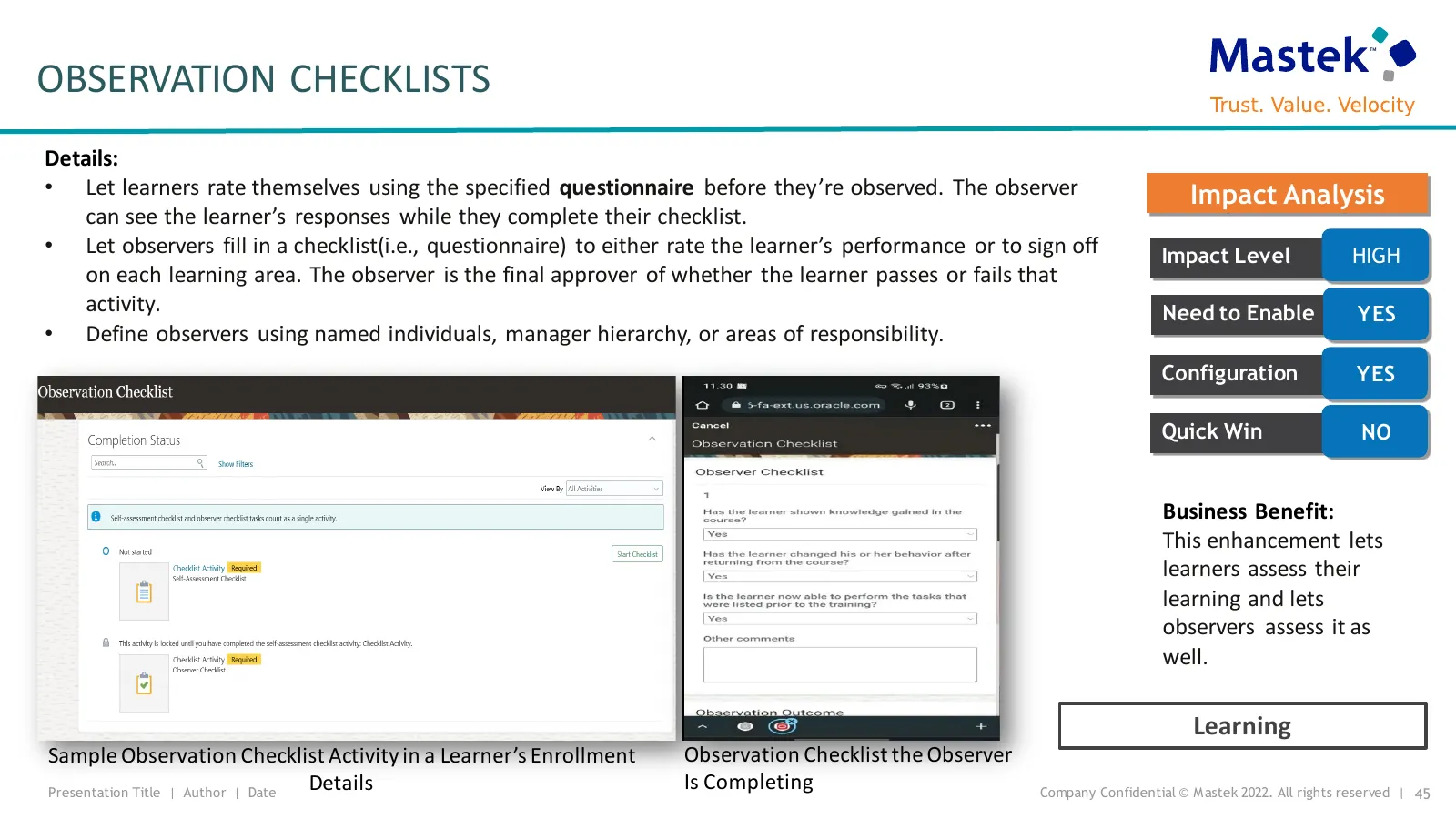
OBSERVATION CHECKLISTS Details: • Let learners rate themselves using the specified questionnaire before they’re observed. The observer Impact Analysis can see the learner’s responses while they complete their checklist. • Let observers fill in a checklist(i.e., questionnaire) to either rate the lear
Slide 46: Re-assigning Learning
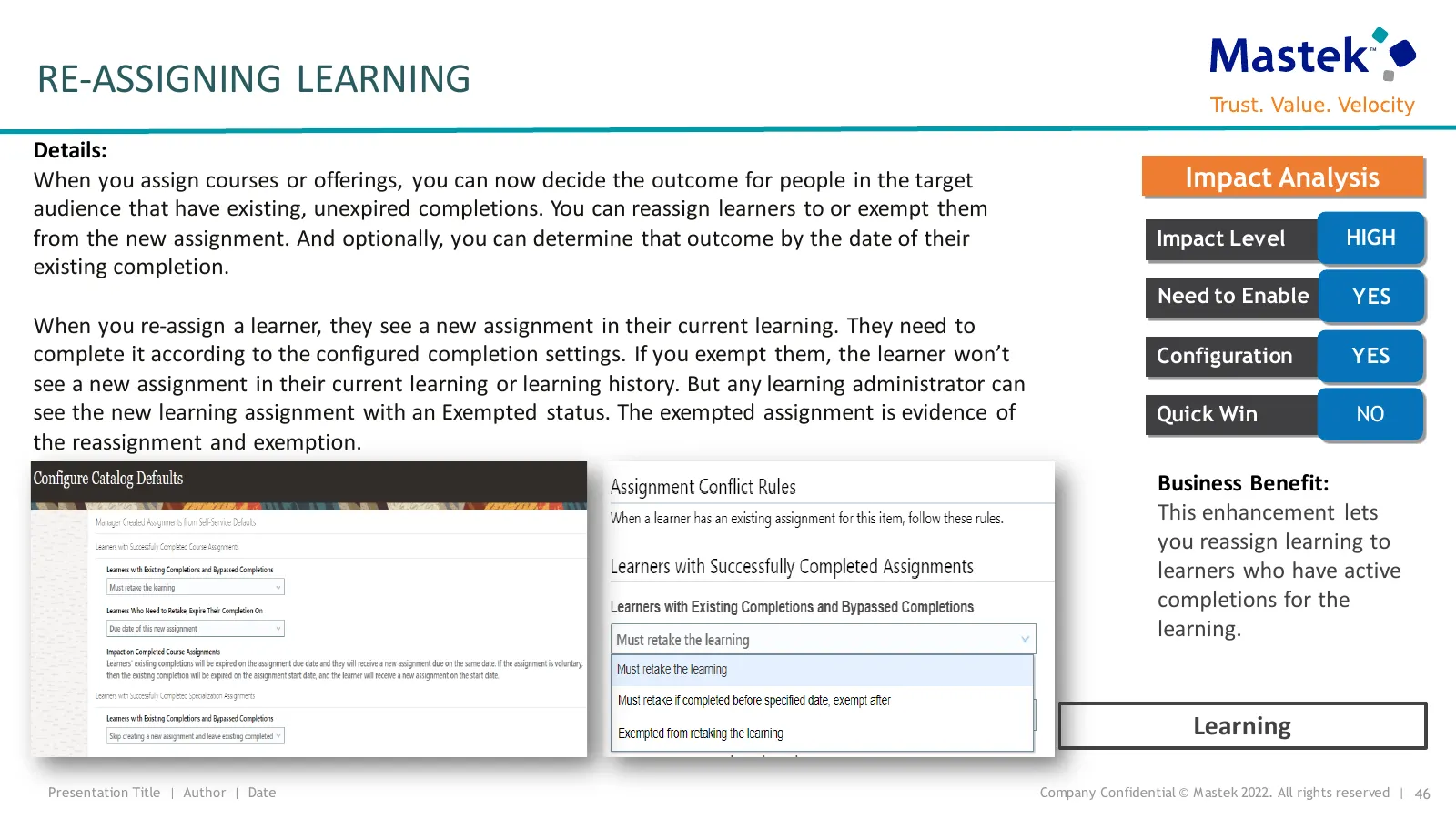
RE-ASSIGNING LEARNING Details: When you assign courses or offerings, you can now decide the outcome for people in the target Impact Analysis audience that have existing, unexpired completions. You can reassign learners to or exempt them from the new assignment. And optionally, you can determine that
Slide 47: Renewals Management Improvements
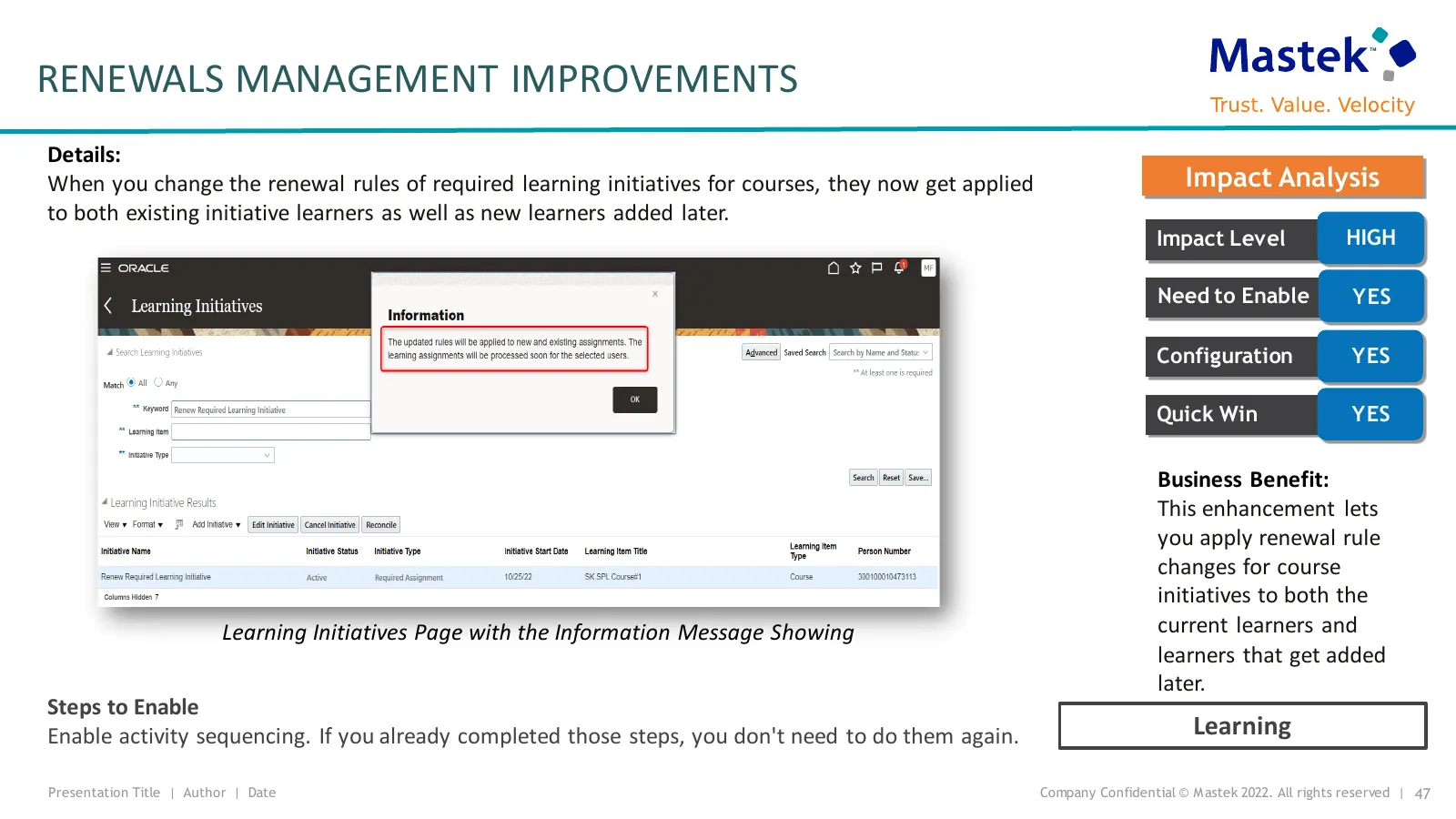
RENEWALS MANAGEMENT IMPROVEMENTS Details: When you change the renewal rules of required learning initiatives for courses, they now get applied Impact Analysis to both existing initiative learners as well as new learners added later. Impact Level HIGH Need to Enable YES Configuration YES Quick Win YE
Slide 48: Reporting on Learning Activity Progression
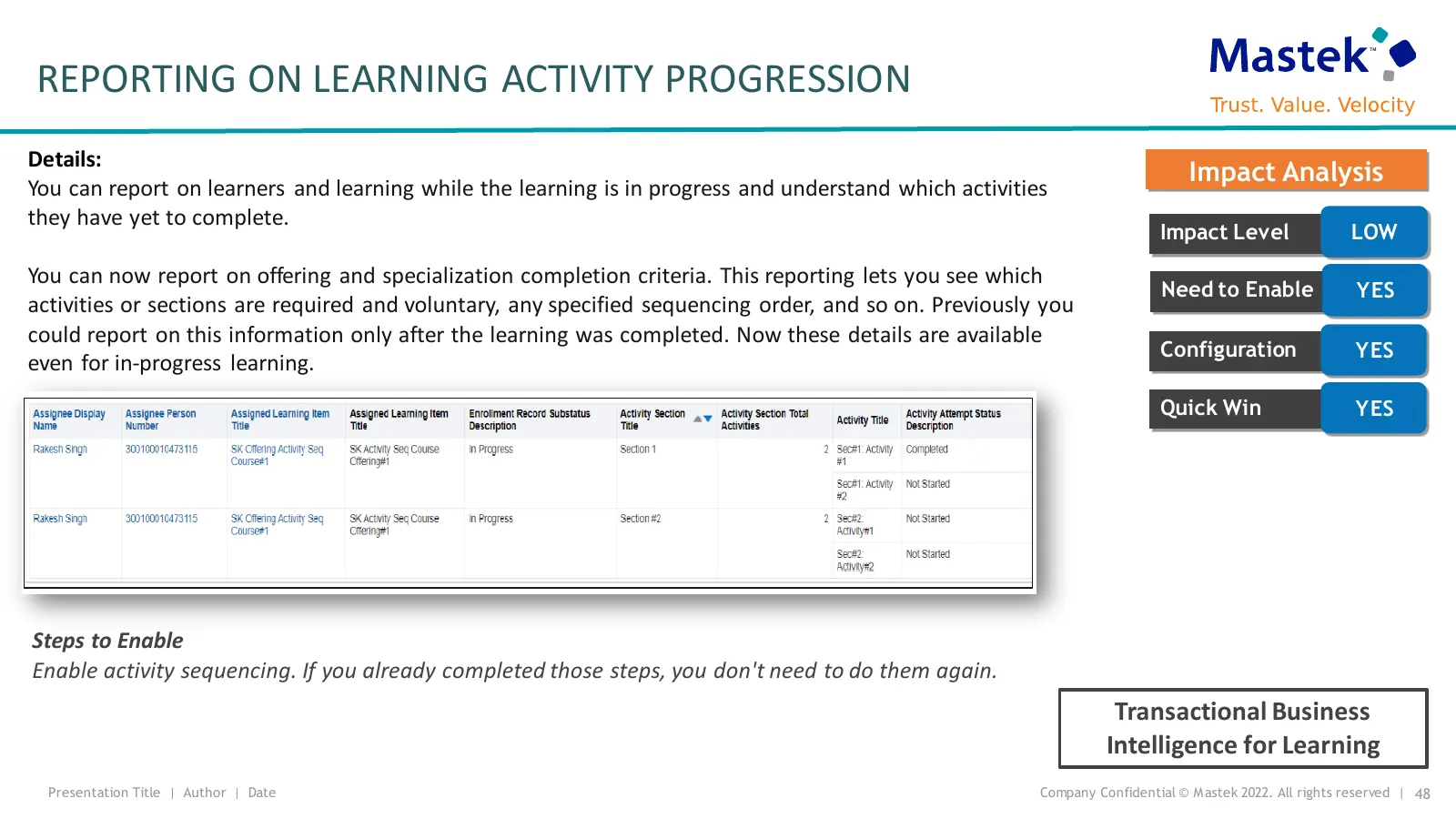
REPORTING ON LEARNING ACTIVITY PROGRESSION Details: Impact Analysis You can report on learners and learning while the learning is in progress and understand which activities they have yet to complete. Impact Level LOW You can now report on offering and specialization completion criteria. This report
Slide 49: The Rest: Opt Ins
Mastek*@ Trust. Value. Velocity Opt Ins
Slide 50: Validate Performance Goal Category Autocomplete Rule
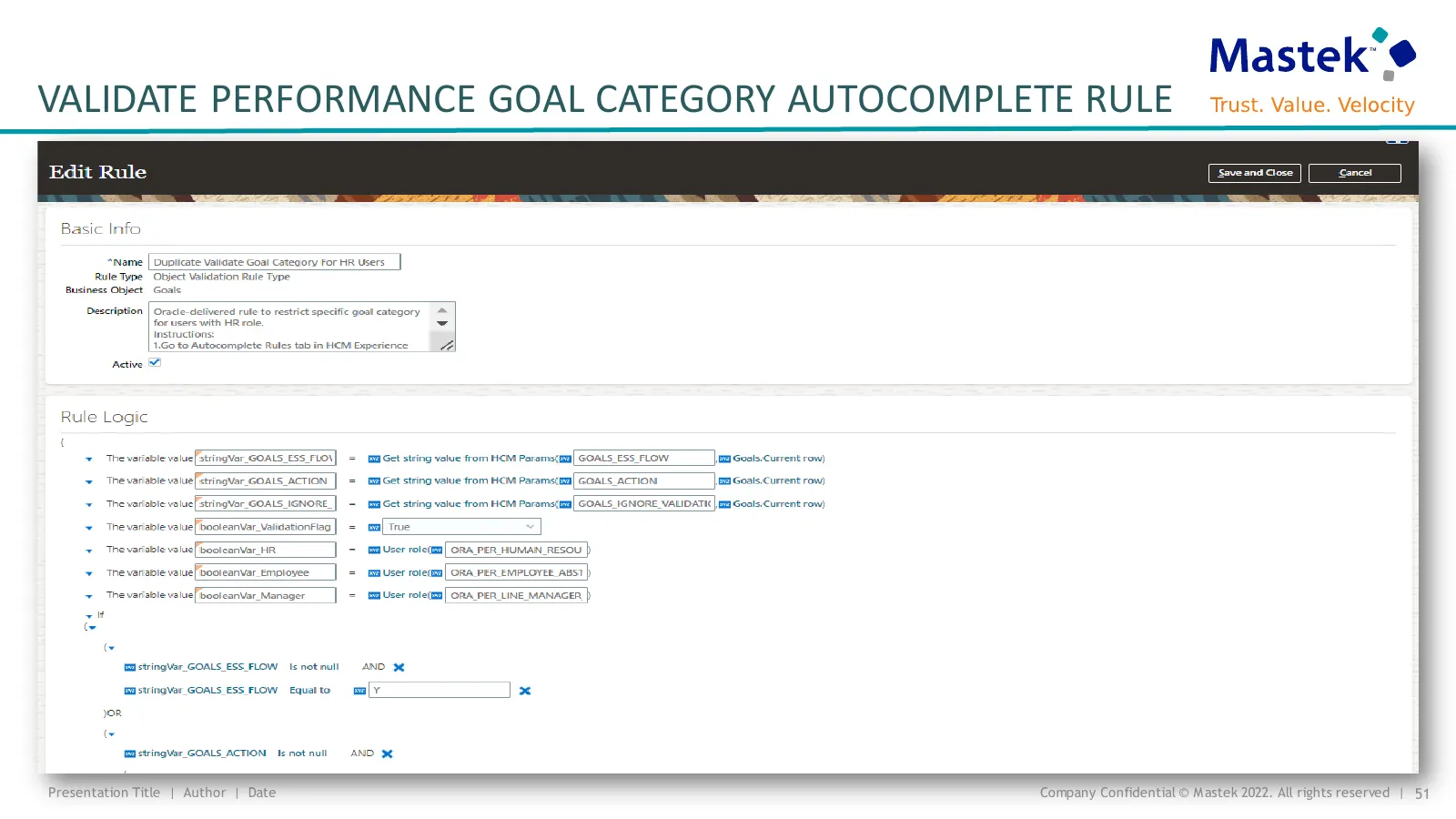
VALIDATE PERFORMANCE GOAL CATEGORY AUTOCOMPLETE RULE Details: Impact Analysis You can use the Validate Goal Category For HR Users delivered autocomplete rule for the Goals business object and restrict the goal categories that HR specialists can select when creating goals. Impact Level HIGH When this
Slide 51: Validate Performance Goal Category Autocomplete Rule
VALIDATE PERFORMANCE GOAL CATEGORY AUTOCOMPLETE RULE Presentation Title | Author | Date Company Confidential © M astek 2022. All rights reserved | 51
Slide 52: My Communities Redwood Learner Experience
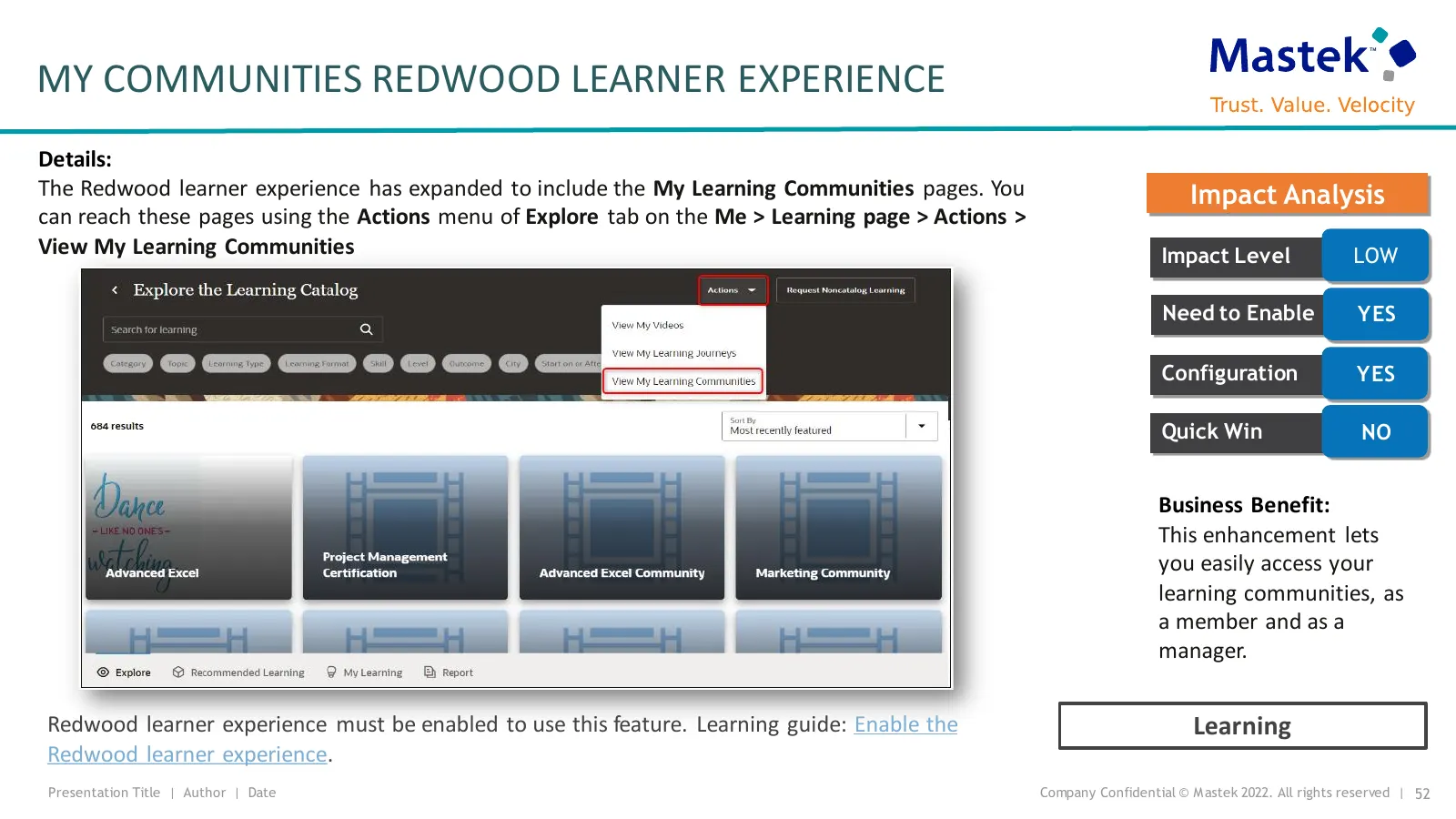
MY COMMUNITIES REDWOOD LEARNER EXPERIENCE Details: The Redwood learner experience has expanded to include the My Learning Communities pages. You Impact Analysis can reach these pages using the Actions menu of Explore tab on the Me > Learning page > Actions > View My Learning Communities Impact Level
Slide 53: My Communities Redwood Learner Experience
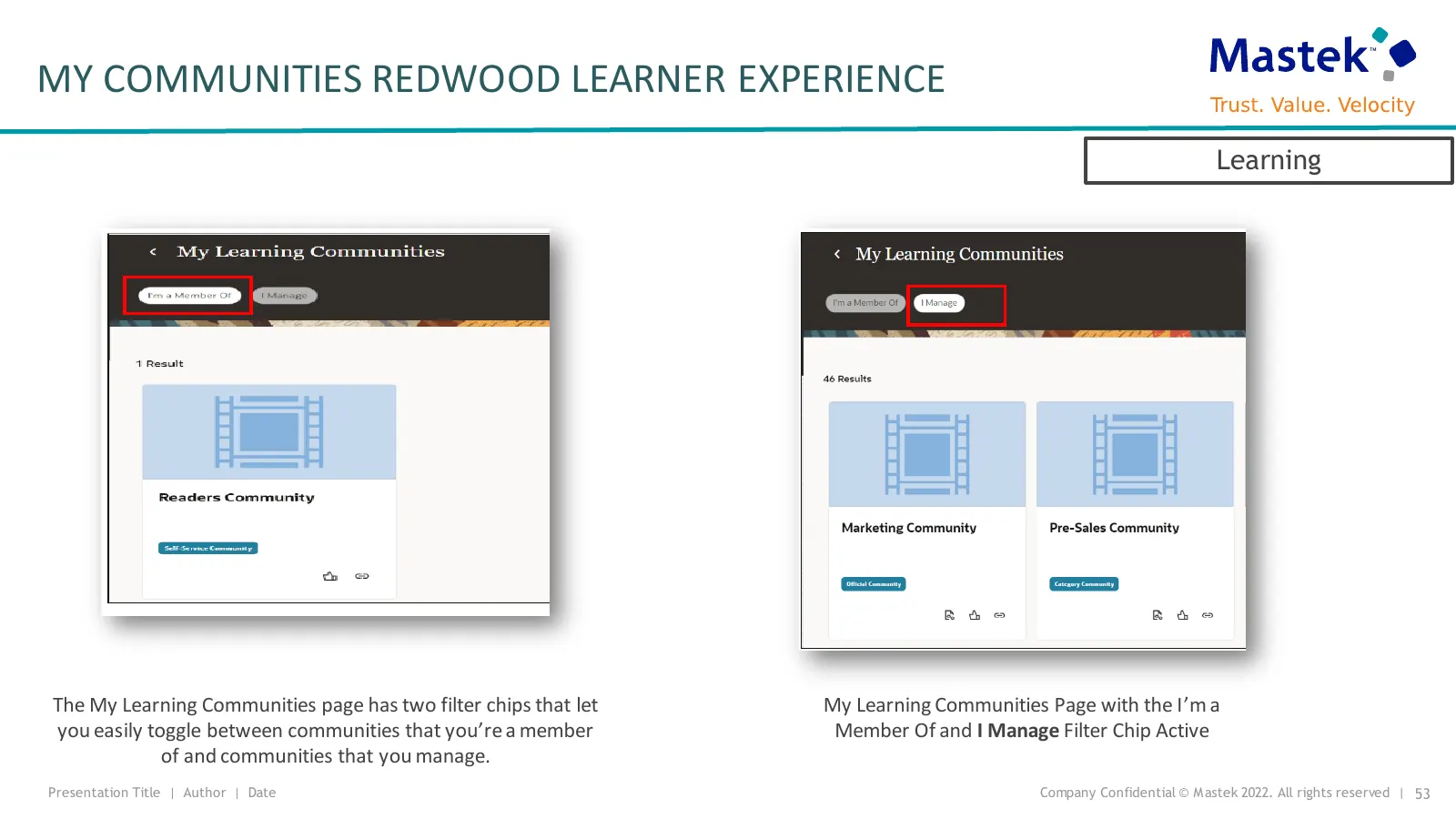
MY COMMUNITIES REDWOOD LEARNER EXPERIENCE Learning The My Learning Communities page has two filter chips that let My Learning Communities Page with the I’m a you easily toggle between communities that you’re a member Member Of and I Manage Filter Chip Active of and communities that you manage. Prese
Slide 54: My Shared Learning Redwood Learner Experience
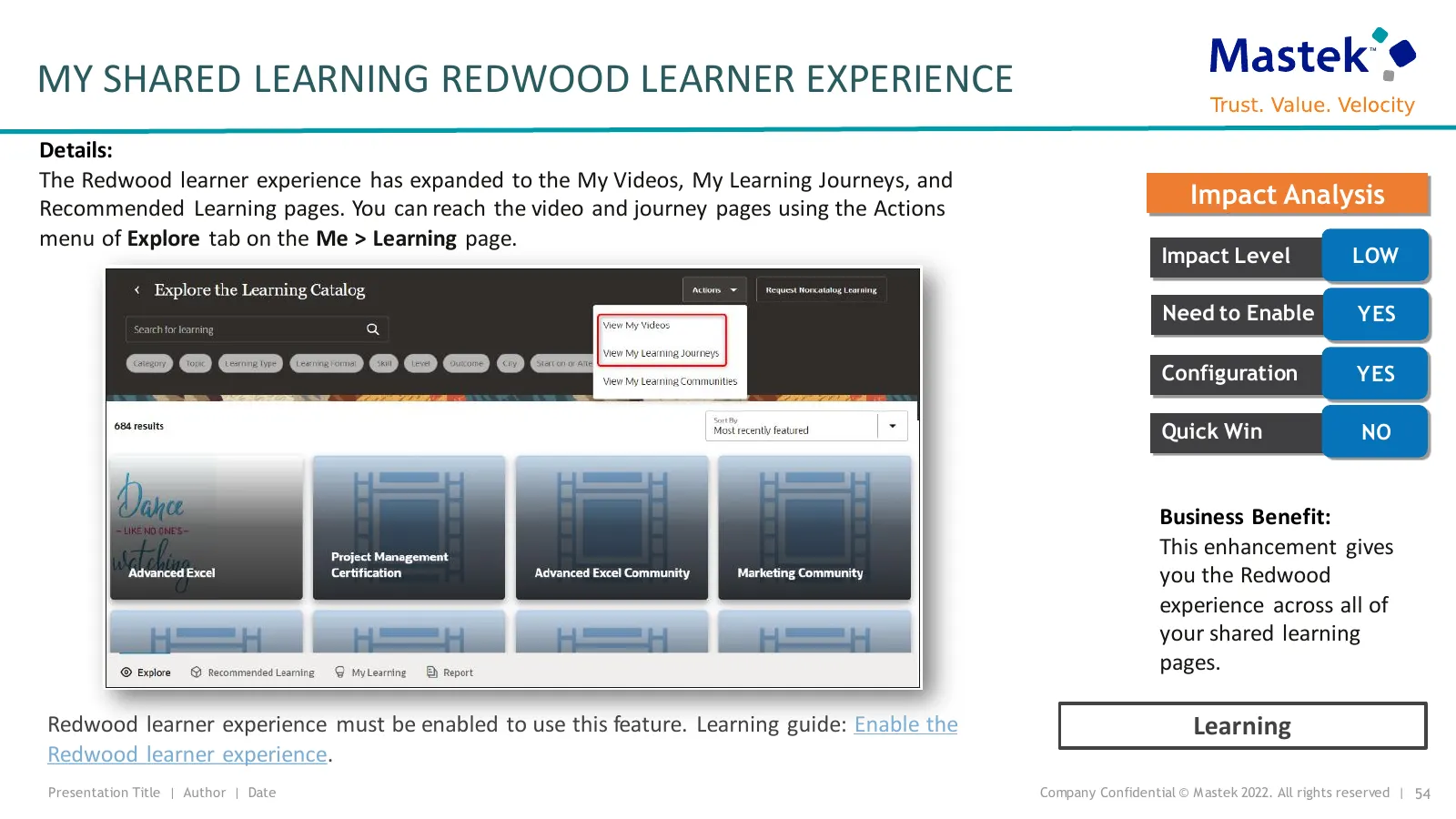
MY SHARED LEARNING REDWOOD LEARNER EXPERIENCE Details: The Redwood learner experience has expanded to the My Videos, My Learning Journeys, and Recommended Learning pages. You can reach the video and journey pages using the Actions Impact Analysis menu of Explore tab on the Me > Learning page. Impact
Slide 55: My Shared Learning Redwood Learner Experience
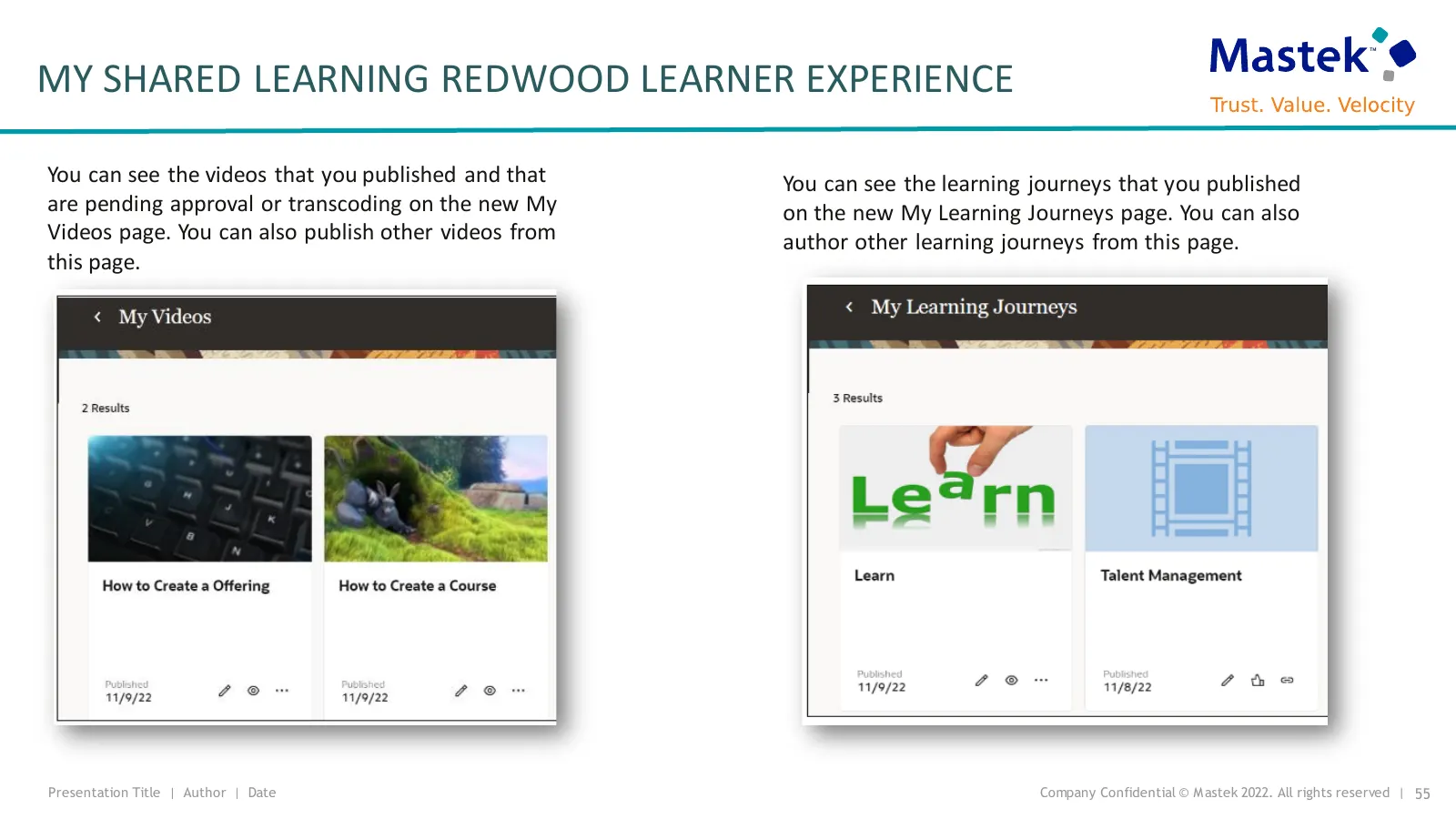
MY SHARED LEARNING REDWOOD LEARNER EXPERIENCE You can see the videos that you published and that You can see the learning journeys that you published are pending approval or transcoding on the new My on the new My Learning Journeys page. You can also Videos page. You can also publish other videos fr
Slide 56: Skills Advisor for Learning
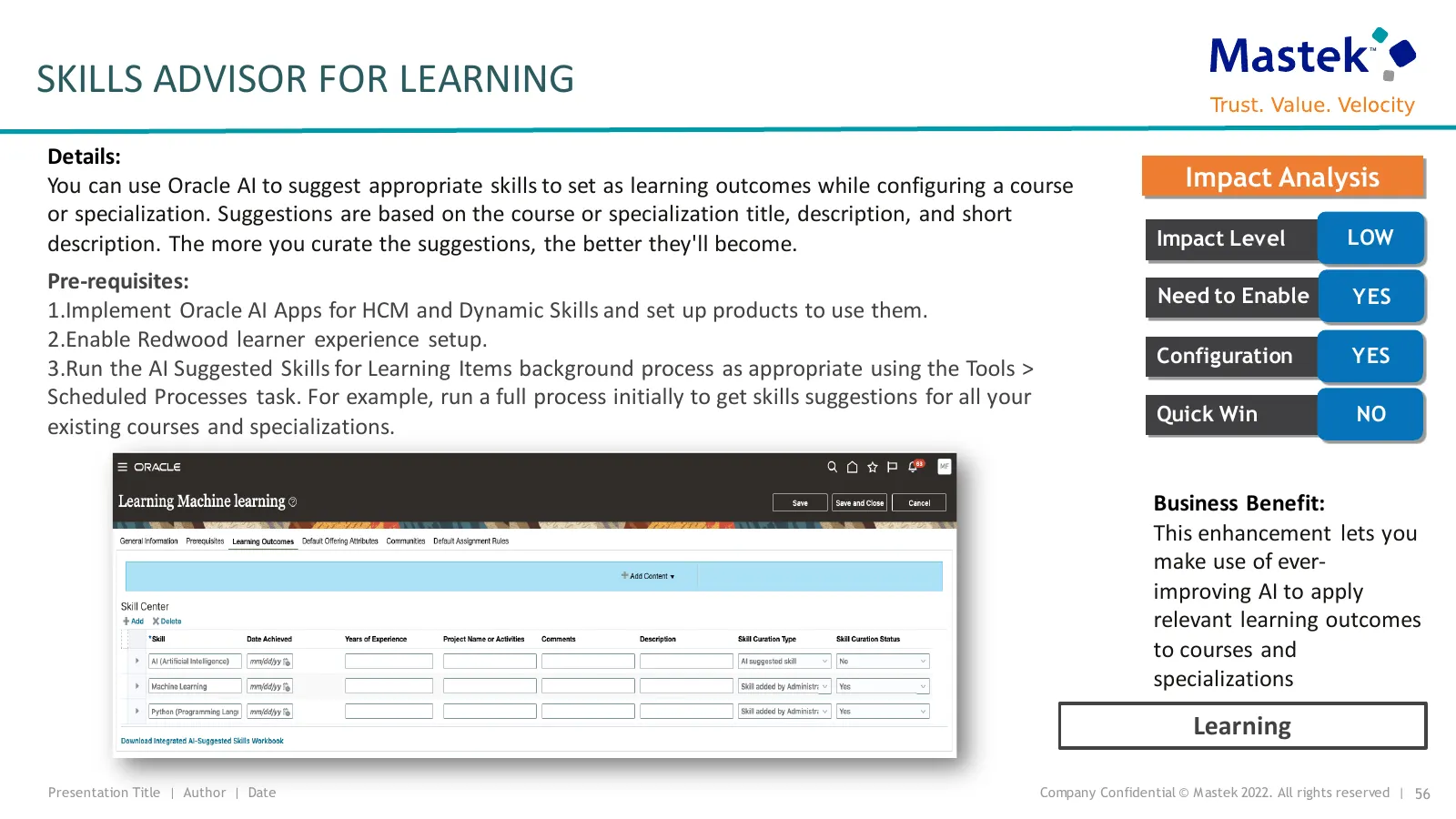
SKILLS ADVISOR FOR LEARNING Details: You can use Oracle AI to suggest appropriate skills to set as learning outcomes while configuring a course Impact Analysis or specialization. Suggestions are based on the course or specialization title, description, and short description. The more you curate the
Slide 57: Closing Q&A
Closing Q&A Presentation Title | Author | Date Company Confidential © M astek 2022. All rights reserved | 57
Slide 58: Closing Note
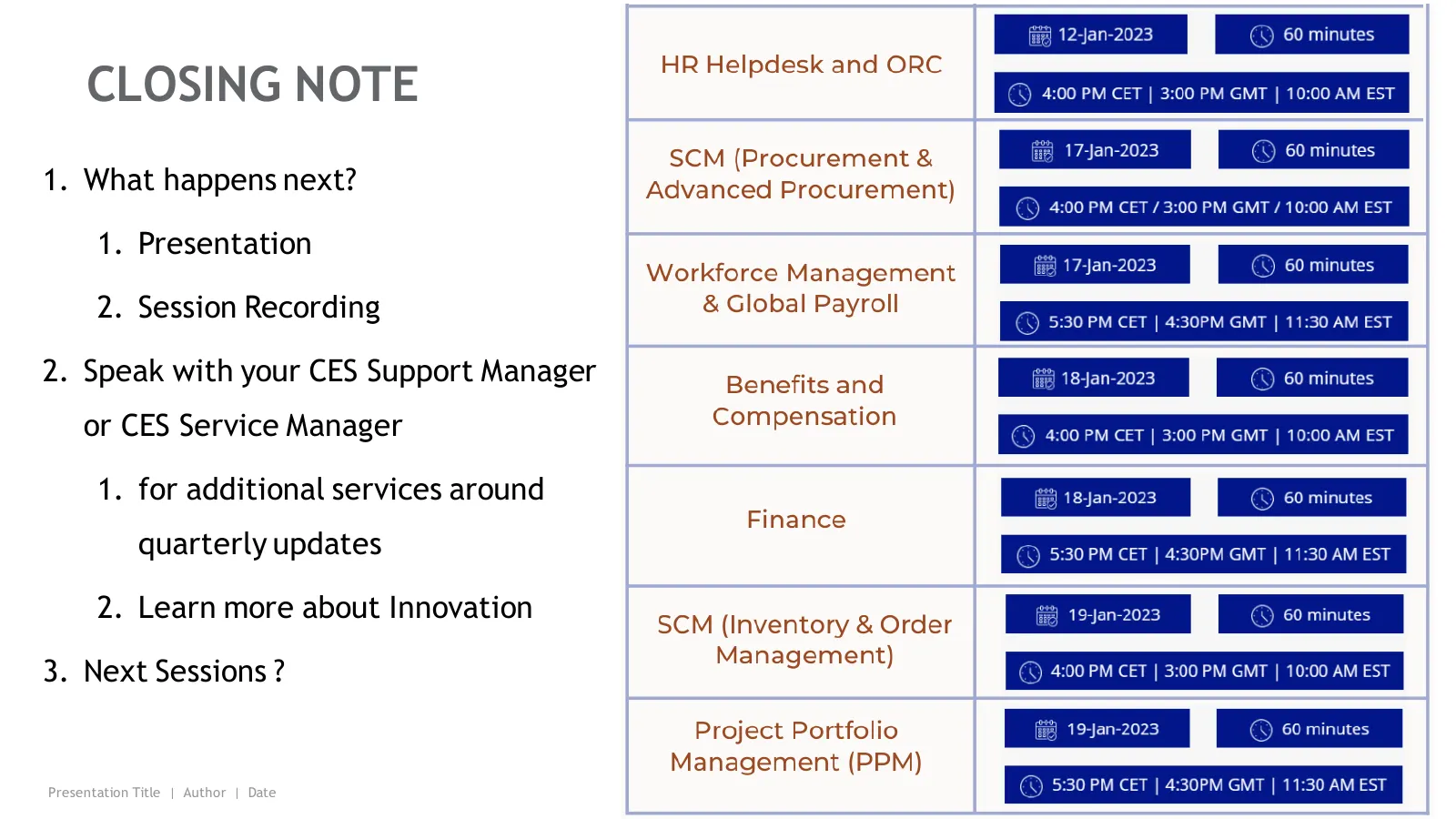
CLOSING NOTE 1. What happens next? 1. Presentation 2. Session Recording 2. Speak with your CES Support Manager or CES Service Manager 1. for additional services around quarterly updates 2. Learn more about Innovation 3. Next Sessions ? Presentation Title | Author | Date Company Confidential © M aste
Slide 59: Thank You
MASTEK is here to help you! THANK YOU This pr esentation contains infor mation that may be pr ivileged or confidential and is the pr oper ty of Mastek. Copyr ight © 2022 Mastek. All r ights r eserved.
Source: Internet Archive copy of mastek.com
More decks from Mastek Limited
 Q2 FY2027 Earnings Presentation18 slides · Oct 23, 2026
 Q2 FY2027 Earnings Presentation25 slides · Oct 23, 2026
 Q1 FY27 Earnings Presentation31 slides · Jul 21, 2026
 Q1 FY2027 Earnings Presentation23 slides · Jul 21, 2026
 Q4 FY26 Earnings Presentation37 slides · Apr 18, 2026
 Q4 FY26 Earnings Presentation28 slides · Apr 17, 2026