Mastek Limited · NSE:MASTEK
Mastek — Technical Presentation (January 2023)
59 slides from Mastek's technical presentation, January 2023
Slide 1: Cloud Enhancement Services 23A Workforce Management & Payroll Live Webinar
Cloud Enhancement Services 23A - WORKFORCE Live Webinar MANAGEMENT & PAYROLL Empowering you for the next update Host: Hardik Patel Operations Manager - CES Speaker: Atul Agarwal Solution Architect, HCM
Slide 2: Disclaimer
These advisory webinars are organized to equip you with the latest updates. The content of this session is based on the interpretation of the material and documentation that Oracle has released and is a general guideline/recommendation only. DISCLAIMER
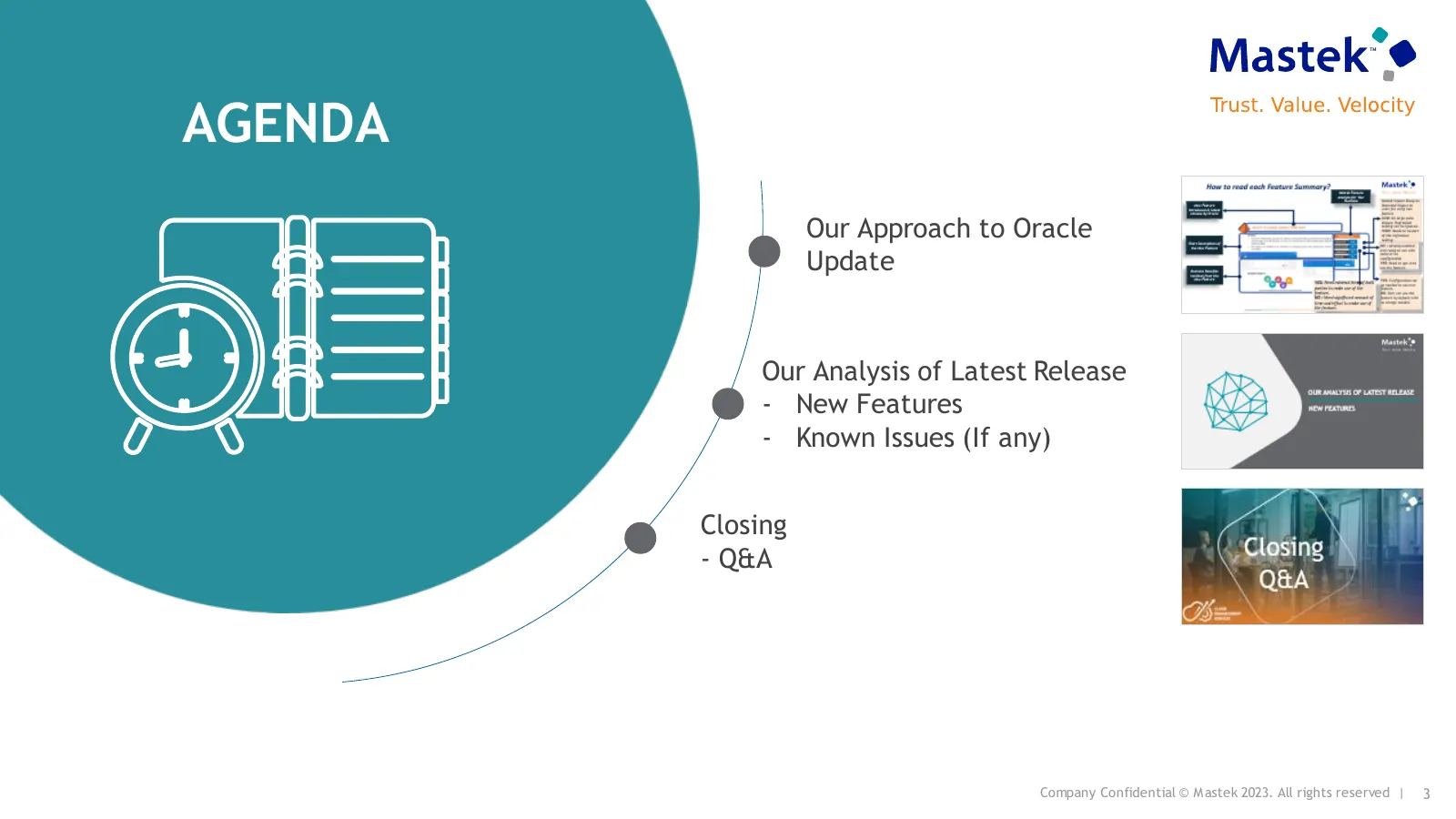
Slide 3: Agenda
AGENDA Our Approach to Oracle Update Our Analysis of Latest Release - New Features - Known Issues (If any) Closing - Q&A Company Confidential © M astek 2023. All rights reserved | 3
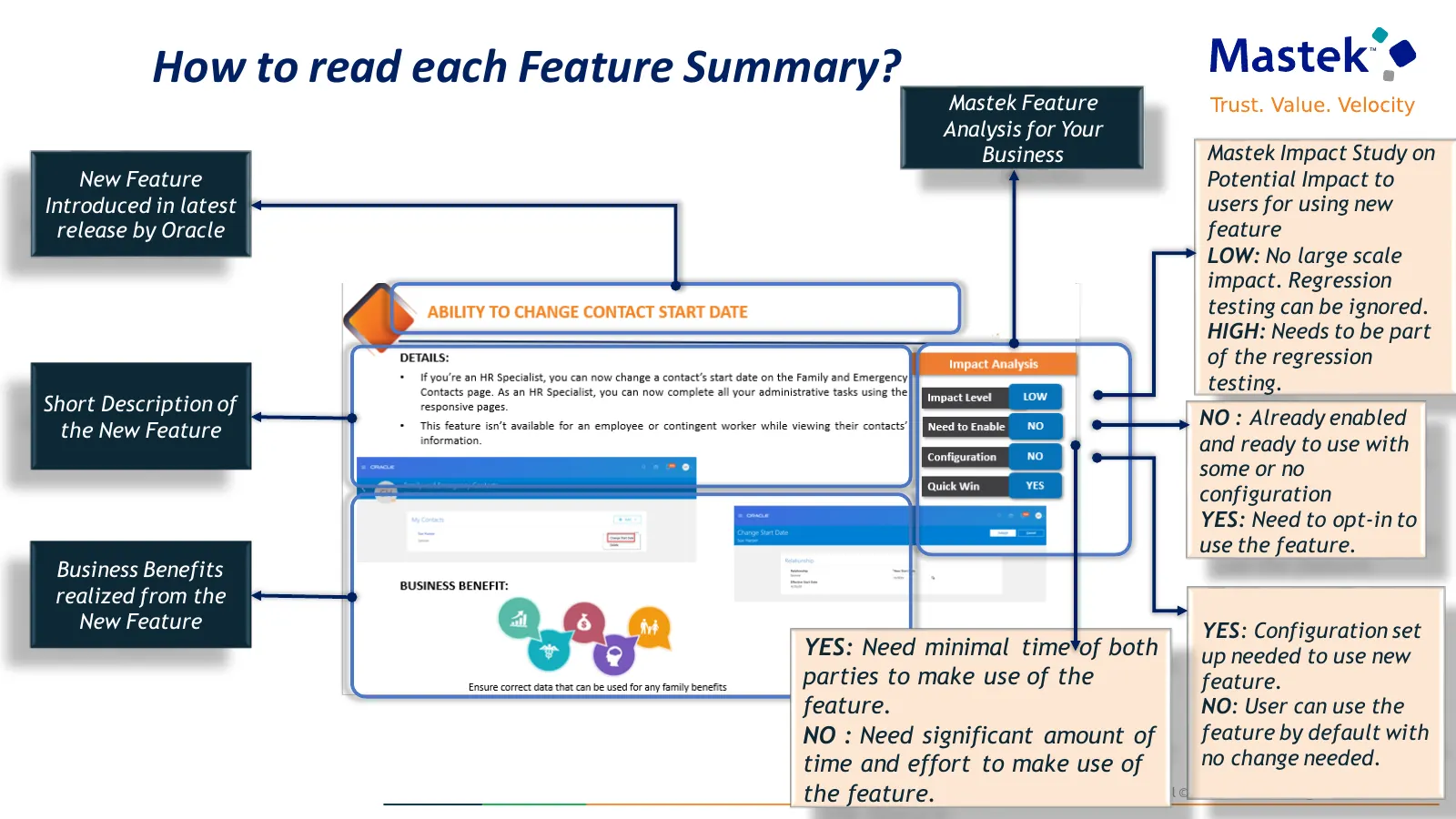
Slide 4: How to read each Feature Summary?
How to read each Feature Summary? Mastek Feature Analysis for Your Business Mastek Impact Study on New Feature Potential Impact to Introduced in latest users for using new release by Oracle feature LOW: No large scale impact. Regression testing can be ignored. HIGH: Needs to be part of the regressio

Slide 5: Our Analysis of Latest Release: New Features
OUR ANALYSIS OF LATEST RELEASE NEW FEATURES
Slide 6: Mastek Analysis - Statistics
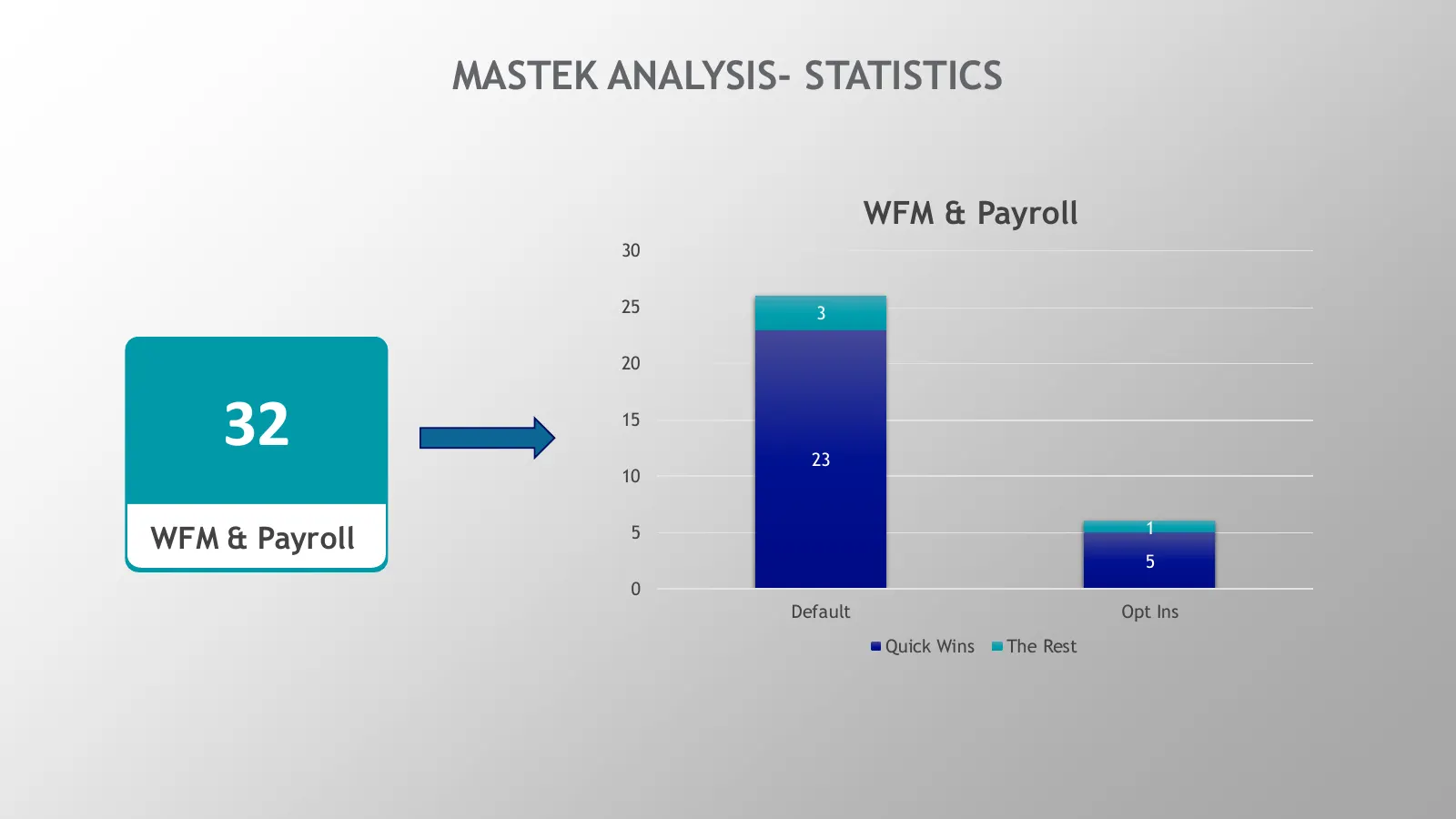
MASTEK ANALYSIS- STATISTICS WFM & Payroll 30 25 3 20 32 15 23 10 1 WFM & Payroll 5 5 0 Default Opt Ins Quick Wins The Rest
Slide 7: Mastek Analysis
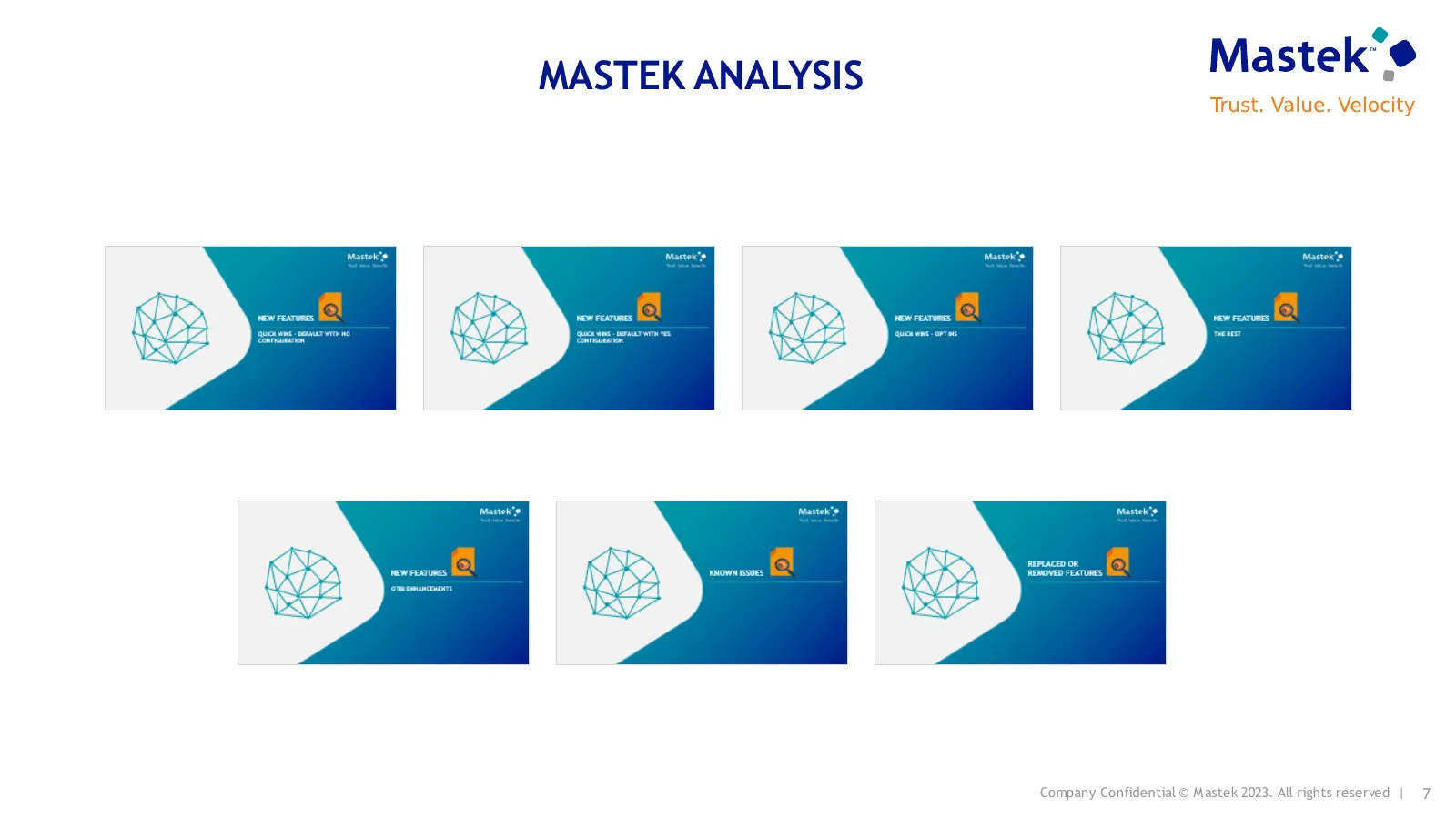
MASTEK ANALYSIS Company Confidential © M astek 2023. All rights reserved | 7

Slide 8: New Features: Quick Wins – Default with No Configuration
NEW FEATURES QUICK WINS – DEFAULT WITH NO CONFIGURATION
Slide 9: New HSDL Template for Loading Public Holiday Calendar Events
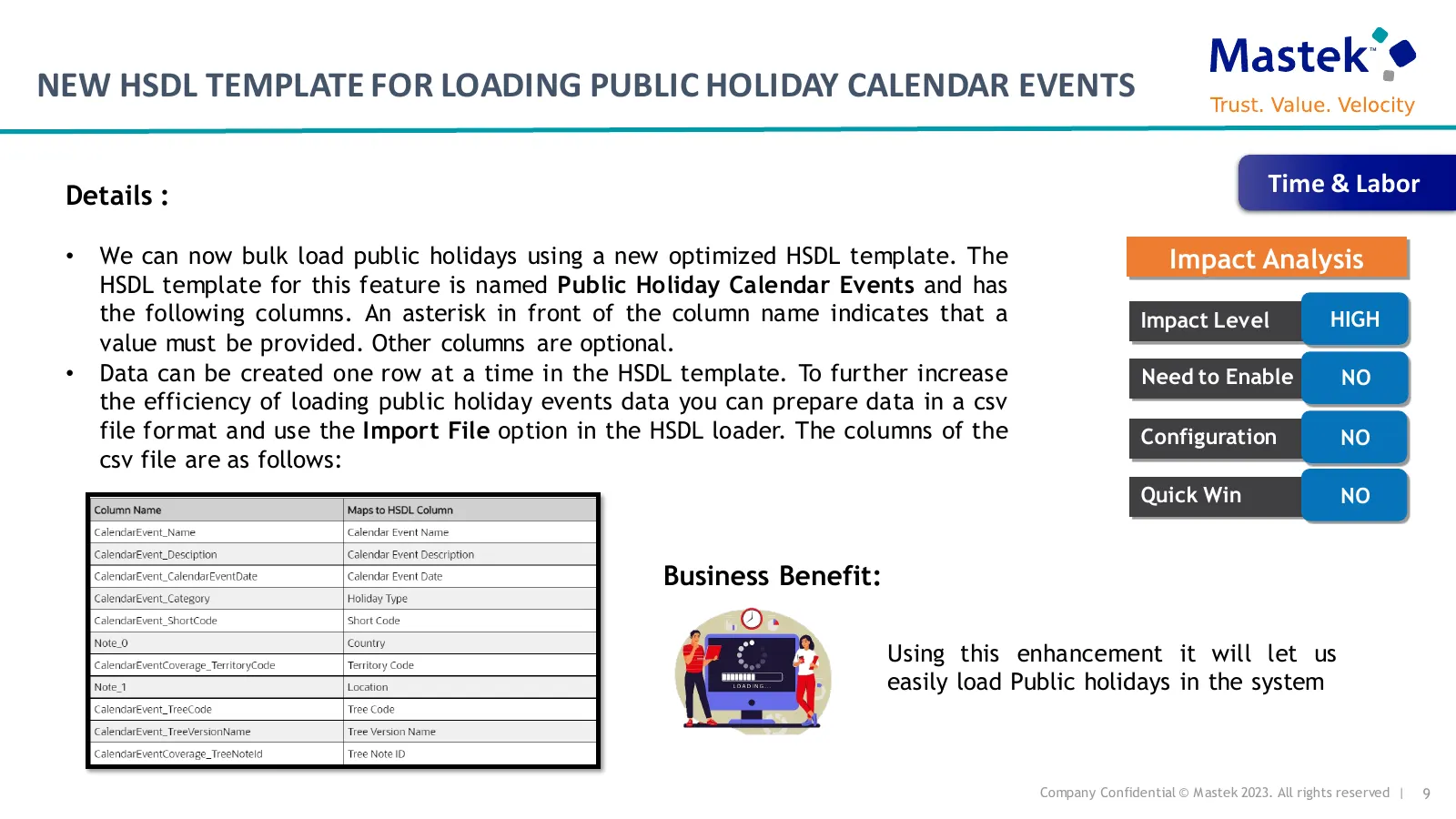
NEW HSDL TEMPLATE FOR LOADING PUBLIC HOLIDAY CALENDAR EVENTS Details : Time & Labor • We can now bulk load public holidays using a new optimized HSDL template. The Impact Analysis HSDL template for this feature is named Public Holiday Calendar Events and has the following columns. An asterisk in fro
Slide 10: Time Change Requests Enhancements
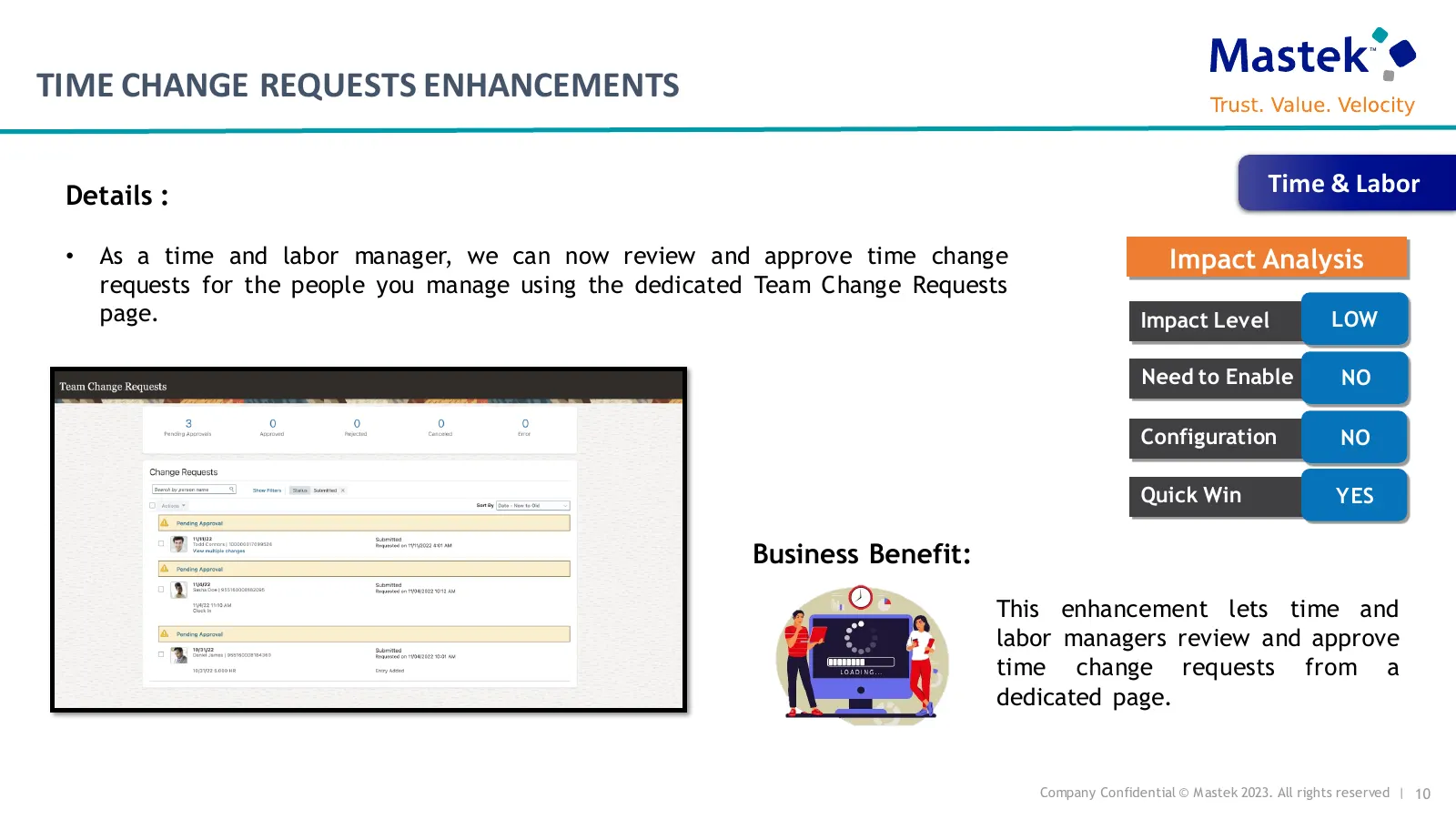
TIME CHANGE REQUESTS ENHANCEMENTS Details : Time & Labor • As a time and labor manager, we can now review and approve time change Impact Analysis requests for the people you manage using the dedicated Team Change Requests page. Impact Level LOW Need to Enable NO Configuration NO Quick Win YES Busine
Slide 11: Accrual Process Recognition of Reduced Balance Limits
ACCRUAL PROCESS RECOGNITION OF REDUCED BALANCE LIMITS Absence Details : • When an employee changes their status from full-time to part-time, the accrual Impact Analysis plan ceiling limit often changes to a lower limit. The employee is now allowed to accrue a lower amount, even though the balance at
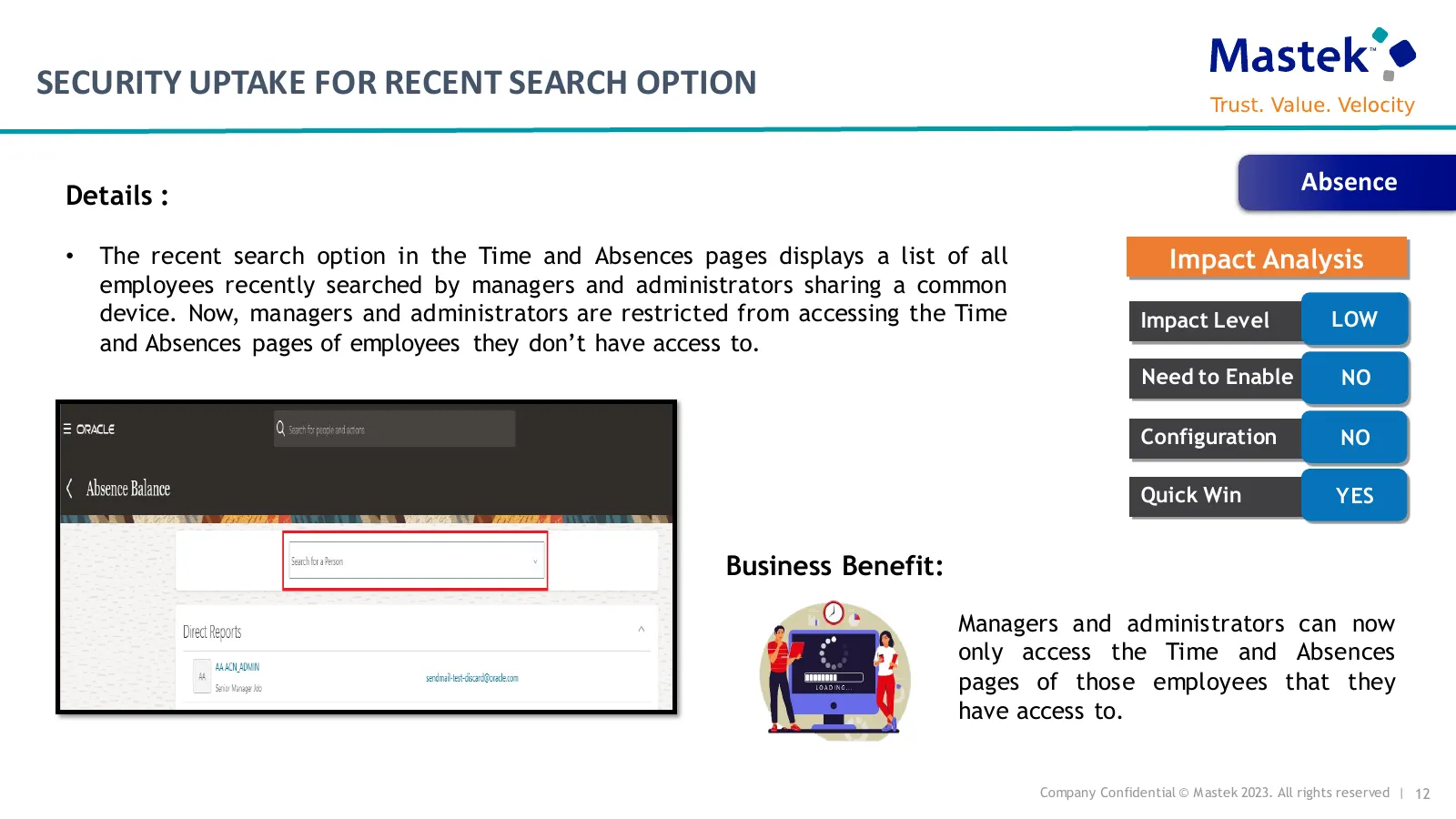
Slide 12: Security Uptake for Recent Search Option
SECURITY UPTAKE FOR RECENT SEARCH OPTION Absence Details : • The recent search option in the Time and Absences pages displays a list of all Impact Analysis employees recently searched by managers and administrators sharing a common device. Now, managers and administrators are restricted from accessi
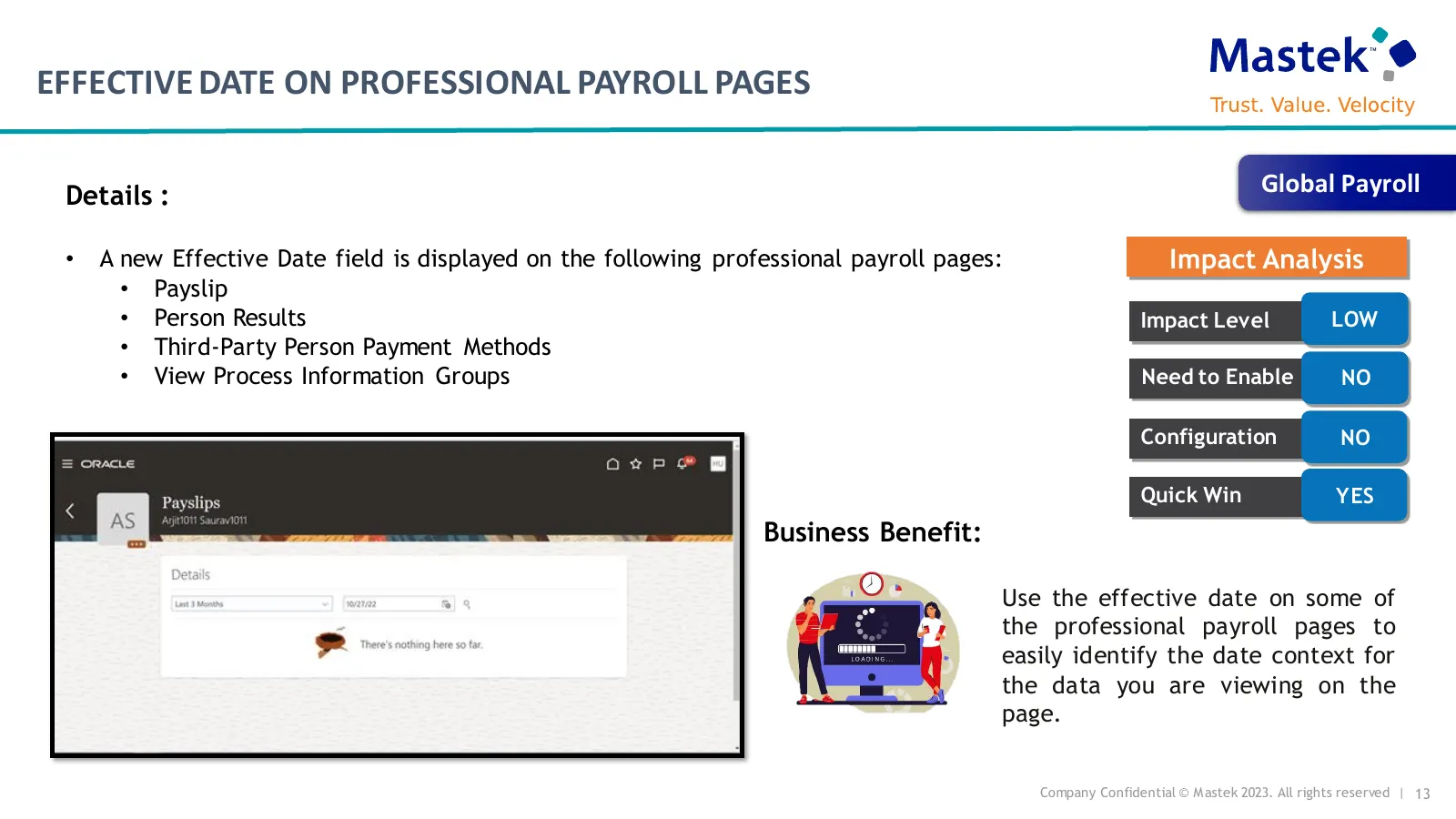
Slide 13: Effective Date on Professional Payroll Pages
EFFECTIVE DATE ON PROFESSIONAL PAYROLL PAGES Details : Global Payroll • A new Effective Date field is displayed on the following professional payroll pages: Impact Analysis • Payslip • Person Results Impact Level LOW • Third-Party Person Payment Methods • View Process Information Groups Need to Enab
Slide 14: Export Payroll Balance Results
EXPORT PAYROLL BALANCE RESULTS Details : Global Payroll • Use the Export feature on the responsive Balance Results page to export payroll Impact Analysis balance results displayed for an employee on the responsive page into a file, such as a Microsoft Excel Workbook File. Impact Level LOW Need to En
Slide 15: Export Payroll Run Results
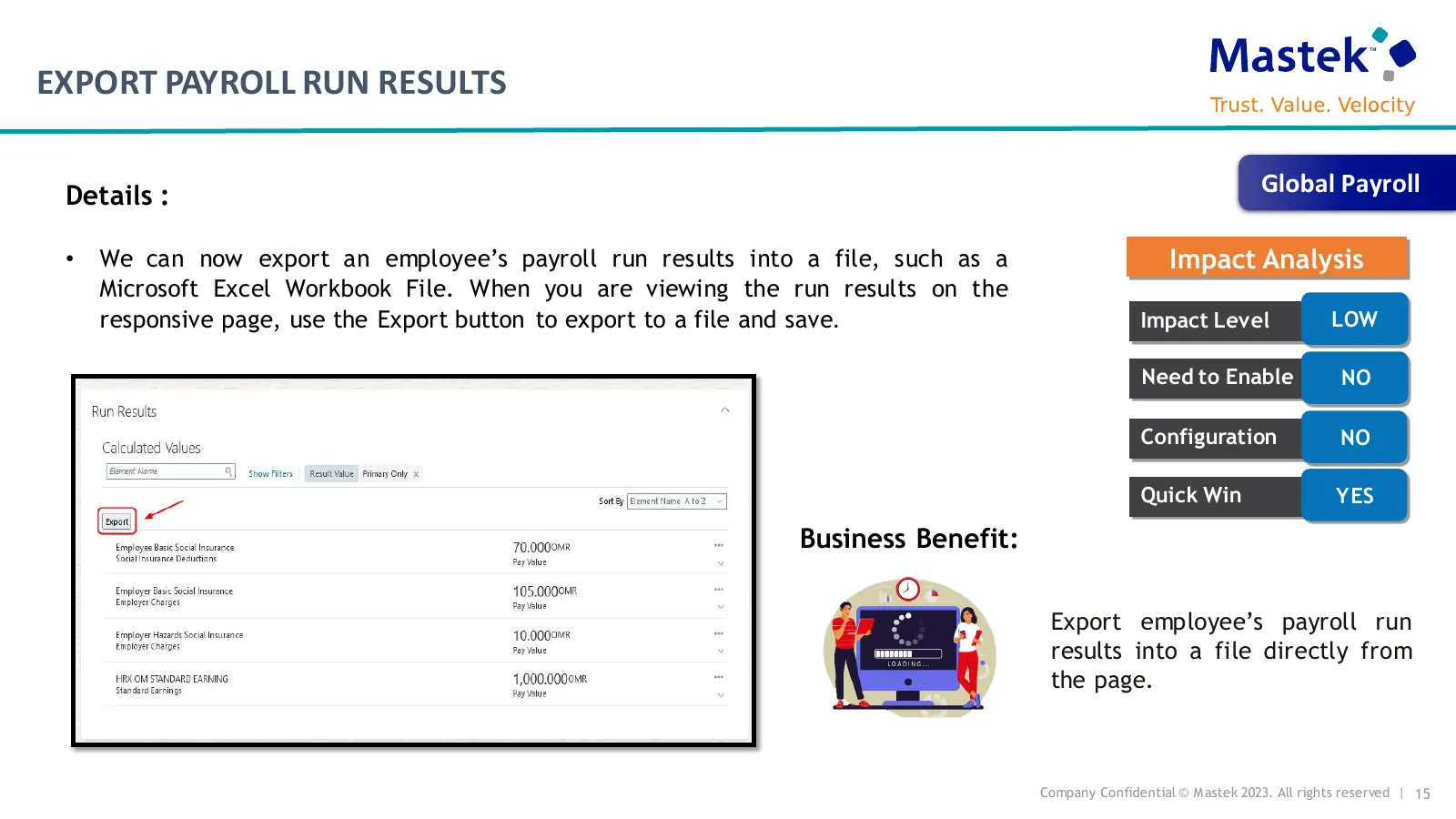
EXPORT PAYROLL RUN RESULTS Details : Global Payroll • We can now export an employee’s payroll run results into a file, such as a Impact Analysis Microsoft Excel Workbook File. When you are viewing the run results on the responsive page, use the Export button to export to a file and save. Impact Leve
Slide 16: Values by Criteria: Text Support in Payroll Run
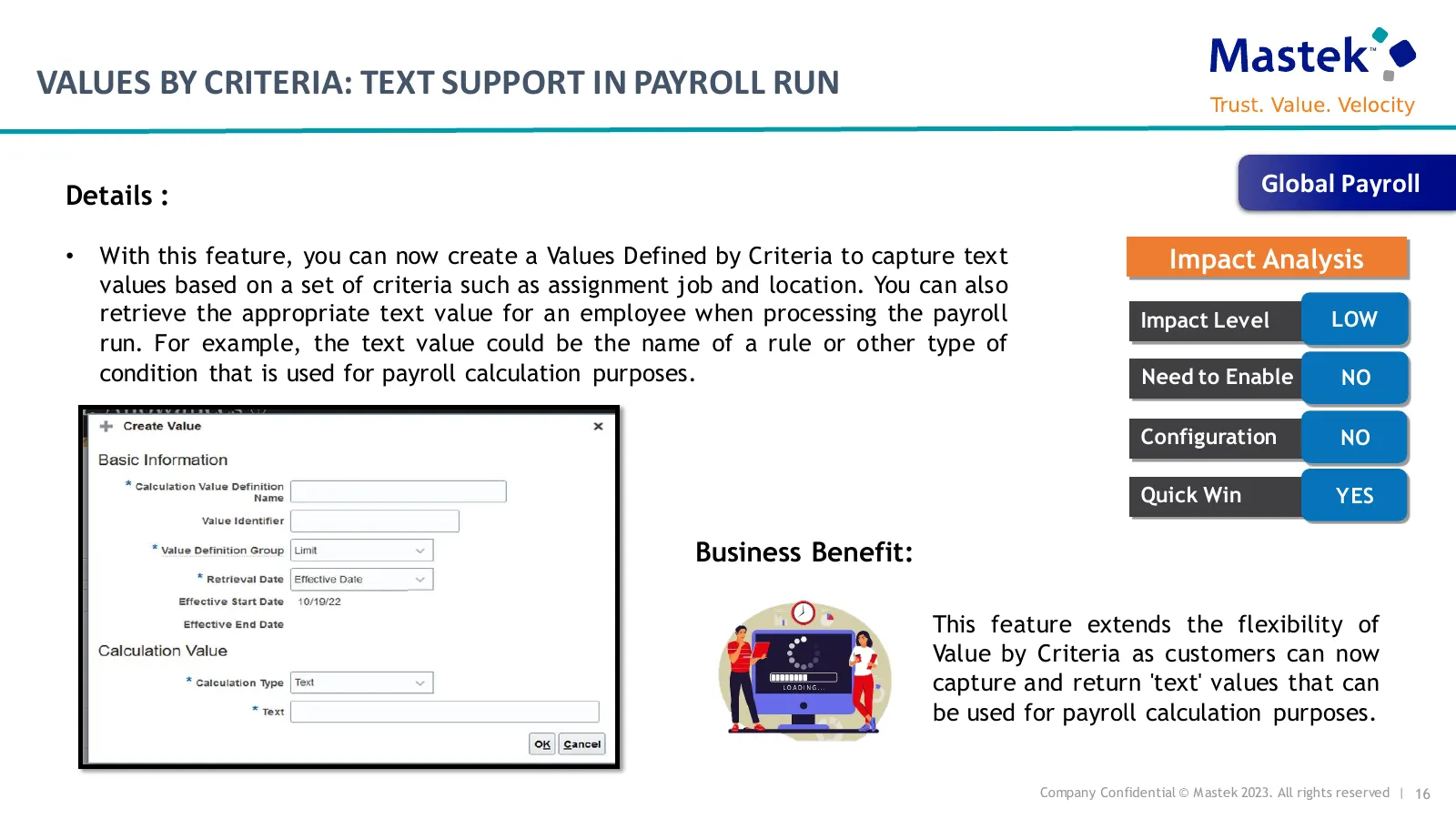
VALUES BY CRITERIA: TEXT SUPPORT IN PAYROLL RUN Details : Global Payroll • With this feature, you can now create a Values Defined by Criteria to capture text Impact Analysis values based on a set of criteria such as assignment job and location. You can also retrieve the appropriate text value for an
Slide 17: Compile Formula Additional Parameters
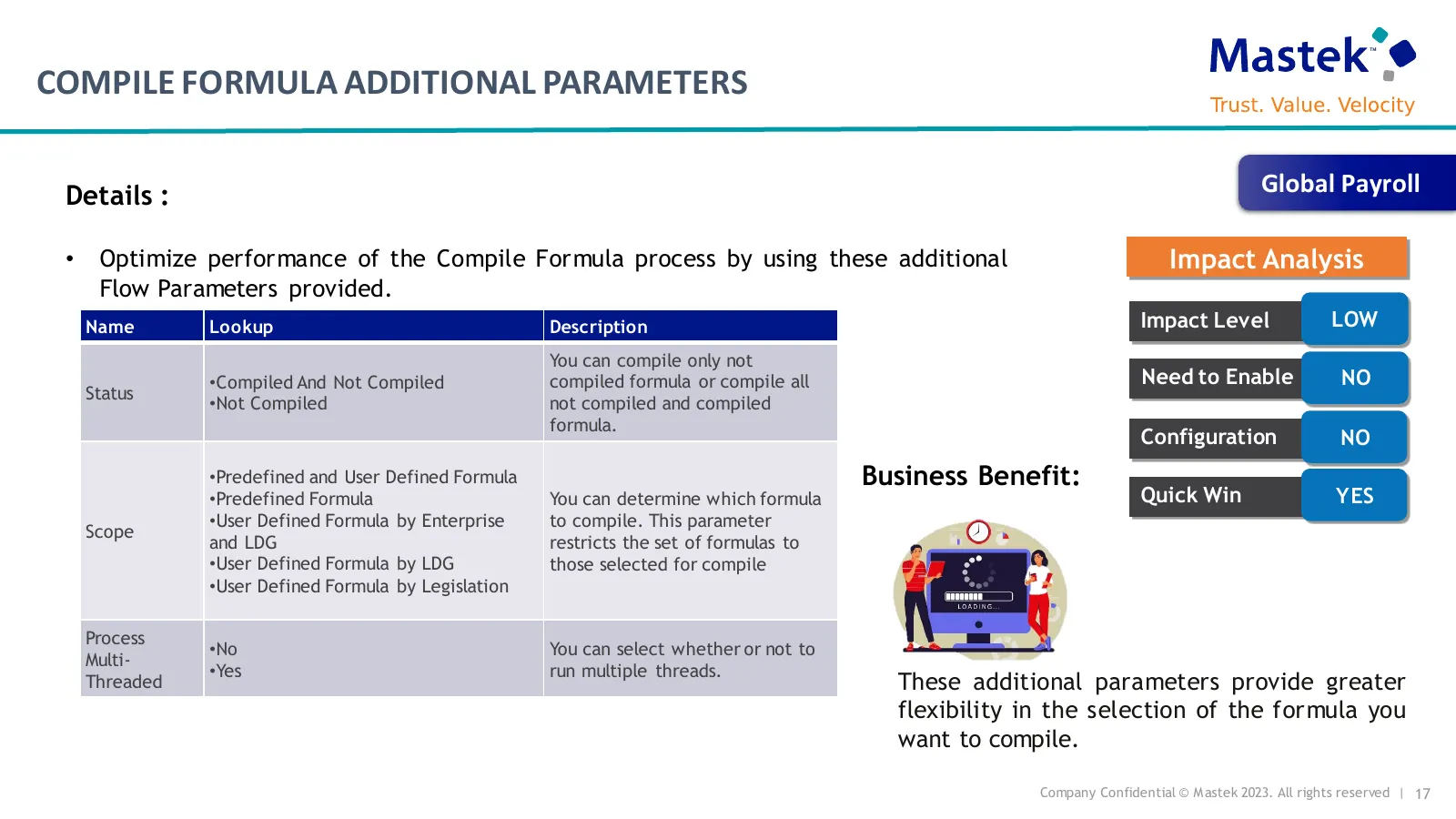
COMPILE FORMULA ADDITIONAL PARAMETERS Details : Global Payroll • Optimize performance of the Compile Formula process by using these additional Impact Analysis Flow Parameters provided. Name Lookup Description Impact Level LOW You can compile only not •Compiled And Not Compiled compiled formula or co
Slide 18: Adjust Individual Balance Responsive Page
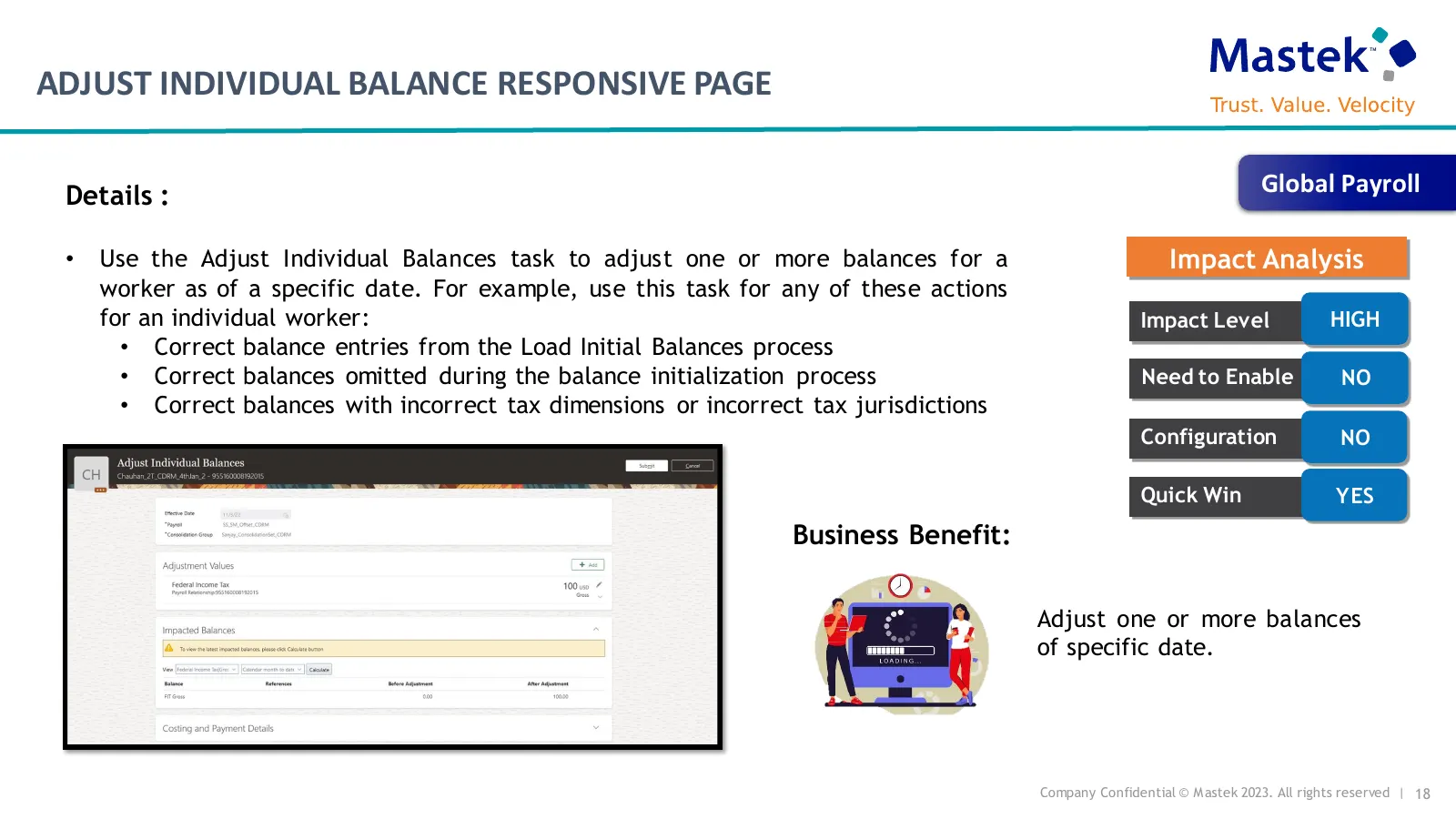
ADJUST INDIVIDUAL BALANCE RESPONSIVE PAGE Details : Global Payroll • Use the Adjust Individual Balances task to adjust one or more balances for a Impact Analysis worker as of a specific date. For example, use this task for any of these actions for an individual worker: Impact Level HIGH • Correct ba
Slide 19: QuickPay - Process Configuration Group Parameter
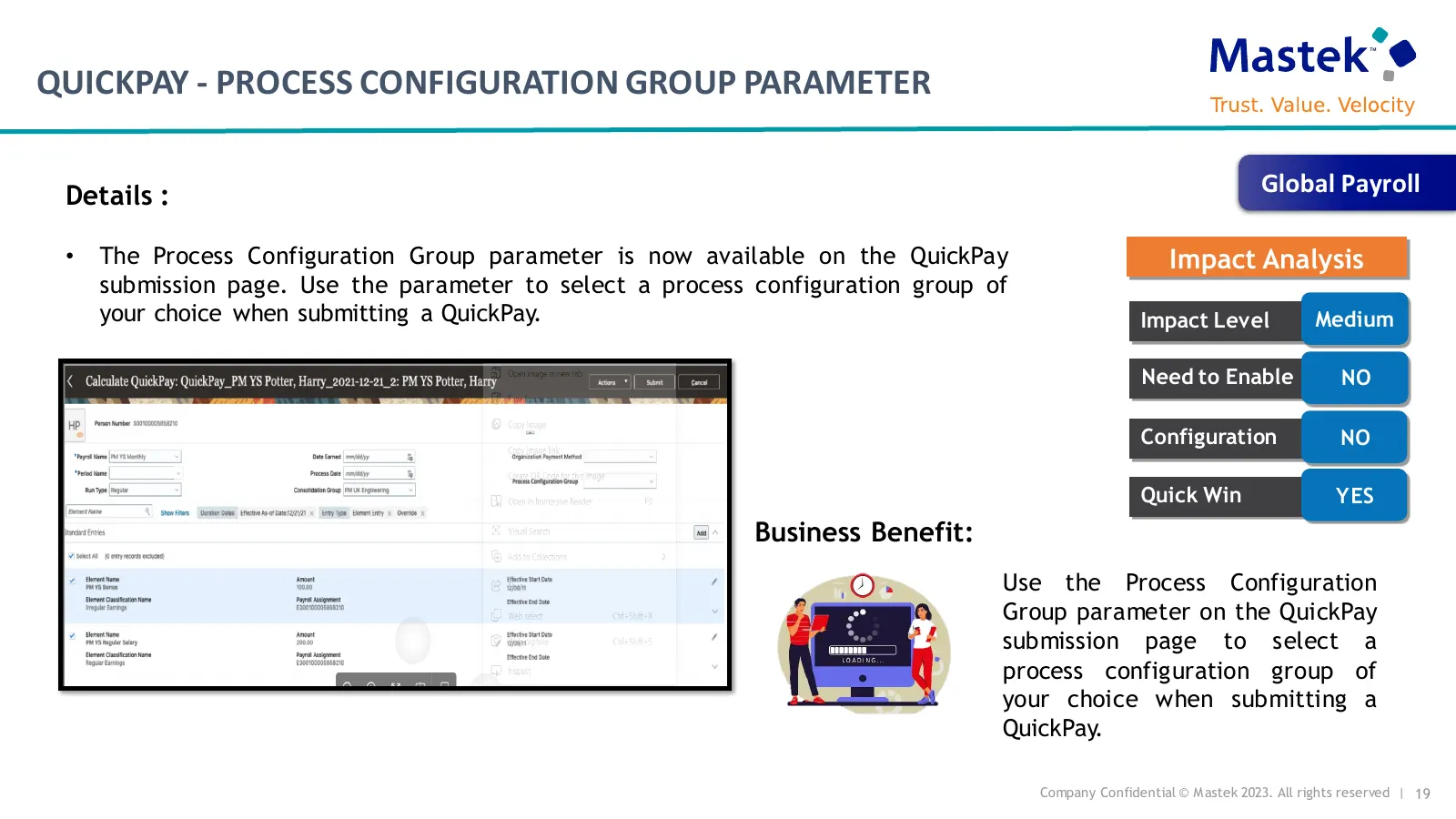
QUICKPAY - PROCESS CONFIGURATION GROUP PARAMETER Details : Global Payroll • The Process Configuration Group parameter is now available on the QuickPay Impact Analysis submission page. Use the parameter to select a process configuration group of your choice when submitting a QuickPay. Impact Level Me
Slide 20: Calculation Entries Additional Fields
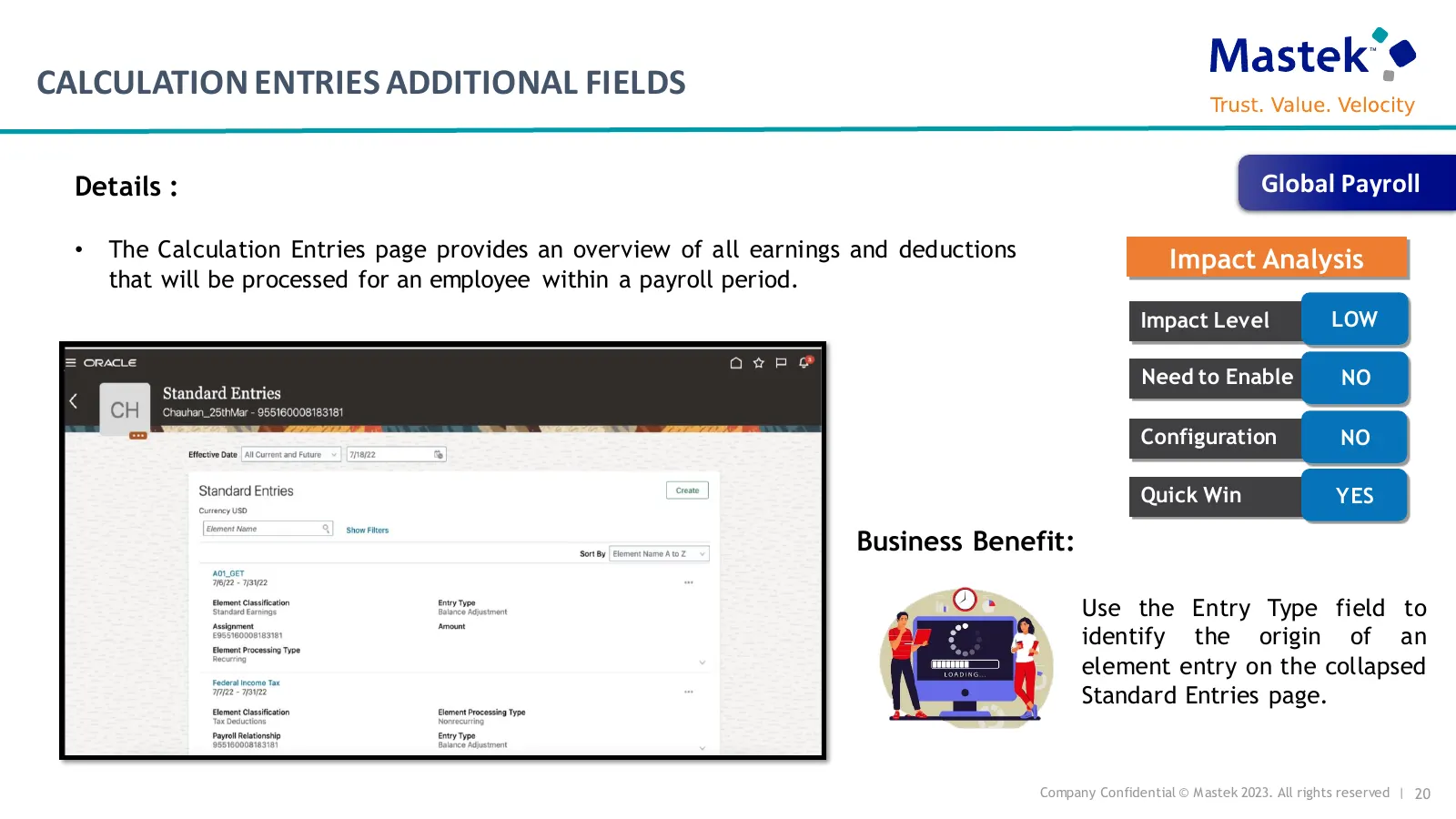
CALCULATION ENTRIES ADDITIONAL FIELDS Details : Global Payroll • The Calculation Entries page provides an overview of all earnings and deductions Impact Analysis that will be processed for an employee within a payroll period. Impact Level LOW Need to Enable NO Configuration NO Quick Win YES Business
Slide 21: P60 End of Year Statement for Tax Year 2022-23
P60 END OF YEAR STATEMENT FOR TAX YEAR 2022-23 Details : UK Payroll • We can use the updated templates provided for the tax year 2022-2023 to generate and Impact Analysis issue P60 End of Year Statement to your employees. • P60 - Online Impact Level HIGH • Plain Paper • Type LE(P) Need to Enable NO
Slide 22: P45 Flow - Errors and Warnings Report
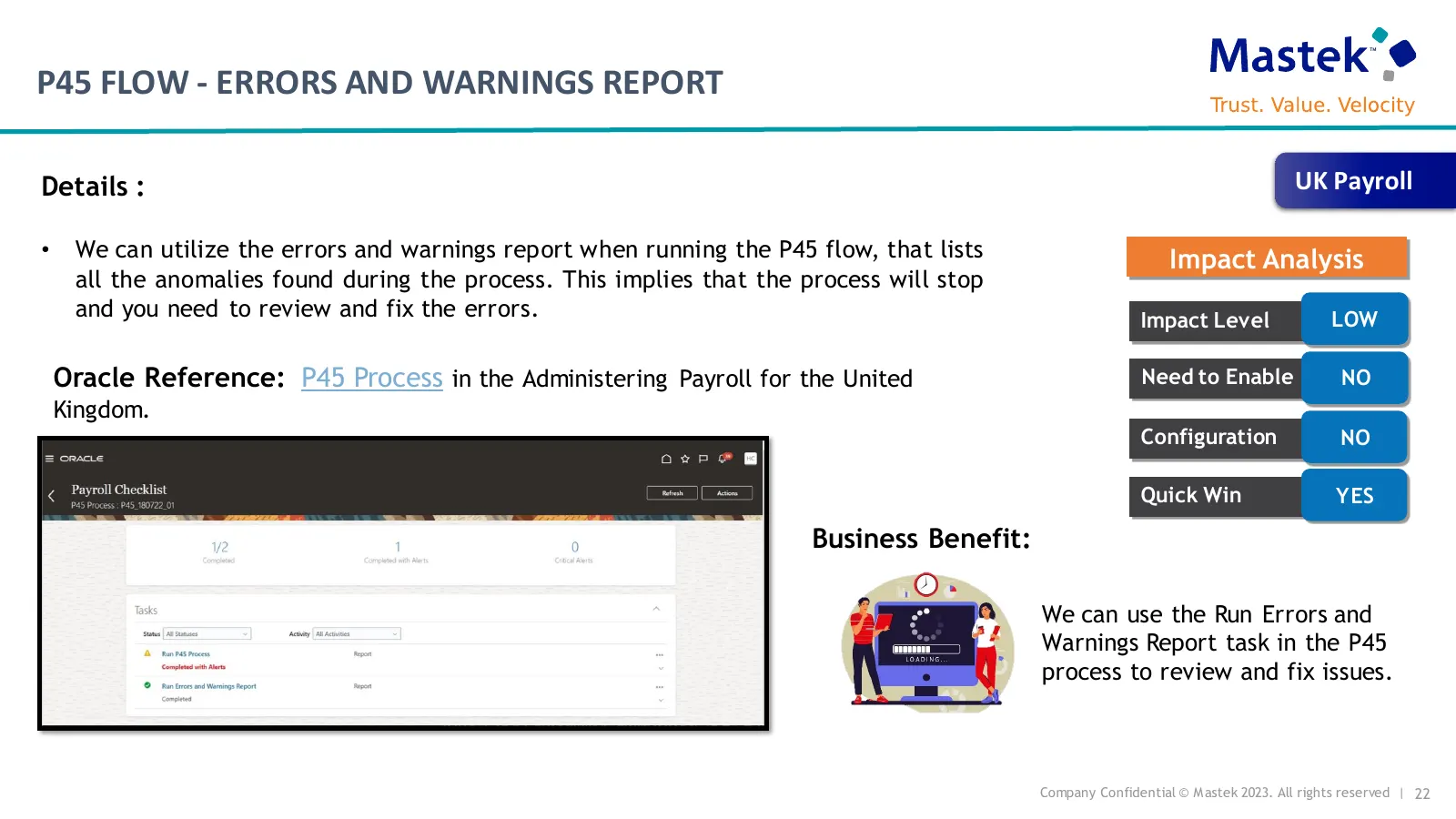
P45 FLOW - ERRORS AND WARNINGS REPORT Details : UK Payroll • We can utilize the errors and warnings report when running the P45 flow, that lists Impact Analysis all the anomalies found during the process. This implies that the process will stop and you need to review and fix the errors. Impact Level
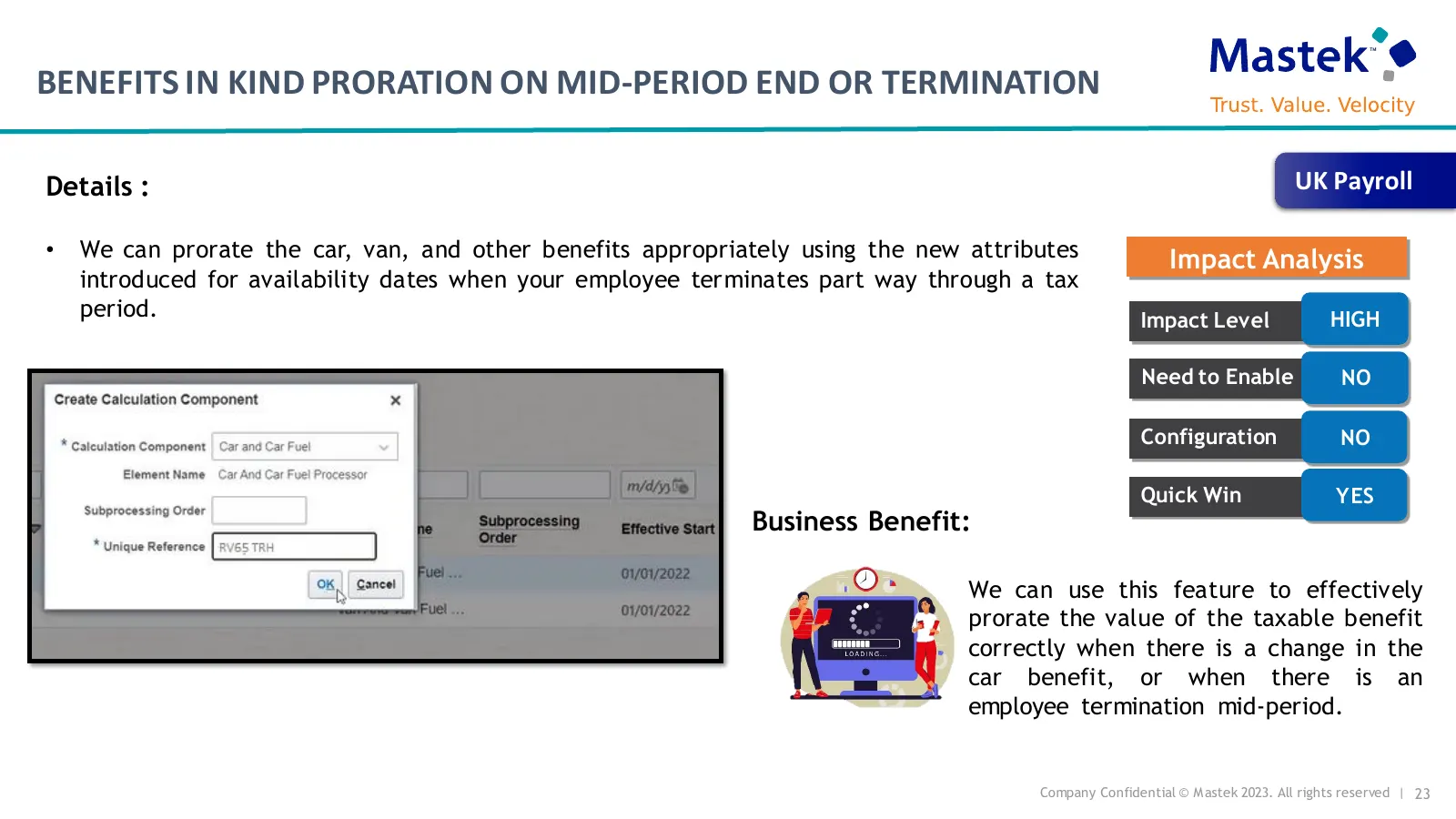
Slide 23: Benefits in Kind Proration on Mid-Period End or Termination
BENEFITS IN KIND PRORATION ON MID-PERIOD END OR TERMINATION Details : UK Payroll • We can prorate the car, van, and other benefits appropriately using the new attributes Impact Analysis introduced for availability dates when your employee terminates part way through a tax period. Impact Level HIGH N
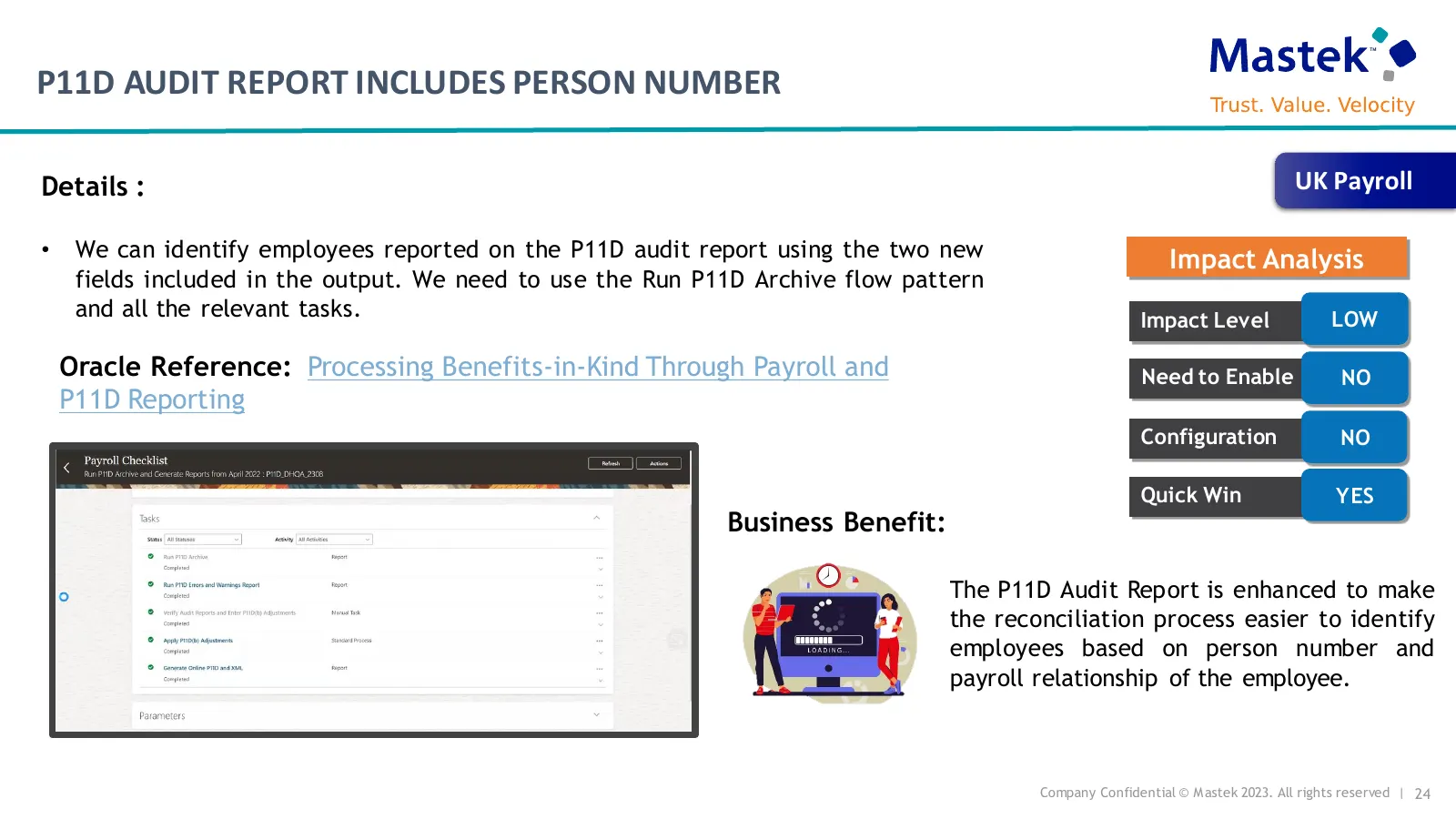
Slide 24: P11D Audit Report Includes Person Number
P11D AUDIT REPORT INCLUDES PERSON NUMBER Details : UK Payroll • We can identify employees reported on the P11D audit report using the two new Impact Analysis fields included in the output. We need to use the Run P11D Archive flow pattern and all the relevant tasks. Impact Level LOW Oracle Reference:
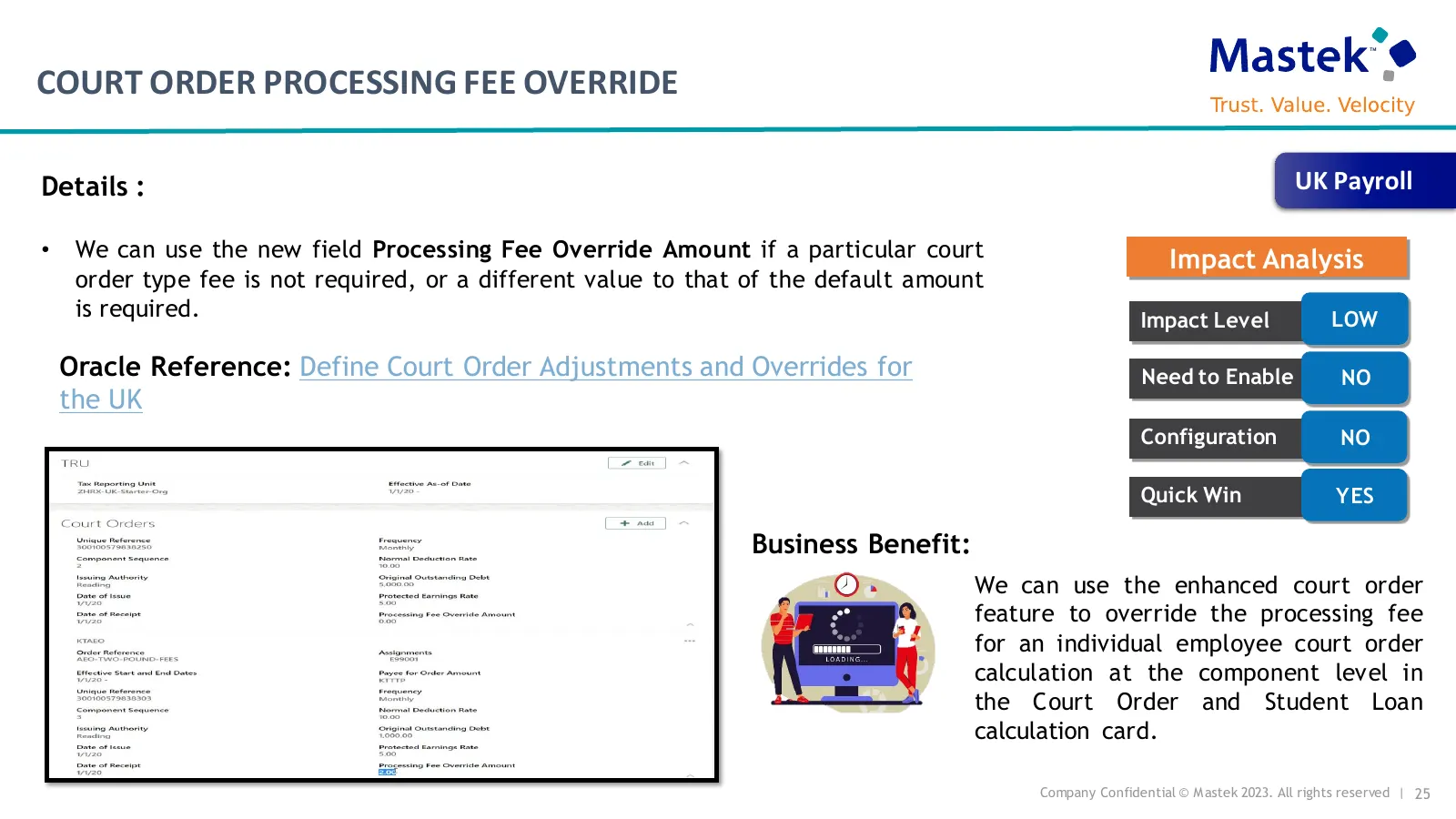
Slide 25: Court Order Processing Fee Override
COURT ORDER PROCESSING FEE OVERRIDE Details : UK Payroll • We can use the new field Processing Fee Override Amount if a particular court Impact Analysis order type fee is not required, or a different value to that of the default amount is required. Impact Level LOW Oracle Reference: Define Court Ord
Slide 26: Regional Pay Data Report Enhancement for California
REGIONAL PAY DATA REPORT ENHANCEMENT FOR CALIFORNIA US Payroll Details : • We have augmented California pay data reporting with the addition of the CA Pay Impact Analysis Data Reporting Pay Bands calculation value definition. Impact Level LOW Need to Enable NO Business Benefit: Configuration NO This
Slide 27: Regional Pay Data Report Enhancement
REGIONAL PAY DATA REPORT ENHANCEMENT US Payroll Details : • We have improved the flexibility of the Regional Pay Data Report by making the Impact Analysis parameters related to contact information optional rather than mandatory. Impact Level LOW Need to Enable NO Business Benefit: Configuration NO C
Slide 28: New Hire State Electronic Report Enhancement
NEW HIRE STATE ELECTRONIC REPORT ENHANCEMENT US Payroll Details : • We have improved the New Hire State Electronic Report. In support of Ohio's Impact Analysis requirement, this report now includes a single header that records totals from all reported legal entities. Impact Level LOW Need to Enable

Slide 29: New Features: Quick Wins – Default with Yes Configuration
NEW FEATURES QUICK WINS – DEFAULT WITH YES CONFIGURATION
Slide 30: Retropay Late Hire Additions
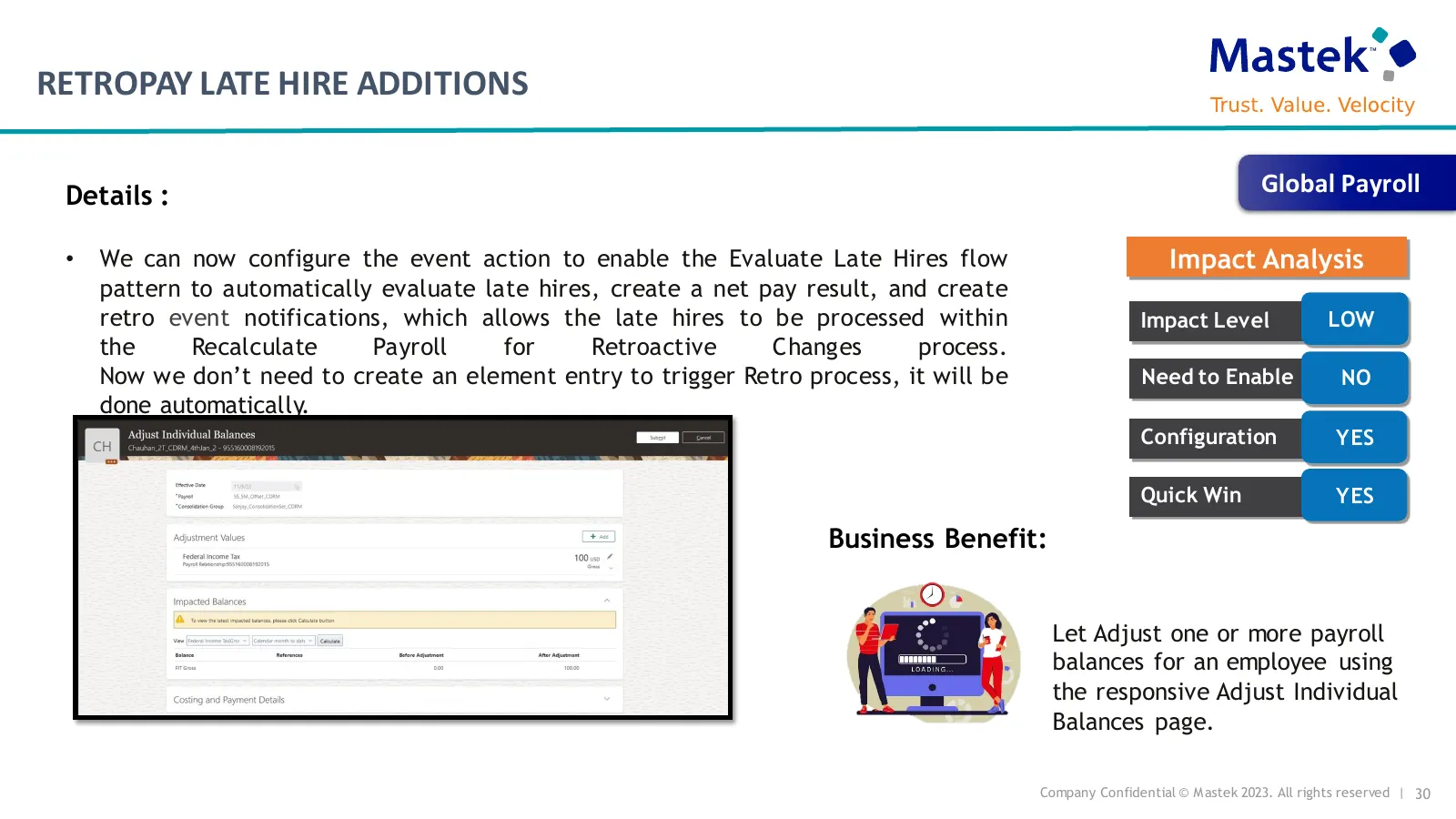
RETROPAY LATE HIRE ADDITIONS Details : Global Payroll • We can now configure the event action to enable the Evaluate Late Hires flow Impact Analysis pattern to automatically evaluate late hires, create a net pay result, and create retro event notifications, which allows the late hires to be processe
Slide 31: New Features: Quick Wins – Opt Ins
NEW FEATURES QUICK WINS – OPT INS
Slide 32: Web Clock Geolocation Introduction
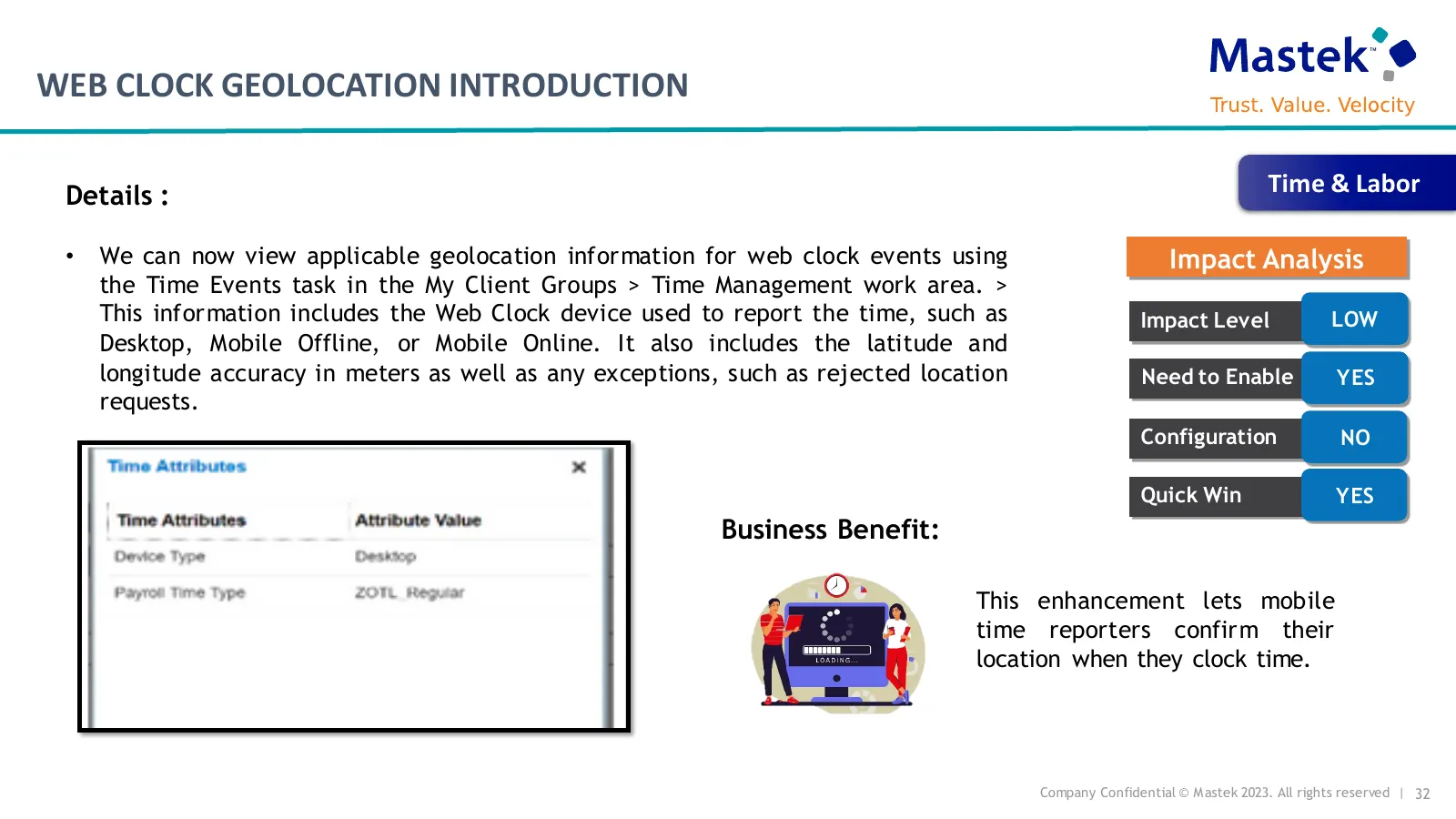
WEB CLOCK GEOLOCATION INTRODUCTION Details : Time & Labor • We can now view applicable geolocation information for web clock events using Impact Analysis the Time Events task in the My Client Groups > Time Management work area. > This information includes the Web Clock device used to report the time
Slide 33: Web Clock Button Logic Enhancements
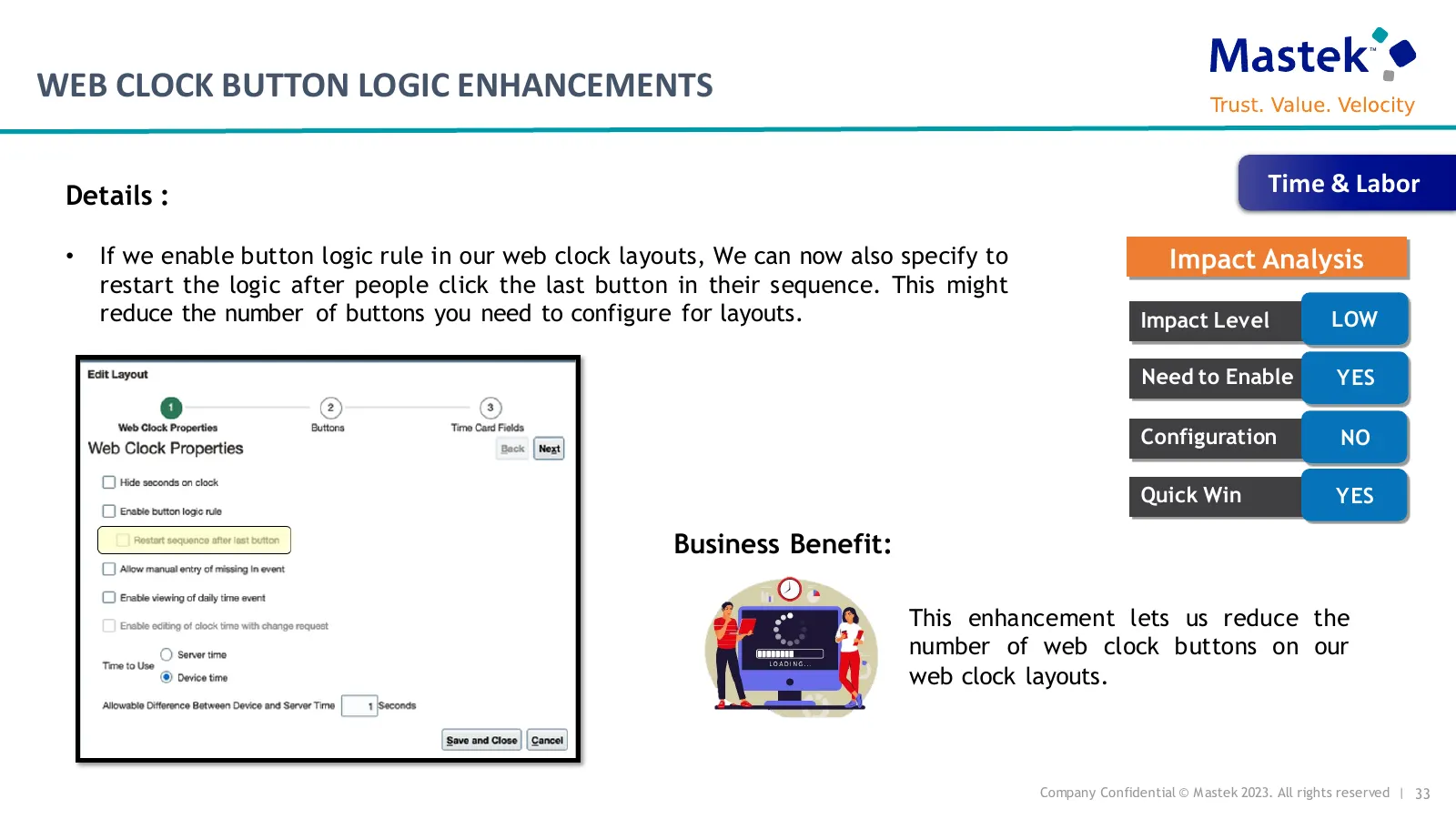
WEB CLOCK BUTTON LOGIC ENHANCEMENTS Details : Time & Labor • If we enable button logic rule in our web clock layouts, We can now also specify to Impact Analysis restart the logic after people click the last button in their sequence. This might reduce the number of buttons you need to configure for l
Slide 34: Web Clock Missing In Enhancement
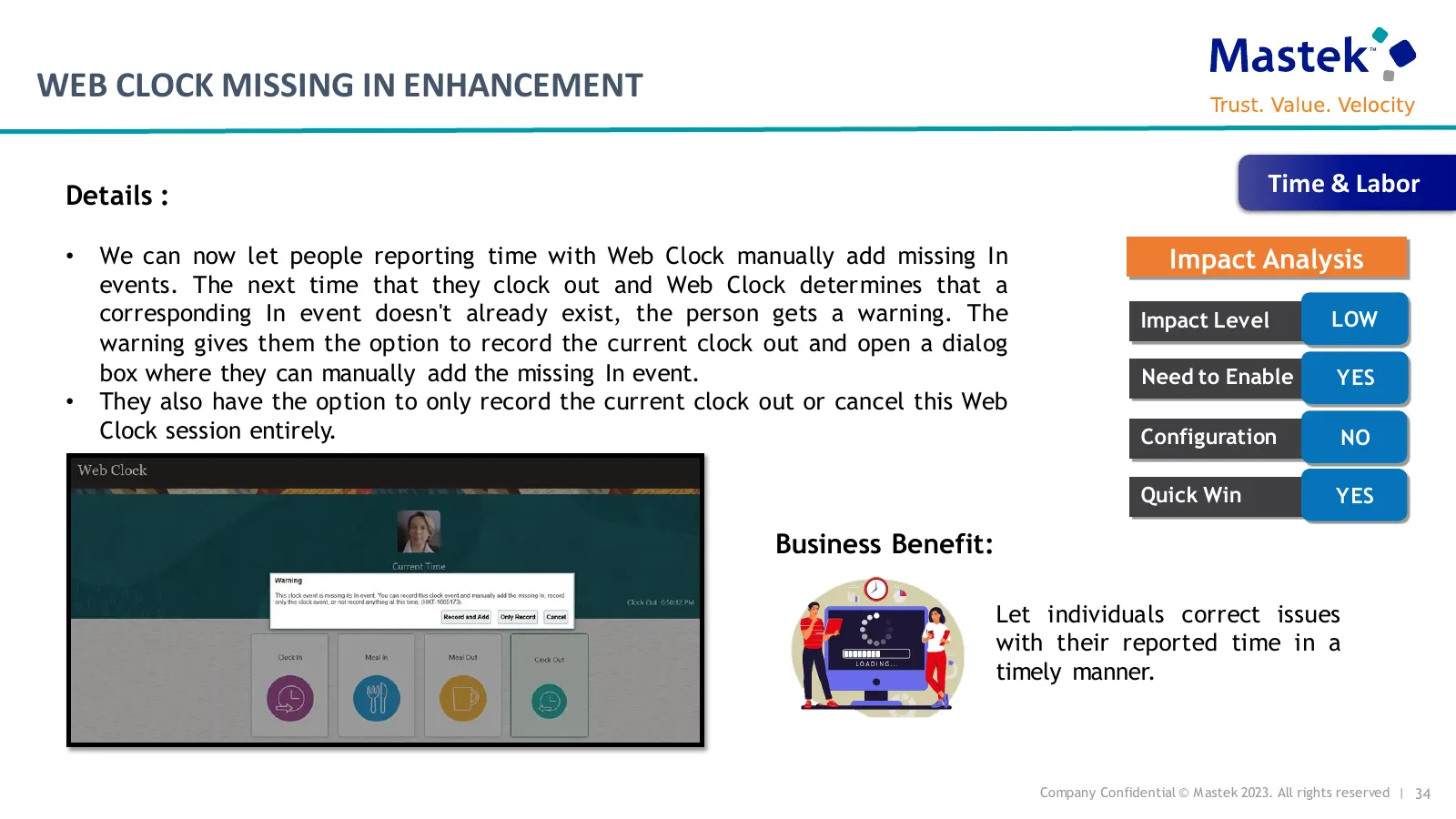
WEB CLOCK MISSING IN ENHANCEMENT Details : Time & Labor • We can now let people reporting time with Web Clock manually add missing In Impact Analysis events. The next time that they clock out and Web Clock determines that a corresponding In event doesn't already exist, the person gets a warning. The
Slide 35: Include Payroll Details in Change Assignment Approval Notification
INCLUDE PAYROLL DETAILS IN CHANGE ASSIGNMENT APPROVAL NOTIFICATION Global Payroll Details : • This feature allows the approvers to view the payroll data entered as part of Impact Analysis the Change Assignment transaction. Impact Level LOW Need to Enable YES Business Benefit: Payroll Details are now
Slide 36: Ability to Record Costing Information as Part of a Global Transfer
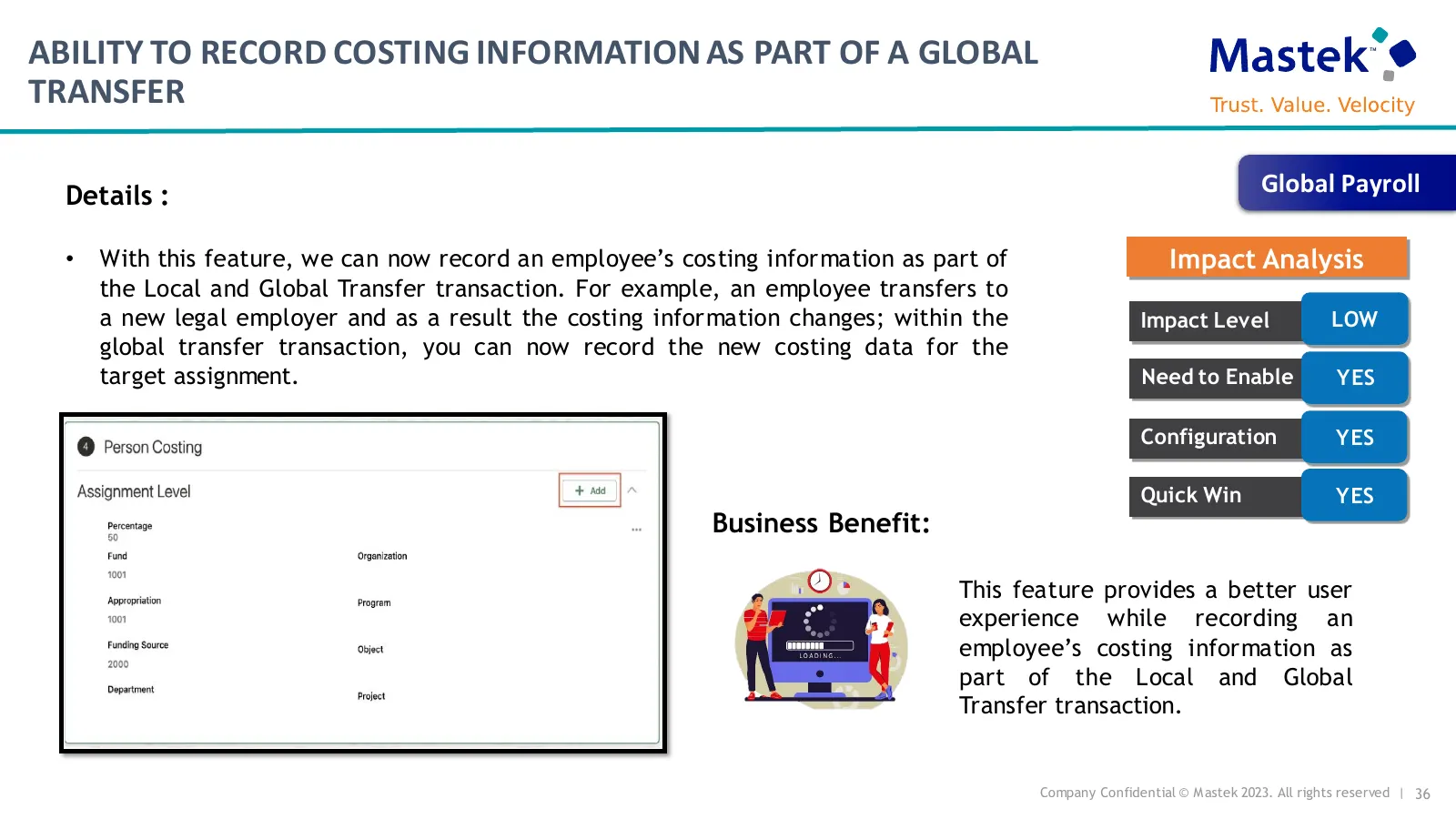
ABILITY TO RECORD COSTING INFORMATION AS PART OF A GLOBAL TRANSFER Details : Global Payroll • With this feature, we can now record an employee’s costing information as part of Impact Analysis the Local and Global Transfer transaction. For example, an employee transfers to a new legal employer and as

Slide 37: New Features: The Rest
Mastek*@ Trust. Value. Velocity NEW FEATURES THE REST
Slide 38: Web Clock Missing Out Enhancement
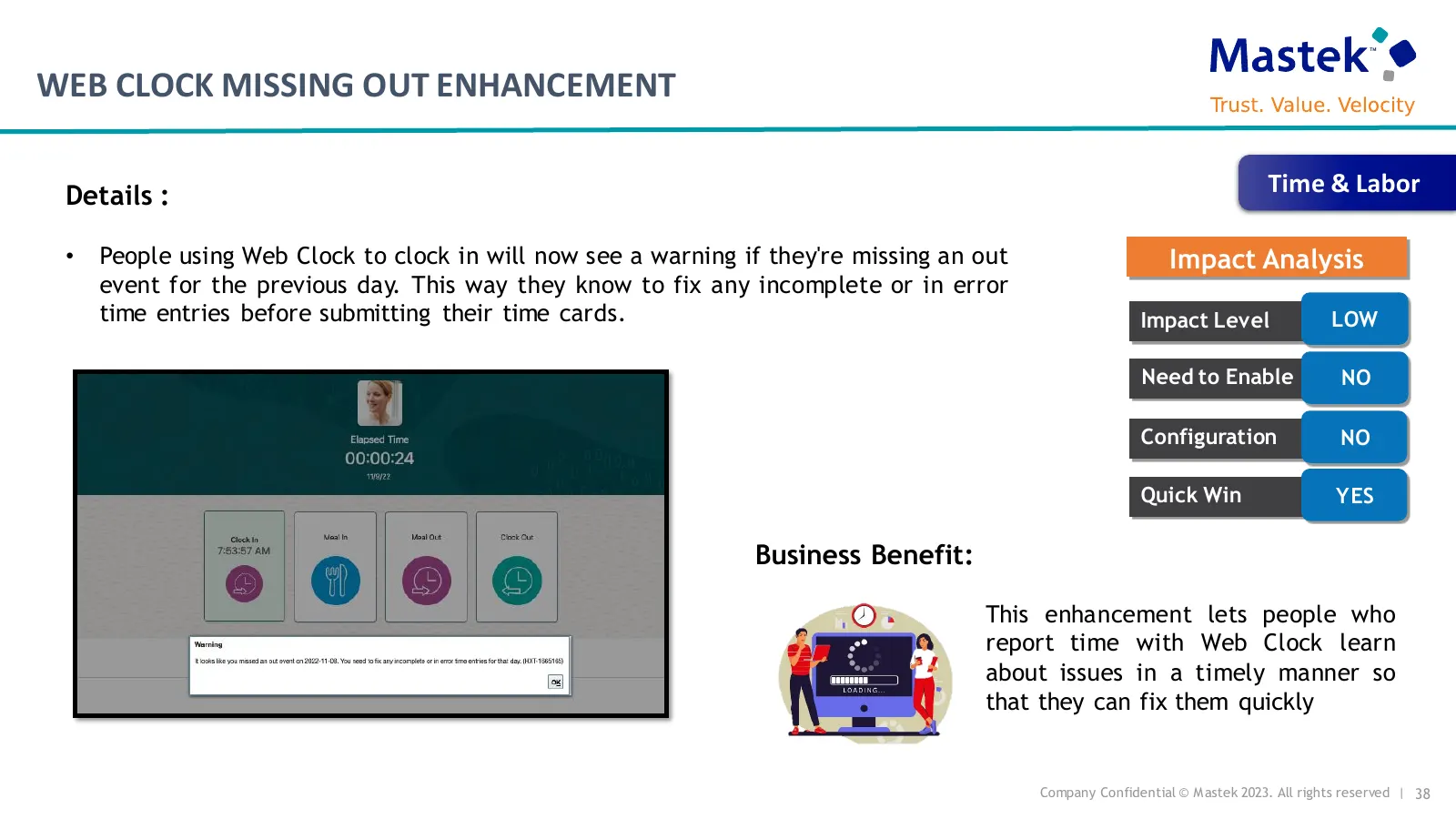
WEB CLOCK MISSING OUT ENHANCEMENT Details : Time & Labor • People using Web Clock to clock in will now see a warning if they're missing an out Impact Analysis event for the previous day. This way they know to fix any incomplete or in error time entries before submitting their time cards. Impact Leve
Slide 39: Values Defined by Criteria: Multiple Values Support in the Payroll Run
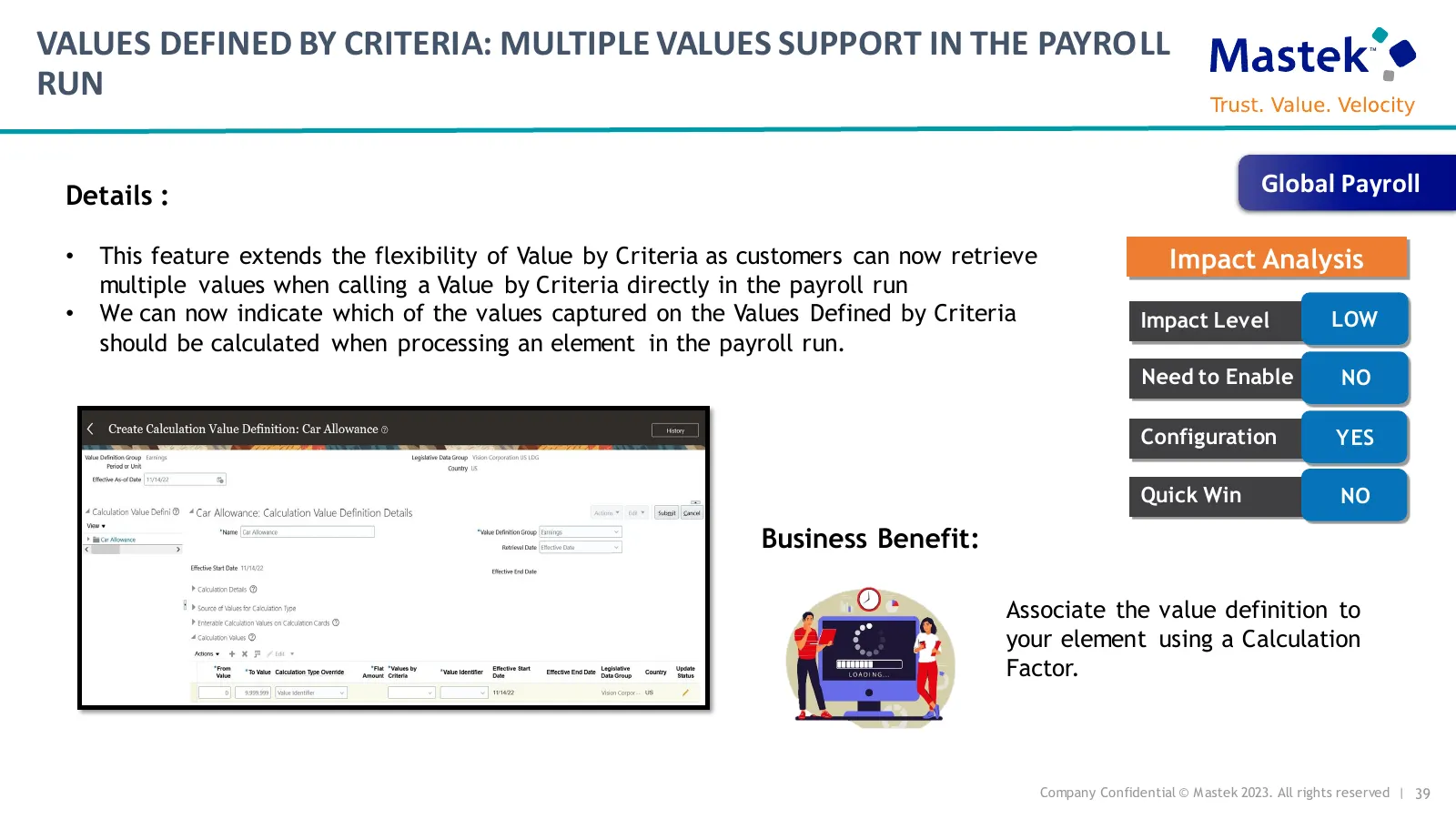
VALUES DEFINED BY CRITERIA: MULTIPLE VALUES SUPPORT IN THE PAYROLL RUN Details : Global Payroll • This feature extends the flexibility of Value by Criteria as customers can now retrieve Impact Analysis multiple values when calling a Value by Criteria directly in the payroll run • We can now indicate
Slide 40: Autocomplete Rules for Timecard Required and Overtime Period within HR Flows
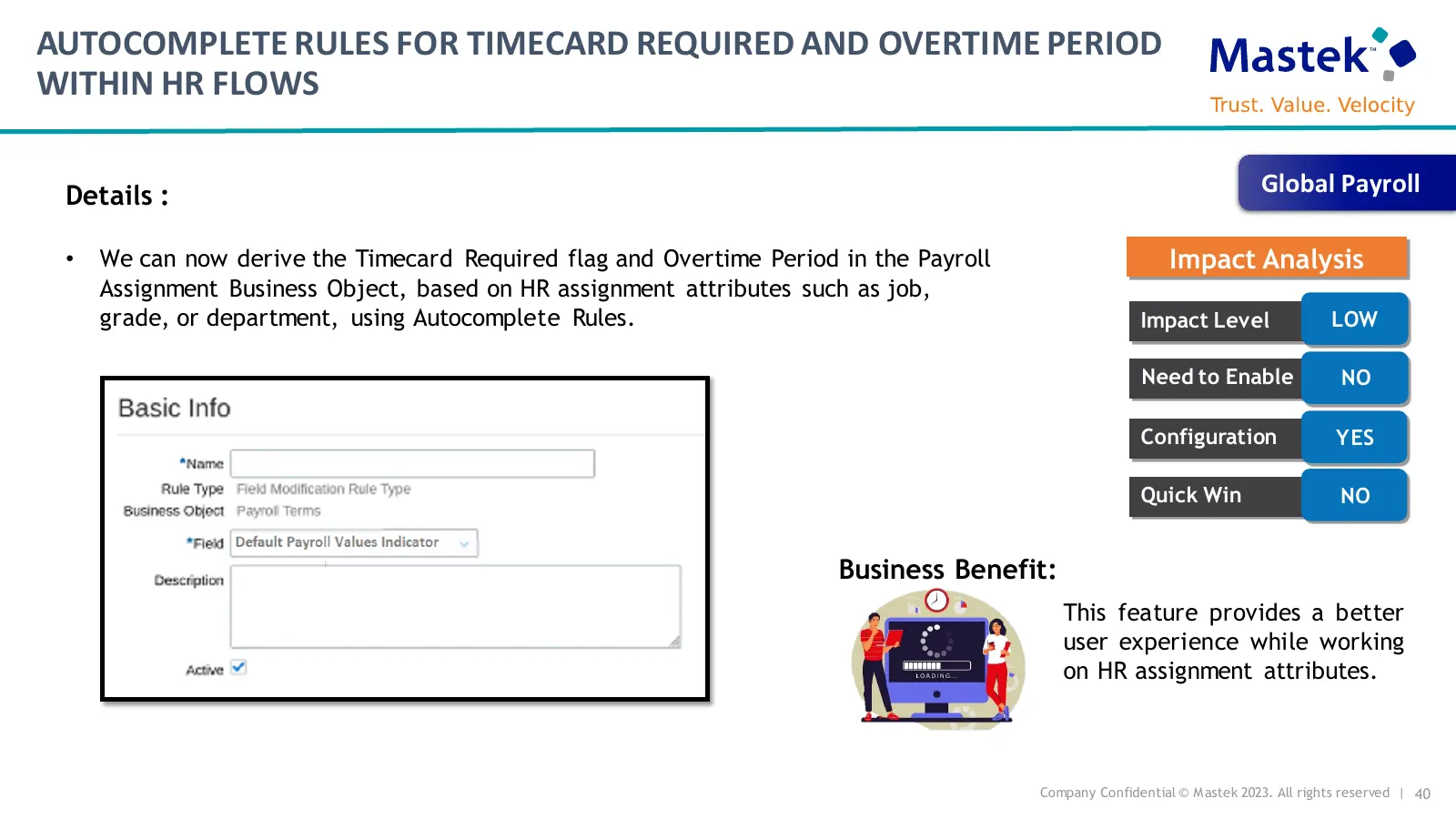
AUTOCOMPLETE RULES FOR TIMECARD REQUIRED AND OVERTIME PERIOD WITHIN HR FLOWS Details : Global Payroll • We can now derive the Timecard Required flag and Overtime Period in the Payroll Impact Analysis Assignment Business Object, based on HR assignment attributes such as job, grade, or department, usi
Slide 41: LGPS – Calculation of Employer Contributions for Absences with Reduced Payment
LGPS – CALCULATION OF EMPLOYER CONTRIBUTIONS FOR ABSENCES WITH REDUCED PAYMENT Details : UK Payroll • We can now calculate employer contributions for periods with reductions in pay Impact Analysis mid-period, due to absences such as sickness or maternity. This is done by prorating Permanent Pensiona

Slide 42: New Features: OTBI Enhancements
NEW FEATURES OTBI ENHANCEMENTS

Slide 43: Known Issues
Mastek*@ Trust. Value. Velocity KNOWN ISSUES
Slide 44: Absences OTBI Subject Areas Hide Certain Absences for Multi-Assignment Employees
ABSENCES OTBI SUBJECT AREAS HIDE CERTAIN ABSENCES FOR MULTI-ASSIGNMENT EMPLOYEES Details: Absence • All managers of an employee with multiple-assignments can view all person-level absences on the page and in OTBI reports, unless a person-level absence is entered using the advanced mode. • The advanc
Slide 45: HCM Calendars Can't Display Overlapping Resource Exceptions
HCM CALENDARS CAN’T DISPLAY OVERLAPPING RESOURCE EXCEPTIONS Details: Absence • When you assign multiple, overlapping resource exceptions to an employee at the same level, they will not show correctly on the HCM calendar pages. Workaround: • This issue won't be resolved, because there isn't a functio
Slide 46: Individuals Can View All of Their Responsive Time Cards
INDIVIDUALS CAN VIEW ALL OF THEIR RESPONSIVE TIME CARDS Details: Time & Labor • An individual can always view their time cards on responsive pages regardless of the Days Before and Days After settings in their time entry profile. • The settings of Days Before and Days After do affect what an individ
Slide 47: Task Iterations Status
TASK ITERATIONS STATUS Details: Global Payroll • Use the Task Iterations page to review flow instances of the "Submit Another Task" flow iterations. We are currently experiencing some issues whereby the statuses for task iteration in the new Task Iterations page are not accurate. • For example, afte
Slide 48: Automatic Element Entries Issue When Using Worker HCM Data Loader
AUTOMATIC ELEMENT ENTRIES ISSUE WHEN USING WORKER HCM DATA LOADER Details: Global Payroll • Automatic entries are not always created when an employee is hired using the Worker in HCM Data Loader. • This issue occurs if the worker record is loaded with multiple historic records. What happens is autom
Slide 49: Incorrect Warning Message Appears During Duplicate Bank Account Entry
INCORRECT WARNING MESSAGE APPEARS DURING DUPLICATE BANK ACCOUNT ENTRY Details: Global Payroll • In the payment method page, if a user tries to enter the same bank account for themselves, twice, the application gives the following warning message: A bank account with given details already exists and
Slide 50: Data Loader Tasks Results
DATA LOADER TASKS RESULTS Details: Global Payroll • HCM Data Loader (HDL) related tasks, such as the "Initiate Data Loader" process, are currently not returning all of the HDL process results data on the Process Results Details page. • You will see limited results data when you try to view the HDL p
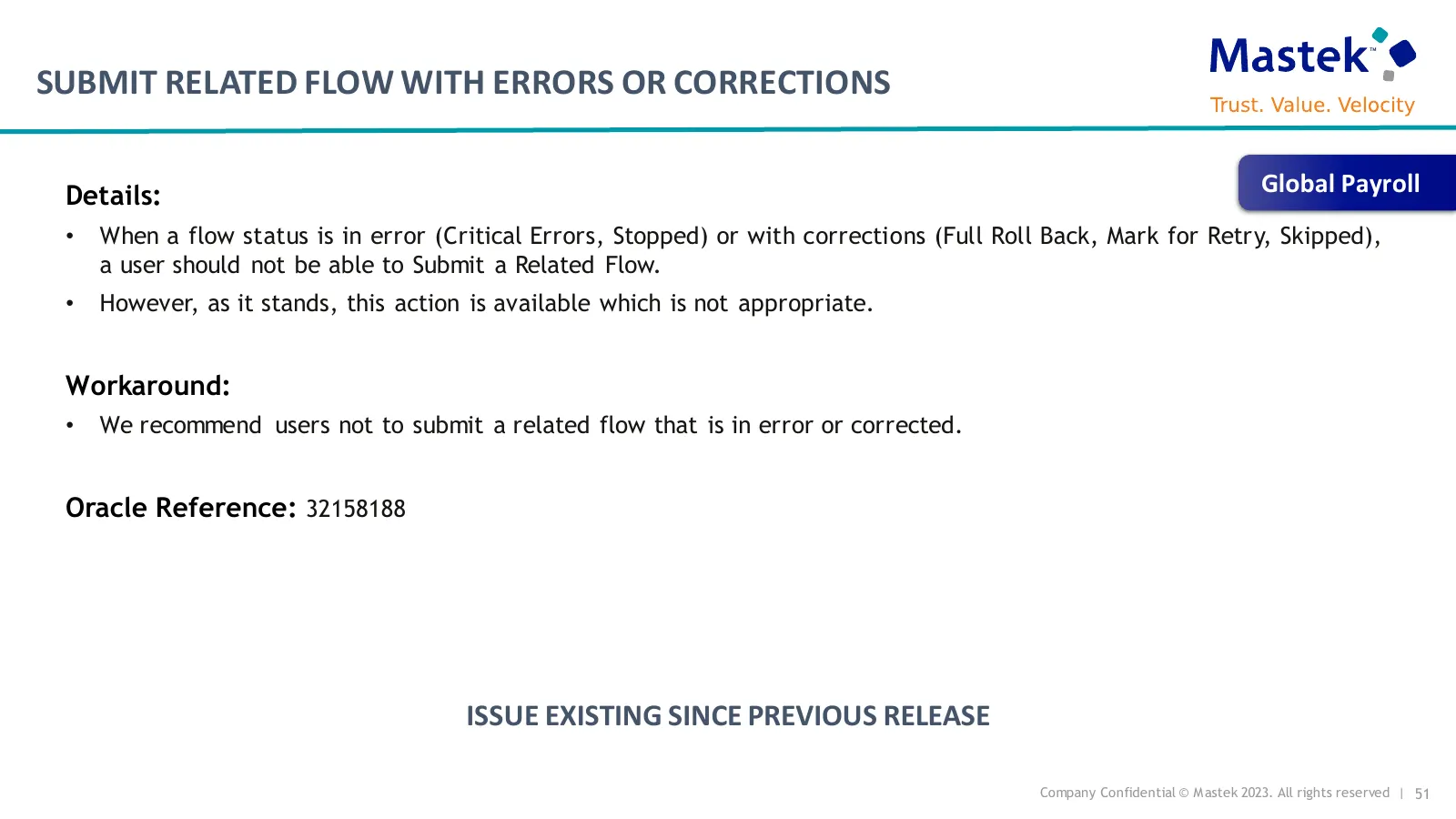
Slide 51: Submit Related Flow with Errors or Corrections
SUBMIT RELATED FLOW WITH ERRORS OR CORRECTIONS Details: Global Payroll • When a flow status is in error (Critical Errors, Stopped) or with corrections (Full Roll Back, Mark for Retry, Skipped), a user should not be able to Submit a Related Flow. • However, as it stands, this action is available whic
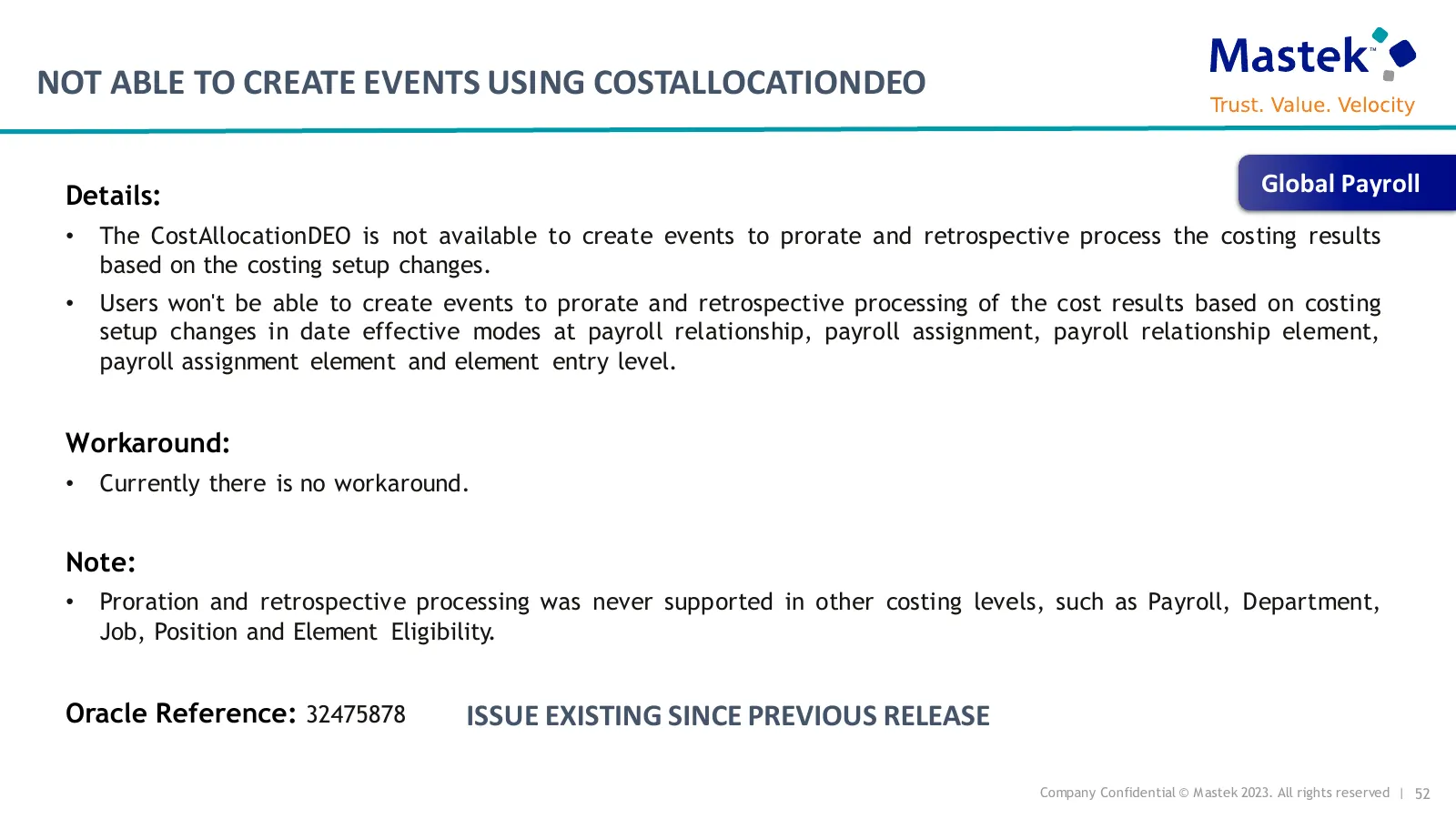
Slide 52: Not Able to Create Events Using CostAllocationDEO
NOT ABLE TO CREATE EVENTS USING COSTALLOCATIONDEO Details: Global Payroll • The CostAllocationDEO is not available to create events to prorate and retrospective process the costing results based on the costing setup changes. • Users won't be able to create events to prorate and retrospective process
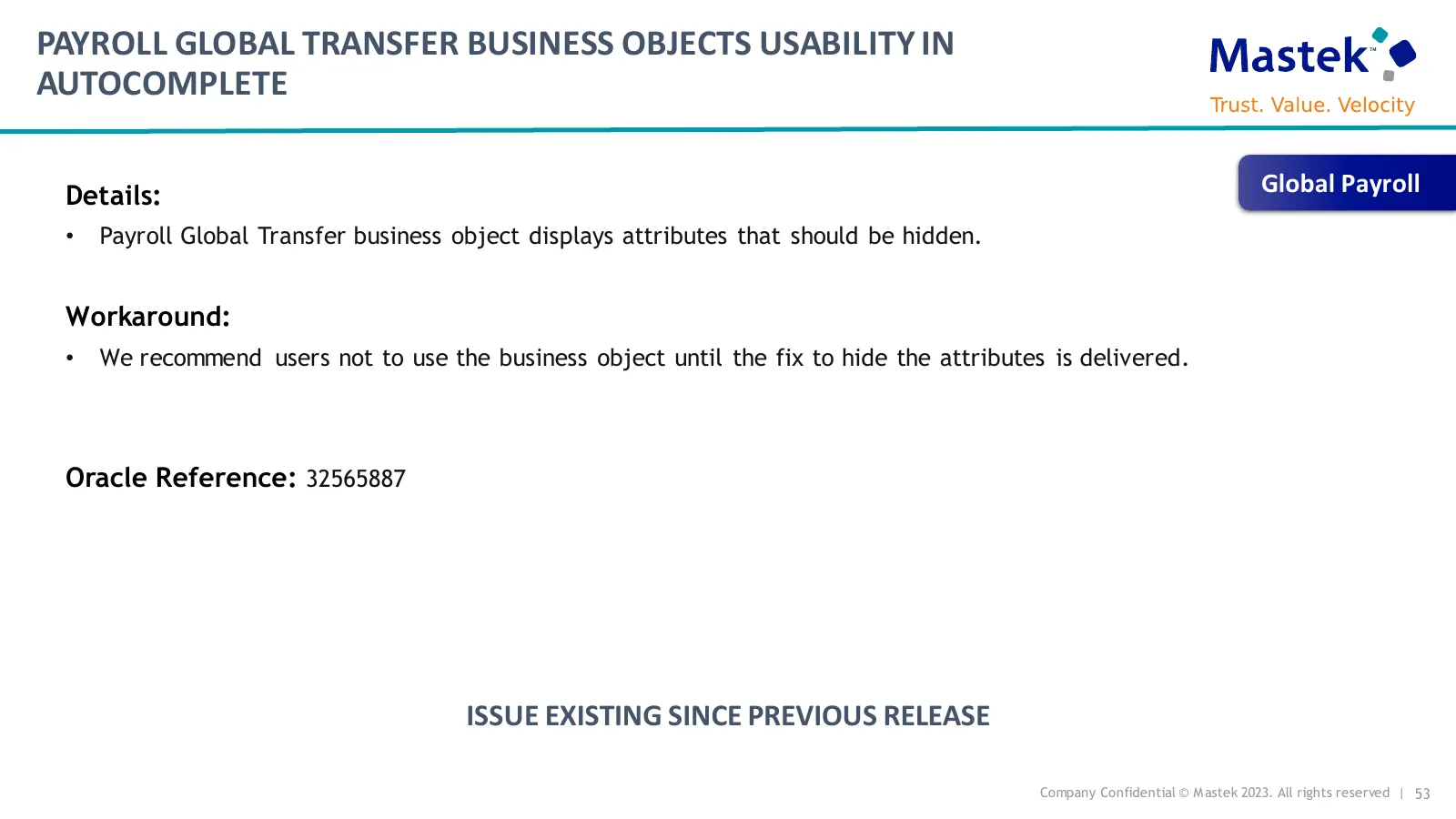
Slide 53: Payroll Global Transfer Business Objects Usability in Autocomplete
PAYROLL GLOBAL TRANSFER BUSINESS OBJECTS USABILITY IN AUTOCOMPLETE Details: Global Payroll • Payroll Global Transfer business object displays attributes that should be hidden. Workaround: • We recommend users not to use the business object until the fix to hide the attributes is delivered. Oracle Re
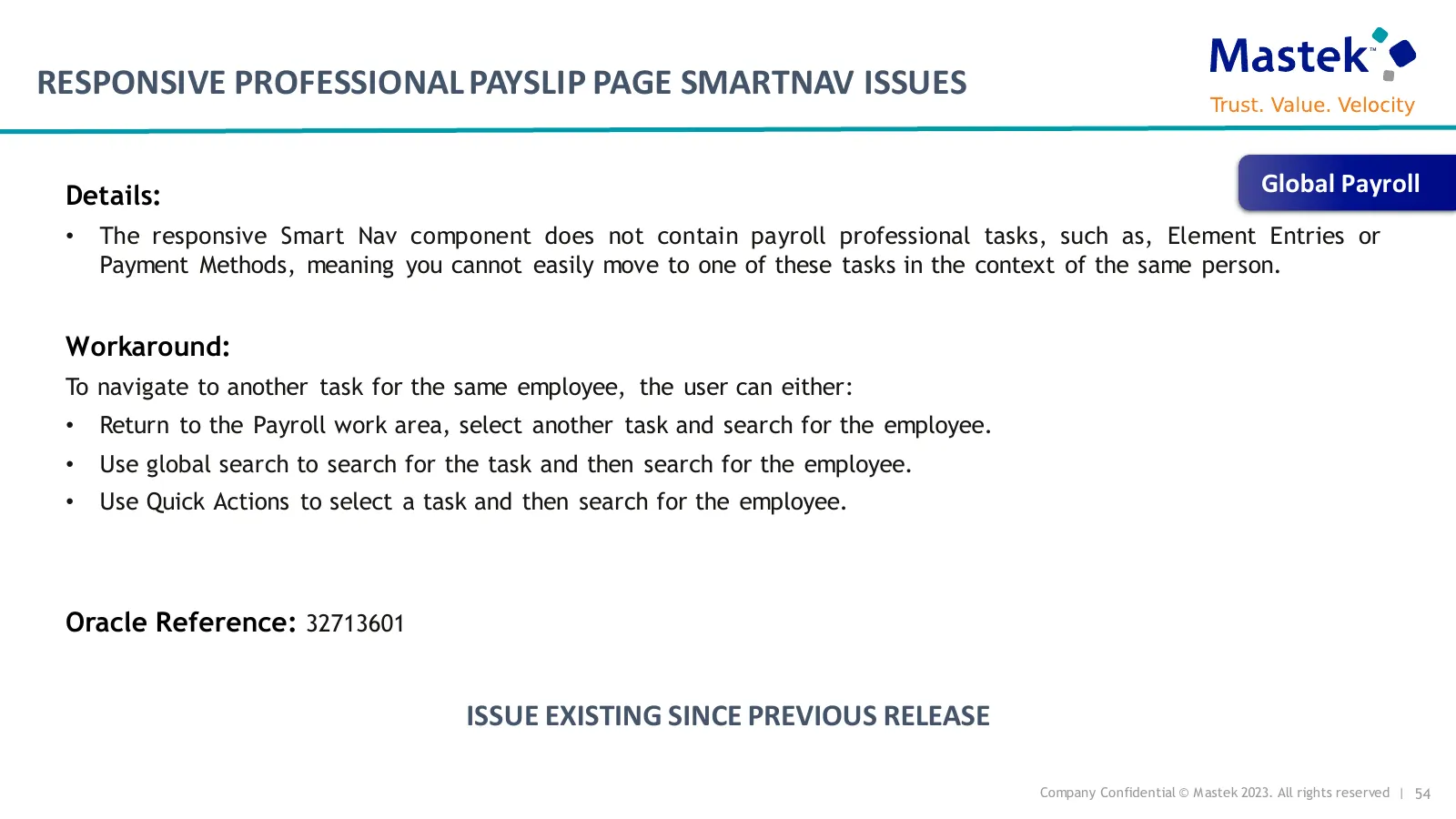
Slide 54: Responsive Professional Payslip Page SmartNav Issues
RESPONSIVE PROFESSIONAL PAYSLIP PAGE SMARTNAV ISSUES Details: Global Payroll • The responsive Smart Nav component does not contain payroll professional tasks, such as, Element Entries or Payment Methods, meaning you cannot easily move to one of these tasks in the context of the same person. Workarou

Slide 55: Replaced or Removed Features
REPLACED OR REMOVED FEATURES
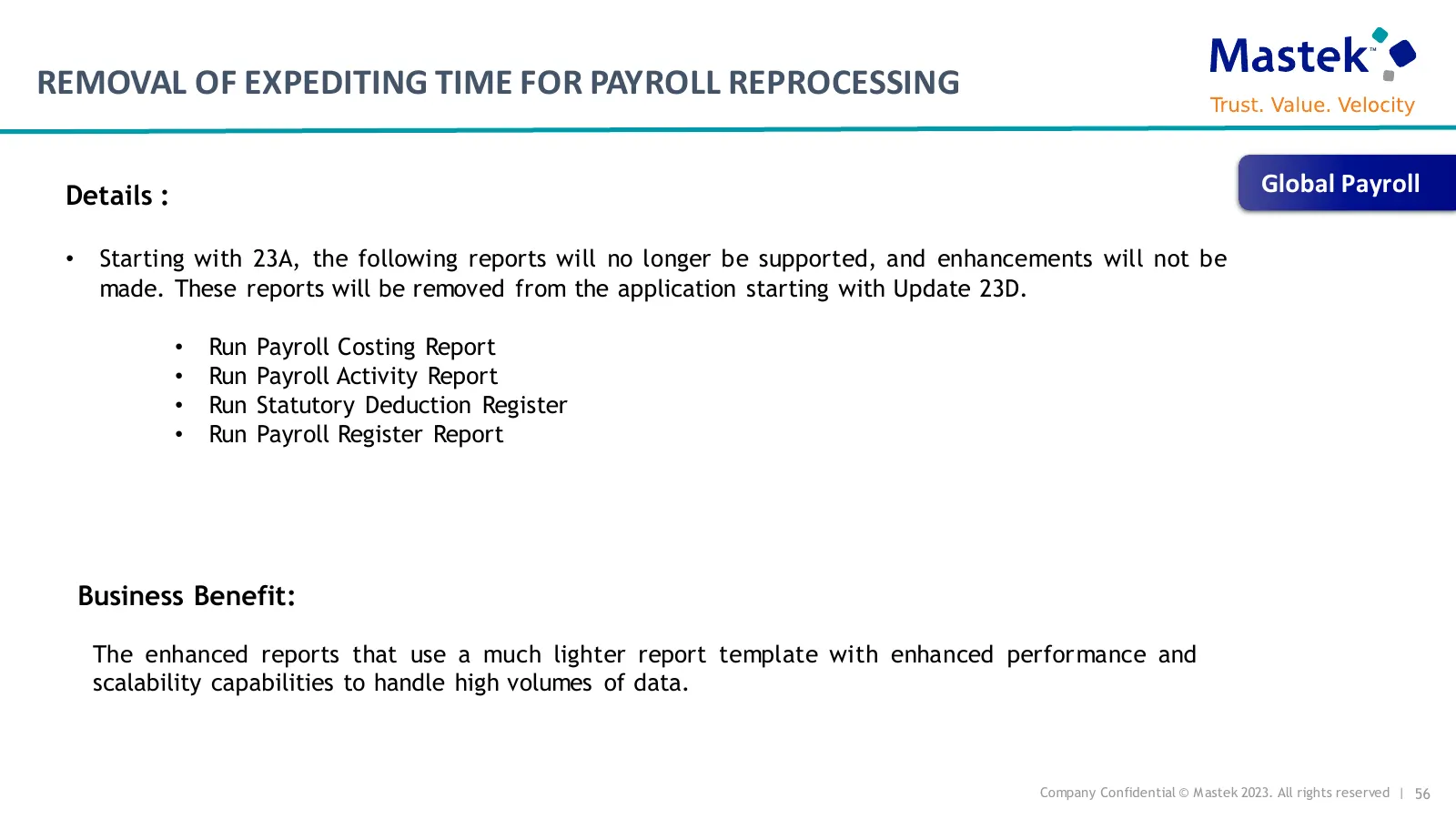
Slide 56: Removal of Expediting Time for Payroll Reprocessing
REMOVAL OF EXPEDITING TIME FOR PAYROLL REPROCESSING Details : Global Payroll • Starting with 23A, the following reports will no longer be supported, and enhancements will not be made. These reports will be removed from the application starting with Update 23D. • Run Payroll Costing Report • Run Payr

Slide 57: Closing Q&A
Closing Q&A Company Confidential © M astek 2023. All rights reserved | 57
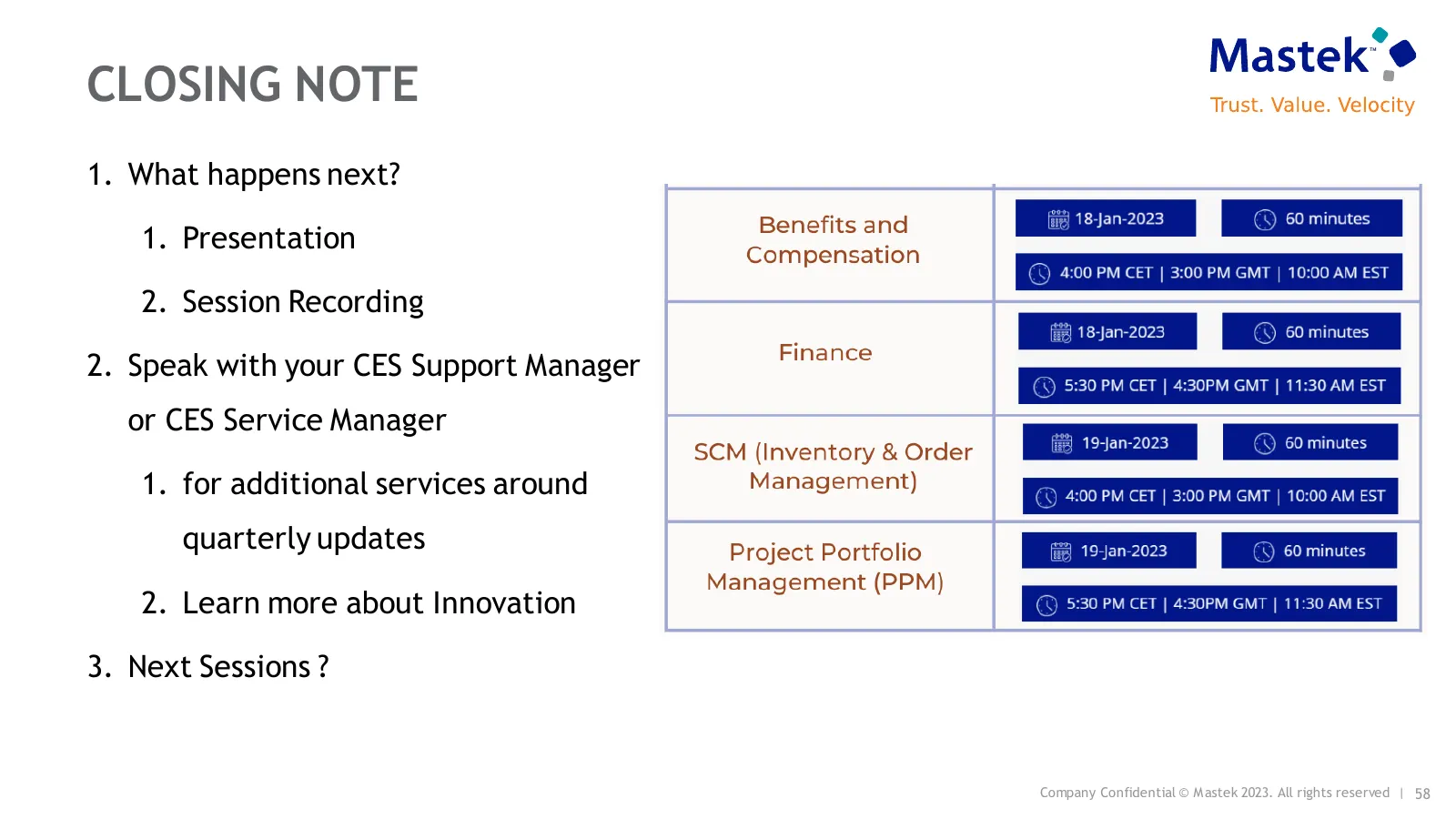
Slide 58: Closing Note
CLOSING NOTE 1. What happens next? 1. Presentation 2. Session Recording 2. Speak with your CES Support Manager or CES Service Manager 1. for additional services around quarterly updates 2. Learn more about Innovation 3. Next Sessions ? Company Confidential © M astek 2023. All rights reserved | 58

Slide 59: Thank You
MASTEK is here to help you! THANK YOU This pr esentation contains infor mation that may be pr ivileged or confidential and is the pr oper ty of Mastek. Copyr ight © 2023 Mastek. All r ights r eserved.
Source: Internet Archive copy of mastek.com
More decks from Mastek Limited
 Q2 FY2027 Earnings Presentation18 slides · Oct 23, 2026
 Q2 FY2027 Earnings Presentation25 slides · Oct 23, 2026
 Q1 FY27 Earnings Presentation31 slides · Jul 21, 2026
 Q1 FY2027 Earnings Presentation23 slides · Jul 21, 2026
 Q4 FY26 Earnings Presentation37 slides · Apr 18, 2026
 Q4 FY26 Earnings Presentation28 slides · Apr 17, 2026