Mastek Limited · NSE:MASTEK
Mastek — Earnings Presentation (October 2022)
44 slides from Mastek's earnings presentation, Oct 4, 2022
Slide 1: Advisory Webinar 22D - Talent & OLC
Advisory Webinar 22D - TALENT & OLC Host: Hardik Patel Empowering you for the next update Operations Manager - CES Speaker: Mohtaseem Shaikh Sr. Principal Consultant, HCM Presentation Title | Author | Date Company Confidential © Mastek 2022. All rights reserved | 1
Slide 2: Disclaimer
These advisory webinars are organized to equip you with the latest updates. The content of this session is based on the interpretation of the material and documentation that Oracle has released and is a general guideline/recommendation only. DISCLAIMER
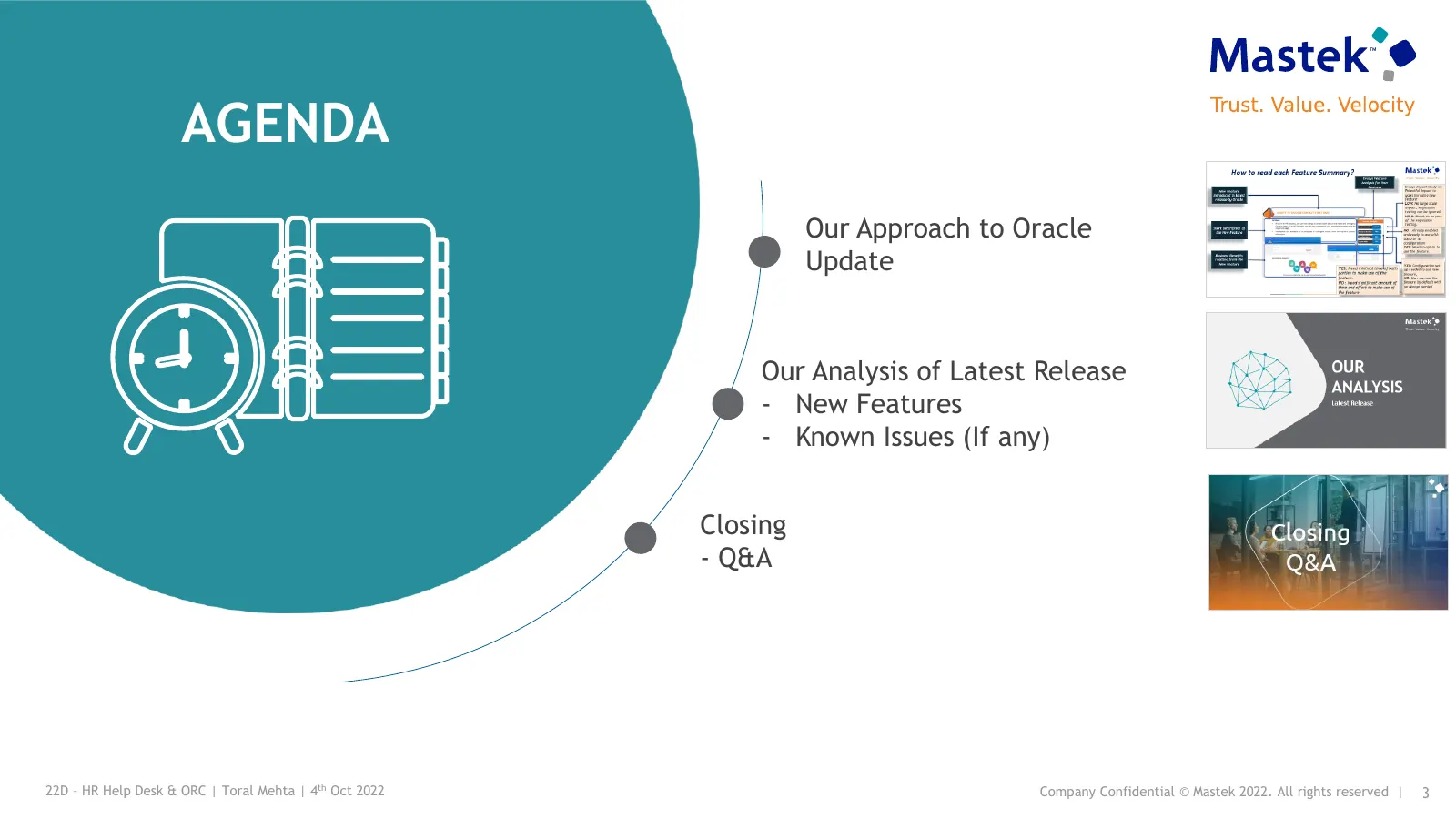
Slide 3: Agenda
AGENDA Our Approach to Oracle Update Our Analysis of Latest Release - New Features - Known Issues (If any) Closing - Q&A 22D – HR HelpTitle Presentation Desk | & ORC | Toral Author Mehta | 4th Oct 2022 | Date Company Confidential © Mastek 2022. All rights reserved | 3
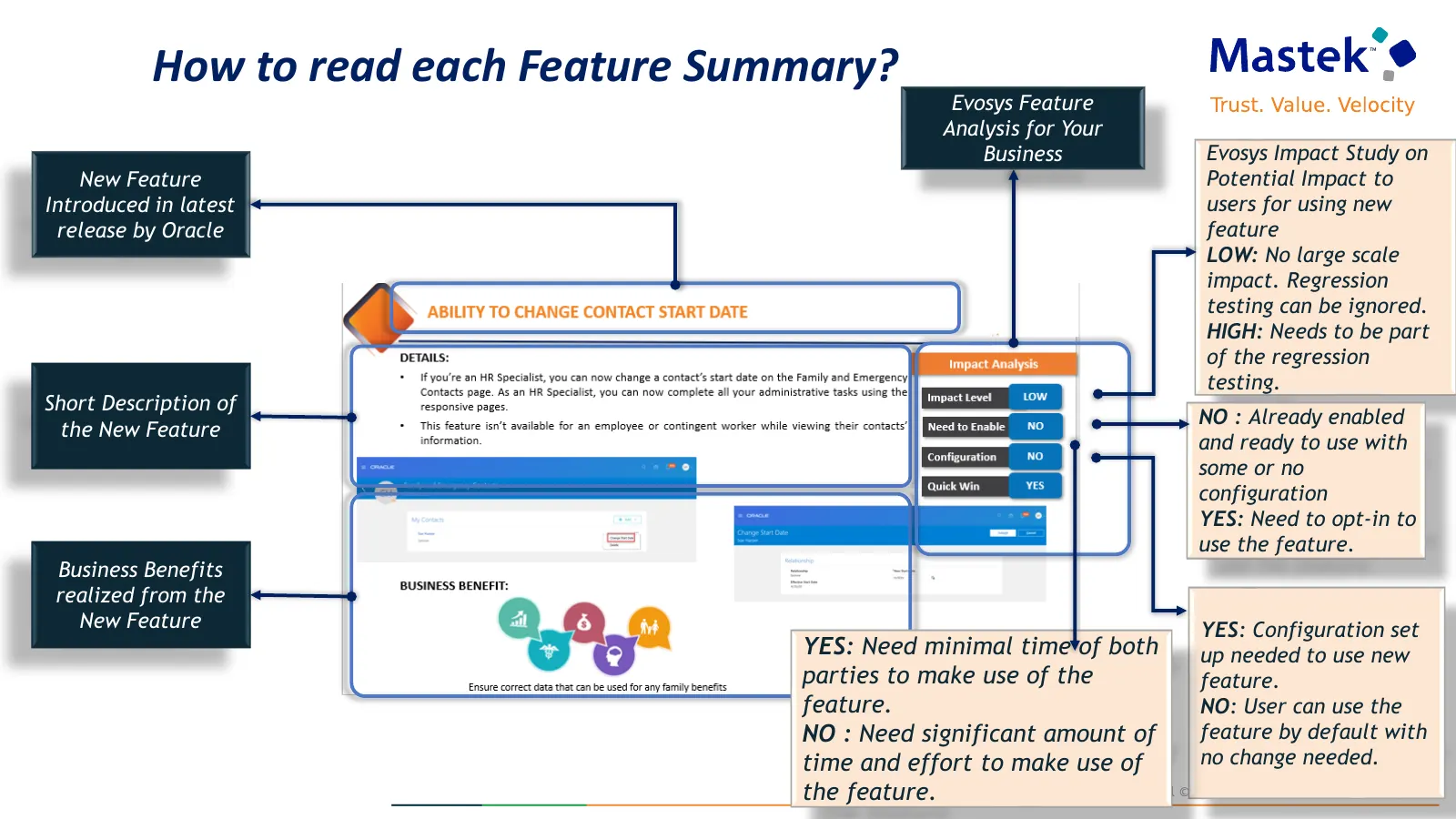
Slide 4: How to read each Feature Summary?
How to read each Feature Summary? Evosys Feature Analysis for Your Business Evosys Impact Study on New Feature Potential Impact to Introduced in latest users for using new release by Oracle feature LOW: No large scale impact. Regression testing can be ignored. HIGH: Needs to be part of the regressio

Slide 5: Our Analysis: Latest Release
Mastek*@ Trust. Value. Velocity OUR ANALYSIS Latest Release
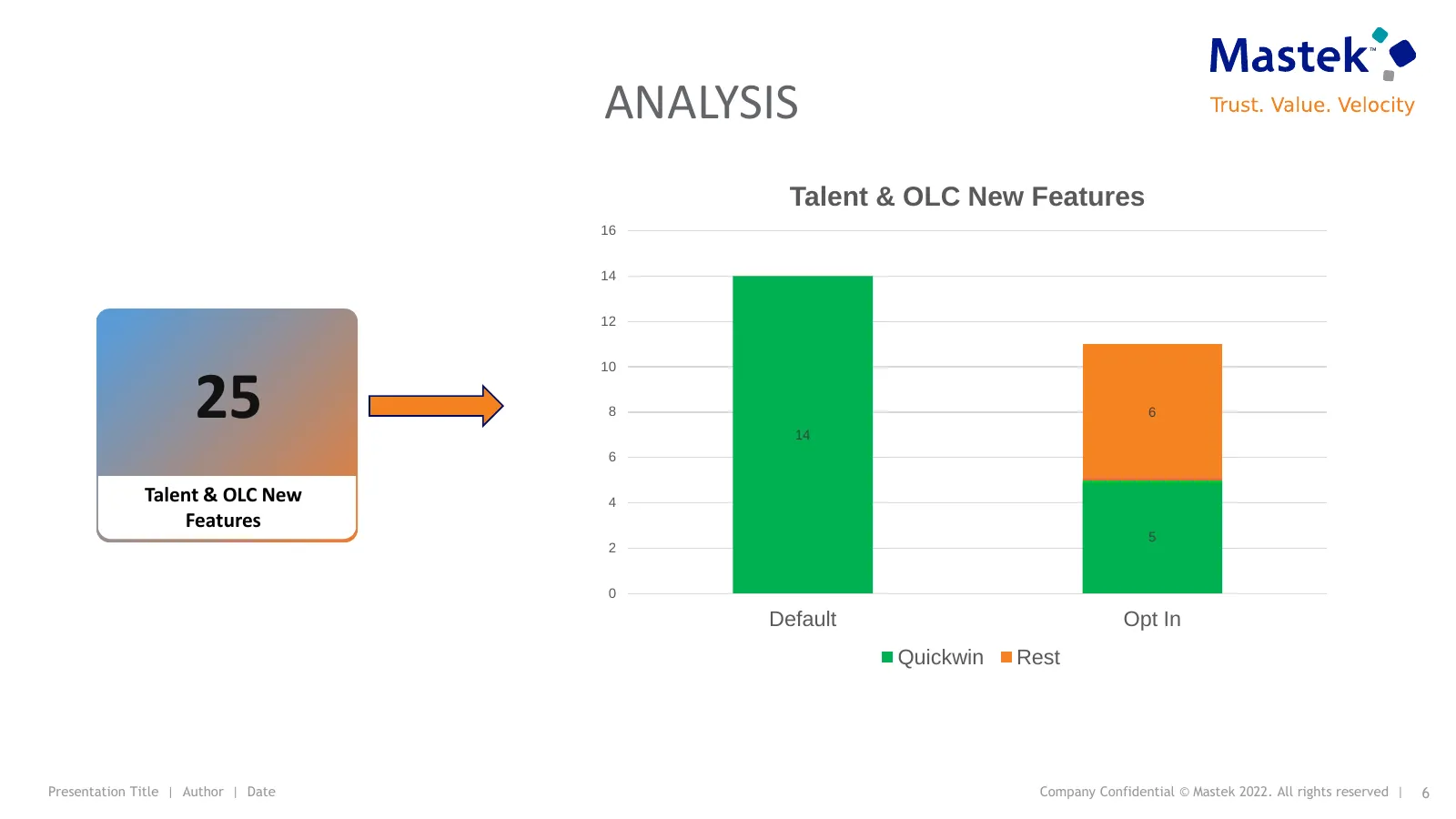
Slide 6: Analysis: Talent & OLC New Features
ANALYSIS Talent & OLC New Features 16 14 12 10 25 8 14 6 6 Talent & OLC New 4 Features 5 2 0 Default Opt In Quickwin Rest Presentation Title | Author | Date Company Confidential © Mastek 2022. All rights reserved | 6
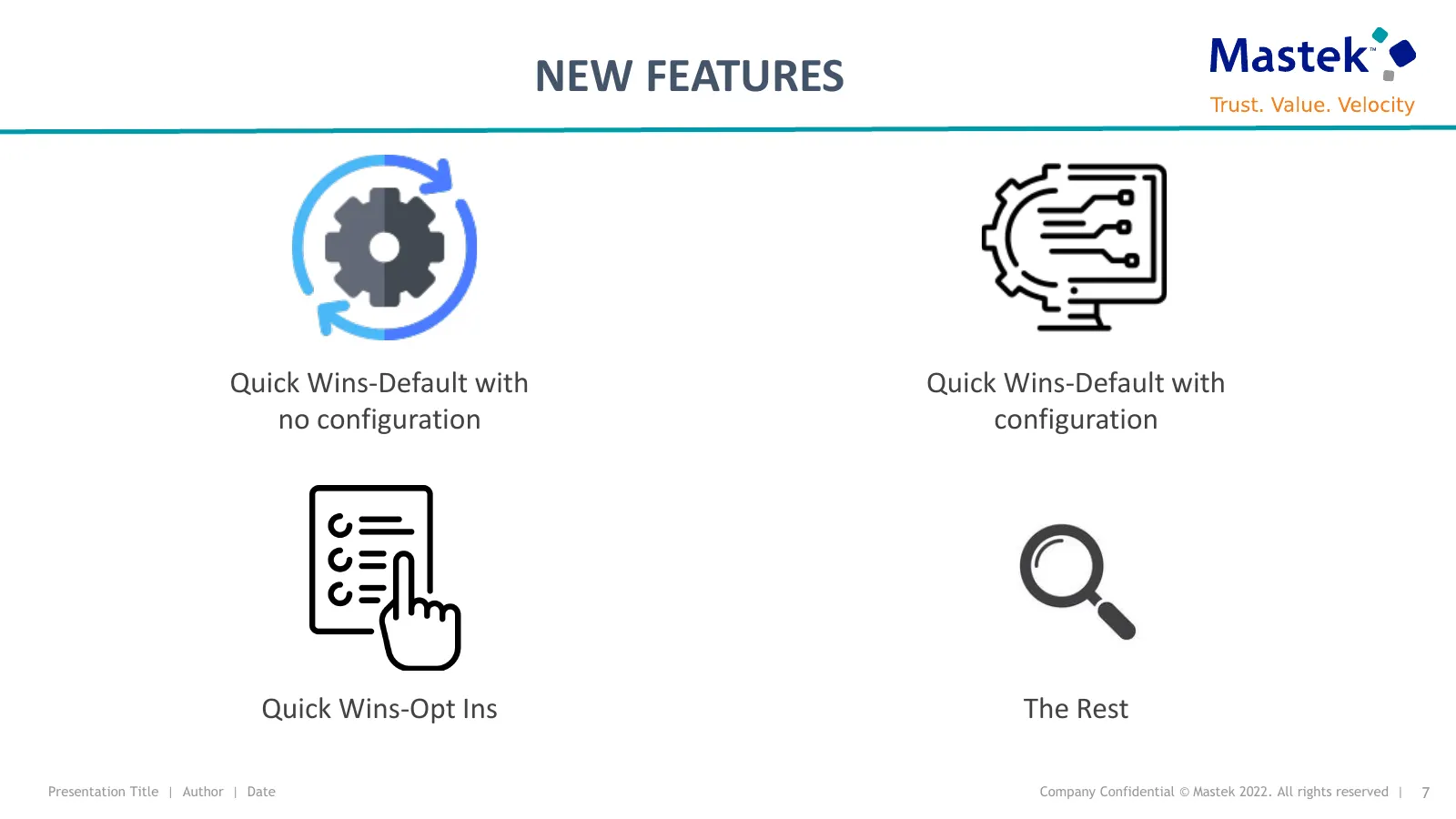
Slide 7: New Features
NEW FEATURES Quick Wins-Default with Quick Wins-Default with no configuration configuration Quick Wins-Opt Ins The Rest Presentation Title | Author | Date Company Confidential © Mastek 2022. All rights reserved | 7
Slide 8: New Features: Quick Wins - Default with no configuration
NEW FEATURES Quick Wins-Default with no configuration
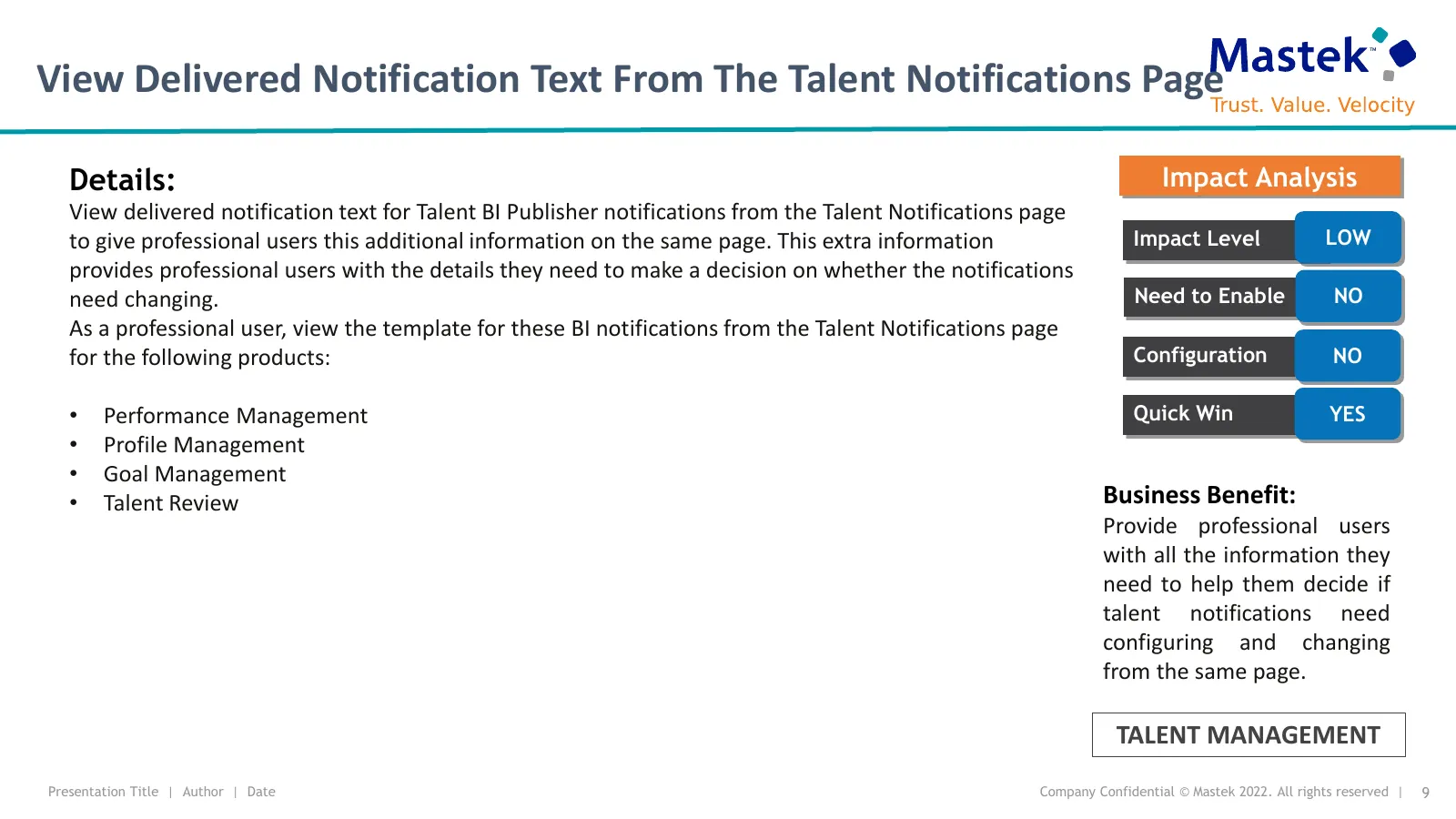
Slide 9: View Delivered Notification Text From The Talent Notifications Page
View Delivered Notification Text From The Talent Notifications Page Details: Impact Analysis View delivered notification text for Talent BI Publisher notifications from the Talent Notifications page to give professional users this additional information on the same page. This extra information Impac
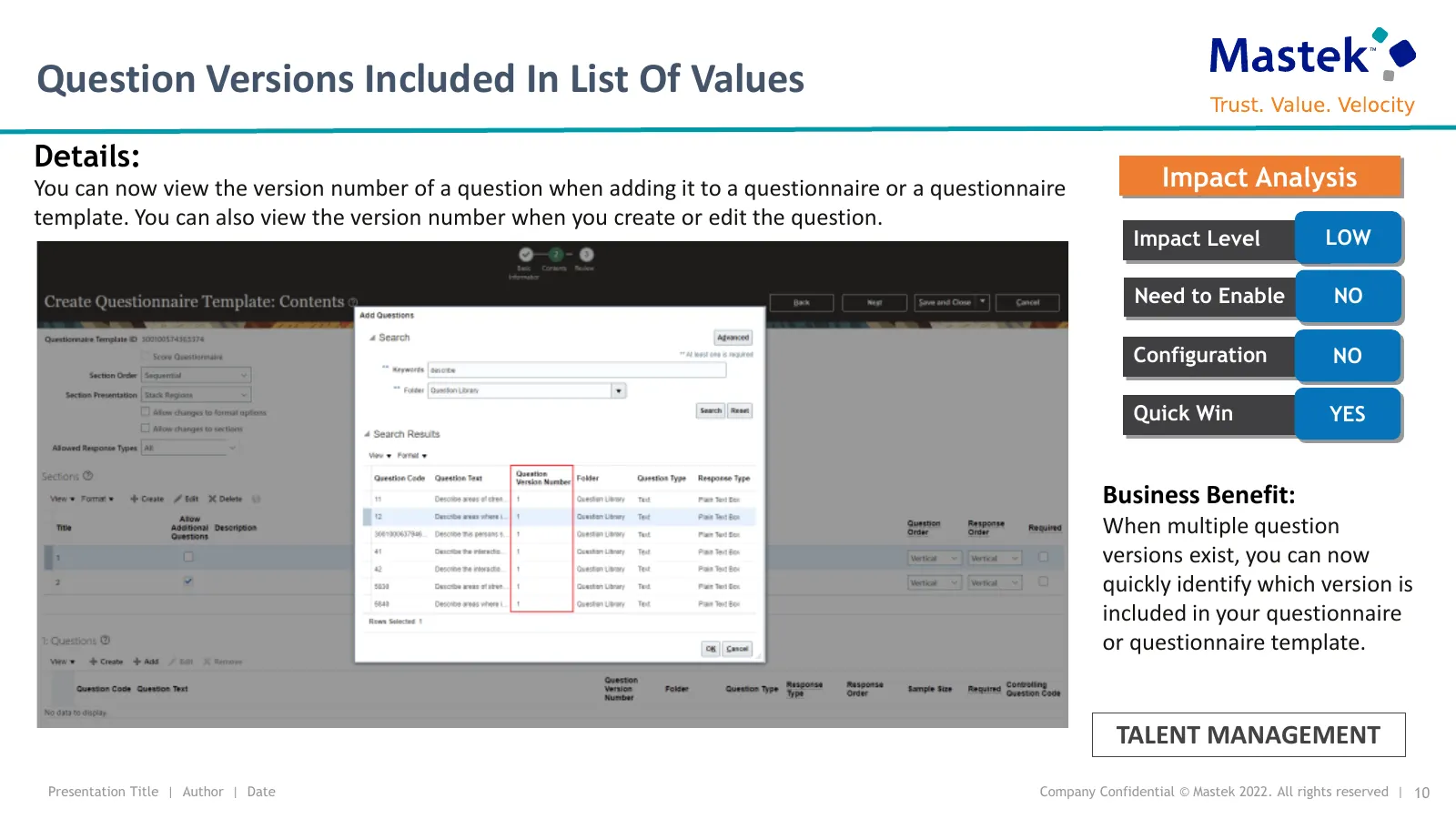
Slide 10: Question Versions Included In List Of Values
Question Versions Included In List Of Values Details: You can now view the version number of a question when adding it to a questionnaire or a questionnaire Impact Analysis template. You can also view the version number when you create or edit the question. Impact Level LOW Need to Enable NO Configu
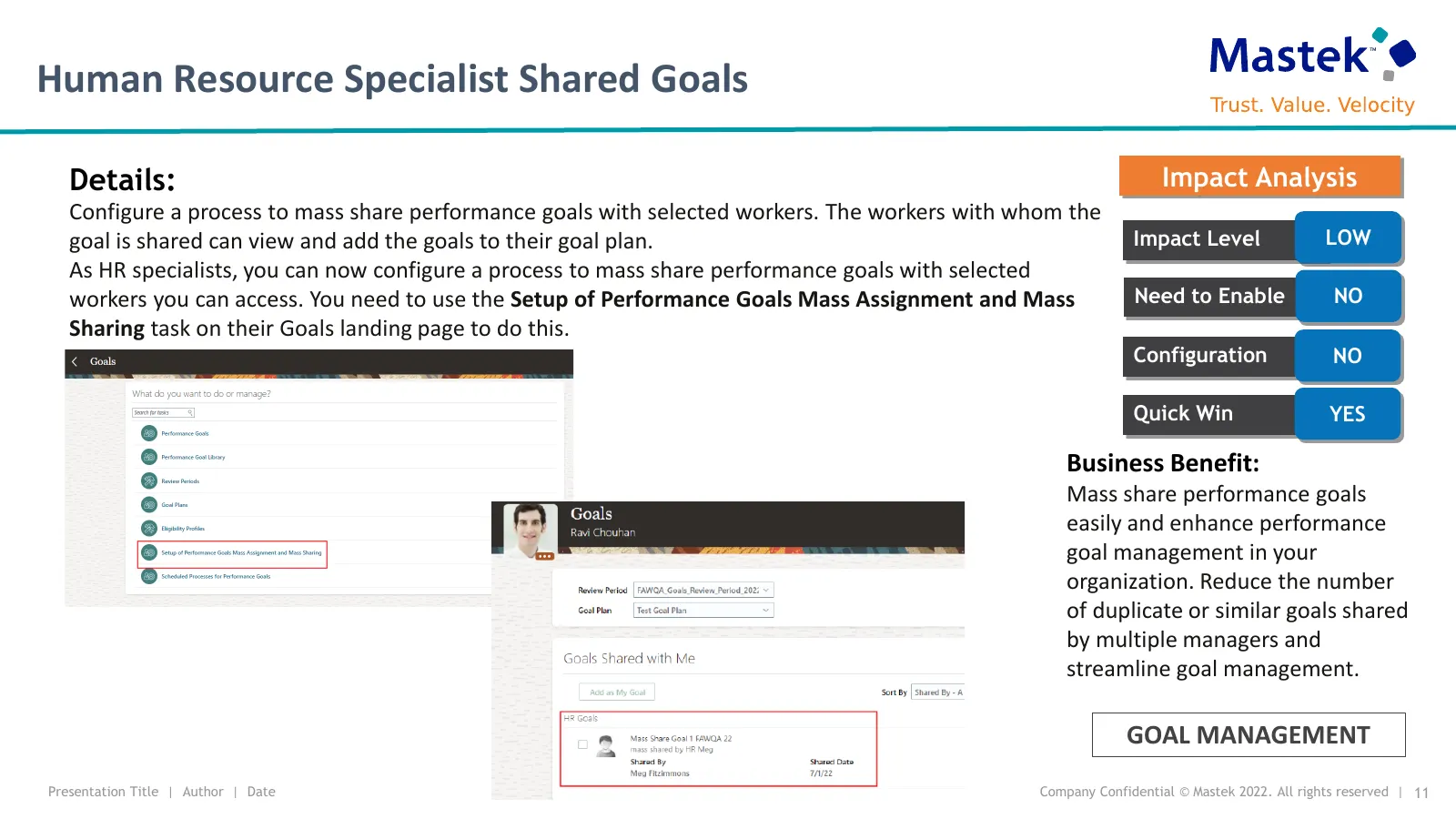
Slide 11: Human Resource Specialist Shared Goals
Human Resource Specialist Shared Goals Details: Impact Analysis Configure a process to mass share performance goals with selected workers. The workers with whom the goal is shared can view and add the goals to their goal plan. Impact Level LOW As HR specialists, you can now configure a process to ma
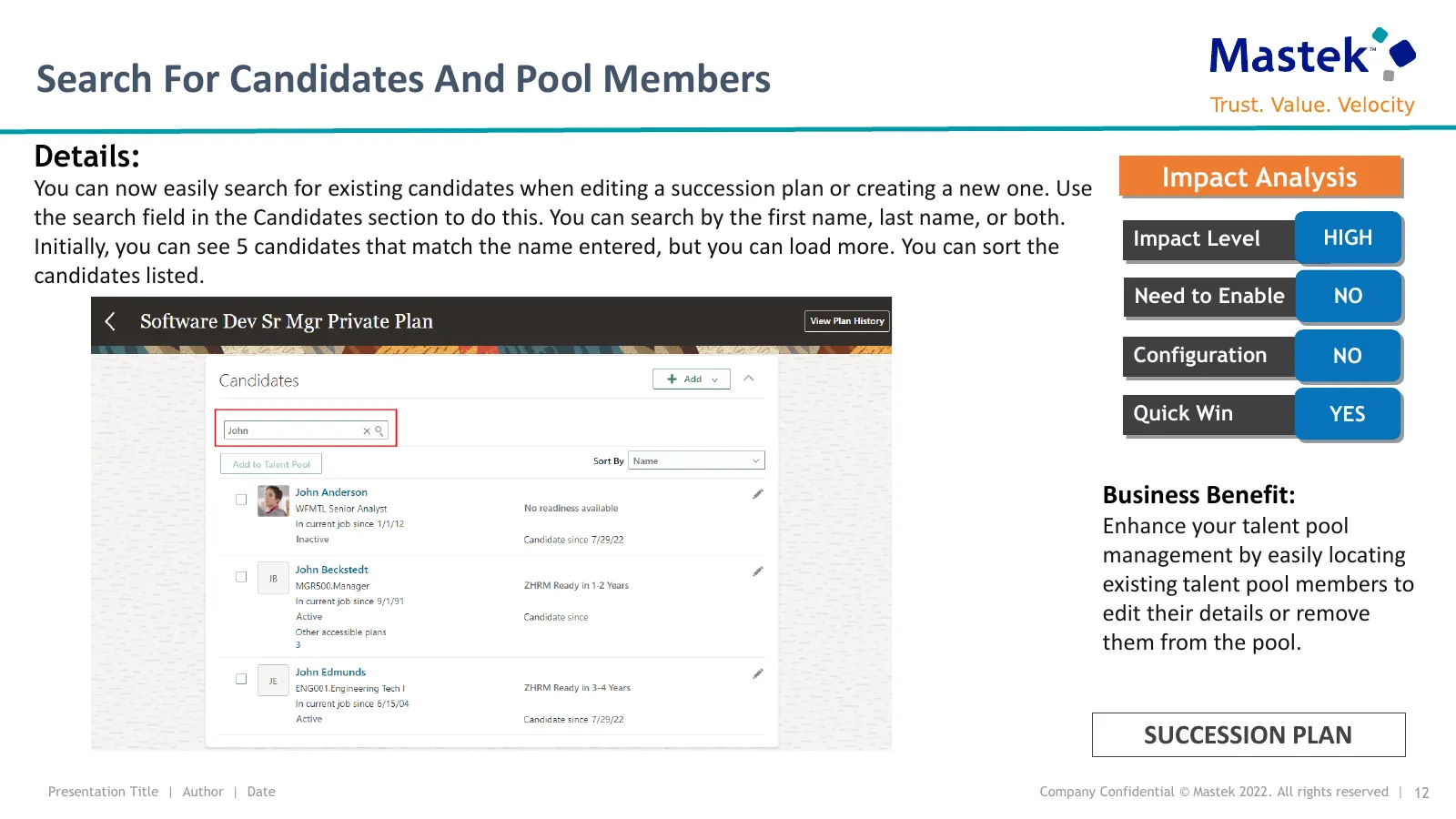
Slide 12: Search For Candidates And Pool Members
Search For Candidates And Pool Members Details: You can now easily search for existing candidates when editing a succession plan or creating a new one. Use Impact Analysis the search field in the Candidates section to do this. You can search by the first name, last name, or both. Initially, you can
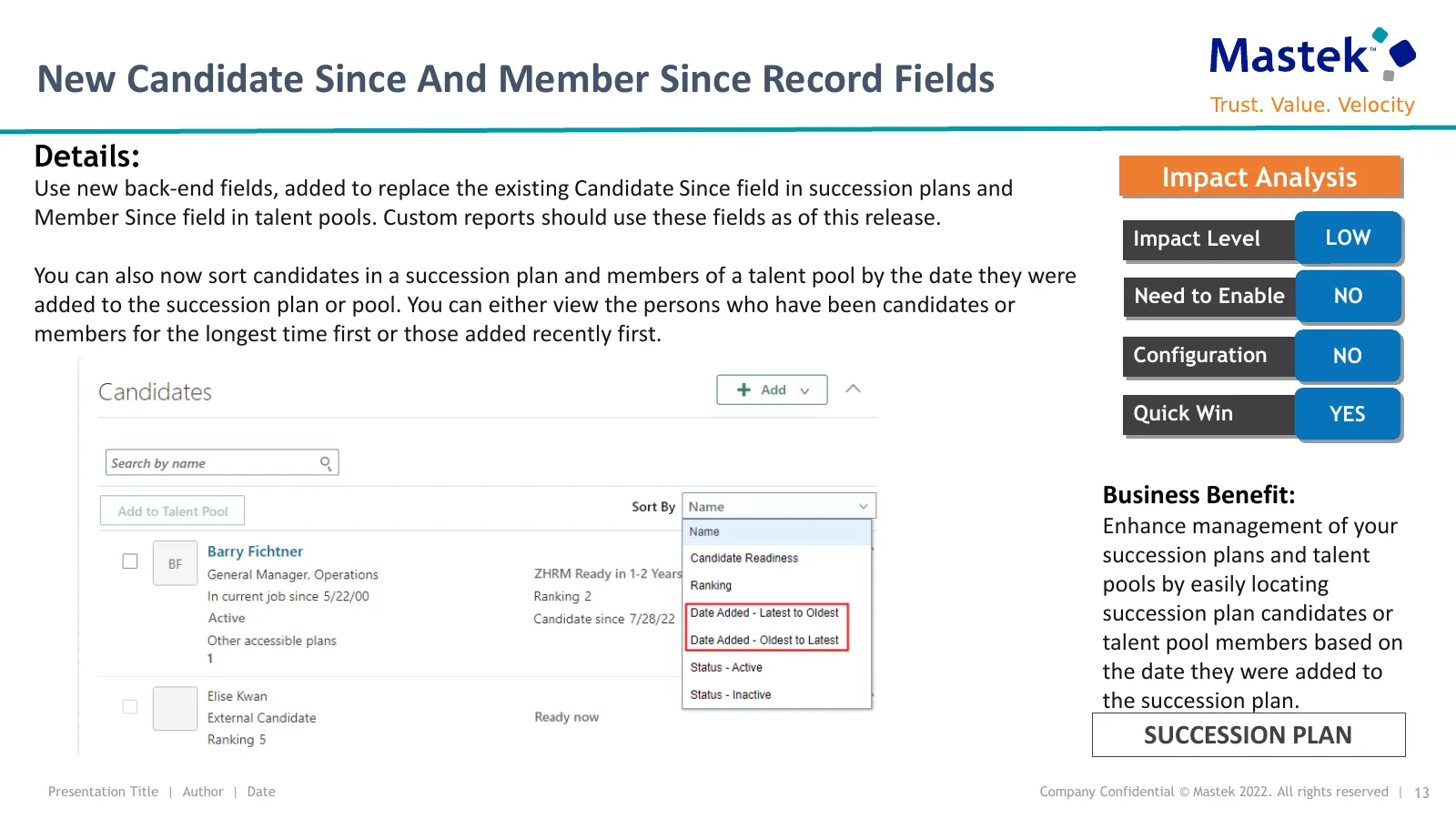
Slide 13: New Candidate Since And Member Since Record Fields
New Candidate Since And Member Since Record Fields Details: Use new back-end fields, added to replace the existing Candidate Since field in succession plans and Impact Analysis Member Since field in talent pools. Custom reports should use these fields as of this release. Impact Level LOW You can als
Slide 14: Microsoft Teams Attendance Report Retrieval Automation
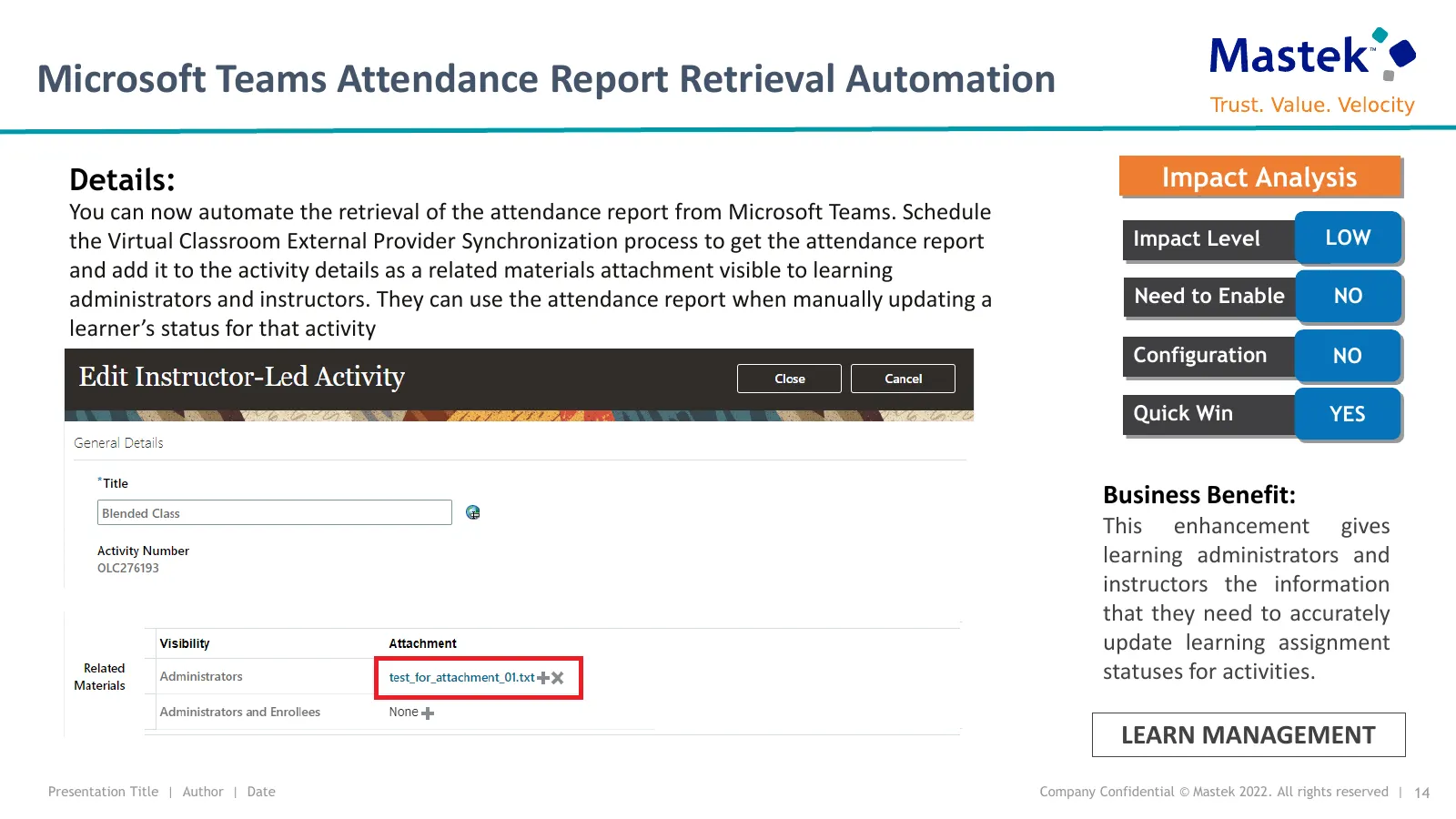
Microsoft Teams Attendance Report Retrieval Automation Details: Impact Analysis You can now automate the retrieval of the attendance report from Microsoft Teams. Schedule the Virtual Classroom External Provider Synchronization process to get the attendance report Impact Level LOW and add it to the a
Slide 15: Enhanced My Team Learning Date Range Filters
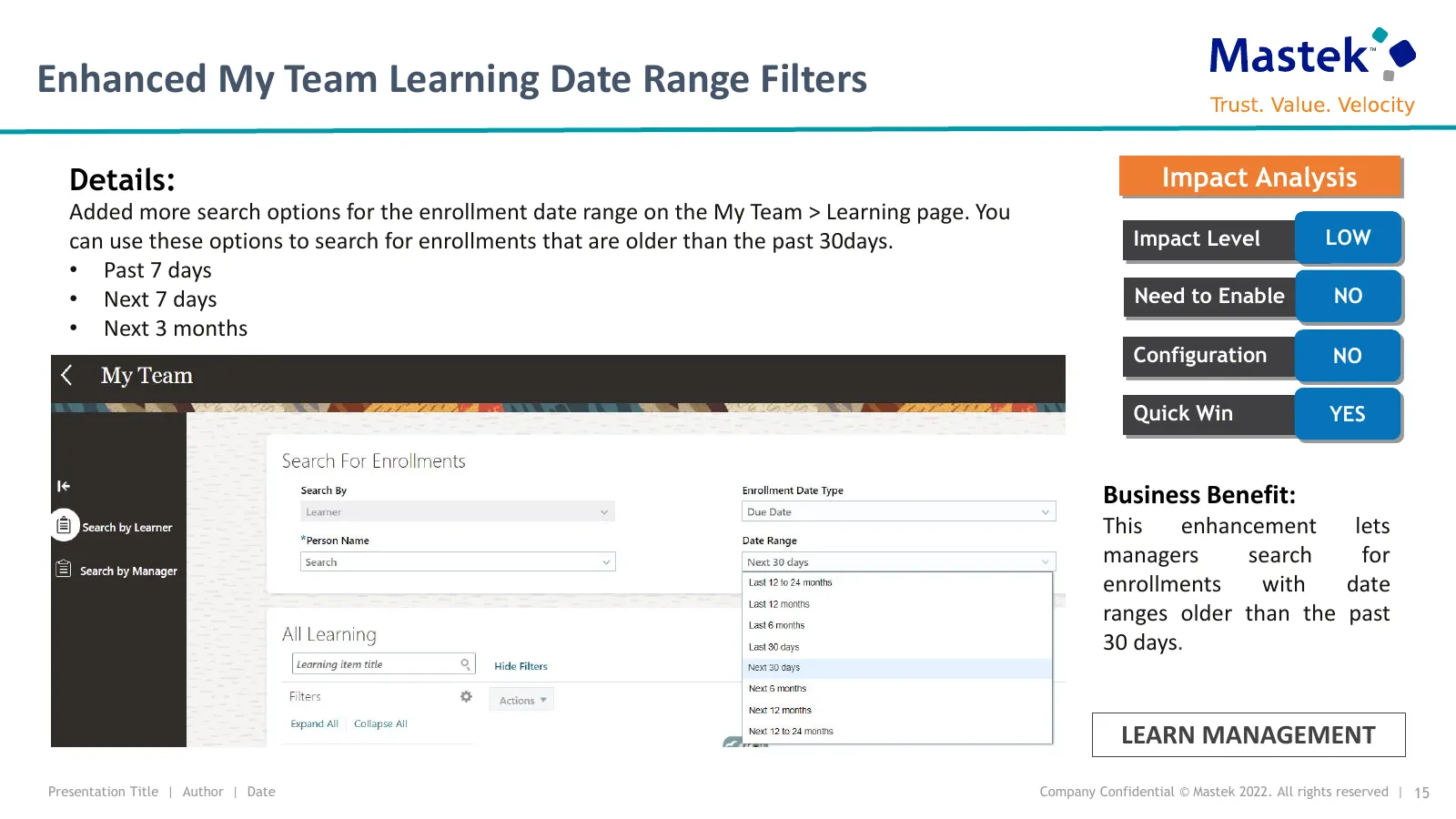
Enhanced My Team Learning Date Range Filters Details: Impact Analysis Added more search options for the enrollment date range on the My Team > Learning page. You can use these options to search for enrollments that are older than the past 30days. Impact Level LOW • Past 7 days • Next 7 days Need to
Slide 16: New Features: Quick Wins - Default with configuration
NEW FEATURES Quick Wins-Default with configuration
Slide 17: Celebrations Context Type In Feedback Visibility Configuration
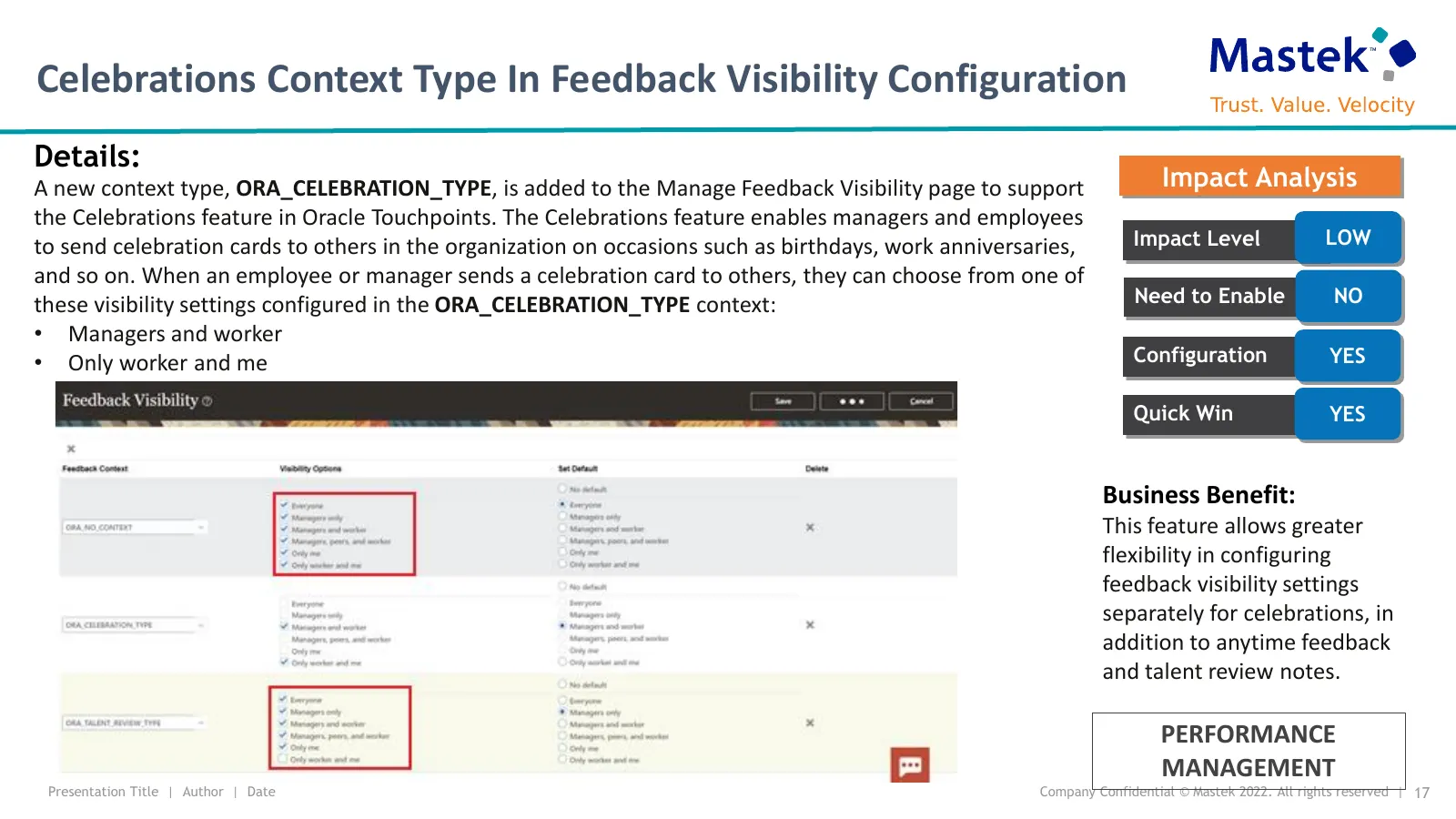
Celebrations Context Type In Feedback Visibility Configuration Details: A new context type, ORA_CELEBRATION_TYPE, is added to the Manage Feedback Visibility page to support Impact Analysis the Celebrations feature in Oracle Touchpoints. The Celebrations feature enables managers and employees to send
Slide 18: Configurable Business Title Switcher In Performance Management
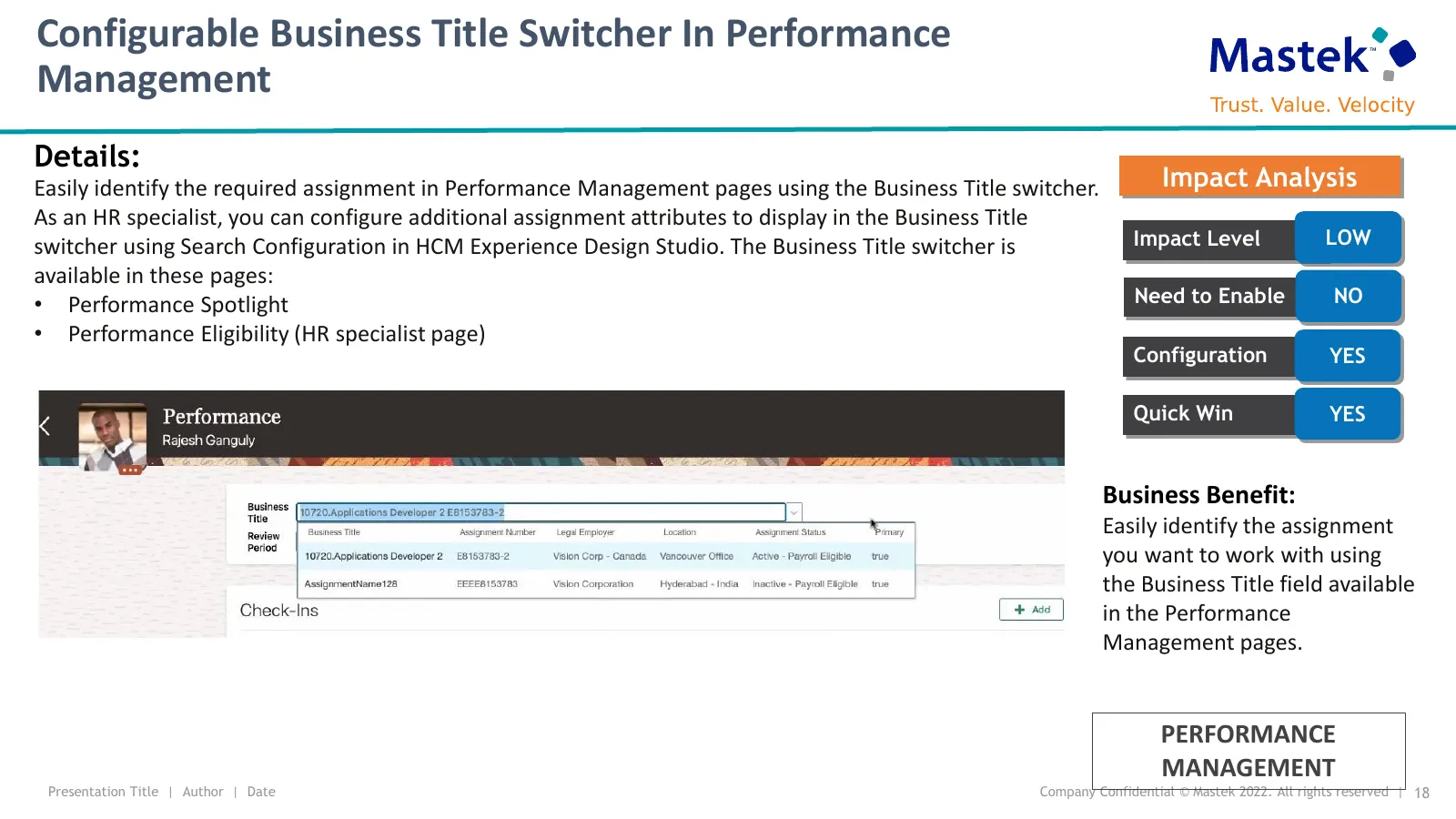
Configurable Business Title Switcher In Performance Management Details: Easily identify the required assignment in Performance Management pages using the Business Title switcher. Impact Analysis As an HR specialist, you can configure additional assignment attributes to display in the Business Title
Slide 19: Configurable Business Title Switcher In Manager Evaluate Performance Page
Configurable Business Title Switcher In Manager Evaluate Performance Page Details: Impact Analysis A manager with more than one assignment can easily identify the required assignment in the Manager Impact Level LOW Evaluate Performance page using the Business Title switcher. As a manager you can con
Slide 20: All-in-one Evaluations
All-in-one Evaluations Details: Use the All-in-One Evaluations page to evaluate multiple employees with the same performance document. Impact Analysis Managers can perform these actions during the manager evaluation task on the same page: Impact Level HIGH • Provide a proficiency level or performanc
Slide 21: Support For Additional Comments In Printed Requested Feedback
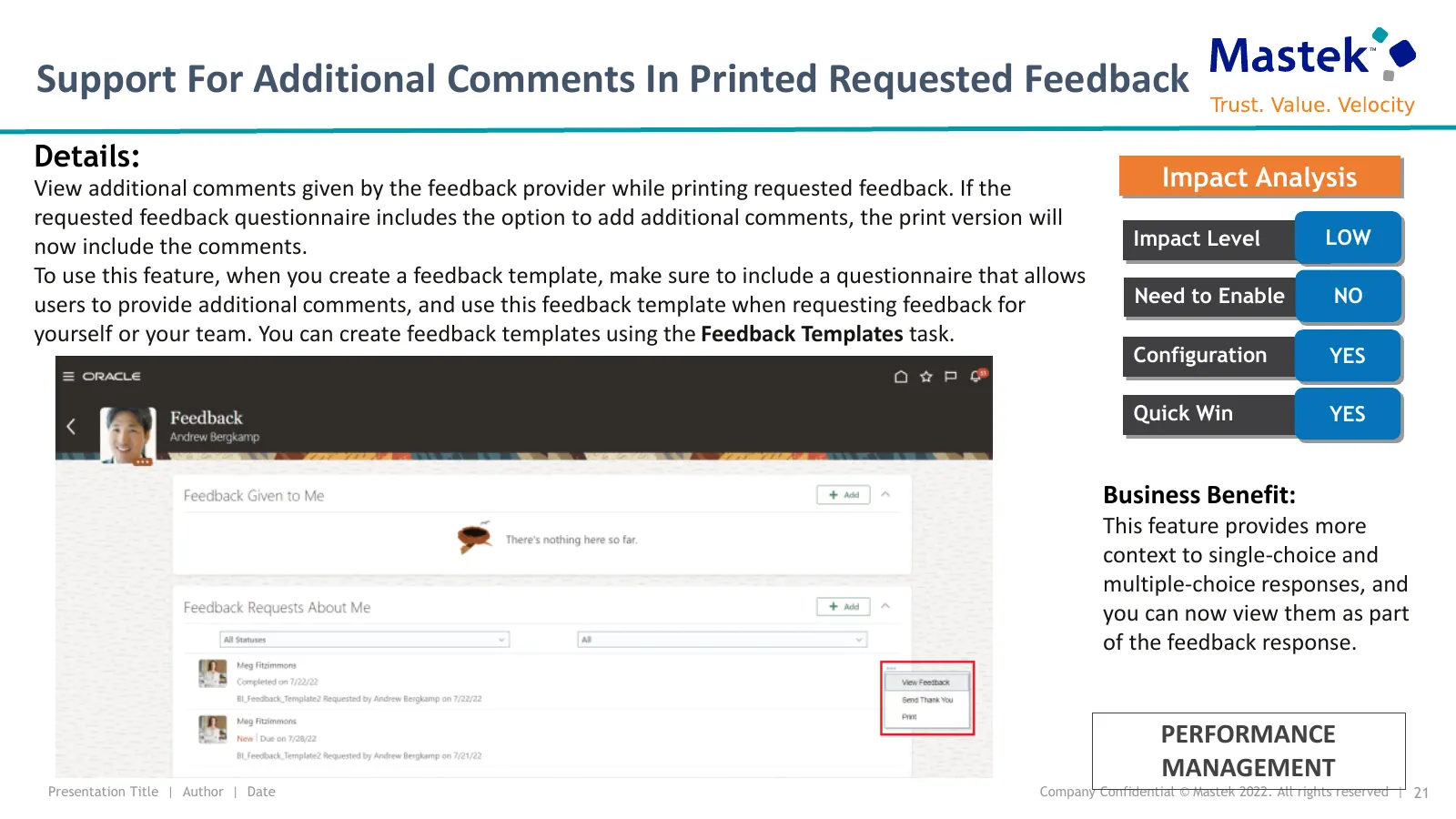
Support For Additional Comments In Printed Requested Feedback Details: View additional comments given by the feedback provider while printing requested feedback. If the Impact Analysis requested feedback questionnaire includes the option to add additional comments, the print version will now include
Slide 22: New Features: Quick Wins - Opt Ins
NEW FEATURES Quick Wins-Opt Ins
Slide 23: Managers Delete HR Assigned Goals
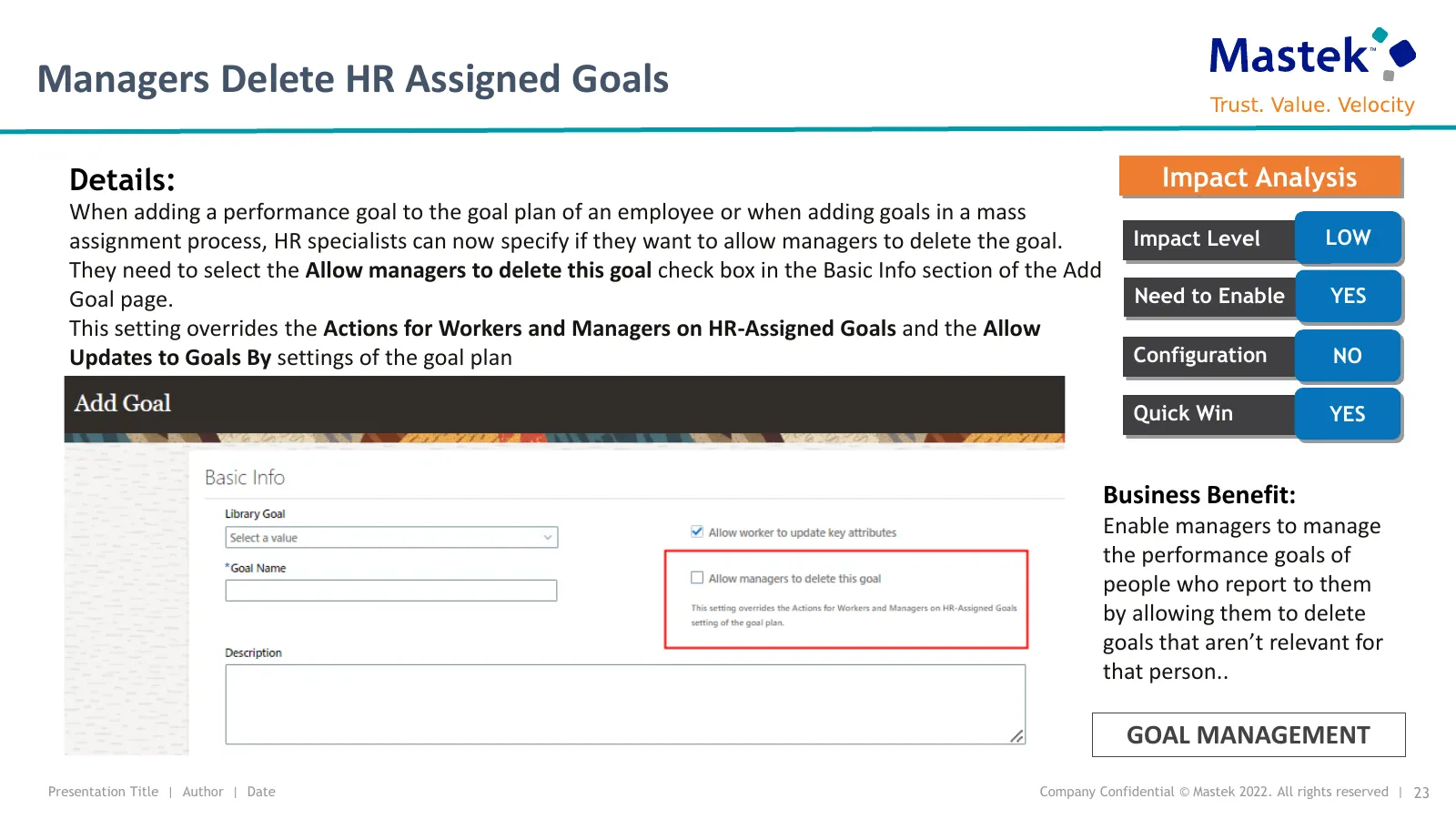
Managers Delete HR Assigned Goals Details: Impact Analysis When adding a performance goal to the goal plan of an employee or when adding goals in a mass assignment process, HR specialists can now specify if they want to allow managers to delete the goal. Impact Level LOW They need to select the Allo
Slide 24: Development Goal FYI Notifications
Development Goal FYI Notifications Details: Impact Analysis Feature options in the Setup and Maintenance work area for enabling notifications for actions done on HR assigned development goals are now renamed as follows: Impact Level LOW • Assigned goals inactivated by worker notification • Assigned
Slide 25: Allow Peers To View Feedback And Notes
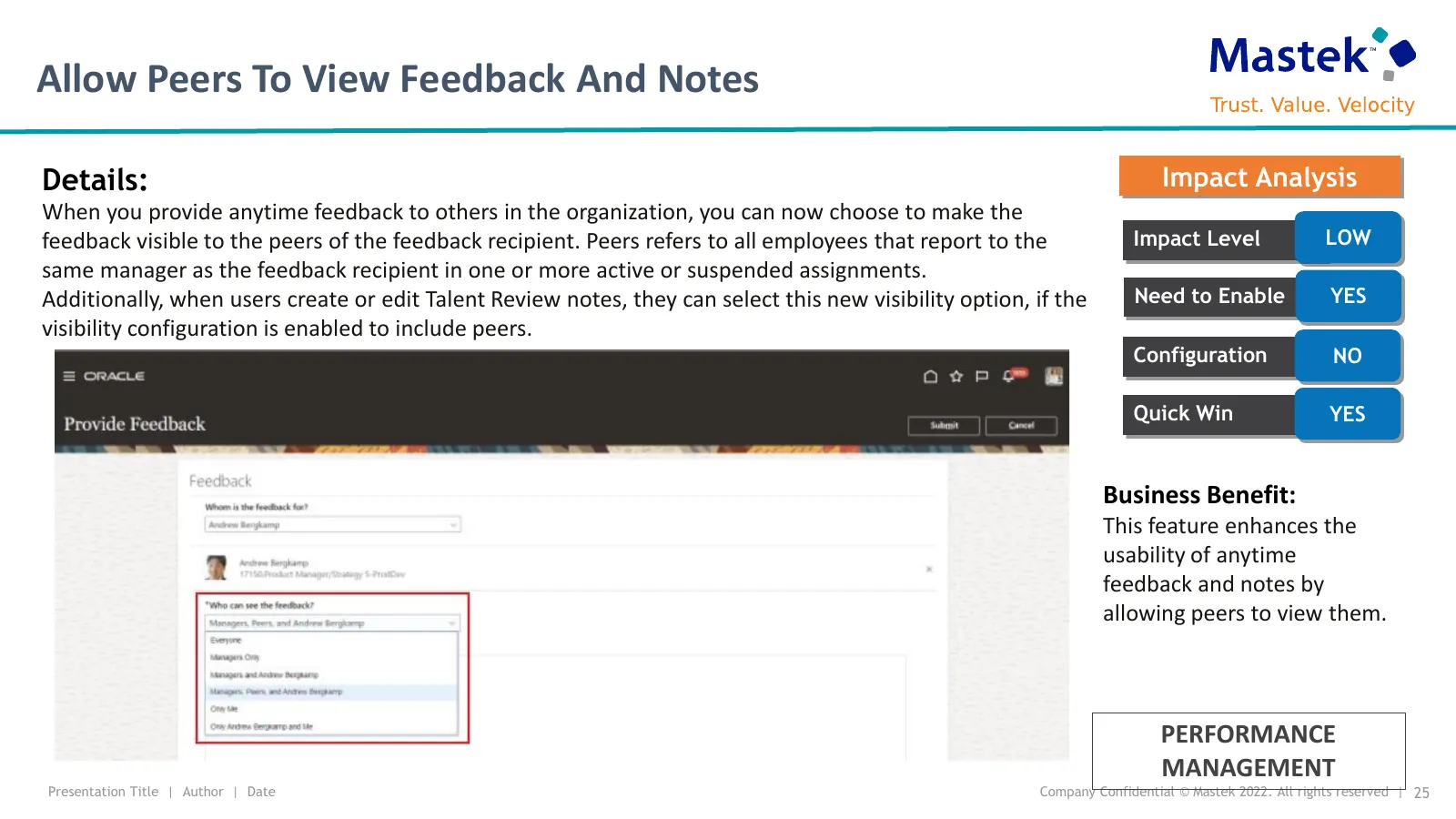
Allow Peers To View Feedback And Notes Details: Impact Analysis When you provide anytime feedback to others in the organization, you can now choose to make the feedback visible to the peers of the feedback recipient. Peers refers to all employees that report to the Impact Level LOW same manager as t
Slide 26: Configure Notification For Automatically Populated Matrix Manager Participants
Configure Notification For Automatically Populated Matrix Manager Participants In Performance Documents Details: Decide whether or not to notify automatically populated matrix manager participants in performance Impact Analysis documents when performance documents are created, so they can start prov
Slide 27: Thank Requested Feedback Provider
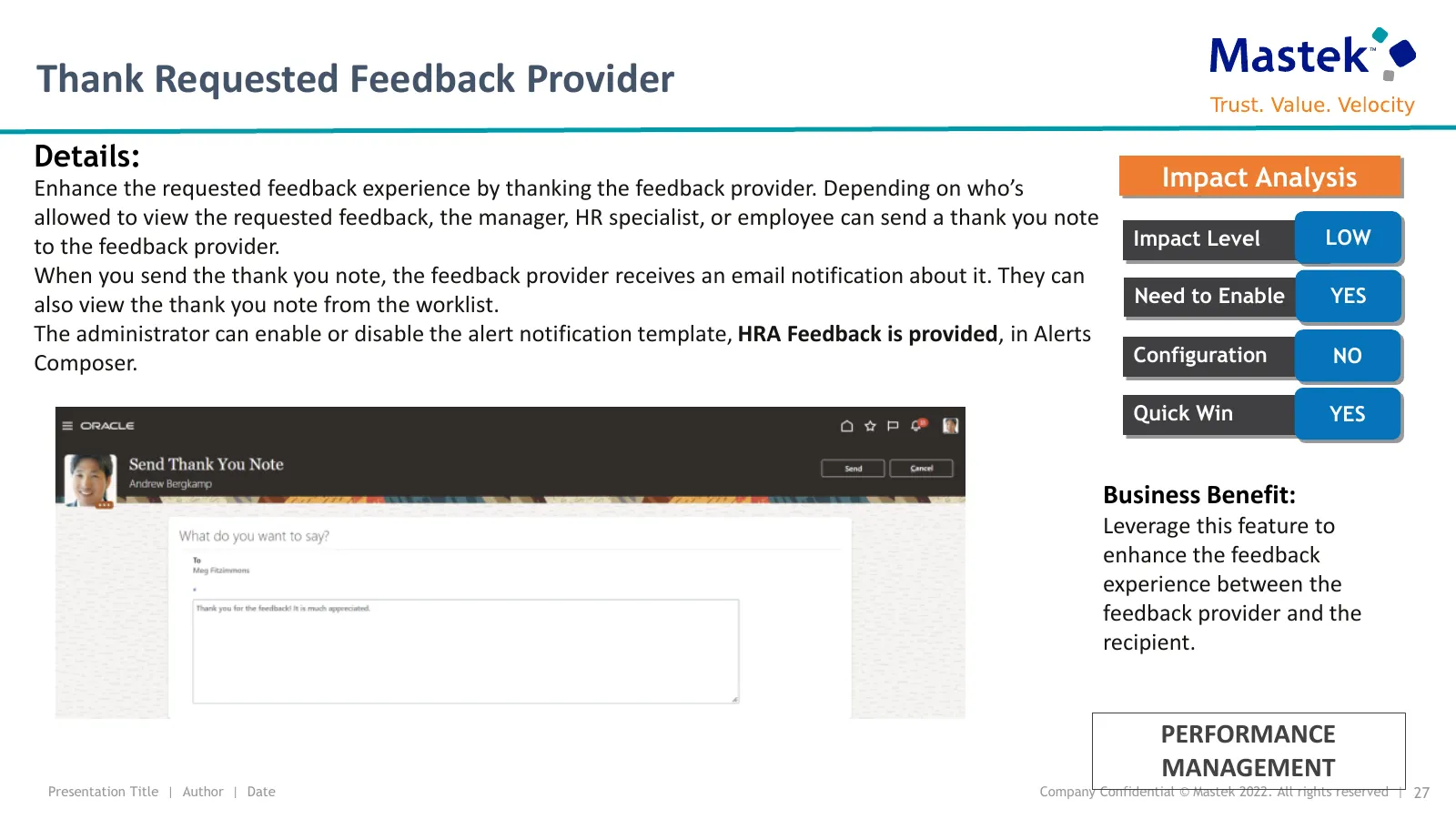
Thank Requested Feedback Provider Details: Enhance the requested feedback experience by thanking the feedback provider. Depending on who’s Impact Analysis allowed to view the requested feedback, the manager, HR specialist, or employee can send a thank you note to the feedback provider. Impact Level

Slide 28: New Features: The Rest
@ Mastek ®@ Trust. Value. Velocit NEW FEATURES The Rest
Slide 29: New Manager Experience
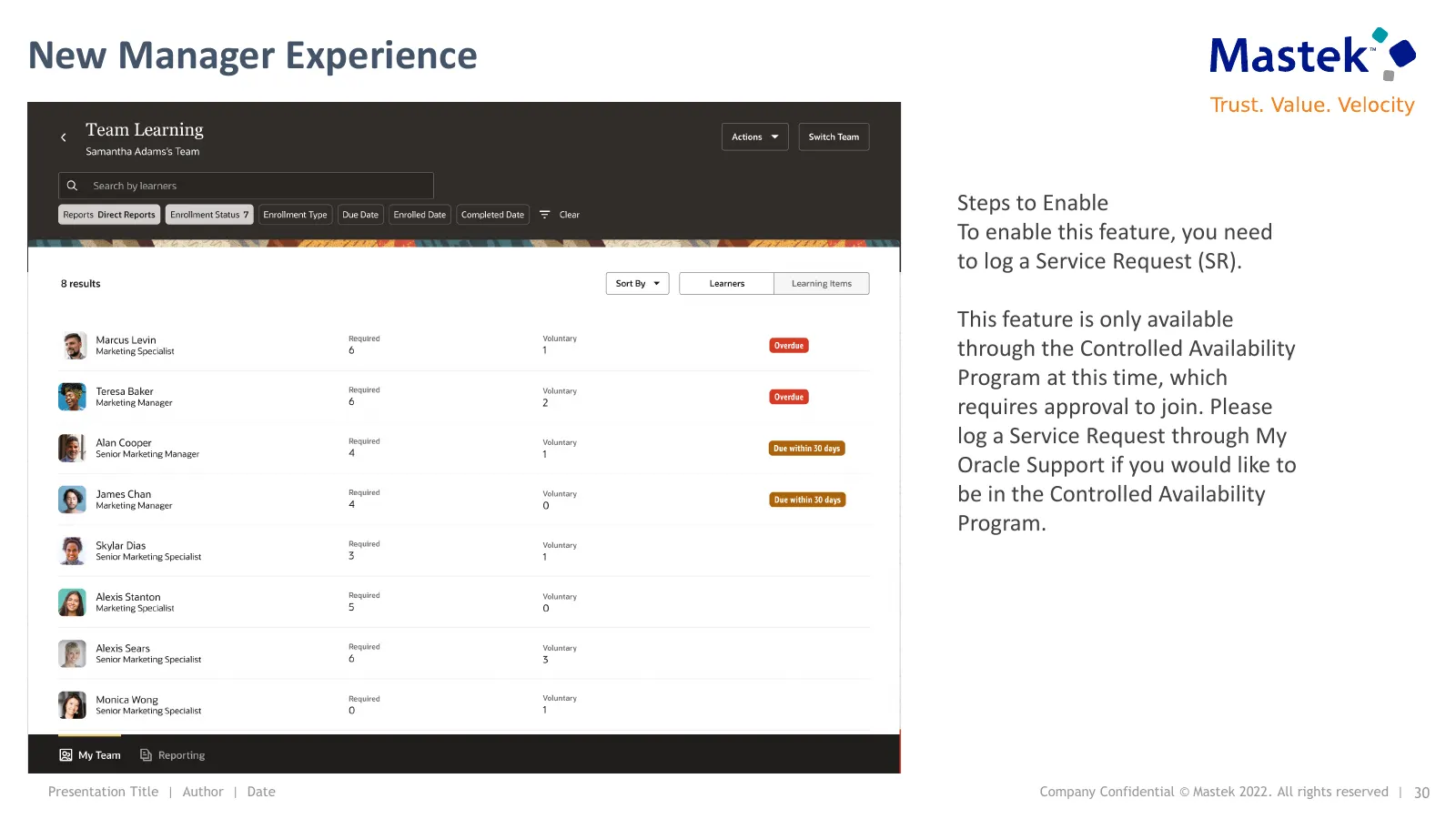
New Manager Experience Details: Impact Analysis The new team learning manager experience provides a simpler and more intuitive approach to managing your team’s learning requirements and their progression. Impact Level LOW New Manager Experience Key improvements include: Need to Enable NA • Immediate
Slide 30: New Manager Experience: Steps to Enable
New Manager Experience Steps to Enable To enable this feature, you need to log a Service Request (SR). This feature is only available through the Controlled Availability Program at this time, which requires approval to join. Please log a Service Request through My Oracle Support if you would like to
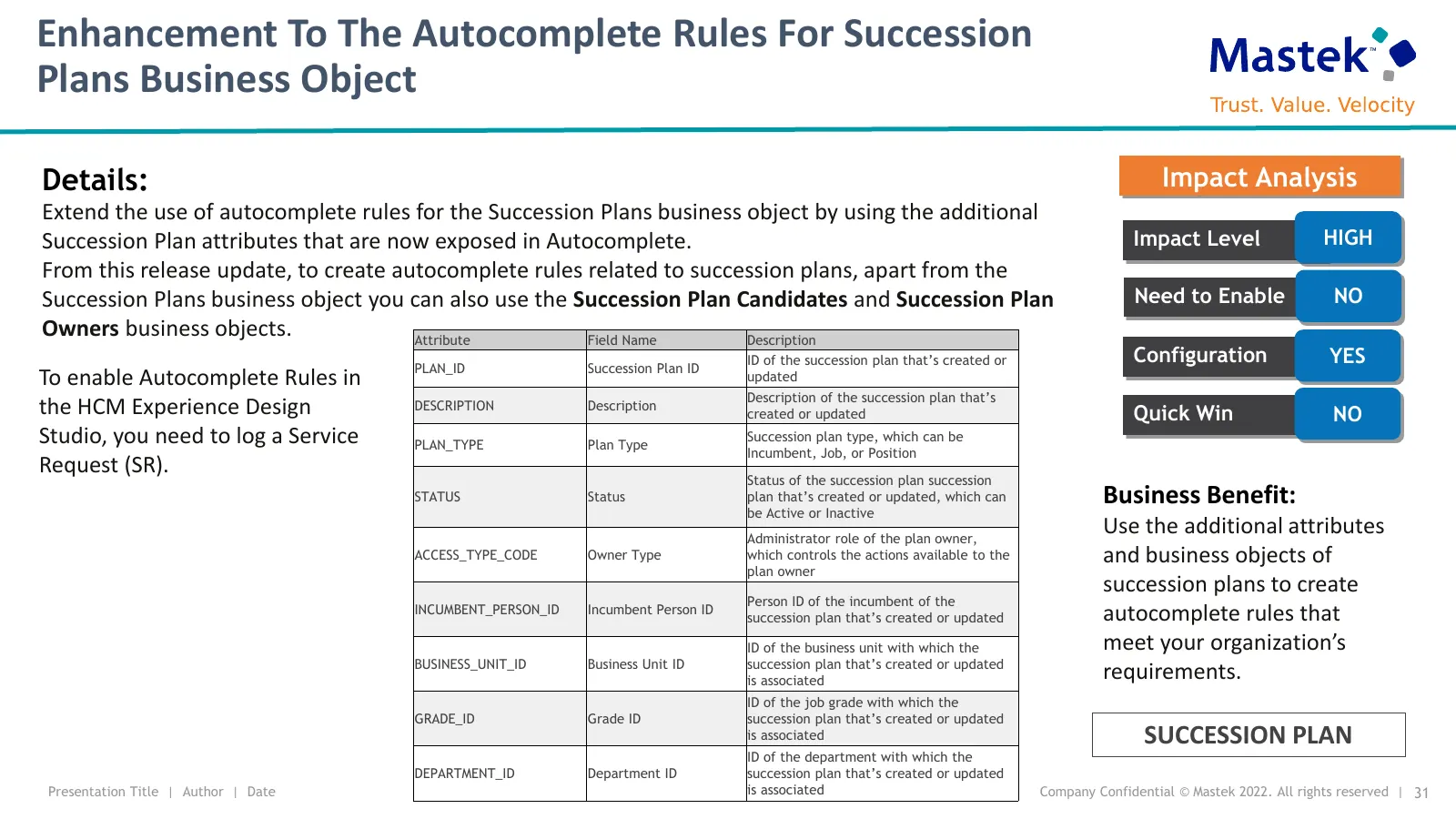
Slide 31: Enhancement To The Autocomplete Rules For Succession Plans Business Object
Enhancement To The Autocomplete Rules For Succession Plans Business Object Details: Impact Analysis Extend the use of autocomplete rules for the Succession Plans business object by using the additional Succession Plan attributes that are now exposed in Autocomplete. Impact Level HIGH From this relea
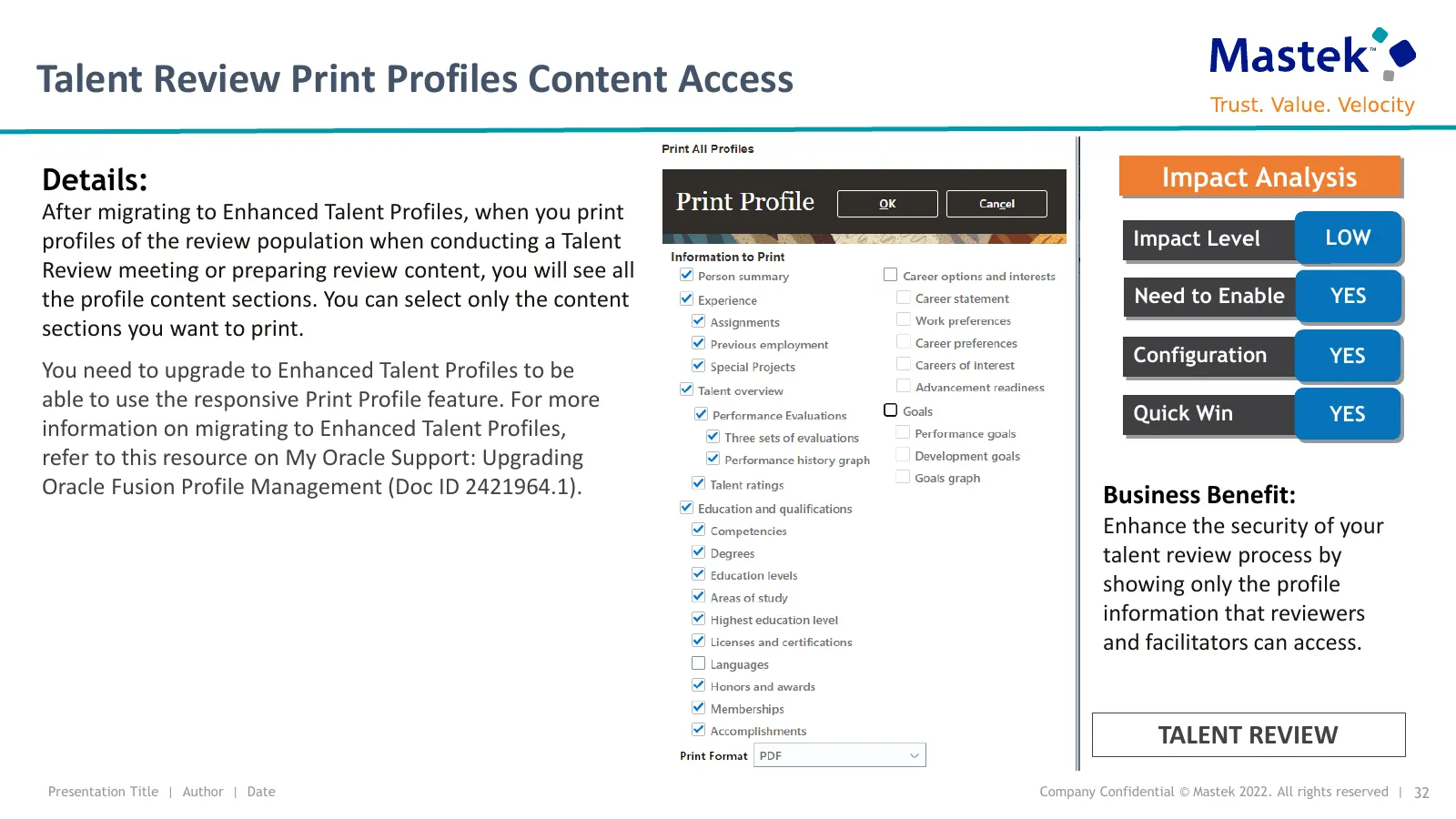
Slide 32: Talent Review Print Profiles Content Access
Talent Review Print Profiles Content Access Details: Impact Analysis After migrating to Enhanced Talent Profiles, when you print profiles of the review population when conducting a Talent Impact Level LOW Review meeting or preparing review content, you will see all the profile content sections. You
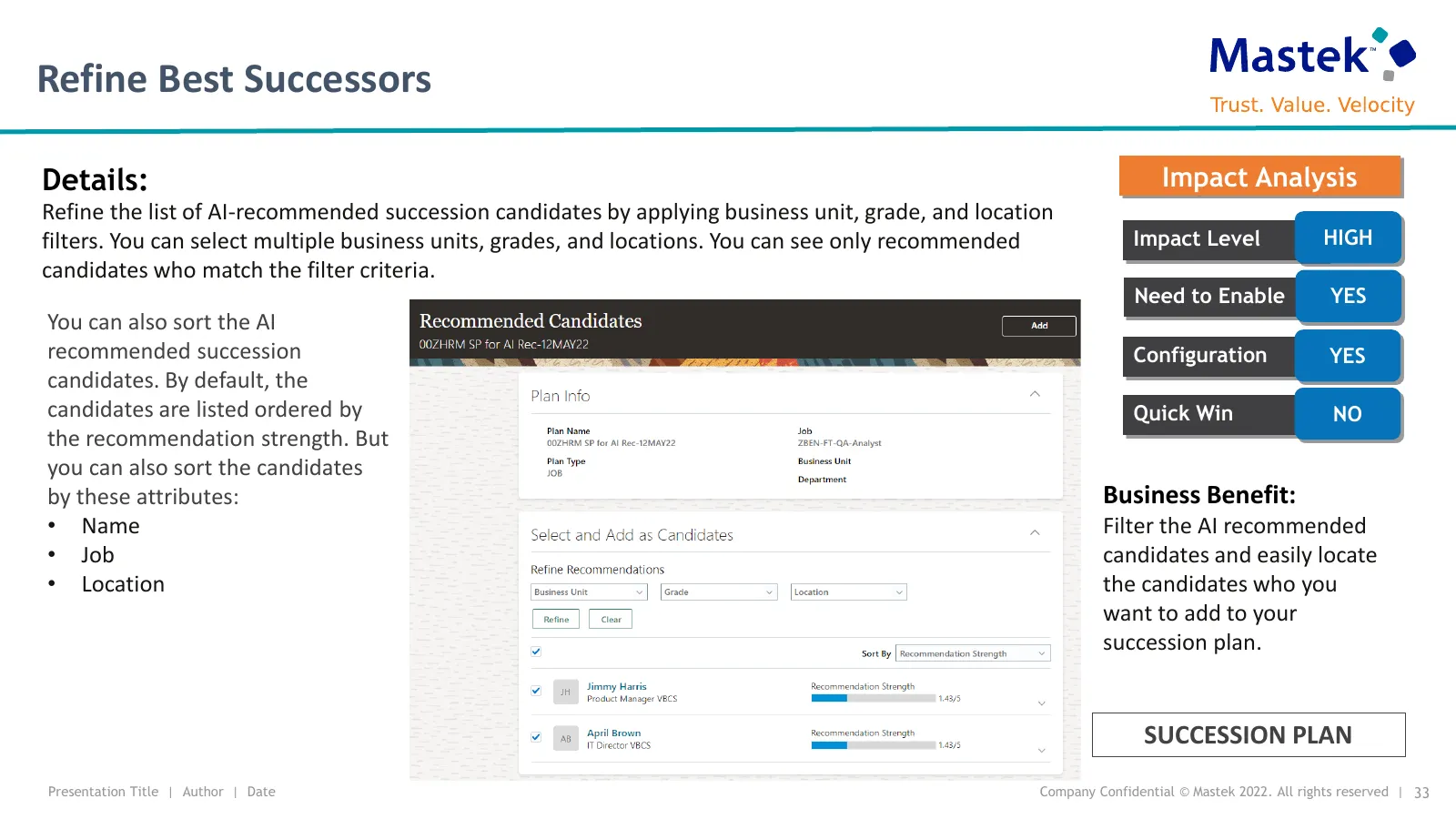
Slide 33: Refine Best Successors
Refine Best Successors Details: Impact Analysis Refine the list of AI-recommended succession candidates by applying business unit, grade, and location filters. You can select multiple business units, grades, and locations. You can see only recommended Impact Level HIGH candidates who match the filte
Slide 34: New User Entity For Extracting Questionnaire Responses
New User Entity For Extracting Questionnaire Responses Details: You can now extract Character Large Object (CLOB) data, including VARCHAR2 2000 and VARCHAR2 4000 Impact Analysis data types, from the Questionnaire Reponses object. You can do this by using the new user entity, Extract Question Respons
Slide 35: Touchpoints
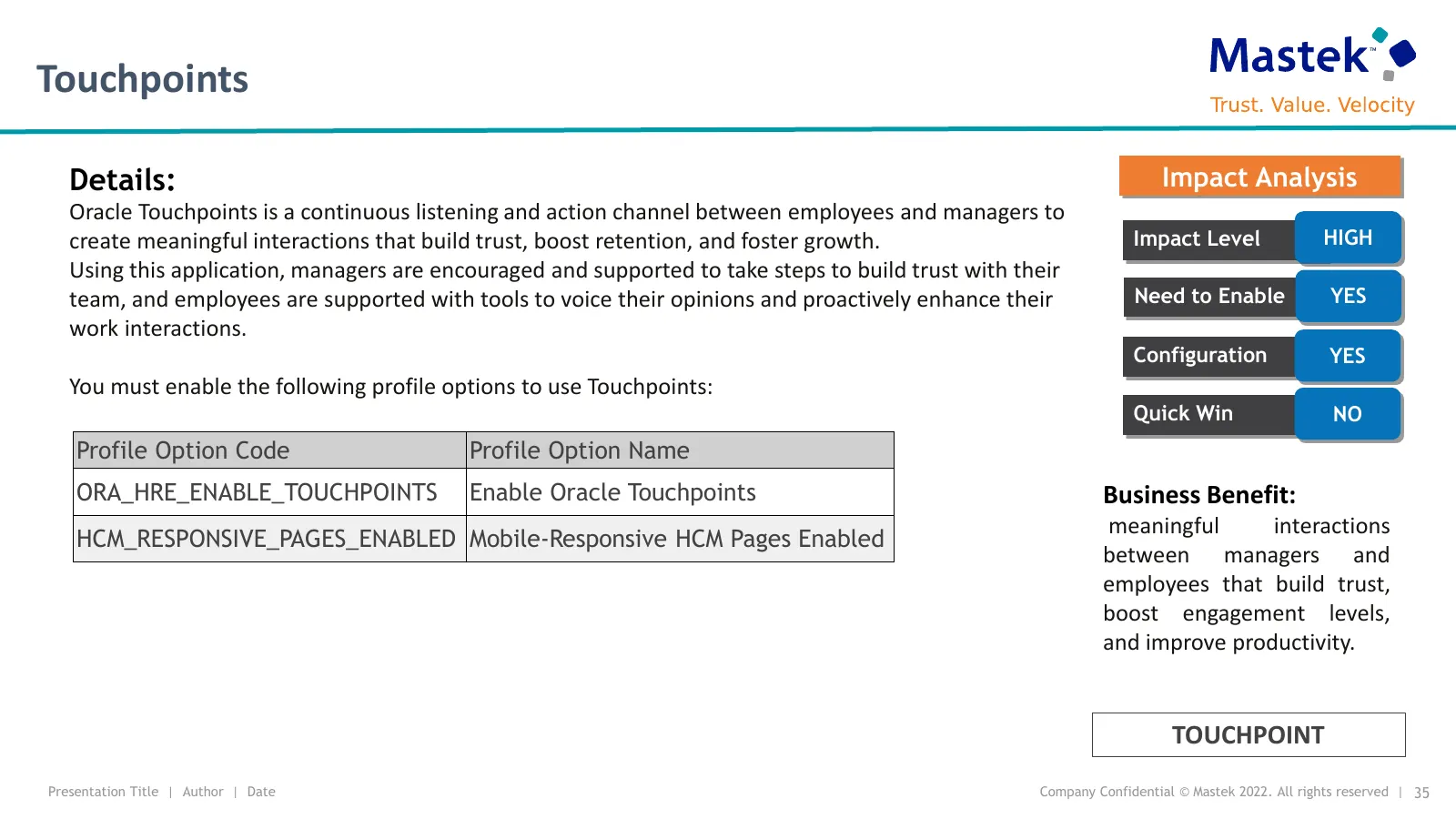
Touchpoints Details: Impact Analysis Oracle Touchpoints is a continuous listening and action channel between employees and managers to create meaningful interactions that build trust, boost retention, and foster growth. Impact Level HIGH Using this application, managers are encouraged and supported
Slide 36: Touchpoints Experience For Managers
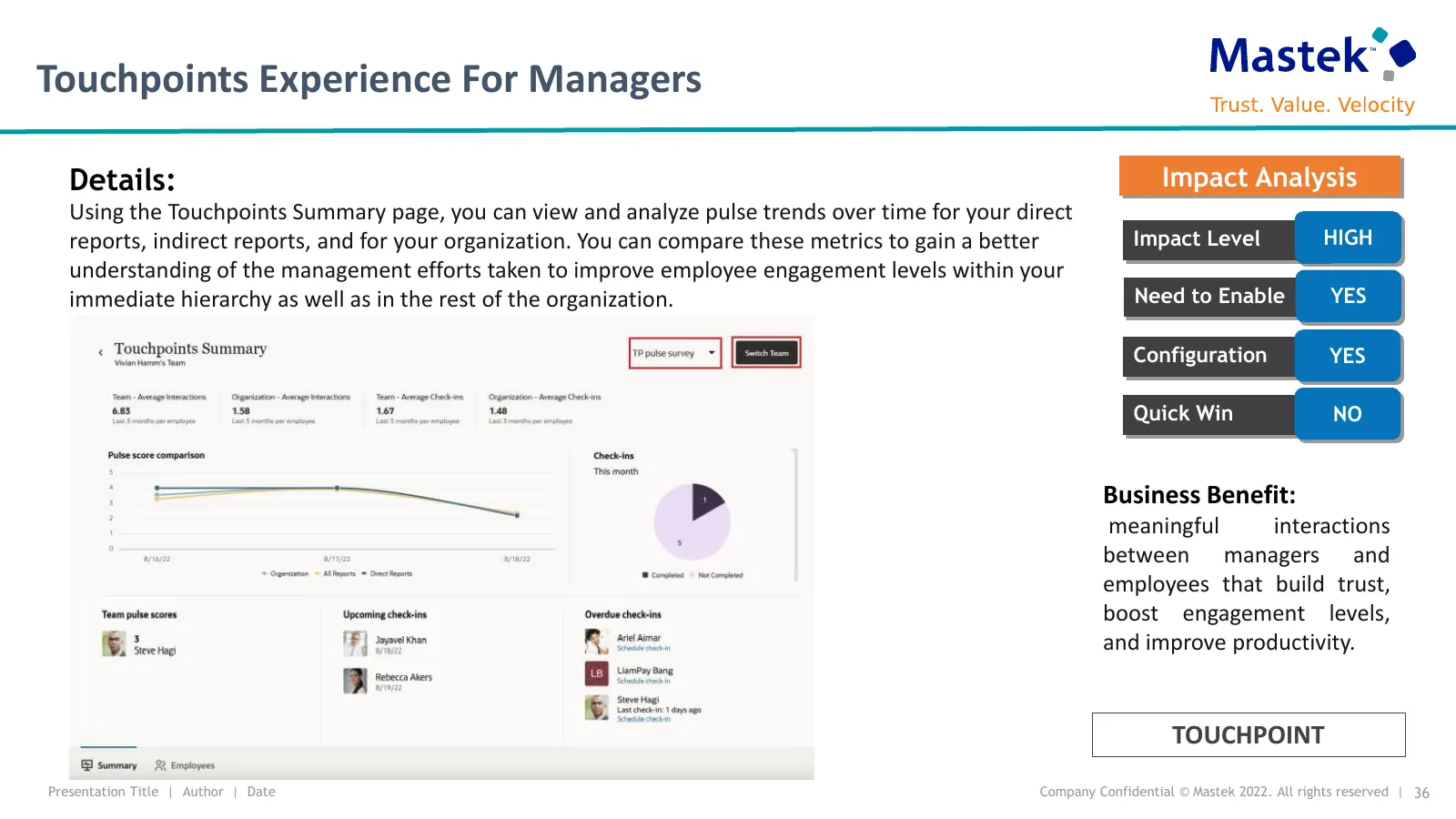
Touchpoints Experience For Managers Details: Impact Analysis Using the Touchpoints Summary page, you can view and analyze pulse trends over time for your direct reports, indirect reports, and for your organization. You can compare these metrics to gain a better Impact Level HIGH understanding of the
Slide 37: Enhanced Presentation Options For New Subscribers
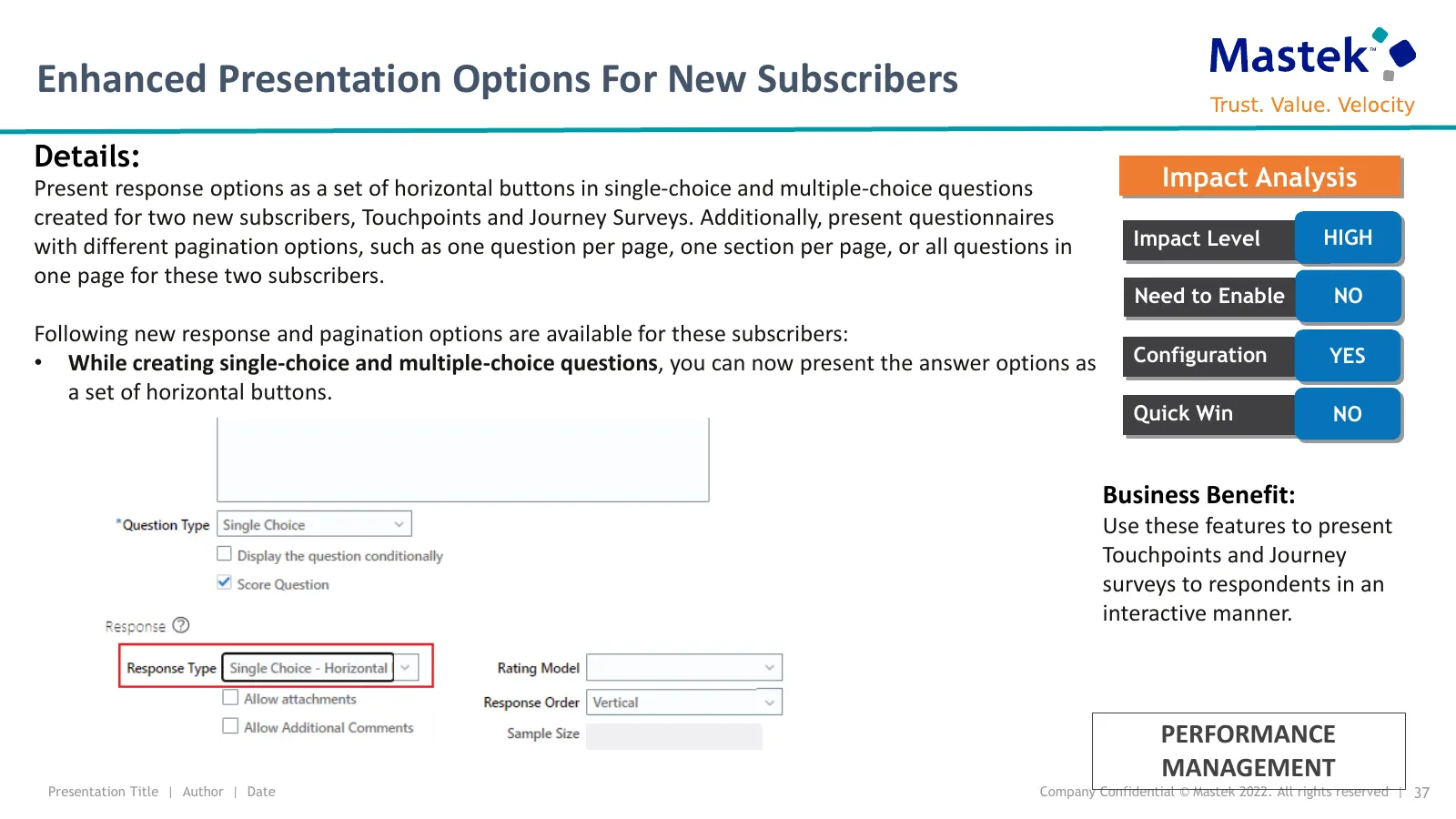
Enhanced Presentation Options For New Subscribers Details: Present response options as a set of horizontal buttons in single-choice and multiple-choice questions Impact Analysis created for two new subscribers, Touchpoints and Journey Surveys. Additionally, present questionnaires with different pagi
Slide 38: Questionnaire Display Options
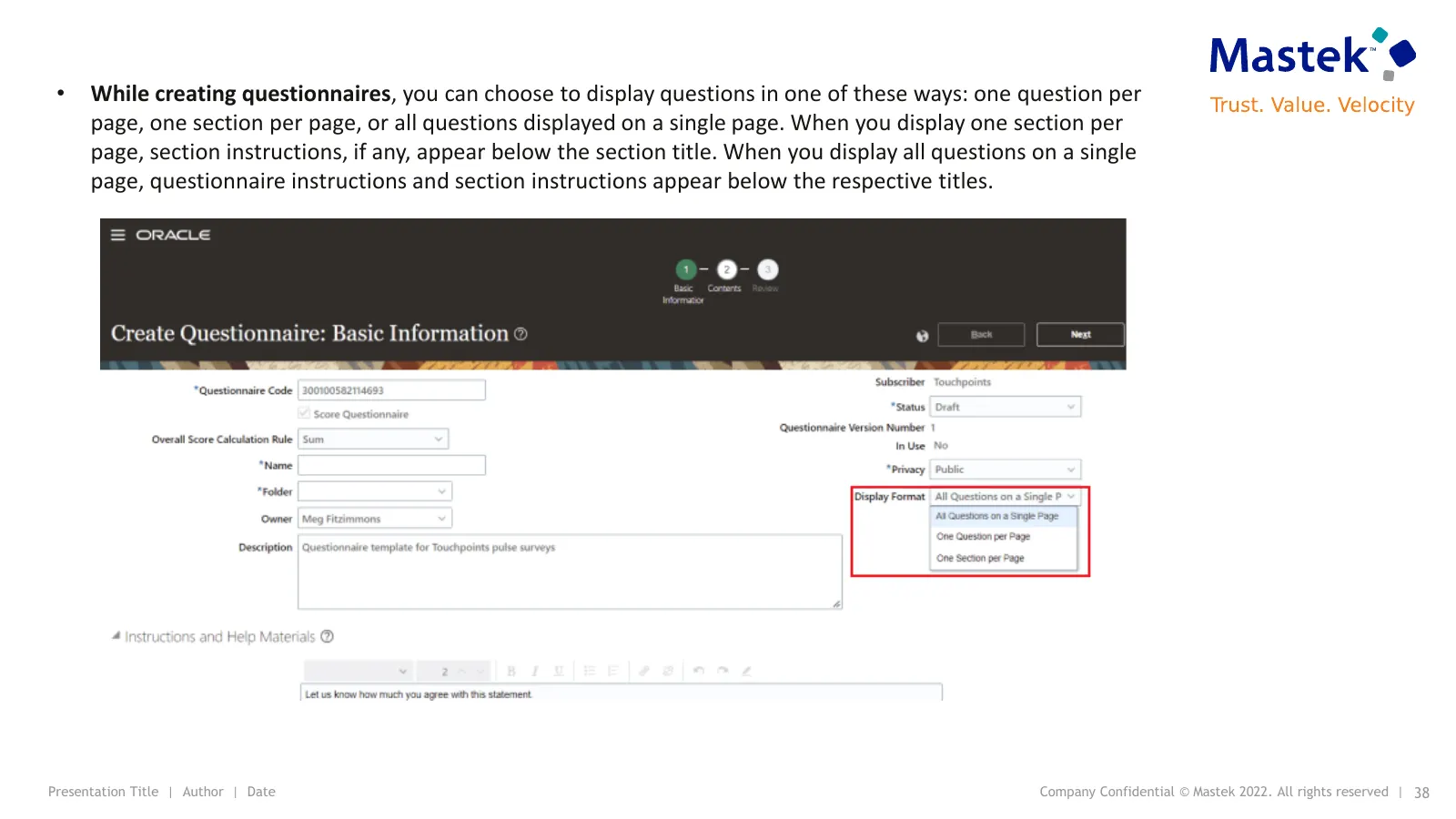
• While creating questionnaires, you can choose to display questions in one of these ways: one question per page, one section per page, or all questions displayed on a single page. When you display one section per page, section instructions, if any, appear below the section title. When you display a

Slide 39: Removed Features
@ Mastek ®@ Trust. Value. Velocit REMOVED FEATURES The Rest
Slide 40: Performance Management My Organization Page Is Removed
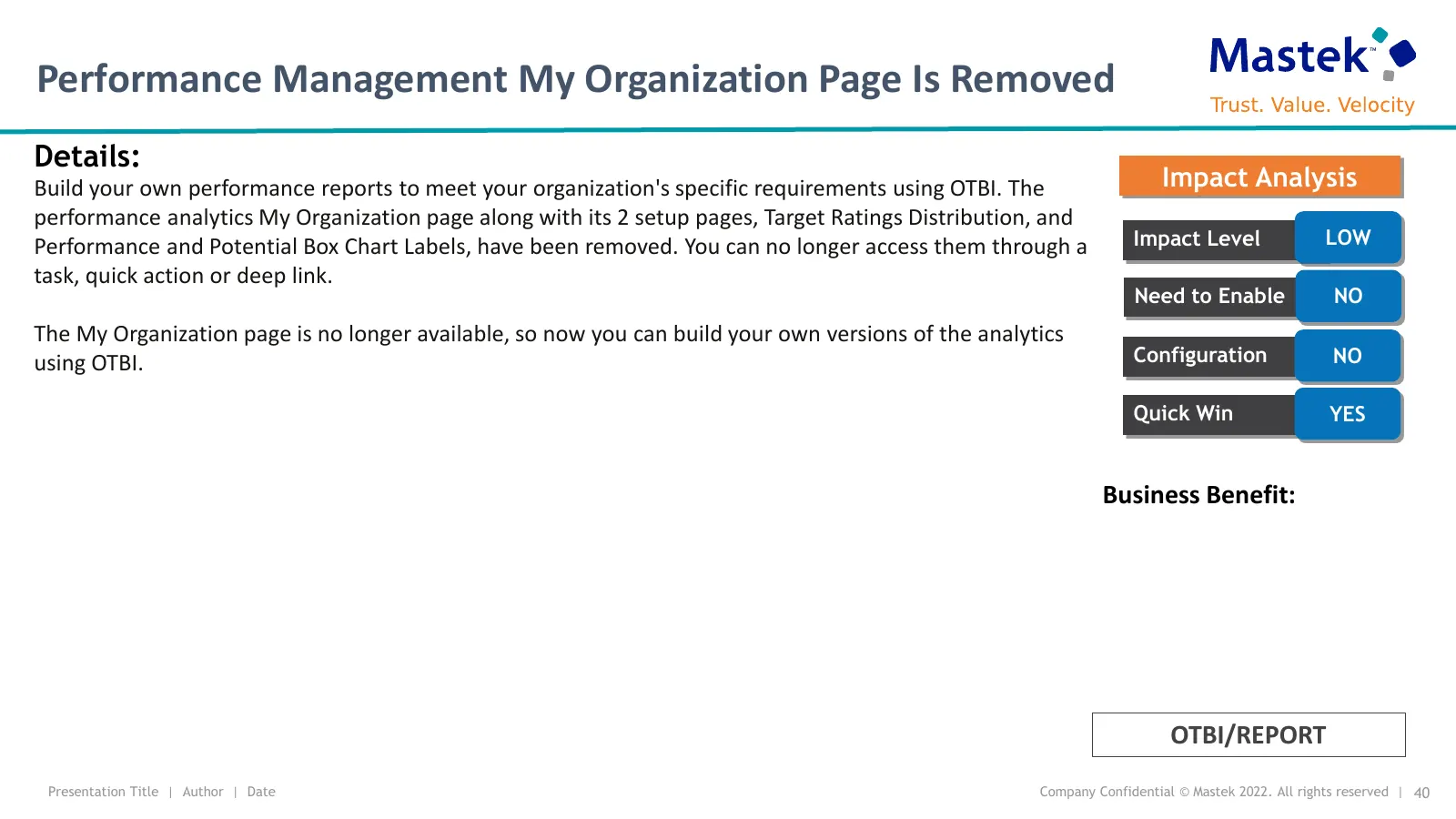
Performance Management My Organization Page Is Removed Details: Build your own performance reports to meet your organization's specific requirements using OTBI. The Impact Analysis performance analytics My Organization page along with its 2 setup pages, Target Ratings Distribution, and Performance a
Slide 41: Delivered Dashboards And Reports Removal
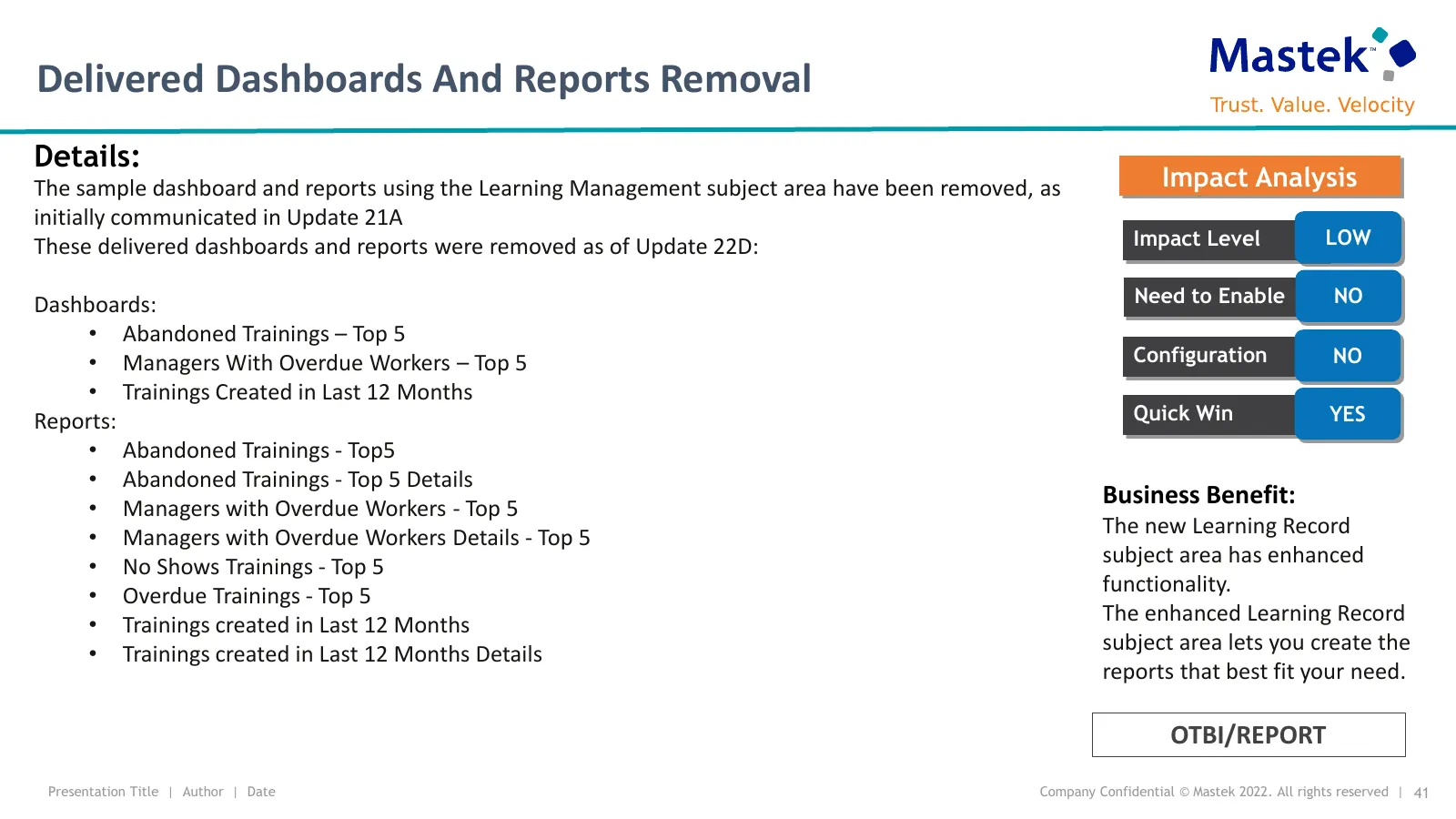
Delivered Dashboards And Reports Removal Details: The sample dashboard and reports using the Learning Management subject area have been removed, as Impact Analysis initially communicated in Update 21A These delivered dashboards and reports were removed as of Update 22D: Impact Level LOW Dashboards:
Slide 42: Closing Q&A
Closing Q&A Presentation Title | Author | Date Company Confidential © Mastek 2022. All rights reserved | 42
Slide 43: Closing Note
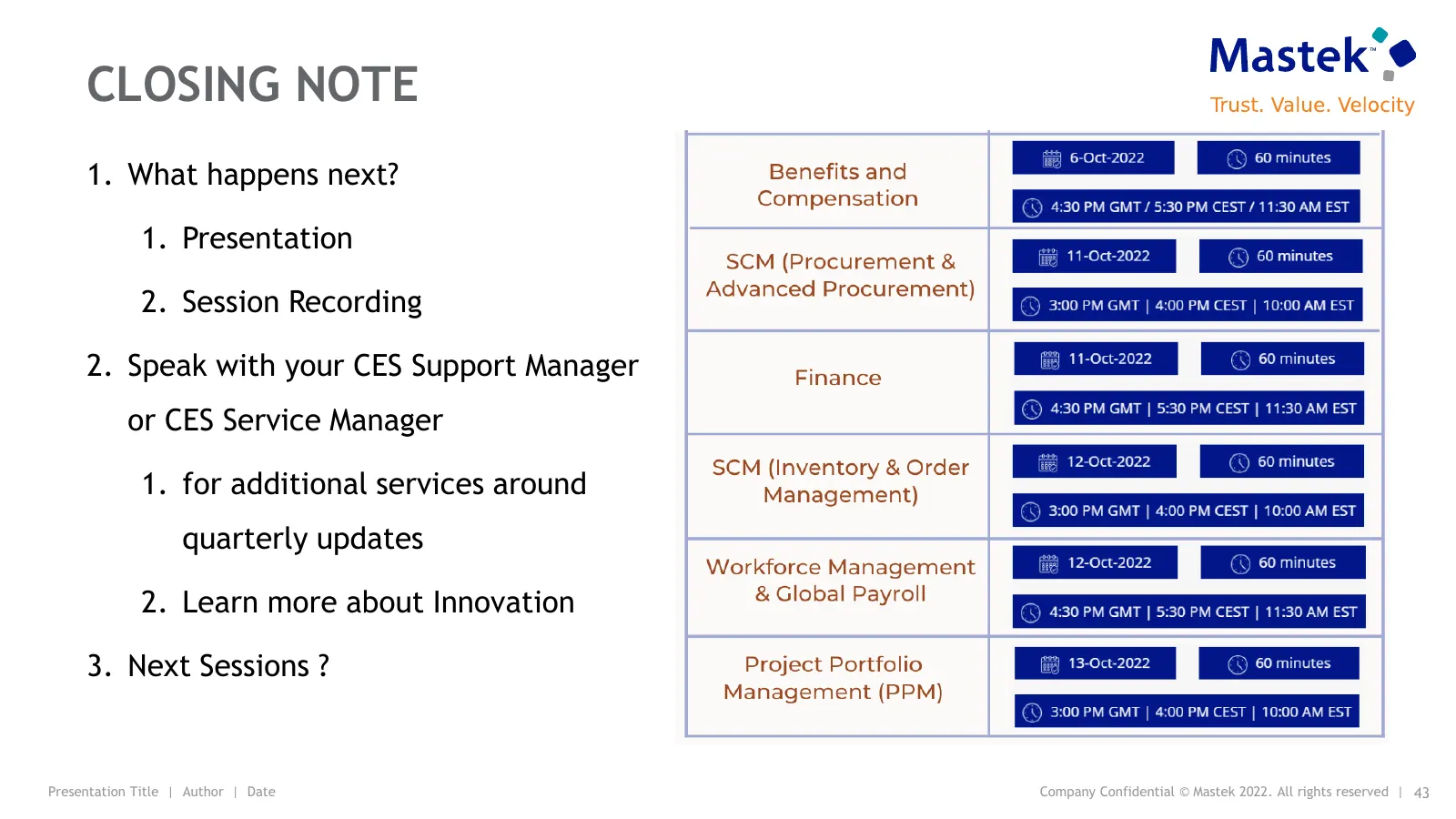
CLOSING NOTE 1. What happens next? 1. Presentation 2. Session Recording 2. Speak with your CES Support Manager or CES Service Manager 1. for additional services around quarterly updates 2. Learn more about Innovation 3. Next Sessions ? Presentation Title | Author | Date Company Confidential © Mastek
Slide 44: Thank You
MASTEK is here to help you! THANK YOU This presentation contains information that may be privileged or confidential and is the property of Mastek. Copyright © 2022 Mastek. All rights reserved.
Source: Internet Archive copy of mastek.com
More decks from Mastek Limited
 Q2 FY2027 Earnings Presentation18 slides · Oct 23, 2026
 Q2 FY2027 Earnings Presentation25 slides · Oct 23, 2026
 Q1 FY27 Earnings Presentation31 slides · Jul 21, 2026
 Q1 FY2027 Earnings Presentation23 slides · Jul 21, 2026
 Q4 FY26 Earnings Presentation37 slides · Apr 18, 2026
 Q4 FY26 Earnings Presentation28 slides · Apr 17, 2026