Mastek Limited · NSE:MASTEK
Mastek — Technical Presentation (October 2022)
83 slides from Mastek's technical presentation, October 2022
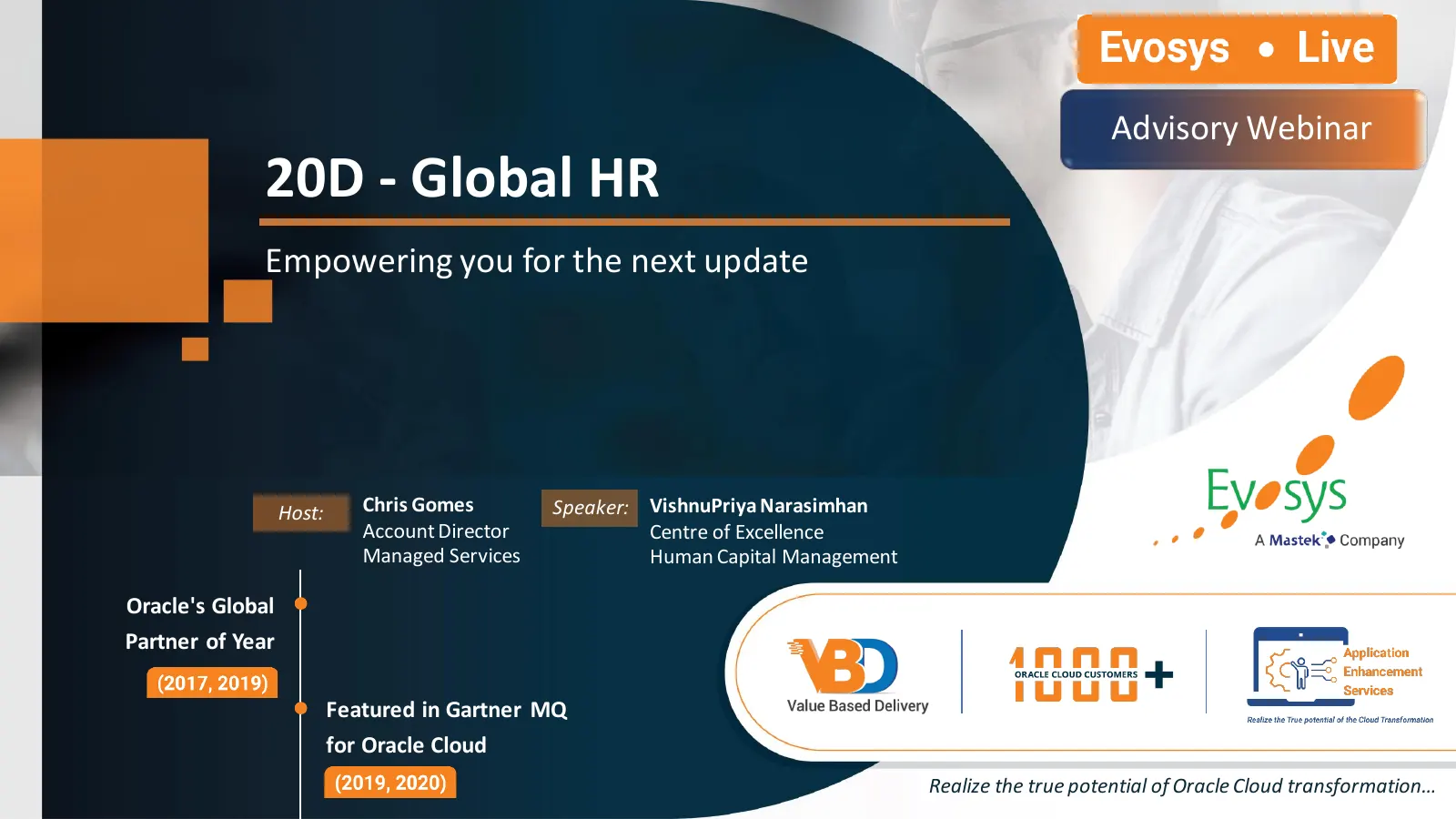
Slide 1: 20D - Global HR Advisory Webinar
Advisory Webinar 20D - Global HR Empowering you for the next update Host: Chris Gomes Speaker: VishnuPriya Narasimhan Account Director Centre of Excellence Managed Services Human Capital Management Oracle's Global Partner of Year Featured in Gartner MQ for Oracle Cloud Realize the true potential of
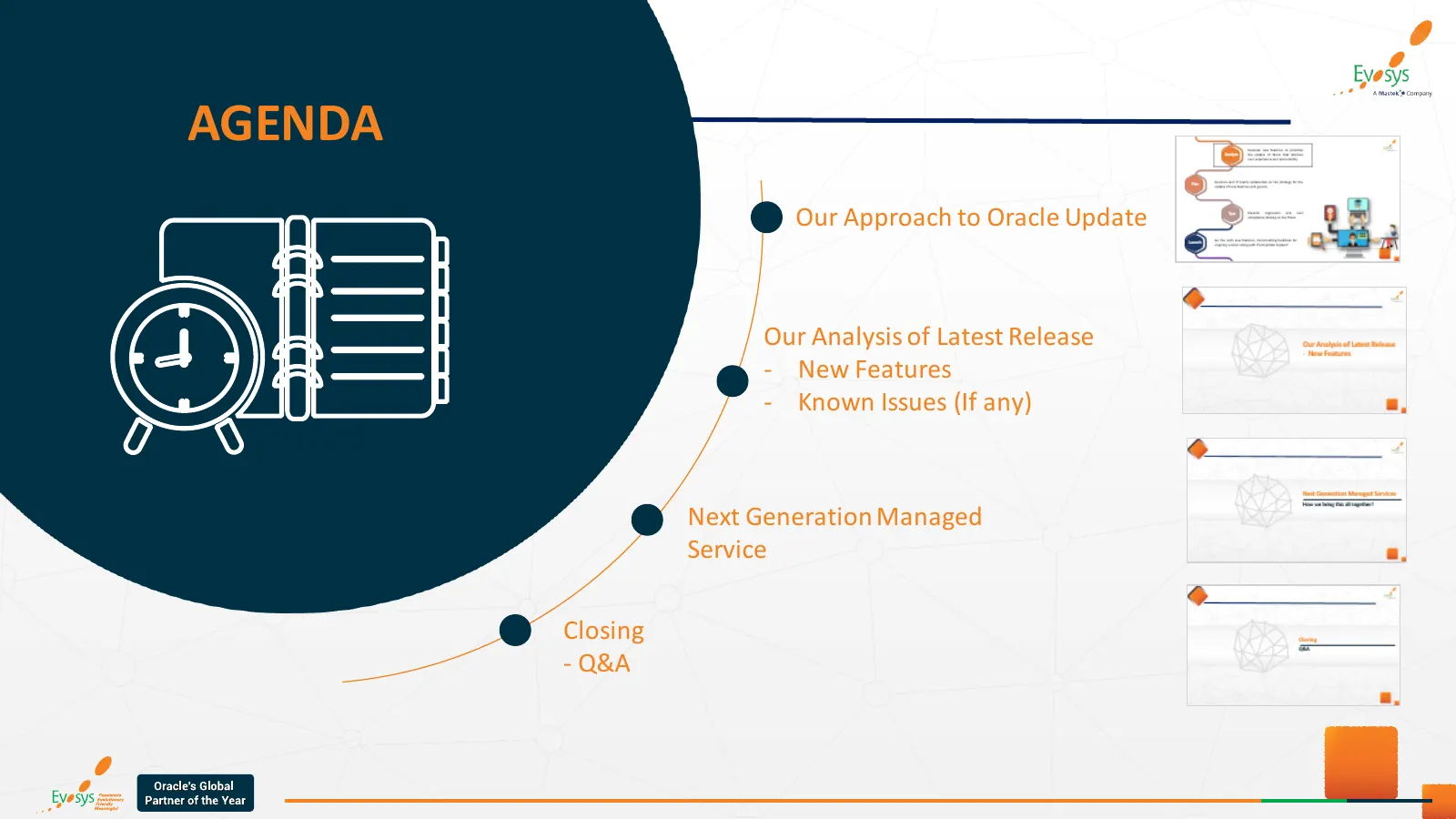
Slide 2: Agenda
AGENDA Our Approach to Oracle Update Our Analysis of Latest Release - New Features - Known Issues (If any) Next Generation Managed Service Closing - Q&A
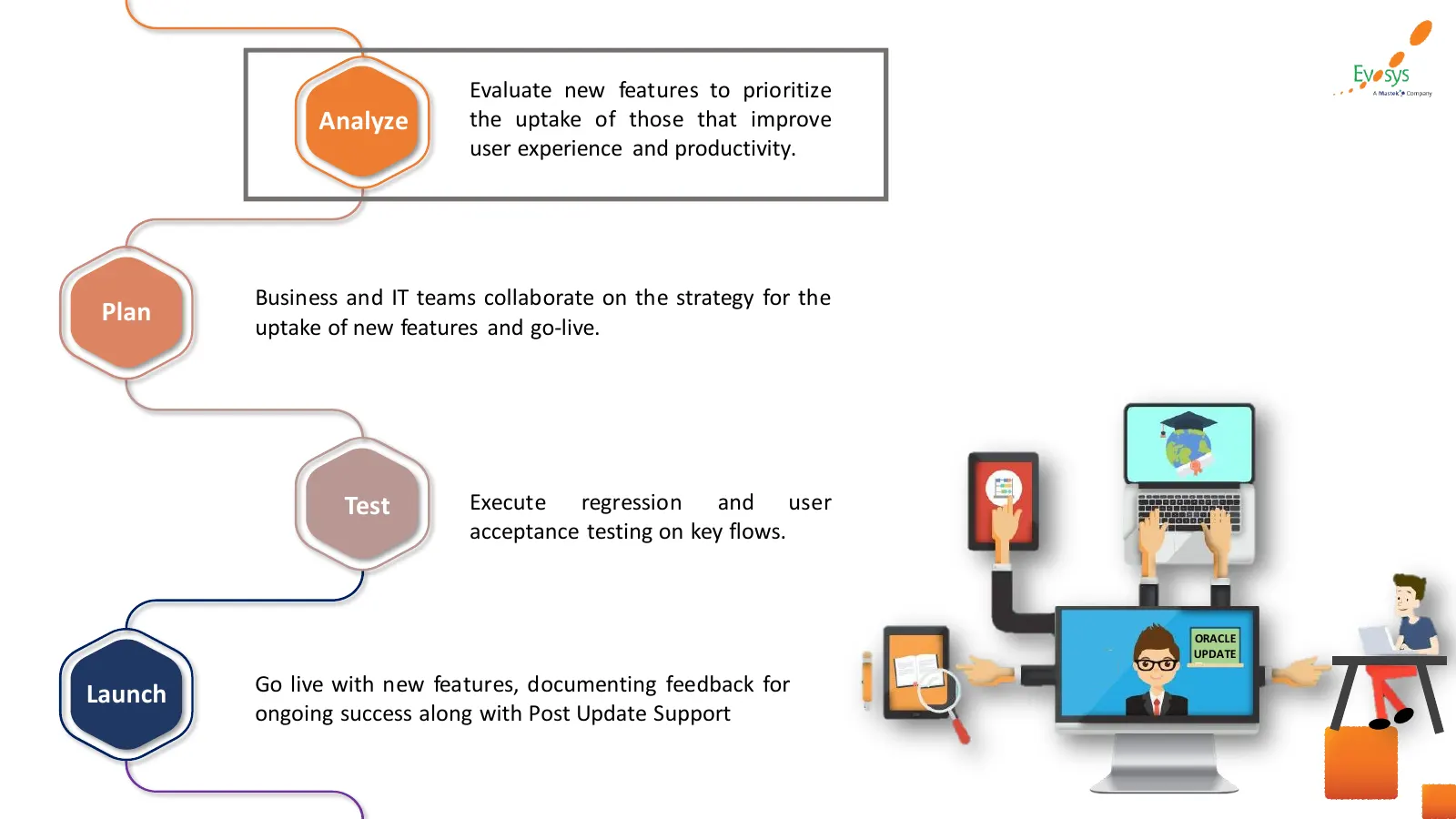
Slide 3: Our approach to Oracle update: Analyze, Plan, Test, Launch
Evaluate new features to prioritize Analyze the uptake of those that improve user experience and productivity. Business and IT teams collaborate on the strategy for the Plan uptake of new features and go-live. Test Execute regression and user acceptance testing on key flows. ORACLE UPDATE Launch Go
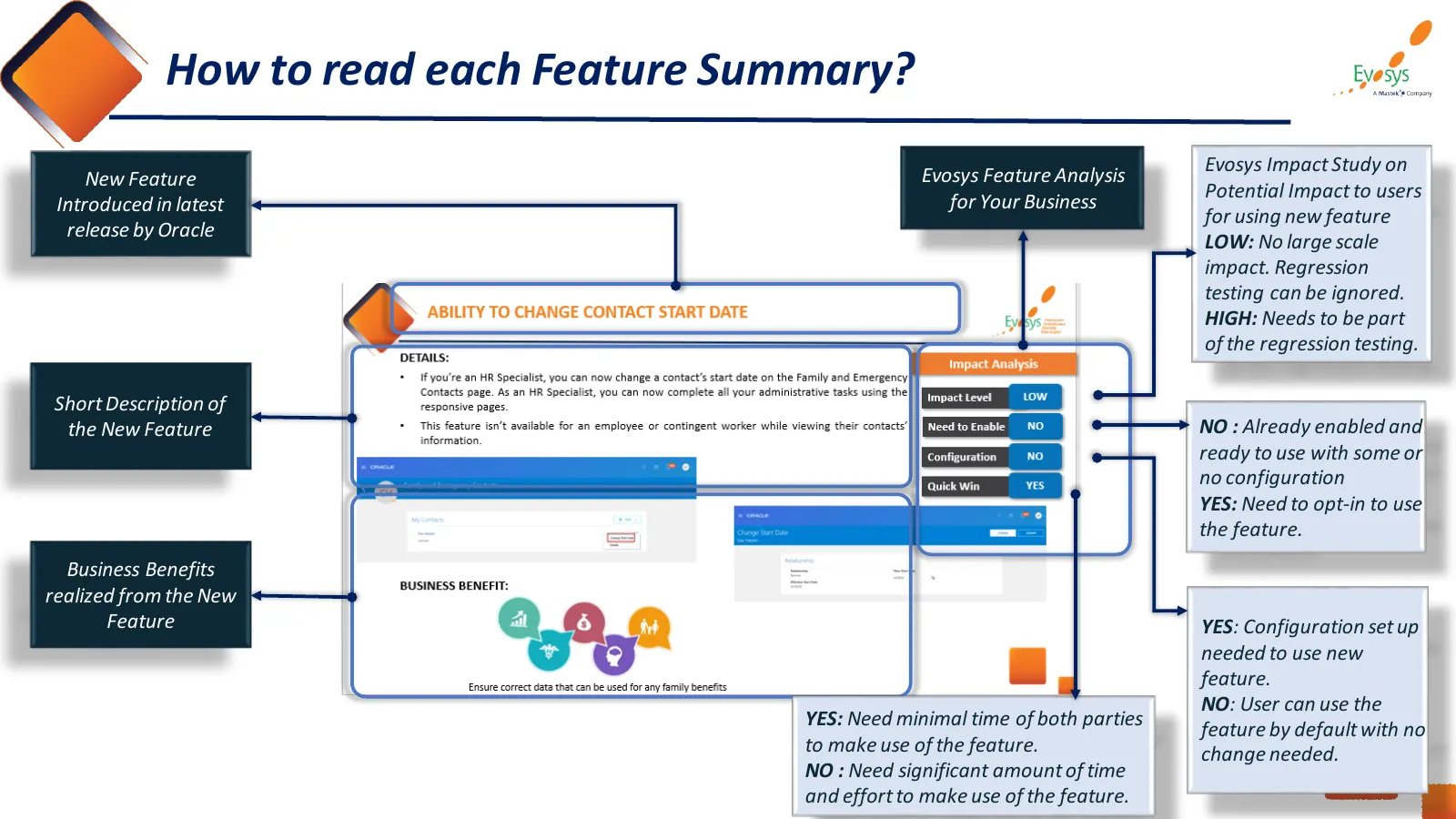
Slide 4: How to read each Feature Summary?
How to read each Feature Summary? Evosys Feature Analysis Evosys Impact Study on New Feature for Your Business Potential Impact to users Introduced in latest for using new feature release by Oracle LOW: No large scale impact. Regression testing can be ignored. HIGH: Needs to be part of the regressio
Slide 5: Our Analysis of Latest Release - New Features
Our Analysis of Latest Release - New Features
Slide 6: Evosys Analysis - Statistics
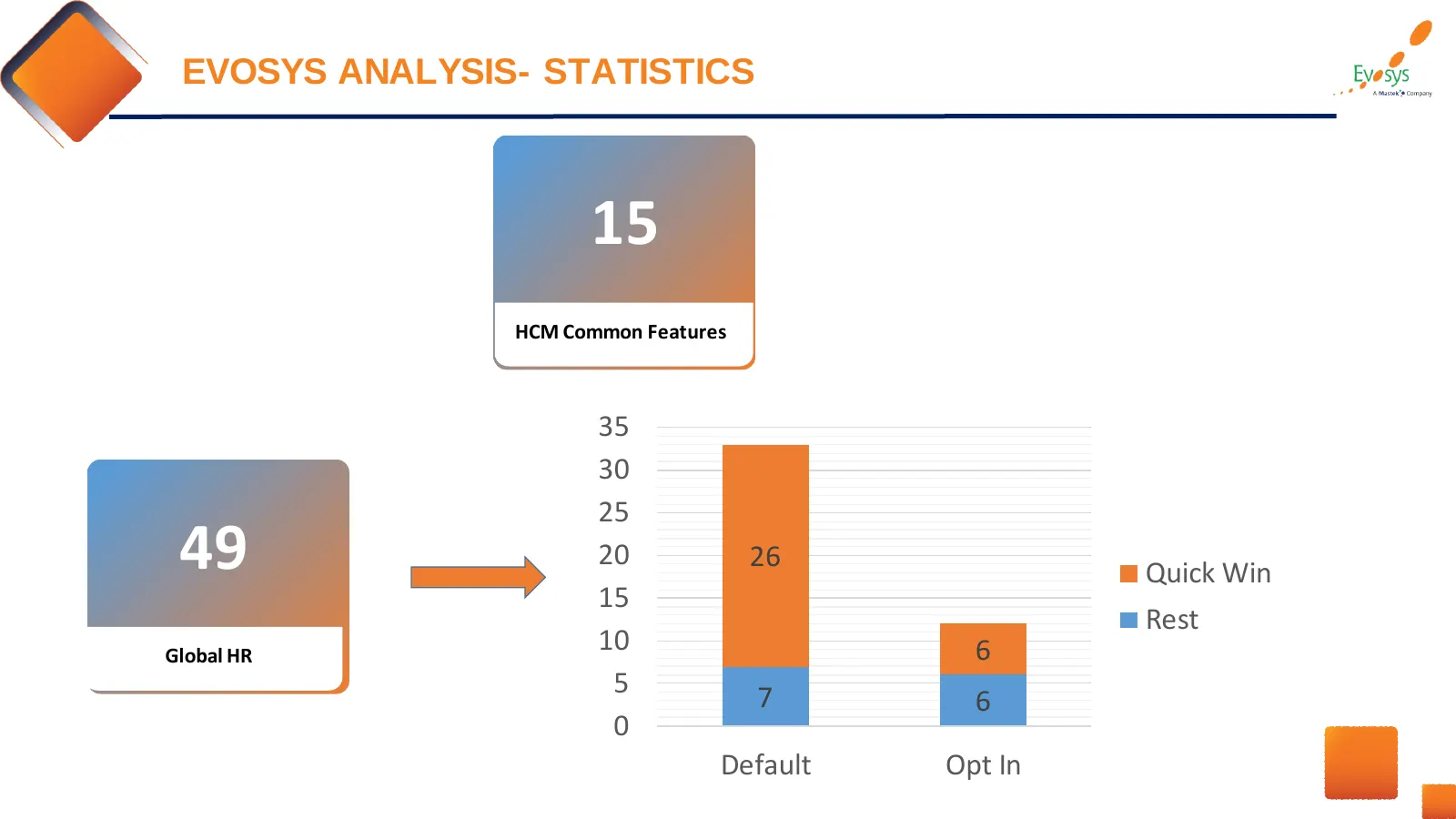
EVOSYS ANALYSIS- STATISTICS 15 HCM Common Features 35 30 25 49 20 26 Quick Win 15 Rest Global HR 10 6 5 7 6 0 Default Opt In
Slide 7: Evosys Analysis
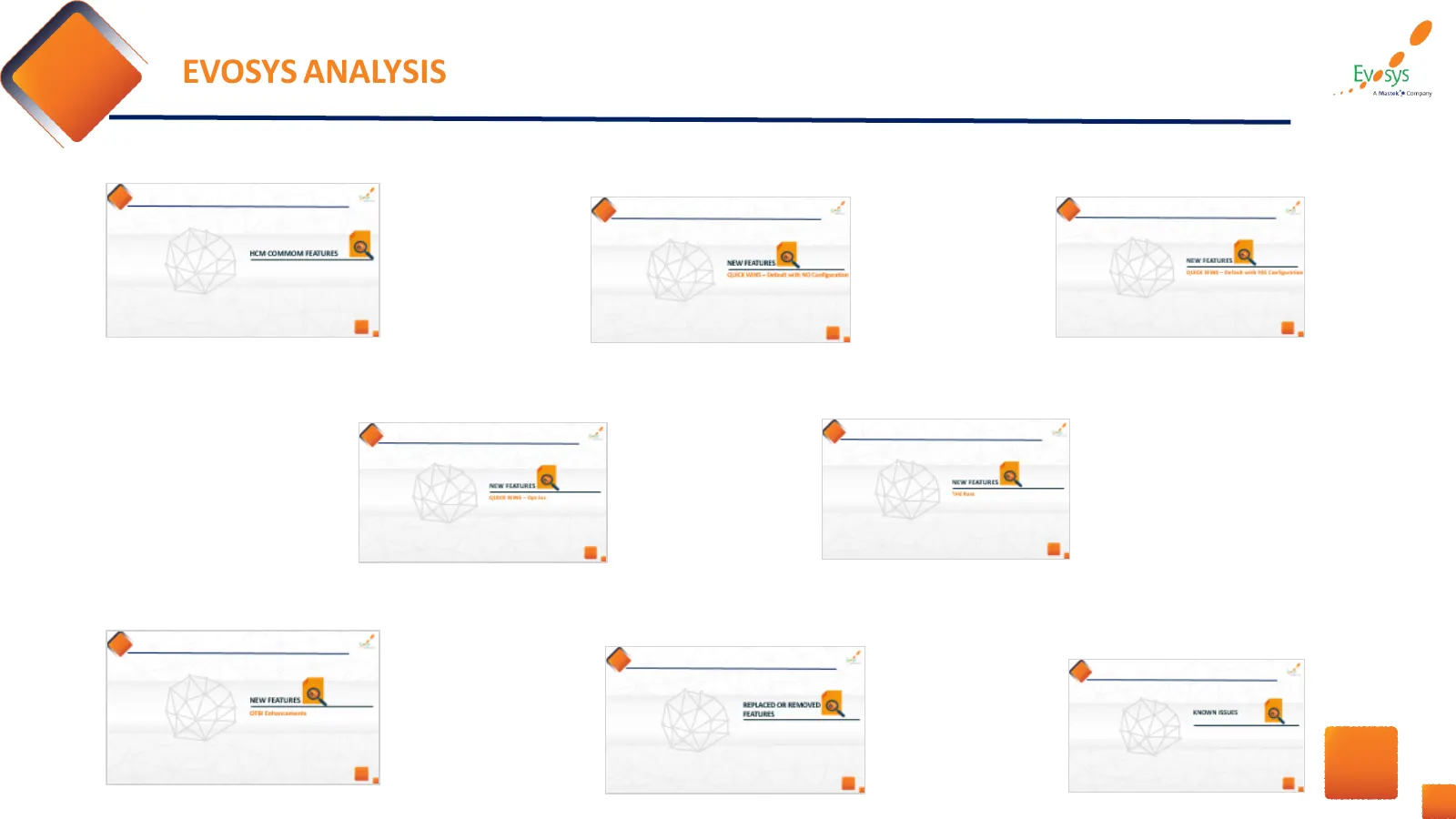
EVOSYS ANALYSIS bee xno ee |
Slide 8: HCM Common Features
HCM COMMOM FEATURES
Slide 9: Applications Security: Regenerate Data Security Profiles and Grants Job Set
APPLICATIONS SECURITY REGENERATE DATA SECURITY PROFILES AND GRANTS JOB SET DETAILS: Impact Analysis • Use the new Regenerate Data Security Profiles and Grants Job Set to streamline conversion of existing security profiles and data roles. You can now easily change existing data security grants Impact
Slide 10: HCM Data Loader
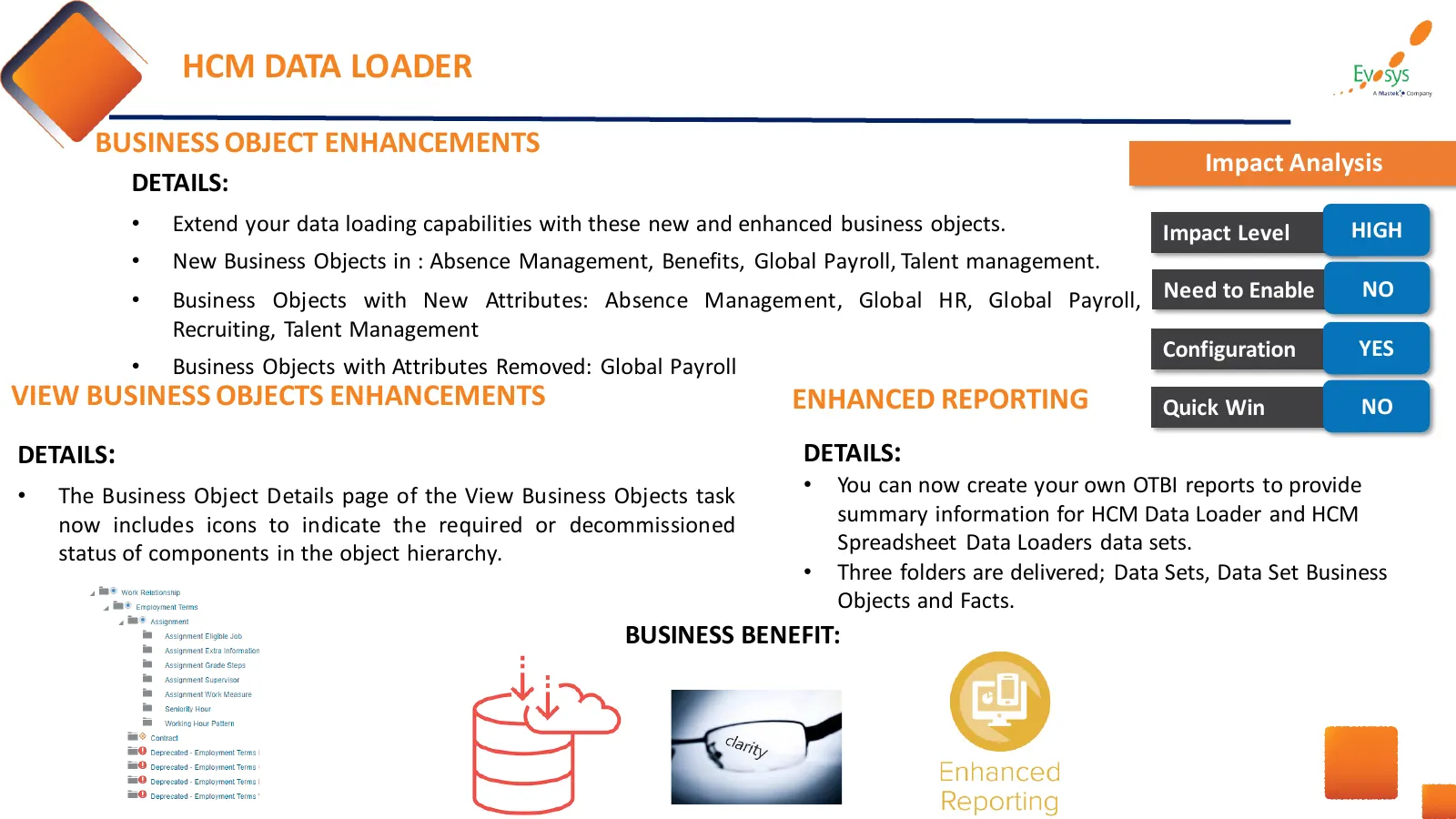
HCM DATA LOADER BUSINESS OBJECT ENHANCEMENTS Impact Analysis DETAILS: • Extend your data loading capabilities with these new and enhanced business objects. Impact Level HIGH • New Business Objects in : Absence Management, Benefits, Global Payroll, Talent management. • Business Objects with New Attri
Slide 11: HCM Spreadsheet Data Loader
HCM SPREADSHEET DATA LOADER Impact Analysis SECURED BUSINESS OBJECTS NOW AVAILABLE TO BUSINESS USERS DETAILS: Impact Level LOW • Extend your business users' bulk-loading capabilities for an object. Spreadsheets based on these Need to Enable NO objects now implement the user's data security and can b
Slide 12: HCM Extract
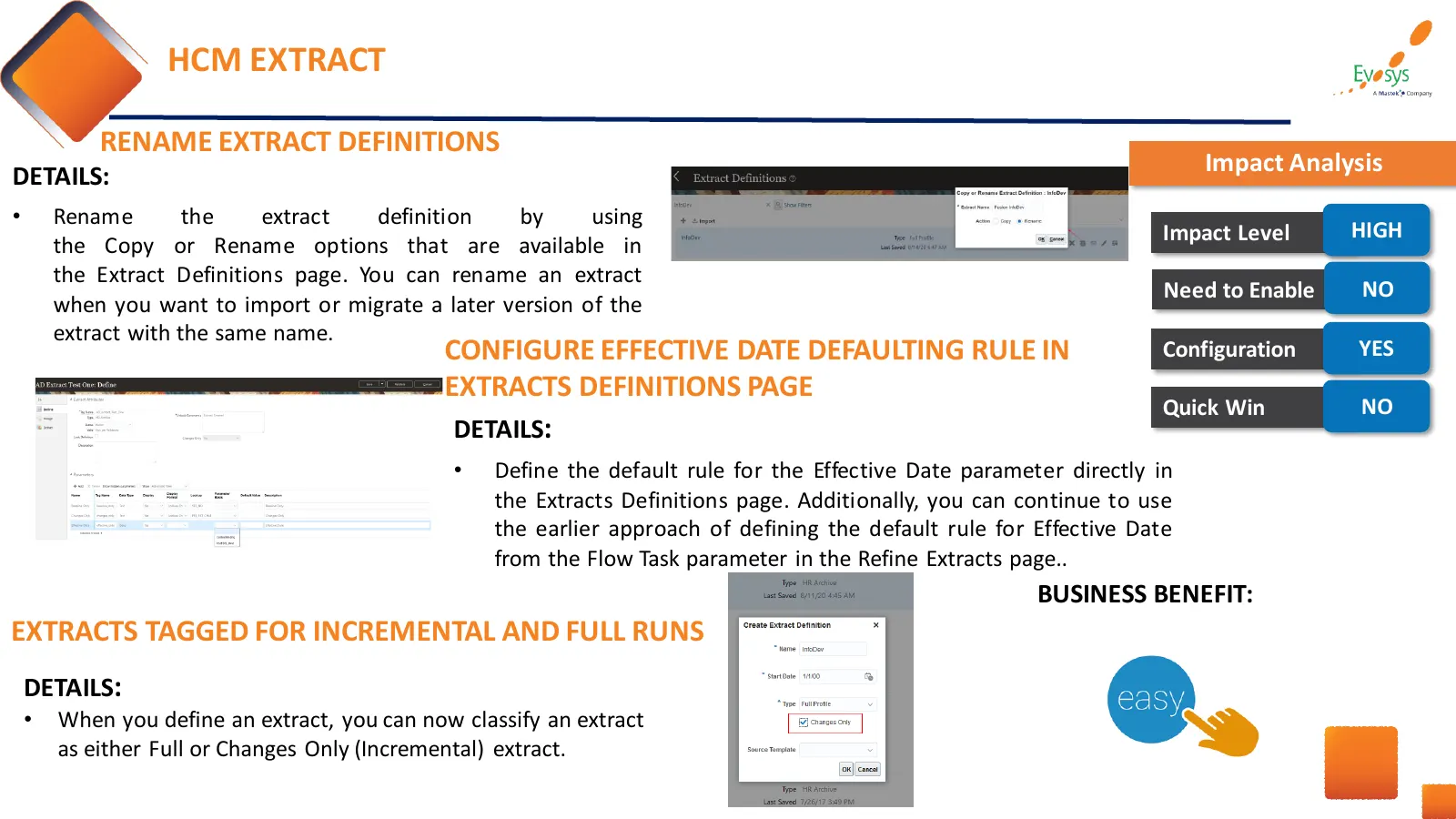
HCM EXTRACT RENAME EXTRACT DEFINITIONS DETAILS: Impact Analysis • Rename the extract definition by using Impact Level HIGH the Copy or Rename options that are available in the Extract Definitions page. You can rename an extract Need to Enable NO when you want to import or migrate a later version of
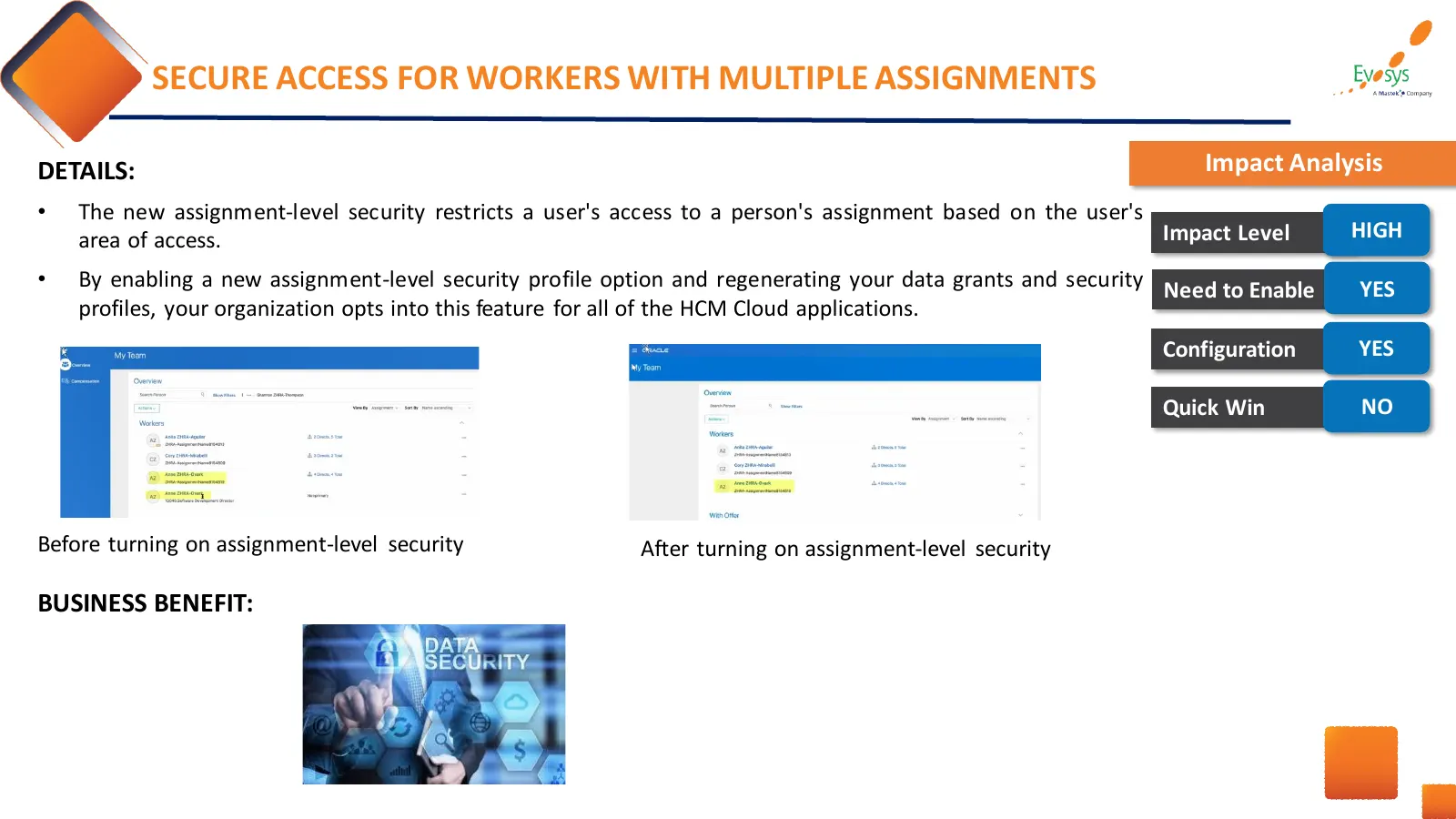
Slide 13: Secure Access for Workers with Multiple Assignments
SECURE ACCESS FOR WORKERS WITH MULTIPLE ASSIGNMENTS DETAILS: Impact Analysis • The new assignment-level security restricts a user's access to a person's assignment based on the user's area of access. Impact Level HIGH • By enabling a new assignment-level security profile option and regenerating your
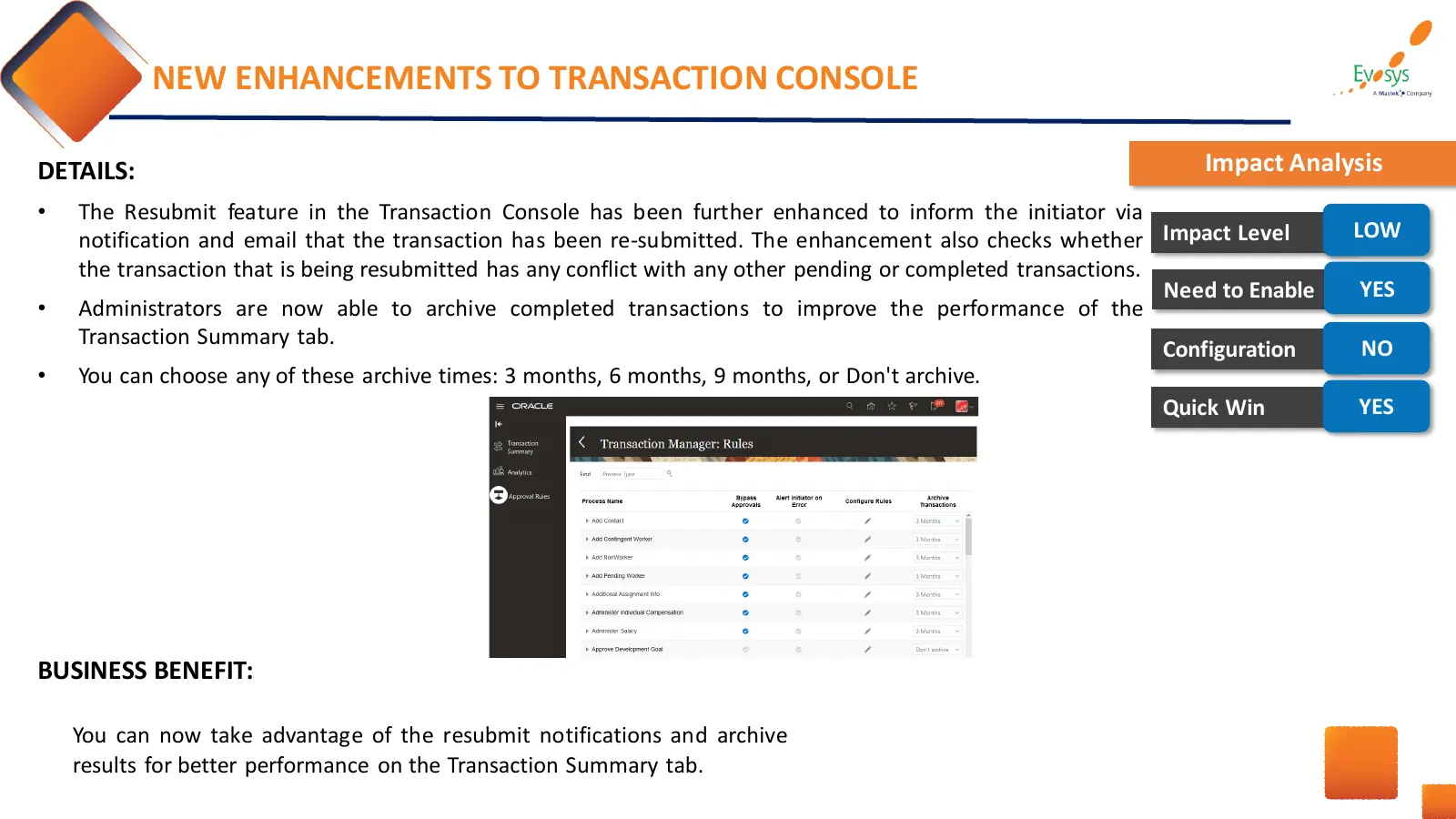
Slide 14: New Enhancements to Transaction Console
NEW ENHANCEMENTS TO TRANSACTION CONSOLE DETAILS: Impact Analysis • The Resubmit feature in the Transaction Console has been further enhanced to inform the initiator via notification and email that the transaction has been re-submitted. The enhancement also checks whether Impact Level LOW the transac
Slide 15: Hidden Attributes in Business Objects in Configure Business Objects Task
HIDDEN ATTRIBUTES IN BUSINESS OBJECTS IN CONFIGURE BUSINESS OBJECTS TASK Impact Analysis DETAILS: Impact Level LOW • A few attributes are hidden in their respective business objects and won't be available in manual groovy in Need to Enable YES the Configure Business Objects page. • Hence, manual gro
Slide 16: HCM Common Architecture
HCM COMMON ARCHITECTURE ASSOCIATE CONTEXTS TO QUESTIONS LOADED USING HDL Impact Analysis DETAILS: Impact Level LOW • You now can associate the contexts to questions that are loaded to the application using the HCM Data Loader. When users create Questions in Question Library for the Recruiting subscr
Slide 17: Define SFTP Configuration for HCM Extracts
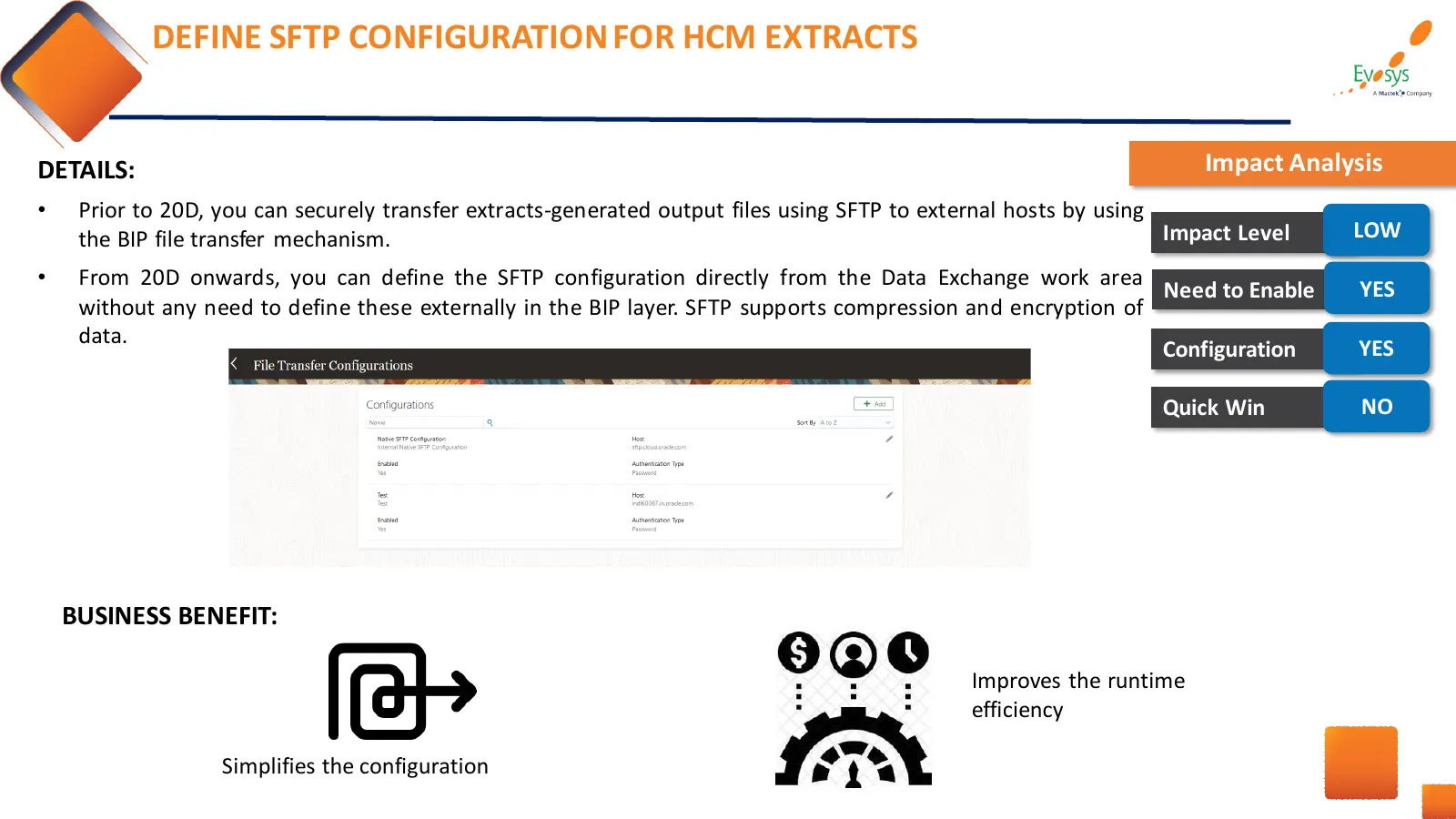
DEFINE SFTP CONFIGURATION FOR HCM EXTRACTS DETAILS: Impact Analysis • Prior to 20D, you can securely transfer extracts-generated output files using SFTP to external hosts by using the BIP file transfer mechanism. Impact Level LOW • From 20D onwards, you can define the SFTP configuration directly fro
Slide 18: New Features: Quick Wins - Default with No Configuration
NEW FEATURES QUICK WINS – Default with NO Configuration
Slide 19: Disposal of Person Extensible Flexfields from HCM Cloud
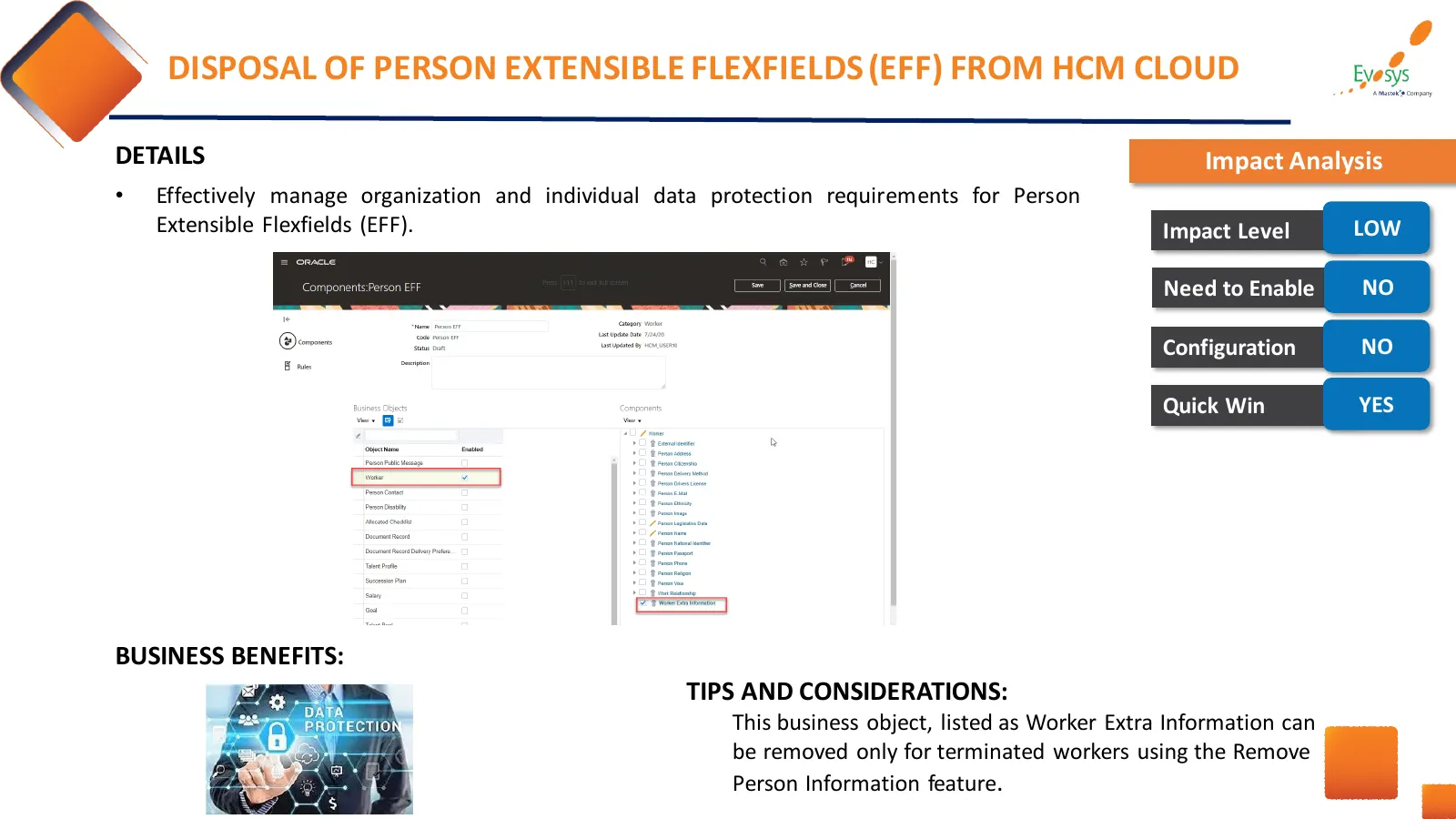
DISPOSAL OF PERSON EXTENSIBLE FLEXFIELDS (EFF) FROM HCM CLOUD DETAILS Impact Analysis • Effectively manage organization and individual data protection requirements for Person Extensible Flexfields (EFF). Impact Level LOW Need to Enable NO Configuration NO Quick Win YES BUSINESS BENEFITS: TIPS AND CO
Slide 20: Attachments Added to Request a New Position and Position Change
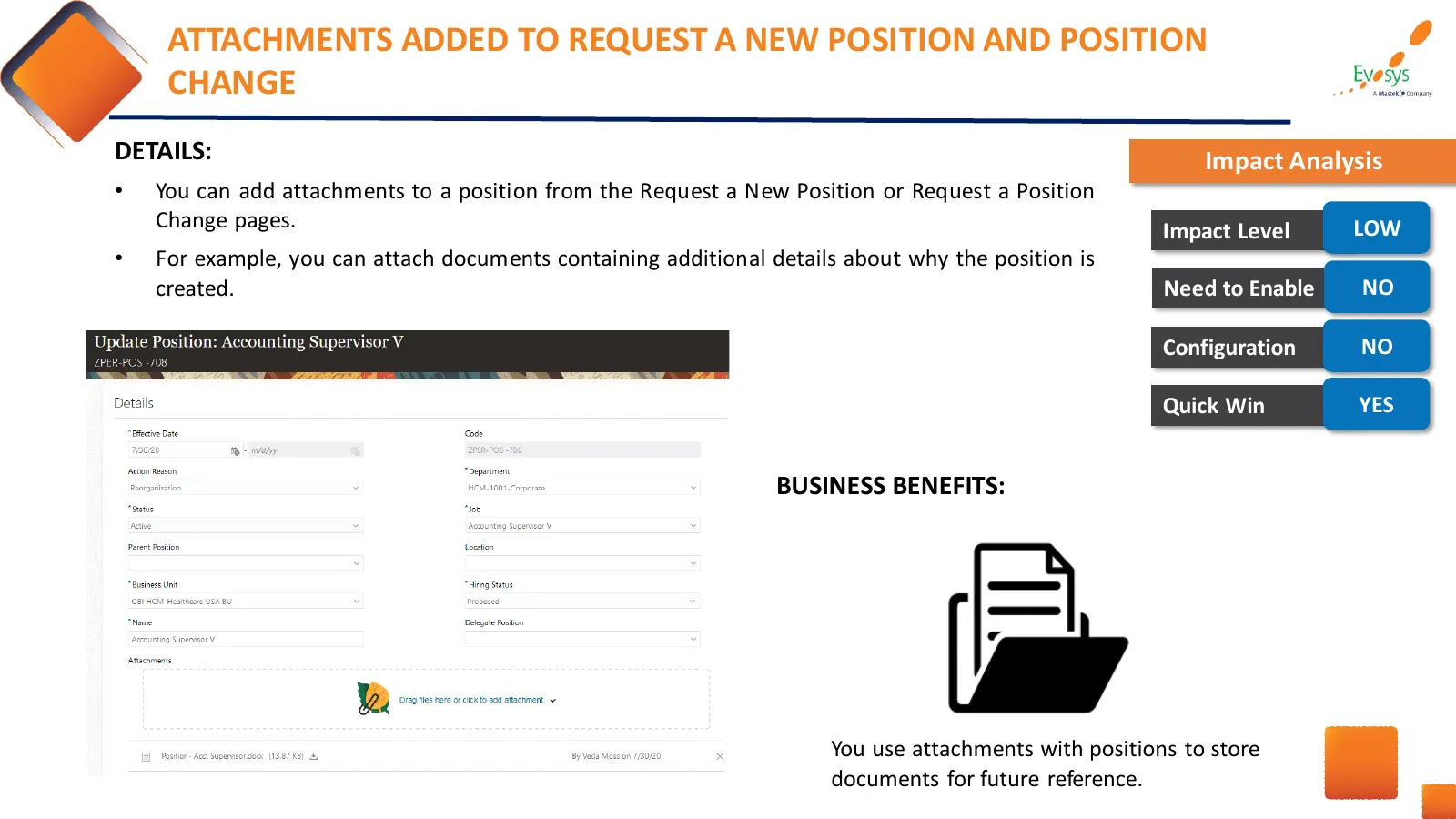
ATTACHMENTS ADDED TO REQUEST A NEW POSITION AND POSITION CHANGE DETAILS: Impact Analysis • You can add attachments to a position from the Request a New Position or Request a Position Change pages. Impact Level LOW • For example, you can attach documents containing additional details about why the po
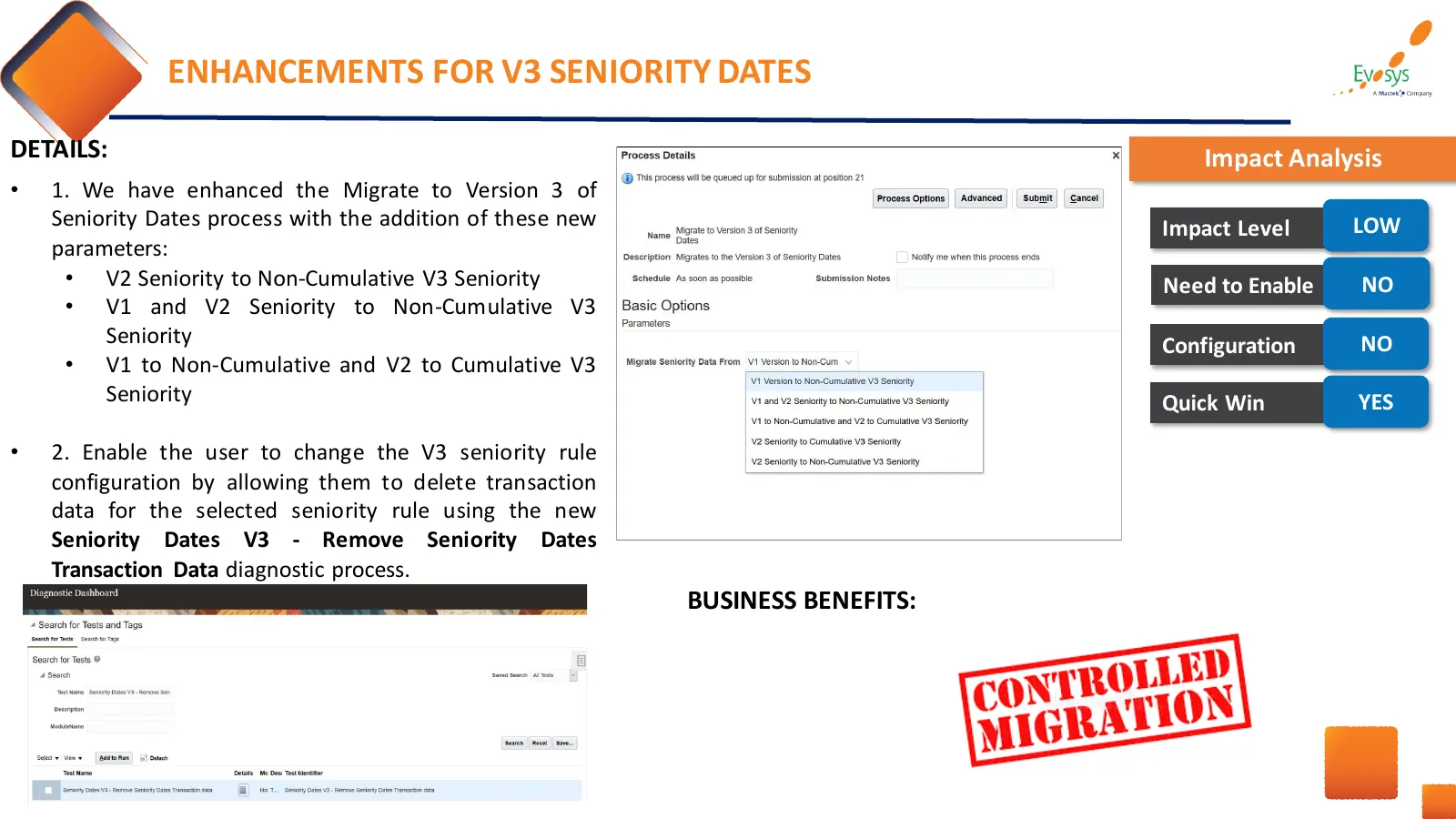
Slide 21: Enhancements for V3 Seniority Dates
ENHANCEMENTS FOR V3 SENIORITY DATES DETAILS: Impact Analysis • 1. We have enhanced the Migrate to Version 3 of Seniority Dates process with the addition of these new Impact Level LOW parameters: • V2 Seniority to Non-Cumulative V3 Seniority Need to Enable NO • V1 and V2 Seniority to Non-Cumulative V
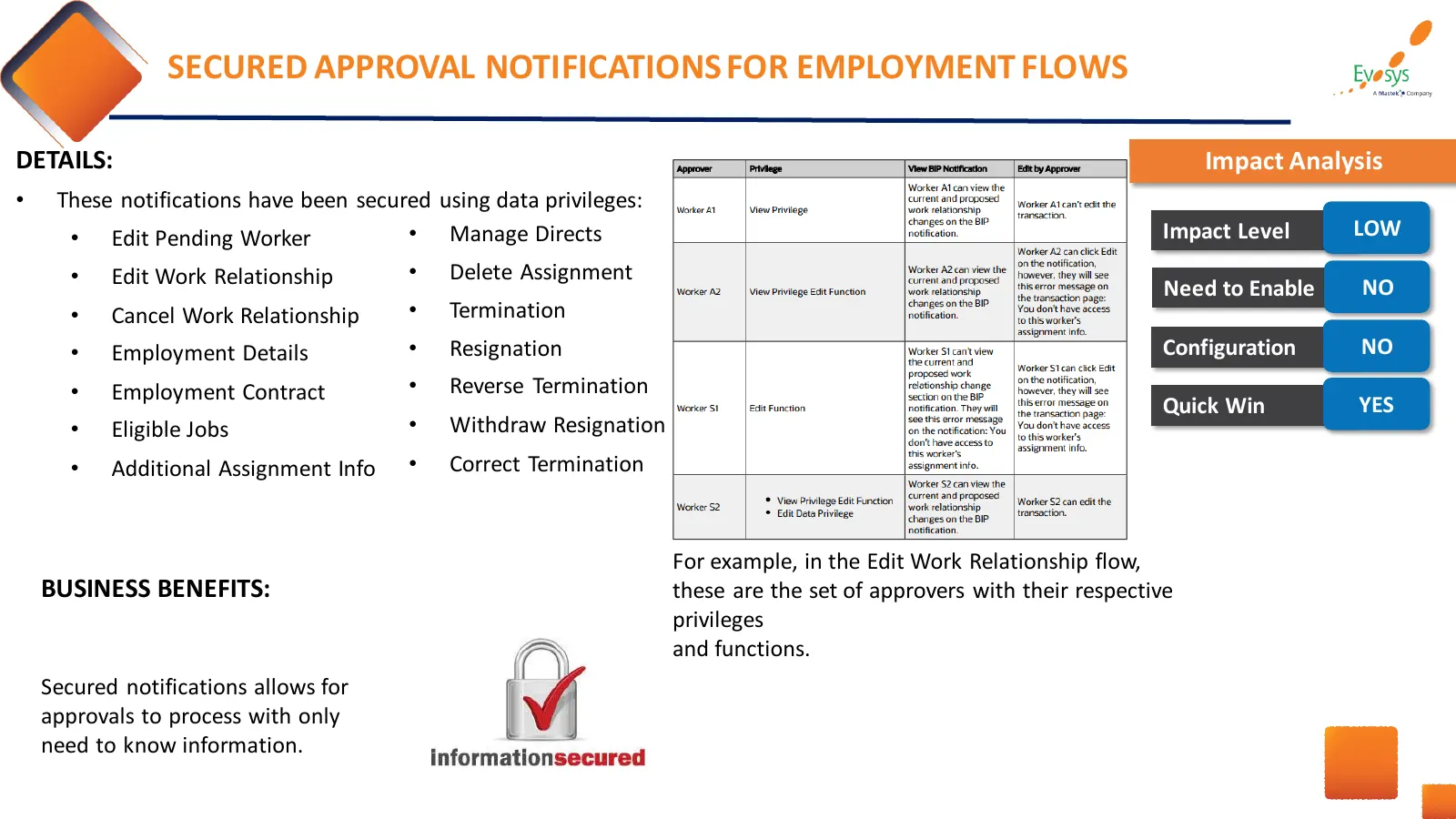
Slide 22: Secured Approval Notifications for Employment Flows
SECURED APPROVAL NOTIFICATIONS FOR EMPLOYMENT FLOWS DETAILS: Impact Analysis • These notifications have been secured using data privileges: • Edit Pending Worker • Manage Directs Impact Level LOW • Edit Work Relationship • Delete Assignment Need to Enable NO • Cancel Work Relationship • Termination
Slide 23: Allocated Checklist Deletion Enhanced
ALLOCATED CHECKLIST DELETION ENHANCED Impact Analysis DETAILS: • You can effectively streamline data protection requirements of individuals and the organization Impact Level LOW when deleting allocated checklists. • When you delete an allocated checklist, all associated tasks and data related to tho
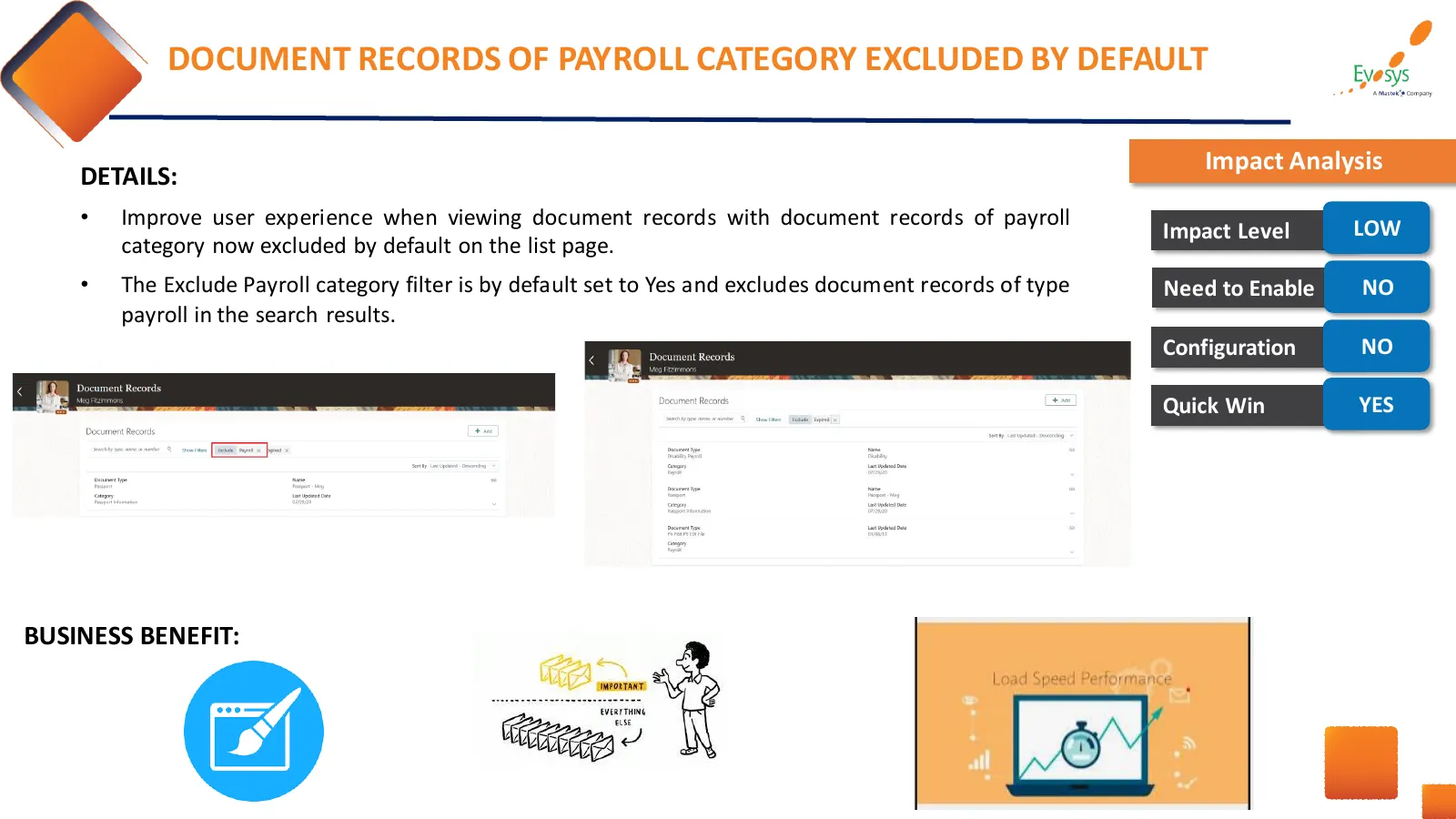
Slide 24: Document Records of Payroll Category Excluded by Default
DOCUMENT RECORDS OF PAYROLL CATEGORY EXCLUDED BY DEFAULT Impact Analysis DETAILS: • Improve user experience when viewing document records with document records of payroll LOW Impact Level category now excluded by default on the list page. • The Exclude Payroll category filter is by default set to Ye
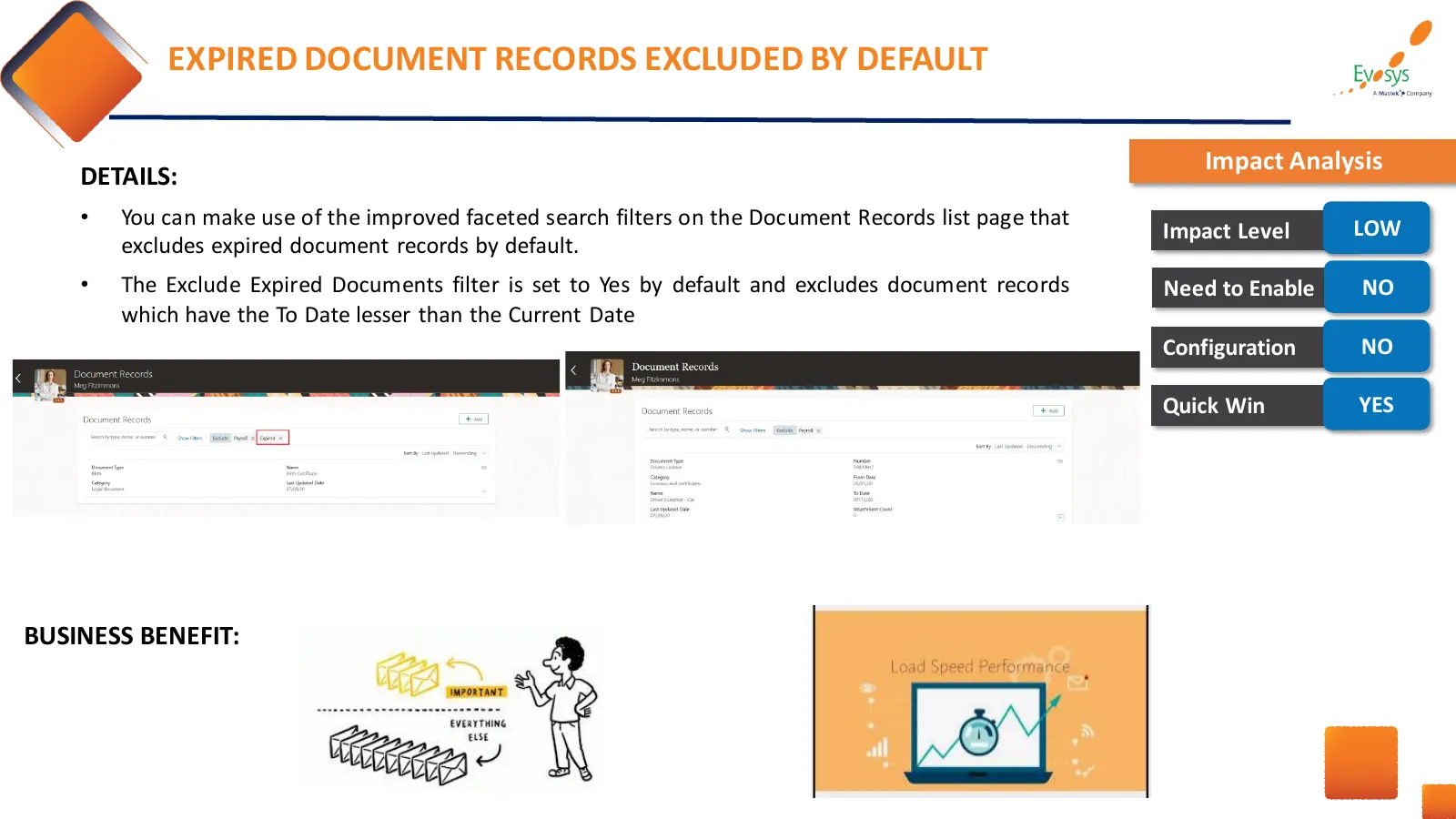
Slide 25: Expired Document Records Excluded by Default
EXPIRED DOCUMENT RECORDS EXCLUDED BY DEFAULT Impact Analysis DETAILS: • You can make use of the improved faceted search filters on the Document Records list page that LOW Impact Level excludes expired document records by default. • The Exclude Expired Documents filter is set to Yes by default and ex
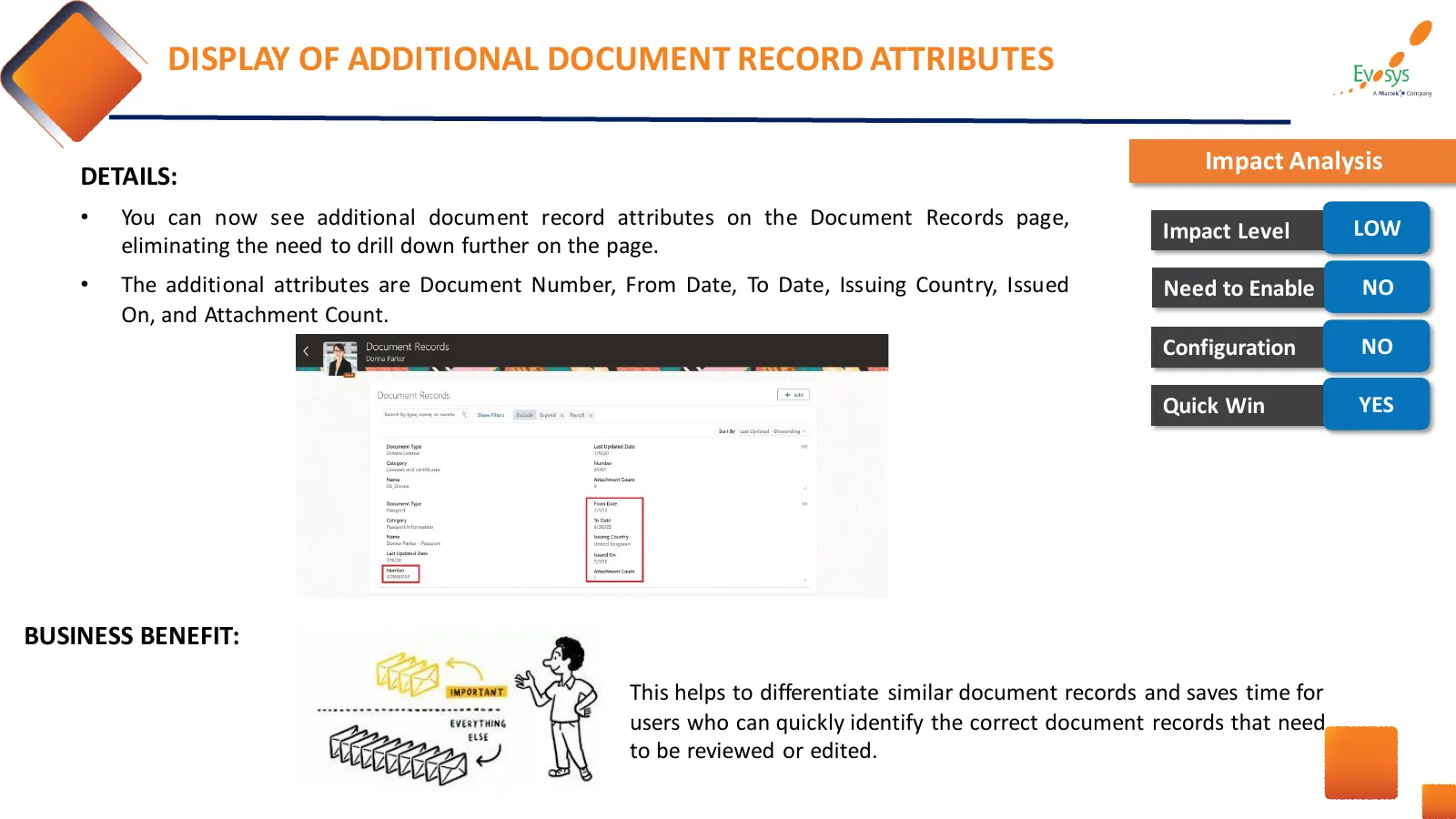
Slide 26: Display of Additional Document Record Attributes
DISPLAY OF ADDITIONAL DOCUMENT RECORD ATTRIBUTES Impact Analysis DETAILS: • You can now see additional document record attributes on the Document Records page, LOW Impact Level eliminating the need to drill down further on the page. • The additional attributes are Document Number, From Date, To Date
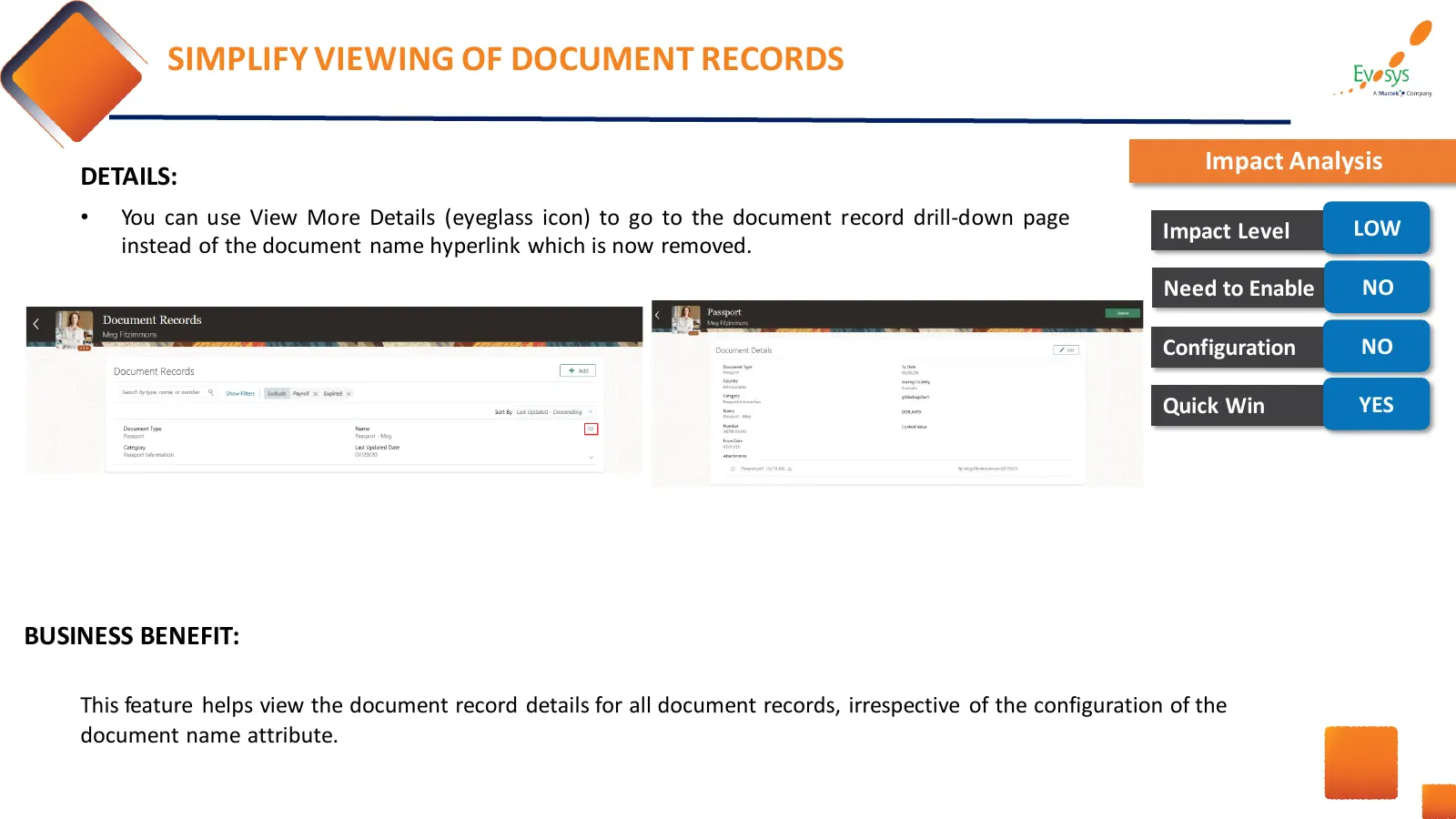
Slide 27: Simplify Viewing of Document Records
SIMPLIFY VIEWING OF DOCUMENT RECORDS Impact Analysis DETAILS: • You can use View More Details (eyeglass icon) to go to the document record drill-down page LOW Impact Level instead of the document name hyperlink which is now removed. Need to Enable NO Configuration NO Quick Win YES BUSINESS BENEFIT:
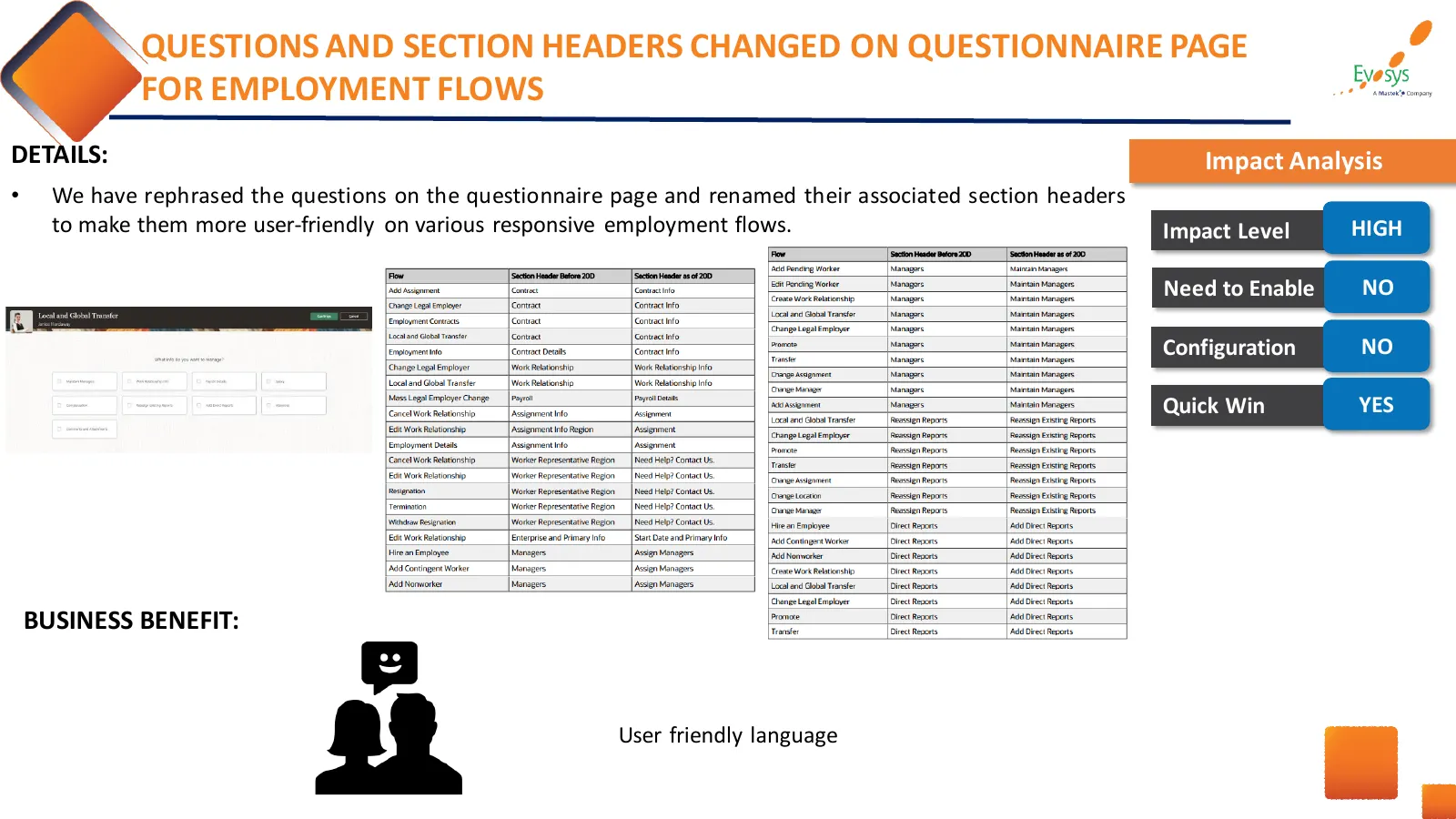
Slide 28: Questions and Section Headers Changed on Questionnaire Page
QUESTIONS AND SECTION HEADERS CHANGED ON QUESTIONNAIRE PAGE FOR EMPLOYMENT FLOWS DETAILS: Impact Analysis • We have rephrased the questions on the questionnaire page and renamed their associated section headers to make them more user-friendly on various responsive employment flows. Impact Level HIGH
Slide 29: Enhanced Grade Lookup in Retained Grade Context
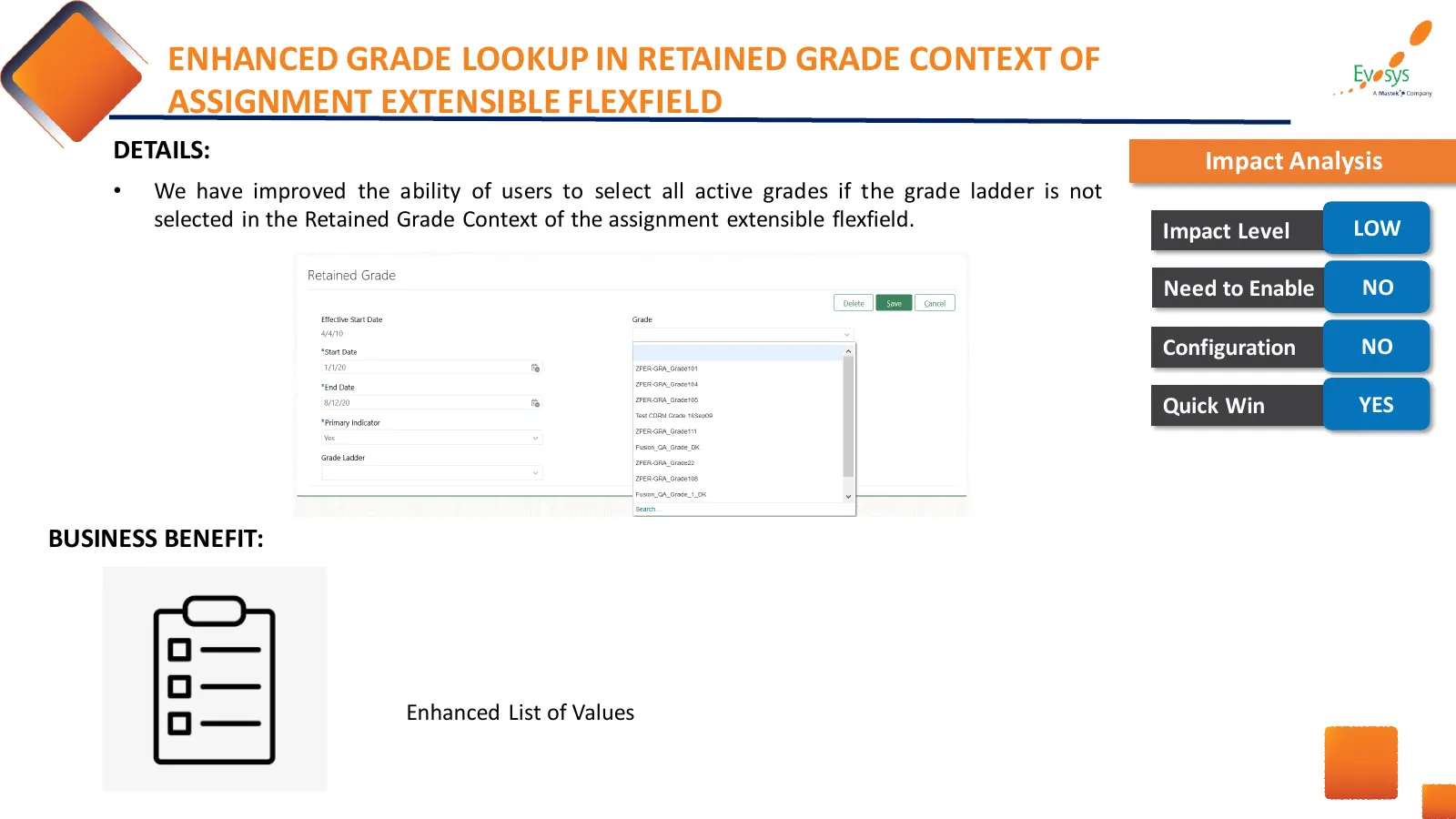
ENHANCED GRADE LOOKUP IN RETAINED GRADE CONTEXT OF ASSIGNMENT EXTENSIBLE FLEXFIELD DETAILS: Impact Analysis • We have improved the ability of users to select all active grades if the grade ladder is not selected in the Retained Grade Context of the assignment extensible flexfield. Impact Level LOW N
Slide 30: Edit an Allocated Checklist Task in Responsive Pages
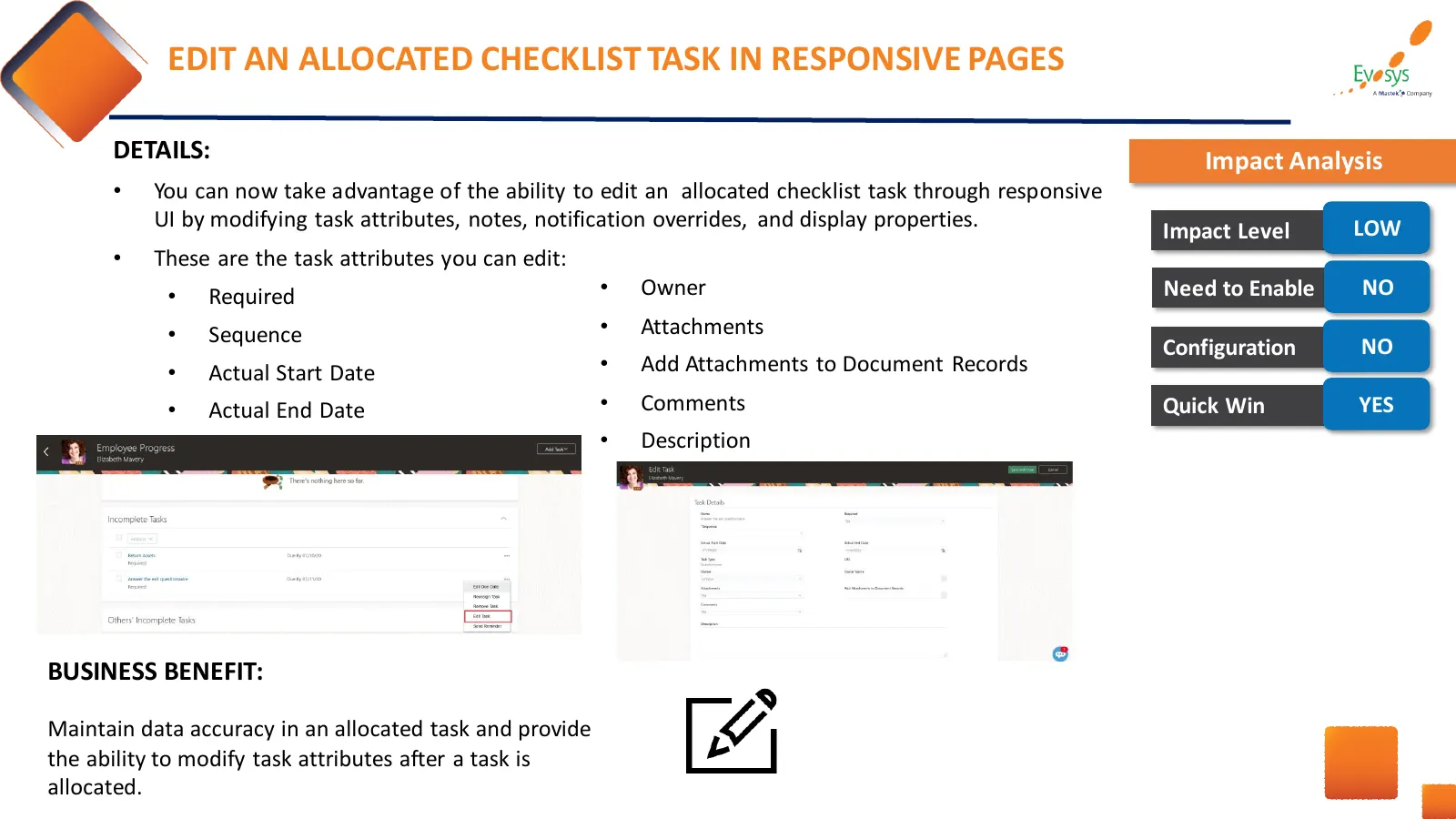
EDIT AN ALLOCATED CHECKLIST TASK IN RESPONSIVE PAGES DETAILS: Impact Analysis • You can now take advantage of the ability to edit an allocated checklist task through responsive UI by modifying task attributes, notes, notification overrides, and display properties. Impact Level LOW • These are the ta
Slide 31: Edit an Allocated Checklist in Responsive Allocate Checklists
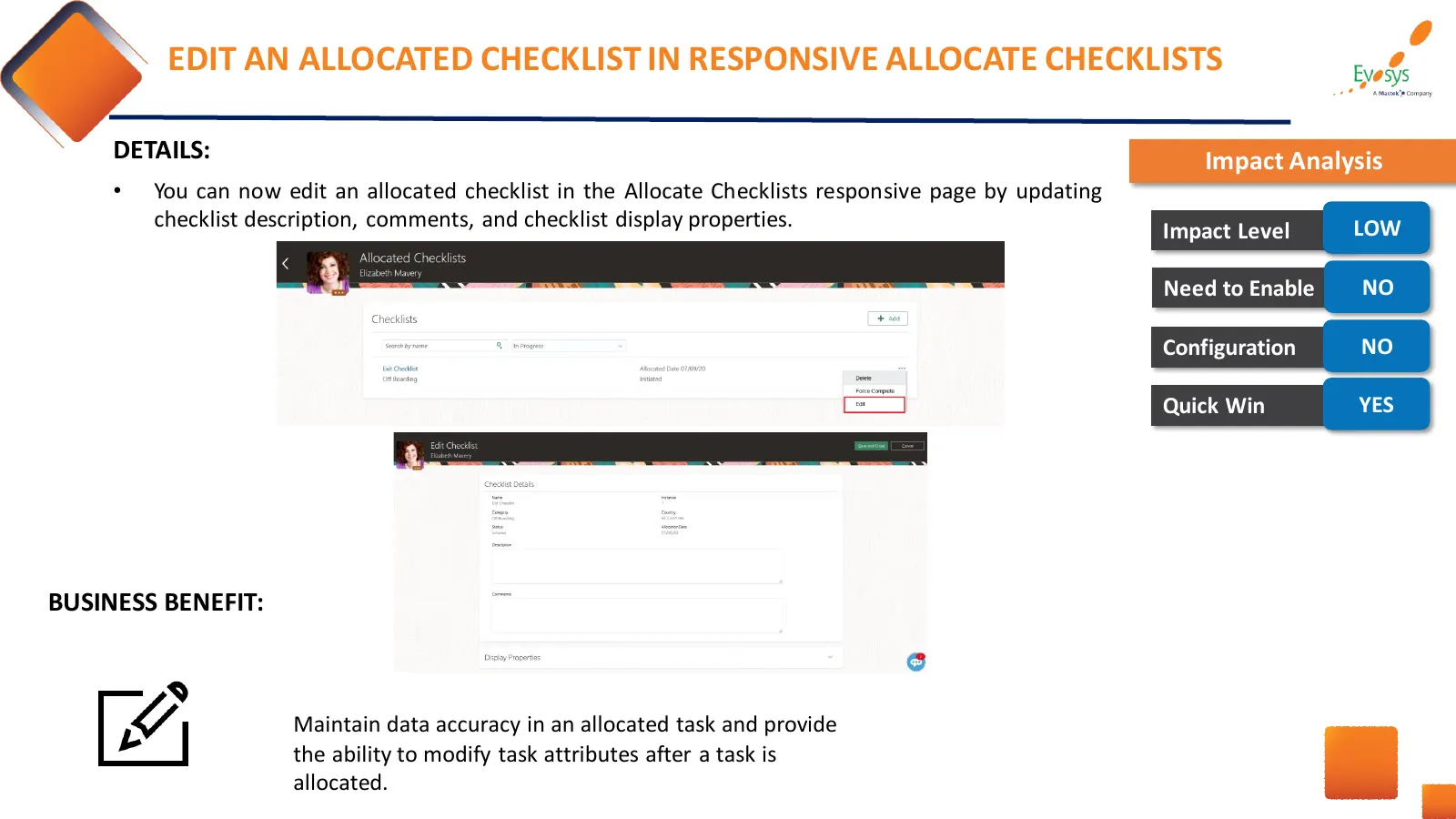
EDIT AN ALLOCATED CHECKLIST IN RESPONSIVE ALLOCATE CHECKLISTS DETAILS: Impact Analysis • You can now edit an allocated checklist in the Allocate Checklists responsive page by updating checklist description, comments, and checklist display properties. Impact Level LOW Need to Enable NO Configuration
Slide 32: Ability to Mass Reassign Checklist Tasks
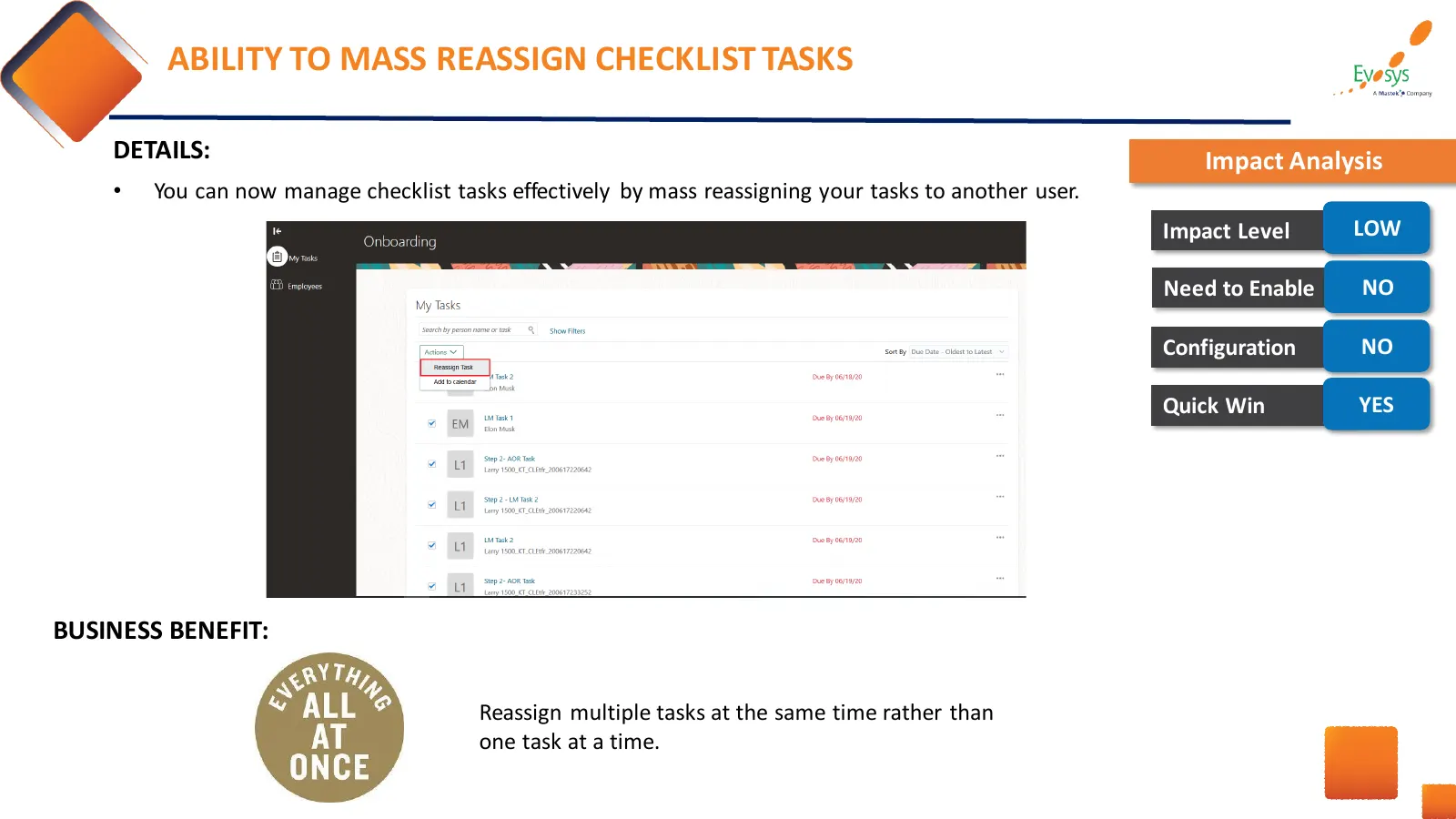
ABILITY TO MASS REASSIGN CHECKLIST TASKS DETAILS: Impact Analysis • You can now manage checklist tasks effectively by mass reassigning your tasks to another user. Impact Level LOW Need to Enable NO Configuration NO Quick Win YES BUSINESS BENEFIT: Reassign multiple tasks at the same time rather than
Slide 33: Additional Person Info as a Checklist Application Task
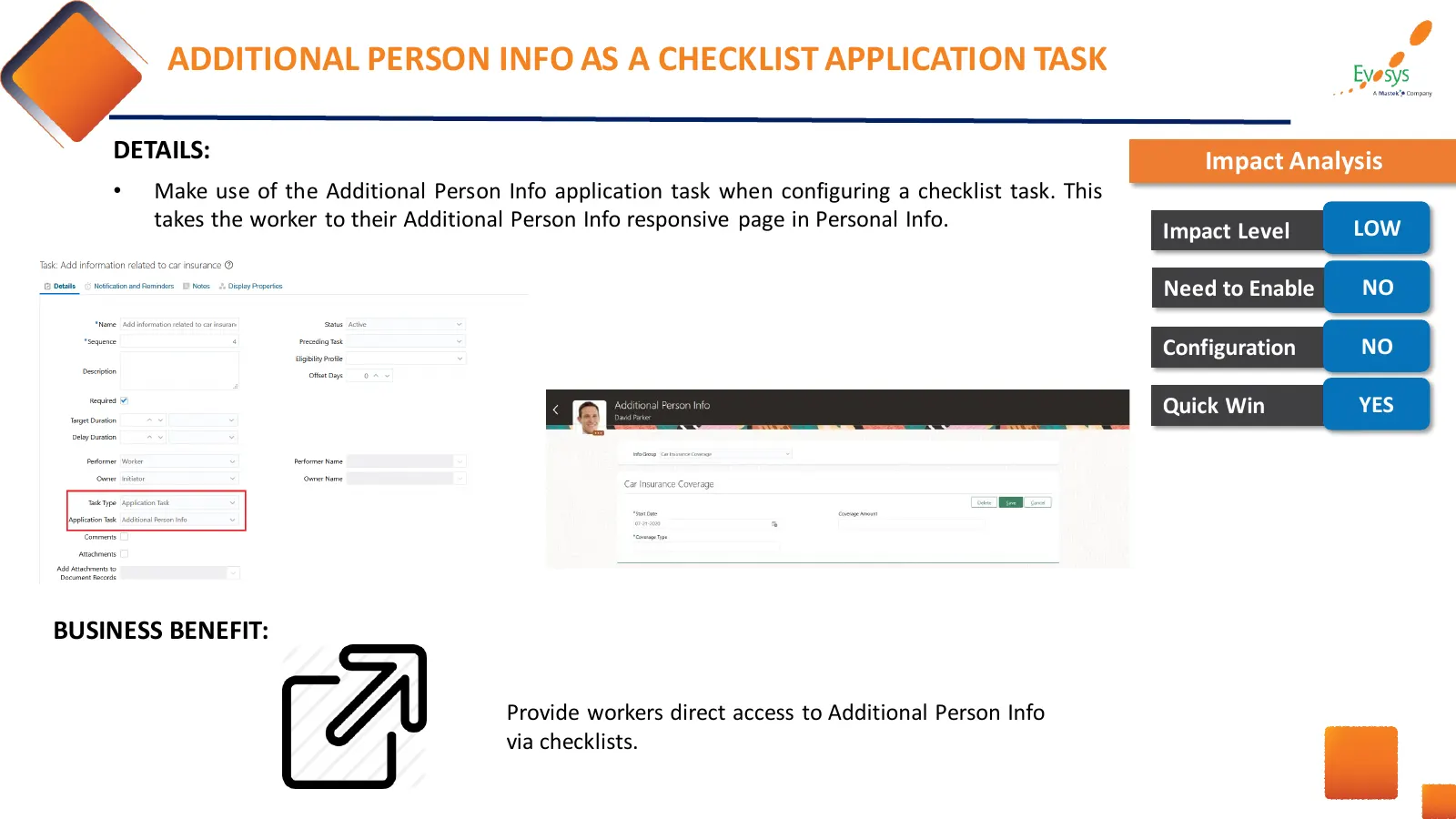
ADDITIONAL PERSON INFO AS A CHECKLIST APPLICATION TASK DETAILS: Impact Analysis • Make use of the Additional Person Info application task when configuring a checklist task. This takes the worker to their Additional Person Info responsive page in Personal Info. Impact Level LOW Need to Enable NO Conf
Slide 34: Contract Validation (HCM Swiss)
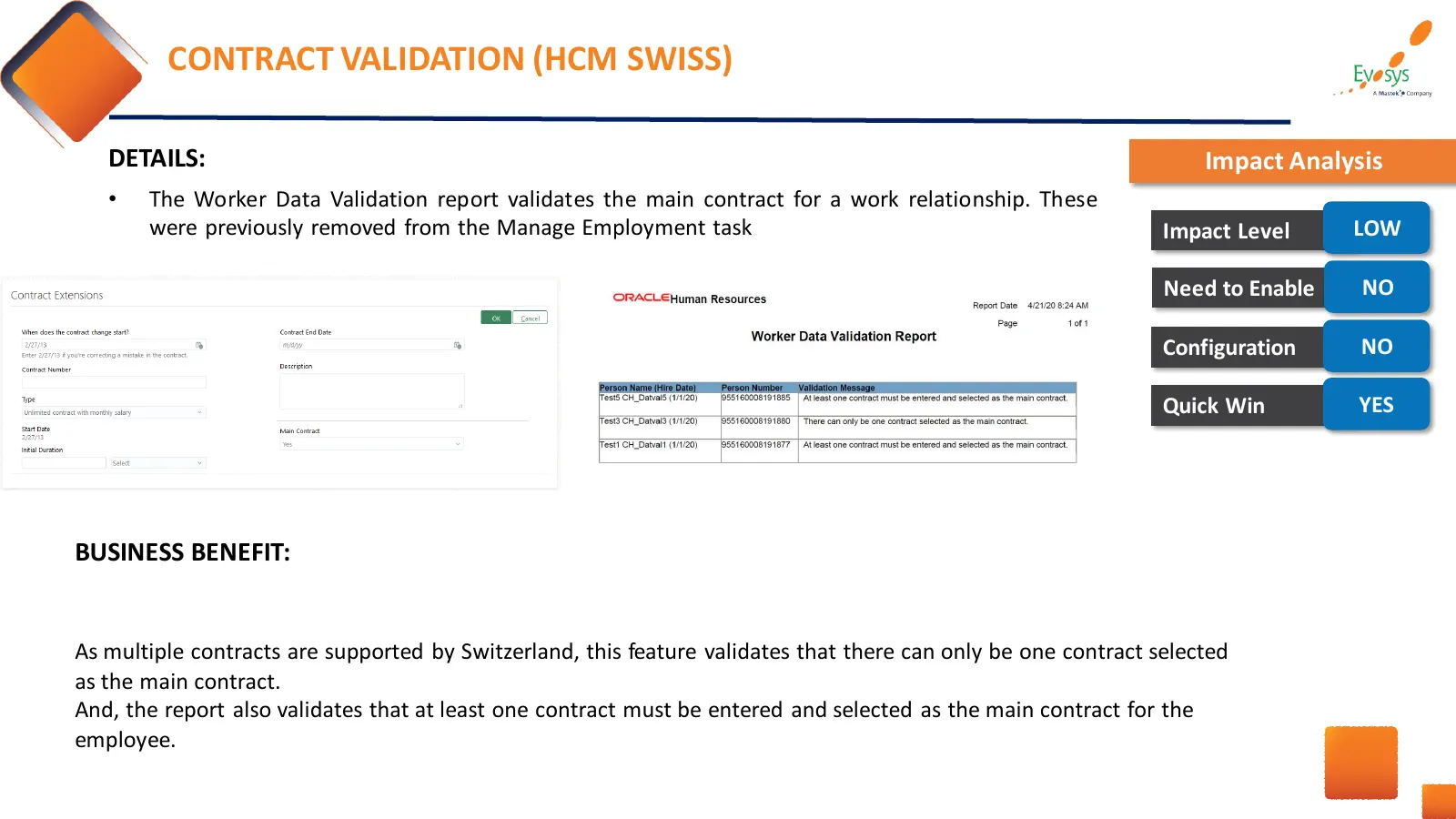
CONTRACT VALIDATION (HCM SWISS) DETAILS: Impact Analysis • The Worker Data Validation report validates the main contract for a work relationship. These were previously removed from the Manage Employment task Impact Level LOW Need to Enable NO Configuration NO Quick Win YES BUSINESS BENEFIT: As multi
Slide 35: Dutch Full Name Formats (HCM Netherlands)
DUTCH FULL NAME FORMATS (HCM NETHERLANDS) Impact Analysis DETAILS: • These additional name components are available in the Dutch Name Style: HIGH Impact Level • Partner Prefix • Partner Last Name Need to Enable NO • Name Format Configuration NO • Optionally, you can record an employee's partner's na
Slide 36: Ability to Mark a Team as Private (Wellness & Volunteering)
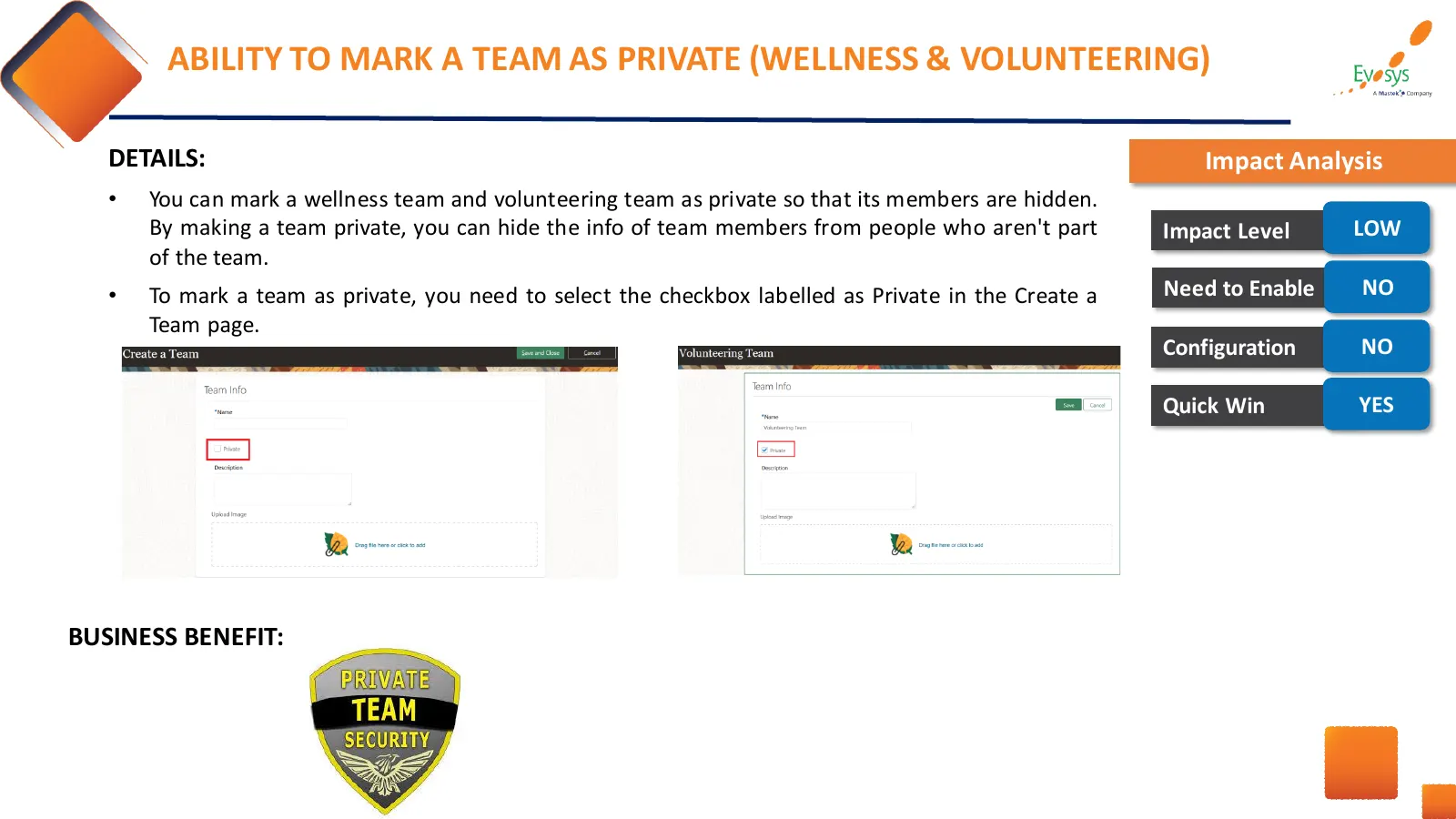
ABILITY TO MARK A TEAM AS PRIVATE (WELLNESS & VOLUNTEERING) DETAILS: Impact Analysis • You can mark a wellness team and volunteering team as private so that its members are hidden. By making a team private, you can hide the info of team members from people who aren't part Impact Level LOW of the tea
Slide 37: Stakeholder Section (H&S)
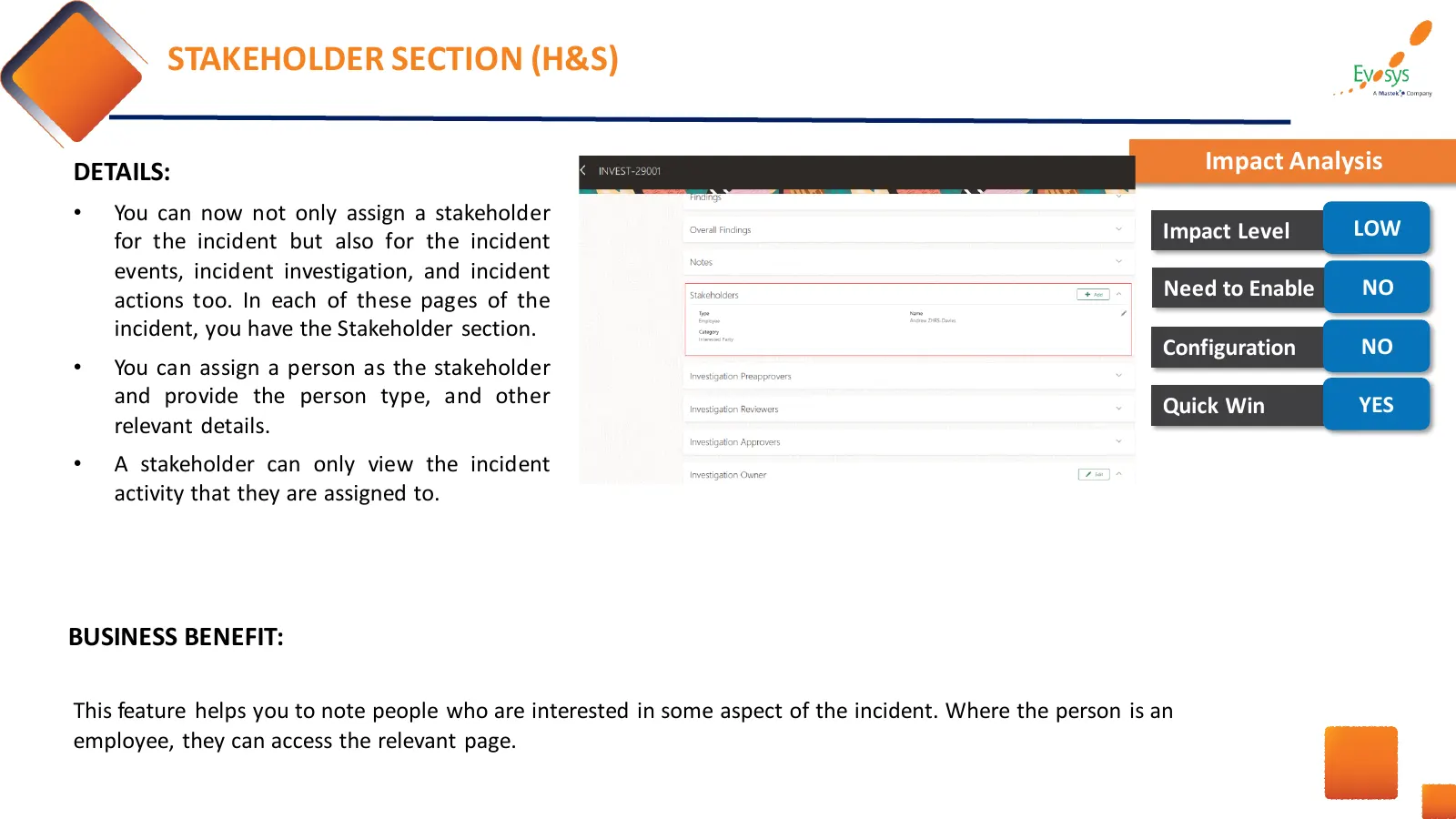
STAKEHOLDER SECTION (H&S) DETAILS: Impact Analysis • You can now not only assign a stakeholder Impact Level LOW for the incident but also for the incident events, incident investigation, and incident Need to Enable NO actions too. In each of these pages of the incident, you have the Stakeholder sect
Slide 38: Additional Filters for Incident List View (H&S)
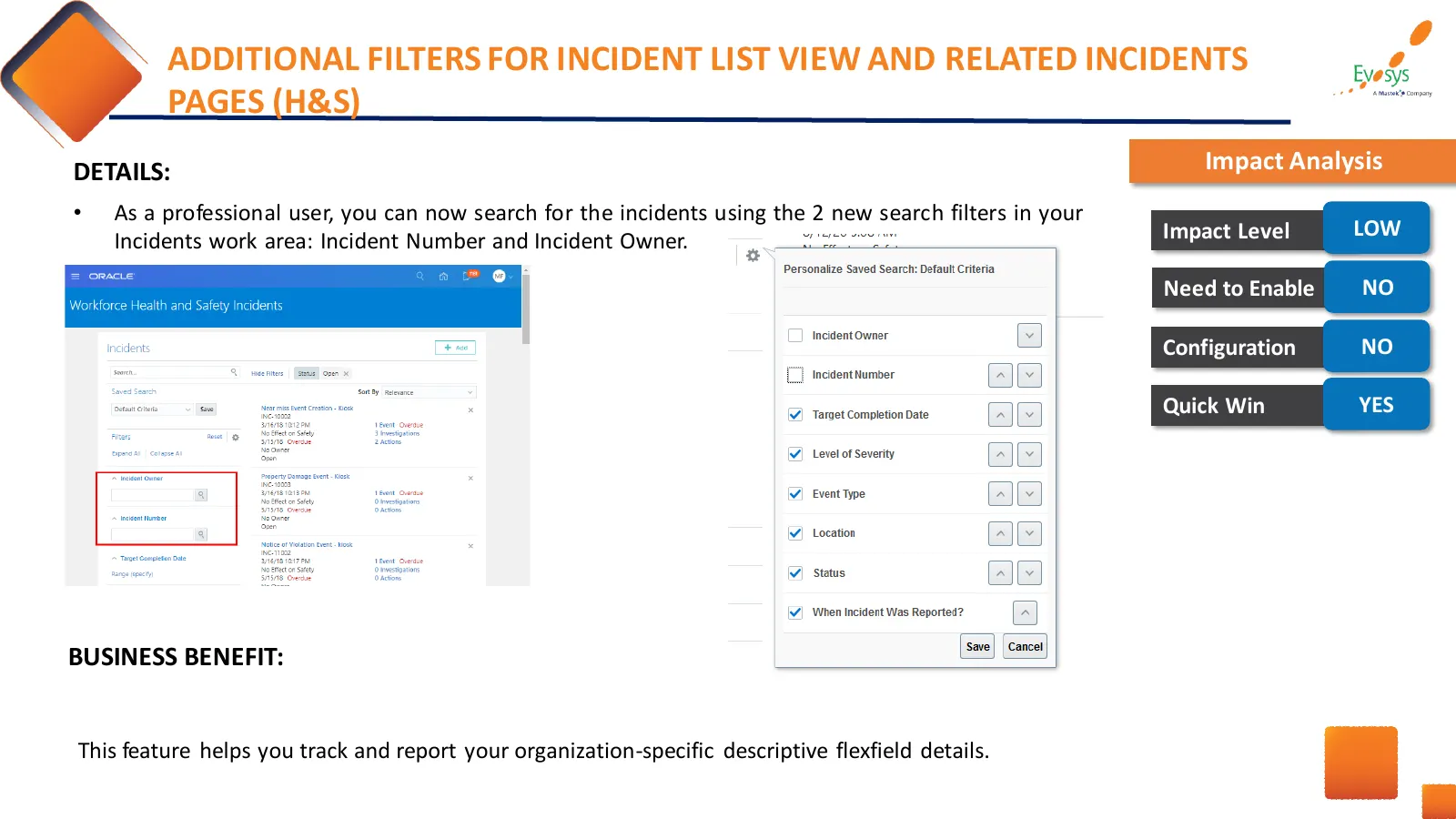
ADDITIONAL FILTERS FOR INCIDENT LIST VIEW AND RELATED INCIDENTS PAGES (H&S) DETAILS: Impact Analysis • As a professional user, you can now search for the incidents using the 2 new search filters in your Impact Level LOW Incidents work area: Incident Number and Incident Owner. Need to Enable NO Confi
Slide 39: New Features: Quick Wins - Default with Yes Configuration
NEW FEATURES QUICK WINS – Default with YES Configuration
Slide 40: Disabling of Lookup Codes from Communication Method Lookup
DISABLING OF LOOKUP CODES FROM COMMUNICATION METHOD LOOKUP DETAILS: Impact Analysis • The following lookup codes are disabled in the Communication Method (PER_CM_MTHD) lookup type: Impact Level LOW • FX: meaning Fax • VML: meaning Voice mail Need to Enable NO • The lookup codes were disabled because
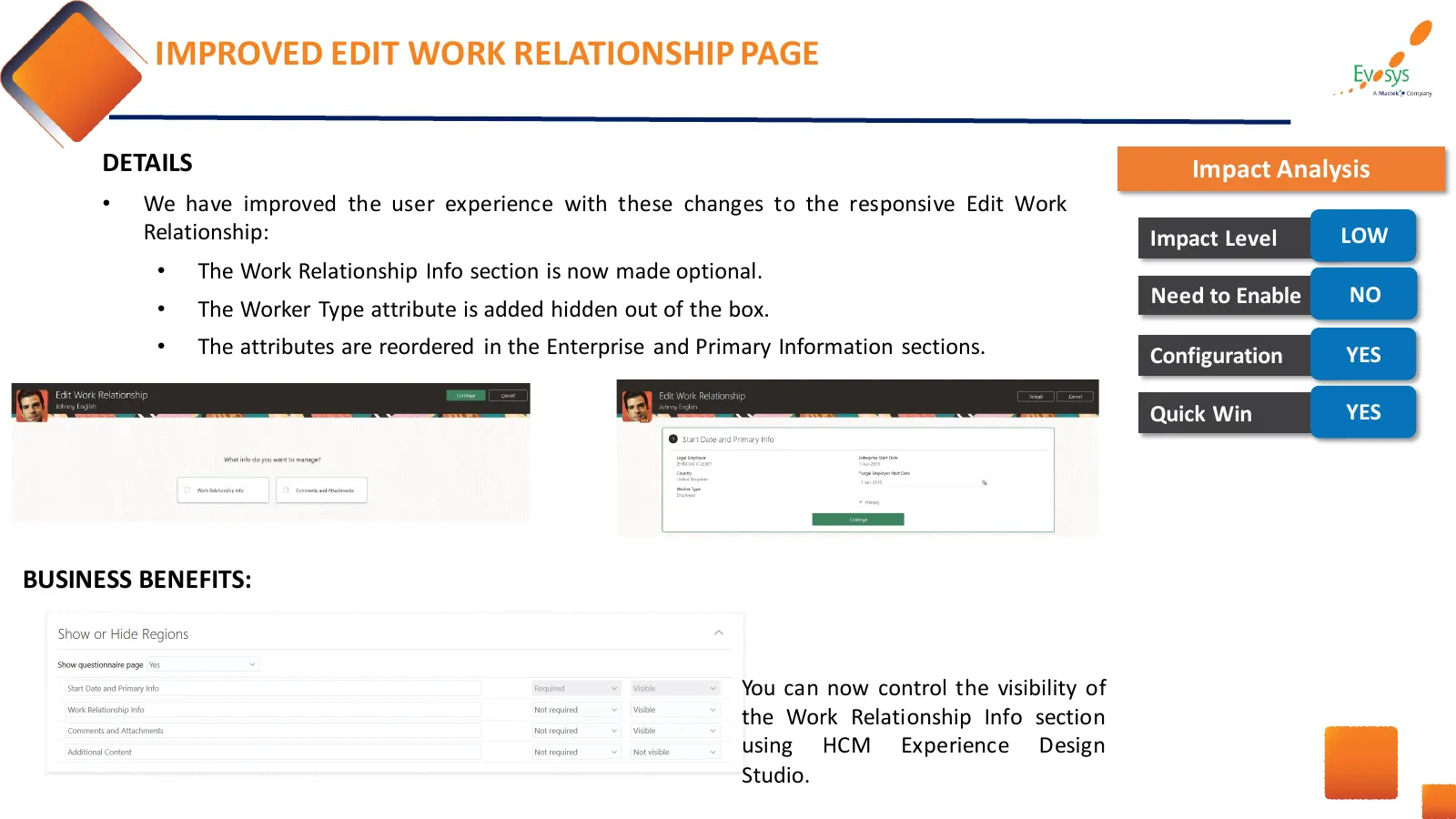
Slide 41: Improved Edit Work Relationship Page
IMPROVED EDIT WORK RELATIONSHIP PAGE DETAILS Impact Analysis • We have improved the user experience with these changes to the responsive Edit Work Relationship: Impact Level LOW • The Work Relationship Info section is now made optional. Need to Enable NO • The Worker Type attribute is added hidden o
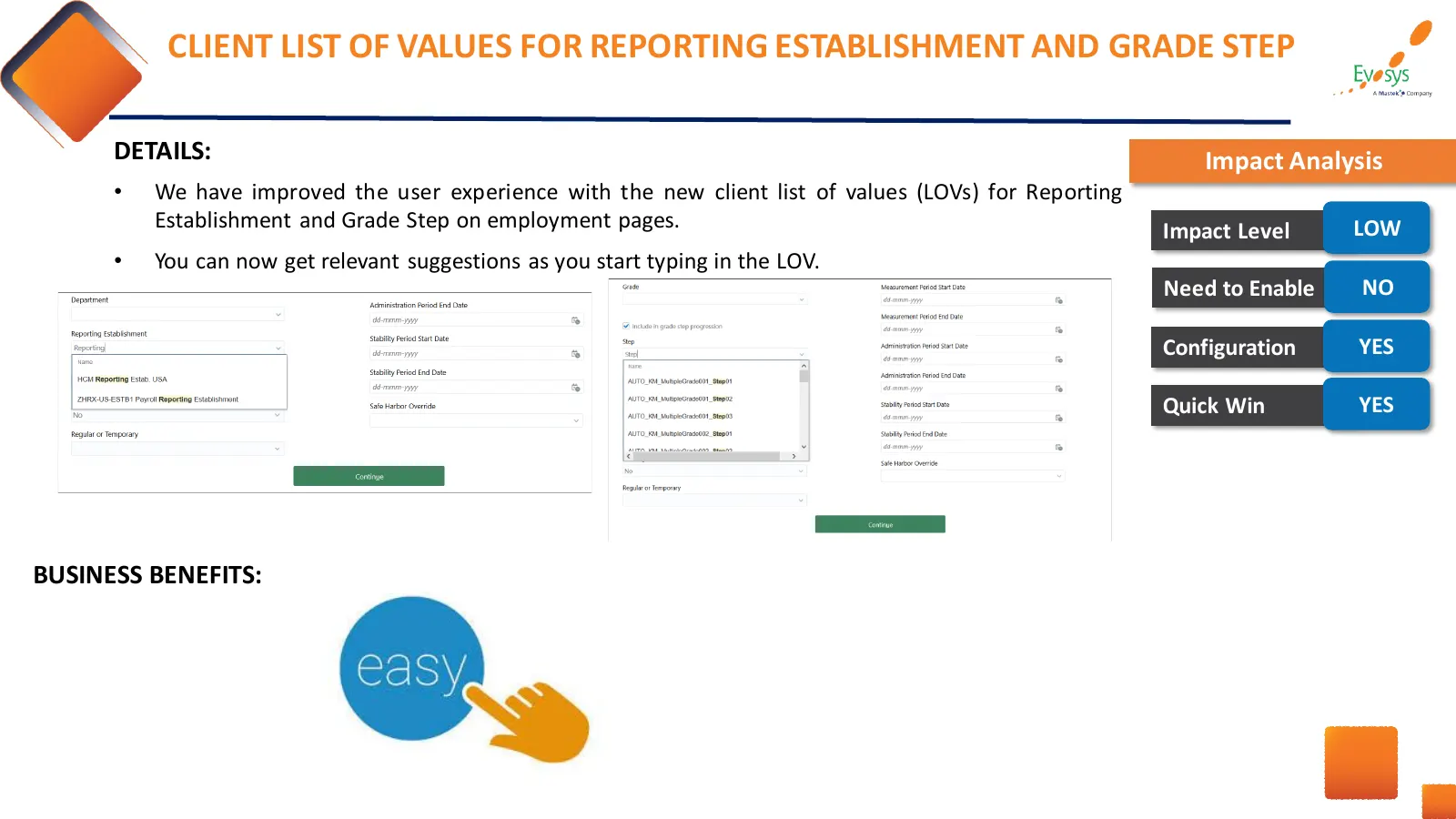
Slide 42: Client List of Values for Reporting Establishment and Grade Step
CLIENT LIST OF VALUES FOR REPORTING ESTABLISHMENT AND GRADE STEP DETAILS: Impact Analysis • We have improved the user experience with the new client list of values (LOVs) for Reporting Establishment and Grade Step on employment pages. Impact Level LOW • You can now get relevant suggestions as you st
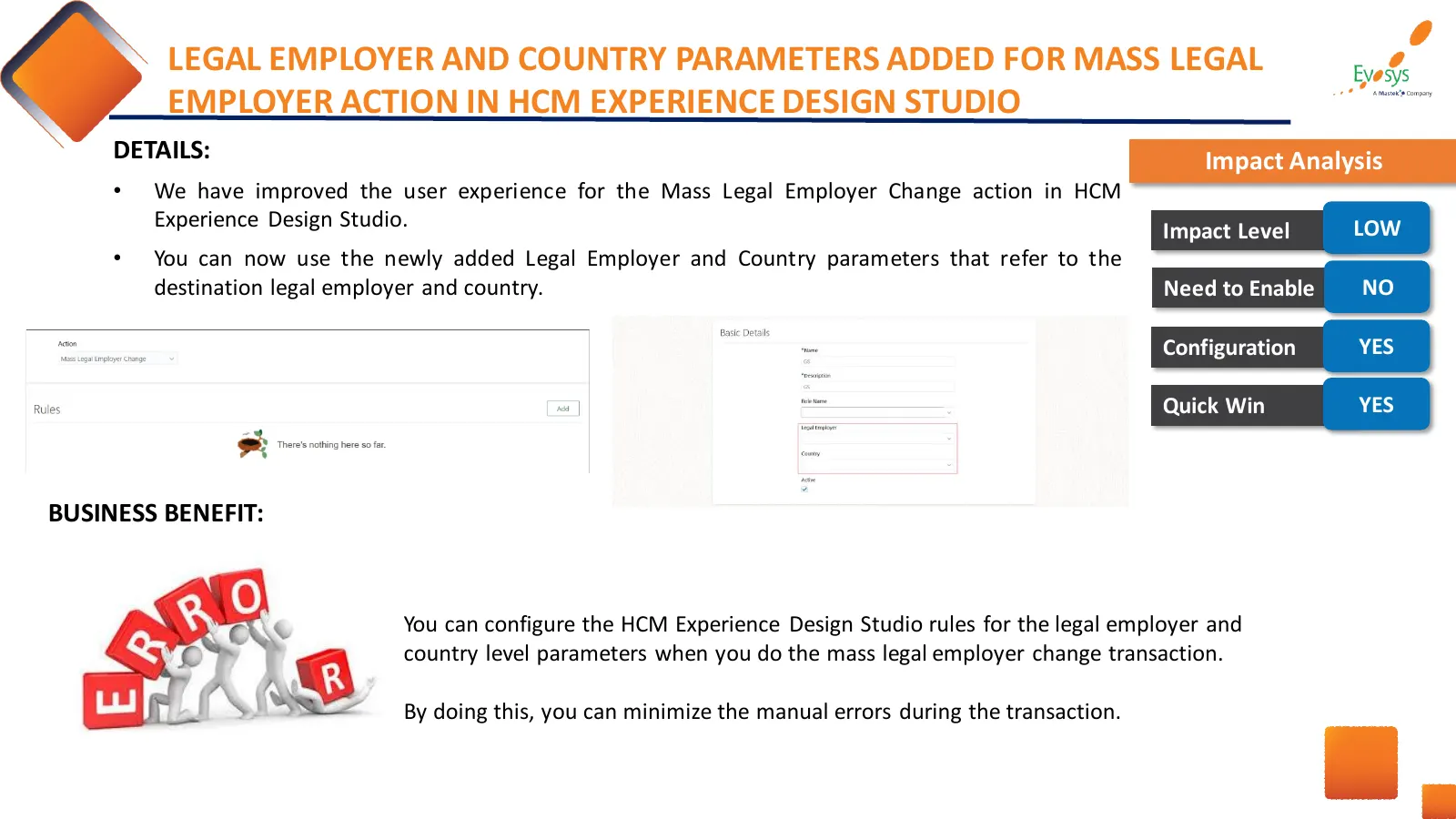
Slide 43: Legal Employer and Country Parameters for Mass Legal Employer Action
LEGAL EMPLOYER AND COUNTRY PARAMETERS ADDED FOR MASS LEGAL EMPLOYER ACTION IN HCM EXPERIENCE DESIGN STUDIO DETAILS: Impact Analysis • We have improved the user experience for the Mass Legal Employer Change action in HCM Experience Design Studio. Impact Level LOW • You can now use the newly added Leg
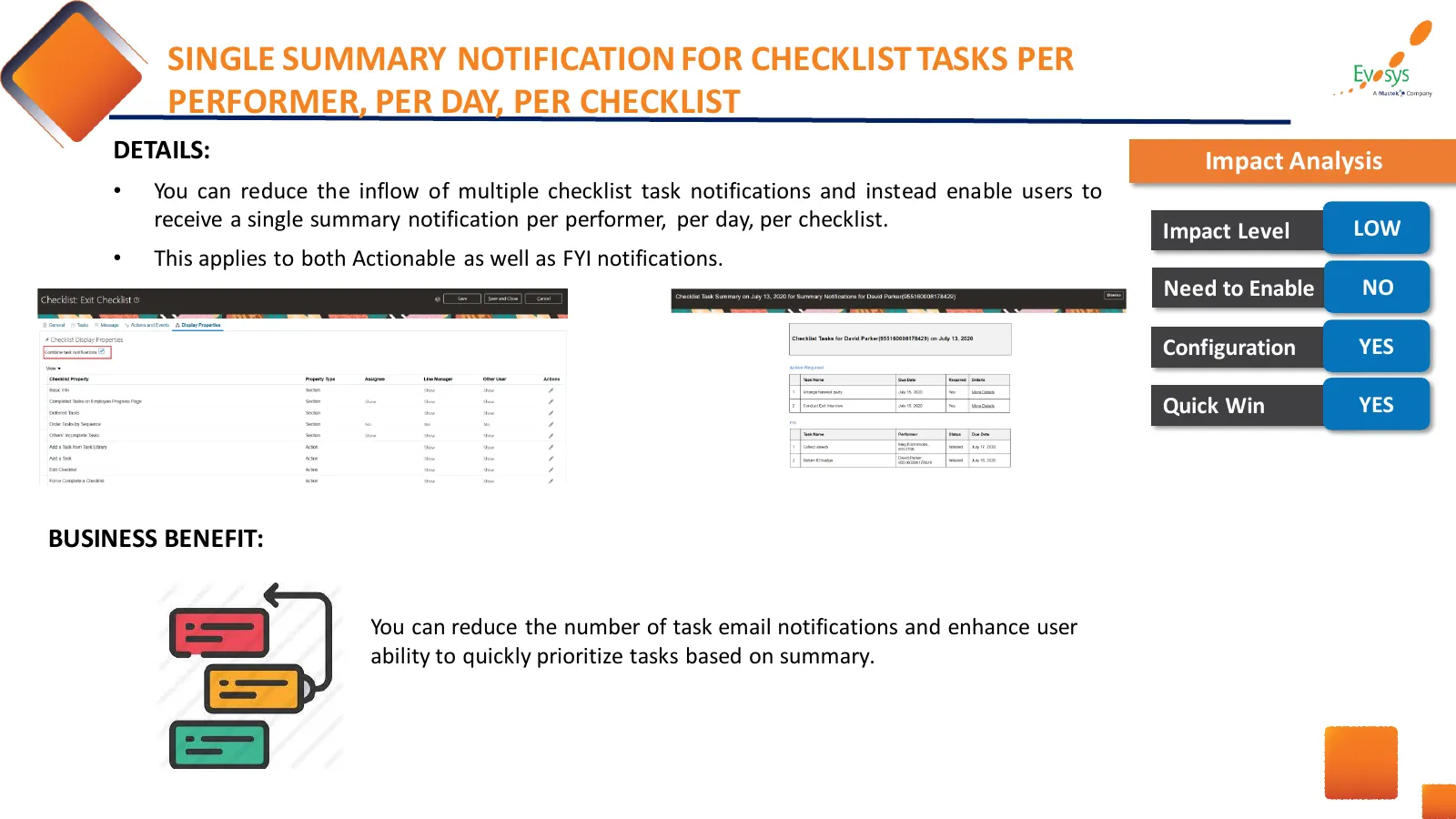
Slide 44: Single Summary Notification for Checklist Tasks
SINGLE SUMMARY NOTIFICATION FOR CHECKLIST TASKS PER PERFORMER, PER DAY, PER CHECKLIST DETAILS: Impact Analysis • You can reduce the inflow of multiple checklist task notifications and instead enable users to receive a single summary notification per performer, per day, per checklist. Impact Level LO
Slide 45: View Volunteering History
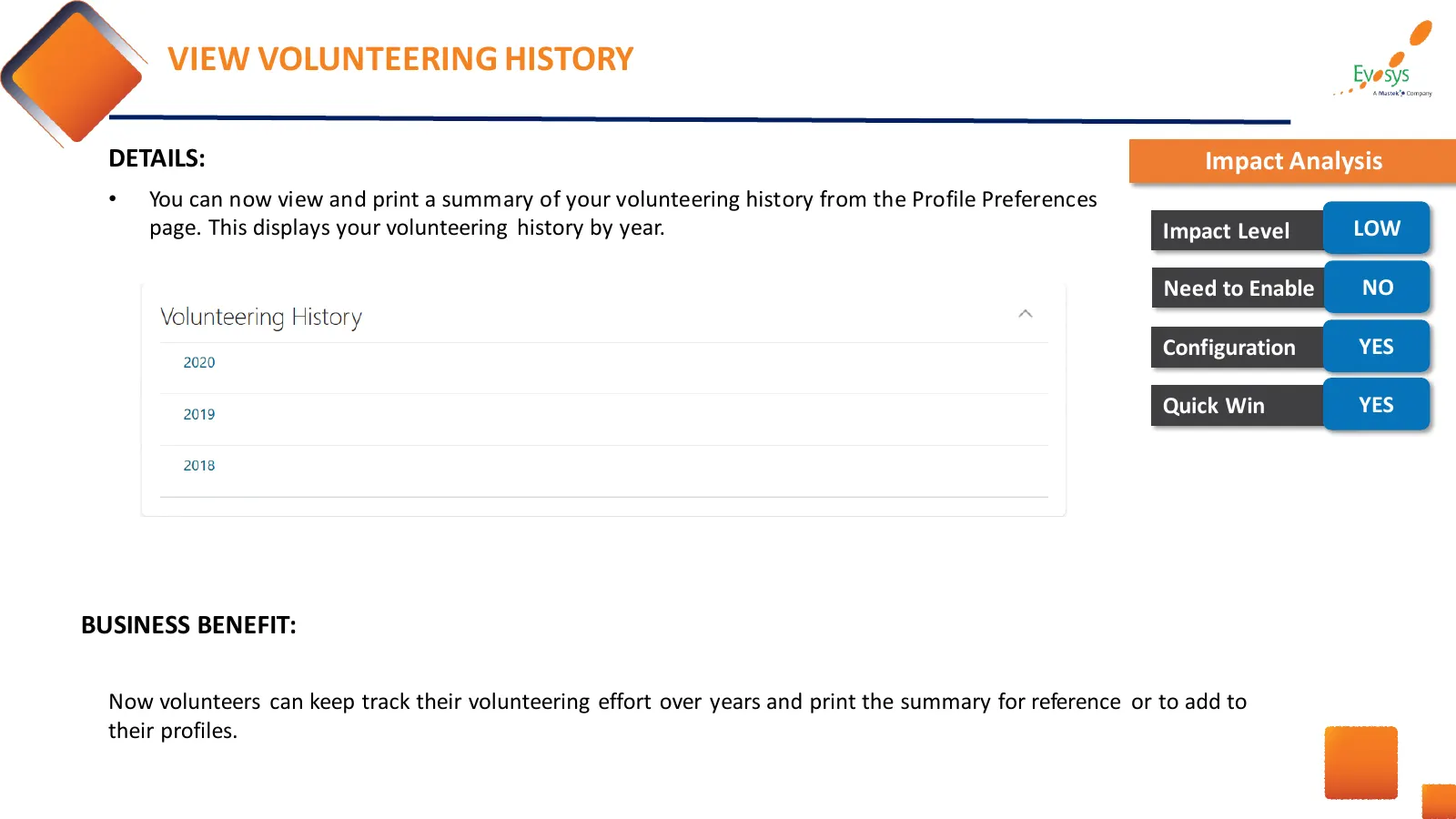
VIEW VOLUNTEERING HISTORY DETAILS: Impact Analysis • You can now view and print a summary of your volunteering history from the Profile Preferences page. This displays your volunteering history by year. Impact Level LOW Need to Enable NO Configuration YES Quick Win YES BUSINESS BENEFIT: Now voluntee
Slide 46: New Features: Quick Wins - Opt Ins
NEW FEATURES QUICK WINS – Opt Ins
Slide 47: Remove Phone Country Default
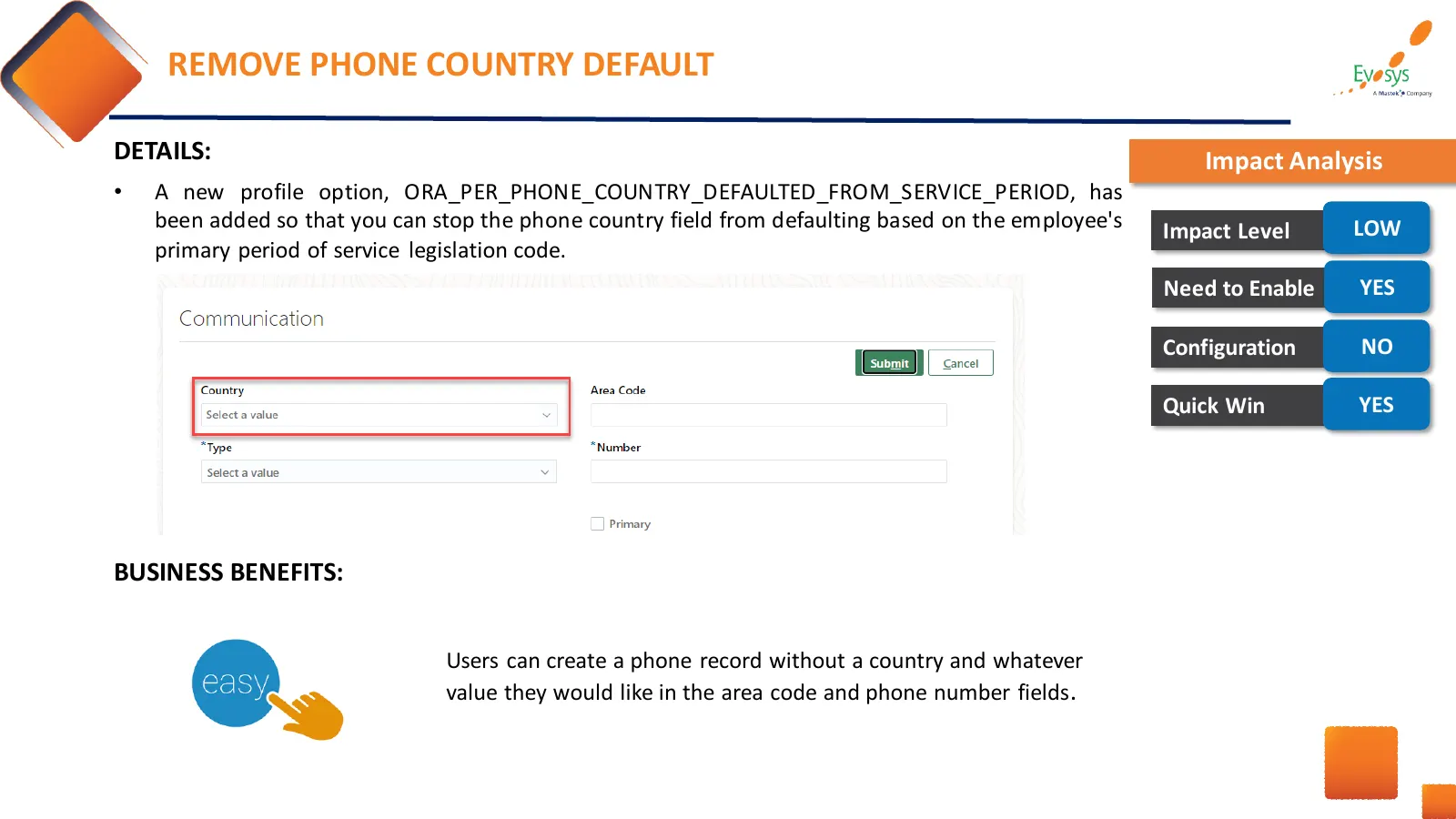
REMOVE PHONE COUNTRY DEFAULT DETAILS: Impact Analysis • A new profile option, ORA_PER_PHONE_COUNTRY_DEFAULTED_FROM_SERVICE_PERIOD, has been added so that you can stop the phone country field from defaulting based on the employee's Impact Level LOW primary period of service legislation code. Need to
Slide 48: Position Management: New Attributes in HCM Position Hierarchy
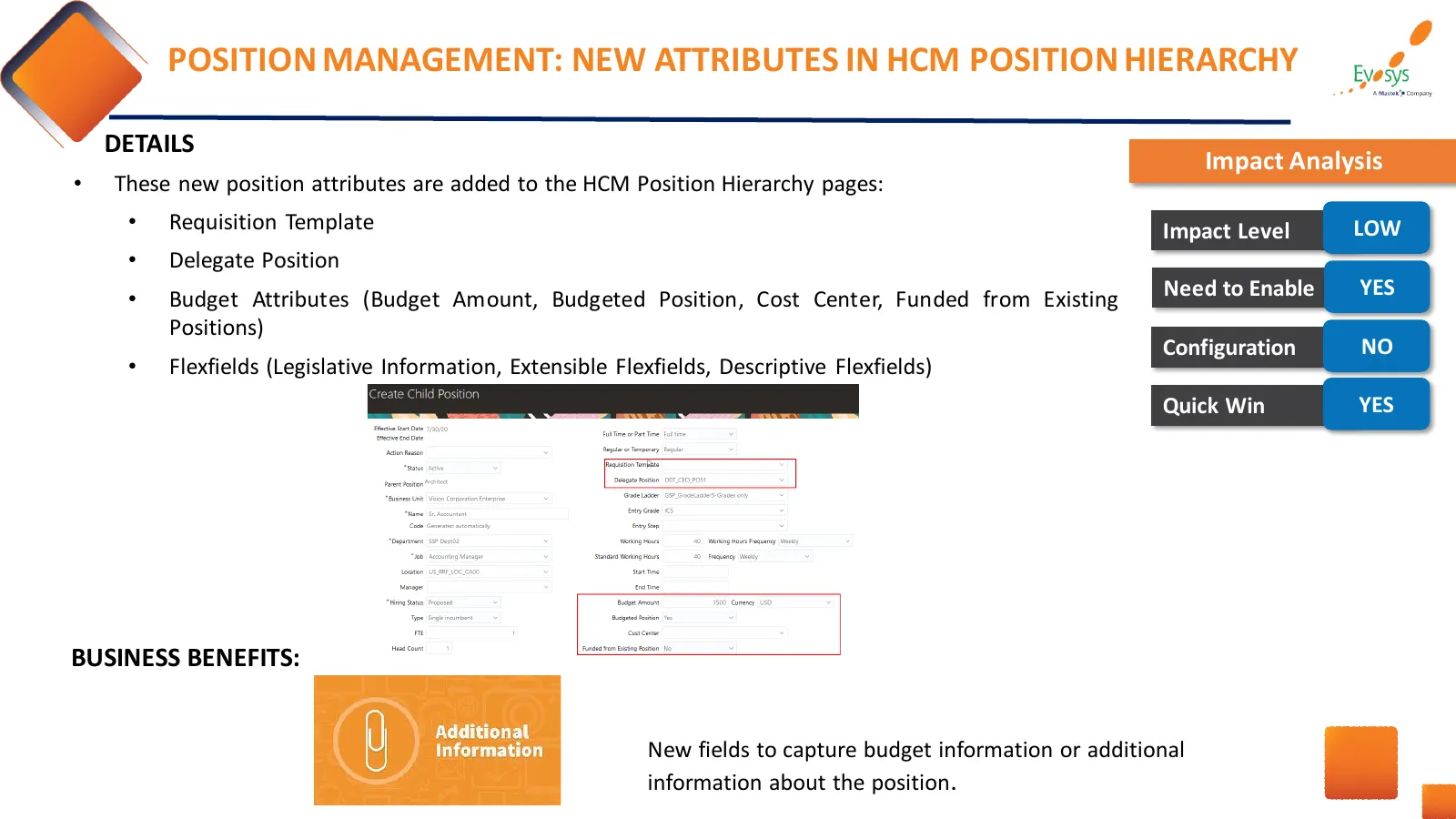
POSITION MANAGEMENT: NEW ATTRIBUTES IN HCM POSITION HIERARCHY DETAILS Impact Analysis • These new position attributes are added to the HCM Position Hierarchy pages: • Requisition Template Impact Level LOW • Delegate Position Need to Enable YES • Budget Attributes (Budget Amount, Budgeted Position, C
Slide 49: Assignment Weekly Working Hours Section Added to Responsive Employment Flows
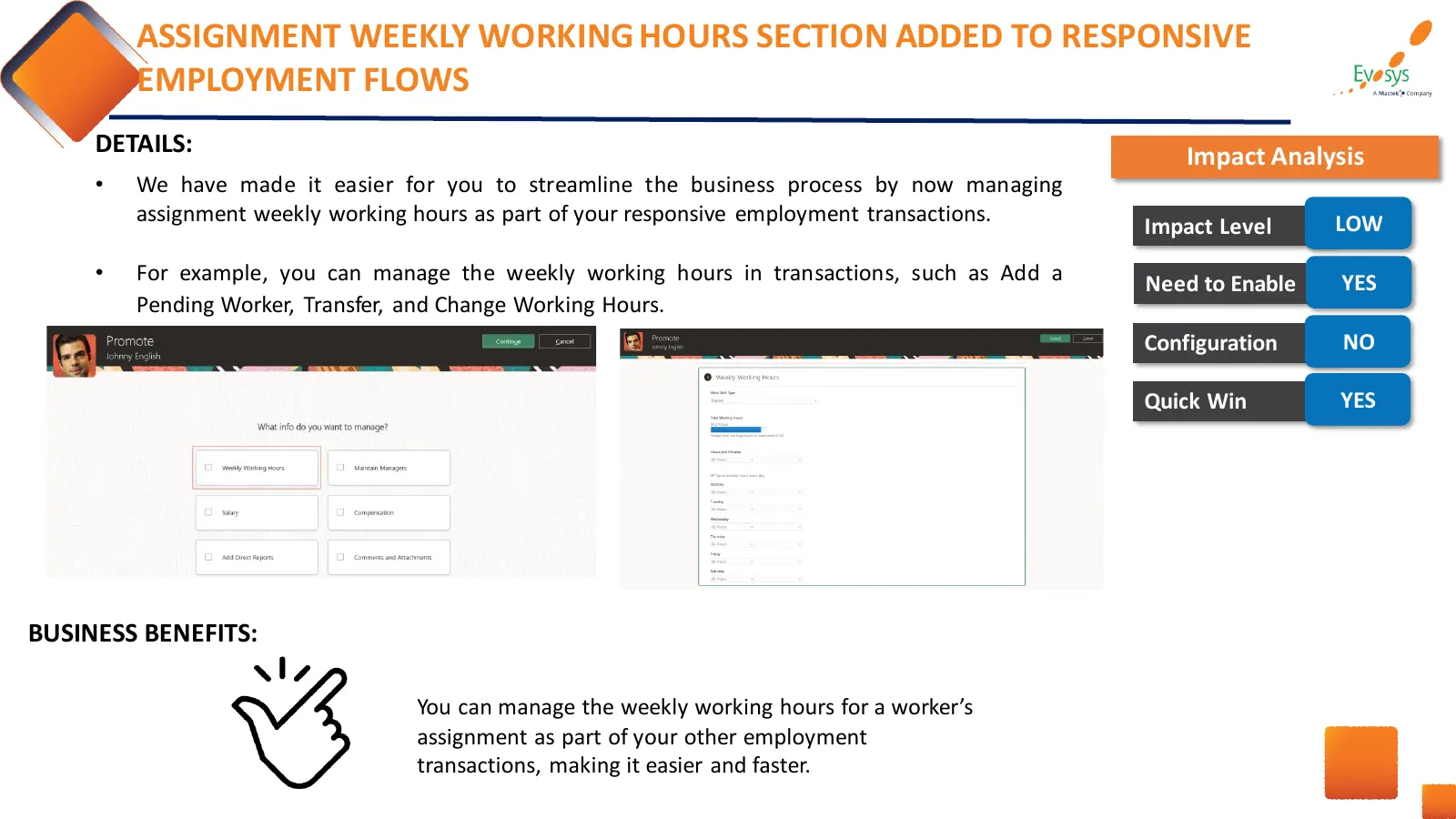
ASSIGNMENT WEEKLY WORKING HOURS SECTION ADDED TO RESPONSIVE EMPLOYMENT FLOWS DETAILS: Impact Analysis • We have made it easier for you to streamline the business process by now managing assignment weekly working hours as part of your responsive employment transactions. LOW Impact Level • For example
Slide 50: Payroll Section in Add Assignment Flow
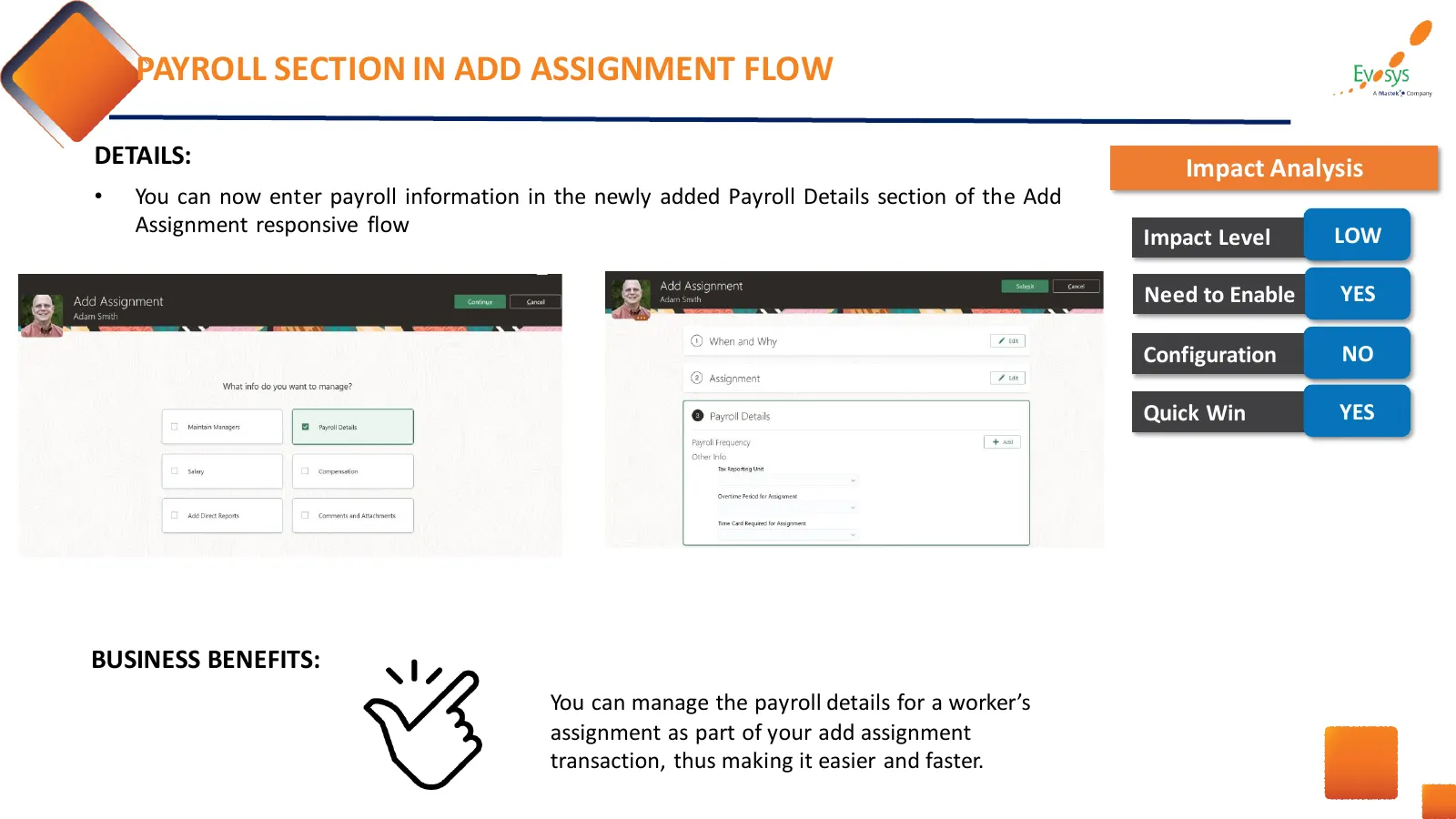
PAYROLL SECTION IN ADD ASSIGNMENT FLOW DETAILS: Impact Analysis • You can now enter payroll information in the newly added Payroll Details section of the Add Assignment responsive flow LOW Impact Level Need to Enable YES Configuration NO Quick Win YES BUSINESS BENEFITS: You can manage the payroll de
Slide 51: Extend Source and Mechanism of Injury List of Values (H&S)
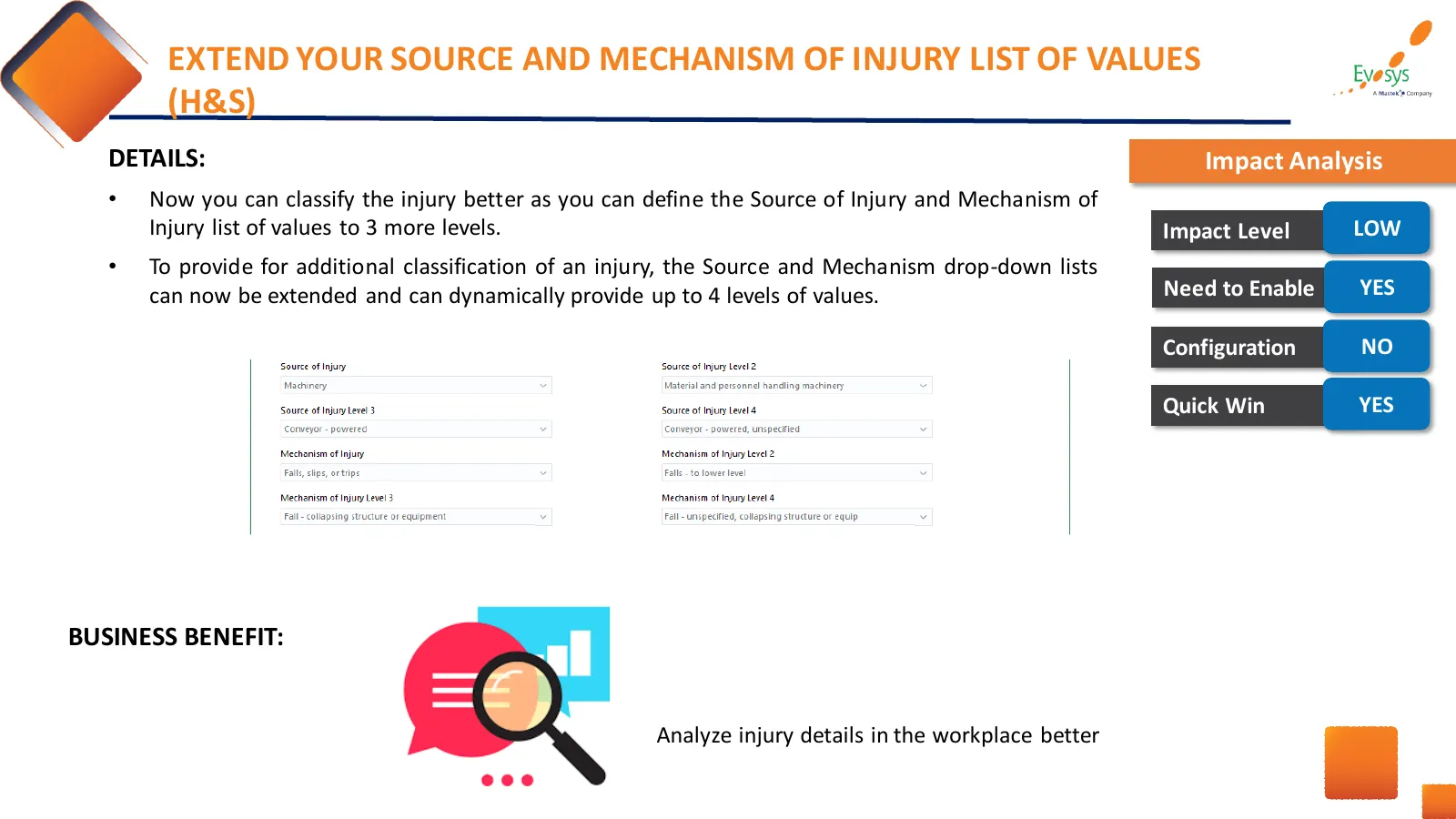
EXTEND YOUR SOURCE AND MECHANISM OF INJURY LIST OF VALUES (H&S) DETAILS: Impact Analysis • Now you can classify the injury better as you can define the Source of Injury and Mechanism of Injury list of values to 3 more levels. Impact Level LOW • To provide for additional classification of an injury,
Slide 52: Hide or Change Incident Event Type Names (H&S)
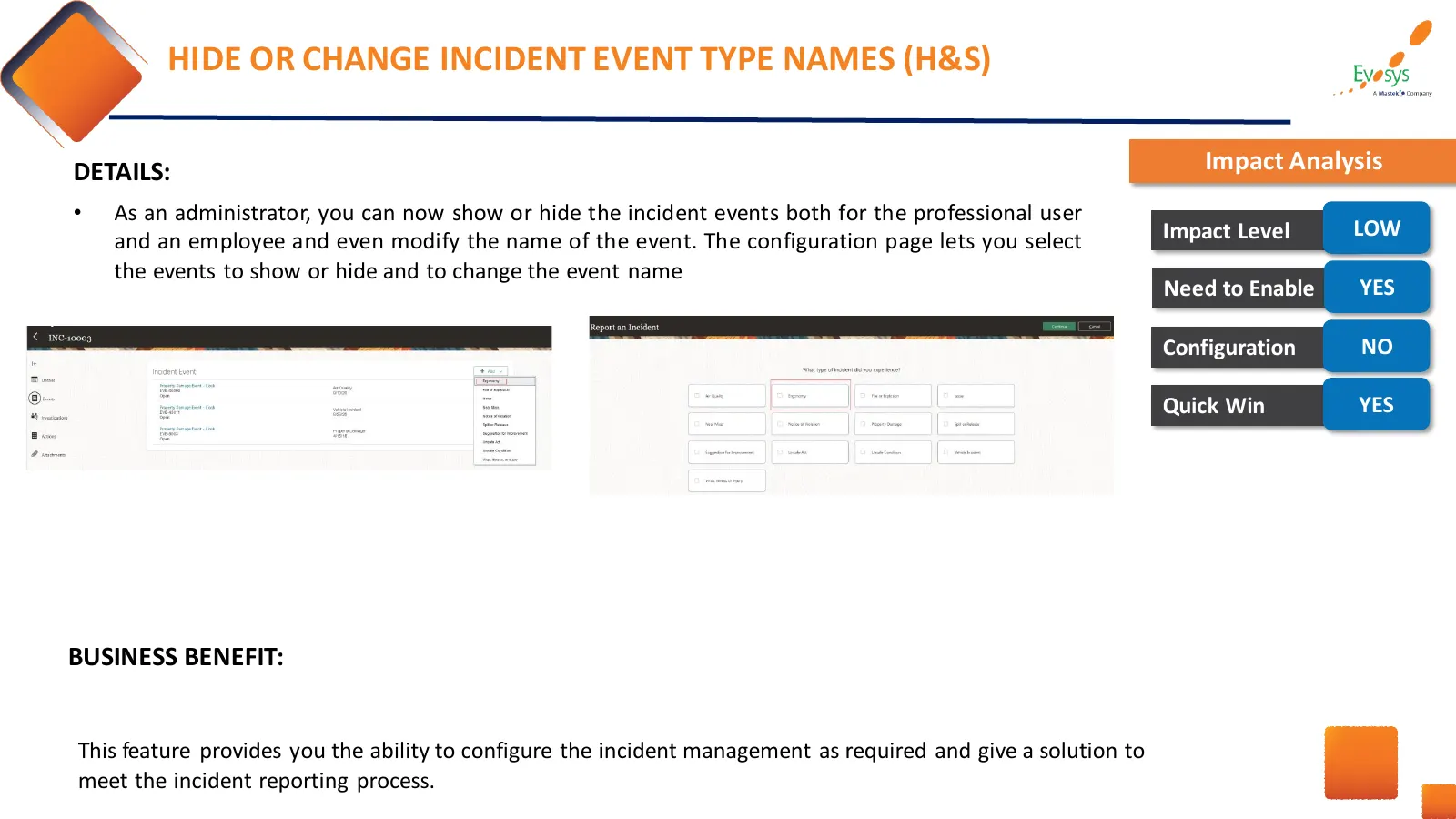
HIDE OR CHANGE INCIDENT EVENT TYPE NAMES (H&S) DETAILS: Impact Analysis • As an administrator, you can now show or hide the incident events both for the professional user Impact Level LOW and an employee and even modify the name of the event. The configuration page lets you select the events to show
Slide 53: New Features: The Rest
Evesys NEW FEATURES THE Rest
Slide 54: Quick Action Access to Additional Person Info
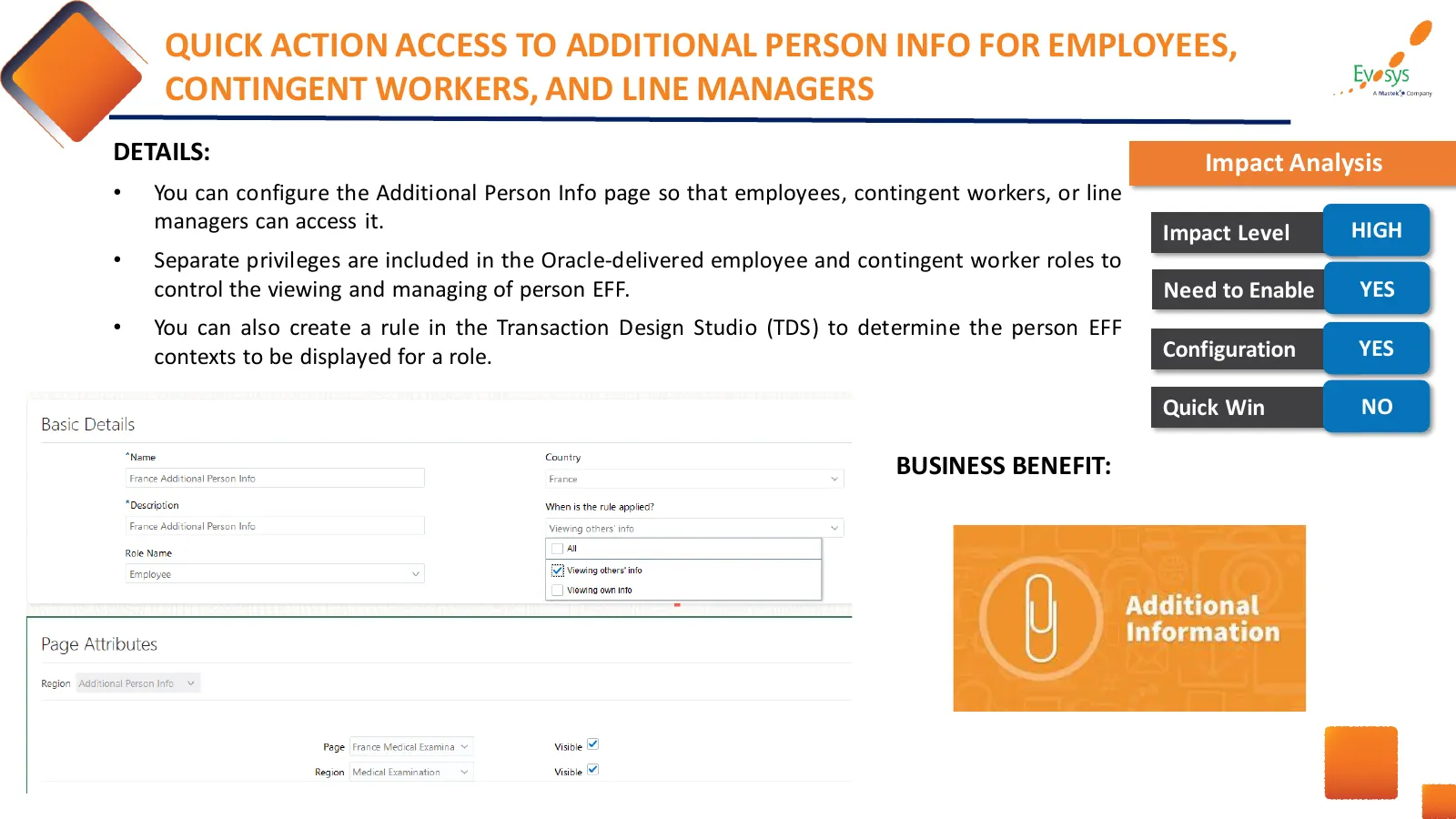
QUICK ACTION ACCESS TO ADDITIONAL PERSON INFO FOR EMPLOYEES, CONTINGENT WORKERS, AND LINE MANAGERS DETAILS: Impact Analysis • You can configure the Additional Person Info page so that employees, contingent workers, or line managers can access it. Impact Level HIGH • Separate privileges are included
Slide 55: Quick Action Access to Person Identifiers for External Applications
QUICK ACTION ACCESS TO PERSON IDENTIFIERS FOR EXTERNAL APPLICATIONS FOR EMPLOYEES AND CONTINGENT WORKERS DETAILS: Impact Analysis • You can configure the Person Identifiers for External Applications page so that employees and contingent workers can access it. Impact Level LOW • A new deep link has b
Slide 56: Position Management: Create Recruiting Requisition During Position Creation
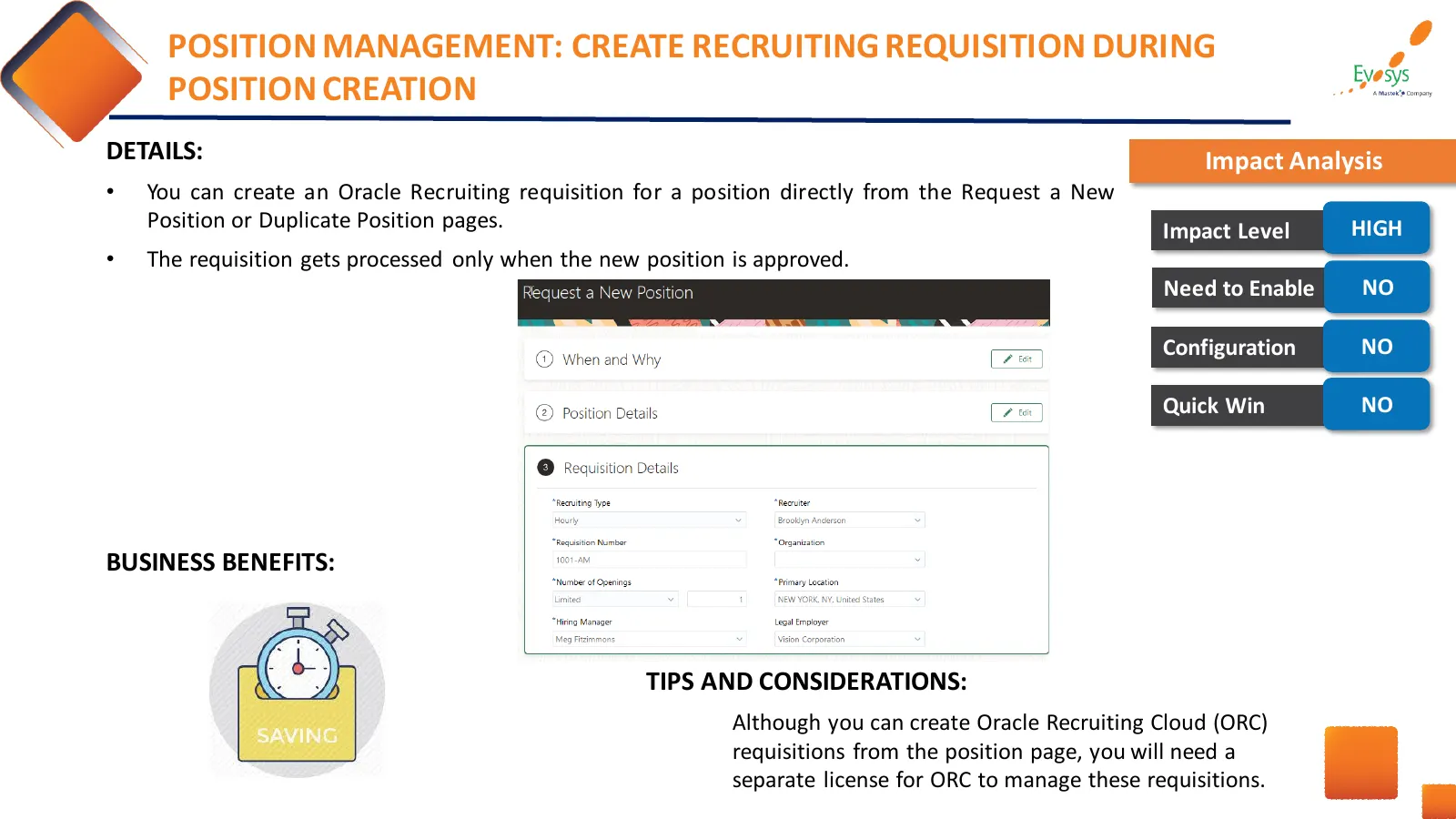
POSITION MANAGEMENT: CREATE RECRUITING REQUISITION DURING POSITION CREATION DETAILS: Impact Analysis • You can create an Oracle Recruiting requisition for a position directly from the Request a New Position or Duplicate Position pages. Impact Level HIGH • The requisition gets processed only when the
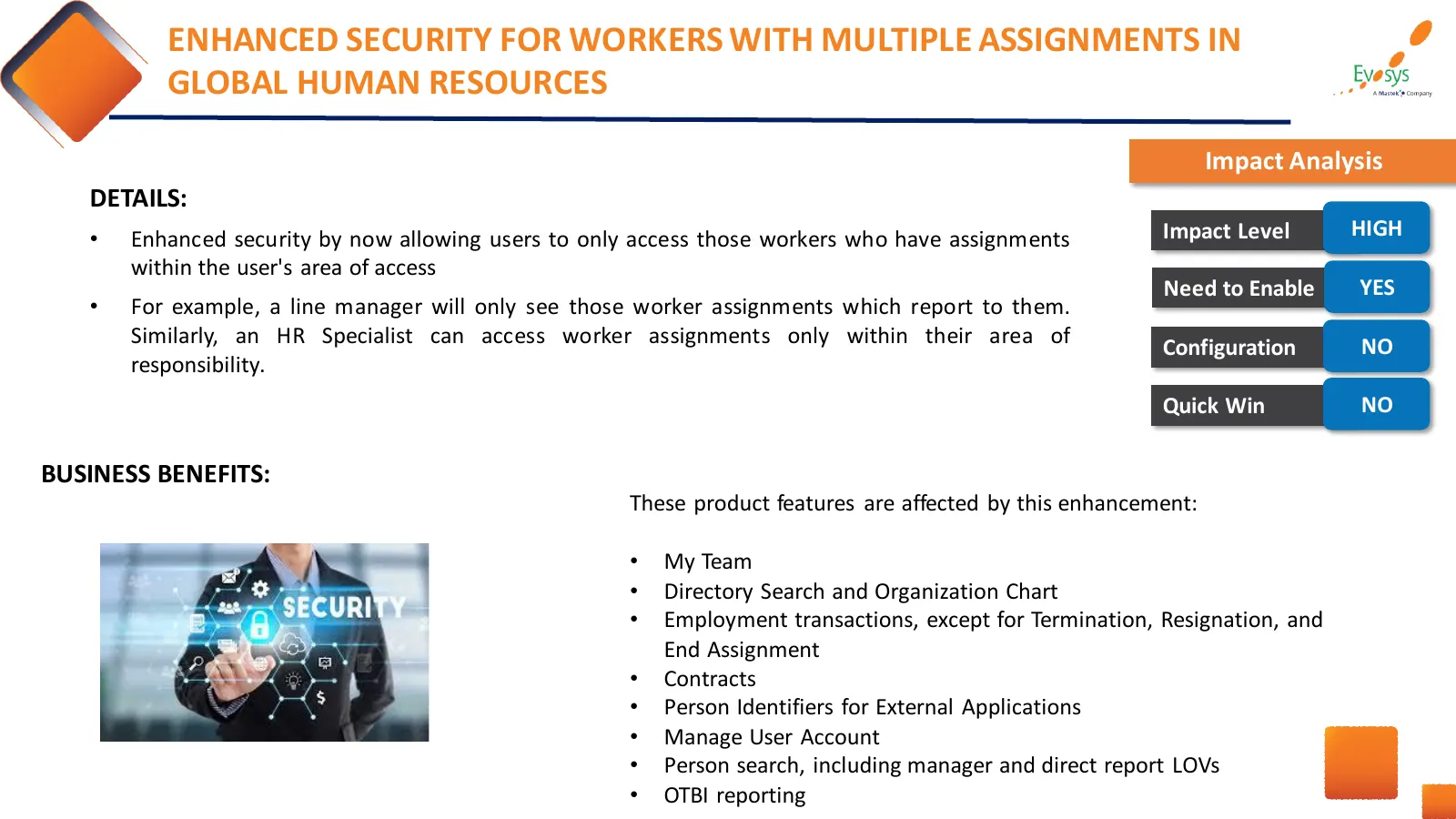
Slide 57: Enhanced Security for Workers with Multiple Assignments in Global HR
ENHANCED SECURITY FOR WORKERS WITH MULTIPLE ASSIGNMENTS IN GLOBAL HUMAN RESOURCES Impact Analysis DETAILS: • Enhanced security by now allowing users to only access those workers who have assignments Impact Level HIGH within the user's area of access Need to Enable YES • For example, a line manager w
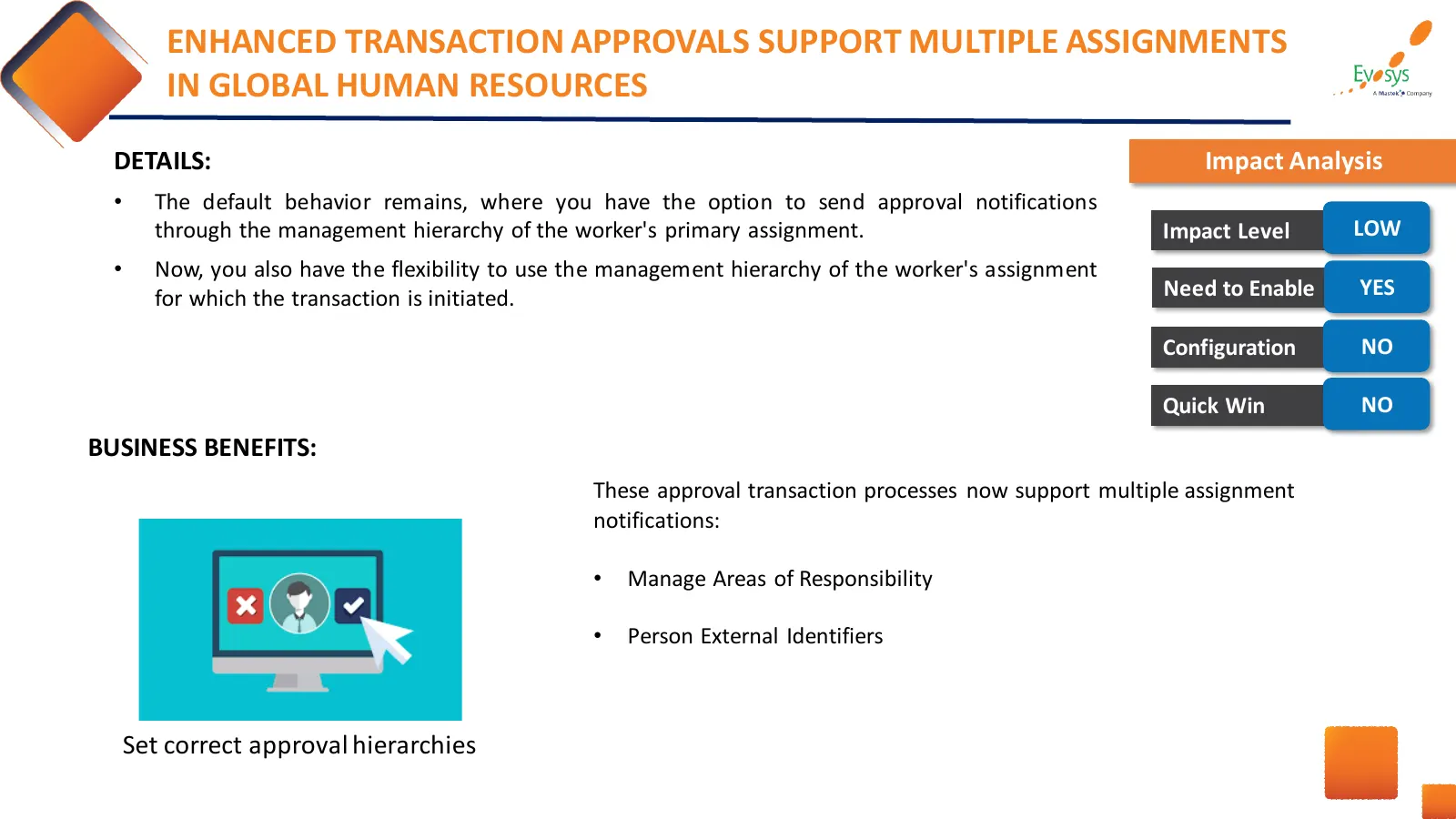
Slide 58: Enhanced Transaction Approvals Support Multiple Assignments
ENHANCED TRANSACTION APPROVALS SUPPORT MULTIPLE ASSIGNMENTS IN GLOBAL HUMAN RESOURCES DETAILS: Impact Analysis • The default behavior remains, where you have the option to send approval notifications through the management hierarchy of the worker's primary assignment. Impact Level LOW • Now, you als
Slide 59: New Areas of Responsibility (AOR) REST Resource
NEW AREAS OF RESPONSIBILITY (AOR) REST RESOURCE DETAILS: Impact Analysis • You can use the new Areas of Responsibility (AOR) REST resource to create and manage areas of Impact Level HIGH responsibilities within Oracle HCM Cloud. • This resource supports creating responsibilities directly, or by refe
Slide 60: Enhanced Workers REST API
ENHANCED WORKERS REST API DETAILS: Impact Analysis You can use the workers REST API with these enhanced features to create and manage workers in Oracle HCM Cloud. HIGH Impact Level •Assignment Level Security: User access to the workers API is now secured with assignment- Need to Enable YES level sec
Slide 61: Tax Reporting Unit Fields Added to Worker Data File in HDL
TAX REPORTING UNIT FIELDS ADDED TO WORKER DATA FILE IN HCM DATA LOADER DETAILS: Impact Analysis • We have added the Tax Reporting Unit ID and Tax Reporting Unit fields to the worker data (worker.dat) file Impact Level LOW • when creating workers, work relationships, or assignments using HCM Data Loa
Slide 62: Use Secured HSDL Objects for Checklists
USE SECURED HSDL OBJECTS FOR CHECKLISTS Impact Analysis DETAILS: • You can now use secured HCM Spreadsheet Data Loader (HSDL) spreadsheets to ensure data Impact Level LOW accuracy and to enable business users to perform mass actions on checklists. • The fields that are secured are Person ID and User
Slide 63: Enable International Transfer Payment Type (Ireland & Swiss)
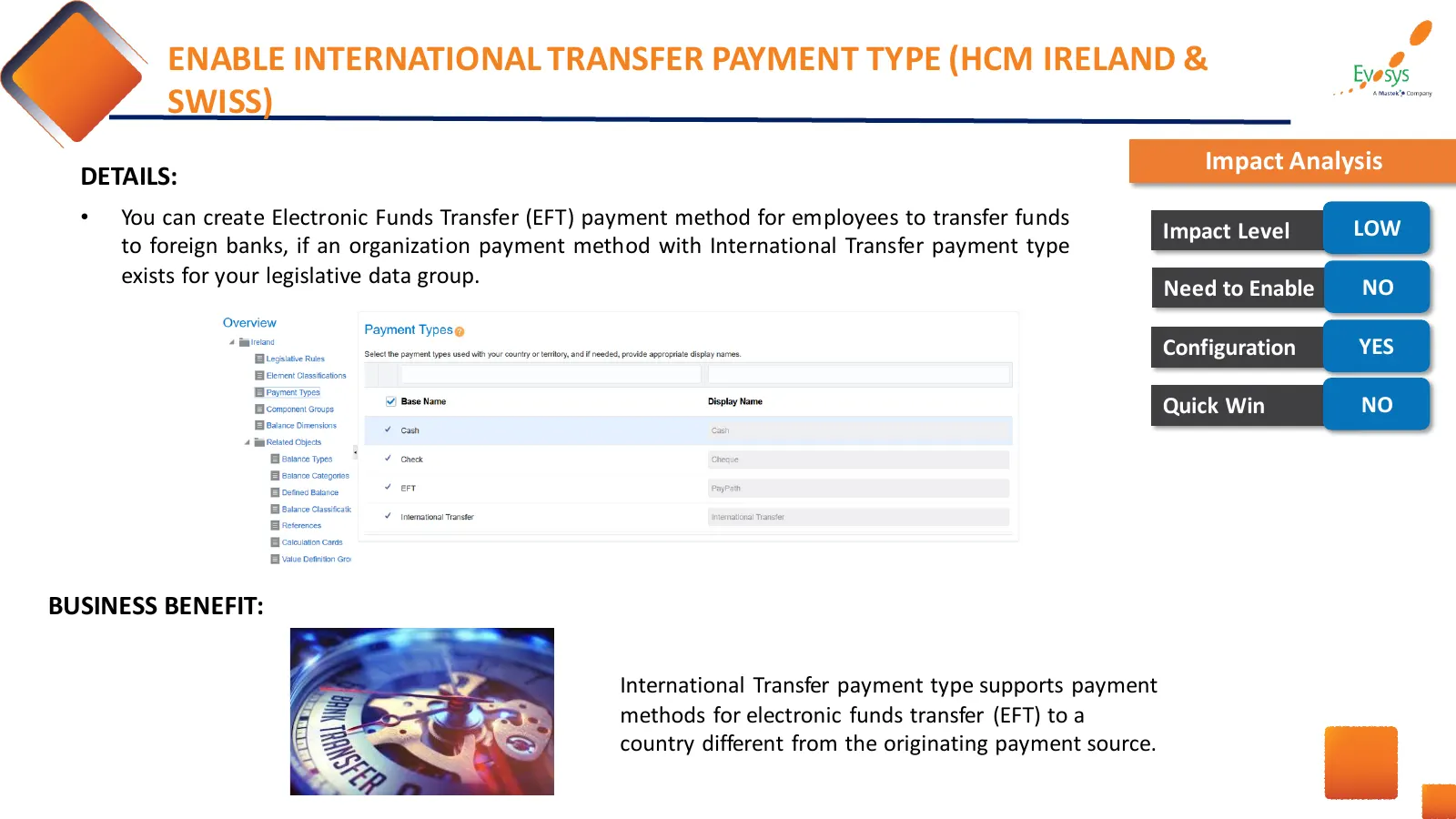
ENABLE INTERNATIONAL TRANSFER PAYMENT TYPE (HCM IRELAND & SWISS) Impact Analysis DETAILS: • You can create Electronic Funds Transfer (EFT) payment method for employees to transfer funds LOW Impact Level to foreign banks, if an organization payment method with International Transfer payment type exis
Slide 64: ADP Global Payroll Interface Supports Description for Override Cost Centers
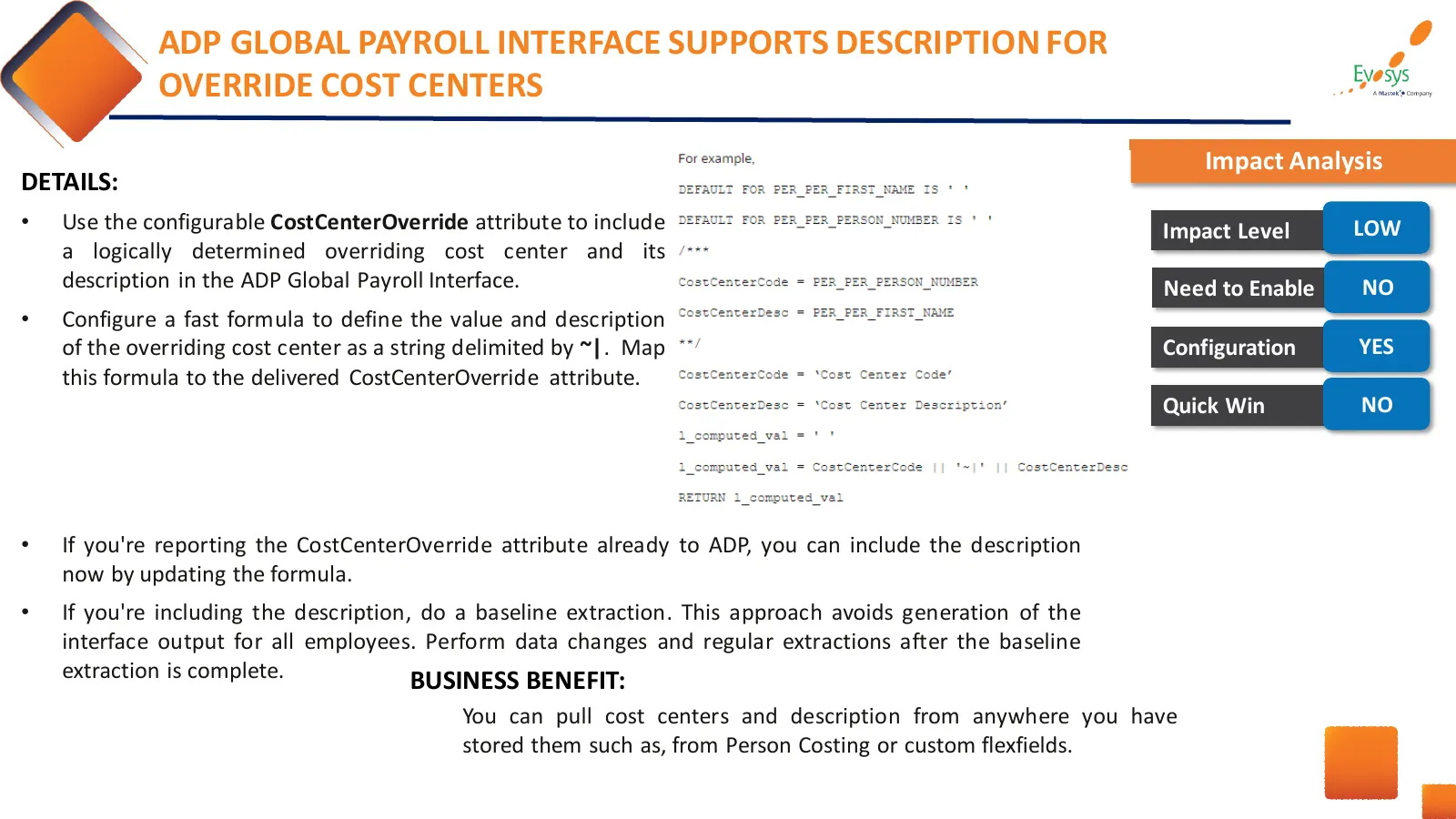
ADP GLOBAL PAYROLL INTERFACE SUPPORTS DESCRIPTION FOR OVERRIDE COST CENTERS Impact Analysis DETAILS: • Use the configurable CostCenterOverride attribute to include Impact Level LOW a logically determined overriding cost center and its description in the ADP Global Payroll Interface. Need to Enable N
Slide 65: Configurable Project Surveys
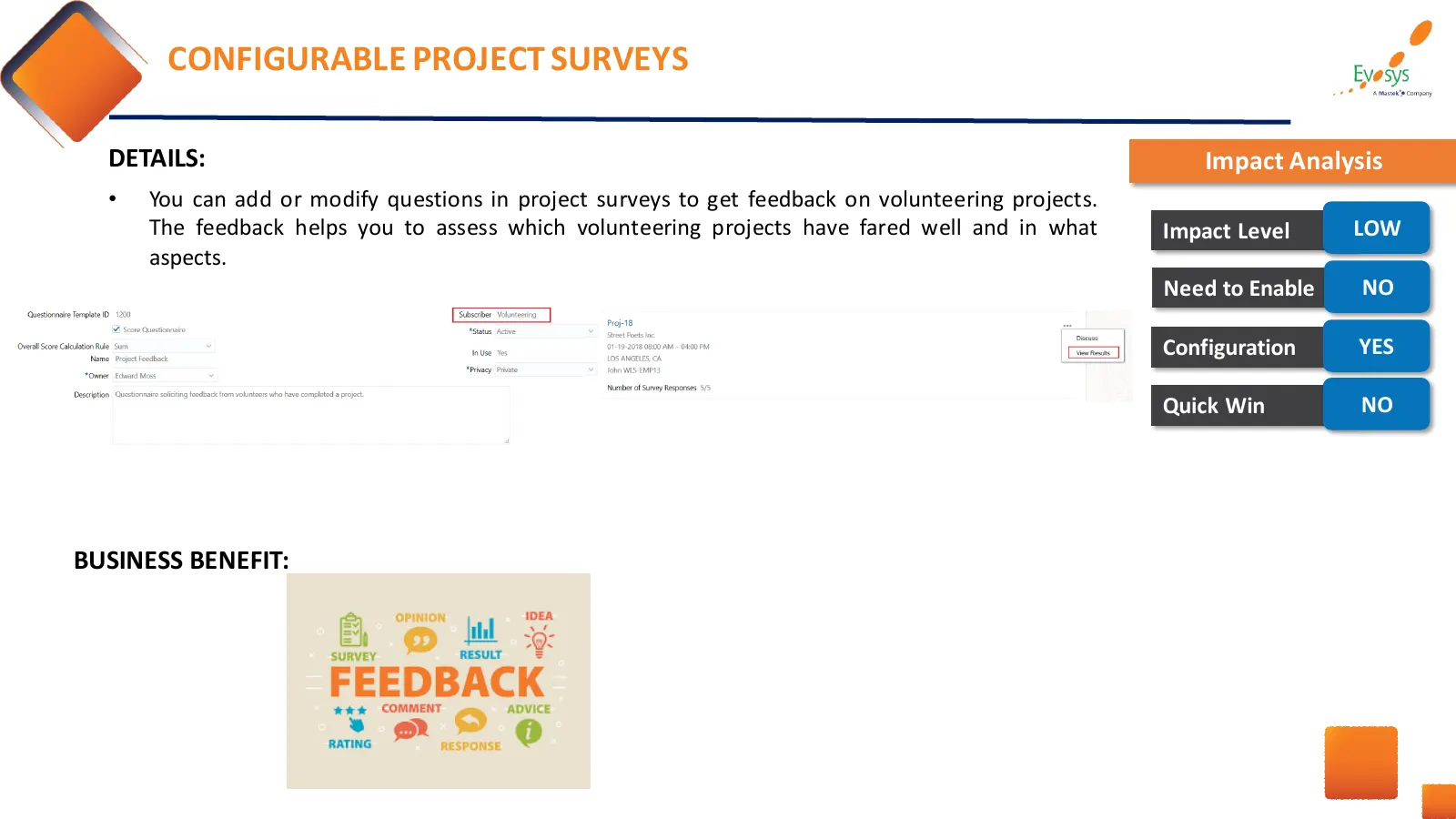
CONFIGURABLE PROJECT SURVEYS DETAILS: Impact Analysis • You can add or modify questions in project surveys to get feedback on volunteering projects. The feedback helps you to assess which volunteering projects have fared well and in what Impact Level LOW aspects. Need to Enable NO Configuration YES
Slide 66: New Features: OTBI Enhancements
NEW FEATURES OTBI Enhancements
Slide 67: HR Optimizations
HR OPTIMIZATIONS NEW SUBJECT AREA ON HCM INTEGRATIONS Impact Analysis DETAILS: • Enhance your reporting on HCM Extracts loaders with the addition of a new subject area named Impact Level LOW HCM Integrations Real Time. You can use this subject area to report on data loader, data extracts and data di
Slide 68: Replaced or Removed Features
REPLACED OR REMOVED FEATURES
Slide 69: HDL Must Be Used for All Payroll Objects
HCM DATA LOADER (HDL) MUST BE USED FOR ALL PAYROLL OBJECTS Impact Analysis DETAILS: • Take note that Payroll Batch Loader (PBL) objects are supported in HCM Data Loader LOW Impact Level (HDL). Loading of payroll objects through PBL is no longer supported starting with Update 20D. All Integrations mu
Slide 70: Allocate Checklists Available Only in Responsive Pages from 20D
ALLOCATE CHECKLISTS AVAILABLE ONLY IN RESPONSIVE PAGES FROM 20D Impact Analysis DETAILS: • From 20D onwards, allocated checklists in Classic UI will no longer be supported. LOW Impact Level Need to Enable YES BUSINESS BENEFIT: Configuration NO Quick Win YES
Slide 71: Access to Change Legal Employer Flow Ends in Update 20D
ACCESS TO CHANGE LEGAL EMPLOYER FLOW ENDS IN UPDATE 20D Impact Analysis DETAILS: • We announced in the 20B Whats New that you can’t access the Change Legal Employer flow in LOW Impact Level the application from update 20D onwards. • We suggest you move quickly to start using and taking advantage of
Slide 72: Known Issues
Evesys KNOWN ISSUES
Slide 73: Document Record Attachments Can't Be Downloaded from Classic Email Notification
DOCUMENT RECORD ATTACHMENTS CAN'T BE DOWNLOADED FROM CLASSIC EMAIL NOTIFICATION DETAILS: • Attachments uploaded in document records cannot be downloaded by the approver from the classic email notifications because of a technical limitation. • However, approvers can download the document record attac
Slide 74: Document Records REST API Doesn't Validate Attachment Type Mismatch
DOCUMENT RECORDS REST API DOESN'T VALIDATE MISMATCH BETWEEN ATTACHMENT TYPE DETAILS: • When using REST API to load document record attachments, if there's a mismatch between the attachment type and content this isn't validated. • For example, if you specify the attachment type as text/plain but prov
Slide 75: Personal Info Section Hidden in Classic Manage Direct Reports Page
PERSONAL INFO SECTION HIDDEN IN CLASSIC MANAGE DIRECT REPORTS PAGE DETAILS: • The Personal Info section is hidden in the classic Manage Direct Reports page WORKAROUND: This is to avoid duplication of information displayed on the page. However, you can display the section using Personalization. Oracl
Slide 76: Approvers Unable to Edit Document Record from BIP Notification
APPROVERS UNABLE TO EDIT DOCUMENT RECORD FROM BIP BASED APPROVAL NOTIFICATION DETAILS: • It is not possible for approvers to edit a document record from the BIP based approval notification. • Due to a technical limitation that the notification doesn't have an Edit option. WORKAROUND: Approvers need
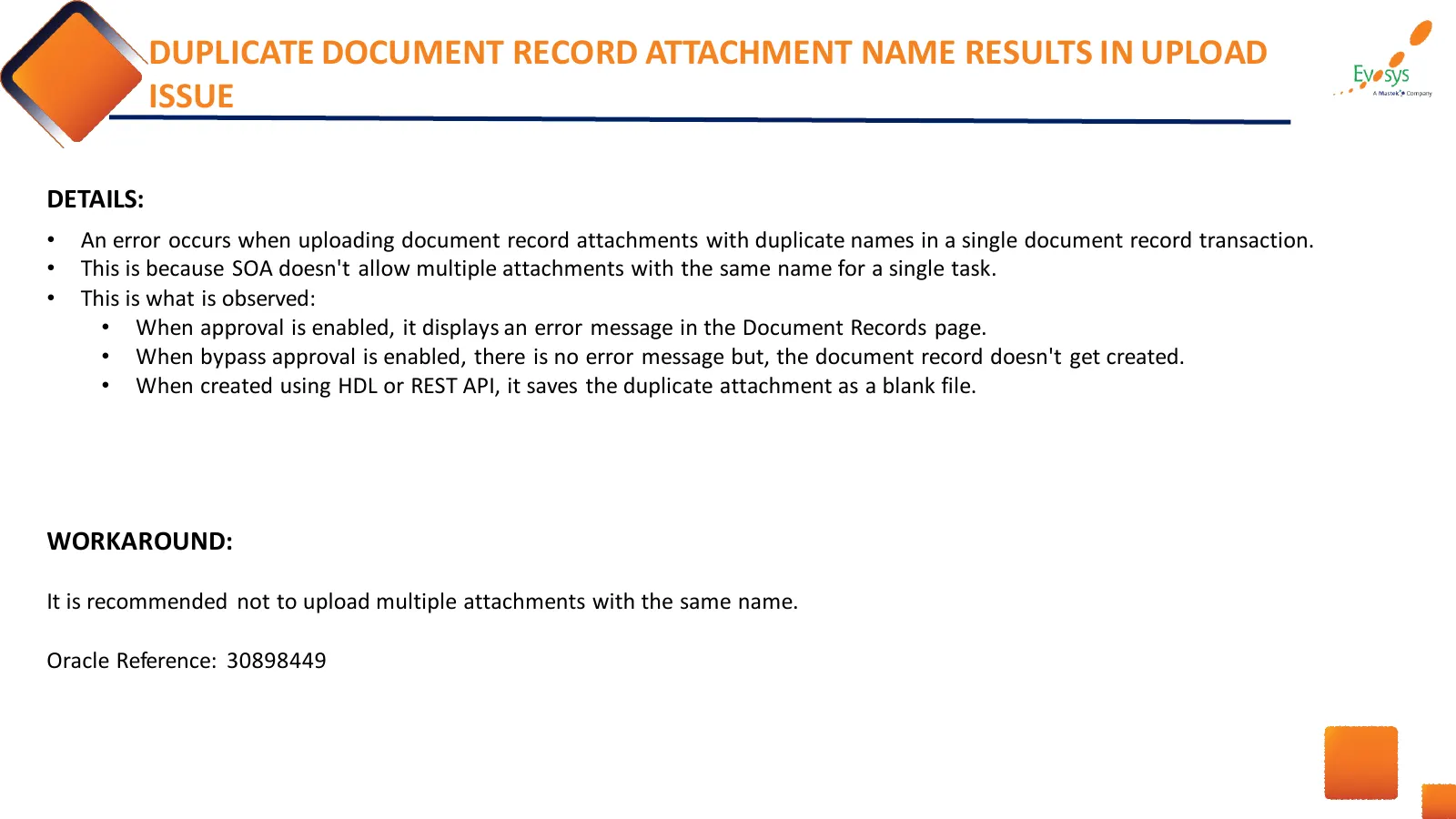
Slide 77: Duplicate Attachment Name Results in Upload Issue
DUPLICATE DOCUMENT RECORD ATTACHMENT NAME RESULTS IN UPLOAD ISSUE DETAILS: • An error occurs when uploading document record attachments with duplicate names in a single document record transaction. • This is because SOA doesn't allow multiple attachments with the same name for a single task. • This
Slide 78: Next Generation Managed Services
Next Generation Managed Services How we bring this all together?
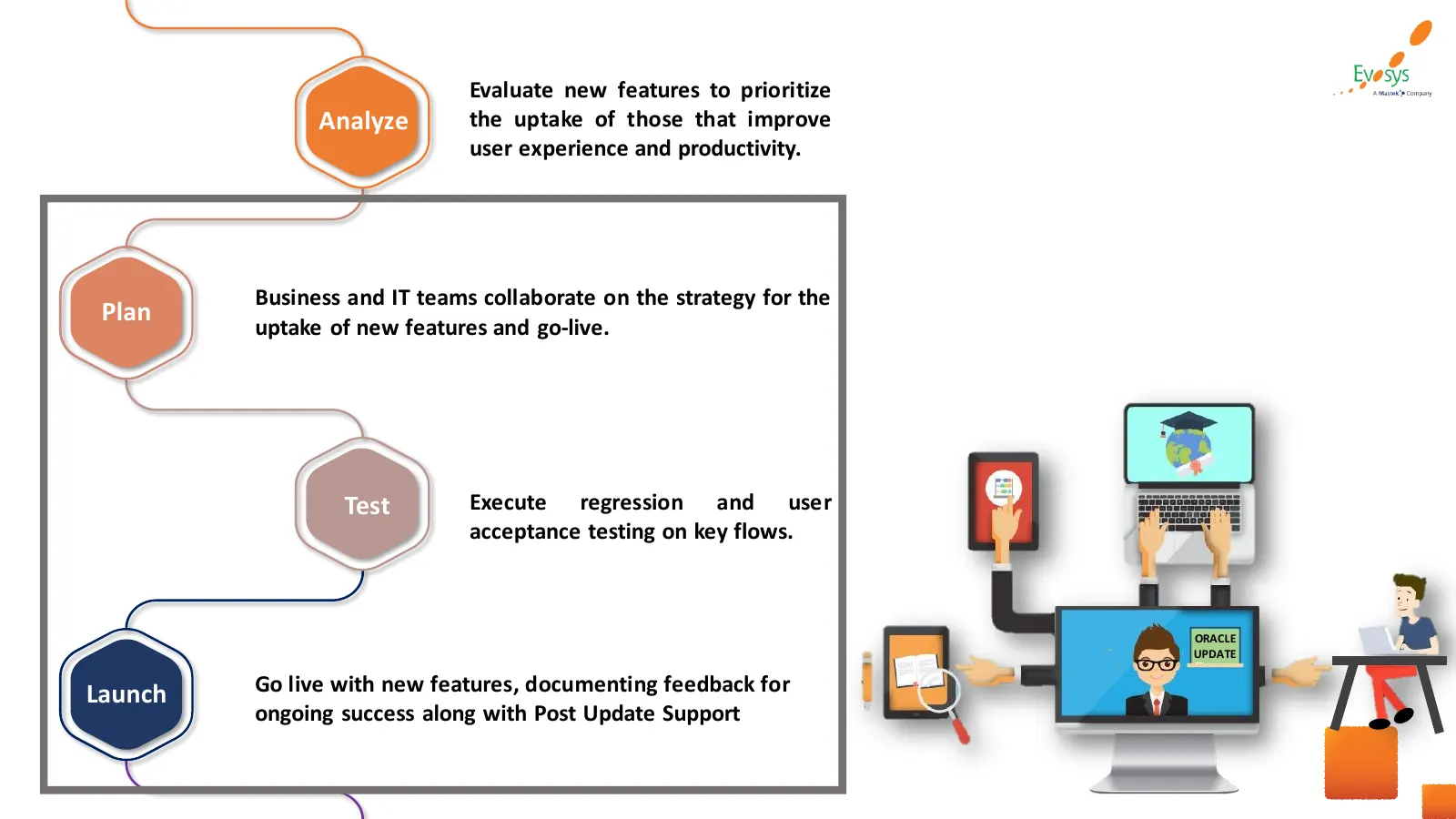
Slide 79: Analyze, Plan, Test, Launch
Evaluate new features to prioritize Analyze the uptake of those that improve user experience and productivity. Business and IT teams collaborate on the strategy for the Plan uptake of new features and go-live. Test Execute regression and user acceptance testing on key flows. ORACLE UPDATE Launch Go
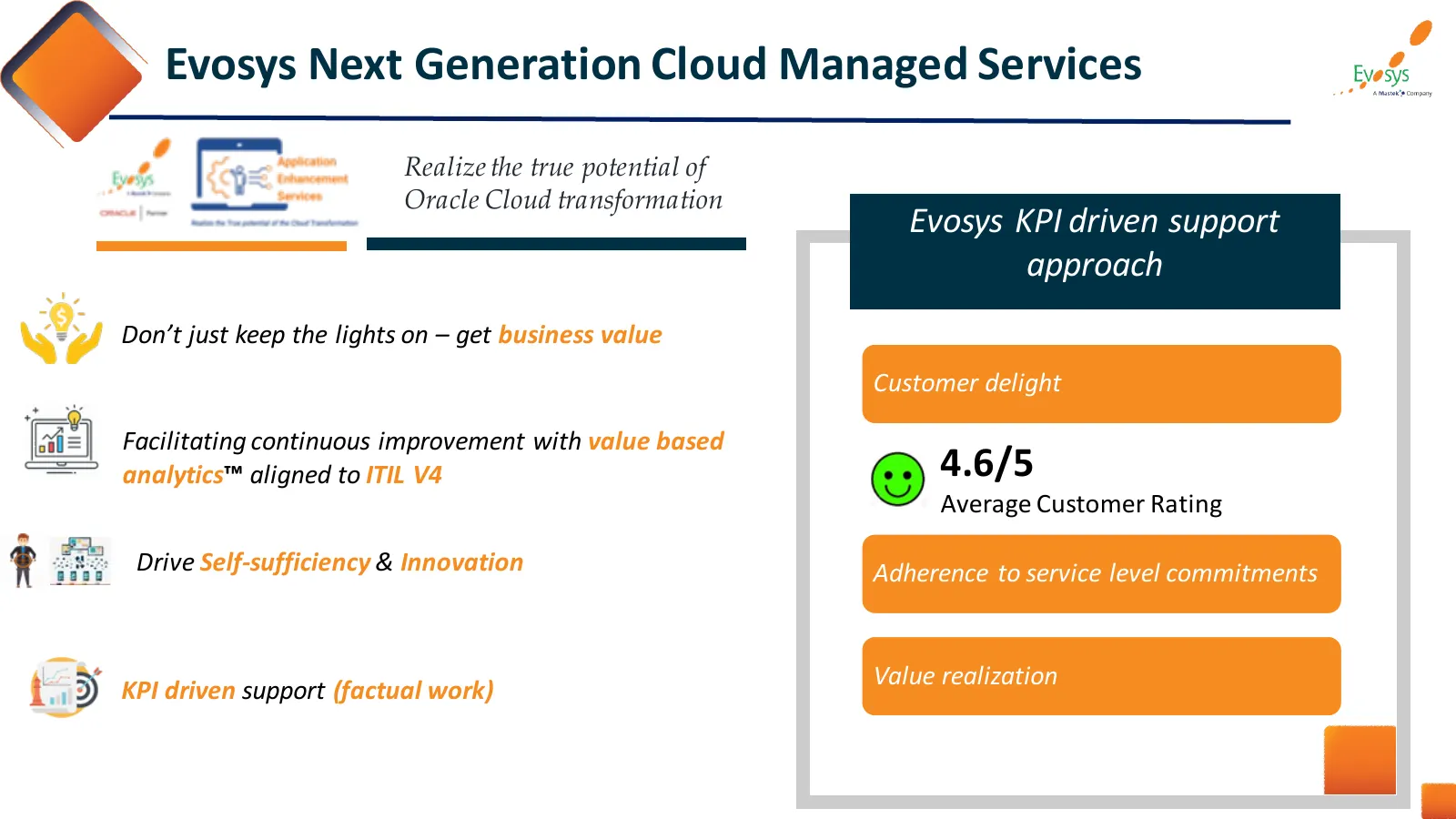
Slide 80: Evosys Next Generation Cloud Managed Services
Evosys Next Generation Cloud Managed Services Realize the true potential of Oracle Cloud transformation Evosys KPI driven support approach Don’t just keep the lights on – get business value Customer delight Facilitating continuous improvement with value based analytics™ aligned to ITIL V4 4.6/5 Aver
Slide 81: Closing - Q&A
Evesys Closing Q&A
Slide 82: Closing Note
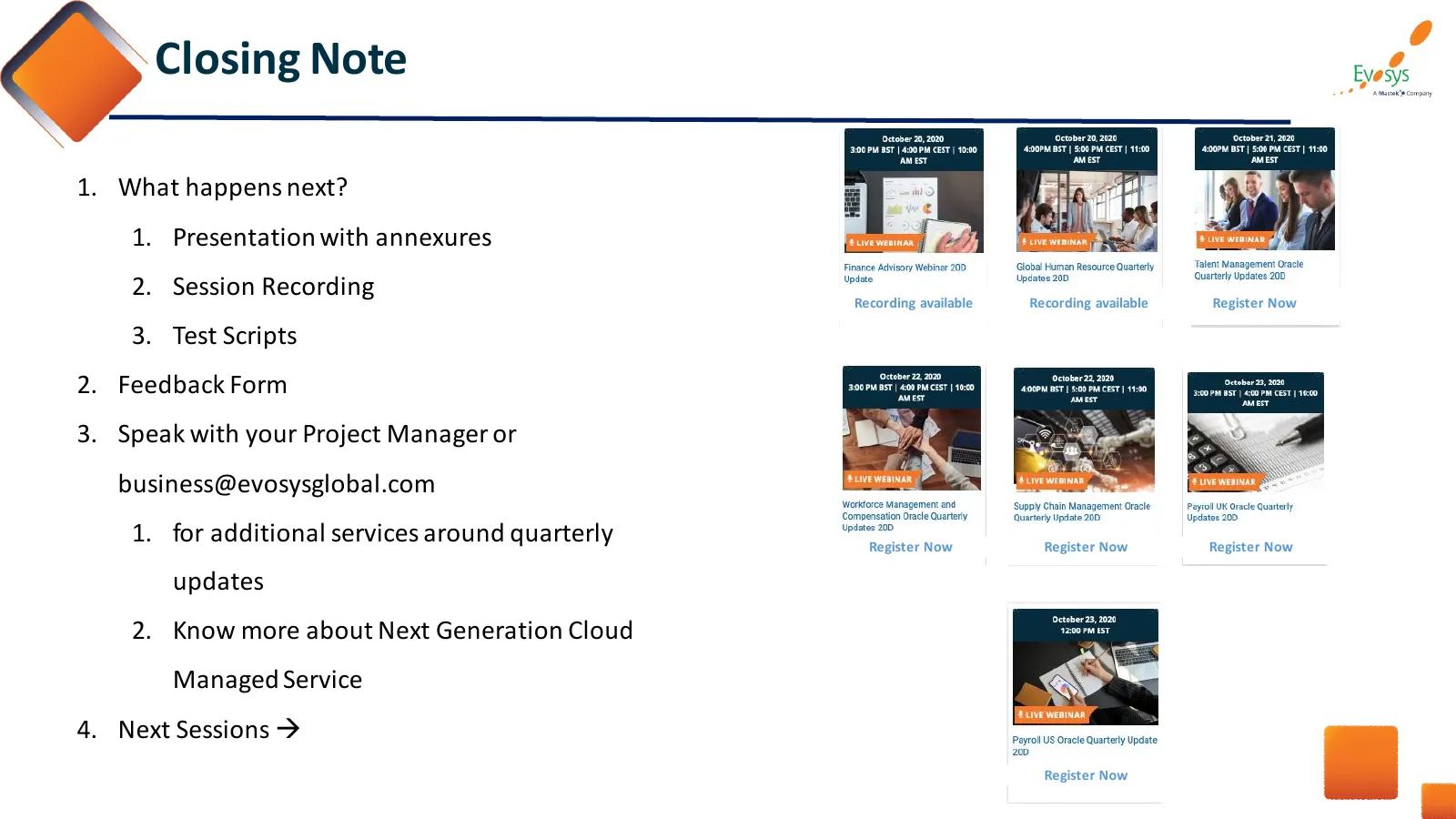
Closing Note 1. What happens next? 1. Presentation with annexures 2. Session Recording Recording available Recording available Register Now 3. Test Scripts 2. Feedback Form 3. Speak with your Project Manager or business@evosysglobal.com 1. for additional services around quarterly Register Now Regist

Slide 83: Thank you!
Evosys … is here to help you! It is always best to clear your doubts. Contact Us Contact : Address: Email: Your Project Manager www.evosysglobal.com business@evosysglobal.com Q&A Thank you !
Source: Internet Archive copy of mastek.com
More decks from Mastek Limited
 Q2 FY2027 Earnings Presentation18 slides · Oct 23, 2026
 Q2 FY2027 Earnings Presentation25 slides · Oct 23, 2026
 Q1 FY27 Earnings Presentation31 slides · Jul 21, 2026
 Q1 FY2027 Earnings Presentation23 slides · Jul 21, 2026
 Q4 FY26 Earnings Presentation37 slides · Apr 18, 2026
 Q4 FY26 Earnings Presentation28 slides · Apr 17, 2026