Blackbaud, Inc. · NASDAQ:BLKB
Blackbaud — Corporate Update (November 2026)
94 slides from Blackbaud's corporate update, November 2026
Slide 1: Blackbaud Raiser's Edge NXT Product Update Briefing
Blackbaud Raiser’s Edge NXT ® Product Update Briefing November 2026
Slide 2: Safe Harbor Statement
Safe Harbor Statement This presentation contains forward-looking statements that involve inherent risks, uncertainties and assumptions. It outlines Blackbaud’s current plans and general product direction as of the date this presentation was created. Functionality described in this presentation that
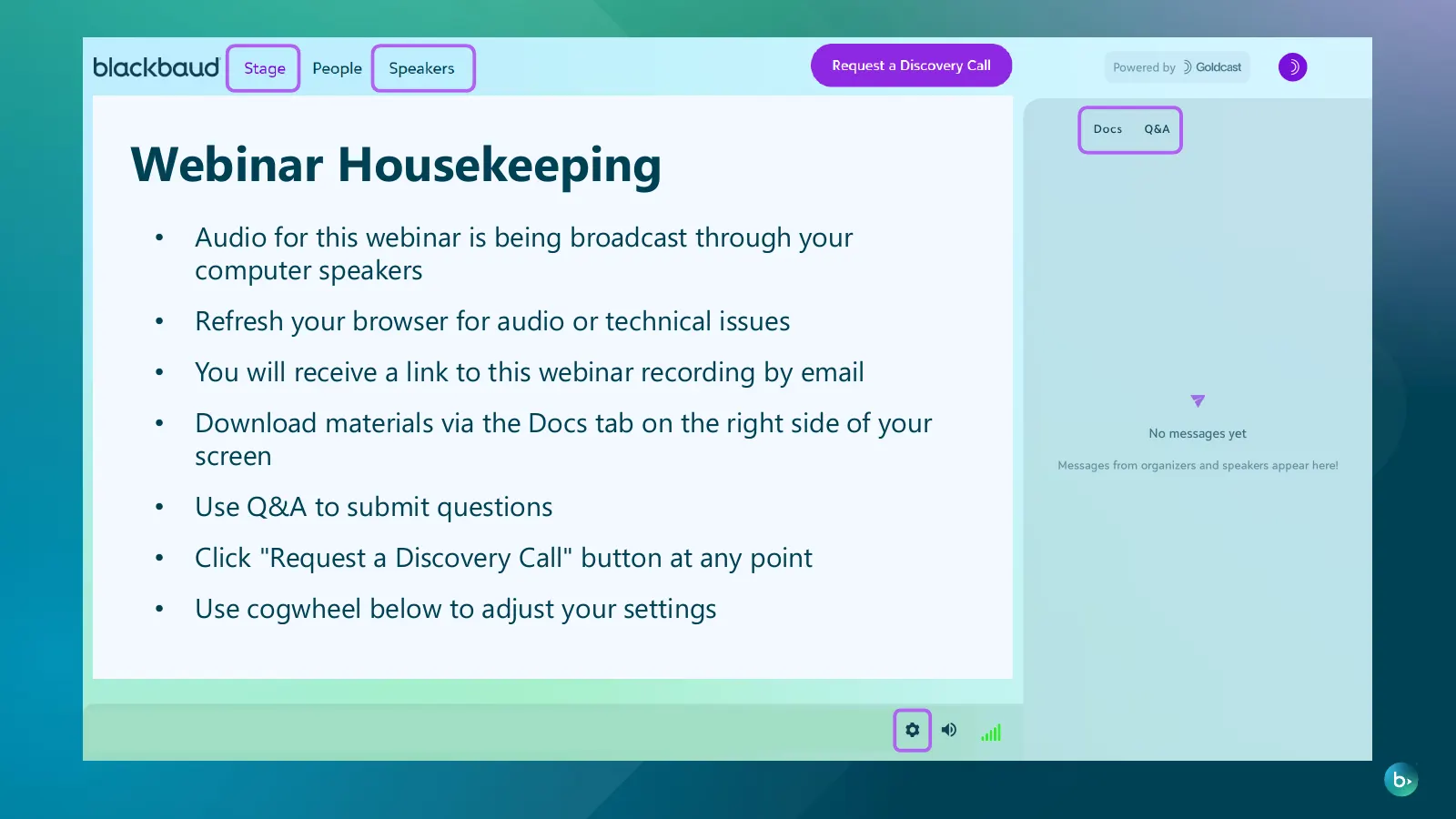
Slide 3: Webinar Housekeeping
Webinar Housekeeping • Audio for this webinar is being broadcast through your computer speakers • Refresh your browser for audio or technical issues • You will receive a link to this webinar recording by email • Download materials via the Docs tab on the right side of your screen • Use Q&A to submit
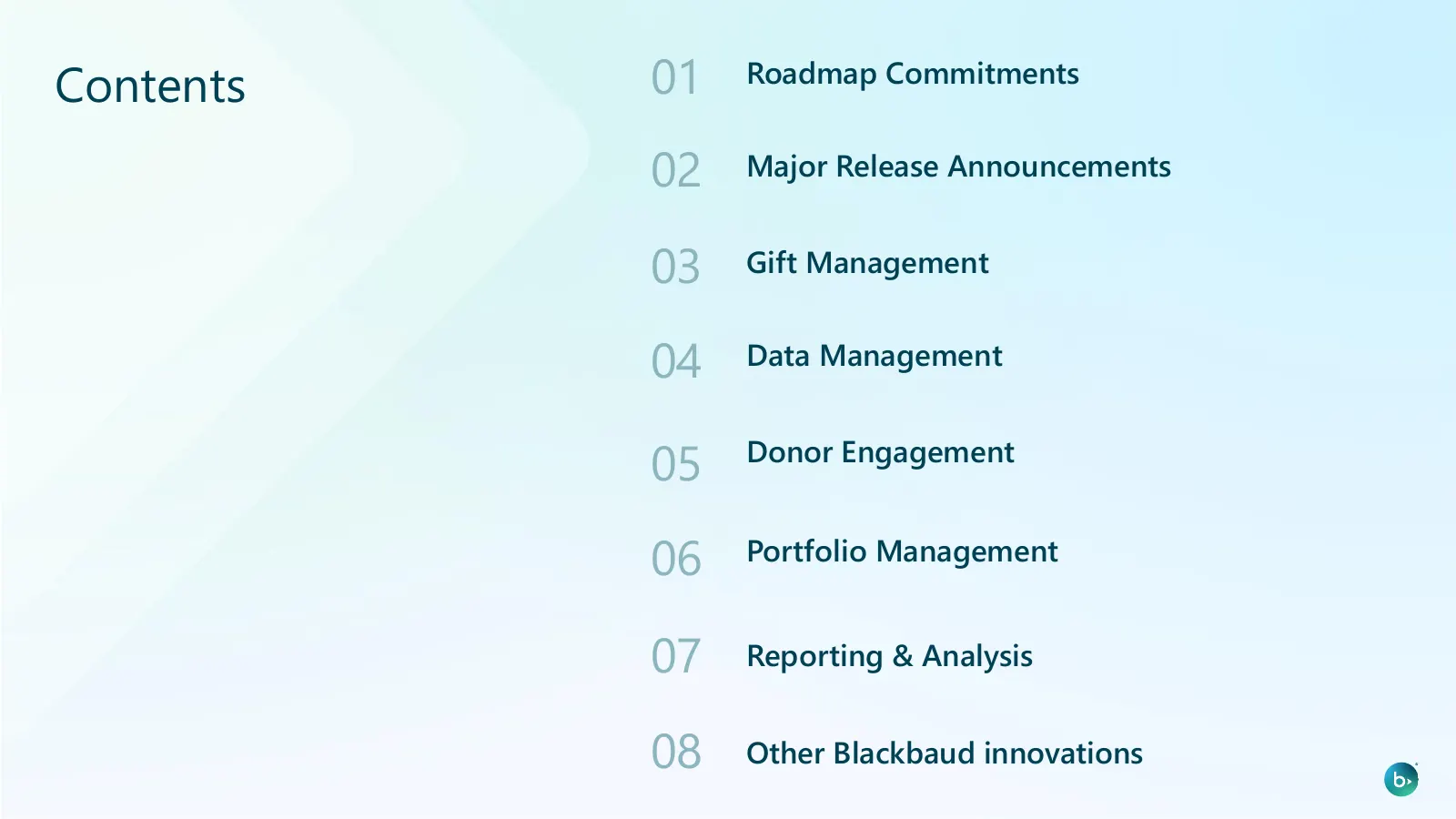
Slide 4: Contents
Contents 01 Roadmap Commitments 02 Major Release Announcements 03 Gift Management 04 Data Management 05 Donor Engagement 06 Portfolio Management 07 Reporting & Analysis 08 Other Blackbaud innovations
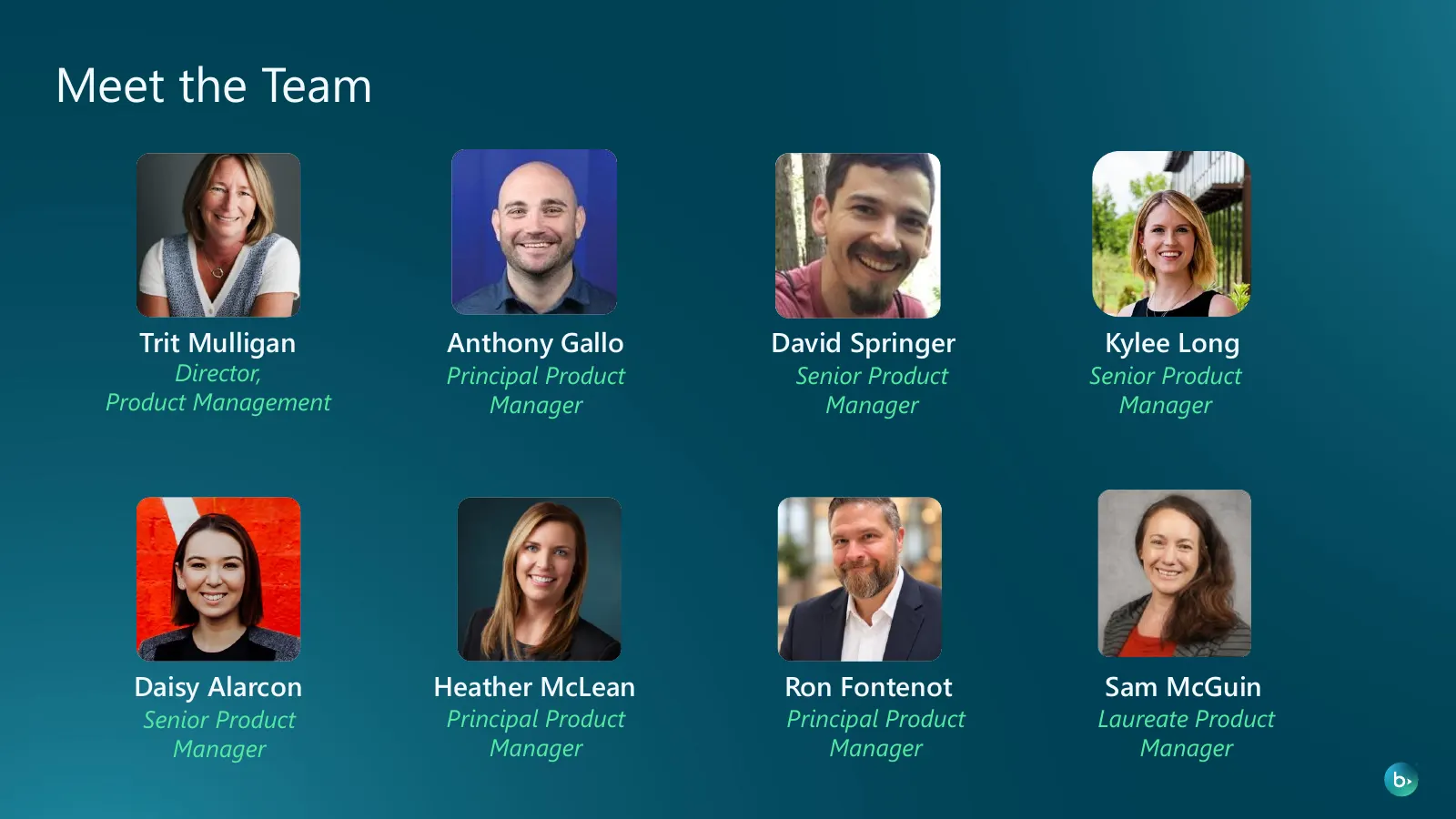
Slide 5: Meet the Team
Meet the Team Trit Mulligan Anthony Gallo David Springer Kylee Long Director, Principal Product Senior Product Senior Product Product Management Manager Manager Manager Daisy Alarcon Heather McLean Ron Fontenot Sam McGuin Senior Product Principal Product Principal Product Laureate Product Manager Ma
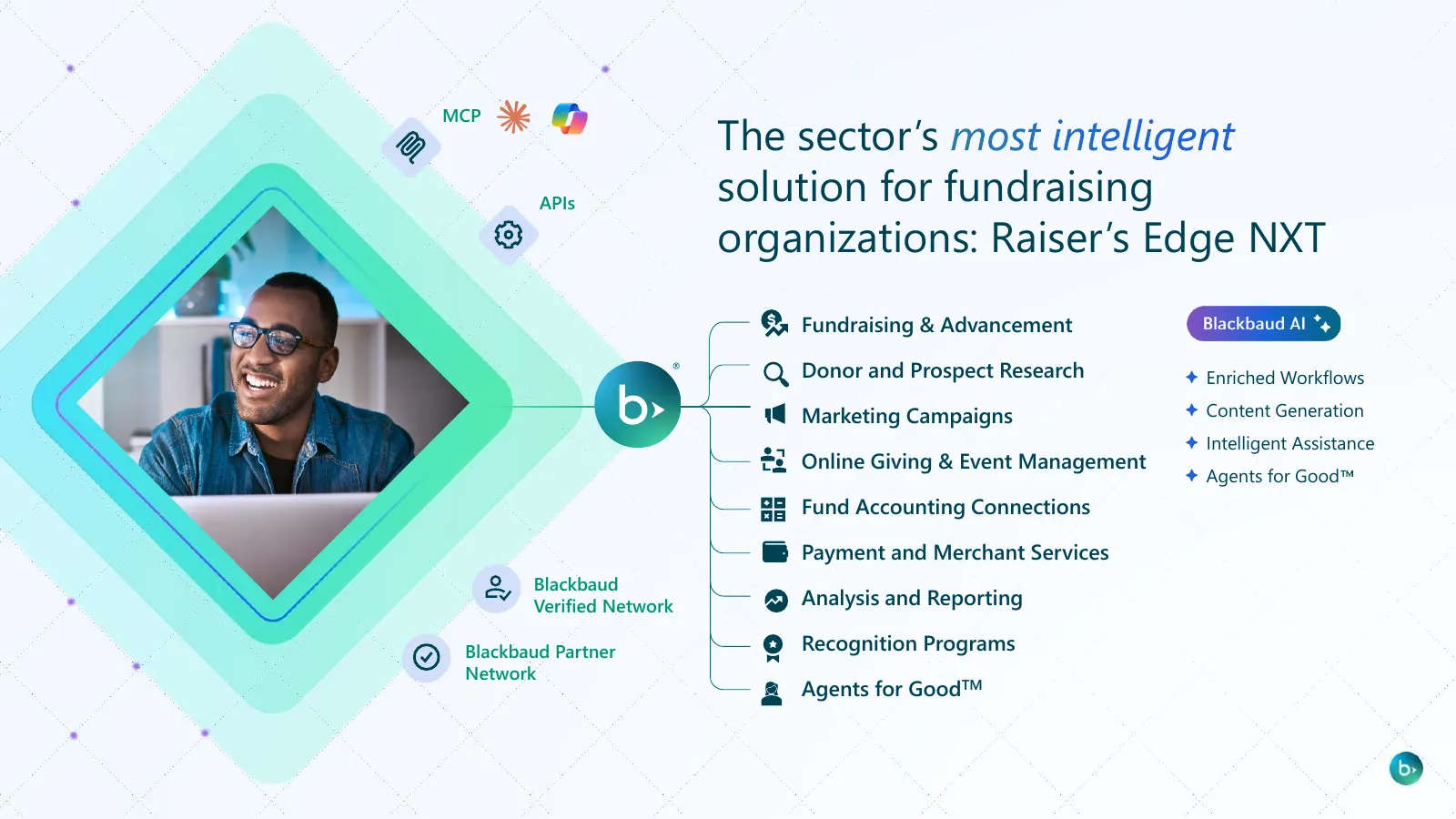
Slide 6: The sector's most intelligent solution for fundraising organizations
MCP The sector’s most intelligent APIs solution for fundraising organizations: Raiser’s Edge NXT Fundraising & Advancement Donor and Prospect Research Org Name Enriched Workflows or Logo Marketing Campaigns Content Generation Intelligent Assistance Online Giving & Event Management Agents for Good Fu
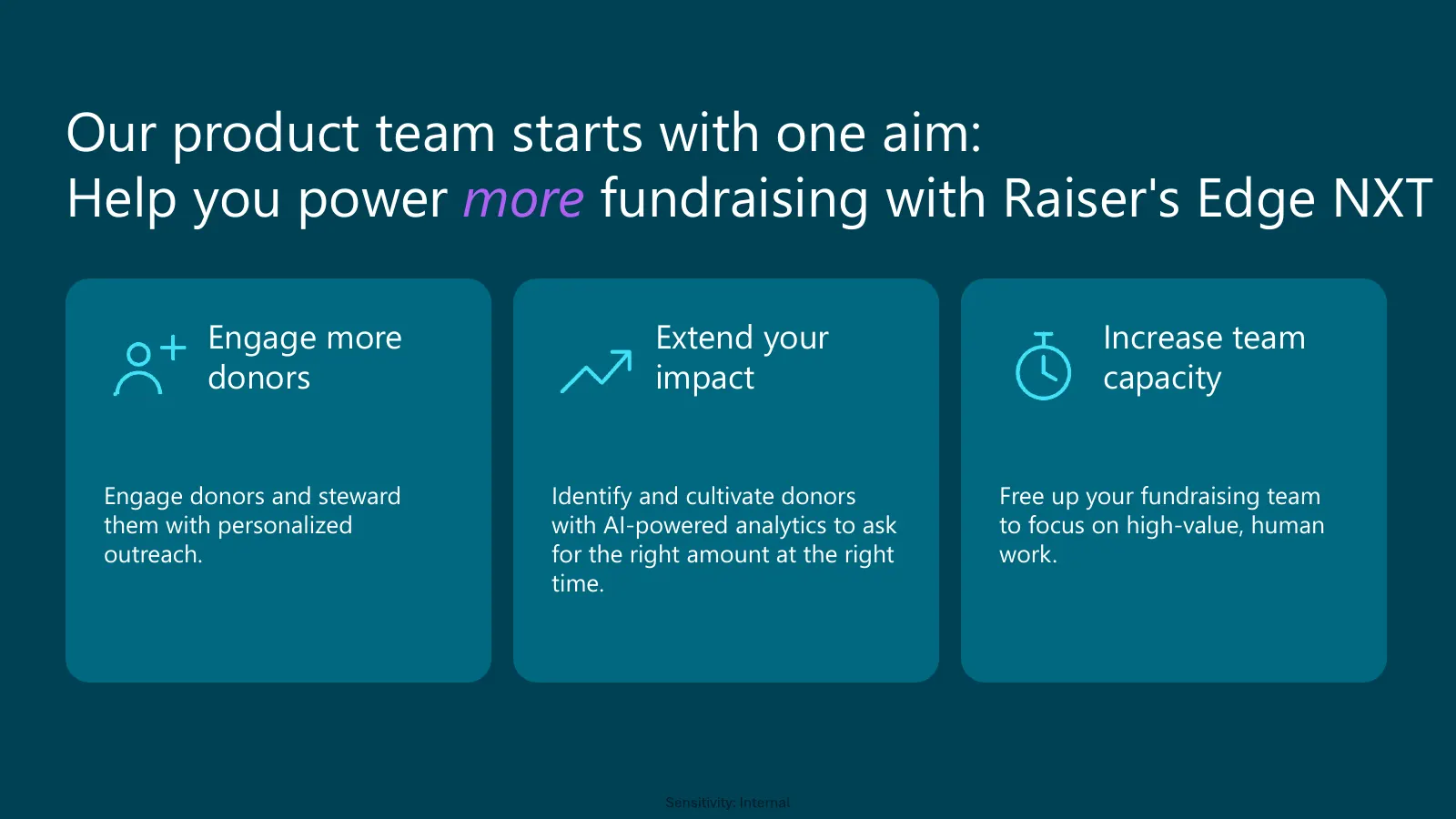
Slide 7: Help you power more fundraising with Raiser's Edge NXT
Our product team starts with one aim: Help you power more fundraising with Raiser's Edge NXT Engage more Extend your Increase team donors impact capacity Engage donors and steward Identify and cultivate donors Free up your fundraising team them with personalized with AI-powered analytics to ask to f
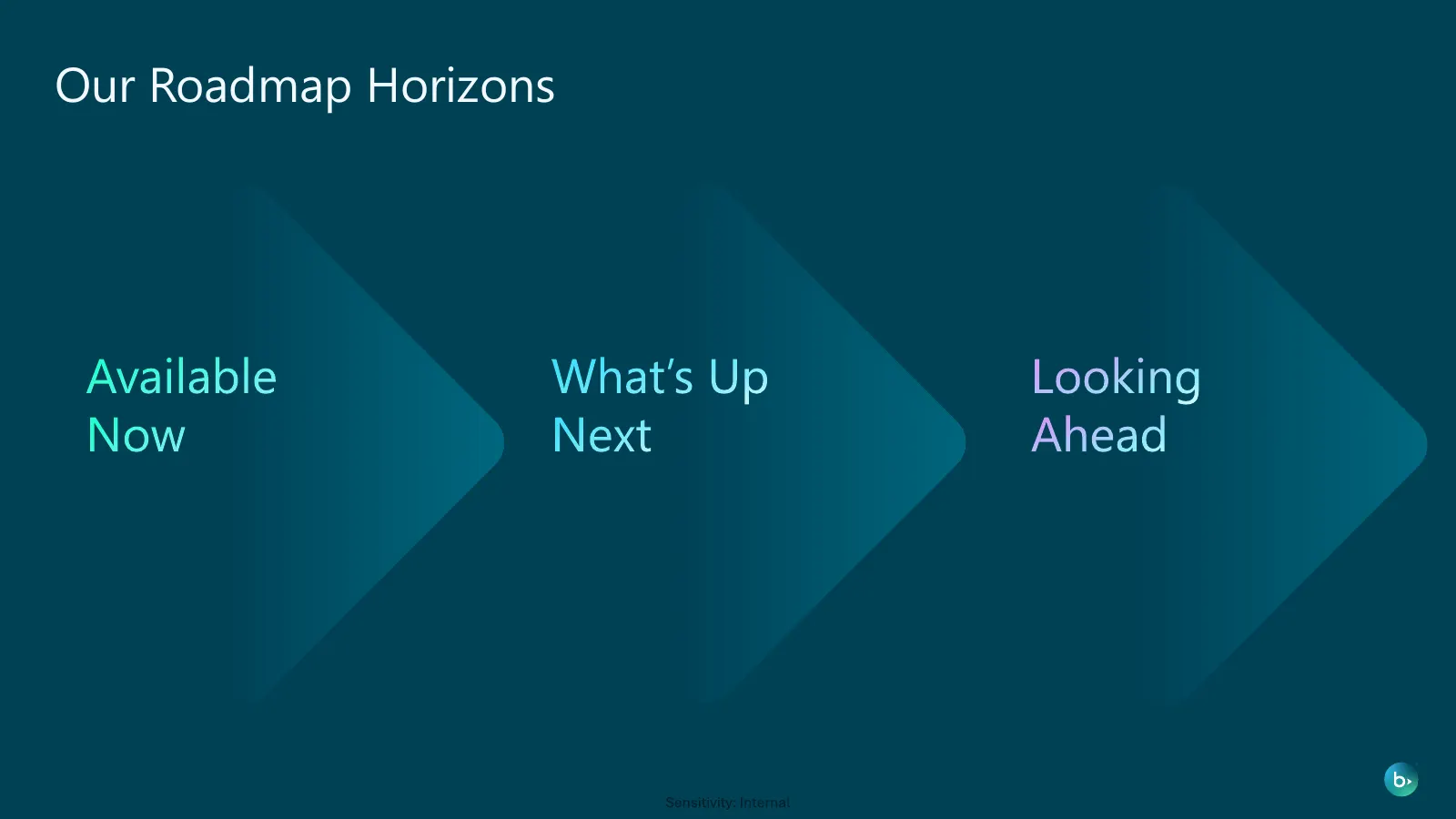
Slide 8: Our Roadmap Horizons
Our Roadmap Horizons Available What’s Up Looking Now Next Ahead
Slide 9: A major milestone for Raiser's Edge NXT
A major milestone for Raiser’s Edge NXT On September 15, 2027, support for database view ends, along with Online Express, Blackbaud NetCommunity, and plug-ins and integrations that depend on it. GLOBAL
Slide 10: Raiser's Edge NXT Focus Areas
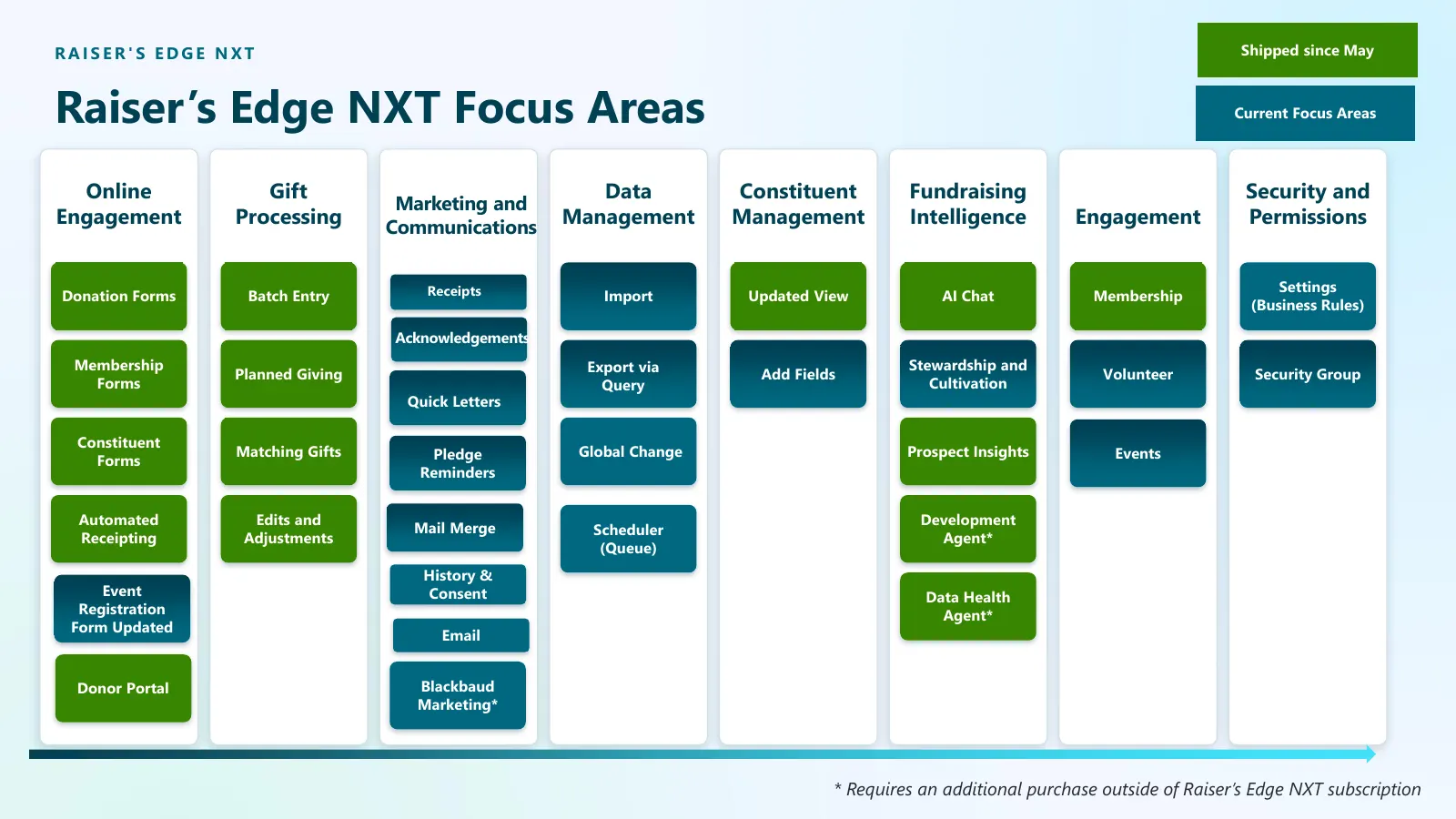
RAISER'S EDGE NXT Shipped since May Raiser’s Edge NXT Focus Areas Current Focus Areas Online Gift Data Constituent Fundraising Security and Marketing and Engagement Processing Communications Management Management Intelligence Engagement Permissions Receipts Settings Donation Forms Batch Entry Import
Slide 11: Since the last Product Update Briefing
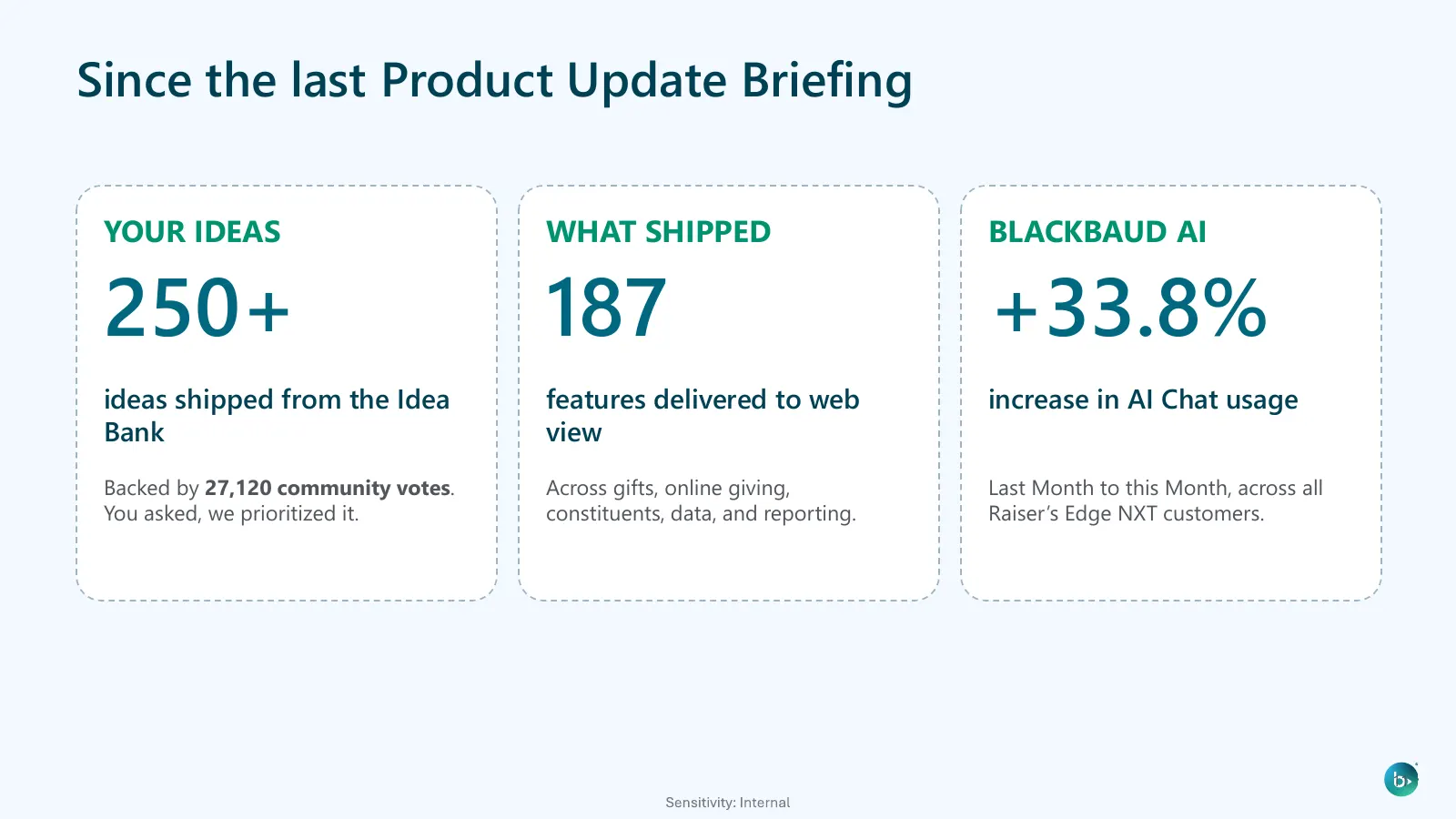
Since the last Product Update Briefing YOUR IDEAS WHAT SHIPPED BLACKBAUD AI 250+ 187 +33.8% ideas shipped from the Idea features delivered to web increase in AI Chat usage Bank view Backed by 27,120 community votes. Across gifts, online giving, Last Month to this Month, across all You asked, we prio

Slide 12: Major release announcements
Major release announcements
Slide 13: Improved gift processing workflows now available in web view
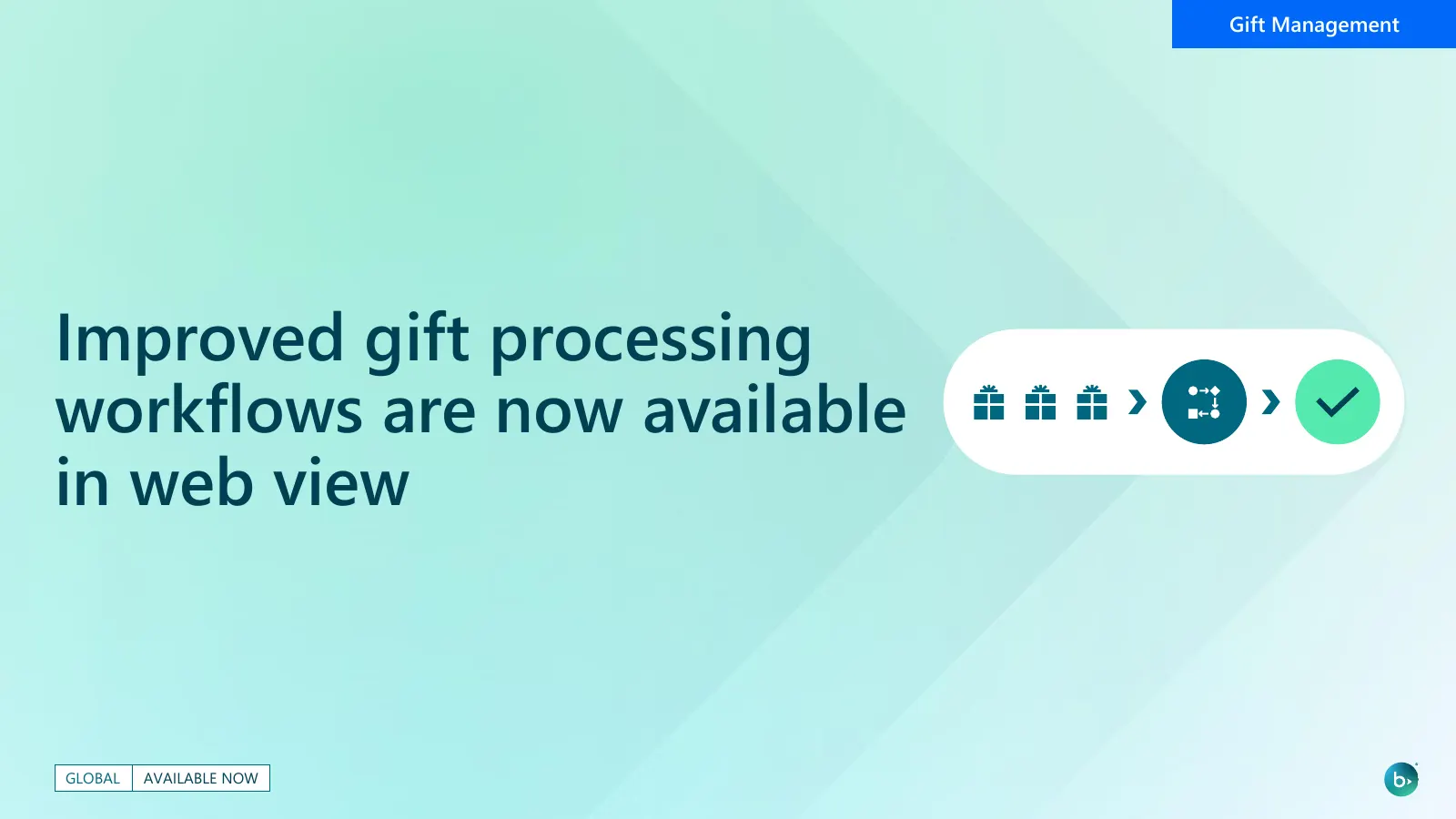
Gift Management Improved gift processing workflows are now available in web view GLOBAL AVAILABLE NOW
Slide 14: Tabbed constituent is now available in web view
Constituent Management Tabbed constituent is now available in web view Opt in today! GLOBAL AVAILABLE NOW
Slide 15: Export is now single-row query in web view
Data Management Export is now single-row query in web view GLOBAL AVAILABLE NOW
Slide 16: Where to Find Answers to Two Commonly Asked Questions
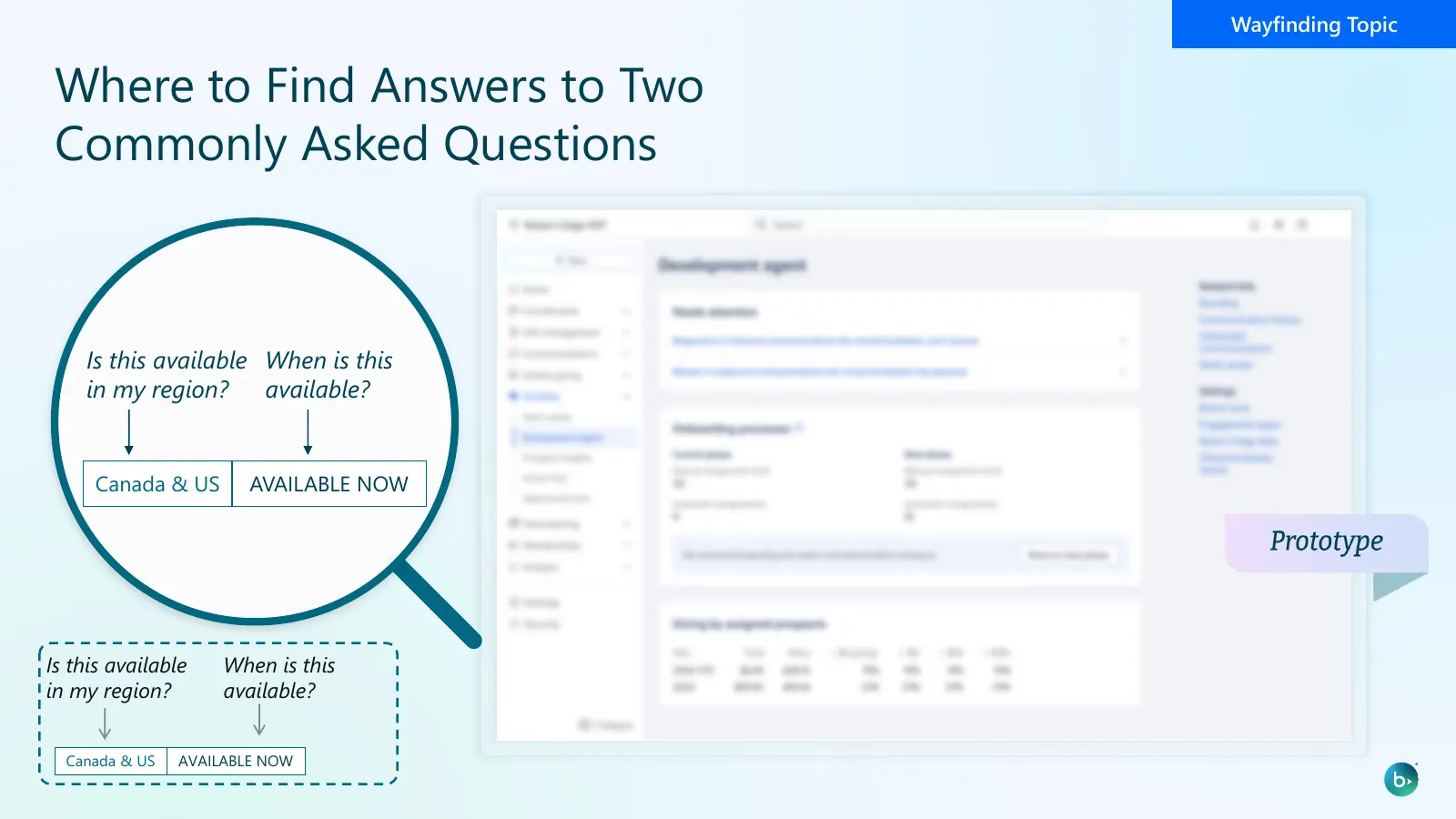
Wayfinding Topic Where to Find Answers to Two Commonly Asked Questions Is this available When is this in my region? available? Canada & US AVAILABLE NOW Is this available When is this in my region? available? Canada & US AVAILABLE NOW
Slide 17: Gift Management
Gift Management How do I process and manage gifts accurately without all the friction?
Slide 18: What you'll see in this section
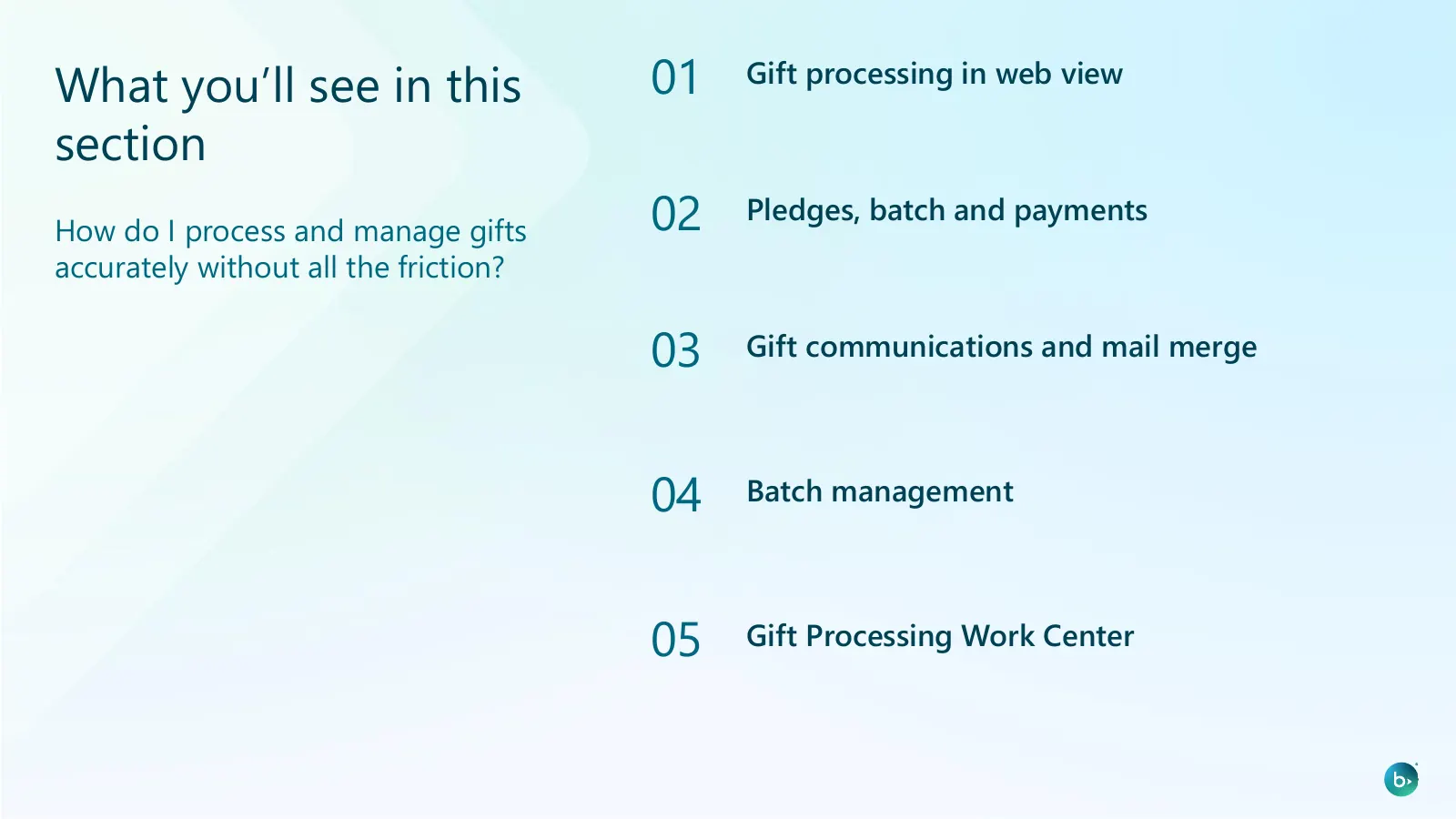
What you’ll see in this 01 Gift processing in web view section How do I process and manage gifts 02 Pledges, batch and payments accurately without all the friction? 03 Gift communications and mail merge 04 Batch management 05 Gift Processing Work Center
Slide 19: Gift Processing workflows now available
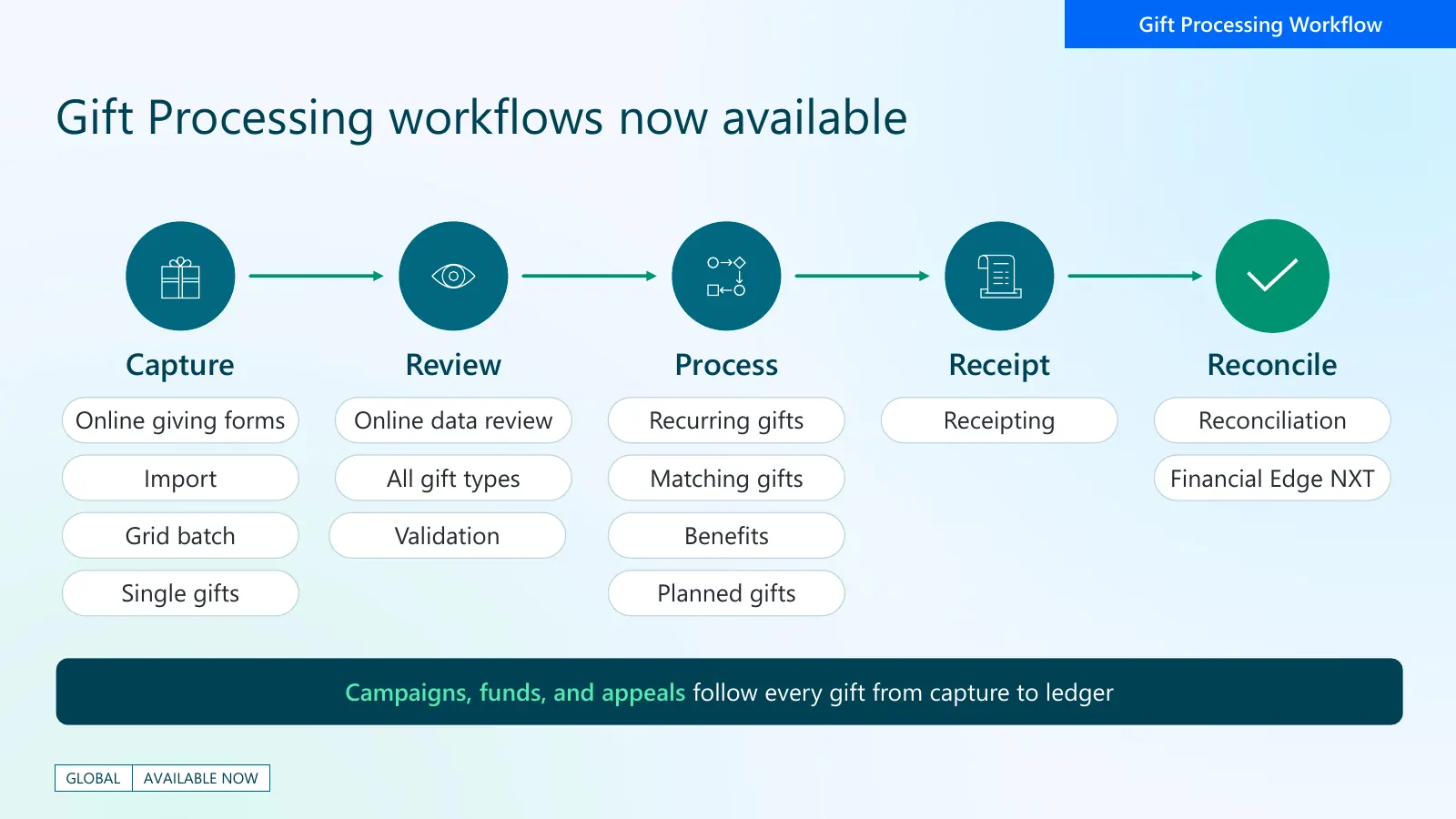
Gift Processing Workflow Gift Processing workflows now available Capture Review Process Receipt Reconcile Online giving forms Online data review Recurring gifts Receipting Reconciliation Import All gift types Matching gifts Financial Edge NXT Grid batch Validation Benefits Single gifts Planned gifts
Slide 20: Gift Management – Up Next
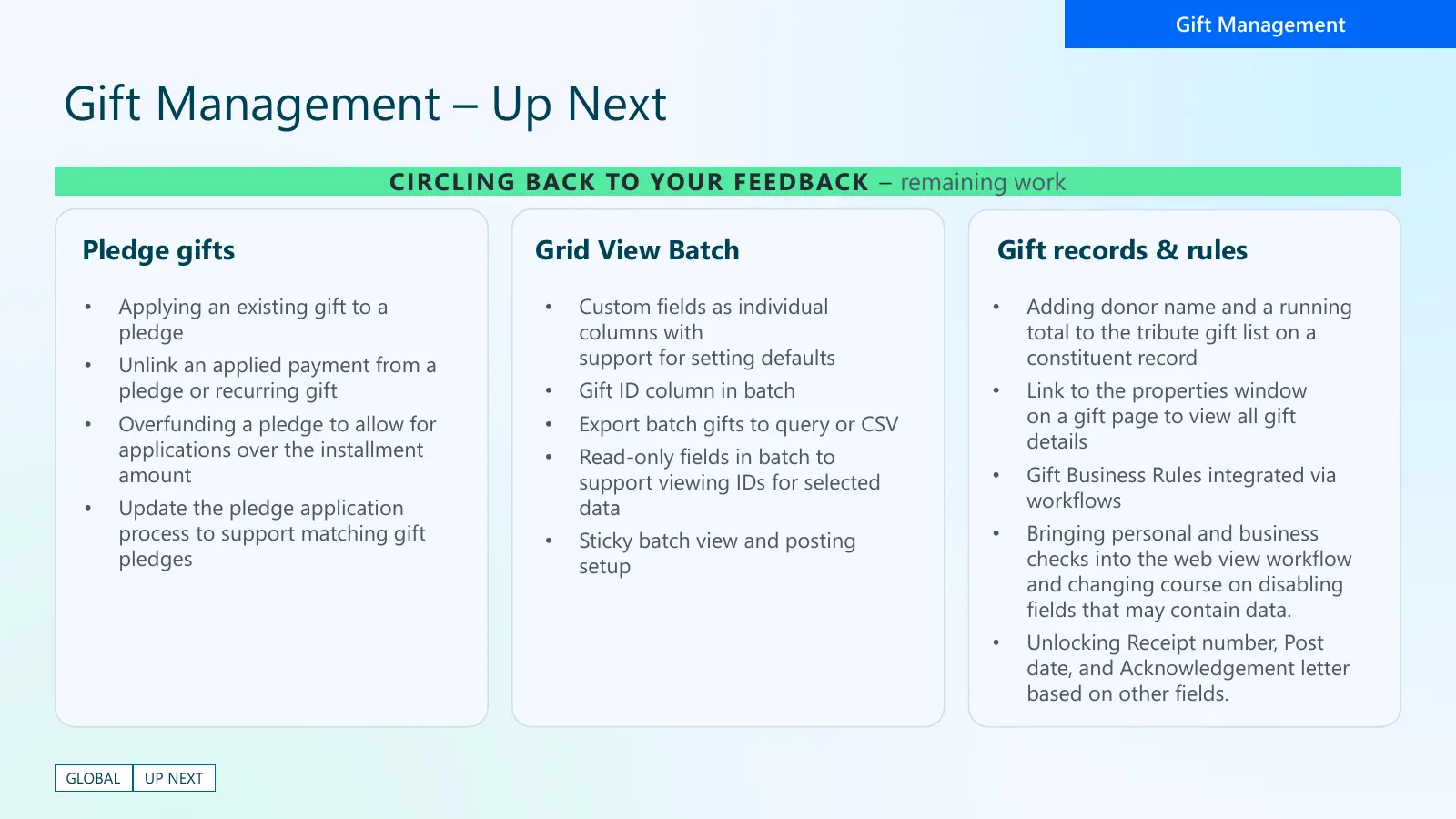
Gift Management Gift Management – Up Next CIRCLING BACK TO YOUR FEEDBACK – remaining work Pledge gifts Grid View Batch Gift records & rules • Applying an existing gift to a • Custom fields as individual • Adding donor name and a running pledge columns with total to the tribute gift list on a • Unlin
Slide 21: Raiser's Edge NXT Communications
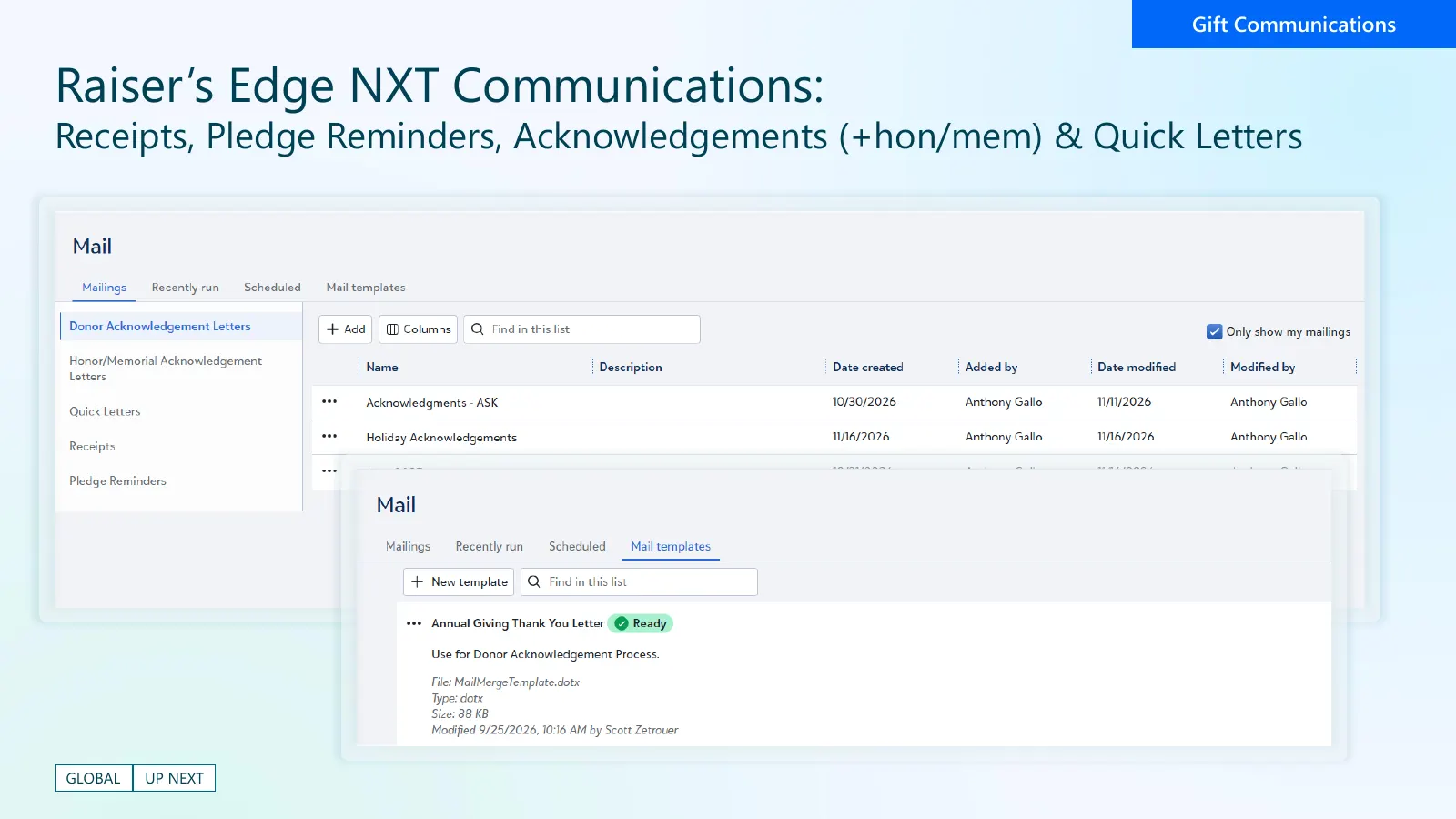
Gift Communications Raiser’s Edge NXT Communications: Receipts, Pledge Reminders, Acknowledgements (+hon/mem) & Quick Letters GLOBAL UP NEXT
Slide 22: Demo: Mail Merge
Demo Mail Merge GLOBAL 1H 2027
Slide 23: What's Ahead for Batch: Settings and Management
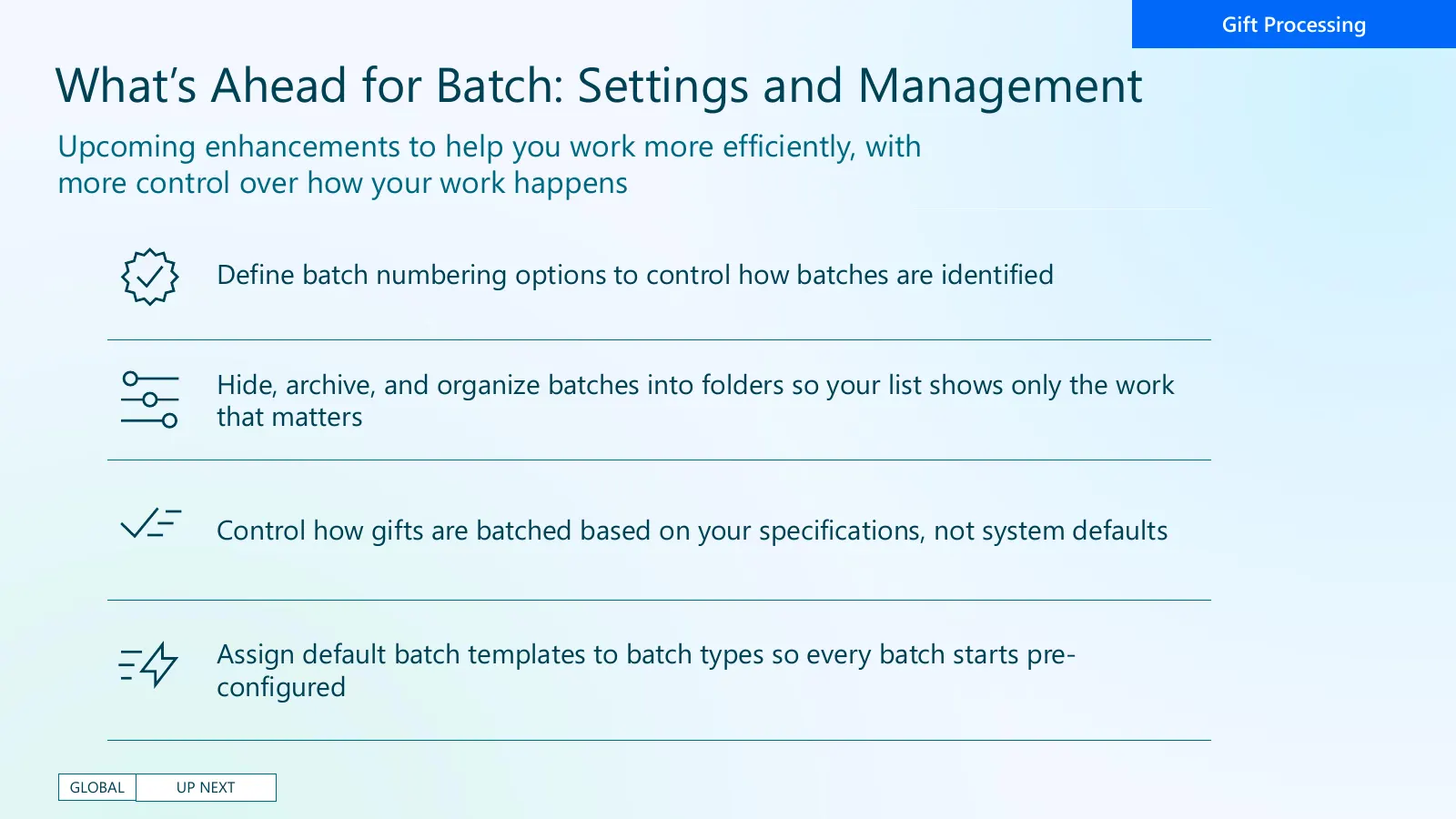
Gift Processing What’s Ahead for Batch: Settings and Management Upcoming enhancements to help you work more efficiently, with more control over how your work happens Define batch numbering options to control how batches are identified Hide, archive, and organize batches into folders so your list sho
Slide 24: What's Ahead for Batch: Advanced Processes
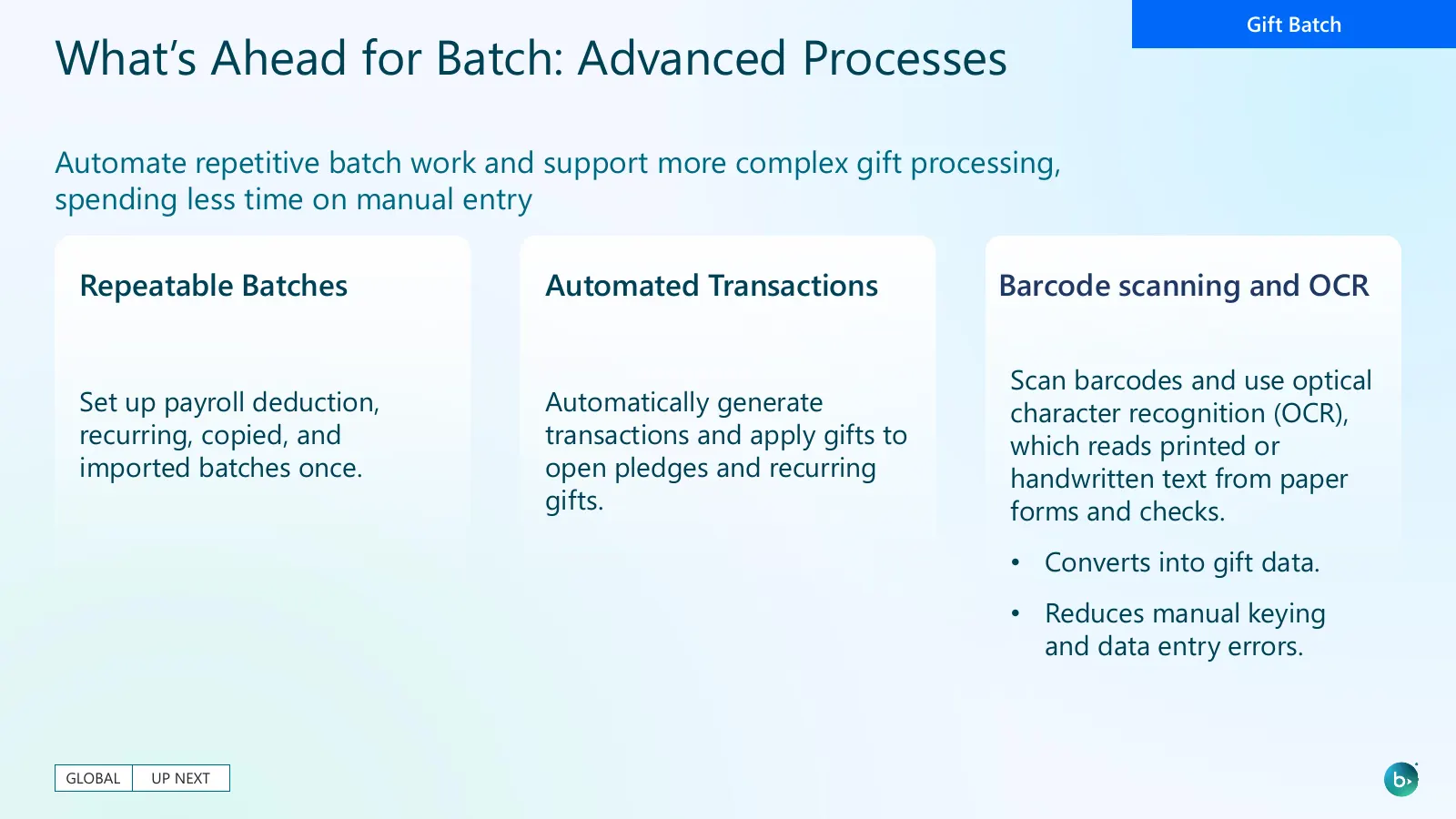
Gift Batch What’s Ahead for Batch: Advanced Processes Automate repetitive batch work and support more complex gift processing, spending less time on manual entry Repeatable Batches Automated Transactions Barcode scanning and OCR Scan barcodes and use optical Set up payroll deduction, Automatically g
Slide 25: Raiser's Edge NXT Gift Processing
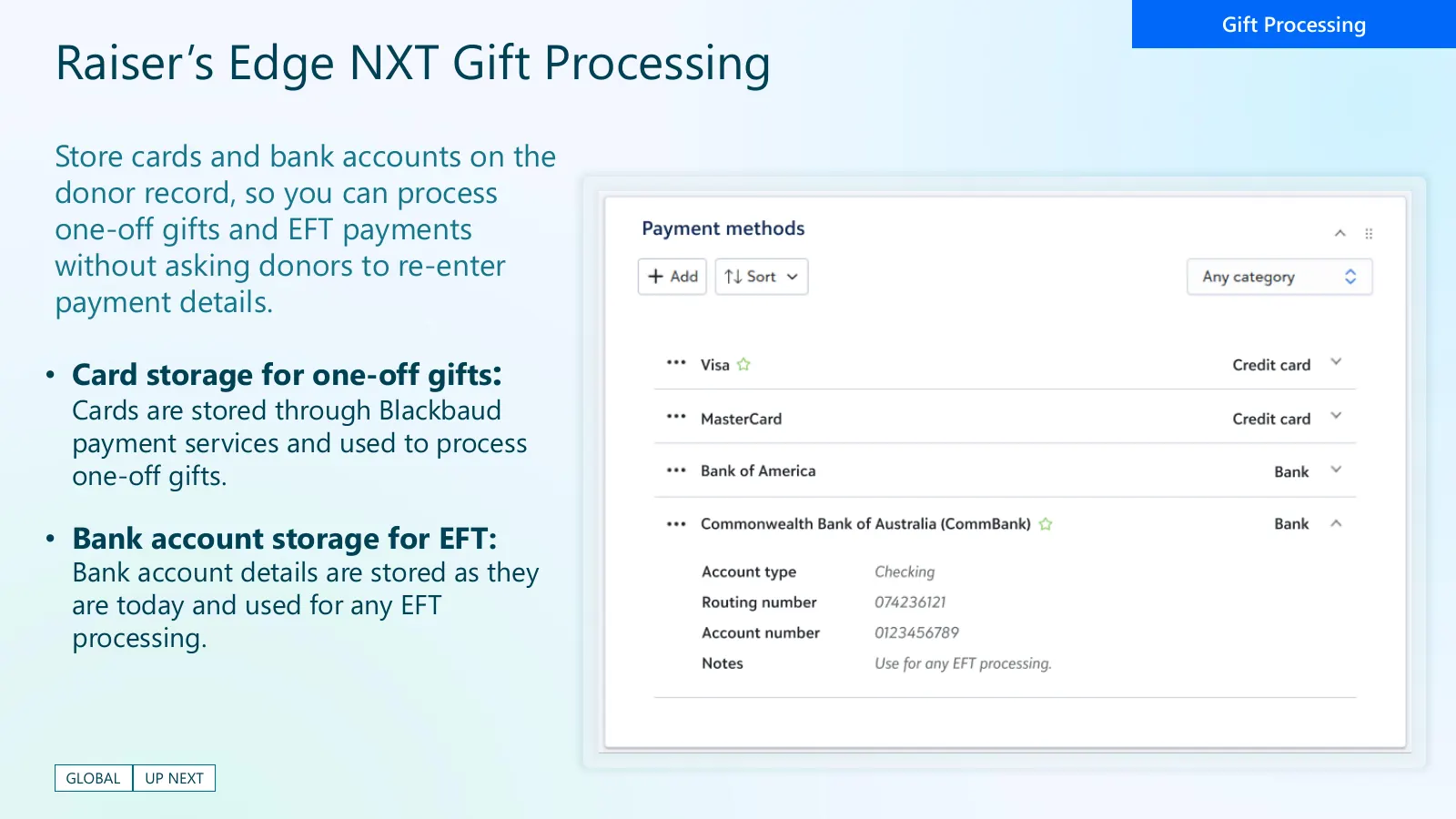
Gift Processing Raiser’s Edge NXT Gift Processing Store cards and bank accounts on the donor record, so you can process one-off gifts and EFT payments without asking donors to re-enter payment details. • Card storage for one-off gifts: Cards are stored through Blackbaud payment services and used to
Slide 26: New Gift Processing Work Center
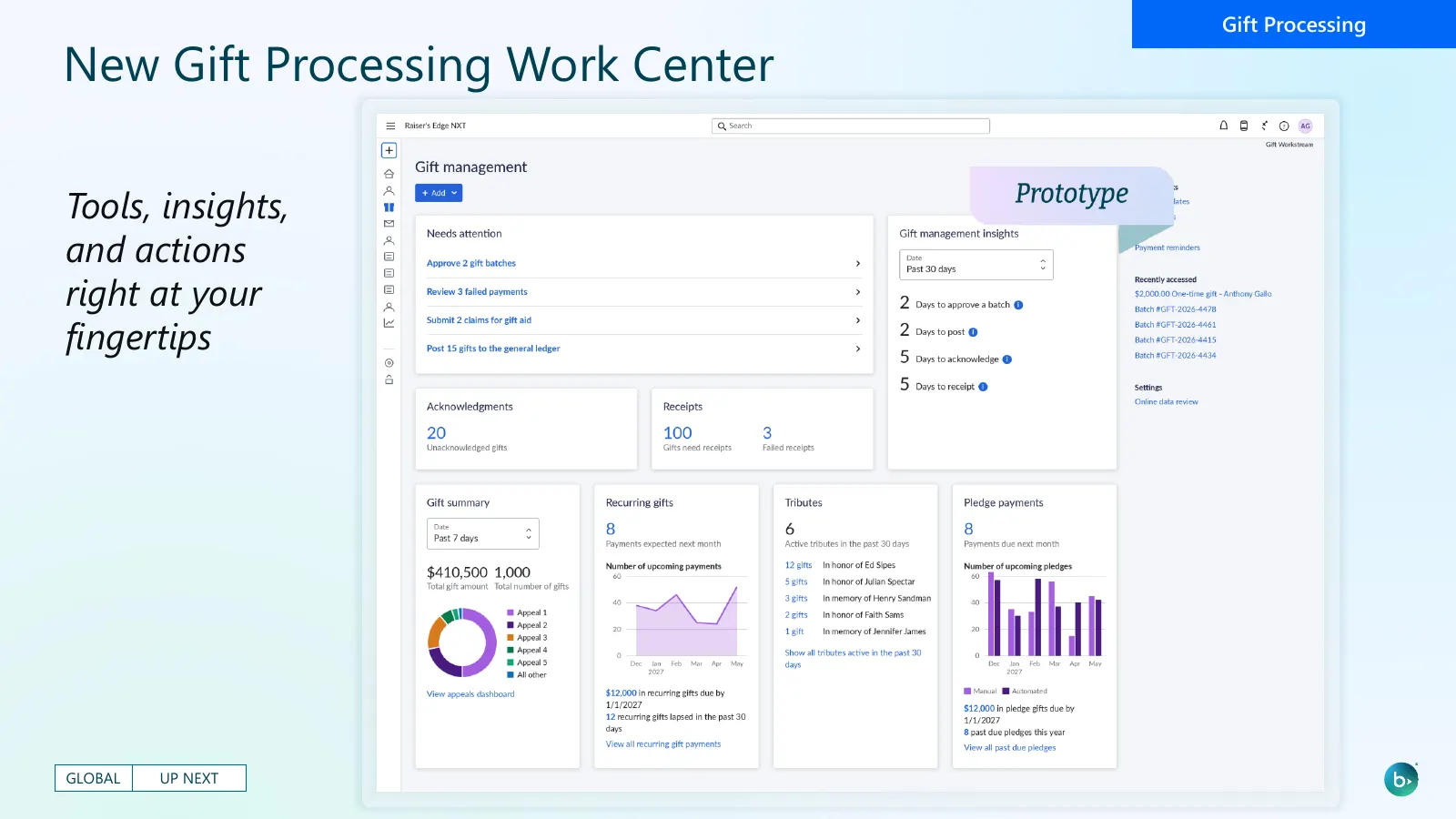
Gift Processing New Gift Processing Work Center Tools, insights, and actions right at your fingertips GLOBAL UP NEXT
Slide 27: Data Management
Data Management
Slide 28: What you'll see in this section
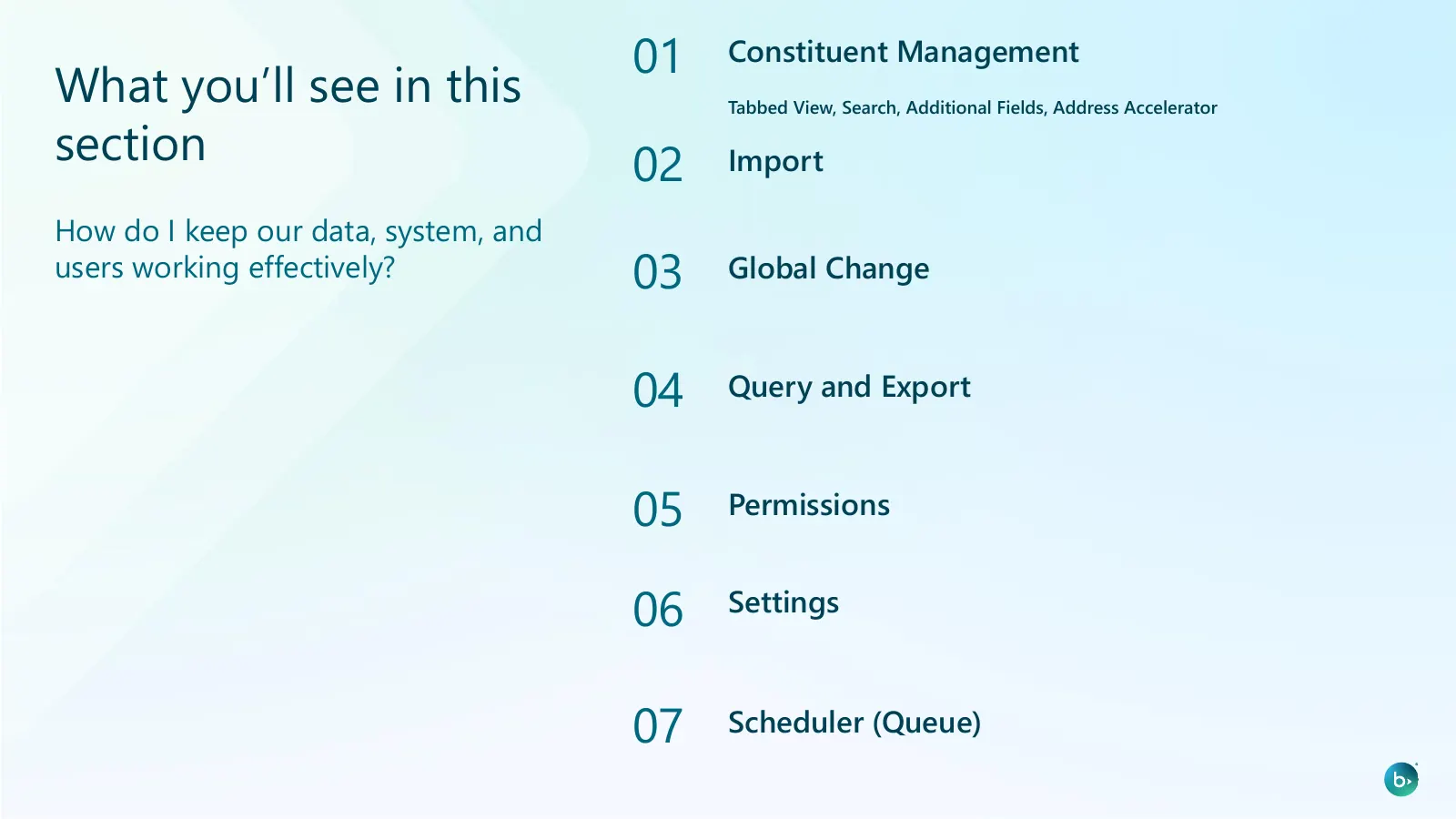
01 Constituent Management What you’ll see in this Tabbed View, Search, Additional Fields, Address Accelerator section 02 Import How do I keep our data, system, and users working effectively? 03 Global Change 04 Query and Export 05 Permissions 06 Settings 07 Scheduler (Queue)
Slide 29: Constituent Page: Familiar. Refreshed.
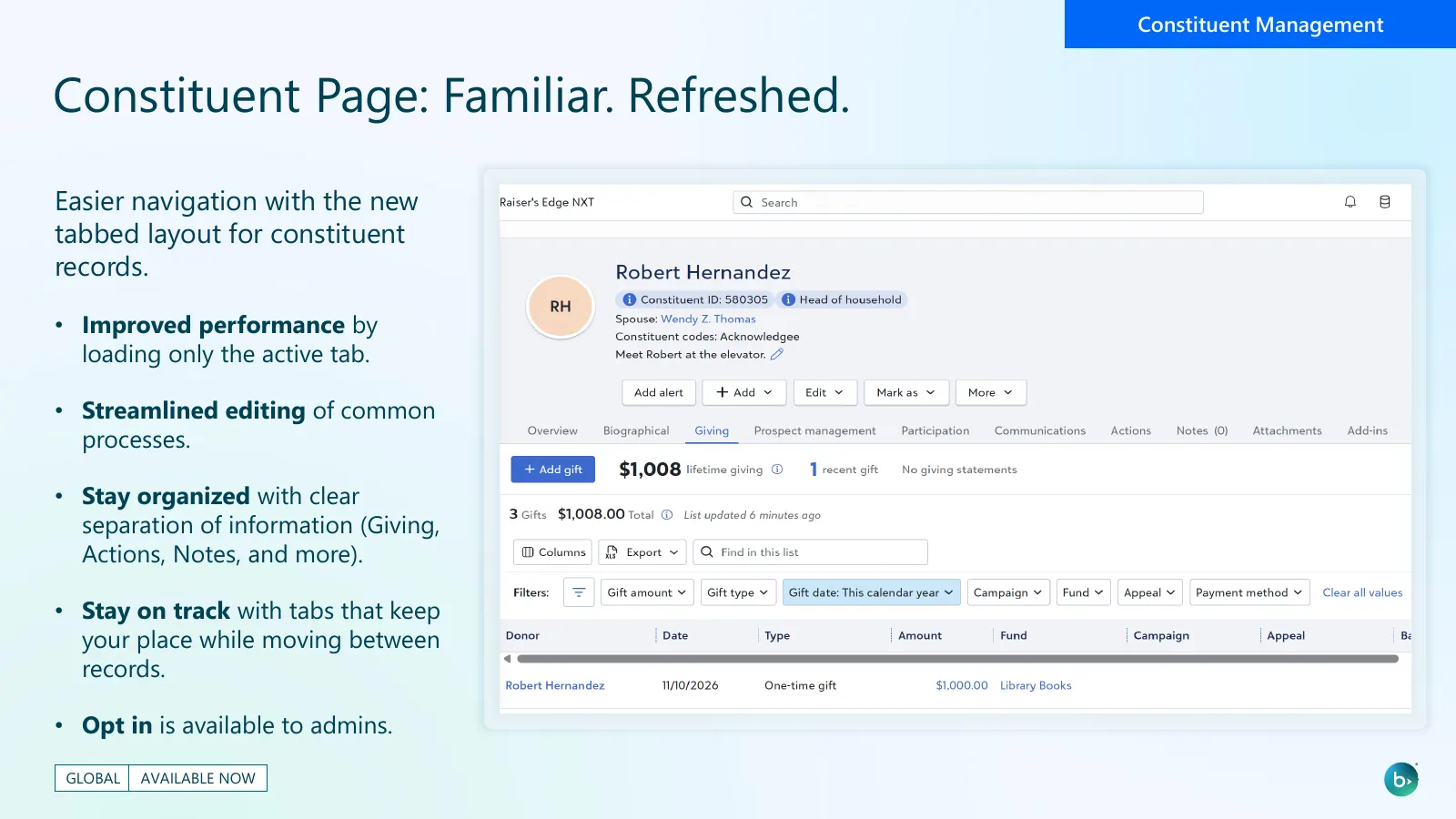
Constituent Management Constituent Page: Familiar. Refreshed. Easier navigation with the new tabbed layout for constituent records. • Improved performance by loading only the active tab. • Streamlined editing of common processes. • Stay organized with clear separation of information (Giving, Actio
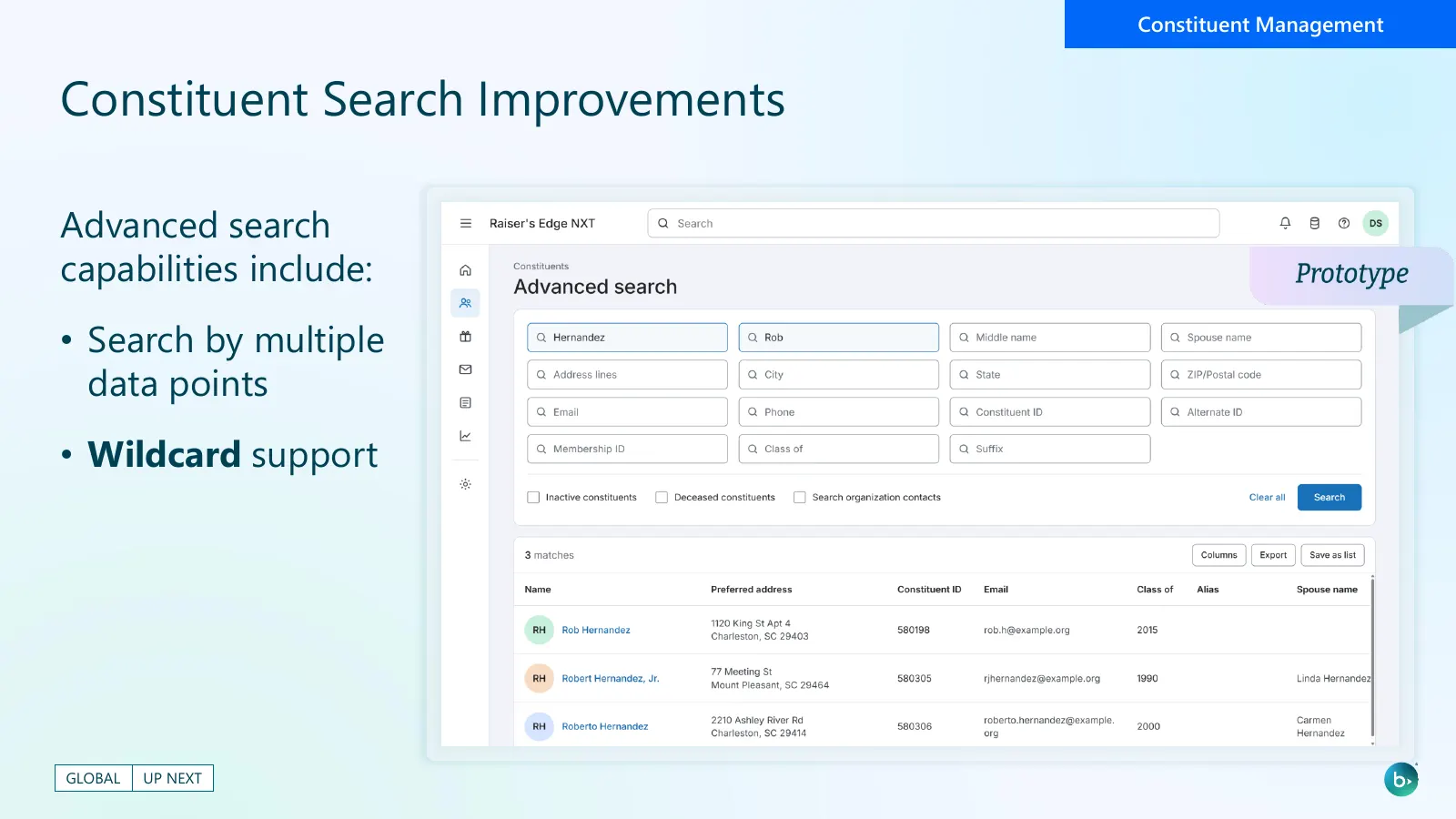
Slide 30: Constituent Search Improvements
Constituent Management Constituent Search Improvements Advanced search capabilities include: • Search by multiple data points • Wildcard support GLOBAL UP NEXT
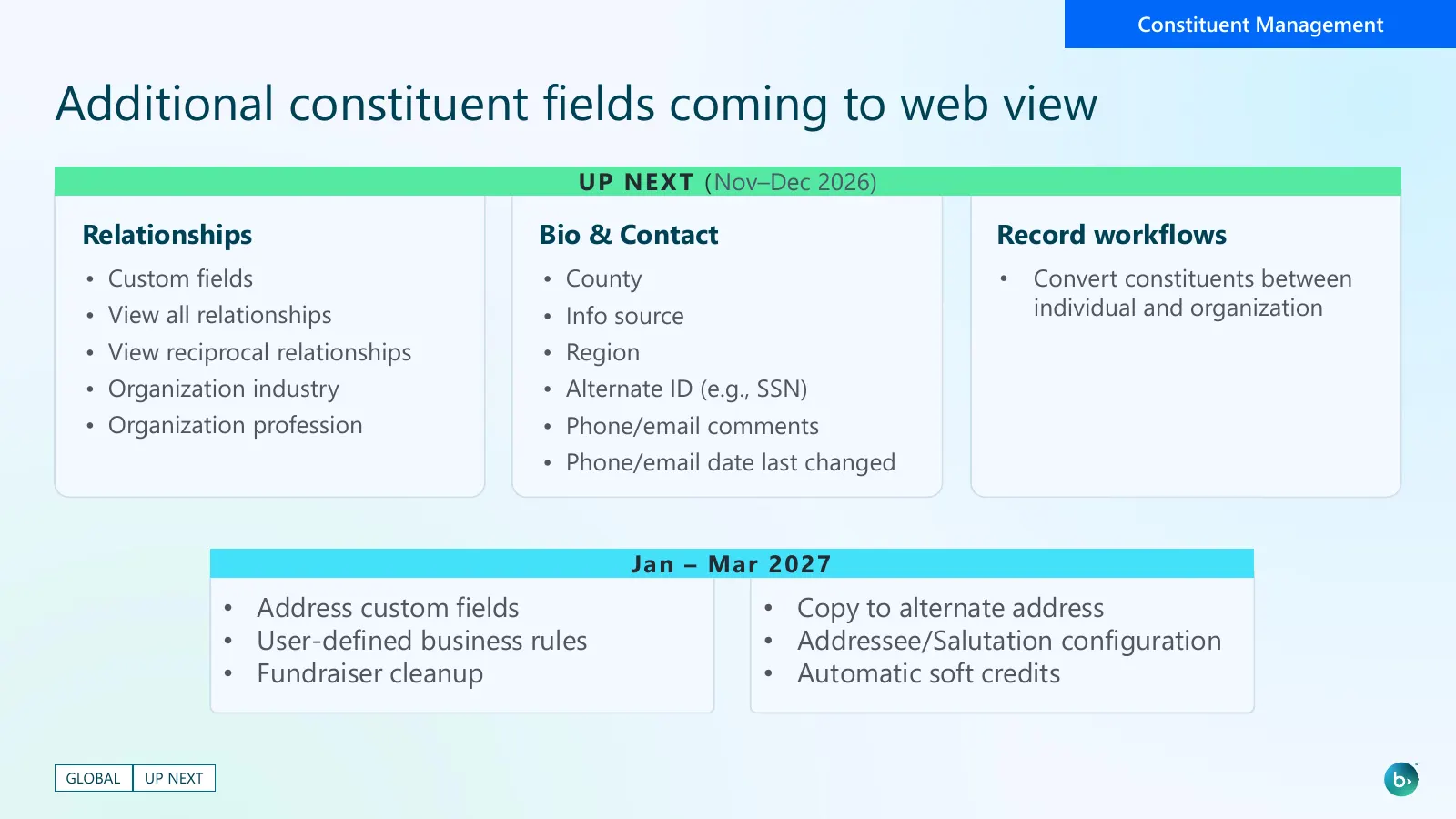
Slide 31: Additional constituent fields coming to web view
Constituent Management Additional constituent fields coming to web view UP NE X T (Nov–Dec 2026) Relationships Bio & Contact Record workflows • Custom fields • County • Convert constituents between • View all relationships • Info source individual and organization • View reciprocal relationships • R
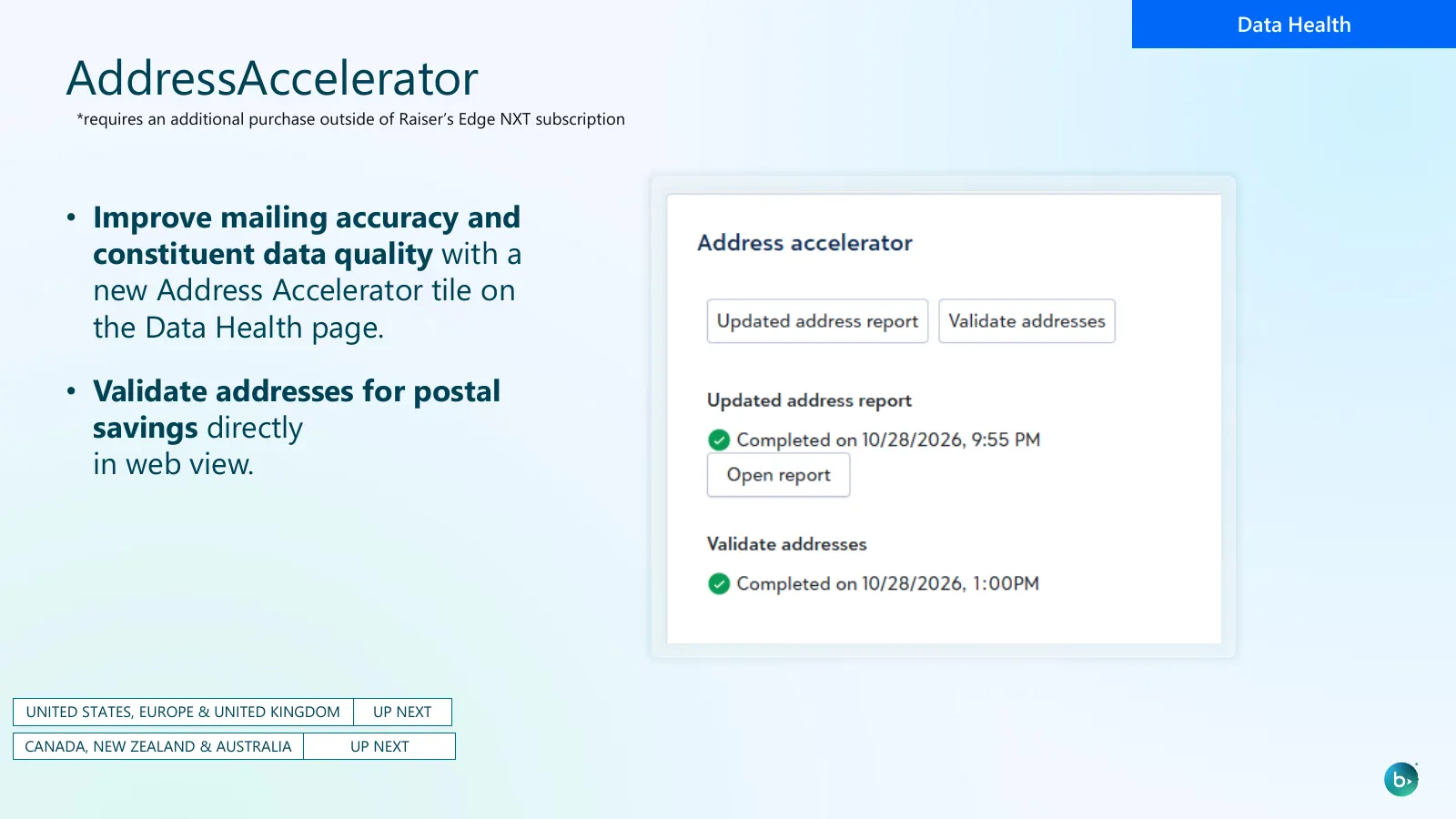
Slide 32: AddressAccelerator
Data Health AddressAccelerator *requires an additional purchase outside of Raiser’s Edge NXT subscription • Improve mailing accuracy and constituent data quality with a new Address Accelerator tile on the Data Health page. • Validate addresses for postal savings directly in web view. UNITED STATES,
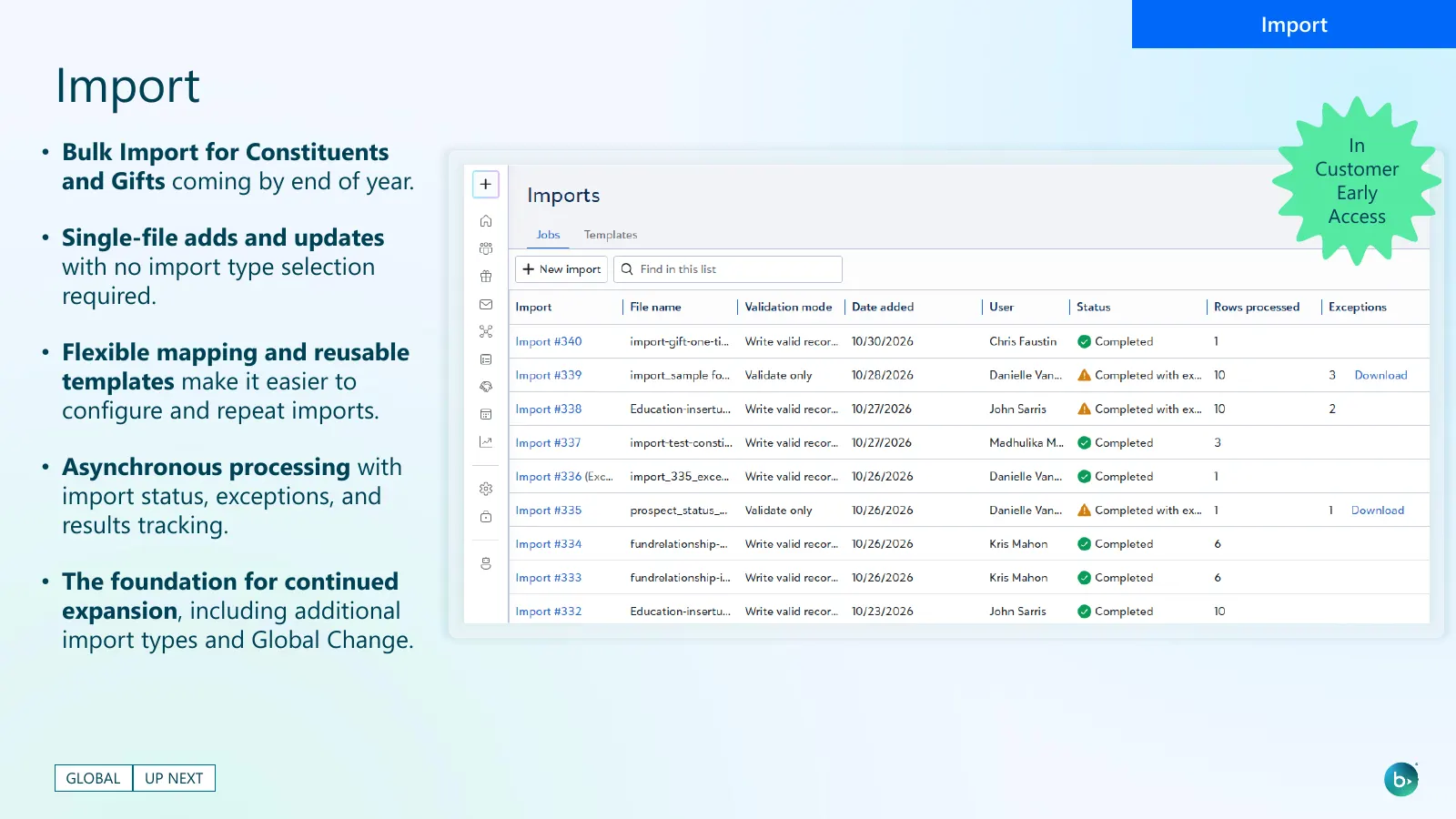
Slide 33: Import
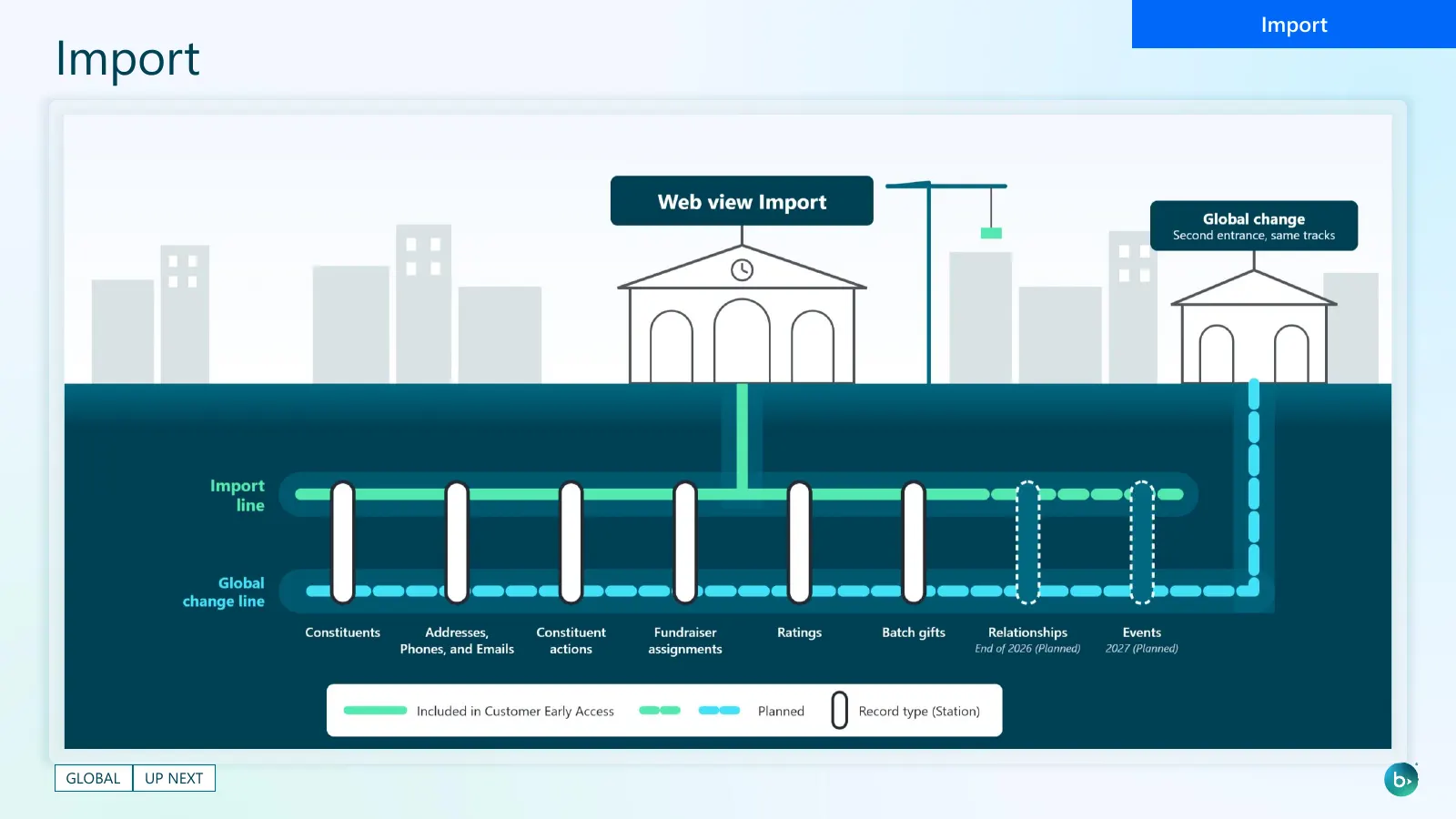
Import Import • Bulk Import for Constituents In Customer and Gifts coming by end of year. Early Access • Single-file adds and updates with no import type selection required. • Flexible mapping and reusable templates make it easier to configure and repeat imports. • Asynchronous processing with imp
Slide 34: Import
Import Import line Global change line GLOBAL UP NEXT Constituents Constituent actions Addresses, Phones, and Emails Included in Customer Early Access Web view Import Fundraiser assignments Ratings Batch gifts Relationships End of 20: Planned Record type (Station) Global change Second entrance, same
Slide 35: Import record types coming to web view
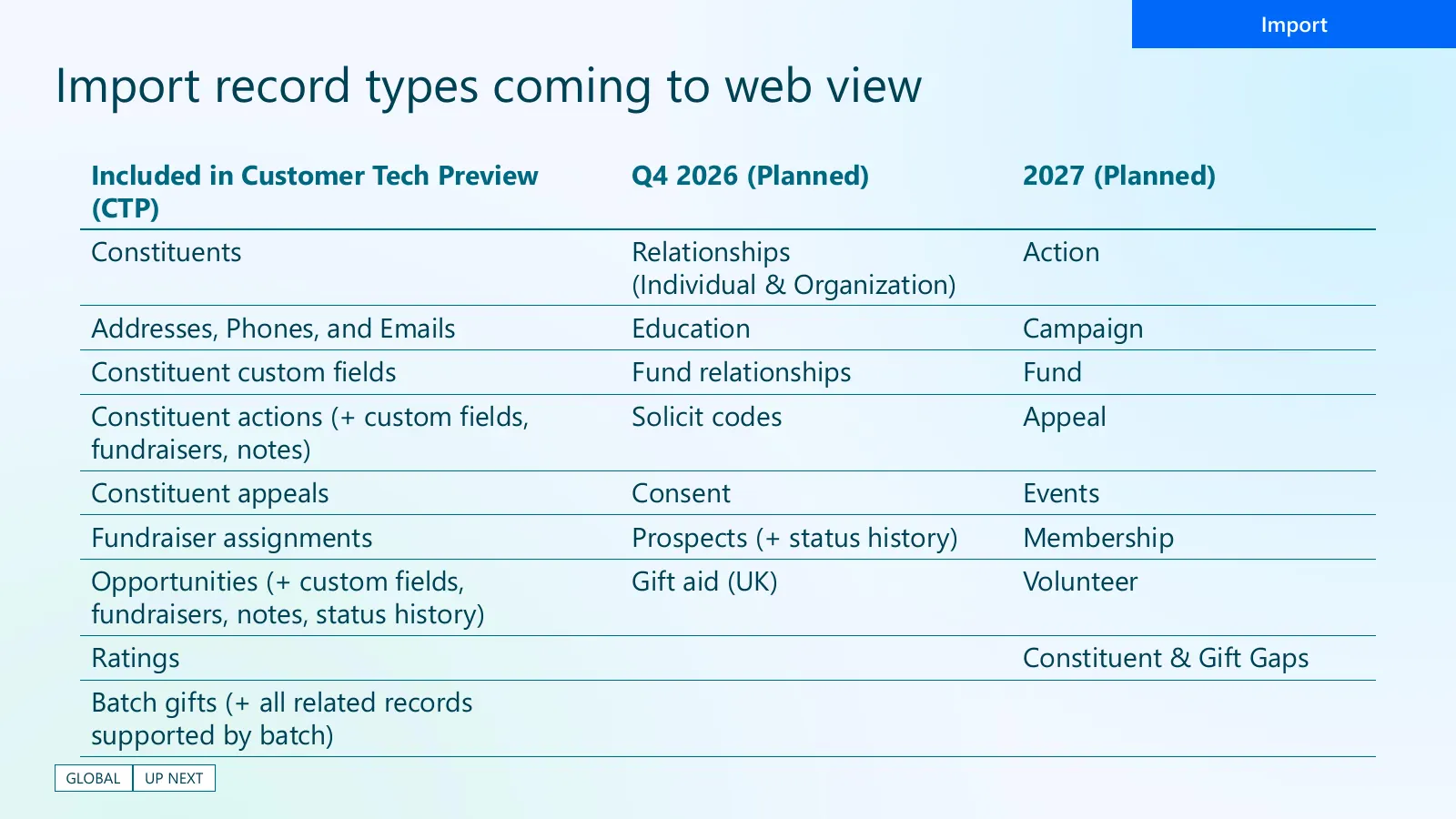
Import Import record types coming to web view Included in Customer Tech Preview Q4 2026 (Planned) 2027 (Planned) (CTP) Constituents Relationships Action (Individual & Organization) Addresses, Phones, and Emails Education Campaign Constituent custom fields Fund relationships Fund Constituent actions
Slide 36: Global Change: Add, Update, and Delete Records at Scale
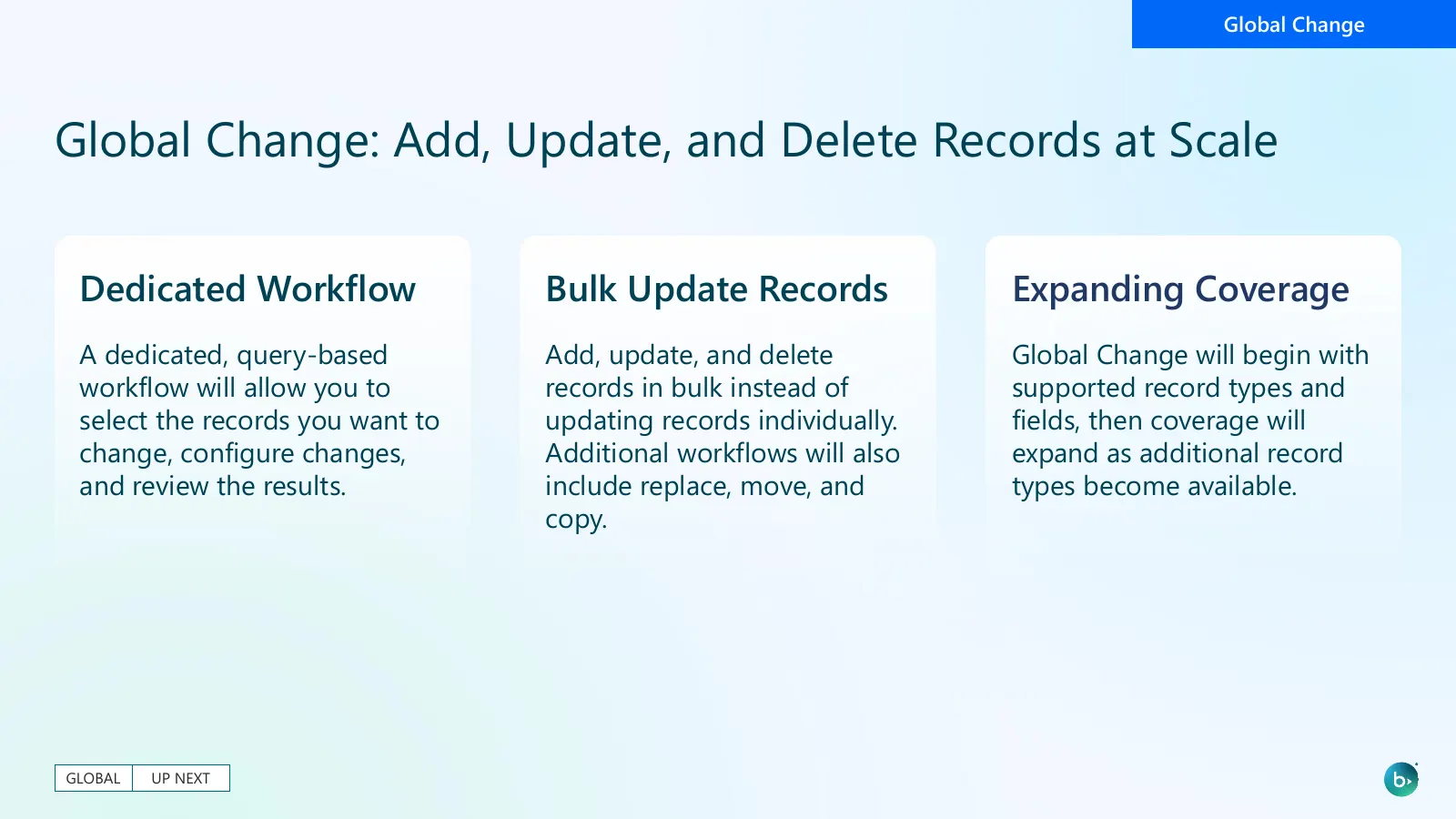
Global Change Global Change: Add, Update, and Delete Records at Scale Dedicated Workflow Bulk Update Records Expanding Coverage A dedicated, query-based Add, update, and delete Global Change will begin with workflow will allow you to records in bulk instead of supported record types and select the r
Slide 37: More Query & Export coming
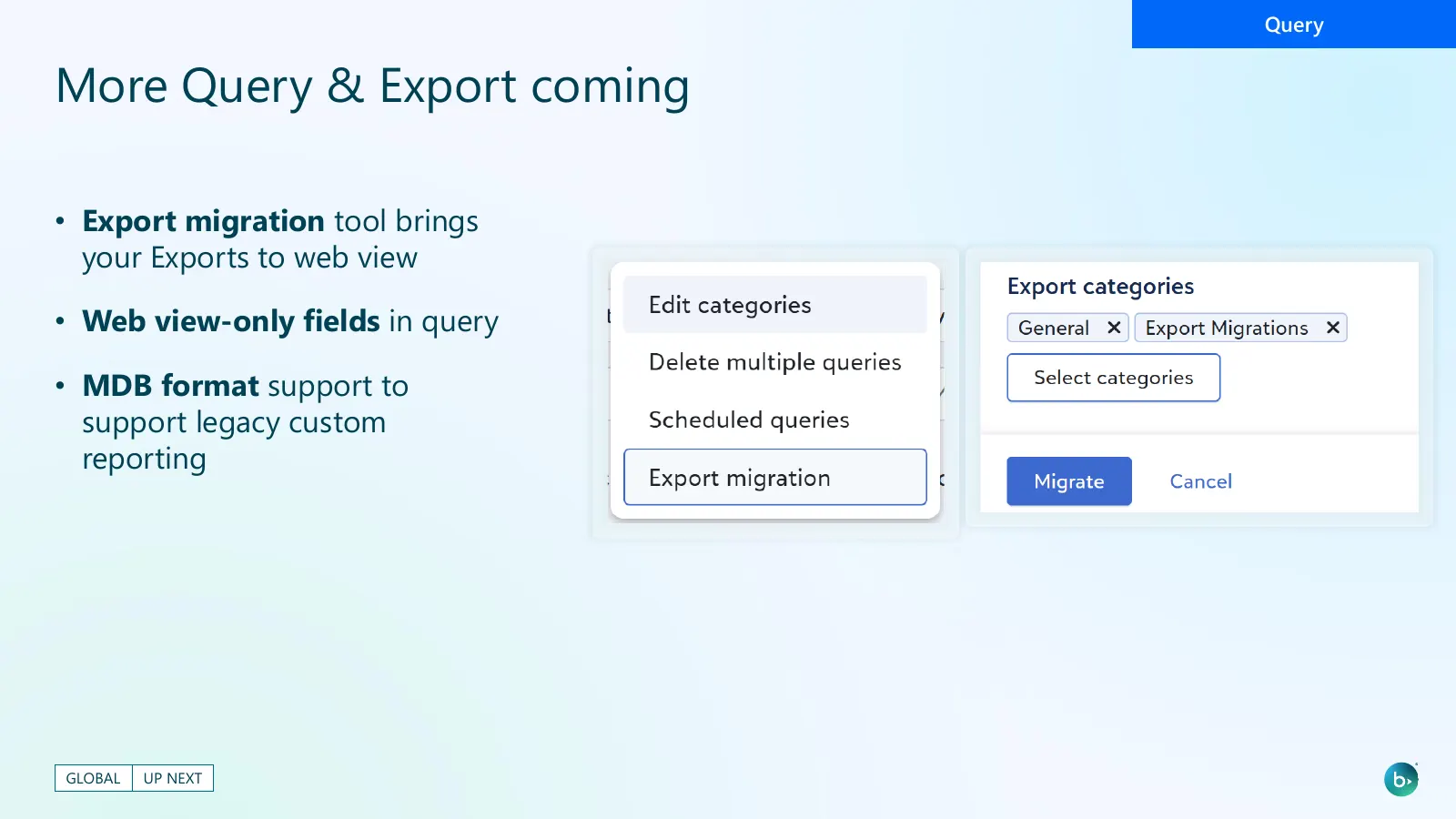
Query More Query & Export coming • Export migration tool brings your Exports to web view • Web view-only fields in query • MDB format support to support legacy custom reporting GLOBAL UP NEXT
Slide 38: Settings
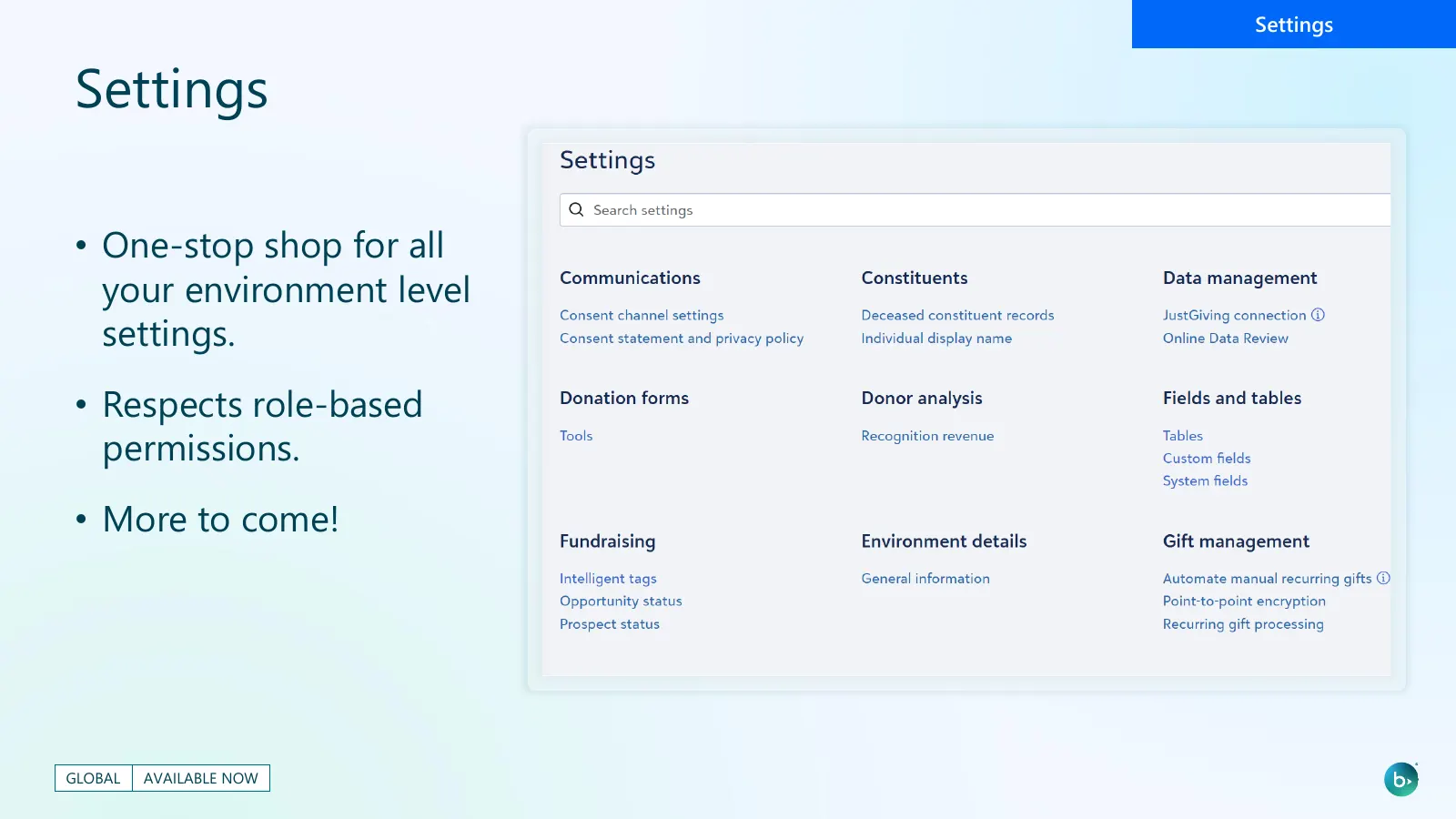
Settings Settings • One-stop shop for all your environment level settings. • Respects role-based permissions. • More to come! GLOBAL AVAILABLE NOW
Slide 39: Permissions
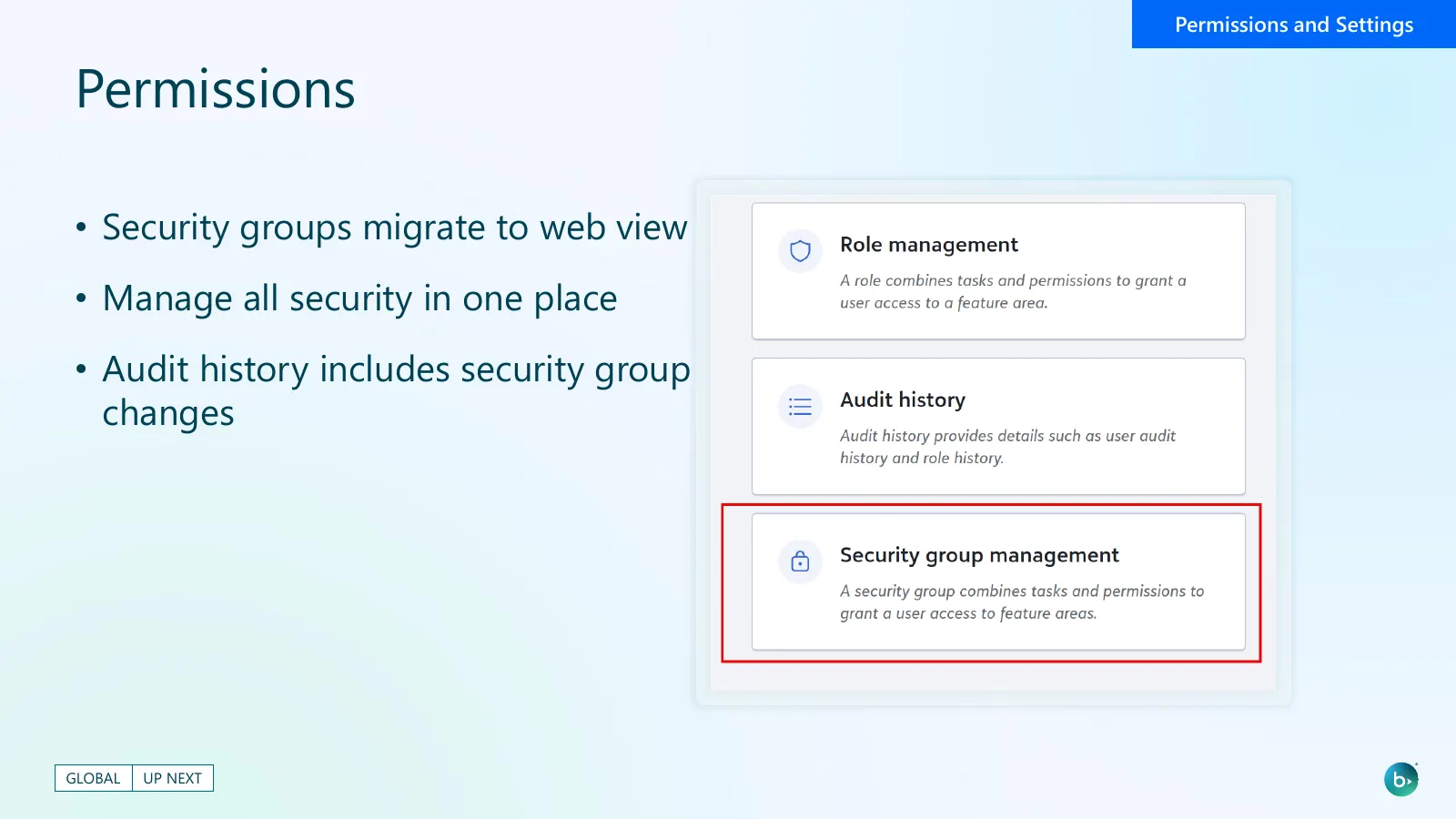
Permissions and Settings Permissions • Security groups migrate to web view • Manage all security in one place • Audit history includes security group changes GLOBAL UP NEXT
Slide 40: Queue will become Scheduler
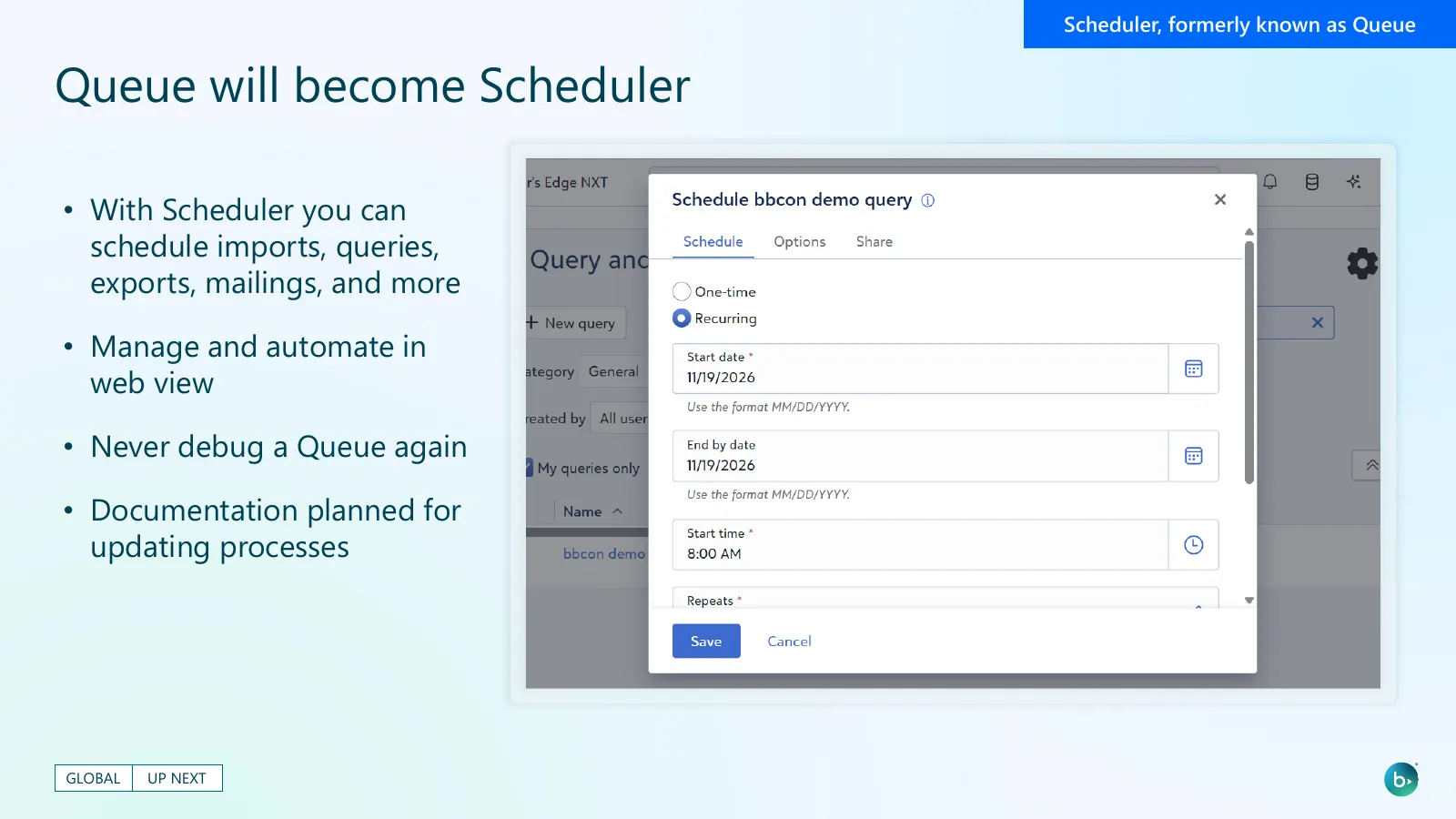
Scheduler, formerly known as Queue Queue will become Scheduler • With Scheduler you can schedule imports, queries, exports, mailings, and more • Manage and automate in web view • Never debug a Queue again • Documentation planned for updating processes GLOBAL UP NEXT
Slide 41: Donor Engagement
Donor Engagement Who should I engage, and what should I do next?
Slide 42: What you'll see in this section
What you’ll see in this section 01 Email Marketing Who should I engage, and what should I do next? 02 Online Engagement 03 Events 03 Volunteers 04 Membership 05 Recognition programs
Slide 43: Enhanced Email Marketing Tools
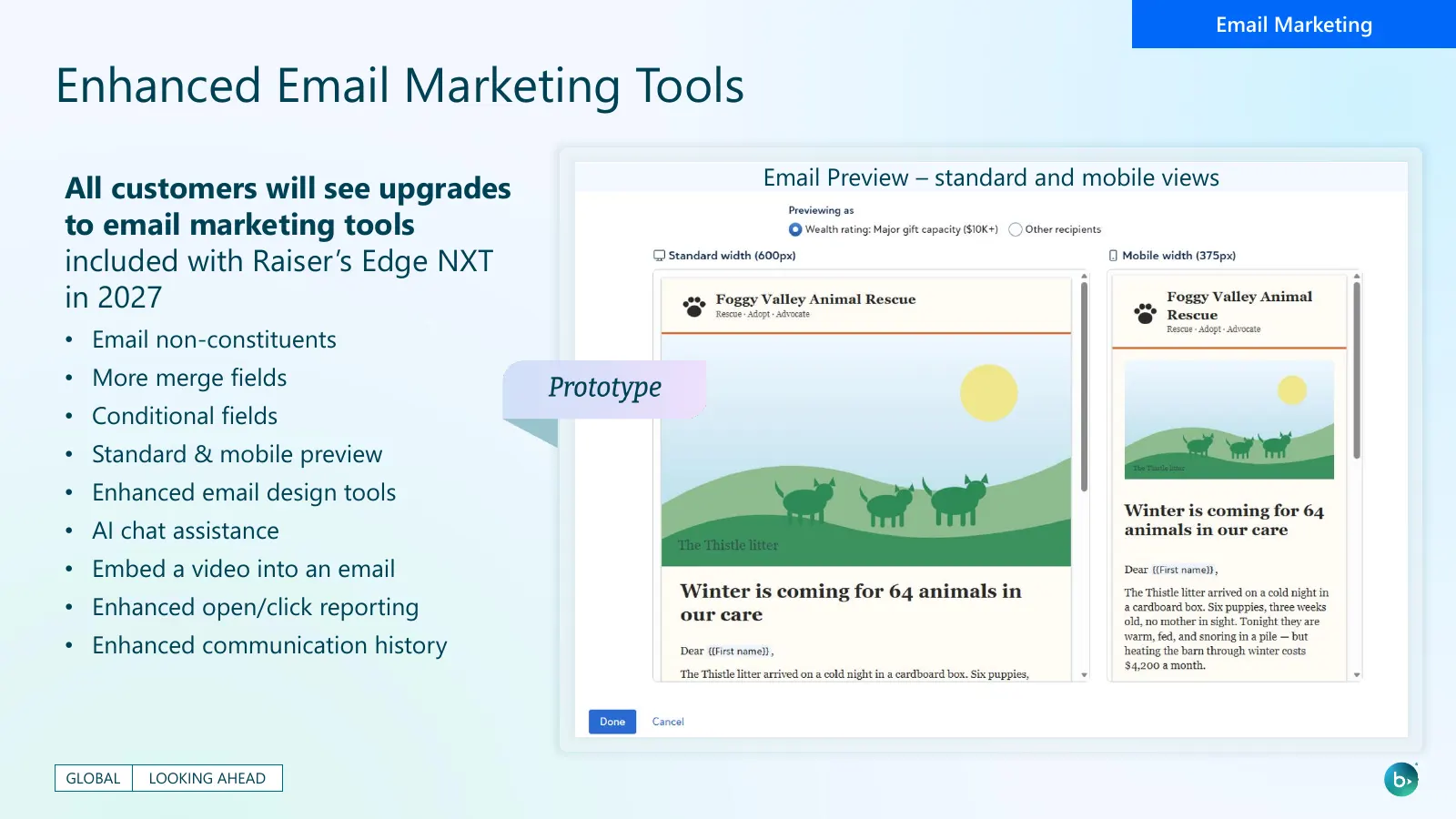
Email Marketing Enhanced Email Marketing Tools Email Preview – standard and mobile views All customers will see upgrades to email marketing tools included with Raiser’s Edge NXT in 2027 • Email non-constituents • More merge fields • Conditional fields • Standard & mobile preview • Enhanced email des
Slide 44: New Fundraising Pages
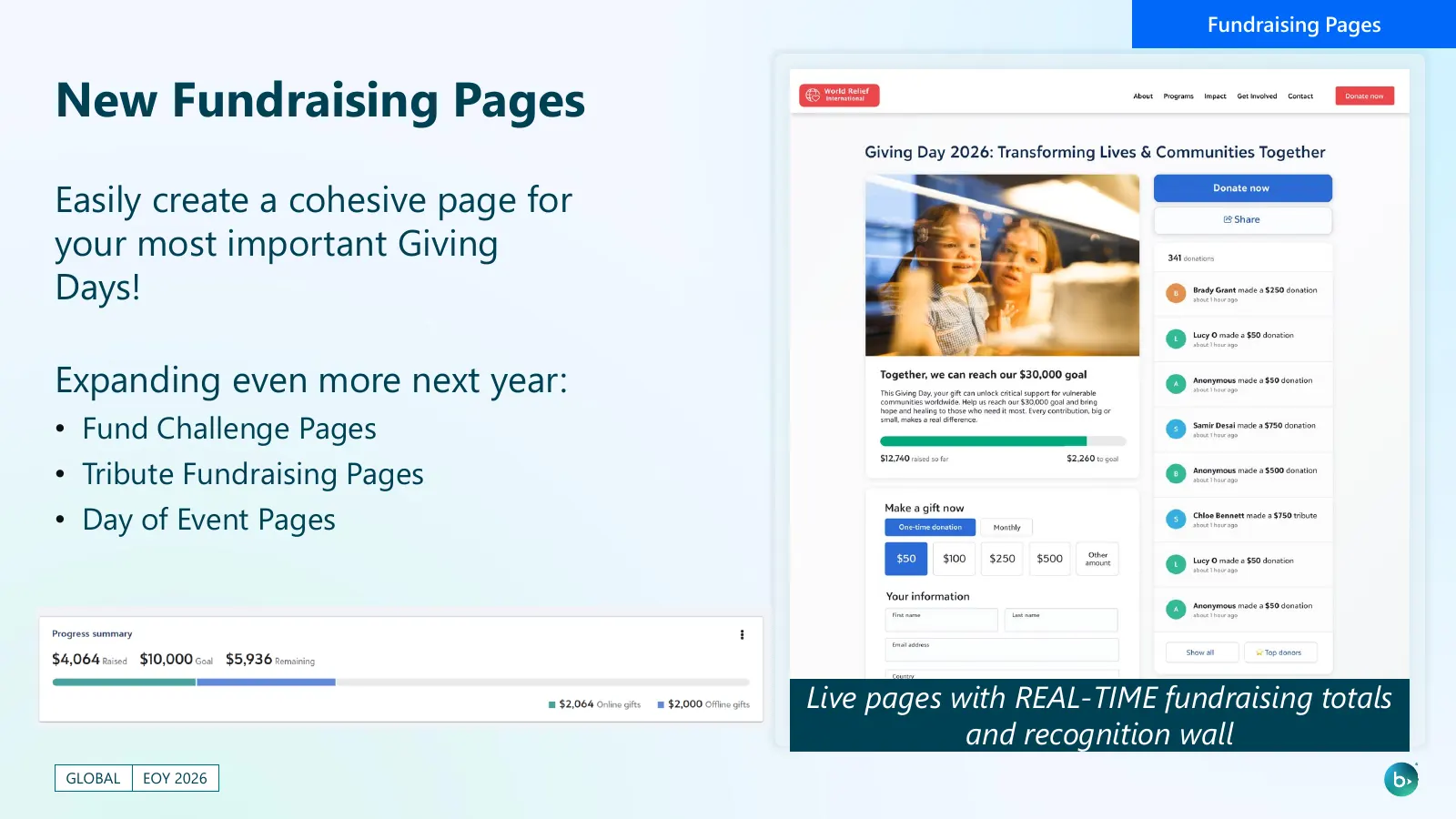
Fundraising Pages New Fundraising Pages Easily create a cohesive page for your most important Giving Days! Expanding even more next year: • Fund Challenge Pages • Tribute Fundraising Pages • Day of Event Pages Live pages with REAL-TIME fundraising totals and recognition wall GLOBAL EOY 2026
Slide 45: Demo: Fundraising Pages
Demo > Fundraising Pages
Slide 46: Event Registration for Multiple Events
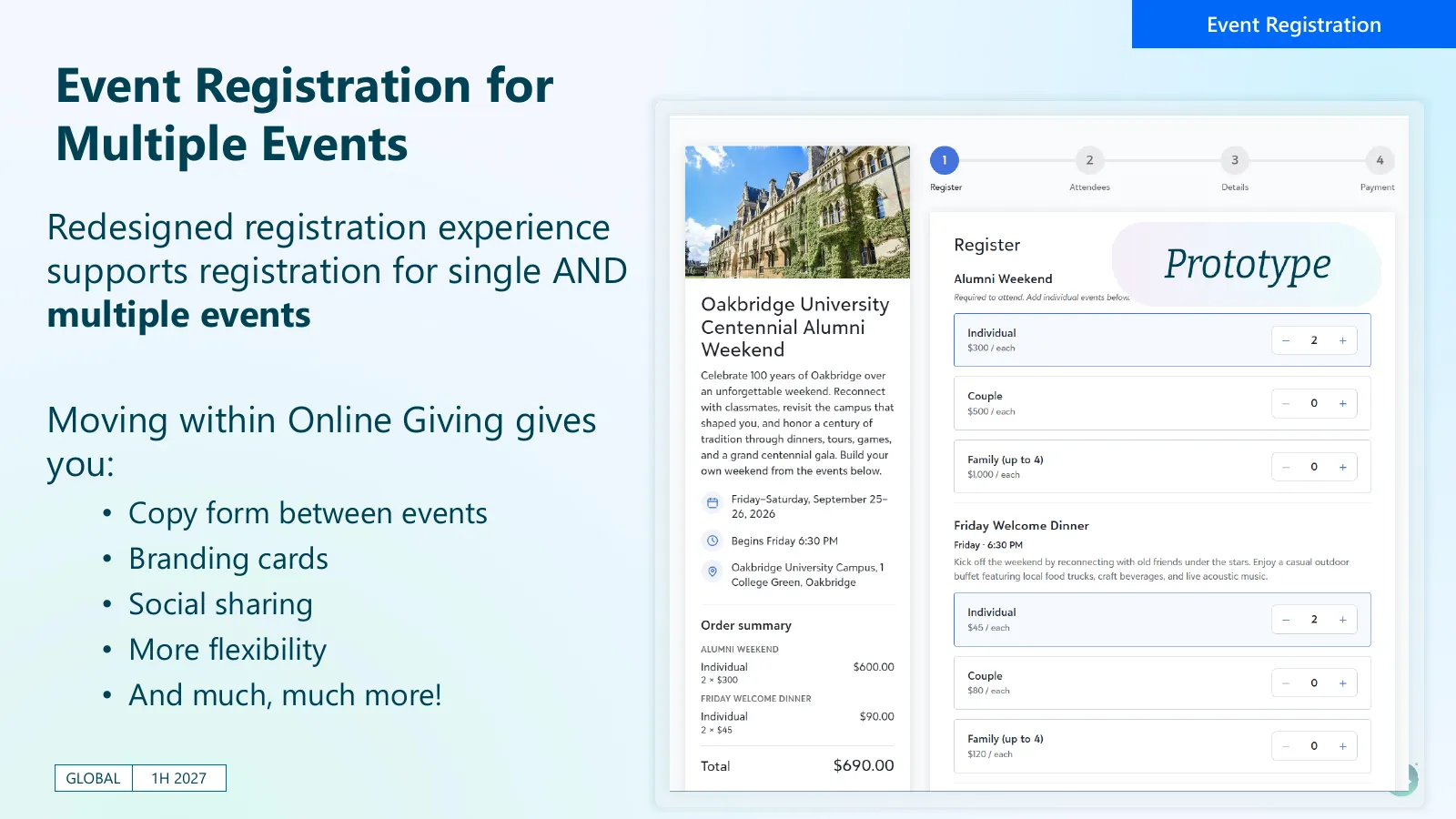
Event Registration Event Registration for Multiple Events Redesigned registration experience supports registration for single AND multiple events Moving within Online Giving gives you: • Copy form between events • Branding cards • Social sharing • More flexibility • And much, much more! GLOBAL 1H 20
Slide 47: Demos: Event Registration
Demos > Event Registration
Slide 48: Event Management enhancements
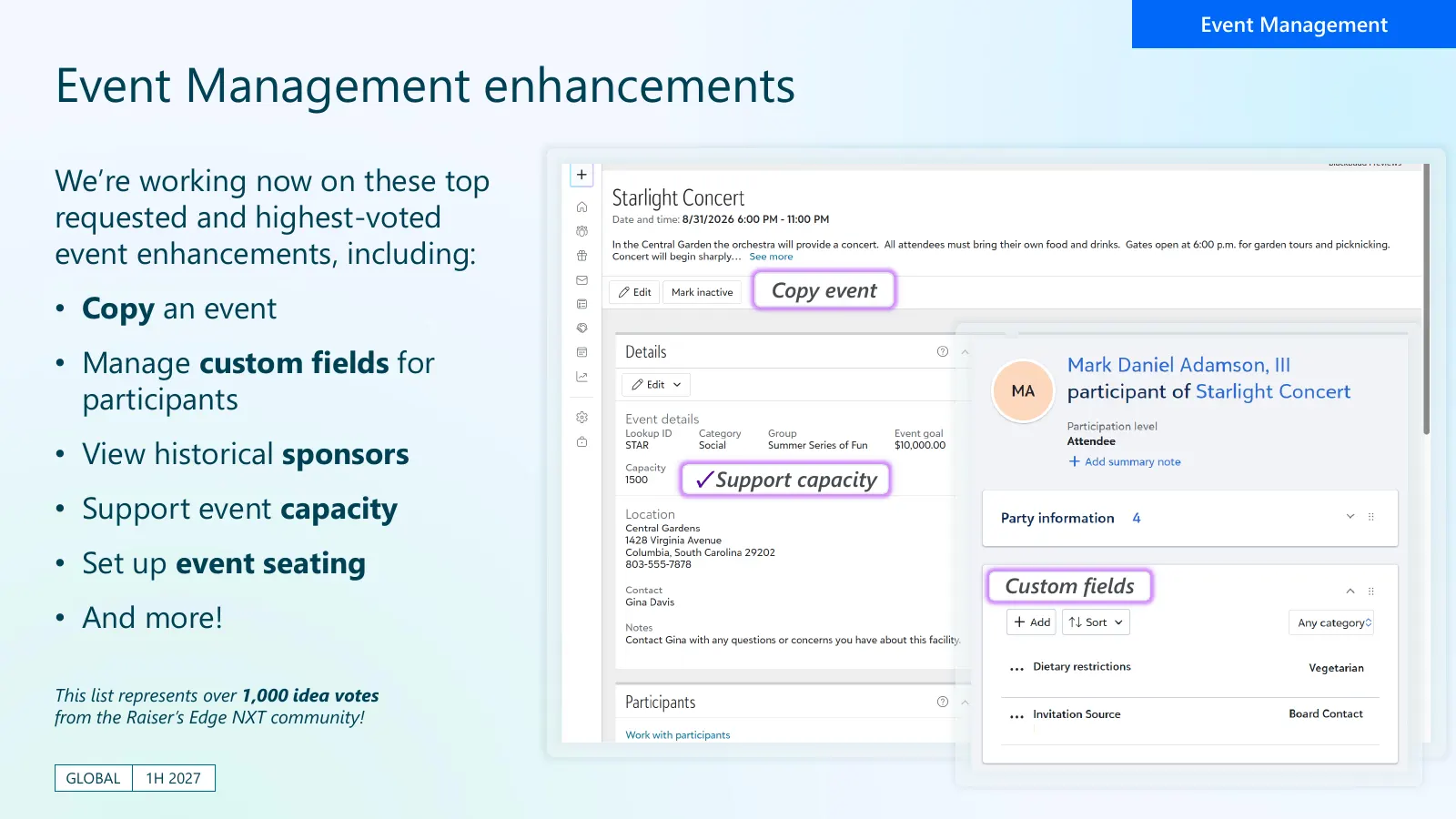
Event Management Event Management enhancements We’re working now on these top requested and highest-voted event enhancements, including: Copy event • Copy an event • Manage custom fields for participants • View historical sponsors ✓ Support capacity • Support event capacity • Set up event seating Cu
Slide 49: Demo: Event Seating
Demo Event Seating GLOBAL 1H 2027
Slide 50: Volunteer Management
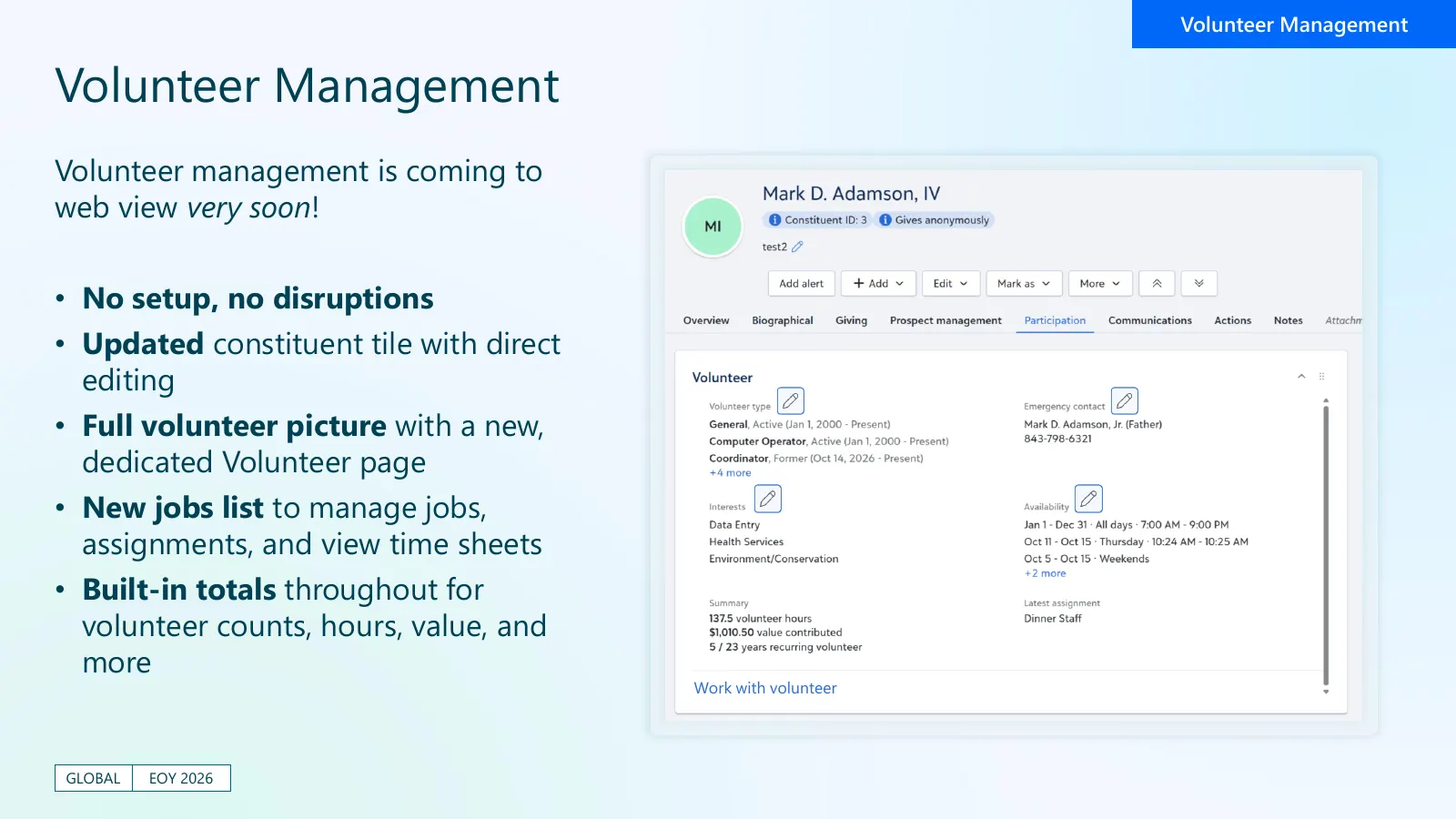
Volunteer Management Volunteer Management Volunteer management is coming to web view very soon! • No setup, no disruptions • Updated constituent tile with direct editing • Full volunteer picture with a new, dedicated Volunteer page • New jobs list to manage jobs, assignments, and view time sheets •
Slide 51: Demo: Volunteer
Demo Volunteer GLOBAL EOY 2026
Slide 52: Membership management
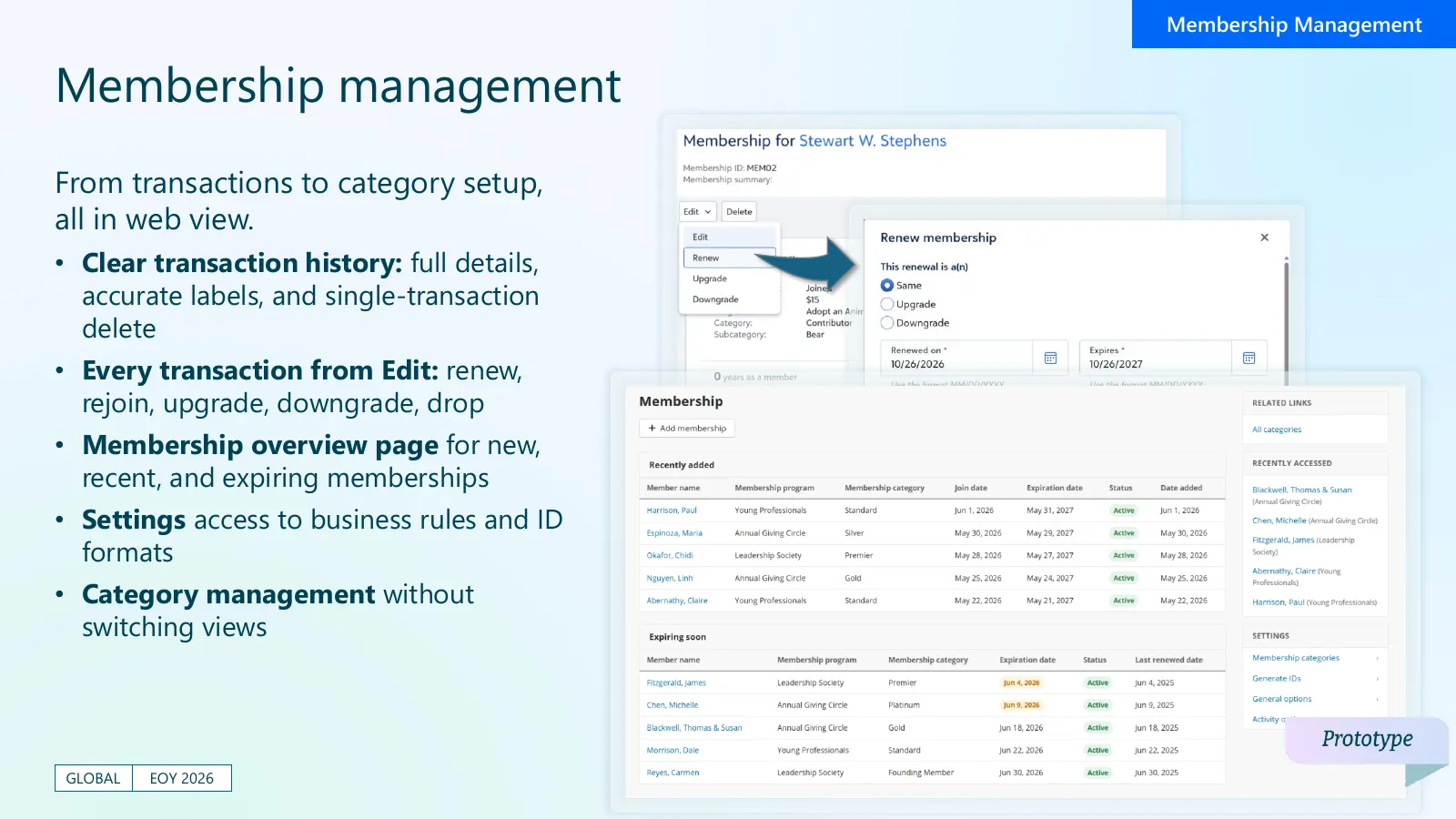
Membership Management Membership management From transactions to category setup, all in web view. • Clear transaction history: full details, accurate labels, and single-transaction delete • Every transaction from Edit: renew, rejoin, upgrade, downgrade, drop • Membership overview page for new, recen
Slide 53: More Recognition Program Types
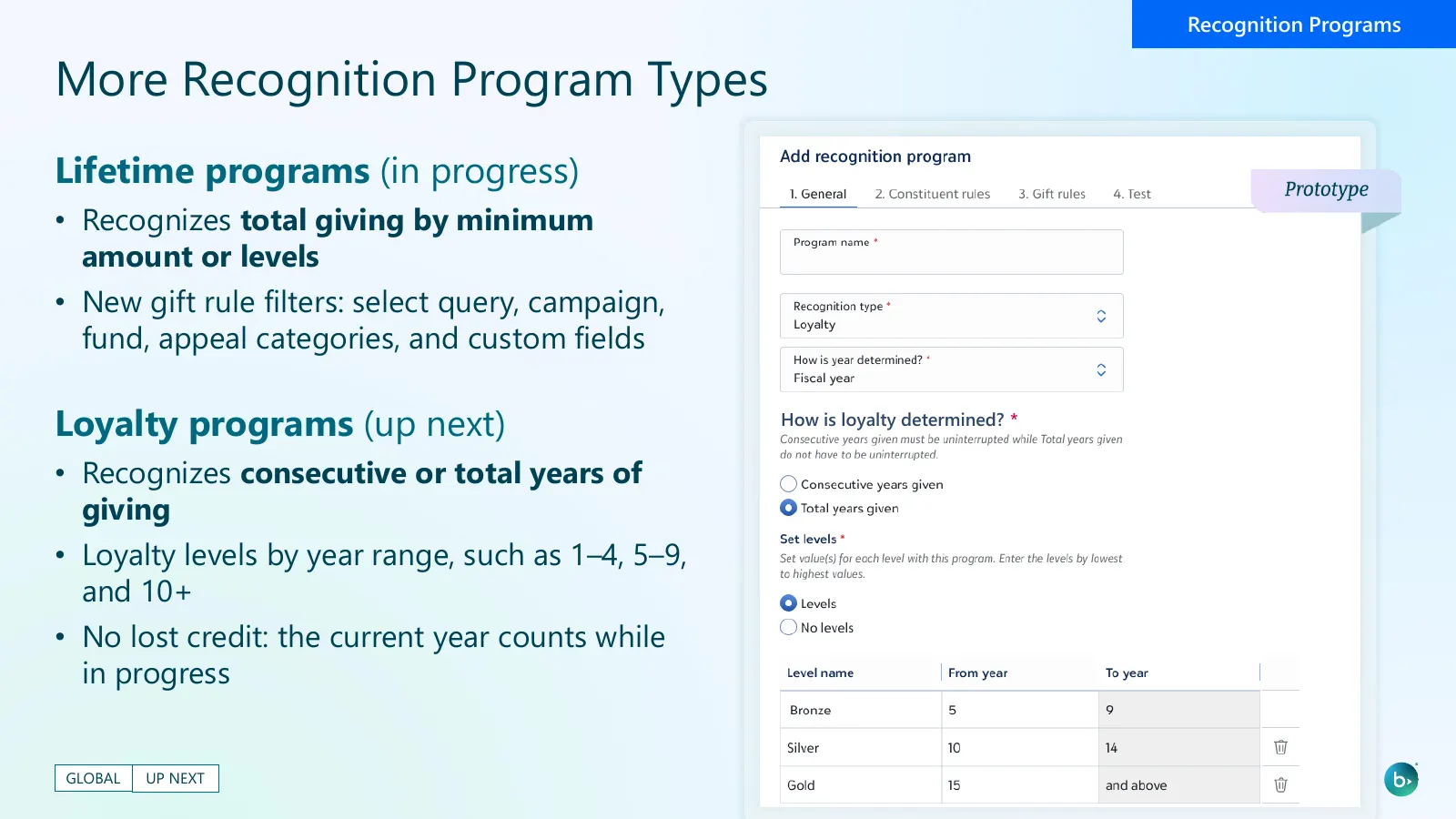
Recognition Programs More Recognition Program Types Lifetime programs (in progress) • Recognizes total giving by minimum amount or levels • New gift rule filters: select query, campaign, fund, appeal categories, and custom fields Loyalty programs (up next) How is loyalty determined? * • Recognizes c
Slide 54: More Recognition Program Types
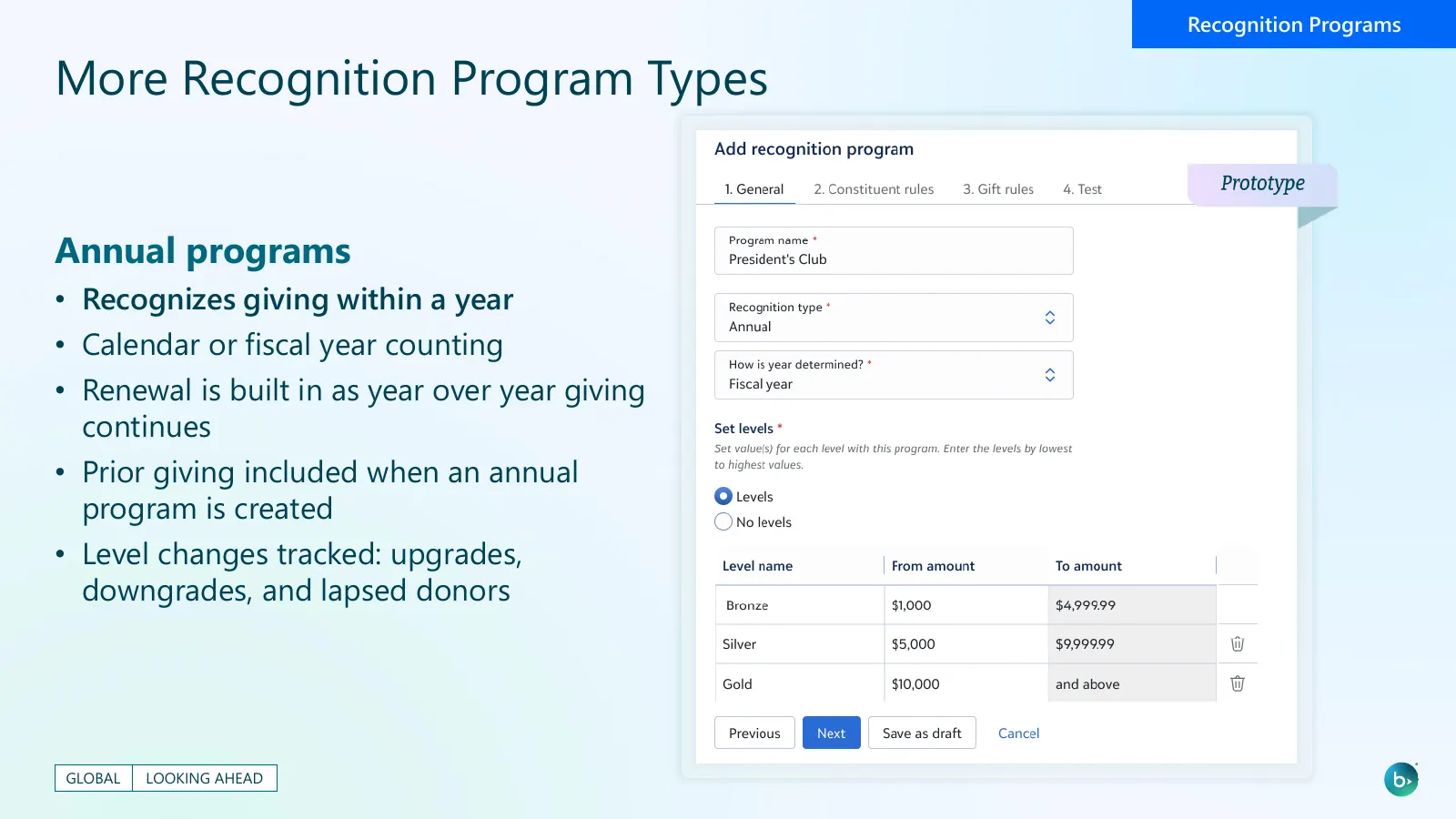
Recognition Programs More Recognition Program Types Annual programs • Recognizes giving within a year • Calendar or fiscal year counting • Renewal is built in as year over year giving continues • Prior giving included when an annual program is created • Level changes tracked: upgrades, downgrades, a
Slide 55: Portfolio Management
Portfolio Management Identifying, cultivating and managing
Slide 56: What you'll see in this section
What you’ll see in this section 01 Work Center Enhancements add role-based views, goals and more How do I identify, cultivate and manage prospects? 02 Prospect Research Event attendees, research briefs and validation 03 Moves Management Lifecycle stages, strategies, linking and automation
Slide 57: An updated role-based Work Center
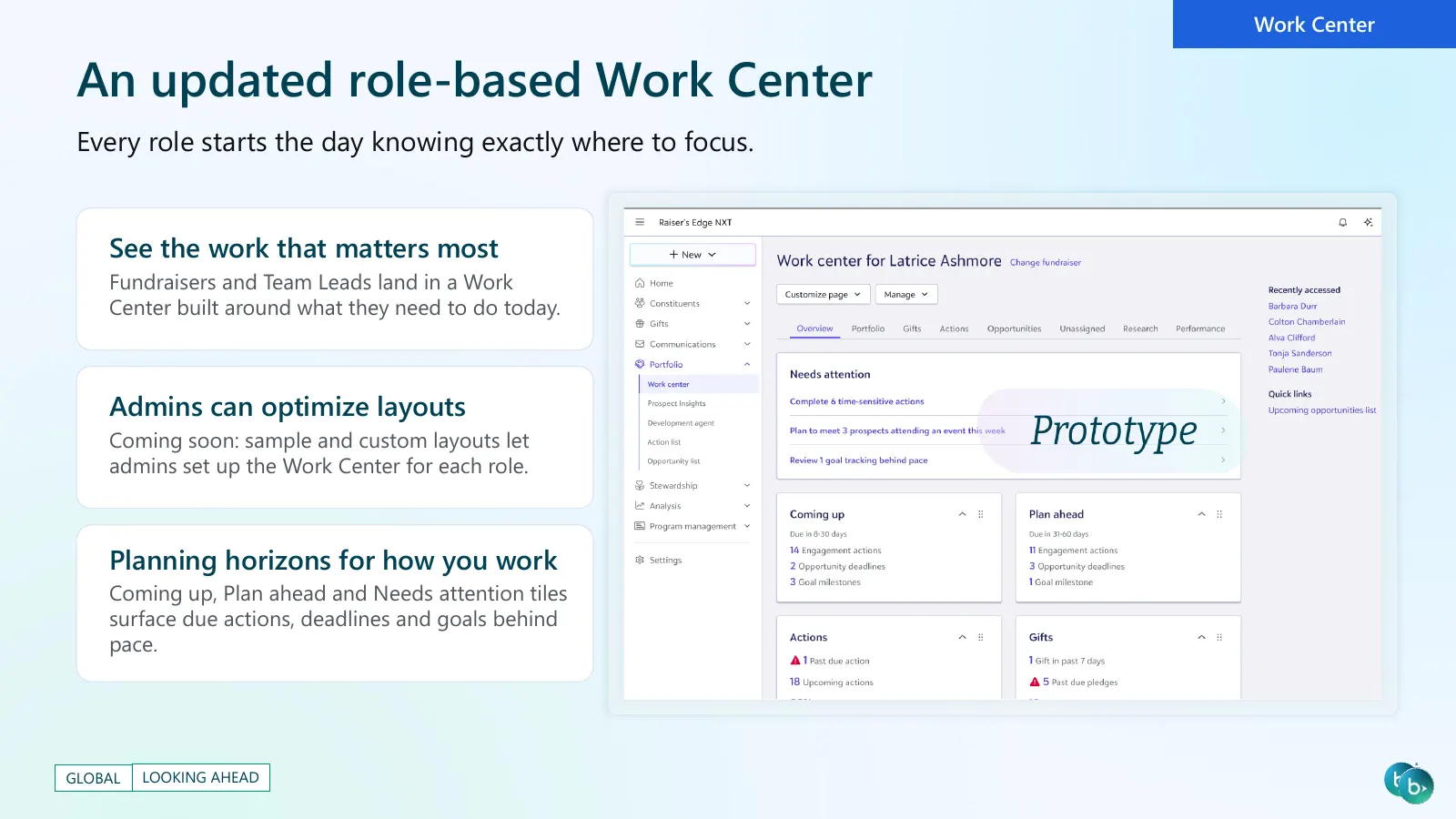
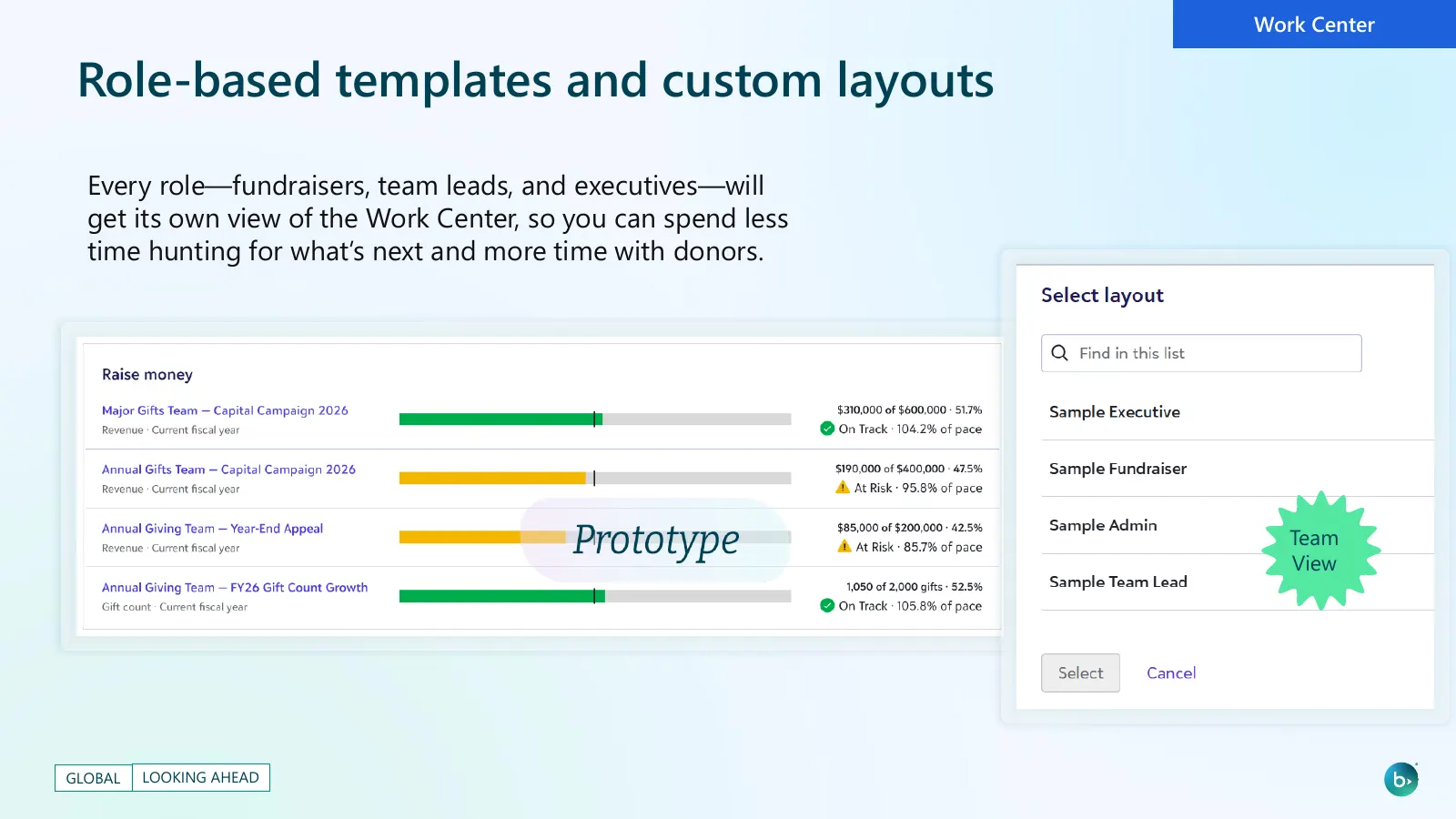
Work Center An updated role-based Work Center Every role starts the day knowing exactly where to focus. See the work that matters most Fundraisers and Team Leads land in a Work Center built around what they need to do today. Admins can optimize layouts Coming soon: sample and custom layouts let admi
Slide 58: Role-based templates and custom layouts
Work Center Role-based templates and custom layouts Every role—fundraisers, team leads, and executives—will get its own view of the Work Center, so you can spend less time hunting for what’s next and more time with donors. Team View GLOBAL LOOKING AHEAD
Slide 59: Get a view of upcoming work before it creeps up
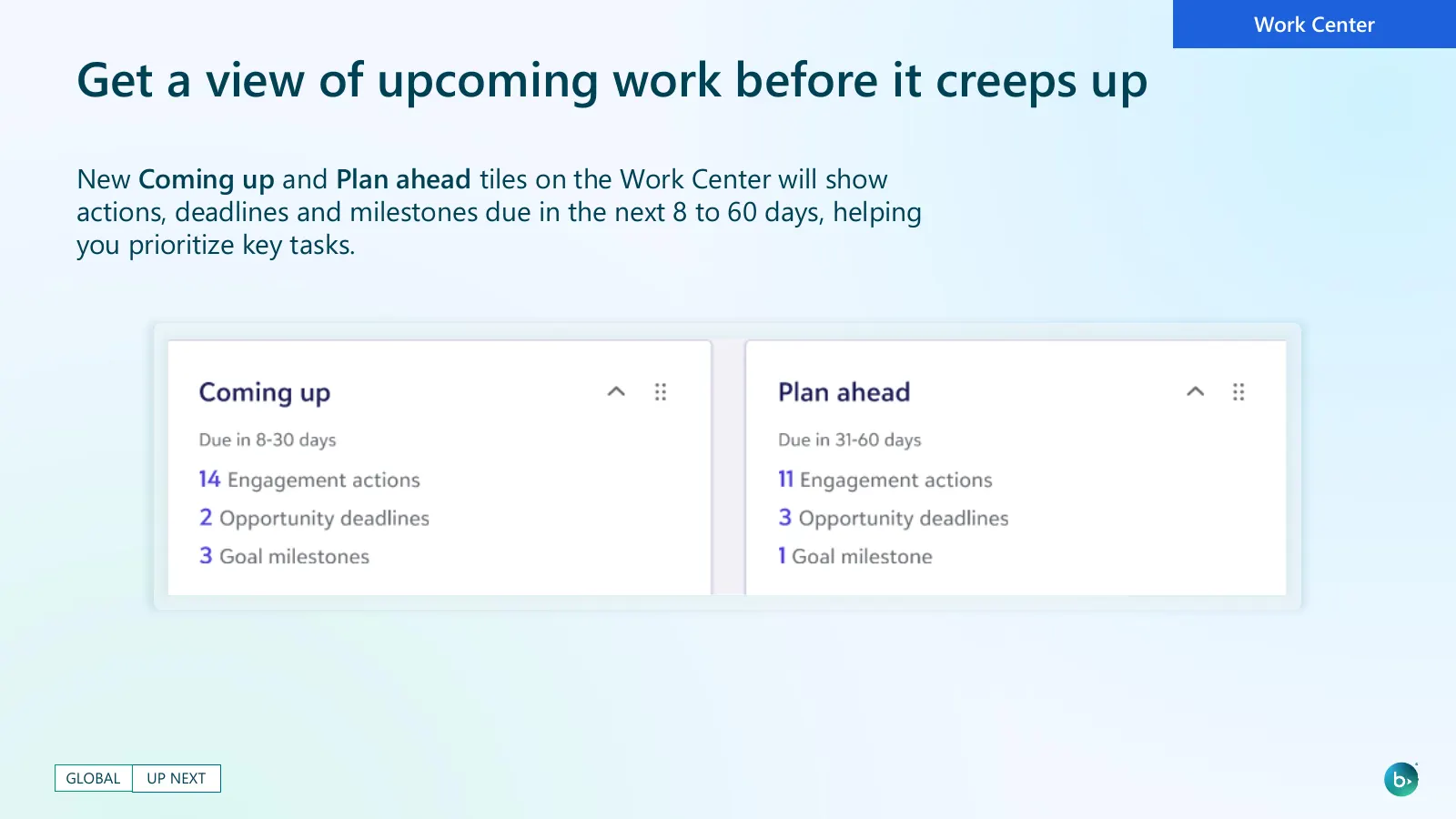
Work Center Get a view of upcoming work before it creeps up New Coming up and Plan ahead tiles on the Work Center will show actions, deadlines and milestones due in the next 8 to 60 days, helping you prioritize key tasks. GLOBAL UP NEXT
Slide 60: Know which prospects and goals need attention
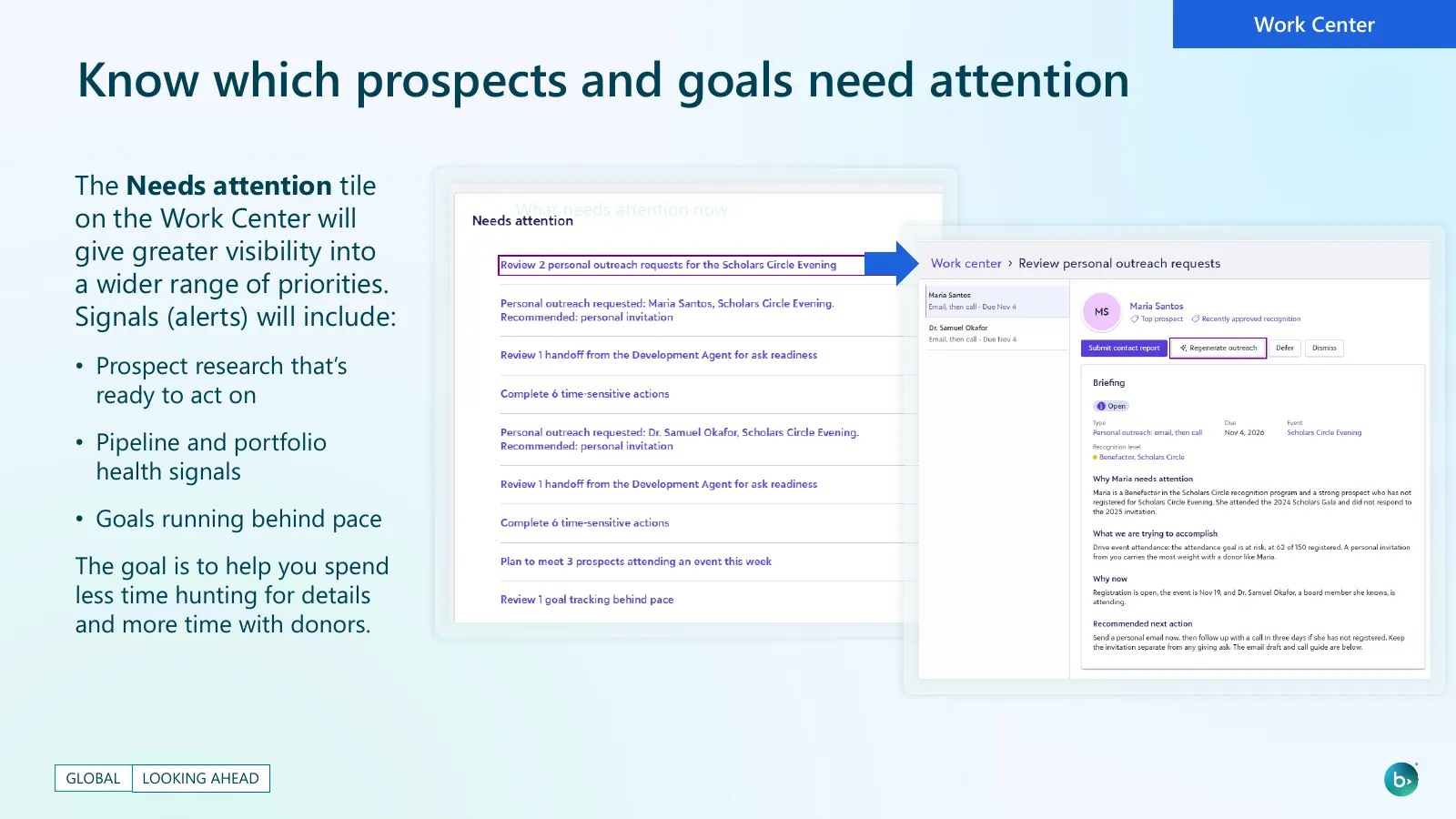
Work Center Know which prospects and goals need attention The Needs attention tile What needs attention now on the Work Center will give greater visibility into a wider range of priorities. Signals (alerts) will include: • Prospect research that’s ready to act on • Pipeline and portfolio health sign
Slide 61: Notable participants and prospect Event cards in Events
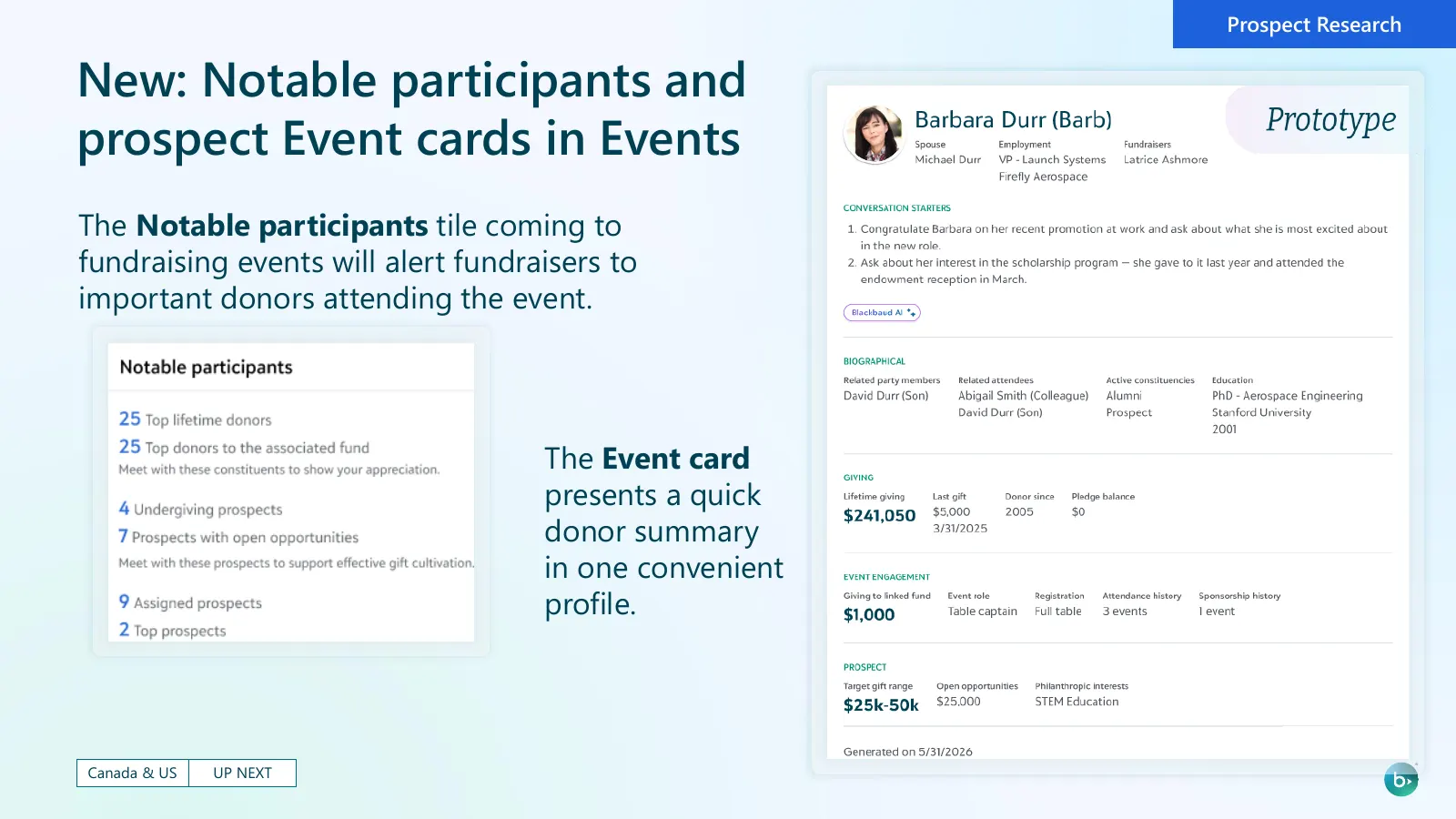
Prospect Research New: Notable participants and prospect Event cards in Events The Notable participants tile coming to fundraising events will alert fundraisers to important donors attending the event. The Event card presents a quick donor summary in one convenient profile. Canada & US UP NEXT
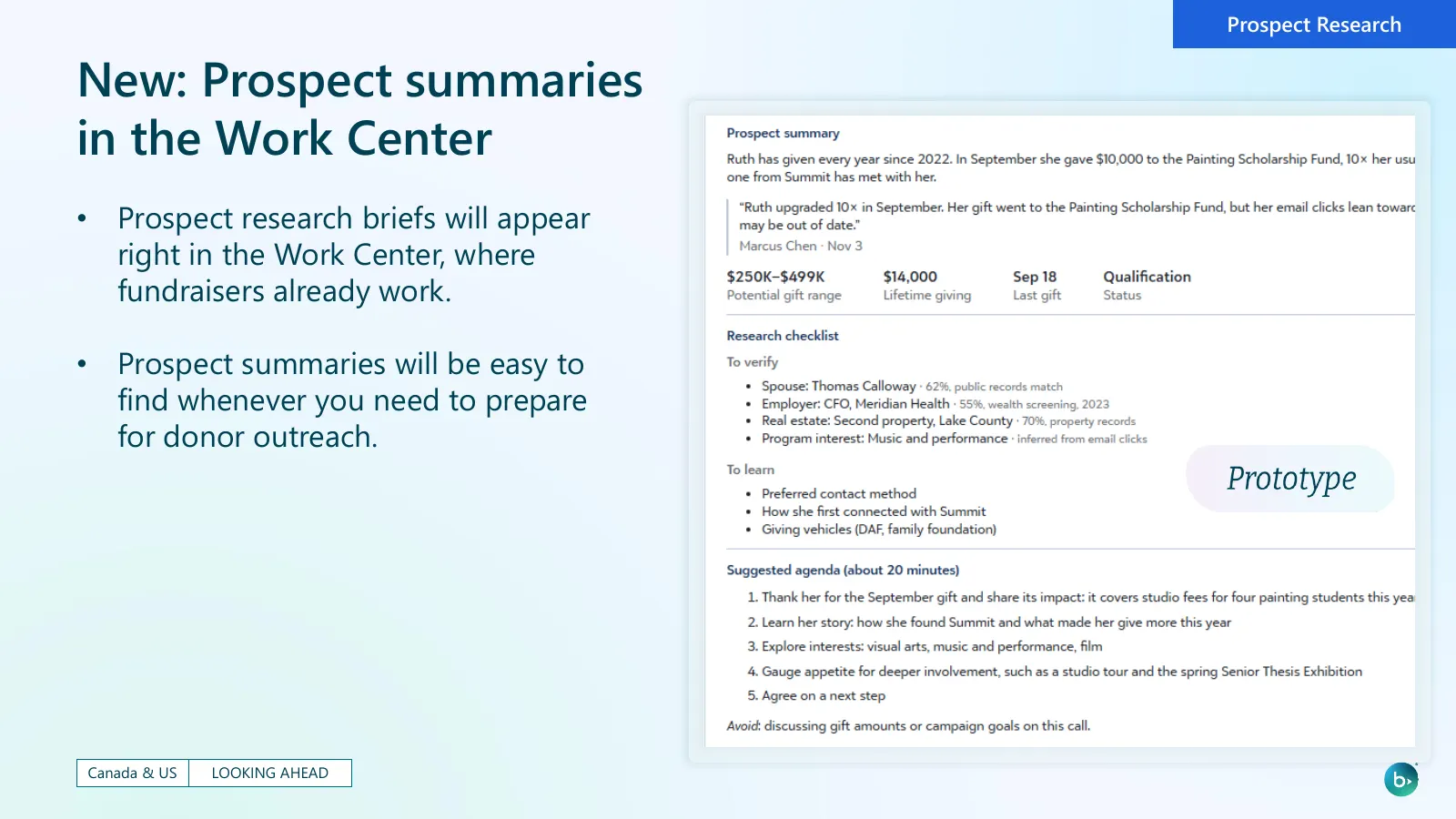
Slide 62: Prospect summaries in the Work Center
Prospect Research New: Prospect summaries in the Work Center • Prospect research briefs will appear right in the Work Center, where fundraisers already work. • Prospect summaries will be easy to find whenever you need to prepare for donor outreach. Canada & US LOOKING AHEAD
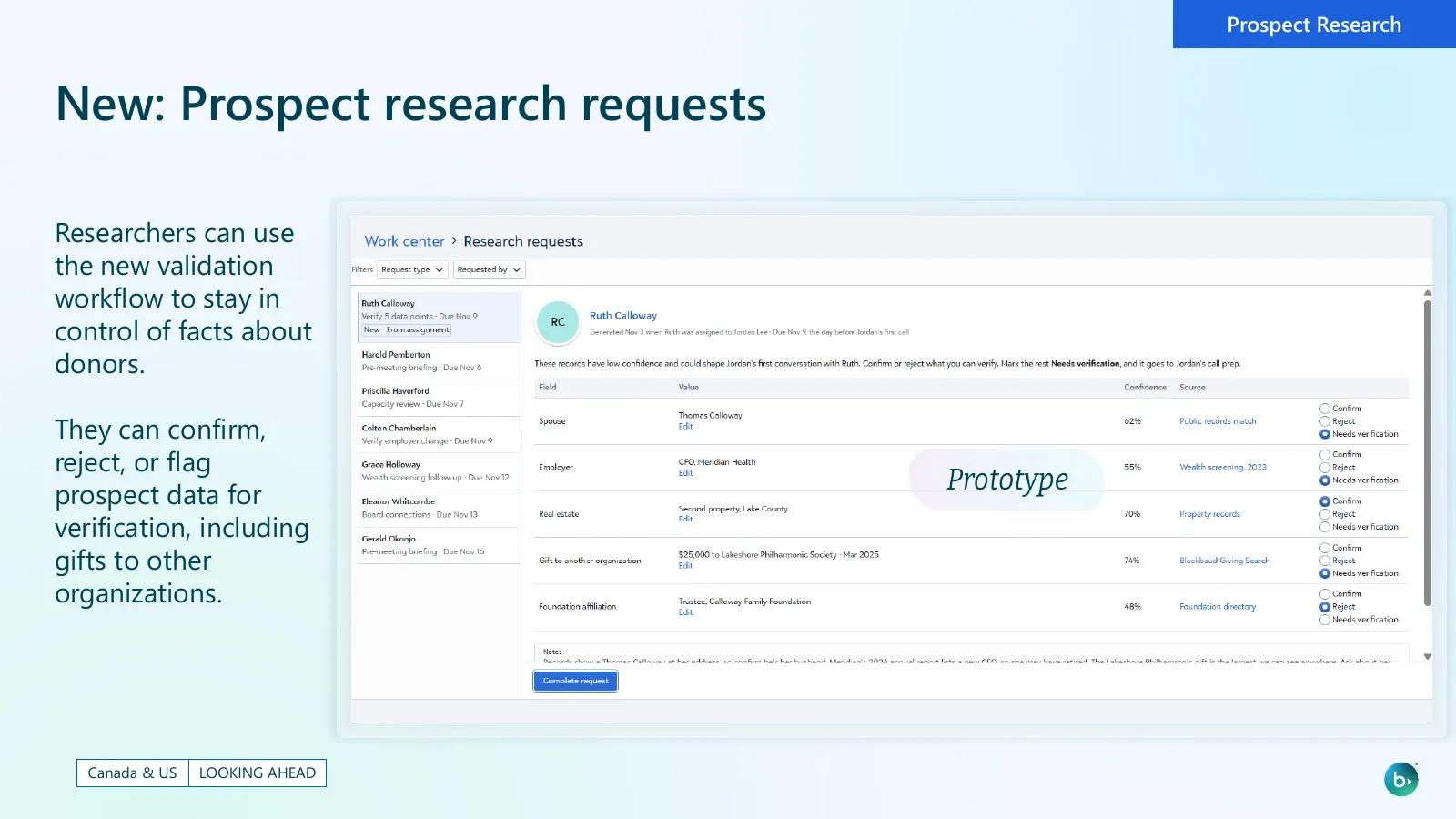
Slide 63: Prospect research requests
Prospect Research New: Prospect research requests Researchers can use the new validation workflow to stay in control of facts about donors. They can confirm, reject, or flag prospect data for verification, including gifts to other organizations. Canada & US LOOKING AHEAD
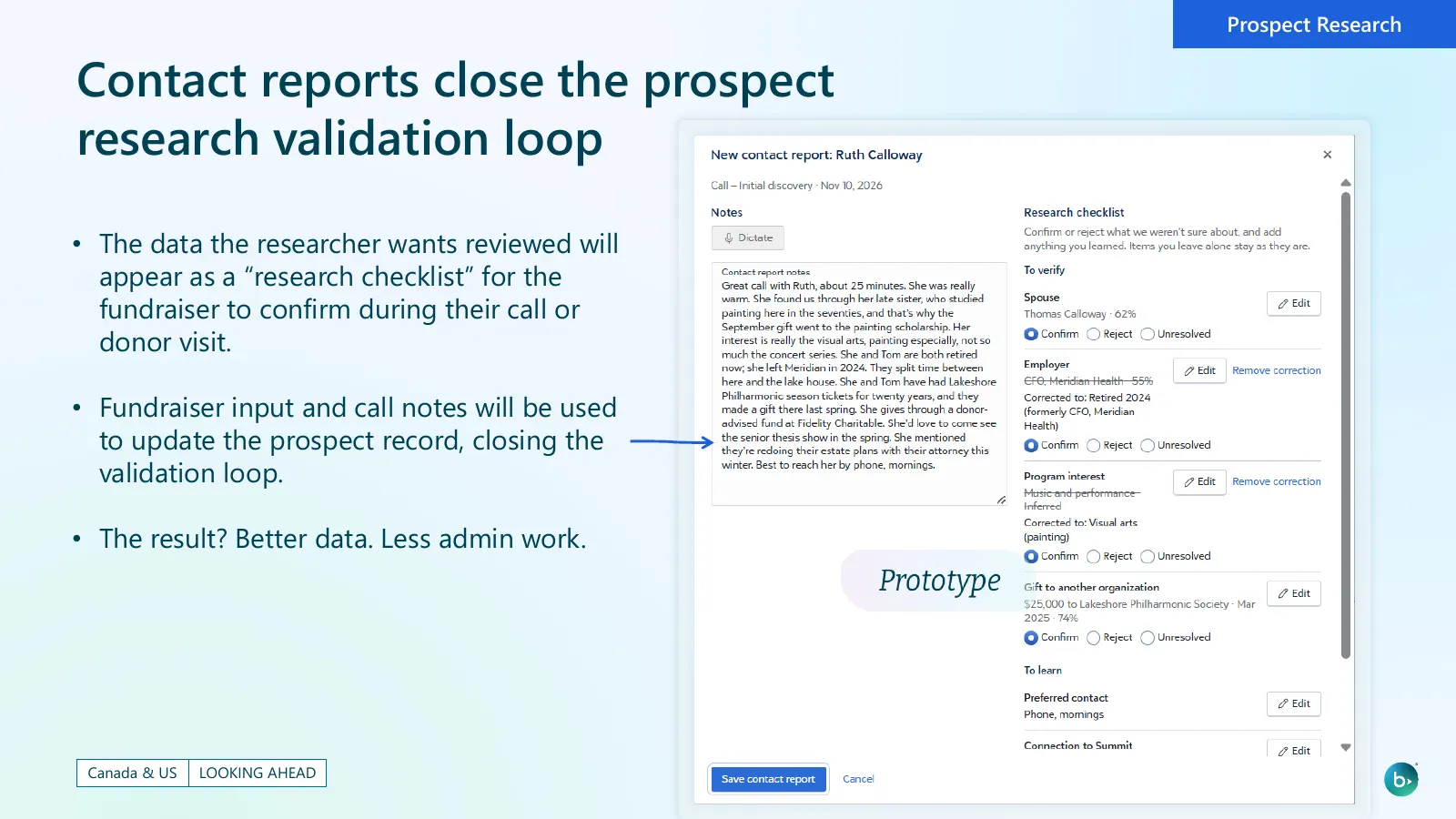
Slide 64: Contact reports close the prospect research validation loop
Prospect Research Contact reports close the prospect research validation loop • The data the researcher wants reviewed will appear as a “research checklist” for the fundraiser to confirm during their call or donor visit. • Fundraiser input and call notes will be used to update the prospect record, c
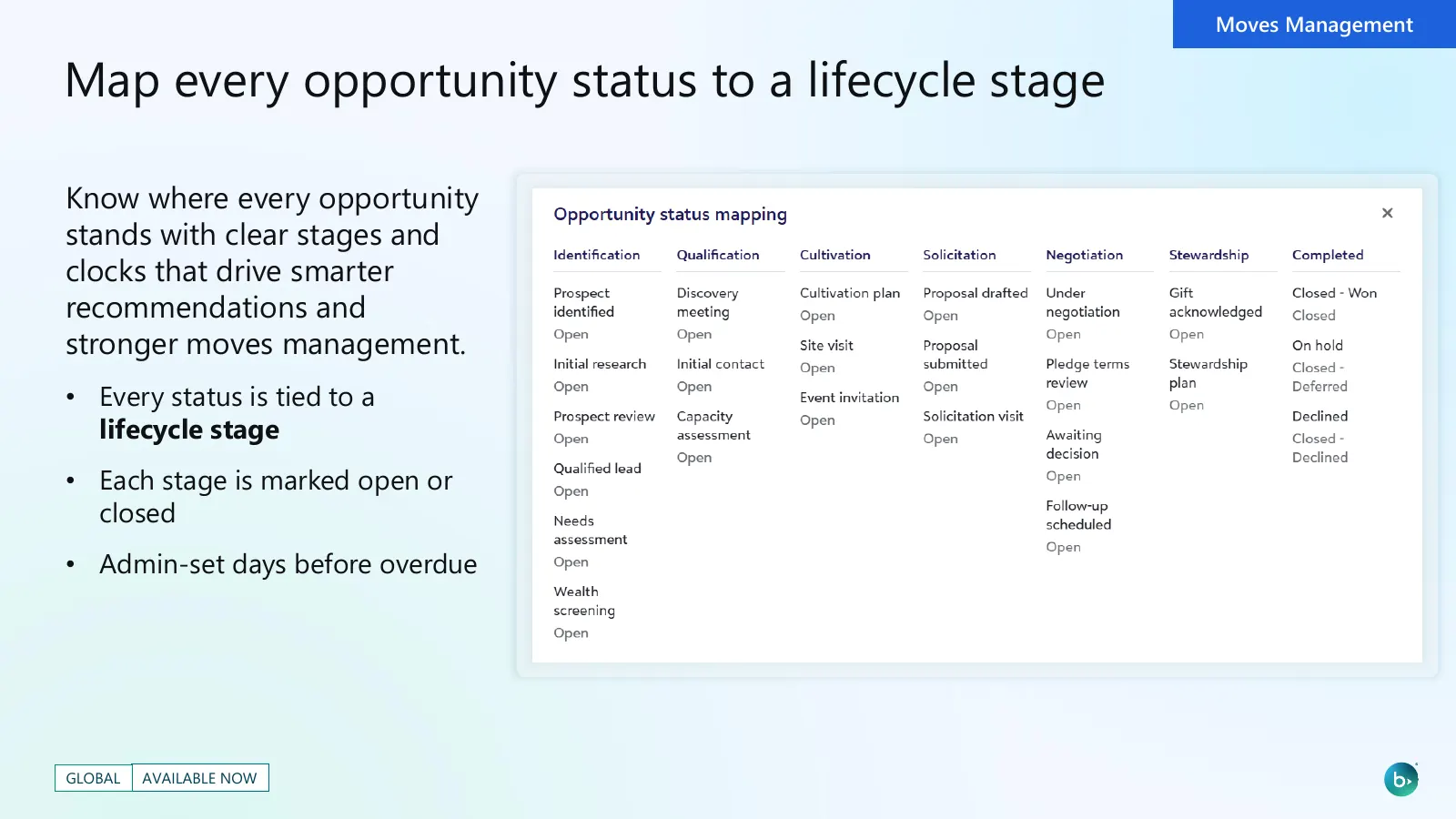
Slide 65: Map every opportunity status to a lifecycle stage
Moves Management Map every opportunity status to a lifecycle stage Know where every opportunity stands with clear stages and clocks that drive smarter recommendations and stronger moves management. • Every status is tied to a lifecycle stage • Each stage is marked open or closed • Admin-set days bef
Slide 66: Define the strategy for each opportunity
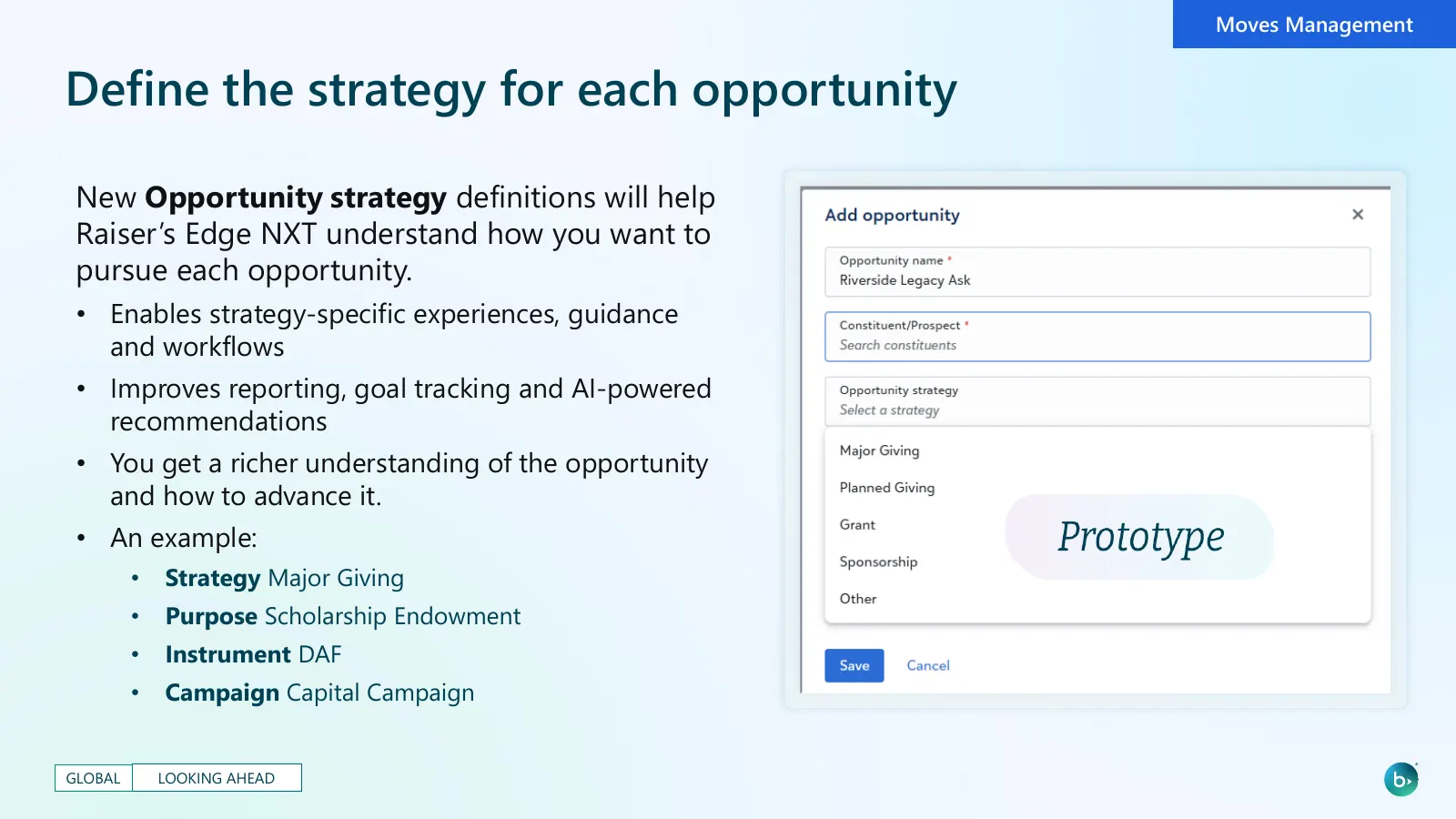
Moves Management Define the strategy for each opportunity New Opportunity strategy definitions will help Raiser’s Edge NXT understand how you want to pursue each opportunity. • Enables strategy-specific experiences, guidance and workflows • Improves reporting, goal tracking and AI-powered recommenda
Slide 67: Link related opportunities as part of a connected strategy
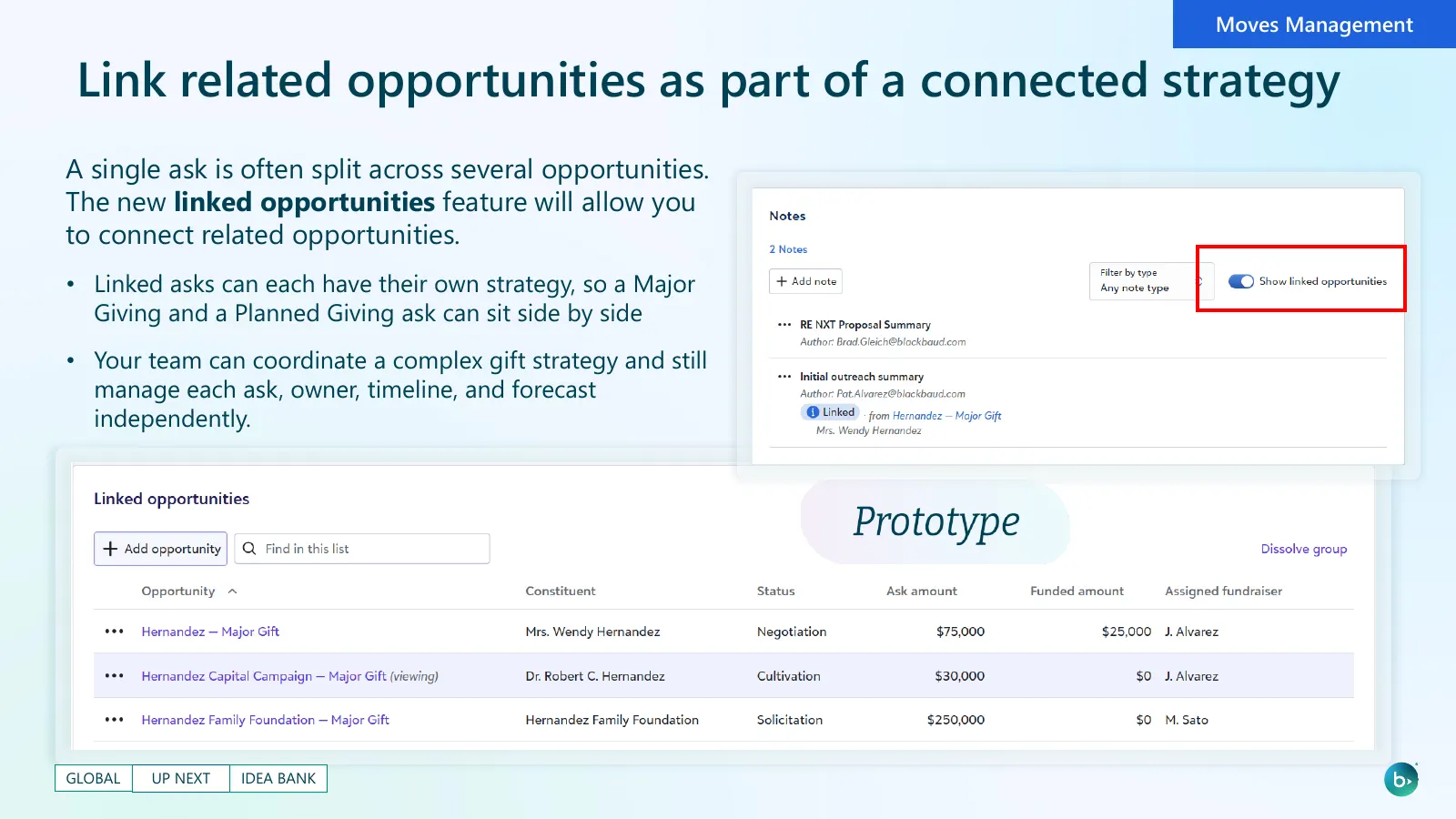
Moves Management Link related opportunities as part of a connected strategy A single ask is often split across several opportunities. The new linked opportunities feature will allow you to connect related opportunities. • Linked asks can each have their own strategy, so a Major Giving and a Planned
Slide 68: Moves management lifecycle stage automation
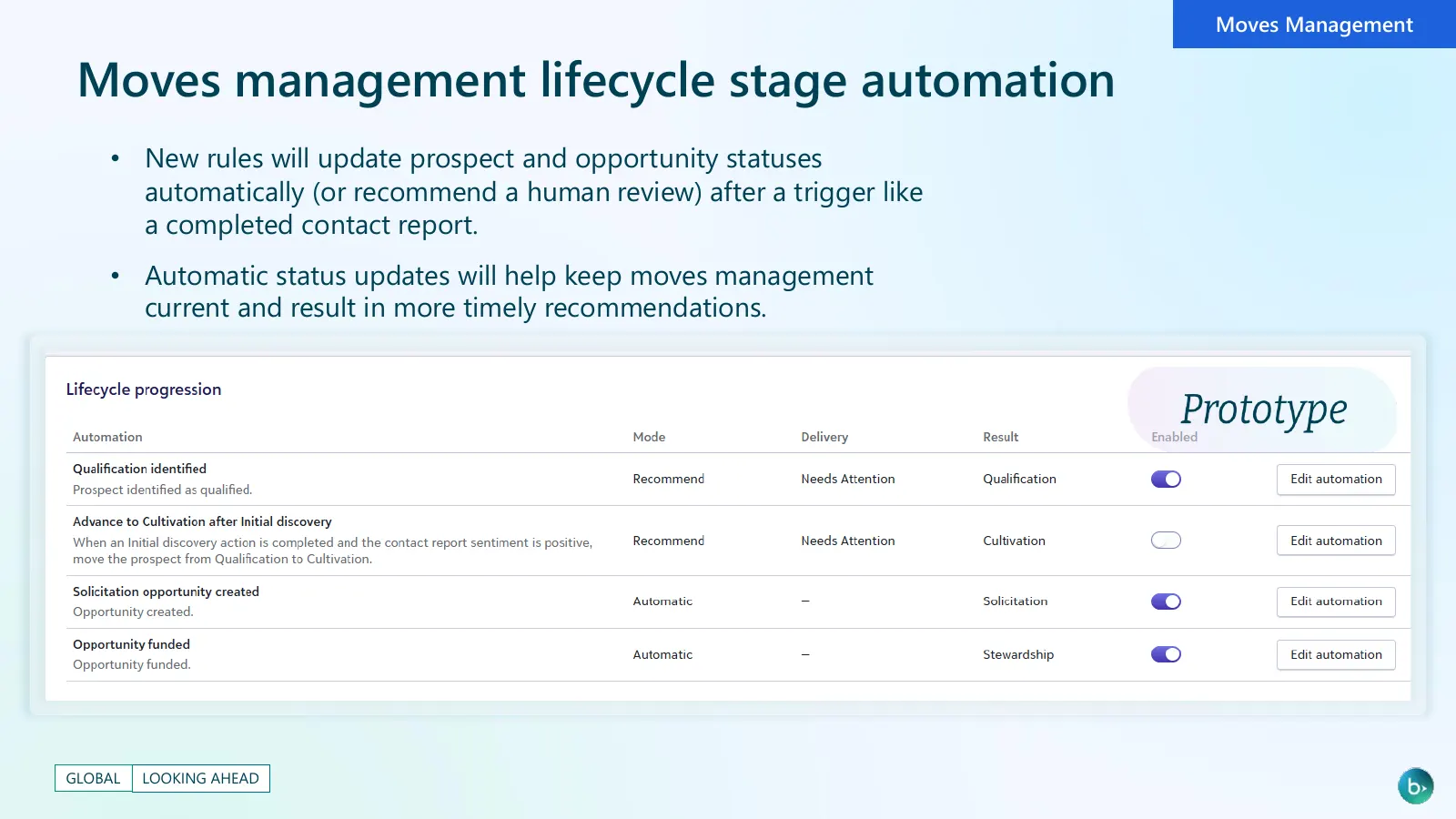
Moves Management Moves management lifecycle stage automation • New rules will update prospect and opportunity statuses automatically (or recommend a human review) after a trigger like a completed contact report. • Automatic status updates will help keep moves management current and result in more ti
Slide 69: Reporting & Analysis
Reporting & Analysis
Slide 70: What you'll see in this section
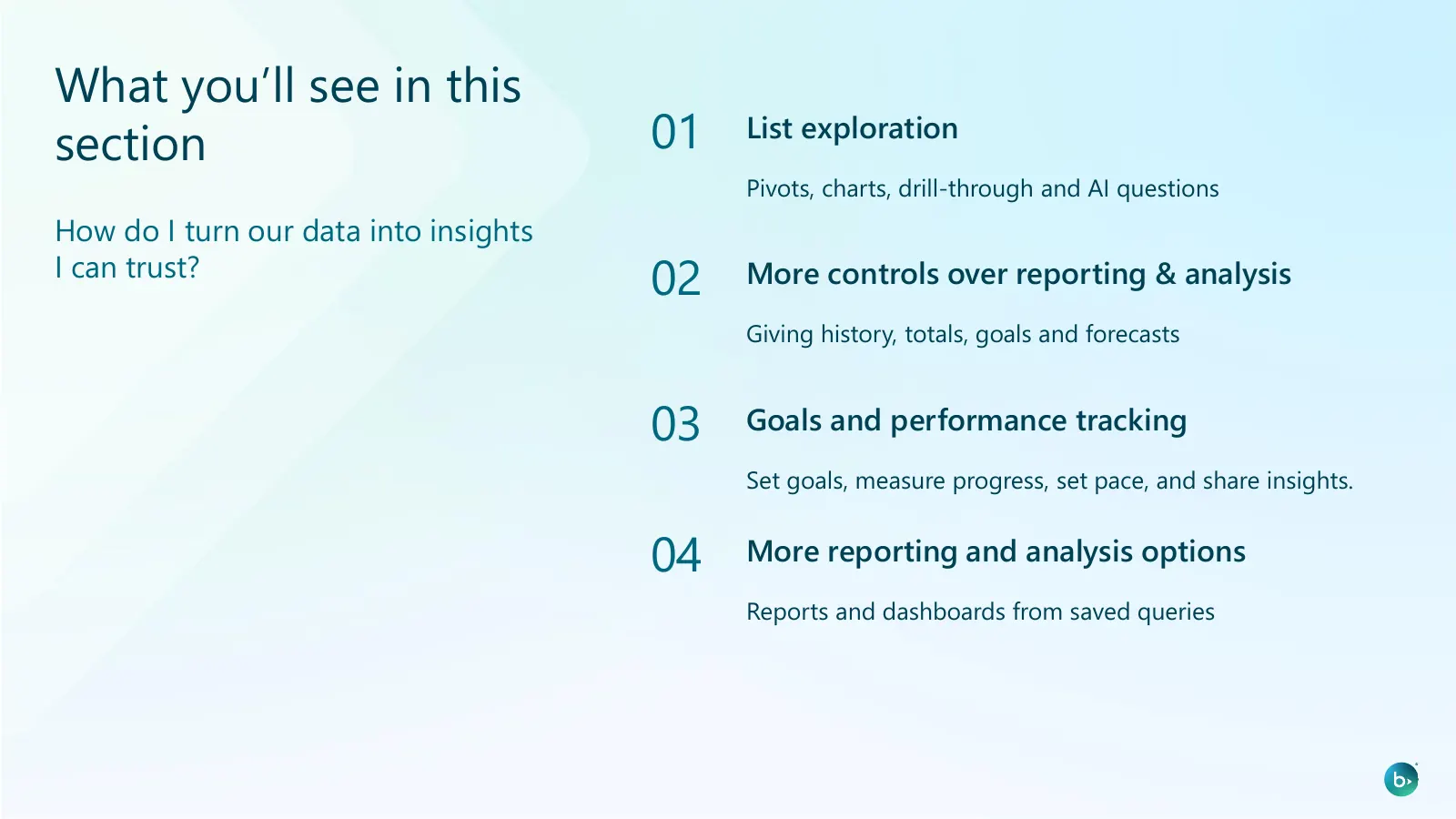
What you’ll see in this section 01 List exploration Pivots, charts, drill-through and AI questions How do I turn our data into insights I can trust? 02 More controls over reporting & analysis Giving history, totals, goals and forecasts 03 Goals and performance tracking Set goals, measure progress, s
Slide 71: Visualize your Lists with pivots and charts
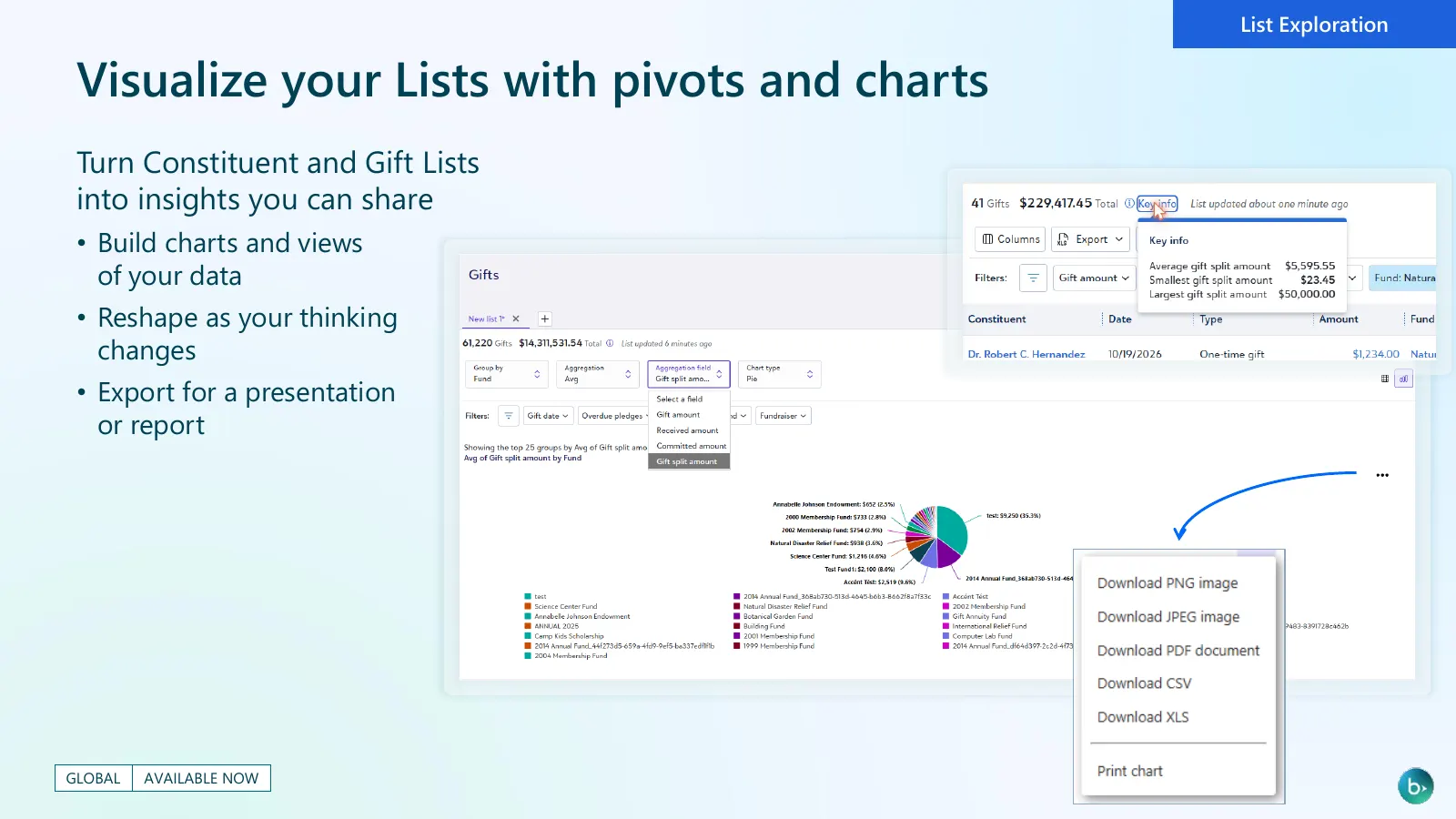
List Exploration Visualize your Lists with pivots and charts Turn Constituent and Gift Lists into insights you can share • Build charts and views of your data • Reshape as your thinking changes • Export for a presentation or report GLOBAL AVAILABLE NOW
Slide 72: Drill into a segment to explore further
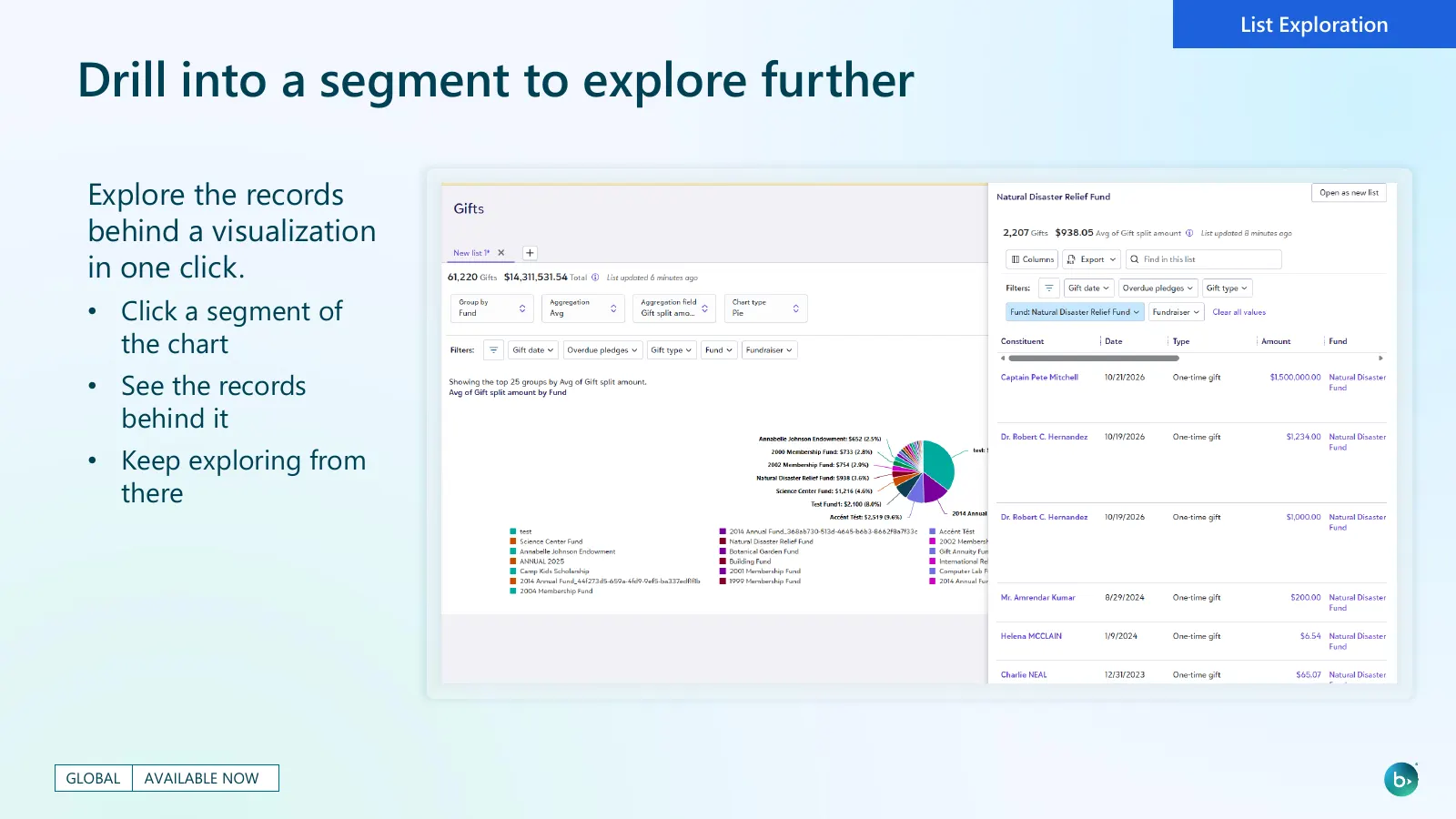
List Exploration Drill into a segment to explore further Explore the records behind a visualization in one click. • Click a segment of the chart • See the records behind it • Keep exploring from there GLOBAL AVAILABLE NOW
Slide 73: Ask questions about your list in plain language
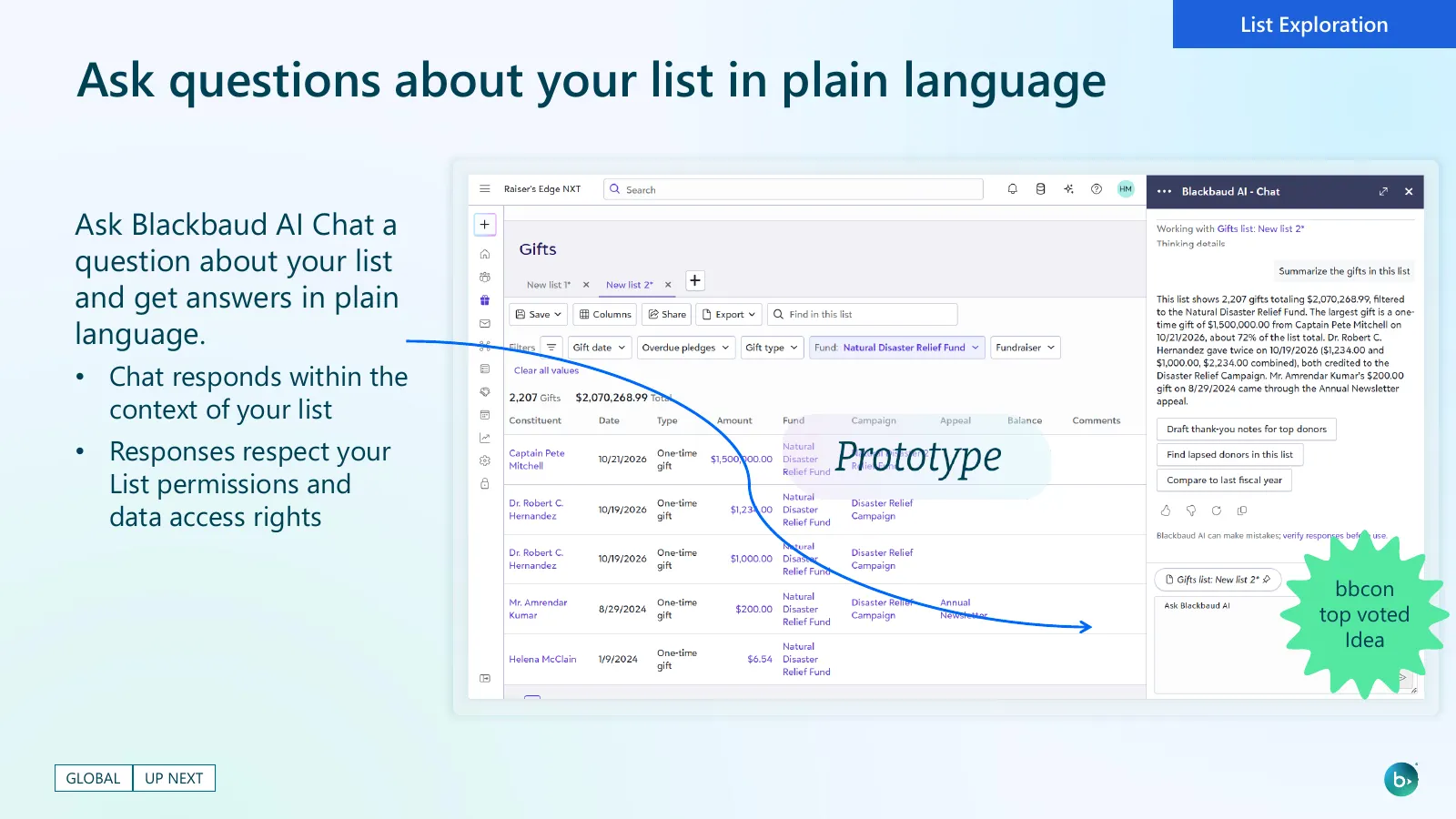
List Exploration Ask questions about your list in plain language Ask Blackbaud AI Chat a question about your list and get answers in plain language. • Chat responds within the context of your list • Responses respect your List permissions and data access rights bbcon top voted Idea GLOBAL UP NEXT
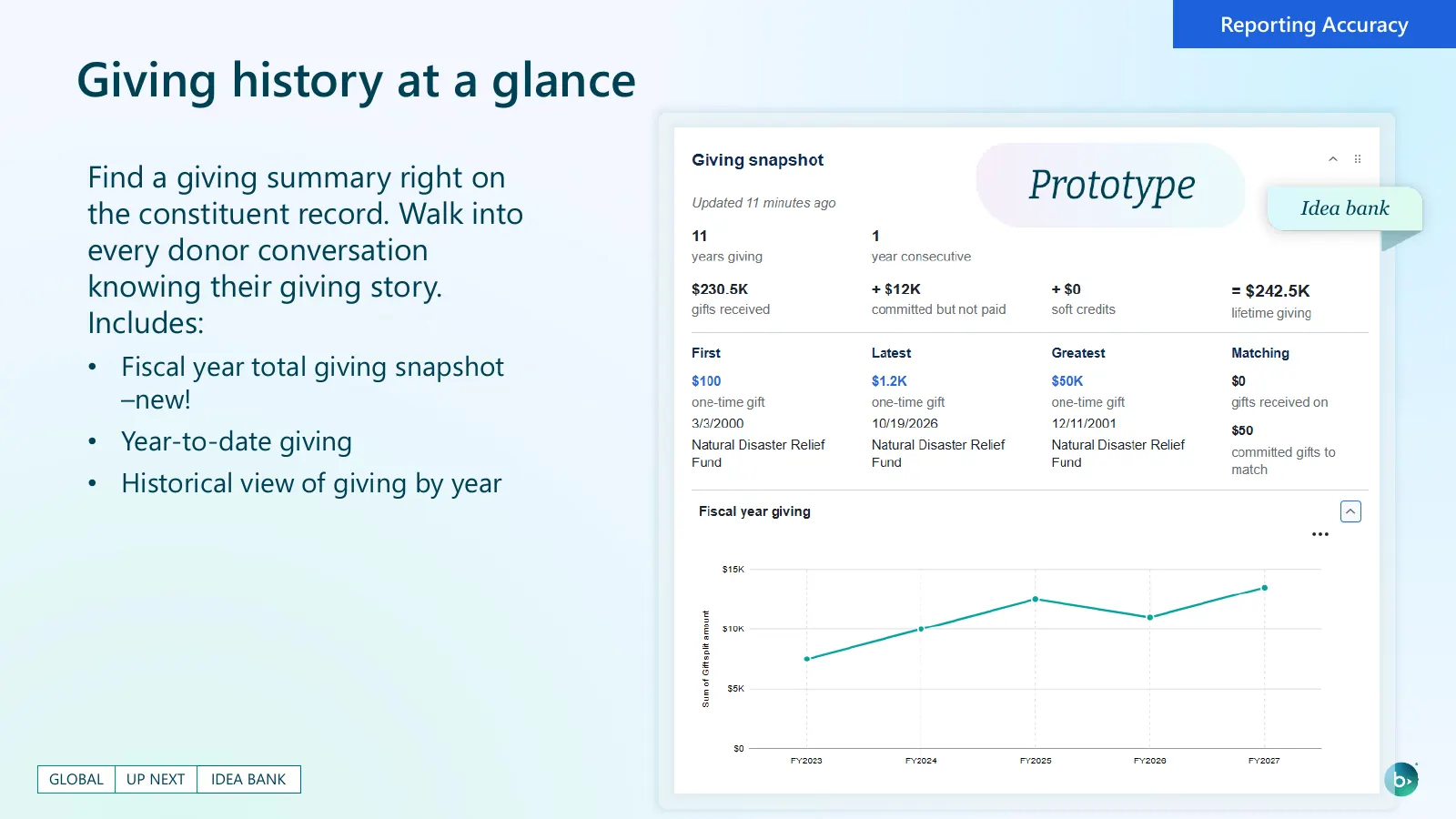
Slide 74: Giving history at a glance
Reporting Accuracy Giving history at a glance Find a giving summary right on the constituent record. Walk into Idea bank every donor conversation knowing their giving story. Includes: • Fiscal year total giving snapshot –new! • Year-to-date giving • Historical view of giving by year GLOBAL UP NEXT I
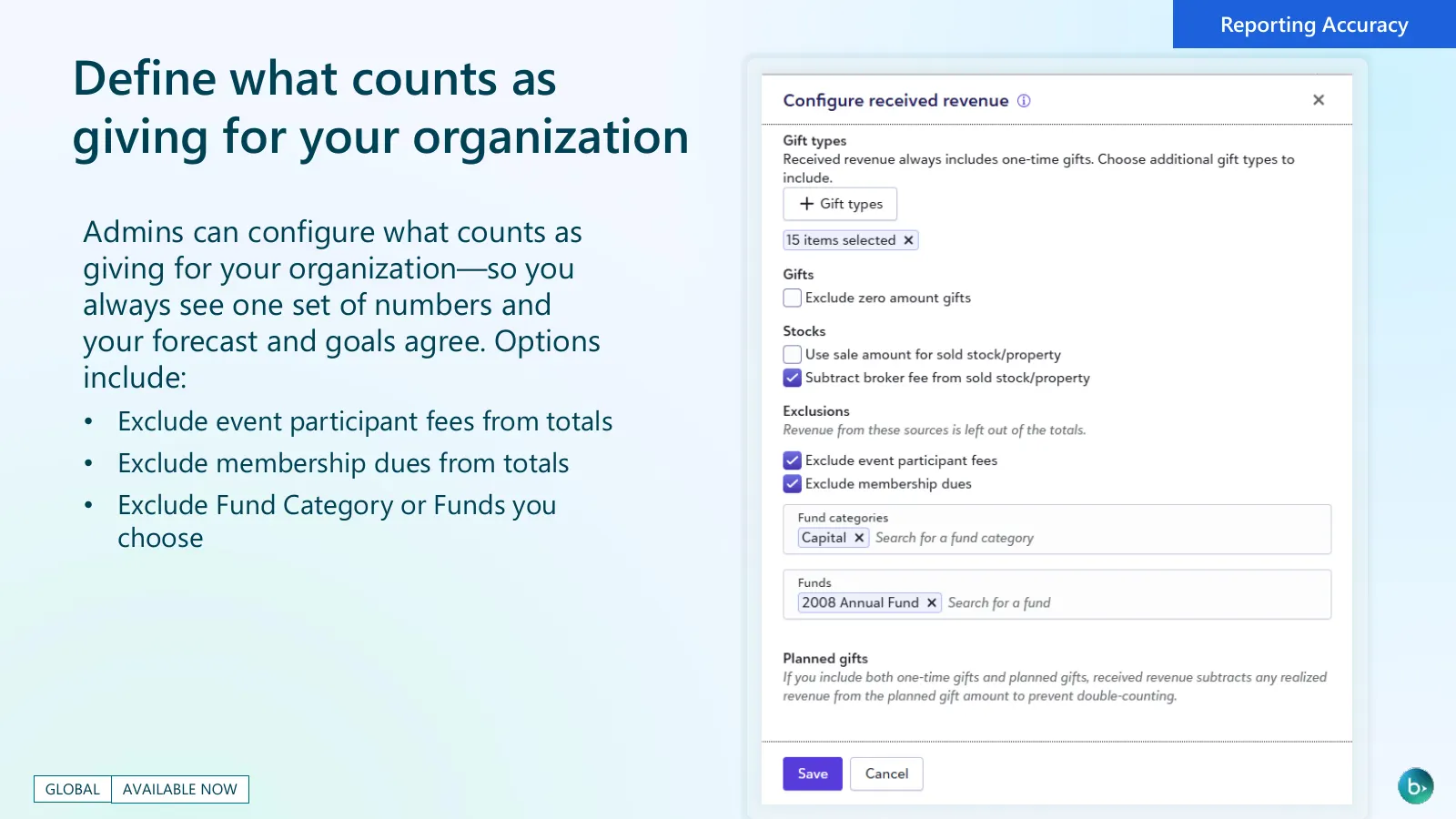
Slide 75: Define what counts as giving for your organization
Reporting Accuracy Define what counts as giving for your organization Admins can configure what counts as giving for your organization—so you always see one set of numbers and your forecast and goals agree. Options include: • Exclude event participant fees from totals • Exclude membership dues from
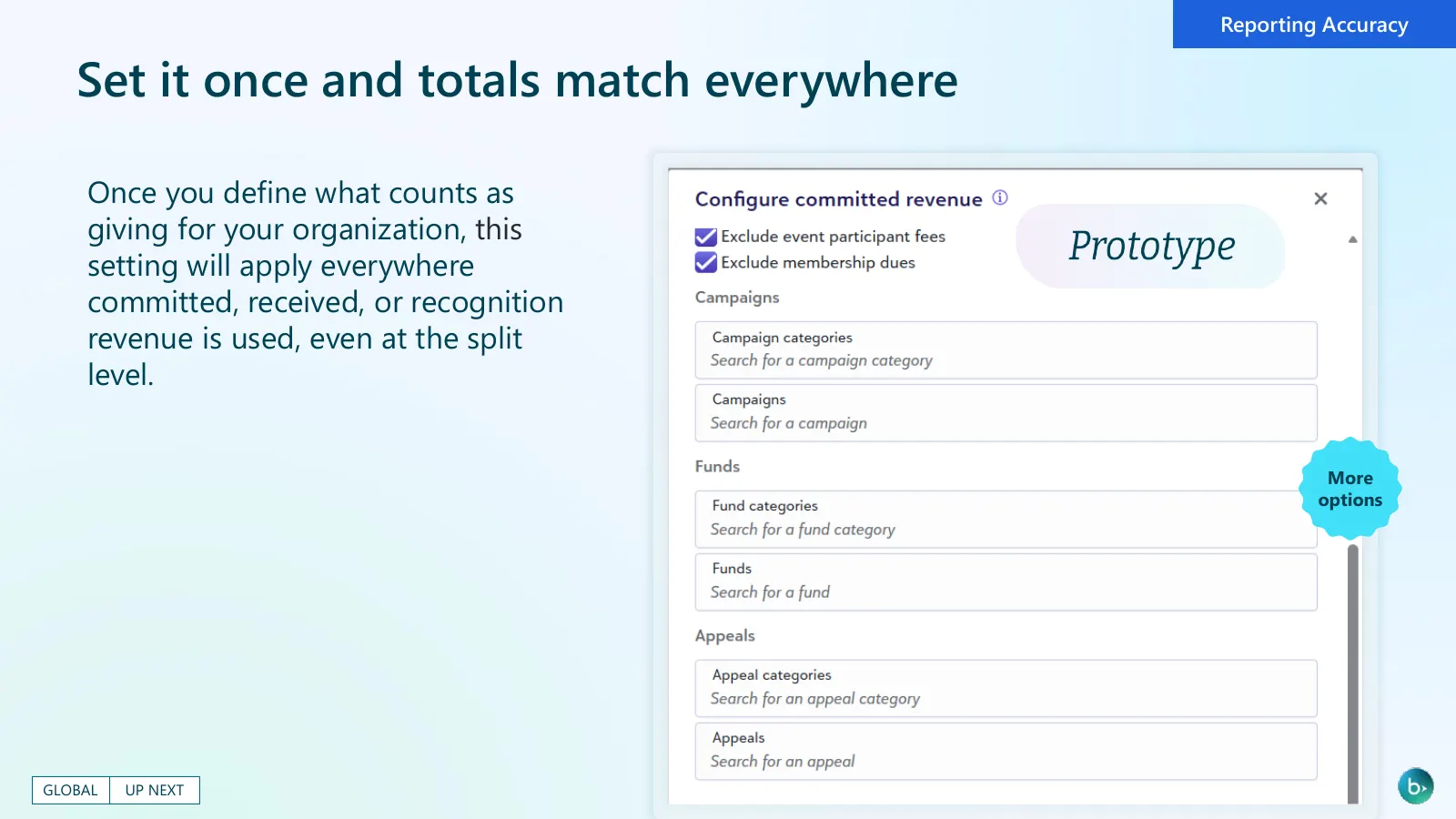
Slide 76: Set it once and totals match everywhere
Reporting Accuracy Set it once and totals match everywhere Once you define what counts as giving for your organization, this setting will apply everywhere committed, received, or recognition revenue is used, even at the split level. More options GLOBAL UP NEXT
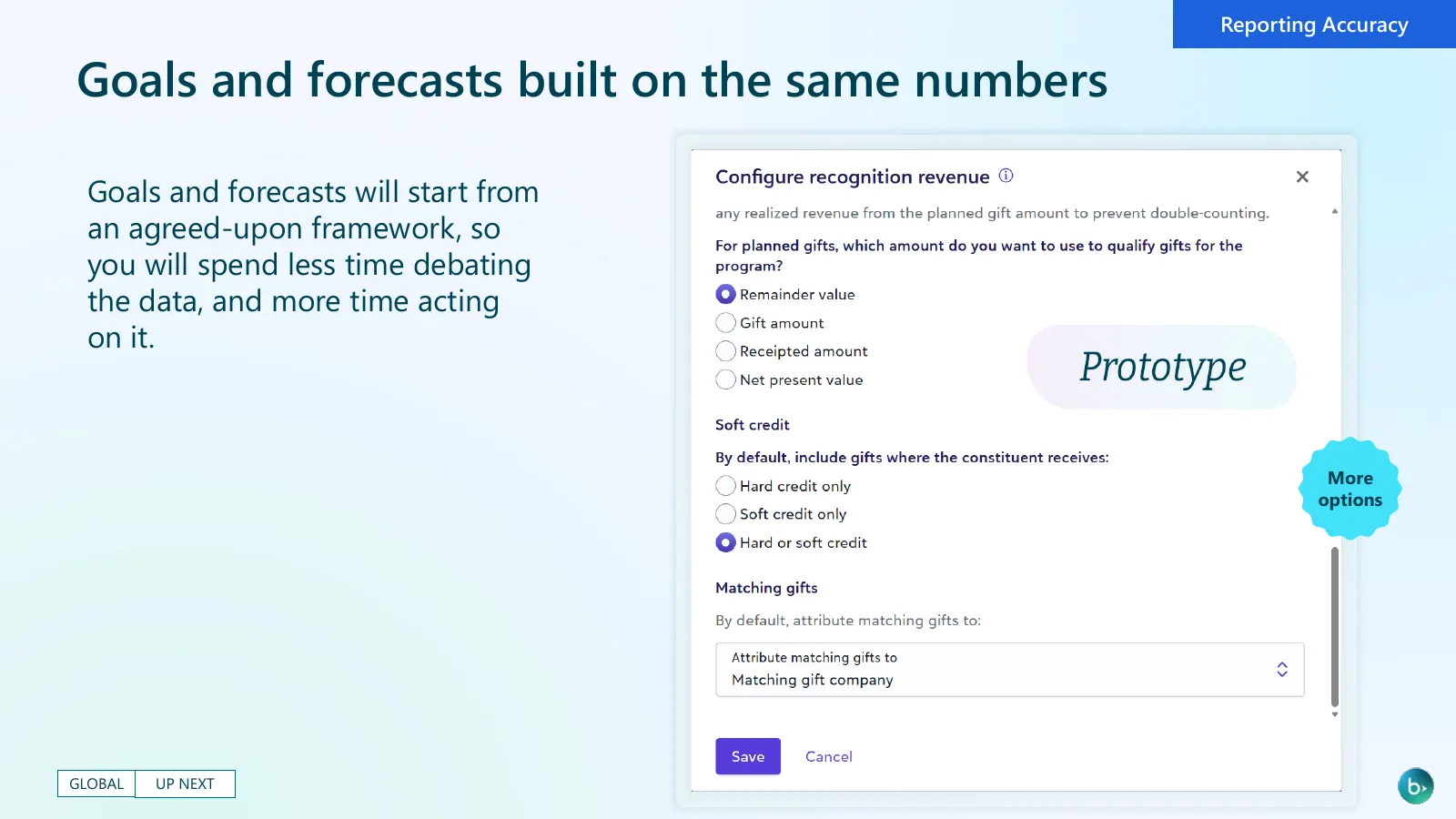
Slide 77: Goals and forecasts built on the same numbers
Reporting Accuracy Goals and forecasts built on the same numbers Goals and forecasts will start from an agreed-upon framework, so you will spend less time debating the data, and more time acting on it. More options GLOBAL UP NEXT
Slide 78: Demo: Goals
Demo Goals GLOBAL UP NEXT
Slide 79: More ways to automate work in Raiser's Edge NXT
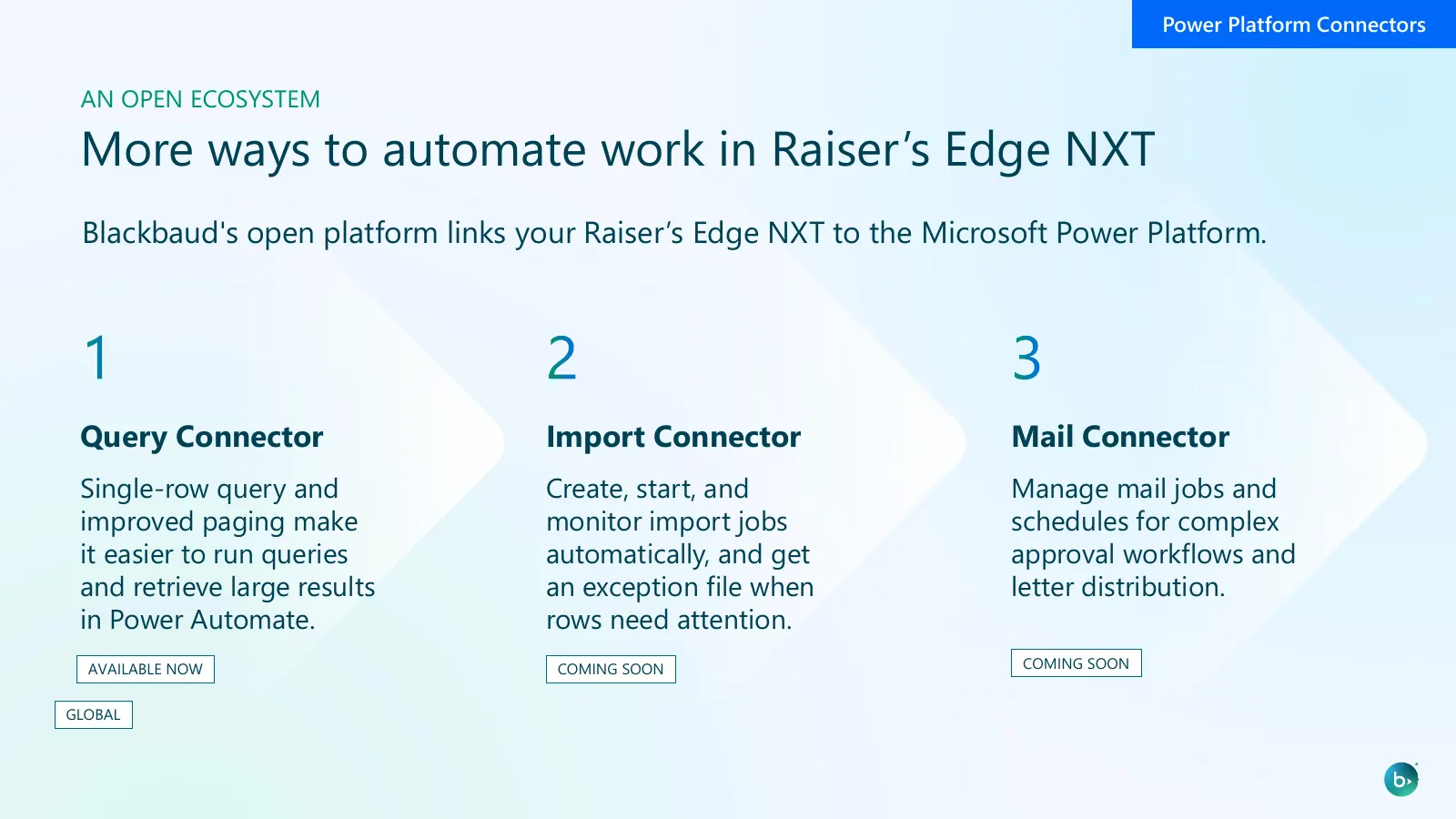
Power Platform Connectors AN OPEN ECOSYSTEM More ways to automate work in Raiser’s Edge NXT Blackbaud's open platform links your Raiser’s Edge NXT to the Microsoft Power Platform. 1 2 3 Query Connector Import Connector Mail Connector Single-row query and Create, start, and Manage mail jobs and impro
Slide 80: Power BI: Bring your queries into reports
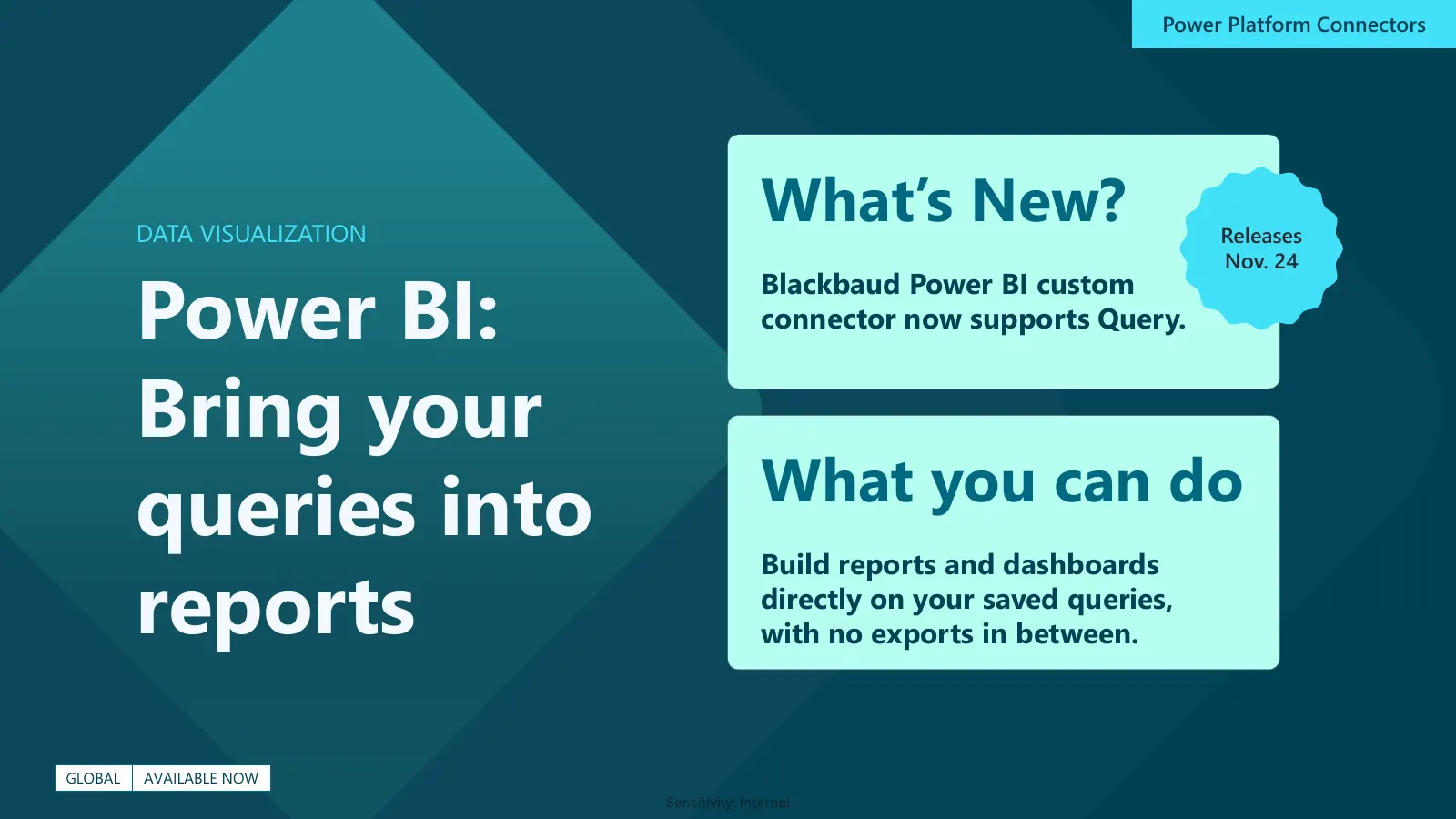
Power Platform Connectors DATA VISUALIZATION What’s New? Releases Nov. 24 Power BI: Blackbaud Power BI custom connector now supports Query. Bring your What you can do queries into Build reports and dashboards reports directly on your saved queries, with no exports in between. GLOBAL AVAILABLE NOW

Slide 81: And we aren't stopping there!
And we aren’t stopping there!
Slide 82: Updates to Data Health Scorecard
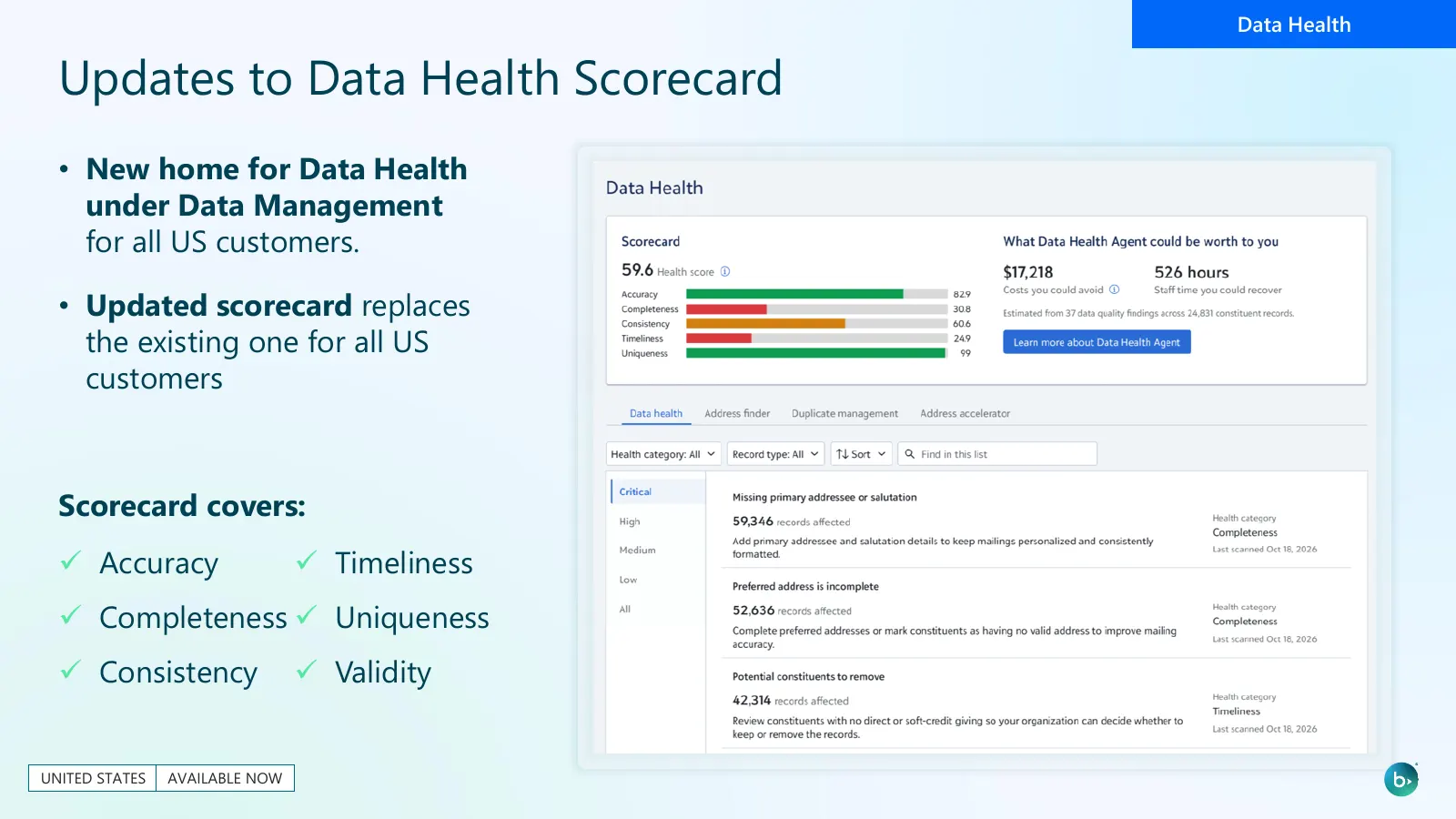
Data Health Updates to Data Health Scorecard • New home for Data Health under Data Management for all US customers. • Updated scorecard replaces the existing one for all US customers Scorecard covers: ✓ Accuracy ✓ Timeliness ✓ Completeness ✓ Uniqueness ✓ Consistency ✓ Validity UNITED STATES AVAILABL
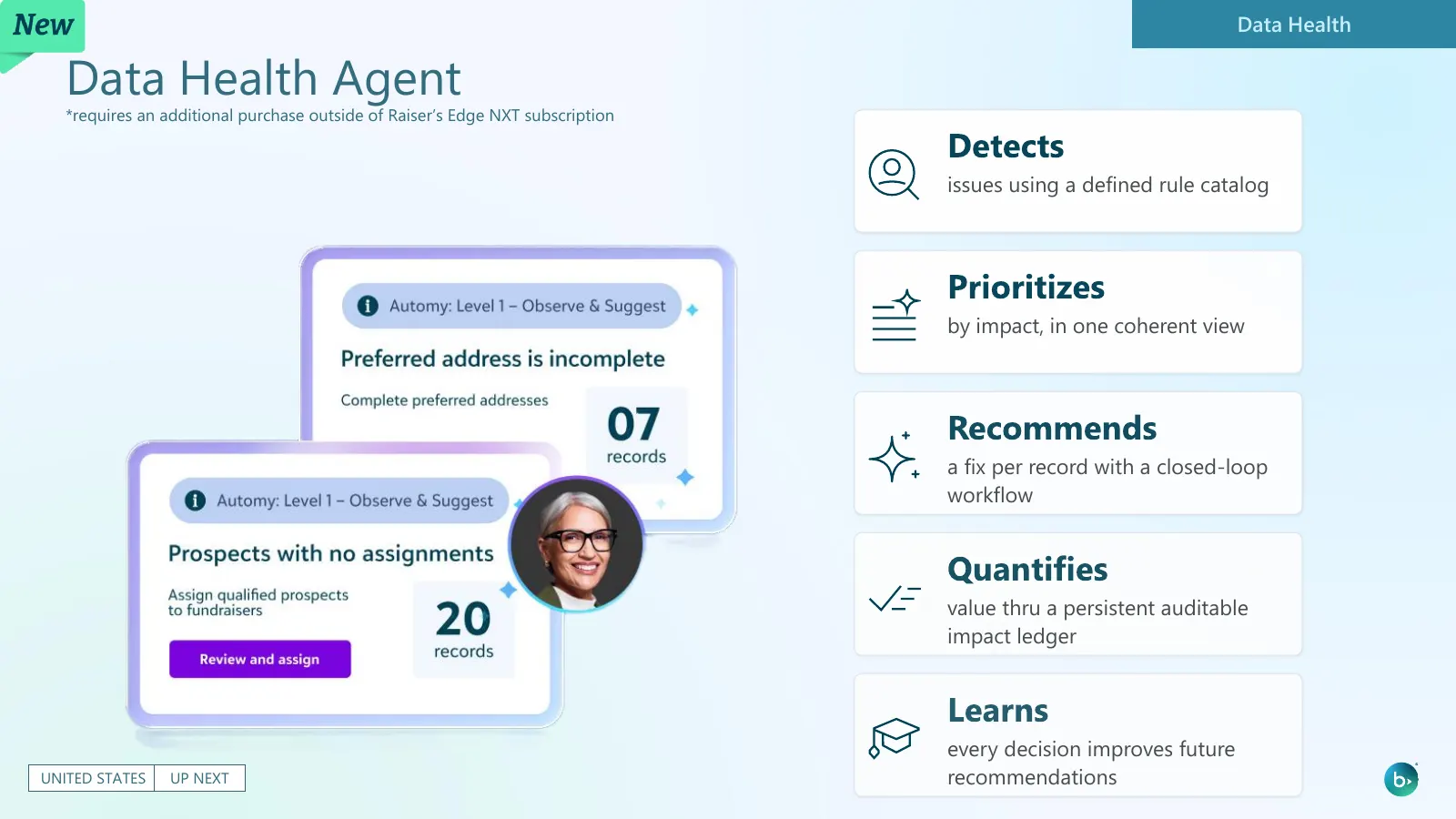
Slide 83: Data Health Agent
Data Health Data Health Agent *requires an additional purchase outside of Raiser’s Edge NXT subscription issues using a defined rule catalog by impact, in one coherent view a fix per record with a closed-loop workflow value thru a persistent auditable impact ledger every decision improves future UNI
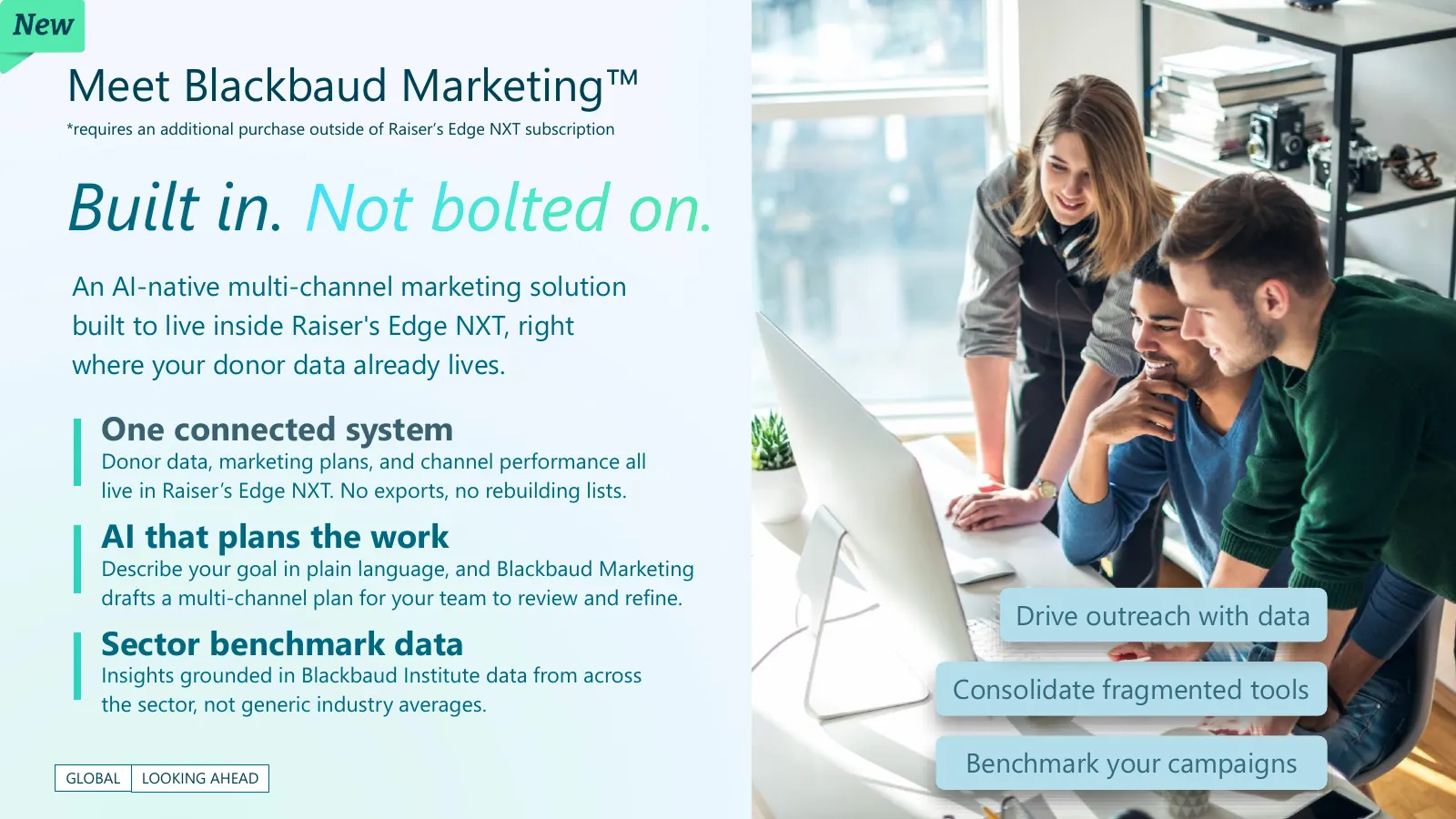
Slide 84: Built in. Not bolted on. Meet Blackbaud Marketing
Meet Blackbaud Marketing *requires an additional purchase outside of Raiser’s Edge NXT subscription Built in. Not bolted on. An AI-native multi-channel marketing solution built to live inside Raiser's Edge NXT, right where your donor data already lives. One connected system Donor data, marketing pla
Slide 85: Demo: Blackbaud Marketing
Demo > Blackbaud Marketing
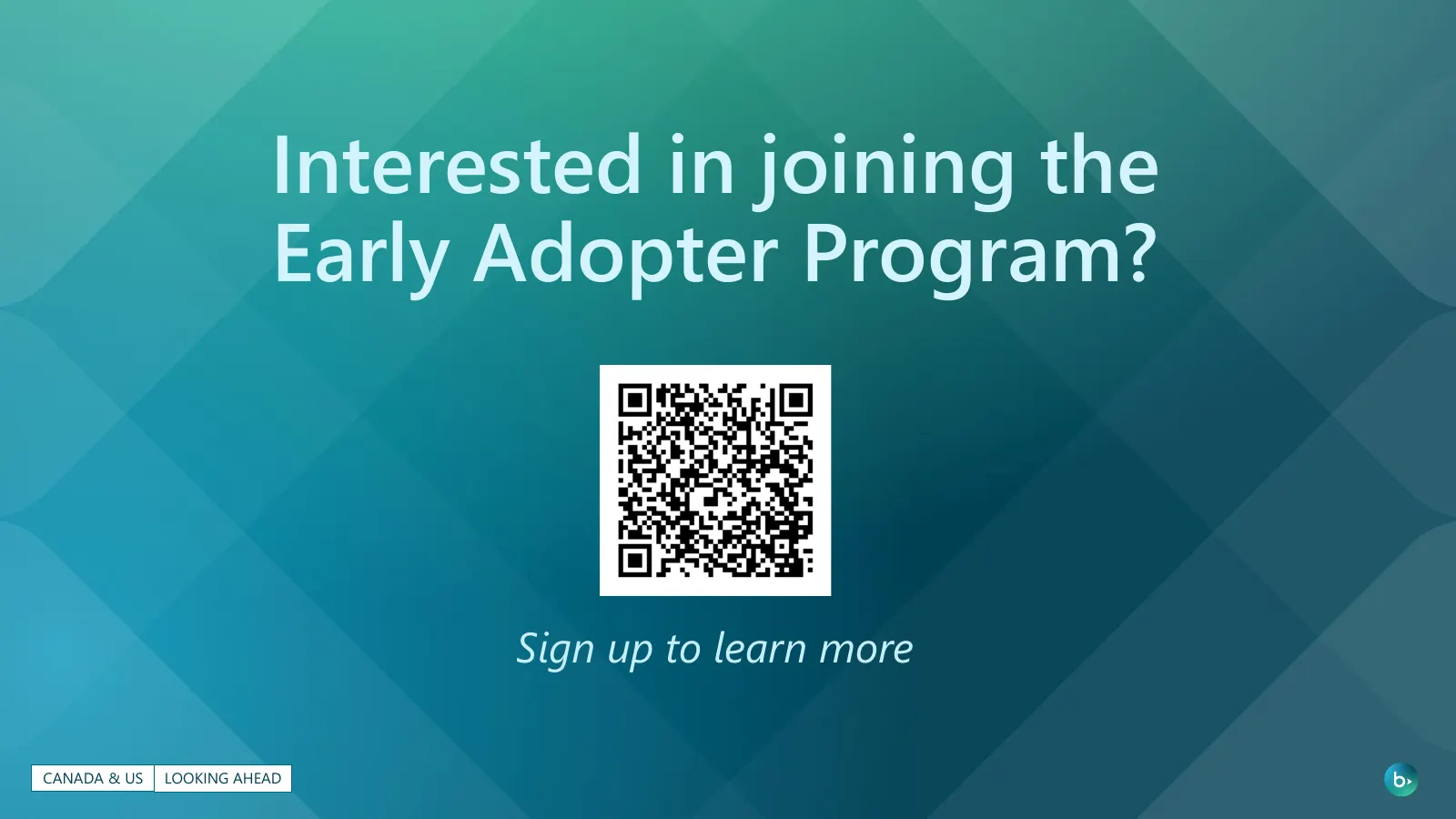
Slide 86: Interested in joining the Early Adopter Program?
Interested in joining the Early Adopter Program? Sign up to learn more CANADA & US LOOKING AHEAD

Slide 87: Security and Trust
Security and Trust
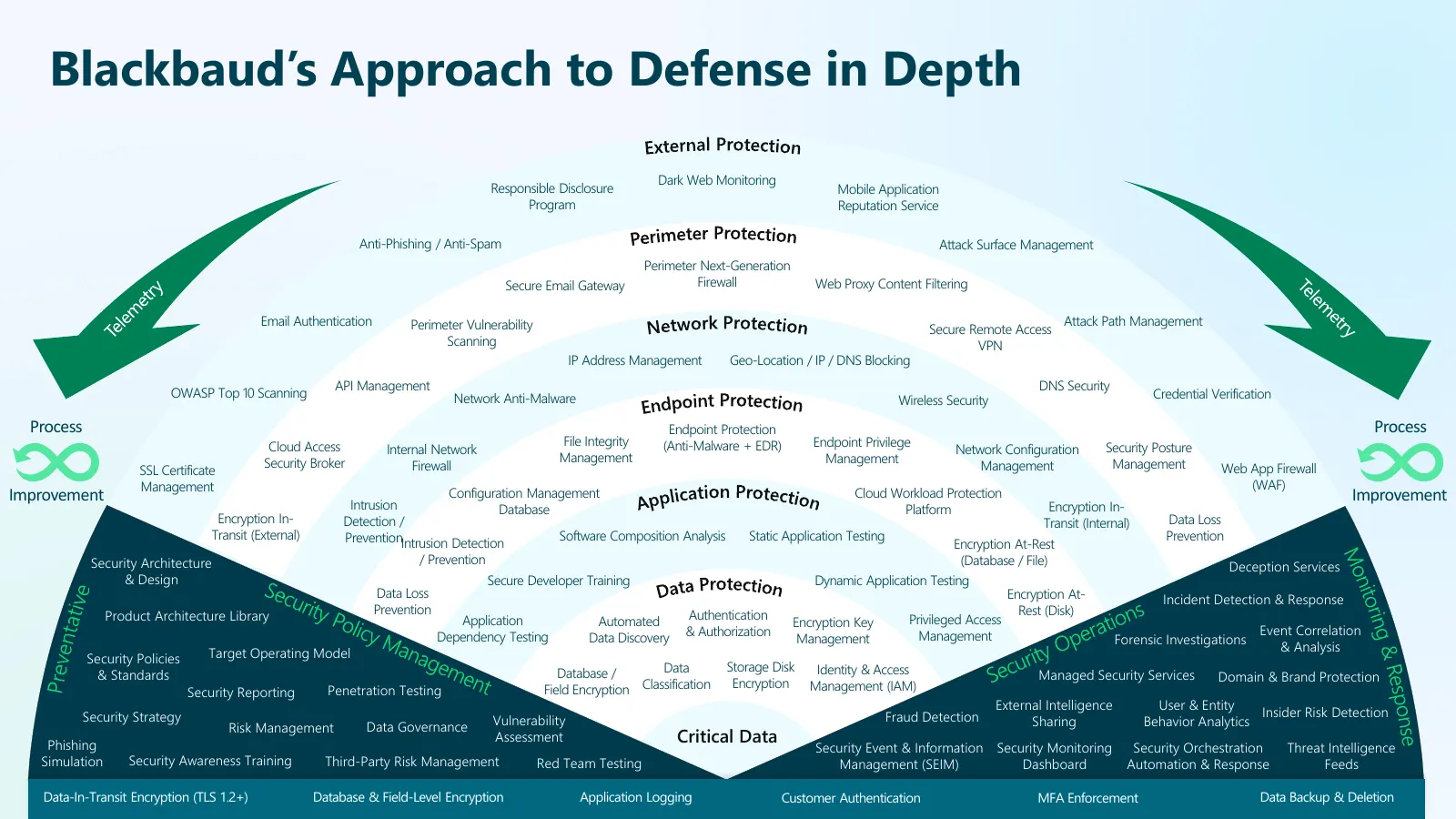
Slide 88: Blackbaud's Approach to Defense in Depth
Blackbaud’s Approach to Defense in Depth External Protection Dark Web Monitoring Responsible Disclosure Mobile Application Program Reputation Service Anti-Phishing / Anti-Spam Perimeter Protection Attack Surface Management Perimeter Next-Generation Secure Email Gateway Firewall Web Proxy Content Fil
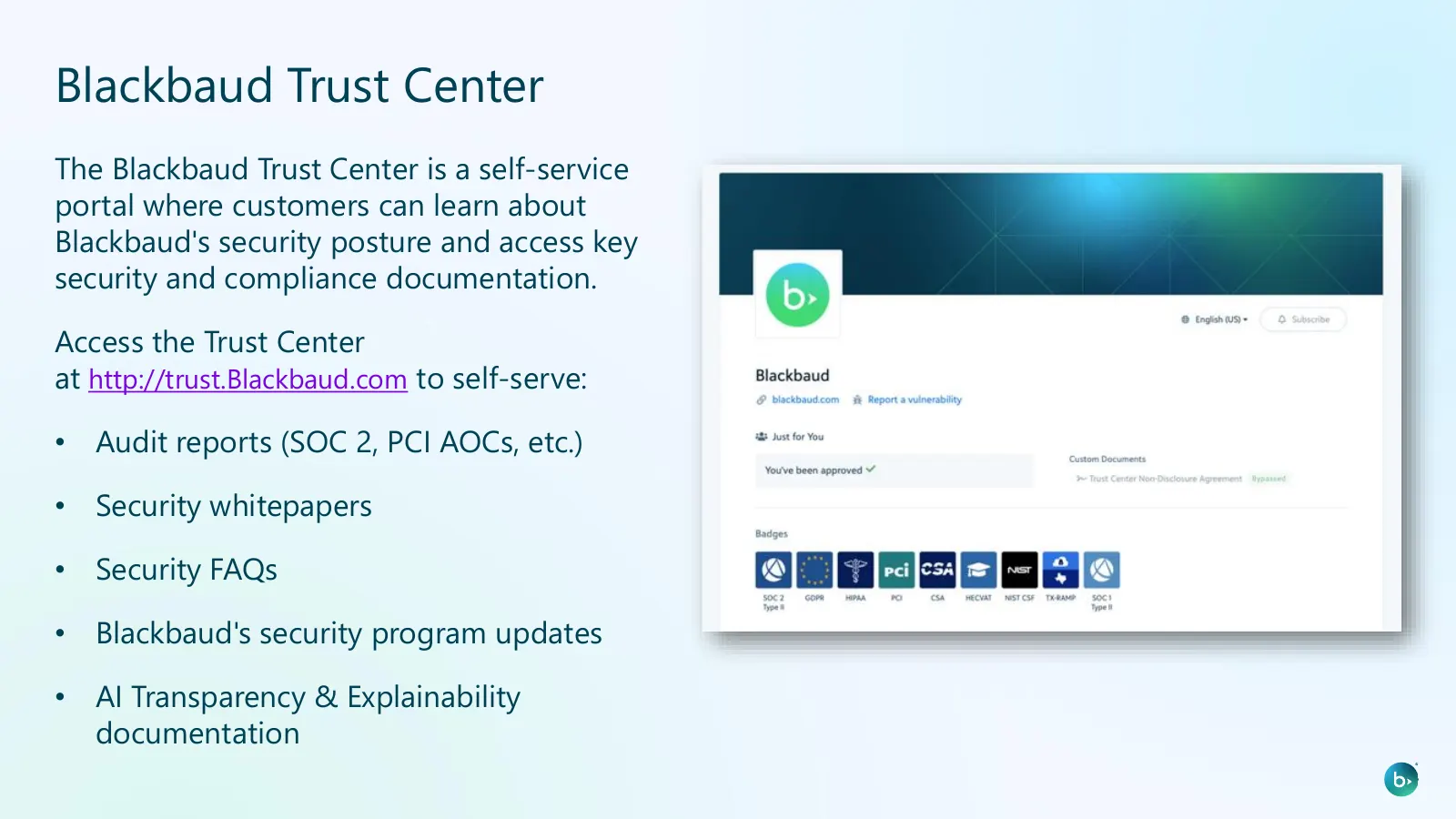
Slide 89: Blackbaud Trust Center
Blackbaud Trust Center The Blackbaud Trust Center is a self-service portal where customers can learn about Blackbaud's security posture and access key security and compliance documentation. Access the Trust Center at http://trust.Blackbaud.com to self-serve: • Audit reports (SOC 2, PCI AOCs, etc.) •
Slide 90: Where we go from here
Where we go from here
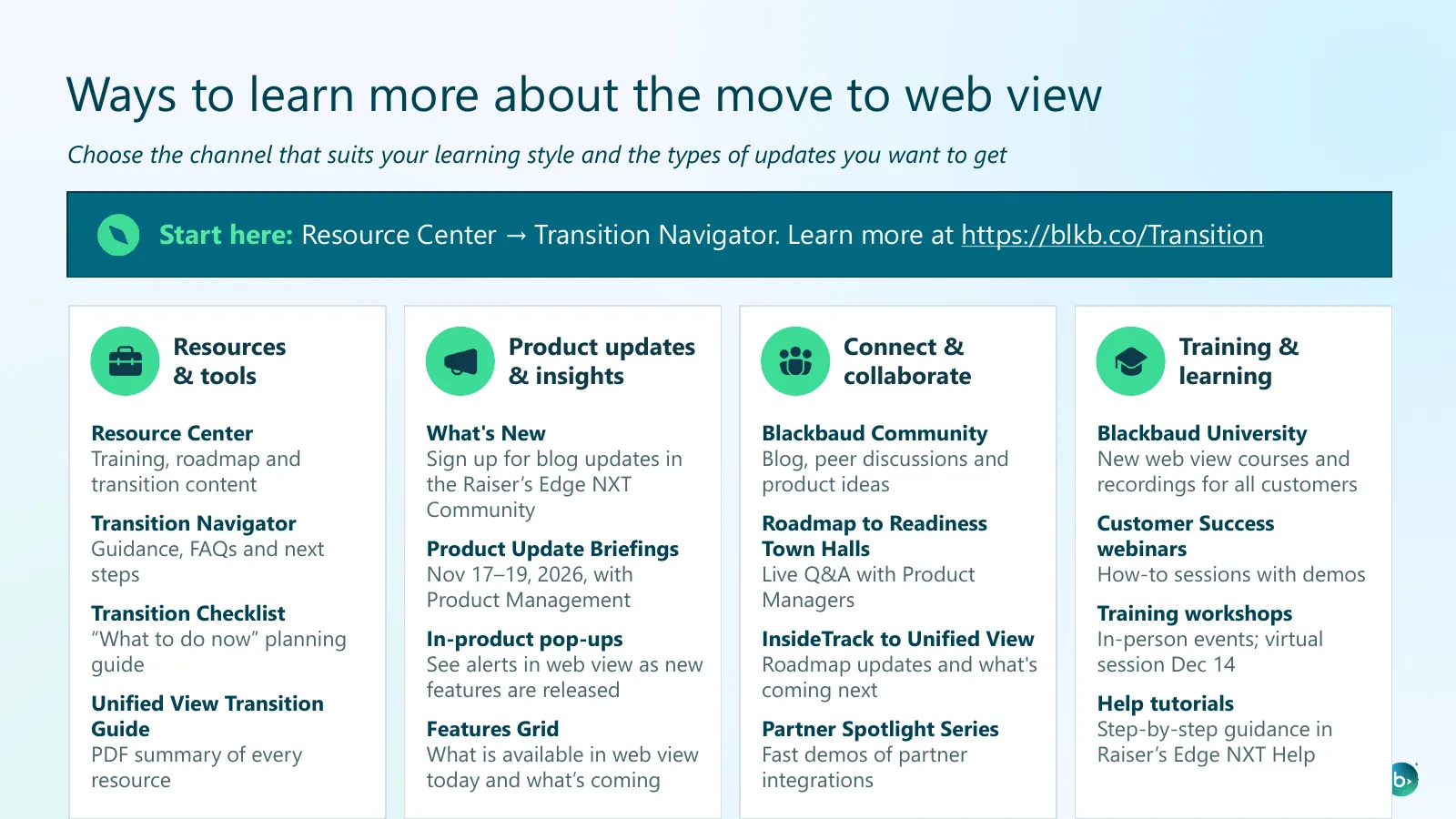
Slide 91: Ways to learn more about the move to web view
Ways to learn more about the move to web view Choose the channel that suits your learning style and the types of updates you want to get Start here: Resource Center → Transition Navigator. Learn more at https://blkb.co/Transition Resources Product updates Connect & Training & & tools & insights coll
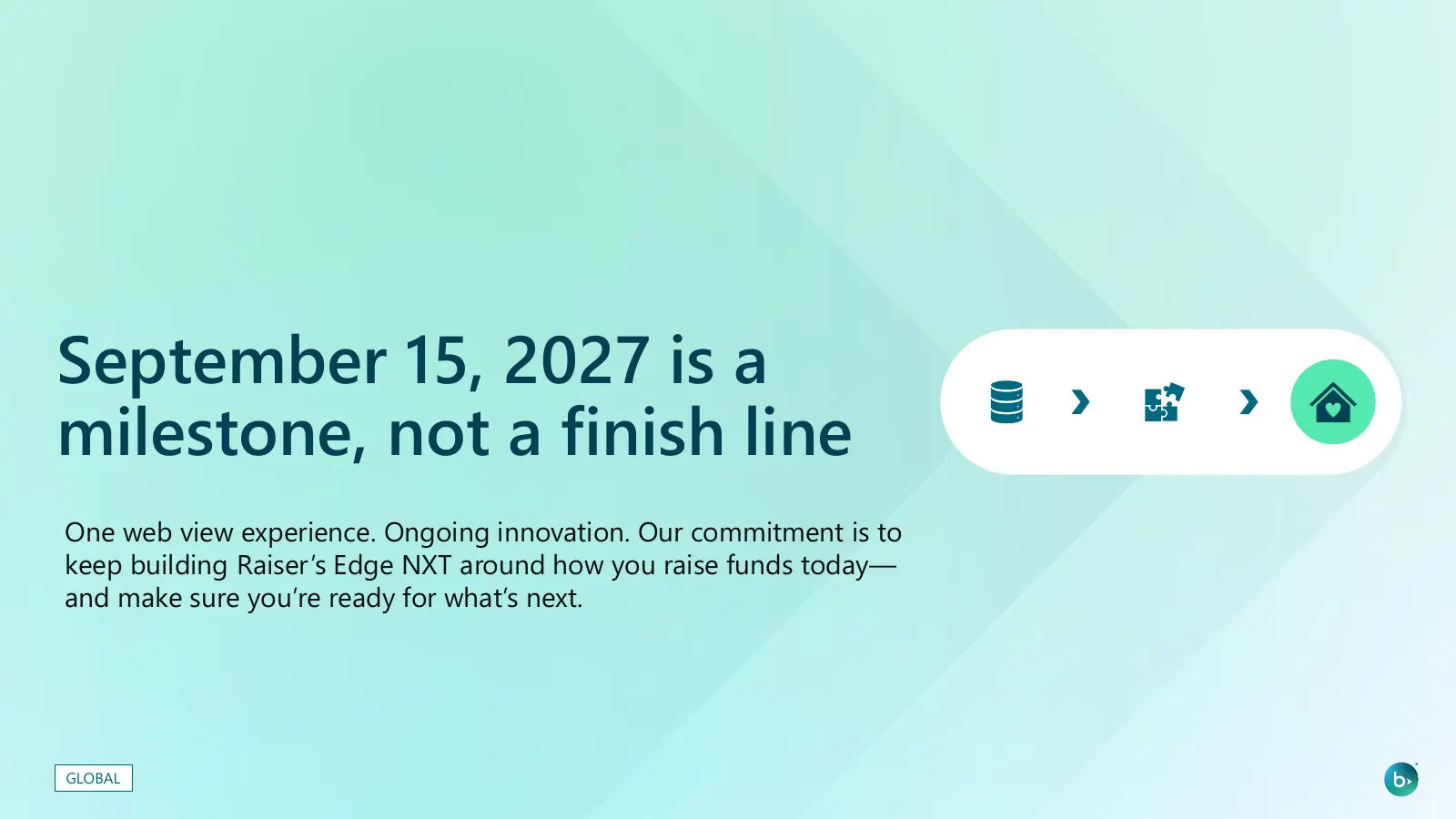
Slide 92: September 15, 2027 is a milestone, not a finish line
September 15, 2027 is a milestone, not a finish line One web view experience. Ongoing innovation. Our commitment is to keep building Raiser’s Edge NXT around how you raise funds today— and make sure you’re ready for what’s next. GLOBAL
Slide 93: Raiser's Edge NXT Built for today. Ready for what's next.
Raiser's Edge NXT Built for today. Ready for what's next. The fundraising solution that grows with you.

Slide 94: Thank you!
Thank you!
Source: company website
More decks from Blackbaud, Inc.
 Q3 2026 Earnings Presentation43 slides · Oct 28, 2026
 Investor Presentation (July 2026)43 slides · Jul 29, 2026
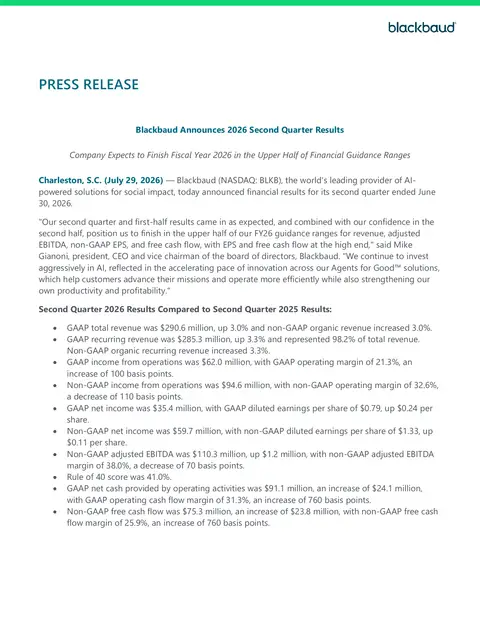 Q2 2026 Earnings Presentation11 slides · Jul 29, 2026
 Q1 2026 Earnings Presentation41 slides · Apr 28, 2026
 Q4 2025 Earnings Presentation43 slides · Feb 10, 2026
 Q3 2025 Earnings Presentation41 slides · Oct 29, 2025