Arcoma AB · OMXSTO:ARCOMA
Arcoma AB — Technical Presentation (September 2023)
24 slides from Arcoma AB's technical presentation, Sep 14, 2023
Slide 1: Live Webinar: ARCOMA Precision i5 Enhanced Workflow & Upgrade Kits
LIVE WEBINAR WORLD CLASS DIGITAL X-RAY SYSTEMS 14th of September 2023 ARCOMA PRECISION i5 NEW! ENHANCED WORKFLOW & UPGRADE KITS
Slide 2: On-Tube Protocol Customization
ON-TUBE PROTOCOL CUSTOMIZATION Discover more flexibility in your workflow!
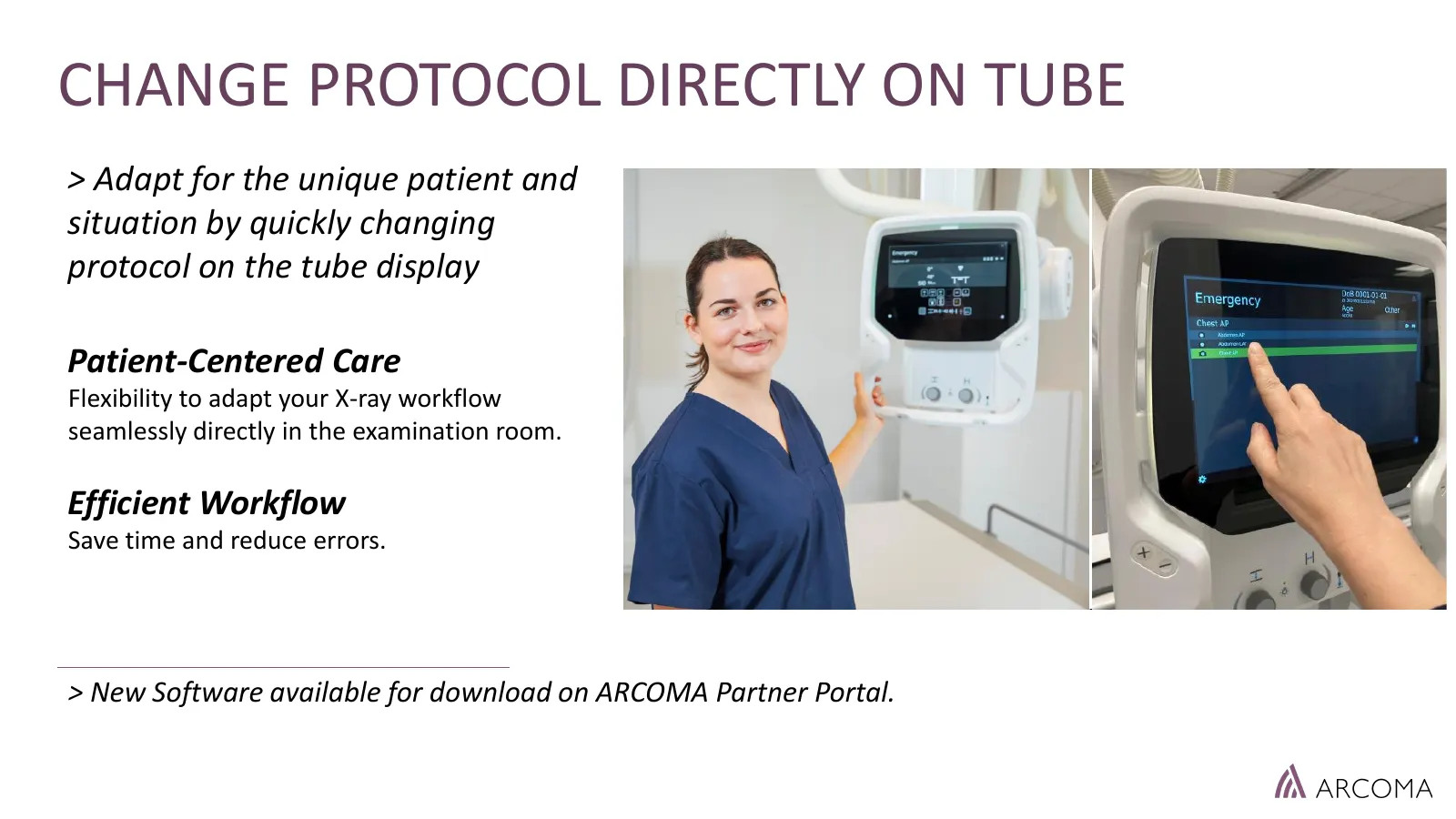
Slide 3: Change Protocol Directly on Tube
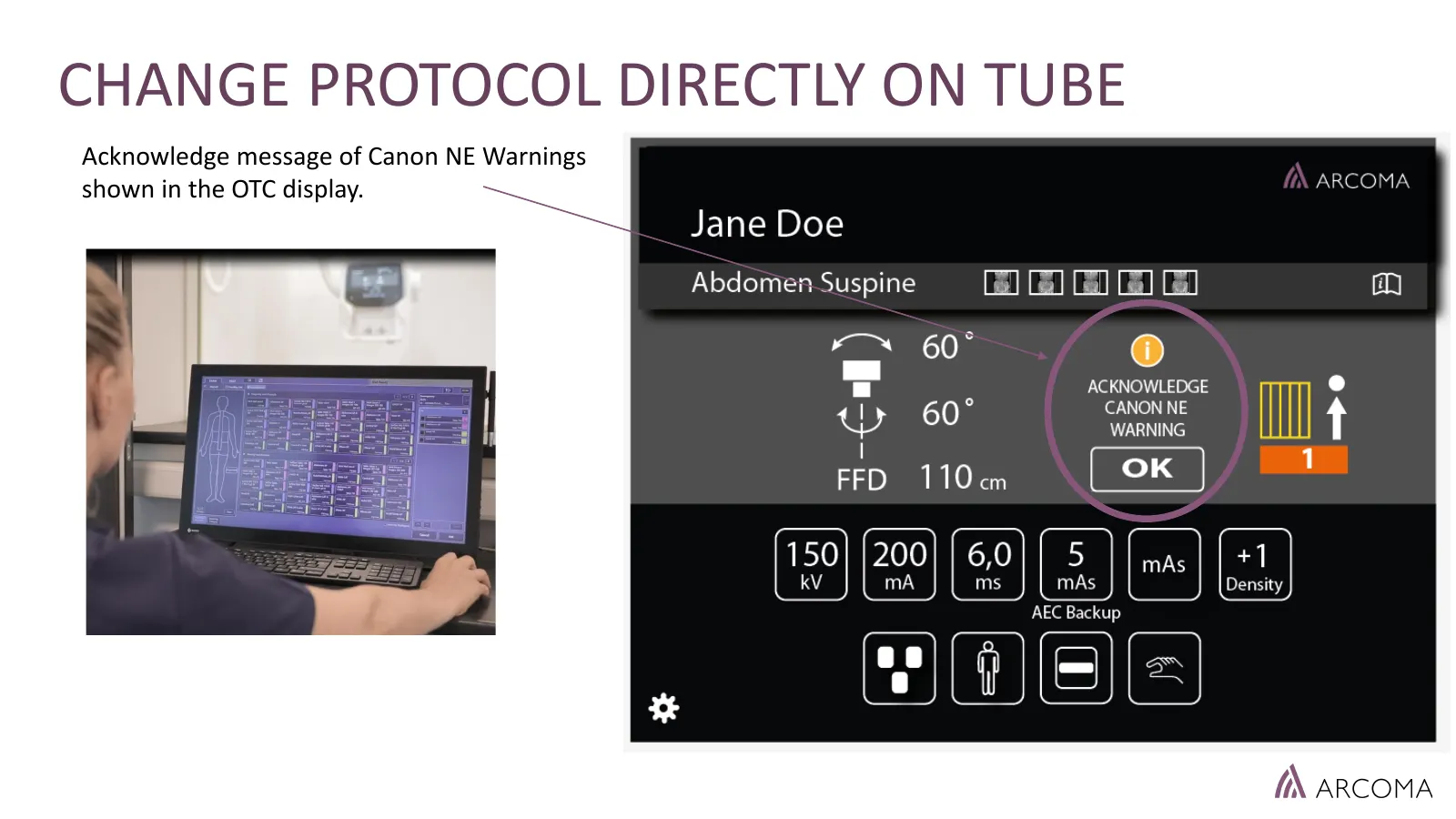
CHANGE PROTOCOL DIRECTLY ON TUBE > Adapt for the unique patient and situation by quickly changing protocol on the tube display Patient-Centered Care Flexibility to adapt your X-ray workflow seamlessly directly in the examination room. Efficient Workflow Save time and reduce errors. > New Software av
Slide 4: Change Protocol Directly on Tube
CHANGE PROTOCOL DIRECTLY ON TUBE SEE VIDEO ON ARCOMA PARTNER PORTAL
Slide 5: Change Protocol Directly on Tube
CHANGE PROTOCOL DIRECTLY ON TUBE Acknowledge message of Canon NE Warnings shown in the OTC display.
Slide 6: Live Camera View
LIVE CAMERA VIEW M\ ARCOMA
Slide 7: Live Camera View
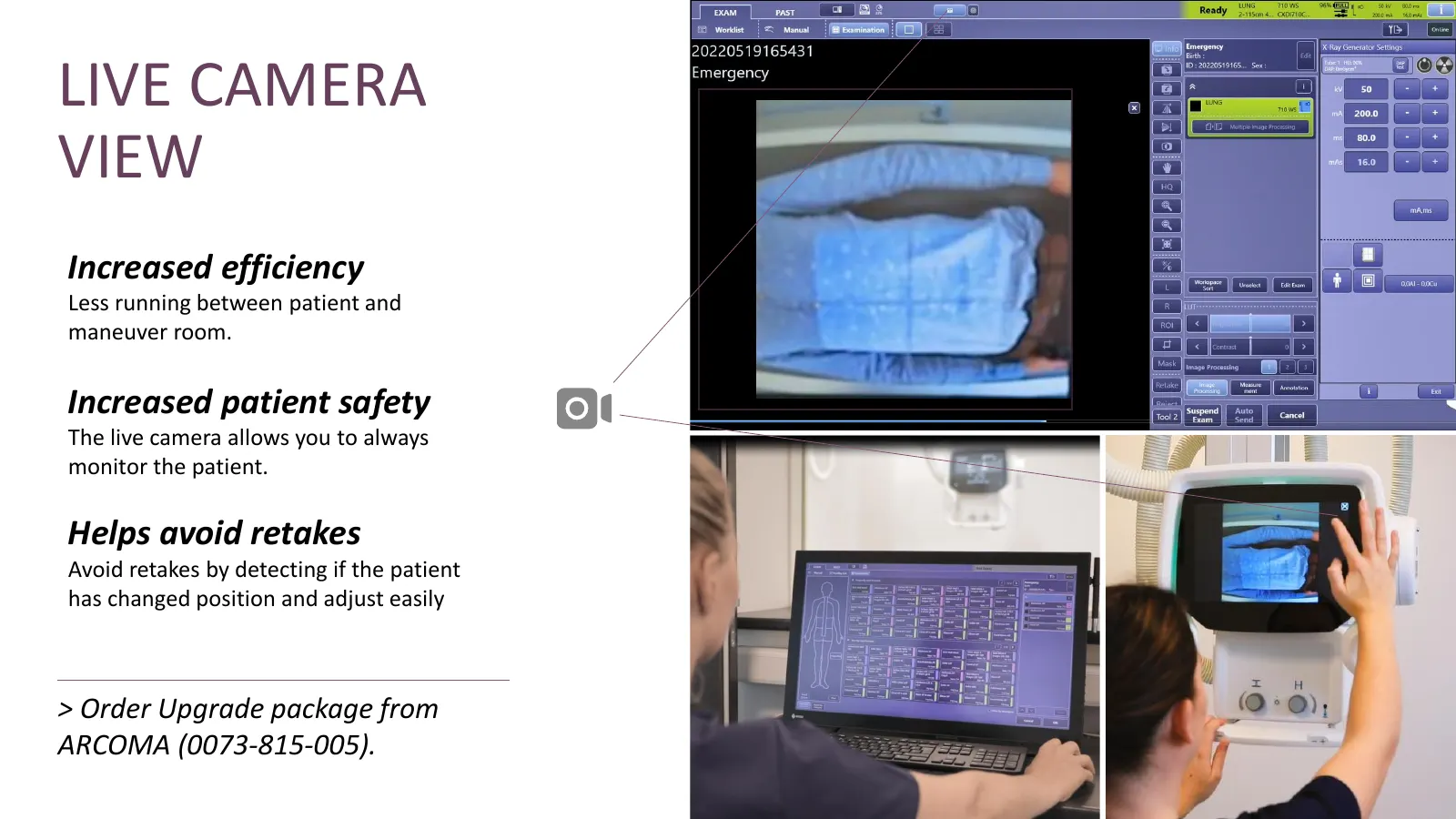
LIVE CAMERA VIEW Increased efficiency Less running between patient and maneuver room. Increased patient safety The live camera allows you to always monitor the patient. Helps avoid retakes Avoid retakes by detecting if the patient has changed position and adjust easily > Order Upgrade package from A
Slide 8: Advanced Remote Control
UPGRADE ADVANCED REMOTE CONTROL
Slide 9: Advanced Remote Control
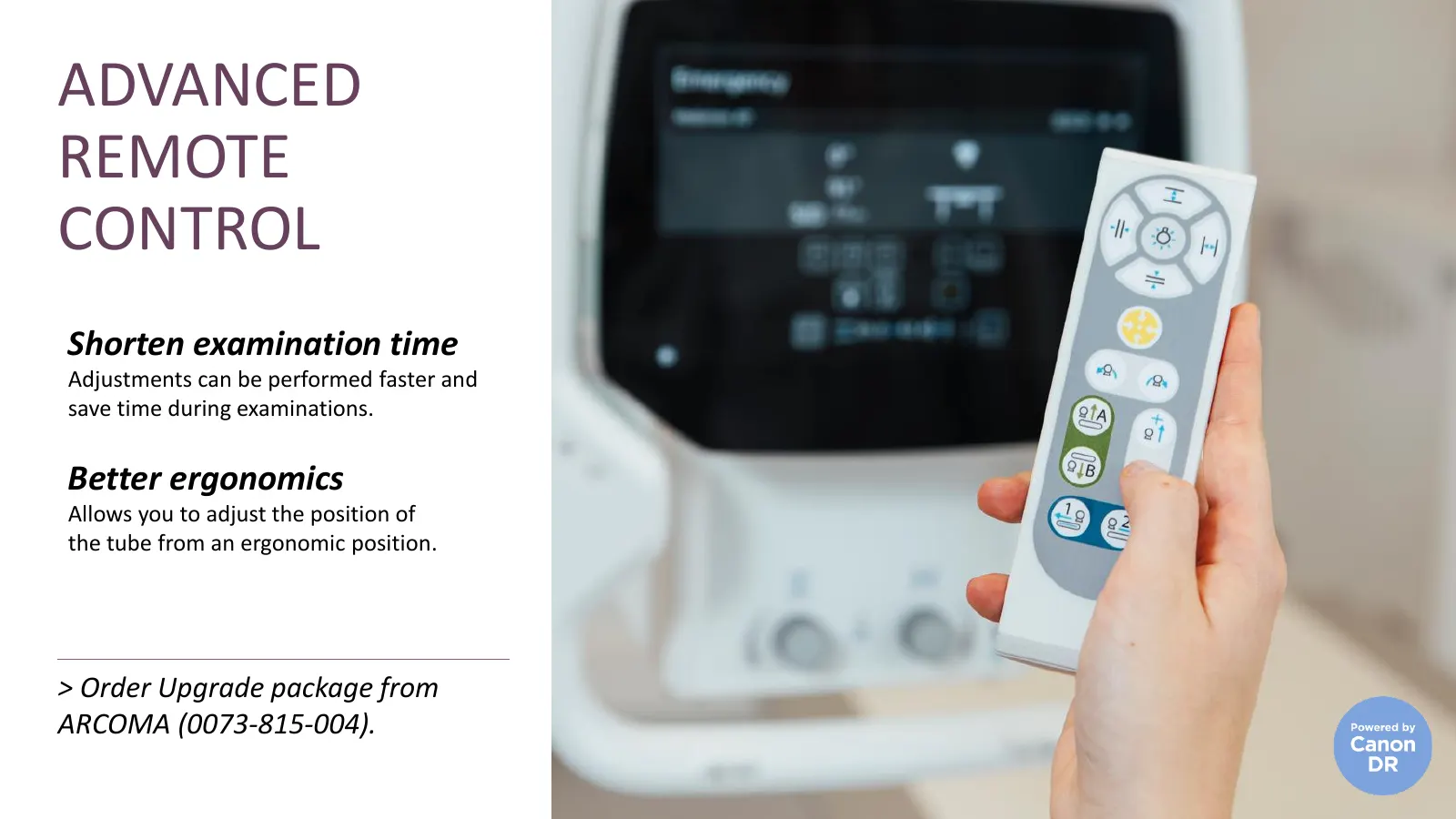
ADVANCED REMOTE CONTROL Shorten examination time Adjustments can be performed faster and save time during examinations. Better ergonomics Allows you to adjust the position of the tube from an ergonomic position. > Order Upgrade package from ARCOMA (0073-815-004).
Slide 10: Advanced Remote Control: Table Workstation
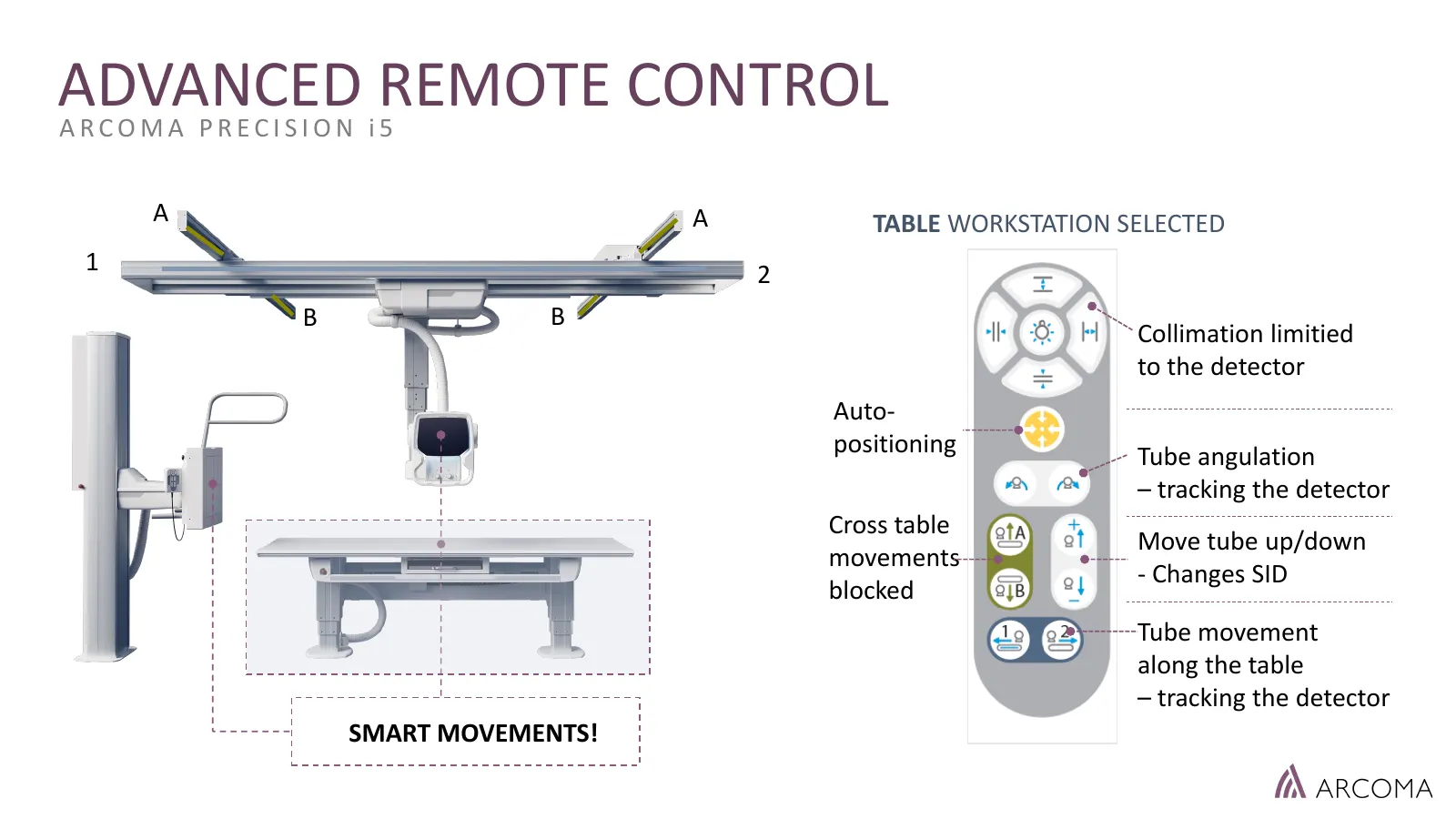
ADVANCED REMOTE ARCOMA PRECISION i5 CONTROL A A TABLE WORKSTATION SELECTED 1 2 B B Collimation limitied to the detector Auto- positioning Tube angulation – tracking the detector Cross table Move tube up/down movements - Changes SID blocked Tube movement along the table – tracking the detector SMART
Slide 11: Advanced Remote Control: Wall Stand Workstation
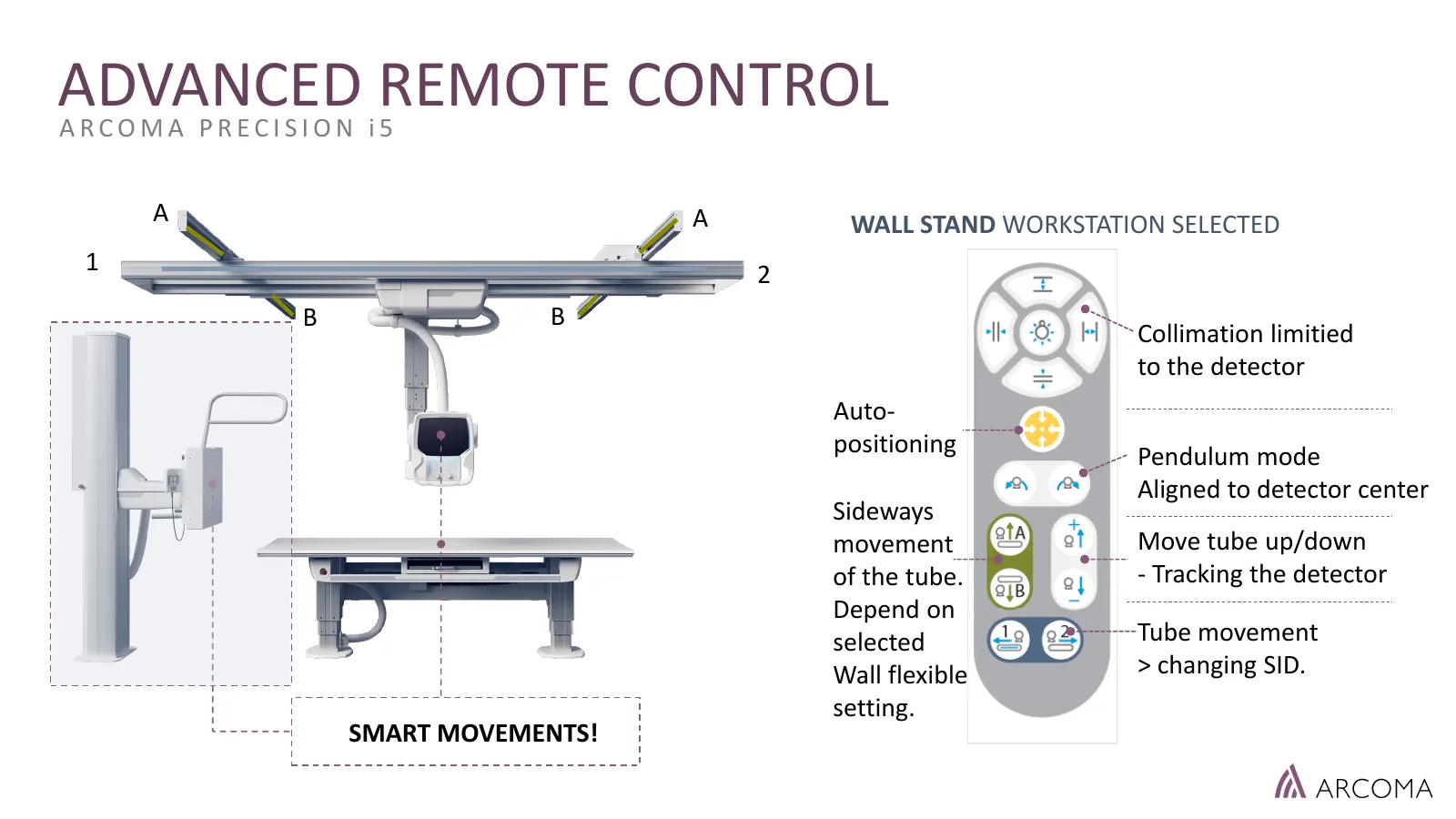
ADVANCED REMOTE ARCOMA PRECISION i5 CONTROL A A WALL STAND WORKSTATION SELECTED 1 2 B B Collimation limitied to the detector Auto- positioning Pendulum mode Aligned to detector center Sideways movement Move tube up/down of the tube. - Tracking the detector Depend on selected Tube movement Wall flexi
Slide 12: Advanced Remote Control: Free Examination
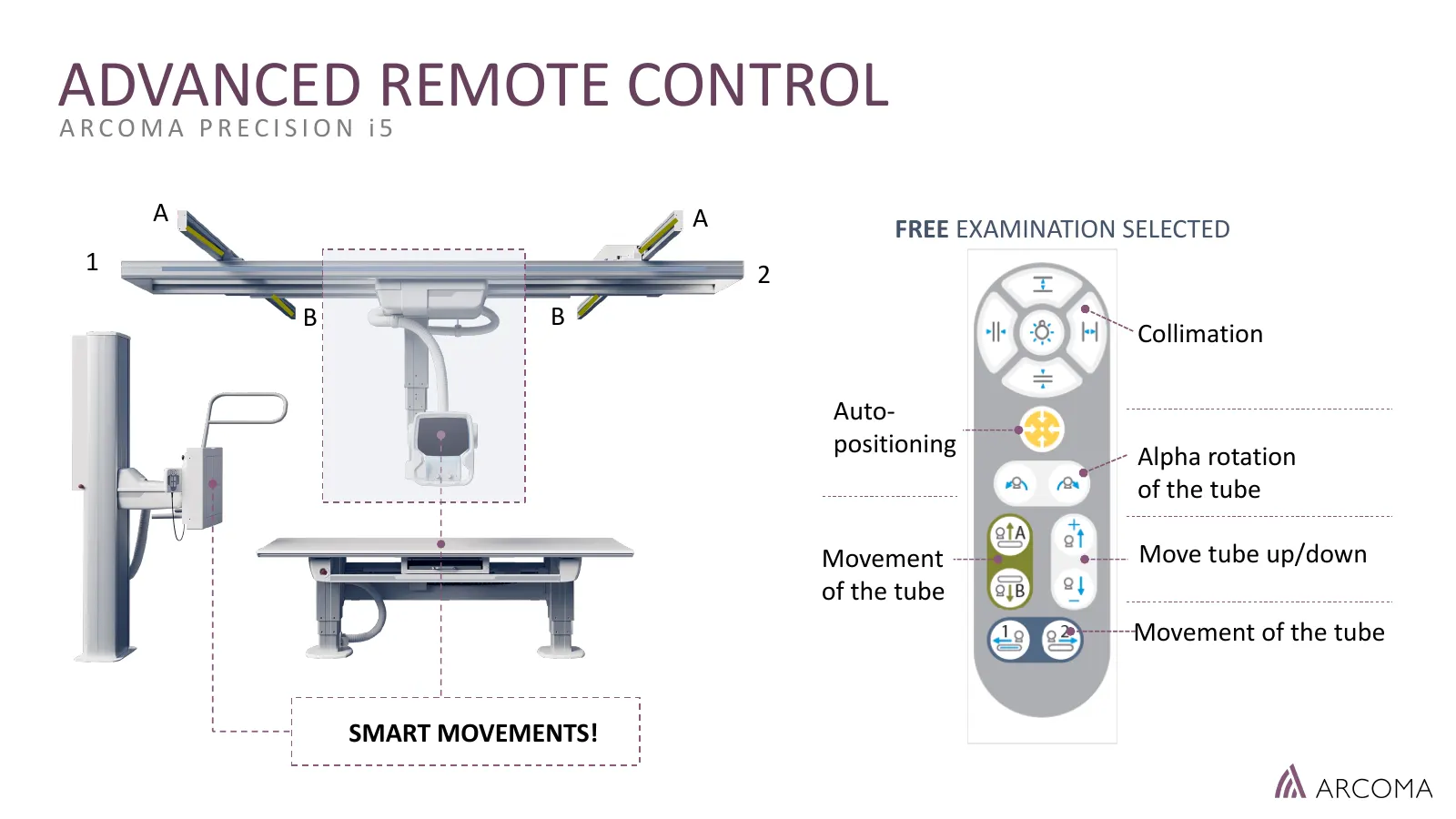
ADVANCED REMOTE ARCOMA PRECISION i5 CONTROL A A FREE EXAMINATION SELECTED 1 2 B B Collimation Auto- positioning Alpha rotation of the tube Movement Move tube up/down of the tube Movement of the tube SMART MOVEMENTS!
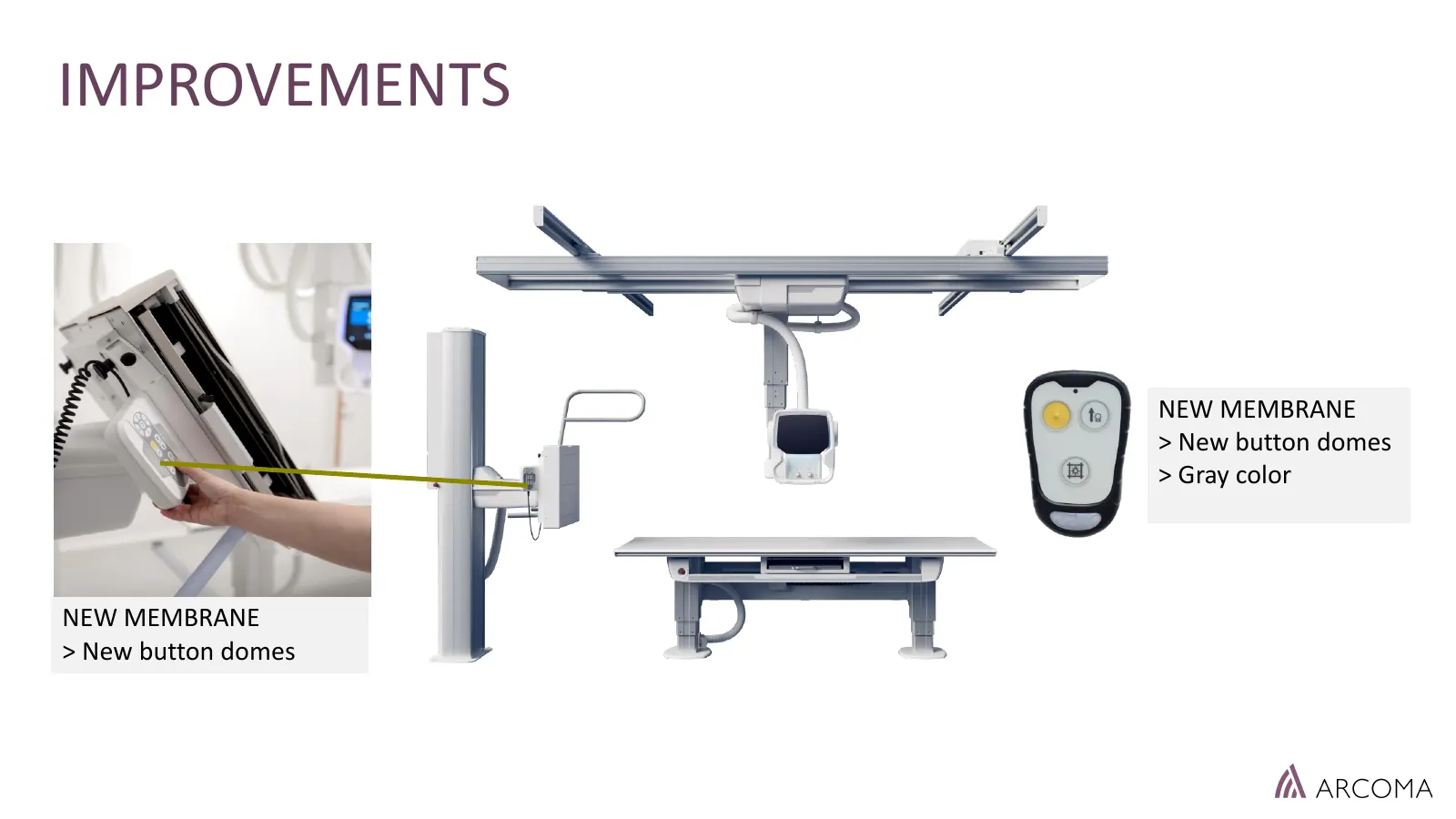
Slide 13: Improvements: New Membrane
IMPROVEMENTS NEW NEW MEMBRANE > New button domes > Gray color NEW MEMBRANE > New button domes
Slide 14: Display Spacer
DISPLAY SPACER M\ ARCOMA
Slide 15: Increased Comfort with New Design
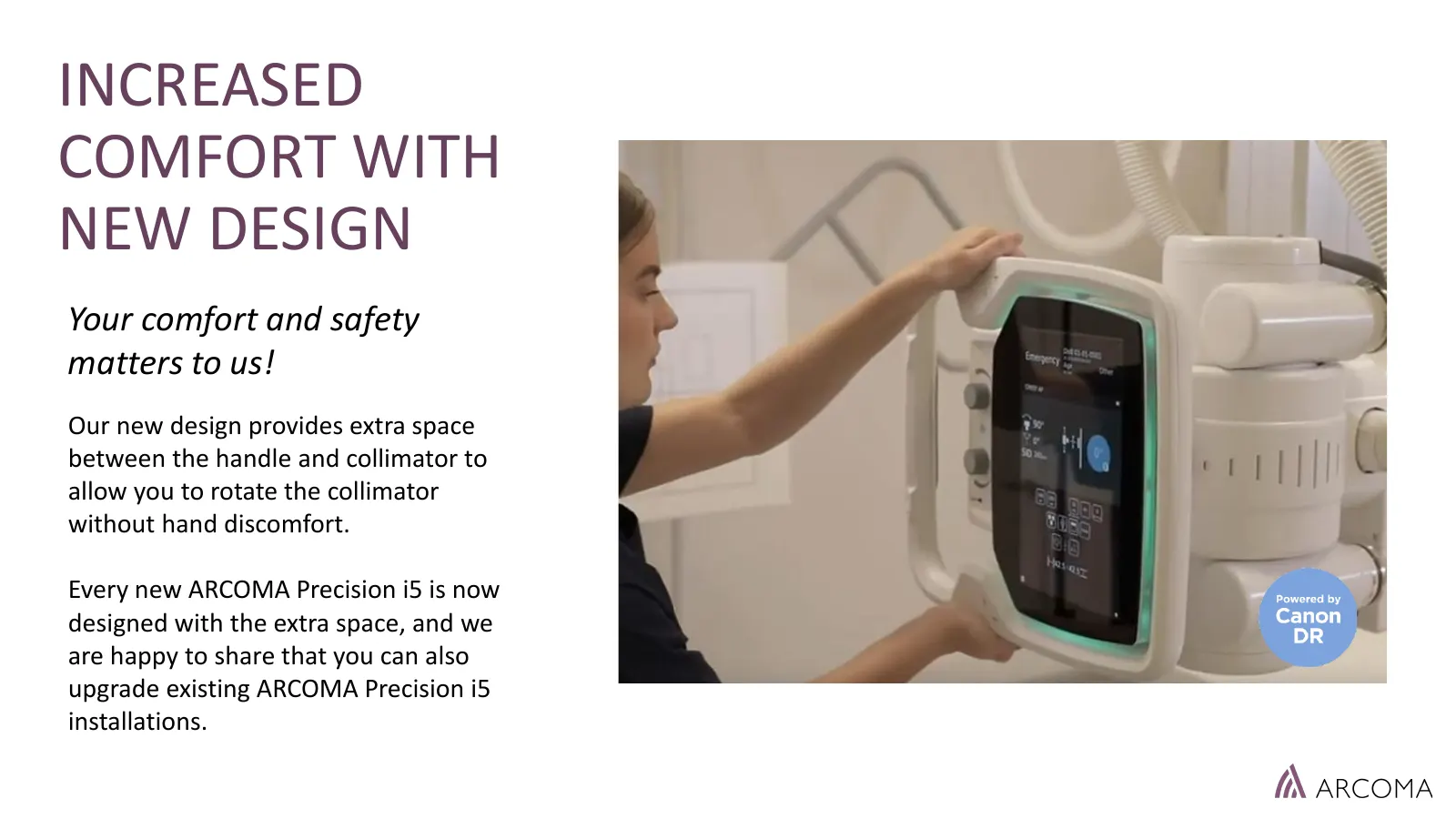
INCREASED COMFORT WITH NEW DESIGN Your comfort and safety matters to us! Our new design provides extra space between the handle and collimator to allow you to rotate the collimator without hand discomfort. Every new ARCOMA Precision i5 is now designed with the extra space, and we are happy to share
Slide 16: OTC Display Spacer
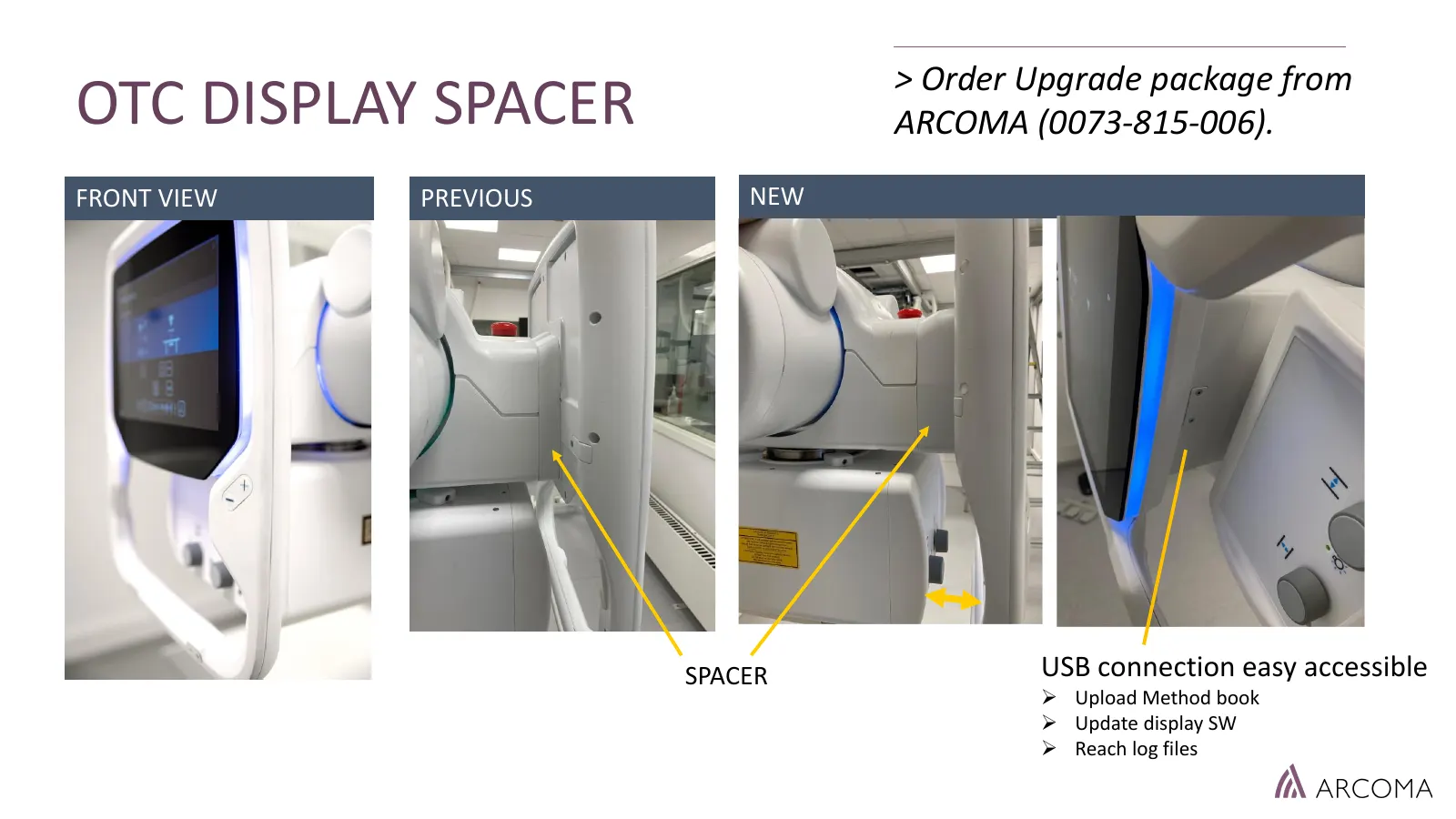
> Order Upgrade package from OTC DISPLAY SPACER ARCOMA (0073-815-006). FRONT VIEW PREVIOUS NEW SPACER USB connection easy accessible ➢ Upload Method book ➢ Update display SW ➢ Reach log files
Slide 17: Upgrade - Facts
UPGRADE - FACTS M\ ARCOMA
Slide 18: Upgrade Facts: Order
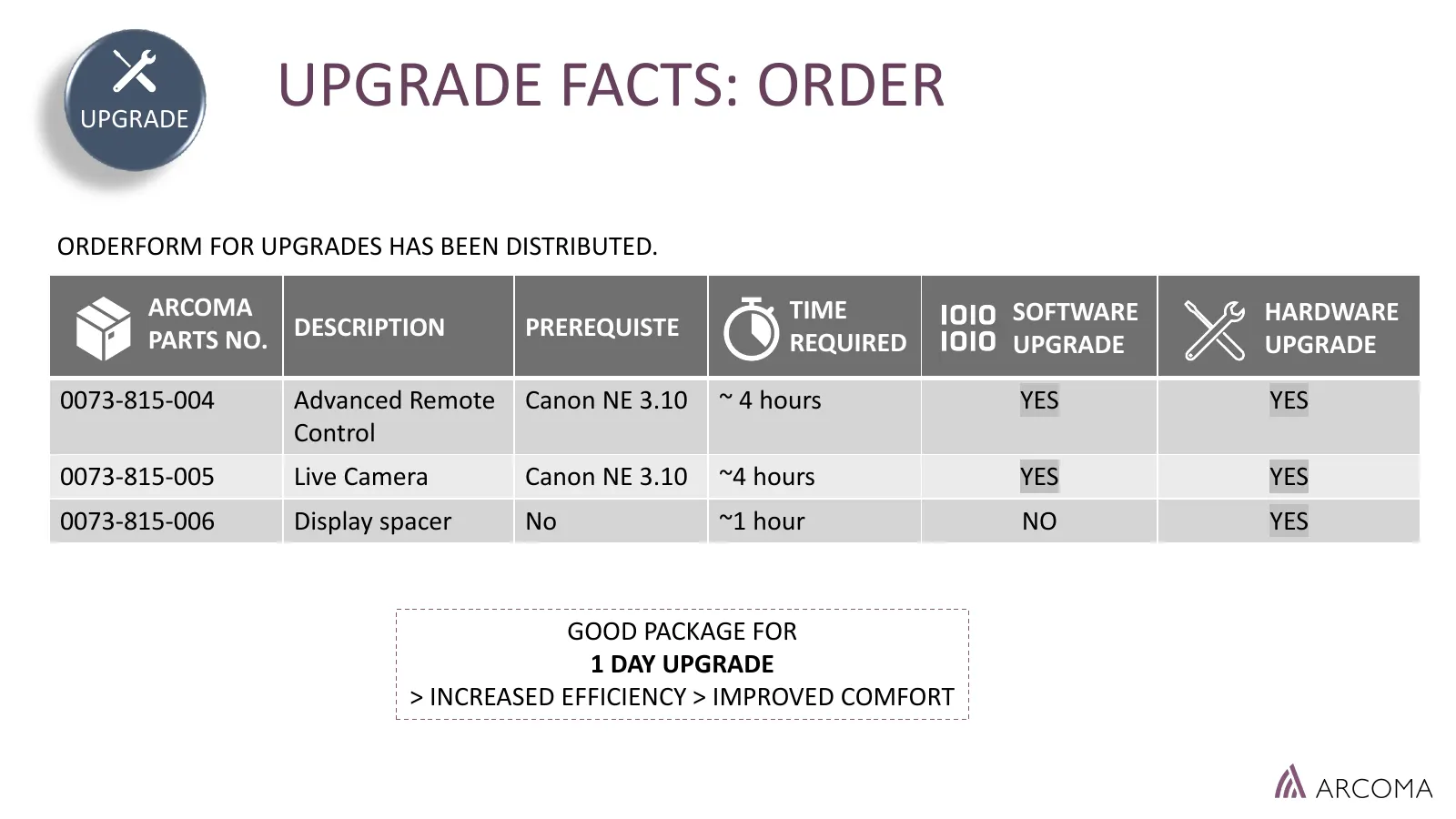
UPGRADE UPGRADE FACTS: ORDER ORDERFORM FOR UPGRADES HAS BEEN DISTRIBUTED. ARCOMA TIME SOFTWARE HARDWARE PARTS NO. DESCRIPTION PREREQUISTE REQUIRED UPGRADE UPGRADE 0073-815-004 Advanced Remote Canon NE 3.10 ~ 4 hours YES YES Control 0073-815-005 Live Camera Canon NE 3.10 ~4 hours YES YES 0073-815-006
Slide 19: Upgrade Facts: Software
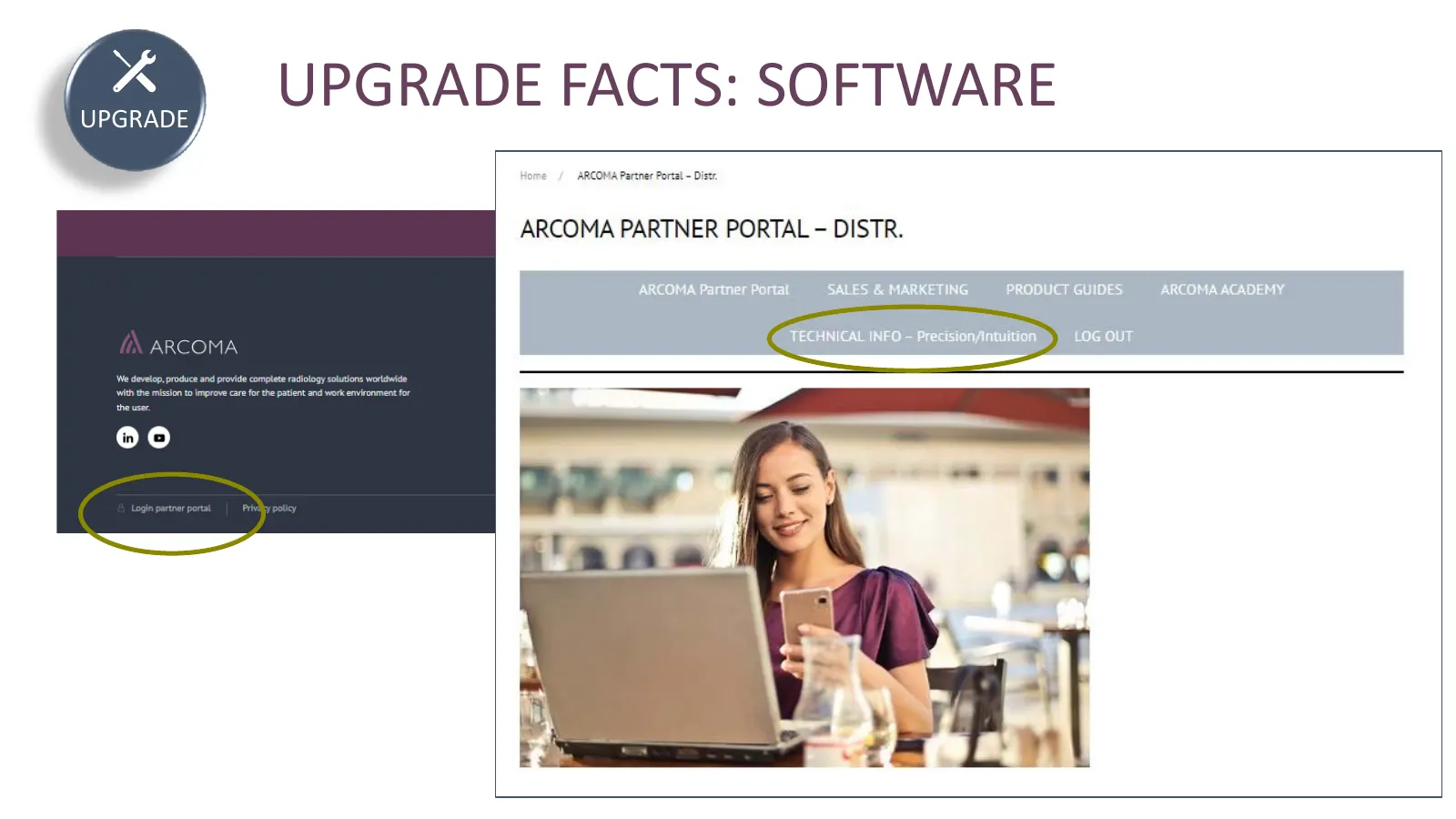
UPGRADE UPGRADE FACTS: SOFTWARE TIME SOFTWARE HARDWARE REQUIRED UPGRADE UPGRADE
Slide 20: Upgrade Facts: Software
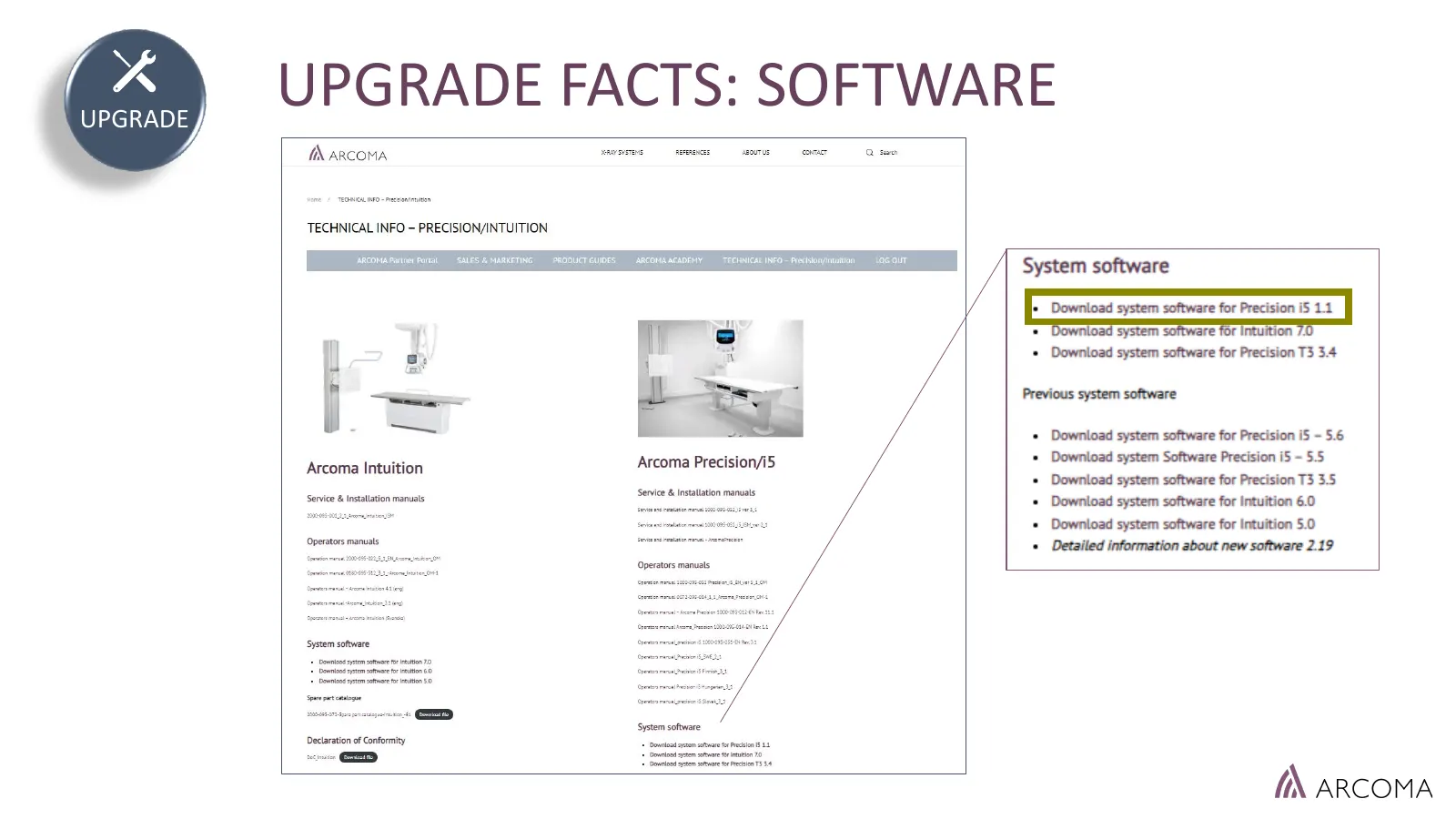
UPGRADE UPGRADE FACTS: SOFTWARE TIME SOFTWARE HARDWARE REQUIRED UPGRADE UPGRADE
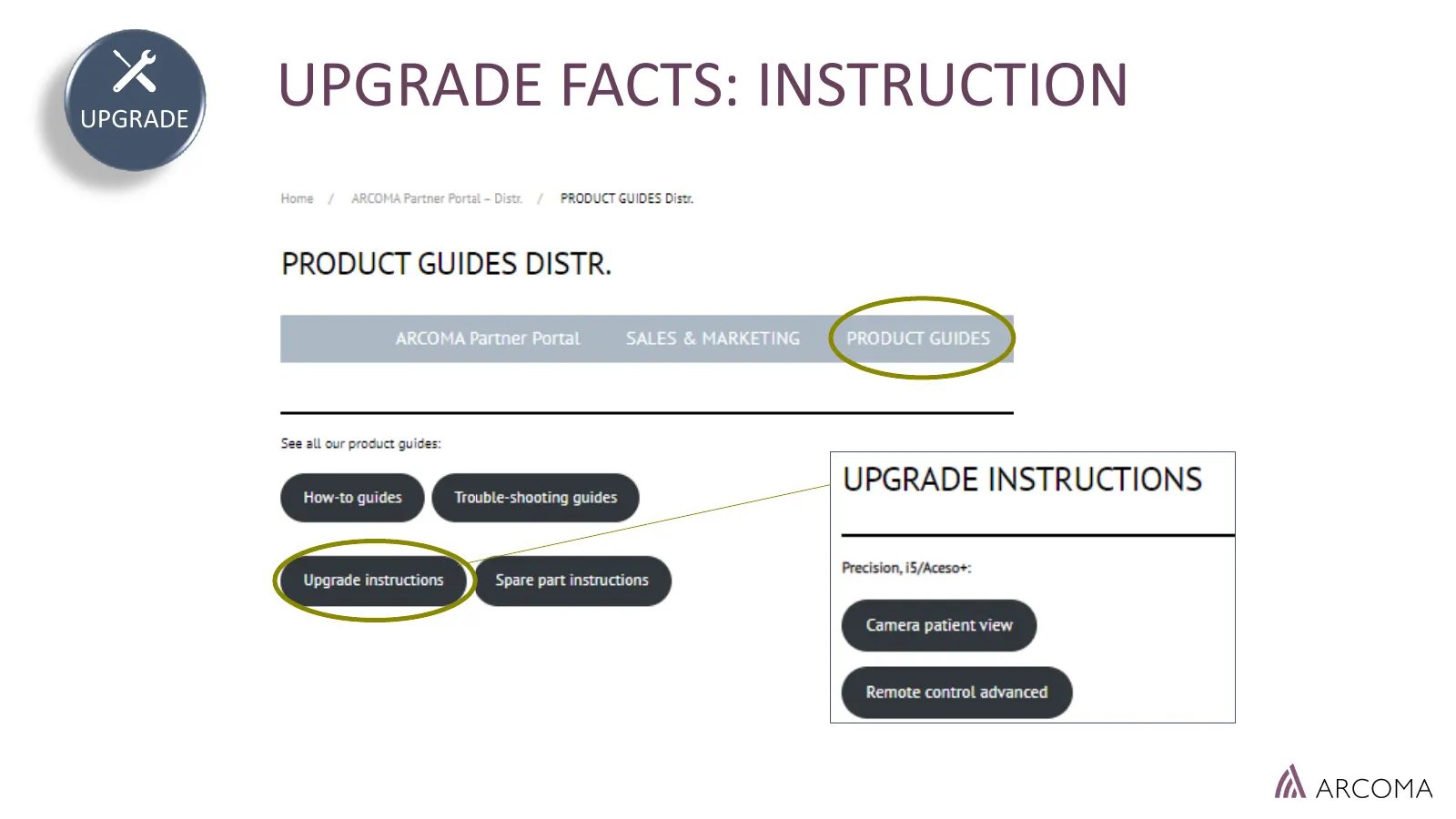
Slide 21: Upgrade Facts: Instruction
UPGRADE UPGRADE FACTS: INSTRUCTION TIME REQUIRED SOFTWARE HARDWARE UPGRADE UPGRADE
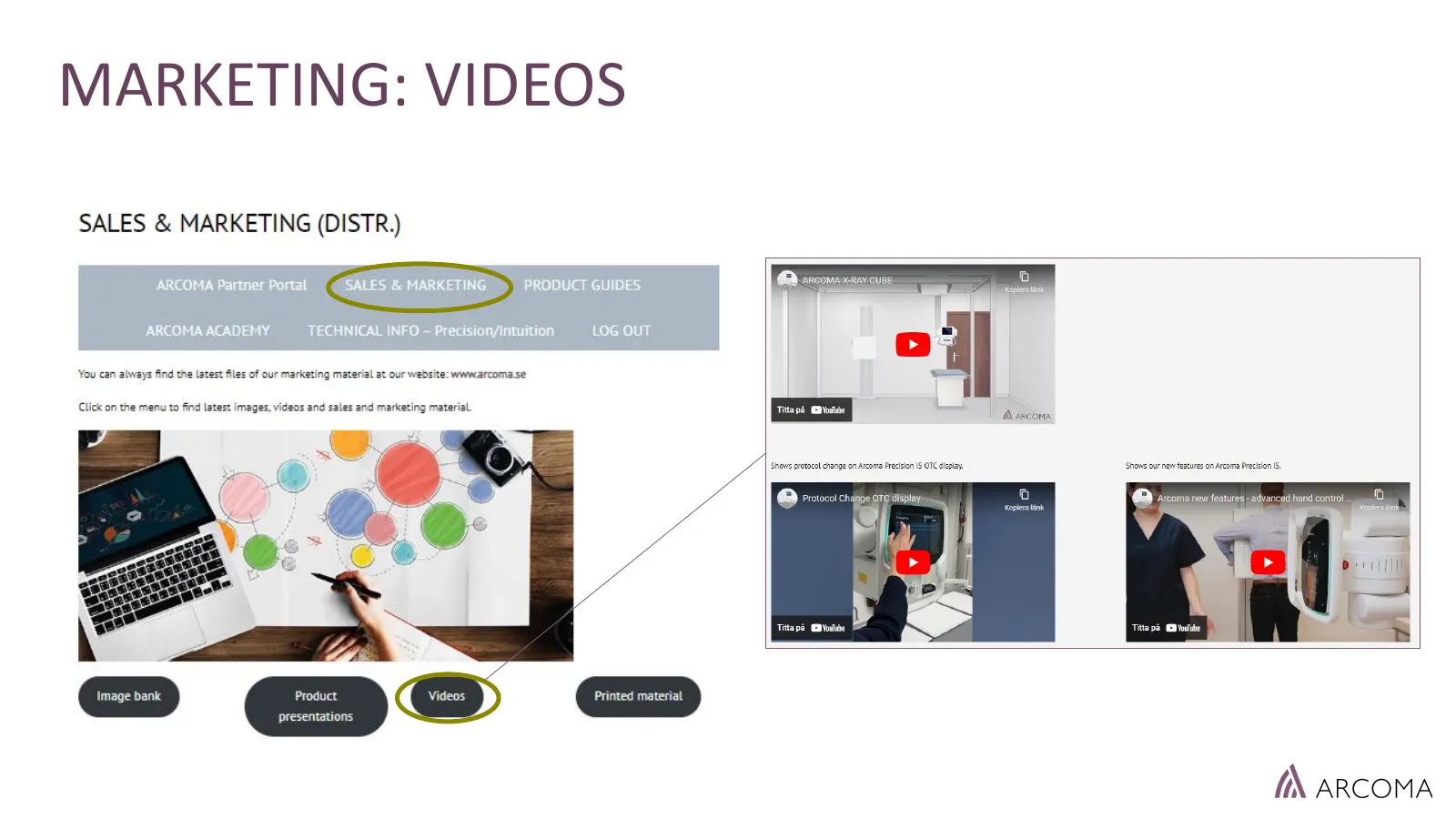
Slide 22: Marketing: Videos
MARKETING: VIDEOS SALES & MARKETING (DISTR.) ea) M\ ARCOMA
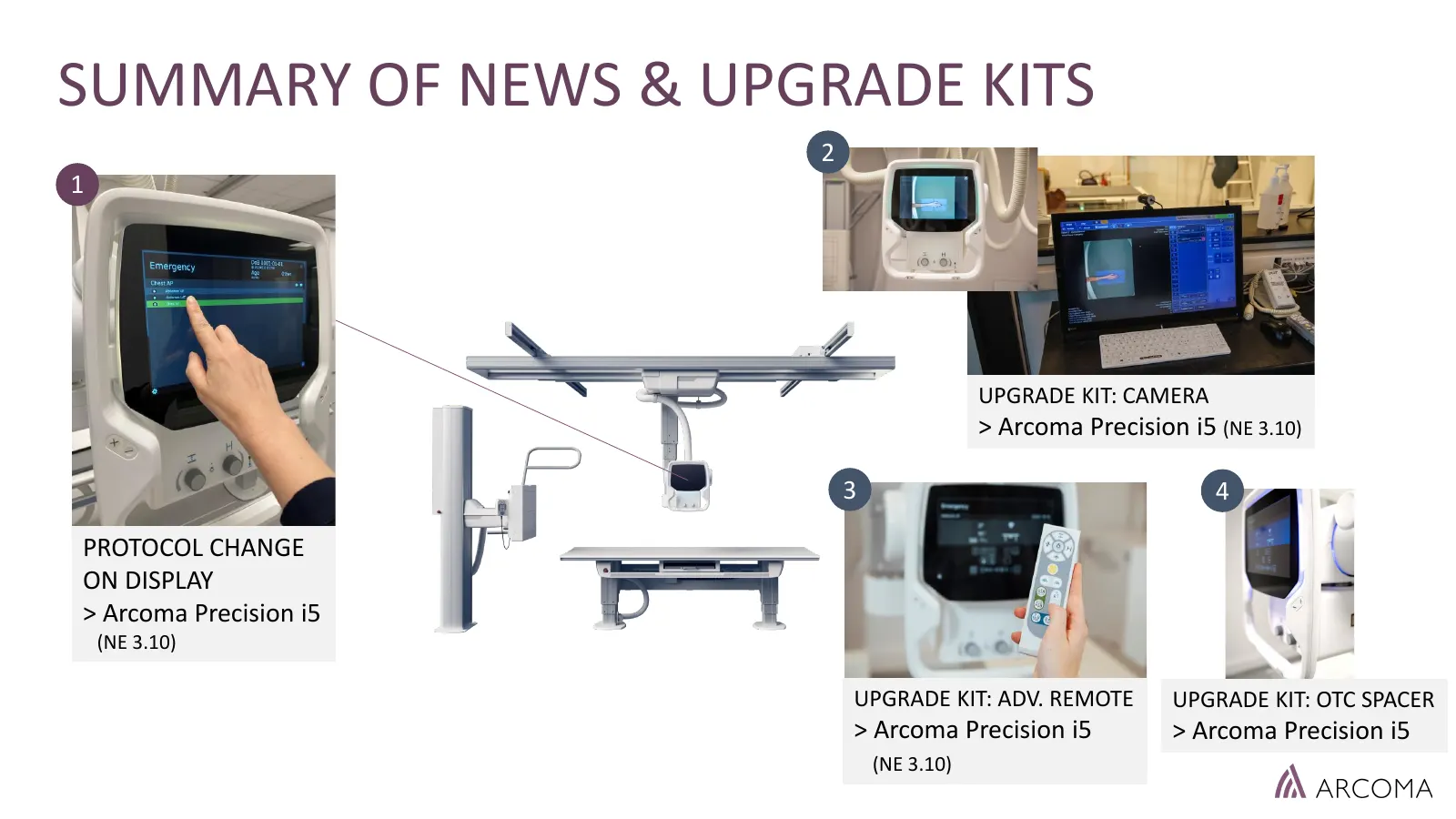
Slide 23: Summary of News & Upgrade Kits
SUMMARY OF NEWS & UPGRADE KITS NEW 2 1 UPGRADE KIT: CAMERA > Arcoma Precision i5 (NE 3.10) 3 4 PROTOCOL CHANGE ON DISPLAY > Arcoma Precision i5 (NE 3.10) UPGRADE KIT: ADV. REMOTE UPGRADE KIT: OTC SPACER > Arcoma Precision i5 > Arcoma Precision i5 (NE 3.10)
Slide 24: Thank You
THANK YOU Arcoma AB | Annavägen 1 | 352 46 Växjö | Sweden PHONE EMAIL WEBSITE +46 470 70 69 00 service@arcoma.se www.arcoma.se
Source: Internet Archive copy of arcoma.se
More decks from Arcoma AB
 Investor Presentation (July 2024)13 slides · July 2024
 Investor Presentation (July 2024)10 slides · July 2024
 Investor Presentation (2024)25 slides · Jun 30, 2024
 Investor Presentation (June 2024)34 slides · June 2024
 Investor Presentation (June 2024)37 slides · June 2024
 Investor Presentation (May 2024)12 slides · May 2024