ICICI Prudential Life Insurance Co. Ltd. · NSE:ICICIPRULI
ICICI Prudential Life Insurance — Investor Presentation (October 2012)
30 slides from ICICI Prudential Life Insurance's investor presentation, Oct 4, 2012
Slide 1: New Look Frontline Navigator
New Look Frontline Navigator October 4, 2012
Slide 2: Agenda
Agenda Objective Features Access 2
Slide 3: Objective
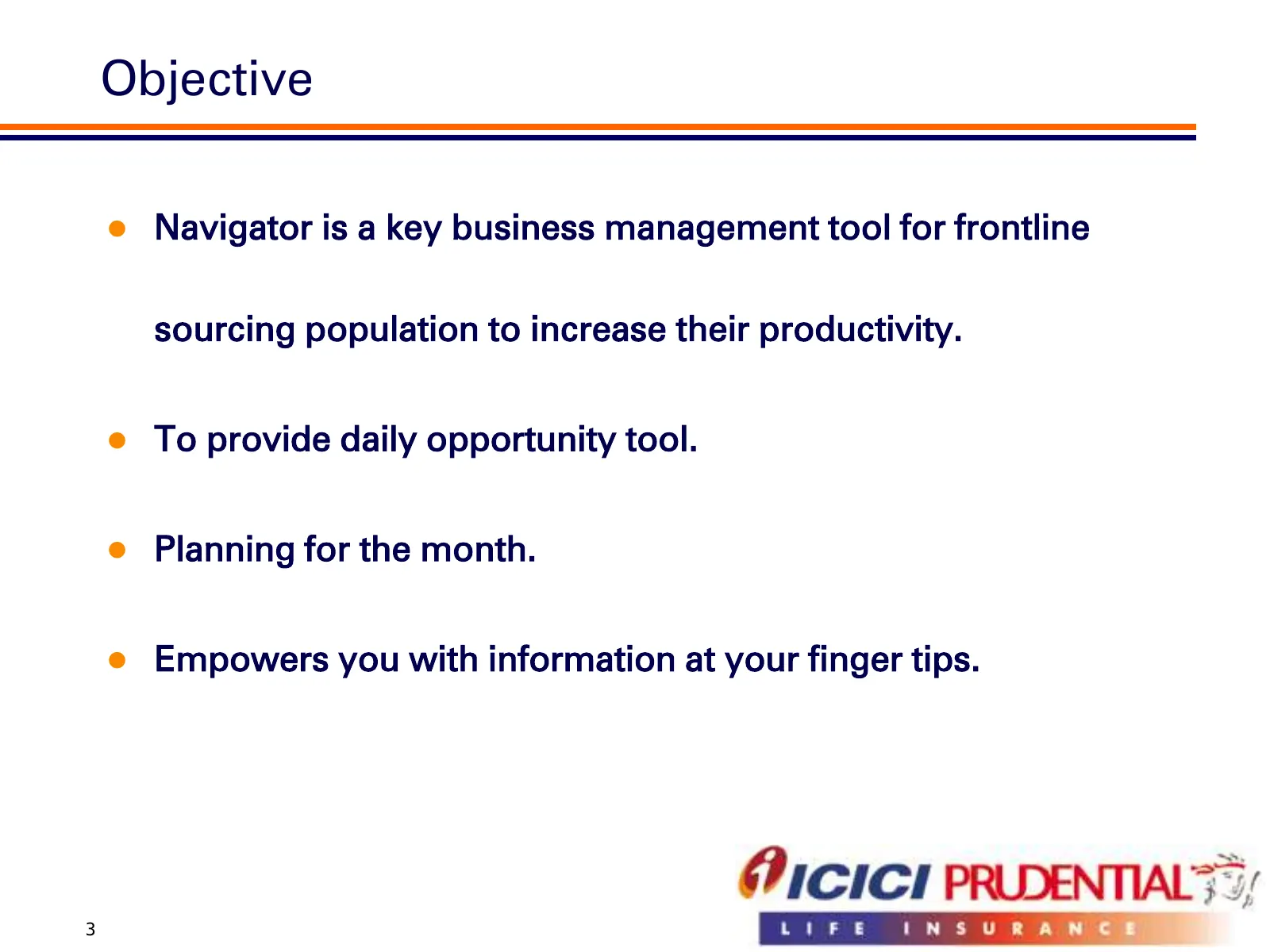
Objective Navigator is a key business management tool for frontline sourcing population to increase their productivity. To provide daily opportunity tool. Planning for the month. Empowers you with information at your finger tips. 3
Slide 4: Access to Navigator
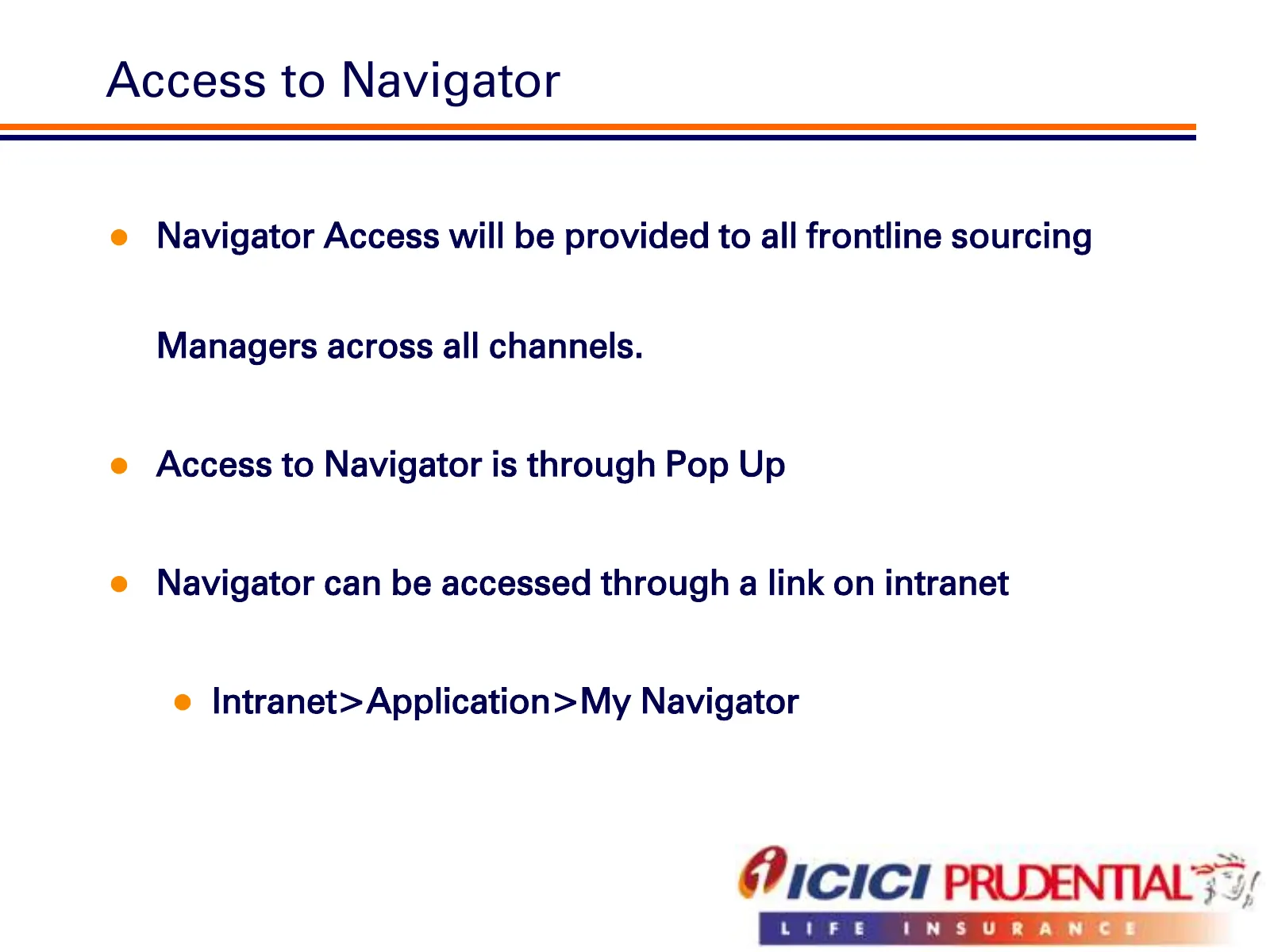
Access to Navigator Navigator Access will be provided to all frontline sourcing Managers across all channels. Access to Navigator is through Pop Up Navigator can be accessed through a link on intranet Intranet>Application>My Navigator
Slide 5: Navigator Key Benefits
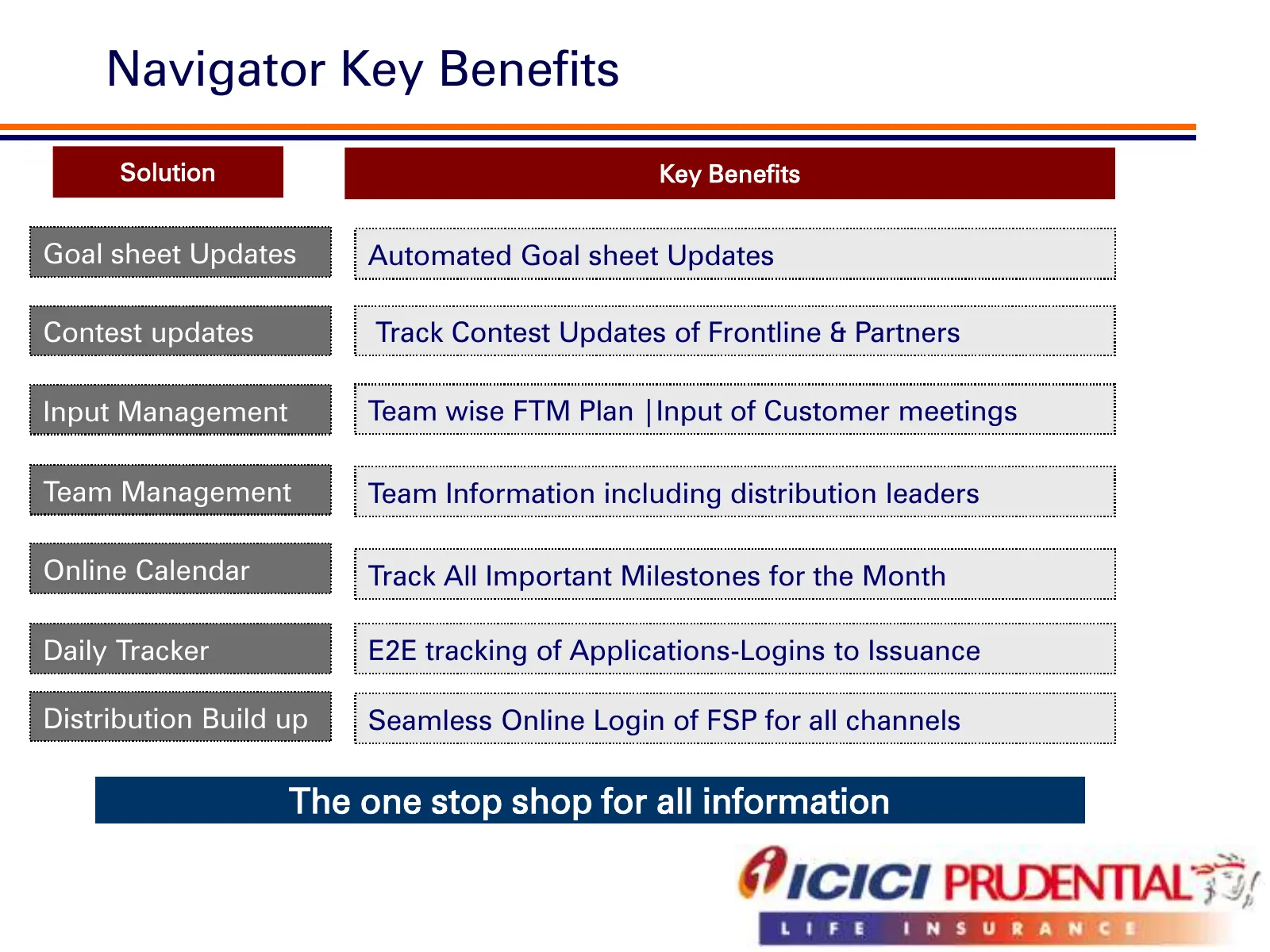
Navigator Key Benefits Solution Key Benefits Goal sheet Updates Automated Goal sheet Updates Contest updates Track Contest Updates of Frontline & Partners Input Management Team wise FTM Plan |Input of Customer meetings Team Management Team Information including distribution leaders Online Calendar T
Slide 6: Journey of New Frontline Navigator
Journey of New Frontline Navigator 6
Slide 7: Home Screen
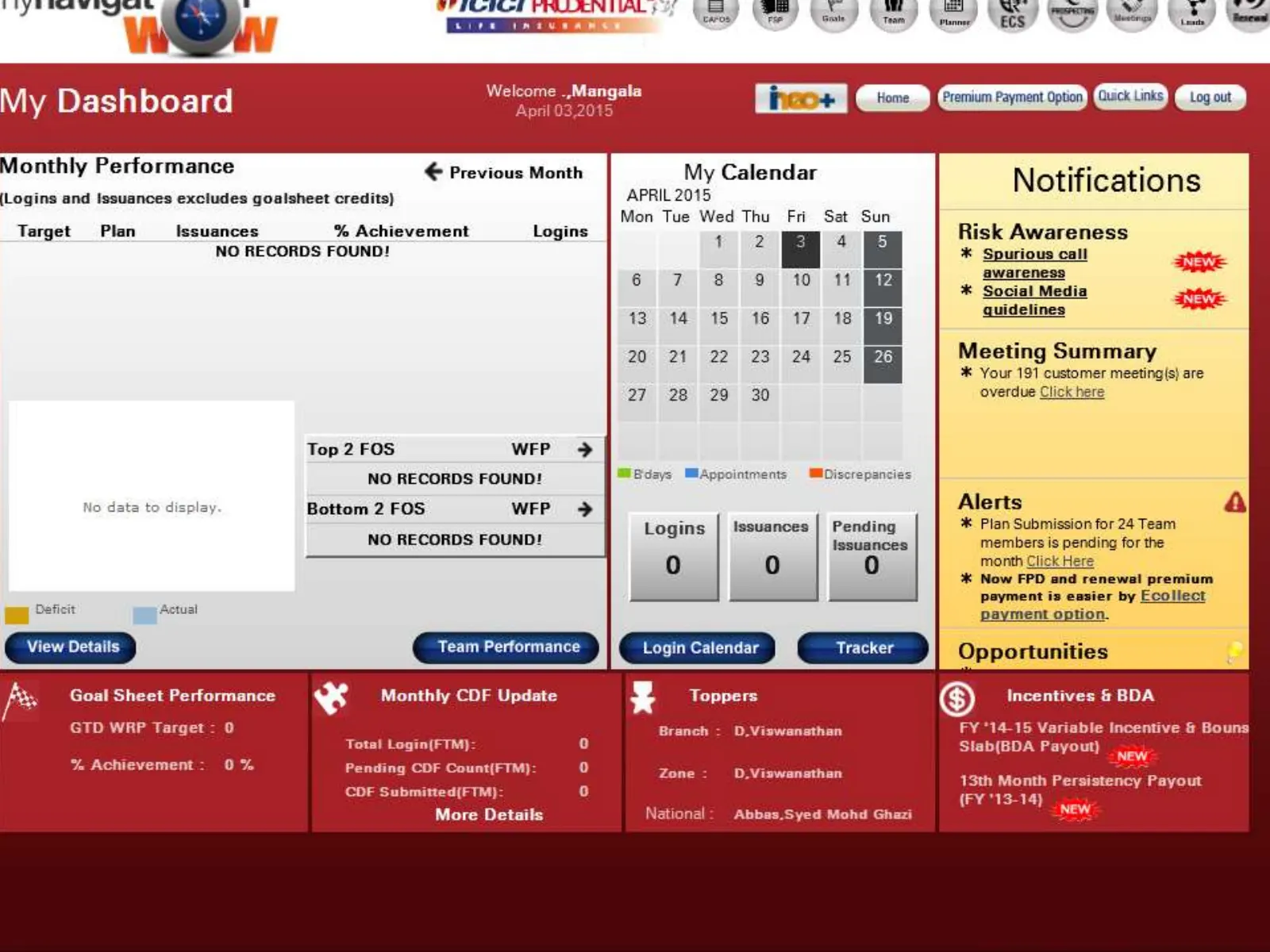
Home Screen 7 All important information at a glance
Slide 8: Monthly Performance
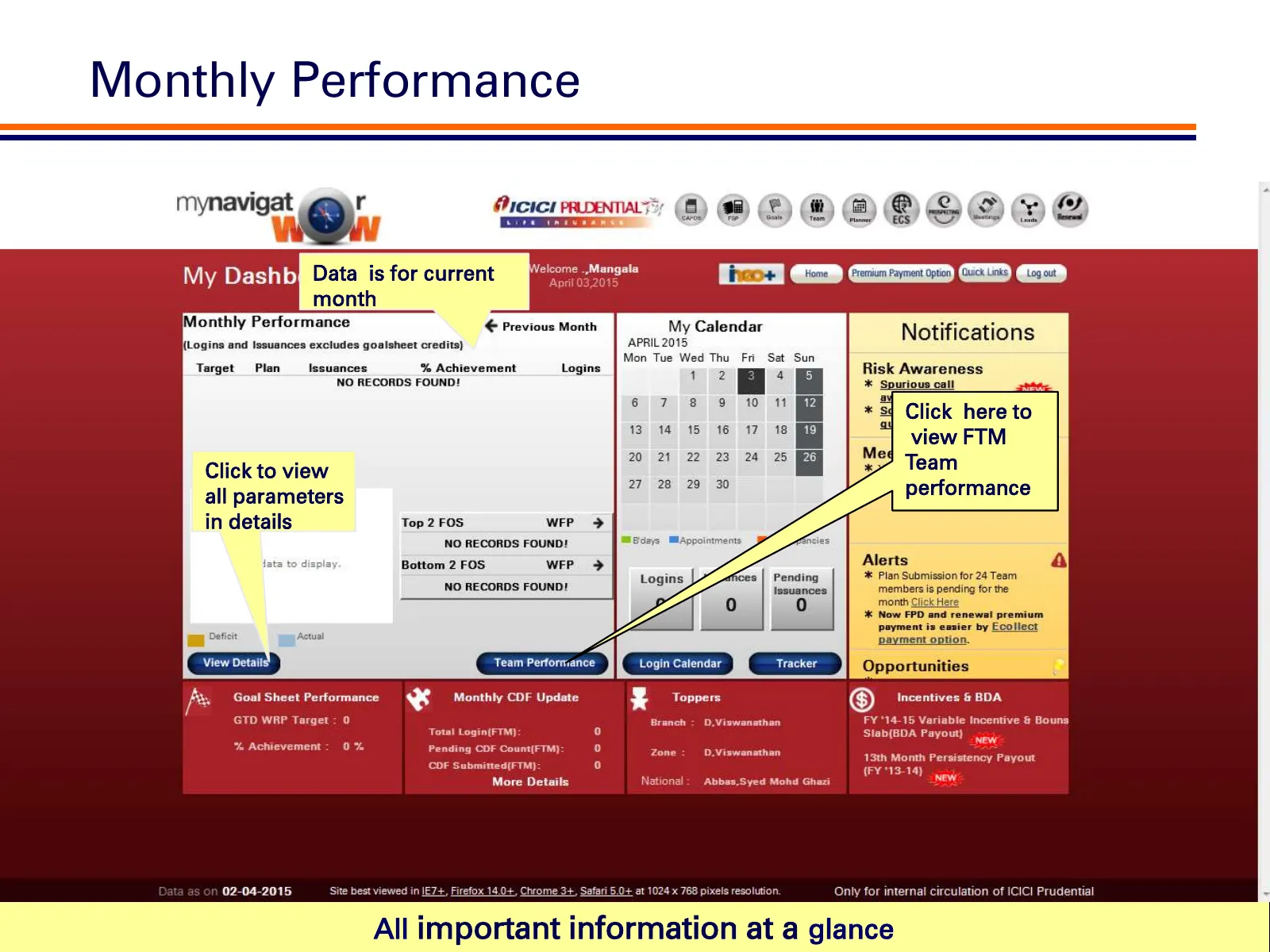
Monthly Performance Data is for current month Click here to view FTM Click to view Team all parameters performance in details 8 All important information at a glance
Slide 9: Team Performance
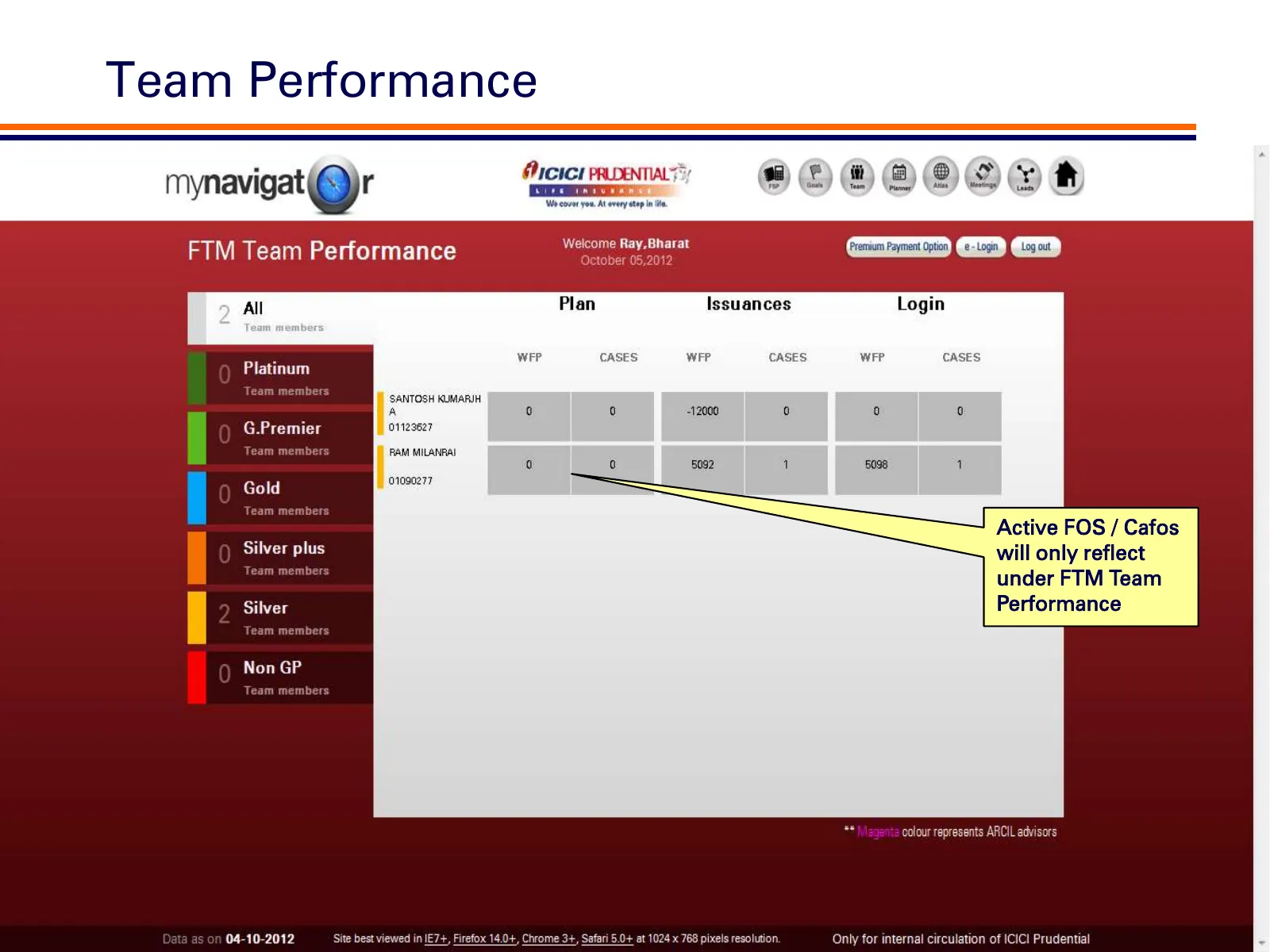
Team Performance Active FOS / Cafos will only reflect under FTM Team Performance 9
Slide 10: View Detail
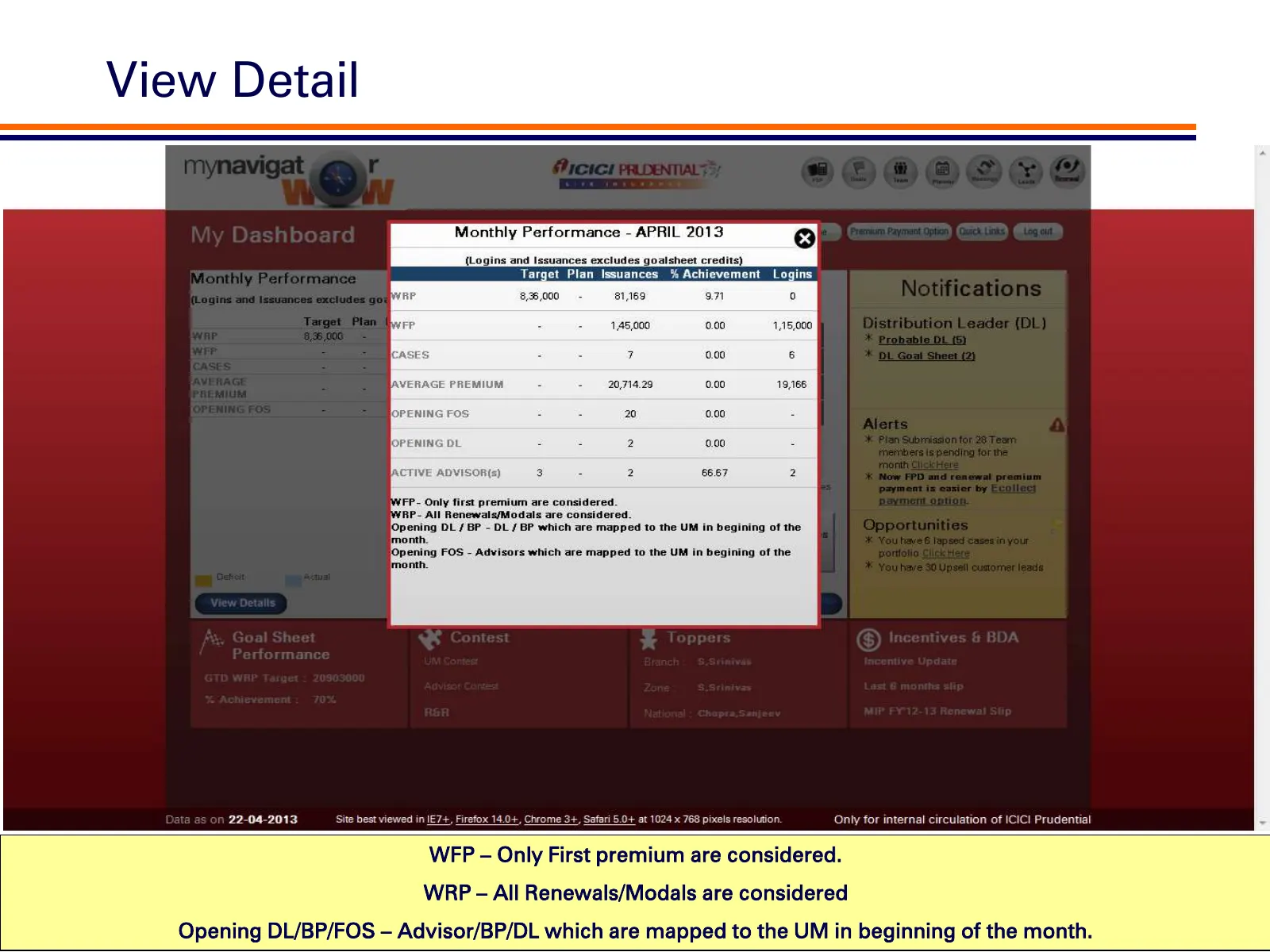
View Detail Details of All important Parameter WFP – Only First premium are considered. WRP – All Renewals/Modals are considered 10 Opening DL/BP/FOS – Advisor/BP/DL which are mapped to the UM in beginning of the month.
Slide 11: My Calendar
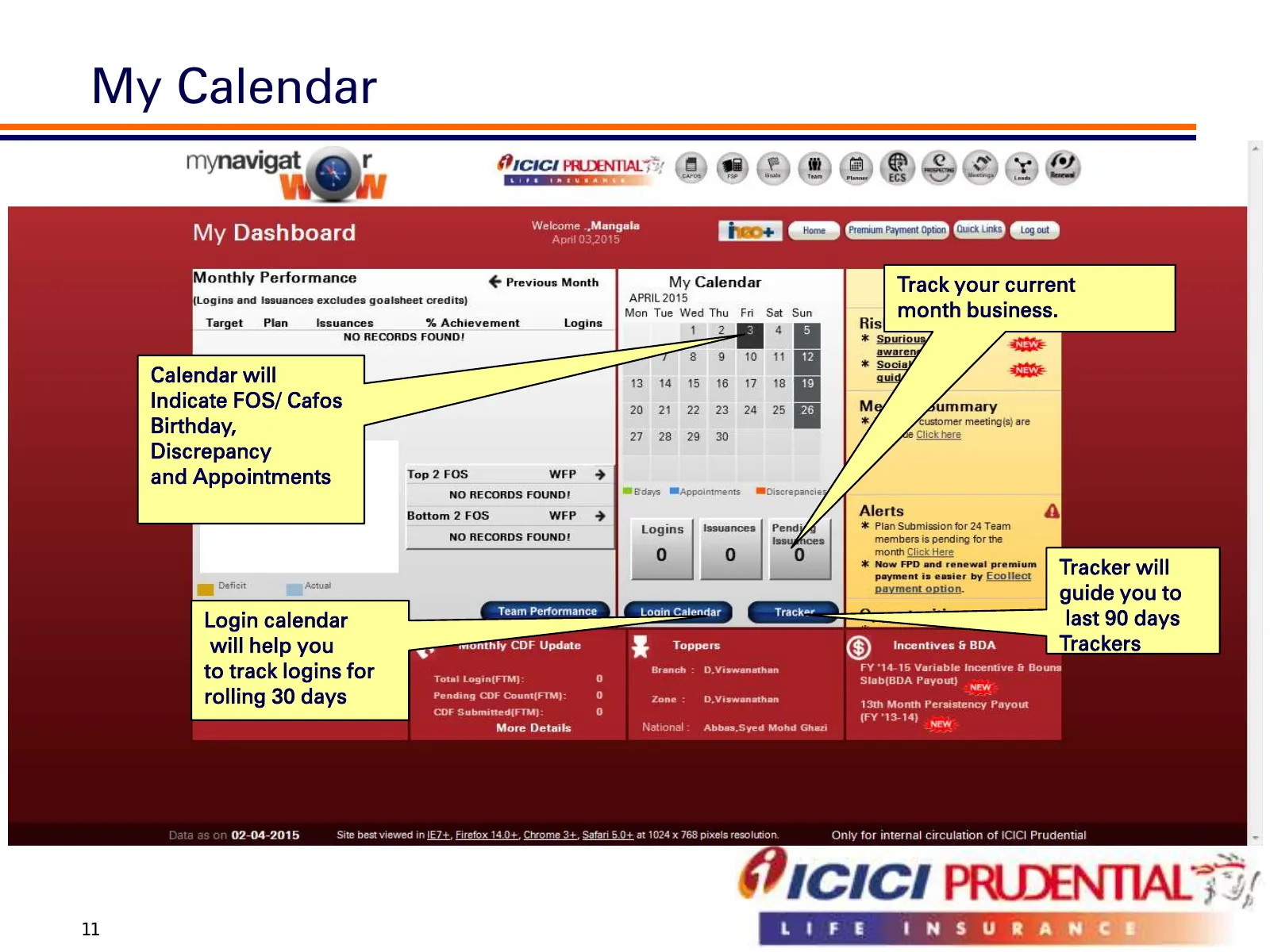
My Calendar Track your current month business. Calendar will Indicate FOS/ Cafos Birthday, Discrepancy and Appointments Tracker will guide you to Login calendar last 90 days will help you Trackers to track logins for rolling 30 days 11
Slide 12: My Daily Tracker – 90 days
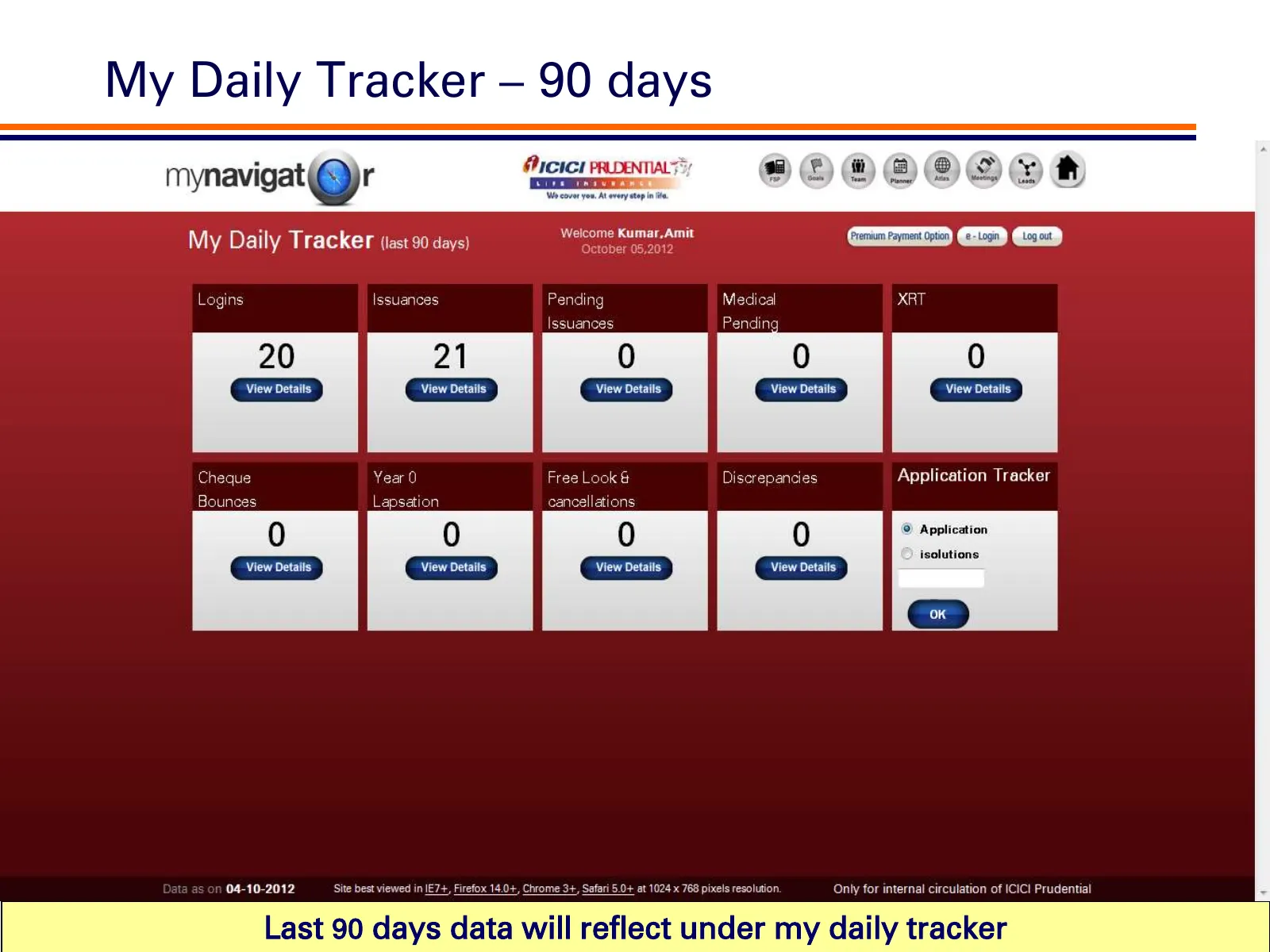
My Daily Tracker – 90 days 12 Last 90 days data will reflect under my daily tracker
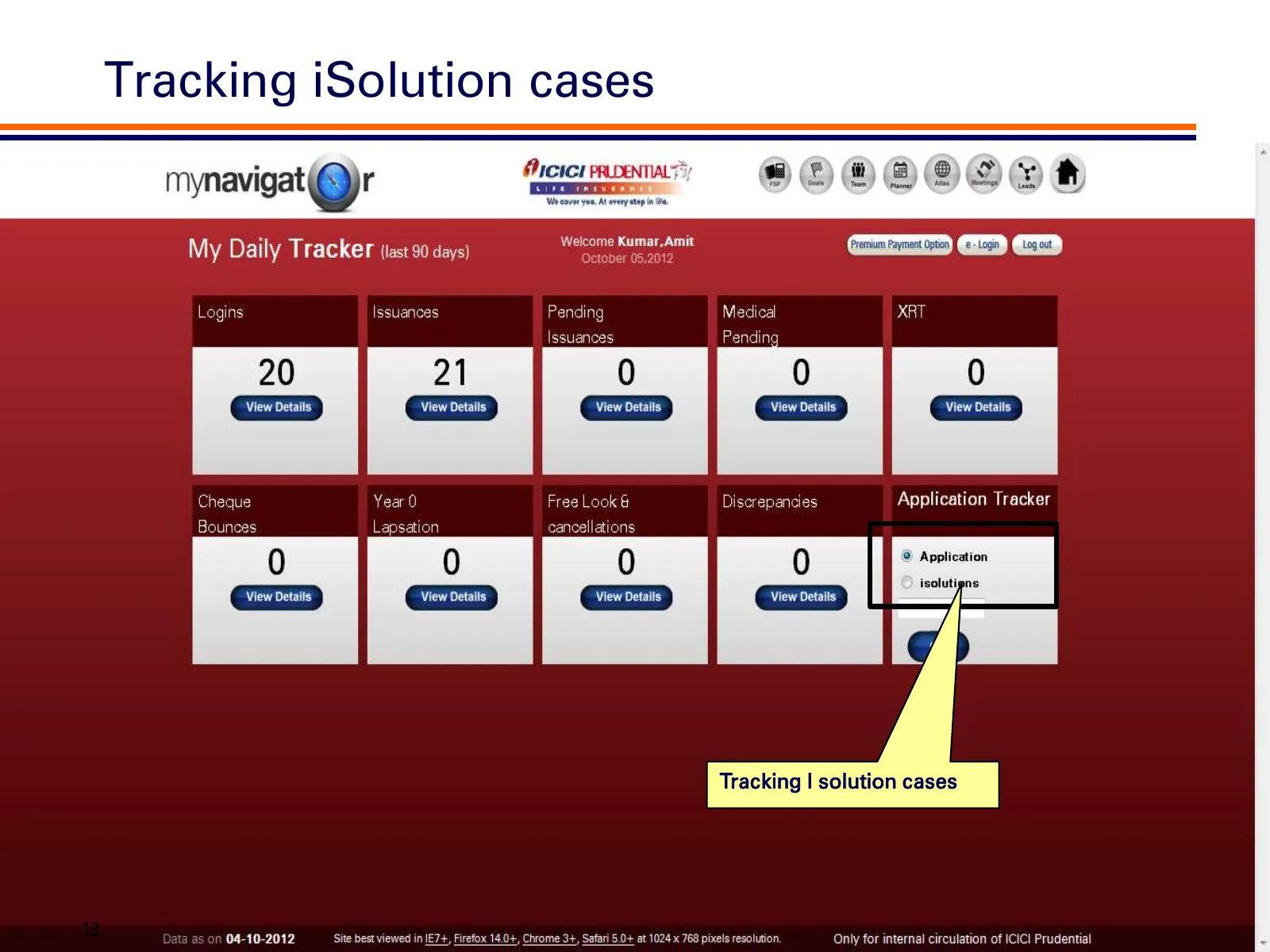
Slide 13: Tracking iSolution cases
Tracking iSolution cases Tracking I solution cases 13
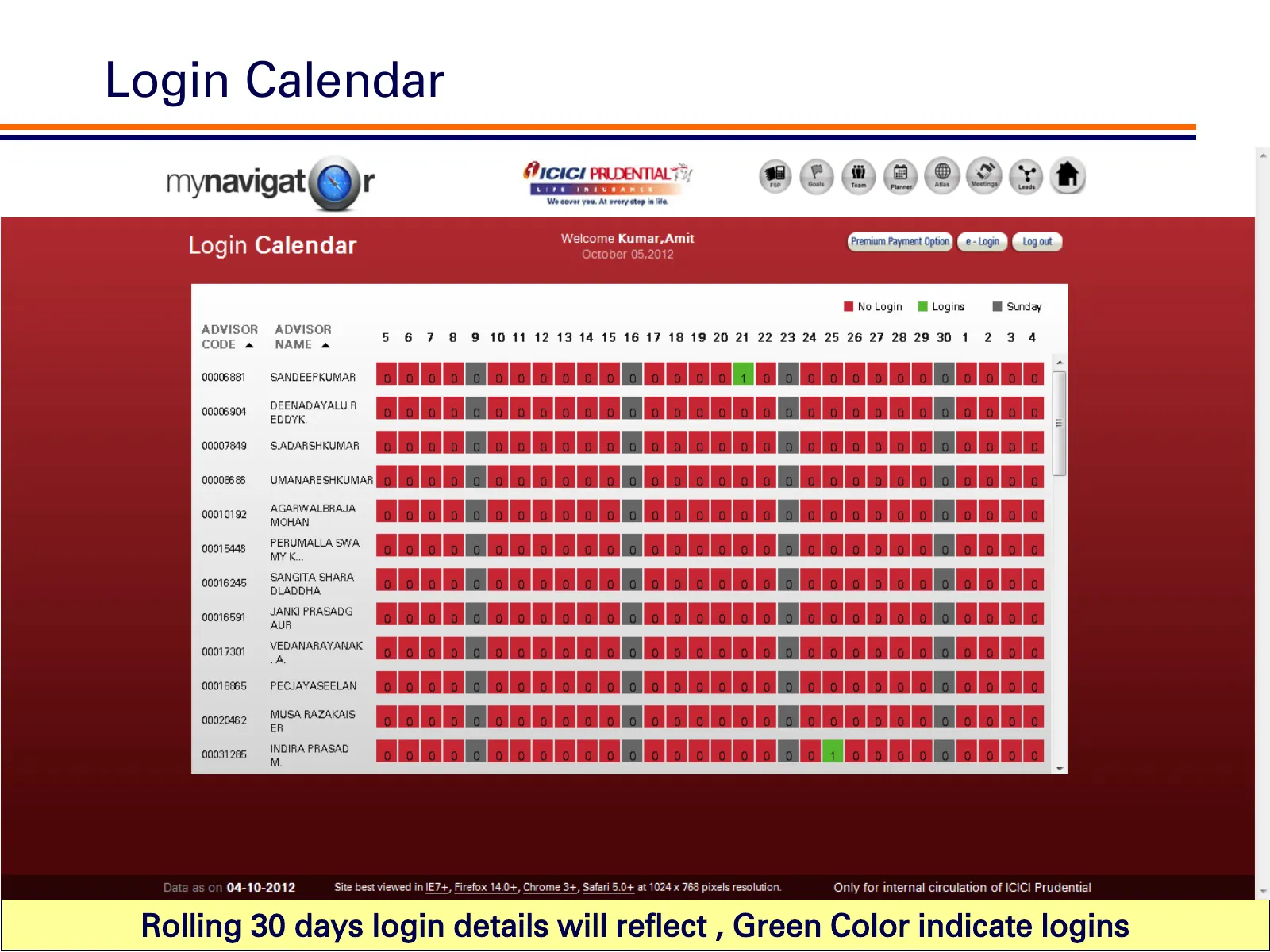
Slide 14: Login Calendar
Login Calendar 14 Rolling 30 days login details will reflect , Green Color indicate logins
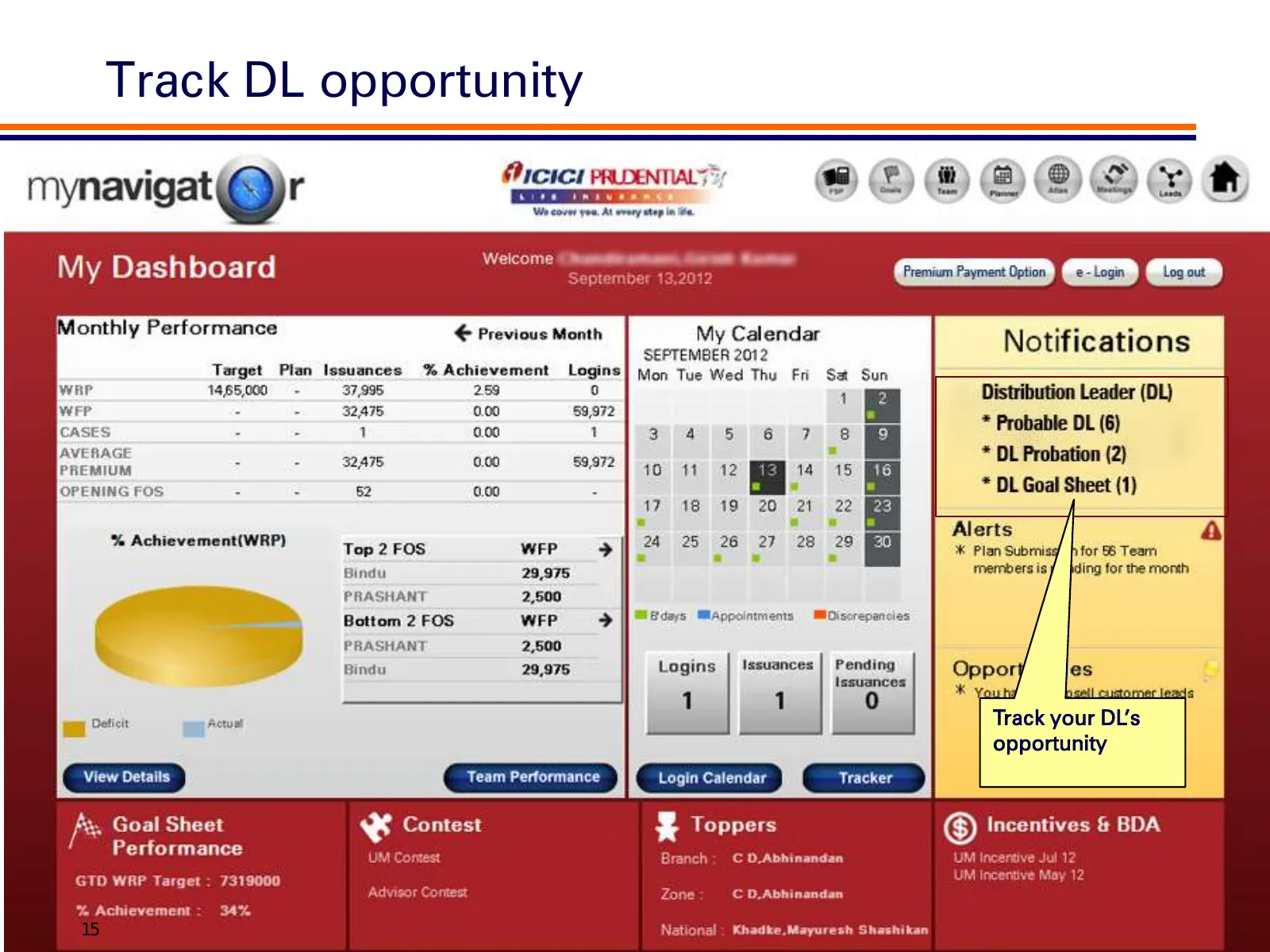
Slide 15: Track DL opportunity
Track DL opportunity Track your DL’s opportunity 15
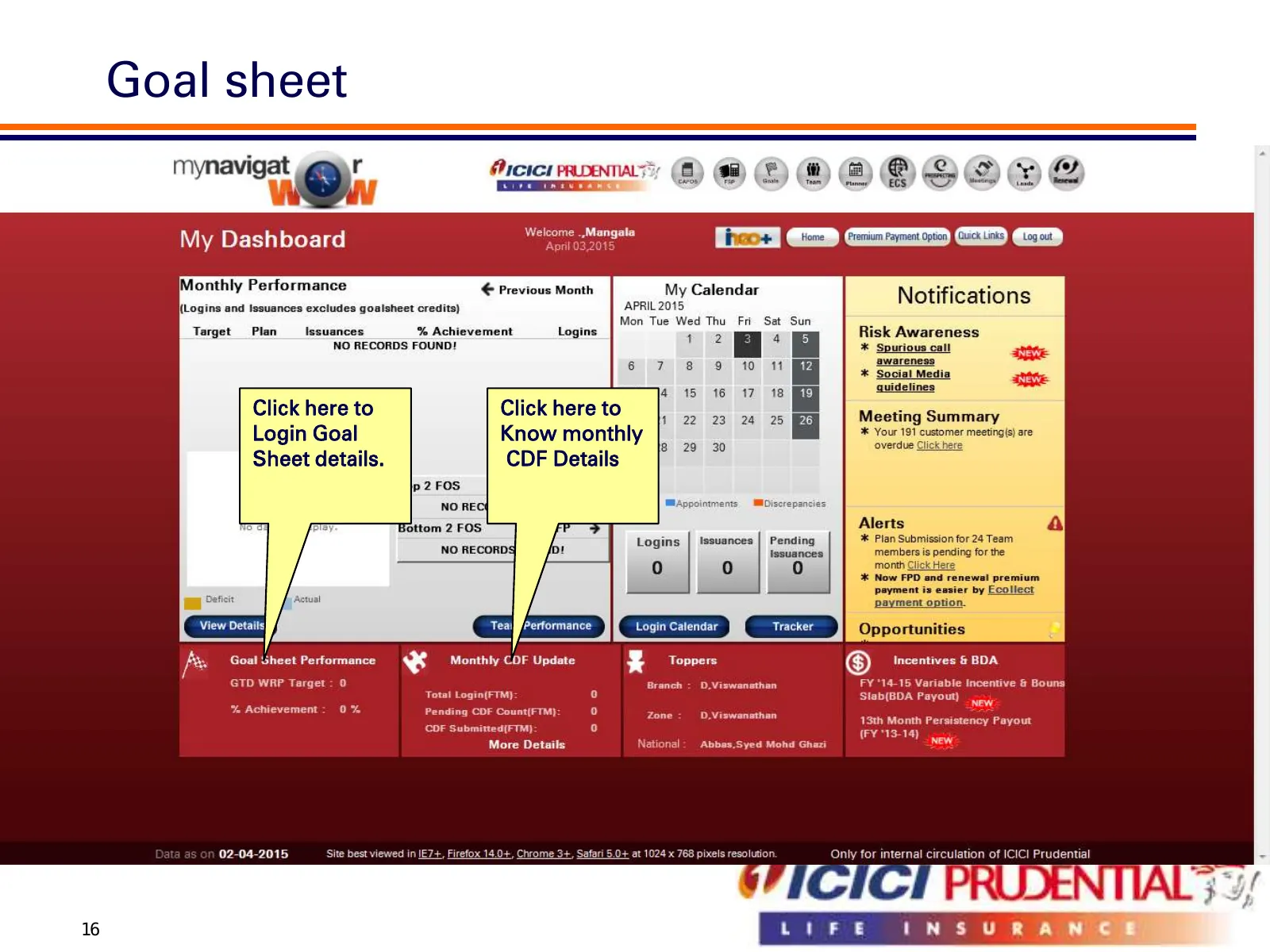
Slide 16: Goal sheet
Goal sheet Click here to Click here to Login Goal Know monthly Sheet details. CDF Details 16
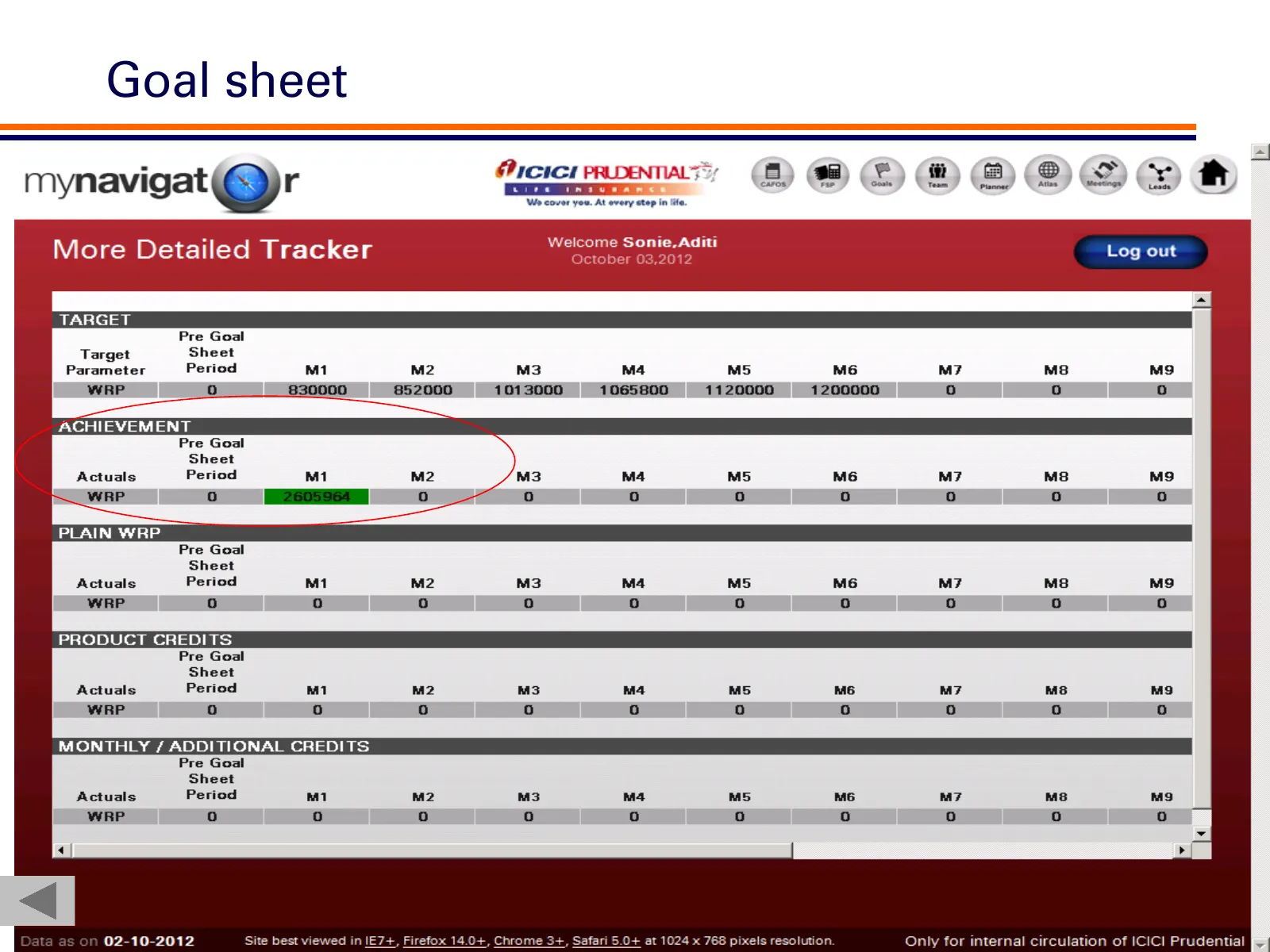
Slide 17: Goal sheet
Goal sheet mynavigat@)r Picictt ~ wee ‘We cover you. At every step in life. = TARGET Pre Goal Target Sheet Parameter Period M1 M2 M3 M4 M5 M6 M7 Ms Mg WRP o 830000 852000 1013000 1065800 1120000 1200000 o o o PLAIN WRP Pre Goal Sheet Period PRODUCT CREDITS Pre Goal Sheet Period MONTHLY / ADDITIONAL
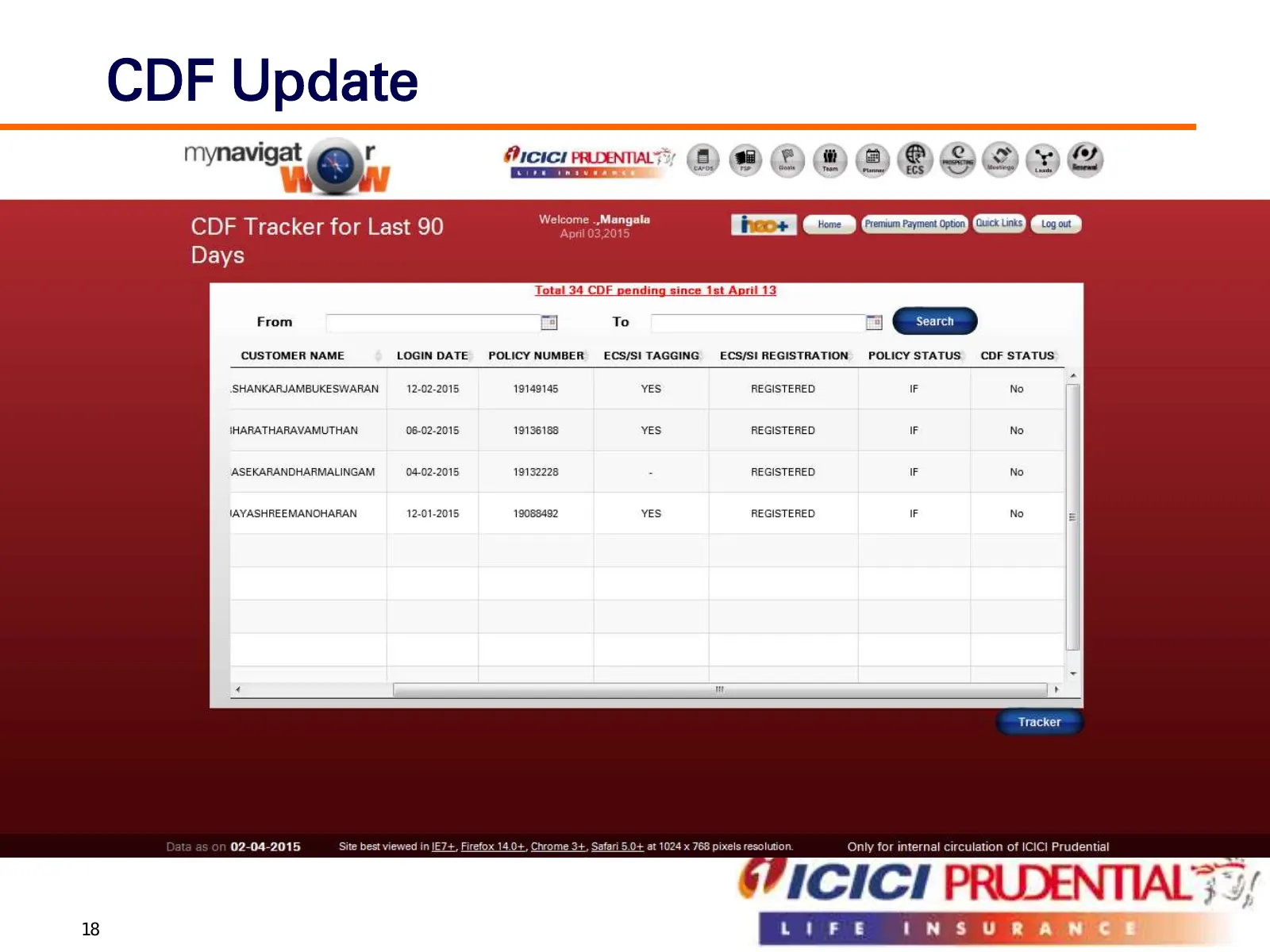
Slide 18: CDF Update
CDF Update mynavigat ®; CDF Tracker for Days From (CUSTOMER NAME LOGIN DATE POLICY NUMBER, ECS/SI TAGGING @O@e@Q@Qee@escoo@d ECS/SI REGISTRATION POLICYSTATUS CDF STATUS _SHANKARJAMBUKESWARAN sHARATHARAVAMUTHAN ASEKARANDHARMALINGAM \AYASHREEMANOHARAN 12-02-2015 06-02-2015 04-02-2015 12-01-2015 191491
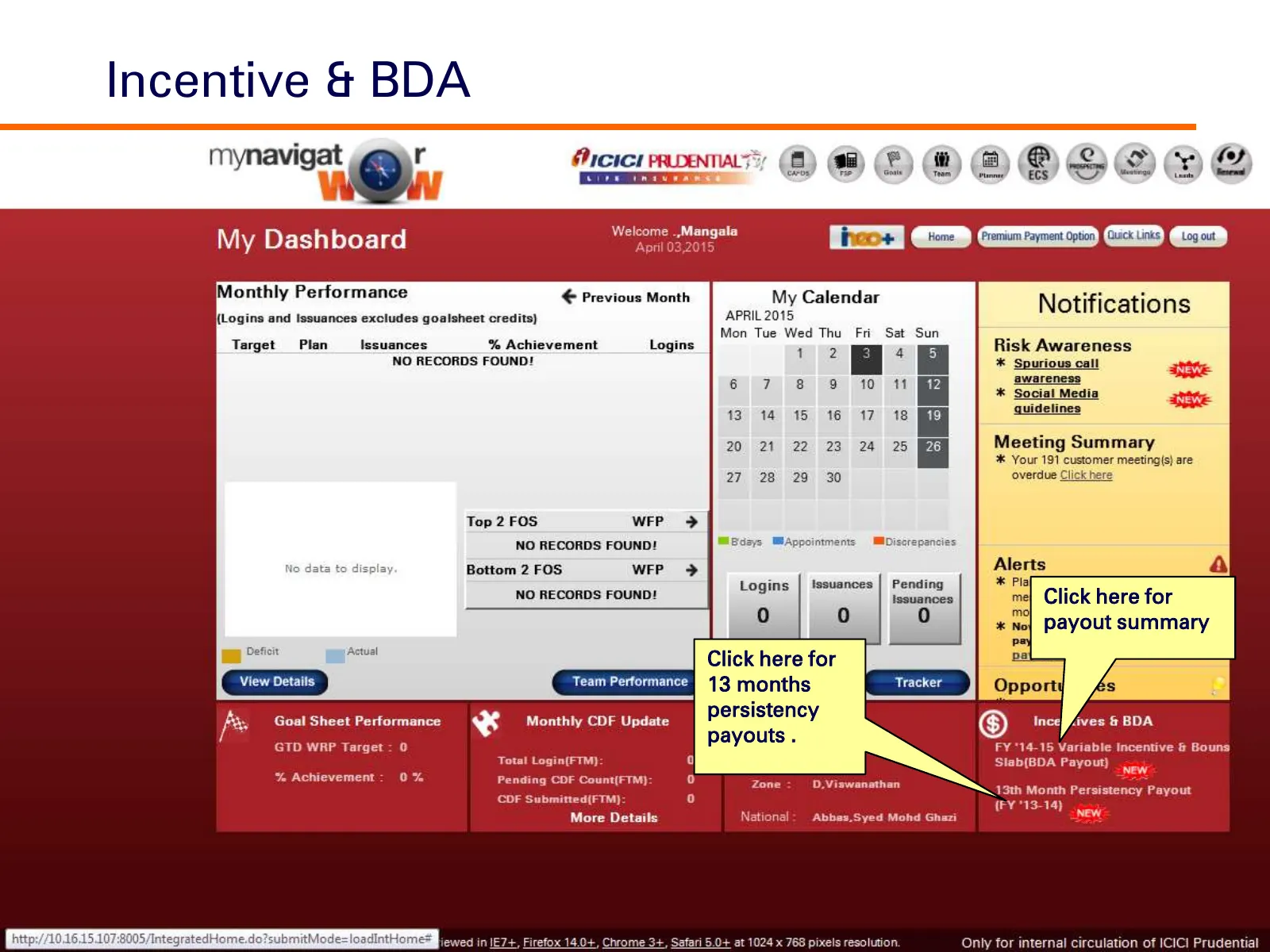
Slide 19: Incentive & BDA
Incentive & BDA Click here for payout summary Click here for 13 months persistency payouts . 19
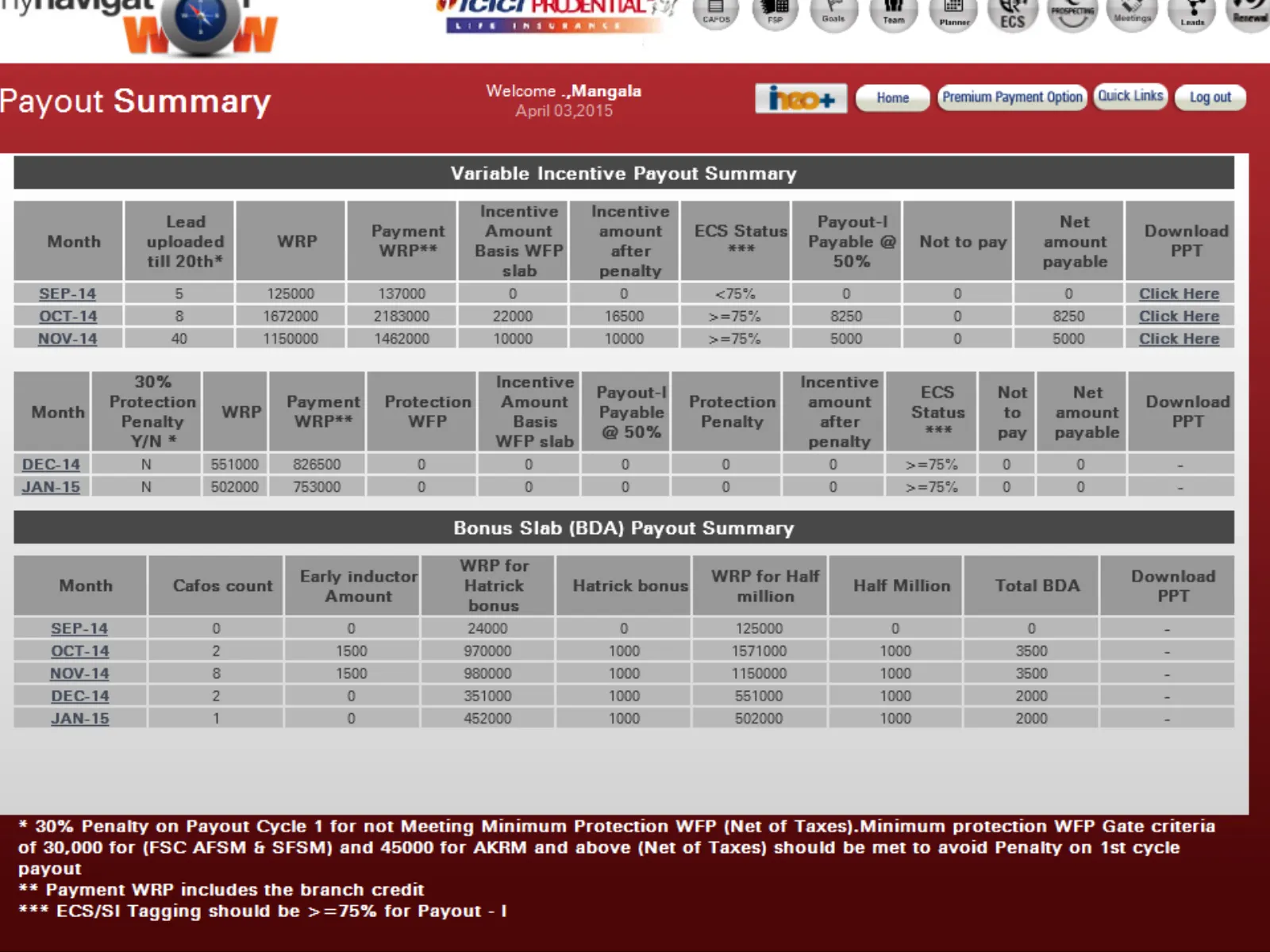
Slide 20: Variable Incentive Payout Summary
eye &, PT shred ty eS Be vo = ee Ns aK ee ta te Poiee tn ewos? \Urse 7 cou 7 Cream 7 Cpt! BGS) REZ “uestnes! Satan 7 enema I oe Home g Premium Payment Option g Quick Links {Log out Variable Incentive Payout Summary Incentive _Incentive Lead ECS Payout-! Net load Month uploaded WRP Eavinene i . ne cm
Slide 21: Welcome Mangal payout view
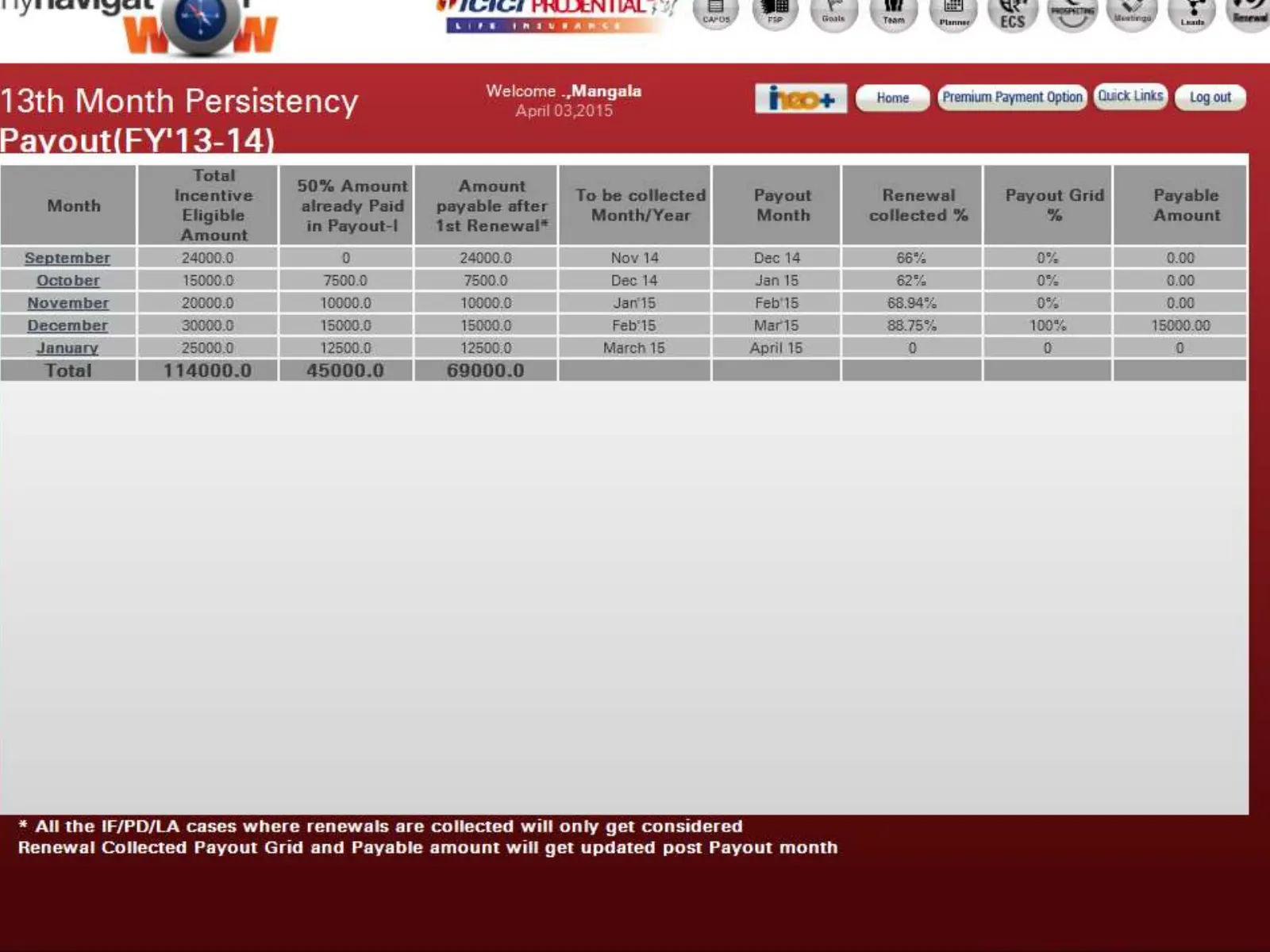
Welcome -,Mangal 50% Amount Amount already Paid payable after in Payout-! ist Renewal* To be collected Payout Renewal Payout Grid Payable Month/Year Month collected % ‘%e Amount Incentive Eligible Amount September 24000.0 0 24000.0 Nov 14 Dec 14 66% October 15000.0 7500.0 Dec 14 Jan 15 62% November
Slide 22: FSP Login
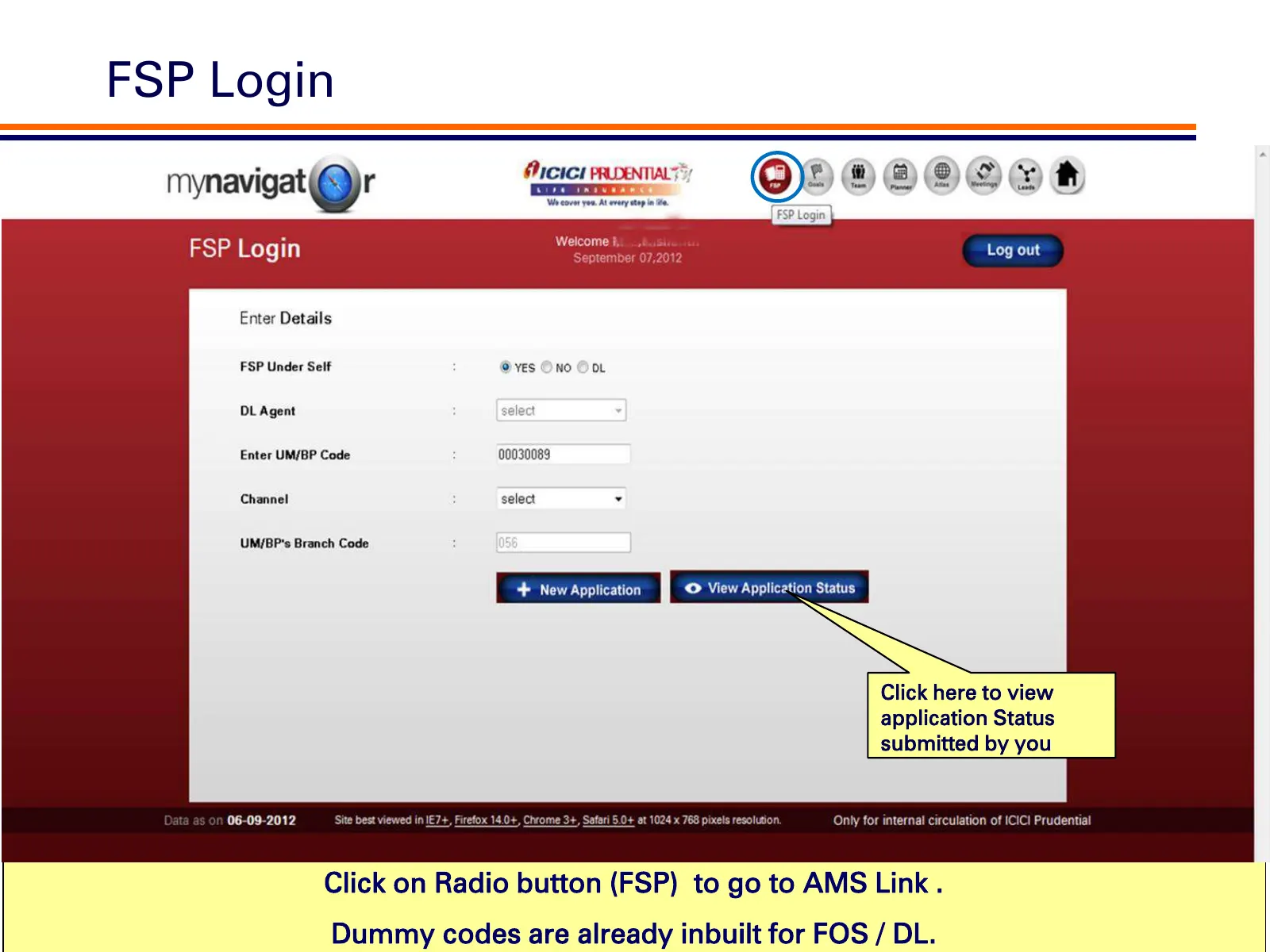
FSP Login Click here to login to AMS Link Click here to view application Status submitted by you Click on Radio button (FSP) to go to AMS Link . 22 Dummy codes are already inbuilt for FOS / DL.
Slide 23: Team Details
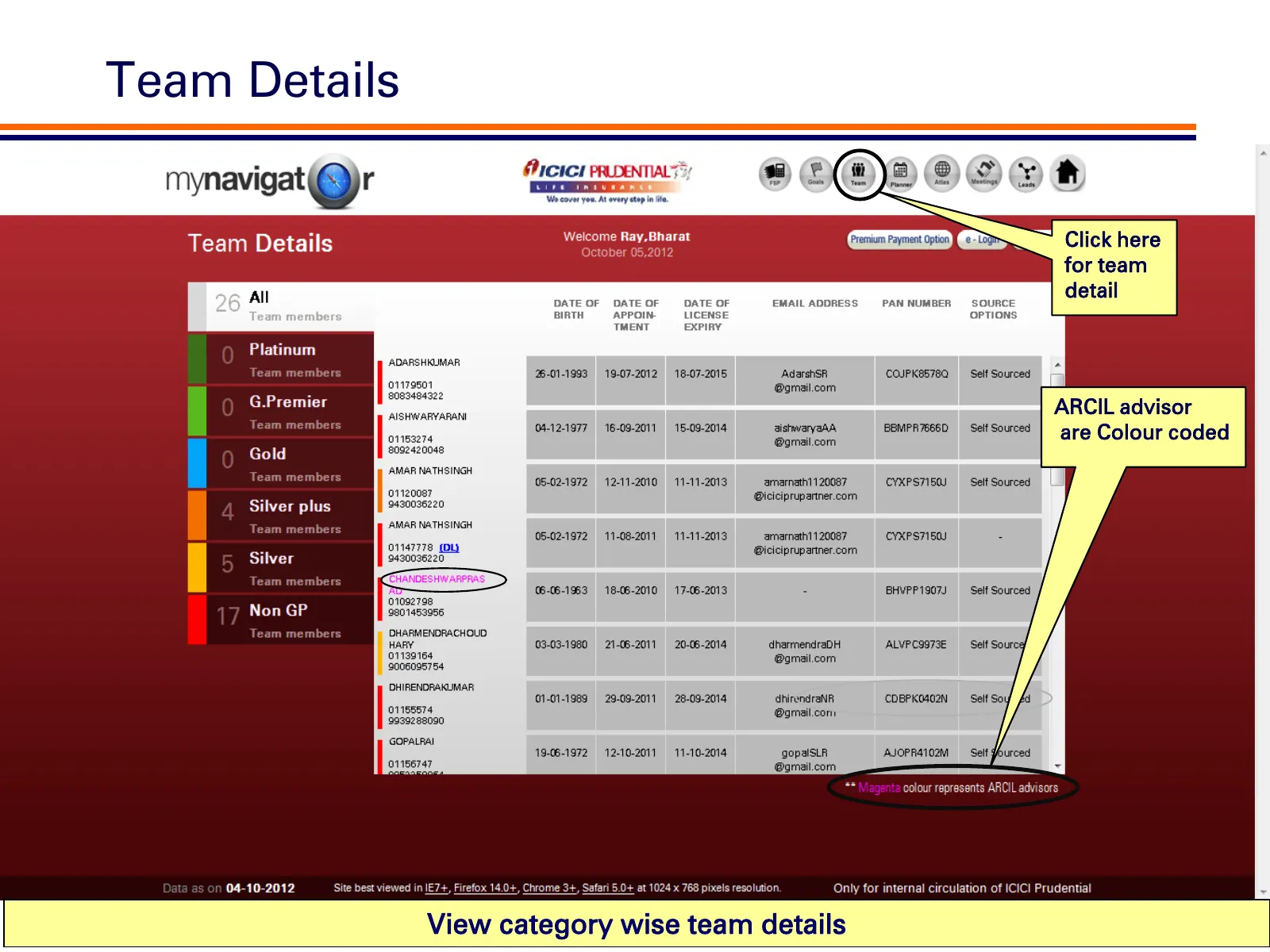
Team Details Click here for team detail ARCIL advisor are Colour coded 23 View category wise team details
Slide 24: Planner
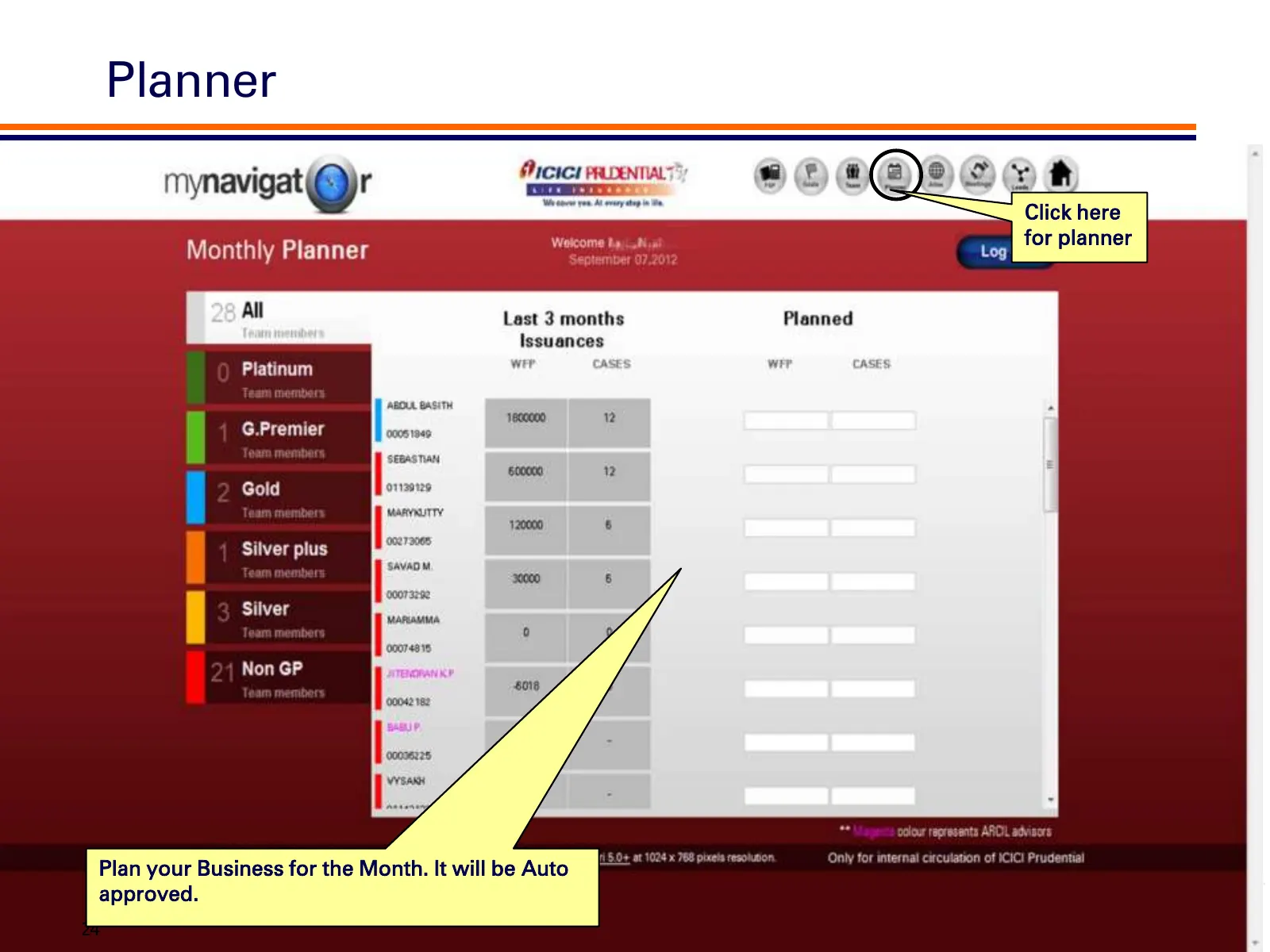
Planner Click here for planner Plan your Business for the Month. It will be Auto approved. 24
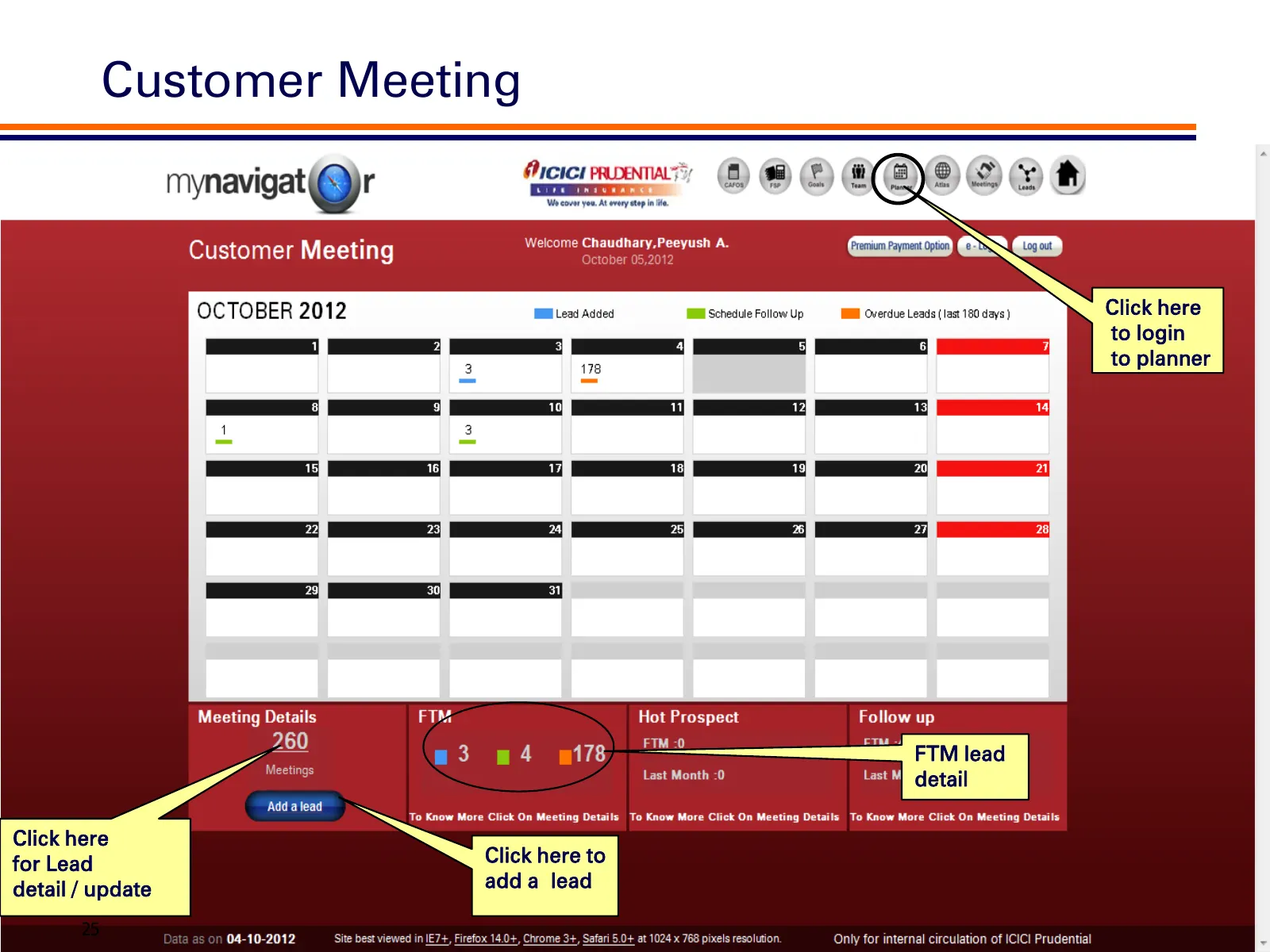
Slide 25: Customer Meeting
Customer Meeting Click here to login to planner FTM lead detail Click here for Lead Click here to detail / update add a lead 25
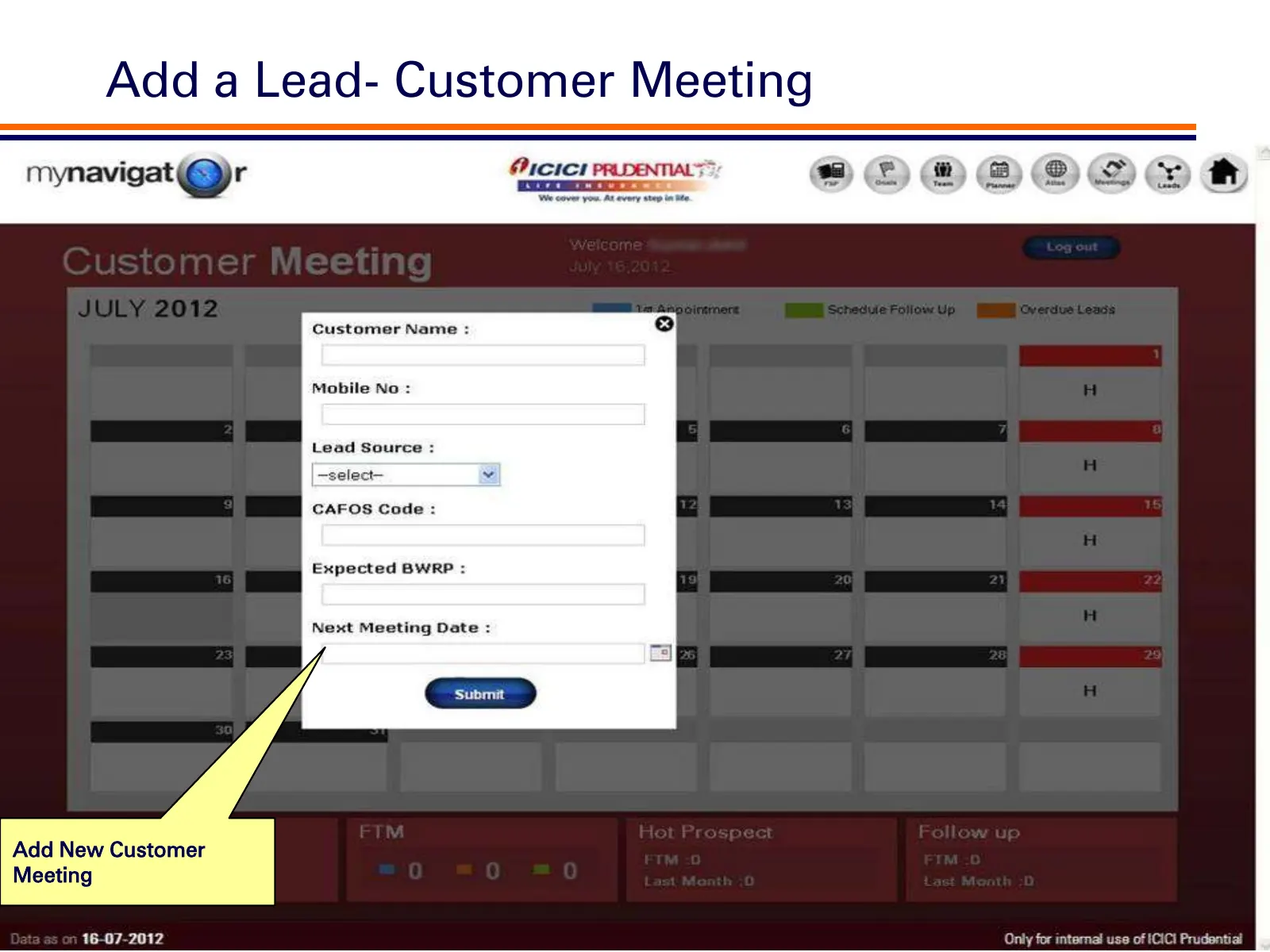
Slide 26: Add a Lead- Customer Meeting
Add a Lead- Customer Meeting Add New Customer Meeting
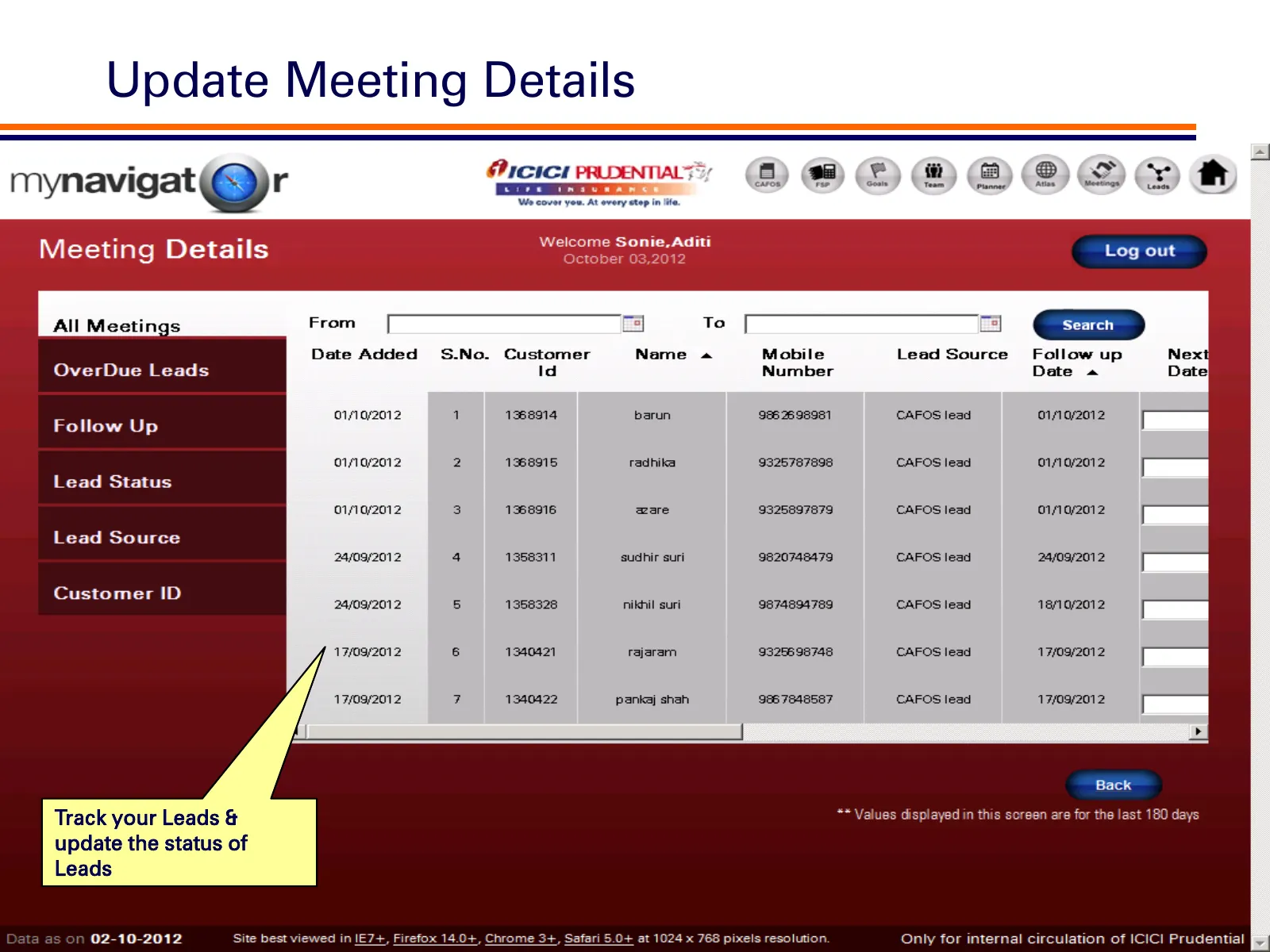
Slide 27: Update Meeting Details
Update Meeting Details Track your Leads & update the status of Leads
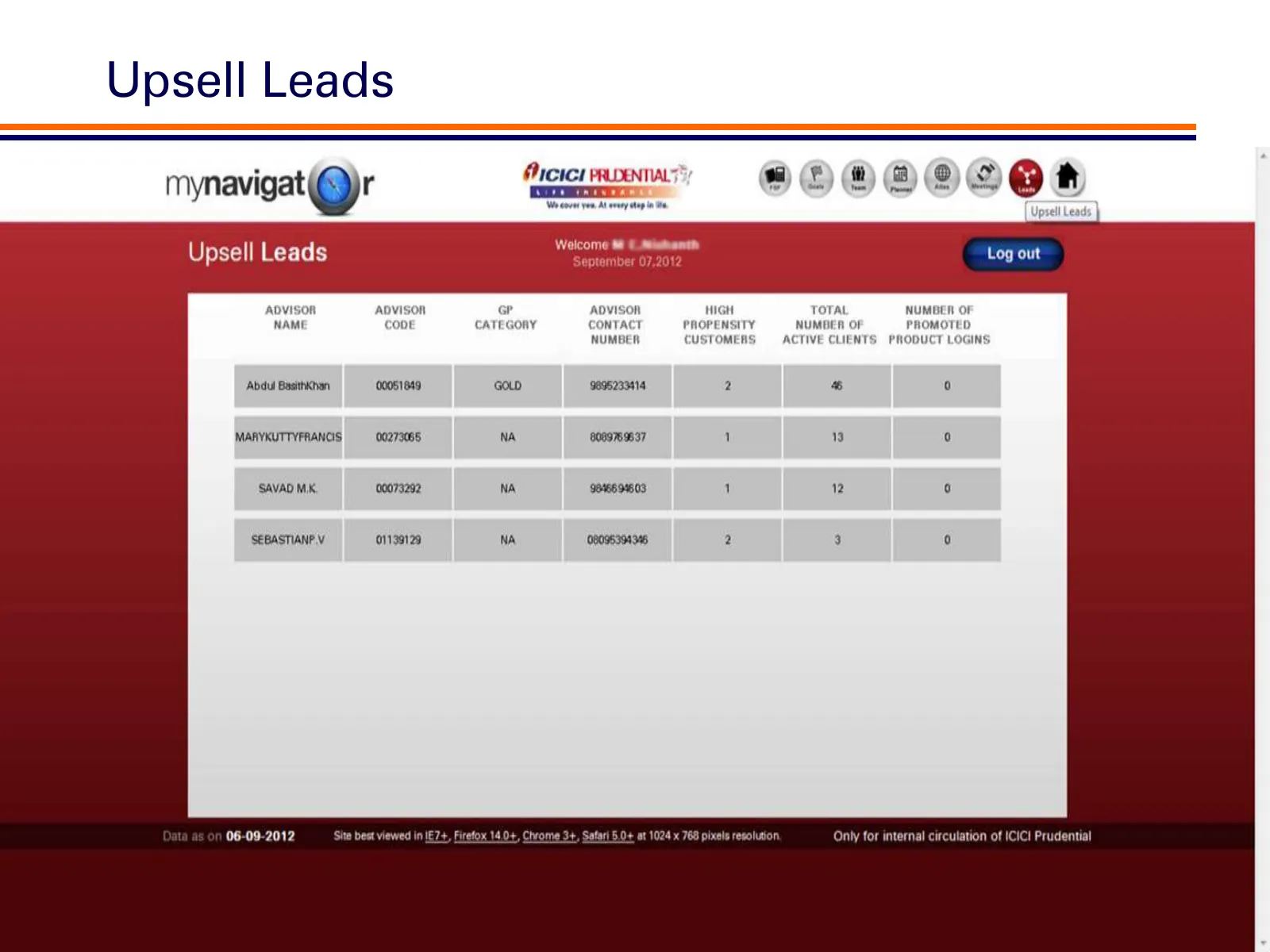
Slide 28: Upsell Leads
Upsell Leads Click here to view upsell lead detail Click on the radio Button to get detail of upsell lead allocated to each FOS / Cafos. 28
Slide 29: Reach us
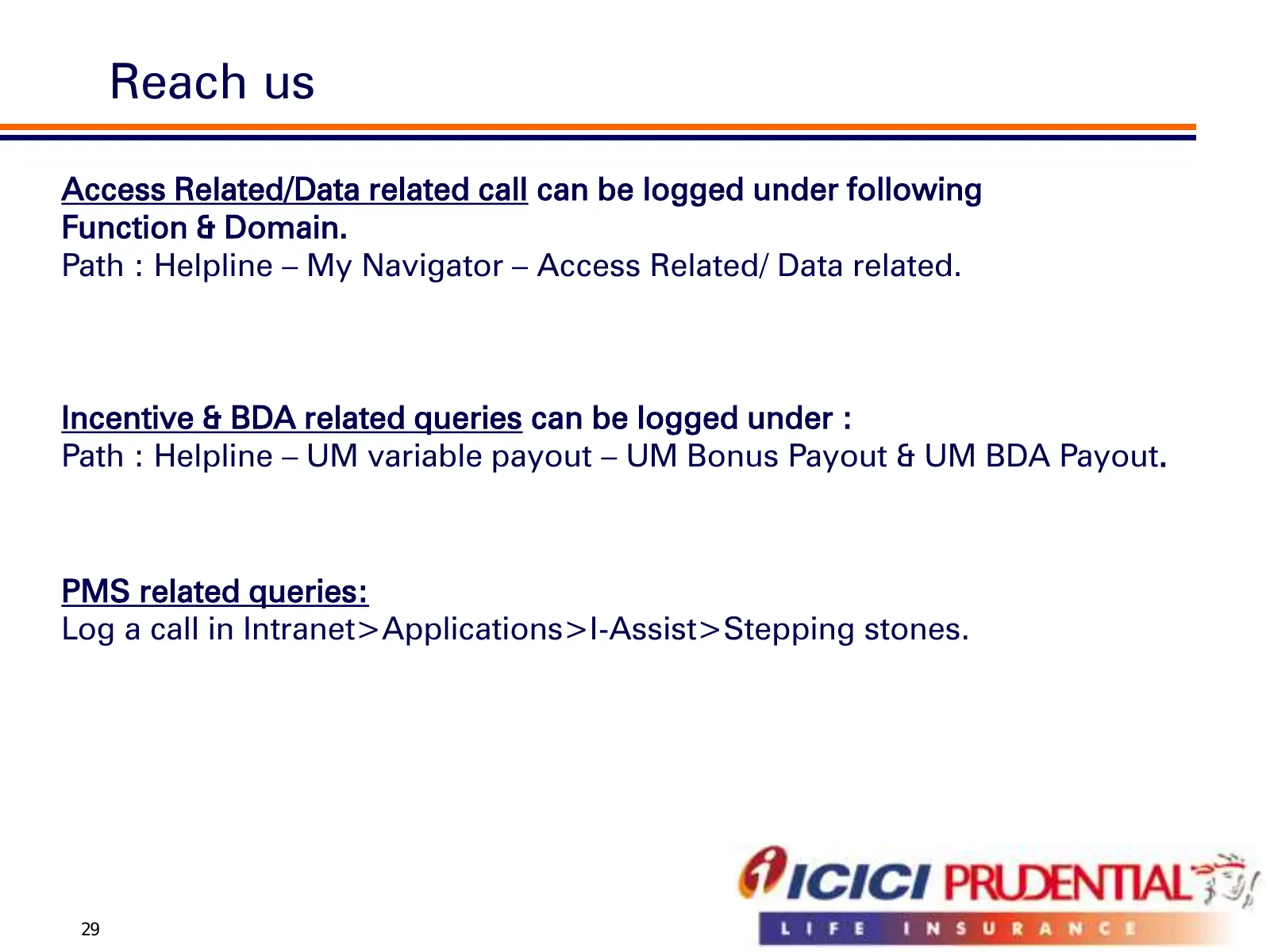
Reach us Access Related/Data related call can be logged under following Function & Domain. Path : Helpline – My Navigator – Access Related/ Data related. Incentive & BDA related queries can be logged under : Path : Helpline – UM variable payout – UM Bonus Payout & UM BDA Payout. PMS related queries:
Slide 30: Thank You
Thank You @ ICICI PRUDENTIAL pttre nS U 8 AMC
Source: company website
More decks from ICICI Prudential Life Insurance Co. Ltd.
 H1-FY2027 Earnings Presentation65 slides · Oct 13, 2026
 ICICI Life Insurance — H1 FY2027 Earnings Presentation66 slides · Oct 13, 2026
 Investor Presentation (October 2026)10 slides · Oct 1, 2026
 ICICI Life Insurance — Investor Presentation (October 2026)10 slides · Oct 1, 2026
 Investor Presentation (October 2026)11 slides · Oct 1, 2026
 Q1 FY2027 Earnings Presentation65 slides · Jul 15, 2026