Mastek Limited · NSE:MASTEK
Mastek — Technical Presentation (October 2022)
63 slides from Mastek's technical presentation, Oct 5, 2022
Slide 1: 22B – Talent Management
LIVE 10/05/22 Advisory Webinar 22B – Talent Management Empowering we for the next update Host: Hardik Patel Speakers: Siddhartha Goutam Operations Manager – Consultant Managed Services Human Capital Management Oracle's Global Featured in Gartner Partner of Year MQ for Oracle Cloud (2017, 2019) (2019
Slide 2: Disclaimer
These advisory webinars are organized to equip you with the latest updates. The content of this session is based on the interpretation of the material and documentation that Oracle has released and is a general guideline/recommendation only. Disclaimer Oracle's Global Featured in Gartner Partner of
Slide 3: Agenda
AGENDA Our Approach to Oracle Update Our Analysis of Latest Release Closing - Q&A
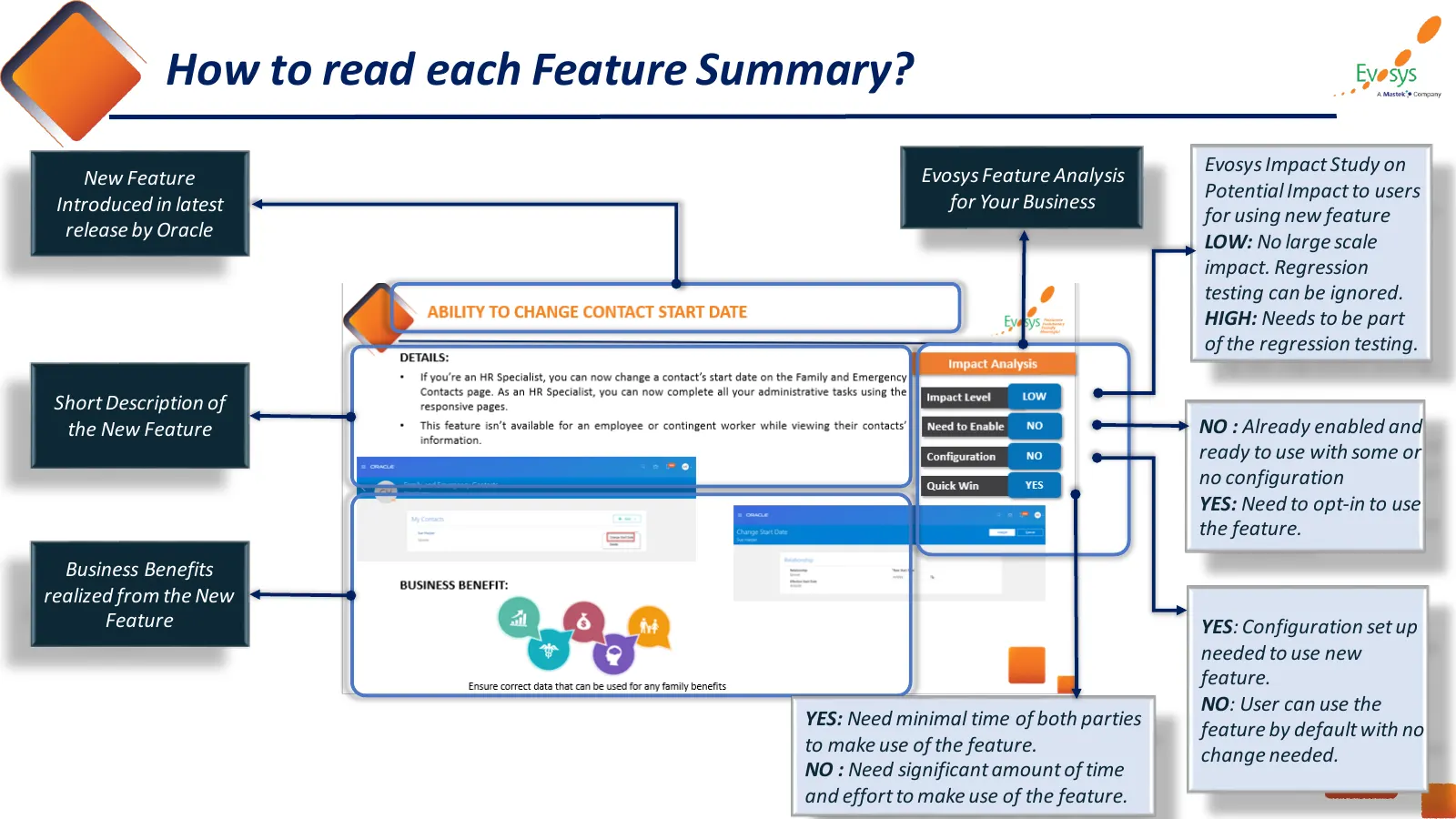
Slide 4: How to read each Feature Summary?
How to read each Feature Summary? Evosys Feature Analysis Evosys Impact Study on New Feature for Your Business Potential Impact to users Introduced in latest for using new feature release by Oracle LOW: No large scale impact. Regression testing can be ignored. HIGH: Needs to be part of the regressio
Slide 5: Our Analysis of Latest Release New Features
Our Analysis of Latest Release New Features
Slide 6: Evosys Analysis- Statistics
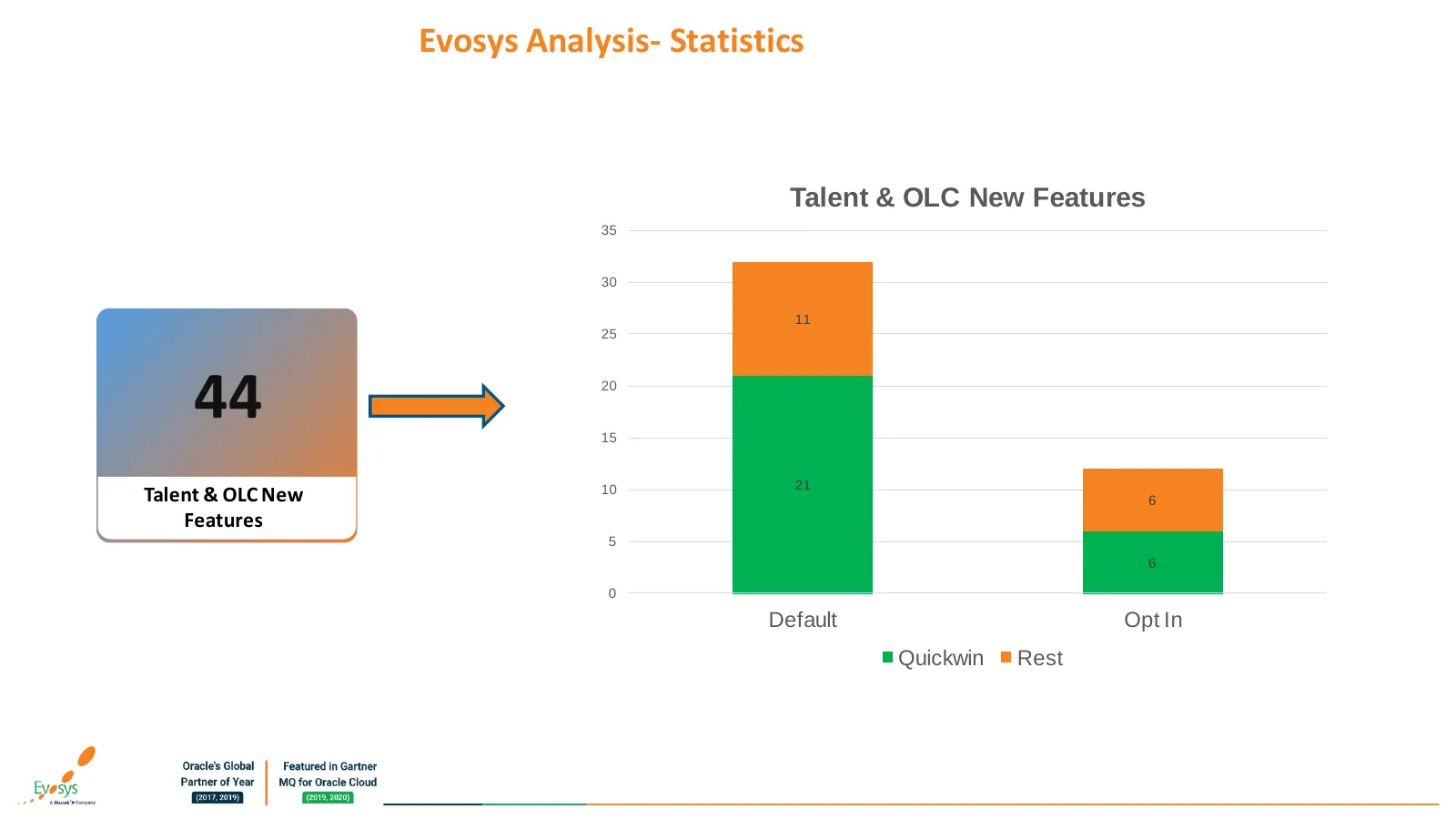
Evosys Analysis- Statistics Talent & OLC New Features 35 30 11 25 44 20 15 10 21 Talent & OLC New 6 Features 5 6 0 Default Opt In Quickwin Rest
Slide 7: Evosys Analysis
Evosys Analysis Oracle's Global Featured in Gartner Partner of Year MQ for Oracle Cloud Pons 20)
Slide 8: New Features: Quick wins – Default with no configuration
New Features Quick wins – Default with no configuration
Slide 9: Simulate Development Goal Approval Rules
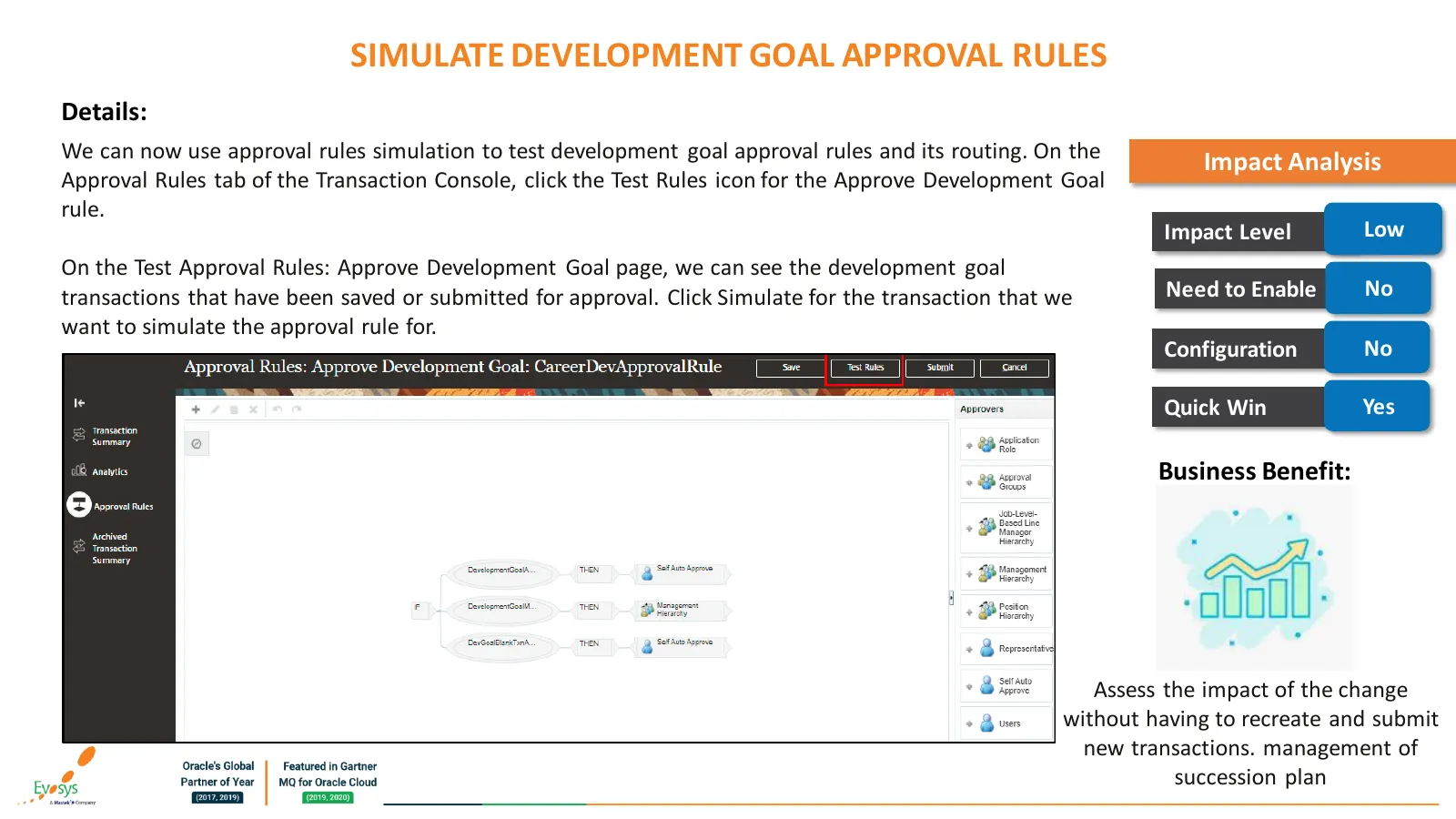
SIMULATE DEVELOPMENT GOAL APPROVAL RULES Details: We can now use approval rules simulation to test development goal approval rules and its routing. On the Impact Analysis Approval Rules tab of the Transaction Console, click the Test Rules icon for the Approve Development Goal rule. Impact Level Low
Slide 10: Simulate Performance Goal Approval Rules
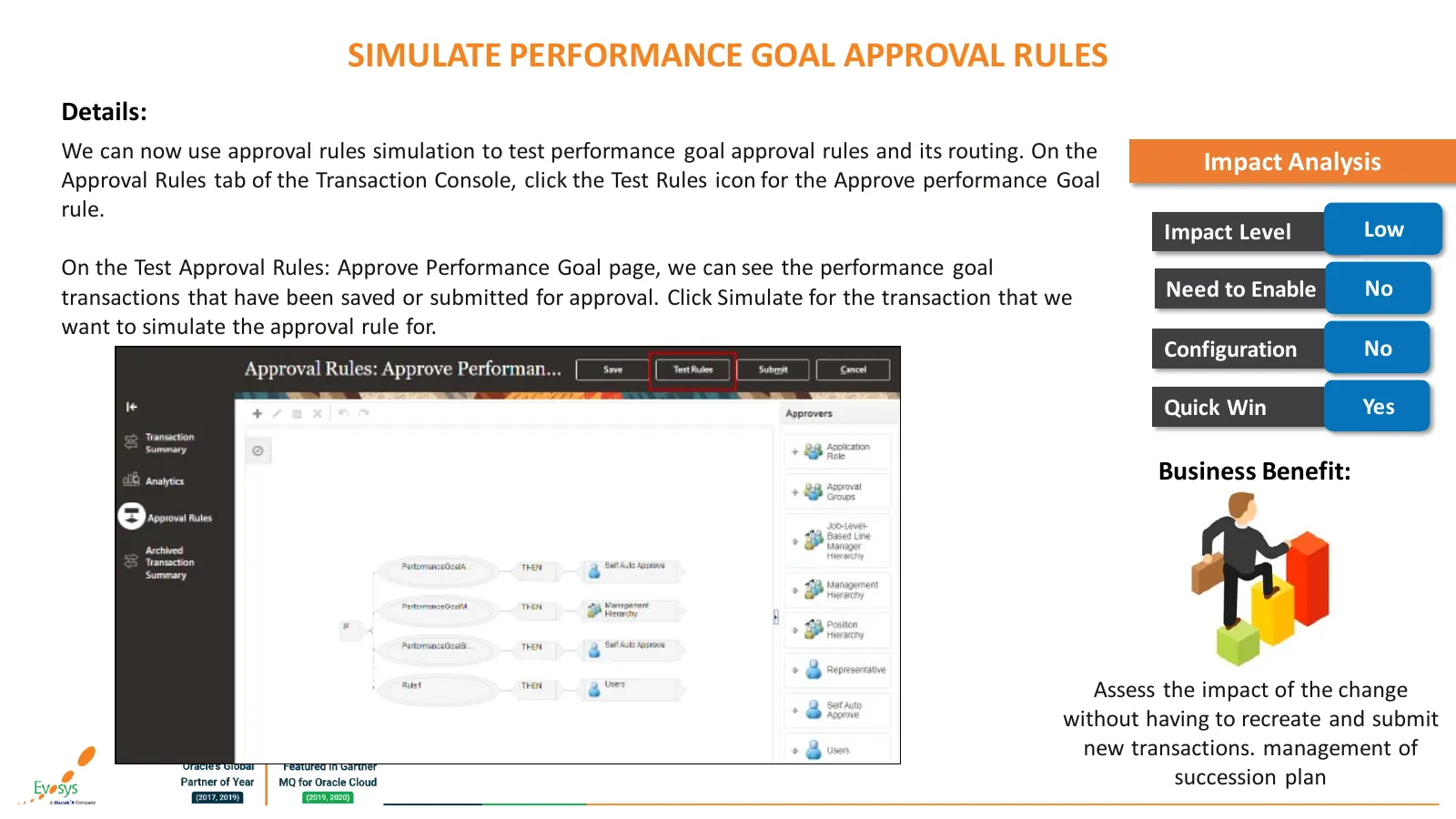
SIMULATE PERFORMANCE GOAL APPROVAL RULES Details: We can now use approval rules simulation to test performance goal approval rules and its routing. On the Impact Analysis Approval Rules tab of the Transaction Console, click the Test Rules icon for the Approve performance Goal rule. Impact Level Low
Slide 11: Additional Filters to Process Mass Actions for Performance Documents
ADDITIONAL FILTERS TO PROCESS MASS ACTIONS FOR PERFORMANCE DOCUMENTS Details: Impact Analysis New filters on the Process Mass Actions for Performance Documents page help you target a population when processing mass actions. As an HR specialist, you can use the Document Status and Current Task filter
Slide 12: Print Multiple Performance Documents by Managers
PRINT MULTIPLE PERFORMANCE DOCUMENTS BY MANAGERS Details: Save time by printing multiple performance documents at the same time. As a manager using the Evaluate Performance page, you can now select multiple performance documents (up to 10) and choose to print Impact Analysis them from the Actions bu
Slide 13: Manage Eligibility for Check-in Templates
MANAGE ELIGIBILITY FOR CHECK-IN TEMPLATES Details: Impact Analysis HR specialists can now view and manage employee's eligibility for check-in templates using the same functionality already available for performance documents. They can also check if an Impact Level Low employee is eligible or not for
Slide 14: Mass Change Performance Document Task Due Dates
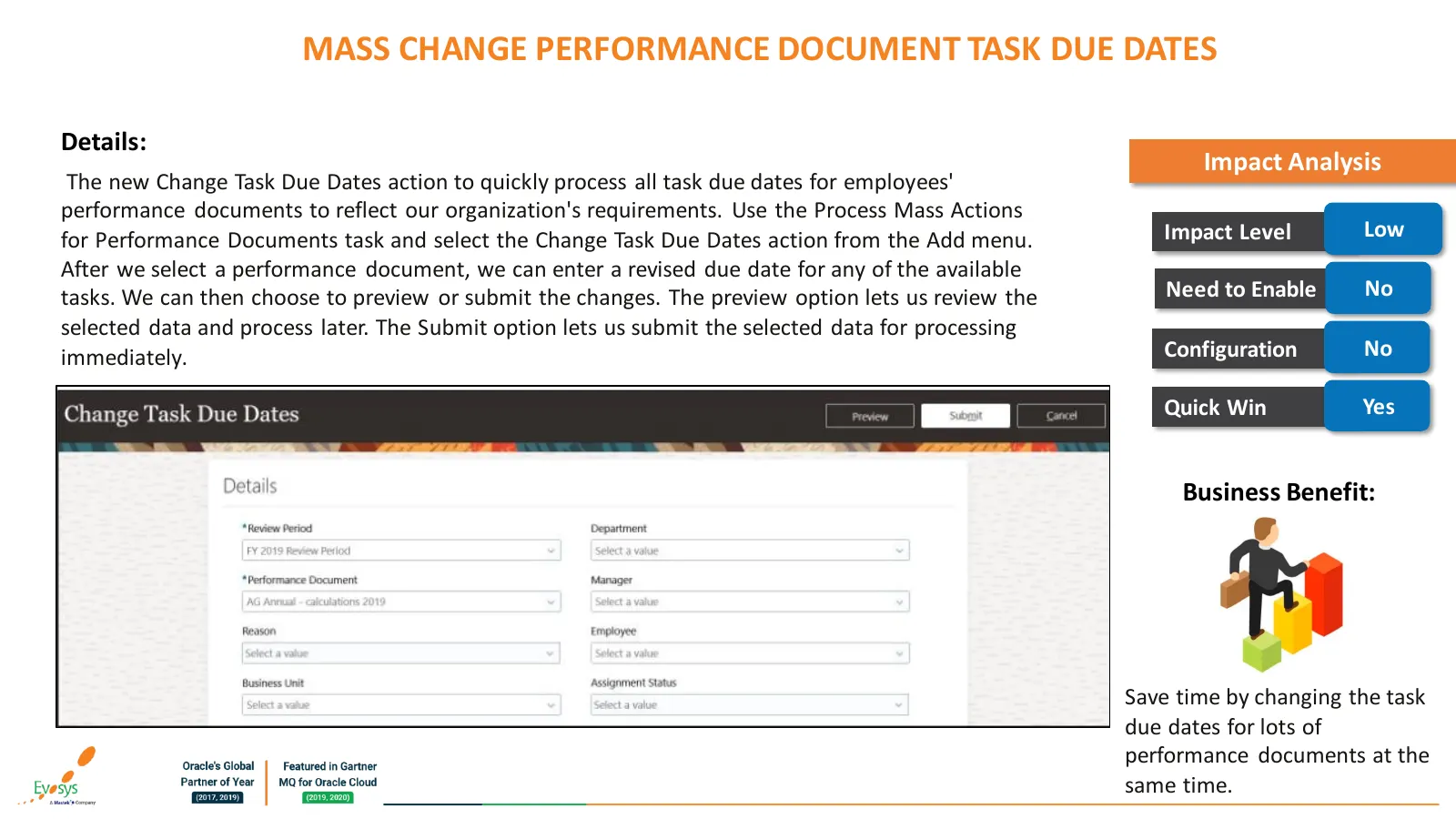
MASS CHANGE PERFORMANCE DOCUMENT TASK DUE DATES Details: Impact Analysis The new Change Task Due Dates action to quickly process all task due dates for employees' performance documents to reflect our organization's requirements. Use the Process Mass Actions for Performance Documents task and select
Slide 15: Load Global Access Group Relation Data with HCM Spreadsheet Data Loader
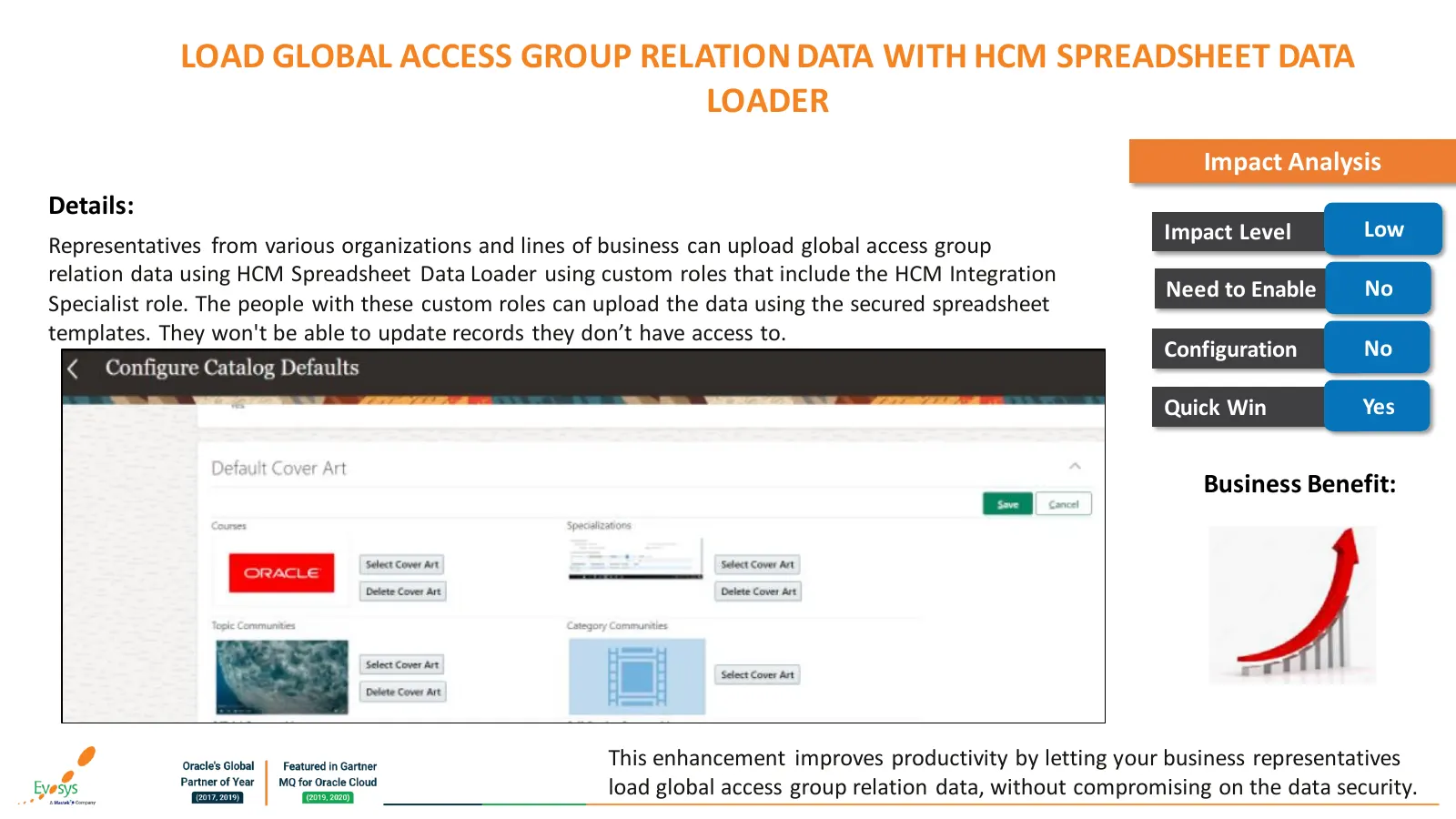
LOAD GLOBAL ACCESS GROUP RELATION DATA WITH HCM SPREADSHEET DATA LOADER Impact Analysis Details: Impact Level Low Representatives from various organizations and lines of business can upload global access group relation data using HCM Spreadsheet Data Loader using custom roles that include the HCM In
Slide 16: Withdrawn Enrollments Excluded from Transcript
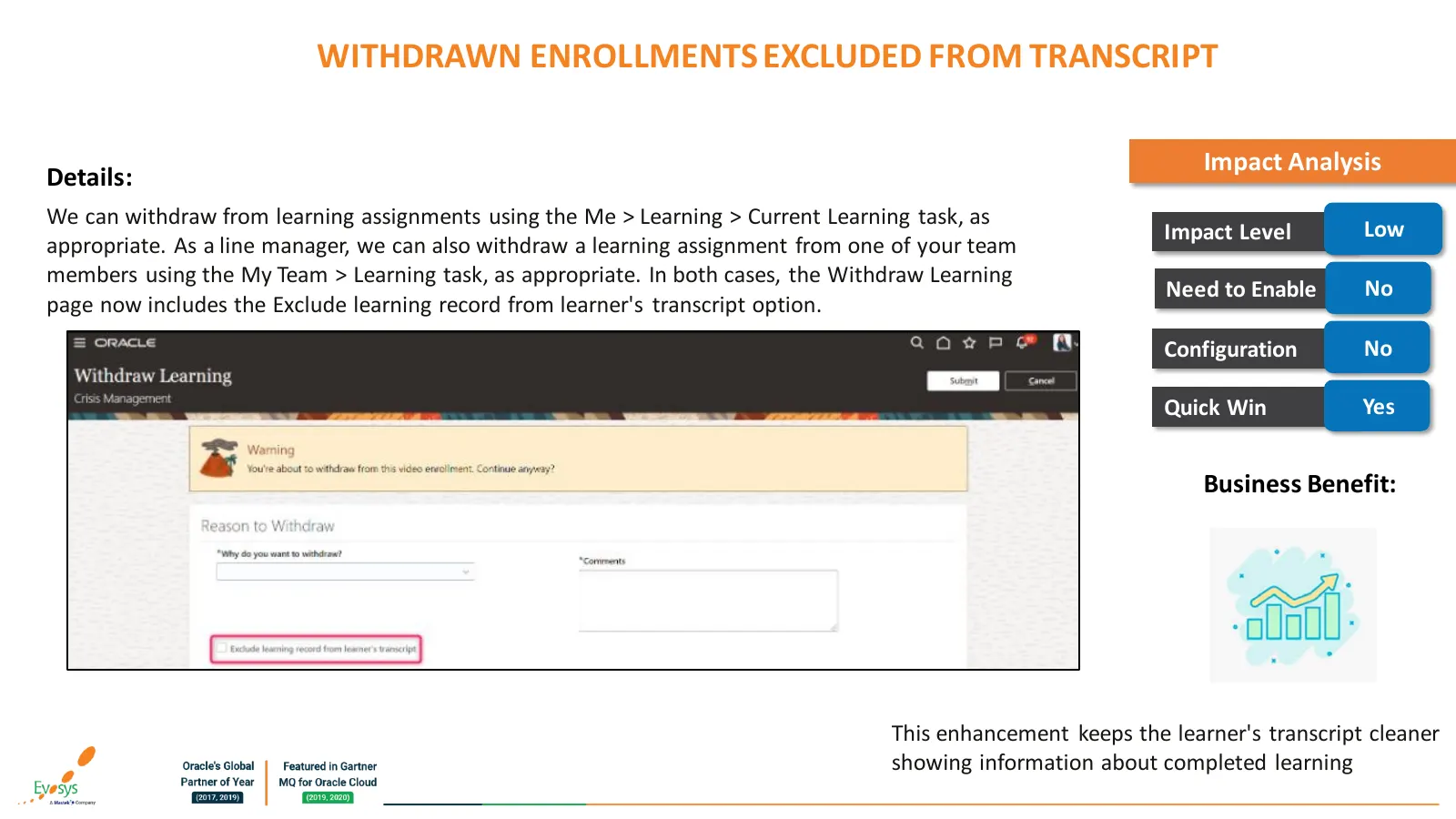
WITHDRAWN ENROLLMENTS EXCLUDED FROM TRANSCRIPT Impact Analysis Details: We can withdraw from learning assignments using the Me > Learning > Current Learning task, as Impact Level Low appropriate. As a line manager, we can also withdraw a learning assignment from one of your team members using the My
Slide 17: Report on Learning Item Rating Details
REPORT ON LEARNING ITEM RATING DETAILS Details: Impact Analysis Now we can report on how learners rated a learning item using new Learning Item Rating Details attributes. Impact Level Low We can use these attributes to report on ratings details for courses, specializations, videos, and learning jour
Slide 18: Launch Self-Paced Offerings with Multiple Activities Enhancement
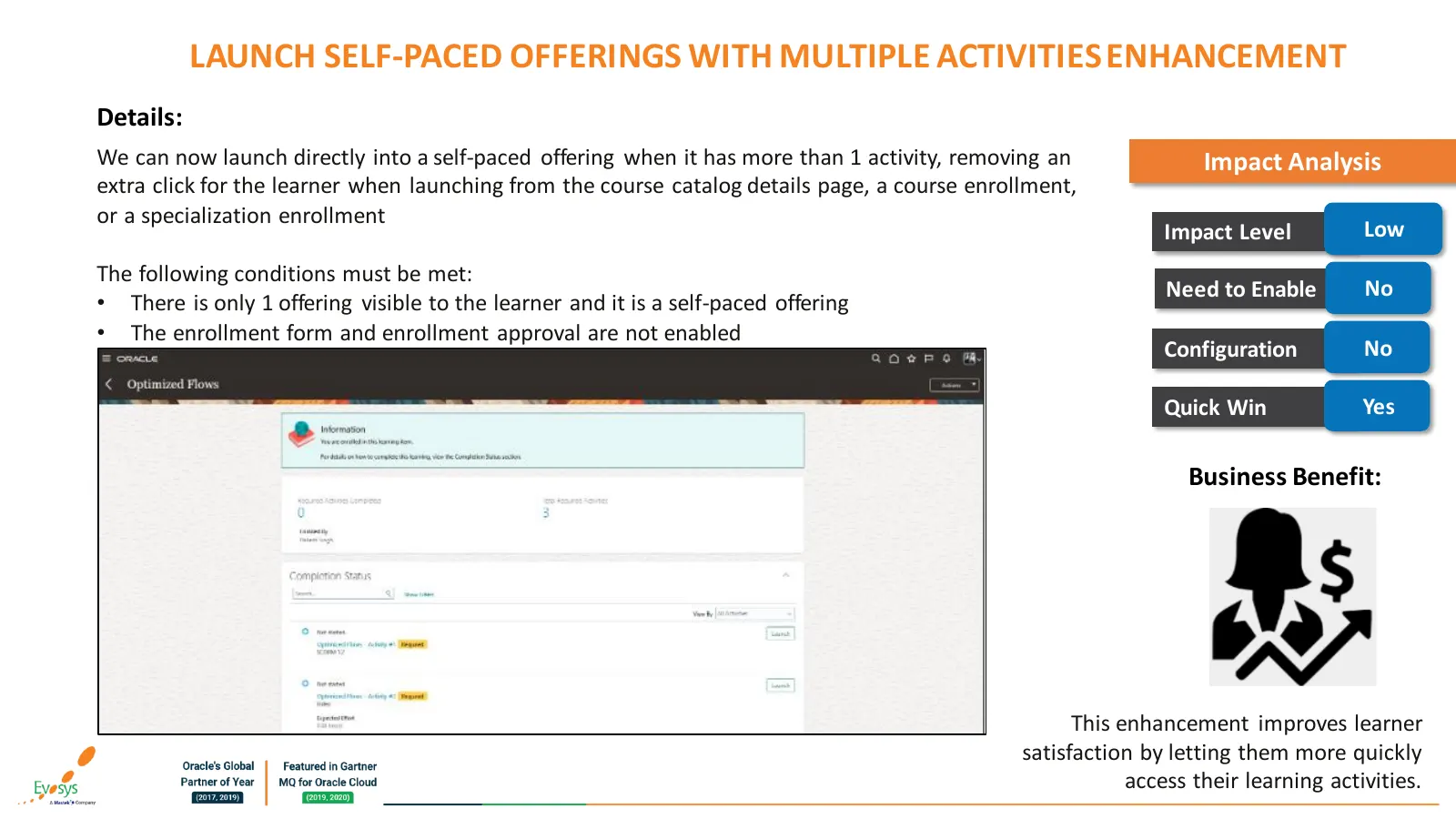
LAUNCH SELF-PACED OFFERINGS WITH MULTIPLE ACTIVITIES ENHANCEMENT Details: We can now launch directly into a self-paced offering when it has more than 1 activity, removing an Impact Analysis extra click for the learner when launching from the course catalog details page, a course enrollment, or a spe
Slide 19: Enhanced Skillsoft Translation Support
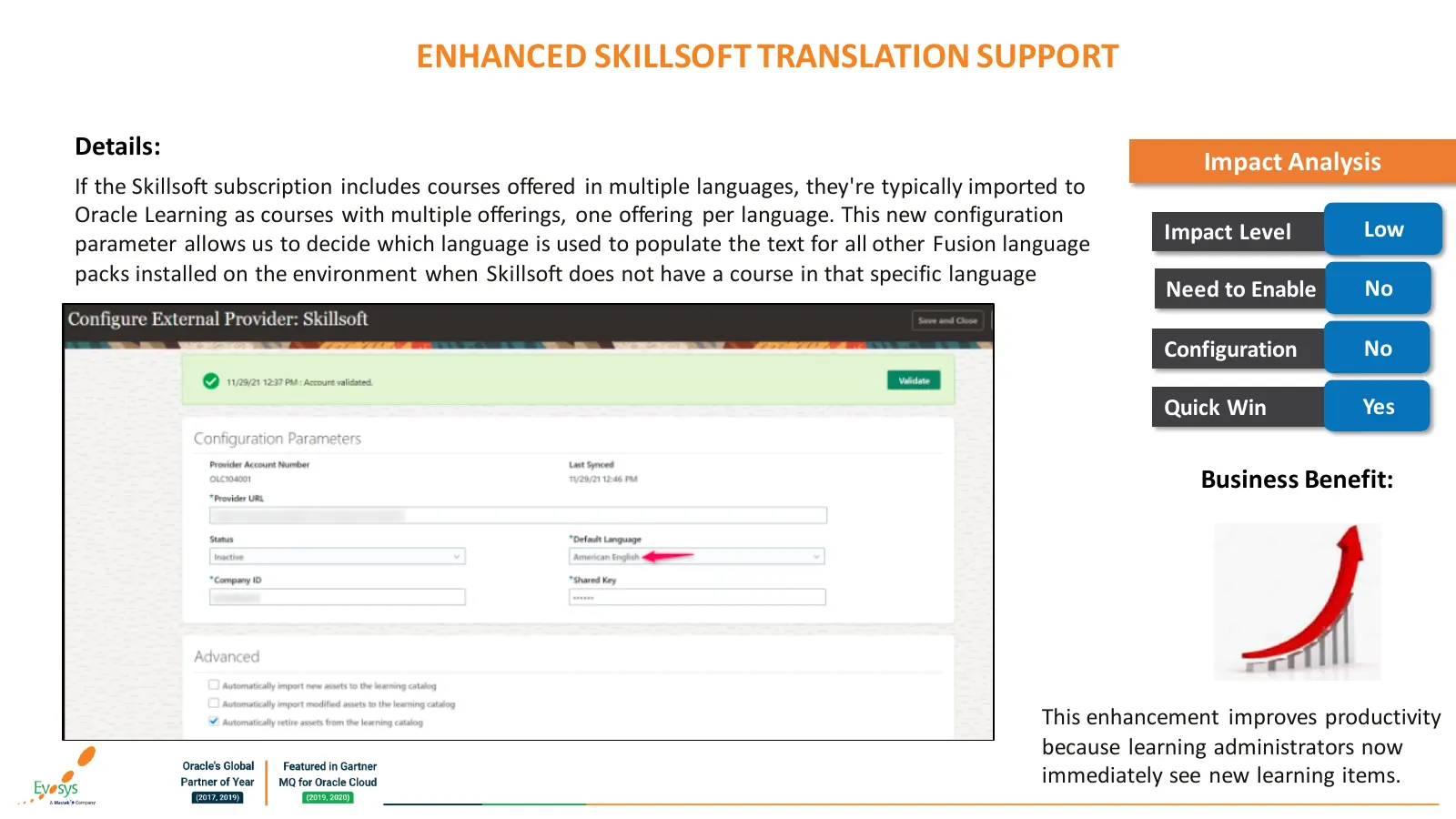
ENHANCED SKILLSOFT TRANSLATION SUPPORT Details: Impact Analysis If the Skillsoft subscription includes courses offered in multiple languages, they're typically imported to Oracle Learning as courses with multiple offerings, one offering per language. This new configuration Impact Level Low parameter
Slide 20: Rebuild Learning Item Text Indexes Background Process Removal
REBUILD LEARNING ITEM TEXT INDEXES BACKGROUND PROCESS REMOVAL Impact Analysis Details: Impact Level Low When we search for courses to add to specializations, relevant new items appear immediately. Search is now based on the item title, so we don't have to wait for the Rebuild Learning Item Text Inde
Slide 21: External Providers Configuration Pages Update
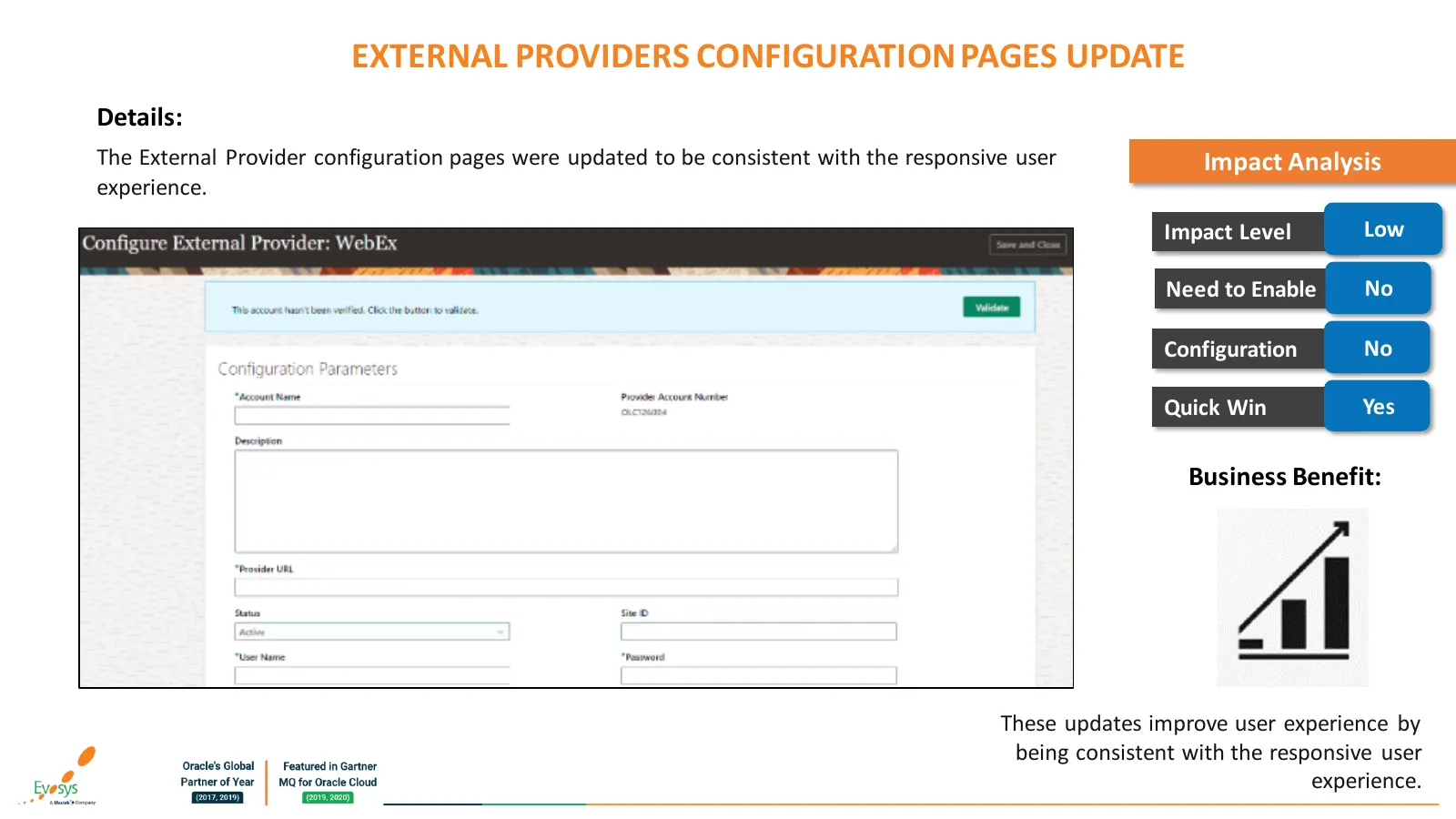
EXTERNAL PROVIDERS CONFIGURATION PAGES UPDATE Details: The External Provider configuration pages were updated to be consistent with the responsive user Impact Analysis experience. Impact Level Low Need to Enable No Configuration No Quick Win Yes Business Benefit: These updates improve user experienc
Slide 22: Manager Actions in the Performance Document
MANAGER ACTIONS IN THE PERFORMANCE DOCUMENT Impact Analysis Details: Managers can now see the bypass worker self-evaluation and return to worker manager actions in the Impact Level Low performance document itself. They can still access these actions on the Performance Spotlight or Evaluate Manager p
Slide 23: Add Instructions to Questions
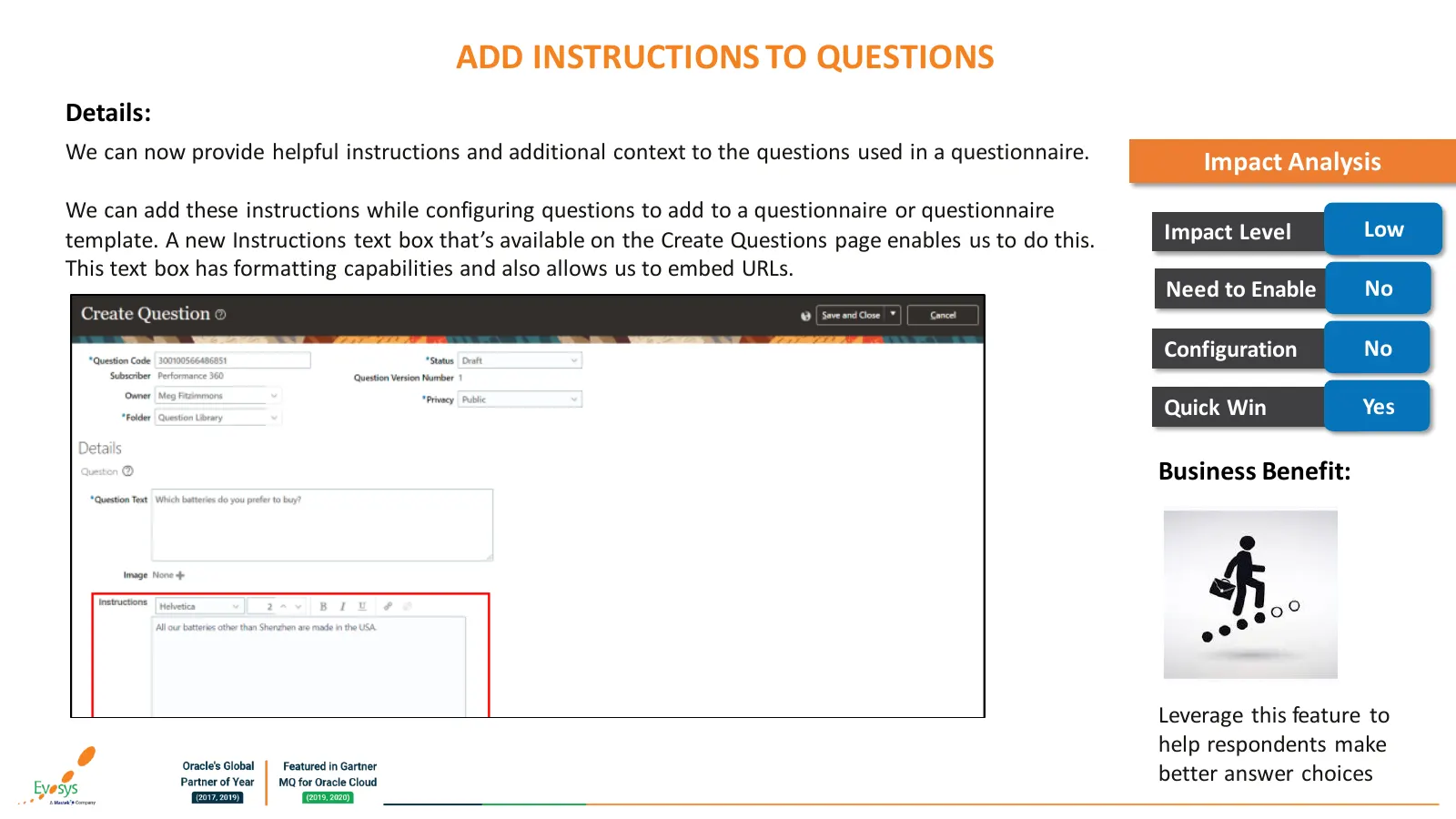
ADD INSTRUCTIONS TO QUESTIONS Details: We can now provide helpful instructions and additional context to the questions used in a questionnaire. Impact Analysis We can add these instructions while configuring questions to add to a questionnaire or questionnaire template. A new Instructions text box t
Slide 24: Report on Learning Content Items Attempt and Score Configuration
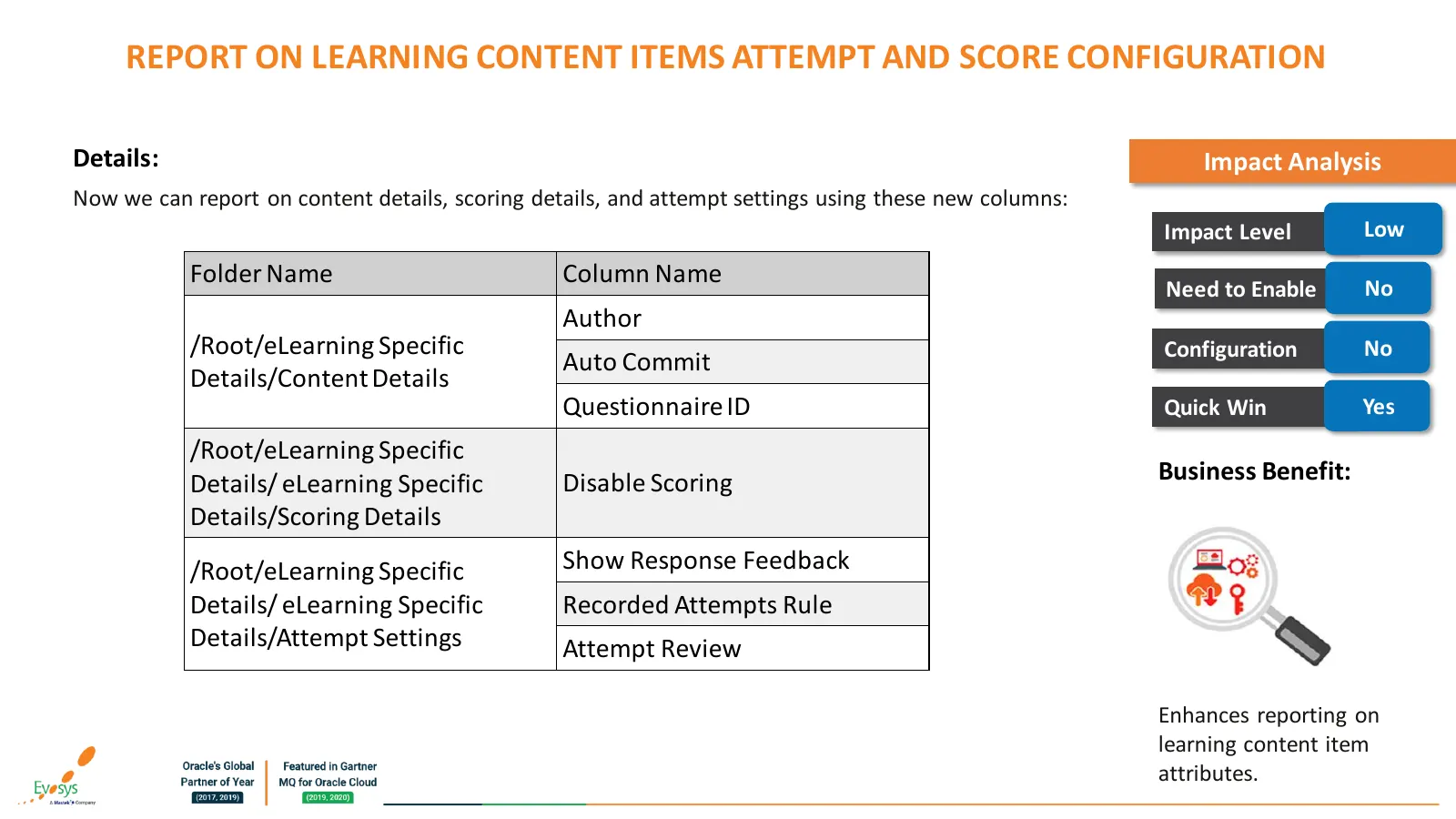
REPORT ON LEARNING CONTENT ITEMS ATTEMPT AND SCORE CONFIGURATION Details: Impact Analysis Now we can report on content details, scoring details, and attempt settings using these new columns: Impact Level Low Folder Name Column Name No Need to Enable Author /Root/eLearning Specific Configuration No A
Slide 25: New Features: Quick wins – Default with configuration
New Features Quick wins – Default with configuration
Slide 26: Configure Development Goal Library List of Values
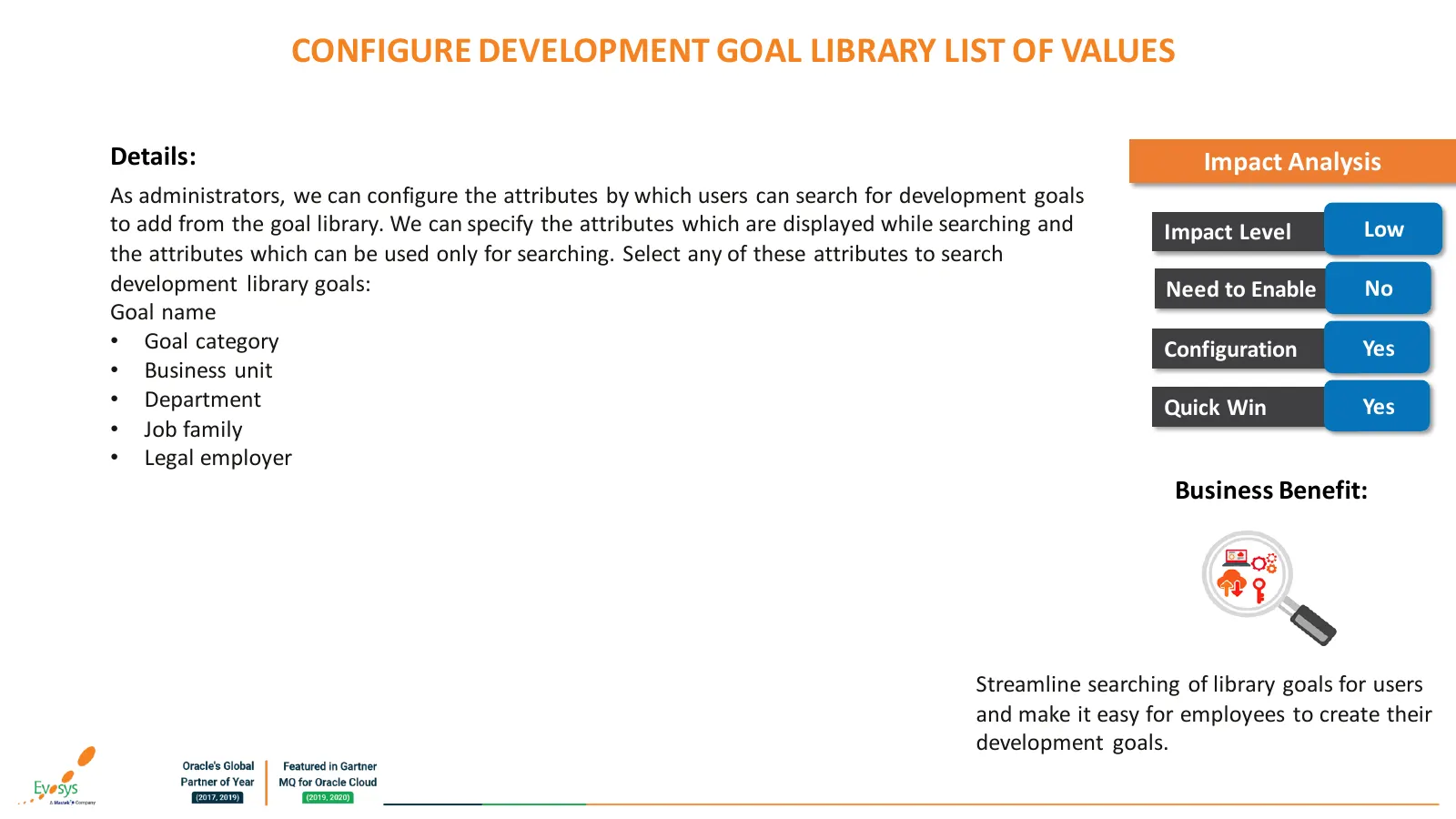
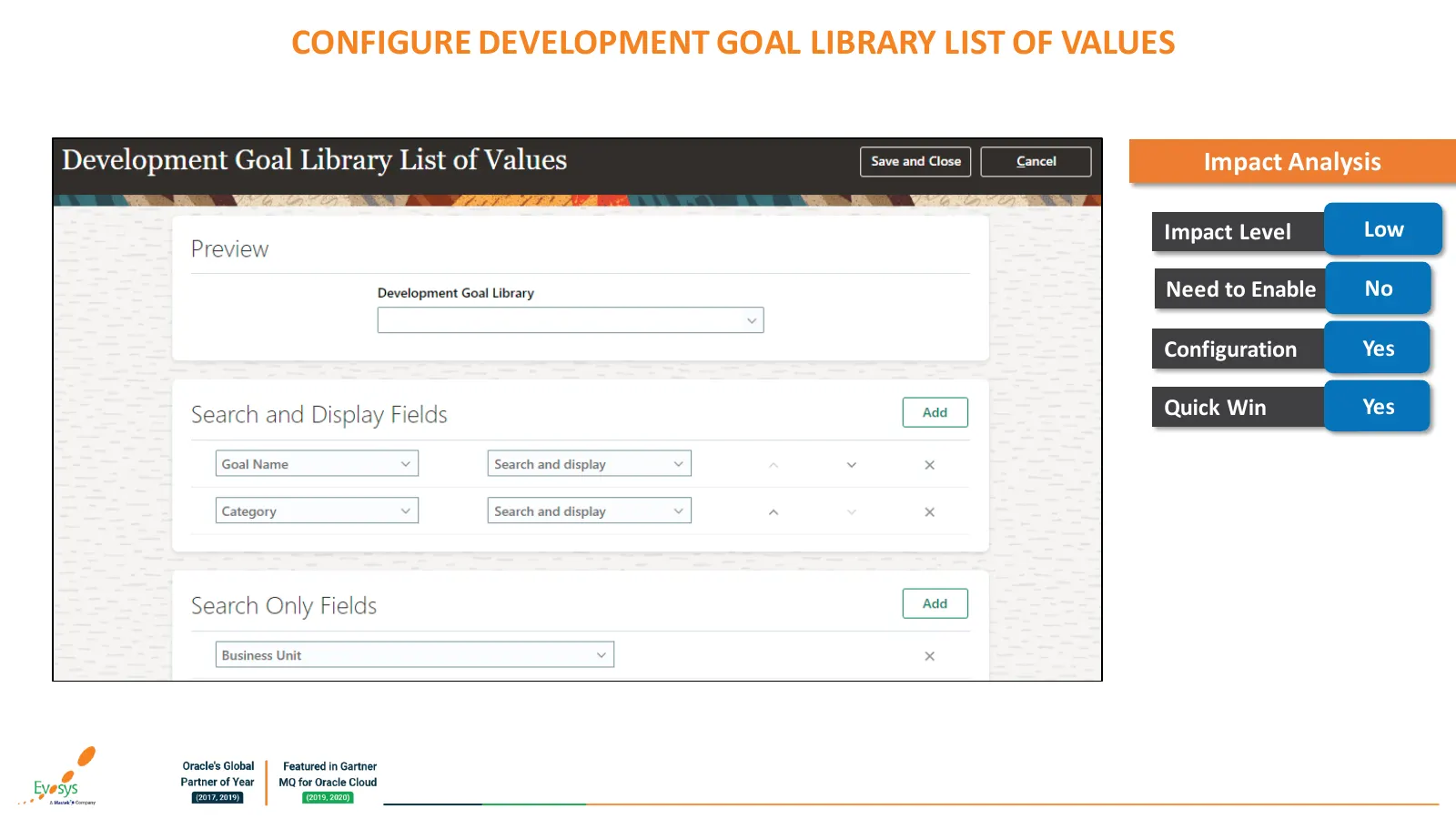
CONFIGURE DEVELOPMENT GOAL LIBRARY LIST OF VALUES Details: Impact Analysis As administrators, we can configure the attributes by which users can search for development goals to add from the goal library. We can specify the attributes which are displayed while searching and Impact Level Low the attri
Slide 27: Configure Development Goal Library List of Values
CONFIGURE DEVELOPMENT GOAL LIBRARY LIST OF VALUES Impact Analysis Impact Level Low Need to Enable No Configuration Yes Quick Win Yes
Slide 28: Add User Defined Talent Ratings for Talent Profile and Talent Review
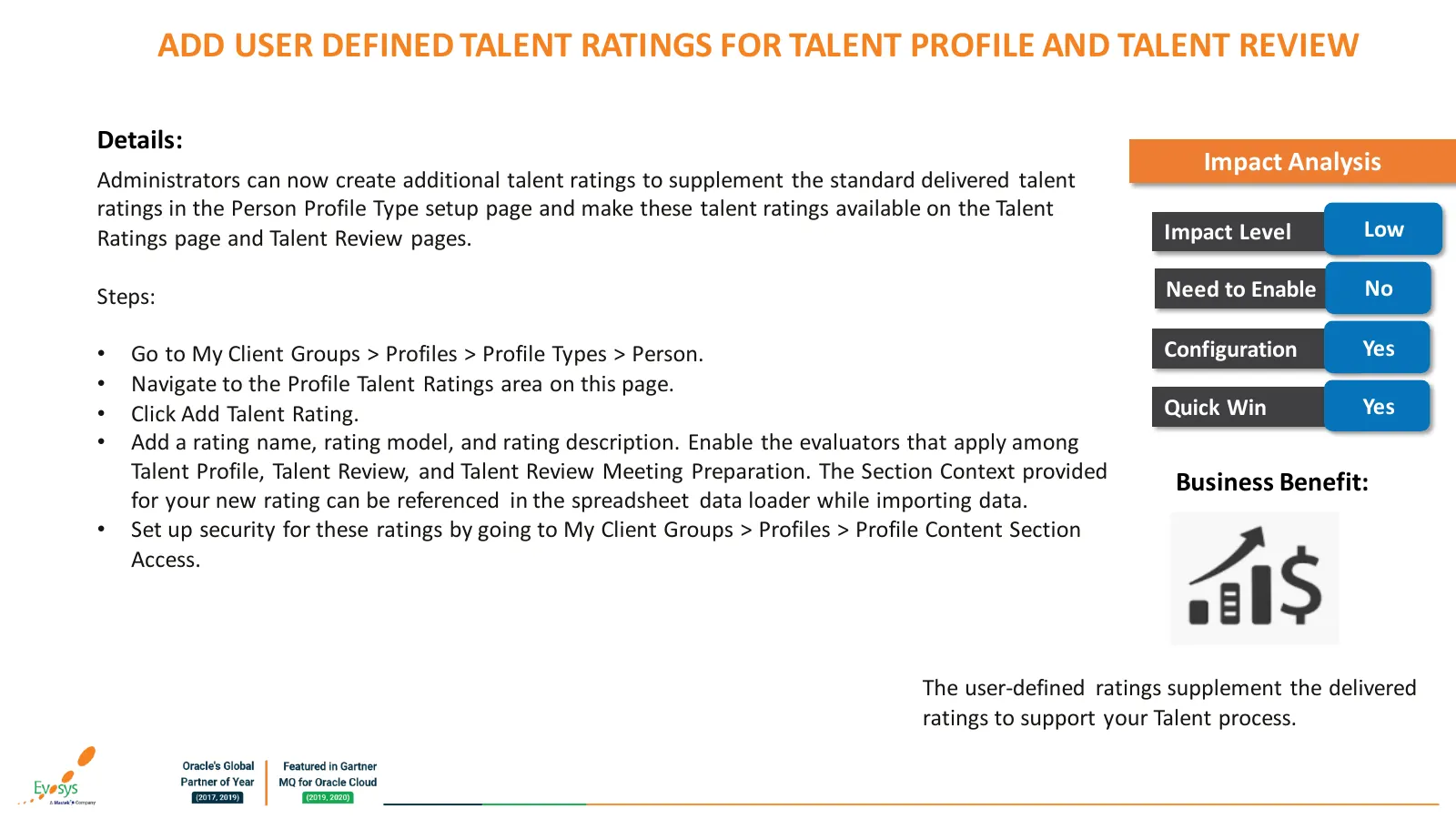
ADD USER DEFINED TALENT RATINGS FOR TALENT PROFILE AND TALENT REVIEW Details: Impact Analysis Administrators can now create additional talent ratings to supplement the standard delivered talent ratings in the Person Profile Type setup page and make these talent ratings available on the Talent Rating
Slide 29: Actual Effort Set Automatically for Bypass Complete Enhancement
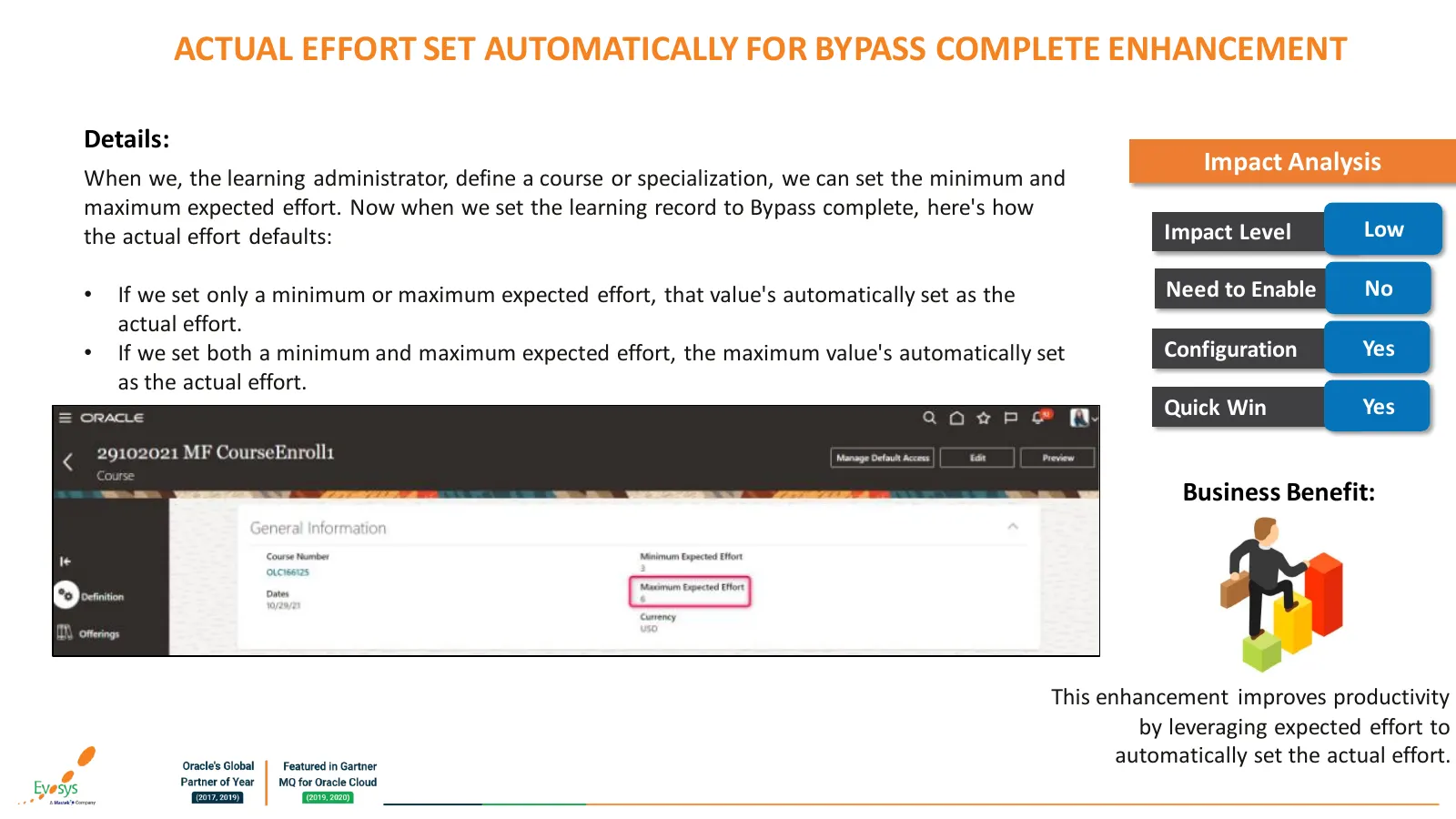
ACTUAL EFFORT SET AUTOMATICALLY FOR BYPASS COMPLETE ENHANCEMENT Details: Impact Analysis When we, the learning administrator, define a course or specialization, we can set the minimum and maximum expected effort. Now when we set the learning record to Bypass complete, here's how the actual effort de
Slide 30: Maximum Number of Participants to Provide Feedback in Performance Documents
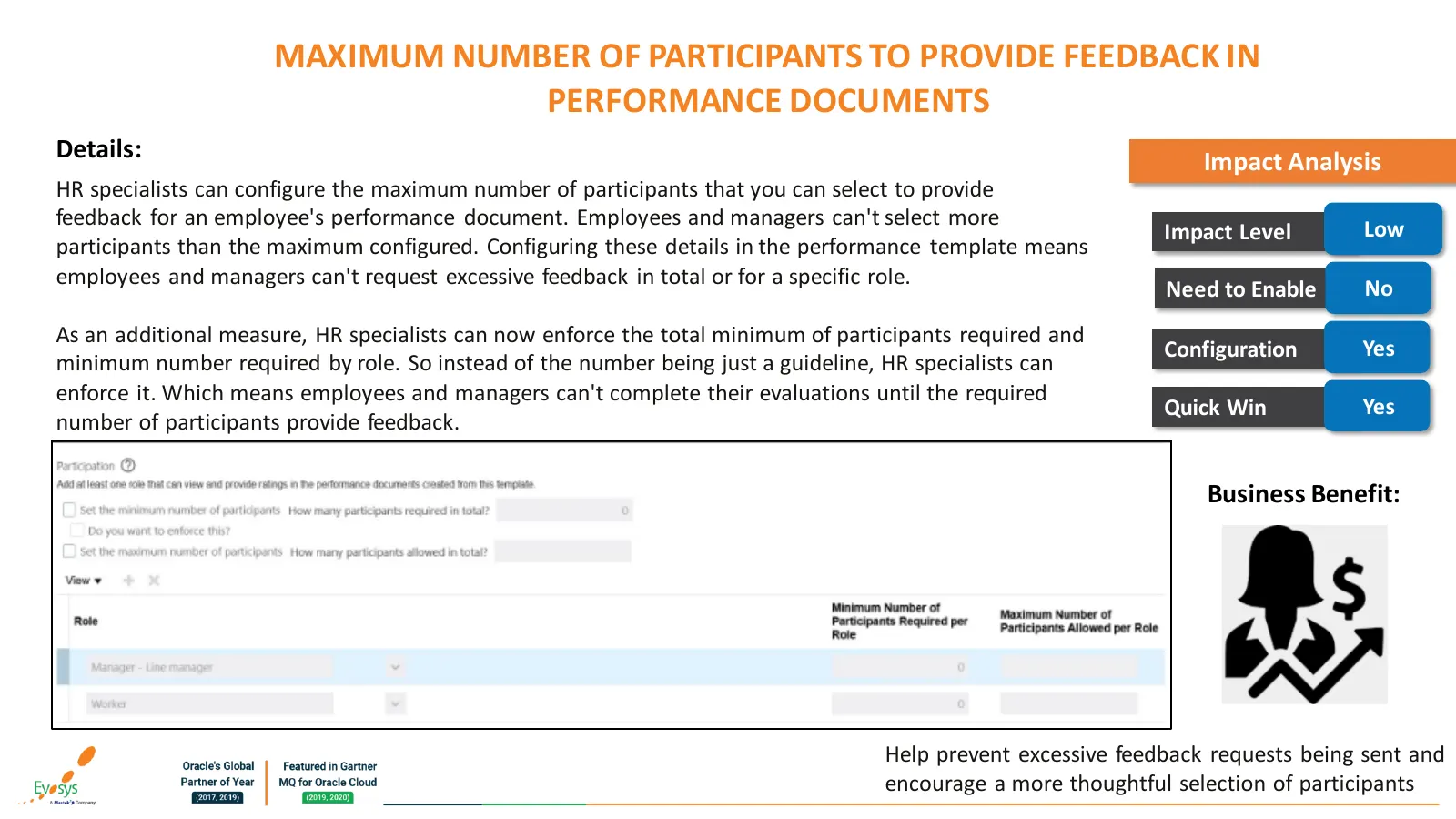
MAXIMUM NUMBER OF PARTICIPANTS TO PROVIDE FEEDBACK IN PERFORMANCE DOCUMENTS Details: Impact Analysis HR specialists can configure the maximum number of participants that you can select to provide feedback for an employee's performance document. Employees and managers can't select more Impact Level L
Slide 31: Configure Performance Goal Library List of Values
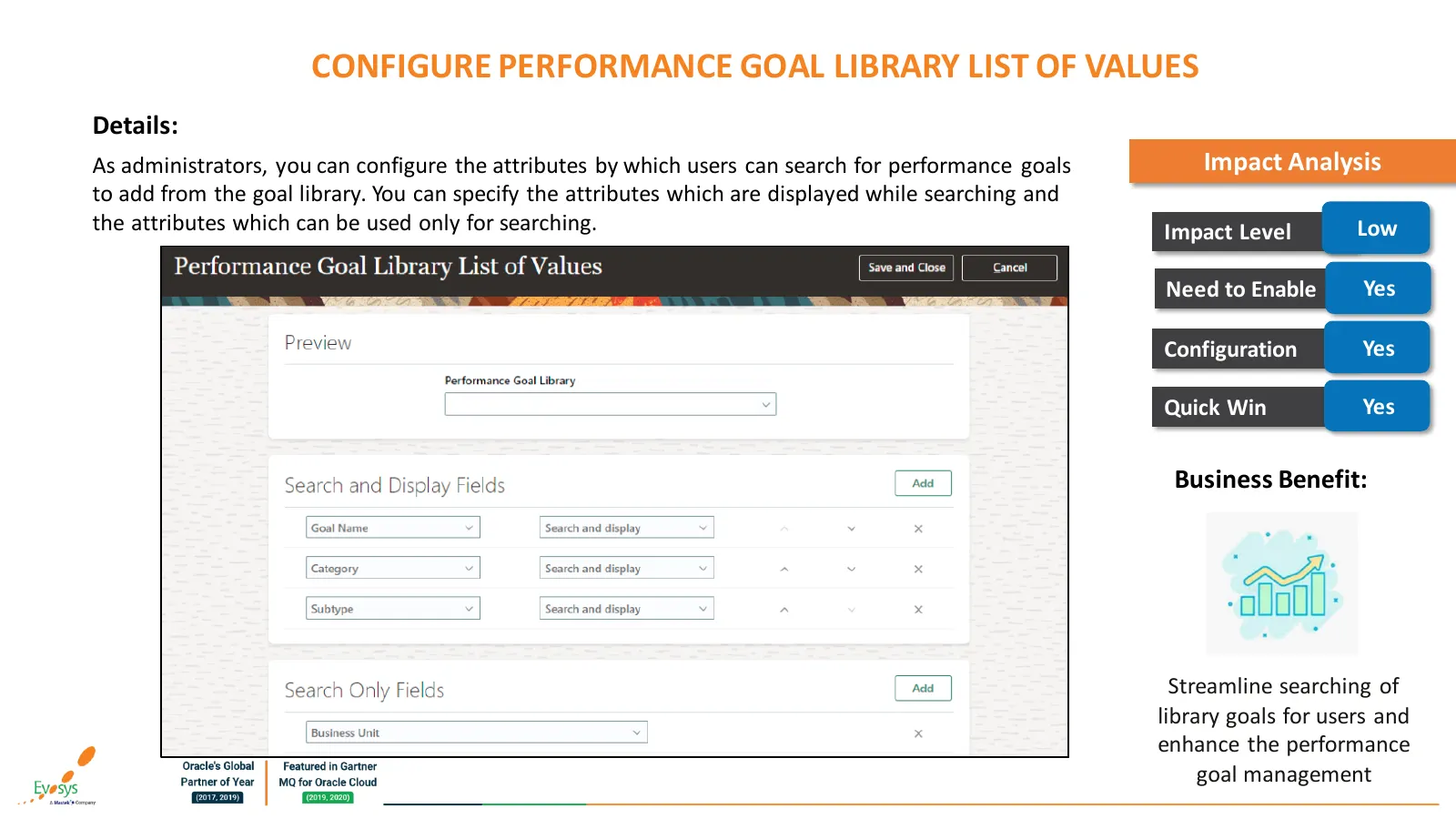
CONFIGURE PERFORMANCE GOAL LIBRARY LIST OF VALUES Details: As administrators, you can configure the attributes by which users can search for performance goals Impact Analysis to add from the goal library. You can specify the attributes which are displayed while searching and the attributes which can
Slide 32: Autocomplete Rules for Goal Management Business Objects
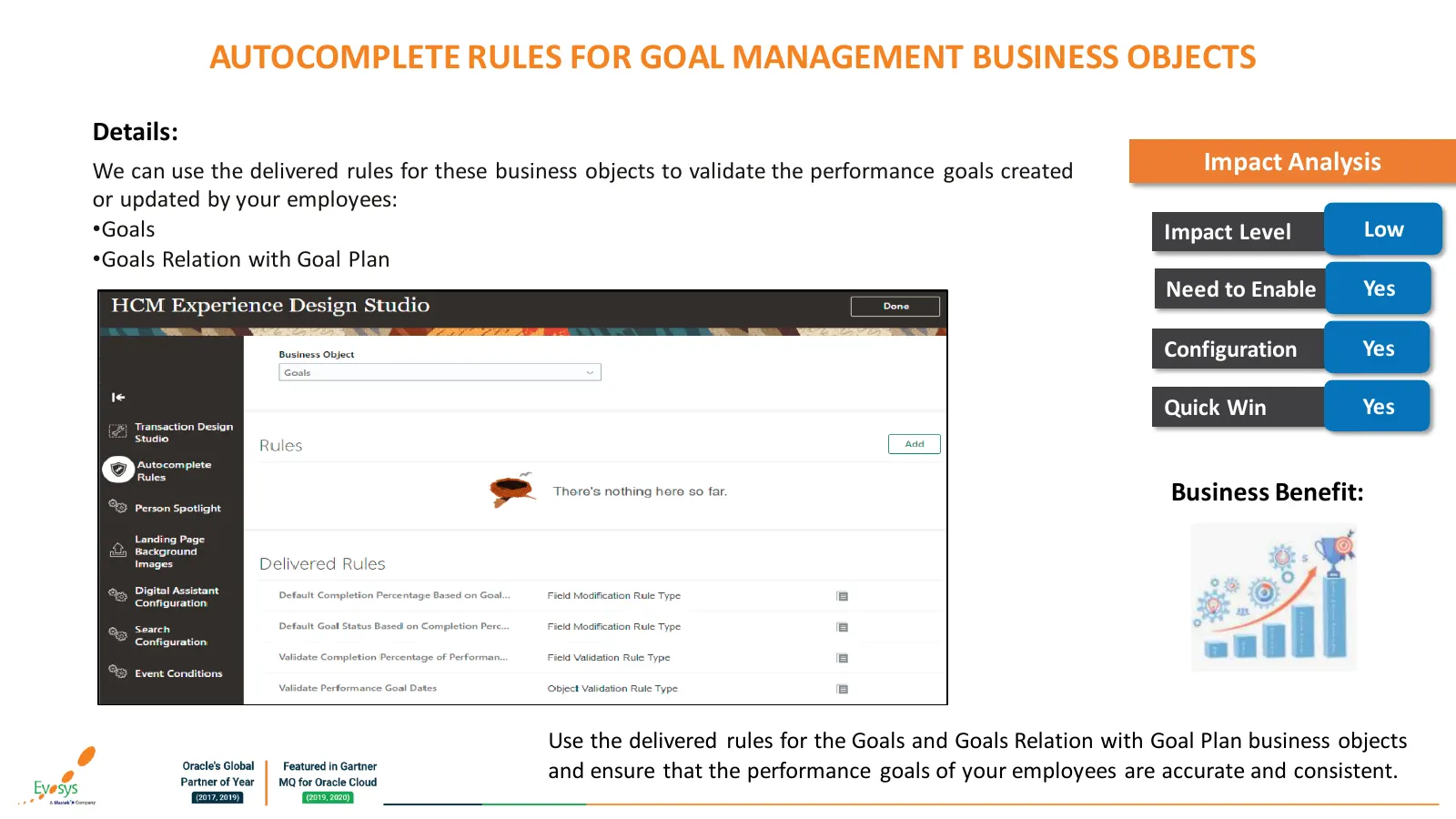
AUTOCOMPLETE RULES FOR GOAL MANAGEMENT BUSINESS OBJECTS Details: We can use the delivered rules for these business objects to validate the performance goals created Impact Analysis or updated by your employees: •Goals Impact Level Low •Goals Relation with Goal Plan Need to Enable Yes Configuration Y
Slide 33: New Features: Quick win – Opt In
NEW FEATURES Quick win – Opt In
Slide 34: Custom Talent Ratings in Talent Review
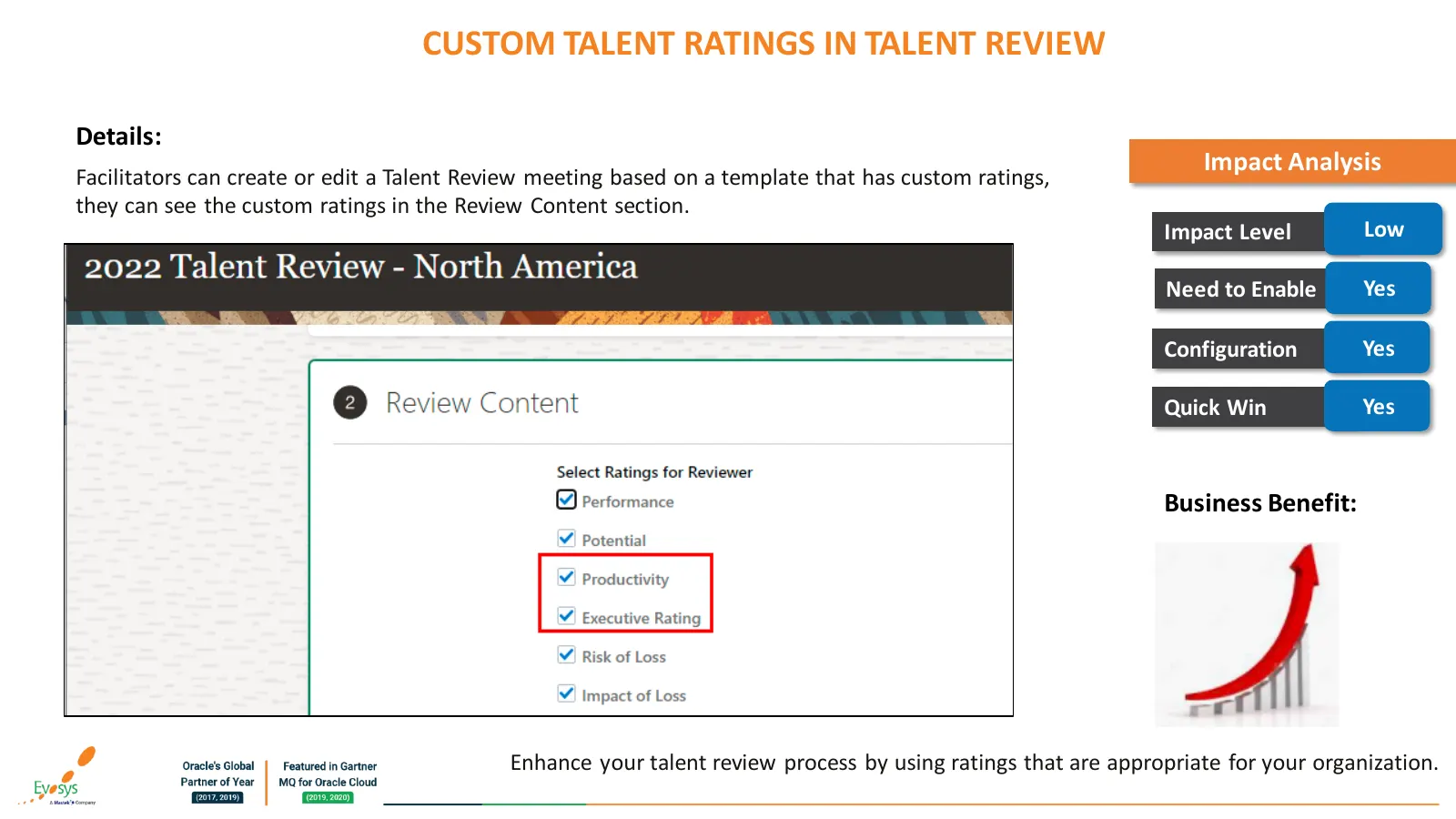
CUSTOM TALENT RATINGS IN TALENT REVIEW Details: Impact Analysis Facilitators can create or edit a Talent Review meeting based on a template that has custom ratings, they can see the custom ratings in the Review Content section. Impact Level Low Need to Enable Yes Configuration Yes Quick Win Yes Busi
Slide 35: Enhanced Management of Talent Review Tasks
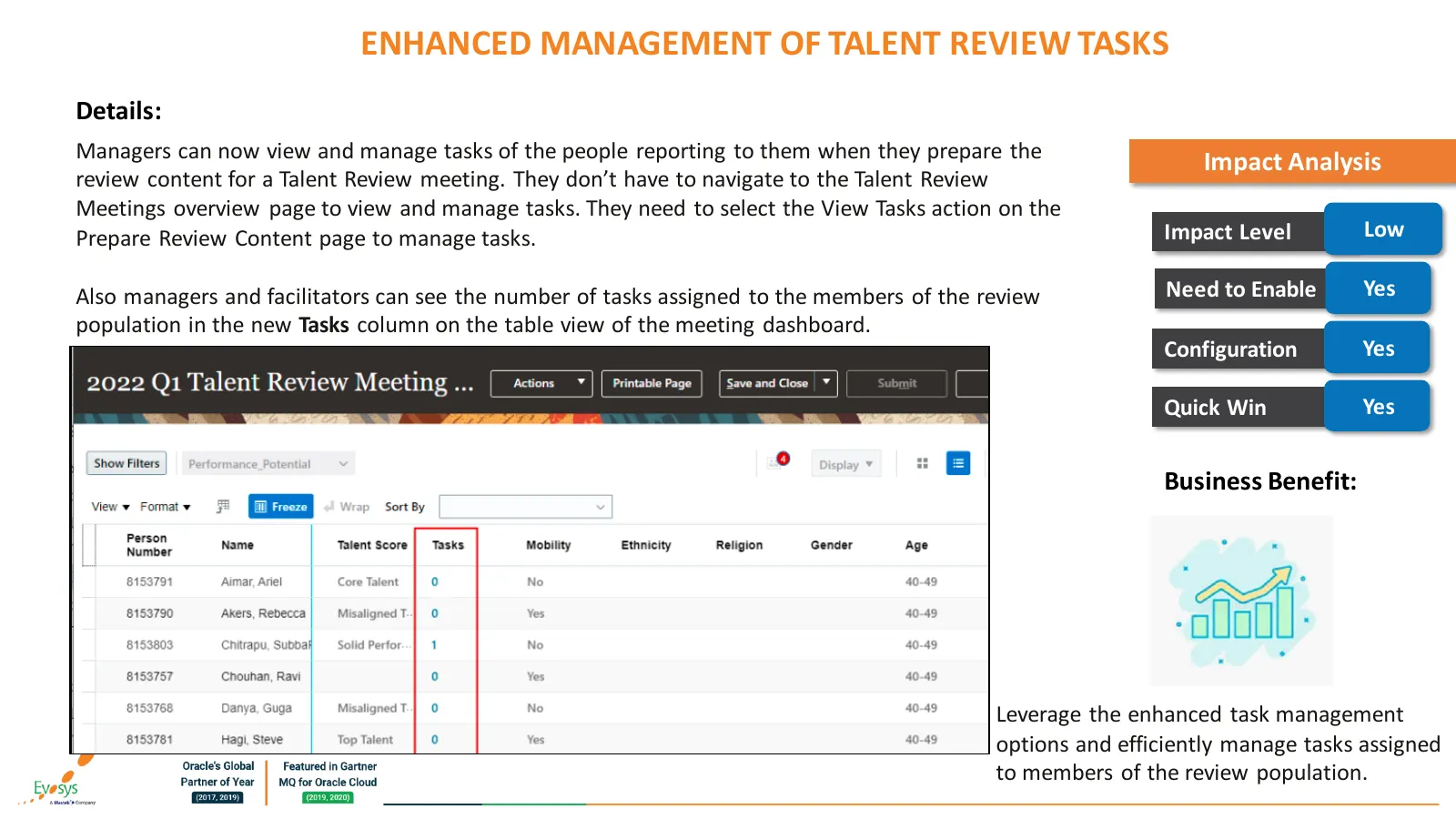
ENHANCED MANAGEMENT OF TALENT REVIEW TASKS Details: Managers can now view and manage tasks of the people reporting to them when they prepare the Impact Analysis review content for a Talent Review meeting. They don’t have to navigate to the Talent Review Meetings overview page to view and manage task
Slide 36: Location Search Criteria Enhancement in Talent Review
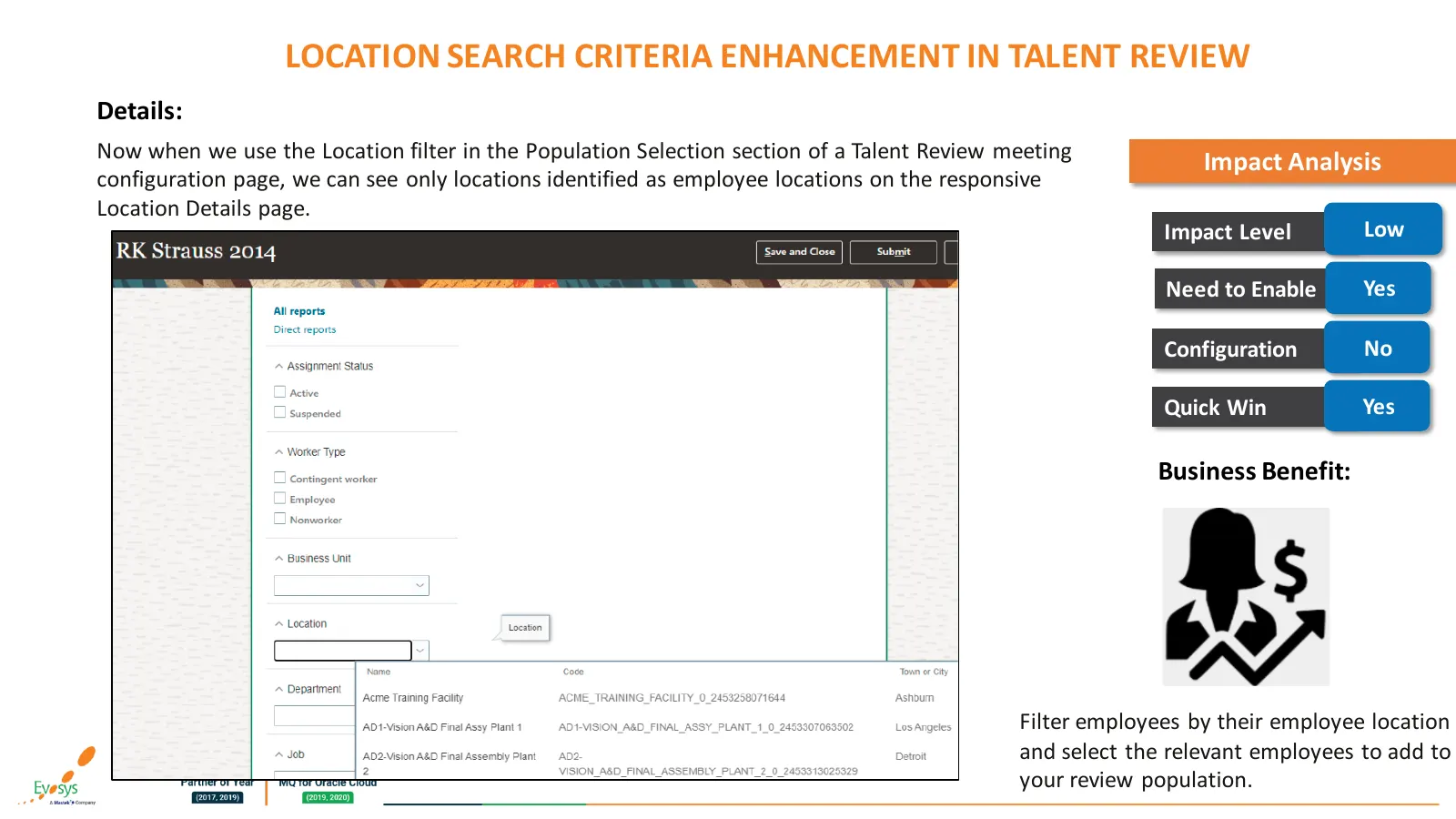
LOCATION SEARCH CRITERIA ENHANCEMENT IN TALENT REVIEW Details: Now when we use the Location filter in the Population Selection section of a Talent Review meeting Impact Analysis configuration page, we can see only locations identified as employee locations on the responsive Location Details page. Im
Slide 37: Performance Goal FYI Notifications
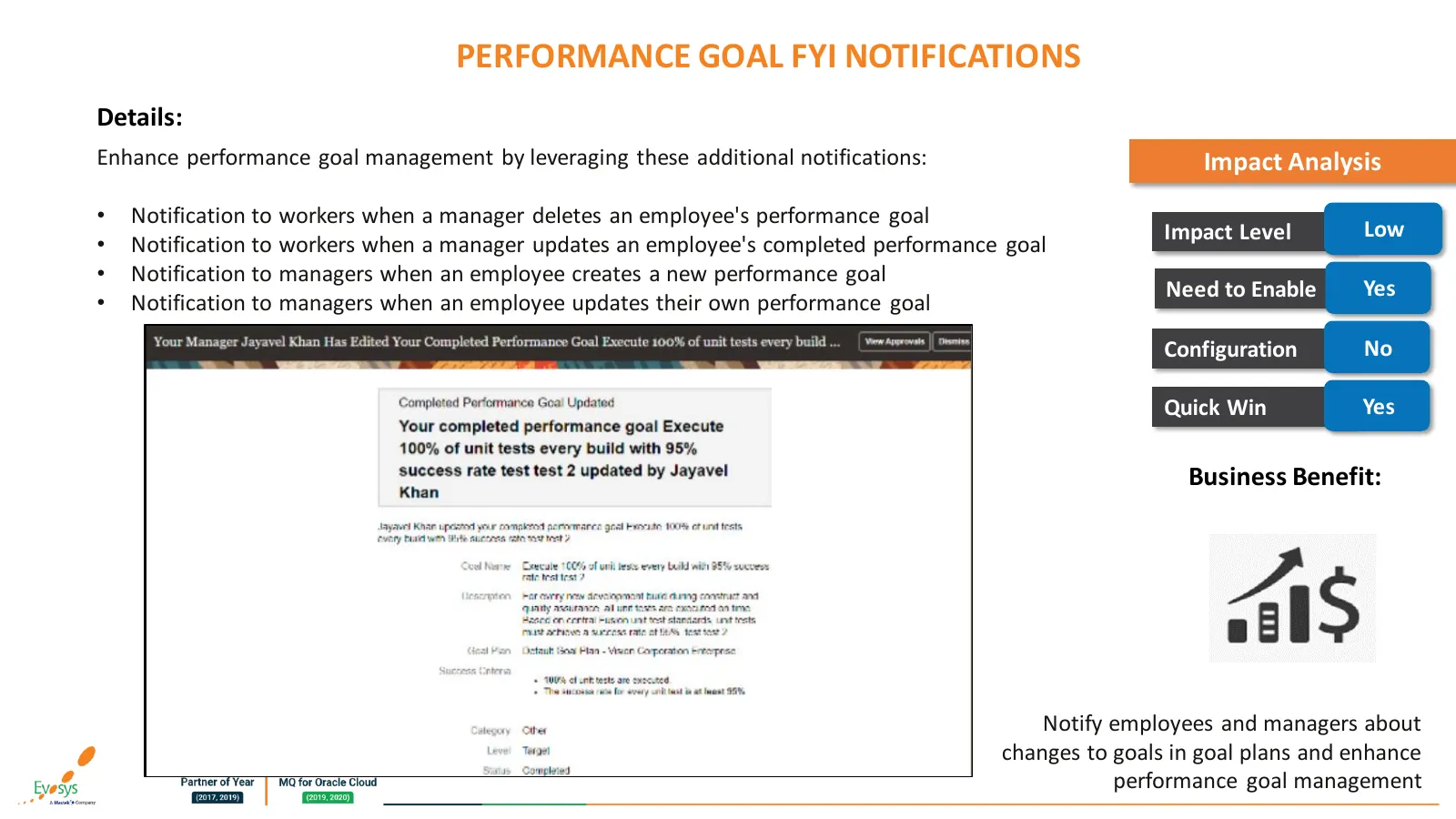
PERFORMANCE GOAL FYI NOTIFICATIONS Details: Enhance performance goal management by leveraging these additional notifications: Impact Analysis • Notification to workers when a manager deletes an employee's performance goal Impact Level Low • Notification to workers when a manager updates an employee'
Slide 38: Launching Offerings from Specializations Enhancement
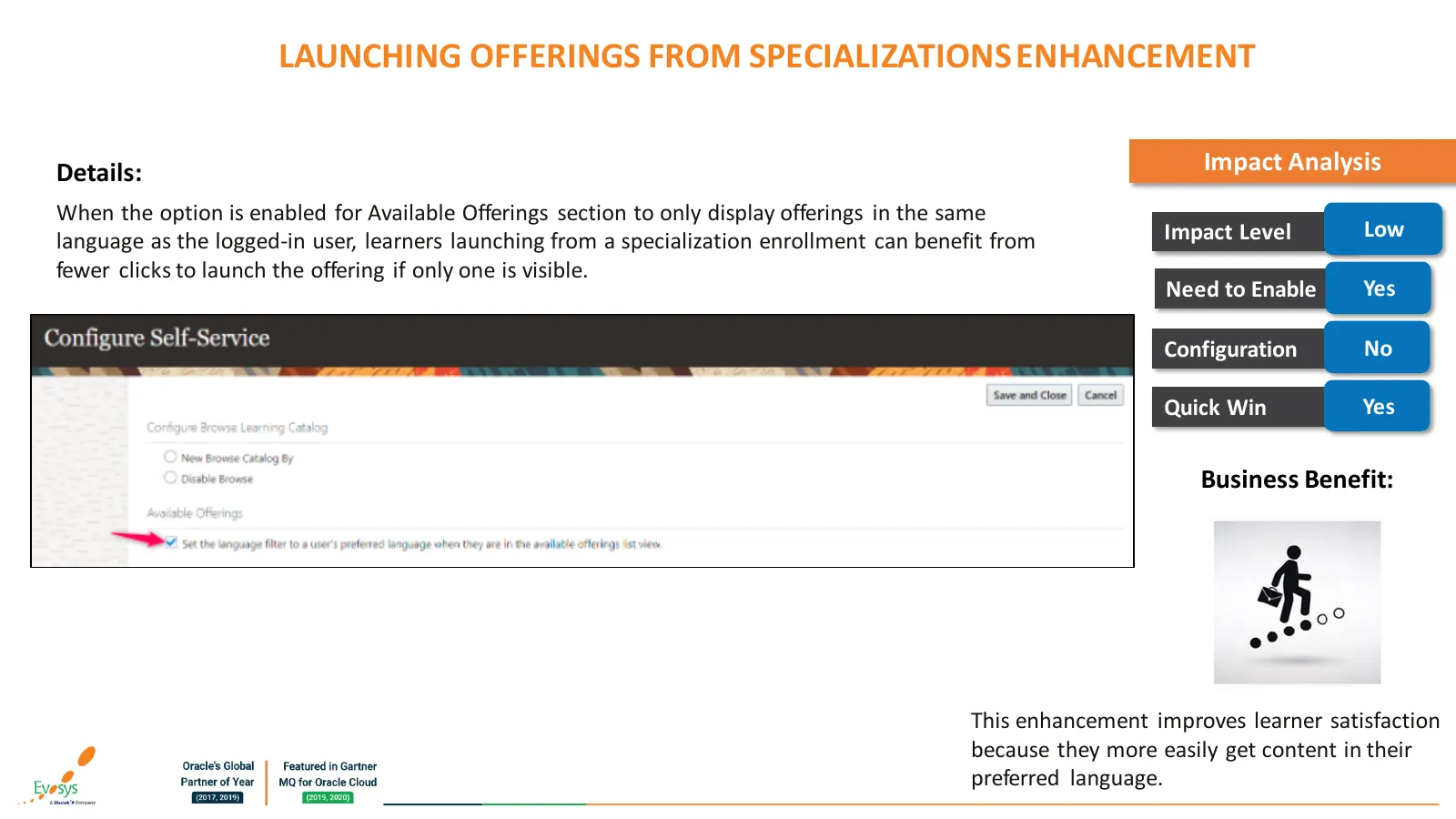
LAUNCHING OFFERINGS FROM SPECIALIZATIONS ENHANCEMENT Details: Impact Analysis When the option is enabled for Available Offerings section to only display offerings in the same language as the logged-in user, learners launching from a specialization enrollment can benefit from Impact Level Low fewer c
Slide 39: Withdrawn and Completion Date Time Zone
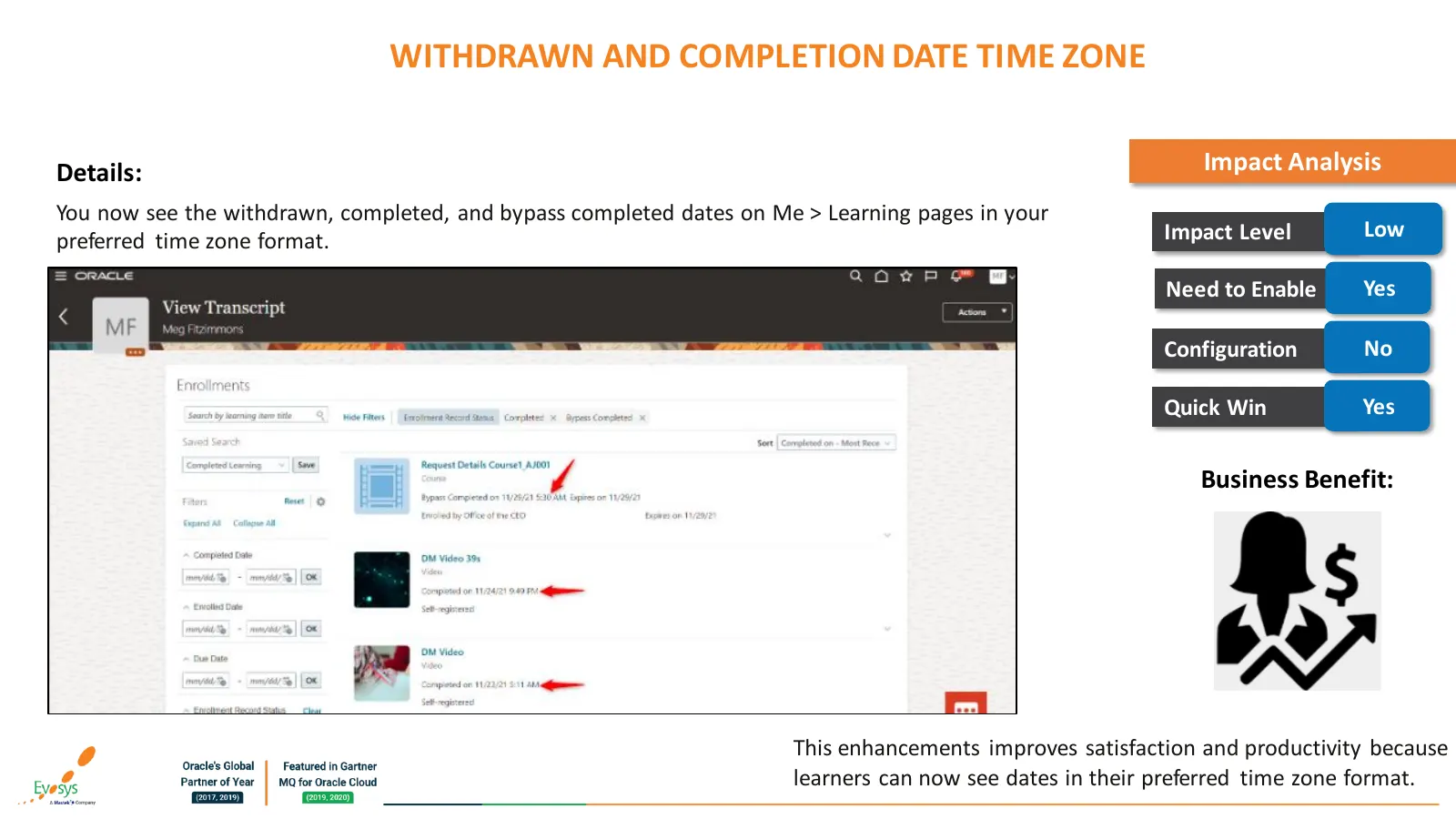
WITHDRAWN AND COMPLETION DATE TIME ZONE Details: Impact Analysis You now see the withdrawn, completed, and bypass completed dates on Me > Learning pages in your preferred time zone format. Impact Level Low Need to Enable Yes Configuration No Quick Win Yes Business Benefit: This enhancements improves
Slide 40: New Features
Oracle's Global | Featured in Gartner Partner of Year | MQ for Oracle Cloud (20172019) (2019, 2020)
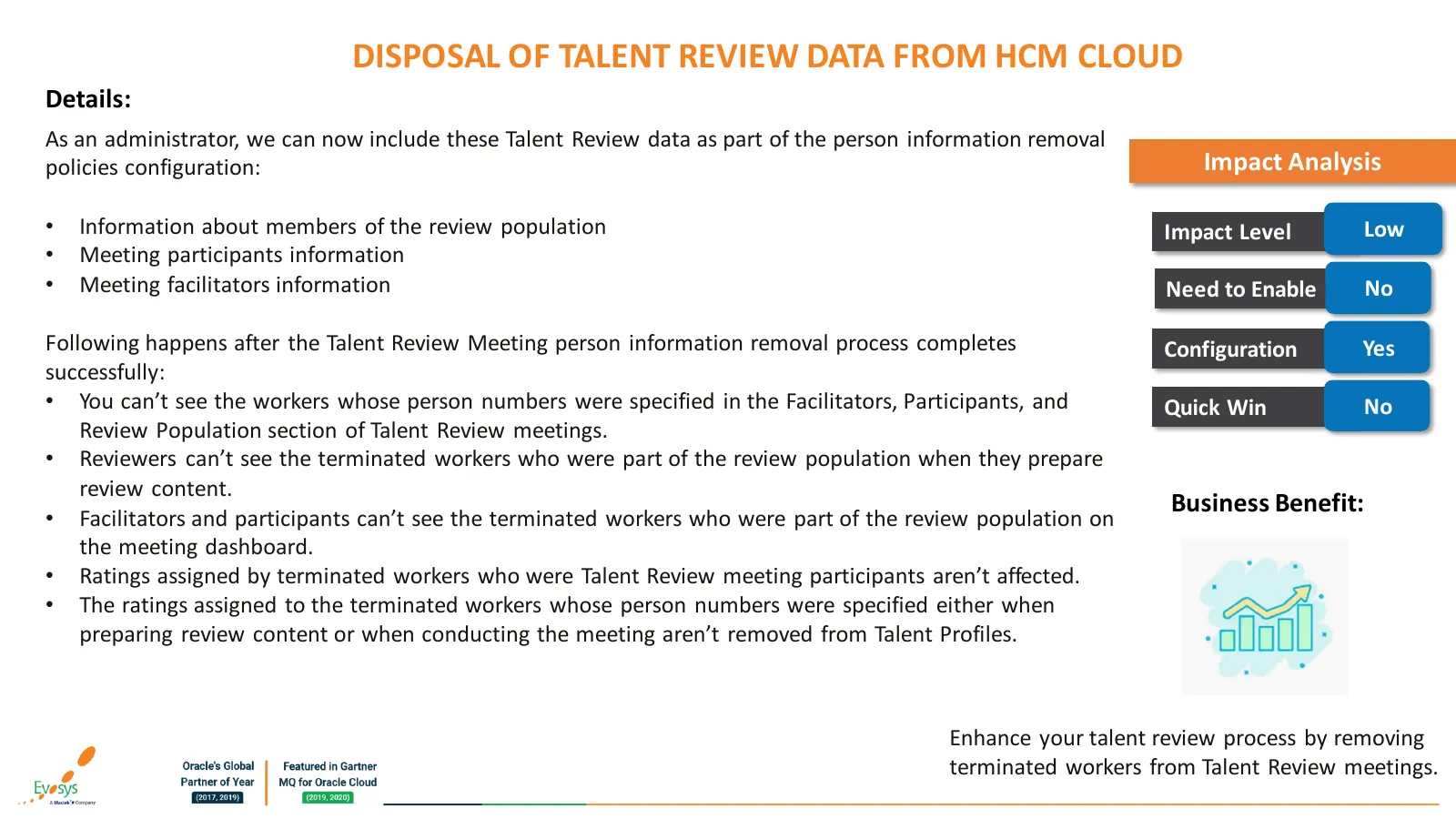
Slide 41: Disposal of Talent Review Data from HCM Cloud
DISPOSAL OF TALENT REVIEW DATA FROM HCM CLOUD Details: As an administrator, we can now include these Talent Review data as part of the person information removal policies configuration: Impact Analysis • Information about members of the review population Impact Level Low • Meeting participants infor
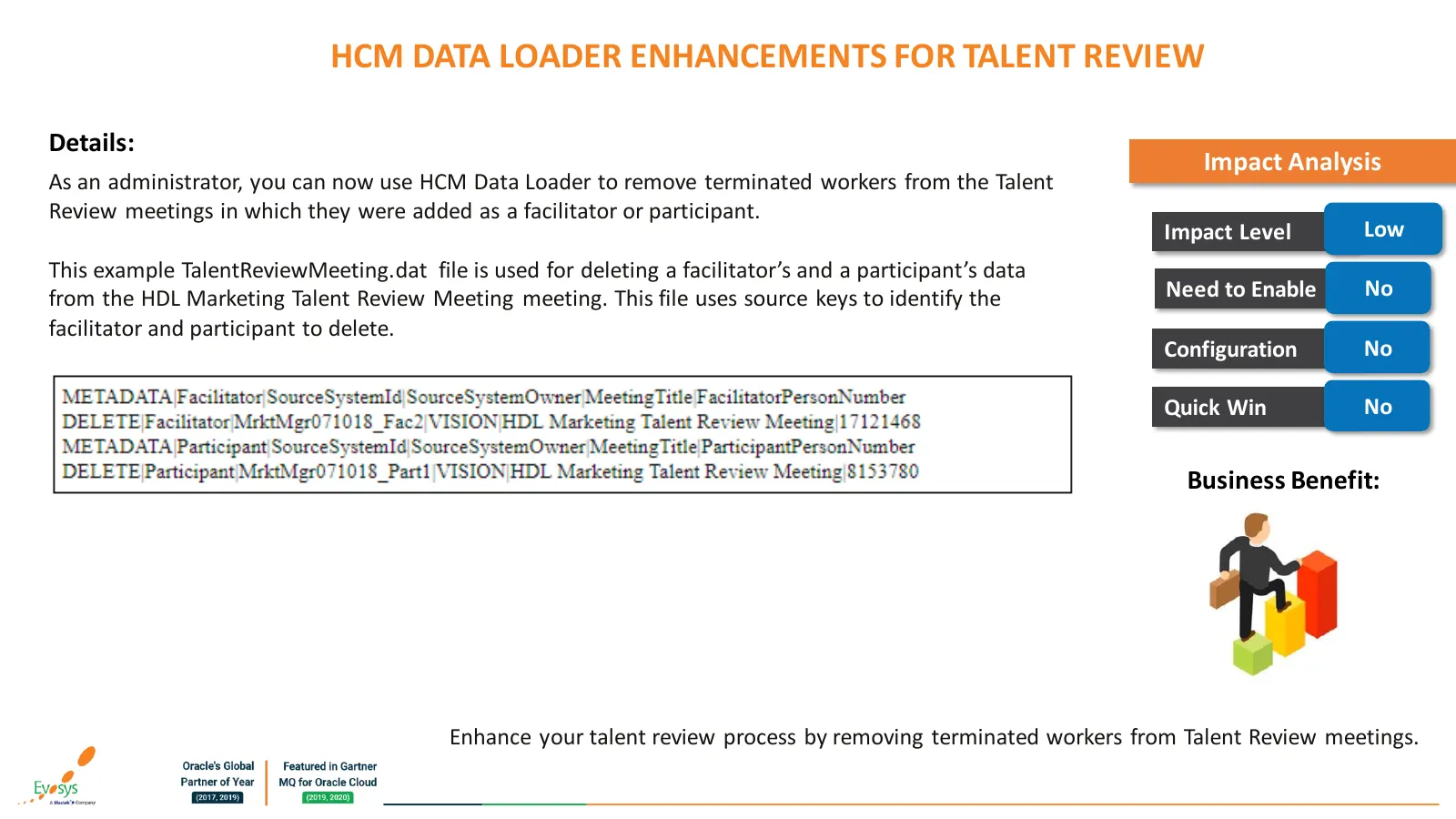
Slide 42: HCM Data Loader Enhancements for Talent Review
HCM DATA LOADER ENHANCEMENTS FOR TALENT REVIEW Details: Impact Analysis As an administrator, you can now use HCM Data Loader to remove terminated workers from the Talent Review meetings in which they were added as a facilitator or participant. Impact Level Low This example TalentReviewMeeting.dat fi
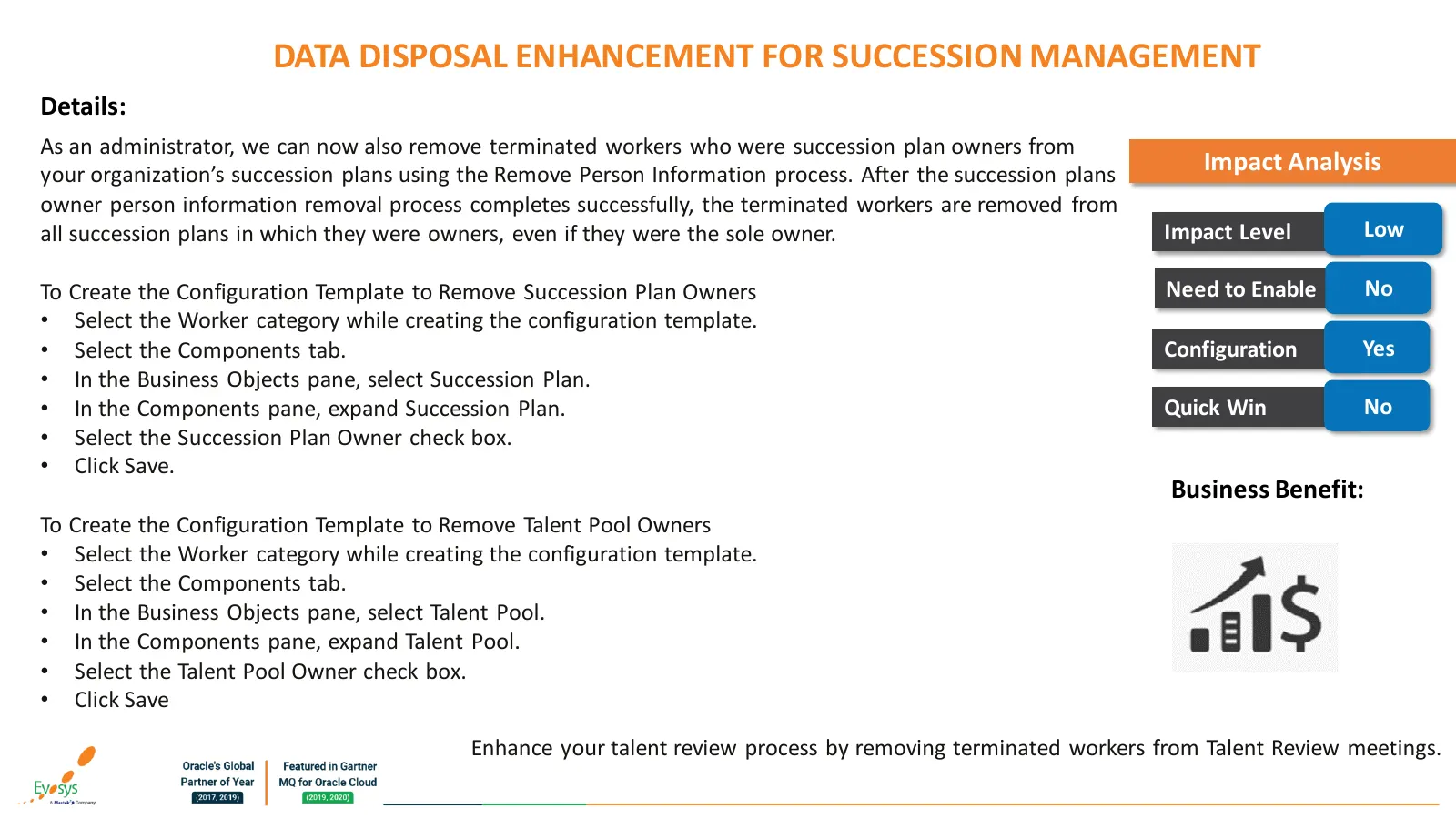
Slide 43: Data Disposal Enhancement for Succession Management
DATA DISPOSAL ENHANCEMENT FOR SUCCESSION MANAGEMENT Details: As an administrator, we can now also remove terminated workers who were succession plan owners from your organization’s succession plans using the Remove Person Information process. After the succession plans Impact Analysis owner person i
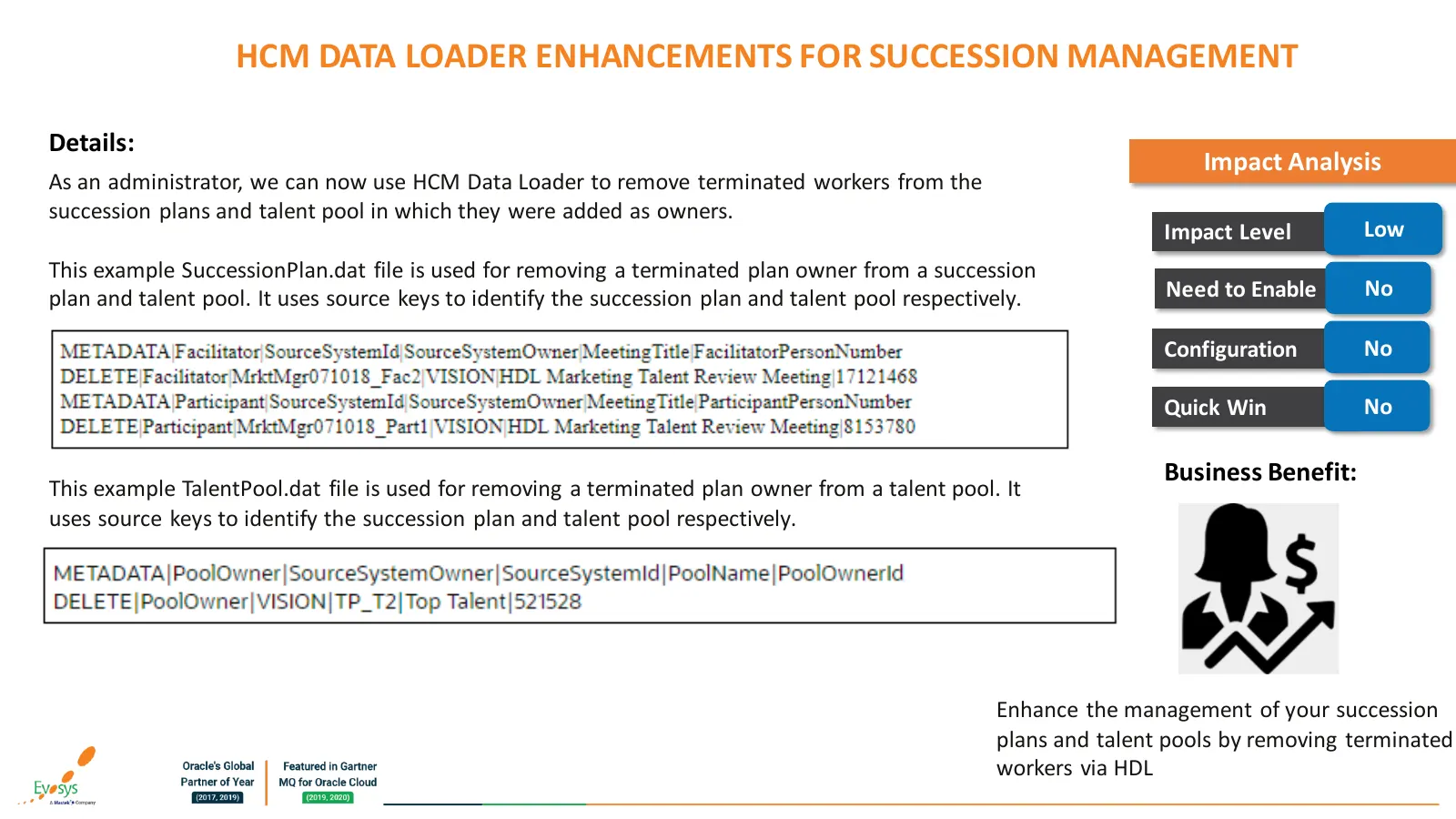
Slide 44: HCM Data Loader Enhancements for Succession Management
HCM DATA LOADER ENHANCEMENTS FOR SUCCESSION MANAGEMENT Details: Impact Analysis As an administrator, we can now use HCM Data Loader to remove terminated workers from the succession plans and talent pool in which they were added as owners. Impact Level Low This example SuccessionPlan.dat file is used
Slide 45: New Attributes in Workforce Performance Subject Areas
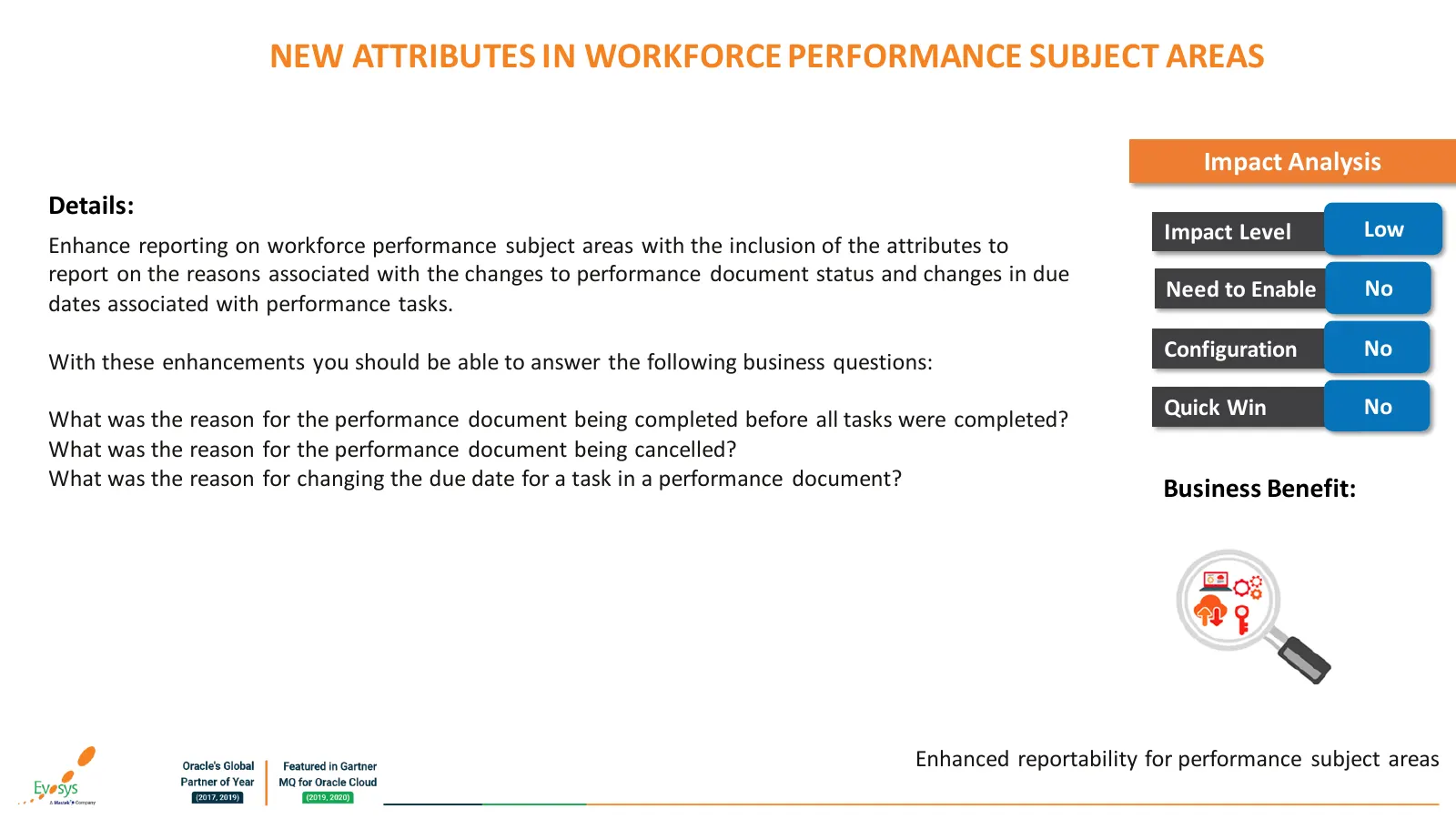
NEW ATTRIBUTES IN WORKFORCE PERFORMANCE SUBJECT AREAS Impact Analysis Details: Impact Level Low Enhance reporting on workforce performance subject areas with the inclusion of the attributes to report on the reasons associated with the changes to performance document status and changes in due Need to
Slide 46: New Attributes in Workforce Performance Subject Areas
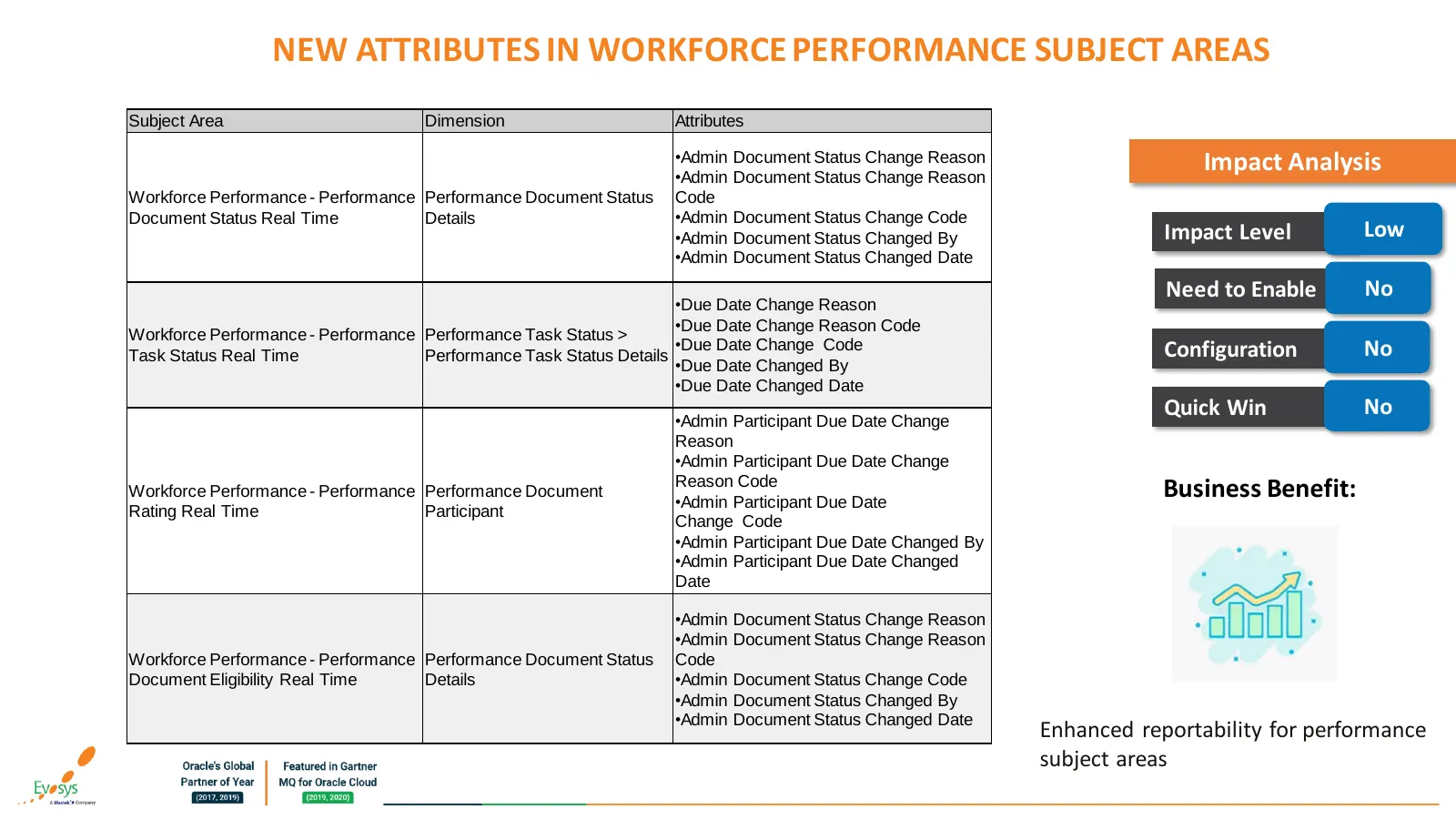
NEW ATTRIBUTES IN WORKFORCE PERFORMANCE SUBJECT AREAS Subject Area Dimension Attributes •Admin Document Status Change Reason Impact Analysis •Admin Document Status Change Reason Workforce Performance - Performance Performance Document Status Code Document Status Real Time Details •Admin Document Sta
Slide 47: Reporting on Profile Content Item Attachments
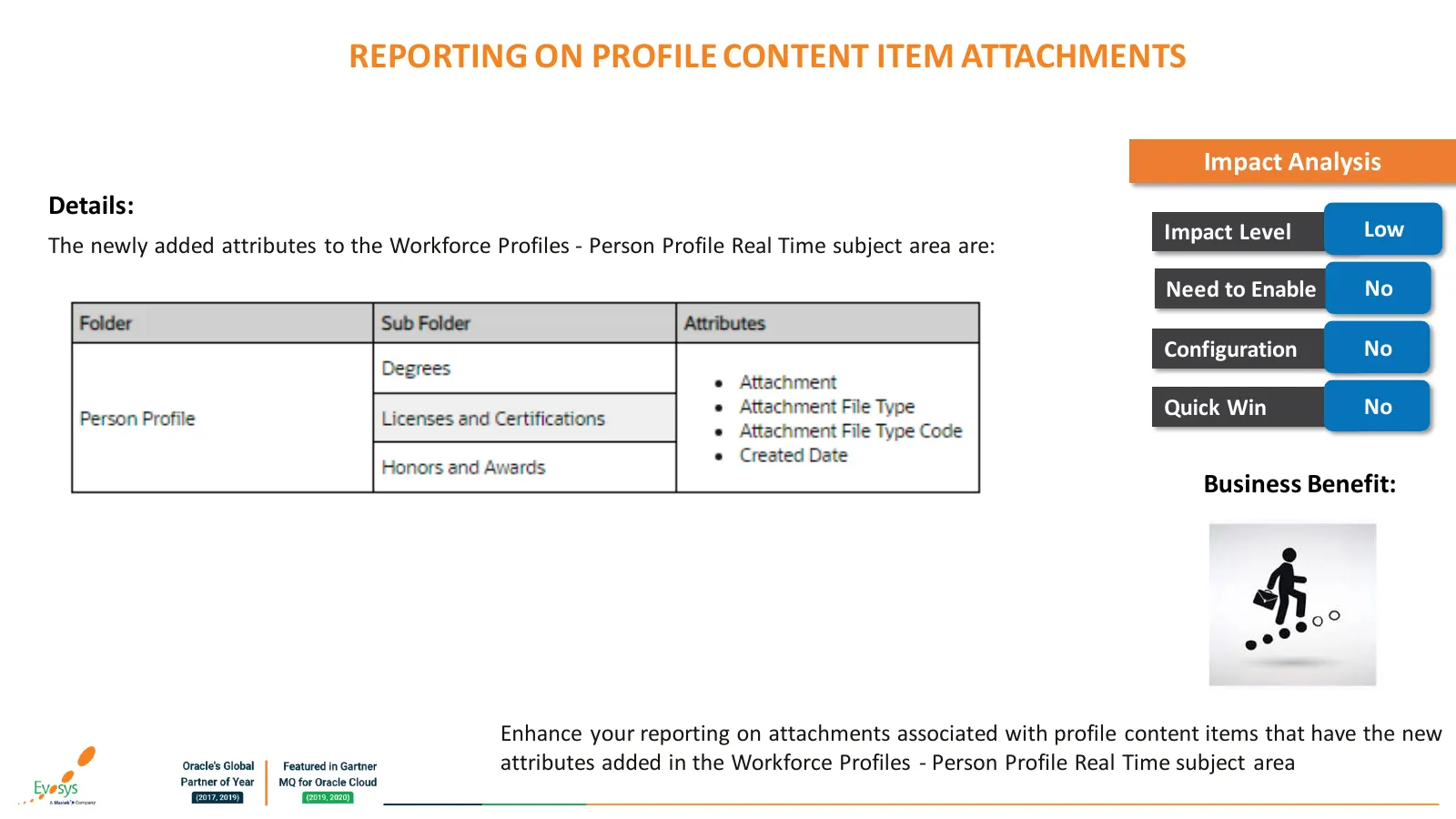
REPORTING ON PROFILE CONTENT ITEM ATTACHMENTS Impact Analysis Details: Impact Level Low The newly added attributes to the Workforce Profiles - Person Profile Real Time subject area are: Need to Enable No Configuration No Quick Win No Business Benefit: Enhance your reporting on attachments associated
Slide 48: Configurable Default Cover Art
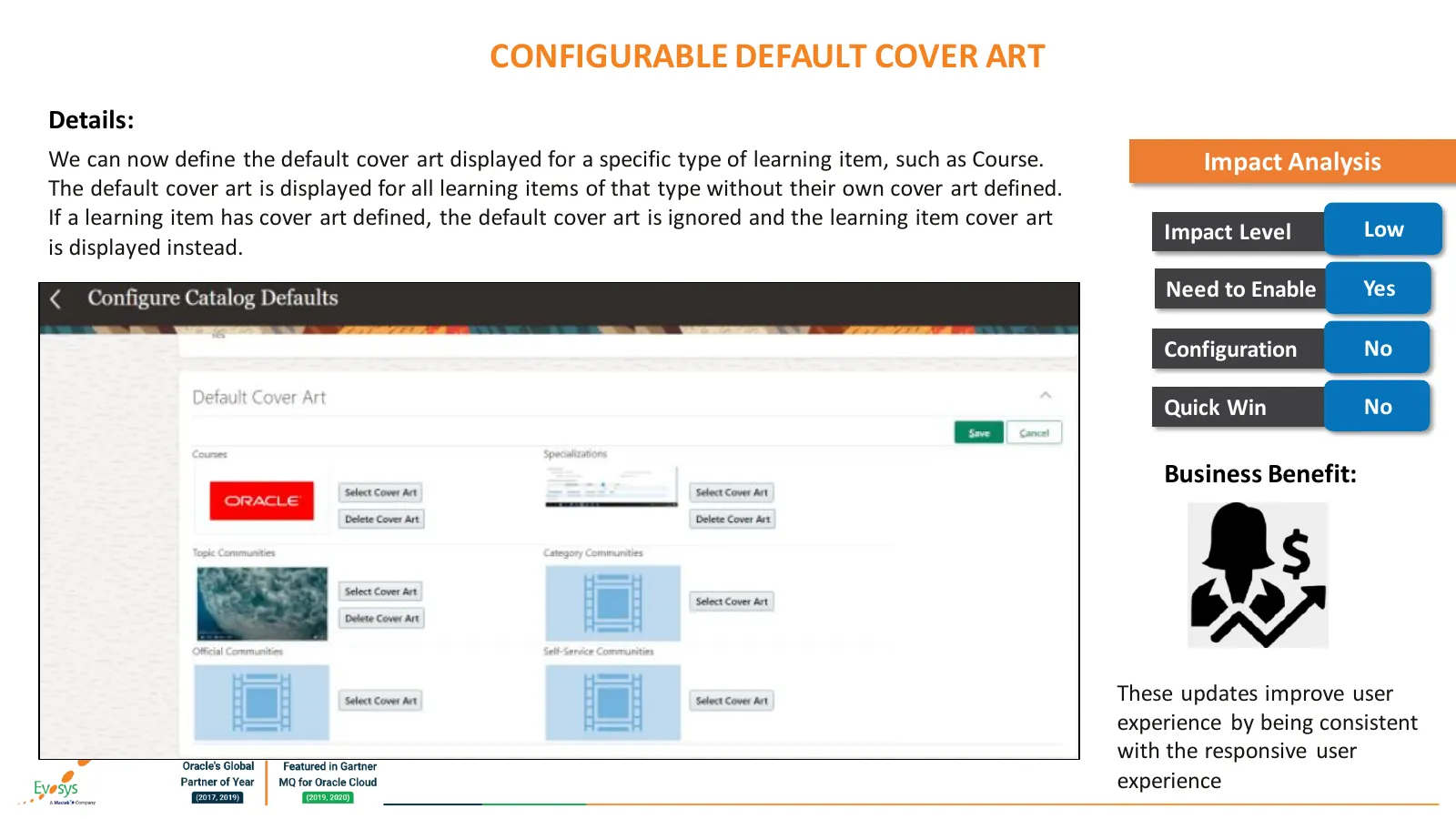
CONFIGURABLE DEFAULT COVER ART Details: We can now define the default cover art displayed for a specific type of learning item, such as Course. Impact Analysis The default cover art is displayed for all learning items of that type without their own cover art defined. If a learning item has cover art
Slide 49: Data Loader Support for Performance Document Section Ratings and Comments
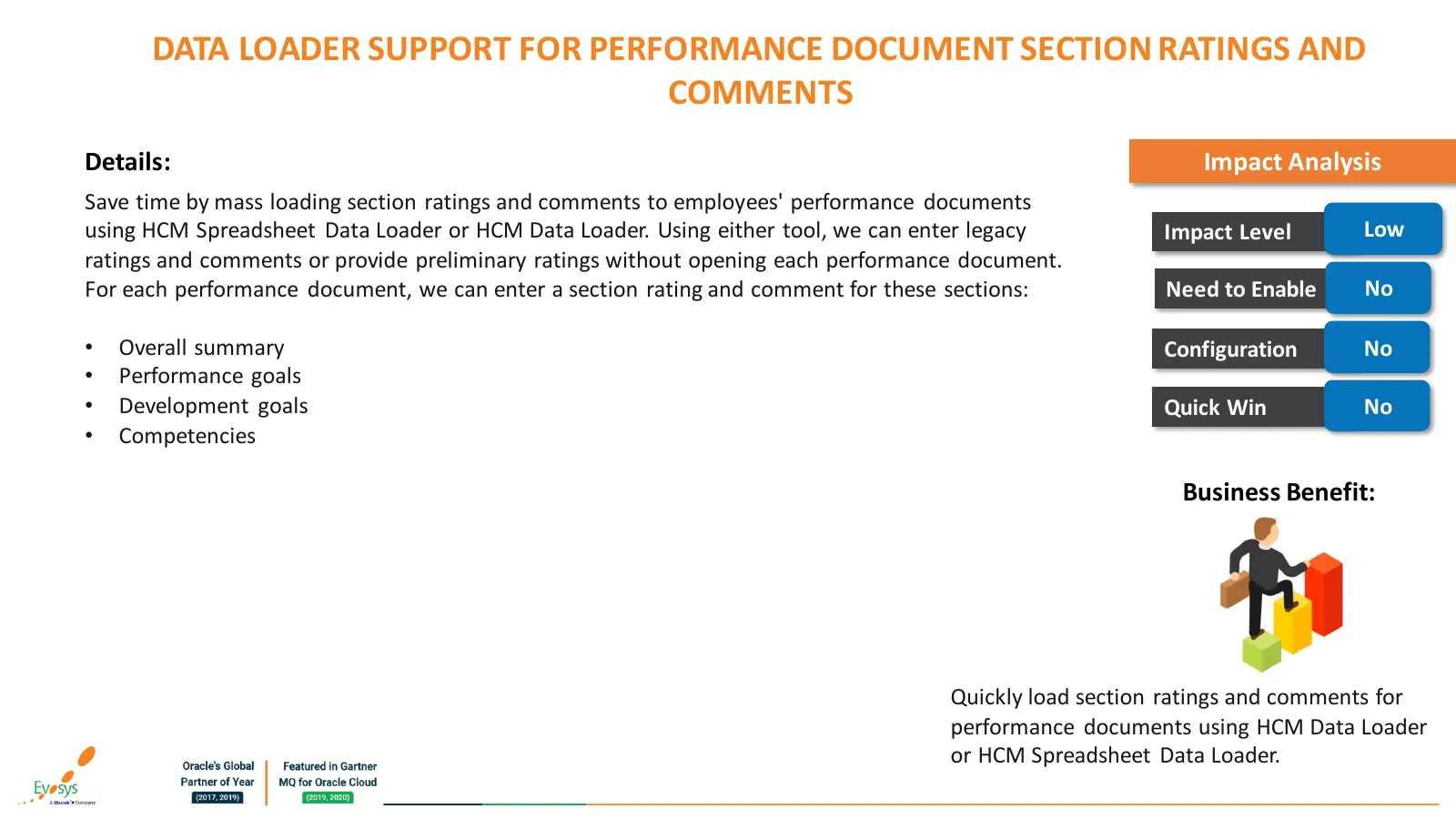
DATA LOADER SUPPORT FOR PERFORMANCE DOCUMENT SECTION RATINGS AND COMMENTS Details: Impact Analysis Save time by mass loading section ratings and comments to employees' performance documents using HCM Spreadsheet Data Loader or HCM Data Loader. Using either tool, we can enter legacy Impact Level Low
Slide 50: Custom Talent Ratings in Talent Review
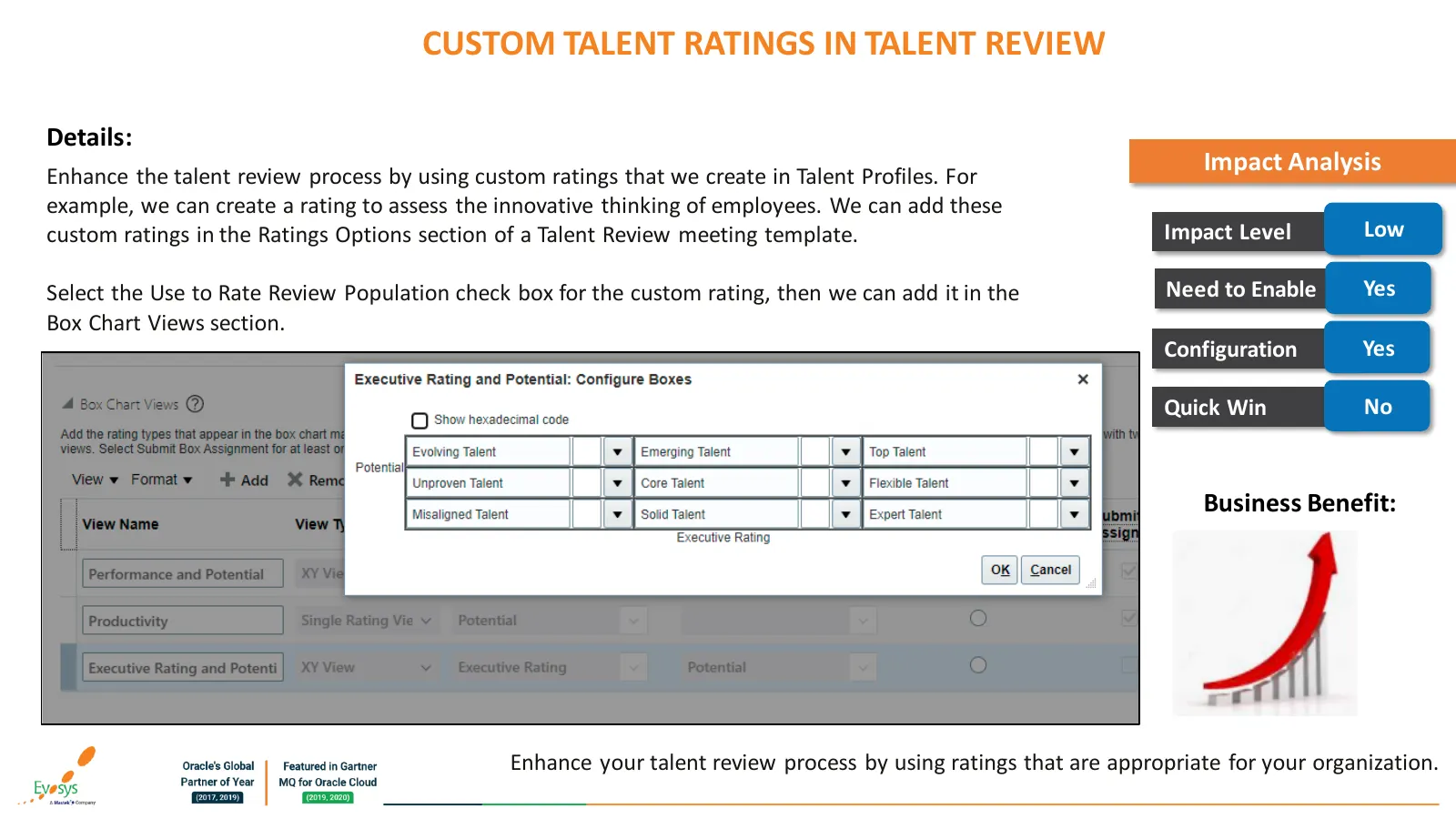
CUSTOM TALENT RATINGS IN TALENT REVIEW Details: Enhance the talent review process by using custom ratings that we create in Talent Profiles. For Impact Analysis example, we can create a rating to assess the innovative thinking of employees. We can add these custom ratings in the Ratings Options sect
Slide 51: Autocomplete Rules for Goal Management Business Objects
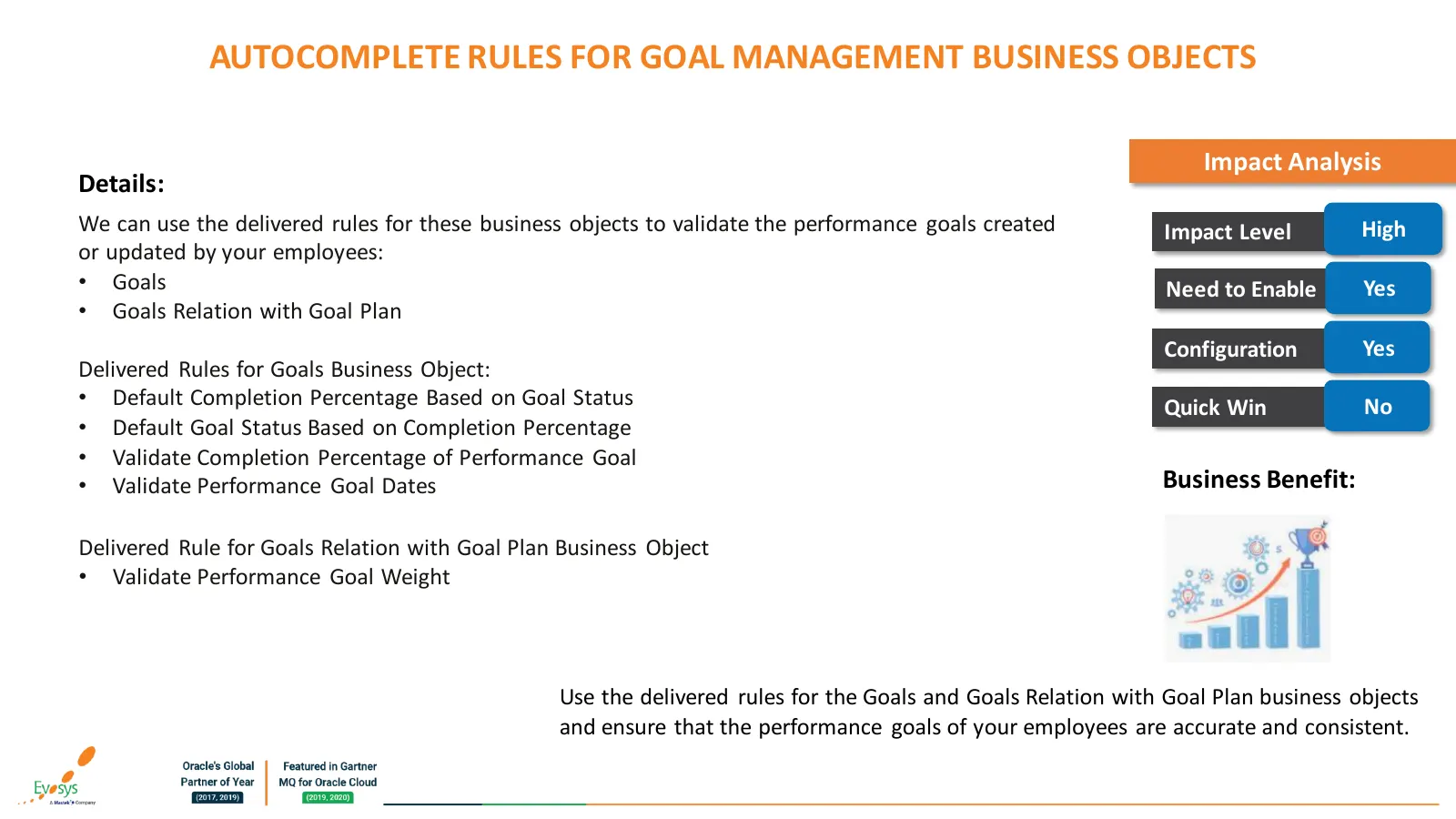
AUTOCOMPLETE RULES FOR GOAL MANAGEMENT BUSINESS OBJECTS Impact Analysis Details: We can use the delivered rules for these business objects to validate the performance goals created Impact Level High or updated by your employees: • Goals Need to Enable Yes • Goals Relation with Goal Plan Configuratio
Slide 52: Succession Organization Chart Enhancements
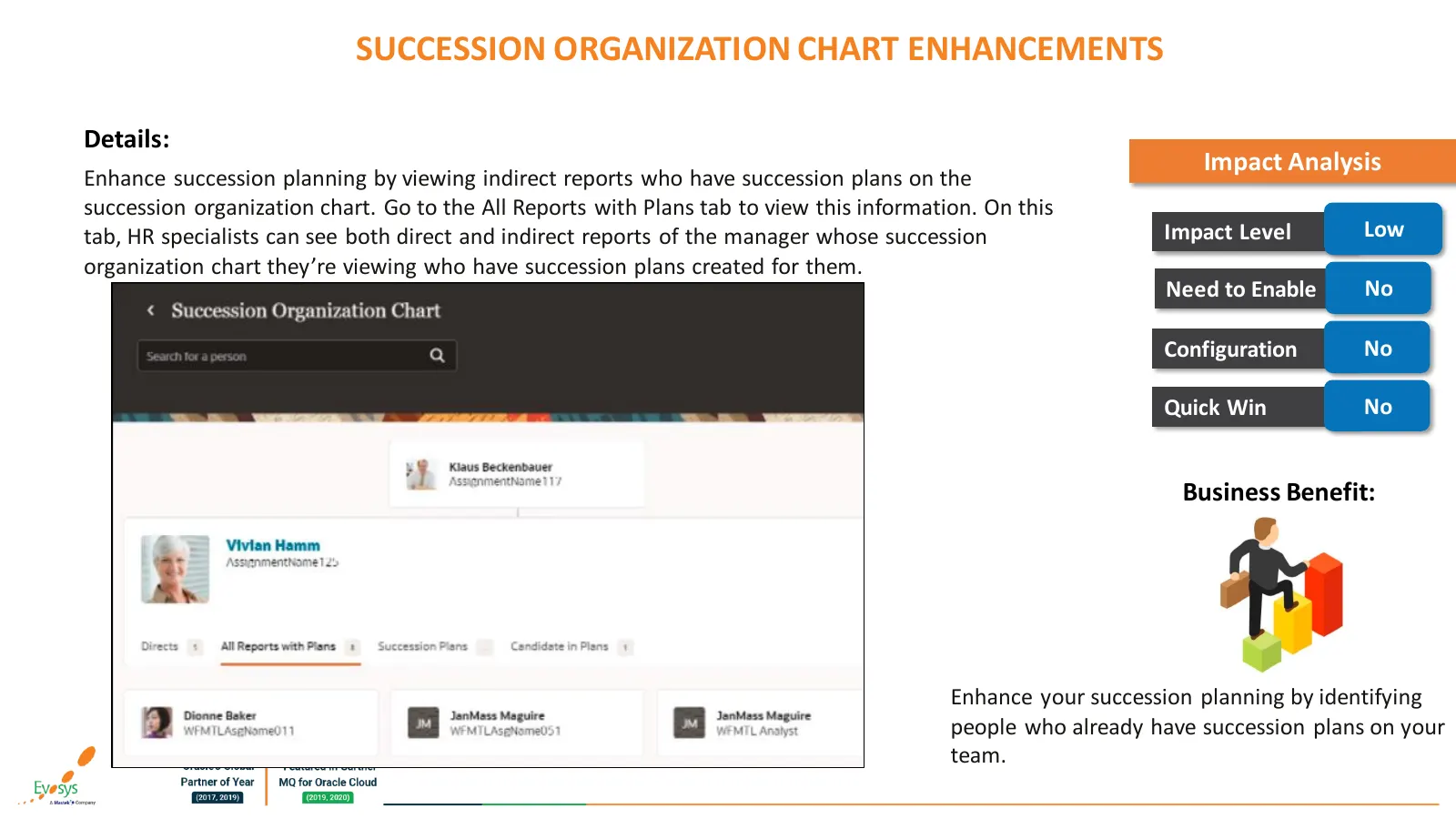
SUCCESSION ORGANIZATION CHART ENHANCEMENTS Details: Impact Analysis Enhance succession planning by viewing indirect reports who have succession plans on the succession organization chart. Go to the All Reports with Plans tab to view this information. On this tab, HR specialists can see both direct a
Slide 53: Observation Checklist Configuration Details
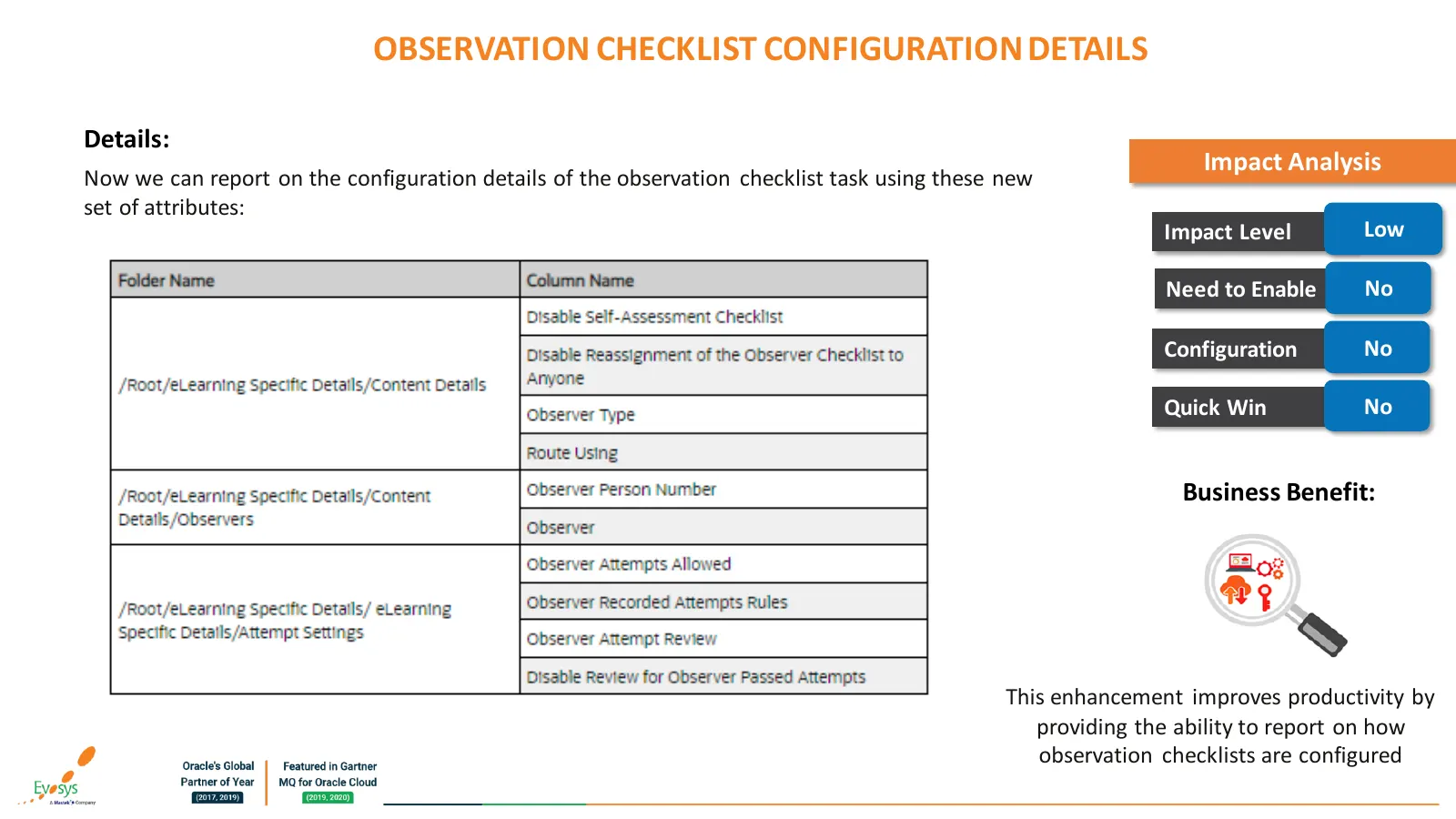
OBSERVATION CHECKLIST CONFIGURATION DETAILS Details: Impact Analysis Now we can report on the configuration details of the observation checklist task using these new set of attributes: Impact Level Low Need to Enable No Configuration No Quick Win No Business Benefit: This enhancement improves produc
Slide 54: Related Enrollment Details
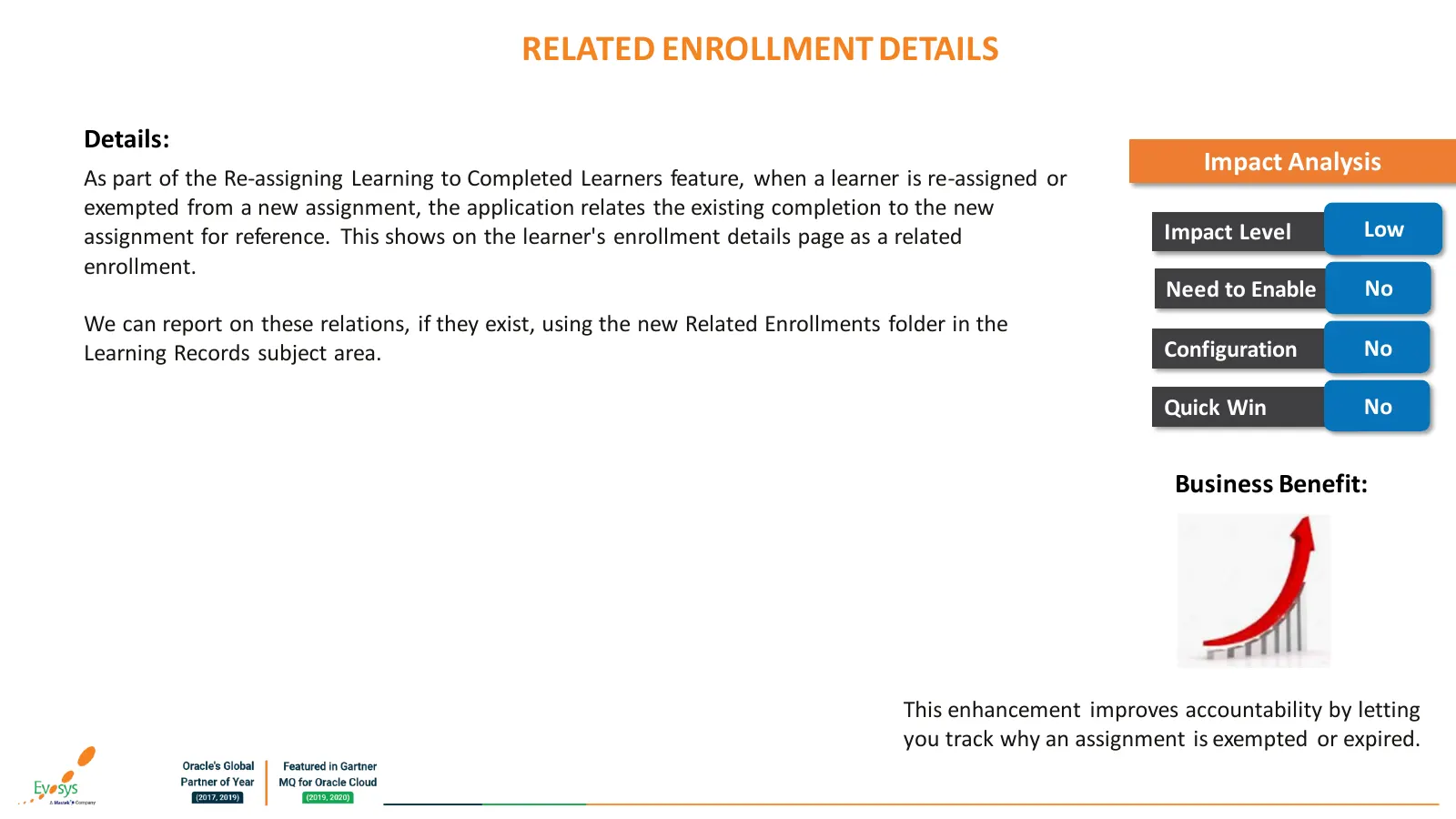
RELATED ENROLLMENT DETAILS Details: Impact Analysis As part of the Re-assigning Learning to Completed Learners feature, when a learner is re-assigned or exempted from a new assignment, the application relates the existing completion to the new assignment for reference. This shows on the learner's en
Slide 55: Microsoft Teams Virtual Classroom Provider
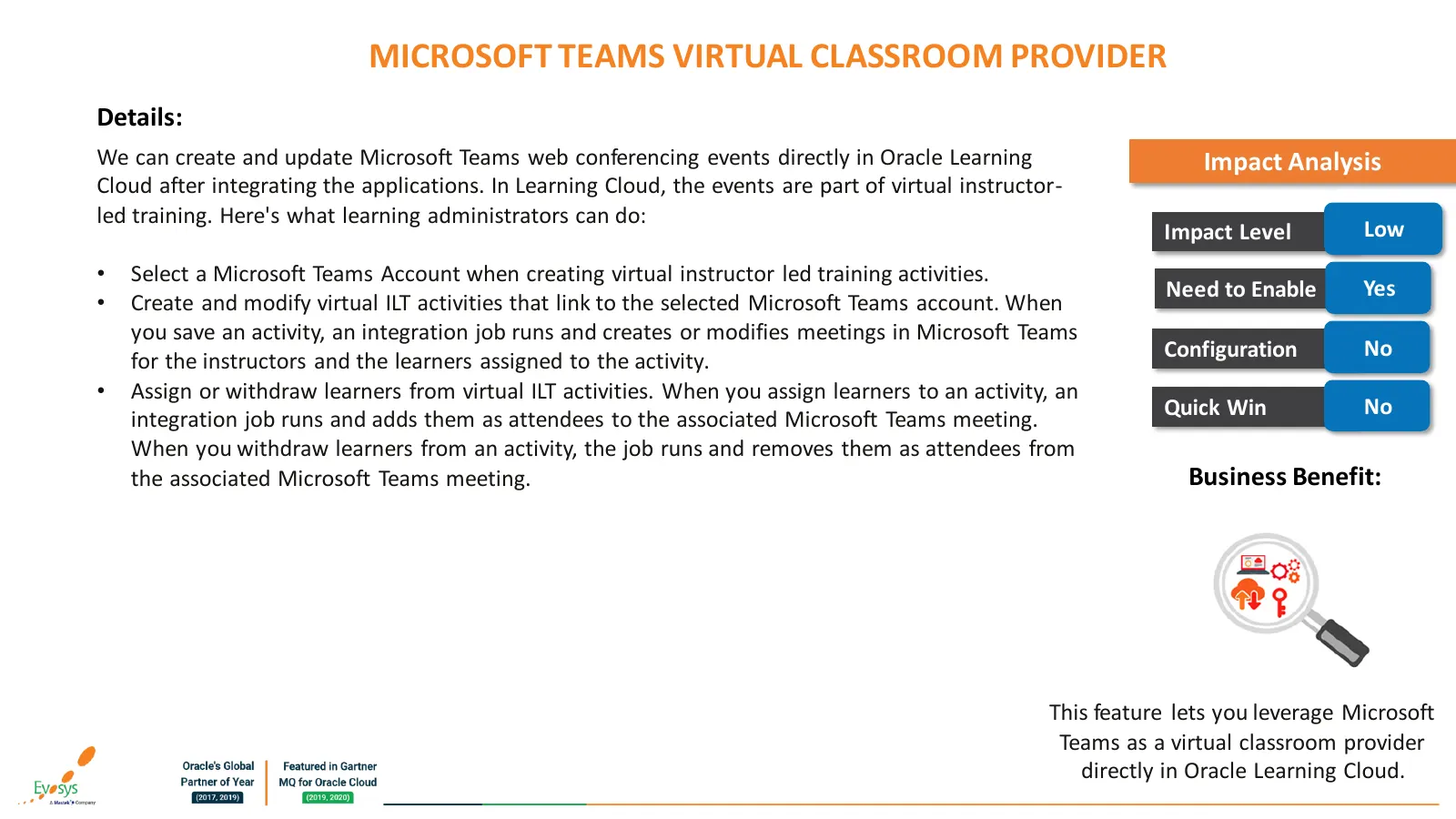
MICROSOFT TEAMS VIRTUAL CLASSROOM PROVIDER Details: We can create and update Microsoft Teams web conferencing events directly in Oracle Learning Impact Analysis Cloud after integrating the applications. In Learning Cloud, the events are part of virtual instructor- led training. Here's what learning
Slide 56: BizLibrary Learning Content Provider Integration
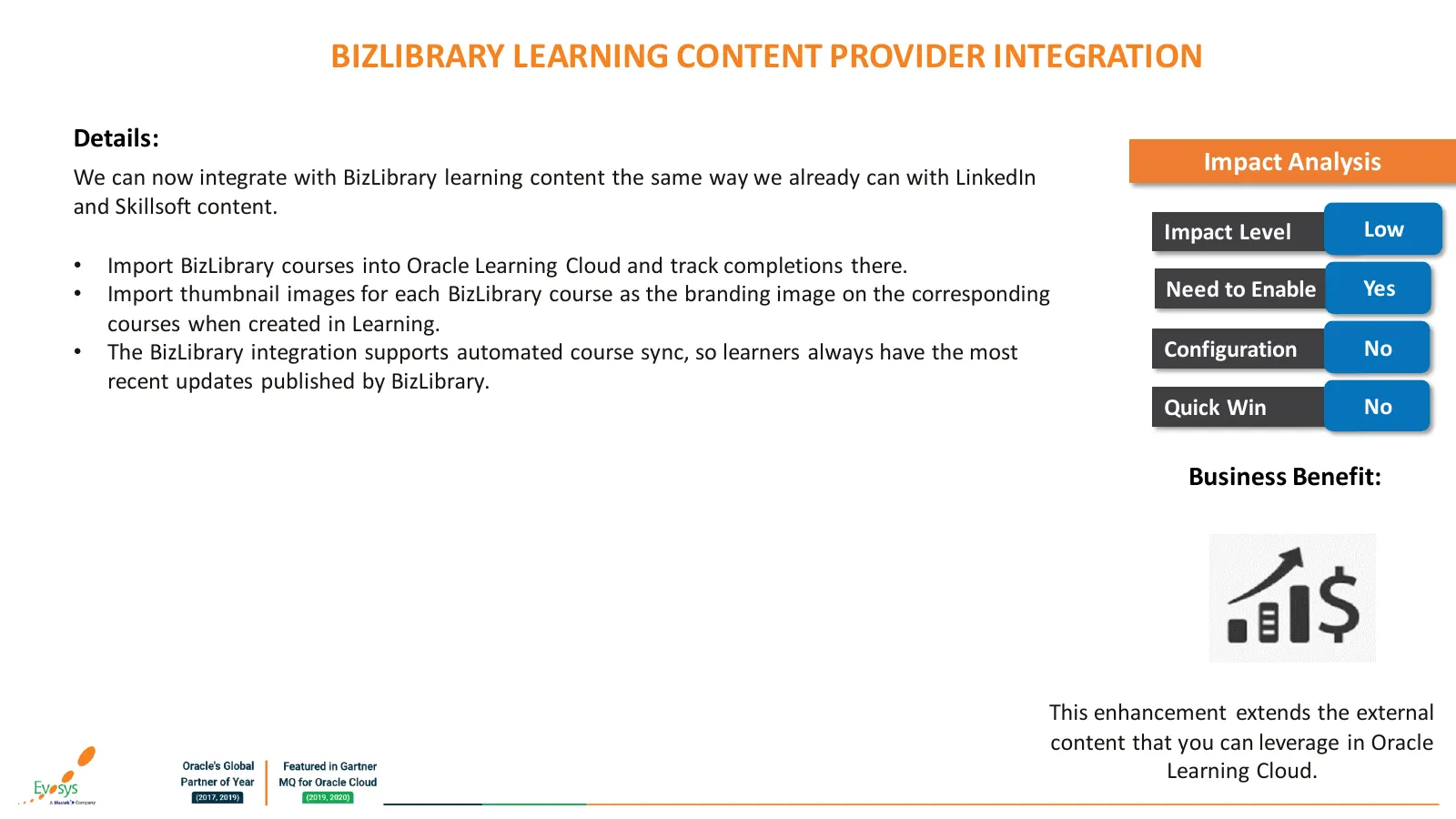
BIZLIBRARY LEARNING CONTENT PROVIDER INTEGRATION Details: Impact Analysis We can now integrate with BizLibrary learning content the same way we already can with LinkedIn and Skillsoft content. Impact Level Low • Import BizLibrary courses into Oracle Learning Cloud and track completions there. • Impo
Slide 57: OpenSesame Learning Content Provider Integration
OPENSESAME LEARNING CONTENT PROVIDER INTEGRATION Details: Impact Analysis We can now integrate with OpenSesame learning content the same way we already can with LinkedIn and Skillsoft content. Impact Level Low • Import OpenSesame courses into Oracle Learning Cloud and track completions there. • Impo
Slide 58: Intuition Learning Content Provider Integration
INTUITION LEARNING CONTENT PROVIDER INTEGRATION Details: Impact Analysis We can now integrate with Intuition learning content the same way you already can with LinkedIn and Skillsoft content. Impact Level Low • Import Intuition courses into Oracle Learning Cloud and track completions there. • Import
Slide 59: Removed Features
Oracle's Global | Featured in Gartner Partner of Year | MQ for Oracle Cloud (20172019) (2019, 2020)
Slide 60: Recommendation Event Alert Removal
RECOMMENDATION EVENT ALERT REMOVAL Impact Analysis Details: Impact Level Low Send recommendation alerts using only the recommendation resource. As initially communicated in the 21D November maintenance pack, you can no longer send recommendation event alerts. Need to Enable No Configuration No Quick
Slide 61: Closing
Oracle's Global | Featured in Gartner Partner of Year | MQ for Oracle Cloud (2017.2013)
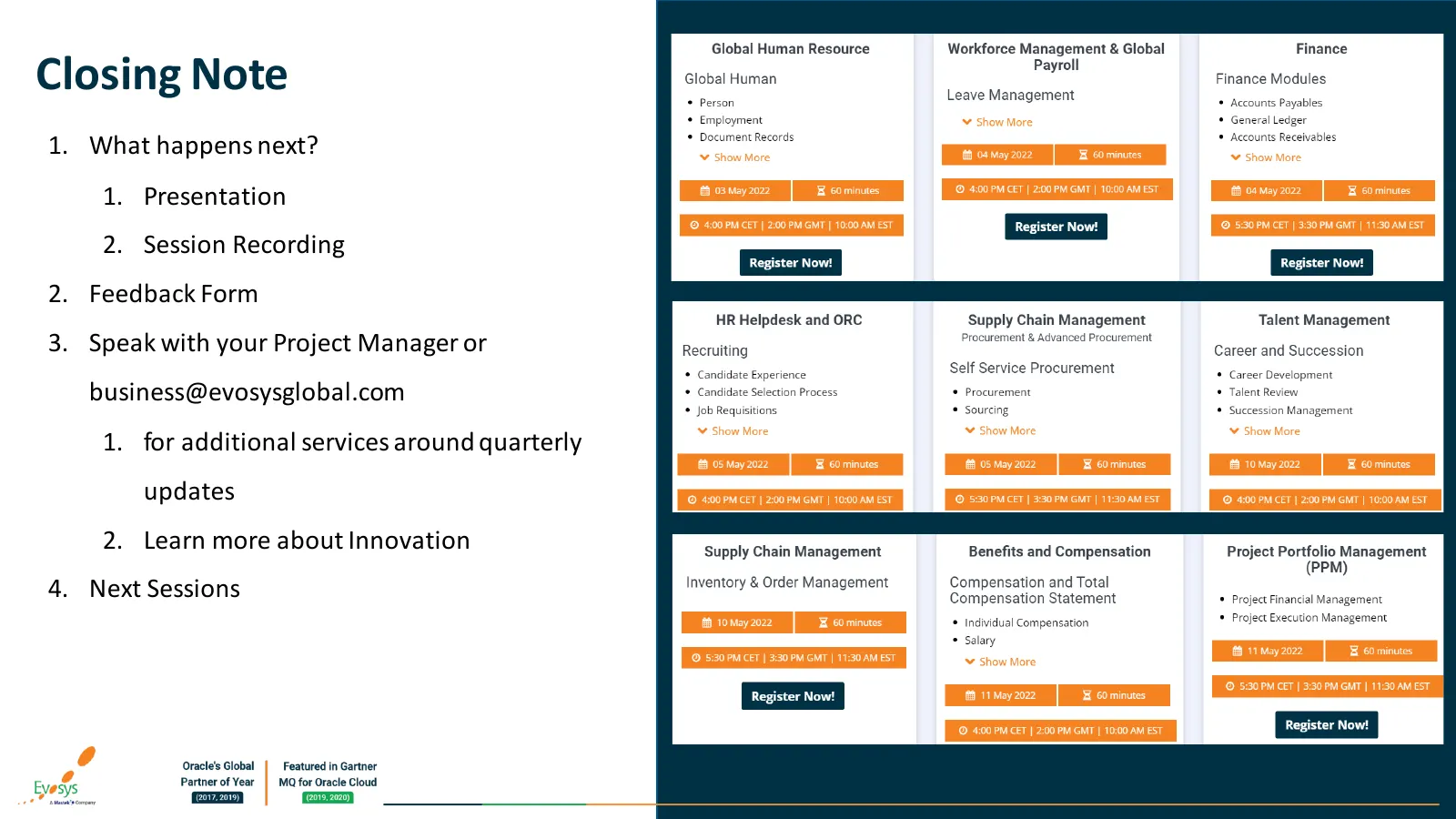
Slide 62: Closing Note
Closing Note 1. What happens next? 1. Presentation 2. Session Recording 2. Feedback Form 3. Speak with your Project Manager or business@evosysglobal.com 1. for additional services around quarterly updates 2. Learn more about Innovation 4. Next Sessions

Slide 63: Evosys is here to help you!
EVOSYS is here to help you! It is always best to clear your doubts Thank You! Contact Us +44 2080043670 www.evosysglobal.com business@evosysglobal.com
Source: Internet Archive copy of mastek.com
More decks from Mastek Limited
 Q2 FY2027 Earnings Presentation18 slides · Oct 23, 2026
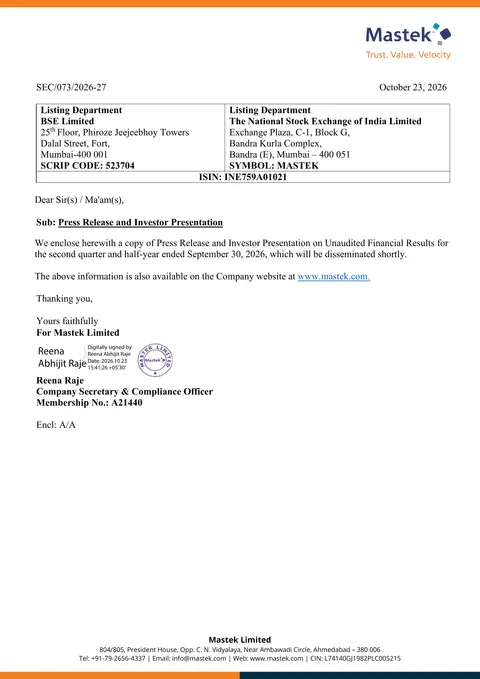 Q2 FY2027 Earnings Presentation25 slides · Oct 23, 2026
 Q1 FY27 Earnings Presentation31 slides · Jul 21, 2026
 Q1 FY2027 Earnings Presentation23 slides · Jul 21, 2026
 Q4 FY26 Earnings Presentation37 slides · Apr 18, 2026
 Q4 FY26 Earnings Presentation28 slides · Apr 17, 2026