Ryder System, Inc. · NYSE:R
Ryder System — Technical Presentation (July 2012)
72 slides from Ryder System's technical presentation, July 2012
Slide 1: HOS Plus One Training
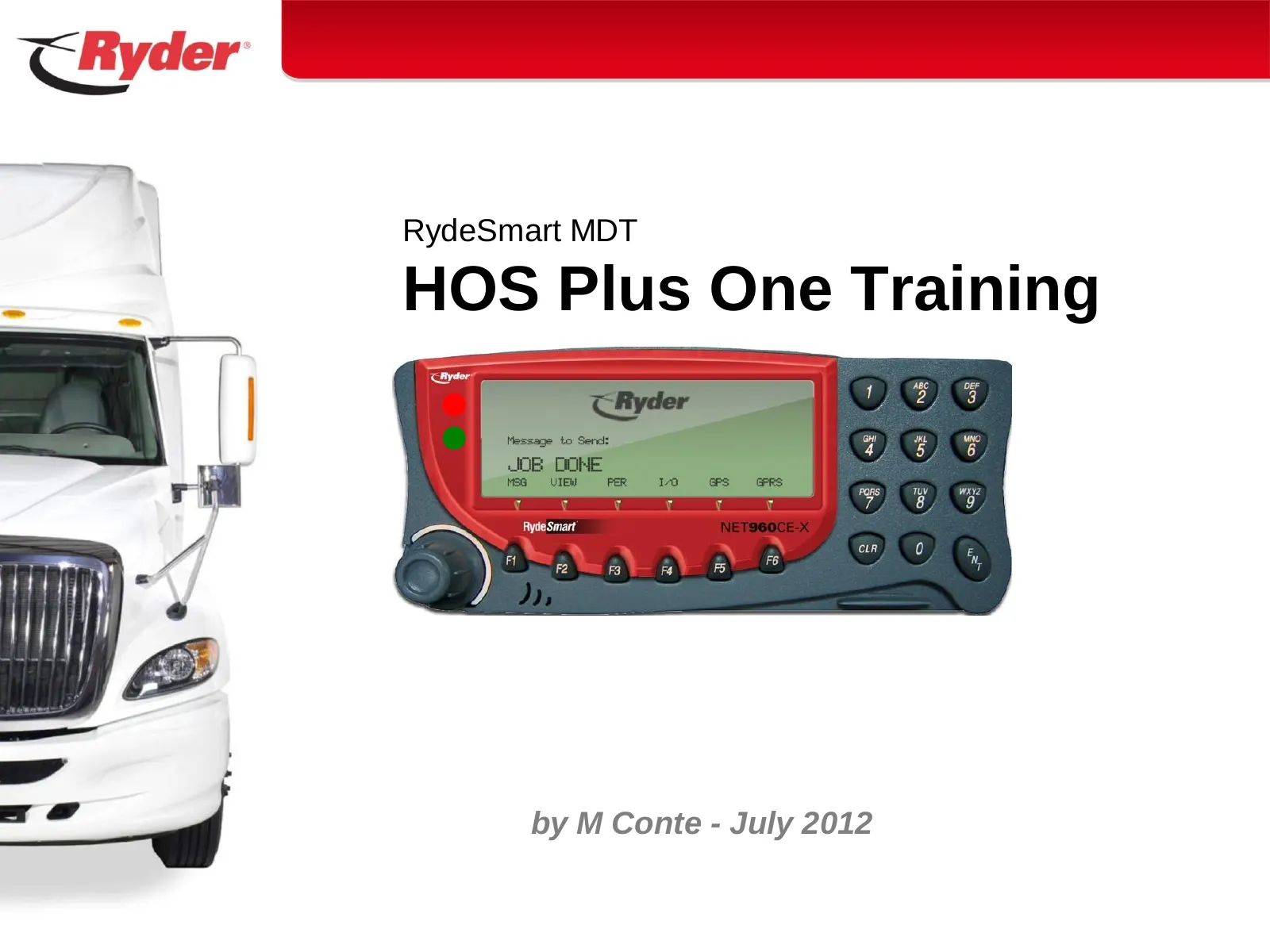
RydeSmart MDT HOS Plus One Training by M Conte - July 2012
Slide 2: MDT (Message Display Terminal)
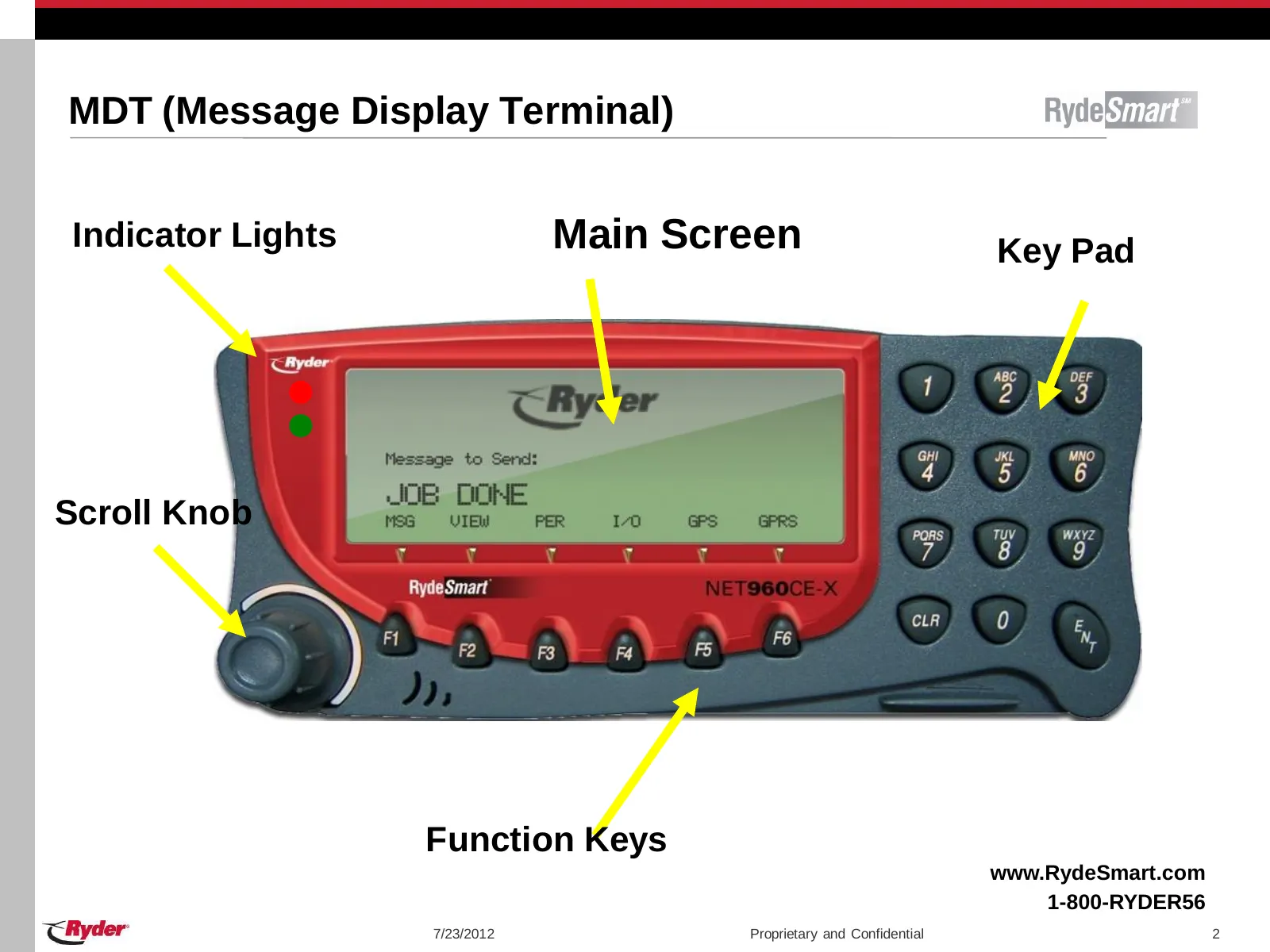
MDT (Message Display Terminal) Indicator Lights Main Screen Key Pad Scroll Knob Function Keys www.RydeSmart.com 1-800-RYDER56 7/23/2012 Proprietary and Confidential 2
Slide 3: Fault Indicator Light / FIL (Video)
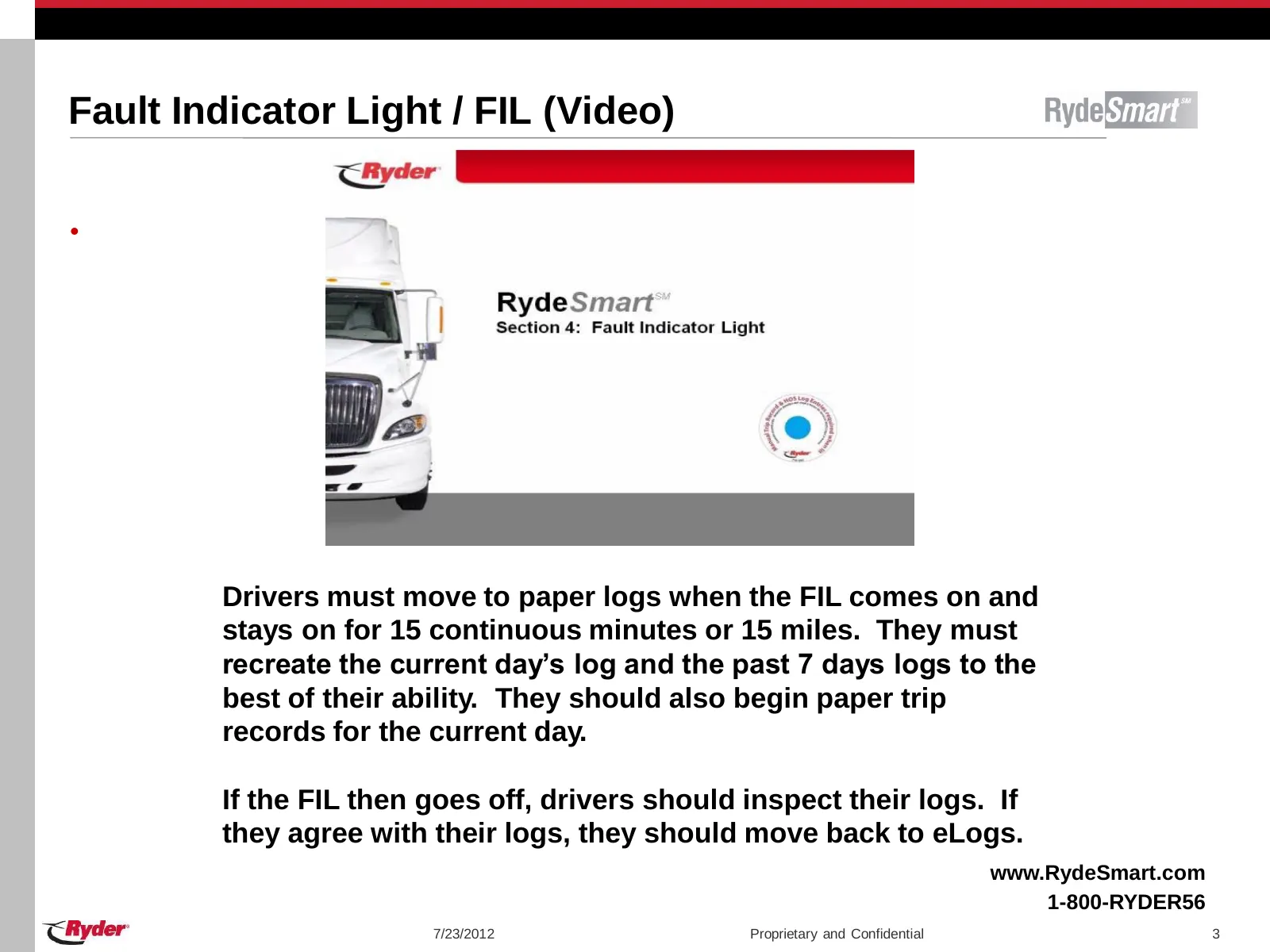
Fault Indicator Light / FIL (Video) • Drivers must move to paper logs when the FIL comes on and stays on for 15 continuous minutes or 15 miles. They must recreate the current day’s log and the past 7 days logs to the best of their ability. They should also begin paper trip records for the current da
Slide 4: Driver Log In
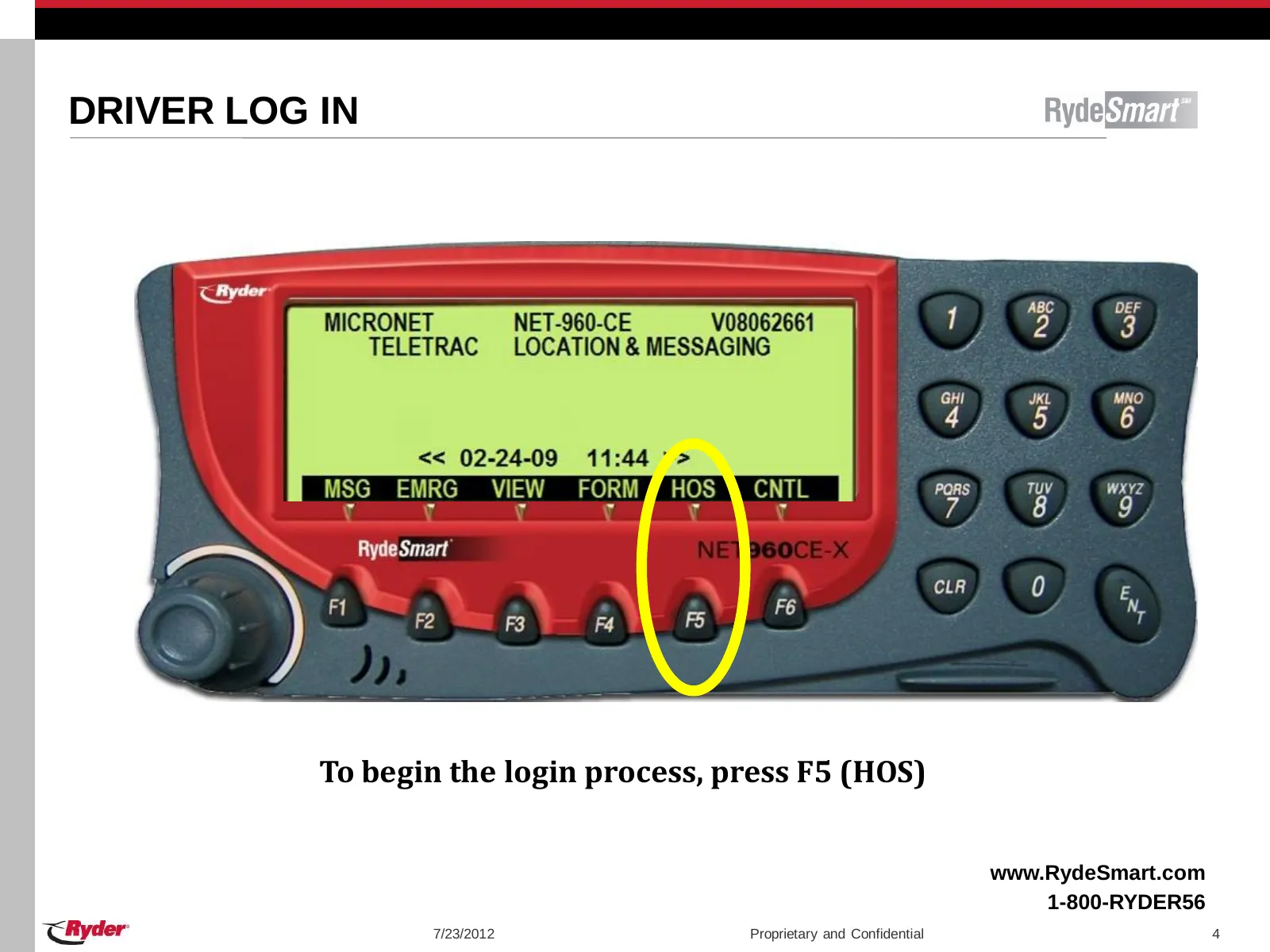
DRIVER LOG IN To begin the login process, press F5 (HOS) www.RydeSmart.com 1-800-RYDER56 7/23/2012 Proprietary and Confidential 4
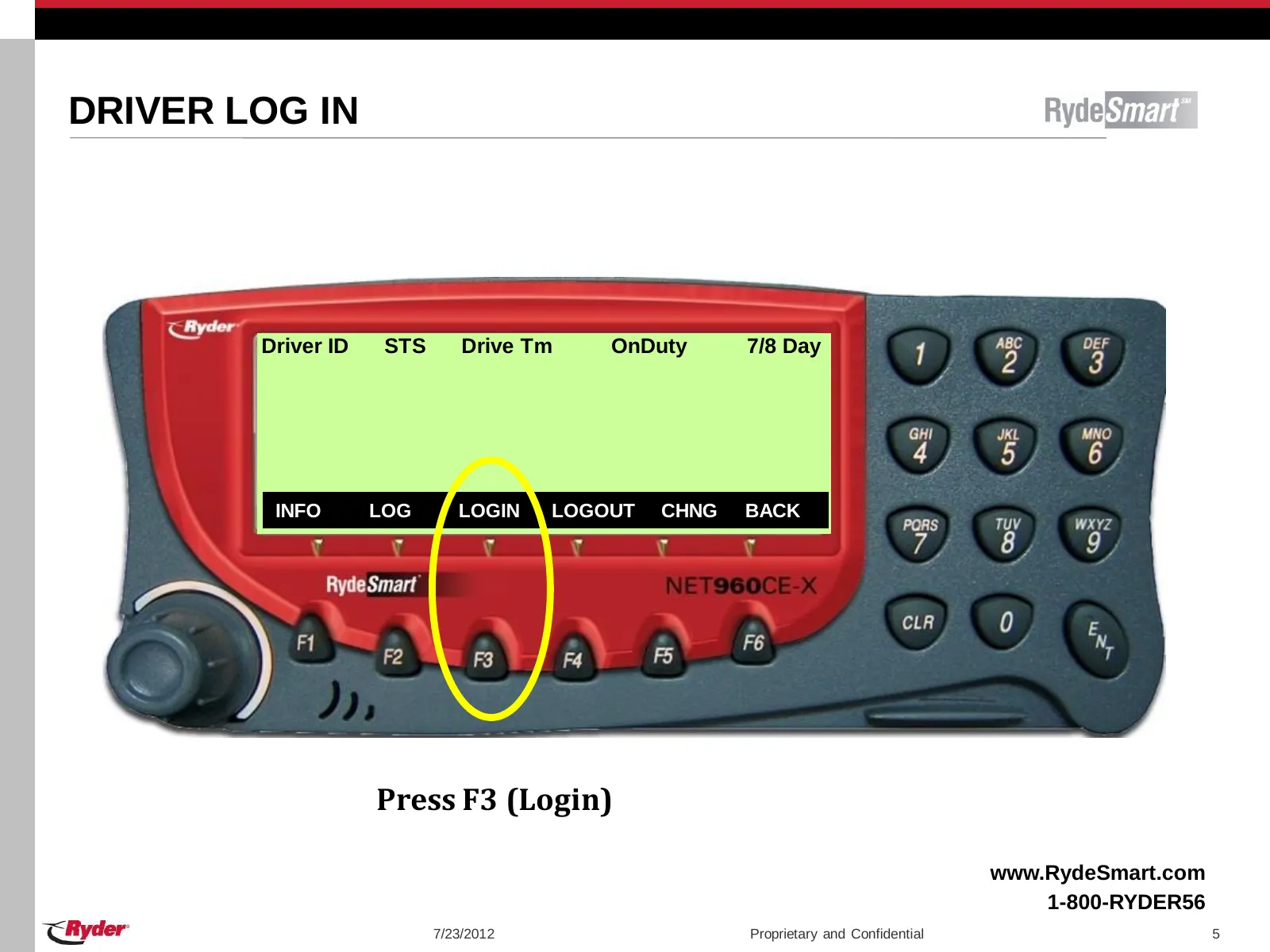
Slide 5: Driver Log In
DRIVER LOG IN Driver ID STS Drive Tm OnDuty 7/8 Day INFO LOG LOGIN LOGOUT CHNG BACK Press F3 (Login) www.RydeSmart.com 1-800-RYDER56 7/23/2012 Proprietary and Confidential 5
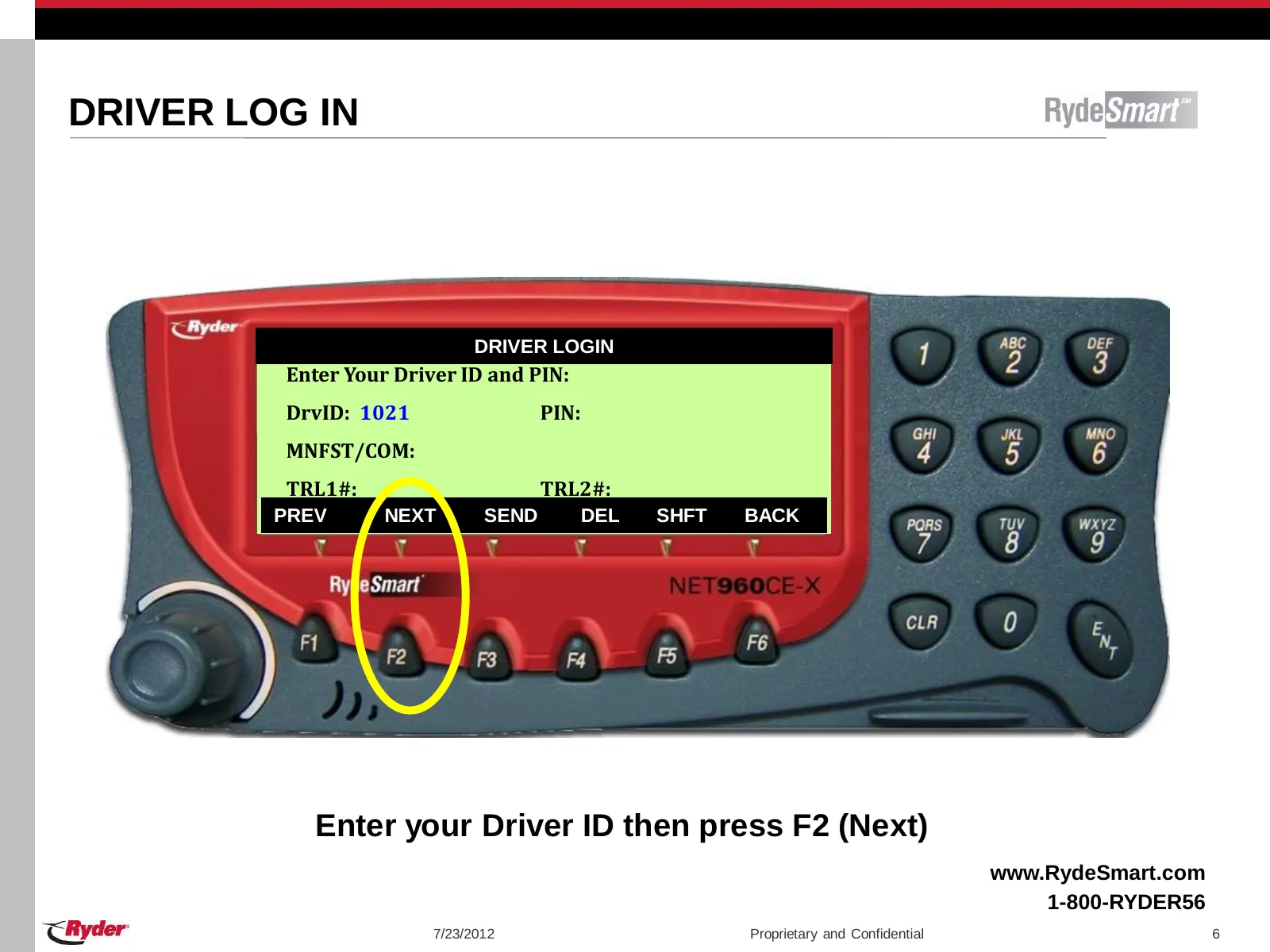
Slide 6: Driver Log In
DRIVER LOG IN DRIVER LOGIN Enter Your Driver ID and PIN: DrvID: 1021 PIN: MNFST/COM: TRL1#: TRL2#: PREV NEXT SEND DEL SHFT BACK Enter your Driver ID then press F2 (Next) www.RydeSmart.com 1-800-RYDER56 7/23/2012 Proprietary and Confidential 6
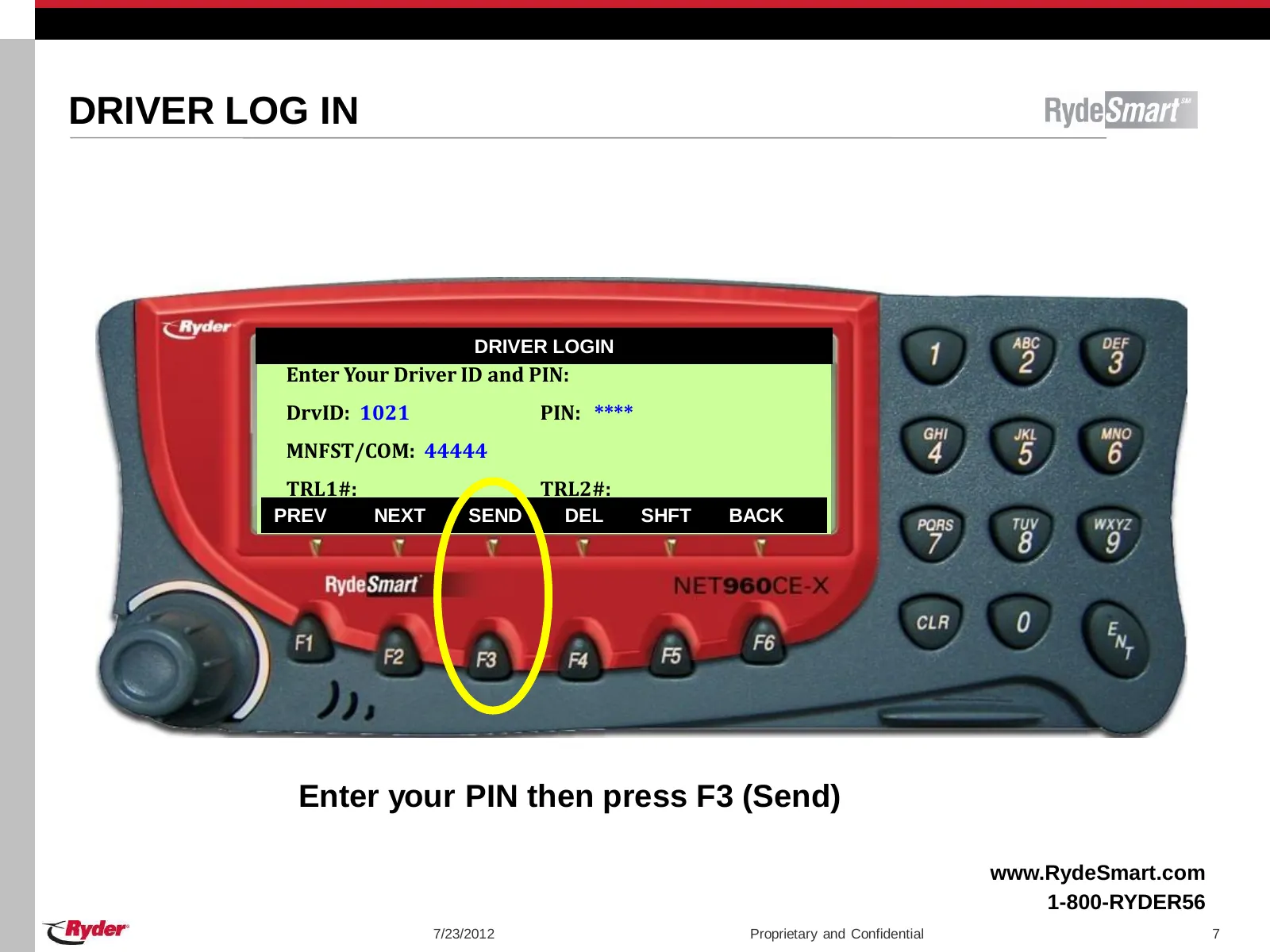
Slide 7: Driver Log In
DRIVER LOG IN DRIVER LOGIN Enter Your Driver ID and PIN: DrvID: 1021 PIN: **** MNFST/COM: 44444 TRL1#: TRL2#: PREV NEXT SEND DEL SHFT BACK Enter your PIN then press F3 (Send) www.RydeSmart.com 1-800-RYDER56 7/23/2012 Proprietary and Confidential 7
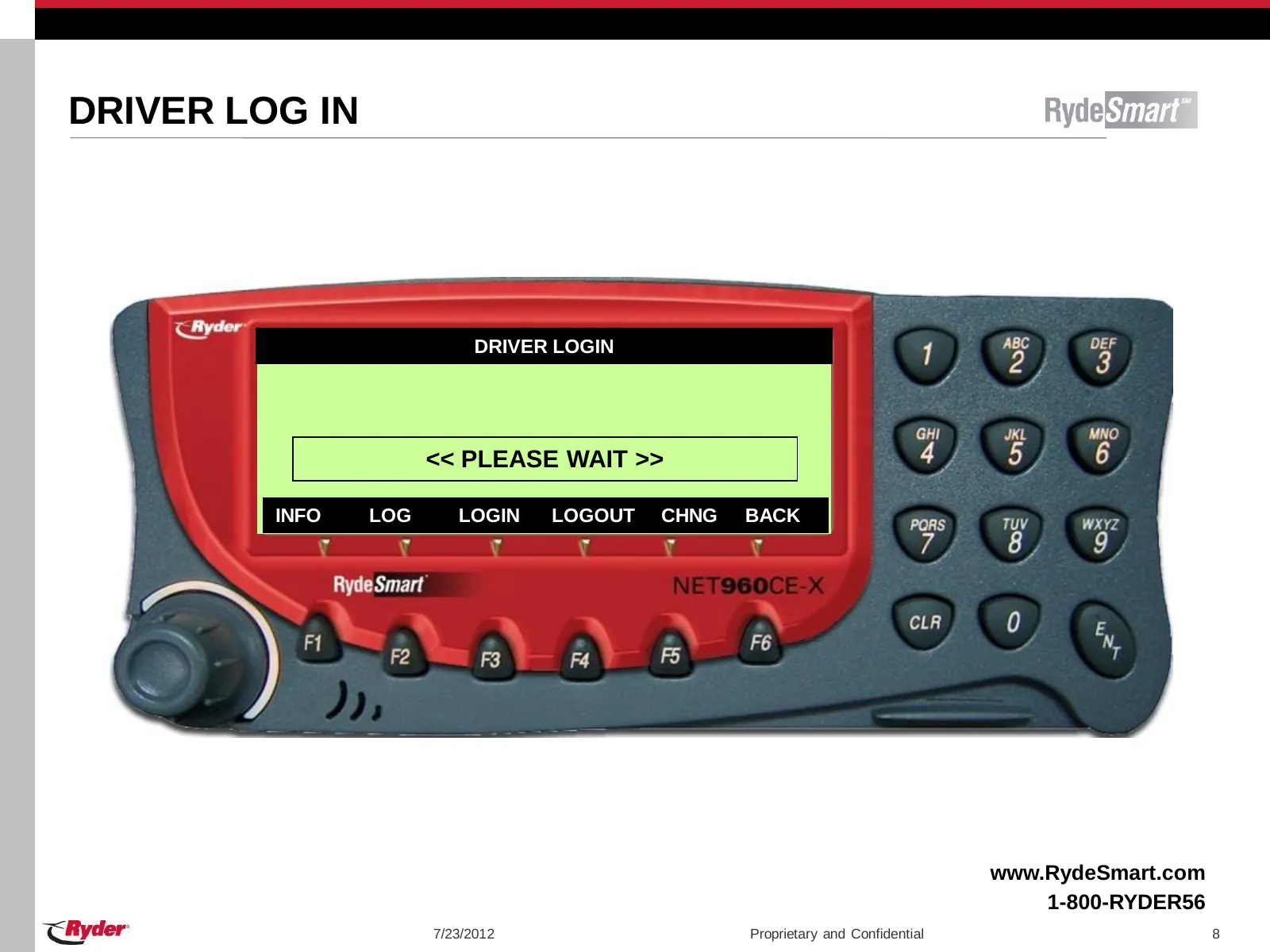
Slide 8: Driver Log In
DRIVER LOG IN DRIVER LOGIN << PLEASE WAIT >> INFO LOG LOGIN LOGOUT CHNG BACK www.RydeSmart.com 1-800-RYDER56 7/23/2012 Proprietary and Confidential 8
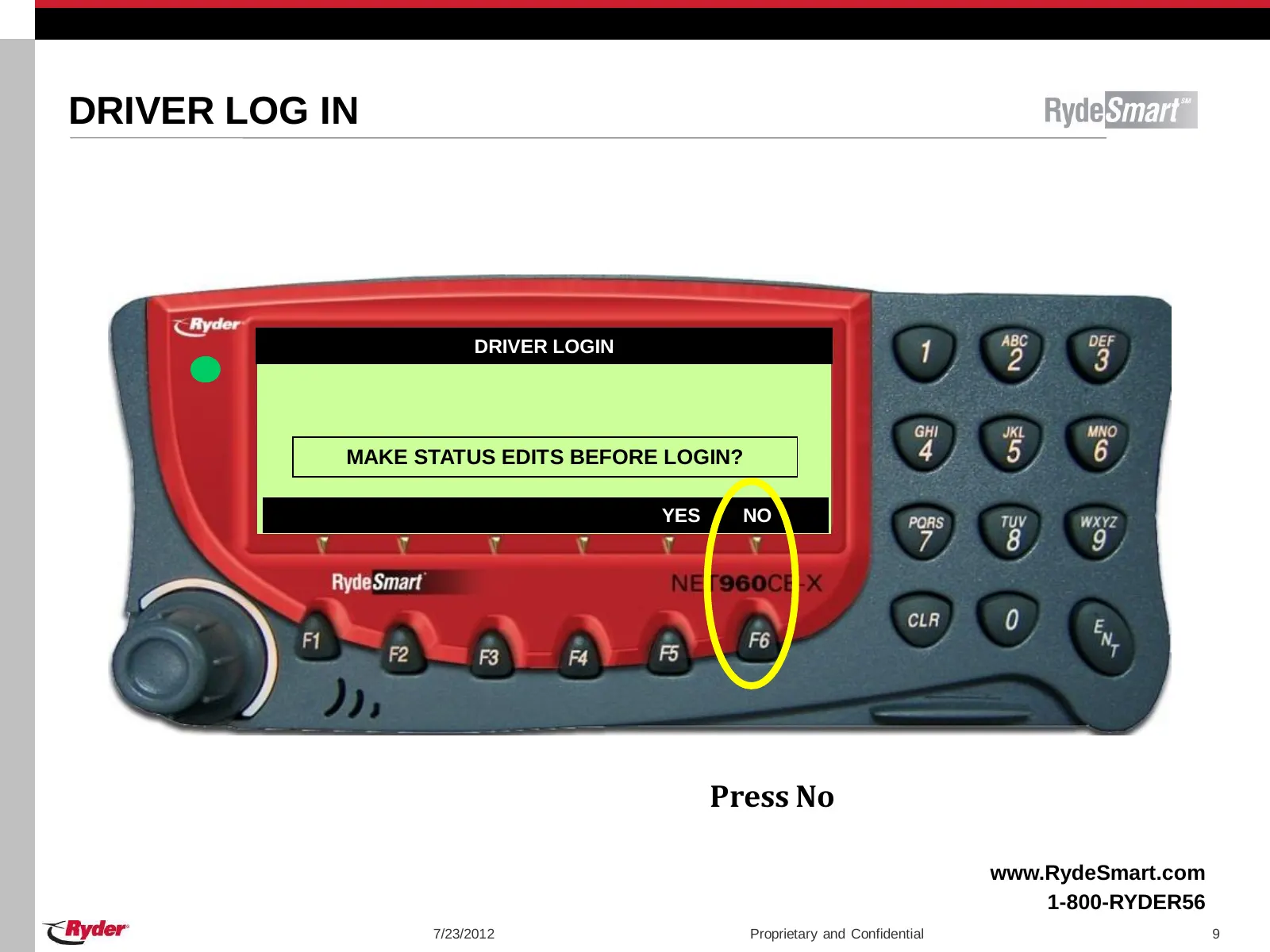
Slide 9: Driver Log In
DRIVER LOG IN DRIVER LOGIN MAKE STATUS EDITS BEFORE LOGIN? YES NO Press No www.RydeSmart.com 1-800-RYDER56 7/23/2012 Proprietary and Confidential 9
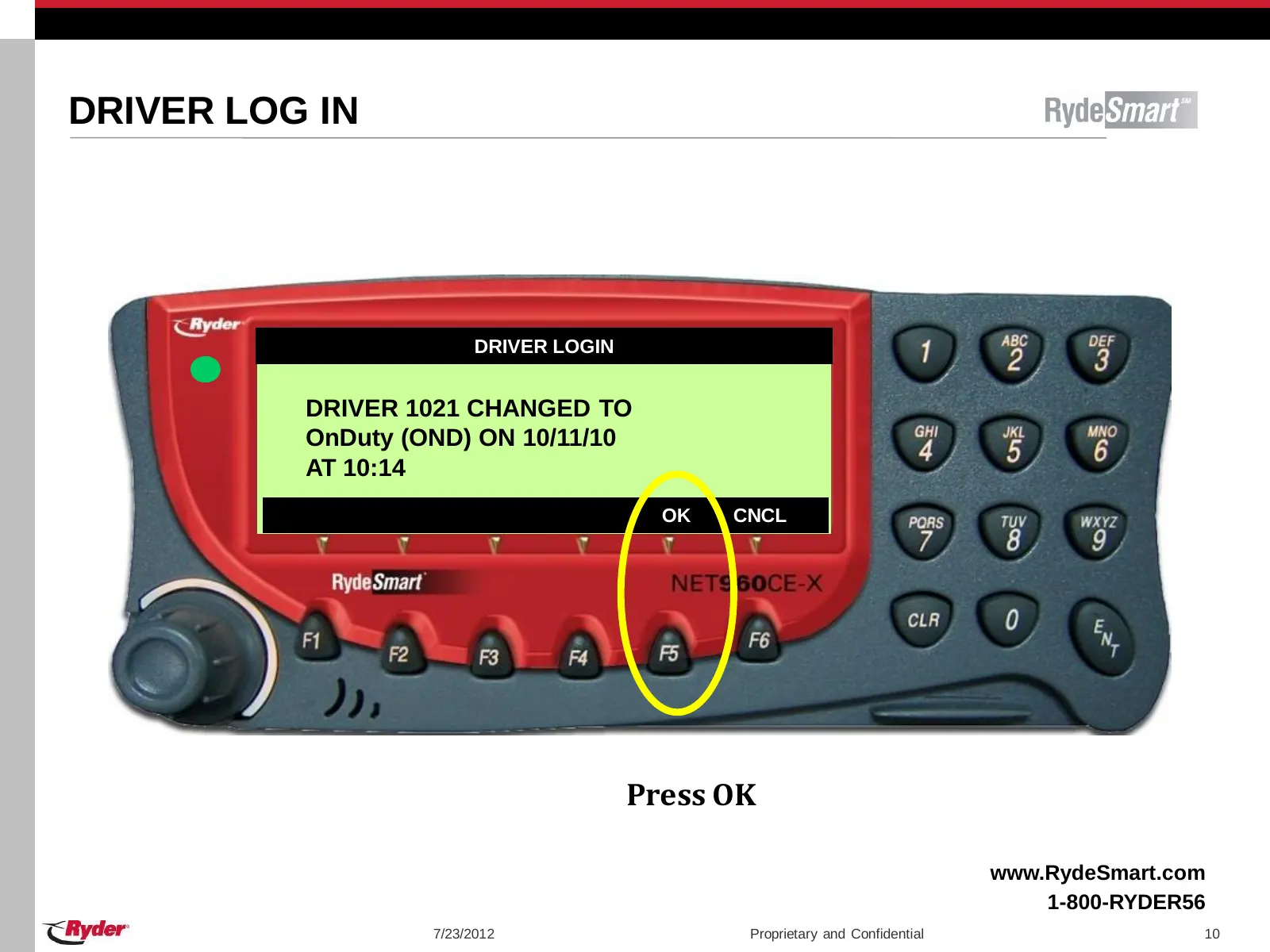
Slide 10: Driver Log In
DRIVER LOG IN DRIVER LOGIN DRIVER 1021 CHANGED TO OnDuty (OND) ON 10/11/10 AT 10:14 OK CNCL Press OK www.RydeSmart.com 1-800-RYDER56 7/23/2012 Proprietary and Confidential 10
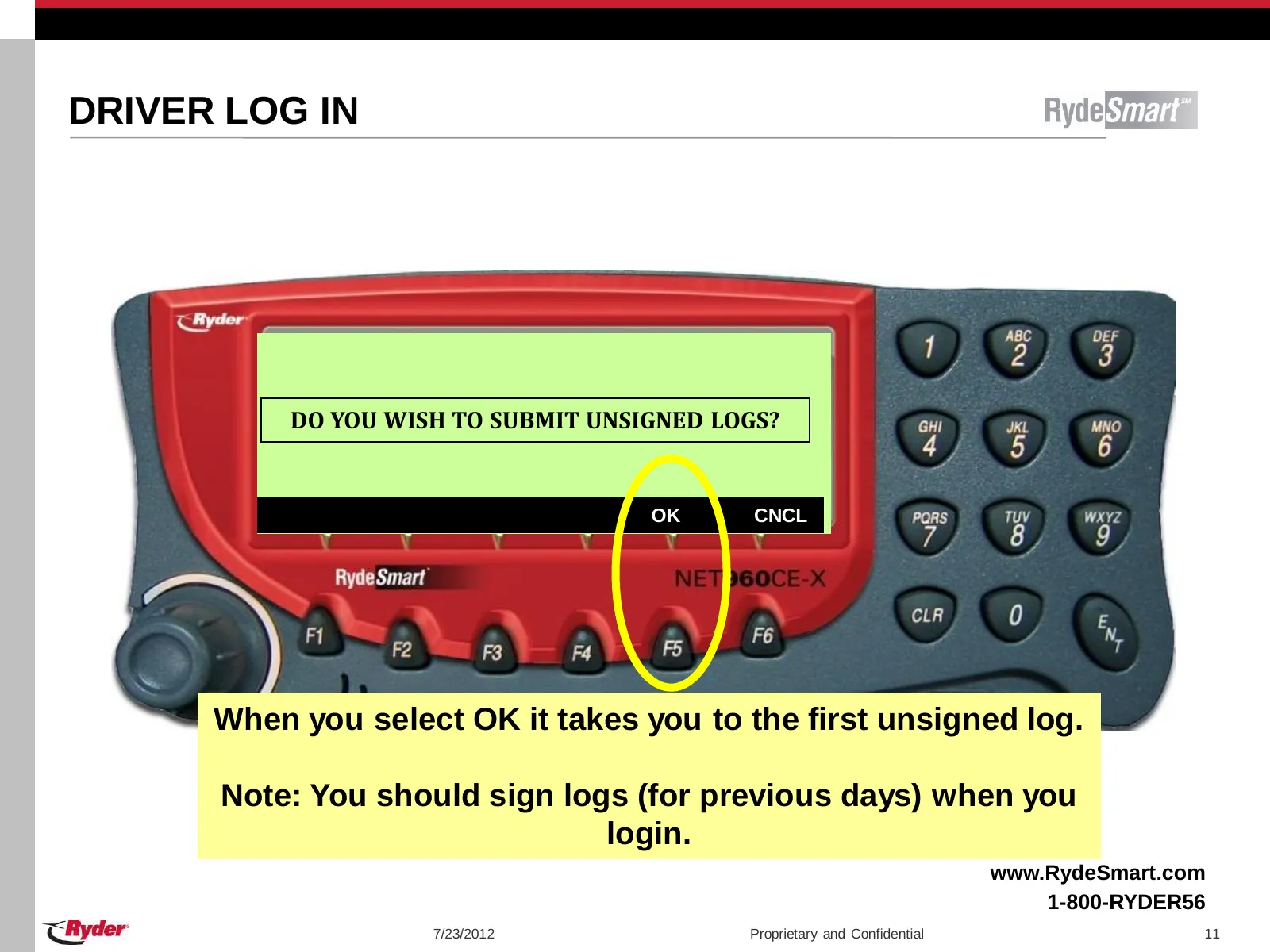
Slide 11: Driver Log In
DRIVER LOG IN DO YOU WISH TO SUBMIT UNSIGNED LOGS? OK CNCL When you select OK it takes you to the first unsigned log. Note: You should sign logs (for previous days) when you login. www.RydeSmart.com 1-800-RYDER56 7/23/2012 Proprietary and Confidential 11
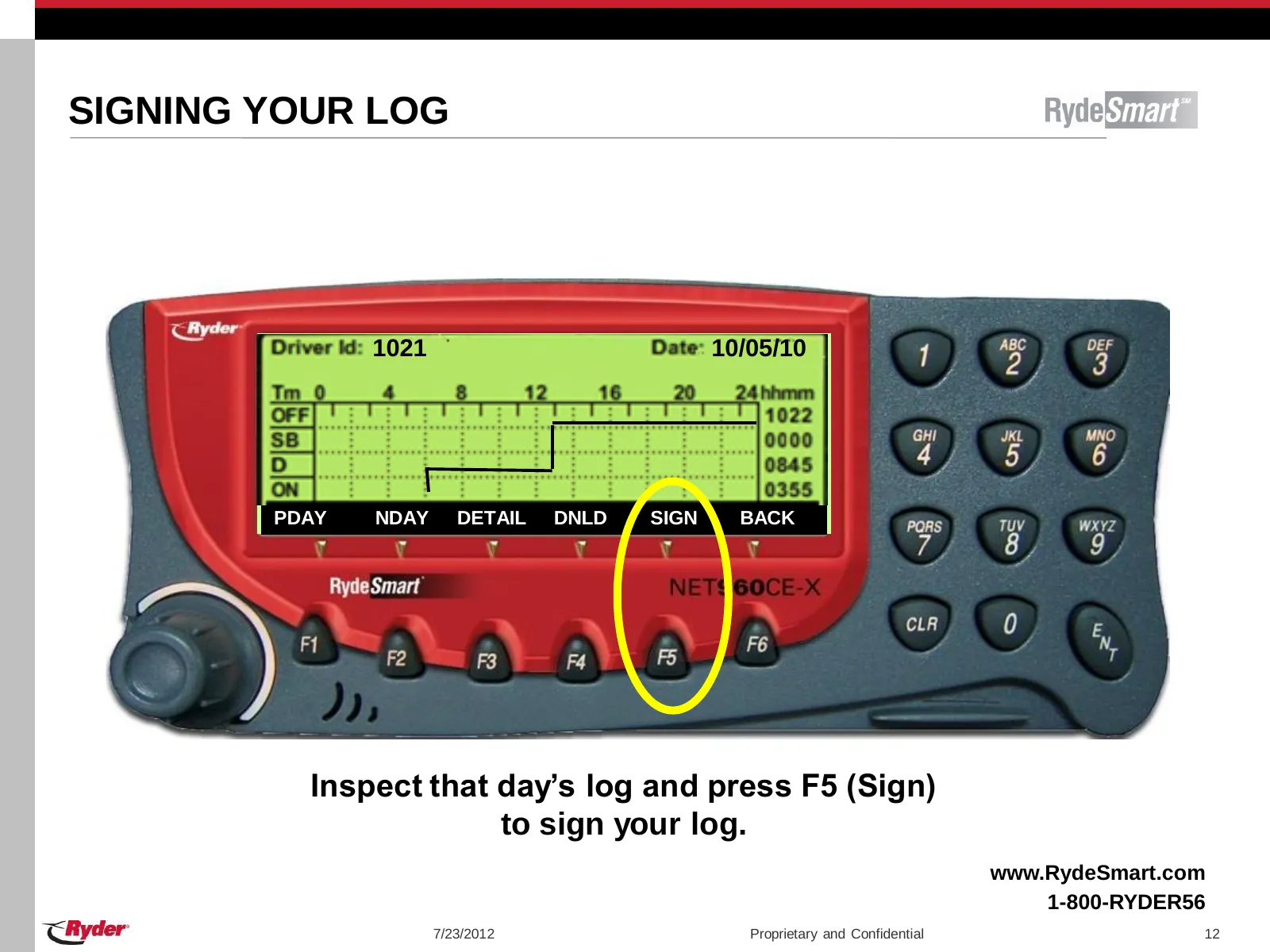
Slide 12: Signing Your Log
SIGNING YOUR LOG 1021 10/05/10 PDAY NDAY DETAIL DNLD SIGN BACK Inspect that day’s log and press F5 (Sign) to sign your log. www.RydeSmart.com 1-800-RYDER56 7/23/2012 Proprietary and Confidential 12
Slide 13: Signing Your Log
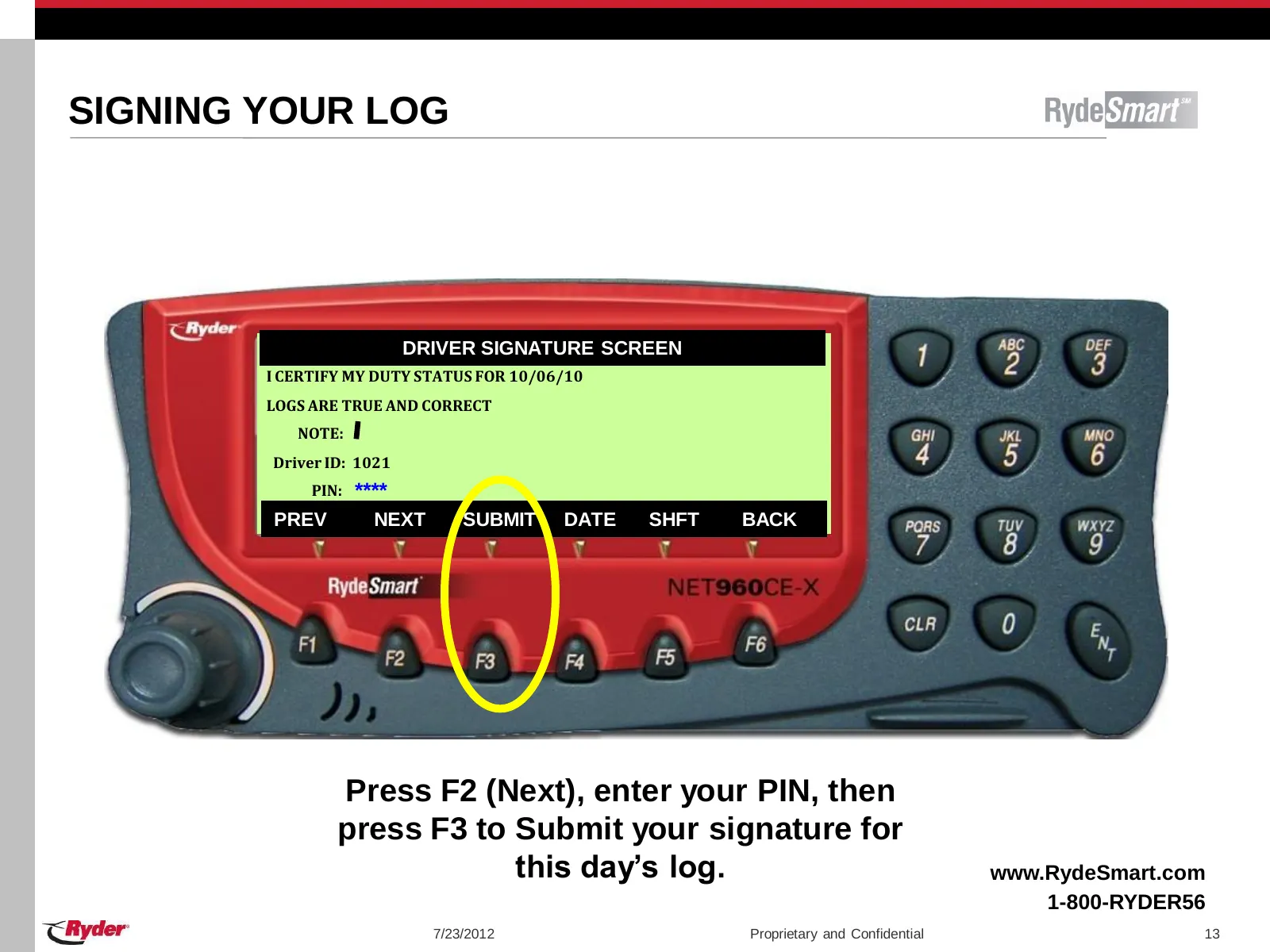
SIGNING YOUR LOG DRIVER SIGNATURE SCREEN I CERTIFY MY DUTY STATUS FOR 10/06/10 LOGS ARE TRUE AND CORRECT NOTE: Driver ID: 1021 PIN: **** PREV NEXT SUBMIT DATE SHFT BACK Press F2 (Next), enter your PIN, then press F3 to Submit your signature for this day’s log. www.RydeSmart.com 1-800-RYDER56 7/23/20
Slide 14: Signing Your Log
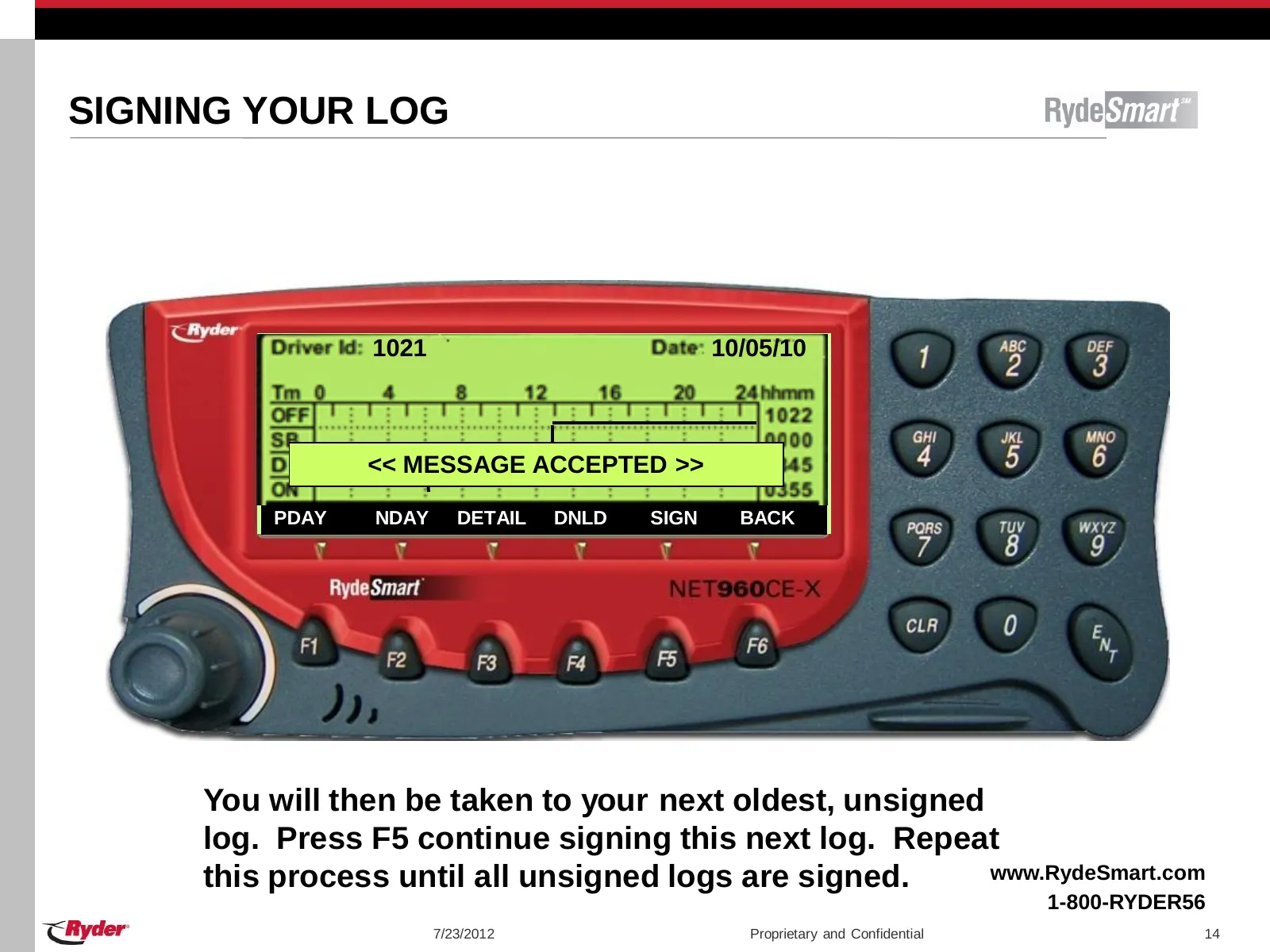
SIGNING YOUR LOG 1021 10/05/10 << MESSAGE ACCEPTED >> PDAY NDAY DETAIL DNLD SIGN BACK You will then be taken to your next oldest, unsigned log. Press F5 continue signing this next log. Repeat this process until all unsigned logs are signed. www.RydeSmart.com 1-800-RYDER56 7/23/2012 Proprietary and C
Slide 15: Adding A Note To Your Log
Adding A Note To Your Log ADDING A NOTE TO THE LOG (e.g. Pre-Trip/Post-Trip) www.RydeSmart.com 1-800-RYDER56 7/23/2012 Proprietary and Confidential 15
Slide 16: Adding A Note To Your Log
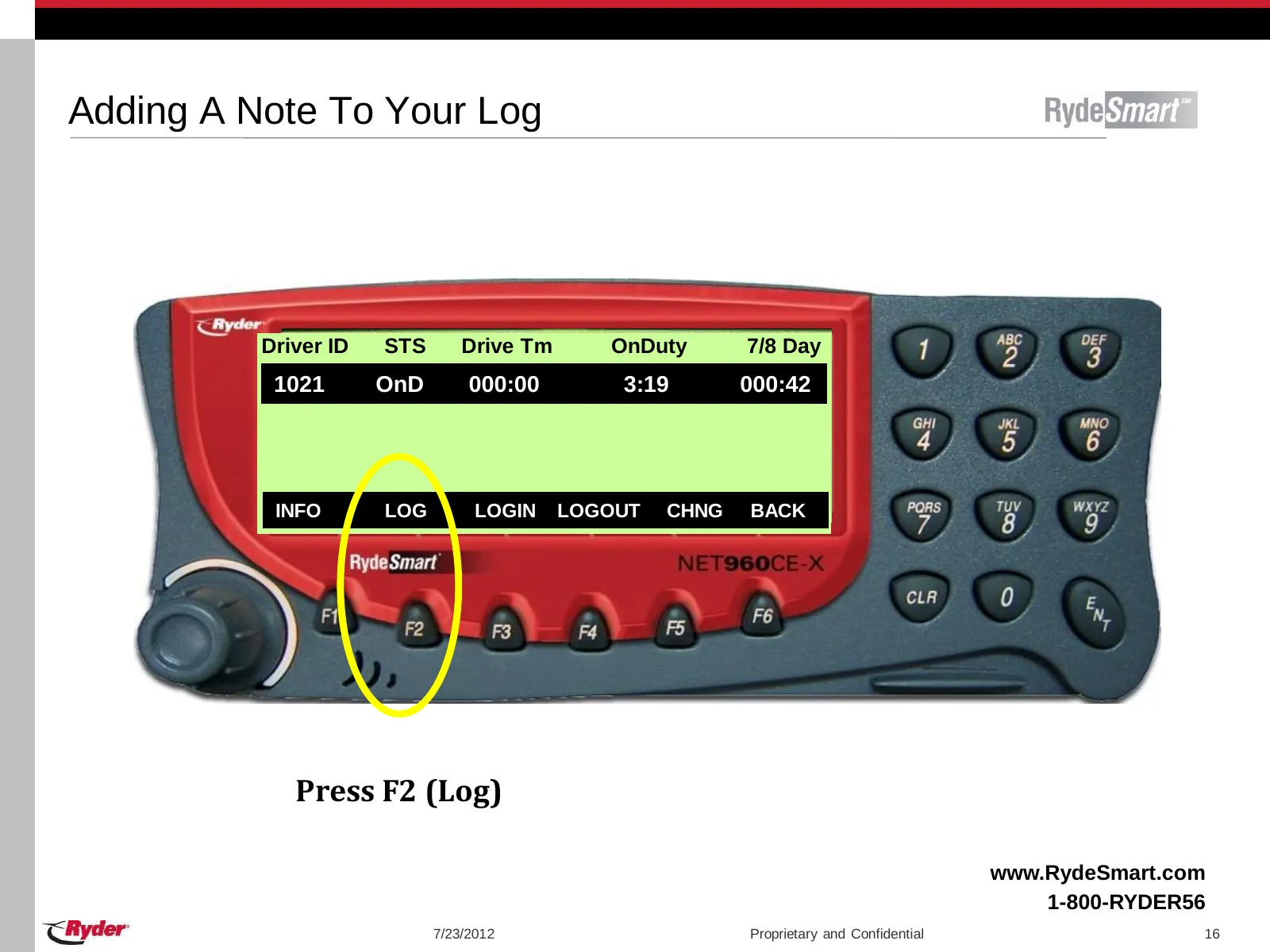
Adding A Note To Your Log Driver ID STS Drive Tm OnDuty 7/8 Day 1021 OnD 000:00 3:19 000:42 INFO LOG LOGIN LOGOUT CHNG BACK Press F2 (Log) www.RydeSmart.com 1-800-RYDER56 7/23/2012 Proprietary and Confidential 16
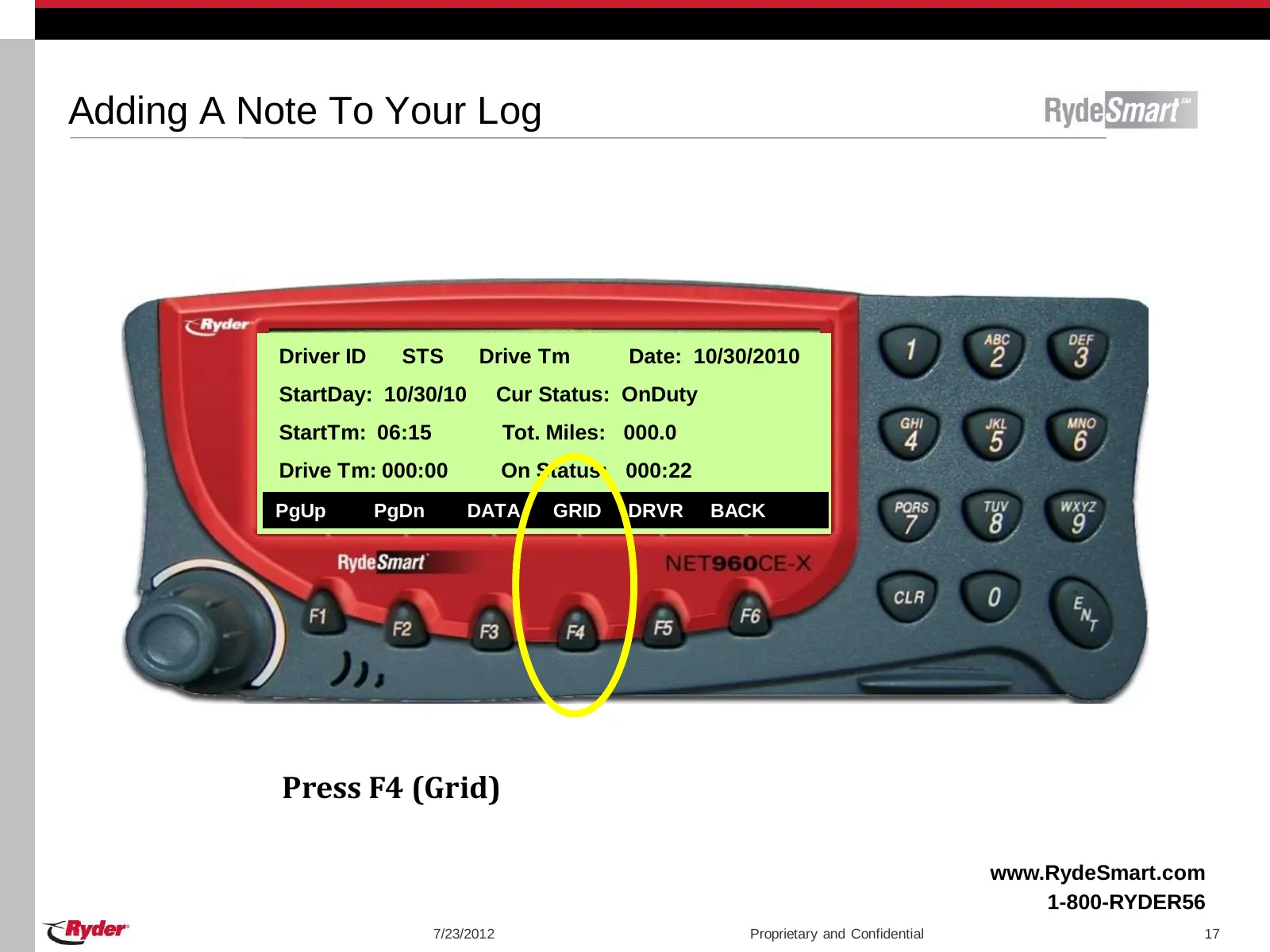
Slide 17: Adding A Note To Your Log
Adding A Note To Your Log Driver ID STS Drive Tm Date: 10/30/2010 StartDay: 10/30/10 Cur Status: OnDuty StartTm: 06:15 Tot. Miles: 000.0 Drive Tm: 000:00 On Status: 000:22 PgUp PgDn DATA GRID DRVR BACK Press F4 (Grid) www.RydeSmart.com 1-800-RYDER56 7/23/2012 Proprietary and Confidential 17
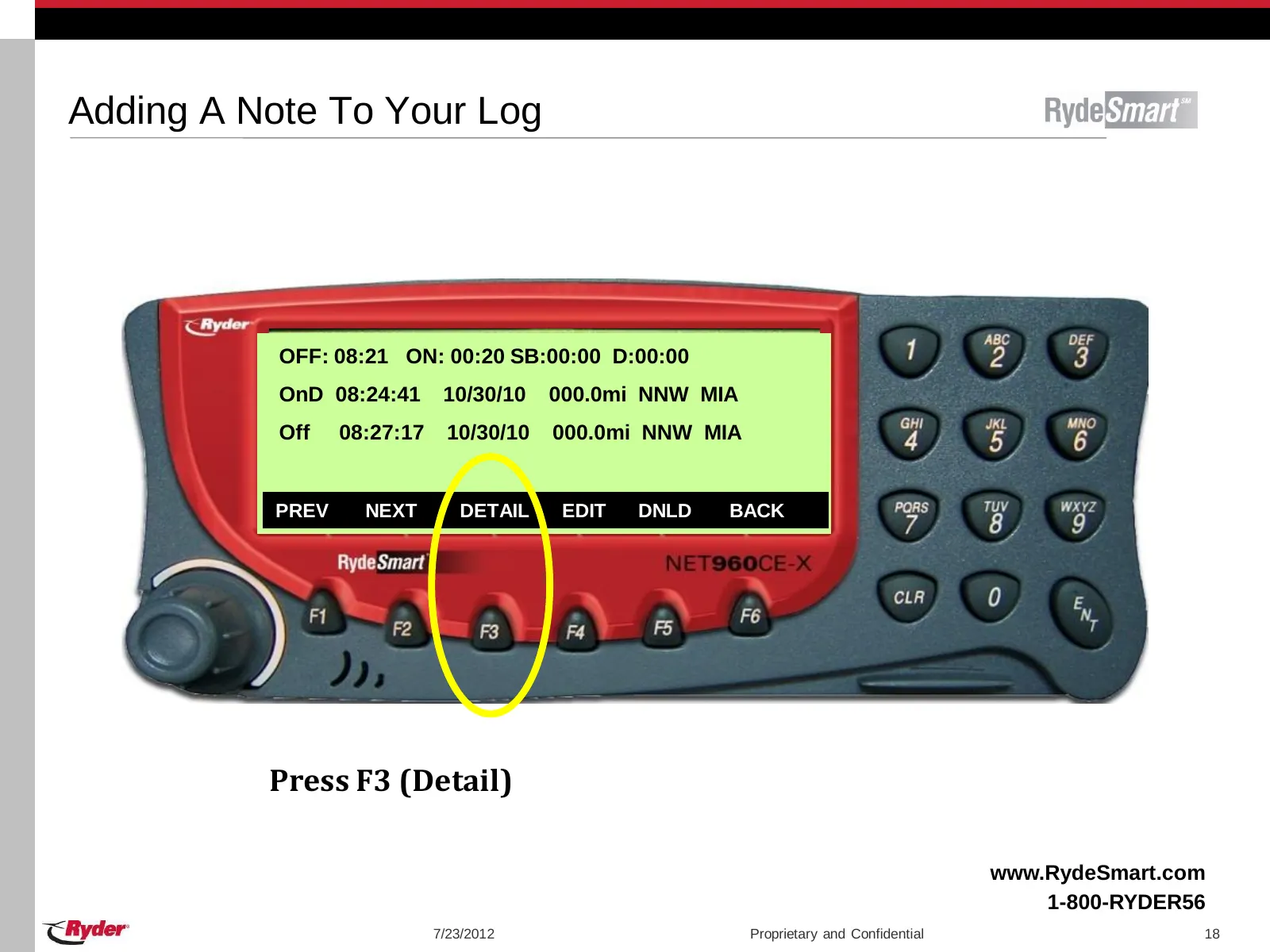
Slide 18: Adding A Note To Your Log
Adding A Note To Your Log OFF: 08:21 ON: 00:20 SB:00:00 D:00:00 OnD 08:24:41 10/30/10 000.0mi NNW MIA Off 08:27:17 10/30/10 000.0mi NNW MIA PREV NEXT DETAIL EDIT DNLD BACK Press F3 (Detail) www.RydeSmart.com 1-800-RYDER56 7/23/2012 Proprietary and Confidential 18
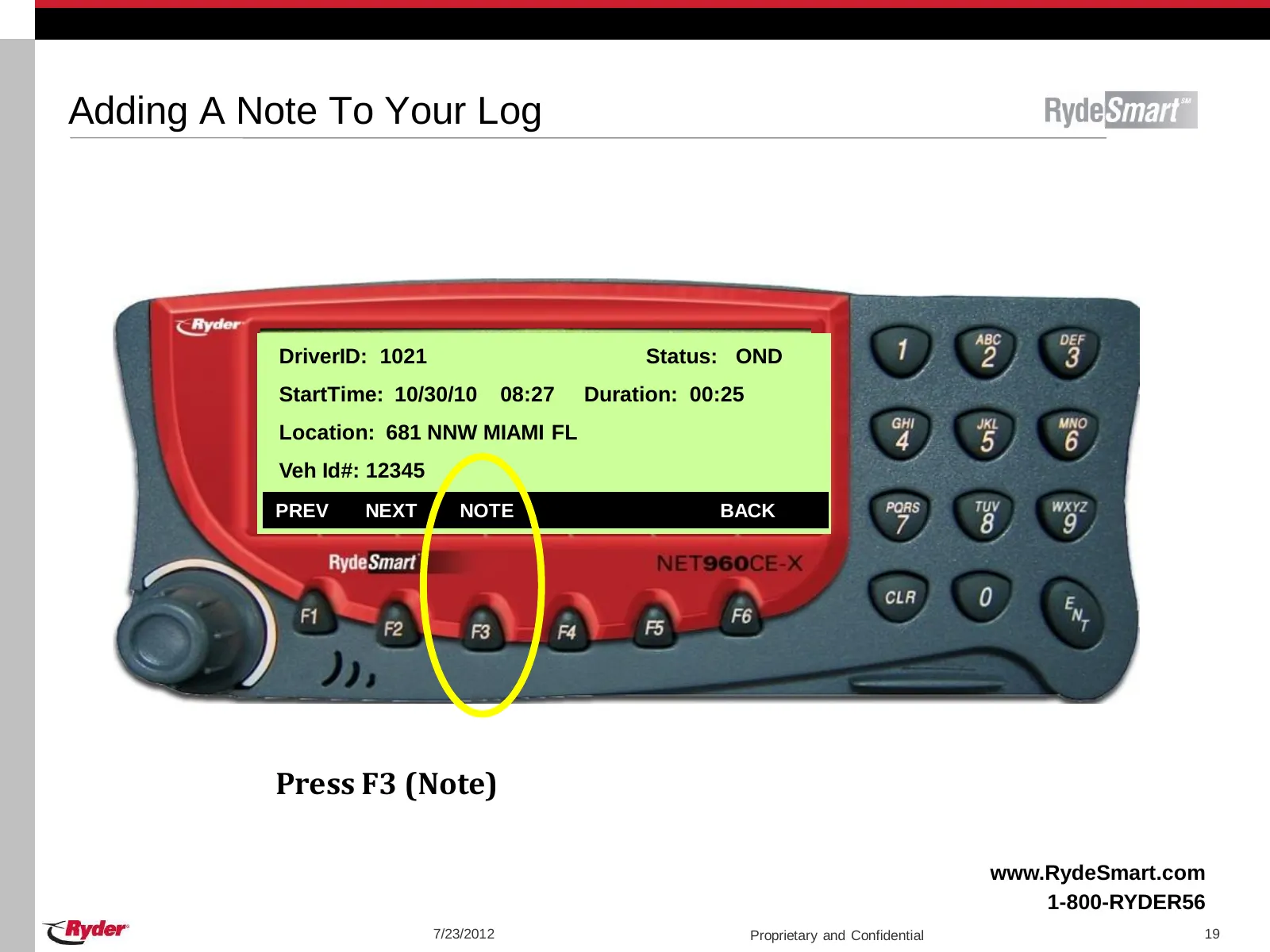
Slide 19: Adding A Note To Your Log
Adding A Note To Your Log DriverID: 1021 Status: OND StartTime: 10/30/10 08:27 Duration: 00:25 Location: 681 NNW MIAMI FL Veh Id#: 12345 PREV NEXT NOTE BACK Press F3 (Note) www.RydeSmart.com 1-800-RYDER56 7/23/2012 Proprietary and Confidential 19
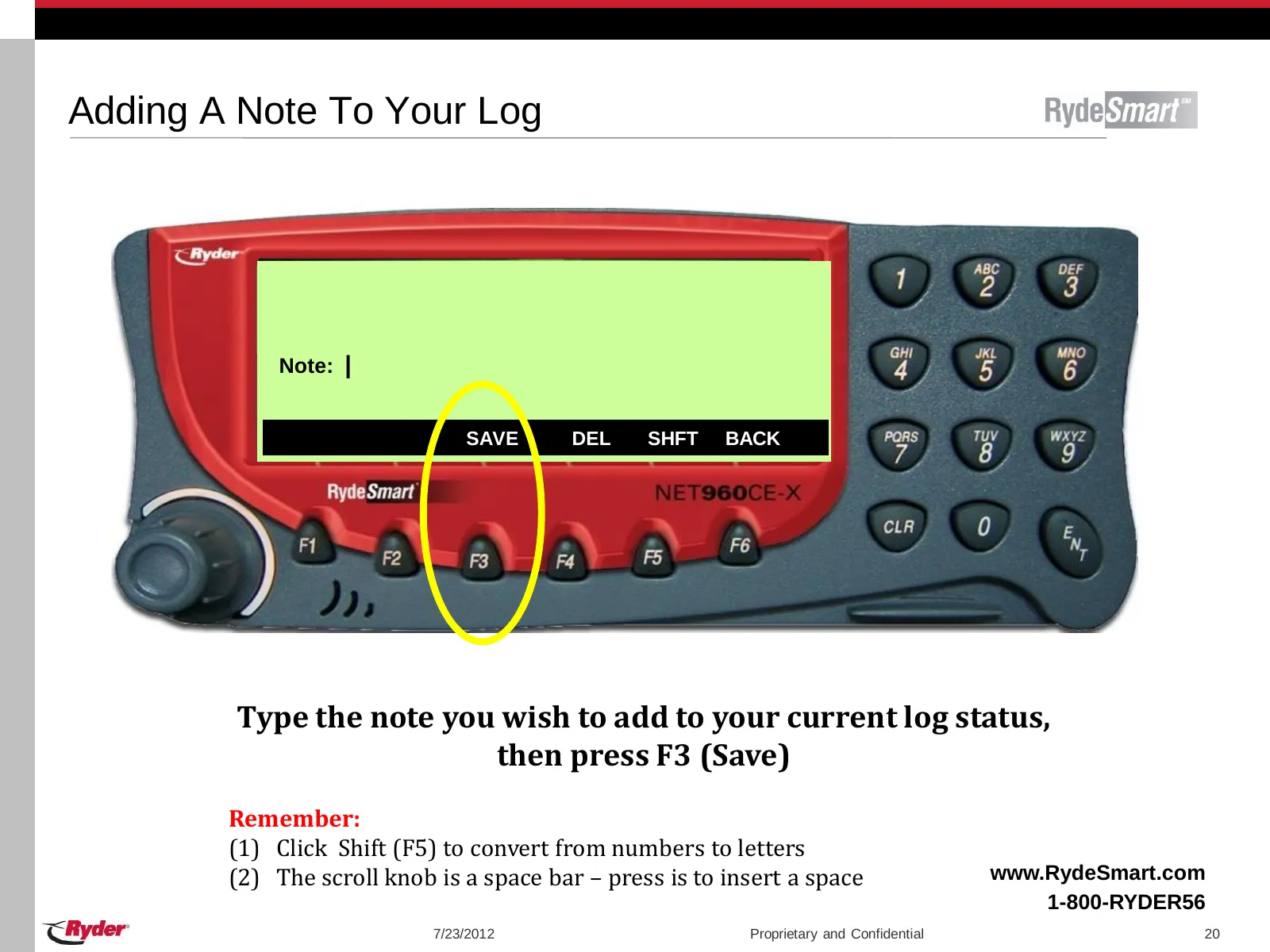
Slide 20: Adding A Note To Your Log
Adding A Note To Your Log Note: | SAVE DEL SHFT BACK Type the note you wish to add to your current log status, then press F3 (Save) Remember: (1) Click Shift (F5) to convert from numbers to letters (2) The scroll knob is a space bar – press is to insert a space www.RydeSmart.com 1-800-RYDER56 7/23/2
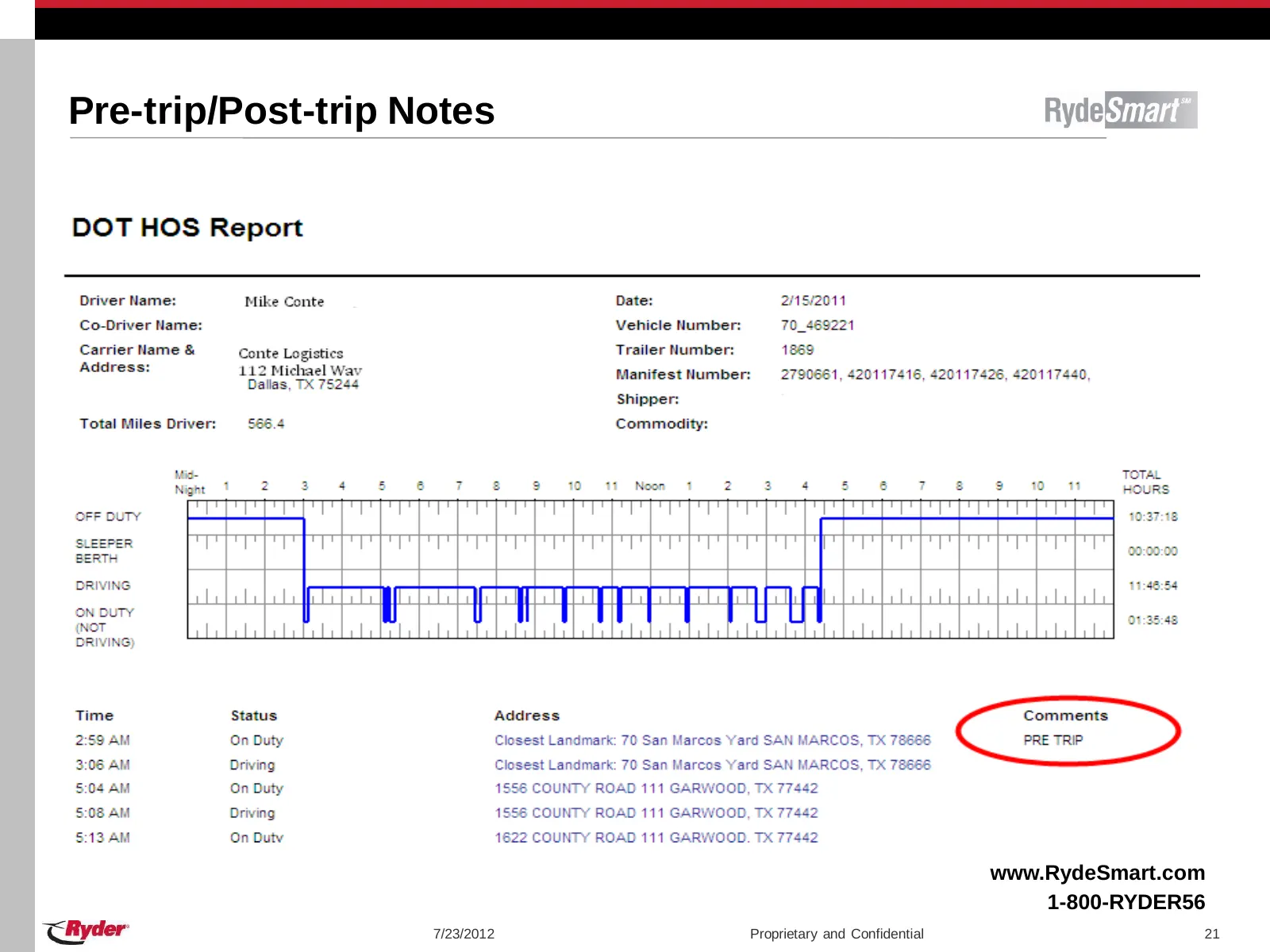
Slide 21: Pre-trip/Post-trip Notes
Pre-trip/Post-trip Notes www.RydeSmart.com 1-800-RYDER56 7/23/2012 Proprietary and Confidential 21
Slide 22: Status Changes
Status Changes STATUS CHANGES www.RydeSmart.com 1-800-RYDER56 7/23/2012 Proprietary and Confidential 22
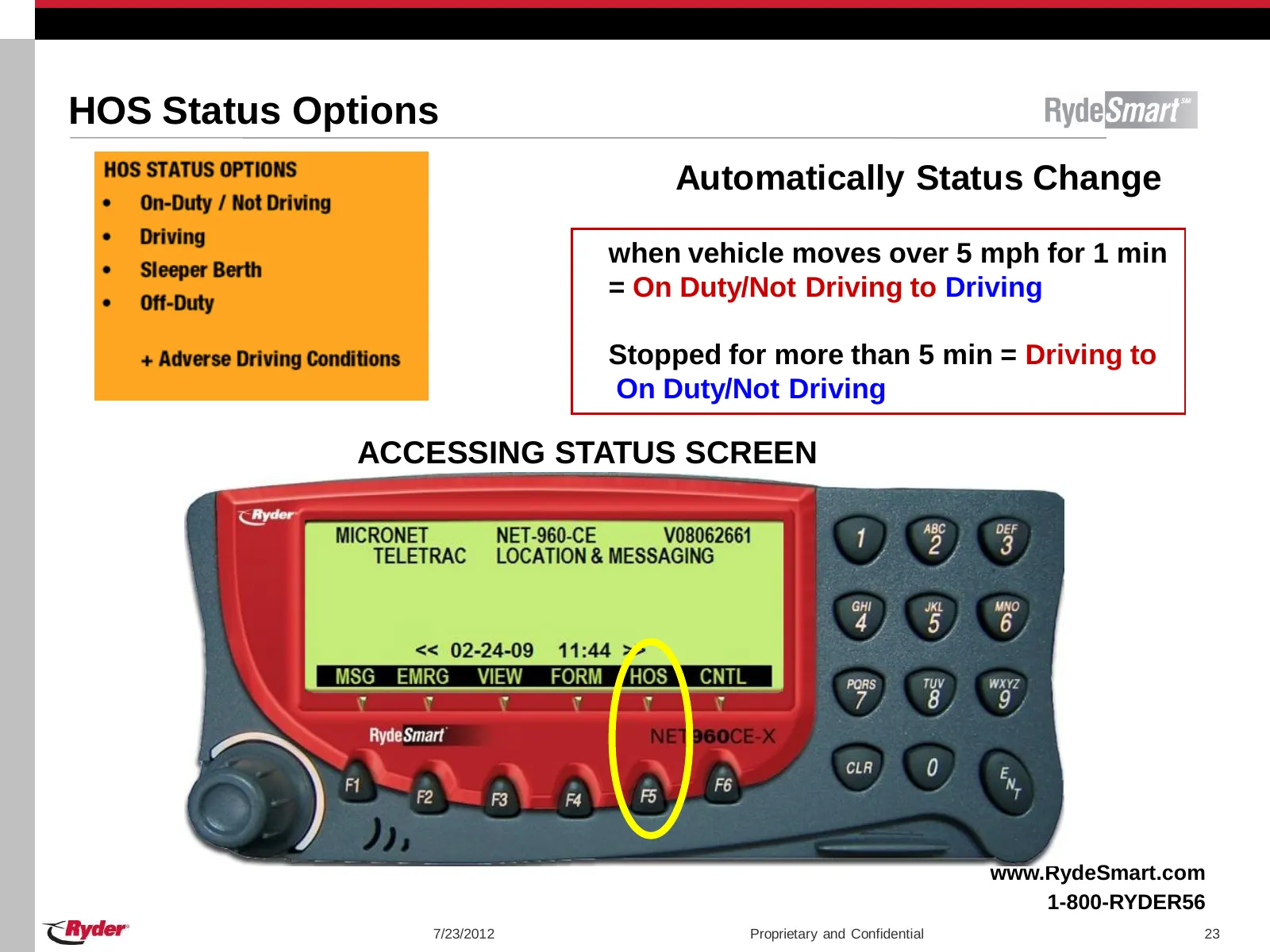
Slide 23: HOS Status Options
HOS Status Options Automatically Status Change when vehicle moves over 5 mph for 1 min = On Duty/Not Driving to Driving Stopped for more than 5 min = Driving to On Duty/Not Driving ACCESSING STATUS SCREEN www.RydeSmart.com 1-800-RYDER56 7/23/2012 Proprietary and Confidential 23
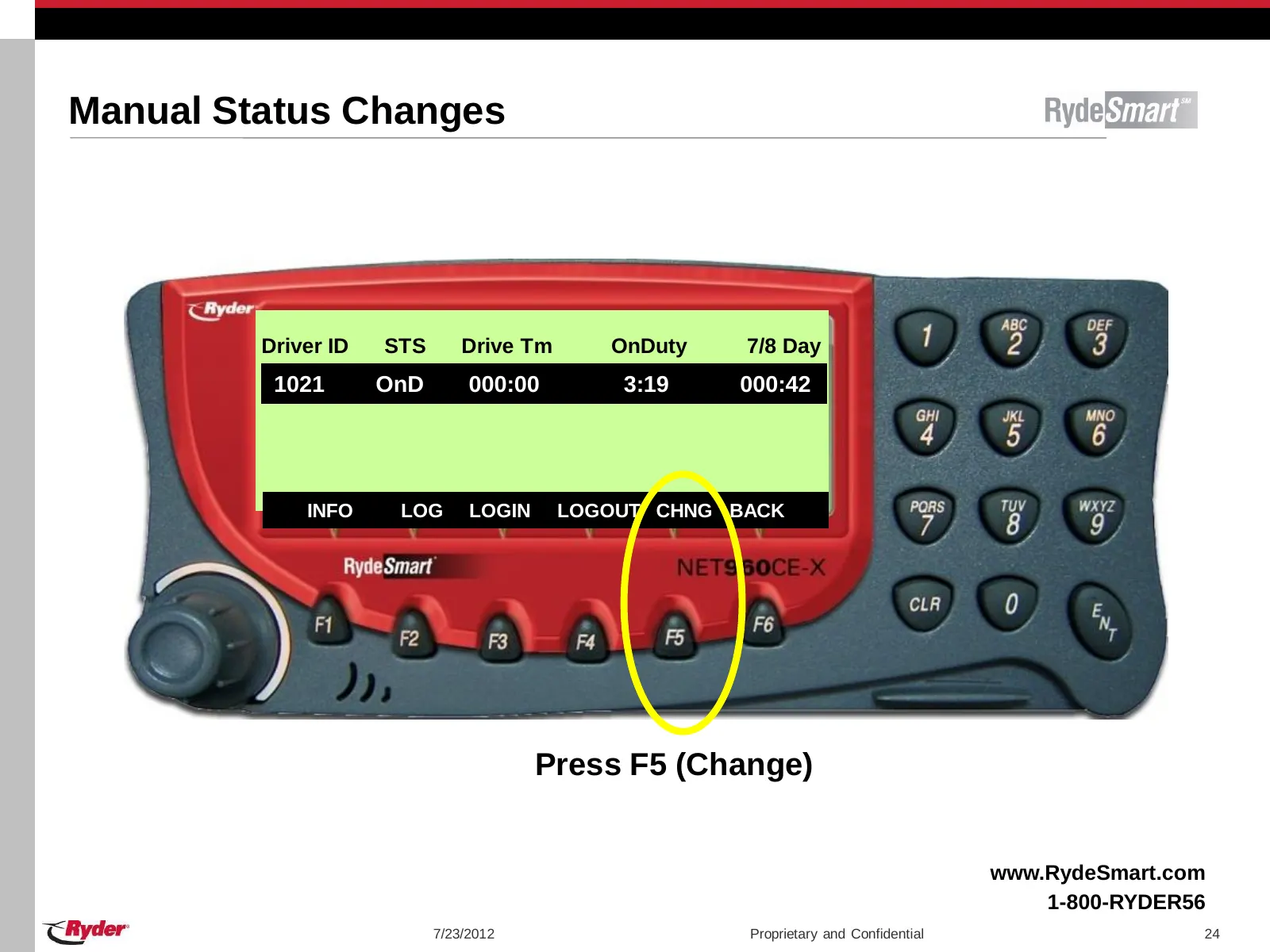
Slide 24: Manual Status Changes
Manual Status Changes Driver ID STS Drive Tm OnDuty 7/8 Day 1021 OnD 000:00 3:19 000:42 INFO LOG LOGIN LOGOUT CHNG BACK Press F5 (Change) www.RydeSmart.com 1-800-RYDER56 7/23/2012 Proprietary and Confidential 24
Slide 25: Manual Status Changes
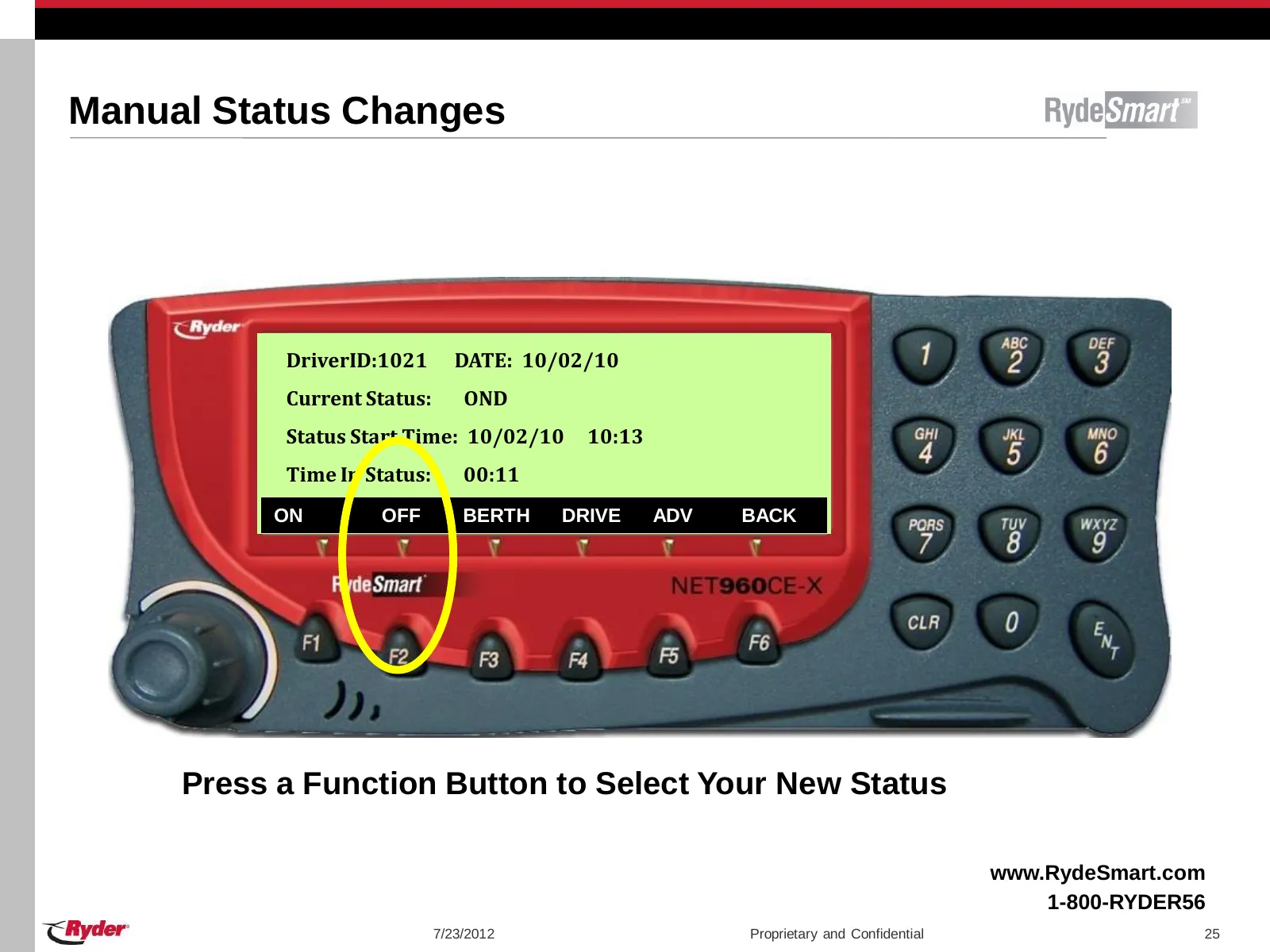
Manual Status Changes DriverID:1021 DATE: 10/02/10 Current Status: OND Status Start Time: 10/02/10 10:13 Time In Status: 00:11 ON OFF BERTH DRIVE ADV BACK Press a Function Button to Select Your New Status www.RydeSmart.com 1-800-RYDER56 7/23/2012 Proprietary and Confidential 25
Slide 26: Manual Status Changes
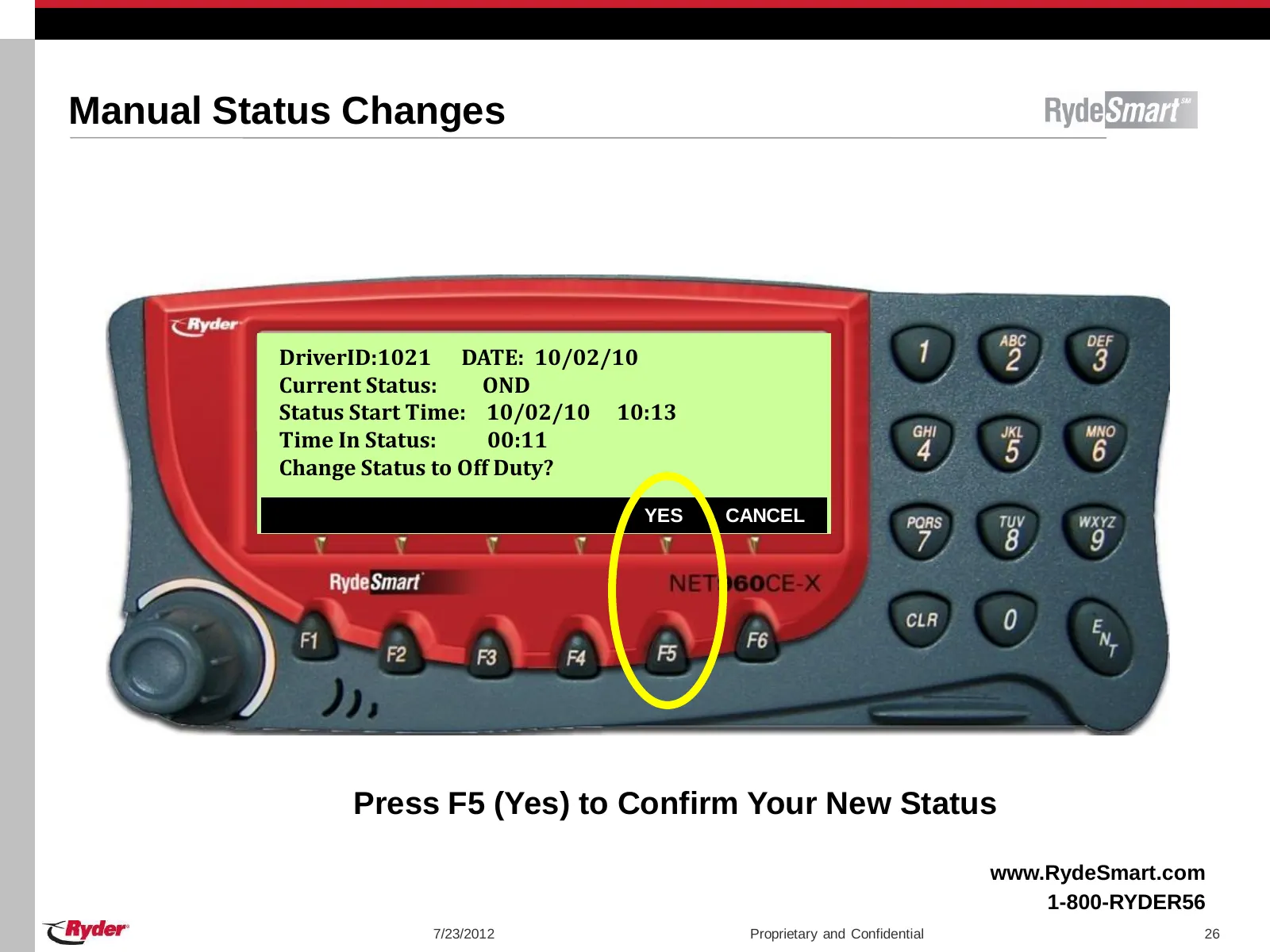
Manual Status Changes DriverID:1021 DATE: 10/02/10 Current Status: OND Status Start Time: 10/02/10 10:13 Time In Status: 00:11 Change Status to Off Duty? YES CANCEL Press F5 (Yes) to Confirm Your New Status www.RydeSmart.com 1-800-RYDER56 7/23/2012 Proprietary and Confidential 26
Slide 27: Verify your status has been changed here
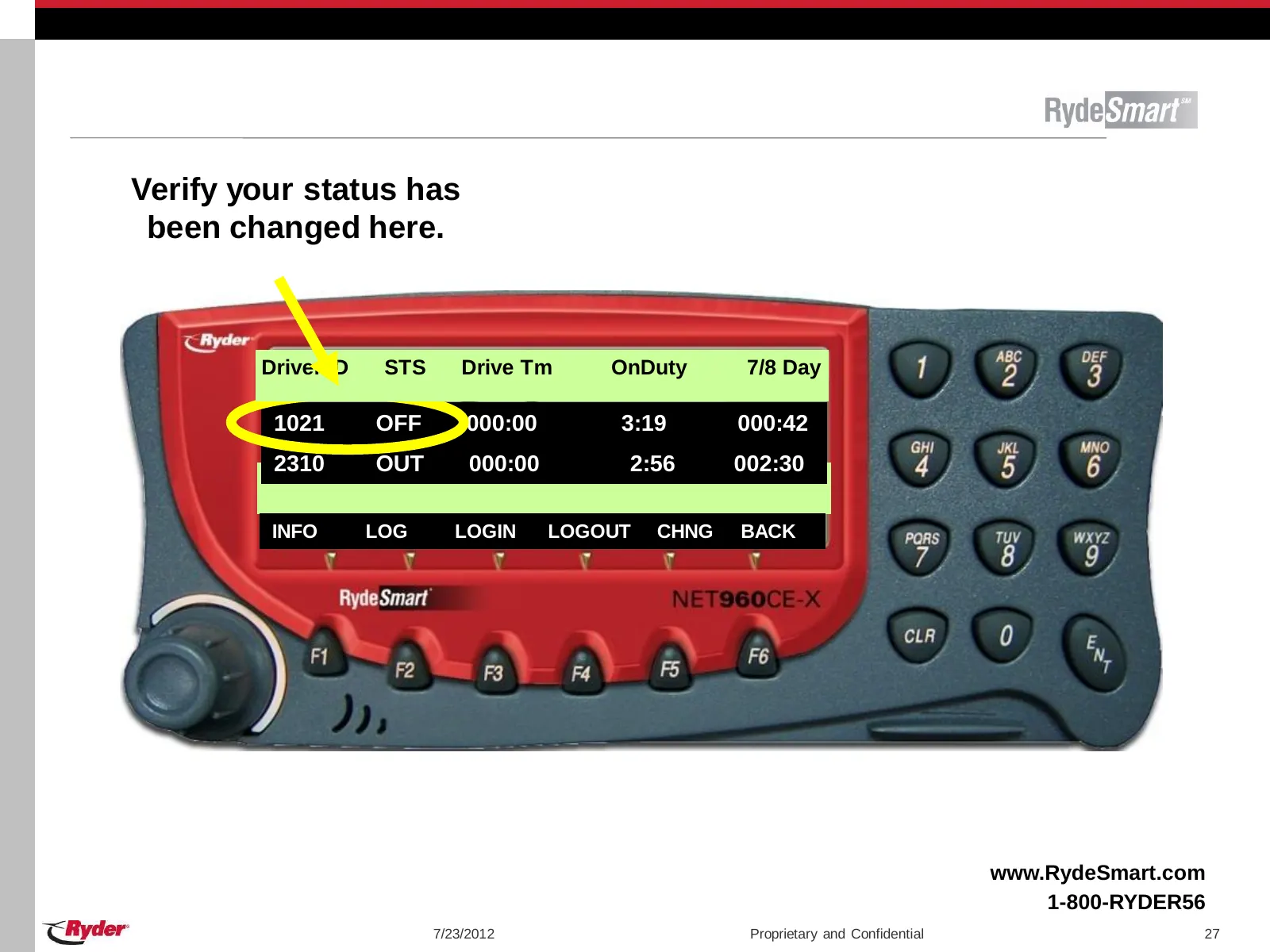
Verify your status has been changed here. Driver ID STS Drive Tm OnDuty 7/8 Day 1021 OFF 000:00 3:19 000:42 2310 OUT 000:00 2:56 002:30 INFO LOG LOGIN LOGOUT CHNG BACK www.RydeSmart.com 1-800-RYDER56 7/23/2012 Proprietary and Confidential 27
Slide 28: HOS & Driver Status Alerts
HOS & DRIVER STATUS ALERTS www.RydeSmart.com 1-800-RYDER56 7/23/2012 Proprietary and Confidential 28
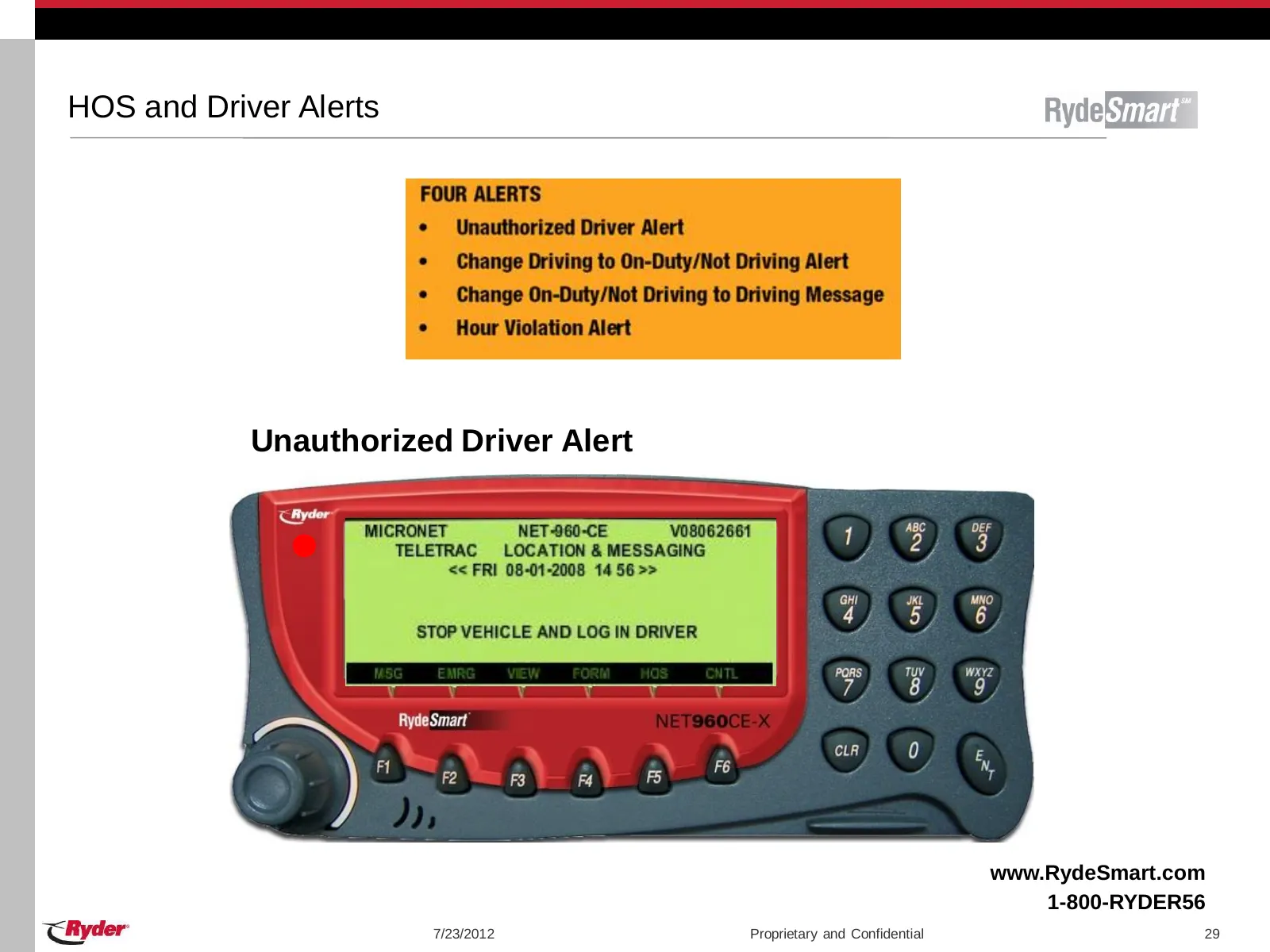
Slide 29: HOS and Driver Alerts: Unauthorized Driver Alert
HOS and Driver Alerts Unauthorized Driver Alert www.RydeSmart.com 1-800-RYDER56 7/23/2012 Proprietary and Confidential 29
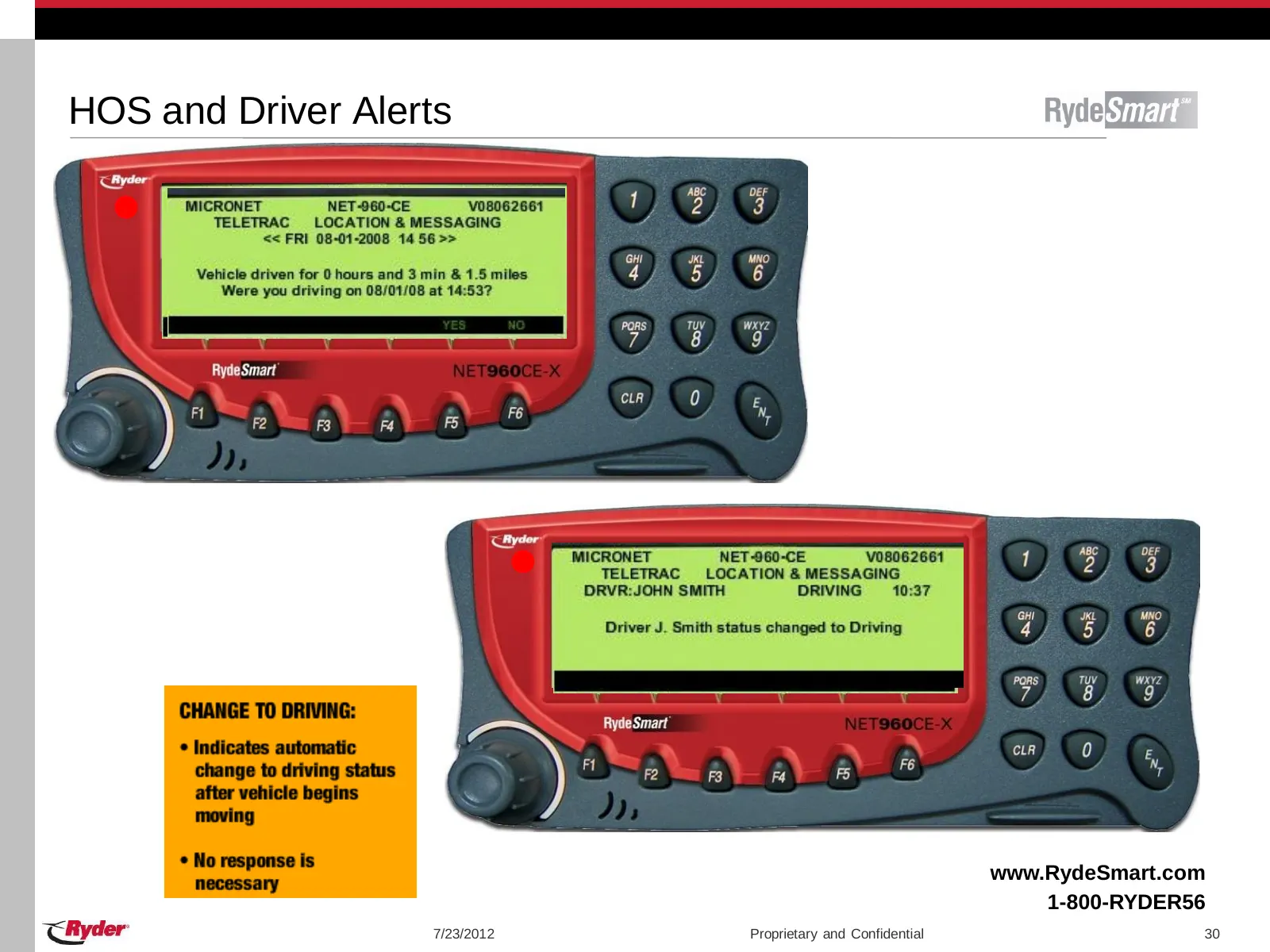
Slide 30: HOS and Driver Alerts
HOS and Driver Alerts www.RydeSmart.com 1-800-RYDER56 7/23/2012 Proprietary and Confidential 30
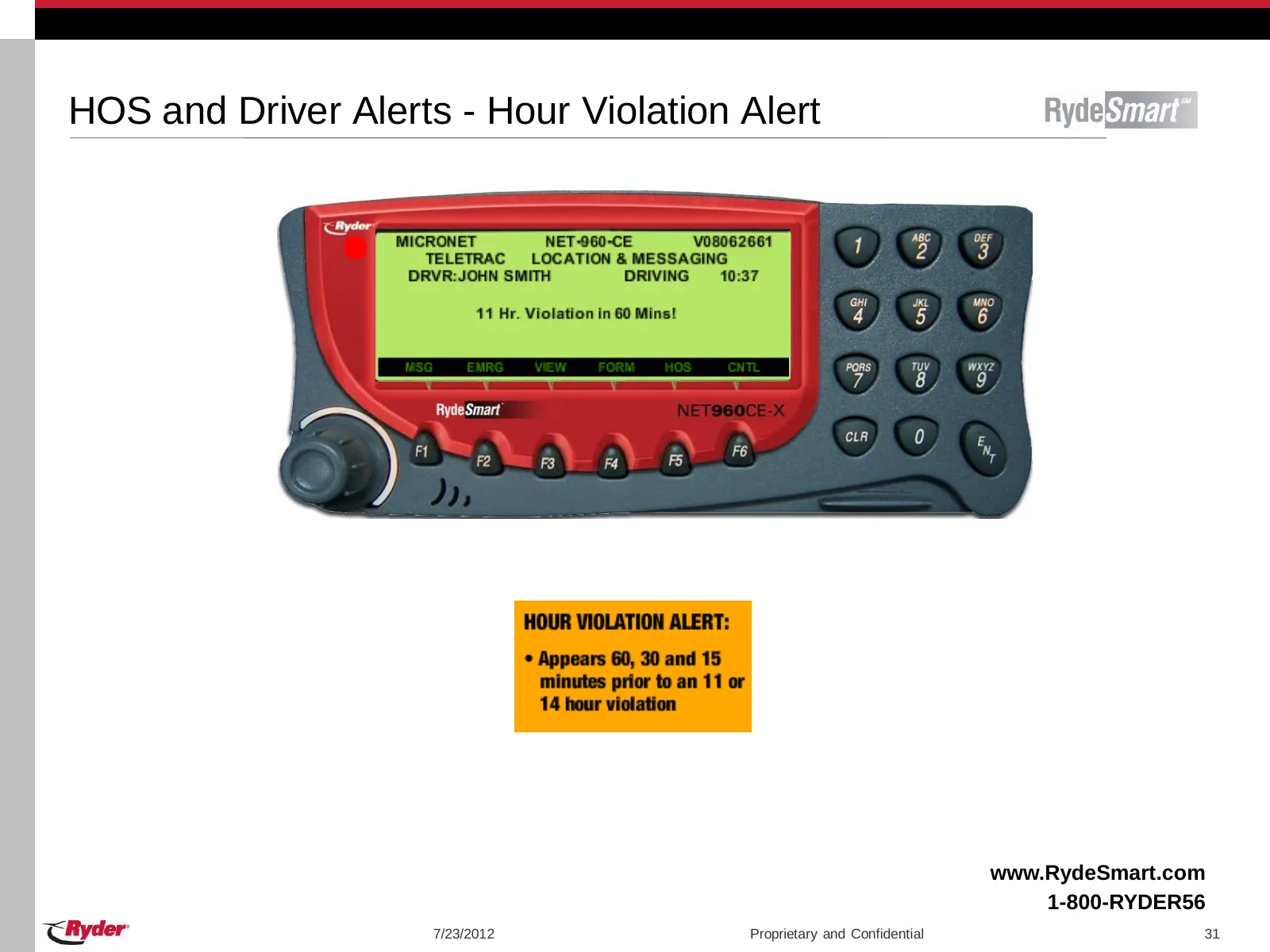
Slide 31: HOS and Driver Alerts - Hour Violation Alert
HOS and Driver Alerts - Hour Violation Alert www.RydeSmart.com 1-800-RYDER56 7/23/2012 Proprietary and Confidential 31
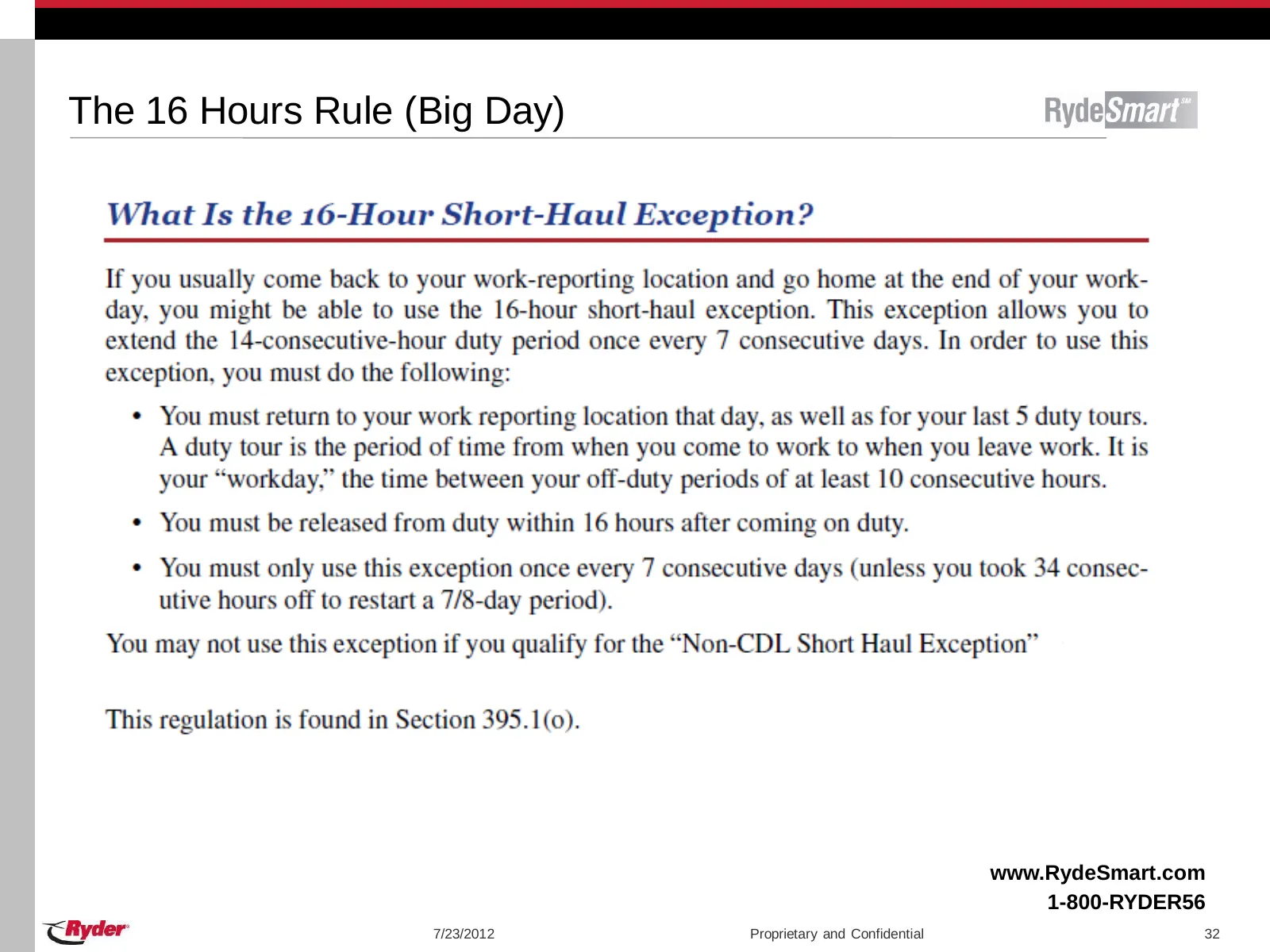
Slide 32: The 16 Hours Rule (Big Day)
The 16 Hours Rule (Big Day) www.RydeSmart.com 1-800-RYDER56 7/23/2012 Proprietary and Confidential 32
Slide 33: Adverse Driving Conditions
Adverse Driving Conditions ADVERSE DRIVING CONDITIONS www.RydeSmart.com 1-800-RYDER56 7/23/2012 Proprietary and Confidential 33
Slide 34: Adverse Driving Conditions
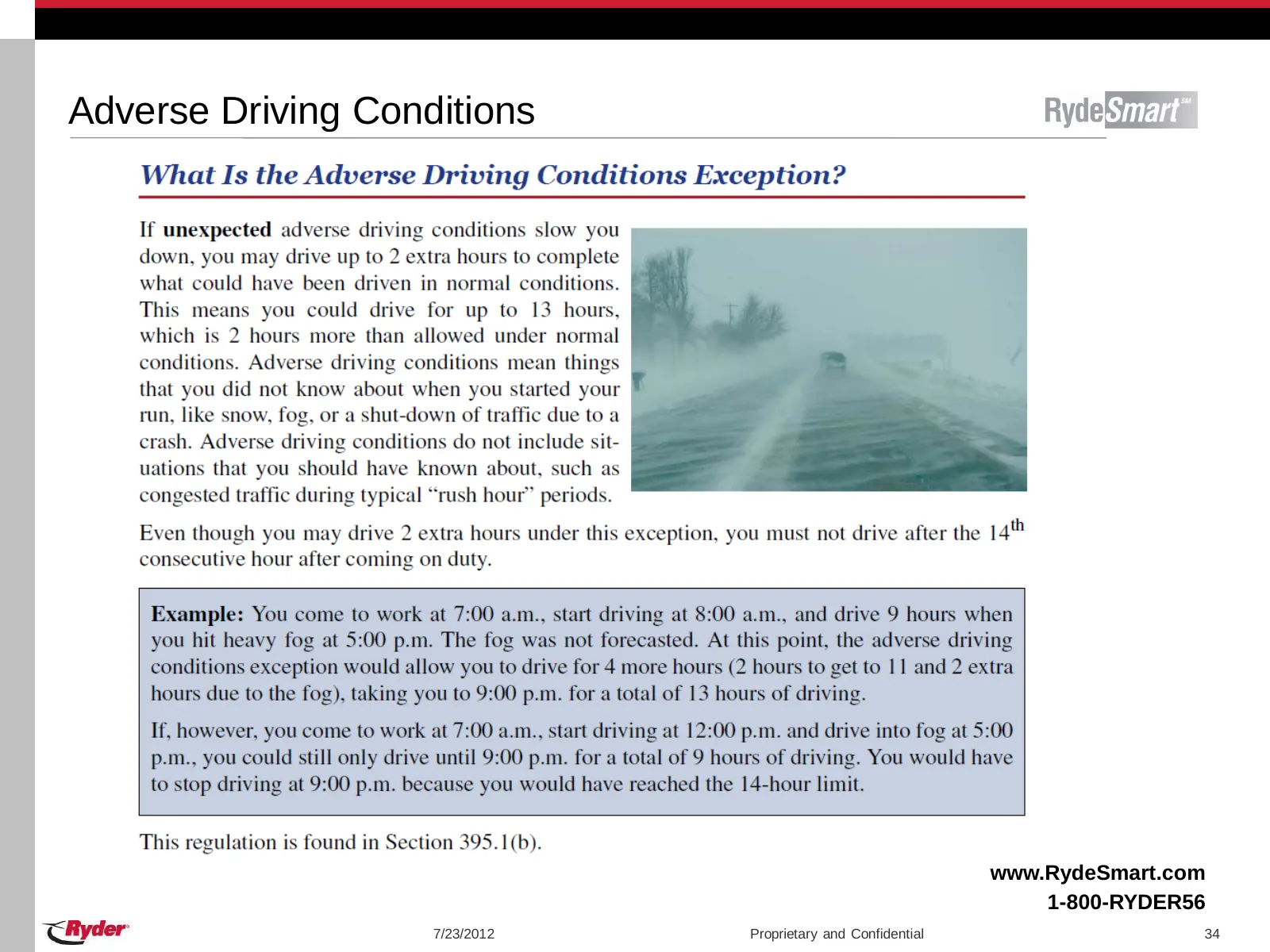
Adverse Driving Conditions www.RydeSmart.com 1-800-RYDER56 7/23/2012 Proprietary and Confidential 34
Slide 35: Adverse Driving Conditions
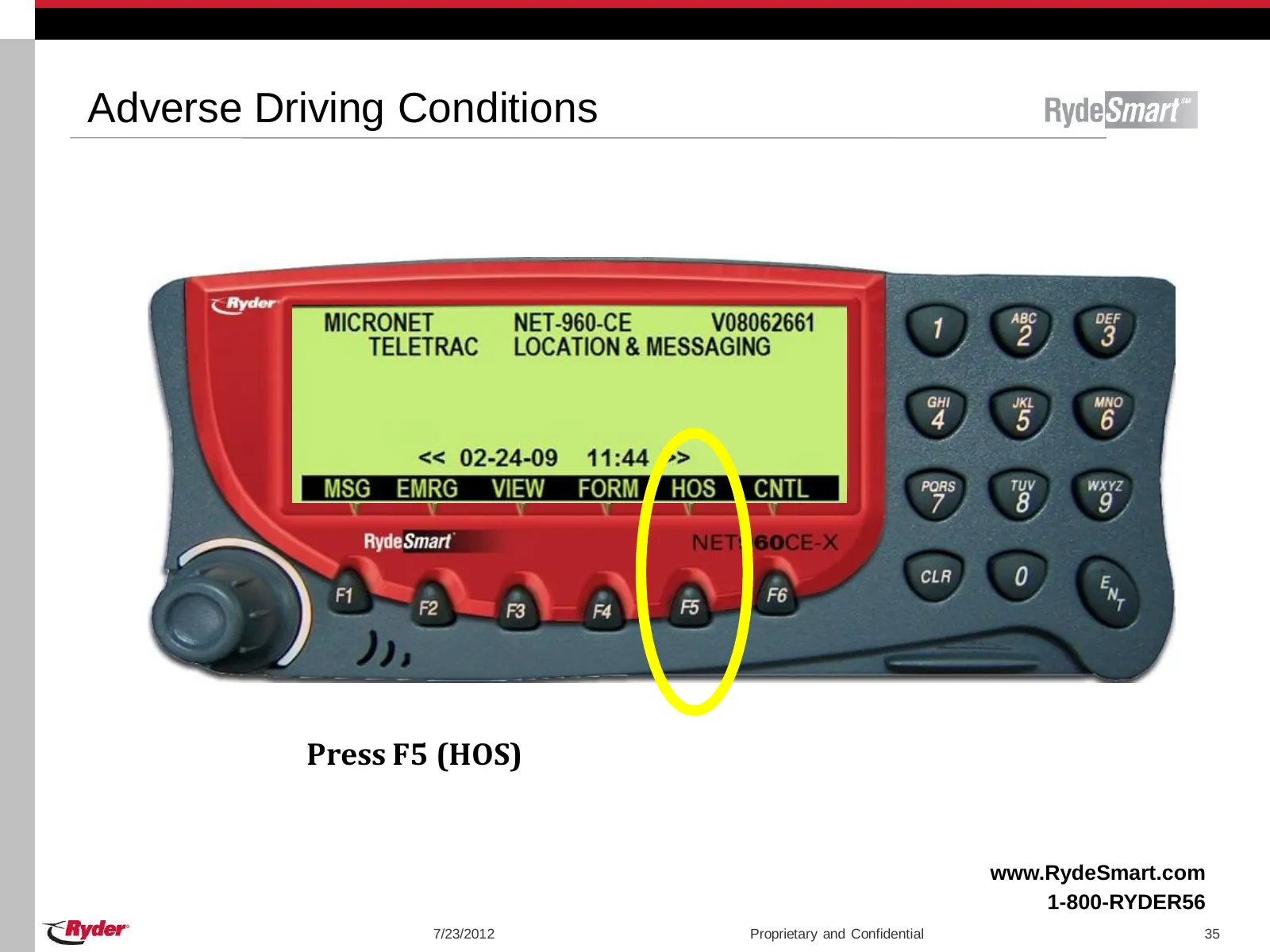
Adverse Driving Conditions Press F5 (HOS) www.RydeSmart.com 1-800-RYDER56 7/23/2012 Proprietary and Confidential 35
Slide 36: Adverse Driving Conditions
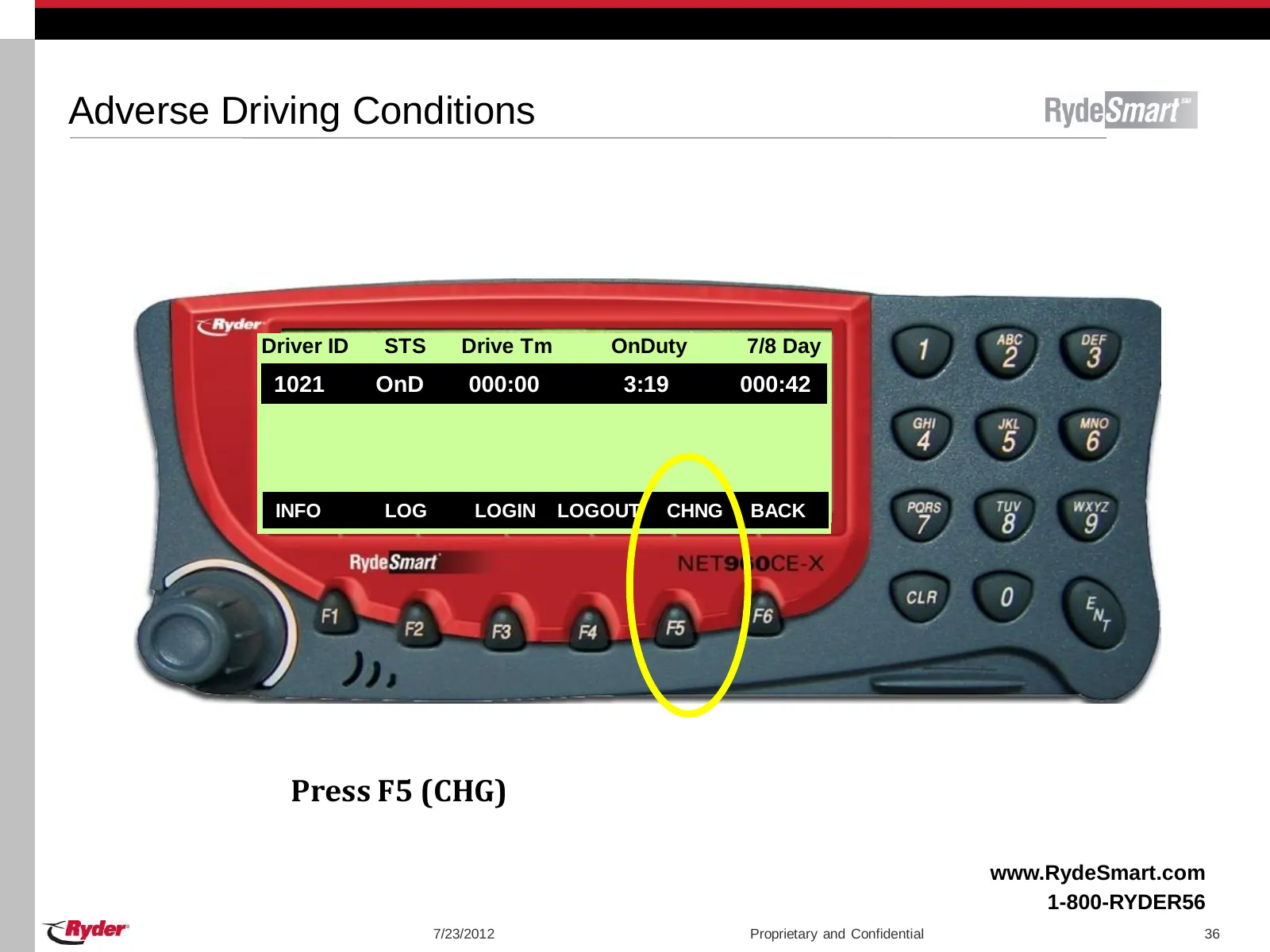
Adverse Driving Conditions Driver ID STS Drive Tm OnDuty 7/8 Day 1021 OnD 000:00 3:19 000:42 INFO LOG LOGIN LOGOUT CHNG BACK Press F5 (CHG) www.RydeSmart.com 1-800-RYDER56 7/23/2012 Proprietary and Confidential 36
Slide 37: Adverse Driving Conditions
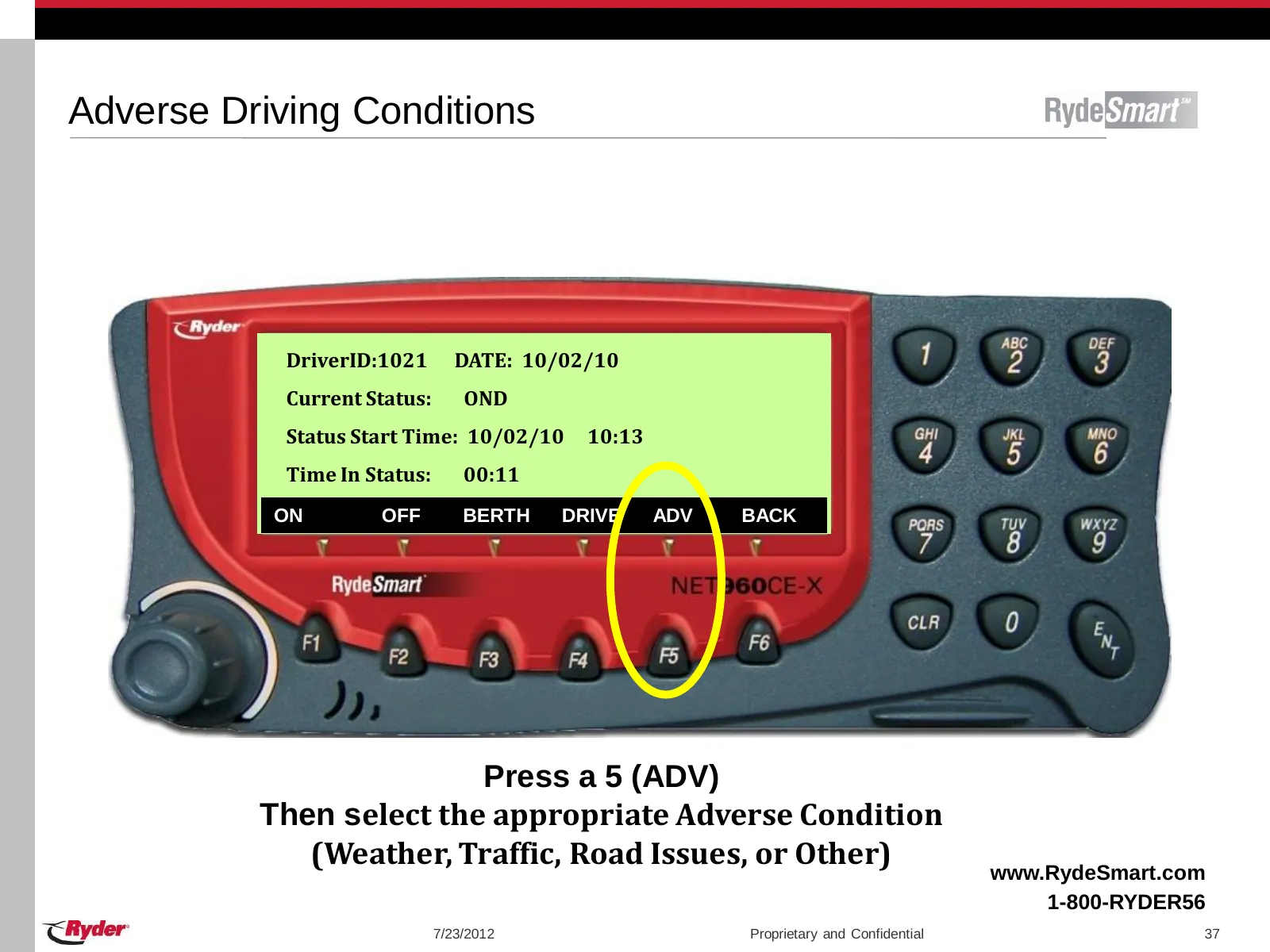
Adverse Driving Conditions DriverID:1021 DATE: 10/02/10 Current Status: OND Status Start Time: 10/02/10 10:13 Time In Status: 00:11 ON OFF BERTH DRIVE ADV BACK Press a 5 (ADV) Then select the appropriate Adverse Condition (Weather, Traffic, Road Issues, or Other) www.RydeSmart.com 1-800-RYDER56 7/23
Slide 38: RydeSmart Messaging
RydeSmart Messaging RYDESMART MESSAGING www.RydeSmart.com 1-800-RYDER56 7/23/2012 Proprietary and Confidential 38
Slide 39: RydeSmart Messaging
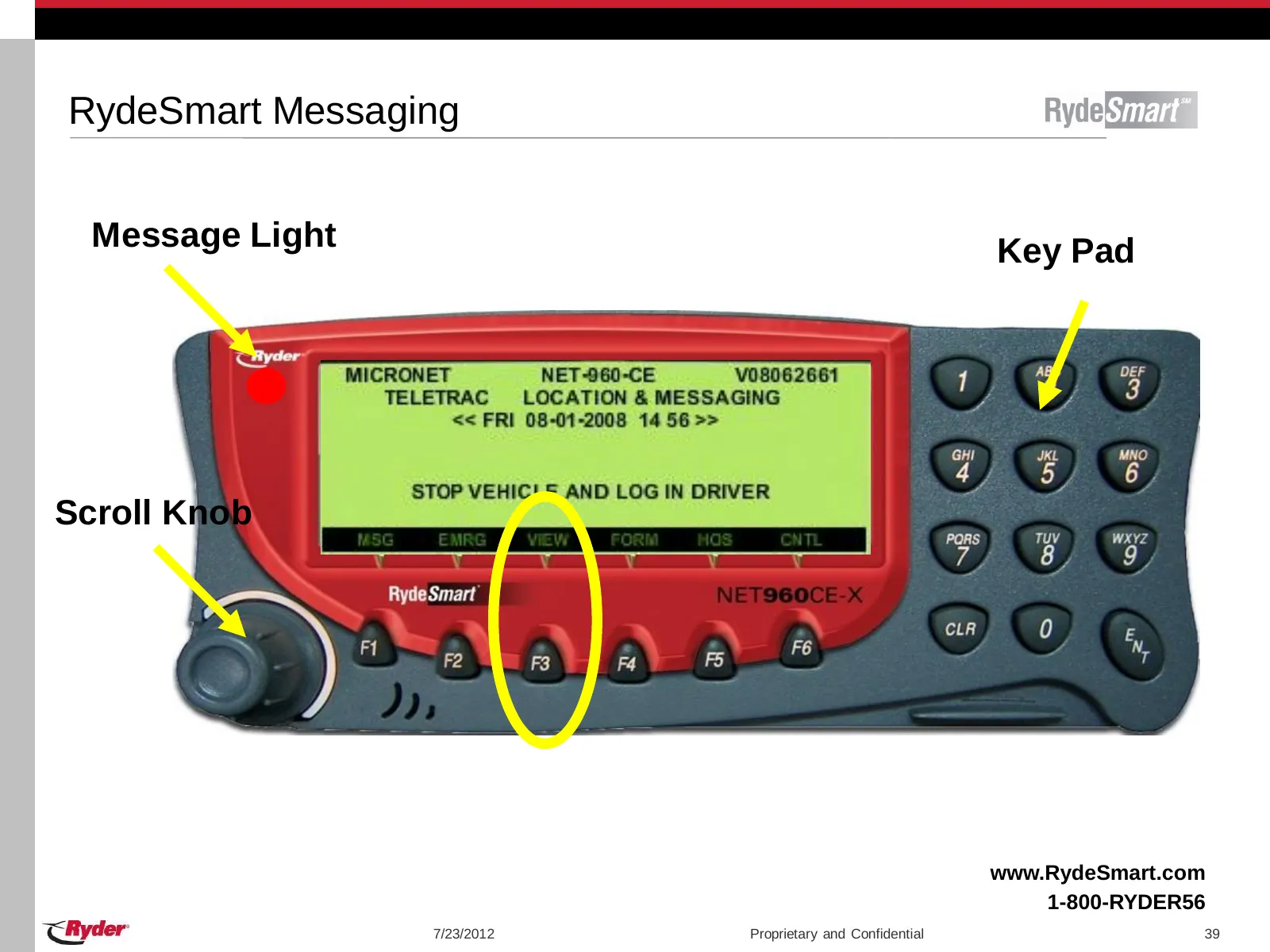
RydeSmart Messaging Message Light Key Pad Scroll Knob www.RydeSmart.com 1-800-RYDER56 7/23/2012 Proprietary and Confidential 39
Slide 40: RydeSmart Messaging – Sending Canned Messages
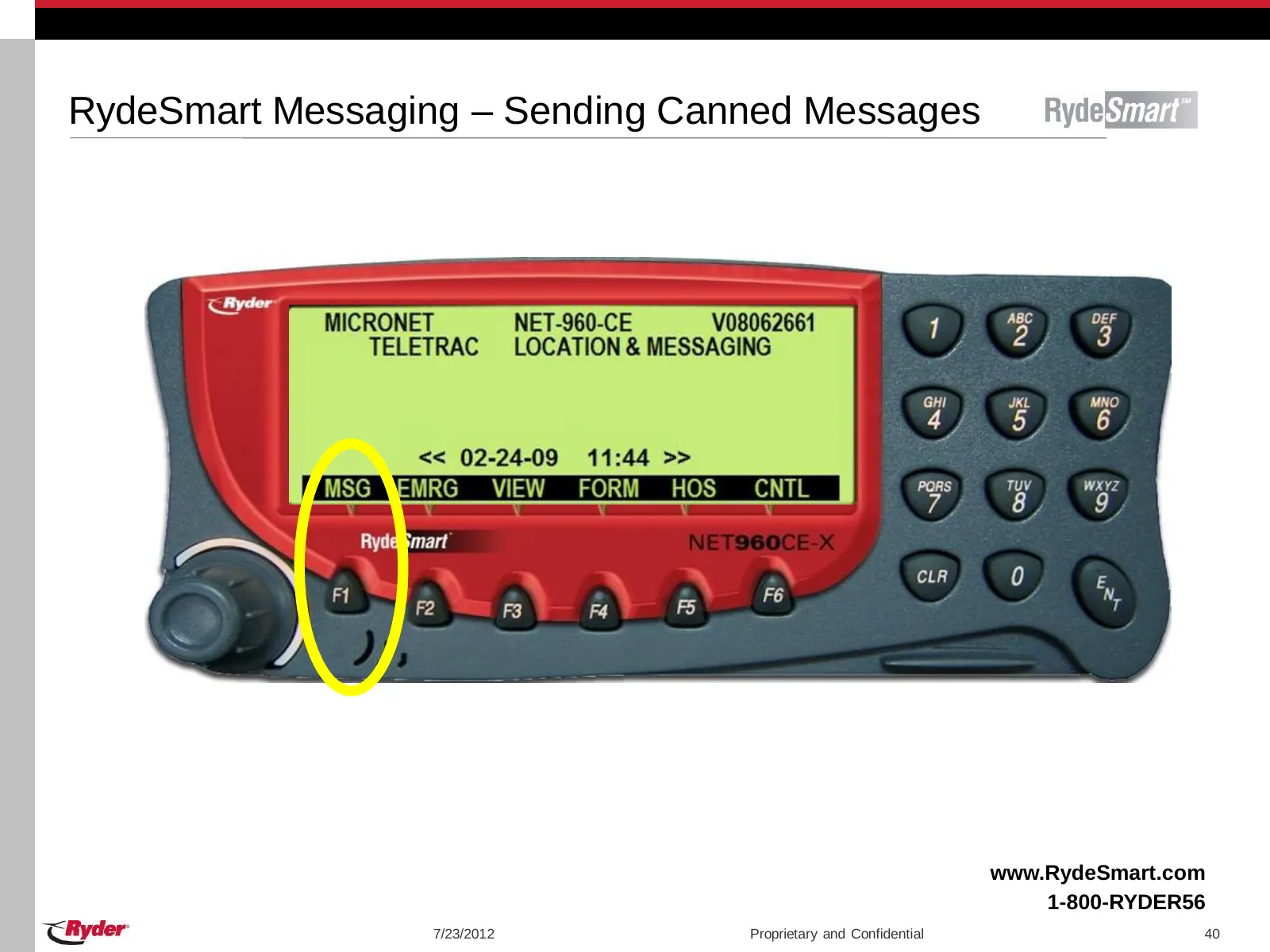
RydeSmart Messaging – Sending Canned Messages www.RydeSmart.com 1-800-RYDER56 7/23/2012 Proprietary and Confidential 40
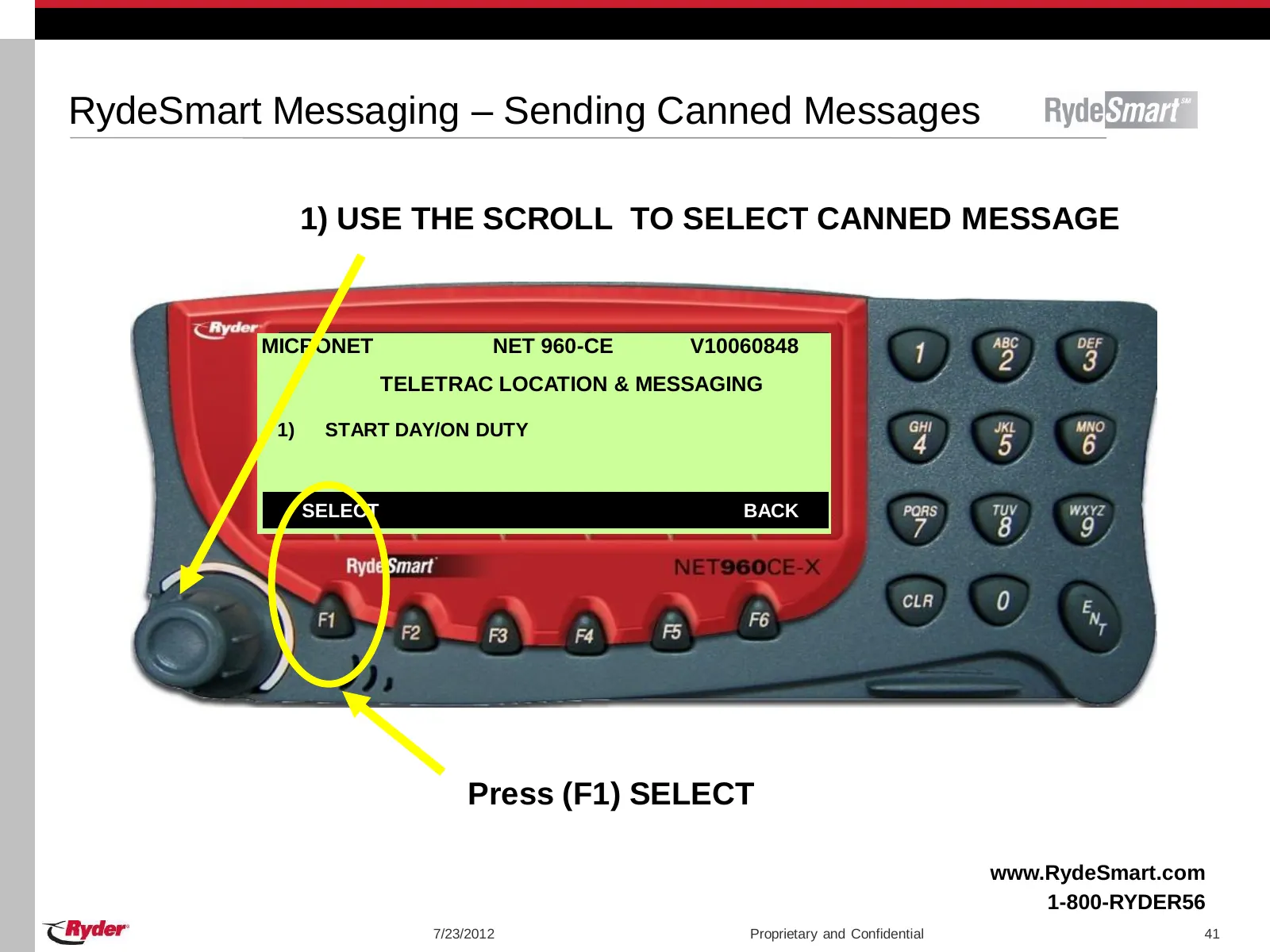
Slide 41: RydeSmart Messaging – Sending Canned Messages
RydeSmart Messaging – Sending Canned Messages 1) USE THE SCROLL TO SELECT CANNED MESSAGE MICRONET NET 960-CE V10060848 TELETRAC LOCATION & MESSAGING 1) START DAY/ON DUTY SELECT BACK Press (F1) SELECT www.RydeSmart.com 1-800-RYDER56 7/23/2012 Proprietary and Confidential 41
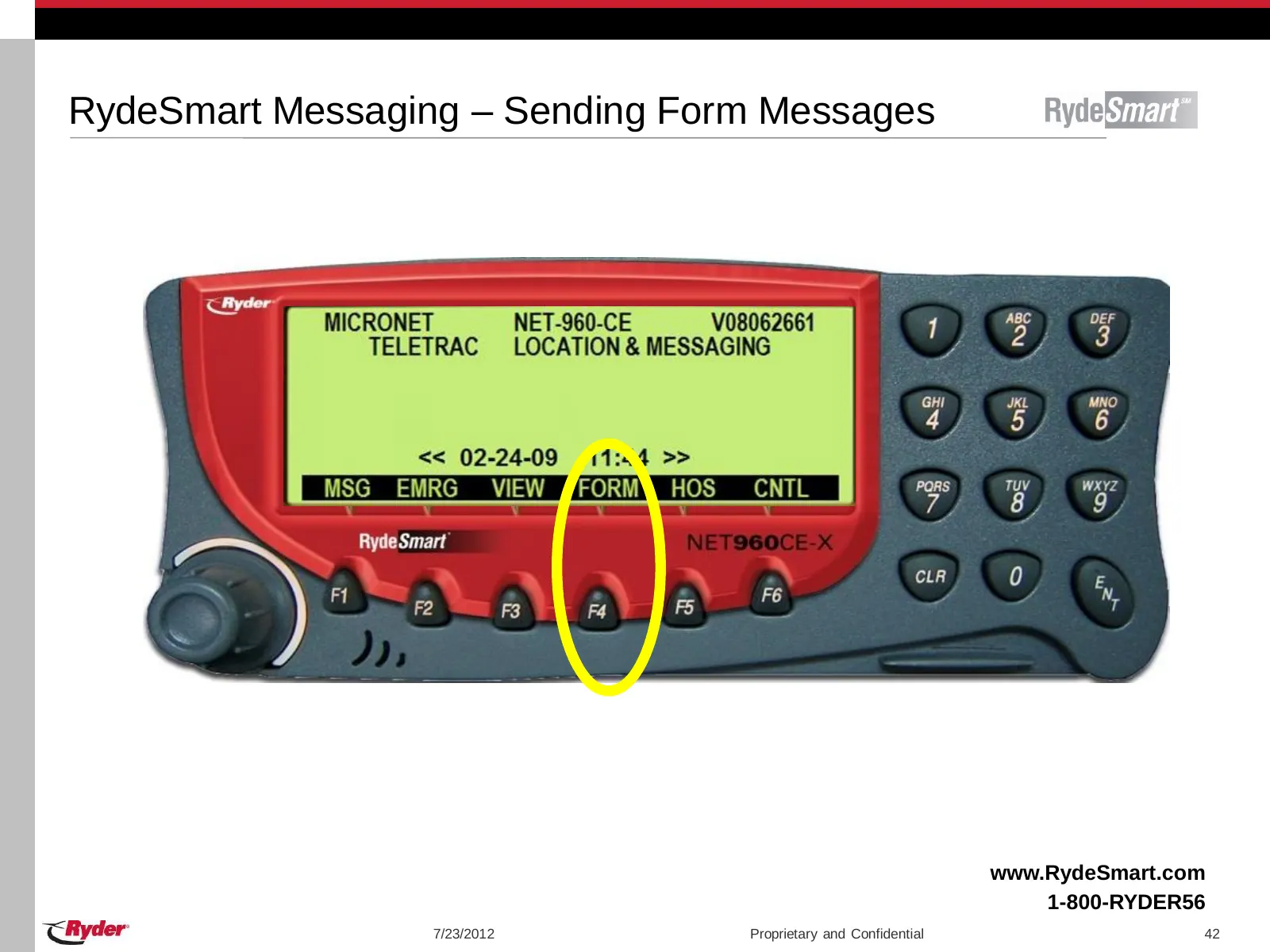
Slide 42: RydeSmart Messaging – Sending Form Messages
RydeSmart Messaging – Sending Form Messages www.RydeSmart.com 1-800-RYDER56 7/23/2012 Proprietary and Confidential 42
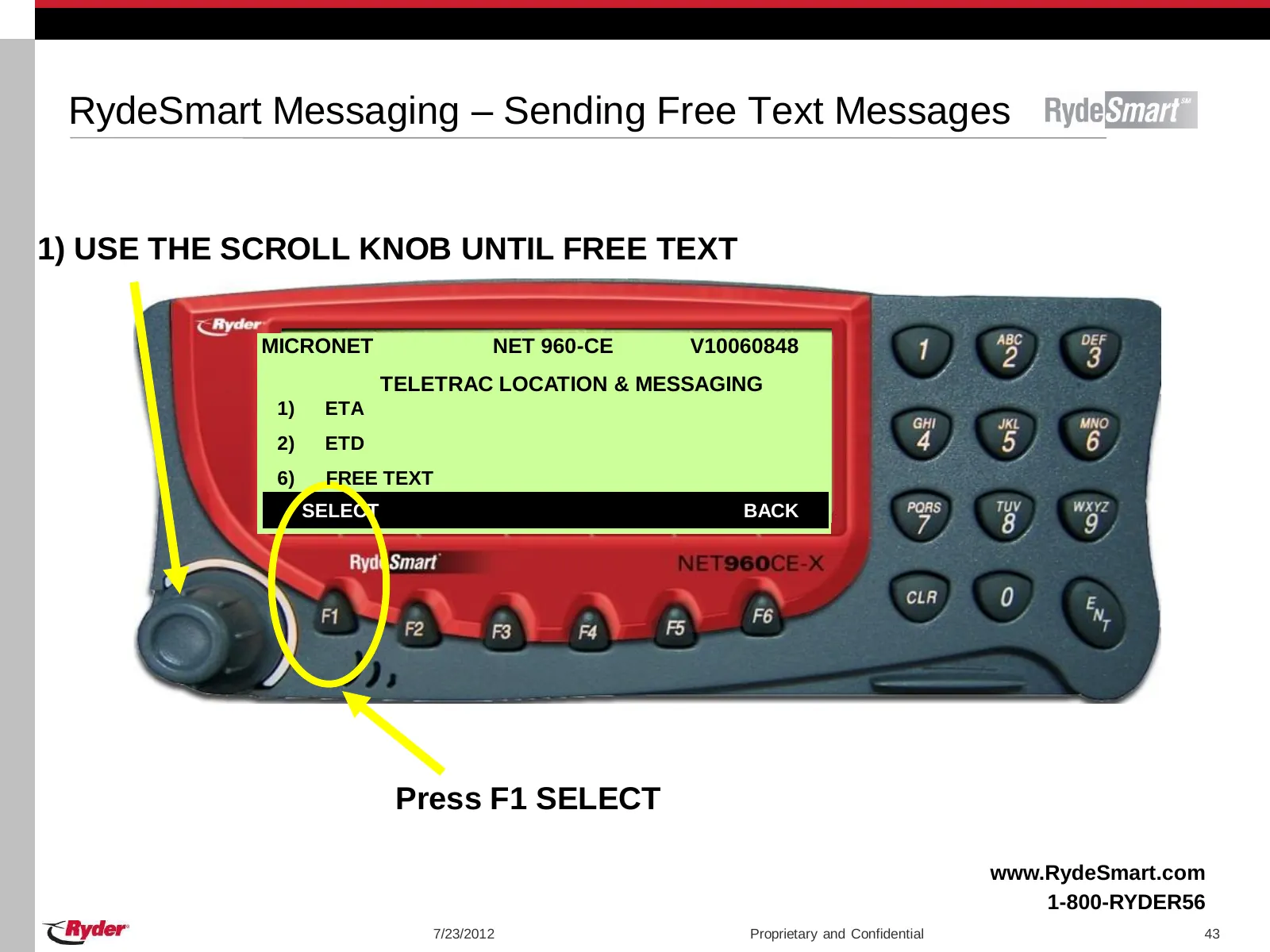
Slide 43: RydeSmart Messaging – Sending Free Text Messages
RydeSmart Messaging – Sending Free Text Messages 1) USE THE SCROLL KNOB UNTIL FREE TEXT MICRONET NET 960-CE V10060848 TELETRAC LOCATION & MESSAGING 1) ETA 2) ETD 6) FREE TEXT SELECT BACK Press F1 SELECT www.RydeSmart.com 1-800-RYDER56 7/23/2012 Proprietary and Confidential 43
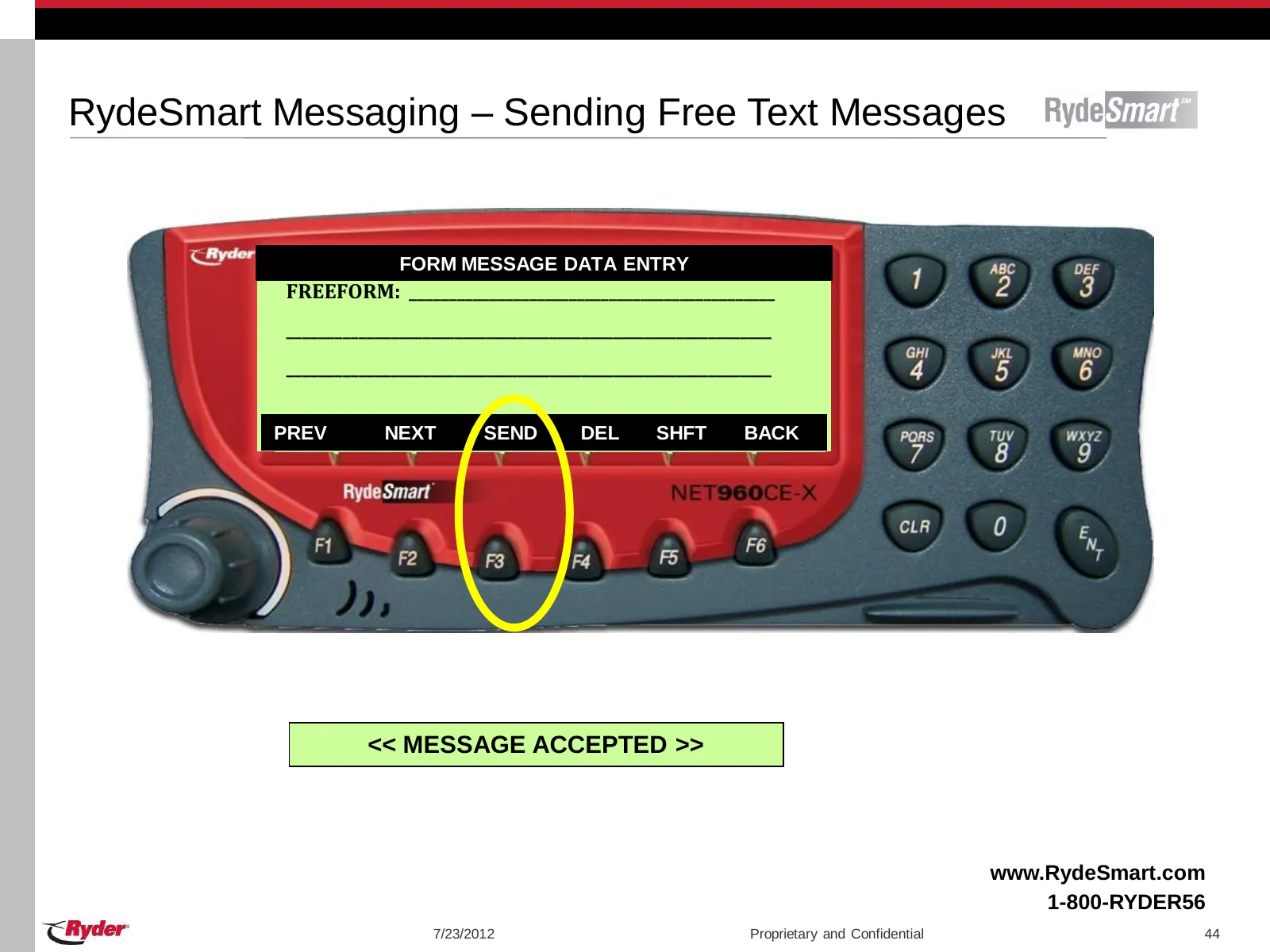
Slide 44: RydeSmart Messaging – Sending Free Text Messages
RydeSmart Messaging – Sending Free Text Messages FORM MESSAGE DATA ENTRY FREEFORM: ______________________________________________ _____________________________________________________________ _____________________________________________________________ PREV NEXT SEND DEL SHFT BACK << MESSAGE ACCEPT
Slide 45: End of Day Routine
End of Day Routine End of Day Routine www.RydeSmart.com 1-800-RYDER56 7/23/2012 Proprietary and Confidential 45
Slide 46: End of Day Routine
End of Day Routine • Post Trip Inspection • Note Post Trip on Log • Change Duty Status to Off Duty (Off) • Sign Out of RydeSmart (OUT) www.RydeSmart.com 1-800-RYDER56 7/23/2012 Proprietary and Confidential 46
Slide 47: Adding A Note To Your Log
Adding A Note To Your Log ADDING A NOTE TO THE LOG (e.g. Pre-Trip/Post-Trip) www.RydeSmart.com 1-800-RYDER56 7/23/2012 Proprietary and Confidential 47
Slide 48: Adding The Post Trip Note to Your Log
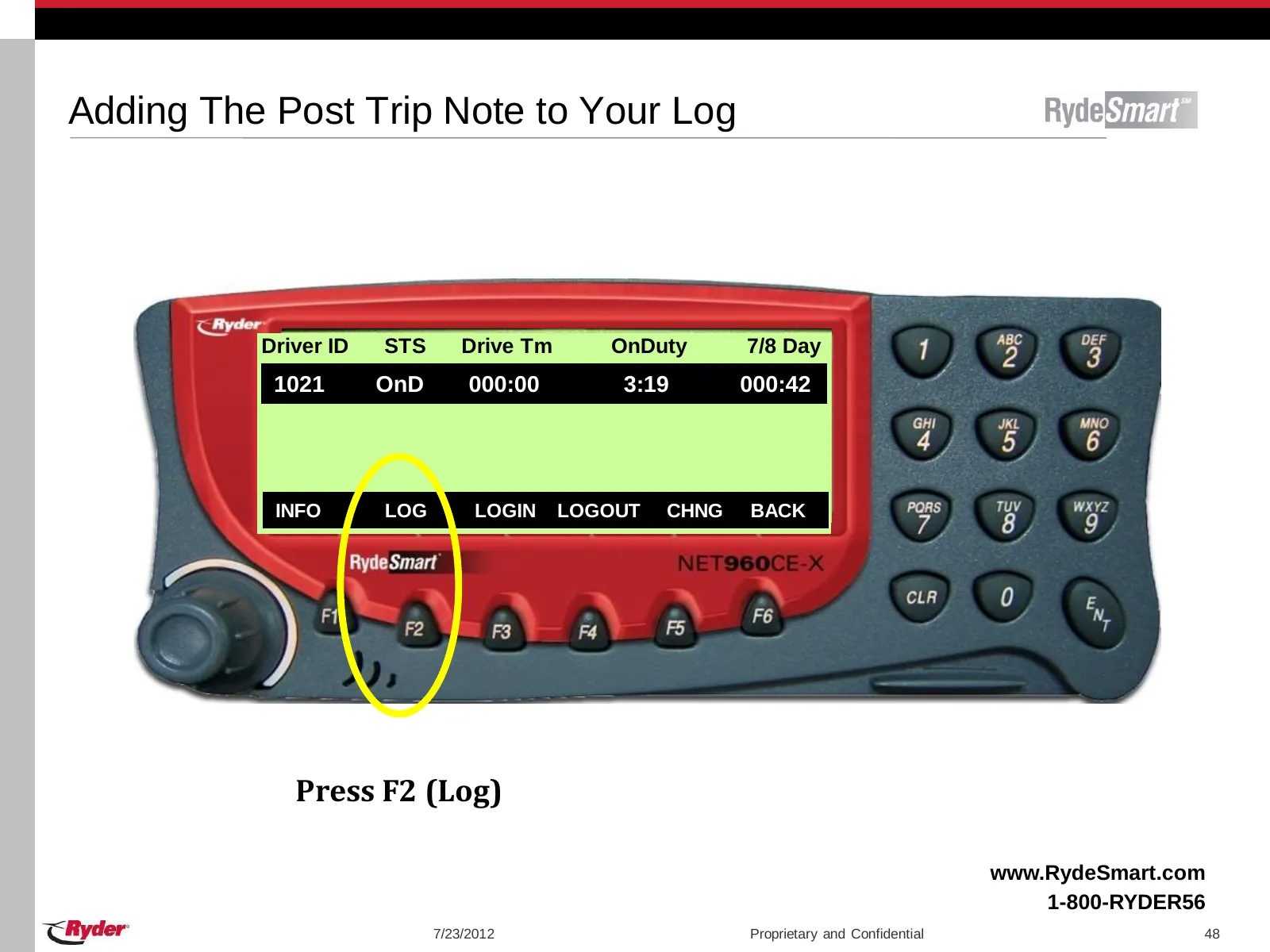
Adding The Post Trip Note to Your Log Driver ID STS Drive Tm OnDuty 7/8 Day 1021 OnD 000:00 3:19 000:42 INFO LOG LOGIN LOGOUT CHNG BACK Press F2 (Log) www.RydeSmart.com 1-800-RYDER56 7/23/2012 Proprietary and Confidential 48
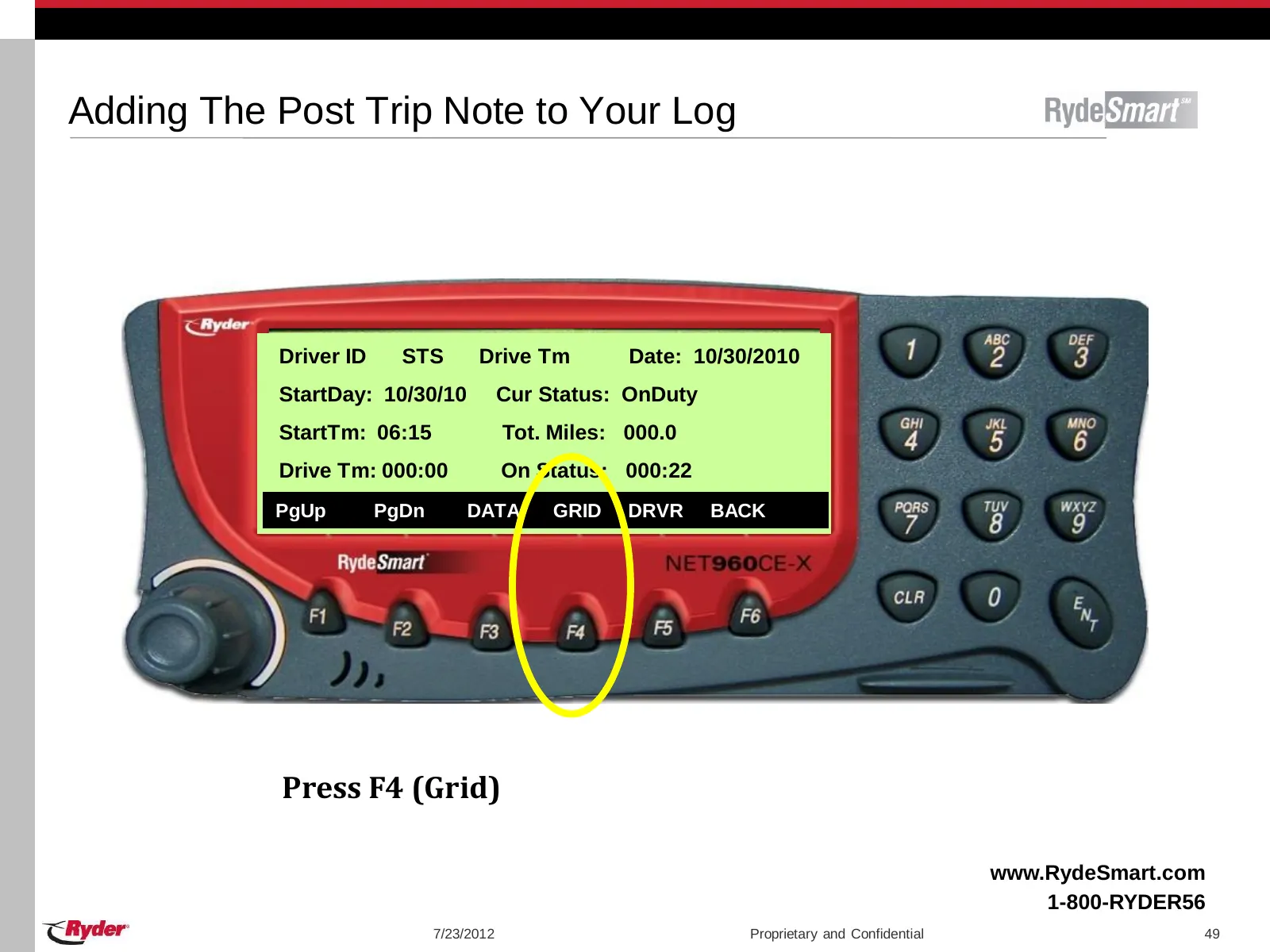
Slide 49: Adding The Post Trip Note to Your Log
Adding The Post Trip Note to Your Log Driver ID STS Drive Tm Date: 10/30/2010 StartDay: 10/30/10 Cur Status: OnDuty StartTm: 06:15 Tot. Miles: 000.0 Drive Tm: 000:00 On Status: 000:22 PgUp PgDn DATA GRID DRVR BACK Press F4 (Grid) www.RydeSmart.com 1-800-RYDER56 7/23/2012 Proprietary and Confidential
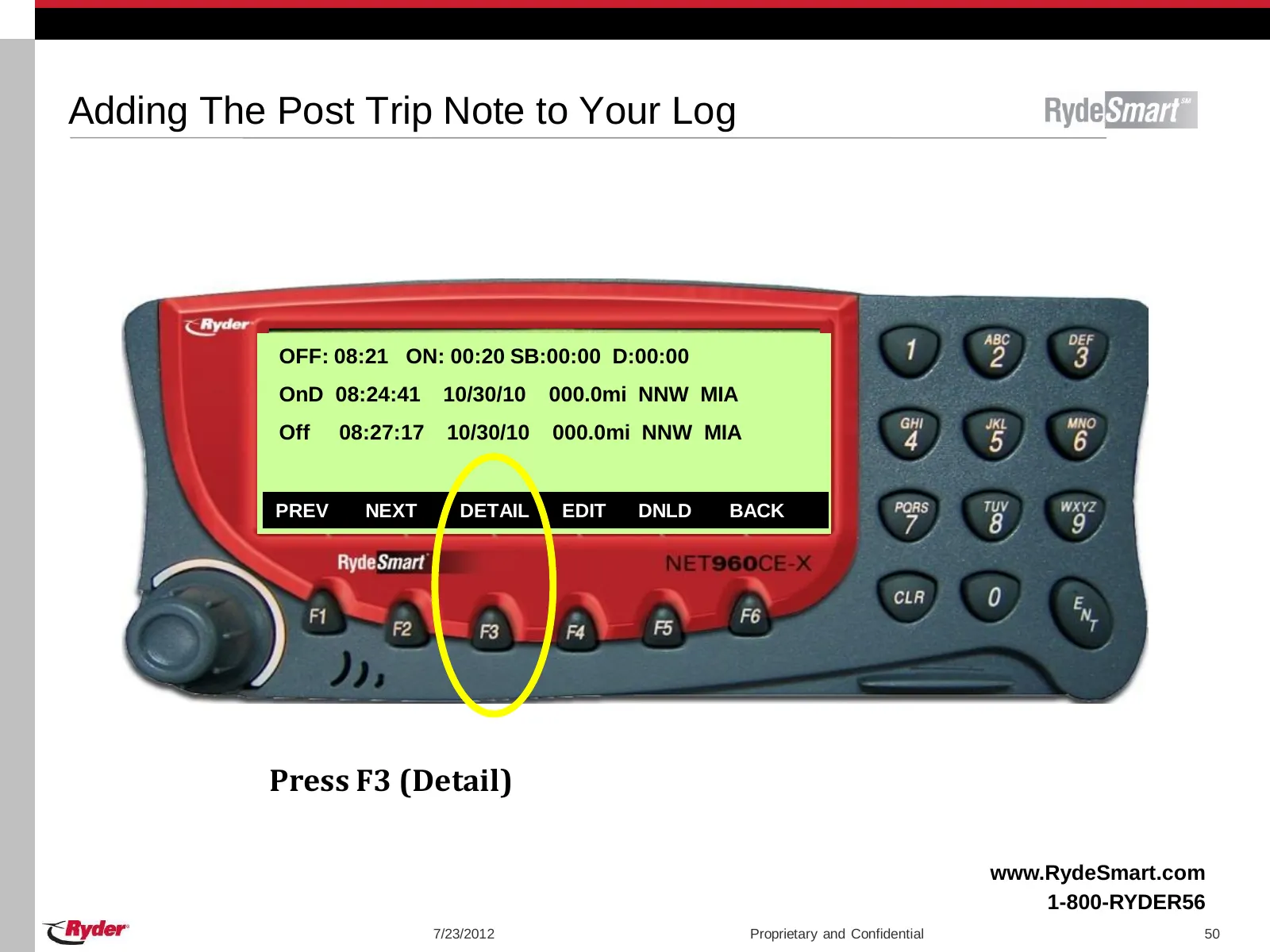
Slide 50: Adding The Post Trip Note to Your Log
Adding The Post Trip Note to Your Log OFF: 08:21 ON: 00:20 SB:00:00 D:00:00 OnD 08:24:41 10/30/10 000.0mi NNW MIA Off 08:27:17 10/30/10 000.0mi NNW MIA PREV NEXT DETAIL EDIT DNLD BACK Press F3 (Detail) www.RydeSmart.com 1-800-RYDER56 7/23/2012 Proprietary and Confidential 50
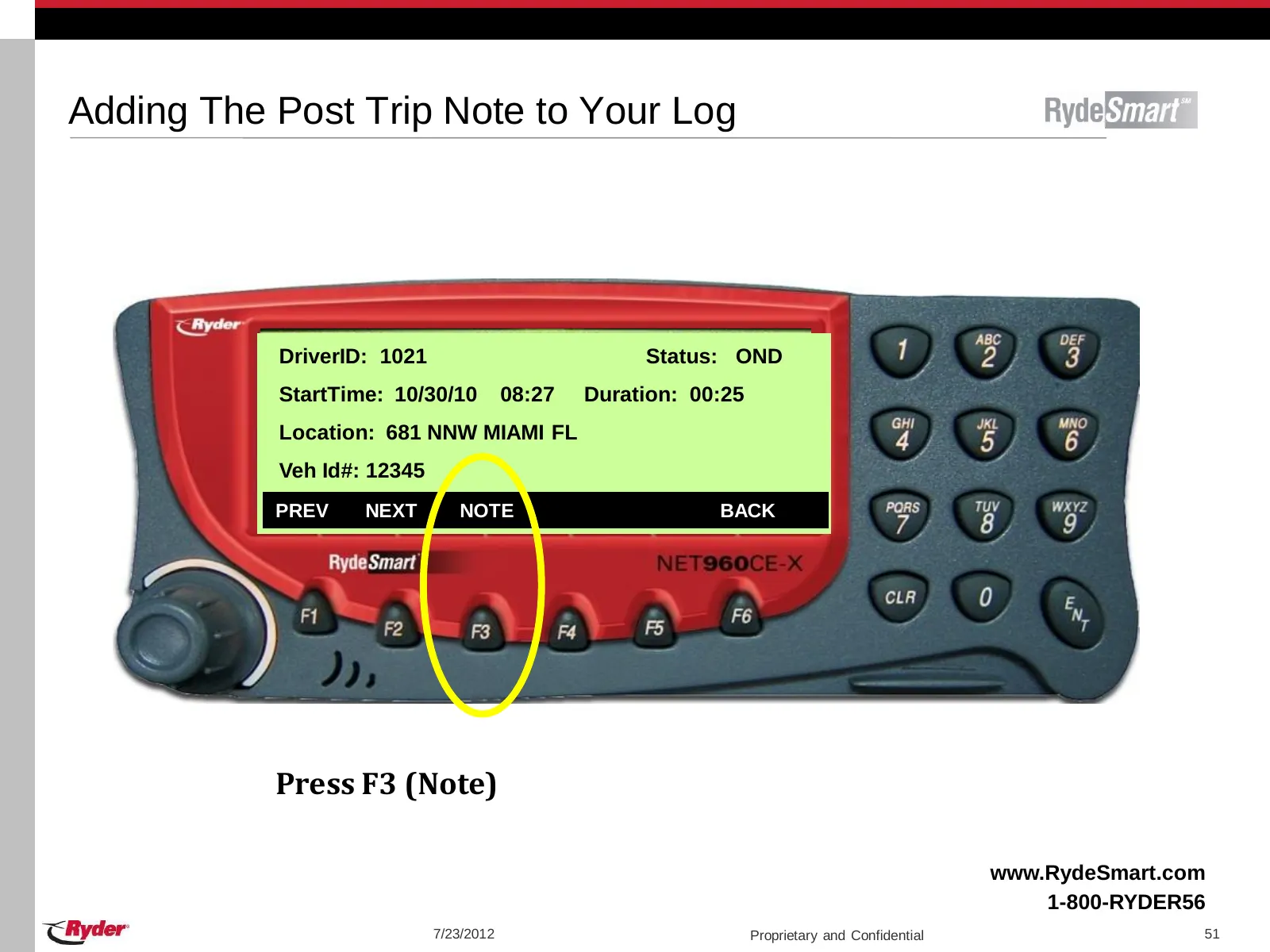
Slide 51: Adding The Post Trip Note to Your Log
Adding The Post Trip Note to Your Log DriverID: 1021 Status: OND StartTime: 10/30/10 08:27 Duration: 00:25 Location: 681 NNW MIAMI FL Veh Id#: 12345 PREV NEXT NOTE BACK Press F3 (Note) www.RydeSmart.com 1-800-RYDER56 7/23/2012 Proprietary and Confidential 51
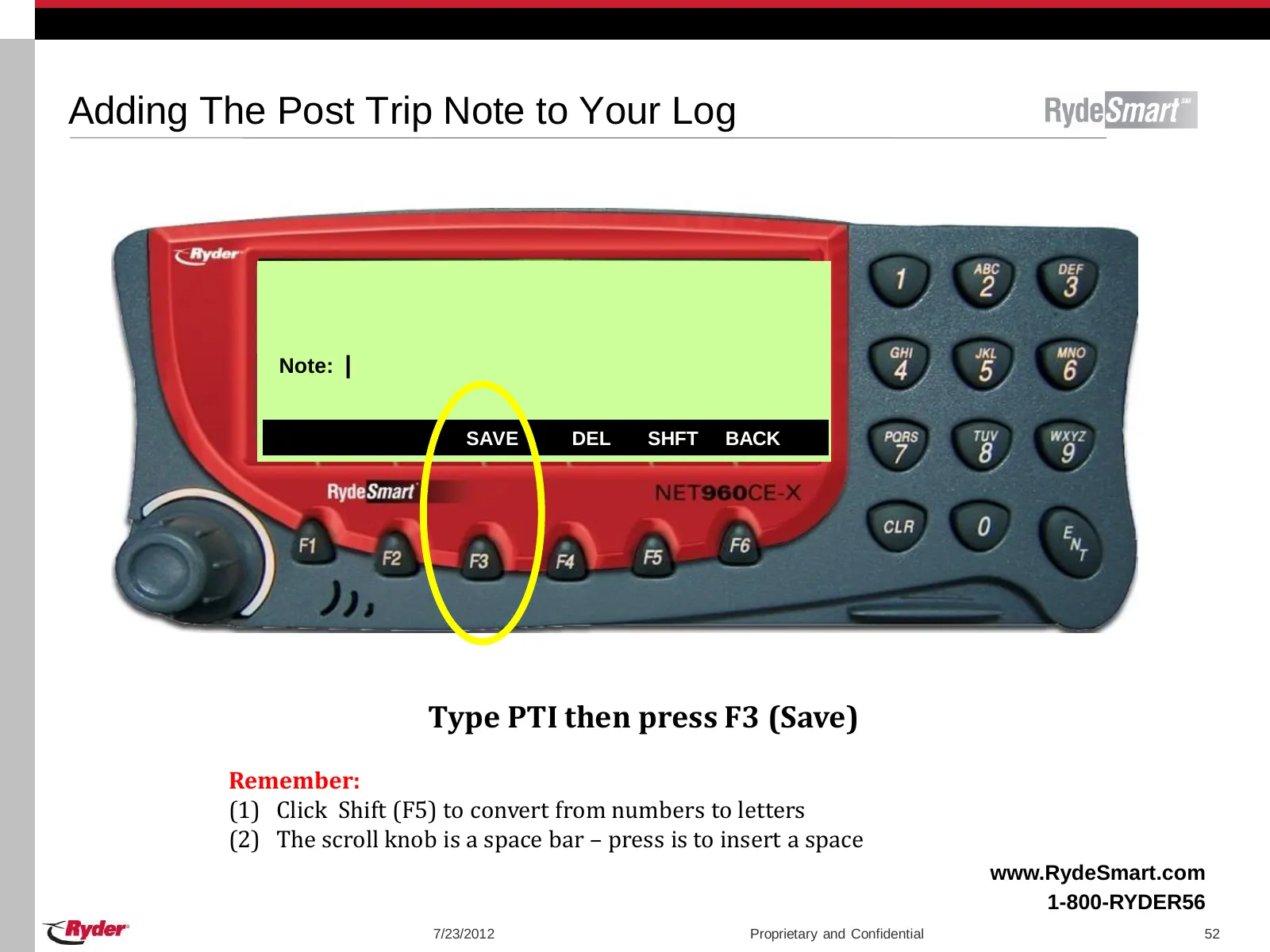
Slide 52: Adding The Post Trip Note to Your Log
Adding The Post Trip Note to Your Log Note: | SAVE DEL SHFT BACK Type PTI then press F3 (Save) Remember: (1) Click Shift (F5) to convert from numbers to letters (2) The scroll knob is a space bar – press is to insert a space www.RydeSmart.com 1-800-RYDER56 7/23/2012 Proprietary and Confidential 52
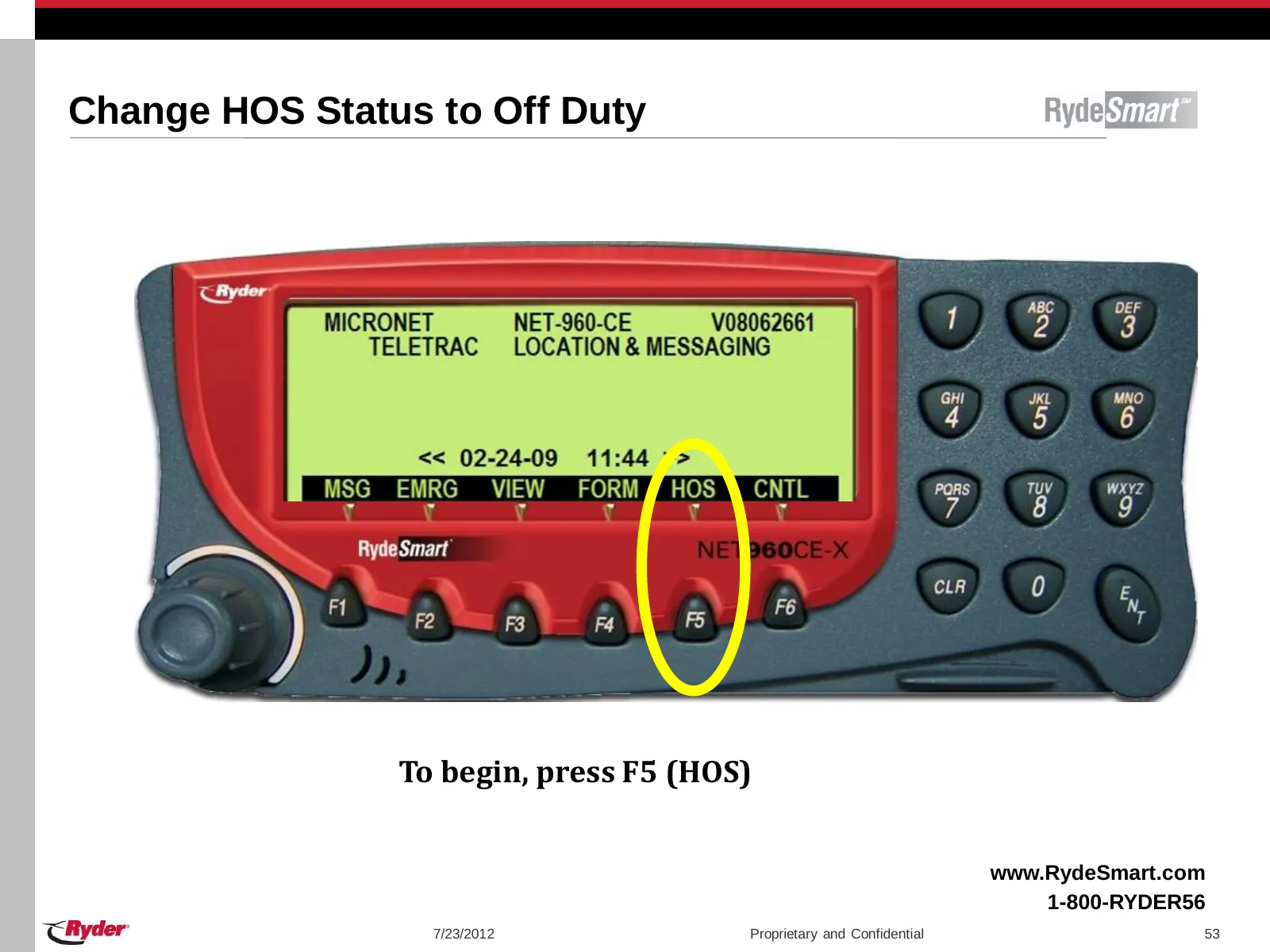
Slide 53: Change HOS Status to Off Duty
Change HOS Status to Off Duty To begin, press F5 (HOS) www.RydeSmart.com 1-800-RYDER56 7/23/2012 Proprietary and Confidential 53
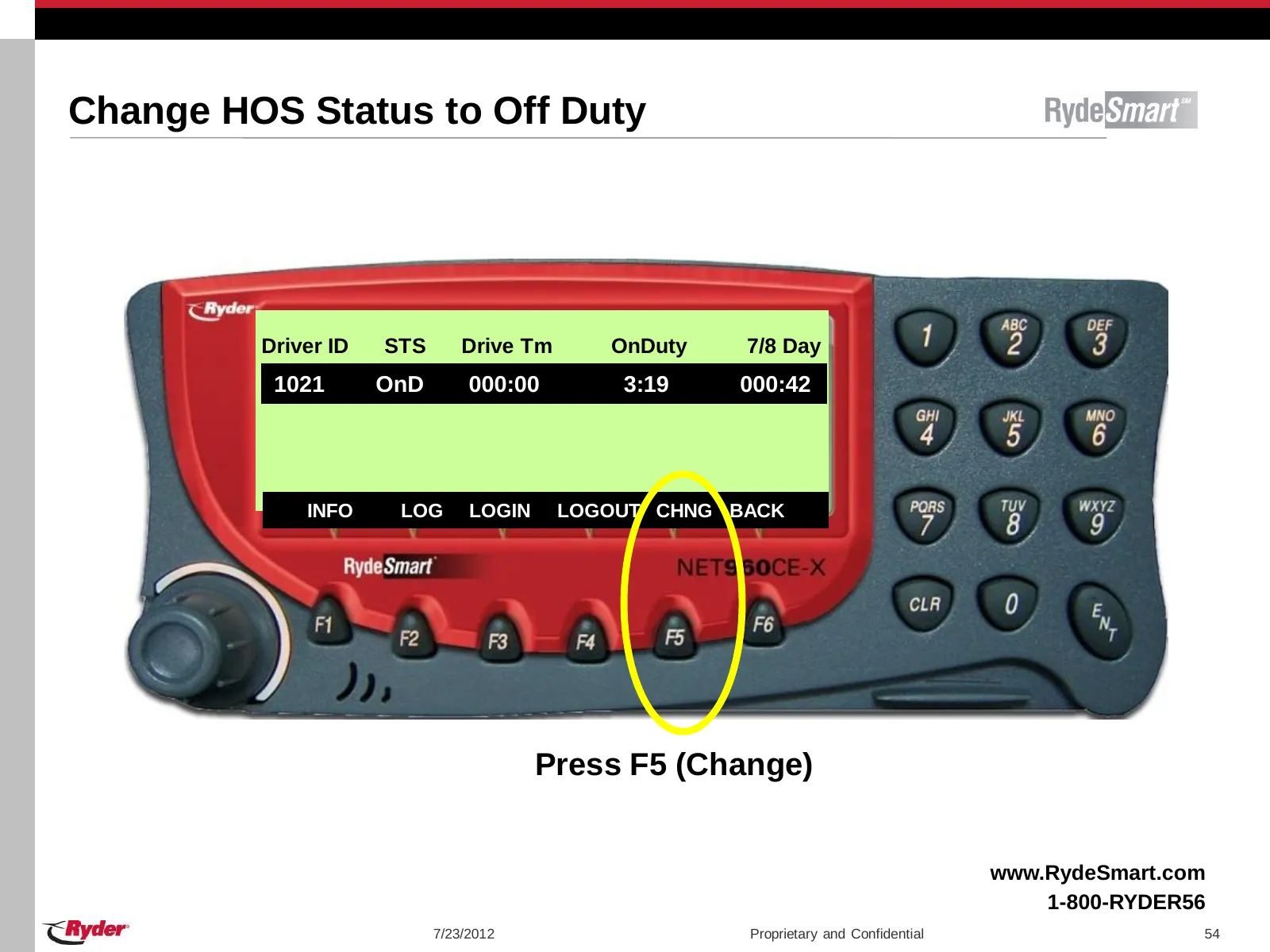
Slide 54: Change HOS Status to Off Duty
Change HOS Status to Off Duty Driver ID STS Drive Tm OnDuty 7/8 Day 1021 OnD 000:00 3:19 000:42 INFO LOG LOGIN LOGOUT CHNG BACK Press F5 (Change) www.RydeSmart.com 1-800-RYDER56 7/23/2012 Proprietary and Confidential 54
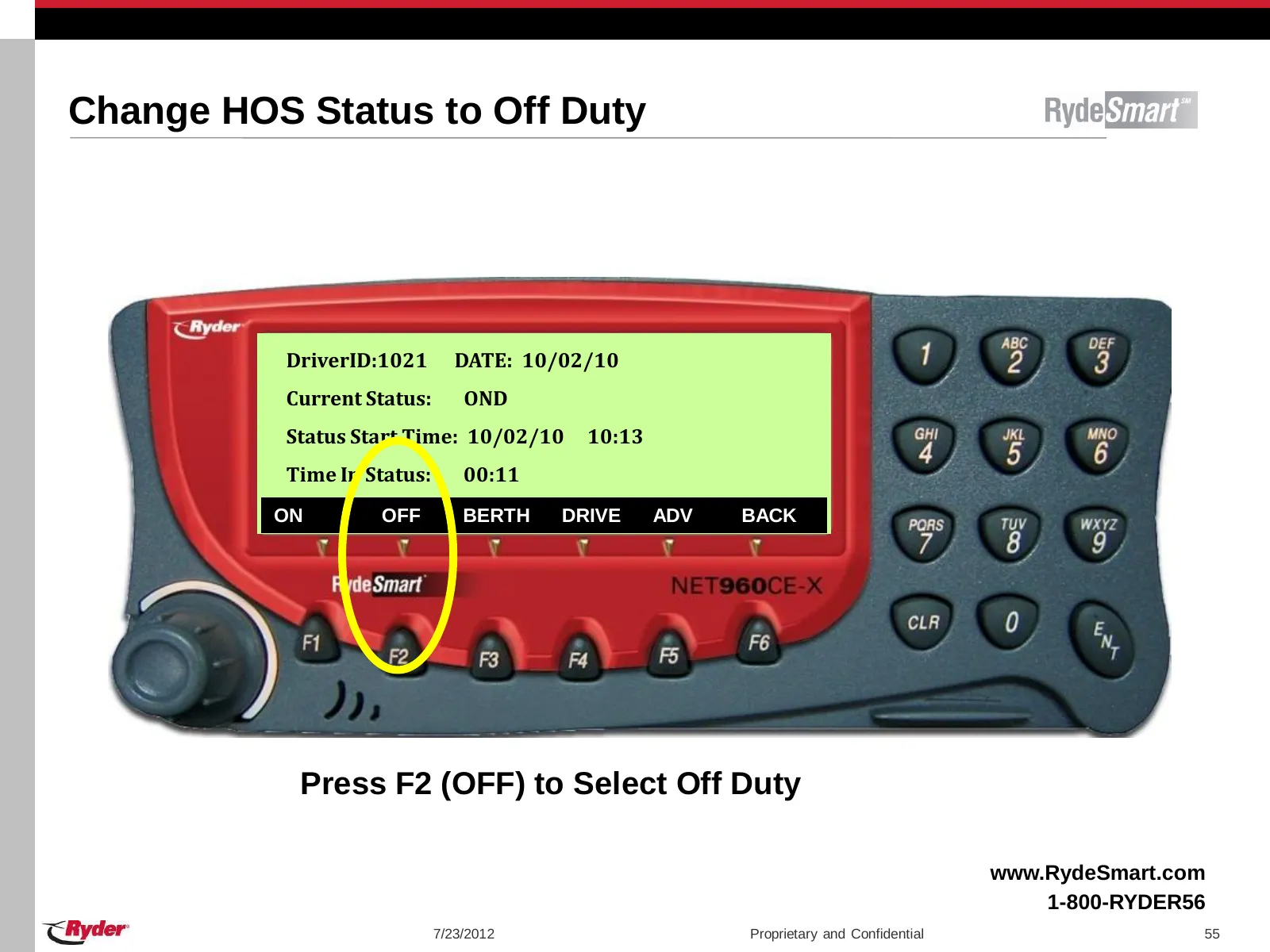
Slide 55: Change HOS Status to Off Duty
Change HOS Status to Off Duty DriverID:1021 DATE: 10/02/10 Current Status: OND Status Start Time: 10/02/10 10:13 Time In Status: 00:11 ON OFF BERTH DRIVE ADV BACK Press F2 (OFF) to Select Off Duty www.RydeSmart.com 1-800-RYDER56 7/23/2012 Proprietary and Confidential 55
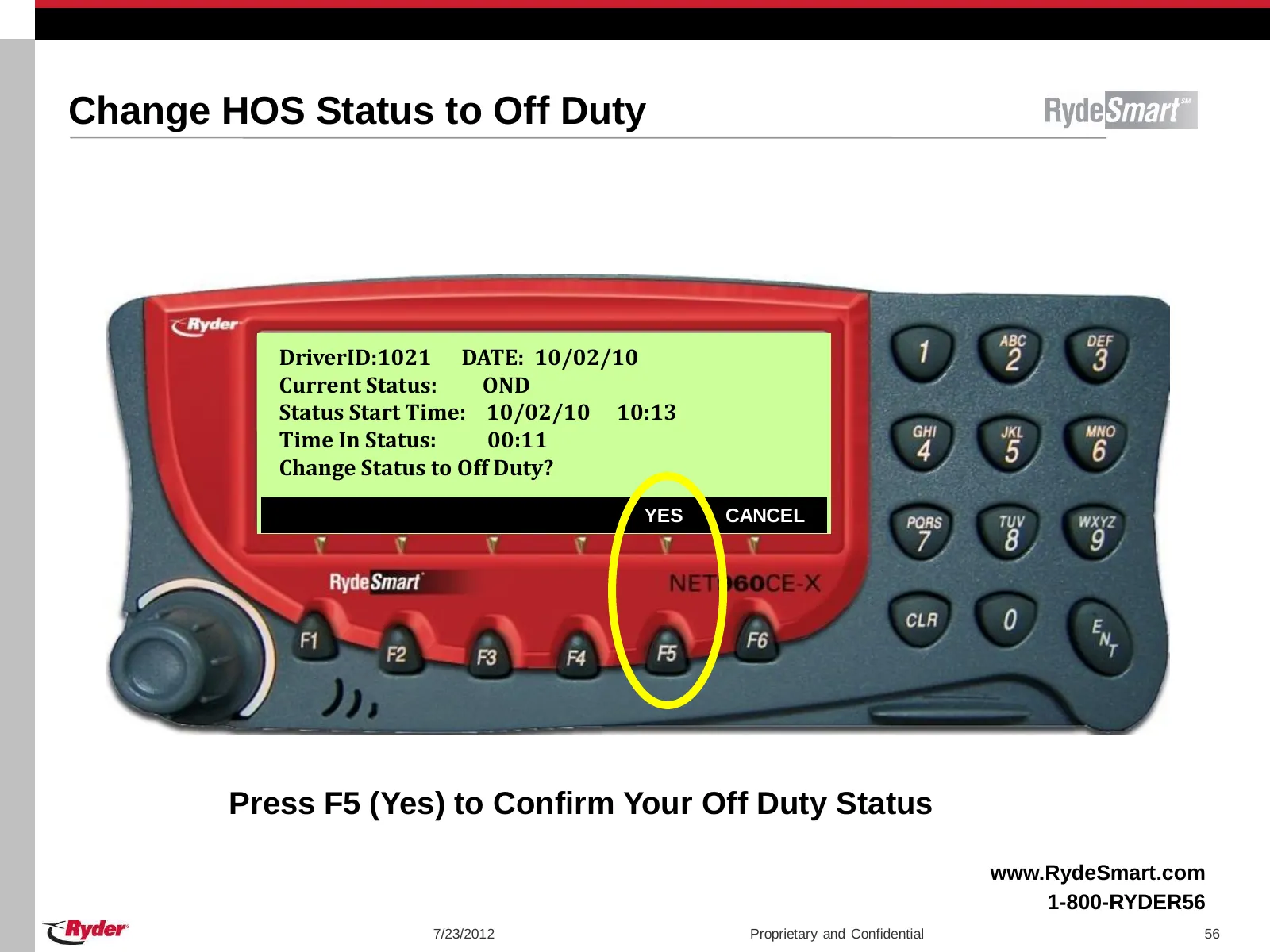
Slide 56: Change HOS Status to Off Duty
Change HOS Status to Off Duty DriverID:1021 DATE: 10/02/10 Current Status: OND Status Start Time: 10/02/10 10:13 Time In Status: 00:11 Change Status to Off Duty? YES CANCEL Press F5 (Yes) to Confirm Your Off Duty Status www.RydeSmart.com 1-800-RYDER56 7/23/2012 Proprietary and Confidential 56
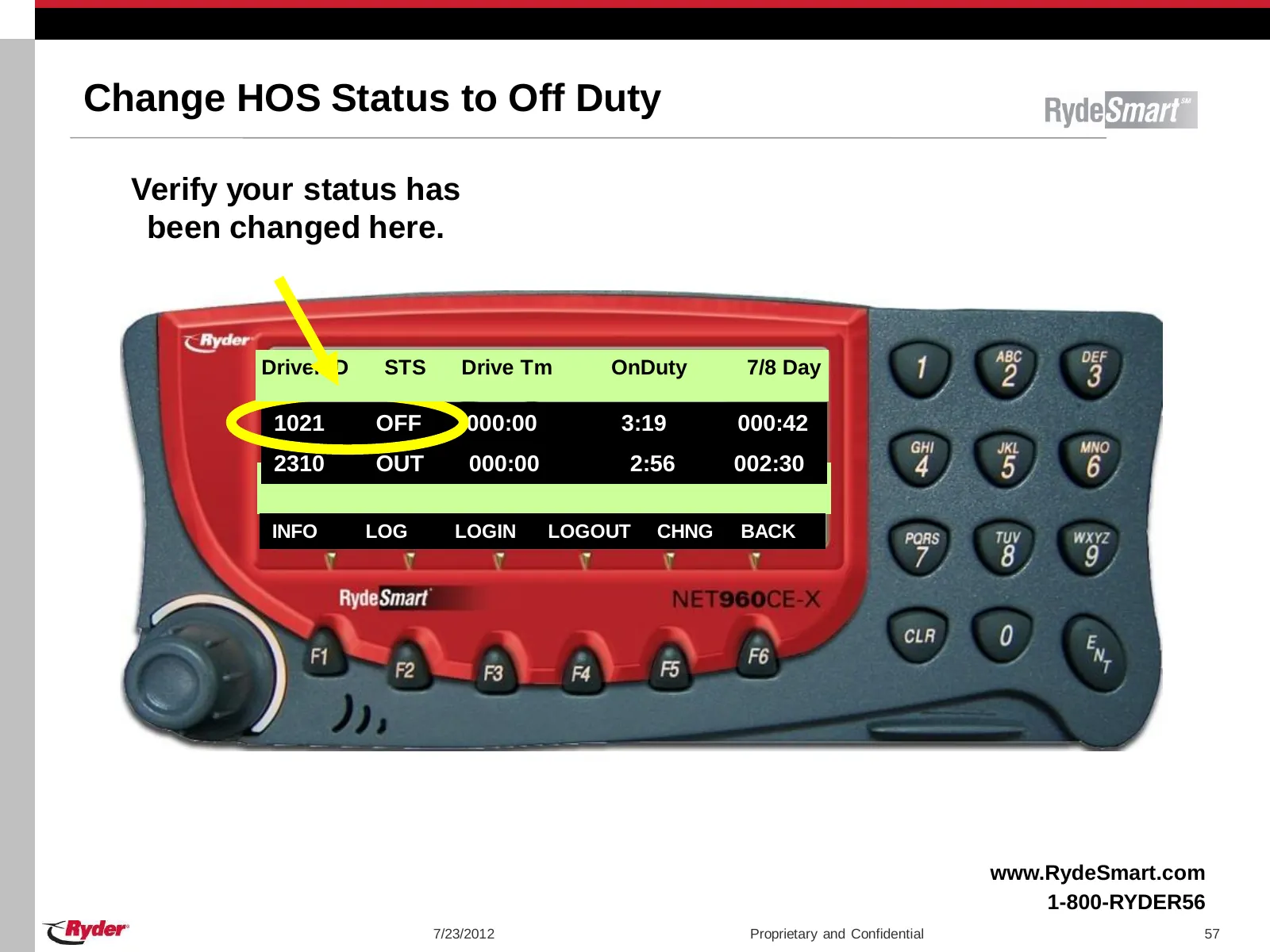
Slide 57: Change HOS Status to Off Duty
Change HOS Status to Off Duty Verify your status has been changed here. Driver ID STS Drive Tm OnDuty 7/8 Day 1021 OFF 000:00 3:19 000:42 2310 OUT 000:00 2:56 002:30 INFO LOG LOGIN LOGOUT CHNG BACK www.RydeSmart.com 1-800-RYDER56 7/23/2012 Proprietary and Confidential 57
Slide 58: Logging Out of RydeSmart
Logging Out of RydeSmart Logging Out of RydeSmart www.RydeSmart.com 1-800-RYDER56 7/23/2012 Proprietary and Confidential 58
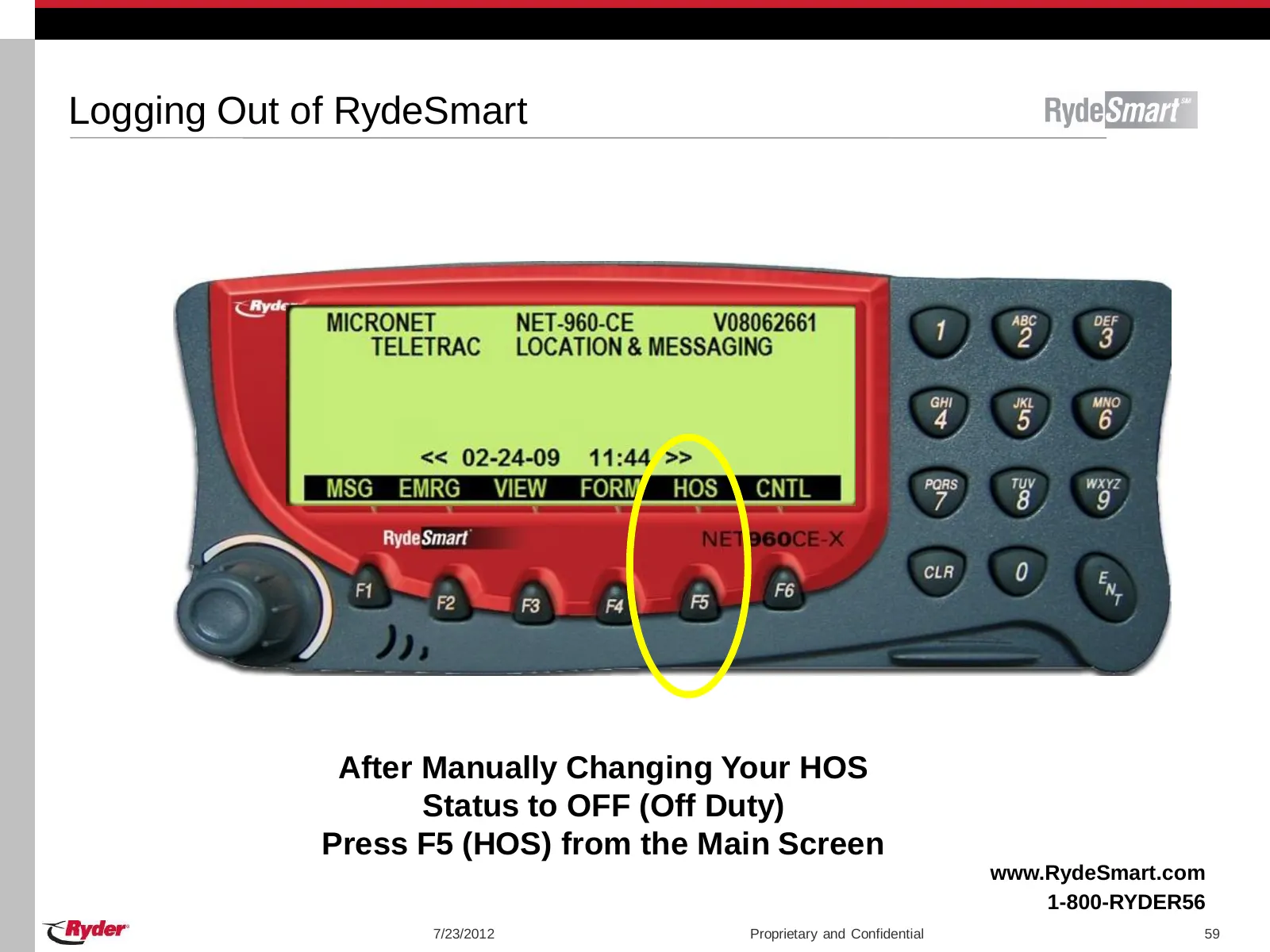
Slide 59: Logging Out of RydeSmart
Logging Out of RydeSmart After Manually Changing Your HOS Status to OFF (Off Duty) Press F5 (HOS) from the Main Screen www.RydeSmart.com 1-800-RYDER56 7/23/2012 Proprietary and Confidential 59
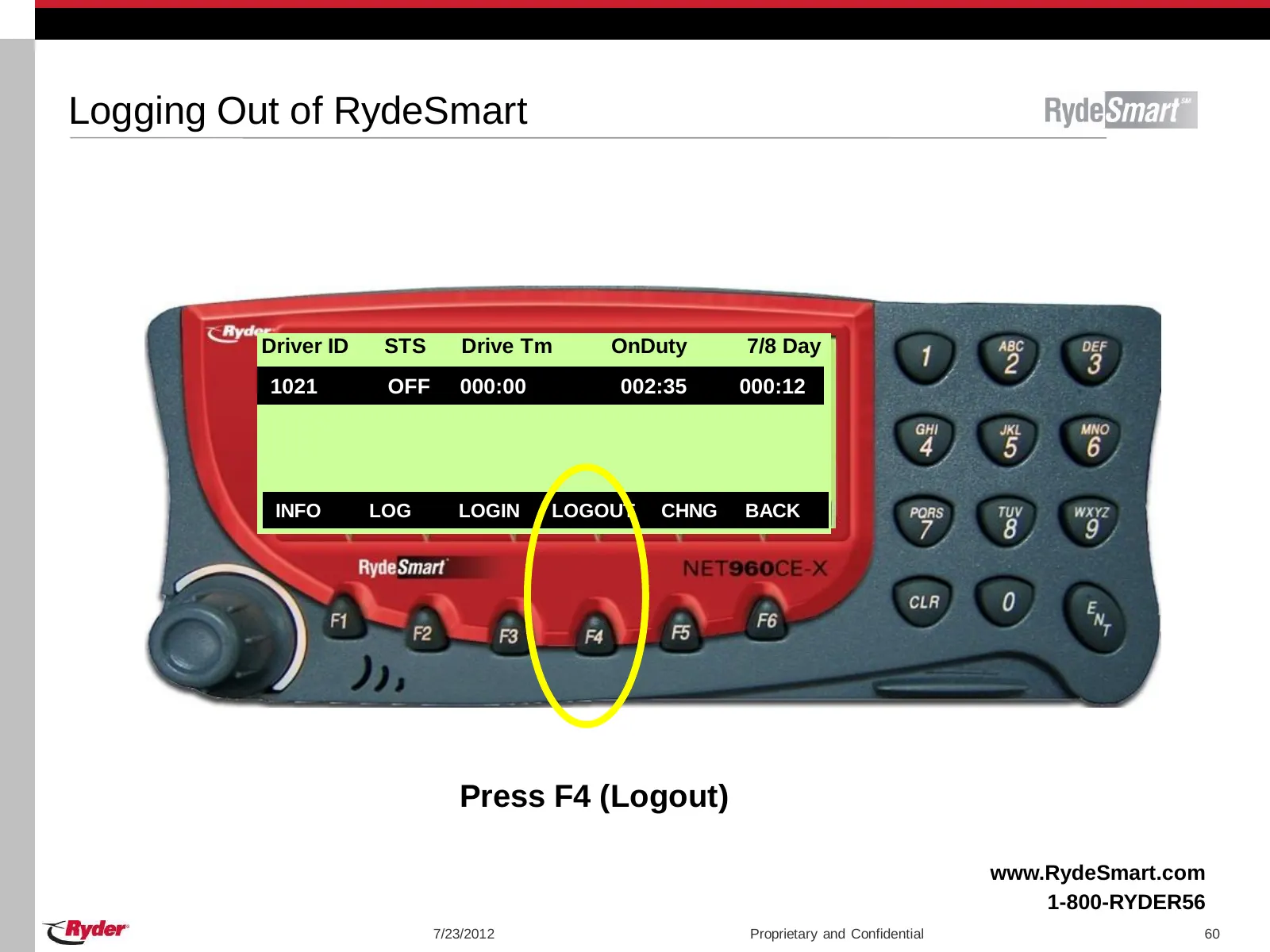
Slide 60: Logging Out of RydeSmart
Logging Out of RydeSmart Driver ID STS Drive Tm OnDuty 7/8 Day 1021 OFF 000:00 002:35 000:12 INFO LOG LOGIN LOGOUT CHNG BACK Press F4 (Logout) www.RydeSmart.com 1-800-RYDER56 7/23/2012 Proprietary and Confidential 60
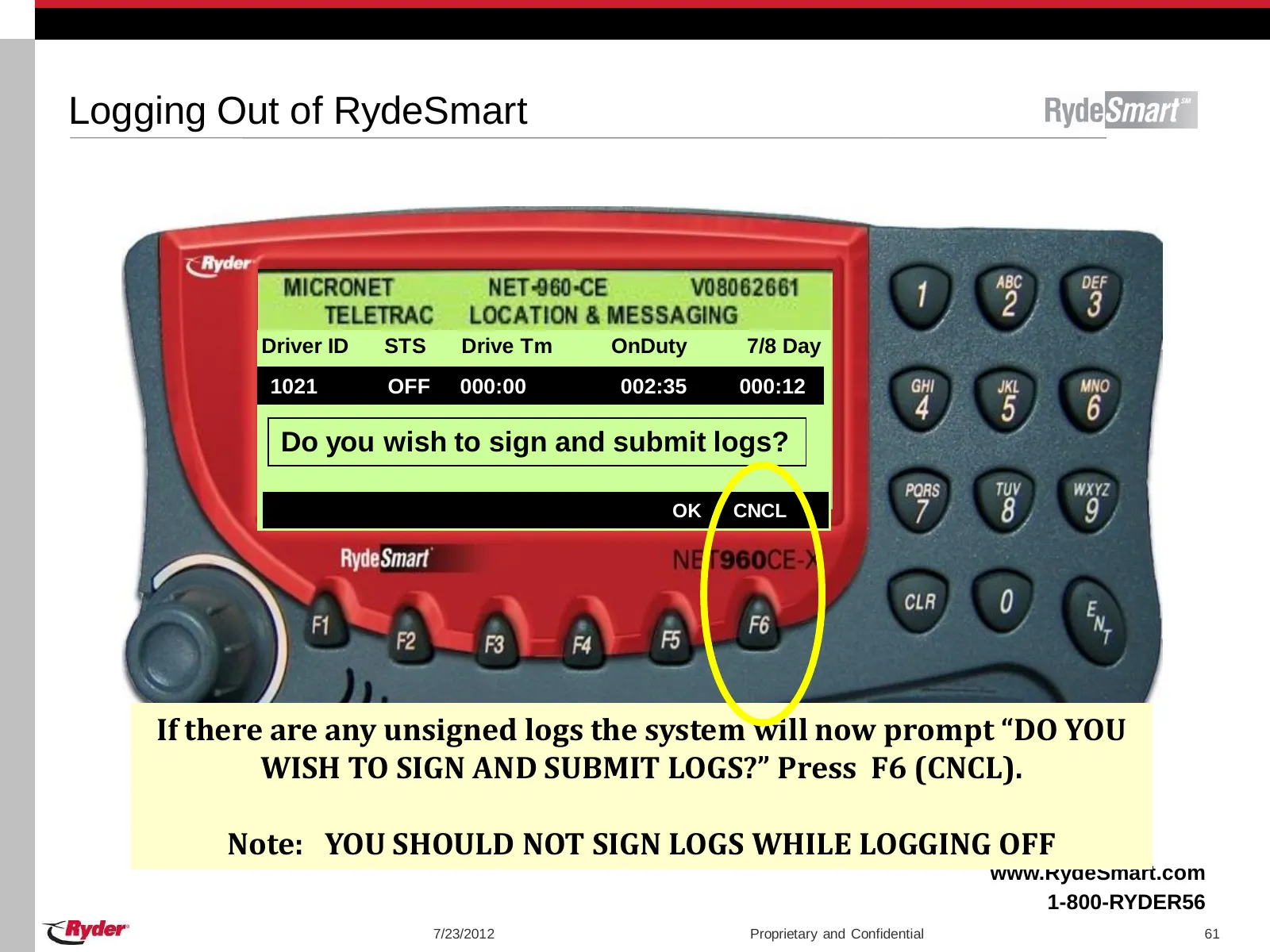
Slide 61: Logging Out of RydeSmart
Logging Out of RydeSmart Driver ID STS Drive Tm OnDuty 7/8 Day 1021 OFF 000:00 002:35 000:12 Do you wish to sign and submit logs? OK CNCL If there are any unsigned logs the system will now prompt “DO YOU WISH TO SIGN AND SUBMIT LOGS?” Press F6 (CNCL). Note: YOU SHOULD NOT SIGN LOGS WHILE LOGGING OFF
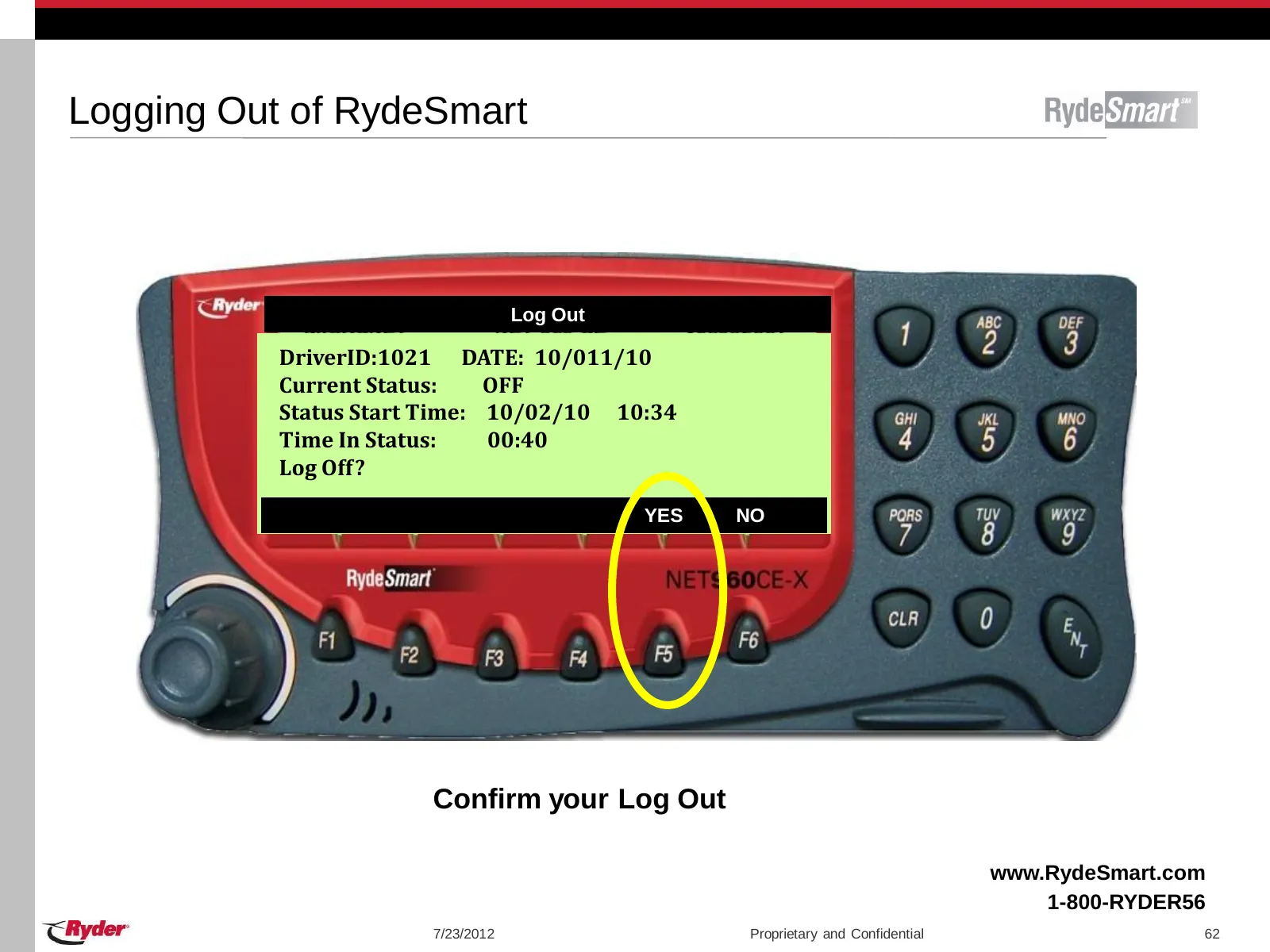
Slide 62: Logging Out of RydeSmart
Logging Out of RydeSmart Log Out DriverID:1021 DATE: 10/011/10 Current Status: OFF Status Start Time: 10/02/10 10:34 Time In Status: 00:40 Log Off? YES NO Confirm your Log Out www.RydeSmart.com 1-800-RYDER56 7/23/2012 Proprietary and Confidential 62
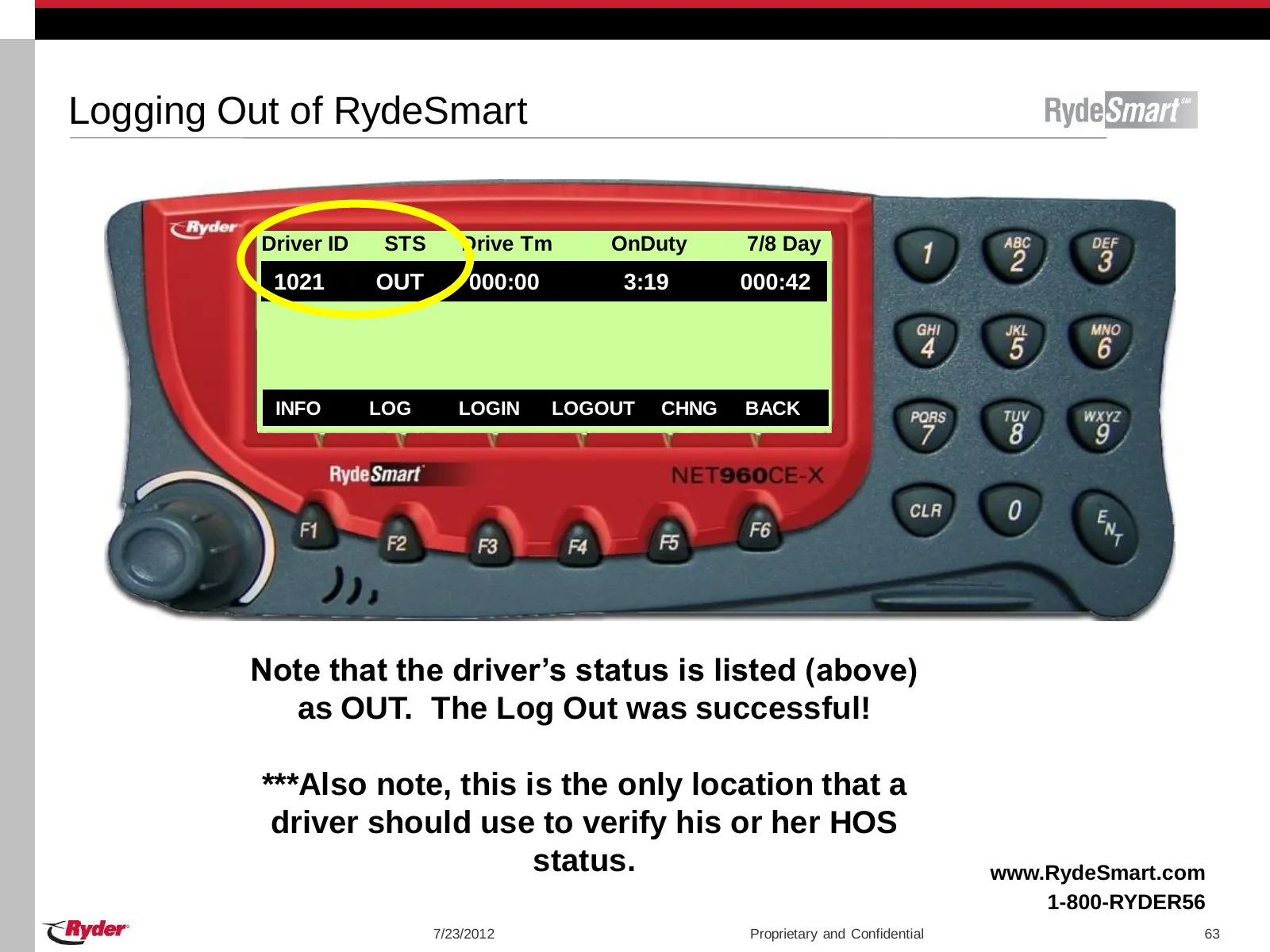
Slide 63: Logging Out of RydeSmart
Logging Out of RydeSmart Driver ID STS Drive Tm OnDuty 7/8 Day 1021 OUT 000:00 3:19 000:42 INFO LOG LOGIN LOGOUT CHNG BACK Note that the driver’s status is listed (above) as OUT. The Log Out was successful! ***Also note, this is the only location that a driver should use to verify his or her HOS sta
Slide 64: Rebooting the MDT
REBOOTING THE MDT www.RydeSmart.com 1-800-RYDER56 7/23/2012 Proprietary and Confidential 64
Slide 65: Rebooting The MDT
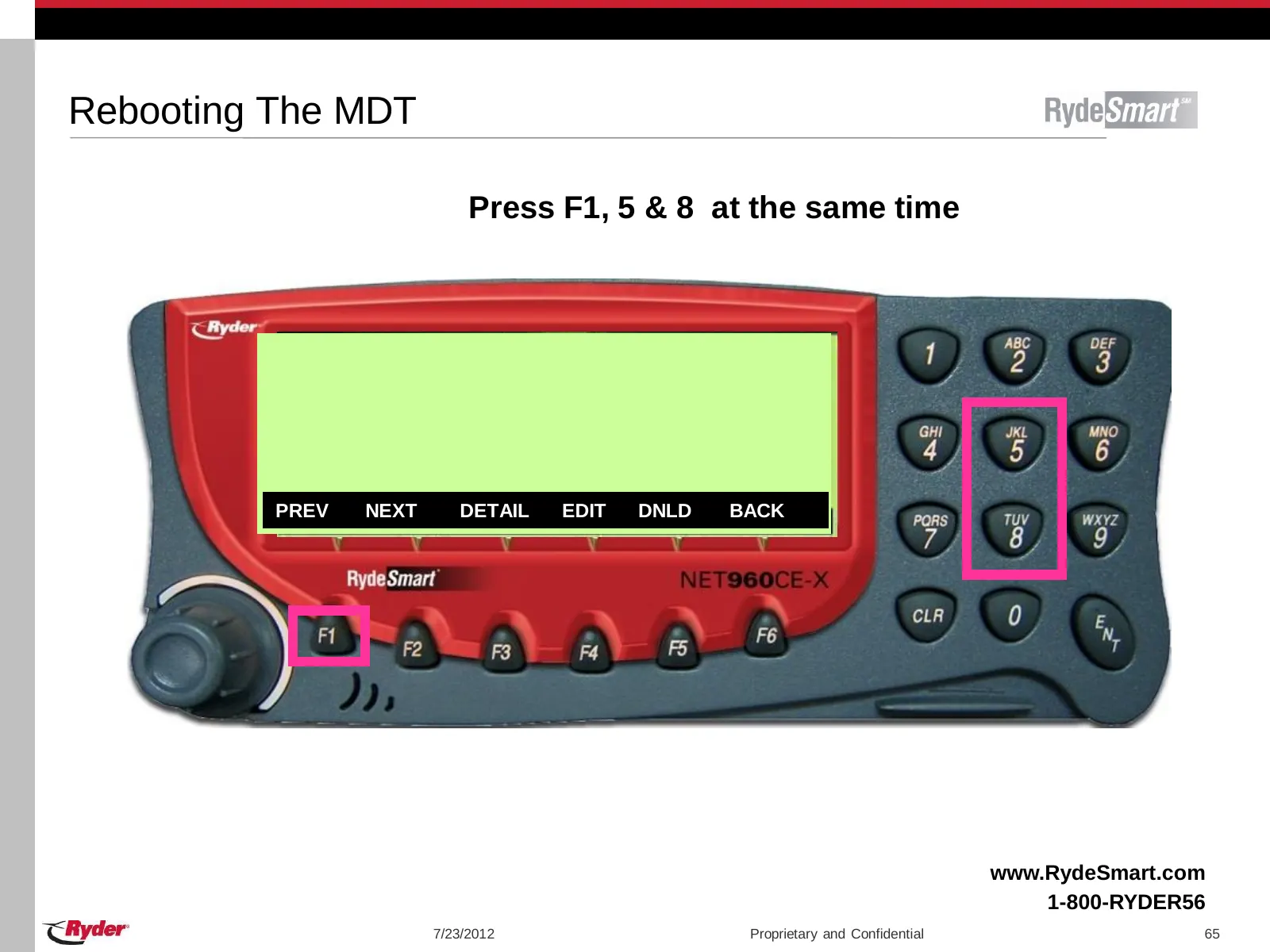
Rebooting The MDT Press F1, 5 & 8 at the same time PREV NEXT DETAIL EDIT DNLD BACK www.RydeSmart.com 1-800-RYDER56 7/23/2012 Proprietary and Confidential 65
Slide 66: Downloading / Refreshing Logs
Downloading / Refreshing Logs Downloading / Refreshing Logs www.RydeSmart.com 1-800-RYDER56 7/23/2012 Proprietary and Confidential 66
Slide 67: Downloading / Refreshing Logs
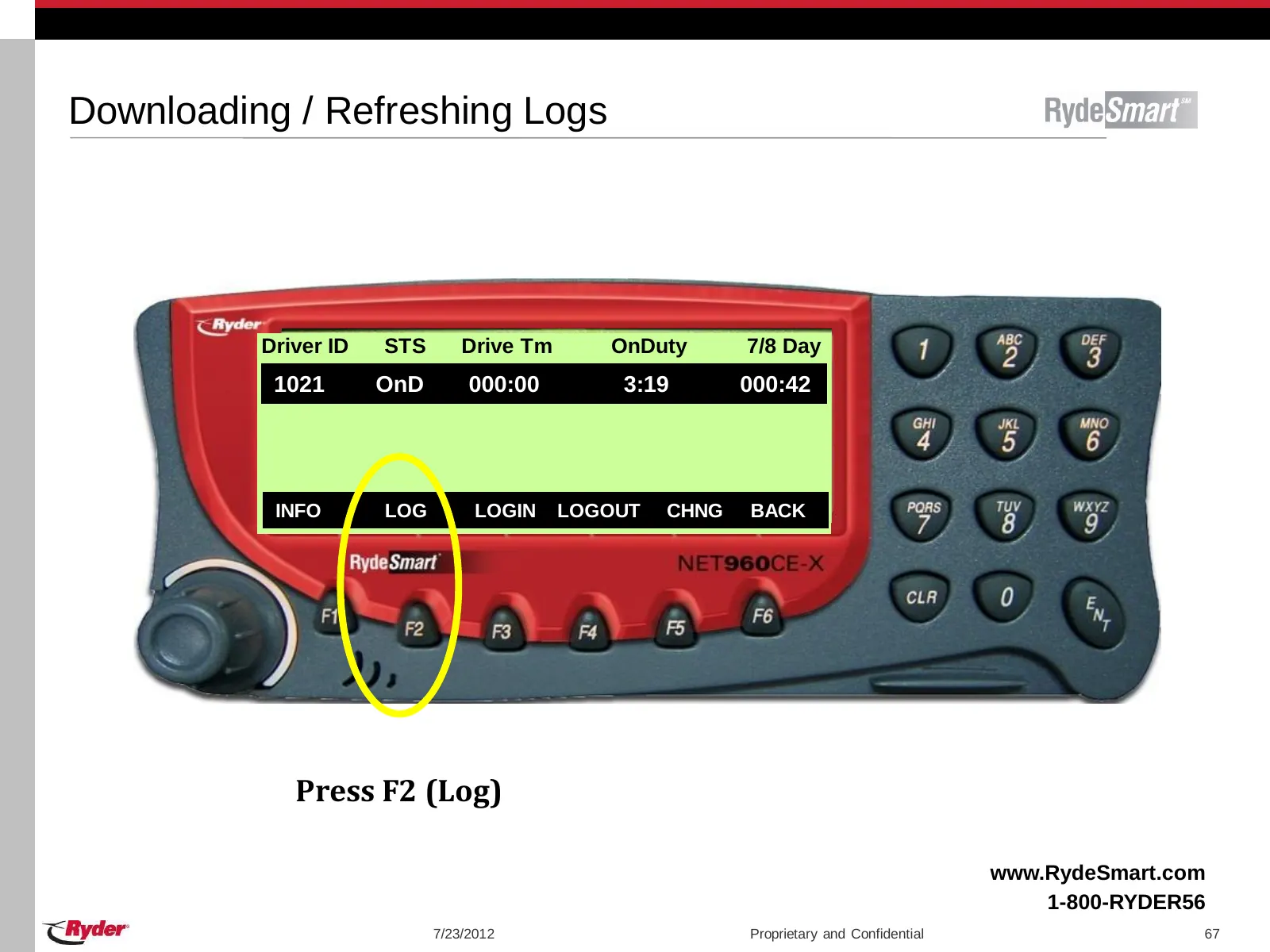
Downloading / Refreshing Logs Driver ID STS Drive Tm OnDuty 7/8 Day 1021 OnD 000:00 3:19 000:42 INFO LOG LOGIN LOGOUT CHNG BACK Press F2 (Log) www.RydeSmart.com 1-800-RYDER56 7/23/2012 Proprietary and Confidential 67
Slide 68: Downloading / Refreshing Logs
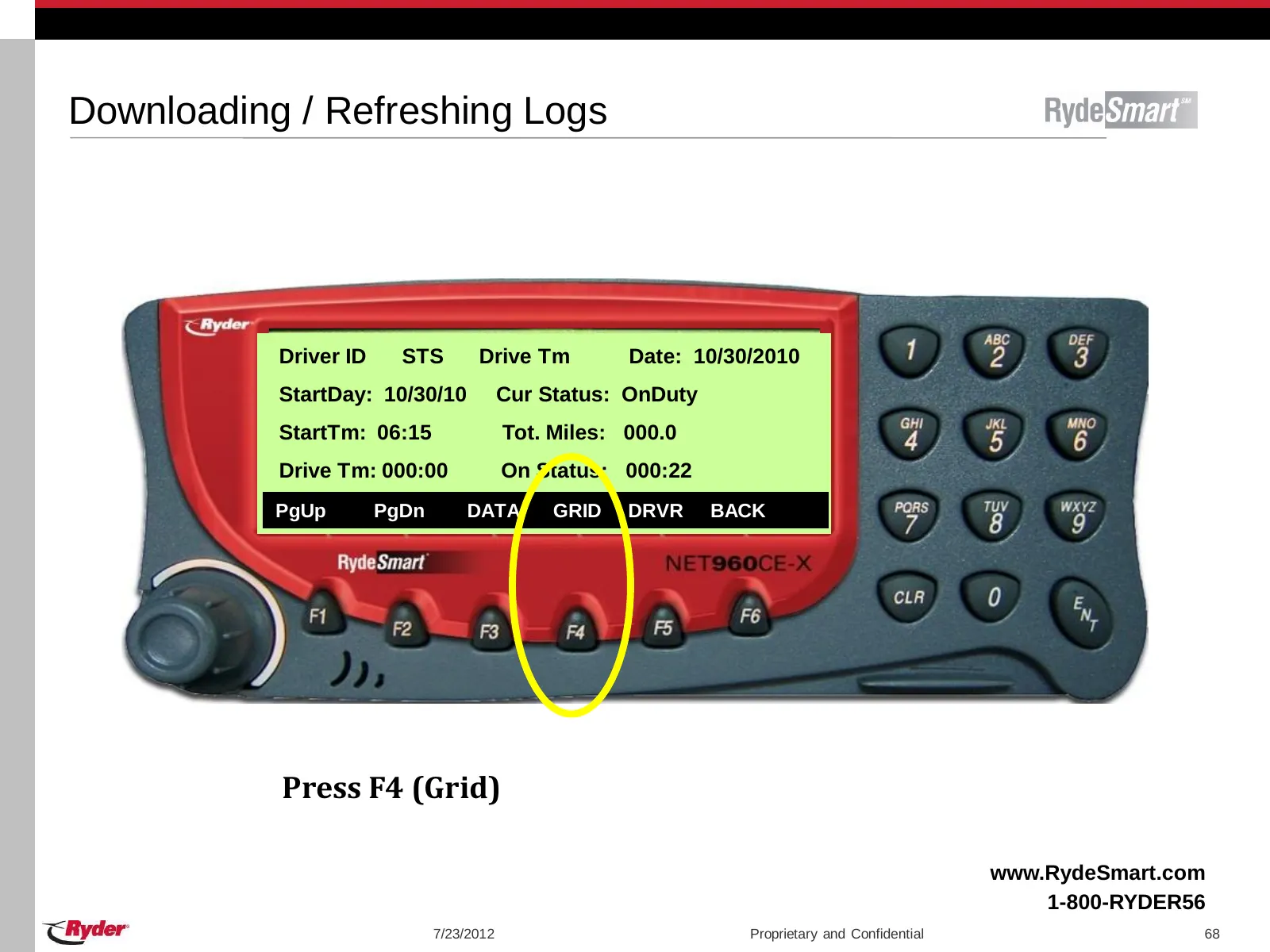
Downloading / Refreshing Logs Driver ID STS Drive Tm Date: 10/30/2010 StartDay: 10/30/10 Cur Status: OnDuty StartTm: 06:15 Tot. Miles: 000.0 Drive Tm: 000:00 On Status: 000:22 PgUp PgDn DATA GRID DRVR BACK Press F4 (Grid) www.RydeSmart.com 1-800-RYDER56 7/23/2012 Proprietary and Confidential 68
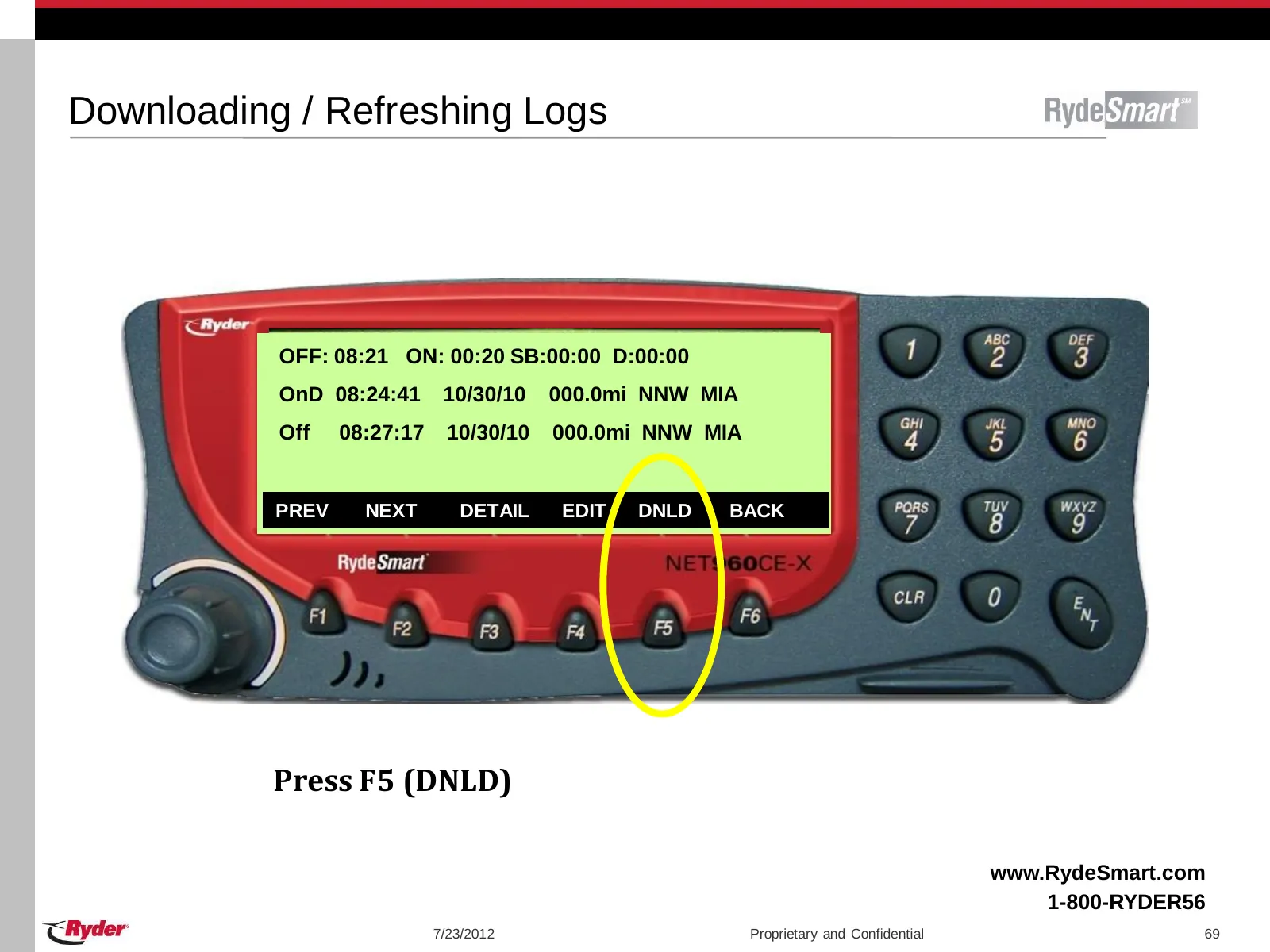
Slide 69: Downloading / Refreshing Logs
Downloading / Refreshing Logs OFF: 08:21 ON: 00:20 SB:00:00 D:00:00 OnD 08:24:41 10/30/10 000.0mi NNW MIA Off 08:27:17 10/30/10 000.0mi NNW MIA PREV NEXT DETAIL EDIT DNLD BACK Press F5 (DNLD) www.RydeSmart.com 1-800-RYDER56 7/23/2012 Proprietary and Confidential 69
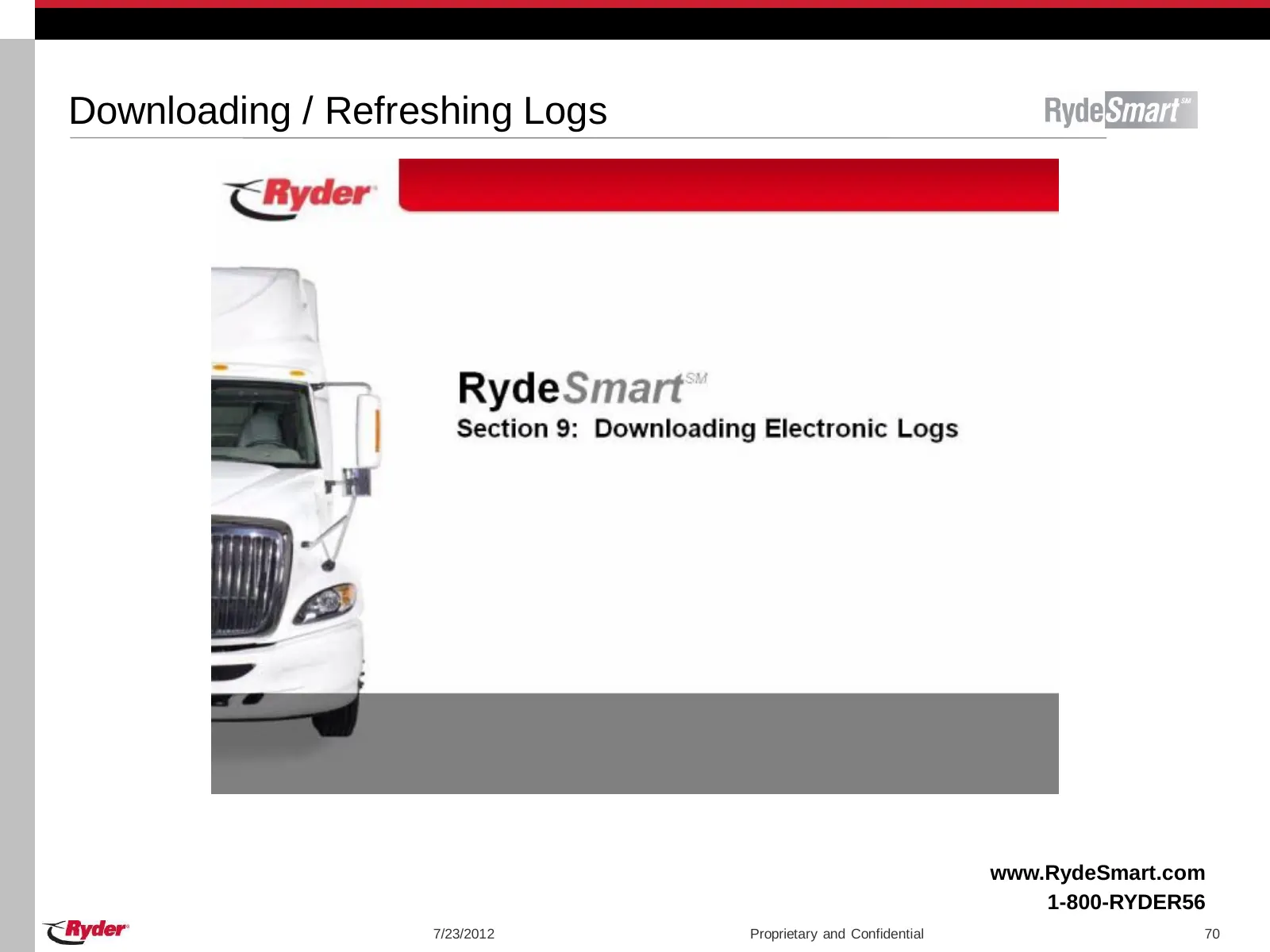
Slide 70: Downloading / Refreshing Logs
Downloading / Refreshing Logs www.RydeSmart.com 1-800-RYDER56 7/23/2012 Proprietary and Confidential 70
Slide 71: Driver Module / Website
Driver Module / Website DRIVER MODULE / WEBSITE www.RydeSmart.com 1-800-RYDER56 7/23/2012 Proprietary and Confidential 71
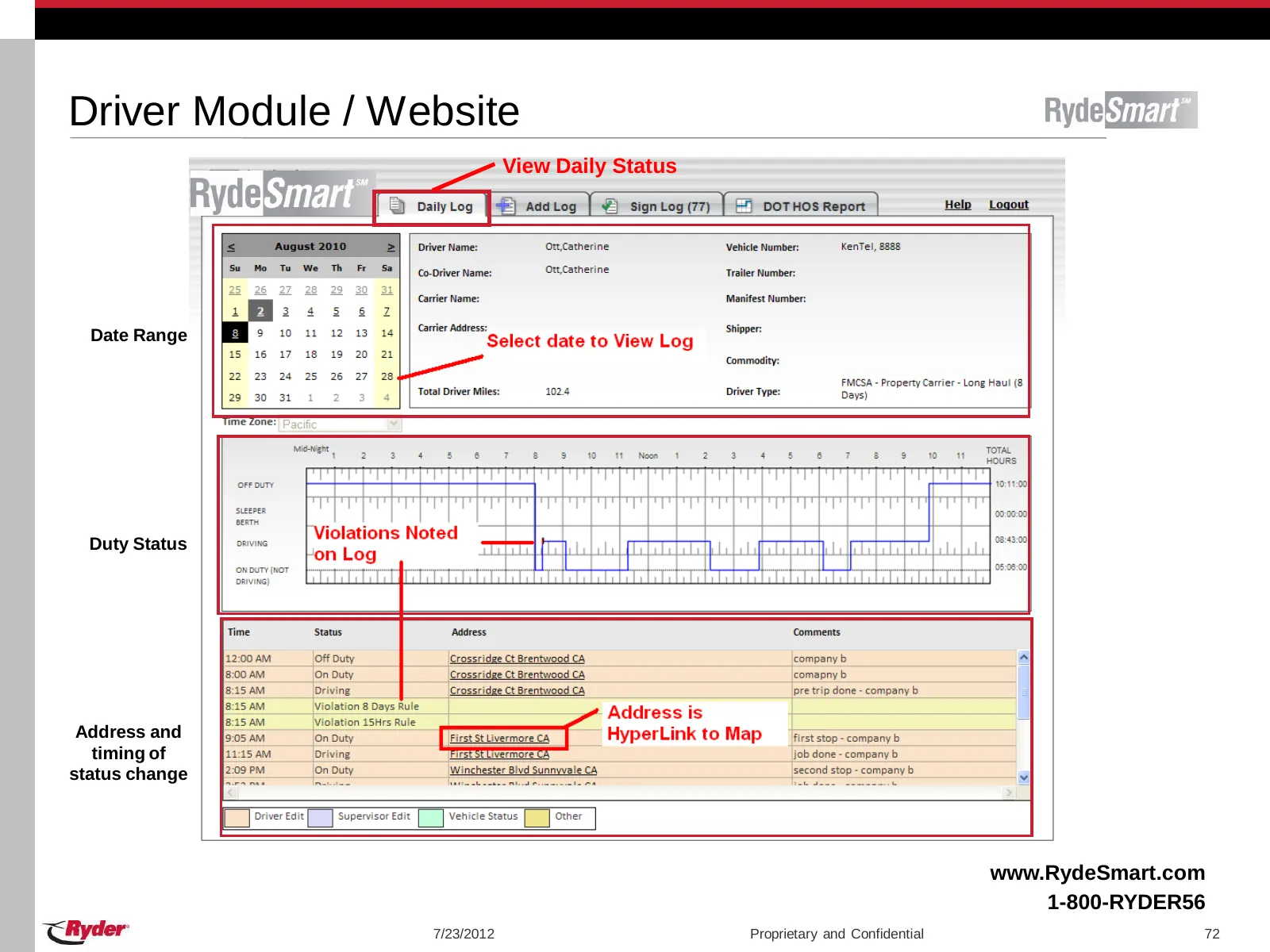
Slide 72: Driver Module / Website
Driver Module / Website View Daily Status Date Range Duty Status Address and timing of status change www.RydeSmart.com 1-800-RYDER56 7/23/2012 Proprietary and Confidential 72
Source: Internet Archive copy of ryder.com
More decks from Ryder System, Inc.
 Q3 2026 Earnings Presentation33 slides · Oct 22, 2026
 Q2 2026 Earnings Presentation33 slides · Jul 23, 2026
 Q1 2026 Earnings Presentation34 slides · Apr 23, 2026
 Q4 2025 Earnings Presentation36 slides · Feb 11, 2026
 Q3 2025 Earnings Presentation32 slides · Oct 23, 2025
 Q2 2025 Earnings Presentation32 slides · Jul 24, 2025