Mastek Limited · NSE:MASTEK
Mastek — Technical Presentation (May 2023)
45 slides from Mastek's technical presentation, May 2023
Slide 1: Live Webinar 23B – Global Human Resources
Cloud Enhancement Services Live Webinar 23B – GLOBAL HUMAN RESOURCES Hardik Patel Host: CES Operations Manager Empowering you for the next update Diksha Badoga Speaker: Oracle HCM Consultant
Slide 2: Disclaimer
These advisory webinars are organized to equip you with the latest updates. The content of this session is based on the interpretation of the material and documentation that Oracle has released and is a general DISCLAIMER guideline/recommendation only.
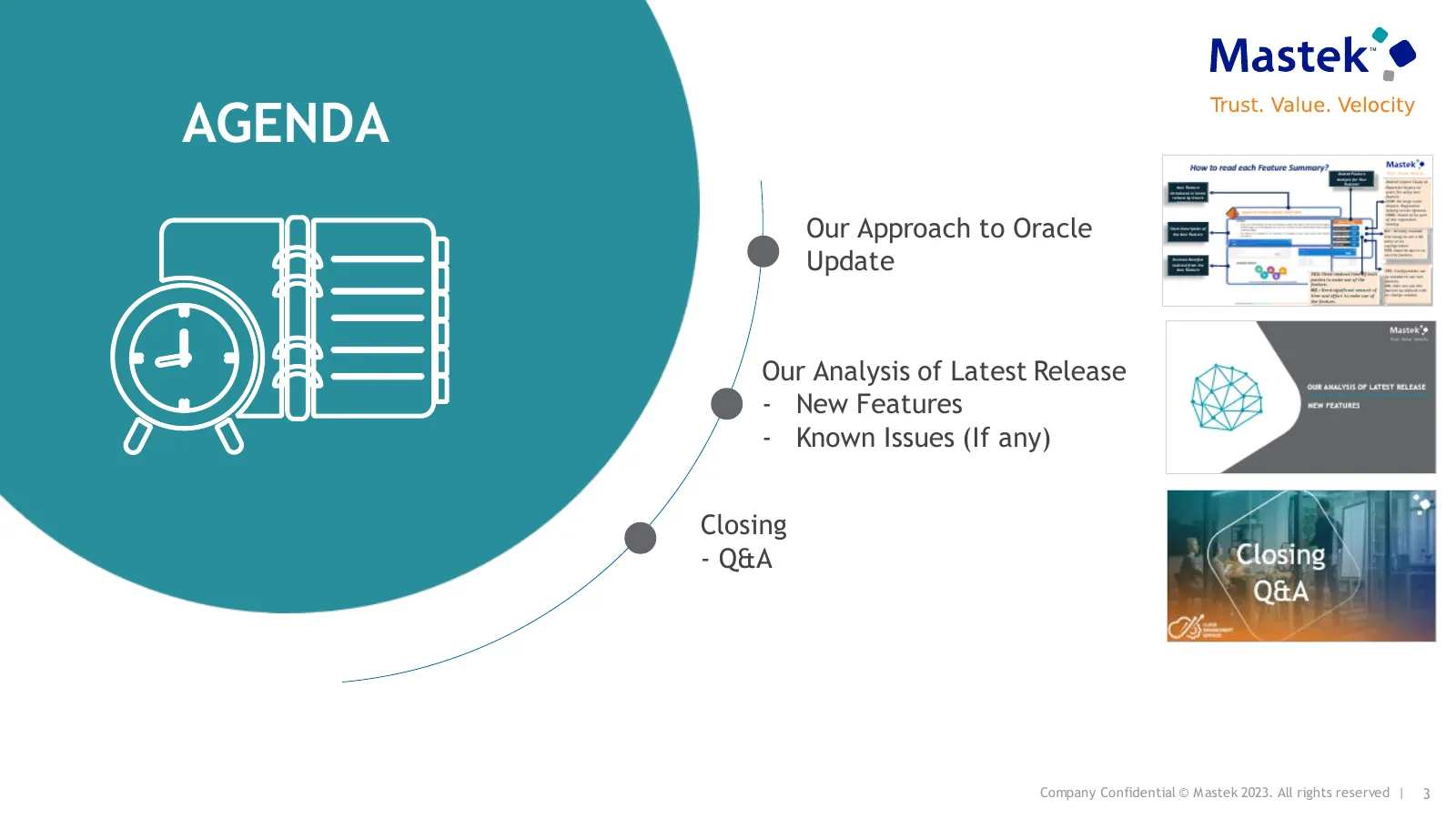
Slide 3: Agenda
AGENDA Our Approach to Oracle Update Our Analysis of Latest Release - New Features - Known Issues (If any) Closing - Q&A Company Confidential © M astek 2023. All rights reserved | 3
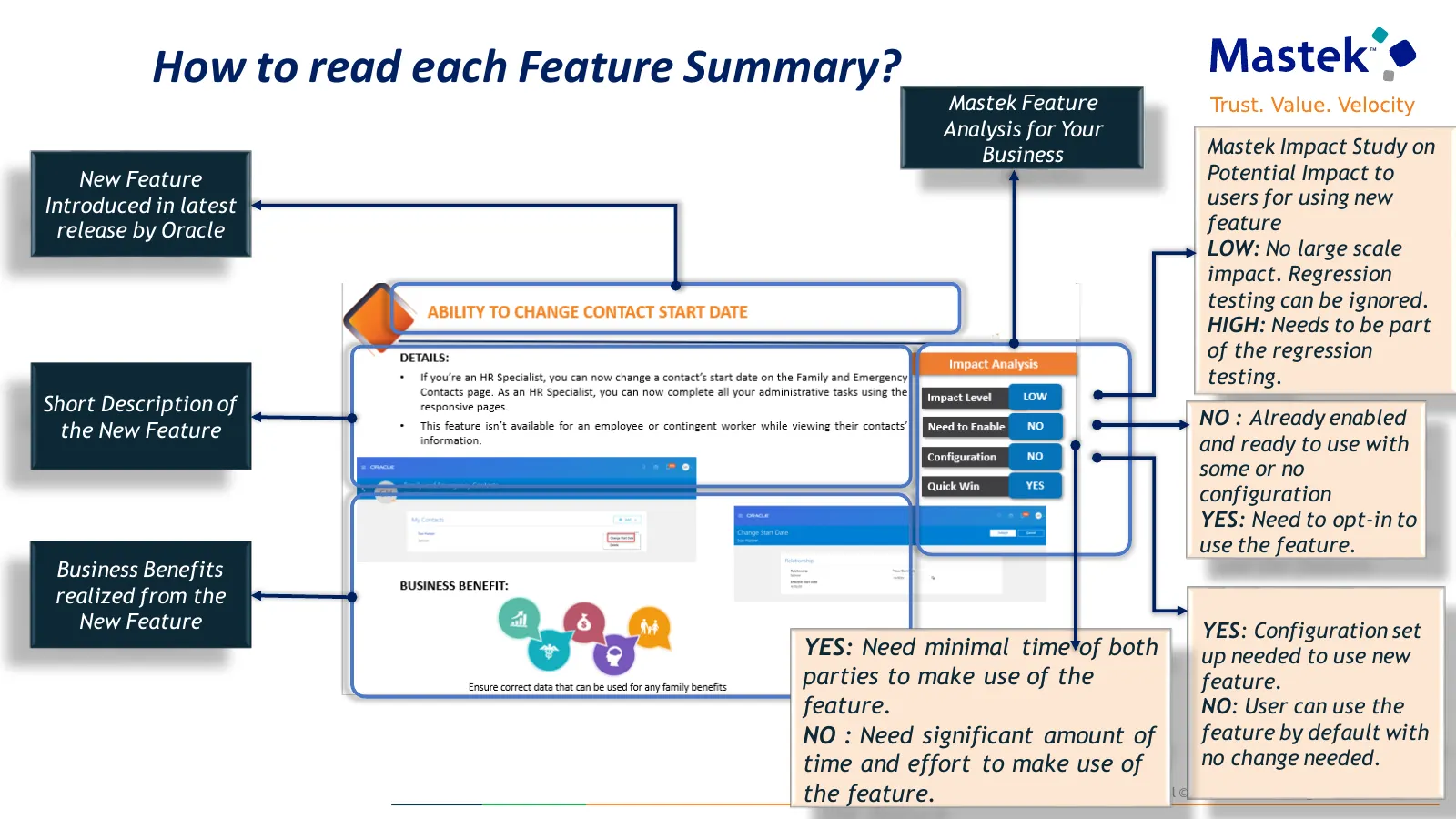
Slide 4: How to read each Feature Summary?
How to read each Feature Summary? Mastek Feature Analysis for Your Business Mastek Impact Study on New Feature Potential Impact to Introduced in latest users for using new release by Oracle feature LOW: No large scale impact. Regression testing can be ignored. HIGH: Needs to be part of the regressio

Slide 5: Our Analysis of Latest Release: New Features
OUR ANALYSIS OF LATEST RELEASE NEW FEATURES Company Confidential © M astek 2023. All rights reserved | 5
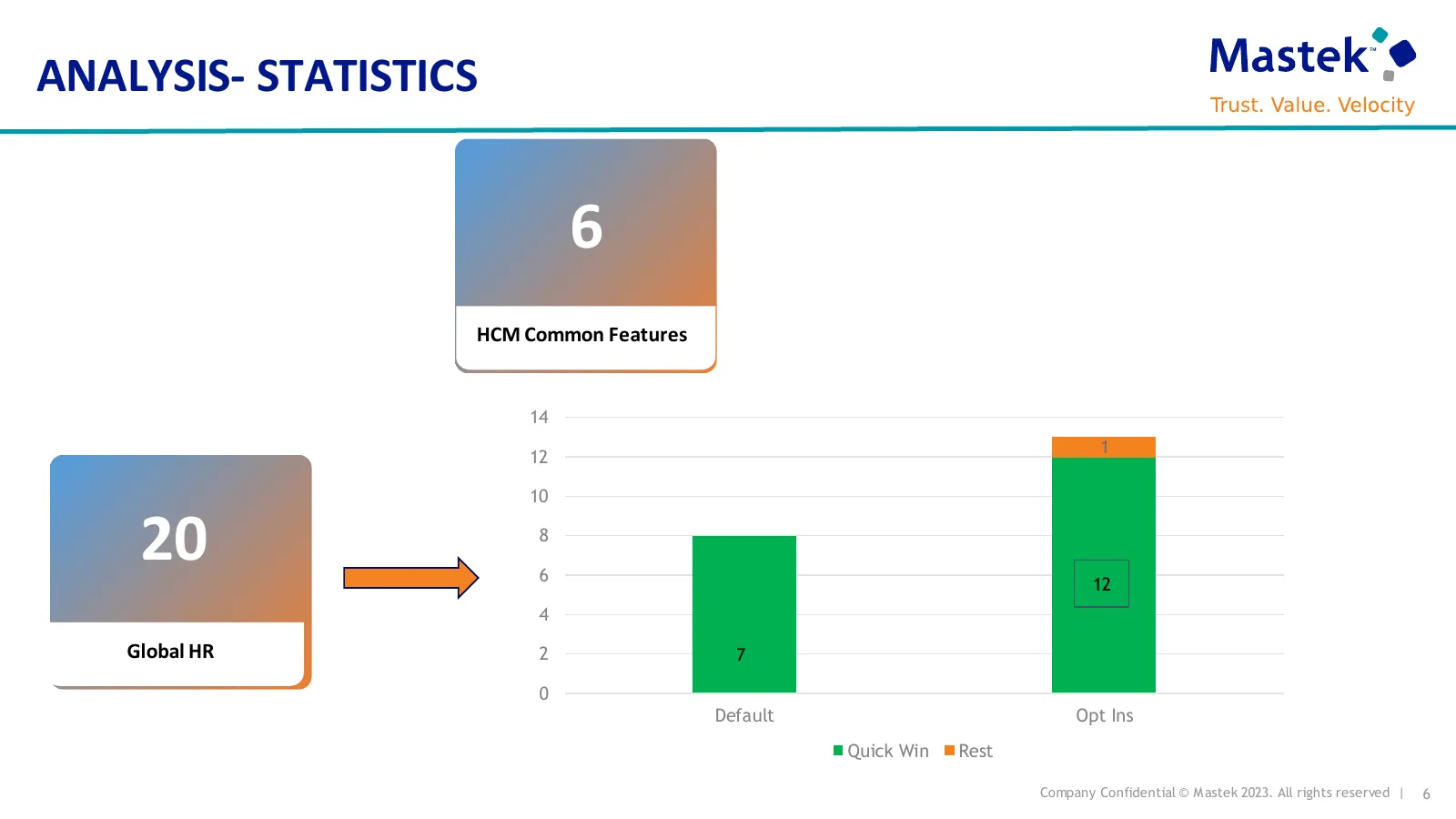
Slide 6: Analysis - Statistics
ANALYSIS- STATISTICS 6 HCM Common Features 14 1 12 10 20 8 6 12 4 Global HR 2 7 0 Default Opt Ins Quick Win Rest Company Confidential © M astek 2023. All rights reserved | 6

Slide 7: Global Human Resources
Mastek*@ Trust. Value. Velocity GLOBAL HUMAN RESOURCES
Slide 8: Quick Win
QUICK WIN Default with no configuration
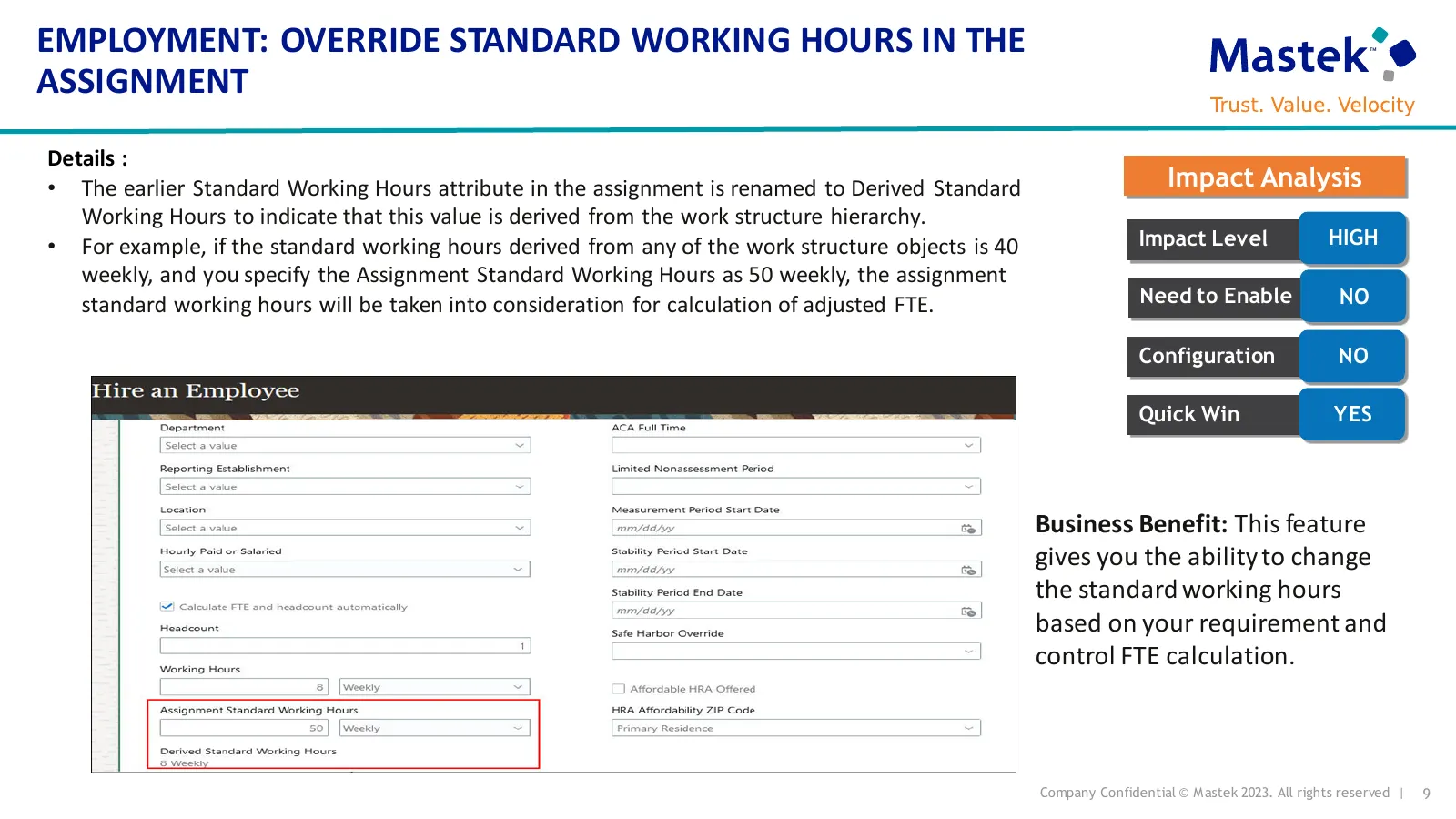
Slide 9: Employment: Override Standard Working Hours in the Assignment
EMPLOYMENT: OVERRIDE STANDARD WORKING HOURS IN THE ASSIGNMENT Details : • The earlier Standard Working Hours attribute in the assignment is renamed to Derived Standard Impact Analysis Working Hours to indicate that this value is derived from the work structure hierarchy. • For example, if the standa
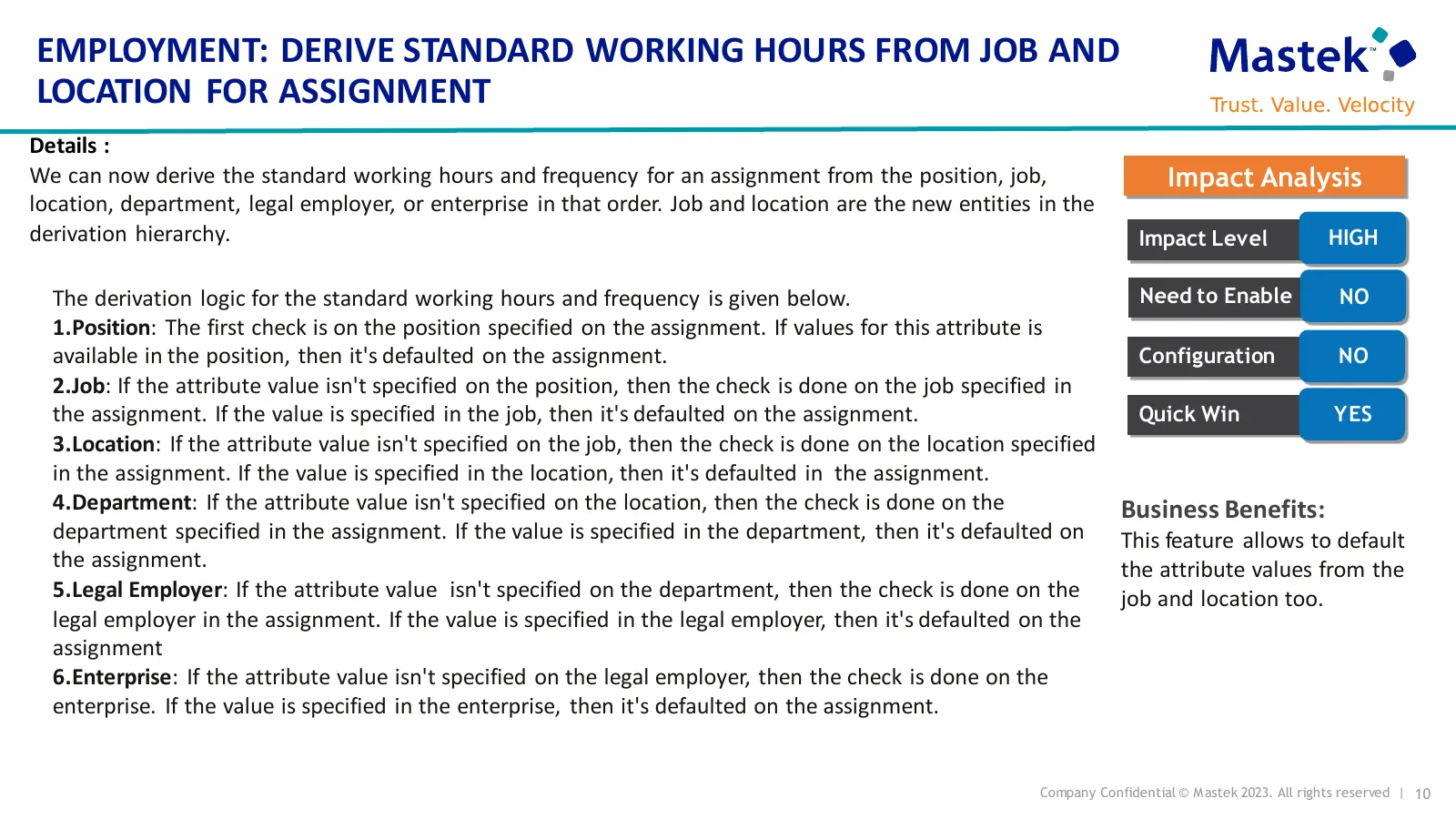
Slide 10: Employment: Derive Standard Working Hours from Job and Location
EMPLOYMENT: DERIVE STANDARD WORKING HOURS FROM JOB AND LOCATION FOR ASSIGNMENT Details : We can now derive the standard working hours and frequency for an assignment from the position, job, Impact Analysis location, department, legal employer, or enterprise in that order. Job and location are the ne
Slide 11: Example of Derivation Logic for Standard Working Hours and Frequency
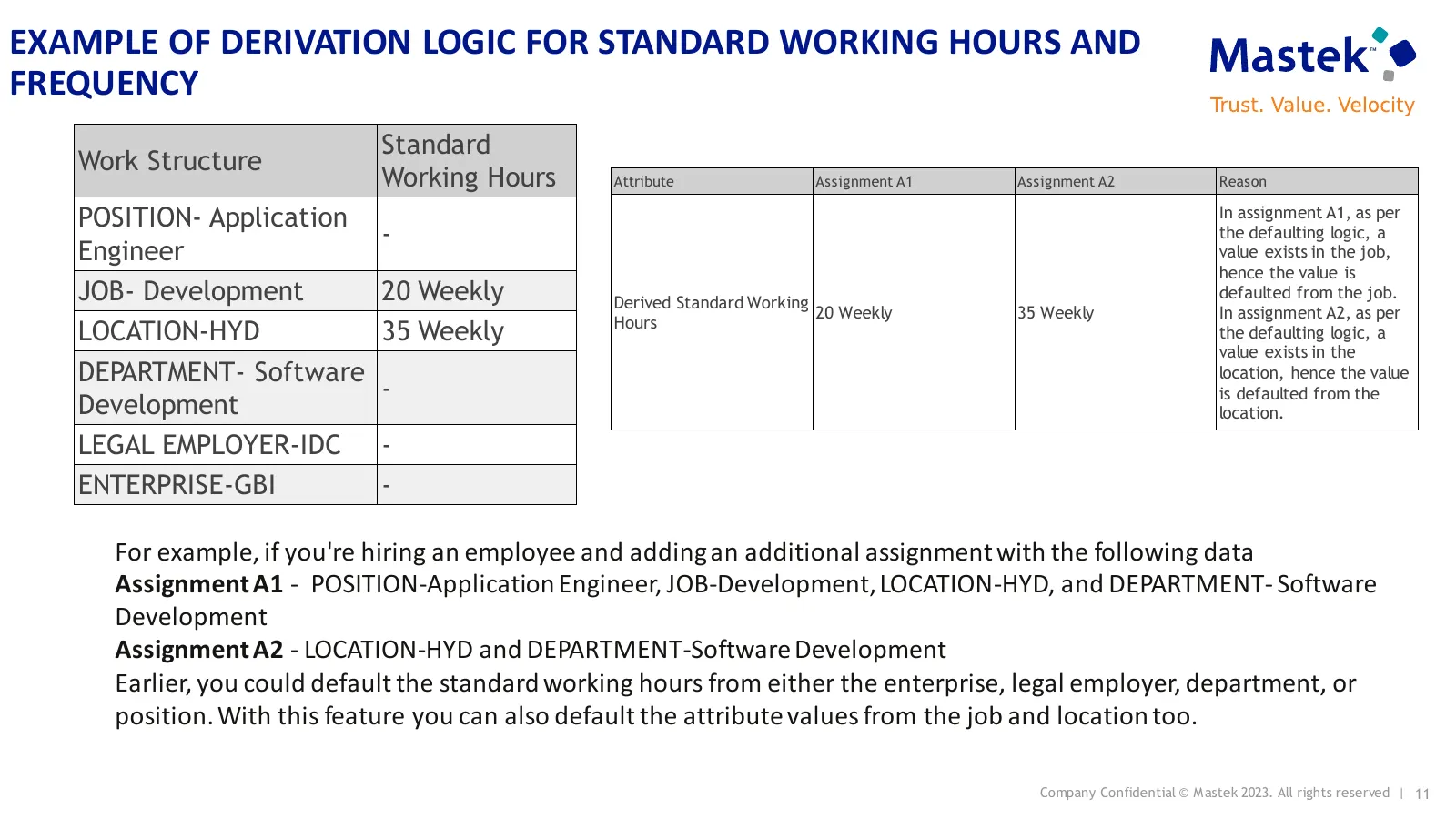
EXAMPLE OF DERIVATION LOGIC FOR STANDARD WORKING HOURS AND FREQUENCY Standard Work Structure Working Hours Attribute Assignment A1 Assignment A2 Reason POSITION- Application In assignment A1, as per - the defaulting logic, a Engineer value exists in the job, hence the value is JOB- Development 20 We
Slide 12: Employment: Calculate and Store Adjusted FTE
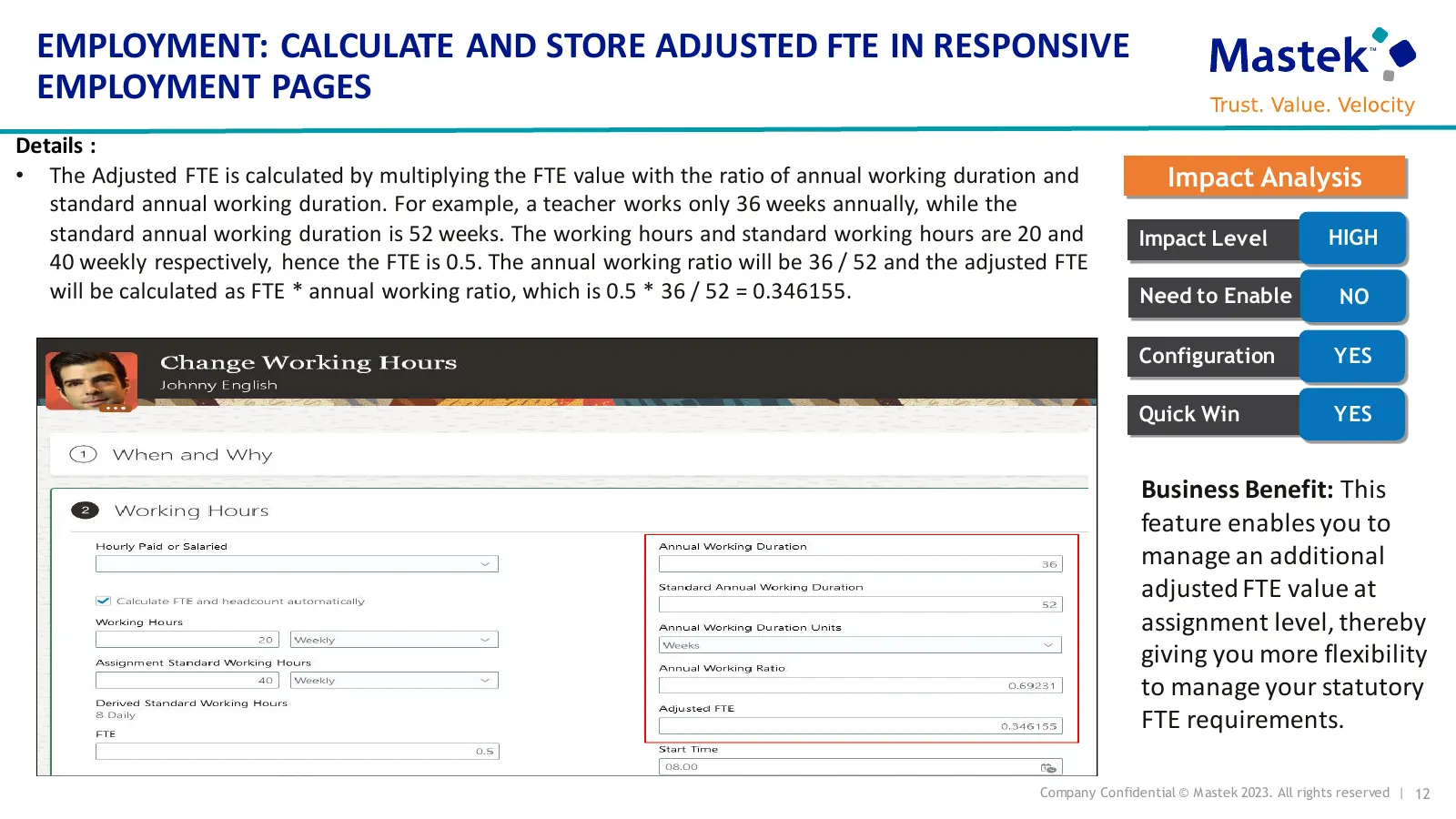
EMPLOYMENT: CALCULATE AND STORE ADJUSTED FTE IN RESPONSIVE EMPLOYMENT PAGES Details : • The Adjusted FTE is calculated by multiplying the FTE value with the ratio of annual working duration and Impact Analysis standard annual working duration. For example, a teacher works only 36 weeks annually, whi
Slide 13: Journeys: Last Name Validation for Native Electronic Signature
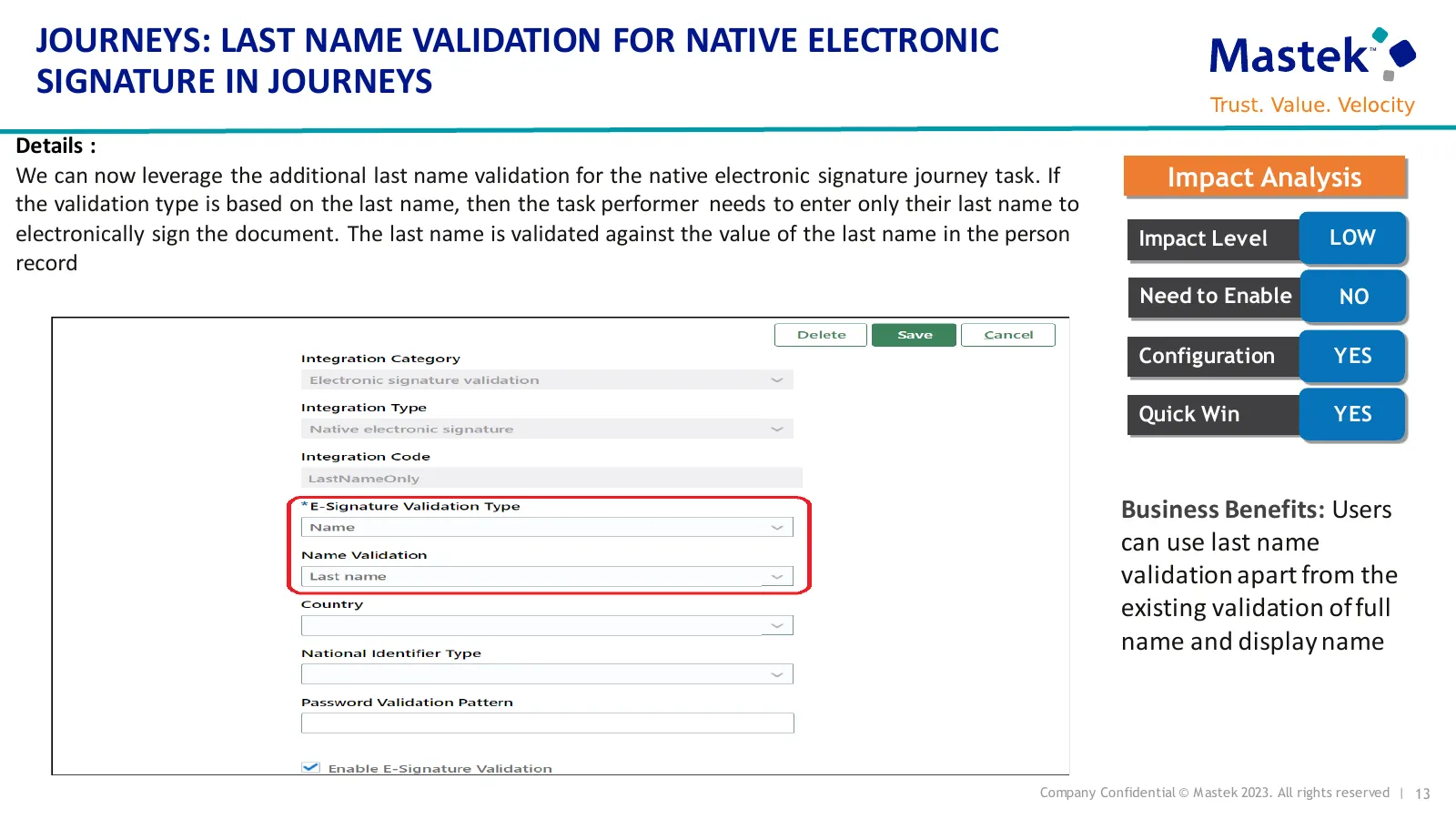
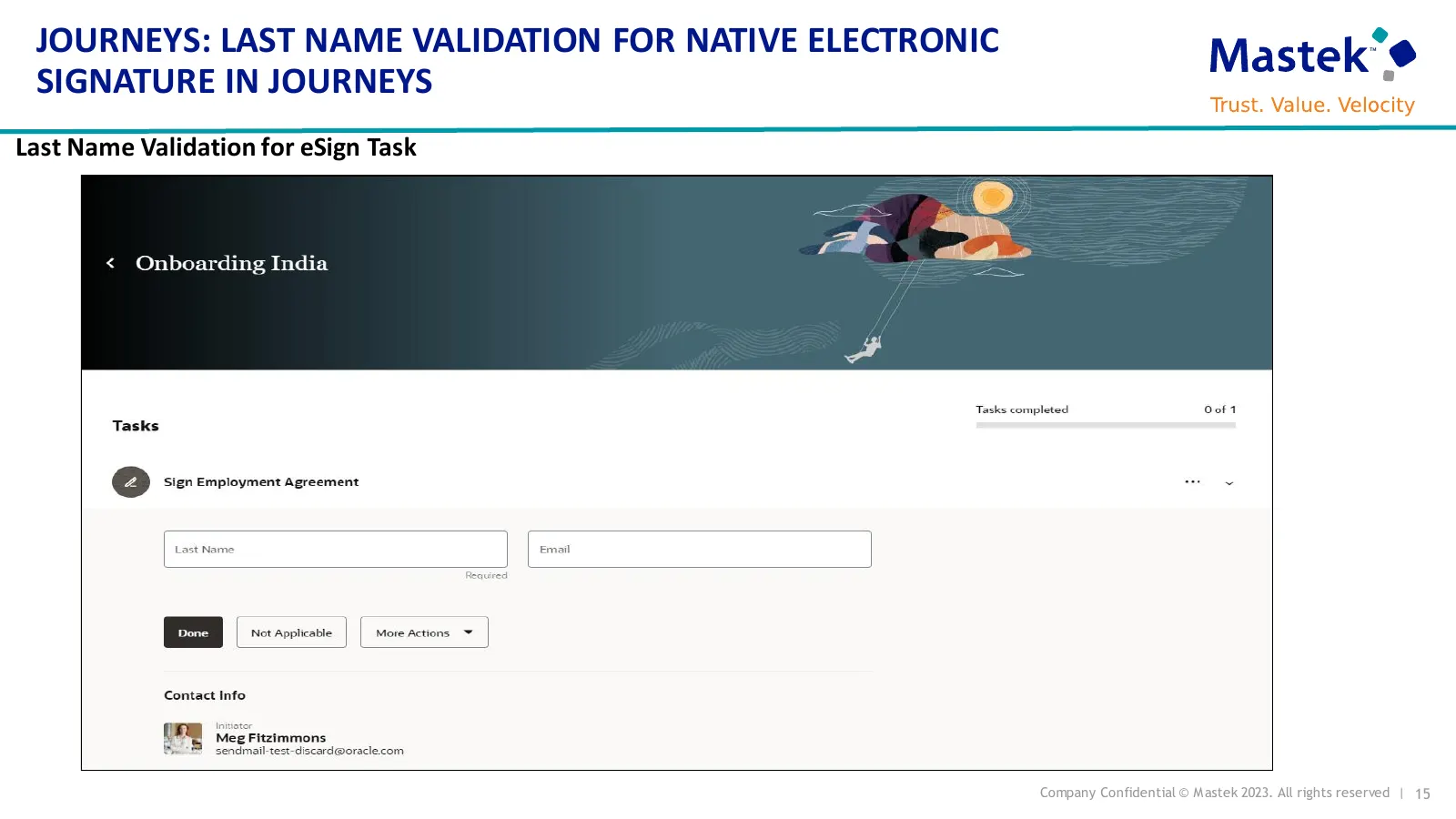
JOURNEYS: LAST NAME VALIDATION FOR NATIVE ELECTRONIC SIGNATURE IN JOURNEYS Details : We can now leverage the additional last name validation for the native electronic signature journey task. If Impact Analysis the validation type is based on the last name, then the task performer needs to enter only
Slide 14: Journeys: Last Name Validation for Native Electronic Signature
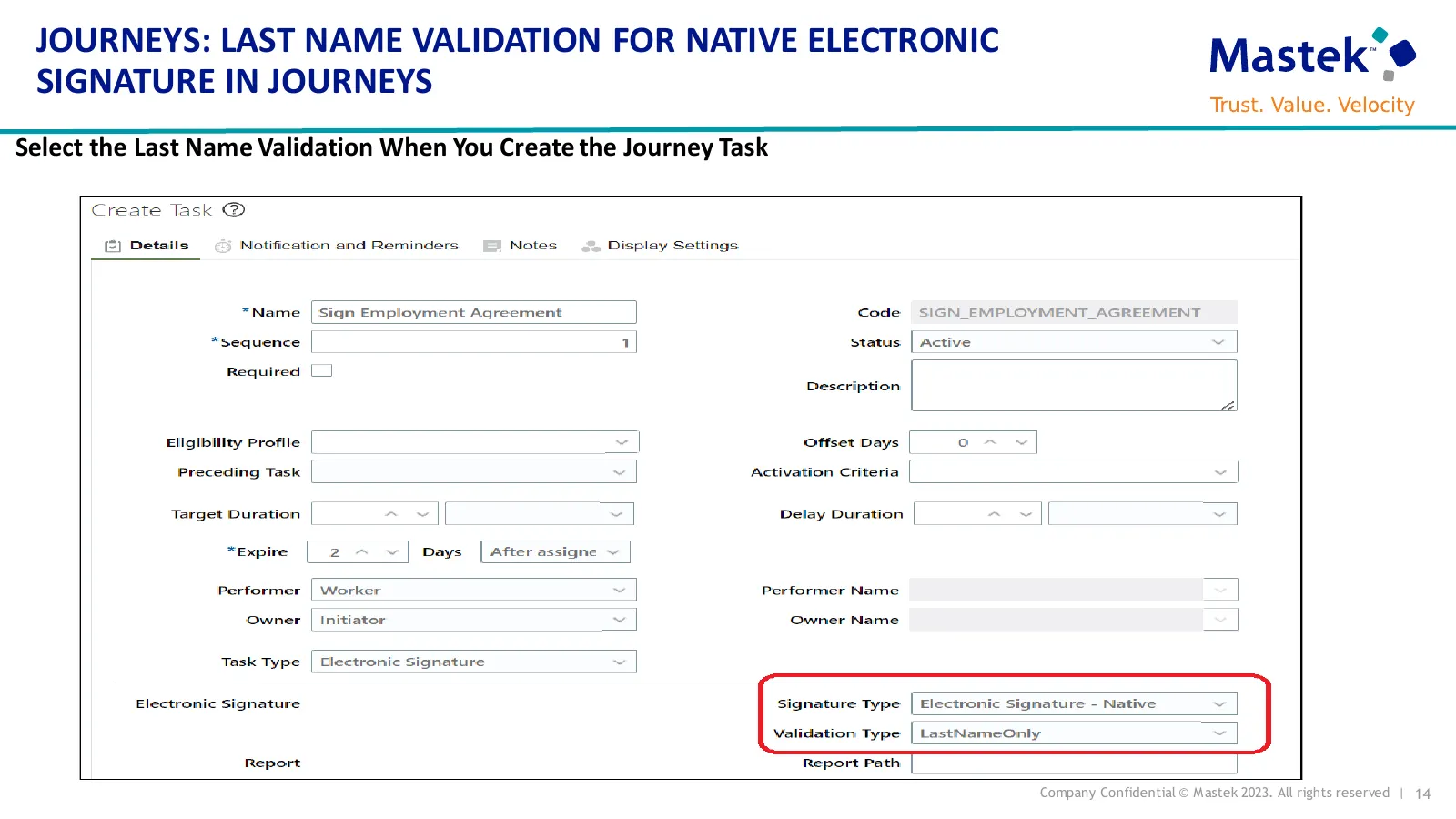
JOURNEYS: LAST NAME VALIDATION FOR NATIVE ELECTRONIC SIGNATURE IN JOURNEYS Select the Last Name Validation When You Create the Journey Task Company Confidential © M astek 2023. All rights reserved | 14
Slide 15: Journeys: Last Name Validation for Native Electronic Signature
JOURNEYS: LAST NAME VALIDATION FOR NATIVE ELECTRONIC SIGNATURE IN JOURNEYS Last Name Validation for eSign Task Company Confidential © M astek 2023. All rights reserved | 15
Slide 16: Journeys: Synchronize Journey Configuration Changes
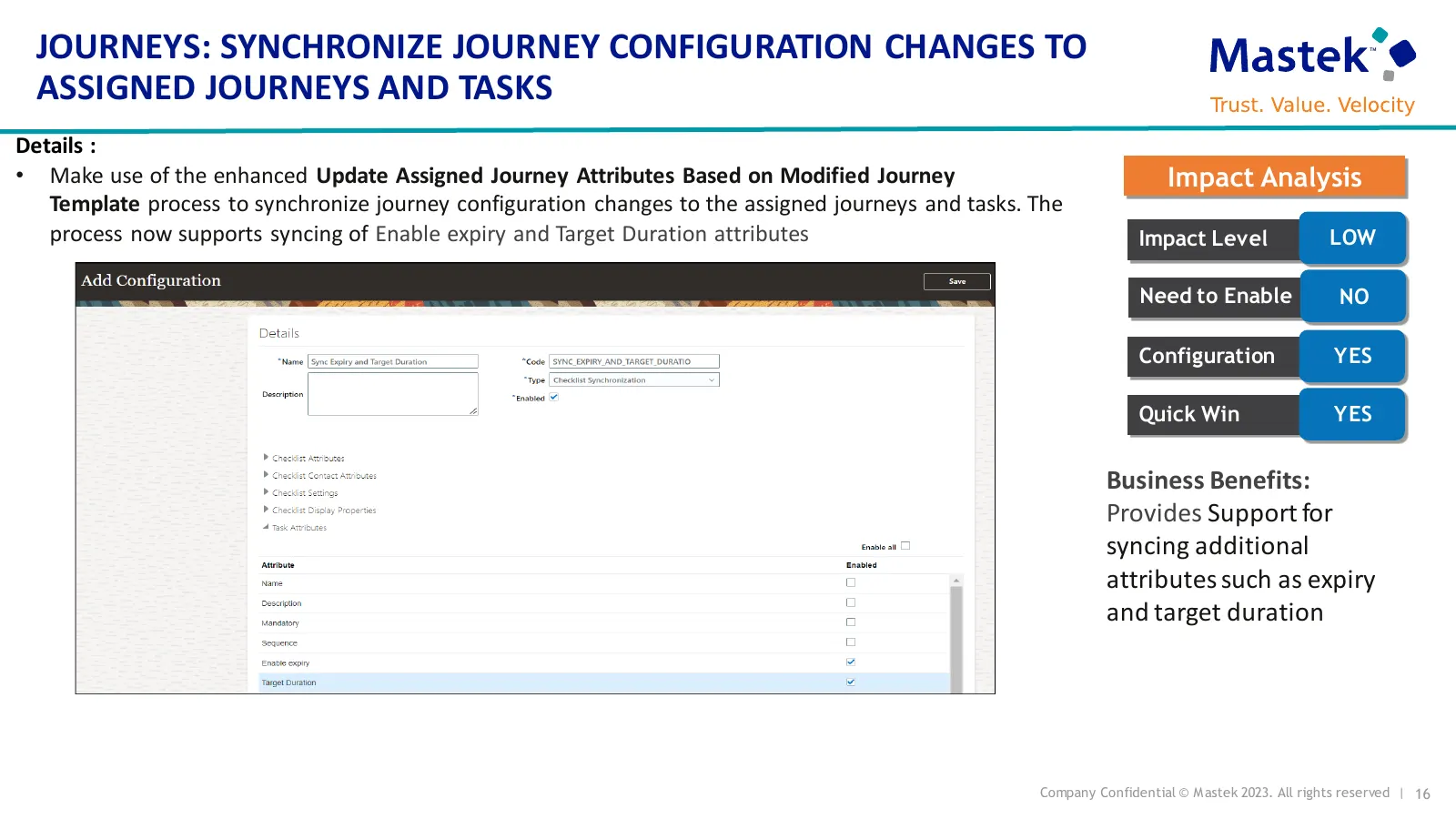
JOURNEYS: SYNCHRONIZE JOURNEY CONFIGURATION CHANGES TO ASSIGNED JOURNEYS AND TASKS Details : • Make use of the enhanced Update Assigned Journey Attributes Based on Modified Journey Impact Analysis Template process to synchronize journey configuration changes to the assigned journeys and tasks. The p
Slide 17: Journeys: Defer Creation of Document in DocuSign Journey Task
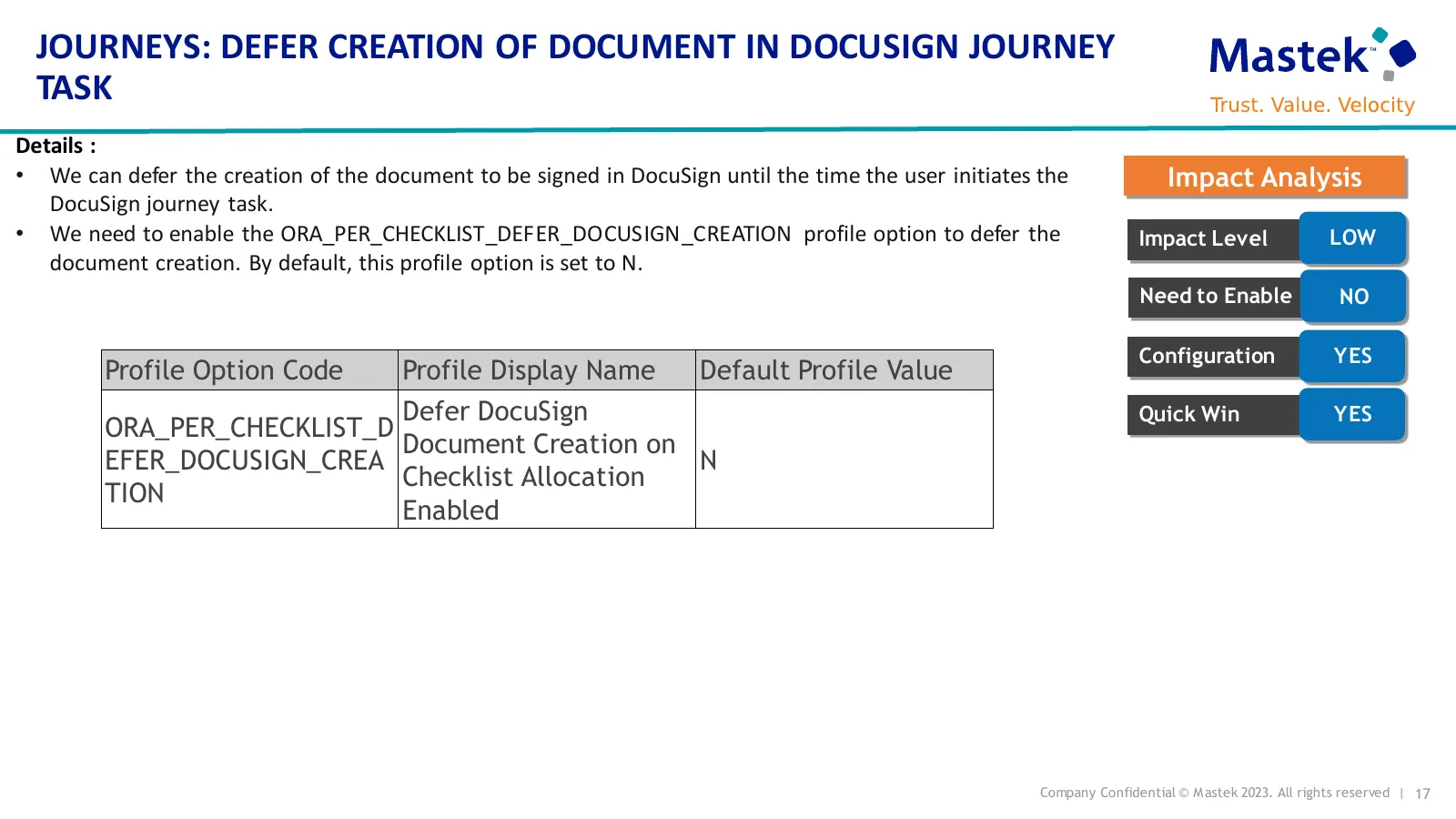
JOURNEYS: DEFER CREATION OF DOCUMENT IN DOCUSIGN JOURNEY TASK Details : • We can defer the creation of the document to be signed in DocuSign until the time the user initiates the Impact Analysis DocuSign journey task. • We need to enable the ORA_PER_CHECKLIST_DEFER_DOCUSIGN_CREATION profile option t
Slide 18: Workforce Structures: Add Codes to Position Pages
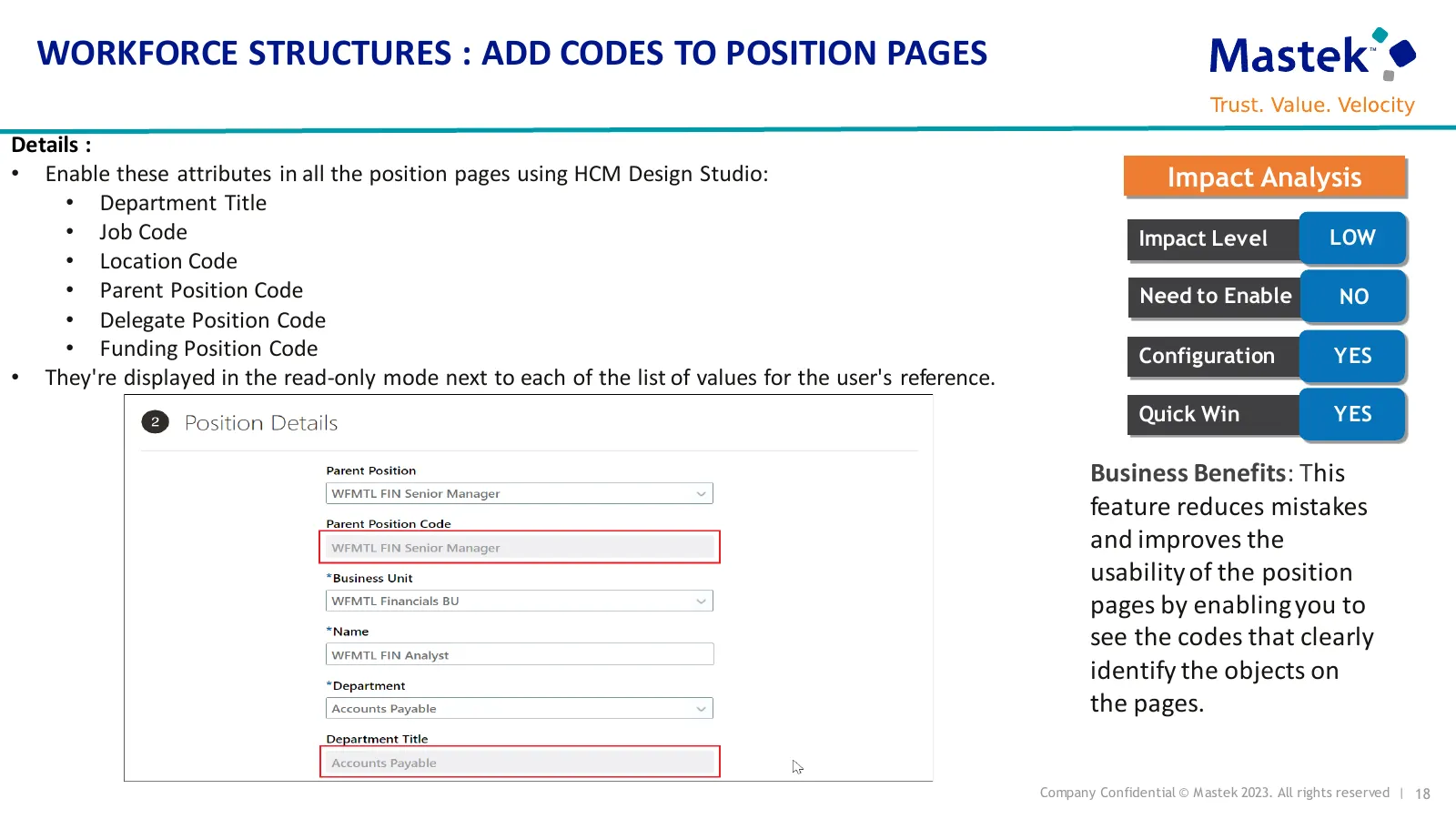
WORKFORCE STRUCTURES : ADD CODES TO POSITION PAGES Details : • Enable these attributes in all the position pages using HCM Design Studio: Impact Analysis • Department Title • Job Code Impact Level LOW • Location Code • Parent Position Code Need to Enable NO • Delegate Position Code • Funding Positio
Slide 19: Quick Win: Opt Ins
Mastek*@ Trust. Value. Velocity QUICK WIN Opt Ins
Slide 20: Redwood Experience for Collective Agreements
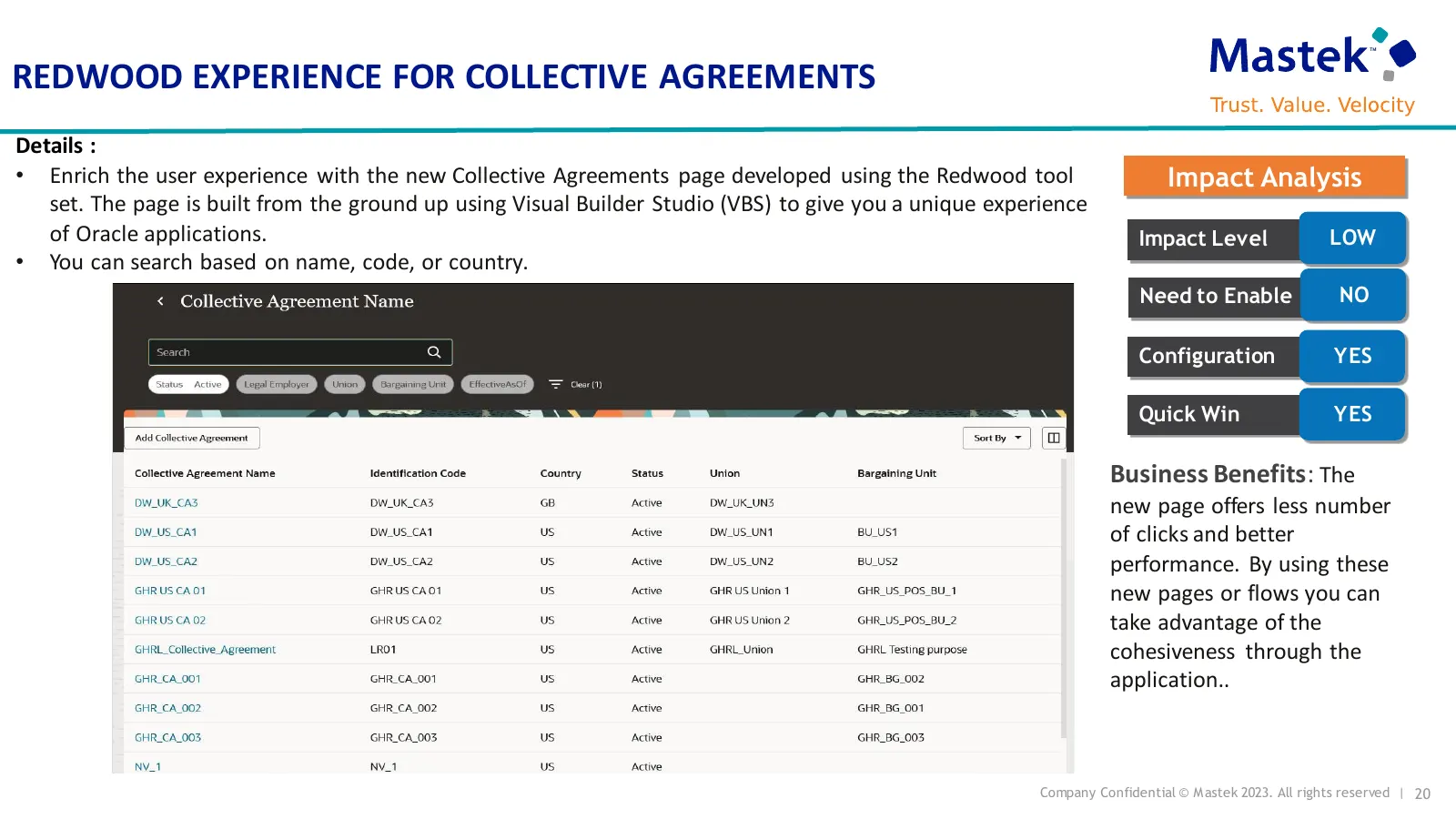
REDWOOD EXPERIENCE FOR COLLECTIVE AGREEMENTS Details : • Enrich the user experience with the new Collective Agreements page developed using the Redwood tool Impact Analysis set. The page is built from the ground up using Visual Builder Studio (VBS) to give you a unique experience of Oracle applicati
Slide 21: Redwood Experience for Departments
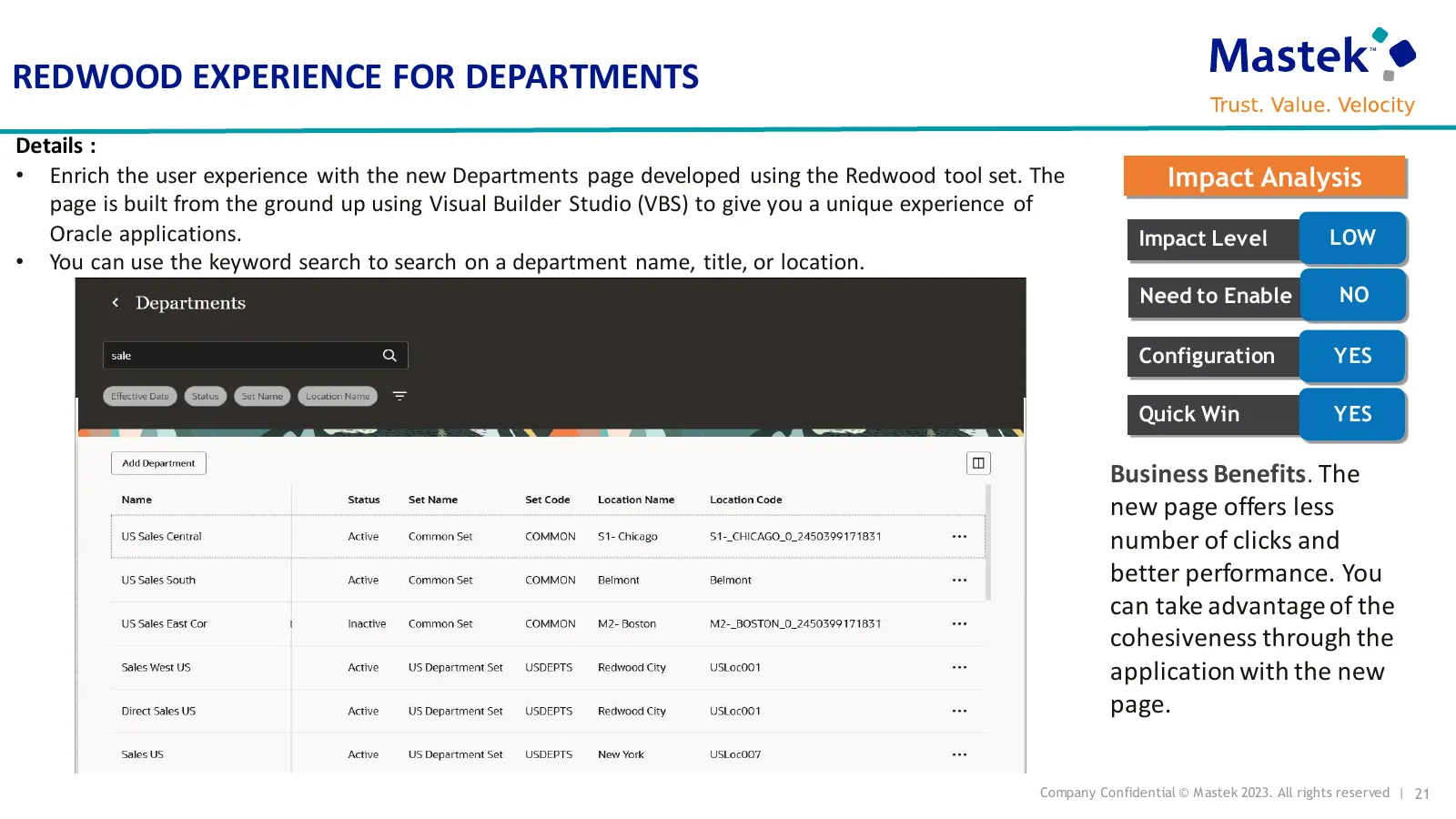
REDWOOD EXPERIENCE FOR DEPARTMENTS Details : • Enrich the user experience with the new Departments page developed using the Redwood tool set. The Impact Analysis page is built from the ground up using Visual Builder Studio (VBS) to give you a unique experience of Oracle applications. Impact Level LO
Slide 22: Redwood Experience for Document Delivery Preferences
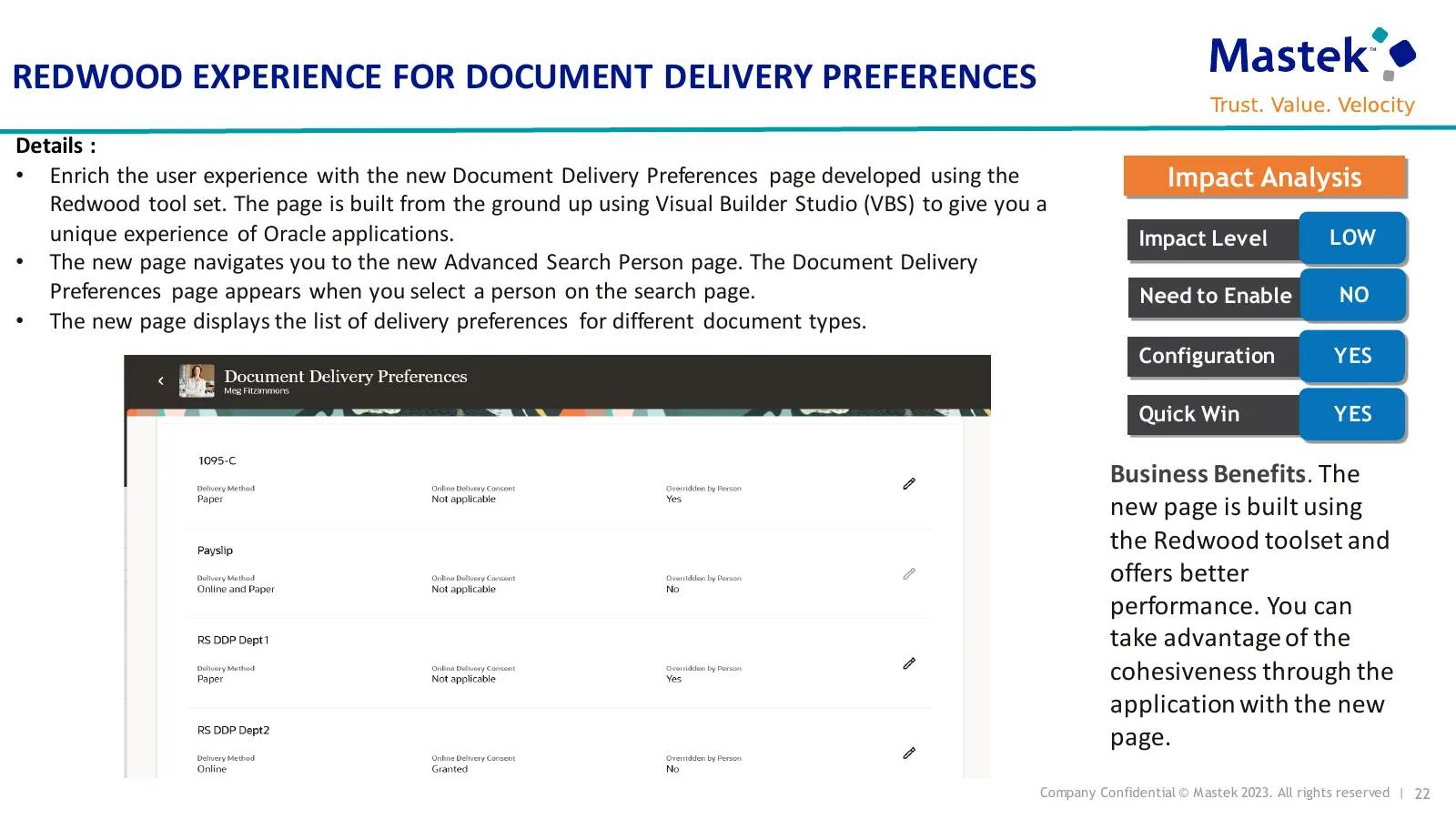
REDWOOD EXPERIENCE FOR DOCUMENT DELIVERY PREFERENCES Details : • Enrich the user experience with the new Document Delivery Preferences page developed using the Impact Analysis Redwood tool set. The page is built from the ground up using Visual Builder Studio (VBS) to give you a unique experience of
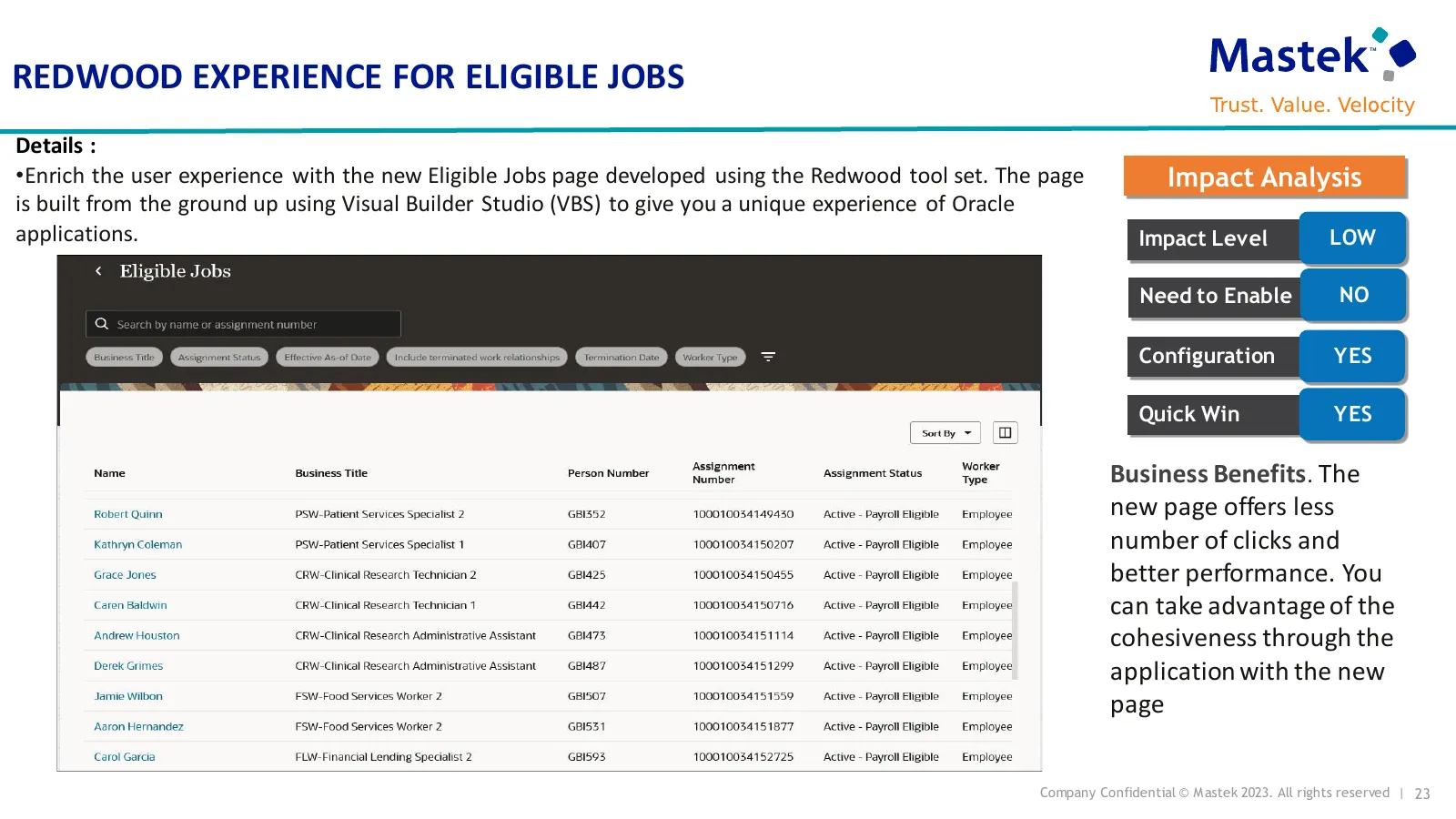
Slide 23: Redwood Experience for Eligible Jobs
REDWOOD EXPERIENCE FOR ELIGIBLE JOBS Details : •Enrich the user experience with the new Eligible Jobs page developed using the Redwood tool set. The page Impact Analysis is built from the ground up using Visual Builder Studio (VBS) to give you a unique experience of Oracle applications. Impact Level
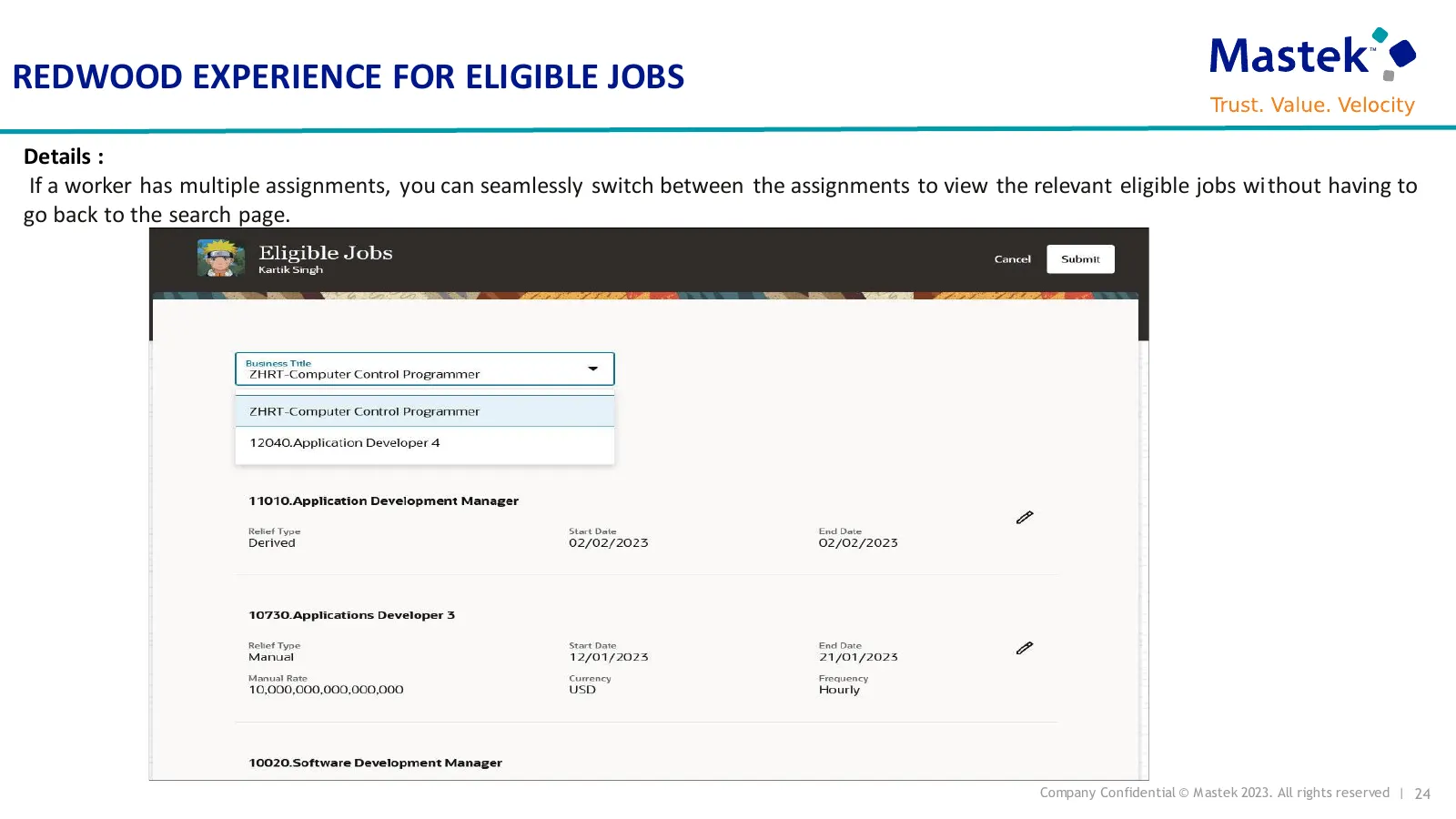
Slide 24: Redwood Experience for Eligible Jobs
REDWOOD EXPERIENCE FOR ELIGIBLE JOBS Details : If a worker has multiple assignments, you can seamlessly switch between the assignments to view the relevant eligible jobs without having to go back to the search page. Company Confidential © M astek 2023. All rights reserved | 24
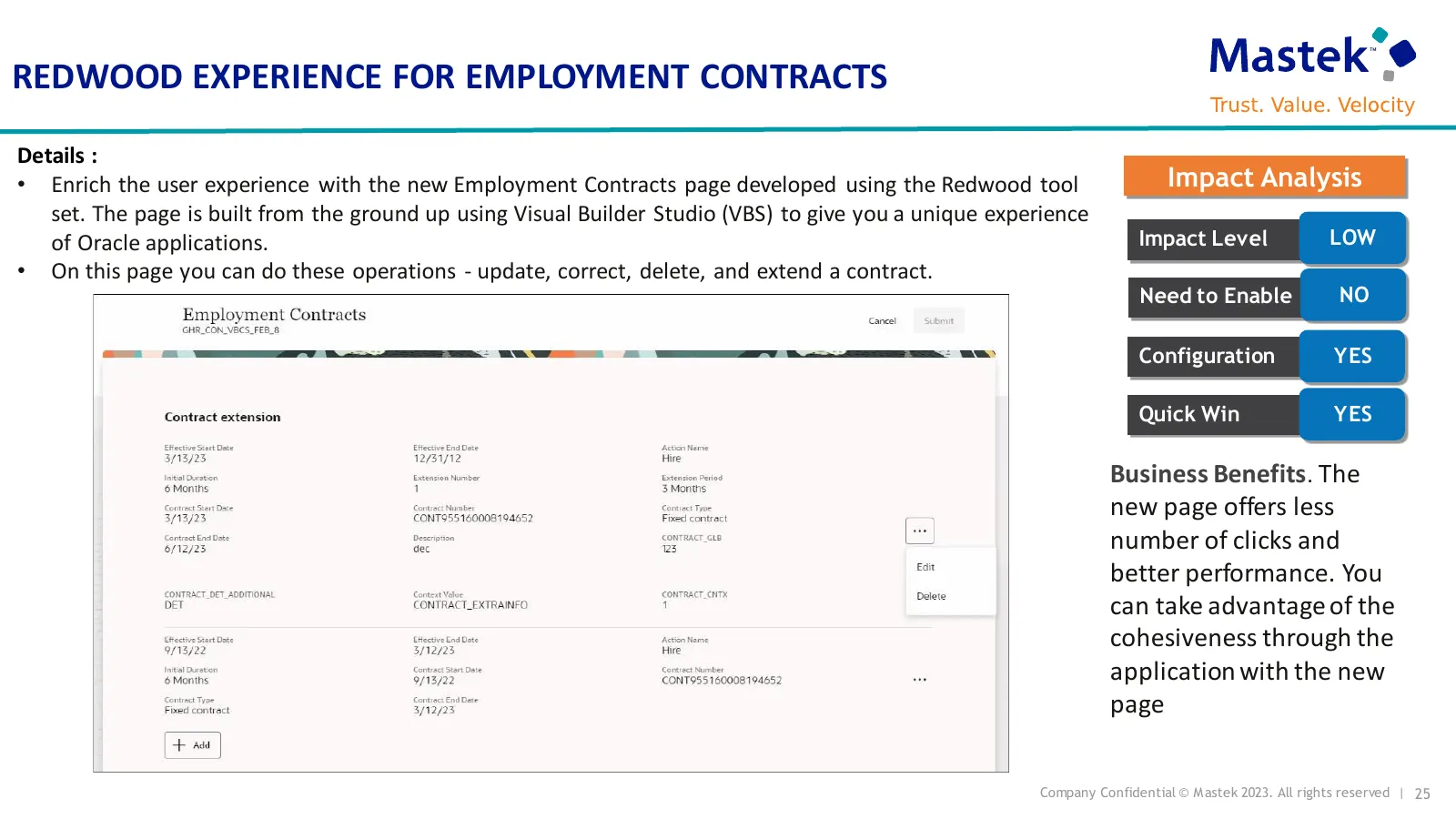
Slide 25: Redwood Experience for Employment Contracts
REDWOOD EXPERIENCE FOR EMPLOYMENT CONTRACTS Details : • Enrich the user experience with the new Employment Contracts page developed using the Redwood tool Impact Analysis set. The page is built from the ground up using Visual Builder Studio (VBS) to give you a unique experience of Oracle application
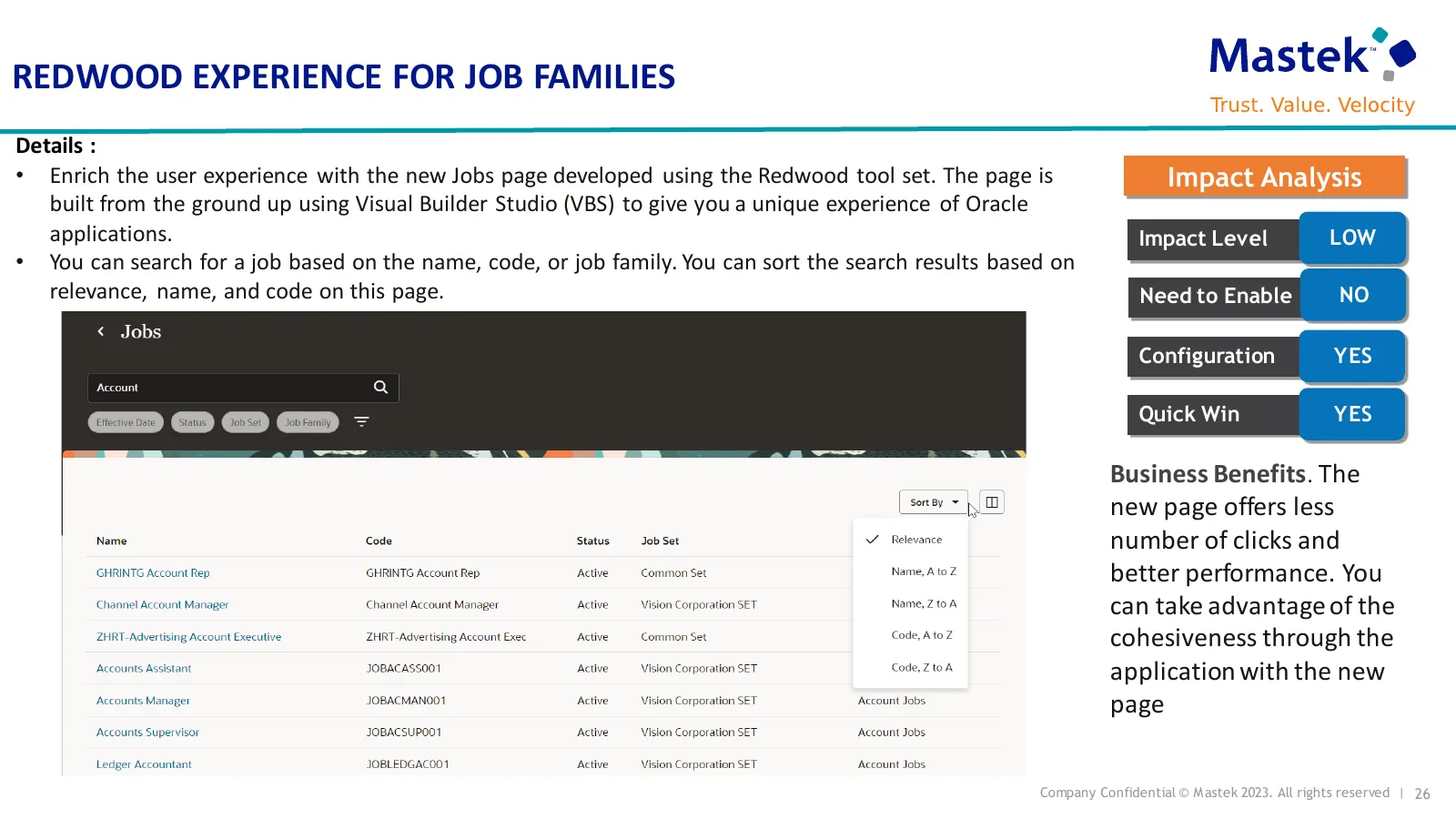
Slide 26: Redwood Experience for Job Families
REDWOOD EXPERIENCE FOR JOB FAMILIES Details : • Enrich the user experience with the new Jobs page developed using the Redwood tool set. The page is Impact Analysis built from the ground up using Visual Builder Studio (VBS) to give you a unique experience of Oracle applications. Impact Level LOW • Yo
Slide 27: Redwood Experience for Locations
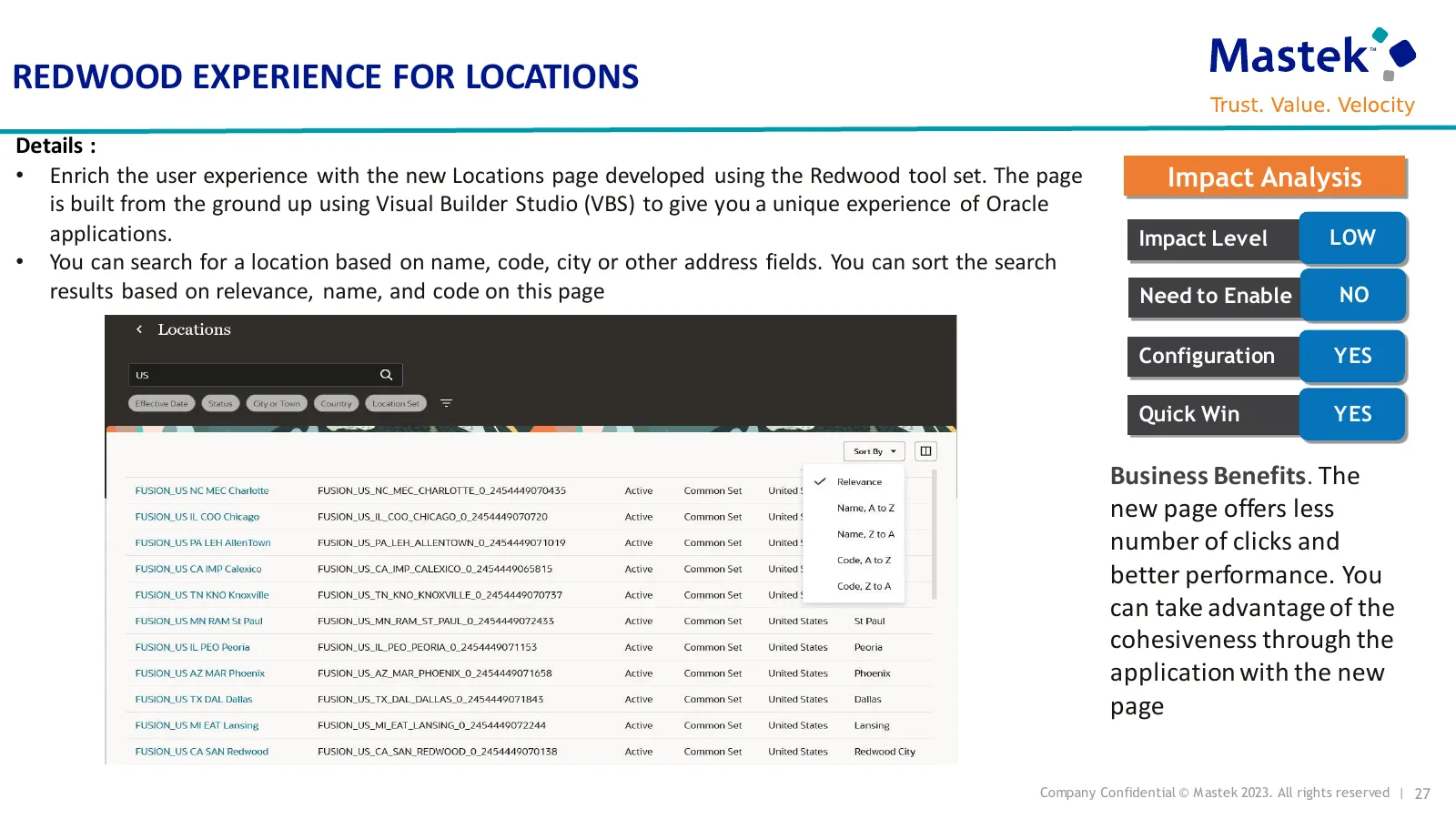
REDWOOD EXPERIENCE FOR LOCATIONS Details : • Enrich the user experience with the new Locations page developed using the Redwood tool set. The page Impact Analysis is built from the ground up using Visual Builder Studio (VBS) to give you a unique experience of Oracle applications. Impact Level LOW •
Slide 28: Redwood Experience for Person Identifiers for External Applications
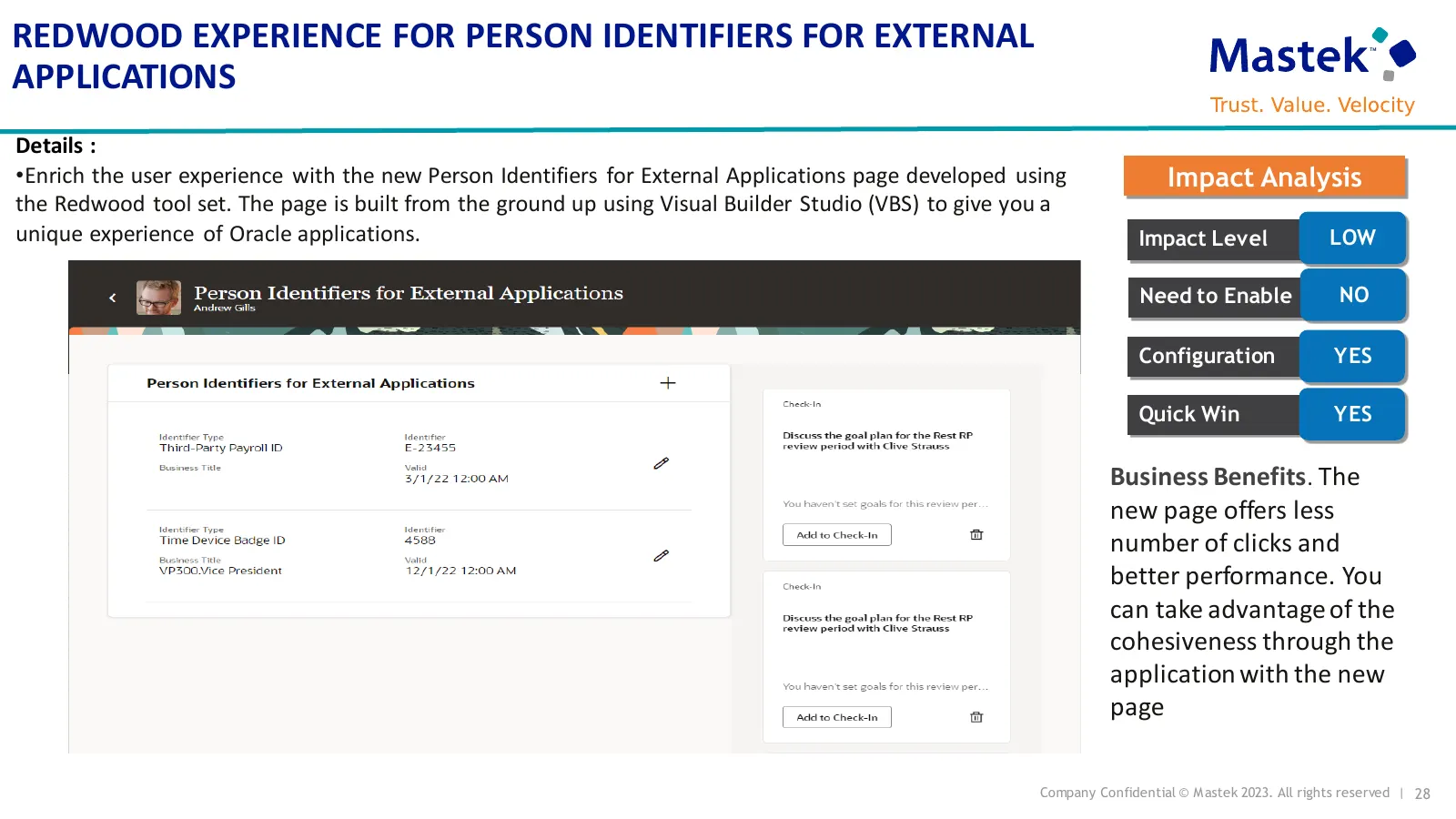
REDWOOD EXPERIENCE FOR PERSON IDENTIFIERS FOR EXTERNAL APPLICATIONS Details : •Enrich the user experience with the new Person Identifiers for External Applications page developed using Impact Analysis the Redwood tool set. The page is built from the ground up using Visual Builder Studio (VBS) to giv
Slide 29: Redwood Experience for Positions
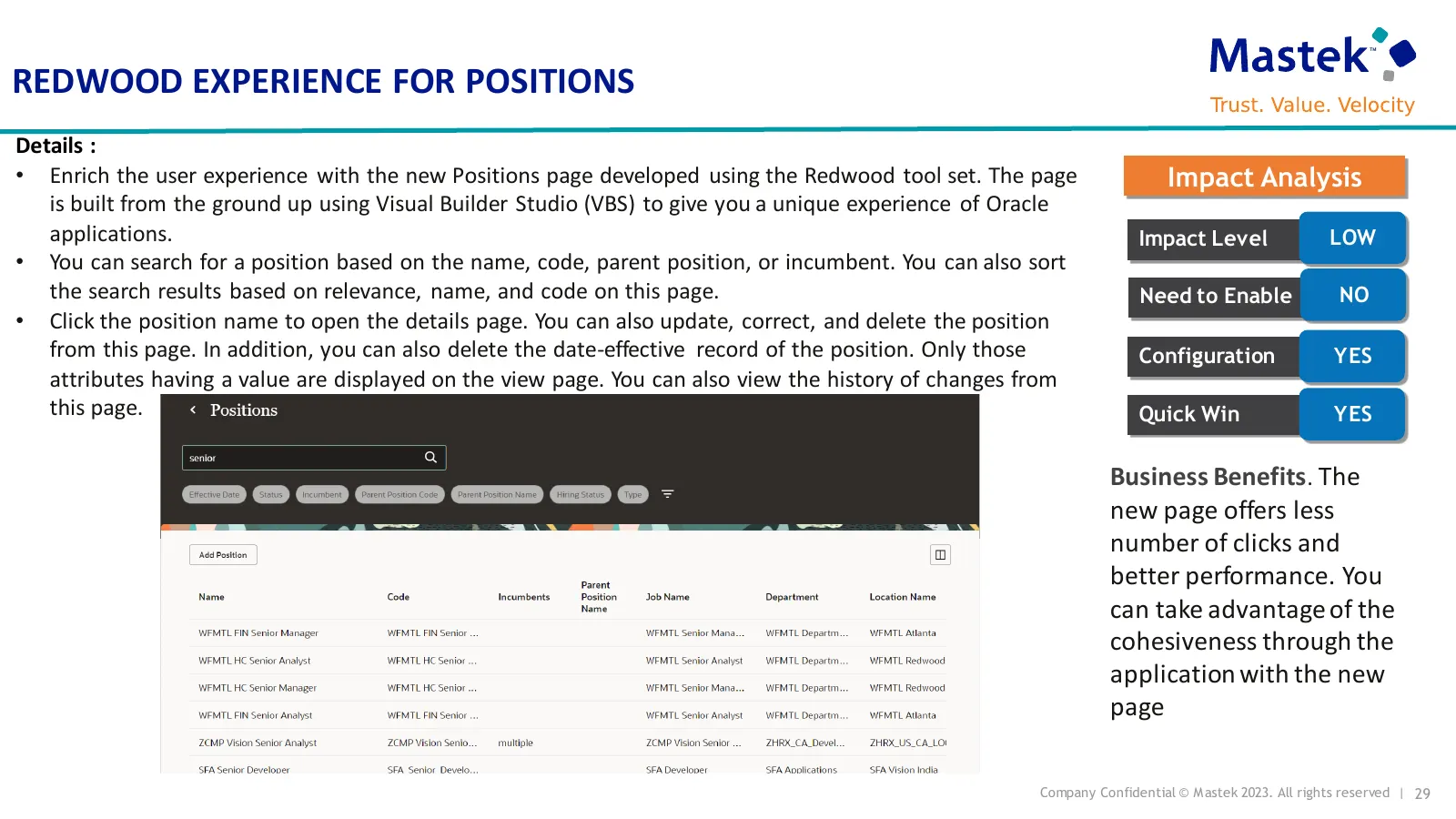
REDWOOD EXPERIENCE FOR POSITIONS Details : • Enrich the user experience with the new Positions page developed using the Redwood tool set. The page Impact Analysis is built from the ground up using Visual Builder Studio (VBS) to give you a unique experience of Oracle applications. Impact Level LOW •
Slide 30: Redwood Experience for Seniority Dates V3
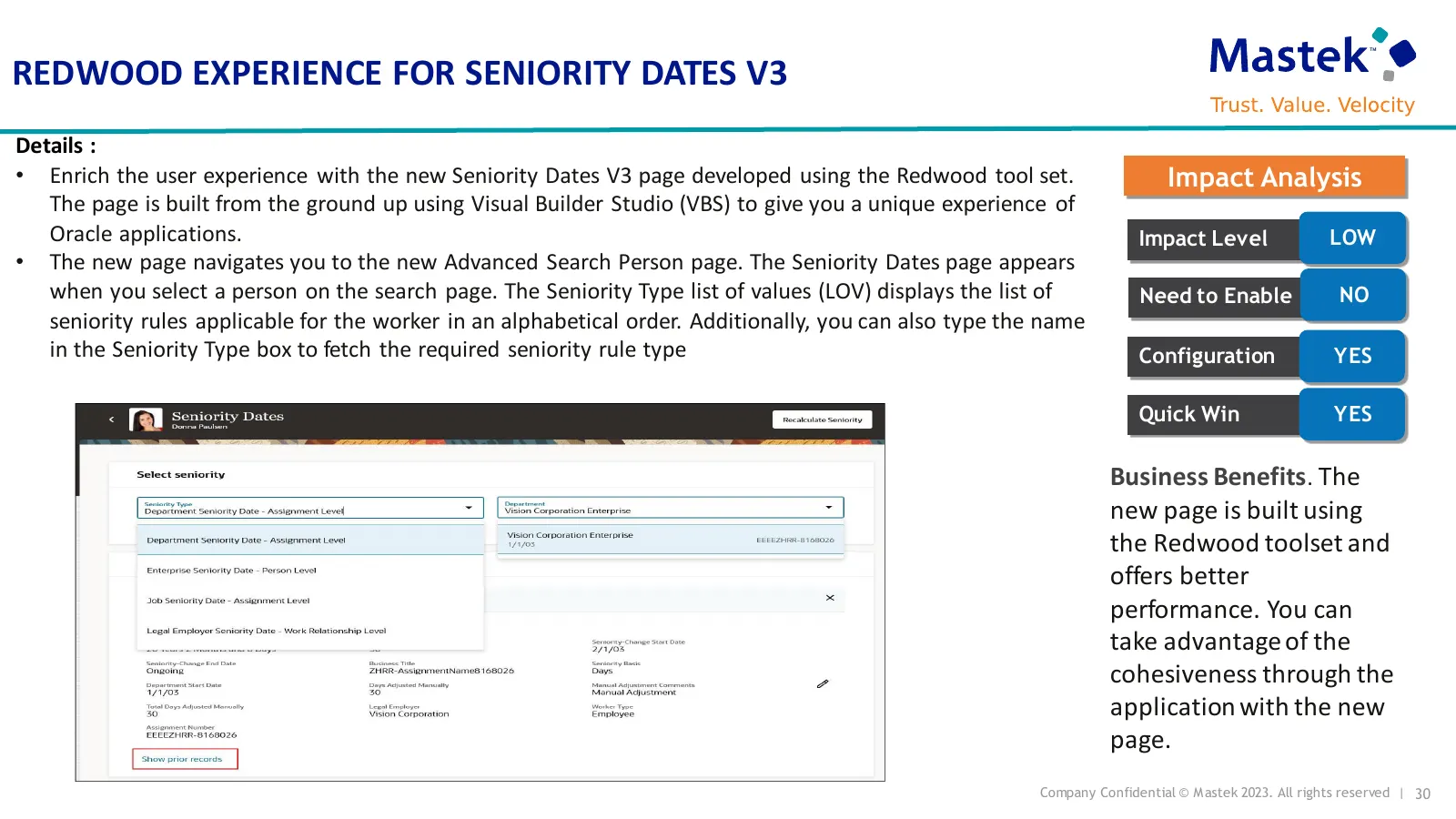
REDWOOD EXPERIENCE FOR SENIORITY DATES V3 Details : • Enrich the user experience with the new Seniority Dates V3 page developed using the Redwood tool set. Impact Analysis The page is built from the ground up using Visual Builder Studio (VBS) to give you a unique experience of Oracle applications. I
Slide 31: Redwood Experience for Share Data Access
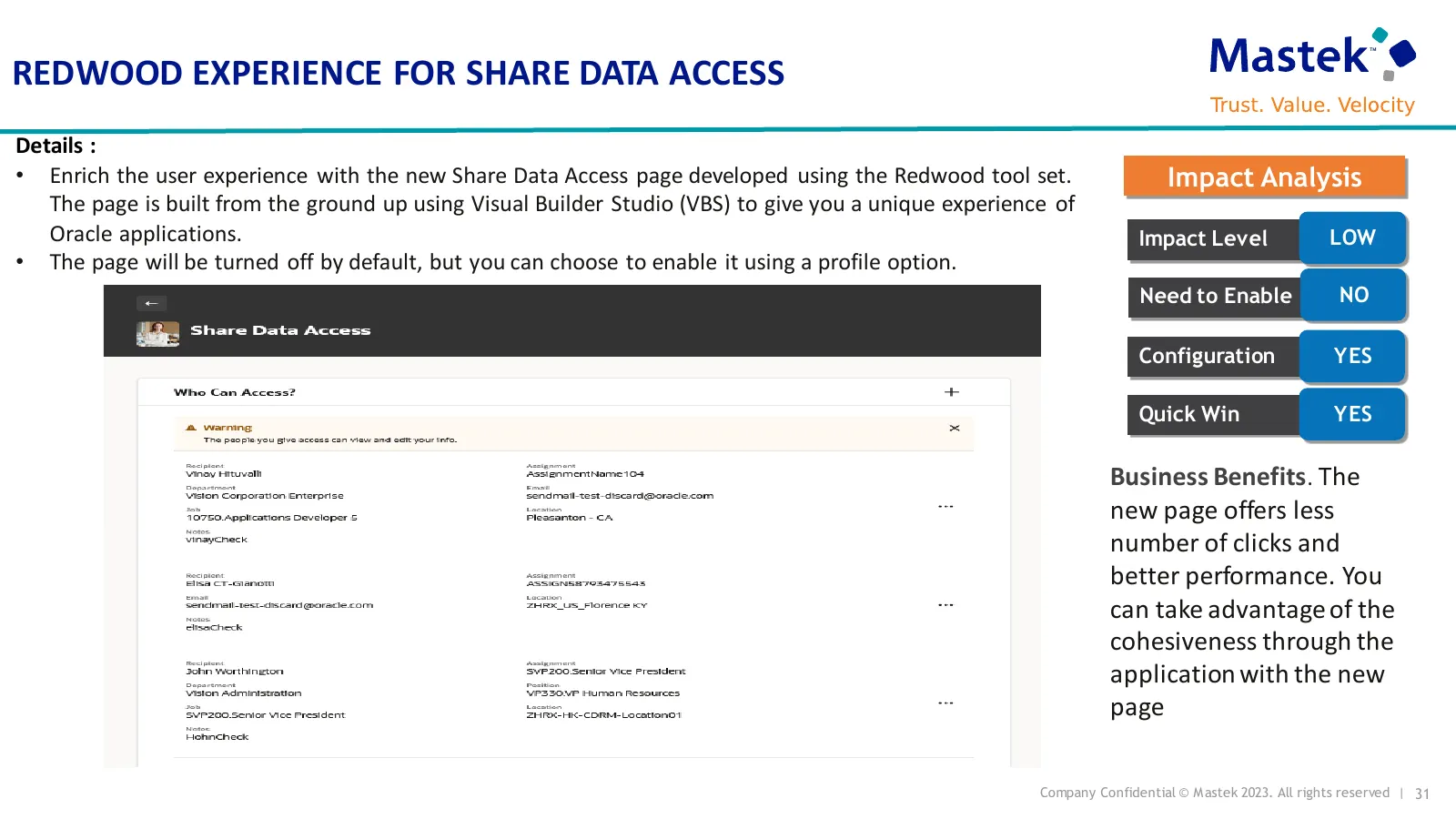
REDWOOD EXPERIENCE FOR SHARE DATA ACCESS Details : • Enrich the user experience with the new Share Data Access page developed using the Redwood tool set. Impact Analysis The page is built from the ground up using Visual Builder Studio (VBS) to give you a unique experience of Oracle applications. Imp
Slide 32: Rest: Opt Ins
Mastek*@ Trust. Value. Velocity Opt Ins
Slide 33: Journeys: Nudges for Journey Reminders
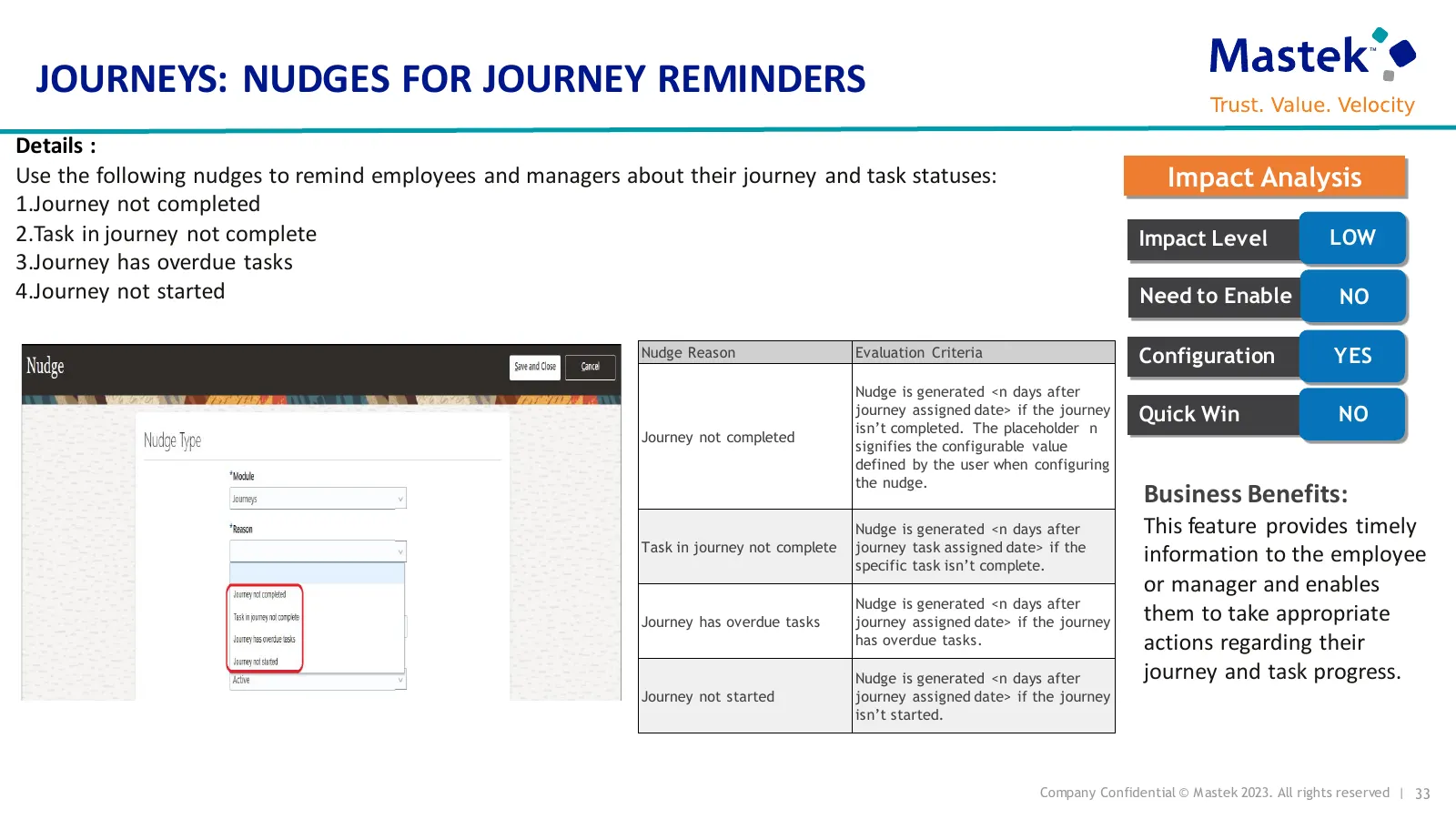
JOURNEYS: NUDGES FOR JOURNEY REMINDERS Details : Use the following nudges to remind employees and managers about their journey and task statuses: Impact Analysis 1.Journey not completed 2.Task in journey not complete Impact Level LOW 3.Journey has overdue tasks 4.Journey not started Need to Enable N
Slide 34: Journeys: Nudges for Journey Reminders
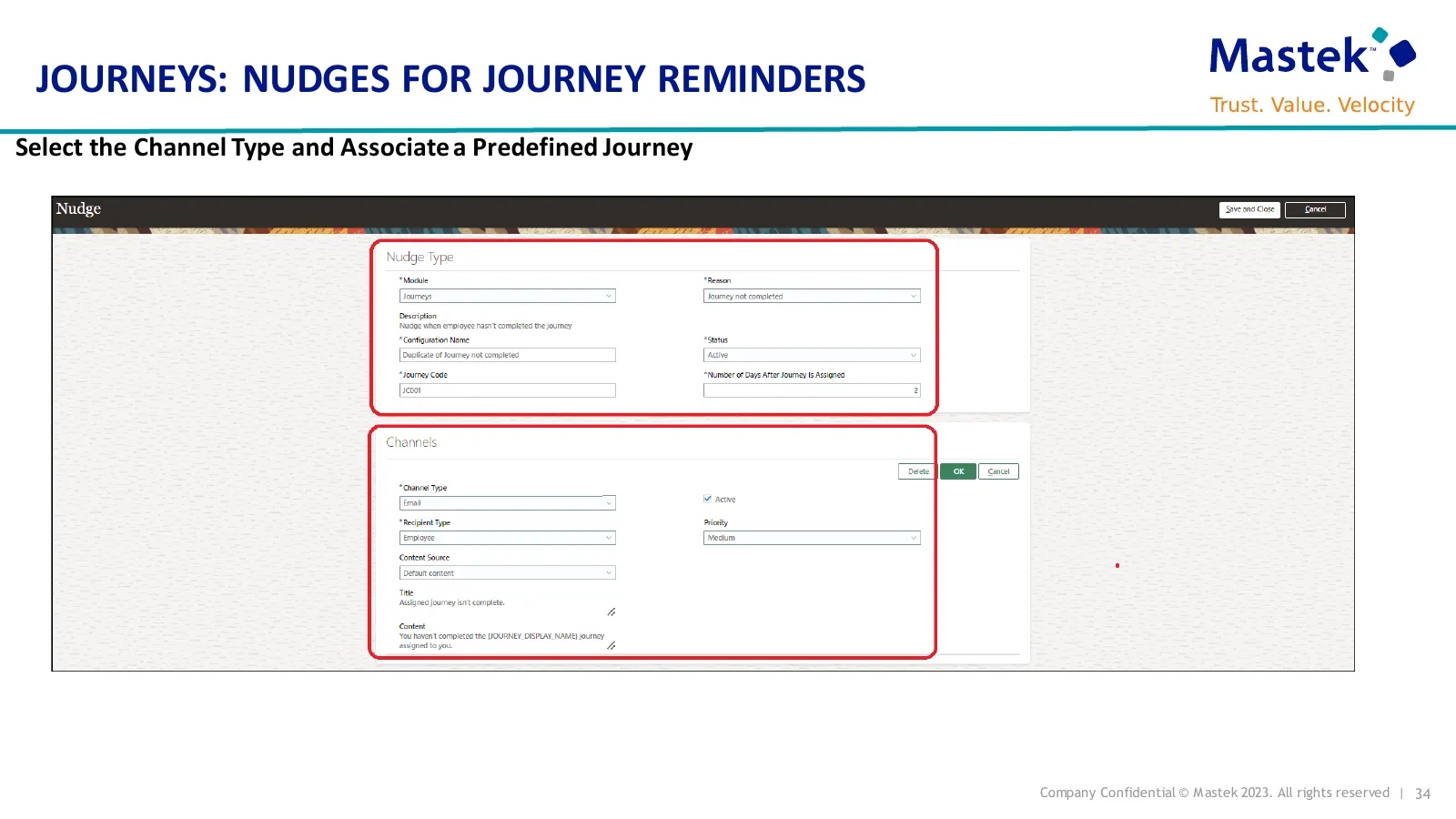
JOURNEYS: NUDGES FOR JOURNEY REMINDERS Select the Channel Type and Associate a Predefined Journey Company Confidential © M astek 2023. All rights reserved | 34

Slide 35: HCM Common Features
Mastek*@ Trust. Value. Velocity HCM COMMON FEATURES
Slide 36: Autocomplete Rules for HCM Experience Design Studio Enhancements
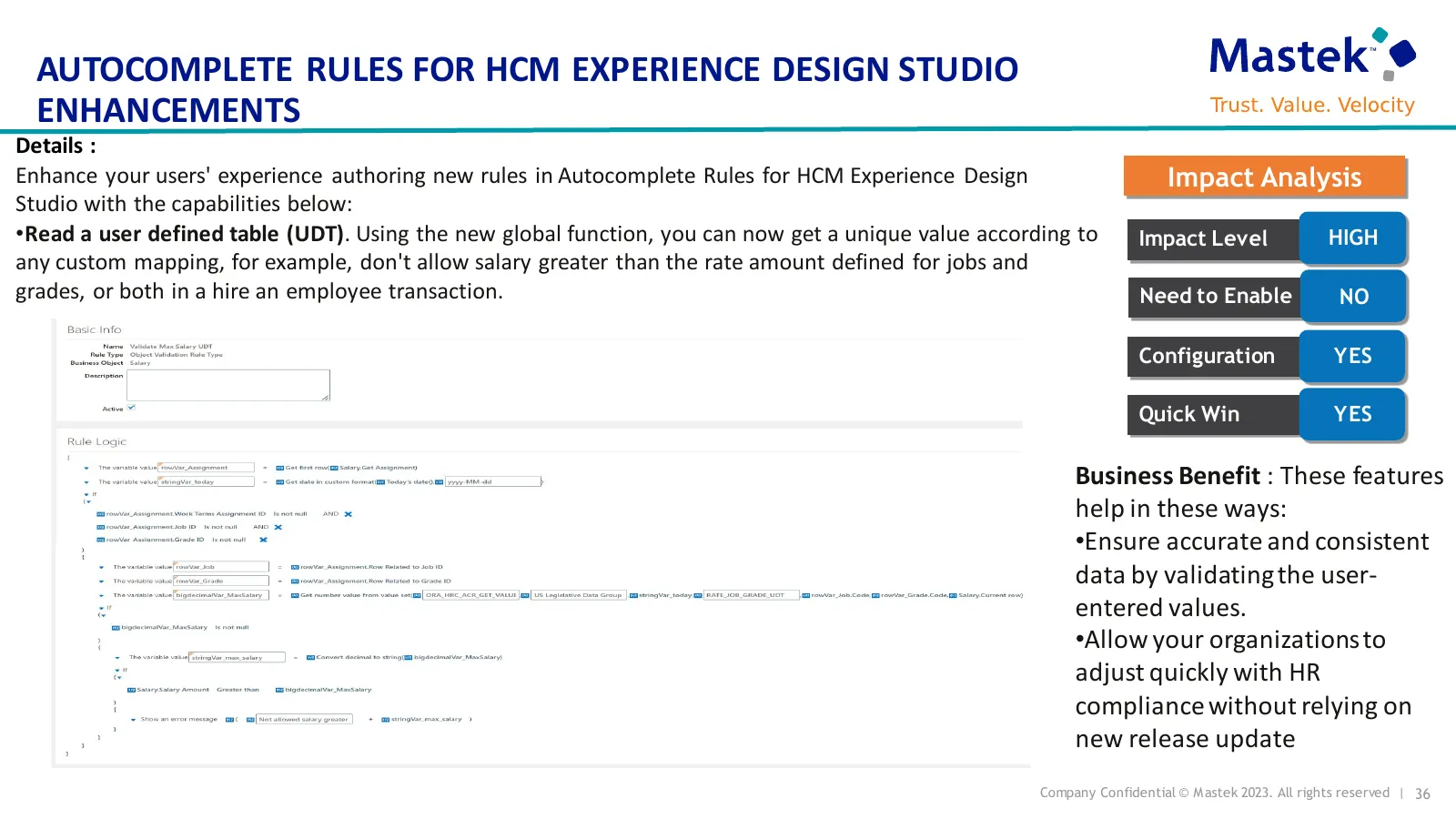
AUTOCOMPLETE RULES FOR HCM EXPERIENCE DESIGN STUDIO ENHANCEMENTS Details : Enhance your users' experience authoring new rules in Autocomplete Rules for HCM Experience Design Impact Analysis Studio with the capabilities below: •Read a user defined table (UDT). Using the new global function, you can n
Slide 37: Autocomplete Rules for HCM Experience Design Studio Enhancements
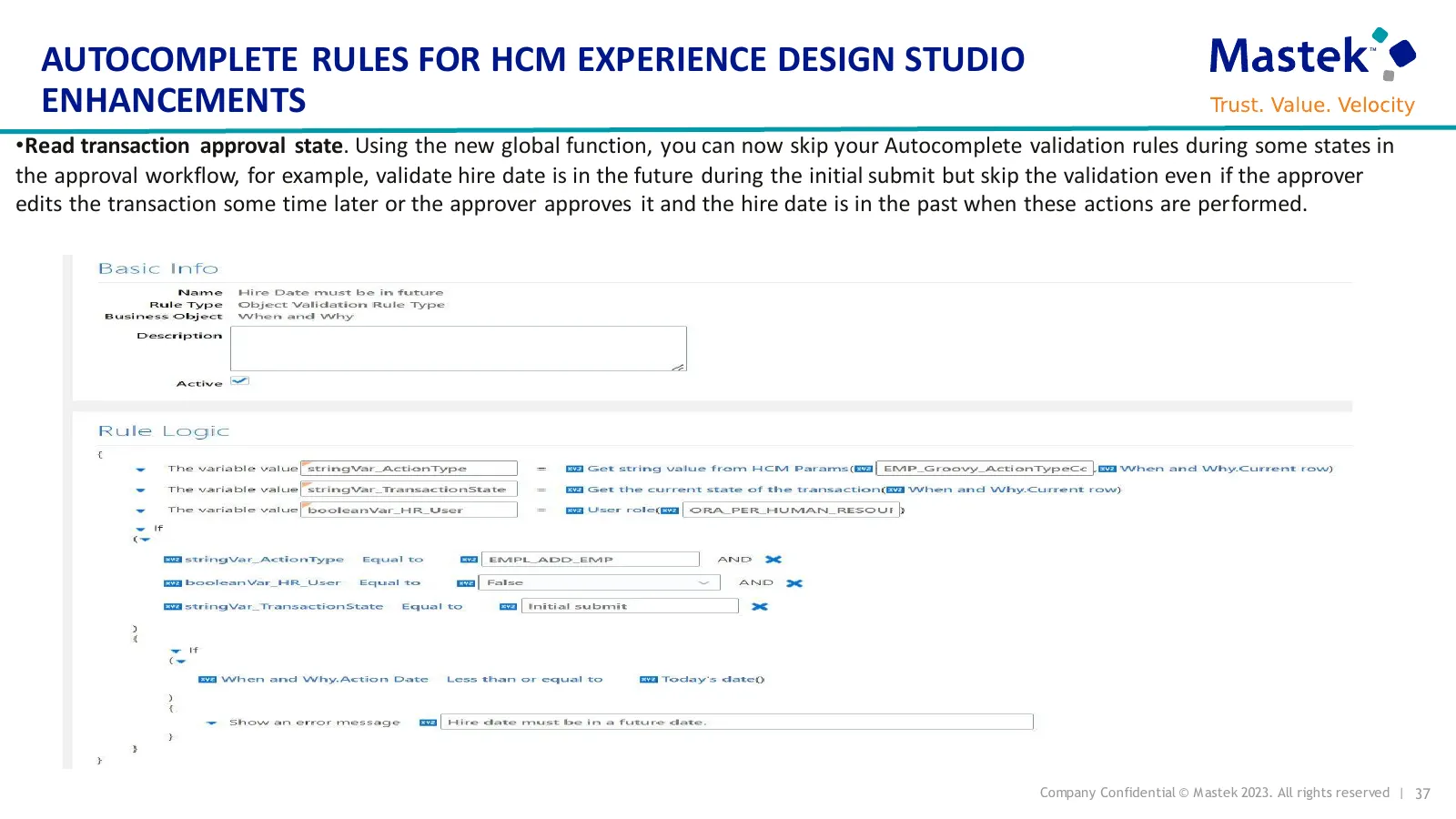
AUTOCOMPLETE RULES FOR HCM EXPERIENCE DESIGN STUDIO ENHANCEMENTS •Read transaction approval state. Using the new global function, you can now skip your Autocomplete validation rules during some states in the approval workflow, for example, validate hire date is in the future during the initial submi
Slide 38: Oracle Search Professional Users: Person Spotlight Search
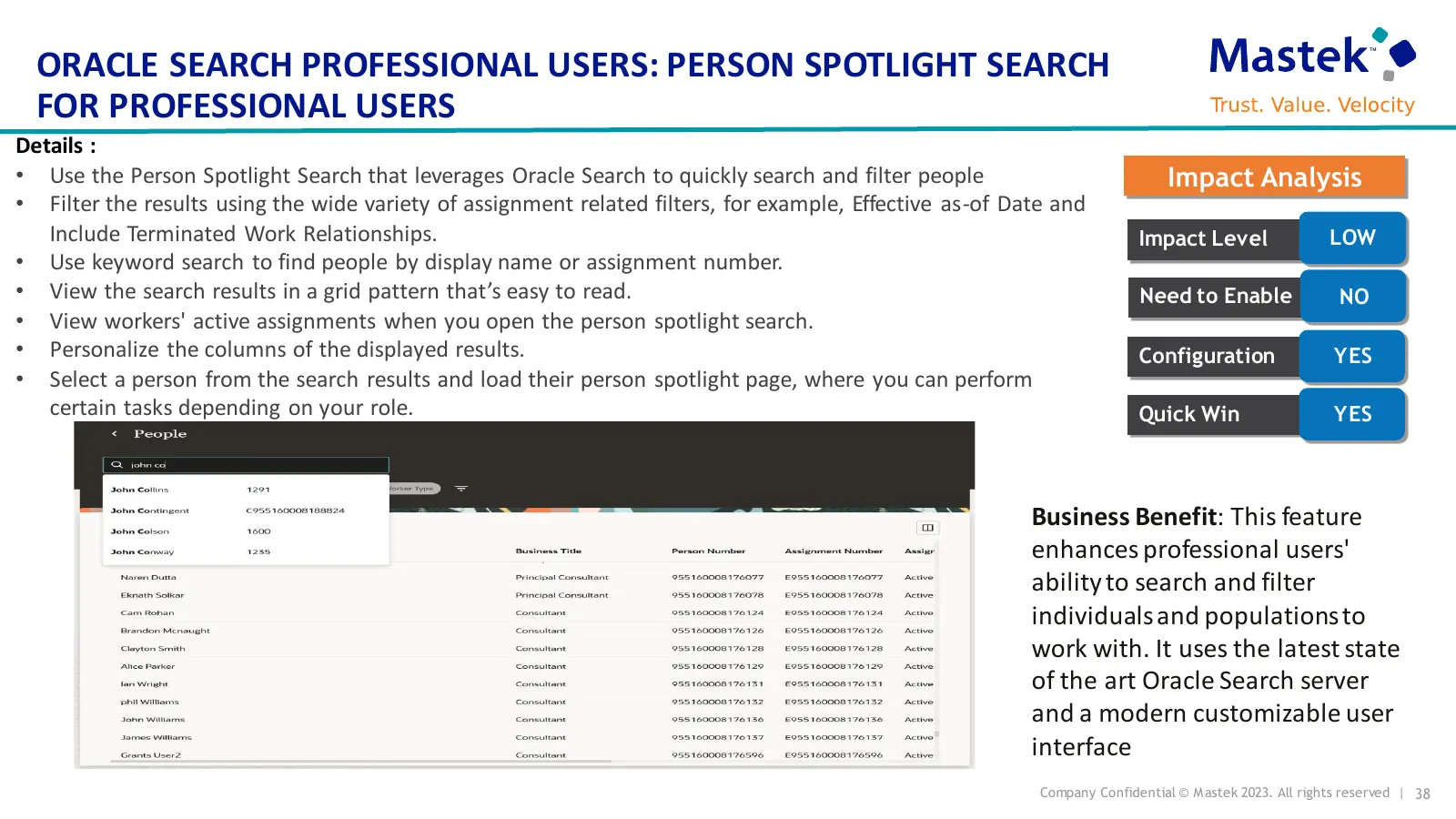
ORACLE SEARCH PROFESSIONAL USERS: PERSON SPOTLIGHT SEARCH FOR PROFESSIONAL USERS Details : • Use the Person Spotlight Search that leverages Oracle Search to quickly search and filter people Impact Analysis • Filter the results using the wide variety of assignment related filters, for example, Effect
Slide 39: Oracle Search Professional Users: Position Details Search
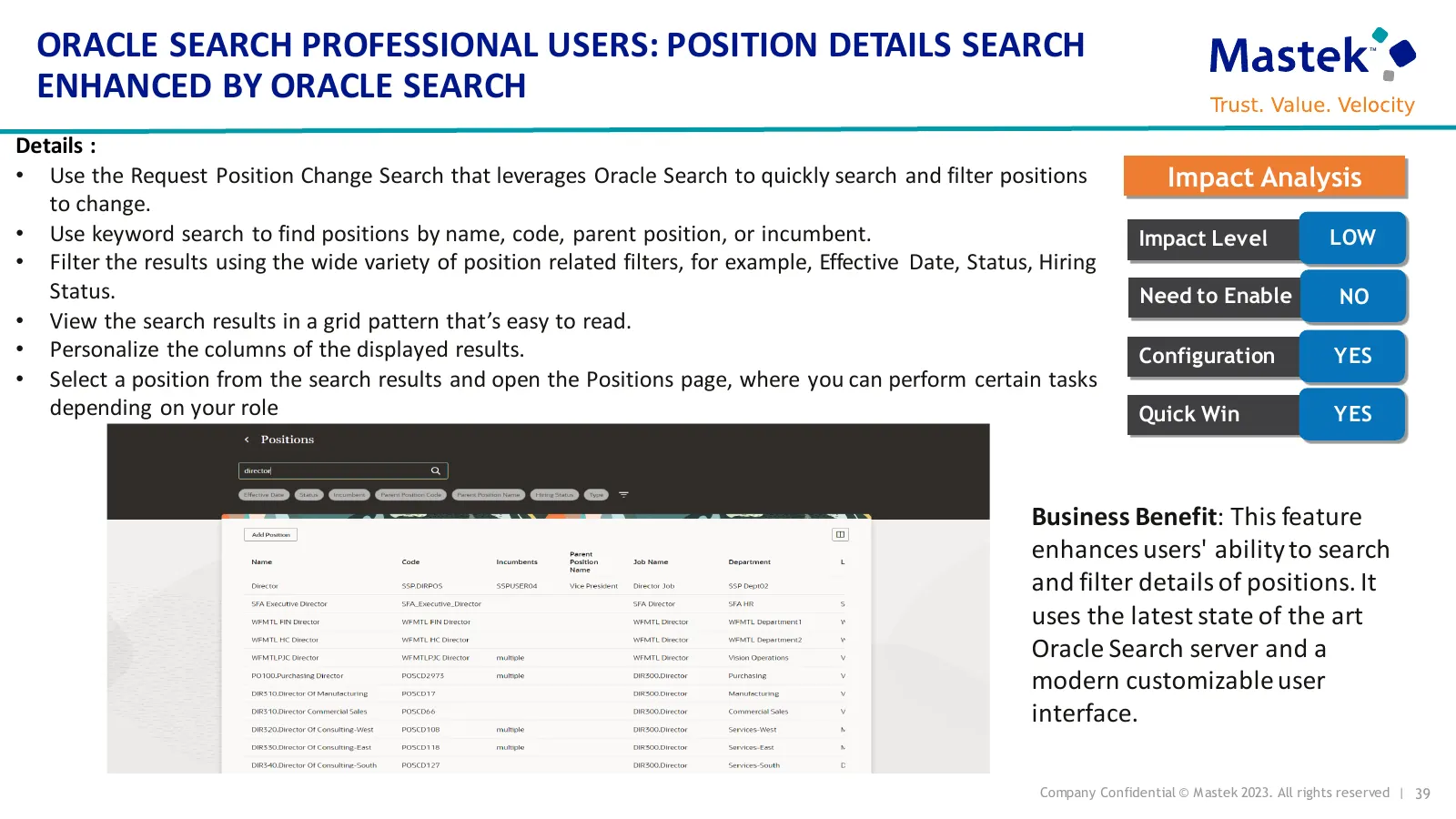
ORACLE SEARCH PROFESSIONAL USERS: POSITION DETAILS SEARCH ENHANCED BY ORACLE SEARCH Details : • Use the Request Position Change Search that leverages Oracle Search to quickly search and filter positions Impact Analysis to change. • Use keyword search to find positions by name, code, parent position,
Slide 40: Oracle Search Professional Users: Departments Search
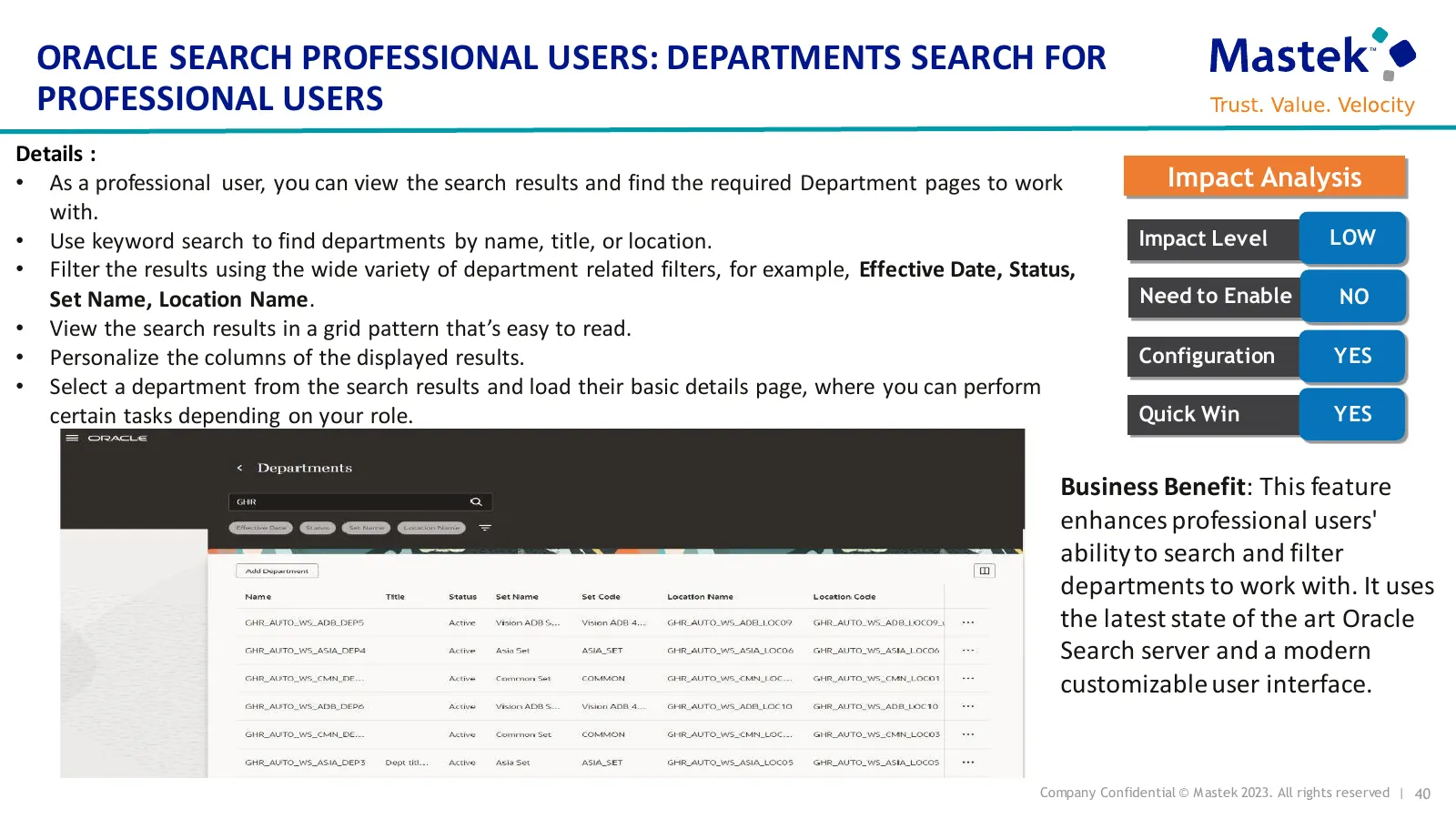
ORACLE SEARCH PROFESSIONAL USERS: DEPARTMENTS SEARCH FOR PROFESSIONAL USERS Details : • As a professional user, you can view the search results and find the required Department pages to work Impact Analysis with. • Use keyword search to find departments by name, title, or location. Impact Level LOW
Slide 41: Oracle Search Professional Users: Locations Search
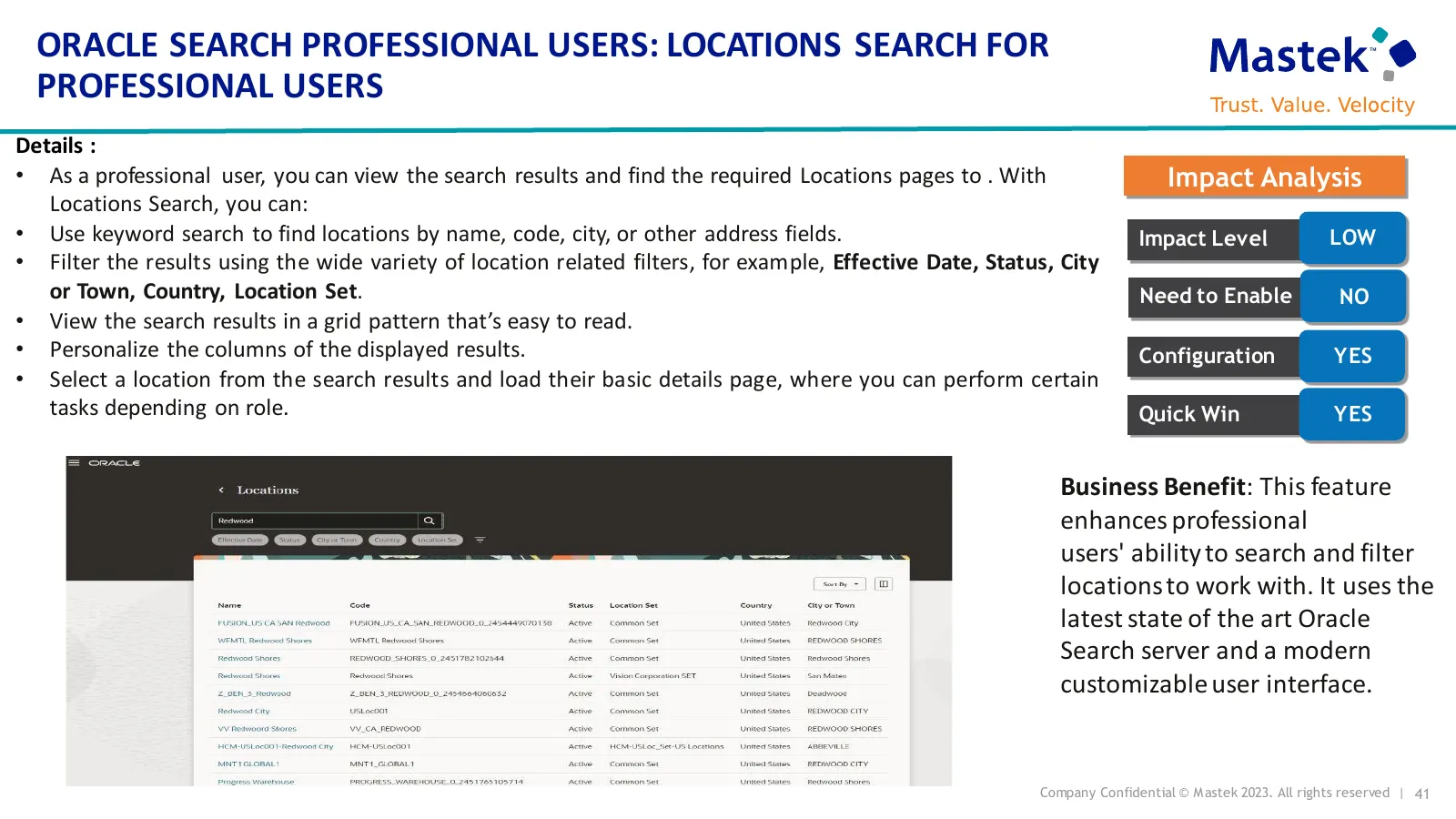
ORACLE SEARCH PROFESSIONAL USERS: LOCATIONS SEARCH FOR PROFESSIONAL USERS Details : • As a professional user, you can view the search results and find the required Locations pages to . With Impact Analysis Locations Search, you can: • Use keyword search to find locations by name, code, city, or othe
Slide 42: Oracle Search Professional Users: Jobs Search
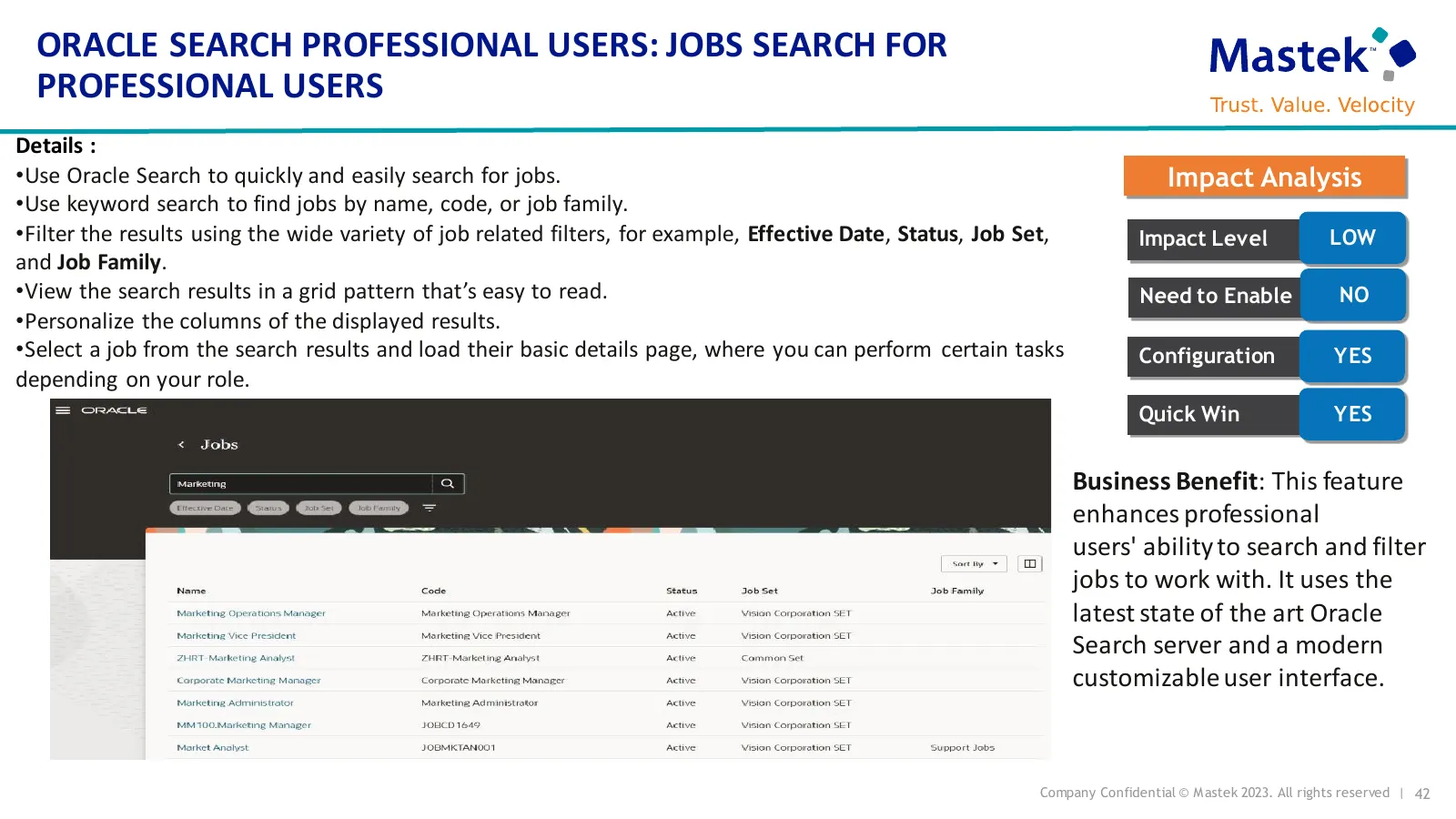
ORACLE SEARCH PROFESSIONAL USERS: JOBS SEARCH FOR PROFESSIONAL USERS Details : •Use Oracle Search to quickly and easily search for jobs. Impact Analysis •Use keyword search to find jobs by name, code, or job family. •Filter the results using the wide variety of job related filters, for example, Effe

Slide 43: Closing Q&A
Closing Q&A Company Confidential © M astek 2023. All rights reserved | 43
Slide 44: Closing Note
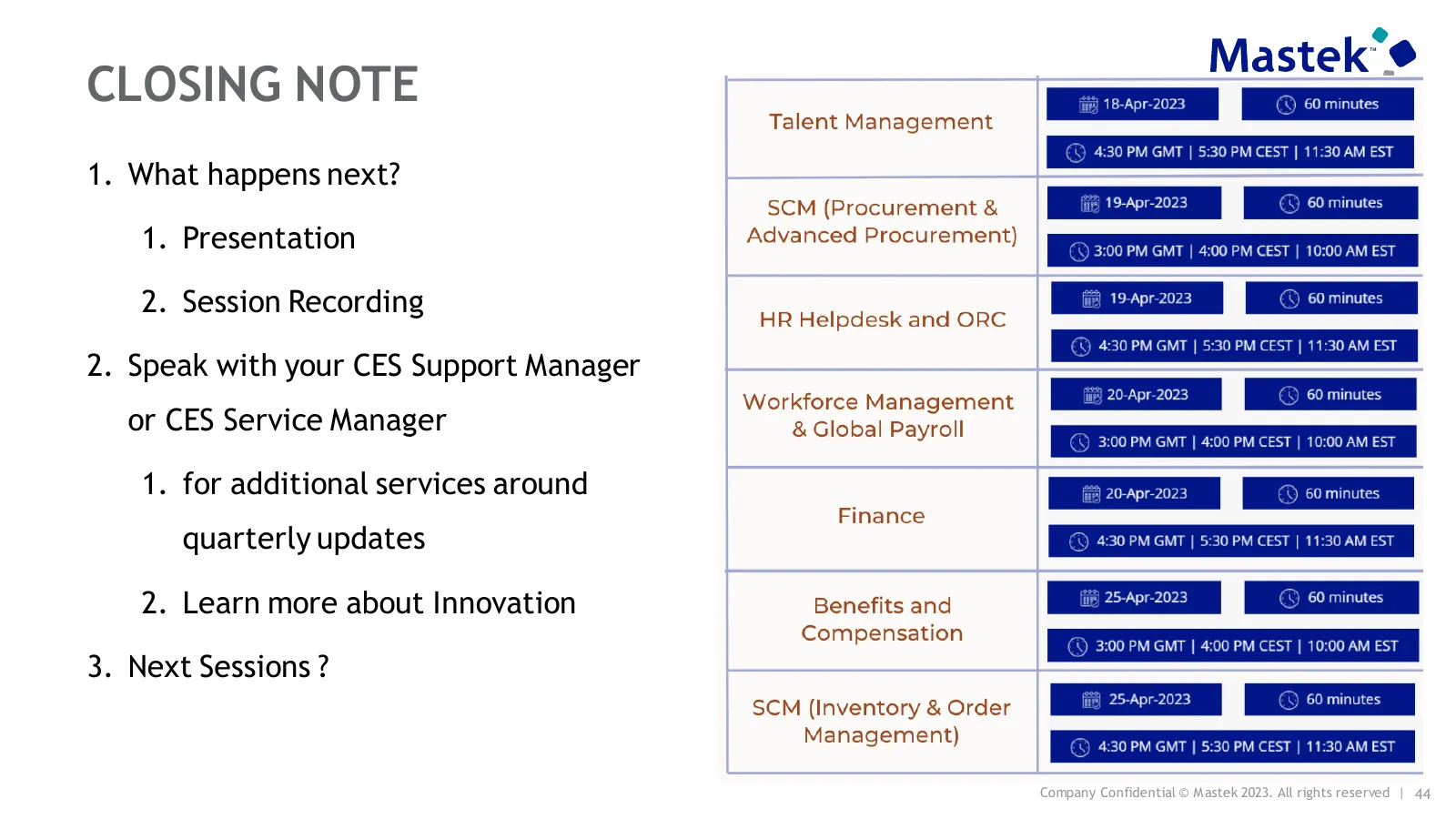
CLOSING NOTE 1. What happens next? 1. Presentation 2. Session Recording 2. Speak with your CES Support Manager or CES Service Manager 1. for additional services around quarterly updates 2. Learn more about Innovation 3. Next Sessions ? Company Confidential © M astek 2023. All rights reserved | 44
Slide 45: Thank You
MASTEK is here to help you! THANK YOU This pr esentation contains infor mation that may be pr ivileged or confidential and is the pr oper ty of Mastek. Copyr ight © 2023 Mastek. All r ights r eserved.
Source: Internet Archive copy of mastek.com
More decks from Mastek Limited
 Q2 FY2027 Earnings Presentation18 slides · Oct 23, 2026
 Q2 FY2027 Earnings Presentation25 slides · Oct 23, 2026
 Q1 FY27 Earnings Presentation31 slides · Jul 21, 2026
 Q1 FY2027 Earnings Presentation23 slides · Jul 21, 2026
 Q4 FY26 Earnings Presentation37 slides · Apr 18, 2026
 Q4 FY26 Earnings Presentation28 slides · Apr 17, 2026